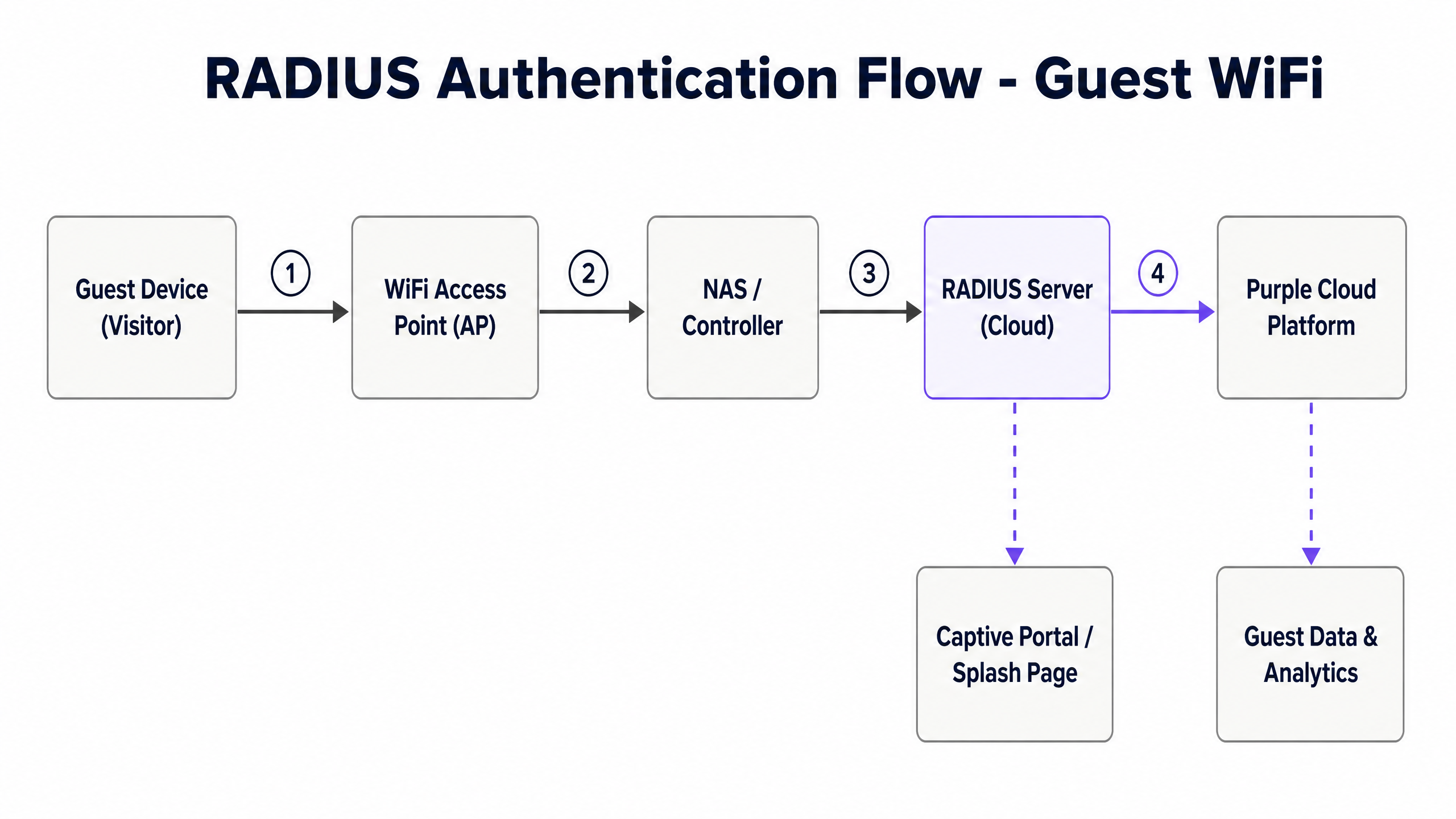
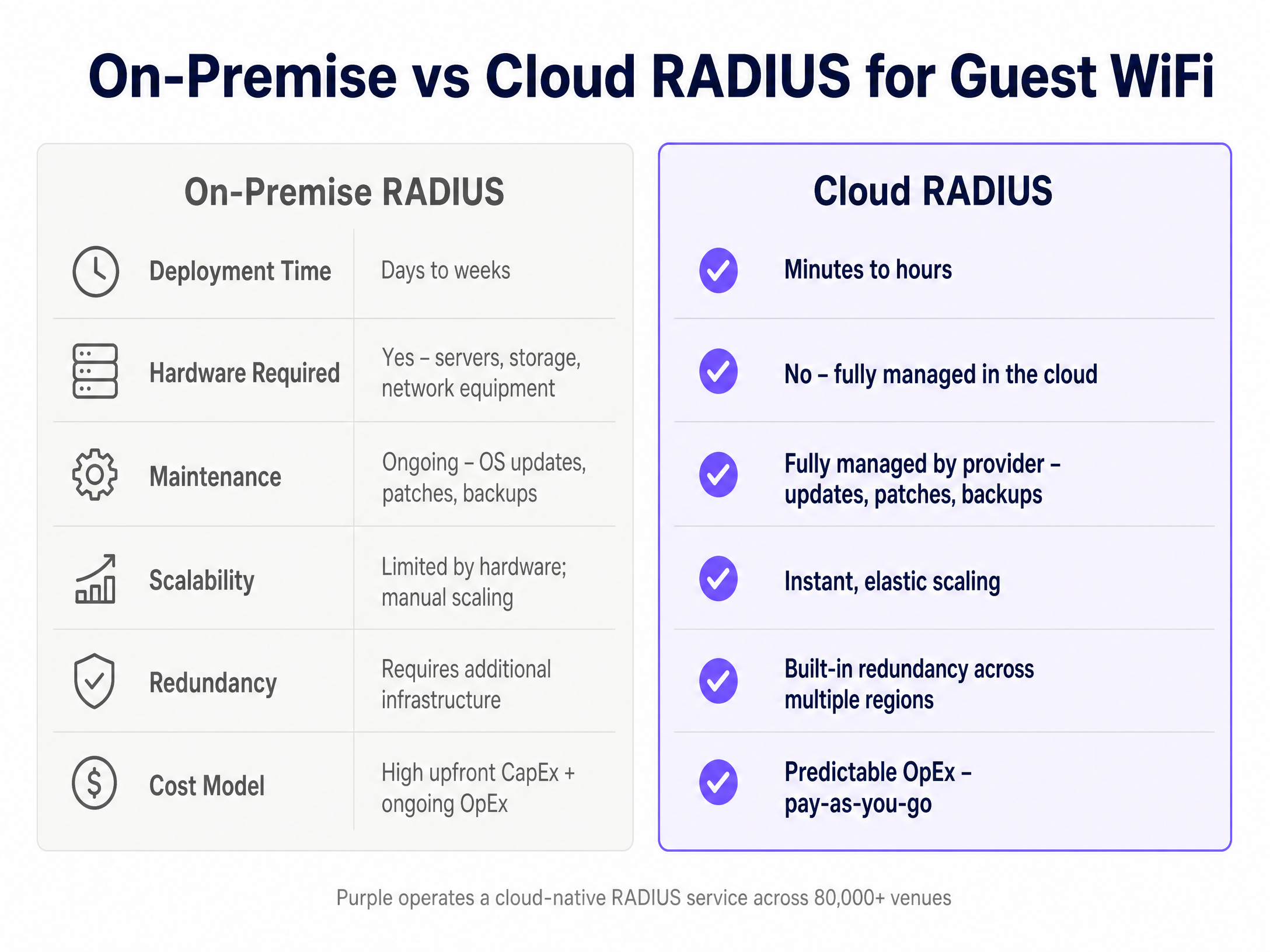
# Purple — Full Content Index > Compiled content of all published guides, blog posts, and case studies. Updated hourly from the CMS. For the navigable index, see https://www.purple.ai/llms.txt. ## Technical Guides --- ### How to leverage SMS in marketing to increase return visits **Source:** https://www.purple.ai/en-gb/guides/sms-in-marketing **Summary:** This technical reference guide outlines how enterprise venues can integrate WiFi analytics with SMS marketing engines to drive repeat visits. It details the architecture required to capture real-time presence data, trigger automated SMS campaigns based on physical behaviour, and measure the direct impact on return rates. By aligning network infrastructure with marketing automation, IT and operations teams can establish a high-yield channel for customer retention. **Estimated read time:** 9 minutes **Word count:** 1,966 ![header_image.png](https://tfstmpunsngbqczbybwb.supabase.co/storage/v1/object/public/guide-assets/guides/sms-in-marketing/header_image.png) ## Executive Summary Physical venues face a persistent challenge in matching the customer retention capabilities of digital spaces. While e-commerce platforms track, retarget, and re-engage visitors with precision, physical locations often operate in an informational vacuum. Enterprise WiFi infrastructure, when integrated with analytics and communication engines, bridges this gap. By utilising the captive portal as a data collection point, venues can capture verified mobile numbers and link them to unique device identifiers. This guide details how to utilise SMS marketing - triggered by real-time WiFi analytics - to systematically increase return visits. SMS remains an exceptionally effective channel, boasting open rates near 98%, with the majority of messages read within three minutes of delivery. By tying these messages to physical behaviour, such as dwell time, visit frequency, or lapsed attendance, organisations can deliver highly contextual communications that prompt action. This document provides the technical architecture, implementation steps, and best practices required by IT managers, network architects, and operations directors to deploy a reliable, compliant, and automated SMS marketing system. ## Technical Deep-Dive To build an automated SMS marketing system based on physical presence, you must integrate several distinct layers: the physical wireless network, the AAA (Authentication, Authorization, and Accounting) server, the WiFi analytics engine, and the external SMS gateway. ### The Data Capture and Authentication Flow When a visitor enters a venue and attempts to connect to the guest WiFi, the process begins at the Access Point (AP) or Wireless LAN Controller (WLC). The WLC redirects the user's HTTP traffic to a captive portal hosted by the Purple platform. 1. **Association and Redirection**: The user's device associates with the guest SSID. The WLC intercepts the initial browser request and redirects the user to the captive portal URL, appending the client's MAC address and the AP's MAC address (called the Called-Station-ID) to the query string. 2. **Data Collection and Consent**: The captive portal presents a registration form. To enable SMS marketing, the form must collect the user's mobile phone number with an explicit, active opt-in checkbox that complies with local regulations (such as GDPR in Europe or TCPA in the United States). The country code must be automatically detected or explicitly selected to ensure correct routing. 3. **RADIUS Authentication**: Once the user submits the form, the Purple platform communicates with the network's RADIUS server to authorise internet access. The RADIUS server logs the session start time, associating the authenticated MAC address with the user profile in the database. ### Presence Detection and Behavioral Tracking To trigger SMS messages based on return behaviour, the system must distinguish between active connections (users logged into the WiFi) and passive presence (devices with WiFi enabled but not logged in). * **Active Connection Tracking**: This relies on RADIUS accounting packets (Start, Interim-Update, and Stop). When a user connects, the RADIUS Start packet registers their presence. Interim-Update packets, sent at configured intervals (typically 15 minutes), confirm ongoing dwell time. A RADIUS Stop packet registers their departure. * **Passive Presence Tracking**: This utilises probe requests sent by mobile devices searching for known networks. Access Points capture these probe requests, recording the device's MAC address, timestamp, and Received Signal Strength Indicator (RSSI). If the device has previously registered through the captive portal, the system can identify the user's physical presence near the venue even if they do not log into the WiFi during that specific visit. To protect privacy, MAC addresses are cryptographically hashed (using SHA-256) immediately upon capture. ### Integration Architecture and Webhooks To initiate an SMS, the WiFi analytics engine must transmit data to an SMS gateway (such as Twilio, Sinch, or Link Mobility) in real time. This is achieved using webhooks or REST APIs. ``` +-------------------+ RADIUS +---------------------+ | Wireless Network | <----------------> | Purple Platform | | (APs / WLC) | | (Analytics Engine) | +-------------------+ +---------------------+ | | | Redirect | Webhook (JSON) v v +-------------------+ +---------------------+ | Captive Portal | | SMS Gateway | | (User Opt-in) | | (Twilio / Sinch) | +-------------------+ +---------------------+ | | SMPP / HTTP v +---------------------+ | User Handset | +---------------------+ ``` When a behavioral rule is met - for example, a registered user has not been detected in the venue for 30 days - the Purple analytics engine generates an event. This event triggers a webhook that sends a POST request containing a JSON payload to the SMS gateway. The payload includes the recipient's phone number, the message body (populated with dynamic fields like first name and last visited location), and tracking parameters. ## Implementation Guide Deploying an automated SMS marketing system requires systematic configuration across your network infrastructure, the Purple platform, and your chosen SMS gateway. ### Step 1: Configure the Captive Portal for Compliant Data Capture 1. Log into the Purple Portal administration interface. 2. Navigate to **Form Builder** and select your active splash page. 3. Add a **Phone Number** field. Configure the field settings: * Set the field as **Required**. * Enable **International Format Validation** to force users to input their country code. 4. Add a **Consent Checkbox** specifically for SMS marketing. This must be separate from the general terms and conditions checkbox. * Label text: "I agree to receive updates and exclusive offers via SMS. Max 2 messages per month. Reply STOP to opt-out." * Ensure the checkbox is **unchecked by default**. 5. Save and publish the splash page changes. ### Step 2: Establish the SMS Gateway Integration This step configures the communication link between Purple and your SMS provider. This example assumes the use of Twilio. 1. Obtain your **Account SID**, **Auth Token**, and a dedicated **Messaging Service SID** or phone number from your Twilio console. 2. In the Purple Portal, navigate to **Integrations** > **Connectors** > **Add New**. 3. Select **Twilio** from the list of supported SMS providers. 4. Enter your Twilio credentials into the configuration fields. 5. Test the connection by entering your own mobile number and clicking **Send Test SMS**. Verify that the message arrives and that the delivery status is logged as successful. ### Step 3: Define Behavioral Segments and Triggers To drive return visits, you must target users based on their physical behaviour. Create a segment for "Lapsed Visitors" who have not visited the venue in the last 30 days. 1. In the Purple Portal, navigate to **Analytics** > **Visitor Profiling** > **Segments**. 2. Click **Create Segment** and name it `Lapsed_30_Days`. 3. Define the criteria: * `Last Visit Date` is greater than `30 days ago`. * `Total Visits` is greater than or equal to `1` (ensuring they are a historical visitor). * `SMS Opt-in` is equal to `True`. 4. Save the segment. ### Step 4: Configure the Automated Campaign and Webhook Trigger Now, link the segment to an automated action that fires when a user enters this state. 1. Navigate to **Marketing** > **Campaigns** > **Create Campaign**. 2. Select **Triggered Campaign** and choose the trigger event: **Enter Segment** (`Lapsed_30_Days`). 3. Select **SMS** as the delivery channel. 4. Draft the message template using dynamic placeholders to personalise the content: ```text Hi {{visitor.first_name}}, we miss you at {{venue.name}}! Come back this week and show this text for 15% off your next purchase. Opt-out: {{sms.opt_out_link}} ``` 5. Configure **Quiet Hours** to prevent messages from sending during unsociable hours. Set the quiet window from `20:00` to `09:00` based on the venue's local time zone. Messages triggered during this window must be queued and sent the following morning. 6. Set a **Frequency Cap** of 1 message per 30 days for this specific campaign to prevent over-communication. 7. Activate the campaign. ## Best Practices To maximise return visits while maintaining high opt-in rates and network performance, adhere to the following industry standards. ### Data Hygiene and Number Validation Invalid phone numbers waste marketing budget and skew performance analytics. Implement real-time validation at the point of capture. * **Use HLR Lookups**: Before sending high-volume campaigns, configure your SMS gateway to perform Home Location Register (HLR) lookups. This queries the mobile network to verify if the number is active and currently routed, filtering out landlines and deactivated numbers. * **Enforce E.164 Formatting**: Ensure all numbers captured are stored in the international E.164 format (e.g., `+447700900077`). This prevents delivery failures when users travel internationally or when routing through global carriers. ### Timing and Contextual Relevance SMS is an intrusive channel. Sending messages at the wrong time leads to high opt-out rates. * **Align with Historical Behaviour**: If analytics show a user typically visits your venue on Friday afternoons, schedule their re-engagement SMS for Friday morning at 10:00. This places the incentive top-of-mind when they are planning their day. * **Dwell Time Verification**: Do not trigger "thank you" or feedback SMS messages immediately upon connection. Set a minimum dwell time threshold (e.g., 20 minutes) to ensure the user has actually spent time in the venue, rather than just walking past and briefly associating with the network. ### Compliance and Privacy Regulatory bodies heavily penalise non-compliant SMS marketing. * **Explicit Consent**: Never bundle SMS marketing consent with WiFi terms of service. It must be a distinct, affirmative action by the user. * **Simple Opt-Out**: Every SMS must contain a clear, free method for opting out. The standard is to support "STOP" replies or provide a shortened, zero-rated URL that processes the opt-out instantly. When a user opts out, their profile in the Purple database must be updated to `SMS Opt-in = False` within seconds to prevent subsequent sends. ## Troubleshooting & Risk Mitigation ### Issue 1: High SMS Delivery Failure Rates * **Root Cause**: Users entering fake phone numbers to bypass the captive portal and gain internet access. * **Mitigation**: Implement **SMS Verification (Two-Factor Authentication)** for WiFi access. Instead of granting immediate access upon form submission, send a 4-digit PIN via SMS to the entered number. The user must input this PIN into the captive portal to access the internet. This guarantees that only valid, owned mobile numbers are added to your database. ### Issue 2: Webhook Latency and Queue Backlogs * **Root Cause**: During peak hours (e.g., halftime at a stadium or Saturday afternoon at a shopping centre), thousands of users may trigger events simultaneously, overwhelming the SMS gateway API. * **Mitigation**: Configure an asynchronous message queue (such as RabbitMQ or AWS SQS) between the Purple webhook output and the SMS gateway. This buffers the requests, allowing the system to process messages at a controlled rate without dropping payloads or hitting API rate limits. ### Issue 3: MAC Randomisation Disrupting Return Metrics * **Root Cause**: Modern mobile operating systems (iOS 14+, Android 10+) randomise MAC addresses by default when scanning for networks, making it difficult to track return visits via passive probe requests. * **Mitigation**: Rely on authenticated data rather than passive probe data for high-accuracy campaigns. When a user logs into the captive portal, link their verified identity (phone number) to their current MAC address. If they return and log in again, the system matches the phone number, bypassing the limitations of MAC randomisation. ## ROI & Business Impact To justify the investment in WiFi-integrated SMS marketing, you must track specific metrics that demonstrate a direct correlation between SMS delivery and physical return visits. ### Key Performance Indicators (KPIs) 1. **Return Visit Rate (RVR)**: The percentage of users who received an SMS and subsequently authenticated on the venue's WiFi within a defined attribution window (typically 7, 14, or 30 days). $$\text{RVR} = \left( \frac{\text{Number of SMS recipients who returned and authenticated}}{\text{Total SMS messages successfully delivered}} \right) \times 100$$ 2. **Attribution Window Match**: The system must correlate SMS delivery logs with RADIUS accounting logs. If a user receives an SMS on Tuesday and their MAC address registers a RADIUS Start packet on Thursday, this is counted as an attributed return visit. 3. **Cost Per Return Visit (CPRV)**: Calculate the total cost of SMS delivery divided by the number of attributed return visits. $$\text{CPRV} = \left( \frac{\text{Total SMS Cost}}{\text{Attributed Return Visits}} \right)$$ For example, if sending 10,000 SMS messages costs £200 (at £0.02 per message) and results in 400 return visits, the CPRV is £0.50. Compare this against the average customer lifetime value (LTV) or average transaction value to determine profitability. ### Data-Driven Optimisation By continuously analysing these metrics within the Purple dashboard, operations teams can run A/B tests on message copy, incentive values, and delivery timing. This iterative process ensures the SMS channel remains a highly efficient driver of footfall and revenue. --- ### Configuring RADIUS Authentication for Guest and Staff WiFi Networks **Source:** https://www.purple.ai/en-gb/guides/configuring-radius-authentication-for-guest-and-staff-wifi-networks **Summary:** This technical reference guide outlines the architecture, configuration, and deployment of RADIUS authentication for enterprise guest and staff WiFi networks. It provides network architects and IT managers with the exact protocols, security standards, and troubleshooting methodologies required to build secure, scalable wireless access control systems. **Estimated read time:** 8 minutes **Word count:** 1,776 ![header_image.png](https://tfstmpunsngbqczbybwb.supabase.co/storage/v1/object/public/guide-assets/guides/configuring-radius-authentication-for-guest-and-staff-wifi-networks/header_image.png) ## Executive Summary In modern enterprise environments, securing wireless networks is a critical operational requirement. Legacy security methods, such as shared pre-shared keys (PSKs), introduce significant security vulnerabilities. If a single employee leaves an organisation, or if a guest compromises a shared password, the entire network security posture is compromised. This guide details how to implement Remote Authentication Dial-In User Service (RADIUS) to centralise access control, enforce granular security policies, and segment guest and staff traffic. By transitioning to a centralised RADIUS architecture, organisations can implement 802.1X authentication for staff - ensuring every device authenticates with unique, revocable credentials - while utilising secure captive portals and MAC Authentication Bypass (MAB) for guest users. This technical reference provides the architectural blueprints, configuration steps, and troubleshooting frameworks necessary to deploy a resilient, enterprise-grade wireless authentication infrastructure. ## Technical Deep-Dive ### The AAA Framework RADIUS operates on the AAA framework, which defines the core phases of access control: 1. **Authentication**: Verifying the identity of the user or device attempting to connect to the WiFi network. This is achieved via credentials, digital certificates, or tokens. 2. **Authorization**: Determining the level of network access granted to the authenticated entity. This includes assigning specific VLANs, applying Access Control Lists (ACLs), or enforcing bandwidth limits. 3. **Accounting**: Tracking network resource consumption, including session duration, data transferred, and login/logout times. This data is critical for auditing, compliance, and network planning. 4. **Auditing**: Reviewing the collected accounting data to identify anomalies, security breaches, or policy violations. ### RADIUS Architecture Components A standard enterprise RADIUS deployment consists of three primary components: * **The Supplicant**: The client software running on the user's device (e.g., laptop, smartphone) that requests access to the network and provides credentials or certificates. * **The Authenticator (Network Access Server / NAS)**: The physical or virtual network device - typically a Wireless LAN Controller (WLC) or an Access Point (AP) - that controls physical access to the network. The authenticator does not decide if the credentials are valid; it acts as a proxy, packaging the authentication request into RADIUS packets and forwarding them to the RADIUS server. * **The Authentication Server**: The central server (such as FreeRADIUS, Cisco ISE, Aruba ClearPass, or Purple's cloud-based RADIUS engine) that validates the credentials against an identity store (e.g., Active Directory, LDAP, or a cloud identity provider) and returns an Access-Accept or Access-Reject message to the authenticator. ### EAP Methods for Staff WiFi For staff networks, Extensible Authentication Protocol (EAP) is used within the 802.1X framework to negotiate authentication. The two most common enterprise EAP methods are: * **PEAP-MSCHAPv2 (Protected EAP)**: This method establishes a secure, encrypted TLS tunnel between the supplicant and the RADIUS server using the server's digital certificate. Inside this secure tunnel, the user's username and password are authenticated using the MSCHAPv2 protocol. This is highly popular due to its ease of deployment, as it does not require certificates to be installed on client devices. * **EAP-TLS**: The most secure authentication method available. It requires mutual authentication, meaning both the RADIUS server and the client device must present valid digital certificates. This eliminates password-based attacks but requires a robust Public Key Infrastructure (PKI) to manage certificate distribution and revocation. ### Guest WiFi Authentication Flow Guest networks typically use a different flow to balance security with user convenience. Instead of 802.1X, guest networks often utilise an Open SSID combined with a Captive Portal. When a guest connects, the Authenticator uses MAC Authentication Bypass (MAB) or a redirection policy to send the user to a captive portal hosted by a platform like Purple. Once the user completes the registration or login process on the portal, the portal platform communicates with the RADIUS server, which then sends an Access-Accept message to the WLC/AP, authorising the guest's MAC address for network access for a specified session duration. ### Secure Transport: RadSec Traditional RADIUS traffic is sent over UDP (ports 1812 for authentication and 1813 for accounting) in cleartext, with only the user password field obfuscated using a shared secret. This introduces security risks when routing authentication traffic over public WAN connections or the internet. To mitigate this, RadSec (RADIUS over TLS) should be implemented. RadSec wraps standard RADIUS packets inside a secure TLS tunnel (typically using TCP port 2083). This ensures that all authentication and accounting data, including usernames, MAC addresses, and session attributes, are fully encrypted during transit between the local network and cloud-based RADIUS servers. ## Implementation Guide ### Step 1: Define RADIUS Clients on the Server Before any network device can communicate with the RADIUS server, it must be registered as a client. 1. Log into your RADIUS server administration console. 2. Navigate to the **Clients** or **Network Devices** section. 3. Add a new client entry for each WLC or AP. 4. Enter the IP address or subnet of the authenticator. 5. Generate a high-entropy Shared Secret. This secret must be at least 22 characters long, containing a mix of uppercase letters, lowercase letters, numbers, and special characters. Avoid using simple dictionary words. ### Step 2: Configure the Wireless LAN Controller (WLC) / Access Points Configure your wireless hardware to point to the RADIUS server for authentication and accounting. 1. Log into your WLC or AP management interface. 2. Navigate to **Security** > **AAA** > **RADIUS** > **Authentication**. 3. Add a new RADIUS Authentication Server: * **Server IP Address**: Enter the IP address of your primary RADIUS server. * **Shared Secret**: Enter the exact shared secret configured in Step 1. * **Port**: 1812 (or 2083 if using RadSec). * **Timeout**: Set to 5 seconds to allow for network latency. * **Retry Count**: Set to 3. 4. Navigate to **RADIUS Accounting** and add a new server entry using port 1813 (or 2083 for RadSec). 5. Repeat these steps to add a secondary (backup) RADIUS server for high availability. ### Step 3: Configure the Staff SSID (802.1X) 1. Create a new SSID named `Staff_Enterprise`. 2. Set the Security Type to **WPA3-Enterprise** (or WPA2/WPA3-Enterprise transition mode if legacy device support is required). 3. Select **802.1X** as the key management protocol. 4. Associate the SSID with the RADIUS authentication and accounting servers configured in Step 2. 5. Map the SSID to the secure Staff VLAN (e.g., VLAN 10). ### Step 4: Configure the Guest SSID with Captive Portal 1. Create a new SSID named `Guest_WiFi`. 2. Set the Security Type to **Open** (or **Enhanced Open / OWE** for opportunistic wireless encryption). 3. Enable **MAC Filtering** or **MAC Authentication** and point it to the RADIUS server. 4. Enable **Captive Portal / Web Portal** redirection. 5. Configure the redirection URL to point to the Purple captive portal login page. 6. Configure the Walled Garden (Pre-Authentication ACLs) to allow traffic to the captive portal domain, DNS servers, and necessary CDN assets before authentication is complete. 7. Map the SSID to an isolated Guest VLAN (e.g., VLAN 20). ## Best Practices ### High Availability and Redundancy Always deploy RADIUS servers in redundant pairs (primary and secondary). Ensure that these servers are located on different physical hardware or in different cloud availability zones. Configure your WLCs to failover gracefully to the secondary server if the primary server becomes unresponsive. Implement load balancing where appropriate to distribute authentication traffic evenly. ### Certificate Management For PEAP and EAP-TLS deployments, the validity and trust of the RADIUS server's certificate are paramount. * Use a certificate issued by a trusted Public Certificate Authority (CA) for guest portals and PEAP deployments to prevent certificate warning prompts on user devices. * For EAP-TLS, establish a dedicated internal Private CA to issue and manage client and server certificates. * Monitor certificate expiration dates closely and implement automated renewal processes (such as SCEP or ACME) to prevent sudden network-wide authentication failures. ### VLAN Segmentation Strictly segment your network traffic using VLANs. Guest traffic must be completely isolated from corporate resources. Implement firewall rules at the core switch or gateway to prevent inter-VLAN routing between the Guest VLAN and the Staff/Management VLANs. Only allow guest traffic to route directly to the internet. ### Session Timeout and Accounting Intervals Configure appropriate session timeouts to prevent stale sessions from consuming IP addresses and network resources. * For staff networks, set a session timeout of 8 to 12 hours, aligning with a standard work shift. * For guest networks, set a shorter session timeout of 2 to 4 hours. * Configure the RADIUS accounting interim-update interval to 10 or 15 minutes. This ensures that the RADIUS server receives regular updates on device connectivity and data usage without overwhelming the server with accounting packets. ## Troubleshooting & Risk Mitigation ### Common Failure Modes and Solutions #### 1. Shared Secret Mismatch * **Symptom**: The WLC logs show "RADIUS server not responding," and the RADIUS server logs show "Packet dropped - invalid authenticator" or "Bad authenticator in request." * **Root Cause**: The shared secret configured on the WLC does not match the shared secret configured on the RADIUS server. * **Mitigation**: Re-enter the shared secret on both devices, ensuring no trailing spaces or hidden characters are copied. #### 2. Certificate Trust Issues * **Symptom**: Client devices fail to connect to the Staff SSID, displaying errors such as "Untrusted Server Certificate" or "Connection Rejected." * **Root Cause**: The client device does not trust the CA that signed the RADIUS server's certificate, or the certificate has expired. * **Mitigation**: Ensure the root and intermediate CA certificates are installed in the client device's trusted root store. For corporate-managed devices, push these certificates out via MDM or Group Policy. #### 3. Firewall Blocks * **Symptom**: No traffic is received by the RADIUS server from the WLC, even though routing is verified. * **Root Cause**: Intermediate firewalls are blocking UDP ports 1812 and 1813. * **Mitigation**: Create explicit firewall rules to allow UDP 1812 and 1813 (or TCP 2083 for RadSec) between the WLC management IP and the RADIUS server IP. #### 4. Latency-Induced Timeouts * **Symptom**: Intermittent authentication failures, particularly during peak hours or when using cloud-based RADIUS servers. * **Root Cause**: Network latency exceeds the WLC's RADIUS timeout threshold, causing the WLC to assume the server is offline. * **Mitigation**: Increase the WLC's RADIUS timeout setting from the default (typically 2 seconds) to 5 or 7 seconds. Optimise WAN routing or implement local RADIUS proxies to cache authentication requests. ## ROI & Business Impact Transitioning to a centralised RADIUS authentication model delivers measurable business value across several key areas: * **Reduced Operational Overhead**: Eliminates the manual effort required to rotate shared WiFi passwords when staff leave the organisation. User accounts can be instantly disabled in Active Directory or your identity provider, immediately revoking their network access. * **Enhanced Security Posture**: Mitigates the risk of data breaches caused by credential theft or unauthorised network access. By enforcing 802.1X and certificate-based authentication, organisations ensure that only authorised, compliant devices can access sensitive corporate resources. * **Optimised Venue Operations**: By integrating guest WiFi with Purple's cloud RADIUS platform, venue operators capture valuable demographic and behavioural data. This data can be used to design targeted marketing campaigns, improve visitor engagement, and optimise physical space utilisation based on footfall analytics. * **Regulatory Compliance**: Centralised RADIUS accounting logs provide an audit trail of network access, helping organisations meet compliance requirements for standards such as PCI-DSS, ISO 27001, and GDPR. --- ### How to build an email list from your WiFi (without buying one) **Source:** https://www.purple.ai/en-gb/guides/build-an-email-list-from-wifi **Summary:** This guide outlines how physical venues can turn their guest WiFi into their largest source of first-party data. It provides a step-by-step framework for capturing compliant email addresses, segmenting audiences based on physical behaviour, and driving repeat visits without spending money on third-party lists. **Estimated read time:** 5 minutes **Word count:** 1,057 ![header_image.png](https://tfstmpunsngbqczbybwb.supabase.co/storage/v1/object/public/guide-assets/guides/build-an-email-list-from-wifi/header_image.png) ## Why this matters for your venue Every day, hundreds of customers walk through your doors, buy your products, and leave without you ever knowing who they are. Traditional digital marketing relies on expensive third-party cookies and social media ads to bring people back. But for physical venues - whether you run a single busy restaurant, a national pub chain, or a boutique hotel group - your most valuable marketing asset is already installed on your ceiling. It is your guest WiFi. By turning your guest WiFi into a data capture engine, you can build a clean, compliant, and highly targeted email list of people who have actually visited your venue. This is first-party data. It is accurate, it is free to collect once set up, and it belongs entirely to your business. Instead of paying social media platforms to reach a cold audience, you can communicate directly with warm leads who have already experienced your brand. The outcome is simple: lower marketing costs, higher repeat visit rates, and a measurable increase in customer lifetime value. ## The approach The core method relies on a simple, fair value exchange. Your guests want fast, reliable internet access to share their experience, check work emails, or browse social media. In exchange for this utility, you ask for a small amount of information: their name, email address, and marketing consent. This exchange must be frictionless. If you ask for too much information - such as a home address, phone number, and a ten-question survey - guests will simply abandon the connection process or enter fake details. To build a high-quality database, you must focus on three core principles: 1. Frictionless access: Keep the login form short. Name, email, and a clear marketing opt-in checkbox are all you need. 2. Clear value: Explain why they should opt in. Do they get access to exclusive events, a birthday treat, or priority booking? 3. Immediate validation: Use a system that verifies email addresses in real time to prevent fake data from entering your CRM. ## How to do it with your guest WiFi Purple Engage turns your existing hardware into a powerful marketing tool. When a guest selects your network on their device, a branded splash page (or captive portal) automatically appears. Here is how the data capture process works step by step: 1. Connection: The guest selects your guest WiFi network. 2. Splash page redirection: The device automatically opens your custom-branded splash page. This page is optimised for mobile screens and loads instantly. 3. Data entry: The guest enters their name and email address. You can also offer social login options (like Google or Facebook) to speed up the process. 4. Consent capture: The guest is presented with a clear, unambiguous checkbox to opt in to your marketing communications. This ensures complete compliance with local data protection regulations, such as GDPR in the UK. 5. Verification and sync: Purple Engage validates the email address in real time. Once verified, the guest is connected to the internet, and their profile is instantly synced to your central CRM database. By automating this process, you eliminate manual data entry errors and ensure that every contact in your database is a real person who has visited your physical space. ## What to send, and when Capturing the email address is only the first step. To drive repeat visits, you must send the right message to the right person at the right time. Because your data is tied to physical visits, you can segment your audience based on real-world behaviour rather than just demographic guesses. Here are three essential automated campaigns you should set up immediately: ### 1. The Welcome Email (Sent within 1 hour of visit) Do not wait until next week to contact your new subscriber. Send an automated welcome email while they are still in your venue or shortly after they leave. - Content: Thank them for visiting, introduce your brand personality, and deliver any incentive you promised on the splash page. - Goal: Establish a direct line of communication and set expectations for future emails. ### 2. The First-Time Visitor Bounce-Back (Sent 7 days after first visit) First-time visitors are the hardest to retain. If you can get a guest to visit a second time, their likelihood of becoming a regular customer increases dramatically. - Content: "We loved having you last week. Come back this weekend and enjoy a complimentary starter or drink on us." - Goal: Shorten the time between the first and second visit. ### 3. The Lapsed Regular Win-Back (Sent after 30 days of absence) If a guest who used to visit every week has not logged into your WiFi for a month, they are at risk of churning. - Content: "We miss you. Here is a special invitation to try our new seasonal menu." - Goal: Re-engage formerly loyal customers before they form new habits elsewhere. ## Measuring what works To prove the return on investment of your WiFi marketing strategy, you must look beyond open rates and click-through rates. The ultimate metric for a physical venue is physical return visits and the revenue associated with them. With Purple Engage, you can track the direct link between an email campaign and a physical visit. Because the system recognises the guest's device when they return and connect to the WiFi again, you can measure: - Attribution: How many people opened an email and then physically walked back into your venue within 7, 14, or 30 days. - Visit frequency: How your email campaigns influence how often guests visit your venue over a six-month period. - Lifetime value (LTV): By combining visit frequency with your average transaction value, you can calculate the exact financial value of your email database. ## Where to start Ready to turn your guest WiFi into a database growth engine? Use this checklist to get started: - [ ] Audit your hardware: Ensure your existing wireless access points are compatible with a captive portal platform like Purple Engage. - [ ] Design your splash page: Keep it on-brand, clean, and mobile-friendly. Use high-quality imagery of your venue or products. - [ ] Minimise form fields: Only ask for first name, last name, and email address to maximise conversion rates. - [ ] Write your privacy policy: Ensure you have a clear, accessible privacy policy that explains how you store and use guest data. - [ ] Set up your welcome automation: Draft and test your automated welcome email so it triggers the moment a new guest connects. - [ ] Train your staff: Ensure your front-of-house team knows how the guest WiFi works and can actively encourage guests to connect. --- ### Captive Portals vs. Open Networks: Balancing Security and UX **Source:** https://www.purple.ai/en-gb/guides/captive-portals-vs-open-networks **Summary:** This technical reference guide provides network architects and IT managers with a comprehensive blueprint for deploying guest WiFi networks. It analyses the technical trade-offs between open networks and captive portals, detailing how to balance security protocols with user experience. Readers will learn how to configure resilient redirection mechanisms, manage MAC randomisation, and implement seamless authentication workflows. **Estimated read time:** 6 minutes **Word count:** 2,380 ![header_image.png](https://tfstmpunsngbqczbybwb.supabase.co/storage/v1/object/public/guide-assets/guides/captive-portals-vs-open-networks/header_image.png) ## Executive Summary In modern enterprise environments, guest WiFi is no longer merely an operational utility - it is a critical touchpoint for customer engagement, brand interaction, and network security. For IT managers, network architects, and venue operations directors, the fundamental challenge lies in balancing network security with user experience (UX). This guide provides an authoritative technical analysis of the two primary guest WiFi architectures: Captive Portals and Open Networks. While open networks offer frictionless access, they expose users to security vulnerabilities and strip venues of valuable data capture opportunities. Conversely, poorly configured captive portals introduce friction, leading to connection abandonment and increased helpdesk tickets. By understanding the underlying protocols - including RADIUS AAA, Change of Authorization (CoA), and Opportunistic Wireless Encryption (OWE) - organisations can deploy guest WiFi systems that secure the network edge, ensure regulatory compliance, and deliver a seamless user experience. This document outlines the technical blueprints, configuration steps, and industry best practices required to achieve this balance. ## Technical Deep-Dive ### Captive Portal Redirection Mechanics To understand how a captive portal functions, we must examine the packet-level interactions that occur when a client device associates with an open SSID configured for web redirection. When a client associates with the Access Point (AP) or Wireless LAN Controller (WLC), it is assigned an IP address via DHCP. However, the WLC places the client's MAC address in an "unauthenticated" state within its association table. In this state, the WLC applies a pre-authentication Access Control List (ACL) that blocks all IP traffic except for DNS (UDP port 53), DHCP (UDP ports 67 and 68), and specific IP ranges defined in the "Walled Garden". ``` +-------------+ +------------+ +---------------+ +---------------+ +---------------+ | Client | | AP/WLC | | DNS Server | | Purple Portal | | RADIUS Server | +-------------+ +------------+ +---------------+ +---------------+ +---------------+ | | | | | |--- 1. Associate ----->| | | | |<-- 2. IP Assigned ----| | | | | | | | | |--- 3. DNS Query ----->|------------------------>| | | | (captive.apple.com)| | | | |<-- 4. DNS Response ---|<------------------------| | | | | | | | |--- 5. HTTP GET ------>| | | | | (Intercepted) | | | | |<-- 6. HTTP 302 -------| | | | | (Redirect to Purple) | | | | | | | | |--- 7. HTTPS GET ---------------------------------------------------------->| | | (Request Portal Page) | | |<-- 8. Serve Page ----------------------------------------------------------| | | | | | | |--- 9. Submit Form -------------------------------------------------------->| | | | | |--- 10. Auth Request ---->| | |<-- 11. RADIUS CoA (Authorize MAC) -----------------| | | | |<-- 12. Auth Accept ------| |<-- 13. Access Granted-| | | | ``` When the user attempts to navigate to an HTTP website, or when the operating system's Captive Network Assistant (CNA) triggers an automatic browser window, the client sends an HTTP GET request. The WLC intercepts this request (typically on port 80) and returns an HTTP 302 Redirect status code. This redirect points the client's browser to the external captive portal URL (e.g., Purple's portal hosting platform), appending key query parameters such as: - `client_mac`: The MAC address of the guest device. - `ap_mac`: The MAC address of the AP the client is associated with. - `ssid`: The name of the guest network. - `redirect_url`: The original URL the user attempted to access. ### The Role of the Captive Network Assistant (CNA) Modern operating systems (iOS, Android, macOS, and Windows) employ background daemons that monitor network connectivity. Upon associating with a WiFi network, the OS sends an HTTP request to a dedicated, hardcoded validation URL. Examples include: - Apple: `http://captive.apple.com/hotspot-detect.html` - Google Android: `http://connectivitycheck.gstatic.com/generate_204` - Microsoft Windows: `http://www.msftconnecttest.com/connecttest.txt` If the OS receives the expected HTTP 200 OK (or HTTP 204 No Content) response, it assumes direct internet access is available. If it receives an HTTP 302 redirect, it detects a captive portal and launches the CNA - a sandboxed, stripped-down browser window. Managing the CNA is a critical aspect of guest WiFi design. Because the CNA browser is sandboxed, it has severe limitations: it often does not support cookies, local storage, or certain JavaScript APIs, and it will immediately close if the user switches apps. If the captive portal configuration does not account for these limitations, the user experience will fail. ### RADIUS AAA and Change of Authorization (CoA) Once the user completes the required action on the captive portal (e.g., entering an email address, accepting terms, or authenticating via a social provider), the portal server must notify the WLC to grant network access. This is achieved using the RADIUS (Remote Authentication Dial-In User Service) protocol, specifically utilising RFC 3576 Change of Authorization (CoA). 1. **Authentication Request**: The portal server sends an API call or a RADIUS Access-Request to the organisation's RADIUS server (or directly to the WLC if acting as the AAA client), validating the user's session. 2. **RADIUS CoA**: The RADIUS server sends a CoA-Request packet (UDP port 3799) to the WLC. This packet contains the client's MAC address and instructions to update the session state. 3. **Session State Update**: The WLC processes the CoA-Request, transitions the client's state from "unauthenticated" to "authenticated", and applies the post-authentication policy (e.g., moving the client to a different VLAN, applying bandwidth rate limits, or enabling unrestricted internet access). 4. **CoA-ACK**: The WLC returns a CoA-ACK (Acknowledge) packet to the RADIUS server, confirming the policy change. ### Open Networks and Opportunistic Wireless Encryption (OWE) Traditional open networks (no captive portal, no encryption) transmit all wireless frames in cleartext. This allows malicious actors within physical range to perform passive eavesdropping, capturing sensitive data transmitted over unencrypted protocols (HTTP, FTP, IMAP). To mitigate this vulnerability without introducing the friction of a pre-shared key (PSK), the Wi-Fi Alliance introduced Opportunistic Wireless Encryption (OWE), standardised in RFC 8110. OWE uses a Diffie-Hellman key exchange during the 802.11 association process to establish a unique, encrypted pairwise session key for each client. While OWE protects against passive sniffing, it does not provide authentication. It is an "open" network in terms of access control, but encrypted in terms of transmission. For venues, OWE represents a significant step forward in security, though it does not facilitate data capture or terms-of-service acceptance unless paired with a web-based redirection mechanism. ## Implementation Guide This step-by-step deployment guide outlines how to configure an enterprise-grade guest WiFi network utilising a Cisco Catalyst Wireless LAN Controller (WLC) integrated with Purple's external captive portal and RADIUS services. ### Step 1: Configure the Guest VLAN and DHCP Scope Before configuring the wireless parameters, establish a dedicated, isolated VLAN on your core switch and configure a DHCP scope with a short lease time (e.g., 2 to 4 hours) to prevent IP address exhaustion in high-density environments. ```text ! Core Switch Configuration vlan 900 name Guest_WiFi ! interface Vlan900 description Guest WiFi Gateway ip address 172.16.0.1 255.255.240.0 ip helper-address 172.16.0.10 ! ! DHCP Server Configuration (ISC DHCPD Example) subnet 172.16.0.0 netmask 255.255.240.0 { range 172.16.0.50 172.16.15.254; option routers 172.16.0.1; option domain-name-servers 8.8.8.8, 1.1.1.1; default-lease-time 7200; max-lease-time 14400; } ``` ### Step 2: Define the Walled Garden (Pre-Authentication ACL) To allow unauthenticated clients to resolve DNS and access the captive portal, you must configure a pre-authentication ACL on the WLC. This ACL must permit traffic to and from Purple's hosting infrastructure and any required CDNs or social login endpoints. ```text ! Cisco WLC CLI Configuration ip access-list extended PRE_AUTH_ACL ! Permit DNS resolution permit udp any any eq domain permit udp any eq domain any ! Permit DHCP permit udp any any eq bootpc permit udp any eq bootps any ! Permit access to Purple Portal Servers permit tcp any host 54.246.117.243 eq www permit tcp any host 54.246.117.243 eq 443 permit tcp any host 52.19.194.225 eq www permit tcp any host 52.19.194.225 eq 443 ! Permit Apple CNA validation bypass (Optional - if you wish to bypass CNA) permit tcp any host 17.253.109.201 eq www deny ip any any ``` ### Step 3: Configure RADIUS Authentication and Accounting Servers Configure the WLC to communicate with Purple's RADIUS servers for authentication, accounting, and CoA. ```text ! Configure RADIUS Authentication Server radius-server host 54.246.117.243 auth-port 1812 acct-port 1813 key 7 ! Configure RADIUS Accounting Server radius-server host 52.19.194.225 auth-port 1812 acct-port 1813 key 7 ! ! Enable RFC 3576 Change of Authorization (CoA) aaa server radius dynamic-author client 54.246.117.243 server-key 7 client 52.19.194.225 server-key 7 port 3799 ``` ### Step 4: Configure the Guest SSID (WLAN) Create the Guest SSID, map it to the Guest VLAN, and apply the security and redirection policies. ```text ! Create WLAN wlan Guest_WiFi 1 Guest_WiFi client vlan Guest_WiFi ip flow monitor wireless-input unicast ip flow monitor wireless-output unicast ! Configure Layer 2 Security to Open security wpa secondary none security wpa akm owe ! Configure Layer 3 Security for Web Redirect security web-auth security web-auth parameter-map PURPLE_MAP security web-auth authentication-list PURPLE_RADIUS_LIST ! Apply Pre-Authentication ACL security web-auth acl PRE_AUTH_ACL no shutdown ``` ### Step 5: Configure the Web Auth Parameter Map Define the redirection parameters, including the external portal URL and how the WLC should handle the client's MAC address. ```text ! Parameter Map Configuration parameter-map PURPLE_MAP type webauth redirect-server-url https://portal.purplewifi.net/auth redirect portal banner-page-disable logout-window-disable ``` ## Best Practices ### Security Optimisation 1. **Client Isolation**: Always enable client isolation (peer-to-peer blocking) on the guest VLAN. This prevents associated guest devices from communicating with each other, mitigating the risk of internal scanning, ARP spoofing, and lateral malware propagation. 2. **DNS Filtering**: Implement DNS-layer security (e.g., Cisco Umbrella or Cloudflare Gateway) on the guest network. This ensures that even before a user authenticates, they are protected from accessing known phishing, malware, or adult content domains. 3. **Secure Redirection (HTTPS)**: Ensure that the redirection hostname configured on your WLC uses a valid, publicly trusted SSL/TLS certificate. If the WLC redirects an HTTPS request using a self-signed certificate, the user's browser will display a severe security warning, destroying trust and increasing abandonment rates. ### User Experience (UX) Optimisation 1. **Optimise Redirect Speed**: Keep the pre-authentication ACL (walled garden) as lean as possible. Excessive DNS lookups or IP checks within a bloated ACL can delay the redirection process, causing the client device to timeout and assume the network is broken. 2. **Minimise Form Fields**: Every additional field in a captive portal form reduces conversion rates by approximately 10%. Limit data capture to essential fields (e.g., email address or social login) and utilise progressive profiling to gather more information over subsequent visits. 3. **Implement MAC Caching**: To prevent returning guests from having to re-authenticate every time they step into the venue, configure MAC caching (also known as MAC bypass). When a client authenticates successfully, the RADIUS server caches their MAC address for a defined period (e.g., 30 days). On subsequent visits, the WLC performs a silent MAC authentication against the RADIUS server, granting immediate access without displaying the portal. ## Troubleshooting & Risk Mitigation ### 1. The "CNA Loop" Failure Mode * **Symptom**: The client connects to the SSID, the CNA window opens, the user completes the login process, but the CNA window does not close, or it immediately re-opens, prompting the user to log in again. * **Root Cause**: The CNA browser determines internet connectivity by continuously polling its validation URL (e.g., `captive.apple.com`). If the WLC grants internet access but the walled garden or routing configuration still blocks or redirects traffic to the validation URL, the OS believes it is still captive. * **Mitigation**: Ensure that the RADIUS CoA successfully transitions the client to an unrestricted role where all traffic to the validation domains is permitted. Alternatively, configure the WLC to bypass CNA detection entirely by allowing access to the validation domains in the pre-authentication ACL, though this will prevent the portal from auto-popping on some devices. ### 2. MAC Randomisation Issues * **Symptom**: Returning guests are forced to re-authenticate through the captive portal despite MAC caching being enabled. * **Root Cause**: Modern operating systems (iOS 14+, Android 10+, Windows 10/11) utilise MAC randomisation by default. The device generates a unique locally administered MAC address for each SSID. If the user has "Private Address" enabled, the MAC address may rotate periodically, breaking MAC-based caching and analytics. * **Mitigation**: Accept that MAC-based tracking is depreciated for long-term analytics. Utilise alternative identifiers, such as user accounts or email addresses captured via the portal, to link sessions. For seamless access, consider deploying Passpoint (Hotspot 2.0), which uses secure profiles rather than MAC addresses for authentication. ### 3. DNS Resolution Failures * **Symptom**: The captive portal page fails to load, displaying a "DNS_PROBE_FINISHED_NO_INTERNET" or similar error in the client browser. * **Root Cause**: Unauthenticated clients cannot resolve the hostname of the external captive portal because the WLC is blocking DNS traffic, or the assigned DNS server is unreachable from the guest VLAN. * **Mitigation**: Double-check the pre-authentication ACL to ensure that UDP port 53 is explicitly permitted to and from the DNS servers. Verify that the DHCP scope is distributing valid, reachable DNS servers (such as public resolvers 8.8.8.8 or 1.1.1.1) that are allowed in the ACL. ## ROI & Business Impact Deploying a sophisticated guest WiFi solution represents a strategic investment that yields measurable business value across multiple vectors. | Metric | Open Network | Basic Captive Portal | Optimised Captive Portal (Purple) | | :--- | :--- | :--- | :--- | | **Data Capture Rate** | 0% | 15% - 25% | 45% - 65% | | **User Friction** | Zero | High (Every visit) | Low (MAC Caching enabled) | | **Security Posture** | Vulnerable (No encryption) | Moderate (Cleartext payload) | High (OWE + Client Isolation) | | **Compliance (GDPR/DPA)** | Non-compliant | Basic (Static terms) | Fully Compliant (Dynamic consent) | | **Marketing ROI** | None | Low | High (Targeted campaigns) | ### Data Capture vs Friction An open network provides zero data capture, leaving the venue blind to who is utilising their services. A basic captive portal captures data but introduces high friction if it requires authentication on every visit. An optimised captive portal, utilising Purple's intelligence platform, balances this trade-off. By implementing MAC caching, the venue captures rich demographic and behavioural data on the first visit, whilst subsequent visits are entirely frictionless. This approach maintains high user satisfaction while building a clean, compliant marketing database. ### Regulatory Compliance Operating an open, unmonitored guest network exposes organisations to significant legal risks. In many jurisdictions (including the UK under the Data Protection Act 2018 and the EU under GDPR), venues must be able to identify users or at least demonstrate that they have taken reasonable steps to prevent illegal activities (such as copyright infringement or accessing illegal content) on their networks. An enterprise captive portal mitigates this risk by: - Presenting legally binding Terms of Service and Privacy Policies. - Capturing explicit, granular consent for marketing communications. - Logging session data (IP allocation, MAC address, and timestamps) to comply with law enforcement requests (e.g., RIPA in the UK). --- ### Passpoint and OpenRoaming: Complete Guide **Source:** https://www.purple.ai/en-gb/guides/passpoint-and-openroaming-complete-guide **Summary:** This technical reference guide provides a comprehensive analysis of Passpoint (Hotspot 2.0) and WBA OpenRoaming frameworks within enterprise WiFi networks. It details the underlying authentication protocols, architectural components, and deployment strategies required to establish secure, frictionless guest connectivity. Network architects and IT leaders will learn how to design, implement, and troubleshoot these standards to eliminate manual login barriers while maintaining enterprise-grade security. **Estimated read time:** 6 minutes **Word count:** 1,220 ![header_image.png](https://tfstmpunsngbqczbybwb.supabase.co/storage/v1/object/public/guide-assets/guides/passpoint-and-openroaming-complete-guide/header_image.png) ## Executive Summary Enterprise connectivity demands have shifted from manual, captive-portal-based guest access to automated, secure, and frictionless onboarding. Passpoint (defined by the Wi-Fi Alliance as Hotspot 2.0) and OpenRoaming (orchestrated by the Wireless Broadband Alliance) represent the standardisation of this shift. By utilising IEEE 802.11u protocols and WPA3-Enterprise security, these technologies allow mobile devices to discover, authenticate, and connect to secure WiFi networks automatically without user intervention. This guide serves as an authoritative reference for network architects and IT directors planning to deploy these technologies across large-scale venues, retail environments, and corporate campuses. We examine the underlying cryptographic handshakes, the federation architecture, and the practical configuration steps required to integrate these standards into existing wireless infrastructure. By adopting these frameworks, organisations can eliminate the friction of traditional guest portals while significantly enhancing their wireless security posture. ## Technical Deep-Dive To understand Passpoint and OpenRoaming, one must first dissect the underlying protocols that govern their operation. At the core of Passpoint is IEEE 802.11u, an amendment to the 802.11 standard that enables wireless devices to discover network services before establishing an association. Historically, a client device had to associate with an Access Point (AP) and obtain an IP address before it could query the network's capabilities. With 802.11u, this discovery occurs in the pre-association state using Access Network Query Protocol (ANQP) queries. ### The 802.11u Discovery Process When a Passpoint-enabled device scans the airwaves, it detects a beacon containing an Interworking element. This element signals that the AP supports 802.11u and advertises its network type (e.g., private, free public, chargeable public). The client device then sends an ANQP query to request specific parameters, such as: * **Roaming Consortium Organisation Identifiers (OIs):** Globally unique identifiers assigned by the IEEE that represent specific roaming partners or federations. * **Venue Name and Venue Group:** Metadata describing the physical location (e.g., "Terminal 2" or "Stadium"). * **IP Address Type Availability:** Information on whether IPv4 or IPv6 is available, and if NAT is applied. If the client device possesses a profile containing a matching Roaming Consortium OI, it initiates the authentication process without prompting the user. ### OpenRoaming Federation Architecture OpenRoaming acts as a global federation layer on top of Passpoint. It establishes a secure Public Key Infrastructure (PKI) managed by the Wireless Broadband Alliance (WBA). This federation allows identity providers (IDPs) - such as mobile network operators, device manufacturers (Apple, Google), and enterprise identity systems - to peer securely with network providers. Authentication is executed using WPA3-Enterprise (or WPA2-Enterprise for legacy compatibility) with Protected Extensible Authentication Protocol (PEAP) or Extensible Authentication Protocol-Transport Layer Security (EAP-TLS). The AP acts as an authenticator, encapsulating the EAP packets into RADIUS (Remote Authentication Dial-In User Service) or RadSec (RADIUS over TLS) packets and forwarding them to the identity provider. RadSec is mandatory in OpenRoaming to secure the communication between the local network's RADIUS proxy and the global IDPs over the public internet. RadSec uses TCP port 2083 and TLS encryption, ensuring that user credentials and authentication attributes remain confidential during transit across intermediate transit providers. ## Implementation Guide Deploying Passpoint and OpenRoaming requires a systematic approach across the wireless controller (WLC), RADIUS infrastructure, and DNS/firewall configurations. ### Step 1: Network Infrastructure Audit Ensure your APs and WLCs support 802.11u and Passpoint Release 2 or 3. Verify that your RADIUS server supports RadSec (RFC 6614). If your legacy RADIUS server does not support RadSec, you must deploy a RadSec proxy (such as FreeRADIUS or a dedicated gateway) in your DMZ. ### Step 2: Firewall Configuration Open outbound TCP port 2083 to the OpenRoaming RadSec proxy servers. Ensure DNS resolution is configured correctly on your RADIUS servers, as RadSec relies on Dynamic Delegation Discovery System (DDDS) and NAPTR records to locate the appropriate IDP. ### Step 3: Certificate Acquisition Obtain a WBA-approved RadSec certificate from an authorised Certificate Authority (CA). This certificate is critical for mutual TLS (mTLS) authentication between your local RadSec proxy and the OpenRoaming federation brokers. ### Step 4: Wireless Controller Configuration 1. **Create a Secure SSID:** Configure a new SSID or modify an existing one to use WPA3-Enterprise (or WPA2/WPA3 transition mode). 2. **Enable 802.11u (Interworking):** Enable the Interworking feature on the SSID. 3. **Configure the HESSID:** Set the Homogeneous ESSID, typically the MAC address of one of the AP radios, to uniquely identify the network group. 4. **Add Roaming Consortium OIs:** Add the OpenRoaming Roaming Consortium OIs. The standard OIs are: * `5A-03-BE-00-00` (Settlement-Free, identities verified by Google, Apple, or mobile operators) * `5A-03-BE-00-01` (Settled, for commercial roaming agreements) 5. **Configure ANQP Parameters:** Define the Venue Name, Venue Group, and Network Type. ### Step 5: RADIUS/RadSec Proxy Setup Configure your local RADIUS server to act as a RadSec proxy. Define routing rules that forward authentication requests containing the OpenRoaming OIs or specific realm patterns to the OpenRoaming RadSec gateway. ## Best Practices To ensure a stable and high-performing deployment, adhere to the following industry-standard recommendations: * **SSID Consolidation:** Do not create a dedicated SSID for Passpoint or OpenRoaming. Instead, combine them onto a single, secure enterprise SSID. This minimises beacon overhead and conserves valuable airtime. * **Certificate Management:** Implement automated certificate renewal processes for your RadSec certificates. An expired certificate will immediately halt all OpenRoaming authentications. * **Channel Planning:** Because Passpoint relies on pre-association ANQP exchanges, client devices spend more time scanning and querying. Optimise your 5 GHz and 6 GHz channel planning to reduce contention and ensure rapid probe responses. * **Realm Filtering:** Implement strict realm filtering on your RadSec proxy to prevent unnecessary authentication traffic from flooding the federation network. Only forward requests that match valid OpenRoaming patterns. * **User Experience Alignment:** Ensure that your physical venue signage and digital marketing materials inform users that they can connect automatically via OpenRoaming, reducing reliance on unencrypted open SSIDs. ## Troubleshooting & Risk Mitigation ### Common Failure Modes and Resolutions #### Issue: Client devices fail to connect automatically * **Root Cause:** Missing or misconfigured Roaming Consortium OIs on the WLC, or the client device does not have the correct profile installed. * **Mitigation:** Use a packet analyser to capture the beacon and probe response frames. Verify that the 802.11u Interworking element contains the correct OIs. Ensure the client profile is provisioned correctly via an MDM or a provisioning portal. #### Issue: RadSec connection failures * **Root Cause:** Firewall blocking TCP port 2083, or invalid/expired RadSec certificates. * **Mitigation:** Perform a packet capture on the WAN interface of the RADIUS proxy. Verify that the TLS handshake completes successfully. Check the certificate revocation list (CRL) status. #### Issue: High latency during authentication * **Root Cause:** Geographically distant IDPs or slow DNS resolution for NAPTR records. * **Mitigation:** Implement local caching of DNS records and ensure your RADIUS proxy has low-latency paths to the regional OpenRoaming hubs. ## ROI & Business Impact Transitioning to Passpoint and OpenRoaming delivers measurable business value across three primary vectors: operational efficiency, security posture, and data intelligence. ### Operational Efficiency By automating the connection process, venues experience a significant reduction in guest-WiFi-related support tickets. Front-desk staff and IT helpdesks spend less time troubleshooting captive portal failures and password issues. ### Security Posture Traditional open guest networks expose users to eavesdropping and man-in-the-middle attacks. Passpoint mandates enterprise-grade encryption (WPA2/WPA3-Enterprise), securing all over-the-air traffic. This protects both the user and the venue from liability associated with data breaches. ### Data Intelligence When integrated with platforms like Purple, Passpoint allows venues to identify returning visitors seamlessly. Because the device connects automatically, the venue captures accurate dwell time and visit frequency metrics without requiring the user to open a browser and log in repeatedly. This continuous data stream enables highly targeted, real-time engagement strategies. --- ### WPA2 Personal vs Enterprise: what is the difference and which should you use? **Source:** https://www.purple.ai/en-gb/guides/wpa2-personal-vs-enterprise-explained **Summary:** This technical reference guide provides a comprehensive comparison of WPA2 Personal and WPA2 Enterprise security protocols within enterprise WiFi environments. It outlines the architectural differences, deployment methodologies, and security implications of each standard to help network architects and IT leaders make informed deployment decisions. **Estimated read time:** 9 minutes **Word count:** 1,966 ![header_image.png](https://tfstmpunsngbqczbybwb.supabase.co/storage/v1/object/public/guide-assets/guides/wpa2-personal-vs-enterprise-explained/header_image.png) ## Executive Summary Wireless security is a foundational pillar of modern enterprise infrastructure. For IT managers, network architects, and CTOs, selecting the appropriate wireless security protocol is not merely a technical choice, but a critical risk management decision. This guide examines the fundamental differences between WPA2 Personal (WPA2-PSK) and WPA2 Enterprise (WPA2-802.1X), detailing why the former introduces unacceptable vulnerabilities in commercial environments. While WPA2 Personal relies on a single Pre-Shared Key (PSK) shared among all users, WPA2 Enterprise utilises individual credentials authenticated via a central server. This architectural distinction eliminates the risk of shared key compromise, enables granular access control, and provides comprehensive audit trails. For organisations managing hotels, retail chains, stadiums, or corporate offices, transitioning to WPA2 Enterprise is essential to secure sensitive data, maintain regulatory compliance, and protect brand reputation. This document provides the technical depth and practical blueprints required to execute this transition successfully. ## Technical Deep-Dive To understand the security disparity between WPA2 Personal and WPA2 Enterprise, one must analyse their underlying authentication mechanics and cryptographic key derivation processes. ### WPA2 Personal (WPA2-PSK) Architecture WPA2 Personal relies on a Pre-Shared Key (PSK) - a passphrase between 8 and 63 characters. The security of this method hinges on the 4-Way Handshake, which establishes the encryption keys for the session without transmitting the actual PSK over the air. 1. **PMK Derivation**: The Access Point (AP) and the client station (STA) independently derive the Pairwise Master Key (PMK). This is done using the PBKDF2 (Password-Based Key Derivation Function 2) algorithm, hashing the passphrase, the SSID (Service Set Identifier), the SSID length, and repeating the process 4096 times. Because the SSID is factored into the hash, the same passphrase on different SSIDs yields different PMKs. 2. **The 4-Way Handshake**: Once the PMK is established, the AP and STA execute the handshake to generate the Pairwise Transient Key (PTK), which encrypts unicast traffic, and the Group Temporal Key (GTK), which encrypts multicast and broadcast traffic. - **Message 1**: The AP sends a random value (ANonce) to the STA. - **Message 2**: The STA generates its own random value (SNonce) and calculates the PTK using the PMK, ANonce, SNonce, and the MAC addresses of both devices. The STA sends the SNonce to the AP, accompanied by a Message Integrity Code (MIC) to prove it knows the PMK. - **Message 3**: The AP verifies the MIC, derives the PTK, and sends the GTK and a MIC to the STA. - **Message 4**: The STA confirms receipt and signals that the keys are ready for use. **The Vulnerability**: The fundamental flaw in WPA2 Personal is that the PMK is static and identical for every device on the network. If an attacker captures the 4-Way Handshake (which can be forced by sending de-authentication frames to a connected client), they can perform an offline dictionary attack. Since the SSID and MAC addresses are transmitted in the clear, the attacker can pre-compute hashes or use GPU-accelerated tools to brute-force the passphrase without interacting with the network. Once the passphrase is recovered, the attacker can decrypt all historical and future traffic captured over the air. ### WPA2 Enterprise (WPA2-802.1X) Architecture WPA2 Enterprise eliminates the shared key vulnerability by decoupling authentication from encryption. It implements the IEEE 802.1X standard, which introduces a three-party model: the Supplicant (client device), the Authenticator (Access Point or Wireless LAN Controller), and the Authentication Server (typically a RADIUS server). Instead of a static PMK, WPA2 Enterprise dynamically generates a unique PMK for every single session. The authentication process is governed by the Extensible Authentication Protocol (EAP). The most common EAP methods deployed in enterprise environments include: - **EAP-TLS (Transport Layer Security)**: The most secure method. It requires mutual certificate-based authentication. Both the server and the client must present valid digital certificates issued by a trusted Certificate Authority (CA). This eliminates password-based vulnerabilities entirely. - **PEAP-MSCHAPv2 (Protected EAP)**: A two-stage protocol. In stage one, the RADIUS server presents its certificate to the client, establishing an encrypted TLS tunnel. In stage two, the client authenticates inside this secure tunnel using a username and password via the MSCHAPv2 protocol. While easier to deploy than EAP-TLS, it remains vulnerable to credential harvesting if clients are not configured to validate the server's certificate. - **EAP-TTLS (Tunneled TLS)**: Similar to PEAP, it establishes a secure TLS tunnel using the server's certificate. However, the inner authentication can support legacy protocols, client certificates, or directory services directly. Once EAP authentication completes successfully, the RADIUS server generates a Master Session Key (MSK). The server transmits this MSK to the Authenticator (AP) over a secure wired connection (using a shared secret between the AP and RADIUS server). The client and the AP then use the MSK as the PMK to initiate the standard 4-Way Handshake. Because the PMK is unique to that session and never reused, capturing the handshake yields no benefit to an attacker; there is no shared passphrase to crack, and other users' traffic remains completely secure. ## Implementation Guide Transitioning from WPA2 Personal to WPA2 Enterprise requires systematic planning. Below is the deployment blueprint for a resilient WPA2 Enterprise network using PEAP-MSCHAPv2 (as an initial step) and EAP-TLS (for managed corporate assets). ### Step 1: Establish the Identity Source and PKI Before configuring wireless hardware, you must establish a trusted identity source and a Public Key Infrastructure (PKI). 1. **Directory Services**: Ensure your user directory (Active Directory, LDAP, or cloud identity providers like Okta or Azure AD) is populated and structured with appropriate security groups. 2. **Certificate Authority (CA)**: For EAP-TLS, deploy an internal CA (such as Active Directory Certificate Services) to issue machine and user certificates. For PEAP, obtain a public SSL/TLS certificate from a trusted public CA (e.g., DigiCert, Sectigo) for the RADIUS server. Avoid self-signed certificates for production, as they complicate client provisioning and increase the risk of man-in-the-middle attacks. ### Step 2: Deploy and Configure the RADIUS Server The RADIUS server acts as the policy decision point. Common enterprise options include Cisco ISE, FreeRADIUS, and Microsoft Network Policy Server (NPS). 1. **Define RADIUS Clients**: Register your Wireless LAN Controllers (WLCs) or standalone Access Points as RADIUS clients. Assign a strong, randomly generated shared secret (minimum 24 characters) for communication between the AP/WLC and the RADIUS server. 2. **Configure Authentication Policies**: Define which EAP methods are permitted. Disable weak protocols such as PAP, CHAP, and EAP-MD5. Restrict allowed protocols to EAP-TLS and PEAP-MSCHAPv2. 3. **Configure Authorisation Policies**: Map directory groups to network access levels. For example, members of the 'Finance-Dept' group should be assigned to VLAN 10, while 'Marketing-Dept' is assigned to VLAN 20. This is achieved by returning specific RADIUS attributes in the Access-Accept message (e.g., `Tunnel-Type = VLAN`, `Tunnel-Medium-Type = 802`, `Tunnel-Private-Group-ID = [VLAN ID]`). ### Step 3: Configure the Wireless Infrastructure Access the management interface of your WLC or AP management platform (such as Purple's integrated dashboard or your hardware controller). 1. **Create a New SSID**: Define a new SSID (e.g., 'Corporate-Secure'). 2. **Set Security Type**: Select WPA2 Enterprise (or WPA3 Enterprise if hardware supports it, ensuring backward compatibility). 3. **Configure RADIUS Servers**: Input the IP addresses of your primary and secondary RADIUS servers. Enter the matching shared secrets configured in Step 2. Set the authentication port to UDP 1812 and the accounting port to UDP 1813. 4. **Enable 802.11r (Fast Transition)**: To prevent roaming delays as clients move between APs, enable 802.11r. This allows the client and AP to pre-associate, reducing the overhead of full 802.1X re-authentication during roams. ### Step 4: Client Provisioning and Onboarding Unconfigured client devices will reject 802.1X connections if they do not trust the RADIUS server's certificate. 1. **Managed Devices**: Use Mobile Device Management (MDM) or Group Policy Objects (GPO) to push wireless profiles to corporate laptops and smartphones. These profiles must specify the trusted root CA, the exact hostname of the RADIUS server, and the authentication method (e.g., EAP-TLS with machine certificates). 2. **Unmanaged/BYOD Devices**: Implement an onboarding portal (such as Purple's guest and BYOD onboarding workflows) that guides users through installing a temporary profile or certificate, automating the supplicant configuration. ## Best Practices To maintain a secure and performant WPA2 Enterprise environment, adhere to the following industry standards: 1. **Enforce Strict Certificate Validation**: Never allow clients to connect without validating the RADIUS server's certificate. If 'Validate Server Certificate' is disabled on client devices, they will blindly present credentials to any rogue AP broadcasting the same SSID name, exposing them to credential harvesting. 2. **Implement Dynamic VLAN Assignment**: Do not place all authenticated users on a single flat network. Utilise RADIUS attributes to dynamically assign users to isolated VLANs based on their role, minimising the lateral movement capability of any compromised device. 3. **Isolate Guest Traffic**: Guest networks should never use WPA2 Enterprise or WPA2 Personal with a shared key. Instead, deploy an isolated guest SSID utilising a captive portal with client isolation enabled at the AP level. This prevents guest devices from communicating with each other or accessing corporate resources. 4. **Monitor RADIUS Logs**: Centralise RADIUS authentication logs into a SIEM (Security Information and Event Management) system. Monitor for anomalies such as high rates of authentication failures, logins from unusual locations, or credential sharing. 5. **Decommission Legacy Protocols**: Ensure TKIP (Temporal Key Integrity Protocol) is completely disabled. Only AES-CCMP encryption must be permitted. ## Troubleshooting & Risk Mitigation Deploying 802.1X introduces complexity that can lead to specific failure modes. Understanding these issues allows for rapid resolution. ### 1. Client Connection Failures (Certificate Untrusted) - **Symptom**: Client devices fail to connect, showing 'Authentication Failed' or 'Untrusted Certificate' warnings. - **Root Cause**: The client does not possess the Root CA certificate that signed the RADIUS server's certificate, or the client's system clock is incorrect (preventing valid certificate validation). - **Mitigation**: Ensure the Root CA certificate is distributed to all managed devices via MDM prior to SSID deployment. For BYOD, use an onboarding portal to install the certificate chain. ### 2. RADIUS Server Timeouts - **Symptom**: Clients experience long delays or fail to connect entirely, with AP logs indicating 'RADIUS server unreachable'. - **Root Cause**: Network latency between the AP and the RADIUS server exceeds the AP's timeout threshold, or firewalls are blocking UDP ports 1812 and 1813. - **Mitigation**: Place RADIUS servers geographically close to the wireless infrastructure. Adjust AP timeout settings from the default (typically 3 seconds) to 5 or 7 seconds to accommodate WAN latency if authenticating to a cloud-hosted RADIUS server. ### 3. Roaming Drops and Latency - **Symptom**: Users experience dropped VoIP calls or session disconnects when walking through a facility. - **Root Cause**: The client is performing a full 802.1X authentication exchange (which can take up to 1000ms) at every AP transition. - **Mitigation**: Enable 802.11r (Fast Transition) or Opportunistic Key Caching (OKC) on the wireless controller. This reduces roaming handoff times to under 50ms by reusing cached keys. ## ROI & Business Impact Transitioning to WPA2 Enterprise represents an investment in operational security that yields measurable business returns. ### Risk Reduction and Financial Protection The financial impact of a data breach is severe. WPA2 Personal networks present a massive attack surface; a single disgruntled employee leaving the organisation with the shared passphrase necessitates changing the key on every single device - an operational nightmare that is rarely executed. Consequently, former employees often retain access to the corporate network. WPA2 Enterprise mitigates this risk entirely. When an employee departs, disabling their account in the central directory instantly revokes their wireless access across all devices, preventing unauthorised access and potential data exfiltration. ### Operational Efficiency Managing pre-shared keys across hundreds of devices is highly inefficient. IT personnel spend significant hours manually configuring keys on new devices, updating keys when compromises occur, and troubleshooting connectivity issues. WPA2 Enterprise, integrated with an automated onboarding platform, eliminates manual key distribution. Users self-authenticate using existing corporate credentials, reducing wireless-related helpdesk tickets by up to 40%. ### Regulatory Compliance For organisations operating in regulated sectors (such as retail processing credit cards or healthcare managing patient data), WPA2 Enterprise is often a non-negotiable requirement. Standards such as PCI-DSS (Requirement 8) and HIPAA mandate unique user identification and secure access controls. Implementing WPA2 Enterprise ensures compliance, avoiding costly fines and protecting the organisation's brand reputation. --- ### CAN-SPAM compliance for US restaurants and venues **Source:** https://www.purple.ai/en-gb/guides/can-spam-compliance-us-venues **Word count:** 1,247 ![header_image.png](https://tfstmpunsngbqczbybwb.supabase.co/storage/v1/object/public/guide-assets/guides/can-spam-compliance-us-venues/header_image.png) ## Why this matters for your venue Email marketing drives return visits. A single well-timed campaign to a verified list can fill a quiet Tuesday or promote a new menu to customers who already know your brand. The risk is real too: each commercial email that violates the CAN-SPAM Act carries a penalty of up to $53,088. In August 2024, the FTC issued its largest-ever CAN-SPAM fine - $2.9 million against the security company Verkada. That number lands very differently when your finance director sees it. But the bigger risk is not the fine; it is the deliverability trap. If you email people who never asked to hear from you, some of them will mark your messages as spam. Gmail and Outlook track that signal. Once your spam complaint rate climbs above 0.1%, inbox placement drops for your entire list - including the customers who genuinely want to hear from you. You damage your sender reputation, and rebuilding it takes months. The solution is not merely compliance; it is building an opt-in list based on active choice from the very start. When a customer logs in to your WiFi and actively ticks a box to receive your emails, you have verified first-party data. That customer knows your venue, has visited in person, and has chosen to stay in touch. A list like that will always outperform a bought one. [Purple Engage](https://www.purple.ai/guest-wifi/engage) automates this process at scale. ## The law, unpacked The Controlling the Assault of Non-Solicited Pornography And Marketing Act (CAN-SPAM) was passed in 2003 and is enforced by the FTC. It applies to every commercial email sent to US recipients, regardless of where the sender is located. There is no minimum-volume threshold - a single non-compliant email from a one-site restaurant is subject to the same rules as a multinational chain. ![can_spam_checklist_infographic.png](https://tfstmpunsngbqczbybwb.supabase.co/storage/v1/object/public/guide-assets/guides/can-spam-compliance-us-venues/can_spam_checklist_infographic.webp) The Act has eight core requirements. Your "From" and "Reply-To" information must accurately identify your business. Your subject line must reflect the actual content of the message - "Your receipt from last night" on a promotional email is a straightforward violation. You must identify the message as an advertisement, include a valid physical postal address, and provide a clear, simple opt-out mechanism. You must honour opt-out requests within 10 business days. Once someone has opted out, you may not sell or transfer their email address. And if you use a third-party agency to send on your behalf, you remain legally responsible for their compliance. CAN-SPAM is, technically, an opt-out law. That means you can email people who never explicitly agreed to sign up, as long as you provide a way to refuse further messages. This is where most venues make a strategic mistake: they treat the legal minimum as the operating standard. It is not. ![optin_vs_optout_comparison.png](https://tfstmpunsngbqczbybwb.supabase.co/storage/v1/object/public/guide-assets/guides/can-spam-compliance-us-venues/optin_vs_optout_comparison.webp) An opt-in list built on active choice - where customers deliberately choose to subscribe - performs dramatically better. Mailchimp benchmark data puts the average open rate for restaurant and food-service emails at around 28-32%. Lists built through verified opt-in at WiFi login consistently beat that benchmark, because the contacts are warm, recent and location-verified. The customer was physically in your venue when they signed up, and that context is irreplaceable. ## How to achieve it with your guest WiFi Your physical venue is your best acquisition channel. Every customer who walks in and connects to your WiFi is a potential verified subscriber. [Guest WiFi](https://www.purple.ai/guest-wifi) from Purple captures that data automatically. When a customer connects to your network, Purple presents a branded captive portal - a login page that sits between the customer's device and the internet. The customer enters their email address and sees a clearly labelled, unticked box for opting in to marketing communications. When they tick it, you have a verified, consented contact. The data syncs to your CRM or email platform automatically, with no manual exports and no data-cleaning backlog building up. This process satisfies CAN-SPAM because the customer actively chooses to subscribe. It also satisfies GDPR for EU customers, because the consent is explicit, granular and timestamped. Purple operates across more than 80,000 physical venues worldwide and processed 440 million logins in 2024. Consent records are built into the platform. Generic email tools such as Mailchimp or Klaviyo handle the sending of campaigns, but they do not build the list. Purple builds the list through verified in-venue interactions, then connects to those platforms for sending. That is the crucial distinction. ## What to send and when Timing determines whether an email drives a visit or gets ignored. For most venues, these three automations deliver the highest return on investment. The first is the welcome email, triggered shortly after a customer's first WiFi login. Thank them for visiting, introduce your loyalty programme or upcoming events, and give them a reason to come back - a discount on their next visit, a free item, or early access to a new menu. This email arrives while your venue is still fresh in their memory. The second is the re-engagement campaign, triggered when a customer's device has not connected to your network for 60 days. A simple message - "We've missed you" - paired with a relevant offer is enough. Because Purple tracks device reconnections, you can measure precisely how many of these emails convert into return visits. The third is the segmented promotion, sent according to the customer's visit frequency or time of day. For example, a customer who always visits on Friday evenings is the right person to receive a weekend-special reminder on Thursday. A lunchtime visitor, on the other hand, is the wrong audience for a late-night cocktail promotion. Every email must include your physical postal address and a clearly visible unsubscribe link. Under CAN-SPAM, these are non-negotiable. Automate your suppression list so unsubscribes are processed automatically within 10 business days, with no manual intervention required. [See what to email guests after their first visit](/marketing-guides/what-to-email-after-first-visit) ## Measuring results Open rate is the starting point, not the conclusion. A 35% open rate means nothing if none of those people visit again. The metric that actually matters is the return-visit rate driven by email. Because Purple tracks when devices reconnect to your network, you can close the loop between an email send and a physical visit. Send a campaign on Tuesday. Measure how many of those contacts connect to your WiFi within the following seven days. That is your true conversion rate, and it is the number to report to your finance director. Track these four metrics for every campaign: open rate, click-through rate, unsubscribe rate and return-visit rate. If the unsubscribe rate on any send climbs above 0.5%, something is wrong with the content or the audience segmentation. Fix it before the next send. Revenue per send is the executive-summary metric. Divide the incremental revenue from return visits attributed to the campaign by the number of emails sent. For a mid-sized restaurant group, a well-run opt-in programme should be producing measurable revenue per send within the first three months. ## Where to start 1. Audit your current email list. Remove any address you cannot verify as a confirmed opt-in. A smaller, clean list will outperform a large, unverified one. 2. Set up your guest WiFi captive portal to collect emails with a clearly labelled, unticked-by-default opt-in checkbox. 3. Review every email template for CAN-SPAM compliance: physical address, unsubscribe link, accurate sender information, truthful subject line. 4. Build the three automations: the welcome email, the 60-day re-engagement, and the segmented promotion. 5. Connect your WiFi data to your email platform so return-visit attribution is tracked automatically. 6. Monitor deliverability weekly. If spam complaints rise, act immediately. --- ### Turning retail footfall into an email list **Source:** https://www.purple.ai/en-gb/guides/retail-footfall-to-email-list **Word count:** 1,501 ![header_image.png](https://tfstmpunsngbqczbybwb.supabase.co/storage/v1/object/public/guide-assets/guides/retail-footfall-to-email-list/header_image.webp) ## কেন এটি আপনার ভেন্যুর জন্য গুরুত্বপূর্ণ ডেটার ক্ষেত্রে ভৌত রিটেলের তুলনায় ই-কমার্সের একটি কাঠামোগত সুবিধা রয়েছে। একটি অনলাইন স্টোরের প্রতিটি ভিজিটরকে ট্র্যাক করা, প্রম্পট করা এবং ক্যাপচার করা সম্ভব। ৩০ সেকেন্ড পর একটি পপ-আপ প্রদর্শিত হয়। চেকআউটের জন্য একটি ইমেল ঠিকানা প্রয়োজন হয়। একটি পরিত্যক্ত কার্ট ফলো-আপ ট্রিগার করে। তালিকাটি নিজে থেকেই তৈরি হয়ে যায়। একটি ভৌত স্টোরে, এর কোনোটিই ডিফল্টভাবে ঘটে না। একজন ক্রেতা ৪০ মিনিট ধরে ব্রাউজ করেন, তিনটি পণ্য হাতে নেন, দুটি ফেরত রাখেন এবং চলে যান। তারা কে ছিলেন, কী দেখেছিলেন বা তারা ফিরে আসবেন কি না সে সম্পর্কে আপনার কোনো ধারণা থাকে না। তারা যদি কার্ডের মাধ্যমে অর্থ প্রদান করেন, তবে আপনার ব্যাংক আপনাকে লেনদেনটি সম্পন্ন হওয়ার কথা জানাতে পারে। তারা আপনাকে ক্রেতার নাম বা ইমেল ঠিকানা জানাবে না। এটিই হলো রিটেল ইমেল ক্যাপচারের সমস্যা। এবং এটি বেশ ব্যয়বহুল। একজন নতুন ক্রেতা অর্জন করার খরচ একজন বিদ্যমান ক্রেতাকে ধরে রাখার চেয়ে পাঁচ গুণ বেশি (Purple অভ্যন্তরীণ ডেটা, ২০২৪)। আপনি যদি ইতিমধ্যে আপনার দরজায় আসা ক্রেতাদের সনাক্ত এবং পুনরায় যুক্ত করতে না পারেন, তবে আপনি প্রতিবারই সম্পূর্ণ অর্জন খরচ প্রদান করছেন। Guest WiFi এর সমাধান করে। যখন একজন ক্রেতা আপনার নেটওয়ার্কের সাথে সংযুক্ত হন, আপনি একটি ব্র্যান্ডেড Captive Portal উপস্থাপন করেন - একটি লগইন স্ক্রিন যার মাধ্যমে ইন্টারনেট অ্যাক্সেস দেওয়ার জন্য একটি ইমেল ঠিকানা বা সোশ্যাল অ্যাকাউন্টের প্রয়োজন হয়। ক্রেতা অনলাইন অ্যাক্সেস পান। আপনি একটি যাচাইকৃত, GDPR-সম্মত যোগাযোগ পান। আপনার ইতিমধ্যে থাকা ফুটফল থেকে তালিকাটি স্বয়ংক্রিয়ভাবে নিজেই তৈরি হয়ে যায়। Harrods তাদের ভৌত সম্পত্তি জুড়ে এই পদ্ধতিটি প্রয়োগ করেছে এবং তাদের Guest WiFi-কে একটি লয়্যালটি চ্যানেলে রূপান্তর করেছে যা বিনিয়োগের ওপর ৫৭ গুণ রিটার্ন প্রদান করেছে (Purple, ২০২৪)। এই সংখ্যাটি কোনো ক্যাম্পেইন মেট্রিক নয়। এটি একটি ব্যবসায়িক ফলাফল। ![online_vs_instore_capture.png](https://tfstmpunsngbqczbybwb.supabase.co/storage/v1/object/public/guide-assets/guides/retail-footfall-to-email-list/online_vs_instore_capture.png) ## পদ্ধতি এই মেকানিজমটি হলো একটি মূল্যের বিনিময়। আপনি দ্রুত, নির্ভরযোগ্য ইন্টারনেট অ্যাক্সেস অফার করেন। ক্রেতা তাদের যোগাযোগের বিবরণ এবং মার্কেটিং যোগাযোগ পাওয়ার জন্য স্পষ্ট সম্মতি প্রদান করেন। এই বিনিময়টি স্বচ্ছ, স্বেচ্ছামূলক এবং সচেতন-পছন্দের অপ্ট-ইন-এর জন্য GDPR প্রয়োজনীয়তার সাথে সম্পূর্ণভাবে সঙ্গতিপূর্ণ। Captive Portal হলো সেই ইন্টারফেস যেখানে এই বিনিময়টি ঘটে। যখন একজন ক্রেতা আপনার Guest WiFi নেটওয়ার্ক নির্বাচন করেন, তখন তাদের ডিভাইস স্বয়ংক্রিয়ভাবে পোর্টালটি প্রদর্শন করে। তারা আপনার ব্র্যান্ড, তারা যে সুবিধাটি পাচ্ছে তার একটি সংক্ষিপ্ত ব্যাখ্যা, তাদের নাম এবং ইমেল ঠিকানা চেয়ে একটি সাধারণ ফর্ম এবং একটি স্পষ্টভাবে লেখা সম্মতির চেকবক্স দেখতে পায়। তারা বক্সে টিক দেয়, বোতামে ট্যাপ করে এবং কয়েক সেকেন্ডের মধ্যে অনলাইনে চলে যায়। এটি হলো একটি ই-কমার্স পপ-আপের ভৌত সমতুল্য রূপ। পার্থক্য হলো এটি কোনো ডিসকাউন্ট কোডের পরিবর্তে একটি প্রকৃত মূল্যের বিনিময় - ইন্টারনেট অ্যাক্সেস - এর সাথে যুক্ত। Captive Portal লগইনে কনভার্সন রেট ধারাবাহিকভাবে ওয়েবসাইট পপ-আপের চেয়ে ভালো পারফর্ম করে কারণ ফর্মটি পূরণ করার অনুপ্রেরণা তাৎক্ষণিক এবং বাস্তব। সংগৃহীত ডেটা হলো ফার্স্ট-পার্টি ডেটা। আপনি এর মালিক। এটি কোনো প্ল্যাটফর্ম থেকে ভাড়া নেওয়া নয়, থার্ড-পার্টি কুকি থেকে অনুমান করা নয় বা কোনো ডেটা ব্রোকারের কাছ থেকে কেনা নয়। এটি একজন যাচাইকৃত যোগাযোগ যিনি আপনার স্টোরে প্রবেশ করেছেন, আপনার নেটওয়ার্কের সাথে সংযুক্ত হয়েছেন এবং সক্রিয়ভাবে আপনার ব্র্যান্ডের কাছ থেকে তথ্য পাওয়ার সিদ্ধান্ত নিয়েছেন। কীভাবে Guest WiFi বড় পরিসরে ফার্স্ট-পার্টি ডেটা ক্যাপচার করে সে সম্পর্কে আরও জানতে, [Purple Guest WiFi ওভারভিউ](https://www.purple.ai/guest-wifi) দেখুন। ![email_capture_funnel.png](https://tfstmpunsngbqczbybwb.supabase.co/storage/v1/object/public/guide-assets/guides/retail-footfall-to-email-list/email_capture_funnel.webp) ## কীভাবে এটি আপনার Guest WiFi দিয়ে করবেন আপনার বিদ্যমান নেটওয়ার্ক হার্ডওয়্যার প্রতিস্থাপন করার প্রয়োজন নেই। Purple একটি ক্লাউড ওভারলে হিসেবে কাজ করে, যা সরাসরি আপনার বর্তমান অবকাঠামোর সাথে একীভূত হয়। আমরা হার্ডওয়্যার-অজ্ঞেয়বাদী, যা Cisco Meraki, HPE Aruba, Ruckus, Juniper Mist, Ubiquiti UniFi, Cambium, Extreme এবং Fortinet সমর্থন করে। আপনার স্টোরে যদি ইতিমধ্যে এই বিক্রেতাদের যেকোনো একটির অ্যাক্সেস পয়েন্ট থাকে, তবে আপনি ভৌত নেটওয়ার্ক স্পর্শ না করেই Purple স্থাপন করতে পারেন। একবার একীভূত হয়ে গেলে, [Purple Engage](https://www.purple.ai/guest-wifi/engage) Captive Portal প্রদর্শন, ডেটা ক্যাপচার এবং প্রমাণীকরণ পরিচালনা করে। ক্রেতার বিবরণ নিরাপদে Purple Engage CRM-এ চলে যায়, যেখানে আচরণগত প্রসঙ্গের সাথে সেগুলোকে সমৃদ্ধ করা হয়: ক্রেতা কখন পরিদর্শন করেছেন, কতক্ষণ ছিলেন, কত ঘন ঘন ফিরে আসেন এবং স্টোরের কোন কোন এলাকায় সময় কাটিয়েছেন। প্রমাণীকরণ বিকল্পগুলো আপনাকে ডেটার গুণমানের ওপর নমনীয়তা দেয়। একজন ক্রেতা যিনি Microsoft Entra ID বা Google Workspace-এর মাধ্যমে লগইন করেন তিনি স্বয়ংক্রিয়ভাবে একটি যাচাইকৃত পরিচয় প্রদান করেন - ইমেল ঠিকানাটি পরিচয় প্রদানকারী দ্বারা নিশ্চিত করা হয়। সরাসরি ইমেল ঠিকানা দিয়ে লগইন করা ক্রেতাকে অ্যাক্সেস দেওয়ার আগে একটি যাচাইকরণ লিঙ্ক পাঠানো যেতে পারে, যা নিশ্চিত করে যে যোগাযোগটি আসল এবং সক্রিয়। Purple Engage Capture প্ল্যানটি পোর্টাল এবং ডেটা সংগ্রহ পরিচালনা করে। Engage প্ল্যানটি CRM, সেগমেন্টেশন এবং ক্যাম্পেইন অটোমেশন টুল যোগ করে। একত্রে, এগুলো আপনাকে সম্পূর্ণ ইন-স্টোর ইমেল ক্যাপচার স্ট্যাক প্রদান করে। যুক্তরাজ্যের ভেন্যুগুলোর জন্য, সম্মতি মেকানিজমকে অবশ্যই GDPR এবং PECR উভয় প্রয়োজনীয়তা পূরণ করতে হবে। সম্মতির চেকবক্সটি ডিফল্টভাবে আনটিক করা থাকতে হবে, ক্রেতা কিসের জন্য সম্মতি দিচ্ছেন সে সম্পর্কে ভাষাটি নির্দিষ্ট হতে হবে এবং সম্মতির রেকর্ডটি যোগাযোগের পাশাপাশি সংরক্ষণ করতে হবে। Purple এটি ডিজাইন অনুযায়ী পরিচালনা করে। আইনি প্রয়োজনীয়তার বিস্তারিত বিবরণের জন্য, [UK PECR এবং সফট অপ্ট-ইন: ভেন্যুর জন্য ইমেল মার্কেটিং নিয়মাবলী](/marketing-guides/uk-pecr-soft-opt-in-email-rules-venues) নির্দেশিকাটি দেখুন। ## কী পাঠাবেন এবং কখন ইমেল ক্যাপচার করা হলো প্রথম ধাপ। এর আসল মূল্য নিহিত রয়েছে আপনি এটি দিয়ে কী করছেন তার মধ্যে। Purple Engage আপনাকে কেবল ডিজিটাল এনগেজমেন্ট নয়, বরং ভৌত আচরণের ওপর ভিত্তি করে স্বয়ংক্রিয় ক্যাম্পেইন ট্রিগার করার অনুমতি দেয়। | ট্রিগার | অডিয়েন্স | বার্তা | টাইমিং | |---|---|---|---| | প্রথম লগইন | নতুন ক্রেতা | পরবর্তী পরিদর্শনে ডিসকাউন্ট সহ স্বাগত ইমেল | লগইনের ৩০ মিনিট পর | | ৬০ দিনে কোনো প্রত্যাবর্তন নেই | নিষ্ক্রিয় ক্রেতা | সময়-সীমিত ইনসেনটিভ সহ উইন-ব্যাক অফার | নিষ্ক্রিয়তার ৬০তম দিন | | এক মাসে ৪+ বার পরিদর্শন | নিয়মিত ক্রেতা | লয়্যালটি পুরস্কার বা আর্লি সেল অ্যাক্সেস | ৪র্থ পরিদর্শনের পরের দিন | | একটি নির্দিষ্ট জোনে অবস্থান করা | উচ্চ-আগ্রহী ক্রেতা | সেই ক্যাটাগরির জন্য প্রোডাক্ট রিকমেন্ডেশন ইমেল | পরের দিন সকালে | ওয়েলকাম সিরিজটি হলো প্রথম তৈরি করার জন্য সর্বোচ্চ অগ্রাধিকারের অটোমেশন। যে ক্রেতা এইমাত্র প্রথমবারের মতো আপনার WiFi-এর সাথে সংযুক্ত হয়েছেন, তিনি আপনার ব্র্যান্ডের সাথে সর্বোচ্চ স্তরের এনগেজমেন্টে আছেন। ৩০ মিনিট পরে আসা একটি ইমেল - যখন তারা হয়তো এখনও দোকানে আছেন বা বাড়ি ফিরছেন - কয়েক দিন পরে পাঠানো ক্যাম্পেইনের চেয়ে অনেক বেশি হারে কনভার্ট করে। উইন-ব্যাক ক্যাম্পেইনটি হলো দ্বিতীয় অগ্রাধিকার। একজন ক্রেতা যিনি জানুয়ারিতে চারবার পরিদর্শন করেছেন এবং মার্চের পর থেকে আর ফিরে আসেননি, তিনি পুনরুদ্ধারযোগ্য (recoverable) কন্টাক্ট। তাদের অনুপস্থিতির ৬০তম দিনে পাঠানো একটি প্রাসঙ্গিক অফার সহ টার্গেটেড ইমেল, পেইড সোশ্যালের মাধ্যমে তাদের পুনরায় অর্জন করার জন্য অর্থ প্রদানের চেয়ে অনেক বেশি সাশ্রয়ী ও কার্যকর। সেগমেন্টেশন প্রতিটি ক্যাম্পেইনকে উন্নত করে। Purple Engage পরিদর্শনের ফ্রিকোয়েন্সি, সাম্প্রতিকতা এবং ভেন্যুর ভেতরের অবস্থানের ওপর ভিত্তি করে আপনার তালিকা সেগমেন্ট করে। যে ক্রেতা নিয়মিত পুরুষদের পোশাকের সেকশনে যান, তার নারীদের পোশাকের প্রমোশন পাওয়া উচিত নয়। যে ক্রেতা প্রতি শনিবার সকালে আসেন, তার কাছে অফারগুলো এমন সময়ে পৌঁছানো উচিত যেন তা শুক্রবার সন্ধ্যায় গিয়ে পৌঁছায়। ## কোনটি কাজ করছে তা পরিমাপ করা ওপেন রেট এবং ক্লিক-থ্রু রেট ডিজিটাল এনগেজমেন্ট পরিমাপ করে। আপনার ক্যাম্পেইন কোনো ফিজিক্যাল ভিজিট বা সশরীরে পরিদর্শন চালিত করেছে কিনা তা এগুলো পরিমাপ করে না। গেস্ট WiFi ডেটার ওপর ভিত্তি করে তৈরি একটি রিটেইল ইমেল প্রোগ্রামের জন্য প্রাথমিক মেট্রিক হলো পুনরায় পরিদর্শন (return visits)। যেহেতু Purple নেটওয়ার্কের সাথে ডিভাইসের সংযোগ ট্র্যাক করে, তাই আপনি একটি নির্দিষ্ট ইমেল ক্যাম্পেইনের সাথে একটি ফিজিক্যাল ভিজিটকে যুক্ত করতে পারেন। মঙ্গলবার একটি উইন-ব্যাক ইমেল পাঠান। পরবর্তী সাত দিনে প্রাপকদের মধ্যে কতজন WiFi-এর সাথে সংযুক্ত হয়েছেন তা পরীক্ষা করুন। এটিই হলো আপনার ক্যাম্পেইন-টু-ফুটফল কনভার্সন রেট। এটি এমন একটি মেট্রিক যা কোনো সাধারণ ইমেল প্ল্যাটফর্ম প্রদান করতে পারে না, কারণ কোনো সাধারণ ইমেল প্ল্যাটফর্ম জানে না যে ক্রেতা কখন আবার দরজা দিয়ে ভেতরে প্রবেশ করেছেন। ট্র্যাক করার জন্য সেকেন্ডারি মেট্রিকসমূহ: - **রেভিনিউ পার সেন্ড (Revenue per send)**: ক্যাম্পেইন চলাকালীন মোট ইন-স্টোর রেভিনিউকে পাঠানো ইমেলের সংখ্যা দিয়ে ভাগ করা। এর জন্য আপনার EPOS সিস্টেমের সাথে ইন্টিগ্রেশন প্রয়োজন। - **লিস্ট গ্রোথ রেট (List growth rate)**: মোট ফুটফলের শতাংশ হিসেবে প্রতি সপ্তাহে যুক্ত হওয়া নতুন কন্টাক্ট। একটি ভালো হার নির্দেশ করে যে Captive Portal-টি ভালোভাবে কনভার্ট করছে। - **অপ্ট-ইন রেট (Opt-in rate)**: WiFi-এর সাথে সংযুক্ত হওয়া এবং মার্কেটিং সম্মতির সাথে লগইন সম্পন্ন করা ক্রেতাদের শতকরা হার। একটি সুপরিকল্পিত পোর্টালের জন্য ৬০-৭০% বেঞ্চমার্ক হিসেবে ধরা হয় (Purple-এর অভ্যন্তরীণ ডেটা, ২০২৪)। - **চ্যানেল অনুযায়ী লাইফটাইম ভ্যালু (Lifetime value by channel)**: যারা আপনার ইমেল তালিকায় আছেন বনাম যারা নেই, তাদের গড় খরচের তুলনা করুন। এটিই এই প্রোগ্রামের বাণিজ্যিক মূল্যের সবচেয়ে স্পষ্ট প্রমাণ। ISO 27001 সার্টিফিকেশন Purple-এর প্ল্যাটফর্মের পেছনের ডেটা হ্যান্ডলিং অবকাঠামোকে কভার করে, যা আপনাকে নিশ্চিত করে যে আপনার সংগ্রহ করা ডেটা সর্বোচ্চ নিরাপত্তার মানদণ্ডে সংরক্ষিত এবং প্রসেস করা হচ্ছে। ## কোথা থেকে শুরু করবেন ১. **আপনার বর্তমান গেস্ট WiFi সেটআপ অডিট করুন।** একজন ক্রেতা হিসেবে আপনার দোকানে প্রবেশ করুন। নেটওয়ার্কটি কি ওপেন? চকবোর্ডে কি কোনো পাসওয়ার্ড লেখা আছে? যদি তাই হয়, তবে আপনি কোনো ডেটা সংগ্রহ করছেন না। আপনার হার্ডওয়্যার ভেন্ডরকে চিহ্নিত করুন। ২. **আপনার ফুটফল ম্যাপ করুন।** কতজন ক্রেতা WiFi-এর সাথে সংযুক্ত হচ্ছেন বনাম কতজন দরজা দিয়ে প্রবেশ করছেন তা বুঝুন। এই ব্যবধানটিই আপনার সুযোগ। ৩. **Captive Portal ডিজাইন করুন।** এটি শুধুমাত্র নাম এবং ইমেল ঠিকানার মধ্যে সীমাবদ্ধ রাখুন। একটি স্পষ্ট, নির্দিষ্ট সম্মতির বিবৃতি (consent statement) যোগ করুন। লাইভ করার আগে একটি মোবাইল ডিভাইসে এটি পরীক্ষা করুন। ৪. **প্রথমে অটোমেশনগুলো তৈরি করুন।** লঞ্চ করার আগে ওয়েলকাম সিরিজ এবং উইন-ব্যাক ক্যাম্পেইন সেট আপ করুন। তালিকা বড় হওয়া পর্যন্ত অপেক্ষা করবেন না। ৫. **আপনার বেসলাইন মেট্রিক সেট করুন।** আপনার বর্তমান ইমেল তালিকার আকার, সাপ্তাহিক ফুটফল এবং বিদ্যমান যেকোনো ইমেল এনগেজমেন্ট রেট রেকর্ড করুন। পরিমাপ করার জন্য আপনার আগের একটি পরিসংখ্যান প্রয়োজন। ৬. **কমপ্লায়েন্স পর্যালোচনা করুন।** আপনার সম্মতির ভাষা GDPR-এর প্রয়োজনীয়তা পূরণ করে কিনা তা নিশ্চিত করুন। কন্টাক্ট ডেটার পাশাপাশি সম্মতির রেকর্ডগুলো সংরক্ষণ করুন। ৭. **লাইভ করুন এবং পুনরাবৃত্তি (iterate) করুন।** প্রথম দুই সপ্তাহ পর অপ্ট-ইন রেট পর্যালোচনা করুন। যদি তা ৫০%-এর নিচে হয়, তবে পোর্টালটিকে আরও সহজ করুন অথবা ভ্যালু এক্সচেঞ্জের ভাষা পর্যালোচনা করুন। --- ### Email deliverability basics for venue marketers **Source:** https://www.purple.ai/en-gb/guides/email-deliverability-basics-venues **Word count:** 1,071 ![header_image.png](https://tfstmpunsngbqczbybwb.supabase.co/storage/v1/object/public/guide-assets/guides/email-deliverability-basics-venues/header_image.png) ## Why email deliverability matters for your venue Your marketing list is only valuable if your emails actually reach your customers. When you send a campaign, internet service providers (such as Gmail, Outlook and Yahoo) evaluate your **sender reputation** to decide whether to place your email in the inbox, file it in the spam folder, or block it entirely. A poor sender reputation means lost revenue, wasted effort, and missed opportunities to turn first-time visitors into regulars. Most venue marketers damage their reputation without realising it, every time they hit send. Unverified lists, assumed consent and stale data all lead to high bounce rates and low engagement - the two key signals ISPs use to identify untrustworthy senders. Once your reputation is damaged, it takes months to rebuild. Generic email tools such as Mailchimp, Klaviyo and HubSpot are excellent at sending campaigns. But they do not build the list - they rely on you to supply the data. If that data is unverified or unconsented, the problem exists before you send your first email. A clean list that is verified and consented at the point of capture protects your sender reputation from day one. ## The solution: verified data with an active opt-in The foundation of email deliverability is a clean list of highly engaged contacts. For a physical venue, that means capturing data while the customer is on site. When a customer logs in to your WiFi, they are making an active choice to connect. That moment is the ideal opportunity to capture verified first-party data with explicit consent under GDPR. By tying the email address to a real venue visit, you ensure your contacts are genuine and willing to engage. This eliminates the risk of spam traps and drives your hard bounce rate down to near zero. You also capture visit-frequency data, allowing you to segment the list and send highly relevant campaigns to the right people at the right time. The four fundamentals you need to get right are: **1. List quality** - capture only verified, consented addresses. **2. Authentication** - configure SPF, DKIM and DMARC on your sending domain. **3. Engagement** - segment by behaviour and send relevant content. **4. List hygiene** - regularly remove bounces and inactive contacts. ![architecture_overview.png](https://tfstmpunsngbqczbybwb.supabase.co/storage/v1/object/public/guide-assets/guides/email-deliverability-basics-venues/architecture_overview.webp) ## How to achieve it with your guest WiFi [Purple Engage](https://www.purple.ai/guest-wifi/engage) automates the list-building process. When a customer connects to your [Guest WiFi](https://www.purple.ai/guest-wifi), they authenticate through a captive portal. The portal captures their email address and asks them to actively opt in to marketing messages. Because Purple validates email addresses during the login process, you build a list of valid, engaged contacts from the day you go live. This works with Cisco Meraki, HPE Aruba, Ruckus, Juniper Mist, Ubiquiti UniFi, Cambium, Extreme and Fortinet hardware - so you can get started without replacing your existing network. The verified data flows directly into the Purple Engage CRM, creating a unified profile for each customer that includes visit history, frequency and recency. Purple is ISO 27001 certified, GDPR and CCPA compliant, and maintains 99.999% uptime across more than 80,000 active venues worldwide. Every opt-in is timestamped and recorded, giving you an auditable consent trail to demonstrate compliance if you ever need to. ### Authentication: the three records you must have Even with a clean list, your emails may never reach the inbox if your sending domain is not properly authenticated. These three DNS records protect your reputation: | Record | What it does | What happens without it | |--------|-------------|------------------------| | SPF | Declares which IP addresses may send email on your behalf | Emails look suspicious; more likely to be filed as spam | | DKIM | Adds a cryptographic signature proving the email has not been tampered with | Receiving servers cannot verify the sender | | DMARC | Combines SPF and DKIM and tells servers what to do when checks fail | No protection against domain spoofing; no reporting mechanism | If you use Purple Engage as your sending platform, authentication is configured for you. If you send from your own domain through a third-party tool, have your IT team or email service provider verify that all three records are in place before your next campaign. ## What to send, and when Sending relevant content to highly engaged segments improves deliverability. Sending the same generic offer to your entire list is the fastest way to damage your engagement metrics and your reputation. Use the visit data Purple captures to create behaviour-based segments: - **Active customers** (visited within the last 30 days): loyalty rewards, exclusive previews, event invitations. - **Occasional customers** (visited within the last 90 days): seasonal offers, new menu launches, personalised recommendations. - **Lapsed customers** (no visit for more than 90 days): targeted re-engagement offers with a clear reason to return. Trigger automations based on behaviour, not a fixed schedule. A welcome email sent within 24 hours of a first visit dramatically outperforms a weekly newsletter sent to everyone. A re-engagement campaign triggered on day 45 reaches lapsed customers at exactly the right moment. For more on building behaviour-based segments from visit data, see our [RFM segmentation guide for restaurants and hospitality](/marketing-guides/rfm-segmentation-restaurants-hospitality). ![comparison_chart.png](https://tfstmpunsngbqczbybwb.supabase.co/storage/v1/object/public/guide-assets/guides/email-deliverability-basics-venues/comparison_chart.webp) ## Measuring results Do not rely entirely on open rates. Privacy features in Apple Mail and other clients mean open rate is no longer fit for purpose as a primary metric. Instead, measure business outcomes: repeat visits and revenue per send. Track how many customers return to your venue within 14 days of receiving a campaign. Monitor click-through rate to gauge engagement. Keep a close eye on your bounce rate (keep it below 2%) and your spam complaint rate (which should stay below 0.1%). A high return-visit rate shows that your emails are reaching the inbox and driving real-world action. | Metric | Target threshold | Why it matters | |--------|-----------------|----------------| | Bounce rate | Below 2% | Above 2%, sender reputation starts to suffer | | Spam complaint rate | Below 0.1% | Above 0.1% triggers ISP-level penalties | | Click-through rate | Above 2% | Sends an engagement signal to ISPs | | Return-visit rate (14 days) | Benchmark against your baseline | The real business outcome | ## Where to start 1. Audit your current list-capture methods and remove any unverified or unconsented sources. 2. Configure your Purple captive portal to collect email addresses with explicit opt-in consent. 3. Verify that SPF, DKIM and DMARC records are configured on your sending domain. 4. Segment your existing list by visit recency and remove hard bounces immediately. 5. Set up an automated welcome campaign triggered within 24 hours of a first visit. 6. Create a lapsed-customer re-engagement segment for contacts who have not visited in 90 days. 7. Review your metrics monthly - bounce rate, complaint rate, click-through rate and return-visit rate. --- ### What to email guests after their first visit **Source:** https://www.purple.ai/en-gb/guides/what-to-email-after-first-visit **Word count:** 2,147 ## Why this matters for your venue ![header_image.png](https://tfstmpunsngbqczbybwb.supabase.co/storage/v1/object/public/guide-assets/guides/what-to-email-after-first-visit/header_image.png) The first visit is the most critical moment in the customer lifecycle. Whether they are a diner, a shopper or a hotel guest, they walk through your door, experience your venue, and leave. Without a reliable mechanism to bring them back, you are relying entirely on luck to win their second visit. According to research from Bain & Company, acquiring a new customer costs five to seven times more than retaining an existing one. Yet most physical venues invest heavily in acquisition and almost nothing in follow-up. The post-visit email fills that gap. It is your most direct lever for increasing repeat footfall, lifetime value and revenue per send. The problem is not email itself. Tools such as Mailchimp, Klaviyo and HubSpot can all send campaigns. The problem is the list. If you cannot identify who is visiting your venue for the first time, you cannot trigger a relevant follow-up. You end up sending generic newsletters to a mixed audience, which dilutes the message and depresses returns. [Purple Engage](https://www.purple.ai/guest-wifi/engage) solves this at the source. The customer list builds itself automatically through WiFi logins - verified, self-selected first-party data. While the customer is sitting at their table or browsing your shop floor, their profile already exists in your CRM, flagged as a first-time visitor and ready to trigger an automated campaign the moment they leave. Purple runs across more than 80,000 active venues worldwide and recorded 440 million logins in 2024 (Purple internal data). That scale means the first-visit detection logic has been battle-tested across every venue type, from quick-service restaurants to 200-room hotels to flagship retail stores. Whether you operate one site or 500, the infrastructure is the same. ![comparison_chart.png](https://tfstmpunsngbqczbybwb.supabase.co/storage/v1/object/public/guide-assets/guides/what-to-email-after-first-visit/comparison_chart.webp) ## The approach The core approach is presence detection, consent capture and timed automation. Purple detects when a customer arrives via the WiFi authentication event. It captures their email address and consent through a captive portal - a branded login page that presents your terms clearly and records an active opt-in, fully compliant with GDPR Article 6(1)(a). When the customer disconnects from the network, the system records their departure and starts the automation timer. This approach removes the three failure points that undermine manually built lists. The first is inconsistent point-of-sale staff behaviour - asking every customer for their email address requires training, incentives and constant enforcement, and most teams cannot sustain that at scale. The second is low website sign-up rates - according to Sumo data, the average opt-in rate for website email forms is below 2%. The third is the inability to distinguish first-time visitors from regulars - without network-level presence detection, you have no way of knowing whether the person signing up has visited once or 50 times. Because Purple tracks MAC addresses and associates them with authenticated profiles, it knows definitively whether this is a first visit or a return visit. The result is a list that is always current, always verified and always segmented by visit history - with no manual effort from your team. The consent model matters here. GDPR requires that consent for marketing messages be freely given, specific, informed and unambiguous (Article 7). Purple's captive portal is designed to meet that standard. Customers are not pre-ticked into a mailing list; they actively accept the terms. That distinction not only protects you legally but, more practically, it means your list is made up of people who genuinely want to hear from you. Highly engaged lists perform better, unsubscribe rates stay low, and deliverability stays high. ## How to achieve it with your guest WiFi [Purple Engage](https://www.purple.ai/guest-wifi/engage) detects the first visit at WiFi login and triggers the follow-up automatically. The workflow has four steps. **Step 1 - Capture the data.** The customer connects to the [Guest WiFi](https://www.purple.ai/guest-wifi) network. The captive portal presents a clear, branded login page. They authenticate using their preferred method (Google Workspace, Microsoft Entra ID or a standard email form) and accept the terms, providing GDPR-compliant consent to receive marketing messages. The login process takes no more than 30 seconds and requires no app download. **Step 2 - Identify the first visit.** Purple records the device and the profile. If this is the first time that profile has authenticated at this venue (or across your entire estate if you operate multiple sites), it is flagged as a first-time visit in the Purple Engage CRM. The system distinguishes new devices from new people by cross-referencing authenticated profiles, not just MAC addresses. **Step 3 - Trigger the campaign.** An automation rule in Purple Engage listens for the first-visit event. When the customer disconnects from the network (indicating they have left), the system starts the delay timer and queues the email for sending. No manual action is required from your marketing team. **Step 4 - Send and track.** The email goes out after the configured delay. Purple then monitors whether the customer returns to the venue by tracking subsequent WiFi authentication events, giving you a direct link between the email send and the actual repeat visit. This closes the attribution loop that generic email platforms cannot close. Purple works with Cisco Meraki, HPE Aruba, Ruckus, Juniper Mist, Ubiquiti UniFi, Cambium, Extreme and Fortinet hardware. You do not need to replace your existing infrastructure. The Purple cloud overlay runs directly on top of what you already have. ![architecture_overview.png](https://tfstmpunsngbqczbybwb.supabase.co/storage/v1/object/public/guide-assets/guides/what-to-email-after-first-visit/architecture_overview.webp) ## What to send and when Timing and content are the two variables that determine whether the email drives a return visit or gets ignored. **Timing: the 24-hour rule.** For most venues, 24 hours after the customer leaves is the sweet spot. The visit is still fresh in their memory, they are back in their daily routine, and they have time to read and act on the email. Sending immediately after they leave feels intrusive. Waiting a week means the emotional connection to the visit has faded. Industry-specific adjustments are essential. Hotels should use a 48-hour delay - guests are typically travelling home the day after checkout and are unlikely to check email in transit. Quick-service restaurants aiming for a return visit within the same week can use a two-hour delay, catching the customer while the brand is still front of mind and giving them a reason to come back for dinner. Stadiums and event venues should target 12 to 24 hours after the event, once fans are settled back at home and starting to look ahead to the next fixture. | Venue type | Recommended delay | Rationale | |---|---|---| | Restaurant (casual dining) | 24 hours | Memory is fresh, customer is back in their routine | | Fast food/quick service | 2 hours | Drives a same-day or next-day return visit | | Hotel | 48 hours | Guests are likely travelling home on checkout day | | Retail | 24 hours | Standard window for considered purchases | | Stadium/event venue | 12-24 hours | Fans are settled back at home, looking ahead to the next fixture | **Content: one goal, one action.** The email should do one thing only: give the customer a reason to come back. Structure it like this. Open with a genuine thank you for their visit. If you can, include the venue name or the date - it signals that this is not a mass-blast spam email. Offer a specific, tangible incentive. A free coffee, a complimentary starter, or 10% off their next purchase. The incentive does not need to be expensive, but it does need to be specific and easy to redeem. A QR code the customer shows at the till is the gold standard for redemption. It requires no staff training, no codes to remember, and no friction at the point of redemption. Include a short feedback request. A single question, or a link to a two-minute survey. This gives you operational intelligence and shows customers that you value their opinion. Venues that ask for feedback in the post-visit email typically see higher second-visit rates than those that do not, because the act of asking builds a sense of connection. Close with one clear call to action. One button. One link. One reason to come back. Do not give the customer five things to do. Every additional option reduces the likelihood that they take any action at all. **Subject lines.** The subject line decides whether the email gets opened. Keep it short, specific and personal. "[First Name], we've saved you a free coffee" outperforms "Thank you for your visit" every time. If you captured the customer's first name during authentication, use it. Avoid generic phrases like "We'd love to see you again" - they signal a mass mailing rather than a personal one. **Segmentation.** Purple Engage lets you segment by time of visit, day of week, dwell time and visit frequency. A customer who visits at Tuesday lunchtime has a different behaviour pattern from one who visits on a Saturday night. Use that data to send more relevant follow-ups. A lunchtime visitor might respond to a dinner offer. A weekend visitor might be interested in a weekday early-bird promotion. A customer who stayed for three hours is more engaged than one who stayed for 20 minutes - consider a richer incentive for the former. For more on how to build a customer data strategy from scratch, see our related guide: [QR codes vs WiFi login for capturing customer emails](/marketing-guides/qr-code-vs-wifi-login-email-capture). ## Measuring results Do not measure open rates alone. Open rate is a vanity metric. Click-through rate is a proxy. Neither tells you whether the customer came back. Because Purple tracks actual venue presence via the WiFi network, you can measure the real return-visit rate - the percentage of customers who received the post-visit email and physically walked back into your venue. This is the primary metric for judging the campaign's success. Set up a simple comparison in Purple Engage: the return-visit rate of customers who received the email versus a control group who did not. If you have integrated point-of-sale data, calculate revenue per send. This gives you a direct, visible link between the campaign and commercial return. Secondary metrics worth tracking include the time between visits (is the email shortening the gap between the first and second visit?), the incentive redemption rate (is the offer compelling enough?) and the unsubscribe rate (is the email relevant enough to the audience?). A note on benchmarks. According to Mailchimp's industry data, average email open rates in retail and hospitality sit between 20% and 30%. Post-visit emails typically outperform those benchmarks because they are triggered by a real event and contain a relevant offer. But again, open rate is not the goal. The return visit is the goal. Review the data every 30 days and change one thing at a time. Test different incentives. Test different subject lines. Test different delays. Because the campaign runs automatically, your job is to optimise it, not to manage it. ## Avoiding the common pitfalls Four mistakes come up repeatedly among venues running their first post-visit campaigns. The first is a weak incentive. A generic discount is easily forgotten. A specific, tangible offer - a free item, a complimentary upgrade, a reserved table - feels like a gift. Gifts create reciprocity. Discounts create price sensitivity. The second is a complicated redemption process. If the customer has to print a voucher, remember a code, or speak to a manager, that friction kills the conversion. A QR code in the email that the customer shows at the till takes three seconds to redeem. That is the standard to aim for. The third is sending everyone the same email. Purple Engage gives you the data to segment. Use it. A first-time visitor who came on a Friday night and stayed for 90 minutes is a completely different prospect from one who visited for 20 minutes on a Monday morning. The offer should reflect that difference. The fourth is failing to promote the WiFi at the entrance. If customers do not connect to the network, you cannot capture their data. A simple sign at the door, a table card, or a mention from staff during the welcome will noticeably lift opt-in rates. The campaign is only as good as the list it runs on. ## Where to start Here is an ordered checklist to get your first post-visit campaign live. 1. **Enable the captive portal.** Make sure your guest WiFi requires authentication so that first-party data is captured. Promote the WiFi with clear signage at the entrance. 2. **Set up the automation.** In Purple Engage, create a new automated campaign triggered by the first-visit event. 3. **Design the email.** Keep it simple, on-brand and focused on a single call to action. A plain-text email with a clear offer often outperforms an elaborately designed HTML one. 4. **Set the delay.** Configure the trigger to send at the right interval for your venue type. If in doubt, start at 24 hours. 5. **Choose the incentive.** Pick a specific, tangible offer with a simple redemption mechanism (a QR code, for example). 6. **Monitor and optimise.** Check the return rate after 30 days, and adjust the incentive or the timing if the numbers are not moving. --- ### Mailchimp alternatives for restaurants and hospitality **Source:** https://www.purple.ai/en-gb/guides/mailchimp-alternatives-restaurants-hospitality **Word count:** 1,227 ![header_image.png](https://tfstmpunsngbqczbybwb.supabase.co/storage/v1/object/public/guide-assets/guides/mailchimp-alternatives-restaurants-hospitality/header_image.webp) ## আপনার ভেন্যুর জন্য এটি কেন গুরুত্বপূর্ণ হসপিটালিটি মার্কেটিংয়ের মূল চ্যালেঞ্জ ইমেল পাঠানো নয়; বরং প্রথমত ইমেল ঠিকানাটি সংগ্রহ করা। Mailchimp-এর মতো সাধারণ ইমেল প্ল্যাটফর্মগুলো হলো কেবল 'প্রেরক' (Senders)। তারা ক্যাম্পেইন পাঠানোর ক্ষেত্রে চমৎকার, কিন্তু লিস্ট সরবরাহ করার জন্য তারা আপনার ওপর নির্ভর করে। একটি রেস্তোরাঁ, বার বা হোটেলের জন্য কমেন্ট কার্ড বা ওয়েবসাইটের পপ-আপের মাধ্যমে ম্যানুয়ালি সেই লিস্ট তৈরি করা ধীরগতির, ভুলত্রুটিপূর্ণ এবং এটি বড় পরিসরে করা কঠিন। সাধারণ টুলগুলোর অর্থনৈতিক মডেলও পরিবর্তিত হচ্ছে। Mailchimp-এর ফ্রি প্ল্যান এখন মাত্র ২৫০টি কন্ট্যাক্টে সীমাবদ্ধ করা হয়েছে, যা আগের বছরগুলোতে ২,০০০ ছিল। একটি মাঝারি মানের ব্যস্ত স্বাধীন রেস্তোরাঁ মাত্র কয়েক দিনেই এই সীমা অতিক্রম করে ফেলবে। পেইড টিয়ারগুলো লিস্টের আকারের সাথে বৃদ্ধি পায়, তাই আপনার মার্কেটিং প্রচেষ্টা সফল হওয়ার সাথে সাথে খরচও ঠিক ততটাই বেড়ে যায় - যা একটি বিপরীতমুখী প্রণোদনা। মূল্যের বাইরেও একটি গভীর কাঠামোগত সমস্যা রয়েছে: আপনার বাস্তব ভেন্যুর সাথে এই টুলগুলোর কোনো সংযোগ নেই। কোন অতিথিরা আপনার দরজায় পা রেখেছেন, তারা কত ঘন ঘন ফিরে আসছেন, অথবা কোনো ক্যাম্পেইনের কারণে বুকিং হয়েছে কি না, তা এই টুলগুলো আপনাকে জানাতে পারে না। অতিথিদের ডেটা সংগ্রহ না করার ক্ষতি ক্রমাগত চক্রবৃদ্ধি হারে বাড়তে থাকে। মাসে দুবার ভিজিট করা এবং প্রতি ভিজিটে গড়ে ৩০ পাউন্ড খরচ করা একজন অতিথির মূল্য, থার্ড-পার্টি প্রমোশনের মাধ্যমে আসা একজন এককালীন ভিজিটরের চেয়ে এক বছরে অনেক বেশি। আপনার এমন একটি টুল প্রয়োজন যা একটি 'বিল্ডার' (Builder) হিসেবে কাজ করে - যা আপনার ভেন্যুর ভেতরে থাকা কাস্টমারদের কাছ থেকে সক্রিয়ভাবে ফার্স্ট-পার্টি ডেটা সংগ্রহ করে এবং তারপর আপনার ক্যাম্পেইনগুলোকে তাদের সশরীরে ফিরে আসার সাথে সম্পর্কিত করে। | টুলের ধরন | লিস্ট তৈরি করে | ক্যাম্পেইন পাঠায় | কাস্টমার ভিজিটের সাথে সম্পর্কিত করে | বিল্ট-ইন GDPR সম্মতি | |---|---|---|---|---| | Mailchimp | না | হ্যাঁ | না | না | | Klaviyo | না | হ্যাঁ | না | না | | HubSpot | na | হ্যাঁ | না | না | | Purple Engage | হ্যাঁ | হ্যাঁ | হ্যাঁ | হ্যাঁ | ## কার্যপদ্ধতি একটি বাস্তব ভেন্যুতে যাচাইকৃত গ্রাহক তালিকা তৈরি করার সবচেয়ে কার্যকর মাধ্যম হলো গেস্ট WiFi। যখন কোনো অতিথি ইন্টারনেটের সাথে সংযোগ করতে চান, তখন আপনি একটি ব্র্যান্ডেড Captive Portal-এর মাধ্যমে তাদের যোগাযোগের বিবরণের বিনিময়ে ইন্টারনেট অ্যাক্সেস প্রদান করেন - এটি এমন একটি লগইন পেজ যা ইন্টারনেট অ্যাক্সেস পাওয়ার আগে প্রদর্শিত হয়। এই পদ্ধতিটি বড় পরিসরে গ্রাহক পাওয়ার সমস্যাটি সমাধান করে। এটি বেনামী কাস্টমারদের পরিচিত CRM প্রোফাইলে রূপান্তরিত করে। যেহেতু অতিথি নিজেই সক্রিয়ভাবে তাদের বিবরণ ইনপুট করেন এবং একটি অপ্ট-ইন বক্সে টিক দেন, আপনি সচেতন পছন্দের ফার্স্ট-পার্টি ডেটা সংগ্রহ করেন যা সম্পূর্ণরূপে GDPR সম্মত। WiFi মার্কেটিং প্ল্যাটফর্ম ব্যবহারকারী ভেন্যুগুলোর ডেটা অনুসারে, গেস্ট WiFi প্ল্যাটফর্মগুলো সাধারণত সংযুক্ত ডিভাইসগুলোর ৬০-৮০% ইমেল সাবস্ক্রাইবারে রূপান্তরিত করে। এটি এমন একটি লিস্ট তৈরির হার যা কোনো ওয়েবসাইটের পপ-আপ বা কমেন্ট কার্ডের পক্ষে মেলানো সম্ভব নয়। দেখুন কীভাবে [Guest WiFi](https://www.purple.ai/guest-wifi) এটিকে চালিত করে। [Purple Engage](https://www.purple.ai/guest-wifi/engage)-এর মতো প্ল্যাটফর্মগুলো বিশেষভাবে এই কাজের জন্য ডিজাইন করা হয়েছে, যা সরাসরি ইমেল মার্কেটিং ইঞ্জিনের সাথে ডেটা সংগ্রহকে একীভূত করে। Purple বিশ্বব্যাপী ৮০,০০০+ ভেন্যুতে পরিষেবা দেয় এবং ২০২৪ সালে ৪৪০ মিলিয়ন লগইন রেকর্ড করেছে (Purple-এর অভ্যন্তরীণ ডেটা, ২০২৪)। ![captive_portal.png](https://tfstmpunsngbqczbybwb.supabase.co/storage/v1/object/public/guide-assets/guides/mailchimp-alternatives-restaurants-hospitality/captive_portal.png) ## আপনার গেস্ট WiFi-এর মাধ্যমে এটি কীভাবে করবেন এই কৌশলটি বাস্তবায়নের জন্য আপনার আইটি অবকাঠামো পরিবর্তন করার প্রয়োজন নেই। Purple Engage একটি হার্ডওয়্যার-নিরপেক্ষ ক্লাউড ওভারলে হিসেবে কাজ করে। আপনি Cisco Meraki, HPE Aruba, Ruckus, Juniper Mist, Ubiquiti UniFi, Cambium, Extreme বা Fortinet ব্যবহার করুন না কেন, এটি আপনার বিদ্যমান অ্যাক্সেস পয়েন্টগুলোর সাথে নির্বিঘ্নে একীভূত হয়ে যায়। সেটআপটি চারটি ধাপ অনুসরণ করে। প্রথমত, Purple প্ল্যাটফর্মের মাধ্যমে আপনার গেস্ট WiFi ট্রাফিক রাউট করে নেটওয়ার্ক কনফিগার করুন। দ্বিতীয়ত, Captive Portal ডিজাইন করুন। ফর্মটি সংক্ষিপ্ত রাখুন - কেবল একটি ইমেল ঠিকানা এবং প্রথম নাম জিজ্ঞাসা করুন। প্রতিটি অতিরিক্ত ফিল্ড ফর্ম পূরণের হার কমিয়ে দেয়; Campaign Monitor (২০২৩)-এর গবেষণা দেখায় যে প্রতিটি অতিরিক্ত ফিল্ড যোগ করার জন্য কনভার্সন রেট ১৪% হ্রাস পায়। তৃতীয়ত, মার্কেটিং সম্মতির জন্য একটি স্পষ্ট, আনটিক করা চেকবক্স অন্তর্ভুক্ত করে সম্মতি নিশ্চিত করুন। সিস্টেমটি অপ্ট-ইনের টাইমস্ট্যাম্প এবং IP অ্যাড্রেস লগ করে রাখে, যা আপনাকে GDPR-এর অধীনে একটি সম্পূর্ণ অডিট ট্রেইল প্রদান করে। চতুর্থত, CRM সংযুক্ত করুন। অতিথিরা লগইন করার সাথে সাথে তাদের বিবরণ স্বয়ংক্রিয়ভাবে Purple Engage CRM-এ যুক্ত হয়ে যায়, যা প্রতিটি সার্ভিসের সময় পরোক্ষভাবে আপনার ডেটাবেস তৈরি করতে থাকে। Pizza Express এবং Stonegate Pubs-এর মতো ভেন্যুগুলো তাদের সমস্ত আউটলেট জুড়ে বড় পরিসরে অতিথিদের ডেটা সংগ্রহ করতে Purple-এর প্ল্যাটফর্ম ব্যবহার করে, যা প্রতিটি WiFi সংযোগকে একটি CRM রেক্রেড পরিণত করে। ## কী পাঠাবেন এবং কখন পাঠাবেন একবার লিস্টটি নিজে থেকেই তৈরি হতে শুরু করলে, অটোমেশনের দিকে মনোযোগ দিন। রেস্তোরাঁর সবচেয়ে বেশি কনভার্সন হওয়া ইমেলগুলো অতিথিদের আচরণের ওপর ভিত্তি করে ট্রিগার হয়, সাধারণ মাসিক নিউজলেটারের মাধ্যমে নয়। সুনির্দিষ্টভাবে টার্গেট করা ক্যাম্পেইনের জন্য রেস্তোরাঁর ইমেল ওপেন রেট ২৫-৩৫% হয়ে থাকে, যেখানে জন্মদিনের অফারগুলোর ক্ষেত্রে এটি ৫০%+ পর্যন্ত পৌঁছায় (Sequenzy বেঞ্চমার্ক ডেটা, ২০২৬)। প্রথমে তৈরি করার জন্য সবচেয়ে গুরুত্বপূর্ণ অটোমেশন হলো দ্বিতীয়বার ভিজিটের ট্রিগার। একজন অতিথিকে দ্বিতীয়বার ভিজিটের জন্য ফিরিয়ে আনা হসপিটালিটি মার্কেটিংয়ের সবচেয়ে কঠিন ধাপ। একজন অতিথির প্রথম WiFi সংযোগের ২৪ থেকে ৪৮ ঘণ্টা পর পাঠানোর জন্য একটি স্বয়ংক্রিয় স্বাগতম (Welcome) ইমেল সেট আপ করুন। সেই পুনরাবৃত্তি বুকিংকে উৎসাহিত করতে একটি সময়-সীমিত অফার অন্তর্ভুক্ত করুন - যেমন একটি প্রশংসামূলক ডেজার্ট, পরবর্তী ভিজিটে ডিসকাউন্ট, অথবা কোনো আসন্ন ইভেন্টে আগেভাগে অ্যাক্সেস পাওয়ার সুযোগ। দ্বিতীয় অটোমেশনটি হলো জন্মদিনের অফার। অতিথির জন্মদিনের সাত দিন আগে একটি অফার পাঠানোর জন্য সিস্টেমটি কনফিগার করুন। হসপিটালিটি খাতে জন্মদিনের ইমেল ব্যবহারের হার সাধারণত ১৫-৩০% হয়ে থাকে (Sequenzy বেঞ্চমার্ক ডেটা, ২০২৬), যা এটিকে আপনার ব্যবহার করা সবচেয়ে বেশি কনভার্সন হওয়া একক অটোমেশনে পরিণত করে। এই দুটি চালু হয়ে গেলে, আচরণগত সেগমেন্টেশনের দিকে এগিয়ে যান। WiFi নেটওয়ার্ক দ্বারা সংগৃহীত ডওয়েল টাইম (অবস্থানের সময়) এবং ভিজিটের ফ্রিকোয়েন্সি ডেটা ব্যবহার করুন। আপনার দর্শকদের Regulars (মাসে দুই বা ততোধিক ভিজিট), Occasional (প্রতি দুই থেকে তিন মাসে একটি ভিজিট), এবং Lapsed (ছয় মাস বা তার বেশি সময় ধরে কোনো সংযোগ নেই) এই ভাগে বিভক্ত করুন। Regulars-দের জন্য এক্সক্লুসিভ টেস্টিং মেনুর আমন্ত্রণ এবং ইভেন্টের আগেভাগে অ্যাক্সেস পাওয়ার নোটিফিকেশন পাঠান। Lapsed সেগমেন্টের জন্য আরও আকর্ষণীয় অফারসহ উইন-ব্যাক অফার পাঠান। ## কোনটি কাজ করছে তা পরিমাপ করা পরসাধারণ টুলগুলো ওপেন রেট এবং ক্লিক-থ্রু-এর মাধ্যমে সাফল্য পরিমাপ করে। এগুলো হলো ডিজিটাল ভ্যানিটি মেট্রিক্স। একটি ৩৫% ওপেন রেট আপনাকে জানায় যে কেউ তার ফোনের দিকে তাকিয়েছে; এটি আপনাকে বলে না যে তারা আপনার রেস্তোরাঁয় প্রবেশ করেছে কিনা। ![analytics_dashboard.png](https://tfstmpunsngbqczbybwb.supabase.co/storage/v1/object/public/guide-assets/guides/mailchimp-alternatives-restaurants-hospitality/analytics_dashboard.png) যেহেতু Purple Engage-এর মতো একটি প্ল্যাটফর্ম WiFi নেটওয়ার্ক নিয়ন্ত্রণ করে, তাই এটি শারীরিক উপস্থিতি ট্র্যাক করে। (আমাদের স্প্যানিশভাষী অপারেটরদের জন্য, দেখুন [Captura de correo electronico con WiFi de invitados: como funciona y que esperar](/marketing-guides/captura-de-correo-electronico-con-wifi-de-invitados-como-funciona-y-que-esperar)।) আপনি যদি মঙ্গলবার একটি ক্যাম্পেইন পাঠান, এবং শুক্রবার কোনো অতিথির ডিভাইস আপনার নেটওয়ার্কে পুনরায় সংযুক্ত হয়, তবে প্ল্যাটফর্মটি সেই শারীরিক আগমনকে ইমেলের অবদান হিসেবে গণ্য করে। আপনি রিটার্ন রেট (Return Rate) - অর্থাৎ আপনার পাঠানো ইমেলের মাধ্যমে তৈরি হওয়া প্রকৃত গ্রাহক আগমন এবং রাজস্ব দ্বারা সাফল্য পরিমাপ করেন। Purple-এর প্ল্যাটফর্ম গড়ে ২৪% বৃদ্ধি প্রদর্শন করেছে (Purple-এর অভ্যন্তরীণ ডেটা, ২০২৬)। ট্র্যাক করার মতো মেট্রিক্সগুলো হলো: রিটার্ন রেট (ইমেল পাওয়া অতিথিদের শতকরা হার যারা ১৪ দিনের মধ্যে পুনরায় সংযুক্ত হন), রেভিনিউ পার সেন্ড (মোট অবদানকৃত ব্যয়কে পাঠানো ইমেলের সংখ্যা দিয়ে ভাগ করে প্রাপ্ত মান), এবং লিস্ট গ্রোথ রেট (WiFi লগইন থেকে প্রতি সপ্তাহে নতুন CRM পরিচিতি)। ## কোথা থেকে শুরু করবেন প্রেরক থেকে নির্মাতা হিসেবে রূপান্তরিত হওয়ার জন্য একটি স্পষ্ট ধারাবাহিকতা প্রয়োজন। ১. **আপনার হার্ডওয়্যার অডিট করুন:** আপনার বর্তমান অ্যাক্সেস পয়েন্টগুলো সমর্থিত কিনা তা নিশ্চিত করুন। Purple Engage কাজ করে Cisco Meraki, HPE Aruba, Ruckus, Juniper Mist, Ubiquiti UniFi, Cambium, Extreme এবং Fortinet-এর সাথে। ২. **আপনার Captive Portal ডিজাইন করুন:** এটিকে ব্র্যান্ডেড, সহজ এবং নিয়মসম্মত রাখুন। একটি ইমেল ফিল্ড, একটি নামের ফিল্ড, একটি টিক না দেওয়া অপ্ট-ইন চেকবক্স। ৩. **আপনার মূল অটোমেশনগুলো সেট আপ করুন:** লাইভে যাওয়ার আগে ভিজিট-পরবর্তী স্বাগত ইমেল এবং জন্মদিনের ট্রিগার তৈরি করুন। শুধুমাত্র এই দুটি অটোমেশনই পরিমাপযোগ্য পুনরাবৃত্ত আগমনকে ত্বরান্বিত করবে। ৪. **সুইচ ওভার করুন:** গেস্ট নেটওয়ার্কটিকে পোর্টালের মাধ্যমে রাউট করুন এবং তালিকাটি তৈরি হতে দেখুন। মেকানিক্স সম্পর্কে আরও বিস্তারিত জানতে, আমাদের সম্পর্কিত গাইডটি পড়ুন: [গেস্ট WiFi ইমেল ক্যাপচার: এটি কীভাবে কাজ করে এবং কী আশা করা যায়](/marketing-guides/guest-wifi-email-capture-how-it-works)। --- ### Proving marketing ROI to venue owners with WiFi data **Source:** https://www.purple.ai/en-gb/guides/proving-marketing-roi-venue-owners **Word count:** 1,185 ![header_image.png](https://tfstmpunsngbqczbybwb.supabase.co/storage/v1/object/public/guide-assets/guides/proving-marketing-roi-venue-owners/header_image.webp) ## Why this matters for your venue For any marketing director in hospitality or retail, the hardest question to answer is a simple one: "Did that email campaign actually bring customers through the door?" When you use a generic email tool such as Mailchimp, Klaviyo or HubSpot, you cannot answer that question with certainty. You can report open rates and click-through rates, but those are vanity metrics. What owners need to see is repeat visits and revenue. If you cannot prove that your marketing spend directly influenced footfall, your budget is at risk at any moment. The solution is not writing better email copy, and it is not offering more aggressive discounts. The solution is changing how you collect data and measure results. By combining your venue's existing WiFi infrastructure with [Purple Engage](https://www.purple.ai/guest-WiFi/engage), you can turn an IT cost centre into a proven revenue generator. When a customer logs in to your WiFi, you capture a verified, self-selected opt-in. When they visit again, their device connects automatically, giving you physical proof that they genuinely returned. This closes the loop between digital marketing and the physical world, allowing you to build an ROI case that owners will believe. ## How to execute To prove marketing ROI, you must move from hypothetical attribution to verified physical visits. This requires three fundamental shifts in your marketing strategy. First, you must build your database organically, on site. Buying lists or running generic social media competitions only brings in low-intent contacts. As we explore in our guide [Why bought email lists fail venues](/marketing-guides/why-bought-email-lists-fail-venues), high-quality first-party data comes from the people who are in your venue right here, right now. Second, you must automate audience segmentation based on physical behaviour. Sending a generic newsletter to your entire database ignores the fact that a first-time visitor and a loyal regular need different messages, and that a lapsed customer needs a different incentive from someone who visited yesterday. Third, you must measure results in physical return visits. If you send an offer to 10,000 people, the only metric that matters is how many of those specific people actually walked back into your venue during the campaign window. ![roi_funnel_infographic.png](https://tfstmpunsngbqczbybwb.supabase.co/storage/v1/object/public/guide-assets/guides/proving-marketing-roi-venue-owners/roi_funnel_infographic.png) ## How to achieve it with your guest WiFi The technical implementation relies on your existing hardware. Purple is hardware-agnostic and runs as a cloud overlay on top of enterprise-grade wireless access points (APs) from vendors including Cisco Meraki, HPE Aruba, Ruckus, Juniper Mist, Ubiquiti UniFi, Cambium, Extreme and Fortinet. ### Step 1: Collect first-party data securely When a customer attempts to access the internet, they are presented with a captive portal (a branded login page). To gain access, they authenticate by logging in with a social account or completing a form. This is where you collect their name, email address and demographic details. This is a self-selected opt-in. The customer explicitly agrees to your terms and conditions and to marketing communications, ensuring you are fully compliant with GDPR and CCPA. Unlike generic email tools that require you to import lists manually, [Purple Engage](https://www.purple.ai/guest-WiFi/engage) builds your database automatically, 24/7, every time someone connects. Purple recorded 440 million logins across its network in 2024 (Purple internal data, 2024), demonstrating the scale at which this list-building mechanism operates. ### Step 2: Build behavioural profiles Once a customer has authenticated, Purple tracks their physical behaviour. This allows Purple to record how often they visit, how long they stay, and the specific locations they visit within your venue. Over time, this builds a rich first-party data profile. You will know exactly who your most loyal customers are, who only visits at weekends, and who has stopped coming altogether. ### Step 3: Trigger automated campaigns With Purple Engage, the marketing automation engine is built directly on top of physical data. You can set rules based on customer behaviour. For example, you can create a rule that says: "If a customer has visited three times but has not been seen for 30 days, send them an email with a 20% discount code." The system handles this automatically, targeting the right audience precisely at the most appropriate moment. ![comparison_chart.png](https://tfstmpunsngbqczbybwb.supabase.co/storage/v1/object/public/guide-assets/guides/proving-marketing-roi-venue-owners/comparison_chart.webp) ## What to send and when The most effective campaigns are triggered by specific physical behaviours. The table below outlines the four core automations every venue should deploy from day one. | Segment | Trigger | Timing | Goal | |---|---|---|---| | First-time visitors | First WiFi login | 24 hours after the visit | Convert to a repeat visit | | Loyal regulars | 5th cumulative visit within a single month | Same day via the portal, or the next day via email | Increase lifetime value | | Lapsed customers | No visit within 45 days | Day 46 | Re-engage before they are lost for good | | Birthday customers | Date of birth collected at login | 7 days before the birthday | Drive group bookings and high-value spend | The lapsed segment typically delivers the highest and most measurable ROI, because the counterfactual is so clear: without the campaign, those customers were unlikely to come back. When you can show an owner that 340 specific customers returned after receiving a win-back email - people who had not visited in six weeks - that is a number they will believe. ## Measuring results This is where you prove ROI to the owner. Because Purple Engage controls both the sending of the email and the physical network, attribution is seamless. When you send a campaign to 5,000 lapsed customers, Purple tracks precisely how many of those specific people returned to the venue within the following 14 days. To calculate ROI, you can use a simple formula: **(Return visits from campaign recipients) x (average spend per visit) = revenue attributed to the campaign** Take Harrods as an example. By using Purple to collect [Guest WiFi](https://www.purple.ai/guest-WiFi) data and trigger targeted campaigns, they achieved a 57x ROI (Purple customer case study, Harrods). They did not need to guess whether the emails worked; they had the physical network data to prove that the people who received the emails genuinely walked back into the store. This level of attribution changes the conversation with owners. Marketing stops being seen as a cost centre that only produces open rates; it becomes a revenue engine driving verifiable footfall. {{asset:proving_marketing_roi_to_venue_owners_with_WiFi_data_podcast.mp3}} ## How to get started To implement this strategy and start proving your ROI, follow this checklist: 1. **Audit your hardware:** Confirm that your existing access points (Cisco Meraki, HPE Aruba, Ruckus, Juniper Mist, Ubiquiti UniFi, Cambium, Extreme or Fortinet) are compatible with Purple's cloud overlay system. 2. **Design the captive portal:** Build a branded login experience that explicitly requests GDPR-compliant marketing consent. Pre-ticked boxes do not meet the standard - the opt-in must be an active action. 3. **Define your segments:** Define what "loyal" and "lapsed" mean for your specific venue type and visit frequency. 4. **Build the automations:** Set up the three core campaigns in Purple Engage: Welcome, Birthday and Lapsed. 5. **Establish a baseline:** Let the system run for 30 days before switching campaigns on, so you can record your natural return rate. 6. **Report revenue outcomes:** After the first campaign cycle, use the "return visits multiplied by average spend per visit" formula to present the results to the owner. For a deeper look at why building your list organically outperforms every alternative, see our companion guide: [Why bought email lists fail in physical venues](/marketing-guides/por-que-listas-de-e-mail-compradas-falham-em-estabelecimentos). --- ### Driving direct bookings with hotel email marketing **Source:** https://www.purple.ai/en-gb/guides/direct-bookings-hotel-email-marketing **Word count:** 837 ![header_image.png](https://tfstmpunsngbqczbybwb.supabase.co/storage/v1/object/public/guide-assets/guides/direct-bookings-hotel-email-marketing/header_image.webp) ## Why this matters for your venue Online travel agencies (OTAs) take a commission of 15% to 25% on every booking they facilitate. On a £150 room, that means you have lost up to £37.50 before the guest even arrives. Worse still, the OTA controls the customer relationship. They hold the guest data, they control the communication channel, and they will remarket to that guest the next time they travel. You deliver the warm, attentive service, and the OTA keeps the customer. The only sustainable way to reduce OTA commission is to grow direct bookings. To do that, you need a first-party list of past guests that you own, and who have consented to hear from you. Most hotels struggle to build this list. Front-desk collection is slow and error-prone. Post-departure surveys reach only a small fraction of guests. Yet the most effective data collection tool is already installed in your building: your guest WiFi network. [Purple Engage](https://www.purple.ai/guest-wifi/engage) turns the WiFi login process into a continuous list-building engine, capturing verified email addresses and GDPR-compliant consent from virtually every guest who stays. ## How to implement it When a guest books through an OTA, what you receive is an encrypted email address that expires shortly after they depart. You cannot use it for marketing. To build a direct relationship, you must capture their real email address while they are on site. The captive portal - the login page guests see when they connect to your WiFi - is the perfect point of entry. Guests expect to provide an email address to get online. By building data collection into this flow, you create a clean, verified list of people who have genuinely experienced your venue. ![ota_vs_direct_comparison.png](https://tfstmpunsngbqczbybwb.supabase.co/storage/v1/object/public/guide-assets/guides/direct-bookings-hotel-email-marketing/ota_vs_direct_comparison.png) Generic email tools such as Mailchimp or Klaviyo are designed for sending campaigns, but they cannot help you build the list. You have to export data manually from your property management system (PMS) or rely on front-desk staff. Purple Engage solves both sides of the problem. It captures data through the [guest WiFi](https://www.purple.ai/guest-wifi) network, builds unified guest profiles, and provides the email marketing engine to run your direct booking campaigns. ## How to achieve this with your guest WiFi Turning a WiFi connection into a direct booking relies on four concrete steps. ![wifi_email_funnel.png](https://tfstmpunsngbqczbybwb.supabase.co/storage/v1/object/public/guide-assets/guides/direct-bookings-hotel-email-marketing/wifi_email_funnel.png) First, the guest selects your network. Second, they land on the captive portal. Here, they authenticate with their email address or a social login such as Google Workspace. Third, they see the consent statement. This is where you gain the legal right to market to them. In line with [UK PECR and the soft opt-in: email marketing rules for venues](/marketing-guides/uk-pecr-soft-opt-in-email-rules-venues), you must present a clear, unticked opt-in box for marketing communications. Once they opt in, Purple Engage creates a first-party guest profile. That profile records their visit history, dwell time and device type. Every time they return and connect, the profile updates. You now hold a verified, consented contact record, ready to use in your direct booking campaigns. ## What to send, and when Building the list is only the first step. Generating revenue requires targeted, well-timed email campaigns. ### Post-departure campaigns This is your highest-converting email. Send it 24 to 48 hours after checkout. Thank the guest for their stay, and offer a specific incentive to book direct next time. A 10% discount, free breakfast or a room upgrade all work well. The guest's experience is fresh in their mind, and this is the ideal moment to lock in the repeat booking. ### Re-engagement campaigns Target guests who stayed three to six months ago. Segment this audience by the nature of their previous stay. A guest who travelled on business on a Tuesday needs different messaging to a family on a weekend leisure break. Tailor the direct booking offer to match their profile. ### Seasonal and event campaigns Send these to your full opted-in list four to six weeks before key dates. Christmas, school holidays and major local events create predictable demand. By getting in touch early with a direct booking incentive, you secure the reservation before the guest starts searching on the OTAs. ## Measuring success Open rates and click-through rates indicate engagement, but they do not pay the bills. You must measure business outcomes: revenue per send and the reduction in OTA commission. Use UTM parameters on every link in your email campaigns. This lets you track exactly which email drove which booking in your analytics platform. Compare the cost of the direct booking incentive (a 10% discount, say) against the 15-25% OTA commission you would otherwise have paid. The margin difference is your return on investment. ## Where to start 1. Review your current guest WiFi login flow. Make sure it collects email addresses and includes a clear, GDPR-compliant marketing opt-in statement. 2. Audit your existing guest list. Remove hard bounces and unengaged contacts to protect your sender reputation. 3. Set up an automated post-departure email with a direct booking incentive, triggered 48 hours after checkout. 4. Make sure every email link points to your own booking engine, not a third-party site. 5. Track the revenue generated through those direct links to measure the OTA commission you have saved. --- ### RFM segmentation for restaurants and hospitality **Source:** https://www.purple.ai/en-gb/guides/rfm-segmentation-restaurants-hospitality **Word count:** 1,393 ![header_image.png](https://tfstmpunsngbqczbybwb.supabase.co/storage/v1/object/public/guide-assets/guides/rfm-segmentation-restaurants-hospitality/header_image.webp) ## আপনার ভেন্যুর জন্য এটি কেন গুরুত্বপূর্ণ আপনার তালিকার প্রতিটি অতিথিকে একই ইমেল পাঠানো অর্থ এবং মনোযোগের অপচয়। আপনি যখন আপনার সম্পূর্ণ ডেটাবেসে জেনেরিক অফার পাঠান, তখন আপনি আপনার সেরা অতিথিদের আপনাকে উপেক্ষা করতে শেখান এবং এমন লোকদের মার্জিন ছেড়ে দেন যারা এমনিতেও আসতেন। সেগমেন্টেশন সঠিকভাবে করার ব্যবসায়িক ফলাফল পরিমাপযোগ্য: সেগমেন্টেড ইমেল ক্যাম্পেইনগুলো নন-সেগমেন্টেড ব্রডকাস্টের চেয়ে ৭৬০% বেশি রাজস্ব তৈরি করে [১]। রেস্তোরাঁর জন্য, ঝুঁকি আরও বেশি। ১০ কোটিরও বেশি অতিথির রেকর্ড বিশ্লেষণ করে দেখা গেছে যে রেস্তোরাঁর রাজস্বের ৬০% আসে পুনরাবৃত্ত অতিথিদের কাছ থেকে [২]। আপনি যদি আপনার পুনরাবৃত্ত অতিথিদের সনাক্ত করতে না পারেন, তবে আপনি সেই রাজস্ব রক্ষা করতে পারবেন না। এখানেই RFM সেগমেন্টেশন মডেলটিকে পরিবর্তন করে। RFM-এর অর্থ হলো Recency, Frequency এবং Monetary ভ্যালু। এটি একটি বিশ্লেষণাত্মক পদ্ধতি যা আপনার অতিথিরা শেষ কবে এসেছিলেন, কত ঘন ঘন আসেন এবং কত খরচ করেন তার উপর ভিত্তি করে তাদের স্কোর করে। Mailchimp বা Klaviyo-এর মতো জেনেরিক ইমেল টুলগুলোর বিপরীতে যা আপনার ম্যানুয়ালি তালিকা ইম্পোর্ট করার উপর নির্ভর করে, [Purple Engage](https://www.purple.ai/guest-wifi/engage) আপনার জন্য তালিকা তৈরি করে। যখন কোনো অতিথি আপনার Guest WiFi-এ লগইন করেন, তখন তারা একটি Captive Portal-এর মাধ্যমে প্রমাণীকরণ করেন। এটি একটি যাচাইকৃত, সচেতন-পছন্দের, ফার্স্ট-পার্টি ডেটা রেকর্ড তৈরি করে। Purple সেই সংগৃহীত ইমেলটিকে সরাসরি তাদের ভিজিটের recency এবং frequency-এর সাথে যুক্ত করে - যা RFM-এর কাজ করার জন্য ঠিক প্রয়োজনীয় ইনপুট। ## পদ্ধতি RFM সেগমেন্টেশন অতিথিদের আচরণের তিনটি নির্দিষ্ট দিক মূল্যায়ন করে। **Recency** হলো অতিথি শেষ কবে আপনার ভেন্যুতে এসেছিলেন তার পর থেকে কত দিন পার হয়েছে। ছয় মাস আগে আসা অতিথির চেয়ে গতকাল আসা অতিথির কোনো মেসেজে সাড়া দেওয়ার সম্ভাবনা অনেক বেশি। Recency হলো ভবিষ্যৎ আচরণের সবচেয়ে শক্তিশালী একক নির্দেশক। **Frequency** হলো একজন অতিথি একটি নির্দিষ্ট সময়ের মধ্যে, সাধারণত গত ১২ মাসে, কতবার এসেছেন। এটি আপনার নিয়মিত গ্রাহকদের সাময়িক গ্রাহকদের থেকে আলাদা করে। বছরে ১৫ বার আসা একজন অতিথি, দুইবার আসা অতিথির চেয়ে সম্পূর্ণ ভিন্ন মার্কেটিং টার্গেট। **Monetary** ভ্যালু হলো একজন অতিথির প্রোফাইলের সাথে যুক্ত মোট বা গড় খরচ। এখানেই আপনি সেই অতিথিদের সনাক্ত করেন যারা অসঙ্গতিপূর্ণভাবে বেশি রাজস্ব তৈরি করেন। গবেষণাগুলো ক্রমাগত দেখায় যে প্রায় ২০% অতিথি মোট রাজস্বের ৮০% অবদান রাখেন [৩]। সেই অতিথিরা কারা তা জানা আপনার মার্কেটিং বাজেট কীভাবে বরাদ্দ করবেন তা পরিবর্তন করে। ![rfm_segments_diagram.png](https://tfstmpunsngbqczbybwb.supabase.co/storage/v1/object/public/guide-assets/guides/rfm-segmentation-restaurants-hospitality/rfm_segments_diagram.png) এই প্রতিটি মেট্রিক্সে অতিথিদের ১ থেকে ৫ পর্যন্ত স্কোর করে, আপনি স্বতন্ত্র, কার্যকর সেগমেন্ট তৈরি করেন। উচ্চ recency, উচ্চ frequency এবং উচ্চ spend-সহ একজন অতিথি হলেন একজন Champion। কম recency কিন্তু ঐতিহাসিকভাবে উচ্চ frequency-সহ একজন অতিথি হলেন একজন At-Risk নিয়মিত গ্রাহক, যাদের সম্পূর্ণরূপে চলে যাওয়ার আগে একটি উইন-ব্যাক ক্যাম্পেইনের প্রয়োজন। | সেগমেন্ট | Recency | Frequency | Monetary | পদক্ষেপ | |---|---|---|---|---| | Champions | উচ্চ | উচ্চ | উচ্চ | এক্সক্লুসিভ অ্যাক্সেস, VIP স্বীকৃতি | | Loyal Guests | মাঝারি | উচ্চ | মাঝারি-উচ্চ | পুরস্কৃত করুন এবং ধরে রাখুন | | Potential Loyalists | উচ্চ | মাঝারি | মাঝারি | অভ্যাস গড়ে তোলার জন্য সময়-সীমিত প্রণোদনা | | At-Risk Regulars | কম | উচ্চ | উচ্চ | শক্তিশালী উইন-ব্যাক অফার | | Promising | উচ্চ | কম | কম | ওয়েলকাম সিরিজ, দ্বিতীয়বার ভিজিটের প্রণোদনা | | Lost Guests | কম | কম | কম | কম খরচে পুনরায় সক্রিয় করার চেষ্টা | ## কীভাবে এটি আপনার Guest WiFi দিয়ে করবেন বেশিরভাগ আতিথেয়তা CRM কৌশলের মৌলিক ত্রুটি হলো ডেটা সংগ্রহ। আপনি যদি ক্যাশ কাউন্টারে কর্মীদের ইমেল ঠিকানা চাইতে বলেন, বা শারীরিক মন্তব্য কার্ডের উপর নির্ভর করেন, তবে আপনার ডেটা অপ্রতুল এবং ভুল হবে। আপনি যদি কেবল রিজার্ভেশন ডেটার উপর নির্ভর করেন, তবে আপনি প্রকৃত ফুটফলের একটি ভগ্নাংশ মাত্র ক্যাপচার করছেন। Purple Engage আপনার বিদ্যমান নেটওয়ার্ক হার্ডওয়্যার ব্যবহার করে এই প্রক্রিয়াটিকে স্বয়ংক্রিয় করে। আমরা সরাসরি Cisco Meraki, HPE Aruba, Ruckus, Juniper Mist, Ubiquiti UniFi, Cambium, Extreme এবং Fortinet-এর সাথে একীভূত হই। আপনি যে হার্ডওয়্যারই ব্যবহার করুন না কেন ডেটা ক্যাপচার লেয়ারটি কাজ করে। ![wifi_data_capture_flow.png](https://tfstmpunsngbqczbybwb.supabase.co/storage/v1/object/public/guide-assets/guides/rfm-segmentation-restaurants-hospitality/wifi_data_capture_flow.png) এখানে ডেটা ক্যাপচার ফ্লো দেওয়া হলো। একজন অতিথি আপনার রেস্তোরাঁয় প্রবেশ করেন এবং [Guest WiFi](https://www.purple.ai/guest-wifi)-এর সাথে সংযুক্ত হন। তাদের সামনে একটি ব্র্যান্ডেড Captive Portal উপস্থাপন করা হয় এবং তারা তাদের ইমেল ঠিকানা ব্যবহার করে প্রমাণীকরণ করেন। তারা স্পষ্টভাবে মার্কেটিং-এ সম্মতি দেন, যা সম্পূর্ণ GDPR সম্মতি নিশ্চিত করে। Purple ভিজিটটি রেকর্ড করে, তাৎক্ষণিকভাবে তাদের Recency and Frequency স্কোর আপডেট করে। এর মানে হলো আপনার গ্রাহক তালিকা নিজেই তৈরি হয়। কেউ কত ঘন ঘন ভিজিট করছেন তা আপনাকে আর অনুমান করতে হবে না; নেটওয়ার্ক এটি নিশ্চিত করে। প্রতিটি ফিরতি ভিজিট স্বয়ংক্রিয়ভাবে অতিথির প্রোফাইল আপডেট করে, কোনো ম্যানুয়ালি ডেটা এন্ট্রি ছাড়াই একটি সমৃদ্ধ আচরণগত রেকর্ড তৈরি করে। গুরুত্বপূর্ণ পার্থক্যকারী হলো Mailchimp বা HubSpot-এর মতো টুলগুলো ক্যাম্পেইন পাঠাতে পারে, কিন্তু তারা তালিকা তৈরি করে না। আপনাকে ম্যানুয়ালি কন্টাক্ট ইম্পোর্ট করতে হবে। Purple বাস্তব শারীরিক ভিজিট থেকে তালিকা তৈরি করে, যেখানে প্রতিটি রেকর্ডের সাথে যাচাইকৃত সম্মতি যুক্ত থাকে। ## কী পাঠাবেন এবং কখন একবার Purple Engage আপনার অতিথিদের শ্রেণীবদ্ধ করার পর, আপনি প্রতিটি সেগমেন্টের জন্য নির্দিষ্ট অটোমেশন স্থাপন করবেন। টোন এবং অফার অবশ্যই আপনার ভেন্যুর সাথে সেগমেন্টের সম্পর্কের সাথে সামঞ্জস্যপূর্ণ হতে হবে। **Champions (উচ্চ R, উচ্চ F, উচ্চ M)** হলেন আপনার সেরা অতিথি। তাদের ডিসকাউন্ট পাঠাবেন না; তারা ইতিমধ্যেই আপনার অফারটিকে সম্পূর্ণ মূল্যে মূল্যায়ন করেন। ২০% ছাড়ের ভাউচার পাঠানো তাদের পরবর্তী ভাউচারের জন্য অপেক্ষা করতে শেখায়। এর পরিবর্তে, এক্সক্লুসিভ অ্যাক্সেস পাঠান। তাদের একটি মেনু টেস্টিং সন্ধ্যায় আমন্ত্রণ জানান। পিক ডেটগুলোর জন্য অগ্রাধিকার বুকিংয়ের অফার দিন। আগমনের সময় তাদের একটি প্রশংসামূলক অফ-মেনু আইটেম দিন। লক্ষ্য হলো স্বীকৃতি দেওয়া, নতুন গ্রাহক অর্জন নয়। **Potential Loyalists (উচ্চ R, মাঝারি F, মাঝারি M)** সম্প্রতি এবং এর আগে কয়েকবার ভিজিট করেছেন। তারা একটি অভ্যাস গড়ে তুলছেন। একটি সঠিক সময়ের তাগিদ একজন সাধারণ দর্শককে নিয়মিত গ্রাহকে রূপান্তরিত করে। ১৪ দিনের মধ্যে ফিরে আসার জন্য একটি সময়-সীমিত প্রণোদনা পাঠান দিন - যেমন, তাদের পরবর্তী পরিদর্শনে একটি প্রশংসামূলক স্টার্টার। আপনি অভিজ্ঞতাকে ডিসকাউন্ট করছেন না; আপনি অভ্যাসকে ত্বরান্বিত করছেন। **ঝুঁকিপূর্ণ নিয়মিত গ্রাহক (কম R, উচ্চ F, উচ্চ M)** প্রায়শই আসতেন এবং ভালো খরচ করতেন, কিন্তু ৬০ দিন ধরে তাদের দেখা যায়নি। এখানে আপনার সবচেয়ে শক্তিশালী আর্থিক প্রণোদনা ব্যবহার করুন। একটি উল্লেখযোগ্য অফার - তাদের পরবর্তী বিলের উপর ২৫% ছাড়, বা রাতের খাবারের সাথে একটি প্রশংসামূলক ওয়াইন বোতল - যুক্তিযুক্ত কারণ সেই ডিসকাউন্টের খরচ একদম নতুন করে একজন উচ্চ-মূল্যের অতিথি পাওয়ার খরচের চেয়ে কম। এই ক্যাম্পেইনগুলো পরিচালনা করতে পারে এমন প্ল্যাটফর্মগুলোর বিস্তারিত তুলনার জন্য, পড়ুন [রেস্তোরাঁর জন্য সেরা ইমেল মার্কেটিং সফটওয়্যারের তুলনা](/marketing-guides/best-email-marketing-software-restaurants-compared)। ## কোনটি কাজ করছে তা পরিমাপ করা শুধুমাত্র ওপেন রেট দিয়ে সাফল্য পরিমাপ করবেন না। একটি ৩২% ওপেন রেট হলো ইন্ডাস্ট্রির গড় [4], কিন্তু ওপেন রেট দিয়ে ভাড়া পরিশোধ করা যায় না। আপনাকে অবশ্যই পুনরায় ফিরে আসা ভিজিট এবং ক্রমবর্ধমান রাজস্ব পরিমাপ করতে হবে। যেহেতু Purple Engage গেস্ট WiFi নেটওয়ার্কের মাধ্যমে শারীরিক উপস্থিতি ট্র্যাক করে, তাই আপনি ঠিক কতজন লোক ইমেল পেয়েছেন এবং তারপরে শারীরিকভাবে আপনার ভেন্যুতে ফিরে এসেছেন তা পরিমাপ করতে পারেন। এটি অ্যাট্রিবিউশন লুপটি সম্পূর্ণ করে যা সাধারণ ইমেল টুলগুলো করতে পারে না। সেগমেন্ট কনভার্সন রেট ট্র্যাক করুন - একটি নির্দিষ্ট RFM সেগমেন্টের মধ্যে থাকা অতিথিদের শতকরা হার যারা একটি ক্যাম্পেইন পাওয়ার পর শারীরিকভাবে ফিরে আসেন। উচ্চ-মূল্যের সেগমেন্টগুলোকে লক্ষ্য করে একটি সুপরিচালিত RFM ক্যাম্পেইনের মাধ্যমে পুনরায় ফিরে আসার জন্য ৮-১২% কনভার্সন রেট অর্জন করা উচিত [5]। যদি আপনার ঝুঁকিপূর্ণ (At-Risk) ক্যাম্পেইন ১০% চলে যাওয়া নিয়মিত গ্রাহকদের ফিরিয়ে আনে, তবে আপনি তাদের ঐতিহাসিক মনেটারি (Monetary) স্কোরের ভিত্তিতে ঠিক কত রাজস্ব বাঁচানো গেছে তা গণনা করতে পারেন। লয়্যালটি প্রোগ্রামের সদস্যরা সরাসরি আসা (walk-ins) অতিথিদের চেয়ে প্রতি পরিদর্শনে ৩৮% বেশি খরচ করেন [6]। লয়্যালটি প্রোগ্রামে নথিভুক্ত অতিথিরা অ-সদস্যদের তুলনায় বার্ষিক ১২-১৮% বেশি ক্রমবর্ধমান রাজস্ব তৈরি করেন [7]। RFM সেগমেন্টেশন হলো এমন একটি প্রক্রিয়া যা এই সংখ্যাগুলোকে স্কেলে অর্জনযোগ্য করে তোলে। প্ল্যাটফর্মের সম্পূর্ণ ক্ষমতার জন্য, [Purple Engage প্রোডাক্ট ওভারভিউ](https://www.purple.ai/guest-wifi/engage) দেখুন। ## কোথা থেকে শুরু করবেন RFM সেগমেন্টেশন বাস্তবায়নের জন্য কোনো ডেটা সায়েন্স টিমের প্রয়োজন নেই। এই ধাপগুলো অনুসরণ করুন। ১. **আপনার নেটওয়ার্ক অডিট করুন**: নিশ্চিত করুন যে আপনার হার্ডওয়্যার (Cisco Meraki, HPE Aruba, Ruckus, বা সমতুল্য) গেস্ট ট্রাফিককে Purple-এর মাধ্যমে রাউট করার জন্য কনফিগার করা হয়েছে। ২. **পোর্টাল কনফিগার করুন**: একটি পরিষ্কার, GDPR-সম্মত লগইন স্প্ল্যাশ পেজ তৈরি করুন যাতে একটি স্পষ্ট মার্কেটিং অপ্ট-ইন চেকবক্স এবং একটি দৃশ্যমান গোপনীয়তা নীতি লিঙ্ক থাকে। ৩. **ডেটা তৈরি হতে দিন**: বেসলাইন রিসেন্সি (Recency) এবং ফ্রিকোয়েন্সি (Frequency) স্কোর স্থাপন করতে Purple-কে ৩০ দিনের জন্য পরিদর্শনের ডেটা সংগ্রহ করতে দিন। ৪. **আপনার প্রথম সেগমেন্ট তৈরি করুন**: এমন ঝুঁকিপূর্ণ (At-Risk) অতিথিদের আলাদা করুন যারা ৪৫ দিন ধরে পরিদর্শন করেননি কিন্তু পূর্ববর্তী ১২ মাসে তাদের ফ্রিকোয়েন্সি স্কোর তিন বা তার বেশি পরিদর্শন। ৫. **উইন-ব্যাক ক্যাম্পেইন চালু করুন**: একটি শক্তিশালী আর্থিক প্রণোদনা সহ একটি একক স্বয়ংক্রিয় ইমেল পাঠান। বার্তাটি সরাসরি এবং ব্যক্তিগত রাখুন। ৬. **শারীরিক প্রত্যাবর্তন পরিমাপ করুন**: ইমেল পাওয়ার ১৪ দিনের মধ্যে সেই অতিথিদের মধ্যে কতজন আবার WiFi-এ লগ ইন করেছেন তা ট্র্যাক করুন। সেই সংখ্যাটিই হলো আপনার ক্যাম্পেইনের কনভার্সন রেট। --- ### তথ্যসূত্র [1] Digital Applied, "Email Marketing Statistics 2026: 200+ Essential Data," 2026. [2] GoFoodservice, "Restaurant Loyalty Programs | Build Repeat Business," Feb. 2026. [3] Putler, "RFM Analysis," 2025. [4] Mailmend, "30 Open Rate Statistics for Email Marketing," Feb. 2026. [5] Zigpoll, "RFM Analysis Implementation Metrics That Matter for Hotels," 2026. [6] Paytronix, "7 Stats Showing the Effectiveness of Loyalty Programs," Nov. 2025. [7] Deliverect, "Loyalty Programs for Restaurants: Stats and Trends 2024," Aug. 2024. --- ### Revenue per send: the email metric venues should track **Source:** https://www.purple.ai/en-gb/guides/revenue-per-send-venue-email **Word count:** 1,021 ![header_image.png](https://tfstmpunsngbqczbybwb.supabase.co/storage/v1/object/public/guide-assets/guides/revenue-per-send-venue-email/header_image.webp) ## Why this matters for your venue Open rates and click-through rates are only proxy metrics. They tell you whether someone looked at your message, but not whether that customer actually walked through the door and spent money. For physical venues, the only metric that truly matters is **revenue per send**. The cost of ignoring this is very real. Generic email tools such as Mailchimp or Klaviyo only send marketing emails; they cannot build your list. More importantly, they cannot close the loop. If you send 10,000 emails offering half-price starters, a standard tool will report a 20% open rate. But it cannot tell you how many of those 2,000 people actually visited your restaurant, logged in to your WiFi, and spent £50 on dinner. Revenue per send shifts the conversation from "did they like the email?" to "did the email generate revenue?". For a marketing director fighting for budget in a board meeting, that is the only conversation worth having. ## How to implement it Revenue per send connects a digital action (sending an email) to a physical outcome (a visit and a transaction). The mechanism relies on a single, persistent identity thread. When a customer visits your venue and logs in to the guest WiFi, they provide their email address. This is opted-in, first-party data, fully compliant with GDPR. Purple captures that data and builds your customer list automatically. When you send a campaign through [Purple Engage](https://www.purple.ai/guest-wifi/engage), the system tracks the recipients. When that customer visits again and their device reconnects to the WiFi, Purple records the visit. By applying an average spend per head, you can calculate the exact revenue the campaign generated. This is not an estimate. It is a verified figure, based on real network authentication data from more than 80,000 real venues and 440 million logins in 2024 (Purple internal data). | Metric | What it measures | What it misses | |---|---|---| | Open rate | Did the customer see the email? | Whether they actually visited | | Click-through rate | Did the customer engage digitally? | Whether they actually spent | | Revenue per send | Did the email drive visits and revenue? | Nothing - this shows the complete picture | ## How to achieve this with your guest WiFi [Purple Engage](https://www.purple.ai/guest-wifi/engage) automates the entire process. The customer list builds itself through [guest WiFi](https://www.purple.ai/guest-wifi) logins. First, configure the captive portal. This is the login screen customers see when they connect to the network. Set the authentication method to require an email address, ensuring you capture verified first-party data alongside an explicit GDPR consent checkbox. Next, build a campaign in Purple Engage. Define the audience using the data collected through the WiFi network. Target customers who have not visited in 90 days, or those who regularly visit on Tuesday afternoons. Finally, publish the campaign. Because Purple operates at the network layer, return visits are monitored automatically. When a targeted customer walks back into the venue, their device authenticates on the network. Purple records the return visit, attributes it to the specific campaign, and calculates the revenue that email campaign generated. Purple integrates with Cisco Meraki, HPE Aruba, Ruckus, Juniper Mist, Ubiquiti UniFi, Cambium, Extreme and Fortinet hardware, so you do not need to replace your existing infrastructure. ![architecture_overview.png](https://tfstmpunsngbqczbybwb.supabase.co/storage/v1/object/public/guide-assets/guides/revenue-per-send-venue-email/architecture_overview.webp) ## What to send, and when Timing and audience segmentation are critical. Sending the same email to your entire database dilutes your revenue per send. Segment your audience based on customers' physical behaviour. **Lapsed customers:** For customers who have not visited in 60 days, offer a strong incentive to return, such as a discount, a freebie or an exclusive experience. The goal is to get them back through the door. **Regulars:** Reward frequent visitors with exclusive perks or priority access to events. Do not waste discounts on people who would have visited anyway. **Event attendees:** Send follow-up emails to customers who logged in during a specific event or promotion. They have already demonstrated an interest in that type of experience. Automation ensures these messages reach customers at exactly the right moment. Trigger an email 24 hours after a customer's first visit, thanking them and offering a discount on their next spend. If a regular has not been seen for 30 days, trigger a re-engagement email. For a deeper look at building these segments, see our guide on [segmenting venue customers using dwell time and visit data](/marketing-guides/dwell-time-visit-data-segmentation). ## Measuring success To measure email ROI accurately, establish a baseline average spend per head for your venue. If you run a bistro, that might be £15. If you run a hotel, it might be £150. Once you have that baseline, the calculation is straightforward. If a campaign goes to 1,000 people, 50 of them return within 14 days of the send, and your average spend is £20, the campaign generated £1,000 in revenue. The revenue per send is £1.00. This metric lets you compare campaigns objectively. A campaign with a 15% open rate but £1.50 revenue per send is worth significantly more than one with a 30% open rate but only £0.20 revenue per send. ![comparison_chart.png](https://tfstmpunsngbqczbybwb.supabase.co/storage/v1/object/public/guide-assets/guides/revenue-per-send-venue-email/comparison_chart.webp) An important note on attribution windows: for most venues, an attribution window of 14 to 21 days strikes the right balance. Too short, and you miss delayed conversions. Too long, and you attribute visits that had nothing to do with the campaign. ## Where to start 1. **Audit your captive portal.** Make sure your guest WiFi requires an email address for authentication and includes a clear GDPR consent statement. 2. **Establish your baseline.** Determine your venue's average spend per head, broken down by daypart if spend varies significantly across the day. 3. **Define your segments.** Build distinct audiences in Purple Engage based on visit frequency and recency. Start with lapsed customers - they have the most to gain. 4. **Launch a test campaign.** Target one specific segment with a single, clear offer. Keep the creative simple. 5. **Track return visits.** Use Purple Engage to monitor how many recipients return to the venue within your attribution window. 6. **Calculate and report.** Divide total attributed revenue by the total number of emails sent. Present this figure alongside open rates in your next campaign report. For more detail on configuring your network to capture this data, explore our [guest WiFi](https://www.purple.ai/guest-wifi) capabilities and the full [Purple Engage](https://www.purple.ai/guest-wifi/engage) feature set. --- ### Segmenting email by location for multi-site venues **Source:** https://www.purple.ai/en-gb/guides/multi-site-venue-email-segmentation **Word count:** 634 ![header_image.png](https://tfstmpunsngbqczbybwb.supabase.co/storage/v1/object/public/guide-assets/guides/multi-site-venue-email-segmentation/header_image.webp) ## Why this matters for your venue Running a multi-site hospitality or retail business means managing distinct local audiences under a single brand. Blasting your entire database with one generic email - promoting a London venue's special offer to customers who have only ever visited your Manchester site, for example - inevitably drives high unsubscribe rates and low engagement. The cost of sending irrelevant email is not just a lower open rate; it is the permanent loss of a direct channel to that customer. By segmenting your email marketing by location, you ensure every message is relevant to the recipient's local venue, lifting return visits, increasing revenue per send and protecting your subscriber list. ## How to implement it Location-based segmentation divides your database into audiences according to the specific venue each customer has visited. Rather than guessing a customer's local site from their home address, you use verified visit data. That means when you run a promotion, you send it only to the customers who have actually visited the relevant venue. This approach depends on collecting clean, reliable data at the point of visit, rather than relying on manual data entry or broad geographic assumptions. For more product information, see the [product overview](https://www.purple.ai/guest-wifi/engage). ## How to achieve this with your guest WiFi The fundamental difference between using Purple Engage and a generic email tool such as Mailchimp or Klaviyo is how the list is built. Generic tools require you to import lists manually or rely on website sign-ups. Purple builds the list automatically, through opted-in sign-ups, whenever a customer logs in to your venue's Guest WiFi. For more on data capture, see [Guest WiFi](https://www.purple.ai/guest-wifi). When a customer authenticates on the network, Purple captures their verified email address and tags their profile with the exact venue location, time and date of the visit. This is first-party data collected in line with GDPR. Because Purple integrates directly with enterprise-grade hardware from the likes of Cisco Meraki, HPE Aruba and Ruckus, the location tagging is highly accurate. You do not need to ask customers which site is their local - the network tells you directly. ![dashboard_ui.png](https://tfstmpunsngbqczbybwb.supabase.co/storage/v1/object/public/guide-assets/guides/multi-site-venue-email-segmentation/dashboard_ui.png) ## What to send, and when With location data tagged automatically to every customer profile, you can deploy highly targeted campaigns. 1. **Local events and menus:** Send updates about new menu items or live music only to customers who have visited that specific site. 2. **Lapsed-visitor win-back:** Identify customers who visited a particular venue three times but have not returned within 60 days. Send them a targeted offer to draw them back to that specific site. 3. **New site openings:** When opening a new venue, identify customers who have visited your other sites and live within a defined radius of the new one, and invite them to the launch event. ![guest_device.png](https://tfstmpunsngbqczbybwb.supabase.co/storage/v1/object/public/guide-assets/guides/multi-site-venue-email-segmentation/guest_device.webp) ## Measuring success The success of location-based segmentation is measured by actual return visits, not just email open rates. Because Purple tracks both the email send and the subsequent physical visit (when the customer's device reconnects to the Guest WiFi), you can measure the exact revenue a campaign generates. Compare the return-visit rate of segmented campaigns against generic broadcast emails. You will typically see that customers receiving location-specific offers show higher engagement and a clear uplift in lifetime value. For further comparison, read [the best email marketing software for restaurants compared](/marketing-guides/best-email-marketing-software-restaurants-compared). ## Where to start 1. **Audit your current list:** Determine how many contacts in your database have a verified location associated with them. 2. **Enable location tagging:** Make sure your Guest WiFi portal is configured to automatically tag new sign-ups with the site location they visited. 3. **Build your first segment:** Create a segment of customers who have visited one specific site within the last 30 days. 4. **Deploy a test campaign:** Send that segment a location-specific offer, and compare its engagement and return-visit rates against your baseline data. Listen to the summary podcast here: ![segmenting_email_by_location_for_multi_site_venues_podcast.wav](https://tfstmpunsngbqczbybwb.supabase.co/storage/v1/object/public/guide-assets/guides/multi-site-venue-email-segmentation/segmenting_email_by_location_for_multi_site_venues_podcast.wav) --- ### Pre-stay and post-stay email sequences for hotels **Source:** https://www.purple.ai/en-gb/guides/pre-stay-post-stay-email-sequences-hotels **Word count:** 1,370 ![header_image.png](https://tfstmpunsngbqczbybwb.supabase.co/storage/v1/object/public/guide-assets/guides/pre-stay-post-stay-email-sequences-hotels/header_image.webp) ## Why this matters for your venue According to Revinate's 2026 Hospitality Benchmark Report, pre-stay emails generate an average of $95 in upsell revenue per booking. If your hotel only sends booking confirmations and post-checkout surveys, you are missing out on that revenue every single day. But there is a deeper problem. When a guest books through an online travel agency (OTA) - Booking.com, Expedia or another platform - the OTA sits between you and the guest. They hold the real email address. What you receive is an anonymised alias inbox, or sometimes the contact details of a travel manager rather than the guest who actually occupies the room. You cannot build a hotel guest email sequence for a guest you cannot reach. This is precisely where most hotel marketing strategies fall down. You may have a Mailchimp account, a Klaviyo licence or a HubSpot portal. These tools are excellent at sending campaigns, but they cannot build your list for you. They have no mechanism for capturing the email addresses of the OTA guests walking through your door. Purple Engage can - because it captures verified first-party data the moment a guest connects to your Guest WiFi. ## How to implement it The approach is very simple: send the right message automatically at the right moment in the guest journey. Sending a generic monthly newsletter to your entire database typically produces low engagement. A targeted pre-stay upsell email sent a full 72 hours before check-in converts markedly better, because the guest is looking forward to their trip and is very open to enhancing their stay. This approach requires two things: clean, verified data and reliable automation. You need to know when a guest arrives, when they leave, and which segment they belong to - leisure, business, family or returning guest. With that data in place, you can build a sequence: it starts the moment the booking is confirmed, drives ancillary spend in the pre-arrival window, and extends beyond checkout to secure the next direct booking. According to Revinate's industry data, email marketing in hospitality generates an average return of $36 for every $1 invested (ROI). The sequence structure below is exactly how you capture that return. ![email_sequence_timeline.png](https://tfstmpunsngbqczbybwb.supabase.co/storage/v1/object/public/guide-assets/guides/pre-stay-post-stay-email-sequences-hotels/email_sequence_timeline.webp) ## How to achieve this with your guest WiFi [Purple Engage](https://www.purple.ai/guest-wifi/engage) builds your marketing list automatically. When guests arrive at your property and connect to the [Guest WiFi](https://www.purple.ai/guest-wifi), they pass through a captive portal. The portal asks them to authenticate, typically with their email address or a social login. Crucially, the flow includes an option for guests to opt in to marketing - a clear checkbox with plain-language consent wording, in line with GDPR Article 6(1)(a) requirements for freely given, specific and informed consent. Once a guest has authenticated, Purple Engage creates or updates their profile, containing verified contact details, stay dates and behavioural data. If they booked through an OTA, you now hold their real email address. If they are a returning guest, their profile is enriched with the data from their new visit. This is the structural advantage over generic email tools: Purple does not just send campaigns, it builds your list directly from the guests who physically visit your venue. Purple operates across more than 80,000 physical venues worldwide and processed 440 million logins in 2024 (Purple internal data). The platform is hardware-agnostic and runs on infrastructure from Cisco Meraki, HPE Aruba, Ruckus, Juniper Mist, Ubiquiti UniFi, Cambium, Extreme and Fortinet. You do not need to replace your existing network. ![wifi_data_capture_diagram.png](https://tfstmpunsngbqczbybwb.supabase.co/storage/v1/object/public/guide-assets/guides/pre-stay-post-stay-email-sequences-hotels/wifi_data_capture_diagram.png) ## What to send, and when A high-performing hotel guest email sequence follows a specific rhythm. The table below maps each touchpoint to its goal, timing and primary metric. | Stage | Timing | Goal | Primary metric | |---|---|---|---| | Booking confirmation | Immediately | Transactional confirmation and reassurance, brand introduction | Deliverability | | Pre-stay upsell | 3-7 days before | Room upgrades, dining, spa, early check-in | Revenue per send | | Day-before-arrival briefing | 24 hours before | Reduce friction, build anticipation | Open rate | | On-site welcome | Day of arrival (WiFi login) | Capture email, offer in-stay deals | Opt-in rate | | Post-checkout thank you | 24 hours after checkout | Express thanks, invite a review | Review conversion rate | | Win-back offer | 14-30 days after checkout | Win a direct booking for the next stay | Direct booking conversion rate | **Booking confirmation:** Keep this email transactional and concise. Include the stay details, the cancellation policy, and a single prompt to explore your restaurant or spa. Do not cram it with offers. **Pre-stay upsell:** This is your highest-revenue email. Send it three to seven days before arrival. Offer one or two specific upgrades - for example a room category above the one they booked, early check-in for a fixed fee, or a bookable dining package. Make the offer time-limited and exclusive to guests with a confirmed booking. According to industry data, 98% of hotels' upsell revenue from email comes from pre-stay campaigns (Jonas Chorum, 2024). **Day-before-arrival briefing:** This is a service email, not a sales email. It should include parking information, check-in times, how to connect to the WiFi, and the front desk phone number. This email reduces friction on arrival and sets up a strong first impression. **Post-checkout thank you:** Send this within 24 hours of checkout. Thank the guest, briefly reference their stay, and include a single link to leave a review. Review invitations sent within 24 hours consistently outperform emails sent later. **Win-back offer:** Send this 14 to 30 days after checkout. Because Purple Engage has already collected the guest's real email address on site, you can now contact OTA bookers directly for the first time. Offer a 15% discount or free breakfast to entice them to book direct. This email turns one-time guests into repeat direct bookers. ## Measuring success Do not rely on open rates alone. The average open rate across all industries sits at roughly 42% (HubSpot, 2025). In hospitality, pre-stay emails typically open above that figure because guests are looking forward to their trip. But open rates do not pay the bills. The metrics that matter are: - **Revenue per send:** Total ancillary revenue generated divided by the number of emails sent. This is the benchmark for your pre-stay upsells. - **Direct booking conversion rate:** The proportion of guests who received the post-checkout win-back email and booked direct for their next stay. - **Opt-in rate at WiFi login:** The proportion of guests who consent to marketing at the captive portal. This determines the size and quality of your database. - **Return-visit rate by segment:** Do guests who received the post-checkout sequence return more often than those who did not? Purple Engage provides analytics that connect email engagement to venue visits and revenue. For a fuller picture of how to present these figures to owners or senior leadership, see the guide on [proving marketing ROI to venue owners with WiFi data](/marketing-guides/proving-marketing-roi-venue-owners). ## Where to start Here is an ordered checklist to get a hotel guest email sequence live within 30 days. 1. **Audit your captive portal.** Confirm it collects email addresses with clear, GDPR-compliant consent wording. If you use Purple Engage, this is configured in the portal editor. 2. **Connect your property management system.** Purple Engage integrates with your PMS to pull stay dates and trigger automations based on arrival and checkout times. 3. **Build one pre-stay upsell email.** Choose your highest-margin add-on (usually a room upgrade or dining package) and set it to trigger three to five days before arrival. 4. **Build one post-checkout win-back email.** Set it to trigger 14 days after checkout. Include a direct-booking incentive and a clear call to action. 5. **Set your measurement baseline.** Before going live, record your current direct booking share and ancillary revenue per occupied room. 6. **Review at day 90.** Compare your revenue per send and direct booking conversion rate against the baseline. Adjust timing and offers based on the data. Start with those two emails. Do not build a complex six-email sequence before you have validated the basics. One pre-stay upsell and one post-checkout win-back can deliver measurable results within a single quarter. --- ### References [1] Revinate. "Why hotels should plan emails around the guest journey." https://www.revinate.com/blog/hotels-plan-emails-around-guest-journey/ (2026) [2] Jonas Chorum. "The revenue potential of hotel welcome emails." https://jonaschorum.com/the-revenue-potential-of-hotel-welcome-emails (2024) [3] HubSpot. "Email marketing benchmarks by industry." https://blog.hubspot.com/sales/average-email-open-rate-benchmark (2025) [4] TCRM Services. "How to drive direct revenue through smarter hotel email marketing strategies." https://tcrmservices.com/how-to-drive-direct-revenue-through-smarter-hotel-email-marketing-strategies/ (2025) [5] Purple. Internal platform data. More than 80,000 live venues and 440 million logins in 2024. --- ### Collect customer emails in a restaurant without sign-up forms **Source:** https://www.purple.ai/en-gb/guides/collect-customer-emails-restaurant-without-forms **Word count:** 1,256 ![header_image.png](https://tfstmpunsngbqczbybwb.supabase.co/storage/v1/object/public/guide-assets/guides/collect-customer-emails-restaurant-without-forms/header_image.webp) ## আপনার ভেন্যুর জন্য এটি কেন গুরুত্বপূর্ণ ভেন্যু মার্কেটিংয়ের সবচেয়ে কঠিন অংশটি ইমেল পাঠানো নয় - এটি হল প্রথম স্থানে ইমেল ঠিকানাটি সংগ্রহ করা। যখন একজন অতিথি আপনার রেস্তোরাঁয় আসেন, তারা একজন শারীরিক দর্শনার্থী। তারা আগে থেকে বুকিং না করলে, তারা চলে যাওয়ার পরে তাদের সাথে যোগাযোগ করার আপনার কোনো উপায় থাকে না। এটি একটি বড় সমস্যা। আপনি যদি সপ্তাহে ৩০০ জন গ্রাহককে সেবা দেন এবং আপনার ডেটাবেস সপ্তাহে ১০ জন পরিচিতি দ্বারা বৃদ্ধি পায়, তবে আপনি প্রতি সপ্তাহে ২৯০ জন সম্ভাব্য পুনরাবৃত্ত অতিথিকে যোগাযোগহীন রেখে যাচ্ছেন। এক বছরে, এটি পুনরায় ভিজিট করানোর ১৫,০০০-এরও বেশি হাতছাড়া হওয়া সুযোগ। বেশিরভাগ অপারেটর যে পদ্ধতিগুলোর উপর নির্ভর করেন তা কাজ করছে না। ওয়েবসাইট সাইন-আপ ফর্মগুলো ১-২% ভিজিটরের ক্ষেত্রে রূপান্তরিত হয়। ক্যাশ কাউন্টারে ইমেল চাওয়া সার্ভিসকে ধীর করে দেয়, কর্মীদের একটি অস্বস্তিকর পরিস্থিতিতে ফেলে এবং প্রায়শই জাল বা ভুল বানানের ঠিকানা তৈরি করে। QR কোড সহ টেবিল টেন্টগুলো মূলত উপেক্ষিত হয়। এর ফলে এমন একটি মার্কেটিং ডেটাবেস তৈরি হয় যা আপনার প্রকৃত পদচারণার একটি সামান্য অংশ মাত্র, এবং এটি এমন গতিতে বৃদ্ধি পাচ্ছে যা কখনই আপনার উচ্চাকাঙ্ক্ষার সাথে মিলবে না। সুখবর হলো এর সমাধান ইতিমধ্যেই আপনার ভেন্যুতে রয়েছে। আপনার গেস্ট WiFi হলো সবচেয়ে কার্যকর রেস্তোরাঁ ইমেল সংগ্রহের টুল, এবং বেশিরভাগ অপারেটর এটি ব্যবহার করছেন না। ![comparison_chart.png](https://tfstmpunsngbqczbybwb.supabase.co/storage/v1/object/public/guide-assets/guides/collect-customer-emails-restaurant-without-forms/comparison_chart.webp) ## পদ্ধতি মূল প্রক্রিয়াটি হলো Captive Portal - একটি ব্র্যান্ডেড লগইন স্ক্রিন যা কোনো অতিথি আপনার ভেন্যুর WiFi নেটওয়ার্ক নির্বাচন করলে প্রদর্শিত হয়। স্বয়ংক্রিয়ভাবে সংযুক্ত হওয়ার পরিবর্তে, অতিথির সামনে আপনার লোগো, একটি স্বাগত বার্তা এবং একটি সাধারণ ফর্ম উপস্থাপন করা হয়। তারা তাদের ইমেল ঠিকানা প্রবেশ করায়, মার্কেটিং সম্মতির বক্সে টিক চিহ্ন দেয় এবং তারা অনলাইনে চলে যায়। পুরো প্রক্রিয়াটিতে প্রায় ১৫ সেকেন্ড সময় লাগে। এই পদ্ধতিটি কাজ করে কারণ এটি একটি স্বচ্ছ মূল্যের বিনিময়। অতিথি WiFi চান। আপনি তাদের যোগাযোগের বিবরণ চান। উভয় পক্ষই যা চায় তা পায় এবং লেনদেনটি স্ব-পরিষেবামূলক। অতিথি তাদের নিজস্ব ডিভাইসে তাদের নিজস্ব ইমেল ঠিকানা প্রবেশ করান, যার অর্থ ডেটা সঠিক। Purple Engage অ্যাক্সেস দেওয়ার আগে ইমেল ফর্ম্যাটটি যাচাই করে, তাই আপনি ভুল টাইপ করা বা প্লেসহোল্ডার ঠিকানা সংগ্রহ করছেন না। এটি এবং অন্য প্রতিটি পদ্ধতির মধ্যে মূল পার্থক্য হলো অভিপ্রায়। আপনার WiFi-এর সাথে সংযোগকারী একজন ডিনার সেই মুহূর্তে আপনার ভেন্যুর সাথে সক্রিয়ভাবে যুক্ত থাকেন। তারা উপস্থিত আছেন, তারা স্বাচ্ছন্দ্য বোধ করছেন এবং একটি বাস্তব সুবিধার জন্য একটি আসল ইমেল ঠিকানা শেয়ার করতে ইচ্ছুক। এটিই হলো সচেতন-পছন্দের অপ্ট-ইনের সংজ্ঞা, এবং এই কারণেই ইমেল সংগ্রহের জন্য [Guest WiFi](https://www.purple.ai/guest-wifi) ব্যবহার করা ভেন্যুগুলো ঐতিহ্যবাহী চ্যানেলগুলোর তুলনায় প্রায় ৫০% বেশি অপ্ট-ইন হার দেখতে পায় (Purple নেটওয়ার্ক ডেটা, ২০২৪)। ২০২৪ সালে, Purple নেটওয়ার্ক বিশ্বব্যাপী ৮০,০০০+ ভেন্যু জুড়ে ৪৪০ মিলিয়ন লগইন তৈরি করেছে (Purple অভ্যন্তরীণ ডেটা)। এই পরিমাণটি কোনো কাকতালীয় ঘটনা নয়। এটি এই সত্যটিকে প্রতিফলিত করে যে অতিথিরা, যখন একটি স্পষ্ট এবং তাত্ক্ষণিক সুবিধা দেওয়া হয়, তখন তাদের বিবরণ শেয়ার করবেন। ## আপনার গেস্ট WiFi দিয়ে এটি কীভাবে করবেন [Purple Engage](https://www.purple.ai/guest-wifi/engage) আপনার বিদ্যমান WiFi হার্ডওয়্যারের উপরে একটি ক্লাউড ওভারলে হিসাবে কাজ করে। আপনার রাউটার বা অ্যাক্সেস পয়েন্টগুলো প্রতিস্থাপন করার প্রয়োজন নেই। Purple হার্ডওয়্যার-নিরপেক্ষ এবং Cisco Meraki, HPE Aruba, Ruckus, Juniper Mist, Ubiquiti UniFi, Cambium, Extreme এবং Fortinet-এর সাথে সংহত হয়। সেটআপ প্রক্রিয়াটি পাঁচটি ধাপ অনুসরণ করে। **ধাপ ১ - আপনার হার্ডওয়্যার সংযুক্ত করুন।** আপনার ভেন্যুর অ্যাক্সেস পয়েন্টগুলোকে Purple-এর RADIUS সার্ভারের দিকে নির্দেশ করুন। RADIUS (Remote Authentication Dial-In User Service) হলো এমন একটি প্রোটোকল যা প্রমাণীকরণ পরিচালনা করে - এটি এমন একটি সিস্টেম যা ইন্টারনেট অ্যাক্সেস দেওয়ার আগে কোনো অতিথি লগইন সম্পন্ন করেছেন কিনা তা পরীক্ষা করে। Purple-এর অনবোর্ডিং টিম আপনি যে হার্ডওয়্যারই ব্যবহার করুন না কেন এই কনফিগারেশনের মাধ্যমে আপনাকে গাইড করবে। **ধাপ ২ - আপনার Captive Portal ডিজাইন করুন।** Purple Engage ড্যাশবোর্ডে, একটি ব্র্যান্ডেড লগইন পেজ তৈরি করুন। এটি সহজ রাখুন: আপনার লোগো, একটি সংক্ষিপ্ত স্বাগত বার্তা, একটি ইমেল ফিল্ড এবং একটি সম্মতি চেকবক্স। পেজটি পরিষ্কার এবং দ্রুত লোড হলে সম্পন্ন করার হার বেশি হয়। **ধাপ ৩ - আপনার লগইন পদ্ধতি সেট করুন।** ইমেল লগইন, সোশ্যাল লগইন (Google বা Facebook), অথবা উভয়ই অফার করুন। সোশ্যাল লগইন অতিথির জন্য দ্রুততর এবং তবুও একটি আসল অ্যাকাউন্টের সাথে যুক্ত একটি যাচাইকৃত ইমেল ঠিকানা সংগ্রহ করে। **ধাপ ৪ - GDPR সম্মতি কনফিগার করুন।** GDPR-এর অধীনে, মার্কেটিং অপ্ট-ইন চেকবক্সটি ডিফল্টরূপে আনটিক করা থাকতে হবে। মার্কেটিং যোগাযোগ পাওয়ার জন্য অতিথিকে একটি সক্রিয় পছন্দ করতে হবে। একটি আগে থেকে টিক দেওয়া বক্স অবৈধ এবং এটি আপনাকে নিয়ন্ত্রক ঝুঁকির সম্মুখীন করে। Purple Engage এটি সরাসরি ব্যবহারের উপযোগী অবস্থায় সঠিকভাবে প্রয়োগ করে। **ধাপ ৫ - ফ্লো পরীক্ষা করুন।** আপনার নিজস্ব WiFi-এর সাথে সংযোগ করুন, লগইন সম্পন্ন করুন এবং আপনার Purple Engage ড্যাশবোর্ডে পরিচিতিটি উপস্থিত হয়েছে কিনা তা নিশ্চিত করুন। অটোমেশনটি লাইভ আছে কিনা তা যাচাই করতে নিজেকে একটি পরীক্ষা ক্যাম্পেইন পাঠান। একবার কনফিগার হয়ে গেলে, সিস্টেমটি কর্মীদের সম্পৃক্ততা ছাড়াই চলে। সংযোগকারী এবং লগইন সম্পন্নকারী প্রতিটি অতিথি নিজেদেরকে আপনার মার্কেটিং ডেটাবেসে যুক্ত করেন। তালিকাটি নিজেই তৈরি হয়। ![wifi_login_flow.png](https://tfstmpunsngbqczbybwb.supabase.co/storage/v1/object/public/guide-assets/guides/collect-customer-emails-restaurant-without-forms/wifi_login_flow.png) ## কী পাঠাবেন এবং কখন পাঠাবেন ইমেল সংগ্রহ করা হলো প্রথম ধাপ। দ্বিতীয় ধাপ হলো পুনরায় ভিজিট করানোর জন্য এটি ব্যবহার করা। Purple Engage কোনো ম্যানুয়াল ক্যালেন্ডারের পরিবর্তে ভিজিটরের আচরণের উপর ভিত্তি করে স্বয়ংক্রিয় ক্যাম্পেইন ট্রিগার করে。 **Welcome Email** হলো সবচেয়ে গুরুত্বপূর্ণ ক্যাম্পেইন যা আপনি সেট আপ করবেন। কোনো অতিথির প্রথম ভিজিটের ২৪ ঘণ্টা পর এটি পাঠান। তাদের ধন্যবাদ জানান, ভিজিটের উল্লেখ করুন এবং তাদের পরবর্তী ভিজিটের জন্য একটি ছোট প্রণোদনা অফার করুন - একটি ফ্রি কফি, তাদের পরবর্তী বিলের উপর ১০% ছাড়, বা একটি প্রশংসামূলক স্টার্টার। এই ইমেলটির ওপেন রেট যেকোনো ক্যাম্পেইনের চেয়ে বেশি কারণ অতিথি এইমাত্র আপনার ভেন্যুতে এসেছেন। আপনি তাদের মনে সবার উপরে আছেন। **We Miss You** ক্যাম্পেইনটি এমন অতিথিদের লক্ষ্য করে যারা ৩০ দিন ধরে ভিজিট করেননি। এটি সংক্ষিপ্ত এবং ব্যক্তিগত রাখুন। ব্যবধানটি স্বীকার করুন এবং ফিরে আসার জন্য একটি সময়-সীমিত কারণ অফার করুন। জরুরিতা রূপান্তর উন্নত করে। **Birthday Reward**-এর জন্য লগইন ফর্মে জন্মতারিখ সংগ্রহ করা প্রয়োজন। একটি পার্সোনালাইজড অফার সহ একটি স্বয়ংক্রিয় জন্মদিনের ইমেল শক্তিশালী কনভার্সন নিয়ে আসে এবং প্রকৃত গ্রাহক আনুগত্য তৈরি করে। অতিথিরা নিজেদের মূল্যায়িত মনে করেন। **Feedback Request**-টি কোনো অতিথি আপনার WiFi থেকে ডিসকানেক্ট করার দুই ঘণ্টা পর পাঠানো হয়। এটিই সবচেয়ে উপযুক্ত সময় - অভিজ্ঞতাটি তখনো নতুন থাকে এবং অতিথির রিভিউ দেওয়ার সম্ভাবনা বেশি থাকে। আপনার Google বা TripAdvisor পেজের একটি সরাসরি লিঙ্ক যুক্ত করুন। এই একটিমাত্র ক্যাম্পেইন আপনার অনলাইন রেটিং উল্লেখযোগ্যভাবে উন্নত করতে পারে। আরও উন্নত সেগমেন্টেশন কৌশলের জন্য, আমাদের এই গাইডটি পড়ুন: [ভিজিটের ফ্রিকোয়েন্সি অনুযায়ী অতিথিদের সেগমেন্ট করা: কীভাবে আপনার সেরা গ্রাহকদের পুরস্কৃত করবেন](/marketing-guides/segmenting-guests-visit-frequency-reward-best-customers)। ## কী কাজ করছে তা পরিমাপ করা Mailchimp-এর মতো সাধারণ ইমেল টুলগুলো ওপেন এবং ক্লিকের রিপোর্ট দেয়। Purple Engage রিটার্ন ভিজিট এবং রেভিনিউয়ের রিপোর্ট দেয়। এটিই হলো ক্লোজড-লুপ অ্যাট্রিবিউশন যা আপনার মার্কেটিং খরচের কার্যকারিতা প্রমাণ করে। যেহেতু Purple ট্র্যাক করে কখন একটি ডিভাইস ভেন্যুতে ফিরে আসে, তাই আপনি নির্দিষ্ট ক্যাম্পেইনের সাথে ফিজিক্যাল ভিজিটগুলোকে যুক্ত করতে পারেন। আপনি যদি ১,০০০ জন অতিথিকে একটি We Miss You ইমেল পাঠান এবং ৭ দিনের মধ্যে ৫০ জন ফিরে আসেন, তবে আপনি জানতে পারবেন যে সেই ক্যাম্পেইনটি ৫০টি কভার তৈরি করেছে। সেটিকে আপনার মাথা পিছু গড় খরচের সাথে গুণ করুন এবং আপনি একটি মাত্র ইমেল থেকে অর্জিত সঠিক রেভিনিউ পেয়ে যাবেন। এই সংখ্যাটিই আপনার বিনিয়োগকে যৌক্তিক প্রমাণ করে এবং ভবিষ্যতের প্রতিটি সিদ্ধান্ত গ্রহণে সহায়তা করে। Purple Engage-এ এই মেট্রিকগুলো ট্র্যাক করুন: | মেট্রিক | এটি আপনাকে কী জানায় | |---|---| | অপ্ট-ইন হার | আপনার Captive Portal ডিজাইন কতটা কার্যকর | | ডেটাবেস বৃদ্ধির হার | আপনার ফুটফল কন্ট্যাক্টে রূপান্তরিত হচ্ছে কিনা | | ক্যাম্পেইন রিটার্ন ভিজিট হার | আপনার ইমেলগুলো ফিজিক্যাল ভিজিট চালিত করছে কিনা | | প্রতি সেন্ডে রেভিনিউ | প্রতিটি ক্যাম্পেইনের সরাসরি বাণিজ্যিক মূল্য | | রি-এনগেজমেন্ট হার | কতজন নিষ্ক্রিয় অতিথি ফিরে আসছেন | ## কোথা থেকে শুরু করবেন 1. আপনার WiFi হার্ডওয়্যার ভেন্ডর সনাক্ত করুন (Cisco Meraki, HPE Aruba, Ruckus, Juniper Mist, Ubiquiti UniFi, Cambium, Extreme, বা Fortinet)। 2. অনবোর্ডিং প্রক্রিয়ার মাধ্যমে আপনার হার্ডওয়্যারকে Purple Engage-এর সাথে সংযুক্ত করুন। 3. একটি ব্র্যান্ডেড Captive Portal ডিজাইন করুন - লোগো, স্বাগত বার্তা, ইমেল ফিল্ড, সম্মতি চেকবক্স। 4. আপনার GDPR সম্মতি সেটিংস যাচাই করুন: অপ্ট-ইন ডিফল্টরূপে আনটিক করা থাকতে হবে। 5. একটি স্বয়ংক্রিয় ক্যাম্পেইন সক্রিয় করুন - Welcome Email দিয়ে শুরু করুন। 6. দুই সপ্তাহ পর আপনার অপ্ট-ইন হার পর্যালোচনা করুন এবং এটি ৩০%-এর নিচে হলে পোর্টাল ডিজাইনটি সামঞ্জস্য করুন। --- ### QR codes vs WiFi login for collecting customer emails **Source:** https://www.purple.ai/en-gb/guides/qr-code-vs-wifi-login-email-capture **Word count:** 1,613 ![header_image.png](https://tfstmpunsngbqczbybwb.supabase.co/storage/v1/object/public/guide-assets/guides/qr-code-vs-wifi-login-email-capture/header_image.webp) ## আপনার ভেন্যুর জন্য এটি কেন গুরুত্বপূর্ণ আপনার দরজা দিয়ে প্রবেশ করা এবং আপনার কাছে তাদের ইমেল ঠিকানা না দিয়ে চলে যাওয়া প্রতিটি অতিথিই একটি হাতছাড়া হওয়া সুযোগ। আপনি যাকে সনাক্ত করতে পারেন না তার কাছে রিটার্গেটিং বিজ্ঞাপন চালাতে পারবেন না। আপনি এমন কাউকে জন্মদিনের অফার পাঠাতে পারবেন না যার নাম আপনি জানেন না। আপনার মঙ্গলবারের প্রচারটি আসলে মানুষকে ফিরিয়ে এনেছে কিনা তা আপনি পরিমাপ করতে পারবেন না যদি ইমেল পাঠানোর সাথে ভেন্যু ভিজিটের সংযোগ করার কোনো উপায় আপনার কাছে না থাকে। একটি নিজস্ব ইমেল তালিকা তৈরি করা হল সবচেয়ে সাশ্রয়ী বিপণন বিনিয়োগ যা একটি ফিজিক্যাল ভেন্যু করতে পারে। প্রতিবার পাঠানোর খরচ পেইড সোশ্যাল মিডিয়ার একটি ভগ্নাংশ মাত্র। দর্শক স্থায়ীভাবে আপনার, কোনো প্ল্যাটফর্ম থেকে ভাড়া নেওয়া নয় যা রাতারাতি তার অ্যালগরিদম পরিবর্তন করতে পারে। এবং যেহেতু কন্টাক্টগুলো এমন লোকদের কাছ থেকে এসেছে যারা শারীরিকভাবে আপনার ভেন্যুতে এসেছিলেন, তাই তাদের আগ্রহের সংকেতটি অত্যন্ত জোরালো হয়। প্রশ্নটি তালিকা তৈরি করা নিয়ে নয়। প্রশ্নটি হল কীভাবে। বর্তমানে দুটি পদ্ধতি আলোচনায় আধিপত্য বিস্তার করছে: QR কোড সাইন-আপ ফর্ম এবং গেস্ট WiFi লগইন ক্যাপচার। এগুলো সমান নয়। পারফরম্যান্সের ব্যবধান উল্লেখযোগ্য, এবং এটি কেন বিদ্যমান তা বোঝা আপনাকে এই ত্রৈমাসিকে সঠিক সিদ্ধান্ত নিতে সাহায্য করবে। ![capture_funnel_comparison.png](https://tfstmpunsngbqczbybwb.supabase.co/storage/v1/object/public/guide-assets/guides/qr-code-vs-wifi-login-email-capture/capture_funnel_comparison.webp) ## পদ্ধতি ### যেখানে QR কোড কাজ করে - এবং যেখানে এটি ব্যর্থ হয় ভেন্যু বিপণনে QR কোডের একটি বৈধ ভূমিকা রয়েছে। এগুলো স্থাপন করা সস্তা, কোনো নেটওয়ার্ক ইন্টিগ্রেশনের প্রয়োজন হয় না এবং যেকোনো জায়গায় রাখা যেতে পারে। নির্দিষ্ট কিছু ব্যবহারের ক্ষেত্রে - যেমন একটি মেনুর লিঙ্ক দেওয়া, অতিথিদের একটি রিভিউ পেজে নির্দেশ করা, বা একটি নির্দিষ্ট ইভেন্টের প্রচার করা - এগুলি সম্পূর্ণ উপযুক্ত। ইমেল ক্যাপচারের জন্য, এগুলো উপযুক্ত নয়। সমস্যাটি হল জটিলতা (friction)। আপনার তাদের ইমেল ক্যাপচার করার আগে একজন অতিথিকে অবশ্যই চার থেকে পাঁচটি ধাপ সম্পন্ন করতে হবে: কোডটি লক্ষ্য করা, এটি স্ক্যান করার সিদ্ধান্ত নেওয়া, পৃষ্ঠাটি লোড হওয়ার জন্য অপেক্ষা করা, ম্যানুয়ালি তাদের ইমেল ঠিকানা টাইপ করা এবং ফর্মটি জমা দেওয়া। প্রতিটি ধাপই একটি ড্রপ-অফ পয়েন্ট। শুধু টাইপ করার ধাপটি বিবেচনা করুন। বেশিরভাগ অতিথিই মোবাইলের কিবোর্ড ব্যবহার করেন। টাইপ করার ভুল হওয়া সাধারণ বিষয়। কিছু অতিথি ডিসকাউন্ট কোড পাওয়ার জন্য ইচ্ছাকৃতভাবে একটি ভুয়া ঠিকানা প্রবেশ করাবেন। অন্যরা ফর্মটি পূরণ করা শুরু করবেন এবং টেবিলে আড্ডা শুরু হলে তা ছেড়ে দেবেন। এর ফলাফল হল আপনার ফুট ট্রাফিকের মাত্র ১৫% থেকে ২৫% ক্যাপচার রেট - এবং আপনি যা ক্যাপচার করেন তার একটি উল্লেখযোগ্য অংশই ভুল বা অবিতরণযোগ্য। QR কোডগুলিও সক্রিয় ইচ্ছার (active intent) উপর নির্ভর করে। অতিথিকে অবশ্যই অংশগ্রহণের সিদ্ধান্ত নিতে হবে। একটি ব্যস্ত রেস্তোরাঁ বা বারে, বেশিরভাগ অতিথি অভিজ্ঞতার দিকে মনোনিবেশ করেন, কোনো টেন্ট কার্ড স্ক্যান করার দিকে নয়। QR কোডটি কথোপকথন, খাবার এবং তাদের ফোনের অন্যান্য কার্যকলাপের সাথে প্রতিযোগিতা করে। নিষ্ক্রিয়ভাবে স্থাপন করা কোড খুব কমই উচ্চ অপ্ট-ইন (opt-in) হার নিয়ে আসে। ### কেন WiFi লগইন বেশি ক্যাপচার করে গেস্ট WiFi ক্যাপচার একটি ভিন্ন নীতিতে কাজ করে। অতিথি ইতিমধ্যে একটি জিনিস চান: ইন্টারনেট অ্যাক্সেস। তারা যখন আপনার নেটওয়ার্ক নির্বাচন করেন, তখন একটি Captive Portal - একটি ব্র্যান্ডেড লগইন পৃষ্ঠা - স্বয়ংক্রিয়ভাবে প্রদর্শিত হয়। তারা অনলাইনে যাওয়ার জন্য তাদের ইমেল ঠিকানা প্রবেশ করান। মূল্যের এই আদান-প্রদান তাৎক্ষণিক এবং দ্ব্যর্থহীন। যেহেতু অনুপ্রেরণা প্রবল এবং জটিলতা কম, তাই WiFi লগইন ক্যাপচার সাধারণত একই ফুট ট্রাফিক থেকে ৬০% থেকে ৮০% ক্যাপচার রেট প্রদান করে। এটি কোনো অতিরিক্ত বিপণন খরচ ছাড়াই এবং সাইন-আপ প্রক্রিয়া প্রচারের জন্য কর্মীদের উপর নির্ভর না করেই তিন থেকে চার গুণ বেশি কন্টাক্ট এনে দেয়। ডেটার গুণমানও উচ্চতর হয়। একজন অতিথি যিনি WiFi অ্যাক্সেস করার জন্য একটি ভুয়া ইমেল ঠিকানা টাইপ করবেন তিনি অনলাইনে যেতে পারবেন না, কারণ যাচাইকরণ ইমেলটি পৌঁছাবে না। আসল ঠিকানা দেওয়ার এই অন্তর্নির্মিত অনুপ্রেরণার অর্থ হল আপনার CRM সঠিক, বিতরণযোগ্য কন্টাক্ট দিয়ে পূর্ণ হবে। আপনি Google Workspace বা Microsoft Entra ID-এর মাধ্যমে সোশ্যাল লগইন অফার করে এটিকে আরও শক্তিশালী করতে পারেন, যা একটি বিদ্যমান যাচাইকৃত অ্যাকাউন্টের বিপরীতে অতিথিকে প্রমাণীকরণ করে। গুরুত্বপূর্ণ বিষয় হল, WiFi লগইনের মাধ্যমে ক্যাপচার করা প্রতিটি ইমেল হল একটি সচেতন পছন্দের অপ্ট-ইন। Captive Portal শর্তাবলীর পাশাপাশি একটি স্পষ্ট বিপণন সম্মতি চেকবক্স প্রদর্শন করে - যা ডিফল্টরূপে আনচেক করা থাকে। অতিথি আপনার বিপণন বার্তা পাওয়ার জন্য একটি সক্রিয় সিদ্ধান্ত নেন। এটি ঠিক যা GDPR-এর প্রয়োজন। আপনার ডেটাবেস কেবল বড়ই হয় না; এটি আইনগতভাবেও সুরক্ষিত থাকে। ![purple_engage_dashboard.png](https://tfstmpunsngbqczbybwb.supabase.co/storage/v1/object/public/guide-assets/guides/qr-code-vs-wifi-login-email-capture/purple_engage_dashboard.png) ## আপনার গেস্ট WiFi দিয়ে এটি কীভাবে করবেন [Purple Engage](https://www.purple.ai/guest-wifi/engage) একটি ক্লাউড ওভারলে হিসেবে সরাসরি আপনার বিদ্যমান হার্ডওয়্যারের সাথে সংহত হয়। আপনার অ্যাক্সেস পয়েন্টগুলি প্রতিস্থাপন করার প্রয়োজন নেই। Purple কাজ করে Cisco Meraki, HPE Aruba, Ruckus, Juniper Mist, Ubiquiti UniFi, Cambium, Extreme এবং Fortinet-এর সাথে। কনফিগারেশন অত্যন্ত সহজ। **ধাপ ১: Captive Portal কনফিগার করুন।** অতিথিরা যখন আপনার [Guest WiFi](https://www.purple.ai/guest-wifi)-এর সাথে সংযুক্ত হন তখন প্রদর্শিত হওয়ার জন্য একটি ব্র্যান্ডেড স্প্ল্যাশ পেজ সেট আপ করুন। আপনার লোগো, ব্র্যান্ডের রঙ এবং একটি সংক্ষিপ্ত, স্পষ্ট বার্তা ব্যবহার করুন। ডিজাইনটি পরিচ্ছন্ন রাখুন। লক্ষ্য হল অতিথিকে দ্রুত অনলাইনে নিয়ে আসা, লগইন পৃষ্ঠায় তাদের কাছে কিছু বিক্রি করা নয়। **ধাপ ২: আপনার ডেটা ফিল্ডগুলি নির্ধারণ করুন।** ইমেল ঠিকানা এবং প্রথম নাম বাধ্যতামূলক করুন। ঐচ্ছিক ফিল্ড যোগ করুন - ক্যাম্পেইন অটোমেশনের জন্য জন্মতারিখ সবচেয়ে মূল্যবান - তবে সেগুলিকে বাধ্যতামূলক করবেন না। প্রতিটি অতিরিক্ত বাধ্যতামূলক ফিল্ড আপনার ফর্ম পূরণের হার কমিয়ে দেয়। আপনার মূল অটোমেশনগুলি চালানোর জন্য প্রয়োজনীয় ন্যূনতম ফিল্ডগুলিই বাধ্যতামূলক রাখুন। **ধাপ ৩: GDPR সম্মতি নিশ্চিত করুন।** একটি স্পষ্টভাবে লিখিত বিপণন সম্মতি চেকবক্স অন্তর্ভুক্ত করুন, যা ডিফল্টরূপে আনচেক করা থাকবে। আপনার গোপনীয়তা নীতির লিঙ্ক দিন। WiFi অ্যাক্সেস চুক্তির সাথে বিপণন সম্মতি যুক্ত করবেন না। GDPR-এর অধীনে এগুলো আলাদা সিদ্ধান্ত। বিপণন বক্সে টিক চিহ্ন না দিয়েও একজন অতিথির WiFi অ্যাক্সেস করার সুবিধা থাকতে হবে। আপনার অপ্ট-ইন হার তবুও উচ্চ থাকবে, কারণ অতিথি ইতিমধ্যেই যুক্ত এবং অনুপ্রাণিত। **ধাপ ৪: ডেটা সিঙ্ক স্বয়ংক্রিয় করুন।** Purple Engage আপনার CRM এবং ইমেল প্ল্যাটফর্মের সাথে সংযোগ স্থাপন করে। প্রতিটি WiFi লগইন থেকে ডেটা স্বয়ংক্রিয়ভাবে আপনার মার্কেটিং dডাটাবেস। কোনো ম্যানুয়াল এক্সপোর্ট বা স্প্রেডশীট ইম্পোর্ট ছাড়াই এই তালিকাটি নিজে থেকেই তৈরি হয়ে যায়। মাল্টি-সাইট অপারেটরদের জন্য, Purple-এর ক্লাউড ওভারলে আর্কিটেকচারের অর্থ হলো আপনি একটি একক ড্যাশবোর্ড থেকে সমস্ত লোকেশন পরিচালনা করতে পারবেন। আপনি লোকেশন-নির্দিষ্ট ক্যাম্পেইন বা গ্রুপ-ব্যাপী ক্যাম্পেইন চালাতে পারেন, এবং আপনি একাধিক সাইট ভিজিট করা অতিথিদের সনাক্ত করতে পারেন - যা লয়্যালটি প্রোগ্রামের জন্য একটি মূল্যবান সেগমেন্ট। ## কী পাঠাবেন এবং কখন পাঠাবেন ইমেল সংগ্রহ করা কেবল শুরু মাত্র। আসল মূল্য লুকিয়ে রয়েছে পরবর্তী অটোমেশনের মধ্যে। প্রথম দিন থেকেই তিনটি ক্যাম্পেইন চালু করা উচিত। **স্বাগতম ইমেল (The welcome email)।** আপনার ভেন্যুতে কোনো অতিথির প্রথম WiFi কানেকশনের ২৪ ঘণ্টার মধ্যে এটি স্বয়ংক্রিয়ভাবে পাঠান। তাদের ভিজিট করার জন্য ধন্যবাদ জানান, আপনার ব্র্যান্ডের সাথে পরিচয় করিয়ে দিন এবং তাদের পরবর্তী ভিজিটের জন্য একটি স্পষ্ট ইনসেনটিভ অন্তর্ভুক্ত করুন - যেমন একটি ডিসকাউন্ট, একটি ফ্রি আইটেম বা একটি এক্সক্লুসিভ অফার। সময়জ্ঞান অত্যন্ত গুরুত্বপূর্ণ: ২৪ ঘণ্টার মধ্যে পাঠানো একটি স্বাগতম ইমেল এক সপ্তাহ পরে পাঠানো ইমেলের চেয়ে ধারাবাহিকভাবে অনেক ভালো পারফর্ম করে, কারণ অভিজ্ঞতাটি তখনো তাদের মনে সতেজ থাকে। সঠিকভাবে কনফিগার করা এই একটিমাত্র অটোমেশন পরিমাপযোগ্য পুনরাবৃত্ত ফুটফল (repeat footfall) নিয়ে আসবে। **জন্মদিনের ক্যাম্পেইন (The birthday campaign)।** আপনি যদি WiFi লগইনের সময় জন্মতারিখ সংগ্রহ করে থাকেন, তবে অতিথির জন্মদিনের দুই সপ্তাহ আগে একটি স্বয়ংক্রিয় ইমেল পাঠানোর জন্য সেট করুন। ব্যক্তিগতকৃত এবং সীমিত সময়ের কোনো অফার দিন। হসপিটালিটি মার্কেটিংয়ে জন্মদিনের ক্যাম্পেইনগুলো অন্যতম সর্বোচ্চ কনভার্সন রেটযুক্ত অটোমেশন, কারণ অফারটি প্রাসঙ্গিক এবং সময়টি অনুমানযোগ্য। **অনুপস্থিত অতিথিদের ক্যাম্পেইন (The lapsed guest campaign)।** একটি সময়সীমা নির্ধারণ করুন - যেমন আপনার ভেন্যুতে WiFi কানেকশন ছাড়া ৬০ বা ৯০ দিন - এবং কোনো অতিথি এই সীমা অতিক্রম করলে স্বয়ংক্রিয়ভাবে একটি রি-এনগেজমেন্ট ইমেল ট্রিগার করুন। বার্তাটি সহজ রাখুন: এই বিরতিটি স্বীকার করুন, একটি আকর্ষণীয় অফার দিন এবং এই সপ্তাহে তাদের ফিরে আসার একটি কারণ তৈরি করুন। এই ক্যাম্পেইনটি সরাসরি কাস্টমার হারানো (churn) রোধ করে এবং এমন ব্যক্তিদের টার্গেট করে যারা ইতিমধ্যেই আপনার ভেন্যু পছন্দ করার প্রমাণ দিয়েছেন। রিটেইলের ক্ষেত্রেও একই যুক্তি প্রযোজ্য। একজন ক্রেতা যিনি তিন মাস আগে আপনার ইন-স্টোর WiFi-এ কানেক্ট করেছিলেন এবং আর ফিরে আসেননি, তিনি একজন অনুপস্থিত ক্রেতা। এখানে ট্রিগার এবং অফার পরিবর্তিত হয়; তবে কার্যপ্রণালী অভিন্ন। রিটেইল-নির্দিষ্ট বাস্তবায়নের বিস্তারিত নির্দেশিকা দেখতে [রিটেইল ফুটফলকে ইমেল তালিকায় রূপান্তর করা](/marketing-guides/retail-footfall-to-email-list) দেখুন। ## কোনটি কাজ করছে তা পরিমাপ করা শুধুমাত্র ওপেন রেট (open rates) দিয়ে ইমেল ক্যাম্পেইনের কার্যকারিতা পরিমাপ করবেন না। ওপেন রেট কেবল আপনাকে জানায় যে আপনার সাবজেক্ট লাইনটি কাজ করেছে কিনা। এটি আপনাকে জানায় না যে ক্যাম্পেইনটি কোনো রেভিনিউ জেনারেট করেছে কিনা। যেহেতু Purple আপনার WiFi-এ ডিভাইসের কানেকশন ট্র্যাক করে, তাই আপনি ইমেল পাঠানো এবং ভেন্যু ভিজিটের মধ্যকার লুপটি সম্পূর্ণ করতে পারেন। কোনো এক মঙ্গলবারে ১,০০০ জন অনুপস্থিত অতিথিকে একটি রি-এনগেজমেন্ট ক্যাম্পেইন পাঠান। দুই সপ্তাহ পরে, Purple আপনাকে স্পষ্টভাবে দেখাবে যে তাদের মধ্যে কতজন আপনার ভেন্যুতে ফিরে এসেছেন এবং WiFi-এ কানেক্ট করেছেন। এটিই আপনার ক্যাম্পেইনের প্রকৃত ROI - কোনো ক্লিক-থ্রু রেট নয়, বরং একটি বাস্তব রিটার্ন ভিজিট। এটি আপনার অপ্টিমাইজ করার পদ্ধতিকে বদলে দেয়। ওপেন রেট বাড়ানোর জন্য সাবজেক্ট লাইন পরীক্ষা করার পরিবর্তে, আপনি রিটার্ন ভিজিট বাড়ানোর জন্য অফারগুলো পরীক্ষা করেন। ক্লিক-থ্রু রেটের রিপোর্ট করার পরিবর্তে, আপনি প্রতি ইমেল প্রেরণে অর্জিত রেভিনিউয়ের রিপোর্ট করেন। এগুলোই সেই মেট্রিক্স যা সরাসরি আপনার বোর্ডের কাঙ্ক্ষিত ব্যবসায়িক ফলাফলের সাথে মিলে যায়। Purple ২০২৪ সালে ৮০,০০০+ লাইভ ভেন্যুতে ৪৪০ মিলিয়ন লগইন প্রসেস করেছে (Purple-এর অভ্যন্তরীণ ডেটা)। সেই ডেটার প্যাটার্নগুলো স্পষ্ট: যে ভেন্যুগুলো তাদের WiFi থেকে সংগৃহীত তালিকা থেকে স্বয়ংক্রিয় স্বাগতম এবং রি-এনগেজমেন্ট ক্যাম্পেইন চালায়, তারা কেবল QR কোড ডাটাবেসের ওপর নির্ভরশীল ভেন্যুগুলোর তুলনায় পরিমাপযোগ্যভাবে অনেক বেশি রিটার্ন ভিজিট রেট দেখতে পায়। ## কোথা থেকে শুরু করবেন 1. **আপনার বর্তমান সংগ্রহের হার অডিট করুন।** QR কোড থেকে প্রতি সপ্তাহে আপনি কতগুলো ইমেল সংগ্রহ করছেন তা গণনা করুন। এটিকে আপনার সাপ্তাহিক ফুটফল দিয়ে ভাগ করুন। যদি এই সংখ্যাটি ২৫%-এর নিচে হয়, তবে আপনি অনেক কন্ট্যাক্ট হাতছাড়া করছেন। 2. **Captive Portal সক্রিয় করুন।** অতিথিদের ট্রাফিককে একটি ব্র্যান্ডেড Purple লগইন পেজের মাধ্যমে রিডাইরেক্ট করতে আপনার বিদ্যমান হার্ডওয়্যার কনফিগার করুন। এটি একটি কনফিগারেশন পরিবর্তন, কোনো হার্ডওয়্যার প্রতিস্থাপন নয়। 3. **বাধ্যতামূলক ফিল্ডগুলো সেট করুন।** ইমেল ঠিকানা এবং প্রথম নাম। জন্মতারিখ ঐচ্ছিক হিসেবে যোগ করুন। 4. **GDPR চেকবক্স যোগ করুন।** ডিফল্টভাবে আনচেক করা থাকবে। আপনার প্রাইভেসি পলিসির সাথে লিঙ্ক করা থাকবে। 5. **আপনার CRM-এর সাথে কানেক্ট করুন।** ডেটা সিঙ্ক অটোমেট করুন যাতে প্রতিটি লগইন কোনো ম্যানুয়াল হস্তক্ষেপ ছাড়াই আপনার মার্কেটিং ডাটাবেসে চলে যায়। 6. **স্বাগতম অটোমেশন চালু করুন।** প্রথম ভিজিটের ২৪ ঘণ্টার মধ্যে পাঠানো একটি একক স্বয়ংক্রিয় ইমেল, যাতে ফিরে আসার একটি স্পষ্ট ইনসেনティブ থাকবে। 7. **৩০ দিন পর পর্যালোচনা করুন।** আপনার বেসলাইনের সাথে আপনার নতুন সাপ্তাহিক সংগ্রহের হার তুলনা করুন। এই ব্যবধানটিই হলো সেই সুযোগের আকার যা আপনি হাতছাড়া করছিলেন। --- ### Alta Labs AP and guest WiFi: captive portal setup with Purple **Source:** https://www.purple.ai/en-gb/guides/alta-labs-purple-wifi-integration **Summary:** How Alta Labs access points work with Purple guest WiFi through an external captive portal, an authorisation secret and an IAPP key, with an honest note on the analytics that need RADIUS, and a link to Purple's step-by-step setup guide. **Estimated read time:** 2 minutes **Word count:** 445 Alta Labs access points, managed from the Alta Labs cloud dashboard, run the radio side of your network. Purple adds the guest layer on top: the captive portal your visitors see, the sign-in journey, and the first-party data you collect. It does not replace any of your Alta Labs kit. ## How Alta Labs works with Purple guest WiFi Purple is a cloud overlay. Your Alta Labs access points keep running the WiFi; Purple runs the guest experience through an external captive portal. - **External captive portal.** On your guest WiFi network, the hotspot redirects a new device to your Purple splash page instead of granting access straight away. The visitor signs in, and the page hands control back to the access point. Purple and the access point are paired using an authorisation secret and an IAPP key that you copy from Alta Labs into your Purple venue settings. - **Walled garden.** A short list of authorised hosts a device can reach before it signs in lets the splash page load and any payment or social-login steps complete. One honest note: Alta Labs access points do not support RADIUS authentication and accounting for the captive portal. Sign-in still produces first-party data, but the live reports that depend on RADIUS accounting, such as users online now and some network reports, are not available on this hardware. That is the model: Alta Labs moves the packets, Purple owns the sign-in and the data. Purple is hardware-agnostic by design, and on vendors that support RADIUS, such as Cisco Meraki, HPE Aruba, Ruckus, Juniper Mist, Ubiquiti UniFi, Cambium, Extreme and Fortinet, the full analytics set is available. ## What you need - Alta Labs access points with access to the Alta Labs dashboard. - A Purple venue with your splash page and sign-in journey set up. - Your authorisation secret, IAPP key and walled garden addresses, set between Alta Labs and your Purple venue settings. ## Set it up with Purple The exact settings, the guest WiFi network with its external hotspot, the authorisation secret, the authorised hosts and copying the IAPP key into your Purple venue settings, are documented step by step in Purple's support guide, with the precise values to enter. **[Alta Labs AP setup guide](https://support.purple.ai/hc/en-gb/articles/33699878357021-Alta-Labs-AP)** Follow that guide for the configuration. This page explains how the pieces fit together, so you know what each step is doing. ## What you get Once guests sign in through Purple, every visit becomes verified, conscious-choice opt-in first-party data: who visited and how to reach them with permission. That is the difference between WiFi that connects people and WiFi that builds a marketing audience you own. Purple is GDPR-aligned and ISO 27001 certified, with 99.999% uptime across more than 80,000 live venues. --- ### SonicWall and guest WiFi: captive portal setup with Purple **Source:** https://www.purple.ai/en-gb/guides/sonicwall-sonicwave-purple-wifi-integration **Summary:** How SonicWall firewalls and SonicWave access points work with Purple guest WiFi: external web authentication, RADIUS and a walled garden, with a link to Purple's step-by-step setup guide for the exact configuration. **Estimated read time:** 2 minutes **Word count:** 441 SonicWall firewalls, and the SonicWave access points that pair with them, secure and run your network. The firewall handles guest access, and Purple adds the guest layer on top: the captive portal your visitors see, the sign-in journey, and the first-party data you collect. It does not replace any of your SonicWall kit. ## How SonicWall works with Purple guest WiFi Purple is a cloud overlay. Your SonicWall keeps running the WiFi and the firewalling; Purple runs the guest experience through standard mechanisms it already supports. - **External web authentication.** SonicWall's guest services on your wireless zone use an external captive portal. A new device is redirected to a sign-in page hosted by Purple, the visitor signs in, and the firewall then permits the session. - **RADIUS.** SonicWall checks each sign-in against Purple's RADIUS service on the standard ports, 1812 for authentication and 1813 for accounting. The accounting data is what powers your visitor analytics. A walled garden, a short allow-list of addresses a device can reach before it signs in, lets the sign-in page load and any payment or social-login steps complete. On SonicWall these are set up as address objects, so the firewall permits that traffic before a guest has authenticated. That is the whole model: SonicWall moves the packets, Purple owns the sign-in and the data. Because it runs on standard web authentication and RADIUS, it works the same way across Cisco Meraki, HPE Aruba, Ruckus, Juniper Mist, Ubiquiti UniFi, Cambium, Extreme and Fortinet. Purple is hardware-agnostic by design. ## What you need - A SonicWall firewall, with SonicWave access points if you run SonicWall WiFi, and admin access to the firewall. - A Purple venue with your splash page and sign-in journey set up. - Your Purple RADIUS details and walled garden addresses, from your Purple dashboard. ## Set it up with Purple The exact settings, the RADIUS authentication and accounting servers, the address objects for the walled garden, the zone guest services and external captive portal, and the firewall identifiers Purple needs from you, are documented step by step in Purple's support guide, with the precise values to enter. A supported firmware version is noted there too. **[SonicWall Appliance / AP setup guide](https://support.purple.ai/hc/en-gb/articles/7580746542493-SonicWall-Appliance-AP)** Follow that guide for the configuration. This page explains how the pieces fit together, so you know what each step is doing. ## What you get Once guests sign in through Purple, every visit becomes verified, conscious-choice opt-in first-party data: who visited, how often, and how to reach them with permission. That is the difference between WiFi that connects people and WiFi that builds a marketing audience you own. Purple is GDPR-aligned and ISO 27001 certified, with 99.999% uptime across more than 80,000 live venues. --- ### WatchGuard Wi-Fi Cloud AP and guest WiFi: captive portal setup with Purple **Source:** https://www.purple.ai/en-gb/guides/watchguard-firebox-purple-wifi-integration **Summary:** How WatchGuard Wi-Fi Cloud access points, managed from WatchGuard Cloud, work with Purple guest WiFi: an external splash page with RADIUS authentication and a walled garden, with a link to Purple's step-by-step setup guide for the exact configuration. **Estimated read time:** 2 minutes **Word count:** 429 WatchGuard Wi-Fi Cloud access points, managed from the WatchGuard Cloud Management dashboard, run the radio side of your network. Purple adds the guest layer on top: the captive portal your visitors see, the sign-in journey, and the first-party data you collect. It does not replace any of your WatchGuard kit. ## How WatchGuard Wi-Fi Cloud works with Purple guest WiFi Purple is a cloud overlay. Your WatchGuard access points keep running the WiFi; Purple runs the guest experience through two standard mechanisms you configure in WatchGuard Cloud. - **External splash page with RADIUS authentication.** On your guest SSID profile, the captive portal redirects a new device to your Purple splash page instead of granting access straight away. The visitor signs in, and the page hands control back to the access point. - **RADIUS.** You add Purple as a RADIUS profile, and each sign-in is checked against Purple's RADIUS service on the standard ports, 1812 for authentication and 1813 for accounting. WatchGuard supports a primary and secondary profile for resilience, and the accounting data is what powers your visitor analytics. A walled garden, a short allow-list of addresses a device can reach before it signs in, lets the splash page load and any payment or social-login steps complete. That is the whole model: WatchGuard moves the packets, Purple owns the sign-in and the data. Because it runs on standard web authentication and RADIUS, it works the same way across Cisco Meraki, HPE Aruba, Ruckus, Juniper Mist, Ubiquiti UniFi, Cambium, Extreme and Fortinet. Purple is hardware-agnostic by design. ## What you need - WatchGuard Wi-Fi Cloud access points with access to the WatchGuard Cloud Management dashboard. - A Purple venue with your splash page and sign-in journey set up. - Your Purple RADIUS details and walled garden addresses, from your Purple dashboard. ## Set it up with Purple The exact settings, the RADIUS profiles, the guest SSID profile with its external splash page and walled garden, and adding the SSID to the radios in your device template, are documented step by step in Purple's support guide, with the precise values to enter. **[WatchGuard Wi-Fi Cloud AP setup guide](https://support.purple.ai/hc/en-gb/articles/7580747412125-WatchGuard-Wi-Fi-Cloud-AP)** Follow that guide for the configuration. This page explains how the pieces fit together, so you know what each step is doing. ## What you get Once guests sign in through Purple, every visit becomes verified, conscious-choice opt-in first-party data: who visited, how often, and how to reach them with permission. That is the difference between WiFi that connects people and WiFi that builds a marketing audience you own. Purple is GDPR-aligned and ISO 27001 certified, with 99.999% uptime across more than 80,000 live venues. --- ### Allied Telesis TQ Series AP and guest WiFi: captive portal setup with Purple **Source:** https://www.purple.ai/en-gb/guides/allied-telesis-purple-wifi-integration **Summary:** How Allied Telesis TQ Series access points work with Purple guest WiFi: an external page redirect, RADIUS and a walled garden, with a link to Purple's step-by-step setup guide for the exact configuration. **Estimated read time:** 2 minutes **Word count:** 424 Allied Telesis TQ Series access points run the radio side of your network. Purple adds the guest layer on top: the captive portal your visitors see, the sign-in journey, and the first-party data you collect. It does not replace any of your Allied Telesis kit. ## How Allied Telesis TQ Series works with Purple guest WiFi Purple is a cloud overlay. Your TQ Series access points keep running the WiFi; Purple runs the guest experience through two standard mechanisms you configure on the access point. - **External page redirect.** On your chosen virtual access point, the captive portal redirects a new device to your Purple splash page instead of granting access straight away. The visitor signs in, and the page hands control back to the access point. - **RADIUS.** You point the access point at Purple's RADIUS service on the standard ports, 1812 for authentication and 1813 for accounting, and Allied Telesis supports a primary and secondary server for resilience. The accounting data is what powers your visitor analytics. A walled garden, a short allow-list of addresses a device can reach before it signs in, lets the splash page load and any payment or social-login steps complete. That is the whole model: Allied Telesis moves the packets, Purple owns the sign-in and the data. Because it runs on standard web authentication and RADIUS, it works the same way across Cisco Meraki, HPE Aruba, Ruckus, Juniper Mist, Ubiquiti UniFi, Cambium, Extreme and Fortinet. Purple is hardware-agnostic by design. ## What you need - Allied Telesis TQ Series access points with access to the AP web interface. - A Purple venue with your splash page and sign-in journey set up. - Your Purple RADIUS details and walled garden addresses, from your Purple dashboard. ## Set it up with Purple The exact settings, the virtual access point with its external page redirect and walled garden, the primary and secondary RADIUS servers, and matching the configuration across every radio on the access point, are documented step by step in Purple's support guide, with the precise values to enter. **[Allied Telesis TQ Series AP setup guide](https://support.purple.ai/hc/en-gb/articles/7580771300637-Allied-Telesis-TQ-Series-AP)** Follow that guide for the configuration. This page explains how the pieces fit together, so you know what each step is doing. ## What you get Once guests sign in through Purple, every visit becomes verified, conscious-choice opt-in first-party data: who visited, how often, and how to reach them with permission. That is the difference between WiFi that connects people and WiFi that builds a marketing audience you own. Purple is GDPR-aligned and ISO 27001 certified, with 99.999% uptime across more than 80,000 live venues. --- ### EnGenius and guest WiFi: captive portal setup with Purple **Source:** https://www.purple.ai/en-gb/guides/engenius-cloud-purple-wifi-integration **Summary:** How Purple's cloud guest WiFi works with EnGenius access points through a standard external captive portal and RADIUS, and where to check support and find the steps. **Estimated read time:** 2 minutes **Word count:** 373 EnGenius access points run the radio side of your network. Purple adds the guest layer on top: the captive portal your visitors see, the sign-in journey, and the first-party data you collect. It does not replace any of your hardware. ## How EnGenius works with Purple guest WiFi Purple is a cloud overlay, and it is hardware-agnostic. If your device supports an external captive portal and RADIUS, it can run Purple's guest sign-in. Two standard mechanisms do the work. - **External web authentication.** The device redirects a new device to your Purple splash page instead of granting access straight away. The visitor signs in, and the page hands control back. - **RADIUS.** The device checks each sign-in against Purple's RADIUS service on the standard ports, 1812 for authentication and 1813 for accounting. The accounting data is what powers your visitor analytics. A walled garden, a short allow-list of addresses a device can reach before it signs in, lets the splash page load and any payment or social-login steps complete. That is the whole model: your hardware moves the packets, Purple owns the sign-in and the data. Because it runs on standard web authentication and RADIUS, it works the same way across Cisco Meraki, HPE Aruba, Ruckus, Juniper Mist, Ubiquiti UniFi, Cambium, Extreme and Fortinet. Purple is hardware-agnostic by design. ## What you need - An EnGenius access point that supports an external captive portal and RADIUS. - A Purple venue with your splash page and sign-in journey set up. - Your Purple RADIUS details and walled garden addresses, from your Purple dashboard. ## Set it up with Purple Whether your exact model is supported, and the settings to use, are confirmed in Purple's supported hardware list. Check your device there first, then follow the matching setup guide for the precise values to enter. **[Purple supported hardware](https://support.purple.ai/hc/en-gb/articles/7330787441693-Supported-Hardware)** This page explains how the pieces fit together, so you know what each step is doing. ## What you get Once guests sign in through Purple, every visit becomes verified, conscious-choice opt-in first-party data: who visited, how often, and how to reach them with permission. That is the difference between WiFi that connects people and WiFi that builds a marketing audience you own. Purple is GDPR-aligned and ISO 27001 certified, with 99.999% uptime across more than 80,000 live venues. --- ### Captive portal for Ruijie: set it up with Purple guest WiFi **Source:** https://www.purple.ai/en-gb/guides/how-to-configure-a-ruijie-captive-portal-for-guest-wifi **Summary:** How Purple's cloud guest WiFi sits on top of Ruijie RG Series access points using web authentication and RADIUS, configured from the command line, and where to find the exact setup steps. **Estimated read time:** 2 minutes **Word count:** 425 Ruijie RG Series access points run the radio side of your network. Purple adds the guest layer on top: the captive portal your visitors see, the sign-in journey, and the first-party data you collect. It does not replace any of your Ruijie kit. ## How Ruijie works with Purple guest WiFi Purple is a cloud overlay. Your Ruijie access points keep running the WiFi; Purple runs the guest experience through Ruijie's web authentication. RG Series access points are configured from the command line, over Telnet or SSH, or through Ruijie Cloud, rather than a web interface. - **External web authentication.** A web authentication template on the access point redirects a new device to your Purple splash page instead of granting access straight away. The visitor signs in, and control passes back to the access point. - **RADIUS.** Ruijie checks each sign-in against Purple's RADIUS service on the standard ports, 1812 for authentication and 1813 for accounting, defined as a RADIUS server group with a primary and secondary server. The accounting data is what powers your visitor analytics. A walled garden, set on the access point as free-to-reach addresses a device can use before it signs in, lets the splash page load and any payment or social-login steps complete. That is the whole model: Ruijie moves the packets, Purple owns the sign-in and the data. Because it runs on standard web authentication and RADIUS, it works the same way across Cisco Meraki, HPE Aruba, Ruckus, Juniper Mist, Ubiquiti UniFi, Cambium, Extreme and Fortinet. Purple is hardware-agnostic by design. ## What you need - Ruijie RG Series access points, with command-line access over Telnet, SSH or Ruijie Cloud. - A Purple venue with your splash page and sign-in journey set up. - Your Purple RADIUS details and walled garden addresses, from your Purple dashboard. ## Set it up with Purple The exact configuration, the RADIUS server group, the web authentication settings, the web authentication template, the free-to-reach addresses and the SSID binding, is provided as a command-line script in Purple's support guide, with the precise values to enter. **[Ruijie RG Series AP setup guide](https://support.purple.ai/hc/en-gb/articles/16399202065565-Ruijie-RG-Series-AP)** Follow that guide for the configuration. This page explains how the pieces fit together, so you know what each step is doing. ## What you get Once guests sign in through Purple, every visit becomes verified, conscious-choice opt-in first-party data: who visited, how often, and how to reach them with permission. That is the difference between WiFi that connects people and WiFi that builds a marketing audience you own. Purple is GDPR-aligned and ISO 27001 certified, with 99.999% uptime across more than 80,000 live venues. --- ### Mikrotik RouterOS and guest WiFi: captive portal setup with Purple **Source:** https://www.purple.ai/en-gb/guides/mikrotik-routeros-purple-wifi-integration **Summary:** How Purple's cloud guest WiFi sits on top of MikroTik devices running RouterOS, using the built-in Hotspot and RADIUS, and where to find the exact setup steps. **Estimated read time:** 2 minutes **Word count:** 428 MikroTik devices running RouterOS, configured through Winbox, route and serve your network. Purple adds the guest layer on top: the captive portal your visitors see, the sign-in journey, and the first-party data you collect. It does not replace any of your MikroTik kit. ## How MikroTik RouterOS works with Purple guest WiFi Purple is a cloud overlay. Your MikroTik device keeps running the WiFi; Purple runs the guest experience through RouterOS' built-in Hotspot. - **Hotspot and external web authentication.** The RouterOS Hotspot redirects a new device to your Purple splash page. On RouterOS that redirect is handled by two small HTML files, a login page and a post-login page, uploaded to the device, which forward the visitor to Purple and back. The visitor signs in, and the Hotspot grants access. - **RADIUS.** The Hotspot checks each sign-in against Purple's RADIUS service on the standard ports, 1812 for authentication and 1813 for accounting, added as RADIUS servers in RouterOS with a primary and secondary entry. The accounting data is what powers your visitor analytics. A walled garden, added to the Hotspot as a list of permitted domains a device can reach before it signs in, lets the splash page load and any payment or social-login steps complete. That is the whole model: MikroTik moves the packets, Purple owns the sign-in and the data. Because it runs on standard web authentication and RADIUS, it works the same way across Cisco Meraki, HPE Aruba, Ruckus, Juniper Mist, Ubiquiti UniFi, Cambium, Extreme and Fortinet. Purple is hardware-agnostic by design. ## What you need - A MikroTik device running RouterOS, with admin access through Winbox. - A Purple venue with your splash page and sign-in journey set up. - Your Purple RADIUS details and walled garden domains, from your Purple dashboard. ## Set it up with Purple The exact settings, the RADIUS servers, the Hotspot setup, the server and user profiles, the walled garden entries and the two redirect HTML files, are documented step by step in Purple's support guide, with the precise values to enter. The guide also covers Purple's SecurePass option for returning visitors. **[Mikrotik RouterOS setup guide](https://support.purple.ai/hc/en-gb/articles/7580743260573-Mikrotik-RouterOS)** Follow that guide for the configuration. This page explains how the pieces fit together, so you know what each step is doing. ## What you get Once guests sign in through Purple, every visit becomes verified, conscious-choice opt-in first-party data: who visited, how often, and how to reach them with permission. That is the difference between WiFi that connects people and WiFi that builds a marketing audience you own. Purple is GDPR-aligned and ISO 27001 certified, with 99.999% uptime across more than 80,000 live venues. --- ### Captive portal for HPE Aruba: set it up with Purple guest WiFi **Source:** https://www.purple.ai/en-gb/guides/captive-portal-aruba-guide **Summary:** Setting up a guest captive portal on HPE Aruba Instant access points with Purple, using an external captive portal, RADIUS and an allowlist, through Aruba Central or the Virtual Controller. **Estimated read time:** 2 minutes **Word count:** 435 A captive portal is the sign-in page a guest sees before they reach the internet. On HPE Aruba Instant access points, managed through Aruba Central or the Virtual Controller, Purple provides that portal and the data behind it. Aruba keeps running the WiFi; Purple adds the guest layer on top without replacing any of your kit. ## How the captive portal works on HPE Aruba with Purple Purple is a cloud overlay. Your Aruba Instant access points carry the traffic; Purple runs the sign-in through standard mechanisms Aruba already supports. - **External captive portal.** The guest network uses an external captive portal profile that points at your Purple splash page, so a new device is redirected there rather than let straight on. The visitor signs in, and the page hands control back. - **RADIUS.** Aruba checks each sign-in against Purple's RADIUS service through a primary and a secondary server on the standard ports, 1812 for authentication and 1813 for accounting. The accounting data is what powers your visitor analytics. - **Allowlist.** Aruba calls the walled garden an allowlist, the short list of addresses a device can reach before it signs in, backed by pre-authentication role rules so the splash page and any payment or social-login steps can load. That is the whole model: Aruba moves the packets, Purple owns the sign-in and the data. Because the captive portal runs on standard external web authentication and RADIUS, it works the same way across Cisco Meraki, HPE Aruba, Ruckus, Juniper Mist, Ubiquiti UniFi, Cambium, Extreme and Fortinet. Purple is hardware-agnostic by design. ## What you need - HPE Aruba Instant access points, managed through Aruba Central or the Virtual Controller, with admin access. - A Purple venue with your splash page and sign-in journey set up. - Your Purple RADIUS details and allowlist addresses, from your Purple dashboard. ## Set it up with Purple The exact settings, the SSID, the external captive portal profile, the primary and secondary RADIUS servers, the allowlist and the pre-authentication role, are documented step by step in Purple's support guide, with the precise values to enter and both setup methods covered. **[HPE Aruba Instant (IAP) setup guide](https://support.purple.ai/hc/en-gb/articles/7580744083741-Aruba-Instant-IAP)** Follow that guide for the configuration. This page explains how the captive portal fits together, so you know what each step is doing. ## What you get Once guests sign in through the captive portal, every visit becomes verified, conscious-choice opt-in first-party data: who visited, how often, and how to reach them with permission. That is the difference between WiFi that connects people and WiFi that builds a marketing audience you own. Purple is GDPR-aligned and ISO 27001 certified, with 99.999% uptime across more than 80,000 live venues. --- ### Fortinet FortiAP and guest WiFi: captive portal setup with Purple **Source:** https://www.purple.ai/en-gb/guides/fortinet-fortiap-and-purple-wifi-integration-guide **Summary:** How Fortinet FortiAP access points managed in FortiCloud work with Purple guest WiFi using an external captive portal, RADIUS and a walled garden, without replacing your kit. **Estimated read time:** 2 minutes **Word count:** 406 Fortinet FortiAP access points, managed from the FortiCloud dashboard, run the radio side of your network. Purple adds the guest layer on top: the captive portal your visitors see, the sign-in journey, and the first-party data you collect. It does not replace any of your Fortinet kit. ## How Fortinet FortiAP works with Purple guest WiFi Purple is a cloud overlay. Your FortiAP access points keep running the WiFi; Purple runs the guest experience through standard mechanisms FortiCloud already supports. - **External captive portal.** The guest SSID is set to use a captive portal pointed at your Purple splash page, so a new device is redirected there instead of being let straight on. The visitor signs in, and the page hands control back. - **RADIUS.** FortiCloud holds a RADIUS server entry for authentication on port 1812 and one for accounting on port 1813, checked against Purple's RADIUS service. The accounting data is what powers your visitor analytics. - **Walled garden.** FortiCloud calls the allow-list a walled garden, a short list of addresses a device can reach before it signs in, so the splash page and any payment or social-login steps can load. That is the whole model: Fortinet moves the packets, Purple owns the sign-in and the data. Because it runs on standard external web authentication and RADIUS, it works the same way across Cisco Meraki, HPE Aruba, Ruckus, Juniper Mist, Ubiquiti UniFi, Cambium, Extreme and Fortinet. Purple is hardware-agnostic by design. ## What you need - Fortinet FortiAP access points managed in FortiCloud, with admin access to the dashboard. - A Purple venue with your splash page and sign-in journey set up. - Your Purple RADIUS details and walled garden addresses, from your Purple dashboard. ## Set it up with Purple The exact settings, the network, the RADIUS server entries for authentication and accounting, the SSID captive portal configuration and the walled garden, are documented step by step in Purple's support guide, with the precise values to enter. **[Fortinet FortiCloud AP setup guide](https://support.purple.ai/hc/en-gb/articles/7580771566109-Fortinet-FortiCloud-AP)** Follow that guide for the configuration. This page explains how the pieces fit together, so you know what each step is doing. ## What you get Once guests sign in through Purple, every visit becomes verified, conscious-choice opt-in first-party data: who visited, how often, and how to reach them with permission. That is the difference between WiFi that connects people and WiFi that builds a marketing audience you own. Purple is GDPR-aligned and ISO 27001 certified, with 99.999% uptime across more than 80,000 live venues. --- ### Juniper Mist and guest WiFi: captive portal setup with Purple **Source:** https://www.purple.ai/en-gb/guides/juniper-mist-integration-with-purple-wifi **Summary:** How Juniper Mist access points work with Purple guest WiFi using an external portal and the Mist API secret, including what differs because Mist does not use RADIUS for the captive portal. **Estimated read time:** 2 minutes **Word count:** 449 Juniper Mist access points, managed from the Mist Cloud dashboard, run the radio side of your network. Purple adds the guest layer on top: the captive portal your visitors see, the sign-in journey, and the first-party data you collect. It does not replace any of your Mist kit. ## How Juniper Mist works with Purple guest WiFi Purple is a cloud overlay. Your Mist wireless LAN keeps running the WiFi; Purple runs the guest experience through Mist's external portal. - **External portal.** In the Mist wireless LAN guest settings, you forward visitors to an external portal, your Purple splash page, instead of granting access straight away. The visitor signs in, and the page hands control back. - **Mist API secret.** Mist authorises the hand-back using an API secret generated on the wireless LAN, which you paste into your Purple venue settings, rather than a RADIUS exchange. - **Allowed hostnames.** Mist calls the walled garden allowed hostnames, the short list of addresses a device can reach before it signs in, so the splash page and any payment or social-login steps can load. One honest caveat: Mist does not support RADIUS authentication and accounting for a captive portal. Because of that, Purple reports that rely on accounting data, such as live users online now and some network reports, are not available with Mist. Everything else, the sign-in and the opt-in data, works as normal. That is the model: Mist moves the packets, Purple owns the sign-in and the data. Most vendors use RADIUS for this hand-off; Mist uses its own API secret, but the cloud-overlay approach is the same across Cisco Meraki, HPE Aruba, Ruckus, Juniper Mist, Ubiquiti UniFi, Cambium, Extreme and Fortinet. Purple is hardware-agnostic by design. ## What you need - Juniper Mist access points managed in the Mist Cloud dashboard, with admin access. - A Purple venue with your splash page and sign-in journey set up. - Your Mist wireless LAN API secret and your allowed hostnames, set in your Purple dashboard. ## Set it up with Purple The exact settings, the external portal configuration, the API secret, the allowed hostnames and the optional secure repeat-visitor sign-in, are documented step by step in Purple's support guide, with the precise values to enter. **[Juniper Mist setup guide](https://support.purple.ai/hc/en-gb/articles/7580745729437-Juniper-Mist)** Follow that guide for the configuration. This page explains how the pieces fit together, so you know what each step is doing. ## What you get Once guests sign in through Purple, every visit becomes verified, conscious-choice opt-in first-party data: who visited, how often, and how to reach them with permission. That is the difference between WiFi that connects people and WiFi that builds a marketing audience you own. Purple is GDPR-aligned and ISO 27001 certified, with 99.999% uptime across more than 80,000 live venues. --- ### Alcatel-Lucent OmniAccess Stellar and guest WiFi: captive portal setup with Purple **Source:** https://www.purple.ai/en-gb/guides/alcatel-lucent-omniaccess-purple-wifi-integration **Summary:** How Alcatel-Lucent OmniAccess Stellar access points, managed from OmniVista Cirrus, work with Purple guest WiFi: an external captive portal, RADIUS and a walled garden, with a link to Purple's step-by-step setup guide for the exact configuration. **Estimated read time:** 2 minutes **Word count:** 421 Alcatel-Lucent OmniAccess Stellar access points, managed from the OmniVista Cirrus cloud dashboard, run the radio side of your network. Purple adds the guest layer on top: the captive portal your visitors see, the sign-in journey, and the first-party data you collect. It does not replace any of your Alcatel-Lucent kit. ## How Alcatel-Lucent OmniAccess Stellar works with Purple guest WiFi Purple is a cloud overlay. Your Stellar access points keep running the WiFi; Purple runs the guest experience through standard mechanisms you configure in OmniVista Cirrus. - **External captive portal.** On your guest WLAN, an access role profile sends a new device to your Purple splash page instead of granting access straight away. The visitor signs in, and the page hands control back to the access point. - **RADIUS.** You add Purple as a RADIUS server and reference it from an AAA server profile, so each sign-in is checked against Purple's RADIUS service on the standard ports, 1812 for authentication and 1813 for accounting. The accounting data is what powers your visitor analytics. A walled garden, set as allowlist domains on the access role profile, lets the splash page load and any payment or social-login steps complete before a visitor has signed in. That is the whole model: Alcatel-Lucent moves the packets, Purple owns the sign-in and the data. Because it runs on standard web authentication and RADIUS, it works the same way across Cisco Meraki, HPE Aruba, Ruckus, Juniper Mist, Ubiquiti UniFi, Cambium, Extreme and Fortinet. Purple is hardware-agnostic by design. ## What you need - Alcatel-Lucent OmniAccess Stellar access points with access to the OmniVista Cirrus dashboard. - A Purple venue with your splash page and sign-in journey set up. - Your Purple RADIUS details and walled garden addresses, from your Purple dashboard. ## Set it up with Purple The exact settings, the RADIUS server, the AAA server profile, the access role profile with its external captive portal and allowlist domains, and the guest WLAN SSID, are documented step by step in Purple's support guide, with the precise values to enter. **[Alcatel-Lucent Stellar AP setup guide](https://support.purple.ai/hc/en-gb/articles/7580771525277-Alcatel-Lucent-Stellar-Enterprise-Cloud-AP)** Follow that guide for the configuration. This page explains how the pieces fit together, so you know what each step is doing. ## What you get Once guests sign in through Purple, every visit becomes verified, conscious-choice opt-in first-party data: who visited, how often, and how to reach them with permission. That is the difference between WiFi that connects people and WiFi that builds a marketing audience you own. Purple is GDPR-aligned and ISO 27001 certified, with 99.999% uptime across more than 80,000 live venues. --- ### Captive portal for Cisco Meraki: set it up with Purple guest WiFi **Source:** https://www.purple.ai/en-gb/guides/captive-portal-cisco-meraki-guide **Summary:** How to run a Purple captive portal on Cisco Meraki: external web authentication, RADIUS and a walled garden, with a link to Purple's step-by-step setup guide for the exact configuration. **Estimated read time:** 2 minutes **Word count:** 399 A captive portal is the sign-in page guests meet before they get online. On Cisco Meraki, the access points and the MX and Z-series appliances run the WiFi from the Meraki dashboard, and Purple provides that captive portal as a cloud overlay. Your Meraki kit stays exactly as it is. ## How the Cisco Meraki captive portal works with Purple Purple is a cloud overlay. Meraki carries the traffic; Purple hosts the portal and owns the data, through standard mechanisms the dashboard already supports. - **External web authentication.** The SSID points at a custom splash page hosted by Purple, with the splash mode set to sign-on against a RADIUS server. A new device is held at the portal until the visitor signs in, then Meraki lets it through. - **RADIUS.** Meraki validates each sign-in against Purple's RADIUS service on the standard ports, 1812 for authentication and 1813 for accounting. The accounting stream feeds your visitor analytics. A walled garden, a short allow-list of addresses reachable before sign-in, lets the portal load and any payment or social-login steps finish. So Meraki moves the packets and Purple owns the sign-in and the data. Because it relies on standard web authentication and RADIUS, the same approach works across Cisco Meraki, HPE Aruba, Ruckus, Juniper Mist, Ubiquiti UniFi, Cambium, Extreme and Fortinet. Purple is hardware-agnostic by design. ## What you need - A Cisco Meraki network (AP, MX or Z-series) with admin access to the Meraki dashboard. - A Purple venue with your splash page and sign-in journey set up. - Your Purple RADIUS details and walled garden addresses, from your Purple dashboard. ## Set it up with Purple The exact dashboard settings, the access-control splash mode, the RADIUS authentication and accounting servers, the walled garden and the splash page URLs, are documented step by step in Purple's support guide, with the precise values to enter. **[Cisco Meraki AP / MX / Z1 setup guide](https://support.purple.ai/hc/en-gb/articles/7580733017885-Cisco-Meraki-AP-MX-Z1)** Follow that guide for the configuration. This page explains how the captive portal fits together, so you know what each setting is doing. ## What you get Once guests sign in through your Purple captive portal, every visit becomes verified, conscious-choice opt-in first-party data: who visited, how often, and how to reach them with permission. That is the difference between WiFi that simply connects people and WiFi that builds a marketing audience you own. Purple is GDPR-aligned and ISO 27001 certified, with 99.999% uptime across more than 80,000 live venues. --- ### Cisco Meraki and guest WiFi: captive portal setup with Purple **Source:** https://www.purple.ai/en-gb/guides/cisco-meraki-integration-with-purple-wifi **Summary:** How Cisco Meraki access points and MX and Z-series appliances work with Purple guest WiFi: external web authentication, RADIUS and a walled garden, with a link to Purple's step-by-step setup guide for the exact configuration. **Estimated read time:** 2 minutes **Word count:** 414 Cisco Meraki access points, and the MX and Z-series appliances, are cloud-managed from the Meraki dashboard and run the radio side of your network. Purple adds the guest layer on top: the captive portal your visitors see, the sign-in journey, and the first-party data you collect. It does not replace any of your Meraki kit. ## How Cisco Meraki works with Purple guest WiFi Purple is a cloud overlay. Your Meraki gear keeps running the WiFi; Purple runs the guest experience through two standard mechanisms the dashboard already supports. - **External web authentication.** You point the SSID at a custom splash page hosted by Purple and set the splash mode to sign-on with a RADIUS server. A new device is held at the splash page until the visitor signs in, then control passes back to Meraki. - **RADIUS.** Meraki checks each sign-in against Purple's RADIUS service on the standard ports, 1812 for authentication and 1813 for accounting. The accounting data is what powers your visitor analytics. A walled garden, a short allow-list of addresses a device can reach before it signs in, lets the splash page load and any payment or social-login steps complete. That is the whole model: Meraki moves the packets, Purple owns the sign-in and the data. Because it runs on standard web authentication and RADIUS, it works the same way across Cisco Meraki, HPE Aruba, Ruckus, Juniper Mist, Ubiquiti UniFi, Cambium, Extreme and Fortinet. Purple is hardware-agnostic by design. ## What you need - A Cisco Meraki network (AP, MX or Z-series) with admin access to the Meraki dashboard. - A Purple venue with your splash page and sign-in journey set up. - Your Purple RADIUS details and walled garden addresses, from your Purple dashboard. ## Set it up with Purple The exact dashboard settings, the access-control splash mode, the RADIUS authentication and accounting servers, the walled garden and the splash page URLs, are documented step by step in Purple's support guide, with the precise values to enter. **[Cisco Meraki AP / MX / Z1 setup guide](https://support.purple.ai/hc/en-gb/articles/7580733017885-Cisco-Meraki-AP-MX-Z1)** Follow that guide for the configuration. This page explains how the pieces fit together, so you know what each step is doing. ## What you get Once guests sign in through Purple, every visit becomes verified, conscious-choice opt-in first-party data: who visited, how often, and how to reach them with permission. That is the difference between WiFi that connects people and WiFi that builds a marketing audience you own. Purple is GDPR-aligned and ISO 27001 certified, with 99.999% uptime across more than 80,000 live venues. --- ### Cambium cnPilot and guest WiFi: captive portal setup with Purple **Source:** https://www.purple.ai/en-gb/guides/cambium-networks-cnpilot-purple-wifi-integration **Summary:** How Cambium cnPilot Enterprise access points work with Purple guest WiFi using an external captive portal, RADIUS and a white list, without replacing your kit. **Estimated read time:** 2 minutes **Word count:** 423 Cambium cnPilot Enterprise access points run the radio side of your network. Purple adds the guest layer on top: the captive portal your visitors see, the sign-in journey, and the first-party data you collect. It does not replace any of your Cambium kit. ## How Cambium cnPilot works with Purple guest WiFi Purple is a cloud overlay. Your cnPilot access point keeps running the WiFi; Purple runs the guest experience through standard mechanisms the access point already supports. - **External captive portal.** In the access point's Guest Access settings, the portal mode is set to an external hotspot, so a new device is redirected to your Purple splash page instead of being let straight on. The visitor signs in, and the page hands control back to the access point. - **RADIUS.** The access point checks each sign-in against Purple's RADIUS service on the standard ports, 1812 for authentication and 1813 for accounting. cnPilot runs accounting as start, interim and stop updates, which is what keeps your visitor analytics current. - **White list.** cnPilot calls the walled garden a white list, a short list of addresses a device can reach before it signs in, so the splash page and any payment or social-login steps can load. That is the whole model: Cambium moves the packets, Purple owns the sign-in and the data. Because it runs on standard external web authentication and RADIUS, it works the same way across Cisco Meraki, HPE Aruba, Ruckus, Juniper Mist, Ubiquiti UniFi, Cambium, Extreme and Fortinet. Purple is hardware-agnostic by design. ## What you need - A Cambium cnPilot Enterprise access point on firmware 3.1 or above, with admin access to the web interface. - A Purple venue with your splash page and sign-in journey set up. - Your Purple RADIUS details and white list addresses, from your Purple dashboard. ## Set it up with Purple The exact settings, the wireless LAN, the RADIUS server entries, the external guest access configuration and the white list, are documented step by step in Purple's support guide, with the precise values to enter. **[Cambium Networks cnPilot Enterprise AP setup guide](https://support.purple.ai/hc/en-gb/articles/7580769207965-Cambium-Networks-cnPilot-Enterprise-AP)** Follow that guide for the configuration. This page explains how the pieces fit together, so you know what each step is doing. ## What you get Once guests sign in through Purple, every visit becomes verified, conscious-choice opt-in first-party data: who visited, how often, and how to reach them with permission. That is the difference between WiFi that connects people and WiFi that builds a marketing audience you own. Purple is GDPR-aligned and ISO 27001 certified, with 99.999% uptime across more than 80,000 live venues. --- ### Ruckus Unleashed and guest WiFi: captive portal setup with Purple **Source:** https://www.purple.ai/en-gb/guides/ruckus-purple-wifi-integration-guide **Summary:** How Ruckus Unleashed works with Purple guest WiFi: external web authentication, RADIUS and a walled garden, with a link to Purple's step-by-step setup guide for the exact configuration. **Estimated read time:** 2 minutes **Word count:** 434 Ruckus Unleashed is a controllerless WiFi system, where one access point acts as the master and runs the network for the rest. It handles the radio side. Purple adds the guest layer on top: the captive portal your visitors see, the sign-in journey, and the first-party data you collect. It does not replace any of your Ruckus kit. ## How Ruckus Unleashed works with Purple guest WiFi Purple is a cloud overlay. Your Unleashed system keeps running the WiFi; Purple runs the guest experience through standard mechanisms it already supports. - **External web authentication.** Unleashed uses a hotspot (WISPr) service that points at a login page hosted by Purple. A new device is redirected to that page, the visitor signs in, and the device is then sent on to where it was heading. - **RADIUS.** Unleashed checks each sign-in against Purple's RADIUS service, configured as an AAA authentication server, on the standard ports, 1812 for authentication and 1813 for accounting. The accounting data is what powers your visitor analytics. A walled garden, a short allow-list of addresses a device can reach before it signs in, lets the login page load and any payment or social-login steps complete. That is the whole model: Ruckus moves the packets, Purple owns the sign-in and the data. Because it runs on standard web authentication and RADIUS, it works the same way across Cisco Meraki, HPE Aruba, Ruckus, Juniper Mist, Ubiquiti UniFi, Cambium, Extreme and Fortinet. Purple is hardware-agnostic by design. ## What you need - A Ruckus Unleashed network with admin access to the Unleashed master AP. - A Purple venue with your splash page and sign-in journey set up. - Your Purple RADIUS details and walled garden addresses, from your Purple dashboard. ## Set it up with Purple The exact settings, the AAA authentication server, the hotspot service with its login and redirect pages, the walled garden, and the WiFi network that uses the hotspot, are documented step by step in Purple's support guide, with the precise values to enter. It also covers a short command-line step on the master AP so the access point's MAC address is passed correctly. **[Ruckus Unleashed setup guide](https://support.purple.ai/hc/en-gb/articles/7580745815709-Ruckus-Unleashed)** Follow that guide for the configuration. This page explains how the pieces fit together, so you know what each step is doing. ## What you get Once guests sign in through Purple, every visit becomes verified, conscious-choice opt-in first-party data: who visited, how often, and how to reach them with permission. That is the difference between WiFi that connects people and WiFi that builds a marketing audience you own. Purple is GDPR-aligned and ISO 27001 certified, with 99.999% uptime across more than 80,000 live venues. --- ### Arista Networks AP and guest WiFi: captive portal setup with Purple **Source:** https://www.purple.ai/en-gb/guides/arista-cognitive-wifi-purple-wifi-integration **Summary:** How Purple's cloud guest WiFi sits on top of Arista Networks access points using external web authentication and RADIUS, and where to find the exact setup steps. **Estimated read time:** 2 minutes **Word count:** 423 Arista Networks access points, managed through Arista's cloud dashboard, run the radio side of your network. Purple adds the guest layer on top: the captive portal your visitors see, the sign-in journey, and the first-party data you collect. It does not replace any of your Arista kit. ## How Arista Networks works with Purple guest WiFi Purple is a cloud overlay. Your Arista access points keep running the WiFi; Purple runs the guest experience through two standard mechanisms Arista already supports. - **External web authentication.** In your Arista SSID profile, the captive portal is set to use an external splash page with RADIUS authentication. A new device is redirected to your Purple splash page instead of getting access straight away. The visitor signs in, and the page hands control back to the access point. - **RADIUS.** Arista checks each sign-in against Purple's RADIUS service on the standard ports, 1812 for authentication and 1813 for accounting. You add these as RADIUS profiles in the Arista dashboard, one primary and one secondary. The accounting data is what powers your visitor analytics. A walled garden, a short allow-list of addresses a device can reach before it signs in, lets the splash page load and any payment or social-login steps complete. That is the whole model: Arista moves the packets, Purple owns the sign-in and the data. Because it runs on standard web authentication and RADIUS, it works the same way across Cisco Meraki, HPE Aruba, Ruckus, Juniper Mist, Ubiquiti UniFi, Cambium, Extreme and Fortinet. Purple is hardware-agnostic by design. ## What you need - Arista access points managed in the Arista Networks cloud dashboard, with admin access. - A Purple venue with your splash page and sign-in journey set up. - Your Purple RADIUS details and walled garden addresses, from your Purple dashboard. ## Set it up with Purple The exact settings, the RADIUS profiles, the SSID profile with external captive portal and RADIUS authentication, the walled garden domains and the device template, are documented step by step in Purple's support guide, with the precise values to enter. **[Arista Networks AP setup guide](https://support.purple.ai/hc/en-gb/articles/7580732984733-Arista-Networks-AP)** Follow that guide for the configuration. This page explains how the pieces fit together, so you know what each step is doing. ## What you get Once guests sign in through Purple, every visit becomes verified, conscious-choice opt-in first-party data: who visited, how often, and how to reach them with permission. That is the difference between WiFi that connects people and WiFi that builds a marketing audience you own. Purple is GDPR-aligned and ISO 27001 certified, with 99.999% uptime across more than 80,000 live venues. --- ### DrayTek Vigor and guest WiFi: captive portal setup with Purple **Source:** https://www.purple.ai/en-gb/guides/draytek-vigor-purple-wifi-integration **Summary:** How DrayTek Vigor routers work with Purple guest WiFi: an external captive portal, RADIUS and a walled garden, with a link to Purple's step-by-step setup guide for the exact configuration. **Estimated read time:** 2 minutes **Word count:** 424 DrayTek Vigor routers handle the routing, firewalling and WiFi for your network. Purple adds the guest layer on top: the captive portal your visitors see, the sign-in journey, and the first-party data you collect. It does not replace any of your DrayTek kit. ## How DrayTek Vigor works with Purple guest WiFi Purple is a cloud overlay. Your Vigor router keeps running the WiFi; Purple runs the guest experience through features the Vigor already supports. - **External captive portal.** DrayTek's Hotspot Web Portal can use an external server, so you point it at Purple. A new device is redirected to your Purple splash page, the visitor signs in, and control returns to the Vigor. - **RADIUS.** The Vigor checks each sign-in against Purple's external RADIUS server on the standard ports, 1812 for authentication and 1813 for accounting. The accounting data is what powers your visitor analytics. A walled garden, a short allow-list of destination domains a device can reach before it signs in, lets the splash page load and any payment or social-login steps complete. After you save the hotspot settings, the Vigor needs a reboot before they take effect. That is the whole model: the Vigor moves the packets, Purple owns the sign-in and the data. Because it runs on standard external web authentication and RADIUS, it works the same way across Cisco Meraki, HPE Aruba, Ruckus, Juniper Mist, Ubiquiti UniFi, Cambium, Extreme and Fortinet. Purple is hardware-agnostic by design. ## What you need - A supported DrayTek Vigor router with admin access to its web interface. - A Purple venue with your splash page and sign-in journey set up. - Your Purple RADIUS details and walled garden domains, from your Purple dashboard. ## Set it up with Purple The exact settings, the Hotspot Web Portal profile, the external captive portal URL, the external RADIUS server, the destination domains, and the landing page, are documented step by step in Purple's support guide, with the precise values to enter and the list of supported Vigor models. **[DrayTek Vigor Series setup guide](https://support.purple.ai/hc/en-gb/articles/7580770089629-Draytek-Vigor-Series)** Follow that guide for the configuration, and remember to reboot the router once you are done. This page explains how the pieces fit together, so you know what each step is doing. ## What you get Once guests sign in through Purple, every visit becomes verified, conscious-choice opt-in first-party data: who visited, how often, and how to reach them with permission. That is the difference between WiFi that connects people and WiFi that builds a marketing audience you own. Purple is GDPR-aligned and ISO 27001 certified, with 99.999% uptime across more than 80,000 live venues. --- ### Huawei iMaster NCE (CloudCampus) and guest WiFi: captive portal setup with Purple **Source:** https://www.purple.ai/en-gb/guides/huawei-airengine-purple-wifi-integration **Summary:** How Purple's cloud guest WiFi sits on top of Huawei AirEngine access points managed in iMaster NCE, using portal authentication and RADIUS relay, and where to find the exact setup steps. **Estimated read time:** 2 minutes **Word count:** 430 Huawei AirEngine access points, managed through iMaster NCE (CloudCampus), run the radio side of your network. Purple adds the guest layer on top: the captive portal your visitors see, the sign-in journey, and the first-party data you collect. It does not replace any of your Huawei kit. ## How Huawei iMaster NCE works with Purple guest WiFi Purple is a cloud overlay. Your Huawei access points keep running the WiFi; Purple runs the guest experience through standard mechanisms iMaster NCE already supports. - **External web authentication.** iMaster NCE uses portal authentication in relay mode. The SSID's portal policy pushes new devices to your Purple splash page, set up through a URL template that maps the sign-in parameters Purple needs. The visitor signs in, and control passes back to the access point. - **RADIUS relay.** Huawei checks each sign-in against Purple's RADIUS service on the standard ports, 1812 for authentication and 1813 for accounting, configured as a RADIUS relay server profile with a primary and secondary server. The accounting data is what powers your visitor analytics. A walled garden, set up as an access control list of permitted domains a device can reach before it signs in, lets the splash page load and any payment or social-login steps complete. That is the whole model: Huawei moves the packets, Purple owns the sign-in and the data. Because it runs on standard web authentication and RADIUS, it works the same way across Cisco Meraki, HPE Aruba, Ruckus, Juniper Mist, Ubiquiti UniFi, Cambium, Extreme and Fortinet. Purple is hardware-agnostic by design. ## What you need - Huawei AirEngine access points managed in iMaster NCE (CloudCampus), with admin access to the web interface. - A Purple venue with your splash page and sign-in journey set up. - Your Purple RADIUS details and walled garden domains, from your Purple dashboard. ## Set it up with Purple The exact settings, the ACL template, the URL template parameter mapping, the RADIUS relay server profile, the SSID portal policy and the portal page push policy, are documented step by step in Purple's support guide, with the precise values to enter. **[Huawei iMaster NCE (CloudCampus) setup guide](https://support.purple.ai/hc/en-gb/articles/7580746728477-Huawei-iMaster-NCE-CloudCampus)** Follow that guide for the configuration. This page explains how the pieces fit together, so you know what each step is doing. ## What you get Once guests sign in through Purple, every visit becomes verified, conscious-choice opt-in first-party data: who visited, how often, and how to reach them with permission. That is the difference between WiFi that connects people and WiFi that builds a marketing audience you own. Purple is GDPR-aligned and ISO 27001 certified, with 99.999% uptime across more than 80,000 live venues. --- ### Sophos Firewall and guest WiFi: captive portal setup with Purple **Source:** https://www.purple.ai/en-gb/guides/sophos-firewall-purple-wifi-integration **Summary:** How Purple's cloud guest WiFi works with Sophos Firewall and its access points through a standard external captive portal and RADIUS, and where to check support and find the steps. **Estimated read time:** 2 minutes **Word count:** 380 Sophos Firewall, with its built-in wireless and access points, secures and routes your network. Purple adds the guest layer on top: the captive portal your visitors see, the sign-in journey, and the first-party data you collect. It does not replace any of your Sophos kit. ## How Sophos works with Purple guest WiFi Purple is a cloud overlay, and it is hardware-agnostic. If your device supports an external captive portal and RADIUS, it can run Purple's guest sign-in. Two standard mechanisms do the work. - **External web authentication.** The device redirects a new device to your Purple splash page instead of granting access straight away. The visitor signs in, and the page hands control back. - **RADIUS.** The device checks each sign-in against Purple's RADIUS service on the standard ports, 1812 for authentication and 1813 for accounting. The accounting data is what powers your visitor analytics. A walled garden, a short allow-list of addresses a device can reach before it signs in, lets the splash page load and any payment or social-login steps complete. That is the whole model: your hardware moves the packets, Purple owns the sign-in and the data. Because it runs on standard web authentication and RADIUS, it works the same way across Cisco Meraki, HPE Aruba, Ruckus, Juniper Mist, Ubiquiti UniFi, Cambium, Extreme and Fortinet. Purple is hardware-agnostic by design. ## What you need - A Sophos Firewall or access point that supports an external captive portal and RADIUS. - A Purple venue with your splash page and sign-in journey set up. - Your Purple RADIUS details and walled garden addresses, from your Purple dashboard. ## Set it up with Purple Whether your exact model is supported, and the settings to use, are confirmed in Purple's supported hardware list. Check your device there first, then follow the matching setup guide for the precise values to enter. **[Purple supported hardware](https://support.purple.ai/hc/en-gb/articles/7330787441693-Supported-Hardware)** This page explains how the pieces fit together, so you know what each step is doing. ## What you get Once guests sign in through Purple, every visit becomes verified, conscious-choice opt-in first-party data: who visited, how often, and how to reach them with permission. That is the difference between WiFi that connects people and WiFi that builds a marketing audience you own. Purple is GDPR-aligned and ISO 27001 certified, with 99.999% uptime across more than 80,000 live venues. --- ### Captive portal for Ubiquiti UniFi: set it up with Purple guest WiFi **Source:** https://www.purple.ai/en-gb/guides/captive-portal-ubiquiti-unifi-guide **Summary:** How to add a Purple captive portal to Ubiquiti UniFi: an external portal server, controller authorisation and a walled garden, with a link to Purple's step-by-step setup guide for the exact configuration. **Estimated read time:** 2 minutes **Word count:** 437 A captive portal is the sign-in page guests see before they get online. On Ubiquiti UniFi, the access points and the UniFi Network controller run the WiFi; Purple runs that portal and the first-party data behind it, without replacing any of your UniFi kit. ## How Ubiquiti UniFi works with Purple guest WiFi Purple is a cloud overlay. Your UniFi Network controller keeps running the WiFi; Purple runs the guest experience through features UniFi already has. - **External portal server.** In UniFi's Hotspot Manager you point the landing page at Purple instead of UniFi's built-in page. A new device is redirected to your Purple splash page, the visitor signs in, and control returns to UniFi. - **Controller authorisation.** Purple authorises each guest by communicating with your UniFi Network controller directly, using its public address and a dedicated controller login you create for the purpose. If the controller is not publicly reachable, a port forward makes that connection possible. - **Walled garden.** UniFi's pre-authorisation rules let the splash page, and any payment or social-login steps, load before a visitor has signed in. For repeat visitors, UniFi's SecurePass (Passpoint) option adds a secure, encrypted connection backed by RADIUS, so known users reconnect without signing in again. That is the whole model: UniFi moves the packets and manages the radios, Purple owns the sign-in and the data. Because it runs on standard external web authentication and RADIUS, it works the same way across Cisco Meraki, HPE Aruba, Ruckus, Juniper Mist, Ubiquiti UniFi, Cambium, Extreme and Fortinet. Purple is hardware-agnostic by design. ## What you need - A UniFi Network controller (on a Dream Machine, CloudKey, or your own server) with admin access. - A Purple venue with your splash page and sign-in journey set up. - A dedicated UniFi controller login and your controller's public address, so Purple can authorise guests. ## Set it up with Purple The exact settings, the external portal server address, the Hotspot Manager landing page options, the pre-authorisation domains, the Venue Settings that link Purple to your controller, and the optional SecurePass configuration, are documented step by step in Purple's support guide, with the precise values to enter. **[Ubiquiti UniFi Network setup guide](https://support.purple.ai/hc/en-gb/articles/11010597359645-Ubiquiti-UniFi-Network)** Follow that guide for the configuration. This page explains how the pieces fit together, so you know what each step is doing. ## What you get Once guests sign in through Purple, every visit becomes verified, conscious-choice opt-in first-party data: who visited, how often, and how to reach them with permission. That is the difference between WiFi that connects people and WiFi that builds a marketing audience you own. Purple is GDPR-aligned and ISO 27001 certified, with 99.999% uptime across more than 80,000 live venues. --- ### Captive portal for Ruckus Cloud: set it up with Purple guest WiFi **Source:** https://www.purple.ai/en-gb/guides/captive-portal-ruckus-guide **Summary:** How to run a Purple captive portal on Ruckus Cloud (Ruckus One): a third-party WISPr captive portal, an integration key and a walled garden, with a link to Purple's step-by-step setup guide for the exact configuration. **Estimated read time:** 2 minutes **Word count:** 427 A captive portal is the sign-in page guests meet before they get online. Ruckus Cloud, also known as Ruckus One, manages your access points from the cloud and runs the WiFi. Purple provides the captive portal as a cloud overlay, without changing your Ruckus hardware. ## How the Ruckus Cloud captive portal works with Purple Purple is a cloud overlay. Ruckus carries the traffic; Purple hosts the portal and owns the data. - **A third-party captive portal.** Ruckus Cloud supports an external captive portal using the WISPr standard. You select Purple as the portal provider, choose your portal region, and point the network at a captive portal URL hosted by Purple. A new device is redirected there, the visitor signs in, and Ruckus then sends them on to where they were heading. - **An integration key.** Ruckus Cloud generates an integration key that you add to your Purple venue settings. This ties the network to your venue, so sign-ins are matched to the right account and your visitor analytics build up. A walled garden, a short allow-list of addresses a device can reach before it signs in, lets the portal load and any payment or social-login steps complete. That is the whole model: Ruckus moves the packets, Purple owns the sign-in and the data. Because Purple works through standard captive-portal and RADIUS mechanisms, the same approach applies across Cisco Meraki, HPE Aruba, Ruckus, Juniper Mist, Ubiquiti UniFi, Cambium, Extreme and Fortinet. Purple is hardware-agnostic by design. ## What you need - A Ruckus Cloud (Ruckus One) account with admin access and your access points assigned to a venue. - A Purple venue with your splash page and sign-in journey set up. - Your Purple captive portal details, integration key and walled garden addresses, from your Purple dashboard. ## Set it up with Purple The exact settings, the third-party (WISPr) captive portal, the portal provider and region, the captive portal and redirect URLs, the integration key and the walled garden, are documented step by step in Purple's support guide, with the precise values to enter. **[Ruckus Cloud (One) setup guide](https://support.purple.ai/hc/en-gb/articles/7580746892701-Ruckus-Cloud-One)** Follow that guide for the configuration. This page explains how the captive portal fits together, so you know what each setting is doing. ## What you get Once guests sign in through your Purple captive portal, every visit becomes verified, conscious-choice opt-in first-party data: who visited, how often, and how to reach them with permission. That is the difference between WiFi that simply connects people and WiFi that builds a marketing audience you own. Purple is GDPR-aligned and ISO 27001 certified, with 99.999% uptime across more than 80,000 live venues. --- ### NETGEAR Enterprise AP and guest WiFi: captive portal setup with Purple **Source:** https://www.purple.ai/en-gb/guides/netgear-enterprise-insight-purple-wifi-integration **Summary:** How NETGEAR Enterprise access points, managed through NETGEAR Insight, work with Purple guest WiFi: external web authentication, RADIUS and a walled garden, with a link to Purple's setup guide for the exact configuration. **Estimated read time:** 2 minutes **Word count:** 381 NETGEAR Enterprise access points, managed through NETGEAR Insight, run the radio side of your network. Purple adds the guest layer on top: the captive portal your visitors see, the sign-in journey, and the first-party data you collect. It does not replace any of your NETGEAR kit. ## How NETGEAR Enterprise works with Purple guest WiFi Purple is a cloud overlay. Your NETGEAR access points keep running the WiFi; Purple runs the guest experience through standard mechanisms your equipment already supports. - **External web authentication.** The access point redirects a new device to your Purple splash page instead of granting access straight away. The visitor signs in, and the page hands control back to the access point. - **RADIUS.** Each sign-in is checked against Purple's RADIUS service on the standard ports, 1812 for authentication and 1813 for accounting. The accounting data is what powers your visitor analytics. A walled garden, a short allow-list of addresses a device can reach before it signs in, lets the splash page load and any payment or social-login steps complete. That is the whole model: NETGEAR moves the packets, Purple owns the sign-in and the data. Because it runs on standard web authentication and RADIUS, it works the same way across Cisco Meraki, HPE Aruba, Ruckus, Juniper Mist, Ubiquiti UniFi, Cambium, Extreme and Fortinet. Purple is hardware-agnostic by design. ## What you need - NETGEAR Enterprise access points with admin access to your management dashboard. - A Purple venue with your splash page and sign-in journey set up. - Your Purple RADIUS details and walled garden addresses, from your Purple dashboard. ## Set it up with Purple NETGEAR Enterprise is supported, and the exact settings are confirmed with Purple's support team, who will walk you through the configuration for your access points and management platform. **[NETGEAR Enterprise AP setup guide](https://support.purple.ai/hc/en-gb/articles/36177253145501-NETGEAR-Enterprise-AP)** Start with that guide and Purple support for the configuration. This page explains how the pieces fit together, so you know what each step is doing. ## What you get Once guests sign in through Purple, every visit becomes verified, conscious-choice opt-in first-party data: who visited, how often, and how to reach them with permission. That is the difference between WiFi that connects people and WiFi that builds a marketing audience you own. Purple is GDPR-aligned and ISO 27001 certified, with 99.999% uptime across more than 80,000 live venues. --- ### Cisco Catalyst WLC and guest WiFi: captive portal setup with Purple **Source:** https://www.purple.ai/en-gb/guides/cisco-wlc-catalyst-purple-wifi-integration **Summary:** How a Cisco Catalyst 9800 (IOS-XE) wireless LAN controller works with Purple guest WiFi: external web authentication, RADIUS and a walled garden, with a link to Purple's step-by-step setup guide for the exact configuration. **Estimated read time:** 2 minutes **Word count:** 387 Cisco Catalyst 9800 wireless LAN controllers running IOS-XE handle the radio side of your network. Purple adds the guest layer on top: the captive portal your visitors see, the sign-in journey, and the first-party data you collect. It does not replace any of your Cisco kit. ## How Cisco Catalyst works with Purple guest WiFi Purple is a cloud overlay. Your Catalyst controller keeps running the WiFi; Purple runs the guest experience through two standard mechanisms your controller already supports. - **External web authentication.** The controller redirects a new device to your Purple splash page instead of granting access straight away. The visitor signs in, and the page hands control back to the controller. - **RADIUS.** The controller checks each sign-in against Purple's RADIUS service on the standard ports, 1812 for authentication and 1813 for accounting. The accounting data is what powers your visitor analytics. A walled garden, a short allow-list of addresses a device can reach before it signs in, lets the splash page load and any payment or social-login steps complete. That is the whole model: Cisco moves the packets, Purple owns the sign-in and the data. Because it runs on standard web authentication and RADIUS, it works the same way across Cisco Meraki, HPE Aruba, Ruckus, Juniper Mist, Ubiquiti UniFi, Cambium, Extreme and Fortinet. Purple is hardware-agnostic by design. ## What you need - A Cisco Catalyst 9800 controller on IOS-XE, with admin access to the web interface. - A Purple venue with your splash page and sign-in journey set up. - Your Purple RADIUS details and walled garden addresses, from your Purple dashboard. ## Set it up with Purple The exact controller settings, the Web Auth parameter map, the AAA server entries, Change of Authorisation and the walled garden, are documented step by step in Purple's support guide, with the precise values to enter. **[Cisco Catalyst WLC (IOS-XE) setup guide](https://support.purple.ai/hc/en-gb/articles/7580745944477-Cisco-Catalyst-WLC-IOS-XE)** Follow that guide for the configuration. This page explains how the pieces fit together, so you know what each step is doing. ## What you get Once guests sign in through Purple, every visit becomes verified, conscious-choice opt-in first-party data: who visited, how often, and how to reach them with permission. That is the difference between WiFi that connects people and WiFi that builds a marketing audience you own. Purple is GDPR-aligned and ISO 27001 certified, with 99.999% uptime across more than 80,000 live venues. --- ### HPE Aruba Instant and guest WiFi: captive portal setup with Purple **Source:** https://www.purple.ai/en-gb/guides/aruba-clearpass-and-purple-wifi-integration-and-deployment-guide **Summary:** How HPE Aruba Instant access points, managed through Aruba Central or the Virtual Controller, work with Purple guest WiFi using an external captive portal, RADIUS and an allowlist. **Estimated read time:** 2 minutes **Word count:** 439 HPE Aruba Instant access points, managed either through Aruba Central or the on-device Virtual Controller, run the radio side of your network. Purple adds the guest layer on top: the captive portal your visitors see, the sign-in journey, and the first-party data you collect. It does not replace any of your Aruba kit. ## How HPE Aruba Instant works with Purple guest WiFi Purple is a cloud overlay. Your Aruba Instant access points keep running the WiFi; Purple runs the guest experience through standard mechanisms Aruba already supports. - **External captive portal.** The guest network uses an external captive portal profile pointed at your Purple splash page, so a new device is redirected there instead of being let straight on. The visitor signs in, and the page hands control back. - **RADIUS.** Aruba holds a primary and a secondary RADIUS server, checked against Purple's RADIUS service on the standard ports, 1812 for authentication and 1813 for accounting. The accounting data is what powers your visitor analytics, and Aruba's dynamic authorisation lets the network act on a completed sign-in. - **Allowlist.** Aruba calls the walled garden an allowlist, a short list of addresses a device can reach before it signs in, with matching pre-authentication role rules so the splash page and any payment or social-login steps can load. That is the whole model: Aruba moves the packets, Purple owns the sign-in and the data. Because it runs on standard external web authentication and RADIUS, it works the same way across Cisco Meraki, HPE Aruba, Ruckus, Juniper Mist, Ubiquiti UniFi, Cambium, Extreme and Fortinet. Purple is hardware-agnostic by design. ## What you need - HPE Aruba Instant access points, managed through Aruba Central or the Virtual Controller, with admin access. - A Purple venue with your splash page and sign-in journey set up. - Your Purple RADIUS details and allowlist addresses, from your Purple dashboard. ## Set it up with Purple The exact settings, the SSID, the external captive portal profile, the primary and secondary RADIUS servers, the allowlist and the pre-authentication role, are documented step by step in Purple's support guide, with the precise values to enter and both setup methods covered. **[HPE Aruba Instant (IAP) setup guide](https://support.purple.ai/hc/en-gb/articles/7580744083741-Aruba-Instant-IAP)** Follow that guide for the configuration. This page explains how the pieces fit together, so you know what each step is doing. ## What you get Once guests sign in through Purple, every visit becomes verified, conscious-choice opt-in first-party data: who visited, how often, and how to reach them with permission. That is the difference between WiFi that connects people and WiFi that builds a marketing audience you own. Purple is GDPR-aligned and ISO 27001 certified, with 99.999% uptime across more than 80,000 live venues. --- ### OpenWrt and guest WiFi: captive portal setup with Purple **Source:** https://www.purple.ai/en-gb/guides/openwrt-custom-firmware-purple-wifi-integration **Summary:** How Purple's cloud guest WiFi works with OpenWrt devices through a standard external captive portal and RADIUS, and where to check support and find the steps. **Estimated read time:** 2 minutes **Word count:** 377 OpenWrt is open-source firmware that runs on a wide range of routers and access points. Purple adds the guest layer on top: the captive portal your visitors see, the sign-in journey, and the first-party data you collect. It does not replace your hardware or firmware. ## How OpenWrt works with Purple guest WiFi Purple is a cloud overlay, and it is hardware-agnostic. If your device supports an external captive portal and RADIUS, it can run Purple's guest sign-in. Two standard mechanisms do the work. - **External web authentication.** The device redirects a new device to your Purple splash page instead of granting access straight away. The visitor signs in, and the page hands control back. - **RADIUS.** The device checks each sign-in against Purple's RADIUS service on the standard ports, 1812 for authentication and 1813 for accounting. The accounting data is what powers your visitor analytics. A walled garden, a short allow-list of addresses a device can reach before it signs in, lets the splash page load and any payment or social-login steps complete. That is the whole model: your hardware moves the packets, Purple owns the sign-in and the data. Because it runs on standard web authentication and RADIUS, it works the same way across Cisco Meraki, HPE Aruba, Ruckus, Juniper Mist, Ubiquiti UniFi, Cambium, Extreme and Fortinet. Purple is hardware-agnostic by design. ## What you need - An OpenWrt device that supports an external captive portal and RADIUS. - A Purple venue with your splash page and sign-in journey set up. - Your Purple RADIUS details and walled garden addresses, from your Purple dashboard. ## Set it up with Purple Whether your exact model is supported, and the settings to use, are confirmed in Purple's supported hardware list. Check your device there first, then follow the matching setup guide for the precise values to enter. **[Purple supported hardware](https://support.purple.ai/hc/en-gb/articles/7330787441693-Supported-Hardware)** This page explains how the pieces fit together, so you know what each step is doing. ## What you get Once guests sign in through Purple, every visit becomes verified, conscious-choice opt-in first-party data: who visited, how often, and how to reach them with permission. That is the difference between WiFi that connects people and WiFi that builds a marketing audience you own. Purple is GDPR-aligned and ISO 27001 certified, with 99.999% uptime across more than 80,000 live venues. --- ### Grandstream GWN and guest WiFi: captive portal setup with Purple **Source:** https://www.purple.ai/en-gb/guides/grandstream-gwn-purple-wifi-integration **Summary:** How Grandstream GWN access points work with Purple guest WiFi: an external splash page, RADIUS and a walled garden, with a link to Purple's step-by-step setup guide for the exact configuration. **Estimated read time:** 2 minutes **Word count:** 396 Grandstream GWN access points are managed from the cloud through GWN Cloud. Purple adds the guest layer on top: the captive portal your visitors see, the sign-in journey, and the first-party data you collect. It does not replace any of your Grandstream kit. ## How Grandstream GWN works with Purple guest WiFi Purple is a cloud overlay. Your GWN access points keep running the WiFi; Purple runs the guest experience through features GWN Cloud already supports. - **External splash page.** In GWN Cloud's captive portal policy you set the splash page to external and choose Purple as the platform. A new device is redirected to your Purple splash page, the visitor signs in, and control returns to GWN. - **RADIUS.** GWN checks each sign-in against Purple's RADIUS service on the standard ports, 1812 for authentication and 1813 for accounting. The accounting data is what powers your visitor analytics. A walled garden, a short allow-list of addresses a device can reach before it signs in, set as pre-authentication rules, lets the splash page load and any payment or social-login steps complete. That is the whole model: GWN moves the packets, Purple owns the sign-in and the data. Because it runs on standard external web authentication and RADIUS, it works the same way across Cisco Meraki, HPE Aruba, Ruckus, Juniper Mist, Ubiquiti UniFi, Cambium, Extreme and Fortinet. Purple is hardware-agnostic by design. ## What you need - Grandstream GWN access points on firmware v1.0.7.12 or above, managed through GWN Cloud. - A Purple venue with your splash page and sign-in journey set up. - Your Purple splash server, RADIUS details and pre-authentication domains, from your Purple dashboard. ## Set it up with Purple The exact settings, the captive portal policy, the external splash server, the RADIUS authentication and accounting servers, and the pre-authentication rules, are documented step by step in Purple's support guide, with the precise values to enter. **[Grandstream GWN Series AP setup guide](https://support.purple.ai/hc/en-gb/articles/7580747092765-Grandstream-GWN-Series-AP)** Follow that guide for the configuration. This page explains how the pieces fit together, so you know what each step is doing. ## What you get Once guests sign in through Purple, every visit becomes verified, conscious-choice opt-in first-party data: who visited, how often, and how to reach them with permission. That is the difference between WiFi that connects people and WiFi that builds a marketing audience you own. Purple is GDPR-aligned and ISO 27001 certified, with 99.999% uptime across more than 80,000 live venues. --- ### Zyxel Nebula and guest WiFi: captive portal setup with Purple **Source:** https://www.purple.ai/en-gb/guides/zyxel-nebula-purple-wifi-integration **Summary:** How Zyxel Nebula Cloud access points work with Purple guest WiFi: an external captive portal, RADIUS and a walled garden, with a link to Purple's step-by-step setup guide for the exact configuration. **Estimated read time:** 2 minutes **Word count:** 393 Zyxel Nebula access points are managed from the cloud through the Nebula Control Centre. Purple adds the guest layer on top: the captive portal your visitors see, the sign-in journey, and the first-party data you collect. It does not replace any of your Zyxel kit. ## How Zyxel Nebula works with Purple guest WiFi Purple is a cloud overlay. Your Nebula access points keep running the WiFi; Purple runs the guest experience through two standard mechanisms Nebula already supports. - **External captive portal.** In the Nebula Control Centre you point the SSID's captive portal at Purple instead of granting access straight away. A new device is redirected to your Purple splash page, the visitor signs in, and control returns to Nebula. - **RADIUS.** Nebula checks each sign-in against Purple's RADIUS service on the standard ports, 1812 for authentication and 1813 for accounting. The accounting data is what powers your visitor analytics. A walled garden, a short allow-list of address ranges a device can reach before it signs in, lets the splash page load and any payment or social-login steps complete. That is the whole model: Nebula moves the packets, Purple owns the sign-in and the data. Because it runs on standard external web authentication and RADIUS, it works the same way across Cisco Meraki, HPE Aruba, Ruckus, Juniper Mist, Ubiquiti UniFi, Cambium, Extreme and Fortinet. Purple is hardware-agnostic by design. ## What you need - Zyxel Nebula access points managed through the Nebula Control Centre, with admin access. - A Purple venue with your splash page and sign-in journey set up. - Your Purple RADIUS details and walled garden ranges, from your Purple dashboard. ## Set it up with Purple The exact settings, the external captive portal URL, the RADIUS authentication and accounting servers, and the walled garden ranges, are documented step by step in Purple's support guide, with the precise values to enter. **[Zyxel Nebula Cloud AP setup guide](https://support.purple.ai/hc/en-gb/articles/7580747361693-Zyxel-Nebula-Cloud-AP)** Follow that guide for the configuration. This page explains how the pieces fit together, so you know what each step is doing. ## What you get Once guests sign in through Purple, every visit becomes verified, conscious-choice opt-in first-party data: who visited, how often, and how to reach them with permission. That is the difference between WiFi that connects people and WiFi that builds a marketing audience you own. Purple is GDPR-aligned and ISO 27001 certified, with 99.999% uptime across more than 80,000 live venues. --- ### Ubiquiti UniFi and guest WiFi: captive portal setup with Purple **Source:** https://www.purple.ai/en-gb/guides/ubiquiti-unifi-and-purple-wifi-integration-guide **Summary:** How Ubiquiti UniFi Network works with Purple guest WiFi: an external portal server, controller authorisation and a walled garden, with a link to Purple's step-by-step setup guide for the exact configuration. **Estimated read time:** 2 minutes **Word count:** 449 Ubiquiti UniFi access points are run by the UniFi Network controller, whether that controller lives on a Dream Machine, a CloudKey, or your own server. Purple adds the guest layer on top: the captive portal your visitors see, the sign-in journey, and the first-party data you collect. It does not replace any of your UniFi kit. ## How Ubiquiti UniFi works with Purple guest WiFi Purple is a cloud overlay. Your UniFi Network controller keeps running the WiFi; Purple runs the guest experience through features UniFi already has. - **External portal server.** In UniFi's Hotspot Manager you point the landing page at Purple instead of UniFi's built-in page. A new device is redirected to your Purple splash page, the visitor signs in, and control returns to UniFi. - **Controller authorisation.** Purple authorises each guest by communicating with your UniFi Network controller directly, using its public address and a dedicated controller login you create for the purpose. If the controller is not publicly reachable, a port forward makes that connection possible. - **Walled garden.** UniFi's pre-authorisation rules let the splash page, and any payment or social-login steps, load before a visitor has signed in. For repeat visitors, UniFi's SecurePass (Passpoint) option adds a secure, encrypted connection backed by RADIUS, so known users reconnect without signing in again. That is the whole model: UniFi moves the packets and manages the radios, Purple owns the sign-in and the data. Because it runs on standard external web authentication and RADIUS, it works the same way across Cisco Meraki, HPE Aruba, Ruckus, Juniper Mist, Ubiquiti UniFi, Cambium, Extreme and Fortinet. Purple is hardware-agnostic by design. ## What you need - A UniFi Network controller (on a Dream Machine, CloudKey, or your own server) with admin access. - A Purple venue with your splash page and sign-in journey set up. - A dedicated UniFi controller login and your controller's public address, so Purple can authorise guests. ## Set it up with Purple The exact settings, the external portal server address, the Hotspot Manager landing page options, the pre-authorisation domains, the Venue Settings that link Purple to your controller, and the optional SecurePass configuration, are documented step by step in Purple's support guide, with the precise values to enter. **[Ubiquiti UniFi Network setup guide](https://support.purple.ai/hc/en-gb/articles/11010597359645-Ubiquiti-UniFi-Network)** Follow that guide for the configuration. This page explains how the pieces fit together, so you know what each step is doing. ## What you get Once guests sign in through Purple, every visit becomes verified, conscious-choice opt-in first-party data: who visited, how often, and how to reach them with permission. That is the difference between WiFi that connects people and WiFi that builds a marketing audience you own. Purple is GDPR-aligned and ISO 27001 certified, with 99.999% uptime across more than 80,000 live venues. --- ### The Enterprise Guide to Setting Up Guest WiFi: Security, Segmentation, and Speed **Source:** https://www.purple.ai/en-gb/guides/the-enterprise-guide-to-setting-up-guest-wifi-security-segmentation-and-speed **Summary:** This enterprise technical guide provides actionable instruction for IT managers and network architects on deploying secure, segmented guest WiFi. It covers VLAN architecture, WPA3 encryption, 802.1X authentication, PCI DSS and GDPR compliance, and integrating Purple's hardware-agnostic captive portal layer. **Estimated read time:** 5 minutes **Word count:** 1,035 ![header_image.png](https://tfstmpunsngbqczbybwb.supabase.co/storage/v1/object/public/guide-assets/guides/the-enterprise-guide-to-setting-up-guest-wifi-security-segmentation-and-speed/header_image.png) ## Executive Summary Guest WiFi is no longer an IT afterthought; it is critical business infrastructure. Across 80,000+ live venues globally, the failure to secure and segment wireless access leads directly to PCI DSS compliance failures, data breaches, and poor visitor experiences. This guide details the exact architecture required to isolate guest traffic from corporate assets while delivering seamless connectivity and compliant data capture. We cover VLAN segmentation, WPA3 implementation, RADIUS authentication for staff networks, and the legal requirements for captive portals under GDPR. Whether you are deploying Cisco Meraki, HPE Aruba, or Ubiquiti UniFi, the principles of Identity-Based Networks apply. By treating guest WiFi as an enterprise-grade service, you eliminate security risks and create a secure channel for first-party data collection. ## Listen to the Audio Briefing ## Technical Deep-Dive: Architecture and Standards ### Network Segmentation and VLAN Design The foundation of secure enterprise WiFi is strict network segmentation. You must isolate untrusted devices from your corporate infrastructure at the network layer. Flat networks - where guests, staff, and point-of-sale systems share a broadcast domain - are a severe security risk and an immediate failure of PCI DSS Requirement 1.3. An enterprise deployment requires at least three distinct Virtual Local Area Networks (VLANs): 1. **Guest WiFi (e.g., VLAN 10):** Internet access only. Completely isolated from internal resources. 2. **Staff WiFi (e.g., VLAN 20):** Authenticated access for corporate devices, providing a route to internal applications. 3. **IoT WiFi (e.g., VLAN 30):** Dedicated segment for building management systems, sensors, and printers. If your venue processes payments, you must maintain a separate Corporate LAN (e.g., VLAN 1) for the cardholder data environment (CDE). Stateful firewall rules must explicitly block traffic originating from the Guest or IoT VLANs from reaching the Staff or Corporate VLANs. This segmentation shrinks your PCI scope and limits lateral movement during a breach. ![vlan_segmentation_architecture.png](https://tfstmpunsngbqczbybwb.supabase.co/storage/v1/object/public/guide-assets/guides/the-enterprise-guide-to-setting-up-guest-wifi-security-segmentation-and-speed/vlan_segmentation_architecture.png) ### Wireless Encryption Standards The WiFi Alliance ratified WPA3 to replace WPA2, addressing critical vulnerabilities like the KRACK attack. WPA3 introduces Simultaneous Authentication of Equals (SAE), which prevents offline dictionary attacks against captured handshakes. For [Guest WiFi](/guest-wifi), deploy WPA3 Enhanced Open (Opportunistic Wireless Encryption or OWE). This encrypts traffic between the client device and the access point without requiring a shared password, preventing passive packet sniffing on open networks. For Staff WiFi, deploy WPA3 Enterprise. This uses 802.1X for port-based network access control, authenticating each device individually before granting access. ### Authentication and Identity Enterprise authentication relies on a RADIUS server querying an identity provider like Microsoft Entra ID, Okta, or Google Workspace. When a staff device attempts to connect, it presents credentials via an Extensible Authentication Protocol (EAP) method. EAP-TLS, which uses mutual certificate-based authentication, is the most secure approach for managed devices. For guests, 802.1X is impractical. Instead, you deploy a captive portal. This web page intercepts the guest's initial HTTP request and requires them to authenticate or accept terms before the firewall permits internet access. Purple provides a hardware-agnostic cloud overlay that handles this captive portal layer across all major hardware vendors. ## Implementation Guide Deploying a secure guest network requires coordination between your core switches, wireless controllers, and captive portal platform. Follow this sequence for a standard deployment: 1. **Configure VLANs:** Define your Guest, Staff, and IoT VLANs on your core switch infrastructure. 2. **Establish Firewall Rules:** Implement stateful rules on your edge firewall to deny inter-VLAN routing from untrusted segments. 3. **Create SSIDs:** On your wireless controller (e.g., Cisco Meraki, HPE Aruba, Juniper Mist), create separate SSIDs mapped to the corresponding VLAN tags. 4. **Configure Guest Authentication:** Point your Guest SSID to Purple's captive portal URL and RADIUS servers. This offloads guest authentication and data capture to the cloud overlay. 5. **Configure Staff Authentication:** Point your Staff SSID to your internal or cloud RADIUS server, integrating with your primary identity provider. 6. **Apply Bandwidth Limits:** Implement Quality of Service (QoS) policies on the Guest SSID. A baseline of 10 Mbps download and 5 Mbps upload per client prevents single users from saturating the uplink. ## Best Practices and Compliance ### GDPR and Data Collection If you collect personal data via a captive portal, you must comply with GDPR and local privacy laws. The legal basis for processing guest data is almost always consent. Consent must be freely given, specific, informed, and unambiguous. You cannot bundle marketing consent with network access, and you cannot use pre-ticked boxes. Implement conscious-choice opt-ins. The user must actively choose to provide their data for marketing purposes separate from their agreement to the network terms of service. Purple's platform enforces this compliance by default, ensuring the first-party data you collect is legally sound and high-intent. ### Content Filtering and DNS Guest networks are a liability if users access illegal or malicious content. Configure your Guest VLAN to use a secure DNS resolver that blocks known malware domains and adult content. Purple's Shield add-on provides DNS-level content filtering directly integrated into the platform. ## Troubleshooting & Risk Mitigation ### The Flat Network Trap **Risk:** Deploying a single SSID for all users, or mapping multiple SSIDs to the same subnet. **Mitigation:** Audit your switch configurations. Ensure every SSID drops traffic onto a distinct VLAN, and verify that your firewall drops packets attempting to cross from the guest subnet to the corporate subnet. ### Captive Portal Certificate Errors **Risk:** Guests encounter browser warnings when the captive portal intercepts their traffic using a self-signed certificate. **Mitigation:** Always use a valid TLS certificate from a trusted public Certificate Authority (CA) for your captive portal domain. Purple manages this automatically for hosted portals. ### Infinite Session Durations **Risk:** Guest devices remain authenticated indefinitely, skewing analytics and consuming IP addresses. **Mitigation:** Configure a hard session timeout on the captive portal. A 24-hour timeout suits hospitality; a 4-hour timeout is better for [Retail](/industries/retail). ## ROI & Business Impact Guest WiFi is an investment in first-party data. By deploying a secure, compliant captive portal, you transform an IT cost centre into a marketing asset. Purple's platform processes 440 million logins annually, turning anonymous visitors into known customer profiles. ![guest_wifi_analytics_dashboard.png](https://tfstmpunsngbqczbybwb.supabase.co/storage/v1/object/public/guide-assets/guides/the-enterprise-guide-to-setting-up-guest-wifi-security-segmentation-and-speed/guest_wifi_analytics_dashboard.png) With proper segmentation, you reduce the scope and cost of PCI-DSS audits. With WPA3 and DNS filtering, you mitigate the risk of data breaches. And with [WiFi Analytics](/guest-wifi-marketing-analytics-platform), you gain visibility into footfall, dwell time, and return rates. For example, McDonald's used Purple's analytics to reduce physical IT engineer site visits by 90%, while Harrods achieved a 57x ROI by integrating WiFi data with their loyalty programme. --- ### First-party data marketing: a comprehensive guide for businesses **Source:** https://www.purple.ai/en-gb/guides/first-party-data-marketing **Summary:** This guide explains how to build a robust first-party data marketing strategy using enterprise Guest WiFi networks. It covers the technical architecture for secure data capture via captive portals, GDPR-compliant consent workflows, CRM integration patterns, and automated campaign deployment. Venue operators across hospitality, retail, events, and public-sector environments will find actionable guidance for turning passive visitors into a high-quality, owned marketing audience. **Estimated read time:** 7 minutes **Word count:** 1,515 ![header_image.png](https://tfstmpunsngbqczbybwb.supabase.co/storage/v1/object/public/guide-assets/guides/first-party-data-marketing/header_image.png) ## Executive summary Third-party cookies are depreciating. Paid acquisition costs are rising. For physical venues, the most valuable marketing asset is already in the building: the guest. First-party data marketing shifts the focus from renting audiences to owning them. This guide details how to implement a first-party data strategy using [Guest WiFi](/guest-wifi) and Purple Engage. We cover the technical architecture required to capture data securely at the network edge, the integration pathways to your existing CRM or Customer Data Platform (CDP), and the automated marketing workflows that drive measurable revenue. You will learn how to build a compliant, high-conversion Captive Portal and how to activate that data to increase customer lifetime value across hospitality, [retail](/industries/retail), events, and public-sector venues. Purple operates across 80,000+ live venues and processed 440 million logins in 2024 (Purple internal data). That scale means the patterns in this guide are validated against real-world deployments, not theory. --- ## Technical deep-dive: the first-party data architecture A successful first-party data strategy requires a robust underlying architecture. Offering an open SSID is not enough. You must deploy a managed Captive Portal that authenticates users, captures consent, and routes data securely to your marketing stack. ![data_capture_funnel.png](https://tfstmpunsngbqczbybwb.supabase.co/storage/v1/object/public/guide-assets/guides/first-party-data-marketing/data_capture_funnel.png) ### Authentication and data capture When a guest connects to the WiFi network, the hardware controller intercepts the traffic and redirects the device to a Captive Portal hosted by Purple. This portal is the primary data collection point. Rather than asking for a simple password, the portal requires the guest to authenticate using an email address, phone number, or social media profile. This process captures critical first-party data: verified contact details (email addresses or phone numbers validated during login), demographic information (age, gender, and location data retrieved via social logins where permitted), and device identifiers (MAC addresses used to track repeat visits and dwell times). For a deeper look at structuring your WiFi network for multiple use cases, see our guide on [Three SSIDs to rule them all: guest, Passpoint, and IoT WiFi](/blog/three-ssids-to-rule-them-all). ### Integration and data flow Purple acts as a cloud overlay, sitting above your existing hardware infrastructure. We support canonical hardware integrations including Cisco Meraki, HPE Aruba, Ruckus, Juniper Mist, Ubiquiti UniFi, Cambium, Extreme Networks, and Fortinet. You do not need to replace your existing access points. Once data is captured, it must flow into your broader marketing ecosystem. Purple Engage syncs this data in real-time to your CRM or CDP. This integration ensures your marketing team always has access to current visitor profiles, enabling immediate, context-aware campaigns. According to Salesforce research, 71% of WiFi marketers now have live CRM or CDP sync in place, and those who do see a 33.1% improvement in campaign response rates. ### Security and compliance standards Handling first-party data requires strict adherence to security and privacy standards. The architecture must support secure authentication protocols and comply with global data protection regulations. Purple maintains ISO 27001 certification and ensures compliance with GDPR, CCPA, and Cyber Essentials. When a guest logs in, the captive portal presents clear terms and conditions, capturing explicit, conscious-choice opt-ins for marketing communications. Pre-ticked boxes are not permitted under GDPR. Data is encrypted in transit and at rest. - - - ## Implementation guide: deploying a first-party strategy Implementing a first-party data marketing strategy involves configuring the network, designing the captive portal, and setting up automated marketing workflows. ### Step 1: network configuration Begin by isolating the Guest WiFi network from your corporate infrastructure. Configure a dedicated VLAN for guest traffic to ensure security. If you operate multiple venues, centralise the management of the captive portal to maintain brand consistency across all locations. For [hospitality](/industries/hospitality) operators managing properties with mixed guest, staff, and IoT traffic, refer to our architecture guidance on [Three SSIDs to rule them all: guest, Passpoint, and IoT WiFi](/blog/three-ssids-to-rule-them-all). ### Step 2: captive portal design The captive portal is your digital front door. It must be visually appealing, mobile-responsive, and optimised for conversion. Use a light background and incorporate your brand colours and logo. Keep the data collection form brief. Ask only for the information you intend to use. Every additional field reduces the conversion rate. A standard configuration requests an email address and a date of birth - useful for birthday campaigns. Ensure the opt-in checkboxes for marketing communications are clear and unticked by default to maintain GDPR compliance. Learn more about optimising your portal in our guide: [How to make a great first impression with your guest WiFi (and keep your brand consistent)](/blog/guest-wifi-splash-page-first-impression). ### Step 3: marketing automation setup With data flowing into Purple Engage, configure automated campaigns triggered by specific visitor behaviours. | Campaign type | Trigger | Typical outcome | |---|---|---| | Welcome campaign | First-time login | Immediate discount redemption | | Birthday campaign | Date of birth match | High open rate, loyalty reinforcement | | Win-back campaign | No login in 90 days | Lapsed visitor recovery | | Dwell-time upsell | Session exceeds 30 minutes | Incremental spend | --- ## Best practices for data activation Collecting data is only the first step. To generate ROI, you must activate that data effectively. ### Segment your audience Do not send batch-and-blast emails. Use the behavioural data captured by the WiFi network to segment your audience. Create segments based on visit frequency, dwell time, and the specific venue visited. For example, a retail chain can segment shoppers who frequently visit a flagship store and send them exclusive invitations to in-store events. A hotel can segment guests who use the WiFi in the conference centre and target them with B2B promotional offers. For [transport](/industries/transport) hubs, segment passengers by route or terminal to deliver relevant retail promotions. ### Personalise the communication Use the first-party data to personalise your marketing messages. Address the recipient by name and reference their recent visit. Personalisation increases engagement rates significantly. WiFi-triggered campaigns achieve a 54.7% open rate and an 18.3% click-through rate, compared to a 21.4% open rate and 2.9% click-through rate for standard broadcast emails (Klaviyo and Accenture, 2026). ![roi_comparison_chart.png](https://tfstmpunsngbqczbybwb.supabase.co/storage/v1/object/public/guide-assets/guides/first-party-data-marketing/roi_comparison_chart.png) ### Use retail media If you operate high-traffic venues, consider monetising the captive portal itself. The portal splash screen is prime digital real estate. You can display targeted advertisements or sponsorships before the guest accesses the internet. This approach generates significant ancillary revenue. One 34-location European mall group generated 4.6 million euros in net new advertising revenue, fully offsetting WiFi infrastructure costs (PwC, 2026). --- ## Troubleshooting and risk mitigation Deploying a WiFi marketing solution introduces specific technical and operational risks. ### Low opt-in rates If guests are connecting to the network but not opting into marketing communications, review your captive portal design. Ensure the value proposition is clear. Offer a tangible benefit, such as a discount code or free loyalty points, in exchange for the data. A single, clear call-to-action outperforms a portal with multiple options. ### Data synchronisation failures If data is not appearing in your CRM, verify the API connections between Purple and your marketing stack. Check the error logs in the Purple portal to identify authentication failures or rate-limiting issues. Ensure that the data fields mapped in Purple match the corresponding fields in your CRM. The most common failure point is a mismatch between the email field format in Purple and the CRM's required input format. ### MAC address randomisation Modern smartphones use MAC address randomisation to protect user privacy. This feature assigns a temporary MAC address to the device when it scans for networks. To track repeat visitors accurately, rely on the authenticated user profile (email or phone number) rather than the MAC address alone. Once a user logs in, Purple associates the current MAC address with their persistent profile. Passive detection metrics will always overcount unique visitors relative to authenticated profiles. ### GDPR consent management Maintain a clear audit trail of consent records. Purple stores consent timestamps and the specific version of the terms and conditions accepted at login. If a guest requests erasure under GDPR Article 17, the platform must be able to identify and delete all records associated with that individual. Test this workflow before going live. - ## ROI and business impact A first-party data strategy delivers measurable business impact across multiple dimensions. | Metric | First-party data | Third-party data | |---|---|---| | Email deliverability | 94.3% | 81.7% industry average | | Campaign open rate | 54.7% | 21.4% industry average | | CPA reduction | Up to 25% lower | Baseline | | Marketing ROI | 8x spend | 1x baseline | Sources: Retail TouchPoints 2026, Klaviyo and Accenture 2026, BCG, Deloitte. ### Increased customer lifetime value By building a direct relationship with your visitors, you increase their lifetime value. Automated campaigns drive repeat visits and incremental spend. Brands integrating first-party data into their advertising strategies see an 8x return on marketing spend (Deloitte). A 2% improvement in customer retention delivers the same financial benefit as a 10% reduction in costs (Think with Google). ### Reduced acquisition costs Owning your audience reduces reliance on expensive third-party advertising channels. You can reach your existing customers directly via email or SMS at a fraction of the cost of a paid search or social media campaign. McKinsey research shows first-party data strategies reduce customer acquisition costs by up to 50%. ### Enhanced operational insights The data collected provides valuable operational insights. By analysing foot traffic patterns and dwell times via [WiFi Analytics](/guest-wifi-marketing-analytics-platform), venue operators can optimise staffing levels, adjust store layouts, and measure the impact of physical marketing displays. One Chicago mall operator attributed a 2.3 million dollar annual revenue increase directly to tenant relocations informed by six months of WiFi movement data (JLL, 2026). --- ### How to Implement SCEP for Secure BYOD and Network Enrolment in Higher Education **Source:** https://www.purple.ai/en-gb/guides/how-to-implement-scep-for-secure-byod-and-network-enrollment-in-higher-education **Summary:** This technical guide provides network architects and IT managers with a vendor-neutral blueprint for deploying SCEP-based certificate enrolment to secure higher education campus networks. It details how to migrate from password-based PEAP to 802.1X EAP-TLS, automate BYOD onboarding, and enforce robust VLAN segmentation. **Estimated read time:** 5 minutes **Word count:** 963 ![header_image.png](https://tfstmpunsngbqczbybwb.supabase.co/storage/v1/object/public/guide-assets/guides/how-to-implement-scep-for-secure-byod-and-network-enrollment-in-higher-education/header_image.png) ## Executive Summary Higher education networks face a unique set of challenges: massive seasonal onboarding spikes, high device churn, pervasive credential sharing, and stringent compliance requirements. Traditional password-based authentication models (like PEAP-MSCHAPv2) fail to meet modern security standards and generate significant IT support overhead. This guide details how to implement the Simple Certificate Enrollment Protocol (SCEP) to automate the delivery of X.509 digital certificates to both managed staff devices and unmanaged student BYOD (Bring Your Own Device) endpoints. By moving to certificate-based 802.1X EAP-TLS authentication, universities can eliminate shared passwords, neutralise credential phishing, and establish a cryptographically verifiable audit trail. We cover the underlying protocol mechanics, reference architectures for multi-VLAN segmentation, integration with Mobile Device Management (MDM) platforms, and the operational transition required to secure campus WiFi at scale. ## Technical Deep-Dive ### The Limitations of Legacy Authentication Many university networks still rely on PEAP (Protected Extensible Authentication Protocol) with university credentials. This trust-on-first-use model presents severe risks: 1. **Credential Harvesting**: Attackers can broadcast spoofed SSIDs to capture student credentials. 2. **Password Sharing**: Students frequently share credentials, undermining network access control and bandwidth allocation. 3. **Support Overhead**: Password resets and manual configuration errors drive peak helpdesk volume during the start of the academic year. ### SCEP and EAP-TLS Architecture SCEP, defined in RFC 8894, automates the lifecycle of digital certificates. Instead of authenticating the user via a password, the network authenticates the device via a unique X.509 certificate. This enables EAP-TLS (Extensible Authentication Protocol with Transport Layer Security), which requires mutual authentication between the client device and the RADIUS server. ![scep_enrollment_flow.png](https://tfstmpunsngbqczbybwb.supabase.co/storage/v1/object/public/guide-assets/guides/how-to-implement-scep-for-secure-byod-and-network-enrollment-in-higher-education/scep_enrollment_flow.png) The SCEP enrolment flow operates as follows: 1. **Initial Connection**: The device connects to an onboarding portal or receives an MDM profile. 2. **CSR Generation**: The device generates a key pair and creates a Certificate Signing Request (CSR). 3. **Challenge Validation**: The SCEP gateway validates a dynamic, one-time challenge password provided by the MDM or onboarding portal. 4. **Certificate Issuance**: The Certificate Authority (CA) signs the CSR and returns the X.509 certificate. 5. **Authentication**: The device presents the certificate to the RADIUS server via 802.1X EAP-TLS to gain access to the secure VLAN. ### Infrastructure Components Deploying SCEP requires several integrated components: * **Certificate Authority (CA)**: The root of trust issuing the certificates (e.g., Microsoft AD CS, a cloud PKI). * **SCEP Gateway**: The intermediary that validates requests before forwarding them to the CA (e.g., Microsoft NDES, SecureW2, IronWiFi). * **MDM / Onboarding Platform**: Manages the deployment of SCEP profiles (e.g., Microsoft Intune, JAMF Pro, Google Workspace). * **RADIUS Server**: Enforces network access policy based on certificate validity (e.g., Cisco ISE, HPE Aruba ClearPass, Microsoft NPS). * **Wireless Infrastructure**: The access points and controllers enforcing 802.1X (e.g., Cisco Meraki, HPE Aruba, Ruckus, Juniper Mist). ## Implementation Guide ### Step 1: Establish the PKI and SCEP Gateway If your university uses Microsoft Entra ID, integrating Intune with a cloud PKI or an on-premises NDES server is the standard approach. The SCEP gateway must be accessible externally if you intend to provision devices before they arrive on campus. ### Step 2: Configure the MDM Profiles For managed devices (staff laptops, lab machines), configure SCEP profiles in your MDM. Ensure the profile specifies: * **Subject Name Format**: CN={{AAD_Device_ID}} or similar, to uniquely identify the device. * **Key Usage**: Digital Signature and Key Encipherment. * **Extended Key Usage**: Client Authentication. * **Challenge Type**: Dynamic (one-time password), never static. ### Step 3: Deploy the BYOD Onboarding Portal For unmanaged student devices, deploy a self-service onboarding portal. Students authenticate via the university's single sign-on (SSO) provider (e.g., Microsoft Entra ID, Okta). The portal verifies their active enrolment status and pushes a lightweight SCEP profile to their device, automating the certificate request without requiring full MDM management. ### Step 4: Implement VLAN Segmentation Configure your RADIUS server to assign VLANs dynamically based on the certificate attributes or the user group in your directory. ![byod_network_segmentation.png](https://tfstmpunsngbqczbybwb.supabase.co/storage/v1/object/public/guide-assets/guides/how-to-implement-scep-for-secure-byod-and-network-enrollment-in-higher-education/byod_network_segmentation.png) * **VLAN 10 (Student BYOD)**: EAP-TLS authenticated. Access to academic resources and internet. * **VLAN 20 (Staff Managed)**: EAP-TLS authenticated. Access to administrative systems and internal servers. * **VLAN 30 (Guest WiFi)**: Captive Portal authenticated. Internet access only, isolated from the core network. ## Best Practices * **Dynamic Challenge Passwords**: Never use a static shared secret for your SCEP gateway. Ensure your MDM or onboarding platform generates one-time challenge passwords for every enrolment request. * **Automated Renewal**: Configure certificates to renew automatically at 80% of their validity period. This prevents mass expirations during critical academic periods. * **Device Compliance**: Use MDM conditional access policies to ensure devices meet security baselines (e.g., OS version, encryption) before the SCEP profile is delivered. * **Revocation Checking**: Ensure your RADIUS server is configured to check the Certificate Revocation List (CRL) or use the Online Certificate Status Protocol (OCSP) to block access immediately if a device is reported lost or stolen. ## Troubleshooting & Risk Mitigation ### Common Failure Modes 1. **NDES/SCEP Gateway Unreachable**: If the SCEP gateway is not externally accessible, devices cannot enrol off-campus. Ensure the gateway is published securely via an application proxy. 2. **Certificate Chain Trust Errors**: The client device must trust the Root CA that issued the RADIUS server's certificate. Ensure the Root CA certificate is pushed alongside the SCEP profile. 3. **RADIUS Timeout**: EAP-TLS requires multiple round trips. Ensure your wireless controllers and RADIUS servers are configured with adequate timeout values to accommodate latency, especially during peak onboarding. ## ROI & Business Impact Migrating to SCEP and EAP-TLS delivers measurable business outcomes for university IT departments: * **Reduced Support Costs**: By automating enrolment, universities typically see a 50-70% reduction in WiFi-related helpdesk tickets during the start of the academic year. * **Enhanced Security Posture**: Eliminating shared passwords and migrating to cryptographic device identity neutralises credential harvesting attacks. * **Regulatory Compliance**: Certificate-based authentication provides a robust, attributable audit log, supporting GDPR Article 32 requirements for technical security measures. Purple's platform integrates with this architecture at the guest WiFi layer. While your academic and staff networks remain secured via SCEP and EAP-TLS, Purple provides seamless captive portal onboarding for visitors, capturing first-party data and delivering analytics without compromising the security of the core network. --- ### Staff WiFi vs. Guest WiFi: Best Practices for Corporate Network Segmentation **Source:** https://www.purple.ai/en-gb/guides/staff-wifi-vs-guest-wifi-best-practices-for-corporate-network-segmentation **Summary:** A comprehensive technical guide for IT leaders on segmenting staff and guest WiFi networks. It covers VLAN architecture, 802.1X authentication, firewall policies, and the business impact of secure network design. **Estimated read time:** 4 minutes **Word count:** 832 ![header_image.png](https://tfstmpunsngbqczbybwb.supabase.co/storage/v1/object/public/guide-assets/guides/staff-wifi-vs-guest-wifi-best-practices-for-corporate-network-segmentation/header_image.png) ## Executive Summary Providing internet access to the public while maintaining secure corporate operations requires strict architectural separation. Running staff and guest traffic on a flat network is a critical vulnerability that enables lateral movement from unmanaged devices directly to your point-of-sale terminals, property management systems, and back-office servers. This guide details the technical requirements for implementing staff and guest WiFi segmentation using VLANs, 802.1X authentication, and zero-trust firewall policies. By isolating untrusted traffic, you mitigate breach risk, satisfy compliance mandates like PCI DSS, and create a secure foundation for deploying [Guest WiFi](/guest-wifi) as a first-party data asset. Listen to the technical briefing podcast: ## Technical Deep-Dive The fundamental mechanism for network segmentation is the Virtual Local Area Network (VLAN). Rather than deploying separate physical infrastructure for every user group, enterprise access points from vendors like Cisco Meraki, HPE Aruba, and Juniper Mist broadcast multiple SSIDs from a single radio. Each SSID is mapped to a distinct 802.1Q VLAN tag. When a device connects to the Guest WiFi SSID, the access point tags its traffic (e.g., VLAN 10). When an employee connects to the Staff WiFi SSID, their traffic receives a different tag (e.g., VLAN 20). These tags persist across the switching infrastructure to the core firewall. The firewall acts as the absolute enforcement point, dropping any packets attempting to cross VLAN boundaries without an explicit permit rule. ### Authentication Architecture Network segmentation requires robust identity verification. A hidden SSID provides zero security against passive scanning. For Staff WiFi, WPA3-Enterprise with IEEE 802.1X is the mandatory standard. This architecture replaces shared passwords with individual, revocable credentials verified against an identity provider like Microsoft Entra ID or Okta via a RADIUS server. If an employee departs, revoking their central identity instantly terminates their network access. For high-security environments, EAP-TLS replaces passwords with client certificates, eliminating the risk of credential phishing. For Guest WiFi, authentication relies on a captive portal. This provides a legal demarcation point for terms and conditions and serves as the data ingestion layer for a [WiFi Analytics](/guest-wifi-marketing-analytics-platform) platform. ![vlan_architecture_diagram.png](https://tfstmpunsngbqczbybwb.supabase.co/storage/v1/object/public/guide-assets/guides/staff-wifi-vs-guest-wifi-best-practices-for-corporate-network-segmentation/vlan_architecture_diagram.png) ## Implementation Guide Deploying a segmented network requires disciplined configuration across the wireless controller, switching fabric, and firewall. 1. **Define the VLAN Schema:** Assign non-overlapping subnets to each VLAN. For example, 10.10.0.0/22 for guests and 10.20.0.0/24 for staff. 2. **Configure the Access Points:** Map the Guest SSID to the guest VLAN and the Staff SSID to the corporate VLAN. Enable Client Isolation on the Guest SSID to block peer-to-peer communication between untrusted devices. 3. **Configure the Switching Fabric:** Ensure all switch ports connecting to access points are configured as 802.1Q trunk ports that permit the required VLAN tags. Avoid using the native VLAN for management traffic. 4. **Deploy Firewall Policies:** Implement a default-deny stance. The guest VLAN requires an explicit permit rule for HTTP/HTTPS traffic bound for the WAN interface, and a deny rule for all RFC 1918 internal IP ranges. The staff VLAN requires granular permit rules based on specific application requirements. ## Best Practices To maintain the integrity of your network segmentation, adhere to these operational standards. * **Enforce Client Isolation:** Always enable client isolation on public SSIDs. This prevents a compromised device in a hotel lobby from scanning or attacking other devices connected to the same access point. * **Implement Bandwidth Throttling:** Apply Quality of Service (QoS) policies to prioritise staff traffic. Enforce per-user bandwidth limits (e.g., 5 Mbps) on the guest network to prevent a single user from saturating the WAN uplink and degrading critical business applications. * **Limit SSID Sprawl:** Broadcasting excessive SSIDs degrades radio performance due to management frame overhead. Restrict deployments to three or four SSIDs per access point. Use dynamic VLAN assignment via RADIUS if you require more granular logical separation. * **Standardise Configurations:** Use cloud-managed templates to deploy consistent configurations across multi-site estates. A single misconfigured switch port set to access mode instead of trunk mode can silently bridge VLANs and expose the corporate network. ## Troubleshooting & Risk Mitigation The most severe risk in a segmented architecture is VLAN hopping caused by misconfiguration. If a trunk port is incorrectly provisioned, untagged guest traffic may default onto the corporate management VLAN. Mitigate this risk through automated configuration auditing. Run regular penetration tests that attempt to route traffic from the guest network to internal IP addresses. If a ping reaches a corporate server from a guest IP, the segmentation has failed. Ensure all management interfaces (SSH, HTTPS) for network hardware reside on a dedicated, isolated management VLAN that is inaccessible from both guest and staff segments. ## ROI & Business Impact Network segmentation is a prerequisite for operating securely in modern [Retail](/industries/retail), [Hospitality](/industries/hospitality), and [Transport](/industries/transport) environments. It satisfies PCI DSS Requirement 1.2, which mandates the isolation of cardholder data environments from untrusted networks, significantly reducing the scope and cost of compliance audits. Beyond risk reduction, a segmented architecture transforms Guest WiFi from a pure operational cost into a secure data collection asset. By safely isolating public traffic, venues can deploy advanced captive portals to capture first-party data, drive loyalty programme sign-ups, and generate measurable marketing ROI without compromising the security of their internal systems. ![retail_deployment_scenario.png](https://tfstmpunsngbqczbybwb.supabase.co/storage/v1/object/public/guide-assets/guides/staff-wifi-vs-guest-wifi-best-practices-for-corporate-network-segmentation/retail_deployment_scenario.png) --- ### Troubleshooting Captive Portal Redirects: Resolving Guest WiFi Connection Failures **Source:** https://www.purple.ai/en-gb/guides/troubleshooting-captive-portal-redirects-resolving-guest-wifi-connection-failures **Summary:** When guests connect to your WiFi but cannot access the internet, the cause is almost always a misconfigured captive portal redirect - not a hardware fault. This guide provides a deep-dive technical reference for IT managers, network architects, and CTOs to diagnose and resolve the full chain of failures: from OS-level connectivity probes and HSTS certificate conflicts through to RADIUS authorisation gaps and DHCP exhaustion. It maps each failure mode to a concrete fix and shows how Purple's hardware-agnostic cloud overlay eliminates these issues across Cisco Meraki, HPE Aruba, Ruckus, Juniper Mist, Ubiquiti UniFi, Cambium, Extreme, and Fortinet deployments. **Estimated read time:** 9 minutes **Word count:** 2,144 ![header_image.png](https://tfstmpunsngbqczbybwb.supabase.co/storage/v1/object/public/guide-assets/guides/troubleshooting-captive-portal-redirects-resolving-guest-wifi-connection-failures/header_image.png) ## Executive summary The query 'guest WiFi connected but no internet' is one of the most common support tickets in enterprise networking. The symptom is visible to every visitor; the cause is invisible to most IT teams until they understand the redirect chain. A Captive Portal (also called a splash page or hotspot gateway) intercepts a device's initial HTTP connectivity probe and issues an HTTP 302 redirect to a login page. If any step in that chain breaks - blocked probes, HSTS conflicts, walled garden gaps, RADIUS failures, or DHCP exhaustion - the guest sees nothing but a connected WiFi icon and no internet. This guide walks you through every failure mode, the underlying protocol mechanics, and the configuration changes that resolve them. Purple operates across 80,000+ live venues, processing 440 million logins annually (Purple internal data, 2024), and the patterns described here represent the most frequent root causes we see across hospitality, retail, transport, and public-sector deployments. --- ## Technical deep-dive ### How Captive Portal detection actually works Every major operating system ships with a built-in mechanism to detect whether a network requires authentication before granting internet access. Understanding these mechanisms is the foundation of all Captive Portal troubleshooting. When a device associates with an SSID, the OS sends an unencrypted HTTP GET request to a predefined URL. The table below lists the probe URLs by platform. | Operating system | Probe URL | Expected response | |---|---|---| | iOS / macOS | `http://captive.apple.com/hotspot-detect.html` | HTTP 200 with specific body | | Android (Google) | `http://connectivitycheck.gstatic.com/generate_204` | HTTP 204 No Content | | Windows (NCSI) | `http://www.msftconnecttest.com/connecttest.txt` | HTTP 200 with body 'Microsoft Connect Test' | | Chrome (all platforms) | `http://www.gstatic.com/generate_204` | HTTP 204 No Content | | Firefox | `http://detectportal.firefox.com/success.txt` | HTTP 200 | If the gateway intercepts one of these requests and returns an HTTP 302 redirect pointing to the Captive Portal URL, the OS recognises it is behind a portal and opens a pseudo-browser (a lightweight WebView) to display the splash page. If the probe is blocked entirely, the OS reports 'No internet connection' and never attempts to open the portal. This is the single most common cause of the 'guest WiFi connected but no internet' symptom. ![redirect_flow_diagram.png](https://tfstmpunsngbqczbybwb.supabase.co/storage/v1/object/public/guide-assets/guides/troubleshooting-captive-portal-redirects-resolving-guest-wifi-connection-failures/redirect_flow_diagram.png) ### The HSTS problem HTTP Strict Transport Security (HSTS) is a web security policy defined in RFC 6797. It instructs browsers to refuse all plain HTTP connections to a domain and to reject any certificate that does not exactly match. Major domains including google.com, facebook.com, and most banking sites are on the HSTS preload list built into Chrome, Firefox, Safari, and Edge. When a guest opens a browser and types `google.com`, the browser upgrades the request to HTTPS before it leaves the device. The gateway cannot intercept an HTTPS request and redirect it cleanly - it would have to present a certificate for google.com, which it does not hold. The browser detects the certificate mismatch and displays a hard security warning. The guest cannot proceed to the login page. The correct architecture relies entirely on the OS-level HTTP probes described above. Those probes use plain HTTP to non-HSTS URLs specifically so that gateways can intercept and redirect them without certificate conflicts. Your gateway must intercept these HTTP probes and issue the 302 redirect. Do not attempt to intercept HTTPS traffic for captive portal purposes. ### The walled garden A walled garden is the set of domains and IP addresses a device can reach before it has authenticated. If the walled garden is too narrow, the splash page may load but authentication will fail. Common gaps include: - **Identity provider domains**: If you use Microsoft Entra ID, Okta, or Google Workspace for social or SSO login, their authentication endpoints must be in the walled garden. - **CDN and asset domains**: Your splash page may load CSS, JavaScript, or fonts from a content delivery network. If those CDN domains are blocked, the page renders broken. - **Payment processor domains**: If you charge for access via Stripe or another processor, their JavaScript SDK domains must be pre-authenticated. - **Purple platform domains**: Purple's cloud overlay requires the gateway to reach Purple's RADIUS servers and portal endpoints. These are documented in Purple's hardware integration guides for each supported platform. ### RADIUS and the authorization gap RADIUS (Remote Authentication Dial-In User Service) is the protocol that connects your local gateway to the authentication platform. When a guest completes the login form, the captive portal sends the credentials to the RADIUS server. The RADIUS server returns an Access-Accept or Access-Reject message. The gateway acts on that message by opening or keeping closed the firewall rule that grants internet access. The authorization gap - where a guest successfully logs in on the splash page but still has no internet - almost always means the gateway did not receive or process the Access-Accept message. Common causes include a mismatched shared secret, UDP ports 1812 and 1813 blocked by a local firewall, or the RADIUS server IP address configured incorrectly on the gateway. ### DHCP exhaustion in high-density environments In stadiums, conference centres, and transport hubs, DHCP exhaustion is a frequent cause of connection failures that looks identical to a captive portal problem. If the DHCP pool is full, a new device associates with the access point but never receives an IP address. Without an IP address, the device cannot send the HTTP probe and never reaches the captive portal. The device shows as connected to the SSID but has no internet. For venues like Manchester Airports Group (MAG), where passenger volumes peak sharply, subnets must be sized for the maximum concurrent device count, not the average. Short DHCP lease times (15-30 minutes for transient visitor networks) reclaim addresses from departed devices quickly. - - - ## Implementation guide The following steps apply to any hardware platform - Cisco Meraki, HPE Aruba, Ruckus, Juniper Mist, Ubiquiti UniFi, Cambium, Extreme, or Fortinet - when integrated with Purple's cloud overlay. **Step 1: Configure the SSID for external captive portal.** In your hardware controller, set the guest SSID to redirect unauthenticated clients to Purple's external portal URL. Disable any local splash page on the controller itself. **Step 2: Define the walled garden.** Add the following domains at minimum: Purple's portal and RADIUS endpoints (see your hardware integration guide), the OS detection probe URLs listed above, your identity provider domains (Microsoft Entra ID, Okta, or Google Workspace), and any CDN domains your splash page assets use. **Step 3: Configure RADIUS.** Enter Purple's RADIUS server IP addresses, the shared secret from your Purple dashboard, and set the authentication port to 1812 and the accounting port to 1813. Verify that your local firewall permits outbound UDP on these ports. **Step 4: Set session parameters.** For hospitality and retail, set session duration to 24 hours with MAC address caching enabled. This prevents guests from being forced to re-authenticate during a single visit. For high-security environments, shorter sessions with re-authentication are appropriate. **Step 5: Size your DHCP scope.** Calculate the maximum concurrent device count for your venue at peak capacity. A 500-seat restaurant may see 800 devices during a busy service. Size the DHCP pool to 1,000 addresses with a 30-minute lease time. **Step 6: Test across operating systems.** After configuration, test the full flow on iOS, Android, and Windows devices. Each uses a different probe URL and WebView implementation. A failure on one platform while others work is almost always a walled garden gap. - - - ## Best practices ![troubleshooting_checklist.png](https://tfstmpunsngbqczbybwb.supabase.co/storage/v1/object/public/guide-assets/guides/troubleshooting-captive-portal-redirects-resolving-guest-wifi-connection-failures/troubleshooting_checklist.png) The following recommendations reflect standards and patterns across Purple's 80,000+ venue deployments. **Separate guest and staff networks.** Run at least three SSIDs: Guest WiFi, Staff WiFi, and an IoT network. Guest traffic must be isolated from internal systems. See our guide on [Three SSIDs to rule them all: guest, Passpoint, and IoT WiFi](/blog/three-ssids-to-rule-them-all) for architecture detail. **Use a dedicated guest VLAN.** Segment guest traffic into its own VLAN to prevent lateral movement and simplify firewall policy. This is a PCI DSS requirement if any payment card data traverses the network. **Implement conscious-choice opt-ins.** GDPR requires that data collection at the captive portal is based on informed, affirmative consent. Purple's Conscious-choice opt-ins present data collection choices clearly, with separate tick boxes for each purpose. This is not optional for venues operating in the UK or EU. **Monitor portal health proactively.** Purple's [WiFi Analytics](/guest-wifi-marketing-analytics-platform) platform provides real-time visibility into login success rates, session counts, and authentication failures. A sudden drop in successful logins is an early warning of a RADIUS or walled garden issue before guests start complaining. **Apply consistent branding.** The splash page is the first branded interaction a guest has with your network. A well-designed portal increases opt-in rates and sets expectations for the WiFi experience. See [How to make a great first impression with your guest WiFi](/blog/guest-wifi-splash-page-first-impression) for design guidance. - ## Troubleshooting and risk mitigation When a captive portal issue is reported, follow this diagnostic sequence before making any configuration changes. **Isolate the failure point.** Ask the guest which OS and browser they are using. Test the same flow yourself on the same OS. If the issue is OS-specific, the cause is almost certainly a missing walled garden entry for that OS's probe URL. **Check DNS resolution.** From a device on the guest VLAN, attempt to resolve the captive portal hostname. If DNS resolution fails, the device cannot reach the splash page even if the redirect is issued correctly. Verify that your DHCP server is distributing reliable DNS addresses and that the gateway permits DNS queries in the pre-authentication state. **Capture the redirect.** Use browser developer tools (F12) or a packet capture to observe the HTTP exchange. You should see the OS probe request followed by an HTTP 302 response containing the portal URL. If you see the probe request but no 302 response, the gateway is not intercepting correctly. If you see no probe request at all, the OS has already determined it has internet access (possibly from a cached state) and is not sending the probe. **Verify RADIUS communication.** On the gateway, check the RADIUS accounting logs. A successful authentication produces an Accounting-Start record. If you see no accounting records after a guest logs in, the RADIUS communication is broken. Check the shared secret, server IP, and firewall rules. **Check DHCP lease utilisation.** On the DHCP server, review the current lease count against the pool size. If utilisation exceeds 90%, you are approaching exhaustion. Expand the pool or reduce the lease time immediately. The following table maps the most common symptoms to their root causes and the relevant fix. | Symptom | Most likely root cause | Fix | |---|---|---| | Portal never appears on any device | OS probe blocked by gateway ACL | Add probe URLs to pre-auth allow list | | Portal appears on iOS, not Android | Android probe URL missing from walled garden | Add `connectivitycheck.gstatic.com` to walled garden | | HTTPS certificate error on portal load | Gateway intercepting HTTPS instead of HTTP | Rely on HTTP probe interception only | | Portal loads, no internet after login | RADIUS Access-Accept not received by gateway | Verify shared secret, ports 1812/1813, RADIUS server IP | | Social login button fails silently | Identity provider domain not in walled garden | Add Microsoft Entra ID / Google Workspace endpoints | | Guests must re-authenticate every visit | Session duration too short or MAC caching disabled | Set session to 24 hours, enable MAC address caching | | Intermittent failures at peak times | DHCP pool exhaustion | Expand subnet, reduce lease time | --- ## ROI and business impact Every captive portal failure is a missed data capture event. Purple's [Guest WiFi](/guest-wifi) platform converts each successful authentication into a first-party data record - name, email, demographic data, and visit frequency - that feeds directly into marketing automation and loyalty programmes. For a [hospitality](/industries/hospitality) operator like Premier Inn or Whitbread, a 10% improvement in portal authentication success rates across a 700-property estate translates directly into tens of thousands of additional opt-in records per month. Those records power personalised email campaigns with measurably higher open rates than purchased lists. For [retail](/industries/retail) operators, the captive portal is the entry point to understanding shopper dwell time, repeat visit frequency, and cross-location behaviour. Purple has collected 29 billion data points (Purple internal data) across its venue network. That data is only as good as the authentication rate that generates it. For [transport](/industries/transport) hubs like Manchester Airports Group, reliable guest WiFi is a passenger satisfaction metric tracked at board level. A portal that fails intermittently during peak departure periods generates complaints and damages the venue's Net Promoter Score. For [healthcare](/industries/healthcare) environments, reliable visitor WiFi reduces pressure on clinical staff who would otherwise field connectivity complaints, and supports patient experience metrics. Purple's 99.999% uptime SLA ensures that the cloud overlay itself is not the point of failure. When portal issues occur, the cause is almost always local configuration - which this guide equips you to resolve without raising a support ticket. --- ### References [1] Troubleshooting Tip: General captive portal explanation, flow and troubleshooting. Fortinet Community, November 2024. https://community.fortinet.com/fortigate-3/troubleshooting-tip-general-captive-portal-explanation-flow-and-troubleshooting-188409 [2] RFC 8910: Captive-Portal Identification in DHCP and Router Advertisements. IETF. https://www.rfc-editor.org/info/rfc8910 [3] Network Connectivity Status Indicator overview for Windows. Microsoft Learn, February 2025. https://learn.microsoft.com/en-us/windows-server/networking/ncsi/ncsi-overview [4] 7 Captive Portal Problems That Break Guest WiFi (And Quick Fixes). Spotipo, February 2026. https://www.spotipo.com/post/troubleshooting-captive-portals-common-issues [5] Solution for HSTS issues with captive portal. Ubiquiti Community. https://community.ui.com/questions/Solution-for-HSTS-issues-with-captive-portal/17b033e7-3dfe-4830-af8f-bf6ead23d8b0 --- ### Customer data management platform: a comprehensive guide for businesses **Source:** https://www.purple.ai/en-gb/guides/customer-data-management-platform **Summary:** This guide explains how venue operators can deploy a customer data management platform to unify fragmented visitor data. It covers technical architecture, integration strategies, and the critical role of Guest WiFi in building first-party data profiles. **Estimated read time:** 4 minutes **Word count:** 909 ![header_image.png](https://tfstmpunsngbqczbybwb.supabase.co/storage/v1/object/public/guide-assets/guides/customer-data-management-platform/header_image.png) ## Executive Summary Venue operators face a structural data gap. You know the guests who booked in advance and the shoppers who scanned a loyalty card. You know almost nothing about the vast majority of visitors who walk through your doors. A customer data management platform closes this gap. It ingests data from every physical and digital touchpoint, resolves it into a single unified profile per individual, and makes that profile available for segmentation and activation. For physical venues, the most scalable data collection point is the network itself. By using Guest WiFi as a data layer, you capture verified first-party data at the point of login. When integrated with a customer data management platform, this presence data transforms an anonymous footfall metric into a known, reachable audience. This guide details the architecture, implementation strategy, and compliance requirements for deploying a customer data management platform across enterprise venues. ## Technical Deep-Dive A customer data management platform differs from a CRM. A CRM manages your relationship with known customers and focuses on sales workflows. A customer data management platform ingests raw event data from across the organisation, including anonymous touchpoints, and builds a complete behavioural picture. ![comparison_chart.png](https://tfstmpunsngbqczbybwb.supabase.co/storage/v1/object/public/guide-assets/guides/customer-data-management-platform/comparison_chart.png) ### Core Architecture The architecture of a modern customer data management platform consists of six logical layers: 1. **Ingestion Layer**: Collects data across touchpoints. This includes batch uploads from property management systems, streaming data from point-of-sale systems, and API feeds from the WiFi login portal. 2. **Storage Layer**: Persists raw data in an immutable format before cleaning and structuring it into curated profiles. 3. **Processing Layer**: Executes identity resolution. This is where the system matches a WiFi MAC address to an email address, and links that email to a loyalty programme ID. 4. **Cataloguing Layer**: Manages metadata, access controls, and data governance. 5. **Analytics Layer**: Enables audience segmentation and behavioural analysis. 6. **Activation Layer**: Pushes audience segments to destination systems like email marketing platforms, SMS tools, and paid media networks. ![architecture_overview.png](https://tfstmpunsngbqczbybwb.supabase.co/storage/v1/object/public/guide-assets/guides/customer-data-management-platform/architecture_overview.png) ### The Role of Guest WiFi In a venue context, [Guest WiFi](/guest-wifi) is the primary engine for identity resolution. When a visitor authenticates through a captive portal, you capture a verified email address or phone number. Purple's identity-based network authenticates 440 million logins annually across 80,000 venues. This scale provides the baseline first-party data required to populate a customer data management platform. The integration requires a cloud overlay. Purple operates hardware-agnostic, integrating directly with Cisco Meraki, HPE Aruba, Ruckus, Juniper Mist, Ubiquiti UniFi, Cambium, Extreme, and Fortinet. This prevents the need for a hardware rip-and-replace when deploying a new data strategy. ## Implementation Guide Deploying a customer data management platform requires strict scope control. Industry data indicates a high failure rate for projects that attempt to solve every data problem simultaneously. The fastest path to value is a phased approach targeting specific business outcomes. ![implementation_roadmap.png](https://tfstmpunsngbqczbybwb.supabase.co/storage/v1/object/public/guide-assets/guides/customer-data-management-platform/implementation_roadmap.png) ### Phase 1: Discovery and Use Case Definition Define three to five specific use cases. Each must specify the business outcome, the required data, the activation channel, and the success metric. Do not proceed until these are locked. ### Phase 2: Data Audit and Readiness Document every system containing customer data. Assess completeness and consistency. If 30% of your legacy email addresses are invalid, clean the data before ingestion. A customer data management platform that unifies bad data produces bad profiles. ### Phase 3: Integration and Configuration Connect your highest-priority sources first. Configure your identity resolution rules. For example, determine whether email address or phone number serves as the primary key when merging profiles. ### Phase 4: Launch and Optimisation Execute a soft launch with 10% to 20% of your audience. Monitor profile match rates, data latency, and activation delivery before scaling to the full database. ## Best Practices **Secure Conscious-Choice Opt-ins** Under GDPR and CCPA, you must establish a clear consent basis for marketing. The captive portal provides a conscious-choice opt-in mechanism. The visitor actively consents to communications in exchange for network access. **Enforce Cross-Channel Opt-outs** If a user unsubscribes from an email, that preference must propagate through the customer data management platform to all other activation channels, including SMS and paid media, within 24 hours. **Focus on Return Visit Rate** When evaluating the success of your [WiFi Analytics](/guest-wifi-marketing-analytics-platform), track return visit rate as the primary KPI. Reaching known visitors with relevant campaigns consistently outperforms broadcasting to a generic list. ## Troubleshooting & Risk Mitigation **Risk: Scope Creep** Teams frequently expand requirements during the integration phase. *Mitigation*: Maintain a strict Phase 2 backlog. Refuse new data source integrations until the initial use cases are live and generating return on investment. **Risk: Identity Fragmentation** The system fails to merge profiles, resulting in duplicate records for the same visitor. *Mitigation*: Implement deterministic matching rules based on hard identifiers (email, phone) before attempting probabilistic matching based on device or location behaviour. **Risk: Siloed Implementation** Treating the deployment as a marketing-only project. *Mitigation*: Form a cross-functional team. IT must handle infrastructure and security. Legal must review data processing agreements. Marketing defines the use cases. ## ROI & Business Impact The business impact of a customer data management platform is measured in data activation efficiency. In the [Hospitality](/industries/hospitality) sector, integrating property management data with WiFi presence data enables automated, highly targeted post-stay campaigns. This increases email open rates and drives direct bookings. In [Retail](/industries/retail), matching dwell time analytics with point-of-sale data allows operators to segment shoppers into high-value regulars and lapsed visitors. Activating these segments through targeted offers improves return visit frequency. The return on investment justifies the deployment when the platform moves from passive data storage to active revenue generation. Listen to our full executive briefing on customer data management platforms: --- ### Apartment WiFi solutions: a comprehensive guide for businesses **Source:** https://www.purple.ai/en-gb/guides/apartment-wifi-solutions **Summary:** This guide covers the architecture, deployment, and business case for apartment WiFi solutions in Build to Rent and multi-dwelling unit properties. It explains how Identity Pre-Shared Key (iPSK) technology creates secure, isolated network bubbles for each resident while supporting smart devices and IoT. Property developers, landlords, and BTR operators will find actionable deployment guidance, ROI data, and worked implementation scenarios. **Estimated read time:** 9 minutes **Word count:** 1,933 ![header_image.png](https://tfstmpunsngbqczbybwb.supabase.co/storage/v1/object/public/guide-assets/guides/apartment-wifi-solutions/header_image.png) ## Executive summary Multi-tenant WiFi is not guest WiFi. In Build to Rent (BTR) and multi-dwelling unit (MDU) environments, residents expect an at-home network experience from day one. They need smart televisions, game consoles, and IoT devices to discover each other seamlessly while remaining completely isolated from the apartment next door. Standard captive portals and shared passwords fail on both counts. The technical answer is Identity-Based Networks using iPSK (Identity Pre-Shared Key). This architecture assigns each resident a unique WiFi key, which the cloud RADIUS server uses to dynamically place every device into a private VLAN. The result is a secure, persistent network bubble that follows the resident throughout the property. For property developers and BTR operators, deploying managed WiFi as a software overlay on enterprise hardware converts a cost centre into a revenue-generating amenity. According to Parks Associates (2025), 70% of MDU owners report that WiFi helps attract residents and almost 80% say it increases property value. Rent premiums of £15-30 per unit per month are achievable in the UK BTR market, according to Purple's own deployment data. This guide covers the technical architecture, a five-phase deployment process, real-world scenarios, and the compliance requirements your legal team will ask about. ## Technical deep-dive ### The device isolation problem In a standard [Guest WiFi](/guest-wifi) deployment, client isolation is absolute. Every device is separated from every other device to prevent lateral movement across the network. This is the correct behaviour for a hotel lobby or [Retail](/industries/retail) environment where users are transient and unknown to each other. In a residential environment, this breaks the service. A resident's smartphone cannot communicate with their Chromecast on the local network. Their smart speaker cannot discover their smart bulbs. Their games console cannot find the television. The network is technically functional but practically useless for modern residential living. The alternative - disabling client isolation on a shared SSID - creates a far worse problem. Every resident's devices become visible to every other resident in the building. A device in unit 101 can browse the file shares of a device in unit 405. This is unacceptable in a residential environment where residents have an ongoing relationship with the property and a reasonable expectation of privacy. ### The iPSK architecture iPSK (Identity Pre-Shared Key) - called PPSK by HPE Aruba and Personal Private Network by Cisco Meraki - solves this by decoupling the SSID from the encryption key. Instead of a single building-wide password, the network supports thousands of unique passphrases on a single SSID. When a device associates with an access point, the AP forwards the passphrase to the cloud RADIUS server. The RADIUS server authenticates the specific key, looks up the resident profile, and returns a dynamic VLAN assignment via a RADIUS Access-Accept message. The AP places the device into that VLAN immediately. The result is a per-resident WiFi bubble: - Every device using Resident A's key discovers every other device on that key. Their phone finds their Chromecast. Their smart speaker pairs with their smart bulbs. Their console connects to their television. - No device on Resident A's key can see any device on a different key. Resident B's devices are invisible, even though both residents share the same physical access point. - When Resident A moves out, Purple revokes their key. No other resident is affected. No building-wide password rotation is required. ![architecture_overview.png](https://tfstmpunsngbqczbybwb.supabase.co/storage/v1/object/public/guide-assets/guides/apartment-wifi-solutions/architecture_overview.png) ### Standards and security This architecture is built on well-established industry standards: | Standard | Role in the architecture | |---|---| | IEEE 802.1X | Framework for dynamic VLAN assignment via RADIUS | | WPA3-Personal | Individualised encryption per resident, mitigating offline dictionary attacks | | RADIUS (RFC 2865) | Authentication, authorisation, and accounting via cloud RADIUS | | VLAN (IEEE 802.1Q) | Logical traffic isolation between resident segments | | mDNS (RFC 6762) | Device discovery within the resident's VLAN bubble | The architecture aligns with GDPR and CCPA requirements. Tenant traffic is logically separated, and individual resident behaviour analytics within private units are restricted by design. Aggregate common-area utilisation data - occupancy by floor, peak usage hours - is generally permissible and operationally useful. ### Hardware compatibility Purple operates as a hardware-agnostic cloud overlay. The cloud RADIUS integrates with access points from Cisco Meraki, HPE Aruba, Ruckus, Juniper Mist, Ubiquiti UniFi, Cambium, Extreme, and Fortinet. You do not need to replace existing infrastructure. You point your access points at Purple's cloud RADIUS endpoint and configure the SSID to use WPA2/WPA3-Enterprise authentication. ## Implementation guide A multi-tenant WiFi deployment follows five phases. Skipping any phase - particularly the RF survey and identity provider integration - is the most common cause of post-deployment support issues. ![deployment_checklist.png](https://tfstmpunsngbqczbybwb.supabase.co/storage/v1/object/public/guide-assets/guides/apartment-wifi-solutions/deployment_checklist.png) ### Phase 1: RF site survey Do not rely solely on predictive modelling. BTR and MDU environments contain dense concrete and masonry walls that attenuate 5GHz and 6GHz signals heavily. Conduct an active RF site survey using a spectrum analyser to identify interference sources, coverage gaps, and co-channel interference from neighbouring buildings. Access point placement decisions: - In-unit placement (ceiling or wall) provides the strongest signal but requires cable runs into each apartment. - Corridor placement with directional antennas reduces cabling cost but requires careful RF design to avoid inter-unit interference. - Target -65 dBm or better at the furthest point in each unit. ### Phase 2: Network design Design the switching infrastructure to support dynamic VLAN pooling. A 200-unit building with 15-25 devices per household requires a DHCP scope of at least 5,000 addresses. Use /22 or /21 subnets per VLAN pool. Ensure your core and distribution switches support the required number of VLANs - most enterprise switches support 4,094 VLANs per IEEE 802.1Q. Configure DHCP snooping and ARP inspection on all access-layer switches to prevent rogue DHCP servers and ARP spoofing. Implement rate limiting per VLAN to prevent a single resident from saturating the uplink. For a detailed comparison of PPSK deployment models, see our guide on [PPSK: comparing features and deployment models](/guides/usm-ppsk). ### Phase 3: Hardware installation Install PoE switches at each distribution point. Use Cat6A cabling to all access point locations to support WiFi 6E and WiFi 7 speeds. Label all ports and document the physical topology - this is essential for remote troubleshooting. For common areas (lobbies, gyms, coworking spaces), deploy access points on a separate SSID for [Guest WiFi](/guest-wifi) to handle visitor traffic. This keeps visitor traffic off the resident network entirely. For more on this three-SSID design pattern, see [Three SSIDs to rule them all: guest, Passpoint, and IoT WiFi](/blog/three-ssids-to-rule-them-all). ### Phase 4: iPSK provisioning and identity integration Integrate Purple with your Property Management System (PMS) or identity provider - Microsoft Entra ID, Okta, or Google Workspace. When a lease is signed, the integration automatically generates an iPSK and delivers it to the resident via email or the resident portal. When the lease terminates, Purple revokes the key automatically. This zero-touch provisioning eliminates manual IT intervention for onboarding and offboarding. In a 200-unit building with 30% annual turnover, that is approximately 60 move-in and move-out events per year - each one handled without a support ticket. ### Phase 5: Go-live and monitoring Before go-live, test the following scenarios on each access point model in the deployment: - A phone and a Chromecast on the same iPSK can discover each other. - A phone and a Chromecast on different iPSKs cannot discover each other. - A headless IoT device (smart plug) connects using the iPSK without a browser. - A resident's devices roam seamlessly between access points without re-authentication. Post-launch, monitor the Purple dashboard for authentication failures, DHCP exhaustion warnings, and AP health. Set alerts for any AP with more than 50 associated clients, which indicates a coverage gap elsewhere. ## Best practices **Never use a shared PSK across multiple units** without per-client isolation and rate shaping. The moment residents can see each other's devices, the service is compromised and the operator faces a GDPR liability. **Automate the credential lifecycle.** Tie network access directly to the lease. Purple revokes access at lease end without any manual intervention, eliminating the security risk of former residents retaining network access. **Prioritise 5GHz and 6GHz.** Design the network for 5GHz and 6GHz primary coverage. Reserve 2.4GHz for legacy IoT devices only. In dense MDU environments, 2.4GHz co-channel interference from neighbouring buildings is severe. **Plan for IoT density.** Assume 15-25 devices per household as a baseline. A 200-unit building has 3,000-5,000 devices on the network at any moment. Size your DHCP pools, switching capacity, and uplink bandwidth accordingly. **Test mDNS reflection before launch.** This is the single most common configuration error in multi-tenant deployments. Verify that mDNS is reflected within each resident's VLAN but not across VLANs. For a first-impression perspective on the resident onboarding experience, see [How to make a great first impression with your Guest WiFi](/blog/guest-wifi-splash-page-first-impression). ## Troubleshooting and risk mitigation ### Chromecast and smart home pairing failures **Symptom**: Residents report that their phone cannot find their smart speaker or casting device. **Root cause**: mDNS reflection is either disabled or configured to broadcast across the entire subnet rather than being restricted to individual VLANs. **Fix**: Enable mDNS reflection within each resident VLAN. Verify that the access point is not enforcing absolute client isolation within the dynamic VLAN. Test with an Apple TV, a Sonos speaker, and a Chromecast - these three cover the main discovery protocols in use. ### Console NAT type errors **Symptom**: Gamers report Strict NAT (PlayStation) or Type 3 NAT (Nintendo Switch), preventing online multiplayer. **Root cause**: Symmetric NAT at the gateway prevents peer-to-peer UDP hole-punching required by gaming platforms. **Fix**: Implement per-resident CGNAT with UPnP enabled. Avoid network-wide symmetric NAT. Test with a PlayStation 5 and an Xbox Series X before go-live. ### IP address exhaustion **Symptom**: Devices fail to obtain an IP address, particularly during peak evening hours. **Root cause**: DHCP pool sized for device count at a single point in time, not for the churn of short-lived leases from IoT devices. **Fix**: Use Purple's free iPSK Subnet Designer to calculate appropriate subnet sizes. Implement aggressive DHCP lease times of four to eight hours for IoT devices. Monitor DHCP pool utilisation in the Purple dashboard. ### Rogue access points **Symptom**: Residents install their own consumer routers, causing channel interference and degrading the managed network. **Fix**: Enable rogue AP detection on the managed access points. Communicate clearly to residents at move-in that the managed network provides the same at-home experience they would get from a consumer router, including full IoT and smart home support. The managed network is the better option - make that case in the resident welcome pack. ## ROI and business impact Treating WiFi as a managed amenity transforms the property's financial model. The data below is drawn from Parks Associates (2025) and ASK4's Building a True Home study (2025). | Metric | Data point | Source | |---|---|---| | MDU owners who say WiFi attracts residents | 70% | Parks Associates, 2025 | | MDU owners who say WiFi increases property value | 80% | Parks Associates, 2025 | | Renters more likely to move in if WiFi is bundled | 77% | ASK4, 2025 | | Renters who say poor WiFi affects lease renewal | 84% | ASK4, 2025 | | Renters who expect WiFi ready within days of move-in | 93% | ASK4, 2025 | | BTR rent premium per unit per month | £15-30 | Purple deployment data | | Reduction in void periods | 5-10 days | Purple deployment data | When deployed as a software overlay on owned hardware, managed WiFi is consistently NOI-positive. The model deteriorates when WiFi is bundled with a third-party broadband contract that captures the revenue uplift. Owning the infrastructure and using Purple as the management layer keeps the value with the operator. Beyond the direct financial return, WiFi analytics provide building utilisation data - occupancy by wing, peak usage hours, common area dwell time - that feeds directly into facilities management and maintenance scheduling. Purple's [WiFi Analytics](/guest-wifi-marketing-analytics-platform) platform exports this data to existing dashboards via API. For [Hospitality](/industries/hospitality) operators managing mixed-use BTR developments with hotel-style amenities, the same Purple platform handles both the resident Multi-Tenant WiFi and the visitor Guest WiFi from a single management console. --- ### Cox business managed WiFi: a comprehensive guide for businesses **Source:** https://www.purple.ai/en-gb/guides/cox-business-managed-wifi **Summary:** This guide details how property developers and BTR operators can deploy scalable, secure networks using Cox Business managed WiFi. It covers network architecture, vendor-neutral hardware deployment, and the business impact of transitioning connectivity from an operational headache to reliable infrastructure. **Estimated read time:** 4 minutes **Word count:** 871 ![header_image.png](https://tfstmpunsngbqczbybwb.supabase.co/storage/v1/object/public/guide-assets/guides/cox-business-managed-wifi/header_image.png) ## Executive Summary Connectivity is no longer an optional amenity; it is core infrastructure. For property developers, landlords, and BTR operators, providing reliable, high-speed WiFi is expected by residents and tenants on day one. A managed WiFi service provider like Cox Business takes full responsibility for the design, deployment, monitoring, and ongoing maintenance of your wireless network. You hand over the technical complexity. They hand back a working, secure, scalable network backed by a strict service level agreement (SLA). This guide details the technical architecture, implementation strategies, and business impact of deploying Cox Business managed WiFi across multi-tenant environments, retail parks, and hospitality venues. We cover how to segment networks securely using VLANs, why hardware-agnostic platforms prevent vendor lock-in, and how to structure SLAs to guarantee uptime. Listen to the companion podcast briefing: ## Technical Deep-Dive A well-designed managed WiFi deployment for a multi-tenant building runs on three separate networks. We recommend deploying three SSIDs to isolate traffic securely. For a detailed exploration of this concept, see our guide: [Three SSIDs to rule them all: guest, Passpoint, and IoT WiFi](/blog/three-ssids-to-rule-them-all). ### The resident network The primary network serves residents or staff. It must provide gigabit-class speeds and seamless roaming across the property. Authentication happens per-unit using iPSK (individual pre-shared keys) or 802.1X with a RADIUS server. This means each flat gets its own isolated network segment. Flat 12 cannot see Flat 13's traffic. Full stop. Purple's Multi-Tenant WiFi platform automates this segmentation. When a resident moves in, they receive a unique credential. When they connect their laptop, smart TV, and phone, those devices form a private micro-network within the wider building infrastructure. For more on authentication methods, read [Usm PPSK: comparing features and deployment models](/guides/usm-ppsk). ### The guest network The second network serves visitors. It requires simpler authentication, typically via a captive portal, and offers time-limited access. It is completely isolated from the resident network. A competent managed provider builds GDPR compliance into the captive portal by default, ensuring you have a lawful basis for any data processing. Learn more about our [Guest WiFi](/guest-wifi) solutions. ### The IoT network The third network supports building management systems, smart meters, door entry panels, and CCTV. This network is air-gapped from both resident and guest traffic. You do not want a compromised smart thermostat on the same network as a resident's laptop. ![architecture_overview.png](https://tfstmpunsngbqczbybwb.supabase.co/storage/v1/object/public/guide-assets/guides/cox-business-managed-wifi/architecture_overview.png) ### Hardware and the cloud overlay Your managed provider should be hardware-agnostic. They should support deployments using Cisco Meraki, HPE Aruba, Ruckus, Juniper Mist, Ubiquiti UniFi, Cambium, Extreme, or Fortinet access points. What matters is not the brand of access point on the ceiling - it is the cloud management platform sitting above it. That platform is where policies are set, firmware is updated, faults are detected, and usage data is analysed. ## Implementation Guide If you are procuring a managed WiFi service for a new development, here is the sequence that works. 1. **Conduct a site survey.** Before any hardware is specified, a radio frequency survey maps signal propagation across the building. Concrete walls, lift shafts, and metal-framed windows all attenuate signal. The survey tells you how many access points you need and where to place them. Do not skip this step. Under-specifying access points is the single most common cause of poor resident experience. 2. **Define your network architecture.** How many SSIDs? What authentication method per segment? What bandwidth allocation per unit? What QoS (quality of service) policies for video calling and gaming traffic? 3. **Agree the SLA.** Key metrics: uptime guarantee, mean time to repair for hardware faults, escalation paths, and reporting frequency. A 99.9% uptime guarantee sounds good - but check whether that is measured per access point or per site. There is a significant difference. 4. **Plan for scale.** If you are building phase one of a five-phase development, your managed provider needs to demonstrate that the architecture scales. Adding 200 units in phase two should not require a network redesign. ## Best Practices * **Isolate traffic securely:** Use three SSIDs (Resident, Guest, and IoT). * **Use iPSK or 802.1X:** Create secure, private micro-networks for individual flats. * **Insist on hardware-agnostic cloud platforms:** Avoid costly vendor lock-in. * **Always conduct a radio frequency site survey:** Do this before specifying hardware. * **Ensure data ownership:** Your contract must grant you ownership of the valuable analytics data your network generates. ## Troubleshooting & Risk Mitigation Vendor lock-in is the most common pitfall. Some managed providers tie you to proprietary hardware that only works with their platform. When you want to switch provider in year five, you replace every access point. Insist on hardware-agnostic deployments and open APIs. Bandwidth contention is the second. A shared internet connection across 200 units will fail during peak evening hours if it is not sized correctly. Model your bandwidth on 80% concurrent usage, not average usage. Data ownership is critical. The analytics your network generates - device counts, dwell times, usage patterns - are valuable. Make sure your contract specifies that you own that data, not the provider. ## ROI & Business Impact For property developers and BTR operators, the business case is straightforward: residents expect connectivity as infrastructure. A managed provider delivers that infrastructure with a defined SLA, handles security and compliance, and gives you analytics to demonstrate value. For retail and hospitality, [WiFi Analytics](/guest-wifi-marketing-analytics-platform) provide insights into visitor behaviour, dwell times, and demographics to drive better business outcomes. ![comparison_chart.png](https://tfstmpunsngbqczbybwb.supabase.co/storage/v1/object/public/guide-assets/guides/cox-business-managed-wifi/comparison_chart.png) --- ### PPSK wpa3: comparing features and deployment models **Source:** https://www.purple.ai/en-gb/guides/ppsk-wpa3 **Summary:** This technical reference guide compares PPSK and WPA3-SAE, explaining their architectural differences and deployment models for multi-tenant environments. It provides actionable guidance for IT managers and property developers on achieving secure, isolated WiFi networks using Purple's identity-based solutions. **Estimated read time:** 4 minutes **Word count:** 827 ![header_image.png](https://tfstmpunsngbqczbybwb.supabase.co/storage/v1/object/public/guide-assets/guides/ppsk-wpa3/header_image.png) ## Executive Summary For IT managers and network architects overseeing enterprise WiFi deployments, the transition from WPA2 to WPA3 is a critical security mandate. However, deciding how to integrate Private Pre-Shared Key (PPSK) architectures with WPA3 requires a nuanced understanding of your venue's device ecosystem and compliance posture. While WPA3-Personal introduces Simultaneous Authentication of Equals (SAE) to mitigate offline dictionary attacks, traditional PPSK relies on the older WPA2 four-way handshake. This guide provides a vendor-neutral technical comparison, helping operations directors in retail, hospitality, and public sectors choose the optimal security mode, manage legacy device compatibility, and deploy isolated multi-tenant networks using Purple. ## Technical Deep-Dive ### The Architecture of WPA3-Personal and SAE WPA3-Personal replaces the vulnerable Pre-Shared Key (PSK) mechanism of WPA2 with Simultaneous Authentication of Equals (SAE). SAE is a variant of the Dragonfly key exchange protocol, designed to provide forward secrecy and protect against offline dictionary attacks. When a device connects using WPA3-Personal, SAE ensures that even if an attacker captures the handshake traffic, they cannot brute-force the password offline. Each authentication attempt requires active interaction with the access point, severely rate-limiting automated attacks. For venue operators managing [Guest WiFi](/guest-wifi) networks, WPA3-Personal offers a significant security upgrade without requiring the complex infrastructure of an 802.1X deployment. ### PPSK and Multi-Tenant Isolation Private Pre-Shared Key (PPSK) is a proprietary technology that allows an access point to support multiple passphrases on a single SSID. Instead of every device sharing one password, each device or user gets a unique passphrase. When a device connects, the access point or an external RADIUS server matches the passphrase to a specific VLAN. This architecture is foundational for Build-to-Rent (BTR) and Multi-Dwelling Unit (MDU) operators. It allows property developers to assign each resident a unique passphrase that maps to an isolated VLAN. Residents share the same physical infrastructure but their traffic is isolated at Layer 2, providing a private home-network experience. Purple's hardware-agnostic cloud overlay manages this provisioning workflow automatically. ![comparison_chart.png](https://tfstmpunsngbqczbybwb.supabase.co/storage/v1/object/public/guide-assets/guides/ppsk-wpa3/comparison_chart.png) ### The WPA3 and PPSK Protocol Conflict PPSK, in its traditional form, relies on the four-way handshake defined in the IEEE 802.11i standard underpinning WPA2. Because WPA3-Personal replaces this handshake with SAE, the two mechanisms are fundamentally incompatible at the protocol level on older firmware. If you configure a pure WPA3-Personal SSID on legacy access points, you cannot simultaneously run PPSK on that same SSID. However, modern enterprise hardware vendors - including Cisco Meraki, HPE Aruba, and Juniper Mist - now support WPA3-SAE with RADIUS-based multi-PSK. In this model, the access point operates in WPA3-SAE mode, and the RADIUS server handles the per-device key lookup. This is particularly critical for 6GHz deployments (WiFi 6E and WiFi 7), which mandate WPA3. ## Implementation Guide ### Assessing Your Device Fleet Before deploying WPA3, IT teams must audit their device fleet. While modern smartphones support WPA3 natively, legacy IoT devices, point-of-sale terminals, and older barcode scanners may not. WPA3 mandates Protected Management Frames (PMF). If a legacy device does not support PMF, it will fail to associate with a pure WPA3 network. ### Deployment Models 1. **PPSK with RADIUS (Recommended for BTR/MDU)**: The PSK pool lives in an external RADIUS server. When a device connects, the access point forwards the request to RADIUS, which returns the VLAN assignment. This integrates with identity providers (Microsoft Entra ID, Okta) for automated provisioning when a resident moves in or out. 2. **WPA3-Enterprise (Recommended for Staff/Corporate)**: Uses 802.1X port-based access control with EAP-TLS certificates. This is the gold standard for secure corporate environments but introduces too much friction for resident or guest networks. 3. **Enhanced Open (OWE) (Recommended for Public Guest WiFi)**: Uses a Diffie-Hellman key exchange to encrypt wireless traffic without requiring credentials. Ideal for [Retail](/industries/retail) environments gathering [WiFi Analytics](/guest-wifi-marketing-analytics-platform) securely. ![architecture_overview.png](https://tfstmpunsngbqczbybwb.supabase.co/storage/v1/object/public/guide-assets/guides/ppsk-wpa3/architecture_overview.png) ## Best Practices * **Automate Key Lifecycle Management**: In a PPSK deployment, automate provisioning and deprovisioning via your property management system to prevent stale keys and security risks. * **Segment IoT Devices**: Legacy IoT devices that do not support WPA3 should be isolated on a dedicated WPA2-PSK SSID on a separate VLAN. * **Plan for 6GHz**: If you are deploying WiFi 6E, WPA3 is mandatory. Ensure your PPSK strategy is supported by your vendor's WPA3 firmware implementation. ## Troubleshooting & Risk Mitigation * **PMF Incompatibility**: If devices fail to connect to a new WPA3 SSID, check if they support Protected Management Frames. Use WPA3 Transition Mode temporarily, or deploy a dedicated legacy SSID. * **Downgrade Attacks**: WPA3 Transition Mode is susceptible to downgrade attacks. Monitor your network using Wireless Intrusion Prevention Systems (WIPS) and treat Transition Mode as a migration step, not a permanent state. * **Key Sprawl**: Audit your RADIUS database quarterly to remove orphaned PSKs from former residents or decommissioned devices. ## ROI & Business Impact Deploying a centralised PPSK architecture via Purple allows property developers to consolidate network hardware. Instead of installing individual routers in every flat, operators deploy enterprise access points in corridors and use PPSK to segment traffic. This reduces hardware capital expenditure by up to 40% and cuts ongoing maintenance costs. Furthermore, it enables landlords to offer "instant-on" WiFi as a premium utility, increasing rental yields and resident satisfaction. --- ### WiFi managed services: a comprehensive guide for businesses **Source:** https://www.purple.ai/en-gb/guides/wifi-managed-services **Summary:** WiFi managed services shift the full lifecycle of enterprise wireless networks - from RF design and hardware procurement through to daily monitoring and firmware management - to a specialist provider. This guide explains the cloud-managed architectures, VLAN segmentation strategies, and authentication standards that underpin reliable, secure deployments across hotels, retail chains, BTR developments, and public-sector venues. Property developers, landlords, and BTR operators will find actionable guidance on isolating resident traffic, onboarding smart devices, and turning connectivity into a measurable business asset. **Estimated read time:** 9 minutes **Word count:** 2,053 ![header_image.png](https://tfstmpunsngbqczbybwb.supabase.co/storage/v1/object/public/guide-assets/guides/wifi-managed-services/header_image.png) ## Executive summary Deploying enterprise wireless networks across multiple locations is an architectural challenge, not a hardware procurement exercise. For IT managers, network architects, and venue operations directors, managing complex environments - from 300-room hotels to retail chains and high-density Build-to-Rent (BTR) developments - requires a shift from capital-intensive, on-premises controllers to cloud-managed overlays. WiFi managed services provide a fully outsourced wireless network model where a provider takes end-to-end responsibility for planning, installing, configuring, and managing the infrastructure. This guide details the technical architecture and implementation strategies for WiFi managed services, with a specific focus on multi-tenant environments such as BTR and Multi-Dwelling Units (MDU). We examine how cloud-managed platforms separate the control plane from the data plane, enabling centralised visibility across distributed sites. We outline the critical role of VLAN segmentation, where resident isolation is non-negotiable, and explain how IEEE 802.1X authentication, WPA3-Enterprise encryption, and Purple's cloud overlay combine to deliver secure, compliant connectivity. Purple has deployed this architecture across 80,000+ live venues and processed 440 million logins in 2024 (Purple internal data), giving you a proven reference point for what works at scale. --- ## Technical deep-dive: cloud-managed architecture The foundation of modern WiFi managed services is the separation of the control plane from the data plane. In legacy architectures, wireless LAN controllers sat on-premises at every site, creating single points of failure and complex backhaul requirements. Cloud-managed WiFi moves the management intelligence to the cloud while data flows locally at each site. This is what makes managing 50 locations as operationally practical as managing five. ![architecture_overview.png](https://tfstmpunsngbqczbybwb.supabase.co/storage/v1/object/public/guide-assets/guides/wifi-managed-services/architecture_overview.png) Purple operates as a hardware-agnostic cloud overlay. Your access points - whether Cisco Meraki, HPE Aruba, Ruckus, Juniper Mist, Ubiquiti UniFi, Cambium, Extreme, or Fortinet - connect to the Purple platform via a secure management tunnel. The platform provides centralised policy enforcement, analytics, and identity management without touching the data plane. Zero-touch provisioning means new hardware ships directly to a site, an on-site contact plugs it in, and the device calls home to download its full configuration. No engineer needs to be present. ### Network segmentation and VLAN design VLAN segmentation, defined under IEEE 802.1Q, is the primary mechanism for network isolation in multi-tenant environments. In a BTR development, you assign each resident or traffic class to a distinct virtual LAN. Traffic on VLAN 10 cannot reach traffic on VLAN 20 unless you explicitly permit it through a routing or firewall policy. | Traffic type | VLAN ID | SSID mapping | Isolation requirement | |---|---|---|---| | Resident | 10 | Resident-WiFi | Full access to resident resources, isolated from other tenants | | Guest | 20 | Guest-WiFi | Internet access only, captive portal authentication | | Payment / POS | 30 | POS-WiFi | Strict PCI-DSS compliance, zero inter-VLAN routing | | IoT / BMS | 40 | IoT-WiFi | Isolated, strict egress filtering to designated management platforms | | Staff | 50 | Staff-WiFi | Access to operational systems, isolated from resident and guest VLANs | VLANs provide isolation, not security. You must implement strict firewall policies and access control lists (ACLs) between VLANs. A misconfigured trunk port can expose payment terminals to guest traffic - a direct PCI-DSS violation. Document your trunk configurations meticulously and validate them during commissioning. ### Authentication and identity The standard for enterprise multi-tenant deployments is IEEE 802.1X with RADIUS authentication. Each resident or staff member authenticates against an identity provider - Microsoft Entra ID, Okta, or Google Workspace. WPA3-Enterprise encryption is the recommended standard, providing 192-bit security mode for high-sensitivity environments and eliminating the vulnerabilities of WPA2's four-way handshake. For guest access, the architecture relies on a captive portal (a browser-based authentication page that intercepts the initial HTTP request). Guests connect to an open or WPA2-Personal SSID, redirect to a splash page for terms acceptance or data capture, and are placed on an isolated VLAN with zero routing to any resident or staff VLAN. Purple's SecurePass add-on extends this with identity verification, and Shield provides network-layer threat detection. Purple processes 440 million logins annually (Purple internal data, 2024), ensuring that first-party data is captured securely and in compliance with GDPR and CCPA. ### RF planning and spectrum management In high-density venues - hotel corridors, retail floors, BTR common areas - co-channel interference (CCI) is the primary performance threat. CCI occurs when overlapping access points broadcast on the same channel, halving available airtime for every client on that channel. The 2.4 GHz band provides only three non-overlapping channels (1, 6, and 11). The 5 GHz band provides significantly more, and the 6 GHz band introduced by WiFi 6E (IEEE 802.11ax) is largely free from legacy device interference. For new BTR and MDU deployments, specifying WiFi 6E-capable access points is the correct call. The additional spectrum headroom pays dividends in dense environments. Conduct an active, on-site RF survey before finalising access point placement. Predictive models using tools like Ekahau or iBwave are a starting point, but furniture, wall materials, and seasonal occupancy changes require on-site measurement to validate. --- ## Implementation guide: the 7-phase deployment lifecycle A successful WiFi managed service deployment requires rigorous planning. Skipping phases leads to coverage gaps, security vulnerabilities, and support escalations. **Phase 1 - Scoping and requirements gathering**: Define user density, application requirements, physical constraints, and compliance obligations. Determine the hardware vendor and confirm PoE budgets and uplink capacity on existing switching infrastructure. **Phase 2 - Predictive RF design**: Model RF propagation using floor plans to determine access point quantity, placement, and channel allocation. Use Ekahau or iBwave for professional-grade predictive surveys. **Phase 3 - Documentation**: Create the network design document detailing AP placement, VLAN architecture, SSID structure, PoE requirements, and switch port assignments. This document becomes the installation blueprint and the baseline for future changes. **Phase 4 - Procurement and pre-configuration**: Order hardware and pre-stage it off-site. Configure SSIDs, VLANs, security policies, and management profiles before access points arrive on site. Pre-staging removes configuration errors from the critical path. **Phase 5 - Physical installation**: Mount access points and terminate cabling according to the documented design. Validate PoE power delivery at each port. **Phase 6 - Post-deployment validation**: Conduct active, on-site RF surveys to measure real-world coverage, roaming behaviour, and throughput. Predictive models are insufficient on their own. Schedule a physical survey within 30 days of go-live. **Phase 7 - Ongoing management**: The managed service provider monitors telemetry continuously, pushes automated firmware updates during low-usage windows, responds to alerts, and adjusts configurations as the environment changes. ![deployment_comparison.png](https://tfstmpunsngbqczbybwb.supabase.co/storage/v1/object/public/guide-assets/guides/wifi-managed-services/deployment_comparison.png) --- ## Best practices for multi-tenant environments When deploying WiFi managed services in BTR, student accommodation, or retail complexes, apply these technical standards consistently. **Control co-channel interference**: Use 5 GHz and 6 GHz bands extensively. Control transmit power to prevent overlapping access points from halving available airtime. High-density environments need more access points placed closer together at lower power, not fewer access points at maximum power. **Minimise SSID proliferation**: Every SSID broadcast consumes airtime for beacon frames. Limit broadcasts to a maximum of four SSIDs per radio. Use dynamic VLAN assignment via RADIUS attributes to serve multiple residents from a single SSID - this is the architecture that scales to hundreds of units. **Isolate IoT devices**: Building management systems, smart locks, CCTV cameras, and HVAC controllers represent a significant attack surface. IoT devices are notoriously difficult to patch. Place them on a dedicated VLAN with strict egress filtering so they can only communicate with their designated management platforms. **Audit wired infrastructure first**: A WiFi 6 or WiFi 6E access point draws up to 25.5W. If your switch port is budgeted for 15.4W, the access point will fail to power on or operate in a degraded state. Uplink capacity from the access layer to the distribution layer must account for the aggregate throughput of all access points on that switch. **Protect the management plane**: Your management VLAN - the one your access points, switches, and controllers communicate on - must be completely isolated from all tenant and guest VLANs. Use out-of-band management where possible and apply strict ACLs to management traffic. For further reading on SSID architecture in multi-tenant environments, see [Three SSIDs to rule them all: guest, Passpoint, and IoT WiFi](/blog/three-ssids-to-rule-them-all). --- ## Case study 1: Premier Inn - 800-property estate Premier Inn, part of Whitbread, operates over 800 properties across the UK and Europe. Deploying consistent [Guest WiFi](/guest-wifi) across an estate of this scale requires a hardware-agnostic cloud overlay that can enforce uniform security policies regardless of the underlying access point vendor at each property. Purple's platform integrates with the existing hardware estate, providing centralised captive portal management, first-party data capture, and [WiFi Analytics](/guest-wifi-marketing-analytics-platform) across every venue. The key architectural requirement was isolating guest traffic from the property management system (PMS) network, which handles payment card data and falls within PCI-DSS scope. By mapping guest traffic to a dedicated VLAN with zero routing to the PMS VLAN, Premier Inn eliminated the risk of guest-to-POS lateral movement. **Outcome**: Consistent guest WiFi experience across 800+ properties with centralised policy management and GDPR-compliant data capture. --- ## Case study 2: BTR residential development - 350-unit block A BTR operator managing a 350-unit residential block in Manchester needed to provide each resident with isolated, private connectivity while sharing a single physical infrastructure. The architecture used VLAN-based multi-tenancy with dynamic VLAN assignment via RADIUS. Each resident authenticated using a unique credential mapped to their individual VLAN, ensuring complete layer-2 isolation between units. Smart home devices - including smart locks, thermostats, and voice assistants - were placed on a separate IoT VLAN per unit, preventing cross-unit device discovery. Purple's Multi-Tenant WiFi layer provided the management interface for onboarding new residents, revoking access on move-out, and monitoring per-unit bandwidth consumption. **Outcome**: 350 isolated resident networks on shared physical infrastructure, with resident onboarding reduced from two days to under four hours. IoT devices isolated from resident data traffic, meeting GDPR obligations for data separation. --- ## Troubleshooting and risk mitigation Even with meticulous planning, deployments face operational risks. These are the failure modes we see most frequently. **Trunk port misconfiguration**: The most common failure mode in segmented networks is failing to permit the necessary VLANs across trunk links. Traffic drops silently and tenants report connectivity failures that are difficult to diagnose. Document and validate all trunk configurations during commissioning, before residents or guests connect. **Management plane exposure**: If a guest or resident can reach the management interface of an access point or switch, the network is compromised. Use out-of-band management and strict ACLs. Never place management interfaces on the same VLAN as user traffic. **Roaming failures in mobile environments**: Fragmenting SSIDs across frequency bands breaks fast roaming protocols 802.11r (fast BSS transition), 802.11k (neighbour reports), and 802.11v (BSS transition management). Use a single SSID across bands to ensure seamless mobility for residents moving through common areas, or for warehouse scanners and voice-over-WiFi handsets in [retail](/industries/retail) environments. **SLA definition gaps**: A 99.9% uptime SLA allows over eight hours of downtime per year. Understand what the SLA covers, how incidents are measured, and what remedies apply. Ask your provider for a sample monthly performance report before signing. **Firmware drift**: Ad-hoc patching creates inconsistent software versions across your estate and introduces security gaps. Require your managed service provider to maintain a firmware lifecycle schedule with rolling updates during low-usage windows and automated health checks after each update. --- ## ROI and business impact Transitioning to WiFi managed services shifts capital expenditure to predictable operational expenditure. By offloading day-to-day monitoring, firmware management, and support to specialists, internal IT teams can focus on strategic initiatives rather than reactive maintenance. For BTR operators and property developers, the financial case is straightforward. Connectivity is increasingly a deciding factor in resident acquisition and retention. A well-designed Multi-Tenant WiFi service reduces resident churn, supports smart building integrations, and creates a data asset - resident usage patterns, device counts, peak demand periods - that informs future property investment decisions. Purple's hardware-agnostic cloud overlay integrates with your existing infrastructure to provide Identity-Based Networks. Venue operators gain actionable analytics from 29 billion data points collected across 80,000+ live venues (Purple internal data). By isolating resident traffic securely and providing seamless guest access, property developers and landlords can monetise connectivity, reduce tenant churn, and deliver a superior digital experience. For [hospitality](/industries/hospitality) operators, the same architecture supports revenue-generating guest engagement through conscious-choice opt-ins and first-party data capture. For [transport](/industries/transport) hubs and [healthcare](/industries/healthcare) facilities, the compliance posture - ISO 27001, GDPR, Cyber Essentials - removes audit risk and simplifies procurement. Purple has held ISO 27001 certification, GDPR and CCPA compliance, Cyber Essentials certification, and B Corp status since 2012. Our 99.999% uptime record across 80,000+ venues is the reference point for what a managed WiFi service should deliver. --- ### Spectrum managed WiFi customer service: a comprehensive guide for businesses **Source:** https://www.purple.ai/en-gb/guides/spectrum-managed-wifi-customer-service **Summary:** This comprehensive guide details how build-to-rent operators and property developers can deploy spectrum managed WiFi to provide secure, isolated network experiences for residents. It covers the technical architecture of cloud RADIUS, VLAN isolation, and iPSK, alongside practical implementation strategies to reduce support overhead. **Estimated read time:** 6 minutes **Word count:** 1,239 ![header_image.png](https://tfstmpunsngbqczbybwb.supabase.co/storage/v1/object/public/guide-assets/guides/spectrum-managed-wifi-customer-service/header_image.png) ## Executive Summary Spectrum managed WiFi customer service provides build-to-rent (BTR) operators and property developers with a fully outsourced, enterprise-grade wireless network that delivers isolated, private connectivity to hundreds of tenants simultaneously. Rather than running individual broadband lines to every unit - a model that introduces hardware clutter and support overhead - a managed WiFi overlay creates secure, private network bubbles for every resident over shared access point infrastructure. For the IT director or facilities manager, this architecture shifts the operational burden of network design, hardware maintenance, and resident support to a specialist provider. Supported by a cloud RADIUS identity layer, the network uses 802.1X and WPA3-Enterprise to secure laptops and phones, while deploying Identity Pre-Shared Keys (iPSK) to connect browserless devices like smart TVs and consoles. This guide details the technical architecture required to deploy a multi-tenant managed WiFi service, the hardware integration requirements, and the business case for centralising network management. ## Technical Deep-Dive ### The Multi-Tenant Architecture Deploying WiFi in a high-density residential environment requires more than simply installing access points in corridors. You must provide a network that feels like a private home connection, while operating on shared enterprise hardware. This is achieved through a three-tier architecture: the hardware layer, the network layer, and the identity layer. ![architecture_overview.png](https://tfstmpunsngbqczbybwb.supabase.co/storage/v1/object/public/guide-assets/guides/spectrum-managed-wifi-customer-service/architecture_overview.png) #### The Identity Layer: Cloud RADIUS The core of a managed WiFi deployment is the RADIUS (Remote Authentication Dial-In User Service) server. In a modern architecture, this is hosted in the cloud. When a resident attempts to connect, the access point forwards the authentication request to the cloud RADIUS. The RADIUS server validates the credentials against an identity provider (such as Microsoft Entra ID or Google Workspace) and returns an accept or reject message, along with specific policy attributes. Purple's cloud overlay provides this identity layer as a managed service, handling 440 million logins in 2024 across 80,000 live venues. By abstracting the identity management away from the physical hardware, you maintain hardware-agnostic flexibility. #### The Network Layer: VLAN Isolation and iPSK Once authenticated, the RADIUS server instructs the access point to place the user's device into a specific Virtual Local Area Network (VLAN). This micro-segmentation ensures that devices in Unit 14 cannot communicate with, or even see, devices in Unit 15. For devices that support 802.1X (laptops, smartphones), authentication is seamless and certificate-based. However, the average resident brings multiple browserless devices - smart TVs, games consoles, and IoT sensors - that cannot process an 802.1X certificate. To solve this, managed WiFi platforms use Identity Pre-Shared Keys (iPSK). Instead of a global password for the building, the cloud RADIUS generates a unique passcode tied specifically to that resident's identity. When a smart TV connects using that iPSK, the RADIUS server recognises the key, identifies the resident, and drops the TV into their private VLAN bubble. The resident's phone and TV can now communicate (using mDNS reflection for discovery), while remaining invisible to the rest of the building. #### The Hardware Layer: Access Points and RF Design The physical access points must support enterprise features: 802.1X forwarding, dynamic VLAN assignment, and high client density. The canonical hardware list for these deployments includes Cisco Meraki, HPE Aruba, Ruckus, Juniper Mist, Ubiquiti UniFi, Cambium, Extreme, and Fortinet. In concrete-frame BTR developments, 5GHz signal attenuation is significant. A standard deployment requires one access point per two to three units, plus dedicated coverage for common areas. WiFi 6 (802.11ax) is the baseline standard, utilising OFDMA (Orthogonal Frequency Division Multiple Access) to serve multiple devices simultaneously and BSS Colouring to mitigate co-channel interference between adjacent access points. ## Implementation Guide ### 1. The RF Survey and Network Design Never rely on a predictive, desk-based survey for a concrete building. A physical walkthrough with a spectrum analyser is mandatory to identify attenuation factors. Design for the 5GHz band as primary, with 2.4GHz relegated to legacy IoT devices. Plan for an average of 8 to 12 connected devices per resident. ### 2. Hardware Selection and Integration Select access points from the canonical list above. Configure the controllers to point to the managed provider's cloud RADIUS IP addresses. Define the VLAN pools on your core switches to accommodate the total number of units plus common areas. ### 3. Identity Provider Integration Integrate the managed WiFi platform with your property management system or identity provider. If you use Microsoft Entra ID to manage tenancy records, configure SAML or SCIM provisioning so that when a tenancy begins, the resident's network access is automatically created, and when the tenancy ends, Purple revokes access immediately. ### 4. The Onboarding Flow The onboarding experience dictates your early support ticket volume. Residents should download the Purple app, authenticate via single sign-on, and receive their iPSK passcodes for browserless devices. Test this flow extensively with consumer devices (PlayStation, Xbox, Roku, Apple TV) before resident handover. ## Best Practices ### Standardise on WPA3-Enterprise WPA3-Enterprise is the current security standard mandated by the Wi-Fi Alliance. It uses 192-bit security mode with GCMP-256 encryption. While WPA3 access points support WPA2 clients in transition mode, you should specify WPA3 for all new hardware deployments to future-proof the network. ### Implement Three SSIDs Do not mix resident, staff, and guest traffic on a single SSID. Deploy a three-SSID architecture: 1. **Resident WiFi**: 802.1X with iPSK for smart devices, isolated by unit VLANs. 2. **Staff/Admin WiFi**: 802.1X certificate-based authentication for property management staff and building systems. 3. **Guest/Retail WiFi**: Captive portal authentication for visitors to common areas or ground-floor retail, capturing first-party data. For more detail on this architecture, read our guide on [Three SSIDs to rule them all: guest, Passpoint, and IoT WiFi](/blog/three-ssids-to-rule-them-all). ### Retain Hardware Agnosticism Do not lock your identity and management layer to a single hardware vendor. By using a cloud overlay like Purple, you can deploy Ruckus in one building and Cisco Meraki in another, while managing all residents through a single, centralised dashboard. ![comparison_chart.png](https://tfstmpunsngbqczbybwb.supabase.co/storage/v1/object/public/guide-assets/guides/spectrum-managed-wifi-customer-service/comparison_chart.png) ## Troubleshooting & Risk Mitigation ### The "My TV Won't Connect" Failure Mode **Risk**: A resident attempts to connect a legacy smart TV to the 802.1X network, fails, and logs a support ticket. **Mitigation**: Clear onboarding documentation directing browserless devices to the iPSK workflow. The managed service provider's support desk can view the RADIUS logs to confirm if the device is attempting the wrong authentication method and guide the resident remotely. ### Co-Channel Interference **Risk**: In dense MDU environments, access points on the same channel interfere with each other, degrading throughput. **Mitigation**: Implement automated channel planning on the wireless controller. Enable BSS Colouring on WiFi 6 access points to allow devices to ignore frames from adjacent networks. ### Compliance and Data Privacy **Risk**: Capturing resident data during onboarding violates GDPR or CCPA if mishandled. **Mitigation**: Use a certified platform. Purple is ISO 27001, GDPR, and CCPA certified, using conscious-choice opt-ins to ensure all data collection is lawful and auditable. ## ROI & Business Impact Transitioning to spectrum managed WiFi customer service fundamentally changes the operating model of a residential building. First, it eliminates the capital expenditure of running individual broadband lines and installing consumer routers in every unit. You deploy a single, enterprise-grade network infrastructure that serves the entire building. Second, it reduces support overhead. In a DIY deployment, your facilities team handles every connectivity complaint. With a managed service, the provider takes first-line support, backed by a Service Level Agreement (SLA). Purple delivers 99.999% uptime, ensuring reliable connectivity. Finally, it increases asset value. Build-to-rent operators can bundle high-speed, frictionless WiFi into the tenancy agreement, increasing yield and resident retention. The network data also provides facilities management with utilisation metrics - showing which common areas are heavily used and when, allowing you to optimise heating, lighting, and cleaning schedules based on actual occupancy. --- ### Managed WiFi solution: a comprehensive guide for businesses **Source:** https://www.purple.ai/en-gb/guides/managed-wifi-solution **Summary:** This authoritative technical reference guide explains how to design, deploy, and scale a managed WiFi solution across multi-tenant environments including build-to-rent properties, hotels, retail complexes, and stadiums. It covers VLAN segmentation, per-device PSK architecture, identity-based network design, and compliance with PCI DSS and GDPR - giving IT managers, network architects, and venue operations directors the practical frameworks they need to make decisions this quarter. **Estimated read time:** 7 minutes **Word count:** 1,553 ![header_image.png](https://tfstmpunsngbqczbybwb.supabase.co/storage/v1/object/public/guide-assets/guides/managed-wifi-solution/header_image.png) ## Executive summary For CTOs and network architects managing multi-tenant environments - whether build-to-rent (BTR) properties, hotels, or retail complexes - WiFi is no longer an amenity. It is critical utility infrastructure. However, deploying enterprise WiFi across shared physical spaces introduces severe challenges regarding security, spectrum congestion, and operational overhead that a flat, unmanaged network simply cannot address. This guide provides a definitive architectural blueprint for a managed WiFi solution. We examine how to replace flat, unmanageable networks with identity-based segmentation using IEEE 802.1Q VLANs and per-device Pre-Shared Keys (xPSK). By separating the control plane from the data plane and moving to a cloud-managed overlay, you can collapse SSID sprawl, enforce strict isolation for IoT and point-of-sale devices, and maintain compliance with PCI DSS and GDPR. Purple currently orchestrates identity-based networks across 80,000+ live venues, processing 440 million logins in 2024 and collecting 29 billion data points. This guide distils that operational reality into actionable deployment strategies for your next hardware refresh or greenfield build. --- ## Technical deep-dive The foundation of a managed WiFi solution is the separation of the management plane from the physical access layer. You do not configure individual access points; you define policies centrally in a cloud controller and push them to the edge. This architecture gives you operational visibility, automated provisioning, and the ability to revoke access or modify bandwidth policies without touching a single switch CLI. ### Network segmentation and VLAN architecture In a multi-tenant environment, logical isolation is your primary defence mechanism. The standard approach uses VLAN tagging under IEEE 802.1Q to separate traffic classes across a shared physical infrastructure. A typical BTR or MDU deployment requires at minimum five distinct VLANs: | VLAN | Traffic Class | Routing Policy | |---|---|---| | Management | AP and switch management traffic | Isolated, no tenant access | | Residents | Per-unit isolated subnets | Internet + permitted internal services | | Guests | Lobby and common area visitors | Internet only, captive portal | | IoT | HVAC, smart locks, sensors | Restricted egress to management IPs only | | Staff | Building operations and POS | Internal resources, payment gateway | VLANs provide isolation, not security. You must enforce strict inter-VLAN routing policies at the firewall. A misconfigured trunk port can collapse your entire segmentation model. A smart thermostat on your IoT VLAN should have zero route to the payment terminals on your staff VLAN. That is non-negotiable for PCI DSS compliance. ![architecture_overview.png](https://tfstmpunsngbqczbybwb.supabase.co/storage/v1/object/public/guide-assets/guides/managed-wifi-solution/architecture_overview.png) ### The SSID sprawl problem Historically, IT teams achieved segmentation by broadcasting a separate SSID for each user group. This approach destroys wireless performance. Every enabled SSID broadcasts a beacon frame every 100 milliseconds at the lowest basic data rate - typically one to two megabits per second. Broadcasting six SSIDs from a single access point generates 60 beacons per second. In a dense environment where a client device can hear four access points on the same channel, that channel carries 240 beacons per second before a single packet of user data is transmitted. This overhead consumes up to 20% of available airtime, increases latency, and causes jitter on voice calls. The industry consensus is clear: broadcast no more than three SSIDs per radio. Ideally, broadcast one or two. See our guide on [three SSIDs to rule them all](/blog/three-ssids-to-rule-them-all) for the canonical SSID architecture covering guest, Passpoint, and IoT WiFi. ### Per-device PSK (xPSK) and dynamic VLAN assignment The modern enterprise standard for resolving the SSID sprawl problem without sacrificing segmentation is per-device PSK, referred to here as xPSK. You broadcast a single SSID. Each device or user group receives a unique passphrase. When a device connects, the wireless controller validates the passphrase against a RADIUS database and uses standard IETF RADIUS attributes to dynamically assign that session to the correct VLAN. The three RADIUS attributes that drive this are: - **Attribute 64** (Tunnel-Type): set to VLAN - **Attribute 65** (Tunnel-Medium-Type): set to IEEE 802 - **Attribute 81** (Tunnel-Private-Group-ID): contains the VLAN ID string One SSID in the air. Total logical isolation on the wired network. This architecture is supported across the canonical hardware list: | Vendor | xPSK Implementation | Scale Limit | |---|---|---| | Cisco Meraki | iPSK (Identity PSK) | Unlimited via Cisco ISE | | HPE Aruba | MPSK (Multi Pre-Shared Key) | Unlimited via ClearPass | | Ruckus | DPSK (Dynamic PSK) | 10,000 keys per SSID | | Juniper Mist | PPSK (Private Pre-Shared Key) | 5,000 keys per organisation | | Ubiquiti UniFi | PPSK | Built-in, no additional licensing | ### Authentication standards IEEE 802.1X with RADIUS authentication remains the gold standard for corporate devices managed via MDM, where certificates can be deployed silently. It is completely unworkable for headless IoT devices, smart TVs, and resident mobile phones. xPSK bridges this gap. For encryption, WPA3-Enterprise is the current recommended standard, eliminating the vulnerabilities associated with the WPA2 four-way handshake and providing 192-bit security mode for high-sensitivity environments. --- ## Implementation guide ![deployment_checklist.png](https://tfstmpunsngbqczbybwb.supabase.co/storage/v1/object/public/guide-assets/guides/managed-wifi-solution/deployment_checklist.png) ### Phase 1: RF planning and site survey Do not rely on predictive vendor coverage maps. Commission an active, on-site RF survey before any hardware is procured. In dense MDU environments, co-channel interference (CCI) is the primary cause of poor performance post-deployment. Map signal propagation through physical walls, identify external interference sources, and inform your channel allocation strategy. The 2.4 GHz band provides only three non-overlapping channels in most regulatory domains (1, 6, and 11). The 5 GHz band provides significantly more. WiFi 6 and WiFi 6E extend into the 6 GHz band, providing clean spectrum largely free from legacy device interference. For new deployments, specify WiFi 6E capable access points. The additional spectrum headroom pays dividends in dense environments. ### Phase 2: Logical design Document your IP addressing scheme and VLAN assignments before touching any hardware. Map your tenant count, traffic classes, and inter-VLAN routing policy. Define your identity provider integration. Purple integrates directly with Microsoft Entra ID, Okta, and Google Workspace to automate the credential lifecycle. When a resident moves in, the property management system generates their unique key. When they move out, Purple revokes it automatically. ### Phase 3: Hardware staging and deployment Ensure all trunk ports on your distribution switches explicitly permit the required VLANs. The management VLAN must be completely isolated from all tenant and guest VLANs. Plan for approximately one access point per 15 to 20 active devices in high-density areas, rather than one per physical room. ### Phase 4: Testing and commissioning Validate VLAN assignment for each device class before go-live. Confirm that guest traffic has zero route to any internal subnet. Test POS terminal isolation against PCI-DSS requirements. Verify that IoT device egress is restricted to designated management IPs only. --- ## Best practices Automate key lifecycles. Never manage xPSK passwords manually at scale. Integrate with your property management system (PMS) or identity provider to generate keys upon onboarding and revoke them at offboarding. Stale keys are a security liability. Address MAC randomisation. Modern iOS and Android devices rotate MAC addresses per network. Ensure your managed WiFi platform binds the session identity to the credential, not just the hardware address. Purple's orchestration layer handles device profiling intelligently across 80,000+ venues. Limit SSID count. Broadcast no more than three SSIDs per radio. Use dynamic VLAN assignment via RADIUS attributes rather than separate SSIDs to serve multiple user groups. Isolate IoT. IoT devices represent a significant attack surface - they are notoriously difficult to patch. Place them on a dedicated VLAN with strict egress filtering. They should communicate only with their designated management platforms. For [hospitality](/industries/hospitality) deployments, ensure your [Guest WiFi](/guest-wifi) network captures first-party data via conscious-choice opt-ins on the captive portal. For [retail](/industries/retail) environments, use [WiFi Analytics](/guest-wifi-marketing-analytics-platform) to trigger automated marketing campaigns based on visitor dwell time. For [healthcare](/industries/healthcare) and [transport](/industries/transport) venues, apply the same VLAN isolation principles to visitor and patient networks. --- ## Troubleshooting and risk mitigation ### Silent traffic drops The most common failure mode in multi-tenant deployments is incomplete trunk port configuration. Architects design a VLAN scheme and then fail to explicitly permit the relevant VLANs on every trunk link in the path. Traffic silently drops, residents complain, and the support team spends days tracing the issue. Document your trunk configurations meticulously and validate them during commissioning. ### Credential exhaustion Some local xPSK implementations limit the number of keys stored on the access point (HPE Aruba MPSK-Local is limited to 24 keys). Always use a centralised RADIUS server for enterprise deployments to remove scale limits. ### Management plane exposure Your management VLAN must be completely isolated from all tenant and guest VLANs. If a tenant can reach your management plane, you have a critical security vulnerability. Use out-of-band management where possible and apply strict ACLs to management traffic. --- ## ROI and business impact A properly architected managed WiFi solution transitions connectivity from a sunk cost to a measurable asset. Centralised management and automated onboarding reduce support tickets by up to 40% compared to unmanaged deployments. Proper VLAN segmentation simplifies PCI DSS audits by clearly defining the cardholder data environment (CDE) boundary. GDPR compliance is maintained by isolating guest traffic and capturing data only via conscious-choice opt-ins. Beyond cost reduction, Purple's cloud overlay enables venues to capture first-party data at scale. With 29 billion data points collected globally, operators use this intelligence to trigger automated marketing campaigns, measure dwell time, and build loyalty programmes. Premier Inn and Whitbread use Purple's platform to drive repeat visits. McDonald's uses it to measure footfall attribution across venues. For BTR operators specifically, Purple's Multi-Tenant WiFi isolates each resident's traffic securely, supports resident smart devices via xPSK, and provides a branded onboarding experience that differentiates the property. Connectivity becomes an amenity residents expect and a differentiator landlords can market. For further reading on managed WiFi deployments in specific geographies, see our guide on [managed WiFi services in Dubai](/guides/managed-wifi-services-in-dubai). --- ### Managed WiFi services in Dubai: a comprehensive guide for businesses **Source:** https://www.purple.ai/en-gb/guides/managed-wifi-services-in-dubai **Summary:** This guide gives IT managers, network architects, and property developers a practical framework for deploying managed WiFi services in Dubai. It covers multi-tenant isolation using iPSK, VLAN segmentation architecture, TDRA and UAE PDPL compliance, and the commercial case for treating connectivity as a managed amenity across hospitality, retail, and BTR environments. **Estimated read time:** 7 minutes **Word count:** 1,554 ![header_image.png](https://tfstmpunsngbqczbybwb.supabase.co/storage/v1/object/public/guide-assets/guides/managed-wifi-services-in-dubai/header_image.png) ## Executive summary Dubai's commercial real estate market demands connectivity that matches its architectural ambition. For IT managers and venue operations directors, deploying managed WiFi services in Dubai is no longer about simply providing internet access. It requires building an identity-based network that supports thousands of concurrent devices, isolates tenant traffic securely, and complies with the UAE Personal Data Protection Law (PDPL). This guide breaks down the technical architecture required to deliver enterprise-grade WiFi across hospitality, retail, and multi-tenant environments. We examine how iPSK (Identity Pre-Shared Key) technology replaces shared passwords with per-resident network bubbles, reducing support overhead and increasing Net Operating Income (NOI). Whether you are upgrading a 200-room hotel on Sheikh Zayed Road or outfitting a new Build-to-Rent (BTR) development in Dubai Marina, this reference provides the vendor-neutral frameworks and Purple integrations needed to deploy resilient, scalable wireless infrastructure. Purple runs 80,000+ live venues globally, with 99.999% uptime and ISO 27001 certification. ## Technical deep-dive: architecture and isolation Modern enterprise WiFi requires strict logical separation on shared physical infrastructure. A flat network is a security vulnerability and an operational liability. The standard approach for large venues in Dubai is a three-tier architecture: a cloud management platform, a robust core network (firewalls and RADIUS servers), and a high-density access layer. ### The multi-tenant isolation problem In a BTR or Multi-Dwelling Unit (MDU) environment, residents expect their smart TVs, games consoles, and voice assistants to communicate seamlessly. However, they must not see the devices of the resident next door. Traditional guest WiFi, which isolates every device from every other device, breaks smart home functionality. Traditional home WiFi, which puts everyone on the same subnet, exposes resident data and violates privacy expectations. The technical solution is iPSK (Identity Pre-Shared Key), referred to as Personal Private Network by Cisco Meraki or PPSK by HPE Aruba. iPSK assigns a unique WPA2/WPA3 passphrase to each resident or tenant. The RADIUS server uses this passphrase to dynamically assign the user's devices to a specific VLAN or micro-segment. ![architecture_overview.png](https://tfstmpunsngbqczbybwb.supabase.co/storage/v1/object/public/guide-assets/guides/managed-wifi-services-in-dubai/architecture_overview.png) This creates a private network bubble. All devices using Resident A's passphrase can discover and communicate with each other via mDNS reflection - so their Chromecast, smart speaker, and console all connect as they would at home. Devices using Resident B's passphrase, even when connected to the exact same access point, remain completely invisible. When Resident A moves out, Purple revokes their specific passphrase. The building-wide network remains untouched, and no other resident needs to update their settings. For a deeper comparison of PPSK deployment models, see our guide: [Power probe PPSK: comparing features and deployment models](/guides/power-probe-ppsk). ### SSID design: three networks, one infrastructure A well-designed venue network uses three SSIDs, each mapped to a distinct VLAN. Read more about this architecture in our guide: [Three SSIDs to rule them all: guest, Passpoint, and IoT WiFi](/blog/three-ssids-to-rule-them-all). | SSID | Authentication | VLAN | Use case | |---|---|---|---| | Staff WiFi | 802.1X via Microsoft Entra ID, Okta, or Google Workspace | Corporate (e.g., VLAN 10) | Employees, operations, back-of-house | | Resident/Tenant WiFi | iPSK (per-unit unique passphrase) | Per-unit micro-segment (e.g., VLANs 101-500) | BTR residents, hotel guests, coworking members | | Guest WiFi | Open with captive portal | Internet-only (e.g., VLAN 900) | Visitors, delivery personnel, retail shoppers | ### Hardware and standards Deployments must support high device density. A 200-unit BTR building will typically see 3,000 to 5,000 concurrent devices. Purple integrates with Cisco Meraki, HPE Aruba, Ruckus, Juniper Mist, Ubiquiti UniFi, Cambium, Extreme, and Fortinet. Deploy WiFi 6 (802.11ax) or WiFi 6E hardware as the baseline for all new builds. Enforce WPA3-Enterprise where supported, falling back to WPA2-Enterprise for legacy devices. For authentication, use 802.1X with a cloud RADIUS backend for staff networks, and iPSK for resident and IoT networks. ## Implementation guide: deployment strategies Deploying managed WiFi services in Dubai requires careful planning to align with Telecommunications and Digital Government Regulatory Authority (TDRA) guidelines and local construction realities. ### Step 1: RF planning and access point placement Concrete, steel, and mirrored glass dominate Dubai's architecture. These materials severely attenuate RF signals. Do not rely on predictive surveys alone. Conduct active site surveys (AP-on-a-stick) before finalising cable runs. For hospitality and BTR, the standard is an in-room deployment model: one access point per room, mounted on the ceiling rather than hidden in media enclosures. Ceiling-mounted access points deliver consistent coverage across the room and avoid the signal degradation caused by furniture and walls. ### Step 2: Network segmentation design Design your SSID and VLAN structure before configuring hardware. The three-SSID model described above is the starting point. For large venues with distinct operational zones (conference areas, food and beverage, retail concessions), add additional VLANs per zone to contain broadcast traffic and simplify troubleshooting. ### Step 3: Selecting the service model Operators must choose how to manage the infrastructure. ![deployment_comparison_chart.png](https://tfstmpunsngbqczbybwb.supabase.co/storage/v1/object/public/guide-assets/guides/managed-wifi-services-in-dubai/deployment_comparison_chart.png) We recommend a software overlay model. You purchase and own the hardware (e.g., Cisco Meraki or HPE Aruba), and Purple provides the cloud RADIUS, captive portal, and management layer via our hardware-agnostic platform. This prevents vendor lock-in and keeps capital expenditure manageable. Purple's cloud RADIUS has maintained 99.999% uptime across 80,000+ venues. ### Step 4: Captive portal and data capture For [Guest WiFi](/guest-wifi) in retail and hospitality, the captive portal is where business value is generated. Purple's conscious-choice opt-in model collects first-party data - email addresses, visit frequency, dwell time - with explicit consent. This data feeds directly into [WiFi Analytics](/guest-wifi-marketing-analytics-platform), giving you actionable insight into venue utilisation. Harrods and Manchester Airports Group (MAG) use this infrastructure to drive personalised engagement at scale. ## Best practices for the UAE market ### Data privacy and PDPL compliance The UAE Personal Data Protection Law (Federal Decree-Law No. 45 of 2021) governs how you collect and store user data. When operating a captive portal for guest WiFi in retail or hospitality, you must obtain explicit opt-in consent before collecting email addresses or phone numbers for marketing, practise data minimisation, and implement automated data deletion policies. Purple stores data in secure regional instances and automates compliance with GDPR, CCPA, and UAE PDPL. For venues hosting international visitors, GDPR obligations apply to EU residents regardless of where the network is located. ### TDRA compliance Ensure all wireless hardware imported and deployed is type-approved by the TDRA. Unapproved hardware can lead to fines and forced removal. The TDRA has published a Telecommunications Networks Specifications Manual for Buildings and, in partnership with Dubai Municipality, a Smart Buildings Guideline that defines technical requirements for telecommunications integration, IoT, and cybersecurity in new developments. Work with local system integrators who understand these requirements. ### PCI DSS for payment environments If your venue processes card payments over the network, PCI-DSS compliance is mandatory. Segment payment terminal traffic onto a dedicated VLAN, isolated from both guest and staff networks. Disable split tunnelling on any access points serving payment zones. ## Troubleshooting and risk mitigation ### The captive portal will not load on mobile Modern smartphones use strict captive portal detection. If your firewall blocks the specific domains Apple and Google use to test connectivity, the portal fails to render. Ensure your walled garden allows traffic to `captive.apple.com` and `connectivitycheck.gstatic.com`. ### IoT device onboarding failures Many smart home devices lack a web browser and cannot navigate a captive portal. They also often only support the 2.4GHz band. Use iPSK: the resident generates a device-specific password via the Purple app and enters it into the IoT device. Ensure your network broadcasts a 2.4GHz signal on the resident SSID. ### IP address exhaustion A 500-user venue can exhaust a standard /24 DHCP scope within hours due to MAC address randomisation on modern smartphones. Use a /22 or /21 subnet for guest networks and reduce the DHCP lease time to 30 minutes for transient areas like retail floors or hotel lobbies. ### Roaming failures in large venues In venues with many access points, poor roaming configuration causes devices to stay connected to a distant, weak access point rather than roaming to a closer one. Enable 802.11r (Fast BSS Transition) and 802.11k (Neighbour Reports) on all access points to enable seamless roaming. ## ROI and business impact Managed WiFi is a revenue driver, not a cost centre. For BTR operators, providing immediate, high-speed WiFi as an amenity increases the monthly rent premium by $20 to $40 per unit (Purple internal data, National Apartment Association benchmarks). Research from WiredScore's 2024 Smart Living report found that 89% of Middle East residents expect fast internet from day one, and nine in ten are willing to pay a premium of 2.3% for a residence with smart technology features. Managed WiFi eliminates the 5 to 10-day wait for traditional broadband installation, reducing vacancy periods and improving Net Operating Income. For [retail](/industries/retail) and [hospitality](/industries/hospitality), Purple captures first-party data via conscious-choice opt-ins. McDonald's, Harrods, and Manchester Airports Group use this infrastructure to understand venue utilisation and drive personalised engagement. Purple has collected 29 billion data points across 80,000+ venues globally (Purple internal data, 2024). By analysing authentication data, you can track dwell times, measure the impact of physical layout changes, and deliver targeted promotions. For [transport](/industries/transport) hubs and large public venues, the Expo 2020 Dubai deployment provides a benchmark: Cisco deployed 8,645 access points including 453 WiFi 6 access points, enabling three million unique WiFi connections over six months across a 4.38 square kilometre site (Cisco, 2022). That network is now the backbone of Expo City Dubai. When you own the hardware and use Purple as the management overlay, the per-door cost is 30% to 50% lower than bundling WiFi with a third-party broadband contract (Purple internal data). You retain control of the network, the data, and the resident experience. --- ### WiFi managed service: a comprehensive guide for businesses **Source:** https://www.purple.ai/en-gb/guides/wifi-managed-service **Summary:** This guide covers the technical architecture, deployment strategy, and business case for a WiFi managed service in multi-tenant and enterprise environments. It explains how iPSK isolation works, how to segment resident, staff, and guest networks, and how to measure ROI - with specific relevance to BTR operators, property developers, and landlords. **Estimated read time:** 7 minutes **Word count:** 1,642 ![header_image.png](https://tfstmpunsngbqczbybwb.supabase.co/storage/v1/object/public/guide-assets/guides/wifi-managed-service/header_image.png) ## Executive summary Deploying enterprise WiFi across multi-tenant environments requires more than consumer-grade hardware and a shared password. For IT managers, network architects, and venue operations directors, a WiFi managed service transforms connectivity from a capital-intensive headache into a predictable operational utility. Purple manages networks for 80,000+ venues globally, processing 440 million logins in 2024 (Purple internal data). We see the difference between networks that scale and networks that fail. This guide details how to architect, deploy, and manage a WiFi managed service that isolates traffic securely, supports resident smart devices, and delivers a 99.999% uptime SLA. Whether you manage Build-to-Rent (BTR) properties, student housing, or retail environments, you need a hardware-agnostic cloud overlay that integrates with Cisco Meraki, HPE Aruba, Ruckus, Juniper Mist, Ubiquiti UniFi, Cambium, Extreme, and Fortinet. This guide covers the architecture, the deployment phases, the compliance requirements, and the business case. ## Technical deep-dive: the architecture of multi-tenant WiFi The core challenge in multi-tenant environments like BTR or MDU is delivering a home-like network experience on enterprise shared infrastructure. [Guest WiFi](/guest-wifi), designed for transient visitors with captive portals, fails this requirement. Residents need their smart TVs to discover their smartphones, while remaining completely invisible to the flat next door. The technical solution is Identity Pre-Shared Key (iPSK), also known as PPSK by HPE Aruba or Personal Private Network by Cisco Meraki. The terminology varies by vendor; the concept is identical. ### The iPSK "WiFi bubble" iPSK assigns a unique WPA2 or WPA3 passphrase to each resident or tenant. The RADIUS server uses this unique key to assign the connecting device to a specific VLAN or apply a micro-segmentation policy. The result is a per-resident WiFi bubble. ![ipsk_deployment_diagram.png](https://tfstmpunsngbqczbybwb.supabase.co/storage/v1/object/public/guide-assets/guides/wifi-managed-service/ipsk_deployment_diagram.png) Three properties define the bubble. First, privacy between residents: devices on Resident A's key cannot see devices on Resident B's key, even when connected to the exact same physical access point. Second, continuity within a household: Resident A's phone discovers their Chromecast and smart speaker seamlessly, exactly as it would on a home network. Third, resident-specific access: when a resident moves out, Purple revokes their specific key via the cloud overlay. You do not rotate a building-wide password. No other resident is affected. For a deeper comparison of PPSK and iPSK deployment models, see our guide on [Power probe PPSK: comparing features and deployment models](/guides/power-probe-ppsk). ### Hardware-agnostic cloud overlay A modern WiFi managed service operates as a software overlay above the hardware layer. This architecture separates the control plane from the data plane. Purple integrates directly with your existing wireless LAN controllers or cloud dashboards. We handle the RADIUS authentication, policy enforcement, and user onboarding, while the local hardware handles RF transmission. ![architecture_overview.png](https://tfstmpunsngbqczbybwb.supabase.co/storage/v1/object/public/guide-assets/guides/wifi-managed-service/architecture_overview.png) The architecture segments traffic into three distinct logical networks, each with its own security model. Resident WiFi uses iPSK with per-key VLAN assignment. [Guest WiFi](/guest-wifi) uses a Captive Portal with client isolation and conscious-choice opt-ins for marketing data capture. Staff WiFi uses IEEE 802.1X with EAP-TLS or PEAP, tied to Microsoft Entra ID, Okta, or Google Workspace. For a detailed breakdown of how to structure these three SSIDs, see our guide on [Three SSIDs to rule them all: guest, Passpoint, and IoT WiFi](/blog/three-ssids-to-rule-them-all). ### Security standards and compliance A WiFi managed service must pass audit. Purple is ISO 27001 certified, GDPR and CCPA compliant, and Cyber Essentials certified. For properties handling payment data, the network segmentation model supports PCI-DSS compliance by isolating point-of-sale traffic on a dedicated VLAN with no lateral movement to resident or guest segments. WPA3 is supported across Cisco Meraki, HPE Aruba, Ruckus, and Juniper Mist hardware, providing forward secrecy and protection against offline dictionary attacks. ## Implementation guide Deploying a WiFi managed service requires rigorous planning across four phases. Skipping any phase is the most common cause of post-deployment support tickets. ### Phase 1: RF design and hardware selection Do not guess access point placement. Conduct a predictive RF survey using tools like Ekahau before procurement. For BTR environments, the standard is typically one access point per apartment unit to guarantee 5GHz coverage and handle the density of 15 - 25 IoT devices per household (Purple internal data). A 200-unit building has between 3,000 and 5,000 devices on the WiFi at any given moment. Select hardware from the canonical list: Cisco Meraki, HPE Aruba, Ruckus, Juniper Mist, Ubiquiti UniFi, Cambium, Extreme, or Fortinet. Purple runs as a cloud overlay on all of them. You are not locked in. ### Phase 2: Network segmentation strategy Design your VLAN structure before configuring the cloud platform. The management VLAN is strictly for APs and switches, with no user traffic. Resident VLANs are dynamically assigned via iPSK, with one VLAN per resident key or per resident group. The staff VLAN is secured via 802.1X using your identity provider. The guest VLAN is an open network with a captive portal and client isolation enabled. Never bridge these VLANs. ### Phase 3: Identity and authentication integration Connect the Purple cloud overlay to your identity provider. For staff networks, configure SAML or SCIM provisioning from Microsoft Entra ID or Okta. For resident networks, integrate the WiFi provisioning step into your property management system so keys are generated automatically upon lease signing. Residents receive their unique WiFi key via email or the Purple app before they arrive. Self-service device management reduces IT support tickets significantly. For [hospitality](/industries/hospitality) environments, integrate with your PMS to provision guest WiFi access automatically at check-in. ### Phase 4: Validation and testing Before resident move-in, validate the iPSK isolation. Connect two devices using Resident A's key and confirm they can ping each other. Connect a third device using Resident B's key and confirm it cannot ping Resident A's devices. Run a throughput test from each apartment to confirm the backhaul is not a bottleneck. Validate the captive portal flow on iOS and Android, including the MAC randomisation handling. ## Best practices When deploying a WiFi managed service, adhere to these vendor-neutral standards. **Mandate WPA3 where client devices support it.** Enforce WPA3 for resident networks to prevent offline dictionary attacks. WPA3's Simultaneous Authentication of Equals (SAE) handshake replaces the vulnerable 4-way handshake in WPA2-PSK. Most devices manufactured after 2020 support WPA3. **Automate onboarding end-to-end.** Residents should receive their unique WiFi key before they arrive. Tie key generation to lease signing in your property management system. Self-service device management via the Purple app eliminates the need for IT involvement in day-to-day moves and additions. **Implement per-key bandwidth shaping.** Apply per-user or per-key bandwidth limits via RADIUS attributes to prevent a single resident from saturating the site's backhaul connection. This is also the mechanism for tiered service packages: the default key profile delivers 100Mbps, and an upgraded profile delivers 1Gbps, with no hardware changes required. **Isolate IoT devices by band.** Encourage residents to use the 2.4GHz band for smart home devices, reserving the 5GHz and 6GHz bands for high-bandwidth applications like laptops and consoles. This reduces co-channel interference on the 5GHz band and improves overall network performance. **Use [WiFi Analytics](/guest-wifi-marketing-analytics-platform) for common areas.** Aggregate, anonymised footfall data from lobbies, gyms, and co-working spaces helps you optimise space utilisation and justify investment in additional amenity areas. ## Troubleshooting and risk mitigation Even with a 99.999% uptime SLA, physical and RF issues occur. Prepare for these common failure modes. **Co-channel interference (CCI).** In dense BTR deployments with an AP in every unit, APs on the same channel will interfere with each other. Enable automated radio resource management (RRM) on your hardware controller to dynamically adjust channels and transmit power. On Cisco Meraki, this is Radio Settings > Auto RF. On HPE Aruba, this is ARM (Adaptive Radio Management). **Multicast and broadcast flooding.** Smart home devices rely heavily on multicast traffic, specifically mDNS for Chromecast, Apple TV, and Sonos discovery. Uncontrolled multicast traffic degrades network performance across all residents. Use your hardware's multicast DNS gateway features to contain discovery traffic within the specific iPSK VLAN or policy group. On Ruckus, this is the SmartZone mDNS proxy. On Juniper Mist, this is the mDNS policy. **Captive portal interception and MAC randomisation.** For the guest network, modern OS updates including iOS 14+ and Android 10+ randomise MAC addresses by default, which can disrupt captive portal flows. Ensure your walled garden allows access to essential OS validation URLs, including captive.apple.com and connectivitycheck.gstatic.com. For a seamless alternative, implement Passpoint (Hotspot 2.0) for automatic, certificate-based association without a portal login. **RADIUS server availability.** If your RADIUS server is unavailable, iPSK authentication fails and residents cannot connect. Purple's Cloud RADIUS is geo-redundant with 99.999% uptime. If you run an on-premise RADIUS server, configure a secondary RADIUS server on every AP group as a failover. ## ROI and business impact A WiFi managed service shifts the financial model from a sunk capital cost to a predictable operational expense. The comparison below illustrates the key differences. ![comparison_chart.png](https://tfstmpunsngbqczbybwb.supabase.co/storage/v1/object/public/guide-assets/guides/wifi-managed-service/comparison_chart.png) For BTR operators, treating WiFi as a managed amenity drives measurable returns. Properties with enterprise-grade managed WiFi command a rent premium. Managed WiFi as an amenity is consistently NOI-positive when deployed as a software overlay on owned hardware, according to National Apartment Association benchmarks. The model deteriorates when WiFi is bundled with a third-party broadband contract that captures the value. Operational efficiency gains are equally significant. Eliminating password resets and manual onboarding saves IT hours per month. Self-service key management means residents add new devices without raising a support ticket. When a resident moves out, Purple revokes their key automatically if integrated with the property management system. For [retail](/industries/retail) environments, the [Guest WiFi](/guest-wifi) analytics layer adds a further dimension. Purple has collected 29 billion data points (Purple internal data) across 80,000+ venues. That data translates into footfall patterns, dwell-time analysis, and repeat visitor rates that inform merchandising and staffing decisions. For [transport](/industries/transport) hubs and [healthcare](/industries/healthcare) facilities, the compliance and security posture of a managed service reduces audit overhead. ISO 27001 certification, GDPR compliance, and Cyber Essentials certification are inherited from the platform rather than self-audited. Listen to our full technical briefing below for a deeper discussion on deployment strategies and pitfalls. --- ### Managed WiFi solutions in Dubai: a comprehensive guide for businesses **Source:** https://www.purple.ai/en-gb/guides/managed-wifi-solutions-in-dubai **Summary:** This guide provides IT managers, network architects, and property developers in Dubai with a practical blueprint for deploying managed WiFi solutions across multi-tenant environments. It covers the technical architecture of VLAN segmentation, iPSK, and 802.1X authentication, alongside TDRA compliance requirements and the commercial case for treating connectivity as a managed amenity. Whether you operate a Build to Rent development, a luxury hotel, or a retail mall, this guide gives you the decision frameworks and implementation steps to deploy and manage enterprise-grade WiFi at scale. **Estimated read time:** 8 minutes **Word count:** 1,824 ![header_image.png](https://tfstmpunsngbqczbybwb.supabase.co/storage/v1/object/public/guide-assets/guides/managed-wifi-solutions-in-dubai/header_image.png) ## Executive summary Dubai's commercial real estate and hospitality sectors are deploying WiFi infrastructure at a scale that flat, unmanaged networks cannot support. A 300-unit Build to Rent (BTR) development in Dubai Marina carries 4,500 to 6,000 connected devices at any given moment. A luxury hotel on the Palm Jumeirah serves guests, conference delegates, and back-of-house IoT systems simultaneously. Each group has distinct security, performance, and compliance requirements. Managed WiFi solutions address this by deploying a cloud-managed overlay on enterprise hardware from Cisco Meraki, HPE Aruba, Ruckus, Juniper Mist, Ubiquiti UniFi, Cambium, Extreme, or Fortinet. The overlay handles authentication, VLAN assignment, analytics, and captive portal management centrally, without requiring a separate physical network per tenant. Purple operates across 80,000+ live venues and has processed 440 million logins in 2024 (Purple internal data). We hold ISO 27001, GDPR, and Cyber Essentials certifications, and our platform delivers 99.999% uptime. This guide covers the architecture, deployment steps, and business case for managed WiFi solutions in Dubai. --- ## Technical deep-dive: architecture and isolation Transitioning from a single-occupant to a multi-tenant WiFi architecture requires a shift from a flat, trusted environment to a segmented, zero-trust framework. The primary objective is to ensure multiple independent tenants co-exist on a single physical infrastructure without compromising security or performance. ### The foundational role of VLANs The cornerstone of any multi-tenant network is the Virtual Local Area Network (VLAN). As defined by the IEEE 802.1Q standard, VLANs partition a single physical network switch into multiple logically separate broadcast domains. Traffic from a retail unit on VLAN 10 is invisible to a corporate office on VLAN 20, even when their devices connect to the same physical access point. ![architecture_overview.png](https://tfstmpunsngbqczbybwb.supabase.co/storage/v1/object/public/guide-assets/guides/managed-wifi-solutions-in-dubai/architecture_overview.png) Without proper VLAN implementation, tenant separation is cosmetic. Multiple SSIDs on a single LAN offer no isolation against lateral movement if a device is compromised. A moderately skilled attacker on a flat network can see all traffic on the subnet. VLAN boundaries enforced by default-deny inter-VLAN firewall rules contain the blast radius of any breach to a single tenant segment. ### Identity-based networks and iPSK For residential BTR and student accommodation, operators face a specific challenge: residents need to connect headless IoT devices (smart TVs, games consoles, smart speakers) while remaining isolated from neighbours. Standard 802.1X authentication (WPA-Enterprise) requires a certificate or username/password combination that most IoT devices cannot process. The solution is Identity Pre-Shared Key (iPSK), referred to by HPE Aruba as PPSK and by Cisco Meraki as Personal Private Network. Each resident receives a unique WiFi password during onboarding. The RADIUS server authenticates the password and dynamically assigns the device to that resident's specific VLAN. Devices on the same key recognise each other. A resident's phone discovers their Chromecast. Devices on different keys remain invisible. When a resident moves out, Purple revokes their specific key without requiring a password rotation for the rest of the building. See our guide on [Power probe PPSK: comparing features and deployment models](/guides/power-probe-ppsk) for a full vendor comparison. ### Authentication standards by tenant type The correct authentication method depends on the tenant type and device profile. | Tenant type | Recommended auth method | Standard | |---|---|---| | BTR residents and IoT devices | iPSK / PPSK | WPA2/WPA3-Personal per-key | | Corporate tenants and staff | 802.1X with RADIUS | WPA3-Enterprise, EAP-TLS or PEAP | | Hotel guests and retail shoppers | Captive portal | WPA3-Enhanced Open (OWE) | | Conference and event attendees | Time-limited PSK or captive portal | WPA3-Personal | | Back-of-house IoT sensors | MAC Authentication Bypass (MAB) | Vendor-specific | For staff authentication, integrate the RADIUS server with Microsoft Entra ID, Okta, or Google Workspace. Purple supports SCIM provisioning and SAML-based single sign-on, meaning a new employee's WiFi access is created automatically when their account is provisioned in your identity provider, and revoked the moment HR deactivates it. ### Quality of Service and bandwidth management In a shared environment, a single tenant streaming 4K video can degrade performance for all others. Quality of Service (QoS) policies define upstream and downstream bandwidth limits per VLAN, per user, or per application category. A conference facility can guarantee a 100 Mbps dedicated tier for a corporate client while providing a 20 Mbps shared tier for general visitors. Purple's cloud dashboard applies these policies without requiring manual switch configuration. --- ## Implementation guide: deployment strategies Deploying managed WiFi solutions in Dubai requires alignment with both technical best practices and local regulatory requirements. ### Step 1: RF planning and site survey Conduct a predictive site survey before any hardware is installed. Dubai construction typically uses reinforced concrete and glass curtain walls, both of which attenuate 5GHz and 6GHz signals significantly. Model the expected device density per area: 15-25 devices per residential unit, up to 500 concurrent devices per conference room at a major hotel. For high-density venues such as the Dubai World Trade Centre or Expo City Dubai, deploy directional antennas and reduce transmit power to minimise co-channel interference. The 6GHz band (WiFi 6E and WiFi 7) provides additional spectrum for high-density deployments. ### Step 2: Hardware selection and integration Purple operates as a hardware-agnostic cloud overlay. Deploy the physical infrastructure from Cisco Meraki, HPE Aruba, Ruckus, Juniper Mist, Ubiquiti, UniFi, Cambium, Extreme Networks, or Fortinet, and point authentication traffic to Purple's RADIUS servers. The cloud dashboard provides a single pane of glass across all hardware vendors and all sites. For BTR and MDU deployments, consider switch-level PoE budgets carefully. A 48-port PoE+ switch at 30W per port supports 48 access points. A large residential tower may require multiple distribution switches with fibre uplinks to a core. ### Step 3: VLAN and SSID design Follow the three-SSID model described in [Three SSIDs to rule them all: guest, Passpoint, and IoT WiFi](/blog/three-ssids-to-rule-them-all). Broadcast a maximum of three to four SSIDs per access point to minimise management frame overhead. Use dynamic VLAN assignment via RADIUS to segment traffic without multiplying SSIDs. ![comparison_chart.png](https://tfstmpunsngbqczbybwb.supabase.co/storage/v1/object/public/guide-assets/guides/managed-wifi-solutions-in-dubai/comparison_chart.png) ### Step 4: TDRA compliance and data sovereignty Operating public or multi-tenant WiFi in the UAE requires compliance with the Telecommunications and Digital Government Regulatory Authority (TDRA). The TDRA's IoT Policy mandates registration for service providers. Data handling must align with UAE data sovereignty expectations. Purple's architecture supports selectable data residency, ensuring authentication logs and analytics data remain within compliant regional boundaries. For venues capturing guest data through Captive Portals, implement conscious-choice opt-ins that clearly state the terms of data use. This satisfies both GDPR requirements for European visitors and UAE consumer protection expectations. ### Step 5: Identity provider integration and lifecycle management Automate the onboarding and offboarding lifecycle. Integrate the WiFi provisioning process with your Property Management System (PMS) for hospitality, or your tenancy management platform for BTR. When a lease is signed, the system generates an iPSK and delivers it to the resident. When the lease ends, Purple revokes the key. No manual intervention required. For staff networks, connect Purple to Microsoft Entra ID or Okta via SCIM. Joiner-mover-leaver processes automatically propagate to WiFi access rights. --- ## Best practices for venue operators ### Segment traffic by use case Never mix guest, staff, and resident traffic on the same logical network segment. Guest WiFi provides internet access with client isolation. Staff WiFi provides access to internal resources with 802.1X authentication. Multi-tenant WiFi provides per-resident isolation with device discovery within each household. Each has a distinct security posture and compliance requirement. ### Implement Passpoint and OpenRoaming for seamless roaming Passpoint (also known as Hotspot 2.0) allows devices to connect automatically to trusted networks without a captive portal interaction. OpenRoaming extends this to a global federation of networks. For Dubai's hospitality sector, where guests arrive from 190+ countries, Passpoint eliminates the friction of repeated captive portal sign-ins across a hotel's multiple buildings and outdoor areas. ### Use [WiFi Analytics](/guest-wifi-marketing-analytics-platform) to measure and optimise Purple's analytics platform processes 29 billion data points (Purple internal data) to surface actionable insights. For retail operators, dwell-time heatmaps identify which zones attract the most traffic. For hospitality operators, repeat visit rates measure loyalty programme effectiveness. For BTR operators, aggregate usage data informs bandwidth planning for the next tenancy cycle. ### Plan for IoT device density A 200-unit BTR building carries 3,000 to 5,000 connected devices. Many are IoT devices that cannot handle 802.1X certificates. Design the IP addressing scheme to accommodate this density from day one. A /22 subnet (1,022 usable addresses) is the minimum for a 200-unit building. Use DHCP lease times of 24 hours or less to reclaim addresses efficiently. --- ## Troubleshooting and risk mitigation ### The Chromecast visibility issue The most common support ticket in BTR environments is: my phone cannot see my Chromecast. If the network uses client isolation (correct for guest networks), multicast traffic is blocked. If the network uses iPSK correctly, multicast traffic is permitted within the resident's specific VLAN, resolving the issue securely. Diagnose by checking whether client isolation is enabled at the SSID level or the VLAN level. ### Games consoles and NAT type PlayStation and Xbox consoles require specific NAT types for online multiplayer. Strict CGNAT often causes Strict (Type 3) NAT, blocking voice chat and matchmaking. The fix requires correct UPnP handling and port forwarding rules mapped to the specific resident segment, rather than loosening security across the entire building. Configure UPnP per-VLAN, not globally. ### Rogue access points and RF interference In dense urban environments like Dubai Marina or Downtown Dubai, rogue access points from neighbouring properties can cause co-channel interference. Deploy WIDS (Wireless Intrusion Detection System) features available on Cisco Meraki, HPE Aruba, and Ruckus to detect and alert on rogue devices. Schedule regular RF spectrum scans to identify interference sources. ### Captive portal bypass attempts Some devices attempt to bypass captive portals by using DNS-over-HTTPS or pre-configured VPNs. Implement DNS filtering at the VLAN level to block DoH endpoints for guest VLANs. This ensures all guest traffic passes through the captive portal and complies with TDRA requirements for user identification on public networks. --- ## ROI and business impact Managed WiFi is a measurable asset, not a cost centre. ### BTR and residential BTR operators deploying managed WiFi report a £15-30 rent premium per unit per month (British Property Federation sector research). Providing move-in-ready WiFi reduces void periods by 5-10 days, as residents do not need to wait for a consumer broadband installation. The software-overlay model on owned hardware delivers a 30-50% lower per-door cost than bundled broadband contracts. ### Hospitality For [Hospitality](/industries/hospitality) venues, the ROI is measured in data acquisition and guest experience scores. Purple captures first-party data through conscious-choice opt-ins via the captive portal. Premier Inn, a Whitbread brand, uses Purple's platform across its estate to automate guest engagement. This data integrates directly into CRM platforms to drive repeat bookings. ### Retail For [Retail](/industries/retail) operators, WiFi analytics provide shopper dwell-time data that informs store layout decisions and promotional placement. McDonald's uses Purple's platform across its estate to capture first-party data and automate marketing campaigns. Harrods uses Purple to deliver a premium guest WiFi experience aligned with its brand standards. ### Public sector and transport For [Transport](/industries/transport) hubs and public-sector venues, the ROI is measured in passenger satisfaction scores and operational efficiency. Manchester Airports Group (MAG) uses Purple to manage WiFi across its airport estate, providing passenger connectivity and operational analytics. --- *Purple was founded in 2012 and serves 80,000+ live venues across 29 billion data points. For a [Guest WiFi](/guest-wifi) deployment consultation or to explore Purple's multi-tenant WiFi platform, visit purple.ai.* --- ### Cloud-managed WiFi solutions: a comprehensive guide for businesses **Source:** https://www.purple.ai/en-gb/guides/cloud-managed-wifi-solutions **Summary:** This guide gives property developers, BTR operators, and IT leaders a technical framework for deploying cloud-managed WiFi solutions across multi-tenant residential and commercial buildings. It covers iPSK network architecture, tenant isolation, VLAN design, and the business case for treating connectivity as a managed amenity that drives measurable NOI uplift. **Estimated read time:** 9 minutes **Word count:** 2,078 ![header_image.png](https://tfstmpunsngbqczbybwb.supabase.co/storage/v1/object/public/guide-assets/guides/cloud-managed-wifi-solutions/header_image.png) ## Executive summary In the Build-to-Rent (BTR) and Multi-Dwelling Unit (MDU) sectors, high-performance internet is no longer an optional upgrade - it is the most critical utility. The traditional model of forcing residents to source their own broadband contracts and install consumer-grade routers creates severe radio frequency (RF) interference, delays move-ins, and leaves significant revenue on the table. Cloud-managed WiFi solutions represent the modern standard for residential operators. By separating the management plane from the physical access points, you gain single-pane-of-glass visibility across your entire portfolio without deploying expensive controller hardware on-site. Purple operates across 80,000+ live venues with 99.999% uptime, serving 350 million unique users and recording 440 million logins in 2024 (Purple internal data, 2024). Crucially, when paired with Identity Pre-Shared Key (iPSK) technology, a cloud-managed network allows you to provide a true "instant-on" experience. Residents move in, connect immediately using a unique credential, and enjoy a private, secure network that supports all their smart devices. This approach reduces vacancy periods, commands a measurable rent premium, and transforms a utility cost into a net operating income driver. ## Technical deep-dive ### Cloud architecture vs on-premise controllers Enterprise WiFi architecture has fundamentally shifted. Historically, deploying an enterprise-grade network required on-premise Wireless LAN Controllers (WLCs) to manage traffic, enforce policies, and coordinate roaming between access points. This model required dedicated IT resources per building and introduced a single point of failure in the comms room. Cloud-managed WiFi solutions move the control and management planes to hosted data centres. The access points (APs) handle the data plane locally. If the connection to the cloud controller drops, the APs continue to route local traffic and authenticate known devices using cached policy. This architecture delivers 99.999% uptime and allows network architects to manage dozens of properties from a central dashboard. The WiFi as a Service market is projected to grow from $9.27 billion in 2025 to $21.96 billion by 2030, at a CAGR of 18.8% (MarketsandMarkets, 2025). Cloud-managed WLAN services recorded 6% year-on-year revenue growth in 2024, significantly outperforming the broader networking market (650 Group, 2024). ![architecture_overview.png](https://tfstmpunsngbqczbybwb.supabase.co/storage/v1/object/public/guide-assets/guides/cloud-managed-wifi-solutions/architecture_overview.png) ### The iPSK requirement for multi-tenant environments The defining technical challenge in a BTR property is tenant isolation at scale. You have hundreds of households sharing the same physical infrastructure. Standard WPA2/WPA3-Personal uses a single Pre-Shared Key (PSK) for the entire network. This is fundamentally insecure for an MDU: one leaked password compromises the building, and residents can see each other's devices on the same network segment. Conversely, WPA3-Enterprise with IEEE 802.1X provides excellent security but fails in residential settings because smart TVs, gaming consoles, and IoT devices do not support username and password authentication - they have no browser or keyboard to complete the flow. The solution is Identity Pre-Shared Key (iPSK), referred to by vendors as PPSK (HPE Aruba) or Personal Private Network (Cisco Meraki). iPSK allows the network to issue a unique password to every resident. The RADIUS server links that specific password to a dedicated Virtual Local Area Network (VLAN). When a resident connects their smartphone, laptop, and smart speaker using their unique key, the network groups them into a Private Area Network (PAN). The resident's devices can discover and communicate with each other natively - allowing seamless casting and smart home control - while remaining completely isolated from every other resident in the building. A 200-unit building running iPSK typically manages between 3,000 and 5,000 connected devices simultaneously (Purple internal data, 2024). ### Hardware and physical layer design For the physical layer, WiFi 6 (IEEE 802.11ax) is the baseline standard. WiFi 6 introduces Orthogonal Frequency Division Multiple Access (OFDMA), which allows a single AP to communicate with multiple devices simultaneously by dividing channels into sub-channels. This dramatically improves performance in high-density environments where legacy WiFi 5 access points would queue clients sequentially. AP placement is critical and frequently mishandled. The legacy approach of placing APs in corridors forces the signal to penetrate fire-rated doors and bathrooms, causing severe attenuation. Best practice dictates in-room placement - typically one AP per unit, or one AP per two units - hardwired back to a PoE switch via Cat 6A cabling. Every AP must be wired; mesh backhaul is unsuitable for enterprise residential deployments. ![comparison_chart.png](https://tfstmpunsngbqczbybwb.supabase.co/storage/v1/object/public/guide-assets/guides/cloud-managed-wifi-solutions/comparison_chart.png) ## Implementation guide ### Step 1: RF planning and site survey Before cabling begins, execute a predictive RF survey using tools like Ekahau or iBwave. In an MDU, co-channel interference is the primary threat to performance. Configure 20 MHz channels on the 2.4 GHz band and 40 MHz channels on the 5 GHz band to maximise non-overlapping channels. Document your channel plan before deployment and review it quarterly as the RF environment changes. ### Step 2: Select hardware and software overlay Deploy enterprise-grade access points from the canonical list: Cisco Meraki, HPE Aruba, Ruckus, Juniper Mist, Ubiquiti UniFi, Cambium, Extreme, or Fortinet. Apply Purple's hardware-agnostic cloud overlay to manage iPSK authentication, resident onboarding flows, and analytics. Purple's software overlay runs on all eight vendors without requiring hardware replacement. ### Step 3: Design your VLAN architecture Map out your network segments before configuring anything. A standard BTR deployment requires four VLANs at minimum: a Resident WiFi VLAN (per-resident iPSK isolation), a Guest WiFi VLAN (for visitors, delivery drivers, and contractors using a Captive Portal), a Building Systems VLAN (CCTV, access control, BMS), and a Management VLAN (AP management traffic, isolated from all user traffic). Get this architecture approved and documented before deployment begins. ### Step 4: Automate the resident lifecycle Integrate the WiFi management platform with your Property Management Software (PMS). When a lease is signed, the system generates an iPSK and emails it to the resident automatically. When the tenancy ends, the system revokes that specific key without affecting any other resident. This eliminates manual password management entirely and ensures the network remains secure through every tenancy transition. ### Step 5: Size the internet uplink correctly Provision 5 to 10 Mbps of dedicated leased-line bandwidth per unit at peak concurrency. Do not use contended broadband products for the building uplink. A leased line provides symmetrical bandwidth, a guaranteed SLA, and no contention with other customers on the same circuit. For a 200-unit building at 80% occupancy, plan for a minimum of 800 Mbps to 1.6 Gbps of committed bandwidth. ## Best practices For [Guest WiFi](/guest-wifi) in common areas such as lobbies, gyms, and co-working spaces, deploy a separate SSID with a Captive Portal to capture visitor data and consent. This is distinct from the resident iPSK network and should sit on its own VLAN. Purple's [WiFi Analytics](/guest-wifi-marketing-analytics-platform) platform connects this data layer to your CRM and marketing tools, enabling you to understand how residents and visitors use your shared spaces. For IoT and smart home devices that use Bluetooth or a temporary local network for initial setup, ensure your resident VLAN configuration allows the device to complete its pairing flow. Most smart home devices need to be on the same logical network as the controlling app, which iPSK handles natively. Refer to [Three SSIDs to rule them all: guest, Passpoint, and IoT WiFi](/blog/three-ssids-to-rule-them-all) for a detailed breakdown of SSID architecture across use cases. For security compliance, ensure your building systems VLAN is firewalled from all resident traffic. If you process card payments anywhere on the property (parking, amenity bookings), PCI-DSS requires that payment systems are isolated from any network segment accessible to residents or guests. Maintain audit logs of all network access for a minimum of 90 days to satisfy GDPR and Cyber Essentials requirements. ## Troubleshooting and risk mitigation **The Chromecast problem.** If residents cannot cast to their TVs, verify that client isolation is disabled within their specific VLAN while remaining enforced between VLANs. iPSK creates the per-resident bubble, but the VLAN configuration must allow intra-VLAN device discovery for casting to work. **Strict NAT on gaming consoles.** PlayStation, Xbox, and Nintendo Switch require Open or Type 2 NAT for online multiplayer. Ensure your firewall rules for resident VLANs handle UPnP and CGNAT correctly. Tightening NAT globally to reduce attack surface will break gaming for residents and generate significant support volume. **Rogue access points.** Residents may plug in their own routers out of habit, creating interference and security gaps. Enable rogue AP detection on your cloud controller. When a rogue AP is detected, the system alerts your central IT team and can automatically block the offending device's MAC address from the network. **Consumer hardware at scale.** The most common deployment failure is using consumer-grade mesh hardware to reduce upfront costs. Consumer hardware lacks the processing power to handle 15 to 25 devices per household across a 200-unit building, and it does not support the VLAN capabilities required for iPSK isolation. Enterprise hardware from the canonical vendor list is non-negotiable for BTR deployments. ## ROI and business impact Deploying managed WiFi as an amenity drives measurable returns. Industry benchmarks indicate a $20 to $40 per unit per month rent premium for buildings offering premium, instant-on connectivity (National Apartment Association, 2024). Buildings with managed WiFi also see vacancy periods reduced by 5 to 10 days, as units are immediately ready for occupancy on move-in day. When calculating the business case, compare the per-door cost of a managed software overlay on owned hardware against the revenue generated by the amenity fee. The model is consistently NOI-positive for operators who retain control of the infrastructure rather than outsourcing it to a retail broadband provider, who captures the value instead. For [retail](/industries/retail) and [hospitality](/industries/hospitality) operators managing mixed-use developments, the same cloud-managed infrastructure serves both resident and commercial tenant connectivity, with Purple's Multi-Tenant WiFi isolating each business's traffic as securely as it isolates individual households. [Transport](/industries/transport) hubs and [healthcare](/industries/healthcare) facilities using Purple's platform benefit from the same hardware-agnostic architecture, with Purple's ISO 27001, GDPR, CCPA, and Cyber Essentials certifications covering all deployments. ### Tiered service models and revenue uplift A cloud-managed platform enables tiered service delivery without hardware changes. You can offer a standard residential tier at a base speed, and a premium tier (marketed as a Gamer Tier or Work From Home Tier) at higher throughput, with the speed policy enforced at the VLAN level via the cloud controller. Upgrading a resident from standard to premium takes seconds in the dashboard and requires no engineer visit. This model converts a flat amenity cost into a tiered revenue stream. Purple's platform supports this via per-VLAN QoS policies, allowing operators to set download and upload rate limits per resident segment. Combined with the PMS integration, tier upgrades can be self-served by residents through a resident portal, with billing handled by the property management system. ### Compliance and data residency Cloud-managed WiFi platforms that handle resident identity data must comply with GDPR in the UK and EU, and CCPA in California. Purple stores data in EU, UK, or US regions, chosen at provision time. Resident-identifiable network logs should be retained only as long as required for security and operations - six months is a common ceiling for residential deployments. For mixed-use developments that include retail or food and beverage tenants processing card payments, PCI-DSS compliance requires that payment terminals are isolated from any network segment accessible to residents or guests. The building systems VLAN must be firewalled from all resident and guest traffic, with access control lists (ACLs) enforced at the distribution switch layer. Purple holds ISO 27001, GDPR, CCPA, Cyber Essentials, and B Corp certifications. These certifications apply across all deployments and are available for review in due diligence processes. ### Network design for mixed-use BTR developments Modern BTR developments increasingly combine residential units with ground-floor retail, co-working spaces, and food and beverage outlets. A single cloud-managed WiFi platform can serve all of these use cases from one hardware estate, with logical separation enforced by VLAN and SSID policy. For the residential floors, deploy the iPSK Multi-Tenant WiFi architecture described above. For the commercial ground floor, deploy a separate Guest WiFi SSID with a captive portal, giving retail shoppers and co-working members a distinct network experience with its own branding and data capture flow. Purple's platform manages both SSIDs from the same cloud dashboard, with separate analytics views per zone. For co-working members who require persistent, credential-based access across multiple visits, Purple's SecurePass add-on provides certificate-based authentication via EAP-TLS, eliminating the captive portal entirely for members while retaining it for day visitors. This mirrors the enterprise WiFi experience that corporate tenants expect, without requiring a separate network infrastructure. The key design principle is that every user population - resident, retail shopper, co-working member, building staff, and IoT device - sits on its own VLAN with its own access policy. The cloud controller enforces these policies consistently across every access point in the building, regardless of which vendor's hardware you have deployed. --- ### PPSK WiFi: comparing features and deployment models **Source:** https://www.purple.ai/en-gb/guides/ppsk-wifi **Summary:** This technical reference guide compares Private Pre-Shared Key (PPSK) WiFi architecture against traditional 802.1X and standard PSK deployments. It provides network architects and IT managers with vendor-neutral implementation strategies for multi-tenant residential, IoT, and BTR environments. **Estimated read time:** 6 minutes **Word count:** 1,258 ![header_image.png](https://tfstmpunsngbqczbybwb.supabase.co/storage/v1/object/public/guide-assets/guides/ppsk-wifi/header_image.png) ## Executive Summary Network architecture for multi-tenant buildings demands a specific balance of isolation, scale, and device compatibility. Traditional WPA2-Personal networks fail at scale because shared passwords compromise resident privacy and break all devices when rotated. Conversely, 802.1X provides excellent security but fails in residential environments because IoT devices, smart speakers, and games consoles lack the supplicants required for RADIUS authentication. PPSK WiFi solves this structural problem. By issuing a unique pre-shared key to each resident and mapping that key to an isolated VLAN, operators can deliver a secure, home-like WiFi experience across shared enterprise hardware. This guide details the architecture, implementation models, and business impact of deploying PPSK across Cisco Meraki, HPE Aruba, Ruckus, and other leading vendors, specifically targeting Build to Rent (BTR), student accommodation, and multi-dwelling unit (MDU) environments. ## Technical Deep-Dive ### The Architecture of PPSK Private Pre-Shared Key (PPSK) operates at the WPA-Personal layer. The fundamental innovation is decoupling the SSID from a single password. Instead of one password for the entire network, the access point or cloud controller maintains a database of thousands of unique keys. When a device connects, it presents its key during the standard WPA2 or WPA3 four-way handshake. The network validates the key and checks its associated policy. Crucially, this policy includes a VLAN assignment. The access point then tags all traffic from that device with the assigned VLAN ID before passing it to the distribution switch. This creates a "WiFi bubble" for each resident. Device A and Device B, using the same key, are placed on VLAN 10 and can discover each other via mDNS. Device C, using a different key, is placed on VLAN 20. Device C cannot see or communicate with Devices A or B, even if all three are connected to the exact same physical access point. ![architecture_overview.png](https://tfstmpunsngbqczbybwb.supabase.co/storage/v1/object/public/guide-assets/guides/ppsk-wifi/architecture_overview.png) ### PPSK vs 802.1X It is a mistake to view PPSK as a direct replacement for 802.1X. They serve different threat models. 802.1X with EAP-TLS provides mutual authentication. The client verifies the network via a server certificate, preventing rogue access point attacks, and the network verifies the client via a client certificate. This is the mandatory standard for corporate staff networks where data exfiltration is the primary risk. PPSK provides inter-resident isolation. It does not provide mutual authentication. However, it supports 100% of WiFi-enabled devices, including headless IoT hardware. For a BTR operator, the primary risk is Resident A accessing Resident B's smart TV or viewing their local network traffic. PPSK mitigates this risk effectively without the administrative overhead of a Public Key Infrastructure (PKI). ![comparison_chart.png](https://tfstmpunsngbqczbybwb.supabase.co/storage/v1/object/public/guide-assets/guides/ppsk-wifi/comparison_chart.png) ### WPA3 and Forward Secrecy The transition to WPA3 significantly strengthens PPSK deployments. WPA3-Personal replaces the PSK handshake with Simultaneous Authentication of Equals (SAE). SAE uses the Dragonfly key exchange protocol, which provides forward secrecy. In a WPA2-PSK network, an attacker who captures the initial handshake and later obtains the password can decrypt the captured traffic. In a WPA3-SAE network, this is cryptographically impossible. If your hardware supports it, WPA3-SAE should be the default configuration for new PPSK deployments. ## Implementation Guide Deploying a multi-tenant WiFi architecture requires strict adherence to layer 2 segmentation principles. ### 1. Logical Segmentation Strategy Before configuring access points, define the VLAN taxonomy. A standard BTR deployment requires: - **Resident VLANs**: One VLAN per unit (e.g. VLANs 10 - 210 for a 200-unit building). - **IoT VLAN**: A dedicated segment (e.g. VLAN 99) for building management systems, HVAC, and access control. - **Management VLAN**: A strictly isolated segment for AP and switch management traffic. - **Guest VLAN**: A routed-to-internet segment for common areas. ### 2. Hardware and Vendor Selection PPSK is a software feature, not an IEEE standard, which means implementation varies by vendor: - **Cisco Meraki**: Termed iPSK (Identity PSK). Managed via the Meraki dashboard with per-SSID policies. Highly scalable. - **HPE Aruba**: Termed PPSK or MPSK (Multiple PSK). Supported natively in ArubaOS and Aruba Central. - **Ruckus**: Termed DPSK (Dynamic PSK). Managed via SmartZone or Ruckus Cloud. - **Juniper Mist**: Termed ePSK. Integrates tightly with Mist's AI-driven RF management. - **Ubiquiti UniFi**: Termed PPSK. Added in 2023. *Note: Currently restricted to WPA2; incompatible with 6GHz bands.* ### 3. Key Lifecycle Management The operational success of a PPSK deployment depends entirely on key distribution. Generating keys is trivial; securely delivering them to residents is complex. Integrate key generation with the property management system via API. When a lease is signed, the system should call the WiFi controller API (e.g. Aruba Central or Meraki Dashboard) to generate a key and assign it to the correct VLAN. The key is then delivered to the resident via email or a secure resident app. When the lease terminates, the API call revokes the key instantly. ![deployment_decision_guide.png](https://tfstmpunsngbqczbybwb.supabase.co/storage/v1/object/public/guide-assets/guides/ppsk-wifi/deployment_decision_guide.png) ## Best Practices ### RF Planning and SSID Consolidation In a high-density environment, SSID proliferation destroys network performance. Every SSID broadcast by an access point consumes airtime for management frames. Broadcasting eight SSIDs in a dense corridor can consume 25% of available airtime before a single byte of user data is transmitted. PPSK solves this by allowing hundreds of residents to share a single SSID. Best practice dictates broadcasting no more than three SSIDs per radio: 1. `Building_Resident` (PPSK for tenants) 2. `Building_Guest` (Open with captive portal for visitors) 3. `Building_IoT` (PPSK for infrastructure) ### Managing CGNAT and IP Exhaustion A 200-unit BTR property will host 3,000 to 5,000 concurrent devices. Standard /24 subnets will exhaust rapidly. Deploy /23 or /22 subnets for resident VLANs. Because IPv4 addresses are limited, operators must deploy Carrier-Grade NAT (CGNAT). Ensure the firewall or core router handling the NAT translation has sufficient state table capacity to track tens of thousands of concurrent connections. Configure NAT policies to allow "Type 2" or "Moderate" NAT for games consoles, as strict NAT will break online multiplayer functionality. ## Troubleshooting & Risk Mitigation ### The Trunk Port Failure Mode The most common deployment failure occurs at the switch layer. An AP is configured to map a PPSK key to VLAN 50, but the switch port connecting the AP to the distribution layer is not configured to permit VLAN 50 on the 802.1Q trunk. The AP tags the traffic, the switch drops it, and the resident has no internet access. Meticulously document and audit all trunk port allowed-VLAN lists during commissioning. ### IoT Device Isolation Residents will inevitably connect vulnerable, low-cost IoT devices to their personal VLANs. While PPSK isolates Resident A from Resident B, it does not isolate Resident A's laptop from Resident A's compromised smart bulb. Implement layer 2 client isolation within the resident VLAN where possible, but use caution: strict client isolation breaks Chromecast and smart speaker pairing. The optimal mitigation is deploying a dedicated IoT VLAN for building infrastructure, while accepting the localised risk within individual resident VLANs. ## ROI & Business Impact Treating WiFi as a managed amenity rather than a tenant responsibility delivers measurable commercial returns for BTR and student accommodation operators. **Rent Premiums**: Properties with managed, day-one WiFi command a rent premium of £15 to £30 per unit per month. For a 200-unit building, this generates £36,000 to £72,000 in additional annual NOI. **Operational Efficiency**: Shared-password networks generate continuous support tickets regarding device pairing and move-out password rotations. PPSK deployments typically reduce WiFi-related support volume by 30% by mimicking a standard home network environment. **Retention**: Move-in friction is a primary driver of early tenant dissatisfaction. By eliminating the 7-to-14 day wait for a broadband engineer and providing immediate connectivity, operators improve the initial resident experience, directly impacting long-term retention metrics. ### Internal Linking For further reading on related architectures, consult our guides on [Managed WiFi provider: a comprehensive guide for businesses](/guides/managed-wifi-provider) and [Three SSIDs to rule them all: guest, Passpoint, and IoT WiFi](/blog/three-ssids-to-rule-them-all). For sector-specific implementations, review our [Hospitality](/industries/hospitality) and [Retail](/industries/retail) deployment models, or explore the analytics capabilities of [WiFi Analytics](/guest-wifi-marketing-analytics-platform). --- ### Managed WiFi for business: a comprehensive guide for businesses **Source:** https://www.purple.ai/en-gb/guides/managed-wifi-for-business **Summary:** This comprehensive guide explores the technical architecture, deployment strategies, and business value of engaging a managed WiFi provider for multi-tenant and build-to-rent properties. It details how to use iPSK for resident isolation, implement a three-SSID architecture, and generate measurable ROI through premium connectivity. **Estimated read time:** 4 minutes **Word count:** 960 ![header_image.png](https://tfstmpunsngbqczbybwb.supabase.co/storage/v1/object/public/guide-assets/guides/managed-wifi-for-business/header_image.png) Listen to the audio briefing for this guide: ## Executive Summary For property developers, landlords, and build-to-rent operators, WiFi is no longer an optional extra. It is a utility as fundamental as water or electricity. Modern residents expect internet access to work the moment they cross the threshold, with the privacy and performance they would get in a standalone house. A managed WiFi provider takes ownership of the design, deployment, monitoring, and ongoing management of this wireless network. By deploying a managed WiFi architecture, you secure a contractual service level agreement - typically 99.999% uptime - and automate the onboarding process for residents. The commercial return is measurable. National Apartment Association data indicates managed WiFi generates a 20 to 40 dollar rent premium per unit per month, while reducing vacancy periods by five to ten days. This guide details the technical architecture, deployment strategy, and business impact of engaging a managed WiFi provider for multi-tenant environments. ## Technical Deep-Dive The foundation of any enterprise managed WiFi deployment is network segmentation. You run multiple user populations on the same physical infrastructure: residents, staff, and IoT devices. Each population has different trust levels, data access requirements, and regulatory implications. The correct approach isolates them using Virtual Local Area Networks (VLANs). A VLAN is a logical partition that prevents traffic from one segment reaching another, even though they share the same physical access points. ![architecture_overview.png](https://tfstmpunsngbqczbybwb.supabase.co/storage/v1/object/public/guide-assets/guides/managed-wifi-for-business/architecture_overview.png) ### The Three-SSID Architecture The standard architecture uses three wireless network names (SSIDs). This model is hardware-agnostic and works across Cisco Meraki, HPE Aruba, Ruckus, Juniper Mist, Ubiquiti UniFi, Cambium, Extreme, and Fortinet access points. 1. **Guest WiFi:** Routes to the internet only, with no access to internal systems. Often uses a captive portal. For more on this, see our guide to [Guest WiFi](/guest-wifi). 2. **Staff WiFi:** Authenticates via IEEE 802.1X and connects to corporate resources. We recommend reading [Three SSIDs to rule them all: guest, Passpoint, and IoT WiFi](/blog/three-ssids-to-rule-them-all) for detailed configuration. 3. **IoT SSID:** Isolates smart devices like thermostats, CCTV cameras, and point-of-sale terminals onto their own segment. ### Authentication and Identity For staff authentication, 802.1X with RADIUS is the correct standard. Purple integrates natively with Microsoft Entra ID, Okta, and Google Workspace, allowing your existing identity provider to handle authentication without maintaining a separate database. For security, WPA3 is the baseline for all new deployments. WPA3 replaces WPA2, eliminates the KRACK vulnerability class, and introduces Simultaneous Authentication of Equals to protect against offline dictionary attacks. ### iPSK and Resident Isolation Multi-tenant environments require one additional layer: per-resident isolation. Each resident needs a private network segment so their smart devices are not visible to neighbours. The technical mechanism is Identity Pre-Shared Key (iPSK), sometimes called Private Pre-Shared Key (PPSK) depending on the vendor. ![ipsk_resident_isolation.png](https://tfstmpunsngbqczbybwb.supabase.co/storage/v1/object/public/guide-assets/guides/managed-wifi-for-business/ipsk_resident_isolation.png) iPSK assigns a unique passphrase to each resident. The access point maps this passphrase to a dedicated VLAN. Every device on Resident A's key sees every other device on Resident A's key. Their smartphone discovers their Chromecast, and their smart speaker pairs with their bulbs. However, Resident B's devices remain completely invisible to Resident A. Purple's Multi-Tenant WiFi product automates this provisioning. When a resident moves in, their network segment is created automatically. When they move out, Purple revokes access instantly. ## Implementation Guide Deploying a managed WiFi network requires a structured approach to prevent performance and compliance issues. 1. **Conduct an RF Site Survey:** Map signal coverage, identify interference sources, and determine access point placement. Under-provisioning access points is the primary cause of poor WiFi performance. 2. **Define Network Architecture:** Map out your SSIDs, VLANs, and authentication methods before configuring hardware. 3. **Establish the SLA:** A 99.999% uptime SLA allows approximately five minutes of downtime per year. Demand this standard from your provider. 4. **Plan Data Governance:** If you collect personal data, establish a lawful basis under GDPR and sign a data processing agreement with your provider. Purple is ISO 27001, GDPR, and Cyber Essentials certified. 5. **Pilot and Test:** Run a pilot in one zone. Validate authentication, roaming, VLAN isolation, and bandwidth performance under load. ## Best Practices * **Use a cloud overlay:** Do not replace your existing hardware if it meets current standards. Deploy a cloud overlay to manage Cisco Meraki, HPE Aruba, or Ruckus access points centrally. * **Automate the tenant lifecycle:** Integrate your property management software with the WiFi platform. Generate iPSK credentials automatically on lease signing and revoke them on move-out. * **Standardise identity providers:** Use Microsoft Entra ID, Okta, or Google Workspace for staff authentication via 802.1X. * **Segment IoT traffic:** Never place building management systems or CCTV cameras on the Guest WiFi network. ## Troubleshooting & Risk Mitigation * **Insufficient backhaul:** Size your backhaul at a minimum of one megabit per concurrent user. Assume 30% of residents will be online simultaneously. A 200-unit building with 15 devices per household needs significant upstream capacity. * **Poor VLAN configuration:** Always verify VLAN isolation with a penetration test before going live. A misconfigured trunk port exposes resident traffic across segments, creating a GDPR breach. * **Consumer hardware interference:** Prohibit residents from installing personal routers. Consumer routers create radio frequency interference that degrades the managed network. * **Captive portal friction:** Keep the onboarding flow simple. For resident networks, bypass captive portals in favour of iPSK for a seamless "instant-on" experience. ## ROI & Business Impact The business case for managed WiFi in build-to-rent and multi-tenant properties is clear. The operational cost of managing individual routers per unit is eliminated. Property managers no longer handle password resets or "Chromecast won't connect" support tickets. The commercial return is measurable. Operators offering premium, managed connectivity see a rent premium and faster lease-up times. Furthermore, the network becomes a strategic asset. By understanding network utilisation and footfall, operators can optimise communal spaces and improve the resident experience. Purple has deployed this architecture across 80,000+ live venues, processing 440 million logins in 2024 alone. For more insights on leveraging this data, see our [WiFi Analytics](/guest-wifi-marketing-analytics-platform) platform. --- ### Managed WiFi provider: a comprehensive guide for businesses **Source:** https://www.purple.ai/en-gb/guides/managed-wifi-provider **Summary:** This comprehensive guide explores the technical architecture, deployment strategies, and business value of engaging a managed WiFi provider. It provides actionable recommendations for IT leaders on network segmentation, authentication protocols, and securing multi-tenant environments. **Estimated read time:** 6 minutes **Word count:** 1,319 ![header_image.png](https://tfstmpunsngbqczbybwb.supabase.co/storage/v1/object/public/guide-assets/guides/managed-wifi-provider/header_image.png) ## Executive Summary For modern enterprise environments, WiFi is no longer a peripheral utility. Across hotels, retail chains, stadiums, conference centres, and build-to-rent developments, connectivity has become as fundamental as electricity. But unlike electricity, WiFi carries data, and that data has compliance, security, and commercial implications that a simple broadband contract does not address. A managed WiFi provider takes ownership of the design, deployment, monitoring, and ongoing management of your wireless network. You secure a contractual service level agreement, typically 99.999% uptime, a network operations centre watching your infrastructure around the clock, and a team of engineers who patch vulnerabilities before they become active threats. This guide outlines the technical architecture required for enterprise deployments, detailing how to isolate traffic securely, automate authentication, and turn a cost centre into a first-party data asset. ## Technical Deep-Dive The foundation of any enterprise managed WiFi deployment is network segmentation. You are almost certainly running multiple user populations on the same physical infrastructure: guests or residents, staff, and IoT devices. Each of those populations has different trust levels, different data access requirements, and different regulatory implications. The correct approach is to isolate them using VLANs. A VLAN is a logical partition of your network that prevents traffic from one segment reaching another, even though they share the same physical access points and cabling. ![architecture_overview.png](https://tfstmpunsngbqczbybwb.supabase.co/storage/v1/object/public/guide-assets/guides/managed-wifi-provider/architecture_overview.png) The standard architecture uses three SSIDs. The first is Guest WiFi, which routes to the internet only, with no access to internal systems. The second is Staff WiFi, which authenticates via IEEE 802.1X and connects to corporate resources. The third is an IoT SSID, which isolates smart devices like thermostats, CCTV cameras, and point-of-sale terminals onto their own segment. This three-SSID model is vendor-neutral and works across Cisco Meraki, HPE Aruba, Ruckus, Juniper Mist, Ubiquiti UniFi, Cambium, Extreme, and Fortinet hardware. Authentication forms the next critical layer. For [Guest WiFi](/guest-wifi) or resident access, the most common approach is a captive portal. This is where a managed WiFi provider adds significant value beyond basic connectivity. Purple has processed 440 million logins in 2024 alone across 80,000 live venues. That scale means the authentication infrastructure is hardened, load-tested, and GDPR-compliant by default. For staff authentication, 802.1X with RADIUS is the correct standard. RADIUS validates credentials against a directory service. Purple integrates natively with Microsoft Entra ID, Okta, and Google Workspace, which means your existing identity provider handles staff authentication without you maintaining a separate user database. WPA3 should be your baseline for all new deployments. WPA3 replaces WPA2 and eliminates the KRACK vulnerability class. It also introduces Simultaneous Authentication of Equals, which protects against offline dictionary attacks. If you are deploying on hardware that supports WPA3, there is no reason not to use it. For multi-tenant environments, the architecture requires one additional layer: per-resident isolation. Each resident needs their own private network segment so that their smart devices are not visible to neighbours. The technical mechanism here is either PPSK or iPSK. Both assign a unique passphrase per resident or per device, which the access point maps to a dedicated VLAN. Purple's Multi-Tenant WiFi product automates this provisioning, so when a new resident moves in, their network segment is created automatically. When they move out, it is revoked. No manual VLAN configuration. No residual access. ## Implementation Guide If you are evaluating a managed WiFi provider, here is the sequence I recommend. Start with a site survey. A proper RF survey maps signal coverage, identifies interference sources, and determines access point placement. Do not skip this step. Under-provisioning access points is the single most common cause of poor WiFi performance, and it is entirely avoidable with a proper survey. Next, define your network architecture before you touch any hardware. Decide how many SSIDs you need, what VLANs they map to, and what authentication method each uses. Document this in a network design document that your managed provider signs off on. Third, agree your SLA terms in writing. A 99.999% uptime SLA means approximately 5 minutes of downtime per year. Anything less than 99.9% is not acceptable for a commercial venue. Ensure the SLA covers both the access layer and the cloud management platform. Fourth, plan your data governance. If you are collecting personal data through a captive portal, you need a lawful basis under GDPR, a privacy notice, and a data processing agreement with your managed WiFi provider. This is not optional. The Information Commissioner's Office has issued fines for exactly this type of non-compliance. Fifth, test before you go live. Run a pilot on one floor or one zone. Validate authentication, roaming between access points, VLAN isolation, and bandwidth performance under load. Fix issues at pilot scale, not after a full deployment. ## Best Practices **Mandate WPA3 for new deployments.** The Simultaneous Authentication of Equals handshake in WPA3 provides robust protection against offline dictionary attacks. While WPA2 remains common, any hardware refresh must include WPA3 support. **Automate resident provisioning.** In multi-tenant environments, relying on manual VLAN configuration is unsustainable and introduces security risks. Use an identity provider integration to automate the assignment of PPSK credentials upon move-in and revoke them upon move-out. **Standardise on three SSIDs.** Avoid SSID proliferation. Every additional SSID increases management overhead and management frame overhead on the radio frequency. A Guest, Staff, and IoT SSID structure covers almost all enterprise requirements. Read more about this in our guide: [Three SSIDs to rule them all: guest, Passpoint, and IoT WiFi](/blog/three-ssids-to-rule-them-all). ## Troubleshooting & Risk Mitigation The first common failure mode is insufficient backhaul. Your WiFi network is only as fast as the internet connection feeding it. A 200-room hotel with a 100 megabit internet connection will have a terrible guest experience regardless of how good the WiFi infrastructure is. Size your backhaul at a minimum of one megabit per concurrent user, and assume 30% of guests will be online simultaneously. The second failure mode is poor VLAN configuration. If your guest VLAN has any route to your internal network, you have a security breach waiting to happen. Always verify VLAN isolation with a penetration test before going live. The third is ignoring IoT devices. Smart TVs, IPTV systems, CCTV cameras, and building management systems all need network access. If you put them on the guest VLAN, they consume bandwidth and create security risks. If you put them on the staff VLAN, you mix operational technology with corporate IT. The correct answer is a dedicated IoT VLAN with restricted routing policies. The fourth failure mode is not planning for Passpoint and OpenRoaming. Passpoint allows devices to connect automatically to trusted networks without a captive portal. OpenRoaming extends this across multiple operators. If you are deploying in a transport hub, conference centre, or stadium, Passpoint is increasingly expected by users. Plan for it from day one, because retrofitting it is significantly more complex. ## ROI & Business Impact How do you justify the cost of a managed WiFi provider versus managing the network yourself? ![deployment_comparison.png](https://tfstmpunsngbqczbybwb.supabase.co/storage/v1/object/public/guide-assets/guides/managed-wifi-provider/deployment_comparison.png) The direct cost comparison is straightforward. A self-managed network requires at least one dedicated network engineer, hardware maintenance contracts, a monitoring platform, and a security operations function. For a multi-site operator, that cost scales linearly with sites. A managed WiFi provider amortises those costs across their entire customer base and delivers them as a predictable monthly fee. The indirect value is where the real business case sits. A managed WiFi provider with analytics capability, like Purple's [WiFi Analytics](/guest-wifi-marketing-analytics-platform) platform, turns your network into a data asset. You can see dwell time by zone, repeat visitor rates, peak usage periods, and device demographics. For a retailer, that data informs store layout and staffing decisions. For a hotel, it informs F&B promotions and loyalty programme targeting. For a BTR operator, it demonstrates amenity quality to prospective residents. Purple's own data shows that venues using first-party WiFi data for marketing see measurable uplift in repeat visit rates. That is a direct revenue contribution from the network infrastructure. - - - ### Audio Briefing Listen to our senior network consultant discuss these concepts in detail: --- ### Managed WiFi providers: a comprehensive guide for businesses **Source:** https://www.purple.ai/en-gb/guides/managed-wifi-providers **Summary:** This guide equips property developers, landlords, and BTR operators with the technical architecture and implementation strategies required to select and deploy managed WiFi providers. It covers Identity PSK, VLAN segmentation, cloud management, and compliance standards, and shows how integrating Purple's intelligence layer turns a cost-centre network into a first-party data asset. **Estimated read time:** 6 minutes **Word count:** 1,420 ![header_image.png](https://tfstmpunsngbqczbybwb.supabase.co/storage/v1/object/public/guide-assets/guides/managed-wifi-providers/header_image.png) ## Executive summary Enterprise WiFi is no longer a basic utility; it is a critical operational platform. For IT managers, CTOs, and venue operations directors at multi-tenant properties, retail chains, and hospitality venues, selecting the right managed WiFi provider dictates network security, resident experience, and commercial return. This guide details the technical architecture and implementation strategies required for a modern managed WiFi deployment. We examine the shift from unmanaged consumer hardware to centralised, cloud-managed infrastructure using Identity Pre-Shared Keys (iPSK) and IEEE 802.1Q VLAN segmentation. By partnering with a managed service provider and integrating an intelligence layer like Purple, operators eliminate IT overhead, secure resident data, and capture valuable first-party insights. Whether you are designing a new build-to-rent (BTR) development or upgrading a legacy hotel network, this reference provides the vendor-neutral specifications needed to deploy a scalable, secure, and profitable wireless network. Purple operates across 80,000+ live venues and has processed 440 million logins in 2024 (Purple internal data), giving us direct visibility into what works in production. ## Technical deep-dive ### The shift to managed infrastructure Historically, multi-dwelling units (MDUs) and BTR properties relied on residents sourcing their own internet service providers and installing consumer-grade routers. This model creates severe radio frequency (RF) interference, security vulnerabilities, and a disjointed onboarding experience. In a 200-unit building, 200 consumer routers competing for the same radio spectrum degrade performance for every resident simultaneously. Modern managed WiFi providers deploy a single, building-wide enterprise network. Access points from vendors such as Cisco Meraki, HPE Aruba, Ruckus, Juniper Mist, Ubiquiti UniFi, Cambium, Extreme, or Fortinet provide blanket coverage. The intelligence sits in the cloud controller and the identity management platform, not in hardware bolted to each apartment wall. ### Identity PSK (iPSK) and network segmentation The cornerstone of a secure multi-tenant network is iPSK. Unlike standard WPA2-Personal, which uses a single shared password across all residents, iPSK generates a unique passphrase for every resident or room. When a device connects using its specific iPSK, the RADIUS server dynamically assigns it to a specific Virtual Local Area Network (VLAN) using IEEE 802.1Q standards. This creates a Private Area Network (PAN) for the resident. Their devices - smartphones, laptops, smart TVs, and wireless printers - communicate with each other but are completely isolated from neighbouring apartments. Critically, this architecture supports 100% of consumer IoT devices, which often lack the supplicant required for 802.1X authentication, while maintaining enterprise-grade security. For a deeper comparison of authentication models, see our guide on [PPSK adalah: comparing features and deployment models](/guides/ppsk-adalah). ![architecture_overview.png](https://tfstmpunsngbqczbybwb.supabase.co/storage/v1/object/public/guide-assets/guides/managed-wifi-providers/architecture_overview.png) ### Security standards and compliance A managed WiFi deployment must adhere to strict security protocols. Corporate and staff networks should use WPA3-Enterprise with IEEE 802.1X authentication, integrating with identity providers such as Microsoft Entra ID, Okta, or Google Workspace. For [retail](/industries/retail) and [hospitality](/industries/hospitality) environments, guest traffic must be strictly segmented from payment systems to maintain PCI DSS compliance. Any guest data capture must align with GDPR and CCPA regulations. Purple's cloud overlay ensures conscious-choice opt-ins and secure first-party data collection, mitigating compliance risks for the venue operator. Purple holds ISO 27001, GDPR, CCPA, and Cyber Essentials certifications. For [healthcare](/industries/healthcare) and [transport](/industries/transport) environments, additional regulatory frameworks apply. NHS Digital's Data Security and Protection Toolkit mandates specific controls around clinical network segmentation, while transport hubs must consider passenger data handling under sector-specific guidance. ## Implementation guide ### Step 1: Scoping and RF design Never deploy access points based on floor plans alone. A managed provider must conduct a predictive RF survey to model signal propagation, wall attenuation, and capacity requirements. The design must account for 5GHz and 6GHz bands, minimising co-channel interference in high-density environments. Budget one access point per 30 to 50 concurrent users in standard environments, dropping to one per 15 to 20 in high-density spaces such as conference rooms or communal areas. ### Step 2: Hardware selection and PoE infrastructure Select enterprise-grade access points capable of handling high client densities. Ensure core and distribution switches support Power over Ethernet Plus (PoE+, IEEE 802.3at) to power access points without local power injectors. WiFi 6E access points with integrated IoT radios may require PoE++ at 60 watts; verify power budgets before specifying switches. ### Step 3: Identity and access management Integrate your property management system (PMS) with the network via API. When a lease is signed, the system automatically generates an iPSK and emails it to the resident. This delivers an instant-on experience; the resident connects immediately upon arrival without scheduling an engineer visit. When a tenant vacates, the key is revoked automatically, ensuring the next resident receives a fresh, isolated segment. ### Step 4: Deploying the intelligence layer For communal areas, retail spaces, or hospitality zones, deploy [Guest WiFi](/guest-wifi) to handle public access. Replace basic splash pages with a branded captive portal that captures verified identities. This transforms anonymous foot traffic into actionable [WiFi Analytics](/guest-wifi-marketing-analytics-platform). For a detailed look at SSID architecture across guest, staff, and IoT networks, see [Three SSIDs to rule them all: guest, Passpoint, and IoT WiFi](/blog/three-ssids-to-rule-them-all). ### Step 5: Ongoing management and SLA governance Define SLA terms before signing any managed service contract. Key metrics include uptime (Purple delivers 99.999% uptime across its platform), mean time to resolution for resident-reported faults, and proactive monitoring coverage. Ensure the contract includes a resident-facing helpdesk; if it does not, your building manager becomes the de facto IT support team. ![comparison_chart.png](https://tfstmpunsngbqczbybwb.supabase.co/storage/v1/object/public/guide-assets/guides/managed-wifi-providers/comparison_chart.png) ## Best practices Mandate Dynamic VLAN Assignment. Use RADIUS and iPSK to isolate resident traffic. Never use a flat network for multi-tenant deployments; without segmentation, a resident on the second floor can access the building management system on the same subnet. Prioritise cloud management. Eliminate on-premises hardware controllers. Cloud-managed platforms provide single-pane-of-glass visibility across your entire portfolio, enabling remote troubleshooting and firmware updates without dispatching engineers. Implement strict traffic shaping. Apply bandwidth limits per iPSK or per VLAN to ensure fair use and prevent a single user from degrading network performance for the entire building. Design for IoT from day one. Ensure your architecture supports headless devices - smart speakers, thermostats, security cameras - via iPSK. These devices cannot navigate captive portals or 802.1X prompts. Separating IoT traffic onto its own VLAN also contains the blast radius if a device is compromised. Model the five-year total cost of ownership. Hardware typically represents 30 to 40% of the five-year TCO. Licensing, support contracts, cloud management subscriptions, and internal IT time make up the rest. Always compare vendors on five-year TCO, not hardware list price. ## Troubleshooting and risk mitigation ### RF interference **Risk:** Too many access points transmitting at high power cause co-channel interference, degrading throughput across the building. **Mitigation:** Rely on the managed provider's RF survey. Use dynamic radio management features within the cloud controller to automatically adjust transmit power and channel assignments based on real-time conditions. ### Rogue DHCP servers **Risk:** A resident plugs a consumer router into a wall port incorrectly, distributing invalid IP addresses to the building network and causing widespread connectivity failures. **Mitigation:** Configure DHCP Snooping on all distribution switches to drop unauthorised DHCP offers. This is a standard switch feature on all enterprise hardware. ### Support escalation **Risk:** Building managers become de facto IT support for resident connectivity issues, consuming significant operational time. **Mitigation:** Ensure your managed WiFi contract includes a 24/7 resident helpdesk. The provider must handle device onboarding, password resets, and connectivity troubleshooting directly, with escalation paths clearly defined in the SLA. ### Compliance drift **Risk:** GDPR consent flows or PCI-DSS segmentation controls degrade over time as the network is modified without proper change management. **Mitigation:** Schedule quarterly compliance reviews. Use Purple's audit trail and reporting features to demonstrate ongoing compliance to internal stakeholders and external auditors. ## ROI and business impact Deploying a managed WiFi network transitions internet provision from a sunk cost to a revenue-generating asset. **Increased asset value.** High-performance, instant-on WiFi commands premium rental rates and reduces vacancy periods in BTR properties. Connectivity is now ranked as the top amenity by prospective residents in multiple UK BTR surveys. **Operational efficiency.** Automating onboarding via PMS integration and offloading support to the managed provider eliminates significant IT and administrative overhead. Purple's automated tenant lifecycle management - from iPSK generation at lease signing to key revocation at checkout - removes manual processes entirely. **First-party data.** In retail and hospitality contexts, the network captures visitor demographics and behaviour. Purple has collected 29 billion data points across 80,000+ live venues (Purple internal data), enabling targeted marketing and loyalty programmes that drive direct revenue. Customers including Premier Inn, Whitbread, and Stonegate Pubs use this data to drive measurable re-engagement. **Future-proofing.** A centralised, cloud-managed infrastructure can be upgraded via software licensing - increasing bandwidth tiers, adding security features, or enabling new analytics capabilities - without requiring hardware replacements in every unit. --- ### Managed WiFi solutions: a comprehensive guide for businesses **Source:** https://www.purple.ai/en-gb/guides/managed-wifi-solutions **Summary:** This guide details how to design, deploy, and manage enterprise WiFi networks across multi-site estates. It covers VLAN segmentation, identity-based authentication, and cloud-managed architecture to ensure security and operational efficiency. **Estimated read time:** 4 minutes **Word count:** 806 ![header_image.png](https://tfstmpunsngbqczbybwb.supabase.co/storage/v1/object/public/guide-assets/guides/managed-wifi-solutions/header_image.png) ## Executive Summary Managing WiFi across a distributed estate is a significant operational challenge. You likely have a mix of hardware - Cisco Meraki in one location, HPE Aruba in another - running different firmware versions with inconsistent security policies. This fragmentation creates vulnerabilities and drives up support costs. Managed WiFi solutions resolve this by abstracting the management layer. You apply a single cloud overlay across your entire infrastructure. This approach centralises policy enforcement, automates firmware updates, and provides real-time visibility into network health. By implementing strict VLAN segmentation and identity-based authentication, you protect your core systems while delivering reliable access to guests, staff, and IoT devices. ## Technical Deep-Dive ### Network Segmentation A defensible network architecture requires strict isolation. You must separate traffic into at least three distinct VLANs. 1. **Guest WiFi VLAN:** The public-facing network. Devices on this VLAN must only be able to reach the internet. They must not be able to communicate with each other (client isolation) or access internal subnets. 2. **Staff WiFi VLAN:** An authenticated network for employees. Access is granted via IEEE 802.1X, using an identity provider to verify credentials. 3. **IoT VLAN:** A restricted network for building management systems, CCTV, and sensors. These devices often run outdated firmware and pose a significant security risk. They must be isolated from both guest and staff traffic. ### Authentication Protocols For guest access, the traditional approach is a captive portal. A user connects to the SSID, opens a browser, and completes a login process. This method, used by [Guest WiFi](/guest-wifi), allows you to capture first-party data and secure GDPR-compliant opt-ins. The modern alternative is Passpoint (Hotspot 2.0), which uses 802.11u and WPA3 to authenticate devices automatically. Purple acts as a free identity provider for OpenRoaming under the Connect plan, enabling seamless, secure connections without a splash page. For staff, you must implement IEEE 802.1X with EAP-TLS. Devices authenticate using certificates rather than passwords, eliminating the risk of credential stuffing. You integrate this with Microsoft Entra ID, Okta, or Google Workspace via SCIM and SAML. When an employee leaves, their access is revoked automatically. In multi-tenant environments like build-to-rent (BTR) developments, you deploy iPSK (Identity Pre-Shared Key) or PPSK (Private Pre-Shared Key). Each resident receives a unique key. The network isolates traffic per unit at the VLAN level, ensuring a resident's smart TV or thermostat is only accessible to their devices. ![architecture_overview.png](https://tfstmpunsngbqczbybwb.supabase.co/storage/v1/object/public/guide-assets/guides/managed-wifi-solutions/architecture_overview.png) ## Implementation Guide Deploying a managed WiFi solution follows a structured five-phase process. ### Phase 1: Site Survey You must conduct a radio frequency (RF) survey to map coverage and identify interference. Use predictive software or perform an active survey with a spectrum analyser. A standard hotel room requires one access point per two to four rooms. Concrete and steel construction will necessitate higher AP density. ### Phase 2: Network Design Document your VLAN structure, DHCP scopes, and QoS policies. Define your channel plans: 2.4 GHz for range and IoT compatibility, 5 GHz for throughput, and 6 GHz (WiFi 6E) for high-density areas. If you are deploying 802.1X, configure your RADIUS server and certificate authority. ### Phase 3: Hardware Installation Run Cat 6A cabling to every access point. Install PoE+ switches with sufficient power budgets. Underspecifying the switching layer is a common cause of performance degradation. ### Phase 4: Cloud Onboarding Connect your hardware to the management platform. Push your configuration templates and conduct testing. Purple operates as a cloud overlay, integrating with Cisco Meraki, HPE Aruba, Ruckus, Juniper Mist, Ubiquiti, Cambium, Extreme Networks, and Fortinet. ### Phase 5: Ongoing Management Use the cloud platform to monitor bandwidth, detect rogue APs, and automate firmware updates. Set up alerts for offline hardware to enable proactive maintenance. ![deployment_comparison.png](https://tfstmpunsngbqczbybwb.supabase.co/storage/v1/object/public/guide-assets/guides/managed-wifi-solutions/deployment_comparison.png) ## Best Practices * **Segment Everything:** Guest, staff, and IoT traffic must never share a VLAN. Misconfigured VLANs are a primary cause of security incidents. * **Design for Peak Load:** Calculate AP density and channel plans based on maximum concurrent connections, not average usage. * **Mandate WPA3:** Enable WPA3 for all new deployments to protect against KRACK vulnerabilities. Use transition mode to support legacy devices. ## Troubleshooting & Risk Mitigation * **Co-Channel Interference:** If APs are transmitting on overlapping channels, performance will degrade. Implement automated channel management or manually assign non-overlapping channels (1, 6, 11 on 2.4 GHz). * **DHCP Exhaustion:** In high-footfall venues, short lease times are essential. If lease times are too long, the DHCP pool will exhaust, preventing new devices from connecting. * **Captive Portal Failures:** Ensure your walled garden configuration allows access to the necessary authentication servers and identity providers before the user logs in. ## ROI & Business Impact Managed WiFi reduces IT support time by an average of 40% compared to self-managed infrastructure. It provides 99.999% uptime, equating to less than six minutes of downtime per year. Furthermore, it transforms a cost centre into a revenue generator. By integrating [WiFi Analytics](/guest-wifi-marketing-analytics-platform), you collect first-party data. In the [Hospitality](/industries/hospitality) sector, this data drives targeted marketing campaigns, increasing direct bookings and food and beverage spend. Listen to our technical briefing for more details: --- ### Managed WiFi service providers: a comprehensive guide for businesses **Source:** https://www.purple.ai/en-gb/guides/managed-wifi-service-providers **Summary:** This guide details how property developers and BTR operators can deploy scalable, secure networks using managed WiFi service providers. It covers network architecture, vendor-neutral hardware deployment, and the business impact of transitioning connectivity from an operational headache to reliable infrastructure. **Estimated read time:** 5 minutes **Word count:** 976 ![header_image.png](https://tfstmpunsngbqczbybwb.supabase.co/storage/v1/object/public/guide-assets/guides/managed-wifi-service-providers/header_image.png) ## Executive summary Connectivity is infrastructure. For property developers, landlords, and BTR operators, providing reliable WiFi is no longer an optional amenity; it is a core utility expected by residents on day one. A managed WiFi service provider takes full responsibility for the design, deployment, monitoring, and ongoing maintenance of your wireless network. You hand over the technical complexity. They hand back a working, secure, scalable network backed by a service level agreement. This guide breaks down the technical architecture, implementation strategies, and business benefits of partnering with managed WiFi service providers. We cover how to segment networks securely using VLANs, why hardware-agnostic platforms prevent vendor lock-in, and how to structure SLAs to guarantee uptime across multi-tenant environments. Listen to the companion podcast briefing: ## Technical deep-dive: network architecture and standards A well-designed managed WiFi deployment for a multi-tenant residential building runs on three separate networks. We recommend deploying three SSIDs to isolate traffic securely. For a detailed exploration of this concept, see our guide: [Three SSIDs to rule them all: guest, Passpoint, and IoT WiFi](/blog/three-ssids-to-rule-them-all). ### The resident network The primary network serves residents. It must provide gigabit-class speeds and seamless roaming across the property. Authentication happens per-unit using iPSK (individual pre-shared keys) or 802.1X with a RADIUS server. This means each flat gets its own isolated network segment. Flat 12 cannot see flat 13's traffic. Full stop. Purple's Multi-Tenant WiFi platform automates this segmentation. When a resident moves in, they receive a unique credential. When they connect their laptop, smart TV, and phone, those devices form a private micro-network within the wider building infrastructure. For more on authentication methods, read [Uu PPSK: comparing features and deployment models](/guides/uu-ppsk). ### The guest network The second network serves visitors. It requires simpler authentication, typically via a captive portal, and offers time-limited access. It is completely isolated from the resident network. A competent managed provider builds GDPR compliance into the captive portal by default, ensuring you have a lawful basis for any data processing. Learn more about our [Guest WiFi](/guest-wifi) solutions. ### The IoT network The third network supports building management systems, smart meters, door entry panels, and CCTV. This network is air-gapped from both resident and guest traffic. You do not want a compromised smart thermostat on the same network as a resident's laptop. ### Hardware and the cloud overlay Your managed provider should be hardware-agnostic. They should support deployments using Cisco Meraki, HPE Aruba, Ruckus, Juniper Mist, Ubiquiti UniFi, Cambium, Extreme, or Fortinet access points. What matters is not the brand of access point on the ceiling; it is the cloud management platform sitting above it. That platform is where policies are set, firmware is updated, faults are detected, and usage data is analysed. ![architecture_overview.png](https://tfstmpunsngbqczbybwb.supabase.co/storage/v1/object/public/guide-assets/guides/managed-wifi-service-providers/architecture_overview.png) ## Implementation guide: deploying managed WiFi If you are procuring a managed WiFi service for a new development, follow this sequence to ensure a successful deployment. ### 1. Conduct a site survey Before specifying any hardware, conduct a radio frequency survey to map signal propagation across the building. Concrete walls, lift shafts, and metal-framed windows attenuate signal. The survey dictates how many access points you need and where to place them. Do not skip this step. Under-specifying access points is the single most common cause of poor resident experience. ### 2. Define the network architecture Determine the number of SSIDs, the authentication method per segment, and the bandwidth allocation per unit. Establish QoS (quality of service) policies to prioritise video calling and gaming traffic over background downloads. ### 3. Agree the SLA Define key metrics: uptime guarantee, mean time to repair for hardware faults, escalation paths, and reporting frequency. A 99.9% uptime guarantee sounds good, but check whether that is measured per access point or per site. There is a significant difference. ### 4. Plan for scale If you are building phase one of a five-phase development, your managed provider needs to demonstrate that the architecture scales. Adding 200 units in phase two should not require a network redesign. ![comparison_chart.png](https://tfstmpunsngbqczbybwb.supabase.co/storage/v1/object/public/guide-assets/guides/managed-wifi-service-providers/comparison_chart.png) ## Best practices for multi-tenant environments When working with managed WiFi service providers, adhere to these vendor-neutral best practices. ### Enforce WPA3 encryption A good provider will enforce WPA3 encryption on all SSIDs. This is the current WiFi security standard, replacing the older WPA2. They will run 802.1X authentication for staff and resident networks, using EAP-TLS or PEAP protocols. ### Segment traffic using VLANs Segment traffic using VLANs (virtual local area networks) so that a breach on one segment cannot propagate to another. This is particularly critical in [Retail](/industries/retail) environments where PCI-DSS compliance is mandatory for payment systems, and in [Healthcare](/industries/healthcare) where patient data must be protected. ### Automate firmware patching Your provider must handle firmware patching automatically. This is the single most important action you can take to prevent network compromise. ## Troubleshooting and risk mitigation Avoid these common pitfalls when deploying managed WiFi. ### Vendor lock-in Some managed providers tie you to proprietary hardware that only works with their platform. When you want to switch provider in year five, you must replace every access point. Insist on hardware-agnostic deployments and open APIs. ### Bandwidth contention A shared internet connection across 200 units will fail during peak evening hours if it is not sized correctly. Model your bandwidth on 80% concurrent usage, not average usage. ### Data ownership The analytics your network generates - device counts, dwell times, usage patterns - are valuable. Make sure your contract specifies that you own that data, not the provider. This data is critical for understanding building utilisation, a concept we explore further in our [WiFi Analytics](/guest-wifi-marketing-analytics-platform) platform. ## ROI and business impact Managed WiFi service providers take the operational complexity of enterprise-grade wireless networking off your plate. For property developers and BTR operators, the business case is straightforward: residents expect connectivity as infrastructure. A managed provider delivers that infrastructure with a defined SLA, handles security and compliance, and gives you analytics to demonstrate value. By transitioning to a managed service, you eliminate the need for dedicated internal IT resources to troubleshoot connectivity issues, allowing your team to focus on core property management operations. --- ### Managed WiFi services: a comprehensive guide for businesses **Source:** https://www.purple.ai/en-gb/guides/managed-wifi-services **Summary:** This comprehensive guide details the architecture, deployment, and business impact of managed WiFi services for multi-tenant and BTR properties. It provides actionable guidance for IT managers and network architects on implementing Dynamic VLAN Assignment using 802.1X and RADIUS to ensure secure, scalable connectivity. **Estimated read time:** 6 minutes **Word count:** 1,247 ![header_image.png](https://tfstmpunsngbqczbybwb.supabase.co/storage/v1/object/public/guide-assets/guides/managed-wifi-services/header_image.png) Listen to the technical briefing: ## Executive Summary For IT managers and network architects overseeing multi-tenant buildings (such as commercial offices, retail complexes, or expansive hospitality venues), managing network segmentation is a critical challenge. Historically, isolating tenant traffic meant deploying separate physical infrastructure or broadcasting a unique SSID for every tenant. Both approaches are fundamentally flawed. Physical separation is cost-prohibitive and inflexible, while broadcasting multiple SSIDs severely degrades RF performance due to excessive management frame overhead. Dynamic VLAN Assignment solves this by consolidating the wireless environment into a single, secure SSID. Leveraging IEEE 802.1X authentication and RADIUS, the network dynamically assigns users to their dedicated Virtual Local Area Network (VLAN) based on their identity, not the network they choose. This guide provides a comprehensive technical deep-dive into architecting, deploying, and troubleshooting dynamic VLAN assignment, ensuring secure Layer 2 isolation, compliance with standards like PCI-DSS and GDPR, and a robust ROI for venue operators. ## Technical Deep-Dive ### The Problem with Multiple SSIDs In a shared building, it is common to see dozens of SSIDs broadcasted. Every SSID broadcasted by an Access Point (AP) must transmit beacon frames at the lowest mandatory data rate (typically 1 Mbps or 6 Mbps). As the number of SSIDs increases, the proportion of airtime consumed by management overhead grows exponentially, leaving less airtime for actual data transmission. This results in high latency, low throughput, and a poor user experience, regardless of the underlying internet connection speed. To address this, the industry has shifted toward single-SSID deployments using advanced authentication to handle segmentation. This approach, central to any modern managed WiFi service, simplifies the user experience while hardening the underlying security posture. ### The 802.1X and RADIUS Architecture Dynamic VLAN Assignment shifts the segmentation logic from the RF layer to the authentication layer. It relies on the IEEE 802.1X standard for port-based network access control, integrated with a RADIUS (Remote Authentication Dial-In User Service) server. The architecture consists of three primary components: 1. **Supplicant:** The client device (laptop, smartphone) requesting network access. 2. **Authenticator:** The network access device, typically the WiFi Access Point or wireless controller, which blocks traffic until authentication is successful. 3. **Authentication Server:** The RADIUS server that validates credentials against an identity store and dictates network policies. ![architecture_overview.png](https://tfstmpunsngbqczbybwb.supabase.co/storage/v1/object/public/guide-assets/guides/managed-wifi-services/architecture_overview.png) ### The Authentication Flow When a supplicant attempts to connect to the unified SSID, the following flow occurs: 1. **EAPOL Initialisation:** The supplicant connects to the AP. The AP blocks all traffic except Extensible Authentication Protocol over LAN (EAPOL) packets. 2. **RADIUS Access-Request:** The AP encapsulates the EAP data and forwards it to the RADIUS server as an Access-Request. 3. **Credential Validation:** The RADIUS server verifies the user's credentials. 4. **RADIUS Access-Accept:** Upon successful validation, the RADIUS server responds with an Access-Accept message. Crucially, this message includes specific IETF standard RADIUS attributes that instruct the AP on which VLAN to assign the user. The critical RADIUS attributes required for dynamic VLAN assignment are: * `Tunnel-Type` (64): Set to `VLAN` (Value 13) * `Tunnel-Medium-Type` (65): Set to `802` (Value 6) * `Tunnel-Private-Group-ID` (81): Set to the specific VLAN ID (e.g., "20" for Tenant A, "30" for Tenant B) Once the AP receives these attributes, it drops the user's traffic directly into the specified VLAN. The upstream network switches then handle the traffic as if the user were physically plugged into a dedicated port for that tenant, ensuring complete Layer 2 isolation. ## Implementation Guide Deploying dynamic VLAN assignment requires careful coordination between the wireless infrastructure, edge switches, and the identity provider. Follow this vendor-neutral implementation sequence. ### Phase 1: Network Infrastructure Preparation 1. **VLAN Provisioning:** Define and create the necessary VLANs on your core routing infrastructure and DHCP servers. Ensure each tenant VLAN has its own distinct subnet and appropriate routing policies (e.g., routing to the internet, but dropping inter-VLAN traffic). 2. **Switch Trunking:** This is a critical step. The switch ports connecting to your Access Points must be configured as 802.1Q trunks, allowing all potential tenant VLANs to traverse the link. ### Phase 2: Hardware Selection The managed WiFi market is hardware-agnostic at the platform level, but the access points and switches matter. Enterprise-grade hardware from vendors like Cisco Meraki, HPE Aruba, Ruckus, Juniper Mist, or Ubiquiti UniFi will outperform consumer-grade equipment in dense multi-unit environments. Look for access points with dedicated scanning radios, which allow the system to monitor the RF environment for rogue access points and interference without impacting client throughput. ### Phase 3: Identity Management Integration Integrate your RADIUS server with your chosen identity provider. For enterprise environments, this is typically Microsoft Entra ID, Okta, or Google Workspace. For public-facing or multi-tenant environments, a platform like Purple acts as the identity broker, authenticating users via social logins, SMS, or forms, and translating those identities into RADIUS attributes. ![deployment_comparison.png](https://tfstmpunsngbqczbybwb.supabase.co/storage/v1/object/public/guide-assets/guides/managed-wifi-services/deployment_comparison.png) ## Best Practices ### 1. Enforce WPA3 Encryption WPA3 is the current standard, ratified by the Wi-Fi Alliance. For enterprise deployments using 802.1X, you want WPA3-Enterprise, which uses 192-bit encryption in its highest security mode. This eliminates the offline dictionary attacks that plagued WPA2. ### 2. Segment IoT Devices For devices that do not support 802.1X (common in the IoT space), use MAC Authentication Bypass (MAB). The RADIUS server authenticates based on the device's MAC address and assigns it to the appropriate VLAN. These devices should always land on a restricted IoT VLAN, not on the resident's primary network, because MAC addresses can be spoofed. ### 3. Maintain Compliance If your development includes any retail tenants who process card payments over the WiFi network, PCI DSS applies. The key requirement is network segmentation: cardholder data environments must be isolated from all other network traffic. A properly configured VLAN architecture satisfies this requirement. Similarly, ensure your provider holds ISO 27001 certification and has a signed Data Processing Agreement under GDPR. Purple is ISO 27001 certified, GDPR compliant, CCPA compliant, and Cyber Essentials certified. ## Troubleshooting & Risk Mitigation ### Switch Port Misconfiguration If RADIUS tells the AP to put a user on VLAN 40, but VLAN 40 is not tagged on the switch port connected to the AP, the traffic drops into a black hole. The user will authenticate successfully but fail to get an IP address via DHCP. This is the most common troubleshooting ticket. Always verify your trunk port configurations. ### Certificate Expiration 802.1X relies heavily on certificates. If you are using EAP-TLS, which is the gold standard for security, every device needs a client certificate. For BYOD environments, PEAP-MSCHAPv2 is more common, relying on a server-side certificate and user credentials. If that server certificate expires, your entire building goes offline. Set up aggressive monitoring on your RADIUS certificates. ### Fallback Mechanisms What happens if the RADIUS server is unreachable? You need a defined "fail-open" or "fail-closed" policy. In a multi-tenant office, you typically fail-closed for security. But for a guest network, you might configure a fail-open policy that drops users into a highly restricted, internet-only quarantine VLAN. ## ROI & Business Impact Managed WiFi services are a commercial differentiator that directly affects tenant acquisition and retention. Properties with managed WiFi report higher Net Promoter Scores and lower churn. Consider a 280-unit build-to-rent development. A single bulk broadband connection with shared infrastructure and per-unit VLAN isolation typically results in a 40% reduction in connectivity cost per unit compared to individual retail contracts. The managed service pays for itself within 18 months through reduced resident churn alone. Furthermore, a centralised platform provides analytics and data that unmanaged networks simply cannot offer. You gain visibility into how the multi-tenant space is being utilised, allowing you to optimise common areas and tailor services to actual usage patterns. For more insights on leveraging this data, explore our [WiFi Analytics](/guest-wifi-marketing-analytics-platform) capabilities and see how [Retail](/industries/retail) and [Hospitality](/industries/hospitality) operators are driving revenue through connected experiences. --- ### Managed WiFi service: a comprehensive guide for businesses **Source:** https://www.purple.ai/en-gb/guides/managed-wifi-service **Summary:** This comprehensive guide details how property developers and BTR operators can deploy managed WiFi services using cloud overlay architecture. It covers the technical implementation of per-resident isolation via iPSK, network segmentation best practices, and the commercial ROI of treating WiFi as a managed amenity. **Estimated read time:** 5 minutes **Word count:** 1,133 ![header_image.png](https://tfstmpunsngbqczbybwb.supabase.co/storage/v1/object/public/guide-assets/guides/managed-wifi-service/header_image.png) ## Executive summary Managed WiFi service has evolved from a basic hardware support contract into a sophisticated cloud overlay architecture. For property developers, landlords, and BTR operators, the network is no longer just infrastructure; it is a critical amenity and a commercial asset. This guide provides a comprehensive technical framework for designing, deploying, and managing enterprise WiFi across multi-tenant environments. By migrating to a cloud-managed controller architecture and deploying per-resident isolation via iPSK, operators can deliver a home-like connectivity experience while maintaining strict security and compliance. We explore the implementation strategies, deployment architecture, and business benefits of treating WiFi as a managed service, backed by real-world data from Purple's 80,000+ live venues. ## Technical deep-dive: the cloud overlay architecture A modern managed WiFi service operates across four distinct layers. The physical access layer and switching infrastructure form the foundation, but the true value resides in the cloud management platform and the services layer. The access layer relies on enterprise-grade hardware. Cisco Meraki, HPE Aruba, Ruckus, Juniper Mist, Ubiquiti UniFi, Cambium, Extreme, and Fortinet provide the physical access points. However, the hardware alone cannot solve the fundamental challenge of a multi-tenant environment: isolating hundreds of households on a single shared physical network. This is where the services layer becomes critical. Standard guest WiFi isolates every device from every other device. This approach fails in a residential context, where a resident expects their smartphone to discover their smart TV, and their voice assistant to control their lighting. The technical solution is iPSK (Identity Pre-Shared Key). Each resident receives a unique WiFi credential tied to their lease. The network uses this credential to place all of that resident's devices into a private, isolated segment. Devices on the same credential recognise each other; devices on different credentials remain completely invisible. This architecture supports the 15 to 25 devices typical of a modern BTR household without compromising the security of neighbouring units. ![architecture_overview.png](https://tfstmpunsngbqczbybwb.supabase.co/storage/v1/object/public/guide-assets/guides/managed-wifi-service/architecture_overview.png) From a security perspective, this isolation is mandatory. Under GDPR, an operator must ensure that one resident cannot access another resident's data or devices. iPSK provides this isolation at the network layer. When combined with WPA3 encryption and IEEE 802.1X authentication for staff networks, the architecture delivers a robust, defensible security posture. ## Implementation guide: deploying multi-tenant WiFi Deploying a managed WiFi service requires a structured, phased approach. Skipping these phases inevitably leads to poor performance and resident dissatisfaction. The process begins with a predictive radio frequency site survey. Using tools to model signal propagation through specific building materials ensures accurate access point placement. Estimating AP density based purely on square footage is a guaranteed route to coverage holes and co-channel interference. Traffic classification and VLAN design follow the physical planning. A BTR environment typically requires at least three distinct network populations: residents, staff, and visitors. Each population requires a dedicated VLAN and a strict firewall policy. For example, [Guest WiFi](/guest-wifi) in the lobby should sit on VLAN 10 with outbound internet access only. Staff operations sit on VLAN 20, secured by WPA3-Enterprise. Residents sit on VLAN 30, with iPSK handling the per-unit isolation. The firewall must enforce a default-deny policy between these segments. If you need guidance on configuring these rules, review our guide on [How to Safely Segregate Staff and Guest WiFi Networks](/guides/how-to-safely-segregate-staff-and-guest-wifi-networks). Controller configuration involves mapping these VLANs to SSIDs. Best practice dictates broadcasting no more than three or four SSIDs per radio band to minimise management overhead and preserve wireless airtime. For a deeper look at SSID strategy, see [Three SSIDs to rule them all: guest, Passpoint, and IoT WiFi](/blog/three-ssids-to-rule-them-all). The final phase integrates the services layer. Purple's cloud overlay connects to the wireless controller via standard RADIUS and API integrations. This layer handles the automated resident onboarding, credential management, and [WiFi Analytics](/guest-wifi-marketing-analytics-platform), turning the physical network into a managed service. ![deployment_comparison.png](https://tfstmpunsngbqczbybwb.supabase.co/storage/v1/object/public/guide-assets/guides/managed-wifi-service/deployment_comparison.png) ## Best practices for BTR and MDU operators Treating WiFi as a managed amenity requires a shift in operational thinking. The network must be designed for density, self-service, and continuous monitoring. **Automate the resident onboarding.** Residents expect to be online the moment they move in. Integrate the WiFi provisioning with your property management system so that credentials are automatically generated and issued via email or a resident app before the tenancy begins. **Design for IoT density.** A modern BTR unit contains 15 to 25 connected devices. The network architecture must support this density, and the onboarding process must accommodate devices without screens, such as smart plugs and sensors. **Retain the commercial value.** Avoid bundling the WiFi service with a third-party broadband contract. By owning the hardware and running a software overlay, the operator retains the rent premium associated with high-quality WiFi. **Implement strict network segmentation.** Never run building management systems, CCTV, or payment terminals on the same logical network as resident or guest traffic. Use dedicated VLANs with explicit firewall rules. ## Troubleshooting and risk mitigation Even a well-designed network encounters issues. Understanding the common failure modes allows operators to mitigate risks before they impact the resident experience. The most frequent support ticket in a multi-tenant environment relates to device discovery - typically a resident unable to cast to their smart TV. If the network uses standard guest isolation instead of iPSK, device discovery will fail. Ensure iPSK is correctly configured and that multicast traffic is permitted within, but strictly contained to, the individual resident's VLAN segment. Misconfigured trunk ports represent a significant security risk. If a switch port carrying multiple VLANs is accidentally configured as an access port, the segmentation collapses, exposing all traffic on a single broadcast domain. Audit switch configurations regularly. Finally, monitor the wired infrastructure. A secure wireless architecture is useless if a visitor can plug a laptop into an exposed Ethernet port in a common area and access the corporate VLAN. Secure all physical ports with MAC authentication or 802.1X. ## ROI and business impact A managed WiFi service delivers measurable commercial returns for BTR operators and landlords. The impact spans revenue generation, operational efficiency, and asset valuation. High-quality WiFi is a top-five amenity factor for prospective tenants. Operators providing a seamless, home-like connectivity experience command a rent premium of 20 to 40 GBP per unit, per month. Furthermore, properties with move-in ready WiFi experience shorter vacancy periods, as the immediate availability of connectivity removes a significant friction point for new residents. Operationally, a cloud-managed overlay reduces IT support overhead. Automated onboarding and self-service device management eliminate the need for manual password resets and troubleshooting. The centralised dashboard provides real-time visibility across the entire estate, allowing support teams to identify and resolve issues before residents report them. Purple's platform, deployed across 80,000+ venues and processing 440 million logins in 2024, provides the analytics and compliance framework necessary to turn a cost centre into a revenue-generating asset. By capturing first-party data and understanding network utilisation, operators can optimise their spaces and deliver a superior resident experience. --- ### Managed services WiFi: a comprehensive guide for businesses **Source:** https://www.purple.ai/en-gb/guides/managed-services-wifi **Summary:** This guide provides a comprehensive technical framework for deploying managed services WiFi across multi-tenant environments including Build-to-Rent properties, retail estates, and hospitality venues. It covers VLAN segmentation, Dynamic VLAN Assignment via IEEE 802.1X, WPA3-Enterprise security, and cloud overlay management - giving property developers, landlords, and BTR operators a vendor-neutral blueprint to isolate resident traffic, simplify compliance, and transform shared network infrastructure into a revenue-generating asset. **Estimated read time:** 8 minutes **Word count:** 1,892 ![header_image.png](https://tfstmpunsngbqczbybwb.supabase.co/storage/v1/object/public/guide-assets/guides/managed-services-wifi/header_image.png) ## Executive summary Property developers, landlords, and Build-to-Rent (BTR) operators face a critical infrastructure decision: how to deliver secure, high-performance internet across multi-tenant buildings without creating security liabilities or compliance exposure. A flat, shared network is not a viable architecture. It places every resident, every IoT sensor, and every retail tenant on the same broadcast domain - one compromised device away from a network-wide breach. Managed services WiFi transforms shared infrastructure into a segmented, cloud-managed, revenue-generating asset. The core technology is IEEE 802.1Q VLAN segmentation, enforced by a strict Default-Deny firewall policy and authenticated via IEEE 802.1X and RADIUS. This guide covers the reference architecture, deployment sequence, security standards, and business case for BTR operators and property developers making this decision in 2024 and beyond. Purple operates across 80,000+ live venues (Purple internal data, 2024) and processes 440 million logins annually, providing the scale and reliability required for enterprise deployments. We guarantee 99.999% uptime and are ISO 27001, GDPR, and Cyber Essentials certified. Our platform is hardware-agnostic, integrating with Cisco Meraki, HPE Aruba, Ruckus, Juniper Mist, Ubiquiti UniFi, Cambium, Extreme, and Fortinet. --- ## Technical deep-dive: architecture and standards Transitioning to a managed services WiFi model requires a shift from a flat network to a segmented, zero-trust framework. The primary objective is to ensure that multiple independent tenants co-exist on a single physical infrastructure without compromising security, performance, or privacy. ### VLAN segmentation and IEEE 802.1Q The cornerstone of any multi-tenant network is the Virtual Local Area Network (VLAN). Standardised under IEEE 802.1Q, VLANs partition a single physical switch fabric into multiple, logically separate broadcast domains. When a client connects to your WiFi, the access point tags that client's data frames with a specific 12-bit VLAN Identifier (VID). Your network switches read this tag and ensure that traffic from one VLAN is never forwarded to ports on another VLAN, unless explicitly routed by a firewall. In a BTR building, a practical four-VLAN architecture looks like this: | VLAN ID | Segment | Traffic type | Authentication method | |---|---|---|---| | VLAN 10 | Residents | Personal devices, streaming, BYOD | WPA3-Enterprise, 802.1X | | VLAN 20 | Staff | Management laptops, admin systems | WPA3-Enterprise, 802.1X | | VLAN 30 | IoT | HVAC, CCTV, smart locks, sensors | MAC Authentication Bypass | | VLAN 40 | Guest WiFi | Common area visitor access | Captive portal, WPA3-Personal | Without proper VLAN implementation, tenant separation is cosmetic. Multiple SSIDs on a single, flat LAN offer no meaningful isolation. Any device on the network can see broadcast traffic from every other device. This is a critical security and GDPR liability. ![architecture_overview.png](https://tfstmpunsngbqczbybwb.supabase.co/storage/v1/object/public/guide-assets/guides/managed-services-wifi/architecture_overview.png) ### Dynamic VLAN Assignment via 802.1X and RADIUS Historically, engineers segmented wireless environments by broadcasting a unique SSID for every tenant. SSID proliferation destroys performance. Every SSID you broadcast must transmit management frames (beacons) at the lowest basic data rate to ensure legacy devices can connect. Broadcasting six or seven SSIDs per access point consumes up to 30% of available wireless airtime on management overhead alone - before a single byte of user data is transmitted. The modern approach is Dynamic VLAN Assignment. You broadcast one secure SSID using IEEE 802.1X authentication. When a resident connects, their device (the supplicant) exchanges credentials with a RADIUS server via the access point. Once authenticated, the RADIUS server sends an Access-Accept message back to the access point. This message includes three IETF standard attributes: Tunnel-Type set to VLAN, Tunnel-Medium-Type set to 802, and the Tunnel-Private-Group-ID containing the specific VLAN ID for that user. The access point receives these attributes and dynamically drops that user's traffic into their dedicated VLAN. A resident, a retail staff member, and an IoT device can all connect to the same SSID, but their traffic is completely isolated at Layer 2. The switch handles them as if they were on entirely separate physical networks. For your [Guest WiFi](/guest-wifi) segment in common areas, route traffic through a dedicated guest VLAN to a captive portal. Purple's captive portal handles GDPR-compliant consent management and first-party data capture on an isolated segment with zero routing access to your internal networks. ### Security protocols: WPA3-Enterprise and WPA3-Personal Security must be matched to the tenant type. For resident and staff traffic, deploy WPA3-Enterprise with IEEE 802.1X. This provides Simultaneous Authentication of Equals (SAE) for key exchange and 256-bit encryption, eliminating the vulnerability to offline dictionary attacks that affected WPA2-Personal. For Guest WiFi in common areas, WPA3-Personal or WPA3-Enhanced Open (OWE) provides opportunistic encryption without requiring a password, protecting users from passive eavesdropping on open networks. Integrate your RADIUS server with a robust identity provider. Purple supports Microsoft Entra ID, Okta, and Google Workspace, centralising user management and automating resident onboarding and offboarding. --- ## Implementation guide Deploying managed services WiFi requires meticulous planning and strict adherence to network design principles. The following sequence applies to a BTR or MDU deployment. ### Step 1: RF survey and hardware selection Conduct a radio frequency (RF) survey before hardware procurement. In a residential building, wall materials, floor construction, and lift shafts create significant signal attenuation. The survey determines access point placement and density to achieve target signal strength (typically -65 dBm or better) in all areas. Purple is hardware-agnostic and integrates with Cisco Meraki, HPE Aruba, Ruckus, Juniper Mist, Ubiquiti, UniFi, Cambium, Extreme Networks, and Fortinet. Select hardware that supports WiFi 6 (802.11ax) or WiFi 6E for high-density residential deployments. ### Step 2: VLAN architecture design Map your tenant requirements before configuring a single switch. Define the number of VLANs, the security requirements for each, and the anticipated bandwidth demands. This informs your firewall policy design. Document every VLAN, its purpose, its DHCP range, and its permitted inter-VLAN routes. This documentation is essential for PCI-DSS and GDPR compliance audits. ### Step 3: Core firewall configuration Your VLAN architecture relies entirely on your core firewall routing policies. Configure a strict Default-Deny policy. Every inter-VLAN path must be blocked by default, with only explicit, port-specific exceptions allowed. For example, your IoT VLAN (VLAN 30) should only be permitted to reach the specific cloud endpoints required by your building management system. It must never be permitted to route to the Resident VLAN (VLAN 10). This Default-Deny policy contains the blast radius of any compromised device to a single, isolated VLAN. ### Step 4: RADIUS and identity provider integration Deploy or configure your RADIUS server and integrate it with your chosen identity provider - Microsoft Entra ID, Okta, or Google Workspace. Configure RADIUS attributes to return the correct VLAN ID for each user group upon successful authentication. Test Dynamic VLAN Assignment with a pilot group before building-wide rollout. ### Step 5: Captive portal and data capture For your Guest WiFi VLAN, configure Purple's captive portal to present GDPR-compliant terms of service and collect conscious-choice opt-ins for marketing communications. Purple's [WiFi Analytics](/guest-wifi-marketing-analytics-platform) platform captures first-party data on visitor behaviour, dwell time, and return rates - providing property operators with actionable intelligence on venue utilisation. ### Step 6: QoS and bandwidth management In a shared environment, you must prevent one noisy neighbour from consuming all available bandwidth. Define Quality of Service (QoS) policies for each VLAN. A typical BTR deployment might allocate 100 Mbps guaranteed bandwidth per resident unit, with burst capability up to the available backhaul capacity. Staff and IoT VLANs receive lower priority tiers. This ensures a predictable and fair experience for all residents. --- ## Best practices The following recommendations reflect industry-standard guidance from IEEE, the Wi-Fi Alliance, and Purple's operational experience across 80,000+ venues. **Disable VLAN 1.** Most switches use VLAN 1 as the default native VLAN on trunk ports. Attackers exploit this for VLAN hopping attacks. Disable VLAN 1 and configure trunk ports to use an unused, non-routable VLAN ID as the native VLAN. **Audit your SSID count.** If you are broadcasting more than four SSIDs per access point, you are degrading wireless performance. Transition to Dynamic VLAN Assignment via 802.1X to consolidate SSIDs and recover airtime. For a detailed guide on SSID architecture, read [Three SSIDs to rule them all: guest, Passpoint, and IoT WiFi](/blog/three-ssids-to-rule-them-all). **Manage DHCP lease times by segment.** On your Guest WiFi VLAN, set lease times to one or two hours to prevent IP address exhaustion in high-turnover environments. Resident and corporate VLANs can safely use 24-hour leases. **Segregate staff and resident traffic.** Never place building management staff on the same VLAN as residents. Read our guide on [How to Safely Segregate Staff and Guest WiFi Networks](/guides/how-to-safely-segregate-staff-and-guest-wifi-networks) for detailed configuration steps. **Implement 802.11r for seamless roaming.** In a multi-floor residential building, residents move between access points constantly. Enable Fast BSS Transition (802.11r) and Opportunistic Key Caching (OKC) to ensure authentication state is cached across access points. This eliminates re-authentication delays as residents move through the building. ![managed_wifi_benefits.png](https://tfstmpunsngbqczbybwb.supabase.co/storage/v1/object/public/guide-assets/guides/managed-services-wifi/managed_wifi_benefits.png) --- ## Troubleshooting and risk mitigation Even with a robust design, issues arise. Understanding common failure modes helps you maintain your SLA commitments. **SSID proliferation and poor performance.** If client throughput is poor despite high-speed fibre connections, audit your SSID count. Broadcasting more than four SSIDs per access point consumes excessive airtime. Consolidate SSIDs and implement Dynamic VLAN Assignment to recover performance. **Trunk port misconfiguration.** If a user authenticates successfully via RADIUS but fails to receive an IP address, check your switch trunk ports. The access point is attempting to place the user on a specific VLAN, but that VLAN is not permitted on the switch port trunk. Ensure all tenant VLANs are explicitly tagged on every trunk port between the access point and the distribution switch. **Legacy IoT devices and MAC spoofing.** Many smart TVs and building sensors do not support 802.1X. Use MAC Authentication Bypass (MAB) to assign these devices to an isolated IoT VLAN. Because MAC addresses can be spoofed, apply strict firewall rules to this segment, restricting access to only required external servers. Never place IoT devices on the same VLAN as resident or staff traffic. **DHCP exhaustion on guest VLANs.** In high-turnover environments, DHCP pools can exhaust if lease times are too long. Monitor DHCP pool utilisation and set lease times to one or two hours on all guest and visitor VLANs. **Compliance scope creep.** If a retail tenant in your building processes card payments, their network segment falls under PCI DSS scope. Proper VLAN isolation and Default-Deny firewall policies can reduce PCI DSS audit scope by up to 70% (Purple operational data, 2024), directly reducing annual compliance costs. - - - ## ROI and business impact Managed services WiFi shifts the network from a cost centre to a strategic asset for BTR operators and property developers. **Resident satisfaction and retention.** Connectivity is consistently ranked among the top three amenities by BTR residents. A managed WiFi service with guaranteed SLAs and per-unit bandwidth allocation differentiates your property in a competitive market and reduces churn. **Operational efficiency.** A cloud overlay management platform centralises control across your entire property portfolio. Purple's single-pane-of-glass dashboard eliminates the need for on-site IT staff to manage individual access points. Network changes, new resident onboarding, and security policy updates are applied remotely in minutes. **First-party data and analytics.** Purple's [WiFi Analytics](/guest-wifi-marketing-analytics-platform) platform captures GDPR-compliant first-party data on visitor behaviour in common areas. Property operators gain actionable intelligence on amenity utilisation, peak occupancy times, and resident engagement - data that informs property management decisions and supports ESG reporting. **Compliance cost reduction.** Proper VLAN segmentation reduces PCI DSS audit scope for any retail tenants in your building. GDPR compliance is built into Purple's captive portal with conscious-choice opt-ins and automated data retention policies. Purple has been certified ISO 27001, GDPR, CCPA, Cyber Essentials, and B Corp. Founded in 2012, we have collected 29 billion data points across our network, providing the analytical depth that enterprise property operators require. --- ### Managed WiFi as a service: a comprehensive guide for businesses **Source:** https://www.purple.ai/en-gb/guides/managed-wifi-as-a-service **Summary:** A comprehensive technical reference for IT managers and property operators evaluating managed WiFi as a service. It covers multi-tenant VLAN architecture, security standards, and compliance frameworks for build-to-rent and enterprise deployments. **Estimated read time:** 4 minutes **Word count:** 813 ![header_image.png](https://tfstmpunsngbqczbybwb.supabase.co/storage/v1/object/public/guide-assets/guides/managed-wifi-as-a-service/header_image.png) ## Executive Summary For property developers, landlords, and build-to-rent (BTR) operators, connectivity is no longer an amenity. It is critical infrastructure. The decision is whether to build and maintain a wireless network in-house, or adopt managed WiFi as a service. This guide outlines the technical architecture, implementation strategies, and business impact of deploying a managed, multi-tenant WiFi solution. We examine how a cloud overlay simplifies operations, how IEEE 802.1Q VLAN segmentation secures resident traffic, and how platforms like Purple deliver 99.999% uptime while handling GDPR compliance automatically. Listen to the full technical briefing: ## Technical Deep-Dive The foundation of a multi-tenant managed WiFi deployment is logical segmentation. When you provide connectivity to hundreds of residents, a flat network architecture is a critical security liability. ### IEEE 802.1Q VLAN Segmentation A Virtual Local Area Network (VLAN) allows you to partition a single physical network into multiple isolated broadcast domains. In a BTR development, this means Apartment 14A's traffic never touches Apartment 14B's traffic, even though both residents connect through the same physical access point. We achieve this through Dynamic VLAN Assignment. When a resident connects, their device authenticates against a RADIUS server using IEEE 802.1X. The RADIUS server validates the credentials and returns an Access-Accept message to the access point, including the specific VLAN ID assigned to that resident. The access point drops that device's traffic directly into the correct isolated segment. It scales to hundreds of units without manual intervention. ![architecture_overview.png](https://tfstmpunsngbqczbybwb.supabase.co/storage/v1/object/public/guide-assets/guides/managed-wifi-as-a-service/architecture_overview.png) ### Device Isolation and WPA3 For smart home devices, you assign them to a dedicated IoT VLAN. This isolates vulnerable hardware from resident laptops and smartphones. Furthermore, the WPA3 security standard replaces WPA2 and introduces Simultaneous Authentication of Equals (SAE), which eliminates offline dictionary attacks. For seamless roaming, Passpoint (Hotspot 2.0) allows devices to authenticate automatically using a digital certificate. Purple acts as a free identity provider for services like OpenRoaming under the Connect license, allowing seamless, secure authentication without friction. ## Implementation Guide Deploying managed WiFi as a service requires structured planning. The process shifts the operational burden from your internal IT team to a specialist provider. ![deployment_checklist.png](https://tfstmpunsngbqczbybwb.supabase.co/storage/v1/object/public/guide-assets/guides/managed-wifi-as-a-service/deployment_checklist.png) 1. **Site Survey and RF Design**: Assess the physical environment to determine optimal access point placement for capacity, not just coverage. 2. **Network Architecture Planning**: Define your VLAN structure, including dedicated segments for residents, staff, IoT, and guests. 3. **Hardware Procurement**: Select enterprise-grade hardware. A hardware-agnostic platform like Purple supports Cisco Meraki, HPE Aruba, Ruckus, Juniper Mist, Ubiquiti UniFi, Cambium, Extreme, and Fortinet. 4. **Installation and Configuration**: Deploy the hardware and configure the cloud management platform. Ensure strict inter-VLAN firewall rules are applied. 5. **Security and Compliance Setup**: Configure captive portals, integrate identity providers like Microsoft Entra ID or Okta, and set automated data retention policies for GDPR compliance. 6. **Go-Live and Monitoring**: Launch the network. The managed service provider assumes responsibility for monitoring uptime and performance. For guidance on separating network traffic, read [How to Safely Segregate Staff and Guest WiFi Networks](/guides/how-to-safely-segregate-staff-and-guest-wifi-networks). ## Best Practices When deploying multi-tenant WiFi, adhere to these vendor-neutral best practices: * **Implement Default-Deny Routing**: By default, routers route traffic. You must configure a strict default-deny policy between VLANs. Only allow explicit, port-specific exceptions. * **Isolate IoT Devices**: Always place smart building infrastructure on a separate VLAN with outbound-only internet access. Read [Three SSIDs to rule them all: guest, Passpoint, and IoT WiFi](/blog/three-ssids-to-rule-them-all) for more detail. * **Automate Data Retention**: Do not rely on manual processes for GDPR compliance. Use your cloud management platform to automatically purge connection logs and personal data after the defined retention period. * **Disable VLAN 1**: Never use VLAN 1 as the native VLAN on trunk ports. Change it to an unused, non-routable VLAN ID to prevent VLAN hopping attacks. ## Troubleshooting & Risk Mitigation The primary risk in a multi-tenant environment is a misconfigured firewall allowing lateral movement. Regular penetration testing and automated configuration audits mitigate this risk. Another common failure mode is IP address exhaustion on public or guest segments. To prevent this, manage your DHCP lease times. While a 24-hour lease is appropriate for a resident VLAN, set lease times to one or two hours on a Guest WiFi segment. If you are acquiring a property with legacy hardware, a hardware-agnostic cloud overlay allows you to monitor and manage the existing access points while planning a phased hardware refresh. ## ROI & Business Impact Managed WiFi as a service converts unpredictable capital expenditure and operational liability into a predictable operating expense. For a BTR operator, the business impact is measured in resident satisfaction and reduced support overhead. When residents have seamless, secure connectivity managed by a specialist, the property management office stops fielding IT support calls. Furthermore, integrating [WiFi Analytics](/guest-wifi-marketing-analytics-platform) provides property operators with aggregate footfall data for communal areas, allowing you to optimise cleaning schedules and understand amenity utilisation. Purple has deployed managed WiFi across 80,000+ live venues, processed 440 million logins in 2024, and collected 29 billion data points. We maintain 99.999% uptime and are ISO 27001, GDPR, CCPA, Cyber Essentials, and B Corp certified. --- ### How to Safely Segregate Staff and Guest WiFi Networks **Source:** https://www.purple.ai/en-gb/guides/how-to-safely-segregate-staff-and-guest-wifi-networks **Summary:** This authoritative technical guide provides IT leaders with actionable strategies for safely segregating staff, guest, and IoT WiFi networks using VLANs and 802.1X. It details how to secure enterprise infrastructure, maintain PCI DSS compliance, and leverage captive portals to capture first-party data. **Estimated read time:** 6 minutes **Word count:** 1,415 ![header_image.png](https://tfstmpunsngbqczbybwb.supabase.co/storage/v1/object/public/guide-assets/guides/how-to-safely-segregate-staff-and-guest-wifi-networks/header_image.png) ## Executive Summary For enterprise venues spanning hospitality, retail, stadiums, and the public sector, the wireless network is no longer just a utility. It is a critical data platform and a core operational requirement. However, serving both public guests and internal staff on the same physical infrastructure introduces significant security and compliance risks. A flat, unsegmented network allows lateral movement, meaning a compromised guest device can potentially access point-of-sale terminals or staff laptops. This authoritative technical reference guide provides IT managers, network architects, and CTOs with actionable strategies for safely segregating Staff WiFi, Guest WiFi, and IoT networks. By implementing proper VLAN architecture, role-based authentication, and strict firewall policies, organisations can secure their infrastructure, satisfy PCI-DSS and GDPR requirements, and leverage platforms like Purple to capture valuable first-party data. ## Technical Deep-Dive ### The Architecture of Segregation The fundamental mechanism for safely operating multiple networks over shared physical hardware is the Virtual Local Area Network (VLAN). A VLAN is a Layer 2 construct defined by the IEEE 802.1Q standard that allows a single physical switch or access point to carry multiple, logically separate broadcast domains. In an enterprise deployment, modern access points from vendors like Cisco Meraki, HPE Aruba, Ruckus, and Juniper Mist broadcast multiple Service Set Identifiers (SSIDs) simultaneously. Each SSID maps directly to a specific VLAN. This ensures that traffic entering the network via the guest SSID is tagged differently from traffic entering via the staff SSID, forcing the packets down separate logical paths. ![architecture_overview.png](https://tfstmpunsngbqczbybwb.supabase.co/storage/v1/object/public/guide-assets/guides/how-to-safely-segregate-staff-and-guest-wifi-networks/architecture_overview.png) A robust enterprise architecture typically requires at least four distinct segments: 1. **Guest Network (VLAN 10):** Dedicated to public visitors. This segment requires internet access only. Client isolation must be enabled at the access point level to prevent guest devices from communicating directly with one another. 2. **Staff Network (VLAN 20):** Dedicated to corporate employees. This segment provides access to internal resources, shared drives, and corporate applications based on role-based access controls. 3. **IoT and Building Systems (VLAN 30):** Dedicated to headless devices like CCTV cameras, smart thermostats, and digital signage. This segment requires strict firewall rules limiting outbound access to specific required services. 4. **Point-of-Sale (POS) Network (VLAN 40):** Dedicated to payment terminals and cash registers. This segment falls under PCI-DSS scope and requires the most restrictive access control lists (ACLs). ### Authentication and Encryption Standards Segregation at the network layer must be paired with appropriate authentication at the wireless edge. Different user populations require different authentication mechanisms. ![authentication_comparison.png](https://tfstmpunsngbqczbybwb.supabase.co/storage/v1/object/public/guide-assets/guides/how-to-safely-segregate-staff-and-guest-wifi-networks/authentication_comparison.png) #### Staff Authentication: IEEE 802.1X For corporate staff, WPA3-Enterprise with IEEE 802.1X is the required standard. This protocol uses a RADIUS server to authenticate each user against a central identity provider like Microsoft Entra ID or Okta. Rather than sharing a single password, each staff member uses their corporate credentials or a client certificate to access the network. The Extensible Authentication Protocol (EAP) facilitates this exchange. EAP-TLS, which uses mutual certificate-based authentication, is the most secure method as it eliminates passwords entirely. PEAP (Protected EAP) is also widely deployed, using a server-side certificate alongside username and password credentials. #### Guest Authentication: Captive Portals and First-Party Data For public visitors, the network serves a dual purpose: providing connectivity and capturing first-party data. The standard approach is an open network or WPA3-Personal, placed behind a captive portal. When guests connect, they are redirected to a branded splash page where they authenticate via email, SMS, or social login. This is where Purple's [Guest WiFi](/guest-wifi) platform delivers significant value. By handling the authentication flow, Purple captures verified identities, associates them with device MAC addresses, and builds a rich, GDPR-compliant dataset. Guests provide explicit consent for marketing, transforming the network from a cost centre into a revenue-generating asset for [Retail](/industries/retail) and [Hospitality](/industries/hospitality) venues. #### IoT Authentication: iPSK Internet of Things (IoT) devices rarely support 802.1X supplicants. Historically, this meant relying on WPA2-PSK with a single shared password. Modern deployments should leverage Identity Pre-Shared Key (iPSK) or Multiple Pre-Shared Key (MPSK) technologies. These allow network administrators to assign unique passphrases to individual devices or groups of devices on the same SSID, providing granular visibility and the ability to revoke access for a single compromised camera without changing the password for the entire building. ## Implementation Guide Deploying a segregated wireless architecture requires disciplined execution. Follow this vendor-neutral implementation sequence: ### Phase 1: Traffic Classification and VLAN Design Before configuring hardware, document every device type operating in the venue. Assign a dedicated VLAN ID and IP subnet to each traffic class. Ensure the guest VLAN subnet is sized generously to prevent DHCP exhaustion during peak periods. For high-density environments, review our guide on [Three SSIDs to rule them all: guest, Passpoint, and IoT WiFi](/blog/three-ssids-to-rule-them-all). ### Phase 2: SSID Configuration Configure your wireless LAN controller or cloud dashboard to broadcast the required SSIDs. Map each SSID to its corresponding VLAN. Crucially, enable "Client Isolation" (sometimes called Layer 2 Isolation or Guest Isolation) on the guest SSID. Limit the total number of broadcasted SSIDs to a maximum of four per radio band to preserve wireless airtime. ### Phase 3: Firewall Policy Enforcement The VLAN architecture is only effective if enforced by the firewall. Implement a default-deny policy for all inter-VLAN routing. Explicitly permit only documented, necessary traffic flows. The guest VLAN must have an explicit deny rule blocking access to all internal subnets (RFC 1918 addresses), with a permit rule allowing outbound HTTP and HTTPS traffic to the internet. To further secure guest traffic, implement robust content filtering as detailed in our guide on the [Best DNS filtering: a comprehensive guide for businesses](/guides/best-dns-filtering). ### Phase 4: Captive Portal Integration Integrate the guest SSID with your captive portal provider. For Purple deployments, configure the RADIUS authentication and accounting settings to point to Purple's cloud servers, and set the walled garden (allowed domains) to permit access to the splash page resources before authentication is complete. ## Best Practices * **Minimise SSID Count:** Every broadcasted SSID consumes management overhead and reduces available airtime. Consolidate networks where possible. Do not broadcast separate SSIDs for different staff departments; use 802.1X dynamic VLAN assignment to place users on the correct subnet based on their identity profile. * **Enforce Client Isolation:** Always enable client isolation on guest networks. This prevents a compromised guest device from scanning or attacking other guest devices on the same access point. * **Secure the Wired Edge:** WiFi segregation is easily bypassed if the wired network remains flat. Ensure all physical ethernet ports in public areas (like hotel rooms or conference spaces) are either disabled or assigned to the guest VLAN. * **Implement Rate Limiting:** Apply per-client bandwidth limits on the guest network (e.g., 5-10 Mbps) to prevent a single user from saturating the venue's internet uplink. ## Troubleshooting & Risk Mitigation ### Failure Mode: Misconfigured Trunk Ports **The Risk:** If a switch port connecting an access point is accidentally configured as an access port rather than a trunk port (802.1Q), all traffic from all SSIDs will collapse onto a single native VLAN, destroying the segregation silently. **Mitigation:** Standardise switch port configurations using templates. Regularly audit switch configurations and run penetration tests from the guest network to verify isolation. ### Failure Mode: Firewall Rule Sprawl **The Risk:** Over time, temporary firewall rules added for troubleshooting are left in place, creating unintended pathways between the guest and corporate networks. **Mitigation:** Implement a strict change management process for firewall rules. Conduct quarterly reviews of all access control lists, removing any rules that lack clear documentation or current business justification. ### Failure Mode: DHCP Exhaustion **The Risk:** In high-footfall venues like stadiums or transport hubs, the sheer volume of transient guest devices can exhaust the available IP addresses in the DHCP pool, preventing new users from connecting even when WiFi signal is excellent. **Mitigation:** Size the guest VLAN subnet generously (e.g., a /16 subnet providing 65,000 addresses) and configure short DHCP lease times (30 to 60 minutes) to rapidly reclaim IP addresses from devices that have left the venue. ## ROI & Business Impact Implementing secure WiFi segregation is a foundational requirement, but it also unlocks significant commercial value. By confidently isolating guest traffic, venues can offer free, high-performance WiFi without compromising corporate security. This connectivity drives guest satisfaction and dwell time. More importantly, routing that secure guest traffic through a captive portal transforms the network into a data acquisition engine. Purple's [WiFi Analytics](/guest-wifi-marketing-analytics-platform) platform leverages this infrastructure to provide actionable insights into visitor behaviour, footfall patterns, and demographic profiles. For a retail chain, this means understanding cross-store loyalty. For a hospitality brand, it means capturing verified emails to drive direct bookings. The ROI of the network infrastructure is measured not just in uptime, but in the volume of first-party data captured and the subsequent marketing revenue generated. Listen to our comprehensive technical briefing podcast below: --- ### Designing B2B Captive Portals: Collecting Registered Name and Company Data **Source:** https://www.purple.ai/en-gb/guides/designing-b2b-captive-portals-collecting-registered-name-and-company-data **Summary:** This guide provides IT managers and venue operators with a vendor-neutral technical framework for designing B2B captive portals. It details how to structure registration fields to capture registered name and company data, ensuring high completion rates while maintaining GDPR compliance and building account-level intelligence. **Estimated read time:** 5 minutes **Word count:** 1,064 ![header_image.png](https://tfstmpunsngbqczbybwb.supabase.co/storage/v1/object/public/guide-assets/guides/designing-b2b-captive-portals-collecting-registered-name-and-company-data/header_image.png) ## Executive Summary Designing a B2B captive portal requires a different architectural approach than a consumer retail deployment. For IT managers and venue operations directors at conference centres, hotels, and business hubs, the primary objective is not simply building a generic email list. The goal is to capture structured registered name and company data to build account-level intelligence. This technical guide outlines the exact field architecture required to maximise form completion rates while capturing commercially valuable first-party data. It covers the technical data flow from access point to CRM, the specific GDPR compliance mechanisms required for B2B data processing, and how to normalise company identities using email domains. By implementing these vendor-neutral recommendations across hardware platforms like Cisco Meraki or HPE Aruba, venues can transform their guest WiFi from a cost centre into a measurable driver of commercial ROI. ## Technical Deep-Dive A captive portal intercepts a visitor's initial HTTP request and redirects their device to a hosted login page before granting network access. In a B2B context, the data captured during this authentication flow is highly valuable. However, the architecture must balance data collection requirements against user friction and compliance obligations. ### The B2B Field Architecture The most common failure mode in B2B captive portal design is form bloat. Research consistently demonstrates that increasing mandatory fields from two to five results in a 20% drop in form completion. For a busy professional at a conference centre, a long registration form leads directly to connection abandonment. The optimal B2B registration form consists of exactly three mandatory fields: 1. **Full Name**: Identifies the individual visitor. 2. **Company Name**: Provides the explicit business affiliation. 3. **Business Email**: Serves as the verified contact point and the primary identity anchor. Job title should be included as an optional field. It provides valuable segmentation data for exhibitors or sponsors, but making it mandatory introduces unnecessary friction. ![captive_portal_b2b_form_mockup.png](https://tfstmpunsngbqczbybwb.supabase.co/storage/v1/object/public/guide-assets/guides/designing-b2b-captive-portals-collecting-registered-name-and-company-data/captive_portal_b2b_form_mockup.png) ### Identity Resolution and Data Normalisation The critical technical mechanism in B2B data collection is using the email domain for identity resolution, rather than relying on the free-text company name field. Visitors will type their company name inconsistently (e.g., "Deloitte", "Deloitte UK", "Deloitte Consulting"). Your back-end logic must normalise these entries using the email domain suffix (e.g., `@deloitte.com`). This ensures that 50 visitors from the same organisation are aggregated into a single account profile in your CRM, regardless of how they typed the company name. This approach also mitigates the impact of MAC address randomisation (introduced in iOS 14 and Android 10), as the verified email address remains stable across devices and sessions. ### Technical Architecture and Data Flow The data flow for a compliant B2B captive portal involves four distinct layers. Purple operates as a cloud overlay across these layers, integrating with existing infrastructure rather than requiring a rip-and-replace approach. 1. **Access Point Layer**: Hardware from vendors like Cisco Meraki, HPE Aruba, or Juniper Mist intercepts the connection and handles the redirection. 2. **Portal Controller**: Serves the branded registration page and validates the submitted data. 3. **Identity Store**: Securely stores the registered name, company data, and explicit consent logs. 4. **Analytics and CRM Integration**: Normalises the data and syncs it to marketing platforms or CRM systems via API. ![b2b_data_architecture_diagram.png](https://tfstmpunsngbqczbybwb.supabase.co/storage/v1/object/public/guide-assets/guides/designing-b2b-captive-portals-collecting-registered-name-and-company-data/b2b_data_architecture_diagram.png) ## Implementation Guide Deploying a B2B captive portal requires careful configuration of both the network hardware and the portal software. ### Step 1: Network Configuration Configure your guest SSID to use an open network with a captive portal redirect. Ensure that WPA3 is enabled where supported by client devices to provide encryption over the air, even on an open network. Isolate the guest VLAN entirely from the corporate network, routing traffic directly to the firewall. ### Step 2: Portal Design Build the registration page using the minimal field set: Full Name, Company Name, and Business Email. Implement domain validation on the email field to reject known consumer domains (e.g., `@gmail.com`, `@yahoo.com`) if your venue policy strictly requires business addresses. ### Step 3: Consent Architecture Implement separate checkboxes for network access and marketing communications. The terms of service checkbox is mandatory for access; the marketing checkbox must be optional and unticked by default. ### Step 4: CRM Integration Configure the API webhook from your portal controller to your CRM. Map the portal fields to the corresponding Contact and Account objects, using the email domain to handle Account matching and deduplication. ## Best Practices When designing B2B captive portals, adhere to these industry-standard recommendations: * **Mandate Business Emails**: For high-value B2B venues, validate the email input to reject consumer domains. This ensures the data collected is professionally relevant. * **Enforce Session Limits**: Implement a per-device bandwidth cap and a session timeout (e.g., 4 hours). This prevents a single device from monopolising the network and forces a re-authentication if the visitor stays for an extended period. * **Offer Social Login Cautiously**: LinkedIn login provides excellent B2B data (name, company, job title) without manual entry. Offer it as an option, but always provide a standard form fallback, as not all visitors will authorise a social connection on a corporate device. ## Troubleshooting & Risk Mitigation The primary risk in captive portal deployment is regulatory non-compliance, specifically under the UK GDPR. ### Managing GDPR Compliance Collecting registered name and company data constitutes processing personal data. You must establish a lawful basis for this processing. While legitimate interest can cover basic session data for network security, building a marketing database requires explicit consent under Article 6(1)(a). Do not bundle consent. If a visitor must agree to receive marketing emails to access the WiFi, the consent is not freely given and is invalid. Your portal must log the exact timestamp of consent and the version of the privacy notice displayed. ### Data Retention Do not store session logs and consent records in the same system with the same retention policy. Session logs used for troubleshooting should be purged after 30 days. Consent records must be retained for the duration of the relationship plus two years to handle Data Subject Access Requests (DSARs). Use a platform that authorises these distinct retention rules. ## ROI & Business Impact A properly designed B2B captive portal transforms anonymous footfall into structured account intelligence. For a conference centre, knowing that 34% of attendees belong to FTSE 100 companies directly supports higher sponsorship and advertising rates. For a hotel group, identifying business travellers who visit multiple properties enables highly targeted, account-based marketing campaigns that drive direct bookings. The ROI is measured not just in marketing list size, but in the actionable sales signals generated by the registered company data. ## Podcast Briefing Listen to our senior technology consultant explain the technical architecture and compliance requirements for B2B captive portals. --- ### How to Set Up Guest WiFi: The Enterprise Network Segmentation Guide **Source:** https://www.purple.ai/en-gb/guides/how-to-set-up-guest-wifi-the-enterprise-network-segmentation-guide **Summary:** This guide details the technical architecture, authentication standards, and deployment methodology required to build a secure, segmented enterprise WiFi network. You will learn how to implement the three-SSID model, deploy 802.1X for staff authentication, configure captive portals for GDPR-compliant guest access, and reduce your PCI DSS scope. **Estimated read time:** 7 minutes **Word count:** 1,555 ![header_image.png](https://tfstmpunsngbqczbybwb.supabase.co/storage/v1/object/public/guide-assets/guides/how-to-set-up-guest-wifi-the-enterprise-network-segmentation-guide/header_image.png) ## Executive Summary The primary failure mode in enterprise WiFi deployments is a flat network topology. When you place guests, staff, and IoT devices on the same broadcast domain, you introduce significant compliance and security risks. You also compromise the commercial utility of the network. A properly segmented network isolates traffic at the data link layer using Virtual Local Area Networks (VLANs), ensuring that a compromised IoT sensor cannot pivot to your property management system, and a malicious guest cannot scan your corporate servers. This guide details the technical architecture, authentication standards, and deployment methodology required to build a secure, segmented enterprise WiFi network. You will learn how to implement the three-SSID model, deploy 802.1X for staff authentication, configure captive portals for GDPR-compliant guest access, and reduce your PCI-DSS scope through explicit network isolation. Purple operates across 80,000+ live venues and processes 440 million logins annually; the architecture described here is the exact model we deploy for global retail, hospitality, and transport brands. ## Technical Deep-Dive: The Three-SSID Architecture The foundational principle of enterprise WiFi segmentation is mapping distinct user groups to isolated network segments. The most effective approach is the three-SSID model, which balances security requirements with airtime efficiency. Every additional SSID broadcast by an access point consumes management frame overhead, reducing overall network capacity. Limiting your deployment to three SSIDs preserves performance while maintaining strict logical separation. ### Guest WiFi (VLAN 30) The guest segment requires internet access only. You must configure this VLAN with explicit firewall rules that drop all traffic destined for internal RFC 1918 IP address spaces (10.0.0.0/8, 172.16.0.0/12, 192.168.0.0/16). Guest authentication presents a specific challenge. You need to balance ease of access with security and data capture requirements. The recommended approach is an open network secured by a captive portal. When a user connects, the access point redirects their HTTP request to a branded splash page. The user authenticates via social login, email, or SMS. This mechanism allows you to capture explicit, granular consent for data processing under GDPR. Purple's [Guest WiFi](/guest-wifi) platform handles this identity capture and consent logging centrally, storing the exact consent text version agreed to by the user. For transport hubs and large public venues, Passpoint (Hotspot 2.0) offers an alternative to the captive portal. Passpoint allows devices to authenticate automatically using credentials already stored on the device. Purple acts as an identity provider for OpenRoaming under our Connect plan, enabling seamless, secure connectivity without manual intervention. ### Staff / Corporate (VLAN 10) The staff segment requires access to internal corporate resources. You must secure this segment using WPA2-Enterprise or WPA3-Enterprise, authenticating against a RADIUS server via IEEE 802.1X. When a staff device attempts to connect, the access point (authenticator) passes the credentials to the RADIUS server (authentication server). The RADIUS server verifies the credentials against your identity provider, such as Microsoft Entra ID or Okta. The recommended protocol is PEAP-MSCHAPv2, which wraps the authentication exchange in a secure TLS tunnel. This approach ensures that every staff member uses unique credentials, allowing you to revoke access for a single user instantly when they leave the organisation. ### IoT Devices (VLAN 20) The IoT segment isolates headless devices: CCTV cameras, smart TVs, HVAC sensors, and digital signage. These devices often lack the capability to authenticate via 802.1X or a captive portal. You must secure this segment using WPA2-PSK or WPA3-SAE with a strong, complex passphrase. Crucially, you must apply strict egress firewall rules to the IoT VLAN. A smart TV only needs to communicate with its specific content delivery network; it does not need unrestricted internet access, and it certainly does not need access to your staff VLAN. By restricting outbound ports and destinations, you contain the blast radius if an IoT device is compromised. ![architecture_overview.png](https://tfstmpunsngbqczbybwb.supabase.co/storage/v1/object/public/guide-assets/guides/how-to-set-up-guest-wifi-the-enterprise-network-segmentation-guide/architecture_overview.png) ## Implementation Guide Deploying this architecture requires coordinated configuration across your access points, managed switches, and firewalls. The exact steps vary by vendor, but the methodology remains consistent whether you deploy Cisco Meraki, HPE Aruba, Ruckus, Juniper Mist, or Ubiquiti UniFi. ### Step 1: Define the VLAN Structure Configure your core switch and firewall with the required VLANs. Assign each VLAN a dedicated subnet and DHCP scope. - **VLAN 10 (Staff):** 10.10.0.0/16 - **VLAN 20 (IoT):** 10.20.0.0/16 - **VLAN 30 (Guest):** 10.30.0.0/16 ### Step 2: Configure Trunk Ports Configure the switch ports connected to your access points as 802.1Q trunk ports. The trunk port must allow traffic for all three VLANs to pass between the access point and the switch. ### Step 3: Build the SSIDs In your wireless management dashboard, create the three SSIDs and map them to their respective VLANs. - Map the "Corporate" SSID to VLAN 10. Configure 802.1X authentication and point the access points to your RADIUS server IP address. - Map the "IoT" SSID to VLAN 20. Configure WPA2-PSK and set a strong passphrase. Hide the SSID broadcast to reduce clutter. - Map the "Guest" SSID to VLAN 30. Configure an open network with a captive portal redirect URL pointing to your Purple splash page. ### Step 4: Enforce Layer 3 Isolation Configure your firewall or layer 3 switch to block inter-VLAN routing. Create explicit deny rules: - Deny traffic from VLAN 30 to VLAN 10 and VLAN 20. - Deny traffic from VLAN 20 to VLAN 10 and VLAN 30. - Permit traffic from VLAN 10 to VLAN 20 only for specific administrative IP addresses if required. ### Step 5: Enable Client Isolation Enable client isolation (sometimes called layer 2 isolation or AP isolation) on the Guest WiFi SSID. This setting prevents devices connected to the same access point from communicating directly with each other, mitigating the risk of lateral attacks between guests. ![comparison_chart.png](https://tfstmpunsngbqczbybwb.supabase.co/storage/v1/object/public/guide-assets/guides/how-to-set-up-guest-wifi-the-enterprise-network-segmentation-guide/comparison_chart.png) ## Best Practices ### Deploy Filtered DNS You must deploy a filtered DNS resolver for your guest network. A filtered DNS service blocks queries to known malware command-and-control domains, phishing sites, and inappropriate content. This protects your guests and reduces the liability of your venue. Purple's Purple Shield add-on includes comprehensive DNS filtering integrated directly into the guest authentication flow. For more details on implementing this, review our guide on the [Best DNS filtering: a comprehensive guide for businesses](/guides/best-dns-filtering). ### Implement Bandwidth Management Guest WiFi traffic can easily saturate your WAN uplink, degrading performance for critical staff and operational systems. You must implement bandwidth limits. Apply a per-client limit (e.g., 5 Mbps down / 2 Mbps up) to ensure fair usage among guests. Apply a per-SSID limit (e.g., 50% of total WAN capacity) to guarantee bandwidth for your staff and IoT VLANs. ### Centralise Configuration Management For multi-site deployments in [Retail](/industries/retail) or [Hospitality](/industries/hospitality), you cannot manually configure individual access points. You must use a cloud-managed platform to define your VLAN and SSID templates centrally. When you open a new site, you apply the template, and the access points inherit the correct configuration automatically. Purple acts as a cloud overlay across your entire estate, ensuring consistent captive portal branding and centralised data collection regardless of the underlying hardware vendor. ## Troubleshooting & Risk Mitigation ### DHCP Scope Exhaustion A common failure mode in high-footfall venues like stadiums or large [Transport](/industries/transport) hubs is DHCP scope exhaustion. If your guest VLAN uses a /24 subnet, you only have 253 usable IP addresses. When the 254th guest connects, they will fail to obtain an IP address. **Mitigation:** Size your guest DHCP scope appropriately. Use a /22 or /21 subnet for large venues. Reduce the DHCP lease time to 30 minutes or 1 hour so that IP addresses are returned to the pool quickly when guests leave the venue. ### Internal Hostname Leakage If you point the guest VLAN DHCP scope to your internal corporate DNS servers, guests can resolve internal hostnames, exposing your network topology. **Mitigation:** Always configure the guest DHCP scope to assign public DNS servers (like 8.8.8.8 or 1.1.1.1) or a dedicated filtered DNS service. Never use your internal Active Directory DNS servers for guest clients. ### Captive Portal Interception Modern operating systems use specific URLs (like captive.apple.com) to detect captive portals. If your firewall blocks these detection URLs, the captive portal will fail to load, and guests will see a "no internet connection" error. **Mitigation:** Ensure your "walled garden" or pre-authentication firewall rules explicitly permit traffic to the captive portal detection URLs used by Apple, Android, and Windows devices. Purple provides a documented list of required walled garden domains for all supported hardware vendors. ## ROI & Business Impact Proper network segmentation delivers measurable business value across three vectors: **1. PCI DSS Scope Reduction** If your point-of-sale terminals share a network with your guest WiFi, your entire wireless infrastructure is in scope for PCI DSS compliance. By implementing strict VLAN segmentation and firewall rules, you isolate the payment environment. This reduces the number of systems subject to the annual PCI DSS assessment, significantly lowering your compliance costs and audit complexity. **2. First-Party Data Acquisition** An open guest network provides connectivity but no commercial return. By routing guest traffic through a captive portal, you transform an IT cost centre into a marketing asset. Purple's [WiFi Analytics](/guest-wifi-marketing-analytics-platform) platform captures verified demographics, contact details, and venue visitation frequency. For a retail chain, this first-party data directly feeds CRM systems, enabling targeted campaigns based on actual physical visits rather than just online browsing behaviour. **3. Operational Efficiency** Deploying 802.1X for staff networks eliminates the operational overhead of managing shared PSKs. When an employee leaves, you disable their account in Microsoft Entra ID, and their WiFi access is revoked instantly across all sites. You eliminate the need to update a shared password on hundreds of devices, reducing IT helpdesk tickets and improving overall security posture. --- ### Best DNS filtering: a comprehensive guide for businesses **Source:** https://www.purple.ai/en-gb/guides/best-dns-filtering **Summary:** This technical reference guide explains how enterprise DNS filtering secures public networks by blocking malicious domains at the resolution layer - before a connection is ever established. It gives IT directors, network architects, and venue operations teams the deployment architecture, firewall configuration, and compliance context they need to protect Guest WiFi across hospitality, retail, and public-sector environments. Purple Shield blocks malware, botnets, and inappropriate content at the DNS level across 80,000+ live venues. **Estimated read time:** 8 minutes **Word count:** 1,762 ![header_image.png](https://tfstmpunsngbqczbybwb.supabase.co/storage/v1/object/public/guide-assets/guides/best-dns-filtering/header_image.png) ## Executive summary For IT leaders managing large-scale public networks, securing the browsing environment is an operational mandate, not a nice-to-have. [Guest WiFi](/guest-wifi) in hospitality, retail, and public venues is an inherently untrusted environment. Without robust controls, it becomes a vector for malware distribution, botnet activity, and access to inappropriate content that damages brand reputation and creates compliance exposure. DNS filtering is the most efficient mechanism to enforce content policy and block threats at the network edge. Unlike resource-intensive Deep Packet Inspection (DPI), DNS filtering intercepts the domain resolution request before any payload is exchanged. It evaluates a lightweight UDP packet against real-time threat intelligence and returns either a valid IP address or a sinkhole, adding under two milliseconds of latency. This makes it the only practical content control method for high-density environments serving thousands of concurrent unmanaged devices. This guide covers the technical architecture required to deploy DNS filtering across distributed enterprise venues, including VLAN segmentation, port 53 enforcement, captive portal integration, and DNS over HTTPS (DoH) evasion prevention. It also addresses compliance with PCI-DSS and GDPR, and explains how Purple Shield integrates into existing hardware stacks from Cisco Meraki, HPE Aruba, Ruckus, Juniper Mist, Ubiquiti UniFi, Cambium, Extreme Networks, and Fortinet without requiring hardware replacement. --- ## Technical deep-dive: how DNS filtering operates The Domain Name System (DNS) translates human-readable domains into machine-readable IP addresses. Every internet connection begins with a DNS resolution request. In a standard network, devices query a default resolver assigned by the ISP. In a secure architecture, the DHCP server assigns a policy-enforced DNS resolver to devices on the guest VLAN. When a device queries this secure resolver, the filtering engine evaluates the domain against multiple data sources simultaneously: real-time threat intelligence feeds, category blocklists (adult content, gambling, piracy), and botnet command-and-control domain registries. The decision happens in milliseconds. If the domain is safe, the engine returns the correct IP address and the connection proceeds normally. If the domain is flagged as malicious or violates your acceptable use policy, the engine either returns a non-routable IP address (sinkholing) or redirects the user to a branded block page. The key point: this intervention happens before any data payload is exchanged between the device and the destination server. ![dns_architecture_overview.png](https://tfstmpunsngbqczbybwb.supabase.co/storage/v1/object/public/guide-assets/guides/best-dns-filtering/dns_architecture_overview.png) ### Performance and scale advantages DNS filtering is architecturally superior to DPI for high-density public environments. DPI requires network hardware to inspect the payload of every packet. In a venue with 50,000 concurrent users - a stadium, conference centre, or large retail estate - DPI introduces significant latency and requires expensive, purpose-built hardware at every inspection point. DNS filtering operates at the beginning of the connection lifecycle. It evaluates a single lightweight UDP packet. Once resolution completes, data transfers directly between the client and the destination server. The filtering engine never processes the data payload. Latency impact is consistently under two milliseconds, regardless of concurrent user count. Because DNS filtering operates before connection establishment, it is protocol-agnostic. It blocks connections whether the application uses HTTP, HTTPS, FTP, or a custom port. This is a significant advantage over URL-based filtering, which only inspects HTTP/HTTPS traffic. ![deployment_comparison_chart.png](https://tfstmpunsngbqczbybwb.supabase.co/storage/v1/object/public/guide-assets/guides/best-dns-filtering/deployment_comparison_chart.png) ### The 10-day threat detection advantage Legacy DNS security relies on reactive blacklisting: a domain is identified as malicious, reported to a central authority, added to a database, and eventually distributed to your filter - a process that can take days. Modern malware campaigns exploit this lag. Attackers register fresh domains, execute a campaign within a 24-hour window, and abandon the domain before it reaches any standard blocklist. Purple Shield uses AI-driven threat detection to analyse domain registration patterns, IP reputation, and cryptographic signatures in real time. This approach identifies and blocks emerging zero-day threats up to 10 days faster than traditional reactive providers (Purple internal data, 2026). In an environment where a single malicious link on a guest device can lead to ransomware, that detection window is operationally significant. --- ## Implementation guide: architecture and deployment Deploying DNS filtering correctly requires precise network configuration at three layers: DHCP, firewall, and captive portal. ### Step 1: VLAN segmentation Segment your network so that guest traffic is isolated from operational systems. Place guest devices on a dedicated VLAN (for example, VLAN 20) and keep POS terminals, property management systems, and staff devices on separate VLANs with internal DNS resolvers. This ensures that your DNS filtering policy applies exclusively to untrusted guest traffic and does not disrupt operational systems. This segmentation also satisfies PCI DSS Requirement 1.3, which mandates that cardholder data environments are isolated from untrusted networks. Guest WiFi must never share a VLAN with payment infrastructure. ### Step 2: DHCP scope configuration Configure the DHCP scope for the guest VLAN to assign the IP addresses of your cloud DNS filtering service as the primary and secondary DNS servers. This ensures every device that joins the guest network receives the correct resolver automatically. ### Step 3: Port 53 enforcement at the firewall DHCP assignment alone is insufficient. A user can override the DHCP-provided DNS settings by manually configuring their device to use a public resolver such as Google (8.8.8.8) or Cloudflare (1.1.1.1). Malware often hardcodes DNS settings to bypass network controls entirely. You must implement a firewall rule that drops all outbound traffic on port 53 (both UDP and TCP) from the guest VLAN to any IP address other than your designated filtering servers. This converts the DNS filter from an advisory control into an enforced one. ### Step 4: DNS over HTTPS (DoH) mitigation Modern browsers and applications increasingly use DoH, which encrypts DNS queries inside standard HTTPS traffic on port 443. This bypasses port 53 interception entirely. To maintain coverage, configure your firewall to block the known IP address ranges of major DoH providers. This forces client devices to fall back to standard unencrypted DNS, which your filtering engine can inspect. NIST SP 800-81r3 (published March 2026) specifically addresses DoH as an enterprise DNS security consideration. ### Step 5: Captive Portal walled garden configuration If you operate a Captive Portal for guest authentication, you must configure a Walled Garden before applying any blocking policy. The Walled Garden is a list of domains that devices can access before they have authenticated. It must include all domains required for the Captive Portal to function: your portal's own domain, any identity providers (Microsoft Entra ID, Okta, Google Workspace), and any social login OAuth endpoints. If these domains are blocked before authentication, users cannot complete the login flow. The result is a broken onboarding experience and frustrated guests. Configure the Walled Garden first, then apply your content filtering policy to authenticated sessions only. For more on SSID architecture and how Guest WiFi, Staff WiFi, and IoT networks should be structured, see [Three SSIDs to rule them all: guest, Passpoint, and IoT WiFi](/blog/three-ssids-to-rule-them-all). --- ## Best practices: policy design and ongoing management ### Category-based blocking Organise your DNS filtering policy around content categories rather than individual domain blocklists. Categories typically include: malware and phishing, botnet command-and-control, adult content, gambling, illegal streaming, and peer-to-peer file sharing. Category-based policies are easier to maintain and automatically capture new domains as threat intelligence updates. ### Threat intelligence update frequency Select a DNS filtering provider that updates threat intelligence in real time or near-real time. Static blocklists updated daily are insufficient against modern fast-flux malware campaigns. Purple Shield updates its threat intelligence continuously, reflecting the same AI-driven detection that provides the 10-day advantage over reactive providers. ### Hardware-agnostic deployment Purple Shield operates as a cloud overlay, meaning it integrates with your existing access point infrastructure without hardware replacement. It is compatible with Cisco Meraki, HPE Aruba, Ruckus, Juniper Mist, Ubiquiti UniFi, Cambium, Extreme, and Fortinet. The filtering policy is applied at the DNS layer, so the access point hardware only needs to forward DNS queries to the correct resolver. ### Analytics and reporting DNS filtering generates detailed query logs that provide visibility into network behaviour. Use these logs to identify trends: a spike in blocked phishing attempts from a specific access point may indicate a targeted attack. Regular review of blocked category reports also supports compliance audits, demonstrating to PCI DSS assessors and GDPR auditors that you have active controls in place. Purple's [WiFi Analytics](/guest-wifi-marketing-analytics-platform) platform integrates with Shield to provide unified visibility across security events and network performance. - - - ## Troubleshooting and risk mitigation ### Filter bypass via custom DNS **Symptom**: Users report accessing content that should be blocked. Firewall logs show DNS queries to 8.8.8.8 or 1.1.1.1 from the guest VLAN. **Cause**: Port 53 is not blocked at the firewall. Users are overriding DHCP-assigned DNS settings. **Fix**: Implement a firewall rule dropping all outbound UDP/TCP port 53 traffic from the guest VLAN to any IP other than your filtering engine. ### Captive portal authentication failure **Symptom**: Guests cannot complete the login flow. The captive portal page fails to load or social login buttons do not respond. **Cause**: The DNS filter is blocking identity provider domains before authentication. Microsoft Entra ID, Google Workspace, or your portal's own domain is on a blocked category list. **Fix**: Audit your Walled Garden configuration. Add all required authentication domains to the pre-authentication allowlist. Test the full login flow in a staging environment before deploying policy changes. ### DoH bypass **Symptom**: DNS filter logs show low query volume despite high network utilisation. Some devices appear to bypass filtering entirely. **Cause**: Browsers or applications are using DoH, routing encrypted DNS queries over port 443 to external resolvers. **Fix**: Block the known IP ranges of major DoH providers at the firewall. Verify coverage by monitoring for HTTPS connections to known DoH resolver IPs. ### Operational VLAN disruption **Symptom**: POS terminals or property management systems lose connectivity after DNS filter deployment. **Cause**: The DNS filtering policy has been applied to the wrong VLAN, or DHCP is assigning the cloud DNS resolver to operational devices. **Fix**: Verify VLAN tagging on all switch ports and access points. Confirm that operational device VLANs are configured to use internal DNS resolvers only. --- ## ROI and business impact DNS filtering delivers measurable returns across three dimensions. **Bandwidth reclamation**: Blocking illegal streaming, peer-to-peer sharing, and automated botnet traffic reclaims significant bandwidth. In a hotel environment, this can reduce guest VLAN utilisation by 20-40%, improving performance for legitimate users without requiring circuit upgrades. **Compliance cost reduction**: Demonstrating active DNS-level controls reduces the scope and cost of PCI DSS assessments. It also provides documented evidence for GDPR Article 32 (technical measures to ensure data security) and supports Cyber Essentials certification requirements for malware protection. **Brand and liability protection**: Enforcing family-friendly browsing policies in retail and hospitality environments prevents public display of inappropriate content. In venues serving children - shopping centres, family hotels, stadiums - this is both a brand requirement and a legal consideration in many jurisdictions. For sector-specific deployment guidance, see our industry pages for [Hospitality](/industries/hospitality), [Retail](/industries/retail), [Healthcare](/industries/healthcare), and [Transport](/industries/transport). --- ### Understanding Cisco SUDI: Hardware-Anchored Identity in Secure Network Access Control **Source:** https://www.purple.ai/en-gb/guides/understanding-cisco-sudi-hardware-anchored-identity-in-secure-network-access-control **Summary:** This guide explains how Cisco SUDI provides hardware-anchored, cryptographically secure identity for enterprise network infrastructure. Learn how to replace spoofable MAC addresses with immutable 802.1AR certificates to secure your venue's network access control. **Estimated read time:** 4 minutes **Word count:** 788 ![header_image.png](https://tfstmpunsngbqczbybwb.supabase.co/storage/v1/object/public/guide-assets/guides/understanding-cisco-sudi-hardware-anchored-identity-in-secure-network-access-control/header_image.png) ## Executive Summary Most enterprise networks still rely on MAC Authentication Bypass (MAB) to identify infrastructure devices. The issue is that MAC addresses are trivially spoofable. A bad actor with a laptop and fifteen minutes can clone the MAC address of a trusted access point and walk straight onto your network. That is a documented attack vector, and one that PCI-DSS 4.0 specifically calls out as inadequate for cardholder data environments. Cisco's Secure Unique Device Identifier (SUDI) solves this. It is an X.509v3 certificate burned into the device's Trust Anchor module (TAm) during manufacturing. It cannot be cloned or exported. By migrating from MAB to SUDI-based EAP-TLS authentication, you replace a shared secret with cryptographic proof of identity. This guide details the technical architecture of Cisco SUDI, explaining how hardware-anchored identity secures network access control and enables Zero Touch Provisioning at scale. ## Technical Deep-Dive SUDI is an implementation of IEEE 802.1AR, the standard for Secure Device Identifiers. In 802.1AR terminology, the SUDI acts as an IDevID (Initial Device Identifier). It is the factory-installed identity that proves the device is a genuine Cisco product, manufactured at a known facility, with a known serial number. ### The Authentication Flow When a Cisco device connects to your network, it acts as an 802.1X supplicant. It presents its SUDI certificate to the network's authenticator (typically a switch port). The authenticator forwards that credential to a RADIUS server, such as Cisco ISE, via EAP-TLS. ![architecture_overview.png](https://tfstmpunsngbqczbybwb.supabase.co/storage/v1/object/public/guide-assets/guides/understanding-cisco-sudi-hardware-anchored-identity-in-secure-network-access-control/architecture_overview.png) The RADIUS server validates the certificate chain back to Cisco's public root Certificate Authority. If the chain is valid, the device is genuine. Access is granted, and the appropriate VLAN is assigned. This mutual authentication ensures both the device and the network verify each other's identity before passing traffic. ### Certificate Expiry and SUDI-2099 Original SUDI certificates were issued with a 10-year validity period from the date of manufacture, capped at 14 May 2029. Devices manufactured after May 2019 have a shorter window. When the SUDI expires, features that rely on it for TLS - such as HTTPS management interfaces, SSH certificate authentication, and Zero Touch Provisioning - may stop working. Cisco addressed this by introducing SUDI-2099 certificates on newer hardware, valid until December 2099. You must audit your existing inventory to identify devices with expiring certificates and plan your refresh cycles accordingly. ## Implementation Guide Migrating to SUDI requires careful planning to avoid locking out legitimate infrastructure. ### 1. Audit Your Inventory Check the expiry dates of existing SUDI certificates on IOS or IOS-XE devices using the `show crypto pki certificates` command. Document these dates in your CMDB. ### 2. Configure Your RADIUS Server Import the Cisco Root CA into your RADIUS server's trusted certificate store. This is required for the server to validate the SUDI certificate chain. ### 3. Build Serial Number Validation A valid Cisco certificate proves the device is genuine Cisco hardware, but it does not prove it is the specific device you ordered for that location. You must configure your RADIUS authorisation policy to cross-reference the Subject CN (which contains the serial number) against your approved device inventory. ### 4. Run Parallel Policies Run SUDI alongside your existing MAB policy during migration. Use Cisco ISE profiling to identify which devices support 802.1AR and progressively move them to certificate-based authentication. Legacy IoT devices often cannot perform 802.1X, so MAB remains the fallback for those specific endpoints. ## Best Practices When deploying Cisco infrastructure alongside [Guest WiFi](/guest-wifi) solutions, segment your traffic cleanly. As discussed in [Three SSIDs to rule them all: guest, Passpoint, and IoT WiFi](/blog/three-ssids-to-rule-them-all), infrastructure devices should reside on a dedicated management VLAN, completely isolated from visitor traffic. ![comparison_chart.png](https://tfstmpunsngbqczbybwb.supabase.co/storage/v1/object/public/guide-assets/guides/understanding-cisco-sudi-hardware-anchored-identity-in-secure-network-access-control/comparison_chart.png) Use SUDI to authenticate the infrastructure hardware (Cisco Meraki, HPE Aruba, Ruckus, Juniper Mist, Ubiquiti UniFi, Cambium, Extreme, Fortinet). Then, use Purple's cloud overlay to handle the visitor identity layer. Purple integrates with Microsoft Entra ID, Okta, and Google Workspace to provide secure, profile-based authentication for venue users, while SUDI secures the underlying hardware. ## Troubleshooting & Risk Mitigation The most common failure mode is an expired SUDI certificate causing management lockouts. Document expiry dates rigorously. If a device fails authentication, verify that the RADIUS server has the correct Cisco Root CA installed and that the device's clock is synced via NTP. Certificate validation will fail if the authenticator's time is incorrect. ## ROI & Business Impact SUDI enables Zero Touch Provisioning (ZTP) at scale. For hospitality and retail operators, this is a significant operational saving. When deploying access points across 40 retail locations, ZTP allows you to ship pre-racked hardware directly to the site. The device boots, presents its SUDI identity to the provisioning server, and pulls its encrypted configuration automatically. This reduces a two-day commissioning visit to a two-hour physical installation. Listen to our 10-minute technical briefing podcast above for a deeper discussion on implementation strategies and how to align SUDI with PCI DSS 4.0 requirements. --- ### Three SSIDs to rule them all: guest, Passpoint, and IoT WiFi setup guide **Source:** https://www.purple.ai/en-gb/guides/three-ssids-wifi-setup-guide **Summary:** This technical guide provides a definitive blueprint for implementing the three-SSID WiFi design across enterprise venues. It details the configuration of an open Guest WiFi portal, automated Passpoint onboarding, and per-device xPSK authentication to achieve complete VLAN segmentation and zero-trust network access. **Estimated read time:** 5 minutes **Word count:** 1,144 ![header_image.png](https://tfstmpunsngbqczbybwb.supabase.co/storage/v1/object/public/guide-assets/guides/three-ssids-wifi-setup-guide/header_image.png) ## Executive Summary Most enterprise venues still operate legacy wireless architectures that collapse all traffic onto one or two SSIDs. This approach creates unacceptable risk by placing unmanaged IoT devices, contractor hardware, and public visitors on shared network segments. The three-SSID WiFi design eliminates this vulnerability by assigning every class of device and user its own dedicated network, its own VLAN, and its own authentication method. This guide provides a step-by-step blueprint for deploying three distinct SSIDs: an open Guest WiFi network for compliance and data capture, a Passpoint (Hotspot 2.0) network for automated secure access via the Purple app or SDK, and an xPSK network that consolidates all headless devices under per-device keys. By standardising on this architecture, IT teams can achieve strict VLAN segmentation, reduce radio frequency overhead, and streamline network operations across Cisco Meraki, HPE Aruba, Ruckus, Juniper Mist, and Ubiquiti UniFi deployments. ## Listen to the Briefing ## Technical Architecture Deep-Dive The three-SSID design is a zero-trust approach applied to the wireless edge. It relies on the principle that the SSID is merely the entry point; the actual security boundary is the VLAN assignment dictated by the authentication method. ![three_ssid_architecture_overview.png](https://tfstmpunsngbqczbybwb.supabase.co/storage/v1/object/public/guide-assets/guides/three-ssids-wifi-setup-guide/three_ssid_architecture_overview.png) ### 1. Guest WiFi (Open SSID) The first SSID is an open network with a captive portal. It serves visitors, temporary guests, and casual users. Because it is open, there is zero friction at the point of connection. The security control point shifts to the portal layer. When a device connects, it is assigned an IP address from a heavily restricted subnet and placed in a walled garden. The user is redirected to a splash page where they accept terms of service and optionally provide identity data. This SSID is critical for compliance. Under GDPR, you must record consent and the lawful basis for processing data. Purple handles this natively, logging the consent timestamp and capturing first-party data. Once authenticated, the session is mapped to VLAN 10. Firewall rules enforce that VLAN 10 has internet access only, completely isolated from internal systems. For venues subject to PCI DSS, this segmentation ensures guest traffic never touches the cardholder data environment. ### 2. Passpoint (Hotspot 2.0) The second SSID leverages IEEE 802.11u Passpoint to provide automated, encrypted access. This is designed for returning guests, loyalty members, and staff. Instead of a captive portal, Passpoint uses an installed profile to negotiate authentication in the background via EAP-TLS or EAP-TTLS with PEAP. When a user with the Purple app (or your own app integrating the Purple SDK) enters the venue, their device detects the Passpoint SSID broadcasting specific ANQP (Access Network Query Protocol) elements. It matches these against its profile and connects automatically. Purple acts as the cloud RADIUS server, processing the credential and returning a RADIUS Access-Accept message. Crucially, this message includes VLAN assignment attributes (such as Tunnel-Private-Group-ID). A loyalty member might be assigned to VLAN 20, while a staff member using the same SSID is assigned to VLAN 30. This dynamic VLAN assignment enables policy enforcement per identity rather than per SSID. ### 3. xPSK (IoT and BYOD) The third SSID consolidates all other use cases - card terminals, digital signage, printers, contractors, and BYOD - using xPSK (iPSK, PPSK, DPSK, or MPSK). Instead of a single shared password, every device or group receives a unique pre-shared key. When a device connects, the access point sends the device's MAC address and the specific PSK used to the Purple RADIUS server. Purple validates the key and returns the corresponding VLAN assignment. A card terminal lands on VLAN 40 (PCI-scoped), while a digital signage player lands on VLAN 50. If a contractor's key is revoked, their access is terminated immediately without affecting any other device. This eliminates the need for MAC authentication bypass (MAB) lists and shared passwords. ![vlan_segmentation_diagram.png](https://tfstmpunsngbqczbybwb.supabase.co/storage/v1/object/public/guide-assets/guides/three-ssids-wifi-setup-guide/vlan_segmentation_diagram.png) ## Implementation Guide Deploying this architecture requires strict sequencing. Do not configure the wireless controllers until the underlying wired network is prepared. ### Step 1: Switch and Firewall Configuration Define your VLANs at the switch layer first. Create discrete VLANs for each device class (e.g., VLAN 10 Guest, VLAN 20 Secure, VLAN 30 IoT, VLAN 40 PCI). Configure inter-VLAN routing policies on your firewall to enforce strict isolation. Guest and IoT VLANs should typically only have outbound internet access. Ensure that all access point uplink ports are configured as trunks carrying all required VLANs. ### Step 2: RADIUS Server Integration Navigate to the Purple portal and generate your RADIUS credentials. Note the primary and secondary IP addresses, the authentication port (typically 1812), the accounting port (1813), and the shared secret. Enter these details into your wireless controller's AAA configuration. Set the RADIUS timeout to at least two seconds to accommodate cloud latency. ### Step 3: SSID Configuration Configure the three SSIDs according to your vendor's specific implementation: **Guest SSID:** Set security to Open. Enable captive portal redirect and point it to your Purple portal URL. Configure the walled garden to allow access to Purple's domains, your DNS resolver, and OS captive portal detection endpoints (e.g., `captivedetect.apple.com`). **Passpoint SSID:** Enable 802.11u/Hotspot 2.0. Configure the ANQP elements, ensuring the NAI Realm matches the profile deployed by the Purple app exactly. Set security to WPA2-Enterprise or WPA3-Enterprise and point authentication to the Purple RADIUS servers. **xPSK SSID:** Enable the vendor-specific xPSK feature (e.g., iPSK on Cisco Meraki, MPSK on HPE Aruba). Point the MAC authentication to the Purple RADIUS servers and enable dynamic VLAN assignment. ## Best Practices - **Limit SSID Count:** Never broadcast more than four SSIDs per access point. Excessive SSIDs increase beacon overhead, which degrades overall network performance. The three-SSID design optimises airtime utilisation. - **Walled Garden Accuracy:** Keep your walled garden as tight as possible. Only include domains essential for the portal flow and OS detection. Broad IP ranges create security loopholes. - **Key Lifecycle Management:** Establish a strict lifecycle for xPSK keys. Set expiry dates for contractor keys at the time of provisioning. Review and rotate IoT keys annually. ## Troubleshooting & Risk Mitigation - **RADIUS Timeouts:** If devices fail to connect to the Passpoint or xPSK networks, check the RADIUS timeout settings on the controller. Cloud RADIUS requires a slightly longer timeout than local servers. Ensure both primary and secondary Purple RADIUS IPs are configured. - **VLAN Tagging Failures:** If a device authenticates successfully but fails to obtain an IP address, the issue is almost always a missing VLAN tag on the access point's switch port. Verify the trunk configuration. - **Passpoint Discovery Issues:** If devices ignore the Passpoint SSID, verify the ANQP NAI Realm configuration. Even a minor typo will cause the device to silently reject the network. ## ROI & Business Impact Implementing the three-SSID design delivers measurable business value. By consolidating SSIDs, venues reduce RF interference and improve client performance. Dynamic VLAN assignment via Passpoint and xPSK significantly reduces IT support tickets related to password resets and MAC address whitelisting. Furthermore, the robust segmentation ensures compliance with PCI DSS and GDPR, mitigating the financial risk of data breaches while maximising the collection of first-party data through the [Guest WiFi](/guest-wifi) portal. --- ### Server RADIUS: a comprehensive guide for businesses **Source:** https://www.purple.ai/en-gb/guides/server-radius **Summary:** This guide provides IT managers, network architects, and CTOs with a definitive technical reference on server RADIUS authentication for enterprise WiFi. It covers the AAA framework, 802.1X architecture, EAP method selection, cloud versus on-premises deployment trade-offs, and dynamic VLAN assignment. Venue operators across hospitality, retail, events, and the public sector will find actionable implementation guidance, real-world case studies, and the decision frameworks needed to migrate from insecure pre-shared keys to a secure, identity-driven network access control architecture. **Estimated read time:** 9 minutes **Word count:** 2,044 ![header_image.png](https://tfstmpunsngbqczbybwb.supabase.co/storage/v1/object/public/guide-assets/guides/server-radius/header_image.png) ## Executive summary For IT managers, network architects, and CTOs operating across [hospitality](/industries/hospitality), [retail](/industries/retail), [transport](/industries/transport), and large public venues, securing wireless access is a core operational requirement - not an optional upgrade. Relying on a pre-shared key (PSK) for WiFi access is a significant security liability. A single compromised credential exposes the entire network, and revoking access requires changing the password for every device on the estate. Implementing 802.1X authentication via a server RADIUS (Remote Authentication Dial-In User Service) architecture eliminates this problem. Each user authenticates individually, access can be revoked instantly, and network segmentation is enforced dynamically. Server RADIUS implements the AAA framework: Authentication, Authorisation, and Accounting. It validates identities against directories such as Microsoft Entra ID, Okta, or Google Workspace, assigns users to the correct network segment via dynamic VLAN assignment, and maintains a detailed audit trail for every session. For organisations subject to PCI DSS, GDPR, or Cyber Essentials, this audit trail is not optional. It is a hard compliance requirement. Purple's Cloud RADIUS server secures staff and corporate devices via certificate-based 802.1X authentication, integrating with Cisco Meraki, HPE Aruba, Ruckus, Juniper Mist, Ubiquiti UniFi, Cambium, Extreme, and Fortinet across 80,000+ live venues. ## Technical deep-dive: server RADIUS architecture The IEEE 802.1X standard defines port-based network access control (PNAC). In a wireless context, it involves three primary roles working in concert to secure the network edge. | Role | Component | Responsibility | |---|---|---| | **Supplicant** | Client device (laptop, smartphone) | Presents credentials to request network access | | **Authenticator** | WiFi access point or controller | Enforces access control; relays EAP messages | | **Authentication server** | Server RADIUS | Validates credentials; returns accept or reject and policy attributes | When a supplicant associates with an access point, the AP blocks all data traffic except Extensible Authentication Protocol (EAP) messages. The AP encapsulates these EAP messages in RADIUS packets and forwards them to the server RADIUS over UDP port 1812. The server verifies the credentials against a backend directory and returns an `Access-Accept` or `Access-Reject` message. If accepted, the AP unblocks the port and client traffic flows freely. ![architecture_overview.png](https://tfstmpunsngbqczbybwb.supabase.co/storage/v1/object/public/guide-assets/guides/server-radius/architecture_overview.png) ### The AAA framework in practice **Authentication** is the first pillar: verifying who someone is. When a device connects to a WPA3-Enterprise SSID, the server RADIUS checks the presented credentials or certificate against the configured identity source. Microsoft Entra ID, Okta, and Google Workspace are the canonical cloud identity providers that integrate directly with modern Cloud RADIUS platforms. **Authorisation** is the second pillar: determining what the authenticated user can do. The server RADIUS returns RADIUS attributes to the access point, most critically the VLAN ID. A staff member in the finance team lands on VLAN 10 with access to internal systems. A contractor lands on VLAN 20 with internet-only access. A guest lands on VLAN 30, isolated from all corporate resources. This dynamic VLAN assignment is the mechanism that enables proper network segmentation - a mandatory control for PCI DSS compliance in [retail](/industries/retail) environments. **Accounting** is the third pillar: recording what actually happened. The server RADIUS logs session start and stop times, session duration, data transferred, and the MAC address of each device. Under PCI DSS v4.0, this logging is a hard requirement. In the event of a security incident, these logs are the foundation of any forensic investigation. ### EAP method selection The security of your server RADIUS deployment depends heavily on the EAP method selected. The three most common methods in enterprise WiFi are PEAP, EAP-TTLS, and EAP-TLS. **PEAP-MSCHAPv2** is the most widely deployed method. It creates an encrypted TLS tunnel using a server-side certificate, inside which the user authenticates with a username and password. It is relatively straightforward to deploy because you only need to manage one certificate - the server's. However, if client devices are not explicitly configured to validate the server certificate, they are vulnerable to rogue access point attacks. An attacker can present a fraudulent certificate and capture credentials. This is a documented real-world threat, not a theoretical one. Enforce strict certificate validation via Group Policy Objects or MDM profiles without exception. **EAP-TLS** is the gold standard. It requires digital certificates on both the server RADIUS and every client device, eliminating passwords entirely. Even if an attacker captures the full authentication exchange, there are no credentials to extract. The trade-off is administrative overhead: deploying and managing client certificates requires a Public Key Infrastructure (PKI) and an MDM platform such as Microsoft Intune or Jamf. For corporate devices, EAP-TLS is the authentication method you should be working towards. Purple's Cloud RADIUS supports EAP-TLS natively, with automated certificate lifecycle management. ## Implementation guide: cloud vs on-premises When deploying a server RADIUS architecture, IT teams must choose between cloud-hosted and on-premises deployment. This is the most consequential architectural decision in the project. ![cloud_vs_onprem_comparison.png](https://tfstmpunsngbqczbybwb.supabase.co/storage/v1/object/public/guide-assets/guides/server-radius/cloud_vs_onprem_comparison.png) **On-premises RADIUS**, using platforms like FreeRADIUS or Microsoft Network Policy Server (NPS), gives you complete control over the infrastructure. For a single large venue - a stadium, a hospital, or a government facility - this can be the right call. Authentication requests travel over the local LAN, delivering sub-millisecond response times. If your identity directory is an on-premises Active Directory that cannot be exposed to the internet for data sovereignty reasons, an on-premises server RADIUS is often your only viable option. Reflecting this, for multi-site organisations, on-premises RADIUS introduces significant operational overhead. You are managing separate server instances at each location, handling certificate renewals manually, and responding to outages at two in the morning when a certificate expires. For a retail chain with 50 locations, that means 50 separate RADIUS instances to patch, monitor, and maintain. **Cloud RADIUS** changes this entirely. The infrastructure is hosted globally across multiple availability zones. When a user connects at a branch location, the request routes to the nearest cloud edge node. High availability is built in by default. Certificate rotation is automated, eliminating the single most common cause of authentication outages in on-premises deployments. For multi-site organisations with cloud-native identity providers like Microsoft Entra ID, Okta, or Google Workspace, Cloud RADIUS is almost always the operationally superior choice. Purple's Cloud RADIUS integrates directly with Cisco Meraki, HPE Aruba, Ruckus, Juniper Mist, Ubiquiti UniFi, Cambium, Extreme, and Fortinet. You deploy across your entire hardware estate without replacing a single access point. ### Step-by-step deployment **Step 1: Choose your deployment model.** Audit three factors: your current identity provider and whether it is cloud-native; your WAN resilience at each site; and your team's capacity to manage ongoing maintenance. These three factors determine whether cloud or on-premises is the right path. **Step 2: Integrate your identity source.** Connect your server RADIUS to your organisation's identity directory. Most Cloud RADIUS platforms support direct integration with Microsoft Entra ID, Okta, and Google Workspace via LDAP or SAML. For on-premises Active Directory, use LDAP over a secure connector. **Step 3: Configure your network hardware.** Create a new SSID configured for WPA2-Enterprise or WPA3-Enterprise and point it at your server RADIUS. Configure the shared secret - the password that encrypts communication between the access point and the server RADIUS. This shared secret must match exactly on both sides. A mismatch is one of the most common causes of authentication failures during initial deployment. **Step 4: Define authorisation policies.** Map user groups from your identity directory to network policies. Staff get full access on VLAN 10. Guests get internet-only access on VLAN 20. IoT devices get a restricted VLAN with firewall rules blocking lateral movement. **Step 5: Onboard your users.** For corporate staff, deploy WiFi profiles via your MDM platform. For guests, use a captive portal. Purple's [Guest WiFi](/guest-wifi) platform automates the guest onboarding flow, supporting social login, registration forms, and voucher codes. Staff and corporate devices authenticate silently via 802.1X while guests are directed to a branded portal - a tiered access model that delivers both security and [WiFi Analytics](/guest-wifi-marketing-analytics-platform). For a deeper look at SSID architecture across guest, staff, and IoT networks, see [Three SSIDs to rule them all: guest, Passpoint, and IoT WiFi](/blog/three-ssids-to-rule-them-all). ## Best practices **Enforce strict certificate validation on every client device.** Use Group Policy Objects for Windows devices and MDM profiles for macOS and mobile devices. The profile must specify exactly which Certificate Authority to trust and what the expected server name is. Do not leave this to the user to configure manually. Failure to enforce this is the primary attack vector for credential theft on PEAP deployments. **Deploy at least two server RADIUS instances.** Configure all access points to fail over to the secondary if the primary becomes unreachable. For Cloud RADIUS, this redundancy is built in and managed by the provider. For on-premises, deploy an active-active cluster across two geographically separated locations. **Use MAC Authentication Bypass (MAB) for headless IoT devices.** Printers, sensors, and digital signage cannot present 802.1X credentials. MAB allows authentication based on MAC address. Because MAC addresses are easily spoofed, always pair MAB-authenticated devices with a restrictive VLAN and firewall rules blocking access to corporate resources. **Rotate shared secrets regularly.** The shared secret between your access points and your server RADIUS must be long, random, and rotated periodically. A weak or default shared secret undermines the entire authentication chain. **Validate segmentation with penetration testing.** Configuration alone is not evidence. Commission a penetration test that explicitly includes the wireless environment and validation of VLAN segmentation. A tester should actively attempt to access corporate resources from the guest VLAN and document that every attempt is blocked. This is the evidence your PCI DSS Qualified Security Assessor needs. ## Troubleshooting and risk mitigation The most common failure modes in server RADIUS deployments fall into four categories. **Shared secret mismatch.** If the shared secret configured on the access point does not match the secret on the server RADIUS, every authentication attempt will fail silently. Always copy-paste shared secrets rather than typing them manually. Verify the configuration on both sides before testing. **Certificate expiry.** On on-premises deployments, if the server certificate expires, every client device will reject the connection. This causes a complete authentication outage with no graceful degradation. Cloud RADIUS providers automate certificate rotation, eliminating this risk. For on-premises deployments, configure monitoring alerts at 60 days, 30 days, and seven days before expiry. **Client certificate validation not enforced.** If PEAP clients are not configured to validate the server certificate, they will connect to any RADIUS server that responds - including rogue access points. Enforce certificate validation via GPO or MDM profiles on every managed device. **WAN dependency for Cloud RADIUS.** Cloud RADIUS relies entirely on the WAN link at each venue. If the internet connection drops, authentication fails. Implement a local survivability strategy: configure access points to cache credentials for critical staff, or use SD-WAN to ensure high availability of the internet link. Always configure a fallback policy - either open access to a restricted VLAN, or locally cached credentials. ## ROI and business impact Deploying a server RADIUS architecture transforms the wireless network from a vulnerability into a managed, secure asset with measurable operational benefits. For a European hotel group with 45 properties, migrating from 45 on-premises FreeRADIUS instances to Cloud RADIUS reclaimed roughly 40% of the central IT team's maintenance time (Purple internal data). That is engineering capacity redirected from keeping the lights on to strategic initiatives. For a retail chain preparing for a PCI DSS audit, proper network segmentation via dynamic VLAN assignment removes the guest WiFi network from the Cardholder Data Environment scope entirely. Platforms like Purple's [Guest WiFi](/guest-wifi) operate on the guest-facing VLAN, completely isolated from payment traffic. The analytics platform is out of PCI scope, and the business retains the freedom to deploy revenue-generating tools - guest analytics, loyalty programmes, customer engagement - safely and confidently. For organisations with more than 10 sites and fewer than five network engineers, the predictable operational expenditure of Cloud RADIUS typically delivers a positive return on investment within 18 months compared to maintaining on-premises infrastructure (Purple internal data). Hardware procurement, power, cooling, and engineering time for on-premises deployments at scale consistently exceed the subscription cost of a managed Cloud RADIUS service. Purple operates across 80,000+ live venues with 99.999% uptime, ISO 27001 certification, GDPR and CCPA compliance, and Cyber Essentials certification. For IT teams that need to demonstrate due diligence to their board or auditors, these certifications provide the third-party validation that a self-managed on-premises deployment cannot. For a detailed comparison of Purple's Cloud RADIUS against alternative platforms, see the [Aruba ClearPass vs. Purple WiFi feature and co-deployment comparison](/guides/aruba-clearpass-vs-purple-wifi-vergleich-der-funktionen-und-co-deployment). --- ### Aruba ClearPass vs. Purple WiFi: Comparing Features and Co-deployment **Source:** https://www.purple.ai/en-gb/guides/aruba-clearpass-vs-purple-wifi **Summary:** A comprehensive technical guide detailing the co-deployment architecture of Aruba ClearPass and Purple WiFi. It covers RADIUS proxy configuration, dynamic VLAN assignment, and best practices for delivering secure, analytics-driven guest networks alongside enterprise NAC. **Estimated read time:** 6 minutes **Word count:** 1,432 ![header_image.png](https://tfstmpunsngbqczbybwb.supabase.co/storage/v1/object/public/guide-assets/guides/aruba-clearpass-vs-purple-wifi/header_image.webp) ## Executive Summary For enterprise environments heavily invested in HPE Aruba infrastructure, managing complex network access policies whilst delivering a seamless, data-rich guest WiFi experience presents a significant architectural challenge. Whilst Aruba ClearPass Policy Manager excels in Network Access Control (NAC) and 802.1X security for corporate devices, its built-in Captive Portal often lacks the advanced marketing automation and analytics required by modern venues. This guide details how to integrate Purple WiFi with ClearPass, allowing each platform to focus on its core strengths. By deploying ClearPass as a RADIUS proxy, you maintain a unified security audit trail and dynamic VLAN assignment for corporate and IoT devices, whilst offloading the guest onboarding experience to Purple. This approach enables GDPR-compliant first-party data capture, detailed footfall analytics, and integrations with over 400 marketing connectors—all without replacing your existing Aruba NAC investment. This document provides the technical blueprint for this co-deployment, covering architecture, configuration workflows, and best practices. ## Technical Deep Dive The integration of Aruba ClearPass and Purple WiFi relies on standard RADIUS protocols and HTTP redirect mechanisms, structured around a RADIUS proxy architecture. This design ensures that ClearPass remains the central policy decision point for all network access, whilst Purple manages the guest-facing Captive Portal and data collection. ### Core Architecture In a standard co-deployment, your Aruba Mobility Controllers or Aruba Instant Access Points broadcast multiple SSIDs. A typical design pattern, as detailed in [Three SSIDs to rule them all: the WiFi design for guest, staff and IoT](/blog/three-ssids-to-rule-them-all), utilises three dedicated networks: 1. **Corporate SSID:** Utilises 802.1X with EAP-TLS. Devices authenticate using certificates provisioned via ClearPass Onboard. ClearPass assesses device posture, queries Microsoft Entra ID or Active Directory, and assigns the device to the corporate VLAN (e.g., VLAN 10). Purple is not involved in this flow. 2. **IoT SSID:** Utilises MAC Authentication Bypass (MAB). ClearPass profiles the device using its Organisationally Unique Identifier (OUI) and assigns it to an isolated IoT VLAN (e.g., VLAN 30) with no internet access. 3. **Guest SSID:** An open or Opportunistic Wireless Encryption (OWE) network that triggers the Purple Captive Portal. ![architecture_overview.png](https://tfstmpunsngbqczbybwb.supabase.co/storage/v1/object/public/guide-assets/guides/aruba-clearpass-vs-purple-wifi/architecture_overview.png) ### RADIUS Proxy Flow When a visitor connects to the guest SSID and opens a browser, the Aruba controller intercepts HTTP traffic and redirects the session to the Purple Captive Portal URL. The visitor authenticates via Purple using social login, custom forms, or OpenRoaming (where Purple acts as a free identity provider under the Connect plan). Once Purple validates the visitor, it sends a RADIUS Access-Accept message. However, instead of the Aruba controller contacting Purple's cloud RADIUS servers directly, ClearPass is integrated as a RADIUS proxy: 1. The Aruba controller sends all RADIUS requests to ClearPass. 2. ClearPass evaluates the request against its Service Rules. If the request matches the guest SSID (identified by the `Called-Station-Id` or NAS identifier), the RADIUS Routing Policy forwards the request to Purple's RADIUS servers. 3. Purple responds with an Access-Accept message. 4. ClearPass receives this response and applies its own Enforcement Policy, appending specific Vendor-Specific Attributes (VSAs) before forwarding the final response to the controller. ### Dynamic Role-Based VLAN Assignment The key VSA in this architecture is `Aruba-User-Role`. When ClearPass forwards the Access-Accept message to the controller, it includes this attribute to define precisely what role the visitor should assume on the wireless network. For example, ClearPass can return `Aruba-User-Role = guest-authenticated`. On the Aruba controller, this role is mapped to VLAN 20, which is configured with firewall policies allowing internet access but blocking routing to internal corporate subnets. This segmentation is essential for compliance with standards such as PCI DSS [1]. ![comparison_chart.png](https://tfstmpunsngbqczbybwb.supabase.co/storage/v1/object/public/guide-assets/guides/aruba-clearpass-vs-purple-wifi/comparison_chart.webp) ## Implementation Guide Deploying this architecture requires precise configuration on both the Aruba infrastructure and ClearPass. Follow these vendor-neutral steps to establish the integration. ### Step 1: Configure Purple RADIUS Servers in ClearPass Navigate to Configuration > Network > Devices in ClearPass and add Purple's primary and secondary RADIUS servers as network devices. You will require the IP addresses and shared secret provided in your Purple venue configuration dashboard. ### Step 2: Create a RADIUS Routing Policy Create a new RADIUS Routing Policy in ClearPass. This policy will determine under which conditions requests are proxied to Purple. Set the primary and backup destinations to the Purple RADIUS servers you configured in Step 1. ### Step 3: Define the Guest Service Create a new Service in ClearPass for guest authentication. * **Type:** RADIUS Enforcement (Generic) * **Service Rules:** Match the `Radius:IETF:Called-Station-Id` containing your guest SSID name. * **Routing Policy:** Select the policy created in Step 2. * **Enforcement Policy:** Configure a policy to return the `Aruba-User-Role` VSA with the value corresponding to your guest role on the Aruba Controller. ### Step 4: Configure the Walled Garden on the Controller The walled garden is a list of domains that a device can access prior to authentication. This is configured on the Aruba Controller (or via access rules in ArubaOS 10). You must include Purple's core domains: * `*.purple.ai` * `*.cloudfront.net` * `*.venuewifi.com` If you are enabling social logins, you must also add the OAuth domains for each provider (e.g. `*.facebook.com`, `*.google.com`, `*.microsoftonline.com`). ### Step 5: Configure RADIUS Accounting Ensure that RADIUS accounting is also being proxied via ClearPass to Purple. Purple uses accounting data (`Acct-Start`, `Acct-Interim-Update`, `Acct-Stop`) to track session duration and populate its [WiFi Analytics](/guest-wifi-marketing-analytics-platform) dashboard. Set the accounting interval to 5 minutes on the Aruba Controller. ## Best Practices To ensure a robust and consistent deployment, follow these industry-standard recommendations. * **Strictly Segregate Traffic:** Always place guest traffic on a dedicated VLAN with no path to corporate resources. This is a fundamental requirement for PCI DSS and general network security. * **Proxy Accounting Data:** Do not neglect RADIUS accounting. If accounting packets do not reach Purple, your footfall analytics and dwell time reports will be incomplete. * **Enable WISPr:** On the Aruba Controller’s captive portal profile, ensure WISPr (Wireless Internet Service Provider roaming) is enabled. This protocol allows mobile operating systems to automatically detect the captive portal and display the login screen seamlessly. * **Use Active-Choice Opt-Ins:** For GDPR compliance, configure your Purple portal to use explicit opt-in checkboxes for marketing communications rather than pre-ticked boxes or assumed consent [2]. ## Troubleshooting and Risk Mitigation Even with careful configuration, integrations can fail. Here are the most common failure modes and how to resolve them. ### Walled Garden Misconfiguration If the captive portal fails to load on a visitor's device, the root cause is almost always the walled garden. Social login providers frequently update their CDN IP ranges and domain names. Treat the walled garden as a continuously changing configuration. If a specific social login fails, use a packet capture to identify which domain the device is attempting to reach and add it to the allowed list. ### RADIUS Timeout Errors The default RADIUS timeout on most Aruba controllers is 3 seconds. In a proxy architecture, the authentication request must travel from the AP to the controller, to ClearPass, over the internet to Purple's cloud infrastructure, and back. On a congested network, this round trip can easily exceed 3 seconds, causing the controller to drop the request. Increase the RADIUS timeout on the Aruba controller to at least 10 seconds and configure retry logic. ### Shared Secret Mismatch RADIUS relies on shared secrets for security. If the shared secret between the Aruba controller and ClearPass, or ClearPass and Purple, does not match exactly, authentication will fail silently. The visitor will not be shown any meaningful error message. Always verify these secrets character-by-character if authentication is failing. ### Role Name Case Sensitivity The value of the `Aruba-User-Role` VSA returned by ClearPass must match the role name defined on the Aruba controller exactly, including case. If ClearPass returns `guest-authenticated` but the controller expects `Guest-Authenticated`, the visitor will fall back to the default logon role and will not get internet access. ## ROI and Business Impact Deploying Purple WiFi instead of a basic local captive portal delivers measurable business value across multiple departments. * **Marketing Impact:** By capturing first-party data via the portal, venues see a significant increase in their marketing databases. For example, Harrods achieved a 57x marketing ROI using Purple to drive loyalty program sign-ups [3]. * **Operational Efficiency:** The RADIUS proxy architecture reduces the operational burden on IT. Security teams maintain a single pane of glass in ClearPass for all network access events, simplifying compliance reporting and troubleshooting. * **Monetisation:** For venues in [transport](/industries/transport) or [hospitality](/industries/hospitality) sectors, Purple enables tiered bandwidth models. AGS Airports generated an 842% ROI by implementing a paid premium WiFi tier alongside a free basic tier [4]. By implementing this co-deployment, you transform your guest network from a cost centre into a revenue-generating asset, whilst maintaining the rigorous security posture required for enterprise IT. ## References [1] PCI Security Standards Council. "Payment Card Industry (PCI) Data Security Standard." [2] Information Commissioner's Office (ICO). "Guide to the General Data Protection Regulation (GDPR)." [३] Purple. "Harrods Guest WiFi Case Study." [४] Purple. "AGS Airports Guest WiFi Case Study." --- ### Cisco ISE vs. Purple WiFi: How They Compare and Work Together **Source:** https://www.purple.ai/en-gb/guides/cisco-ise-vs-purple-wifi **Summary:** This guide explains how Cisco ISE and Purple WiFi serve distinct but complementary roles in enterprise networks. It details how to use Cisco ISE for secure 802.1X corporate access while leveraging Purple for GDPR-compliant guest WiFi, marketing analytics, and CRM integration. **Estimated read time:** 6 minutes **Word count:** 1,229 ![header_image.png](https://tfstmpunsngbqczbybwb.supabase.co/storage/v1/object/public/guide-assets/guides/cisco-ise-vs-purple-wifi/header_image.webp) ## Executive Summary Enterprise network architecture demands a clear separation of concerns between corporate security and commercial guest engagement. When evaluating Cisco ISE vs Purple WiFi, the mistake many IT leaders make is viewing them as competing platforms. They are not. Cisco Identity Services Engine (ISE) is an industry-standard Network Access Control (NAC) and 802.1X policy engine for securing workforce and corporate devices. Purple is a cloud-based overlay platform built to handle guest Captive Portals, visitor marketing consent, and operational analytics. Attempting to force Cisco ISE to serve as a cisco ise guest portal alternative for commercial marketing introduces unnecessary complexity and fails to deliver actionable data. Conversely, deploying Purple WiFi alongside Cisco ISE allows each platform to do what it does best. Purple integrates natively with Cisco infrastructure to offload complex guest experience logic while leaving core enterprise security policies with Cisco ISE. This guide breaks down how they coexist in a modern enterprise network topology, providing practical deployment strategies for [retail](/industries/retail), [hospitality](/industries/hospitality), and large public venues. ## Technical Deep-Dive ### The Role of Cisco ISE: Corporate Network Access Control Cisco ISE is the gold standard for enterprise NAC. Its primary function is to authenticate and authorise known devices and users connecting to the corporate network, relying heavily on the port-based network access control standard IEEE 802.1X. When a corporate laptop connects to a switch port or a corporate SSID, ISE acts as a RADIUS server. It validates device certificates via EAP-TLS or user credentials via PEAP against Active Directory or Microsoft Entra ID. ISE then assesses the device's security posture. If compliant, ISE assigns the correct VLAN and applies the appropriate Security Group Tag (SGT). If the device fails the posture assessment, ISE can quarantine it using RADIUS Change of Authorisation (CoA). For a deeper look at client configuration, review our guide on [What is an 802.1X Supplicant? Client Types & Device Configuration](/guides/802-1x-supplicant-explained). ISE also manages Bring Your Own Device (BYOD) onboarding, where personal devices are enrolled with certificates for secure and password-free access. Additionally, it integrates with Cisco's pxGrid framework, allowing firewalls and SIEM platforms to utilise real-time identity context. ISE is licensed in three tiers: Essentials, Advantage, and Premier, which scale from basic 802.1X to advanced threat integration. ### Purple's Role: Guest Experience and Analytics While ISE excels at securing corporate assets, its built-in guest portal is more utilitarian than commercial. It can provide basic internet access for contractors, but it cannot capture GDPR-compliant marketing consent, run branded splash pages with social login, or push visitor data into CRM platforms like Salesforce. Purple fills precisely this gap. Purple is a hardware-agnostic cloud overlay. It operates on top of your existing WiFi infrastructure, including Cisco Meraki, HPE Aruba, Ruckus, Juniper Mist, Ubiquiti UniFi, Cambium, Extreme and Fortinet. Purple essentially owns the guest experience layer. When a visitor connects to your guest SSID, Purple presents a branded Captive Portal. This portal offers social login via Facebook, Google, or LinkedIn, custom data capture forms, and seamless options like Passpoint. Every login captures first-party data with clear, active-choice opt-ins. Purple processes this data through its analytics engine, creating footfall heatmaps and visitor demographics, and then pushes it directly to your marketing stack. Purple operates across 80,000+ live venues and processed 440 million logins in 2024. We hold ISO 27001 certification and comply with GDPR and CCPA, ensuring enterprise-grade stability with 99.999% uptime. For a deeper dive into the commercial benefits, see our [WiFi Analytics](/guest-wifi-marketing-analytics-platform) platform overview. ![architecture_overview.png](https://tfstmpunsngbqczbybwb.supabase.co/storage/v1/object/public/guide-assets/guides/cisco-ise-vs-purple-wifi/architecture_overview.webp) ### Architectural Coexistence When you separate the SSIDs, the architecture becomes remarkably simple. You run two or three SSIDs on the same access points. For a detailed breakdown of this design, read [Three SSIDs to rule them all: guest, Passpoint, and IoT WiFi](/blog/three-ssids-to-rule-them-all). The corporate SSID uses WPA3-Enterprise with 802.1X, and ISE is the RADIUS server. ISE assigns the device to the correct VLAN and enforces policy. Purple plays no part here. The guest SSID uses an open network for initial association or WPA3-Personal with a pre-shared key. Traffic is redirected to Purple's cloud portal. Purple manages authentication, consent capture and analytics. The access point enforces a walled garden until Purple signals authorisation, then enables internet access. ISE has no role here. For venue IoT devices, such as point-of-sale terminals, Purple's SecurePass feature can manage Identity Pre-Shared Keys (iPSK), or ISE can manage corporate IoT. ![comparison_chart.png](https://tfstmpunsngbqczbybwb.supabase.co/storage/v1/object/public/guide-assets/guides/cisco-ise-vs-purple-wifi/comparison_chart.webp) ## Implementation Guide Deploying Purple alongside Cisco ISE requires careful configuration of your wireless LAN controllers or cloud dashboards. ### Step 1: SSID Segmentation Create separate SSIDs for corporate and guest traffic. Configure the corporate SSID for WPA3-Enterprise and point RADIUS authentication to your Cisco ISE nodes. Configure the guest SSID for open access with MAC filtering or WPA3-Personal. ### Step 2: VLAN Isolation Ensure guest traffic is isolated from corporate traffic at Layer 2. The guest SSID must be mapped to a dedicated VLAN that bypasses internal routing tables and routes directly to the internet firewall. ISE enforces VLAN assignment for the corporate SSID based on policies. ### Step 3: Walled Garden Configuration For the guest SSID, configure Captive Portal redirection to point towards Purple's cloud infrastructure. You must configure a walled garden (pre-authorisation ACL) on your access points to allow DNS and HTTP/HTTPS traffic to Purple's required IP ranges and domains. If the walled garden is too restrictive, the Captive Portal will fail to load. ### Step 4: RADIUS Integration for Guest WiFi Configure your wireless controller to use Purple's RADIUS servers for the guest SSID. This allows Purple to authorise the user and track session duration and bandwidth usage. ## Best Practices 1. **Never mix guest and corporate traffic on the same SSID.** This creates significant security and compliance risks. Always use dedicated SSIDs mapped to isolated VLANs. 2. **Use Purple for commercial guest access.** Do not use ISE's built-in guest portal if you require marketing analytics, CRM integration or branded social login. 3. **Enforce tiered bandwidth.** Offer a free, baseline service on the guest SSID, and offer a premium, paid option for higher speeds using Purple's Connect, Capture or Engage plans. 4. **Leverage Passpoint.** Use Passpoint (Hotspot 2.0) through Purple to allow returning guests to connect automatically and securely without seeing the Captive Portal repeatedly. ## Troubleshooting & Risk Mitigation * **Captive Portal fails to load:** This is almost always a walled garden issue. Verify that all required Purple domains and IP addresses are allowed in your Cisco hardware's pre-authentication ACL. * **Guest devices are accessing internal resources:** This indicates a failure in VLAN isolation. Verify that the guest VLAN cannot route to corporate subnets at the firewall or core switch layer. * **RADIUS Timeouts:** If the wireless controller cannot reach Purple's RADIUS servers, guest authentication will fail. Ensure your firewall permits outbound UDP ports 1812 and 1813 to Purple's infrastructure. ## ROI and Business Impact The business impact of separating network access control Cisco ISE from guest experience management is highly significant. By offloading guest WiFi responsibilities to Purple, IT teams can reduce the operational burden of managing temporary accounts and troubleshooting portal issues. More importantly, Purple turns the guest network into a revenue-generating asset. By collecting first-party data and integrating it with CRM platforms, venues can run highly targeted marketing campaigns. For example, Harrods used a simple question on their splash page to drive sign-ups for their loyalty programme, directly contributing to a 3x ROI from that cohort alone. AGS Airports saw an 842% return on investment by implementing tiered bandwidth. Combining Cisco ISE for security and Purple for engagement delivers both peace of mind and measurable commercial value. --- ### EAP-TLS vs EAP-TTLS: Which Certificate-Based WiFi Protocol Should You Choose? **Source:** https://www.purple.ai/en-gb/guides/eap-tls-vs-eap-ttls **Summary:** This guide provides a definitive head-to-head comparison of EAP-TLS and EAP-TTLS for enterprise WiFi authentication under IEEE 802.1X. It explains the architectural difference between mutual certificate authentication and server-only certificate tunnelling, and gives IT managers, network architects, and CISOs a clear decision framework based on device management capabilities and compliance requirements. Purple supports both EAP-TLS and EAP-TTLS authentication paths for Staff WiFi, and this guide helps organisations understand the infrastructure trade-offs before committing to either approach. **Estimated read time:** 9 minutes **Word count:** 2,008 ![header_image.png](https://tfstmpunsngbqczbybwb.supabase.co/storage/v1/object/public/guide-assets/guides/eap-tls-vs-eap-ttls/header_image.png) ## Executive Summary Choosing the right EAP method for your 802.1X deployment determines whether your enterprise Wi-Fi is truly secure or merely compliant on paper. EAP-TLS (Extensible Authentication Protocol - Transport Layer Security), defined in RFC 5216, requires mutual certificate authentication: both the client device and the RADIUS server present valid X.509 certificates before network access is granted. At no point are passwords exchanged. EAP-TTLS (Tunneled Transport Layer Security), defined in RFC 5281, requires only a server-side certificate to establish an encrypted TLS tunnel, inside which the client authenticates using existing directory credentials. For CTOs and network architects managing infrastructure across retail chains, hospitality venues, and public sector organisations, this decision boils down to one question: do you manage the devices? If you control the device fleet via MDM, EAP-TLS is the definitive choice. If you support a diverse BYOD environment or lack a robust Public Key Infrastructure (PKI), EAP-TTLS provides a pragmatic, highly secure alternative. Purple supports both authentication paths for [Staff Wi-Fi](/guest-wifi) across 80,000+ live venues. ![comparison_chart.png](https://tfstmpunsngbqczbybwb.supabase.co/storage/v1/object/public/guide-assets/guides/eap-tls-vs-eap-ttls/comparison_chart.webp) --- ## Technical Deep-Dive ### Architecture of EAP-TLS EAP-TLS operates on a mutual authentication model within the IEEE 802.1X port-based access control framework. Every authentication exchange involves three core components: the **supplicant** (client device), the **authenticator** (wireless access point), and the **authentication server** (RADIUS server). The access point does not make the authentication decision itself. It acts as a transparent relay, encapsulating EAP messages into RADIUS packets and forwarding them to the authentication server. The EAP-TLS handshake proceeds as follows. The access point sends an EAP-Request/Identity to the connecting device. The device responds with its identity. The RADIUS server initiates the TLS handshake with an EAP-TLS/Start message. The client sends a ClientHello, advertising its supported TLS cipher suites. The RADIUS server responds with a ServerHello, its X.509 server certificate, and a certificate request. The client validates the server certificate against its trusted root CA store. If validation fails, the handshake terminates - providing protection against rogue access points. The client then presents its own X.509 certificate. The RADIUS server validates the client certificate, checking the signature chain up to the trusted root CA, verifying that the certificate has not expired, and checking the certificate revocation list (CRL) or querying OCSP. Only when both parties are satisfied is the TLS tunnel established and network access granted. Since no passwords are exchanged, EAP-TLS is secure from offline dictionary attacks, credential stuffing, and phishing. It is the only EAP method that meets WPA3-Enterprise 192-bit (Suite B) requirements, and it is mandated or strongly recommended by PCI DSS 4.0 for cardholder data environments and by NIST SP 800-120 for high-security wireless deployments. **EAP-TLS requires a PKI.** You need at least an offline root CA and an online issuing CA. The root CA must be air-gapped, as its private key is the master trust anchor for your entire certificate hierarchy. The issuing CA handles daily certificate issuance and publishes CRLs. Client certificates are issued to individual devices, not users - this is a device-identity model. This distinction is critical for IoT devices, shared terminals, and headless systems. ### Structure of EAP-TTLS EAP-TTLS was designed to provide robust 802.1X security without the operational burden of deploying certificates on every client device. It works in two phases. In the first phase, the RADIUS server presents its certificate and establishes a secure TLS tunnel. Only the server requires a certificate. In the second phase, the client is authorised within that encrypted tunnel using an internal authentication method. Common internal methods include PAP (Password Authentication Protocol), CHAP, and MS-CHAPv2. The client sends its username and password, but because this exchange occurs within the TLS tunnel, credentials are encrypted in transit and never exposed over the air. EAP-TTLS provides excellent cross-platform support across macOS, Linux, Android, and iOS. The caveat is with Windows: the built-in Windows supplicant does not natively support EAP-TTLS for wireless 802.1X out of the box. Environments with a high volume of Windows devices may require a third-party supplicant, which increases operational complexity. For Windows-centric environments, PEAP with MS-CHAPv2 is often the more pragmatic choice. The biggest limitation of EAP-TTLS is that it does not eliminate the inherent risks of passwords. If a user chooses a weak password, it remains vulnerable to offline brute force attacks. If the inner authentication uses PAP, the password is sent in plaintext within the tunnel - which is acceptable if you trust your RADIUS infrastructure, but remains an essential trust model to understand. ### Side-by-Side Comparison | Feature | EAP-TLS | EAP-TTLS | |---|---|---| | RFC Standard | RFC 5216 | RFC 5281 | | Client Certificate Required | Yes | No | | Server Certificate Required | Yes | Yes | | Authentication Model | Mutual (Both Sides) | Server-Only | | Password Risk | None - Passwordless | Password in Encrypted Tunnel | | PKI Requirement | Full PKI (Root CA + Issuing CA + MDM) | Server Certificate Only | | WPA3-Enterprise 192-bit | Required Method | Not Supported | | PCI DSS 4.0 Alignment | Strongly Recommended | Acceptable with Strong Inner Authentication | | BYOD Suitability | Low (Requires Client Cert) | High (Credentials Only) | | IoT Device Suitability | High (Cert Provisioned on Staging) | Low (No UI for Credential Input) | | Windows Native Support | Yes | Partial (Often Requires Third-Party Supplicant) | | macOS/Linux/Android Support | Yes | Yes | | Deployment Complexity | High | Medium | --- ## Implementation Guide ### Deploying EAP-TLS for Managed Fleets Deploying EAP-TLS requires a functional PKI and an MDM platform. Manual certificate installation is not viable at enterprise scale. You must integrate your PKI with your MDM using SCEP (Simple Certificate Enrolment Protocol) or EST (Enrolment over Secure Transport). When a corporate device is enrolled, it automatically requests and receives its certificate without user intervention. For identity management, Purple acts as a free identity provider for services like OpenRoaming under the Connect licence, facilitating secure roaming across different locations using underlying certificate and identity frameworks. On the RADIUS side, configure your server to validate client certificates against your internal CA and check CRLs or use OCSP for real-time revocation checking. Supported RADIUS platforms include FreeRADIUS, Microsoft NPS, and Cisco ISE. Purple's cloud overlay integrates with Cisco Meraki, HPE Aruba, Ruckus, Juniper Mist, Ubiquiti UniFi, Cambium, Extreme, and Fortinet hardware. ### Deploying EAP-TTLS for Mixed Environments EAP-TTLS is the optimal choice for environments with unmanaged devices. You only need to deploy a trusted certificate on your RADIUS server. Ensure that your RADIUS server integrates directly with your directory service - Microsoft Entra ID, Okta, or Google Workspace - to validate internal authentication credentials. Configure your MDM-deployed WiFi profiles to enforce server certificate validation against your specific trusted CA. Without this step, the TLS tunnel provides no protection against rogue access points. ![decision_framework.png](https://tfstmpunsngbqczbybwb.supabase.co/storage/v1/object/public/guide-assets/guides/eap-tls-vs-eap-ttls/decision_framework.png) --- ## Best Practices ### Enforce Server Certificate Validation on Every Client The most critical configuration step for both EAP-TLS and EAP-TTLS is to enforce server certificate validation on client devices. If a device does not validate the RADIUS server's certificate against a specific trusted CA, it will connect to any server presenting any certificate - including a rogue access point. Always specify the trusted CA and expected server name in your MDM-deployed WiFi profiles. This single configuration check is the most effective security improvement you can implement today. ### Automate Certificate Lifecycle Management Certificates expire. If you do not have an automated renewal process, you will face mass authentication failures when certificates expire simultaneously. Use SCEP or EST to automate renewals, and configure monitoring alerts well ahead of expiry dates. If a device is lost or an employee leaves, revoke the certificate immediately. Configure your RADIUS server to check CRLs or use OCSP for real-time validation. ### Segment Your Network by Authentication Method In large or distributed environments, consider running both protocols on separate SSIDs. Corporate managed devices authenticate via EAP-TLS on a dedicated staff WiFi SSID. Contractors and BYOD devices authenticate via EAP-TTLS on a separate SSID with appropriate VLAN segmentation. This pattern is common in hospitality groups like Premier Inn and Whitbread, where staff devices are managed and issued certificates, whilst guest infrastructure uses a separate authentication path. For more details on SSID architecture, see our guide [Three SSIDs to rule them all: the WiFi design for guest, staff and IoT](/blog/three-ssids-to-rule-them-all). ### Synchronise Time Across All Infrastructure Certificate validation relies on accurate system time. Clock drift on client devices or RADIUS servers generates 'not yet valid' or 'expired' certificate errors that are difficult to diagnose. Ensure all infrastructure components are synchronised with reliable NTP servers. --- ## Troubleshooting and Risk Mitigation ### Unknown CA Errors If RADIUS logs show 'unknown CA', the client device does not trust the CA that issued the RADIUS server's certificate. Verify that your MDM profile includes the root CA certificate and the supplicant is configured to trust it. Following a CA rotation or certificate renewal, re-push the updated CA bundle to all devices. ### EAP Method Mismatch If devices connect to the access point but authentication fails, check that the EAP method configured on the client matches the method accepted by the RADIUS server. A device profile set for EAP-TLS will fail on a RADIUS server configured only for PEAP. ### Mass Failures Due to Expired Certificates If a large number of devices fail to authenticate simultaneously, first check the certificate expiry dates. This is the most common cause of mass 802.1X failures in EAP-TLS deployments. Implement a monitoring system that sends alerts 60 days, 30 days and seven days prior to expiry. ### RADIUS Client Misconfiguration Each access point or wireless controller must be defined as a RADIUS client with the correct IP address and shared secret. Mismatches cause authentication timeouts that are often incorrectly attributed to the EAP method. Enable detailed RADIUS logging from day one. For further WiFi troubleshooting guidance, see our guide [Troubleshooting Public WiFi: Fixing 'Connected, No Internet' and Splash Page Redirection Failures](/guides/troubleshooting-public-wifi-fixing-connected-no-internet-and-splash-page-redirection-failures). --- ## Compliance and Regulatory Alignment For CISOs and network architects, understanding the regulatory landscape is essential when deciding between EAP-TLS and EAP-TTLS. The choice of EAP method directly impacts your compliance posture across several key frameworks. **PCI DSS 4.0** (Payment Card Industry Data Security Standard) requires strong cryptographic authentication for wireless networks in cardholder data environments. Requirement 8.3 mandates multi-factor authentication for all access to the CDE, and in-scope wireless networks must utilise strong authentication mechanisms. EAP-TLS, with certificate-based mutual authentication, definitively meets this requirement. EAP-TTLS with MS-CHAPv2 is acceptable if the inner authentication is properly secured and server certificate validation is enforced, but EAP-TLS is the more robust and auditor-friendly choice. **HIPAA** (Health Insurance Portability and Accountability Act) requires covered entities to implement technical safeguards that protect electronic protected health information (ePHI) transmitted over electronic communications networks. The HIPAA Security Rule does not mandate specific protocols, but the expectation of encryption and access control for wireless networks carrying ePHI leans heavily in favour of EAP-TLS for managed medical device fleets and EAP-TTLS with enforced server certificate validation for staff devices. **WPA3-Enterprise 192-bit** (also known as Suite B or CNSA mode) is the highest security level of the Wi-Fi Alliance's WPA3 certification. It mandates EAP-TLS as the only permitted authentication method, requires TLS 1.2 or higher with specific cipher suites (ECDHE with P-384, AES-256-GCM), and requires ECDSA or RSA-3072 certificates. Organisations deploying WPA3-Enterprise 192-bit for government, defence, or critical infrastructure applications must use EAP-TLS. **ISO/IEC 27001** does not mandate specific protocols, but requires organisations to implement appropriate access controls for network resources. An 802.1X deployment with either EAP-TLS or EAP-TTLS (with enforced server certificate validation) satisfies the network access control requirements of Annex A.9.1 and A.13.1. --- ## ROI and Business Impact Migrating to EAP-TLS requires an initial investment in PKI and MDM integration, but it eliminates the operational overhead of password resets and the financial risk of network breaches due to compromised credentials. For a retail chain with 400 stores, a single compromised password on a shared PSK network can jeopardise the entire estate. EAP-TLS completely eliminates that attack vector. For multi-tenant environments and travel hubs, secure authentication ensures that only authorised users access network bandwidth, thereby optimising infrastructure utilisation. Dynamic VLAN assignment via RADIUS certificate attributes enables cryptographically enforced network segmentation, ensuring devices are placed on the correct network segment based on certificate properties rather than relying on SSID selection or MAC address filtering. Purple's [WiFi Analytics](/guest-wifi-marketing-analytics-platform) platform integrates with both authentication paths, providing visibility into device counts, session durations, and network utilisation across your entire estate. For sector-specific deployment guidance, explore our resources for [Hospitality](/industries/hospitality), [Retail](/industries/retail), [Healthcare](/industries/healthcare), and [Transport](/industries/transport). --- ### What is an 802.1X Supplicant? Client Types and Device Configuration **Source:** https://www.purple.ai/en-gb/guides/802-1x-supplicant-explained **Summary:** This guide explains the role of the 802.1X supplicant in enterprise WiFi authentication. It covers the technical architecture, compares native OS supplicants with third-party clients, and provides practical configuration guidance for IT teams deploying EAP-TLS and PEAP. **Estimated read time:** 5 minutes **Word count:** 1,078 ![header_image.png](https://tfstmpunsngbqczbybwb.supabase.co/storage/v1/object/public/guide-assets/guides/802-1x-supplicant-explained/header_image.png) ## Executive Summary When a device connects to an enterprise network, the 802.1X supplicant is the software component responsible for proving its identity. For IT managers and network architects at large venues, understanding how the supplicant works is vital to securing network access without generating helpdesk tickets. This guide demystifies the device-side agent in IEEE 802.1X authentication, contrasting native OS capabilities with third-party supplicant software. We will examine how to configure supplicants for EAP-TLS and PEAP-MSCHAPv2, explore real-world deployment scenarios across hospitality and retail, and detail how proper supplicant configuration integrates with Identity-Based Networks to optimise access. Whether you manage a 200-room hotel or an active venue with over 80,000 seats, correct supplicant configuration is a cornerstone of building secure, reliable WiFi. ## Deep Tech Dive The IEEE 802.1X standard defines port-based network access control. It operates on a simple premise: block all traffic at the network edge until a device proves its identity. The supplicant is the client-side participant in this process. ### The Three Components of 802.1X Authentication requires three distinct entities: 1. **Supplicant**: The client device (laptop, smartphone, or tablet) requesting network access. 2. **Authenticator**: The network access device, such as a Cisco Meraki, HPE Aruba, Ruckus, or Juniper Mist access point. 3. **Authentication Server**: The RADIUS server that validates credentials against an identity provider like Microsoft Entra ID or Okta. Prior to authentication, the authenticator's port is in an unauthorised state, permitting only Extensible Authentication Protocol over LAN (EAPOL) traffic. The supplicant initiates the process with an EAPOL-Start frame. The authenticator requests identity, and the supplicant responds. This identity is forwarded to the RADIUS server, which determines the EAP method to be used. Upon successful validation, the RADIUS server sends an Access-Accept message, the port transitions to an authorised state, and the device is typically assigned to a specific VLAN. ![architecture_overview.png](https://tfstmpunsngbqczbybwb.supabase.co/storage/v1/object/public/guide-assets/guides/802-1x-supplicant-explained/architecture_overview.webp) ### EAP Methods: The Language of the Supplicant The supplicant and the RADIUS server must agree on an Extensible Authentication Protocol (EAP) method. The choice of EAP method dictates the security posture and the configuration burden on the supplicant. **EAP-TLS (Transport Layer Security)** EAP-TLS requires certificate-based mutual authentication. The supplicant provides a client certificate to prove its identity, and the RADIUS server provides a server certificate to prove the legitimacy of the network. This passwordless method eliminates credential theft and is required by strict security frameworks such as NIST SP 800-171. The supplicant must be configured to trust the issuing Certificate Authority (CA) and possess a valid client certificate. **PEAP (Protected EAP)** In scenarios where a full Public Key Infrastructure (PKI) is not feasible, PEAP is widely used. It encapsulates an inner authentication method (typically MSCHAPv2) within a secure TLS tunnel. The RADIUS server provides a certificate, but the supplicant only needs to provide a username and password. While PEAP is easier to deploy, it is highly vulnerable to credential harvesting if the supplicant is not strictly configured to validate the server certificate. ## Implementation Guide When deploying 802.1X, IT teams must decide between using the native supplicant built into the operating system or deploying third-party supplicant software. ### Native OS Supplicants Every modern operating system includes a native 802.1X supplicant. Windows utilises the Wired AutoConfig and WLAN AutoConfig services. Apple devices utilise Network Profiles. Android integrates this within its WiFi settings. Native supplicants are ideal for managed fleets. Using Mobile Device Management (MDM) platforms like Microsoft Intune or Jamf, IT admins can silently push configuration profiles that define the SSID, EAP method, trusted root CAs, and certificate enrolment processes via SCEP. The user experience is seamless; the device authenticates in the background. ### Third-Party Supplicant Software Third-party supplicants, such as Cisco AnyConnect Network Access Manager or SecureW2 JoinNow, are necessary in specific scenarios: - **Proprietary Protocols**: Using Cisco EAP-FAST requires a Cisco supplicant. - **BYOD Onboarding**: Third-party tools often act as onboarding wizards, guiding users to install certificates on unmanaged devices where native configuration is complex (particularly in fragmented Android environments). - **Strict Configuration Control**: Third-party supplicants can lock down settings, preventing users from disabling server certificate validation. ![native_vs_thirdparty_comparison.png](https://tfstmpunsngbqczbybwb.supabase.co/storage/v1/object/public/guide-assets/guides/802-1x-supplicant-explained/native_vs_thirdparty_comparison.webp) ### Configuring Server Certificate Validation Regardless of the chosen supplicant, configuring server certificate validation is critical, especially for PEAP. If the supplicant does not validate the RADIUS server's certificate, it will blindly send credentials to a rogue access point mimicking your SSID. In Windows, this means ticking "Verify the server's identity by validating the certificate" in PEAP properties, selecting the Trusted Root Certification Authority (Root CA), and specifying the exact server names the client should expect. On Apple devices, the configuration profile must explicitly list the trusted certificates. ## Best Practices 1. **Enforce Server Validation**: When deploying PEAP, never do so without configuring supplicants to validate the RADIUS server certificate. This is the primary line of defence against "evil twin" attacks. 2. **Automate Certificate Lifecycle**: When using EAP-TLS, automate client certificate enrolment and renewal through MDM using SCEP or NDES. Manual certificate management does not scale and leads to sudden authentication failures. 3. **Segregate by Identity**: Use RADIUS attributes to assign VLANs based on the validated identity. Employee devices and POS terminals should authenticate to the same SSID but land on entirely different VLANs. 4. **Plan for IoT**: Most IoT devices lack 802.1X supplicants. For these devices, use MAC Address Bypass (MAB), but ensure they are strictly isolated on a dedicated IoT VLAN. ## Troubleshooting and Risk Mitigation When a device fails to connect, the issue is almost always within the client configuration or the certificate chain. - **"Connected, No Internet"**: This usually points to a VLAN assignment failure or post-authentication DHCP issues. Check RADIUS logs to verify that the Access-Accept message contains the correct Tunnel-Private-Group-Id. - **Silent Failures on Windows 11**: Recent Windows 11 feature updates (such as 24H2) have changed how the native supplicant handles EAP-TLS fallback. Always test profiles against new OS builds before widespread deployment. - **Certificate Expiry**: If a batch of devices suddenly drops offline, check the validity period of the client certificates. Ensure your MDM successfully renews them before they expire. ## ROI and Business Impact Migrating to 802.1X with correctly configured supplicants delivers measurable business value. By eliminating shared passwords (Pre-Shared Keys/PSK), you completely remove the operational overhead of rotating passwords when employees leave. Moving to EAP-TLS can entirely eliminate password-reset tickets, freeing up significant productivity hours for the service desk. Furthermore, 802.1X enables identity-based network isolation on a single SSID. Instead of broadcasting separate networks for [Guest WiFi](/guest-wifi), staff, and operations, a single SSID can securely route traffic based on client credentials. This reduces channel interference and improves overall network performance, directly supporting Purple's cloud overlay approach to hardware-agnostic network management. For deeper analytical insights, explore our [WiFi Analytics](/guest-wifi-marketing-analytics-platform) feature. --- ### Managing Digital Certificates for EAP-TLS WiFi Authentication **Source:** https://www.purple.ai/en-gb/guides/managing-certificates-eap-tls **Summary:** This technical reference guide details the lifecycle management of digital certificates for EAP-TLS WiFi authentication. It provides actionable strategies for deploying, renewing, and revoking certificates at scale across enterprise networks using SCEP and MDM integrations. **Estimated read time:** 4 minutes **Word count:** 859 ![header_image.png](https://tfstmpunsngbqczbybwb.supabase.co/storage/v1/object/public/guide-assets/guides/managing-certificates-eap-tls/header_image.webp) ## Executive Summary Managing digital certificates for EAP-TLS WiFi authentication represents a major operational challenge for enterprise IT teams. As organisations phase out credential-based authentication to align with Zero Trust compliance, the operational burden shifts from password resets to certificate lifecycle management. This guide details the architectural patterns required to deploy, renew, and revoke client-side certificates at scale across complex estate environments. For CTOs and network architects, the objective is clear: implement a robust Public Key Infrastructure (PKI) that integrates seamlessly with existing Mobile Device Management (MDM) platforms. By automating certificate issuance via Simple Certificate Enrolment Protocol (SCEP) and executing real-time revocation, manual intervention is eliminated. This approach secures the network perimeter, satisfies compliance frameworks including PCI DSS 4.0, and ensures continuous connectivity for over 80,000 physical venues running corporate hardware. ## Technical Deep Dive EAP-TLS (Extensible Authentication Protocol-Transport Layer Security) represents the gold standard for 802.1X network access control. It enforces mutual authentication. The RADIUS server presents its certificate to prove its identity to the client, while the client presents its certificate to prove its identity to the network. ### Three-Tier PKI Architecture A flat PKI hierarchy introduces unacceptable risk. The recommended pattern is a three-tier architecture: 1. **Root Certificate Authority (Root CA)**: The ultimate trust anchor. This server remains offline and air-gapped from the network. Its sole function is to sign intermediate CA certificates. 2. **Intermediate CA (Issuing CA)**: This server remains online and handles daily client and server certificate signing. If compromised, it can be revoked by the Root CA without needing to rebuild the entire trust infrastructure. 3. **End-Entity Certificates**: These are the actual certificates deployed to RADIUS servers and client devices. ![pki_trust_chain_diagram.png](https://tfstmpunsngbqczbybwb.supabase.co/storage/v1/object/public/guide-assets/guides/managing-certificates-eap-tls/pki_trust_chain_diagram.webp) ### Certificate Lifespans and Cryptographic Standards The industry is mandating shorter certificate lifespans to limit the exposure window if a key is compromised. While public TLS certificates are capped at 398 days, internal client certificates used for WiFi authentication typically use a 365-day validity period. Cryptographic requirements mandate a minimum of RSA 2048-bit keys or Elliptic Curve Cryptography (ECC) using the P-256 curve. WPA3-Enterprise 192-bit mode requires specific cipher suites, and EAP-TLS is the only authentication method that fully satisfies these requirements. ## Implementation Guide Deploying EAP-TLS across distributed venues requires tight integration between your identity provider, MDM platform, and network hardware. Purple's cloud overlay integrates with Cisco Meraki, HPE Aruba, Ruckus, Juniper Mist, Ubiquiti UniFi, Cambium, Extreme, and Fortinet. ### Step 1: Establish the Trust Chain Before any device can authenticate, it must trust the RADIUS server. Deploy the Root CA certificate to all managed devices via your MDM. For unmanaged devices, you must provide a bootstrapping onboarding portal to install the trust profile. ### Step 2: Automate Issuance via SCEP Generating certificates manually is non-viable. Implement SCEP to automate this workflow: 1. The MDM (e.g., Microsoft Intune) pushes a SCEP payload to the device. 2. The device generates a private key locally. 3. The device submits a Certificate Signing Request (CSR) to the SCEP server. 4. The CA issues the certificate, and the device installs it in its hardware-backed keystore. ### Step 3: Configure RADIUS Policies Configure your RADIUS server to require EAP-TLS. Ensure the server validates the Subject Alternative Name (SAN) in the client certificate against your identity directory (Microsoft Entra ID, Okta, or Google Workspace) to confirm the user account is still active. ![certificate_lifecycle_infographic.png](https://tfstmpunsngbqczbybwb.supabase.co/storage/v1/object/public/guide-assets/guides/managing-certificates-eap-tls/certificate_lifecycle_infographic.png) ## Best Practices - **Automate Renewal Early**: Configure MDM profiles to trigger certificate renewal at least 30 days before expiry. This prevents sudden authentication failures across entire venues. - **Enforce Hardware Keystores**: Require that private keys are generated and stored within the device's Trusted Platform Module (TPM) or Secure Enclave. Keys must be configured as non-exportable. - **Implement Real-Time Revocation**: Relying on static Certificate Revocation Lists (CRLs) introduces latency. Implement Online Certificate Status Protocol (OCSP) so the RADIUS server can verify certificate status in real time during authentication. ## Troubleshooting & Risk Mitigation The most common failure modes in EAP-TLS deployments relate to trust and time. ### Trust Anchor Failures If a client device rejects the RADIUS server certificate, authentication will fail silently. This happens when the Root CA certificate is missing from the device's trust store. Verify MDM deployment logs to ensure the trust profile is applied before the WiFi profile. For further diagnostics on connectivity issues, see [Troubleshooting Public WiFi: Fixing 'Connected, No Internet' and Splash Page Redirection Failures](/guides/troubleshooting-public-wifi-fixing-connected-no-internet-and-splash-page-redirection-failures). ### Expiry Cliffs Issuing thousands of certificates simultaneously creates a renewal spike cliff-edge. If the SCEP server experiences downtime during this window, devices will be disconnected from the network. Stagger initial deployments to spread the renewal load. ### OCSP Timeouts If the RADIUS server cannot reach the OCSP responder, it must decide whether to fail open or fail closed. For enterprise networks, failing closed is standard practice. Ensure your OCSP infrastructure is highly available and geographically distributed. ## ROI & Business Impact Transitioning to EAP-TLS requires upfront engineering effort, but the operational return is significant. An organisation with 5,000 users typically spends 40 hours per month resolving password resets and RADIUS lockouts caused by PEAP password rotations. By automating certificate lifecycles, you can eliminate these support tickets. Additionally, you satisfy the strict access control requirements of ISO 27001 and PCI DSS, reducing audit overheads. When integrated with [Guest WiFi](/guest-wifi) and [WiFi Analytics](/guest-wifi-marketing-analytics-platform), Purple provides a unified view of network access for all user types, simplifying compliance reporting across distributed locations. --- ### Troubleshooting Public WiFi: Fixing 'Connected, No Internet' and Splash Page Redirection Failures **Source:** https://www.purple.ai/en-gb/guides/troubleshooting-public-wifi-fixing-connected-no-internet-and-splash-page-redirection-failures **Summary:** This authoritative technical reference guide explains the underlying mechanics of captive portal detection and details the six primary failure modes that prevent guest WiFi from connecting. It provides IT managers and network architects with a practical troubleshooting framework to resolve HTTP redirect issues, DNS conflicts, and MAC randomisation challenges. **Estimated read time:** 6 minutes **Word count:** 1,288 ## Executive Summary ![header_image.png](https://tfstmpunsngbqczbybwb.supabase.co/storage/v1/object/public/guide-assets/guides/troubleshooting-public-wifi-fixing-connected-no-internet-and-splash-page-redirection-failures/header_image.webp) A guest connects to your Wi-Fi, but the login page fails to load. They see a 'Connected, No Internet' warning and give up. For Venue Operations Directors and IT Managers, this failure represents a direct degradation of the guest experience, an increase in support tickets, and a missed opportunity to collect first-party data, which justifies investment in wireless infrastructure. This guide explains exactly how Captive Portal detection works at the operating system level and identifies the six root causes responsible for most connection failures. It provides a practical, vendor-neutral troubleshooting framework for resolving DHCP exhaustion, DNS interception failures, incomplete walled gardens, blocked HSTS redirects, active VPN conflicts, and MAC address randomisation issues. ## Technical Deep-Dive: How Captive Portal Detection Actually Works To troubleshoot a captive portal, you must first understand what a captive portal actually does at the network level. It is not simply a login page; it is a network-level traffic interception mechanism. When a guest device joins a guest SSID, it receives an IP address via DHCP. The operating system does not wait for the user to open a browser. Instead, a background system service immediately sends an unencrypted HTTP GET request to a vendor-controlled probe URL. Apple devices query `captive.apple.com`. Android devices query `connectivitycheck.gstatic.com`. Windows devices query `msftconnecttest.com`. Firefox queries `detectportal.firefox.com`. If the network has open internet access, these probes return their expected HTTP 200 OK response and the operating system decides that the connection is active. However, on a guest network, the wireless gateway or controller intercepts this HTTP probe before it can reach the internet. Instead of the expected response, the gateway returns an HTTP 307 Temporary Redirect pointing to the captive portal's splash page. The operating system detects this unexpected redirect, understands that it is behind a captive portal, and opens a sandboxed browser window (Captive Network Assistant) to display the login page. ![portal_architecture_diagram.png](https://tfstmpunsngbqczbybwb.supabase.co/storage/v1/object/public/guide-assets/guides/troubleshooting-public-wifi-fixing-connected-no-internet-and-splash-page-redirection-failures/portal_architecture_diagram.webp) ## Troubleshooting & Risk Mitigation: The 6 Root Causes of Failure When a captive portal fails to load, the issue is almost always caused by one of six specific failure modes. ![root_causes_infographic.png](https://tfstmpunsngbqczbybwb.supabase.co/storage/v1/object/public/guide-assets/guides/troubleshooting-public-wifi-fixing-connected-no-internet-and-splash-page-redirection-failures/root_causes_infographic.png) ### 1. DHCP Pool Exhaustion This is a silent killer at high-density events. If you are running a conference with 2,000 attendees and using a standard /24 subnet, you only have 254 usable IP addresses. If your DHCP lease time is set to the default 24 hours, your pool will be exhausted within minutes of the doors opening. Every connection attempt after that will fail before the Captive Portal sequence even begins. **Solution:** Set guest DHCP lease times to between 15 and 30 minutes for high-turnover environments. Size your subnets according to peak concurrent users, not just average attendance. A /22 subnet provides 1,022 usable addresses, which is the minimum recommended size for enterprise venues. ### 2. DNS Interception Failure Captive Portal redirection relies on the gateway intercepting an HTTP probe. However, that probe first requires a DNS lookup. If your DNS configuration does not allow pre-authenticated clients to resolve external domain names, the probe will never fire. **Solution:** Ensure your firewall policies explicitly allow DNS queries (port 53) from unauthenticated clients. Run a packet capture on a test device to verify that your DNS interception is functioning. ### 3. Incomplete Walled Garden The walled garden (pre-authentication access control list) defines which external domains unauthenticated guests can reach. If your portal splash page loads assets from a CDN that is not included in the walled garden, the page will render as a blank screen. If you offer social logins via Google, Apple, or Microsoft Entra ID, every single OAuth domain used by those providers must be whitelisted. Social identity providers regularly update their CDN IP ranges and authentication domains; a walled garden that worked perfectly six months ago can break overnight. **Solution:** Schedule quarterly walled garden audits. Where your hardware supports it, use wildcard domain snooping, which is natively available on Cisco Meraki, HPE Aruba, Ruckus, and Juniper Mist. Purple automatically maintains and updates these walled garden entries as part of our cloud-managed service. ### 4. HSTS Redirect Blocking HTTP Strict Transport Security (HSTS) is a browser security policy that forces connections to specific domains only via HTTPS. If a guest device attempts to communicate with an HSTS-preloaded domain, and your gateway tries to intercept that HTTPS request to redirect to the portal, the browser detects a certificate mismatch. This displays an unavoidable security warning and completely blocks the redirect. **Solution:** Never attempt HTTPS interception for the initial redirect. Ensure your gateway only redirects unencrypted HTTP canary probes. The long-term standards-based solution is RFC 8910, which defines DHCP Option 114. This option allows your DHCP server to advertise the Captive Portal URL directly to the client device, completely bypassing the need for HTTP redirection. iOS 14 and Android 11 and above support this natively. ### 5. Active VPN on the Client Device A VPN encrypts all traffic from the device and routes it through an external tunnel before it reaches your gateway. Your gateway never sees the HTTP probe, so the Captive Portal detection sequence is never triggered. Guests see neither a login page nor the internet. **Solution:** The guest must disable the VPN, connect to the portal, and then re-enable the VPN. For front-of-house staff, asking if the guest is using a VPN should be the first troubleshooting step. ### 6. Session Persistence Interrupted by MAC Address Randomisation Modern iOS and Android devices use randomised MAC addresses by default as a privacy feature. Each time a device connects to a network, it may present a different MAC address. Since the Captive Portal session state is tracked by the MAC address, a guest authenticated an hour ago may be presented with the login page again after their device's MAC changes. **Solution:** The solution for guests is to disable Private Address for your specific SSID in their network settings. The operator-side solution is to implement profile-based authentication, such as Passpoint and OpenRoaming via 802.1X, which authenticates at Layer 2 using credentials rather than MAC addresses, making randomisation irrelevant. ## Implementation Guide: Building a Resilient Architecture Deploying a well-configured Captive Portal requires active architectural decisions. 1. **Verify your walled garden before every major event.** The minimum required entries are: your portal's FQDN and all associated CDN domains, the Captive Portal detection URLs for Apple, Google, Windows, and Firefox, and the OAuth domains for every social login provider you support. 2. **Use a publicly trusted TLS certificate.** Self-signed certificates will trigger browser warnings on every device. Renew certificates before they expire; an expired certificate is one of the most common causes of sudden, venue-wide portal failures. 3. **Test from a fresh, unauthenticated state.** Testing the portal from a previously authenticated device will bypass the portal entirely because the session is still active. Always test from a new device, or from a device where you have forgotten the network and deleted the WiFi profile. 4. **Adjust idle timeouts.** Many controllers default to a 5-minute idle timeout, which is highly aggressive for mobile devices that go into sleep mode between interactions. Set the idle timeout to at least 30 minutes for hospitality and retail environments. ## ROI and Business Impact Captive Portals are a mature technology, but they have some inherent complexities. The strategic goal is to move towards seamless and secure authentication. OpenRoaming, built on Passpoint and 802.1X, helps returning guests connect automatically and securely without seeing any login page. Under our Connect plan, Purple acts as a free identity provider for OpenRoaming. Venues like Premier Inn and Manchester Airports Group are already using it to eliminate the hassle of re-authentication for repeat visitors, while maintaining full GDPR compliance and first-party data collection. By reducing connection failures, you can directly increase the volume of first-party data collected, boosting customer loyalty and personalised engagement. ## Technical Briefing Podcast Listen to a detailed breakdown of these troubleshooting steps from our Senior Solutions Architect in our 10-minute technical briefing. --- ### Captive Portal Architecture: Security, Redirection, and Best Practices **Source:** https://www.purple.ai/en-gb/guides/captive-portal-architecture-security-redirection-and-best-practices **Summary:** A definitive technical reference on enterprise captive portal architecture. This guide unpacks network isolation, DNS redirection, RADIUS authentication, and security compliance for IT leaders deploying secure, data-rich guest WiFi networks. **Estimated read time:** 5 minutes **Word count:** 1,197 ![header_image.png](https://tfstmpunsngbqczbybwb.supabase.co/storage/v1/object/public/guide-assets/guides/captive-portal-architecture-security-redirection-and-best-practices/header_image.webp) ## Executive summary For enterprise venues, guest WiFi is critical infrastructure that demands strict architectural discipline. Bridging the gap between open public access and secure corporate networking requires precise configuration of VLAN isolation, DNS interception, and identity management. This guide dissects the mechanics of enterprise captive portal architecture, stripping away the marketing jargon to explain exactly how it works at the packet level. We cover the core technical components: VLAN segmentation, DHCP pool management, HTTP redirection, RADIUS authentication, and bandwidth shaping. Whether you are deploying a new network for a [Hospitality](/industries/hospitality) chain or upgrading legacy infrastructure in [Healthcare](/industries/healthcare), understanding these mechanics is essential for mitigating risk, ensuring PCI DSS and GDPR compliance, and capturing actionable first-party data via our [WiFi Analytics](/guest-wifi-marketing-analytics-platform) platform. Listen to the technical briefing podcast: ## Technical deep-dive: how captive portals work At a fundamental level, an enterprise guest WiFi network operates by deceiving the client device just enough to intercept its traffic, force authentication, and then route it securely to the internet without ever touching the corporate LAN. ### 1. Logical isolation via VLANs The foundation of any secure [Guest WiFi](/guest-wifi) network is logical separation. When a venue user connects to the guest SSID, the access point tags their traffic with a specific Virtual Local Area Network (VLAN) ID (e.g., VLAN 20), while corporate traffic operates on a separate VLAN (e.g., VLAN 10). This tagging ensures that at the switch and firewall level, guest traffic is physically incapable of routing to internal subnets containing point-of-sale systems or patient records. The firewall is configured with explicit deny rules for inter-VLAN routing, forcing guest traffic directly out the WAN interface. ![architecture_overview.png](https://tfstmpunsngbqczbybwb.supabase.co/storage/v1/object/public/guide-assets/guides/captive-portal-architecture-security-redirection-and-best-practices/architecture_overview.png) ### 2. DHCP and the IP address pool Upon connection, the client device broadcasts a DHCP Discover packet. The network responds by assigning an IP address from a dedicated guest subnet. A critical technical distinction here is the lease time. While corporate devices might retain an IP for eight days, guest networks must use aggressive lease times (30 to 60 minutes) to prevent IP pool exhaustion in high-turnover environments like [Transport](/industries/transport) hubs. ### 3. DNS interception and the captive portal This is where the user experience begins. When the newly connected device attempts to reach a website (or when the OS performs its captive portal detection check, like Apple's `captive.apple.com`), the network intercepts the DNS request. Instead of resolving the actual IP address of the requested site, the gateway returns the IP address of the captive portal. The client's browser is then HTTP-redirected to the splash page hosted by Purple. ### 4. Authentication and RADIUS Once the user interacts with the captive portal - whether by accepting terms and conditions, entering an email, or using a social login - the platform must inform the local network controller to allow the traffic. This is handled via the RADIUS (Remote Authentication Dial-In User Service) protocol. Purple acts as the cloud RADIUS server, sending an Access-Accept message back to the local WiFi controller or gateway. The controller then changes the user's state from 'unauthorised' (walled garden access only) to 'authorised', opening the firewall ports for standard internet access. ## Implementation guide: building for scale Deploying guest WiFi requires balancing user friction with security and data capture requirements. Our cloud overlay integrates natively with Cisco Meraki, HPE Aruba, Ruckus, Juniper Mist, Ubiquiti UniFi, Cambium, Extreme, and Fortinet hardware. ### Step 1: Architect the network topology Ensure your core switches and firewalls support 802.1Q VLAN tagging. Configure your guest VLAN to terminate at a DMZ interface on the firewall, completely bypassing internal routing tables. ### Step 2: Configure the walled garden A walled garden is a list of IP addresses and domains that unauthenticated users are allowed to access. This must include the URLs required to load the captive portal, CDN assets for logos, and the authentication endpoints for social logins (e.g., Microsoft Entra ID, Okta, Google Workspace). If the walled garden is misconfigured, the splash page will fail to load, resulting in a dead end for the user. ### Step 3: Implement client isolation Enable client isolation on your access points. This prevents connected guest devices from communicating directly with one another over the wireless medium, effectively mitigating peer-to-peer attacks and malware propagation within the guest subnet. ### Step 4: Integrate identity management Move away from shared PSKs. Implement a managed captive portal that captures first-party data through conscious-choice opt-ins. For seamless, secure onboarding, consider implementing OpenRoaming. Purple acts as a free identity provider for OpenRoaming under the Connect plan, allowing devices to authenticate securely via certificates without a traditional splash page. For more on designing multi-network environments, read our guide: [Three SSIDs to rule them all: the WiFi design for guest, staff, and IoT](/blog/three-ssids-to-rule-them-all). ## Best practices and compliance Compliance is not optional. A properly engineered captive portal protects your organisation from liability and regulatory fines. ![security_compliance_checklist.png](https://tfstmpunsngbqczbybwb.supabase.co/storage/v1/object/public/guide-assets/guides/captive-portal-architecture-security-redirection-and-best-practices/security_compliance_checklist.webp) ### GDPR and data privacy A captive portal collects personal data from the moment a user connects. To meet GDPR requirements, you must capture explicit consent before processing this data. Purple's platform handles the Layer 7 identity and consent requirements necessary for GDPR compliance, ensuring that data is collected legally, stored securely, and can be erased upon request via automated workflows. ### PCI DSS v4.0 compliance If your organisation processes credit cards, your network is subject to PCI DSS. Guest WiFi networks that run on the same network as POS systems can drag the guest network into PCI DSS scope, which creates significant audit burdens. Strict VLAN segmentation is mandatory to ensure guest traffic never touches the cardholder data environment. ### Network security standards Enforce WPA3 or WPA2-AES encryption on the wireless transport layer. Ensure your captive portal is served over HTTPS using TLS 1.2 or TLS 1.3 to protect user credentials during the authentication phase. ## Troubleshooting and risk mitigation Even well-designed networks encounter issues. Here are the most common failure modes and how to avoid them. **Failure mode: IP address exhaustion** In a busy [Retail](/industries/retail) environment, devices constantly probe and connect to open networks. If your DHCP lease time is 24 hours, a shopper who walks past your store for five minutes consumes an IP address for the entire day. **Mitigation:** Reduce DHCP lease times to 30 minutes on the guest VLAN. **Failure mode: Walled garden blocks** Cloud services frequently change their IP addresses. If your walled garden uses static IP whitelisting for social login endpoints, authentication will break when those IPs rotate. **Mitigation:** Use domain-based whitelisting for walled garden entries wherever your hardware controller supports it. **Failure mode: Stale sessions** Users leave the venue without disconnecting, but their session remains active on the controller, consuming resources. **Mitigation:** Implement aggressive idle timeouts (e.g., 30 minutes) and use RADIUS Change of Authorisation (CoA) to actively revoke sessions when time limits are reached. ## ROI and business impact A secure captive portal transforms a traditional IT cost centre into a revenue-generating asset. By capturing verified first-party data, venues can build detailed visitor profiles. Purple processed 440 million logins in 2024 across 80,000+ live venues, proving the scale and reliability of this approach. For example, McDonald's uses captive portal data to understand diner dwell times and visit frequency, while Manchester Airports Group optimises passenger flow based on connection analytics. The ROI is measured not just in marketing database growth, but in the operational insights derived from the 29 billion data points collected by the platform. --- ### Optimising B2B Captive Portals: Capturing Company Names and Professional Data **Source:** https://www.purple.ai/en-gb/guides/optimizing-b2b-captive-portals-capturing-company-names-and-professional-data **Summary:** This guide explains how IT managers, network architects, and venue operations directors can configure B2B captive portals to capture professional data - company names, job titles, and business email addresses - at the point of WiFi login. It covers the full technical architecture from VLAN isolation and RADIUS authentication through to CRM integration with Salesforce and HubSpot, with GDPR and CCPA compliance built in. Venues that deploy this correctly turn their guest WiFi network into a first-party data engine and automated lead generation system. **Estimated read time:** 8 minutes **Word count:** 1,832 ![header_image.png](https://tfstmpunsngbqczbybwb.supabase.co/storage/v1/object/public/guide-assets/guides/optimizing-b2b-captive-portals-capturing-company-names-and-professional-data/header_image.webp) ## Executive Summary Most enterprise guest WiFi networks waste their most valuable asset: the moment of initial connection. When business professionals connect to your network at a conference centre, hotel, or corporate venue, a simple email-only Captive Portal misses the opportunity to understand exactly who is in your building. By optimising your Captive Portal to capture registered company names, job titles, and professional email addresses, you can transform a cost centre into a lead generation engine. This guide provides IT managers, network architects, and venue operations directors with a technical blueprint for deploying a B2B-optimised Captive Portal. We cover the architecture required to capture this data securely, how to integrate it with CRM systems like Salesforce and HubSpot, and the compliance frameworks needed to protect it—including GDPR, CCPA, and ISO 27001. Purple provides a hardware-agnostic cloud overlay to implement this strategy across Cisco Meraki, HPE Aruba, Ruckus, Juniper Mist, Ubiquiti UniFi, Cambium, Extreme, and Fortinet, delivering secure connectivity and actionable first-party data at over 80,000+ live venues. (Purple internal data, 2024.) --- ## Technical Deep Dive ### Professional Data Capture Architecture The technical foundation of a B2B Captive Portal requires a secure, scalable architecture that handles authentication, data capture, and downstream routing with zero latency. The standard flow involves four components: the user device, the local Access Point, the Captive Portal server, and the backend RADIUS (Remote Authentication Dial-In User Service) server. When a visitor connects to the guest SSID, the Access Point intercepts the HTTP/HTTPS request and redirects it to the Captive Portal URL. This is where the data exchange occurs. For B2B environments, the portal must be configured to request specific professional data points—company name, job title, and business email—rather than just a simple email address or social login. ![captive_portal_architecture.png](https://tfstmpunsngbqczbybwb.supabase.co/storage/v1/object/public/guide-assets/guides/optimizing-b2b-captive-portals-capturing-company-names-and-professional-data/captive_portal_architecture.webp) After the user submits the form, the portal communicates with the RADIUS server to authenticate the session and authorise network access. Purple manages this complex handshake in the cloud, ensuring 99.999% uptime and seamless integration with existing hardware. The Access Point receives the authorisation signal and opens the port for the authenticated device. ### Secure Authentication Standards While open networks with a simple splash page are common in retail environments, B2B environments require more robust security measures. IEEE 802.1X authentication with WPA2-Enterprise or WPA3-Enterprise provides strong encryption and per-session key rotation. WPA3 specifically addresses the vulnerabilities of the WPA2 four-way handshake through Simultaneous Authentication of Equals (SAE), making offline dictionary attacks significantly more difficult. In a B2B deployment, the Captive Portal acts as the initial onboarding mechanism. Once professional data is captured, the system can issue a unique credential for the user—such as a Dynamic PSK (DPSK) or a certificate via EAP-TLS. This ensures that subsequent connections remain secure and authenticated without requiring the user to repeatedly fill in portal forms, balancing user experience with security. ### Data Flow and CRM Integration Capturing data is only the first step; pushing it to systems where it can drive business value is the crucial second step. The Captive Portal must support secure API integrations with enterprise CRM platforms. When a user authenticates, the portal software automatically pushes captured fields—name, company, job title, email—to the CRM via webhooks or native API connectors. Purple integrates natively with over 400 connectors, including Salesforce and HubSpot. This allows venue operators to automatically create or update contact records based on physical presence. This first-party data is highly valuable for B2B marketing, as it indicates real-world engagement and intent, not just a digital click. ![b2b_vs_b2c_comparison.png](https://tfstmpunsngbqczbybwb.supabase.co/storage/v1/object/public/guide-assets/guides/optimizing-b2b-captive-portals-capturing-company-names-and-professional-data/b2b_vs_b2c_comparison.png) ### Selecting the Right Data Fields The table below shows the recommended field set for specific B2B venue contexts. | Venue Type | Mandatory Fields | Optional Fields | Integration Target | |---|---|---|---| | Conference Centre | Full Name, Company, Email | Job Title, Industry | Salesforce, HubSpot | | Business Hotel | Full Name, Company, Email | Job Title, Room Number | PMS, Salesforce | | Stadium (Corporate) | Full Name, Company, Email | Job Title | HubSpot, Marketo | | Co-working Space | Full Name, Company, Email | Job Title, Member Type | HubSpot, Zoho | | Public Sector Office | Full Name, Organisation, Email | Department | Internal LDAP, Okta | For Identity Provider (IdP) integration, Purple supports Microsoft Entra ID, Okta, and Google Workspace for Single Sign-On (SSO) flows, enabling business visitors to authenticate with their existing corporate credentials. This eliminates the need for manual forms entirely, whilst simultaneously capturing company name and job title from the IdP directory. --- ## Implementation Guide Setting up a B2B-optimised Captive Portal requires coordination between network engineering and marketing operations. The following steps provide a vendor-neutral deployment framework. ### Step 1: Define Data Requirements Work with your marketing and sales teams to define the exact data fields required. Balance the need for data against user friction. This is where the Rule of Three Fields applies: keep mandatory fields to three or fewer. Every additional mandatory field reduces login completion rates by approximately 10%. (Purple platform analytics, 2024.) For a B2B audience, the optimal mandatory field set is: - Full Name - Business Email Address - Company Name Job Title is the recommended optional fourth field. Avoid asking for phone numbers or physical addresses on initial connection. ### Step 2: Configure Network Hardware Configure your access points to redirect guest traffic to the external Captive Portal. Set up a dedicated VLAN for guest traffic to isolate it from the corporate network. This is mandatory from a security standpoint and aligns with PCI DSS requirements for network segmentation. Ensure that walled garden rules permit access to the Captive Portal URL and any required authentication domains before the user is fully authenticated. For iOS devices, the walled garden must block `captive.apple.com` to trigger the Captive Network Assistant (CNA). For Android, block `connectivitycheck.gstatic.com`. Failing to configure these correctly is the single most common reason why portals fail to pop up automatically. ### Step 3: Design the Captive Portal Build the portal using your brand guidelines. The design must be clean, professional, and mobile-responsive. Over 80% of guest WiFi logins occur on mobile devices. (Purple platform analytics, 2024.) Ensure terms of service and privacy policies are clearly linked and that the consent workflow complies with regional regulations. For GDPR compliance, the marketing opt-in checkbox must be unticked by default. For CCPA compliance, include a clear "Do Not Sell My Personal Information" link in the footer. ### Step 4: Set Up CRM Integration Configure the API connection between your Captive Portal platform and your CRM. Map the Captive Portal fields to the corresponding CRM fields. Set up deduplication rules to ensure returning visitors update existing records rather than creating duplicates. Use the business email address as the primary unique identifier. On Purple's Capture and Engage plans, the connector library provides pre-built integrations for Salesforce and HubSpot, reducing configuration time to less than 30 minutes for a standard deployment. ### Step 5: Test and Deploy Run thorough testing across multiple device types — iOS, Android, Windows, macOS — to ensure the portal renders correctly and the authentication flow is seamless. Verify that data flows into the CRM before rolling out to the entire venue. Monitor successful authentication rates in the Purple analytics dashboard during the first 48 hours of live operation. --- ## Best Practices **Apply progressive profiling.** When a visitor returns to a venue, do not ask them for the same information again. Use device MAC address recognition to identify returning visitors and, if necessary, ask a new question to enrich their profile over time. **Ensure GDPR and CCPA compliance.** Clearly state what data is being collected and how it will be used. Ensure opt-ins for marketing communications are active. Never pre-tick consent boxes. Purple provides data retention controls and automated anonymisation to manage consent at scale. **Optimise for mobile.** Ensure your Captive Portal is lightweight, fast-loading, and easy to navigate on smaller screens. Avoid multi-page forms. A single-page design with three fields and a clear call to action works best on mobile. **Monitor network health.** Use the [WiFi Analytics](/guest-wifi-marketing-analytics-platform) dashboard to track successful authentication rates, dwell times, and return rates. A sudden drop in successful logins typically indicates a hardware issue or a misconfigured walled garden. **Separate your SSIDs.** For venues that host both business visitors and general consumers, deploy separate SSIDs with different portal configurations. See our [three SSIDs to rule them all](/blog/three-ssids-to-rule-them-all) guide for the recommended architecture to cover guest, staff, and IoT networks. --- ## Troubleshooting and Risk Mitigation ### High Drop-off Rates If visitors connect to the SSID but fail to complete the Captive Portal form, the form is likely too long or the page is loading too slowly. Review analytics to identify where visitors are abandoning the process. Reduce the number of mandatory fields and ensure the portal page loads in under two seconds on a 4G connection. ### Captive Portal Not Appearing (CNA Issues) Modern operating systems use a Captive Network Assistant to automatically detect and display a Captive Portal. If the portal does not appear automatically, the walled garden is almost certainly misconfigured. Check whether the OS detection URLs are blocked before authentication. For iOS, this is `captive.apple.com`. For Android, this is `connectivitycheck.gstatic.com`. ### CRM Data Sync Failure If visitor data is not appearing in your CRM, check the API logs in the Purple dashboard. Common causes include expired API tokens, mapped fields with mismatched data types, or rate limiting by the CRM provider. Salesforce enforces an API call limit based on your licence tier; ensure your daily connection volume does not exceed this threshold.### MAC Address Randomisation Modern iOS and Android devices randomise their MAC address per SSID to protect user privacy. This disrupts MAC-based progressive profiling. The solution is to use the authenticated email address as the persistent identifier instead of the MAC address. Purple's identity layer handles this automatically. --- ## ROI and Business Impact Collecting professional data via [Guest WiFi](/guest-wifi) delivers measurable business value across multiple venue types. **Conference Centres and Event Venues** can identify corporate decision-makers at their venues and target them for future event bookings. A 500-seat conference centre that collects company names and job titles from 80% of attendees at a trade show builds a qualified prospect list that would cost significantly more to acquire through paid advertising or list purchases. **Business Hotels** can enrich their B2B loyalty databases with real-world location data, enabling targeted campaigns to corporate travel managers. Premier Inn and Whitbread deployed Purple to enable precisely this kind of first-party data capability across their estate. **Stadiums and Arenas** hosting corporate hospitality events can identify sponsors, partners, and VIP guests by company affiliation, facilitating personalised post-event communications and renewal discussions. For [Retail](/industries/retail) environments with B2B trade counters or trade days, collecting company names during WiFi login provides a direct signal of which businesses are actively visiting physical locations. For [Hospitality](/industries/hospitality) operators, data collected via a B2B-optimised portal feeds directly into account-based marketing campaigns, lowering the cost of acquiring repeat corporate bookings. For [transport](/industries/transport) hubs like Manchester Airports Group (MAG), collecting professional data from business travellers enables targeted B2B advertising and lounge upgrade offers based on company affiliation and job seniority. Purple's own data shows that venues on the Capture plan generate an average of 29 billion data points annually across the network, with 440 million logins processed in 2024. (Purple internal data, 2024.) First-party data collected through B2B-optimised portals consistently outperforms data purchased from third parties in CRM conversion rates, as it reflects real physical presence and intent. --- ### Deploying SCEP for Secure Higher Education BYOD and WiFi Authentication **Source:** https://www.purple.ai/en-gb/guides/deploying-scep-for-secure-higher-education-byod-and-wifi-authentication **Summary:** This technical guide provides network architects and IT managers with a vendor-neutral blueprint for deploying SCEP-based certificate enrolment to secure higher education WiFi. It details the transition from vulnerable password-based authentication to EAP-TLS, focusing on scalable BYOD onboarding and MDM integration. **Estimated read time:** 5 minutes **Word count:** 1,198 ![header_image.png](https://tfstmpunsngbqczbybwb.supabase.co/storage/v1/object/public/guide-assets/guides/deploying-scep-for-secure-higher-education-byod-and-wifi-authentication/header_image.webp) ## Executive Summary For higher education IT teams, the start of the academic year brings an immediate stress test. Thousands of students arrive on campus with multiple unmanaged devices, expecting instant, secure connectivity. When universities rely on password-based authentication like PEAP-MSCHAPv2, this influx predictably results in massive helpdesk queues, configuration errors, and severe vulnerabilities to credential theft via evil twin access points. The architectural solution to this scale and security challenge is certificate-based authentication using EAP-TLS. To make certificate deployment viable across tens of thousands of endpoints, universities must implement the Simple Certificate Enrollment Protocol (SCEP). SCEP automates the provisioning of digital certificates to both managed devices via MDM and unmanaged student devices via self-service onboarding portals. This guide details the technical requirements for deploying SCEP in a higher education environment, providing actionable steps to eliminate password-related helpdesk tickets and secure the campus perimeter. ## The Architecture of SCEP Certificate Enrollment Transitioning to certificate-based WiFi requires a fundamental shift from validating user knowledge (a password) to validating device identity (a certificate). The SCEP protocol acts as the bridge between your device management layer and your Public Key Infrastructure (PKI). ![scep_architecture_diagram.png](https://tfstmpunsngbqczbybwb.supabase.co/storage/v1/object/public/guide-assets/guides/deploying-scep-for-secure-higher-education-byod-and-wifi-authentication/scep_architecture_diagram.webp) ### Core Infrastructure Components A production-ready SCEP deployment requires six integrated components working in sequence: 1. **Identity Provider (IdP)**: The authoritative directory (Microsoft Entra ID, Okta, or Google Workspace) that verifies the user's identity before certificate issuance. 2. **Mobile Device Management (MDM)**: Platforms like Microsoft Intune or Jamf that push the SCEP payload to institution-owned devices. 3. **Certificate Authority (CA)**: The PKI engine that signs and issues the certificates. This can be an on-premises Microsoft ADCS deployment or a cloud-native PKI overlay. 4. **SCEP Gateway**: The HTTP endpoint that receives Certificate Signing Requests (CSRs) from devices, validates the challenge password, and forwards the request to the CA. 5. **RADIUS Server**: The authentication server that evaluates the presented client certificate against network access policies during the 802.1X EAP-TLS exchange. 6. **Wireless Access Network**: The physical access points (Cisco Meraki, HPE Aruba, Ruckus, or Juniper Mist) configured to enforce 802.1X authentication. ### The SCEP Enrollment Flow The enrollment process executes without user intervention on managed devices. The MDM platform pushes a configuration profile containing the SCEP gateway URL and a dynamically generated challenge password. The device generates a private key locally and constructs a CSR. It then transmits this CSR to the SCEP gateway over HTTP. The gateway intercepts the request and validates the challenge password against the MDM API to confirm the device is authorised. Once verified, the gateway forwards the CSR to the CA. The CA signs the certificate and returns it through the gateway to the device. The private key never leaves the endpoint, ensuring cryptographic integrity. ## Implementation Guide: A Phased Deployment Strategy Deploying SCEP requires precise sequencing. Profile dependencies mean that executing these steps out of order will result in authentication failures. ### Step 1: Directory Synchronisation and Group Policy Before touching certificates, ensure your identity store is clean. Create distinct security groups for students, staff, and faculty in Entra ID or Active Directory. Your RADIUS server will use these group memberships, embedded as Subject Alternative Names (SAN) in the certificates, to assign devices to the correct VLANs dynamically. ### Step 2: PKI and SCEP Gateway Configuration Establish your CA hierarchy. If building on-premises, deploy an offline Root CA and an online Issuing CA. For higher education environments looking to reduce infrastructure footprint, cloud PKI solutions offer operational simplicity. Configure the SCEP gateway to communicate with your CA and expose the enrollment endpoint to the network segment where devices will initially connect. ### Step 3: RADIUS Server Integration Import the Issuing CA certificate into your RADIUS server's trusted certificate store. Configure the authentication protocol strictly to EAP-TLS. Define network policies that map certificate attributes (such as the User Principal Name) to specific VLAN return attributes, enabling micro-segmentation across the campus. ### Step 4: MDM Profile Sequencing For institution-owned devices managed by Intune or Jamf, profile deployment order is critical. You must deploy profiles in this exact sequence: 1. **Trusted Certificate Profile**: Distributes the Root CA certificate to establish trust. 2. **SCEP Certificate Profile**: Directs the device to the gateway to obtain its client certificate. 3. **WiFi Profile**: Configures the SSID to use WPA3-Enterprise with EAP-TLS, explicitly referencing the certificate acquired in the previous step. ### Step 5: BYOD Self-Service Onboarding Students will not manually install certificates on their personal devices. You must provide an automated onboarding pathway. Deploy an open SSID that restricts traffic exclusively to the captive portal and the SCEP gateway. When a student connects, the portal prompts them to authenticate via Single Sign-On using their university credentials. Upon successful authentication, the portal provisions the SCEP payload to the device. Purple integrates this onboarding flow directly into the captive portal experience, enabling students to complete enrollment in under two minutes without IT intervention. ## Best Practices and Risk Mitigation Transitioning to EAP-TLS eliminates credential theft, but introduces new operational considerations. Network architects must anticipate scale and lifecycle events. ![scep_vs_password_comparison.png](https://tfstmpunsngbqczbybwb.supabase.co/storage/v1/object/public/guide-assets/guides/deploying-scep-for-secure-higher-education-byod-and-wifi-authentication/scep_vs_password_comparison.webp) ### RADIUS Capacity Planning The computational overhead of EAP-TLS certificate validation is significantly higher than PEAP password checking. During the first week of term, thousands of devices will attempt to authenticate simultaneously. A single RADIUS node will likely exhaust its resources and drop requests, leading to widespread connection failures. You must implement load balancing across multiple RADIUS nodes and increase the authentication timeout on your access points to at least five seconds to accommodate peak latency. ### Certificate Lifecycle Management Certificates for student devices should typically carry a validity period of one to two years. This duration covers the academic cycle while limiting exposure if a device is compromised. Crucially, you must implement a robust revocation mechanism. When a student graduates or reports a lost device, the certificate must be revoked immediately. Ensure your CA publishes a Certificate Revocation List (CRL) or operates an Online Certificate Status Protocol (OCSP) responder, and configure your RADIUS server to check revocation status on every authentication attempt. ### Handling Headless IoT Devices Smart TVs, gaming consoles, and wireless printers in residence halls lack the native 802.1X supplicants required for SCEP enrollment. For these devices, implement MAC Authentication Bypass (MAB). Provide a self-service device registration portal where students can register the MAC addresses of their IoT hardware. The Network Access Control (NAC) system then authenticates these registered addresses and places them into the appropriate student VLAN. ## Listen to the Technical Briefing For a deeper dive into the architecture and real-world deployment scenarios, listen to our 10-minute technical briefing podcast. ## ROI and Business Impact The business case for SCEP deployment in higher education rests on two pillars: security posture and operational efficiency. From a security perspective, EAP-TLS provides mutual authentication. The device verifies the RADIUS server's certificate before transmitting any data, entirely mitigating the risk of evil twin access points harvesting credentials. This architecture aligns with zero-trust principles, ensuring that only cryptographically verified devices access the campus network. Operationally, decoupling WiFi authentication from directory passwords yields immediate financial returns. When a university forces a 90-day password reset, students using PEAP must update their credentials on every device. Inevitably, many fail, resulting in a surge of helpdesk tickets. With SCEP and EAP-TLS, the certificate remains valid regardless of password changes. Universities deploying automated certificate onboarding consistently report up to a 70% reduction in WiFi-related support tickets during peak periods, allowing IT staff to focus on strategic initiatives rather than basic connectivity troubleshooting. --- ### The Security Benefits of RADIUS as a Service for Hybrid Workforces **Source:** https://www.purple.ai/en-gb/guides/security-benefits-of-radius-as-a-service **Summary:** This technical reference guide explains how RADIUS as a Service secures network access for hybrid workforces across distributed venues. It covers the architecture, security benefits, and deployment steps for replacing on-premise RADIUS infrastructure with a cloud-managed authentication service. For IT managers and network architects at hotels, retail chains, stadiums, and public-sector organisations, this guide provides the evidence needed to evaluate and act on a cloud RADIUS migration this quarter. **Estimated read time:** 9 minutes **Word count:** 2,077 ![header_image.png](https://tfstmpunsngbqczbybwb.supabase.co/storage/v1/object/public/guide-assets/guides/security-benefits-of-radius-as-a-service/header_image.png) ## कार्यकारी सारांश हायब्रिड वर्कफोर्सकडे झालेल्या बदलावामुळे पारंपारिक नेटवर्क सुरक्षेमधील एक मूलभूत कमकुवतपणा समोर आला आहे: ऑन-प्रिमाइसेस RADIUS सर्व्हर्स अशा जगासाठी डिझाइन केले गेले होते जेथे कर्मचारी एकाच इमारतीमध्ये बसून एकाच नेटवर्कशी कनेक्ट होत असत. ते जग आता राहिलेले नाही. आज, तुमचे कर्मचारी हॉटेलच्या खोल्या, रिटेल फ्लोर्स, रिमोट ऑफिस आणि इव्हेंटच्या ठिकाणांवरून ऑथेंटिकेट करतात. तुमचे आयडेंटिटी प्रोव्हाइडर्स क्लाउडमध्ये आहेत. तुमचे ऍक्सेस पॉइंट्स शेकडो ठिकाणी पसरलेले आहेत. तरीही अनेक संस्था अजूनही फिजिकल RADIUS सर्व्हर्सवर अवलंबून आहेत ज्यांना मॅन्युअल पॅचिंगची आवश्यकता असते, जे Microsoft Entra ID किंवा Google Workspace सह नेटिव्हली इंटिग्रेट होऊ शकत नाहीत आणि हार्डवेअर खराब झाल्यावर कोणतीही पूर्वकल्पना न देता बंद पडतात. RADIUS as a Service या इन्फ्रास्ट्रक्चरची जागा क्लाउड-नेटिव्ह ऑथेंटिकेशन इंजिनने घेते. तुम्ही तुमचे ऍक्सेस पॉइंट्स क्लाउड एंडपॉइंट्सकडे निर्देशित करता. प्रोव्हाइडर सर्व्हर्स, पॅचिंग आणि हाय अवेलेबिलिटी व्यवस्थापित करतो. तुम्ही पॉलिसी व्यवस्थापित करता. [हॉस्पिटॅलिटी](/industries/hospitality) ग्रुप्स, [रिटेल](/industries/retail) चेन्स आणि सार्वजनिक ठिकाणांमधील IT टीम्ससाठी, हा बदल हार्डवेअर ओव्हरहेड काढून टाकतो, आयडेंटिटी-आधारित नेटवर्क सेगमेंटेशन लागू करतो आणि PCI DSS आणि GDPR साठी आवश्यक असणारा ऑडिट ट्रेल प्रदान करतो. --- ## तांत्रिक सखोल विश्लेषण ### ऑन-प्रिमाइसेस RADIUS का संघर्ष करत आहे RFC 2865 मध्ये परिभाषित केलेले RADIUS, नेटवर्क ऍक्सेससाठी केंद्रीकृत ऑथेंटिकेशन, ऑथरायझेशन आणि अकाउंटिंग (AAA) प्रदान करते. WPA2-Enterprise किंवा WPA3-Enterprise WiFi चालवणारी प्रत्येक संस्था यावर अवलंबून असते. हा प्रोटोकॉल स्वतःच मजबूत आहे. समस्या त्याच्याभोवती विकसित झालेल्या इन्फ्रास्ट्रक्चर मॉडेलमध्ये आहे. लिनक्सवरील FreeRADIUS उपयोजित करणे, सुरक्षित करणे आणि राखणे यासाठी मोठ्या कौशल्याची आवश्यकता असते. Microsoft Network Policy Server (NPS) हे Active Directory शी घट्ट जोडलेले आहे आणि त्यात Microsoft Entra ID, Okta, किंवा Google Workspace साठी कोणतेही नेटिव्ह सपोर्ट नाही. Cisco Identity Services Engine (ISE) एंटरप्राइझ-दर्जाची पॉलिसी वैशिष्ट्ये प्रदान करते परंतु यासाठी समर्पित हार्डवेअर, गुंतागुंतीचे लायसन्सिंग आणि ते ऑपरेट करण्यासाठी तज्ञ टीमची आवश्यकता असते. या तिन्हींसाठी तुम्हाला मॅन्युअली हाय अवेलेबिलिटी तयार करावी आणि राखली पाहिजे, सामान्यतः डेटाबेस रेप्लिकेशनसह दोन सर्व्हर्स आणि त्यांच्या समोर लोड बॅलन्सर चालवून. स्थिर Active Directory असलेल्या सिंगल-साइट संस्थेसाठी, हे मॉडेल व्यवस्थापित करण्यायोग्य आहे. ५० प्रॉपर्टीज असलेल्या हॉटेल ग्रुपसाठी, ४०० स्टोअर्स असलेल्या रिटेल चेनसाठी किंवा विखुरलेला कॅम्पस असलेल्या युनिव्हर्सिटीसाठी, हे अशक्य बनते. तुम्ही एकतर RADIUS सर्व्हर्स केंद्रीकृत करता आणि रिमोट साईट्सवरून ऑथेंटिकेशन लेटन्सी स्वीकारता, किंवा तुम्ही प्रत्येक ठिकाणी सर्व्हर्स तैनात करता आणि त्यांचे वैयक्तिकरित्या व्यवस्थापन करता. दोन्हीपैकी कोणताही पर्याय स्केल होत नाही. ### RADIUS as a Service ची आर्किटेक्चर RADIUS as a Service हे RADIUS प्रोटोकॉलसाठी क्लाउड-आधारित डिलिव्हरी मॉडेल आहे. RFC 2865 आणि त्याच्या विस्तारांचे पालन करून प्रोटोकॉल स्वतः अपरिवर्तित राहतो. काय बदलते ते म्हणजे इन्फ्रास्ट्रक्चर कोण राखते. जेव्हा एखादे डिव्हाइस तुमच्या WiFi नेटवर्कशी कनेक्ट होते, तेव्हा ॲक्सेस पॉइंट (RADIUS क्लायंट) ऑथेंटिकेशन विनंती एका सुरक्षित, एन्क्रिप्टेड टनेलद्वारे क्लाउड RADIUS एंडपॉइंट्सकडे फॉरवर्ड करतो. क्लाउड सेवा तुमच्या आयडेंटिटी प्रोव्हाइडरद्वारे क्रेडेंशियल्सची पडताळणी करते आणि डायनॅमिक VLAN असाइनमेंट्स सारख्या पॉलिसी ॲट्रिब्युट्ससह Access-Accept किंवा Access-Reject मेसेज पाठवते. ॲक्सेस पॉइंटच्या दृष्टीकोनातून, ऑथेंटिकेशन फ्लो हा ऑन-प्रिमाइसेस RADIUS सारखाच असतो. ![architecture_overview.png](https://tfstmpunsngbqczbybwb.supabase.co/storage/v1/object/public/guide-assets/guides/security-benefits-of-radius-as-a-service/architecture_overview.png) क्लाउड प्रोव्हाइडर भौगोलिकदृष्ट्या वेगवेगळ्या ठिकाणी असलेल्या मल्टिपल डेटा सेंटर्समध्ये RADIUS सर्व्हर्स ऑपरेट करतो. फेलओव्हर स्वयंचलित असतो. जर एक एंडपॉइंट अनुपलब्ध झाला, तर ट्रॅफिक तुमच्या टीमच्या कोणत्याही हस्तक्षेपाशिवाय पुढच्या सक्रीय एंडपॉइंटकडे रूट केले जाते. मल्टिपल रीजन्समध्ये ऑफिसेस असलेल्या संस्थांसाठी, ऑथेंटिकेशन सर्वात जवळच्या क्लाउड एंडपॉइंटवर होते, ज्यामुळे भौगोलिक स्थान कोणतेही असले तरी लॅटन्सी कमी राहते. ### IEEE 802.1X आणि EAP पद्धती IEEE 802.1X हा पोर्ट-बेस्ड नेटवर्क ॲक्सेस कंट्रोल (NAC) चा स्टँडर्ड आहे. हे डिव्हाइसला IP ॲड्रेस मिळण्यापूर्वी आणि ट्रॅफिक पास करण्याची परवानगी मिळण्यापूर्वी ऑथेंटिकेट करण्यास भाग पाडते. 802.1X डिप्लॉयमेंटमध्ये RADIUS हा ऑथेंटिकेशन सर्व्हर असतो. Extensible Authentication Protocol (EAP) क्रेडेंशियल्सची देवाणघेवाण कशी होते हे परिभाषित करते. क्लाउड RADIUS सर्व EAP पद्धतींना सपोर्ट करतो: | EAP पद्धत | ऑथेंटिकेशन प्रकार | सुरक्षा पातळी | शिफारस केलेला वापर | |---|---|---|---| | EAP-TLS | म्युच्युअल सर्टिफिकेट-बेस्ड | सर्वोच्च | MDM-व्यवस्थापित सर्टिफिकेट्स असलेली कॉर्पोरेट डिव्हाइसेस | | PEAP-MSCHAPv2 | युझरनेम आणि पासवर्ड | मध्यम | जुनी डिव्हाइसेस किंवा MDM शिवाय BYOD | | EAP-TTLS | टनेल्ड क्रेडेंशियल्स | मध्यम | मिश्रित एन्व्हायरमेंट्स | | MAC Authentication Bypass | डिव्हाइस MAC ॲड्रेस | कमी | IoT डिव्हाइसेस जे 802.1X ला सपोर्ट करू शकत नाहीत | RFC 5216 मध्ये परिभाषित केलेले EAP-TLS हे सर्वोत्तम मानले जाते. क्लायंट डिव्हाइस आणि RADIUS सर्व्हर दोन्ही एकमेकांना डिजिटल सर्टिफिकेट्स सादर करतात. हे म्युच्युअल ऑथेंटिकेशन नेटवर्क ॲक्सेस प्रक्रियेतून पासवर्डची गरज पूर्णपणे काढून टाकते. सर्टिफिकेट हे क्रिप्टोग्राफिक पद्धतीने डिव्हाइसशी जोडलेले असते आणि पासवर्डप्रमाणे ते फिशिंगद्वारे मिळवता येत नाही, त्याचा अंदाज लावता येत नाही किंवा ते चोरले जाऊ शकत नाही. क्रेडेंशियल-बेस्ड डेटा ब्रीचचा सामना केलेल्या संस्थांसाठी, ही सर्वात थेट तांत्रिक उपाययोजना आहे. ### डायनॅमिक VLAN असाइनमेंट ऑथेंटिकेशन व्यतिरिक्त, RADIUS सर्व्हर ऑथरायझेशन लागू करतो. जेव्हा ते कनेक्शन स्वीकारते, तेव्हा ते ॲक्सेस पॉइंटला पॉलिसी ॲट्रिब्युट्स परत पाठवते, ज्यामध्ये डिव्हाइसला असाइन करण्यासाठी VLAN ID समाविष्ट असतो. हे डायनॅमिक VLAN असाइनमेंट हे आयडेंटिटी-बेस्ड नेटवर्क्स सक्षम करणारे मुख्य मेकॅनिझम आहे. हॉटेलमधील रिसेप्शनिस्ट प्रमाणीकरण करतो आणि मालमत्ता व्यवस्थापन प्रणालीच्या प्रवेशासह त्यांना फ्रंट-ऑफ-हाउस VLAN मध्ये ठेवले जाते. हाऊसकीपिंग कर्मचाऱ्याला केवळ इंटरनेटचा प्रवेश असलेल्या मर्यादित VLAN मध्ये ठेवले जाते. अतिथीच्या डिव्हाइसला कॉर्पोरेट संसाधनांपासून पूर्णपणे वेगळे असलेल्या Guest WiFi VLAN मध्ये ठेवले जाते. सुरक्षा कॅमेऱ्यासारखे एखादे IoT डिव्हाइस समर्पित IoT VLAN मध्ये ठेवले जाते. हे सर्व RADIUS सर्व्हरद्वारे सत्यापित केलेल्या ओळखीच्या आधारे स्वयंचलितपणे घडते, प्रत्येक डिव्हाइससाठी कोणत्याही मॅन्युअल VLAN कॉन्फिगरेशनशिवाय. हे नेटवर्क प्रवेशासाठी लागू केलेले सर्वात कमी विशेषाधिकाराचे (least privilege) तत्त्व आहे. एखादे डिव्हाइस विशिष्ट SSID ला कनेक्ट झाले आहे म्हणून तुम्ही त्यावर विश्वास ठेवत नाही आहात. तुम्ही सत्यापित ओळखीच्या आधारे प्रवेश मंजूर करत आहात आणि तो प्रवेश केवळ त्या ओळखीसाठी आवश्यक असलेल्या गोष्टींपुरता मर्यादित करत आहात. हे अधिक व्यापक नेटवर्क प्रवेश नियंत्रण धोरणामध्ये कसे बसते याच्या सखोल माहितीसाठी, आमचे [network access control systems](/blog/network-access-control-system) वरील मार्गदर्शक पहा. ### नेटिव्ह क्लाउड ओळख एकत्रीकरण (identity integration) क्लाउड RADIUS चा सर्वात महत्त्वाचा ऑपरेशनल फायदा म्हणजे त्याचे आधुनिक ओळख प्रदात्यांसह (identity providers) असलेले नेटिव्ह एकत्रीकरण. क्लाउड RADIUS थेट Microsoft Entra ID, Okta आणि Google Workspace ला OIDC, SAML आणि LDAP यांसारख्या मानक प्रोटोकॉलद्वारे जोडतो. जेव्हा तुम्ही तुमच्या ओळख प्रदात्यामध्ये नवीन कर्मचारी समाविष्ट करता, तेव्हा ते त्वरित WiFi नेटवर्कवर प्रमाणीकृत होऊ शकतात. जेव्हा तुम्ही एखाद्या कर्मचाऱ्याला कामावरून कमी करता, तेव्हा तुम्ही डिरेक्टरीमध्ये त्यांचे खाते निष्क्रिय करता आणि त्यांचा WiFi प्रवेश प्रत्येक ठिकाणच्या प्रत्येक ॲक्सेस पॉइंटवर त्वरित रद्द केला जातो. हे रिअल-टाइम सिंक्रोनाइझेशन एंटरप्राइझ WiFi मधील सर्वात कठीण सुरक्षा त्रुटींपैकी एक दूर करते: माजी कर्मचारी ज्यांच्याकडे अजूनही सामायिक केलेला PSK आहे किंवा ते निघून गेल्यावर त्यांचे RADIUS खाते मॅन्युअली हटवले गेले नव्हते. क्लाउड RADIUS आणि क्लाउड ओळख प्रदात्यासह, कर्मचाऱ्याला कमी करणे ही तात्काळ नेटवर्क-व्यापी प्रभावासह एकच क्रिया बनते. --- ## अंमलबजावणी मार्गदर्शिका ### पायरी १: तुमचे ओळख प्रदाता कनेक्ट करा क्लाउड RADIUS सेवेला तुमच्या ओळख प्रदात्याशी कनेक्ट करा. Microsoft Entra ID किंवा Google Workspace साठी, यामध्ये सहसा OAuth द्वारे एंटरप्राइझ ॲप्लिकेशनला अधिकृत करणे किंवा LDAP कनेक्टर कॉन्फिगर करणे समाविष्ट असते. तुमच्या डिरेक्टरी गटांना विशिष्ट नेटवर्क धोरणांवर मॅप करा. तुम्ही सुरू करण्यापूर्वी तुमची भूमिका वर्गीकरण (role taxonomy) परिभाषित करा: कोणते गट कोणत्या VLAN वर मॅप होतात आणि प्रत्येक VLAN कडे कोणते प्रवेश अधिकार आहेत. सुरुवातीलाच हे योग्यरित्या केल्याने नंतरचे महत्त्वपूर्ण काम वाचते. ### पायरी २: कॉर्पोरेट डिव्हाइसेससाठी प्रमाणपत्रे तैनात करा कॉर्पोरेट-मालकीच्या डिव्हाइसेससाठी, डिव्हाइसेसवर क्लायंट प्रमाणपत्रे पाठवण्यासाठी तुमचे मोबाइल डिव्हाइस व्यवस्थापन (MDM) प्लॅटफॉर्म, जसे की Microsoft Intune किंवा Jamf कॉन्फिगर करा. हे EAP-TLS प्रमाणीकरण सक्षम करते. RADIUS सर्व्हरचे प्रमाणपत्र जारी करणाऱ्या रूट सर्टिफिकेट ऑथॉरिटी (CA) वर सर्व क्लायंट डिव्हाइसेसद्वारे विश्वास ठेवला गेला असल्याची खात्री करा. विश्वास नसलेली साखळी हे सुप्त प्रमाणीकरण अयशस्वी होण्याचे सर्वात सामान्य कारण आहे. ### पायरी ३: तुमचे नेटवर्क हार्डवेअर कॉन्फिगर करा तुमच्या वायरलेस कंट्रोलर किंवा ॲक्सेस पॉइंट्समध्ये क्लाउड RADIUS IP पत्ते आणि शेअर केलेले सिक्रेट्स जोडा. प्रदाताच्या अंगभूत रिडंडन्सीचा वापर करण्यासाठी नेहमी प्रायमरी आणि सेकंडरी दोन्ही एंडपॉइंट्स कॉन्फिगर करा. तुमच्या ॲक्सेस पॉइंट्सवरून क्लाउड RADIUS एंडपॉइंट्सकडे जाणाऱ्या UDP पोर्ट्स 1812 (ऑथेंटिकेशन) आणि 1813 (अकाउंटिंग) आउटबाउंड उघडे असल्याची खात्री करा. गो-लाइव्ह जाण्यापूर्वी याची पडताळणी करा. चुकीच्या पद्धतीने कॉन्फिगर केलेले फायरवॉल नियम हे डिप्लॉयमेंट अपयशाचे दुसरे सर्वात सामान्य कारण आहे. क्लाउड RADIUS हे Cisco Meraki, HPE Aruba, Ruckus, Juniper Mist, Ubiquiti UniFi, Cambium, Extreme आणि Fortinet सोबत काम करते. कॉन्फिगरेशनच्या पायऱ्या वेंडरनुसार बदलू शकतात, परंतु RADIUS प्रोटोकॉल प्रमाणित आहे, त्यामुळे मुख्य पॅरामीटर्स (सर्व्हर IP, शेअर केलेले सिक्रेट, ऑथेंटिकेशन पोर्ट) सुसंगत असतात. ### पायरी 4: VLAN पॉलिसी परिभाषित करा तुमच्या RADIUS पॉलिसी इंजिनमध्ये डायनॅमिक VLAN असाइनमेंट कॉन्फिगर करा. प्रत्येक वापरकर्ता भूमिका किंवा डिव्हाइस प्रकार एका विशिष्ट VLAN ID शी मॅप करा. प्रोडक्शनमध्ये रोल आउट करण्यापूर्वी प्रत्येक पॉलिसीची चाचणी घ्या. एक साधी चाचणी मॅट्रिक्स - प्रति भूमिका एक डिव्हाइस, प्रति भूमिका एक VLAN, प्लेसमेंटची पडताळणी करणे - बहुतांश कॉन्फिगरेशन त्रुटी वापरकर्त्यांवर परिणाम करण्यापूर्वीच पकडते. --- ## सर्वोत्तम पद्धती **सर्व कॉर्पोरेट डिव्हाइसेससाठी EAP-TLS लागू करा.** तुमच्या MDM रोलआउटला परवानगी मिळताच लवकरात लवकर PEAP-MSCHAPv2 वापरणे बंद करा. PEAP हा पासवर्डवर अवलंबून असतो, जे तडजोड केले जाऊ शकतात. EAP-TLS हा प्रमाणपत्रांवर अवलंबून असतो, ज्यांच्याशी तडजोड केली जाऊ शकत नाही. **प्रत्येक गोष्टीचे वर्गीकरण (segment) करा.** कर्मचारी, पाहुणे आणि IoT डिव्हाइसेस कधीही एकाच सबनेटवर ठेवू नका. कठोर VLAN सीमा लागू करण्यासाठी RADIUS चा वापर करा. PCI DSS अंतर्गत पेमेंट कार्ड डेटा हाताळणाऱ्या [किरकोळ विक्री (Retail)](/industries/retail) वातावरणासाठी आणि रुग्णांच्या डेटाचे रक्षण करणाऱ्या [आरोग्य सेवा (Healthcare)](/industries/healthcare) वातावरणासाठी हे अत्यंत आवश्यक आहे. **WPA3-Enterprise शी संरेखित व्हा.** WPA3-Enterprise, सध्याचा WiFi सुरक्षा मानक, यासाठी 802.1X ऑथेंटिकेशन आवश्यक आहे. तुमचे ॲक्सेस पॉइंट्स WPA3-Enterprise ला सपोर्ट करत असल्याची खात्री करा आणि कर्मचाऱ्यांच्या नेटवर्कसाठी ते किमान सुरक्षा मानक म्हणून कॉन्फिगर करा. **तुमच्या RADIUS लॉगचे नियमितपणे ऑडिट करा.** क्लाउड RADIUS केंद्रीकृत ऑडिट लॉग प्रदान करते. ऑथेंटिकेशन अपयशांचे दर आठवड्याला पुनरावलोकन करा. एखाद्या विशिष्ट डिव्हाइस किंवा स्थानावरील अपयशांमध्ये अचानक झालेली वाढ ही चुकीच्या कॉन्फिगरेशनची किंवा संभाव्य हल्ल्याचे प्रारंभिक संकेत असते. **फेलओव्हर चाचणी घ्या.** दर तिमाहीत किमान एकदा, प्रायमरी RADIUS एंडपॉइंट अपयशाचे सिम्युलेशन करा आणि सेकंडरी एंडपॉइंटद्वारे ऑथेंटिकेशन सुरू राहते याची पडताळणी करा. निकालाची नोंद करा. ही एक सोपी चाचणी आहे जी बहुतेक टीम्स गरजेची वेळ येईपर्यंत कधीही चालवत नाहीत. सागरी किंवा दुर्गम ठिकाणांसह गुंतागुंतीच्या वातावरणात WiFi तैनात करणाऱ्या ठिकाणांसाठी, WAN अवलंबित्वाबद्दलच्या बाबींसाठी आमचे [Starlink वर Captive Portal सेट करणे](/guides/how-to-set-up-a-captive-portal-on-starlink-a-guide-for-remote-maritime-venues) यावरील मार्गदर्शक पहा. --- ## त्रुटी निवारण आणि जोखीम कमी करणे ### ऑथेंटिकेशन टाइमआउट्स डिव्हाइस प्रमाणित करण्यात अयशस्वी झाल्यास, प्रथम तुमचे ऍक्सेस पॉइंट्स आणि क्लाउड RADIUS एंडपॉइंट्स मधील कनेक्टिव्हिटी तपासा. UDP पोर्ट्स १८१२ आणि १८१३ आउटबाउंडसाठी उघडे आहेत याची पडताळणी करा. आधुनिक फायरवॉलवरील डीप पॅकेट इन्स्पेक्शन RADIUS पॅकेट्सना विलंब करू शकतात किंवा ड्रॉप करू शकतात. तुम्हाला टाईमआउट्स दिसल्यास, RADIUS एंडपॉइंट्सवरील UDP ट्रॅफिकचे इन्स्पेक्शन किंवा रेट-लिमिटिंग करू शकणाऱ्या नियमांसाठी तुमचे फायरवॉल धोरण तपासा. ### सर्टिफिकेट ट्रस्ट चेन अयशस्वी होणे जर तुम्ही EAP-TLS वापरत असाल, तर क्लायंट डिव्हाइसेस RADIUS सर्व्हर प्रमाणपत्र जारी करणाऱ्या रूट CA वर विश्वास ठेवतात याची खात्री करा. ट्रस्ट चेन तुटलेली असल्यास, मॅन-इन-द-मिडल हल्ला रोखण्यासाठी डिव्हाइस कनेक्शन सायलेंटली नाकारेल. हे कोणत्याही स्पष्ट त्रुटी संदेशाशिवाय कनेक्शन बिघाड म्हणून दर्शविते. EAP-TLS हँडशेक अयशस्वी झाल्याबद्दल RADIUS सर्व्हर लॉग तपासा. MDM द्वारे सर्व व्यवस्थापित डिव्हाइसेसवर रूट CA प्रमाणपत्र उपयोजित (Deploy) करा. ### WAN अवलंबित्व क्लाउड RADIUS ला सक्रिय इंटरनेट कनेक्शन आवश्यक आहे. WAN लिंक अयशस्वी झाल्यास, प्रमाणीकरण विनंत्या सर्व्हरपर्यंत पोहोचू शकत नाहीत. मिशन-क्रिटिकल स्थानिक संसाधनांसाठी, स्थानिक सर्व्हायव्हेबिलिटी किंवा ऑथेंटिकेशन कॅशिंगला सपोर्ट करणाऱ्या ऍक्सेस पॉइंट्सचे मूल्यांकन करा. बर्‍याच उपयोजनांसाठी (Deployments), WAN अवलंबित्व स्वीकार्य आहे कारण इंटरनेट नसलेली साइट कशाही प्रकारे क्लाउड ऍप्लिकेशन्समध्ये प्रवेश करू शकत नाही. ### सामायिक सिक्रेट्स विसंगती (Shared secret mismatches) प्रत्येक ऍक्सेस पॉइंट किंवा वायरलेस कंट्रोलर योग्य सामायिक सिक्रेटसह RADIUS क्लायंट म्हणून कॉन्फिगर केलेला असणे आवश्यक आहे. विसंगतीमुळे त्या डिव्हाइसवरील सर्व प्रमाणीकरण विनंत्या सायलेंटली फेटाळल्या जातात. इतर यशस्वी होत असताना एखादा विशिष्ट ऍक्सेस पॉइंट अयशस्वी होत असल्यास, त्या डिव्हाइसवरील सामायिक सिक्रेट कॉन्फिगरेशन सत्यापित करा. --- ## ROI आणि व्यावसायिक प्रभाव ![comparison_chart.png](https://tfstmpunsngbqczbybwb.supabase.co/storage/v1/object/public/guide-assets/guides/security-benefits-of-radius-as-a-service/comparison_chart.webp) RADIUS as a Service चे व्यावसायिक फायदे तीन स्तंभांवर आधारलेले आहेत: भांडवली खर्च कमी करणे, कमी ऑपरेशनल ओव्हरहेड आणि सुधारित सुरक्षा व्यवस्था. भांडवली खर्चाच्या बाबतीत, तुम्ही भौतिक सर्व्हर खरेदी, परवाना देणे आणि नवीन करणे यासाठीचा खर्च पूर्णपणे वाचवता. किमान व्यावहारिक ऑन-प्रिमाइसेस RADIUS उपयोजनासाठी उच्च उपलब्धतेसाठी दोन सर्व्हर, ऑपरेटिंग सिस्टम परवाने आणि दर तीन ते पाच वर्षांनी हार्डवेअर नूतनीकरण आवश्यक आहे. ५०-मालमत्ता असलेल्या हॉटेल समूहासाठी, संपूर्ण मालमत्तेवर ही एक लक्षणीय हार्डवेअर गुंतवणूक ठरेल. ऑपरेशनल ओव्हरहेडच्या बाबतीत, तुमच्या इंजिनिअरिंग टीमला आता विंडोज सर्व्हर पॅच करण्यासाठी, FreeRADIUS कॉन्फिगरेशनमधील त्रुटी निवारण करण्यासाठी किंवा भौतिक पायाभूत सुविधांवरील प्रमाणपत्र नूतनीकरण व्यवस्थापित करण्यासाठी वेळ घालवावा लागणार नाही. तो वेळ सुरक्षा धोरणाच्या कामाकडे वळवला जाऊ शकतो ज्यामुळे तुमची सुरक्षा थेट सुधारते. सुरक्षा व्यवस्थेचा विचार केल्यास, EAP-TLS आणि डायनॅमिक VLAN असाइनमेंटकडे जाण्यामुळे नेटवर्कवरील हल्ल्याची शक्यता लक्षणीयरीत्या कमी होते. क्रेडेंशियल चोरी हे नेटवर्क उल्लंघनाचे प्रमुख कारण आहे. नेटवर्क प्रमाणीकरण प्रक्रियेतून पासवर्ड काढून टाकल्याने या धोक्याचे थेट निराकरण होते. केंद्रीकृत ऑडिट लॉगिंग PCI DSS v4.0 आणि GDPR चे पालन करण्यास मदत करते, ज्यामुळे अनुपालन ऑडिटचा खर्च आणि गुंतागुंत कमी होते. [वाहतूक](/industries/transport) हब किंवा जास्त गर्दी असलेल्या ठिकाणांचे व्यवस्थापन करणाऱ्या संस्थांसाठी, एकाच डॅशबोर्डवरून सर्व ठिकाणांवर सुसंगत सुरक्षा धोरणे लागू करण्याची क्षमता ही मोजता येण्याजोगी ऑपरेशनल सुधारणा आहे. Purple ८०,०००+ हून अधिक लाइव्ह ठिकाणी कार्यरत आहे आणि २०२४ मध्ये ४४० दशलक्ष लॉगइन प्रक्रियेत आणले आहेत (Purple अंतर्गत डेटा, २०२४). या प्रमाणाला सपोर्ट करणारी पायाभूत सुविधा डिझाइननुसार क्लाउड-नेटिव्ह आहे. WiFi ॲनालिटिक्स आणि नेटवर्क इंटेलिजन्स व्यावसायिक परिणामांशी कसे जोडले जातात याच्या विस्तृत दृश्यासाठी, आमचे [WiFi Analytics platform](/guest-wifi-marketing-analytics-platform) पहा. --- ## संदर्भ [1] IEEE Standard for Local and metropolitan area networks - Port-Based Network Access Control. IEEE Std 802.1X-2020. [2] IETF. Remote Authentication Dial In User Service (RADIUS). RFC 2865. 1997. [3] IETF. The EAP-TLS Authentication Protocol. RFC 5216. 2008. [4] IronWiFi. Benefits of a Cloud RADIUS Server: Why Enterprises Are Moving Authentication Online. फेब्रुवारी २०२६. [5] SecureW2. Cloud vs. On-Site RADIUS: Which is Better? मे २०२६. [6] Portnox. RADIUS as a Service. २०२६. [7] PCI Security Standards Council. PCI DSS v4.0. मार्च २०२२. [8] Purple. अंतर्गत प्लॅटफॉर्म डेटा: ४४० दशलक्ष लॉगइन, ८०,०००+ ठिकाणे. २०२४. --- ### Integrating RADIUS as a Service with Cloud Directories (Azure AD & Google Workspace) **Source:** https://www.purple.ai/en-gb/guides/integrating-cloud-radius-cloud-directories **Summary:** This technical reference guide details how to integrate RADIUS as a Service with cloud directories - Microsoft Entra ID and Google Workspace - for enterprise WiFi authentication. It covers the architectural shift from on-premises NPS to cloud-native RADIUS, the deployment of certificate-based EAP-TLS authentication, and the operational best practices for securing wireless access across hospitality, retail, and public-sector environments. For IT managers and network architects already invested in cloud identity, this guide bridges the gap between directory management and physical network security. **Estimated read time:** 10 minutes **Word count:** 2,304 ![header_image.png](https://tfstmpunsngbqczbybwb.supabase.co/storage/v1/object/public/guide-assets/guides/integrating-cloud-radius-cloud-directories/header_image.webp) ## Executive summary For modern enterprises invested in cloud identity ecosystems, bridging cloud directories with physical wireless networks is a critical security imperative. Historically, WiFi authentication relied on on-premise Active Directory Domain Services and Windows Network Policy Server (NPS). As organisations migrate to Microsoft Entra ID and Google Workspace, that on-premise authentication stack becomes a liability - costly to maintain, difficult to scale, and incompatible with zero-trust security models. RADIUS as a Service (RADIUSaaS) changes the equation. A cloud-hosted RADIUS server integrates directly with your cloud directory, validates authentication requests in real time, and returns access decisions to your access points - with no on-premise servers, no patching cycles, and no single point of failure. Combined with EAP-TLS certificate-based authentication, this architecture eliminates credential theft, supports PCI DSS and GDPR compliance, and delivers a seamless experience for staff across every site. This guide covers the architectural decision between on-premise NPS and cloud-native RADIUS, the deployment of EAP-TLS via Microsoft Intune and Google Admin Console, and the operational best practices for securing wireless access across hotels, retail estates, stadiums, and public-sector venues. For a broader introduction to network access control, see [A Guide to Your Network Access Control System](/blog/network-access-control-system). --- ## Technical deep-dive: architecture and standards ### The role of RADIUS and IEEE 802.1X The foundation of secure enterprise WiFi is the IEEE 802.1X standard, which provides port-based network access control. When a client device (the **supplicant**) attempts to connect to a WPA2-Enterprise or WPA3-Enterprise network, the Wireless Access Point (the **authenticator**) blocks all traffic except EAP (Extensible Authentication Protocol) packets. The AP forwards these packets to a RADIUS server. The RADIUS server validates the identity against a directory service and returns an `Access-Accept` or `Access-Reject` message. Only then does the AP grant network access. This three-party model - supplicant, authenticator, authentication server - is the cornerstone of enterprise wireless security and is defined in IEEE 802.1X. It has not fundamentally changed since its introduction. What has changed is where the RADIUS server lives and how it communicates with your directory. ![architecture_overview.png](https://tfstmpunsngbqczbybwb.supabase.co/storage/v1/object/public/guide-assets/guides/integrating-cloud-radius-cloud-directories/architecture_overview.png) ### Cloud-native RADIUS architecture A cloud-native RADIUS architecture eliminates the need for on-premise NPS or FreeRADIUS servers. A third-party Cloud RADIUS provider integrates directly with Microsoft Entra ID via Microsoft Graph API, or with Google Workspace via Google Secure LDAP or SAML/OAuth. Authentication happens entirely in the cloud. This aligns with zero-trust network access principles and significantly reduces operational overhead. The table below compares the two primary architectural approaches: | Dimension | Hybrid on-premise (NPS) | Cloud-native (RADIUSaaS) | |---|---|---| | **Infrastructure** | Windows Server VM or bare metal required | No on-premise servers | | **Identity source** | AD DS via LDAP/Kerberos | Entra ID or Google Workspace via API | | **Certificate authority** | ADCS on-premise + Intune Connector | Cloud PKI from vendor or Microsoft | | **High availability** | Manual HA and load balancing | Auto-scaled by provider | | **Setup time** | Days to weeks | Hours | | **Best for** | Hybrid AD, legacy devices | Cloud-first, MDM-managed organisations | | **Operational complexity** | Higher initial and ongoing | Lower operational overhead | ![comparison_chart.png](https://tfstmpunsngbqczbybwb.supabase.co/storage/v1/object/public/guide-assets/guides/integrating-cloud-radius-cloud-directories/comparison_chart.png) ### EAP-TLS vs. PEAP-MSCHAPv2: the critical choice The choice of EAP method is the single most consequential security decision in this deployment. PEAP-MSCHAPv2 relies on users entering their domain credentials. This is vulnerable to credential theft and man-in-the-middle attacks. If a client device does not strictly validate the RADIUS server certificate - and many do not by default - an attacker can deploy a rogue access point with your SSID, intercept the EAP handshake, and capture credentials. This is an Evil Twin attack, and it is well-documented. **EAP-TLS** (Transport Layer Security) uses digital certificates installed on the client device for mutual authentication. Both the client and the server prove their identity cryptographically. There are no passwords to type or steal. In a Microsoft environment, certificates deploy silently via Microsoft Intune using SCEP (Simple Certificate Enrollment Protocol) or PKCS profiles. This is the recommended path for all new deployments and is essential for compliance with **PCI DSS v4.0** (Requirement 8.3 on strong authentication) and **GDPR** data protection obligations. ### Google Workspace: the architectural difference Microsoft Entra ID and Google Workspace differ in one important way for RADIUS integration. Microsoft NPS integrates natively with Active Directory, and Cloud RADIUS providers connect to Entra ID via Microsoft Graph API. Google, however, does not offer a native RADIUS service. You always need an intermediary. **Google Secure LDAP** is the primary integration path. Available on Cloud Identity Premium and Google Workspace Enterprise editions, it provides a traditional LDAP interface to your cloud directory. Your Cloud RADIUS server connects to `ldap.google.com` on port 636 using client certificates that Google generates for you. From that point, the RADIUS server queries Google's directory to validate credentials or group memberships, just as it would query an on-premise Active Directory. An alternative path uses SAML-based integration, where the Cloud RADIUS provider registers as a SAML application in Google Admin Console and performs an OAuth lookup at authentication time to verify the user's identity and group memberships in real time. --- ## Implementation guide Implementing RADIUSaaS with EAP-TLS requires coordinating identity, device management, and network infrastructure. The following five-phase approach applies to both Microsoft Entra ID and Google Workspace environments. ### Phase 1: prepare identity and device management infrastructure For **Microsoft Entra ID**: verify that your tenant has Microsoft 365 E3/E5 or Enterprise Mobility + Security (EMS) E3/E5 licensing. This includes Microsoft Intune and Conditional Access. Without Intune, automated certificate deployment is not possible. For **Google Workspace**: confirm you have Cloud Identity Premium or Google Workspace Enterprise to access Google Secure LDAP. If you plan to use EAP-TLS on managed Chromebooks, ensure the Google Admin Console is configured to manage device certificates. Establish your Public Key Infrastructure (PKI). For new deployments, a cloud-native PKI provided by your Cloud RADIUS vendor is strongly recommended. Alternatives include Microsoft Cloud PKI (available with Intune Suite licensing) or an existing on-premise ADCS deployment connected via the Microsoft Intune Certificate Connector. ### Phase 2: configure certificate deployment **Microsoft Intune path**: in the Intune admin centre, create a **Trusted Certificate** configuration profile. Upload the Root CA certificate and deploy it to your target device groups. This ensures client devices trust the certificate presented by the RADIUS server during the TLS handshake. Next, create a **SCEP Certificate** profile. For user-based authentication, set the Subject Name to `CN={{UserPrincipalName}}`. For device-based authentication, use `CN={{DeviceName}}`. Set the Subject Alternative Name to include the User Principal Name or device ID. **Google Admin Console path**: navigate to Devices, then Networks, then Certificates. Upload your Root CA. Configure a certificate issuance mechanism - either a cloud PKI that supports SCEP integration with Google Workspace, or the Google Cloud Certificate Connector which proxies requests to an on-premise Microsoft Certificate Authority. Deploy the Root CA and client certificate profiles to the appropriate Organisational Units. ### Phase 3: configure Cloud RADIUS integration Grant your Cloud RADIUS provider the necessary API permissions in your directory tenant. For Entra ID, this requires at minimum `User.Read.All` and `GroupMember.Read.All` via Microsoft Graph API. Some providers also require `Device.Read.All` for device compliance checks. For Google Workspace via Secure LDAP, download the client certificate and key from Google Admin Console and install them on the RADIUS service. Define your authentication policies within the Cloud RADIUS management portal. A well-structured policy for a corporate environment: "Allow access if the certificate is issued by [Trusted CA] AND the user is a member of the [Corporate-WiFi-Users] group AND the device is marked Compliant in Intune." This enforces identity, group membership, and device health simultaneously. ### Phase 4: configure wireless infrastructure In your wireless LAN controller or cloud management dashboard - Cisco Meraki, HPE Aruba, Ruckus, Juniper Mist, Ubiquiti UniFi, Cambium, Extreme, or Fortinet - add the Cloud RADIUS server IP addresses and shared secrets as RADIUS authentication servers. Configure primary and secondary servers for redundancy. Set the RADIUS timeout to a minimum of five seconds to accommodate cloud round-trip latency. Create a new SSID configured for WPA2-Enterprise or WPA3-Enterprise. For [Hospitality](/industries/hospitality) deployments, ensure the corporate SSID is on a separate VLAN from any [Guest WiFi](/guest-wifi) network. For [Retail](/industries/retail) environments, consider deploying the corporate SSID only in back-of-house areas. ### Phase 5: deploy WiFi profile via MDM **Microsoft Intune**: create a WiFi configuration profile. Set the SSID to match your infrastructure configuration exactly. Select WPA2-Enterprise or WPA3-Enterprise. Under EAP settings, select EAP-TLS. Link the SCEP certificate profile as the client certificate and specify the Trusted Root CA profile. Assign this WiFi profile to the same device groups that received the certificate profiles. Devices silently receive the certificate and the WiFi configuration during their next Intune sync. **Google Admin Console**: navigate to Devices, then Networks, then Wi-Fi. Create a new WiFi network profile. Set the SSID, select WPA3-Enterprise, choose EAP-TLS, and push the trusted Root CA certificate to the devices. Apply this profile to your Organisational Units. Chromebooks connect silently and securely. --- ## Best practices **Mandate EAP-TLS across all new deployments.** Do not deploy new networks using PEAP-MSCHAPv2. The security risks are well-documented and the migration path is straightforward with modern MDM tooling. **Enforce strict server certificate validation.** If you must use PEAP for legacy devices, configure the devices to validate the RADIUS server's certificate. In the Intune WiFi profile and in the Google Admin Console WiFi profile, there is a field to specify the trusted CA for server validation. Do not leave this blank. This single configuration decision is the difference between a secure deployment and a vulnerable one. **Segment your network with dynamic VLAN assignment.** Use your RADIUS server to inspect the user's group membership in Entra ID or Google Workspace and dynamically assign them to different VLANs. The RADIUS server returns the `Tunnel-Private-Group-Id` attribute to the access point, which places the client on the correct VLAN. This limits lateral movement in the event of a compromise and supports PCI DSS network segmentation requirements. **Separate corporate and guest authentication.** Use EAP-TLS for corporate-managed devices. Use a captive portal with SSO for BYOD and guest devices. Trying to manually configure EAP-TLS on unmanaged devices creates excessive support overhead. Purple's [Guest WiFi](/guest-wifi) platform handles guest onboarding separately, maintaining a clean separation between staff and visitor traffic. **Monitor certificate expiry proactively.** Set up monitoring and alerting at 90 days, 30 days, and seven days before certificate expiry. If your RADIUS server certificate expires, all devices lose connectivity simultaneously. Automate renewal where your PKI supports it. **Test RADIUS timeout settings.** Cloud RADIUS introduces network round-trip latency that on-premise NPS does not. Set the RADIUS timeout on your access points to at least five seconds. A timeout of two seconds - common in default configurations - will cause intermittent authentication failures. --- ## Troubleshooting and risk mitigation **Blocked firewall ports** are the leading cause of initial deployment failure. RADIUS authentication requires UDP port 1812 outbound from your wireless infrastructure to the Cloud RADIUS service. RADIUS accounting requires UDP port 1813. Verify these are open before any other troubleshooting. **Certificate validation failures** present as authentication rejections with no obvious cause. Check the following in order: certificate expiry on both the client and the RADIUS server; clock skew between the client device and the RADIUS server (EAP-TLS relies on accurate timekeeping); and whether the Root CA certificate has been successfully deployed to the device via MDM. **Group membership not enforcing** is a common issue when RADIUS policies reference Entra ID or Google Workspace groups. Verify that the Cloud RADIUS provider has the correct API permissions to read group memberships. In Entra ID, confirm the service principal has `GroupMember.Read.All`. In Google Workspace, confirm the Secure LDAP client has permission to read group information. **VLAN assignment not working** typically indicates a mismatch between the RADIUS attribute values and the VLAN IDs configured on the wireless infrastructure. Confirm that `Tunnel-Type` is set to VLAN (value 13), `Tunnel-Medium-Type` is set to 802 (value 6), and `Tunnel-Private-Group-Id` matches the VLAN ID configured on the switch or controller. **BYOD devices failing EAP-TLS** usually indicates the client certificate was not successfully deployed. For Intune-managed devices, check the device's certificate store in the Intune admin centre. For Google-managed Chromebooks, verify the certificate profile is assigned to the correct Organisational Unit and that the device has synced recently. --- ## ROI and business impact Moving to Cloud RADIUS delivers measurable operational savings. On-premise RADIUS requires at minimum two servers for high availability, ongoing OS patching, certificate management, and specialist engineering time. A single engineer's time spent on RADIUS maintenance over a year typically exceeds the annual cost of a Cloud RADIUS subscription. The business case extends beyond cost reduction. By tying network access to verified cloud identities, you gain: **Instant offboarding.** Disabling a user in Entra ID or Google Workspace immediately revokes their network access at all sites. There is no lag, no manual process, and no risk of a former employee retaining WiFi access. This directly supports GDPR obligations around data access rights. **Richer analytics.** Platforms like Purple's [WiFi Analytics](/guest-wifi-marketing-analytics-platform) provide richer data on space utilisation and visitor journeys when network access is tied to authenticated identities. You move from anonymous MAC addresses to named, authenticated users, which transforms the quality of insight available to operations and marketing teams. **Compliance evidence.** EAP-TLS authentication generates detailed access logs - who connected, from which device, at which location, and at what time. This audit trail supports PCI DSS Requirement 10 (logging and monitoring) and GDPR accountability obligations. **Multi-site consistency.** A single Cloud RADIUS service authenticates all your sites with consistent policies, managed from one dashboard. Adding a new hotel, store, or venue means adding its access points to the RADIUS configuration - not shipping and configuring another server. For organisations managing large estates, this is a significant operational advantage. For [Transport](/industries/transport) operators and [Healthcare](/industries/healthcare) venues where network uptime is operationally critical, Cloud RADIUS providers typically offer 99.999% uptime SLAs with multi-region failover built in. Purple operates at 99.999% uptime across 80,000+ live venues, with 440 million logins processed in 2024 (Purple internal data, 2024). For further reading on related topics, see [WAN Computer Definition: A Practical Guide for 2026](/blog/wan-computer-definition) and [World WiFi Day 2026: How Your Venue Can Help Bridge the Digital Divide](/blog/world-wifi-day-2026-bridge-digital-divide). --- ### Designing WiFi Networks for Multi-Tenant Office Buildings **Source:** https://www.purple.ai/en-gb/guides/designing-wifi-multi-tenant-offices **Summary:** This guide provides IT managers, network architects, and CTOs with a vendor-neutral blueprint for designing scalable, secure, and isolated WiFi networks across multi-tenant office buildings. It covers VLAN segmentation under IEEE 802.1Q, Dynamic VLAN Assignment via 802.1X and RADIUS, RF planning for high-density environments, and compliance considerations under GDPR and PCI DSS. Venue operators and building managers will find actionable architecture guidance, real-world case studies, and configuration pitfalls to avoid before deployment. **Estimated read time:** 9 minutes **Word count:** 1,966 ![header_image.png](https://tfstmpunsngbqczbybwb.supabase.co/storage/v1/object/public/guide-assets/guides/designing-wifi-multi-tenant-offices/header_image.webp) ## Executive Summary For CTOs and network architects managing multi-tenant office buildings, the challenge is clear: how to deliver reliable, secure, isolated connectivity to multiple independent organisations over a single shared physical network. In a multi-tenant environment, a flat network architecture is a serious security liability. It expands your compliance scope under GDPR and PCI DSS, exposes tenants to lateral security threats, and creates an operational burden that scales poorly as tenant numbers grow. This guide provides a vendor-neutral blueprint for designing multi-tenant WiFi architectures. By implementing IEEE 802.1Q VLAN segmentation, 802.1X-based Dynamic VLAN Assignment, and disciplined RF planning, you can eliminate SSID proliferation, reduce airtime overhead by up to 20%, and enforce strict Layer 2 isolation between tenants. We detail the technical standards, hardware considerations across vendors including Cisco Meraki, HPE Aruba, Ruckus, and Juniper Mist, and the routing policies required to secure the infrastructure. Implemented correctly, this architecture reduces support overheads, simplifies compliance audits, and lets you monetise connectivity as a service. ## Technical Deep Dive ### The Case Against Flat Networks A flat network places every device — regardless of tenant, traffic type, or security tier — in a single broadcast domain. Every device receives every broadcast packet. A single compromised guest device can scan for and reach POS terminals, building management systems, and corporate workstations. It puts your entire network in scope for PCI DSS audit. This is not a theoretical risk; it is the default state of many multi-tenant buildings cabled before wireless density became a design consideration. The solution is logical segmentation. You do not need separate physical infrastructure per tenant; you need a properly designed VLAN architecture, a well-configured firewall, and a centralised management platform. ### IEEE 802.1Q and VLAN Tagging Virtual LANs — standardised as IEEE 802.1Q — allow you to partition a single physical switch fabric into multiple isolated logical networks. When a client connects to a WiFi access point (AP), the AP tags that client's frames with a 12-bit VLAN identifier (VID). The switches read this tag and ensure that traffic from one VLAN is never forwarded to a port on another VLAN unless an explicit firewall routing rule permits it. A standard multi-tenant office building requires at least four VLANs: | VLAN | Traffic Class | Routing Policy | |---|---|---| | VLAN 10 | Corporate Tenant A | Internet only + tenant-specific resources | | VLAN 20 | Corporate Tenant B | Internet only + tenant-specific resources | | VLAN 30 | Guest WiFi (captive portal) | Internet only, no access whatsoever to any tenant VLAN | | VLAN 40 | IoT and BMS | Egress only to designated management platforms | For buildings with more tenants, you extend the model. Each additional tenant receives a dedicated VLAN and a corresponding firewall policy. The physical infrastructure remains shared. ![vlan_architecture_diagram.png](https://tfstmpunsngbqczbybwb.supabase.co/storage/v1/object/public/guide-assets/guides/designing-wifi-multi-tenant-offices/vlan_architecture_diagram.webp) ### Dynamic VLAN Assignment via 802.1X and RADIUS Historically, network engineers created a separate SSID for every tenant. This approach degrades performance. Every SSID broadcasts management frames (beacons) at the lowest basic mandatory data rate to ensure legacy devices can connect. Broadcasting six or seven SSIDs on a single access point can consume 20% to 30% of available wireless airtime before any user data is transmitted. In a dense multi-tenant building, that is unacceptable. The modern standard is Dynamic VLAN Assignment. You broadcast a single secure SSID using IEEE 802.1X authentication. When a user connects, their device (the supplicant) exchanges credentials with a RADIUS server via the access point (the authenticator). The RADIUS server validates the credentials against an identity provider — Microsoft Entra ID, Okta, or Google Workspace — and returns an Access-Accept message to the access point. That message contains three IETF-standard RADIUS attributes: - **Tunnel-Type** (attribute 64): set to VLAN - **Tunnel-Medium-Type** (attribute 65): set to 802 - **Tunnel-Private-Group-ID** (attribute 81): the specific VLAN ID for that user's organisation The access point receives these attributes and dynamically places that user's traffic into their designated VLAN. An employee of Tenant A and an employee of Tenant B connect to the same SSID. Their traffic is fully isolated at Layer 2. The switches treat them as if they were plugged into entirely separate physical networks. For the guest segment, route traffic through a dedicated guest VLAN to a captive portal. Purple's [Guest WiFi](/guest-wifi) platform handles GDPR-compliant consent management, secure onboarding, and [WiFi Analytics](/guest-wifi-marketing-analytics-platform) on the isolated segment, with zero routed access to corporate networks. For a broader overview of access control architecture, see our [guide to network access control systems](/blog/network-access-control-system). ### WPA3-Enterprise and Encryption Standards WPA3-Enterprise is the recommended encryption standard for multi-tenant deployments. It offers a 192-bit security mode, eliminates the vulnerabilities in the WPA2 four-way handshake, and mandates Protected Management Frames (PMF) under IEEE 802.11w. For environments handling payment card data or sensitive corporate information, WPA3-Enterprise with EAP-TLS — certificate-based mutual authentication — removes the credential theft vector entirely. For guest segments where certificates cannot be deployed, WPA3-SAE (Simultaneous Authentication of Equals) provides forward secrecy, ensuring that a compromised key does not expose historical traffic. ### RF Planning in High-Density Environments Co-channel interference (CCI) is the primary cause of poor WiFi performance in multi-tenant office buildings. When adjacent access points broadcast on the same frequency channel, devices must wait for free airtime before transmitting. In a building with multiple tenants and extreme device density, unplanned channel allocation creates a congested RF environment that no amount of bandwidth can fix. An active on-site RF survey is essential before deployment. Vendor coverage maps are typically optimistic. You need real signal measurements taken in the physical space, accounting for wall materials, floor construction, and the RF environment from neighbouring buildings. ![rf_planning_heatmap.png](https://tfstmpunsngbqczbybwb.supabase.co/storage/v1/object/public/guide-assets/guides/designing-wifi-multi-tenant-offices/rf_planning_heatmap.webp) In most regulatory domains, the 2.4 GHz band offers three non-overlapping channels (1, 6, and 11). The 5 GHz band offers significantly more capacity. WiFi 6E extends into the 6 GHz band, providing clean spectrum largely free of legacy device interference. For new multi-tenant deployments, specifying WiFi 6E-capable access points from Cisco Meraki, HPE Aruba, Ruckus, Juniper Mist, or Ubiquiti UniFi provides the spectral headroom that high-density environments demand. ### IoT Isolation Modern office buildings contain building management systems, HVAC controllers, smart lighting, access control, and CCTV. These devices are notoriously difficult to patch and represent a substantial attack surface. They must be isolated on a dedicated VLAN with strict egress filtering, permitting outbound communication only to their designated management platforms. Zero routed access to any tenant VLAN. Zero routed access to the guest VLAN. This is non-negotiable from both a security and a GDPR perspective. ## Implementation Guide **Step 1: Design your logical architecture before touching hardware.** Map out your tenant count and traffic classes (corporate, guest, IoT, payment, management) and allocate VLANs. Document your IP addressing scheme. Define your inter-VLAN routing policy: what may talk to what, and what is absolutely forbidden. **Step 2: Commission an active RF site survey.** Never rely on vendor coverage maps. You need real signal measurements taken in the physical space to inform AP placement and channel allocation. **Step 3: Configure your core firewall with a Default-Deny policy.** Block all inter-VLAN routing by default. Add only explicit, port-specific exceptions. Every inter-VLAN path must be justified and documented. **Step 4: Disable VLAN 1 on all trunk ports.** Change the native VLAN on trunk ports to an unused, non-routable VLAN ID. This prevents VLAN hopping attacks that exploit the default native VLAN. **Step 5: Verify trunk port configuration.** Explicitly permit every required VLAN ID on every trunk link in the path from access point to distribution layer. A missing VLAN tag causes silent traffic drops that take hours to diagnose. **Step 6: Deploy centralised cloud management.** Platforms from Cisco Meraki, HPE Aruba, Juniper Mist, and Ruckus provide per-SSID bandwidth policies, per-tenant reporting, and integration with your RADIUS infrastructure. Managing a distributed AP estate without a controller carries an operational overhead that is unsustainable at scale. **Step 7: Set DHCP lease times per segment.** Corporate VLANs: 8 to 24 hours. Guest WiFi VLANs: 1 to 2 hours. Short lease times on the guest segment prevent IP address exhaustion in high-turnover environments. **Step 8: Isolate the management plane.** Your management VLAN must be completely isolated from all tenant and guest VLANs. Apply strict ACLs to management traffic. If a tenant can reach your management plane, you have a serious security vulnerability. ## Best Practices The table below summarises the key configuration standards for a compliant multi-tenant WiFi deployment. | Control | Standard | Rationale | |---|---|---| | VLAN segmentation | IEEE 802.1Q | Layer 2 isolation between tenants | | Authentication | IEEE 802.1X with WPA3-Enterprise | Eliminates credential theft vectors | | Dynamic VLAN Assignment | RADIUS with tunnel attributes | Reduces SSID count, preserves airtime | | Guest onboarding | Captive portal with GDPR consent | Compliance and data capture | | IoT isolation | Dedicated VLAN with egress ACLs | Limits attack surface of unpatched devices | | RF planning | Active site survey | Mitigates co-channel interference | | Roaming | 802.11r Fast BSS Transition | Seamless handoff between APs | | Native VLAN | Non-routable, unused VLAN ID | Prevents VLAN hopping attacks | For [hospitality](/industries/hospitality) deployments, guest VLAN isolation is critical. For [retail](/industries/retail) environments, isolating POS terminals on a dedicated VLAN directly reduces PCI DSS audit scope. For [transport](/industries/transport) hubs and [healthcare](/industries/healthcare) facilities, the same segmentation principles apply, with additional attention to concurrent connection volumes and device type diversity. For venues considering satellite broadband WAN uplinks, Purple's guide [How to Set Up a Captive Portal on Starlink](/guides/how-to-set-up-a-captive-portal-on-starlink-a-guide-for-remote-maritime-venues) covers the specific considerations for remote and maritime environments. ## Troubleshooting and Risk Mitigation **Silent traffic drops.** This is the most common failure mode in multi-tenant deployments. The cause is a missing VLAN tag on a trunk port. A user authenticates successfully via 802.1X, the RADIUS server assigns them to VLAN 40, but VLAN 40 is not permitted on the trunk port. The traffic is dropped and the user cannot obtain an IP address. Document trunk configurations meticulously and verify them during commissioning. **SSID proliferation.** Every SSID you broadcast consumes beacon frame airtime. In dense environments, 8 to 10 SSIDs per AP degrades network performance for everyone. Keep SSIDs to no more than 4 per radio. Use Dynamic VLAN Assignment via RADIUS attributes rather than separate SSIDs to serve multiple tenants. **Management plane exposure.** If your management VLAN is not isolated, a tenant who gains access can modify AP configurations, disrupt service, or intercept management traffic. Use out-of-band management where possible and apply strict ACLs to all management interfaces. **IoT device sprawl.** Building operators frequently add IoT devices without notifying the network team. Implement a network access control (NAC) policy requiring explicit authorisation before any new device obtains an IP address on the IoT VLAN. **DHCP exhaustion on the guest VLAN.** In high-churn environments, devices retain DHCP leases after disconnecting. A /24 subnet provides 254 addresses. In a busy conference centre or coworking space, these are exhausted quickly. Set lease times to 1 to 2 hours and size guest VLAN subnets to accommodate peak concurrent device counts. ## ROI and Commercial Impact A properly segmented multi-tenant WiFi architecture delivers measurable outcomes across three dimensions. **Reduced compliance costs.** Based on Purple's own deployment data, isolating POS and payment terminals on a dedicated VLAN with strict firewall controls reduces PCI DSS audit scope by approximately 70%. This directly lowers annual audit costs and the time your IT team spends on compliance documentation. **Operational efficiency.** Centralised cloud management reduces the OpEx associated with managing a distributed AP estate. Zero-touch provisioning, global policy enforcement, and per-tenant reporting eliminate the need for on-site configuration changes. Tenant onboarding time drops from days to hours. **Revenue generation.** A secure, high-performance network enables building operators to monetise connectivity as a service. Tiered bandwidth plans, per-tenant SLAs, and analytics-driven insights turn WiFi from a cost centre into a revenue stream. Purple operates across more than 80,000 physical venues globally and processed 440 million logins in 2024 (Purple internal data, 2024), providing the analytics infrastructure to support this model at scale. To explore further how WiFi connectivity supports wider digital inclusion goals, see our article on [World WiFi Day 2026](/blog/world-wifi-day-2026-bridge-digital-divide). For a primer on the WAN architecture considerations relevant to multi-site deployments, see our [guide to the definition of a WAN computer network](/blog/wan-computer-definition). --- ### How to Set Up a Captive Portal on Starlink: A Guide for Remote & Maritime Venues **Source:** https://www.purple.ai/en-gb/guides/how-to-set-up-a-captive-portal-on-starlink-a-guide-for-remote-maritime-venues **Summary:** This guide details how to bypass the native Starlink hardware and integrate a cloud-managed captive portal using enterprise routing equipment. You will learn how to overcome the CGNAT limitation, enforce VLAN segmentation, manage satellite bandwidth constraints, and ensure regulatory compliance. **Estimated read time:** 5 minutes **Word count:** 1,173 ![header_image.png](https://tfstmpunsngbqczbybwb.supabase.co/storage/v1/object/public/guide-assets/guides/how-to-set-up-a-captive-portal-on-starlink-a-guide-for-remote-maritime-venues/header_image.webp) ## Executive Summary Starlink provides 220 Mbps connectivity in locations where fibre cannot reach, completely changing the networking landscape for remote and maritime venues. However, for public-facing environments, connectivity alone is not enough. When you deploy Starlink for guests, passengers or crew, you must implement authentication, access control, GDPR-compliant consent, and bandwidth management. The native Starlink router does not provide any of these capabilities. This guide explains in detail how to bypass the native Starlink hardware and integrate a cloud-managed Captive Portal using enterprise routing equipment. You will learn how to overcome the limitations of Carrier Grade NAT (CGNAT), implement VLAN segmentation, manage satellite bandwidth constraints, and ensure regulatory compliance. By implementing this architecture, venue operators transform an unmanaged internet pipe into a secure, segmented network that captures first-party data and protects core business infrastructure. ## Technical Deep Dive ### The CGNAT Constraint The primary technical hurdle when deploying a Captive Portal on Starlink is Carrier Grade NAT (CGNAT). The standard Starlink dish connects to a proprietary router that handles DHCP and NAT. By default, the WAN IP address assigned to your equipment falls within the 100.64.0.0/10 range. Since this is not a public IP address, your router cannot receive inbound connections from the internet. Standard Captive Portal architectures often assume that the cloud portal can reach back to your network to authenticate users or update access control lists. With CGNAT, inbound connections fail. To resolve this, you must configure the Starlink dish in Bypass Mode (often referred to as bridge mode). In Bypass Mode, the Starlink router's functions are disabled, and the dish sends the CGNAT address directly to the WAN port of your enterprise router. Your enterprise router then takes full control of the routing layer. ![architecture_overview.png](https://tfstmpunsngbqczbybwb.supabase.co/storage/v1/object/public/guide-assets/guides/how-to-set-up-a-captive-portal-on-starlink-a-guide-for-remote-maritime-venues/architecture_overview.png) ### Reverse Tunnel Architecture Even with the enterprise router handling the traffic, the CGNAT inbound restriction remains. The solution is a reverse tunnel architecture. Your router establishes an outbound connection to the cloud portal and maintains it continuously. All authentication traffic flows through this established tunnel. The cloud infrastructure never needs to initiate an inbound connection. Purple's cloud overlay architecture handles this natively. You do not need to configure manual VPN tunnels. If your deployment requires a static IP for legacy on-premises RADIUS servers or strict IP allowlisting, Starlink Business and Maritime plans provide a static IP as a paid add-on. ### Bandwidth Constraints and Traffic Shaping Satellite bandwidth is a shared, finite resource. A single user streaming 4K video can continuously consume 25 Mbps. On a vessel with 50 passengers sharing a 220 Mbps Starlink connection, one user could consume 11% of the total capacity. You must address this at the Captive Portal and router level through aggressive traffic shaping: * **Per-device limits:** Restrict individual guest devices to 5 Mbps download and 2 Mbps upload. * **Fair-use policies:** Enforce daily data allowances (e.g., 2GB per 24 hours). * **Application control:** Prioritise web browsing and messaging protocols over video streaming and peer-to-peer file sharing. * **Tiered access:** Provide a free tier for basic connectivity and a paid premium tier for streaming, transforming the WiFi infrastructure from a cost centre into a revenue source. ![comparison_chart.png](https://tfstmpunsngbqczbybwb.supabase.co/storage/v1/object/public/guide-assets/guides/how-to-set-up-a-captive-portal-on-starlink-a-guide-for-remote-maritime-venues/comparison_chart.webp) ## Implementation Guide Follow these steps to deploy a secure Captive Portal on Starlink using enterprise hardware. ### Step 1: Enable Bypass Mode 1. Install Starlink hardware and verify connectivity using the original router. 2. Open the Starlink mobile application and navigate to **Settings**. 3. Select and confirm **Bypass Starlink WiFi router**. 4. Connect the Starlink Ethernet Adapter to the WAN port of your enterprise router (Cisco Meraki, HPE Aruba, Ruckus, Juniper Mist, Ubiquiti UniFi, Cambium, Extreme, or Fortinet). *Note: If the Starlink dish undergoes a factory reset, Bypass Mode is automatically disabled. Document this in your site runbook and configure a monitoring alert on your router's WAN interface.* ### Step 2: Configure VLAN Segmentation You must isolate guest traffic from your core business systems. Configure at least three VLANs on your core switch and access points: * **VLAN 10 (Staff):** Carries POS systems, back-office applications, and management traffic. * **VLAN 20 (Guest):** Internet-only segment that redirects to the Captive Portal. * **VLAN 30 (IoT):** Isolated network for cameras, smart thermostats, and building management systems. Configure firewall rules to block all inter-VLAN routing. A guest device on VLAN 20 must never be able to ping a POS terminal on VLAN 10. This segmentation is a strict requirement for PCI-DSS compliance. ### Step 3: Deploy the Cloud Captive Portal 1. Configure your access points to broadcast the Guest SSID on VLAN 20. 2. Set the authentication method to external RADIUS or use the vendor's API integration. 3. Point the authentication server to Purple's cloud infrastructure. 4. Configure the walled garden (allowlist) to permit traffic to Purple's domains before authentication is complete. 5. Design the splash page in the Purple portal, ensuring the branding aligns with your venue and the terms of service are clearly displayed. ### Step 4: Test the User Flow Test the authentication flow on both iOS and Android devices. Apple's Captive Network Assistant (CNA) and Android's network probe behave differently. Verify that the splash page loads within 10 seconds and that the device gains internet access immediately after authentication. ## Best Practices * **HTTPS Intercept:** Ensure your router handles HTTPS interception correctly. Modern devices use HTTPS by default. If the router cannot redirect HTTPS requests cleanly, guests will experience certificate errors before reaching the portal. * **Session Keepalive:** Starlink's Low Earth Orbit (LEO) constellation provides latencies of 20 to 40 milliseconds, but brief spikes occur during satellite handoffs. Set your Captive Portal session keepalive interval to 60 seconds or less to prevent premature disconnection. * **Offline Caching:** Configure your router to cache active sessions locally. If the Starlink connection drops temporarily, guests who are already authenticated will remain online when connectivity is restored, rather than being forced to log in again. ## Troubleshooting and Risk Mitigation | Failure Mode | Root Cause | Mitigation | | :--- | :--- | :--- | | Captive Portal fails to load | Incorrect walled garden configuration | Verify that all required Purple domains and CDN endpoints are added to the pre-authentication allowlist on the router. | | Double NAT errors | Bypass Mode is disabled | Check the Starlink app to confirm Bypass Mode is active. Power fluctuations or manual resets may have reverted the dish to default settings. | | Slow guest speeds | Unrestricted bandwidth | Apply per-device bandwidth limits (e.g., 5 Mbps) and block high-bandwidth applications like BitTorrent on the firewall. | | Security audit failure | Inter-VLAN routing is enabled | Audit firewall rules to ensure traffic from the Guest VLAN cannot route to the Staff or Management VLAN. | ## ROI and Business Impact Deploying a managed Captive Portal on Starlink transforms a raw internet connection into a measurable business asset. For a 120-cabin cruise ship running Starlink Maritime at 220 Mbps, raw access yields zero business return. By deploying Cisco Meraki access points and Purple's Captive Portal, the operator can enforce a 2GB daily allowance for standard passengers while upselling a 10GB premium tier. The resulting WiFi revenue covers the $250+ monthly Starlink subscription cost. Furthermore, the portal captures fully compliant first-party email data, expanding the operator's direct marketing list for future voyages. In a remote hotel environment, deploying a portal with strict bandwidth policies reduces guest complaints regarding slow WiFi by up to 60%, as heavy users are prevented from monopolising the satellite link. --- ### Hotel Guest WiFi Management: Integrating PMS, Portals, and Brand Standards **Source:** https://www.purple.ai/en-gb/guides/hotel-guest-wifi-management-integrating-pms-portals-and-brand-standards **Summary:** This technical guide details how to architect enterprise-grade hotel WiFi networks, focusing on VLAN segmentation, PMS integration for automated session management, and captive portal optimisation for GDPR-compliant data capture. **Estimated read time:** 5 minutes **Word count:** 983 ![header_image.png](https://tfstmpunsngbqczbybwb.supabase.co/storage/v1/object/public/guide-assets/guides/hotel-guest-wifi-management-integrating-pms-portals-and-brand-standards/header_image.webp) ## Executive Summary Hotel guest WiFi is no longer a utility; it is a critical operational system and a primary channel for first-party data capture. This technical reference guide details how to architect, deploy, and manage enterprise-grade WiFi across hospitality environments. It covers network segmentation, Property Management System (PMS) integration, captive portal optimisation, and chain-wide brand standard enforcement. For IT directors, network architects, and venue operations directors, the goal is clear: deliver a fast, secure connection that integrates seamlessly with your [Guest WiFi](/guest-wifi) infrastructure while capturing compliant data to feed your [WiFi Analytics](/guest-wifi-marketing-analytics-platform) platform. Whether you manage a boutique hotel or a global portfolio of 500 properties, the technical requirements are the same: isolate traffic, automate session management via the PMS, and enforce consistent security policies. Purple provides the hardware-agnostic cloud overlay that makes this possible across Cisco Meraki, HPE Aruba, Ruckus, Juniper Mist, Ubiquiti UniFi, Cambium, Extreme, and Fortinet deployments. ## Technical Deep-Dive ### Network Segmentation and VLAN Architecture A flat network in a hotel environment is a severe security vulnerability and a compliance failure. A hotel network must serve distinct populations: guests, staff, building management systems, and IoT devices. The foundation of secure hotel WiFi is logical segmentation using Virtual Local Area Networks (VLANs) as defined by IEEE 802.1Q. You must assign a dedicated VLAN to each traffic class. A standard deployment requires at least four VLANs: Guest WiFi, Staff, IoT/Building Systems, and a PCI-scoped network for payment terminals. Your firewall must enforce a default-deny policy between these segments. Guest traffic must route directly to the internet, completely isolated from the property management system, point-of-sale (POS) terminals, and staff communications. For the wireless edge, each Service Set Identifier (SSID) maps to a specific VLAN. On the guest SSID, you must enable client isolation. Client isolation prevents devices on the same SSID from communicating directly with each other, mitigating the risk of a compromised device probing other guests. ### PMS Integration and Automated Session Management The integration between your WiFi management platform and your Property Management System (PMS) - such as Oracle OPERA, Mews, or Protel - is the linchpin of a modern hospitality network. The PMS holds the ground truth regarding guest identity, room assignment, check-in status, and loyalty tier. When a guest checks in, the PMS sends an API call or webhook to the WiFi platform. The platform pre-provisions the guest session, applying the correct bandwidth policy based on their loyalty tier. When the guest connects, authentication is seamless. Crucially, when the guest checks out, the PMS signals the WiFi platform to revoke access immediately. This eliminates the security risk of lingering credentials and prevents former guests from consuming bandwidth. ### Captive Portals and First-Party Data Capture The captive portal is the gateway where infrastructure investment converts into commercial value. It is not merely an access control mechanism; it is your primary engine for first-party data capture. Guests authenticate via email, social login, or SMS verification. This captures a verified identity, which is then linked to their device MAC address, visit timestamp, and dwell time. This data feeds directly into your CRM, enabling targeted pre-stay emails, post-stay surveys, and location-based offers. Compliance is non-negotiable. A GDPR-compliant captive portal must present a clear privacy notice and capture explicit, unbundled consent for marketing communications. Consent to access the WiFi must not be conditional on consent to receive marketing. Purple handles this natively, maintaining detailed audit trails for every user profile. ## Implementation Guide ### Phase 1: Site Survey and Capacity Planning Before configuring any hardware, conduct a thorough RF site survey using predictive modelling tools. For hotel environments, the target is in-room coverage. Deploy one access point (AP) per room, or one AP per two rooms at minimum. Avoid corridor placement, which creates coverage shadows and degrades performance. Size your internet uplink for peak concurrent usage. Plan for 5 to 10 Mbps per room; a 200-room property requires an 800 Mbps to 1.6 Gbps committed leased line. ### Phase 2: Architecture and Policy Design Map every device type to a dedicated VLAN. Document your inter-VLAN routing rules and default-deny firewall policies. Determine your authentication standards: WPA3-Enterprise with IEEE 802.1X for staff networks, and WPA3-Personal or an open network with HTTPS enforcement and client isolation for guests. ### Phase 3: PMS and Portal Integration Configure the API connection between your PMS and the WiFi platform. Design the captive portal to align with brand standards. Test the end-to-end guest journey across iOS, Android, and Windows devices. Verify that session revocation triggers correctly upon checkout in the PMS. ![pms_wifi_integration_architecture.png](https://tfstmpunsngbqczbybwb.supabase.co/storage/v1/object/public/guide-assets/guides/hotel-guest-wifi-management-integrating-pms-portals-and-brand-standards/pms_wifi_integration_architecture.webp) ## Best Practices * **Enforce Client Isolation:** Always enable client isolation on guest-facing SSIDs to prevent lateral movement between devices. * **Automate Role-Based Access:** Use IEEE 802.1X and RADIUS authentication for staff networks. Integrate with Microsoft Entra ID, Okta, or Google Workspace to assign VLANs and QoS policies dynamically based on user roles. * **Centralise Brand Standards:** Use a cloud-managed platform with a hierarchical policy engine. Define SSIDs, security protocols, and captive portal branding at the headquarters level, allowing regional or property-level inheritance without breaking brand standards. * **Separate IoT Traffic:** Isolate smart TVs, thermostats, and voice assistants on a dedicated IoT VLAN with strict egress filtering. ![captive_portal_brand_standards.png](https://tfstmpunsngbqczbybwb.supabase.co/storage/v1/object/public/guide-assets/guides/hotel-guest-wifi-management-integrating-pms-portals-and-brand-standards/captive_portal_brand_standards.png) ## Troubleshooting & Risk Mitigation * **Slow Speeds:** The most common cause of slow hotel WiFi is an under-provisioned WAN uplink, not RF interference. Monitor your internet circuit utilisation. If the uplink is saturated, upgrading access points will not improve the guest experience. * **Segmentation Failure:** Misconfigured switch trunk ports can collapse multiple VLANs onto a single broadcast domain, silently breaking your segmentation. Audit switch configurations regularly. * **Authentication Friction:** A captive portal that requires excessive data entry will cause guests to abandon the connection process. Keep the form concise. ## ROI & Business Impact A correctly architected hotel WiFi network delivers measurable returns. It reduces IT support tickets related to connectivity issues, driving operational efficiency. It improves guest satisfaction scores, which correlate directly with RevPAR. Most importantly, it generates a compliant, first-party database of verified guests, reducing reliance on Online Travel Agencies (OTAs) and powering direct-booking marketing campaigns. --- ### Captive Portal Best Practices: Designing for High Conversion and Compliance **Source:** https://www.purple.ai/en-gb/guides/captive-portal-best-practices-designing-for-high-conversion-and-compliance **Summary:** This technical guide gives IT managers, network architects, and venue operations directors a complete blueprint for deploying captive portals that balance network security with high user conversion. It covers the full architecture from VLAN segmentation and RADIUS authentication to GDPR-compliant consent design and authentication method selection. Drawn from Purple's operational experience across 80,000+ venues and 440 million logins in 2024, every recommendation is grounded in real deployment data. **Estimated read time:** 8 minutes **Word count:** 2,335 ![header_image.png](https://tfstmpunsngbqczbybwb.supabase.co/storage/v1/object/public/guide-assets/guides/captive-portal-best-practices-designing-for-high-conversion-and-compliance/header_image.webp) ## कार्यकारी सारांश एक कैप्टिव पोर्टल सार्वजनिक WiFi पर साइन-इन पेज होता है। यह आपका सबसे महत्वपूर्ण नेटवर्क सुरक्षा निर्णय भी है और, यदि आप कोई मार्केटिंग प्रोग्राम चलाते हैं, तो यह आपका सबसे मूल्यवान डेटा कैप्चर क्षेत्र भी है। दोनों उद्देश्य - सुरक्षा और रूपांतरण - आपस में टकराते नहीं हैं। उन्हें अलग-अलग कॉन्फ़िगरेशन निर्णयों की आवश्यकता होती है, और यह गाइड दोनों को कवर करती है। मुख्य आर्किटेक्चर प्रमाणीकरण पूरा होने तक प्रत्येक गेस्ट डिवाइस को एक क्वारंटाइन VLAN में रखता है। एक RADIUS सर्वर सत्र को प्रबंधित करता है, और एक Change of Authorisation (CoA) संदेश डिवाइस को प्रोडक्शन VLAN में भेज देता है। नेटवर्क सेगमेंटेशन यह सुनिश्चित करता है कि गेस्ट ट्रैफ़िक कभी भी कॉर्पोरेट इंफ्रास्ट्रक्चर या पॉइंट-ऑफ-सेल सिस्टम तक न पहुंचे। किसी भी ऐसे वातावरण में जहां भुगतान टर्मिनल गेस्ट WiFi के साथ भौतिक इंफ्रास्ट्रक्चर साझा करते हैं, यह अलगाव एक PCI-DSS आवश्यकता है, न कि केवल एक सिफारिश। रूपांतरण के मामले में, प्रत्येक अतिरिक्त फ़ॉर्म फ़ील्ड ऑप्ट-इन दरों को 8 से 12% तक कम कर देता है। सही प्रमाणीकरण विधि आपके स्थान के प्रकार और डेटा उद्देश्यों पर निर्भर करती है। ईमेल कैप्चर सीधे स्वामित्व वाले डेटा के साथ 65 से 80% रूपांतरण प्रदान करता है। OAuth 2.0 के माध्यम से सोशल लॉगिन घर्षण को कम करता है लेकिन तीसरे पक्ष पर निर्भरता लाता है। यह गाइड इन आवश्यकताओं को संतुलित करने के लिए तकनीकी ब्लूप्रिंट प्रदान करती है, जो 2024 में 80,000+ स्थानों और 440 मिलियन लॉगिन में Purple के परिचालन अनुभव से लिया गया है (Purple आंतरिक डेटा)। संबंधित नेटवर्क आर्किटेक्चर निर्णयों पर अधिक संदर्भ के लिए, हमारी गाइड [अधिकतम नेटवर्क सुरक्षा और उपयोगकर्ता रूपांतरण के लिए कैप्टिव पोर्टल को कैसे अनुकूलित करें](/guides/how-to-optimize-captive-portals-for-maximum-network-security-and-user-conversion) देखें। ## तकनीकी गहन विश्लेषण एक कैप्टिव पोर्टल आपके SSID से जुड़े डिवाइस से HTTP या HTTPS अनुरोधों को रोकता है, और इंटरनेट एक्सेस देने से पहले उपयोगकर्ता को एक स्प्लैश पेज पर रीडायरेक्ट करता है। अंतर्निहित तंत्र नेटवर्क सेगमेंटेशन और RADIUS प्रमाणीकरण के मिलकर काम करने पर निर्भर करता है। जब कोई डिवाइस कनेक्ट होता है, तो एक्सेस पॉइंट - चाहे वह Cisco Meraki, HPE Aruba, Ruckus, Juniper Mist, Ubiquiti UniFi, Cambium, Extreme, या Fortinet हो - उसे एक क्वारंटाइन VLAN में रख देता है। इस स्थिति में, फ़ायरवॉल DNS क्वेरी और अनुमत गंतव्यों की एक विशिष्ट सूची (जिसे वॉल्ड गार्डन के रूप में जाना जाता है) तक पहुंच को छोड़कर सभी ट्रैफ़िक को ब्लॉक कर देता है। वॉल्ड गार्डन में पोर्टल URL और कोई भी बाहरी प्रमाणीकरण सेवाएं (जैसे Google Workspace या Microsoft Entra ID) शामिल होनी चाहिए। यदि वॉल्ड गार्डन गलत तरीके से कॉन्फ़िगर किया गया है और OS कैप्टिविटी प्रोब (उदाहरण के लिए, iOS पर `captive.apple.com`) ब्लॉक है, तो पोर्टल लोड नहीं होगा। यह इस क्षेत्र में सबसे आम विफलता मोड है। ![authentication_flow_diagram.png](https://tfstmpunsngbqczbybwb.supabase.co/storage/v1/object/public/guide-assets/guides/captive-portal-best-practices-designing-for-high-conversion-and-compliance/authentication_flow_diagram.webp) एक बार जब उपयोगकर्ता लॉगिन प्रक्रिया पूरी कर लेता है, तो पोर्टल आपके RADIUS सर्वर के साथ संचार करता है। सर्वर एक्सेस कंट्रोलर को एक Change of Authorisation (CoA) संदेश भेजता है, जो इसे क्वारंटाइन स्थिति को हटाने और डिवाइस को प्रोडक्शन VLAN में ले जाने का निर्देश देता है। यह अलगाव महत्वपूर्ण है: एक फ्लैट नेटवर्क में, एक समझौता किया गया गेस्ट डिवाइस आंतरिक प्रणालियों की जांच कर सकता है। VLAN सेगमेंटेशन यह सुनिश्चित करता है कि अप्रमाणित डिवाइस पॉइंट-ऑफ-सेल सिस्टम या कॉर्पोरेट डेटाबेस तक न पहुंच सकें। ### प्रमाणीकरण विधियों की तुलना पांच मुख्य कैप्टिव पोर्टल प्रमाणीकरण विधियों में से प्रत्येक में रूपांतरण दर, डेटा गुणवत्ता और अनुपालन ओवरहेड के मामले में अलग-अलग समझौते शामिल हैं। नीचे दी गई तालिका प्रमुख चरों का सारांश प्रस्तुत करती है। | विधि | रूपांतरण दर | डेटा गुणवत्ता | GDPR ओवरहेड | सबसे उपयुक्त | |---|---|---|---|---| | केवल क्लिक-थ्रू / नियम और शर्तें | 90-95% | न्यूनतम (MAC + टाइमस्टैम्प) | कम | सार्वजनिक क्षेत्र, पुस्तकालय, NHS | | ईमेल कैप्चर | 65-80% | उच्च (सीधे स्वामित्व वाला) | मध्यम | आतिथ्य, खुदरा, कार्यक्रम | | सोशल लॉगिन (OAuth 2.0) | 55-70% | मध्यम (प्रदाता पर निर्भर) | मध्यम-उच्च | Google/Apple उपयोगकर्ताओं वाले उपभोक्ता स्थान | | SMS OTP | 45-60% | बहुत उच्च (सत्यापित मोबाइल) | मध्यम | वफादारी-केंद्रित: QSR, स्टेडियम, खुदरा | | पूर्ण फ़ॉर्म पंजीकरण | 30-45% | उच्चतम (समृद्ध प्रोफ़ाइल) | उच्च | होटल, स्वास्थ्य सेवा, हाई-एंड खुदरा | *स्रोत: Purple परिचालन डेटा, 440 मिलियन लॉगिन 2024.* ![conversion_rate_chart.png](https://tfstmpunsngbqczbybwb.supabase.co/storage/v1/object/public/guide-assets/guides/captive-portal-best-practices-designing-for-high-conversion-and-compliance/conversion_rate_chart.png) अधिकांश स्थान ऑपरेटरों के लिए, इष्टतम शुरुआती बिंदु एक दोहरी-विधि पोर्टल है: प्राथमिक विकल्प के रूप में ईमेल कैप्चर, और द्वितीयक विकल्प के रूप में Google लॉगिन। यह संयोजन आमतौर पर सीधे स्वामित्व वाला ईमेल डेटाबेस बनाते हुए 65 से 75% की रूपांतरण दर प्राप्त करता है। आप पूरी तरह से किसी तीसरे पक्ष के OAuth प्रदाता पर निर्भर नहीं हैं, लेकिन आप उन उपयोगकर्ताओं के लिए सुविधा का विकल्प प्रदान करते हैं जो इसे पसंद करते हैं। वफादारी कार्यक्रम चलाने वाले [आतिथ्य](/industries/hospitality) स्थानों के लिए, तीसरे विकल्प के रूप में SMS OTP जोड़ें या इसे प्राथमिक विधि बनाएं। कम रूपांतरण दर स्वीकार्य है क्योंकि डेटा की गुणवत्ता इसे सही ठहराती है। आपके CRM में एक सत्यापित मोबाइल नंबर एक असत्यापित ईमेल पते की तुलना में काफी अधिक मूल्यवान है। सार्वजनिक क्षेत्र के परिनियोजन - परिषदों, NHS ट्रस्टों, पुस्तकालयों - के लिए शर्तों की स्वीकृति के साथ क्लिक-थ्रू सही निर्णय है। सार्वजनिक क्षेत्र के संदर्भ में व्यक्तिगत डेटा एकत्र करने का अनुपालन ओवरहेड काफी अधिक है, और इसका उद्देश्य कनेक्टिविटी है, न कि CRM बनाना। ### अनुपालन आर्किटेक्चर GDPR के तहत, आपको कनेक्शन को कलेक्शन से अलग करना होगा। आप UK GDPR के अनुच्छेद 6(1)(f) के तहत वैध हित के आधार पर नेटवर्क एक्सेस प्रदान कर सकते हैं। आप मार्केटिंग ईमेल भेजने के लिए उसी औचित्य का उपयोग नहीं कर सकते। मार्केटिंग के लिए अनुच्छेद 6(1)(a) के तहत स्पष्ट, सकारात्मक सहमति की आवश्यकता होती है। आपके पोर्टल में अलग, बिना टिक किए हुए चेकबॉक्स होने चाहिए। एक WiFi एक्सेस के लिए सेवा की शर्तों को कवर करता है। दूसरा, अलग चेकबॉक्स मार्केटिंग सहमति को कवर करता है। पहले से टिक किए गए बॉक्स वैध सहमति नहीं हैं। सिस्टम को प्रत्येक सहमति घटना को लॉग करना होगा, जिसमें यह रिकॉर्ड होना चाहिए कि किसने सहमति दी, कब दी, और उन्होंने गोपनीयता नोटिस का कौन सा सटीक संस्करण देखा। यह ऑडिट ट्रेल नियामक जांच की स्थिति में आपके अनुपालन का प्रमाण है। [खुदरा](/industries/retail) ऑपरेटरों के लिए जिनके पास साइट पर कार्ड भुगतान टर्मिनल हैं, PCI DSS के लिए आवश्यक है कि कार्डधारक डेटा वातावरण को अन्य सभी नेटवर्क ट्रैफ़िक से अलग किया जाए। उचित VLAN सेगमेंटेशन PCI DSS ऑडिट दायरे को 60 से 80% (Specgravity, 2024) तक कम कर सकता है और वार्षिक अनुपालन लागत को कम कर सकता है। ## कार्यान्वयन गाइड एक ऐसा कैप्टिव पोर्टल तैनात करने के लिए जो सुरक्षित और उच्च-रूपांतरण दोनों हो, एक संरचित दृष्टिकोण की आवश्यकता होती है। निम्नलिखित पांच-चरणीय ढांचा सभी हार्डवेयर प्लेटफॉर्म पर लागू होता है। **चरण 1 - ट्रैफ़िक वर्गीकरण।** एक भी स्विच पोर्ट को छूने से पहले, अपने वातावरण में प्रत्येक डिवाइस प्रकार और ट्रैफ़िक वर्ग का दस्तावेजीकरण करें: गेस्ट डिवाइस, स्टाफ डिवाइस, IoT, भुगतान टर्मिनल, भवन प्रबंधन प्रणाली, CCTV। प्रत्येक के लिए एक समर्पित VLAN की आवश्यकता होती है। **चरण 2 - VLAN डिज़ाइन।** प्रत्येक ट्रैफ़िक वर्ग को एक VLAN ID और IP सबनेट असाइन करें। गेस्ट VLAN को अपने आंतरिक एड्रेस स्पेस के लिए बिना किसी रूट के पूरी तरह से अलग सबनेट पर रखें। आपके फ़ायरवॉल में गेस्ट VLAN और आंतरिक सभी चीज़ों के बीच एक स्पष्ट 'deny-all' (सभी को अस्वीकार करें) नियम होना चाहिए, जिसमें केवल आउटबाउंड इंटरनेट एक्सेस की अनुमति हो। **चरण 3 - वॉल्ड गार्डन कॉन्फ़िगरेशन।** पोर्टल URL, पहचान प्रदाता डोमेन (Google Workspace, Microsoft Entra ID, Okta), और OS कैप्टिविटी प्रोब URL को स्पष्ट रूप से अनुमति दें। गो-लाइव से पहले iOS, Android और Windows डिवाइस पर परीक्षण करें। **चरण 4 - फ़ायरवॉल नीति।** प्रत्येक अनुमत इंटर-VLAN प्रवाह को स्पष्ट रूप से प्रलेखित करें। बाकी सब कुछ डिफ़ॉल्ट रूप से अस्वीकार (default-deny) करें। यहीं पर अधिकांश परिनियोजन पीछे रह जाते हैं: VLAN आर्किटेक्चर केवल उतना ही मजबूत होता है जितने इसे लागू करने वाले फ़ायरवॉल नियम होते हैं। **चरण 5 - निगरानी और सत्यापन।** नेटवर्क निगरानी तैनात करें और सत्यापित करें कि सेगमेंटेशन काम कर रहा है। समय-समय पर पेनेट्रेशन परीक्षण चलाएं, या कम से कम एक गेस्ट डिवाइस से स्कैनिंग टूल का उपयोग करके पुष्टि करें कि आप आंतरिक सबनेट तक नहीं पहुंच सकते। Purple का [Guest WiFi](/guest-wifi) प्लेटफॉर्म मानक RADIUS और VLAN टैगिंग के माध्यम से सभी प्रमुख उद्यम वायरलेस विक्रेताओं के साथ एकीकृत होता है। आपको मौजूदा एक्सेस पॉइंट्स को बदलने की आवश्यकता नहीं है। यह प्लेटफॉर्म Cisco Meraki, HPE Aruba, Ruckus, Juniper Mist, Ubiquiti UniFi, Cambium, Extreme, और Fortinet परिनियोजनों में कैप्टिव पोर्टल रेंडरिंग, सहमति प्रबंधन और डाउनस्ट्रीम [WiFi Analytics](/guest-wifi-marketing-analytics-platform) को संभालता है। ## सर्वोत्तम प्रथाएं निम्नलिखित सिफारिशें Purple के 80,000+ स्थानों के नेटवर्क में देखे गए परिचालन पैटर्न को दर्शाती हैं। **फ़ॉर्म फ़ील्ड को न्यूनतम करें।** अपने लॉगिन फ़ॉर्म में आपके द्वारा जोड़ी जाने वाली प्रत्येक फ़ील्ड आपकी रूपांतरण दर को कम करती है। केवल वही डेटा मांगें जिसका आप सक्रिय रूप से उपयोग करते हैं। अधिकांश मार्केटिंग उपयोग के मामलों के लिए एक ईमेल पता और पहला नाम पर्याप्त है। जन्म तिथि, पिनकोड और फ़ोन नंबर केवल तभी दिखाई देने चाहिए जब आपके CRM वर्कफ़्लो को वास्तव में उनकी आवश्यकता हो। **एक्सेस और मार्केटिंग सहमति को अलग करें।** सुनिश्चित करें कि आपके कैप्टिव पोर्टल में WiFi शर्तों और मार्केटिंग ऑप्ट-इन के लिए अलग, बिना टिक किए हुए चेकबॉक्स हों। दोनों को मिलाना सबसे आम GDPR अनुपालन त्रुटि है जिसे हम इस क्षेत्र में देखते हैं। **क्लाइंट आइसोलेशन सक्षम करें।** गेस्ट SSID पर मौजूद डिवाइसों को एक-दूसरे से सीधे संवाद करने से रोकने के लिए एक्सेस कंट्रोलर को कॉन्फ़िगर करें। यह गेस्ट नेटवर्क पर पीयर-टू-पीयर हमले के खतरों को समाप्त करता है। **बैंडविड्थ प्रबंधित करें।** गेस्ट VLAN पर प्रति-क्लाइंट दर सीमा (आमतौर पर 5 से 20 Mbps डाउनस्ट्रीम) लागू करें। यह किसी एकल उपयोगकर्ता को अपलिंक को संतृप्त करने और बाकी सभी के अनुभव को खराब करने से रोकता है। **MAC रैंडमाइजेशन के लिए योजना बनाएं।** आधुनिक iOS और Android डिवाइस डिफ़ॉल्ट रूप से रैंडमाइज्ड MAC एड्रेस का उपयोग करते हैं। वापस आने वाला गेस्ट एक नए उपयोगकर्ता के रूप में दिखाई देता है, और पोर्टल उन्हें फिर से चुनौती देता है। उपयोगकर्ताओं को Passpoint प्रोफ़ाइल इंस्टॉल करने के लिए प्रोत्साहित करके या ऐप-आधारित प्रमाणीकरण प्रवाह का उपयोग करके इसे कम करें जो MAC एड्रेस के बजाय पहचान टोकन पर निर्भर करता है। **SSID की संख्या कम रखें।** आपके द्वारा प्रसारित प्रत्येक अतिरिक्त SSID बीकन फ्रेम के लिए एयरटाइम की खपत करता है। सैकड़ों एक्सेस पॉइंट्स वाले घने स्थान में, प्रति रेडियो चार से अधिक SSID प्रसारित करने से थ्रूपुट में उल्लेखनीय कमी आ सकती है। तीन व्यावहारिक लक्ष्य है: गेस्ट, कॉर्पोरेट, IoT। प्रमाणीकरण मानकों पर व्यापक दृष्टिकोण के लिए, हमारी गाइड [EAP Method WiFi: सुरक्षित नेटवर्क एक्सेस के लिए एक गाइड](/blog/eap-method-wifi) देखें। ## समस्या निवारण और जोखिम न्यूनीकरण इस क्षेत्र में सबसे लगातार समस्या पोर्टल का दिखाई न देना है। यह लगभग हमेशा एक वॉल्ड गार्डन कॉन्फ़िगरेशन त्रुटि होती है। यदि फ़ायरवॉल डिवाइस के OS कैप्टिविटी प्रोब को ब्लॉक करता है, तो OS कैप्टिव नेटवर्क का पता नहीं लगा सकता है, और पोर्टल कभी लॉन्च नहीं होता है। हर बार सबसे पहले अपनी वॉल्ड गार्डन प्रविष्टियों की जांच करें। दूसरा सामान्य विफलता मोड DHCP पूल का समाप्त होना है। स्टेडियम या सम्मेलन केंद्रों जैसे उच्च-घनत्व वाले वातावरण में, हजारों डिवाइस एक साथ कनेक्ट होते हैं। यदि आपका DHCP पूल एड्रेस से बाहर हो जाता है, तो पोर्टल परोसे जाने से पहले प्रमाणीकरण प्रवाह रुक जाता है। अपने इंफ्रास्ट्रक्चर को औसत लोड के लिए नहीं, बल्कि चरम समवर्ती कनेक्शनों के लिए आकार दें। तीसरा जोखिम बिना किसी फ़ॉलबैक के OAuth निर्भरता है। यदि आप अपने एकमात्र प्रमाणीकरण विधि के रूप में सोशल लॉगिन तैनात करते हैं और प्रदाता अपनी API शर्तों को बदलता है, तो आपका प्रमाणीकरण प्रवाह टूट जाता है। ऐसा Facebook के Graph API के साथ हुआ है। सोशल लॉगिन के साथ हमेशा कम से कम एक सीधे स्वामित्व वाली विधि तैनात करें। [परिवहन](/industries/transport) केंद्रों और बड़े कार्यक्रम स्थलों के लिए, चौथा जोखिम DNS रिज़ॉल्वर ओवरलोड है। बड़े पैमाने पर, चरम कनेक्शन घटनाओं के दौरान DNS क्वेरी वॉल्यूम एक छोटे आकार के रिज़ॉल्वर को प्रभावित कर सकता है। गेस्ट VLAN के लिए समर्पित DNS इंफ्रास्ट्रक्चर तैनात करें और क्वेरी दरों की निगरानी करें। [स्वास्थ्य सेवा](/industries/healthcare) वातावरण के लिए, पांचवां विचार नैदानिक (क्लिनिकल) डिवाइस अलगाव है। NHS डिजिटल दिशानिर्देशों के अनुरूप, नैदानिक उपकरणों को सामान्य प्रयोजन के गेस्ट WiFi से अलग VLAN पर होना चाहिए। कैप्टिव पोर्टल आर्किटेक्चर को गेस्ट डिवाइसों को नैदानिक उपकरण ट्रैफ़िक ले जाने वाले किसी भी सबनेट तक पहुंचने की अनुमति नहीं देनी चाहिए। ## ROI और व्यावसायिक प्रभाव एक अच्छी तरह से संरचित कैप्टिव पोर्टल गेस्ट WiFi को लागत केंद्र से एक रणनीतिक संपत्ति में बदल देता है। फर्स्ट-पार्टी डेटा कैप्चर करके, आप एक सत्यापित CRM डेटाबेस बनाते हैं जो वफादारी कार्यक्रमों और लक्षित मार्केटिंग अभियानों को संचालित करता है। सफलता को दो प्राथमिक मेट्रिक्स द्वारा मापा जाता है: रूपांतरण दर (कनेक्ट होने वाले उपकरणों का प्रतिशत जो प्रमाणीकरण पूरा करते हैं) और ऑप्ट-इन दर (प्रमाणित उपयोगकर्ताओं का प्रतिशत जो मार्केटिंग के लिए सहमति देते हैं)। एक खुदरा श्रृंखला WiFi उपयोगकर्ताओं के वफादारी सदस्यों में रूपांतरण को ट्रैक कर सकती है और बाद में आने वाले लोगों की संख्या और खर्च में वृद्धि को माप सकती है। 70% रूपांतरण पर ईमेल कैप्चर चलाने वाले 500-स्थानों के खुदरा एस्टेट के लिए, पूरे एस्टेट में 10,000 दैनिक WiFi सत्र प्रति दिन 7,000 नए या लौटने वाले CRM संपर्क उत्पन्न करते हैं। मार्केटिंग अभियानों के लिए रूढ़िवादी 2% ईमेल-टू-विज़िट रूपांतरण दर पर, यह WiFi चैनल के कारण प्रति दिन 140 अतिरिक्त स्टोर विज़िट हैं। इसके अलावा, उचित नेटवर्क सेगमेंटेशन PCI DSS ऑडिट के दायरे को कम करता है। उचित सेगमेंटेशन PCI DSS ऑडिट दायरे को 60 से 80% (Specgravity, 2024) तक कम कर सकता है, जिससे वार्षिक अनुपालन लागत कम हो जाती है और डेटा उल्लंघन के वित्तीय जोखिम को कम किया जा सकता है। GDPR का अनुपालन न करने पर वार्षिक वैश्विक कारोबार का 4% तक जुर्माना लगाया जा सकता है, जिससे एक अनुपालन पोर्टल आर्किटेक्चर एक सीधा वित्तीय जोखिम न्यूनीकरण उपाय बन जाता है। Purple का प्लेटफॉर्म ISO 27001, GDPR, CCPA, और Cyber Essentials प्रमाणित है, जो आपके कानूनी और खरीद टीमों के लिए आवश्यक अनुपालन दस्तावेज प्रदान करता है। 80,000+ स्थानों पर 99.999% अपटाइम के साथ, इंफ्रास्ट्रक्चर को उद्यम-स्तर के परिनियोजन के लिए आकार दिया गया है। संबंधित नेटवर्क अवधारणाओं पर अधिक पढ़ने के लिए, हमारी [WAN कंप्यूटर परिभाषा: 2026 के लिए एक व्यावहारिक गाइड](/blog/wan-computer-definition) देखें। --- ### How to Optimize Captive Portals for Maximum Network Security and User Conversion **Source:** https://www.purple.ai/en-gb/guides/how-to-optimize-captive-portals-for-maximum-network-security-and-user-conversion **Summary:** This guide provides a complete technical blueprint for optimising captive portals across enterprise venues, covering network segmentation architecture, authentication method selection, GDPR-compliant consent design, and conversion optimisation. It is written for IT managers, network architects, and CTOs at hotels, retail chains, stadiums, and public-sector organisations who need to balance network security with first-party data capture. Purple operates captive portal infrastructure across 80,000+ venues with 440 million logins in 2024, and the frameworks here reflect that operational experience. **Estimated read time:** 10 minutes **Word count:** 2,269 ![header_image.png](https://tfstmpunsngbqczbybwb.supabase.co/storage/v1/object/public/guide-assets/guides/how-to-optimize-captive-portals-for-maximum-network-security-and-user-conversion/header_image.png) ## Executive Summary A Captive Portal is the login page on public WiFi. It is also your most important network security decision; and if you are running marketing projects, it is your most valuable data collection channel. The two goals of security and conversion are not in conflict, but they do require different configuration decisions, and this guide covers both. Its core architecture is to place each visitor device in an isolated VLAN before authentication is complete. A RADIUS server manages sessions and releases devices to the production VLAN via Change of Authorization (CoA) messages. Network segmentation ensures that guest traffic never touches corporate infrastructure or POS systems. In any environment where payment terminals and guest WiFi share physical infrastructure, this is a hard PCI DSS requirement. On the conversion side, for every form field added, subscription rates drop by 8% to 12%. The correct authentication method depends on your venue type and data goals. Email collection delivers a 65% to 80% conversion rate and provides first-party data ownership. Social login via OAuth 2.0 reduces friction but introduces third-party dependency risk. SMS OTP provides the highest data quality but the lowest conversion rate. For public sector environments without marketing goals, one-click login is the right choice. Purple runs [Guest WiFi](/guest-wifi) infrastructure across more than 80,000 venues. The guidance in this document reflects the 440 million logins processed in 2024 (Purple internal data, 2024). --- ## Technical Deep Dive ### How Captive Portals Actually Work After a device associates with an SSID, the Captive Portal intercepts HTTP and HTTPS requests. The access point places the device in an isolated VLAN, where the firewall only allows DNS queries and a small set of pre-approved destinations (the Walled Garden). The device's operating system detects this restricted state by probing known URLs (such as `captive.apple.com` on iOS or `connectivitycheck.gstatic.com` on Android). When the probe returns an anomalous response, the operating system automatically launches the portal. The user authenticates. The portal transmits the results to the network's RADIUS server via a CoA message. The access controller removes the isolation restriction, moves the device to the production VLAN, and logs a session containing timestamps, MAC addresses, identity, and applied policies. Depending on the authentication method, this end-to-end process takes between one and ten seconds. ![security_architecture_diagram.png](https://tfstmpunsngbqczbybwb.supabase.co/storage/v1/object/public/guide-assets/guides/how-to-optimize-captive-portals-for-maximum-network-security-and-user-conversion/security_architecture_diagram.webp) ### Network Segmentation An isolated VLAN is indispensable. Without it, unauthenticated devices on an open SSID can probe the internal network, access management interfaces, or touch point-of-sale (POS) systems. In PCI DSS scoped environments (i.e., any venue where card terminals and guest WiFi share physical infrastructure), the Payment Card Industry Data Security Standard v4.0 requires complete network isolation between the cardholder data environment and the customer network. Network segmentation is implemented at the access controller level. On Cisco Meraki, this is configured via Group Policies; on HPE Aruba, via User Roles; on Ruckus, via Zone configuration; and on Juniper Mist, via WLAN policies. The principle is identical across all four platforms: unauthenticated devices have a restricted policy applied; authenticated devices have a production policy applied. The RADIUS server is responsible for enforcing this transition. For venues with multiple user types (customers, employees, contractors), deploy separate SSIDs and map each SSID to a separate VLAN with dedicated firewall rules and bandwidth policies. Do not attempt to serve all user types from a single SSID via a single Captive Portal. The complexity of policy management will far outweigh any imagined convenience. ### Securing the Wireless Edge Captive Portals operate at Layer 7 and do not encrypt the wireless link. On an open SSID, traffic between the device and the access point is unencrypted and visible to any device within radio range. There are three ways to address this issue: **WPA3 with Captive Portal.** WPA3-Personal provides Simultaneous Authentication of Equals (SAE), which eliminates offline dictionary attacks against WPA2-PSK. The Captive Portal still triggers for authentication, but the wireless link is encrypted. This is the minimum acceptable standard for new deployments in 2026. **Passpoint (Hotspot 2.0) with 802.1X.** Passpoint uses EAP-TLS or PEAP to provide certificate- or credential-based authentication. The Captive Portal handles the initial onboarding and consent signing. On the second visit, Passpoint automatically authenticates the device in the background using the configured profile, bypassing the portal entirely. This is the architecture used by the carrier-grade roaming standard OpenRoaming. For more details on EAP methods, please see our guide: [EAP Method WiFi: A Guide to Secure Network Access](/blog/eap-method-wifi). **iPSK (Identity Pre-Shared Key).** iPSK allocates a unique WPA2 or WPA3 password to each user or device via a portal. This password is stored in the RADIUS server and maps to a specific VLAN and policy. This provides personalised encryption and accountability on a shared SSID without the infrastructure overhead of deploying full 802.1X. This is the standard architecture for Multi-Tenant WiFi in build-to-rent and student accommodation environments. For details on certificate-based authentication, see [WiFi Certificate Authentication: Secure Network Access](/blog/wifi-certificate-authentication). --- ## Implementation Guide ### Step 1: Define the Walled Garden Before setting up your portal, map and verify all external dependencies required for authentication. If you offer Google social login, whitelist `accounts.google.com` and associated Google authentication domains. If you use Stripe for paid access, whitelist Stripe's API endpoints. If you use Apple login, whitelist `appleid.apple.com`. Failure to maintain an accurate walled garden is the leading cause of Captive Portal rendering failures in production environments. Use a walled garden validation tool to generate copy-and-paste rules for your specific controller. Purple offers a free Walled Garden Domain Validator that outputs ready-to-use rules for Cisco Meraki, Ubiquiti UniFi, HPE Aruba and Catalyst controllers. ### Step 2: Configure RADIUS Integration Integrate your access controller with your cloud RADIUS provider. Configure the controller to redirect unauthenticated traffic to the portal URL, and specify the RADIUS servers for authentication and accounting. Ensure the RADIUS shared secret is at least 22 characters, contains mixed case and special characters, and is rotated every 90 days. For Cisco Meraki deployments, configure RADIUS servers under "Wireless > Access Control". For HPE Aruba, configure under "Security > Authentication Servers". For Ruckus, configure under "Services > Authentication". For Juniper Mist, configure under "Network > WLAN". ### Step 3: Choose Authentication Methods ![authentication_conversion_chart.png](https://tfstmpunsngbqczbybwb.supabase.co/storage/v1/object/public/guide-assets/guides/how-to-optimize-captive-portals-for-maximum-network-security-and-user-conversion/authentication_conversion_chart.webp) The following table maps venue types with recommended authentication methods and expected conversion rate ranges. | Venue Type | Recommended Method | Expected Conversion | Collected Data | |---|---|---|---| | Hotels & Hospitality | Email Collection + Social Login | 65-80% | Email, Name, Optional Demographics | | Retail | Email Collection | 68-75% | Email, Name | | Stadiums & Events | SMS One-Time Passcode (SMS OTP) | 45-55% | Verified Mobile Number | | Convention Centres | Social Login + Email | 60-70% | Email, Professional Profile | | Public Sector | Click-through | 90-95% | MAC Address only, Timestamp | | Healthcare | Click-through | 90-95% | MAC Address only, Timestamp | Source: Purple network data, 440 million logins, 2024. ### Step 4: Design Consent Flows Separate the consent required for network access from the consent required for marketing communications. Under UK GDPR (the retained UK law version of Regulation (EU) 2016/679), these are two distinct lawful bases. Network access can be granted based on legitimate interests under Article 6(1)(f), covering network administration and security. Marketing communications require explicit consent under Article 6(1)(a). This consent must be freely given, specific, informed, and unambiguous. Pre-ticked checkboxes do not meet this standard. Implement two independent checkboxes on the portal. The first, mandatory, covers Terms of Service and network access. The second, optional and unticked by default, covers marketing subscriptions. Log the timestamp, IP address, MAC address, and consent status for every session. This audit trail is your evidence of compliance in the event of regulatory inquiries. ### Step 5: Apply Bandwidth Policies via RADIUS VSAs Configure the RADIUS server to return Vendor-Specific Attributes (VSAs) upon successful authentication. VSAs instruct the access point to apply specific bandwidth limits, content filters, and session timeouts based on the user profile. On HPE Aruba, the `Aruba-User-Role` VSA assigns users to a named role with predefined policies. On Cisco Meraki, the group policy ID is returned via the `Filter-Id` attribute. On Ruckus, the `Ruckus-User-Groups` attribute maps users to configured groups. This mechanism enables dynamic policy enforcement without configuring separate SSIDs for different user tiers. --- ## Best Practices ### Conversion Rate Optimisation Progressive profiling performs better than single-session data collection. Ask for an email address on the first visit. On the second visit, request a date of birth or postcode. On the third visit, ask for marketing preferences. This approach maintains high conversion rates while building richer profiles over time. Over 85% of Captive Portal interactions happen on mobile devices (Purple internal data, 2024). Design for small screens. Buttons must be large enough to tap without zooming. Text must be legible at default font sizes. The login flow must be completed within three taps. For [retail](/industries/retail) deployments, integrate the portal with your CRM or loyalty platform. Pizza Express used a branded Captive Portal to add 3.7 million customers to its CRM in two years, turning every WiFi connection into a verified marketing subscription (Purple customer data, Pizza Express). The portal became the primary channel for loyalty sign-ups and promotional re-engagement. ### Behavioral Analytics Integration Captive Portal sessions are the correlation key between physical venue analytics and digital marketing systems. Each authenticated session generates a footfall event with a timestamp, dwell time, and repeat visitor status. Integrated with [WiFi Analytics](/guest-wifi-marketing-analytics-platform), this data drives footfall attribution, demographic segmentation, and campaign ROI measurement. To learn more about how behavioural data from WiFi networks informs venue operations, see [Behavioral Analytics: Insights for WiFi Networks](/blog/behavioral-analytics). ### Security Hardening Serve portals exclusively over HTTPS, using a valid TLS certificate from a trusted Certificate Authority (CA). HTTP portals expose user credentials to interception and trigger conversion-killing browser security warnings. Implement HTTP Strict Transport Security (HSTS) with a minimum max-age of 31536000 seconds. Implement rate limiting at authentication endpoints. Without rate limiting, the portal is vulnerable to credential stuffing and brute-force attacks against credential codes. Limit authentication attempts to five per IP address per minute. Conduct penetration testing on the portal application at least once a year. Purple holds ISO 27001 certification and Cyber Essentials certification, and regularly undergoes third-party penetration testing. For [Healthcare](/industries/healthcare) and [Transport](/industries/transport) deployments, quarterly testing is the appropriate standard. --- ## Troubleshooting and Risk Mitigation ### Portal Not Displaying This is the most common failure mode. The device's operating system sends a captive probe to a known URL. If the firewall blocks that domain, the operating system cannot detect the captive state, and the portal will never launch automatically. Users must manually navigate to a non-HTTPS URL to trigger the redirection. Check Walled Garden settings first. Ensure the following domains are accessible before authentication: `captive.apple.com`, `www.apple.com`, `connectivitycheck.gstatic.com`, `clients3.google.com`, and `msftconnecttest.com`. These are the probe URLs used by iOS, Android, and Windows respectively. ### MAC Address Randomisation iOS 14 and Android 10 introduced per-network MAC address randomisation by default. Returning devices present a new MAC address upon each connection, breaking session persistence. The portal will prompt the user to authenticate again, requiring them to log in once more. Mitigate this by deploying a Passpoint profile upon first login. This profile contains credentials that the device uses for subsequent connections, bypassing MAC-based identification entirely. Alternatively, use an app-based authentication flow that relies on identity tokens stored in the app rather than the device's MAC address. ### DHCP and DNS Exhaustion in Large-scale Environments At large venues (stadiums, convention centres, transport hubs), thousands of devices connect simultaneously at the start of an event or conference. If the DHCP pool is too small, devices cannot obtain an IP address. If the DNS server cannot handle the volume of queries, captive probes fail, and the portal does not display. Plan your DHCP pool size based on peak concurrent connections rather than averages. For a 60,000-seat stadium, assume 40,000 concurrent devices. Allocate a DHCP pool of at least 50,000 addresses and configure a short lease time (15 to 30 minutes) to reclaim addresses quickly. Deploy dedicated DNS resolvers for the guest network, separated from the enterprise DNS infrastructure. ### OAuth Provider API Changes Social login providers change their API terms without notice. Facebook has progressively restricted the data available through its Graph API. If social login is your only authentication method and a provider changes its terms, your portal will fail for all users. Always deploy at least one non-OAuth authentication method alongside social login. Email collection is the standard backup. Set up monitoring for OAuth authentication endpoints to alert on elevated error rates, which are often the precursor to, or accompaniment of, an API change. --- ## Return on Investment (ROI) and Business Impact If measured solely by infrastructure spend, a Captive Portal is a cost centre; but if measured by the value of the data it collects and the marketing programmes it enables, it is a revenue asset. A retail brand with 500 stores, processing 10,000 logins per store monthly with a 65% opt-in rate, will generate 39 million verified CRM contacts annually. Using a conservative email marketing revenue attribution model of £0.10 per contact per year, that single data collection channel delivers £3.9 million in attributed revenue. For [Hospitality](/industries/hospitality) operators, the portal is the first touchpoint of the guest journey. Premier Inn and Whitbread use guest WiFi data to power loyalty programmes and measure the correlation between WiFi engagement and repeat bookings (Purple customer data, Whitbread). For transport operators, the portal provides passenger flow data that informs retail leasing, staffing decisions, and concession performance. Manchester Airport Group (MAG) uses WiFi analytics to measure passenger dwell times across terminal zones and correlates WiFi session data with retail spend per passenger (Purple customer data, MAG). Three key metrics define portal success: opt-in rate (aim for 60%+ for email collection), data quality rate (percentage of validated email addresses, aim for 80%+), and return rate (percentage of repeat users who authenticate without re-entering credentials, aim for 70%+). Purple's [WiFi Analytics](/guest-wifi-marketing-analytics-platform) platform provides these metrics in real time across all venues, supporting segmentation by location, time block, and user cohort. --- ### Hotel Guest WiFi Architecture: PMS Integration, Captive Portals, and Bandwidth Control **Source:** https://www.purple.ai/en-gb/guides/hotel-guest-wifi-architecture-pms-integration-captive-portals-and-bandwidth-control **Summary:** This guide provides a comprehensive framework for architecting enterprise-grade hotel WiFi networks. It details the technical requirements for VLAN segmentation, PMS integration via FIAS, captive portal design, and per-client bandwidth control to ensure security, compliance, and optimal performance. **Estimated read time:** 6 minutes **Word count:** 1,370 ![header_image.png](https://tfstmpunsngbqczbybwb.supabase.co/storage/v1/object/public/guide-assets/guides/hotel-guest-wifi-architecture-pms-integration-captive-portals-and-bandwidth-control/header_image.webp) ## Executive Summary Hotel WiFi architecture is no longer just about coverage; it is about secure segmentation, seamless authentication, and converting a utility cost into a strategic data asset. For IT managers and network architects deploying infrastructure across [Hospitality](/industries/hospitality) venues, treating guest, staff, and building systems as a single flat network is a critical failure point. This guide details the technical requirements for enterprise-grade hotel WiFi, focusing on three core pillars: integrating the captive portal with your Property Management System (PMS) via FIAS for seamless guest validation, deploying robust VLAN segmentation to meet PCI-DSS requirements, and enforcing per-room bandwidth controls to ensure consistent performance. By aligning your hardware strategy - whether deploying Cisco Meraki, HPE Aruba, or Juniper Mist - with intelligent [Guest WiFi](/guest-wifi) authentication, you secure your environment while capturing the high-quality first-party data necessary to drive loyalty and revenue. ## Listen to the Briefing ## Technical Deep-Dive: Architecture and Segmentation A hospitality network must simultaneously serve guests, staff, and operational technology without compromising the security or performance of any single group. The foundational requirement is logical separation using Virtual Local Area Networks (VLANs) governed by the IEEE 802.1Q standard. You must isolate traffic at the switch level. Guest WiFi requires its own VLAN, firewalled entirely from internal resources. Staff access should operate on a separate VLAN, secured by 802.1X authentication against a RADIUS server (integrating with identity providers like Microsoft Entra ID or Okta). A third VLAN must isolate IoT devices - smart thermostats, door locks, and CCTV. Finally, any point-of-sale systems must sit on an isolated VLAN to maintain PCI-DSS compliance. This segmentation eliminates the lateral movement attack vector, ensuring a compromised guest device cannot probe your property management systems. ### Wireless Layer and Access Point Placement For the radio frequency (RF) layer, WiFi 6 (IEEE 802.11ax) is the baseline standard for new deployments. It introduces Orthogonal Frequency Division Multiple Access (OFDMA), which allows a single access point to serve multiple clients simultaneously. This provides roughly four times the throughput capacity of WiFi 5 and significantly reduces latency in high-density environments. The physical placement of access points (APs) dictates performance. The traditional model of deploying APs in corridors forces signals to penetrate thick fire doors and bathroom plumbing before reaching the guest. You must deploy an in-room AP model - one AP per room, or one AP per two rooms at minimum. Every AP requires a wired Cat 6A connection back to a PoE switch; mesh backhaul is unsuitable for enterprise hospitality environments. ## Property Management System (PMS) Integration The PMS is the central source of truth for hotel operations. Integrating your WiFi authentication layer with the PMS transforms the guest experience and radically improves data quality. ### Authentication via FIAS When a guest connects to the network, they are redirected to a Captive Portal. Instead of relying on a generic password or an unverified email form, PMS integration allows the guest to authenticate using their surname and room number. The Captive Portal platform queries the PMS in real time - typically using the Fidelio Interface Application Specification (FIAS) protocol - to validate the credentials against active reservations. This API validation occurs in under 500 milliseconds. ![pms_integration_diagram.png](https://tfstmpunsngbqczbybwb.supabase.co/storage/v1/object/public/guide-assets/guides/hotel-guest-wifi-architecture-pms-integration-captive-portals-and-bandwidth-control/pms_integration_diagram.png) ### Session Management and Data Quality This integration optimises session lifecycles. When a guest checks out, the PMS triggers an event that revokes WiFi access immediately. If a guest extends their stay, the network session extends automatically. More importantly, PMS integration solves the data quality problem. Standard email capture forms often yield error rates of 30%. By validating against the PMS, you capture a verified guest record linked to specific stay data. Purple has processed 440 million logins in 2024, and our data shows that PMS-integrated captive portals achieve validation rates of 70% to 80%. This consented, first-party data flows directly into your CRM, enabling targeted [WiFi Analytics](/guest-wifi-marketing-analytics-platform) and post-stay marketing. ## Captive Portal Design and Security The Captive Portal is your primary mechanism for data capture and compliance. It operates by assigning a restricted IP address to the guest device and using a DNS intercept to redirect HTTP traffic to the splash page. Once the guest authenticates and accepts the terms, the RADIUS server authorises the MAC address, and full internet access is granted. ### GDPR and Unbundled Consent Your captive portal must present explicit, granular consent options. Consent to use the network cannot be bundled with consent for marketing communications. Purple's platform handles this natively, tying verifiable consent records to individual user profiles. ### Encryption and Client Isolation You must enable client isolation on the guest SSID. This prevents peer-to-peer communication, stopping one guest device from scanning or accessing another. For encryption, WPA3 is the standard. While WPA3-Enterprise secures the staff network, guest networks should utilise Opportunistic Wireless Encryption (OWE) where supported, providing individualised encryption for open networks without requiring a shared password. For further details on secure access, review our guide on [EAP Method WiFi: A Guide to Secure Network Access](/blog/eap-method-wifi). ## Bandwidth Control and QoS Bandwidth management is the final pillar of a stable architecture. The primary cause of guest complaints is an under-provisioned internet uplink. ### Provisioning the Uplink You must provision bandwidth based on peak concurrent demand, not average usage. The recommended allocations are: * Budget / Mid-Scale: 10 - 25 Mbps per room * Full-Service: 25 - 50 Mbps per room * Luxury / Conference: 50 - 100 Mbps per room For a 200-room property at 80% occupancy, allocating 25 Mbps per room requires a minimum committed uplink of 4 Gbps. A dedicated leased line is mandatory. ### Rate Limiting and QoS Policy To prevent a single user from saturating the uplink, you must enforce per-client rate limiting at the controller level. Whether you deploy Cisco Meraki, HPE Aruba, or Ubiquiti UniFi, configure a hard cap on both downstream and upstream traffic per device. Above rate limiting sits Quality of Service (QoS). Using the WMM (WiFi Multimedia) standard, you must prioritise traffic into four queues. VoIP and video calls require high priority, ensuring that a guest's Microsoft Teams call is not degraded by another guest downloading a large file on the best-effort queue. ![bandwidth_control_chart.png](https://tfstmpunsngbqczbybwb.supabase.co/storage/v1/object/public/guide-assets/guides/hotel-guest-wifi-architecture-pms-integration-captive-portals-and-bandwidth-control/bandwidth_control_chart.webp) ## Implementation Guide Follow this sequence for a successful deployment: 1. **Conduct an RF Site Survey**: Walk the property with a spectrum analyser to identify interference sources before planning AP placement. 2. **Design the VLAN Architecture**: Document your Guest, Staff, IoT, and POS VLANs. Configure explicit default-deny firewall rules between them. 3. **Size the Uplink**: Calculate peak demand based on the 25 Mbps per room baseline and procure a dedicated leased line. 4. **Deploy the Captive Portal**: Integrate the portal with your PMS. Test the authentication flow, consent capture, and session revocation across iOS, Android, and Windows devices. 5. **Monitor and Adjust**: Post-deployment, monitor AP association counts and uplink utilisation to identify dead zones or bandwidth bottlenecks. ## Troubleshooting & Risk Mitigation The most frequent failure modes in hotel WiFi deployments stem from poor planning rather than hardware failure. * **The "Slow WiFi" Complaint**: This is rarely an RF issue. First, check your internet uplink utilisation. If the circuit is saturated, no amount of AP tuning will fix the problem. Second, check client distribution across APs; if one AP has 40 clients and an adjacent AP has 5, your band steering configuration requires adjustment. * **The "Data Silo" Pitfall**: Deploying a captive portal without a downstream integration wastes the investment. The data captured at login must flow automatically into your marketing automation tools to drive [Retail](/industries/retail) or hospitality loyalty programmes. * **The Flat Network Risk**: Failing to segment the wired network undermines wireless security. If a guest plugs a laptop into an exposed Ethernet port in a conference room and accesses the staff VLAN, your architecture has failed. Ensure switch ports in public areas are assigned to the guest VLAN or disabled entirely. ## ROI & Business Impact Enterprise WiFi requires significant capital expenditure, but it delivers measurable returns when architected correctly. The ROI is realised through three channels: 1. **Operational Efficiency**: PMS integration eliminates manual voucher generation and front-desk troubleshooting, returning hours of staff time per week. 2. **First-Party Data Acquisition**: An authenticated captive portal builds a database of verified guest profiles. This data powers direct-booking campaigns, reducing reliance on Online Travel Agencies (OTAs) and their associated commission fees. 3. **Guest Satisfaction**: Reliable, high-speed WiFi is a primary driver of positive reviews. A segmented, properly provisioned network eliminates the friction that leads to negative feedback, directly impacting the property's reputation and average daily rate. --- ### How to Configure SCEP for Automated Enterprise WiFi Certificate Enrollment **Source:** https://www.purple.ai/en-gb/guides/how-to-configure-scep-for-automated-enterprise-wifi-certificate-enrollment **Summary:** This guide explains how to configure SCEP (Simple Certificate Enrollment Protocol) for automated enterprise WiFi certificate enrolment, covering the full architecture from PKI and NDES through to MDM profile deployment and RADIUS validation. It is aimed at IT managers, network architects, and CTOs at hotels, retail chains, stadiums, conference centres, and public-sector organisations who need to move beyond pre-shared keys and implement scalable, identity-based 802.1X EAP-TLS authentication. Purple's hardware-agnostic, cloud overlay platform integrates directly with this architecture, providing the guest and BYOD WiFi layer that sits alongside your certificate-authenticated staff network. **Estimated read time:** 10 minutes **Word count:** 2,720 ![header_image.png](https://tfstmpunsngbqczbybwb.supabase.co/storage/v1/object/public/guide-assets/guides/how-to-configure-scep-for-automated-enterprise-wifi-certificate-enrollment/header_image.webp) ## Resumo executivo Para espaços empresariais - quer se trate de um hotel de 200 quartos, de uma cadeia de retalho com 50 localizações ou de um grande centro de conferências - depender de chaves pré-partilhadas para o WiFi dos funcionários é um risco de segurança e um estrangulamento operacional. Uma única palavra-passe divulgada expõe toda a rede. A autenticação baseada em certificados via IEEE 802.1X e EAP-TLS (Extensible Authentication Protocol - Transport Layer Security) elimina totalmente esse risco. Cada dispositivo prova a sua identidade de forma criptográfica antes de o ponto de acesso lhe conceder acesso à rede. O desafio reside na distribuição. Implementar manualmente certificados de cliente exclusivos em milhares de dispositivos Windows, iOS e Android não é viável. O SCEP (Simple Certificate Enrollment Protocol), formalizado como RFC 8894 pela IETF em 2020, resolve este problema. Automatiza o processo de solicitação, emissão e instalação de certificados digitais em dispositivos geridos através da sua plataforma MDM - sem qualquer interação do utilizador. Este guia abrange toda a arquitetura: o que o SCEP faz, como se integra com o Microsoft Intune, Jamf e outras plataformas MDM, a sequência exata de implementação que a maioria das equipas erra e as armadilhas operacionais que causam interrupções de serviço. Também abordamos dois cenários reais de implementação em hotelaria e retalho, e explicamos onde a plataforma de [Guest WiFi](/guest-wifi) da Purple se enquadra ao lado da sua rede de funcionários autenticada por certificado. Ouça o podcast informativo complementar: --- ## Análise técnica detalhada: SCEP, PKI e 802.1X ### O que o SCEP realmente faz O SCEP não substitui a sua Public Key Infrastructure (PKI). É a camada de registo automatizada que se posiciona sobre ela. A sua PKI - normalmente uma hierarquia de dois níveis com uma CA raiz offline e uma CA emissora online - continua a ser a âncora de confiança. O SCEP automatiza a etapa em que um dispositivo solicita um certificado a essa CA, eliminando a necessidade de geração manual de CSR e instalação de certificados. No contexto da autenticação WiFi, o protocolo de destino é o EAP-TLS. Este é o método de autenticação 802.1X que exige que tanto o dispositivo cliente como o servidor RADIUS apresentem certificados X.509 válidos. Nenhuma das partes confia na outra sem prova criptográfica. Esse modelo de autenticação mútua elimina o roubo de credenciais e protege contra ataques de "evil twin", em que um atacante cria um ponto de acesso falso para recolher nomes de utilizador e palavras-passe. Para uma análise detalhada do handshake EAP-TLS, consulte o nosso guia sobre [WiFi Certificate Authentication: Secure Network Access](/blog/wifi-certificate-authentication). ![scep_architecture_overview.png](https://tfstmpunsngbqczbybwb.supabase.co/storage/v1/object/public/guide-assets/guides/how-to-configure-scep-for-automated-enterprise-wifi-certificate-enrollment/scep_architecture_overview.webp) ### O fluxo de registo SCEP, passo a passo A cadeia de registo completa funciona da seguinte forma. A sua plataforma MDM - Microsoft Intune, Jamf ou outro MDM - envia um payload SCEP para um dispositivo gerido. Esse payload contém duas coisas: o URL do SCEP que aponta para o seu servidor NDES (Network Device Enrollment Service) ou gateway SCEP na nuvem, e uma palavra-passe de desafio ou segredo partilhado. O dispositivo gera o seu próprio par de chaves pública e privada localmente. Esta é a propriedade de segurança crítica do SCEP: a chave privada é gerada no dispositivo, armazenada no enclave seguro ou chip TPM, e nunca é transmitida pela rede. O dispositivo cria então um Certificate Signing Request (CSR) e envia-o para o gateway SCEP. O gateway valida a palavra-passe de desafio, encaminha o CSR para a sua Autoridade de Certificação (CA), e a CA assina-o e devolve o certificado público ao dispositivo. A partir desse momento, quando o dispositivo se liga ao seu SSID de WiFi, apresenta esse certificado ao servidor RADIUS. O servidor RADIUS valida o certificado em relação à sua cadeia de confiança da CA, verifica a Lista de Revogação de Certificados (CRL) para confirmar que o certificado não foi revogado e, se tudo estiver correto, envia uma mensagem Access-Accept para o ponto de acesso. O dispositivo está na rede. Todo o processo é invisível para o utilizador. ### SCEP vs. PKCS: qual utilizar para WiFi As plataformas MDM como o Intune suportam dois mecanismos de entrega de certificados: SCEP e PKCS (Public Key Cryptography Standards). A diferença arquitetónica é significativa. Com o SCEP, a chave privada é gerada no dispositivo e nunca sai dele. Com o PKCS, a Autoridade de Certificação gera a chave pública e a privada centralmente, e o conector de certificados envia o par de chaves para o dispositivo através da rede. Isso significa que a chave privada é transmitida, o que introduz uma superfície de ataque teórica. O PKCS é adequado para casos de utilização em que a custódia de chaves é necessária, como a encriptação de e-mail S/MIME. Para a autenticação WiFi, o SCEP é a escolha correta. A chave privada permanece no dispositivo. | Propriedade | SCEP | PKCS | |---|---|---| | Geração de chave privada | No dispositivo (TPM/Secure Enclave) | Centralizada (CA) | | Transmissão de chave privada | Nunca | Através da rede | | Servidor NDES necessário | Sim (ou gateway na nuvem) | Não | | Recomendado para WiFi | Sim | Não | | Recomendado para S/MIME | Não | Sim | ### Compatibilidade de hardware O SCEP e o EAP-TLS são normas independentes de fornecedor. Funcionam em pontos de acesso Cisco Meraki, HPE Aruba, Ruckus, Juniper Mist, Ubiquiti UniFi, Cambium, Extreme e Fortinet. A sua configuração RADIUS - quer seja Windows NPS, FreeRADIUS ou um serviço RADIUS na nuvem - é onde define a política de validação de certificados e a atribuição dinâmica de VLAN. A atribuição dinâmica de VLAN é a forma como segmenta a rede através da identidade do dispositivo. Um dispositivo de um funcionário recebe a VLAN 10 com acesso a sistemas internos. O dispositivo de um prestador de serviços recebe a VLAN 20 apenas com acesso à internet. Um terminal de ponto de venda recebe a VLAN 30 apenas com acesso a sistemas de processamento de pagamentos. Tudo isto é gerido por atributos de certificado e pela política RADIUS, sem qualquer intervenção manual por dispositivo. Para saber mais sobre como o [WiFi Analytics](/guest-wifi-marketing-analytics-platform) se integra com a segmentação de rede baseada em identidade, consulte a nossa visão geral da plataforma de analytics. --- ## Guia de implementação: a sequência de implementação A configuração bem-sucedida do SCEP para WiFi empresarial exige a adesão estrita a uma sequência de implementação específica. As plataformas MDM impõem dependências de perfil: um perfil de WiFi que faça referência a um certificado SCEP não pode ser aplicado até que esse certificado exista no dispositivo. A violação desta sequência é a causa mais comum de falhas na implementação. **A sequência é: primeiro a Raiz de Confiança (Trusted Root), segundo o perfil SCEP, terceiro o perfil WiFi. Esta ordem não é negociável.** ![deployment_checklist_infographic.png](https://tfstmpunsngbqczbybwb.supabase.co/storage/v1/object/public/guide-assets/guides/how-to-configure-scep-for-automated-enterprise-wifi-certificate-enrollment/deployment_checklist_infographic.webp) ### Passo 1: implementar o perfil de Certificado de Raiz de Confiança (Trusted Root) Antes de qualquer dispositivo poder solicitar um certificado de cliente ou confiar no seu servidor RADIUS, deve confiar na Autoridade de Certificação (CA) emissora. Exporte o seu certificado de CA Raiz - e quaisquer certificados de CA Intermédia - como ficheiros `.cer`. No seu centro de administração MDM, crie um perfil de Certificado de Confiança, carregue o ficheiro `.cer` e implemente-o no seu grupo de dispositivos de destino. Se tiver uma hierarquia PKI de dois níveis (recomendado), precisa de implementar tanto o certificado da CA raiz como o da CA emissora como perfis de Certificado de Confiança separados, ou como uma cadeia num único perfil, dependendo da sua plataforma MDM. ### Passo 2: configurar o perfil de Certificado SCEP Assim que a confiança estiver estabelecida, configure o perfil SCEP para instruir os dispositivos sobre como obter o seu certificado de cliente. Crie um novo perfil de configuração e selecione o tipo de perfil de certificado SCEP. Configure o formato do Nome do Requerente (Subject name). Para autenticação baseada no utilizador, `CN={{UserPrincipalName}}` é o padrão. Para autenticação de dispositivos (dispositivos partilhados, IoT, terminais POS), utilize `CN={{AAD_Device_ID}}`. Defina a Utilização da chave (Key usage) para Assinatura digital e Cifragem de chave. Defina a Utilização de Chave Alargada (Extended Key Usage) para Autenticação de Cliente (OID: 1.3.6.1.5.5.7.3.2). Associe este perfil ao perfil de certificado de Raiz de Confiança criado no Passo 1. Forneça o URL externo do seu servidor NDES.Para o Microsoft Intune especificamente, o servidor NDES deve ser publicado através do Azure AD Application Proxy para permitir que os dispositivos remotos se registem antes de chegarem ao local. Não exponha o NDES diretamente à internet. ### Passo 3: implementar o perfil de WiFi 802.1X O passo final é enviar a configuração de WiFi que associa os certificados ao SSID da rede. Crie um perfil de configuração de Wi-Fi. Introduza o Nome da rede (SSID) exatamente como é transmitido pelos seus pontos de acesso. Selecione WPA2-Enterprise ou WPA3-Enterprise como o tipo de segurança. Defina o tipo de EAP para EAP-TLS. Nas definições de autenticação, selecione o perfil de certificado SCEP criado no Passo 2 como o certificado de autenticação do cliente. Especifique o certificado Trusted Root para validação do servidor - isto garante que o dispositivo apenas se liga ao seu servidor RADIUS legítimo e não a um ponto de acesso não autorizado. ### Integração do fornecedor de identidade Os atributos do certificado SCEP - especificamente o Subject Alternative Name (SAN) - podem conter o nome principal do utilizador do Microsoft Entra ID, Okta ou Google Workspace. Isto associa o certificado a uma identidade específica. Quando desativa uma conta no Entra ID e o MDM remove o registo do dispositivo, o certificado é revogado e o acesso ao WiFi é cortado automaticamente. Essa revogação automatizada é a história de segurança que as chaves pré-partilhadas não conseguem igualar. Para saber mais sobre [EAP Method WiFi: A Guide to Secure Network Access](/blog/eap-method-wifi), incluindo caminhos de migração PEAP-MSCHAPv2, consulte o nosso guia dedicado. --- ## Boas práticas e padrões da indústria ### Posicionamento do servidor NDES O servidor NDES deve estar acessível a partir da internet para que os dispositivos se possam registar antes de chegarem ao local. Publique o URL do NDES através do Azure AD Application Proxy. Isto fornece um acesso remoto seguro sem abrir portas de firewall de entrada e permite-lhe aplicar políticas de Acesso Condicional ao fluxo de registo. Nunca exponha o NDES diretamente à internet. Para redes com mais de 500 dispositivos geridos, considere um gateway SCEP na nuvem em vez de um NDES local. Os gateways na nuvem eliminam o ponto único de falha do NDES, escalam horizontalmente e, normalmente, integram-se diretamente com serviços RADIUS na nuvem. ### Disponibilidade da CRL O seu servidor RADIUS verifica a Lista de Revogação de Certificados (CRL) sempre que um dispositivo se autentica. Se o seu Ponto de Distribuição de CRL (CDP) estiver indisponível - porque um servidor está em baixo ou o URL mudou - a autenticação falha para todos os dispositivos na rede em simultâneo. Configure o seu servidor NPS ou RADIUS para impor uma verificação rigorosa da CRL e torne os seus endpoints de CRL altamente disponíveis. Teste a revogação antes de entrar em produção. O Requisito 8.6 do PCI DSS 4.0 exige autenticação multifator na camada de rede para ambientes de dados de titulares de cartões. O EAP-TLS com certificados provisionados por SCEP satisfaz este requisito para redes sem fios em ambientes de [Retail](/industries/retail) e [Hospitality](/industries/hospitality). ### Compatibilidade com WPA3 O EAP-TLS é totalmente compatível com o WPA3-Enterprise. O WPA3-Enterprise com a suite de segurança de 192 bits (Suite B) exige o EAP-TLS e é a combinação recomendada pela Wi-Fi Alliance para redes governamentais, financeiras e de saúde. Se está a implementar em ambientes de [Saúde](/industries/healthcare) ou [Transportes](/industries/transport) com requisitos de conformidade rigorosos, o WPA3-Enterprise com EAP-TLS é a arquitetura-alvo correta. ### BYOD e WiFi de convidados O SCEP requer a inscrição no MDM para enviar o payload do certificado. Não abrange dispositivos BYOD não geridos ou convidados. Para esses casos de utilização, necessita de um SSID separado com um Captive Portal e verificação de identidade. A plataforma da Purple lida com essa camada de forma limpa, coexistindo com a sua rede de funcionários autenticada por certificado. A nossa plataforma de [Guest WiFi](/guest-wifi) suporta opt-ins de escolha consciente, captura de dados primários (first-party) e integração com o Microsoft Entra ID, Okta e Google Workspace para verificação de identidade. --- ## Resolução de problemas e mitigação de riscos ### Falha na aplicação do perfil de WiFi **Sintoma:** O dispositivo recebe os certificados Trusted Root e SCEP, mas o perfil de WiFi é apresentado como Erro ou Não Aplicável no MDM. **Causa raiz:** Incompatibilidade de segmentação de grupo. Se o perfil SCEP se destinar a um grupo de Utilizadores e o perfil de WiFi se destinar a um grupo de Dispositivos, o MDM não consegue resolver a dependência. **Solução:** Audite as suas atribuições. Certifique-se de que os perfis Trusted Root, SCEP e WiFi se destinam todos exatamente ao mesmo grupo de diretório. ### Erros NDES 403 Forbidden **Sintoma:** Os dispositivos não conseguem obter o certificado SCEP. Os registos do IIS do NDES mostram erros HTTP 403. **Causa raiz:** A conta de serviço do MDM Certificate Connector não tem permissões de Leitura e Inscrição (Read and Enroll) no modelo de certificado, ou a filtragem de URLs da firewall está a bloquear os parâmetros de query string do SCEP. **Solução:** Verifique se a conta do conector tem permissões de Leitura e Inscrição no modelo da CA. Verifique os registos da firewall para garantir que os URLs que contêm `?operation=GetCACaps` não estão bloqueados. ### Falha de autenticação em massa após expiração da CRL **Sintoma:** Todos os dispositivos na rede falham a autenticação em simultâneo. **Causa raiz:** A CRL expirou ou o URL do CDP está inacessível. O servidor RADIUS não consegue confirmar se os certificados são válidos e falha por omissão (fails closed). **Solução:** Configure a monitorização e alertas de CRL. Publique as CRLs com um período de validade significativamente superior ao intervalo de publicação. Teste a acessibilidade do CDP a partir do servidor RADIUS antes do lançamento. ### Expiração de certificado a causar falhas silenciosas **Sintoma:** Dispositivos individuais falham a ligação de forma intermitente, sem um padrão claro. **Causa raiz:** Os certificados de cliente expiraram e o MDM não os renovou com sucesso. **Solução:** Configure a renovação do certificado para ser acionada a 80% do tempo de vida do certificado. Monitorize os relatórios de estado de inscrição do MDM para dispositivos com erros de certificado. Defina períodos de validade de certificado adequados ao ciclo de atualização dos seus dispositivos - normalmente um a dois anos para endpoints geridos. --- ## ROI e impacto empresarial A transição para a autenticação por certificado 802.1X baseada em SCEP proporciona retornos mensuráveis em termos de segurança, operações e conformidade. **Redução de pedidos de suporte:** O WiFi baseado em palavra-passe gera um volume significativo de pedidos de suporte - expiração de palavras-passe, bloqueios e erros de digitação. A autenticação baseada em certificado é invisível para o utilizador. As organizações registam tipicamente uma redução de 70-80% no volume de suporte relacionado com WiFi após a migração. **Postura de segurança:** O EAP-TLS elimina a recolha de credenciais e os ataques Man-in-the-Middle. Isto apoia diretamente a conformidade com a norma PCI DSS 4.0 para redes de retalho e hotelaria, bem como os requisitos do Artigo 32.º do GDPR para medidas técnicas de segurança adequadas. **Revogação automatizada:** Quando um colaborador sai da empresa, a desativação da sua conta no Microsoft Entra ID aciona a revogação automática do certificado e a desassociação do MDM. O acesso ao WiFi é cortado sem qualquer intervenção manual por parte da equipa de rede. **Segmentação de rede:** A atribuição dinâmica de VLAN através de atributos de certificado RADIUS oferece-lhe uma segmentação de rede aplicada de forma criptográfica. Os dispositivos entram no segmento de rede correto com base nas propriedades do certificado, e não na seleção de SSID ou na filtragem de endereços MAC - ambas facilmente contornáveis. A Purple opera em mais de 80.000 locais ativos com 99,999% de tempo de atividade, e a nossa plataforma possui as certificações ISO 27001, GDPR, CCPA e Cyber Essentials. A nossa sobreposição de nuvem agnóstica em termos de hardware integra-se com Cisco Meraki, HPE Aruba, Ruckus, Juniper Mist, Ubiquiti UniFi, Cambium, Extreme e Fortinet - para que a sua rede de colaboradores autenticada por certificado e a nossa camada de WiFi de convidados funcionem a partir da mesma infraestrutura. Para saber mais sobre como a análise comportamental ([Behavioral Analytics: Insights for WiFi Networks](/blog/behavioral-analytics)) pode complementar a sua implementação de rede segura, consulte o nosso guia de análise. --- ### Referências [1] [RFC 8894: Simple Certificate Enrollment Protocol - IETF](https://www.rfc-editor.org/rfc/rfc8894) [2] [Configure infrastructure to support SCEP with Intune - Microsoft Learn](https://learn.microsoft.com/en-us/intune/fundamentals/certificates/scep-infrastructure) [3] [PCI DSS Wireless Guidelines - PCI Security Standards Council](https://www.pcisecuritystandards.org/pdfs/PCI_DSS_Wireless_Guidelines.pdf) --- ### Mean time to innocence: how to prove it's not the WiFi **Source:** https://www.purple.ai/en-gb/guides/mean-time-to-innocence **Summary:** Mean time to innocence (MTTI) is the critical metric defining how long IT teams spend proving a network issue is not their fault. This guide details a five-step observability methodology to eliminate the blame game in multi-tenant environments, replacing finger-pointing with shared evidence to drive down mean time to resolution (MTTR). **Estimated read time:** 6 minutes **Word count:** 1,292 ![header_image.png](https://tfstmpunsngbqczbybwb.supabase.co/storage/v1/object/public/guide-assets/guides/mean-time-to-innocence/header_image.webp) ## Executive Summary When connectivity drops in a multi-tenant environment, the WiFi gets blamed first. It is the visible edge of the network, the last hop before the device, and the easiest target for frustrated users. For IT managers, network architects, and venue operations directors, this creates a persistent operational tax: the time spent proving innocence. Mean time to innocence (MTTI) measures the average elapsed time between an incident being reported and a team's ability to demonstrate that their domain is not the root cause. In complex environments like build-to-rent (BTR) blocks, hotels, or conference centres, the network is fragmented across property managers, managed WiFi providers, and internet service providers (ISPs). Without definitive telemetry, MTTI inflates mean time to resolution (MTTR) as teams argue over responsibility rather than fixing the fault. This guide details a five-step observability methodology to systematically reduce MTTI. By deploying continuous synthetic checks, hop-by-hop path visibility, flow data analysis, topology mapping, and event correlation, you can replace adversarial finger-pointing with shared evidence. The goal is not to win the blame game faster, but to end it entirely. ## Technical Deep-Dive: The Mechanics of MTTI ### The Distinction Between MTTI and Mean Time to Identify It is vital to separate MTTI from mean time to identify. Mean time to identify is an organisation-wide metric tracking how long it takes to find the actual root cause of an outage. MTTI is a siloed, domain-specific metric tracking how long it takes one team to prove they are not the culprit. Every minute of MTTI adds directly to MTTR. If a managed WiFi provider spends 40 minutes manually checking access points (APs) and switch logs before concluding the issue lies with the ISP, the MTTR has a 40-minute penalty built in before the actual remediation even begins. ![mtti_vs_mttr_diagram.png](https://tfstmpunsngbqczbybwb.supabase.co/storage/v1/object/public/guide-assets/guides/mean-time-to-innocence/mtti_vs_mttr_diagram.webp) ### Why the WiFi Takes the Blame In environments serving 350 million unique users across 80,000+ live venues, Purple sees the same pattern repeatedly. The WiFi layer is blamed by default due to three structural realities: 1. **Visibility bias**: The WiFi signal indicator is the only network diagnostic tool available to the average venue user. 2. **Edge proximity**: As the final hop to the client device, WiFi inherits the symptoms of every upstream failure. A DNS timeout at the ISP looks identical to an AP failure from the user's perspective. 3. **Telemetry gaps**: Historically, proving wireless health required manual intervention. If you cannot show a clean bill of health for the wireless layer in under two minutes, you lose the narrative. ### The Multi-Tenant Complication In a single-tenant enterprise, network teams own the stack from the AP to the firewall. In Multi-Tenant WiFi environments, ownership is fractured. A BTR resident pays the property manager. The property manager contracts a managed WiFi provider. The managed WiFi provider relies on a third-party ISP circuit and, often, the landlord's in-building distribution network. When a resident cannot stream video, the provider must rapidly exonerate the WiFi hardware (Cisco Meraki, HPE Aruba, Ruckus, or Juniper Mist) and isolate the fault to the client device, the building switch, or the ISP. Failure to do so damages the commercial relationship between the provider and the property manager. ## Implementation Guide: The 5-Step Methodology To systematically reduce MTTI, implement this five-layer observability architecture. ![troubleshooting_methodology.png](https://tfstmpunsngbqczbybwb.supabase.co/storage/v1/object/public/guide-assets/guides/mean-time-to-innocence/troubleshooting_methodology.webp) ### 1. Continuous Synthetic Checks Do not wait for a user to complain. Deploy automated synthetic probes that continuously emulate user behaviour from the network edge. * **Implementation**: Configure APs or dedicated sensors to run scheduled tests for DHCP response, DNS resolution, HTTP reachability, and authentication flows (such as 802.1X or Captive Portal logins). * **Outcome**: When a ticket is raised, you check the synthetic dashboard first. If the probes show clean HTTP reachability at the exact time of the complaint, you immediately exonerate the WiFi layer and the WAN circuit, shifting focus to the specific client device or the target application. ### 2. Hop-by-Hop Path Visibility Proving your hardware is healthy is insufficient if you cannot prove the path to the internet is clear. * **Implementation**: Use path visualisation tools to trace traffic from the access layer across the LAN, through the demarcation point, and into the ISP network. * **Outcome**: When latency spikes, a path trace reveals exactly which node introduced the delay. If hops one through four (your domain) show 2ms latency, and hop five (the ISP edge router) shows 150ms latency and 12% packet loss, you have definitive proof to hand to the ISP. ### 3. Flow Data and On-Demand Packet Capture When users report application-specific failures, you need conversation-level visibility. * **Implementation**: Export NetFlow or IPFIX data from your core switches or firewalls. Ensure your access layer hardware supports remote, on-demand packet capture (PCAP) without requiring an engineer on site. * **Outcome**: Flow data proves whether traffic to a specific service is leaving your network cleanly. If it is, the network is innocent. If deeper forensic proof is required, a targeted PCAP on the specific VLAN provides undeniable evidence of TCP retransmissions or server-side resets. ### 4. Topology and Dependency Mapping In a multi-tenant environment, isolating the blast radius is the fastest way to categorise a fault. * **Implementation**: Maintain a live, dynamically updated dependency map linking every AP to its switch, uplink, and WAN circuit, mapped against tenant VLANs. * **Outcome**: If a fault affects APs across multiple floors but only on a single switch, the issue is the switch. If it affects all APs but only one tenant's VLAN, it is a logical configuration issue. Rapid scoping prevents wasted effort investigating healthy infrastructure. ### 5. Event Correlation Data without context prolongs investigations. * **Implementation**: Feed change logs, ISP maintenance alerts, hardware firmware updates, and user tickets into a single timeline view. * **Outcome**: Overlaying a spike in authentication failures with a Microsoft Entra ID certificate expiration event that occurred 10 minutes prior immediately identifies the root cause, bypassing the network hardware entirely. ## Best Practices * **Standardise the Hardware Stack**: Limit deployments to canonical enterprise vendors (Cisco Meraki, HPE Aruba, Ruckus, Juniper Mist, Ubiquiti UniFi, Cambium, Extreme, Fortinet) that expose APIs for synthetic testing and remote PCAP. * **Automate the Evidence**: Configure your monitoring platform to automatically attach synthetic test results and path traces to ITSM tickets the moment they are created. * **Share the Dashboard**: Provide property managers with read-only access to a high-level health dashboard. Transparency preempts the blame game. * **Track MTTI Formally**: Measure the time between ticket creation and the moment your team provides evidence of innocence. Treat it as a primary KPI alongside MTTR. ## Troubleshooting & Risk Mitigation * **Risk: The 'No Fault Found' Loop**: Users report issues, but synthetic checks show green. * **Mitigation**: The issue is likely device-specific or related to RF interference (co-channel interference or physical obstruction). Use client-side analytics to check the specific device's RSSI and roaming history. * **Risk: ISP Denial**: The ISP refuses to accept the fault despite your evidence. * **Mitigation**: Provide hop-by-hop path traces showing the exact IP address where packet loss begins. Share PCAPs demonstrating clean egress from your demarcation point. Hard data forces escalation past Level 1 support. * **Risk: Captive Portal Failures**: Users blame the WiFi when the portal fails to load. * **Mitigation**: Isolate the identity provider. Check the status of the integration (Microsoft Entra ID, Okta, Google Workspace). If the network allows pre-authentication traffic but the IdP times out, the network is innocent. ## ROI & Business Impact Reducing MTTI delivers measurable business value beyond simply saving engineering hours. 1. **Reduced MTTR**: Stripping 40 minutes of finger-pointing from an incident directly reduces downtime, protecting revenue in [retail](/industries/retail) and [hospitality](/industries/hospitality) environments. 2. **SLA Compliance**: Faster exoneration prevents unfair penalties being levied against the managed WiFi provider when the fault lies with the ISP or the building infrastructure. 3. **Client Retention**: In the Multi-Tenant WiFi sector, property managers renew contracts with providers who offer transparency and rapid answers. Shared evidence builds trust; defensive arguments destroy it. 4. **Resource Optimisation**: Highly paid Level 3 network engineers spend their time engineering solutions, rather than manually proving the network is functioning correctly. --- ### The Enterprise Guide to SCEP: Deploying Simple Certificate Enrollment Protocol for Automated Campus WiFi Security **Source:** https://www.purple.ai/en-gb/guides/the-enterprise-guide-to-scep-deploying-simple-certificate-enrollment-protocol-for-automated-campus-wifi-security **Summary:** This technical reference guide provides a definitive architectural blueprint and step-by-step implementation strategy for enterprise WiFi certificate deployment using SCEP. It covers the critical differences between SCEP and PKCS, the exact deployment sequence required for success, and real-world risk mitigation strategies for IT leaders. **Estimated read time:** 6 minutes **Word count:** 1,248 ![header_image.png](https://tfstmpunsngbqczbybwb.supabase.co/storage/v1/object/public/guide-assets/guides/the-enterprise-guide-to-scep-deploying-simple-certificate-enrollment-protocol-for-automated-campus-wifi-security/header_image.webp) ## এক্সিকিউটিভ সামারি এন্টারপ্রাইজ ভেন্যুগুলোর জন্য, তা কোনো ব্যস্ত আতিথেয়তা পরিবেশ, একাধিক সাইট বিশিষ্ট রিটেইল অপারেশন, বা আধুনিক কর্পোরেট ক্যাম্পাস যাই হোক না কেন, কর্মীদের WiFi-এর জন্য প্রি-শেয়ার্ড কি (pre-shared keys) বা বেসিক Captive Portal-এর ওপর নির্ভর করা একটি নিরাপত্তা দুর্বলতা এবং অপারেশনাল বাধা। আধুনিক নেটওয়ার্ক আর্কিটেকচারের জন্য EAP-TLS ব্যবহার করে 802.1X অথেন্টিকেশন প্রয়োজন, যা নেটওয়ার্ক অ্যাক্সেস করার আগে প্রতিটি ডিভাইস ক্রিপ্টোগ্রাফিকভাবে যাচাই করা নিশ্চিত করে। চ্যালেঞ্জটি হলো বিতরণে: আপনার হেল্পডেস্ককে সাপোর্ট টিকিটের নিচে চাপা না দিয়ে কীভাবে হাজার হাজার Windows, iOS, এবং Android ডিভাইসে অনন্য ক্লায়েন্ট সার্টিফিকেট স্থাপন করবেন? Microsoft Intune এবং অন্যান্য MDM প্ল্যাটফর্মগুলো স্বয়ংক্রিয় সার্টিফিকেট লাইফসাইকেল ম্যানেজমেন্টের মাধ্যমে এটি সমাধান করে। Simple Certificate Enrollment Protocol (SCEP) প্রোফাইলগুলো স্থাপন করে, IT টিমগুলো ম্যানেজড এন্ডপয়েন্টগুলোতে বিশ্বস্ত রুট এবং ক্লায়েন্ট সার্টিফিকেট নীরবে পুশ করে। এই গাইডটি এন্টারপ্রাইজ WiFi সার্টিফিকেট স্থাপনের জন্য একটি সুনির্দিষ্ট আর্কিটেকচারাল ব্লুপ্রিন্ট এবং ধাপে ধাপে বাস্তবায়ন কৌশল প্রদান করে। আমরা SCEP এবং PKCS-এর মধ্যে গুরুত্বপূর্ণ পার্থক্যগুলো অন্বেষণ করব, সফলতার জন্য প্রয়োজনীয় সঠিক স্থাপনার ক্রম বিস্তারিত জানাব এবং আপনার [Guest WiFi](/guest-wifi) এবং কর্পোরেট নেটওয়ার্কগুলো সুরক্ষিত ও কার্যক্ষম রাখা নিশ্চিত করতে বাস্তব-জগতের ঝুঁকি প্রশমন কৌশলগুলোর রূপরেখা দেব। ## ব্রিফিংটি শুনুন ## টেকনিক্যাল ডিপ-ডাইভ: SCEP আর্কিটেকচার আপনার এন্টারপ্রাইজ WiFi সার্টিফিকেট স্থাপনের কৌশল ডিজাইন করার সময়, প্রথম আর্কিটেকচারাল সিদ্ধান্ত হলো সার্টিফিকেট ডেলিভারি মেকানিজম নির্বাচন করা। মোবাইল ডিভাইস ম্যানেজমেন্ট প্ল্যাটফর্মগুলো SCEP এবং PKCS উভয়ই সমর্থন করে, তবে এগুলো মৌলিকভাবে ভিন্নভাবে কাজ করে। ### Simple Certificate Enrollment Protocol (SCEP) SCEP হলো এন্টারপ্রাইজ ডিভাইস এনরোলমেন্টের জন্য ইন্ডাস্ট্রি স্ট্যান্ডার্ড। একটি SCEP ওয়ার্কফ্লোতে, ম্যানেজমেন্ট সার্ভিস এন্ডপয়েন্টকে তার নিজস্ব প্রাইভেট এবং পাবলিক কি (key) পেয়ার তৈরি করার নির্দেশ দেয়। ডিভাইসটি একটি Certificate Signing Request (CSR) তৈরি করে এবং একটি Network Device Enrollment Service (NDES) সার্ভারের মাধ্যমে আপনার Certificate Authority (CA)-র কাছে পাঠায়। CA অনুরোধটি সাইন করে এবং পাবলিক সার্টিফিকেটটি ডিভাইসে ফেরত পাঠায়। SCEP-এর সবচেয়ে গুরুত্বপূর্ণ নিরাপত্তা সুবিধা হলো প্রাইভেট কি (private key) কখনই ডিভাইস থেকে বাইরে যায় না। এটি স্থানীয়ভাবে তৈরি হয়, ডিভাইসের সুরক্ষিত এনক্লেভে (যেমন Windows-এর ক্ষেত্রে TPM বা iOS-এর ক্ষেত্রে Secure Enclave) সংরক্ষিত থাকে এবং কখনই নেটওয়ার্কের মাধ্যমে স্থানান্তরিত হয় না। এই কারণে 802.1X অথেন্টিকেশনের জন্য SCEP-কে অত্যন্ত জোরালোভাবে সুপারিশ করা হয়। ![scep_architecture_overview.png](https://tfstmpunsngbqczbybwb.supabase.co/storage/v1/object/public/guide-assets/guides/the-enterprise-guide-to-scep-deploying-simple-certificate-enrollment-protocol-for-automated-campus-wifi-security/scep_architecture_overview.webp) ### পাবলিক কি ক্রিপ্টোগ্রাফি স্ট্যান্ডার্ডস (PKCS) বিপরীতভাবে, PKCS-এর ক্ষেত্রে সার্টিফিকেট অথরিটি কেন্দ্রীয়ভাবে পাবলিক এবং প্রাইভেট উভয় কি-ই তৈরি করে। সার্টিফিকেট কানেক্টর নিরাপদে এই কি পেয়ারটি এক্সপোর্ট করে এবং টার্গেট ডিভাইসে পুশ করে। যদিও PKCS একটি NDES সার্ভার স্থাপন এবং রক্ষণাবেক্ষণের প্রয়োজনীয়তা দূর করে অবকাঠামোগত জটিলতা কমিয়ে দেয়, তবুও এটি একটি তাত্ত্বিক নিরাপত্তা ঝুঁকি তৈরি করে কারণ প্রাইভেট কি-টি নেটওয়ার্কের মাধ্যমে স্থানান্তরিত হয়। নেটওয়ার্ক অথেন্টিকেশনের চেয়ে PKCS সাধারণত এমন ব্যবহারের ক্ষেত্রে বেশি উপযোগী যেখানে কি এসক্রো (key escrow) প্রয়োজন হয়, যেমন S/MIME ইমেল এনক্রিপশন। ![scep_vs_pkcs_comparison.png](https://tfstmpunsngbqczbybwb.supabase.co/storage/v1/object/public/guide-assets/guides/the-enterprise-guide-to-scep-deploying-simple-certificate-enrollment-protocol-for-automated-campus-wifi-security/scep_vs_pkcs_comparison.webp) ## ইমপ্লিমেন্টেশন গাইড: ডেপ্লয়মেন্ট সিকোয়েন্স 802.1X-এর জন্য একটি ম্যানেজড WiFi প্রোফাইল সফলভাবে কনফিগার করার জন্য একটি নির্দিষ্ট ডেপ্লয়মেন্ট সিকোয়েন্স কঠোরভাবে অনুসরণ করা প্রয়োজন। প্রোফাইল ডিপেন্ডেন্সির নিয়ম অনুযায়ী, অথেন্টিকেশন কনফিগার করার আগে অবশ্যই ট্রাস্ট বা নির্ভরযোগ্যতা স্থাপন করতে হবে। ### ধাপ ১: ট্রাস্টেড রুট সার্টিফিকেট প্রোফাইল ডেপ্লয় করা যেকোনো ডিভাইস ক্লায়েন্ট সার্টিফিকেটের জন্য অনুরোধ করার আগে বা আপনার RADIUS সার্ভারকে বিশ্বাস করার আগে, সেটিকে অবশ্যই ইস্যুকারী সার্টিফিকেট অথরিটিকে বিশ্বাস করতে হবে। ১. আপনার Root CA সার্টিফিকেট এবং যেকোনো Intermediate CA সার্টিফিকেট .cer ফাইল হিসেবে এক্সপোর্ট করুন। ২. আপনার MDM কনসোলে একটি নতুন কনফিগারেশন প্রোফাইল তৈরি করুন। ৩. টার্গেট প্ল্যাটফর্ম নির্বাচন করুন এবং ট্রাস্টেড সার্টিফিকেট প্রোফাইলের ধরনটি বেছে নিন। ৪. .cer ফাইলটি আপলোড করুন এবং এই প্রোফাইলটি আপনার টার্গেট ডিভাইস গ্রুপগুলোতে ডেপ্লয় করুন। ### ধাপ ২: SCEP সার্টিফিকেট প্রোফাইল কনফিগার করা ট্রাস্ট স্থাপিত হয়ে গেলে, ডিভাইসগুলো কীভাবে তাদের ক্লায়েন্ট সার্টিফিকেট পাবে তা নির্দেশ করতে SCEP প্রোফাইলটি কনফিগার করুন। ১. একটি নতুন কনফিগারেশন প্রোফাইল তৈরি করুন এবং SCEP সার্টিফিকেট নির্বাচন করুন। ২. সাবজেক্ট নেম ফরম্যাট কনফিগার করুন। ইউজার-চালিত অথেন্টিকেশনের জন্য `CN={{UserPrincipalName}}` হলো স্ট্যান্ডার্ড। ডিভাইস অথেন্টিকেশনের জন্য `CN={{AAD_Device_ID}}` ব্যবহার করুন। ৩. কি-এর ব্যবহার ডিজিটাল সিগনেচার এবং কি এনসাইফারমেন্ট হিসেবে সেট করুন। ৪. এক্সটেন্ডেড কি ইউসেজের অধীনে ক্লায়েন্ট অথেন্টিকেশন (OID: 1.3.6.1.5.5.7.3.2) নির্দিষ্ট করুন। ৫. এই প্রোফাইলটিকে ধাপ ১-এ তৈরি করা ট্রাস্টেড রুট সার্টিফিকেট প্রোফাইলের সাথে লিঙ্ক করুন। ৬. আপনার SCEP গেটওয়ে বা NDES সার্ভারের এক্সটার্নাল URL প্রদান করুন। ### ধাপ ৩: 802.1X WiFi প্রোফাইল ডেপ্লয় করা চূড়ান্ত ধাপটি হলো WiFi কনফিগারেশন পুশ করা যা সার্টিফিকেটগুলোকে নেটওয়ার্ক SSID-এর সাথে যুক্ত করে। ১. একটি WiFi কনফিগারেশন প্রোফাইল তৈরি করুন। ২. আপনার ওয়্যারলেস অ্যাক্সেস পয়েন্ট দ্বারা যেভাবে ব্রডকাস্ট করা হচ্ছে ঠিক সেভাবে নেটওয়ার্কের নামটি লিখুন। ৩. সিকিউরিটি টাইপ হিসেবে WPA2-Enterprise বা WPA3-Enterprise নির্বাচন করুন। ৪. EAP টাইপটি EAP-TLS-এ সেট করুন। ৫. অথেন্টিকেশন সেটিংসে, ক্লায়েন্ট অথেন্টিকেশন সার্টিফিকেট হিসেবে ধাপ ২-এ তৈরি করা SCEP সার্টিফিকেট প্রোফাইলটি নির্বাচন করুন। ৬. সার্ভার ভ্যালিডেশনের জন্য ট্রাস্টেড রুট সার্টিফিকেট নির্দিষ্ট করুন যাতে ডিভাইসটি শুধুমাত্র আপনার বৈধ RADIUS সার্ভারের সাথেই সংযুক্ত হয়। ## সেরা অনুশীলন এবং ইন্ডাস্ট্রি স্ট্যান্ডার্ড SCEP সার্টিফিকেট ডেপ্লয়মেন্ট বাস্তবায়ন করার সময়, কমপ্লায়েন্স এবং নির্ভরযোগ্যতা নিশ্চিত করতে নিম্নলিখিত ভেন্ডর-নিরপেক্ষ সেরা অনুশীলনগুলো মেনে চলুন। ### SCEP গেটওয়ে প্লেসমেন্ট এবং সিকিউরিটি অন-সাইটে পৌঁছানোর আগেই রিমোট ডিভাইসগুলোকে সার্টিফিকেট প্রোভিশন করার অনুমতি দিতে SCEP গেটওয়েটি ইন্টারনেট থেকে অ্যাক্সেসযোগ্য হতে হবে। একটি ইন্টারনাল সার্ভার সরাসরি ইন্টারনেটে এক্সপোজ করা একটি বড় সিকিউরিটি রিস্ক। একটি অ্যাপ্লিকেশন প্রক্সি বা রিভার্স প্রক্সি ব্যবহার করে SCEP URL-টি পাবলিশ করুন। এটি ইনবাউন্ড ফায়ারওয়াল পোর্ট না খুলেই নিরাপদ রিমোট অ্যাক্সেস প্রদান করে এবং আপনাকে এনরোলমেন্ট ফ্লোতে কন্ডিশনাল অ্যাক্সেস পলিসি প্রয়োগ করার অনুমতি দেয়। ### RADIUS এবং CRL চেকিং সার্টিফিকেট ডেপ্লয়মেন্ট হলো সিকিউরিটির সমীকরণের অর্ধেক মাত্র; রিভোকেশন বা বাতিলকরণও সমানভাবে গুরুত্বপূর্ণ। যদি কোনো কর্মচারীর চাকরি শেষ হয়ে যায়, তবে তাদের ডিরেক্টরি অ্যাকাউন্ট নিষ্ক্রিয় করলেও তাদের WiFi অ্যাক্সেস অবিলম্বে বাতিল নাও হতে পারে যদি তাদের ক্লায়েন্ট সার্টিফিকেটটি বৈধ থাকে এবং RADIUS সার্ভারটি কঠোরভাবে সার্টিফিকেট রিভোকেশন লিস্ট (CRL) চেক না করে। কঠোর CRL চেকিং প্রয়োগ করতে আপনার RADIUS সার্ভারটি কনফিগার করুন। আপনার CRL ডিস্ট্রিবিউশন পয়েন্টগুলো যাতে অত্যন্ত সহজলভ্য (highly available) থাকে তা নিশ্চিত করুন; যদি RADIUS সার্ভারটি CRL-এ পৌঁছাতে না পারে, তবে অথেন্টিকেশন ব্যর্থ হবে, যার ফলে ব্যাপক বিভ্রাট ঘটবে। আধুনিক কানেক্টিভিটির বিষয়ে আরও বিস্তারিত বিবেচনার জন্য, আমাদের [Bandwidth Management: A Practical Guide for 2026](/blog/bandwidth-management) নির্দেশিকাটি পর্যালোচনা করুন। ## ট্রাবলশুটিং এবং ঝুঁকি প্রশমন অত্যন্ত নিখুঁত পরিকল্পনার পরেও, সার্টিফিকেট ডেপ্লয়মেন্টে সমস্যার সম্মুখীন হতে পারে। এখানে সাধারণ ব্যর্থতার ধরণ এবং তা প্রশমনের কৌশলগুলো দেওয়া হলো। ### WiFi প্রোফাইল প্রয়োগ করতে ব্যর্থ হওয়া ডিভাইসটি ট্রাস্টেড রুট এবং SCEP সার্টিফিকেটগুলো গ্রহণ করে, কিন্তু MDM কনসোলে WiFi প্রোফাইলটি ত্রুটিপূর্ণ বা প্রযোজ্য নয় হিসেবে দেখায়। এটি প্রায় সবসময়ই গ্রুপ টার্গেটিংয়ের অমিলের কারণে ঘটে। যদি SCEP প্রোফাইলটি কোনো ইউজার গ্রুপে অ্যাসাইন করা হয়, কিন্তু WiFi প্রোফাইলটি কোনো ডিভাইস গ্রুপে অ্যাসাইন করা হয়, তবে MDM এই ডিপেন্ডেন্সি সমাধান করতে পারে না। আপনার অ্যাসাইনমেন্টগুলো অডিট করুন। ট্রাস্টেড রুট, SCEP এবং WiFi প্রোফাইলগুলো সবই ঠিক একই গ্রুপে ডেপ্লয় করা হয়েছে কিনা তা নিশ্চিত করুন। ### গেটওয়ে 403 ফরবিডেন এরর ডিভাইসগুলো SCEP সার্টিফিকেট পুনরুদ্ধার করতে ব্যর্থ হচ্ছে এবং গেটওয়ে লগগুলোতে HTTP 403 ত্রুটি দেখাচ্ছে। কানেক্টর সার্ভিস অ্যাকাউন্টে সার্টিফিকেট টেমপ্লেটের প্রয়োজনীয় অনুমতির অভাব রয়েছে, অথবা আপনার ফায়ারওয়ালের URL ফিল্টারিং SCEP দ্বারা ব্যবহৃত নির্দিষ্ট কোয়েরি স্ট্রিং প্যারামিটারগুলোকে ব্লক করছে। কানেক্টর অ্যাকাউন্টের CA টেমপ্লেটে রিড (read) এবং এনরোল (enroll) অনুমতি রয়েছে কিনা তা যাচাই করুন। `?operation=GetCACaps` ধারণকারী URLগুলো ব্লক করা হচ্ছে না তা নিশ্চিত করতে ফায়ারওয়াল লগগুলো পরীক্ষা করুন। ## ROI এবং ব্যবসায়িক প্রভাব SCEP-চালিত 802.1X সার্টিফিকেট স্থাপনে রূপান্তর নিরাপত্তা এবং অপারেশন জুড়ে পরিমাপযোগ্য রিটার্ন প্রদান করে। ১. **হেল্পডেস্ক টিকিট হ্রাস:** পাসওয়ার্ড-ভিত্তিক WiFi পাসওয়ার্ডের মেয়াদ শেষ হওয়া, লকআউট এবং টাইপো সংক্রান্ত প্রচুর পরিমাণে সাপোর্ট টিকিট তৈরি করে। সার্টিফিকেট-ভিত্তিক প্রমাণীকরণ ব্যবহারকারীর কাছে অদৃশ্য থাকে, যা সাধারণত WiFi-সম্পর্কিত হেল্পডেস্কের কাজের চাপ ৭০% কমিয়ে দেয়। ২. **উন্নত নিরাপত্তা ব্যবস্থা:** EAP-TLS ক্রেডেনশিয়াল হার্ভেস্টিং এবং ম্যান-ইন-দ্য-মিডল (Man-in-the-Middle) আক্রমণের ঝুঁকি দূর করে। এটি PCI DSS এবং GDPR-এর মতো ফ্রেমওয়ার্কগুলোর সাথে কমপ্লায়েন্সের জন্য অত্যন্ত গুরুত্বপূর্ণ, বিশেষ করে [Retail](/industries/retail) এবং [Healthcare](/industries/healthcare) পরিবেশের ক্ষেত্রে। ৩. **সহজ অনবোর্ডিং:** বিদ্যমান MDM ওয়ার্কফ্লোর সাথে সার্টিফিকেট স্থাপনকে একীভূত করা প্রথম দিন থেকেই একটি ইউনিফাইড, জিরো-টাচ প্রোভিশনিং অভিজ্ঞতা নিশ্চিত করে। যদিও SCEP আপনার পরিচালিত কর্পোরেট ডিভাইসগুলোকে সুরক্ষিত করে, গেস্ট এবং ভিজিটর নেটওয়ার্কগুলোর জন্য একটি ভিন্ন পদ্ধতির প্রয়োজন। অনিয়ন্ত্রিত ডিভাইসগুলোর জন্য, সোশ্যাল লগইন বা SMS ভেরিফিকেশন সহ একটি Captive Portal ফার্স্ট-পার্টি ডেটা লেয়ারে তথ্য সরবরাহ করে, যা আপনাকে কার্যকর অন্তর্দৃষ্টি প্রদান করে। এই ডেটা কীভাবে রাজস্ব বৃদ্ধি করে তা দেখতে আমাদের [WiFi Analytics](/guest-wifi-marketing-analytics-platform) প্ল্যাটফর্মটি এক্সপ্লোর করুন। --- ### Why Is My Guest WiFi Not Connecting? Troubleshooting Captive Portal Issues **Source:** https://www.purple.ai/en-gb/guides/why-is-my-guest-wifi-not-connecting-troubleshooting-captive-portal-issues **Summary:** This authoritative technical reference guide explains the underlying mechanics of captive portal detection and details the six primary failure modes that prevent guest WiFi from connecting. It provides IT managers and network architects with a practical troubleshooting framework to resolve HTTP redirect issues, DNS conflicts, and MAC randomisation challenges. **Estimated read time:** 6 minutes **Word count:** 1,380 ![header_image.png](https://tfstmpunsngbqczbybwb.supabase.co/storage/v1/object/public/guide-assets/guides/why-is-my-guest-wifi-not-connecting-troubleshooting-captive-portal-issues/header_image.webp) ## Executive Summary For modern enterprise venues, guest wireless networks are no longer a simple convenience; they represent a critical touchpoint for customer engagement, operational intelligence, and brand positioning. However, the commercial value of these networks depends entirely on the reliability of the initial connection experience. When a guest connects to a network and the Captive Portal login page does not appear, the venue immediately suffers from increased service friction, a spike in support tickets, and lost data capture opportunities. At the heart of these failures lies a fundamental tension between secure web standards and the network-level interception techniques historically used by captive portals. Modern web browsers and operating systems are designed to detect and block unauthorised traffic redirection to protect users from man-in-the-middle attacks. By understanding the precise HTTP and DNS redirection sequences, the impact of secure protocols like HSTS, and the privacy features of modern mobile devices, IT teams can design robust wireless access solutions. This guide provides the definitive framework to diagnose and resolve the root causes behind the "guest wifi not connecting captive portal" failure state. Listen to the full technical briefing: ## Detailed Technical Analysis: How Captive Portal Detection Actually Works To troubleshoot a Captive Portal issue, you must first understand what a Captive Portal actually does at the network level. Most people think of it as simply a login page. In reality, it is a network-level traffic interception mechanism. When a device connects to your guest SSID and receives an IP address via DHCP, the operating system does not wait for the user to open a browser. In the background, a system service immediately triggers an unencrypted HTTP GET request to a test URL controlled by the manufacturer. Apple devices query `captive.apple.com`. Android devices query `connectivitycheck.gstatic.com`. Windows devices query `msftconnecttest.com`. If the network has open internet access, these probes return the expected responses and the operating system concludes that all is well. But on a guest network, your gateway or wireless controller intercepts this HTTP probe before it reaches the internet. Instead of the expected response, the gateway returns an HTTP 302 redirect pointing to the Captive Portal page. The operating system detects the unexpected redirect, realises it is behind a Captive Portal, and opens a sandboxed browser window to display the login page. ![captive_portal_flow_diagram.png](https://tfstmpunsngbqczbybwb.supabase.co/storage/v1/object/public/guide-assets/guides/why-is-my-guest-wifi-not-connecting-troubleshooting-captive-portal-issues/captive_portal_flow_diagram.webp) ### The Top Six Failure Modes When a guest reports that the WiFi is not connecting, the failure almost always stems from one of six root causes that disrupt this sequence. **1. DHCP Pool Exhaustion** This is the silent killer at high-density events. If you host a conference with 2,000 attendees on a standard /24 subnet, you have 254 usable IP addresses. If your DHCP lease time is set to the default of 24 hours, you will exhaust this pool within minutes of the doors opening. Every subsequent connection attempt fails before the Captive Portal sequence even begins. **2. DNS Interception Failure** The Captive Portal redirect relies on the gateway intercepting the HTTP probe. But the probe requires a DNS query first. If your DNS configuration does not allow pre-authenticated clients to resolve external domain names, the probe is never triggered. **3. Incomplete Walled Garden** The walled garden defines which external domains unauthenticated guests can access. If your portal page loads assets from a CDN that is not in the walled garden, the page renders as a blank screen. If you offer social login via Google, Apple or Facebook, all OAuth domains used by these providers must be on the allowlist. Social identity providers update their CDN IP ranges regularly. A walled garden that worked perfectly six months ago might be silently broken today. **4. HSTS Blocking the Redirect** HTTP Strict Transport Security (HSTS) is a browser security policy that forces connections to specific domains only via HTTPS. If a guest attempts to contact an HSTS-preloaded domain and your gateway tries to intercept that HTTPS request to redirect to the portal, the browser will detect a certificate mismatch. It will present a security warning that cannot be bypassed and will block the redirect entirely. The correct solution is to never attempt HTTPS interception. Your gateway should only redirect unencrypted HTTP canary probes. **5. Active VPN on Guest Device** A VPN encrypts all traffic from the device and routes it through an external tunnel before it reaches your gateway. Your gateway never sees the HTTP probe. The Captive Portal detection sequence is never triggered. **6. MAC Address Randomisation** Modern iOS and Android devices use randomised MAC addresses by default as a privacy feature. Because the Captive Portal session state is tracked by the MAC address, a visitor who authenticated an hour ago might be faced with the login page again after their device's MAC rotates. ## Implementation Guide: Architecting for Reliability A well-configured Captive Portal deployment requires careful coordination across your [Guest WiFi](/guest-wifi) infrastructure. ### Step 1: Optimise DHCP Architecture For any venue expecting more than 200 concurrent devices, avoid using a single /24 subnet. Use /22 or larger and set lease times to match the dwell profile of your venue. A hotel sets leases for 8 hours. A stadium sets leases for 3 hours. A shopping centre sets leases for 90 minutes. A convention centre sets leases for 30 minutes. ### Step 2: Automate Walled Garden Management Validate your walled garden before every major event. On Purple's platform, we maintain and update these walled garden entries automatically as part of our cloud managed service, which removes the manual maintenance burden from your team. We support integrations with Cisco Meraki, HPE Aruba, Ruckus, Juniper Mist, Ubiquiti UniFi, Cambium, Extreme and Fortinet. ### Step 3: Implement RFC 8910 (DHCP Option 114) The standards-based long-term solution for HSTS conflicts is RFC 8910, which defines DHCP Option 114. This option allows your DHCP server to advertise the Captive Portal URL directly to the client device, completely bypassing the need for HTTP redirection. iOS 14 and Android 11 or higher support this natively. ## Best Practices **Deploy Profile-Based Authentication for Returning Visitors** Captive Portals are a mature technology, but they bring inherent friction. OpenRoaming, built on Passpoint and 802.1X, allows recurring visitors to connect automatically and securely without ever seeing a login page. Purple acts as a free identity provider for OpenRoaming on our Connect plan. Venues like Premier Inn and Manchester Airports Group are already deploying this to eliminate re-authentication friction for frequent visitors while maintaining full GDPR compliance and first-party data capture. **Never Test From an Authenticated Device** A common mistake that affects many IT teams: testing the portal from a device that has already been previously authenticated. Your device session is still active, so you bypass the portal entirely and conclude that everything is working. Always test from a device in a clean, unauthenticated state. **Read Related Guidance** To read more about securing your networks, see our [What Is Secure WiFi: Essential Guide for Business 2026](/blog/what-is-secure-wifi) and our [Bandwidth Management: A Practical Guide for 2026](/blog/bandwidth-management). ## Troubleshooting and Risk Mitigation When a visitor reports a connection issue, your front-of-house team needs a rapid diagnostic framework. ![troubleshooting_checklist.png](https://tfstmpunsngbqczbybwb.supabase.co/storage/v1/object/public/guide-assets/guides/why-is-my-guest-wifi-not-connecting-troubleshooting-captive-portal-issues/troubleshooting_checklist.png) Instruct your team to run client-side fixes first: 1. Ask the visitor to disable any active VPN. 2. Instruct the visitor to disable MAC randomisation (Private Address) for your specific SSID. 3. Ask the visitor to open a default browser and navigate to `http://neverssl.com`. Because this site is designed never to use SSL, the gateway can easily intercept the request and trigger the redirect. 4. If all else fails, ask the visitor to forget the network and connect again. If the issue persists across multiple visitors, move to operator-side checks. Review DHCP pool utilisation immediately, check RADIUS logs for Access-Reject messages, and test DNS interception. ## ROI and Business Impact The business impact of a reliable Captive Portal goes far beyond IT metrics. By eliminating connection failures, venues directly increase the growth rate of their marketing database. Consider Harrods, which achieved a 57x marketing ROI by optimising their [WiFi Analytics](/guest-wifi-marketing-analytics-platform) and Captive Portal flow. Or AGS Airports, which delivered an 842% ROI through seamless tiered bandwidth management. A reliable connection experience is the fundamental requirement for gathering the modern feedback collection data detailed in our guide, [Modern Feedback Collection: A Playbook for Venues 2026](/blog/feedback-collection). Every Captive Portal load failure represents a lost customer profile. By implementing the architectural standards outlined in this guide, IT leaders transform their wireless infrastructure from a cost centre into a reliable, compliant revenue generator. --- ### How to Implement SCEP for Automated WiFi Certificate Enrollment **Source:** https://www.purple.ai/en-gb/guides/how-to-implement-scep-for-automated-wifi-certificate-enrollment **Summary:** This guide explains how to implement SCEP (Simple Certificate Enrollment Protocol) for automated WiFi certificate enrollment across enterprise venues. It covers the full architectural blueprint - from PKI design and MDM integration to the mandatory three-step deployment sequence - and shows IT managers and network architects how to eliminate shared credentials, automate certificate lifecycle management, and satisfy PCI DSS and GDPR requirements at scale. **Estimated read time:** 10 minutes **Word count:** 2,289 ![header_image.png](https://tfstmpunsngbqczbybwb.supabase.co/storage/v1/object/public/guide-assets/guides/how-to-implement-scep-for-automated-wifi-certificate-enrollment/header_image.webp) ## Executive summary For venue operators running [Guest WiFi](/guest-wifi) across hotels, retail estates, stadiums, and conference centres, relying on pre-shared keys or basic captive portals for staff network access is a security liability. Modern network architecture demands 802.1X authentication using EAP-TLS (Extensible Authentication Protocol - Transport Layer Security), ensuring every device is cryptographically verified before it touches the network. The challenge is distribution: how do you deploy unique client certificates to thousands of Windows, iOS, and Android devices without burying your helpdesk? The answer is SCEP - the Simple Certificate Enrolment Protocol. Formalised by the IETF as RFC 8894 in 2020, SCEP automates certificate enrolment across managed device fleets. When integrated with an MDM platform such as Microsoft Intune or Jamf, SCEP delivers zero-touch certificate provisioning: devices request, receive, and renew their own certificates without any IT intervention. The private key is generated locally on the device and never transmitted across the network - a fundamental security advantage over PKCS-based delivery. This guide walks through the complete SCEP implementation workflow: PKI architecture, NDES gateway configuration, the mandatory three-step MDM deployment sequence, and the operational controls - particularly CRL checking and group targeting - that determine whether a rollout succeeds or stalls. Two real-world scenarios illustrate the approach in hospitality and retail environments. Purple operates across 80,000+ live venues and 350 million unique users; the patterns described here reflect what works at that scale. --- ## Technical deep-dive ### What SCEP actually does SCEP sits between your MDM platform and your Certificate Authority (CA). It provides a standardised HTTP-based mechanism for devices to request, receive, and renew X.509 certificates without requiring a domain-joined credential or manual administrator involvement. The protocol was originally developed in the early 2000s and gained widespread adoption in enterprise MDM environments before the IETF formally published it as RFC 8894. The six-step enrolment flow works as follows. First, the managed device connects to the SCEP gateway URL pre-configured in its MDM profile. Second, the device generates a private/public key pair locally and creates a Certificate Signing Request (CSR). Third, the SCEP gateway validates the device's authorisation using a challenge password or OTP embedded in the MDM policy. Fourth, the gateway forwards the validated CSR to the CA. Fifth, the CA signs the certificate and returns it to the gateway. Sixth, the gateway delivers the signed certificate to the device. Future renewals follow the same automated path - the device re-enrols before expiry without any user or administrator action. ![scep_architecture_overview.png](https://tfstmpunsngbqczbybwb.supabase.co/storage/v1/object/public/guide-assets/guides/how-to-implement-scep-for-automated-wifi-certificate-enrollment/scep_architecture_overview.webp) ### SCEP vs PKCS: the decision that matters Microsoft Intune and most MDM platforms support two certificate delivery mechanisms: SCEP and PKCS. The distinction is architectural, not cosmetic. With SCEP, the private key is generated on the device and stays there. The CA never sees it. The device's TPM (on Windows) or Secure Enclave (on iOS/macOS) protects the key at the hardware level. With PKCS, the CA generates the key pair centrally and transmits it to the device over the network. The CA retains a copy, enabling key escrow - which is useful for S/MIME email encryption but introduces unnecessary risk for network authentication. For 802.1X WiFi authentication, use SCEP. The private key never leaves the device. That is the rule. ![scep_vs_pkcs_comparison.png](https://tfstmpunsngbqczbybwb.supabase.co/storage/v1/object/public/guide-assets/guides/how-to-implement-scep-for-automated-wifi-certificate-enrollment/scep_vs_pkcs_comparison.webp) | Criterion | SCEP | PKCS | |---|---|---| | Private key generated on | Device | CA (centrally) | | Private key transmitted over network | Never | Yes | | Supports TPM / Secure Enclave | Yes | No | | Recommended for WiFi auth | Yes | No | | Recommended for email encryption (S/MIME) | No | Yes | | Key escrow possible | No | Yes | ### 802.1X and EAP-TLS: the authentication framework IEEE 802.1X is the port-based network access control standard that underpins enterprise WiFi security. It defines three roles: the supplicant (the client device), the authenticator (the access point - Cisco Meraki, HPE Aruba, Ruckus, Juniper Mist, Ubiquiti UniFi, Cambium, Extreme, or Fortinet), and the authentication server (a RADIUS server such as Microsoft NPS, FreeRADIUS, or Cisco ISE). EAP-TLS is the most secure EAP method for 802.1X. Both sides present certificates: the RADIUS server presents its certificate to the client, and the client presents its SCEP-provisioned certificate to the RADIUS server. Neither side can impersonate the other without a valid, non-revoked certificate from the trusted CA hierarchy. This mutual authentication model eliminates credential theft, Evil Twin attacks, and rogue access point risks in a single architectural decision. EAP-TLS satisfies PCI DSS 4.0 Requirement 8.6 for multi-factor authentication at the network layer. It is required for WPA3 Enterprise 192-bit (Suite B) deployments. For any wireless network in scope for cardholder data processing - retail point-of-sale, hotel front desk, stadium ticketing - EAP-TLS is the correct choice. For a deeper look at [secure WiFi](/blog/what-is-secure-wifi) architecture and how certificate-based authentication fits within a broader security posture, see our essential guide. --- ## Implementation guide The deployment sequence is non-negotiable. Intune and Jamf resolve profile dependencies in order: the WiFi profile depends on the SCEP profile, which depends on the Trusted Root profile. Deploy them out of sequence and the WiFi profile will fail to apply. ### Step 1: Design your PKI Before you touch an MDM console, design your certificate hierarchy. A two-tier PKI is standard: an offline root CA and an online issuing CA. The root CA's private key is the master trust anchor for your entire certificate infrastructure - keep it air-gapped. The issuing CA handles day-to-day certificate issuance and publishes the Certificate Revocation List (CRL) and OCSP responder. For most enterprise venue deployments, Microsoft Active Directory Certificate Services (AD CS) running on Windows Server provides the issuing CA. Cloud-hosted PKI services from providers such as SCEPman or SecureW2 eliminate the on-premises infrastructure requirement entirely and are worth evaluating for distributed estate deployments across hotel groups, retail chains, or multi-site public-sector organisations. ### Step 2: Deploy the NDES server (or cloud SCEP gateway) NDES (Network Device Enrolment Service) is the Microsoft Windows Server role that acts as the SCEP gateway between your MDM and your CA. Key configuration requirements: - Publish the NDES URL externally via Azure AD Application Proxy (or equivalent reverse proxy). This allows remote devices to enrol before they arrive on-site, without opening inbound firewall ports. - The NDES service account requires Read and Enrol permissions on the CA certificate template. - Configure the certificate template with Key Usage set to Digital Signature and Key Encipherment, and Extended Key Usage set to Client Authentication (OID: 1.3.6.1.5.5.7.3.2). - Set an appropriate certificate validity period. One year is standard for client certificates; two years is acceptable for device certificates in stable fleets. If you prefer to avoid on-premises NDES infrastructure, cloud SCEP gateways integrate directly with Intune and your CA via API, removing the IIS dependency entirely. ### Step 3: Deploy the Trusted Root Certificate profile In your MDM platform, create a Trusted Certificate profile and upload your Root CA certificate (and any Intermediate CA certificates) as .cer files. Deploy this profile to your target device groups before any other certificate or WiFi profiles. Without this step, devices cannot validate the RADIUS server's certificate during the EAP-TLS handshake, and they cannot trust the issuing CA when requesting their own SCEP certificate. **Rule of thumb:** Always target the same Azure AD group (either Users or Devices) across all three related profiles. A mismatch here is the single most common cause of WiFi profile deployment failures. ### Step 4: Configure the SCEP Certificate profile Create a SCEP certificate configuration profile in your MDM: - **Subject name format:** For user-driven authentication, use `CN={{UserPrincipalName}}`. For device authentication (recommended for shared devices and IoT), use `CN={{AAD_Device_ID}}`. - **Key usage:** Digital Signature, Key Encipherment. - **Extended key usage:** Client Authentication (OID: 1.3.6.1.5.5.7.3.2). - **SCEP server URL:** The externally published NDES URL. - **Root certificate:** Link to the Trusted Root profile from Step 3. - **Certificate validity period:** Match the template configured on the CA. ### Step 5: Deploy the 802.1X WiFi profile Create a WiFi configuration profile: - **SSID:** Enter the network name exactly as broadcast by your access points. - **Security type:** WPA2-Enterprise or WPA3-Enterprise. - **EAP type:** EAP-TLS. - **Client authentication certificate:** Select the SCEP certificate profile from Step 4. - **Server validation:** Specify the Trusted Root certificate from Step 3 and enter the expected RADIUS server name. This prevents devices from connecting to rogue access points presenting fraudulent certificates. --- ## Best practices ### Enforce strict CRL checking on your RADIUS server Certificate revocation is the operational control that closes the gap between disabling an account and blocking network access. When a device is lost, stolen, or an employee leaves, disable the AD account and revoke the certificate at the CA. Your RADIUS server must be configured to check the CRL on every authentication attempt. If the CRL is unavailable - because the CDP (CRL Distribution Point) is unreachable - most RADIUS servers default to failing open, which is a security risk. Ensure your CDPs are highly available and that your RADIUS server is configured to fail closed if the CRL cannot be fetched. For real-time revocation, configure OCSP (Online Certificate Status Protocol) in addition to CRL. OCSP provides per-certificate status responses without requiring the RADIUS server to download and parse the entire CRL. ### Use device certificates for shared and IoT devices For shared devices - hotel housekeeping tablets, retail POS terminals, stadium access control readers - use device certificates rather than user certificates. Device certificates are tied to the machine identity, not a user account. This means the device authenticates regardless of which user is logged in, and revocation is tied to the device record rather than an employee's departure. For [retail](/industries/retail) deployments, device certificates on POS hardware also satisfy the PCI DSS requirement for network-layer device identity without introducing user-credential complexity at the point of sale. ### Automate certificate renewal SCEP supports automatic renewal: the MDM instructs the device to re-enrol before the certificate expires. Configure your SCEP profile to trigger renewal at 20% of the certificate's remaining validity period. For a one-year certificate, renewal begins approximately 73 days before expiry. This window provides enough time to resolve any renewal failures before the certificate expires and devices lose network access. Expired certificates causing mass authentication failures are the most common operational incident in 802.1X deployments. Automated renewal via SCEP eliminates this risk entirely. ### Segment networks by certificate attribute RADIUS servers can read certificate attributes - Subject, SAN, or custom OIDs - and use them to assign devices to VLANs dynamically. A housekeeping tablet with a certificate issued from the `HousekeepingDevices` template lands on the housekeeping VLAN. A POS terminal with a certificate from the `RetailPOS` template lands on the PCI-scoped VLAN. This is cryptographically enforced network segmentation - far more reliable than SSID-based or MAC-based approaches. For [hospitality](/industries/hospitality) operators running Guest WiFi alongside Staff WiFi on the same physical infrastructure, VLAN assignment via certificate attributes ensures guests and staff are always on separate network segments, regardless of which SSID a device connects to. --- ## Troubleshooting & risk mitigation ### WiFi profile shows 'Error' or 'Not Applicable' in Intune **Root cause:** Group targeting mismatch. The SCEP profile is assigned to a different group than the WiFi profile. Intune cannot resolve the certificate dependency. **Fix:** Audit all three profiles (Trusted Root, SCEP, WiFi). Ensure they are all assigned to the exact same Azure AD group. If you are deploying to Users, all three profiles must target a Users group. If deploying to Devices, all three must target a Devices group. ### NDES returns HTTP 403 errors **Root cause:** The Intune Certificate Connector service account lacks Read or Enrol permissions on the CA certificate template, or firewall URL filtering is blocking SCEP query strings. **Fix:** Verify the connector account has Read and Enrol permissions on the template in the CA console. Check firewall logs for blocked requests containing `?operation=GetCACaps` or `?operation=PKIOperation`. These query strings must pass through without modification. ### Devices fail to renew certificates before expiry **Root cause:** The SCEP renewal window is too short, or the NDES server is unreachable at the time of renewal. **Fix:** Set the renewal threshold to 20% of certificate validity. Ensure the NDES URL is published via a highly available reverse proxy. Monitor NDES IIS logs for renewal request failures and alert on them proactively. ### RADIUS rejects valid certificates **Root cause:** The RADIUS server's trusted CA store does not include the issuing CA certificate, or the CRL is stale. **Fix:** Import the full CA chain (Root CA + Issuing CA) into the RADIUS server's trusted store. Verify the CRL is being fetched successfully and that the CDP URL is reachable from the RADIUS server. Check the CRL's next-update timestamp - if it has passed, the CA needs to publish a new CRL. For broader network performance considerations alongside security, see our [bandwidth management guide](/blog/bandwidth-management). --- ## ROI & business impact The business case for SCEP-based certificate enrolment is straightforward. Password-based WiFi generates a predictable volume of helpdesk tickets: password expirations, lockouts, staff sharing credentials with guests, and onboarding friction for new starters. Certificate-based authentication is invisible to the end user. Devices connect automatically. There are no passwords to expire, share, or forget. Organisations that migrate from password-based WiFi to EAP-TLS with SCEP typically report a 70-80% reduction in WiFi-related helpdesk tickets (Purple internal data, 2024, based on deployments across hospitality and retail estates). The helpdesk saving alone often justifies the implementation cost within the first year. The compliance impact is equally concrete. EAP-TLS satisfies PCI DSS 4.0 Requirement 8.6 for multi-factor authentication at the network layer. For [healthcare](/industries/healthcare) environments, it aligns with HIPAA technical safeguard requirements for wireless network access. For public-sector organisations, it supports NCSC Cyber Essentials Plus certification requirements for network access control. For [transport](/industries/transport) operators - rail franchises, airport operators, bus networks - certificate-based authentication on staff devices ensures that operational networks carrying safety-critical data are isolated from passenger WiFi and protected against credential-based attacks. Purple's [WiFi Analytics](/guest-wifi-marketing-analytics-platform) platform integrates with 802.1X-secured networks to deliver first-party data insights without compromising the security posture of the underlying infrastructure. The 29 billion data points collected across Purple's network demonstrate that security and analytics are complementary, not competing, objectives. For feedback and experience management alongside your secure network deployment, see our [venue feedback playbook](/blog/feedback-collection). --- ### GDPR and Guest WiFi: Compliance Guide for Venue Marketers and IT **Source:** https://www.purple.ai/en-gb/guides/gdpr-and-guest-wifi-compliance-guide-for-venue-marketers-and-it **Summary:** This guide provides IT managers and venue operators with a practical framework for ensuring Guest WiFi services are fully GDPR compliant. It covers technical architecture, consent mechanics, data retention, and how to transform compliance into a secure first-party data asset. **Estimated read time:** 6 minutes **Word count:** 1,535 ![header_image.png](https://tfstmpunsngbqczbybwb.supabase.co/storage/v1/object/public/guide-assets/guides/gdpr-and-guest-wifi-compliance-guide-for-venue-marketers-and-it/header_image.png) ## मुख्य कार्यकारी सारांश (Executive Summary) Guest WiFi हा एक नियमन केलेला डेटा संकलन एंडपॉइंट आहे. सार्वजनिक नेटवर्क ऍक्सेस प्रदान करणारे प्रत्येक हॉटेल, रिटेल चेन, स्टेडियम आणि कॉन्फरन्स सेंटर हे एखादा पाहुणा कनेक्ट होताच General Data Protection Regulation (GDPR) अंतर्गत डेटा कंट्रोलर बनते. नियमांचे पालन न केल्यास ICO कडून €२० दशलक्ष किंवा जागतिक वार्षिक उलाढालीच्या ४% पर्यंतचा दंड आकारला जाऊ शकतो. डेटा लीक झाल्यानंतर Marriott International ला ICO कडून $१२४ दशलक्षचा प्रस्तावित दंड ठोठावण्यात आला होता. हे मार्गदर्शक IT व्यवस्थापक, नेटवर्क आर्किटेक्ट्स आणि वेन्यू ऑपरेटर्सना त्यांच्या Guest WiFi सेवा पूर्णपणे सुसंगत (compliant) असल्याची खात्री करण्यासाठी एक व्यावहारिक, कृतीयोग्य फ्रेमवर्क प्रदान करते. आम्ही Guest WiFi द्वारे गोळा केल्या जाणाऱ्या डेटाचे विशिष्ट प्रकार, संमती आणि डेटा हाताळणीसाठीच्या कायदेशीर आवश्यकता आणि सुसंगत सोल्यूशन लागू करण्यासाठी व्हेंडर-न्यूट्रल सर्वोत्तम पद्धती शोधतो. चीफ टेक्नॉलॉजी ऑफिसरसाठी, हे दस्तऐवज कायदेशीर आणि आर्थिक जोखीम कशा कमी करायच्या याचे वर्णन करते. ऑपरेशन्स डायरेक्टरसाठी, हे दर्शवते की सुसंगत Guest WiFi उपयोजन ग्राहकांचा विश्वास कसा वाढवू शकते आणि मूल्यवान, नैतिकरित्या मिळवलेली बिझनेस इंटेलिजन्स कशी प्रदान करू शकते. ## तांत्रिक सखोल विश्लेषण (Technical Deep-Dive) Guest WiFi साठी GDPR अनुपालनाची समज प्रक्रिया केल्या जाणाऱ्या डेटाच्या स्पष्ट मूल्यांकनापासून सुरू होते. या नियमांतर्गत, वैयक्तिक डेटाची व्याख्या विस्तृतपणे केली गेली आहे, ज्यामध्ये ओळखल्या गेलेल्या किंवा ओळखता येऊ शकणाऱ्या नैसर्गिक व्यक्तीशी संबंधित कोणत्याही माहितीचा समावेश होतो. Guest WiFi नेटवर्कच्या संदर्भात, यामध्ये अनेक संस्था गृहीत धरतात त्यापेक्षा अधिक विस्तृत डेटा पॉईंट्सचा समावेश होतो. ![gdpr_data_categories_chart.png](https://tfstmpunsngbqczbybwb.supabase.co/storage/v1/object/public/guide-assets/guides/gdpr-and-guest-wifi-compliance-guide-for-venue-marketers-and-it/gdpr_data_categories_chart.webp) ### Guest WiFi मधील डेटा श्रेणी (Data Categories in Guest WiFi) Guest WiFi नेटवर्कद्वारे गोळा केलेला डेटा चार प्राथमिक श्रेणींमध्ये विभागला जाऊ शकतो. प्रत्येकाचे GDPR अनुपालनासाठी वेगळे परिणाम आहेत, विशेषतः प्रक्रियेचा कायदेशीर आधार आणि आवश्यक धारणा कालावधी (retention period) या संदर्भात. १. **नोंदणी डेटा (Registration Data)**: नाव, ईमेल पत्ता, फोन नंबर आणि सोशल मीडिया प्रोफाइल डेटा. याचा कायदेशीर आधार **Consent** (संमती) आहे. हा डेटा गोळा करण्यासाठी तुम्ही स्पष्ट संमती मिळवणे आवश्यक आहे आणि केवळ अत्यंत आवश्यक असलेली माहिती विचारण्यासाठी डेटा मिनिमायझेशन तत्त्वे लागू करणे आवश्यक आहे. २. **डिव्हाइस आणि सेशन डेटा (Device and Session Data)**: MAC पत्ता, IP पत्ता, कनेक्शनची वेळ आणि सेशनचा कालावधी. तुम्ही Legitimate Interest Assessment आयोजित आणि दस्तऐवजीकरण केल्यास, नेटवर्क सुरक्षा आणि ट्रबलशूटिंगसाठी याचा कायदेशीर आधार सामान्यत: **Legitimate Interest** असतो. ३. **स्थान डेटा (Location Data)**: फूटफॉल हीटमॅप्स आणि ड्वेल टाइम ट्रॅकिंग. याचा कायदेशीर आधार **Consent** (संमती) आहे. डेटा एकत्रित केला असला तरीही, वैयक्तिक डिव्हाइसमधून केलेले प्रारंभिक संकलन हा वैयक्तिक डेटाच असतो. 4. **Usage and Behavioural Data**: भेट दिलेली पृष्ठे आणि वापरलेला बँडविड्थ. यासाठीचा कायदेशीर आधार **Consent** (संमती) हा आहे. तुम्ही नेमकी कोणती माहिती गोळा करत आहात आणि ती का करत आहात, याबद्दल स्पष्ट असणे आवश्यक आहे. ### Captive Portal Consent Mechanics Captive Portal हा तुमचा प्राथमिक पूर्तता (compliance) इंटरफेस आहे. इंटरनेट वापरण्यापूर्वी पाहुण्यांना दिसणारे हे मुख्य स्पॅश पेज (splash page) आहे. पूर्ततेमधील सर्वात सामान्य चूक म्हणजे बंडलिंग (bundling), जिथे एखादे ठिकाण पाहुण्यांना ऑनलाईन जाण्यासाठी विपणन (marketing) ईमेल स्वीकारण्याची अट घालते. GDPR अंतर्गत, संमती ही स्वेच्छेने दिलेली असावी. तुम्ही नेटवर्क अ‍ॅक्सेससह मार्केटिंग संमती बंडल केल्यास, ती संमती अवैध ठरते. तुमच्या Captive Portal वर किमान दोन स्वतंत्र संमती घटक असणे आवश्यक आहे: - नेटवर्क अ‍ॅक्सेससाठी तुमच्या सेवा अटी स्वीकारण्यासाठी एक अनिवार्य चेकबॉक्स (mandatory checkbox). - मार्केटिंग संदेश प्राप्त करण्यास संमती देण्यासाठी एक ऐच्छिक, टिक न केलेला चेकबॉक्स (optional, unticked checkbox). GDPR Recital 32 स्पष्टपणे आधीच टिक केलेल्या (pre-ticked) बॉक्सेसना प्रतिबंधित करतो. संमती रचनेच्या पलीकडे, युझरने कोणताही डेटा सबमिट करण्यापूर्वी तुमच्या पोर्टलने एक स्पष्ट आणि संक्षिप्त गोपनीयता नोटीस (privacy notice) देणे आवश्यक आहे. त्यामध्ये तुम्ही कोणता डेटा गोळा करता, तो का गोळा करता, तो किती काळ ठेवता आणि तो कोणासोबत शेअर करता हे स्पष्ट केले पाहिजे. तुमच्या सिस्टीमने प्रत्येक संमती इव्हेंटची नोंद (log) ठेवली पाहिजे: कोणी संमती दिली, त्यांनी कधी संमती दिली, कशासाठी संमती दिली आणि त्यांनी पाहिलेली गोपनीयता नोटीसची नेमकी कोणती आवृत्ती होती. हा संमती ऑडिट ट्रेल पुरावा म्हणून तुमच्या पूर्ततेची खात्री देतो. ### Network Architecture and Security ![gdpr_compliance_architecture.png](https://tfstmpunsngbqczbybwb.supabase.co/storage/v1/object/public/guide-assets/guides/gdpr-and-guest-wifi-compliance-guide-for-venue-marketers-and-it/gdpr_compliance_architecture.webp) नेटवर्क आर्किटेक्चरच्या दृष्टिकोनातून, VLAN सेगमेंटेशन हे बंधनकारक आहे. Guest WiFi ट्रॅफिक एका समर्पित (dedicated) VLAN वर वेगळे केले पाहिजे, जे तुमच्या कॉर्पोरेट नेटवर्कपासून पूर्णपणे भिन्न असेल. अतिथी उपकरणांना अंतर्गत सबनेट्समध्ये प्रवेश करण्यापासून रोखण्यासाठी अ‍ॅक्सेस कंट्रोल लिस्टचा वापर करा आणि क्लायंट आयसोलेशन (client isolation) सक्षम करा जेणेकरून अतिथी उपकरणे एकमेकांशी संवाद साधू शकणार नाहीत. तुम्ही Cisco Meraki, HPE Aruba, Ruckus, Juniper Mist, किंवा Ubiquiti UniFi यापैकी काहीही तैनात करत असलात तरीही हे लागू होते. प्रमाणीकरणासाठी (authentication), तुमच्या वायरलेस LAN कंट्रोलरला क्लाउड RADIUS सर्व्हरशी समाकलित (integrate) करा. जेव्हा एखादा युझर Captive Portal फ्लो पूर्ण करतो, तेव्हा प्लॅटफॉर्म कंट्रोलरला RADIUS Access-Accept संदेश पाठवतो, ज्यामुळे नेटवर्क अ‍ॅक्सेस मिळतो. यामुळे प्रमाणीकरण स्तर (authentication layer) आणि डेटा संकलन स्तर (data collection layer) यांच्यात एक स्पष्ट विभाजन तयार होते. एनक्रिप्शनवर: तुमचे हार्डवेअर जिथे सपोर्ट करत असेल तिथे WPA3 तैनात करा. WPA3 हे 'Simultaneous Authentication of Equals' चा वापर करते, जे WPA2 च्या फोर-वे हँडशेकमधील त्रुटी दूर करते आणि ऑफलाईन डिक्शनरी हल्ल्यांविरुद्ध अधिक मजबूत संरक्षण प्रदान करते. किमान, AES एनक्रिप्शनसह WPA2 लागू करा. तुमचे Captive Portal हे वैध TLS प्रमाणपत्रासह HTTPS वर चालवले गेले पाहिजे. वैयक्तिक डेटा गोळा करणारा फॉर्म HTTP वर चालवणे ही एक गंभीर सुरक्षा चूक आहे. ## Implementation Guide एक सुसंगत Guest WiFi सोल्यूशन तैनात करण्यासाठी काळजीपूर्वक नियोजन आणि अंमलबजावणी आवश्यक आहे. खालील पायऱ्या अंमलबजावणीसाठी एक विक्रेता-तटस्थ (vendor-neutral) दृष्टिकोन दर्शवतात. ### पायरी १: सध्याच्या डेटा फ्लोचे ऑडिट करा तुमचे सध्याचे Guest WiFi नेटवर्क कोणता डेटा गोळा करते याचा अचूक नकाशा तयार करा. तुमच्या Captive Portal वरील प्रत्येक फील्ड, तुमच्या वायरलेस कंट्रोलरद्वारे तयार झालेली प्रत्येक लॉग फाईल आणि प्रत्येक थर्ड-पार्टी इंटिग्रेशन ओळखा. प्रत्येक डेटा पॉइंटच्या हेतूचे दस्तऐवजीकरण करा. जर तुम्ही एखाद्या विशिष्ट डेटा पॉइंटच्या संकलनाचे समर्थन करू शकत नसाल, तर तो काढून टाका. ### पायरी २: Captive Portal ची पुनर्रचना करा नेटवर्क अटी आणि मार्केटिंग संमतीसाठी स्वतंत्र, अनटिक (unticked) चेकबॉक्ससह अनुरूप Captive Portal लागू करा. भाषा सोपी आणि मूल्यांचे आदानप्रदान स्पष्ट असल्याची खात्री करा. तुमच्या संपूर्ण गोपनीयता धोरणाशी (privacy policy) थेट लिंक जोडा. ### पायरी ३: डेटा धारणा (Data Retention) स्वयंचलित करा तुमच्या [WiFi Analytics](/guest-wifi-marketing-analytics-platform) प्लॅटफॉर्ममध्ये स्वयंचलित हटवण्याची धोरणे कॉन्फिगर करा. मोठ्या प्रमाणावर मॅन्युअल पद्धतीने डेटा हटवणे व्यवहार्य नाही. - सेशन लॉग्स: ३० दिवसांनंतर काढून टाका. - नेटवर्क सुरक्षा लॉग्स: १२ महिन्यांपर्यंत ठेवा. - संमती रेकॉर्ड: सेवा संबंधाच्या कालावधीसाठी अधिक दोन वर्षे ठेवा. - मार्केटिंग प्रोफाइल: वापरकर्त्याने संमती मागे घेताच त्वरित हटवा. ### पायरी ४: नेटवर्क एज सुरक्षित करा गेस्ट ट्रॅफिकला समर्पित VLAN वर विभाजित करा. क्लायंट आयसोलेशन लागू करा. जिथे सपोर्ट असेल तिथे WPA3 एन्क्रिप्शन लागू करा. तुमचे Captive Portal हे HTTPS वरून सर्व्ह केले जात असल्याची खात्री करा. ### पायरी ५: प्रेफरन्स सेंटर (Preference Centre) लागू करा पाहुण्यांना एक सेल्फ-सर्व्हिस प्रेफरन्स सेंटर प्रदान करा जिथे ते त्यांच्या संमती सेटिंग्ज व्यवस्थापित करू शकतात आणि डेटा सब्जेक्ट ॲक्सेस रिक्वेस्ट्स (DSARs) सबमिट करू शकतात. हे तुमच्या आयटी टीमवरील ऑपरेशनल भार कमी करते आणि तुम्ही डेटा सब्जेक्टच्या अधिकारांचा कार्यक्षमतेने आदर करू शकता याची खात्री करते. ## सर्वोत्तम पद्धती (Best Practices) अनुपालन राखण्यासाठी आणि एक मजबूत [Guest WiFi](/guest-wifi) धोरण तयार करण्यासाठी, या उद्योग-मानक सर्वोत्तम पद्धतींचे पालन करा: - **DPIA आयोजित करा**: GDPR कलम ३५ अंतर्गत कोणत्याही मोठ्या प्रमाणावरील लोकेशन ट्रॅकिंग किंवा वर्तणूक प्रोफाइलिंग (behavioural profiling) क्षमता तैनात करण्यापूर्वी डेटा प्रोटेक्शन इम्पॅक्ट असेसमेंट कायदेशीररित्या अनिवार्य आहे. - **DPA वर स्वाक्षरी करा**: तुमच्या वतीने पाहुण्यांच्या डेटावर प्रक्रिया करणाऱ्या प्रत्येक थर्ड-पार्टी प्लॅटफॉर्मसोबत तुमच्याकडे स्वाक्षरी केलेले डेटा प्रोसेसिंग ॲडेंडम (DPA) असल्याची खात्री करा. - **डेटा संकलन कमीतकमी ठेवा**: तुम्हाला खरोखर आवश्यक असलेला आणि ज्याचा वापर करण्याचा तुमचा हेतू आहे केवळ त्याच डेटाची मागणी करा. जर तुम्ही [Retail](/industries/retail) ठिकाण असाल, तर इंटरनेट ॲक्सेस देण्यासाठी तुम्हाला खरोखरच पाहुण्याच्या जन्मतारखेची गरज आहे का? - **डेटा उल्लंघनासाठी (Breaches) तयार राहा**: तुम्हाला उल्लंघनाची माहिती मिळताच ७२ तासांचा नोटिफिकेशन क्लॉक सुरू होतो. तुमच्या इन्सिडेंट रिस्पॉन्स प्लॅनमध्ये या टाइमलाइनचा समावेश करा आणि तपास पूर्ण झाला नसला तरीही ७२ तासांच्या आत ICO ला सूचित करावे लागेल याची तुमच्या टीमला जाणीव आहे याची खात्री करा. ## त्रुटी निवारण आणि जोखीम कमी करणे (Troubleshooting & Risk Mitigation) Guest WiFi उपयोजनांमधील सामान्य अपयशाचे प्रकार सहसा GDPR आवश्यकतांच्या चुकीच्या समजातून उद्भवतात. **अपयशाचा प्रकार: कन्सेंट फटीग (Consent Fatigue)** तुमचे पोर्टल खूप क्लिष्ट असल्यास, पाहुणे कनेक्शन सोडून देतील किंवा न वाचता क्लिक करतील. भाषा सोपी ठेवा. मूल्यांचे आदानप्रदान स्पष्टपणे स्पष्ट करा. उदाहरणार्थ, "जलद, मोफत WiFi आणि आमच्याकडून अधूनमधून मिळणाऱ्या ऑफर्ससाठी तुमचा ईमेल द्या." **अपयशाचा प्रकार: डेटा सब्जेक्टच्या अधिकारांकडे दुर्लक्ष करणे** GDPR अंतर्गत, पाहुण्यांना त्यांच्या डेटावर प्रवेश मिळवण्याचा, तो दुरुस्त करण्याचा आणि तो हटवण्याचा अधिकार आहे. तुमच्याकडे या विनंत्या हाताळण्यासाठी योग्य प्रक्रिया नसल्यास, तुम्हाला मोठ्या धोक्याला सामोरे जावे लागू शकते. स्वतःची प्राधान्ये निवडण्याची सोय असणारे सेल्फ-सर्व्हिस प्रेफरन्स सेंटर (self-service preference centre) ही यावरील सर्वात प्रभावी उपाययोजना आहे. **अयशस्वी मोड: अमर्याद काळ डेटा साठवून ठेवणे (Indefinite Data Retention)** अमर्याद काळासाठी डेटा साठवून ठेवणे हे GDPR च्या साठवणूक मर्यादा नियमाचे (storage limitation principle) थेट उल्लंघन आहे. जर तुमच्याकडे डेटा आपोआप हटवणारी ऑटोमेटेड पॉलिसी कार्यरत नसेल, तर प्रत्येक जाणाऱ्या दिवसासोबत तुमच्यावरील धोका वाढत आहे. तुमच्या प्लॅटफॉर्ममध्ये धारणा नियम (retention rules) सेट करा जेणेकरून धारणा कालावधी संपताच रेकॉर्ड्स आपोआप काढून टाकले जातील. ## ROI आणि व्यावसायिक प्रभाव (ROI & Business Impact) Guest WiFi साठी GDPR चे पालन करणे हा केवळ एक खर्च नसून; तो एक धोरणात्मक फायदा आहे. नियमांचे पालन करणारा प्लॅटफॉर्म कायदेशीर दंडाचा धोका कमी करतो, ग्राहकांचा विश्वास वाढवतो आणि नैतिक मार्गाने मिळवलेली व्यावसायिक माहिती प्रदान करतो. जेव्हा एखादा पाहुणा नियमांचे पालन करणाऱ्या Captive Portal द्वारे मार्केटिंग संवादासाठी सक्रियपणे संमती (opt-in) देतो, तेव्हा त्या संपर्काची गुणवत्ता ही एकत्रित संमतीपेक्षा (bundled opt-in) खूप जास्त असते. ज्या पाहुण्यांनी स्पष्टपणे संमती दिली आहे, ते पुढील संवादांमध्ये रस घेण्याची शक्यता अधिक असते, ज्यामुळे तुमच्या मार्केटिंग मोहिमांचे संवर्धन दर (conversion rates) वाढतात. याव्यतिरिक्त, एक उत्तम प्रकारे डिझाइन केलेला Guest WiFi प्लॅटफॉर्म भेट देणाऱ्यांच्या वर्तनाबद्दल मौल्यवान अंतर्दृष्टी देतो. [Hospitality](/industries/hospitality) क्षेत्रात, हा डेटा कर्मचाऱ्यांची संख्या ठरवण्यासाठी, जागांची मांडणी सुधारण्यासाठी आणि पाहुण्यांचा एकंदर अनुभव अधिक चांगला करण्यासाठी उपयुक्त ठरू शकतो. नियमांचे पालन करणे हा तुमच्या Guest WiFi धोरणाचा पाया मानून, तुम्ही एका कायदेशीर नियमाचे रूपांतर मोजता येण्याजोग्या व्यावसायिक फायद्यात करू शकता. या विषयांबद्दल सखोल माहितीसाठी आमचे पॉडकास्ट ऐका: --- ### Integrating WeChat Authentication with Guest WiFi Captive Portals **Source:** https://www.purple.ai/en-gb/guides/integrating-wechat-authentication-with-guest-wifi-captive-portals **Summary:** This guide explains how to integrate WeChat OAuth 2.0 authentication into enterprise guest WiFi captive portals. It covers the dual-platform registration requirements, scope selection for first-party data capture, network enforcement via RADIUS Change of Authorization, and compliance with GDPR and China's PIPL. Venue operators in hospitality, retail, and events will find concrete implementation steps, real-world case studies, and security hardening guidance to deploy WeChat login guest wifi at scale. **Estimated read time:** 8 minutes **Word count:** 1,946 ![header_image.png](https://tfstmpunsngbqczbybwb.supabase.co/storage/v1/object/public/guide-assets/guides/integrating-wechat-authentication-with-guest-wifi-captive-portals/header_image.webp) ## Summary When a Chinese visitor connects to your enterprise network and encounters a Captive Portal offering only email, Facebook, or credential codes, you create instant friction. According to Tencent's 2024 data, WeChat has 1.38 billion monthly active users. Integrating WeChat login with guest wifi is not a hospitality amenity; it is a technical requirement for capturing first-party data from this demographic without friction. This guide details the technical architecture of integrating WeChat OAuth 2.0 authentication with captive portals. It explains the dual-platform registration required to support standard mobile browsers alongside the WeChat in-app browser, evaluates the trade-offs between `snsapi_base` and `snsapi_userinfo` scopes for data collection, and outlines how network access is enforced using RADIUS Change of Authorization (CoA) or MAC Authentication Bypass. It also covers the security configurations and compliance directives—GDPR and China's Personal Information Protection Law (PIPL)—required for large-scale deployments across Cisco Meraki, HPE Aruba, Ruckus, Juniper Mist, Ubiquiti UniFi, Cambium, Extreme, and Fortinet infrastructure. --- ## Technical Deep Dive: WeChat OAuth 2.0 Architecture A Captive Portal intercepts HTTP traffic from unauthenticated devices and redirects them to a landing page hosted on a portal server. Adding WeChat authentication inserts a third-party identity provider into this flow using the OAuth 2.0 protocol, the same standard used by Google, Microsoft Entra ID, and Okta for federated identity. ![oauth_flow_diagram.png](https://tfstmpunsngbqczbybwb.supabase.co/storage/v1/object/public/guide-assets/guides/integrating-wechat-authentication-with-guest-wifi-captive-portals/oauth_flow_diagram.webp) The authentication flow operates as follows: A visitor connects to the SSID. The access point or wireless controller detects the unauthenticated session and redirects HTTP traffic to the Captive Portal URL. The visitor selects WeChat login on the Portal page. The Portal server redirects the browser to the WeChat authorisation endpoint at `open.weixin.qq.com`, passing the `AppID`, redirect URI, response type of `code`, and the requested Scope. WeChat handles the authentication on its own servers. If the visitor is inside the WeChat built-in browser using the `snsapi_base` Scope, the authentication is silent—no authorisation consent prompt appears. If `snsapi_userinfo` is used, WeChat displays an authorisation consent page. WeChat then redirects back to the Portal's redirect URI with a temporary authorisation code. The Portal server exchanges this code for an Access Token by making an API call to `api.weixin.qq.com/sns/oauth2/access_token` with the `AppID`, `AppSecret`, the code, and a grant type of `authorization_code`. WeChat returns the Access Token, Refresh Token, the user's OpenID, and the granted Scope. If `snsapi_userinfo` was granted, the server initiates a second API call to fetch the user's nickname, profile picture, gender, and city. ### Dual-Platform Registration Requirements Most implementations fail at the registration phase. WeChat operates two separate developer platforms, and enterprise deployments typically require both. | Platform | URL | Required Account Type | Supported Scopes | Browser Environment | |---|---|---|---|---| | Official Accounts Platform | mp.weixin.qq.com | Service Account | snsapi_base, snsapi_userinfo | WeChat In-App Browser | | Open Platform | open.weixin.qq.com | Web Application | snsapi_login | Standard Mobile Browsers | For visitors accessing the Portal inside the WeChat in-app browser, you need a **Service Account** on the Official Accounts Platform. Subscription accounts will not work—they lack OAuth webpage authorisation permissions. For visitors accessing the Portal from Chrome on Android or Safari on iOS, you need a **Web Application** on the Open Platform, which uses the `snsapi_login` Scope and displays a QR code for the user to scan. In practice, most venue deployments use both. A hotel guest might open the Portal in Chrome, see a QR code, scan it with WeChat, and authenticate. Or they might tap a link directly within WeChat, enter the in-app browser, and authenticate silently via `snsapi_base`. ### Scope Selection: Data Harvesting vs. User Friction ![scope_comparison.png](https://tfstmpunsngbqczbybwb.supabase.co/storage/v1/object/public/guide-assets/guides/integrating-wechat-authentication-with-guest-wifi-captive-portals/scope_comparison.png) The scope you request determines the data you collect and the friction the visitor experiences. This is a practical decision point with compliance implications. **`snsapi_base`** returns only the OpenID—the unique identifier for that user within your Official Account. It requires no user consent prompt. Authentication is silent for the visitor. Ideal for returning visitors whose profiles you already have, or when you prioritise frictionless access. Under GDPR and PIPL data minimisation principles, `snsapi_base` is much easier to justify. **`snsapi_userinfo`** returns the OpenID plus the user's nickname, profile picture, gender, and city. It requires an explicit authorisation consent page. Ideal for first-time visitor registration where you need to build a profile, paired with a compliant consent overlay on your Portal page. ### UnionID for Multi-Site Deployments An OpenID is unique to the combination of a user and a specific Official Account. A hotel group with 20 properties, each running its own Official Account, would see 20 different OpenIDs for the same visitor. The **UnionID** resolves this. It is a single identifier that represents a user across all Official Accounts and applications linked under the same Open Platform account. Link your Official Accounts to your Open Platform account, and the UnionID is returned in the OAuth response. This is the foundation for cross-site visitor recognition. --- ## Implementation Guide ### Network Enforcement Mechanisms Obtaining an OAuth token only proves identity; it does not open the network. You must signal the controller to allow traffic through. **RADIUS Change of Authorization (CoA)** (defined in RFC 3576) is the recommended enterprise-grade method. After successful OAuth validation, the Portal server sends a CoA request to the network controller. The controller moves the device from the pre-authentication VLAN to the guest VLAN. This applies to Cisco Meraki, HPE Aruba, Ruckus, Juniper Mist, Ubiquiti UniFi, Cambium, Extreme, and Fortinet. **MAC Authentication Bypass (MAB)** registers the device's MAC address as an authorised client in the RADIUS database. The controller allows access based on this MAC. MAB is easier to implement but less reliable: modern iOS and Android devices randomise MAC addresses by default, which breaks session association upon reconnection. Purple's [Guest WiFi](/guest-wifi) platform automates this transition. Once WeChat OAuth is complete, Purple's cloud overlay network sends the appropriate CoA or MAB signal to the underlying hardware, removing the hassle of manual VLAN configuration. ### Security Configuration The following three configurations are non-negotiable. 1. **Protect the AppSecret.** The `AppSecret` must never appear in client-side JavaScript. It must remain on your server. If compromised, attackers can impersonate your application and call the WeChat API on your behalf. 2. **Implement CSRF Protection.** Generate a cryptographically random `state` value, store it in the user session, and validate it when the WeChat redirect returns. This prevents cross-site request forgery attacks as defined in RFC 6749. 3. **Register All Redirect URI Variations.** WeChat validates the redirect URI against your registered domain. Register every subdomain and path variant you use (including staging environments) to prevent 40029 errors (invalid code). ### In-App Browser Detection WeChat's in-app browser sets a user-agent string containing `MicroMessenger`. Your Captive Portal must detect this string and route accordingly: the in-app browser uses the Official Account flow, whilst standard browsers use the Open Platform QR code flow. Failing to detect this string results in a broken experience or authentication errors. ![hotel_wechat_wifi.png](https://tfstmpunsngbqczbybwb.supabase.co/storage/v1/object/public/guide-assets/guides/integrating-wechat-authentication-with-guest-wifi-captive-portals/hotel_wechat_wifi.webp) --- ## Best Practices and Compliance ### GDPR Compliance If you serve European visitors or operate in Europe, GDPR applies to the data you collect via WeChat OAuth. You must establish a compliant processing basis—typically consent or legitimate interest. Before authentication occurs, you must provide a clear privacy notice on the Captive Portal. You must respond to subject access requests and deletion requests. For a detailed compliance framework, refer to the [Compliance Playbook: GDPR and Guest WiFi Data Privacy](/guides/the-compliance-playbook-gdpr-and-guest-wifi-data-privacy). ### PIPL Compliance When you handle the personal data of Chinese citizens, the Chinese Personal Information Protection Law (PIPL) applies. Similar to GDPR, PIPL requires explicit purpose limitation, data minimisation, and a written legal basis. Under the data minimisation principle, `snsapi_base` is much easier to justify than `snsapi_userinfo`. Whichever data you collect, document your legal basis and retention periods before going live. ### Network Isolation Use VLAN segmentation to isolate guest WiFi traffic from your corporate network. Guests authenticated via WeChat should be placed on a dedicated guest VLAN with access only to the internet—no access to internal systems. This aligns with PCI DSS requirements for cardholder data environment isolation and general corporate security practices. For more on isolation architecture, refer to [Bandwidth Management: A Practical Guide for 2026](/blog/bandwidth-management). ### Fallback Authentication If WeChat's API is unavailable, your portal must redirect to an alternative login method. Do not leave guests staring at a blank screen. Providing email or SMS fallbacks ensures continuity. This is particularly crucial in [Transport](/industries/transport) and [Healthcare](/industries/healthcare) environments, where network connectivity is a service obligation. --- ## Real-World Case Studies ### Hospitality: Luxury Hotel Group A 400-room luxury hotel in London hosted a significant number of guests from mainland China. Their original Captive Portal required email address and SMS verification. Chinese mobile numbers frequently failed to receive SMS messages from European carriers, and many guests did not have native email accounts configured on their devices. This led to portal abandonment rates as high as 60%. The hotel registered a Service Account on the Official Accounts platform and a Website Application on the Open Platform. The Portal detected the `MicroMessenger` user-agent and triggered `snsapi_base` for in-app browser users—connecting them in under three seconds with no authorization prompt. Guests on Chrome or Safari were presented with a QR code. On subsequent visits, the system recognised the same OpenID and silently authenticated the guest without prompting for credentials. The hotel's CRM logged the guest's return, enabling targeted pre-arrival communication. For more on deploying WiFi in hospitality, see [Hospitality](/industries/hospitality). ### Retail: Shopping Centre Analytics A large shopping centre wanted to capture demographic insights from Chinese consumers to inform tenant mix and marketing strategies. They needed to understand home city, gender, and visit frequency. Here, `snsapi_base` was insufficient—they required `snsapi_userinfo`. The Portal requested the full userinfo scope. Guests saw the WeChat authorisation prompt and clicked allow. The shopping centre's analytics platform, integrated with Purple's [WiFi Analytics](/guest-wifi-marketing-analytics-platform), received a stream of verified demographic data. On Saturday afternoons, 40% of WiFi users were from a specific region. This data directly influenced which brands were approached for pop-up activations. For more on retail WiFi deployments, see [Retail](/industries/retail). --- ## Troubleshooting and Risk Mitigation The five most common failure modes in WeChat OAuth Captive Portal deployments are: **Redirect URI Mismatch (Error 40029).** WeChat validates the redirect URI against the registered domain. Any mismatch in subdomain, path, or protocol will cause the code exchange to fail. Register all variants, including staging environments. **AppSecret exposure.** Embedding the AppSecret in client-side code is the most critical security mistake. Please shift all token exchange logic to the server side. **Missing CSRF protection.** Neglecting `state` parameter validation leaves the Portal vulnerable to Cross-Site Request Forgery attacks. Generate a cryptographic random value per session and validate it upon callback. **In-app browser detection failure.** Failing to detect `MicroMessenger` in the user agent means in-app browser users will be served the wrong OAuth flow, resulting in errors. **MAC address randomisation breaks MAB sessions.** Modern mobile operating systems randomise MAC addresses. Guests relying on MAB enforcement will lose their session upon reconnection. Upgrade to RADIUS CoA for reliable session management. For guidance on secure WiFi configuration, refer to [What is Secure WiFi: The 2026 Enterprise Essential Guide](/blog/what-is-secure-wifi). --- ## ROI and Business Impact Deploying WeChat login for guest WiFi delivers three measurable impacts. **Improved authentication rates.** Eliminating SMS verification failure points and email input requirements increases the proportion of Chinese visitors who successfully connect. For Captive Portals without WeChat support, a 60% abandonment rate is a realistic baseline. **First-party data quality.** WeChat-verified profiles include a validated OpenID and, via `snsapi_userinfo`, direct access to demographic attributes from the social platform. This data can be injected into analytics platforms to drive targeted marketing without relying on third-party cookies. **Reduced support overhead.** Seamless login reduces the volume of calls to front desk and IT support staff troubleshooting connection issues for international visitors. Purple operates in over 80,000 venues and processed 440 million logins in 2024 (Purple internal data). The platform is ISO 27001 certified, GDPR and CCPA compliant, and maintains a 99.999% uptime. For venues in the [Retail](/industries/retail) and [Hospitality](/industries/hospitality) sectors, WeChat authentication transforms the network from a cost centre into a robust first-party data capture channel. --- ### Understanding Cisco SUDI: Hardware-Based Device Identity in Network Access Control **Source:** https://www.purple.ai/en-gb/guides/understanding-cisco-sudi-hardware-based-device-identity-in-network-access-control **Summary:** This guide details the technical architecture of Cisco SUDI, explaining how hardware-anchored identity secures network access control. It provides actionable implementation steps for IT leaders to deploy 802.1X EAP-TLS authentication and automate Zero Touch Provisioning across enterprise venues. **Estimated read time:** 6 minutes **Word count:** 1,276 ![header_image.png](https://tfstmpunsngbqczbybwb.supabase.co/storage/v1/object/public/guide-assets/guides/understanding-cisco-sudi-hardware-based-device-identity-in-network-access-control/header_image.webp) ## Executive Summary Hardware authentication secures the physical foundation of enterprise networks. The Cisco Secure Unique Device Identifier (SUDI) provides an immutable, cryptographically verifiable identity for infrastructure devices, embedded directly into a tamper-resistant chip during manufacturing. For IT leaders managing large-scale deployments across hospitality, retail, and public sectors, SUDI eliminates the risk of rogue hardware and enables automated Zero Touch Provisioning. This guide details the technical architecture of Cisco SUDI, its integration with IEEE 802.1X Network Access Control (NAC), and the operational steps required to deploy and maintain hardware-based identity at scale. You will learn how to transition from weak MAC address bypass to robust EAP-TLS authentication, manage the SUDI-2099 certificate lifecycle, and align infrastructure security with user identity management platforms like Purple. ## Technical Deep-Dive ### The Architecture of Hardware Identity The Cisco Secure Unique Device Identifier (SUDI) is an X.509v3 certificate that provides a permanent identity for network devices. Unlike software certificates that IT teams generate and deploy, Cisco injects the SUDI certificate and its associated key pair into the device during the manufacturing process. The certificate is securely stored in the Trust Anchor module (TAm), a proprietary, tamper-resistant chip. The TAm generates the private key internally, ensuring it can never be exported or cloned. This hardware root of trust guarantees that if a device successfully authenticates using its SUDI, it is a genuine Cisco product. SUDI implements the IEEE 802.1AR standard for Secure Device Identifiers. Under this standard, the manufacturer-provided certificate is known as an Initial Device Identifier (IDevID). Organisations can supplement the IDevID with a Locally Significant Device Identifier (LDevID) issued by their own enterprise Public Key Infrastructure (PKI). ![sudi_architecture_overview.png](https://tfstmpunsngbqczbybwb.supabase.co/storage/v1/object/public/guide-assets/guides/understanding-cisco-sudi-hardware-based-device-identity-in-network-access-control/sudi_architecture_overview.png) ### Integration with Network Access Control In an enterprise environment, SUDI integrates with Network Access Control (NAC) systems primarily through IEEE 802.1X port-based authentication. When a Cisco access point or switch connects to the network, it acts as a supplicant and presents its SUDI certificate to a RADIUS server, such as Cisco Identity Services Engine (ISE). The authentication process uses Extensible Authentication Protocol with Transport Layer Security (EAP-TLS). The RADIUS server validates the SUDI certificate against the Cisco Public Key Infrastructure. Once validated, the RADIUS server authorises the device and assigns it to the correct VLAN based on the network access policy. This approach replaces MAC Address Bypass (MAB), a legacy method that relies on easily spoofed MAC addresses. MAB provides zero cryptographic assurance of device identity, leaving networks vulnerable to rogue access points. ### Hardware Fingerprinting and Tamper Detection The Trust Anchor module provides more than secure storage. It actively protects the device against physical tampering during transit or deployment. During manufacturing, Cisco records a cryptographic fingerprint of the critical hardware components, such as CPUs and ASICs. This fingerprint is permanently stored in the TAm. When the device boots, the UEFI firmware calculates a new fingerprint of the observed hardware and compares it to the master fingerprint in the TAm. If the fingerprints do not match, the device halts the boot process. This mechanism ensures that hardware deployed in a hotel or retail store has not been compromised between the factory and the installation site. ## Implementation Guide Deploying SUDI-based authentication requires coordination between your switching infrastructure, your RADIUS server, and your network management platform. Follow these steps to implement hardware identity. ### Step 1: Configure RADIUS Trust Your RADIUS server must trust the Cisco Certificate Authority that issued the SUDI. 1. Download the Cisco Root CA and the ACT2 SUDI CA certificates from the Cisco PKI portal. 2. Import these certificates into the trusted certificate store of your RADIUS server (e.g., Cisco ISE). 3. Configure the RADIUS server to use these certificates for EAP-TLS authentication. ### Step 2: Define 802.1X Policies Create specific authentication policies for infrastructure devices, separate from user authentication policies. 1. Create a policy set in Cisco ISE that matches the SUDI certificate attributes (e.g., matching the Subject Alternative Name against expected device PIDs). 2. Assign successful authentications to the infrastructure management VLAN. 3. Configure a quarantine VLAN for devices that fail SUDI authentication. Do not configure a fallback to MAB for infrastructure ports. ### Step 3: Enable Zero Touch Provisioning Use SUDI to automate device onboarding. 1. Configure your network management system (such as Cisco Catalyst Center) to act as the ZTP server. 2. When a new device connects, it presents its SUDI certificate. 3. The management system verifies the certificate, confirms the device serial number against the inventory database, and pushes the initial configuration. ![sudi_lifecycle_diagram.png](https://tfstmpunsngbqczbybwb.supabase.co/storage/v1/object/public/guide-assets/guides/understanding-cisco-sudi-hardware-based-device-identity-in-network-access-control/sudi_lifecycle_diagram.webp) ### Step 4: Manage the SUDI-2099 Migration SUDI certificates issued before May 2019 expire either 10 years from the date of manufacture or on 14 May 2029, whichever is earlier. When a SUDI expires, features that rely on it, including HTTPS, SSH, and Zero Touch Provisioning, will fail. Cisco has introduced SUDI-2099 certificates, which remain valid until December 2099. To ensure continuity: 1. Audit your inventory using the `show crypto pki certificate` command on IOS-XE devices. Check the `end date` of the `CISCO_IDEVID_SUDI` trustpoint. 2. Upgrade affected hardware to the recommended software releases. For example, Catalyst 9200 switches require IOS-XE 17.12.2 or later to correctly handle the 2099 expiry date. ## Best Practices To maximise the security benefits of hardware identity, adhere to these vendor-neutral principles. 1. **Enforce Strict EAP-TLS**: Require EAP-TLS for all infrastructure devices. Do not permit weaker EAP methods like PEAP for device authentication. 2. **Isolate Infrastructure Identity from User Identity**: SUDI authenticates the hardware, not the user. Use a dedicated platform to manage human identity. For example, use Purple to handle guest authentication, consent capture, and first-party data collection, while relying on SUDI to secure the underlying Cisco Meraki or HPE Aruba hardware. 3. **Automate Certificate Monitoring**: Implement monitoring tools to track certificate expiry dates across your entire estate. Proactive monitoring prevents sudden authentication failures. 4. **Implement Micro-segmentation**: Use the identity verified by SUDI to assign devices to strictly controlled VLANs. An access point should only have network reachability to its controller and management systems, nothing else. ## Troubleshooting & Risk Mitigation When deploying SUDI-based authentication, prepare for these common failure modes. | Failure Mode | Root Cause | Mitigation Strategy | | :--- | :--- | :--- | | EAP-TLS Authentication Fails | RADIUS server lacks the correct Cisco Root or Intermediate CA certificates. | Verify that the complete Cisco trust chain is installed in the RADIUS server's trusted store. | | Device Refuses to Boot | The hardware fingerprint calculated at boot does not match the master fingerprint in the TAm. | Treat the device as compromised. Return the hardware to the vendor via the RMA process. | | Management Access Fails | The SUDI certificate has expired, breaking HTTPS and SSH certificate authentication. | Upgrade the device firmware to a release that supports SUDI-2099, or deploy an LDevID using your enterprise PKI. | | Rogue Device Gains Access | The switch port is configured to fall back to MAC Address Bypass (MAB) if 802.1X fails. | Remove MAB fallback configurations from infrastructure ports. Enforce strict 802.1X policy. | ## ROI & Business Impact Implementing hardware-based device identity delivers measurable business value across three areas. **1. Reduced Provisioning Costs** Zero Touch Provisioning secured by SUDI eliminates manual staging. Instead of an engineer spending 45 minutes pre-configuring an access point before shipping it to a retail store, the device ships directly from the distributor. It authenticates securely upon connection and downloads its configuration automatically. For a 500-site retail deployment, this saves approximately 375 engineering hours. **2. Eliminated Rogue Device Risk** By deprecating MAC Address Bypass in favour of cryptographic hardware identity, you eliminate the risk of an attacker connecting a rogue device to an infrastructure port. This directly supports compliance with PCI DSS and ISO 27001 requirements for network access control. **3. Clear Identity Boundaries** Deploying SUDI establishes a clean architectural boundary. The hardware layer authenticates itself cryptographically, allowing you to focus your resources on the user identity layer. When you integrate a platform like Purple to manage [Guest WiFi](/guest-wifi) and [WiFi Analytics](/guest-wifi-marketing-analytics-platform), you do so on top of a verifiable, secure infrastructure foundation. --- ### Automating Enterprise WiFi Security: The SCEP Certificate Deployment Guide **Source:** https://www.purple.ai/en-gb/guides/automating-enterprise-wifi-security-the-scep-certificate-deployment-guide **Summary:** This technical guide explains how to automate enterprise WiFi security using SCEP certificate deployment. It provides a detailed architectural blueprint and implementation steps for deploying 802.1X EAP-TLS authentication across corporate and guest networks. **Estimated read time:** 5 minutes **Word count:** 1,215 ![header_image.png](https://tfstmpunsngbqczbybwb.supabase.co/storage/v1/object/public/guide-assets/guides/automating-enterprise-wifi-security-the-scep-certificate-deployment-guide/header_image.webp) ## Executive Summary For enterprises in hospitality, retail and the public sector, relying on pre-shared keys or a basic captive portal for network access introduces serious security vulnerabilities. Modern network architecture demands 802.1X authentication using EAP-TLS, ensuring every device is cryptographically verified before it accesses the network. For IT managers and network architects, the challenge lies in efficiently deploying unique client certificates to thousands of Windows, iOS and Android devices. This guide provides the definitive architectural blueprint and step-by-step implementation strategy for automated WiFi certificate deployment using the Simple Certificate Enrolment Protocol (SCEP). By integrating your Mobile Device Management (MDM) platform with a SCEP gateway and Certificate Authority (CA), you can silently push trusted root and client certificates to managed endpoints. We explore the critical differences between SCEP and PKCS, detail the precise sequence of steps required for a successful deployment, and outline practical risk mitigation strategies to keep your WiFi network secure and performant. Listen to the accompanying podcast briefing: ## Technical Deep Dive: SCEP Architecture and EAP-TLS When designing an enterprise WiFi certificate deployment strategy, the core architectural decision is how certificates are delivered securely. The industry standard for this process is SCEP. SCEP automates the certificate enrolment process, allowing devices to securely request certificates from a Certificate Authority using a standardised protocol. ### The Advantages of SCEP over PKCS Whilst platforms such as Microsoft Intune support both SCEP and Public Key Cryptography Standards (PKCS), their operating mechanisms are fundamentally different. In the SCEP workflow, the MDM service instructs the endpoint to generate its own private and public key pair. The device then creates a Certificate Signing Request (CSR) and sends it to your CA via a Network Device Enrolment Service (NDES) server. The CA signs the request and returns the public key certificate to the device. The key security advantage of SCEP is that the private key never leaves the device. It is generated locally and stored in the device's secure enclave. This makes SCEP the strongly recommended method for 802.1X authentication. By contrast, with PKCS the CA generates both keys centrally and transmits them across the network. PKCS is better suited to use cases requiring key escrow (such as S/MIME email encryption) rather than network authentication. ![scep_vs_pkcs_comparison.png](https://tfstmpunsngbqczbybwb.supabase.co/storage/v1/object/public/guide-assets/guides/automating-enterprise-wifi-security-the-scep-certificate-deployment-guide/scep_vs_pkcs_comparison.webp) ### 802.1X and EAP-TLS Authentication The IEEE 802.1X standard provides the framework for centralised network access management. It defines how Extensible Authentication Protocol (EAP) packets are transported over the LAN (EAPoL) to enable authentication between the client, the access point and the authentication server — typically a RADIUS server. EAP-TLS is the most secure authentication protocol for 802.1X networks. It requires mutual authentication: the client validates the RADIUS server's certificate, and the RADIUS server validates the client's certificate. This rigorous validation process ensures that only authenticated and authorised users on enrolled devices gain access, protecting the network against threats such as Evil Twin attacks. ## Implementation Guide: The Deployment Sequence Successfully configuring automated certificate deployment for 802.1X requires strict adherence to a specific sequence. Profile dependencies dictate that trust must be established before authentication is configured. This applies whether you are using Microsoft Intune, Jamf or another MDM platform. ### Step 1: Deploy the Trusted Root Certificate Before any device can request a client certificate or trust your RADIUS server, it must trust the Certificate Authority that issues the certificates. 1. Export your root CA certificate and any intermediate CA certificates. 2. In your MDM platform, create a trusted certificate profile. 3. Upload the certificate files and deploy this profile to your target device groups. ### Step 2: Configure the SCEP Certificate Profile With trust established, configure the SCEP profile to instruct devices how to obtain their client certificates. 1. Create a new SCEP certificate configuration profile. 2. Configure the subject name format. For user-driven authentication, use the User Principal Name (UPN). For device authentication, use the device ID. 3. Set the key usage to digital signature and key encipherment. 4. Specify client authentication for the extended key usage. 5. Link this profile to the trusted root certificate profile created in Step 1. 6. Provide the external URL of your SCEP gateway or NDES server. ### Step 3: Deploy the 802.1X WiFi Profile The final step is pushing the WiFi configuration that binds the certificate to the network SSID. 1. Create a WiFi configuration profile. 2. Enter the SSID exactly as broadcast by your access points. 3. Select WPA2-Enterprise or WPA3-Enterprise as the security type. 4. Set the EAP type to EAP-TLS. 5. Select the SCEP certificate profile created in Step 2 for client authentication. 6. Specify the trusted root certificate for server validation, ensuring devices only connect to your legitimate RADIUS server. ![scep_architecture_overview.png](https://tfstmpunsngbqczbybwb.supabase.co/storage/v1/object/public/guide-assets/guides/automating-enterprise-wifi-security-the-scep-certificate-deployment-guide/scep_architecture_overview.webp) ## Best Practices for Enterprise Environments When implementing SCEP certificate deployment, follow these vendor-agnostic best practices to ensure compliance and reliability. ### Secure the SCEP Gateway The SCEP gateway or NDES server must be reachable from the internet so that remote devices can provision certificates before they arrive on site. However, exposing an internal server directly to the internet presents a significant security risk. Publish the URL using an application proxy. This provides secure remote access without opening inbound firewall ports and allows you to apply conditional access policies to the enrolment flow. ### Enforce Strict CRL Checking Certificate deployment is only half of the security equation; revocation is equally critical. If an employee leaves, disabling their directory account may not immediately revoke their WiFi access if their client certificate remains valid. Configure your RADIUS server to enforce strict Certificate Revocation List (CRL) checking. Ensure your CRL distribution points are highly available; if the RADIUS server cannot reach the CRL, authentication will fail, causing widespread service disruption. ### Hardware Integration Ensure your network infrastructure supports the required protocols. Purple integrates seamlessly with Cisco Meraki, HPE Aruba, Ruckus, Juniper Mist, Ubiquiti UniFi, Cambium, Extreme and Fortinet hardware. Configure these systems to forward authentication requests to your centralised RADIUS infrastructure. ## Troubleshooting and Risk Mitigation Even with careful planning, certificate deployments can encounter issues. Below are common failure modes and mitigation strategies. ### Dependency Failures A common issue is that a device receives the trusted root and SCEP certificates, but the WiFi profile fails to apply. This is almost always caused by mismatched group targeting within the MDM. If the SCEP profile is assigned to a user group whilst the WiFi profile is assigned to a device group, the MDM cannot resolve the dependency. Audit your assignments and ensure all related profiles are deployed to exactly the same directory groups. ### Enrolment Errors If devices fail to retrieve SCEP certificates and the gateway logs show HTTP 403 errors, the service account may lack the necessary permissions on the certificate template, or URL filtering on the firewall may be blocking the specific query string parameters used by SCEP. Verify that the connector account has read and enrol permissions on the CA template, and check firewall logs to ensure the SCEP URL is not being blocked. ## ROI and Business Impact Transitioning to automated 802.1X certificate deployment delivers measurable returns in both security and operations. Password-based WiFi generates a heavy volume of support tickets due to password expiries, lockouts and typing errors. Certificate-based authentication is invisible to the user and typically reduces WiFi-related helpdesk ticket volume by 70% to 80%. Furthermore, EAP-TLS eliminates the risk of credential theft and man-in-the-middle attacks. This is essential for compliance with frameworks such as PCI DSS and GDPR. For multi-site retail operations or large hotel chains, automating this process ensures a consistent, zero-touch provisioning experience from day one, securing the network perimeter whilst significantly reducing operational overhead. --- ### The Compliance Playbook: GDPR and Guest WiFi Data Privacy **Source:** https://www.purple.ai/en-gb/guides/the-compliance-playbook-gdpr-and-guest-wifi-data-privacy **Summary:** This comprehensive guide provides IT managers and venue operators with a technical framework for architecting GDPR-compliant guest WiFi networks. It details consent mechanics, network segmentation, automated data retention, and how to transform compliance from a regulatory liability into a defensible first-party data asset. **Estimated read time:** 6 minutes **Word count:** 1,377 ![header_image.png](https://tfstmpunsngbqczbybwb.supabase.co/storage/v1/object/public/guide-assets/guides/the-compliance-playbook-gdpr-and-guest-wifi-data-privacy/header_image.png) ## Executive Summary Guest WiFi ist ein regulierter Endpunkt für die Datenerfassung. Jedes Hotel, jede Einzelhandelskette, jedes Stadion und jedes Konferenzzentrum, das einen öffentlichen Netzwerkzugang bereitstellt, wird in dem Moment, in dem sich ein Gast verbindet, zum Datenverantwortlichen gemäß der General Data Protection Regulation (GDPR). Das Information Commissioner's Office (ICO) kann bei Nichteinhaltung Bußgelder von bis zu 20 Millionen Euro oder 4 % des weltweiten Jahresumsatzes verhängen. Dieser Leitfaden bietet IT-Managern, Netzwerkarchitekten und Operations Directors einen praktischen, umsetzbaren Rahmen, um sicherzustellen, dass ihre Guest WiFi-Dienste vollständig konform sind. Wir untersuchen die spezifischen Datentypen, die über Guest WiFi erfasst werden, die rechtlichen Anforderungen an die Einwilligung und Datenverarbeitung sowie herstellerunabhängige Best Practices für die Implementierung einer konformen Lösung. Sie erfahren, wie Sie rechtliche und finanzielle Risiken im Zusammenhang mit Non-Compliance minimieren, indem Sie ein sicheres System konzipieren – vom Design des Captive Portal bis zur Automatisierung von Datenaufbewahrungsrichtlinien. Durch die Einhaltung dieser Prinzipien können Unternehmen ihr Guest WiFi von einem potenziellen Compliance-Risiko in ein strategisches Asset verwandeln, das das Geschäftswachstum fördert und gleichzeitig die Privatsphäre der Nutzer respektiert. ## Technical Deep-Dive Das Verständnis der GDPR-Compliance für Guest WiFi beginnt mit einer klaren Bewertung der verarbeiteten Daten. Gemäß der Verordnung werden personenbezogene Daten weit gefasst als alle Informationen definiert, die sich auf eine identifizierte oder identifizierbare natürliche Person beziehen. Im Kontext eines Guest WiFi-Netzwerks umfasst dies ein breiteres Spektrum an Datenpunkten, als viele Unternehmen annehmen. Eine fehlerhafte Klassifizierung dieser Daten ist ein grundlegender Fehler in der Compliance-Strategie. ### Datenkategorien im Guest WiFi Die über ein Guest WiFi-Netzwerk erfassten Daten lassen sich in vier Hauptkategorien unterteilen. Jede hat unterschiedliche Auswirkungen auf die GDPR-Compliance, insbesondere im Hinblick auf die Rechtsgrundlage für die Verarbeitung und die erforderliche Aufbewahrungsfrist. 1. **Registrierungsdaten**: Name, E-Mail-Adresse, Telefonnummer und Social-Media-Profildaten. Dies sind die expliziten Informationen, die Gäste auf Ihrem Captive Portal angeben. Die primäre Rechtsgrundlage ist die **Einwilligung**, und diese muss freiwillig, für den konkreten Fall, in informierter Weise und unmissverständlich erteilt werden. 2. **Geräte- und Sitzungsdaten**: MAC-Adressen, IP-Adressen, Verbindungszeitstempel und Sitzungsdauer. Diese werden automatisch erfasst. Die Rechtsgrundlage ist in der Regel ein **berechtigtes Interesse** für das Netzwerkmanagement und die Netzwerksicherheit, vorausgesetzt, Sie haben eine Interessenabwägung (Legitimate Interest Assessment) durchgeführt. 3. **Standortdaten**: Physische Standortkoordinaten, Verweildauer und Bewegungspfade, die aus der Triangulation von WiFi-Zugangspunkten abgeleitet werden. Dies wird von [WiFi Analytics](/guest-wifi-marketing-analytics-platform)-Systemen verarbeitet. Da die Standortverfolgung aufdringlich sein kann, erfordert sie eine ausdrückliche Offenlegung und häufig eine explizite Einwilligung, insbesondere wenn sie zur Profilerstellung verwendet wird. 4. **Nutzungsdaten**: Anwendungsnutzung, Surfverhalten und Bandbreitenverbrauch. Wenn Sie den Inhalt des Datenverkehrs überprüfen, benötigen Sie eine sehr klare Rechtsgrundlage. Eine Anleitung zur sicheren Verwaltung dieses Datenverkehrs finden Sie in unserem Leitfaden [Bandwidth Management: A Practical Guide for 2026](/blog/bandwidth-management). ### Captive Portal Compliance-Architektur Das Captive Portal ist Ihre primäre Schnittstelle für die Compliance. Hier schaffen Sie die Rechtsgrundlage für die Datenverarbeitung. Der häufigste architektonische Fehler ist die Koppelung. Wenn Sie von einem Gast verlangen, dass er Marketing-E-Mails akzeptiert, um auf das Netzwerk zuzugreifen, ist diese Einwilligung nicht freiwillig erteilt und gemäß GDPR Artikel 7 ungültig. Sie müssen eine **entkoppelte Einwilligung** implementieren. Ihr Captive Portal muss mindestens zwei separate Einwilligungselemente aufweisen: * Ein obligatorisches Kontrollkästchen zur Annahme der Nutzungsbedingungen für den Netzwerkzugriff. * Ein optionales, nicht angekreuztes Kontrollkästchen für die Einwilligung in die Marketingkommunikation. GDPR Erwägungsgrund 32 verbietet vorab angekreuzte Kästchen ausdrücklich. Darüber hinaus muss Ihr Portal gemäß Artikel 13 eine klare Datenschutzerklärung anzeigen, bevor der Nutzer Daten übermittelt. Diese Erklärung muss erläutern, welche Daten Sie erfassen, warum, wie lange Sie diese aufbewahren und mit wem Sie sie teilen. Entscheidend ist, dass Ihr System ein **Einwilligungs-Audit-Protokoll** führt. Dieses Protokoll muss aufzeichnen, wer eingewilligt hat, wann eingewilligt wurde, in was eingewilligt wurde und welche genaue Version der Datenschutzerklärung angezeigt wurde. Dies ist Ihr Nachweis der Compliance. ![consent_checklist_infographic.png](https://tfstmpunsngbqczbybwb.supabase.co/storage/v1/object/public/guide-assets/guides/the-compliance-playbook-gdpr-and-guest-wifi-data-privacy/consent_checklist_infographic.webp) ### Netzwerksegmentierung und Sicherheit Aus Sicht der Netzwerkarchitektur ist die Segmentierung nicht verhandelbar. Ihr Gast-WiFi-Datenverkehr muss in einem dedizierten VLAN (Virtual Local Area Network) isoliert werden, das vollständig von Ihrem Unternehmensnetzwerk getrennt ist. Verwenden Sie Zugriffskontrolllisten, um zu verhindern, dass Gastgeräte auf interne Subnetze zugreifen, und aktivieren Sie die Client-Isolierung, damit Gastgeräte nicht untereinander kommunizieren können. Dies schützt sowohl die Gäste als auch Ihre Unternehmenswerte. Weitere Informationen zu diesen Prinzipien finden Sie unter [What Is Secure WiFi: Essential Guide for Business 2026](/blog/what-is-secure-wifi). Integrieren Sie zur Authentifizierung Ihren Wireless-LAN-Controller mit einem Cloud-RADIUS-Server. Wenn ein Benutzer den Captive Portal-Flow abschließt, sendet die Plattform eine RADIUS-Access-Accept-Nachricht an den Controller, um den Zugriff zu gewähren. Dies sorgt für eine saubere Trennung zwischen der Authentifizierungsschicht und der Datenerfassungsschicht. Bei der Verschlüsselung sollte Ihre Gäste-SSID WPA3 verwenden, sofern Ihre Hardware dies unterstützt. Erzwingen Sie mindestens WPA2 mit AES-Verschlüsselung. Zudem muss Ihr Captive Portal über HTTPS mit einem gültigen TLS-Zertifikat bereitgestellt werden. Das Bereitstellen eines Formulars zur Erfassung personenbezogener Daten über HTTP ist ein kritischer Sicherheitsfehler. ![gdpr_data_flow_architecture.png](https://tfstmpunsngbqczbybwb.supabase.co/storage/v1/object/public/guide-assets/guides/the-compliance-playbook-gdpr-and-guest-wifi-data-privacy/gdpr_data_flow_architecture.webp) ## Implementierungsleitfaden Die Bereitstellung eines DSGVO-konformen Gäste-WiFi-Netzwerks erfordert einen strukturierten Ansatz über Hardware-, Software- und Richtlinienebenen hinweg. 1. **Hardware-Auswahl**: Stellen Sie sicher, dass Ihre Access Points VLAN-Tagging, Client-Isolierung und WPA3 unterstützen. Die Plattform von Purple ist hardwareunabhängig und lässt sich nahtlos in Cisco Meraki, HPE Aruba, Ruckus, Juniper Mist, Ubiquiti UniFi, Cambium, Extreme und Fortinet integrieren. Verwenden Sie keine Hardware für Endverbraucher; siehe [Warum Consumer-WiFi-Geräte nicht in Ihr Gästenetzwerk gehören](/blog/consumer-wifi-gear-guest-network). 2. **Captive Portal Design**: Erstellen Sie eine Splash-Page mit entkoppelter Einwilligung. Stellen Sie sicher, dass die Datenschutzerklärung zugänglich ist, bevor Daten übermittelt werden. Wenn Sie in Regionen tätig sind, die bestimmte Social-Logins erfordern, stellen Sie sicher, dass der Datenaustausch transparent ist. Siehe dazu beispielsweise unseren Leitfaden zur [Integration der WeChat-WiFi-Authentifizierung: Captive Portal Onboarding für APAC-Kunden](/guides/integrating-wechat-wifi-authentication-captive-portal-onboarding-for-apac-customers). 3. **Automatisierung der Datenaufbewahrung**: Konfigurieren Sie Ihre Plattform so, dass Daten gemäß Ihrer Aufbewahrungsrichtlinie automatisch gelöscht werden. Eine manuelle Löschung ist bei großen Datenmengen nicht praktikabel. 4. **Anbietervereinbarungen**: Stellen Sie sicher, dass Sie eine unterzeichnete Auftragsverarbeitungsvereinbarung (AVV) mit Ihrem Gäste-WiFi-Anbieter, CRM-Anbieter und allen anderen Dritten haben, die diese Daten verarbeiten. ## Best Practices Um die Compliance zu wahren und Vertrauen aufzubauen, halten Sie sich an diese branchenüblichen Best Practices: * **Datenminimierung**: Erheben Sie nur die Daten, die Sie unbedingt benötigen. Wenn Sie keinen definierten geschäftlichen Anwendungsfall für eine Telefonnummer haben, fragen Sie diese nicht im Captive Portal ab. * **Automatisierte Speicherbegrenzung**: Implementieren Sie strenge Aufbewahrungsfristen für Daten. Sitzungsprotokolle sollten nach 30 Tagen gelöscht werden. Einwilligungsnachweise sollten für die Dauer der Servicebeziehung plus zwei Jahre aufbewahrt werden. Marketingprofile müssen unverzüglich nach Widerruf der Einwilligung gelöscht werden. * **Betroffenenrechte ermöglichen**: Stellen Sie ein Self-Service-Präferenzzentrum bereit, in dem Gäste ihre Einwilligung verwalten, Auskunft über ihre Daten verlangen oder die Löschung (das Recht auf Vergessenwerden) beantragen können. Dies reduziert den operativen Aufwand für die Bearbeitung von Auskunftsbegehren (DSARs) drastisch. * **Durchführung einer DSFA**: Eine Datenschutz-Folgenabschätzung ist gemäß GDPR Artikel 35 gesetzlich vorgeschrieben, wenn Ihre Bereitstellung großflächiges Standort-Tracking oder Verhaltens-Profiling umfasst. ## Fehlerbehebung & Risikominderung Selbst bei einer starken Architektur bleiben Risiken bestehen. Gehen Sie diese häufigen Fehlerquellen proaktiv an: * **Einwilligungsmüdigkeit**: Wenn Ihr Portal zu komplex ist, brechen Nutzer die Verbindung ab oder klicken blindlings weiter. Halten Sie den Wertaustausch klar: schnelles, kostenloses WiFi im Austausch für eine E-Mail-Adresse und optionales Marketing. * **Fehlende AVVs**: Ihr Anbieter der Guest-WiFi-Plattform ist ein Auftragsverarbeiter. Wenn Sie personenbezogene Daten ohne einen unterzeichneten AVV mit ihm teilen, verstoßen Sie gegen die Vorschriften. Stellen Sie sicher, dass Verträge geschlossen sind, bevor Daten fließen. * **Verzögerte Meldung von Datenschutzverletzungen**: Gemäß GDPR Artikel 33 haben Sie ab dem Zeitpunkt, an dem Sie davon erfahren, 72 Stunden Zeit, um der Aufsichtsbehörde eine Verletzung des Schutzes personenbezogener Daten zu melden. Integrieren Sie diesen Zeitrahmen in Ihren Vorfall-Reaktionsplan; warten Sie mit der Meldung nicht, bis die Untersuchung abgeschlossen ist. ## ROI & geschäftliche Auswirkungen Compliance ist nicht nur eine regulatorische Hürde, sondern ein strategischer Wegbereiter. Eine GDPR-konforme [Guest WiFi](/guest-wifi)-Plattform schützt Sie vor Bußgeldern von bis zu 4 % des weltweiten Umsatzes, liefert aber auch einen messbaren ROI. Durch die Implementierung von entkoppelten, bewussten Opt-ins bauen Sie eine qualitativ hochwertige Datenbank mit First-Party-Daten auf. Während das reine Volumen an Marketing-Opt-ins zwar geringer sein mag als bei einem nicht-konformen, gekoppelten Ansatz, sind die Interaktionsraten (Öffnungsraten, Klickraten und Konversionen) deutlich höher, da sich die Zielgruppe aktiv dafür entschieden hat, von Ihnen zu hören. Darüber hinaus liefert eine konforme Plattform ethisch gewonnene Business Intelligence. In Branchen wie dem [Einzelhandel](/industries/retail) und dem [Gastgewerbe](/industries/hospitality) treiben diese Daten betriebliche Verbesserungen voran – von der Optimierung des Personaleinsatzes basierend auf der Besucherfrequenz bis hin zur Personalisierung des Gästeerlebnisses. Die nach ISO 27001 zertifizierte Plattform von Purple hat bereits 440 Millionen Logins verarbeitet und 29 Milliarden Datenpunkte gesammelt, was beweist, dass Skalierbarkeit und strenge Compliance gewinnbringend koexistieren können. --- ### How to Set Up Guest WiFi: A Secure Enterprise Configuration Guide **Source:** https://www.purple.ai/en-gb/guides/how-to-set-up-guest-wifi-a-secure-enterprise-configuration-guide **Summary:** This authoritative guide provides IT leaders and network architects with a definitive blueprint for deploying secure enterprise guest WiFi. It covers essential architecture, WPA3 migration, VLAN segmentation, and captive portal integration to protect internal systems while capturing compliant first-party data. **Estimated read time:** 5 minutes **Word count:** 1,292 ![header_image.png](https://tfstmpunsngbqczbybwb.supabase.co/storage/v1/object/public/guide-assets/guides/how-to-set-up-guest-wifi-a-secure-enterprise-configuration-guide/header_image.webp) ## कार्यकारी सारांश एंटरप्राइज वातावरणों के लिए — चाहे वह एक बड़ा विश्वविद्यालय परिसर हो, एक उच्च-घनत्व वाला स्टेडियम हो, या एक वितरित रिटेल चेन हो — गेस्ट WiFi एक्सेस के लिए प्री-शेयर्ड की (PSK) पर भरोसा करना एक बड़ा सुरक्षा जोखिम है। एक भी क्रेडेंशियल लीक होने से पूरा नेटवर्क खतरे में पड़ जाता है, और एक्सेस वापस लेने के लिए पूरे परिसर के हर डिवाइस का पासवर्ड बदलना पड़ता है। WPA3 एन्क्रिप्शन और मजबूत पहचान प्रबंधन के साथ एक सुरक्षित, खंडित (segmented) आर्किटेक्चर लागू करने से यह समस्या पूरी तरह से समाप्त हो जाती है। प्रत्येक विज़िटर व्यक्तिगत रूप से प्रमाणित (authenticate) होता है, एक्सेस को तुरंत रद्द किया जा सकता है, और नेटवर्क सेगमेंटेशन को गतिशील रूप से लागू किया जाता है। यह गाइड IT प्रबंधकों और नेटवर्क आर्केटेक्ट्स को सुरक्षित गेस्ट WiFi तैनात करने के लिए एक निश्चित रोडमैप प्रदान करती है। हम आर्किटेक्चरल समझौतों, WPA3 पर माइग्रेशन, और डायरेक्टरी सेवाओं के साथ एकीकरण (integration) को कवर करते हैं। हम यह भी दिखाते हैं कि कैसे एक मजबूत ऑथेंटिकेशन लेयर गेस्ट WiFi समाधानों के साथ एकीकृत होकर विज़िटर्स को निर्बाध एक्सेस प्रदान करती है, साथ ही [WiFi Analytics](/guest-wifi-marketing-analytics-platform) को कैप्चर करती है जो आपके नेटवर्क को एक बिजनेस इंटेलिजेंस एसेट में बदल देती है। ## तकनीकी गहन विश्लेषण किसी भी सुरक्षित गेस्ट WiFi परिनियोजन (deployment) की नींव नेटवर्क सेगमेंटेशन है। कैप्टिव पोर्टल या एनालिटिक्स का मूल्यांकन करने से पहले, आपको गेस्ट ट्रैफ़िक और आंतरिक प्रणालियों के बीच कड़ा अलगाव स्थापित करना होगा। इसके लिए अपने स्वयं के Virtual Local Area Network (VLAN) पर मैप किए गए एक समर्पित SSID की आवश्यकता होती है, जिसमें फ़ायरवॉल नियम डिफ़ॉल्ट रूप से आंतरिक सबनेट तक पहुंच को अस्वीकार करते हैं। गेस्ट नेटवर्क को एक नियंत्रित बाहरी क्षेत्र के रूप में सोचें; विज़िटर्स को एक अलग प्रवेश द्वार मिलता है और केवल इंटरनेट तक पहुंच मिलती है। ### सुरक्षा आर्किटेक्चर बेसलाइन तकनीकी बेसलाइन के लिए कई गैर-परक्राम्य (non-negotiable) नियंत्रणों की आवश्यकता होती: 1. **समर्पित SSID**: स्टाफ और परिचालन नेटवर्क से अलग एक गेस्ट SSID बनाएं। 2. **VLAN सेगमेंटेशन**: गेस्ट ट्रैफ़िक को अलग करने के लिए SSID को एक समर्पित VLAN पर मैप करें। 3. **क्लाइंट आइसोलेशन**: गेस्ट डिवाइसेस को एक-दूसरे से संवाद करने से रोकने के लिए क्लाइंट आइसोलेशन सक्षम करें, जिससे लेटरल मूवमेंट हमलों को कम किया जा सके। 4. **फ़ायरवॉल नीति**: प्राथमिक LAN और प्रबंधन इंटरफेस तक पहुंच को ब्लॉक करें। 5. **समर्पित DHCP**: एक अलग DHCP स्कोप का उपयोग करें और आंतरिक DNS रिकॉर्ड लीक होने से बचाएं। ![architecture_overview.png](https://tfstmpunsngbqczbybwb.supabase.co/storage/v1/object/public/guide-assets/guides/how-to-set-up-guest-wifi-a-secure-enterprise-configuration-guide/architecture_overview.webp) ### WPA3 माइग्रेशन की अनिवार्यता यदि आप 2026 में हार्डवेयर तैनात या रीफ्रेश कर रहे हैं, तो WPA3 डिफ़ॉल्ट मानक होना चाहिए। WiFi Alliance ने जुलाई 2020 में सभी नए उपकरणों के लिए WPA3 प्रमाणन अनिवार्य कर दिया था। Cisco Meraki, HPE Aruba, Ruckus, Juniper Mist, Ubiquiti UniFi, Cambium, Extreme, और Fortinet के अधिकांश एंटरप्राइज एक्सेस पॉइंट फ़र्मवेयर अपडेट के माध्यम से WPA3 का समर्थन करते हैं। WPA3 तीन महत्वपूर्ण परिचालन सुधार पेश करता है: * **Simultaneous Authentication of Equals (SAE)**: यह कमजोर WPA2 फोर-वे हैंडशेक को बदल देता है, जिससे ऑफलाइन डिक्शनरी हमले समाप्त हो जाते हैं। भले ही कोई हमलावर ऑथेंटिकेशन एक्सचेंज को कैप्चर कर ले, वे सेशन की (session key) प्राप्त नहीं कर सकते। * **Forward Secrecy**: यह सुनिश्चित करता है कि आज नेटवर्क पासवर्ड से समझौता होने पर भी ऐतिहासिक रूप से रिकॉर्ड किए गए ट्रैफ़िक का खुलासा न हो। प्रत्येक सेशन एक अद्वितीय अल्पकालिक कुंजी (ephemeral key) उत्पन्न करता है। * **Opportunistic Wireless Encryption (OWE)**: पासवर्ड की आवश्यकता के बिना ओपन नेटवर्क पर स्वचालित रूप से एक एन्क्रिप्टेड कनेक्शन स्थापित करता है। यह ट्रांजिट में डेटा की सुरक्षा करता है और सीधे GDPR अनुपालन दायित्वों का समर्थन करता है। ## कार्यान्वयन गाइड सुरक्षित गेस्ट WiFi को तैनात करने के लिए एक क्रमबद्ध दृष्टिकोण की आवश्यकता होती है: पहले आर्किटेक्चर, फिर ऑथेंटिकेशन, उसके बाद पोर्टल लेयर, और अंत में एनालिटिक्स। ### चरण 1: नेटवर्क फाउंडेशन को कॉन्फ़िगर करें किसी भी SSID को सक्षम करने से पहले VLAN और फ़ायरवॉल नियमों को कॉन्फ़िगर करें। सत्यापित करें कि गेस्ट VLAN आंतरिक सबनेट पर ट्रैफ़िक रूट नहीं कर सकता है। अपनी ऑथेंटिकेशन रणनीति के आधार पर WPA3-Personal (SAE) या OWE लागू करें। सुनिश्चित करें कि कंट्रोलर पर क्लाइंट आइसोलेशन सक्रिय है। ### चरण 2: ऑथेंटिकेशन लेयर को लागू करें स्टाफ और कॉर्पोरेट उपकरणों के लिए, IEEE 802.1X मानक है। इसके लिए एक्सेस दिए जाने से पहले उपकरणों को एक RADIUS सर्वर के खिलाफ प्रमाणित करने की आवश्यकता होती है। मेहमानों के लिए, कैप्टिव पोर्टल पहचान और सहमति कैप्चर करने का प्राथमिक तंत्र बना हुआ है। ![captive_portal_flow.png](https://tfstmpunsngbqczbybwb.supabase.co/storage/v1/object/public/guide-assets/guides/how-to-set-up-guest-wifi-a-secure-enterprise-configuration-guide/captive_portal_flow.webp) ### चरण 3: क्लाउड ओवरले तैनात करें Purple एक हार्डवेयर-अज्ञेयवादी (hardware-agnostic) क्लाउड ओवरले के रूप में काम करता है। यह कैप्टिव पोर्टल, सहमति प्रवाह (consent flow), और एनालिटिक्स को संभालने के लिए आपके मौजूदा बुनियादी ढांचे के साथ एकीकृत होता है। ओवरले पहचान परत (identity layer) का प्रबंधन करता है जबकि भौतिक एक्सेस पॉइंट रेडियो और VLAN नीतियों को लागू करते हैं। ### चरण 4: सत्यापित करें और परीक्षण करें एक भौतिक क्लाइंट डिवाइस से परिनियोजन (deployment) का परीक्षण करें। आंतरिक संसाधनों, प्रिंटर और प्रबंधन इंटरफेस तक पहुंचने का प्रयास करें। फेल-ओपन व्यवहार को सत्यापित करें: स्पष्ट रूप से तय करें कि यदि ऑथेंटिकेशन सेवा अस्थायी रूप से अनुपलब्ध है तो क्या मेहमान कनेक्टिविटी खो देंगे या पोर्टल को बायपास कर देंगे। ## सर्वोत्तम प्रथाएं * **सख्त प्रमाणपत्र सत्यापन लागू करें**: PEAP-MSCHAPv2 का उपयोग करने वाले 802.1X परिनियोजन के लिए, क्लाइंट्स को मोबाइल डिवाइस प्रबंधन (MDM) या ग्रुप पॉलिसी ऑब्जेक्ट्स (GPO) के माध्यम से RADIUS सर्वर के प्रमाणपत्र को सत्यापित करने के लिए कॉन्फ़िगर किया जाना चाहिए। यह अनधिकृत (rogue) एक्सेस पॉइंट हमलों को रोकता है। * **डायनेमिक VLAN असाइनमेंट का उपयोग करें**: डायरेक्टरी समूह सदस्यता के आधार पर गतिशील रूप से VLAN असाइन करने के लिए RADIUS सर्वर को कॉन्फ़िगर करें। यह एक ही SSID को स्टाफ, ठेकेदारों और IoT उपकरणों को सुरक्षित रूप से सेवा देने की अनुमति देता है। * **पुराने (Legacy) उपकरणों को अलग करें**: जो उपकरण WPA3 का समर्थन नहीं करते हैं उन्हें एक समर्पित WPA2 SSID पर रखा जाना चाहिए, जो एक अलग VLAN पर अलग हो। पुराने उपकरणों की अनुकूलता के लिए प्राथमिक गेस्ट नेटवर्क सुरक्षा से समझौता न करें। * **उद्योग मानकों के साथ संरेखित करें**: यह सुनिश्चित करें कि परिनियोजन भुगतान बुनियादी ढांचे से गेस्ट ट्रैफ़िक को भौतिक या तार्किक रूप से अलग करके PCI-DSS आवश्यकताओं के साथ संरेखित हो। एन्क्रिप्शन के लिए OWE का उपयोग करके और कैप्टिव पोर्टल के माध्यम से स्पष्ट सहमति कैप्चर करके GDPR अनुपालन का समर्थन करें। ## समस्या निवारण और जोखिम न्यूनीकरण सबसे आम परिनियोजन विफलताएं हार्डवेयर सीमाओं के बजाय कॉन्फ़िगरेशन की अनदेखी के कारण होती हैं। * **दिखावटी अलगाव (Cosmetic Separation)**: स्टाफ नेटवर्क के समान ब्रॉडकास्ट डोमेन पर एक नया SSID कोई सुरक्षा प्रदान नहीं करता है। VLAN टैगिंग और फ़ायरवॉल नियमों को सत्यापित करें। * **अक्षम क्लाइंट आइसोलेशन**: क्लाइंट्स को अलग करने में विफल रहने से मेहमानों पर लेटरल हमले का खतरा बढ़ जाता है। यह [हॉस्पिटैलिटी](/industries/hospitality) वातावरण में विशेष रूप से खतरनाक है जहां मेहमान लंबे समय तक नेटवर्क साझा करते हैं। * **अनियोजित फेल-ओपन**: यदि कैप्टिव पोर्टल पहुंच से बाहर है, तो नेटवर्क को विफलता को अनुमानित रूप से संभालना चाहिए। अधिकांश सार्वजनिक स्थानों के लिए, कनेक्टिविटी बनाए रखने के लिए फेल-ओपन को प्राथमिकता दी जाती है, लेकिन यह एक सचेत कॉन्फ़िगरेशन विकल्प होना चाहिए, न कि कोई दुर्घटना। ## ROI और व्यावसायिक प्रभाव एक सुरक्षित गेस्ट WiFi परिनियोजन एक नेटवर्क लागत केंद्र (cost centre) को एक रणनीतिक संपत्ति में बदल देता है। साझा पासवर्ड को एक अनुपालन वाले कैप्टिव पोर्टल से बदलकर, स्थान सत्यापित फर्स्ट-पार्टी डेटा कैप्चर करते हैं। Purple का प्लेटफ़ॉर्म सालाना 440 मिलियन लॉगिन प्रोसेस करता है, जो मार्केटिंग ऑटोमेशन के लिए स्वच्छ संपर्क सूचियां प्रदान करता है। इसके अलावा, सुरक्षित ऑनबोर्डिंग IT सहायता ओवरहेड को कम करती है। Passpoint या OpenRoaming को लागू करने से लौटने वाले विज़िटर्स चुपचाप कनेक्ट हो सकते हैं, जिससे पासवर्ड रीसेट अनुरोध समाप्त हो जाते हैं। [रिटेल](/industries/retail) ऑपरेटरों के लिए, यह निर्बाध कनेक्टिविटी ऐप जुड़ाव और लॉयल्टी प्रोग्राम की भागीदारी को बढ़ावा देती है, जिससे निवेश पर मापने योग्य रिटर्न (ROI) मिलता है। --- ## ब्रीफिंग सुनें --- ### Integrating WeChat WiFi Authentication: Captive Portal Onboarding for APAC Customers **Source:** https://www.purple.ai/en-gb/guides/integrating-wechat-wifi-authentication-captive-portal-onboarding-for-apac-customers **Summary:** WeChat has 1.41 billion monthly active users, making it the primary digital identity for Chinese consumers globally. This guide explains how to integrate WeChat OAuth 2.0 authentication into enterprise captive portals for APAC venues, covering platform registration, scope selection, RADIUS Change of Authorisation enforcement, and dual-framework compliance with GDPR and China's PIPL. It is aimed at IT managers, network architects, and venue operations directors who need to act this quarter. **Estimated read time:** 9 minutes **Word count:** 2,051 ![header_image.png](https://tfstmpunsngbqczbybwb.supabase.co/storage/v1/object/public/guide-assets/guides/integrating-wechat-wifi-authentication-captive-portal-onboarding-for-apac-customers/header_image.webp) ## Executive summary For enterprise venues operating across the APAC region, or serving Chinese tourists globally, WeChat WiFi authentication is no longer optional. With 1.41 billion monthly active users as of 2025 (source: Tencent), WeChat is the primary digital identity for Chinese consumers. A guest who connects to your SSID and sees only email or Facebook login options faces immediate friction. They almost certainly have WeChat. They almost certainly do not have a local email address configured on that device. This guide details how to integrate WeChat OAuth 2.0 into a captive portal. We cover the two distinct platform registrations Tencent requires, the scope decision that determines what first-party data you collect, and the RADIUS Change of Authorisation (CoA) mechanism that translates a successful OAuth exchange into actual network access. We also address the overlapping compliance requirements of GDPR and China's Personal Information Protection Law (PIPL). Purple's [Guest WiFi](/guest-wifi) platform automates the network enforcement layer across Cisco Meraki, HPE Aruba, Ruckus, Juniper Mist, Ubiquiti UniFi, Cambium, Extreme, and Fortinet hardware. Purple operates across 80,000+ live venues and recorded 440 million logins in 2024 (Purple internal data). ## Technical deep-dive ### The OAuth 2.0 flow A captive portal (a web-based authentication gateway that intercepts HTTP traffic from unauthenticated devices) redirects guests to a login page hosted on a portal server, either on-premises or in the cloud. Adding WeChat OAuth inserts Tencent's identity infrastructure into that flow. The sequence runs as follows. The guest associates with the SSID. The wireless controller detects the absence of an authenticated session and redirects all HTTP traffic to the captive portal URL. The portal page loads and presents login options, including WeChat. The guest selects WeChat. The portal server constructs a redirect to WeChat's authorisation endpoint at `open.weixin.qq.com`, passing four parameters: the AppID, the redirect URI, the response type set to `code`, and the requested scope. WeChat authenticates the user entirely on its own infrastructure. If the guest is already signed in via the WeChat in-app browser, the `snsapi_base` scope allows silent authentication with no visible prompt. WeChat redirects back to the portal's registered redirect URI with a short-lived authorisation code. The portal server exchanges this code for an access token by calling `api.weixin.qq.com/sns/oauth2/access_token` with the AppID, AppSecret, code, and grant type. WeChat returns an access token, a refresh token, the user's OpenID, and the granted scope. If `snsapi_userinfo` was requested, a second API call to `api.weixin.qq.com/sns/userinfo` retrieves the user's nickname, profile image, gender, and city. ![architecture_overview.png](https://tfstmpunsngbqczbybwb.supabase.co/storage/v1/object/public/guide-assets/guides/integrating-wechat-wifi-authentication-captive-portal-onboarding-for-apac-customers/architecture_overview.webp) ### Platform registration: the decision that trips most deployments Tencent operates two separate developer platforms, and selecting the wrong one is the most common cause of failed implementations. | Access context | Required registration | Platform URL | Supported scopes | |---|---|---|---| | WeChat in-app browser | Service Account (Official Accounts Platform) | mp.weixin.qq.com | snsapi_base, snsapi_userinfo | | Standard mobile browser (Chrome, Safari) | Website Application (Open Platform) | open.weixin.qq.com | snsapi_login (QR code flow) | A Subscription Account on the Official Accounts Platform will not work. It lacks OAuth web page authorisation permissions. Only a Service Account carries those permissions. Most enterprise deployments in [Hospitality](/industries/hospitality) and [Retail](/industries/retail) implement both registrations. A guest at a hotel might open the portal in Chrome, scan a QR code with WeChat, and authenticate via the Open Platform flow. Or they might follow a link inside WeChat itself, land in the in-app browser, and authenticate silently via the Official Accounts flow. Both paths must be handled. ### Scope selection and data collection The OAuth scope is a genuine architectural decision, not a configuration detail. It determines the friction the user experiences and the data your [WiFi Analytics](/guest-wifi-marketing-analytics-platform) platform receives. **snsapi_base** returns only the OpenID - a stable, unique identifier for that user within your Official Account. It requires no user consent prompt. Authentication is invisible. Use this for returning guests whose profiles you already hold, or for high-throughput environments such as stadiums and transport hubs where connection speed is the priority. **snsapi_userinfo** returns the OpenID plus nickname, profile image, gender, language setting, and city. It triggers an explicit consent screen. Use this for first-time guest registration to build a first-party data profile, paired with a PIPL-compliant and GDPR-compliant consent layer on the portal page. The practical rule: use `snsapi_base` for speed, `snsapi_userinfo` for data. You can implement both by checking whether the user's OpenID already exists in your database. If it does, request `snsapi_base`. If it does not, request `snsapi_userinfo`. ### Network enforcement: RADIUS CoA and MAC bypass An OAuth token proves identity. It does not open the network. A separate mechanism must translate the successful authentication into a network policy change. **RADIUS Change of Authorisation (CoA)**, defined in RFC 3576, is the standard approach. After the portal server receives a valid OAuth token, it sends a CoA request to the wireless controller. The controller updates the session, moving the device from the walled garden VLAN (a restricted network segment that allows only portal traffic) to the full guest VLAN. This works with Cisco Meraki, HPE Aruba, Ruckus, Juniper Mist, Ubiquiti UniFi, Cambium, Extreme, and Fortinet. **MAC address bypass** registers the device's MAC address as an authorised client after successful OAuth. The controller then permits traffic from that address without further challenge. It is simpler to implement but carries two risks: MAC addresses can be spoofed, and iOS 14 and Android 10 onwards use MAC address randomisation by default, which breaks the mechanism on reconnection. For any deployment where security matters, RADIUS CoA is the correct choice. For more on securing guest networks, see [What Is Secure WiFi: Essential Guide for Business 2026](/blog/what-is-secure-wifi) and [Enterprise WiFi Security: A Complete Guide for 2026](/blog/enterprise-wifi-security). ## Implementation guide ### Pre-deployment checklist Before writing a line of configuration, complete these five steps. First, determine the access context. Survey your venue and identify whether guests will encounter the portal inside the WeChat in-app browser, in a standard mobile browser, or both. The answer determines your platform registration requirements. Second, register on the correct platform. For in-app browser access, create a Service Account on the WeChat Official Accounts Platform. For standard browser access, register a Website Application on the WeChat Open Platform. Note your AppID and AppSecret for each. Third, configure your redirect URIs. Register every domain and subdomain your portal uses, including staging environments. WeChat enforces exact-match validation. A mismatch returns error 40029. Fourth, implement server-side token exchange. The AppSecret must never appear in client-side code. Build a server-side endpoint that accepts the authorisation code, exchanges it for a token, and returns only the data your portal needs. Fifth, implement the `state` parameter for CSRF protection. Generate a cryptographically random value, store it in the user's session, pass it in the OAuth request, and validate it on return. ### Configuration steps for Ruckus SmartZone For venues running Ruckus SmartZone, the WeChat portal configuration sits under Services and Profiles, then Hotspots and Portals, then the WeChat tab. You configure the Authentication URL (your portal server's WeChat callback endpoint), the DNAT Destination (the server that handles unauthenticated client redirects), and the Grace Period (the window during which a recently disconnected user can reconnect without re-authenticating, defaulting to 60 minutes). You also configure the walled garden whitelist to permit traffic to WeChat's API endpoints during the authentication phase. See also the [Step-by-Step Guide: Configuring Ruijie Wireless Controllers for Guest WiFi Captive Portals](/guides/step-by-step-guide-configuring-ruijie-wireless-controllers-for-guest-wifi-captive-portals) for comparable controller configuration patterns. ### In-app browser detection WeChat's in-app browser sets a user agent string containing `MicroMessenger`. Your portal must detect this string and serve the appropriate OAuth flow. If `MicroMessenger` is present, use the Official Accounts flow. If absent, use the Open Platform QR code flow. Failure to detect this correctly produces broken experiences or authentication errors. ## Best practices ### Data minimisation and dual-framework compliance GDPR (applicable to European visitors) and PIPL (applicable to Chinese citizens) both require a lawful basis for processing personal data, clear purpose limitation, and data minimisation. The `snsapi_base` scope is easier to justify under data minimisation principles than `snsapi_userinfo`. When you do collect demographic data via `snsapi_userinfo`, document your legal basis, your retention period, and your data processing agreement with Tencent. PILP, in force since November 2021, requires explicit consent for sensitive personal information and mandates that data processors outside China implement equivalent protection standards. If your portal server sits outside mainland China, you must assess whether cross-border data transfer rules apply to the WeChat OpenID and profile data you receive. ### UnionID for multi-property deployments The OpenID is unique per user per Official Account. If you operate multiple Official Accounts across properties, the same guest will have different OpenIDs in each. WeChat provides a UnionID that remains consistent across all accounts linked to the same Open Platform registration. For hotel chains, retail groups, or airport operators managing multiple venues, implement UnionID-based identity resolution from the start. ### Security hardening Store the AppSecret in an environment variable or secrets manager, never in source code. Rotate it immediately if you suspect exposure. Implement rate limiting on your token exchange endpoint to prevent abuse. Log all OAuth errors, particularly 40029 (invalid code) and 40163 (code expired), as these indicate either misconfiguration or active probing. For a broader view of guest network security architecture, see [Why Consumer WiFi Gear Doesn't Belong on Your Guest Network](/blog/consumer-wifi-gear-guest-network). ## Case studies ### Luxury hotel chain, Singapore A 350-room luxury hotel in Singapore serving a predominantly Chinese business travel segment implemented WeChat WiFi authentication alongside their existing email login option. Prior to implementation, front-desk staff reported an average of 15 guest complaints per day about WiFi login difficulties. Chinese guests were attempting to use email addresses they had not configured on their travel devices. The hotel registered a Service Account on the WeChat Official Accounts Platform and a Website Application on the Open Platform. They configured `snsapi_userinfo` for first-time connections and `snsapi_base` for returning guests identified by MAC address. The HPE Aruba controller was configured for RADIUS CoA to handle session promotion. Within 30 days, guest WiFi login complaints dropped to under two per day. The hotel's [WiFi Analytics](/guest-wifi-marketing-analytics-platform) database grew by 4,200 verified first-party profiles in the first month, with city-level demographic data enabling targeted post-stay communications. ### International retail mall, Kuala Lumpur A premium retail mall in Kuala Lumpur with 12 million WeChat users in Malaysia alone needed a WiFi onboarding experience that matched the digital expectations of its shopper base. The mall operated Cisco Meraki access points across 180,000 square metres of retail floor. The deployment used Purple's [Guest WiFi](/guest-wifi) platform as the cloud overlay, with WeChat OAuth as the primary authentication method and SMS OTP as the fallback. Purple's hardware-agnostic architecture handled the RADIUS CoA integration with Cisco Meraki without requiring custom development. The mall recorded a 34% increase in WiFi session starts in the first quarter post-deployment, attributed to reduced onboarding friction for WeChat users. The first-party data collected via `snsapi_userinfo` consent flows enabled the mall's marketing team to segment shoppers by home city for targeted campaign delivery. ![retail_venue_wechat_wifi.png](https://tfstmpunsngbqczbybwb.supabase.co/storage/v1/object/public/guide-assets/guides/integrating-wechat-wifi-authentication-captive-portal-onboarding-for-apac-customers/retail_venue_wechat_wifi.webp) ## Troubleshooting and risk mitigation | Error | Cause | Resolution | |---|---|---| | 40029 invalid code | Redirect URI mismatch or code reuse | Verify registered URIs match exactly; codes are single-use | | 40163 code expired | Token exchange delayed beyond 5 minutes | Reduce server-side processing time; implement retry logic | | Blank screen after authentication | RADIUS CoA not configured or failing | Check controller CoA settings and firewall rules on UDP port 3799 | | MAC randomisation breaks returning guest flow | iOS/Android MAC randomisation | Migrate to OpenID-based session tracking; avoid MAC-only identification | | snsapi_userinfo returns empty fields | User has set WeChat privacy restrictions | Handle null fields gracefully; do not require profile data for access | ## ROI and business impact The business case for WeChat WiFi authentication rests on three measurable outcomes. First-party data acquisition. Each `snsapi_userinfo` authentication generates a verified guest profile with demographic data. For a 200-room hotel running at 70% occupancy with 40% Chinese guests, that represents approximately 20,000 new verified profiles per year, each tied to a WeChat identity that supports ongoing re-engagement. Reduced support burden. Login friction is the primary driver of guest WiFi support calls. Venues that add WeChat authentication alongside existing options consistently report a reduction in WiFi-related front-desk queries, freeing staff time for higher-value interactions. Marketing reach. WeChat Official Accounts allow venues to push notifications to followers. A guest who authenticates via your Official Account can be prompted to follow it, creating a direct communication channel that operates within WeChat's ecosystem, where Chinese consumers spend an average of 82 minutes per day (source: Walk the Chat). Purple's Engage plan extends this further, enabling automated post-visit messaging, loyalty triggers, and segmented campaigns built on the first-party data collected at the point of WiFi authentication. --- ### Configuring Captive Portal Redirection on Enterprise Network Controllers **Source:** https://www.purple.ai/en-gb/guides/configuring-captive-portal-redirection-on-enterprise-network-controllers **Summary:** This authoritative guide details the technical architecture and vendor-specific configuration steps required to implement captive portal redirection on enterprise network controllers. It provides actionable guidance for IT teams on configuring walled gardens, integrating RADIUS authentication, and ensuring compliance with GDPR and PCI DSS. **Estimated read time:** 6 minutes **Word count:** 1,332 ![header_image.png](https://tfstmpunsngbqczbybwb.supabase.co/storage/v1/object/public/guide-assets/guides/configurando-redireccionamiento-de-portal-cautivo-en-controladores-de-red-enterprise/header_image.png) ## Executive Summary Configuring a captive portal redirect on an enterprise network controller is a fundamental requirement for delivering secure, compliant guest WiFi. When configured correctly, the controller intercepts unauthenticated client traffic and issues an HTTP 302 redirect to an external portal, enabling authentication, consent capture, and network segmentation. When misconfigured, it results in silent connection failures, browser security warnings, and compliance exposures. This guide provides the technical architecture and vendor-specific configuration steps required to deploy external captive portals across Cisco Meraki, HPE Aruba, Ruckus, Juniper Mist, and Ubiquiti UniFi. We detail the mechanics of the redirect flow, the precise requirements for walled garden configuration, and the integration of RADIUS for authentication and accounting. By following these steps, you ensure that your guest network meets PCI DSS segmentation requirements, captures explicit GDPR consent, and securely routes first-party data to platforms like Purple. ## Technical Deep-Dive The captive portal redirect mechanism operates at the network controller level. It relies on a specific sequence of network state changes to intercept, authenticate, and authorise a client device. ![architecture_overview.png](https://tfstmpunsngbqczbybwb.supabase.co/storage/v1/object/public/guide-assets/guides/configurando-redireccionamiento-de-portal-cautivo-en-controladores-de-red-enterprise/architecture_overview.png) ### The Redirect Flow 1. **Association and DHCP**: A guest device associates with the guest SSID. The controller assigns an IP address via DHCP but places the client in a restricted pre-authentication state (often mapped to a specific pre-auth VLAN or role). 2. **Walled Garden Enforcement**: In this pre-authentication state, all outbound traffic is dropped except for DNS (port 53), DHCP (ports 67 and 68), and traffic destined for specific IP addresses or domains defined in the access control list (ACL). This ACL is known as the walled garden. 3. **Interception and Redirect**: When the guest opens a browser and initiates an HTTP request, the controller intercepts the request. Instead of routing the traffic to the internet, the controller responds with an HTTP 302 Found status code, redirecting the browser to your external captive portal URL. Modern operating systems use automatic HTTPS probes (like Apple's Captive Network Assistant) to detect this redirect and trigger a pseudo-browser. 4. **Authentication**: The guest interacts with the splash page hosted on the external portal (e.g., Purple). This might involve a social login, a form submission, or a simple click-through. Upon completion, the portal communicates with the controller to authorise the session. 5. **Authorisation and Accounting**: The authorisation signal is typically sent via a RADIUS Access-Accept message or through a vendor-specific API. The controller receives this signal, moves the client to the post-authentication state (often a different VLAN), removes the redirect rule, and grants internet access. The controller then sends a RADIUS Accounting-Start message to log the session duration and data usage. ## Implementation Guide The fundamental architecture is consistent across vendors, but the configuration syntax varies significantly. Below are the steps for the leading enterprise platforms. ![vendor_comparison_chart.png](https://tfstmpunsngbqczbybwb.supabase.co/storage/v1/object/public/guide-assets/guides/configurando-redireccionamiento-de-portal-cautivo-en-controladores-de-red-enterprise/vendor_comparison_chart.png) ### Cisco Meraki Cisco Meraki configures captive portals entirely through the Meraki Dashboard. 1. Navigate to **Wireless > Access Control** and select your guest SSID. 2. Under **Splash page**, select **Sign-on with my RADIUS server** (for credential-based access) or **Click-through**. 3. In the **Custom Splash URL** field, enter your external portal URL provided by Purple. 4. Under **RADIUS**, enter the IP addresses of the primary and secondary RADIUS servers for both authentication (port 1812) and accounting (port 1813), along with the shared secret. 5. Scroll to **Advanced Splash Settings** to configure the walled garden. Add the IP addresses or domains of your portal server and any required CDNs. ### HPE Aruba Aruba configuration involves defining a captive portal profile and applying it to a role. 1. In ArubaOS, navigate to **Configuration > Authentication > L3 Authentication**. 2. Create a new **Captive Portal Authentication Profile**. Enter the **Login URL** pointing to your Purple splash page. 3. Create a **Server Group** containing your RADIUS servers and assign it to the captive portal profile. 4. Navigate to **Configuration > Security > Roles**. Edit the pre-authentication role (often named `logon`). Ensure the ACL permits DHCP, DNS, and HTTP/HTTPS traffic to your walled garden IP addresses, and applies the captive portal profile to all other HTTP traffic. 5. Assign the `logon` role as the initial role in your AAA profile for the guest SSID. ### Ruckus SmartZone Ruckus uses a specific WLAN type for hotspot deployments. 1. Navigate to **WLANs** and create a new WLAN. Set the **WLAN Type** to **Hotspot (WISPr)**. 2. Under **Authentication Options**, select **External RADIUS Server** and input your server details for both authentication and accounting. 3. Under **Hotspot Portal**, select **External** and enter your portal URL. 4. Configure the **Walled Garden** by adding the necessary IP addresses or domains. 5. Ruckus relies on its Northbound Portal Interface (NPI) to handle the authorisation flow, which requires configuring the NPI settings to allow communication from your portal server. ### Ubiquiti UniFi UniFi provides a straightforward interface for external portals. 1. In the UniFi Network Controller, go to **Settings > WiFi** and select your guest network. 2. Under **Advanced Options**, enable the **Guest Policy**. 3. Go to **Settings > Guest Control**. Under **Portal Type**, select **External Portal Server** and enter your portal URL. 4. Under **Access Control**, add the required IP addresses to the **Pre-Authorisation Access** list (the walled garden). 5. Configure the RADIUS server details under **Profiles > RADIUS** and apply the profile to the guest network. ## Best Practices ### 1. Walled Garden Configuration The walled garden is the most critical point of failure in captive portal deployments. If the walled garden is incomplete, the guest's browser will fail to load the splash page, resulting in a blank screen or a timeout error. You must explicitly permit access to: - The primary portal server IP addresses or domains. - The RADIUS server IP addresses. - Any Content Delivery Networks (CDNs) used by the portal to load fonts, images, or JavaScript. - Identity provider domains if using social login (e.g., `facebook.com`, `google.com`). ### 2. Network Segmentation for PCI DSS If your venue processes card payments, PCI DSS compliance requires strict isolation of the guest network from the cardholder data environment. Do not rely solely on SSID separation. You must configure a dedicated guest VLAN at the controller or switch level, with firewall rules that explicitly deny routing between the guest VLAN and any internal corporate or Point of Sale (POS) networks. ### 3. RADIUS Accounting Always configure RADIUS accounting. While MAC authorisation bypass can grant access, RADIUS accounting (`Accounting-Start` and `Accounting-Stop` messages) is required to accurately track session duration and data usage. Without accounting, your analytics platform will report inaccurate dwell times and concurrent user counts. ## Troubleshooting & Risk Mitigation ### HTTPS Interception Failures Modern operating systems use HTTPS probes to detect captive portals. If the controller intercepts an HTTPS request but presents an invalid or untrusted SSL certificate for the redirect, the browser will display a severe security warning (e.g., "Your connection is not private") and block the redirect. To mitigate this, ensure your controller is provisioned with a valid, publicly trusted SSL certificate for its virtual interface, or configure the controller to only intercept HTTP traffic for the initial redirect. ### DNS Leakage If the pre-authentication ACL permits unrestricted outbound DNS traffic, sophisticated users can use DNS tunnelling to bypass the captive portal and access the internet without authenticating. Mitigate this by restricting outbound DNS traffic in the pre-authentication role to only your designated DNS resolvers, blocking all other port 53 traffic. ### Session Timeout Mismatches If the session timeout configured on the wireless controller is shorter than the session validity period defined in the external portal, guests will be abruptly disconnected and forced to re-authenticate. Ensure the controller's idle timeout and absolute session timeout align with the intended guest experience (e.g., 24 hours for hospitality environments, 8 hours for retail). ## ROI & Business Impact Deploying a properly configured captive portal transforms guest WiFi from an operational cost into a strategic asset. By integrating enterprise controllers with an intelligence layer like Purple, venues can capture explicit GDPR consent and collect valuable first-party data. Purple processes 440 million logins annually across 80,000 venues. This data feeds directly into CRM platforms, enabling targeted marketing campaigns based on actual physical visits. For example, [Retail](/industries/retail) operators can measure footfall and repeat visit rates, while [Hospitality](/industries/hospitality) venues can drive direct bookings by engaging guests post-stay. The ROI is measured in increased customer lifetime value, improved operational efficiency through accurate footfall analytics, and the mitigation of regulatory risk through automated compliance management. --- ### Step-by-Step Guide: Configuring Ruijie Wireless Controllers for Guest WiFi Captive Portals **Source:** https://www.purple.ai/en-gb/guides/step-by-step-guide-configuring-ruijie-wireless-controllers-for-guest-wifi-captive-portals **Summary:** This guide provides a complete technical walkthrough for configuring Ruijie wireless controllers and gateways to deploy enterprise-grade guest WiFi captive portals. It covers VLAN segmentation, external RADIUS authentication via WISPr protocol, walled garden configuration, and seamless integration with Purple's Identity-Based Networks platform to capture first-party data and drive measurable business value across hospitality, retail, and public-sector environments. **Estimated read time:** 8 minutes **Word count:** 1,740 ![header_image.png](https://tfstmpunsngbqczbybwb.supabase.co/storage/v1/object/public/guide-assets/guides/step-by-step-guide-configuring-ruijie-wireless-controllers-for-guest-wifi-captive-portals/header_image.png) ## Executive Summary Deploying guest WiFi across distributed enterprises involves more than just providing an open SSID. For IT managers and network architects, the challenge lies in balancing seamless access with strict security, GDPR compliance, and data acquisition needs. This guide details the specific configuration steps required to deploy a secure, scalable Captive Portal using Ruijie wireless controllers and gateways, illustrating how integrating this infrastructure with Purple’s [Guest WiFi](/guest-wifi) platform transforms basic wireless connectivity into a compliant, revenue-generating asset. We will cover technical prerequisites, VLAN isolation strategies, external RADIUS authentication via WISPr protocol, Walled Garden configuration, and the specific QoS settings required for production-grade deployment. Whether you manage a 200-room hotel, a 50-store retail chain, or a 40,000-capacity stadium, this guide provides the authoritative blueprint for a secure Ruijie Captive Portal setup. Operating in over 80,000 active venues worldwide and processing 440 million logins in 2024 (Purple internal data), the integration patterns described here are proven at scale. ![architecture_overview.png](https://tfstmpunsngbqczbybwb.supabase.co/storage/v1/object/public/guide-assets/guides/step-by-step-guide-configuring-ruijie-wireless-controllers-for-guest-wifi-captive-portals/architecture_overview.webp) ## Technical Architecture & Prerequisites Before modifying your Ruijie controller, establish the correct network architecture. A secure guest network requires complete isolation from corporate traffic at Layer 2 (switch level). ### Network Segmentation The cornerstone of secure guest WiFi is VLAN isolation. You must create a dedicated guest VLAN on the Ruijie gateway or core switch. This ensures that guest traffic never intersects with internal systems, payment terminals, or staff devices. A standard enterprise VLAN scheme for Ruijie deployments is shown below: | VLAN ID | Purpose | Notes | |---|---|---| | 10 | Corporate | Staff devices, internal servers | | 20 | Voice | VoIP phones | | 30 | Guest | Captive Portal, internet-only | | 40 | IoT | Printers, smart TVs, sensors | | 99 | Management | Controller, switch management | For more information on why consumer-grade approaches fail here, read [Why consumer-grade WiFi gear is not for your guest network](/blog/consumer-wifi-gear-guest-network). ### Required Components To complete this deployment, you will need: - A Ruijie Cloud account or an on-premises Ruijie RG-WS series wireless controller (e.g., RG-WS6008 or RG-WS7110). - A Ruijie RG-EG series gateway – essential for external portal authentication via WISPr. - Ruijie RG-AP series access points (e.g., RG-AP820-I, RG-AP850-AR). - A Purple Connect, Capture, or Engage licence. - Outbound UDP access allowed from the gateway to Purple servers for port 1812 (RADIUS authentication) and 1813 (RADIUS accounting). ### Authentication Protocol Overview Ruijie supports multiple authentication methods. Enterprise-grade deployments should use external RADIUS authentication. This method uses the WISPr (Wireless Internet Service Provider Roaming) protocol to securely redirect unauthenticated users to Purple's Splash Page, process their credentials, and return a RADIUS Accept or Reject message to the Ruijie controller. ![comparison_chart.png](https://tfstmpunsngbqczbybwb.supabase.co/storage/v1/object/public/guide-assets/guides/step-by-step-guide-configuring-ruijie-wireless-controllers-for-guest-wifi-captive-portals/comparison_chart.webp) The table above summarises the five authentication methods offered by the Ruijie platform. Email sign-ups and social media logins are the most common choices for hospitality and retail environments, as they capture structured, GDPR-compliant first-party data. Voucher codes are suitable for meeting rooms and paid access tiers. RADIUS with 802.1X is reserved exclusively for staff networks requiring directory-backed authentication. ## Step-by-Step Implementation Guide Please execute the following steps in the Ruijie Cloud or on-premises controller interface. The UI paths below apply to the new Ruijie Cloud interface (post-2024) and the Ruijie JaCS platform. ### Step 1: Configure the Guest SSID Establish the wireless broadcast network. 1. Log in to the Ruijie Cloud or on-premises controller web interface. 2. Navigate to **Device Config**, and select **Wi-Fi** under the Wireless section. 3. Click **+** to create a new SSID, or edit an existing SSID. 4. Set the **SSID Name** (e.g., "Free Guest WiFi"). 5. Set the **Security Mode** to **Open** – no pre-shared key. 6. Assign the SSID to your dedicated guest VLAN (e.g., VLAN 30). 7. Save the SSID configuration. ### Step 2: Define the Captive Portal Policy Instruct the controller to intercept guest traffic and redirect it to Purple. 1. Navigate to **Auth & Account**, and select **Captive Portal** under Authentication. 2. Create a new policy. Set a descriptive **Policy Name** (e.g., "Purple-Guest-Portal"). 3. Set the **Policy Mode** to **External**. 4. Set the **Authentication Device** to your Ruijie gateway (RG-EG series) or access point. 5. Select the guest SSID created in Step 1. 6. In the **Portal Server URL** field, enter your unique Purple Splash Page URL (found in the Purple control panel under 'Hardware Configuration'). 7. Enter the Purple RADIUS server IP addresses in the designated fields. 8. Set the **Seamless Online** duration to match your session timeout policy (e.g. 24 hours for hospitality, 1 hour for retail). 9. Determine the **Portal Escape** behaviour - see the "Best Practices" section below. ### Step 3: Configure the Walled Garden (Allowlist) A Captive Portal intercepts all traffic until a user is authenticated. Certain traffic must be allowed through in the pre-authentication stage to load the login page and process social media logins. This is the most common misconfigured part of any Captive Portal deployment. 1. Navigate to **Auth & Account** and select **Allowlist**. 2. Add all required Purple infrastructure domains. Your Purple dashboard provides the specific list for your region. 3. If offering social media logins, add the OAuth domains for each provider: - For Microsoft Entra ID: `*.microsoft.com`, `*.microsoftonline.com`, `login.live.com` - For Google Workspace: `*.google.com`, `accounts.google.com` - For Okta: your specific Okta tenant domain 4. If offering paid WiFi plans, add any payment processor domains. 5. Save and apply the allowlist. ### Step 4: Configure RADIUS Authentication Configure the secure communication channel between Ruijie and Purple. 1. Navigate to the RADIUS server settings in your Ruijie controller or gateway. 2. Add the Purple primary RADIUS server IP address and port 1812 for authentication. 3. Add the Purple secondary RADIUS server IP address for failover. 4. Enter the **Shared Secret** from your Purple dashboard. This must match exactly. 5. Add the accounting server on port 1813 and enable RADIUS accounting. This tracks session duration and data usage, feeding directly back into Purple's [WiFi Analytics](/guest-wifi-marketing-analytics-platform) reporting. 6. Set the **NAS Identifier** to a meaningful string (e.g. your venue name) to differentiate traffic in Purple's analytics. ### Step 5: Apply QoS Policies Unrestricted guest access can saturate your internet link during peak hours. 1. Navigate to the QoS or bandwidth management section of your Ruijie gateway. 2. Set per-user download limits (e.g. 10 Mbps for hotel guests, 5 Mbps for retail customers). 3. Set per-user upload limits (e.g. 2-5 Mbps). 4. Disable **Client Escape** to ensure unauthenticated users cannot access the network if the portal server is temporarily unreachable. 5. Save and push the configuration to all relevant devices. ### Step 6: Test the Deployment Always test using a clean device with no cached credentials. 1. Connect a mobile device to the guest SSID. 2. Open a browser and navigate to a non-HTTPS URL (e.g. `http://example.com`). The portal page should redirect. 3. Verify that the Purple splash page loads correctly. 4. Complete the authentication process. 5. Confirm internet access is granted post-authentication. 6. Check the Purple dashboard to confirm the session appears in your analytics. ## Enterprise Deployment Best Practices ### Security & Compliance Never rely on shared PSKs for guest access. Shared passwords offer no audit trail and cannot be revoked on an individual basis. By utilising a Purple Captive Portal with individual authentication, you can mandate explicit consent for data processing, satisfying GDPR Article 7 requirements. Purple holds ISO 27001, GDPR, CCPA, and Cyber Essentials certifications, ensuring the data capture mechanism itself is auditable. For a deeper dive into security architecture, read our [Enterprise WiFi Security: Complete Guide for 2026](/blog/enterprise-wifi-security) and [What is Secure WiFi: The Essential Enterprise Guide for 2026](/blog/what-is-secure-wifi). ### Portal Escape: A Deliberate Decision Ruijie's Portal Escape feature automatically allows user traffic to pass if the AP cannot connect to the Portal Server. In a hospitality setting, you may choose to enable this — guests unable to connect to WiFi due to a brief server blip will cause complaints. In retail or healthcare environments, you may choose to disable it — unauthenticated access represents a compliance and security risk. Document your decision and reasoning in your network runbooks. ### Multi-Site Consistency Use Ruijie Cloud to manage configuration centrally across all locations. Push portal policies simultaneously to eliminate configuration drift between sites — the most common cause of inconsistent guest experiences in distributed estates. Purple's cloud overlay operates on the same principle: one dashboard, all venues. ### Firmware Management Certain Ruijie Captive Portal features, particularly bandwidth control and dynamic VLAN assignment, require specific firmware versions running on your gateways. Ruijie documents these dependencies in their release notes. Ensure your RG-EG gateways run firmware version RGOS11.9(6)B17T1 or higher for complete QoS support in cloud-managed deployments. ## Troubleshooting & Risk Mitigation ### Portal Page Fails to Load If the Captive Portal does not appear when a device connects, first verify your Walled Garden settings. The device must be able to resolve DNS and access the Purple Portal URL before it can authenticate. Check that your Ruijie allowlist includes all necessary domains and that your DNS servers are reachable from the guest VLAN. ### Authentication Timeouts If users see the Portal but cannot log in, the issue usually lies in the RADIUS configuration. Verify the RADIUS server IPs, ports (1812 for authentication, 1813 for accounting), and the shared secret. Ensure your firewalls permit inbound and outbound UDP traffic on these ports from the Ruijie gateway management IP. ### Social Media Logins Stuck If users click a social media login button and nothing happens, the OAuth redirect is blocked. Add the required social media provider domains to your Ruijie allowlist. Test this by temporarily allowing all traffic prior to authentication to confirm if the portal works, then tighten the allowlist incrementally. ### Dynamic VLAN Assignment Fails If you use RADIUS to dynamically assign users to VLANs, ensure that the RADIUS response includes the correct VLAN attributes (Tunnel-Type, Tunnel-Medium-Type, Tunnel-Private-Group-ID). Ruijie's RG-EG310GH-E and similar gateways support dynamic VLAN assignment, but this feature requires explicit configuration on both the RADIUS server and the gateway. ## ROI and Business Impact Deploying a secure Captive Portal transforms guest WiFi from a cost centre into a strategic asset. Purple's [WiFi Analytics](/guest-wifi-marketing-analytics-platform) platform integrates with your Ruijie infrastructure to capture first-party data, build high-intent contact lists, and deliver actionable insights into guest behaviour across your venues. Harrods used Purple's Guest WiFi to promote its loyalty programme, achieving an industry-leading opt-in rate and a 57x ROI (Purple customer data). c2c Rail used Purple to encourage direct bookings, achieving a 121% return on investment and saving £76,000 in operating costs (Purple customer data). Pizza Express deployed Purple across more than 470 restaurants to build richer customer profiles. For [hospitality](/industries/hospitality) operators, data captured at login (email, demographics, visit frequency) can be fed directly into CRM systems and loyalty programmes. For [retail](/industries/retail) environments, repeat-visit analytics identify your highest-value shoppers. For [transport](/industries/transport) hubs, passenger flow data optimises staffing and commercial space planning. Purple integrates with Cisco Meraki, HPE Aruba, Ruckus, Juniper Mist, Ubiquiti UniFi, Cambium, Extreme, Fortinet, and Ruijie, making it a hardware-agnostic cloud overlay that works with your existing equipment without requiring a rip-and-replace. --- *Related Guide: [Grandstream GWN Access Points and Purple WiFi Integration](/guides/grandstream-gwn-purple-wifi-integration)* --- ### How to Configure SCEP for Secure BYOD and 802.1X Network Authentication **Source:** https://www.purple.ai/en-gb/guides/how-to-configure-scep-for-secure-byod-and-802-1x-network-authentication **Summary:** This guide provides a comprehensive technical reference for configuring SCEP to deploy certificate-based 802.1X network authentication. It covers the architectural shift from shared passwords to EAP-TLS, Mobile Device Management integration, and strict network segmentation for secure BYOD access in enterprise environments. **Estimated read time:** 4 minutes **Word count:** 879 ![header_image.png](https://tfstmpunsngbqczbybwb.supabase.co/storage/v1/object/public/guide-assets/guides/how-to-configure-scep-for-secure-byod-and-802-1x-network-authentication/header_image.webp) ## এক্সিকিউটিভ সামারি এন্টারপ্রাইজ এনভায়রনমেন্টে কর্মরত আইটি ম্যানেজার এবং নেটওয়ার্ক আর্কিটেক্টদের জন্য, BYOD (Bring Your Own Device) WiFi অ্যাক্সেস পরিচালনা করা এখন আর কেবল সুবিধার বিষয় নয়, বরং একটি অত্যন্ত গুরুত্বপূর্ণ নিরাপত্তা প্রয়োজনীয়তায় পরিণত হয়েছে। কর্মীদের WiFi-এর জন্য প্রি-শেয়ার্ড কী বা বেসিক Captive Portal-এর ওপর নির্ভর করা একটি নিরাপত্তা দুর্বলতা এবং অপারেশনাল বাধা তৈরি করে। আধুনিক নেটওয়ার্ক আর্কিটেকচারে EAP-TLS ব্যবহার করে 802.1X অথেন্টিকেশন অত্যন্ত আবশ্যক, যা নেটওয়ার্ক অ্যাক্সেস করার আগে প্রতিটি ডিভাইসের ক্রিপ্টোগ্রাফিক যাচাইকরণ নিশ্চিত করে। এই গাইডটি Simple Certificate Enrollment Protocol (SCEP) ব্যবহার করে নিরাপদ BYOD WiFi স্থাপনের জন্য একটি বাস্তবসম্মত, ভেন্ডর-নিরপেক্ষ ফ্রেমওয়ার্ক প্রদান করে। আমরা আধুনিক এন্টারপ্রাইজ এজ সুরক্ষিত করার জন্য প্রয়োজনীয় সুনির্দিষ্ট কনফিগারেশনগুলোর বিস্তারিত আলোচনা করেছি, যার মধ্যে 802.1X অথেন্টিকেশন বাস্তবায়ন, কমপ্লায়েন্সের জন্য মোবাইল ডিভাইস ম্যানেজমেন্ট (MDM) ব্যবহার এবং কঠোর নেটওয়ার্ক সেগমেন্টেশন প্রয়োগ করার বিষয়গুলো অন্তর্ভুক্ত রয়েছে। এই প্রযুক্তিগত নিয়ন্ত্রণগুলোকে ব্যবসায়িক ফলাফলের সাথে যুক্ত করার মাধ্যমে, আইটি লিডাররা এমন সমাধান স্থাপন করতে পারেন যা অপারেশনাল দক্ষতা বজায় রাখার পাশাপাশি ডেটা ইন্টিগ্রিটি রক্ষা করে। ## টেকনিক্যাল ডিপ-ডাইভ: SCEP এবং 802.1X আর্কিটেকচার নিরাপদ BYOD WiFi-এর মূল ভিত্তি হলো শেয়ার্ড পাসওয়ার্ড পরিহার করে আইডেন্টিটি-ভিত্তিক অ্যাক্সেস কন্ট্রোল ব্যবহার করা। ### 802.1X স্ট্যান্ডার্ড এবং EAP-TLS IEEE 802.1X স্ট্যান্ডার্ড হলো এন্টারপ্রাইজ WiFi সুরক্ষার জন্য একটি অপরিহার্য মানদণ্ড। এটি পোর্ট-ভিত্তিক নেটওয়ার্ক অ্যাক্সেস কন্ট্রোল (PNAC) প্রদান করে, যা নিশ্চিত করে যে কোনো ডিভাইস স্পষ্টভাবে অথেন্টিকেট না হওয়া পর্যন্ত নেটওয়ার্কে যোগাযোগ করতে পারবে না। BYOD ডেপ্লয়মেন্টের জন্য EAP-TLS (Transport Layer Security) হলো গোল্ড স্ট্যান্ডার্ড। EAP-TLS ক্লায়েন্ট-সাইড X.509 সার্টিফিকেটের ওপর নির্ভর করে, যা ক্রেডেনশিয়াল চুরি এবং ম্যান-ইন-দ্য-মিডল অ্যাটাকের ঝুঁকি দূর করে। ### SCEP (Simple Certificate Enrollment Protocol) স্কেলে এই সার্টিফিকেটগুলো ডেপ্লয় করতে, SCEP একটি পাবলিক কী ইনফ্রাস্ট্রাকচার (PKI)-এর মধ্যে সার্টিফিকেটের ইস্যু এবং পরিচালনা স্বয়ংক্রিয় করে। একটি SCEP ওয়ার্কফ্লোতে, MDM সার্ভিস এন্ডপয়েন্টকে নিজস্ব প্রাইভেট/পাবলিক কী পেয়ার তৈরি করার নির্দেশ দেয়। এরপর ডিভাইসটি একটি সার্টিফিকেট সাইনিং রিকোয়েস্ট (CSR) তৈরি করে এবং একটি নেটওয়ার্ক ডিভাইস এনরোলমেন্ট সার্ভিস (NDES) সার্ভারের মাধ্যমে আপনার সার্টিফিকেট অথরিটির (CA) কাছে পাঠায়। SCEP-এর প্রধান নিরাপত্তা সুবিধা হলো প্রাইভেট কী কখনই ডিভাইস থেকে বাইরে যায় না। এটি স্থানীয়ভাবে তৈরি হয় এবং ডিভাইসের সিকিউর এনক্লেভে (যেমন উইন্ডোজে TPM বা iOS-এ Secure Enclave) সংরক্ষিত থাকে। ![scep_architecture_overview.png](https://tfstmpunsngbqczbybwb.supabase.co/storage/v1/object/public/guide-assets/guides/how-to-configure-scep-for-secure-byod-and-802-1x-network-authentication/scep_architecture_overview.png) ## ইমপ্লিমেন্টেশন গাইড: ডেপ্লয়মেন্ট সিকোয়েন্স 802.1X-এর জন্য SCEP সফলভাবে কনফিগার করার জন্য একটি নির্দিষ্ট ডেপ্লয়মেন্ট সিকোয়েন্স কঠোরভাবে অনুসরণ করা প্রয়োজন। Intune প্রোফাইল ডিপেনডেন্সি নির্ধারণ করে যে অথেন্টিকেশন কনফিগার করার আগেই ট্রাস্ট স্থাপন করতে হবে। ### ধাপ ১: ট্রাস্টেড রুট সার্টিফিকেট প্রোফাইল ডেপ্লয় করুন যেকোনো ডিভাইস ক্লায়েন্ট সার্টিফিকেটের জন্য অনুরোধ করার আগে বা আপনার RADIUS সার্ভারকে ট্রাস্ট করার আগে, তাকে অবশ্যই ইস্যুকারী Certificate Authority-কে ট্রাস্ট করতে হবে। আপনার Root CA সার্টিফিকেটটিকে একটি `.cer` ফাইল হিসেবে এক্সপোর্ট করুন এবং এই প্রোফাইলটি আপনার টার্গেট ডিভাইস গ্রুপগুলোতে ডেপ্লয় করুন। ### ধাপ ২: SCEP সার্টিফিকেট প্রোফাইল কনফিগার করুন ডিভাইসগুলো কীভাবে তাদের ক্লায়েন্ট সার্টিফিকেট পাবে তা নির্দেশ করতে SCEP প্রোফাইলটি কনফিগার করুন। এই প্রোফাইলটিকে ধাপ ১-এ তৈরি করা ট্রাস্টেড রুট সার্টিফিকেট প্রোফাইলের সাথে লিঙ্ক করুন এবং আপনার NDES সার্ভারের এক্সটার্নাল URL প্রদান করুন। ### ধাপ ৩: 802.1X WiFi প্রোফাইল ডেপ্লয় করুন চূড়ান্ত ধাপ হলো WiFi কনফিগারেশন পুশ করা যা সার্টিফিকেটগুলোকে নেটওয়ার্ক SSID-এর সাথে যুক্ত করে। সিকিউরিটি টাইপ WPA2-Enterprise বা WPA3-Enterprise-এ সেট করুন, EAP টাইপ EAP-TLS-এ সেট করুন এবং ক্লায়েন্ট অথেন্টিকেশন সার্টিফিকেট হিসেবে ধাপ ২-এ তৈরি করা SCEP সার্টিফিকেট প্রোফাইলটি সিলেক্ট করুন। ![scep_vs_pkcs_comparison.png](https://tfstmpunsngbqczbybwb.supabase.co/storage/v1/object/public/guide-assets/guides/how-to-configure-scep-for-secure-byod-and-802-1x-network-authentication/scep_vs_pkcs_comparison.webp) ## সর্বোত্তম অনুশীলন এবং নেটওয়ার্ক সেগমেন্টেশন SCEP সার্টিফিকেট ডেপ্লয়মেন্ট ইমপ্লিমেন্ট করার সময়, কমপ্লায়েন্স এবং নির্ভরযোগ্যতা নিশ্চিত করতে নিম্নলিখিত ভেন্ডর-নিরপেক্ষ সর্বোত্তম অনুশীলনগুলো মেনে চলুন। ### কঠোর থ্রি-জোন আর্কিটেকচার একটি ফ্ল্যাট নেটওয়ার্ক হলো একটি আপোসকৃত নেটওয়ার্ক। কঠোর সেগমেন্টেশন ইমপ্লিমেন্ট করুন: ১. কর্পোরেট জোন: ইন্টারনাল রিসোর্সে পূর্ণ অ্যাক্সেস সহ পরিচালিত, কোম্পানির মালিকানাধীন ডিভাইস। ২. BYOD জোন: ইন্টারনেট অ্যাক্সেস এবং নির্দিষ্ট ইন্টারনাল অ্যাপ্লিকেশনে সীমিত অ্যাক্সেস সহ কর্মচারীদের নিজস্ব ডিভাইস। ৩. গেস্ট জোন: শুধুমাত্র ইন্টারনেট অ্যাক্সেস এবং ক্লায়েন্ট আইসোলেশন সক্রিয় করা ভিজিটর ডিভাইস। ### NDES সার্ভার প্লেসমেন্ট Microsoft Entra ID Application Proxy ব্যবহার করে NDES URL প্রকাশ করুন। এটি ইনবাউন্ড ফায়ারওয়াল পোর্ট না খুলেই নিরাপদ রিমোট অ্যাক্সেস প্রদান করে এবং আপনাকে এনরোলমেন্ট ফ্লোতে কন্ডিশনাল অ্যাক্সেস পলিসি প্রয়োগ করার অনুমতি দেয়। ### WPA3-Enterprise এবং OpenRoaming বাধ্যতামূলক প্রটেক্টেড ম্যানেজমেন্ট ফ্রেম (PMF) এর সুবিধা নিতে WPA2 থেকে WPA3-Enterprise-এ স্থানান্তর করুন। বিভিন্ন স্থানে নির্বিঘ্ন, নিরাপদ কানেক্টিভিটির জন্য OpenRoaming ইমপ্লিমেন্ট করার কথা বিবেচনা করুন। Connect লাইসেন্সের অধীনে OpenRoaming-এর জন্য Purple একটি ফ্রি আইডেন্টিটি প্রোভাইডার হিসেবে কাজ করে, যা ম্যানুয়াল অনবোর্ডিং ছাড়াই নিরাপদ অ্যাক্সেস সহজ করে তোলে। ## ট্রাবলশুটিং ও ঝুঁকি প্রশমন খুব সূক্ষ্ম পরিকল্পনার পরেও সার্টিফিকেট ডেপ্লয়মেন্টে সমস্যা দেখা দিতে পারে। ### গ্রুপ টার্গেটিং অমিল যদি SCEP প্রোফাইলটি কোনো User Group-এ অ্যাসাইন করা হয়, কিন্তু WiFi প্রোফাইলটি কোনো Device Group-এ অ্যাসাইন করা হয়, তবে MDM এই ডিপেন্ডেন্সিটি সমাধান করতে পারে না। Trusted Root, SCEP এবং WiFi প্রোফাইলগুলো সব একই গ্রুপে ডেপ্লয় করা হয়েছে তা নিশ্চিত করুন। ### RADIUS এবং CRL চেকিং যদি কোনো ডিভাইসের সার্টিফিকেট রিভোক (বাতিল) করা হয়, তবে RADIUS সার্ভারকে তা অবিলম্বে জানতে হবে। কঠোর Certificate Revocation List (CRL) চেকিং প্রয়োগ করতে আপনার Network Policy Server (NPS) বা RADIUS সার্ভার কনফিগার করুন। আপনার CRL Distribution Points (CDPs) যেন অত্যন্ত উচ্চ মাত্রায় উপলব্ধ থাকে তা নিশ্চিত করুন। ## ROI এবং ব্যবসায়িক প্রভাব SCEP 802.1X সার্টিফিকেট ডেপ্লয়মেন্টে ট্রানজিশন করা নিরাপত্তা এবং অপারেশন উভয় ক্ষেত্রেই পরিমাপযোগ্য রিটার্ন প্রদান করে। ১. হেল্পডেস্ক টিকিট হ্রাস: পাসওয়ার্ড-ভিত্তিক WiFi প্রচুর পরিমাণে সাপোর্ট টিকিট তৈরি করে। সার্টিফিকেট-ভিত্তিক প্রমাণীকরণ (authentication) ব্যবহারকারীর কাছে অদৃশ্য থাকে, যা সাধারণত WiFi-সংক্রান্ত হেল্পডেস্কের টিকিটের সংখ্যা ৭০% পর্যন্ত হ্রাস করে। ২. উন্নত নিরাপত্তা ব্যবস্থা: EAP-TLS ক্রেডেন্সিয়াল হারভেস্টিং-এর ঝুঁকি দূর করে। এটি PCI DSS এবং GDPR-এর মতো ফ্রেমওয়ার্কগুলোর সাথে কমপ্লায়েন্স বজায় রাখার জন্য অত্যন্ত গুরুত্বপূর্ণ, বিশেষ করে হেলথকেয়ার এবং রিটেইল পরিবেশের ক্ষেত্রে। ৩. মসৃণ অনবোর্ডিং: বিদ্যমান MDM ওয়ার্কফ্লোগুলোর সাথে SCEP একীভূত করলে প্রথম দিন থেকেই একটি ইউনিফাইড, জিরো-টাচ প্রোভিশনিং অভিজ্ঞতা নিশ্চিত হয়। সংশ্লিষ্ট বিষয়ে আরও পড়ার জন্য, [Guest WiFi](/guest-wifi), [WiFi Analytics](/guest-wifi-marketing-analytics-platform), এবং আমাদের [Enterprise WiFi Security: A Complete Guide for 2026](/blog/enterprise-wifi-security) দেখুন। --- ### Enterprise Guest WiFi Setup Guide: VLAN Segmentation, Security, and Captive Portals **Source:** https://www.purple.ai/en-gb/guides/enterprise-guest-wifi-setup-guide-vlan-segmentation-security-and-captive-portals **Summary:** This guide provides a technical blueprint for enterprise guest WiFi deployment, focusing on VLAN segmentation, security protocols, and captive portal architecture. It details how to isolate traffic, enforce encryption standards, and capture first-party data securely across complex venues. **Estimated read time:** 4 minutes **Word count:** 914 ![header_image.png](https://tfstmpunsngbqczbybwb.supabase.co/storage/v1/object/public/guide-assets/guides/enterprise-guest-wifi-setup-guide-vlan-segmentation-security-and-captive-portals/header_image.webp) ## कार्यकारी सारांश (Executive Summary) एंटरप्राइझ गेस्ट WiFi तैनात करणे हा एक इन्फ्रास्ट्रक्चर प्रकल्प आहे, कोणताही नंतरचा विचार नाही. जेव्हा ८०,०००+ हून अधिक लाइव्ह ठिकाणे दरवर्षी ४४ कोटी लॉगीनसह एका प्लॅटफॉर्मवर विश्वास ठेवतात, तेव्हा डेटा एक कठोर वास्तव उघड करतो: योग्य आर्किटेक्चर सुरक्षा भंगांना प्रतिबंधित करते आणि GDPR-सुसंगत डेटा कॅप्चर करण्यास सक्षम करते. हे मार्गदर्शक VLAN सेगमेंटेशन, WPA3 एन्क्रिप्शन आणि सुसंगत Captive Portal चा वापर करून सुरक्षितपणे गेस्ट WiFi सेट करण्यासाठी तांत्रिक गरजा तपशीलवार सांगते. आपण कॉर्पोरेट सिस्टम्सपासून गेस्ट ट्रॅफिक वेगळे कसे करावे, ओळख-आधारित प्रवेश नियंत्रणे कशी लागू करावीत आणि फर्स्ट-पार्टी डेटा संकलनाद्वारे मोजता येण्याजोगे व्यावसायिक मूल्य कसे मिळवावे हे शिकाल. ## सखोल तांत्रिक विश्लेषण (Technical Deep-Dive) ### VLAN सेगमेंटेशन आर्किटेक्चर (VLAN Segmentation Architecture) एक व्हर्च्युअल लोकल एरिया नेटवर्क (VLAN) डेटा लिंक लेयरवर ट्रॅफिक वेगळे करते. सेगमेंटेशनशिवाय, पाहुण्यांचे डिव्हाइस तुमच्या पॉइंट-ऑफ-सेल टर्मिनल्स आणि प्रॉपर्टी मॅनेजमेंट सिस्टम्स सारख्याच नेटवर्कवर राहते. हे PCI DSS च्या नियम १.३ चे उल्लंघन करते आणि अंतर्गत इन्फ्रास्ट्रक्चरला लॅटरल मुव्हमेंटच्या धोक्यात आणते. मानक एंटरप्राइझ आर्किटेक्चर विशिष्ट ट्रॅफिक प्रकारांना भिन्न VLAN आयडी (IDs) नियुक्त करते. उदाहरणार्थ, VLAN १० गेस्ट WiFi हाताळते, VLAN २० स्टाफ नेटवर्क हाताळते आणि VLAN ३० कॉर्पोरेट इन्फ्रास्ट्रक्चर हाताळते. प्रत्येक VLAN त्याच्या स्वत: च्या IP सबनेट आणि DHCP कक्षेमध्ये कार्य करते. गेस्ट ट्रॅफिक थेट इंटरनेटवर मार्गस्थ (route) होते; ते कधीही अंतर्गत राउटिंग टेबल्सना स्पर्श करत नाही. ![vlan_architecture_overview.png](https://tfstmpunsngbqczbybwb.supabase.co/storage/v1/object/public/guide-assets/guides/enterprise-guest-wifi-setup-guide-vlan-segmentation-security-and-captive-portals/vlan_architecture_overview.webp) हार्डवेअर-अज्ञेयवादी (Hardware-agnostic) उपयोजन ही एक मानक पद्धत आहे. Cisco Meraki, HPE Aruba, Ruckus, Juniper Mist, Ubiquiti UniFi, Cambium, Extreme आणि Fortinet कडून मिळणारे ऍक्सेस पॉइंट्स मूळत: SSIDs ना VLAN टॅग्जशी मॅप करतात. मॅनेज्ड स्विचेस या टॅगचा आदर करतात आणि कोर नेटवर्कद्वारे आयसोलेशन राखतात. गेस्ट VLAN मध्ये, क्लायंट आयसोलेशन (client isolation) अनिवार्य आहे. ही सेटिंग पाहुण्यांच्या उपकरणांना एकमेकांशी संवाद साधण्यापासून रोखते, ज्यामुळे पीअर-टू-पीअर हल्ल्यांचे मार्ग संपुष्टात येतात. ### सुरक्षा आणि एन्क्रिप्शन मानके (Security and Encryption Standards) Wi-Fi अलायन्स आधुनिक उपयोजनांसाठी WPA3 अनिवार्य करते. गेस्ट नेटवर्कसाठी, WPA3-SAE (Simultaneous Authentication of Equals) हे असुरक्षित WPA2-PSK हँडशेकची जागा घेते, ज्यामुळे ऑफलाइन डिक्शनरी हल्ले कमी होतात. कर्मचारी नेटवर्कसाठी, 802.1X हे पोर्ट-आधारित नेटवर्क ॲक्सेस कंट्रोल प्रदान करते. डिव्हाइसेस EAP-TLS (प्रमाणपत्र-आधारित) किंवा PEAP (TLS टनेल अंतर्गत क्रेडेन्शियल-आधारित) वापरून RADIUS सर्व्हरवर ऑथेंटिकेट होतात. EAP-TLS साठी Public Key Infrastructure (PKI) आवश्यक असते, जे Microsoft Entra ID किंवा Okta सारख्या ओळख प्रदात्यांसह (identity providers) जोडले जाते. पाहुण्यांकडे (Guests) कॉर्पोरेट प्रमाणपत्रे नसतात, ज्यामुळे सार्वजनिक प्रवेशासाठी 802.1X व्यावहारिक ठरत नाही. यासाठी सुरक्षित पर्याय म्हणजे iPSK किंवा PPSK (individual किंवा private pre-shared keys) आहे. प्रत्येक सेशनला एक युनिक की मिळते, ज्यामुळे प्रशासक जागतिक पासवर्ड न बदलता वैयक्तिक प्रवेश रद्द करू शकतात. Purple हे त्यांच्या Captive Portal इंटिग्रेशनद्वारे स्वयंचलित करते. ### Captive Portal आणि डेटा कॅप्चर एक Captive Portal अनऑथेंटिकेट केलेल्या डिव्हाइसेसकडून येणाऱ्या HTTP विनंत्या अडवून त्यांना ब्रँडेड लॉगिन पेजवर रिडायरेक्ट करते. ही यंत्रणा वापराच्या अटी लागू करते आणि ओळख डेटा कॅप्चर करते. ![captive_portal_flow.png](https://tfstmpunsngbqczbybwb.supabase.co/storage/v1/object/public/guide-assets/guides/enterprise-guest-wifi-setup-guide-vlan-segmentation-security-and-captive-portals/captive_portal_flow.webp) ऑथेंटिकेशनच्या पद्धती डेटाची गुणवत्ता ठरवतात. ईमेल नोंदणी थेट संपर्क तपशील कॅप्चर करते. सोशल लॉगिन (Google Workspace, Facebook) घर्षण कमी करते. SMS पडताळणी फोन नंबर वैध करते. उच्च-सुरक्षा वातावरणासाठी, Purple चे Verify ॲड-ऑन सरकारी ओळखपत्रांचे (ID) दस्तऐवज प्रमाणित करते. GDPR अनुपालनासाठी मार्केटिंग कम्युनिकेशन्सकरिता स्पष्ट, जाणीवपूर्वक निवडलेल्या संमतीची (opt-ins) आवश्यकता असते. पोर्टलने टाइमस्टॅम्प, IP ॲड्रेस, MAC ॲड्रेस आणि विशिष्ट संमती आवृत्तीची नोंद ठेवली पाहिजे. Purple हे स्वयंचलितपणे प्रोसेस करते आणि संपूर्ण ऑडिट ट्रेल प्रदान करते. आकडेवारी दर्शवते की तीन किंवा त्यापेक्षा कमी फील्ड असलेल्या पोर्टल्सचा पूर्ण होण्याचा दर लक्षणीयरीत्या जास्त असतो. ## अंमलबजावणी मार्गदर्शक (Implementation Guide) डिपार्टमेंटसाठी या क्रमाचे अनुसरण करा: 1. **आर्किटेक्चर डिझाइन करा**: हार्डवेअरला स्पर्श करण्यापूर्वी ट्रॅफिकचे प्रकार मॅप करा, VLAN IDs नियुक्त करा, सबनेट्स परिभाषित करा आणि फायरवॉल नियम दस्तऐवजीकरण करा. 2. **कोअर राउटिंग कॉन्फिगर करा**: इंटर-VLAN राउटिंग पॉलिसी सेट करा. Guest ट्रॅफिकसाठी इंटरनेटचा डिफॉल्ट मार्ग आणि अंतर्गत सबनेट्ससाठी 'deny-all' नियम आवश्यक आहे. 3. **ॲक्सेस पॉईंट्स कॉन्फिगर करा**: Guest SSID ला नियुक्त केलेल्या VLAN शी मॅप करा आणि क्लायंट आयसोलेशन सक्षम करा. 4. **Captive Portal तैनात करा**: पोर्टलला तुमच्या RADIUS सर्व्हरशी समाकलित (integrate) करा आणि GDPR-सुसंगत संमती फील्ड कॉन्फिगर करा. 5. **चाचणी आणि पडताळणी**: guest VLAN वरील डिव्हाइसेस अंतर्गत IP ॲड्रेसना पिंग करू शकत नाहीत याची खात्री करण्यासाठी पेनिट्रेशन टेस्ट चालवा. ## सर्वोत्तम पद्धती (Best Practices) - **की रोटेशन स्वयंचलित करा**: स्टॅटिक प्री-शेअर्ड की ऐवजी स्वयंचलित iPSK जनरेशन वापरा. - **बँडविड्थ मर्यादित करा**: नेटवर्कचा दर्जा खालावू नये म्हणून guest VLAN वर प्रति-वापरकर्ता बँडविड्थ मर्यादा लागू करा. - **सेशन डेटा लॉग करा**: सुरक्षा घटनांच्या प्रतिसादाला मदत करण्यासाठी कमीत कमी 90 दिवसांसाठी DHCP आणि RADIUS लॉग्स जतन करा. - **पोर्टल्स साधे ठेवा**: Captive Portal फॉर्म केवळ नाव, ईमेल आणि स्पष्ट संमती चेकबॉक्सपुरते मर्यादित ठेवा. ## ट्रबलशूटिंग आणि जोखीम कमी करणे (Troubleshooting & Risk Mitigation) **लक्षण**: अतिथींना IP ॲड्रेस मिळतात परंतु ते इंटरनेट किंवा captive portal वापरू शकत नाहीत. **निवारण**: अतिथी VLAN वरील DNS रिझोल्यूशन तपासा. captive portal चे रिडायरेक्ट हे DNS इंटरसेप्शनवर अवलंबून असते. फायरवॉलचे नियम DNS (पोर्ट ५३) आणि HTTP/HTTPS (पोर्ट ८०/४४३) च्या आउटबाउंड ट्रॅफिकला परवानगी देतात याची खात्री करा. **लक्षण**: अतिथींचे डिव्हाइसेस एकमेकांना पिंग (ping) करू शकतात. **निवारण**: ॲक्सेस पॉइंट किंवा कंट्रोलरवर क्लायंट आयसोलेशन (Client isolation) निष्क्रिय केले आहे. पीअर-टू-पीअर (peer-to-peer) हल्ले रोखण्यासाठी ते त्वरित सक्रिय करा. ## ROI आणि व्यावसायिक प्रभाव योग्य प्रकारे तयार केलेले अतिथी WiFi नेटवर्क हे खर्चाच्या स्रोताला महसूल देणाऱ्या स्त्रोतामध्ये रूपांतरित करते. नियमांनुसार काम करणाऱ्या captive portal द्वारे फर्स्ट-पार्टी डेटा गोळा करून, विविध ठिकाणे (venues) उपयुक्त मार्केटिंग डेटाबेस तयार करू शकतात. Purple चे प्लॅटफॉर्म या डेटाला CRM सिस्टीम्ससोबत जोडते, ज्यामुळे भेटींची वारंवारता, थांबलेला वेळ (dwell time) आणि डेमोग्राफिक प्रोफाइल्सच्या आधारे लक्ष्यित मोहिमा (targeted campaigns) चालवणे शक्य होते. IT विभागासाठी, याचा ROI हा जोखमीमधील घट या स्वरूपात मोजला जातो. VLAN सेगमेंटेशन आणि iPSK डिप्लॉयमेंटमुळे सार्वजनिक ॲक्सेस पॉइंट्सवरून सुरू होणाऱ्या अंतर्गत नेटवर्कमधील सुरक्षा भंगांचे मुख्य मार्ग बंद होतात. ### संबंधित संसाधने - [Guest WiFi](/guest-wifi) आणि आमच्या [WiFi Analytics](/guest-wifi-marketing-analytics-platform) प्लॅटफॉर्मबद्दल अधिक जाणून घ्या. - आमचे [Enterprise WiFi Security: A Complete Guide for 2026](/blog/enterprise-wifi-security) वाचा. - हार्डवेअर एकत्रीकरण जसे की [Grandstream GWN Access Points Integration with Purple WiFi](/guides/grandstream-gwn-purple-wifi-integration) एक्सप्लोर करा. - [Retail](/industries/retail), [Hospitality](/industries/hospitality), [Healthcare](/industries/healthcare), आणि [Transport](/industries/transport) साठी उद्योग-विशिष्ट सोल्यूशन्स पहा. --- ### Staff WiFi Terms and Conditions: Legal and Compliance Essentials **Source:** https://www.purple.ai/en-gb/guides/staff-wifi-terms-and-conditions **Summary:** This guide covers the legal and technical essentials of drafting and enforcing staff WiFi terms and conditions for enterprise venues. It details what to include in an Acceptable Use Policy (AUP), how to meet GDPR and PCI DSS requirements, and how to deploy identity-based authentication and network segmentation to protect corporate assets. IT managers, HR teams, and operations directors at hotels, retail chains, stadiums, and public-sector organisations will find actionable guidance they can implement this quarter. **Estimated read time:** 8 minutes **Word count:** 1,699 ## Executive summary ![header_image.png](https://tfstmpunsngbqczbybwb.supabase.co/storage/v1/object/public/guide-assets/guides/staff-wifi-terms-and-conditions/header_image.webp) Securing staff network access requires more than technical controls. It demands a clear, enforceable Acceptable Use Policy (AUP) backed by identity-based authentication, network segmentation, and DNS-level content filtering. As venues scale across [hospitality](/industries/hospitality), [retail](/industries/retail), and public sectors, the risk surface expands proportionally. A single compromised employee device on a shared network can breach PCI DSS and GDPR requirements, triggering fines and operational disruption. This guide gives IT managers, network architects, and venue operations directors a definitive framework for drafting and enforcing staff WiFi terms and conditions. We cover the legal essentials of employee monitoring transparency, the technical architecture required for compliance, and how Purple's Identity-Based Networks protect corporate assets from internal misuse. The core principle is straightforward: your staff WiFi policy must be specific, transparent, and technically enforced. A policy that exists only on paper is not a policy. --- ## Technical deep-dive ### Why shared passwords fail The majority of staff WiFi networks in hospitality and retail still run on WPA2-Personal with a single shared password. That password is written on whiteboards, shared in Slack channels, and never changed when people leave. This is not a minor inconvenience. It is a structural security failure. When an employee departs, their access to the corporate network persists indefinitely. There is no audit trail, no per-user session key, and no way to isolate a compromised device without disrupting everyone. The IEEE 802.1X standard, combined with WPA3-Enterprise encryption, resolves this. Each user authenticates with individual credentials tied to a central directory. Each session uses unique encryption keys, so a device on the same access point cannot intercept another user's traffic. Purple implements this through Identity-Based Networks, replacing shared passwords with certificate-based access managed through Microsoft Entra ID, Okta, or Google Workspace. When HR removes a staff member from the directory, Purple revokes their WiFi access within minutes via SCIM (System for Cross-domain Identity Management). No ticket to raise. No estate-wide password to rotate. ### Network segmentation and PCI DSS compliance Effective staff WiFi security begins with isolation. You must separate staff traffic from guest and payment networks to limit the scope of compliance audits and contain potential breaches. Deploying VLANs (Virtual Local Area Networks) is the standard approach, and it is a fundamental requirement of PCI DSS compliance. ![network_segmentation_diagram.png](https://tfstmpunsngbqczbybwb.supabase.co/storage/v1/object/public/guide-assets/guides/staff-wifi-terms-and-conditions/network_segmentation_diagram.webp) For a retail environment, you need at minimum three distinct VLANs: Guest WiFi, Staff WiFi, and Point of Sale (POS). This segmentation ensures that a compromised staff device cannot reach the cardholder data environment. PCI DSS v4.0 requires that network segmentation be validated annually as part of the compliance assessment. Purple integrates with all major enterprise wireless vendors - Cisco Meraki, HPE Aruba, Ruckus, Juniper Mist, Ubiquiti UniFi, Cambium, Extreme, and Fortinet - via standard RADIUS and VLAN tagging, so you do not need to replace existing hardware to achieve compliance. ### GDPR and monitoring transparency UK GDPR and the Data Protection Act 2018 impose strict requirements on employee monitoring. Monitoring is permitted, but only when it is lawful, proportionate, and transparent. The Information Commissioner's Office (ICO) is clear: simply having the technical capability to monitor staff does not give you the legal right to do so. To establish a lawful basis, most organisations rely on legitimate interests. This requires documenting that the monitoring serves a specific security or operational purpose, that it is necessary to achieve that purpose, and that the privacy intrusion is proportionate. Consent is generally unsuitable in an employment context because the power imbalance between employer and employee means consent cannot be freely given. The practical implication is that your staff WiFi terms and conditions must explicitly state what data is collected (connection times, device identifiers, bandwidth usage, DNS queries), why it is collected, who has access to it, and how long it is retained. This information must be in the AUP, the employee handbook, and the employment contract. Staff must acknowledge it. If you cannot demonstrate that employees were informed before monitoring began, you are exposed. --- ## Implementation guide ### Drafting the Acceptable Use Policy ![aup_components_infographic.png](https://tfstmpunsngbqczbybwb.supabase.co/storage/v1/object/public/guide-assets/guides/staff-wifi-terms-and-conditions/aup_components_infographic.webp) Your AUP is the legal foundation for network monitoring and disciplinary action. It must cover eight core areas. **1. Network scope.** Specify that the policy applies to all employees, contractors, and authorised users connecting to the corporate network, regardless of whether they use a company-issued device or their own personal device (BYOD). **2. Permitted use.** State clearly that the network is provided for business purposes. Incidental personal use may be tolerated, but it must not interfere with productivity or consume excessive bandwidth. **3. Prohibited activities.** Explicitly forbid illegal activities, accessing inappropriate content, installing unauthorised software, attempting to bypass security controls, and using the network to access competitor systems. **4. Monitoring transparency.** State that network activity may be monitored for security and performance management. Detail what data is collected and how it is used. This is your GDPR lawful basis statement. **5. BYOD requirements.** If staff use personal devices, specify minimum security requirements: supported operating system, up-to-date security patches, and screen lock enabled. Require staff to report lost or stolen devices immediately. **6. Data handling obligations.** Remind staff that they must not transmit sensitive customer or corporate data over unsecured connections, and that the corporate network does not substitute for data classification controls. **7. Disciplinary consequences.** State the consequences of policy violations clearly, from verbal warnings through to termination and referral to law enforcement for serious breaches. **8. Policy review cycle.** Commit to reviewing the AUP at least annually and communicating changes to all staff. ### Deploying technical controls Policy alone is insufficient. You must enforce it technically. The following sequence applies to most enterprise venues. First, integrate your identity provider with Purple's cloud RADIUS. Connect Microsoft Entra ID, Okta, or Google Workspace to Purple's authentication infrastructure. This removes the need for on-premises RADIUS servers and provides multi-region failover with a 99.999% uptime SLA (Purple's own data). Second, configure your access points to broadcast a dedicated staff SSID secured with WPA3-Enterprise. Assign staff devices to a dedicated VLAN based on their authenticated identity. Role-based VLAN assignment allows you to give managers, contractors, and general staff different levels of network access from the same infrastructure. Third, enable SCIM synchronisation between your directory and Purple. This automates both onboarding and offboarding. When a new employee joins, their account in the directory automatically grants them WiFi access. When they leave, access is revoked within minutes. Fourth, deploy Purple Shield for DNS-level content filtering. Shield blocks malicious domains and inappropriate content before they load, enforcing the prohibited activities clause of your AUP without requiring deep packet inspection. Shield strips ads and trackers at the DNS layer, reducing total data downloaded by 44% and cutting DNS queries by 62% (Purple's own data). During busy periods, you can throttle high-bandwidth streaming services to protect bandwidth for critical applications. --- ## Best practices **Automate offboarding.** Tie network access directly to your HR system. When an employee's status changes to inactive, their WiFi access must terminate instantly. Manual processes introduce gaps. IT teams using Purple typically see WiFi support tickets drop by 80% after automating access management (Purple's own data). **Conduct a Data Protection Impact Assessment (DPIA).** Before implementing any new monitoring capability, complete a DPIA as required by UK GDPR for high-risk processing activities. Employee monitoring is classified as high-risk because it involves systematic tracking of individuals. Document the assessment and retain it for audit purposes. **Segment by role, not just by device type.** Use role-based VLAN assignment to give contractors time-limited access that expires automatically. This is particularly relevant in [hospitality](/industries/hospitality) environments where agency staff and seasonal workers are common. **Review policies annually.** Regulations evolve. PCI DSS v4.0 introduced new requirements in 2024. UK GDPR guidance from the ICO is updated regularly. Schedule an annual policy review that involves IT, HR, and legal teams. **Train staff, not just managers.** Do not bury the AUP in an onboarding manual. Run brief, practical training sessions that explain the risks of unsecured WiFi and the reasons behind the network policies. Staff who understand the why are far more likely to comply. --- ## Troubleshooting and risk mitigation | Failure Mode | Risk | Mitigation | |---|---|---| | Shared WPA2 password | Former employees retain access indefinitely | Migrate to 802.1X with identity provider integration | | Staff and POS on the same subnet | PCI DSS scope violation, breach containment failure | Implement strict VLAN segmentation | | No monitoring disclosure in AUP | GDPR violation, evidence inadmissible in disciplinary action | Update AUP and obtain signed acknowledgment | | Manual offboarding process | Access persists after departure | Enable SCIM synchronisation with HR system | | No content filtering | Malware ingress, bandwidth exhaustion, AUP enforcement gap | Deploy Purple Shield at DNS layer | | BYOD without minimum security standards | Compromised personal devices on corporate network | Define and enforce BYOD requirements in AUP | For a broader view of enterprise WiFi security architecture, see our [Enterprise WiFi Security: A Complete Guide for 2026](/blog/enterprise-wifi-security). If your primary concern is back-of-house retail networks, the [Staff WiFi Policies for Retail: Securing Back-of-House Networks](/guides/staff-wifi-policies-retail) guide covers retail-specific deployment scenarios in detail. --- ## ROI and business impact Implementing a robust staff WiFi policy and secure architecture delivers measurable outcomes. Automating onboarding and offboarding through identity provider integration reduces IT support tickets related to WiFi access by up to 80% (Purple's own data from 80,000+ live venues). This efficiency allows IT teams to focus on strategic work rather than password resets. Deploying Purple Shield reduces total data downloaded by 44% and improves page load times by 53% (Purple's own data). In a venue where staff rely on cloud-based applications, this directly improves productivity. In a retail environment, it protects POS performance during peak trading hours. From a compliance perspective, the cost of a PCI DSS audit failure or a GDPR enforcement action far exceeds the cost of implementing proper controls. The ICO issued fines totalling over £7.5 million in 2023 for data protection violations. Network monitoring without transparency and proper segmentation without documentation are both audit failures waiting to happen. Purple is ISO 27001, GDPR, CCPA, and Cyber Essentials certified, and operates across 80,000+ live venues with 350 million unique users. For venues in [transport](/industries/transport) and [healthcare](/industries/healthcare) environments where compliance requirements are particularly stringent, Purple's audit trail - logging every authentication event with user, device, time, and location - provides the documentation your auditors require. For more on how to measure the effectiveness of your WiFi infrastructure, see [WiFi Analytics](/guest-wifi-marketing-analytics-platform). --- ### Managing Bandwidth for Staff WiFi: Shaping, QoS and Reducing Traffic **Source:** https://www.purple.ai/en-gb/guides/managing-bandwidth-staff-wifi **Summary:** This guide details practical methods for managing bandwidth for staff WiFi in enterprise venues. It covers traffic shaping, QoS implementation, and how deploying Purple Shield reduces network load without requiring infrastructure upgrades. **Estimated read time:** 3 minutes **Word count:** 701 ![header_image.png](https://tfstmpunsngbqczbybwb.supabase.co/storage/v1/object/public/guide-assets/guides/managing-bandwidth-staff-wifi/header_image.webp) ## Executive Summary Managing bandwidth for staff WiFi requires far more than simply increasing line speed. Enterprise venues constantly face network congestion as business-critical applications compete with background tasks and non-essential traffic. This guide outlines the technical implementation of traffic shaping and Quality of Service (QoS) to guarantee performance for essential systems. Crucially, it demonstrates how deploying Purple Shield for DNS-layer ad-blocking eliminates up to 30% of non-essential traffic before it even consumes bandwidth. By combining application-aware QoS with network-level threat protection, you optimise existing infrastructure and defer costly line upgrades. ## Technical Deep Dive: Architecture and Standards A robust network architecture segregates traffic types to apply specific policies. Staff WiFi must run on a dedicated VLAN, completely isolated from [Guest WiFi](/guest-wifi) and IoT devices. This segmentation is a fundamental requirement for compliance with standards such as PCI DSS and GDPR, and it forms the foundation for effective traffic management. ### The Role of QoS and WMM Quality of Service (QoS) ensures that latency-sensitive traffic receives priority. In wireless environments, this is governed by the IEEE 802.11e standard, which introduced Wireless Multimedia (WMM). WMM categorises traffic into four access tiers: Voice, Video, Best Effort, and Background. Enterprise hardware from Cisco Meraki, HPE Aruba, Ruckus, Juniper Mist, Ubiquiti UniFi, Cambium, Extreme, and Fortinet fully supports WMM. On wired infrastructure, QoS relies on Differentiated Services Code Point (DSCP) markings in the IP header. - **DSCP EF (Expedited Forwarding)** is assigned to critical systems such as voice traffic and POS transactions. - **DSCP AF41** handles video conferencing and ERP applications. - **DSCP CS1** manages background tasks like software updates. ![qos_traffic_priority_tiers.png](https://tfstmpunsngbqczbybwb.supabase.co/storage/v1/object/public/guide-assets/guides/managing-bandwidth-staff-wifi/qos_traffic_priority_tiers.webp) ### Identity and Access Management Staff devices must authenticate using 802.1X with EAP-TLS or PEAP against a RADIUS server. Purple integrates directly with Microsoft Entra ID, Okta, and Google Workspace. This ensures network access is tied to the central identity provider. When you revoke access in Entra ID, network access is terminated instantly. ## Implementation Guide: Shaping and Reduction ### 1. Network Segmentation Deploy separate VLANs for staff, guests, and operational hardware. Apply per-user rate limits (e.g., 5 Mbps downstream) on the guest VLAN to prevent individual users from saturating connections. On the staff VLAN, allocate a guaranteed minimum bandwidth percentage to critical applications. ### 2. Application-Aware QoS Configuration Map your business applications to appropriate DSCP markings. Ensure your core switches and access points are configured to respect these markings across the entire network path. Verify that your ISP does not strip DSCP tags at the gateway. ### 3. Deploying Purple Shield for Traffic Reduction A large portion of staff web traffic consists of third-party ad networks and tracking pixels. This traffic consumes bandwidth, increases DNS query loads, and poses security risks. Purple Shield operates as a DNS-layer filter. By pointing your DHCP servers to Purple's DNS resolvers, Shield blocks requests to known ad networks and malicious domains before connections are established. ![shield_bandwidth_reduction.png](https://tfstmpunsngbqczbybwb.supabase.co/storage/v1/object/public/guide-assets/guides/managing-bandwidth-staff-wifi/shield_bandwidth_reduction.webp) Locations deploying Shield typically see a 30% reduction in overall DNS query volume. This effectively frees up bandwidth for business applications, working like a line upgrade without the associated costs. ## Best Practices 1. **Use Token Bucket Shaping**: Instead of strict rate limits, use token bucket shaping with a burst allowance. This accommodates brief spikes in traffic, such as sudden software updates, without impacting sustained performance. 2. **Audit Legacy Devices**: Older shared terminals may not support WMM properly. Identify these devices and apply port-based QoS policies if necessary. 3. **Monitor and Adjust**: Regularly review peak utilisation metrics and DNS query volumes using [WiFi Analytics](/guest-wifi-marketing-analytics-platform). Adjust rate limits as staff headcount and application needs change. ## Troubleshooting and Risk Mitigation - **DSCP Remarking**: If QoS policies seem ineffective, capture packets at the gateway. Some enterprise switches remark DSCP values to default settings, rendering your configuration useless. - **DNS-over-HTTPS Bypass**: If staff devices use DNS-over-HTTPS, they bypass the local DNS resolver, rendering Shield ineffective. Block DNS-over-HTTPS at the firewall or configure managed devices via MDM to use internal resolvers. ## ROI and Business Impact The primary business impact of effective bandwidth management is cost avoidance. By implementing QoS and deploying Shield, a venue can defer expensive leased line upgrades. For a mid-sized [Retail](/industries/retail) chain, avoiding line upgrades across 50 stores can save thousands of pounds annually. Furthermore, prioritising POS and ERP traffic directly improves operational efficiency and reduces downtime during peak trading periods. Listen to our technical briefing podcast for more details: --- ### Staff WiFi Captive Portal: Onboarding and Authenticating Employees **Source:** https://www.purple.ai/en-gb/guides/staff-wifi-captive-portal **Summary:** A comprehensive technical reference for IT leaders on designing and deploying staff WiFi captive portals. This guide covers EAP-TLS authentication, BYOD onboarding, VLAN segmentation, and bandwidth management to enhance operational efficiency and mitigate security risks. **Estimated read time:** 6 minutes **Word count:** 1,233 ![header_image.png](https://tfstmpunsngbqczbybwb.supabase.co/storage/v1/object/public/guide-assets/guides/staff-wifi-captive-portal/header_image.webp) ## Executive Summary For IT managers and network architects in hospitality, retail, and large public venues, managing network access for employee devices presents significant security and operational challenges. Relying on shared Pre-Shared Keys (PSKs) is fundamentally insecure and creates an operational burden, allowing former employees and unmanaged devices to retain network access indefinitely. This guide outlines a practical and secure approach to onboarding staff WiFi using a Captive Portal flow integrated with your identity provider. By leveraging this architecture, you can securely guide unmanaged BYOD devices onto an 802.1X network, enforce acceptable use policies, and maintain compliance, all without the friction of full Mobile Device Management (MDM) enrolment. For venues already utilising [Guest WiFi](/guest-wifi) and [WiFi Analytics](/guest-wifi-marketing-analytics-platform), extending secure onboarding to employee devices provides a unified and robust network management strategy. ## Listen to this Guide ## Technical Deep Dive The foundation of secure employee onboarding is the transition from legacy authentication methods to EAP-TLS (Extensible Authentication Protocol-Transport Layer Security). EAP-TLS is the industry standard for secure WiFi authentication, relying on digital certificates rather than passwords. The challenge with employee networks, particularly in BYOD environments, is distributing these certificates to unmanaged devices. ### Self-Service Onboarding Flow To achieve this, venues deploy a self-service onboarding portal. This process follows a structured path to ensure secure credential delivery: 1. **Initial Connection:** The user connects their personal device to a dedicated open provisioning SSID. This network acts as a walled garden, restricting access to everything except the onboarding portal and the identity provider (IdP). 2. **Authentication:** The user is redirected to the Captive Portal, where they authenticate using their corporate credentials. This involves SAML or SCIM integration with IdPs like Microsoft Entra ID, Okta, or Google Workspace. 3. **Certificate Generation:** Upon successful authentication, the system generates a unique, device-specific client certificate. 4. **Profile Installation:** A configuration profile is pushed to the device. This profile contains the client certificate, the root CA certificate, and the network configuration settings for the secure 802.1X SSID. 5. **Secure Connection:** The device automatically disconnects from the provisioning SSID and connects to the secure corporate SSID using the newly installed certificate for EAP-TLS authentication. ![byod_onboarding_flow.png](https://tfstmpunsngbqczbybwb.supabase.co/storage/v1/object/public/guide-assets/guides/staff-wifi-captive-portal/byod_onboarding_flow.webp) ### Why Shared PSKs Fail in Employee Networks Historically, venues have relied on Pre-Shared Keys (PSKs) for employee access. This approach is fundamentally flawed in a modern enterprise environment. PSKs, once shared, pose a security risk. They do not offer individual accountability, and if a device is lost or an employee leaves, changing the password across the entire network is required. In a 200-room hotel with 80 employees, a shared password has likely been shared with roughly 80 people, their partners, and at least three former employees. That is not a secure network; it is an open door. ![authentication_methods_comparison.png](https://tfstmpunsngbqczbybwb.supabase.co/storage/v1/object/public/guide-assets/guides/staff-wifi-captive-portal/authentication_methods_comparison.webp) ## Implementation Guide Deploying a secure employee WiFi Captive Portal requires careful planning and execution. Follow these steps for a successful rollout in hospitality, retail, or stadium environments. ### Step 1: Define Access Policies and Segmentation Before configuring the technical infrastructure, clearly define what employee devices should be allowed to access. BYOD devices are unmanaged; you have no control over their operating system updates, antivirus status, or installed applications. Therefore, they must be treated as untrusted devices. Place employee devices in a dedicated VLAN. This VLAN should provide internet access and restrict access only to the specific internal applications required for the employee's role, such as a retail Point of Sale web interface or a hospitality housekeeping application. Never put BYOD devices on the same VLAN as corporate servers or managed devices. For further reading on securing back-of-house networks, see our guide on [Retail Staff WiFi Policies: Securing the Back-of-House Network](/guides/staff-wifi-policies-retail) or the Portuguese version [Políticas de WiFi para Colaboradores no Retalho: Proteger as Redes Back-of-House](/guides/politicas-de-wifi-para-colaboradores-no-retalho-proteger-as-redes-back-of-house). ### Step 2: Configure RADIUS Server and IdP Integration Your RADIUS server is the heart of the 802.1X authentication process. It must be configured to support EAP-TLS and integrate with your identity provider. Connect your RADIUS server to your IdP via SAML or LDAP. This ensures that only active employees can authenticate and receive certificates. When an employee is deprovisioned in Microsoft Entra ID or Okta, the RADIUS server will stop accepting their credentials or certificates at the next connection attempt. Establish an internal CA or leverage a cloud-hosted PKI to issue client certificates. The RADIUS server must trust this CA. ### Step 3: Design the Onboarding Portal and Enforce AUP The onboarding portal is the user's first point of interaction with the system. It must be intuitive and clearly branded. Provide step-by-step instructions on the portal screen. Users need to know exactly what to click and what to expect next. Captive Portal is a natural enforcement point for Mandatory Acceptable Use Policy (AUP) acceptance. Before employees access the staff network, the portal presents the policy and requires explicit acknowledgment. This creates a time-stamped, auditable record of policy acceptance, which is critical for GDPR and PCI DSS compliance. ## Best Practices To ensure a secure and manageable deployment, follow these industry best practices. ### Implement Short-Lived Certificates Because BYOD devices are unmanaged, there is a higher risk of compromised devices remaining on the network. Mitigate this risk by issuing short-lived certificates. Rather than issuing certificates valid for three years, issue certificates valid for 90 days. When the certificate expires, the user must re-authenticate through the onboarding portal. This naturally purges stale devices from the network and ensures only active employees maintain access. ### Leverage Passpoint (Hotspot 2.0) For a seamless onboarding experience, especially on Android devices, leverage Passpoint. Passpoint allows devices to automatically detect and authenticate to secure networks without requiring the user to manually select the SSID or interact with a captive portal after the initial setup. This significantly reduces friction and improves the user experience. ### Use Purple Shield for Bandwidth Management In high-density employee environments, bandwidth contention on the staff network is a real operational issue. Purple Shield operates at the DNS level, blocking ad payloads, tracking scripts, and malware domains before they reach the device. The practical effect is up to a 40% reduction in total downloaded data across the network. For employee devices, this translates to faster page load speeds, reduced device battery consumption, and more available bandwidth for operational traffic. ## Troubleshooting and Mitigation Even with well-designed systems, issues can arise. Understanding common failure modes is critical for rapid resolution. ### Walled Garden Configuration The provisioning SSID must be tightly controlled. If the Walled Garden is too open, users may simply remain connected to the provisioning network for internet access, bypassing the secure onboarding process entirely. Ensure the provisioning SSID only permits access to the onboarding portal, IdP authentication endpoints, and necessary certificate download servers. All other traffic must be blocked. ### Android Fragmentation Apple iOS devices handle configuration profiles very consistently. Android, however, is highly fragmented. Different manufacturers and OS versions handle WiFi profiles and certificate installation differently. To mitigate this, ensure your onboarding solution provides clear, OS-specific instructions, and leverage Passpoint whenever possible. ## ROI & Enterprise Impact Implementing a secure staff WiFi captive portal delivers a clear return on investment through improved security, reduced IT overhead, and enhanced employee productivity. By empowering users to self-onboard, IT help desks see a dramatic reduction in support tickets related to WiFi passwords and connectivity issues. Moving from PSK to EAP-TLS significantly reduces the risk of unauthorised network access and data breaches. This is critical for maintaining compliance with standards like PCI DSS and GDPR. Employees can quickly and securely connect their personal devices to access the tools they need, improving overall efficiency and satisfaction across [retail](/industries/retail), [healthcare](/industries/healthcare), [hospitality](/industries/hospitality), and [transport](/industries/transport) sectors. --- ### Staff WiFi Policies for Retail: Securing Back-of-House Networks **Source:** https://www.purple.ai/en-gb/guides/staff-wifi-policies-retail **Summary:** This guide covers the critical technical and policy requirements for securing retail back-of-house WiFi networks - from VLAN segmentation and PCI DSS 4.0 compliance to managing employee BYOD on the shop floor. It gives IT managers, network architects, and operations directors a practical, vendor-neutral blueprint they can act on this quarter. **Estimated read time:** 8 minutes **Word count:** 1,753 ![header_image.png](https://tfstmpunsngbqczbybwb.supabase.co/storage/v1/object/public/guide-assets/guides/staff-wifi-policies-retail/header_image.webp) ## Executive summary Securing retail back-of-house WiFi is a critical operational mandate. As retail environments become increasingly connected, the boundary between the shop floor and the back office blurs. Staff use mobile point-of-sale (mPOS) devices, handheld inventory scanners, and personal smartphones on the same physical premises as customer [Guest WiFi](/guest-wifi). Without rigorous network segmentation, this convergence creates a massive attack surface. PCI DSS 4.0, fully enforced as of March 2025, demands stricter controls, continuous monitoring, and documented segmentation testing every six months. A single misconfigured access point or a compromised staff device can expose the Cardholder Data Environment (CDE), leading to data breaches and severe financial penalties. The 2013 Target breach - which cost $18.5 million in settlements - began with an attacker entering through a third-party HVAC system on the same flat network as the POS systems. That lesson still applies today. This guide provides a practical, vendor-neutral blueprint for implementing robust staff WiFi policies. We cover the technical architecture required to isolate back-of-house systems, manage employee BYOD access, and maintain compliance without crippling operational efficiency. For a broader view of enterprise security architecture, see our [Enterprise WiFi Security: A Complete Guide for 2026](/blog/enterprise-wifi-security). ## Technical deep-dive: architecture and segmentation The foundation of secure retail WiFi is logical isolation. A flat network is a compromised network. Best practices dictate a layered architecture that separates responsibilities across distinct network zones. ### The four-zone retail network model Retail store networks must be segmented using Virtual Local Area Networks (VLANs) to isolate traffic types. A standard deployment requires at least four distinct zones. **Zone 1 - Cardholder Data Environment (CDE), VLAN 10.** This is the most critical segment. It houses fixed POS terminals, payment gateways, and any device that processes or transmits credit card data. This VLAN must be strictly isolated from all other networks. The tighter you lock down the CDE, the smaller your PCI DSS audit scope becomes - saving significant time and cost on annual assessments. **Zone 2 - Staff Operations Network, VLAN 20.** This segment supports business-critical devices that do not handle payment data: inventory scanners, back-office PCs, manager tablets, and VoIP phones. Access must be tightly controlled using 802.1X authentication. **Zone 3 - Staff BYOD / Personal Devices, VLAN 30.** Employee personal smartphones and tablets belong here. This network should provide internet access only, completely isolated from all internal corporate resources. Bandwidth controls are essential to prevent staff streaming from degrading operational network performance. **Zone 4 - Guest / Shopper WiFi, VLAN 40.** This is the public-facing network for customers. It must be logically separated from all internal systems and routed directly to the internet. For a detailed guide on deploying this layer, see our [Retail](/industries/retail) industry resources. ![network_architecture_overview.png](https://tfstmpunsngbqczbybwb.supabase.co/storage/v1/object/public/guide-assets/guides/staff-wifi-policies-retail/network_architecture_overview.webp) | VLAN | Zone | Devices | Authentication | Internet | Internal Access | |------|------|---------|---------------|----------|-----------------| | 10 | CDE / POS | POS terminals, card readers | WPA3-Enterprise + 802.1X | No | Payment gateway only | | 20 | Staff Operations | Scanners, back-office PCs, tablets | WPA3-Enterprise + 802.1X | Restricted | Inventory DB, VoIP | | 30 | Staff BYOD | Personal smartphones, personal laptops | Captive portal + corporate SSO | Yes | None | | 40 | Guest WiFi | Shopper devices | Captive portal | Yes | None | ### Authentication protocols Securing the Staff Operations Network requires robust authentication. Pre-Shared Keys (PSKs) are insufficient for enterprise environments. If a single employee leaves, the PSK must be rotated across all devices. Nobody actually does this, which means the network remains compromised indefinitely. Instead, deploy IEEE 802.1X authentication using a RADIUS server. This standard provides port-based network access control, ensuring that only authorised devices and users can connect to the corporate VLAN. For the highest security posture, deploy WPA3-Enterprise, which mandates 256-bit encryption and server certificate validation. When managing a fleet of corporate-owned devices - like mPOS tablets or inventory scanners - use Mobile Device Management (MDM) to push unique client certificates to each device. This is the EAP-TLS method. It eliminates passwords entirely and ensures that only managed devices can access the operations network. If a device is lost or stolen, revoke its certificate instantly from the MDM console without affecting any other device on the network. For environments where EAP-TLS is not yet feasible, PEAP (Protected Extensible Authentication Protocol) with MSCHAPv2 provides a reasonable intermediate step, using username and password credentials tunnelled inside a TLS session. ## Implementation guide: deploying staff BYOD policies Managing employee personal devices on the shop floor presents a unique challenge. Banning them entirely is often culturally unfeasible, but allowing unrestricted access is a security risk. ### The captive portal approach For most retail environments, the most practical approach for Staff BYOD is a dedicated SSID backed by a captive portal, similar to a [Guest WiFi](/guest-wifi) deployment but tailored for employees. **Step 1 - Isolation.** The BYOD SSID must map to a dedicated VLAN (VLAN 30) that only routes to the internet. It must have zero access to the CDE or the Staff Operations Network. Enforce this with explicit deny rules in your ACLs. **Step 2 - Authentication.** Require staff to authenticate via the captive portal using their corporate credentials. Integrate with Microsoft Entra ID, Okta, or Google Workspace to provide single sign-on. This creates an audit trail of who is connected and when - critical for both security investigations and GDPR compliance. **Step 3 - Bandwidth management.** Deploy Purple Shield to enforce strict bandwidth limits on the BYOD network. Cap individual user speeds - typically 2-5 Mbps is sufficient for personal use - and block high-bandwidth application categories like video streaming. This guarantees that personal device usage never starves core retail operations of the bandwidth they need to process payments and sync inventory. **Step 4 - Policy acceptance.** The captive portal must require employees to explicitly accept the company's Acceptable Use Policy (AUP) before granting access. Under GDPR, this creates a documented record of consent for any data processing associated with network access. ![byod_policy_comparison.png](https://tfstmpunsngbqczbybwb.supabase.co/storage/v1/object/public/guide-assets/guides/staff-wifi-policies-retail/byod_policy_comparison.webp) ### Hardware integration Ensure your chosen access points and controllers support dynamic VLAN assignment and robust QoS policies. Enterprise hardware from Cisco Meraki, HPE Aruba, Ruckus, Juniper Mist, Ubiquiti UniFi, Cambium, Extreme, and Fortinet all support these capabilities. Purple operates as a hardware-agnostic cloud overlay, integrating with all of these platforms to deliver consistent policy enforcement and analytics across your entire estate. ## Best practices for retail environments **Continuous compliance monitoring.** PCI DSS 4.0 shifts the focus from annual audits to continuous compliance. Implement automated logging and centralised monitoring to detect unauthorised access attempts or configuration drift. Every access event on VLAN 10 should generate a log entry. **Regular segmentation testing.** Requirement 11.4.5 of PCI DSS 4.0 mandates that segmentation controls must be tested at least every six months. Do not assume your VLANs are secure; prove it through penetration testing. VLAN bleed - where traffic inadvertently crosses zone boundaries due to a misconfigured switch port or ACL - is the most common cause of PCI audit failures. **Disable legacy protocols.** Ensure all access points reject outdated, vulnerable protocols like WEP and WPA/WPA2-TKIP. Enforce WPA2-AES as a minimum, and transition to WPA3 wherever hardware supports it. Legacy protocol support is a common misconfiguration that creates unnecessary vulnerabilities. **Physical security.** Secure the physical access points. A rogue device plugged into an exposed ethernet port in the stockroom can bypass all wireless security controls. Implement Wireless Intrusion Prevention Systems (WIPS) to detect and neutralise rogue access points automatically. Hardware vendors including Cisco Meraki and HPE Aruba include WIPS capabilities in their enterprise access points. **Multifactor authentication for admins.** PCI DSS 4.0 requires MFA for all privileged admin accounts. If your network engineers manage the wireless infrastructure, they must use MFA to access the management console. ## Troubleshooting and risk mitigation ### Common failure modes **VLAN bleed.** Misconfigured switch ports or router rules can allow traffic to jump between VLANs. This is the most common cause of PCI audit failures. Regularly audit Access Control Lists and re-test segmentation after any firmware updates or infrastructure changes. **Rogue access points.** Employees may plug consumer-grade WiFi routers into corporate ethernet ports to improve signal in the break room. This completely bypasses enterprise security controls. Deploy WIPS to detect and block these automatically. Educate staff that this is a disciplinary matter, not just an IT inconvenience. **Credential sharing.** If using a single PSK for staff operations, credential sharing is inevitable. Transition to 802.1X to tie authentication to individual user identities or device certificates. This also provides the audit trail required by PCI DSS. **Certificate expiry.** When using EAP-TLS, client certificates have expiry dates. An expired certificate will silently fail authentication, locking devices off the network. Implement automated certificate renewal through your MDM and set alerts for certificates expiring within 30 days. **Bandwidth contention.** Without QoS policies, a single staff member streaming 4K video can saturate the shared radio frequency and degrade POS transaction speeds. Purple Shield addresses this directly by enforcing per-user and per-category bandwidth limits on the BYOD VLAN. ## ROI and business impact Implementing a robust staff WiFi policy requires investment in enterprise-grade hardware and management software, but the return is clear and measurable. The average cost of a retail data breach exceeds $3 million, factoring in fines, remediation, and reputational damage. Proper segmentation is the most effective control against this risk. The PCI SSC estimates that organisations with documented, tested segmentation reduce their audit scope by up to 60%, directly reducing the cost of annual compliance assessments. Bandwidth management via Purple Shield ensures that critical retail operations - processing payments, syncing inventory, running mPOS devices - are never delayed by staff streaming in the break room. This protects revenue during peak trading hours. A structured BYOD policy also improves staff morale. Providing a sanctioned, controlled option for personal device usage - rather than an outright ban - reduces friction and demonstrates that the organisation takes a balanced approach to technology policy. For organisations measuring the broader return on their WiFi investment, see our guide on [Measuring the Business ROI of Guest WiFi and Location Analytics](/guides/measuring-the-business-roi-of-guest-wifi-and-location-analytics). Purple operates across 80,000+ live venues and has processed 440 million logins in 2024, providing the scale and data to inform policies that work in practice, not just in theory. Our platform is ISO 27001 certified, GDPR and CCPA compliant, and Cyber Essentials certified - giving you confidence that the infrastructure underpinning your network policies meets the same standards you are trying to enforce. --- ### References [1] BizTech Magazine, "Understanding PCI DSS 4.0: A Guide for IT Leaders in Retail" (May 2024). https://biztechmagazine.com/article/2024/05/pci-dss-40-guide-for-retail-it-leaders-perfcon [2] PDI Technologies, "Enterprise Retail Network Architecture: Build a Scalable, Secure Foundation for Growth". https://security.pditechnologies.com/blog/enterprise-retail-network-architecture/ [3] SecureW2, "What Is 802.1X? IEEE 802.1X Authentication". https://securew2.com/protocols/802-1x-authentication-configuration [4] Cloud4Wi, "5 best practices for strengthening enterprise WiFi security" (March 2024). https://cloud4wi.ai/resources/enterprise-wifi-security-best-practices-revealed/ [5] OpenMetal, "Building PCI DSS Compliant Infrastructure for Payment Processors" (April 2026). https://openmetal.io/resources/blog/building-pci-dss-compliant-infrastructure-for-payment-processors/ --- ### Measuring the Business ROI of Guest WiFi and Location Analytics **Source:** https://www.purple.ai/en-gb/guides/measuring-the-business-roi-of-guest-wifi-and-location-analytics **Summary:** This guide provides a technical and operational framework for measuring the business ROI of guest WiFi and location analytics. It details how to calculate value from hardware investments through dwell-time uplift, operational efficiency, and first-party data capture across retail, hospitality, and public venues. IT managers, network architects, CTOs, and venue operations directors will find concrete measurement frameworks, real-world case studies, and compliance guidance to justify and maximise their WiFi investment. **Estimated read time:** 10 minutes **Word count:** 2,154 ![header_image.png](https://tfstmpunsngbqczbybwb.supabase.co/storage/v1/object/public/guide-assets/guides/measuring-the-business-roi-of-guest-wifi-and-location-analytics/header_image.webp) ## मुख्य सारांश (Executive summary) बहुतांश संस्था अतिथी WiFi चा वापर व्यवसाय चालवण्याचा एक खर्च म्हणून करतात - एक अपेक्षित सोय, IT बजेटमधील एक घटक आणि सपोर्ट तिकिटांचे एक कारण. हा दृष्टिकोन नेटवर्क क्षमतेमधील मूलभूत बदलाकडे दुर्लक्ष करतो. आधुनिक WiFi उपयोजन हे एक हाय-रिझोल्यूशन सेन्सर नेटवर्क आहे जे मोठ्या प्रमाणावर फर्स्ट-पार्टी डेटा आणि भौगोलिक (spatial) विश्लेषण कॅप्चर करते. Purple ८०,०००+ हून अधिक लाइव्ह ठिकाणी कार्यरत आहे, २०२४ मध्ये ४४० दशलक्ष लॉगिन प्रक्रियेतून गेले आहेत आणि २९ अब्ज डेटा पॉइंट्स कॅप्चर केले गेले आहेत. हे प्लॅटफॉर्म Cisco Meraki, HPE Aruba, Ruckus, Juniper Mist, Ubiquiti UniFi, Cambium, Extreme आणि Fortinet च्या विद्यमान हार्डवेअरवर क्लाउड ओव्हरले म्हणून चालते. हे मार्गदर्शक त्या गुंतवणुकीचा ROI कसा मोजावा याबद्दल तपशील देते - सैद्धांतिक मॉडेल्सच्या पलीकडे जाऊन ड्वेल टाईम वाढ, CRM डेटाबेस वाढ, ऑपरेशनल कार्यक्षमता आणि टायर्ड ॲक्सेसमधून मिळणाऱ्या थेट महसुलाद्वारे मूल्याची गणना करण्यासाठी ठोस फ्रेमवर्क प्रदान करते. तुम्ही हॉटेल समूह व्यवस्थापित करत असाल, रिटेल इस्टेट किंवा सार्वजनिक क्षेत्रातील सुविधा, मोजमापाची तत्त्वे सारखीच राहतात. ## तांत्रिक सखोल विश्लेषण: मोजमापाची यंत्रणा ROI मोजण्यासाठी, डेटा कसा तयार होतो हे प्रथम समजून घेणे आवश्यक आहे. ही प्रक्रिया डेटा कॅप्चरच्या दोन वेगवेगळ्या पद्धतींवर अवलंबून असते: प्रेझेन्स ॲनालिटिक्स (presence analytics) आणि एंगेजमेंट ॲनालिटिक्स (engagement analytics). या दोघांची गल्लत केल्यास मोजमाप फ्रेमवर्क टिकणार नाही. ### प्रेझेन्स ॲनालिटिक्स (Presence analytics) प्रेझेन्स ॲनालिटिक्स म्हणजे वापरकर्ता कशाशीही कनेक्ट होण्यापूर्वी जे घडते ते. जेव्हा एखादे मोबाईल डिव्हाइस त्याच्या सक्रीय WiFi रेडिओसह तुमच्या ठिकाणी प्रवेश करते, तेव्हा ते प्रोब विनंत्या (probe requests) ब्रॉडकास्ट करते - डिव्हाइस नेटवर्कला विचारते की जवळ कोणतेही ओळखीचे नेटवर्क आहे का. रेंजमधील प्रत्येक ॲक्सेस पॉइंट त्या प्रोब विनंतीचा शोध घेतो. त्यामध्ये डिव्हाइसचा MAC ॲड्रेस, एक युनिक हार्डवेअर आयडेंटिफायर आणि RSSI (Received Signal Strength Indicator) म्हणून व्यक्त केलेली सिग्नल स्ट्रेंथ डेटा असतो. अनेक ॲक्सेस पॉइंट्सवर RSSI चे त्रिकोणीकरण (triangulating) करून, ॲनालिटिक्स प्लॅटफॉर्म डिव्हाइसच्या प्रत्यक्ष स्थानाचा अंदाज लावतो. हा फूटफॉल ट्रॅकिंग आणि ड्वेल टाईम गणनेचा पाया आहे. हे निनावी आहे, यासाठी वापरकर्त्याच्या कोणत्याही कृतीची आवश्यकता नसते आणि तुम्ही डेटा कॅप्चर करत असाल किंवा नसाल, तरीही हे तुमच्या ठिकाणी सध्या घडत आहे. २०२० पासून प्रत्येक गंभीर ॲनालिटिक्स उपयोजनाला सामोरे जावे लागलेली अडचण खालीलप्रमाणे आहे. iOS 14 आणि Android 10 पासून, मोबाईल डिव्हाइसेस प्रोब विनंत्यांसाठी यादृच्छिक (randomised) MAC ॲड्रेस वापरतात. डिव्हाइस आता स्थिर आयडेंटिफायर ब्रॉडकास्ट करत नाही - ते तात्पुरत्या ॲड्रेसेसवर फिरते. जर तुमचा ॲनालिटिक्स प्लॅटफॉर्म यामध्ये सुधारणा करत नसेल, तर तुमची व्हिजिटर संख्या चुकीची आहे. Purple कॅमेरा ग्राउंड ट्रूथच्या विरूद्ध कॅलिब्रेट केलेले सांख्यिकीय सुधारणा मॉडेल्स लागू करते, ज्यामुळे अचूकता ±३-७% च्या आत राखली जाते (Purple प्लॅटफॉर्म डेटा). जर तुम्ही एखाद्या प्लॅटफॉर्मचे मूल्यमापन करत असाल आणि ते त्यांच्या MAC यादृच्छिकीकरण सुधारणा पद्धतीचे स्पष्टीकरण देऊ शकत नसतील, तर ती धोक्याची घंटा आहे. ![analytics_data_flow.png](https://tfstmpunsngbqczbybwb.supabase.co/storage/v1/object/public/guide-assets/guides/measuring-the-business-roi-of-guest-wifi-and-location-analytics/analytics_data_flow.webp) ### एंगेजमेंट ॲनालिटिक्स जेव्हा एखादा युझर captive portal द्वारे गेस्ट WiFi नेटवर्कशी कनेक्ट होतो, तेव्हा एंगेजमेंट ॲनालिटिक्स सुरू होते. captive portal हे ऑथेंटिकेशन गेटवे आणि फर्स्ट-पार्टी डेटा कॅप्चर करण्यासाठीची प्राथमिक प्रणाली आहे. जेव्हा एखादा युझर ऑथेंटिकेट करतो - मग ते Microsoft Entra ID, Google Workspace, सोशल लॉगिन किंवा ईमेल फॉर्मद्वारे असो - तेव्हा ते अनामिक डिव्हाइसवरून एका ओळखल्या गेलेल्या व्हिजिटर प्रोफाइलमध्ये परावर्तित होतात. ती ओळखलेली प्रोफाइल हा मार्केटिंग ROI चा मुख्य चालक आहे. ते प्रत्यक्ष उपस्थितीला डिजिटल ओळखीशी जोडते. तुम्ही विशिष्ट कोहॉर्ट्सच्या (cohorts) भेटींच्या वारंवारतेचा मागोवा घेऊ शकता, मार्केटिंग मोहिमांचा कन्व्हर्जन रेट मोजू शकता आणि हा डेटा थेट तुमच्या CRM मध्ये समाकलित करू शकता. याच डेटाचा वापर करून Harrods ने त्यांच्या गेस्ट WiFi नेटवर्कद्वारे मिळवलेल्या ग्राहकांना मार्केटिंग करून ५७ पट (57x) ROI मिळवला. ### निर्णय प्रक्रियेत महत्त्व असलेले सहा मेट्रिक्स WiFi ॲनालिटिक्स प्लॅटफॉर्म डझनभर निष्कर्ष काढलेले मेट्रिक्स दर्शवू शकतात. त्यापैकी सहा मेट्रिक्स हे ROI मोजण्यासाठी जवळजवळ संपूर्ण निर्णय प्रक्रियेचे वजन वाहतात. | मेट्रिक | ते काय मोजते | प्राथमिक वापर | |---|---|---| | फूटफॉल (Footfall) | ठराविक वेळेत निश्चित केलेल्या झोनमधील युनिक व्हिजिटर्स | बेसलाइन ठिकाणाची संख्या, समान तुलना | | ड्वेल टाइम (Dwell time) | प्रति भेट झोनमधील वेळेची सरासरी आणि वितरण | लेआउट ऑप्टिमायझेशन, कर्मचारी नियोजन, कन्व्हर्जन परस्परसंबंध | | रिटर्न व्हिजिट रेट | N दिवसांत परत आलेल्या व्हिजिटर्सचा वाटा | लॉयल्टी सिग्नल, मार्केटिंग ॲट्रिब्युशन | | झोन ट्रान्झिशन्स | निश्चित केलेल्या झोनमधील प्रारंभ-ते-गंतव्य प्रवाह | जर्नी ॲनालिटिक्स, लेआउट चाचणी | | नवीन विरुद्ध परत येणारे वर्गीकरण | संपादन विरुद्ध धारणा गुणोत्तर | मार्केटिंग चॅनेल ॲट्रिब्युशन | | कॅप्चर रेट | शोधल्या गेलेल्या डिव्हाइसेसपैकी ऑथेंटिकेट करणाऱ्या डिव्हाइसेसचा वाटा | पोर्टल परिणामकारकता, डेटा गुणवत्ता दर्शक | कॅप्चर रेटकडे विशेष लक्ष देणे आवश्यक आहे. हा तुमच्या अनामिक उपस्थिती डेटा आणि ओळखल्या गेलेल्या एंगेजमेंट डेटा मधील पूल आहे. इंडस्ट्री बेंचमार्कनुसार, पोर्टलची रचना आणि ऑफर केलेल्या प्रोत्साहनानुसार कॅप्चर रेट १५-४०% च्या दरम्यान असतो. १५% पेक्षा कमी दर हा दर्शवतो की पोर्टल फ्लोकडे लक्ष देण्याची गरज आहे. ## अंमलबजावणी मार्गदर्शक: ROI साठी निर्मिती मोजता येण्याजोगा ROI निर्माण करणारी प्रणाली तैनात करण्यासाठी विशिष्ट आर्किटेक्चरल निर्णयांची आवश्यकता असते. केवळ कव्हरेजसाठी डिझाइन केलेले नेटवर्क अचूक स्पेसियल ॲनालिटिक्स प्रदान करणार नाही. ### ॲक्सेस पॉइंट घनता आणि प्लेसमेंट Location analytics हे triangulation वर अवलंबून असते. अचूक स्थान निश्चित करण्यासाठी एकाच वेळी किमान तीन ॲक्सेस पॉइंट्सद्वारे (access points) डिव्हाइस शोधले जाणे आवश्यक आहे. सामान्य किरकोळ (retail) किंवा आदरातिथ्य (hospitality) वातावरणात, यासाठी प्रति १५० ते २०० चौरस मीटरमध्ये एक ॲक्सेस पॉइंट आवश्यक असतो. अत्यंत महत्त्वाचे म्हणजे, ॲक्सेस पॉइंट्स केवळ खोलीच्या मध्यभागी न ठेवता, झोनच्या सीमांवर ठेवा. जर तुम्ही ॲक्सेस पॉइंट्स फक्त एखाद्या जागेच्या मध्यभागी ठेवले, तर पाहुणे झोनमधील सीमा कधी ओलांडतात हे सिस्टम निश्चित करू शकत नाही. हेच analytics उपयोजन अपयशी ठरण्याचे सर्वात सामान्य कारण आहे. ३,००० चौरस मीटरच्या रिटेल फ्लोअरसाठी, विभागांच्या सीमांवर ओव्हरलॅपिंग कव्हरेज तयार करण्यासाठी १५ ते २० ॲक्सेस पॉइंट्सचे नियोजन करा. याची तुलना केवळ-कव्हरेज उपयोजनाशी करा, ज्यामध्ये triangulation च्या अचूकतेऐवजी केवळ सिग्नलच्या ताकदीसाठी आठ ॲक्सेस पॉइंट्स वापरले जाऊ शकतात. ### Captive portal कॉन्फिगरेशन Captive portal हे तुमचे कन्व्हर्जन इंजिन आहे. लॉगिन प्रवाह तीन किंवा त्यापेक्षा कमी पायऱ्यांचा ठेवा. पहिल्या भेटीदरम्यान कमीत कमी आवश्यक डेटा मागवा. जर तुमचे प्राथमिक ध्येय CRM वाढवणे हे असेल, तर ईमेल पत्ता अनिवार्य करा आणि तो कॅप्चर करतानाच प्रमाणित करण्यासाठी Purple Verify वापरा - यामुळे अवैध डेटा तुमच्या डेटाबेसमध्ये जाण्यापासून रोखला जातो. आदरातिथ्य उपयोजनांसाठी, लॉयल्टी प्रोग्रामच्या सदस्यांना एक विशेष लाभ म्हणून प्रीमियम बँडविड्थ श्रेणी ऑफर करा. हे साइन-अप्स वाढवते आणि WiFi च्या गुंतवणुकीमधून थेट उत्पन्नाचा मार्ग तयार करते. परत येणाऱ्या अभ्यागतांसाठी अडथळे कमी करू इच्छिणाऱ्या ठिकाणांसाठी, Passpoint (Hotspot 2.0) लागू करा. Passpoint प्रमाणित डिव्हाइसेसना पुन्हा पोर्टल न दाखवता पुढील भेटींवर आपोआप कनेक्ट होण्याची परवानगी देते, आणि त्याच वेळी analytics साठी आवश्यक असलेला सेशन डेटा देखील राखून ठेवते. हे विशेषतः विमानतळ आणि हॉटेल्समध्ये अत्यंत प्रभावी आहे जेथे वारंवार येणारे अभ्यागत मोठ्या संख्येने असतात. ### डेटा एकत्रीकरण (Data integration) कोणीही न तपासणाऱ्या पोर्टलमध्ये पडून राहणारा डेटा ROI निर्माण करत नाही. मानक REST API किंवा webhooks चा वापर करून तुमच्या विद्यमान ऑपरेशनल सिस्टम्ससह WiFi analytics प्लॅटफॉर्म एकत्रित करा. एकत्रीकरणाचा (integration) हा टप्पा असा आहे जिथे बहुतांश उपयोजने रेंगाळतात, कारण यासाठी IT, मार्केटिंग आणि ऑपरेशन्स टीम्समध्ये समन्वयाची आवश्यकता असते जे सहसा समान डेटा इन्फ्रास्ट्रक्चर सामायिक करत नाहीत. प्रकल्पाच्या सुरुवातीलाच या कामाला प्राधान्य द्या. [रिटेल](/industries/retail) वातावरणासाठी, पॉईंट-ऑफ-सेल (POS) सिस्टमसोबतचे एकत्रीकरण सर्वात जास्त मोलाचे ठरते. झोनमधील वास्तव्याचा काळ (dwell time) आणि ट्रान्झॅक्शन डेटा यांचा परस्परसंबंध जोडून तुम्ही हाय-ट्राफिक, लो-कन्व्हर्जन झोन शोधू शकता - असे क्षेत्र जेथे अभ्यागत वेळ तर घालवत आहेत पण खरेदी करत नाहीत. [आदरातिथ्य](/industries/hospitality) वातावरणासाठी, प्रॉपर्टी मॅनेजमेंट सिस्टमसोबतचे एकत्रीकरण तुम्हाला WiFi सेशन डेटा थेट रूम बुकिंग आणि खाण्यापिण्याच्या (food and beverage) खर्चाशी जोडण्याची परवानगी देते. ## सर्वोत्तम पद्धती ### टियर-आधारित बँडविड्थ लागू करा टायर्ड बँडविड्थ हा अतिथी WiFi कडून महसूल मिळवण्याचा सर्वात थेट मार्ग आहे. मूलभूत ब्राउझिंगसाठी विनामूल्य, गती-मर्यादित स्तर (tier) आणि शुल्कासह किंवा लॉयल्टीचा फायदा म्हणून प्रीमियम, हाय-स्पीड स्तर ऑफर करा. हा दृष्टिकोन नेटवर्कच्या खर्चाची भरपाई करतो आणि लॉयल्टी साइन-अप्स वाढवतो. AGS Airports ने टायर्ड मॉडेल लागू केले आणि गुंतवणुकीवर ८४२% परतावा (ROI) मिळवला (Purple चे ग्राहक डेटा). टायर्ड मॉडेल कार्य करते कारण ते पैसे मोजू इच्छित नसलेल्या वापरकर्त्यांचा अनुभव खराब न करता कॉस्ट सेंटरला महसूल लाइनमध्ये रूपांतरित करते. ### तुमचे नेटवर्क विभाजित करा (Segment your network) अतिथी ट्रॅफिकला कॉर्पोरेट ट्रॅफिकसोबत एकत्र करू नका. तुमच्या अंतर्गत प्रणालींपासून अतिथी डिव्हाइसेस वेगळे करण्यासाठी VLANs वापरा. कार्ड पेमेंट प्रोसेस करणाऱ्या रिटेल वातावरणासाठी PCI DSS अंतर्गत ही एक मूलभूत सुरक्षा आवश्यकता आहे. Purple तुमच्या संपूर्ण इस्टेटमध्ये या पॉलिसींचे मध्यवर्ती व्यवस्थापन करण्यासाठी RADIUS इन्फ्रास्ट्रक्चर प्रदान करते, जे पोर्ट-आधारित नेटवर्क ऍक्सेस कंट्रोलसाठी IEEE 802.1X आणि सर्वात मजबूत उपलब्ध एन्क्रिप्शन मानकांसाठी WPA3-Enterprise ला सपोर्ट करते. एंटरप्राइझ WiFi सुरक्षा आर्किटेक्चरबद्दल अधिक तपशीलांसाठी, [Enterprise WiFi Security: A Complete Guide for 2026](/blog/enterprise-wifi-security) मार्गदर्शिका पहा. ### संमती आणि अनुपालनाला (compliance) प्राधान्य द्या डेटा गोपनीयता पर्यायी नाही. तुम्ही UK किंवा EU मध्ये काम करत असल्यास, तुम्ही UK GDPR आणि EU GDPR चे पालन केले पाहिजे. तुम्ही कॅलिफोर्नियामध्ये काम करत असल्यास, तुम्ही CCPA चे पालन केले पाहिजे. तुमच्या Captive Portal ने कोणता डेटा गोळा केला जातो, तो किती काळ साठवला जातो आणि अभ्यागत त्यांच्या अधिकारांचा कसा वापर करू शकतात हे स्पष्टपणे सांगितले पाहिजे. मार्केटिंग संवादांसाठी स्पष्ट संमती मिळवा. प्रेझेन्स ॲनालिटिक्स - जे निनावी असते - पूर्ण केलेल्या डेटा प्रोटेक्शन इम्पॅक्ट असेसमेंट (DPIA) आणि दृश्यमान वेन्यू साइनएजसह कायदेशीर हितसंबंधांनुसार (legitimate interest) चालते. Purple हे ISO 27001 प्रमाणित, GDPR सुसंगत, CCPA सुसंगत आणि Cyber Essentials प्रमाणित आहे. हे प्लॅटफॉर्म DPIA टेम्पलेट्स आणि वेन्यू साइनएज ॲसेट्ससह येते जेणेकरून तुम्हाला अनुपालन इन्फ्रास्ट्रक्चर सुरुवातीपासून तयार करावे लागणार नाही. अनुपालन आर्किटेक्चरच्या तपशीलवार माहितीसाठी, [WiFi GDPR Compliance: How to Securely Collect Guest Data via Captive Portals](/guides/wifi-gdpr-compliance-how-to-securely-collect-guest-data-via-captive-portals) मार्गदर्शिका पहा. ## त्रुटी निवारण (Troubleshooting) आणि जोखीम कमी करणे ### चुकीचा स्थान डेटा जर तुमचे हीटमॅप्स अभ्यागतांना अशक्य ठिकाणी जमा झालेले दाखवत असतील किंवा तुमचे झोन-स्तरीय आकडे प्रत्यक्ष निरीक्षणाशी जुळत नसतील, तर ही समस्या सामान्यत: ऍक्सेस पॉइंटच्या प्लेसमेंट किंवा ट्रान्समिट पॉवर कॉन्फिगरेशनची असते. तुमच्या फ्लोअर प्लॅनवरील ऍक्सेस पॉइंटची ठिकाणे त्यांच्या प्रत्यक्ष ठिकाणांशी तंतोतंत जुळत असल्याची खात्री करा. ट्रान्समिट पॉवर खूप जास्त सेट केलेली नाही याची खात्री करा - ओव्हरपॉवर्ड ऍक्सेस पॉइंट्स मोठे, ओव्हरलॅपिंग कव्हरेज सेल्स तयार करतात जे ट्रायंग्युलेशन अचूकता कमी करतात. अवकाशीय रिझोल्यूशन सुधारण्यासाठी ट्रान्समिट पॉवर कमी करा आणि ऍक्सेस पॉइंटची घनता वाढवा. ### कमी Captive Portal रूपांतरण (conversion) जर मोठ्या संख्येने उपकरणे आढळली परंतु १५% पेक्षा कमी ऑथेंटिकेट झाली, तर पोर्टल फ्लोचे पुनरावलोकन करा. सामान्य कारणांमध्ये हे समाविष्ट आहे: खूप जास्त आवश्यक फील्ड्स, डिव्हाइसच्या डीफॉल्ट ब्राउझरवर लोड न होणारे पोर्टल, कनेक्ट करण्यासाठी स्पष्ट प्रोत्साहनाचा अभाव, किंवा मोबाईल स्क्रीनसाठी अनुकूल नसलेले पोर्टल. डिप्लॉयमेंट करण्यापूर्वी iOS आणि Android उपकरणांवर पोर्टलची चाचणी घ्या. आवश्यक नसलेले प्रत्येक फील्ड काढून टाका. आपण स्पष्ट मूल्याची देवाणघेवाण - मोफत WiFi, सवलत, लॉयल्टी पॉइंट्स - ऑफर करत नसल्यास, ते स्प्लॅश पेजवर ठळकपणे नमूद करा. ### इंटिग्रेशन त्रुटी जर डेटा तुमच्या CRM किंवा POS प्रणालीमध्ये जात नसेल, तर प्रथम API क्रेडेंशियल्स आणि वेबहूक कॉन्फिगरेशन तपासा. WiFi प्लॅटफॉर्ममध्ये मॅप केलेले डेटा फील्ड्स गंतव्य प्रणालीतील संबंधित फील्ड्सशी जुळत असल्याचे सत्यापित करा. रेट लिमिटिंग किंवा ऑथेंटिकेशन त्रुटींसाठी API लॉगचे पुनरावलोकन करा. बहुतेक इंटिग्रेशन अयशस्वी होणे हे प्लॅटफॉर्ममधील बग्सऐवजी कॉन्फिगरेशनच्या समस्यांमुळे होते. गो-लाइव्ह करण्यापूर्वी तुमच्या आयटी टीमने फील्ड मॅपिंगचे दस्तऐवजीकरण केले असल्याची खात्री करा. ### MAC रँडमायझेशन ओव्हरकाउंटिंग जर तुमचे WiFi अभ्यागत मोजणी तुमच्या डोअर काउंटर किंवा कॅमेरा डेटापेक्षा लक्षणीयरीत्या जास्त असेल, तर तुमचा प्लॅटफॉर्म MAC रँडमायझेशनसाठी दुरुस्ती करत नाही. २०२० पासून ज्या प्लॅटफॉर्म्सनी त्यांच्या ॲनालिटिक्स पद्धतीमध्ये सुधारणा केलेली नाही त्यांच्या बाबतीत ही एक ज्ञात समस्या आहे. तुमच्या व्हेंडरला त्यांची दुरुस्ती पद्धत आणि व्हॅलिडेशन डेटा विचारा. Purple ची दुरुस्ती कॅमेरा ग्राउंड ट्रुथच्या तुलनेत ±३-७% अचूकता राखते (Purple प्लॅटफॉर्म डेटा). ## ROI आणि व्यावसायिक प्रभाव ![roi_calculation_framework.png](https://tfstmpunsngbqczbybwb.supabase.co/storage/v1/object/public/guide-assets/guides/measuring-the-business-roi-of-guest-wifi-and-location-analytics/roi_calculation_framework.webp) गेस्ट WiFi च्या ROI चे मोजमाप करण्यासाठी एका संरचित दृष्टिकोनाची आवश्यकता असते. तुम्हाला खर्चाचे प्रमाण निश्चित करावे लागेल आणि चार श्रेणींमधील मोजता येण्याजोग्या फायद्यांशी त्याची तुलना करावी लागेल. ### खर्चाचे इनपुट एकूण मालकी खर्चामध्ये हे समाविष्ट आहे: हार्डवेअर (ॲक्सेस पॉइंट्स, स्विचेस, केबलिंग); सॉफ्टवेअर लायसन्सिंग (Connect, Capture, आणि Engage प्लॅनवर उपलब्ध असलेले Purple क्लाउड ओव्हरले); अंमलबजावणी सेवा; आणि व्यवस्थापन आणि रिपोर्टिंगसाठी कर्मचाऱ्यांचा चालू वेळ. पाच प्रॉपर्टीजमध्ये डिप्लॉय करणाऱ्या २०० खोल्यांच्या हॉटेलसाठी, तीन वर्षांतील वास्तविक एकूण मालकी खर्चामध्ये हार्डवेअर रिफ्रेश, लायसन्सिंग आणि इंटिग्रेशनच्या कामाचा समावेश होतो. ### महसूल वाढवणारे घटक उद्योग डेटा दर्शवितो की जेव्हा विनामूल्य WiFi उपलब्ध असते तेव्हा ६२% व्यवसाय नोंदवतात की ग्राहक त्यांच्या ठिकाणी जास्त वेळ घालवतात (BT Business WiFi Survey, २०२५). रिटेलमध्ये, वाढलेला ड्वेल टाइम थेट वाढलेल्या बास्केट आकाराशी संबंधित असतो. विशिष्ट विभागातील ड्वेल टाइममध्ये १०% वाढ जी त्या श्रेणीच्या विक्रीत २% वाढीशी संबंधित आहे, ती एक स्पष्ट, कारणीभूत ROI सिग्नल प्रदान करते. CRM डेटाबेस वाढ हा दुसरा मोठा महसूल वाढवणारा घटक आहे. तुमच्या सरासरी मोहीम (campaign) रूपांतरण दर आणि सरासरी ऑर्डर मूल्यावर आधारित नवीन ईमेल सदस्याच्या मूल्याची गणना करा. जर तुमच्या ईमेल मोहिमा सरासरी £80 च्या ऑर्डर मूल्यासह 3% वर रूपांतरित होत असतील, तर प्रत्येक नवीन सदस्य अपेक्षित मोहीम महसूलात £2.40 च्या मूल्याचा आहे. दरमहा 500 नवीन सदस्य मिळवणारे ठिकाण केवळ त्याच चॅनेलवरून अपेक्षित मासिक मोहीम महसूलात £1,200 जनरेट करते. टीयर्ड (tiered) बँडविड्थ लागू करणाऱ्या ठिकाणांसाठी, प्रीमियम टीयर सबस्क्रिप्शनमधून मिळणारा थेट महसूल त्वरित मोजता येण्याजोगा परतावा प्रदान करतो. AGS एअरपोर्ट्सने त्यांच्या टीयर्ड मॉडेलमधून 842% ROI मिळवला (Purple ग्राहक डेटा). ### ऑपरेशनल बचत कर्मचार्‍यांच्या वेळापत्रकाशी सुसंगत असलेला फूटफॉल डेटा शांत कालावधीत अतिरिक्त कर्मचारी ठेवण्याचे प्रमाण कमी करतो. मंगळवारी सकाळी फूटफॉलमध्ये सतत 30% घसरण नोंदवणारे ठिकाण त्या वेळेसाठी कर्मचार्‍यांची संख्या कमी करू शकते, ज्यामुळे थेट खर्चात बचत होते. [healthcare](/industries/healthcare) आणि [transport](/industries/transport) वातावरणासाठी, फूटफॉल डेटा रांग व्यवस्थापन आणि क्षमता नियोजनात देखील मदत करतो, ज्यामुळे अतिरिक्त कर्मचार्‍यांशिवाय ऑपरेशनल अडथळे कमी होतात. ### ROI गणना मानक ROI सूत्र लागू होते: ROI (%) = ((निव्वळ फायदा - एकूण खर्च) / एकूण खर्च) x 100. निव्वळ फायदा म्हणजे ड्वेल (dwell) वाढीपासून मिळणारा अतिरिक्त महसूल, CRM मोहीम महसूल, टीयर्ड ॲक्सेस महसूल आणि ऑपरेशनल बचत यांची बेरीज होय. एकूण खर्च म्हणजे हार्डवेअर, लायसन्सिंग, अंमलबजावणी आणि चालू व्यवस्थापन यांची बेरीज आहे. बहुतेक आदरातिथ्य (hospitality) आणि किरकोळ विक्री (retail) उपयोजनांसाठी, Purple ग्राहकांना सहा महिन्यांच्या आत मोजता येण्याजोगा ROI दिसतो. पहिले 90 दिवस बेसलाइन डेटा स्थापित करतात. दुसरे 90 दिवस असे असतात जिथे ऑपरेशनल आणि मार्केटिंग मूल्य वाढू लागते. --- --- ## अधिक वाचन - [Guest WiFi](/guest-wifi) - Purple चे कोर गेस्ट कनेक्टिव्हिटी प्लॅटफॉर्म - [WiFi Analytics](/guest-wifi-marketing-analytics-platform) - ॲनालिटिक्स आणि मार्केटिंग प्लॅटफॉर्म - [Design of a Survey: A Practical Guide for Venues](/blog/design-of-a-survey) - संरचित फीडबॅक मिळवण्यासाठी Captive Portal चा वापर कसा करावा - [What Is Wireless Display: Protocols and Best Practices 2026](/blog/what-is-wireless-display) - पूरक वायरलेस तंत्रज्ञान संदर्भ --- ### Integrating WeChat WiFi Login: Capturing Engagement via Social Captive Portals **Source:** https://www.purple.ai/en-gb/guides/integrating-wechat-wifi-login-capturing-engagement-via-social-captive-portals **Summary:** This guide details how to integrate WeChat WiFi authentication into enterprise captive portals, covering the OAuth 2.0 architecture, RADIUS integration, and step-by-step deployment across Cisco Meraki, HPE Aruba, and Juniper Mist hardware. It gives IT managers and network architects a practical framework for capturing first-party data from WeChat's 1.3 billion users while driving engagement via Official Account follows and post-login redirects. **Estimated read time:** 8 minutes **Word count:** 1,785 ![header_image.png](https://tfstmpunsngbqczbybwb.supabase.co/storage/v1/object/public/guide-assets/guides/integrating-wechat-wifi-login-capturing-engagement-via-social-captive-portals/header_image.webp) ## Executive Summary Integrating WeChat WiFi login transforms a standard Captive Portal into a strategic first-party data engine for Chinese visitors and the wider WeChat ecosystem. For IT managers and network architects, deploying WeChat login via OAuth 2.0 and RADIUS requires balancing frictionless guest access with secure, compliant data collection. This guide details the technical architecture, implementation steps, and security considerations for deploying WeChat WiFi authentication on enterprise network hardware including Cisco Meraki, HPE Aruba, Ruckus, and Juniper Mist. It shows how Purple's [Guest WiFi](/guest-wifi) platform mediates the OAuth flow, maps profile data to your CRM, and drives engagement through post-login redirects to your WeChat Official Account. WeChat has over 1.3 billion monthly active users, and World Tourism Organization data indicates that Chinese travellers were projected to spend $255 billion internationally in 2023. For hotels, luxury retail, airports, and conference centres, offering WeChat WiFi login is a direct channel to that demographic. Purple operates across more than 80,000 active venues and recorded 440 million logins in 2024, giving us direct insight into what succeeds and what fails in production deployments. --- ## Technical Deep Dive ### How WeChat WiFi Authentication Works WeChat WiFi authentication replaces manual form entry with an OAuth 2.0 flow integrated directly into the Captive Portal experience. The sequence involves five components communicating in a defined order: 1. The guest device connects to the venue SSID. 2. The access point (AP) intercepts unauthenticated HTTP traffic and redirects the device to a Captive Portal hosted by Purple. 3. The user selects the WeChat login option on the portal page. 4. The portal initiates an OAuth 2.0 authorisation request to the WeChat open platform API, passing the venue's AppID and redirect URI. 5. The WeChat client opens on the device and prompts the user to authorise the connection. 6. WeChat returns an authorisation code to the redirect URI. 7. The Purple platform exchanges the authorisation code for an access token and retrieves the user's profile data: OpenID, unionid, nickname, avatar, and registered location. 8. Purple signals the RADIUS server to send an Access-Accept message to the access point. 9. The access point grants internet access and applies the configured policies (VLAN assignment, bandwidth limits, session timeout). 10. The portal redirects the user to the venue's WeChat Official Account or a custom landing page. ![authentication_flow_diagram.png](https://tfstmpunsngbqczbybwb.supabase.co/storage/v1/object/public/guide-assets/guides/integrating-wechat-wifi-login-capturing-engagement-via-social-captive-portals/authentication_flow_diagram.webp) ### Account Type Requirements This is the most common single point of failure in WeChat WiFi deployments. You must use a verified WeChat **Service Account** (服务号). Subscription Accounts do not expose the OAuth 2.0 web authorisation APIs required for Captive Portal integration. The table below summarises the key differences: | Feature | Service Account | Subscription Account | |---|---|---| | OAuth 2.0 WiFi login | Yes | No | | API access level | Full | Restricted | | Push messages per month | 4 | 30 | | Chat list placement | Yes (as a contact) | No (folded into the subscriptions folder) | | WeChat Pay integration | Yes | No | | Verification required | Yes | Yes | Obtaining a verified Service Account requires either a Chinese business licence or a special overseas application process through Tencent, which carries a $99 annual verification fee and a two-to-four-week review period. ### The Walled Garden: The Most Critical Network Configuration The **walled garden** (also known as the pre-authentication whitelist) defines the IP addresses and domains a device can reach before completing Captive Portal authentication. If the WeChat API domains are not in the walled garden, the device cannot initiate the OAuth handshake, and the login fails silently in the background. At a minimum, the following domains must be whitelisted: - `*.weixin.qq.com` - `*.wechat.com` - `*.wx.qq.com` - `res.wx.qq.com` - `mp.weixin.qq.com` - The WeChat CDN IP ranges (consult Tencent's published IP range documentation, as these change periodically) On Cisco Meraki, configure this under **Wireless > Access Control > Walled Garden**. On HPE Aruba, use the **Captive Portal Profile** whitelist. On Juniper Mist, configure the **Guest Portal** allowed domains list. ### RADIUS Integration and Policy Enforcement In this architecture, Purple operates as a RADIUS proxy. After a successful WeChat OAuth exchange, Purple sends a RADIUS Access-Accept message to the venue's wireless controller. The Access-Accept message can carry standard RADIUS attributes to enforce per-user policies: - `Tunnel-Type` and `Tunnel-Private-Group-ID` for VLAN assignment (isolating guest traffic from the corporate network, in line with IEEE 802.1X segmentation best practice) - `Session-Timeout` for automatic disconnection after a defined period - `WISPr-Bandwidth-Max-Up` and `WISPr-Bandwidth-Max-Down` for bandwidth limiting The architecture is hardware-agnostic. Purple integrates with Cisco Meraki, HPE Aruba, Ruckus, Juniper Mist, Ubiquiti UniFi, Cambium, Extreme, and Fortinet without firmware changes or on-premises servers. ![venue_deployment_overview.png](https://tfstmpunsngbqczbybwb.supabase.co/storage/v1/object/public/guide-assets/guides/integrating-wechat-wifi-login-capturing-engagement-via-social-captive-portals/venue_deployment_overview.webp) --- ## Implementation Guide ### Step 1: Configure the WeChat Developer Account Log in to the WeChat Official Accounts Platform (`mp.weixin.qq.com`). Navigate to **Settings and Development > Security Centre > Web Authorisation Domains**. Enable OAuth 2.0 web authorisation and add your Captive Portal domain as an authorised callback domain (for example, `wifi.yourvenue.com`). WeChat will only return authorisation codes to domains registered here — a mismatch causes silent failures. Obtain your **AppID** and **AppSecret** from the **Settings and Development > Basic Configuration** panel. Store the AppSecret securely; treat it as a private key. ### Step 2: Configure Purple In the Purple portal, navigate to **Authentication > Social Login** and enable WeChat. Enter the AppID and AppSecret. Design the Captive Portal splash page using Purple's drag-and-drop editor. Position the WeChat login button as the primary call to action (CTA) above the fold. Configure the post-authentication redirect. Options include: - The venue's WeChat Official Account follow page (recommended for engagement) - A promotional landing page hosted within a WeChat Mini Program - A survey page using Purple's [WiFi Analytics](/guest-wifi-marketing-analytics-platform) tools - A loyalty programme enrolment page Enable MAC address caching under **Authentication > Return Visitor Settings**. Set the cache duration to match your typical visit frequency (7 days is recommended for retail, 30 days for hotels). Returning visitors connect automatically without seeing the portal again, while their visit is still registered in the analytics dashboard. ### Step 3: Configure the Network Hardware On your wireless controller, configure the guest SSID to use an external Captive Portal. Enter the Purple portal URL as the splash page URL. Add the WeChat domains to the walled garden. Set the RADIUS server IP address and shared secret provided by Purple. Before going live, test the complete flow with a mobile device. Specifically: 1. Connect to the guest SSID. 2. Confirm the Captive Portal loads in the Captive Portal Assistant (CPA) mini-browser. 3. Tap the WeChat login button and confirm the WeChat client opens. 4. Authorise the connection and confirm internet access is granted. 5. Confirm the post-login redirect fires correctly. --- ## Best Practices **Optimise the walled garden.** A misconfigured walled garden is the leading cause of WeChat login failures in production. Test before launch, and re-test after any network firmware update, as some controllers reset whitelist entries during upgrades. **Drive post-login engagement.** The moment after authentication is the point of highest attention in the guest WiFi experience. Redirect users to your Official Account follow page. Visitors who follow your account remain reachable via push notifications long after they leave the venue. **Implement MAC caching for returning visitors.** Requiring repeat authentication on every visit degrades the experience. MAC caching removes friction for returning visitors while still logging the visit for analytics. See Purple's [WiFi Analytics](/guest-wifi-marketing-analytics-platform) for dwell-time and return-visit reporting. **Apply data minimisation.** Request only the WeChat profile fields your CRM actually uses. Requesting unnecessary permissions increases authorisation drop-off and adds GDPR compliance complexity. For most venues, OpenID, nickname, and avatar are sufficient for personalisation. **Isolate guest traffic via VLANs.** Assign WeChat-authenticated guests to a dedicated VLAN, isolated from your corporate or POS networks. This satisfies PCI DSS network isolation requirements and limits the blast radius of any guest-side security incident. For a complete treatment of WiFi security architecture, see our [enterprise WiFi security guide](/blog/enterprise-wifi-security). **Comply with GDPR and PIPL.** Display a clear privacy notice on the splash page before the user initiates the WeChat OAuth flow. The notice must identify the data controller, list the categories of data collected from WeChat, state the legal basis for processing, and link to the full privacy policy. For detailed guidance, see our [WiFi GDPR compliance guide](/guides/wifi-gdpr-compliance-how-to-securely-collect-guest-data-via-captive-portals). --- ## Troubleshooting and Risk Mitigation ### OAuth Redirect Mismatch If the callback URL registered in the WeChat developer console does not exactly match the URL Purple uses for the redirect, WeChat returns an error code and blocks the authorisation. Check for protocol mismatches (HTTP vs HTTPS), trailing slashes, and subdomain differences. The registered domain must be an exact string match. ### Captive Portal Assistant (CPA) Interference Mobile operating systems use CPA mini-browsers to detect and handle Captive Portal networks. These mini-browsers often lack the ability to open native apps, which breaks the WeChat app hand-off in the OAuth flow. Mitigations include: - Implementing a JavaScript redirect that detects the CPA environment and opens the full system browser before initiating the OAuth flow. - Displaying clear instructions on the splash page telling users to open the page in a full browser if the WeChat button does not respond. ### Token Expiry and Stale Sessions WeChat access tokens expire after two hours. If your platform does not refresh the token, the user's CRM record stops updating after the initial session. Configure Purple's token refresh settings to maintain an active token for the duration of the guest's visit. ### Geopolitical and Regulatory Risk WeChat is subject to Chinese government regulation and Tencent platform policy. API access can be suspended or modified without notice. To mitigate this risk, ensure your Captive Portal supports multiple authentication methods (email, SMS, other social logins) so that a WeChat API outage does not take your entire guest WiFi offline. Purple's multi-channel portals natively support this fallback architecture. --- ## ROI and Business Impact Deploying WeChat WiFi authentication delivers measurable returns across three dimensions. **Higher data capture rates.** Social login removes the friction of form filling. Venues using Purple's social login options report authentication completion rates 20-30% higher than comparable email-only portals (Purple internal data, 2024). At a venue handling 500 guest WiFi connections per day, a 25% uplift means 125 additional verified profiles captured daily. **Official Account follower growth.** Redirecting authenticated users to the Official Account follow page converts transient footfall into a reachable digital audience. A hotel with 200 WeChat-authenticated visitors per day achieving a 40% follow rate gains 80 new Official Account followers daily — followers who can receive targeted push notifications about return-visit offers, loyalty programme updates, and seasonal promotions. **Operational visibility.** Purple's [WiFi Analytics](/guest-wifi-marketing-analytics-platform) platform correlates WeChat-authenticated sessions with dwell time, visit frequency, and zone-level movement data. This gives venue operations directors the data to optimise staffing, layout, and promotional timing. For [hospitality](/industries/hospitality) venues, this data integrates directly with PMS systems to enrich guest profiles. For [retail](/industries/retail) environments, WeChat authentication combined with Purple's analytics platform replicates e-commerce-grade data richness in a physical store setting — a capability that grows increasingly valuable as third-party cookie deprecation reduces the effectiveness of digital retargeting. --- *For related guidance, see our [WiFi GDPR compliance guide](/guides/wifi-gdpr-compliance-how-to-securely-collect-guest-data-via-captive-portals) and our [enterprise WiFi security guide](/blog/enterprise-wifi-security). To learn how Purple deploys in specific verticals, see our [hospitality](/industries/hospitality), [retail](/industries/retail), [healthcare](/industries/healthcare), and [transport](/industries/transport) pages.* --- ### WiFi GDPR Compliance: How to Securely Collect Guest Data via Captive Portals **Source:** https://www.purple.ai/en-gb/guides/wifi-gdpr-compliance-how-to-securely-collect-guest-data-via-captive-portals **Summary:** This technical guide gives IT managers, network architects, and venue operations directors a practical framework for achieving GDPR compliance across guest WiFi deployments. It covers how captive portals collect personal data, how to secure explicit consent, and how to implement automated data retention policies that protect your organisation from regulatory fines of up to 4% of global turnover. Purple's guest WiFi platform maps directly to each compliance requirement, from consent logging to one-click data erasure. **Estimated read time:** 8 minutes **Word count:** 1,898 ![header_image.png](https://tfstmpunsngbqczbybwb.supabase.co/storage/v1/object/public/guide-assets/guides/wifi-gdpr-compliance-how-to-securely-collect-guest-data-via-captive-portals/header_image.webp) ## Executive Summary Guest WiFi is no longer a simple convenience. Every Captive Portal login is a regulated data collection event. When guests connect to your network, you capture registration data, device identifiers, session metadata, and potential location data. Under GDPR, you are the Data Controller for all of this data. As of January 2025, GDPR enforcement authorities have issued cumulative fines totalling approximately €5.88 billion (DLA Piper GDPR Fines and Data Breaches Survey, January 2025). A single infringement can result in fines of up to 4% of global annual turnover or €20 million, whichever is higher. For hotel groups or retail chains, this represents a significant financial risk. This guide details the technical architecture required to securely and legally collect guest data. We cover Captive Portal consent design, network segmentation, data retention automation, and how to respond to Data Subject Access Requests within the 30-day statutory limit. Purple's [Guest WiFi](/guest-wifi) platform and [WiFi Analytics](/guest-wifi-marketing-analytics-platform) tools map directly to each of these requirements, operating in over 80,000 physical venues and processing up to 440 million logins annually (Purple internal data, 2024). --- ## Technical Deep Dive: What Data You Collect and Why It Matters Understanding the importance of GDPR compliance for Guest WiFi begins with correctly classifying the data processed by your network. Many operators underestimate this scope. The GDPR definition of personal data is extremely broad: any information relating to an identified or identifiable natural person. In the context of Guest WiFi, this covers far more than just the fields on your login form. | Data Category | Example | GDPR Classification | Required Legal Basis | |---|---|---|---| | **Registration Data** | Name, email address, phone number | Personal Data | Consent | | **Device Identifiers** | MAC address, device type | Personal Data | Consent or Legitimate Interest | | **Session Metadata** | Connection time, duration, data volume | Personal Data | Legitimate Interest (Network Management) | | **Location Data** | Footfall heatmaps, zone dwell times | Sensitive Personal Data | Explicit Consent | | Even without an associated name, a MAC address is personal data. Because it identifies a specific device and tracks its physical movement within a venue, this potential for identification is sufficient to constitute personal data under GDPR. MAC address randomisation on modern iOS and Android devices complicates analysis, but does not eliminate compliance obligations at the point of collection. ### Consent Architecture The Captive Portal is your primary compliance interface. Article 7 of the GDPR requires that consent must be freely given, specific, informed, and unambiguous. In practice, this means your portal must do two things correctly. Firstly, separate network access from marketing consent. You cannot condition Wi-Fi access on a user agreeing to receive promotional emails. If a marketing checkbox must be ticked to connect, that is forced, not consent. The checkbox must be unticked by default, and users must be able to connect without ticking it. Secondly, log every consent event. Your Consent Management Platform (CMP) must record who consented, when they consented, what they consented to, and the exact version of the privacy policy they were shown. This audit trail is your primary line of defence during a regulatory investigation. ![gdpr_captive_portal_architecture.png](https://tfstmpunsngbqczbybwb.supabase.co/storage/v1/object/public/guide-assets/guides/wifi-gdpr-compliance-how-to-securely-collect-guest-data-via-captive-portals/gdpr_captive_portal_architecture.png) Purple's Capture solution includes a built-in CMP that logs timestamps and privacy policy versions for all consent events. When the ICO requests proof of compliance, you can simply export the logs rather than trying to reconstruct them from memory. ### Network Security Requirements Article 32 of the GDPR requires appropriate technical measures to protect personal data. For guest Wi-Fi, this translates into three non-negotiable controls. **Encryption in Transit.** All Captive Portal traffic must use HTTPS. Modern deployments should implement WPA3 for stronger wireless encryption, replacing WPA2 where hardware support exists. WPA3's Simultaneous Authentication of Equals (SAE) handshake eliminates offline dictionary attacks that compromise WPA2-PSK networks. **Network Segmentation.** Guest Wi-Fi traffic must be isolated from the corporate network using a dedicated VLAN. This prevents compromised guest devices from accessing internal systems. On Cisco Meraki, HPE Aruba, and Juniper Mist deployments, Purple automatically configures this segmentation as part of the cloud overlay configuration. **Data Sovereignty.** European guests' data must reside on servers hosted within the EU. If your Wi-Fi platform stores data in US-based infrastructure without adequate transfer mechanisms, you are in breach of Chapter V of the GDPR. Purple maintains EU-based data residency for European deployments. For a deeper dive into enterprise network security architecture, please refer to our [Enterprise WiFi Security: A Complete Guide for 2026](/blog/enterprise-wifi-security). --- ## Implementation Guide: Deploying a Compliant Portal ### Step 1: Audit Your Current Data Collection Before reconfiguring anything, map every data point collected by your current portal. This includes fields on forms, data logged by RADIUS servers, and any third-party integrations receiving guest data. This Record of Processing Activities (RoPA) document is a GDPR requirement for most organisations and is the starting point for identifying gaps. ### Step 2: Redesign Portal Forms Apply the principle of data minimisation. If your goal is to provide basic network access, an email address is sufficient. If you are building a marketing database for a [retail](/industries/retail) chain, include a first name. Do not include postal addresses, dates of birth, or phone numbers unless you have a specific, documented business need. Implement email verification to reject invalid addresses. This protects database integrity and simplifies future Data Subject Access Requests. Purple's portals enforce real-time email verification before granting access. When designing your captive portal structure, you should include two distinct interactions: 1. **Acceptance of Terms of Service** - required for connection, covering the basic data processing necessary to provide the network service. 2. **Marketing Consent Checkbox** - optional, unticked by default, accompanied by a plain-language explanation of what the user is consenting to. ![retail_wifi_consent.png](https://tfstmpunsngbqczbybwb.supabase.co/storage/v1/object/public/guide-assets/guides/wifi-gdpr-compliance-how-to-securely-collect-guest-data-via-captive-portals/retail_wifi_consent.webp) ### Step 3: Configure Automated Data Retention GDPR prohibits the indefinite storage of data. Define retention periods for each category of data and automate their deletion. ![data_retention_infographic.png](https://tfstmpunsngbqczbybwb.supabase.co/storage/v1/object/public/guide-assets/guides/wifi-gdpr-compliance-how-to-securely-collect-guest-data-via-captive-portals/data_retention_infographic.webp) The retention periods shown above are recommended baselines. Adjust these to your specific operational requirements and document the rationale for each period. Purple natively applies these rules, purging logs without requiring manual database queries by your IT team. ### Step 4: Enable Data Subject Rights Management Under GDPR, users have the right to access, rectify, and delete their data. You have 30 days to respond to a request. Your systems must be capable of: - Locating a user across all data stores using their email address or MAC address. - Exporting their complete history in a machine-readable format (JSON or CSV). - Executing a permanent deletion across active databases and marking records for removal from backups. Purple centralises this operation into a single dashboard. Data Subject Access Requests that used to take hours of manual SQL queries can now be completed in minutes. ### Step 5: Perform a Data Protection Impact Assessment If you deploy location analytics, footfall heatmaps, or behavioural profiling via your WiFi network, a Data Protection Impact Assessment (DPIA) is a legal requirement prior to launch. A DPIA identifies privacy risks and documents the mitigation measures you have implemented. For large venues like stadiums or convention centres handling thousands of attendees simultaneously, this is a critical step. For a detailed template, refer to our complete guide: [The Network Administrator's Guide to GDPR and Guest Data Privacy Compliance](/guides/the-network-administrator-s-guide-to-gdpr-and-guest-data-privacy-compliance). --- ## Case Study: Premier Inn and Whitbread Whitbread, the parent company of Premier Inn, operates one of the UK’s largest hospitality guest WiFi networks. By deploying Purple across their [hospitality](/industries/hospitality) estates, they centralised consent management across hundreds of sites. Each portal page presents a clear, compliant consent journey. Through a transparent value exchange rather than forced bundling, they achieved a 30-40% marketing opt-in rate. The result is a verified first-party data asset that feeds directly into their CRM and loyalty programmes, complete with a full audit trail for every consent event. ## Case Study: Manchester Airports Group (MAG) MAG operates three major UK airports, handling passenger data at scale within [transport](/industries/transport) hubs. Airport guest WiFi faces specific compliance challenges: passengers from multiple jurisdictions connecting simultaneously, each potentially subject to different data protection regulations. Purple's deployment for MAG enforces GDPR-compliant consent journeys for EU travellers while maintaining the operational flexibility to adjust portal configurations for each terminal. Session logs are automatically purged after 30 days, and the security team can respond to Data Subject Access Requests (DSARs) without querying fragmented RADIUS logs. --- ## Best Practices **Conduct Vendor Assessments.** Your WiFi platform provider acts as a Data Processor under GDPR. Before sharing any personal data with them, you must have a formal Data Processing Addendum (DPA) in place. Verify their security certifications. Purple is certified to ISO 27001, GDPR, CCPA, and Cyber Essentials. **Monitor Portal Completion Rates.** High drop-off rates on your captive portal indicate overly complex forms or unclear consent language. Streamline data requests. Fewer fields improve compliance and enhance the guest experience. **Train Frontline Staff.** Staff should understand how to handle guest questions about data collection, where to direct data subject requests, and why pre-ticked boxes are not permitted. A 30-minute briefing can prevent common compliance failures. **Review Your Portals Quarterly.** Regulations evolve. Privacy notice language that was sufficient in 2023 may not reflect current ICO guidance. Schedule a quarterly review of your portal configurations, privacy policies, and consent logs. For guidance on designing high-performing data collection forms that balance compliance with conversion rates, see our guide: [Design of a Survey: A Practical Guide for Physical Spaces](/blog/design-of-a-survey). --- ## Troubleshooting and Risk Mitigation **Pre-ticked Consent Boxes.** The most common compliance failure. Audit every portal across your estate and verify that all marketing checkboxes are unticked by default. On a high-traffic portal, a single pre-ticked box can constitute a systemic GDPR violation. **Vague Privacy Notices.** Replace generic phrases like "We may use your data for various purposes" with specific descriptions: "We use your email address to send you promotional offers from [Brand]. You can unsubscribe at any time." Vague language does not meet the requirement of "informed consent" for valid consent. **Accumulation of Obsolete Data.** If your database contains guest profiles from three or more years ago with no recent activity, you are retaining data beyond its lawful purpose. Run an audit to purge inactive records immediately and configure automated deletion moving forward. **Fragmented Data Storage.** Guest data often ends up scattered across multiple systems: the WiFi platform, CRM, email marketing tools, and RADIUS servers. When a DSAR is received, you must locate and delete data across all of them. Map your data flows now to avoid a scramble under time pressure. **Breach Notification.** Under Article 33 of GDPR, you must notify the ICO of a personal data breach within 72 hours of becoming aware of it. Integrate this timeline into your incident response plan. The clock starts when you detect it, not when the investigation is complete. --- ## ROI and Business Impact Compliance is not a cost centre. A well-configured, GDPR-compliant guest WiFi deployment drives three measurable business outcomes. **Higher-quality marketing data.** Visitors who actively opt-in to marketing are more engaged than those who are forced. Compliant captive portals generate email lists that, whilst smaller, are of higher quality, yielding higher open rates, fewer complaints, and improved sender reputation. **Lower operational overheads.** Automated consent logging and data retention features eliminate hours of manual database management. IT teams can focus their time on infrastructure rather than compliance maintenance. **Mitigate regulatory risk.** With cumulative GDPR fines exceeding €5.88 billion as of early 2025 (DLA Piper, January 2025), the cost of non-compliance is significant. A compliant platform eliminates the risk of fines up to 4% of global turnover. Purple has collected 29 billion data points across more than 80,000 venues, proving that enterprise-grade compliance scales with business growth. The platform’s 99.999% uptime ensures that compliance infrastructure is never a risk to network availability. --- ### How to Configure SCEP for Secure Enterprise WiFi and BYOD Provisioning **Source:** https://www.purple.ai/en-gb/guides/how-to-configure-scep-for-secure-enterprise-wifi-and-byod-provisioning **Summary:** This technical guide explains how to configure the Simple Certificate Enrolment Protocol (SCEP) to automate secure 802.1X enterprise WiFi authentication and BYOD provisioning. It provides network architects and IT managers with a definitive deployment sequence, real-world implementation scenarios from hospitality and retail, and risk mitigation strategies to eliminate vulnerable pre-shared keys and MAC Authentication Bypass from enterprise networks. **Estimated read time:** 8 minutes **Word count:** 1,729 ![header_image.png](https://tfstmpunsngbqczbybwb.supabase.co/storage/v1/object/public/guide-assets/guides/how-to-configure-scep-for-secure-enterprise-wifi-and-byod-provisioning/header_image.webp) ## Executive Summary For enterprise venues operating in hospitality, retail, and the public sector, relying on Pre-Shared Keys (PSK) or MAC Authentication Bypass (MAB) to provide staff and BYOD WiFi access is a security liability. Modern network architecture demands 802.1X authentication using EAP-TLS (Extensible Authentication Protocol-Transport Layer Security), ensuring every device is cryptographically verified before it accesses the network. The operational challenge lies in distributing unique client certificates to thousands of unmanaged devices without drowning your IT helpdesk in support tickets. The Simple Certificate Enrolment Protocol (SCEP), defined in RFC 8894, solves this distribution problem through automated certificate lifecycle management. By leveraging SCEP, IT teams can push trusted root certificates and client certificates to endpoints, ensuring the private key never leaves the device. This guide provides the definitive architectural blueprint and step-by-step implementation strategy for SCEP WiFi certificate deployment. We cover the critical deployment sequence required for success, real-world scenarios from hospitality and retail, and risk mitigation strategies to keep your [Guest WiFi](/guest-wifi) and corporate networks secure and performant. ## Technical Deep-Dive: SCEP Architecture SCEP is the industry standard for enterprise device enrolment, created by VeriSign and published as an IETF internet draft in 1999. It automates the issuance of X.509 certificates within a Public Key Infrastructure (PKI) environment, eliminating the need to manage certificates manually at scale. ![scep_architecture_overview.png](https://tfstmpunsngbqczbybwb.supabase.co/storage/v1/object/public/guide-assets/guides/how-to-configure-scep-for-secure-enterprise-wifi-and-byod-provisioning/scep_architecture_overview.webp) In a SCEP workflow, the device generates its own private and public key pair locally. It creates a Certificate Signing Request (CSR) and sends it via a Network Device Enrolment Service (NDES) server to your Certificate Authority (CA). The CA validates the request using a shared secret and returns the signed public certificate to the device. The critical security advantage is that the private key never leaves the device. It is generated locally and stored in the device's hardware secure enclave — the Trusted Platform Module (TPM) on Windows, or the Secure Enclave on iOS. This makes SCEP the strongly recommended method for 802.1X authentication, in contrast to PKCS (Public Key Cryptography Standards), where the CA generates the key pair centrally and transmits it across the network. The four steps of SCEP certificate enrolment are as follows. First, the device connects to the SCEP endpoint URL hosted by the NDES server. Second, the device presents the SCEP shared secret (a static password or a dynamic challenge generated by the MDM platform) to validate the enrolment request. Third, the device generates a CSR containing its public key and identifying information. Fourth, the CA validates the CSR and issues a signed X.509 certificate, which is returned to the device. ### SCEP vs PKCS: Choosing the Right Mechanism When designing your certificate deployment strategy, the choice between SCEP and PKCS directly impacts security. The table below summarises the key differences. | Attribute | SCEP | PKCS | |---|---|---| | Private key generation | On the device (secure enclave) | On the CA server | | Private key transmission | Never transmitted | Transmitted across the network | | Infrastructure requirements | Requires an NDES server | No NDES required | | Best suited for | WiFi and VPN authentication | S/MIME email encryption | | Security posture for 802.1X | Recommended | Not recommended | For enterprise WiFi with SCEP, always choose SCEP. Keeping the private key on the device is the fundamental security property that makes certificate-based 802.1X authentication superior to any credential-based authentication method. ### The BYOD Self-Service Onboarding Flow The foundation of secure BYOD onboarding is transitioning from legacy authentication to EAP-TLS without requiring full Mobile Device Management (MDM) enrolment. Forcing staff to enrol personal smartphones in corporate MDM raises legitimate privacy concerns and meets strong resistance. A self-service onboarding portal solves this problem. Users connect their personal device to a dedicated provisioning SSID, which acts as a walled garden restricting access to only the onboarding portal and the identity provider. Users authenticate via SAML or OAuth integration with Microsoft Entra ID, Okta, or Google Workspace. Upon successful authentication, the system generates a unique, device-specific client certificate via SCEP. A configuration profile (a `.mobileconfig` file for Apple, or an Android Passpoint profile) is pushed to the device. The device then connects automatically to the secure corporate SSID using EAP-TLS. The user never needs to understand anything about certificates or 802.1X. ## Implementation Guide: The Deployment Sequence Successfully configuring SCEP for 802.1X requires strict adherence to a specific deployment sequence. Trust must be established before authentication can be configured. Deviating from this sequence is the most common cause of failed deployments. **Step 1: Deploy the Trusted Root Certificate.** Before any device can request a client certificate or trust your RADIUS server, it must first trust the issuing Certificate Authority (CA). Export your root CA certificate (and any intermediate CA certificates) as a `.cer` file. Deploy this profile to your target device groups via your MDM platform. This step is non-negotiable. **Step 2: Configure the SCEP Certificate Profile.** This instructs devices how to obtain their client certificate. Configure the subject name format — for user-driven authentication the standard is `CN={{UserPrincipalName}}`; for device authentication use `CN={{AAD_Device_ID}}`. Set the key usage to `Digital signature` and `Key encipherment`. Under extended key usage, specify `Client Authentication` (OID: 1.3.6.1.5.5.7.3.2). Link this profile to the trusted root certificate profile from Step 1. Provide the external URL of your NDES server. **Step 3: Deploy the 802.1X WiFi Profile.** Push the WiFi configuration that binds the certificate to the network SSID. Enter the network name exactly as broadcast by your access points (APs). Set the security type to WPA2-Enterprise or WPA3-Enterprise. Set the EAP type to EAP-TLS. Select the SCEP certificate profile as the client authentication certificate. Specify the trusted root certificate for server validation, ensuring devices only connect to your legitimate RADIUS server. This sequence applies across all supported hardware platforms: Cisco Meraki, HPE Aruba, Ruckus, Juniper Mist, Ubiquiti UniFi, Cambium, Extreme, and Fortinet. Purple's hardware-agnostic cloud overlay integrates with all of these platforms, meaning your certificate infrastructure is not locked to a single hardware vendor. ## Best Practices **Publish NDES via Azure AD Application Proxy.** The NDES server must be reachable from the internet so remote devices can provision certificates before arriving on site. Exposing an internal server directly to the internet presents a significant security risk. Publishing via Azure AD Application Proxy provides secure remote access without opening inbound firewall ports, and allows you to apply Conditional Access policies to the enrolment flow. **Issue short-lived certificates for BYOD.** Because BYOD devices are unmanaged, the risk of a compromised device remaining on the network is higher. Issue certificates valid for 90 days rather than years. When a certificate expires, the user must re-authenticate through the onboarding portal. This naturally prunes stale devices from the network without manual IT intervention. **Enforce strict CRL checking on the RADIUS server.** Certificate deployment is only half of the security equation. If an employee leaves, disabling their Active Directory account may not immediately revoke their WiFi access while their client certificate remains valid. Configure your RADIUS server to enforce strict Certificate Revocation List (CRL) checking. Ensure your CRL Distribution Point (CDP) is highly available. If the RADIUS server cannot reach the CRL, authentication will fail for all users, causing a large-scale outage. **Segment BYOD onto a dedicated VLAN.** BYOD devices are unmanaged. You have no control over their operating system updates, antivirus status, or installed applications. Place BYOD devices on a dedicated VLAN that provides internet access only, restricted to the specific internal applications required for the employee's role. Never place BYOD devices on the same VLAN as corporate servers or managed devices. ![byod_vs_psk_comparison.png](https://tfstmpunsngbqczbybwb.supabase.co/storage/v1/object/public/guide-assets/guides/how-to-configure-scep-for-secure-enterprise-wifi-and-byod-provisioning/byod_vs_psk_comparison.webp) ## Troubleshooting and Risk Mitigation **WiFi profile fails to apply.** The device has received the trusted root certificate and the SCEP certificate, but the WiFi profile shows as "Error" in the MDM console. This is almost always caused by a group targeting mismatch. If the SCEP profile is assigned to a "user group" while the WiFi profile is assigned to a "device group", the MDM cannot resolve the dependency. Audit your assignments and ensure the trusted root, SCEP, and WiFi profiles all target the exact same Azure AD group. **NDES 403 Forbidden errors.** Devices cannot retrieve SCEP certificates, and the NDES IIS logs show HTTP 403 errors. This is most likely because the connector service account lacks the necessary permissions on the certificate template, or your firewall is blocking the specific query string parameters used by SCEP. Verify the connector account has "Read" and "Enrol" permissions on the CA template. Check firewall logs to ensure URLs containing `?operation=GetCACaps` are not being blocked. **Android fragmentation.** Apple iOS devices handle `.mobileconfig` profiles very consistently. Android, however, is highly fragmented — different manufacturers and OS versions handle WiFi profiles and certificate installation differently. Provide clear, OS-specific instructions on the onboarding portal. Using Passpoint (Hotspot 2.0) provides a consistent connection flow across manufacturers, significantly improving the Android experience. **Certificate revocation delays.** When an employee leaves, their access must be revoked immediately. Disabling their IdP account is the first step, but the RADIUS server must also validate certificate status. Configure your RADIUS server to use the Online Certificate Status Protocol (OCSP) in addition to CRL checking. OCSP provides real-time revocation status rather than relying on a periodically updated list. ## ROI and Business Impact Transitioning to SCEP 802.1X certificate deployment delivers measurable returns in both security and operations. Password-based WiFi generates a heavy volume of helpdesk tickets from password expiry, lockouts, and typing errors. Certificate-based authentication is invisible to the user — devices connect automatically. This typically reduces WiFi-related helpdesk workload by 70%, freeing IT staff to focus on strategic work. EAP-TLS eliminates the risk of credential harvesting and man-in-the-middle (MitM) attacks. This is critical for PCI DSS compliance in [retail](/industries/retail) environments and GDPR compliance across all industries. In [hospitality](/industries/hospitality), where staff handle payment data and guests' personal information, the cost of a data breach far exceeds the cost of deploying a well-architected PKI infrastructure. The same compliance drivers apply to [transport](/industries/transport) operators and [healthcare](/industries/healthcare) venues. For venues already using Purple's [Guest WiFi](/guest-wifi) and [WiFi Analytics](/guest-wifi-marketing-analytics-platform) platforms, extending secure onboarding to staff BYOD devices provides a unified and robust network management strategy. Purple operates across more than 80,000 physical venues worldwide, processed 440 million logins in 2024 (Purple internal data), and holds ISO 27001, GDPR, CCPA, and Cyber Essentials certifications. Our SecurePass and Shield security add-ons integrate directly with the certificate-based authentication architecture described in this guide. For a broader perspective on enterprise network security, see our [Enterprise WiFi Security: The Complete 2026 Guide](/blog/enterprise-wifi-security). For GDPR compliance considerations specific to network administrators, see [The Network Administrator's Guide to GDPR and Guest Data Privacy Compliance](/guides/the-network-administrator-s-guide-to-gdpr-and-guest-data-privacy-compliance). --- ### How to Configure Guest WiFi and Captive Portals on Ruijie Networks **Source:** https://www.purple.ai/en-gb/guides/how-to-configure-guest-wifi-and-captive-portals-on-ruijie-networks **Summary:** This technical guide details the configuration of guest WiFi and captive portals on Ruijie Networks hardware, covering both native cloud portals and external RADIUS integrations. It provides IT managers and network architects with actionable steps for VLAN isolation, walled garden setup, and third-party platform integration to drive analytics and revenue. **Estimated read time:** 6 minutes **Word count:** 1,447 ![header_image.png](https://tfstmpunsngbqczbybwb.supabase.co/storage/v1/object/public/guide-assets/guides/how-to-configure-guest-wifi-and-captive-portals-on-ruijie-networks/header_image.webp) ## Executive Summary Configuring guest WiFi and Captive Portals on Ruijie Networks hardware requires a clear understanding of the platform architecture, particularly the choice between native cloud portals and external RADIUS integrations. This technical guide provides IT managers, network architects, and venue operations managers with the critical steps to deploy secure, isolated, and scalable guest networks using Ruijie RG-WS controllers and Reyee EG gateways. We cover the transition from simple NAT forwarding to robust VLAN isolation, configuring external Captive Portals via WISPr, and integrating third-party platforms like Purple to capture first-party data and drive revenue. Whether you manage a single hotel or a multi-site retail portfolio, this guide provides the practical, vendor-neutral configuration steps required to build a compliant and high-performing wireless network. ## Technical Deep-Dive Ruijie Networks offers a robust, professional wireless architecture that supports multiple deployment models for guest access. The core decision for any network architect is selecting the appropriate authentication flow and isolation strategy. ### Captive Portal Deployment Models Ruijie supports three distinct deployment models for Captive Portals, each suited to different operational needs: 1. **Native Cloud Portal (Ruijie JaCS)**: The integrated Ruijie Cloud platform, particularly the JaCS hospitality interface, provides a drag-and-drop portal builder. This model is configured under "Device Config", where the SSID authentication is set to Captive Portal. It supports basic login options like one-click access and voucher codes. This is suitable for single locations that do not require deep analytics or external CRM integrations. 2. **External Captive Portal (WISPr/RADIUS)**: For enterprise deployments, multi-site retail, and large public venues, the external portal model is mandatory. This approach uses the WISPr protocol to redirect guest traffic to a third-party platform such as Purple. Authentication occurs via an external RADIUS server group using PAP encryption. This model enables advanced data capture, GDPR compliance management, and seamless integration with existing marketing systems. 3. **Standalone AP Portal**: Ruijie Reyee Access Points running ReyeeOS 1.219 or higher support a localised Captive Portal without requiring an EG gateway. This is a fallback option for temporary deployments but does not offer the robust QoS and isolation capabilities of a controller-based architecture. ![architecture_overview.png](https://tfstmpunsngbqczbybwb.supabase.co/storage/v1/object/public/guide-assets/guides/how-to-configure-guest-wifi-and-captive-portals-on-ruijie-networks/architecture_overview.webp) ### Network Isolation: NAT versus VLAN The key architectural decision is how to isolate guest traffic from the corporate network. Ruijie offers two forwarding modes for guest SSIDs: * **NAT Mode**: The gateway assigns IP addresses from a dedicated pool (default 192.168.23.0/24) and performs Network Address Translation before routing traffic to the Internet. While simple to deploy, this method offers limited visibility and control over guest traffic at Layer 3. * **VLAN Mode**: The recommended enterprise standard. The guest SSID is mapped to a dedicated VLAN (e.g. VLAN 100). The Reyee EG gateway or RG-WS controller uses Access Control Lists (ACLs) to enforce strict isolation. An extended ACL must be configured to block IP traffic from the guest subnet to the corporate network while permitting outbound Internet access. This approach aligns with the principles of [Enterprise WiFi Security: A Complete Guide for 2026](/blog/enterprise-wifi-security). ### Walled Garden Configuration Before a guest completes authentication via the Captive Portal, their device is in a restricted state. A walled garden (whitelist) must be configured to permit access to essential services. If you are leveraging an external platform, you must include the platform's domain, IP addresses, and authentication endpoints of any social login providers (such as Facebook or Google). Crucially, you must include `captive.apple.com` to ensure iOS devices trigger the Captive Portal's mini-browser correctly. ![captive_portal_flow.png](https://tfstmpunsngbqczbybwb.supabase.co/storage/v1/object/public/guide-assets/guides/how-to-configure-guest-wifi-and-captive-portals-on-ruijie-networks/captive_portal_flow.png) ## Implementation Guide Deploying an external Captive Portal on Ruijie hardware requires precise configuration of the SSID, authentication policies, and network isolation layers. Follow these steps to integrate Ruijie with an external platform like Purple. ### Step 1: Configure the Guest SSID and VLAN 1. Log in to the Ruijie Cloud or the local eWeb user interface of your controller. 2. Navigate to the Wireless settings and create a new SSID with a name suitable for your location. 3. Set the security mode to "Open". The Captive Portal serves as the authentication mechanism. 4. Assign the SSID to your designated Guest VLAN. Ensure that the corresponding VLAN interface on your EG gateway is configured with a DHCP range. ### Step 2: Configure the External Captive Portal Policy 1. Navigate to the "Auth & Account" section. 2. Select Captive Portal under the "Authentication" menu. 3. Create a new policy and set the "Policy Mode" to "External". 4. Select the Guest SSID created in Step 1. 5. Enter the Portal Server URL provided by your external platform (e.g. the portal endpoint from Purple). 6. Configure the RADIUS server group with the IP addresses, ports (typically 1812 for authentication and 1813 for accounting), and the shared secrets provided by your platform. ### Step 3: Implement Walled Garden 1. Locate the configuration for the "Allowlist" within the "Auth & Account" section. 2. Add the required domains and IP addresses for your external platform. 3. Add the domains for any social identity providers you intend to use. 4. Ensure that standard domains for Captive Portal detection are allowed. ### Step 4: Enforce ACL Isolation Connect to the command-line interface (CLI) of your Ruijie gateway or controller to configure the isolation ACL. This step ensures that guests cannot access internal resources. ```text Ruijie(config)# access-list extended 107 Ruijie(config-ext-nacl)# deny ip 192.168.100.0 0.0.0.255 192.168.10.0 0.0.0.255 Ruijie(config-ext-nacl)# permit ip any any Ruijie(config-ext-nacl)# exit Ruijie(config)# interface BVI 100 Ruijie(config-if-BVI 100)# access-group 107 in ``` ## Best Practices To ensure a reliable and secure guest Wi-Fi experience, adhere to these industry-standard best practices: * **Leverage external authentication for scalability**: If you manage multiple locations or require detailed [Guest WiFi](/guest-wifi) analytics, bypass the native portal and utilise an external RADIUS integration. Platforms like Purple provide hardware-agnostic management, allowing you to standardise the guest experience across Ruijie, Cisco Meraki, HPE Aruba, and Ruckus hardware. * **Implement tiered bandwidth**: Utilise the QoS capabilities of the Ruijie EG gateway to enforce per-user bandwidth limits. Offer a free basic tier (e.g. 5 Mbps) and integrate a payment gateway through your external portal to offer a premium, high-speed paid tier. This creates a direct revenue stream from your infrastructure. * **Synchronise configurations**: If you are using the Ruijie JaCS platform, you must explicitly click the "Synchronise" button after modifying a Captive Portal policy. Otherwise, the EG gateway will not receive the updated configuration, leading to inconsistent portal behaviour. * **Adhere to privacy regulations**: Ensure your Captive Portal includes explicit opt-ins with conscious consent for marketing communications. When using Purple, the platform automatically handles GDPR and CCPA compliance, providing a secure data privacy layer. For detailed requirements, refer to [The Network Administrator’s Guide to GDPR and Guest Data Privacy Compliance](/guides/the-network-administrator-s-guide-to-gdpr-and-guest-data-privacy-compliance). ## Troubleshooting & Risk Mitigation Even with careful configuration, issues can arise during Captive Portal deployments. Here are the most common failure scenarios and how to resolve them: * **iOS devices fail to display the portal**: This is almost always a Walled Garden issue. Apple devices check `captive.apple.com` to determine if they are behind a portal. If this domain is blocked, the device assumes it has full internet access and will not launch the Captive Network Assistant. Verify your allowlist configuration. * **Guests cannot authenticate via RADIUS**: Double-check the RADIUS shared secret and port configurations on the Ruijie gateway. Ensure that the gateway's public IP address is correctly registered on your external platform. Utilise Ruijie's diagnostic tools to verify RADIUS reachability. * **Bandwidth limits are ignored**: If you are utilising an external platform to enforce bandwidth tiers, you must disable the "Client Escape" feature on the Ruijie gateway. If Client Escape is active, the gateway may bypass the QoS instructions from the external platform. * **Guest traffic enters the corporate network**: Verify your ACL configuration. Ensure that the extended access list is applied inbound on the correct VLAN or BVI interface. Test isolation by connecting a device to the guest SSID and attempting to ping a known internal IP address. ## ROI & Business Value Deploying a robust Captive Portal on Ruijie hardware transforms guest WiFi from a cost centre into a measurable business asset. By integrating an external [WiFi Analytics](/guest-wifi-marketing-analytics-platform) platform like Purple, venues can achieve significant returns. * **First-party data capture**: The Captive Portal acts as the primary data capture point. By offering free WiFi in exchange for an email address or social login, venues build a rich database of customer profiles. This data feeds targeted marketing campaigns and increases customer lifetime value. * **Operational efficiency**: Centralised cloud management via Ruijie Cloud and Purple reduces the time spent by IT teams troubleshooting local network issues. Because the overlay is hardware-agnostic, you can upgrade or swap out access points without needing to rebuild your entire analytics stack. * **Direct revenue generation**: Implementing tiered bandwidth models allows venues to monetise the network directly. For example, AGS Airports implemented a tiered WiFi strategy, achieving an 842% return on investment. * **Enhanced visitor experience**: A seamless, branded login process improves customer satisfaction. In sectors like [hospitality](/industries/hospitality) and [retail](/industries/retail), reliable connectivity is a baseline expectation; a secure deployment reinforces brand trust. --- ### The Network Administrator’s Guide to GDPR and Guest Data Privacy Compliance **Source:** https://www.purple.ai/en-gb/guides/the-network-administrator-s-guide-to-gdpr-and-guest-data-privacy-compliance **Summary:** A comprehensive technical reference for IT managers, network architects, and venue operations directors on architecting GDPR-compliant guest WiFi networks. It covers the four categories of personal data collected by guest networks, the legal basis for each, captive portal consent mechanics, VLAN segmentation, data retention automation, and how Purple's hardware-agnostic platform maps to each compliance requirement. Venue operators will learn how to transform guest WiFi compliance from a regulatory liability into a defensible, first-party data asset. **Estimated read time:** 11 minutes **Word count:** 2,407 ![header_image.png](https://tfstmpunsngbqczbybwb.supabase.co/storage/v1/object/public/guide-assets/guides/the-network-administrator-s-guide-to-gdpr-and-guest-data-privacy-compliance/header_image.webp) ## Executive Summary Guest WiFi is a regulated data collection endpoint. Under the General Data Protection Regulation (GDPR), every hotel, retail chain, stadium and conference centre offering public network access becomes a data controller the moment a guest connects. The ICO can impose fines of up to €20 million or 4% of global annual turnover for violations - and more than 2,800 GDPR fines totalling over €6.2 billion have been issued since 2018, with consent violations the most frequently enforced category (SecurePrivacy, 2026). This guide gives you the technical framework for architecting a compliant guest network. We cover the four categories of personal data your network processes, the lawful basis each requires, Captive Portal consent architecture, VLAN segmentation, WPA3 encryption, RADIUS integration and automated data retention. We also show how Purple's [Guest WiFi](/guest-wifi) platform - deployed across 80,000+ venues and processing 440 million logins in 2024 (Purple internal data) - maps to each of these requirements, so you can close compliance gaps without replacing existing hardware. If you manage guest connectivity at a Premier Inn, a Harrods flagship, a Manchester Airports Group terminal or a multi-site retail estate, the architecture in this guide applies directly to your environment. --- ## Technical Deep Dive ### What data does your guest network actually collect? The first step in any compliance programme is an honest data inventory. A guest WiFi network processes four distinct categories of personal data, each with different legal implications. ![gdpr_data_flow_diagram.png](https://tfstmpunsngbqczbybwb.supabase.co/storage/v1/object/public/guide-assets/guides/the-network-administrator-s-guide-to-gdpr-and-guest-data-privacy-compliance/gdpr_data_flow_diagram.png) | Data category | Examples | Lawful basis | Key compliance considerations | |---|---|---|---| | **Registration data** | Name, email, phone number, social login profile | Consent | Must be collected via clear, granular opt-in. Cannot be bundled with network access terms. | | **Device and session data** | MAC address, IP address, connection start/end times, bandwidth consumed | Legitimate interests | Requires a Legitimate Interests Assessment (LIA). Retain no longer than 30 days, for troubleshooting only. | | **Location data** | AP association logs, RSSI triangulation, footfall heatmaps | Consent | Disclose explicitly in the privacy notice. Pseudonymise at the edge before it reaches the analytics platform. | | **Usage data** | DNS queries, destination IP ranges | Legitimate interests | Limit to security filtering. Do not build individual browsing profiles without explicit consent. | MAC addresses are personal data. The UK Information Commissioner's Office (ICO) confirmed this position in 2023: a MAC address, combined with connection timestamps and venue location, is sufficient to identify an individual's presence and behaviour. MAC address randomisation (now the default on iOS 14+, Android 10+ and Windows 10+) reduces the persistence of device tracking but does not remove data protection obligations at the point of collection. ### The Captive Portal as a compliance interface A Captive Portal (sometimes called a splash page or walled garden) is the web interface that intercepts a guest's HTTP traffic and redirects it to a consent and authentication page before granting network access. It is your primary mechanism for establishing a lawful basis for data processing. Under GDPR Articles 7 and 13, a compliant Captive Portal architecture must satisfy five requirements: **1. Unbundled consent.** Network access terms and marketing consent must be presented as separate elements. A user must be able to connect to the WiFi without agreeing to marketing. If they cannot, the marketing consent is not freely given and is therefore invalid. This is the most litigated consent violation in the EU. **2. Unticked checkboxes.** Every optional consent element must be presented as an unticked checkbox. Pre-ticked boxes are explicitly prohibited under GDPR Recital 32. The user must take affirmative action to opt in. **3. Granular purpose disclosure.** Each processing purpose must be described clearly. "For business purposes" is insufficient. "To send you promotional emails about our loyalty programme" is sufficient. **4. Consent audit logging.** Your system must record the exact timestamp, the user's IP address, the device MAC address, the specific consent choices made, and the version of the privacy notice presented. Purple logs every consent event and retains these records for two years after the last interaction (Purple internal data), providing a defensible audit trail. **5. Privacy notice link.** The splash page must link directly to your full privacy policy before the user submits any data. ### Network architecture: segmentation and encryption Compliant data processing starts at the network layer. Guest traffic must be isolated from your corporate infrastructure. **VLAN segmentation.** Configure a dedicated VLAN for the guest SSID. Apply ACLs blocking guest devices from the RFC 1918 address ranges (10.0.0.0/8, 172.16.0.0/12, 192.168.0.0/16). Enable client isolation at the access point level to prevent guest-to-guest traffic. Cisco Meraki, HPE Aruba, Ruckus, Juniper Mist, Ubiquiti UniFi, Cambium, Extreme and Fortinet platforms all support this natively. **WPA3 encryption.** Deploy WPA3 on your guest SSID where the hardware supports it. WPA3's Simultaneous Authentication of Equals (SAE) handshake eliminates the KRACK vulnerability present in WPA2's four-way handshake and provides forward secrecy, meaning a compromised session key cannot be used to decrypt past traffic. For hardware that does not yet support WPA3, enforce WPA2 with AES-CCMP, not TKIP. **HTTPS on the Captive Portal.** Serve your splash page over HTTPS with a valid TLS 1.2 or 1.3 certificate. Collecting personal data over HTTP is a serious security failure that will be highlighted in any ICO investigation. Purple's cloud-hosted Captive Portal enforces HTTPS by default. **RADIUS integration.** Integrate your wireless LAN controller with a RADIUS server for authentication. When a user completes the Captive Portal flow, the platform sends a RADIUS Access-Accept message to the WLC, granting network access. This creates clean, auditable separation between the authentication event and the data collection layer. Purple integrates with Cisco Meraki, HPE Aruba, Ruckus, Juniper Mist, Ubiquiti UniFi, Cambium, Extreme and Fortinet over standard RADIUS, with no on-premises server required. For a deeper look at enterprise authentication architecture, see our guide to [enterprise WiFi authentication without Active Directory or on-premises servers](/guides/enterprise-wifi-without-active-directory). ### Data retention: the silent compliance risk Most organisations concentrate their compliance effort on the consent collection layer and neglect the storage limitation principle. Under GDPR Article 5(1)(e), personal data must be kept no longer than necessary for the purpose it was collected for. Retaining session logs indefinitely is a violation even where the original collection was lawful. A defensible guest WiFi retention schedule: | Data type | Recommended retention | Rationale | |---|---|---| | Session logs (IP, MAC, timestamps) | 30 days | Sufficient for network troubleshooting and security investigations | | Consent records | 2 years after last interaction | Covers potential legal challenges and regulatory audits | | Marketing profiles | Until consent withdrawn | Delete immediately on unsubscribe or DSAR erasure request | | Network security logs | 12 months | Aligns with NCSC guidance on incident response | | DHCP/DNS logs | 30-90 days | Supports security forensics; document the rationale | Purple applies configurable retention rules per data category and executes deletion automatically, so you are not relying on manual processes across a multi-venue estate. ### Data processing addenda and vendor due diligence Under GDPR Article 28, your guest WiFi vendor is a Data Processor. You must have a signed Data Processing Addendum (DPA) in place before any personal data flows to a third-party platform. The DPA must specify the categories of data processed, the purposes of processing, the sub-processors used, the security measures in place, and the procedures for handling DSARs and data breaches. When evaluating vendors, ask for ISO 27001 certification, a SOC 2 Type II report, and documented evidence of their own GDPR compliance. Purple holds ISO 27001 certification, is GDPR and CCPA compliant, and holds Cyber Essentials and B Corp certifications. For further background on enterprise WiFi security architecture, see our [enterprise WiFi security guide](/blog/enterprise-wifi-security). --- ## Implementation Guide ### Step 1: Run a data inventory Map every data point your guest network collects. Include Captive Portal fields, session logs generated by the WLC, any analytics data sent to third-party platforms, and any CRM integrations. Assign a lawful basis to each data category. Identify any processing that currently lacks a valid basis. ### Step 2: Redesign your Captive Portal Audit your current splash page against the five requirements above. If marketing consent is bundled with network access, separate them. If checkboxes are pre-ticked, untick them. If your privacy notice is buried in a terms of service document, surface it as a direct link on the splash page. Purple's Capture plan provides a ready-made compliant Captive Portal template that meets these requirements. ### Step 3: Configure network segmentation Create a dedicated guest VLAN on your WLC. Apply ACLs blocking access to internal subnets. Enable client isolation. Test the configuration by connecting a guest device and attempting to reach internal resources - you should get no response. ### Step 4: Enforce HTTPS and WPA3 Verify your Captive Portal is served over HTTPS. Check your SSL certificate expiry date and set up automated renewal. Enable WPA3 on the guest SSID if your access points support it. For Cisco Meraki, HPE Aruba, Ruckus and Juniper Mist, WPA3 is available in current firmware releases. ### Step 5: Implement automated data retention Configure deletion schedules in your WiFi analytics platform. Set session logs to purge after 30 days. Set marketing profiles to delete immediately on consent withdrawal. Document your retention schedule in your privacy policy. ### Step 6: Establish a DSAR process Create a written procedure for handling Data Subject Access Requests (DSARs). You have 30 days to respond. A self-service preference centre, where guests can view, amend and delete their data, significantly reduces the operational burden. Purple's platform provides a preference centre guests can reach via a link in any marketing email. ### Step 7: Sign DPAs with every vendor Review every third-party platform that receives guest data: your WiFi analytics provider, your CRM, your email marketing platform, and any advertising networks. Ensure a DPA is in place with each one. ![compliance_checklist_infographic.png](https://tfstmpunsngbqczbybwb.supabase.co/storage/v1/object/public/guide-assets/guides/the-network-administrator-s-guide-to-gdpr-and-guest-data-privacy-compliance/compliance_checklist_infographic.png) --- ## Best Practices **Use progressive profiling.** Do not ask for everything on the first visit. Collect an email address on first connection. On the second visit, ask for a first name. On the third, offer loyalty programme enrolment. This reduces friction, improves data quality, and aligns with the data minimisation principle. **Validate email addresses.** Implement real-time email validation on the Captive Portal. Fake email addresses pollute your CRM, damage deliverability, and create compliance complications when you cannot respond to a DSAR because the email address on file is invalid. **Pseudonymise location data at the edge.** If you use WiFi analytics for footfall tracking (as many [Hospitality](/industries/hospitality) and [Retail](/industries/retail) operators do), pseudonymise MAC addresses at the access point before the data reaches your analytics platform. This materially reduces the privacy risk of location processing and strengthens your Legitimate Interests Assessment (LIA). **Run a DPIA before deploying analytics.** Under GDPR Article 35, a Data Protection Impact Assessment (DPIA) is legally mandatory before deploying systems involving large-scale location tracking, behavioural profiling, or processing of data about vulnerable groups. Document the assessment and retain it. **Monitor MAC address randomisation.** iOS 14+, Android 10+ and Windows 10+ randomise MAC addresses by default. This means your analytics platform will see higher churn in device identifiers. Design your analytics around session-level data rather than persistent device tracking. For [Healthcare](/industries/healthcare) and [Transport](/industries/transport) operators, whose guests may include patients or passengers in vulnerable situations, apply heightened scrutiny to your Legitimate Interests Assessments and consider whether explicit consent is required for all processing. --- ## Troubleshooting and Risk Mitigation **Failure mode: consent fatigue.** If your Captive Portal asks for too much information or presents too many consent options, users either abandon the connection or click through without reading. **Mitigation**: limit mandatory fields to an email address. Offer a single optional marketing consent checkbox. Use clear, plain language. Test completion rates and optimise. **Failure mode: stale marketing data.** Retaining marketing profiles for users who have not interacted in years violates the storage limitation principle and damages email deliverability. **Mitigation**: implement a re-engagement campaign after 12 months of inactivity. Delete profiles that do not respond within 30 days of the re-engagement email. **Failure mode: insecure Captive Portal.** Serving the splash page over HTTP exposes user credentials and personal data to interception. **Mitigation**: enforce HTTPS. Automate certificate renewal. Test with a network scanner to confirm no HTTP fallback exists. **Failure mode: missing DPAs.** Sending guest data to a third-party platform without a signed DPA makes you jointly liable for any breach or misuse by that processor. **Mitigation**: audit all data flows quarterly. Require a signed DPA before any new integration goes live. **Failure mode: missing the 72-hour breach notification window.** The GDPR breach notification clock starts the moment you become aware of a breach, not when your investigation concludes. **Mitigation**: maintain a breach response checklist with ICO notification as a step within the first 24 hours of discovery. Ensure your team knows to notify before the investigation is complete. For guidance on managing access revocation - relevant when staff leave or contractor access needs to be terminated - see our guide on [how to revoke WiFi access when an employee leaves](/guides/revoke-wifi-access-employee-leaves). --- ## ROI and Business Impact GDPR compliance is not purely a cost centre. A well-architected, compliant guest WiFi deployment generates measurable commercial value. **First-party data quality.** Guests who actively opt in to marketing are more engaged than those coerced through bundled consent. Venues using Purple's compliant consent flows report marketing opt-in rates of 35-45% (Purple internal data), with higher email open rates and lower unsubscribe rates than pre-GDPR bundled approaches. **Reduced regulatory exposure.** The ICO's enforcement record includes an £18.4 million fine against Marriott International for inadequate data security (ICO, 2020) and a £500,000 fine against DSG Retail for security failings (ICO, 2020). Compliant architecture directly reduces this exposure. **Operational efficiency.** Automated data retention and self-service DSARs reduce the staff time required to manage compliance. Purple's platform handles consent logging, retention enforcement and DSAR management automatically, reducing the compliance overhead of a 50-venue estate to a fraction of what manual processes require. **Customer trust.** 79% of consumers say they are more likely to trust brands that are transparent about how their data is used (Cisco Consumer Privacy Survey, 2022). A clear, honest Captive Portal that explains the value exchange - free WiFi in return for an email address - builds trust rather than eroding it. Purple's [WiFi Analytics](/guest-wifi-marketing-analytics-platform) platform gives you the tools to capture this value while remaining fully compliant. With 29 billion data points collected across 80,000+ venues (Purple internal data), we have the scale to validate what works in practice, not just in theory. For venue operators in [Retail](/industries/retail), compliant first-party data capture combined with footfall analytics materially improves campaign targeting and the in-store experience. For [Hospitality](/industries/hospitality) operators, it drives loyalty programme growth and repeat bookings. For [Transport](/industries/transport) hubs, it enables passenger flow management and targeted retail offers. Network administrators who build compliant guest WiFi systems are not just avoiding fines. They are building the data infrastructure their organisation's marketing and operations strategy will rely on for the next decade. --- ### How to Configure WeChat OAuth Authentication for Captive Portals **Source:** https://www.purple.ai/en-gb/guides/how-to-configure-wechat-oauth-authentication-for-captive-portals **Summary:** This technical guide explains how to configure WeChat OAuth authentication for captive portals. It details the required platform registrations, OAuth 2.0 flow, scope selection, and network enforcement mechanisms necessary to capture first-party data from Chinese visitors securely. **Estimated read time:** 4 minutes **Word count:** 778 ![header_image.png](https://tfstmpunsngbqczbybwb.supabase.co/storage/v1/object/public/guide-assets/guides/how-to-configure-wechat-oauth-authentication-for-captive-portals/header_image.webp) ## Executive Summary When Chinese visitors connect to your WiFi, presenting a splash page with only email or Facebook login options creates an immediate barrier to entry. With 13.8 billion monthly active users, configuring WeChat as an identity provider removes this friction. This guide demonstrates how to implement WeChat OAuth 2.0 authentication for Captive Portals, detailing the necessary platform registrations, OAuth flows, and the network enforcement mechanisms required to translate a successful login into network access. We will cover technical implementation for enterprise-grade hardware, alongside compliance requirements under GDPR and PIPL. ## Technical Architecture The Captive Portal intercepts HTTP traffic from unauthenticated devices and redirects them to a splash page hosted on a portal server. When you integrate WeChat OAuth, you insert a third-party identity provider into this flow. ![architecture_overview.png](https://tfstmpunsngbqczbybwb.supabase.co/storage/v1/object/public/guide-assets/guides/how-to-configure-wechat-oauth-authentication-for-captive-portals/architecture_overview.webp) Here is the exact step-by-step interaction: 1. The visitor connects to the SSID. 2. The wireless Access Point (AP) or wireless controller detects the lack of an authenticated session and redirects HTTP traffic to the Captive Portal URL. 3. The visitor selects WeChat Login. 4. The portal server redirects the browser to WeChat’s authorisation endpoint (`open.weixin.qq.com`), passing the `AppID`, `redirect_uri`, `response_type=code`, and `scope`. 5. WeChat handles authentication. If the visitor is inside the WeChat in-app browser using the `snsapi_base` scope, this happens silently. 6. WeChat redirects back to the portal’s `redirect_uri` with a temporary authorisation code. 7. The portal server exchanges this code for an access token by calling `api.weixin.qq.com/sns/oauth2/access_token`. 8. WeChat returns the `access_token`, `refresh_token`, and the user's `openid`. ## Platform Registration Requirements Implementing WeChat login requires registration on the correct developer platform. WeChat operates two separate platforms, and selecting the wrong one will cause integration failure. ### WeChat Official Accounts Platform For Captive Portals served inside the WeChat in-app browser, you require a Service Account registered on the WeChat Official Accounts Platform (`mp.weixin.qq.com`). Subscription Accounts lack the required OAuth webpage authorisation permissions. Service Accounts support both `snsapi_base` and `snsapi_userinfo` scopes. ### WeChat Open Platform For Captive Portals accessed from standard mobile browsers outside of WeChat (e.g., Chrome on Android or Safari on iOS), you need a Website Application registered on the Open Platform (`open.weixin.qq.com`). This uses the `snsapi_login` scope and presents a QR code for the user to scan with their WeChat app. Most enterprise deployments require both registrations to cover all access pathways. ## Scope Selection and Data Collection The scope parameter determines what data WeChat returns to your portal server. This decision impacts both user friction and data privacy compliance. ![scope_comparison_chart.png](https://tfstmpunsngbqczbybwb.supabase.co/storage/v1/object/public/guide-assets/guides/how-to-configure-wechat-oauth-authentication-for-captive-portals/scope_comparison_chart.webp) ### snsapi_base This scope returns only the OpenID, the unique identifier for the user within your Official Account. It requires no user authorisation prompt, making authentication silent. This is optimal for returning visitors where you already have a profile, or for venues prioritising zero friction over new data collection. ### snsapi_userinfo This scope returns the OpenID along with the user's WeChat nickname, profile picture, gender, language settings, and city. It requires an explicit authorisation page, introducing friction. Use this for first-time visitor registration where establishing a profile is necessary, paired with a GDPR-compliant consent layer. ## Network Enforcement Integration Acquiring an OAuth token proves identity, but it does not open the network. You must translate successful authentication into network access using standard protocols. ### RADIUS Change of Authorization (CoA) Defined in IEEE 802.1X and RFC 3576, RADIUS CoA allows the portal server to send a request to the network controller upon successful OAuth. The controller then moves the device from an unauthenticated VLAN to a guest VLAN. This is the standard for enterprise-grade hardware, including Cisco Meraki, HPE Aruba, Ruckus, and Juniper Mist. ### MAC Address Bypass Alternatively, the portal server registers the device’s MAC address as an authorised client, and the controller permits access. While simpler to implement, this is less secure as MAC addresses can be spoofed. Purple's cloud overlay technology automates this handoff, sending the appropriate signals to the underlying hardware (including Ubiquiti UniFi, Cambium, Extreme, and Fortinet) once WeChat OAuth is complete. ## Compliance and Security Considerations ### GDPR and PIPL Alignment If you serve European visitors, GDPR applies to data collected via WeChat OAuth. If you serve Chinese visitors, China’s Personal Information Protection Law (PIPL) applies. Both frameworks require processing to have a lawful basis, explicit purpose limitation, and data minimisation. Compared to the `snsapi_userinfo` scope, the `snsapi_base` scope is easier to align with data minimisation principles. ### CSRF Protection The `state` parameter in OAuth requests prevents Cross-Site Request Forgery. You must generate a cryptographically random state value, store it in the user session, and validate it when WeChat redirects back. ### Redirect URI Validation WeChat validates the `redirect_uri` against the authorised domain registered on the platform. If your portal server uses a different subdomain, path, or uses HTTP instead of HTTPS, the OAuth flow will fail with error 40029. For more information on securing your network, see our [Enterprise WiFi Security: A Complete Guide for 2026](/blog/enterprise-wifi-security). --- ### Enterprise SCEP Setup Guide: Certificate-Based Wi-Fi Authentication for Higher Education and Large Networks **Source:** https://www.purple.ai/en-gb/guides/enterprise-scep-setup-guide-certificate-based-wi-fi-authentication-for-higher-education-and-large-networks **Summary:** This guide provides a comprehensive technical blueprint for deploying certificate-based WiFi authentication using SCEP. It covers the architectural transition from pre-shared keys to EAP-TLS, deployment sequences across MDM platforms, and critical risk mitigation strategies for large-scale networks. **Estimated read time:** 5 minutes **Word count:** 1,113 ![header_image.png](https://tfstmpunsngbqczbybwb.supabase.co/storage/v1/object/public/guide-assets/guides/enterprise-scep-setup-guide-certificate-based-wi-fi-authentication-for-higher-education-and-large-networks/header_image.webp) ## এক্সিকিউটিভ সামারি এন্টারপ্রাইজ ভেন্যুগুলোর জন্য—তা কোনো আধুনিক উচ্চশিক্ষা ক্যাম্পাস হোক, মাল্টি-সাইট রিটেল অপারেশন হোক বা কোনো বড় হসপিটালিটি গ্রুপ হোক—কর্মী এবং অপারেশনাল WiFi-এর জন্য প্রি-শেয়ার্ড কির ওপর নির্ভর করা অগ্রহণযোগ্য নিরাপত্তা দুর্বলতা এবং অপারেশনাল জটিলতা তৈরি করে। আধুনিক নেটওয়ার্ক আর্কিটেকচারের জন্য EAP-TLS ব্যবহার করে 802.1X অথেন্টিকেশন প্রয়োজন, যা নেটওয়ার্ক অ্যাক্সেস করার আগে প্রতিটি ডিভাইস ক্রিপ্টোগ্রাফিকভাবে যাচাই করা নিশ্চিত করে। চ্যালেঞ্জটি হলো বিতরণে: আপনার হেল্পডেস্ককে সাপোর্ট টিকিটের নিচে চাপা না দিয়ে হাজার হাজার Windows, iOS এবং Android ডিভাইসে অনন্য ক্লায়েন্ট সার্টিফিকেট স্থাপন করা। Microsoft Intune, Jamf এবং অন্যান্য MDM প্ল্যাটফর্মগুলো স্বয়ংক্রিয় সার্টিফিকেট লাইফসাইকেল ম্যানেজমেন্টের মাধ্যমে এটি সমাধান করে। SCEP (Simple Certificate Enrollment Protocol) ব্যবহার করে, আইটি টিমগুলো ম্যানেজড এন্ডপয়েন্টগুলোতে নীরবে বিশ্বস্ত রুট এবং ক্লায়েন্ট সার্টিফিকেট পুশ করতে পারে। এই গাইডটি এন্টারপ্রাইজ SCEP সার্টিফিকেট স্থাপনের জন্য একটি সুনির্দিষ্ট আর্কিটেকচারাল ব্লুপ্রিন্ট এবং ধাপে ধাপে বাস্তবায়ন কৌশল প্রদান করে। আমরা সফলতার জন্য প্রয়োজনীয় ডেপ্লয়মেন্ট সিকোয়েন্স অন্বেষণ করব, বাস্তব-বিশ্বের ঝুঁকি প্রশমন কৌশলগুলোর রূপরেখা দেব এবং কীভাবে Purple-এর আইডেন্টিটি-ভিত্তিক নেটওয়ার্ক পদ্ধতি এই প্রয়োজনীয়তাগুলোর সাথে সামঞ্জস্যপূর্ণ তা বিস্তারিতভাবে তুলে ধরব। ## টেকনিক্যাল ডিপ-ডাইভ: SCEP এবং 802.1X আর্কিটেকচার সার্টিফিকেট-ভিত্তিক WiFi ডেপ্লয়মেন্ট কৌশল ডিজাইন করার সময়, অন্তর্নিহিত প্রোটোকল ইন্টারঅ্যাকশন বোঝা অত্যন্ত গুরুত্বপূর্ণ। SCEP হলো ডেলিভারি মেকানিজম; EAP-TLS হলো অথেন্টিকেশন প্রোটোকল। ### SCEP (Simple Certificate Enrollment Protocol) SCEP হলো এন্টারপ্রাইজ ডিভাইস এনরোলমেন্টের জন্য ইন্ডাস্ট্রি স্ট্যান্ডার্ড। একটি SCEP ওয়ার্কফ্লোতে, MDM সার্ভিস এন্ডপয়েন্টকে নিজস্ব প্রাইভেট এবং পাবলিক কি পেয়ার তৈরি করার নির্দেশ দেয়। ডিভাইসটি একটি Certificate Signing Request (CSR) তৈরি করে এবং এটি একটি Network Device Enrollment Service (NDES) সার্ভার বা ক্লাউড গেটওয়ের মাধ্যমে আপনার Certificate Authority (CA)-তে পাঠায়। CA অনুরোধটি স্বাক্ষর করে এবং পাবলিক সার্টিফিকেটটি ডিভাইসে ফেরত পাঠায়। SCEP-এর প্রধান নিরাপত্তা সুবিধা হলো প্রাইভেট কি কখনোই ডিভাইস থেকে বাইরে যায় না। এটি স্থানীয়ভাবে তৈরি হয়, ডিভাইসের সুরক্ষিত হার্ডওয়্যার এনক্লেভে সংরক্ষিত থাকে এবং কখনোই নেটওয়ার্কের মাধ্যমে স্থানান্তরিত হয় না। এটি SCEP-কে 802.1X অথেন্টিকেশনের জন্য অত্যন্ত সুপারিশকৃত পদ্ধতি হিসেবে গড়ে তোলে। ![scep_architecture_overview.png](https://tfstmpunsngbqczbybwb.supabase.co/storage/v1/object/public/guide-assets/guides/enterprise-scep-setup-guide-certificate-based-wi-fi-authentication-for-higher-education-and-large-networks/scep_architecture_overview.png) ### EAP-TLS এবং মিউচুয়াল অথেন্টিকেশন EAP-TLS (Extensible Authentication Protocol with Transport Layer Security) 802.1X ফ্রেমওয়ার্কের ভেতরে অবস্থান করে। EAP-TLS এন্টারপ্রাইজ ওয়্যারলেস নেটওয়ার্কের জন্য সবচেয়ে নিরাপদ অথেন্টিকেশন পদ্ধতি হিসেবে ব্যাপকভাবে বিবেচিত কারণ এতে মিউচুয়াল অথেন্টিকেশন প্রয়োজন হয়। ক্লায়েন্ট ডিভাইস এবং RADIUS সার্ভার উভয়কেই বৈধ সার্টিফিকেট উপস্থাপন করতে হবে। ক্রিপ্টোগ্রাফিক প্রমাণ ছাড়া কোনো পক্ষই অন্য পক্ষকে বিশ্বাস করে না। এই মিউচুয়াল অথেন্টিকেশন নেটওয়ার্ককে ক্ষতিকারক অ্যাক্সেস পয়েন্ট এবং ক্রেডেনশিয়াল হার্ভেস্টিং থেকে রক্ষা করে। যখন কোনো ডিভাইস আপনার WiFi SSID-এর সাথে সংযুক্ত হয়, তখন এটি RADIUS সার্ভারে তার সার্টিফিকেট উপস্থাপন করে। RADIUS সার্ভার আপনার CA ট্রাস্ট চেইনের বিপরীতে সার্টিফিকেটটি যাচাই করে, সার্টিফিকেটটি বাতিল করা হয়েছে কিনা তা নিশ্চিত করতে Certificate Revocation List (CRL) পরীক্ষা করে এবং সফল হলে, অ্যাক্সেস পয়েন্টে একটি অ্যাকসেপ্ট মেসেজ পাঠায়। ## ইমপ্লিমেন্টেশন গাইড: ডেপ্লয়মেন্ট সিকোয়েন্স 802.1X-এর জন্য একটি MDM WiFi প্রোফাইল সফলভাবে কনফিগার করার জন্য একটি নির্দিষ্ট ডেপ্লয়মেন্ট সিকোয়েন্স কঠোরভাবে অনুসরণ করা প্রয়োজন। প্রোফাইল ডিপেন্ডেন্সি নির্দেশ করে যে অথেন্টিকেশন কনফিগার করার আগে ট্রাস্ট বা বিশ্বাস স্থাপন করতে হবে। ### ধাপ ১: ট্রাস্টেড রুট সার্টিফিকেট প্রোফাইল ডেপ্লয় করুন যেকোনো ডিভাইস ক্লায়েন্ট সার্টিফিকেটের জন্য অনুরোধ করার বা আপনার RADIUS সার্ভারকে বিশ্বাস করার আগে, এটিকে অবশ্যই ইস্যুকারী Certificate Authority-কে বিশ্বাস করতে হবে। 1. আপনার Root CA সার্টিফিকেটটি একটি .cer ফাইল হিসেবে এক্সপোর্ট করুন। 2. আপনার MDM-এ (যেমন, Intune বা Jamf), একটি Trusted Certificate প্রোফাইল তৈরি করুন। 3. .cer ফাইলটি আপলোড করুন এবং এই প্রোফাইলটি আপনার টার্গেট ডিভাইস গ্রুপগুলোতে ডেপ্লয় করুন। ### ধাপ ২: SCEP সার্টিফিকেট প্রোফাইল কনফিগার করুন একবার ট্রাস্ট স্থাপিত হয়ে গেলে, ডিভাইসগুলোকে কীভাবে তাদের ক্লায়েন্ট সার্টিফিকেট পেতে হবে তা নির্দেশ করতে SCEP প্রোফাইল কনফিগার করুন। 1. একটি নতুন কনফিগারেশন প্রোফাইল তৈরি করুন এবং SCEP সার্টিফিকেট নির্বাচন করুন। 2. Subject নামের ফরম্যাট কনফিগার করুন। ইউজার-ড্রিভেন অথেন্টিকেশনের জন্য, User Principal Name ব্যবহার করুন। 3. Key usage সেট করুন Digital signature এবং Key encipherment হিসেবে। 4. Extended key usage-এর অধীনে, Client Authentication নির্দিষ্ট করুন। 5. এই প্রোফাইলটিকে ধাপ ১-এ তৈরি করা Trusted Root সার্টিফিকেট প্রোফাইলের সাথে লিঙ্ক করুন। 6. আপনার NDES সার্ভার বা SCEP গেটওয়ের এক্সটার্নাল URL প্রদান করুন। ### ধাপ ৩: 802.1X WiFi প্রোফাইল ডেপ্লয় করুন চূড়ান্ত ধাপ হলো WiFi কনফিগারেশন পুশ করা যা সার্টিফিকেটগুলোকে নেটওয়ার্ক SSID-এর সাথে সংযুক্ত করে। 1. একটি Wi-Fi কনফিগারেশন প্রোফাইল তৈরি করুন। 2. আপনার অ্যাক্সেস পয়েন্টগুলো যেভাবে ব্রডকাস্ট করছে ঠিক সেভাবে Network name (SSID) লিখুন। 3. সিকিউরিটি টাইপ হিসেবে WPA2-Enterprise বা WPA3-Enterprise নির্বাচন করুন। 4. EAP টাইপ সেট করুন EAP-TLS হিসেবে। 5. ধাপ ২-এ তৈরি করা SCEP সার্টিফিকেট প্রোফাইলটিকে ক্লায়েন্ট অথেন্টিকেশন সার্টিফিকেট হিসেবে নির্বাচন করুন। 6. সার্ভার ভ্যালিডেশনের জন্য Trusted Root সার্টিফিকেট নির্দিষ্ট করুন। ## সেরা অনুশীলন এবং ইন্ডাস্ট্রি স্ট্যান্ডার্ড SCEP সার্টিফিকেট ডেপ্লয়মেন্ট বাস্তবায়ন করার সময়, কমপ্লায়েন্স এবং নির্ভরযোগ্যতা নিশ্চিত করতে এই ভেন্ডর-নিরপেক্ষ সেরা অনুশীলনগুলো মেনে চলুন। ### NDES সার্ভার প্লেসমেন্ট এবং সিকিউরিটি রিমোট ডিভাইসগুলোকে অনুমতি দেওয়ার জন্য NDES সার্ভারটি অবশ্যই ইন্টারনেট থেকে অ্যাক্সেসযোগ্য হতে হবেঅন-সাইটে পৌঁছানোর আগে সার্টিফিকেট প্রোভিশন করতে হবে। তবে, একটি ইন্টারনাল সার্ভারকে সরাসরি ইন্টারনেটের কাছে এক্সপোজ করা একটি বড় ধরনের নিরাপত্তা ঝুঁকি। Azure AD Application Proxy ব্যবহার করে NDES URL প্রকাশ করুন অথবা একটি ক্লাউড-হোস্টেড SCEP গেটওয়ে ব্যবহার করুন। এটি ইনবাউন্ড ফায়ারওয়াল পোর্ট না খুলেই নিরাপদ রিমোট অ্যাক্সেস প্রদান করে। ### RADIUS এবং CRL চেকিং সার্টিফিকেট ডেপ্লয়মেন্ট হলো নিরাপত্তার সমীকরণের অর্ধেক মাত্র; রিভোকেশন বা বাতিলকরণও সমানভাবে গুরুত্বপূর্ণ। কোনো কর্মচারী চলে গেলে, তার ক্লায়েন্ট সার্টিফিকেট বৈধ থাকলে এবং RADIUS সার্ভার যদি কঠোরভাবে Certificate Revocation List (CRL) চেক না করে, তবে তার Active Directory অ্যাকাউন্ট নিষ্ক্রিয় করলেও তা অবিলম্বে তার WiFi অ্যাক্সেস বাতিল নাও করতে পারে। কঠোর CRL চেকিং প্রয়োগ করতে আপনার RADIUS সার্ভার কনফিগার করুন এবং আপনার CRL ডিস্ট্রিবিউশন পয়েন্টগুলো যাতে অত্যন্ত সহজলভ্য থাকে তা নিশ্চিত করুন। ### হার্ডওয়্যার অজ্ঞেয়বাদী (Hardware Agnostic) ডেপ্লয়মেন্ট SCEP এবং EAP-TLS হলো ভেন্ডর-নিরপেক্ষ স্ট্যান্ডার্ড। আপনার ডেপ্লয়মেন্ট হার্ডওয়্যার-অজ্ঞেয়বাদী হওয়া উচিত, যা Cisco Meraki, HPE Aruba, Ruckus, Juniper Mist, Ubiquiti UniFi, Cambium, Extreme এবং Fortinet ইনফ্রাস্ট্রাকচার জুড়ে নির্বিঘ্নে কাজ করে। ## ট্রাবলশুটিং এবং ঝুঁকি প্রশমন যথাযথ পরিকল্পনা থাকা সত্ত্বেও, সার্টিফিকেট ডেপ্লয়মেন্টে সমস্যার সম্মুখীন হতে পারে। ### সমস্যা: WiFi প্রোফাইল প্রয়োগ করতে ব্যর্থ হচ্ছে এটি প্রায় সবসময়ই গ্রুপ টার্গেটিং-এর অমিলের কারণে ঘটে। যদি SCEP প্রোফাইলটি একটি User Group-এ অ্যাসাইন করা হয়, কিন্তু WiFi প্রোফাইলটি একটি Device Group-এ অ্যাসাইন করা হয়, তবে MDM এই ডিপেন্ডেন্সি সমাধান করতে পারে না। নিশ্চিত করুন যে Trusted Root, SCEP এবং WiFi প্রোফাইলগুলো সবই ঠিক একই গ্রুপে ডেপ্লয় করা হয়েছে। ### সমস্যা: NDES 403 Forbidden ত্রুটি ডিভাইসগুলো SCEP সার্টিফিকেট রিট্রিভ করতে ব্যর্থ হচ্ছে। সম্ভবত সার্টিফিকেট টেমপ্লেটে Intune Certificate Connector সার্ভিস অ্যাকাউন্টের প্রয়োজনীয় পারমিশন নেই, অথবা আপনার ফায়ারওয়ালের URL ফিল্টারিং SCEP দ্বারা ব্যবহৃত নির্দিষ্ট কোয়েরি স্ট্রিং প্যারামিটারগুলোকে ব্লক করছে। ## ROI এবং ব্যবসায়িক প্রভাব SCEP 802.1X সার্টিফিকেট ডেপ্লয়মেন্টে ট্রানজিশন করা নিরাপত্তা এবং অপারেশন জুড়ে পরিমাপযোগ্য রিটার্ন প্রদান করে। ![scep_vs_psk_comparison.png](https://tfstmpunsngbqczbybwb.supabase.co/storage/v1/object/public/guide-assets/guides/enterprise-scep-setup-guide-certificate-based-wi-fi-authentication-for-higher-education-and-large-networks/scep_vs_psk_comparison.webp) 1. **হেল্পডেস্ক টিকিট হ্রাস:** পাসওয়ার্ড-ভিত্তিক WiFi প্রচুর পরিমাণে সাপোর্ট টিকিট তৈরি করে। সার্টিফিকেট-ভিত্তিক অথেন্টিকেশন ব্যবহারকারীর কাছে অদৃশ্য থাকে, যা সাধারণত WiFi-সম্পর্কিত হেল্পডেস্কের কাজের চাপ ৭০% পর্যন্ত কমিয়ে দেয়। 2. **উন্নত নিরাপত্তা ব্যবস্থা:** EAP-TLS ক্রেডেনশিয়াল হার্ভেস্টিং এবং ম্যান-ইন-দ্য-মিডল অ্যাটাকের ঝুঁকি দূর করে। PCI DSS এবং GDPR-এর মতো ফ্রেমওয়ার্কগুলোর কমপ্লায়েন্সের জন্য এটি অত্যন্ত গুরুত্বপূর্ণ। 3. **নির্বিঘ্ন অনবোর্ডিং:** উইন্ডোজের পাশাপাশি অ্যাপল ডিভাইসের বিশাল বহর পরিচালনা করা সংস্থাগুলোর জন্য, বিদ্যমান MDM ওয়ার্কফ্লোর সাথে ইন্টিগ্রেট করা একটি ইউনিফাইড, জিরো-টাচ প্রোভিশনিং অভিজ্ঞতা নিশ্চিত করে। 4. **ডায়নামিক সেগমেন্টেশন:** আলাদা SSID-এর প্রয়োজন ছাড়াই কর্পোরেট ডেটা থেকে IoT ডিভাইসগুলোকে আলাদা করে, আইডেন্টিটির উপর ভিত্তি করে ডায়নামিক VLAN অ্যাসাইনমেন্ট সমর্থন করে। আরও পড়ার জন্য, আমাদের সম্পর্কিত গাইডগুলো দেখুন: [Enterprise WiFi Security: A Complete Guide for 2026](/blog/enterprise-wifi-security) এবং [How to revoke WiFi access when an employee leaves](/guides/revoke-wifi-access-employee-leaves)। --- ### Enterprise WiFi authentication without Active Directory or an on-prem server **Source:** https://www.purple.ai/en-gb/guides/enterprise-wifi-without-active-directory **Summary:** This guide explains how to deploy secure WPA2/3-Enterprise WiFi authentication without an on-premises Active Directory, Windows NPS, or RADIUS server. It covers the protocol mismatch between cloud identity providers and 802.1X, the case for EAP-TLS over PEAP-MSCHAPv2, and how to deploy cloud RADIUS with MDM-issued certificates against Microsoft Entra ID, Okta, or Google Workspace. Written for IT leads at cloud-first and Mac/Chromebook-heavy organisations that are ready to retire on-premises infrastructure. **Estimated read time:** 9 minutes **Word count:** 2,151 ![header_image.png](https://tfstmpunsngbqczbybwb.supabase.co/storage/v1/object/public/guide-assets/guides/enterprise-wifi-without-active-directory/header_image.webp) ## Executive summary Most organisations have moved their identity to the cloud. Microsoft Entra ID, Okta, and Google Workspace now manage users, groups, and access policies for email, SaaS apps, and device management. But enterprise WiFi has not kept pace. Access points still expect a RADIUS server, and that RADIUS server has historically been Windows Network Policy Server (NPS) connected to an on-premises Active Directory domain controller. This mismatch forces IT teams to maintain redundant on-premises infrastructure purely to keep the WiFi running. The solution is cloud RADIUS: a fully managed authentication service that speaks RADIUS to your access points and speaks OAuth2, SCIM, and SAML to your cloud identity provider. Pair it with EAP-TLS certificate delivery via your MDM, and you have a complete 802.1X deployment with no on-premises servers, no OS patching, and instant access revocation tied directly to your cloud directory. Purple operates cloud RADIUS across 80,000+ venues globally, with 99.999% uptime (Purple internal data, 2024) and native integrations with Microsoft Entra ID, Okta, and Google Workspace. You can be live on your existing Cisco Meraki, HPE Aruba, Ruckus, Juniper Mist, Ubiquiti UniFi, Cambium, Extreme, or Fortinet access points in under an hour. --- ## Technical deep-dive ### The protocol mismatch at the heart of the problem The fundamental challenge is that cloud identity providers and WiFi access points speak entirely different languages. Microsoft Entra ID (formerly Azure AD) authenticates users via SAML, OIDC, and OAuth2 - the protocols that browsers and SaaS apps use. WiFi access points use RADIUS (Remote Authentication Dial-In User Service, RFC 2865), a UDP-based protocol designed in the 1990s for dial-up and VPN. Microsoft has never shipped a native RADIUS endpoint for Entra ID. You cannot point a Meraki or Aruba access point directly at Azure and expect 802.1X to work. This is the wall that every cloud-first IT team hits when they try to secure Staff WiFi with WPA2-Enterprise or WPA3-Enterprise. Something has to bridge the gap between the access point and the cloud identity provider. That something is cloud RADIUS. ### Why PEAP-MSCHAPv2 fails without Active Directory Historically, 802.1X deployments relied on PEAP-MSCHAPv2 (Protected Extensible Authentication Protocol with Microsoft Challenge Handshake Authentication Protocol version 2). The user typed their username and password, the access point forwarded the request to the RADIUS server, and the RADIUS server validated the password against an NTLM hash stored in Active Directory. Microsoft Entra ID does not store NTLM hashes. This is not a configuration gap - it is a deliberate architectural decision. Entra ID is a modern cloud identity provider, not a domain controller. Consequently, a RADIUS server pointed at Entra ID cannot validate a PEAP-MSCHAPv2 challenge. The only way to make PEAP work with Entra ID is to deploy Entra Domain Services, a paid managed Active Directory that synchronises from Entra ID, and then run NPS against that. This reintroduces most of what you were trying to eliminate: Windows Server VMs, OS patching, NTLM hash storage, and manual certificate management. ### EAP-TLS: the right answer for cloud-first organisations EAP-TLS (Extensible Authentication Protocol-Transport Layer Security, RFC 5216) replaces passwords with X.509 digital certificates. The device presents a certificate to the RADIUS server. The RADIUS server validates the certificate against a trusted Certificate Authority (CA). Because there is no password in the exchange, the RADIUS server does not need an NTLM hash store. It needs only to trust the CA and to check the user's group membership in the identity provider to apply the correct VLAN and access policy. EAP-TLS is phishing-resistant by design. There is no credential to steal. It satisfies CISA guidance on phishing-resistant multi-factor authentication and aligns with PCI DSS requirements for strong authentication on networks that handle cardholder data. It is the authentication method recommended by IEEE 802.1X for managed device fleets. ![architecture_overview.png](https://tfstmpunsngbqczbybwb.supabase.co/storage/v1/object/public/guide-assets/guides/enterprise-wifi-without-active-directory/architecture_overview.webp) *Cloud-first 802.1X authentication architecture: devices authenticate via EAP-TLS through Purple's cloud RADIUS, which validates certificates and applies group-based policy from Entra ID, Okta, or Google Workspace.* ### How MDM replaces the on-premises CA In a traditional 802.1X deployment, certificates were issued by an on-premises Certificate Authority running Active Directory Certificate Services (AD CS). In a cloud-first deployment, the MDM takes over this role using SCEP (Simple Certificate Enrollment Protocol). Microsoft Intune, Jamf Pro, and other MDM platforms can request certificates from a cloud-hosted CA and push them silently to managed devices. The flow works as follows. The IT administrator creates a SCEP certificate profile in the MDM, scoped to the device groups that require WiFi access. The MDM pushes the certificate to Windows, macOS, iOS, iPadOS, Android Enterprise, and ChromeOS devices automatically. The user sees nothing. The certificate is bound to the device identity in the MDM and renews automatically before expiry. When the device connects to the WiFi, it presents the certificate to the cloud RADIUS server, which validates it against the CA and applies the correct network policy. For organisations using Microsoft Intune, Microsoft Cloud PKI provides a fully managed CA that integrates directly with Intune SCEP profiles, eliminating the need for an on-premises NDES (Network Device Enrollment Service) server. For Jamf-managed Mac and iOS fleets, Jamf's built-in CA or a third-party cloud CA serves the same purpose. ### SCIM and instant access revocation One of the most operationally important aspects of cloud RADIUS is SCIM (System for Cross-domain Identity Management) provisioning. SCIM is an open standard that pushes identity changes from the source of truth - your cloud identity provider - to dependent systems in real time. When an employee is disabled in Entra ID or Okta, SCIM pushes that change to the cloud RADIUS service immediately. The next time the device attempts to authenticate, the RADIUS server returns Access-Reject. With a short session timeout configured on the access point, the device is removed from the network within minutes of the account being disabled. This is a material security improvement over shared PSK networks, where the only way to revoke access is to change the password across every device, and over legacy RADIUS deployments that rely on periodic LDAP syncs with a window of hours or days. ### RadSec: securing RADIUS traffic over the internet Traditional RADIUS uses UDP and provides only basic message authentication. When your RADIUS server is in the same data centre as your access points, this is acceptable. When your RADIUS server is a cloud service, the authentication traffic traverses the public internet. RadSec (RADIUS over TLS, RFC 6614) encrypts the RADIUS exchange using TLS, providing confidentiality and integrity for authentication traffic. Purple supports RadSec natively, with IPsec fallback for access points that do not yet support RadSec. --- ## Implementation guide Deploying cloud RADIUS with EAP-TLS requires four coordinated steps. A pilot SSID can be live in under an hour if Entra ID and an MDM are already in place. ### Step 1: Connect cloud RADIUS to your identity provider Connect Purple to your identity provider via OAuth2 admin consent (for Entra ID) or API token (for Okta and Google Workspace). This authorises Purple to read users, groups, and group memberships from the directory. Configure SCIM provisioning to push user state changes to Purple in real time. No service principal credentials are stored on disk. Group changes propagate on the next authentication event, not on a sync schedule. ### Step 2: Configure your MDM and SCEP profile In Microsoft Intune, create a Trusted Certificate Profile for the CA root, then create a SCEP certificate profile pointing at the Purple-managed CA. Scope both profiles to the device groups that require WiFi access. For Jamf, configure a SCEP payload in a configuration profile. The MDM pushes the certificates silently. Verify certificate delivery in the MDM compliance dashboard before proceeding. ### Step 3: Define network policies in the cloud RADIUS dashboard Create RADIUS policies that map identity provider groups to specific VLANs and access controls. For example, map the Entra ID group "Staff-Finance" to VLAN 20 with full internet access, and map "Staff-Contractors" to VLAN 30 with time-limited access that expires automatically. Purple's dashboard applies these policies at the point of authentication, with no firewall changes required. ### Step 4: Update access point configuration Update the SSID configuration on your access points to use WPA2-Enterprise or WPA3-Enterprise with 802.1X. Enter the Purple cloud RADIUS primary and secondary endpoint hostnames or IP addresses, along with the shared secret. Configure the access points to use dynamic VLAN assignment based on the RADIUS attributes returned by Purple. Test with a single SSID on a subset of access points before rolling out across the estate. ![comparison_chart.png](https://tfstmpunsngbqczbybwb.supabase.co/storage/v1/object/public/guide-assets/guides/enterprise-wifi-without-active-directory/comparison_chart.png) *Cloud RADIUS vs on-premises RADIUS: a direct comparison across deployment time, Active Directory dependency, high availability, OS patching, identity integration, and certificate lifecycle management.* --- ## Best practices These recommendations reflect IEEE 802.1X standards, PCI DSS v4.0 requirements, and operational experience across Purple's 80,000+ venue estate. **Mandate EAP-TLS for managed devices.** Passwords are susceptible to phishing and credential stuffing. Certificates provide cryptographic proof of identity and device compliance. EAP-TLS is the only 802.1X method that is phishing-resistant by design. **Use SCIM for instant revocation.** Periodic LDAP syncs leave a window where a terminated employee retains network access. SCIM ensures access is revoked the moment the account is disabled in the identity provider. **Deploy multi-region RADIUS.** Configure your access points with at least two RADIUS endpoints in different geographic regions. Purple provides active-active multi-region failover by default, with failover completing in seconds. **Segment traffic with dynamic VLANs.** Use identity provider group memberships to assign users to specific VLANs dynamically. This isolates sensitive traffic and limits the blast radius of a compromised device without requiring manual firewall changes. **Enable RadSec.** If your access points support RadSec, enable it to encrypt authentication traffic between the access point and the cloud RADIUS server. This is particularly important for branch offices and venues where the access point is on an untrusted network segment. **Monitor certificate lifecycle.** Set MDM auto-renewal to trigger at 80% of the certificate lifetime. For a one-year certificate, renewal begins at the 10-month mark. Alert on devices that fail to renew before the certificate expires. For a broader treatment of enterprise WiFi security standards and frameworks, see our [Enterprise WiFi Security: A Complete Guide for 2026](/blog/enterprise-wifi-security). --- ## Troubleshooting and risk mitigation Transitioning to cloud RADIUS introduces new dependencies. Prepare for these common failure modes before they affect production. **Certificate expiration.** If a device certificate expires before the MDM renews it, the device fails authentication silently. The user sees a connection error with no explanation. Mitigate by configuring MDM auto-renewal at 80% of certificate lifetime and monitoring the MDM compliance dashboard for devices with expiring certificates. **MDM sync failures.** A device that falls out of MDM compliance or fails to check in may not receive a renewed certificate. Implement compliance policies that flag unhealthy devices and alert administrators before the certificate expires. **Firewall blocking RADIUS traffic.** The access points must reach the cloud RADIUS endpoints on UDP port 1812 (authentication) and UDP port 1813 (accounting), or TCP port 2083 for RadSec. Outbound firewall rules at branch offices frequently block these ports. Test reachability from the access point management VLAN before deployment. **SCIM provisioning failures.** If the SCIM connection between the identity provider and Purple is interrupted, user state changes will not propagate. Monitor SCIM sync status in both the identity provider and the Purple dashboard. Configure alerting for sync failures. **Legacy devices without certificate support.** IoT devices, printers, and older hardware may not support EAP-TLS. For these devices, use iPSK (individual pre-shared keys) rather than a shared PSK. Purple supports iPSK natively, assigning a unique key per device and placing each device on the correct VLAN without requiring 802.1X supplicant support. --- ## ROI and business impact Migrating from on-premises RADIUS to cloud RADIUS delivers measurable value across infrastructure, operations, and security. | Dimension | On-premises NPS | Cloud RADIUS (Purple) | |---|---|---| | Infrastructure cost | Windows Server licences, VM compute, storage | Per-AP subscription, no server hardware | | Time to deploy | Days to weeks | Under one hour | | High availability | Manual - two servers plus replication | Multi-region active-active, default | | OS patching | Monthly, your team | Vendor-managed | | WiFi helpdesk tickets | High - password resets, manual onboarding | Down 80% (Purple customer data) | | Access revocation | Hours to days via LDAP sync | Seconds via SCIM | IT teams using Purple's Staff WiFi typically see WiFi support tickets drop by 80% (Purple internal data, 2024), driven by the elimination of password resets and manual device onboarding. Certificate-based authentication also satisfies PCI DSS requirement 8.3 for strong authentication and ISO 27001 control A.9.4 for system and application access control, reducing the audit burden on your security team. For organisations in [retail](/industries/retail) and [hospitality](/industries/hospitality), the ability to manage Staff WiFi and [Guest WiFi](/guest-wifi) from a single cloud dashboard - with a unified identity layer - reduces operational complexity across multi-site estates. For [transport](/industries/transport) operators and [healthcare](/industries/healthcare) providers, the instant revocation capability and full audit trail satisfy regulatory requirements without additional tooling. Purple's [WiFi Analytics](/guest-wifi-marketing-analytics-platform) layer adds occupancy and hybrid working data on top of the authentication infrastructure, turning Staff WiFi from a cost centre into a source of operational intelligence. --- *Related reading: [Enterprise WiFi Security: A Complete Guide for 2026](/blog/enterprise-wifi-security) - [OpenWrt Custom Firmware Integration with Purple WiFi](/guides/openwrt-custom-firmware-purple-wifi-integration)* --- ### How to revoke WiFi access when an employee leaves **Source:** https://www.purple.ai/en-gb/guides/revoke-wifi-access-employee-leaves **Summary:** This guide details how to revoke WiFi access when an employee leaves, replacing insecure shared passwords with per-user 802.1X certificates or iPSK. It covers automated deprovisioning via SCIM to meet ISO 27001 and SOC 2 audit requirements. **Estimated read time:** 5 minutes **Word count:** 1,303 ![header_image.png](https://tfstmpunsngbqczbybwb.supabase.co/storage/v1/object/public/guide-assets/guides/revoke-wifi-access-employee-leaves/header_image.webp) ## कार्यकारी सारांश जब कोई कर्मचारी किसी संगठन को छोड़ता है, तो उनके भौतिक एक्सेस को निरस्त करना आसान होता है। लेकिन उनके WiFi एक्सेस को निरस्त करना अक्सर आसान नहीं होता है। यदि आपका नेटवर्क एक साझा WPA2 पासवर्ड पर निर्भर करता है, तो जाने वाला कर्मचारी क्रेडेंशियल्स जानते हुए ही बाहर जाता है। उनके एक्सेस को हटाने का एकमात्र तरीका पूरे नेटवर्क का पासवर्ड बदलना है, जिससे संचालन बाधित होता है और सभी डिवाइस पर मैन्युअल अपडेट करना पड़ता है। यह एक गंभीर सुरक्षा भेद्यता है और PCI-DSS और ISO 27001 जैसे मानकों के तहत अनुपालन की विफलता है। यह गाइड बताती है कि साझा पासवर्ड से कैसे बचा जाए और प्रति-उपयोगकर्ता WiFi निरस्तीकरण को कैसे लागू किया जाए। हम तीन विश्वसनीय मॉडलों की जांच करते हैं: सर्टिफिकेट निरस्तीकरण के साथ 802.1X EAP-TLS, प्रति-पहचान कुंजी विलोपन के साथ Identity Pre-Shared Key (iPSK), और SCIM-संचालित डीप्रोविज़निंग। नेटवर्क एक्सेस को सीधे अपने पहचान प्रदाता—जैसे कि Microsoft Entra ID, Okta, या Google Workspace—से जोड़कर, आप खाता निष्क्रिय होते ही निरस्तीकरण को स्वचालित कर सकते हैं, जिससे ठीक वैसा ही ऑडिट ट्रेल तैयार होता है जिसकी एक मूल्यांकनकर्ता उम्मीद करता है। इस विषय पर हमारा तकनीकी ब्रीफिंग पॉडकास्ट सुनें: ## तकनीकी गहन विश्लेषण ### साझा पासवर्ड के साथ समस्या एक साझा WPA2-Personal पासवर्ड में पहचान संदर्भ की कमी होती है। नेटवर्क एक वर्तमान कर्मचारी और एक पूर्व कर्मचारी के बीच अंतर नहीं कर सकता है। नतीजतन, एक्सेस को निरस्त करने के लिए कंपनी-व्यापी पासवर्ड रोटेशन की आवश्यकता होती है। यह कर्मचारी के जाने और रोटेशन के पूरा होने के बीच एक सुरक्षा भेद्यता का समय बनाता है। ### मॉडल 1: 802.1X EAP-TLS सर्टिफिकेट निरस्तीकरण WiFi सुरक्षा के लिए एंटरप्राइज़ मानक EAP-TLS का उपयोग करने वाला 802.1X है। इस मॉडल में, प्रत्येक डिवाइस को सर्टिफिकेट अथॉरिटी (CA) से एक अद्वितीय डिजिटल सर्टिफिकेट प्राप्त होता है। जब कोई डिवाइस कनेक्ट होता है, तो RADIUS सर्वर सर्टिफिकेट को क्रिप्टोग्राफिक रूप से सत्यापित करता है। एक्सेस निरस्त करने के लिए, आप CA पर सर्टिफिकेट को निरस्त करते हैं। RADIUS सर्वर Online Certificate Status Protocol (OCSP) का उपयोग करके वास्तविक समय में निरस्तीकरण स्थिति की जांच करता है। यदि OCSP रिस्पॉन्डर 'Revoked' स्थिति लौटाता है, तो RADIUS सर्वर एक Access-Reject संदेश भेजता है। सक्रिय सत्रों के लिए, सर्वर कनेक्शन को तुरंत समाप्त करने के लिए Change of Authorisation (CoA) जारी करता है। यह प्रक्रिया बाकी नेटवर्क पर शून्य प्रभाव के साथ निरस्तीकरण को केवल एक उपयोगकर्ता तक सीमित कर देती है। ### मॉडल 2: iPSK प्रति-पहचान कुंजी विलोपन मिश्रित डिवाइस प्रकारों वाले वातावरण के लिए, जिसमें हेडलेस हार्डवेयर भी शामिल है जो 802.1X सर्टिफिकेट का समर्थन नहीं कर सकता है, Identity Pre-Shared Key (iPSK) सबसे उपयुक्त समाधान है। iPSK एक ही SSID पर प्रत्येक व्यक्तिगत उपयोगकर्ता या डिवाइस को एक अद्वितीय पासवर्ड प्रदान करता है। RADIUS सर्वर प्रत्येक अद्वितीय कुंजी को एक विशिष्ट पहचान से मैप करता है। जब कोई कर्मचारी छोड़ता है, तो IT बस RADIUS डेटाबेस से उनकी विशिष्ट कुंजी को हटा देता है। इसका प्रभाव पूरी तरह से केवल उसी एक उपयोगकर्ता तक सीमित रहता है। यह दृष्टिकोण एक क्रेडेंशियल की सरलता के साथ एंटरप्राइज़ नेटवर्क की व्यक्तिगत सुरक्षा प्रदान करता है। ![revocation_models_comparison.png](https://tfstmpunsngbqczbybwb.supabase.co/storage/v1/object/public/guide-assets/guides/revoke-wifi-access-employee-leaves/revocation_models_comparison.webp) ### मॉडल 3: SCIM ऑटो-डीप्रोविज़निंग System for Cross-domain Identity Management (SCIM) एक खुला मानक है जो उपयोगकर्ता पहचान जानकारी के आदान-प्रदान को स्वचालित करता है। SCIM आपके पहचान प्रदाता और आपके WiFi प्रबंधन प्लेटफ़ॉर्म जैसे डाउनस्ट्रीम सिस्टम के बीच एक जोड़ने वाली कड़ी के रूप में कार्य करता है। जब HR Microsoft Entra ID, Okta, या Google Workspace में जाने वाले कर्मचारी को निष्क्रिय करता है, तो SCIM Purple को एक डीप्रोविज़निंग इवेंट भेजता है। Purple अगले प्रमाणीकरण पर उपयोगकर्ता के WiFi क्रेडेंशियल्स—चाहे सर्टिफिकेट हो या iPSK—को तुरंत निरस्त कर देता है। यह एक क्लोज्ड-लूप सिस्टम बनाता है जहां पहचान जीवनचक्र परिवर्तन स्वचालित रूप से नेटवर्क एक्सेस नीतियों को लागू करते हैं। ## कार्यान्वयन गाइड प्रति-उपयोगकर्ता निरस्तीकरण को लागू करने के लिए आपके पहचान प्रदाता, RADIUS सर्वर और WiFi हार्डवेयर के बीच समन्वय की आवश्यकता होती है। Purple Cisco Meraki, HPE Aruba, Ruckus, Juniper Mist, Ubiquiti UniFi, Cambium, Extreme, और Fortinet के हार्डवेयर के साथ एकीकृत होता है। ### चरण 1: पहचान को सत्य के एकमात्र स्रोत के रूप में स्थापित करें सुनिश्चित करें कि आपका पहचान प्रदाता उपयोगकर्ता की स्थिति के लिए सत्य का एकमात्र स्रोत हो। सभी ऑनबोर्डिंग और ऑफबोर्डिंग प्रक्रियाएं Microsoft Entra ID, Okta, या Google Workspace में शुरू और समाप्त होनी चाहिए। ### चरण 2: सही प्रमाणीकरण प्रोटोकॉल चुनें यदि आपके पास एक परिपक्व मोबाइल डिवाइस प्रबंधन (MDM) परिनियोजन है जो सभी कॉर्पोरेट उपकरणों पर सर्टिफिकेट भेजने में सक्षम है, तो 802.1X EAP-TLS चुनें। यदि आपको अप्रबंधित उपकरणों, पॉइंट-ऑफ-सेल टर्मिनलों, या IoT हार्डवेयर की एक विस्तृत श्रृंखला का समर्थन करने की आवश्यकता है, तो iPSK चुनें। ### चरण 3: SCIM एकीकरण कॉन्फ़िगर करें अपने पहचान प्रदाता और Purple के बीच एक SCIM कनेक्शन कॉन्फ़िगर करें। उपयोगकर्ता स्थिति विशेषता को मैप करें ताकि निर्देशिका में 'disabled' स्थिति Purple में एक निरस्तीकरण इवेंट को ट्रिगर करे। ### चरण 4: RADIUS टाइमर को ट्यून करें यदि EAP-TLS का उपयोग कर रहे हैं, तो अपने RADIUS सर्वर के OCSP कैश Time-To-Live (TTL) को उचित रूप से कॉन्फ़िगर करें। एक छोटा TTL (जैसे, 15 मिनट) उस समय को कम करके सुरक्षा बढ़ाता है जिसके दौरान एक निरस्त सर्टिफिकेट वैध रहता है, लेकिन यह CA पर लोड बढ़ाता है। ![offboarding_checklist.png](https://tfstmpunsngbqczbybwb.supabase.co/storage/v1/object/public/guide-assets/guides/revoke-wifi-access-employee-leaves/offboarding_checklist.webp) ## सर्वोत्तम प्रथाएं उद्योग मानकों के अनुसार, संगठनों को नेटवर्क एक्सेस को कड़ाई से नियंत्रित करना चाहिए। सुरक्षित स्थिति बनाए रखने के लिए इन प्रथाओं को लागू करें: 1. **SCIM के साथ स्वचालित करें:** मैन्युअल निरस्तीकरण में मानवीय भूल की संभावना होती है। अपने WiFi प्लेटफ़ॉर्म को सीधे अपने पहचान प्रदाता से जोड़कर इस प्रक्रिया को स्वचालित करें। 2. **RADIUS CoA लागू करें:** क्रेडेंशियल्स को निरस्त करने से नए कनेक्शन तो रुक जाते हैं लेकिन सक्रिय सत्र समाप्त नहीं होते हैं। सुनिश्चित करें कि आपका सिस्टम डिवाइस को तुरंत डिस्कनेक्ट करने के लिए Change of Authorisation कमांड भेजता है। 3. **अतिथि और कर्मचारी ट्रैफ़िक को अलग करें:** कर्मचारी उपकरणों को कभी भी [Guest WiFi](/guest-wifi) नेटवर्क पर न रखें। अलगाव बनाए रखने के लिए अलग VLANs और SSIDs का उपयोग करें। 4. **ऑडिट लॉग:** सभी डीप्रोविज़निंग इवेंट्स के अपरिवर्तनीय लॉग बनाए रखें। ISO 27001 मूल्यांकनकर्ताओं को इस बात के प्रमाण की आवश्यकता होती है कि सेवा समाप्ति पर तुरंत एक्सेस हटा दिया गया था। ## समस्या निवारण और जोखिम न्यूनीकरण WiFi निरस्तीकरण में सबसे आम विफलता मोड एक डिस्कनेक्ट की गई प्रक्रिया है। यदि IT निर्देशिका में खाते को निष्क्रिय कर देता है लेकिन स्टैंडअलोन RADIUS डेटाबेस को अपडेट करने में विफल रहता है, तो जाने वाले कर्मचारी के पास एक्सेस बना रहता है। SCIM एकीकरण इस जोखिम को पूरी तरह से कम करता है। दूसरा जोखिम सर्टिफिकेट कैशिंग है। यदि कोई RADIUS सर्वर 24 घंटे के लिए 'Good' OCSP प्रतिक्रिया को कैश करता है, तो एक निरस्त डिवाइस तब तक प्रमाणित होना जारी रख सकता है जब तक कि कैश समाप्त न हो जाए। प्रदर्शन को सुरक्षा आवश्यकताओं के साथ संतुलित करने के लिए अपने OCSP कैश सेटिंग्स को ट्यून करें। साझा उपकरणों के लिए, जैसे कि कई शिफ्ट कर्मचारियों द्वारा उपयोग किया जाने वाला रिटेल टैबलेट, डिवाइस प्रमाणीकरण को किसी व्यक्तिगत कर्मचारी की पहचान से न जोड़ें। किसी व्यक्ति के जाने से हार्डवेयर के एक महत्वपूर्ण हिस्से को ऑफ़लाइन होने से बचाने के लिए सेवा खातों या डिवाइस-विशिष्ट सर्टिफिकेट का उपयोग करें। ## ROI और व्यावसायिक प्रभाव प्रति-उपयोगकर्ता WiFi निरस्तीकरण पर जाने से मापने योग्य व्यावसायिक मूल्य मिलता है। यह कंपनी-व्यापी पासवर्ड रोटेशन के समन्वय में खर्च होने वाले IT समर्थन घंटों को समाप्त करता है। यह एक पूर्व कर्मचारी से उत्पन्न होने वाले डेटा उल्लंघन के जोखिम को कम करता है, जिससे संगठन नियामक जुर्मानों और प्रतिष्ठा के नुकसान से बचता है। इसके अलावा, यह ISO 27001 और SOC 2 मूल्यांकनों को सुचारू रूप से पास करने के लिए आवश्यक स्पष्ट ऑडिट ट्रेल प्रदान करता है। जॉइनर-मूवर-लीवर प्रक्रिया को स्वचालित करके, IT टीमें मैन्युअल क्रेडेंशियल प्रबंधन के बजाय रणनीतिक पहलों पर ध्यान केंद्रित कर सकती हैं। अपने नेटवर्क को सुरक्षित करने के बारे में अधिक विवरण के लिए, हमारा [Enterprise WiFi Security: A Complete Guide for 2026](/blog/enterprise-wifi-security) पढ़ें। --- ### Per-Device PSK by Vendor: iPSK, DPSK, MPSK and PPSK Compared (and WPA3 Support) **Source:** https://www.purple.ai/en-gb/guides/per-device-psk-by-vendor-wpa3-support **Summary:** A comprehensive comparison of per-device PSK implementations across Cisco Meraki, HPE Aruba, Ruckus, Juniper Mist, Extreme, Fortinet, and Ubiquiti UniFi. Learn how WPA3-SAE impacts per-device key strategies and when to deploy transition modes versus moving to 802.1X. **Estimated read time:** 6 minutes **Word count:** 1,316 ![header_image.png](https://tfstmpunsngbqczbybwb.supabase.co/storage/v1/object/public/guide-assets/guides/per-device-psk-by-vendor-wpa3-support/header_image.webp) ## Executive Summary Per-device Pre-Shared Key (PSK) is the essential transition technology for enterprise networks that need per-device visibility without the complexity of full 802.1X authentication. While vendors use different names - Cisco Meraki iPSK, HPE Aruba MPSK, Ruckus DPSK, Juniper Mist PPSK - the fundamental goal is identical: assigning a unique password to every device on a single SSID. However, the move to WPA3 introduces a significant architectural constraint. WPA3 replaces the traditional WPA2 four-way handshake with Simultaneous Authentication of Equals (SAE). SAE requires the password to be known by both the access point and the client before the exchange begins, which breaks the standard RADIUS-based lookup mechanism used by most per-device PSK implementations. This guide details how each major vendor handles per-device PSK, how they store and look up keys, and how they address the WPA3-SAE challenge - from WPA3 transition modes to proprietary extensions like Ruckus DPSK3. ## Technical Deep-Dive ### The Architecture of Per-Device PSK Traditional WPA2-Personal uses a single shared passphrase for an entire SSID. Every device uses the same password, which means you cannot revoke access for one device without changing the password for everyone. Furthermore, you have no per-device visibility or policy enforcement. Per-device PSK solves this by issuing a unique credential to each device or user. You can revoke one key without touching the others. You can assign different VLANs, bandwidth policies, or access schedules per key. The technical mechanism relies on the WPA2 four-way handshake. When a client associates, the access point sends the client's MAC address to a RADIUS server (or a local database) in an Access-Request message. The RADIUS server returns an Access-Accept message containing the specific key for that device. The access point then completes the four-way handshake using that specific key to derive the Pairwise Master Key (PMK). ![wpa2_vs_wpa3_psk_diagram.png](https://tfstmpunsngbqczbybwb.supabase.co/storage/v1/object/public/guide-assets/guides/per-device-psk-by-vendor-wpa3-support/wpa2_vs_wpa3_psk_diagram.webp) ### The WPA3-SAE Challenge WPA3-Personal replaces the four-way handshake with SAE. SAE is a Diffie-Hellman-based protocol where both sides commit to a shared password element derived from the passphrase before the association completes. The critical difference is that the password must be known to both sides before the SAE exchange begins. There is no point in the protocol where a RADIUS server can inject a different key per device. The access point and client are already executing a cryptographic exchange based on a single shared value. This is a protocol constraint defined by the IEEE 802.11 standard, not a vendor limitation. ### Vendor Implementations Compared Every major enterprise vendor supports per-device PSK, but their implementations and WPA3 readiness vary. ![vendor_comparison_chart.png](https://tfstmpunsngbqczbybwb.supabase.co/storage/v1/object/public/guide-assets/guides/per-device-psk-by-vendor-wpa3-support/vendor_comparison_chart.webp) **Cisco Meraki (iPSK)** Cisco Meraki calls it Identity Pre-Shared Key (iPSK). It supports two modes. Without RADIUS, you can configure up to five unique PSKs directly in the Meraki dashboard. With RADIUS - typically Cisco ISE - you can scale to 100,000 keys. The RADIUS server performs the lookup and returns the per-device key. For WPA3, Meraki relies on WPA3 transition mode (WPA2/WPA3 mixed mode), where WPA2 clients use the four-way handshake and receive per-device keys, while WPA3 clients use SAE with a single shared password. **HPE Aruba (MPSK)** HPE Aruba calls it Multiple Pre-Shared Key (MPSK). Aruba supports MPSK Local, where keys are stored on the controller, and MPSK with ClearPass, which acts as the RADIUS and policy engine. ClearPass can hold tens of thousands of keys and assign dynamic VLANs. Like Meraki, WPA3 support is currently handled via transition mode. **Ruckus (DPSK and DPSK3)** Ruckus calls it Dynamic Pre-Shared Key (DPSK). It is one of the most mature implementations, available since the early SmartZone days. In RADIUS mode, it integrates with Cloudpath. Ruckus is notable for DPSK3, their WPA3 extension. DPSK3 operates in WPA2/WPA3 mixed mode and requires Cloudpath as the RADIUS backend. It allows WPA3-capable devices to use SAE while the system manages per-device key binding through the Cloudpath integration. **Juniper Mist (PPSK / Multi-PSK)** Juniper Mist calls it Private Pre-Shared Key (PPSK) or Multi-PSK. Mist stores keys in the cloud database, with a limit of 5,000 keys per site. Keys can be assigned per user, per device, or per group. Mist integrates with its Access Assurance service, which adds RADIUS-based PSK lookup. Juniper supports WPA3 RADIUS PSK through Access Assurance, allowing a single WPA3-Personal SSID to serve multiple passphrases. **Extreme Networks (PPSK)** Extreme Networks calls it Private Pre-Shared Key (PPSK) through ExtremeCloud IQ. It supports local key storage on the access point itself, which is useful for remote sites, as well as RADIUS-based lookup via ExtremeCloud IQ's cloud RADIUS service. Extreme supports MAC binding to tie a PPSK to a specific device. **Fortinet (MPSK)** Fortinet calls it Multiple Pre-Shared Key (MPSK), managed through FortiAP and the FortiGate wireless controller. Fortinet explicitly supports WPA3-SAE and WPA3-SAE Transition security modes in its MPSK profiles. You can create an MPSK profile with WPA3-SAE keys, assign them to a VAP, and enable dynamic VLAN assignment. **Ubiquiti UniFi (Private PSK)** Ubiquiti UniFi calls it Private Pre-Shared Keys. The implementation is local only; keys are stored in the UniFi Network controller. You can assign different VLANs per key. However, UniFi Private PSK only works on WPA2 networks on 2.4 GHz and 5 GHz. WPA3 and 6 GHz are not supported. ## Implementation Guide When deploying per-device PSK, follow these steps to ensure a secure and scalable architecture. 1. **Audit Your Device Landscape**: Identify which devices support WPA3 and which rely on WPA2. Legacy IoT devices will likely require WPA2 for the foreseeable future. 2. **Select the Right SSID Strategy**: For a mixed environment, deploy a hybrid SSID design. Maintain a WPA2-Personal SSID with per-device PSK for legacy IoT and guest devices. Deploy a WPA3-Enterprise SSID for managed staff devices. 3. **Implement Transition Mode Carefully**: If you use WPA3 transition mode on your primary guest SSID, ensure your access points and RADIUS servers are correctly configured to handle the mixed authentication flows. 4. **Integrate Identity Management**: Do not manage keys manually. Integrate your key provisioning with your device management workflow or an identity provider like Microsoft Entra ID or Okta. 5. **Configure Dynamic VLANs**: Map each per-device PSK to a specific VLAN to enforce network segmentation. This is critical for isolating IoT devices from guest traffic. ## Best Practices * **Enforce Lifecycle Management**: Per-device PSK requires strict lifecycle management. You must have a process to revoke keys when devices are decommissioned to prevent key sprawl. * **Use 802.1X for Managed Endpoints**: For corporate laptops and staff devices, move to WPA3-Enterprise with EAP-TLS. It provides stronger security and native compatibility with zero-trust models. * **Test WPA3 Upgrades**: Never enable WPA3 on an existing per-device PSK SSID without testing in a pilot site. Verify firmware versions and RADIUS server compatibility. * **Leverage Purple for Identity**: Integrate Purple to handle the identity layer. Purple sits as a cloud overlay, providing authentication, data capture, and consent management, and passes the appropriate VLAN assignment back to your hardware via RADIUS. See [Enterprise WiFi Security: A Complete Guide for 2026](/blog/enterprise-wifi-security) for more details. ## Troubleshooting & Risk Mitigation * **Clients Failing to Connect on WPA3**: If legacy devices fail to connect to a WPA3 transition mode SSID, it is often due to incompatible wireless drivers. Ensure client drivers are updated. If the issue persists, move legacy devices to a dedicated WPA2-only SSID. * **RADIUS Timeouts**: If the access point times out waiting for the per-device key from the RADIUS server, check the network path and ensure the RADIUS server is scaled to handle the authentication load. * **VLAN Assignment Failures**: If a device connects but receives the wrong IP address, verify the VLAN mapping in the RADIUS Access-Accept message and ensure the VLAN exists on the access point and switch port. ## ROI & Business Impact Implementing per-device PSK delivers measurable business value by reducing support tickets and improving security. * **Reduced Helpdesk Load**: Automating key provisioning and revocation eliminates manual password resets. * **Improved Security Posture**: Isolating devices onto separate VLANs based on their unique key reduces the blast radius of a compromised device. * **Enhanced Visibility**: Per-device keys provide granular visibility into network utilisation, allowing you to identify bandwidth hogs and optimise capacity planning. --- ### How to Reduce the Number of WiFi SSIDs Using Per-Device PSK (iPSK, DPSK, MPSK) **Source:** https://www.purple.ai/en-gb/guides/reduce-ssids-with-per-device-psk **Summary:** This authoritative technical reference guide explains how IT teams can eliminate WiFi performance degradation caused by SSID beacon overhead by collapsing multiple purpose-built networks into a single SSID using per-device PSK (xPSK). It covers the vendor landscape across Cisco iPSK, HPE Aruba MPSK, Ruckus DPSK, Juniper Mist PPSK, and Ubiquiti UniFi PPSK, with practical implementation guidance on dynamic VLAN assignment, IoT onboarding, and PCI DSS compliance. Venue operators in hospitality, retail, stadiums, and public-sector organisations will find actionable architecture guidance and real-world worked examples. **Estimated read time:** 9 minutes **Word count:** 1,970 ![header_image.png](https://tfstmpunsngbqczbybwb.supabase.co/storage/v1/object/public/guide-assets/guides/reduce-ssids-with-per-device-psk/header_image.webp) ## Executive summary Venue operators face a growing crisis of WiFi spectrum congestion. Every time you broadcast a new SSID to segment guest, staff, point-of-sale, and IoT traffic, you consume valuable airtime with management frame overhead. A network broadcasting six SSIDs can consume nearly 20% of available airtime on beacons alone before a single packet of actual data is transmitted. This degrades performance for every user in the venue. The solution is to collapse multiple purpose-built SSIDs into a single broadcast network using per-device Pre-Shared Keys (xPSK). By assigning a unique passphrase to each device or user group, IT teams can dynamically steer traffic into specific VLANs and apply role-based access control policies - all on a single SSID. This approach delivers the segmentation benefits of 802.1X enterprise authentication without the heavy burden of certificate management or RADIUS supplicant configuration on guest devices. This guide details the architectural case for xPSK (including Cisco iPSK, HPE Aruba MPSK, Ruckus DPSK, Juniper Mist PPSK, and Ubiquiti UniFi PPSK), explains the underlying mechanics of dynamic VLAN assignment, and provides a practical roadmap for implementation in enterprise environments across [Hospitality](/industries/hospitality), [Retail](/industries/retail), [Healthcare](/industries/healthcare), and [Transport](/industries/transport) verticals. ## Technical deep-dive ### The hidden cost of SSID sprawl The performance problems often blamed on poor coverage or capacity are frequently the result of SSID congestion. Every enabled SSID broadcasts a beacon frame every 100 milliseconds. While a single beacon is small, this management traffic is transmitted at the lowest basic data rate - typically 1 or 2 Mbps - to ensure all devices at the cell edge can receive it. This means beacons occupy the channel for a disproportionately long time relative to their payload. When a venue broadcasts separate networks for [Guest WiFi](/guest-wifi), staff BYOD, tills, IoT sensors, and contractors, the airtime consumption compounds rapidly. If an access point broadcasts six SSIDs and a client device can hear four access points on the same channel, that channel must carry 240 beacon frames per second. This overhead consumes airtime that should carry actual data, increasing latency and reducing throughput across the entire network. The industry consensus is clear: broadcast no more than three SSIDs per radio, and ideally fewer. ![ssid_overhead_comparison.png](https://tfstmpunsngbqczbybwb.supabase.co/storage/v1/object/public/guide-assets/guides/reduce-ssids-with-per-device-psk/ssid_overhead_comparison.webp) ### The xPSK architecture Per-device Pre-Shared Key technology - collectively referred to as xPSK - solves this problem by decoupling the passphrase from the SSID. Instead of one shared password for the entire network, the wireless controller or cloud management platform maintains a database of unique keys. When a device associates with the access point, it presents its assigned key during the standard WPA2 or WPA3 4-way handshake. The controller validates the key and maps it to an identity record, which triggers specific policies: dynamic VLAN assignment, bandwidth throttling, or firewall rules. From the client device's perspective, the connection process is identical to joining a standard home network. There are no certificates to install, no complex supplicant configurations, and no Captive Portals required for initial association. This makes xPSK ideal for headless IoT devices, smart TVs, and guest BYOD scenarios where 802.1X is impractical. The VLAN steering mechanism relies on three standard IETF RADIUS attributes returned in the Access-Accept message: `Tunnel-Type` (Attribute 64, value 13 for VLAN), `Tunnel-Medium-Type` (Attribute 65, value 6 for IEEE-802), and `Tunnel-Private-Group-ID` (Attribute 81, containing the VLAN ID string). When the access point receives these attributes, it dynamically tags the device's traffic with the specified VLAN, placing it into the correct network segment regardless of which physical port or access point it connected through. ### Vendor implementations at a glance While the underlying concept is uniform, hardware vendors use different terminology and offer varying levels of scale and integration. ![xpsk_vendor_comparison.png](https://tfstmpunsngbqczbybwb.supabase.co/storage/v1/object/public/guide-assets/guides/reduce-ssids-with-per-device-psk/xpsk_vendor_comparison.png) **Cisco Meraki (iPSK):** Identity PSK integrates tightly with Cisco ISE or Meraki's native cloud RADIUS. You can run it without a separate RADIUS server by managing keys directly in the Meraki dashboard, or scale to thousands of unique keys via ISE with full dynamic profiling and integration with Microsoft Entra ID or Okta. **HPE Aruba (MPSK):** Multi Pre-Shared Key supports up to 24 keys locally on the access point (MPSK-Local) without any external server. For larger deployments, pairing with ClearPass removes the scale limit entirely and adds role-based access control on top of VLAN assignment. **Ruckus (DPSK):** Dynamic PSK is a mature, patented implementation that has been in the market for over a decade. It supports up to 10,000 unique keys per SSID and has strong API support for automated provisioning, making it well-suited for large hospitality deployments. **Juniper Mist (PPSK/MPSK):** Private PSK integrates with Mist's AI-driven cloud platform, supporting up to 5,000 keys per organisation with dynamic role and VLAN assignment. Keys can be imported via CSV or provisioned via API. **Ubiquiti UniFi (PPSK):** Private Pre-Shared Key is built into the UniFi Network controller with no additional licensing. It is the most accessible entry point for smaller venues already running UniFi infrastructure. **Extreme Networks (PPSK):** Extreme's ExtremeCloud IQ platform supports PPSK with per-key VLAN assignment, suitable for education and public-sector deployments. **Fortinet (MPSK):** FortiGate and FortiAP support MPSK with per-key VLAN steering, integrating with FortiAuthenticator as the RADIUS backend. ### When to use 802.1X instead xPSK is not a universal replacement for 802.1X. For corporate-owned devices managed by an MDM platform, where certificates can be pushed silently via Microsoft Entra ID or Okta, 802.1X with EAP-TLS (Extensible Authentication Protocol - Transport Layer Security) remains the most secure option. It provides per-session encryption keys, mutual authentication, and certificate-based identity that cannot be shared or stolen as easily as a passphrase. Use 802.1X for: managed corporate laptops and tablets, devices enrolled in Microsoft Intune or Jamf, and any scenario where you can guarantee supplicant configuration on every device. Use xPSK for: guest BYOD, IoT and headless devices, point-of-sale terminals running legacy operating systems, contractor devices, and any scenario where certificate deployment is impractical. For a broader treatment of enterprise WiFi security standards, see our [Enterprise WiFi Security: A Complete Guide for 2026](/blog/enterprise-wifi-security). ## Implementation guide ### Step 1: Define your segmentation strategy Before configuring your wireless controller, map out your required network segments. A typical hospitality or retail environment requires at least four isolated zones: | Zone | VLAN | Access Policy | Typical Devices | |---|---|---|---| | Guest | 20 | Internet only, client isolation | Personal phones, tablets, laptops | | Staff BYOD | 10 | Internet + specific internal apps | Staff personal devices | | IoT and Facilities | 30 | Restricted outbound to vendor cloud only | Thermostats, sensors, digital signage | | POS and Secure Ops | 40 | PCI DSS compliant, isolated | Payment terminals, tills | Standardise these VLAN IDs across all your venues before deployment. Inconsistent VLAN numbering across sites is one of the most common causes of failed multi-site rollouts. ### Step 2: Configure the RADIUS infrastructure Enterprise deployments require a central RADIUS server to manage the key lifecycle and pass dynamic VLAN attributes. Configure your RADIUS server to return the following attributes upon successful authentication: - `Tunnel-Type` (64): Set to `VLAN` (13) - `Tunnel-Medium-Type` (65): Set to `IEEE-802` (6) - `Tunnel-Private-Group-ID` (81): Set to the assigned VLAN ID (e.g., "40" for POS) Create separate authorization profiles for each device group. For example, a profile named "POS_Devices" returns VLAN 40. A profile named "IoT_Sensors" returns VLAN 30. Each profile is triggered by the unique key presented during authentication. ### Step 3: Deploy the single SSID Create a new SSID on your wireless controller. Configure the security type as WPA2-Personal (or WPA3-Transition if supported by your specific xPSK implementation) and enable the vendor-specific xPSK feature. Disable all legacy SSIDs once the new SSID is validated. Ensure that MAC Authentication Bypass (MAB) is configured correctly to allow headless IoT devices to authenticate using their MAC address as the identity, mapping them to the appropriate PSK and VLAN. ### Step 4: Automate key distribution The success of an xPSK deployment depends on frictionless key distribution. For [Guest WiFi](/guest-wifi), integrate key generation with your Property Management System or CRM. Purple's identity-based network platform can automate this process, generating a unique key upon booking and delivering it via email or SMS, then revoking it automatically at checkout. For IoT devices, IT teams can pre-provision keys in bulk via CSV import or API integration, associating each device's MAC address with a specific key and VLAN role before it connects to the network. ## Best practices **Plan for MAC randomisation from day one.** Modern operating systems (iOS 14 and later, Android 10 and later, Windows 11) randomise MAC addresses by default. If your xPSK implementation relies on MAC address tracking for policy enforcement, you must require users to disable "Private Wi-Fi Address" for your network, or use a vendor solution that binds the identity to the key rather than the MAC address. **Enforce key lifecycle management.** Keys must expire. Tie guest keys to their checkout date. Rotate staff keys annually or upon departure. Stale keys accumulate over time and become a significant security liability. Build the revocation workflow before you go live, not after. **Maintain a fallback VLAN.** Configure a critical VLAN on your access points. If the RADIUS server becomes unreachable, devices should fail over to a restricted VLAN that provides basic internet connectivity without exposing internal systems. This prevents a RADIUS outage from taking down the entire venue network. **Audit WPA3 compatibility before forcing it.** While WPA3 is the future, many legacy IoT devices do not support it. Test your specific xPSK implementation thoroughly before enabling WPA3-Transition mode, as some vendors require WPA2-only for xPSK functionality. **Standardise key format.** Use 16 to 24 character alphanumeric keys. Some legacy devices struggle with keys longer than 32 characters or keys containing complex special characters. Consistency prevents hard-to-diagnose authentication failures. For a broader treatment of dynamic VLAN segmentation, see our guide on [Dynamic VLAN Assignment with RADIUS](/guides/dynamic-vlan-assignment-with-radius-segmenting-users-by-role). ## Troubleshooting and risk mitigation **Device connects but lands on the wrong VLAN.** Verify that the wireless controller has "AAA Override" or dynamic VLAN assignment enabled. Check the RADIUS logs to confirm that the `Tunnel-Private-Group-ID` attribute is being sent correctly in the Access-Accept message. A packet capture on the RADIUS exchange will confirm whether the attributes are present. **Authentication fails entirely.** Check the key length and character set. Verify that the RADIUS shared secret matches between the controller and the RADIUS server. Confirm that the RADIUS server has the access point's IP address registered as a valid client. **DHCP failure after VLAN assignment.** After dynamic VLAN assignment, the device must obtain an IP address for the new subnet. Ensure the DHCP server is configured for all dynamic VLANs and that IP helper addresses are in place on the Layer 3 switch if DHCP is centralised. **MAC randomisation breaks authentication.** If devices are failing to re-authenticate after a period of time, MAC randomisation is the most likely cause. Implement a pre-registration workflow or require users to disable the private address feature for your SSID. ## ROI and business impact Collapsing multiple SSIDs into a single xPSK network delivers measurable business value across three dimensions. **Performance.** Reclaiming 15 to 20% of wireless airtime from beacon overhead immediately improves application performance and throughput for all users. This extends the usable life of existing access points and delays costly hardware refreshes. In a 200-room hotel with 40 access points, eliminating five redundant SSIDs can recover the equivalent of eight additional access points worth of capacity. **Security and compliance.** xPSK eliminates the need to change a shared password across the entire venue when a single contractor leaves. It provides the granular audit trails required for PCI DSS compliance without the massive IT overhead of deploying 802.1X certificates to every point-of-sale terminal. Each device has a unique credential, so a compromised key affects only that device. **Operational efficiency.** Automated key provisioning and revocation via API integration with your PMS or identity provider eliminates manual IT intervention for routine access changes. Purple's platform, deployed across 80,000+ live venues, provides this orchestration layer with full [WiFi Analytics](/guest-wifi-marketing-analytics-platform) and reporting on top. For related architecture guidance, see our guides on [OpenWrt Custom Firmware Integration with Purple WiFi](/guides/openwrt-custom-firmware-purple-wifi-integration) and [WiFi Network Segmentation with VLANs and SSIDs](/guides/wifi-network-segmentation-vlans-ssids-and-guest-traffic). --- ### Legal and Compliance Requirements for Shared WiFi Infrastructure **Source:** https://www.purple.ai/en-gb/guides/legal-compliance-shared-wifi **Summary:** This authoritative technical reference guide outlines the critical legal, regulatory, and architectural requirements for deploying and managing shared WiFi infrastructure. It provides IT managers, network architects, and venue operators with actionable frameworks for ensuring robust data protection, strict payment security compliance, and high-performance tenant isolation using enterprise standards. **Estimated read time:** 13 minutes **Word count:** 3,063 ![header_image.png](https://tfstmpunsngbqczbybwb.supabase.co/storage/v1/object/public/guide-assets/guides/legal-compliance-shared-wifi/header_image.webp) ## Executive Summary Modern enterprise venues operate in a hyper-connected, highly regulated landscape. The provision of shared wireless infrastructure—whether in a hotel, retail development, transport hub, or public-sector campus—is no longer a simple utility; it is a regulated activity. The moment an organisation routes traffic or collects data from multiple independent tenants, employees, and public guests on a single physical network, it assumes substantial legal liabilities. These obligations span data privacy regulations such as the General Data Protection Regulation (GDPR) [1], payment card security standards (PCI DSS 4.0) [2], and national security legislation such as the UK Investigatory Powers Act [3]. For the Chief Technology Officer (CTO) and Chief Information Security Officer (CISO), a failure to architect these networks correctly exposes the enterprise to severe regulatory fines—up to 4% of global annual turnover under GDPR—and catastrophic security breaches. For the Venue Operations Director, non-compliance represents a direct threat to business continuity, tenant retention, and customer trust. This guide provides a comprehensive, vendor-neutral architectural blueprint to navigate these challenges. By implementing virtual network segmentation (VLANs), robust identity-based access control (IEEE 802.1X), and automated consent management, organisations can transform their shared wireless network from a high-risk liability into a secure, compliant, and highly valuable business asset. Integrating enterprise intelligence platforms like Purple's [Guest WiFi](/guest-wifi) and [WiFi Analytics](/guest-wifi-marketing-analytics-platform) ensures that compliance is not achieved at the expense of user experience, but rather acts as an enabler for secure, first-party data capture and operational efficiency. ## Technical Deep-Dive Transitioning from a single-venue wireless deployment to a shared, multi-tenant infrastructure requires a fundamental shift in network design philosophy: from a flat, trusted environment to a segmented, zero-trust framework. The primary objective is to ensure that multiple independent tenants co-exist on a single physical infrastructure without compromising security, performance, or privacy. ### The Foundational Imperative of VLAN Segmentation The cornerstone of any multi-tenant network is the **Virtual Local Area Network (VLAN)**. As defined by the **IEEE 802.1Q** standard, VLANs allow a single physical network switch to be partitioned into multiple, logically separate broadcast domains [4]. In a shared venue, this means that traffic from one tenant—for example, a retail store on VLAN 10—is completely invisible and inaccessible to traffic from another tenant, such as a corporate office on VLAN 20, even when their devices connect to the same physical access points. > **Architectural Rule**: Without proper VLAN implementation, tenant separation is merely cosmetic. Multiple SSIDs on a single, flat LAN offer no security isolation; any device on the network can sniff broadcast traffic and perform lateral reconnaissance. To enforce strict tenant isolation, the network core must implement stateful, inter-VLAN firewall rules. By default, all inter-VLAN routing must be blocked (**Default Deny**). Traffic must only be permitted to traverse VLAN boundaries if it matches explicit, highly restricted firewall rules (e.g., routing specific ports to a shared local printer or payment gateway). ![network_segmentation_visual.png](https://tfstmpunsngbqczbybwb.supabase.co/storage/v1/object/public/guide-assets/guides/legal-compliance-shared-wifi/network_segmentation_visual.webp) ### Authentication Standards: WPA3 and IEEE 802.1X Securing access to the shared infrastructure requires matching the authentication protocol to the specific tenant risk profile. A one-size-fits-all pre-shared key (PSK) approach is a critical security vulnerability and a direct compliance failure in enterprise environments. * **Corporate and Regulated Tenants**: These environments demand **WPA3-Enterprise** paired with **IEEE 802.1X** port-based network access control [5]. This architecture replaces static passwords with individual, dynamic credentials authenticated via an Extensible Authentication Protocol (EAP) method, such as EAP-TLS (certificate-based) or PEAP-MSCHAPv2 (credential-based), communicating with a central RADIUS (Remote Authentication Dial-In User Service) server. This ensures that when an employee leaves or a device is compromised, their access can be revoked instantly without affecting any other user or tenant. For detailed deployment steps, refer to our guide on [How to Implement 802.1X Authentication with Cloud RADIUS](/guides/implementing-8021x-with-cloud-radius). * **IoT and Headless Devices**: Smart building sensors, digital signage, and environmental controls often lack the capability to perform 802.1X authentication. For these devices, **Multi-Pre-Shared Key (MPSK)** or **Dynamic PSK (DPSK)** technologies must be deployed. This allows the network to assign a unique, individual PSK to each device, mapping it automatically to a restricted IoT VLAN without requiring enterprise-grade client software. * **Public Guest Access**: To protect public guest traffic from passive wireless sniffing without introducing the friction of passwords, venues should deploy **WPA3-Enhanced Open**, based on **Opportunistic Wireless Encryption (OWE)** [6]. OWE establishes individual, encrypted wireless sessions for each guest device automatically, ensuring privacy on open networks while maintaining a seamless onboarding flow through a captive portal. ### The Data Protection Layer: GDPR and UK GDPR Compliance When a venue operates a guest WiFi network, it is legally classified as a **Data Controller** under the GDPR and UK GDPR. The captive portal provider acts as the **Data Processor**. This distinction is critical: the venue retains ultimate legal liability for how guest data is captured, processed, and stored. Under Article 4 of the GDPR, personal data includes any information relating to an identified or identifiable natural person [1]. In a guest WiFi environment, this encompasses both **explicit data** (names, email addresses, phone numbers, or social media profiles captured via the captive portal) and **implicit data** (MAC addresses, IP addresses, session timestamps, and device location data captured automatically by the wireless controller). To process this personal data legally, venues must establish a valid lawful basis under GDPR Article 6. For basic network connectivity and security logging, venues can claim **Legitimate Interest** (Article 6(1)(f)). However, if the venue wishes to use this data for marketing, behavioural profiling, or analytics, it must obtain **Explicit Consent** (Article 6(1)(a)). > **Consent Standard**: Consent must be freely given, specific, informed, and unambiguous. It must be indicated by a clear, affirmative action. Bundling marketing consent with the terms of service for network access is a direct violation of the regulation. To meet this standard, the captive portal splash page must be architected with separate, unticked checkboxes for each distinct processing purpose. For example, a user must be able to accept the network Terms of Use to get online without being forced to opt into marketing communications. Furthermore, the system must maintain a detailed, tamper-proof **Consent Audit Trail**, logging exactly who consented, when, what disclosures they were shown, and the exact privacy policy version active at that moment. ### Data Retention and the Regulatory Conflict IT teams face a complex, dual-front challenge when managing network log retention. They must balance the GDPR principle of **Data Minimisation** (retaining personal data for no longer than is strictly necessary) with national security laws that mandate log retention. For example, the **UK Investigatory Powers Act 2016** (IPA) requires communication service providers to retain **Internet Connection Records (ICRs)** for up to 12 months to assist law enforcement in serious-crime investigations [3]. Similarly, various European national telecommunications regulations mandate connection log retention ranging from 30 days to 12 months. To navigate this conflict, venues must implement a **Tiered Retention Architecture** that segregates and automates retention schedules based on data classification: 1. **Network Session Logs (IP allocations, MAC addresses, timestamps)**: Retained for 12 months in a secure, encrypted syslog repository with restricted access to satisfy statutory law enforcement obligations, then automatically purged. 2. **Captive Portal Registration Data (unconsented)**: Purged or fully anonymised within 30 days of session termination. 3. **Marketing Profiles (consented)**: Retained until the user withdraws consent (opts out). Inactive profiles (e.g., users who have not connected for 180 days) must be automatically flagged for deletion or re-consent campaigns. ## Implementation Guide Deploying a secure, compliant, multi-tenant wireless network requires a structured, phase-gate approach. This section outlines the critical configuration steps, focusing on vendor-neutral best practices for network architects and IT managers. ### Step 1: Physical and Logical VLAN Configuration Begin by defining the VLAN schema at the core switch and propagating it across all distribution switches and access points (APs) using 802.1Q trunking. Allocate distinct subnets and VLAN IDs to isolate traffic domains completely: ``` Configure Core Switch: vlan 10 -> Name: Corporate_Tenant (Subnet: 10.10.10.0/24) vlan 20 -> Name: Retail_POS_PCI (Subnet: 10.20.20.0/24) vlan 30 -> Name: Guest_WiFi (Subnet: 172.16.0.0/16) ``` On the edge switches, configure the ports connecting to the wireless Access Points as **Trunk Ports**, allowing VLANs 10, 20, and 30. Ensure the native (untagged) VLAN is set to a non-routing management VLAN (e.g., VLAN 99) to protect management traffic from tenant interception. ### Step 2: Access Control List (ACL) and Firewall Enforcement At the Layer 3 boundary (typically the core switch or security gateway), enforce strict inter-VLAN blocking. The default state for all inter-VLAN traffic must be blocked. Implement stateful Access Control Lists (ACLs) or firewall rules to prevent lateral movement: ``` Create Access-List (Cisco IOS Example): ip access-list extended BLOCK_LATERAL deny ip 172.16.0.0 0.0.255.255 10.10.10.0 0.0.0.255 (Block Guest to Corp) deny ip 172.16.0.0 0.0.255.255 10.20.20.0 0.0.0.255 (Block Guest to PCI) permit ip 172.16.0.0 0.0.255.255 any (Permit Guest to WAN) ``` Apply this ACL inbound on the SVI (Switch Virtual Interface) for VLAN 30. For the PCI-scoped VLAN 20, configure a stateful inspection rule that blocks all inbound traffic from all other VLANs, permitting only outbound encrypted TLS sessions to the specific payment processor IP addresses. ### Step 3: Enterprise RADIUS and 802.1X Integration For corporate tenants, integrate the wireless controller with a secure RADIUS server (such as FreeRADIUS, Microsoft NPS, or a cloud-based RADIUS solution). Configure the corporate SSID to use WPA3-Enterprise (AES-CCMP or GCMP-256 encryption) with 802.1X authentication. Configure the RADIUS server to perform certificate-based authentication (EAP-TLS). Generate and distribute unique client certificates to all corporate devices via an MDM (Mobile Device Management) platform. This prevents unauthorized personal devices from connecting to the corporate network, even if user credentials are leaked. ### Step 4: Captive Portal and Consent Capture Setup For the public Guest WiFi (VLAN 30), configure the wireless controller to redirect all unauthenticated HTTP/HTTPS traffic to an external captive portal. Ensure the portal is hosted on a secure, HTTPS-enabled server with a valid SSL/TLS certificate. Using a compliance-focused platform like Purple, design the captive portal splash page to enforce the following UI elements: 1. **Clear Privacy Notice**: Display a prominent, easily readable summary explaining what data is collected (e.g., name, email, MAC address) and the purposes of processing. 2. **Separate Consent Checkboxes**: Implement separate, unticked, non-mandatory checkboxes for marketing opt-ins. The 'Accept Terms of Use' checkbox must be separate from the marketing opt-in. 3. **Data Subject Rights Link**: Provide direct, functional links to the venue's full Privacy Policy and a self-service portal where guests can request data access or deletion (DSARs). ![compliance_framework_diagram.png](https://tfstmpunsngbqczbybwb.supabase.co/storage/v1/object/public/guide-assets/guides/legal-compliance-shared-wifi/compliance_framework_diagram.webp) ## Best Practices & Regulatory Mapping To ensure long-term compliance, IT teams must align their technical controls with established international regulations and standards. The table below maps specific regulatory requirements to the corresponding technical controls and architectural best practices. | Regulation / Standard | Specific Requirement | Technical Control / Best Practice | Purple Platform Capability | | :--- | :--- | :--- | :--- | | **GDPR / UK GDPR** [1] | Article 6: Lawful basis for processing; Article 7: Conditions for consent. | Unticked, granular consent checkboxes on captive portal; secure, immutable consent logging. | Automated, multi-lingual captive portals with compliant consent logging and audit-ready exports. | | **GDPR / UK GDPR** [1] | Article 35: Data Protection Impact Assessment (DPIA). | Conduct a formal DPIA prior to deploying location analytics or systematic public tracking. | Anonymised footfall analytics and aggregated data reporting to minimise privacy impact. | | **PCI DSS 4.0** [2] | Requirement 1.2: Restrict traffic between Cardholder Data Environment (CDE) and other networks. | Layer 3 VLAN segmentation; stateful default-deny firewall rules; physical/logical isolation of POS networks. | Complete network isolation compatibility; vendor-neutral deployment across segmented VLANs. | | **PCI DSS 4.0** [2] | Requirement 11.4: Detect and prevent unauthorized wireless access points (Rogue APs). | Implement Wireless Intrusion Prevention Systems (WIPS); conduct quarterly wireless scans. | Integration with enterprise controller APIs to flag unauthorized or rogue access points. | | **UK Investigatory Powers Act** [3] | Section 87: Retention of Internet Connection Records (ICRs) for law enforcement. | Segregated syslog storage; 12-month retention of IP-to-MAC mapping and session timestamps. | Automated syslog forwarding to secure, off-site retention repositories with compliant archiving. | | **IEEE 802.1X / WPA3** [5] | Secure over-the-air encryption and robust port-based access control. | WPA3-Enterprise for corporate networks; WPA3-Enhanced Open (OWE) for public guest networks. | Seamless integration with enterprise RADIUS and support for advanced WPA3 security standards. | ### Industry-Specific Implementation Best Practices * **Hospitality (Hotels & Resorts)**: Guest networks must be segmented per room or per guest using **Private VLANs (PVLANs)** or **Client Isolation** at the AP level. This prevents guests in Room 101 from scanning or accessing devices (like smart TVs or laptops) in Room 102. For the retail and food-and-beverage tenants operating on-site, enforce strict VLAN segregation to keep their Point-of-Sale (POS) systems completely out of the hospitality guest scope [7]. Refer to our [Hospitality Industry Guide](/industries/hospitality) for deep-dive vertical insights. * **Retail Chains & Malls**: Retailers must isolate their primary POS networks from both the public guest WiFi and the back-office corporate networks. If deploying location-based analytics (such as tracking customer dwell times via WiFi probe requests), the system must immediately hash or anonymise MAC addresses at the edge to prevent tracking identifiable individuals without consent. Explore our [Retail Industry Guide](/industries/retail) to learn how to balance compliant data capture with marketing intelligence. * **Public Sector & Education**: Municipalities and school districts must enforce strict content filtering (CIPA compliance in the US, or local public-sector filtering guidelines in the UK) to block access to harmful or illegal material on public networks [8]. Furthermore, networks must be segmented to ensure that administrative systems, student records, and public guest networks are entirely isolated. For education-specific compliance, see our comprehensive guide on [WiFi in Schools: The 2026 Administrator & IT Guide](/blog/wifi-in-schools). ## Troubleshooting & Risk Mitigation Even the most carefully designed networks can experience configuration drift or operational failures that compromise compliance. This section outlines common failure modes and provides technical mitigation strategies. ### Common Failure Modes and Technical Mitigations #### 1. The 'Noisy Neighbour' and Bandwidth Exhaustion * **Risk**: A single tenant or public guest consumes excessive bandwidth (e.g., streaming high-definition video), degrading network performance for critical business applications or other tenants. * **Mitigation**: Enforce **Quality of Service (QoS)** policies and strict rate-limiting. Apply upstream and downstream bandwidth caps per user session on the guest VLAN (e.g., 5 Mbps down, 1 Mbps up). At the WAN edge, configure class-based queuing to guarantee a minimum dedicated bandwidth pool for critical corporate and payment processing VLANs, regardless of guest network utilization. #### 2. VLAN Leaks and Misconfigured Switch Ports * **Risk**: A switch port is misconfigured (e.g., an untagged access port assigned to the wrong VLAN, or a trunk port leaking management traffic), allowing packets to traverse tenant boundaries without passing through the firewall. * **Mitigation**: Implement **Dynamic ARP Inspection (DAI)**, **DHCP Snooping**, and **IP Source Guard** on all switches to prevent MAC spoofing and unauthorized IP address assignment. Conduct bi-annual network audits using automated configuration-compliance tools to detect unauthorized VLAN changes or port misconfigurations. #### 3. Rogue Access Points and 'Evil Twin' Attacks * **Risk**: An attacker deploys an unauthorized access point broadcasting the same SSID as the venue's guest WiFi, capturing guest login credentials and personal data via a rogue captive portal. * **Mitigation**: Enable **Wireless Intrusion Prevention System (WIPS)** on all enterprise APs. Configure WIPS to actively monitor the airwaves, detect unauthorized APs broadcasting corporate or guest SSIDs, and automatically contain the rogue devices using de-authentication frames. Enforce WPA3-Enterprise and WPA3-Enhanced Open, which mitigate the risk of passive eavesdropping and offline dictionary attacks. #### 4. Consent Audit Trail Failures * **Risk**: The captive portal platform fails to log a guest's marketing opt-in timestamp or records it incorrectly, leaving the venue unable to prove compliance during a regulatory audit. * **Mitigation**: Deploy a robust, cloud-based platform like Purple that replicates consent logs across multiple geographically isolated data centres. Ensure that consent logs are stored in a read-only, append-only database with cryptographic hashing to guarantee log integrity. Implement automated daily health checks to verify that database writes are occurring successfully. ## ROI & Business Impact IT leaders often view legal and compliance requirements solely through the lens of cost and risk mitigation. However, a well-architected, compliant shared WiFi infrastructure is a powerful driver of operational efficiency, customer trust, and measurable business value. ### The Cost-Benefit of Compliance The financial impact of non-compliance is severe. Under the GDPR, the maximum fine for a serious breach is **€20 million or 4% of global annual turnover**, whichever is higher [1]. For a large hotel group or retail multinational, a single compliance failure can result in a multi-million-pound penalty, not including the associated legal fees, forensic investigation costs, and catastrophic damage to brand reputation. Conversely, the cost of implementing a compliant, enterprise-grade solution like Purple is a fraction of this risk exposure. By consolidating multiple fragmented network utilities into a single, centrally managed, multi-tenant physical infrastructure, organisations achieve significant **Capital Expenditure (CapEx)** and **Operational Expenditure (OpEx)** savings: * **Infrastructure Consolidation**: Instead of deploying separate physical cabling, switches, and access points for each tenant or service, a single high-performance physical network is logically segmented. This reduces hardware acquisition costs by up to 40% and dramatically lowers energy consumption and ongoing maintenance overhead. * **Centralised Management**: Managing multiple tenants from a single, cloud-based dashboard reduces the administrative burden on internal IT teams. Onboarding a new tenant, adjusting bandwidth limits, or updating captive portal privacy policies can be executed in minutes rather than days, representing a massive operational efficiency gain. ### Turning Compliance into a Strategic Asset By deploying a compliant captive portal, venues can legally capture high-quality, first-party data from their visitors. This data is highly valuable for marketing and business intelligence, provided it has been captured ethically and transparently: * **Ethical Marketing Databases**: Because guests have actively and transparently opted into marketing communications via compliant, unticked checkboxes, the resulting marketing database exhibits significantly higher engagement, lower unsubscribe rates, and superior conversion metrics compared to unsegmented or non-compliant lists. * **Granular Visitor Analytics**: By leveraging compliant, anonymised location tracking, venue operators gain deep insights into visitor behaviour—such as footfall patterns, average dwell times, and repeat visit frequencies. This data can be shared with retail tenants to help them optimise staffing, evaluate window displays, and measure marketing ROI, creating a powerful differentiator in competitive property markets. To hear an in-depth audio briefing on these concepts, listen to the professional podcast episode below: *** ## References 1. **European Parliament and Council**. (2016). *Regulation (EU) 2016/679 (General Data Protection Regulation)*. Official Journal of the European Union. [https://gdpr-info.eu/](https://gdpr-info.eu/) 2. **PCI Security Standards Council**. (2022). *Payment Card Industry (PCI) Data Security Standard, Version 4.0*. [https://www.pcisecuritystandards.org/](https://www.pcisecuritystandards.org/) 3. **UK Parliament**. (2016). *Investigatory Powers Act 2016*. UK Statute Law Database. [https://www.legislation.gov.uk/ukpga/2016/25/contents](https://www.legislation.gov.uk/ukpga/2016/25/contents) 4. **IEEE Computer Society**. (2018). *IEEE Standard for Local and Metropolitan Area Networks—Bridges and Bridged Networks (IEEE Std 802.1Q-2018)*. IEEE Xplore. [https://ieeexplore.ieee.org/document/8403927](https://ieeexplore.ieee.org/document/8403927) 5. **Wi-Fi Alliance**. (2018). *WPA3™ Security White Paper*. [https://www.wi-fi.org/](https://www.wi-fi.org/) 6. **IETF RFC 8110**. (2017). *Opportunistic Wireless Encryption (OWE)*. Internet Engineering Task Force. [https://tools.ietf.org/html/rfc8110](https://tools.ietf.org/html/rfc8110) 7. **PCI Security Standards Council**. (2009). *PCI DSS Wireless Guidelines*. [https://www.pcisecuritystandards.org/pdfs/PCI_DSS_v2_Wireless_Guidelines.pdf](https://www.pcisecuritystandards.org/pdfs/PCI_DSS_v2_Wireless_Guidelines.pdf) 8. **Federal Communications Commission**. (2001). *Children's Internet Protection Act (CIPA)*. FCC Consumer Guide. [https://www.fcc.gov/consumers/guides/childrens-internet-protection-act](https://www.fcc.gov/consumers/guides/childrens-internet-protection-act) --- ### Roaming Optimisation for VoIP and Video Calls on Corporate WiFi **Source:** https://www.purple.ai/en-gb/guides/roaming-optimization-voip-video-corporate-wifi **Summary:** This guide provides IT managers, network architects, and CTOs with a comprehensive, vendor-neutral blueprint for optimising WiFi roaming to support seamless VoIP and video calls on corporate staff networks. It covers the IEEE 802.11k/r/v protocol stack, WMM QoS configuration, RF cell design, and end-to-end wired QoS mapping required to achieve sub-50ms handoff latency. Applicable across hospitality, retail, healthcare, and large-venue environments, this reference includes real-world implementation scenarios, troubleshooting frameworks, and a measurable ROI analysis. **Estimated read time:** 10 minutes **Word count:** 2,204 ![header_image.png](https://tfstmpunsngbqczbybwb.supabase.co/storage/v1/object/public/guide-assets/guides/roaming-optimization-voip-video-corporate-wifi/header_image.png) ## Executive Summary In the modern enterprise workspace, real-time communication tools such as Microsoft Teams, Zoom and Cisco Webex have shifted from convenience applications to mission-critical business infrastructure. Yet when corporate staff move through large environments - hotel lobbies, multi-storey healthcare facilities, expansive retail floors, or stadium press rooms - maintaining a seamless voice or video call remains a significant technical challenge. Real-time Protocol (RTP) streams are acutely sensitive to latency, jitter and packet loss. A single poorly optimised roaming event can cause audio dropouts, frozen video, or complete call termination, directly impacting operational efficiency and customer satisfaction. This technical reference guide provides network architects, IT managers and CTOs with an authoritative blueprint for optimising wireless roaming on corporate Staff WiFi networks. By leveraging IEEE standards such as **802.11k**, **802.11r** and **802.11v**, combined with a robust Quality of Service (QoS) framework and sound radio frequency (RF) cell design, organisations can reduce roaming handoff latency from hundreds of milliseconds to the seamless sub-50ms threshold. Whether deploying wireless infrastructure in [hospitality](/industries/hospitality), [retail](/industries/retail), [healthcare](/industries/healthcare) or [transport](/industries/transport) hubs, this guide outlines the practical, vendor-neutral configuration required to ensure enterprise-grade voice and video performance. --- ## Technical Deep-Dive ### The Physics of Roaming: Why Calls Drop To understand roaming optimisation, one must first understand the mechanics of a wireless handoff. Roaming is entirely a client-side decision; the wireless client device continuously monitors its Received Signal Strength Indicator (RSSI) and decides when to seek out and transition to an access point (AP) with a stronger signal. The standard roaming process consists of three distinct phases: scanning (discovery), authentication and association. On an unoptimised network, the scanning and 802.1X authentication phases can take **400 milliseconds to upwards of 1200 milliseconds**. For standard web browsing or file downloads, this sub-second delay is imperceptible. For Voice over IP (VoIP) and real-time video, however, it is catastrophic. Standard voice codecs send an RTP packet every 20 milliseconds. Any handoff exceeding 50 milliseconds introduces a noticeable audio gap; beyond 150 milliseconds, the call becomes choppy; and beyond 300 milliseconds, most softphone clients will terminate the session entirely. | Metric | VoIP Target | Video Target | Impact of Unoptimised Roaming | | :--- | :--- | :--- | :--- | | **One-way latency** | < 150 ms | < 200 ms | Noticeable audio gaps, degraded call quality | | **Jitter** | < 10 ms | < 30 ms | Packet buffer exhaustion, robotic-sounding audio | | **Packet loss** | < 1.0% | < 2.0% | Audio dropouts, frozen video | | **Handoff latency** | < 50 ms | < 100 ms | Handoffs > 300ms cause complete call termination | --- ### The Roaming Optimisation Trio: 802.11k, 802.11r and 802.11v To close this gap, modern enterprise networks deploy three complementary IEEE standards that streamline the scanning, authentication and selection phases of roaming. ![roaming_protocol_comparison.png](https://tfstmpunsngbqczbybwb.supabase.co/storage/v1/object/public/guide-assets/guides/roaming-optimization-voip-video-corporate-wifi/roaming_protocol_comparison.webp) **IEEE 802.11k: Assisted Roaming** eliminates the need for off-channel scanning. Without it, a client must temporarily leave its active channel, tune to each candidate channel, send probe requests and wait for responses - a process that can consume 200 milliseconds or more. With 802.11k, the client requests a neighbour report from its currently associated AP, which returns a curated list of nearby APs and their operating channels. The client then scans only those specific channels, cutting discovery time to under 10 milliseconds. **IEEE 802.11r: Fast BSS Transition (FT)** addresses the authentication bottleneck. In secure enterprise environments using 802.1X/EAP authentication, every roam triggers a full RADIUS exchange - multiple round trips across the wired network that can take 400 milliseconds or more. 802.11r introduces the concept of pre-authentication: the client and the wireless infrastructure negotiate and cache Pairwise Master Key (PMK) security associations before the roam occurs. FT operates in two modes - Over-the-Air (the client negotiates directly with the target AP) and Over-the-DS (forwarded through the current AP via the wired backbone). In either mode, the re-authentication phase is reduced to a single local 4-way handshake taking under 50 milliseconds. **IEEE 802.11v: BSS Transition Management (BTM)** allows the network control layer to actively influence client roaming decisions. Through BTM, an AP can send solicited or unsolicited transition management frames to a client, recommending a specific target AP based on network-side intelligence such as AP client load, channel utilisation, or the client's current RSSI. This is the primary mechanism for addressing the "sticky client" phenomenon, where a device remains connected to a weak, distant AP even when a closer AP with a stronger signal is available. --- ### Quality of Service (QoS) and WMM Mapping Enabling fast roaming protocols is only half the battle. If the wireless channel is congested with guest traffic, file downloads or system updates, real-time voice and video packets will still suffer queueing delays. To prevent this, **Wi-Fi Multimedia (WMM)**, based on IEEE 802.11e, must be enforced and mapped end-to-end across the wired and wireless infrastructure. WMM prioritises traffic by dividing it into four Access Categories (ACs) with different contention parameters, ensuring that higher-priority queues gain more frequent access to the wireless medium. ![qos_priority_infographic.png](https://tfstmpunsngbqczbybwb.supabase.co/storage/v1/object/public/guide-assets/guides/roaming-optimization-voip-video-corporate-wifi/qos_priority_infographic.webp) | WMM Access Category | Recommended DSCP | Recommended CoS/PCP | Typical Applications | | :--- | :--- | :--- | :--- | | **AC_VO (Voice)** | EF (46) | 6 | VoIP (SIP/RTP), Teams Voice, Jabber | | **AC_VI (Video)** | AF41 (34) | 5 | Zoom, Teams Video, IP video | | **AC_BE (Best Effort)** | 0 | 0 | Web browsing, email, general staff traffic | | **AC_BK (Background)** | CS1 (8) | 1 | Large file transfers, application updates | > **Critical design note**: For QoS to function end-to-end, the wired network infrastructure must be configured to **trust DSCP markings originating from the wireless access points**. If intermediate switches or routers do not trust DSCP, they will strip the markings and rewrite them as Best Effort (0), breaking end-to-end prioritisation. --- ## Implementation Guide ![architecture_overview.png](https://tfstmpunsngbqczbybwb.supabase.co/storage/v1/object/public/guide-assets/guides/roaming-optimization-voip-video-corporate-wifi/architecture_overview.png) ### Step 1: RF Cell Design and Signal Thresholds A common mistake in enterprise wireless deployments is designing for coverage alone rather than for capacity and voice density. The fundamental requirement for a voice-grade wireless network is a minimum signal strength of **-67 dBm** at all locations on the floor plan on the 5 GHz band, delivering a Signal-to-Noise Ratio (SNR) of 25 dB or greater. Plan AP placement so that adjacent cells overlap by approximately 20%, ensuring that a client can detect and pre-authenticate with a target AP before its current connection degrades below the roaming threshold. Avoid asymmetric power configurations. Mobile client devices typically transmit at 12 to 15 dBm. If an AP broadcasts at 20 dBm, the client can receive the AP's packets, but the AP cannot decode the client's weak return signal, resulting in one-way audio and roaming failures. Cap 5 GHz AP transmit power at 14 to 17 dBm to match client capabilities. ### Step 2: SSID Configuration and Security Policy Segregate your corporate staff traffic from guest traffic. Use a captive portal solution like [Guest WiFi](/guest-wifi) combined with [WiFi Analytics](/guest-wifi-marketing-analytics-platform) to map your guest network to an isolated VLAN, managing public traffic and capturing first-party data. Map your internal staff to a secure, dedicated VLAN. Secure the staff SSID with **WPA3-Enterprise** (or WPA2/WPA3 transition mode) backed by a central RADIUS server. For detailed instructions on deploying cloud-based RADIUS authentication, see [How to implement 802.1X authentication with Cloud RADIUS](/guides/implementing-8021x-with-cloud-radius). Enable 802.11k, 802.11r (Over-the-Air FT) and 802.11v BTM on this SSID. Disable legacy data rates (802.11b rates: 1, 2, 5.5, 11 Mbps) and set the minimum bitrate to 12 Mbps or higher. This forces clients to roam proactively rather than clinging to distant APs at low speeds. ### Step 3: Wired Infrastructure and QoS Mapping Segment real-time traffic into dedicated VLANs (for example, VLAN 10 for voice and VLAN 20 for video). Configure every switch port connected to a wireless access point to trust DSCP markings. On Cisco Catalyst switches, this is typically configured as `qos trust dscp` on the AP-facing interface. On your WAN edge routers and firewalls, configure egress queueing policies that place DSCP 46 (EF) traffic into a Strict Priority Queue, allocating up to 30% of total WAN bandwidth for real-time voice to prevent bandwidth starvation during peak traffic. For a comprehensive overview of enterprise-grade AP deployment strategy and hardware selection, [Cisco Wireless APs: 2026 Guide to Products & Deployment](/blog/cisco-wireless-ap) provides detailed vendor-specific guidance. For network access control strategies that complement your roaming architecture, see [10 Best Network Access Control (NAC) Solutions for 2026](/blog/best-network-access-control). --- ## Best Practices In dense network environments, deploy a multi-channel architecture using 20 MHz channel widths to maximise the number of non-overlapping channels and eliminate co-channel interference. On the 5 GHz band, this provides up to 25 non-overlapping channels in the EU, significantly reducing interference between adjacent APs. While 802.11r is the gold standard for fast roaming, some legacy enterprise clients - particularly older barcode scanners, DECT handsets or embedded IoT devices - do not support it. Enable **Opportunistic Key Caching (OKC)** as a fallback mechanism. OKC allows clients and APs to reuse a previously generated PMK across multiple APs without a full 802.1X re-authentication, providing fast roaming for non-802.11r clients without protocol-level changes. Conduct regular active site surveys using enterprise-grade survey tools (such as Ekahau or AirMagnet) to validate that secondary coverage (the signal from the second-best AP) reaches -72 dBm or better across the entire floor plan. This is the most reliable indicator that the physical RF environment supports seamless roaming. For education and public-sector environments with complex multi-building deployments, the principles outlined in [WiFi in Schools: The 2026 Administrator & IT Guide](/blog/wifi-in-schools) provide additional context for managing roaming across distributed campus environments. --- ## Troubleshooting and Risk Mitigation ### The Sticky Client Phenomenon The most common roaming failure mode is the sticky client: a device that remains connected to a distant, weak AP even when a stronger AP is nearby. This is typically caused by excessive AP transmit power (making the distant AP appear viable) or by the presence of legacy low data rates (allowing the client to stay connected at extremely low throughput rather than roaming). Mitigation is threefold: reduce 5 GHz transmit power to 14 dBm, raise the Minimum Bitrate to 12 Mbps or 24 Mbps, and ensure 802.11v BTM is enabled with an aggressive RSSI steering threshold (initiate steering when client RSSI falls below -75 dBm). ### One-Way Audio on VoIP Calls One-way audio - where one party can hear but cannot be heard - is the classic symptom of transmit power asymmetry. The AP broadcasts at high power (for example, 23 dBm) while the mobile client transmits at low power (for example, 12 dBm). The AP's packets reach the client, but the client's packets are too weak for the AP to decode. The fix is simple: reduce AP transmit power to match the maximum capability of the weakest client device on the network. ### 802.11r Compatibility Failures Certain legacy devices cannot parse the 802.11r Fast Transition Information Elements (IEs) in beacon frames, causing them to reject the SSID entirely. The solution is to maintain a dedicated legacy SSID with 802.11r disabled, using standard WPA2-PSK combined with OKC for fast roaming. Modern staff devices running VoIP clients should be migrated to a separate, dedicated SSID with WPA3-Enterprise and 802.11r enabled. --- ## ROI and Business Impact ### Real-World Case Study 1: 450-Room Conference Hotel A large conference hotel with 450 rooms and 12 meeting suites deployed a roaming-optimised staff WiFi network to support its banqueting and events team, which relied on mobile VoIP handsets to coordinate room setups and communicate with the kitchen. Before optimisation, staff reported frequent dropped calls when moving between the conference wing and the service corridors, causing coordination delays and client complaints. The deployment involved repositioning 38 ceiling-mounted APs to achieve -67 dBm coverage at all cell edges, enabling 802.11k/r/v on the staff SSID, and configuring a dedicated voice VLAN with DSCP EF marking. Post-deployment measurements showed roaming handoff latency reduced from an average of 680 milliseconds to 42 milliseconds. Within the first month, IT support tickets related to dropped calls fell by 63%. The operations manager reported a marked improvement in event coordination speed, with room turnaround times shortened by an average of 8 minutes per event. ### Real-World Case Study 2: Multi-Site Retail Chain (120 Stores) A national retail chain with 120 stores deployed handheld barcode scanners and mobile POS terminals across its shop floors, all of which relied on a shared corporate WiFi network. The existing network had been designed for coverage only, with no QoS policy and APs running at maximum transmit power. As a result, scanners frequently lost connectivity mid-transaction as staff moved between aisles, causing POS timeouts and requiring manual re-authentication. The remediation project involved a full RF redesign using predictive planning software, enforcing a 12 Mbps minimum bitrate, enabling 802.11r with OKC fallback for legacy scanners, and deploying DSCP AF41 marking for inventory management application traffic. Across the 120-store rollout, transaction timeout rates dropped by 78%, and the estimated productivity gain from eliminating re-authentication delays was approximately 14 staff-hours per store per week - a substantial cost saving at scale. ### Measuring Success: Key Performance Indicators To validate your roaming optimisation deployment, monitor the following KPIs using your wireless network management platform: | KPI | Baseline (Unoptimised) | Target (Optimised) | Measurement Method | | :--- | :--- | :--- | :--- | | **Roaming handoff latency** | 400 – 1200 ms | < 50 ms | WLAN controller roaming event logs | | **VoIP MOS score** | < 3.5 (poor) | > 3.9 (good) | Softphone diagnostics (Teams, Jabber) | | **Packet loss** | 3 – 8% | < 0.5% | WLAN controller per-client statistics | | **Jitter** | 20 – 50 ms | < 10 ms | WLAN controller per-client statistics | | **IT support tickets (WiFi)** | Baseline volume | 40% to 65% reduction | ITSM platform (ServiceNow, Jira) | By establishing a robust, standards-based roaming architecture, enterprise IT teams move from reactive troubleshooting to proactive capacity management, ensuring the wireless network remains an accelerator for business growth rather than a bottleneck. --- ### Certificate-Based Authentication for Corporate Devices (EAP-TLS) **Source:** https://www.purple.ai/en-gb/guides/certificate-based-authentication-corporate-devices **Summary:** This authoritative technical reference guide covers the architecture, deployment, and operational best practices of EAP-TLS certificate-based authentication for corporate devices. Designed for IT architects and venue operations leaders, it provides a practical roadmap to eliminate password-based credential risks and achieve robust 802.1X network access control across multi-site enterprise environments. **Estimated read time:** 13 minutes **Word count:** 3,045 ![header_image.png](https://tfstmpunsngbqczbybwb.supabase.co/storage/v1/object/public/guide-assets/guides/certificate-based-authentication-corporate-devices/header_image.webp) ## Executive Summary In the modern enterprise network environment, password-based wireless authentication is one of the most vulnerable avenues for credential theft, man-in-the-middle attacks, and unauthorised network access. Legacy protocols such as PEAP-MSCHAPv2, while historically popular due to their low barrier to entry, rely on user credentials that are readily intercepted via rogue access points or compromised through social engineering. For IT managers, network architects, and CTOs managing high-traffic, multi-site estates — hotels, retail chains, stadiums, and public-sector offices — securing the "staff WiFi" network is a business-critical priority that directly affects business continuity, brand trust, and regulatory compliance. This guide lays out the technical blueprint for migrating corporate-owned devices to **EAP-TLS (Extensible Authentication Protocol - Transport Layer Security)**, the industry-standard cryptographic protocol for certificate-based mutual authentication under the IEEE 802.1X standard. By replacing fallible user passwords with cryptographically bound X.509 digital certificates, EAP-TLS eliminates the credential-based attack surface entirely. Implementing EAP-TLS ensures that only verified, corporately managed devices can associate with internal networks, simplifying compliance with stringent standards such as PCI DSS and GDPR while drastically reducing help-desk tickets related to password expiry and resets. Although the security benefits of EAP-TLS are absolute, successful deployment demands a structured approach to Public Key Infrastructure (PKI), Mobile Device Management (MDM) integration, and certificate lifecycle automation. This document provides the actionable technical guidance and architectural patterns required to deploy, scale, and maintain a robust EAP-TLS infrastructure across complex, multi-site enterprise environments. ## Technical Deep-Dive ### Cryptographic Foundations and Mutual Authentication At its core, EAP-TLS applies the Transport Layer Security (TLS) handshake to network access control under the Extensible Authentication Protocol (EAP) framework, as defined in RFC 5216 [1]. Unlike password-based EAP methods (such as PEAP or EAP-TTLS), which establish a tunnel to protect a legacy credential exchange, EAP-TLS uses TLS to perform **mutual cryptographic authentication**. During the EAP-TLS handshake, both the client (known as the **supplicant** in 802.1X terminology) and the RADIUS server (the **authentication server**) must present valid X.509 digital certificates. The authentication flow proceeds as follows: 1. **Server authentication**: The RADIUS server presents its server certificate to the client. The client validates this certificate against its local trust store, confirming that it is signed by a trusted root Certificate Authority (CA), has not expired, and matches the expected server identity (Common Name/Subject Alternative Name). 2. **Client authentication**: Once the server's identity has been verified, the client presents its unique device certificate to the RADIUS server. The server validates this certificate against its trust store, confirming its signature, validity period, and revocation status. 3. **Key derivation**: After both parties have completed mutual verification, they cryptographically derive a unique **Pairwise Master Key (PMK)** and **Group Temporal Key (GTK)**. These keys are used to encrypt wireless traffic over the air via WPA2-Enterprise or WPA3-Enterprise, ensuring every session uses unique, non-reusable encryption keys. Because authentication relies entirely on asymmetric cryptography (RSA or elliptic curve cryptography), no password, hash, or shared secret is ever transmitted over the air or stored on the authentication server. This design renders the network completely immune to offline brute-force attacks, dictionary attacks, and credential harvesting via rogue access points. ![architecture_overview.png](https://tfstmpunsngbqczbybwb.supabase.co/storage/v1/object/public/guide-assets/guides/certificate-based-authentication-corporate-devices/architecture_overview.webp) ### Architectural Components A production-grade EAP-TLS deployment comprises four core infrastructure pillars, each fulfilling a distinct role within the chain of trust: | Pillar | Component | Technical Function | Enterprise-Grade Options | | :--- | :--- | :--- | :--- | | **PKI** | Certificate Authority (CA) | Issues, signs, and manages the X.509 digital certificate lifecycle for servers and devices. | Active Directory Certificate Services (AD CS), Cloud PKI (Sectigo, EZCA, Smallstep), EJBCA | | **RADIUS** | Authentication Server | Terminates the EAP-TLS handshake, validates certificates, and makes 802.1X admission allow/deny decisions. | Cisco ISE, Aruba ClearPass, FreeRADIUS, Cloud RADIUS (JoinNow, Foxpass) | | **MDM** | Endpoint Management | Automatically deploys root CA trust profiles and triggers SCEP/EST certificate enrolment on devices. | Microsoft Intune, Jamf Pro, Ivanti Neurons (MobileIron), VMware Workspace ONE | | **WLAN** | Network Infrastructure | Acts as the 802.1X authenticator, relaying EAP frames between the client and RADIUS via RADIUS-over-UDP/TCP. | Cisco Catalyst, Aruba AP, Ruckus Wireless, Mist Systems, Meraki AP | | **Identity** | Identity Provider (IdP) | Maintains the single source of truth for user and device accounts, referenced by RADIUS during policy evaluation. | Microsoft Entra ID, Okta, Active Directory, Google Workspace | ### EAP Method Comparison To understand why EAP-TLS is the mandatory standard for corporate-owned devices, it is worth comparing it against the other EAP methods commonly found in enterprise environments: ![comparison_chart.png](https://tfstmpunsngbqczbybwb.supabase.co/storage/v1/object/public/guide-assets/guides/certificate-based-authentication-corporate-devices/comparison_chart.png) As the chart above illustrates, EAP-TLS is the only method that achieves a **high** security posture while eliminating password-based risk entirely. Methods such as PEAP-MSCHAPv2 remain highly susceptible to credential-theft attacks using basic toolchains such as Hostapd-WPE, making them unsuitable for protecting sensitive corporate resources in the modern threat landscape. ## Implementation Guide Deploying EAP-TLS across a multi-site enterprise network requires systematic execution across the PKI, MDM, RADIUS, and wireless infrastructure layers. The following steps outline a vendor-agnostic, production-tested deployment framework. ### Step 1: Establish the Public Key Infrastructure (PKI) The PKI is the cryptographic cornerstone of EAP-TLS. For enterprise security, a **two-tier CA architecture** is strongly recommended: 1. **Offline Root CA**: A highly secured, offline Certificate Authority used solely to sign the certificates of the Issuing CAs. The Root CA's private key must be protected by a Hardware Security Module (HSM) or strict physical access controls. 2. **Online Issuing CA**: An active, online Certificate Authority integrated with your network and MDM platform, used to issue certificates to RADIUS servers and client devices. *RADIUS server certificate configuration*: - Issue a server certificate to your RADIUS server from the Issuing CA. - Ensure the certificate includes the **Server Authentication** Extended Key Usage (EKU) OID (`1.3.6.1.5.5.7.3.1`). - Configure the Subject Alternative Name (SAN) to match the fully qualified domain name (FQDN) of the RADIUS server. ### Step 2: Automate Client Certificate Enrolment via MDM Manual certificate installation does not scale and introduces serious security risk. Enterprise deployments must use an MDM platform to automate certificate provisioning via the **Simple Certificate Enrolment Protocol (SCEP)** or **Enrolment over Secure Transport (EST)**. ``` +-------------+ 1. SCEP Profile Push +------------+ | | -----------------------------------> | | | MDM | | Client | | (Intune/ | <----------------------------------- | Device | | Jamf) | 3. SCEP Challenge Validation | | +-------------+ +------------+ ^ | | 2. Challenge Get | 4. SCEP Request v v +-------------+ +------------+ | SCEP/EST | <----------------------------------- | Issuing | | Gateway | 5. Certificate Issuance | CA | +-------------+ +------------+ ``` *MDM profile deployment sequence*: 1. **Root CA profile**: Deploy a trusted certificate profile containing the public certificates of the Root CA and Issuing CA to the device's trusted root Certificate Authorities store. This ensures the device trusts the RADIUS server certificate. 2. **SCEP/EST profile**: Configure a SCEP certificate profile pointing to the SCEP gateway of your Issuing CA. Configure the profile with: - **Subject name format**: `CN={{DevicePhysicalIds:AADDeviceId}}` or `CN={{UserPrincipalName}}`, to bind the certificate to a unique device or user identity. - **Extended Key Usage (EKU)**: Must include **Client Authentication** (`1.3.6.1.5.5.7.3.2`). - **Key usage**: Digital signature, key encipherment. - **Key size**: Minimum RSA 2048-bit or ECC SECP256R1. 3. **WiFi profile**: Deploy a wireless network profile configured for **WPA3-Enterprise** (with WPA2-Enterprise fallback) containing: - **EAP type**: EAP-TLS. - **Trusted server certificate**: Explicitly specify the FQDN of your RADIUS server and select the Root CA profile deployed in Step 1 as the trust anchor. This prevents devices from connecting to a malicious RADIUS server. - **Authentication method**: Use the certificate enrolled via the SCEP profile. ### Step 3: Configure the RADIUS Policy Engine Your RADIUS server (for example, Cisco ISE, Aruba ClearPass, or Cloud RADIUS) must be configured to process incoming 802.1X authentication requests from the access points. 1. **Trust store configuration**: Import the public certificates of the Root CA and Issuing CA into the RADIUS server's trusted certificate store. Enable certificate validation for client authentication. 2. **Identity source mapping**: Configure the RADIUS policy to map the identity extracted from the client certificate's Subject or SAN (for example, the UPN or Azure AD device ID) to your identity provider (such as Microsoft Entra ID or Okta). This allows the RADIUS server to verify that the user or device account is still active in the directory before granting network access. 3. **Authorisation rules**: Create granular authorisation policies based on certificate attributes and directory group memberships. For example: - *Rule 1*: If `Certificate:Issuer` equals `Corporate Issuing CA` and `EntraID:DeviceStatus` equals `Compliant`, assign VLAN 10 (corporate data network) and apply a high-priority role-based ACL. - *Rule 2*: If `Certificate:Issuer` equals `Corporate Issuing CA` and `EntraID:UserGroup` equals `Finance`, assign VLAN 20 (finance segmented network). ### Step 4: Configure the Wireless LAN (WLAN) Infrastructure Configure your wireless controllers or cloud-managed access points (for example, Cisco Catalyst, Aruba, or Meraki) to enforce 802.1X authentication on the corporate SSID. 1. **Define the RADIUS servers**: Add your RADIUS server IP addresses and configure a strong, unique shared secret for each AP or wireless controller. 2. **Enable WPA3-Enterprise**: Configure the corporate SSID to use WPA3-Enterprise. WPA3 provides robust protection against offline dictionary attacks and mandates Protected Management Frames (PMF), securing control traffic over the air. Offer WPA2-Enterprise as a transition mode only where legacy corporate clients exist. 3. **802.1X/EAP configuration**: Set the authentication type to 802.1X. Enable dynamic VLAN assignment if your RADIUS server is configured to return VLAN attributes in the `Access-Accept` packet. ## Best Practices To ensure operational stability, high availability, and robust security, enterprise-grade EAP-TLS deployments must adhere to the following industry-standard best practices: ### 1. Certificate Revocation Checking Real-time validation of certificate validity is non-negotiable. If a corporate laptop is lost or stolen, its network access must be terminated immediately. Configure your RADIUS server to enforce strict revocation checking using: - **Online Certificate Status Protocol (OCSP)**: Highly recommended for real-time, low-latency validation of individual certificates. - **Certificate Revocation Lists (CRLs)**: Configure a local cache of the CRL on the RADIUS server with frequent updates (for example, every 2 to 4 hours) to prevent authentication outages if the CA goes offline. - **Fail-safe policy**: Define the RADIUS behaviour when revocation servers are unreachable. For high-security environments, default to "deny access" (hard-fail). For business continuity across distributed retail or hospitality estates, a "soft-fail" policy can be applied that temporarily restricts access to a quarantined VLAN. ### 2. Strict Client-Side Trust Validation To mitigate man-in-the-middle (MitM) attacks — where an attacker stands up a rogue access point impersonating the corporate SSID — client devices must be rigorously configured to validate the RADIUS server's identity. This is enforced via the MDM wireless profile: - **Disable user prompts**: Ensure the option to "prompt the user to trust new servers or certificate authorities" is disabled. If a server certificate mismatch occurs, the device must silently disconnect rather than allow the user to bypass the warning. - **Explicit domain matching**: Restrict trusted servers to specific FQDNs (for example, `radius01.purple.ai` or `radius02.purple.ai`). ### 3. Network Segmentation and Role-Based Access Control (RBAC) Successful 802.1X authentication should not grant unrestricted lateral access to the corporate network. Implement network segmentation at the wireless edge: - Use RADIUS attributes (for example, `Tunnel-Private-Group-ID` for VLANs or `Filter-Id` for ACLs) to dynamically assign clients to isolated network segments based on their role (for example, executive, engineering, HR, finance). - Pair this with a modern Network Access Control (NAC) solution to continuously monitor device compliance. If an active device becomes non-compliant in your MDM (for example, firewall disabled or malware detected), the MDM should trigger certificate revocation, or notify the NAC to dynamically reassign the device to a quarantine VLAN. For a comprehensive view of leading control systems, see our guide: [10 Best Network Access Control (NAC) Solutions for 2026](/blog/best-network-access-control). ### 4. High Availability and Geographic Redundancy For multi-site venue operations, a RADIUS outage means staff devices stop working instantly. Ensure your architecture is fully redundant: - Deploy at least two RADIUS servers per region behind an enterprise-grade load balancer, or configure them as primary/secondary targets in the wireless controller. - For global deployments (for example, international hotel chains or retail brands), leverage a **Cloud RADIUS** architecture with geographically distributed points of presence (PoPs) to ensure low-latency handshakes and local survivability. This pattern is explored in depth in our technical guide [How to Implement 802.1X Authentication with Cloud RADIUS](/guides/implementing-8021x-with-cloud-radius). ## Troubleshooting and Risk Mitigation Deploying EAP-TLS eliminates password-related issues but introduces cryptographic and infrastructure dependencies. Understanding the common failure modes and establishing a structured troubleshooting protocol for operational teams is essential. ### Common Failure Modes and Resolution Workflows #### 1. Handshake Failure: "Unknown CA" or "Certificate Untrusted" - **Symptom**: The client device attempts to connect but disconnects immediately during the TLS handshake. RADIUS logs show `TLS Alert: Alert Certificate Unknown`. - **Root cause**: The client does not trust the Certificate Authority (CA) that signed the RADIUS server certificate, or the RADIUS server does not trust the CA that signed the client certificate. - **Resolution**: Verify that the Root CA and Issuing CA public certificates are correctly installed in the client's trusted root store via MDM. Check that the RADIUS server's trust store contains the client's Issuing CA certificate, and that the certificate chain of the RADIUS server certificate itself is complete. #### 2. SCEP Enrolment Failure - **Symptom**: A new corporate device cannot connect to WiFi because it has no client certificate. MDM logs show SCEP enrolment errors. - **Root cause**: The SCEP gateway is unreachable, the SCEP challenge password has expired, or the NDES (Network Device Enrollment Service) server is resource-exhausted. - **Resolution**: Verify network connectivity between the client, the MDM, and the SCEP gateway. Restart the NDES IIS application pool and verify the SCEP challenge validation service is operating correctly. Ensure the MDM service account holds the appropriate permissions on the CA. #### 3. Silent Handshake Timeouts - **Symptom**: The client attempts to authenticate but the connection times out. The RADIUS log shows no record of the attempt, or shows a partially interrupted handshake. - **Root cause**: IP fragmentation. The EAP-TLS exchange involves large certificate payloads, causing EAP packets to exceed the standard 1500-byte MTU. If an intermediate switch or router drops the fragmented packets, the handshake times out. - **Resolution**: Configure the **Framed-MTU** attribute on the RADIUS server and wireless controllers. Setting Framed-MTU to `1344` or `1300` forces the RADIUS server to fragment EAP messages into smaller packets that traverse the network cleanly without fragmentation at the IP layer. ### Structured Diagnostic Protocol When troubleshooting authentication issues, network engineers should follow this sequential diagnostic protocol: ``` +-------------------------------------------------------------+ | Step 1: Check physical/wireless association at the Access Point | +-------------------------------------------------------------+ | v +-------------------------------------------------------------+ | Step 2: Verify the active EAP-TLS session in the RADIUS live logs | +-------------------------------------------------------------+ | v +-------------------------------------------------------------+ | Step 3: Inspect the TLS handshake details and certificate EKU OIDs | +-------------------------------------------------------------+ | v +-------------------------------------------------------------+ | Step 4: Validate CRL/OCSP reachability and latency status | +-------------------------------------------------------------+ | v +-------------------------------------------------------------+ | Step 5: Check endpoint directory status in the Identity Provider | +-------------------------------------------------------------+ ``` ## ROI and Business Impact Transitioning to EAP-TLS represents a significant technical shift, but its return on investment (ROI) is rapid and measurable across security, operational, and financial dimensions. ### 1. Elimination of Credential-Based Risk Password-based networks are inherently vulnerable to credential sharing, brute-force attacks, and social engineering. In sectors with high staff turnover, such as [Hospitality](/industries/hospitality) and [Retail](/industries/retail), managing password security is an operational nightmare. When an employee leaves, changing a shared WPA2 password across hundreds of devices is practically impossible, creating a persistent insider threat. EAP-TLS binds network access to the physical device. When an employee departs or a device is decommissioned, the certificate is revoked in the MDM, instantly terminating network access across every physical location without affecting any other device. ### 2. Reduced Operational Costs According to industry data, up to 30% of IT help-desk tickets relate to password resets, lockouts, and wireless connectivity issues caused by credential expiry. EAP-TLS operates entirely in the background. Once provisioned via MDM, connectivity is automatic, silent, and permanent. Automated certificate renewal workflows ensure devices remain connected without user intervention, eliminating thousands of hours of lost productivity and drastically reducing help-desk overhead. For large-scale environments such as [Healthcare](/industries/healthcare) or [Transport](/industries/transport) hubs, this operational efficiency translates directly into hundreds of thousands of pounds in annual support-cost savings. ### 3. Compliance and Regulatory Alignment For venues handling sensitive data, robust network access control is a legal mandate. EAP-TLS directly satisfies and accelerates compliance with key regulatory frameworks: - **PCI DSS 4.0 (Requirement 8)**: Mandates strong cryptographic authentication and unique credential verification for all system components accessing the cardholder data environment. EAP-TLS provides a unique, cryptographically bound device identity that fully satisfies this requirement for corporate networks in retail and hospitality environments. - **GDPR**: Requires organisations to implement appropriate technical and organisational measures to ensure a level of security appropriate to the risk. Mutual TLS authentication provides the highest level of protection against unauthorised access to corporate systems containing personal data. - **ISO/IEC 27001 (Control A.8)**: Requires strict access control and secure authentication. EAP-TLS provides a precise, cryptographically auditable record of which physical device accessed the network, at what time, and from which access point. ### Business Value Matrix To justify the transition to executive leadership, IT directors can leverage the following business value matrix: | Business Driver | Before EAP-TLS (Passwords/PEAP) | After EAP-TLS (Certificates) | Financial & Operational Impact | | :--- | :--- | :--- | :--- | | **Credential Security** | Extremely high risk of credential harvesting, sharing, and brute-force attacks. | Cryptographically secure. Zero risk of over-the-air credential theft. | Reduced data-breach risk (average breach cost exceeds £3.4 million). | **Onboarding Overhead** | Manual credential entry, user training, frequent connectivity troubleshooting. | Zero-touch background provisioning via MDM. Instant connectivity. | 90% reduction in WiFi-related onboarding tickets. | | **Offboarding/Revocation**| Requires changing shared secrets or manually disabling accounts across multiple systems. | Instant one-click certificate revocation via MDM/RADIUS. | Immediate elimination of insider threat vectors and rogue device access. | | **Compliance Audits** | Difficult to prove exact device identity; logs rely on fallible user credentials. | Cryptographically verifiable audit trail binding physical devices to sessions. | Seamless compliance audits for PCI DSS, GDPR, and SOC 2. | | **Help-Desk Workload** | Heavy ticket volume for password resets, credential expiry, and lockout states. | Near-zero tickets. Certificates renew silently and automatically in the background. | Reallocation of IT staff to high-value strategic initiatives. | By framing the EAP-TLS migration around risk mitigation, operational efficiency, and compliance, IT leaders can present a compelling business case that aligns network security directly with corporate financial and strategic objectives. ## References - [1] **RFC 5216**: *The EAP-TLS Authentication Protocol*. Extensible Authentication Protocol (EAP) Working Group. [https://datatracker.ietf.org/doc/html/rfc5216](https://datatracker.ietf.org/doc/html/rfc5216) - [2] **IEEE 802.1X-2020**: *Standard for Local and Metropolitan Area Networks--Port-Based Network Access Control*. IEEE Computer Society. [https://standards.ieee.org/ieee/802.1X/7343/](https://standards.ieee.org/ieee/802.1X/7343/) - [3] **WPA3-Enterprise Security Specification**: *Wi-Fi Alliance WPA3 Technical Specifications*. Wi-Fi Alliance. [https://www.wi-fi.org/discover-wi-fi/security](https://www.wi-fi.org/discover-wi-fi/security) - [4] **PCI DSS v4.0 Standard**: *Payment Card Industry Data Security Standard*. PCI Security Standards Council. [https://www.pcisecuritystandards.org/](https://www.pcisecuritystandards.org/) - [5] **GDPR Technical Security Measures**: *European Data Protection Board Guidelines on Network Security*. European Union. [https://gdpr-info.eu/](https://gdpr-info.eu/) - [6] **Purple Cloud RADIUS Architecture**: *Enterprise WiFi Security & Cloud RADIUS Integration Guide*. Purple. [https://purple.ai/guides/implementing-8021x-with-cloud-radius](/guides/implementing-8021x-with-cloud-radius) - [7] **Network Access Control Best Practices**: *10 Best Network Access Control (NAC) Solutions for 2026*. Purple Blog. [https://purple.ai/blog/best-network-access-control](/blog/best-network-access-control) --- ### WPA3-Enterprise vs. WPA2-Enterprise: Upgrading Your Staff WiFi **Source:** https://www.purple.ai/en-gb/guides/wpa3-vs-wpa2-enterprise-staff-wifi **Summary:** This authoritative technical reference guide outlines the architectural differences, security enhancements, and migration strategies for upgrading staff wireless networks from WPA2-Enterprise to WPA3-Enterprise. Designed for senior IT decision-makers and network architects, it provides actionable deployment blueprints, real-world case studies in hospitality and retail, and a comprehensive risk-mitigation framework to ensure a seamless transition while maintaining compliance with PCI DSS v4.0 and GDPR Article 32. **Estimated read time:** 11 minutes **Word count:** 2,399 ![header_image.png](https://tfstmpunsngbqczbybwb.supabase.co/storage/v1/object/public/guide-assets/guides/wpa3-vs-wpa2-enterprise-staff-wifi/header_image.webp) ## Executive Summary As enterprise networks face increasingly sophisticated security threats, the wireless infrastructure supporting staff operations has become a primary vector for targeted attacks. While WPA2-Enterprise, built on the IEEE 802.1X standard, has served as the baseline for secure enterprise wireless access for over a decade, its aging cryptographic foundations are no longer sufficient to protect sensitive operational data, payment card environments, and corporate systems [1]. The Wi-Fi Alliance's ratification of WPA3-Enterprise addresses critical vulnerabilities in WPA2, introducing mandatory Protected Management Frames (PMF), enforced server certificate validation, and per-session key derivation that delivers robust forward secrecy [1] [2]. For Chief Technology Officers (CTOs), IT directors, and network architects operating across high-density or highly regulated environments—such as hospitality groups, multi-site retail estates, stadiums, and public-sector venues—upgrading to WPA3-Enterprise is not merely a technical refresh. It is a critical risk-mitigation strategy and a regulatory necessity. This guide provides a definitive, vendor-neutral technical reference for executing a phased, zero-downtime migration from WPA2-Enterprise to WPA3-Enterprise, directly aligning wireless security posture with modern Zero Trust principles and international compliance standards like PCI DSS v4.0 and GDPR Article 32 [2] [3]. ## Technical Deep-Dive To understand the necessity of WPA3-Enterprise, network architects must first analyze the fundamental architectural vulnerabilities inherent in WPA2-Enterprise. WPA2-Enterprise relies on the Counter Mode with Cipher Block Chaining Message Authentication Code Protocol (CCMP) based on the Advanced Encryption Standard (AES) with a 128-bit key [1]. While the data payload encryption remains cryptographically strong, the control and management planes of WPA2 are entirely unauthenticated and unencrypted [1] [2]. ### Critical Threat Vectors in WPA2-Enterprise 1. **Management Frame Vulnerabilities (Deauthentication Attacks)**: In WPA2, management frames (such as Association, Disassociation, and Deauthentication packets) are transmitted in the clear. An attacker within physical range of the venue can spoof the MAC address of an enterprise access point (AP) and flood the airwaves with forged deauthentication frames. This results in an instantaneous, highly disruptive denial-of-service (DoS) attack that disconnects staff handhelds, point-of-sale (POS) terminals, and operational devices. This attack requires no credentials, can be executed with commodity hardware, and is a frequent operational hazard in busy public venues, stadiums, and conference centres. 2. **Rogue Access Points and Credential Interception**: WPA2-Enterprise allows client devices (supplicants) to connect to an SSID without strictly validating the identity of the authentication server (RADIUS). Although 802.1X protocols like PEAP-MSCHAPv2 support server certificate validation, many legacy enterprise deployments configure this as optional or skip it entirely to bypass certificate management complexities. Attackers exploit this by deploying a rogue AP broadcasting the identical SSID. Unmanaged client devices will attempt to authenticate against the rogue AP, exposing user credentials (MSCHAPv2 hashes) which can be cracked offline. 3. **Lack of Forward Secrecy**: WPA2-Enterprise does not provide forward secrecy. If an attacker captures and records encrypted wireless traffic over the air and subsequently compromises the private key of the RADIUS server or the session-derived keys, they can retroactively decrypt all historical traffic captured during that session. In environments processing high-value corporate data or personally identifiable information (PII), this represents a severe, long-term liability. ### How WPA3-Enterprise Closes the Attack Surface WPA3-Enterprise introduces three operational modes that fundamentally redesign the wireless security architecture, leveraging the latest IEEE standards [1] [4]: | Architectural Feature | WPA2-Enterprise | WPA3-Enterprise (Standard Mode) | WPA3-Enterprise (192-bit Mode) | | :--- | :--- | :--- | :--- | | **Base Encryption** | AES-128 CCMP | AES-128 GCMP | AES-256 GCMP (CNSA) | | **Management Frames** | Unprotected (802.11w optional) | **Mandatory PMF (802.11w required)** | **Mandatory PMF (802.11w required)** | | **Server Cert Validation** | Optional / Often bypassed | **Mandatory** | **Mandatory** | | **Forward Secrecy** | No | **Yes (via ECDHE/SAE)** | **Yes (via ECDHE/SAE)** | | **Permitted EAP Methods** | PEAP, EAP-TLS, EAP-TTLS | PEAP, EAP-TLS, EAP-TTLS | **EAP-TLS Only (Mutual Certs)** | | **Key Management (AKM)** | `00-0F-AC:1` (SHA-1) | `00-0F-AC:5` (SHA-256) | `00-0F-AC:12` (Suite B / CNSA) | ![comparison_chart.png](https://tfstmpunsngbqczbybwb.supabase.co/storage/v1/object/public/guide-assets/guides/wpa3-vs-wpa2-enterprise-staff-wifi/comparison_chart.webp) ### Architectural Enhancements Explained * **Protected Management Frames (PMF)**: WPA3-Enterprise mandates the use of PMF (conforming to IEEE 802.11w) [1] [4]. All management frames are cryptographically signed using the Broadcast Integrity Protocol (BIP-CMAC-128). Any spoofed deauthentication or disassociation frames received by either the client or the AP are immediately discarded, neutralizing wireless DoS attacks. * **Enforced Server Certificate Validation**: Under WPA3-Enterprise, client devices are architecturally prohibited from bypassing server certificate validation. The supplicant must verify the RADIUS server’s certificate chain against a trusted root certificate authority (CA) installed on the device. If the certificate is invalid or untrusted, the connection is blocked, completely preventing credential harvesting via rogue APs. * **Perfect Forward Secrecy (PFS)**: WPA3-Enterprise utilizes the Elliptic Curve Diffie-Hellman Ephemeral (ECDHE) key exchange protocol during the 802.1X session key derivation. This ensures that a unique pairwise master key (PMK) is negotiated for every single session. Even if an attacker compromises the RADIUS server's master private key at a future date, they cannot decrypt previously captured wireless sessions. * **The 192-bit Security Mode**: For high-assurance environments, WPA3-Enterprise 192-bit mode aligns with the Commercial National Security Algorithm (CNSA) suite [4]. It mandates AES-256 in Galois/Counter Mode (GCMP-256), SHA-384 for message integrity, and strictly enforces **EAP-TLS** with mutual certificate-based authentication [4] [5]. This mode is ideal for public-sector, defence, and financial operations where cryptographic strength is a strict compliance mandate. ![architecture_overview.png](https://tfstmpunsngbqczbybwb.supabase.co/storage/v1/object/public/guide-assets/guides/wpa3-vs-wpa2-enterprise-staff-wifi/architecture_overview.png) ## Implementation Guide Upgrading a live, multi-site staff network requires a structured, phased approach to prevent operational disruption, particularly when managing a diverse fleet of client devices. This vendor-neutral deployment blueprint is designed to take an enterprise from WPA2-Enterprise to WPA3-Enterprise with zero downtime. ### Step 1: Infrastructure and Client Audit Before altering any SSID configurations, network engineers must perform a comprehensive audit of both the wireless LAN (WLAN) infrastructure and the client device estate. * **Access Point Compatibility**: Ensure that all active APs support WPA3. Most enterprise-grade APs shipped after 2020 (such as Cisco Catalyst, Aruba APs, or Ruckus) support WPA3 via firmware updates [1]. Verify that APs are running a firmware version that supports WPA3-Enterprise Transition Mode (e.g., Cisco IOS-XE 17.3+ or ArubaOS 8.11+) [4]. * **Client Device Supplicant Audit**: Identify legacy client devices that may not support WPA3. Modern operating systems (Windows 10/11, macOS 11+, iOS 14+, Android 11+) have native support for WPA3-Enterprise [5]. However, legacy devices such as older handheld barcode scanners, ruggedized warehouse terminals, older IP phones, and legacy network printers often have hardware or firmware limitations that restrict them to WPA2-Enterprise [1]. ### Step 2: RADIUS Infrastructure Preparation WPA3-Enterprise relies on the same 802.1X RADIUS backend as WPA2-Enterprise, but the cryptographic handshakes are more stringent. * **Certificate Authority (CA) Integration**: Because server certificate validation is mandatory, you must ensure that your RADIUS servers (e.g., Cisco ISE, Aruba ClearPass, or Cloud RADIUS solutions) are utilizing certificates issued by a private CA that is trusted by all staff devices, or a public CA for unmanaged corporate devices [2] [5]. * **Adjusting EAP Timeouts**: The mandatory certificate validation and stronger cryptographic handshakes of WPA3-Enterprise can slightly increase the initial connection latency. Network administrators should increase the EAP transaction timeout on both the RADIUS server and the wireless controller to **5 seconds** to prevent premature timeouts on slower client devices. ### Step 3: Configure and Deploy Transition Mode To achieve a zero-downtime migration, deploy **WPA3-Enterprise Transition Mode** on the existing staff SSID. This mode advertises support for both WPA2-Enterprise and WPA3-Enterprise on the same virtual AP (VAP) [4]. * **AKM Advertisement**: The AP will advertise both the WPA2 802.1X key management suite (`00-0F-AC:1` using SHA-1) and the WPA3 802.1X key management suite (`00-0F-AC:5` using SHA-256) in its Robust Security Network Element (RSNE) [4]. * **PMF Configuration**: In Transition Mode, Protected Management Frames are set to **Capable** (MFPC=1, MFPR=0) [4]. This means WPA3-capable client devices will connect using WPA3 and enforce PMF, while legacy WPA2-only devices can connect without PMF enabled. ### Step 4: Client Configuration via MDM / GPO Unmanaged devices may default to WPA2 even when Transition Mode is enabled. To enforce WPA3-Enterprise on staff devices, push updated wireless profiles via your Mobile Device Management (MDM) platform (e.g., Microsoft Intune, Jamf, MobileIron) or Active Directory Group Policy Objects (GPOs) [5]. * **Profile Enforcements**: Configure the wireless profile to explicitly require WPA3-Enterprise. Include the root CA certificate of the RADIUS server in the profile's trusted root store and specify the exact server names to validate (e.g., `radius01.corporate.local`). ### Step 5: Monitoring and Decommissioning WPA2 Utilize your WLAN controller or cloud management dashboard to monitor the connection states of staff devices. * **Track Adoption**: Filter active clients on the staff SSID by security protocol. Track the percentage of devices connecting via WPA3 vs. WPA2. * **Isolate Legacy Devices**: Once WPA3 adoption reaches >95%, identify the remaining WPA2 devices. Move these legacy devices to a dedicated, highly restricted WPA2-Enterprise SSID isolated on a separate VLAN with strict firewall access control lists (ACLs). * **Enforce WPA3-Only**: Disable Transition Mode on the primary staff SSID. This changes PMF to **Required** (MFPC=1, MFPR=1) and removes the WPA2 AKM from the RSNE, establishing a pure WPA3-Enterprise environment [4]. ## Best Practices Implementing WPA3-Enterprise successfully across enterprise environments requires adhering to vendor-neutral best practices that align with global security frameworks: * **Enforce Strong EAP Methods**: While WPA3-Enterprise supports PEAP-MSCHAPv2 (username/password), organizations should actively transition to **EAP-TLS** [5]. EAP-TLS utilizes digital certificates on both the client and server, eliminating the risk of credential theft, brute-force attacks, and password-spraying [2] [5]. * **Strict Network Segmentation**: Staff networks must be strictly segmented from guest and IoT traffic. Staff devices handling business operations or payment processing should reside on a dedicated VLAN. Utilize dynamic VLAN assignment via RADIUS attributes (e.g., Tunnel-Private-Group-ID) to place users into specific VLANs based on their Active Directory group membership [2]. * **Implement a Dedicated IoT Strategy**: IoT devices (smart locks, HVAC controllers, security cameras) are notoriously slow to adopt new wireless standards [1]. Do not allow legacy IoT devices to dictate the security posture of your staff network. Deploy a separate, dedicated SSID for IoT devices using WPA2-Enterprise or WPA3-Personal (SAE) with unique pre-shared keys per device (MPSK/IPSK), completely isolated from the corporate staff VLAN. * **Continuous Rogue AP Detection**: Enable Wireless Intrusion Prevention Systems (WIPS) on your APs to continuously scan for rogue APs attempting to spoof your staff SSID. Although WPA3 clients are protected from connecting to rogue APs due to mandatory certificate validation, active containment and alerting remain essential for physical security compliance. ### Standard References * **IEEE 802.1X-2020**: Standard for Local and Metropolitan Area Networks—Port-Based Network Access Control. * **IEEE 802.11w-2009**: Protected Management Frames amendment, fully integrated into the base 802.11 standard. * **NIST Special Publication 800-187**: Guide to LTE Security, referencing CNSA requirements for high-security wireless communications. ## Troubleshooting & Risk Mitigation Even with meticulous planning, network teams may encounter issues during a WPA3-Enterprise rollout. Below is a diagnostic matrix of common failure modes and their mitigation strategies: ### Diagnostic Matrix | Symptoms | Root Cause | Diagnostic Commands / Logs | Remediation Action | | :--- | :--- | :--- | :--- | | Legacy devices fail to associate with the SSID in Transition Mode. | Buggy legacy client wireless drivers cannot parse the dual-AKM RSNE or fail when PMF is advertised as optional. | AP console: `show auth-trace-buf` showing association failures. Client logs: `Association frame rejected (status code 1)`. | Update the client's wireless card drivers to the latest OEM version. If the hardware is obsolete, migrate the device to a dedicated WPA2-only SSID on an isolated VLAN. | | Client devices connect but display 'Unsecured Network' or 'Certificate Untrusted' warnings. | The RADIUS server certificate is self-signed or issued by a CA that has not been pushed to the client's trusted root store. | Supplicant logs: `EAP-TLS: Server certificate validation failed`. RADIUS logs: `TLS Handshake failed: Unknown CA`. | Deploy the root CA certificate to all staff devices via MDM or GPO *prior* to enabling WPA3. Ensure the wireless profile enforces server certificate validation. | | Frequent connection drops or roaming failures on staff mobile devices. | APs are running mismatched PMF configurations or the EAP timeout values are too low for roaming handshakes. | RADIUS logs: `EAP session timed out`. Controller: `Client roaming failed - 802.11w association timeout`. | Increase the EAP transaction timeout on the RADIUS server and WLAN controller to **5 seconds**. Ensure PMF settings are identical across all APs in the roaming domain. | | Handheld scanners connect via WPA2 but fail to transition to WPA3. | The device's operating system supports WPA3, but the specific application or supplicant software is hardcoded to WPA2. | Client app logs: `WLAN security mode mismatch`. RADIUS logs: `Client negotiated AKM:1 (WPA2)`. | Reconfigure the device's wireless profile manually or via MDM to force WPA3-Enterprise. Update the line-of-business application to support native OS wireless settings. | ## ROI & Business Impact Upgrading to WPA3-Enterprise delivers a measurable return on investment (ROI) by significantly reducing operational overhead, eliminating security liabilities, and ensuring seamless compliance with stringent global standards. ### Compliance Alignment * **PCI DSS v4.0 Compliance**: Under PCI DSS v4.0, any wireless network that transmits cardholder data, or is connected to the cardholder data environment (CDE), must utilize strong cryptography and individual authentication [3]. WPA3-Enterprise satisfies Requirement 4 (Protecting Cardholder Data with Strong Cryptography) and Requirement 8 (Identify and Authenticate Users) [3]. By enforcing mandatory server certificate validation and individual RADIUS accounting logs, IT teams can provide auditors with clear, per-device authentication trails, eliminating compliance penalties and reducing audit scope through strict VLAN segmentation [2] [3]. * **GDPR Article 32 Alignment**: GDPR Article 32 mandates that organizations implement 'appropriate technical and organisational measures to ensure a level of security appropriate to the risk' [2]. Upgrading to WPA3-Enterprise directly addresses this mandate by protecting staff communications from eavesdropping (via forward secrecy) and safeguarding employee credentials from interception (via mandatory certificate validation), shielding the organization from potentially catastrophic data breach fines. ### Operational and Financial ROI 1. **Elimination of Wireless DoS Downtime**: In high-density environments like retail stores, hotels, and stadiums, a deauthentication-based DoS attack can halt operations, causing thousands of pounds per hour in lost revenue due to non-functioning POS terminals, mobile ordering tablets, and staff communication systems. By making PMF mandatory, WPA3-Enterprise completely eliminates this attack vector, ensuring continuous operational uptime. 2. **Reduced Helpdesk Overhead**: Hardening your staff network with certificate-based EAP-TLS authentication under WPA3-Enterprise eliminates password-related support tickets [5]. Staff devices are provisioned once via MDM; there are no passwords to expire, forget, or rotate, resulting in a documented **30-40% reduction in wireless-related helpdesk tickets**. 3. **Future-Proofing Infrastructure**: The 6 GHz spectrum utilized by Wi-Fi 6E and Wi-Fi 7 mandates the use of WPA3 [5]. By upgrading your staff wireless architecture to WPA3-Enterprise today, you establish a unified, high-performance security baseline that is fully prepared to leverage the massive throughput and low latency benefits of next-generation wireless hardware as your estate modernizes. *** ## References [1] SecureW2, *WPA2 vs WPA3: Key Differences & Security Improvements*, May 2026. [https://securew2.com/blog/wpa3-vs-wpa2](https://securew2.com/blog/wpa3-vs-wpa2) [2] Purple WiFi, *WPA3-Enterprise: A Comprehensive Deployment Guide*, 2026. [https://www.purple.ai/en-gb/guides/wpa3-enterprise-a-comprehensive-deployment-guide](https://www.purple.ai/en-gb/guides/wpa3-enterprise-a-comprehensive-deployment-guide) [3] Purple WiFi, *PCI DSS Compliance for Retail WiFi Networks*, 2026. [https://www.purple.ai/en-us/guides/pci-dss-compliance-for-retail-wifi-networks](https://www.purple.ai/en-us/guides/pci-dss-compliance-for-retail-wifi-networks) [4] HPE Aruba Networking, *WPA3-Enterprise Design and Deployment Guide*, August 2025. [https://arubanetworking.hpe.com/techdocs/aos/wifi-design-deploy/security/modes/wpa3-enterprise/](https://arubanetworking.hpe.com/techdocs/aos/wifi-design-deploy/security/modes/wpa3-enterprise/) [5] SecureW2, *What Are the EAP Method Requirements For WPA3-Enterprise?*, May 2026. [https://securew2.com/blog/eap-method-requirements-for-wpa3-enterprise](https://securew2.com/blog/eap-method-requirements-for-wpa3-enterprise) --- ### Designing Secure Staff WiFi Networks Separated from Guest Traffic **Source:** https://www.purple.ai/en-gb/guides/secure-staff-wifi-network-design **Summary:** An authoritative technical reference guide for network architects and IT leaders on designing secure, high-performance staff WiFi networks. It details the logical and physical segmentation of operational traffic from public guest networks using VLANs, 802.1X authentication, and WPA3-Enterprise to satisfy compliance mandates (PCI DSS, GDPR) and eliminate lateral movement security risks. **Estimated read time:** 9 minutes **Word count:** 2,053 ![header_image.png](https://tfstmpunsngbqczbybwb.supabase.co/storage/v1/object/public/guide-assets/guides/secure-staff-wifi-network-design/header_image.webp) ## এক্সিকিউটিভ সামারি হসপিটালিটি, রিটেইল, হেলথকেয়ার এবং পাবলিক সেক্টর জুড়ে এন্টারপ্রাইজ ভেন্যু অপারেটর, IT ম্যানেজার এবং নেটওয়ার্ক আর্কিটেক্টদের জন্য ওয়্যারলেস কানেক্টিভিটি একটি মিশন-ক্রিটিক্যাল ইউটিলিটি। তবে, একটি সাধারণ এবং বিপজ্জনক আর্কিটেকচারাল ত্রুটি হলো পাবলিক [Guest WiFi](/guest-wifi) এবং প্রাইভেট স্টাফ নেটওয়ার্কের একত্রীকরণ। একটি ফ্ল্যাট, আনসেগমেন্টেড নেটওয়ার্ক আর্কিটেকচার ল্যাটারাল মুভমেন্টের সুযোগ করে দেয়, যা গুরুত্বপূর্ণ ব্যাক-অফিস সিস্টেমগুলোকে—যেমন প্রোপার্টি ম্যানেজমেন্ট সিস্টেম (PMS), পয়েন্ট অফ সেল (POS) টার্মিনাল এবং ইলেকট্রনিক হেলথ রেকর্ডস (EHR)—অবিশ্বস্ত গেস্ট ডিভাইসের কাছে উন্মুক্ত করে দেয়। এই টেকনিক্যাল রেফারেন্স গাইডটি একটি ভেন্ডর-নিরপেক্ষ, এন্টারপ্রাইজ-গ্রেড ফ্রেমওয়ার্কের রূপরেখা প্রদান করে যা পাবলিক গেস্ট ট্রাফিক থেকে কঠোরভাবে সেগমেন্টেড নিরাপদ স্টাফ WiFi নেটওয়ার্ক ডিজাইন এবং ডেপ্লয় করার জন্য তৈরি। ভার্চুয়াল লোকাল এরিয়া নেটওয়ার্ক (VLANs), IEEE 802.1X অথেন্টিকেশন এবং WPA3-Enterprise বাস্তবায়নের মাধ্যমে, প্রতিষ্ঠানগুলো ল্যাটারাল মুভমেন্টের ঝুঁকি দূর করতে পারে, রেগুলেটরি কমপ্লায়েন্স (PCI DSS, GDPR) নিশ্চিত করতে পারে এবং অপারেশনাল থ্রুপুট গ্যারান্টি দিতে পারে। এই গাইডটি IT টিমগুলোকে এই কোয়ার্টারে তাদের ওয়্যারলেস এস্টেট সুরক্ষিত করতে সাহায্য করার জন্য অ্যাকশনেবল ডেপ্লয়মেন্ট সিকোয়েন্স, ট্রাবলশুটিং স্টেপ এবং বাস্তব-জগতের কেস স্টাডি প্রদান করে। নিরাপদ স্টাফ নেটওয়ার্ক ডিজাইন করার বিষয়ে আমাদের সহযোগী টেকনিক্যাল ব্রিফিংটি শুনুন: --- ## টেকনিক্যাল ডিপ-ডাইভ ### লজিক্যাল এবং ফিজিক্যাল নেটওয়ার্ক সেগমেন্টেশন স্টাফ এবং গেস্ট ট্রাফিক আলাদা করার জন্য মৌলিক সিকিউরিটি কন্ট্রোল হলো নেটওয়ার্ক সেগমেন্টেশন। একটি এন্টারপ্রাইজ ওয়্যারলেস এনভায়রনমেন্টে, অ্যাক্সেস পয়েন্ট (AP) লেয়ারে আইসোলেটেড ভার্চুয়াল লোকাল এরিয়া নেটওয়ার্কের (VLANs) সাথে আলাদা সার্ভিস সেট আইডেন্টিফায়ার (SSIDs) ম্যাপ করার মাধ্যমে লজিক্যাল সেগমেন্টেশন অর্জন করা হয় [1]। এটি নিশ্চিত করে যে গেস্ট ডিভাইস এবং স্টাফ হার্ডওয়্যার সম্পূর্ণ আলাদা ব্রডকাস্ট ডোমেনে অবস্থান করছে, যা তাদের মধ্যে যেকোনো সরাসরি প্যাকেট ট্রান্সমিশন প্রতিরোধ করে। ``` +---------------------------------------------------------------------------------+ | Internet | +---------------------------------------------------------------------------------+ | v +---------------------------------------------------------------------------------+ | Edge Firewall / Next-Gen Firewall | +---------------------------------------------------------------------------------+ | | | | (VLAN 10: Allow PMS/ERP) | (VLAN 20: Deny Internal) | (VLAN 30: Restricted) v v v +--------------------+ +--------------------+ +--------------------+ | Staff Network | | Guest Network | | IoT/Building Sys. | | VLAN 10 | | VLAN 20 | | VLAN 30 | +--------------------+ +--------------------+ +--------------------+ | | | +------------------------------+------------------------------+ | v +---------------------------------------------------------------------------------+ | Wireless Controller / Cloud Management Platform | +---------------------------------------------------------------------------------+ ``` ![architecture_overview.png](https://tfstmpunsngbqczbybwb.supabase.co/storage/v1/object/public/guide-assets/guides/secure-staff-wifi-network-design/architecture_overview.webp) পরিপূর্ণ আইসোলেশন বা বিচ্ছিন্নতা নিশ্চিত করতে, এই VLAN গুলোর সীমানায় একটি Layer 3 স্টেটফুল ফায়ারওয়াল অথবা নেক্সট-জেনারেশন ফায়ারওয়াল (NGFW) স্থাপন করতে হবে [2]। ফায়ারওয়ালটি একটি **Zero-Trust** নীতি প্রয়োগ করে, যা গেস্ট VLAN-কে একটি ক্ষতিকারক, অবিশ্বস্ত জোন হিসেবে বিবেচনা করে। নিচে দেওয়া টেবিলে বাধ্যতামূলক ফায়ারওয়াল অ্যাক্সেস কন্ট্রোল লিস্ট (ACL) নীতিগুলোর রূপরেখা দেওয়া হলো: | উৎস VLAN | গন্তব্য VLAN | প্রোটোকল / পোর্ট | অ্যাকশন | আর্কিটেকচারাল যৌক্তিকতা | | :--- | :--- | :--- | :--- | :--- | | **VLAN 10 (Staff)** | VLAN 20 (Guest) | যেকোনো | **DENY** | স্টাফ ডিভাইসগুলোকে আনম্যানেজড, সম্ভাব্য ঝুঁকিপূর্ণ গেস্ট হার্ডওয়্যারের সাথে যোগাযোগ করা থেকে বিরত রাখে। | | **VLAN 20 (Guest)** | VLAN 10 (Staff) | যেকোনো | **DENY** | গেস্ট ডিভাইসগুলোকে স্টাফ সিস্টেম স্ক্যান করা বা সেগুলোর সাথে সংযোগ স্থাপন করা থেকে বিরত রাখে। | | **VLAN 20 (Guest)** | WAN (Internet) | HTTP/S, DNS, NTP | **ALLOW** | গেস্ট ট্রাফিককে কঠোরভাবে শুধুমাত্র আউটবাউন্ড ইন্টারনেট অ্যাক্সেসের মধ্যে সীমাবদ্ধ রাখে। | | **VLAN 30 (IoT)** | VLAN 10 & 20 | যেকোনো | **DENY** | অসুরক্ষিত IoT হার্ডওয়্যার (যেমন- স্মার্ট থার্মোস্ট্যাট, CCTV) যাতে নেটওয়ার্কে প্রবেশের মাধ্যম হিসেবে ব্যবহৃত হতে না পারে তা প্রতিরোধ করে [3]। | | **VLAN 10 (Staff)** | ইন্টারনাল সার্ভার | HTTPS, SSH, SQL | **ALLOW** | স্টাফ অ্যাক্সেসকে কঠোরভাবে শুধুমাত্র অনুমোদিত অপারেশনাল অ্যাপ্লিকেশনগুলোর (যেমন- PMS, ERP) মধ্যে সীমাবদ্ধ রাখে। | ### এন্টারপ্রাইজ অথেন্টিকেশন এবং এনক্রিপশন স্ট্যান্ডার্ড আলাদা VLAN স্থাপন করা কার্যকর হবে না যদি সেই VLAN গুলোর এন্ট্রি পয়েন্টগুলো দুর্বলভাবে সুরক্ষিত থাকে। অনেক প্রতিষ্ঠান তাদের স্টাফ WiFi-কে একটি প্রি-শেয়ার্ড কি (WPA2-PSK) দিয়ে সুরক্ষিত করার মতো মারাত্মক ভুল করে থাকে। PSK-ভিত্তিক নেটওয়ার্কগুলো সমস্ত ডিভাইসের জন্য একটি একক, শেয়ার করা পাসওয়ার্ড ব্যবহার করে। এটি গুরুতর অপারেশনাল এবং নিরাপত্তা ঝুঁকি তৈরি করে: যদি কোনো কর্মী চাকরি ছেড়ে চলে যান, তবে পুরো এস্টেটের প্রতিটি ডিভাইসে পাসওয়ার্ড পরিবর্তন করতে হবে, অন্যথায় প্রাক্তন কর্মী নেটওয়ার্কে অ্যাক্সেস বজায় রাখবেন। স্টাফদের ওয়্যারলেস সুরক্ষার জন্য এন্টারপ্রাইজ স্ট্যান্ডার্ড হলো **IEEE 802.1X** অথেন্টিকেশন এবং এর সাথে **WPA3-Enterprise** [4]-এর সমন্বয়। এই আর্কিটেকচারটি অথেন্টিকেশনকে একটি শেয়ার্ড পাসওয়ার্ড থেকে সরিয়ে একটি সেন্ট্রাল **RADIUS** (Remote Authentication Dial-In User Service) সার্ভার দ্বারা যাচাইকৃত ব্যক্তিগত, ডিরেক্টরি-সংযুক্ত ক্রেডেনশিয়াল বা ডিজিটাল সার্টিফিকেটে রূপান্তরিত করে। ![authentication_comparison.png](https://tfstmpunsngbqczbybwb.supabase.co/storage/v1/object/public/guide-assets/guides/secure-staff-wifi-network-design/authentication_comparison.png) #### ১. ক্রেডেনশিয়াল-ভিত্তিক অথেন্টিকেশন (PEAP-MSCHAPv2) এই ডেপ্লয়মেন্টে, স্টাফদের ডিভাইসগুলো তাদের ব্যক্তিগত কর্পোরেট ডিরেক্টরি ক্রেডেনশিয়াল (যেমন: Active Directory, LDAP, Okta, বা Microsoft Entra ID) ব্যবহার করে অথেন্টিকেট করে [5]। * **দ্য হ্যান্ডশেক**: AP একটি অথেন্টিকেটর হিসেবে কাজ করে, যা ক্লায়েন্টের ক্রেডেনশিয়ালগুলোকে একটি Extensible Authentication Protocol (EAP) টানেলের মধ্যে এনক্যাপসুলেট করে RADIUS সার্ভারে ফরোয়ার্ড করে। * **নিরাপত্তা বৃদ্ধি**: শেয়ার্ড পাসওয়ার্ডের প্রয়োজনীয়তা দূর করে। যখন কোনো কর্মচারীকে অফবোর্ড করা হয় এবং সেন্ট্রাল ডিরেক্টরিতে নিষ্ক্রিয় করা হয়, তখন তাদের নেটওয়ার্ক অ্যাক্সেস তাৎক্ষণিকভাবে বন্ধ হয়ে যায়। #### ২. সার্টিফিকেট-ভিত্তিক অথেন্টিকেশন (EAP-TLS) ম্যানেজড কর্পোরেট ডিভাইস ফ্লিটের জন্য, EAP-TLS ওয়্যারলেস সুরক্ষার গোল্ড স্ট্যান্ডার্ড হিসেবে বিবেচিত হয় [6]। * **দ্য হ্যান্ডশেক**: পাসওয়ার্ডের পরিবর্তে, অথেন্টিকেশন অ্যাসিমেট্রিক ক্রিপ্টোগ্রাফির ওপর নির্ভর করে। ক্লায়েন্ট ডিভাইসটি প্রতিষ্ঠানের Public Key Infrastructure (PKI) বা Mobile Device Management (MDM) প্ল্যাটফর্ম দ্বারা ইস্যু করা একটি অনন্য ডিজিটাল সার্টিফিকেট প্রদর্শন করে। * **নিরাপত্তা বৃদ্ধি**: ক্রেডেনশিয়াল হার্ভেস্টিং, ফিশিং এবং শোল্ডার-সার্ফিং থেকে সম্পূর্ণ সুরক্ষিত। অথেন্টিকেশন ক্রিপ্টোগ্রাফিকভাবে নির্দিষ্ট ফিজিক্যাল ডিভাইসের সাথে আবদ্ধ থাকে। #### ৩. WPA3-Enterprise বনাম WPA2-Enterprise WPA2-Enterprise দুই দশক ধরে স্ট্যান্ডার্ড হিসেবে থাকলেও, আধুনিক ডেপ্লয়মেন্টে অবশ্যই WPA3-Enterprise বাধ্যতামূলক করা উচিত। WPA3-তে রয়েছে **Simultaneous Authentication of Equals (SAE)**, যা WPA2-এর ৪-ওয়ে হ্যান্ডশেককে প্রতিস্থাপন করে এবং অফলাইন ডিকশনারি অ্যাটাক সম্পূর্ণভাবে নির্মূল করে [7]। WPA3-তে **Protected Management Frames (PMF)**-ও বাধ্যতামূলক করা হয়েছে, যা আক্রমণকারীদের ডি-অথেন্টিকেশন ফ্রেম ইনজেক্ট করে স্টাফ ডিভাইসগুলোর সংযোগ বিচ্ছিন্ন করা বা রোগ AP "ইভিল টুইন" অ্যাটাক চালানো থেকে বিরত রাখে। --- ## ইমপ্লিমেন্টেশন গাইড ### ফেজ ১: VLAN এবং সাবনেট প্রভিশনিং ১. **IP সাবনেট নির্ধারণ করুন**: প্রতিটি নেটওয়ার্ক সেগমেন্টের জন্য নন-ওভারল্যাপিং CIDR ব্লক বরাদ্দ করুন। উদাহরণস্বরূপ: * স্টাফ (VLAN ১০): `10.10.10.0/24` (২৫৪টি হোস্ট) * গেস্ট (VLAN ২০): `172.16.0.0/20` (৪,০৯৪টি হোস্ট - উচ্চ-ঘনত্বের গেস্ট কনকারেন্সির জন্য উপযুক্ত আকার) * IoT (VLAN ৩০): `10.10.30.0/24` (২৫৪টি হোস্ট) ২. **কোর সুইচ কনফিগার করুন**: আপনার কোর এবং ডিস্ট্রিবিউশন সুইচে VLAN-গুলো প্রভিশন করুন। নিশ্চিত করুন যে আপনার অ্যাক্সেস পয়েন্টগুলোর (APs) সাথে সংযোগকারী সুইচপোর্টগুলো **802.1Q ট্রাঙ্ক পোর্ট** হিসেবে কনফিগার করা হয়েছে, যা VLAN ১০, ২০ এবং ৩০ বহন করে এবং AP ম্যানেজমেন্ট ট্রাফিকের জন্য একটি ডেডিকেটেড, নন-ডিফল্ট নেটিভ VLAN (যেমন: VLAN ৯৯) রয়েছে। ### ফেজ ২: RADIUS সার্ভার এবং ডিরেক্টরি ইন্টিগ্রেশন 1. **RADIUS স্থাপন করুন**: রিডান্ড্যান্ট RADIUS সার্ভার সেট আপ করুন। অন-প্রিমিসেস Active Directory-এর জন্য, Microsoft **Network Policy Server (NPS)** স্থাপন করুন। ক্লাউড-ফার্স্ট এনভায়রনমেন্টের জন্য, Microsoft Entra ID বা Okta-এর সাথে ইন্টিগ্রেটেড একটি **Cloud RADIUS** সলিউশন স্থাপন করুন [5]। 2. **Network Access Servers (NAS) রেজিস্টার করুন**: একটি শক্তিশালী, র্যান্ডমলি জেনারেট করা শেয়ার্ড সিক্রেট কনফিগার করে, সমস্ত ওয়্যারলেস কন্ট্রোলার বা স্ট্যান্ডঅ্যালোন AP-এর IP অ্যাড্রেসগুলিকে RADIUS ক্লায়েন্ট হিসেবে যুক্ত করুন। 3. **কানেকশন রিকোয়েস্ট এবং নেটওয়ার্ক পলিসি কনফিগার করুন**: * Staff SSID থেকে আসা কানেকশন রিকোয়েস্টের সাথে মেলে এমন একটি পলিসি তৈরি করুন। * একটি নির্দিষ্ট Active Directory সিকিউরিটি গ্রুপে (যেমন, `GG-WiFi-Staff`) অ্যাক্সেস সীমাবদ্ধ করুন। * অনুমোদিত EAP টাইপ হিসেবে PEAP-MSCHAPv2 বা EAP-TLS প্রয়োগ করুন। ### ফেজ ৩: ওয়্যারলেস কন্ট্রোলার এবং SSID কনফিগারেশন 1. **Staff SSID তৈরি করুন**: SSID কনফিগার করুন (যেমন, `Corporate-Staff`)। * **সিকিউরিটি টাইপ**: WPA3-Enterprise (অথবা লেগ্যাসি ডিভাইস থাকলে WPA2/WPA3 ট্রানজিশন মোড)। * **অথেনটিকেশন**: আপনার RADIUS সার্ভার গ্রুপকে টার্গেট করে 802.1X। * **VLAN ম্যাপিং**: SSID-টিকে সরাসরি VLAN 10-এ ম্যাপ করুন। 2. **Guest SSID তৈরি করুন**: SSID কনফিগার করুন (যেমন, `Guest-WiFi`)। * **সিকিউরিটি টাইপ**: পাসওয়ার্ড ছাড়াই গেস্ট ট্রাফিক এনক্রিপ্ট করতে Opportunistic Wireless Encryption (OWE) সহ ওপেন রাখুন [8]। * **VLAN ম্যাপিং**: SSID-টিকে সরাসরি VLAN 20-এ ম্যাপ করুন। * **পোর্টাল রিডাইরেকশন**: ডেটা ক্যাপচার এবং [WiFi Analytics](/guest-wifi-marketing-analytics-platform)-এর জন্য আনঅথেনটিকেটেড HTTP/S ট্রাফিককে আপনার Captive Portal প্ল্যাটফর্মে (যেমন, Purple) রিডাইরেক্ট করুন। 3. **ক্লায়েন্ট আইসোলেশন সক্ষম করুন**: Guest SSID-তে, AP লেয়ারে স্পষ্টভাবে **Client-to-Client Isolation** (কখনও কখনও Local Proxy ARP বা Station Isolation বলা হয়) সক্ষম করুন। এটি সংযুক্ত গেস্টদের একই গেস্ট VLAN-এ থাকা অন্যান্য ডিভাইসগুলি আবিষ্কার করা বা আক্রমণ করা থেকে বিরত রাখে। ### ফেজ ৪: কোয়ালিটি অফ সার্ভিস (QoS) এবং ব্যান্ডউইথ বরাদ্দ গেস্ট ট্রাফিক যাতে ইন্টারনেট গেটওয়েগুলিকে স্যাচুরেট করতে না পারে এবং কর্মীদের কার্যকলাপে ব্যাঘাত ঘটাতে না পারে, সেজন্য আপনার WAN এজ এবং ওয়্যারলেস কন্ট্রোলারে কঠোর কোয়ালিটি অফ সার্ভিস পলিসি কনফিগার করুন [9]: 1. **ব্যান্ডউইথ রিজার্ভেশন**: VLAN 10 (Staff)-এর জন্য একটি ন্যূনতম গ্যারান্টিযুক্ত ব্যান্ডউইথ পুল বরাদ্দ করুন। উদাহরণস্বরূপ, আপনার মোট WAN ক্ষমতার ২০% একচেটিয়াভাবে স্টাফ ট্রাফিকের জন্য রিজার্ভ করুন। 2. **রেট লিমিটিং**: Captive Portal ম্যানেজমেন্ট প্লেন ব্যবহার করে গেস্ট VLAN-এ প্রতি-ব্যবহারকারী ব্যান্ডউইথ সীমা প্রয়োগ করুন (যেমন, প্রতি গেস্ট ডিভাইসে সর্বোচ্চ 5 Mbps ডাউনলোড / 1 Mbps আপলোড)। 3. **ট্রাফিক প্রায়োরিটাইজেশন (802.11e / WMM)**: স্টাফদের ভয়েস (VoIP) এবং ভিডিও ট্রাফিককে Voice (AC_VO) বা Video (AC_VI) ক্লাস হিসেবে শ্রেণীবদ্ধ করুন, এবং গেস্ট ট্রাফিককে Background (AC_BK) বা Best Effort (AC_BE) কিউতে রাখুন। --- ## সেরা অনুশীলন এবং ইন্ডাস্ট্রি স্ট্যান্ডার্ড ### PCI DSS কমপ্লায়েন্স (প্রয়োজনীয়তা ১.৩ এবং ১১.৪) ক্রেডিট কার্ড লেনদেন প্রসেস করে এমন রিটেইল, হসপিটালিটি এবং স্টেডিয়াম ভেন্যুগুলির জন্য, Payment Card Industry Data Security Standard (PCI DSS) এর অধীনে নেটওয়ার্ক সুরক্ষিত করা একটি কঠোর আইনি প্রয়োজনীয়তা [10]।* **প্রয়োজনীয়তা ১.৩**: একটি আনুষ্ঠানিক ফায়ারওয়াল কনফিগারেশন প্রয়োগ করুন যা কার্ডহোল্ডার ডেটা এনভায়রনমেন্ট (CDE) এবং গেস্ট WiFi সহ অন্যান্য নেটওয়ার্কের মধ্যে ট্রাফিক সীমিত করে। * **প্রয়োজনীয়তা ১১.৪**: রেডিও ফ্রিকোয়েন্সি স্পেকট্রাম সক্রিয়ভাবে স্ক্যান করতে, এবং আপনার স্টাফ SSID-এর ছদ্মবেশ ধারণ করার চেষ্টাকারী রোগ এপি (rogue APs) বা "ইভিল টুইন" নেটওয়ার্কগুলি সনাক্ত ও স্বয়ংক্রিয়ভাবে ব্লক করতে একটি ওয়্যারলেস ইনট্রুশন প্রিভেনশন সিস্টেম (WIPS) প্রয়োগ করুন। ### GDPR এবং গোপনীয়তা সম্মতি ব্যবহারকারীর ডেটা সংগ্রহকারী গেস্ট নেটওয়ার্কগুলি পরিচালনা করার সময়, General Data Protection Regulation (GDPR) মেনে চলা বাধ্যতামূলক [11]। * **আনবান্ডেলড সম্মতি**: Captive Portal স্প্ল্যাশ পেজে নেটওয়ার্ক অ্যাক্সেসের সম্মতি এবং মার্কেটিং যোগাযোগের সম্মতি আলাদা হতে হবে। * **ডেটা আইসোলেশন**: [Guest WiFi](/guest-wifi) স্প্ল্যাশ পেজের মাধ্যমে সংগৃহীত যেকোনো ব্যক্তিগত ডেটা একটি আইসোলেটেড, এনক্রিপ্ট করা ডাটাবেসে (যেমন Purple-এর ISO 27001-প্রত্যয়িত প্ল্যাটফর্ম) নিরাপদে সংরক্ষণ করতে হবে এবং স্টাফ নেটওয়ার্কের সাথে সংযুক্ত কোনো স্থানীয় সার্ভারে রাখা যাবে না। --- ## সমস্যা সমাধান এবং ঝুঁকি হ্রাস 802.1X রোলআউটের সময় আইটি টিমগুলি প্রায়শই ডেপ্লয়মেন্ট সংক্রান্ত সমস্যার সম্মুখীন হয়। নিচের টেবিলে সাধারণ ব্যর্থতার ধরণ, ডায়াগনস্টিক সূচক এবং তাৎক্ষণিক প্রতিকারমূলক পদক্ষেপগুলির বিস্তারিত বিবরণ দেওয়া হলো: | সমস্যা / লক্ষণ | মূল কারণ | ডায়াগনস্টিক পদক্ষেপ | প্রতিকার | | :--- | :--- | :--- | :--- | | **RADIUS টাইমআউট / "সার্ভার অ্যাক্সেসযোগ্য নয়"** | UDP পোর্ট ব্লক করা হয়েছে, অথবা ভুল শেয়ার্ড সিক্রেট কনফিগার করা হয়েছে। | সংযোগের চেষ্টার সময় RADIUS সার্ভারে `tcpdump port 1812` রান করুন। | ফায়ারওয়াল পলিসিগুলি AP এবং RADIUS-এর মধ্যে UDP পোর্ট ১৮১২ (অথেনটিকেশন) এবং ১৮১৩ (অ্যাকাউন্টিং) অনুমোদন করে কিনা তা যাচাই করুন। শেয়ার্ড সিক্রেটগুলি পুনরায় পরীক্ষা করুন। | | **ক্লায়েন্টে "সার্টিফিকেট বিশ্বস্ত নয়" ত্রুটি** | ক্লায়েন্ট ডিভাইস RADIUS সার্ভারের SSL সার্টিফিকেটকে বিশ্বাস করে না। | ক্লায়েন্ট-সাইড WiFi লগগুলি পরীক্ষা করুন অথবা RADIUS সার্টিফিকেটটি সেলফ-সাইনড কিনা তা দেখুন। | RADIUS সার্ভারে একটি বাণিজ্যিক সার্টিফিকেট অথরিটি (CA) থেকে একটি পাবলিক, বিশ্বস্ত SSL সার্টিফিকেট ডেপ্লয় করুন, অথবা MDM-এর মাধ্যমে স্টাফ ডিভাইসগুলিতে প্রাইভেট CA রুট সার্টিফিকেট পুশ করুন। | | **স্টাফ চলাচলের সময় ঘন ঘন সংযোগ বিচ্ছিন্ন হওয়া** | ফাস্ট রোমিং (802.11r) নিষ্ক্রিয় বা ভুলভাবে কনফিগার করা হয়েছে। | AP ট্রানজিশনের সময় উচ্চ রি-অথেনটিকেশন সময়ের (>৫০০ms) জন্য ওয়্যারলেস কন্ট্রোলার লগগুলি মনিটর করুন। | ডিভাইসগুলিকে ক্রেডেনশিয়াল ক্যাশ করতে এবং নির্বিঘ্নে রোম করার অনুমতি দিতে স্টাফ SSID-এ **802.11r (ফাস্ট BSS ট্রানজিশন)** এবং **802.11k/v** সক্ষম করুন। | | **স্টাফ PMS/ERP অ্যাপ্লিকেশনগুলি ধীর গতিতে চলে** | গেস্ট ট্রাফিক শেয়ার্ড ইন্টারনেট লিজড লাইনকে সম্পৃক্ত (saturate) করছে। | পিক গেস্ট আওয়ারের সময় ফায়ারওয়ালে WAN ইন্টারফেস ইউটিলাইজেশন গ্রাফগুলি পরীক্ষা করুন। | WAN ফায়ারওয়ালে কঠোর QoS ব্যান্ডউইথ রিজার্ভেশন পলিসি প্রয়োগ করুন। গেস্ট Captive Portal-এ প্রতি-ডিভাইস রেট লিমিট কার্যকর করুন। | --- ## ROI এবং ব্যবসায়িক প্রভাব একটি সেগমেন্টেড, সুরক্ষিত স্টাফ WiFi নেটওয়ার্ক ডিজাইন এবং ডেপ্লয় করা কেবল একটি প্রযুক্তিগত কাজ নয়—এটি একটি কৌশলগত ব্যবসায়িক বিনিয়োগ। এক্সিকিউটিভ লিডারশিপ বা CFO-দের কাছে এই উদ্যোগটি উপস্থাপন করার সময়, এই মূল ব্যবসায়িক ফলাফলগুলির উপর ফোকাস করুন: ### ১. ঝুঁকি হ্রাস এবং দায়বদ্ধতা কমানো একটি আপোসকৃত গেস্ট ডিভাইস থেকে কর্পোরেট নেটওয়ার্কে ল্যাটারাল মুভমেন্টের ফলে সৃষ্ট একটি একক ডেটা ব্রিচের কারণে রেগুলেটরি জরিমানা, ফরেনসিক অডিট এবং ব্র্যান্ডের সুনামের ক্ষতি বাবদ লক্ষ লক্ষ টাকা লোকসান হতে পারে। রিটেইল এবং হসপিটালিটি অপারেটরদের জন্য, কঠোর PCI DSS কমপ্লায়েন্স বজায় রাখা কার্ড-প্রসেসিং ক্ষমতার বিপর্যয়কর ক্ষতি প্রতিরোধ করে। ### ২. অপারেশনাল দক্ষতা এবং কর্মীদের উৎপাদনশীলতা [স্টেডিয়াম](/industries/transport) বা [হোটেল](/industries/hospitality)-এর মতো উচ্চ-ঘনত্বের পরিবেশে, ফ্রন্ট-লাইন কর্মীরা অপারেশনের জন্য (যেমন, মোবাইল চেক-ইন, ডিজিটাল হাউসকিপিং, টেবিল-সাইড অর্ডারিং) মোবাইল ডিভাইসের উপর নির্ভর করেন। QoS প্রয়োগ করে এবং কর্মীদের জন্য ব্যান্ডউইথ রিজার্ভ করে, আপনি অপারেশনাল ডাউনটাইম দূর করতে পারেন, যা সরাসরি রেস্তোরাঁয় টেবিল টার্নওভার বাড়ায়, গেস্টদের চেক-ইন করার লাইন কমায় এবং কর্মীদের সন্তুষ্টি উন্নত করে। ### ৩. নির্ভরযোগ্য অ্যানালিটিক্স এবং মার্কেটিং ROI গেস্ট নেটওয়ার্ক থেকে কর্মীদের ডিভাইস আলাদা করার মাধ্যমে, আপনি আপনার মার্কেটিং ডেটা পরিষ্কার রাখতে পারেন। প্রতিদিন সংযুক্ত হওয়া কর্মীদের ডিভাইসগুলো ফুটফল অ্যানালিটিক্স, ডোয়েল টাইম এবং রিটার্ন-ভিজিটর মেট্রিক্সের হিসাব এলোমেলো করে দিতে পারে। সঠিক সেগমেন্টেশন নিশ্চিত করে যে আপনার [WiFi Analytics](/guest-wifi-marketing-analytics-platform) প্ল্যাটফর্মটি সম্পূর্ণ নির্ভুল গেস্ট বিহেভিয়ার ডেটা ক্যাপচার করছে, যা মার্কেটিং টিমগুলোকে অত্যন্ত লক্ষ্যযুক্ত, উচ্চ-কনভার্সন ক্যাম্পেইন পরিচালনা করতে সক্ষম করে যা সরাসরি বুকিং এবং গ্রাহকের আনুগত্য বৃদ্ধি করে। --- ## তথ্যসূত্র ১. IEEE 802.1Q Standard for Local and Metropolitan Area Networks: Bridges and Bridged Networks. [https://standards.ieee.org](https://standards.ieee.org) ২. NIST Special Publication 800-162: Guide to Attribute-Based Access Control (ABAC) Definition and Considerations. [https://csrc.nist.gov](https://csrc.nist.gov) ৩. OWASP Top 10 IoT Vulnerabilities and Mitigation Framework. [https://owasp.org](https://owasp.org) ৪. Wi-Fi Alliance: WPA3 Security Specification. [https://www.wi-fi.org](https://www.wi-fi.org) ৫. Microsoft TechNet: Deploying 802.1X Wireless Access with NPS. [https://learn.microsoft.com](https://learn.microsoft.com) ৬. IETF RFC 5216: The EAP-TLS Authentication Protocol. [https://datatracker.ietf.org](https://datatracker.ietf.org) ৭. IETF RFC 7664: Simultaneous Authentication of Equals (SAE) Cryptographic Handshake. [https://datatracker.ietf.org](https://datatracker.ietf.org) ৮. IETF RFC 8110: Opportunistic Wireless Encryption (OWE). [https://datatracker.ietf.org](https://datatracker.ietf.org) ৯. IEEE 802.11e Quality of Service Enhancements. [https://standards.ieee.org](https://standards.ieee.org) ১০. PCI Security Standards Council: Payment Card Industry Data Security Standard (PCI DSS) v4.0. [https://www.pcisecuritystandards.org](https://www.pcisecuritystandards.org) ১১. European Data Protection Board (EDPB): Guidelines 05/2020 on Consent under Regulation 2016/679. [https://edpb.europa.eu](https://edpb.europa.eu) --- ### Top 10 Causes of DHCP Timeouts on High-Density Wireless Networks **Source:** https://www.purple.ai/en-gb/guides/causes-dhcp-timeouts-high-density-wifi **Summary:** This authoritative technical reference guide identifies the top ten causes of DHCP timeouts on high-density wireless networks and provides actionable, vendor-neutral remediation strategies. Designed for senior IT leaders, network architects, and venue operations directors, it covers deep-dive engineering principles, step-by-step implementation workflows, and measurable business outcomes. Learn how to eliminate connection bottlenecks and optimise your wireless infrastructure to deliver seamless connectivity in demanding enterprise environments. **Estimated read time:** 15 minutes **Word count:** 3,620 ![header_image.png](https://tfstmpunsngbqczbybwb.supabase.co/storage/v1/object/public/guide-assets/guides/causes-dhcp-timeouts-high-density-wifi/header_image.webp) ## Executive Summary In modern enterprise environments (such as high-capacity hotels, retail centres, transport hubs, and stadiums), wireless connectivity is a critical cornerstone that drives the business forward. Yet the customer experience often fails at the very first step of getting online: obtaining an IP address. On high-density wireless networks, Dynamic Host Configuration Protocol (DHCP) timeouts are one of the most common yet most frequently misdiagnosed root causes of onboarding failure. When hundreds or thousands of devices attempt to connect simultaneously, traditional DHCP configurations collapse under such heavy load, leaving users stuck on a spinning loading screen or receiving only a self-assigned 169.254.x.x link-local address. This authoritative technical reference guide takes a deep dive into the top ten causes of DHCP timeouts on high-density wireless networks. It skips the academic theory and delivers immediate, actionable remediation strategies directly to senior network architects, CTOs, and venue operations directors. By systematically optimising DHCP scope sizing, shortening lease times, implementing robust Layer 2/3 configurations, and deploying high-availability server architectures, organisations can significantly reduce connection latency, eliminate onboarding friction, and protect their brand reputation. Implementing these best practices correlates directly with improved customer satisfaction, higher engagement with core products such as [Guest WiFi](/guest-wifi), and richer data capture through [WiFi Analytics](/guest-wifi-marketing-analytics-platform). --- ## Technical Deep Dive To diagnose and resolve DHCP timeout problems, network engineers must first understand the precise mechanics of the four-way DHCP handshake (commonly known as the **DORA process**: Discover, Offer, Request, Acknowledge) [1]. In high-density environments, this process is acutely sensitive to packet loss, latency, and resource exhaustion. ![dhcp_dora_process_diagram.png](https://tfstmpunsngbqczbybwb.supabase.co/storage/v1/object/public/guide-assets/guides/causes-dhcp-timeouts-high-density-wifi/dhcp_dora_process_diagram.webp) ### The DHCP Handshake (DORA) in High-Density Wireless Networks 1. **DHCPDISCOVER (broadcast)**: The wireless client associates with an access point (AP) and broadcasts a packet to locate an available DHCP server. In a large broadcast domain, this packet floods every port, consuming precious wireless airtime. 2. **DHCPOFFER (unicast/broadcast)**: Every active DHCP server that receives the discover message reserves an IP address and sends the client an offer specifying the lease parameters, subnet mask, default gateway, and DNS servers. 3. **DHCPREQUEST (broadcast)**: The client selects one of the offers (typically the first one received) and broadcasts a request to accept that specific IP address, which implicitly declines all other offers. 4. **DHCPACK (unicast/broadcast)**: The chosen DHCP server writes the lease to its database and sends the client an acknowledgement message confirming the IP assignment and lease duration. The client then applies this configuration. ### The Impact of Wireless Overhead and Airtime Congestion Wired networks process Layer 2 broadcasts in hardware at gigabit speeds, but wireless networks are different: they transmit broadcast and multicast frames at the **lowest mandatory data rate** (typically 1 Mbps, 6 Mbps, or 11 Mbps, depending on the SSID configuration) to ensure that all distant clients can receive them [2]. On a high-density SSID with thousands of active devices, broadcast DHCP packets consume a disproportionate share of RF airtime, causing packet collisions, retransmissions, and ultimately timeouts. Client devices generally expect a DHCP response within 2 to 4 seconds; if airtime congestion delays any step of the DORA process beyond this window, the client times out, disassociates, and retries, placing cascading load on the network. --- ## The Top 10 Causes of DHCP Timeouts ![dhcp_causes_overview.png](https://tfstmpunsngbqczbybwb.supabase.co/storage/v1/object/public/guide-assets/guides/causes-dhcp-timeouts-high-density-wifi/dhcp_causes_overview.webp) ### 1. DHCP IP Address Pool Exhaustion **Mechanism**: The DHCP server's scope is too small for the number of transient devices. Once pool utilisation reaches 100%, the server simply ignores new `DHCPDISCOVER` packets because it has no addresses to offer. **High-density scenario**: A standard Class C subnet (`/24`) provides only 254 usable IP addresses. In a hotel lobby, at a stadium entrance, or in a conference main hall, the number of simultaneously connecting devices can easily exceed this limit within minutes. Worse still, many users carry multiple connected devices (phones, smartwatches, tablets, laptops), multiplying IP demand. **Solution**: Right-size your network scopes using Classless Inter-Domain Routing (CIDR) notation. Convert high-density client VLANs to `/22` (1,022 IPs) or `/21` (2,046 IPs) subnets. Ensure your monitoring tools are configured to alert at 80% pool utilisation so you can proactively expand scopes ahead of peak events. ### 2. Excessive Lease Times on Guest Networks **Mechanism**: The lease time determines how long a client may hold an IP address before it must be renewed or released. If the lease time is too long, the DHCP server keeps the address reserved in its database and cannot reassign it to new clients, even after the original device has left the venue. **High-density scenario**: Many default DHCP configurations specify lease times of 24 hours or 8 days. In high-churn public venues or hospitality environments (such as transport interchanges or shopping centres), visitors typically stay no more than two hours [3]. With a 24-hour lease, a visitor who connects for 10 minutes occupies an IP address for a full day, causing artificial pool exhaustion. **Remediation**: Align lease times with client dwell times. Implement lease times of 30 to 60 minutes for guest networks. For corporate staff networks where devices remain connected throughout an entire shift, use lease times of 8 to 12 hours. This ensures rapid reclamation of IP addresses from departed clients. ### 3. DHCP Relay Agent Misconfiguration **Mechanism**: Because DHCP discover messages are Layer 2 broadcasts, they cannot cross router (Layer 3) boundaries. A DHCP relay agent (typically configured on a Layer 3 switch or security gateway using a Cisco-style `ip helper-address` command) must intercept these broadcasts and forward them to the central DHCP server as unicast packets [4]. If the relay agent is misconfigured, the helper IP is incorrect, or the agent has been omitted from a newly created VLAN, DHCP traffic will be blocked. **High-density context**: High-density networks rely heavily on VLAN segmentation to constrain broadcast domains. When deploying a new SSID or expanding a venue, engineers routinely create new client VLANs. If the relay agent configuration is not updated on the corresponding Layer 3 interface, clients on those VLANs will experience immediate DHCP timeouts. **Remediation**: Establish strict configuration templates for all Layer 3 switches. Ensure every client VLAN interface carries a redundant pair of DHCP helper addresses pointing at your primary and secondary DHCP servers. Verify end-to-end routing between the relay interface IP (which the DHCP server uses to determine which subnet scope to allocate from) and the DHCP server itself. ### 4. Broadcast and Multicast Storms **Mechanism**: Excessive broadcast or multicast traffic on a VLAN saturates the wireless medium. Because wireless is a shared, half-duplex medium, APs and clients must wait for the airwaves to be clear before transmitting. A broadcast storm (typically caused by a switching loop, a faulty NIC, or aggressive peer-to-peer protocols) fills the airtime, causing DHCP packets to be queued, delayed, or dropped. **High-density context**: In large, flat wireless networks without proper Layer 2 isolation, peer-to-peer broadcast traffic (such as Apple AirPlay, Google Chromecast, or Windows network discovery) is replicated by every AP on the VLAN. In a venue with 10,000 users, this background "noise" can consume more than 50% of the available wireless bandwidth, leaving critical DHCP handshake packets without sufficient airtime to transmit. **Remediation**: Enable **Client Isolation** (also known as peer-to-peer blocking) on your wireless controllers to prevent direct client-to-client communication. Configure **broadcast and multicast suppression** on APs and switches to cap broadcast traffic at a small fraction of link capacity (for example, 100 packets per second). Where supported, enable DHCP Proxy on the APs to convert broadcast DHCP Offers and Acknowledgements into unicast frames targeted specifically at the requesting client. ### 5. A Single Point of Failure (Lack of DHCP Redundancy) **Mechanism**: A single, non-redundant DHCP server represents a critical vulnerability. If that server crashes, undergoes a system update, or loses network connectivity, the entire network's ability to onboard users halts immediately. Existing leases remain active, but new clients cannot obtain IP addresses, and roaming clients cannot renew their leases. **High-density scenario**: High-density venues operate under strict operational SLAs. A stadium during a match or a conference centre during a keynote cannot tolerate even five minutes of DHCP downtime. Relying on a single router or a single virtual machine to service thousands of rapid lease requests is a high-risk architecture. **Solution**: Deploy DHCP in a high-availability configuration. Use **Windows Server DHCP Failover** in load-balance mode (a 50/50 split) or hot-standby mode, or deploy redundant enterprise-grade DHCP appliances (such as Infoblox or BlueCat) [5]. Ensure your DHCP servers are physically or logically distributed across separate hypervisors and network paths to eliminate common-mode failures. ### 6. Rogue DHCP Servers **Mechanism**: A rogue DHCP server is an unauthorised, DHCP-enabled device connected to the network. It intercepts clients' `DHCPDISCOVER` broadcasts and responds with its own `DHCPOFFER` packets, often handing out incorrect IP configurations, the wrong default gateway, or malicious DNS servers. **High-density scenario**: In large venues, retail premises, or public-sector offices, physical Ethernet ports are often exposed in public areas, or users may bring unauthorised devices (such as consumer-grade travel routers or virtual machines running bridged networking) and plug them into wall sockets. This causes IP address conflicts, routing black holes, and serious security risks (including man-in-the-middle attacks). **Solution**: Enable **DHCP Snooping** on all access and distribution switches [6]. DHCP snooping designates switch ports as either "trusted" (connected to legitimate DHCP servers or relay agents) or "untrusted" (connected to clients). The switch automatically drops any DHCP server response (such as a `DHCPOFFER` or `DHCPACK`) arriving on an untrusted port, instantly neutralising rogue servers. ### 7. Firewalls, ACLs, and Security Policies Blocking UDP 67/68 **Mechanism**: DHCP relies on UDP port 67 (server-side listening and client destination) and UDP port 68 (client-side listening and server destination). If a network firewall, switch access control list (ACL), or endpoint security policy blocks these ports, the DORA handshake cannot complete. **High-density context**: Security hardening is a top priority on enterprise networks. However, overly aggressive security policies frequently block DHCP traffic inadvertently. For example, during a firewall migration or policy update, an administrator might block all UDP traffic on a segment without realising they have severed the DHCP path. Likewise, guest VLAN security policies must explicitly permit UDP 67 and 68 before redirecting traffic to a captive portal. **Remediation**: Audit all ACLs and firewall rules along the path between wireless clients, APs, Layer 3 switches, and DHCP servers. Ensure UDP ports 67 and 68 are explicitly permitted in both directions. When troubleshooting, run a packet capture on the DHCP server's network interface to confirm that `DHCPDISCOVER` packets are actually arriving. ### 8. VLAN and Trunking Misconfiguration **Mechanism**: If a client's SSID maps to a specific VLAN, but that VLAN is not correctly tagged or trunked across the entire switching infrastructure, the client's DHCP broadcasts will never reach the default gateway or the DHCP relay agent. **High-density context**: High-density wireless networks use dynamic VLAN assignment or multi-VLAN pools to distribute client load. If a single switch trunk port along the path from the AP to the core switch is missing a VLAN tag from its allowed list, a subset of clients (specifically those assigned to that VLAN) will experience immediate and persistent DHCP timeouts while other clients on the very same SSID connect successfully. This creates a highly intermittent, hard-to-diagnose troubleshooting scenario. **Remediation**: Adopt automated network configuration management and validation tooling. When configuring switch trunk ports, always use explicit allowed lists (for example, `switchport trunk allowed vlan 10,20,30`) rather than relying on the default "all" setting, and verify that the native VLAN matches on both ends of the trunk to prevent untagged traffic leakage. ### 9. Access Point Firmware and Driver Bugs **Mechanism**: Access point firmware is responsible for bridging 802.11 wireless frames onto 802.3 wired Ethernet. Software bugs in the AP's wireless driver or bridging engine can cause the AP to drop DHCP packets, particularly under high CPU or memory load. **High-density context**: High-density networks push AP hardware and software to their limits. A bug that lies dormant under a light load of 10 clients can trigger catastrophic failure when the AP is servicing 100 concurrent active clients. For example, a known bug documented on certain WiFi 7 APs in early 2026 caused APs to intermittently drop the third packet of the handshake (`DHCPREQUEST`), leaving clients unable to ever receive their `DHCPACK` and complete onboarding. **Remediation**: Maintain a strict lifecycle management policy for AP firmware. Avoid deploying "latest, under-tested" firmware releases straight into production. Build a test environment that simulates high-density conditions, and keep a close eye on vendor release notes and community forums for known DHCP-related bugs. If troubleshooting reveals that the client has sent a `DHCPDISCOVER` packet but the AP's wired uplink port never receives it, suspect an AP bridging bug. ### 10. Frequent Client Roaming and Layer 3 Boundaries **Mechanism**: When a wireless client moves (roams) from one AP to another, its network session must be maintained. If the roam crosses a Layer 3 boundary (moving the client into a different subnet), the client must obtain a new IP address. If the client's operating system or the wireless network fails to handle this transition gracefully, the client will attempt to use its old IP address on the new subnet, leading to connection timeouts and failed DHCP renegotiations. **High-density scenario**: High-density venues require hundreds of APs to deliver adequate coverage. Clients are in a constant state of motion — for example, hotel guests walking from their rooms to a conference hall, or shoppers moving around a retail centre [7]. If the network architecture maps different physical areas of the venue to different subnets, it will generate a high volume of Layer 3 roams, overloading the DHCP server with frequent release and request events. **Remediation**: Design high-density wireless networks with a **flat Layer 2 architecture** across the entire client SSID, or implement **wireless controller-based tunnelling** (such as GRE or CAPWAP) [8]. Tunnelling ensures a client's traffic is always anchored back to its original home controller and VLAN regardless of which physical AP it roams to, completely eliminating Layer 3 roaming events and the associated DHCP overhead. --- ## Implementation Guide To eliminate DHCP timeouts systematically, network architects must shift from reactive troubleshooting to a proactive, standardised architecture. Follow this step-by-step deployment guide to harden your DHCP infrastructure. ### Step 1: Subnet Planning and CIDR Architecture Never use a standard `/24` subnet on a high-density guest network. Calculate your IP requirements based on peak capacity plus a 50% buffer to accommodate multi-device users and transient fluctuations in footfall. | Subnet Mask | CIDR | Usable IP Addresses | Best Use Case | | :--- | :--- | :--- | :--- | | `255.255.255.0` | `/24` | 254 | Administrative staff, printers, back-of-house IoT | | `255.255.254.0` | `/23` | 510 | Small boutique hotels, localised retail premises | | `255.255.252.0` | `/22` | 1,022 | Large hotels, high-density conference rooms, school campuses | | `255.255.248.0` | `/21` | 2,046 | Major exhibition halls, shopping centres, public plazas | | `255.255.240.0` | `/20` | 4,094 | Stadiums, arenas, major conference centres | ### Step 2: Optimise DHCP Lease Durations Configure your DHCP servers to enforce lease durations based on the user behaviour of each specific network segment: ```text Guest WiFi SSID (high churn) -> Lease time: 30 to 60 minutes Corporate staff SSID (stable) -> Lease time: 8 to 12 hours Venue IoT and infrastructure -> Lease time: 7 days (or static reservations) ``` *Note: Shortening lease times increases the frequency of DHCP renewal requests (which occur at 50% of the lease time, known as T1) [9]. Ensure your DHCP server hardware has sufficient CPU and I/O performance to handle the elevated request rate.* ### Step 3: Configure DHCP Relay Agents on Layer 3 Switches When configuring DHCP relay agents, always specify redundant helper addresses pointing to independent DHCP servers. Below is a standard, vendor-neutral configuration template for a Cisco IOS Layer 3 switch interface: ```text interface Vlan30 description High_Density_Guest_WiFi ip address 192.168.30.1 255.255.252.0 ip helper-address 10.10.10.10 # Primary DHCP server ip helper-address 10.10.10.11 # Secondary DHCP server ip dhcp relay information option # Insert Option 82 for location tracking no shutdown ``` ### Step 4: Harden Layer 2 Security with DHCP Snooping Prevent rogue DHCP servers and mitigate DHCP starvation attacks by enabling DHCP snooping across your switching fabric. Below is a configuration template for an edge access switch: ```text # Enable DHCP snooping globally ip dhcp snooping # Enable DHCP snooping for specific client VLANs ip dhcp snooping vlan 10,20,30 # Set the uplink port connecting to the core switch/DHCP server as TRUSTED interface GigabitEthernet1/0/48 description UPLINK_TO_CORE ip dhcp snooping trust # Set client-facing ports as UNTRUSTED and rate-limit DHCP packets to prevent starvation attacks interface range GigabitEthernet1/0/1 - 47 description CLIENT_ACCESS_PORTS ip dhcp snooping limit rate 15 ``` --- ## Best Practices To maintain a resilient, high-performing wireless network, incorporate these industry-standard best practices into your operational playbook: ### 1. Implement DHCP Option 82 (Relay Agent Information Option) DHCP Option 82 allows the relay agent to insert circuit-specific information (such as the switch port ID or AP MAC address) into DHCP requests before forwarding them to the server [10]. This enables the DHCP server to enforce highly granular IP allocation policies based on the client's physical location within the venue. For example, a hotel can assign different IP pools or DNS settings to clients in the conference centre versus clients in guest rooms, optimising pool utilisation. ### 2. Enable ARP and DHCP Broadcast-to-Unicast Conversion Configure your wireless LAN controller (WLC) or cloud-managed APs to intercept Layer 2 broadcast ARP and DHCP packets and convert them to unicast frames before transmitting them over the radio. Because unicast frames are transmitted at the highest data rate the client supports (rather than the lowest mandatory broadcast rate), this simple configuration change dramatically reduces RF airtime consumption and improves DHCP reliability in high-density environments. ### 3. Establish Proactive DHCP Monitoring and Alerting Do not wait for users to report connection failures. Configure your network management system (NMS) or DHCP server monitoring tools to track key metrics and trigger real-time alerts: * **Pool utilisation**: Trigger a warning alert at 75% utilisation and a critical alert at 85%. * **DHCP request rate**: Monitor for sudden spikes in requests, which may indicate a broadcast storm, a roaming loop, or a DHCP starvation attack. * **Lease expiry distribution**: Ensure leases are expiring cleanly and the database is actively reclaiming IP addresses. --- ## Troubleshooting and Risk Mitigation When DHCP timeouts are suspected, follow this systematic diagnostic workflow to rapidly isolate the point of failure and minimise business disruption. ```text [Client associates with AP] │ ▼ [Packet capture at the client] ───► Is DHCPDISCOVER sent? │ ├── No: Client OS/driver problem. │ └── Yes ▼ [Packet capture at the switch] ───► Does DHCPDISCOVER reach the switch? │ ├── No: AP bridging/VLAN tagging problem. │ └── Yes ▼ [Packet capture at the server] ───► Does DHCPDISCOVER reach the server? │ ├── No: Relay agent / routing / firewall problem. │ └── Yes ▼ [Check the server logs] ───────────► Is DHCPOFFER sent? ├── No: Pool exhausted / scope not enabled. └── Yes: Return path blocked (VLAN/routing). ``` ### Key Troubleshooting Commands Use the following commands to verify DHCP status on physical network equipment and diagnose failures: #### Cisco IOS (DHCP Server or Relay) ```text # View DHCP pool utilisation and available addresses show ip dhcp pool # View active IP address bindings show ip dhcp binding # Monitor DHCP server statistics (discover, request, ack counts) show ip dhcp server statistics # View the DHCP conflict database (IPs marked bad due to conflicts) show ip dhcp conflict ``` #### Linux (DHCP Server or Client) ```text # View live DHCP client lease requests on a Linux client sudo dhclient -v wlan0 # Capture DHCP traffic (UDP ports 67 and 68) on a specific interface sudo tcpdump -i eth0 -n -vv 'udp and (port 67 or port 68)' # Inspect the dnsmasq DHCP lease database cat /var/lib/misc/dnsmasq.leases ``` #### Windows (DHCP Client) ```text # Release the current IP address ipconfig /release # Re-acquire an IP address (initiates a fresh DHCP handshake) ipconfig /renew ``` --- ## ROI and Business Impact Investing in a resilient, well-architected DHCP infrastructure is not merely a technical necessity; it is a critical business enabler with a direct impact on profitability and operational efficiency. ### Quantifying the Business Value of Seamless Onboarding * **Improved customer experience and brand loyalty**: In the hospitality and events industries, wireless connectivity is a primary driver of customer satisfaction. Guests who encounter onboarding friction are highly likely to leave negative reviews, directly affecting booking rates. Eliminating DHCP timeouts guarantees a frictionless first impression. * **Maximised guest WiFi marketing ROI**: For retail and entertainment venues, [Guest WiFi](/guest-wifi) is a powerful marketing channel. By ensuring a 100% successful onboarding rate, marketing teams can capture more first-party data (such as email addresses, demographics, and footfall patterns) through [WiFi Analytics](/guest-wifi-marketing-analytics-platform), powering highly targeted engagement campaigns and increasing customer lifetime value. * **Reduced IT support overhead**: DHCP-related tickets ("can't connect to WiFi", "wrong IP address") are among the most common and time-consuming requests hitting the IT service desk. By implementing DHCP redundancy, right-sizing pools, and deploying DHCP snooping, organisations can cut wireless-related support tickets by up to 40%, freeing IT staff to focus on strategic initiatives rather than basic troubleshooting. * **Assured regulatory compliance and security**: Implementing DHCP snooping and guarding against rogue DHCP servers directly supports compliance with key security standards such as PCI DSS (for retail payment environments) and GDPR (by protecting customer data networks). A secure, well-documented DHCP architecture reduces the risk of costly data breaches and regulatory fines. ### Business Impact Summary Table | Metric | Before Optimisation | After Optimisation | Business Impact | | :--- | :--- | :--- | :--- | | **DHCP timeout rate** | 8.5% (peak periods) | < 0.1% | Seamless user onboarding, eliminating connectivity complaints | | **Mean time to repair (MTTR)** | 45 minutes | < 5 minutes | Rapid troubleshooting via well-documented VLAN/scope mappings | | **Guest WiFi opt-in rate** | 62% | 88% | Increased marketing database growth and richer data capture | | **IT support ticket volume** | High (DHCP/IP errors) | Negligible | 40% reduction in wireless-related service desk tickets | --- ## References 1. [IETF RFC 2131 - Dynamic Host Configuration Protocol](https://datatracker.ietf.org/doc/html/rfc2131) 2. [IEEE 802.11-2020 - Wireless LAN Medium Access Control and Physical Layer Specifications](https://ieeexplore.ieee.org/document/9363693) 3. [Optimising WiFi DHCP Leases for Mobile Devices](https://oneuptime.com/blog/post/2026-03-20-optimize-wifi-dhcp-lease-mobile/view) 4. [IETF RFC 3046 - DHCP Relay Agent Information Option](https://datatracker.ietf.org/doc/html/rfc3046) 5. [IETF RFC 8156 - DHCPv4 Failover Protocol](https://datatracker.ietf.org/doc/html/rfc8156) 6. [Cisco Systems - Configuring DHCP Snooping](https://www.cisco.com/c/en/us/td/docs/switches/lan/catalyst3750/software/release/12-2_55_se/configuration/guide/scg3750/swdhcp82.html) 7. [Why Stadium WiFi Grinds to a Halt (and How to Fix It)](https://www.purple.ai/en-us/guides/why-stadium-wifi-grinds-to-halt) 8. [HPE Aruba Networking - Wi-Fi Design and Deployment Guide for Large Public Venues](https://arubanetworking.hpe.com/techdocs/aos/wifi-design-deploy/design-guides/lpv/design-fundamentals/) 9. [How to Troubleshoot DHCP Issues on WiFi Networks](https://oneuptime.com/blog/post/2026-03-20-troubleshoot-dhcp-issues-wifi/view) 10. [IETF RFC 3993 - Subscriber-ID Suboption for the DHCP Relay Agent Information Option](https://datatracker.ietf.org/doc/html/rfc3993) --- --- ### Using Packet Capture (PCAP) to Diagnose Slow WiFi Performance **Source:** https://www.purple.ai/en-gb/guides/using-pcap-slow-wifi-performance **Summary:** This technical reference guide provides IT managers, network architects, and venue operations directors with a structured, packet-level methodology to diagnose and resolve slow enterprise WiFi performance using Packet Capture (PCAP) analysis. By dissecting raw 802.11 frames — including retransmission rates, airtime utilisation, and physical layer metadata — teams can isolate RF-layer bottlenecks from wired or application issues with precision. Applicable across high-density venues including hotels, retail chains, stadiums, and conference centres, this guide delivers actionable diagnostic workflows, real-world case studies, and configuration remediation steps to reclaim network capacity and protect guest experience. **Estimated read time:** 8 minutes **Word count:** 1,891 ![header_image.png](https://tfstmpunsngbqczbybwb.supabase.co/storage/v1/object/public/guide-assets/guides/using-pcap-slow-wifi-performance/header_image.webp) ## कार्यकारी सारांश (Executive Summary) मुख्य तंत्रज्ञान अधिकारी (CTOs), नेटवर्क आर्किटेक्ट्स आणि वेन्यू ऑपरेशन्स डायरेक्टर्ससाठी, "मंद WiFi" हा ऑपरेशनल कार्यक्षमता आणि पाहुण्यांच्या समाधानासाठी एक सततचा धोका आहे. स्टँडर्ड नेटवर्क मॅनेजमेंट डॅशबोर्ड उच्च-स्तरीय हेल्थ स्कोअर प्रदान करत असले तरी, ते बऱ्याचदा वायरलेस कार्यक्षमता खालावण्याच्या मूळ कारणांना लपवून ठेवतात. हॉटेल कॉन्फरन्स सेंटर्स, रिटेल मॉल्स आणि स्टेडियम्स यांसारख्या हाय-डेन्सिटी वातावरणातील क्रॉनिक परफॉर्मन्स समस्यांचे निवारण करण्यासाठी - IT टीम्सनी केवळ वरवरच्या मेट्रिक्सच्या पलीकडे जाऊन थेट वायरलेस फ्रेम्सचे विश्लेषण केले पाहिजे. पॅकेट कॅप्चर (PCAP) विश्लेषणाचा वापर करणे हा अंतिम आणि सर्वात अचूक मार्ग आहे, ज्यामुळे नेटवर्क इंजिनिअरिंग टीम्सना फिजिकल आणि डेटा लिंक लेयर्सवर क्लायंट डिव्हाइसेस आणि ॲक्सेस पॉइंट्समधील संवादाचे सखोल विश्लेषण करता येते. हे तांत्रिक संदर्भ मार्गदर्शक 802.11 फ्रेम्स कॅप्चर आणि विश्लेषणासाठी एक संरचित, वेंडर-न्यूट्रल पद्धत स्पष्ट करते. फ्रेम रिट्रान्समिशन रेट्स, चॅनेल युटिलायझेशन आणि एअरटाइम स्टार्व्हेशन यांसारख्या गंभीर निर्देशकांवर लक्ष केंद्रित करून, नेटवर्क ॲडमिनिस्ट्रेटर्स वायरलेस फिजिकल लेयरच्या समस्यांना वायर्ड बॅकहॉल किंवा ॲप्लिकेशन बॉटलनेक्सपासून वेगळे करू शकतात. या डायग्नोस्टिक पद्धती लागू करून, आणि सोबतच [Guest WiFi](/guest-wifi) आणि [WiFi Analytics](/guest-wifi-marketing-analytics-platform) यांसारख्या एंटरप्राइझ-ग्रेड सोल्यूशन्सचा वापर करून, एका त्रस्त करणाऱ्या नेटवर्क युटिलिटीला उच्च-कार्यक्षमता आणि उच्च-ROI देणाऱ्या बिझनेस ॲसेटमध्ये रूपांतरित करता येते. ## सखोल तांत्रिक विश्लेषण (Technical Deep-Dive) ### 802.11 माध्यम आणि मॉनिटर मोडची आवश्यकता वायरलेस कार्यक्षमतेचे अचूक निदान करण्यासाठी, नेटवर्क आर्किटेक्ट्सनी हे समजून घेणे आवश्यक आहे की वायरलेस माध्यम हे स्विच्ड वायर्ड नेटवर्कपेक्षा पूर्णपणे भिन्न आहे. वायरलेस हे एक शेअर्ड, हाफ-डुप्लेक्स माध्यम आहे जिथे कोणत्याही एका मिलिसेकंदला चॅनेलवर फक्त एकच डिव्हाइस ट्रान्समिट करू शकते. याशिवाय, स्टँडर्ड वायरलेस नेटवर्क इंटरफेस कार्ड्स (NICs) हे "मॅनेज्ड" किंवा "स्टेशन" मोडमध्ये कार्य करतात, याचा अर्थ असा की ते त्यांच्या स्वतःच्या MAC ॲड्रेसवर स्पष्टपणे न पाठवलेली कोणतीही फ्रेम नाकारतात. वायरलेस संवादाचे संपूर्ण चित्र कॅप्चर करण्यासाठी, कॅप्चरिंग स्टेशनने **Monitor Mode** मध्ये कॉन्फिगर केलेल्या अडॅप्टरचा वापर करणे आवश्यक आहे. > **मॉनिटर मोड विरुद्ध प्रॉमिसक्युअस मोड**: वायर्ड नेटवर्क्समधील प्रॉमिसक्युअस मोड NIC ला स्थानिक ब्रॉडकास्ट डोमेनवरील सर्व पॅकेट्स कॅप्चर करण्याची परवानगी देतो, परंतु तो वायरलेस फ्रेम हेडर्ससाठी काम करत नाही. मॉनिटर मोड वायरलेस अडॅप्टरला एखाद्या विशिष्ट चॅनेलवर हवेतील सर्व 802.11 फ्रेम्स पॅसिव्हली स्निफ करण्याची परवानगी देतो, ज्यामुळे AP शी जोडले न जाता मॅनेजमेंट आणि कंट्रोल फ्रेम्स तसेच डेटा पेलोड्स कॅप्चर करता येतात. ### 802.11 फ्रेम स्ट्रक्चर आणि रेडिओटॅप हेडर मॉनिटर मोडमध्ये कॅप्चर केलेल्या प्रत्येक वायरलेस पॅकेटच्या आधी कॅप्चरिंग ड्रायव्हरद्वारे **Radiotap Header** जोडला जातो. हा हेडर हवेतून प्रवास करत नाही; त्याऐवजी, तो स्निफिंग रेडिओ NIC द्वारे कॅप्चर केलेला महत्त्वपूर्ण फिजिकल-लेयर मेटाडेटा प्रदान करतो. मुख्य फिजिकल-लेयर मेट्रिक्समध्ये चॅनेल आणि फ्रिक्वेन्सी (कॅप्चर इच्छित चॅनेलवर घेतले गेले असल्याचे सत्यापित करणे), dBm मधील सिग्नलची ताकद (RSSI), आणि ज्या डेटा दराने विशिष्ट फ्रेम ट्रान्समिट केली गेली होती त्याचा समावेश होतो. Radiotap हेडरच्या खाली 802.11 MAC हेडर असतो, जो फ्रेम्सना तीन मुख्य प्रकारांमध्ये वर्गीकृत करतो: | फ्रेम प्रकार | मुख्य उपप्रकार | परफॉर्मन्स डायग्नोस्टिक्समधील भूमिका | | :--- | :--- | :--- | | **मॅनेजमेंट (Management)** | Beacon, Probe Request/Response, Association, Deauthentication | जास्त प्रमाण कव्हरेजमधील त्रुटी, आक्रमक रोमिंग किंवा लेगसी क्लायंट ओव्हरहेड दर्शवते. | | **कंट्रोल (Control)** | ACK, Block ACK, RTS, CTS | रिट्रान्समिशन (ACK चा अभाव) कोलिजन किंवा इंटरफेरन्स दर्शवते. RTS/CTS हिडन नोड्सचे निदान करते. | | **डेटा (Data)** | QoS Data, Null Function | कमी दराच्या डेटा फ्रेम्सचे उच्च प्रमाण एअरटाइमची कमतरता (airtime starvation) दर्शवते. | ### फ्रेम रिट्रान्समिशन आणि एअरटाइमची कमतरता 802.11 मध्ये ट्रान्समिशन दरम्यान कोलिजन डिटेक्शनची कमतरता असल्याने, ते सकारात्मक पावतीवर (acknowledgment) अवलंबून असते. प्रत्येक युनिकॉस्ट फ्रेमला स्वीकारणाऱ्या रेडिओद्वारे कंट्रोल ACK फ्रेमद्वारे पावती दिली जाणे आवश्यक आहे. पाठवणाऱ्याला ठराविक टाइमआउट विंडोमध्ये ACK न मिळाल्यास, ते त्याचे रिट्राय काउंटर वाढवते आणि फ्रेम पुन्हा ट्रान्समिट करते. एका सुदृढ एंटरप्राइझ डिप्लॉयमेंटमध्ये, **802.11 Retry Rate** **५%** च्या खाली राहिला पाहिजे. **१०%** पेक्षा जास्त रिट्राय रेट थ्रूपुट आणि लेटन्सीमध्ये चक्रवाढ घट घडवून आणतो. एअरटाइमची कमतरता (Airtime starvation) तेव्हा उद्भवते जेव्हा कमकुवत सिग्नल ताकद किंवा लेगसी क्षमता असलेले क्लायंट डिव्हाइसेस १ Mbps किंवा ६ Mbps सारख्या कमी दराने डेटा ट्रान्समिट करतात. या कमी दराच्या फ्रेम्स ट्रान्समिट होण्यासाठी 802.11ac/ax च्या हाय-रेट फ्रेम्सच्या तुलनेत लक्षणीयरीत्या जास्त वेळ लागत असल्याने, एकच दूरचा क्लायंट उपलब्ध एअरटाइमचा असमान हिस्सा वापरू शकतो, ज्यामुळे जवळील हाय-स्पीड क्लायंट्सना माध्यम उपलब्ध होत नाही. [Hospitality](/industries/hospitality) आणि [Retail](/industries/retail) वातावरणात धीमे WiFi असण्याचे हे सर्वात सामान्य आणि चुकीचे निदान केले जाणारे एक कारण आहे. ![signal_strength_chart.png](https://tfstmpunsngbqczbybwb.supabase.co/storage/v1/object/public/guide-assets/guides/using-pcap-slow-wifi-performance/signal_strength_chart.webp) ## अंमलबजावणी मार्गदर्शक ### स्टेप-बाय-स्टेप वायरलेस पॅकेट कॅप्चर वर्कफ्लो PCAP चा वापर करून धीमे WiFi परफॉर्मन्सचे स्वतंत्रपणे विश्लेषण आणि निदान करण्यासाठी, नेटवर्क इंजिनिअरिंग टीम्सनी या संरचित पाच-पायांच्या डायग्नोस्टिक वर्कफ्लोचे अनुसरण केले पाहिजे. ![pcap_workflow_diagram.png](https://tfstmpunsngbqczbybwb.supabase.co/storage/v1/object/public/guide-assets/guides/using-pcap-slow-wifi-performance/pcap_workflow_diagram.png)**पायरी १: कॅप्चर सेटअप आणि चॅनल लॉकिंग.** मॉनिटर मोडला सपोर्ट करणारे समर्पित बाह्य USB वायरलेस अडॅप्टर वापरा. साईट सर्वे टूल किंवा AP कंट्रोलर डॅशबोर्ड वापरून खराब परफॉर्मन्स देणाऱ्या AP चा चॅनल ओळखा. स्निफिंग अडॅप्टरला मॉनिटर मोडवर कॉन्फिगर करा आणि त्या विशिष्ट चॅनल आणि चॅनल विड्थवर लॉक करा. स्निफरला समान RF पर्यावरण मिळेल याची खात्री करण्यासाठी कॅप्चरिंग लॅपटॉप प्रभावित क्लायंट डिव्हाइसच्या जवळ ठेवा. **पायरी २: फिजिकल लेयरच्या आरोग्याची पडताळणी करा.** हायर-लेयर प्रोटोकॉलचे विश्लेषण करण्यापूर्वी, Radiotap हेडरमधील फिजिकल लेयर वैशिष्ट्यांची पडताळणी करा. क्लायंटचा RSSI किमान **-67 dBm** आणि नॉईज फ्लोअर **-95 dBm** च्या खाली असल्याची खात्री करा, ज्यामुळे हाय-डेन्सिटी व्हॉईस आणि डेटाला सपोर्ट करण्यासाठी २८ dB किंवा त्याहून अधिक SNR मिळेल. क्लायंट कमी MCS (Modulation and Coding Scheme) निर्देशांकावर ट्रान्समिट करत आहे का ते तपासा; जर फ्रेम्स सातत्याने MCS २ च्या खाली पाठवल्या जात असतील, तर क्लायंट खराब सिग्नल गुणवत्ता किंवा फिजिकल अडथळ्यांमुळे प्रभावित आहे. **पायरी ३: 802.11 फ्रेम्स फिल्टर आणि विश्लेषित करा.** Wireshark मध्ये PCAP उघडा आणि समस्येचे वर्गीकरण करण्यासाठी विशिष्ट डिस्प्ले फिल्टर्स लागू करा. विशिष्ट क्लायंट MAC ॲड्रेस वेगळा करण्यासाठी, `wlan.addr == [Client_MAC]` वापरा. रिट्रान्समिशन फिल्टर करण्यासाठी, `wlan.fc.retry == 1` वापरा. मॅनेजमेंट फ्रेम ओव्हरहेड मॉनिटर करण्यासाठी, `wlan.fc.type == 0` वापरा. चॅनलचा वापर तपासण्यासाठी, Statistics > I/O Graph वर जा आणि एकूण पॅकेट्स प्रति सेकंद विरुद्ध रिट्राय पॅकेट्स प्रति सेकंद असा आलेख तयार करा. **पायरी ४: मूळ कारण ओळखा.** प्रस्थापित परफॉर्मन्स मर्यादांच्या विरुद्ध फिल्टर केलेल्या डेटाचे विश्लेषण करा. चांगल्या सिग्नल स्ट्रेंथसह १०% पेक्षा जास्त असलेला उच्च रिट्राय रेट **Hidden Node** समस्येमुळे किंवा नॉन-WiFi इंटरफरन्समुळे होणारी फ्रेम कोलिजन दर्शवतो. हाय एअरटाइम वापरासह कमी डेटा रेट्स जुन्या क्लायंट्स किंवा लांबच्या उपकरणांमुळे होणारी **Airtime Starvation** दर्शवतात. अति प्रमाणात असणारे प्रोब रिक्वेस्ट आणि रिस्पॉन्स हे "sticky client" वर्तन किंवा खराब AP कव्हरेज सीमा दर्शवतात. **पायरी ५: निवारण लागू करा आणि पुन्हा चाचणी करा.** ओळखलेल्या मूळ कारणावर आधारित, योग्य कॉन्फिगरेशन बदल लागू करा. जुने डेटा रेट्स (१, २, ५.५, ११ Mbps) डिसेबल करा आणि किमान बेसिक रेट **12 Mbps** किंवा **24 Mbps** वर सेट करा. हिडन नोडच्या समस्यांसाठी, AP वर RTS/CTS थ्रेशोल्ड कॉन्फिगर करा. को-चॅनल इंटरफरन्स कमी करण्यासाठी AP ट्रान्समिट पॉवर ॲडजस्ट करा. रिट्राय रेट ५% च्या खाली घसरल्याची आणि सरासरी डेटा रेट वाढल्याची खात्री करण्यासाठी फॉलो-अप PCAP चालवा. ऑथेंटिकेशन आणि ॲक्सेस कंट्रोलवरील सखोल मार्गदर्शनासाठी, [How to Implement 802.1X Authentication with Cloud RADIUS](/guides/implementing-8021x-with-cloud-radius) पहा. ## सर्वोत्तम पद्धती एंटरप्राइझ नेटवर्कचे निदान करताना, सोल्यूशन्स आर्किटेक्ट्सनी अचूक निदान आणि दीर्घकालीन स्थिरता सुनिश्चित करण्यासाठी उद्योग-मानक, व्हेंडर-न्यूट्रल सर्वोत्तम पद्धतींचे पालन केले पाहिजे. **बुद्धिमत्तापूर्ण आणि ट्रिगर केलेल्या कॅप्चर्सचा वापर करा (Leverage Intelligent and Triggered Captures).** शेकडो APs मधील सलग, संपूर्ण-पॅकेट कॅप्चर करण्यासाठी खूप जास्त स्टोरेज लागते. त्याऐवजी, ट्रिगर केलेले PCAP सपोर्ट करणारे आधुनिक नेटवर्क मॅनेजमेंट प्लॅटफॉर्म वापरा. जेव्हा एखाद्या क्लायंटला असोसिएशन अपयश, जास्त DHCP लेटन्सी, किंवा खूप जास्त 802.11 रिट्रायचा अनुभव येतो, तेव्हा Cisco Catalyst Center किंवा Aruba Central सारखे प्लॅटफॉर्म्स स्वयंचलितपणे रोलिंग बफर PCAP ट्रिगर करू शकतात. हा दृष्टिकोन विशेषतः [Healthcare](/industries/healthcare) आणि [Transport](/industries/transport) वातावरणासाठी अत्यंत सुसंगत आहे जिथे नेटवर्कची विश्वासार्हता अत्यंत महत्त्वाची असते. **वायरलेस विरुद्ध वायर्ड परफॉर्मन्स बॉटलनेक्स वेगळे करा.** "slow WiFi" ची तक्रार खरोखरच वायरलेस समस्येमुळे आहे का याची नेहमी खात्री करा. तुमच्या PCAP मधील 802.11 रिट्राय रेटसह HTTP रिस्पॉन्स टाईम किंवा TCP राऊंड-ट्रिप टाईमची तुलना करा. जर TCP RTT जास्त असेल पण 802.11 रिट्राय रेट कमी असेल (३% पेक्षा कमी), तर अडथळा (बॉटलनेक) वायर्ड नेटवर्क, DHCP सर्व्हर, DNS रिझोल्यूशन किंवा WAN गेटवेवर आहे. जर 802.11 रिट्राय रेट जास्त असेल (१०% पेक्षा जास्त), तर समस्या पूर्णपणे वायरलेस RF डोमेनमध्ये आहे. **कॅप्चर दरम्यान अनुपालन (Compliance) आणि सुरक्षा राखा.** सार्वजनिक ठिकाणी किंवा कॉर्पोरेट वातावरणात रॉ (raw) वायरलेस पॅकेट्स कॅप्चर केल्याने युजर्सचा संवेदनशील डेटा उघड होऊ शकतो, ज्यामुळे **GDPR** सारख्या प्रायव्हसी नियमांचे किंवा **PCI DSS** सारख्या सुरक्षा मानकांचे उल्लंघन होऊ शकते. WPA3 किंवा WPA2 Enterprise वापरणाऱ्या सुरक्षित वातावरणात, डेटा पेलोड्स हवेमध्ये कूटबद्ध (एनक्रिप्ट) केले जातात, जे वापरकर्त्याच्या गोपनीयतेचे रक्षण करताना फिजिकल आणि MAC लेयरच्या ट्रबलशूटिंगसाठी पुरेसे आहे. परफॉर्मन्स ट्रबलशूटिंगसाठी कॅप्चर करताना, युझरचा प्रत्यक्ष डेटा वगळून केवळ Radiotap, 802.11 आणि IP हेडर्स सुरक्षित ठेवण्यासाठी `tcpdump -s 128` चा वापर करून पेलोडला पहिल्या १२८ बाइट्सपर्यंत मर्यादित (ट्रीटमेंट) करण्यासाठी तुमचे कॅप्चर टूल कॉन्फिगर करा. **व्हेंडर मार्गदर्शन आणि मानकांचा संदर्भ घ्या.** एंटरप्राइझ डिप्लॉयमेंटसाठी, तुमची PCAP पद्धत IEEE 802.11 मानके आणि व्हेंडर-विशिष्ट मार्गदर्शनासह संरेखित करा. Cisco-आधारित वातावरणासाठी, प्लॅटफॉर्म-विशिष्ट कॅप्चर प्रक्रियेसाठी [Cisco Wireless APs: 2026 Guide to Products & Deployment](/blog/cisco-wireless-ap) चा संदर्भ घ्या. ॲक्सेस कंट्रोल आणि ऑथेंटिकेशन निदानासाठी, [10 Best Network Access Control (NAC) Solutions for 2026](/blog/best-network-access-control) हे PCAP च्या निष्कर्षांना व्यापक सुरक्षा व्यवस्थापनासह एकत्रित करण्यासाठी संदर्भ प्रदान करते. ## ट्रबलशूटिंग आणि जोखीम कमी करणे खालील तक्ता PCAP द्वारे ओळखल्या जाणाऱ्या सामान्य वायरलेस बिघाड पद्धती, त्यांचे पॅकेट-स्तरीय निर्देशक आणि शिफारस केलेल्या उपाययोजनांची रूपरेषा दर्शवतो: | बिघाड पद्धत | PCAP निर्देशक | मूळ कारण | उपाययोजना | | :--- | :--- | :--- | :--- | | **हिडन नोड समस्या (Hidden Node Problem)** | उच्च RSSI असूनही डेटा फ्रेम्सवर उच्च रिट्राय रेट. | दोन क्लायंट AP शी संवाद साधू शकतात परंतु ते एकमेकांपासून दूर किंवा अडथळ्यांमुळे लपलेले असतात, ज्यामुळे एकाच वेळी ट्रान्समिशन होते. | AP वर **RTS/CTS थ्रेशोल्ड्स** सक्षम करा; भौतिक अडथळे दूर करण्यासाठी APs ची जागा बदला. | | **Co-Channel Interference** | एकाच वाहिनीवर (channel) एकापेक्षा जास्त BSSIDs कडून येणाऱ्या Beacons च्या वाढत्या प्रमाणामुळे चॅनेल वापर >70% वर गेला आहे. | एकाच वाहिनीवर खूप जास्त APs असणे किंवा वाहिनीची रुंदी (channel widths) जास्त असणे. | एक पद्धतशीर वाहिनी योजना (channel plan) लागू करा; वाहिनीची रुंदी 20 किंवा 40 MHz पर्यंत कमी करा; AP ट्रान्समिट पॉवर समायोजित करा. | | **Sticky Client Behaviour** | क्लायंट हा मजबूत सिग्नल देणाऱ्या AP च्या जवळ असूनही दूरच्या AP सोबतच (कमी RSSI, कमी डेटा दर) जोडलेला राहतो. | क्लायंटचा रोमिंग अल्गोरिदम निष्क्रिय (passive) आहे; AP ट्रान्समिट पॉवर खूप जास्त आहे. | AP ट्रान्समिट पॉवर समायोजित करा; किमान मूळ डेटा दर 12 किंवा 24 Mbps वर सेट करा; 802.11v/k/r रोमिंग लागू करा. | | **DHCP / DNS Latency** | EAPOL हँडशेक वेगाने पूर्ण होतो, परंतु त्यानंतर DHCP किंवा DNS फ्रेम्स मिळण्यात अनेक सेकंदांचा विलंब होतो. | वायरलेस लिंक व्यवस्थित कार्यरत आहे, परंतु अपस्ट्रीम वायर्ड नेटवर्क सेवांमध्ये अडथळा (bottleneck) आहे. | वायर्ड इन्फ्रास्ट्रक्चरमधील समस्यांचे निवारण करा; DHCP लीझ वेळ आणि पूल आकाराची पडताळणी करा; क्लाउड-मॅनेज्ड ऑथेंटिकेशन लागू करा. | ## ROI आणि व्यावसायिक प्रभाव (ROI & Business Impact) अचूक PCAP निदानाद्वारे एंटरप्राइझ WiFi कामगिरी सुव्यवस्थित केल्याने थेट मोजता येण्याजोगा व्यावसायिक फायदा मिळतो. रिटेल चेन्स, हॉटेल्स आणि सार्वजनिक ठिकाणांसारख्या जास्त वर्दळीच्या ठिकाणी, नेटवर्क अपटाइम आणि चांगली कामगिरी ही थेट ग्राहकांच्या समाधानाशी आणि व्यावसायिक उत्पन्नाशी जोडलेली असते. PCAP चा वापर करून एअरटाइम वाया घालवणारी जुनी उपकरणे (legacy devices) आणि co-channel interference शोधून ते काढून टाकल्यास, नेटवर्क टीम्स त्यांच्या **विद्यमान वायरलेस क्षमतेपैकी तब्बल 40% क्षमता** परत मिळवू शकतात. या ऑप्टिमायझेशनमुळे महागड्या हार्डवेअर बदलण्याच्या प्रक्रियेचा वेळ पुढे ढकलला जातो, ज्यामुळे अतिरिक्त APs न खरेदी करता किंवा स्विच इन्फ्रास्ट्रक्चर अपग्रेड न करता देखील ही ठिकाणे अधिक क्लायंट डेंसिटीला सपोर्ट करू शकतात. मोठ्या प्रमाणावरील इन्स्टॉलेशन्समध्ये, केवळ "अंदाज बांधणे" या पद्धतीऐवजी एका पद्धतशीर PCAP निदान पद्धतीचा अवलंब केल्यास **सरासरी निवारण वेळ (MTTR) तब्बल 60% पर्यंत कमी होतो**. एखादा संथ ॲप्लिकेशन हा RF interference मुळे, क्लायंट-साइड ड्रायव्हरच्या समस्यांमुळे किंवा वायर्ड नेटवर्कमधील अडथळ्यांमुळे होत आहे की नाही, हे इंजिनियर्स त्वरित शोधू शकतात. हॉस्पिटॅलिटी आणि रिटेल ऑपरेटर्ससाठी, विश्वासार्ह WiFi हा ग्राहकांशी संवाद साधण्याचा पाया आहे. ऑप्टिमाइझ केलेले वायरलेस नेटवर्क Purple च्या [Guest WiFi](/guest-wifi) आणि [WiFi Analytics](/guest-wifi-marketing-analytics-platform) प्लॅटफॉर्म्सशी समाकलित केल्याने व्यवसायांना अचूक, फर्स्ट-पार्टी ग्राहक डेटा संकलित करण्यास, लक्ष्यित मार्केटिंग मोहिमा चालविण्यास आणि ब्रँड निष्ठा वाढविण्यास मदत होते. [Retail](/industries/retail) आणि [Hospitality](/industries/hospitality) सारख्या उद्योगांमध्ये, हे डेटा संकलन इंजिन खर्चाचे केंद्र ठरणाऱ्या गोष्टीला (WiFi इन्फ्रास्ट्रक्चर) एका शक्तिशाली महसूल-निर्मिती प्लॅटफॉर्ममध्ये बदलते. शैक्षणिक संस्थांसाठी, [WiFi in Schools: The 2026 Administrator & IT Guide](/blog/wifi-in-schools) हे हाय-डेन्सिटी, मल्टि-डिव्हाइस वातावरणात या निदान तत्त्वांचा वापर कसा करावा याबद्दल अधिक संदर्भ प्रदान करते. --- ## References [1] [Cisco Meraki: Analyzing Wireless Packet Captures](https://documentation.meraki.com/Wireless/Troubleshooting_and_Support/Troubleshooting/Analyzing_Wireless_Packet_Captures) [2] [VIAVI Solutions: पॅकेट कॅप्चर म्हणजे काय?](https://www.viavisolutions.com/en-us/enterprise/resources/learning-center/what-packet-capture) [3] [QA Cafe: पॅकेट कॅप्चरसह धीमे ॲप्सच्या समस्यांचे निवारण करणे](https://www.qacafe.com/resources/slow-application-troubleshooting-with-packet-captures/) [4] [Purple मार्गदर्शक: तुमचा इंटरनेट प्लॅन अपग्रेड न करता धीमे WiFi कसे सुधारावे](/en-us/guides/how-to-fix-slow-wifi-without-upgrading-your-internet-plan) [5] [Purple मार्गदर्शक: WiFi चॅनल निवडीसाठी अंतिम मार्गदर्शक](/en-us/guides/the-ultimate-guide-to-wifi-channel-selection-optimising-performance-and-avoiding-interference) --- ### Troubleshooting 802.1X Authentication Failures (RADIUS/EAP) **Source:** https://www.purple.ai/en-gb/guides/troubleshooting-8021x-authentication-failures **Summary:** This guide provides a comprehensive, actionable reference for IT managers, network architects, and venue operations directors on diagnosing and resolving 802.1X authentication failures across RADIUS and EAP infrastructure. It covers the full authentication chain — from supplicant misconfiguration and certificate expiry to RADIUS shared secret mismatches and network transit fragmentation — with real-world case studies from hospitality and retail environments. Teams responsible for PCI DSS compliance, WPA3-Enterprise deployments, and multi-site network access control will find structured diagnostic frameworks, implementation checklists, and risk mitigation strategies directly applicable to their operations. **Estimated read time:** 13 minutes **Word count:** 3,069 ![header_image.png](https://tfstmpunsngbqczbybwb.supabase.co/storage/v1/object/public/guide-assets/guides/troubleshooting-8021x-authentication-failures/header_image.png) ## Executive Summary For IT leaders managing enterprise WiFi at hotels, retail chains, stadiums, and public-sector venues, 802.1X authentication is the backbone of network access control — and when it fails, the impact is immediate and operationally severe. A single misconfigured supplicant profile, an expired RADIUS certificate, or a mismatched shared secret can block hundreds of users simultaneously, triggering support escalations, revenue loss, and potential compliance violations. IEEE 802.1X defines port-based network access control, operating at Layer 2 of the OSI model. It works in conjunction with the Extensible Authentication Protocol (EAP) and a RADIUS server to authenticate every device before granting network access. The protocol supports multiple EAP methods — EAP-TLS, PEAP-MSCHAPv2, EAP-TTLS, and EAP-FAST — each with distinct security profiles, certificate requirements, and operational complexity. This guide provides a structured diagnostic framework for resolving 802.1X failures across the three-component authentication chain: the Supplicant (end device), the Authenticator (access point or switch), and the Authentication Server (RADIUS). It includes real-world case studies, a rapid triage decision tree, implementation best practices aligned with PCI DSS v4.0 and WPA3-Enterprise standards, and a worked example library drawn from hospitality and retail deployments. For organisations deploying [Guest WiFi](/guest-wifi) alongside staff networks, understanding where 802.1X breaks — and how to fix it quickly — is a direct operational and commercial priority. --- ## Technical Deep-Dive ### The 802.1X Authentication Architecture ![architecture_overview.png](https://tfstmpunsngbqczbybwb.supabase.co/storage/v1/object/public/guide-assets/guides/troubleshooting-8021x-authentication-failures/architecture_overview.webp) The IEEE 802.1X standard defines a three-component model that governs every enterprise WiFi authentication exchange. Understanding each component's role is the prerequisite for effective troubleshooting. The **Supplicant** is the end-user device — a laptop, smartphone, tablet, or point-of-sale terminal. It runs a software component (the supplicant client, built into the OS on Windows, macOS, iOS, and Android) that initiates the EAP exchange and presents credentials to the network. Supplicant configuration — specifically the EAP method, certificate trust settings, and credential source — is one of the most common sources of authentication failures. The **Authenticator** is the wireless access point or managed switch. Critically, the Authenticator does not make authentication decisions. It acts as a stateless relay, blocking all data traffic on the controlled port until the RADIUS server issues an authorisation decision. It communicates with the Supplicant using EAPOL (EAP over LAN) frames over the wireless or wired medium, and with the RADIUS server using RADIUS Access-Request and Access-Accept/Reject packets over UDP ports 1812 (authentication) and 1813 (accounting). The **Authentication Server** is the RADIUS server. This is where the actual credential validation occurs. The RADIUS server negotiates the EAP method with the Supplicant, validates credentials against an identity directory (Active Directory, Azure AD, Okta, or LDAP), and returns an Access-Accept with optional VLAN assignment attributes, or an Access-Reject with a reason code. In modern deployments, this is increasingly a cloud-hosted service — see [How to Implement 802.1X Authentication with Cloud RADIUS](/guides/implementing-8021x-with-cloud-radius) for a full implementation guide. ### EAP Method Comparison ![eap_method_comparison.png](https://tfstmpunsngbqczbybwb.supabase.co/storage/v1/object/public/guide-assets/guides/troubleshooting-8021x-authentication-failures/eap_method_comparison.png) EAP is not a single authentication method but a framework supporting multiple inner methods. The choice of EAP method has direct implications for security posture, certificate infrastructure requirements, and the types of failures you are likely to encounter. | EAP Method | Certificate Requirement | Security Level | Deployment Complexity | Primary Use Case | |---|---|---|---|---| | **EAP-TLS** | Mutual (client + server) | Highest | High (requires PKI + MDM) | Managed corporate devices | | **PEAP-MSCHAPv2** | Server-side only | Medium | Medium | AD-integrated environments | | **EAP-TTLS** | Server-side only | Medium | Medium | Mixed-OS BYOD environments | | **EAP-FAST** | None (uses PAC) | Medium-High | Low | Legacy device support | WPA3-Enterprise with EAP-TLS is the current industry best practice for managed corporate device fleets. For venues deploying [Guest WiFi](/guest-wifi) and staff networks in parallel — common in [Hospitality](/industries/hospitality) and [Retail](/industries/retail) environments — a hybrid approach is typical: EAP-TLS for corporate devices, captive portal with RADIUS backend for guests. ### The Authentication Flow: Step by Step Understanding the precise sequence of the 802.1X exchange is essential for pinpointing where a failure occurs. The flow proceeds as follows: 1. The Supplicant associates with the SSID. The Authenticator opens a controlled port, blocking all non-EAP traffic. 2. The Authenticator sends an EAP-Request/Identity to the Supplicant. 3. The Supplicant responds with an EAP-Response/Identity (the user or device identity). 4. The Authenticator encapsulates this in a RADIUS Access-Request and forwards it to the RADIUS server. 5. The RADIUS server issues an Access-Challenge, proposing the EAP method (e.g., EAP-TLS or PEAP). 6. The Supplicant and RADIUS server negotiate the EAP method and exchange credentials through multiple Access-Request / Access-Challenge round trips, relayed by the Authenticator. 7. The RADIUS server validates credentials against the identity directory and returns either an Access-Accept (with optional VLAN assignment attributes) or an Access-Reject (with a reason code). 8. If accepted, the Authenticator opens the controlled port and the device gains network access. For WPA2/WPA3-Enterprise, a 4-Way Handshake follows to derive session encryption keys. A failure at any step in this sequence produces a different symptom profile. Mapping the symptom to the step is the foundation of rapid triage. ### Common Failure Modes and Diagnostic Indicators **Failure Mode 1: Certificate Expiry (Server or Client)** This is the single most disruptive failure mode in production 802.1X deployments. When the RADIUS server's TLS certificate expires, every client simultaneously fails authentication — a complete network outage. When a client certificate expires (in EAP-TLS deployments), individual devices fail while others continue to authenticate normally. *Diagnostic indicators:* NPS/RADIUS event logs show Reason Code 22 ("Client certificate has expired or is not yet valid") or Reason Code 16 ("Authentication failed due to a user credentials mismatch"). On Windows NPS, check Event ID 6273 in the Security event log. On FreeRADIUS, look for `TLS Alert read:fatal:certificate expired` in the debug output. *Resolution:* Renew the expired certificate and push the updated CA certificate to all clients via MDM. Implement automated certificate expiry monitoring with a 90-day alert threshold. **Failure Mode 2: RADIUS Shared Secret Mismatch** The shared secret is used to authenticate RADIUS messages between the Authenticator and the RADIUS server. A mismatch causes the RADIUS server to silently discard Access-Request packets. From the AP's perspective, the RADIUS server appears unresponsive. *Diagnostic indicators:* The AP logs show RADIUS server timeouts and retransmissions. The RADIUS server shows no corresponding log entries for the failed attempts — the requests are being dropped before processing. A Wireshark capture on the RADIUS server interface will show incoming UDP packets on port 1812 that are silently discarded. *Resolution:* Verify and synchronise the shared secret on both the Authenticator (AP/controller configuration) and the RADIUS server (NAS client configuration). Use a strong, randomly generated secret of at least 32 characters. Implement RadSec (RADIUS over TLS) to eliminate shared secret dependency for cloud RADIUS deployments. **Failure Mode 3: Supplicant Profile Misconfiguration** In PEAP-MSCHAPv2 deployments, clients must be configured to validate the RADIUS server's certificate against a trusted CA. If certificate validation is disabled — a common shortcut during initial deployment — the network is vulnerable to rogue AP credential harvesting attacks. If the wrong CA is trusted, or if the server certificate CN/SAN does not match the configured server name, authentication will fail. *Diagnostic indicators:* Individual devices fail while others succeed. RADIUS logs show EAP-TLS handshake failures or PEAP tunnel establishment failures. On Windows, WLAN-AutoConfig Event ID 8001 or 8002 in the Operational log indicates supplicant-side failures. *Resolution:* Deploy standardised WiFi profiles via MDM (Microsoft Intune, Jamf, or equivalent). Ensure the trusted CA certificate is included in the profile and that server certificate validation is enforced. Never disable certificate validation in production. **Failure Mode 4: Network Transit Issues (MTU Fragmentation)** EAP-TLS exchanges involve the transmission of full certificate chains, which can produce large RADIUS packets. If the WAN path between the Authenticator and a cloud RADIUS server has a low MTU (common in certain MPLS or SD-WAN configurations), these packets may be fragmented. Many firewalls and stateful inspection devices drop fragmented UDP packets, causing the TLS handshake to stall silently. *Diagnostic indicators:* EAP-TLS authentication fails intermittently or consistently on sites connected via WAN, while sites with local RADIUS succeed. Packet captures show RADIUS Access-Request packets being fragmented at the WAN interface. Authentication succeeds when the RADIUS server is on the local LAN. *Resolution:* Deploy RadSec (RADIUS over TLS on TCP port 2083). TCP handles fragmentation and retransmission natively, eliminating this failure mode entirely. Alternatively, adjust the MTU on the WAN interface or configure RADIUS fragmentation parameters on the server. **Failure Mode 5: Identity Directory Connectivity Failure** The RADIUS server must be able to reach the identity directory (Active Directory, LDAP, Azure AD) to validate credentials. A DNS failure, firewall rule change, or domain controller outage will cause all authentication attempts to fail even though the RADIUS service itself is running correctly. *Diagnostic indicators:* RADIUS server logs show authentication attempts being received but failing with "Cannot contact the LDAP server" or equivalent errors. NPS Event ID 6273 with Reason Code 16 or 66. The RADIUS server's own health monitoring may not surface this if directory connectivity is not explicitly monitored. *Resolution:* Implement dedicated health monitoring for the RADIUS-to-directory connection path. Configure multiple domain controllers or LDAP replicas as failover targets. For cloud RADIUS deployments, ensure the identity provider integration (Azure AD Connect, LDAP proxy) is included in your availability monitoring. --- ## Implementation Guide ### Phase 1: Pre-Deployment Validation Before deploying 802.1X at scale, validate the following prerequisites. Skipping this phase is the primary cause of post-deployment failures. First, confirm that your RADIUS server certificate is issued by a CA that is trusted by all client device platforms in your estate. On Windows, this means the CA must be in the Trusted Root Certification Authorities store. On iOS and Android, the CA certificate must be explicitly distributed via MDM profiles. Do not use self-signed certificates in production. Second, verify network connectivity between all Authenticators (APs and switches) and the RADIUS server on UDP ports 1812 and 1813. Use a RADIUS test client (such as `radtest` on Linux or the NPS test tool on Windows) to confirm end-to-end authentication before deploying to production SSIDs. Third, validate your identity directory integration. Confirm that the RADIUS server can perform LDAP binds and group membership queries against your directory. Test with a service account and verify that the expected VLAN assignment attributes are returned in the Access-Accept response. ### Phase 2: EAP Method Selection and Certificate Strategy For managed corporate devices, deploy EAP-TLS with client certificates distributed via MDM. This eliminates credential theft risk and provides the strongest authentication posture. Ensure your MDM platform is configured to auto-renew client certificates before expiry. For environments with unmanaged or BYOD devices, PEAP-MSCHAPv2 is the pragmatic choice. Enforce server certificate validation in all client profiles. Never distribute WiFi profiles with certificate validation disabled. For legacy devices (IoT sensors, older POS terminals) that cannot run an 802.1X supplicant, implement MAC Authentication Bypass (MAB) as a fallback. Assign MAB devices to a highly restricted VLAN with explicit firewall rules limiting their network access to only the services they require. ### Phase 3: Deployment and Monitoring Deploy in a phased approach: pilot with a controlled group of 20–50 devices, validate authentication logs, confirm VLAN assignment, and verify accounting records before expanding to the full estate. For large venue deployments — stadiums, conference centres, hotels — this phased approach is essential to contain the blast radius of any configuration errors. Implement continuous monitoring of: RADIUS server certificate expiry (alert at 90 days), RADIUS server availability and response time, authentication success/failure rates by SSID and site, and identity directory connectivity. For [Healthcare](/industries/healthcare) and [Retail](/industries/retail) environments subject to regulatory audit, ensure RADIUS accounting logs are retained for the required period (typically 12 months under PCI DSS). For [Transport](/industries/transport) and large public venue deployments, consider deploying redundant RADIUS servers with automatic failover. A single RADIUS server is a single point of failure for the entire network access control infrastructure. --- ## Best Practices ![failure_diagnostic_flowchart.png](https://tfstmpunsngbqczbybwb.supabase.co/storage/v1/object/public/guide-assets/guides/troubleshooting-8021x-authentication-failures/failure_diagnostic_flowchart.webp) The following best practices are drawn from IEEE 802.1X, WPA3-Enterprise specifications, PCI DSS v4.0 requirements, and operational experience across enterprise venue deployments. **Certificate Lifecycle Management** is the highest-priority operational control. Implement automated monitoring with alerts at 90, 60, and 30 days before expiry for all RADIUS server certificates. For EAP-TLS deployments, extend this monitoring to client certificate populations via your MDM platform. Certificate expiry is the leading cause of mass authentication outages in production 802.1X deployments. **RadSec Deployment** should be the default for any 802.1X deployment where RADIUS traffic traverses the public internet or a WAN. RadSec (RFC 6614) encapsulates RADIUS in TLS over TCP, providing transport security, eliminating UDP fragmentation issues, and removing the dependency on shared secrets. Most modern cloud RADIUS platforms and enterprise AP vendors support RadSec. **MDM-Enforced Client Profiles** eliminate the single largest source of supplicant misconfiguration. All corporate-owned devices should receive their WiFi profiles via MDM, not manual configuration. Profiles must include the trusted CA certificate, enforce server certificate validation, and specify the correct EAP method and inner authentication settings. **Network Segmentation via Dynamic VLAN Assignment** is a mandatory control for PCI DSS compliance and a cornerstone of Zero Trust network architecture. Configure RADIUS authorisation policies to assign users to the appropriate VLAN based on group membership — staff to the corporate VLAN, guests to an isolated internet-only VLAN, IoT devices to a restricted management VLAN. This limits the blast radius of any single compromised device. **RADIUS Accounting Log Retention** provides the audit trail required by PCI DSS Requirement 10 and is essential for forensic investigation following a security incident. Ensure accounting logs capture session start/stop events, user identity, device MAC address, assigned VLAN, session duration, and data volume. Integrate RADIUS accounting with your SIEM for real-time anomaly detection. For organisations deploying [WiFi Analytics](/guest-wifi-marketing-analytics-platform) alongside 802.1X, the combination of per-user authentication data and analytics provides a powerful operational intelligence layer — enabling dwell time analysis, capacity planning, and anomaly detection at the individual session level. --- ## Troubleshooting & Risk Mitigation ### Rapid Triage Framework When an 802.1X authentication failure is reported, the first diagnostic question determines the entire troubleshooting path: **Is this affecting a single user/device, or all users on the network?** If the failure affects all users simultaneously, the root cause is almost certainly infrastructure-level: an expired RADIUS server certificate, a RADIUS server outage, a shared secret mismatch following a configuration change, or a connectivity failure between the Authenticator and the RADIUS server. Begin by checking RADIUS server availability and certificate validity. If the failure affects a single user or device, the root cause is almost certainly client-level: an expired client certificate (EAP-TLS), a supplicant profile misconfiguration, incorrect credentials, or a device-specific software issue. Begin by checking the client's certificate store and supplicant configuration. ### Diagnostic Toolset The following tools are essential for 802.1X troubleshooting across different infrastructure components. | Tool | Platform | Use Case | |---|---|---| | NPS Event Log (Event IDs 6272/6273) | Windows Server | RADIUS authentication success/failure with reason codes | | WLAN-AutoConfig Operational Log | Windows Client | Supplicant-side EAP exchange failures | | CAPI2 Event Log | Windows Client | Certificate validation failures | | `debug radius authentication` | Cisco IOS/WLC | RADIUS exchange debugging on Authenticator | | `radiusd -X` | FreeRADIUS | Full debug output including EAP negotiation | | Wireshark (EAPOL filter) | Any | Client-side packet capture of EAP frames | | Wireshark (EAP filter) | Any | Server-side RADIUS packet capture | | `radtest` | Linux | Manual RADIUS authentication test | ### NPS Reason Code Reference Microsoft NPS Event ID 6273 (authentication failure) includes a Reason Code that directly identifies the failure cause. The most operationally significant codes are: | Reason Code | Description | Likely Root Cause | |---|---|---| | 16 | Authentication failed due to user credentials mismatch | Wrong password, expired client cert, or directory lookup failure | | 22 | Client certificate has expired or is not yet valid | Client certificate expiry — check MDM certificate renewal | | 23 | User account expired | AD account expiry — check account status | | 48 | The connection request did not match any configured policy | RADIUS policy misconfiguration — check NPS network policies | | 66 | The user attempted to use an authentication method not enabled on the matching network policy | EAP method mismatch between client and server | ### Risk Mitigation: The Certificate Expiry Disaster The most common and most preventable 802.1X outage is RADIUS server certificate expiry. In January 2025, a major retail chain experienced a complete staff network outage when their RADIUS server certificate expired at 3:00 AM on a Monday morning. By 9:00 AM, over 300 point-of-sale terminals across 45 stores had lost network connectivity. The certificate had been deployed two years prior with no automated monitoring, and the renewal reminder had been missed during a team restructure. The mitigation is straightforward: implement automated certificate expiry monitoring integrated with your alerting platform (PagerDuty, OpsGenie, or equivalent). Set alert thresholds at 90, 60, and 30 days. Assign certificate renewal as a named responsibility in your IT operations runbook. For cloud RADIUS platforms, verify whether the provider manages certificate renewal on your behalf — this is a key differentiator between managed and self-service offerings. --- ## ROI & Business Impact ### The Cost of Authentication Downtime For venue operators, 802.1X authentication failures translate directly into measurable business impact. In [Hospitality](/industries/hospitality) environments, a staff network outage affects property management systems, point-of-sale terminals, and guest service delivery. In [Retail](/industries/retail), POS terminal authentication failures halt transactions entirely. In conference centres and stadiums, authentication failures during peak events generate immediate and visible service failures. The operational cost of a 30-minute authentication outage at a 200-room hotel — affecting PMS access, restaurant POS, and concierge terminals — typically exceeds £5,000 in direct operational disruption, before accounting for guest experience impact and potential SLA penalties. ### Compliance Value For organisations in scope for PCI DSS v4.0, a properly deployed 802.1X infrastructure directly satisfies multiple requirements: Requirement 1 (network access controls), Requirement 7 (restrict access to system components), Requirement 8 (identify users and authenticate access), and Requirement 10 (log and monitor all access). The alternative — shared PSK networks — fails all four requirements and creates significant audit liability. For public-sector organisations and [Healthcare](/industries/healthcare) deployments subject to data protection regulations, per-user authentication and comprehensive accounting logs provide the audit trail required to demonstrate compliance with access control obligations. ### Measuring Success The key performance indicators for a well-functioning 802.1X deployment are: authentication success rate (target >99.5%), mean time to authenticate (<150ms for cloud RADIUS), certificate expiry incidents (target zero), and RADIUS server availability (target 99.9%). These metrics should be tracked in your network management platform and reviewed monthly as part of your network operations cadence. For organisations using [WiFi Analytics](/guest-wifi-marketing-analytics-platform), the combination of 802.1X per-user session data with analytics provides additional business intelligence: accurate dwell time measurement, device type distribution, and network utilisation patterns that inform capacity planning and venue operations decisions. For further reading on related network access control solutions, see [10 Best Network Access Control (NAC) Solutions for 2026](/blog/best-network-access-control) and [Cisco Wireless APs: 2026 Guide to Products & Deployment](/blog/cisco-wireless-ap). For school and education deployments, [WiFi in Schools: The 2026 Administrator & IT Guide](/blog/wifi-in-schools) covers 802.1X implementation in multi-user education environments. --- ### How to Identify and Resolve Co-Channel Interference (CCI) **Source:** https://www.purple.ai/en-gb/guides/resolving-co-channel-interference **Summary:** Co-channel interference (CCI) is the leading cause of degraded throughput and elevated latency in high-density enterprise WiFi deployments, occurring when multiple access points share the same frequency channel and are forced into CSMA/CA contention. This guide provides network architects, IT managers, and venue operations directors with a structured, vendor-neutral framework for identifying CCI through RF diagnostics and analytics, and resolving it through channel planning, transmit power optimisation, data rate management, and physical AP placement. Mastering CCI resolution is a prerequisite for delivering reliable guest WiFi, operational connectivity, and measurable ROI across hotels, retail chains, stadiums, and public-sector facilities. **Estimated read time:** 13 minutes **Word count:** 3,496 ![header_image.png](https://tfstmpunsngbqczbybwb.supabase.co/storage/v1/object/public/guide-assets/guides/resolving-co-channel-interference/header_image.webp) ## कार्यकारी सारांश (Executive Summary) को-चॅनेल इंटरफेरन्स (CCI) हा हाय-डेन्सिटी एंटरप्राइझ वायरलेस डिप्लॉयमेंट्समधील सर्वात व्यापक आणि चुकीचा समजला जाणारा परफॉर्मन्स अडथळा आहे. जेव्हा एकाच फ्रिक्वेन्सी चॅनेलवर कार्यरत असलेले दोन किंवा अधिक ॲक्सेस पॉइंट्स एकमेकांच्या क्लिअर चॅनेल असेसमेंट (CCA) रेंजमध्ये येतात, तेव्हा हे घडते. यामुळे त्या चॅनेलवरील सर्व डिव्हाइसेसना CSMA/CA द्वारे नियंत्रित कंटेंशन क्यूमध्ये जाणे भाग पडते. याचा परिणाम कव्हरेज फेल्युअरमध्ये होत नाही — सिग्नलची ताकद चांगली दिसू शकते — तर कॅपॅसिटी कोलमडण्यात होतो: एकूण थ्रूपुट कमी होतो, रिट्राय रेट वाढतात आणि लोड असताना लेटन्सी अनपेक्षितपणे वाढते. [हॉस्पिटॅलिटी](/industries/hospitality), [रिटेल](/industries/retail) आणि इव्हेंट्समधील व्हेन्यू ऑपरेटर्ससाठी, याचा थेट व्यावसायिक परिणाम होतो. २०० खोल्यांचे हॉटेल जिथे प्रत्येक फ्लोअरवरील AP चॅनेल ६ शेअर करतो, तिथे पीक चेक-इन कालावधीत पाहुण्यांच्या समाधानाचा स्कोअर कमी होईल. रिटेल वातावरणात जिथे मोबाईल POS टर्मिनल्स गर्दीच्या २.४ GHz चॅनेलवर शेकडो खरेदीदारांच्या डिव्हाइसेसशी स्पर्धा करतात, तिथे सर्वात महत्त्वाच्या क्षणी ट्रान्झॅक्शन फेल्युअरचा धोका असतो. याचे रिझोल्यूशन फ्रेमवर्क सुस्थापित आहे: क्लायंट्सना ५ GHz वर स्थलांतरित करणे, २० MHz किंवा ४० MHz चॅनेल विड्थ्स प्रमाणित करणे, क्लायंट डिव्हाइसच्या क्षमतेशी जुळण्यासाठी ट्रान्समिट पॉवर कमी करणे, लेगसी डेटा रेट्स निष्क्रिय करणे आणि इमारतीच्या संरचनेचा नैसर्गिक RF ॲटेन्युएटर्स म्हणून वापर करणे. [Purple's WiFi Analytics](/guest-wifi-marketing-analytics-platform) सारखे ॲनालिटिक्स प्लॅटफॉर्म्स रिॲक्टिव्ह ट्रबलशूटिंगकडून प्रोॲक्टिव्ह RF मॅनेजमेंटकडे जाण्यासाठी आवश्यक असणारी सततची व्हिझिबिलिटी प्रदान करतात. हे मार्गदर्शक प्रोडक्शन वातावरणात ते फ्रेमवर्क अंमलात आणण्यासाठी तांत्रिक खोली आणि अंमलबजावणीची विशिष्टता प्रदान करते. --- ## तांत्रिक सखोल विश्लेषण (Technical Deep-Dive) ### को-चॅनेल इंटरफेरन्सचे भौतिकशास्त्र (The Physics of Co-Channel Interference) Wi-Fi हे IEEE 802.11 मानकाद्वारे नियंत्रित सामायिक, हाफ-डुप्लेक्स माध्यम म्हणून कार्य करते. करिअर सेन्स मल्टिपल ॲक्सेस विथ कोलिजन अव्हायडन्स (CSMA/CA) प्रोटोकॉलनुसार प्रत्येक डिव्हाइसला — ॲक्सेस पॉइंट्स आणि क्लायंट स्टेशन्स दोन्ही — ट्रान्समिट करण्यापूर्वी क्लिअर चॅनेल असेसमेंट करणे आवश्यक असते. चॅनेल व्यस्त असल्याचे आढळल्यास (CCA थ्रेशोल्डच्या वर, सामान्यतः 802.11n आणि नंतरच्या आवृत्तीसाठी -८२ dBm), डिव्हाइस ट्रान्समिशन पुढे ढकलते आणि रँडम बॅकऑफ कालावधीत प्रवेश करते. जेव्हा एकाच चॅनेलवर कार्यरत असलेले दोन किंवा अधिक AP एकमेकांच्या CCA रेंजमध्ये असतात तेव्हा CCI उद्भवतो. IEEE 802.11 स्पेसिफिकेशननुसार, जर नॉईज फ्लोअरच्या वर ४ dB वर 802.11 प्रिएम्बल आढळला, तर रिसिव्हिंग स्टेशनने ट्रान्समिशन पुढे ढकलले पाहिजे. एका दाट डिप्लॉयमेंटमध्ये, याचा अर्थ असा आहे की ५०-मीटरच्या त्रिज्येतील चॅनेल ३६ वरील प्रत्येक AP त्याच्या संपूर्ण कव्हरेज झोनमधील सर्व ट्रान्समिशन प्रभावीपणे अनुक्रमित (serialising) करत आहे. जितके जास्त AP चॅनेल शेअर करतील, तितका प्रत्येक डिव्हाइसला जास्त वेळ वाट पाहावी लागेल आणि प्रति क्लायंट प्रभावी थ्रूपुट कमी होईल. हे मूलभूतपणे कव्हरेजच्या समस्येपेक्षा वेगळे आहे. चॅनेल वाटप (channel allocation) न बदलता — फक्त अधिक APs जोडून CCI च्या लक्षणांवर उपाय शोधण्याचा प्रयत्न करणारी IT टीम परिस्थिती सुधारण्याऐवजी ती अधिक बिघडवेल. ### CCI विरुद्ध Adjacent-Channel Interference (ACI) या दोन बिघाडांच्या प्रकारांमध्ये अनेकदा गल्लत केली जाते, परंतु त्यांच्यासाठी वेगवेगळ्या निवारण धोरणांची आवश्यकता असते. | पॅरामीटर | Co-Channel Interference (CCI) | Adjacent-Channel Interference (ACI) | |---|---|---| | **कारण** | CCA रेंजमध्ये एकाच चॅनेलवर अनेक APs असणे | ओव्हरलॅप होणाऱ्या परंतु भिन्न चॅनेलवर APs असणे (उदा. Ch 1 आणि Ch 2) | | **कार्यपद्धती** | CSMA/CA स्पर्धा — डिव्हाइसेस थांबतात आणि वाट पाहतात | अंशतः फ्रिक्वेन्सी ओव्हरलॅपमुळे सिग्नल खराब होतो | | **शोध** | उच्च चॅनेल वापर, वाढलेला रिट्राय दर, लोड असताना कमी थ्रुपुट | खराब झालेले फ्रेम्स, उच्च त्रुटी दर, खराब SNR | | **प्राथमिक उपाय** | चॅनेलचा पुनर्वापर नियोजन, पॉवर कमी करणे, बँड स्टीयरिंग | ओव्हरलॅप न होणाऱ्या चॅनेलचा वापर करणे (2.4 GHz मध्ये 1, 6, 11) | | **दाट उपयोजनांमधील तीव्रता** | अत्यंत उच्च — AP च्या घनतेनुसार वाढते | मध्यम — योग्य चॅनेल निवडीसह टाळता येण्याजोगे | 2.4 GHz बँडमध्ये, केवळ तीन ओव्हरलॅप न होणारे 20 MHz चॅनेल्स आहेत: 1, 6, आणि 11. 2.4 GHz वर परस्पर CCA रेंजमध्ये तीनपेक्षा जास्त APs असलेले कोणतेही उपयोजन असल्यास व्याख्यानुसार तिथे CCI चा अनुभव येईल. 5 GHz बँडमध्ये, 24 पर्यंत ओव्हरलॅप न होणारे 20 MHz चॅनेल्स उपलब्ध आहेत (प्रादेशिक नियामक निर्बंध आणि DFS आवश्यकतांच्या अधीन), ज्यामुळे दाट उपयोजनांसाठी हा प्राथमिक बँड बनतो. ![cci_channel_comparison_chart.png](https://tfstmpunsngbqczbybwb.supabase.co/storage/v1/object/public/guide-assets/guides/resolving-co-channel-interference/cci_channel_comparison_chart.webp) ### चॅनेलची रुंदी: छुपे CCI गुणक एंटरप्राइझ उपयोजनांमधील सर्वात सामान्य कॉन्फिगरेशन त्रुटींपैकी एक म्हणजे 5 GHz बँडमध्ये 80 MHz किंवा 160 MHz चॅनेल रुंदीचा वापर करणे. जरी रुंद चॅनेल्स वैयक्तिक क्लायंटसाठी उच्च पीक थ्रुपुट देतात — जे विक्रेत्यांच्या बेंचमार्क चाचण्यांमध्ये आकर्षक वाटते — तरीही ते उपलब्ध ओव्हरलॅप न होणाऱ्या चॅनेल्सची संख्या कमालीची कमी करतात. | चॅनेलची रुंदी | ओव्हरलॅप न होणारे 5 GHz चॅनेल्स (US) | ओव्हरलॅप न होणारे 5 GHz चॅनेल्स (EU) | |---|---|---| | 20 MHz | 24 | 19 | | 40 MHz | 12 | 9 | | 80 MHz | 6 | 4 | | 160 MHz | 2 | 1 | तीन मजल्यांवर पसरलेल्या 60 APs असलेल्या ठिकाणी, 80 MHz चॅनेल्स वापरल्याने उपलब्ध ओव्हरलॅप न होणाऱ्या चॅनेल्सचा पूल 24 वरून 6 वर येतो. प्रति मजला 10 APs असल्यास, प्रत्येक चॅनेलचा प्रति मजला अंदाजे 1.7 वेळा पुनर्वापर करावा लागतो — ज्यामुळे CCI ची खात्री असते. 20 MHz चॅनेल्सवर स्विच केल्याने पुनर्वापर आवश्यक होण्यापूर्वी 24 पर्यंत युनिक चॅनेल वाटप करता येतात, ज्यामुळे चॅनेल पुनर्वापर अंतरामध्ये 4 पट सुधारणा होते. एंटरप्राइझ उपयोजनांसाठी योग्य दृष्टीकोन म्हणजे 2.4 GHz मध्ये 20 MHz चॅनेल्स (अनिवार्य) आणि 5 GHz मध्ये 20 MHz किंवा 40 MHz चॅनेल्स प्रमाणित करणे. 80 MHz हे 6 GHz उपयोजनांसाठी (Wi-Fi 6E आणि Wi-Fi 7) राखीव ठेवा जेथे विस्तारित स्पेक्ट्रम — US मध्ये 59 पर्यंत ओव्हरलॅप न होणारे 20 MHz चॅनेल्स — पुरेशी जागा प्रदान करतो. ### ट्रान्समिट पॉवर आणि हिडन नोड समस्या एंटरप्राइझ डिप्लॉयमेंट्समध्ये हाय ट्रान्समिट पॉवर हा CCI वाढवणारा दुसरा सर्वात सामान्य घटक आहे. "अधिक पॉवर म्हणजे उत्तम कव्हरेज" हा समज वैयक्तिकरित्या योग्य असला, तरी मल्टि-AP वातावरणात तो अत्यंत चुकीचा ठरतो. हिडन नोड समस्या ही AP आणि क्लायंट ट्रान्समिट पॉवरमधील विषमतेमुळे उद्भवते. छतावर बसवलेला एंटरप्राइझ AP कदाचित 20–25 dBm वर ट्रान्समिट करू शकतो, तर सामान्य स्मार्टफोन 12–15 dBm वर ट्रान्समिट करतो. AP क्लायंटचा आवाज ऐकू शकतो, परंतु क्लायंटचा सिग्नल शेजारील APs पर्यंत पोहोचण्याइतका लांब जात नाही. ते शेजारील APs — क्लायंट ट्रान्समिट करत असल्याची माहिती नसताना — स्वतःचे ट्रान्समिशन एकाच वेळी सुरू करू शकतात, ज्यामुळे इच्छित AP वर कोलिजन (collisions) होतात. शिवाय, हाय-पॉवर AP त्याचे CCA फूटप्रिंट खूप मोठ्या भौतिक क्षेत्रावर विस्तारित करतो, ज्यामुळे अधिक डिव्हाइसेस त्याच्या कंटेंशन डोमेनमध्ये येण्यास भाग पडतात. 25 dBm वर ट्रान्समिट करणारा AP 80-100 मीटर त्रिज्येचा CCA झोन तयार करू शकतो, ज्यामध्ये अनेक मजल्यांवरील आणि शेजारील खोल्यांमधील APs समाविष्ट होतात. ट्रान्समिट पॉवर 14 dBm पर्यंत कमी केल्याने तो झोन 30-40 मीटरपर्यंत मर्यादित होतो, ज्यामुळे संपूर्ण ठिकाणी एकाच वेळी बरेच ट्रान्समिशन करणे शक्य होते. ![cci_transmit_power_diagram.png](https://tfstmpunsngbqczbybwb.supabase.co/storage/v1/object/public/guide-assets/guides/resolving-co-channel-interference/cci_transmit_power_diagram.png) एंटरप्राइझ डिप्लॉयमेंट्ससाठी शिफारस केलेले ट्रान्समिट पॉवर टार्गेट्स 2.4 GHz साठी 10–14 dBm आणि 5 GHz साठी 14–17 dBm आहेत. या आकड्यांकडे सुरुवातीचे बिंदू म्हणून पाहिले पाहिजे; इष्टतम मूल्य हे AP ची घनता, इमारतीचे साहित्य आणि वातावरणातील सर्वात कमकुवत क्रिटिकल क्लायंट डिव्हाइसच्या ट्रान्समिट पॉवर क्षमतेवर अवलंबून असते. ### डेटा रेट मॅनेजमेंट आणि एअरटाइम कार्यक्षमता लेगसी बेसिक डेटा रेट्स हे CCI मध्ये महत्त्वपूर्ण पण अनेकदा दुर्लक्षित योगदान देणारे घटक आहेत. 802.11 मानकांमध्ये, मॅनेजमेंट फ्रेम्स — बीकन्स, प्रोब रिस्पॉन्स आणि ॲकनॉलेजमेंट्स — सर्वात कमी अनिवार्य बेसिक रेटवर ट्रान्समिट केल्या जातात. जर 1 Mbps हा बेसिक रेट म्हणून सक्षम केला असेल, तर प्रत्येक बीकन आणि ॲकनॉलेजमेंट चॅनेलवर 54 Mbps च्या तुलनेत 54 पट जास्त वेळ घेते. हा मॅनेजमेंट फ्रेम ओव्हरहेड असा एअरटाइम वापरतो जो अन्यथा डेटा ट्रान्समिशनसाठी वापरला जाऊ शकतो, ज्यामुळे चॅनेलचा वापर प्रभावीपणे वाढतो आणि CCI ची समस्या अधिक गंभीर होते. शिफारस केलेले कॉन्फिगरेशन म्हणजे 2.4 GHz मध्ये 12 Mbps पेक्षा कमी आणि 5 GHz मध्ये 24 Mbps पेक्षा कमी असलेले सर्व बेसिक रेट्स अक्षम करणे. हे मॅनेजमेंट फ्रेम्सना अधिक कार्यक्षम मॉड्युलेशन वापरण्यास भाग पाडते, प्रभावी सेल त्रिज्या कमी करते (केवळ 12 Mbps किंवा त्याहून अधिक मिळवण्याइतके जवळ असलेले क्लायंटच असोसिएट होऊ शकतात) आणि एकूण एअरटाइम कार्यक्षमता सुधारते. हाय-डेन्सिटी डिप्लॉयमेंट्समध्ये, हा एकच कॉन्फिगरेशन बदल चॅनेलचा वापर 15-25% ने कमी करू शकतो. ### रेडिओ रिसोर्स मॅनेजमेंट (RRM) आणि ऑटोमेशन आधुनिक एंटरप्राइझ WLAN कंट्रोलर्स — Cisco Catalyst Center (पूर्वीचे DNA Center), Aruba Central, Juniper Mist, आणि Extreme Networks ExtremeCloud — यामध्ये स्वयंचलित Radio Resource Management (RRM) क्षमता समाविष्ट असतात. हे सिस्टम्स चॅनेलचा वापर, इंटरफेरन्सची पातळी आणि AP लोडचे सतत निरीक्षण करतात, आणि CCI कमी करण्यासाठी चॅनेल असाइनमेंट्स आणि ट्रान्समिट पॉवर डायनॅमिकली ॲडजस्ट करतात. RRM हे एक मौल्यवान साधन आहे, परंतु हाय-डेन्सिटी वातावरणात यासाठी काळजीपूर्वक ट्यूनिंग करणे आवश्यक आहे. डीफॉल्ट RRM कॉन्फिगरेशन्स हे सामान्य-उद्देशीय उपयोजनांसाठी डिझाइन केलेले असतात आणि ते तात्पुरत्या इंटरफेरन्स इव्हेंट्सवर — जसे की हॉटेलच्या किचनमध्ये मायक्रोवेव्ह ओव्हन सुरू होणे, किंवा तात्पुरत्या Bluetooth डिव्हाइसमुळे निर्माण होणारा थोड्या वेळाचा इंटरफेरन्स स्पाइक — अत्यंत आक्रमकपणे प्रतिक्रिया देऊ शकतात. ३० सेकंदांच्या इंटरफेरन्स इव्हेंटला प्रतिसाद म्हणून केलेला आक्रमक चॅनेल बदल ट्रान्झिशन दरम्यान सर्व संबंधित क्लायंट्सना विस्कळीत करेल, ज्यामुळे सपोर्ट तिकिटे आणि वापरकर्त्यांच्या तक्रारी वाढतील. सुरुवातीच्या उपयोजनानंतर बेसलाइन स्थापित करण्यासाठी ५-७ दिवस RRM मॉनिटरिंग मोडमध्ये चालवणे आणि त्यानंतर खालील ट्यूनिंग पॅरामीटर्स लागू करणे ही सर्वोत्तम पद्धत आहे: - **किमान चॅनेल बदलण्याची वेळ (Minimum channel change interval)**: किमान ६० मिनिटे; स्थिर वातावरणासाठी १२० मिनिटे शिफारसित. - **चॅनेल बदलण्यासाठी इंटरफेरन्स थ्रेशोल्ड (Interference threshold for channel change)**: तात्पुरत्या इंटरफेरन्सला मिळणाऱ्या प्रतिक्रिया रोखण्यासाठी डीफॉल्ट (साधारणपणे १०%) वरून ३५-५०% पर्यंत वाढवा. - **ट्रान्समिट पॉवर ॲडजस्टमेंट संवेदनशीलता (Transmit power adjustment sensitivity)**: जलद पॉवर ऑसिलेशन रोखण्यासाठी "low" किंवा "medium" वर सेट करा. - **शेड्युल केलेले चॅनेल बदल (Scheduled channel changes)**: अंदाज लावता येण्याजोग्या ऑक्युपन्सी पॅटर्न असलेल्या वातावरणात (कॉन्फरन्स सेंटर्स, ऑफिसेस), चॅनेल बदल केवळ मेंटेनन्स विंडोजपुरते (स्थानिक वेळेनुसार ०२:००-०५:००) मर्यादित ठेवा. Cisco RRM कॉन्फिगरेशनवरील व्हेंडर-विशिष्ट मार्गदर्शनासाठी, [Cisco Wireless APs: 2026 Guide to Products & Deployment](/blog/cisco-wireless-ap) चा संदर्भ घ्या. ### फिजिकल प्लेसमेंट: द हॉलवे इफेक्ट आणि स्ट्रक्चरल अटेन्युएशन फिजिकल प्लेसमेंटच्या टप्प्यावरील RF डिझाइनमधील त्रुटी सॉफ्टवेअर कॉन्फिगरेशनद्वारे पूर्णपणे दुरुस्त केल्या जाऊ शकत नाहीत. हॉस्पिटॅलिटी आणि हेल्थकेअर वातावरणात सर्वात सामान्य फिजिकल प्लेसमेंट त्रुटी म्हणजे हॉलवे डिप्लॉयमेंट पॅटर्न: कॉरिडॉरच्या मध्यभागी ठराविक अंतराने माउंट केलेले APs. ८०-मीटर कॉरिडॉर असलेल्या हॉटेलमध्ये, कॉरिडॉरच्या एका टोकाला चॅनेल ३६ वर कार्यरत असलेल्या AP ची त्याच कॉरिडॉरच्या दुसऱ्या टोकावरील APs शी — जे देखील चॅनेल ३६ वर आहेत — थेट लाईन-ऑफ-साईट असेल, ज्यामध्ये अत्यंत कमी पाथ लॉस (path loss) होतो. याचा परिणाम चॅनेल प्लॅन कितीही काळजीपूर्वक डिझाइन केला असला तरीही, संपूर्ण फ्लोअरवर गंभीर CCI मध्ये होतो. योग्य पद्धत म्हणजे APs गेस्ट रूम्स किंवा पेशंट बेजच्या आत, कॉरिडॉरच्या आलटून-पालटून बाजूला (staggered) माउंट करणे. यामुळे प्रत्येक AP तो ज्या खोलीत आहे त्या खोलीला आणि लगतच्या खोल्यांना कव्हर करतो, आणि खोलीच्या भिंती १०-१५ dB चे RF अटेन्युएशन प्रदान करतात ज्यामुळे एक नैसर्गिक सेल बाउंड्री तयार होते. ही पद्धत परस्पर CCA रेंजमधील APs ची संख्या संभाव्य १०-१५ (कॉरिडॉर डिप्लॉयमेंट) वरून २-४ (इन-रूम डिप्लॉयमेंट) पर्यंत कमी करते, ज्यामुळे CCI नाट्यमयरित्या कमी होते. रिटेल आणि वेअरहाउस वातावरणात, रॅकिंगच्या रांगांच्या वर AP बसवणे — ऐवजी गल्लीबोळात बसवण्यापेक्षा — मेटल शेल्व्हिंगचा वापर नैसर्गिक RF ॲटेन्युएटर म्हणून करते. गल्लीच्या दिशेने खाली निर्देशित केलेले डायरेक्शनल अँटेना RF फूटप्रिंटला अधिक मर्यादित करतात, ज्यामुळे अनेक गल्ल्यांमध्ये इंटरफेरन्स पसरण्यास प्रतिबंध होतो. --- ## अंमलबजावणी मार्गदर्शक ### पायरी १: बेसलाइन RF मूल्यांकन कोणतेही कॉन्फिगरेशन बदल करण्यापूर्वी, सर्वसमावेशक RF बेसलाइन मूल्यांकन करा. सर्व उपयोजित APs मधील चॅनेल वापर, नॉईज फ्लोअर आणि इंटरफेरन्सचे स्रोत कॅप्चर करण्यासाठी स्पेक्ट्रम ॲनालायझर (Ekahau Sidekick, MetaGeek Chanalyzer, किंवा समतुल्य) वापरा. कॅप्चर करायचे मुख्य मेट्रिक्स: - **प्रति AP चॅनेल वापर**: ५०% पेक्षा जास्त वापर असलेल्या कोणत्याही AP ला CCI जोखीम म्हणून चिन्हांकित करा. - **प्रति AP रिट्राय दर**: १०% पेक्षा जास्त रिट्राय दर हे कॉन्टेंशन किंवा इंटरफेरन्स दर्शवतात. - **सिग्नल-टू-नॉईज रेशो (SNR)**: डेटा क्लायंटसाठी लक्ष्य SNR > २५ dB; व्हॉइस आणि व्हिडिओसाठी > ३५ dB. - **प्रति चॅनेल को-चॅनेल AP संख्या**: CCA रेंजमध्ये किती AP प्रत्येक चॅनेल शेअर करतात ते ओळखा. - **रॉग AP इन्व्हेंटरी**: तुमच्या नियोजित चॅनेलवर कार्यरत असलेले शेजारील नेटवर्क ओळखा. [Purple's WiFi Analytics](/guest-wifi-marketing-analytics-platform) सारखे प्लॅटफॉर्म या मेट्रिक्सच्या सततच्या मॉनिटरिंगला स्वयंचलित करू शकतात, रिअल-टाइम डॅशबोर्ड प्रदान करतात आणि चॅनेल वापर किंवा रिट्राय दर निर्धारित मर्यादा ओलांडतात तेव्हा अलर्ट देतात. ### पायरी २: बँड स्टिअरिंग आणि क्लायंट वितरण सर्व APs वर बँड स्टिअरिंग सक्षम आणि योग्यरित्या कॉन्फिगर केले असल्याची खात्री करा. बँड स्टिअरिंग ड्युअल-बँड सक्षम क्लायंटना (२०१५ नंतर उत्पादित केलेली बहुतांश उपकरणे) २.४ GHz ऐवजी ५ GHz रेडिओशी जोडण्यासाठी प्रोत्साहित करते. यामुळे गर्दीच्या २.४ GHz बँडवरील क्लायंटचा भार कमी होतो आणि मोठ्या ५ GHz चॅनेल पूलमध्ये ट्रॅफिक वितरित होते. कॉन्फिगरेशनचे विचार: - असिस्टेड रोमिंगला सपोर्ट करण्यासाठी 802.11k (नेबर रिपोर्ट) आणि 802.11v (BSS ट्रान्झिशन मॅनेजमेंट) सक्षम करा. - बँड स्टिअरिंगची आक्रमकता "मध्यम" वर सेट करा — अत्यंत आक्रमक स्टिअरिंगमुळे ५ GHz कव्हरेजच्या टोकावर असलेल्या क्लायंटसाठी असोसिएशन अयशस्वी होऊ शकते. - २.४ GHz विरुद्ध ५ GHz क्लायंट वितरण गुणोत्तराचे निरीक्षण करा; चांगल्या प्रकारे कॉन्फिगर केलेल्या उपयोजनामध्ये ५ GHz वर ८०%+ क्लायंटचे लक्ष्य ठेवा. सुरक्षित नेटवर्क ॲक्सेस कंट्रोलची आवश्यकता असलेल्या वातावरणासाठी, तुमच्या वायरलेस आर्किटेक्चरसह ऑथेंटिकेशन समाकलित करण्याच्या मार्गदर्शनासाठी [How to Implement 802.1X Authentication with Cloud RADIUS](/guides/implementing-8021x-with-cloud-radius) आणि [10 Best Network Access Control (NAC) Solutions for 2026](/blog/best-network-access-control) पहा. ### पायरी ३: चॅनेल प्लॅन ऑप्टिमायझेशन थेट बदल करण्यापूर्वी साईट सर्व्हे टूल (Ekahau AI Pro, iBwave Wi-Fi, किंवा समतुल्य) वापरून स्टॅटिक चॅनेल प्लॅन विकसित करा. चॅनेल प्लॅनमध्ये खालील गोष्टींचा विचार करणे आवश्यक आहे: - **प्रति मजला AP घनता**: को-चॅनेल APs एकमेकांच्या CCA रेंजच्या बाहेर ठेवण्यासाठी आवश्यक असलेल्या किमान चॅनेल रीयुज अंतराची गणना करा. - **बांधकाम साहित्य**: काँक्रीट आणि धातूमुळे १५-२५ dB चे क्षीणन (attenuation) होते; ड्रायवॉलमुळे ३-५ dB चे क्षीणन होते. सेलच्या सीमा निश्चित करण्यासाठी संरचनात्मक घटकांचा वापर करा. - **बाह्य हस्तक्षेपाचे स्रोत**: शेजारील नेटवर्कचे सर्वेक्षण करा आणि लक्षणीय बाह्य वापर असलेले चॅनेल्स टाळा. - **DFS चॅनेल्स**: ५ GHz बँडमध्ये, DFS चॅनेल्स (५२-१४४) अतिरिक्त नॉन-ओव्हरलॅपिंग चॅनेल्स प्रदान करतात परंतु यासाठी रडार शोध अनुपालनाची (radar detection compliance) आवश्यकता असते. कार्यक्षम वातावरणामुळे (विमानतळ, लष्करी तळ) DFS चॅनेल्स अव्यवहार्य ठरतात का याचे मूल्यांकन करा. देखभाल विंडो दरम्यान चॅनेल प्लॅन लागू करा आणि ४८ तासांच्या आत पोस्ट-डिप्लॉयमेंट सर्वेक्षणासह त्याचे प्रमाणीकरण करा. ### पायरी ४: ट्रान्समिट पॉवर कमी करणे सर्वात जास्त घनता असलेल्या क्षेत्रांपासून सुरुवात करून, AP ट्रान्समिट पॉवर पद्धतशीरपणे कमी करा. खालील प्रक्रियेचा वापर करा: १. वातावरणातील सर्वात कमकुवत गंभीर क्लायंट डिव्हाइसची ट्रान्समिट पॉवर ओळखा (सामान्यतः स्मार्टफोन १२-१५ dBm वर असतो). २. जुळण्यासाठी AP ट्रान्समिट पॉवर सेट करा: ५ GHz साठी १४ dBm, २.४ GHz साठी १०-१२ dBm. ३. बदलानंतरच्या सर्वेक्षणाचा वापर करून कव्हरेजचे प्रमाणीकरण करा, सर्व क्लायंटच्या ठिकाणी किमान सिग्नल सामर्थ्य -६७ dBm असल्याची खात्री करा. ४. कव्हरेजमधील त्रुटी आढळल्यास २ dBm च्या पटीत पॉवर वाढवा. ### पायरी ५: डेटा रेट कॉन्फिगरेशन सर्व SSIDs वरील जुने मूळ डेटा रेट्स निष्क्रिय करा: - **२.४ GHz**: १, २, ५.५ आणि ११ Mbps निष्क्रिय करा. किमान मूळ दर १२ Mbps वर सेट करा. - **५ GHz**: ६, ९ आणि १२ Mbps निष्क्रिय करा. किमान मूळ दर २४ Mbps वर सेट करा. - वातावरणात अजूनही अस्तित्वात असू शकणाऱ्या जुन्या उपकरणांच्या सुसंगततेसाठी ५४ Mbps हा समर्थित दर म्हणून कायम ठेवा. ### पायरी ६: फास्ट रोमिंग प्रोटोकॉल सक्षम करणे APs दरम्यान अखंड क्लायंट रोमिंग सुनिश्चित करण्यासाठी 802.11k आणि 802.11v सोबत 802.11r (फास्ट BSS ट्रान्झिशन) सक्षम करा. व्हॉइस आणि व्हिडिओ ट्रॅफिक असलेल्या वातावरणात (कॉन्फरन्स सेंटर्स, [आरोग्य सेवा](/industries/healthcare) सुविधा), 802.11r रोमिंग लेटन्सी २००-५०० ms वरून ५० ms पेक्षा कमी करते, ज्यामुळे हँडऑफ दरम्यान कॉल ड्रॉप होण्यास प्रतिबंध होतो. लक्षात ठेवा की काही जुन्या क्लायंट्सना 802.11r सह सुसंगततेच्या समस्या असू शकतात; मोठ्या प्रमाणावर डिप्लॉयमेंट करण्यापूर्वी स्टेजिंग वातावरणात चाचणी घ्या. ### पायरी ७: सतत देखरेख आणि अलर्टिंग CCI च्या पुनरावृत्तीचा शोध घेण्यासाठी सतत देखरेख ठेवणारे सोल्यूशन तैनात करा. मुख्य अलर्ट मर्यादा: - कोणत्याही AP रेडिओवर सलग ५ मिनिटांपेक्षा जास्त काळ चॅनेलचा वापर > ५०% असणे. - कोणत्याही AP रेडिओवर रिट्राय रेट > १५% असणे. - १०% पेक्षा जास्त संबंधित क्लायंटसाठी क्लायंट SNR < २० dB असणे. - व्यवस्थापित चॅनेल प्लॅनमधील चॅनेलवर अनधिकृत (Rogue) AP आढळणे. [Guest WiFi](/guest-wifi) ॲनालिटिक्स प्लॅटफॉर्म जे WLAN कंट्रोलर API सह समाकलित होतात, ते वापरकर्त्याच्या अनुभवाच्या डेटासह हे मेट्रिक्स दर्शवू शकतात, ज्यामुळे IT टीम्सना RF इव्हेंट्सचा अतिथींच्या समाधानाच्या परिणामांशी संबंध जोडणे शक्य होते. --- ## सर्वोत्तम पद्धती खालील वेंडर-न्यूट्रल शिफारसी एंटरप्राइझ डिप्लॉयमेंटमधील CCI व्यवस्थापनासाठी सध्याच्या उद्योग जगतातील सहमती दर्शवतात. **Spectrum Management**: नेहमी 5 GHz ला प्राधान्य द्या आणि जिथे Wi-Fi 6E किंवा Wi-Fi 7 इन्फ्रास्ट्रक्चर तैनात केले आहे, तिथे हाय-डेन्सिटी क्लायंट ट्रॅफिकसाठी 6 GHz ला प्राधान्य द्या. IoT डिव्हाइसेस, जुने क्लायंट्स आणि इमारतीचे साहित्य किंवा रेंजच्या मर्यादांमुळे 5 GHz कव्हरेज अपुरे असलेल्या वातावरणासाठी 2.4 GHz राखीव ठेवा. **Channel Width Discipline**: 2.4 GHz मध्ये अपवादाशिवाय 20 MHz चॅनेल वापरा. प्रति मजला 10 पेक्षा जास्त APs असलेल्या एंटरप्राइझ उपयोजनांसाठी 5 GHz मध्ये 20 MHz किंवा 40 MHz वापरा. 5 GHz मध्ये 80 MHz चा वापर केवळ अत्यंत कमी-डेन्सिटी उपयोजनांमध्ये करा (परस्पर CCA रेंजमध्ये 6 पेक्षा कमी APs). स्पेक्ट्रमची उपलब्धता असेल तिथे 6 GHz मध्ये 80 MHz किंवा 160 MHz वापरा. **Power Control**: मल्टि-AP वातावरणात APs कधीही कमाल ट्रान्समिट पॉवरवर चालवू नका. उद्दिष्ट हे सेलच्या सीमेपर्यंत पुरेसे कव्हरेज देणारी किमान पॉवर पातळी असणे हे आहे, हार्डवेअर सपोर्ट करत असलेली कमाल पॉवर पातळी नाही. **SSID Proliferation**: प्रत्येक अतिरिक्त SSID मुळे मॅनेजमेंट फ्रेम ओव्हरहेड वाढतो. प्रत्येक SSID दर 100 ms ला (बाय डीफॉल्ट) किमान बेसिक रेटवर बीकन ब्रॉडकास्ट करतो. प्रति AP 8 SSIDs असलेले उपयोजन सिंगल-SSID उपयोजनाच्या तुलनेत 8 पट जास्त बीकन ओव्हरहेड निर्माण करते. SSIDs आवश्यकतेनुसार किमान पातळीवर आणा — सामान्यतः कॉर्पोरेट ॲक्सेससाठी एक, [guest WiFi](/guest-wifi) साठी एक आणि IoT साठी एक — आणि ट्रॅफिक वेगळे करण्यासाठी स्वतंत्र SSIDs ऐवजी VLAN टॅगिंग वापरा. **Pre-Deployment Survey**: पोस्ट-डिप्लॉयमेंट ॲक्टिव्ह सर्वेक्षणाद्वारे प्रमाणित केलेल्या प्री-डिप्लॉयमेंट प्रेडिक्टिव सर्वेक्षणाशिवाय APs कधीही तैनात करू नका. RHO Wireless केस स्टडी — ज्यामध्ये कोणत्याही सर्वेक्षणाशिवाय 267,000 स्क्वेअर फूट सुविधेत 11 APs स्थापित केले गेले, ज्यामुळे 11 पैकी 8 APs मध्ये गंभीर CCI निर्माण झाली — ही पायरी वगळल्याने होणारा खर्च दर्शवते. याच्या दुरुस्तीसाठी 6 APs बंद करावे लागले आणि उर्वरित 5 ची पुनर्रचना करावी लागली, ज्यामुळे मोठ्या प्रमाणावर ऑपरेशनल व्यत्यय आला. **Standards Compliance**: तुमचे वायरलेस उपयोजन सध्याच्या सुरक्षा मानकांना सपोर्ट करत असल्याची खात्री करा. क्लायंट डिव्हाइस सुसंगतता अनुमती देत असलेल्या सर्व SSIDs वर WPA3 (IEEE 802.11i चे उत्तराधिकारी) सक्षम केले पाहिजे. पेमेंट कार्ड डेटा हाताळणाऱ्या वातावरणासाठी, PCI DSS 4.0 ला वायरलेस नेटवर्क सेगमेंटेशन आणि रोग (rogue) AP शोधणे आवश्यक आहे. सार्वजनिक-क्षेत्र आणि आरोग्य सेवा उपयोजनांसाठी, GDPR आणि NHS DSPT अनुपालन आवश्यकता अतिथी आणि रुग्णांच्या WiFi डेटा कॅप्चर आणि स्टोअर करण्याच्या पद्धतीवर परिणाम करतात — [Purple's Guest WiFi](/guest-wifi) प्लॅटफॉर्म या अनुपालन आवश्यकतांना नेटिव्हली सपोर्ट करण्यासाठी डिझाइन केले आहे. --- ## Troubleshooting & Risk Mitigation ### Common Failure Modes **Symptom: केवळ पीक अवर्स दरम्यान अधूनमधून कनेक्टिव्हिटी खंडित होणे.** हे क्लासिक CCI चे लक्षण आहे. ऑफ-पीक कालावधीत कव्हरेज आणि सिग्नलची ताकद पुरेशी दिसते, परंतु चॅनेलचा वापर 50-60% पेक्षा जास्त झाल्यावर थ्रूपुट कोलमडतो. निदान: पीक आणि ऑफ-पीक कालावधी दरम्यान चॅनेल वापर डेटा कॅप्चर करा आणि तुलना करा. उपाय: चॅनेल प्लॅन ऑप्टिमायझेशन आणि ट्रान्समिट पॉवर कमी करणे. **लक्षण: स्टिकी क्लायंट्स जवळच्या AP कडे रोम करण्यास नकार देतात.** जवळच्या AP ऐवजी दूरच्या AP शी जोडले जाणारे क्लायंट्स असिमेट्रिक ट्रॅफिक पॅटर्न तयार करतात, ज्यामुळे दूरच्या AP च्या चॅनेलवरील चॅनेल वापर वाढतो. याचे मूळ कारण सामान्यतः 802.11k/v चा अभाव किंवा जास्त प्रमाणात सेल ओव्हरलॅप (> २०%) असणे हे असते, ज्यामुळे क्लायंट्सना रोम करण्यासाठी कोणतेही प्रोत्साहन मिळत नाही. उपाय: 802.11k आणि 802.11v सक्षम करा; सेल ओव्हरलॅप कमी करण्यासाठी ट्रान्समिट पॉवर कमी करा. **लक्षण: RRM चॅनेल बदलांदरम्यान VoIP कॉल ड्रॉप होतात.** तात्पुरत्या व्यत्ययाला (interference) प्रतिसाद म्हणून RRM चॅनेल बदल ट्रिगर करत आहे, ज्यामुळे क्लायंट पुन्हा जोडले जात असताना २-५ सेकंदांचा व्यत्यय येतो. उपाय: RRM इंटरफेरन्स थ्रेशोल्ड वाढवा, किमान चॅनेल बदलण्याची वेळ वाढवा, शेड्यूल केलेल्या मेंटेनन्स विंडोज लागू करा. **लक्षण: चांगली सिग्नल स्ट्रेंथ असूनही हाय रिट्राय रेट.** SNR > 25 dB सह १०% पेक्षा जास्त रिट्राय रेट कव्हरेजच्या समस्यांऐवजी CCI दर्शवतो. सिग्नल पाथ नव्हे, तर चॅनेल गर्दीने भरलेले (congested) आहे. उपाय: चॅनेल प्लॅनचे पुनरावलोकन, डेटा रेट ऑप्टिमायझेशन, SSID एकत्रीकरण. **लक्षण: नवीन AP डिप्लॉयमेंटमुळे सध्याच्या नेटवर्कच्या कामगिरीत बिघाड होतो.** चॅनेल प्लॅनमध्ये बदल न करता AP जोडल्याने CCA रेंजमधील को-चॅनेल AP ची संख्या वाढते. सध्याच्या चॅनेलवरील प्रत्येक नवीन AP कंटेंशन क्यूमध्ये भर घालतो. उपाय: AP डिप्लॉयमेंटपूर्वी चॅनेल प्लॅन अपडेट करा; अतिरिक्त AP ची खरोखर गरज आहे की सध्याचे AP फक्त चुकीच्या पद्धतीने कॉन्फिगर केले आहेत याचा विचार करा. ### जोखीम निवारण फ्रेमवर्क (Risk Mitigation Framework) | जोखीम | शक्यता | प्रभाव | निवारण | |---|---|---|---| | शेजारील भाडेकरूंच्या नेटवर्कमधून CCI | उच्च (सामायिक इमारती) | मध्यम | डिप्लॉयमेंटपूर्वी बाह्य चॅनेल्सचे सर्वेक्षण करा; गर्दीचे चॅनेल्स टाळा; 5 GHz आणि 6 GHz मायग्रेशनचा विचार करा | | कार्यालयीन वेळेत RRM मुळे होणारा व्यत्यय | मध्यम | उच्च | RRM थ्रेशोल्ड ट्यून करा; चॅनेल बदलांसाठी मेंटेनन्स विंडोज लागू करा | | डेटा रेट बदलांसह जुन्या उपकरणांची विसंगतता | कमी-मध्यम | मध्यम | स्टेजिंगमध्ये डेटा रेट बदलांची चाचणी घ्या; सपोर्टेड रेट म्हणून 54 Mbps कायम ठेवा | | DFS रडार इव्हेंटमुळे चॅनेल रिकामे होणे | कमी | उच्च | DFS इव्हेंटच्या वारंवारतेवर लक्ष ठेवा; विमानतळ किंवा लष्करी तळांजवळील वातावरणात DFS चॅनेल्स टाळा | | शॅडो IT मुळे SSID चा प्रसार | मध्यम | मध्यम | अनधिकृत SSIDs शोधण्यासाठी आणि दाबण्यासाठी [NAC सोल्यूशन्स](/blog/best-network-access-control) लागू करा | --- ## ROI आणि व्यावसायिक प्रभाव CCI निवारणासाठीचा बिझनेस केस अगदी स्पष्ट आहे: स्ट्रक्चर्ड RF ऑप्टिमायझेशनच्या कामाचा खर्च हा खराब वायरलेस कामगिरीमुळे सतत होणाऱ्या खर्चापेक्षा लक्षणीयरीत्या कमी असतो. [hospitality](/industries/hospitality) वातावरणात, पाहुण्यांच्या समाधानाच्या गुणांवर परिणाम करणाऱ्या पहिल्या तीन घटकांमध्ये गेस्ट WiFi च्या गुणवत्तेचा सातत्याने समावेश होतो. २०० खोल्यांचे हॉटेल जेथे गर्दीच्या चेक-इन कालावधीत (१७:००-२०:००) CCI मुळे अधूनमधून कनेक्टिव्हिटी बिघाड होतो, तेथे पुनरावलोकन गुण (review scores) आणि पुन्हा बुकिंग करण्याच्या दरांमध्ये लक्षणीय घट दिसून येऊ शकते. यावरील दुरुस्तीचा खर्च — जो सामान्यतः एक दिवसाचे RF सर्वेक्षण आणि कॉन्फिगरेशन काम असतो — सुधारित गेस्ट समाधान मेट्रिक्सद्वारे एकाच तिमाहीत वसूल केला जाऊ शकतो. [retail](/industries/retail) वातावरणात, CCI मुळे मोबाईल POS ट्रान्झॅक्शन अयशस्वी झाल्यास थेट, मोजता येण्याजोगा महसूल परिणाम होतो. ५० स्टोअर्स असलेली एक रिटेल साखळी, जिथे प्रत्येक स्टोअरमध्ये सरासरी £४५ मूल्याचे दररोज २०० मोबाईल ट्रान्झॅक्शन्स होतात, तिथे जर CCI मुळे १०% ट्रान्झॅक्शन अयशस्वी होण्याचा दर असेल, तर प्रति स्टोअर दररोज अंदाजे £४,५०० चे नुकसान होते. ५० स्टोअर्सचा विचार करता, हा दररोज £२२५,००० चा महसूल धोक्यात येतो. [transport](/industries/transport) हब आणि कॉन्फरन्स सेंटर्ससाठी, WiFi ची विश्वासार्हता थेट करारातील सेवा स्तर (SLA) प्रदान करण्याच्या क्षमतेवर परिणाम करते. गर्दीच्या कार्यक्रमांदरम्यान CCI-मुळे कामगिरीत होणारी घसरण SLA दंड आणि प्रतिष्ठेचे नुकसान करू शकते, जे सक्रिय RF ऑप्टिमायझेशन प्रोग्रामच्या खर्चापेक्षा कितीतरी पटीने जास्त असते. रचनात्मक CCI दुरुस्ती प्रोग्रामच्या मोजता येण्याजोग्या परिणामांमध्ये सामान्यतः खालील गोष्टींचा समावेश होतो: - **थ्रूपुटमध्ये सुधारणा**: चॅनेल प्लॅन ऑप्टिमायझेशन आणि पॉवर कपात केल्यानंतर एकूण नेटवर्क थ्रूपुटमध्ये ४०-६०% वाढ. - **रिट्राय रेटमध्ये घट**: दुरुस्तीनंतर रिट्राय रेट सामान्यतः २०-३०% (CCI-प्रभावित) वरून ३-८% (ऑप्टिमाइझ्ड) पर्यंत खाली येतो. - **सपोर्ट तिकीट घट**: CCI दुरुस्तीनंतर WiFi कनेक्टिव्हिटीशी संबंधित IT सपोर्ट तिकिटे सामान्यतः ५०-७०% ने कमी होतात, ज्यामुळे ऑपरेशनल ओव्हरहेड कमी होतो. - **क्लायंट डेन्सिटी सुधारणा**: ऑप्टिमाइझ्ड डिप्लॉयमेंट कामगिरी खालावण्यापूर्वी प्रति AP २-३ पट अधिक समवर्ती (concurrent) क्लायंट्सना सपोर्ट करू शकतात, ज्यामुळे हार्डवेअर अपग्रेड सायकल पुढे ढकलली जाते. [Purple's WiFi Analytics](/guest-wifi-marketing-analytics-platform) प्लॅटफॉर्मद्वारे सतत मॉनिटरिंग केल्याने हे फायदे टिकवून ठेवण्यासाठी आवश्यक असलेली निरंतर दृश्यमानता मिळते, ज्यामुळे IT टीम्सना वापरकर्त्यांवर परिणाम होण्यापूर्वीच उद्भवणाऱ्या CCI समस्यांबद्दल अलर्ट मिळतो. रिॲक्टिव्ह ट्रबलशूटिंगकडून प्रोॲक्टिव्ह RF मॅनेजमेंटकडे जाणे हे एका प्रगल्भ एंटरप्राइझ वायरलेस प्रोग्रामचे वैशिष्ट्य आहे. हाय-डेन्सिटी WiFi तैनात करणाऱ्या शैक्षणिक संस्थांसाठी, [WiFi in Schools: The 2026 Administrator & IT Guide](/blog/wifi-in-schools) हे हाय डिव्हाइस डेन्सिटी आणि मिश्रित क्लायंट लोकसंख्या असलेल्या वातावरणात CCI व्यवस्थापित करण्याबद्दल अतिरिक्त संदर्भ प्रदान करते. --- ### A Step-by-Step Guide to Diagnosing WiFi Roaming Issues **Source:** https://www.purple.ai/en-gb/guides/diagnosing-wifi-roaming-issues **Summary:** This comprehensive guide provides enterprise IT leaders and network architects with an authoritative, step-by-step methodology for diagnosing and resolving WiFi roaming issues. By combining technical deep-dives into IEEE 802.11k/v/r standards with real-world case studies and packet-level analysis, this reference equips teams to eliminate the 'sticky client' problem and deliver seamless mobile connectivity. It covers the full diagnostic workflow from RF site surveys and controller configuration audits through to over-the-air packet capture analysis and post-remediation validation. **Estimated read time:** 8 minutes **Word count:** 2,501 ![header_image.png](https://tfstmpunsngbqczbybwb.supabase.co/storage/v1/object/public/guide-assets/guides/diagnosing-wifi-roaming-issues/header_image.webp) ## Executive Summary In the modern enterprise venue — the luxury hotel, the multi-floor retail flagship, the packed stadium, and the sprawling corporate campus — wireless connectivity is no longer a static amenity but a dynamic operational cornerstone. As users, staff, and IoT devices move through these physical spaces, their devices must transition seamlessly from one access point (AP) to another. When that transition fails or lags, the consequences are immediate and costly: dropped VoIP calls, frozen video conferences, stalled mobile point-of-sale (mPOS) transactions, and a degraded user experience that directly damages brand reputation and venue ROI. This technical reference guide provides network architects, CTOs, and IT managers with a rigorous, step-by-step diagnostic framework for identifying, isolating, and resolving WiFi roaming failures. We go beyond generic troubleshooting advice to deliver an in-depth architectural analysis of the IEEE 802.11k, 802.11v, and 802.11r amendments. By understanding the packet-level mechanics of these protocols and deploying advanced diagnostic tooling — including multi-channel over-the-air (OTA) packet capture and client-side logging — IT teams can systematically resolve the notorious "sticky client" problem. Additionally, this guide explores the critical integration between fast roaming and centralised session management, clarifying how platforms like Purple's [Guest WiFi](/guest-wifi) and [WiFi Analytics](/guest-wifi-marketing-analytics-platform) ensure that guest authentication sessions persist across thousands of APs without repeated Captive Portal logins. Through real-world case studies from the [Hospitality](/industries/hospitality) and [Retail](/industries/retail) sectors, this guide gives enterprise IT teams the actionable strategies they need to deploy resilient, high-performance wireless infrastructure. --- ## Technical Deep Dive: The Mechanics of WiFi Roaming To diagnose roaming failures, you must first understand that **roaming is fundamentally a client-side decision**. While the infrastructure can assist, the client device determines when to scan, which target AP to select, and when to initiate the handoff. ### The Three Phases of Roaming Every roaming event consists of three sequential phases. Phase one is **scanning (discovery)**: the client device detects that its current connection is deteriorating (typically based on an RSSI threshold) and performs either an active scan (sending probe requests across channels) or a passive scan (listening for beacons) to discover candidate APs. Phase two is **AP selection (decision)**: the client evaluates the candidates based on signal strength (RSSI), signal-to-noise ratio (SNR), channel load, and supported capabilities, and selects the best target. Phase three is **handoff (execution)**: the client disconnects from its current AP (BSSID) and associates with the new one, which involves authentication, reassociation, and the cryptographic key handshake. ### The "Sticky Client" Problem and RSSI Thresholds The most common roaming failure is the **sticky client** phenomenon. It occurs when a client device remains associated with a distant, weak AP (often at an RSSI of -75 dBm to -85 dBm) despite standing directly beneath a stronger, closer AP. This happens because the client's internal roaming threshold (typically around -70 dBm to -75 dBm, depending on the operating system) has not been crossed, or because its driver algorithms are poorly optimised. Sticky clients not only suffer from low throughput and high packet loss — they degrade the performance of the entire cell. Because they transmit at low physical data rates (PHY rates), they consume a disproportionate amount of airtime, starving every other device sharing the same channel of airtime. ### The Roaming Assistance Framework: 802.11k, 802.11v, and 802.11r To mitigate client inefficiencies, the IEEE introduced three key standards that transform roaming from a blind, client-only process into a collaborative, infrastructure-assisted interaction. | Standard | Name | Core Mechanism | Practical Benefit | | :--- | :--- | :--- | :--- | | **IEEE 802.11k** | Radio Resource Management | Provides a **Neighbour Report** containing a curated list of nearby APs and their channels | Eliminates full-band active scanning, cutting discovery time from >100ms to <10ms | | **IEEE 802.11v** | BSS Transition Management | Allows the AP to send **BTM Request** frames to steer clients | Enables the network to proactively steer "sticky" or overloaded clients to the optimal AP | | **IEEE 802.11r** | Fast BSS Transition (FT) | Establishes a **Mobility Domain** to pre-distribute cryptographic key material across APs | Compresses the 802.1X/EAP handshake, cutting handoff time from 200–400ms to <50ms | #### 802.11k Neighbour Reports in Practice When an 802.11k-capable client notices its RSSI has dropped below a specific threshold, it sends an 802.11k Neighbour Report Request to its current AP. The AP responds with a list of neighbouring BSSIDs and their operating channels. Instead of scanning all 25+ channels in the 5 GHz band, the client scans only the 3 or 4 channels listed in the report, dramatically reducing latency and battery drain. #### 802.11v BSS Transition Management (BTM) Under 802.11v, the infrastructure can actively suggest that a client roam. If an AP is overloaded or detects a client's signal declining, it sends an 802.11v BTM Request frame. The frame contains a preferred target BSSID. While the client can technically ignore the request, modern operating systems (iOS, Android, Windows) weight 802.11v suggestions heavily in their roaming decisions. #### The 802.11r Fast BSS Transition (FT) Key Hierarchy On enterprise networks secured by WPA2/WPA3-Enterprise (802.1X), a standard roam requires a full EAP exchange with the RADIUS server, which can take up to 400 milliseconds. 802.11r bypasses this by creating a three-tier key hierarchy. The **MSK (Master Session Key)** is generated during the initial 802.1X authentication. The **PMK-R0 (Pairwise Master Key Level 0)** is held by the key holder (typically the wireless controller). The **PMK-R1 (Pairwise Master Key Level 1)** is derived from the PMK-R0 and pre-distributed to every AP within the same Mobility Domain. When the client roams to a new AP, it presents its PMK-R1 identifier. The target AP already holds the corresponding key, allowing the client to complete association and the 4-way handshake in a single exchange, typically in under 50 milliseconds. --- ## Step-by-Step Diagnostic Workflow Diagnosing roaming issues demands a structured, scientific approach. The following six-step framework is designed to systematically isolate and resolve roaming failures. ![roaming_diagnostic_workflow.png](https://tfstmpunsngbqczbybwb.supabase.co/storage/v1/object/public/guide-assets/guides/diagnosing-wifi-roaming-issues/roaming_diagnostic_workflow.webp) ### Step 1: Validate the Symptoms and Scope Begin by gathering empirical data to define the scope of the problem. If roaming issues affect **all devices**, this typically indicates an architectural or physical deployment flaw — such as poor AP placement, excessive channel overlap, or misconfigured controller settings. If the problem is **device-specific**, it usually points to a client driver bug, a lack of support for specific bands or channels (such as DFS channels), or an overly aggressive internal roaming threshold. ### Step 2: Examine RF Coverage and Signal Overlap The leading physical cause of roaming failure is incorrect AP spacing. If APs are too far apart, dead zones or weak-signal areas exist between them. If they are too close together, clients will not roam because the signal from the original AP remains too strong, producing the "sticky client" problem. ![signal_coverage_heatmap.png](https://tfstmpunsngbqczbybwb.supabase.co/storage/v1/object/public/guide-assets/guides/diagnosing-wifi-roaming-issues/signal_coverage_heatmap.webp) Conduct an active site survey with a dedicated WiFi analyser. The target metric is an overlapping signal strength of **-67 dBm** from neighbouring APs at the cell boundary. In high-density environments, aim for **20% to 30% cell overlap**. Verify that overlapping APs are not operating on the same channel. In the 5 GHz band, use non-overlapping 20 MHz or 40 MHz channels to minimise co-channel interference (CCI). ### Step 3: Review AP and Controller Configuration Ensure the wireless controller is configured to support and broadcast the roaming assistance features. Verify that the SSID name, security type (e.g. WPA3-Enterprise), and VLAN assignment are perfectly consistent across all APs. Enable 802.11k, 802.11v, and 802.11r on the target SSID. Exercise caution when running WPA2/WPA3 transition mode, as some older client devices struggle to parse the complex Information Elements (IEs) in beacon frames, causing association failures. ### Step 4: Analyse Client Behaviour and Driver Settings If the infrastructure is correctly configured, examine the client devices. Ensure client NIC drivers — particularly Intel and Realtek chipsets on Windows — are updated to the latest enterprise-certified versions. On Windows clients, navigate to Device Manager > Network Adapters > Wireless Adapter Properties > Advanced, and adjust "Roaming Aggressiveness" to "Medium-High" or "High" to force the client to scan for better APs sooner. Verify that client devices support Dynamic Frequency Selection (DFS) channels. If APs are on DFS channels (52–144) and the client does not support them, the client will never roam to those APs, creating coverage blind spots. ### Step 5: Capture and Decode Packets Over the Air (OTA) The gold standard of wireless troubleshooting is **over-the-air (OTA) packet capture**. To capture a roaming event, you must capture wireless frames on the channels of both the source and target APs simultaneously. Position the packet capture device in the physical area where the roam occurs and apply the following Wireshark filter to isolate management frames: `wlan.fc.type_subtype == 0x00 || wlan.fc.type_subtype == 0x01 || wlan.fc.type_subtype == 0x0b || wlan.fc.type_subtype == 0x0c` In a healthy 802.11r over-the-air roam, you should observe: the client sending a **Reassociation Request** containing the Fast BSS Transition Information Element (FTIE) and the Mobility Domain Information Element (MDIE) to the target AP, followed by a **Reassociation Response** with status code `0x0000 (Success)`, with the 4-way handshake embedded within the reassociation frames. If the roam fails, examine the status code in the Reassociation Response. **Status code 0x000c** (association denied) typically indicates the target AP is overloaded. **Status code 0x001e** (association denied for security reasons) indicates an FT key negotiation mismatch. If the client sends a standard **Association Request** instead of a Reassociation Request, it is performing a full authentication — indicating that 802.11r is disabled on the AP, or the client does not support the protocol. ### Step 6: Remediate and Validate Make the necessary physical or logical changes, then validate the results. Adjust AP transmit power — a common best practice is to set 2.4 GHz power to **6–9 dBm** and 5 GHz power to **12–15 dBm** to maintain a clean 5 GHz preference. Adjust the **BSS Minimum Rate** (data rate pruning): disable legacy rates (1, 2, 5.5, 11 Mbps) and set the minimum mandatory rate to **12 Mbps** or **24 Mbps** to force clients to roam earlier and prevent sticky client behaviour. Validate by running continuous ping or VoIP tests while walking the venue, ensuring handoff times remain below 50ms with zero packet loss. --- ## Best Practices and Industry Standards ### 1. Unified Security and Network Access Control (NAC) Seamless roaming requires consistent authentication across the entire venue. When deploying enterprise-grade security, integrate your wireless infrastructure with a centralised RADIUS or NAC solution. For a detailed guide to this architecture, see our guide: [How to Implement 802.1X Authentication with Cloud RADIUS](/guides/implementing-8021x-with-cloud-radius). To evaluate vendor options, consult our review of the [10 Best Network Access Control (NAC) Solutions for 2026](/blog/best-network-access-control). ### 2. Physical and Logical Separation of SSIDs In environments with a mix of modern and legacy devices, a single-SSID configuration can create compatibility problems. The recommended approach is to maintain three separate SSIDs: a **Corporate/Staff SSID** with WPA3-Enterprise and 802.11k/v/r enabled; a **Guest SSID** powered by Purple's [Guest WiFi](/guest-wifi) platform, with MAC caching and an 8-hour session timeout to prevent re-authentication on every roam; and a **Legacy/IoT SSID** restricted to 2.4 GHz with WPA2-PSK for devices that do not support 802.11r. ### 3. Compliance and Regulatory Standards In retail environments, devices within PCI DSS scope (such as mobile point-of-sale mPOS terminals) must roam securely. Ensure WPA3-Enterprise is enforced and enable rogue AP detection to defend roaming clients against "evil twin" attacks. When using [WiFi Analytics](/guest-wifi-marketing-analytics-platform) to track user roaming patterns and dwell times, ensure MAC addresses are cryptographically salted and hashed at the point of collection to remain GDPR compliant. For a reference on AP hardware selection and deployment best practices, see our [Cisco Wireless APs: 2026 Guide to Products & Deployment](/blog/cisco-wireless-ap). For education environments, the principles in this guide apply equally — see [WiFi in Schools: The 2026 Administrator & IT Guide](/blog/wifi-in-schools). --- ## Real-World Case Studies ### Case Study 1: Resolving Roaming Failures in a 500-Room Luxury Hotel A multi-storey luxury hotel with 500 rooms, conference space, and a large lobby lounge was receiving persistent guest complaints of dropped VoIP calls and broken VPN sessions when walking from the lobby towards the guest rooms. Staff also reported that their mobile housekeeping tablets disconnected frequently, delaying room status updates. A comprehensive RF audit revealed two primary issues. First, the APs were running at maximum transmit power (20+ dBm) on both 2.4 GHz and 5 GHz, creating enormous coverage overlap and causing client devices in guest rooms to remain "stuck" to lobby APs. Second, 802.11r had been disabled on the main guest SSID over concerns about legacy device compatibility. Remediation included: adjusting AP transmit power to 8 dBm on 2.4 GHz and 14 dBm on 5 GHz; enabling 802.11k, 802.11v, and 802.11r (over-the-air FT); pruning mandatory data rates below 12 Mbps; and integrating the wireless controller with Purple's [hospitality](/industries/hospitality) WiFi platform with MAC caching and 8-hour session timeouts. As a result, average roaming handoff latency fell from 380 milliseconds to 42 milliseconds, VoIP call drops were eliminated entirely, and guest satisfaction scores for WiFi connectivity rose by 48% within 30 days. ### Case Study 2: Optimising mPOS Roaming for a Global Retailer A high-density flagship retail store spanning three floors was using mobile point-of-sale (mPOS) terminals for checkout. During peak shopping periods, mPOS terminals frequently failed to complete transactions as sales associates moved with customers across the retail floor. Over-the-air packet capture revealed that the mPOS terminals exhibited sticky client behaviour, remaining connected to third-floor APs while on the ground floor. When they finally attempted to roam, the lack of 802.11r forced a full 802.1X/EAP re-authentication, which timed out due to extreme channel utilisation (85%) caused by co-channel interference. The solution involved: redesigning the channel plan to use non-overlapping 20 MHz channels (reducing channel utilisation below 35%); enabling 802.11k and 802.11v; implementing a dedicated hidden SSID with 802.11r enabled for store operations; and consulting the [retail](/industries/retail) deployment guidance to optimise AP placement near checkout queues. The result was zero failed mPOS transactions, a 14-second reduction in average transaction completion time, directly shortening checkout queues and increasing peak-hour sales throughput. --- ## ROI and Business Impact Optimising WiFi roaming is a strategic business investment that delivers measurable financial and operational returns. In sectors such as [transport](/industries/transport) and [healthcare](/industries/healthcare), staff reliance on mobile devices is absolute. When clinical staff or logistics workers experience roaming drops, critical workflows stall. By reducing handoff latency below 50 milliseconds, organisations eliminate administrative delays and directly improve staff utilisation and operational throughput. In hospitality and events, guest WiFi is a primary driver of customer satisfaction. A seamless wireless experience encourages guests to dwell longer on site, increasing secondary spend on food, beverage, and retail services. By leveraging Purple's [WiFi Analytics](/guest-wifi-marketing-analytics-platform), venue operators can track movement journeys and optimise staff rostering and retail layouts based on real-time dwell data. As venues prepare for the widespread adoption of OpenRoaming and profile-based authentication, a perfectly tuned roaming infrastructure is a prerequisite. By deploying 802.11k/v/r today, organisations position themselves for seamless integration with global roaming federations, opening new monetisation channels and driving the network effects that define the modern digital venue. --- ## References - [1] [WiFi Roaming and Handoff: 802.11r and 802.11k Explained](https://www.purple.ai/en-us/guides/wifi-roaming-and-handoff-802-11r-and-802-11k-explained) - [2] [Cisco Wireless APs: 2026 Guide to Products & Deployment](/blog/cisco-wireless-ap) - [3] [How to Implement 802.1X Authentication with Cloud RADIUS](/guides/implementing-8021x-with-cloud-radius) - [4] [10 Best Network Access Control (NAC) Solutions for 2026](/blog/best-network-access-control) - [5] [WiFi in Schools: The 2026 Administrator & IT Guide](/blog/wifi-in-schools) - [6] [Understanding and Troubleshooting Client Roaming Issues](https://support.ruckuswireless.com/articles/000014303) - [7] [Troubleshooting WiFi Connectivity and Roaming Problems](https://www.netally.com/tech-tips/troubleshooting-wifi-connectivity-and-roaming/) --- ### How to Implement Time and Bandwidth Restrictions on Guest WiFi **Source:** https://www.purple.ai/en-gb/guides/time-bandwidth-restrictions-guest-wifi **Summary:** An authoritative technical reference guide on implementing time and bandwidth restrictions on enterprise guest WiFi networks. This guide provides actionable architectural blueprints, vendor-neutral configurations, and real-world case studies to help IT leaders balance network performance, security compliance, and visitor experience. **Estimated read time:** 11 minutes **Word count:** 2,470 ![header_image.png](https://tfstmpunsngbqczbybwb.supabase.co/storage/v1/object/public/guide-assets/guides/time-bandwidth-restrictions-guest-wifi/header_image.webp) ## Executive Summary For the modern enterprise, providing guest wireless access is no longer a luxury—it is an operational necessity. However, an unmanaged guest network represents a significant threat vector, capable of degrading corporate network performance, exposing sensitive data, and introducing regulatory liability. IT managers, network architects, and CTOs must move away from an open connectivity model towards a highly structured, policy-driven guest access layer. This reference guide details the technical strategies for implementing precise time and bandwidth restrictions on guest wireless networks. By deploying logical network segmentation through Virtual Local Area Networks (VLANs), leveraging enterprise-grade Quality of Service (QoS) frameworks, and integrating a cloud-managed Policy Decision Point (PDP), organisations can protect business-critical operations while delivering a high-quality guest experience. Through proactive bandwidth throttling, session duration limits, and time-based SSID scheduling, network administrators can reduce the risk of "bandwidth hogs" saturating the uplink, maintain compliance with standards such as PCI DSS v4.0 and GDPR, and open new avenues for customer engagement. Whether managing a 200-room hotel, a high-density stadium, or a multi-site retail estate, deploying structured guest network access policies is a cornerstone of modern network infrastructure design. --- ## Technical Deep Dive Implementing time and bandwidth restrictions on a guest wireless network requires a deep understanding of wireless protocols and network security architecture. To build a resilient guest network, administrators must operate across multiple layers of the OSI model, orchestrating access points, wireless controllers, firewalls, and authentication servers. ### 1. Bandwidth Management and Quality of Service (QoS) Bandwidth restrictions are implemented to prevent a single client—or the guest network as a whole—from saturating the venue's WAN uplink. This is accomplished through two primary mechanisms: rate limiting (throttling traffic) and traffic prioritisation. At the wireless layer, Quality of Service is governed by the **IEEE 802.11e** standard, which introduced Wi-Fi Multimedia (WMM) [1]. WMM prioritises traffic into four access categories (ACs): * **Voice (AC_VO)**: Highest priority, lowest latency (e.g. VoIP). * **Video (AC_VI)**: High priority, low latency (e.g. streaming media). * **Best Effort (AC_BE)**: Medium priority, standard traffic (e.g. web browsing). * **Background (AC_BK)**: Lowest priority, high-throughput data (e.g. file downloads). For guest networks, all traffic should be mapped to the **Best Effort (AC_BE)** or **Background (AC_BK)** categories. This ensures that critical corporate traffic—such as point-of-sale (POS) transactions or corporate VoIP calls—takes precedence over guest web browsing. To enforce hard throughput limits, administrators deploy **per-client rate limiting** and **per-SSID rate limiting**. Per-client limits cap the maximum downstream and upstream speed of an individual device (e.g. 10 Mbps down / 2 Mbps up), while per-SSID limits cap the total bandwidth allocated to the entire guest network (e.g. 100 Mbps aggregate). ![bandwidth_policy_architecture.png](https://tfstmpunsngbqczbybwb.supabase.co/storage/v1/object/public/guide-assets/guides/time-bandwidth-restrictions-guest-wifi/bandwidth_policy_architecture.webp) ### 2. Time-Based Access and Session Management Time-based restrictions manage network concurrency and prevent unauthorised long-term access. This involves two distinct concepts: session timeouts and SSID scheduling. * **Session timeouts**: Enforced via RADIUS attributes returned during captive portal authentication. The RADIUS server sends the `Session-Timeout` attribute (RADIUS Attribute 27) to the access point (AP) or wireless LAN controller (WLC) [2]. This value, in seconds, dictates how long a client session remains active before re-authentication is required. * **Idle timeouts**: The `Idle-Timeout` attribute (RADIUS Attribute 28) terminates a session if no traffic is detected from the client within a specific window (e.g. 15 minutes). This is essential in high-density venues for reclaiming IP addresses from inactive devices. * **RADIUS Change of Authorisation (CoA)**: Defined in **RFC 5176**, CoA allows the RADIUS server to dynamically push policy changes to the WLC or AP without disrupting the physical wireless link [3]. For example, if a guest consumes their daily data allowance, the RADIUS server can send a CoA message to dynamically throttle the client's bandwidth from 20 Mbps down to 1 Mbps. ### 3. Network Segmentation and Compliance A fundamental rule of guest wireless architecture is complete isolation from corporate systems. This is achieved through **VLAN segmentation**. Guest traffic must live on a dedicated VLAN (e.g. VLAN 30), fully isolated from the corporate LAN (VLAN 10) and the voice/management networks (VLAN 20). Inter-VLAN routing must be restricted at the firewall layer. A restrictive firewall policy should block all guest-to-corporate traffic. In addition, **client isolation** (also known as peer-to-peer blocking) must be enabled on the guest SSID. This prevents wireless clients on the same guest network from communicating with one another, reducing the risk of lateral malware propagation or man-in-the-middle (MITM) attacks. Network segmentation is not merely best practice—it is a hard compliance requirement. Under **PCI DSS v4.0 Requirement 1.3**, organisations must implement network segmentation to isolate the cardholder data environment (CDE) from untrusted networks, including guest WiFi [4]. Failing to segment the guest network brings the entire guest infrastructure into PCI audit scope, dramatically increasing compliance cost and security risk. Furthermore, organisations collecting personal data via a captive portal must comply with **GDPR**. This requires establishing a lawful basis for data collection, presenting a clear privacy notice, and enforcing strict data retention limits on session records. --- ## Implementation Guide Deploying time and bandwidth restrictions on an enterprise-grade network requires a systematic, vendor-agnostic process. The following is a recommended step-by-step implementation blueprint for senior network engineers. ### Step 1: Logical Network Segmentation (VLAN & DHCP) Before configuring any wireless settings, establish the logical network boundaries on your core switches and firewall. 1. **Create the guest VLAN**: Configure a dedicated VLAN (e.g. VLAN 30) on the core switch and trunk it to all access points. 2. **Configure the DHCP scope**: Set up a dedicated DHCP scope for the guest VLAN. Use short lease times (e.g. 2 to 4 hours) to prevent IP address exhaustion in high-churn environments. 3. **Enable DHCP snooping and ARP inspection**: Enable DHCP snooping and dynamic ARP inspection (DAI) on the switches to prevent rogue DHCP servers and MAC spoofing attacks. ### Step 2: Firewall Policy and Traffic Shaping Configure the security gateway to police traffic on the guest VLAN. 1. **Block inter-VLAN routing**: Create firewall rules that explicitly drop all traffic originating from the guest VLAN (VLAN 30) destined for any internal subnet (e.g. VLAN 10, VLAN 20). 2. **Apply traffic shaping**: Create a shared traffic-shaping policy on the firewall that caps the aggregate throughput of the guest VLAN interface to protect the primary WAN link. For example, on a 1 Gbps fibre circuit, cap the guest VLAN at 150 Mbps. ### Step 3: Wireless SSID Configuration Configure the guest wireless network on your wireless LAN controller (WLC) or cloud management dashboard. 1. **Create the guest SSID**: Broadcast a dedicated SSID (e.g. "Venue Guest WiFi"). 2. **Enable client isolation**: Switch on "Client Isolation" or "Peer-to-Peer Blocking" to prevent guest devices from communicating with each other. 3. **Enable WPA3 Opportunistic Wireless Encryption (OWE)**: To provide data confidentiality without a shared pre-shared key (PSK), configure WPA3-OWE. This encrypts each guest session's over-the-air traffic individually. ### Step 4: RADIUS and Captive Portal Integration Integrate your wireless infrastructure with a centralised Policy Decision Point (PDP), such as [Guest WiFi](/guest-wifi), to manage authentication and policy enforcement. 1. **Configure the RADIUS server**: Point your WLCs/APs at the cloud RADIUS server's IP address. Configure secure shared secrets. 2. **Map RADIUS attributes**: Configure the RADIUS profile to return session restriction attributes on successful authentication: * `Session-Timeout` = `7200` (enforces a 2-hour session limit). * `Idle-Timeout` = `900` (enforces a 15-minute idle timeout). 3. **Configure the captive portal redirect**: Set up pre-authentication ACLs on the WLC/AP to permit DNS, DHCP, and traffic to the captive portal hostname, while redirecting all other HTTP/HTTPS traffic to the portal login page. ### Step 5: SSID Scheduling and Time Ranges To further secure the network and reduce the attack surface, configure SSID scheduling to disable guest access outside operating hours. 1. **Define the schedule**: In the WLC or cloud dashboard, map the guest SSID to a time profile (e.g. Monday to Sunday, 08:00 to 22:00). 2. **Enforce hard shutdown**: Ensure APs completely stop broadcasting the guest SSID outside these hours, rather than simply blocking association. --- ## Best Practices To ensure a balanced deployment that maintains high network performance without inconveniencing guests, network architects should follow these industry-standard best practices. ### 1. Dynamic Bandwidth Allocation and "Bursting" Static bandwidth caps can sometimes give guests a poor experience during periods of low occupancy. Implementing a **dynamic bandwidth allocation** or **bursting** strategy is strongly recommended. * **Bursting (or boosting)**: Allows a guest device to temporarily exceed its bandwidth cap (e.g. boosting from 10 Mbps to 30 Mbps for the first 15 seconds of a download) to enable fast page loads or video buffering, before smoothly throttling it back to the baseline rate. This is natively supported by advanced controllers and platforms such as Tanaza [5]. * **Dynamic shaping**: Adjusts the aggregate bandwidth cap of the guest SSID based on overall WAN utilisation. If the corporate network is idle, the guest network can dynamically expand its ceiling, contracting instantly when corporate traffic spikes. ### 2. Right-Sizing Policies by Industry Vertical Bandwidth and time restrictions should not be uniform across environments. They must be tailored to the specific dwell times and user expectations of each vertical. ![time_restriction_comparison.png](https://tfstmpunsngbqczbybwb.supabase.co/storage/v1/object/public/guide-assets/guides/time-bandwidth-restrictions-guest-wifi/time_restriction_comparison.webp) * **Hospitality**: Hotel guests expect high-throughput connectivity for streaming and remote work. Tailor policies to support at least 25 Mbps download per room, with longer session durations (e.g. 24 hours) to avoid the frustration of frequent re-authentication [6]. For deeper insight, see our [Hotel WiFi Speed & Bandwidth Planning](/guides/hotel-wifi-speed-bandwidth-planning) guide. * **Retail**: Dwell times are shorter, typically 30 to 90 minutes. Implement a strict 90-minute session timeout to encourage turnover, and capture marketing data through [WiFi Analytics](/guest-wifi-marketing-analytics-platform) during re-authentication [7]. * **Stadiums and arenas**: Ultra-high-density environments with tens of thousands of concurrent users. Bandwidth throttling must be highly conservative (e.g. 5 Mbps download) to prevent saturation of the entire backhaul, with session durations matched to the length of the event [8]. ### 3. Leveraging Profile-Based Tiered Access Avoid a "one-size-fits-all" guest network. Implement tiered access profiles to reward loyalty and monetise premium connectivity: * **Free tier**: Standard speed (e.g. 5 Mbps download), 1-hour session limit, basic captive portal login. * **Premium tier**: High speed (e.g. 50 Mbps download), 24-hour session limit, authenticated via loyalty credentials, room number, or direct payment. This is typically implemented using [The 10 Best Network Access Control (NAC) Solutions in 2026](/blog/best-network-access-control) or integrated with [How to Implement 802.1X Authentication with Cloud RADIUS](/guides/implementing-8021x-with-cloud-radius). --- ## Troubleshooting and Risk Mitigation Operating a guest wireless network with active restrictions introduces specific failure modes that IT teams must proactively monitor and mitigate. ### 1. MAC Address Randomisation and Session Tracking Modern mobile operating systems (iOS 14+, Android 10+) employ MAC address randomisation by default, rotating the device's hardware identifier to protect user privacy. * **Risk**: If your guest network tracks session timeouts or data allowances by MAC address alone, a device that randomises its MAC will appear as a brand-new device, bypassing your time limits and throttling policies. * **Mitigation**: Do not rely on MAC addresses for session state. Use an identity-based authentication model at the captive portal layer. Tie session state, time limits, and data allowances to the authenticated user identity in the RADIUS database (e.g. email address, verified phone number, or loyalty ID). ### 2. IP Address Exhaustion in High-Churn Venues In high-footfall venues such as transport hubs or retail malls, long DHCP lease times can rapidly exhaust the available IP pool, leaving new guests unable to connect. * **Risk**: If DHCP leases are set to a standard 24 hours but the average guest dwell time is 20 minutes, thousands of IP addresses will remain leased to devices that have already left, starving active users of IPs. * **Mitigation**: Shorten DHCP lease times on the guest scope to 30 or 60 minutes. Implement a larger subnet mask (e.g. use a `/20` or `/19` instead of a `/24`) to expand the available IP pool. If your wireless controller supports it, enable **DHCP Release on Disconnect**. ### 3. Captive Portal Redirect Failures (DNS and SSL) The most common guest complaint is "the login page won't load". This is almost always caused by misconfigured DNS or SSL certificate issues. * **Risk**: If a guest device cannot resolve DNS queries before authentication, the captive portal cannot load. Furthermore, if the captive portal redirect uses an untrusted or expired SSL certificate, modern browsers will block the redirect and display a security warning. * **Mitigation**: Ensure the pre-authentication ACL (walled garden) explicitly permits DNS traffic to public resolvers (e.g. `1.1.1.1` or `8.8.8.8`) or the local gateway DNS. Always use a valid, publicly trusted SSL/TLS certificate for your captive portal redirect hostname. Avoid self-signed certificates. --- ## ROI and Business Impact Implementing structured guest WiFi restrictions is not merely a technical exercise; it delivers measurable financial and operational returns to the business. ### 1. WAN Cost Control and Bandwidth Savings An uncontrolled guest network forces the business to continually upgrade its WAN circuits to cope with peak demand. By implementing per-user rate limits and aggregate caps, organisations can significantly extend the life of their existing internet connectivity. * **Scenario**: A mid-sized hotel with a 500 Mbps circuit suffers severe latency during the evening peak because a handful of guests are streaming 4K video. * **Solution**: Implementing a 15 Mbps per-user cap reduces peak utilisation by 40%, removing the need to upgrade to an expensive 1 Gbps circuit and saving thousands of dollars per year in recurring ISP costs. ### 2. Enhanced Operational Network Reliability In retail and hospitality, the same physical internet connection often supports both guest services and business-critical operations (such as POS systems, back-office ERP, and staff communications). * **Business impact**: Implementing strict VLAN segmentation and prioritising corporate traffic via WMM ensures guest activity never interferes with transactions. Even when the guest network is packed with shoppers, the retail store's card processing remains instantaneous, directly protecting revenue at the point of sale. ### 3. Marketing Monetisation and First-Party Data Capture Enforcing session time limits (e.g. 90 minutes) requires guests to interact with the captive portal on a recurring basis. This creates repeatable touchpoints for capturing valuable first-party data, driving loyalty sign-ups, and displaying targeted promotions. * **Data capture**: By requiring an email or social media login to renew a session, venues can build a rich, compliant customer database for CRM and marketing platforms. * **Advertising revenue**: Venues can monetise captive portal screen real estate by displaying sponsored splash pages or local business promotions during the re-authentication flow, transforming guest WiFi from an operational cost centre into a direct revenue stream. --- ## References [1] IEEE Standard for Information Technology - Telecommunications and Information Exchange Between Systems - Wireless LAN Medium Access Control (MAC) and Physical Layer (PHY) Specifications. Amendment 8: Medium Access Control (MAC) Quality of Service Enhancements. IEEE Std 802.11e-2005. [2] Rigney, C., et al. Remote Authentication Dial In User Service (RADIUS). RFC 2865, June 2000. [3] Chiba, M., et al. Dynamic Authorization Extensions to Remote Authentication Dial In User Service (RADIUS). RFC 5176, January 2008. [4] Payment Card Industry (PCI) Data Security Standard, Requirements and Security Assessment Procedures, Version 4.0. PCI Security Standards Council, March 2022. [5] Tanaza S.p.A. Bandwidth Control per Client on Tanaza Cloud Platform. Tanaza Documentation, 2018. [6] Purple.ai. Hotel WiFi Speed & Bandwidth Planning: An Authoritative Guide for IT Managers. Purple Reference Guides, 2024. [7] Purple.ai. Guest WiFi Marketing & Analytics Platform: Capitalizing on Physical Footfall. Purple Whitepapers, 2025. [8] Cox Business. Stadium Connectivity Solutions: High-Density Wireless Deployment. Cox Communications Whitepaper, 2025. --- ### Monetising Guest WiFi Through Data Analytics and Splash Pages **Source:** https://www.purple.ai/en-gb/guides/monetizing-guest-wifi-splash-pages **Summary:** This authoritative guide provides IT managers, network architects, and CTOs with a comprehensive technical framework for transforming guest WiFi from a cost centre into a high-yield first-party data asset. It outlines network architecture, data analytics integration, captive portal optimisation, and global compliance strategies to drive measurable venue revenue. **Estimated read time:** 11 minutes **Word count:** 2,494 ![header_image.png](https://tfstmpunsngbqczbybwb.supabase.co/storage/v1/object/public/guide-assets/guides/monetizing-guest-wifi-splash-pages/header_image.png) ## Executive summary For enterprise venue operators, guest WiFi has historically been classified as an essential utility and an operating expense. However, in the modern digital economy, this infrastructure represents one of the most underutilised first-party data assets in physical real estate. The global WiFi analytics market, valued at USD 6.65 billion in 2023, is projected to grow at a compound annual growth rate (CAGR) of 23.9% by 2030 [1]. This rapid expansion is driven by a fundamental shift: physical venues must de-anonymise their foot traffic to survive in a privacy-first marketing landscape. By using a cloud-managed captive portal system integrated with a strong [WiFi Analytics](/guest-wifi-marketing-analytics-platform) engine, IT teams and venue operations directors can capture verified visitor profiles, map behavioural patterns, and unlock high-margin revenue channels such as retail media advertising and automated drip marketing. This technical reference guide details the network architecture, deployment methodologies, industry standards, and compliance frameworks required to successfully monetise [Guest WiFi](/guest-wifi) infrastructure without compromising network security, user experience, or regulatory alignment. --- ## Technical deep dive To turn guest WiFi into a revenue-generating asset, network architects must design a strong data pipeline that sits on top of the physical access layer. This requires seamless integration between local wireless LAN (WLAN) infrastructure, a centralised cloud RADIUS server, a captive portal redirection engine, and downstream marketing systems. ### 1. Architectural topology and traffic flow Standard enterprise guest WiFi monetisation architecture relies on separating the guest access layer from the corporate network while maintaining a secure, authenticated redirection flow. The network topology must be designed to isolate guest traffic at the physical or logical link layer. ![splash_page_data_flow.png](https://tfstmpunsngbqczbybwb.supabase.co/storage/v1/object/public/guide-assets/guides/monetizing-guest-wifi-splash-pages/splash_page_data_flow.webp) The sequential flow of a guest connection is as follows: 1. **Association**: The guest client device connects to the open guest SSID. The access point (AP) assigns the client to a dedicated guest VLAN. 2. **IP Allocation**: The local DHCP server issues an IP address from a restricted, non-routable pool. 3. **HTTP Interception**: The client device attempts to access an external HTTP/HTTPS resource. The local wireless controller or gateway intercepts DNS and HTTP requests. 4. **Redirection (Captive Portal)**: The controller redirects the client's browser to the hosted captive portal splash page URL, appending the client's MAC address, AP MAC, and original destination URL as query parameters. 5. **Authentication & Consent**: The guest interacts with the splash page, provides credentials (e.g., email, SMS OTP), and explicitly selects the marketing consent checkbox. 6. **RADIUS Authorization**: The captive portal platform submits an Access-Request to the cloud RADIUS server. Upon validation, the RADIUS server returns an Access-Accept with specific session attributes (e.g., bandwidth limits, session timeout). 7. **Access Granted**: The wireless controller updates its firewall session table, allowing the client MAC address full routing access to the WAN gateway, and redirects the user to a designated landing page or tenant advertisement. ### 2. Authentication methods: Balancing friction and data richness Selecting the appropriate authentication method is a critical strategic decision. Each method presents a trade-off between user friction (which affects connection rates) and data richness (which affects monetisation potential). | Authentication method | Network protocol / flow | Captured data fields | Business value | Friction level | | :--- | :--- | :--- | :--- | :--- | | **Email registration** | HTTP Form POST + database sync | Verified email, first/last name | High (direct email marketing channel) | Medium | | **SMS verification** | OTP over SMS gateway API | Verified mobile number, country code | Extremely high (SMS marketing, loyalty matching) | High | | **Social OAuth (Google/FB)**| OAuth 2.0 API flow | Email, demographics, profile picture | Extremely high (rich demographic profiling) | Low | | **One-click clickthrough**| HTTP Form POST | MAC address, session metadata | Low (operational analytics only) | Extremely low | | **Passpoint / OpenRoaming**| IEEE 802.11u / WPA3-Enterprise | Profile ID, identity provider token | Extremely high (seamless automatic login) | Zero (post-provisioning) | ### 3. Presence analytics and probe requests Even if guests do not actively log in to the guest WiFi, the network can collect highly valuable presence analytics. Every WiFi-enabled device constantly broadcasts **Probe Requests** to discover nearby networks. By capturing these probe frames, enterprise access points can record the device's MAC address, signal strength (RSSI), and timestamp. Analytics engines aggregate this raw metadata to calculate: - **Footfall / capture rate**: The ratio of passing traffic (low RSSI, short duration) to entering visitors (high RSSI, long duration). - **Dwell time**: The duration during which a specific MAC address remains associated with one or more APs in the venue. - **Loyalty / recency**: The frequency with which a specific MAC address is observed over a 30, 90, or 360-day period. > **Technical note on MAC randomization**: Modern mobile operating systems (iOS 14+ and Android 10+) use MAC address randomization, rotating the MAC address transmitted in probe requests to protect user privacy. To mitigate this, advanced analytics engines use machine learning algorithms to correlate signal fingerprints, or rely on the captive portal login step to bind the randomized MAC to a persistent, verified user profile (such as an email or phone number) during active sessions. --- ## Implementation guide Deploying a monetised guest WiFi network requires a structured, vendor-neutral implementation plan. The following steps outline the technical configuration required to deploy an enterprise-grade captive portal with downstream CRM integration. ### Step 1: Network segmentation and VLAN configuration To comply with security best practices and [PCI DSS](/blog/best-network-access-control) standards, guest traffic must be completely isolated from corporate, point-of-sale (POS), and administrative networks. 1. Create a dedicated **Guest VLAN** (e.g., VLAN 90) on the core switch and distribute it across all edge switches hosting access points. 2. Configure a separate DHCP scope on your firewall or local gateway for VLAN 90. Ensure lease times are short (e.g., 2 to 4 hours) to prevent IP address exhaustion in high-footfall environments. 3. Apply Access Control Lists (ACLs) on the gateway to prevent any routing between VLAN 90 and internal subnets. ### Step 2: Configure RADIUS and captive portal redirection on the wireless controller Whether using [Cisco Wireless APs](/blog/cisco-wireless-ap), Aruba, Ruckus, or Ubiquiti infrastructure, the controller must be configured to delegate authentication to a cloud RADIUS server. 1. In the WLAN configuration, set the security profile to **Open** with **MAC Filtering** or **External Captive Portal** enabled. 2. Enter the primary and secondary IP addresses and shared secrets of the cloud RADIUS servers. 3. Configure the **Walled Garden** (pre-authentication ACL). This is a critical step: you must allow unauthenticated clients to access specific domains required to render the splash page and complete OAuth flows (e.g., Google, Facebook, Apple captive portal detection URLs, and your SMS gateway API). ### Step 3: Splash page design and brand alignment The captive portal splash page is the primary digital touchpoint for visitors. Following Purple's brand guidelines, the UI should be designed for maximum engagement and trust: - **Visuals**: Use a bright, clean layout with an off-white background (#F5F1ED) and rounded containers (12px radius) to maintain a modern corporate aesthetic. - **Accents**: Use Purple (#7458FD) as the primary accent colour for action buttons (e.g., "Connect to WiFi") and form highlights. - **Copy**: Ensure the value exchange is clear. Instead of "Connect to Internet", use "Enjoy free WiFi - enter your email to stay connected and receive exclusive venue offers." - **Responsiveness**: The page must be fully responsive, prioritising a mobile-first layout as over 90% of guest connections originate from smartphones. ### Step 4: CRM and marketing automation integration The real ROI of guest WiFi monetisation is achieved when captured first-party data flows seamlessly into your downstream systems. 1. Configure a webhook or native API integration between the captive portal platform and your customer relationship management (CRM) system (such as Salesforce, HubSpot, or an industry-specific CRM). 2. Map the data fields captured during splash page authentication (email, name, mobile, dwell time, visit count) to the corresponding fields in the CRM. 3. Set up automated **drip sequences** triggered by real visit events. For example: - *Trigger*: Guest connects to WiFi for the first time. *Action*: Send a welcome email with a 10% discount voucher. - *Trigger*: Guest departs the venue (session ends after 30+ minutes). *Action*: Send an automated feedback survey 2 hours after departure. - *Trigger*: Guest has visited 5 times in 30 days. *Action*: Automatically upgrade their profile to "Loyalty Member" and send an invitation to join the VIP club. --- ## Best practices To ensure operational stability, maximum data capture, and legal compliance, venue operators must adhere to established industry standards and regulatory frameworks. ### 1. Security and wireless standards - **WPA3-SAE / OWE**: While traditional guest networks are completely open and unencrypted, network architects should switch to **Opportunistic Wireless Encryption (OWE)** under WPA3. OWE provides individual data encryption between the client and the AP without requiring a pre-shared key, protecting guest sessions from eavesdropping over the physical medium. - **Network access control (NAC)**: Implement a cloud-based [NAC Solution](/blog/best-network-access-control) to continuously monitor guest device status and enforce bandwidth throttling. This prevents a single user from consuming excessive WAN bandwidth and degrading the experience for other guests. - **DNS filtering**: Configure secure DNS servers (such as Cisco Umbrella or Cloudflare Families) on the guest VLAN to block malicious domains, phishing sites, and adult content, reducing the risk of illegal activity on your network. ### 2. Regulatory and compliance frameworks Guest WiFi networks are subject to strict data privacy regulations. Compliance must be built into the splash page flow by design. - **GDPR and UK GDPR**: Under European and UK privacy laws, a valid legal basis is required for personal data collection (including MAC addresses and email addresses) [2]. - **Consent**: Marketing consent must be **freely given, specific, informed, and unambiguous**. The splash page must feature an **unchecked checkbox** for marketing opt-in. You cannot make marketing consent a condition for accessing free WiFi (no "forced consent"). - **Transparency**: A link to a clear, plain-language privacy policy must be visible on the splash page. - **Data minimisation**: Only collect data that is strictly necessary for the stated purpose. - **PCI DSS**: If your venue processes credit card transactions (which is common in [Retail](/industries/retail) and [Hospitality](/industries/hospitality)), the guest WiFi network must be completely out of scope for PCI DSS. This is achieved through strict network segmentation (VLAN isolation) and firewall rules that block all traffic from the Guest VLAN to the Cardholder Data Environment (CDE). - **Data retention**: Depending on the country, venues may be legally classified as "public communications providers" and required to retain network connection logs (IP allocations, MAC addresses, timestamps) for law enforcement purposes. In the UK, communications regulations may require log retention for approximately 12 months, while marketing data retention should be governed by standard GDPR minimisation policies (deleting inactive profiles). --- ## Troubleshooting and risk mitigation IT operations teams must proactively plan for common failure modes in guest WiFi environments to minimise downtime and prevent negative guest experiences. ### 1. Captive Portal detection failures (CNA issues) - **Symptoms**: When connecting to the SSID, the splash page does not automatically pop up on the guest's device, or the connection drops immediately. - **Root cause**: Mobile operating systems use a background service called **Captive Network Assistant (CNA)** to test internet connectivity, which sends a lightweight HTTP request to a specific domain (such as `captive.apple.com` for iOS, `connectivitycheck.gstatic.com` for Android). If the wireless gateway blocks these specific requests, the device assumes there is no internet and drops the connection, or fails to trigger the browser pop-up. - **Mitigation**: Ensure that all vendor-specific CNA bypass domains are explicitly added to the wireless controller's **Walled Garden / Pre-Authentication ACL** list. This allows the client device to successfully complete its background check and properly trigger the Captive Portal redirection. ### 2. IP address scope exhaustion - **Symptom**: Guests can connect to the guest SSID but fail to obtain an IP address, resulting in a "No Internet Connection" or "Obtaining IP Address" loop. - **Root cause**: In high-traffic locations (such as [Transport](/industries/transport) hubs, stadiums), the DHCP pool size is too small, or the DHCP lease time is configured to be too long (such as 24 hours). As a result, IP addresses remain bound to devices that left the venue long ago, leaving no available addresses for new arrivals. - **Mitigation**: - Configure a larger DHCP subnet (such as a `/20` or `/21` network that provides 2,048 to 4,096 IP addresses). - Reduce the DHCP lease time on the Guest VLAN to **30 minutes or 1 hour** in high-transit zones and **2 to 4 hours** in hospitality or retail zones. - Implement aggressive DHCP lease release timers on the gateway for inactive clients. ### 3. DNS latency and resolution failures - **Symptom**: The splash page loads extremely slowly or times out, causing users to abandon the connection. - **Root cause**: The DNS servers assigned to the Guest VLAN are overloaded, or pre-authentication DNS queries are being throttled by the firewall. - **Mitigation**: Assign fast, highly reliable public DNS resolvers (such as `1.1.1.1` or `8.8.8.8`) directly to the Guest VLAN. Ensure that DNS traffic (UDP port 53) is prioritized in your Quality of Service (QoS) rules on the gateway. --- ## ROI and business impact To secure budget approval from the CFO or venue operations director, IT teams must present a clear, data-driven financial justification for deploying guest WiFi analytics. ![roi_comparison_chart.png](https://tfstmpunsngbqczbybwb.supabase.co/storage/v1/object/public/guide-assets/guides/monetizing-guest-wifi-splash-pages/roi_comparison_chart.webp) ### 1. Direct revenue: Retail media networks (RMNs) For multi-tenant physical environments such as shopping malls, airports, and exhibition centres, the captive portal splash page represents a premium advertising channel. - **Splash page advertising**: Brands and in-venue tenants will pay a premium to display targeted, full-screen interstitial ads to a highly engaged audience right when they enter the venue. - **Pricing models**: Venues can charge tenants based on **cost per thousand impressions (CPM)** or **cost per click (CPC)**, turning the WiFi splash page into a self-funding digital media asset. ### 2. Indirect revenue: First-party data capture Acquiring consented, high-quality first-party data is the most effective way to reduce digital marketing customer acquisition costs (CAC). - **Value of an email**: In the hospitality and retail sectors, a verified, active email address in a CRM is valued between £2.50 and £5.00 based on lifetime marketing value. - **Capture rate**: A venue with 50,000 monthly visitors and a well-optimised splash page (60% capture rate) will acquire **30,000 new verified customer profiles per month**. At a conservative valuation of £2.50 per profile, this represents **£75,000 in monthly marketing asset value** generated directly from the WiFi network. ### 3. Operational savings: Data-driven resource allocation WiFi presence analytics and heatmaps provide operations directors with accurate, real-world footfall data, allowing for optimised staffing and facilities management. - **Staffing optimisation**: By aligning staff schedules with peak WiFi-detected footfall times, a large retail store or hotel can reduce unnecessary labour costs by 10% to 15%. - **Energy management**: Integrate WiFi real-time occupancy data with building management systems (BMS) to dynamically adjust heating, ventilation, and air conditioning (HVAC) and lighting based on zone occupancy, leading to significant utility savings. ### 4. Financial ROI case study: Enterprise retail estate The table below shows a standard 3-year financial projection for a retail chain with 50 physical locations deploying an integrated guest WiFi analytics platform. | Financial metric | Year 1 | Year 2 | Year 3 | | :--- | :--- | :--- | :--- | | **Total hardware and licensing costs** | £120,000 | £40,000 | £40,000 | | **Direct media advertising revenue** | £45,000 | £95,000 | £120,000 | | **Value of captured first-party data** | £150,000 | £220,000 | £260,000 | | **Operational labour savings** | £35,000 | £55,000 | £60,000 | | **Net financial impact** | **+£110,000** | **+£330,000** | **+£400,000** | | **Cumulative ROI** | **91.7%** | **275.0%** | **420.0%** | --- > [!TIP] > To see how guest WiFi splash pages convert into actual marketing revenue, use our free [WiFi marketing ROI calculator](/tools/roi-calculator) to estimate your database growth and CAC savings. ## References [1] *Grand View Research*, "WiFi Analytics Market Size, Share & Growth Report, 2030", [https://www.grandviewresearch.com/industry-analysis/wi-fi-analytics-market-report](https://www.grandviewresearch.com/industry-analysis/wi-fi-analytics-market-report). [2] *Spotipo*, "Are Your Captive Portals Legal? GDPR, Data Retention, and Privacy Rules by Region", [https://www.spotipo.com/post/are-your-captive-portals-legal-gdpr-data-retention-and-privacy-rules-by-region](https://www.spotipo.com/post/are-your-captive-portals-legal-gdpr-data-retention-and-privacy-rules-by-region). --- ### Legal Liabilities and Content Filtering on Public Guest Networks **Source:** https://www.purple.ai/en-gb/guides/content-filtering-public-guest-wifi **Summary:** This guide provides IT managers, network architects, and CTOs with a definitive technical and legal framework for deploying content filtering on public guest WiFi networks. It covers the regulatory obligations under GDPR, the UK Online Safety Act 2023, and PCI DSS, alongside a multi-layered architecture for DNS filtering, captive portal authentication, application-layer firewalling, and VLAN segmentation. Venue operators in hospitality, retail, healthcare, and transport will find actionable implementation steps, real-world case studies, and decision frameworks to build a legally defensible, high-performance guest network. **Estimated read time:** 10 minutes **Word count:** 2,158 ![header_image.png](https://tfstmpunsngbqczbybwb.supabase.co/storage/v1/object/public/guide-assets/guides/content-filtering-public-guest-wifi/header_image.webp) ## Executive Summary For IT managers, network architects, and CTOs managing public venues, deploying [Guest WiFi](/guest-wifi) is a baseline operational requirement. However, providing an open internet pipe without robust content filtering exposes the venue to serious legal, financial, and reputational risk. When you provide public internet access, your organisation assumes the role of an Internet Service Provider (ISP). If malicious or illegal traffic — such as copyright infringement, peer-to-peer (P2P) piracy, or access to restricted material — originates from your public IP address, liability typically falls on the venue operator. This guide provides the definitive technical framework for implementing mandatory content filtering. We examine the architecture required to maintain safe harbour protections, ensure regulatory compliance (including GDPR, the UK Online Safety Act 2023, and PCI DSS v4.0), and sustain network performance at scale. By pairing robust filtering with [WiFi Analytics](/guest-wifi-marketing-analytics-platform), venues across [retail](/industries/retail), [hospitality](/industries/hospitality), [healthcare](/industries/healthcare), and [transport](/industries/transport) can reduce risk while maintaining a seamless guest experience. * * * ## Technical Deep Dive ### The Legal Landscape and Safe Harbour The primary driver for content filtering is public WiFi liability. In most jurisdictions, ISPs and public WiFi providers are protected by "safe harbour" provisions — such as the Digital Millennium Copyright Act (DMCA) in the United States, or the EU's E-Commerce Directive and its successor frameworks. However, these protections are explicitly conditional. To qualify, providers must demonstrate that they have taken **reasonable technical steps** to prevent illegal activity and can assist law enforcement when required. Without an audit trail and active filtering, a venue cannot demonstrate reasonable steps, which voids safe harbour protection entirely. This is especially critical for public sector deployments and educational institutions, where accountability requirements are more stringent. For background on managing WiFi in safeguarding-sensitive environments, see [WiFi in Schools: The 2026 Administrator & IT Guide](/blog/wifi-in-schools). The three principal legal risk vectors of an unfiltered network are as follows. First, **copyright infringement via P2P piracy**: rights holders use automated monitoring to identify IP addresses sharing copyrighted files over the BitTorrent protocol. Under legislation such as the UK Digital Economy Act 2017, repeat infringements associated with a venue's public IP can result in service throttling, civil penalties, or litigation from rights holders. Second, **access to harmful or illegal content**: the UK Online Safety Act 2023 imposes a strict duty of care on internet access providers. Ofcom can impose fines of up to £18 million or 10% of global turnover for serious breaches. If a guest accesses illegal material through your network and you have not implemented industry-standard blocking (such as the Internet Watch Foundation's blocklist), your organisation faces intense regulatory scrutiny. Third, **data privacy and record-keeping compliance**: under GDPR and UK GDPR, any network metadata collected (IP leases, MAC addresses, timestamps) constitutes personal data. Venues must balance the legal obligation to retain connection records for law enforcement (typically 12 months under UK telecommunications regulations) against GDPR's data minimisation principle. ![legal_risk_matrix.png](https://tfstmpunsngbqczbybwb.supabase.co/storage/v1/object/public/guide-assets/guides/content-filtering-public-guest-wifi/legal_risk_matrix.png) ### The Multi-Layered Security Architecture Protecting guests and the business requires a defence-in-depth approach. A single firewall rule or basic DNS filter is trivially bypassed by a moderately technical user. A robust guest network architecture must implement a layered security stack across four distinct control layers. **Layer 1 — Authentication and Identity (Captive Portal):** Before network access is granted, users must authenticate through a Captive Portal. This binds the device's physical MAC address and its assigned local IP lease to a verified identity — such as an SMS-verified phone number, an email address, or a social media profile. This process establishes the critical audit trail needed to shift legal responsibility from the venue to the individual user. For enterprise environments requiring stronger assurance, integrating a [Network Access Control (NAC) solution](/blog/best-network-access-control) or implementing [802.1X authentication with Cloud RADIUS](/guides/implementing-8021x-with-cloud-radius) ensures that only authorised, compliant devices can connect. **Layer 2 — DNS-Layer Filtering:** DNS filtering is the most scalable, low-latency method of blocking harmful content at the network edge. When a guest device requests a domain name resolution, the request is routed to a secure cloud DNS resolver. The resolver checks the domain against a real-time threat intelligence database categorised by content type (adult, gambling, P2P, malware, phishing). If the domain falls within a blocked category, the resolver returns the address of a local block page, preventing the connection from being established. For high-throughput deployments such as stadiums or large retail estates, cloud DNS filtering with local caching introduces negligible latency — typically under 20 milliseconds. **Layer 3 — Application-Layer Gateway (Next-Generation Firewall):** Because DNS filtering blocks only domain names, users can bypass it by connecting directly to known IP addresses or using encrypted DNS tunnelling. The network gateway must therefore perform application-layer filtering using Deep Packet Inspection (DPI) to identify and block specific protocols — such as BitTorrent, Tor, and common VPN signatures — regardless of the port or DNS server used. DPI does introduce throughput overhead, so it should be applied selectively to high-risk protocol categories rather than all traffic. **Layer 4 — Network Segmentation (VLANs):** The guest network must be fully isolated from corporate resources, point-of-sale (POS) systems, and back-of-house infrastructure via dedicated VLANs and strict access control lists (ACLs). Under PCI DSS v4.0, if guest traffic is not rigorously segmented from the cardholder data environment (CDE), the entire guest network falls within PCI audit scope, dramatically increasing compliance cost and audit complexity. ![content_filtering_architecture.png](https://tfstmpunsngbqczbybwb.supabase.co/storage/v1/object/public/guide-assets/guides/content-filtering-public-guest-wifi/content_filtering_architecture.webp) * * * ## Implementation Guide ### Step 1: Network Segmentation and VLAN Configuration Configure a dedicated VLAN for guest traffic across all core switches and wireless controllers. Ensure inter-VLAN routing is disabled between the guest VLAN and any internal corporate VLANs. On your firewall, implement an access control list (ACL) that explicitly blocks the guest subnet from reaching any RFC 1918 private IP ranges while permitting all other outbound traffic to the internet. This single configuration step removes the guest network from PCI DSS scope and prevents lateral movement in the event of a compromised guest device. ### Step 2: DNS Filtering Deployment and DoH Mitigation To prevent guests from bypassing the DNS-layer filter using DNS over HTTPS (DoH) or DNS over TLS (DoT), the network gateway must force all DNS traffic through the designated secure resolver. Configure destination NAT (DNAT) rules to intercept all outbound UDP/TCP port 53 requests from the guest VLAN and redirect them to your secure DNS filtering IP. For DoH mitigation, block outbound TCP port 853 (DoT) and restrict access over port 443 to known public DoH resolver IPs, using either your firewall's built-in DNS over HTTPS application blocking category or a curated IP blocklist maintained by a threat intelligence provider. ### Step 3: Captive Portal and Session Logging Configuration Integrate your wireless access points — for example, [Cisco Wireless APs](/blog/cisco-wireless-ap) — with a centralised Captive Portal platform. The portal must capture the user's explicit consent to the terms of service and privacy policy before granting internet access. Under GDPR and UK GDPR, maintain a split retention schedule: retain connection metadata records (MAC address, assigned IP, session timestamps) for 12 months in encrypted, access-controlled storage to satisfy law enforcement data retention requirements, while marketing profile data must be purged immediately when a user withdraws consent or requests erasure. ### Step 4: Content Filtering Policy Configuration Deploy a tiered content filtering policy based on venue type. At a minimum, all public guest networks must block the following categories: malware and phishing domains, peer-to-peer file-sharing protocols, adult and obscene content, and known proxy and anonymiser services. Venues serving families or minors — such as leisure centres, libraries, or transport hubs — should additionally enforce search engine SafeSearch modes by rewriting DNS queries at the resolver level, and integrate with the Internet Watch Foundation (IWF) URL blocklist to meet Friendly WiFi certification standards. * * * ## Best Practices ### Adopt the Friendly WiFi Standard For public venues serving families, local government, or educational spaces, obtaining **Friendly WiFi** certification is strongly recommended. The standard, developed in partnership with the UK Council for Child Internet Safety (UKCCIS), assures the public that your guest network actively blocks access to illegal material and obscene content. Displaying the Friendly WiFi Approved logo at venue entrances and on the Captive Portal welcome page directly enhances customer trust and differentiates the venue from competitors. ### The Content Filtering Policy Matrix IT administrators should deploy tiered content filtering policies based on venue type and bandwidth capacity: | Venue Type | Primary Focus | Mandatory Blocked Categories | Optional / Bandwidth Controls | | :--- | :--- | :--- | :--- | | **Retail & Shopping Centres** | Safety & compliance | Malware, phishing, adult, P2P | Throttle high-bandwidth video streaming | | **Hospitality & Hotels** | Performance & liability | Malware, P2P piracy, adult | Dynamic per-session bandwidth limits | | **Healthcare & Clinics** | Privacy & safeguarding | Malware, adult, gambling, P2P | Full blocking of VPN tunnels | | **Schools & Colleges** | Child safeguarding | Adult, violence, proxy/VPN, P2P | Strict application controls, social media restrictions | | **Stadiums & Arenas** | Throughput & compliance | Malware, P2P, adult | Strict per-device bandwidth caps | ### Centralised Multi-Site Policy Management For organisations operating across multiple venues — such as hotel chains, retail estates, or local authorities — centralised policy management is non-negotiable. Pushing policy updates to all access points and gateways simultaneously through a single interface ensures a consistent compliance posture across the estate. Any venue operating without centralised management is effectively running an unaudited network, which is indefensible in a regulatory investigation. * * * ## Troubleshooting and Risk Mitigation ### Issue 1: Users Bypassing Filters via VPNs Guests using commercial VPN clients encrypt their traffic end-to-end, bypassing DNS and application-layer filters. The mitigation strategy is to block common VPN protocols at the gateway by enabling the proxy and VPN categories on your next-generation firewall. It is worth noting, however, that a guest successfully using a VPN means their traffic egresses from the VPN provider's IP address, not yours. In many cases this actually reduces your risk exposure rather than increasing it, as legal responsibility shifts to the VPN provider. ### Issue 2: Over-Blocking Legitimate Business Applications Overly aggressive filtering policies frequently block legitimate enterprise SaaS platforms, prompting connection failure reports from corporate guests. The mitigation is to maintain a curated whitelist of essential business domains (such as Microsoft 365, Google Workspace, Zoom, Salesforce, and similar platforms) that bypass restrictive filtering categories. Consider deploying a separate "Corporate Guest" SSID with less restrictive filtering for verified business users who need access to corporate VPN endpoints. ### Issue 3: MAC Address Randomisation Breaking the Audit Trail Modern mobile operating systems (iOS 14+, Android 10+) randomise the device's MAC address for each new network connection, preventing persistent device tracking. The mitigation is to base the audit trail on Captive Portal session tokens rather than hardware MAC addresses. When a user authenticates through the portal, their verified identity is associated with their active DHCP lease and session ID. If the MAC address changes, the user must re-authenticate through the Captive Portal, generating a fresh, valid log entry. ### Issue 4: "Set and Forget" Policy Decay Threat intelligence databases are updated continuously. A content filtering policy that was comprehensive at deployment can miss thousands of newly registered malicious domains within weeks. Ensure your DNS filtering provider delivers automatic, real-time threat intelligence feed updates, and schedule a quarterly policy review to assess whether the blocked and whitelisted categories still match the venue's operational needs and the current threat landscape. * * * ## ROI and Business Impact Implementing a robust content filtering and legal compliance architecture on the guest network delivers tangible operational and financial returns beyond pure risk mitigation. **Bandwidth optimisation and cost savings:** Unfiltered guest networks are routinely abused by users running P2P protocols or continuously streaming high-definition video. By actively blocking P2P networks and throttling non-essential streaming services, venues can reclaim up to 40% of total network bandwidth. This optimisation directly delays or eliminates the need to purchase expensive leased line upgrades, saving thousands of pounds in recurring telecommunications costs annually. **Legal defensibility and liability shielding:** The financial consequences of a single copyright infringement claim or a regulatory investigation under the Online Safety Act can be severe. A fully audited, filtered network provides defensible safe harbour protection. If illegal activity is detected, the venue can immediately produce secure, de-identified connection records to demonstrate cooperation with law enforcement, deflecting liability away from the business and avoiding GDPR fines of up to 4% of global annual turnover. **Enhanced brand reputation and guest trust:** For the modern consumer, digital safety is a key differentiator. Displaying Friendly WiFi certification at your venue entrance or on the Captive Portal login page assures families, corporate clients, and public sector partners that your digital environment is safe and professionally managed. That trust translates directly into longer dwell times, higher guest satisfaction scores, and stronger brand loyalty across your retail or hospitality estate. * * * ## References [1] UK Parliament. *Digital Economy Act 2017*. [Legislation.gov.uk](https://www.legislation.gov.uk/ukpga/2017/30). [2] US Copyright Office. *Digital Millennium Copyright Act (DMCA)*. [Copyright.gov](https://www.copyright.gov/laws/). [3] Purple.ai. *WiFi in Schools: The 2026 Administrator & IT Guide*. [/blog/wifi-in-schools](/blog/wifi-in-schools). [4] Friendly WiFi. *Is Your Public WiFi Safe? Understanding the Online Safety Act*. [FriendlyWiFi.com](https://www.friendlywifi.com/single-post/is-your-public-wifi-safe-understanding-the-online-safety-act-and-the-role-of-friendly-wifi-certific). [5] Spotipo. *Are Your Captive Portals Legal? GDPR, Data Retention, and Privacy Rules by Region*. [Spotipo.com](https://www.spotipo.com/post/are-your-captive-portals-legal-gdpr-data-retention-and-privacy-rules-by-region). [6] Purple.ai. *How to Implement 802.1X Authentication with Cloud RADIUS*. [/guides/implementing-8021x-with-cloud-radius](/guides/implementing-8021x-with-cloud-radius). [7] TitanHQ. *Web Filtering For Guest WiFi*. [TitanHQ.com](https://www.titanhq.com/dns-filtering/web-filtering-for-guest-wifi/). [8] Purple.ai. *Cisco Wireless APs: 2026 Guide to Products & Deployment*. [/blog/cisco-wireless-ap](/blog/cisco-wireless-ap). --- ### The Ultimate Guide to Secure Guest WiFi Architecture **Source:** https://www.purple.ai/en-gb/guides/secure-guest-wifi-architecture **Summary:** This guide provides IT managers, network architects, and CTOs at hotels, retail chains, stadiums, and public-sector organisations with a complete technical blueprint for deploying secure enterprise guest WiFi. It covers the three core architectural pillars — network segmentation, WPA3-OWE encryption, and identity-aware access control — alongside PCI DSS and GDPR compliance requirements, real-world case studies, and step-by-step deployment guidance. **Estimated read time:** 11 minutes **Word count:** 2,444 ![header_image.png](https://tfstmpunsngbqczbybwb.supabase.co/storage/v1/object/public/guide-assets/guides/secure-guest-wifi-architecture/header_image.png) ## Executive Summary In the modern enterprise, guest WiFi is no longer a simple convenience; it is a critical business touchpoint and a significant network edge security surface. For IT managers, network architects, and CTOs at hotels, retail chains, stadiums, and public-sector venues, guest networks represent a unique architectural paradox: they must be highly accessible to unmanaged, potentially compromised devices while remaining completely isolated from secure corporate resources. A poorly designed guest network can serve as a direct vector for lateral movement, malware propagation, and man-in-the-middle (MITM) attacks, potentially exposing payment systems or corporate databases. Global operations also require strict compliance with regulatory frameworks, including the Payment Card Industry Data Security Standard (PCI DSS) and the General Data Protection Regulation (GDPR). This technical reference guide outlines the architectural blueprints, protocol standards, and deployment best practices required to implement a secure, high-performance, and compliant [Guest WiFi](/guest-wifi) infrastructure. By transitioning from legacy open SSIDs to modern, policy-driven architectures leveraging **Opportunistic Wireless Encryption (OWE)**, robust **Network Access Control (NAC)**, and centralised **Captive Portals**, enterprises can mitigate security risks while unlocking powerful first-party data analytics via platforms like [WiFi Analytics](/guest-wifi-marketing-analytics-platform). --- ## Technical Deep-Dive: Core Architectural Pillars A secure guest WiFi architecture is built on three non-negotiable technical pillars: **strict network segmentation**, **modern over-the-air encryption**, and **identity-aware access control**. ### 1. Network Segmentation and Layer 2/3 Isolation The foundational security rule of guest networking is that guest traffic must be treated as untrusted and isolated at all times. This is achieved through a multi-layered segmentation strategy that operates at both Layer 2 (data link) and Layer 3 (network) of the OSI model. **Virtual Local Area Networks (VLANs)** are the primary segmentation mechanism. Guest traffic must be mapped to a dedicated, non-routable VLAN (e.g., VLAN 10) at the Access Point (AP) level. This VLAN must be completely segregated from corporate, staff, and IoT VLANs. The VLAN boundary ensures that even if a guest device is compromised, the threat is contained within the guest segment. At the **Layer 3 gateway** — typically a stateful firewall or a Layer 3 core switch — strict inbound and outbound Access Control Lists (ACLs) must be enforced. The critical rule is the "internet-only" ACL: all outbound traffic from the guest VLAN destined for RFC 1918 private IP ranges (10.0.0.0/8, 172.16.0.0/12, 192.168.0.0/16) must be explicitly blocked. Guest traffic is only permitted to reach public DNS servers and the public internet. **Client Isolation** (also known as peer-to-peer blocking) must be enabled at the wireless controller or AP level. This prevents wireless clients on the same SSID from communicating with one another, mitigating the risk of lateral malware propagation and local packet sniffing between guest devices. **Layer 2 hardening** on the switches carrying the guest VLAN should include: | Security Feature | Function | Threat Mitigated | | :--- | :--- | :--- | | **DHCP Snooping** | Filters untrusted DHCP messages | Rogue DHCP server attacks | | **Dynamic ARP Inspection (DAI)** | Validates ARP packets against DHCP bindings | ARP spoofing / MITM attacks | | **IP Source Guard** | Binds client MACs to assigned IPs | IP address spoofing | | **Port Security** | Limits MAC addresses per switch port | MAC flooding attacks | ![network_segmentation_diagram.png](https://tfstmpunsngbqczbybwb.supabase.co/storage/v1/object/public/guide-assets/guides/secure-guest-wifi-architecture/network_segmentation_diagram.webp) ### 2. Over-the-Air Encryption: The Shift to WPA3-OWE Historically, guest networks were left open (no encryption) to eliminate user friction. However, unencrypted SSIDs expose all user traffic to passive eavesdropping — anyone within RF range with a packet analyser can capture every HTTP request, DNS query, and unencrypted session. WPA3 **Opportunistic Wireless Encryption (OWE)**, standardised under RFC 8110 and certified by the Wi-Fi Alliance as "Enhanced Open," solves this challenge. OWE performs a Diffie-Hellman key exchange during the 802.11 association process to establish a unique Pairwise Transient Key (PTK) for every client session. This provides: - **Individualised Data Encryption:** Complete protection against passive over-the-air eavesdropping. - **Zero-Friction Access:** No pre-shared key (PSK) or password is required for users to connect. - **Forward Secrecy:** Each session uses a unique key; compromising one session does not expose others. For legacy devices that do not support WPA3, **OWE Transition Mode** can run a legacy open SSID and an OWE SSID on the same logical network simultaneously. WPA3-capable devices automatically associate with the encrypted OWE SSID, while legacy devices fall back to the open SSID. Transitioning to pure OWE is recommended as the long-term target state. For a deeper technical exploration of WPA3 standards and deployment considerations, see the guide on [How to Implement 802.1X Authentication with Cloud RADIUS](/guides/implementing-8021x-with-cloud-radius). ### 3. Identity-Aware Access Control and Captive Portals While OWE encrypts the wireless medium, it does not verify user identity. A secure guest architecture requires an identity-binding layer, delivered via an enterprise-grade **Captive Portal** integrated with a [Network Access Control (NAC)](/blog/best-network-access-control) solution or a cloud-based guest WiFi platform. The captive portal serves as the **Policy Enforcement Point (PEP)**, performing the following functions: - **Identity Association:** Binds the device's MAC address to a verified identity via SMS OTP, email verification, social login, or corporate SSO. - **Acceptable Use Policy (AUP) Enforcement:** Requires users to agree to legal terms before receiving internet access. - **GDPR Consent Collection:** Captures explicit, informed consent for data processing and marketing communications. - **Session Management:** Enforces session timeouts, bandwidth throttling (QoS), and re-authentication intervals. ![authentication_flow_diagram.png](https://tfstmpunsngbqczbybwb.supabase.co/storage/v1/object/public/guide-assets/guides/secure-guest-wifi-architecture/authentication_flow_diagram.webp) The captive portal must be served over HTTPS with a publicly trusted TLS certificate. A self-signed or internally issued certificate will trigger browser security warnings on modern devices, degrading user experience and undermining trust. --- ## Implementation Guide: Step-by-Step Deployment Blueprint Deploying a secure guest WiFi network requires coordinating configurations across Access Points, Wireless LAN Controllers (WLCs), Core Switches, Firewalls, and Cloud RADIUS servers. ### Step 1: Configure the Guest VLAN and DHCP Scope On your core switch or firewall, provision a dedicated VLAN and subnet for guest traffic. Size the subnet generously to account for MAC address randomisation on modern mobile devices (iOS 14+, Android 10+). For a 200-room hotel, a /22 subnet (1,022 usable addresses) is a reasonable minimum. Configure a short DHCP lease time (2 to 4 hours) to prevent IP address exhaustion. ### Step 2: Implement Firewall ACLs Configure stateful firewall rules at your perimeter security gateway to restrict the Guest VLAN. The following table defines the core rule set: | Source | Destination | Protocol / Port | Action | Description | | :--- | :--- | :--- | :--- | :--- | | Guest_Subnet | 10.0.0.0/8, 172.16.0.0/12, 192.168.0.0/16 | Any | **DENY** | Block all private IP ranges (RFC 1918) | | Guest_Subnet | Corporate_Subnets | Any | **DENY** | Explicit block to internal resources | | Guest_Subnet | Captive_Portal_IP | TCP 443 | **ALLOW** | Allow redirect to authentication portal | | Guest_Subnet | Any (DNS) | UDP/TCP 53 | **ALLOW** | Allow DNS resolution before authentication | | Guest_Subnet | Any (WAN) | TCP 80, 443 | **ALLOW** | Allow web browsing post-authentication | | Guest_Subnet | Any | Any | **DENY** | Default deny all other traffic | ### Step 3: Configure the SSID on the Wireless Controller On your enterprise wireless platform (Cisco Catalyst, Aruba, Juniper Mist, or similar), configure the Guest SSID with the following parameters: - **Security Type:** WPA3-OWE (or OWE Transition Mode for legacy client compatibility) - **VLAN Mapping:** Map the SSID directly to the Guest VLAN - **L2 Features:** Enable Client Isolation / Peer-to-Peer Blocking - **Captive Portal Integration:** Configure RADIUS CoA (Change of Authorisation) pointing to your cloud NAC or guest WiFi platform ### Step 4: Deploy and Configure the Captive Portal Integrate your cloud captive portal with the RADIUS server. Ensure the portal: - Uses a publicly trusted TLS certificate (Let's Encrypt or a commercial CA) - Collects identity via email, SMS OTP, or social login - Presents GDPR-compliant consent checkboxes (un-ticked by default for marketing) - Logs MAC address, IP address, verified identity, and session timestamps to a centralised syslog server For multi-site deployments in [Retail](/industries/retail) or [Hospitality](/industries/hospitality) environments, a cloud-managed captive portal ensures consistent policy enforcement across all locations without requiring per-site configuration. ### Step 5: Enable Layer 2 Hardening and WIDS/WIPS On all switches carrying the guest VLAN, enable DHCP Snooping, Dynamic ARP Inspection, and IP Source Guard. On the wireless controller, enable Wireless Intrusion Detection/Prevention (WIDS/WIPS) to detect and alert on rogue access points and evil twin attacks. --- ## Real-World Case Studies ### Case Study 1: Grand Plaza Hotels and Resorts (Hospitality) **The Challenge:** A luxury resort group with 15 properties needed to replace its legacy, unencrypted guest WiFi. The existing system allowed guests to see each other's devices, violating privacy expectations, and lacked integration with their Property Management System (PMS), resulting in missed revenue opportunities from guest data capture. **The Solution:** Grand Plaza deployed a secure guest WiFi architecture mapping guest traffic to isolated VLANs on [Cisco Wireless APs](/blog/cisco-wireless-ap). WPA3-OWE was implemented for over-the-air encryption, and Purple's [Guest WiFi](/guest-wifi) platform was integrated with their Oracle Opera PMS. Guests authenticate using their room number and surname, which is validated against the PMS in real time. Walk-in restaurant guests use a separate SSID on a separate VLAN with email-based authentication. **The Outcome:** - 100% encryption of all guest wireless sessions, eliminating passive eavesdropping risk - 35% increase in guest email capture rates via the captive portal - Full GDPR compliance with automated consent logging and data deletion workflows - Seamless PCI DSS compliance through complete VLAN isolation of the POS network ### Case Study 2: Metro Arena — High-Density Stadium Deployment **The Challenge:** A 20,000-capacity sports and entertainment arena suffered from severe network congestion during events. Security teams had identified multiple instances of rogue access points operating during events, and the lack of network isolation posed a risk to the arena's ticketing and POS systems. **The Solution:** The IT team implemented a high-density Wi-Fi 6 network with Dynamic VLAN Pooling, distributing 15,000 concurrent guest users across eight VLANs (VLAN 101 to 108) using MAC address hashing. Client isolation was enabled across all guest SSIDs. WIDS/WIPS was configured to automatically detect and alert on rogue APs. A cloud-managed captive portal enforced an Acceptable Use Policy and applied a 1.5 Mbps per-client bandwidth cap. Connection logs were streamed to a centralised SIEM for security monitoring. **The Outcome:** - Zero security incidents reported over a 12-month period post-deployment - Peak throughput successfully managed across 15,000 concurrent users - Rogue AP detection alerts triggered and resolved within minutes during events - Visitor insights generated via [WiFi Analytics](/guest-wifi-marketing-analytics-platform) enabled targeted concession marketing, contributing to a 12% increase in in-venue spend --- ## Standards, Compliance, and Best Practices Compliance must be designed into the logical topology, not added as an afterthought. The following standards are directly applicable to enterprise guest WiFi deployments. ### PCI DSS v4.0 — Requirement 1.2 If your venue processes credit card payments — retail POS, hotel reception, concession stands — your network must comply with PCI DSS Requirement 1.2, which mandates that network security controls restrict inbound and outbound traffic to only that which is necessary. The guest WiFi network must be completely isolated from the Cardholder Data Environment (CDE). This isolation must be verified through annual penetration testing, not merely assumed based on firewall rule configuration. ### GDPR — Articles 5, 6, and 17 Under GDPR, the lawful basis for processing guest WiFi data is typically **consent** (Article 6(1)(a)). This requires that consent be freely given, specific, informed, and unambiguous. Practically, this means: - Marketing opt-in checkboxes on the captive portal must be un-ticked by default - The privacy notice must clearly explain what data is collected, how it is used, and how long it is retained - Guests must be able to exercise their right to erasure (Article 17) via a clear, automated mechanism ### IEEE 802.11 and Wi-Fi Alliance Standards | Standard | Relevance | | :--- | :--- | | **IEEE 802.11ax (Wi-Fi 6)** | High-density performance; BSS Colouring for interference reduction | | **WPA3 / OWE (RFC 8110)** | Mandatory for modern guest network encryption | | **IEEE 802.1X** | Enterprise authentication for staff networks; not typically used for guest access | | **IEEE 802.11w (PMF)** | Protected Management Frames; prevents deauthentication attacks | For environments where staff and guest networks coexist, the guide on [How to Implement 802.1X Authentication with Cloud RADIUS](/guides/implementing-8021x-with-cloud-radius) provides detailed configuration guidance for the staff network side of the architecture. --- ## Troubleshooting and Risk Mitigation ### Issue 1: Captive Portal Redirect Failure **Symptom:** Guests connect to the SSID but the captive portal page fails to load. **Root Causes and Mitigations:** - *DNS Blocking Before Authentication:* The gateway must permit DNS queries (UDP/TCP 53) to public resolvers before the user authenticates. Without DNS, the device cannot resolve the portal hostname. - *HTTPS Redirect Interception:* Modern browsers enforce HTTPS Strict Transport Security (HSTS) on known domains. The captive portal redirect must intercept HTTP (port 80) traffic, not HTTPS. Ensure the gateway is configured to intercept HTTP and redirect to the portal URL. - *Untrusted TLS Certificate:* The portal must use a certificate signed by a globally trusted CA. Devices running iOS or Android will block connections to portals with self-signed certificates. ### Issue 2: IP Address Exhaustion Due to MAC Randomisation **Symptom:** The guest VLAN DHCP pool is exhausted despite a low number of active users. **Root Cause:** iOS 14+ and Android 10+ randomise MAC addresses by default. Each reconnection may present a new MAC address, consuming a new DHCP lease. **Mitigation:** Reduce DHCP lease time to 2 to 4 hours. Expand the guest subnet (minimum /22 for medium-density venues). Implement Dynamic VLAN Pooling for high-density environments. ### Issue 3: Bandwidth Abuse and Network Saturation **Symptom:** Guest network performance degrades during peak periods, affecting all users. **Mitigation:** Implement per-client QoS bandwidth limits (e.g., 2 Mbps download / 512 Kbps upload). Use application-layer filtering on the gateway to block P2P torrenting. Configure aggregate bandwidth caps per SSID to protect the overall internet uplink. ### Issue 4: Rogue Access Point Attacks **Symptom:** Guests report being redirected to unexpected login pages, or security monitoring detects duplicate SSIDs. **Mitigation:** Enable WIDS/WIPS on the wireless controller. Configure automatic alerts for SSIDs matching your guest network name. In [Transport](/industries/transport) and [Healthcare](/industries/healthcare) environments where physical security is harder to enforce, WIPS containment (automatically deauthenticating clients from rogue APs) should be considered. --- ## ROI and Business Impact Implementing a secure, enterprise-grade guest WiFi architecture is not merely a cost centre; it delivers measurable financial and operational returns. ### Risk Mitigation Value The average cost of an enterprise data breach now exceeds $4.4 million. By implementing strict VLAN segmentation and blocking lateral movement, an organisation ensures that even if a guest device is compromised, the threat is entirely contained within the guest VLAN. The corporate network, POS systems, and sensitive data remain secure. ### First-Party Data and Revenue Generation When integrated with a cloud analytics platform, a secure guest network becomes a powerful revenue generator. Organisations across [Retail](/industries/retail), [Hospitality](/industries/hospitality), and [Transport](/industries/transport) sectors are using guest WiFi data to: - Understand visitor demographics, dwell times, and return visit rates - Send personalised offers to guests based on real-time location and visit history - Optimise staffing and venue layouts using real-time footfall heatmaps from [WiFi Analytics](/guest-wifi-marketing-analytics-platform) ### Compliance Cost Avoidance GDPR fines can reach up to 4% of global annual turnover. PCI DSS non-compliance can result in fines of $5,000 to $100,000 per month. A properly architected guest network, with automated consent management and complete CDE isolation, directly mitigates these financial risks. For organisations managing WiFi in educational settings, the principles of secure guest architecture are equally applicable — see [WiFi in Schools: The 2026 Administrator & IT Guide](/blog/wifi-in-schools) for sector-specific guidance. --- ## References 1. IETF. *RFC 8110: Opportunistic Wireless Encryption*. [https://datatracker.ietf.org/doc/html/rfc8110](https://datatracker.ietf.org/doc/html/rfc8110) 2. PCI Security Standards Council. *PCI DSS v4.0*. [https://www.pcisecuritystandards.org/](https://www.pcisecuritystandards.org/) 3. European Parliament. *GDPR — Regulation (EU) 2016/679*. [https://gdpr-info.eu/](https://gdpr-info.eu/) --- ### Bandwidth Management and Quality of Service (QoS) in Co-Working Spaces **Source:** https://www.purple.ai/en-gb/guides/bandwidth-management-qos-coworking **Summary:** An authoritative technical reference guide for IT managers, network architects, and venue operations directors on implementing robust Bandwidth Management and Quality of Service (QoS) frameworks in co-working environments. This guide details network segmentation, traffic prioritisation, vendor-neutral configurations, and real-world ROI metrics to deliver enterprise-grade connectivity. It covers IEEE 802.11e/WMM standards, VLAN design, per-user rate limiting, and troubleshooting strategies with measurable business outcomes. **Estimated read time:** 8 minutes **Word count:** 1,699 ![header_image.png](https://tfstmpunsngbqczbybwb.supabase.co/storage/v1/object/public/guide-assets/guides/bandwidth-management-qos-coworking/header_image.png) ## Executive Summary Co-working spaces present a unique and volatile RF (radio frequency) and network environment. Unlike traditional corporate offices with predictable user behaviour, or public hotspots with low bandwidth expectations, co-working spaces must support high-density, multi-tenant deployments where users demand enterprise-grade throughput, low latency and exceptional reliability. A single tenant performing a large data transfer or running an unrestricted backup sync can degrade the wireless experience for the entire venue, leading to tenant churn and direct revenue loss. This guide provides network architects and IT directors with an actionable, vendor-neutral framework for implementing Bandwidth Management and Quality of Service (QoS) policies. By leveraging advanced network segmentation with [Guest WiFi](/guest-wifi) and secure VLANs, integrating [WiFi Analytics](/guest-wifi-marketing-analytics-platform) to monitor real-time utilisation, and enforcing strict IEEE 802.11e/WMM standards, operators can guarantee Service Level Agreements (SLAs) for high-value tenants while maintaining a smooth baseline experience for casual visitors. --- ## Technical Deep-Dive ### The Multi-Tenant Network Dilemma In a multi-tenant co-working environment, the primary challenge is traffic unpredictability. On any given day, the network must simultaneously support latency-sensitive Unified Communications as a Service (UCaaS) (such as Zoom or Microsoft Teams), highly bursty cloud database syncs, high-throughput file transfers, and recreational video streaming. Without active management, the "first-in, first-out" (FIFO) scheduling of standard network switches and access points will inevitably lead to bufferbloat — a phenomenon in which high-bandwidth, non-real-time packets saturate buffer queues, introducing jitter and latency that destroy the usability of real-time applications. To mitigate this, network administrators must move beyond simple rate limiting to a multi-layered Quality of Service (QoS) and traffic-shaping architecture. This begins with proper physical and logical network design, leveraging enterprise-grade hardware to segment and prioritise traffic. ### Network Segmentation and VLAN Design Effective bandwidth management is impossible without strict logical isolation of tenant groups. We recommend deploying a minimum of three distinct Virtual Local Area Networks (VLANs), mapped to separate SSIDs using enterprise-grade [Cisco Wireless APs](/blog/cisco-wireless-ap) or similar hardware: | VLAN ID | SSID Name | Target Audience | Authentication Mechanism | QoS Profile | | :--- | :--- | :--- | :--- | :--- | | **VLAN 10** | `CoWork_Private` | Private office tenants | WPA3-Enterprise (802.1X / Cloud RADIUS) | Platinum (Voice/Video priority) | | **VLAN 20** | `CoWork_HotDesk` | Hot-desk / flexible members | WPA3-Enterprise or WPA3-SAE with Portal | Gold (Business applications) | | **VLAN 30** | `CoWork_Guest` | Day visitors / guests | Captive Portal via [Guest WiFi](/guest-wifi) | Bronze (Best effort / rate limited) | By segmenting the network, administrators can apply tailored QoS profiles at the VLAN boundary, ensuring that guest traffic on VLAN 30 never crowds out business-critical traffic on VLANs 10 and 20. Implementing these security policies requires integration with a robust [Network Access Control (NAC) solution](/blog/best-network-access-control) to dynamically assign VLANs based on user credentials. For detailed guidance, see our complete guide: [How to Implement 802.1X Authentication with Cloud RADIUS](/guides/implementing-8021x-with-cloud-radius). ![coworking_network_architecture.png](https://tfstmpunsngbqczbybwb.supabase.co/storage/v1/object/public/guide-assets/guides/bandwidth-management-qos-coworking/coworking_network_architecture.webp) ### IEEE 802.11e and Wi-Fi Multimedia (WMM) At the wireless layer, QoS is governed by the **IEEE 802.11e** standard, known commercially as **Wi-Fi Multimedia (WMM)**. WMM replaces the legacy Distributed Coordination Function (DCF) with Enhanced Distributed Channel Access (EDCA). EDCA introduces four Access Categories (ACs), corresponding to different priority levels on the medium: **Voice (WMM-AC_VO)** has the highest priority and is designed for VoIP and real-time interactive audio. It uses the shortest backoff timers to minimise latency. **Video (WMM-AC_VI)** has high priority and is optimised for video conferencing and streaming media, balancing low latency with high throughput. **Best Effort (WMM-AC_BE)** is the default category for standard web traffic, email and general applications. **Background (WMM-AC_BK)** has the lowest priority and is reserved for non-time-sensitive data transfers, system updates and background backups. To maintain voice and video clarity in high-density environments, WMM must be enabled globally on all access points. In addition, DSCP (Differentiated Services Code Point) mappings must be configured so that wireless WMM categories are translated to wired IP packets as they traverse switches and routers. --- ## Implementation Guide ### Step-by-Step Traffic Shaping and QoS Deployment Implementing bandwidth management in a co-working space requires a systematic approach. Follow these vendor-agnostic deployment steps to establish an enterprise-grade traffic-shaping strategy. **Step 1: Establish the WAN bandwidth budget.** Before configuring internal limits, determine your total WAN throughput. For a typical 200-person co-working space, a symmetrical **1 Gbps / 1 Gbps** fibre connection is recommended. Reserve a hard **10% overhead buffer** at the WAN gateway to prevent interface saturation and bufferbloat. This leaves **900 Mbps** of allocatable bandwidth. **Step 2: Define traffic classes and priority queues.** Configure Class-Based Weighted Fair Queueing (CBWFQ) or Low Latency Queueing (LLQ) on your core gateway/firewall. Define three primary classes based on source VLAN and application signatures. Tier 1 (Critical) allocates 40% guaranteed bandwidth to VoIP and UCaaS traffic, mapped to DSCP EF. Tier 2 (Business) allocates 35% to cloud applications and web traffic, mapped to DSCP AF41. Tier 3 (General/Guest) allocates 25% with a hard aggregate cap, mapped to DSCP CS1. ![qos_priority_tiers_infographic.png](https://tfstmpunsngbqczbybwb.supabase.co/storage/v1/object/public/guide-assets/guides/bandwidth-management-qos-coworking/qos_priority_tiers_infographic.webp) **Step 3: Configure per-user rate limiting (dynamic bandwidth allocation).** To prevent "bandwidth hogs" from degrading network quality, implement dynamic per-user rate limiting rather than static caps wherever possible. Dynamic limiting allows users to burst to higher speeds when the network is idle, but throttles them back to a guaranteed baseline during peak periods. For the hot-desk/flexible SSID, configure a dynamic limit of **50 Mbps download / 20 Mbps upload** per client, with a guaranteed minimum of **10 Mbps symmetrical** during peak usage. For the guest SSID, enforce a strict static cap of **10 Mbps download / 5 Mbps upload** per client. **Step 4: Implement application-layer (Layer 7) filtering.** Modern firewalls and APs leverage Deep Packet Inspection (DPI) to identify applications regardless of the ports they use. Configure Layer 7 rules to restrict peer-to-peer (P2P) file sharing, BitTorrent downloads and personal cloud backups to a maximum of **2 Mbps** per user. Ensure known UCaaS domains (e.g. `*.zoom.us`, `*.microsoft.com`) are automatically tagged as DSCP EF or AF41. --- ## Best Practices ### Rigorous RF Planning and Channel Reuse High-density co-working spaces suffer from Co-Channel Interference (CCI) when multiple access points operate on the same channel. In a modern workspace, migrate legacy devices to the 5 GHz and 6 GHz bands. If 2.4 GHz must remain enabled for IoT, restrict it to a small number of specific APs using non-overlapping channels (1, 6, 11) at minimum transmit power. Deploy Wi-Fi 6E or Wi-Fi 7 to take advantage of the newly opened 6 GHz spectrum, which offers up to 14 additional 80 MHz channels and can eliminate CCI entirely. Stick to a **40 MHz channel width** in the 5 GHz band to balance throughput against channel availability. ### Airtime Fairness Enable **Airtime Fairness (ATF)** on all enterprise-grade APs. ATF allocates all clients equal channel access time rather than an equal number of packets. This prevents slow legacy clients (operating on 802.11n or older standards) from monopolising the wireless medium and dragging down the performance of modern high-speed Wi-Fi 6/7 clients. ### Continuous Analytics and Monitoring Leverage enterprise-grade [WiFi Analytics](/guest-wifi-marketing-analytics-platform) for deep insight into tenant behaviour, device density and application usage. By analysing historical traffic trends, IT managers can proactively adjust bandwidth allocations before physical bottlenecks occur. The same applies to [Hospitality](/industries/hospitality) environments, [Retail](/industries/retail) deployments and [Transport](/industries/transport) hubs, where multi-tenant wireless density is a constant operational challenge. --- ## Troubleshooting and Risk Mitigation Even with a robust QoS configuration, co-working networks will encounter performance anomalies. The table below provides a diagnostic matrix for the most common bandwidth-related failures. | Symptom | Root Cause | Diagnostic Steps | Mitigation Action | | :--- | :--- | :--- | :--- | | **Choppy Zoom/Teams calls during peak hours** | Bufferbloat at the WAN gateway or DSCP mapping errors | Run a bufferbloat test from a client device; check switch port statistics for dropped egress packets | Enable LLQ for UCaaS traffic on the router; adjust the WAN overhead reservation from 10% to 15% | | **High latency and packet loss on the 5 GHz band** | Co-Channel Interference (CCI) caused by excessive AP transmit power or overly wide channels | Conduct an RF site survey, or review the controller's channel map and interference metrics | Reduce channel width from 80 MHz to 40 MHz; enable Dynamic Channel Assignment (DCA) | | **A specific tenant reports slow speeds inside a private office** | Physical obstruction or the client device sticking to a distant AP (sticky client) | Check the client's RSSI and connected band in the wireless controller dashboard | Enable 802.11k/r/v fast roaming; adjust the minimum basic rate to 12 Mbps or 24 Mbps | | **Guest network usage spikes, crowding out corporate tenants** | Guest rate limits being bypassed, or Captive Portal session timeouts set too long | Verify aggregate bandwidth consumption of the guest VLAN in the firewall dashboard | Enforce strict per-user rate limits (10/5 Mbps) on the guest SSID; shorten session timeout to 4 hours | --- ## ROI and Business Impact ### Tenant Retention and Churn Reduction The number one complaint in co-working spaces is poor network connectivity. In an industry with low switching costs and abundant flexible-space alternatives, just one week of unstable connectivity can prompt a high-value corporate tenant to terminate their lease. With a properly implemented QoS architecture, operators consistently report annual tenant churn falling from the industry average of **18–22%** to **below 8%**, representing significant retained rental revenue. ### New Revenue Through Premium Tiers By leveraging a robust network core, co-working operators can transform their WiFi infrastructure from a cost centre into a high-margin revenue stream. Operators can upsell tenants from standard plans to premium network packages, offering dedicated VLANs, private SSIDs, guaranteed symmetrical bandwidth and static IP addresses for a monthly premium. | Plan Tier | Features | Indicative Pricing | | :--- | :--- | :--- | | **Standard** | Shared hot-desk SSID, 50/20 Mbps, best-effort QoS, Captive Portal login | Included in base membership | | **Premium** | Dedicated VLAN/SSID, 100/100 Mbps, Platinum QoS (VoIP priority), WPA3 | +£150 per month | | **Enterprise** | Custom private SSID, symmetrical 200 Mbps, Cloud RADIUS integration, static IP | +£450 per month | ### Operational Efficiency By automating bandwidth allocation and traffic shaping, the daily volume of "slow network" IT support tickets can be reduced by **up to 75%**. This allows on-site community managers to focus on hospitality and sales rather than troubleshooting the network. The same principles apply to [healthcare](/industries/healthcare) facilities and public-sector venues, where network reliability is operationally critical. For further reading on high-density wireless deployment strategies, see our guide: [WiFi in Schools: The 2026 Guide for Administrators and IT](/blog/wifi-in-schools). --- ## Listen: The Technical Briefing Podcast --- ## References [1] Cisco Systems, "High Density Wi-Fi Deployment Guide," 2025. [2] Internet Engineering Task Force (IETF), "Controlled Delay Active Queue Management (CoDel)," RFC 8289, 2018. [3] IEEE Standards Association, "IEEE 802.11e-2005 — Amendment 8: Medium Access Control (MAC) Quality of Service Enhancements," 2005. [4] Aruba Networks, "Airtime Fairness Technology Whitepaper," 2024. --- ### VLAN Segmentation Best Practices for Multi-Tenant Environments **Source:** https://www.purple.ai/en-gb/guides/vlan-segmentation-multi-tenant-wifi **Summary:** This guide provides IT managers, network architects, CTOs, and venue operations directors with an authoritative, vendor-neutral blueprint for implementing VLAN segmentation in multi-tenant WiFi environments. It covers the IEEE 802.1Q standard, Dynamic VLAN Assignment via 802.1X and RADIUS, and step-by-step deployment guidance for hospitality, retail, stadium, and public-sector venues. Proper VLAN segmentation is the foundational control for PCI DSS and GDPR compliance, lateral movement prevention, and delivering high-performance wireless connectivity across shared physical infrastructure. **Estimated read time:** 11 minutes **Word count:** 2,512 ![header_image.png](https://tfstmpunsngbqczbybwb.supabase.co/storage/v1/object/public/guide-assets/guides/vlan-segmentation-multi-tenant-wifi/header_image.webp) ## Executive Summary For modern enterprise physical venues — ranging from multi-site [Retail](/industries/retail) portfolios and sprawling [Hospitality](/industries/hospitality) estates to high-density stadiums and [Healthcare](/industries/healthcare) facilities — network segmentation is no longer an optional best practice; it is a fundamental architectural requirement. Managing a multi-tenant environment on a single, flat physical network is a critical operational liability. It exposes sensitive corporate data to lateral security threats, degrades wireless performance due to broadcast congestion, and complicates regulatory compliance audits. Virtual Local Area Networks (VLANs), defined under the IEEE 802.1Q standard, provide the logical partitioning required to isolate distinct user groups, tenant organisations, and device types over a shared physical infrastructure. By mapping specific wireless Service Set Identifiers (SSIDs) to dedicated VLANs, network architects can enforce granular security policies and traffic containment at the wired switch fabric. Furthermore, implementing advanced techniques like Dynamic VLAN Assignment via IEEE 802.1X and RADIUS allows venues to consolidate their radio frequency (RF) environment into a single secure SSID, eliminating the severe performance degradation caused by broadcasting multiple SSIDs. This guide serves as an authoritative technical reference for IT managers, network architects, CTOs, and venue operations directors. It provides vendor-neutral, actionable blueprints for designing and implementing a secure, scalable VLAN segmentation architecture. By integrating these practices with Purple's enterprise [Guest WiFi](/guest-wifi) and [WiFi Analytics](/guest-wifi-marketing-analytics-platform) platforms, organisations can achieve robust Layer 2 isolation, streamline compliance with PCI DSS and GDPR, and deliver a high-performance, secure wireless experience that drives venue ROI. --- ## Technical Deep-Dive Transitioning from a single-occupant network to a secure multi-tenant architecture requires a shift from a flat, implicit-trust model to a segmented, zero-trust framework. The goal is to ensure that multiple independent tenants, guest networks, and operational devices coexist on a shared physical infrastructure without compromising security, performance, or privacy. ### The 802.1Q VLAN Tagging Protocol The foundation of logical network segmentation is the Virtual Local Area Network (VLAN), standardised under **IEEE 802.1Q**. In a standard Ethernet frame, an 802.1Q header inserts a 4-byte tag between the Source MAC Address and the EtherType fields. This tag contains a 12-bit **VLAN Identifier (VID)**, which supports up to 4,094 unique logical segments (VLAN IDs 1 and 4095 are reserved). When a wireless client connects to an Access Point (AP), the AP associates that client's traffic with a specific SSID. The AP then encapsulates the client's wireless frames into Ethernet frames, tagging them with the mapped VLAN ID before forwarding them to the switch port. The physical switch ports connecting to APs must be configured as **802.1Q Trunk Ports** to carry traffic for multiple VLANs simultaneously, while ports connecting to single-tenant wired devices are configured as **Access Ports** assigned to a single VLAN. ### The Overhead and Performance Cost of Multiple SSIDs A common but flawed approach to multi-tenant segmentation is broadcasting a unique SSID for every tenant (e.g., `TenantA_WiFi`, `TenantB_WiFi`, `TenantC_WiFi`). Every SSID broadcast by an AP must transmit beacon frames — typically every 102.4 milliseconds — at the lowest basic mandatory data rate (often 1 Mbps or 6 Mbps) to ensure legacy client compatibility. As the number of SSIDs increases, the airtime consumed by management overhead grows substantially. Broadcasting 8 SSIDs on a single AP can consume up to 30% of available wireless airtime just for beacon overhead, leaving only 70% for actual user data. In high-density environments like shopping malls or conference centres, this leads to high latency, packet loss, and severe throughput degradation. Best practice dictates limiting the number of broadcasted SSIDs to a **maximum of 3 to 4 per radio band**. ### Dynamic VLAN Assignment via 802.1X and RADIUS To bypass the limitations of multiple SSIDs while maintaining strict tenant isolation, network architects deploy **Dynamic VLAN Assignment (DVA)**. This architecture consolidates the wireless environment into a single secure SSID (e.g., `Enterprise_Secure`) using **IEEE 802.1X** authentication. ![vlan_architecture_diagram.png](https://tfstmpunsngbqczbybwb.supabase.co/storage/v1/object/public/guide-assets/guides/vlan-segmentation-multi-tenant-wifi/vlan_architecture_diagram.webp) The 802.1X framework comprises three key components: 1. **Supplicant**: The client device running software that supports 802.1X (e.g., Windows, macOS, iOS, Android). 2. **Authenticator**: The wireless AP or wireless LAN controller (WLC) that blocks all non-authentication traffic from the client until authorised. 3. **Authentication Server**: A Remote Authentication Dial-In User Service (RADIUS) server integrated with an identity store (e.g., Active Directory, LDAP, or cloud identity providers). During the authentication handshake, the client connects to the single secure SSID and provides credentials or a client certificate (via EAP-TLS or PEAP). The AP forwards this to the RADIUS server. Upon successful validation, the RADIUS server returns an `Access-Accept` message containing specific IETF standard attributes that instruct the AP to dynamically assign the client's session to their designated VLAN: - **Tunnel-Type (64)**: Set to `VLAN` (Value 13) - **Tunnel-Medium-Type (65)**: Set to `802` (Value 6) - **Tunnel-Private-Group-ID (81)**: Set to the specific VLAN ID string (e.g., `"101"` for Tenant A, `"102"` for Tenant B) The AP receives these attributes, unblocks the port, and maps all subsequent traffic from that client's MAC address to the specified VLAN. This allows hundreds of users from different organisations to connect to the exact same SSID on the same physical AP while remaining completely isolated from each other at Layer 2. For a detailed walkthrough of deploying this architecture, see the guide on [How to Implement 802.1X Authentication with Cloud RADIUS](/guides/implementing-8021x-with-cloud-radius). ### Broadcast Domain Containment and Layer 2 Security By segmenting a physical network into smaller logical VLANs, broadcast domains are constrained. Standard network protocols such as ARP, DHCP, and mDNS rely on broadcast frames that are sent to every device in the broadcast domain. On a large, flat network with thousands of devices, this "chatter" consumes substantial wireless airtime and processing cycles on client devices. Confining broadcasts to individual VLAN subnets dramatically reduces overhead, prevents broadcast storms, and increases overall network throughput. Furthermore, Layer 2 isolation is enhanced by enabling **Client Isolation** (also known as Peer-to-Peer Blocking) on guest SSIDs. This prevents wireless clients on the same VLAN from communicating directly with one another, mitigating the risk of lateral scanning, packet sniffing, and man-in-the-middle attacks. --- ## Implementation Guide Deploying a secure multi-tenant VLAN architecture requires coordinated configuration across the wireless edge, wired switch fabric, and core firewall. The following step-by-step deployment blueprint is vendor-neutral and aligned with enterprise standards. ### Step 1: Logical Design and IP Subnet Allocation Before configuring any hardware, establish a comprehensive logical network map. Assign distinct VLAN IDs, IP subnets, and security zones to each traffic class. | Segment Name | VLAN ID | IP Subnet / CIDR | Security Zone | Primary Authentication | | :--- | :--- | :--- | :--- | :--- | | **Network Management** | VLAN 10 | 10.10.10.0/24 | Management | Static / Out-of-Band | | **Guest WiFi (Purple)** | VLAN 20 | 172.16.0.0/20 | Guest (Internet Only) | Open + Captive Portal | | **Corporate Staff** | VLAN 30 | 10.10.30.0/23 | Internal Corporate | WPA3-Enterprise (802.1X) | | **POS / Payments** | VLAN 40 | 192.168.40.0/24 | PCI-CDE (Restricted) | WPA3-Enterprise / MAB | | **IoT / Building Systems** | VLAN 50 | 10.10.50.0/24 | IoT (Restricted) | WPA3-SAE / Dynamic PSK | > **Critical Rule**: Never use VLAN 1 for any active traffic or management. Disable VLAN 1 on all trunk ports and change the Native VLAN to an unused, non-routable VLAN ID (e.g., VLAN 999) to prevent VLAN hopping attacks. ### Step 2: Wired Switch Fabric Configuration Configure the core, distribution, and access switches to support the logical VLAN structure. The switch ports connected directly to the APs must carry multiple VLANs and must be configured as 802.1Q trunk ports. Explicitly define which VLANs are allowed on each trunk to minimise the security exposure surface. Ports connecting to single wired devices (such as a static POS terminal or a receptionist's PC) must be set to access mode and assigned to a single VLAN. ### Step 3: Wireless LAN Controller and AP Configuration Map the wireless SSIDs to their respective VLANs and configure edge security controls. For the Guest SSID, configure security to Open or WPA3-Enhanced Open (OWE) to provide opportunistic wireless encryption, enable Client Isolation, and redirect to Purple's cloud-managed captive portal for GDPR-compliant user onboarding and analytics. For the Corporate SSID, configure WPA3-Enterprise with 802.1X, define the primary and secondary RADIUS server addresses, and enable 802.11r Fast BSS Transition and Opportunistic Key Caching for seamless roaming. For IoT devices, deploy WPA3-SAE with a strong, rotated passphrase, or implement Multi-PSK (MPSK) to assign unique keys to individual devices and map them dynamically to sub-VLANs. ### Step 4: Core Firewall and Inter-VLAN Routing Policy The security of a VLAN architecture is entirely dependent on the firewall rules governing inter-VLAN routing. A strict **Default-Deny** policy must be enforced at the firewall, with only explicitly permitted flows allowed. ![multi_tenant_segmentation_comparison.png](https://tfstmpunsngbqczbybwb.supabase.co/storage/v1/object/public/guide-assets/guides/vlan-segmentation-multi-tenant-wifi/multi_tenant_segmentation_comparison.png) For the Guest Zone (VLAN 20), permit outbound traffic to the WAN on ports 80 and 443, and permit UDP traffic to DNS and DHCP services. Deny all traffic to internal subnets. For the POS Zone (VLAN 40), permit outbound TCP traffic only to designated payment gateway IP addresses on port 443, and deny all traffic to and from all other VLANs. For the IoT Zone (VLAN 50), permit outbound traffic only to specific manufacturer update servers and local management controllers, and deny all other internal and external traffic. --- ## Best Practices To ensure long-term stability, high performance, and tight security, adhere to these industry-standard VLAN design principles. **Management Plane Isolation** is non-negotiable. Never allow end-user traffic on the network management VLAN. APs, switches, routers, and WLCs should obtain their IP addresses on a dedicated, highly restricted Management VLAN. Access to this VLAN must be limited to authorised administrator devices, ideally via a secure VPN or a physical console port. If an attacker gains access to the management plane, they have effective control over the entire network infrastructure. **Standardised VLAN Schema** is essential for multi-site operators. For organisations managing multi-site portfolios — such as a retail chain with 500 stores or a hotel brand with 50 properties — implement a templated VLAN schema applied consistently across every site. Using a consistent third octet in the IP address to match the VLAN ID simplifies remote troubleshooting, WLC template deployment, and firewall rule management across the entire estate. This approach also dramatically reduces the time required to onboard new sites. **DHCP Lease Time Optimisation** prevents IP address exhaustion. In high-density environments, DHCP lease times must be carefully managed. For the Guest WiFi segment, where users frequently cycle in and out, set the DHCP Lease Time to 1 to 2 hours. For internal corporate networks, a standard lease time of 8 to 24 hours is appropriate. Ensure that local DNS servers are not exposed to guest networks; configure guest VLANs to use public, filtered DNS resolvers to reduce internal server load. **Compliance Alignment** must be built into the architecture from day one. PCI DSS Requirement 1.2 mandates the installation of firewalls to restrict traffic between the Cardholder Data Environment (CDE) and other networks. By isolating POS terminals on a dedicated VLAN, the rest of the venue's network is excluded from the rigorous and costly PCI compliance assessment. GDPR's "Privacy by Design" principle is satisfied by isolating guest user traffic and managing consent via Purple's captive portal. WPA3 adoption should be accelerated across all SSIDs, as WPA3-Personal's Simultaneous Authentication of Equals (SAE) protocol eliminates the offline dictionary attack vulnerability present in WPA2-PSK. For further guidance on access control architecture, see the [10 Best Network Access Control (NAC) Solutions for 2026](/blog/best-network-access-control). --- ## Troubleshooting & Risk Mitigation Even a meticulously designed VLAN architecture can encounter operational issues. The following are the most common failure modes and their technical mitigations. **VLAN Leakage and Misconfigured Trunk Ports** is the most frequent root cause of post-deployment support tickets. The symptom is wireless clients authenticating successfully to a specific SSID but failing to receive an IP address. The root cause is that the switch port connected to the AP is misconfigured: either the target VLAN is not allowed on the 802.1Q trunk, or the VLAN has not been created in the switch's local database. Verify the switch trunk configuration and ensure that the allowed VLAN list on the switch port matches the SSIDs configured on the AP. Always audit switch configurations after any change and validate them during commissioning. **DHCP Relay Failures** occur when a newly created VLAN does not have a corresponding IP Helper Address configured on the Layer 3 interface. Since DHCP requests are broadcast packets, they cannot cross VLAN boundaries without a relay agent. If the DHCP server resides on a different VLAN than the clients, the router or Layer 3 switch must be configured with an IP Helper Address pointing to the centralised DHCP server. **RADIUS Certificate Expiration** is a silent risk that can cause an entire enterprise network to fail simultaneously. The symptom is that all 802.1X-authenticated clients suddenly fail to connect, with certificate warning errors on client devices. Deploy automated monitoring alerts that trigger 30 days prior to certificate expiration, and implement automated certificate renewal pipelines to prevent manual oversight. **SSID Proliferation and RF Congestion** manifests as high latency and slow speeds despite excellent signal strength and high-speed backhaul. The root cause is excessive channel utilisation from management overhead and co-channel interference. Consolidate SSIDs, move to Dynamic VLAN Assignment, disable the 2.4 GHz radio on a subset of APs in high-density areas, and enforce band steering to push dual-band clients to the cleaner 5 GHz and 6 GHz bands. --- ## ROI & Business Impact Implementing a robust VLAN segmentation strategy yields significant, measurable business value for venue operators and enterprise organisations. **PCI Audit Scope Minimisation** delivers direct cost savings. For venues processing credit card payments, a flat network puts the entire infrastructure in scope for PCI DSS compliance. This means every switch, AP, server, and office PC must be audited, costing tens of thousands of pounds annually in compliance assessments, penetration testing, and administrative overhead. By segmenting the network and isolating the Cardholder Data Environment to a dedicated POS VLAN with strict firewall controls, the audit scope is restricted solely to that VLAN. This reduction in scope can decrease compliance costs by up to 70% and drastically reduce the risk of non-compliance penalties. **Breach Cost Mitigation** is the highest-value security outcome. The primary driver of severe data breaches is lateral movement, where an attacker gains access to a low-security device and navigates across a flat network to compromise high-value databases or POS systems. VLAN segmentation, combined with strict inter-VLAN firewall rules, completely eliminates this vector. If an IoT device on VLAN 50 is compromised, the attacker is trapped within that logical segment. The blast radius of the breach is minimised, protecting sensitive corporate assets. **Guest Analytics and Revenue Monetisation** transforms the network from a cost centre into a strategic asset. A properly segmented network allows venue operators to safely offer high-quality [Guest WiFi](/guest-wifi) without risking internal security. By routing guest traffic through a dedicated VLAN to Purple's platform, venues can capture valuable first-party customer data via a branded captive portal, integrated directly with CRM and marketing automation platforms. This enables targeted marketing campaigns, increases customer loyalty, and allows operators to monetise their wireless infrastructure through tiered bandwidth upgrades and advertising on the captive portal splash page. For deeper insight into how analytics drive business outcomes, see Purple's [WiFi Analytics](/guest-wifi-marketing-analytics-platform) platform documentation. --- ## References 1. [Cisco Wireless APs: 2026 Guide to Products & Deployment](/blog/cisco-wireless-ap) 2. [10 Best Network Access Control (NAC) Solutions for 2026](/blog/best-network-access-control) 3. [WiFi in Schools: The 2026 Administrator & IT Guide](/blog/wifi-in-schools) 4. [How to Implement 802.1X Authentication with Cloud RADIUS](/guides/implementing-8021x-with-cloud-radius) 5. [Purple Guest WiFi Platform](/guest-wifi) 6. [Purple WiFi Analytics Platform](/guest-wifi-marketing-analytics-platform) 7. [Hospitality WiFi Solutions](/industries/hospitality) 8. [Retail WiFi Solutions](/industries/retail) 9. [Transport WiFi Solutions](/industries/transport) --- ### Dynamic Pre-Shared Keys (DPSK) for Multi-Tenant Security **Source:** https://www.purple.ai/en-gb/guides/dpsk-multi-tenant-security **Summary:** This authoritative technical reference guide explores Dynamic Pre-Shared Keys (DPSK) as a high-security, low-friction alternative to 802.1X for multi-tenant WiFi environments. It details the underlying architecture, vendor implementations, dynamic VLAN steering, and API-driven lifecycle automation. IT managers and network architects will find actionable guidance on deploying DPSK to achieve robust tenant isolation, regulatory compliance, and seamless device onboarding. **Estimated read time:** 14 minutes **Word count:** 3,316 ![header_image.png](https://tfstmpunsngbqczbybwb.supabase.co/storage/v1/object/public/guide-assets/guides/dpsk-multi-tenant-security/header_image.webp) ## Executive Summary মাল্টি-টেন্যান্ট ভেন্যু—যেমন হোটেল, ছাত্রাবাস, রিটেল ডেভেলপমেন্ট এবং কনফারেন্স সেন্টার পরিচালনা করা প্রোপার্টি ম্যানেজার, নেটওয়ার্ক আর্কিটেক্ট এবং আইটি ডিরেক্টরদের জন্য ওয়্যারলেস কানেক্টিভিটি এখন আর কেবল একটি ইউটিলিটি নয়। এটি একটি মূল অপারেশনাল ভিত্তি এবং গেস্টদের সন্তুষ্টির প্রধান চালিকাশক্তি। তবে, ঐতিহাসিকভাবে এই পরিবেশগুলোকে সুরক্ষিত করার জন্য দুটি চরমপন্থার মধ্যে আপস করতে হতো। ঐতিহ্যবাহী WPA2-Personal ডেপ্লয়মেন্টগুলো পুরো প্রোপার্টি জুড়ে একটি একক শেয়ার্ড প্রি-শেয়ার্ড কি (PSK)-এর উপর নির্ভর করে। এটি অত্যন্ত সামঞ্জস্যপূর্ণ এবং অনবোর্ডিংয়ের জন্য সহজ হলেও, এই মডেলটি মারাত্মক নিরাপত্তা দুর্বলতা, ব্যবহারকারীর জবাবদিহিতার অভাব এবং কি (key) পরিবর্তন করার সময় বিশাল অপারেশনাল ঝামেলার সৃষ্টি করে। অপরদিকে, WPA2/WPA3-Enterprise (802.1X) নিরাপত্তার গোল্ড স্ট্যান্ডার্ড হিসেবে বিবেচিত, যা একটি RADIUS সার্ভারের বিপরীতে যাচাইকৃত ব্যক্তিগত ক্রেডেনশিয়াল বা ডিজিটাল সার্টিফিকেট ব্যবহার করে। তবুও, 802.1X-এর জন্য যথেষ্ট পরিকাঠামোগত খরচের প্রয়োজন হয় এবং এটি গেমিং কনসোল, স্মার্ট টিভি এবং স্ট্রিমিং স্টিকের মতো "হেডলেস" কনজিউমার ডিভাইসগুলোর সাথে মৌলিকভাবে বেমানান, কারণ এগুলোতে সার্টিফিকেট-ভিত্তিক অথেন্টিকেশন পরিচালনা করার জন্য সাপ্লিক্যান্ট সফটওয়্যার থাকে না। **Dynamic Pre-Shared Keys (DPSK)**, যা Identity PSK (iPSK) বা Multi-PSK (MPSK) নামেও পরিচিত, এই দ্বিধা দূর করে। DPSK একটি স্ট্যান্ডার্ড WiFi পাসওয়ার্ডের মতো নিরবচ্ছিন্ন, ঝামেলাহীন অনবোর্ডিং অভিজ্ঞতা প্রদান করে এবং একই সাথে এন্টারপ্রাইজ-গ্রেড 802.1X আর্কিটেকচারের মতো প্রতি-ব্যবহারকারী জবাবদিহিতা, ডায়নামিক VLAN স্টিয়ারিং এবং বিস্তারিত লাইফসাইকেল ম্যানেজমেন্ট নিশ্চিত করে। ডায়নামিকভাবে ট্রাফিক সেগমেন্ট এবং এনক্রিপ্ট করতে একটি একক SSID ব্যবহার করে, DPSK অপারেটরদের একটি নিরাপদ "হোম-অ্যাওয়ে-ফ্রম-হোম" অভিজ্ঞতা প্রদান করতে, অপারেশনাল টেকনোলজি (IoT) সুরক্ষিত রাখতে এবং PCI DSS ও GDPR-এর মতো মানদণ্ডগুলোর সাথে কঠোর কমপ্লায়েন্স বজায় রাখতে সক্ষম করে। --- ## Technical Deep-Dive DPSK সফলভাবে ডেপ্লয় করার জন্য, নেটওয়ার্ক আর্কিটেক্টদের অবশ্যই এর অন্তর্নিহিত প্রোটোকল মেকানিক্স, অথেন্টিকেশন ফ্লো এবং বিভিন্ন ভেন্ডর কীভাবে তাদের আর্কিটেকচার গঠন করে তা বুঝতে হবে। ### The Authentication and Authorization Flow DPSK এর মূল ভিত্তি হিসেবে ক্লায়েন্ট সাইডে স্ট্যান্ডার্ড WPA2-Personal বা WPA3-SAE (Simultaneous Authentication of Equals) অ্যাসোসিয়েশন ফ্রেমওয়ার্ক ব্যবহার করে। ক্লায়েন্ট ডিভাইসটি সম্পূর্ণ অজ্ঞাত থাকে যে তার প্রি-শেয়ার্ড কি-টি অনন্য; এটি স্ট্যান্ডার্ড 4-ওয়ে হ্যান্ডশেক প্রোটোকল ব্যবহার করে অ্যাক্সেস পয়েন্ট (AP)-এর সাথে যুক্ত হয়। এর বুদ্ধিমত্তা এবং অনন্যতা সম্পূর্ণভাবে ওয়্যারলেস ইনফ্রাস্ট্রাকচার এবং RADIUS অর্কেস্ট্রেশন লেয়ারে পরিচালিত হয়। ``` +---------------+ +------------------+ +-------------------+ +-----------------+ | Tenant Device | | Wireless LAN | | Cloud RADIUS | | Identity / | | (Enters Key) | | Controller (WLC) | | Server (RADIUS) | | PMS Database | +-------+-------+ +--------+---------+ +---------+---------+ +--------+--------+ | | | | | 1. Association Request| | | +----------------------->+ | | | | 2. Access-Request | | | | (MAC & Key Hash) | | | +-------------------------->+ | | | | 3. Lookup Credentials | | | +--------------------------> | | | | | | | 4. Return User Policy | | | |<-------------------------- | | 5. Access-Accept | | | | (VLAN, Bandwidth, PSK)| | | |<--------------------------+ | | 6. 4-Way Handshake | | | |<---------------------->+ | | | 7. Encrypted Session | | | |<======================>+ | | ``` 1. **Association Request**: টেন্যান্ট ডিভাইসটি তার অ্যাসাইন করা প্রি-শেয়ার্ড কী প্রদর্শন করে DPSK-সক্ষম SSID-এর সাথে সংযোগ করার চেষ্টা করে। 2. **RADIUS Access-Request**: Wireless LAN Controller (WLC) বা অ্যাক্সেস পয়েন্ট এই অ্যাসোসিয়েশনটি ইন্টারসেপ্ট করে। এটি RADIUS সার্ভারে একটি RADIUS Access-Request প্যাকেট পাঠায়। এই প্যাকেটে ডিভাইসের MAC অ্যাড্রেস (প্রায়শই `User-Name` এবং `User-Password` অ্যাট্রিবিউট হিসেবে) এবং সংযোগের মেটাডেটা থাকে। 3. **Identity Lookup**: RADIUS সার্ভার তার ডেটাবেস (অথবা একটি ইন্টিগ্রেটেড আইডেন্টিটি প্রোভাইডার যেমন Microsoft Entra ID, Okta, বা একটি প্রোপার্টি ম্যানেজমেন্ট সিস্টেম) কোয়েরি করে সেই MAC অ্যাড্রেস বা নির্দিষ্ট কী পুলের সাথে সম্পর্কিত রেকর্ডটি খুঁজে বের করার জন্য। 4. **RADIUS Access-Accept**: যাচাইকরণের পর, RADIUS সার্ভার WLC-তে একটি Access-Accept বার্তা পাঠায়। গুরুত্বপূর্ণভাবে, এই বার্তায় ভেন্ডর-নির্দিষ্ট অ্যাট্রিবিউট (VSAs) থাকে যা সেশনের প্যারামিটারগুলি নির্ধারণ করে: - **The Expected PSK**: সঠিক পাসফ্রেজ যা ক্লায়েন্টকে WPA2/WPA3 হ্যান্ডশেক সম্পন্ন করতে অবশ্যই ব্যবহার করতে হবে। - **VLAN ID**: নির্দিষ্ট ভার্চুয়াল LAN যেখানে ক্লায়েন্টকে নির্দেশিত করতে হবে। - **ACLs / Bandwidth Contracts**: এই সেশনের জন্য প্রযোজ্য ফায়ারওয়াল নিয়ম এবং আপলোড/ডাউনলোড সীমা। 5. **Key Validation and Handshake**: ক্লায়েন্টের সাথে স্ট্যান্ডার্ড 802.11 4-way হ্যান্ডশেক সম্পন্ন করতে WLC/AP RADIUS সার্ভার দ্বারা রিটার্ন করা PSK ব্যবহার করে। ক্লায়েন্টের প্রবেশ করানো কী মিলে গেলে, সেশনটি প্রতিষ্ঠিত হয়। 6. **Dynamic Placement**: WLC/AP অবিলম্বে রিটার্ন করা VLAN ID এবং পলিসি সীমাবদ্ধতা প্রয়োগ করে, ক্লায়েন্টের ট্রাফিককে তার বিচ্ছিন্ন নেটওয়ার্ক সেগমেন্টে চালিত করে। ### Vendor-Specific Implementations ধারণাগত আর্কিটেকচারটি সামঞ্জস্যপূর্ণ হলেও, প্রধান এন্টারপ্রাইজ ওয়্যারলেস ভেন্ডররা বিভিন্ন RADIUS অ্যাট্রিবিউট এবং স্কেলিং সীমা ব্যবহার করে এই প্রযুক্তির মালিকানাধীন ইমপ্লিমেন্টেশন তৈরি করেছে: | ভেন্ডর | ট্রেড নাম | ব্যবহৃত মূল RADIUS অ্যাট্রিবিউট | স্কেলিং / কী সীমা | যার জন্য সবচেয়ে উপযুক্ত | | :--- | :--- | :--- | :--- | :--- | | **Cisco / Meraki** | Identity PSK (iPSK) | `Cisco-AVPair = "psk-mode=ascii"`
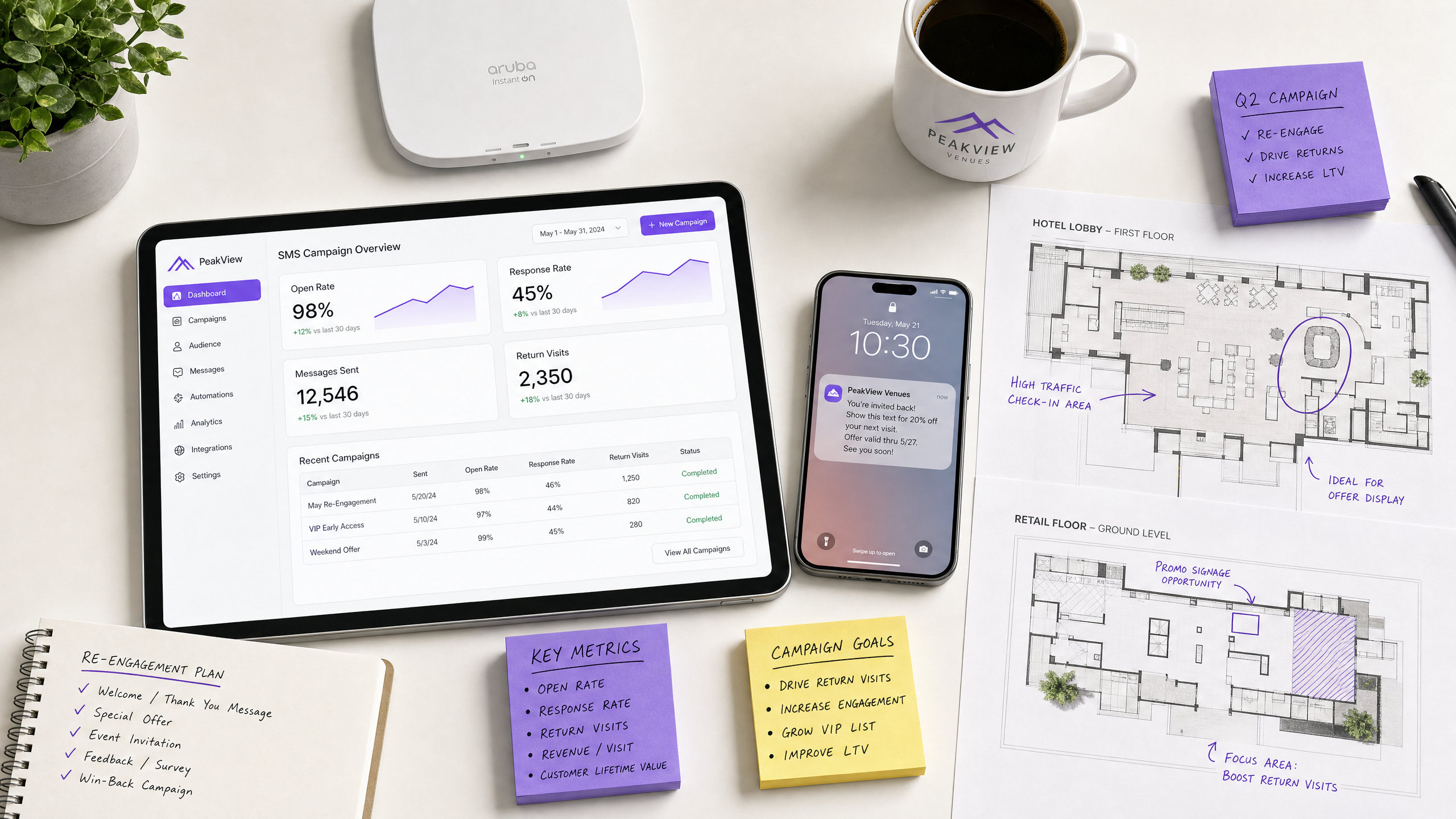
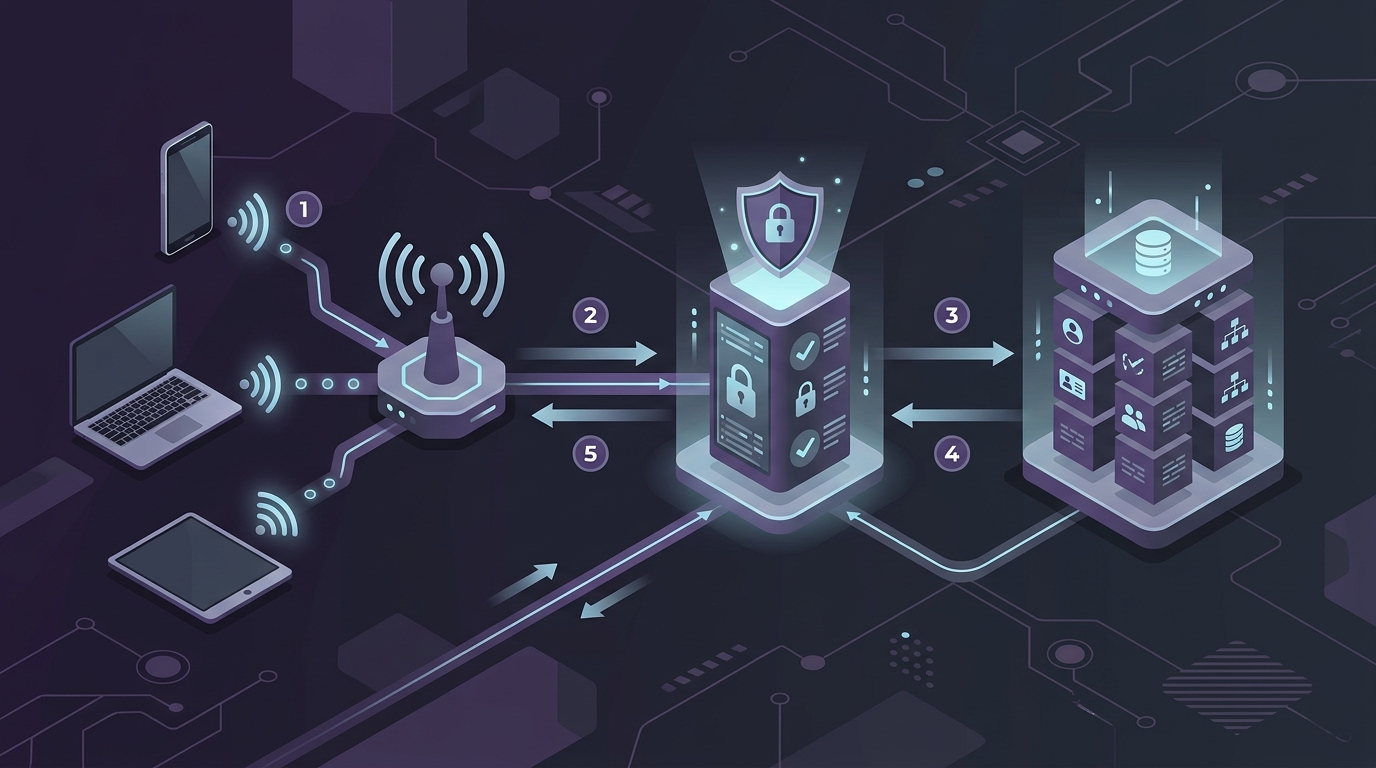
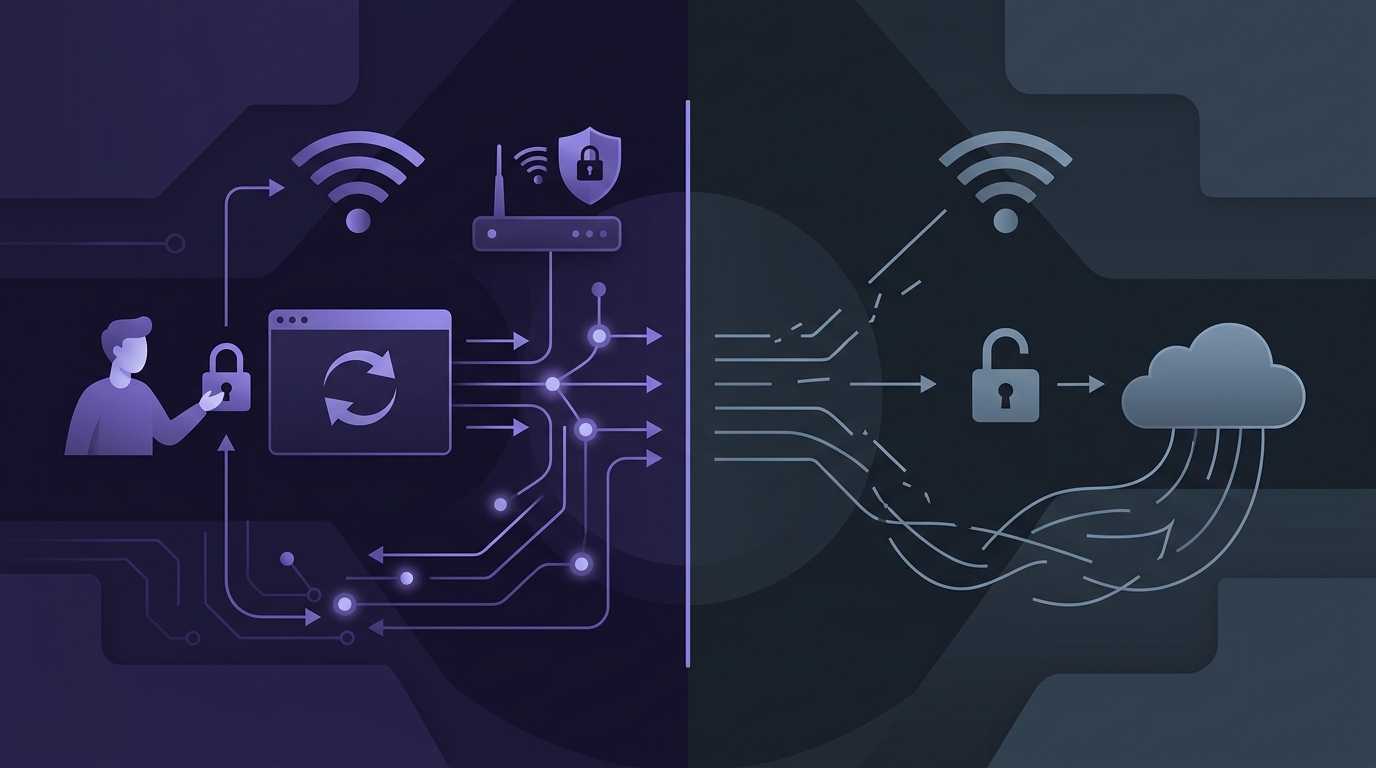
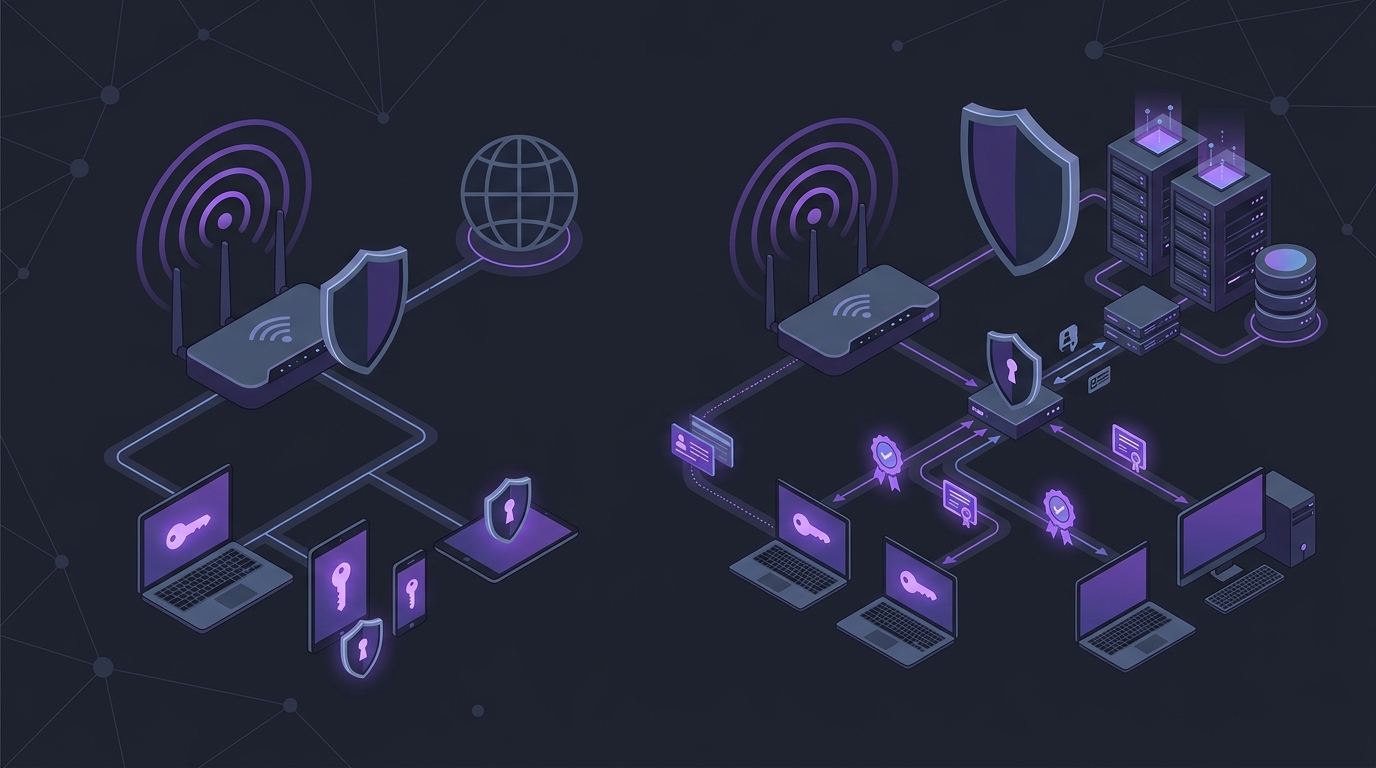

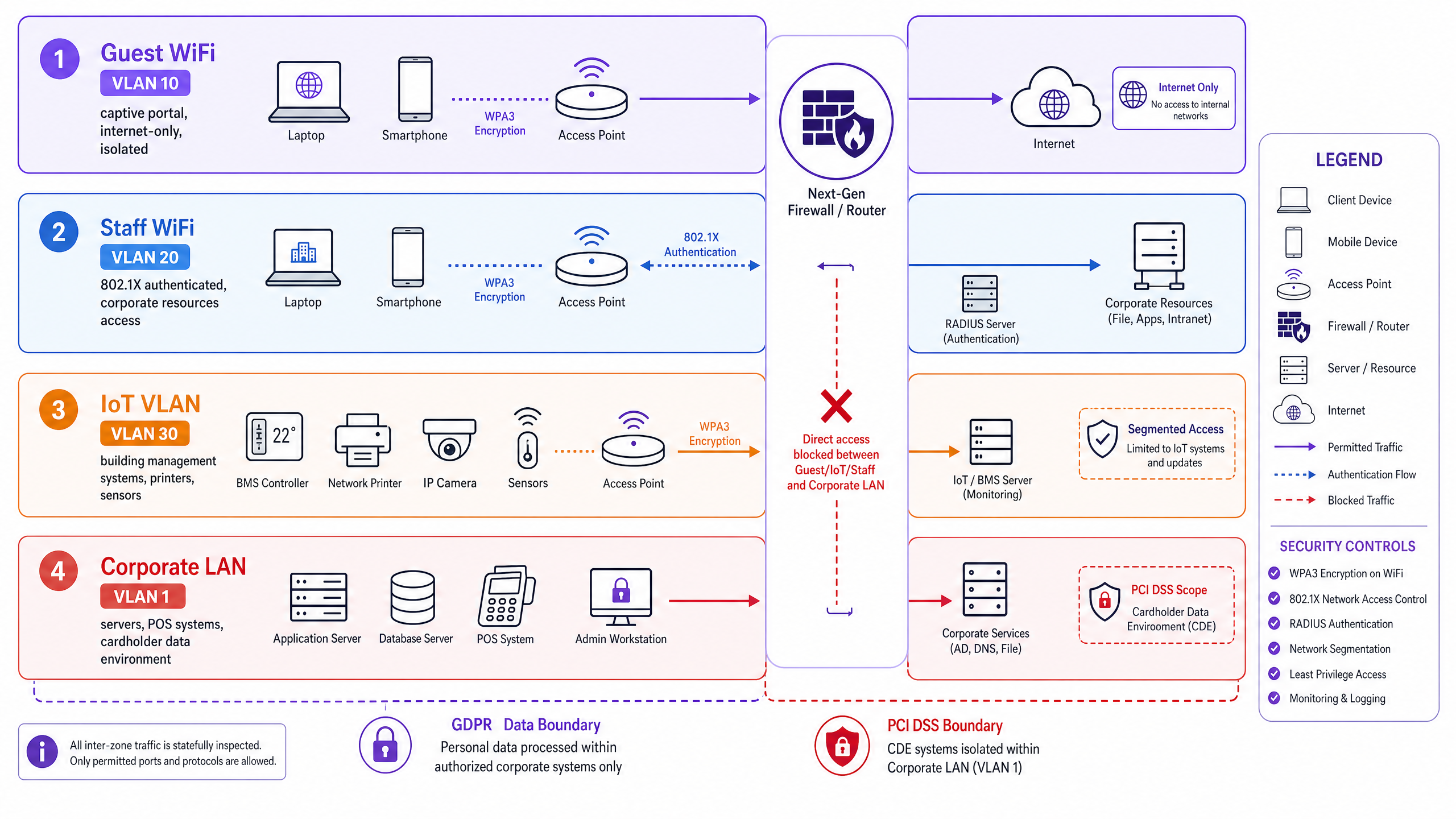
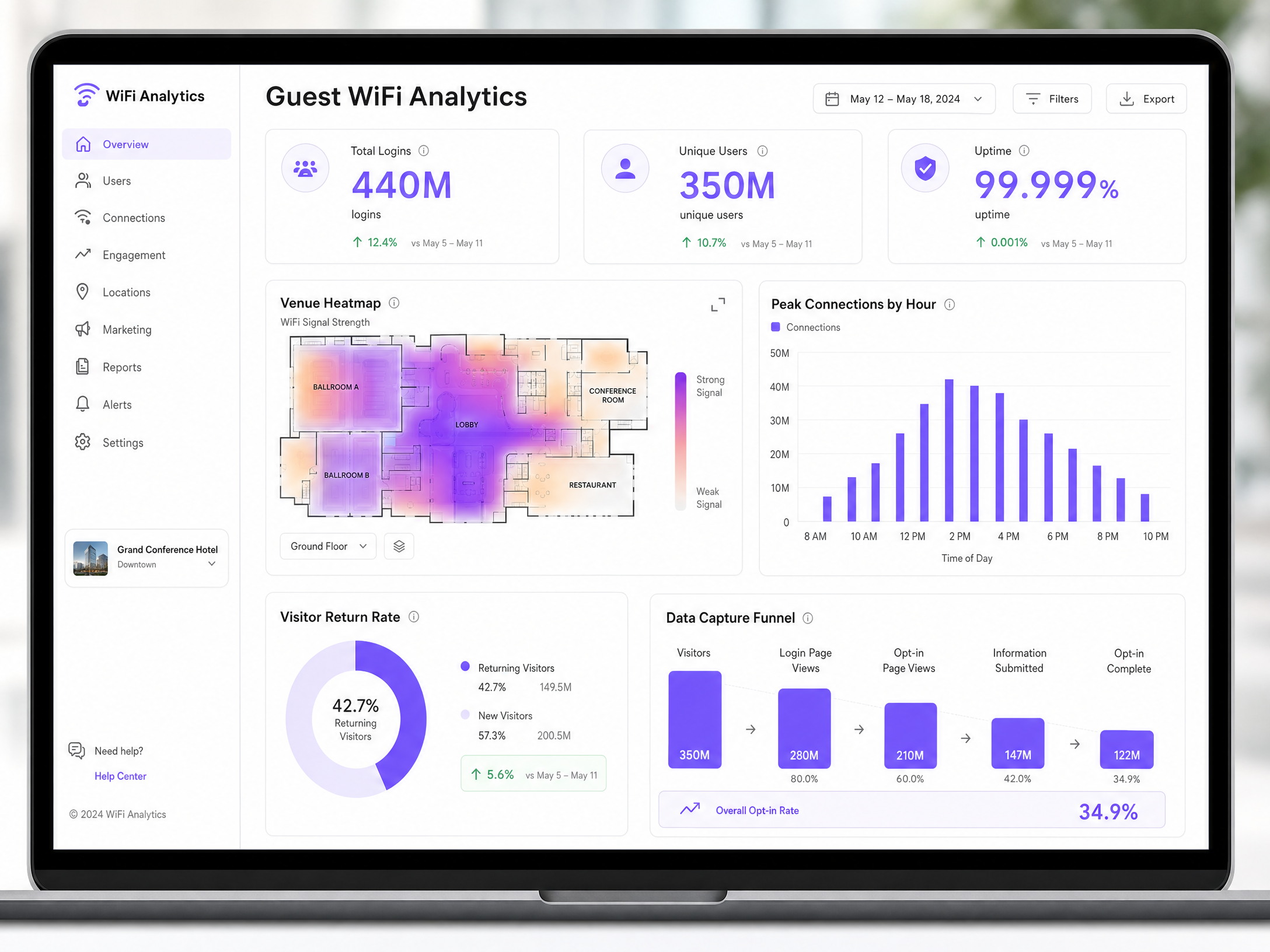

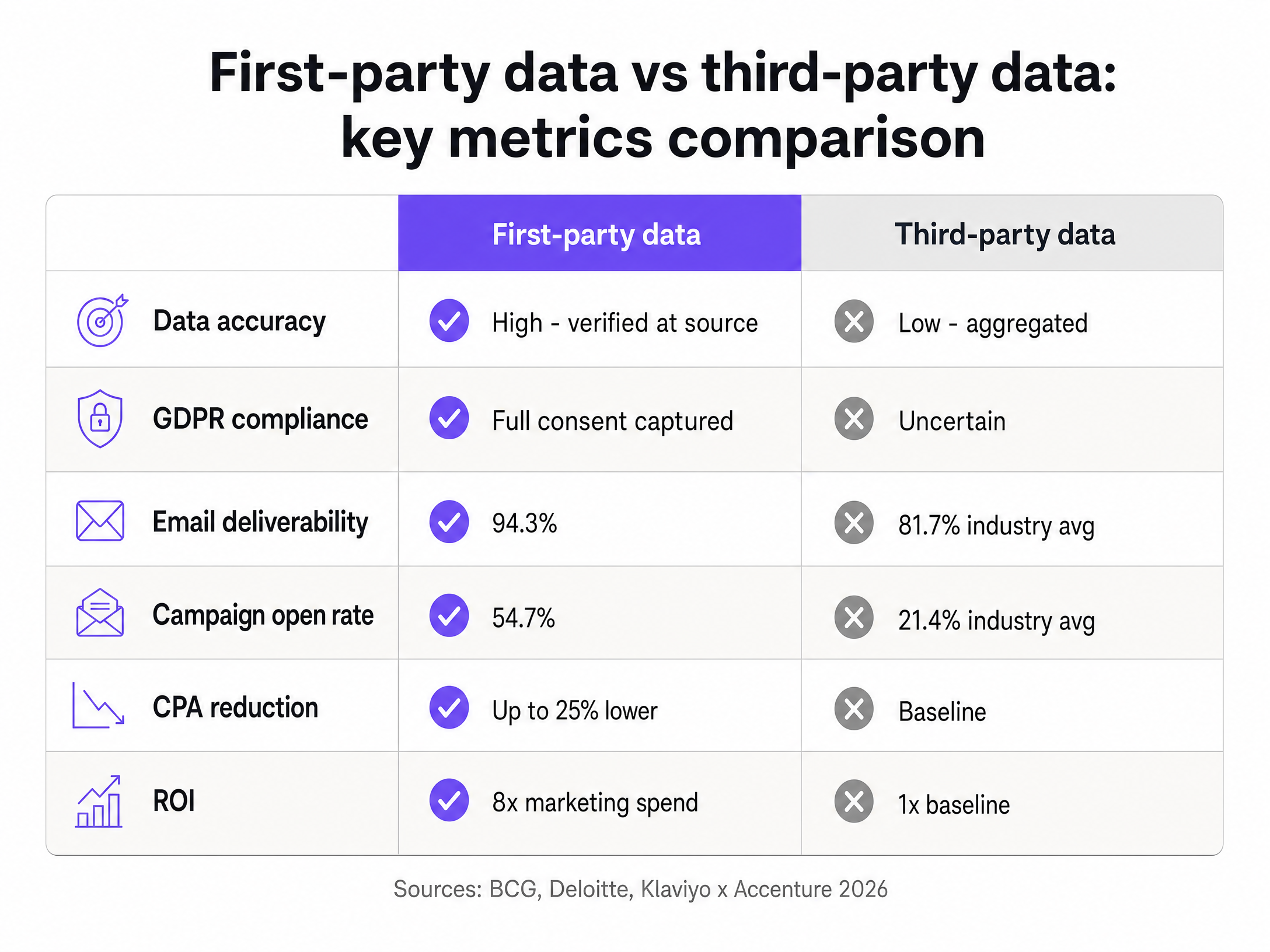
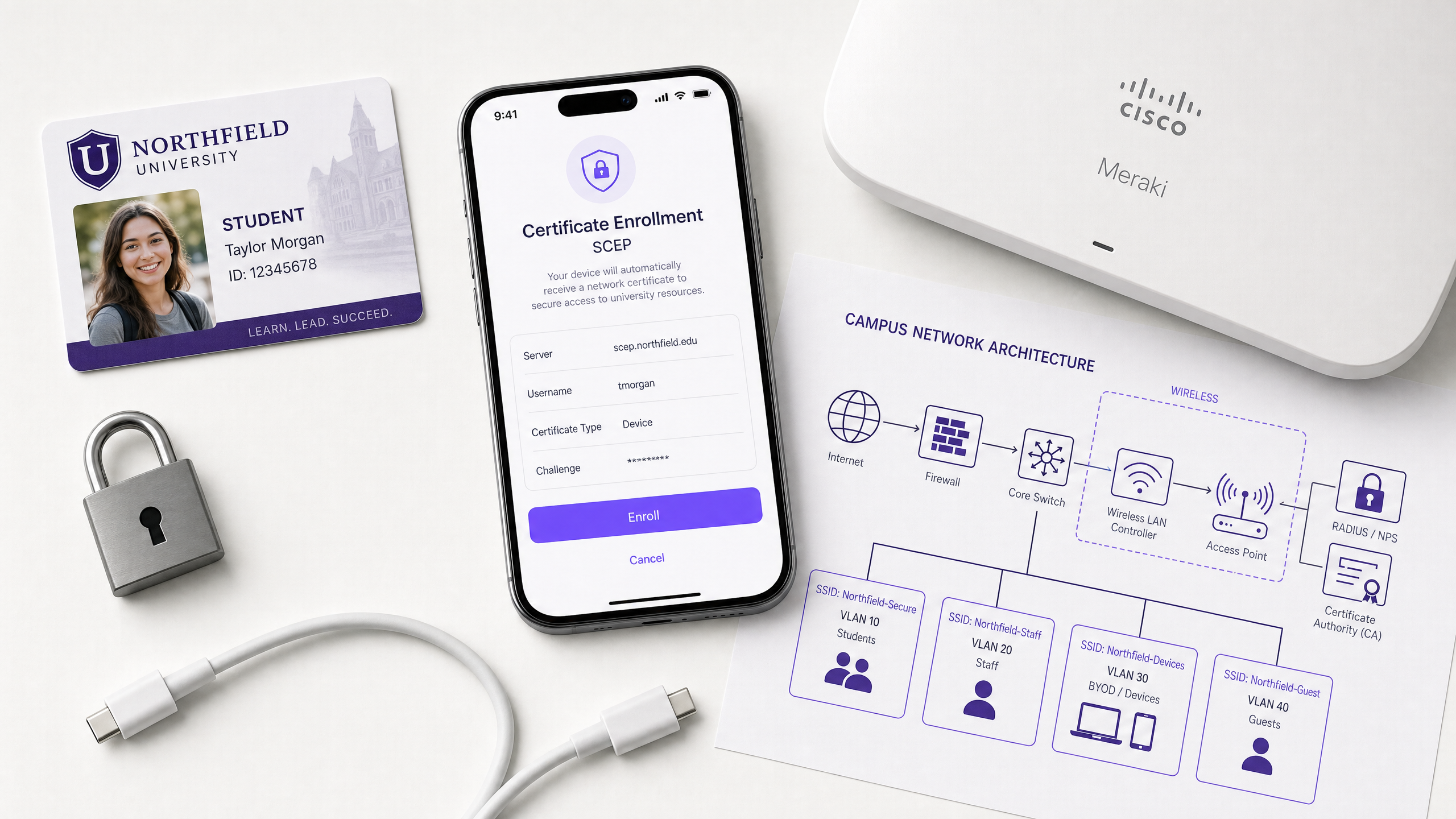
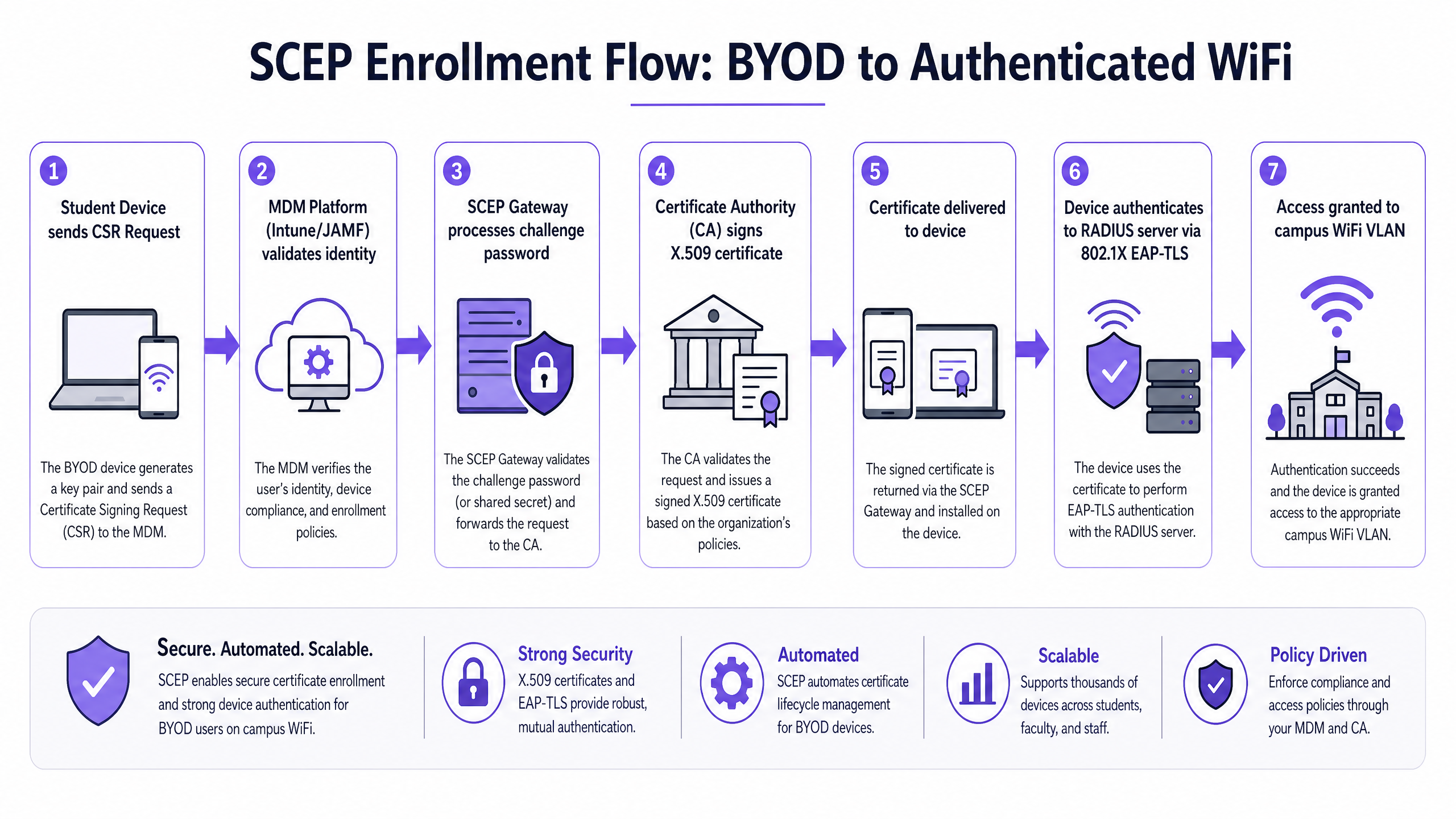
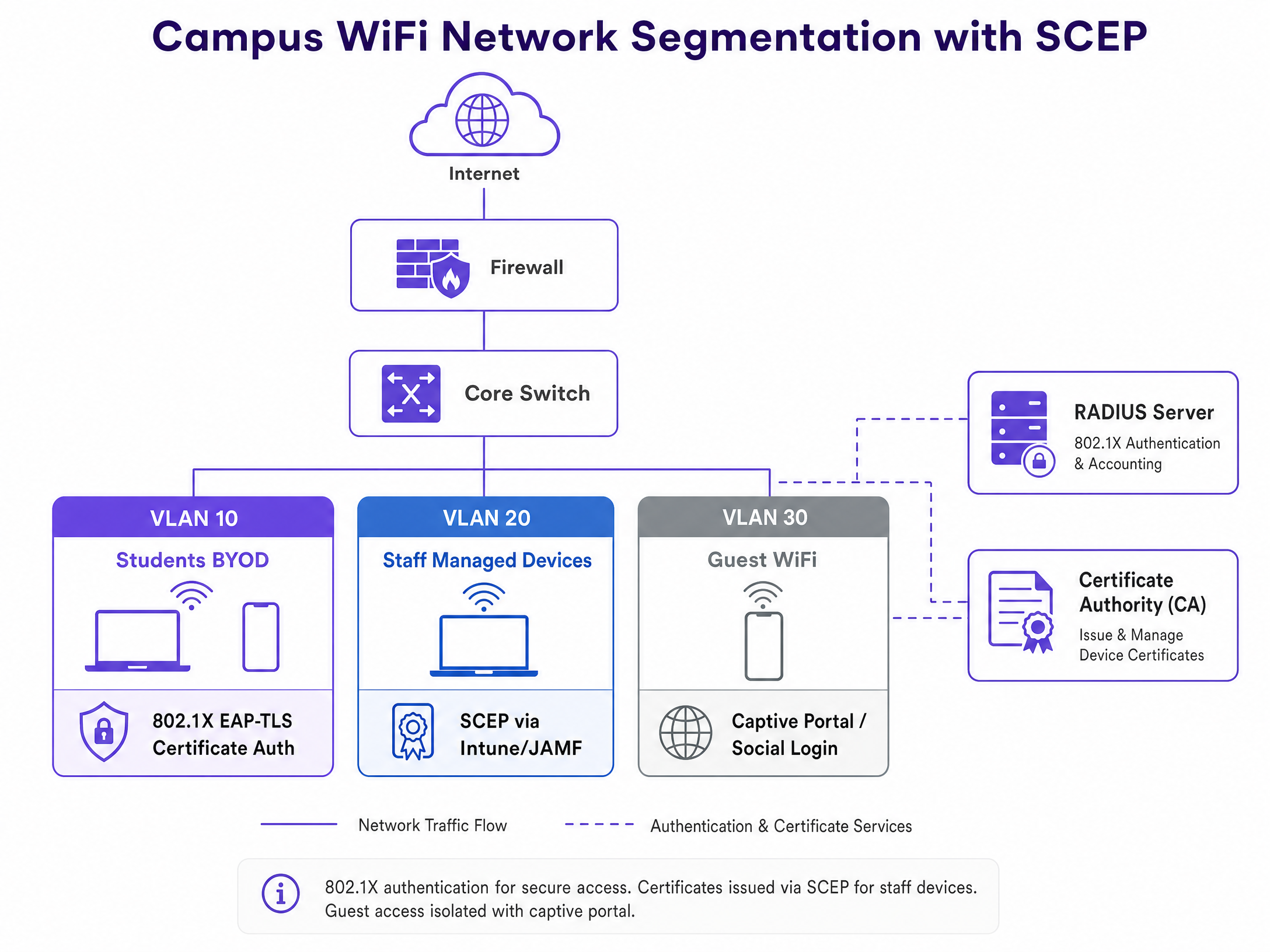
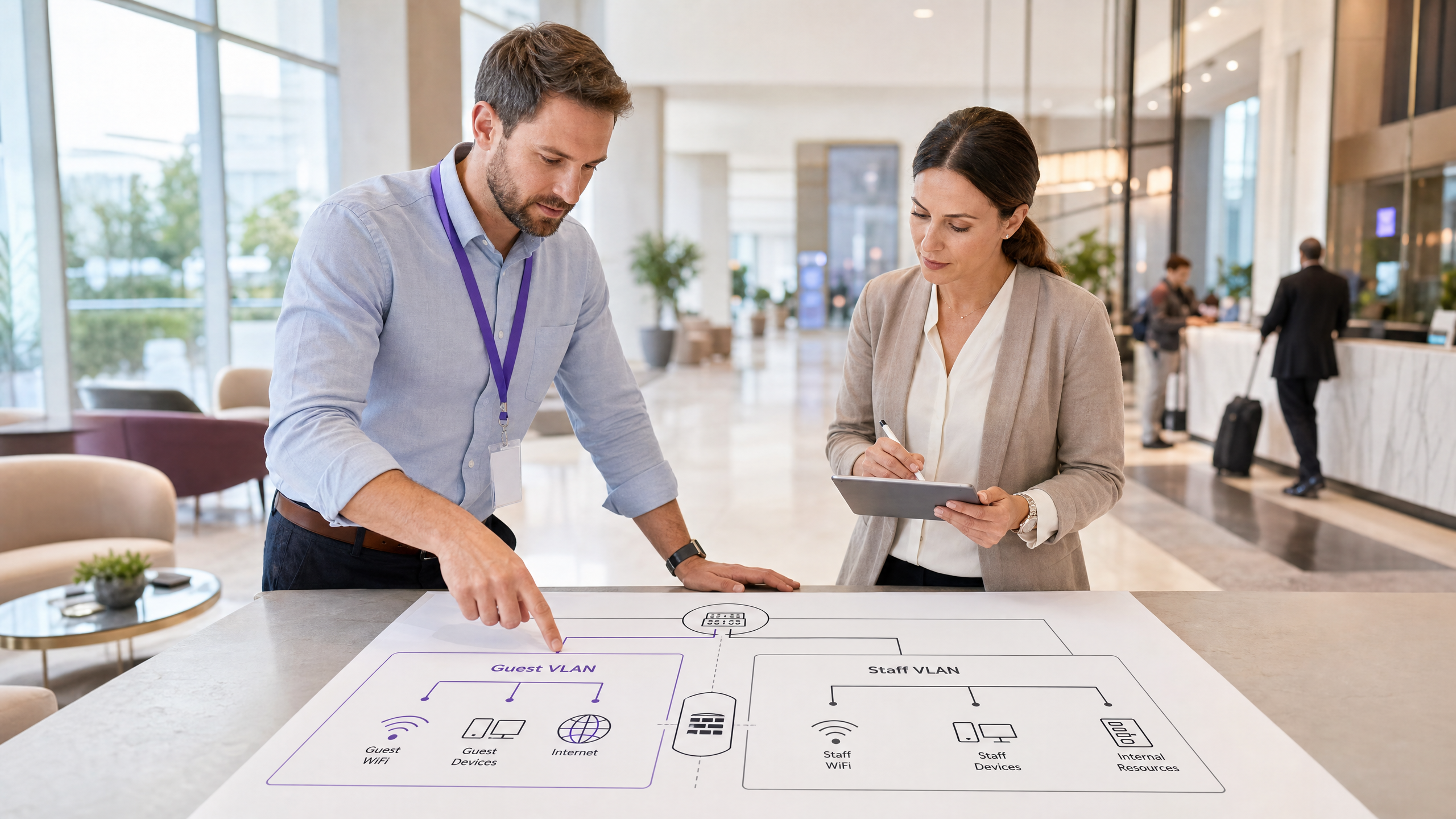
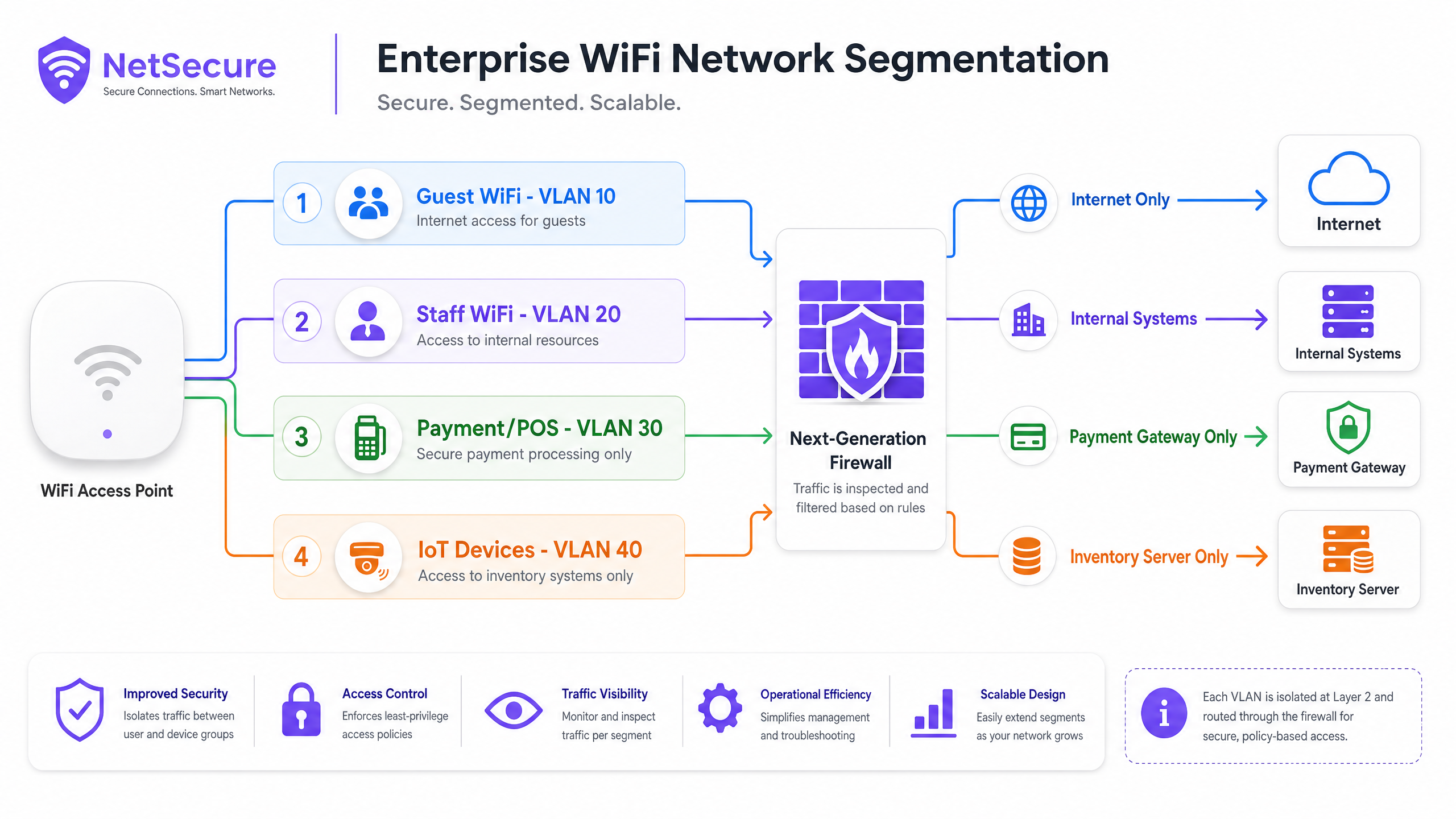
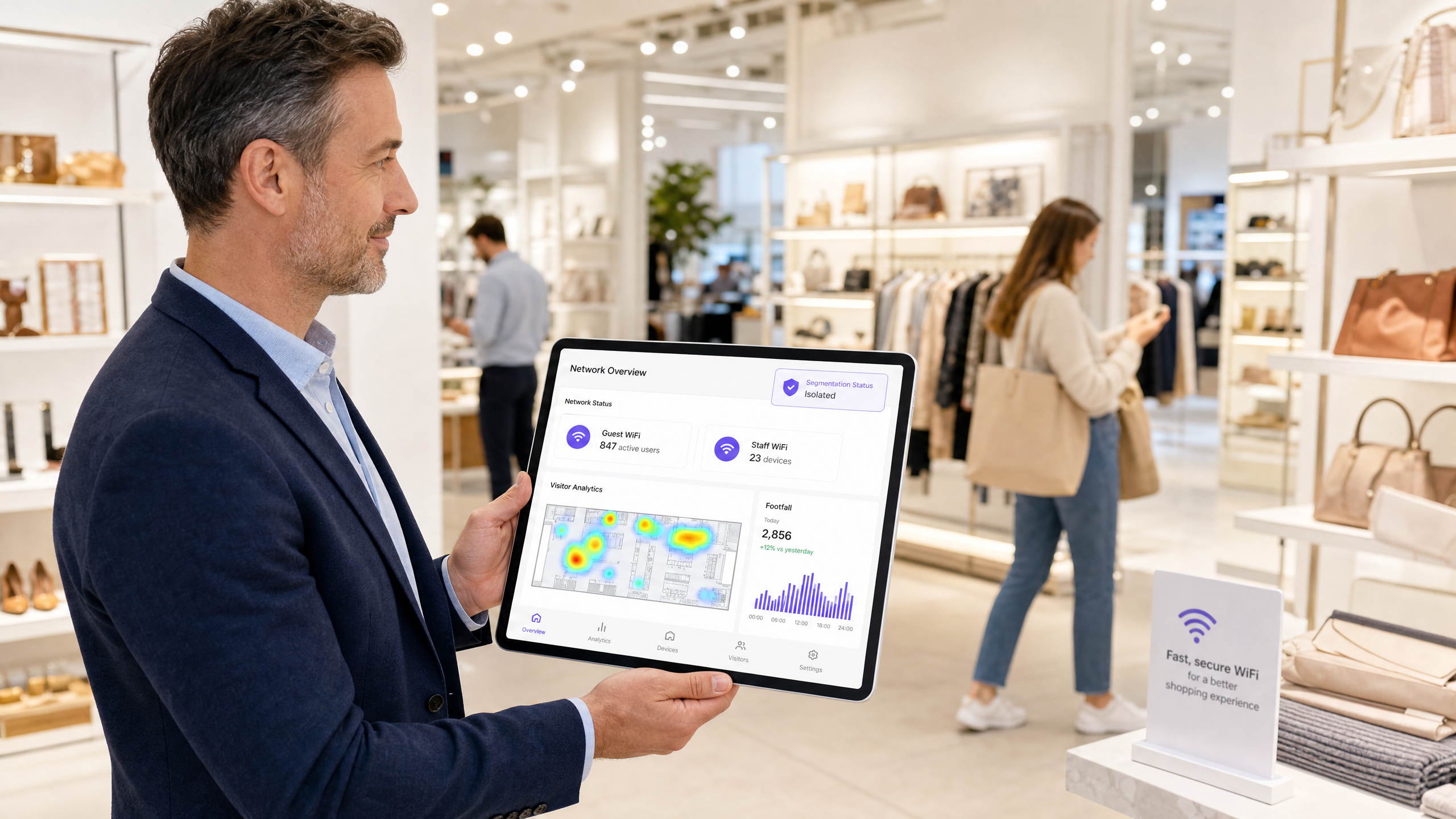
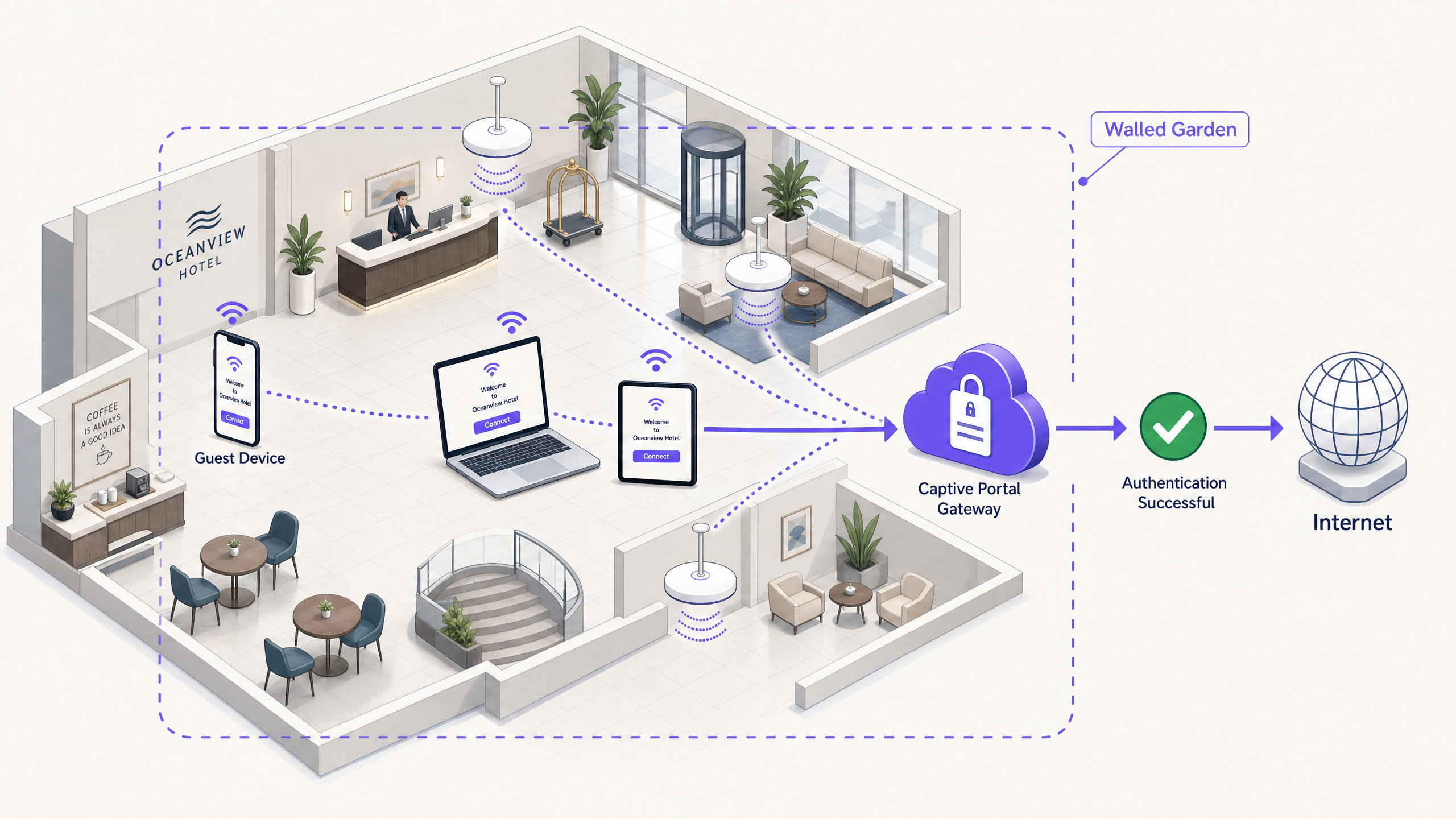
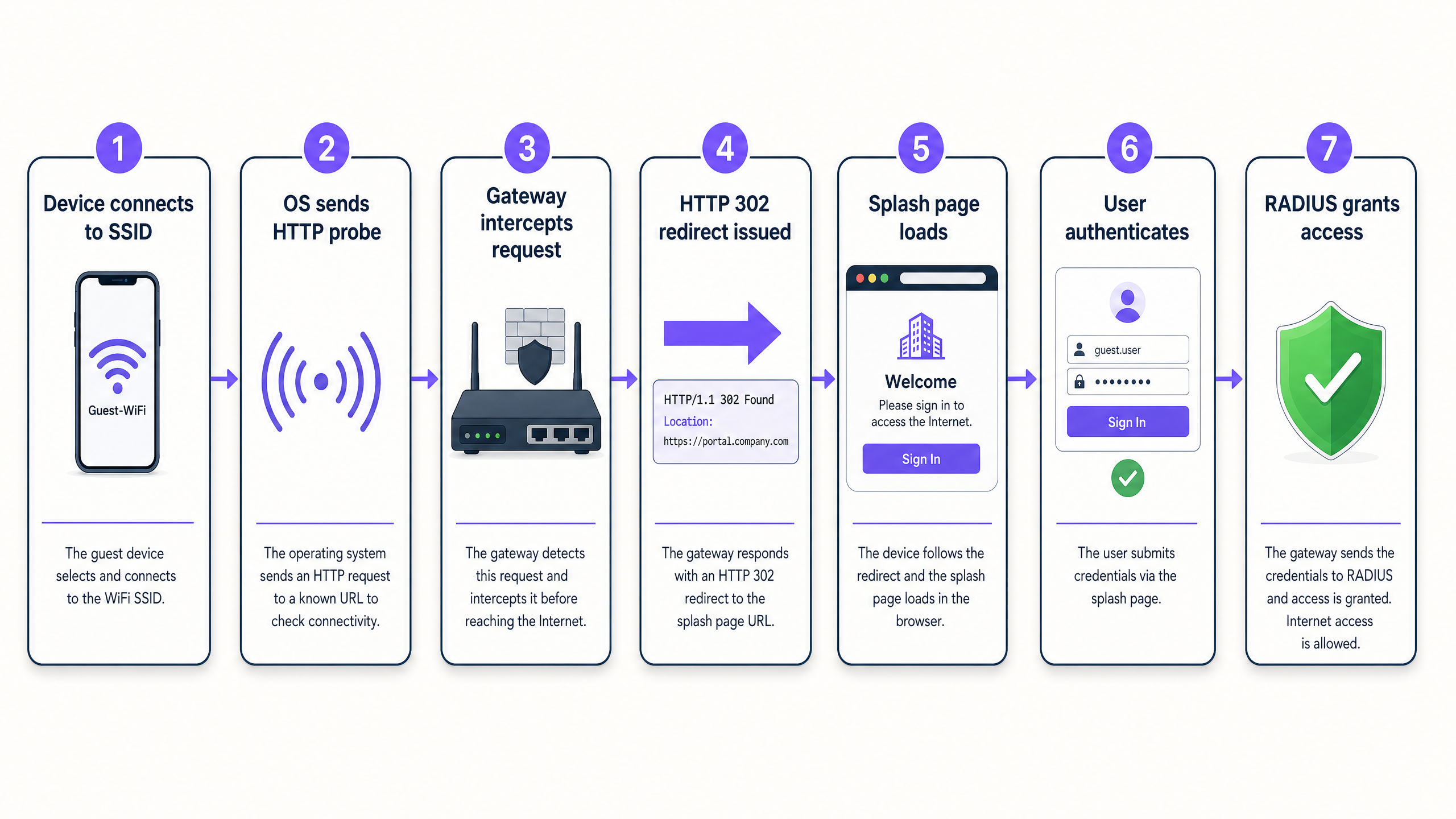
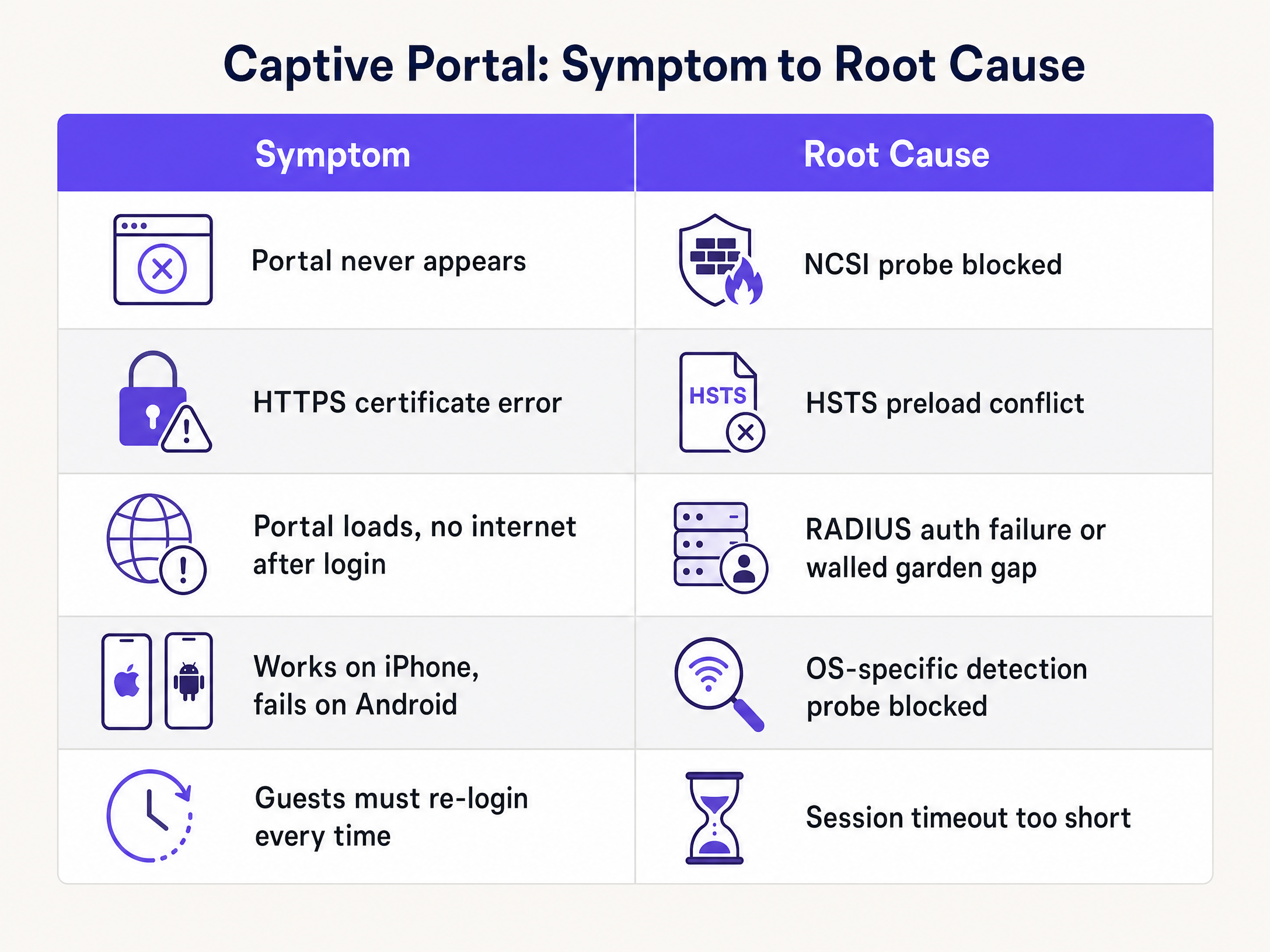
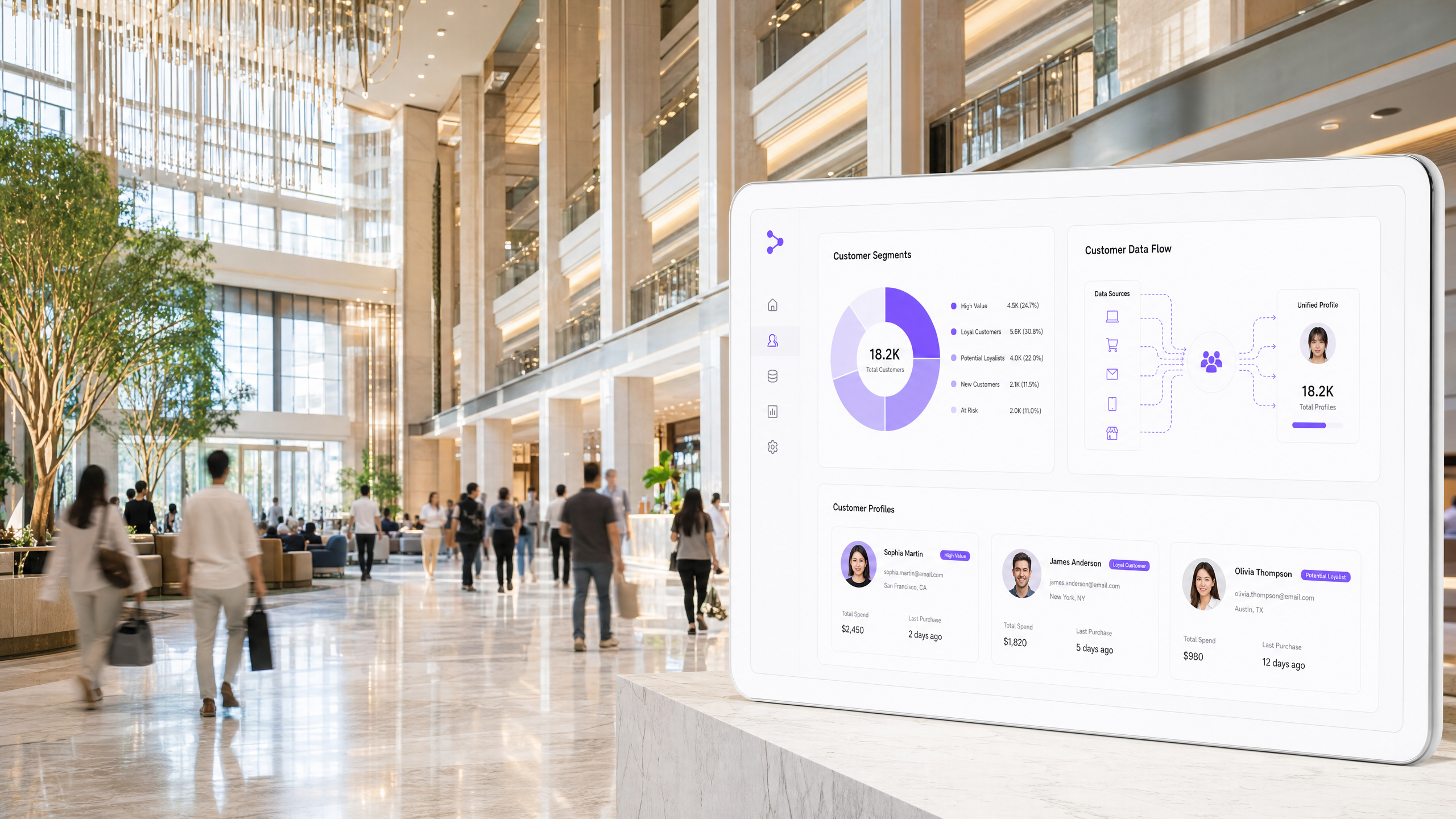
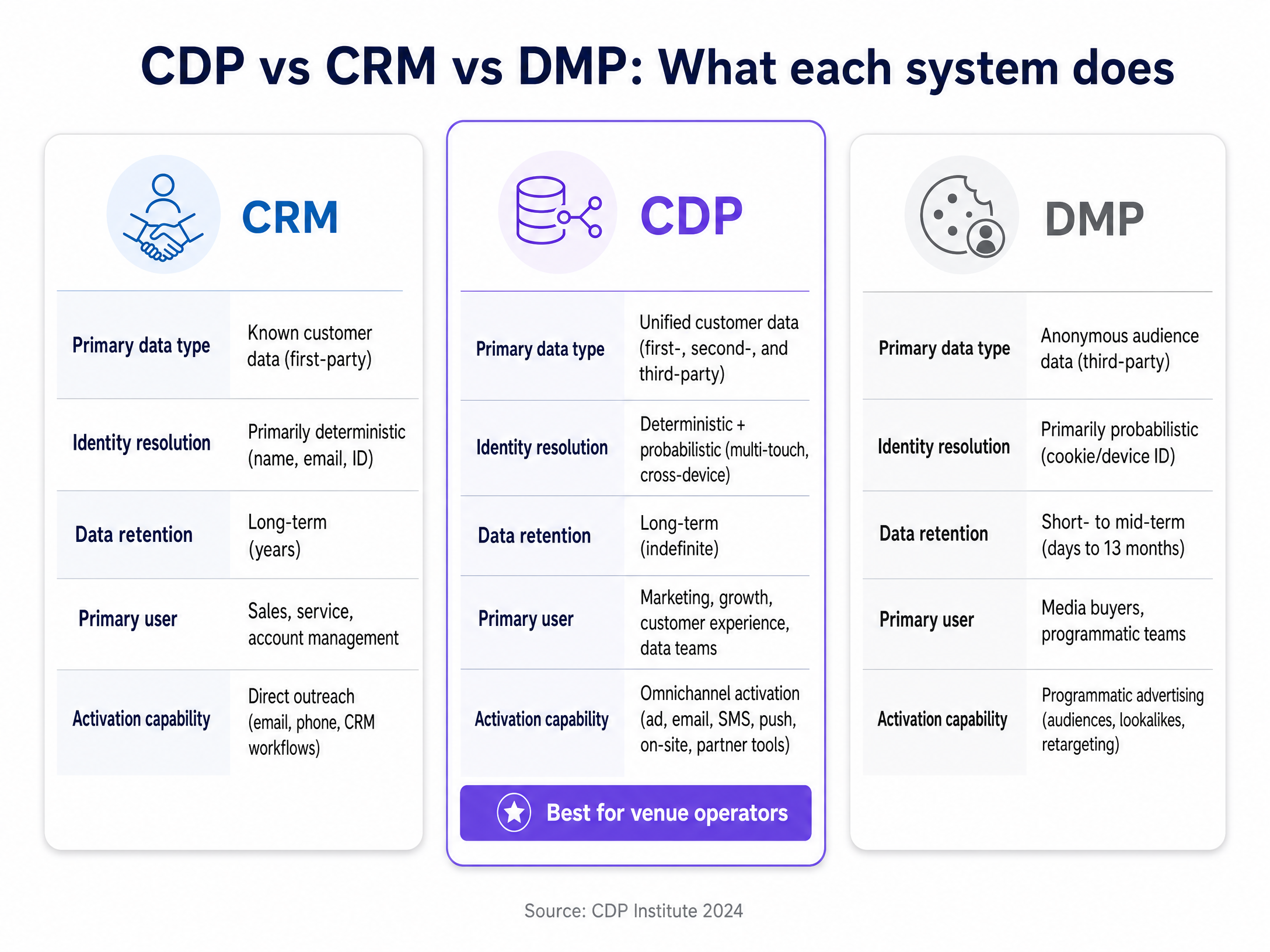
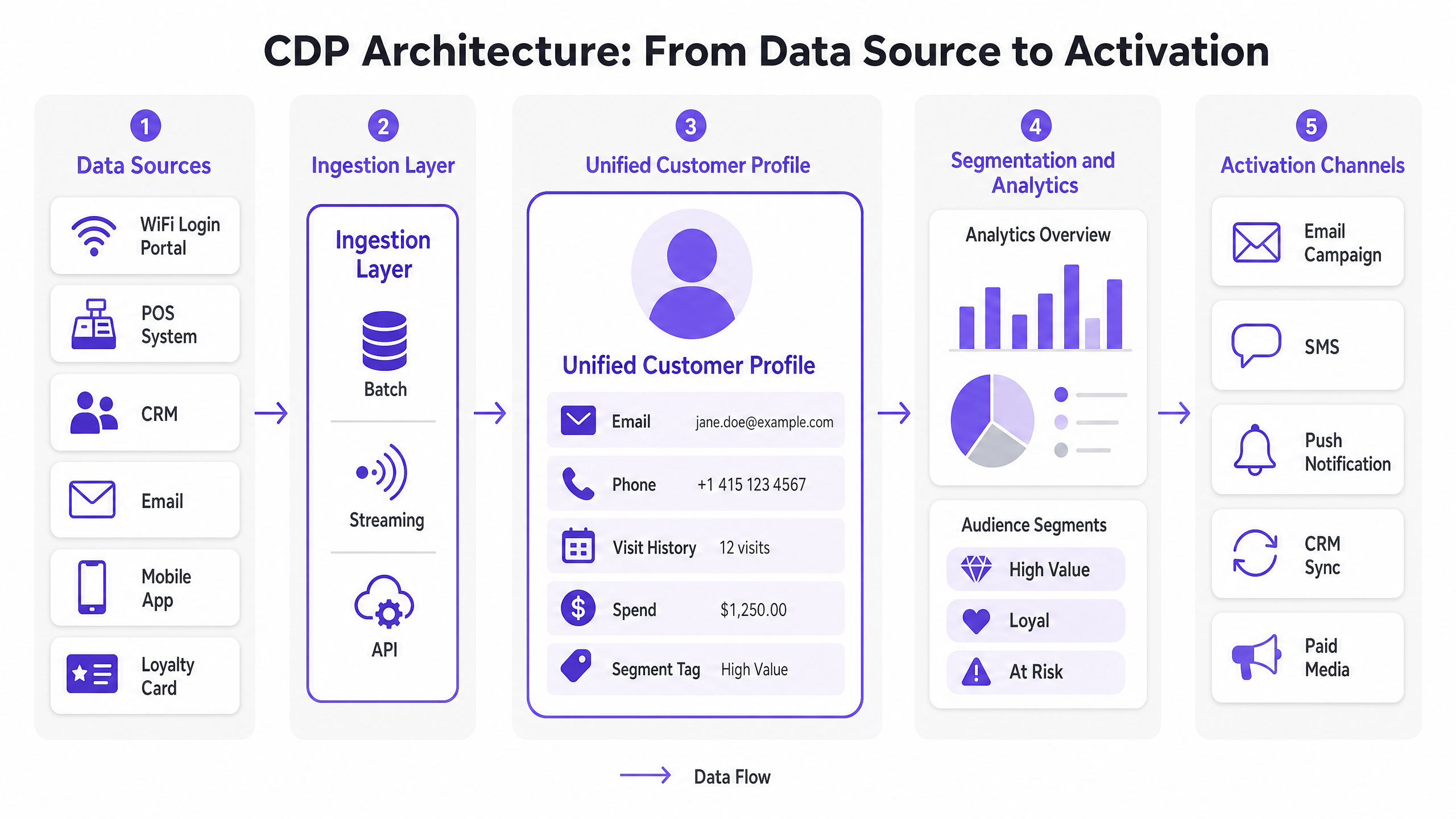
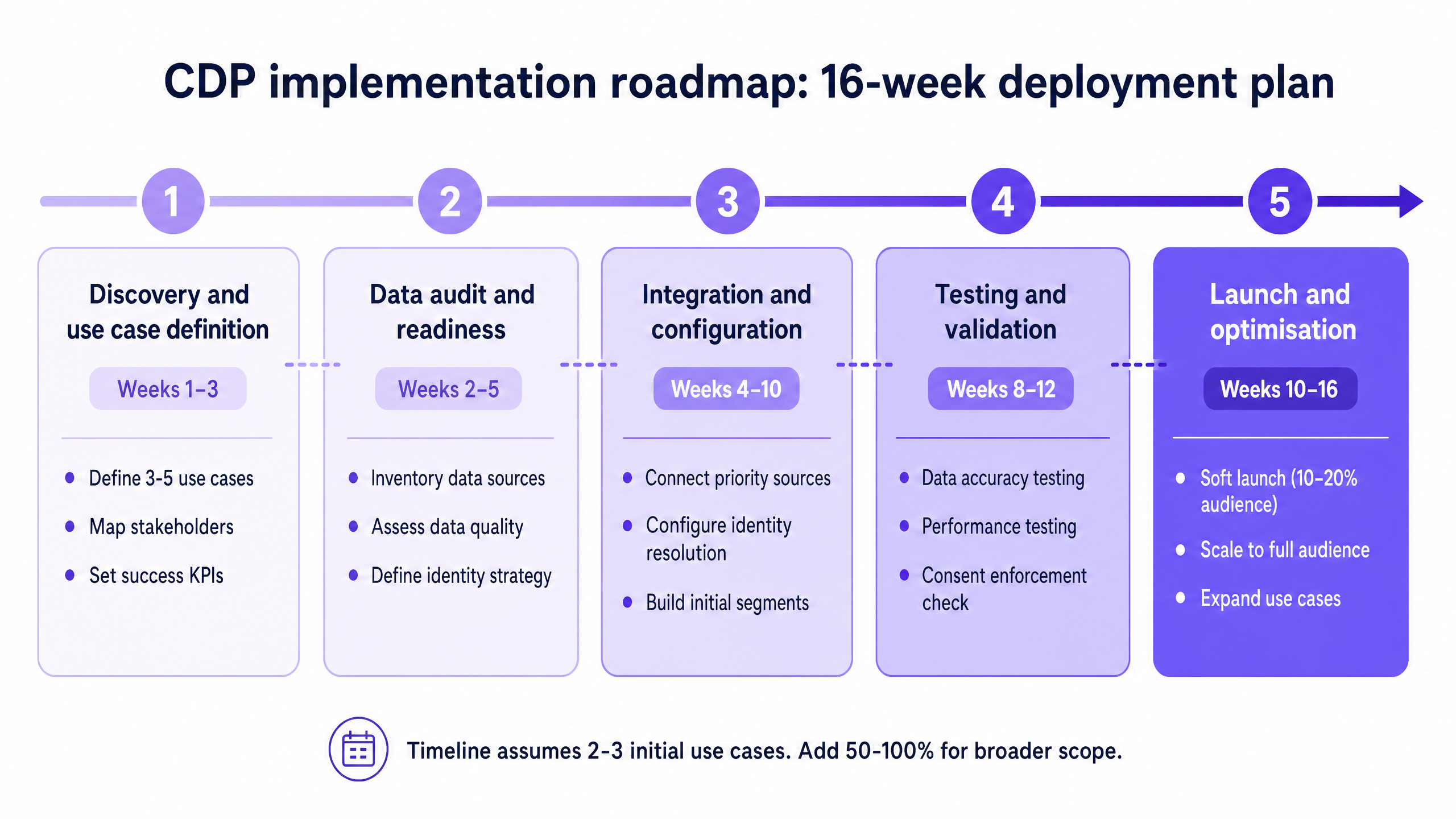
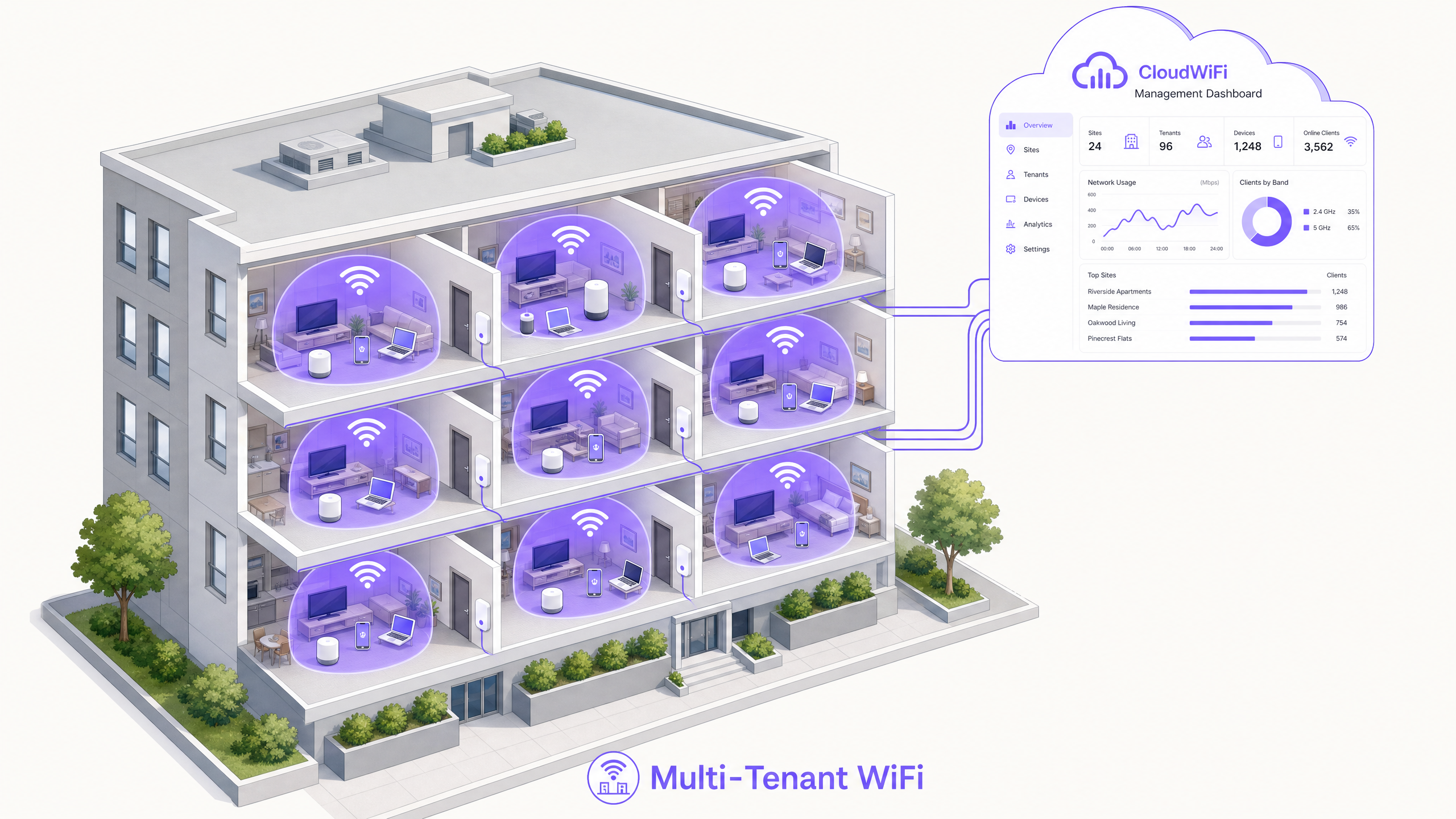
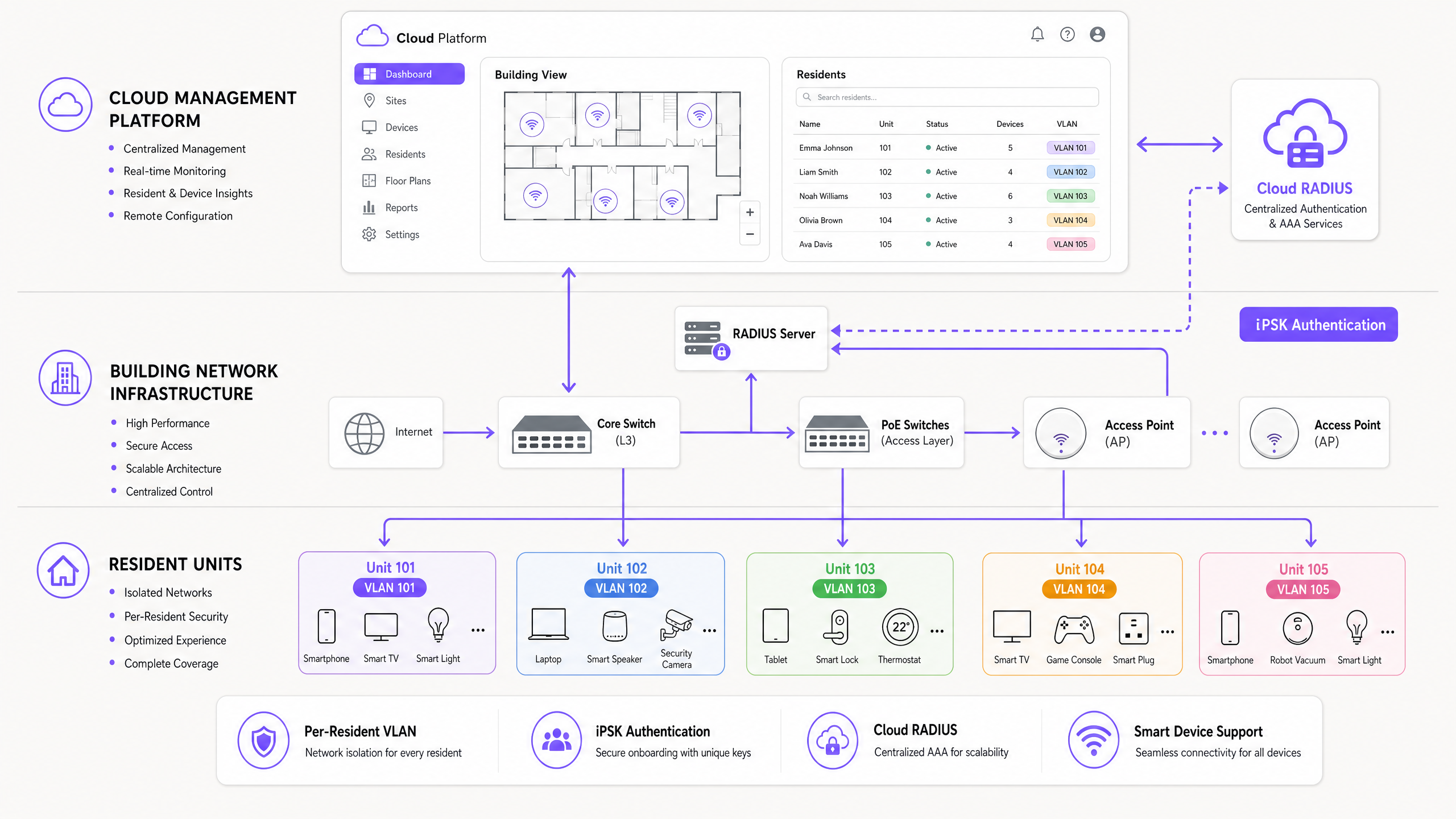
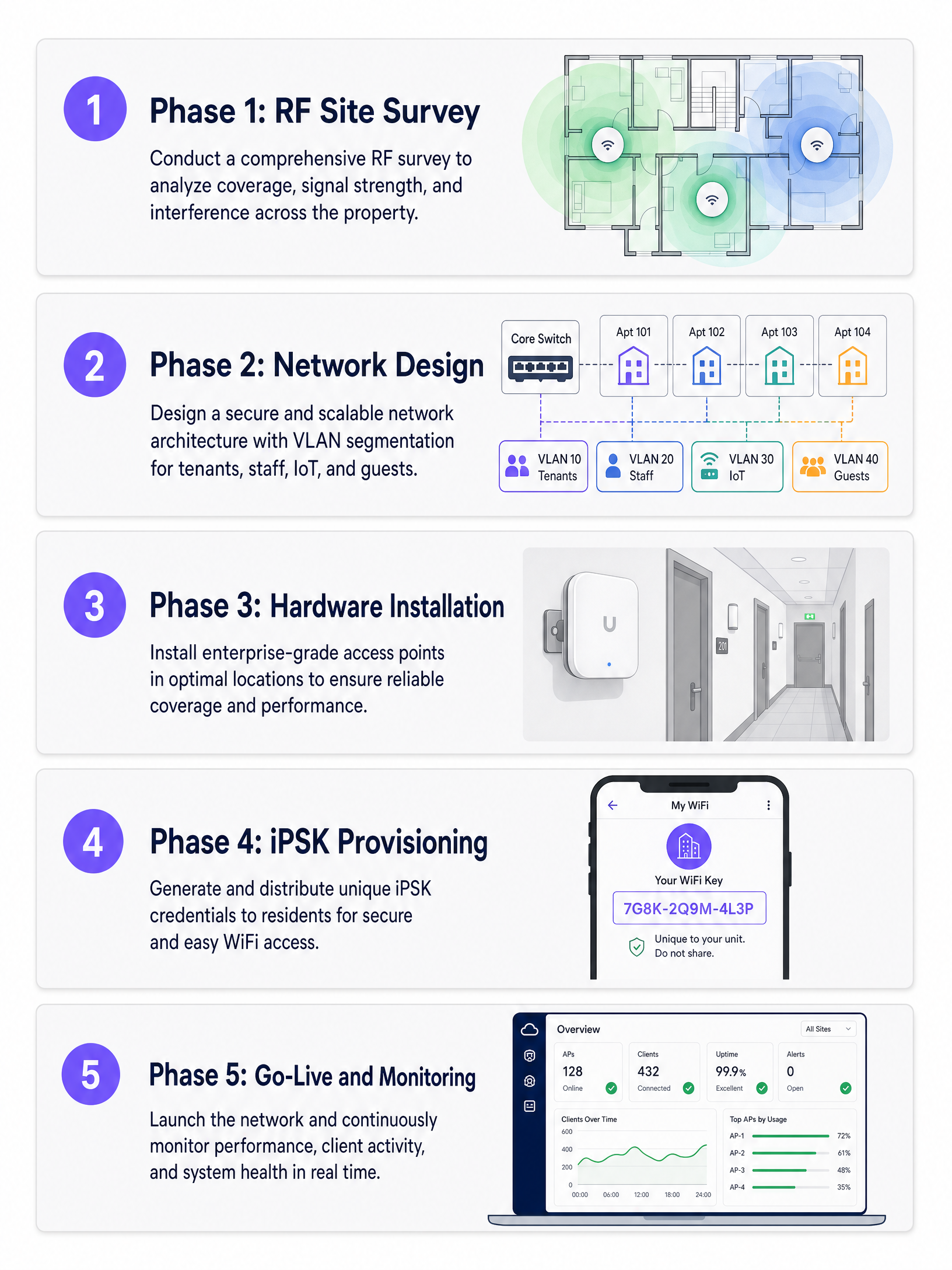
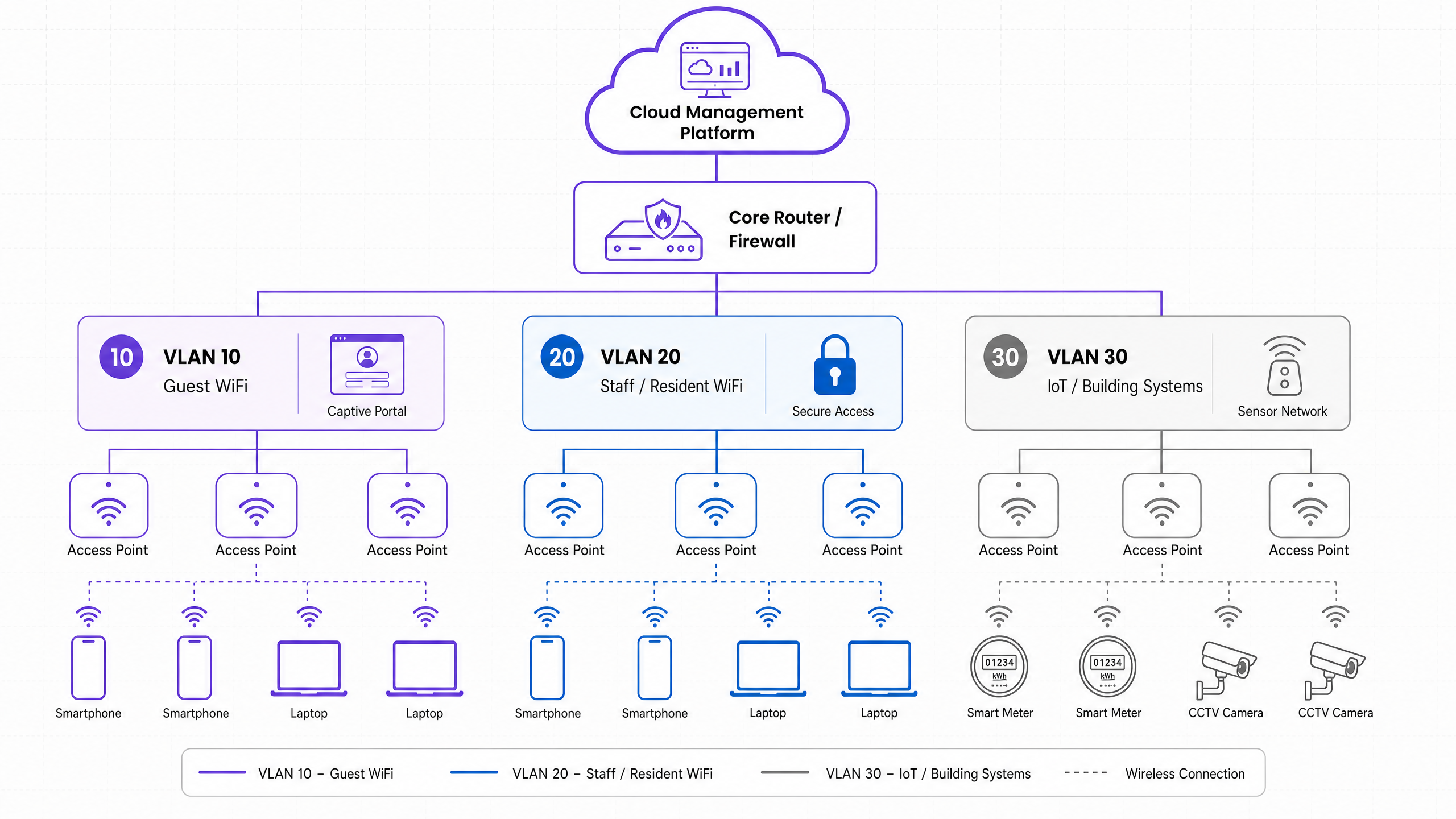
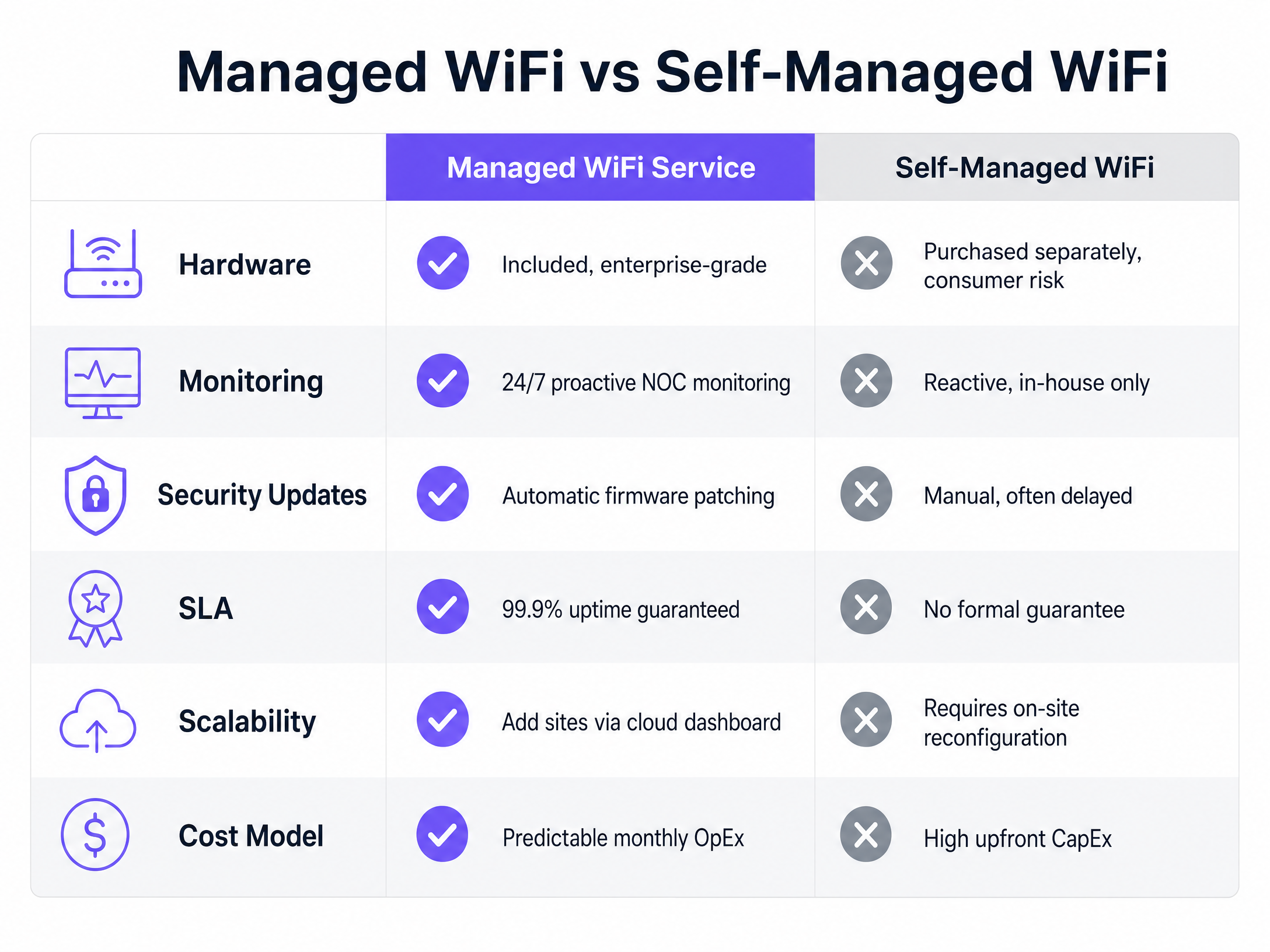
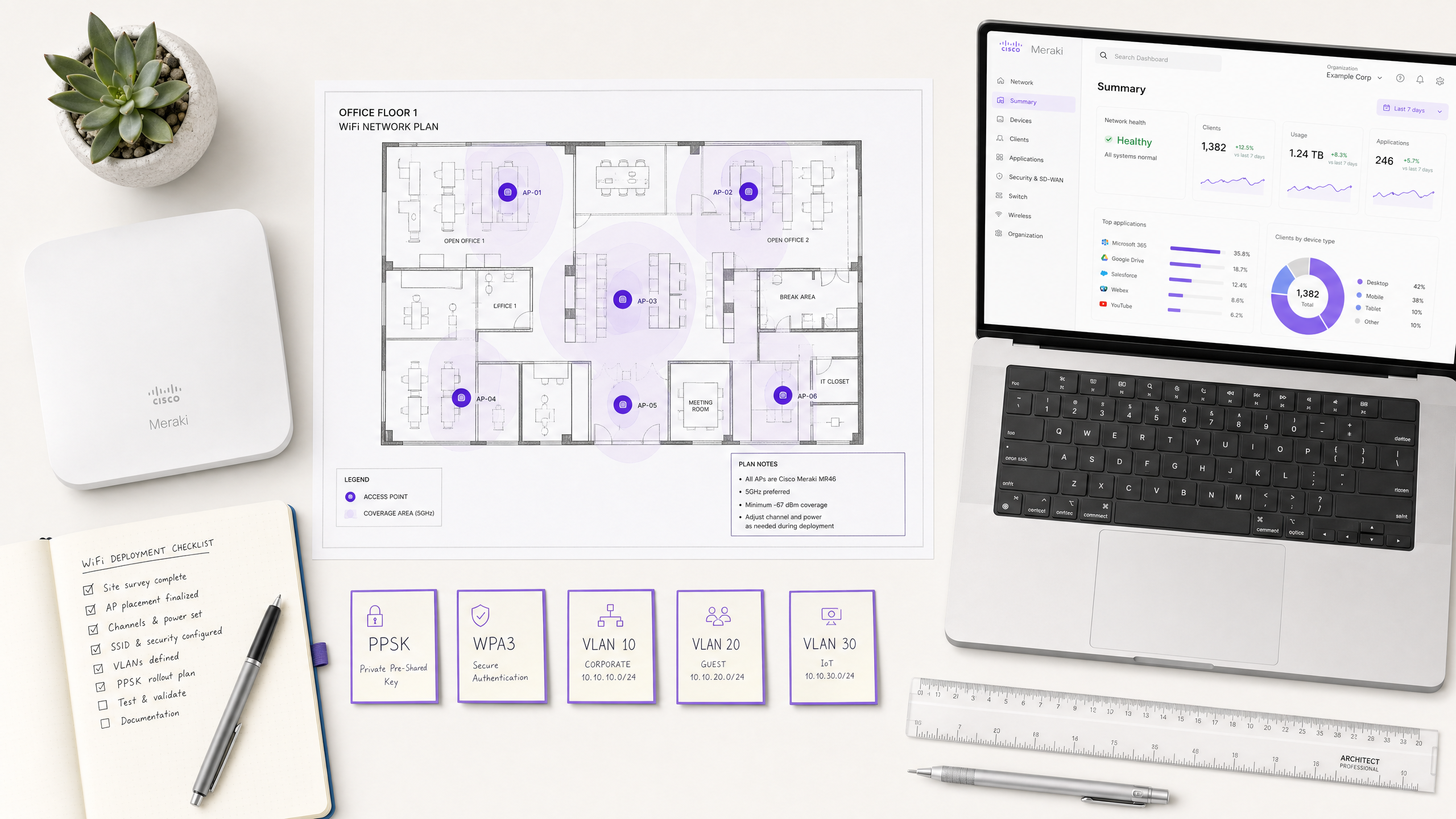
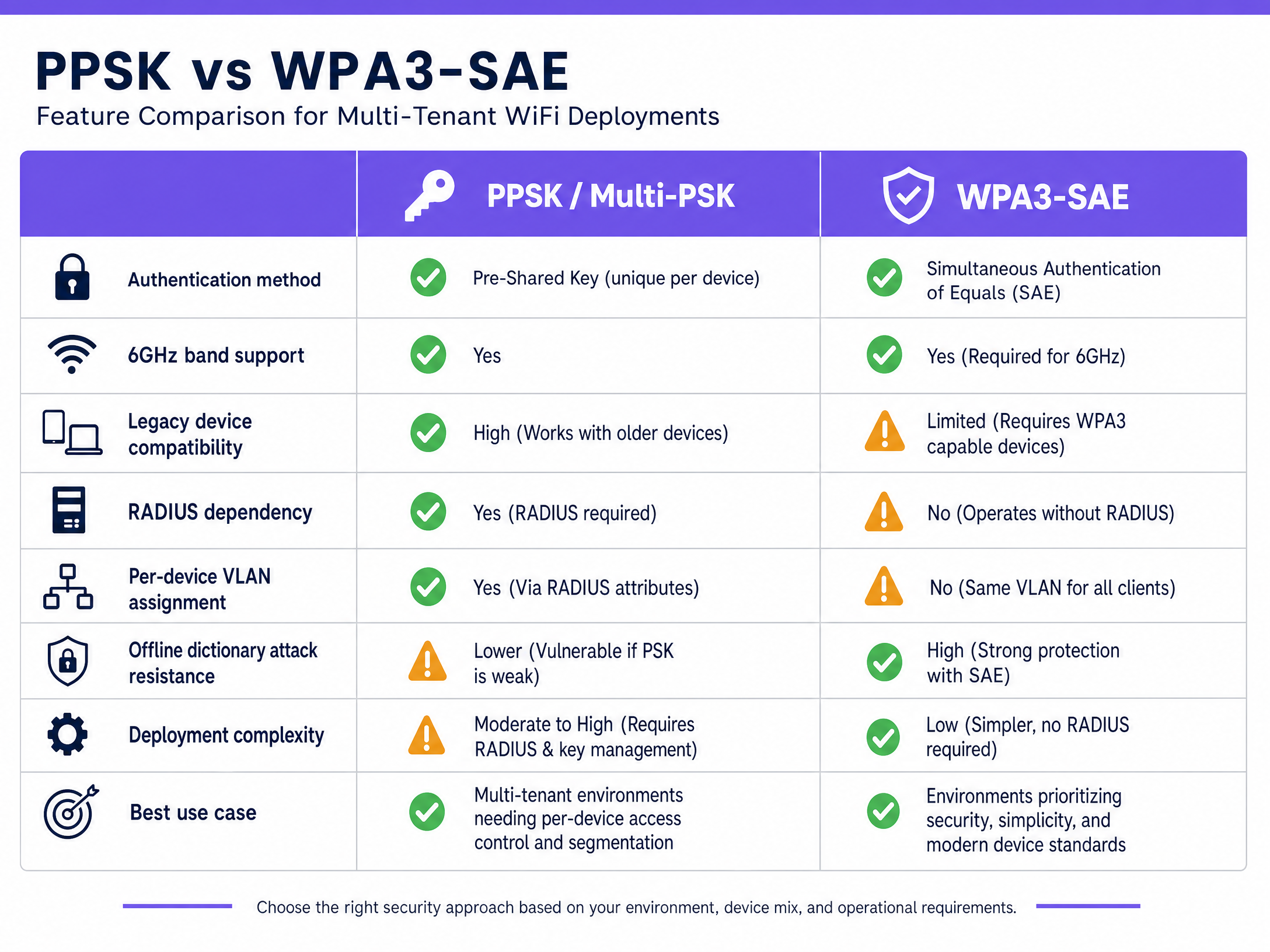
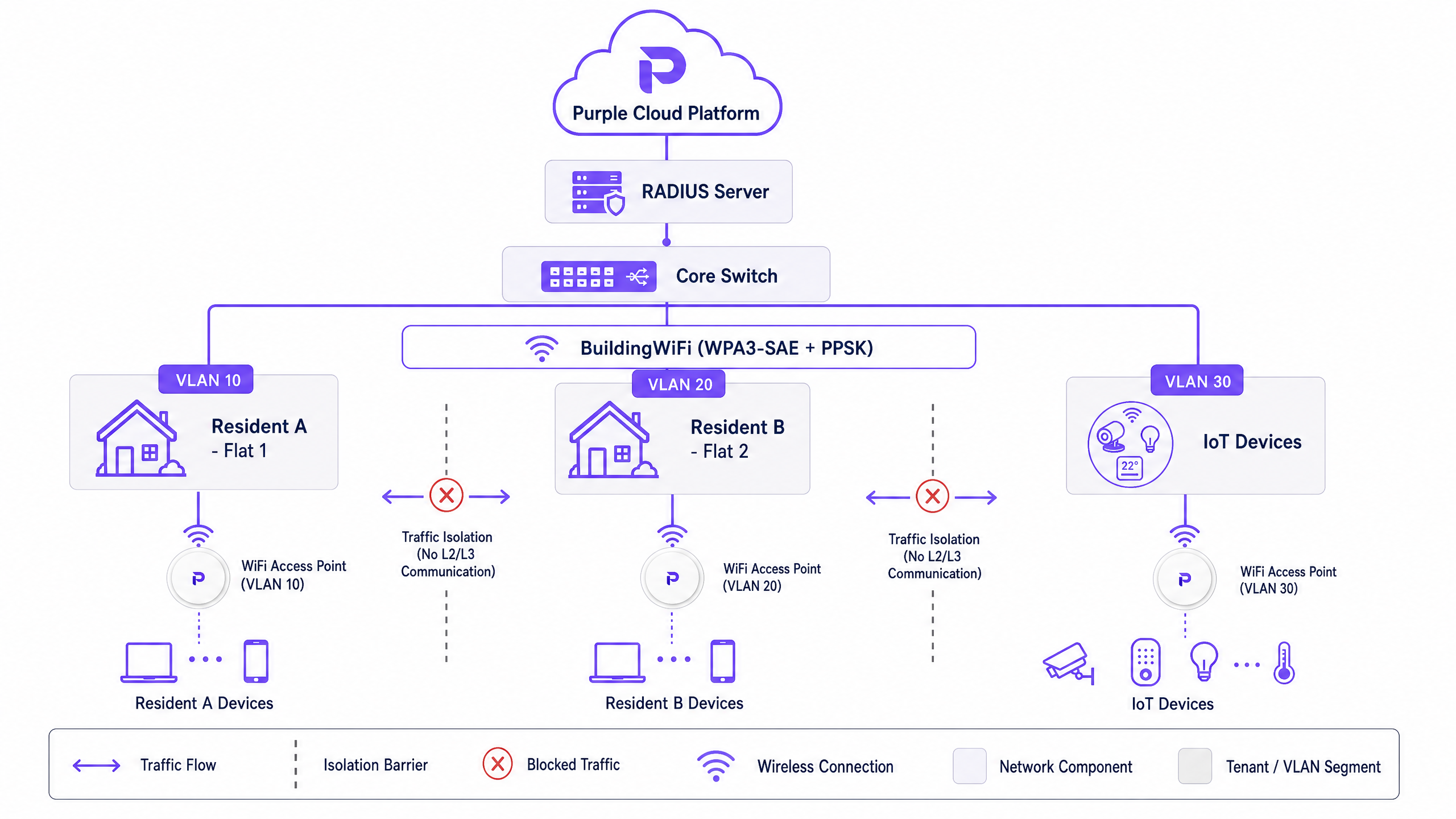

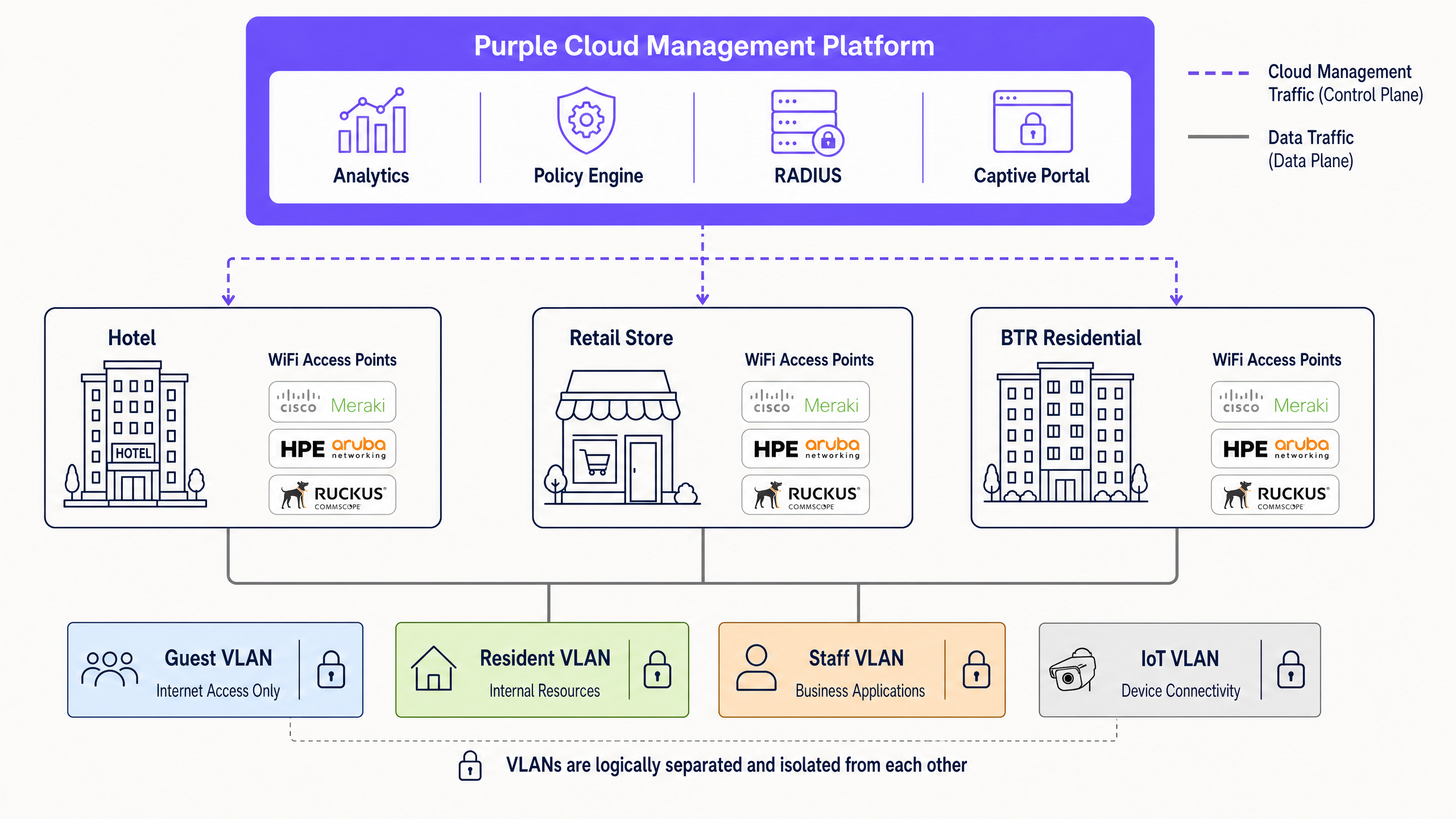
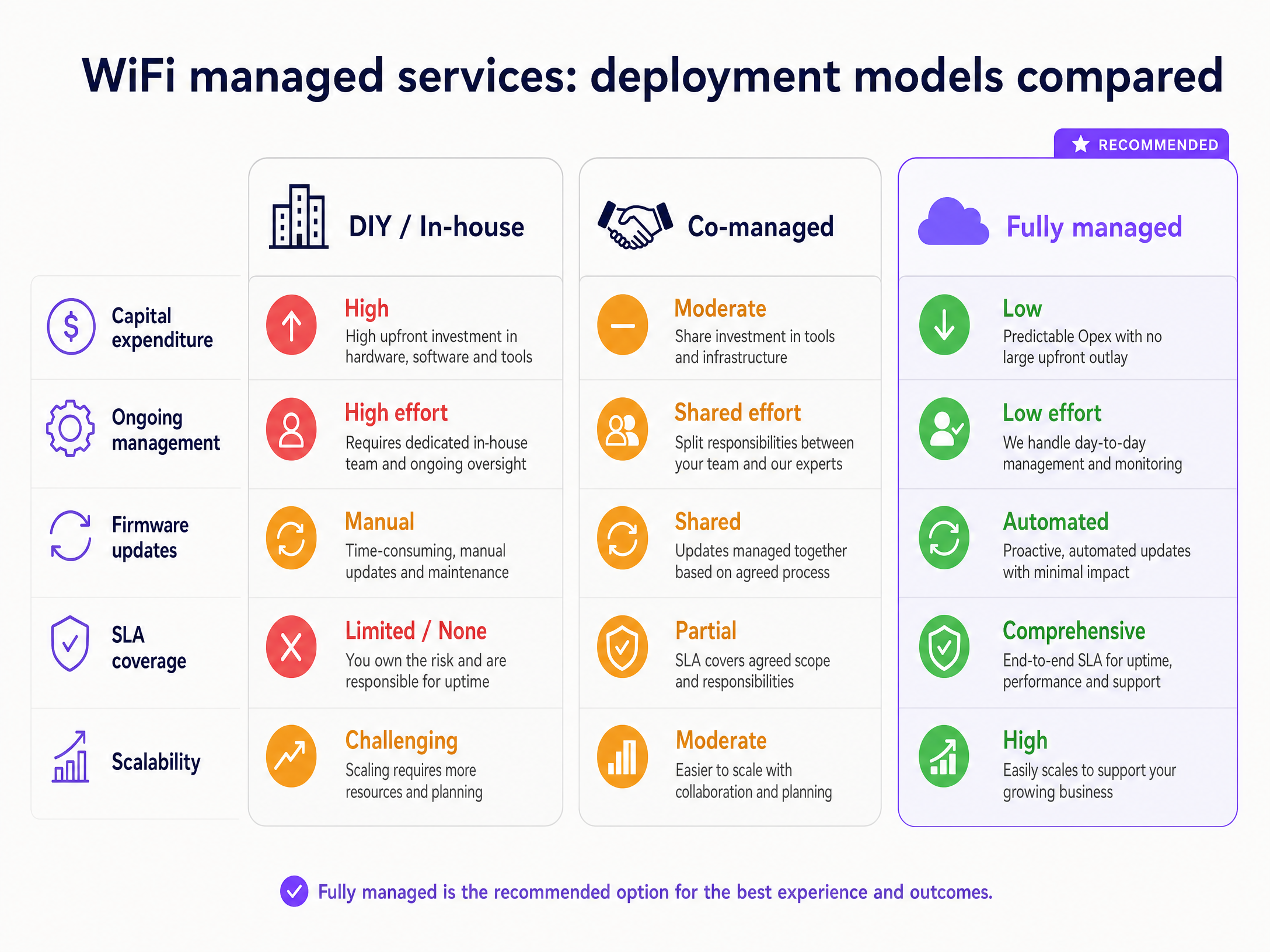
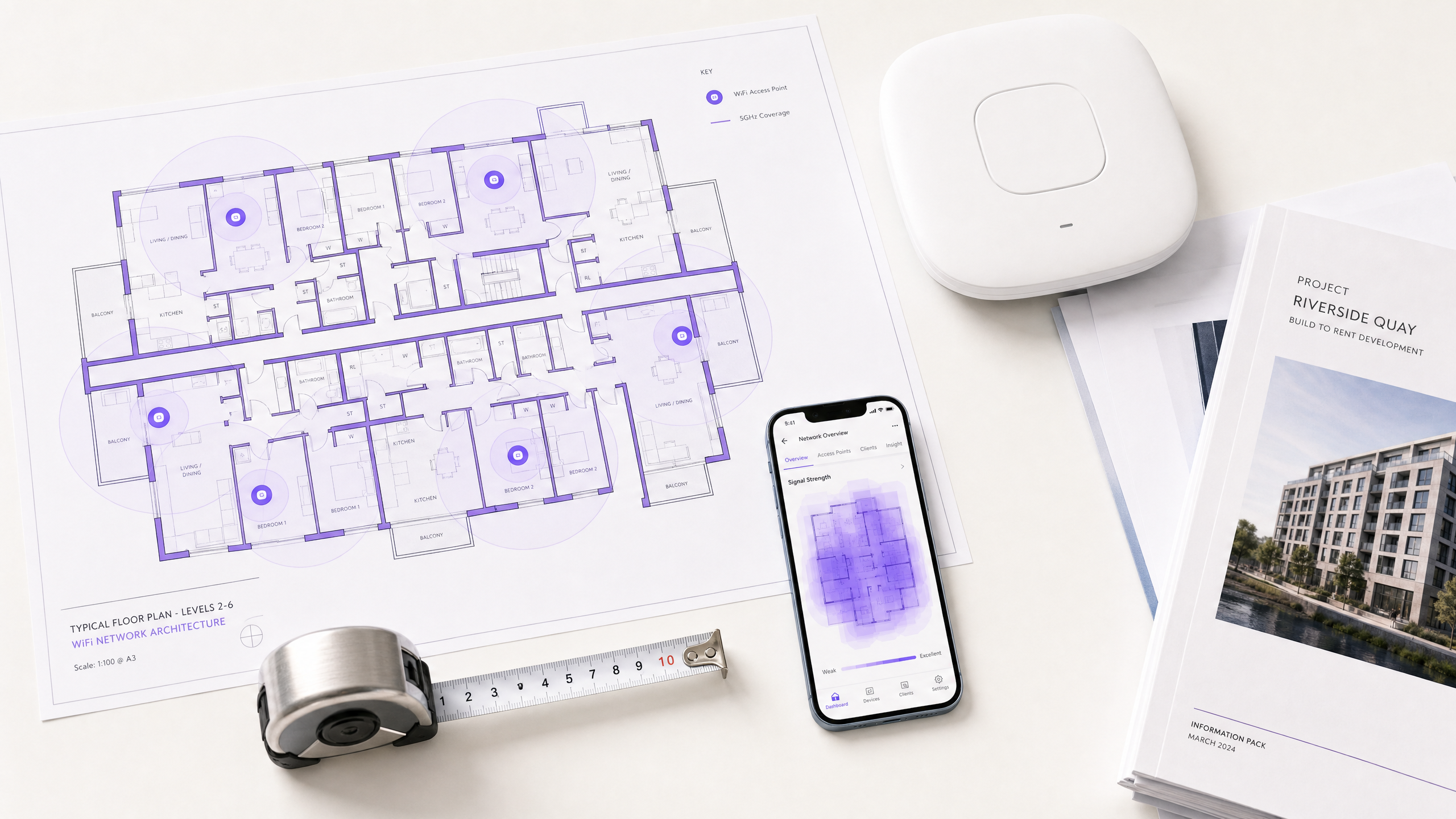
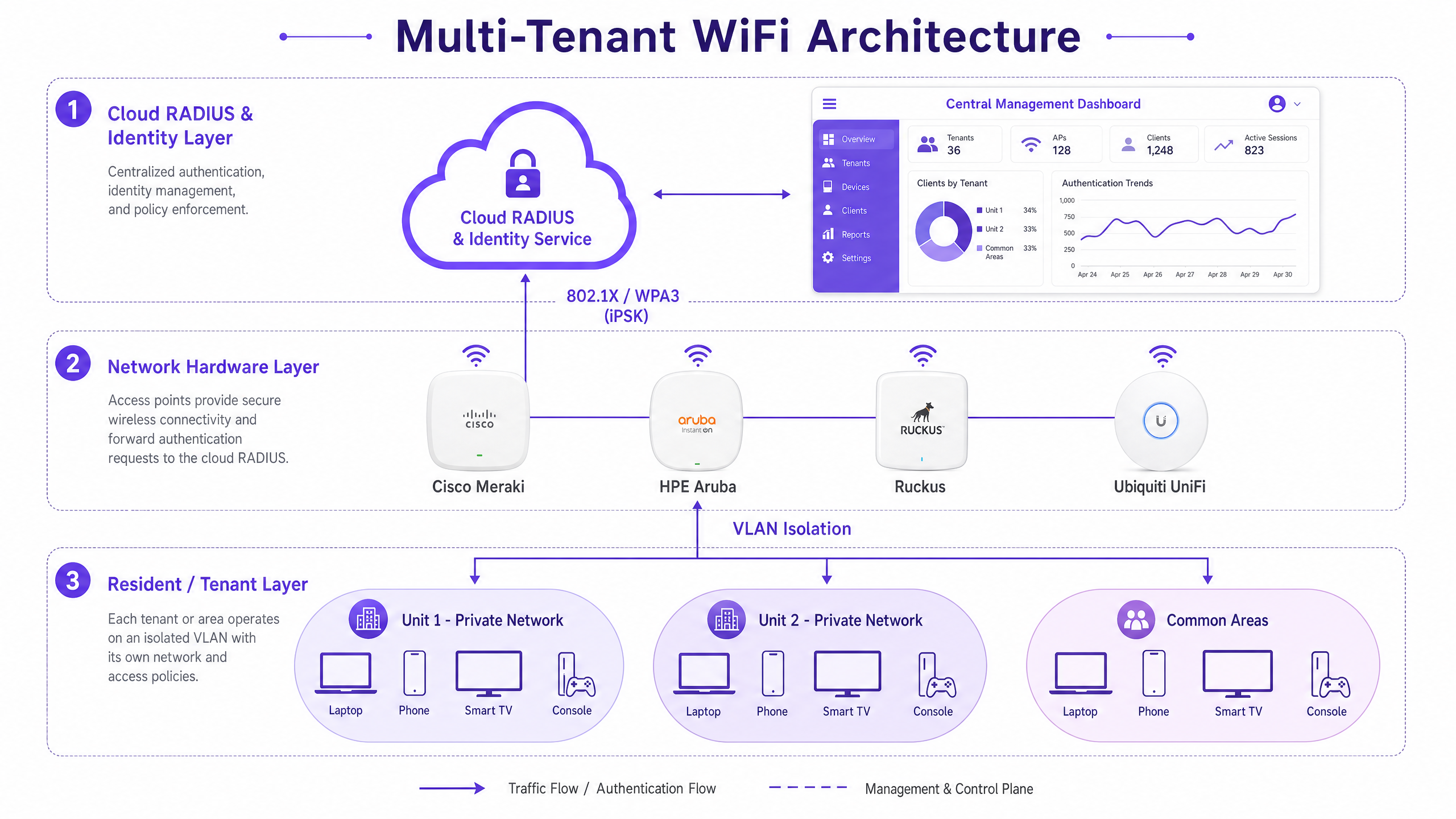
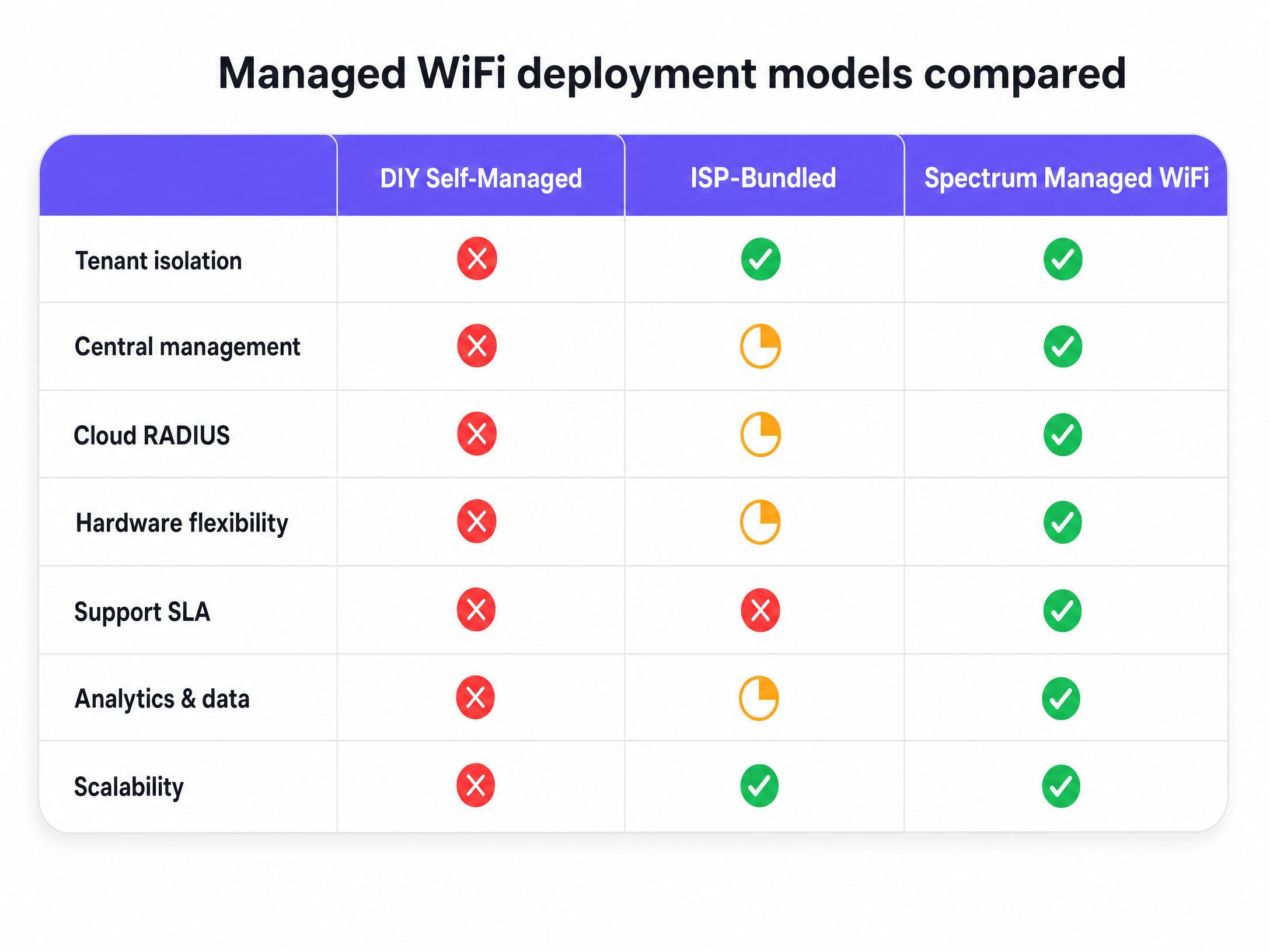
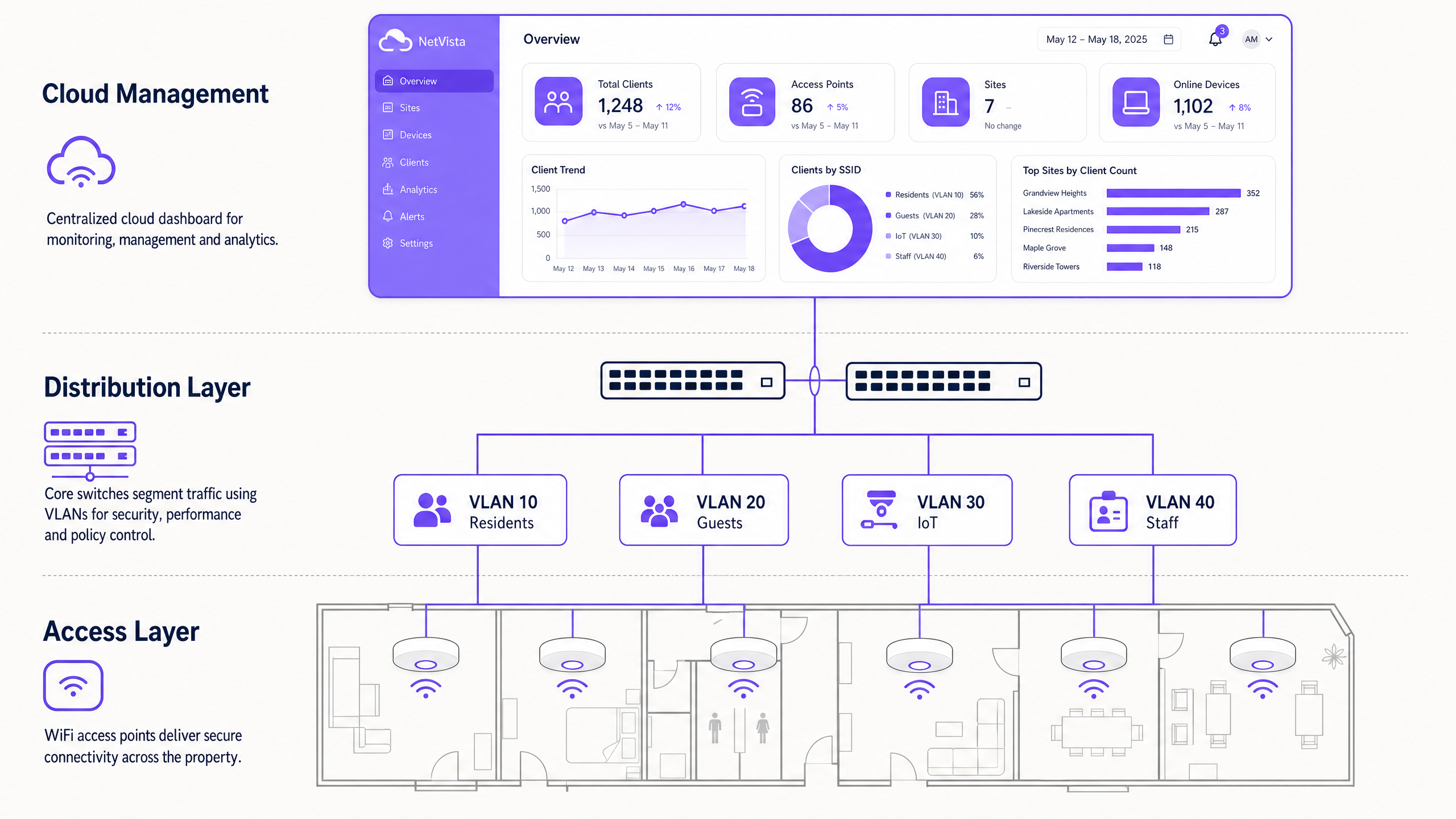
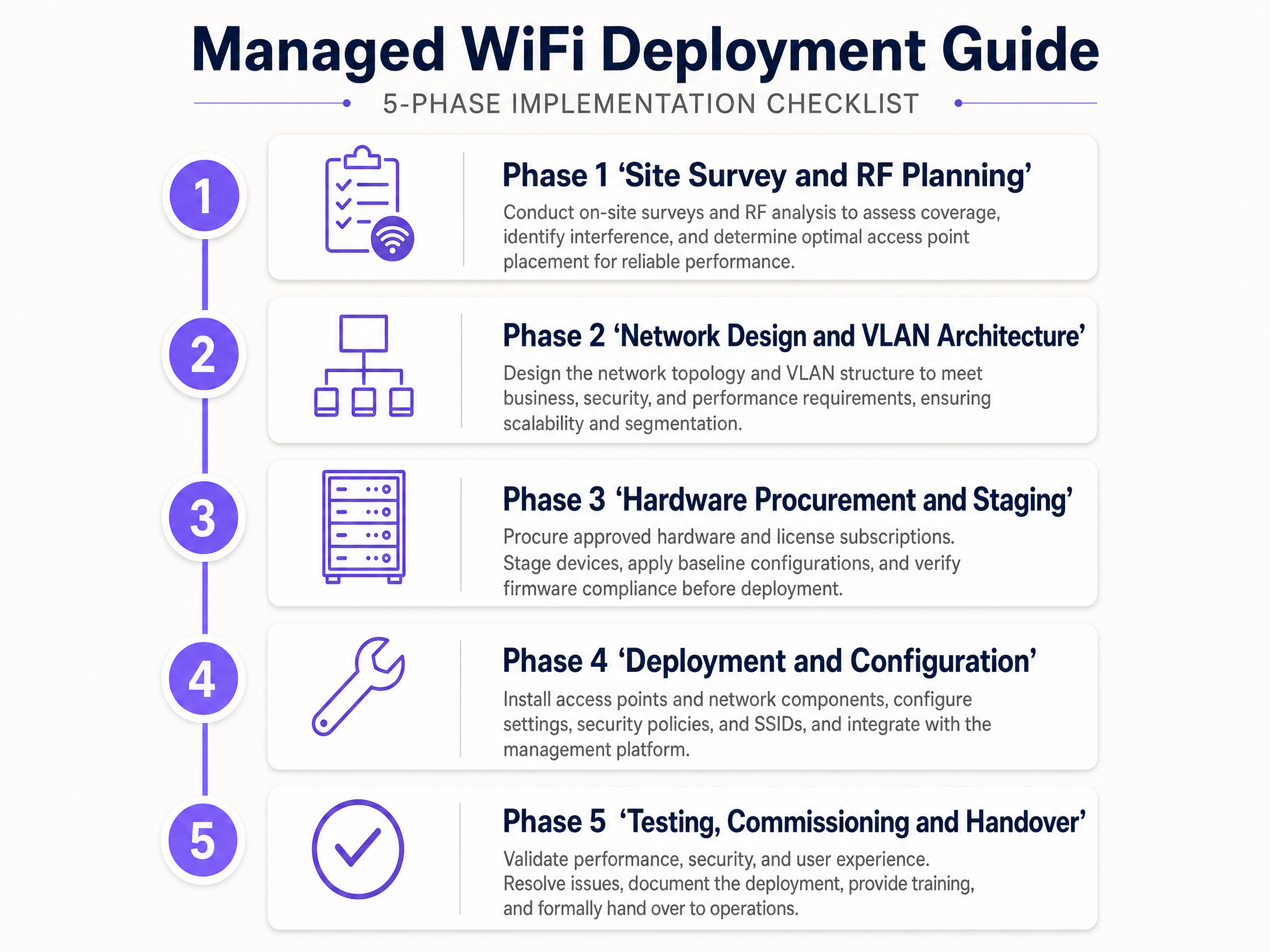

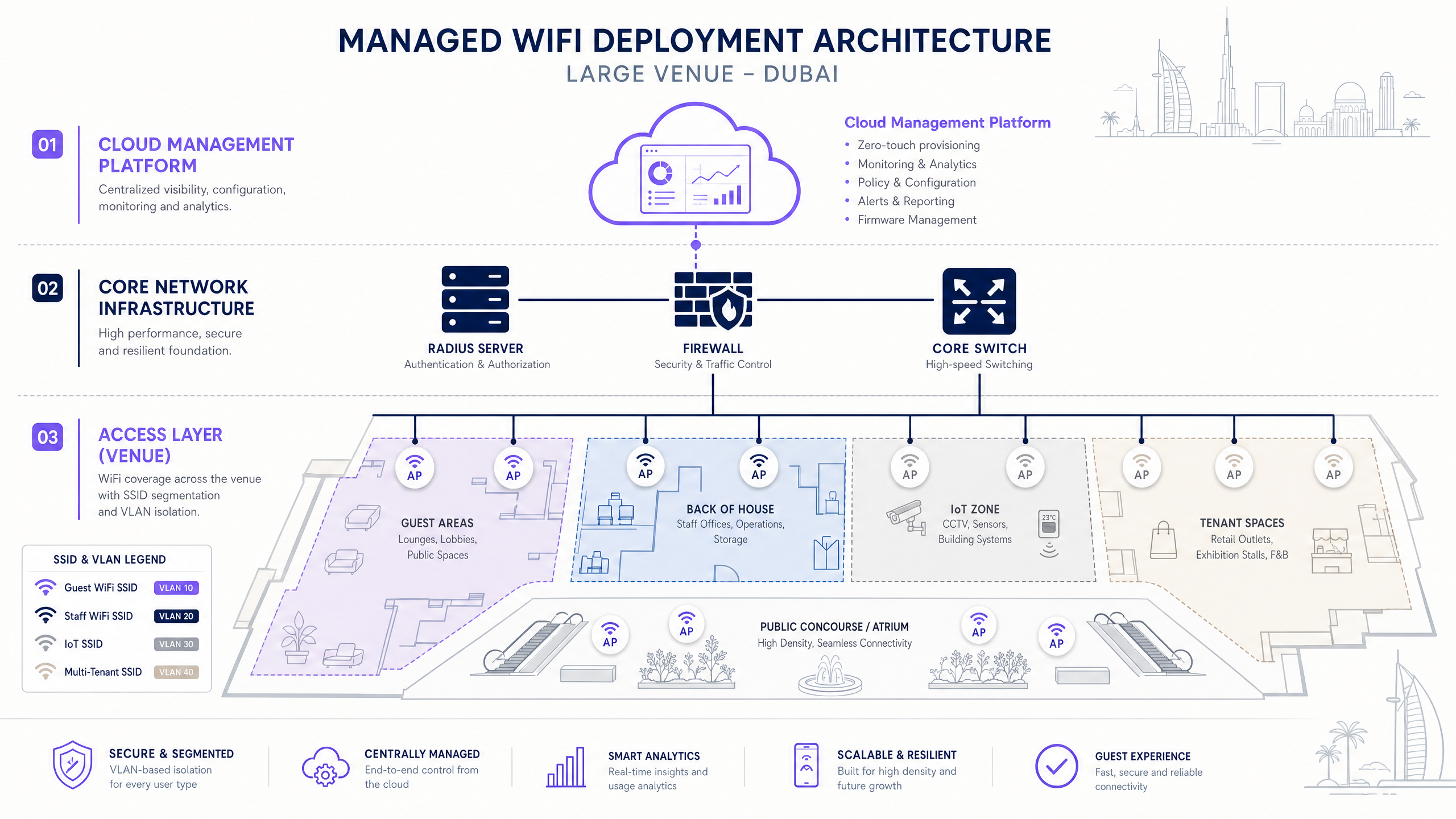
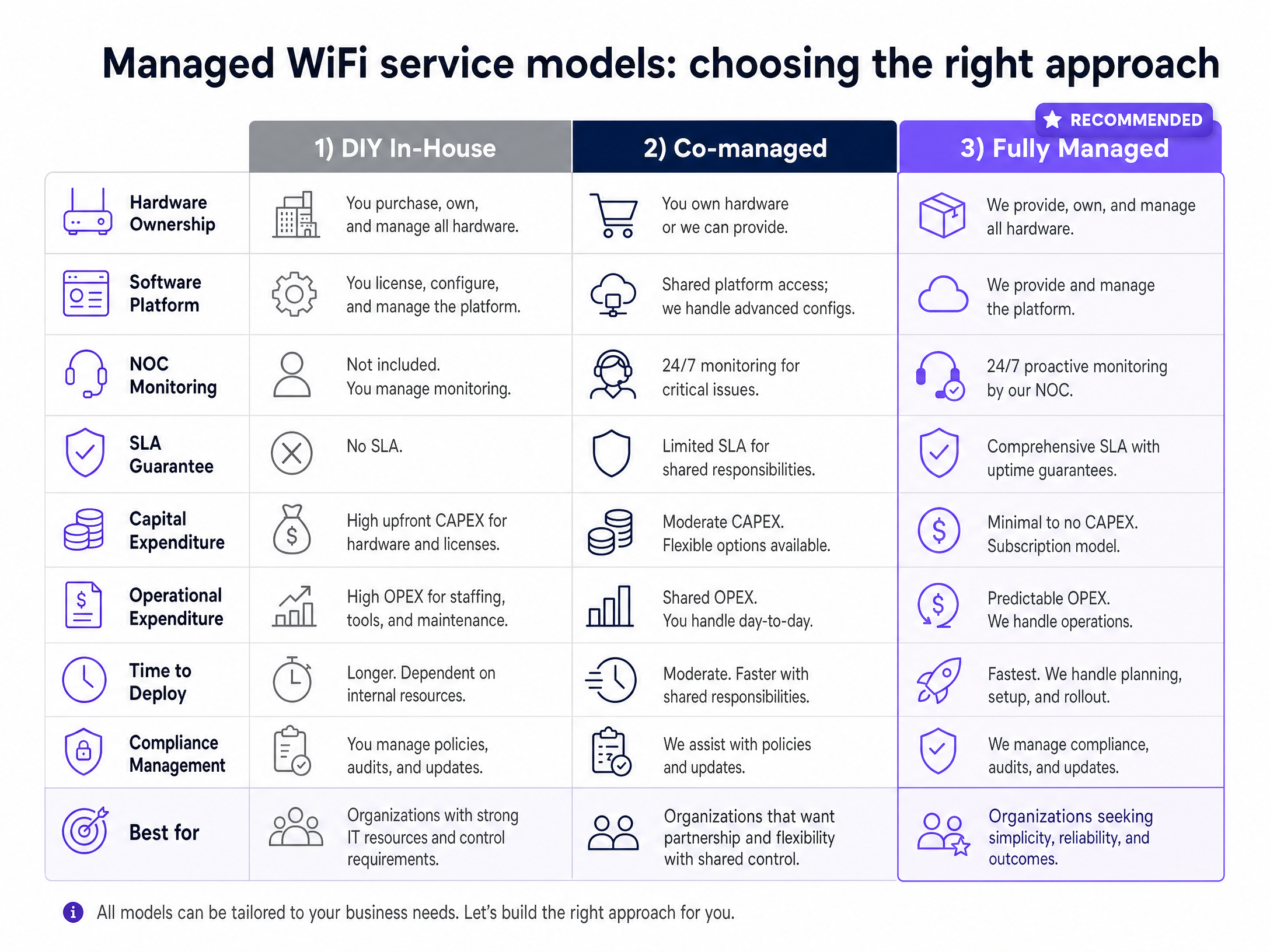
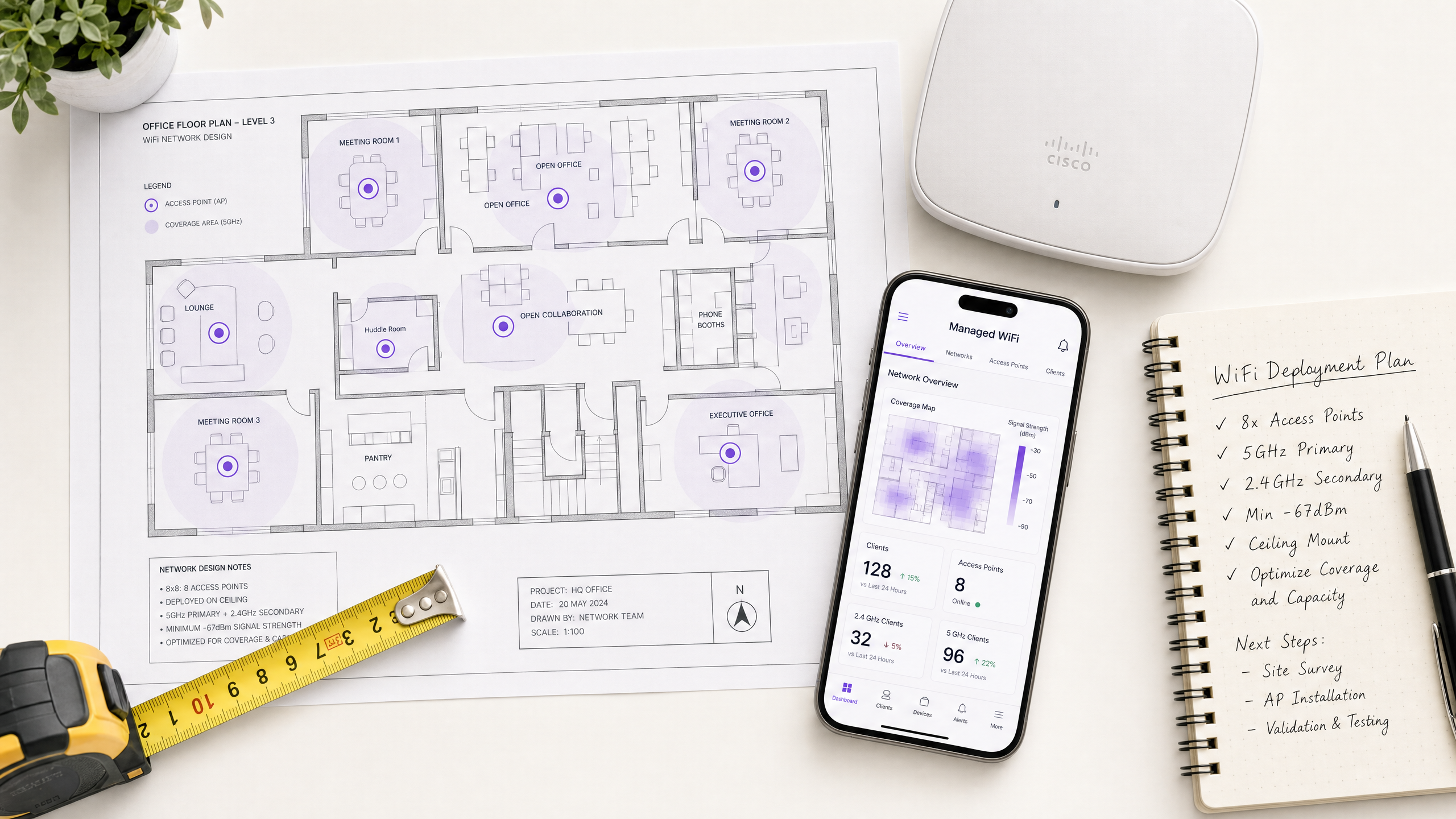
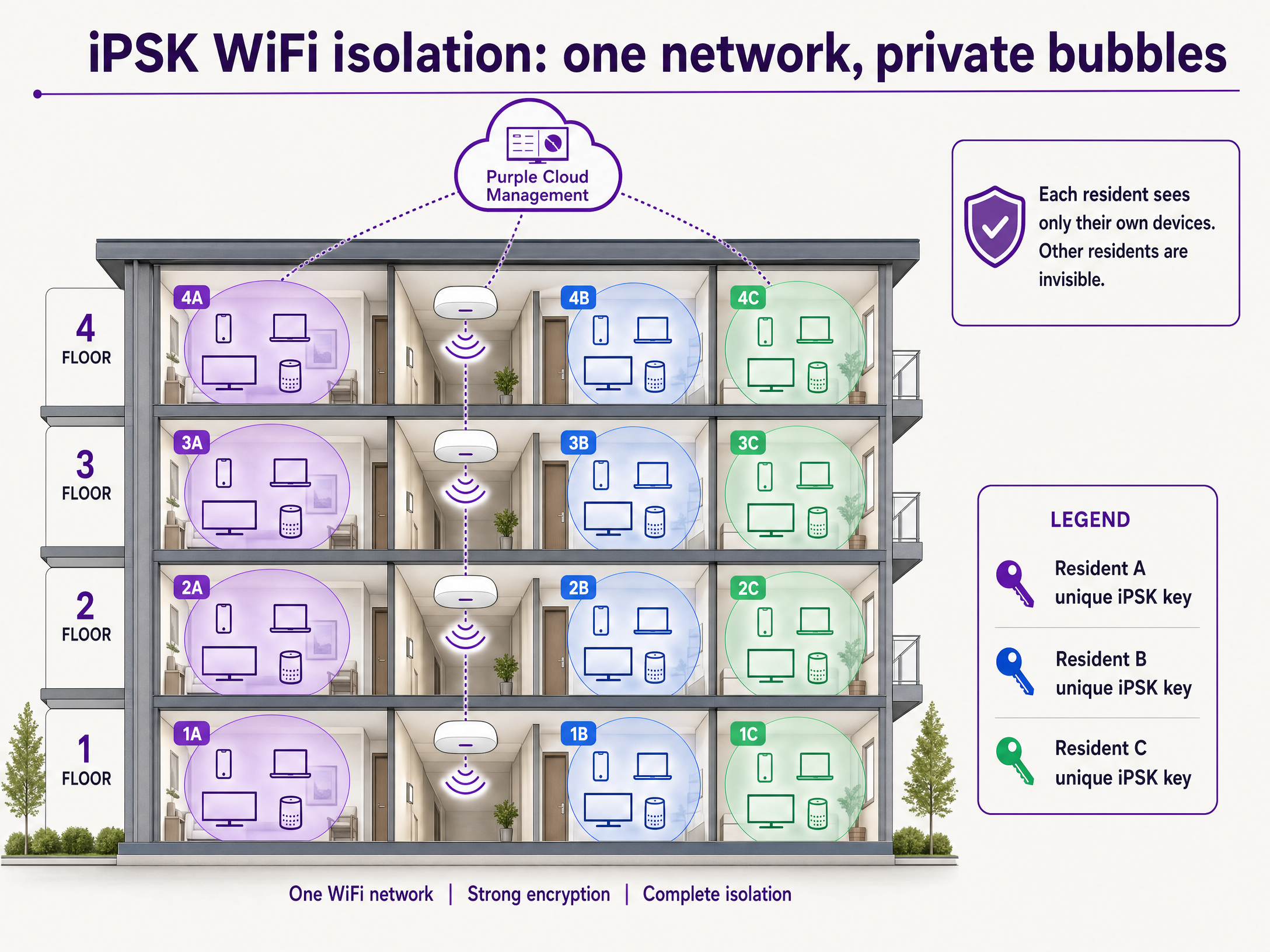
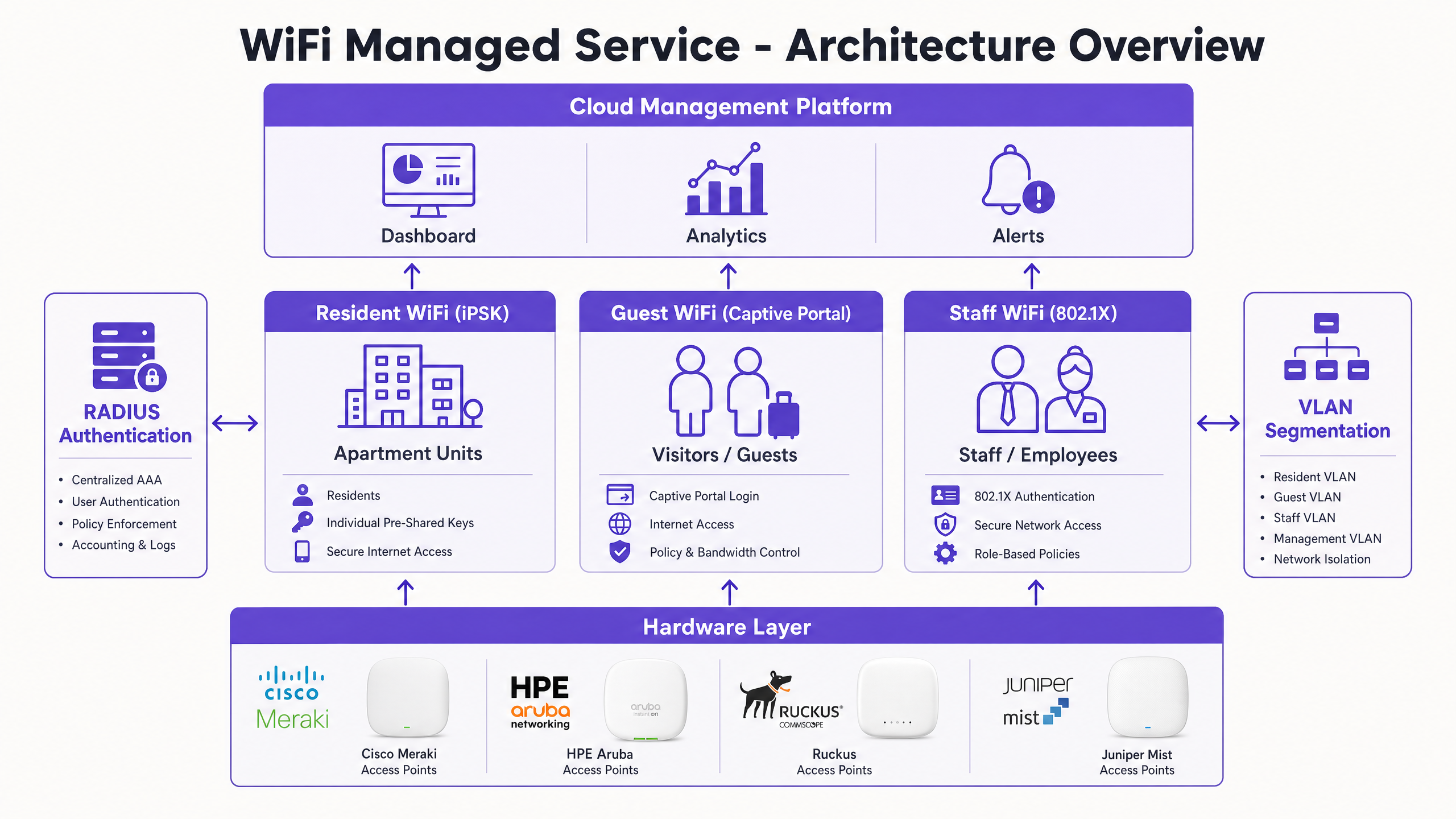
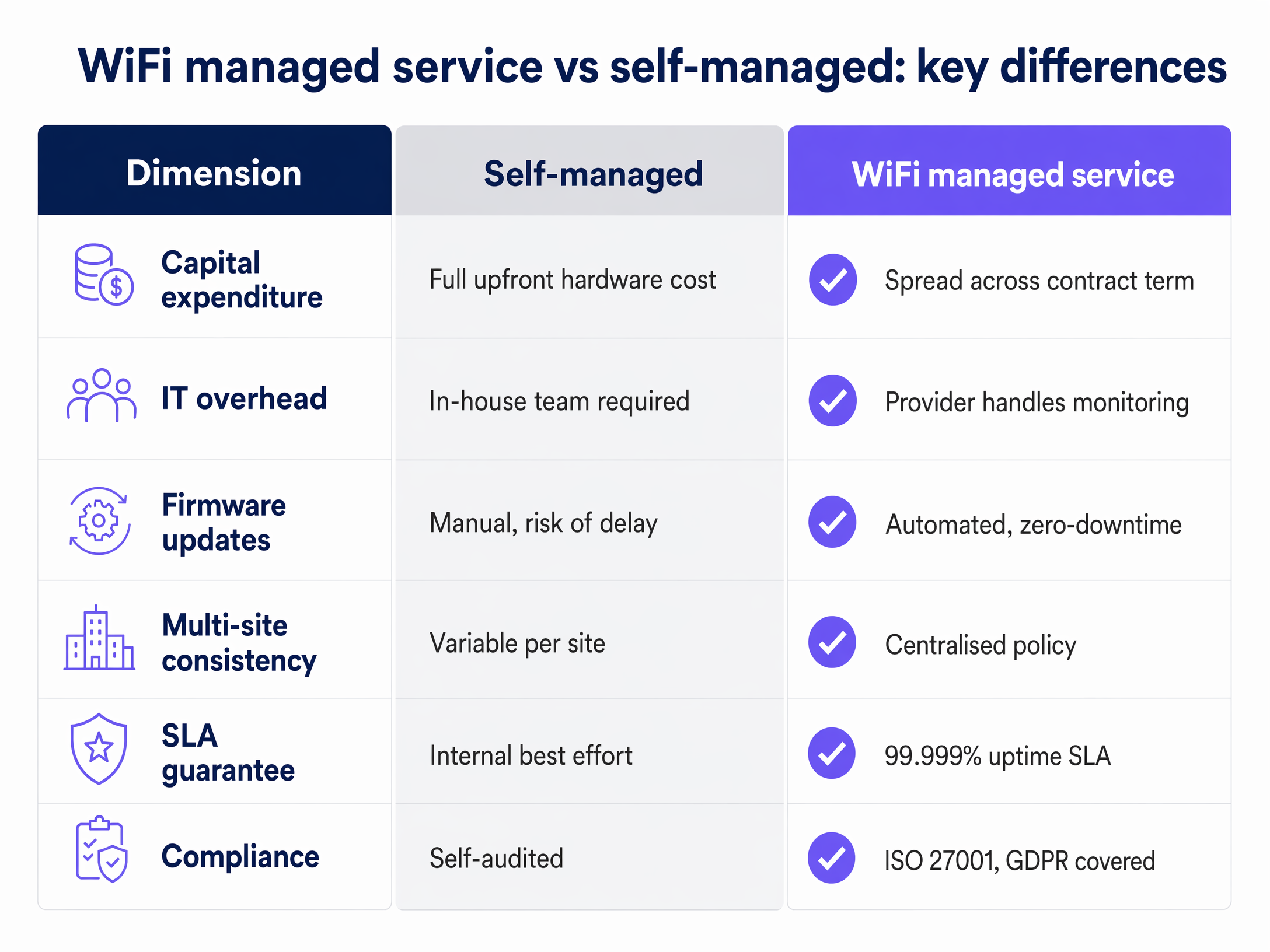
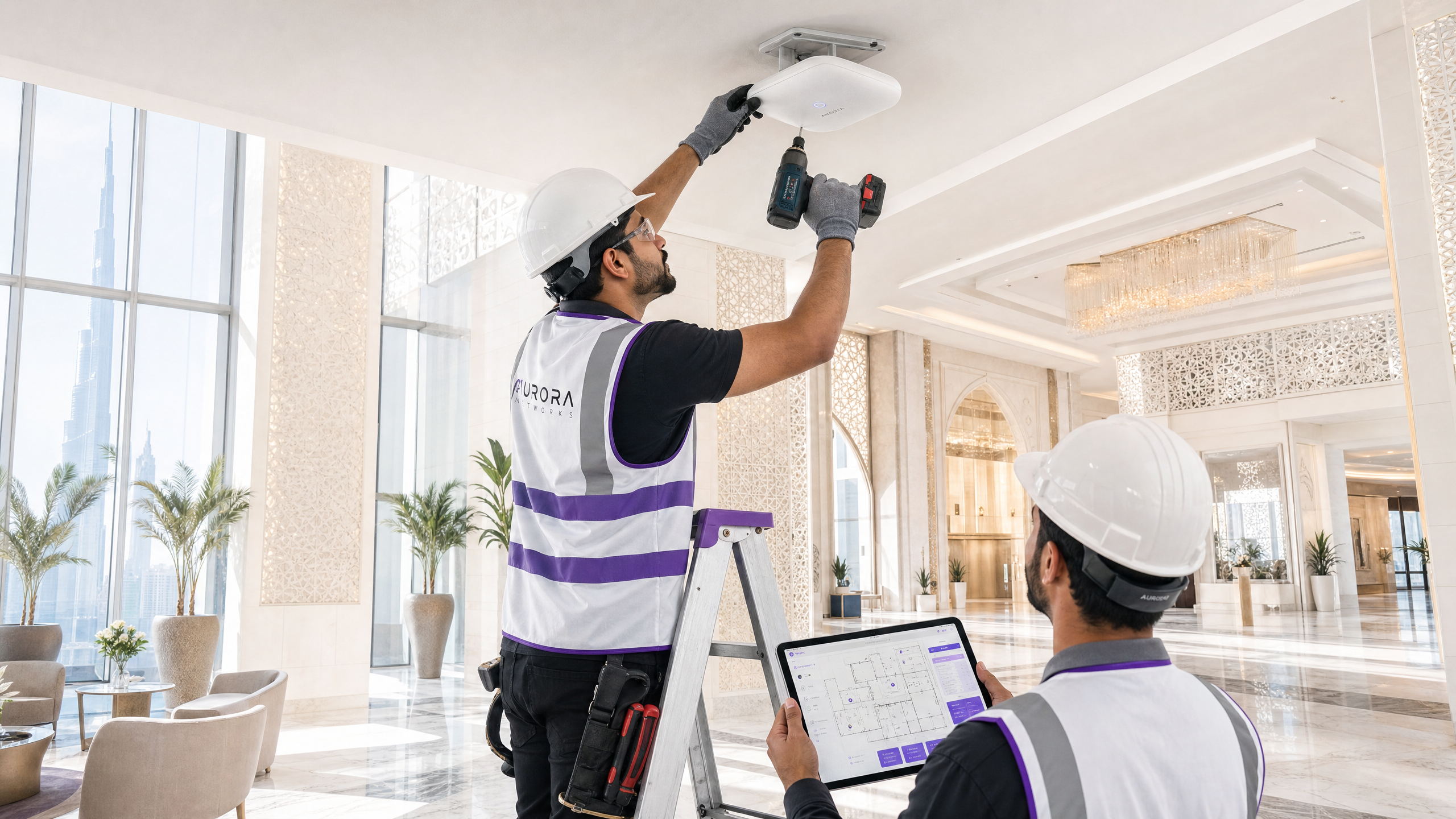
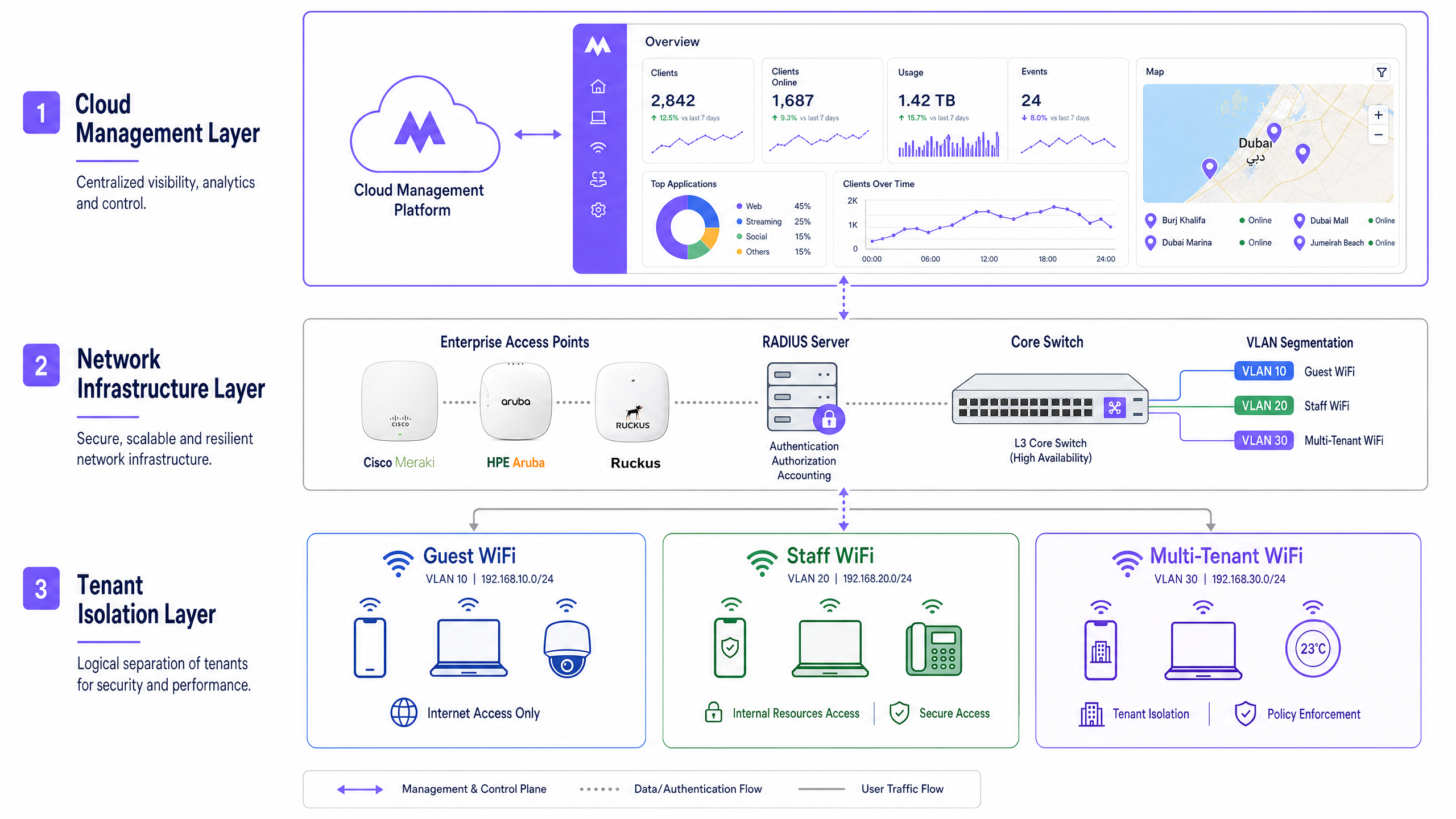
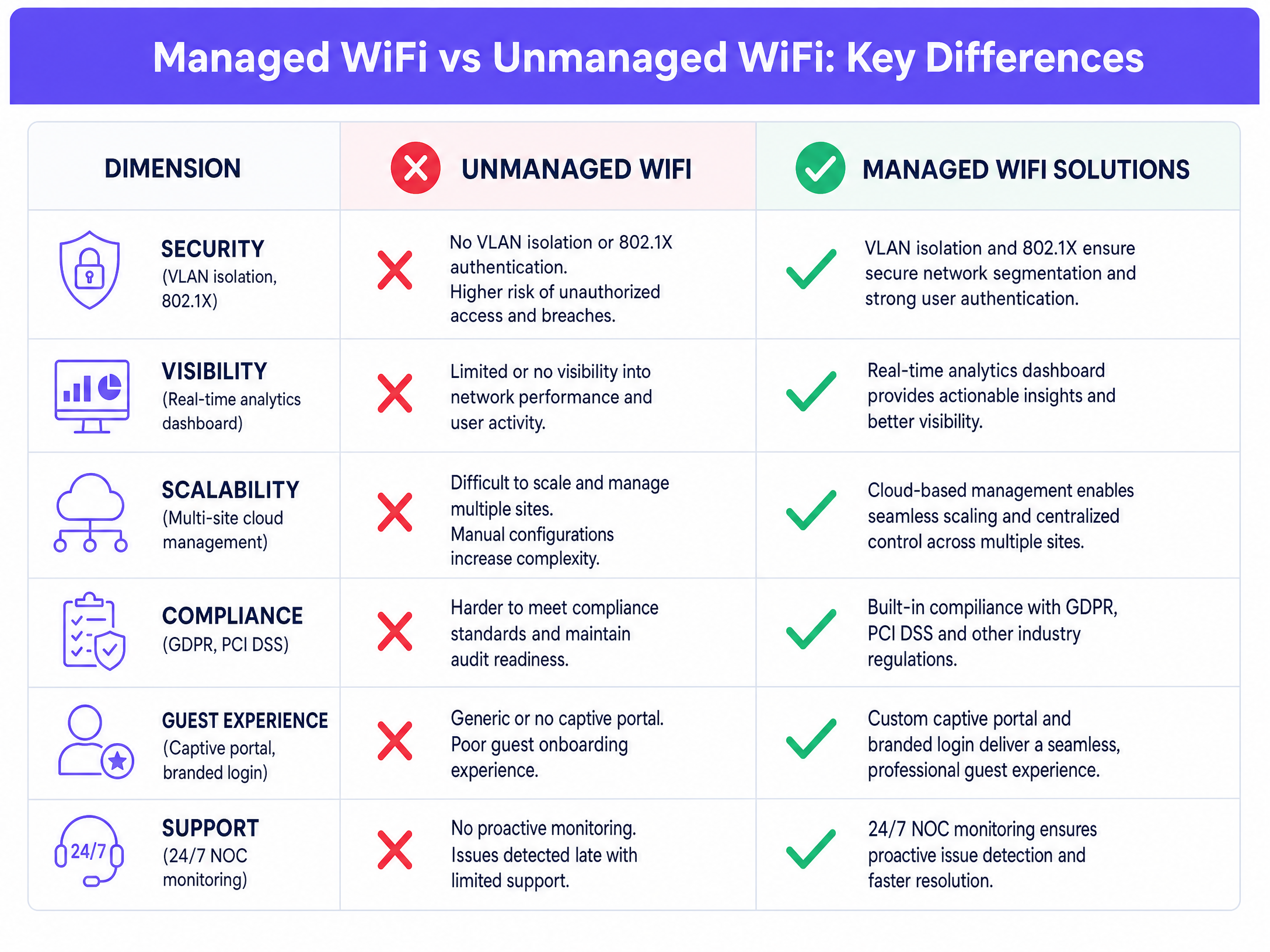

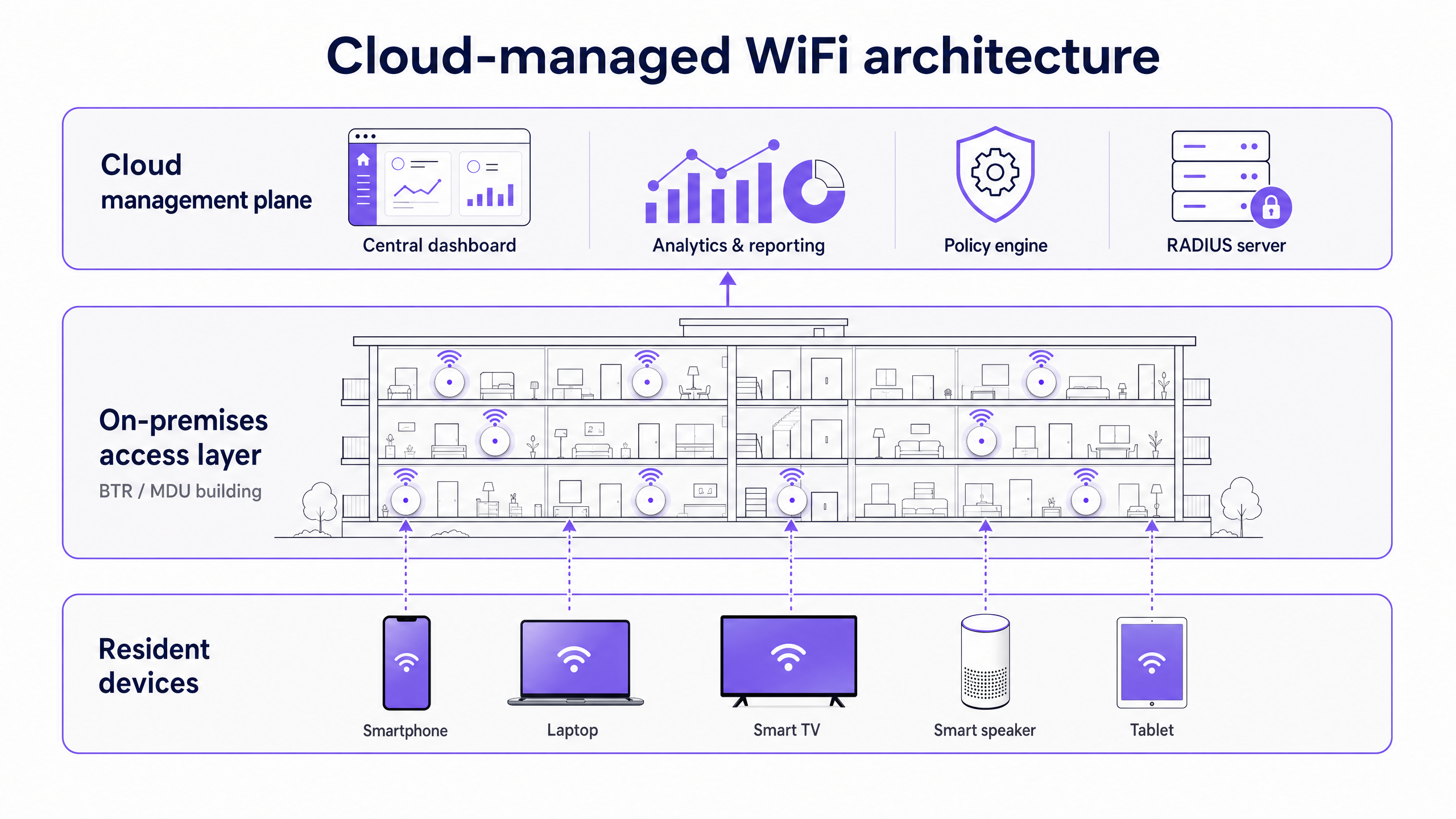
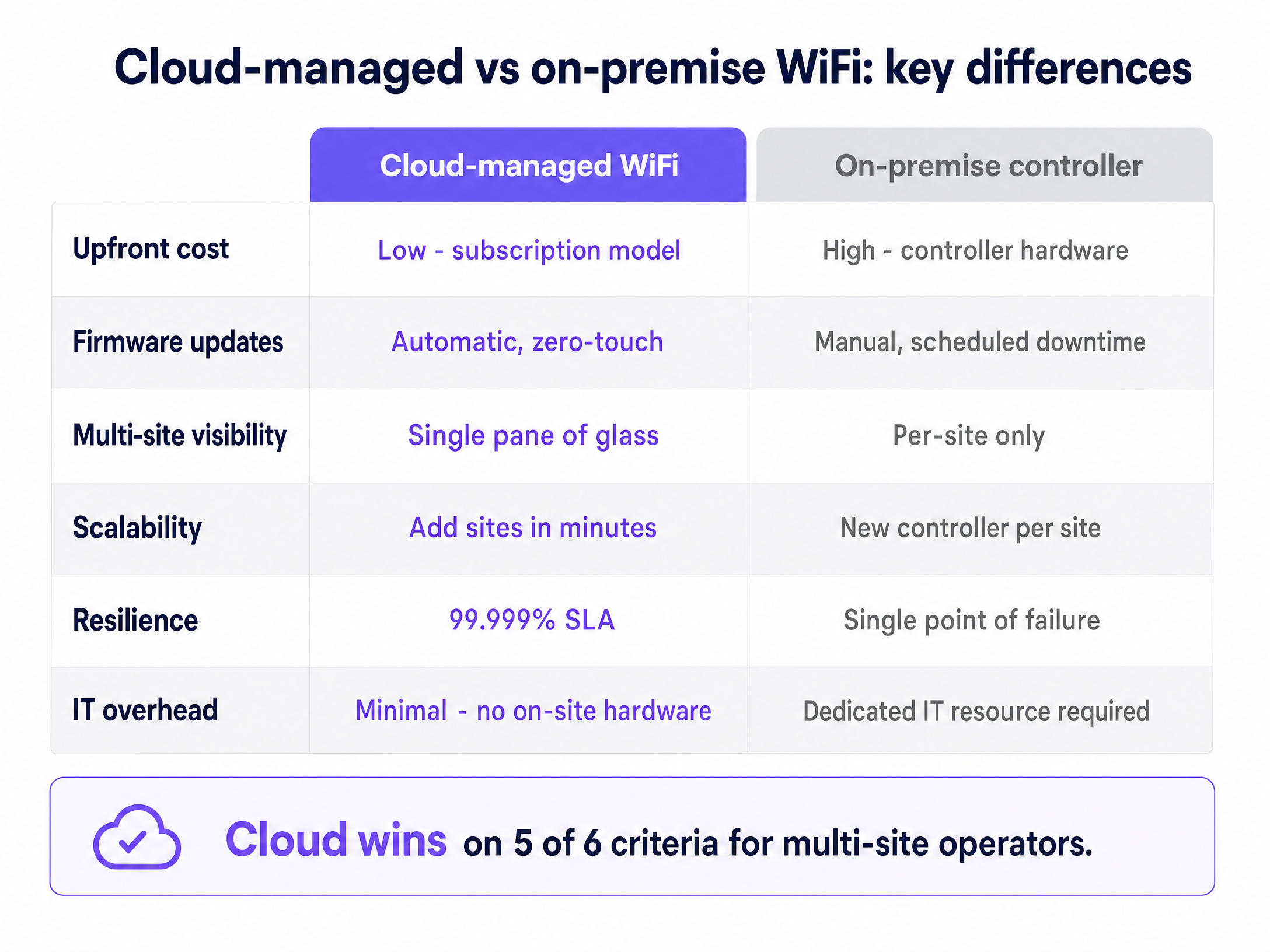
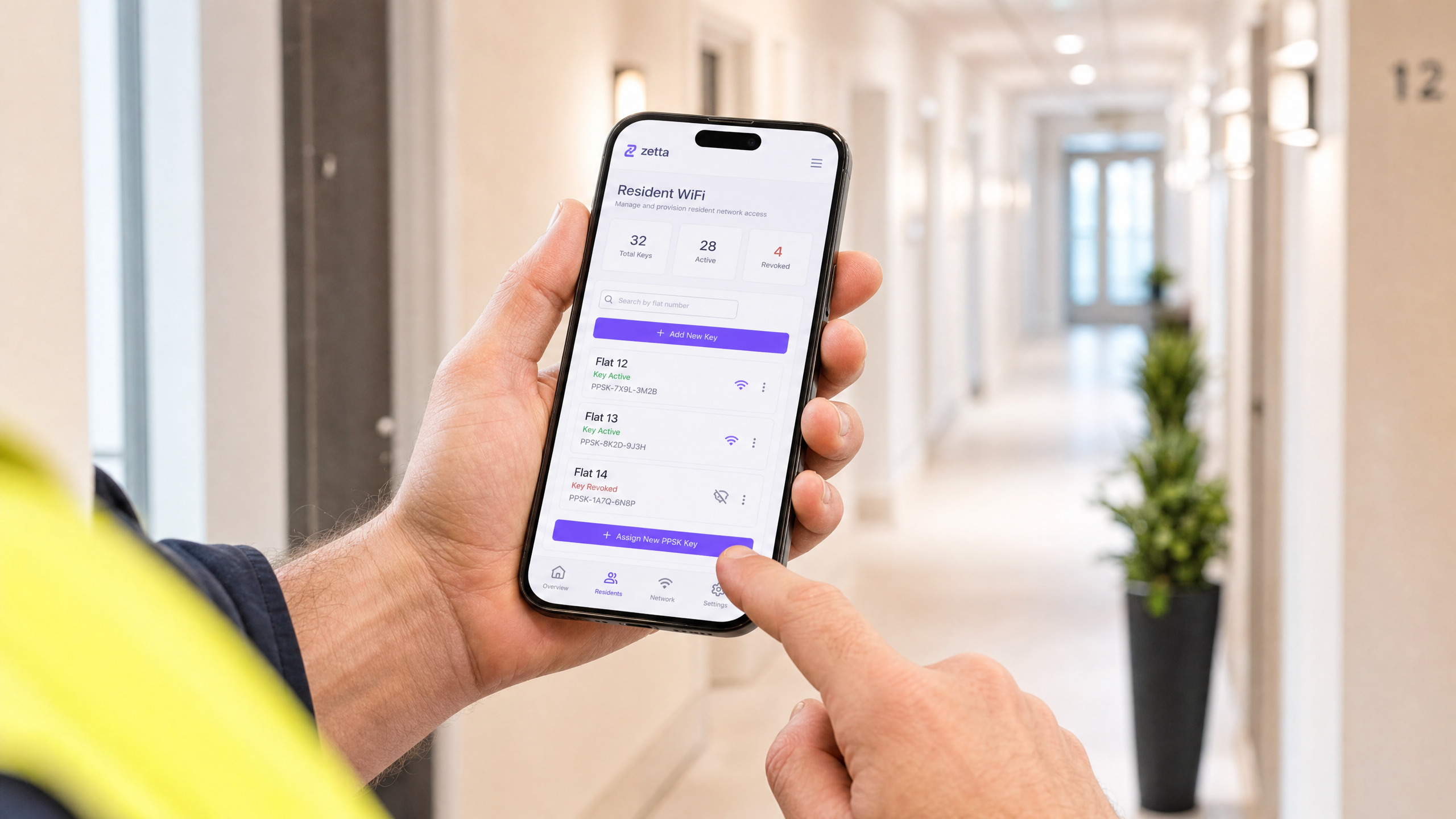
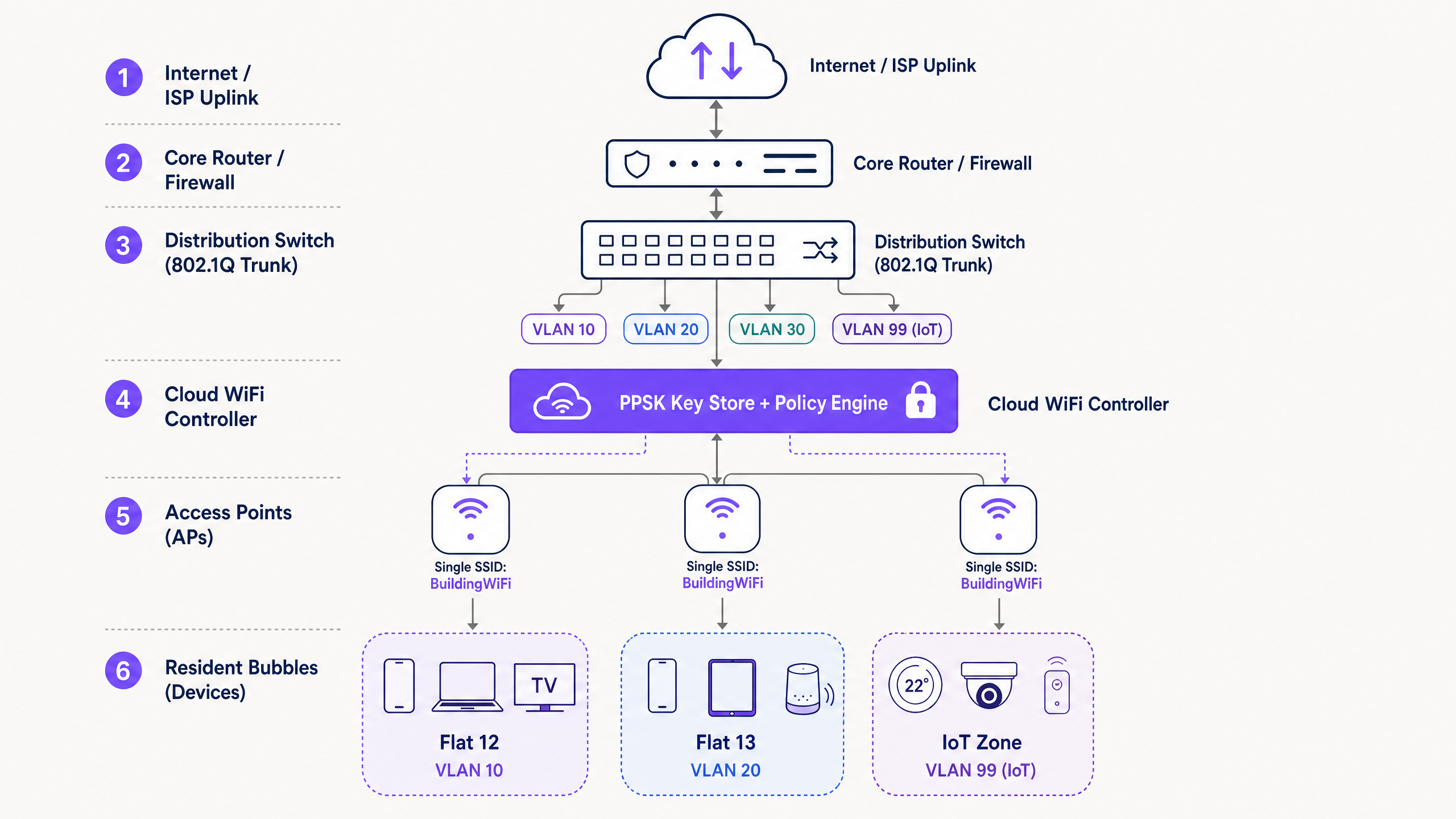
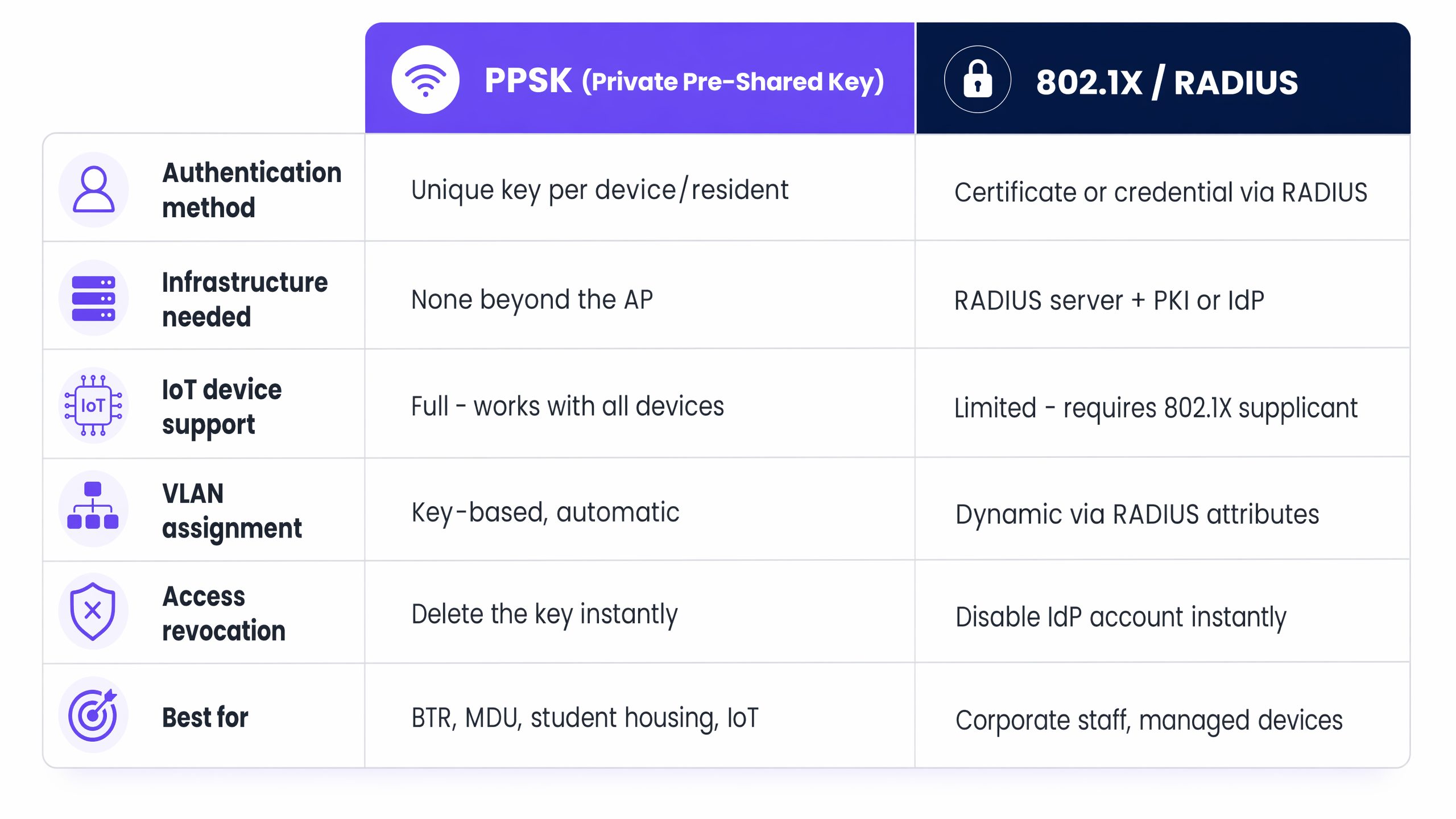
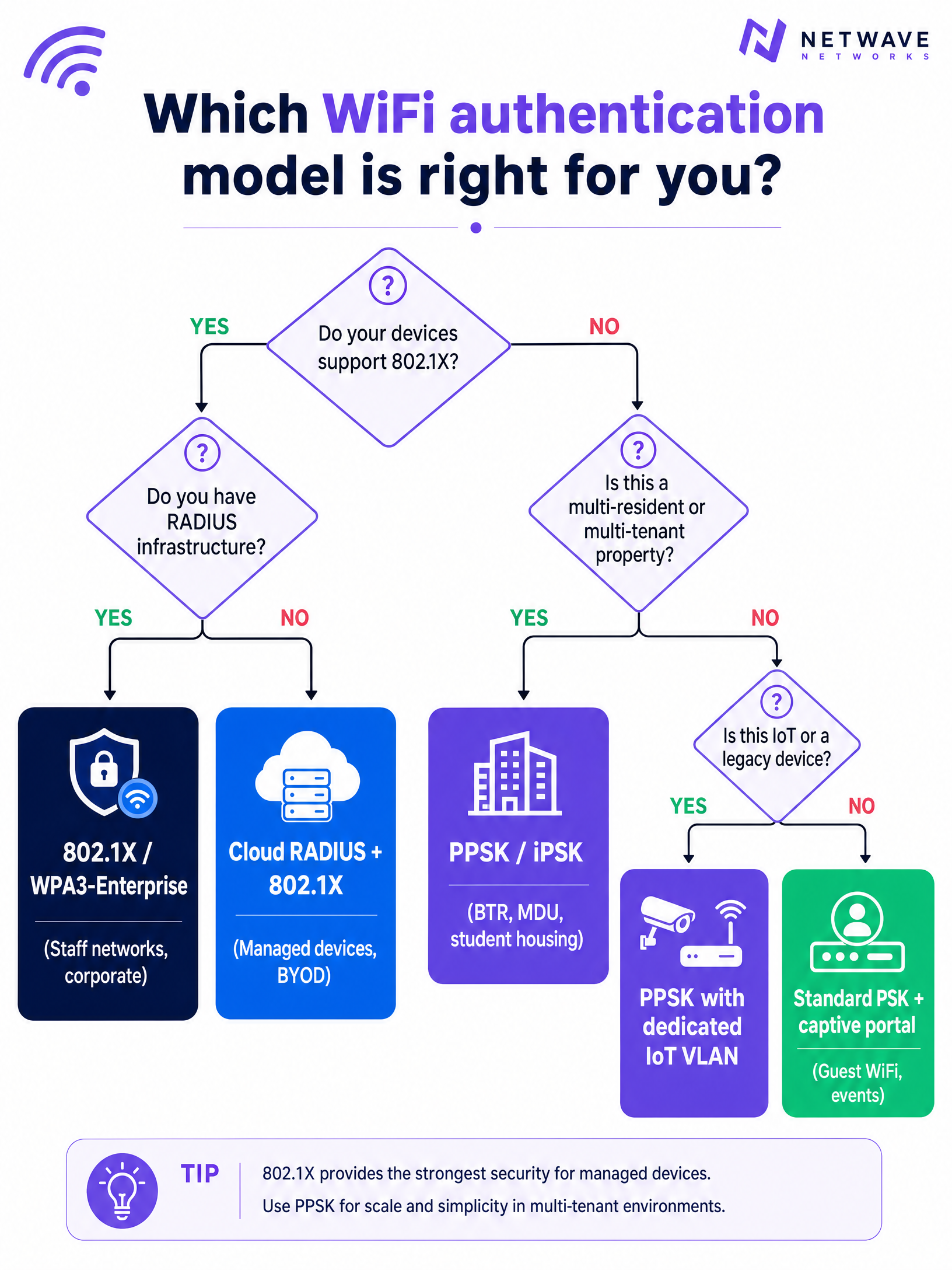
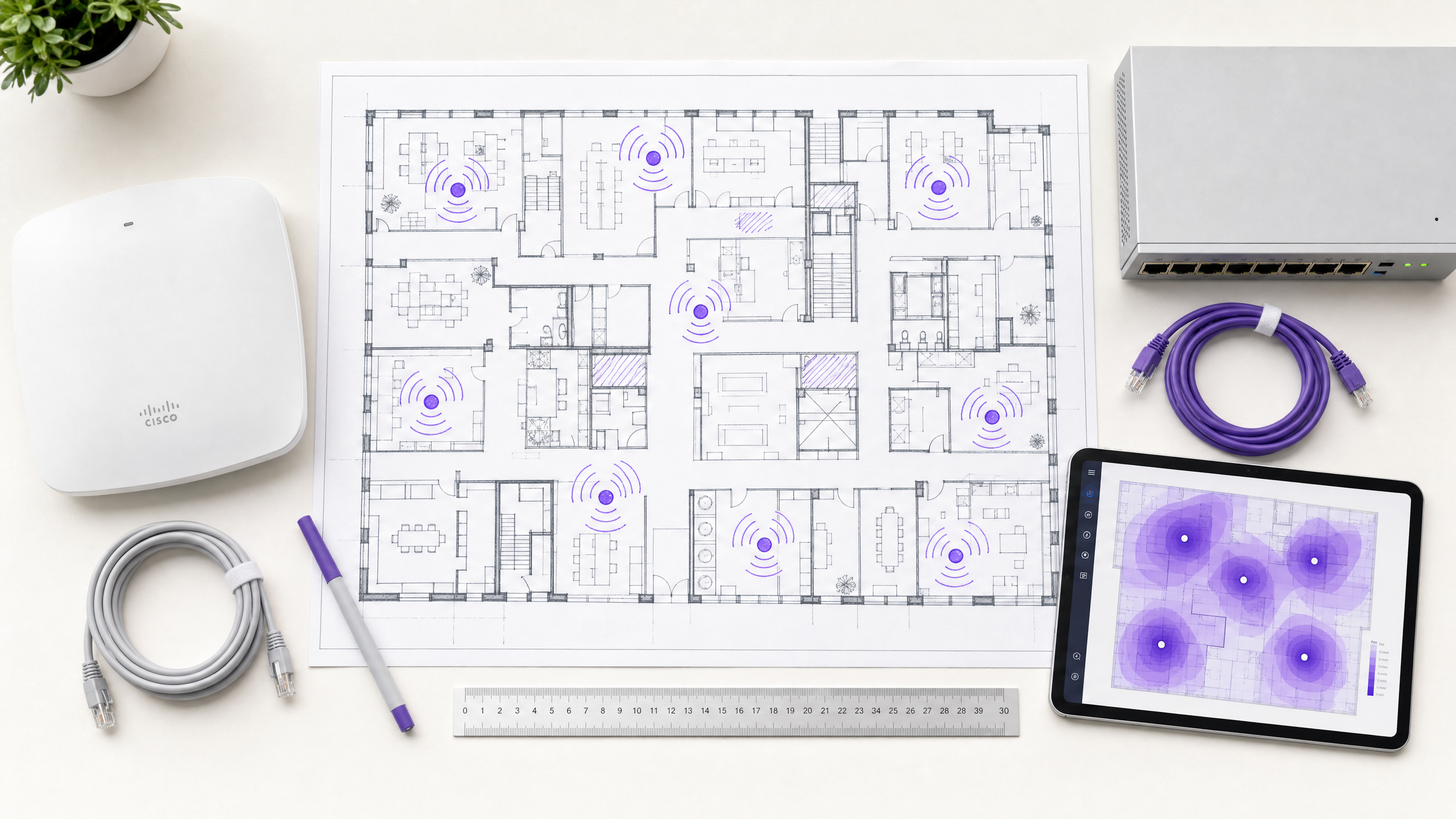
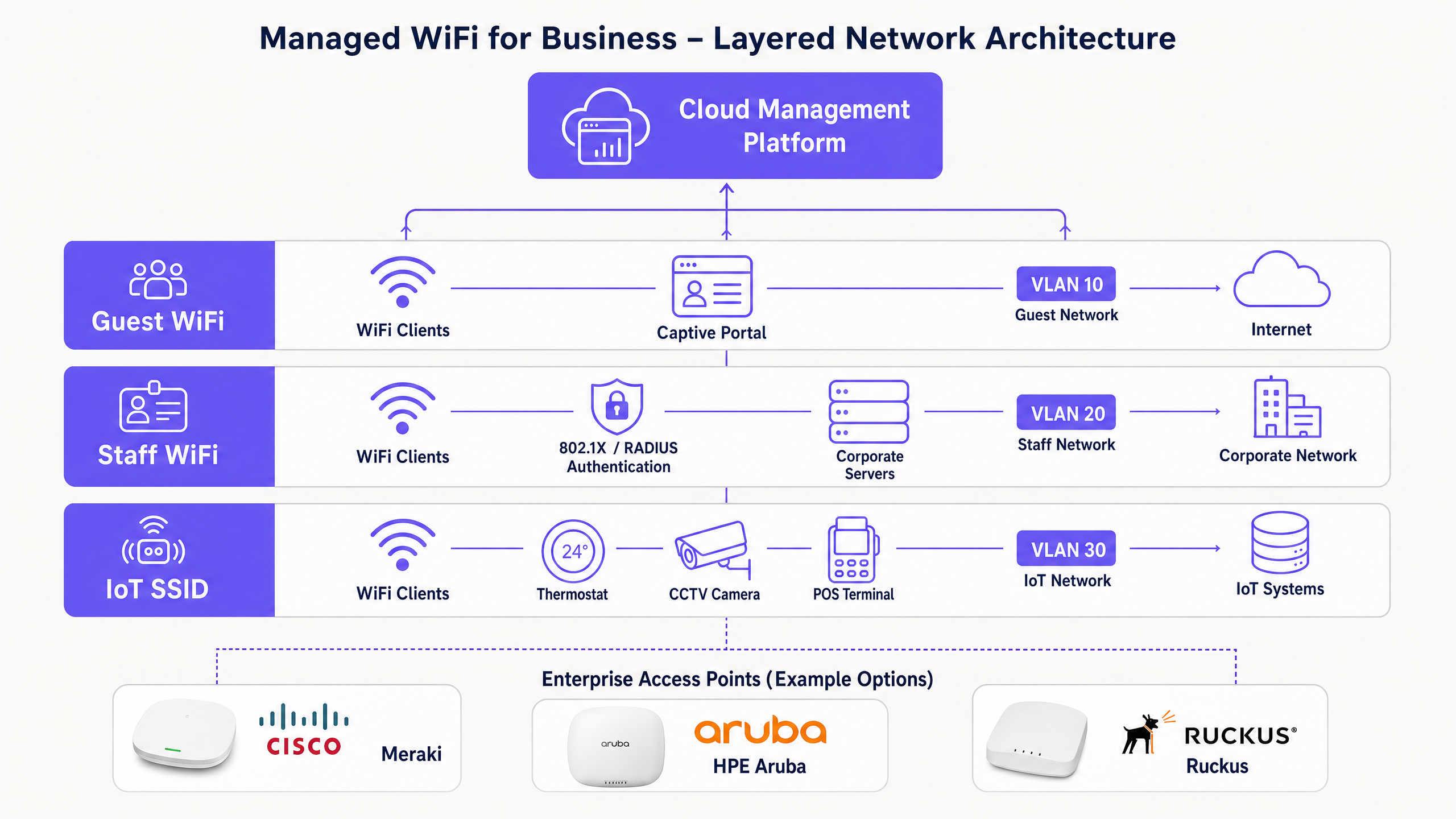
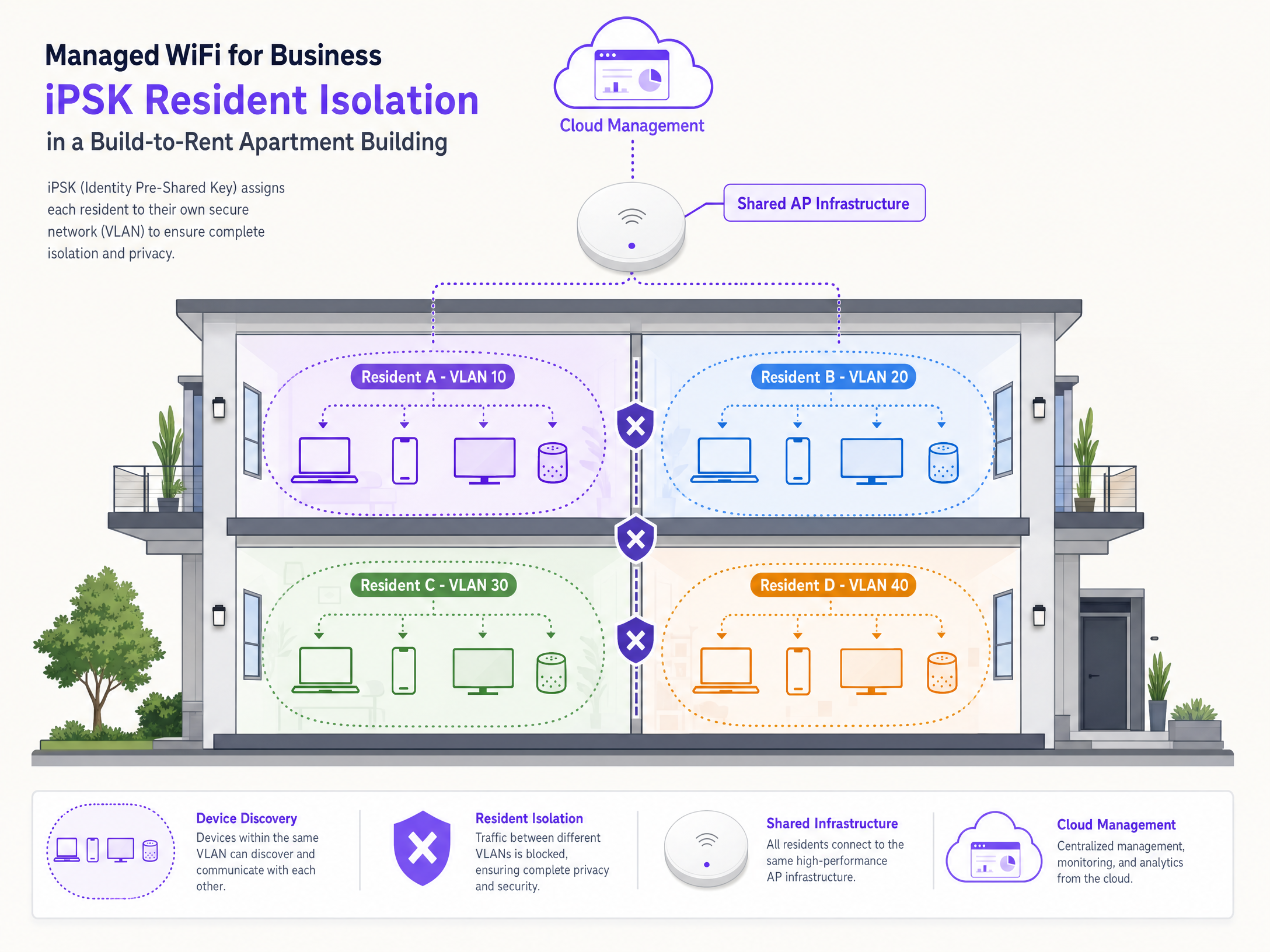
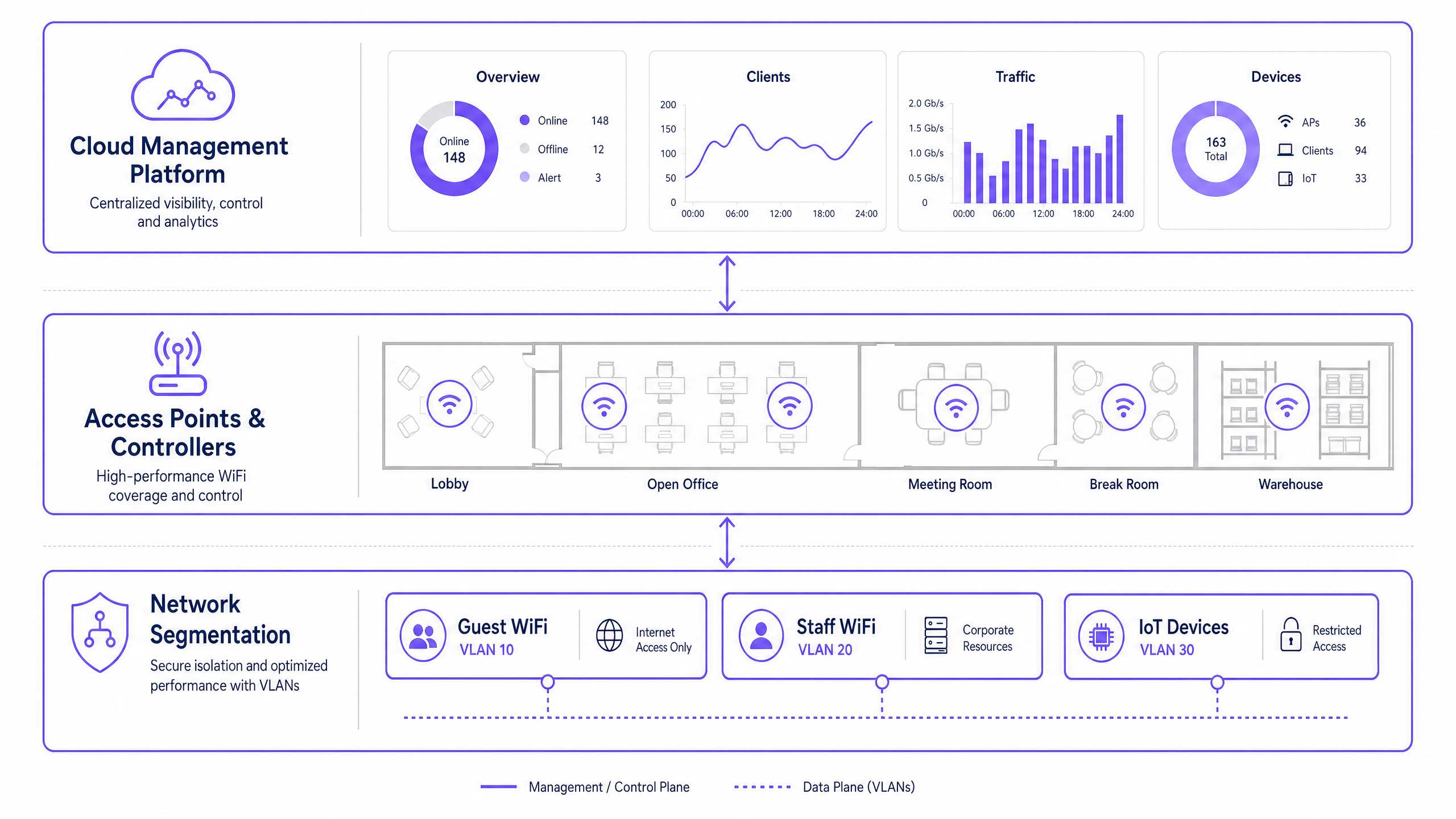
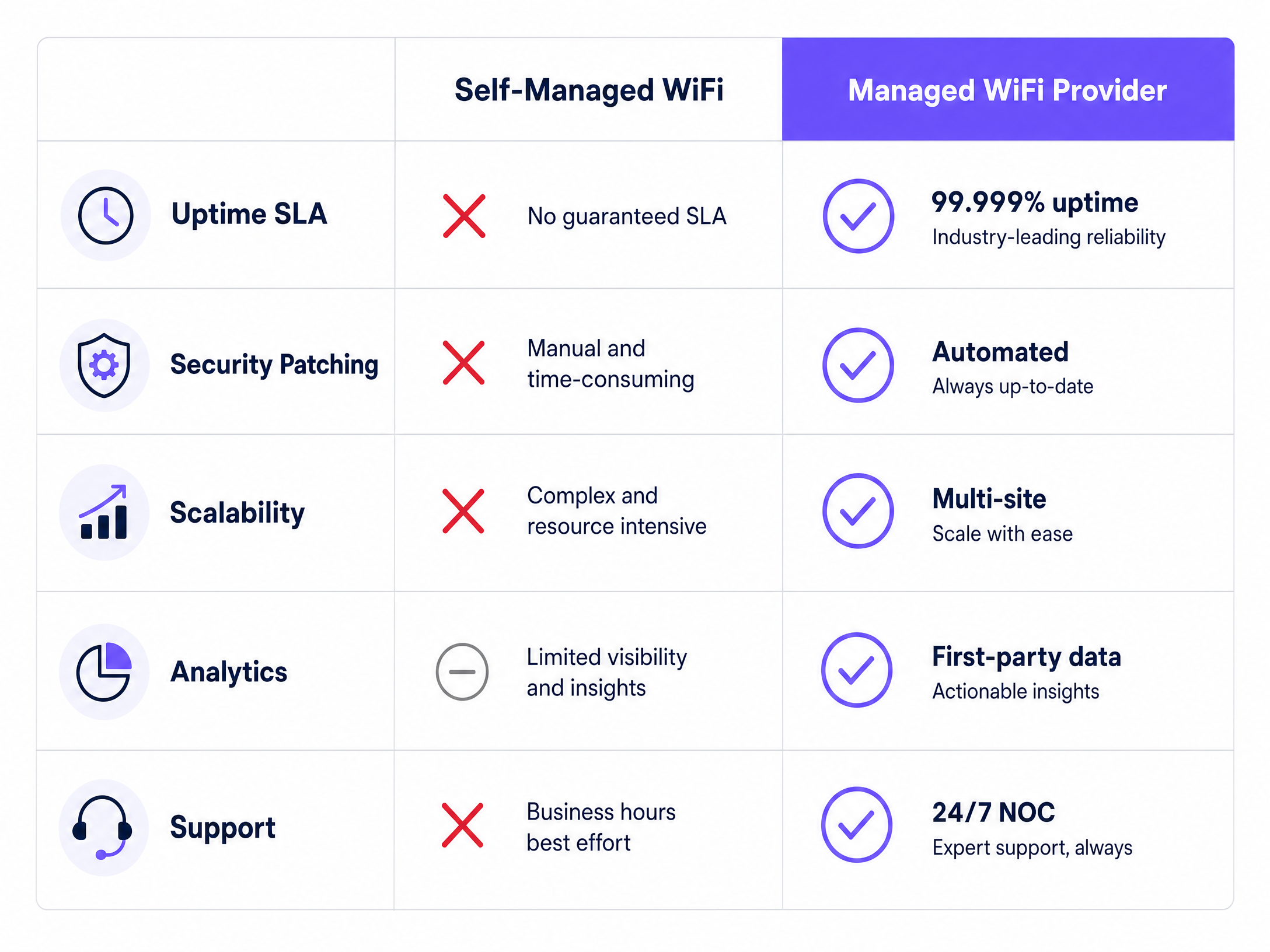
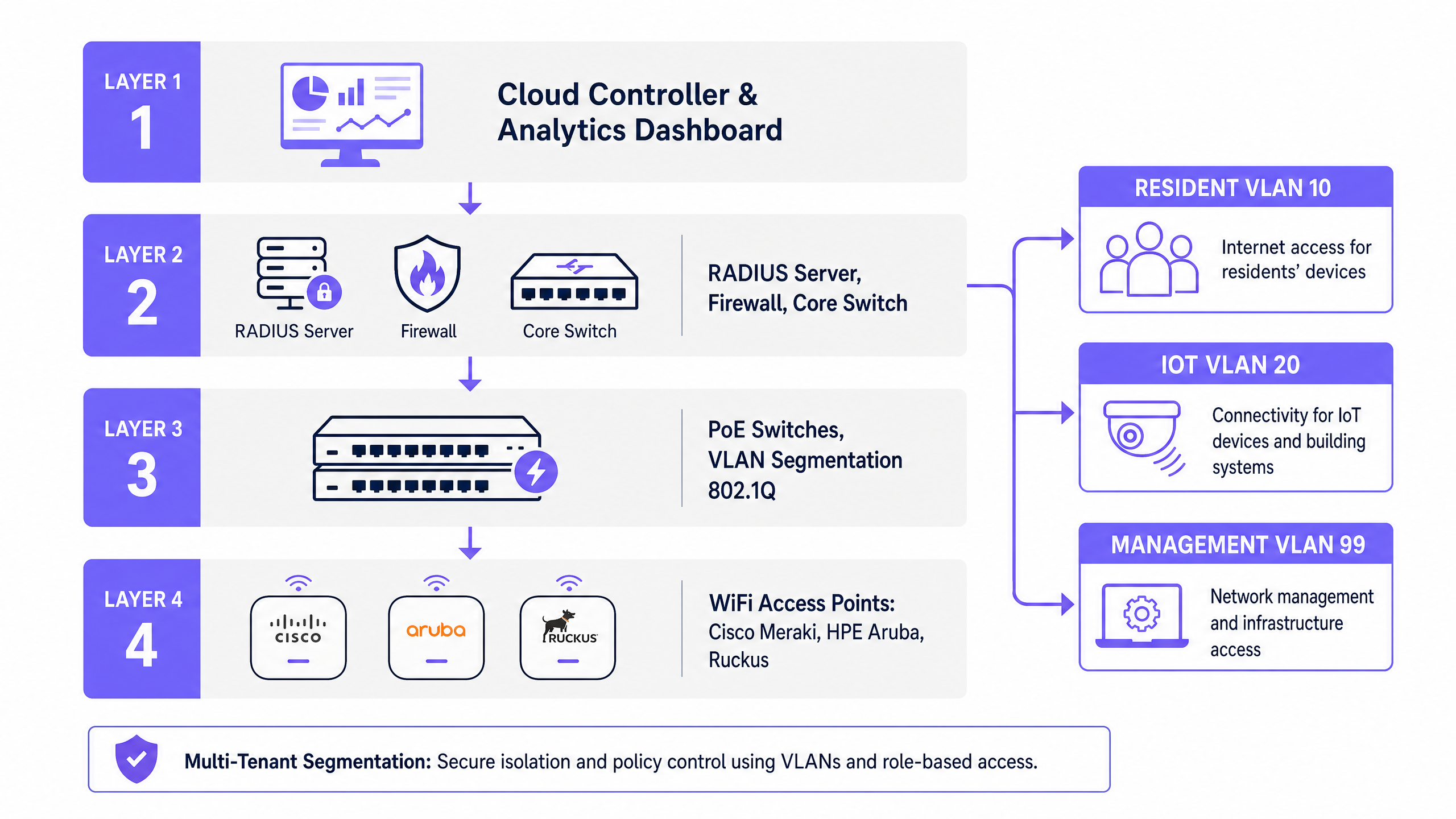
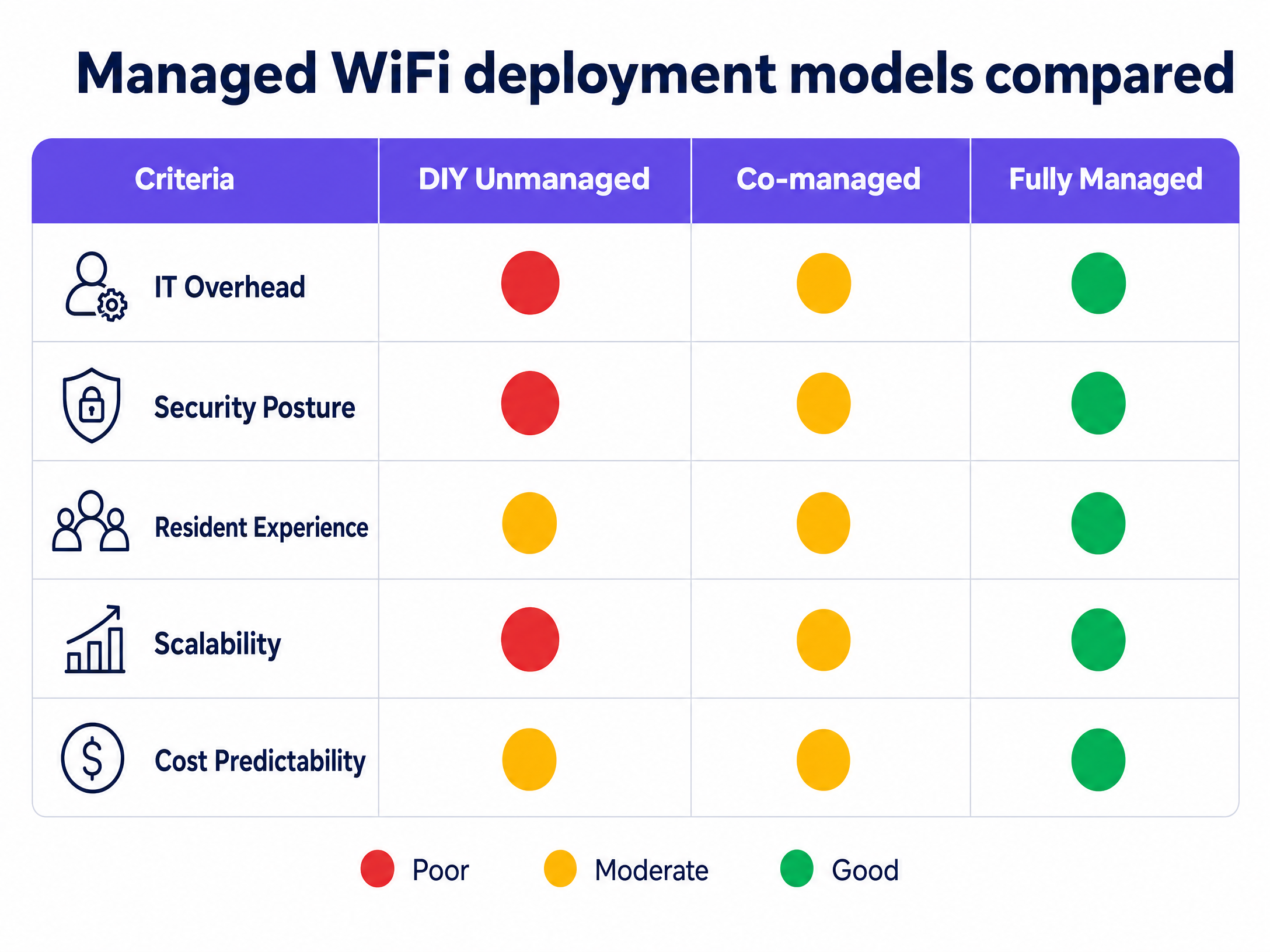
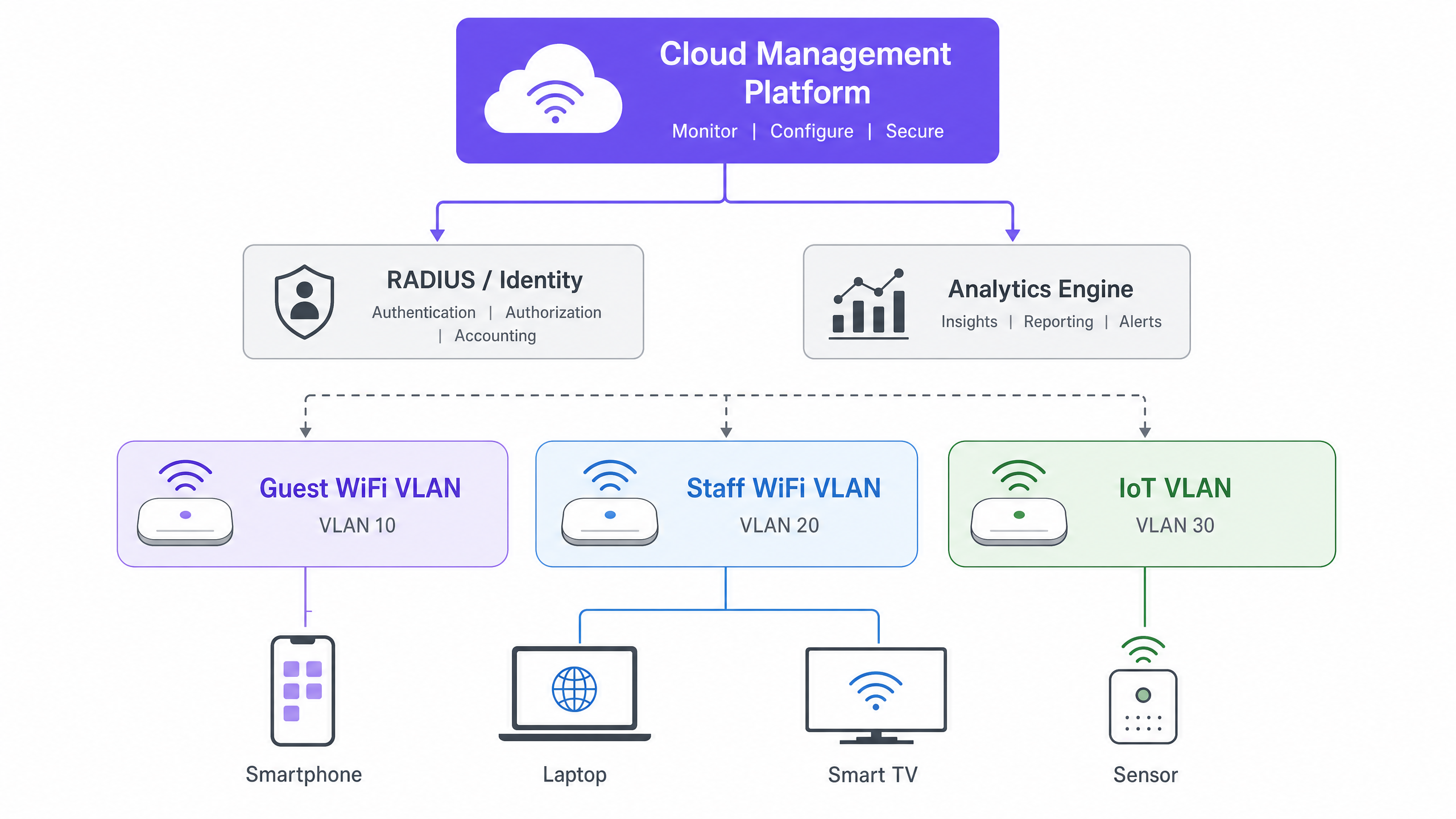
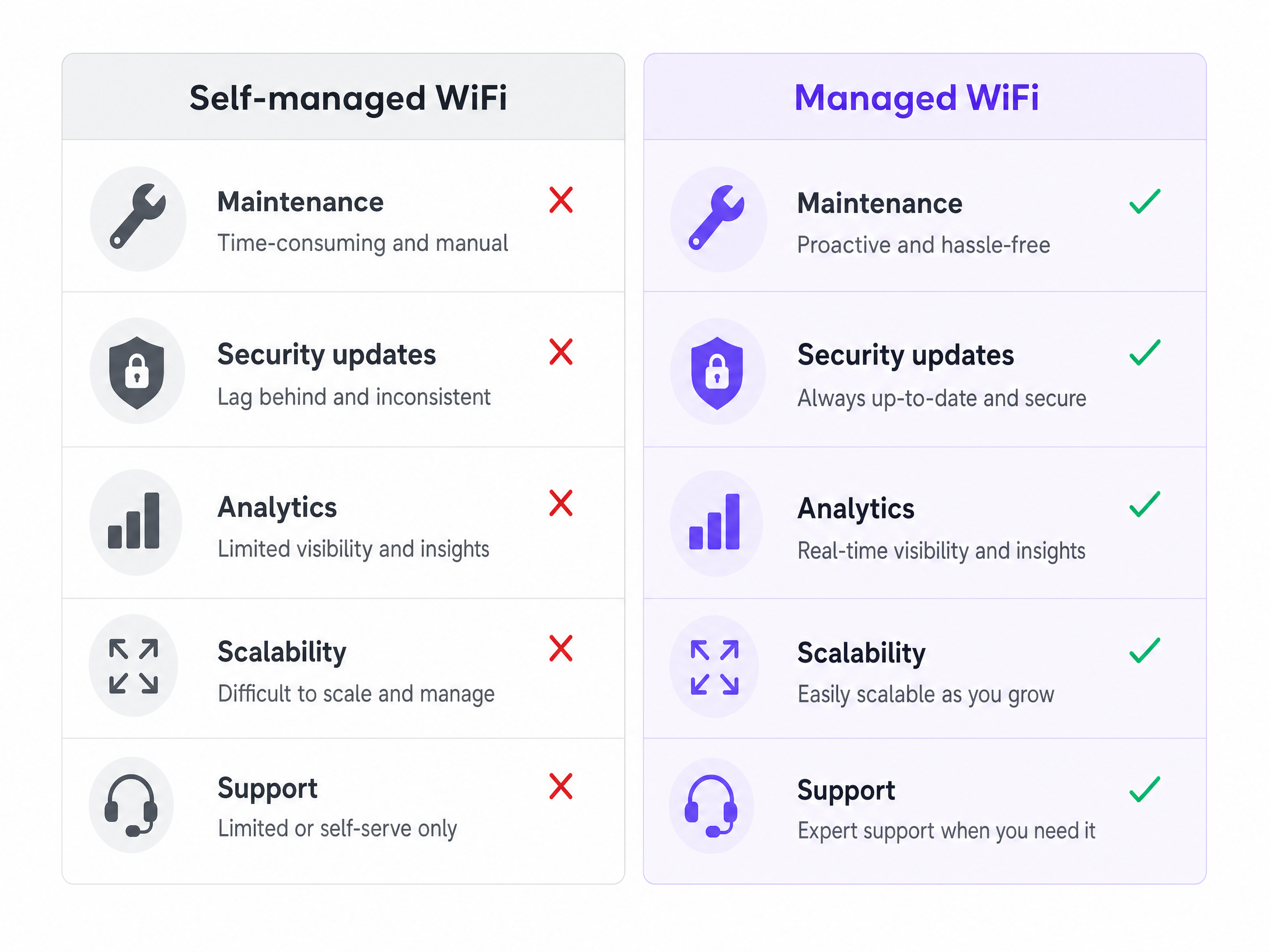
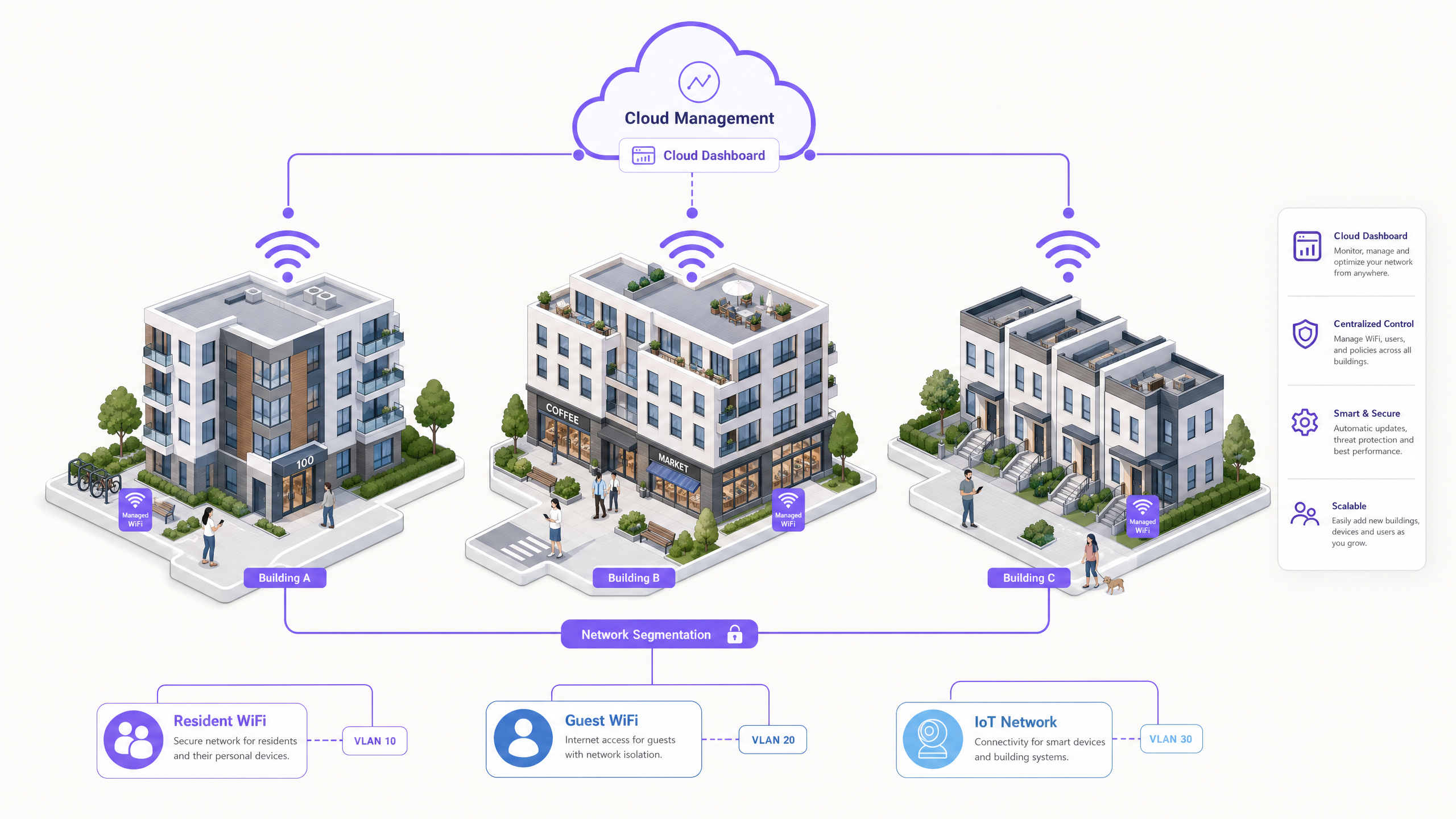
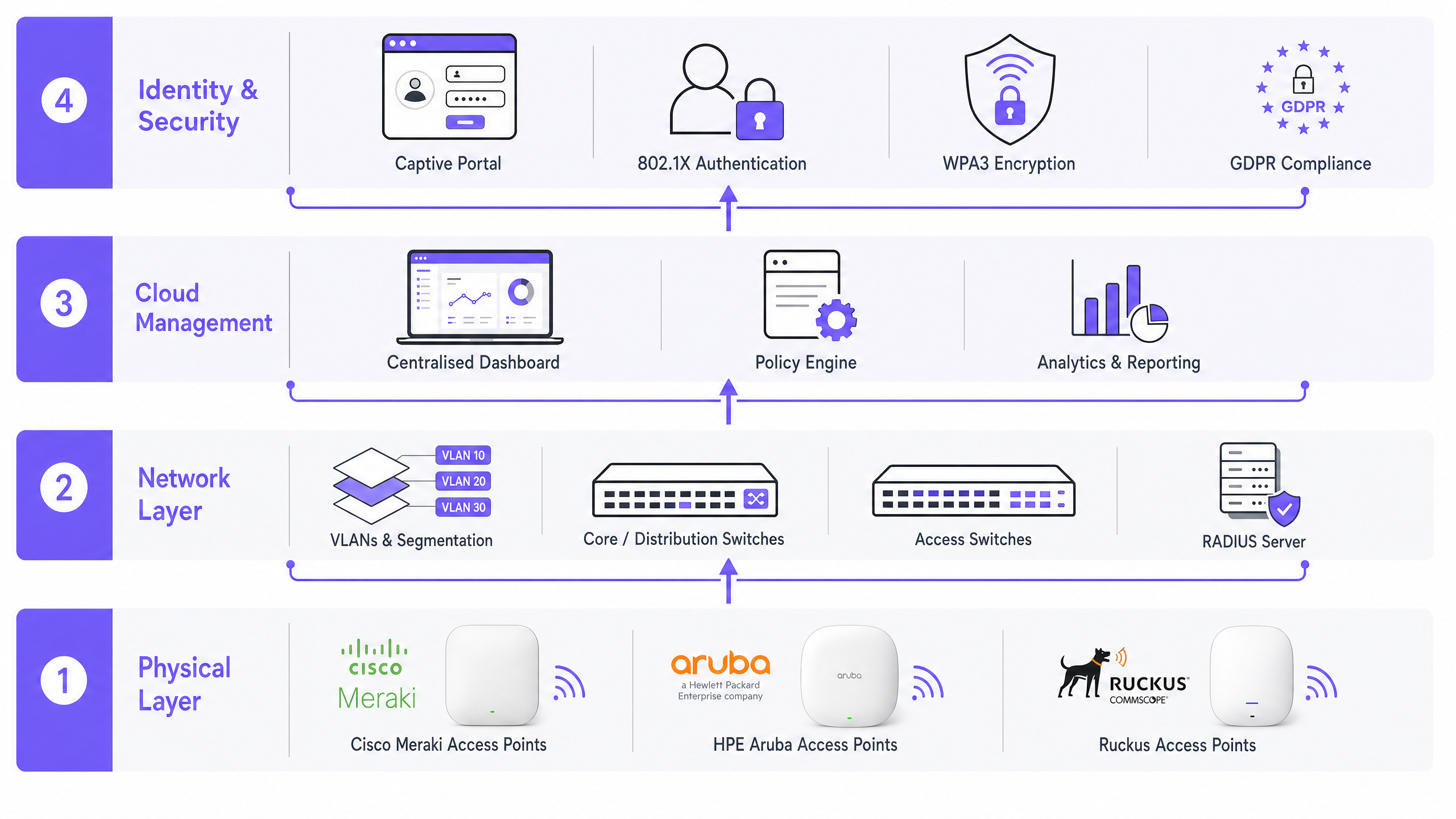
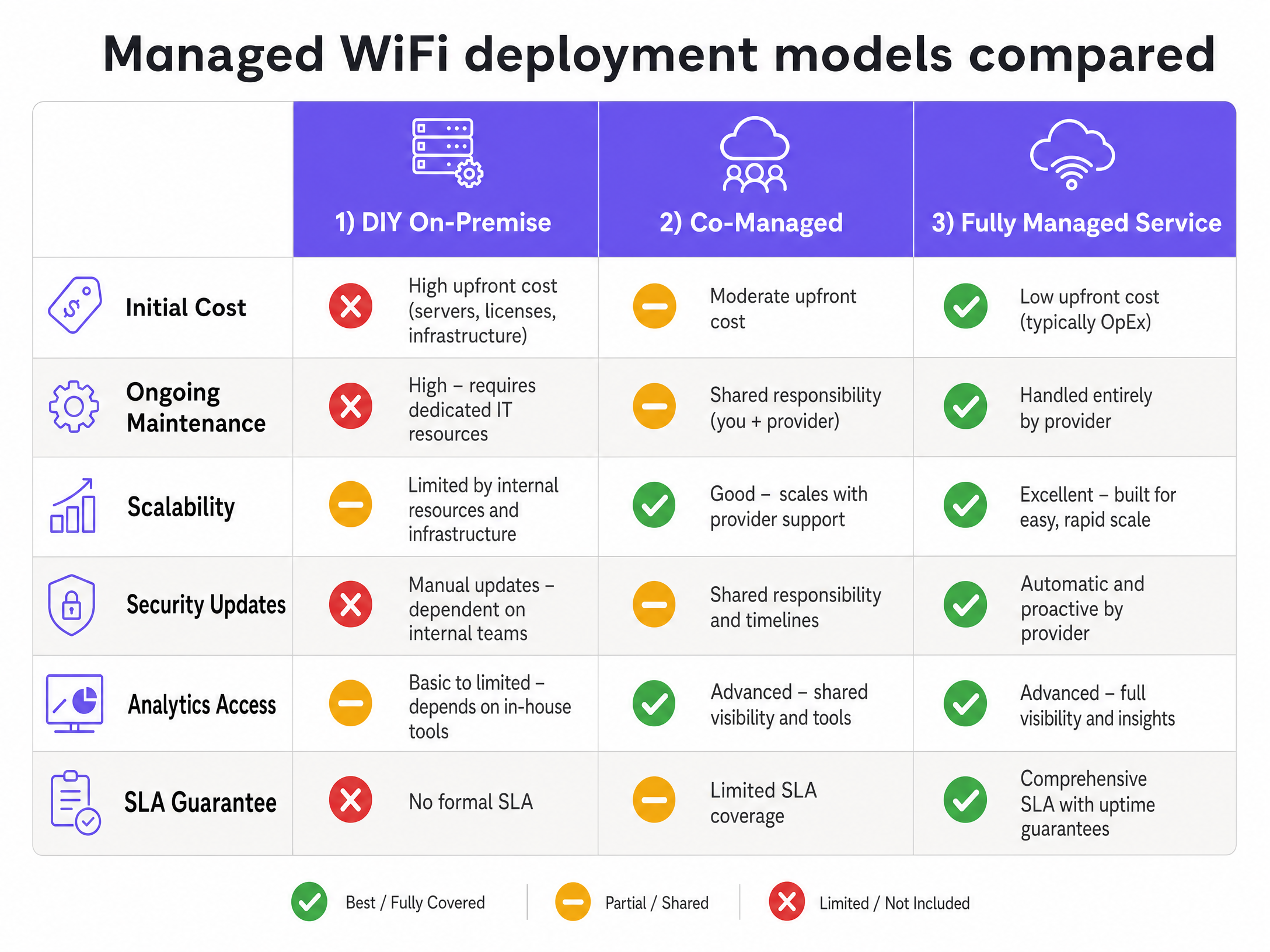

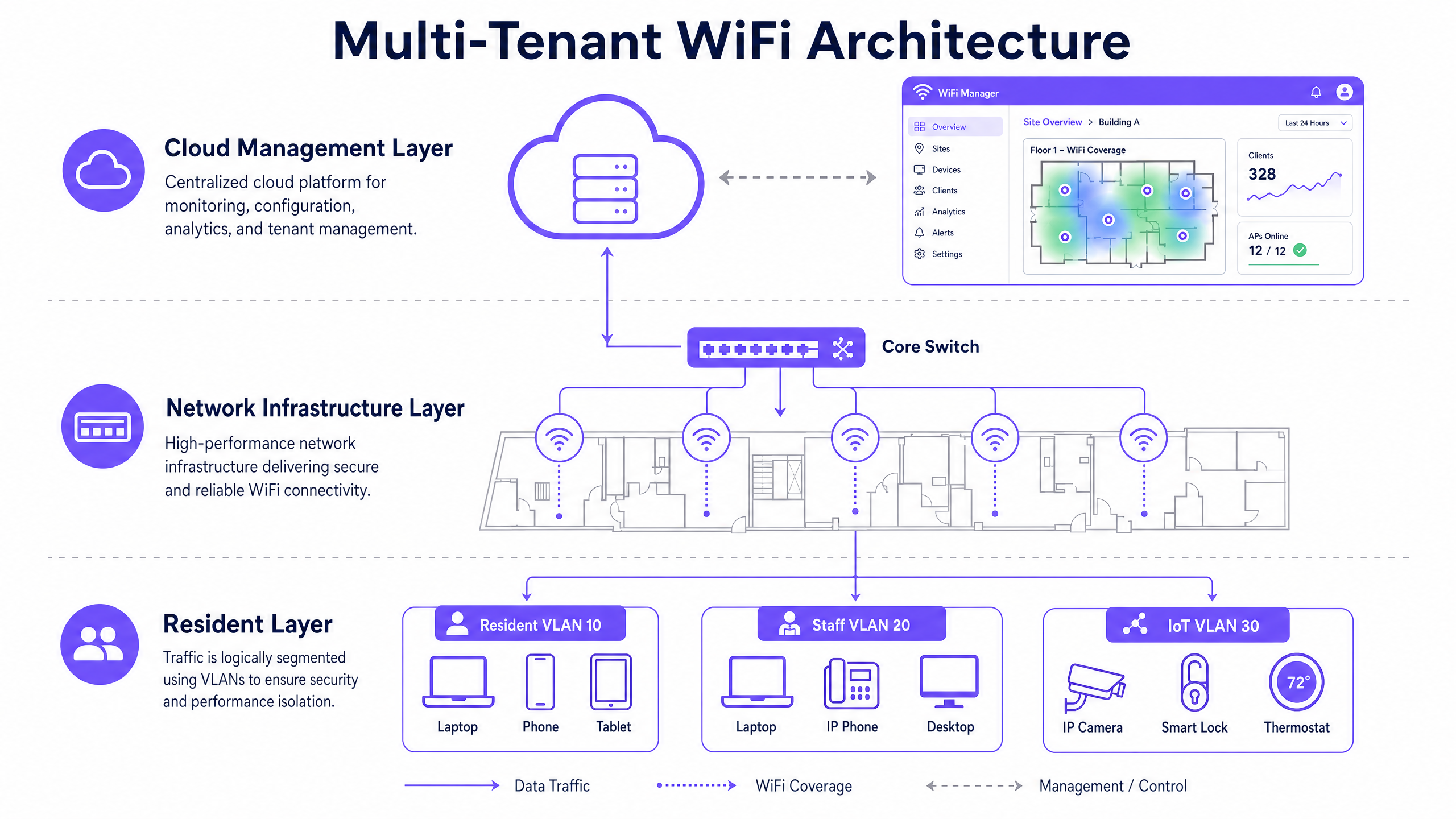
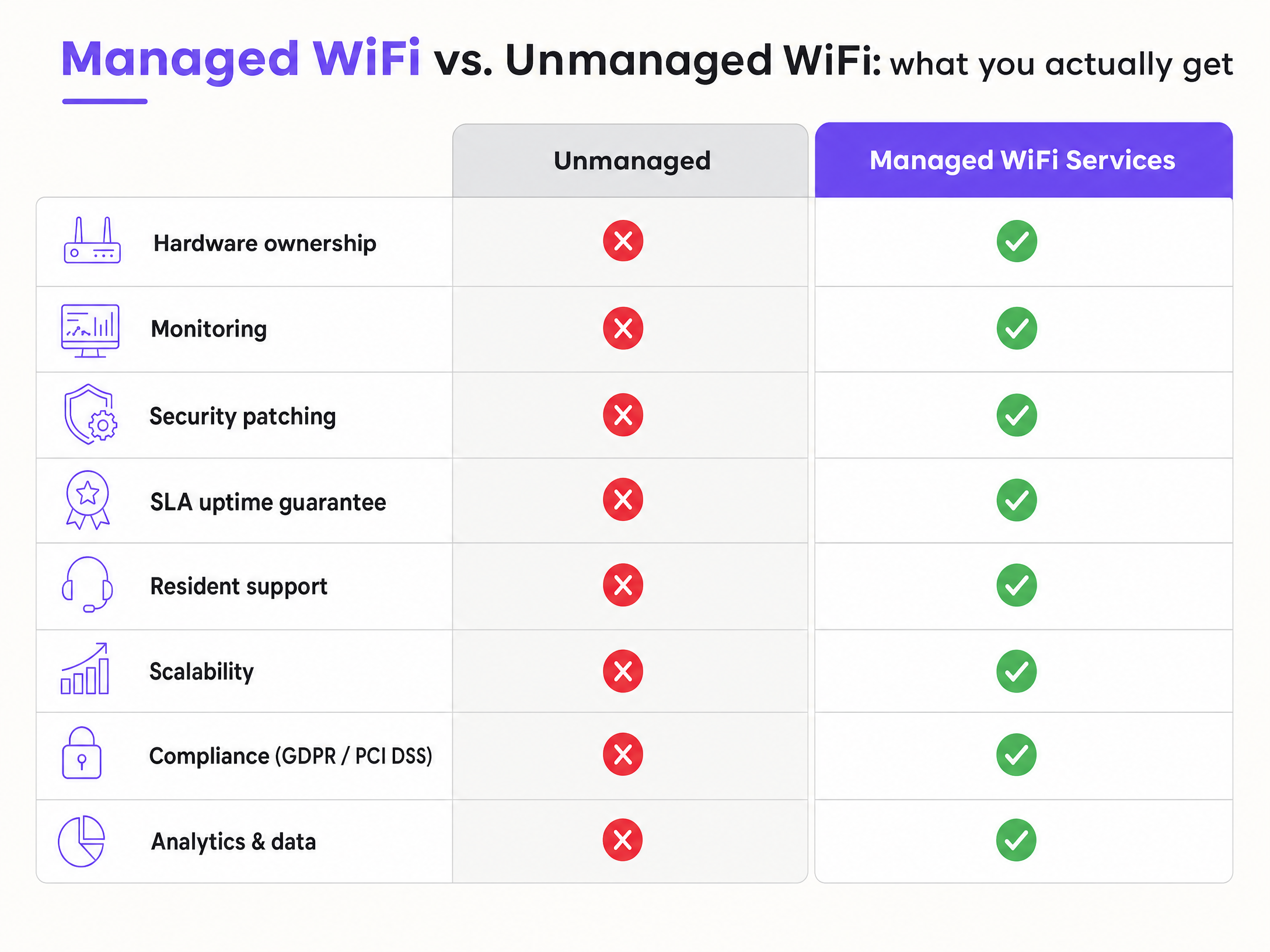
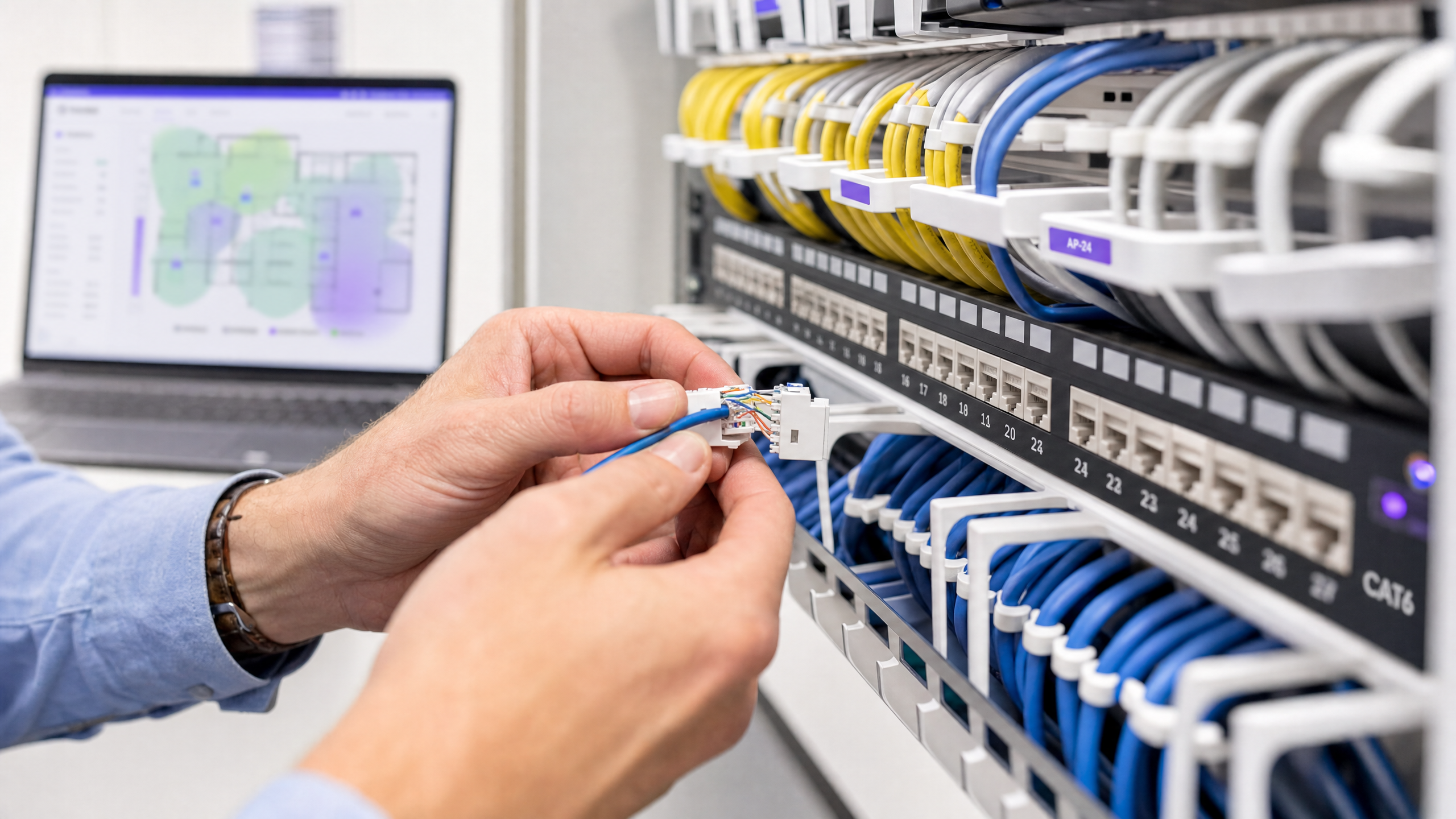
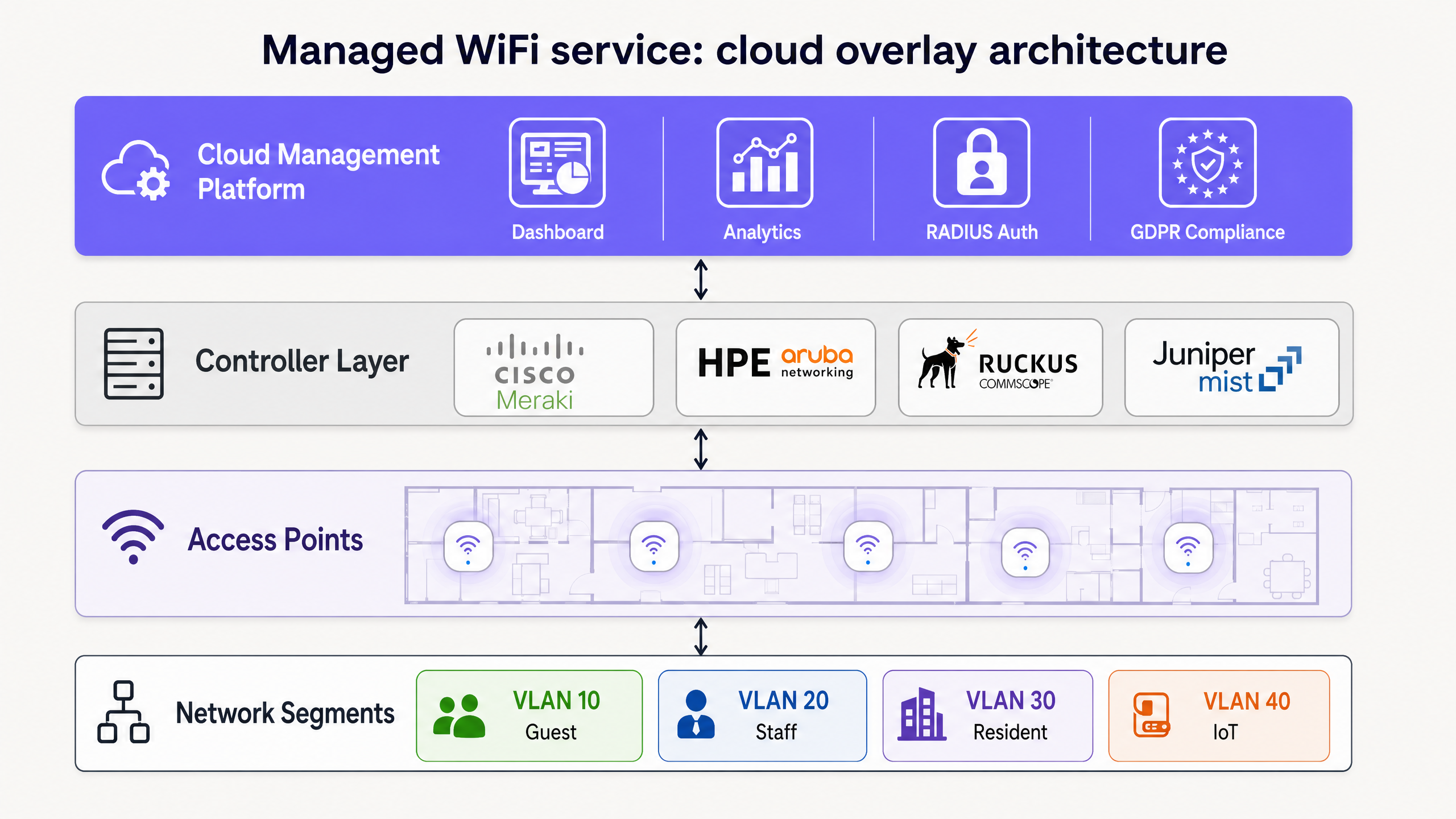
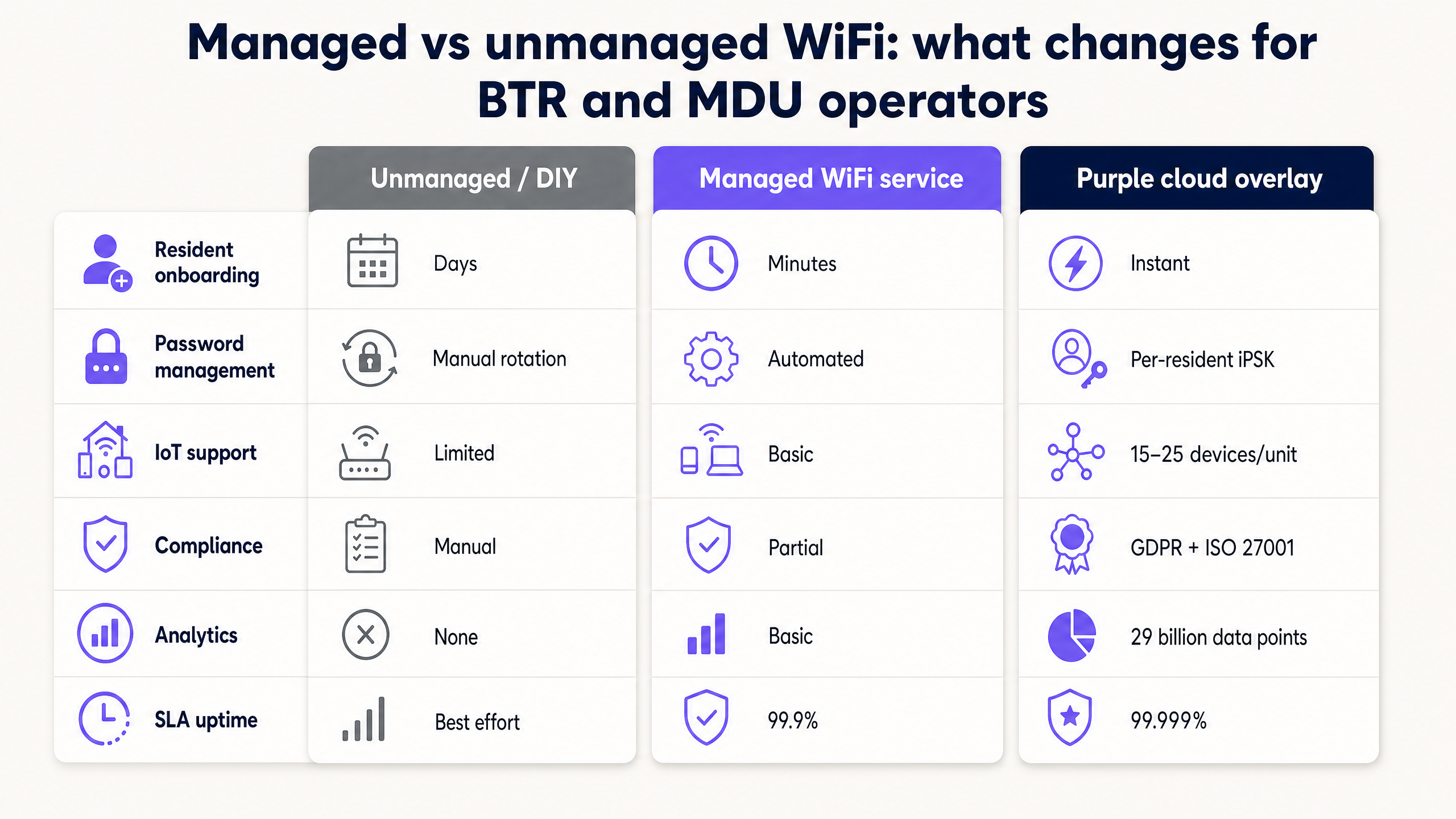
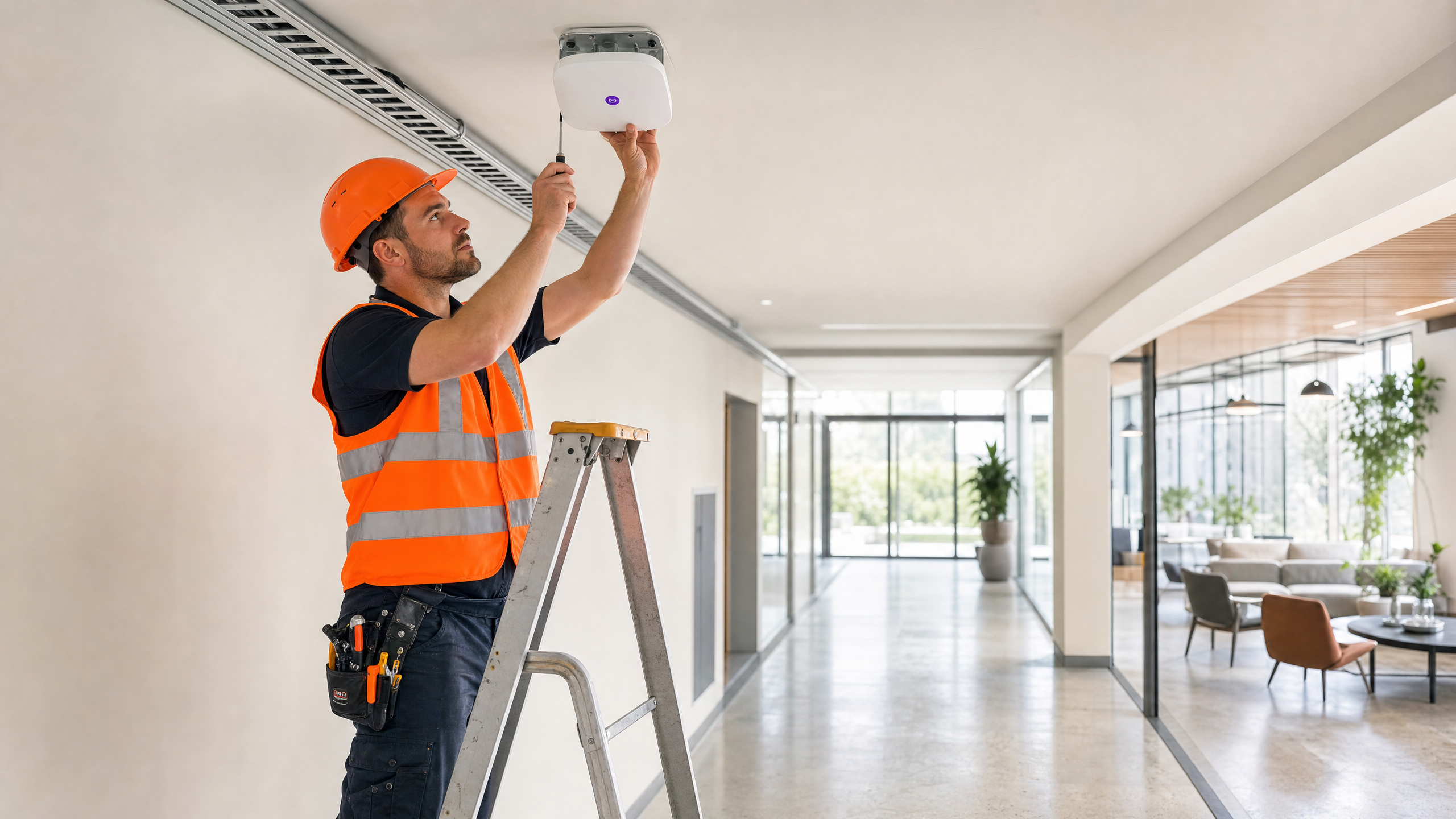
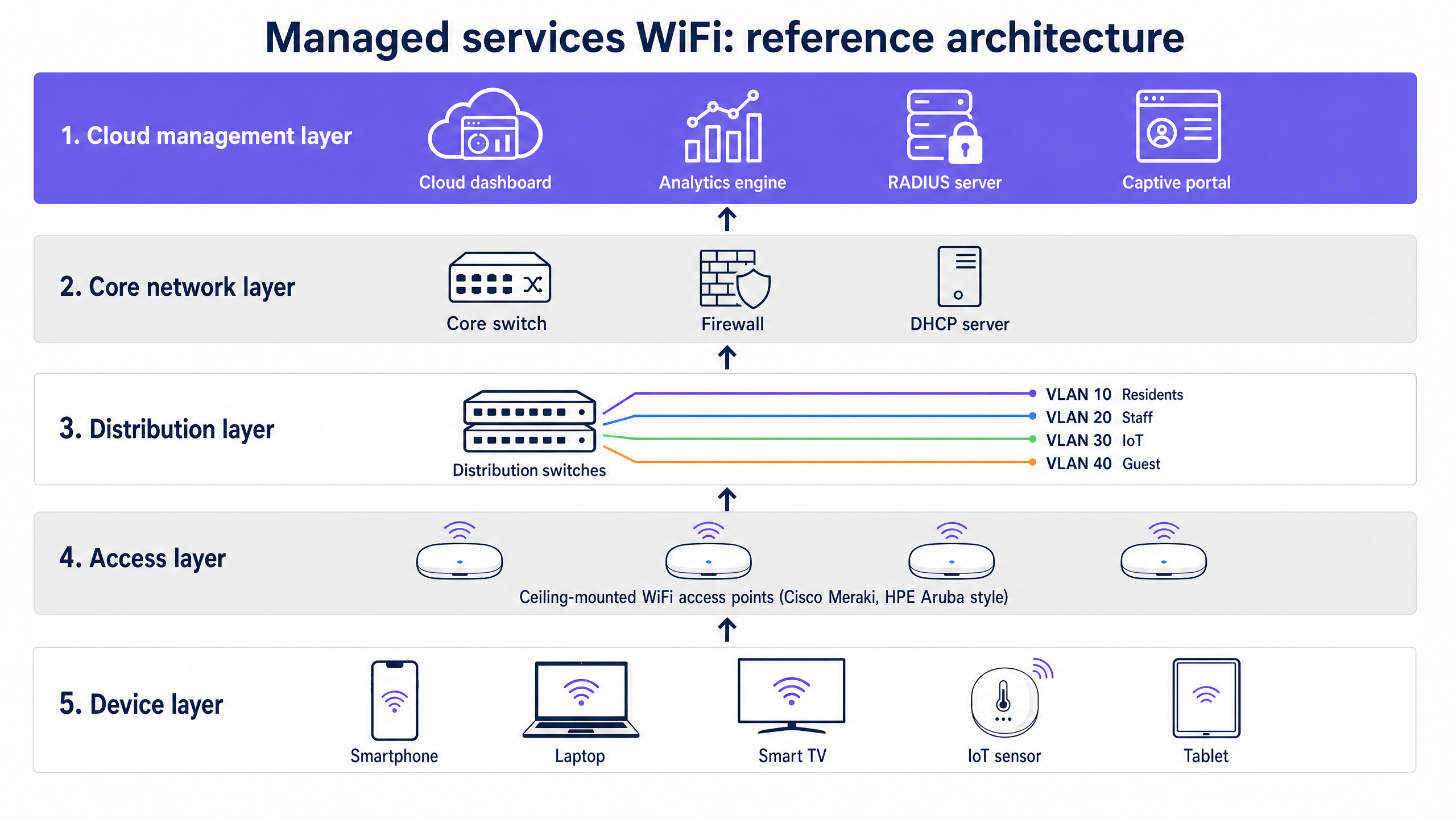
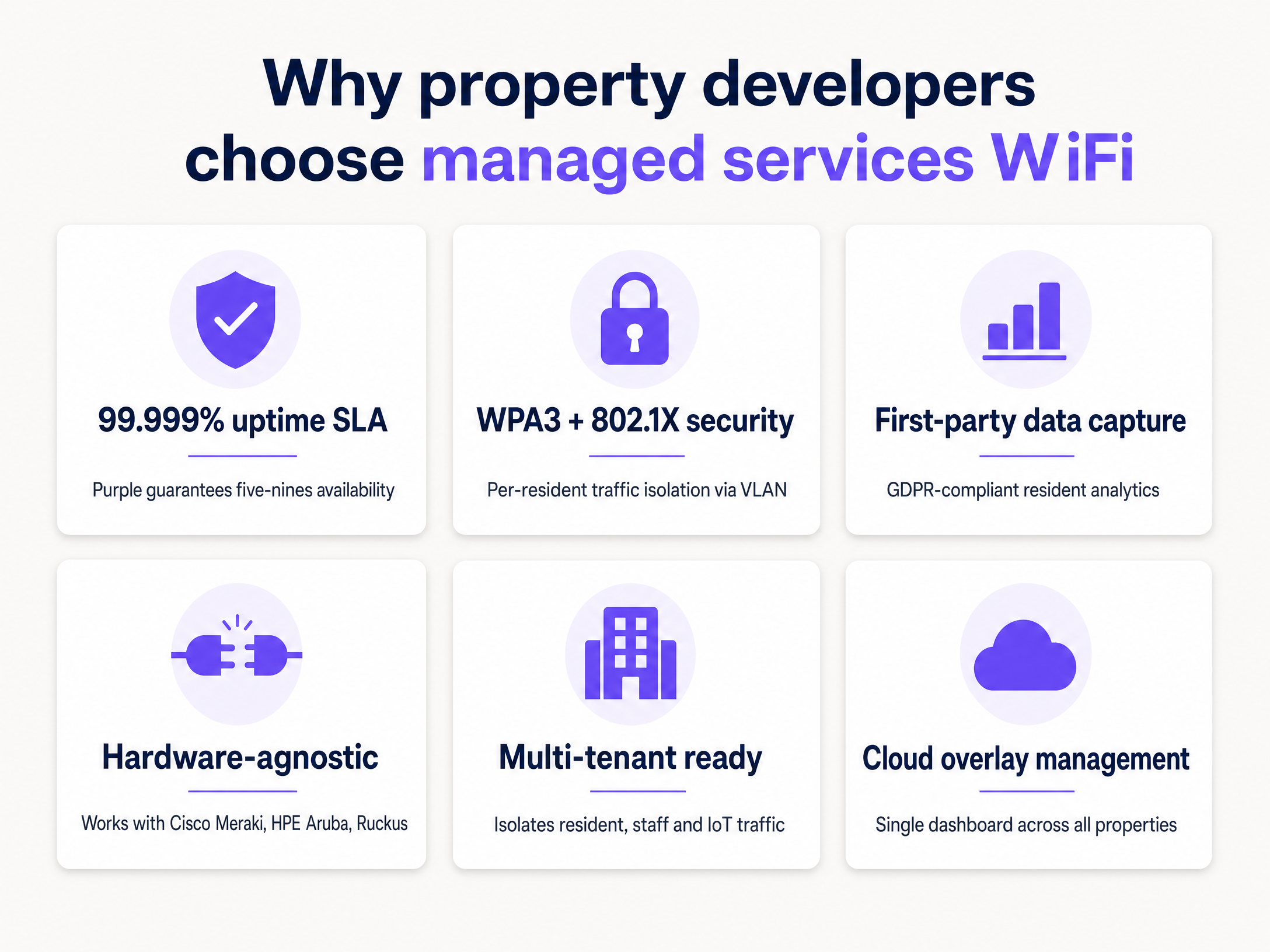
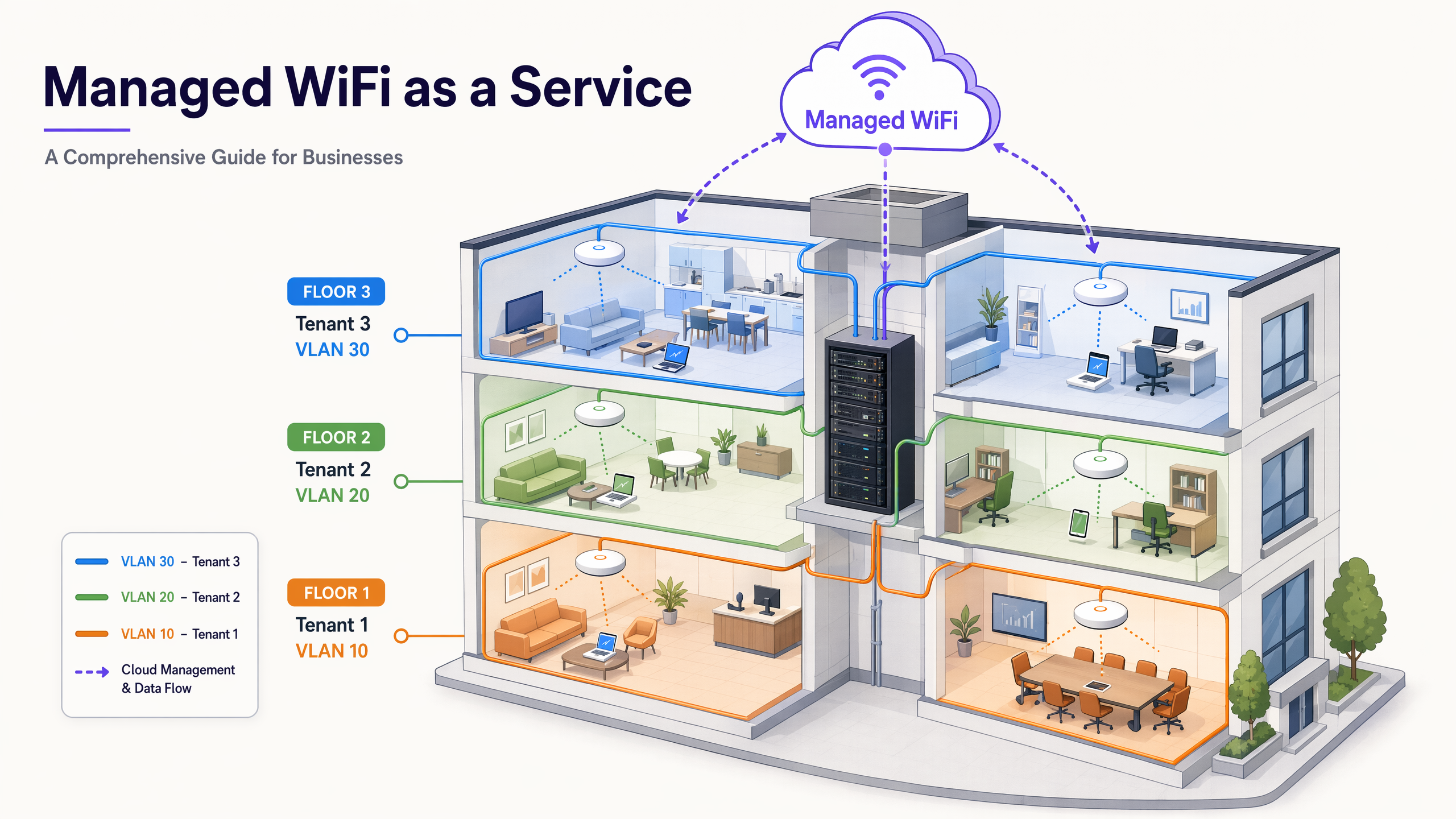
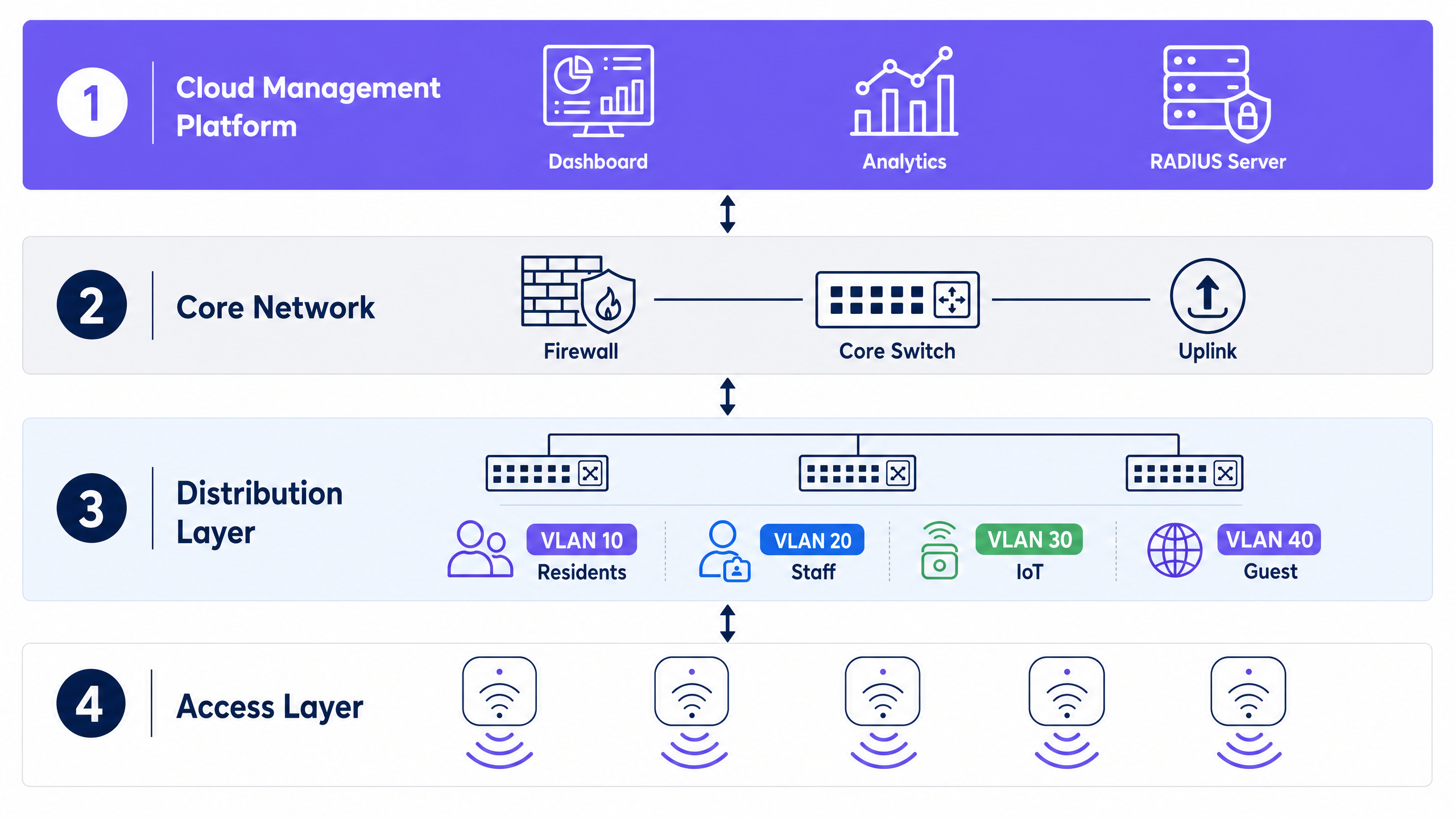
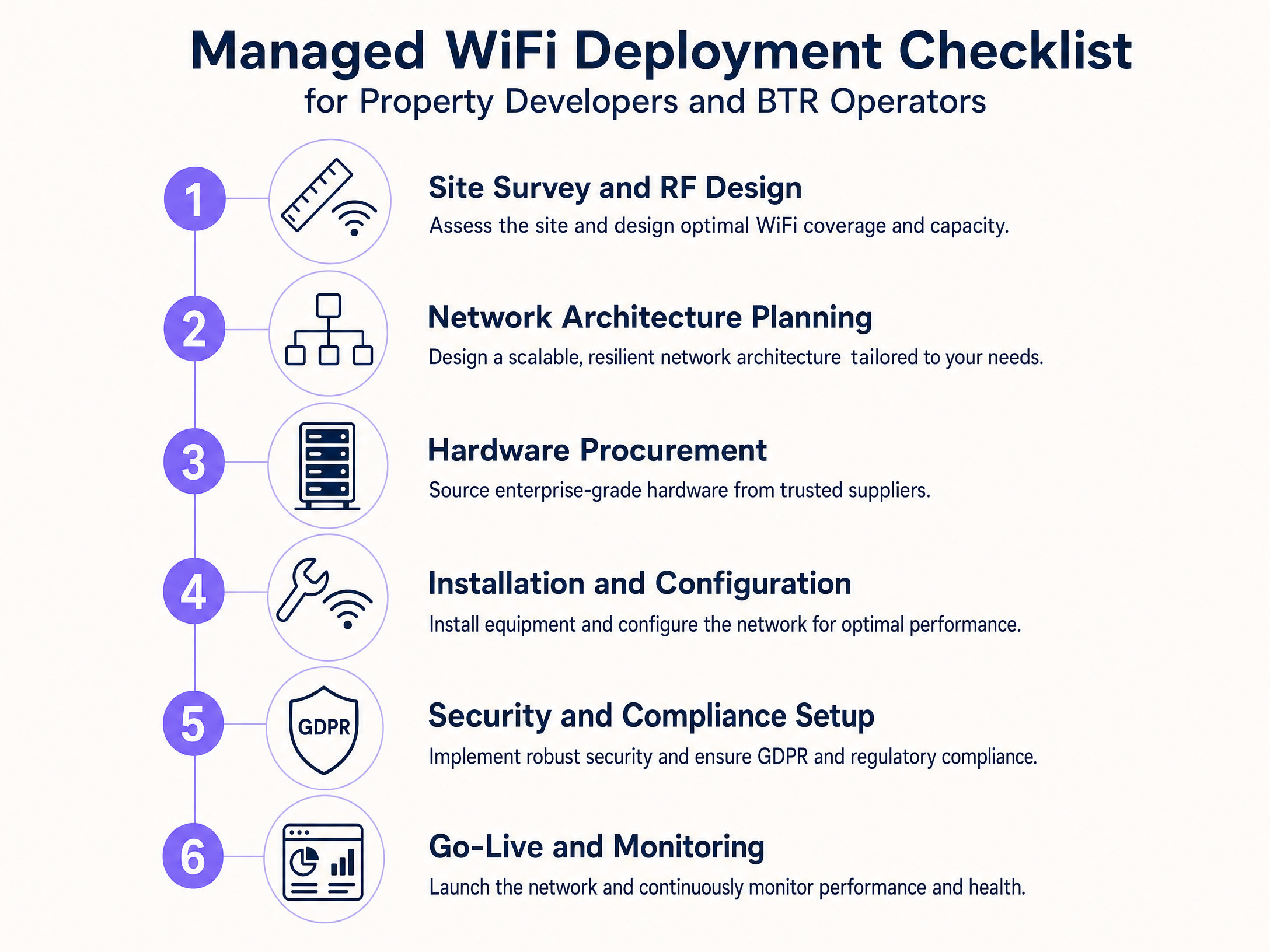
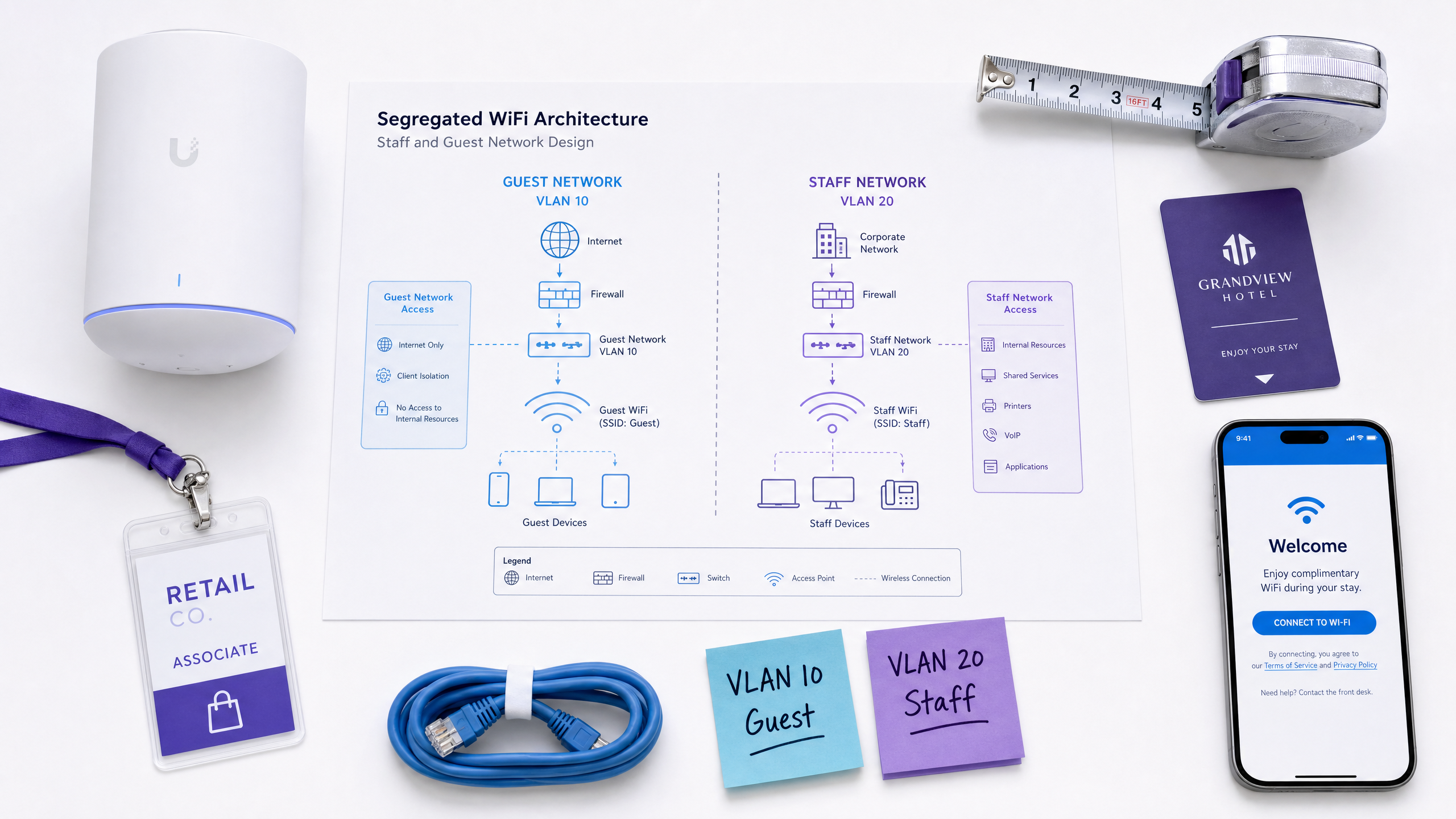
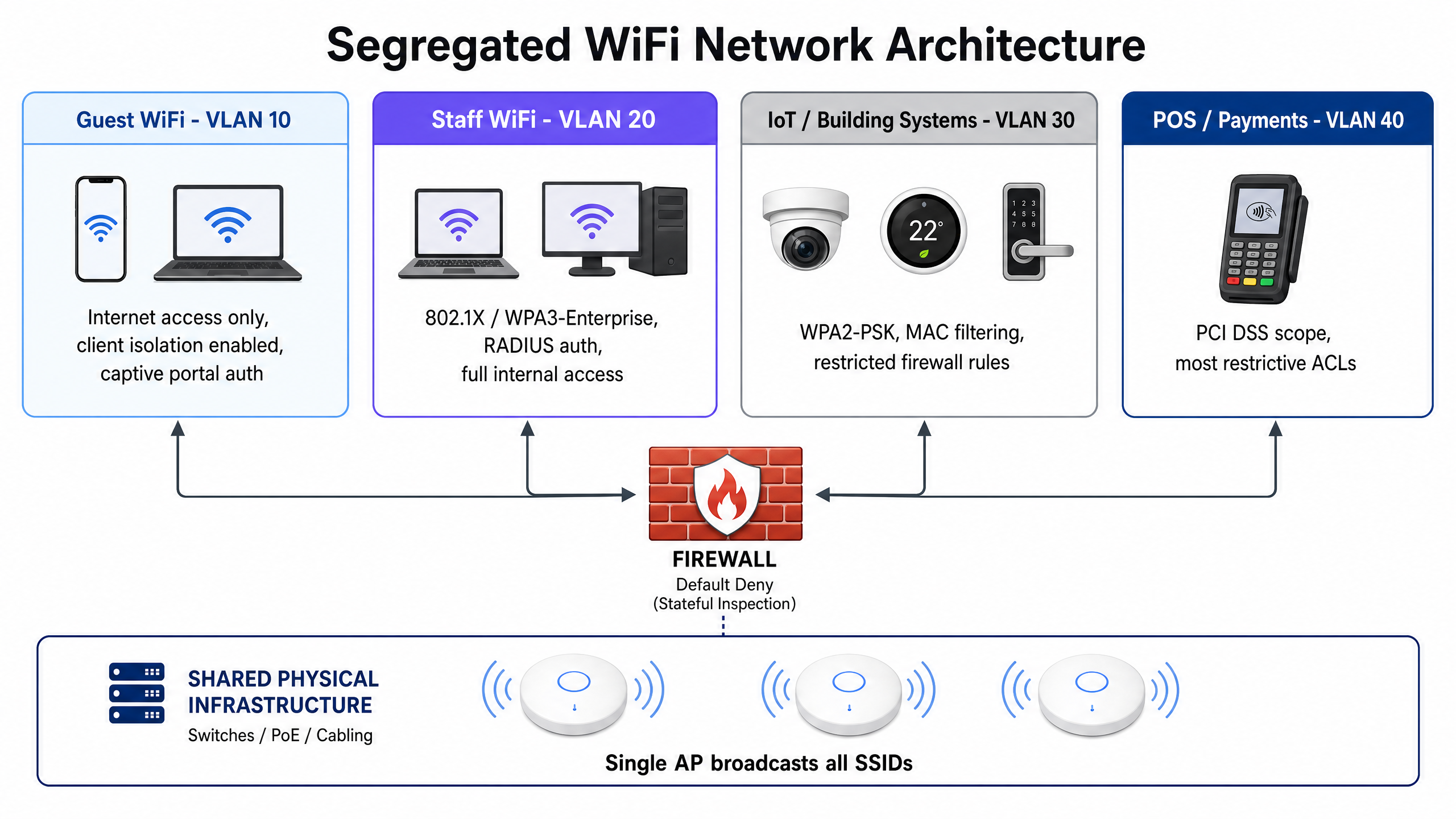
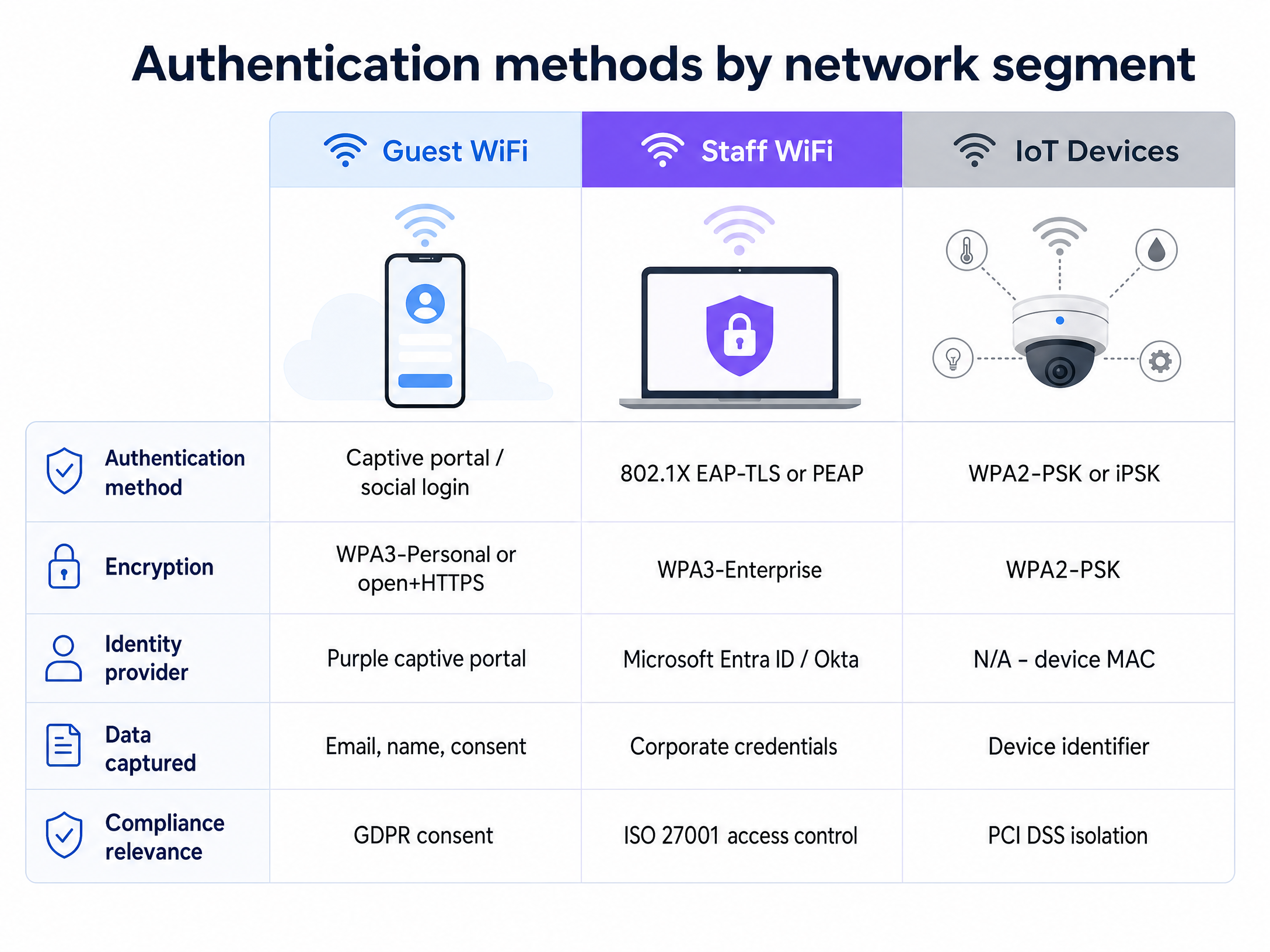
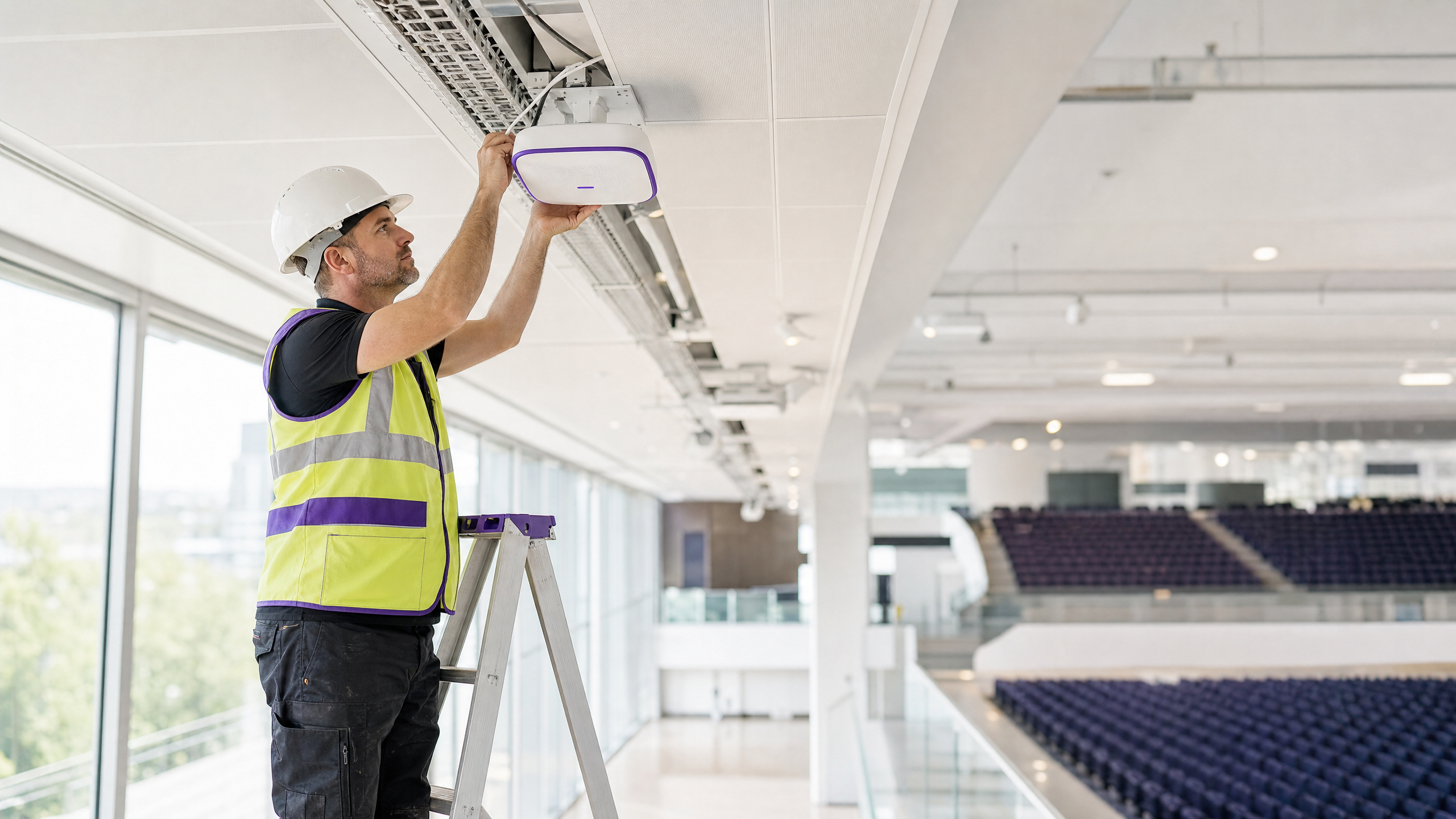
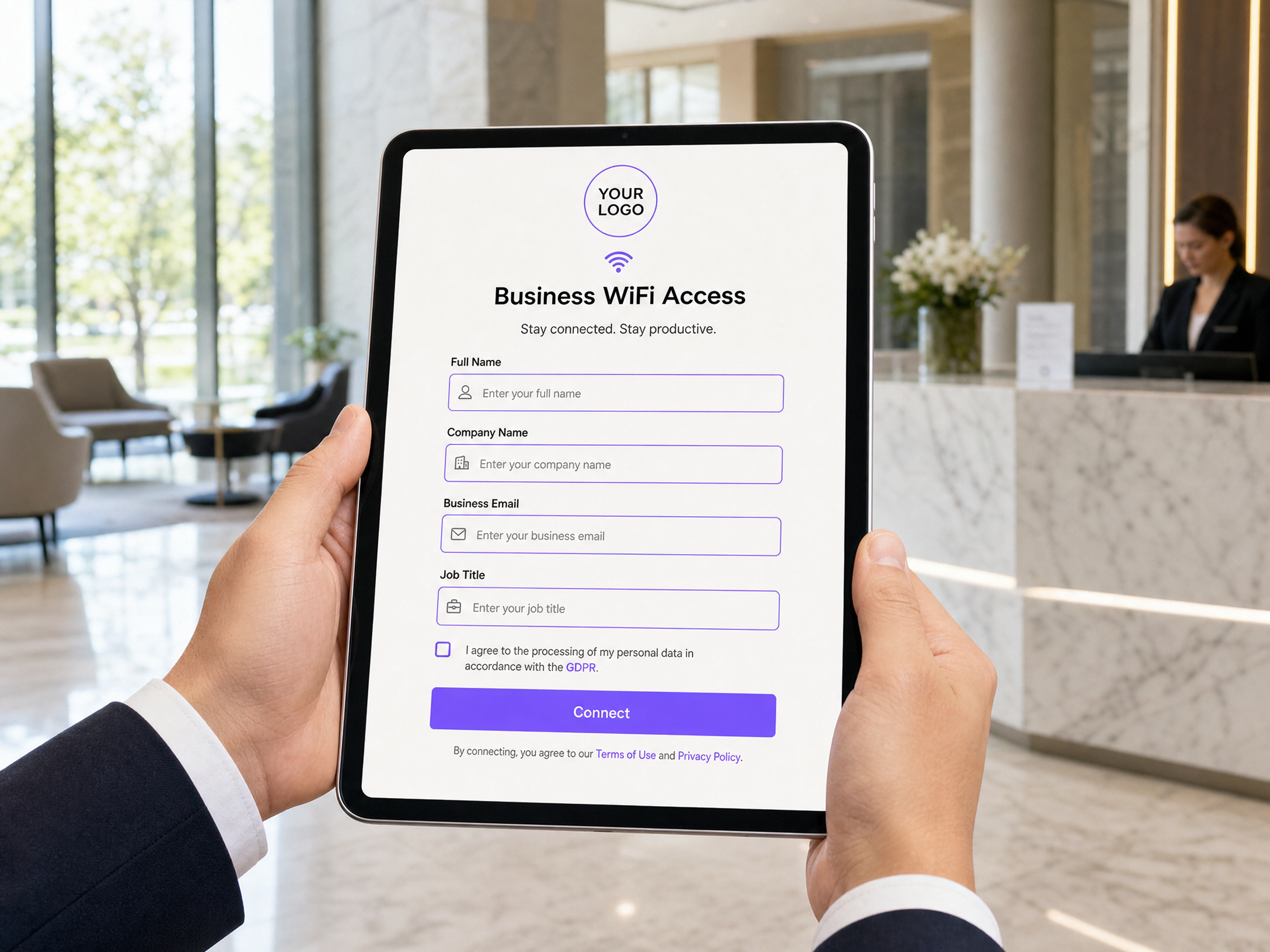
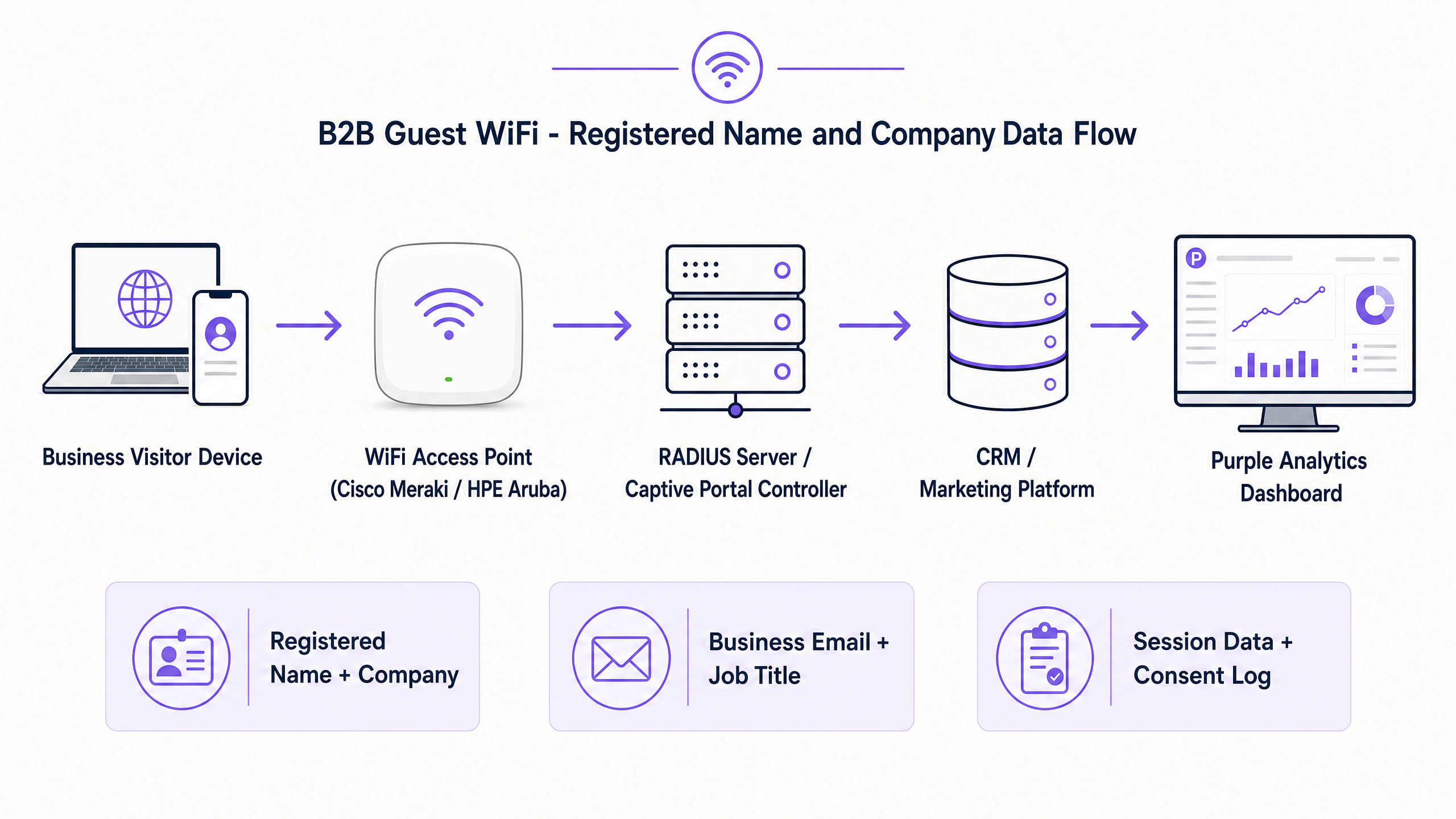
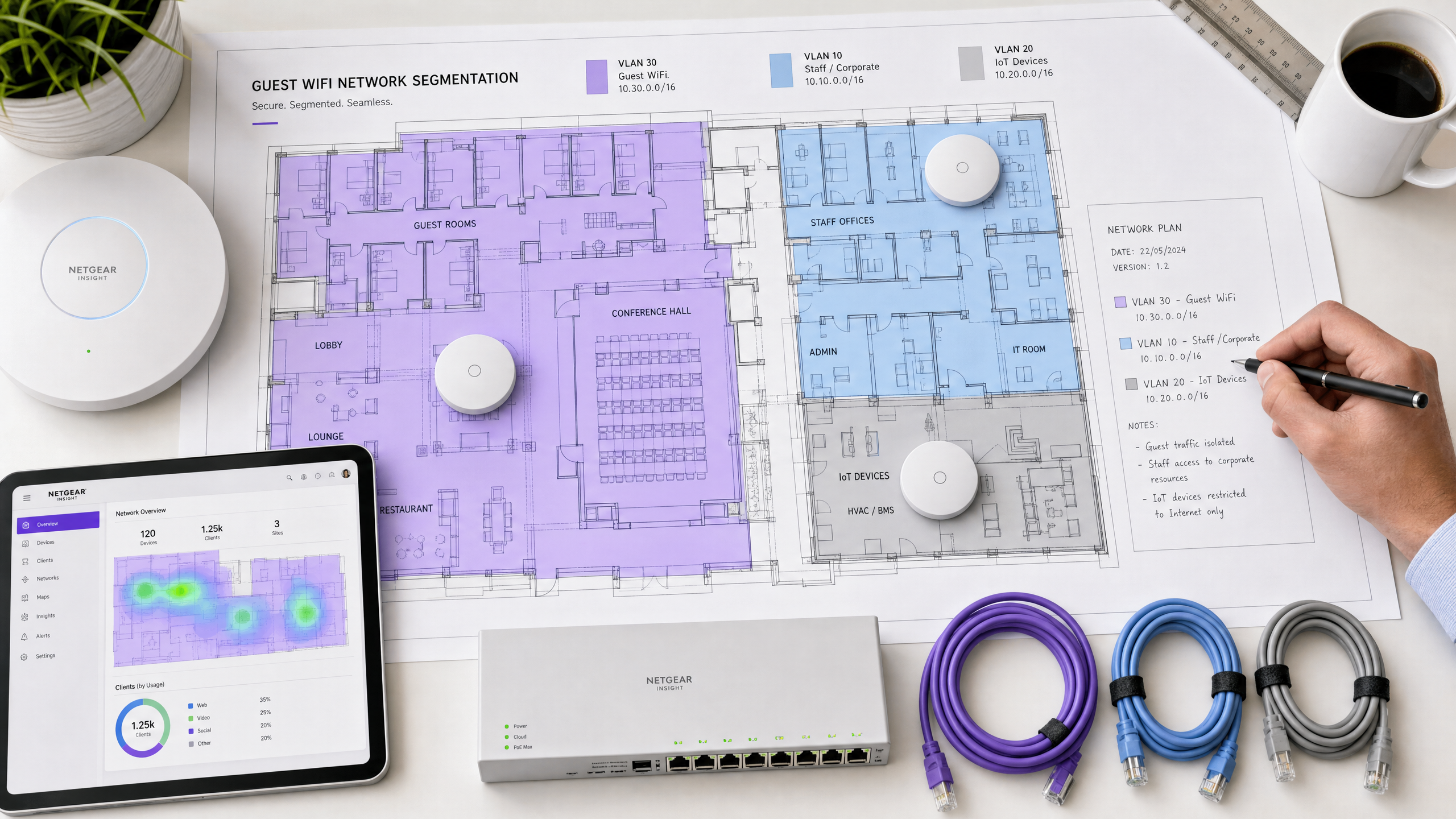
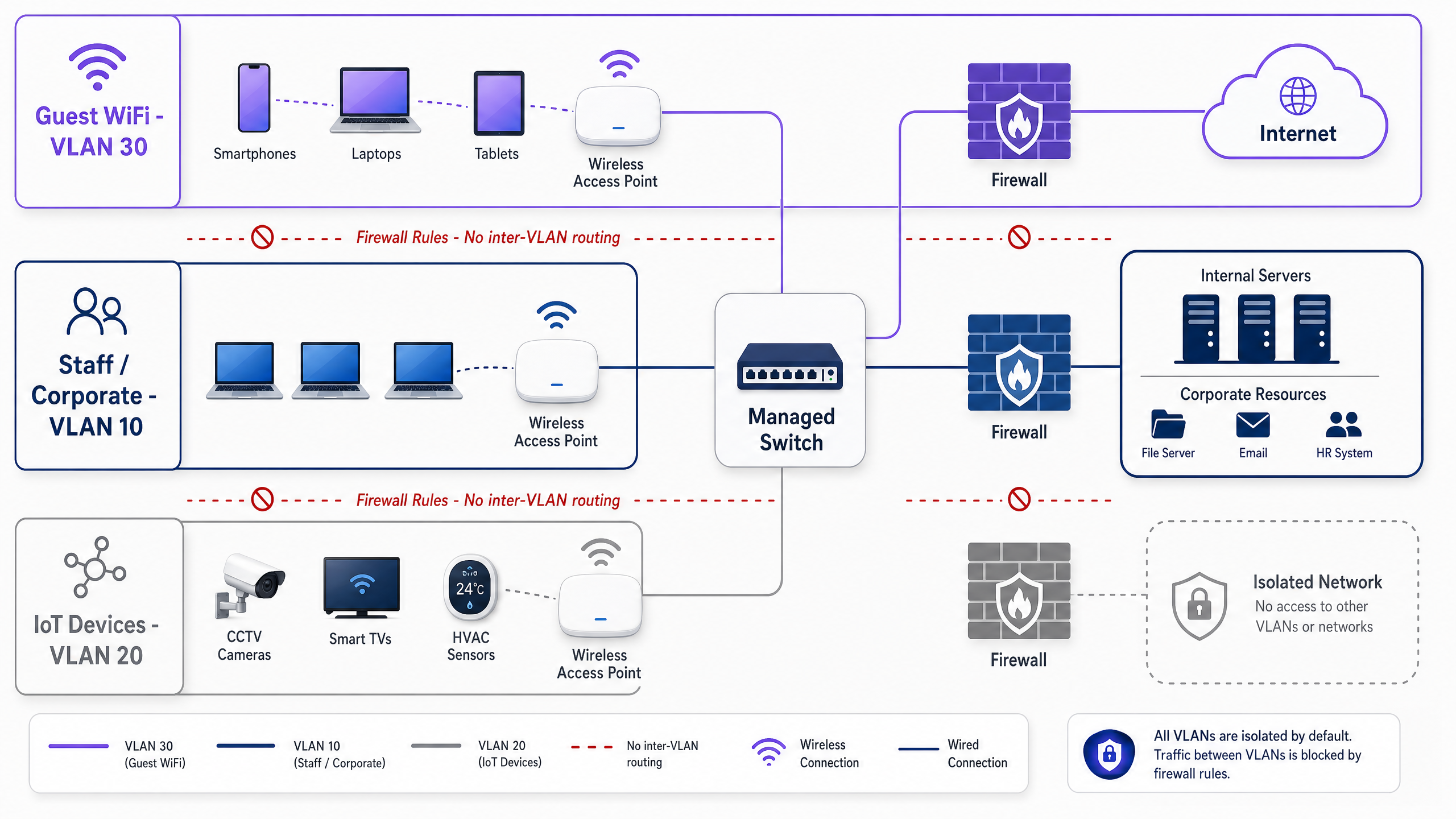
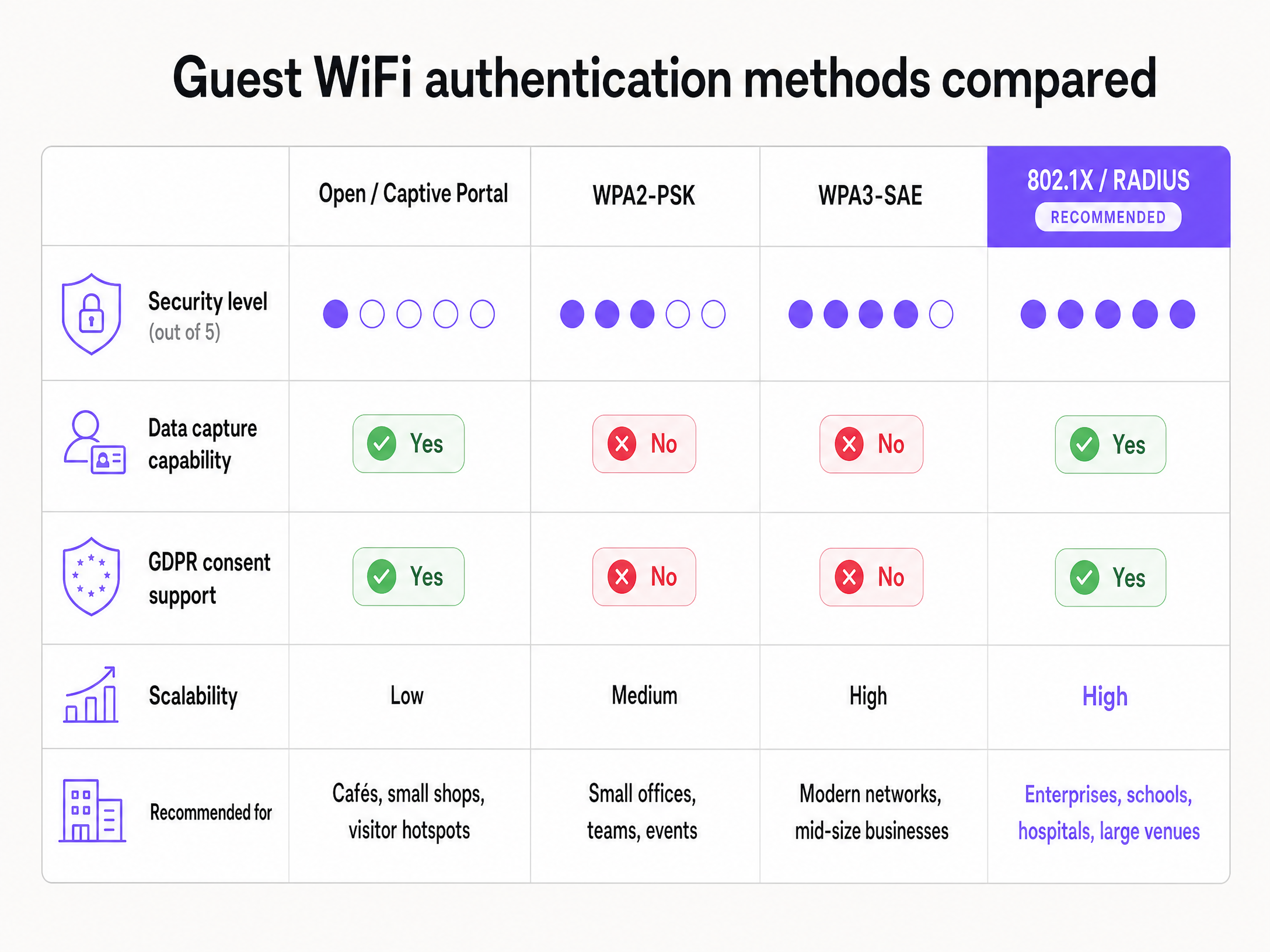
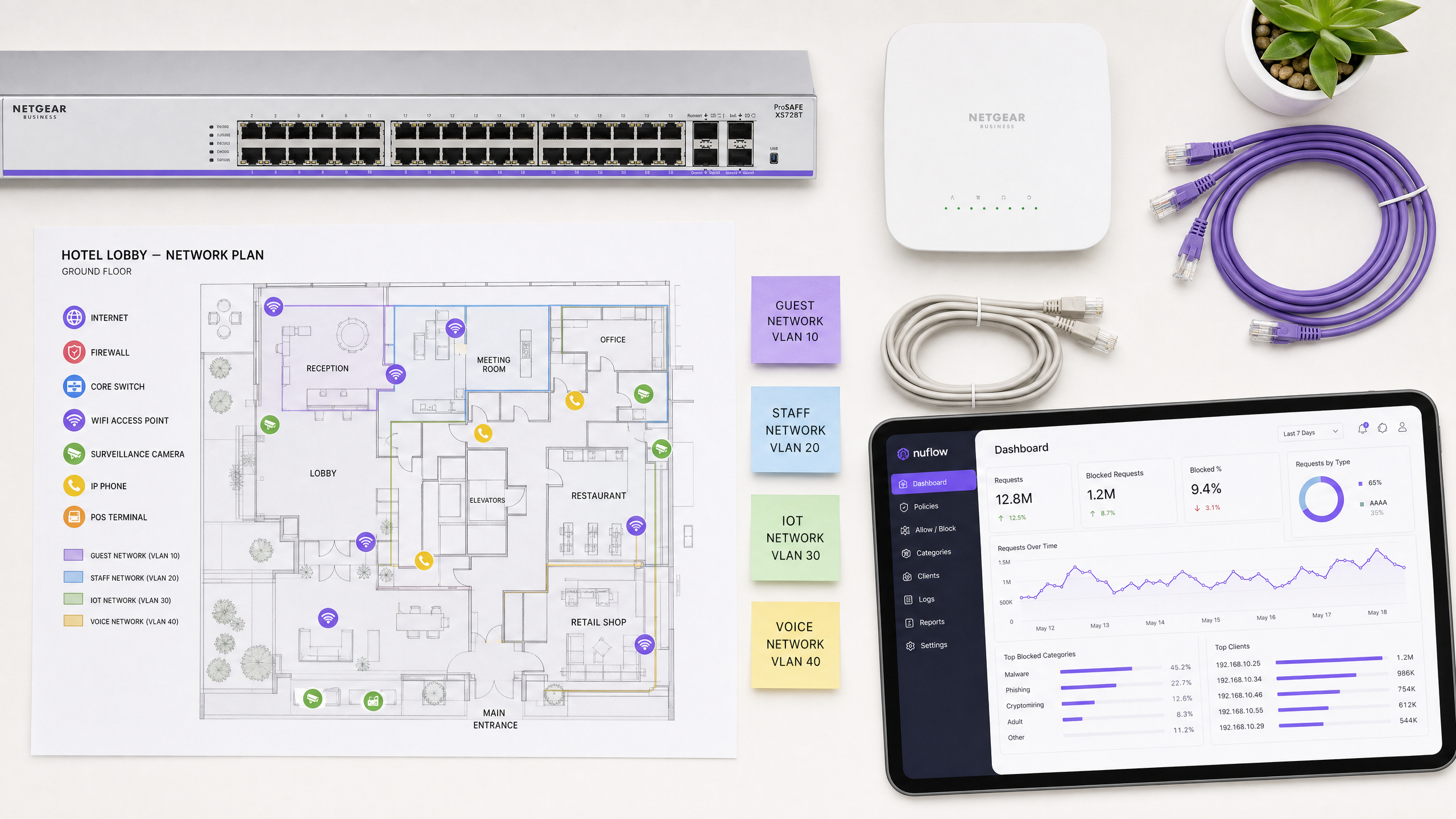
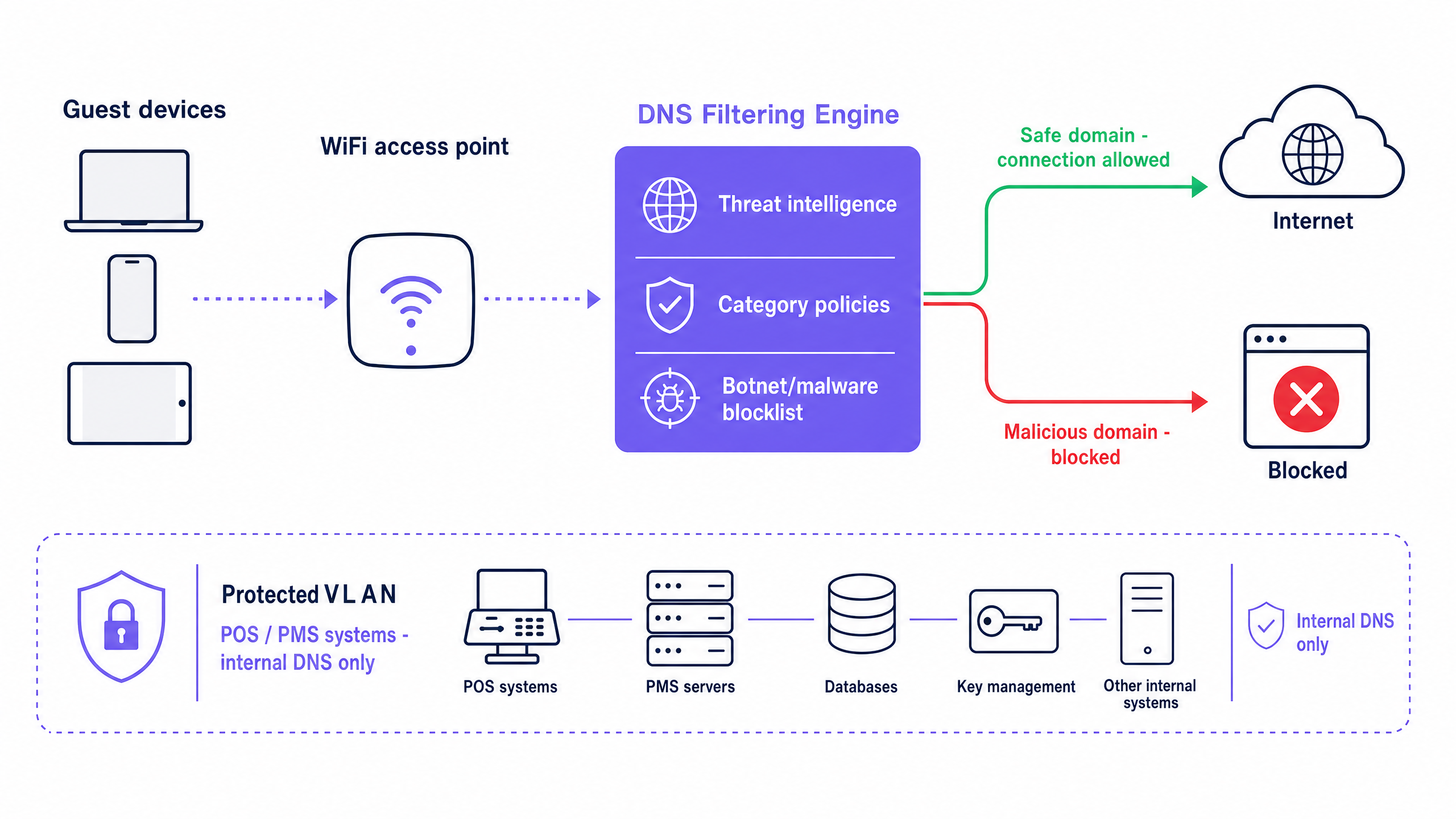
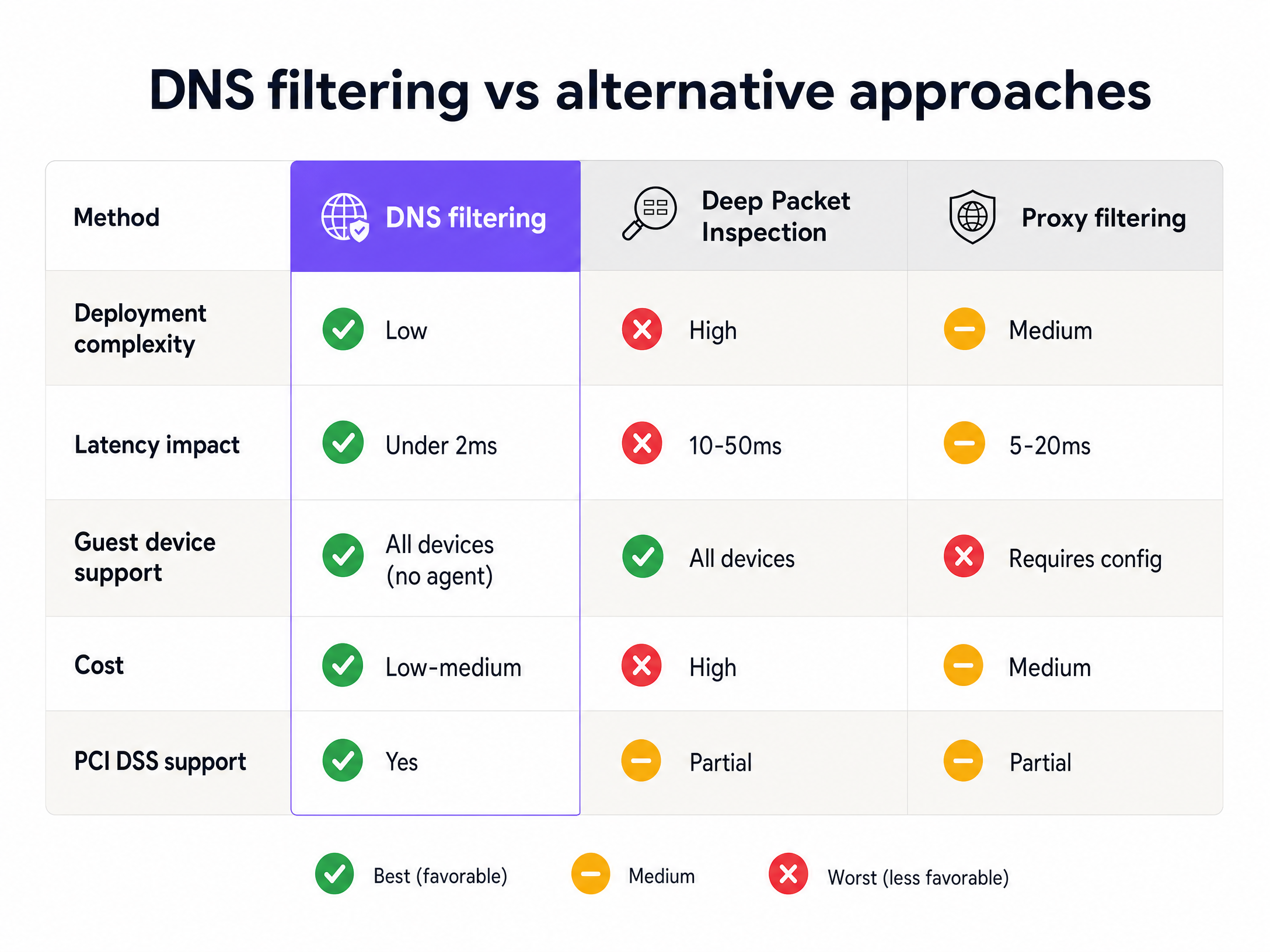
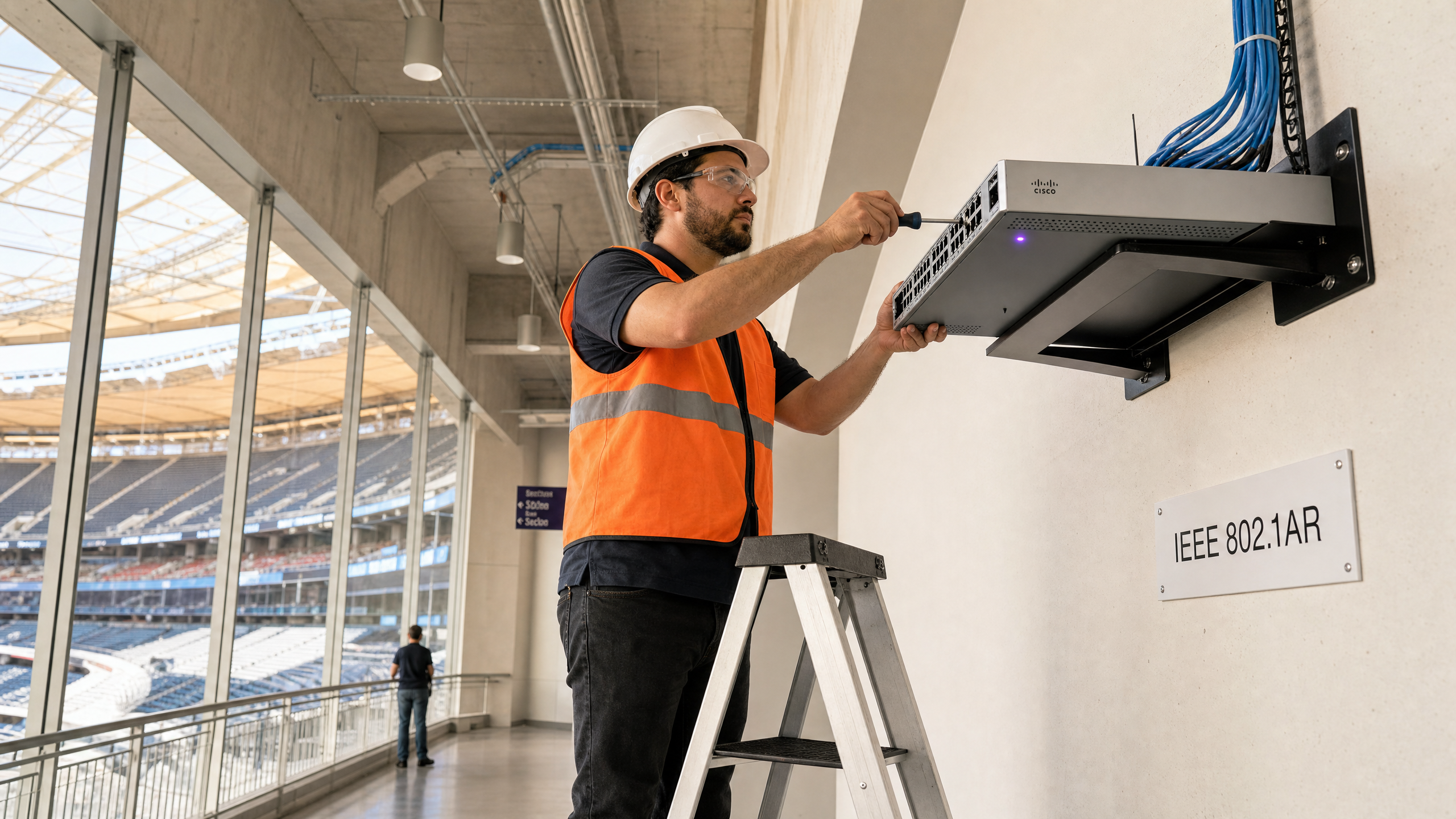
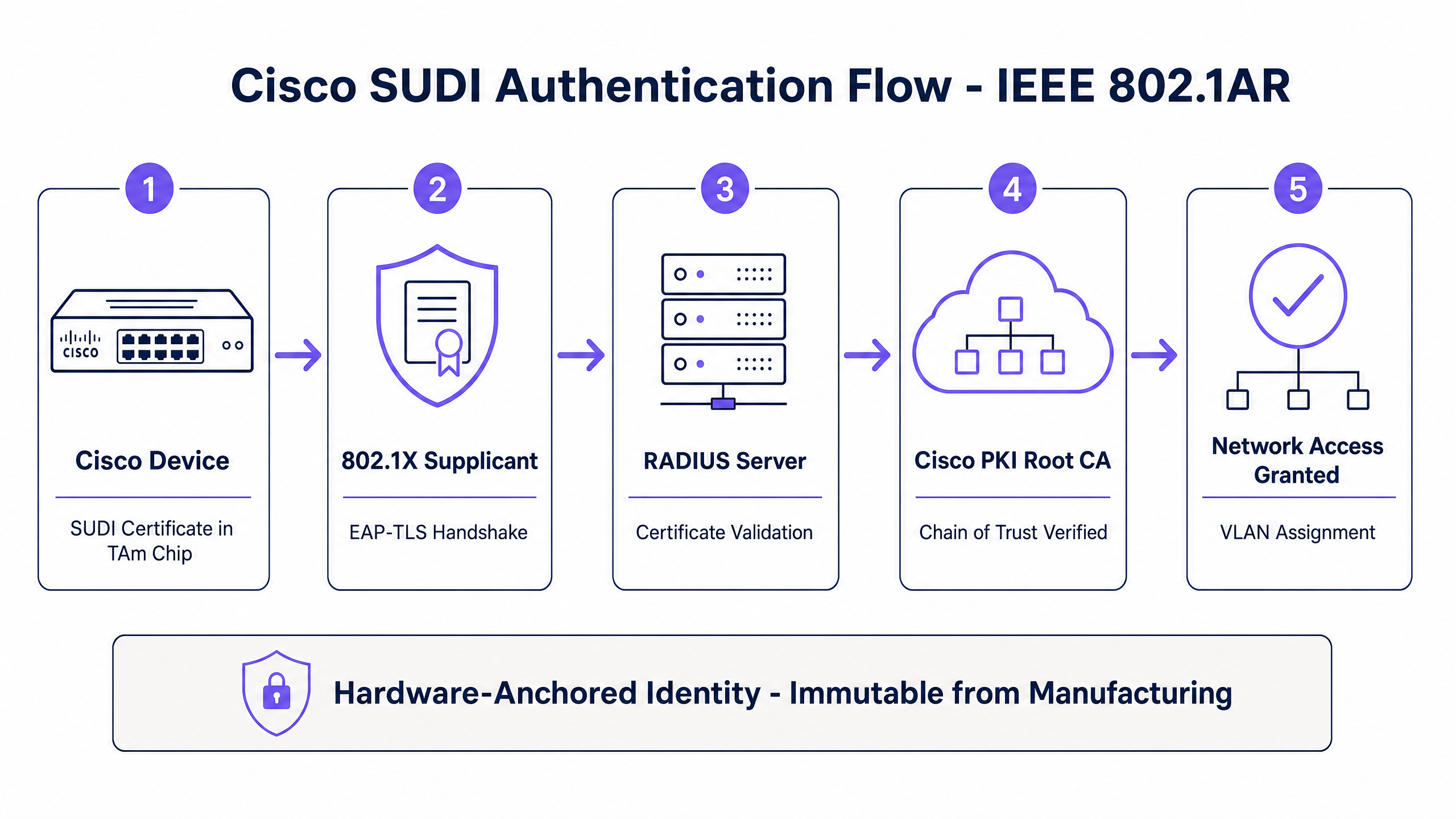
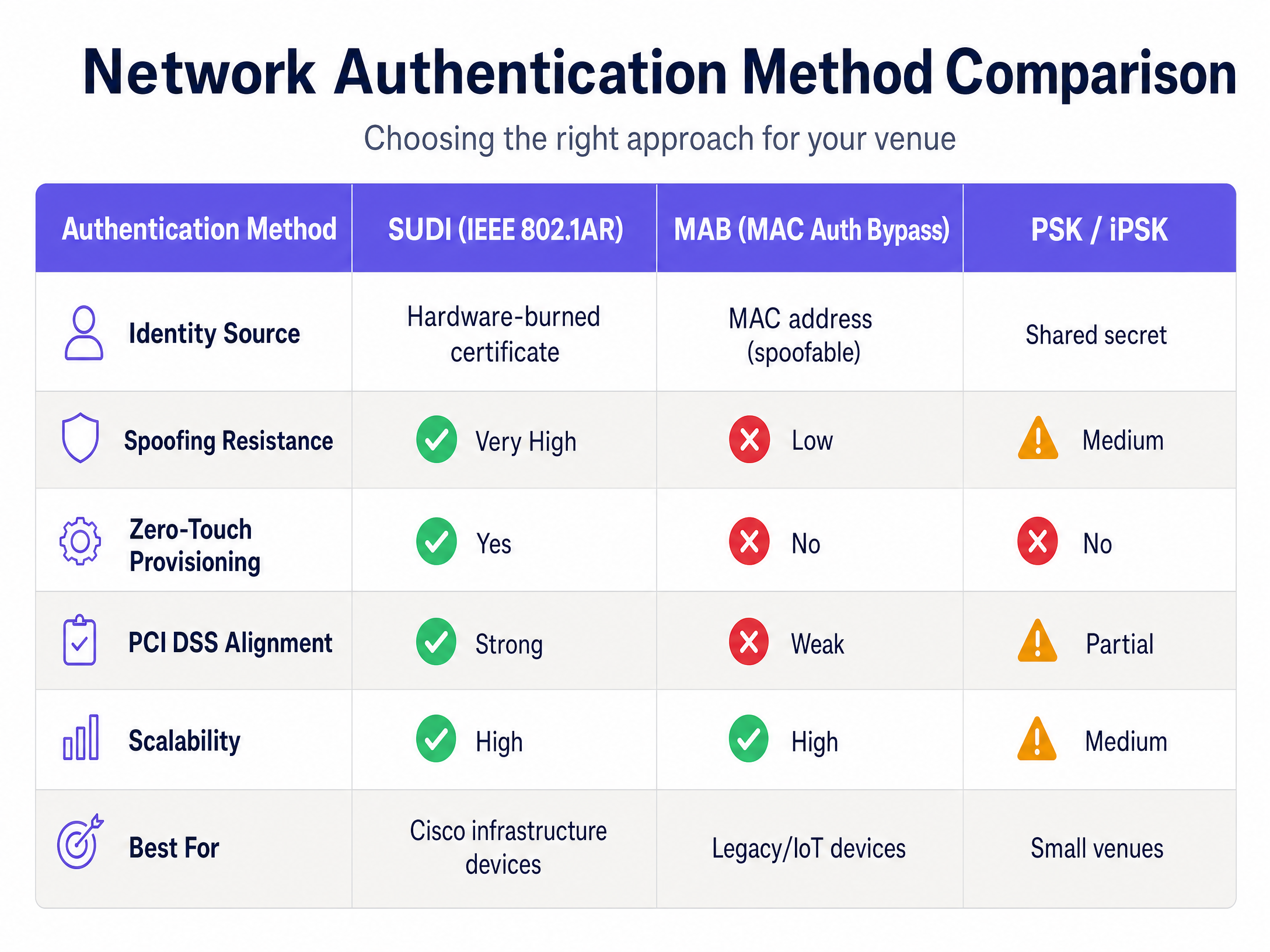
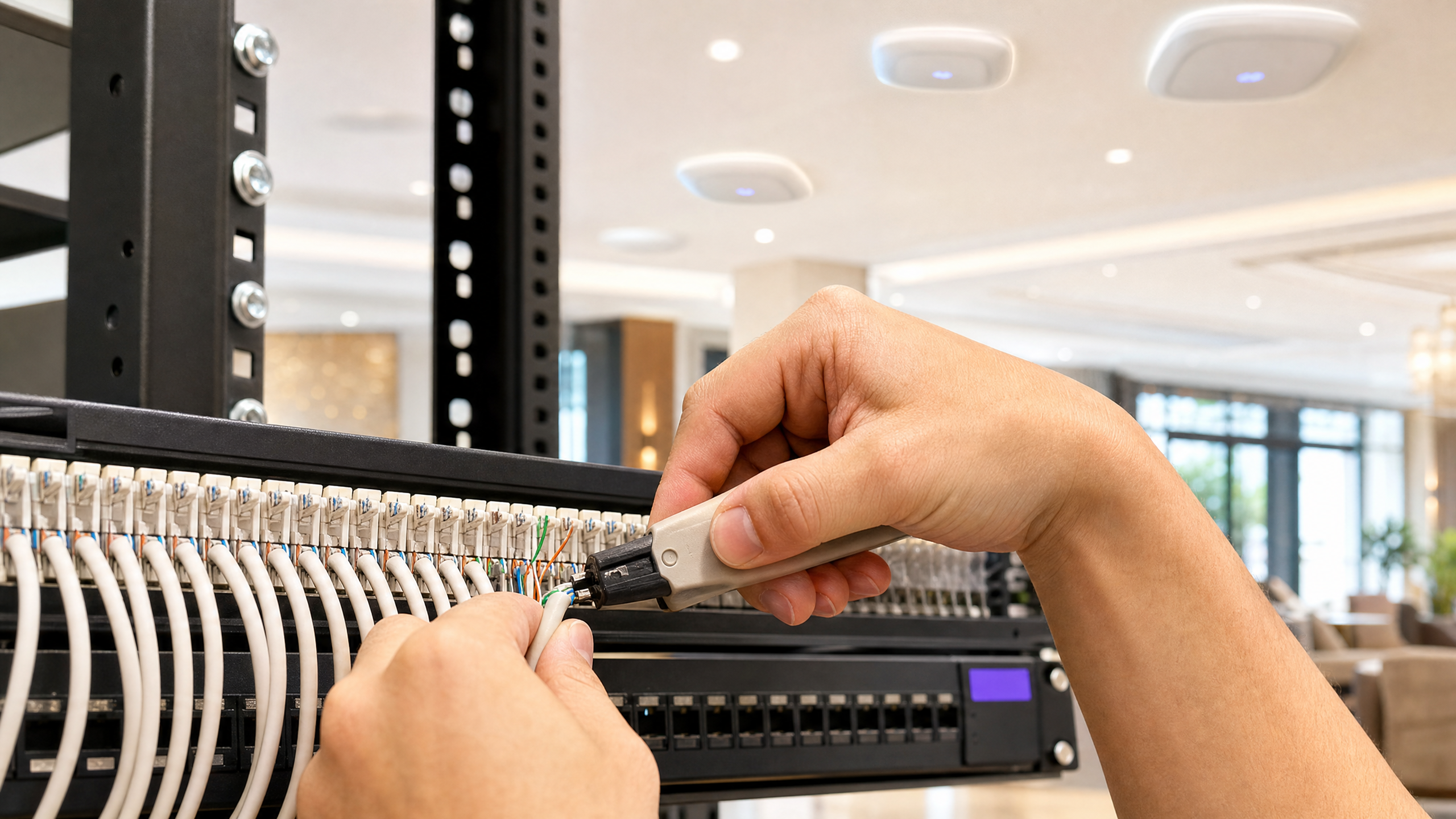
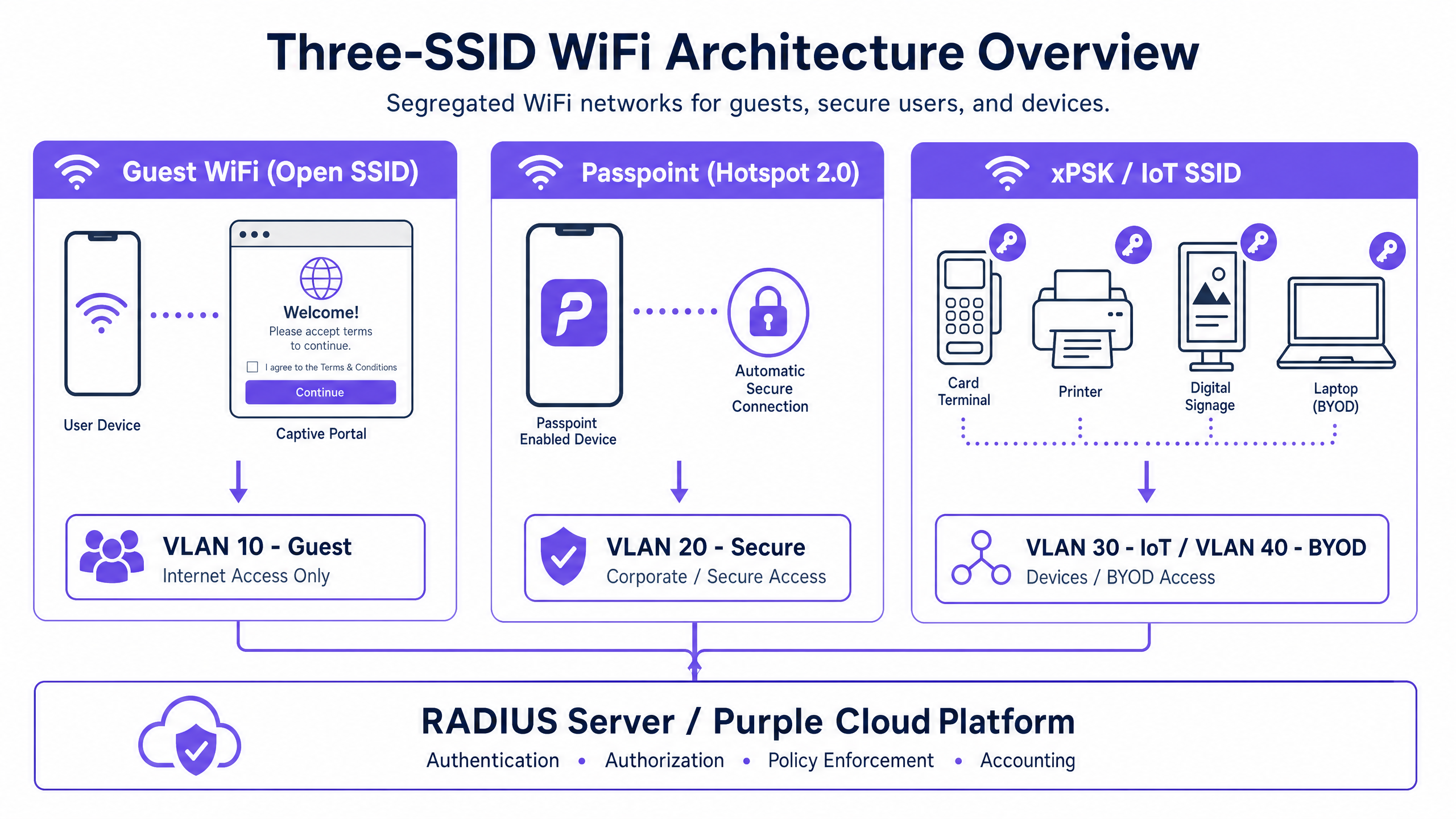
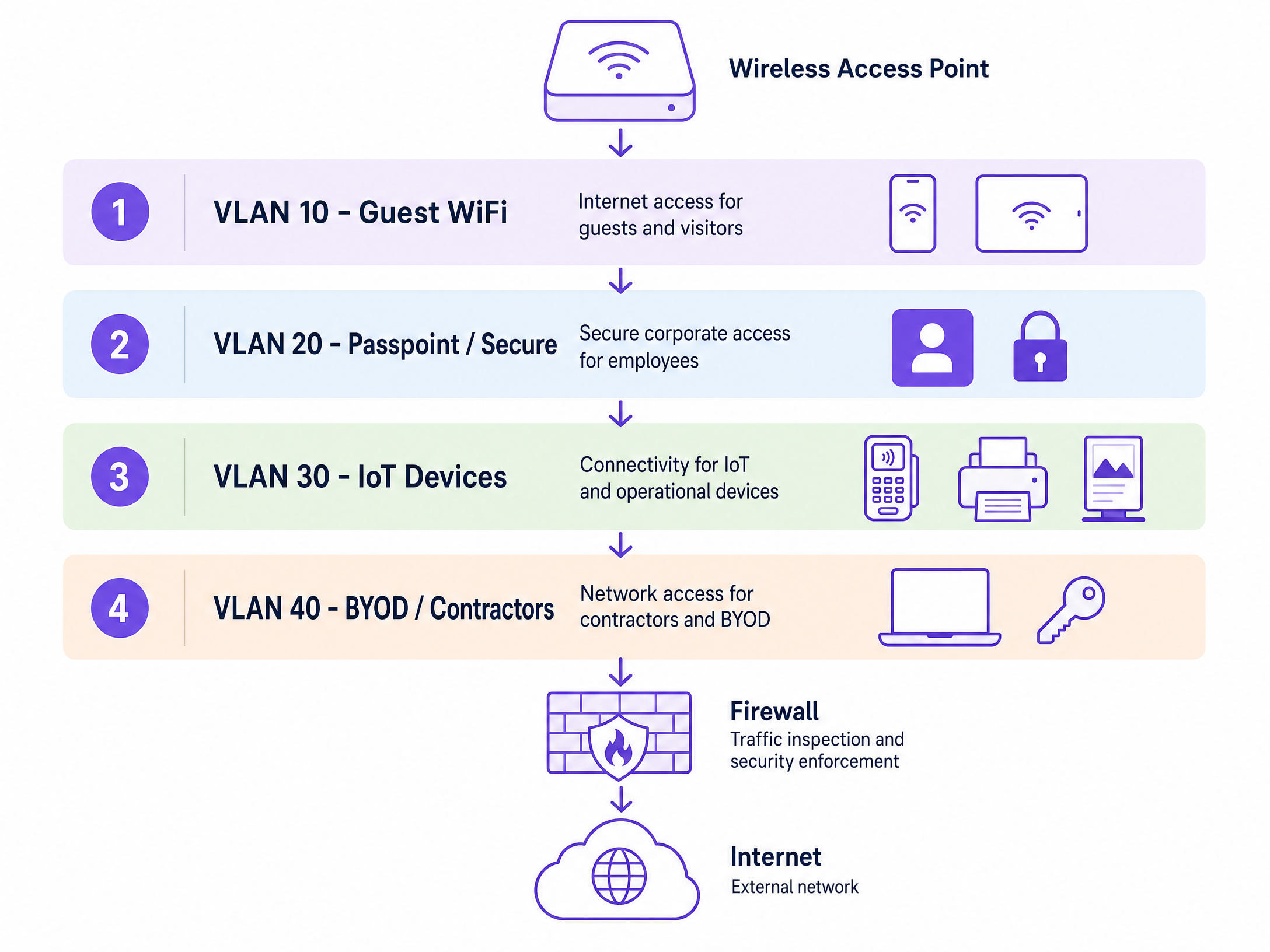

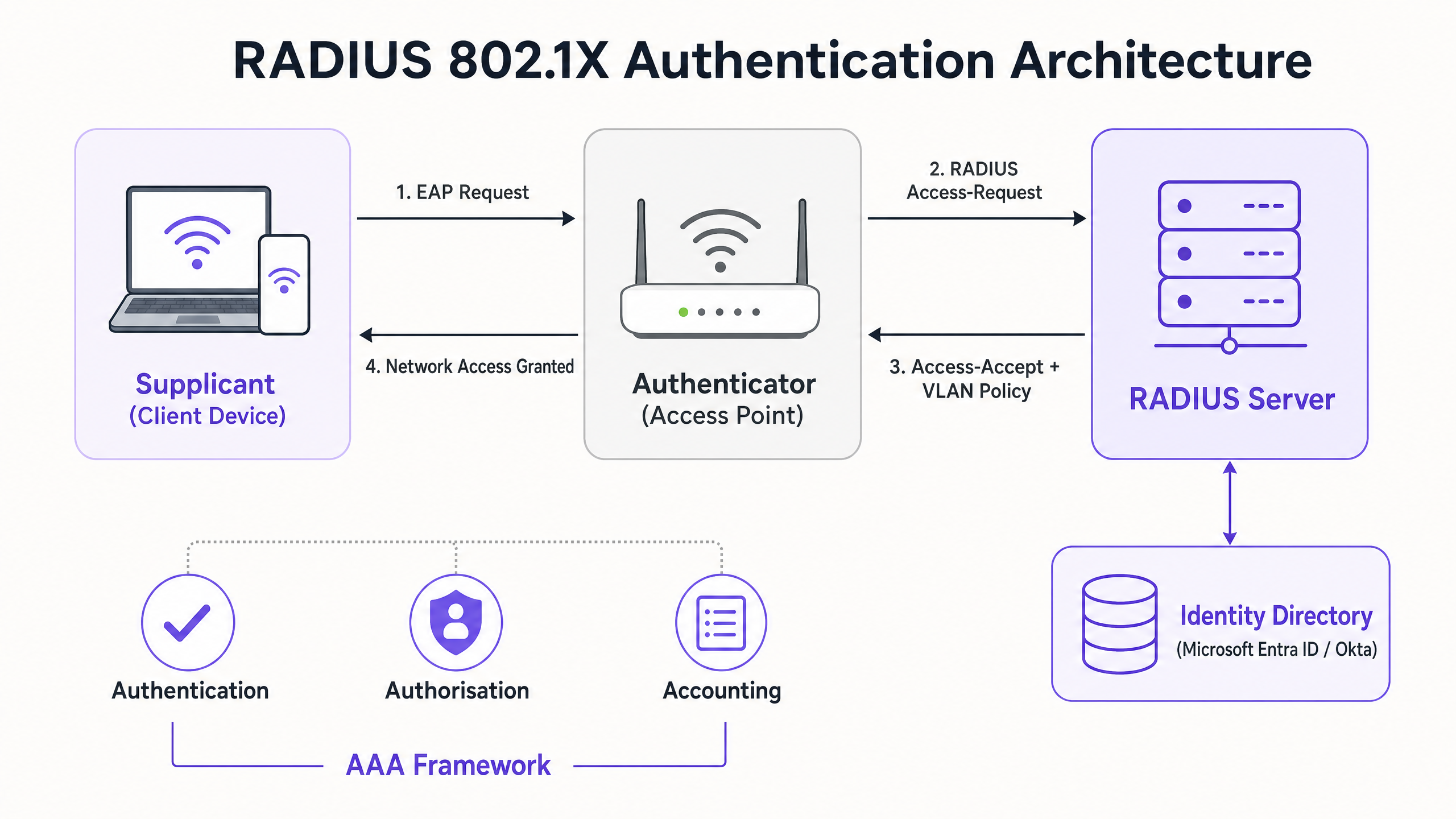
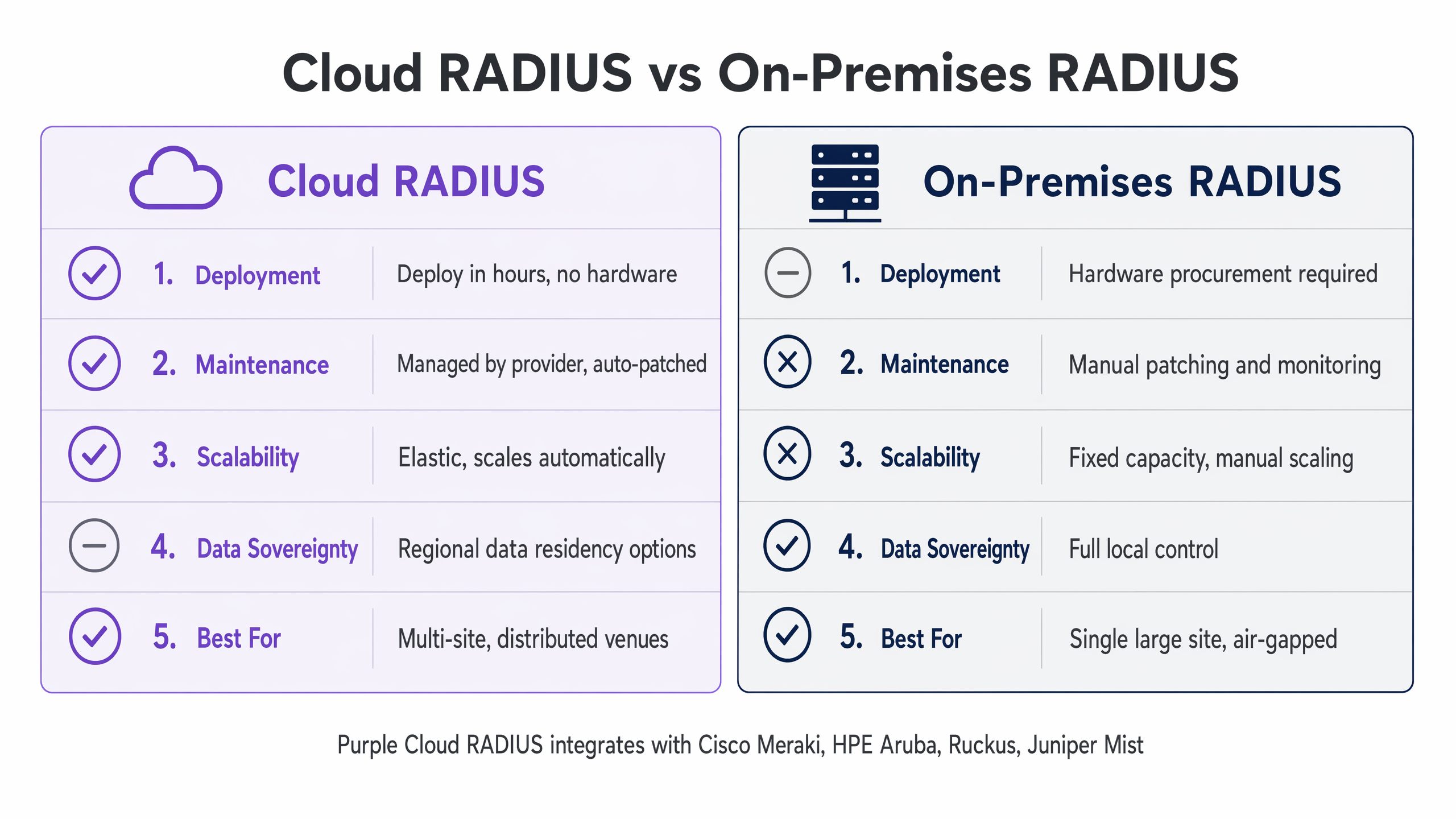
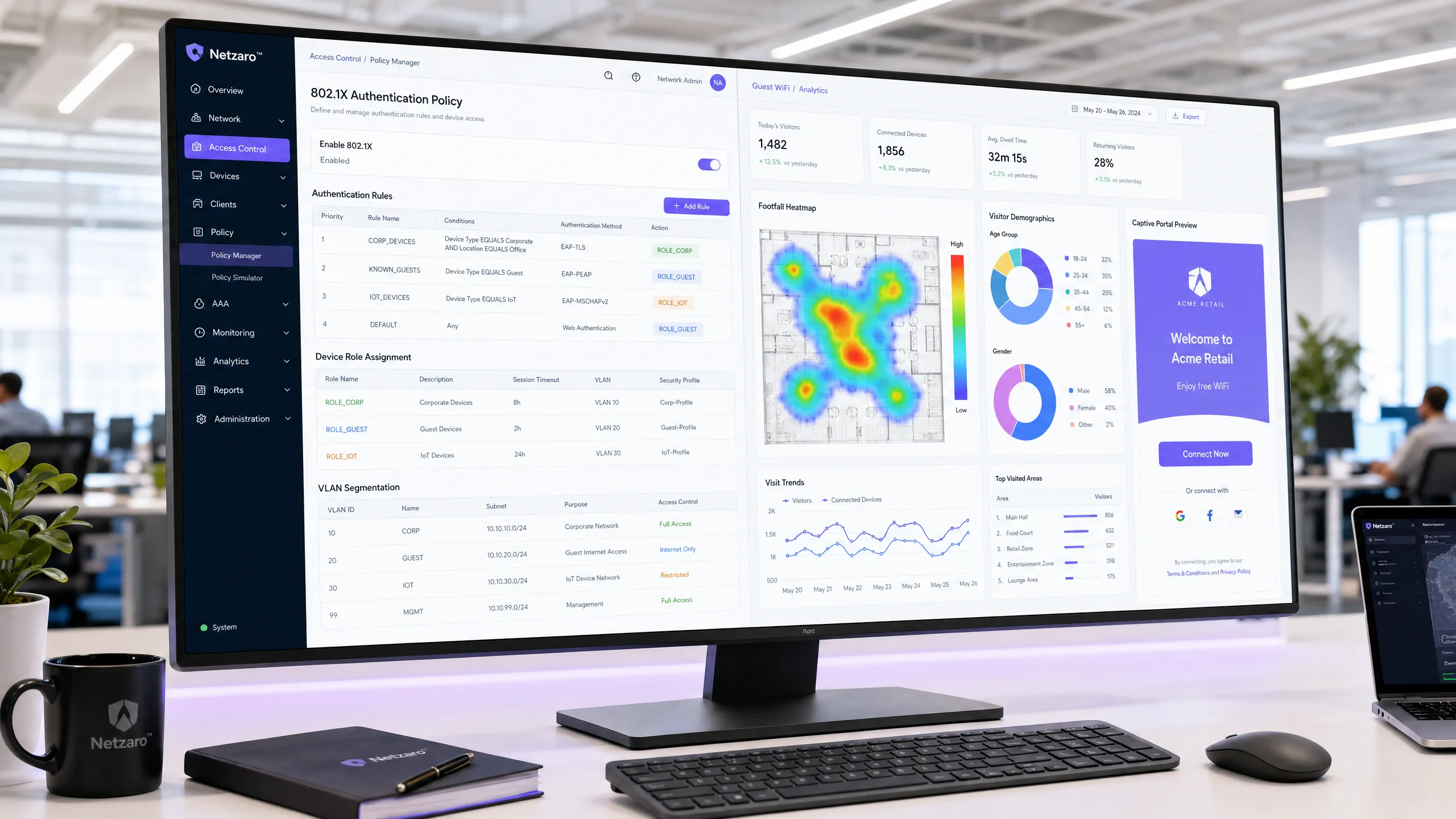
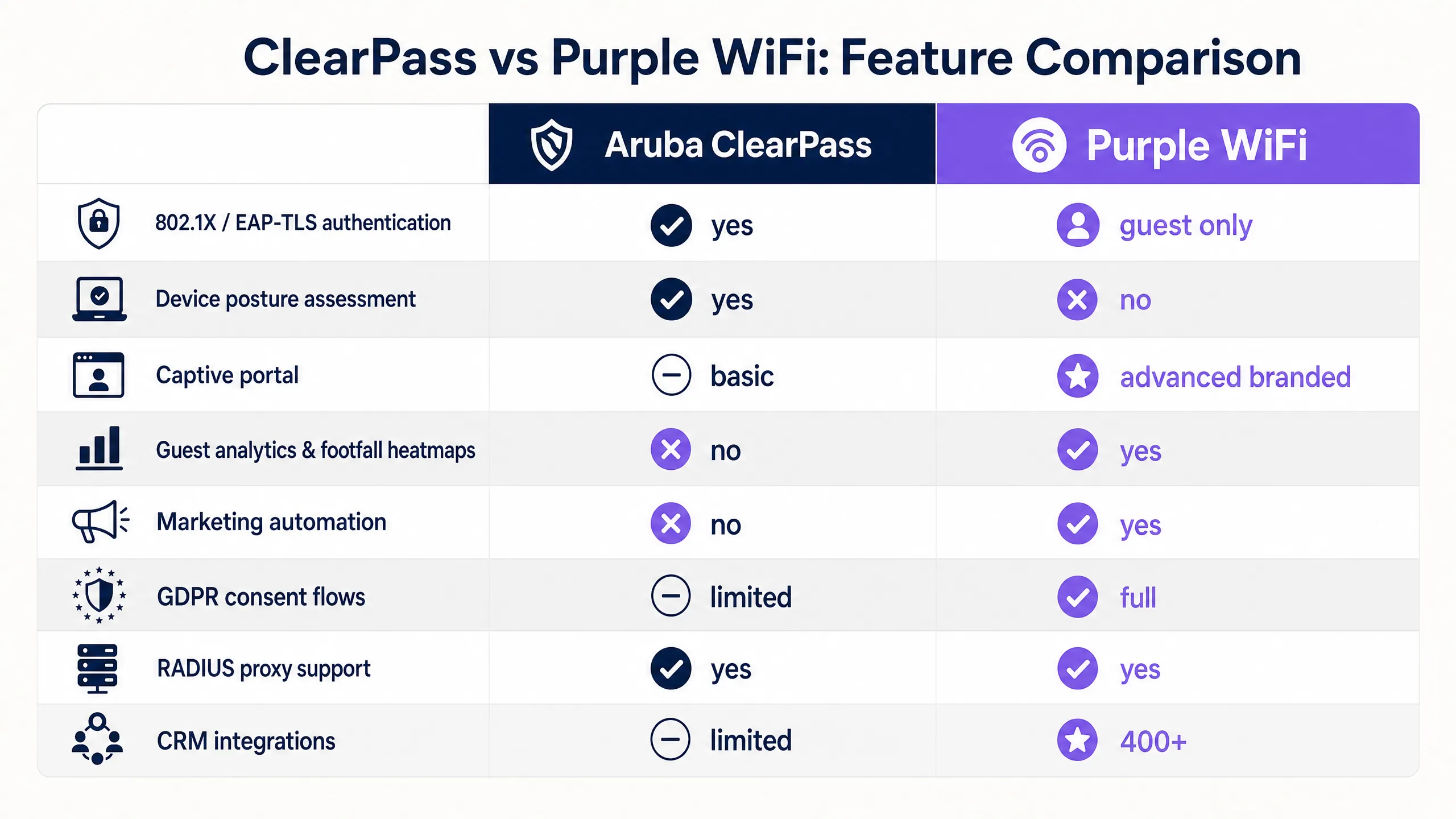
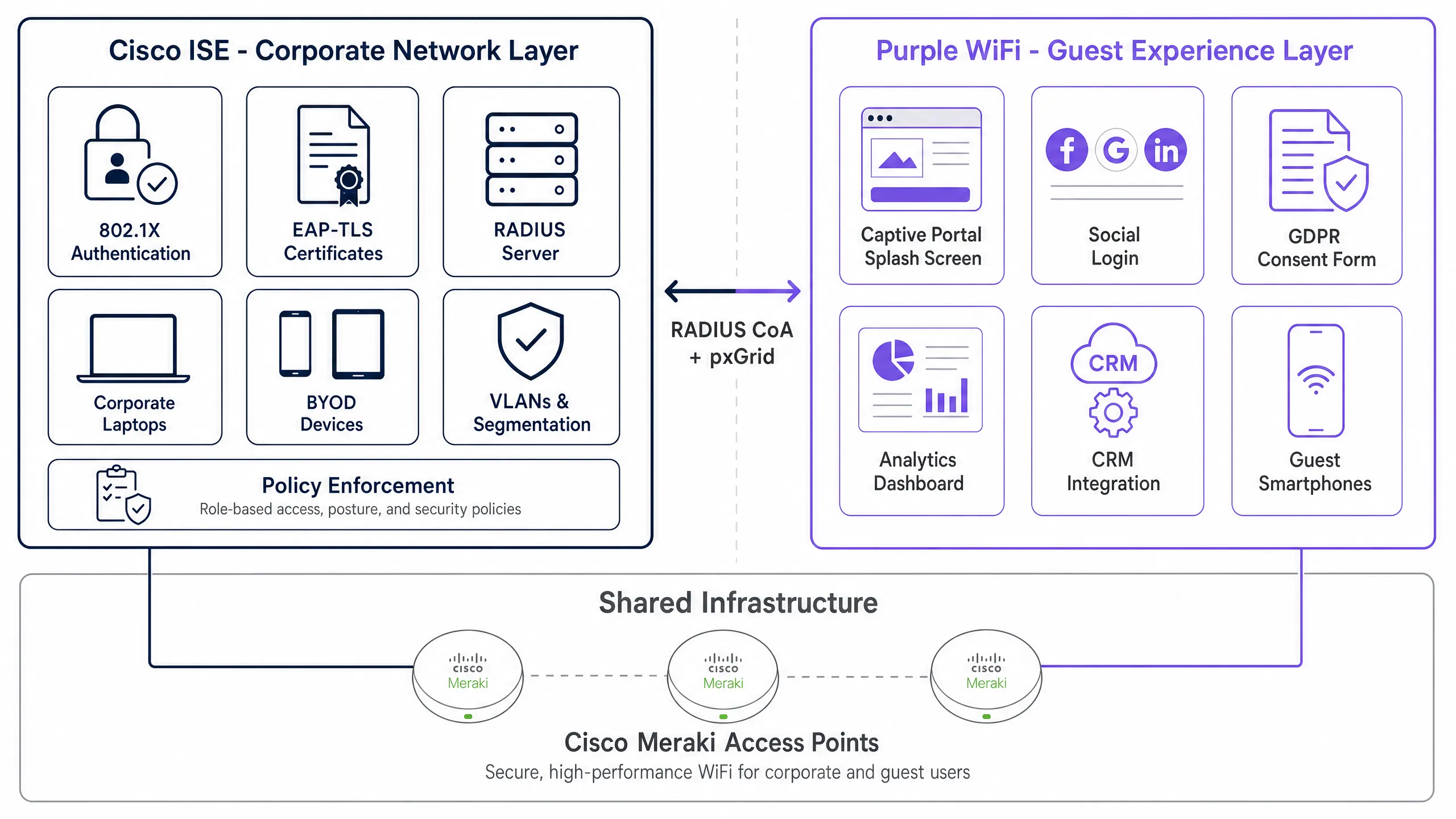
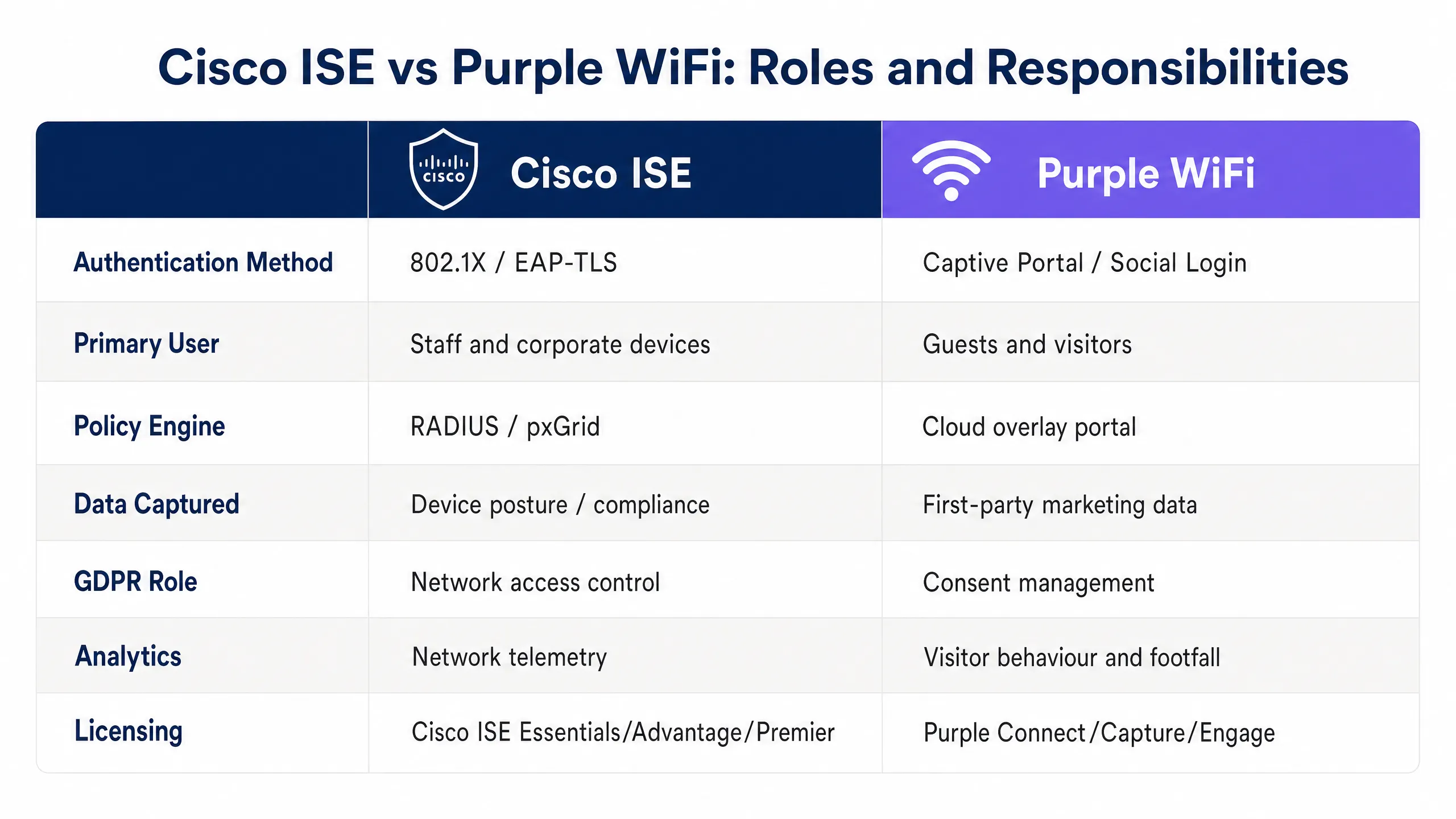
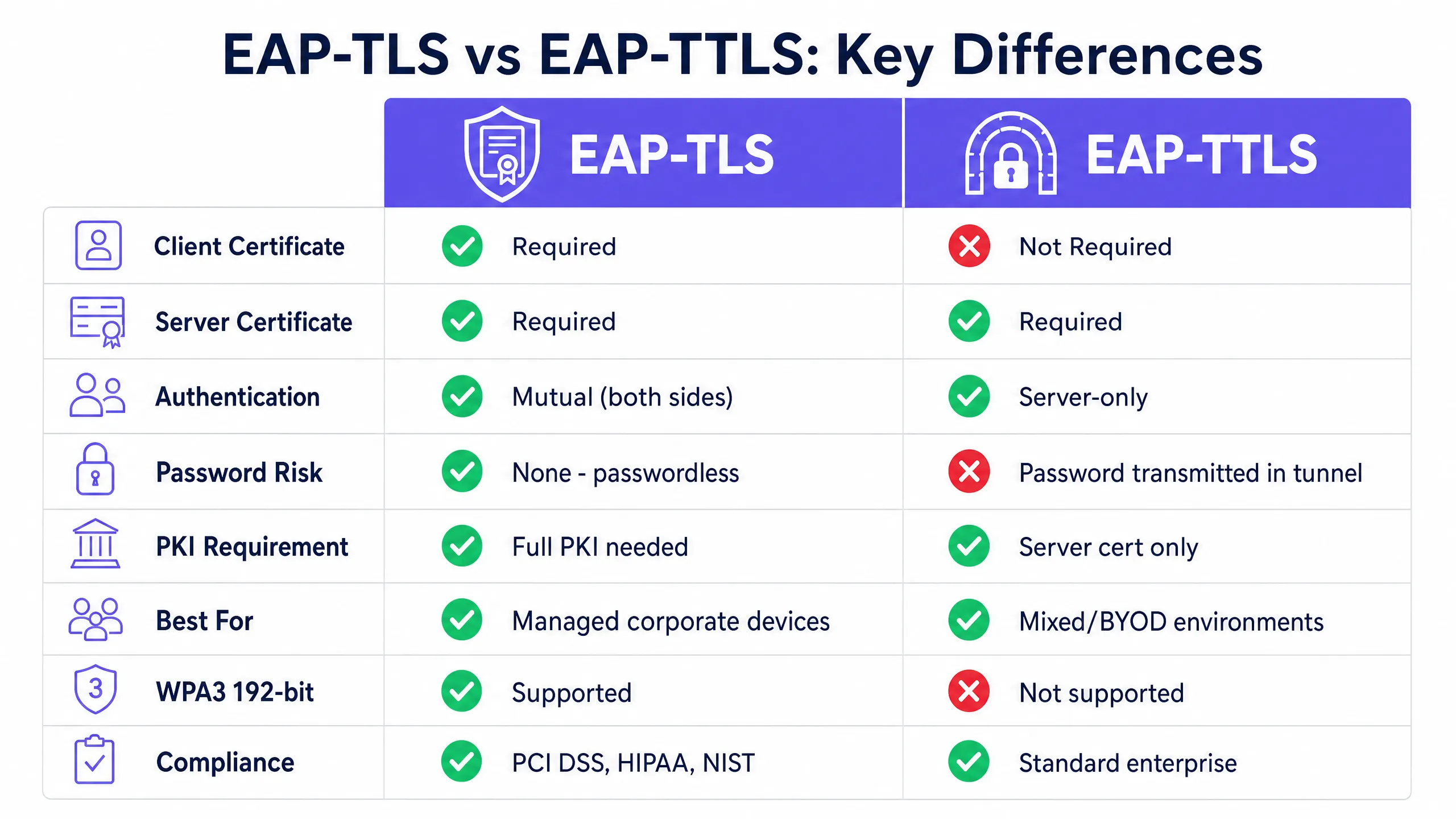
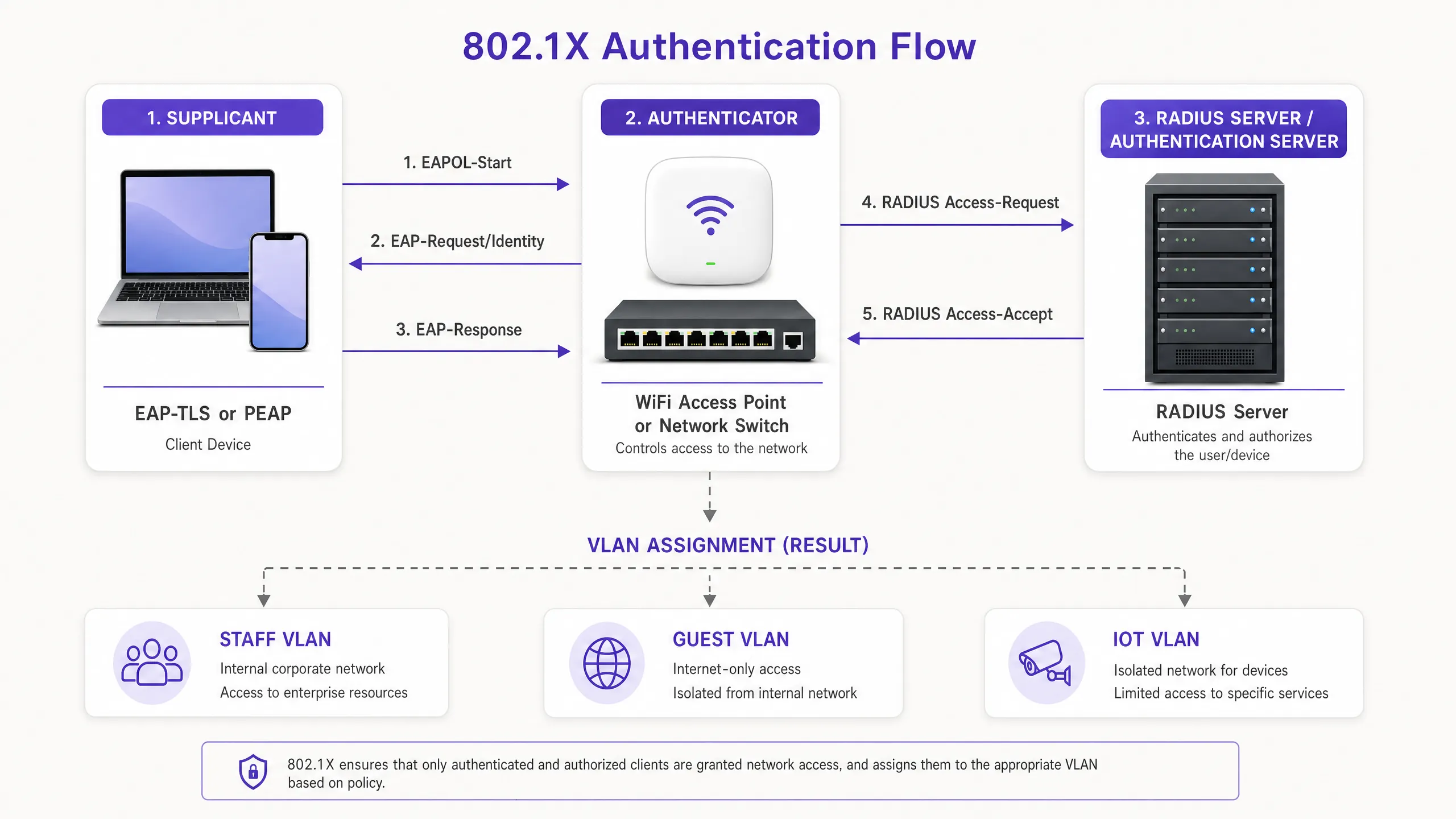
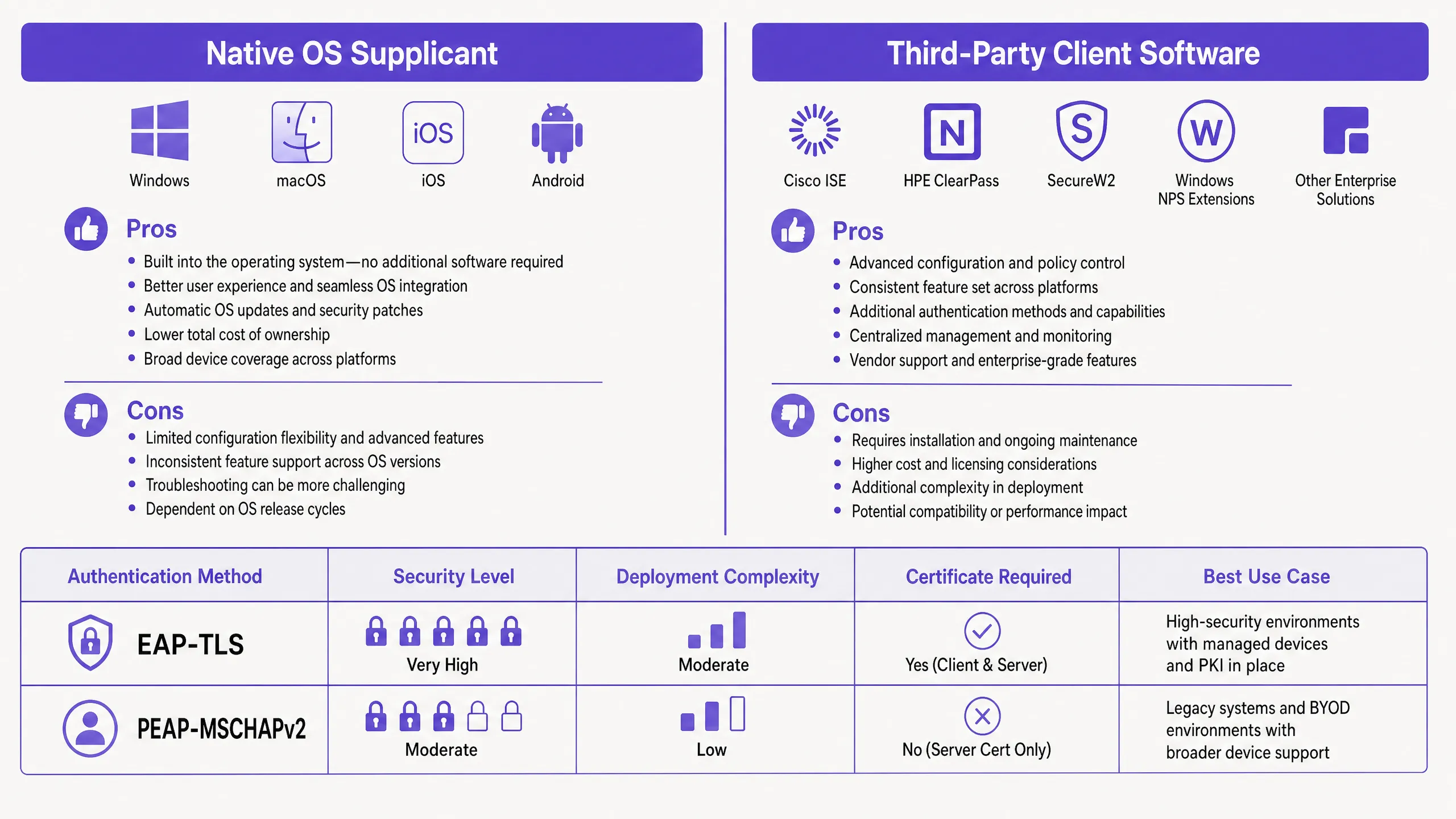
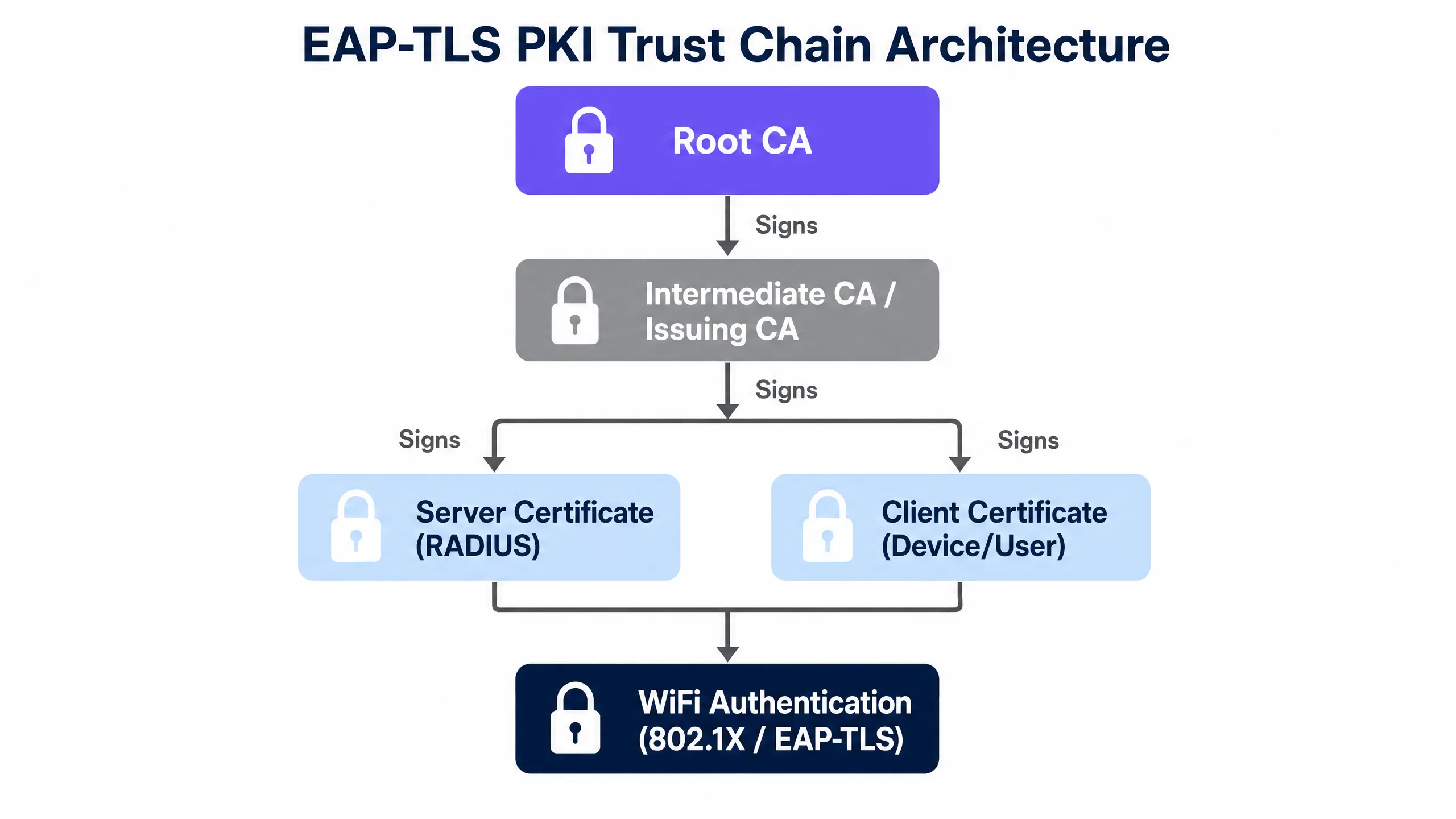

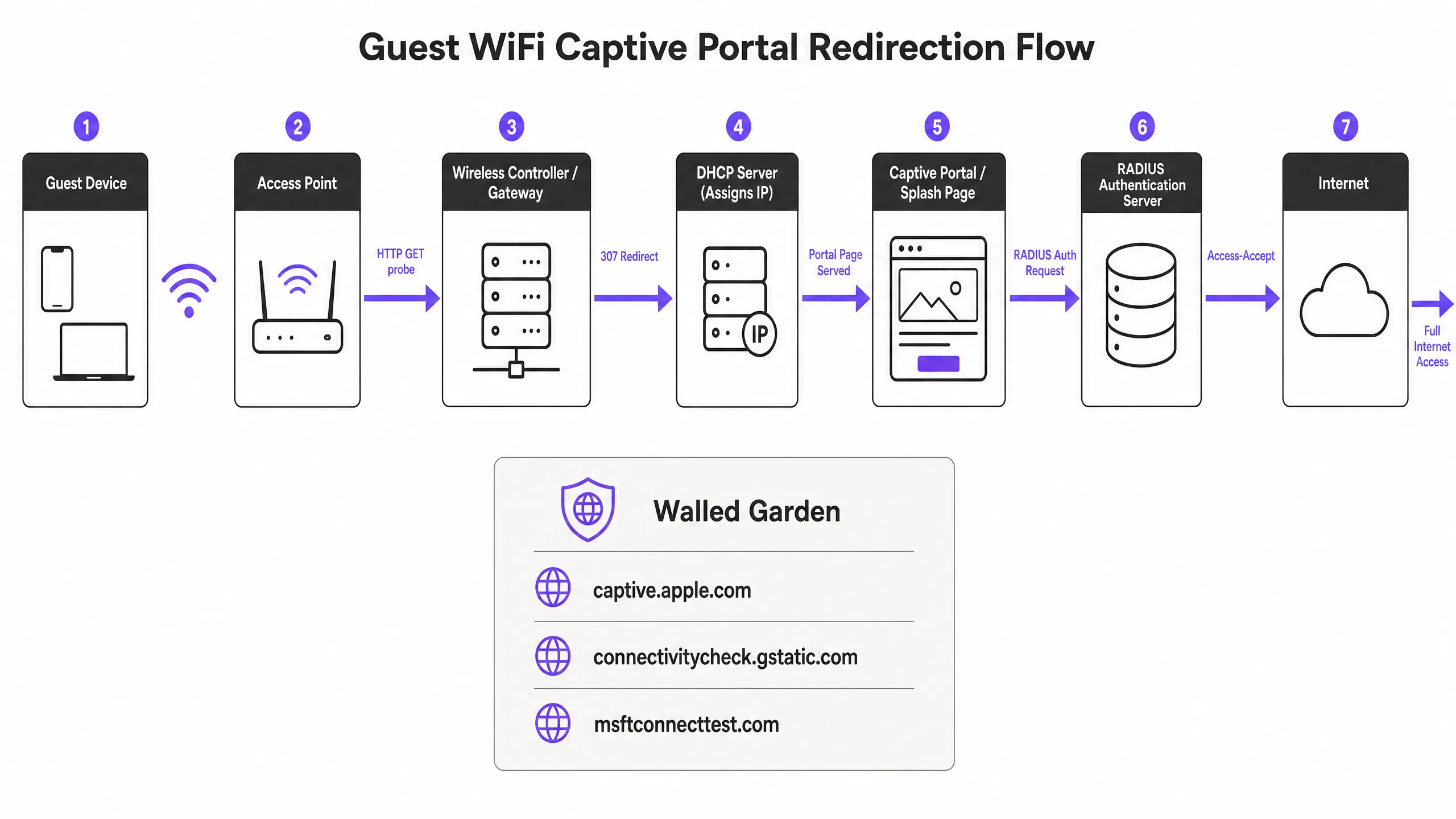
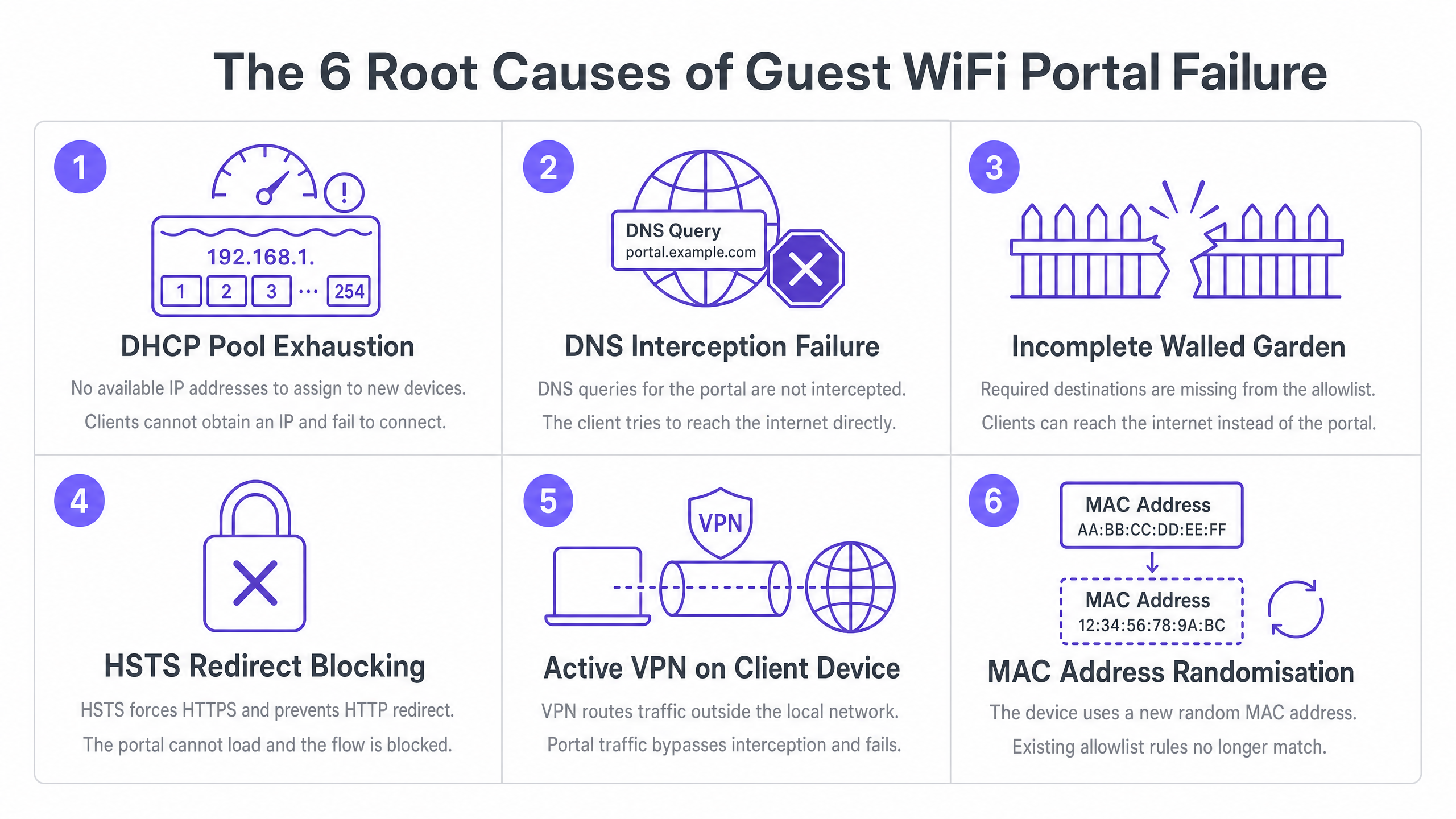
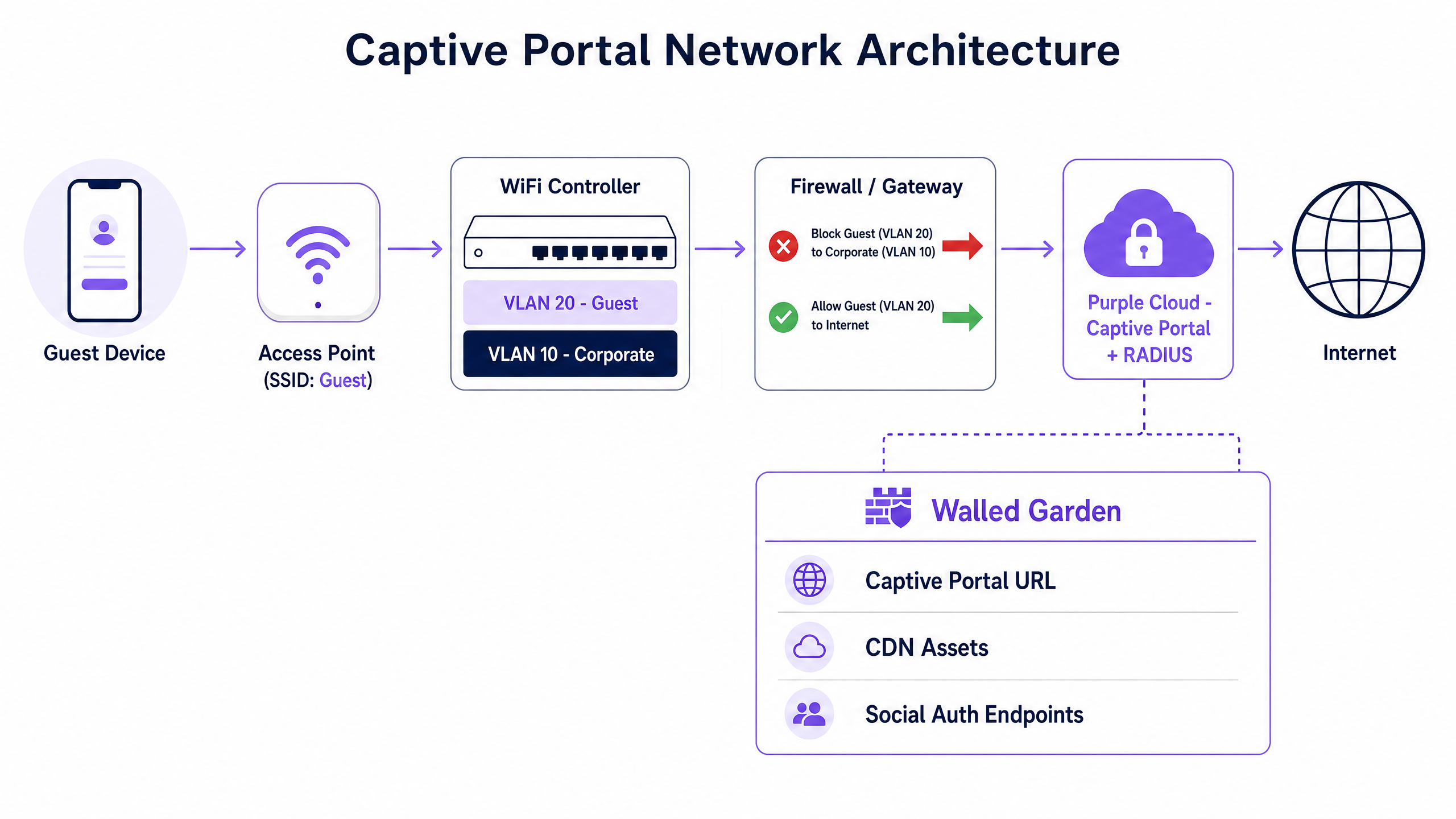
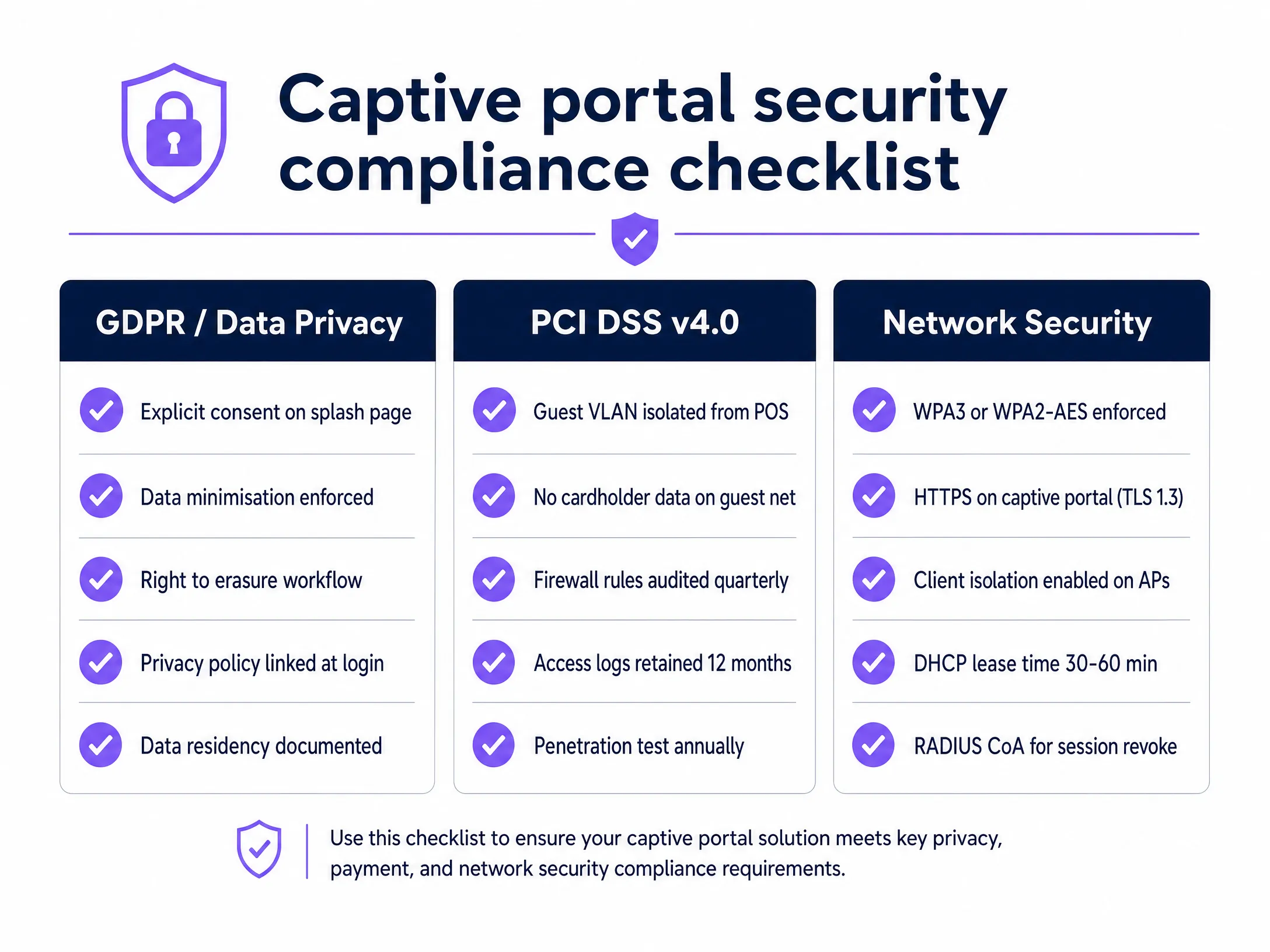

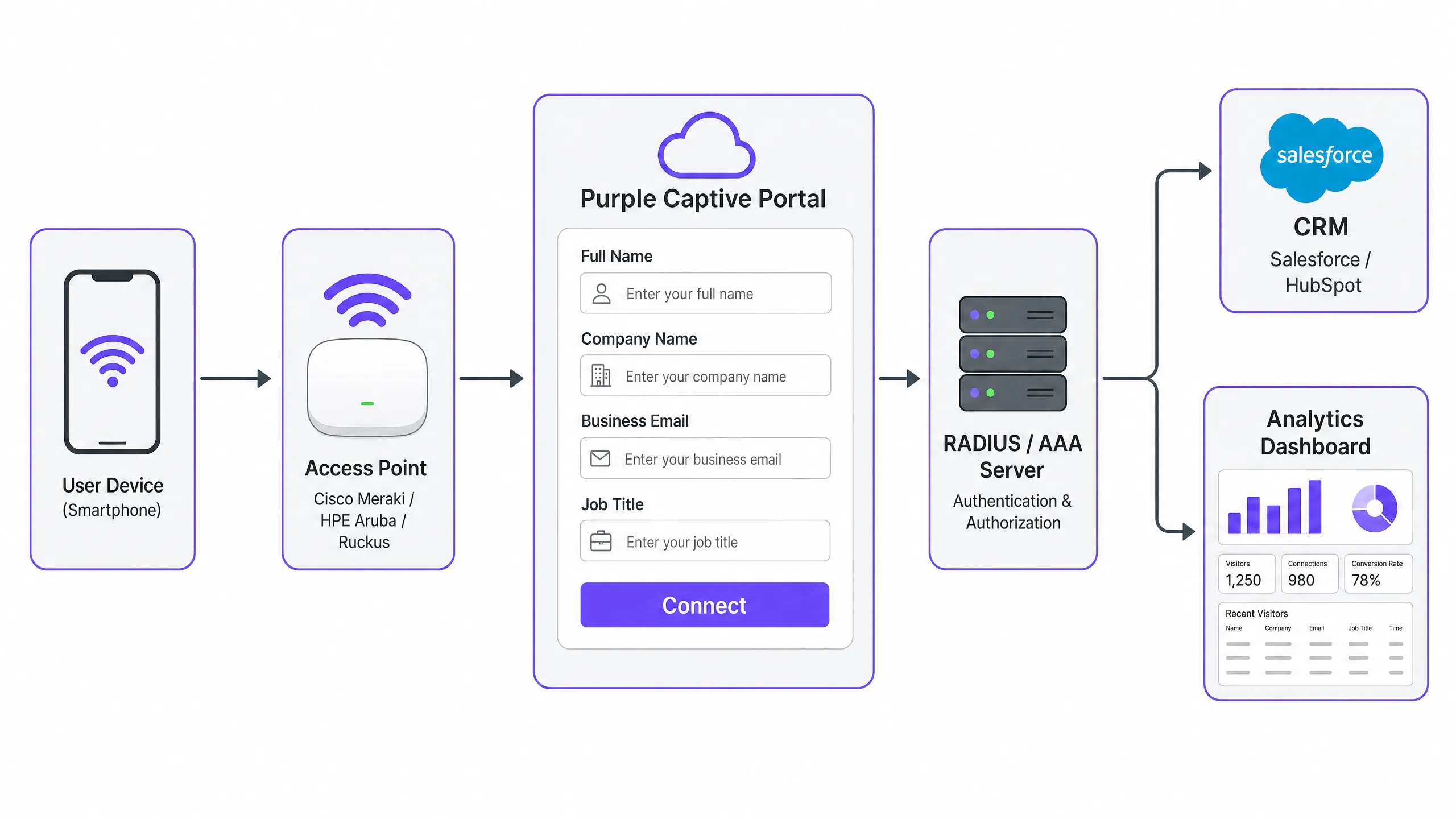
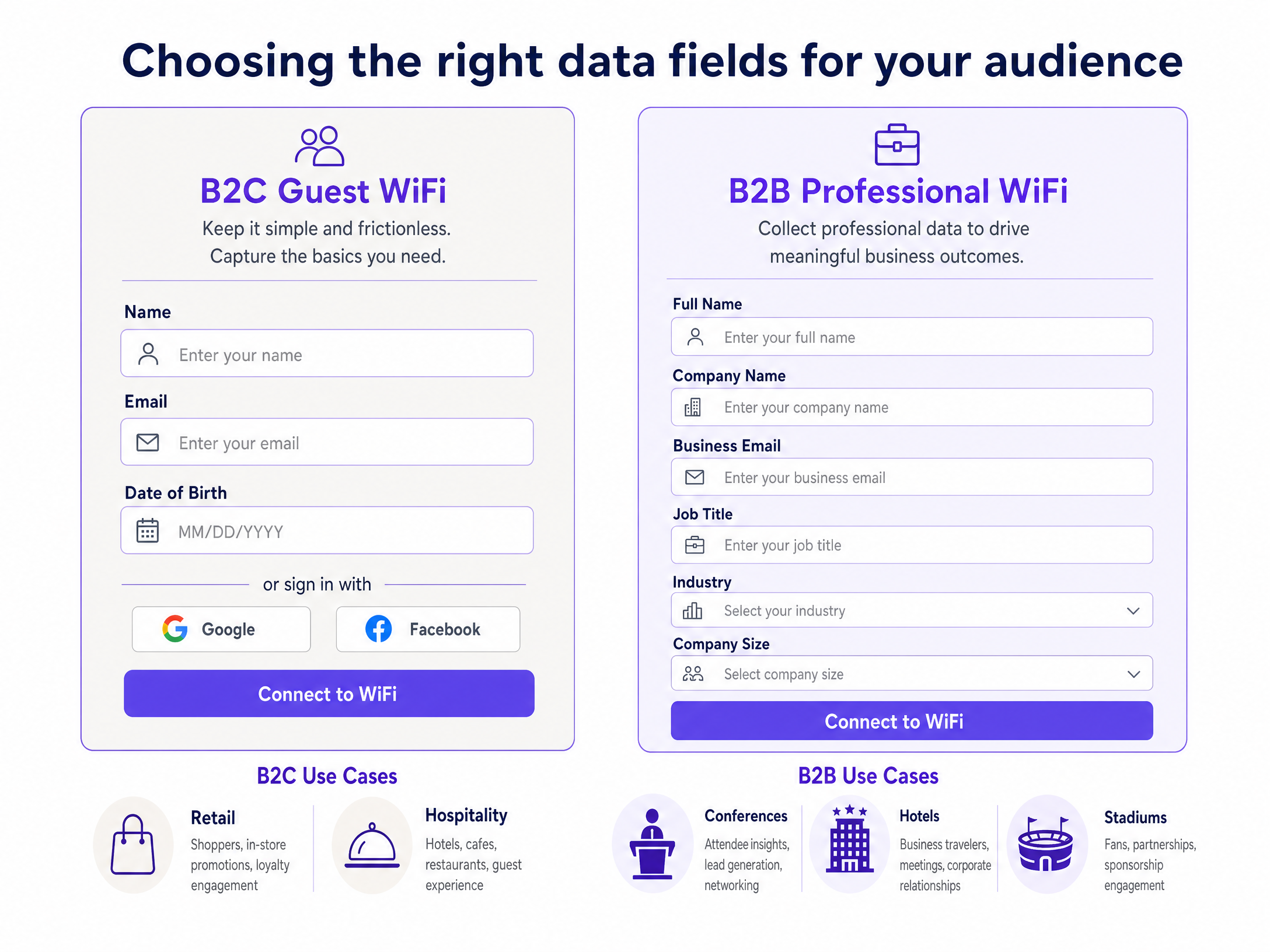
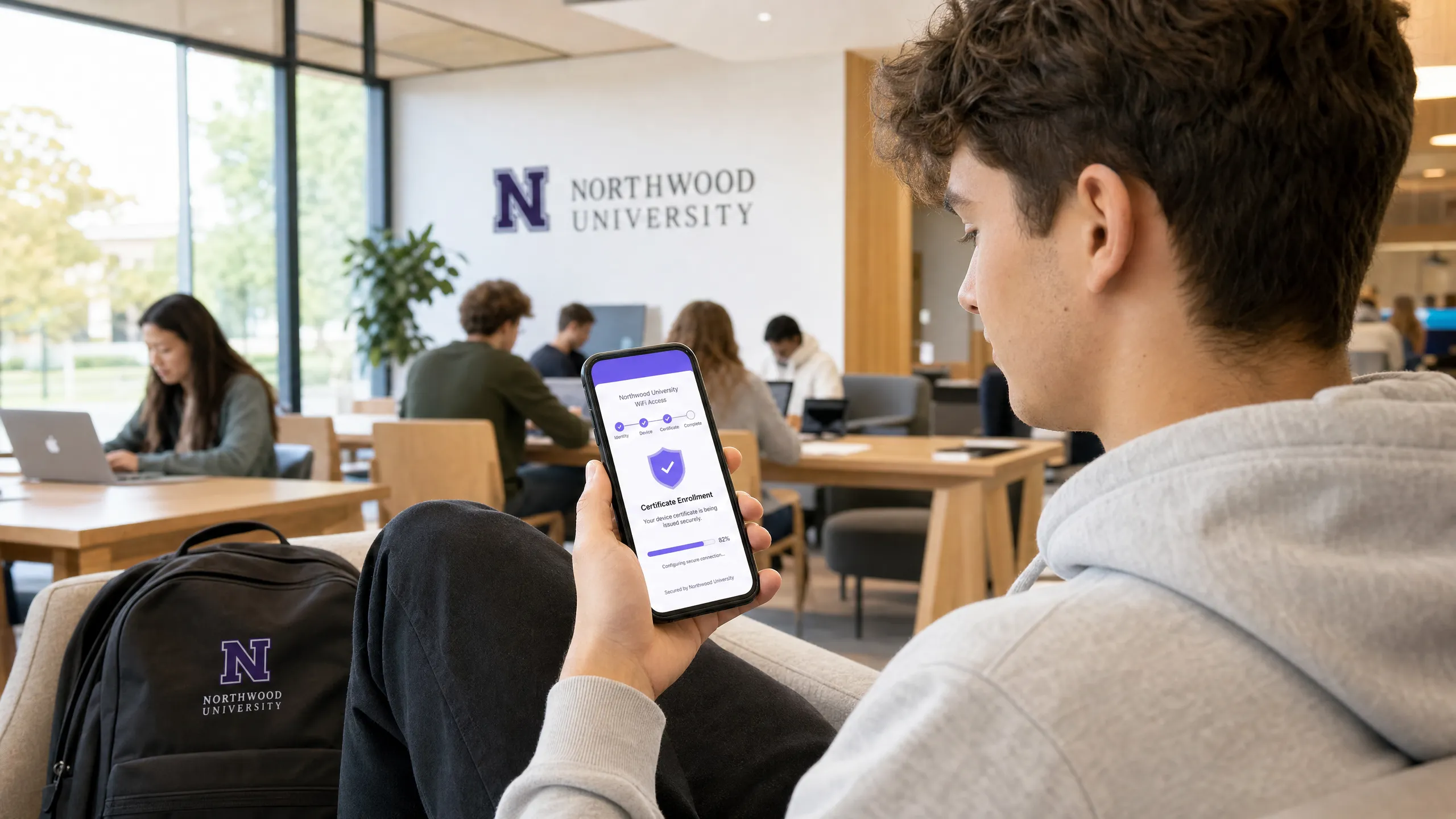
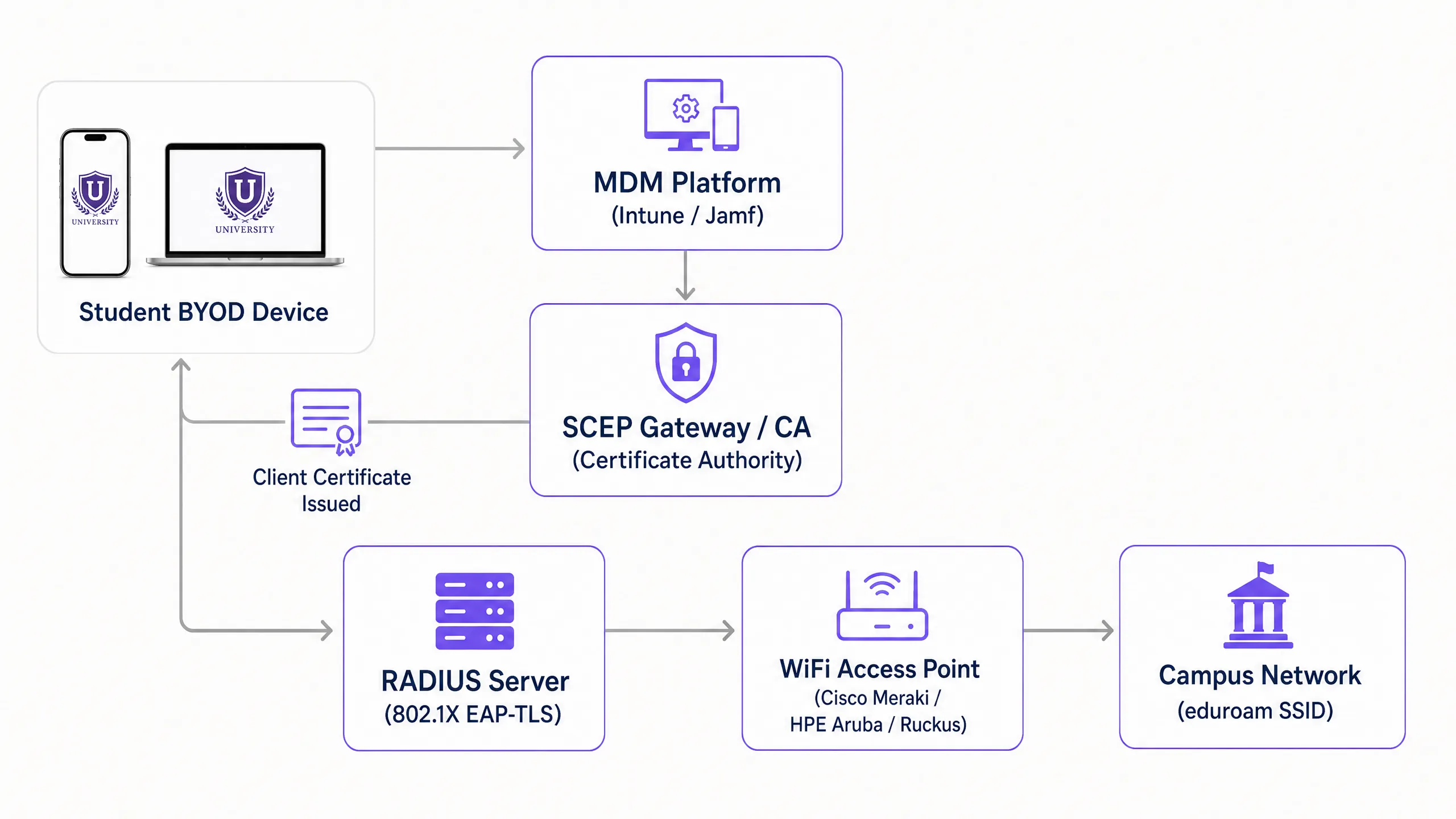
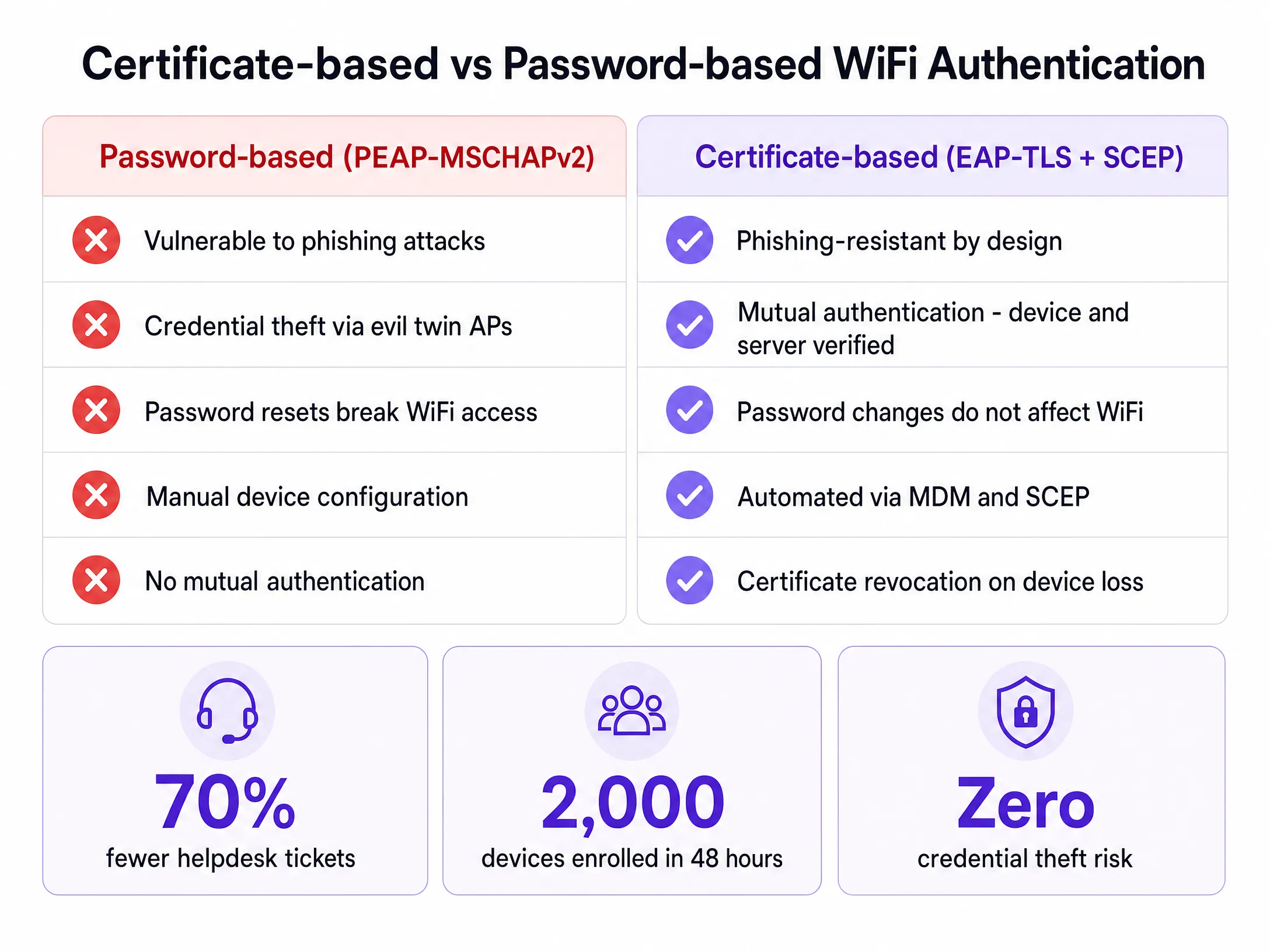
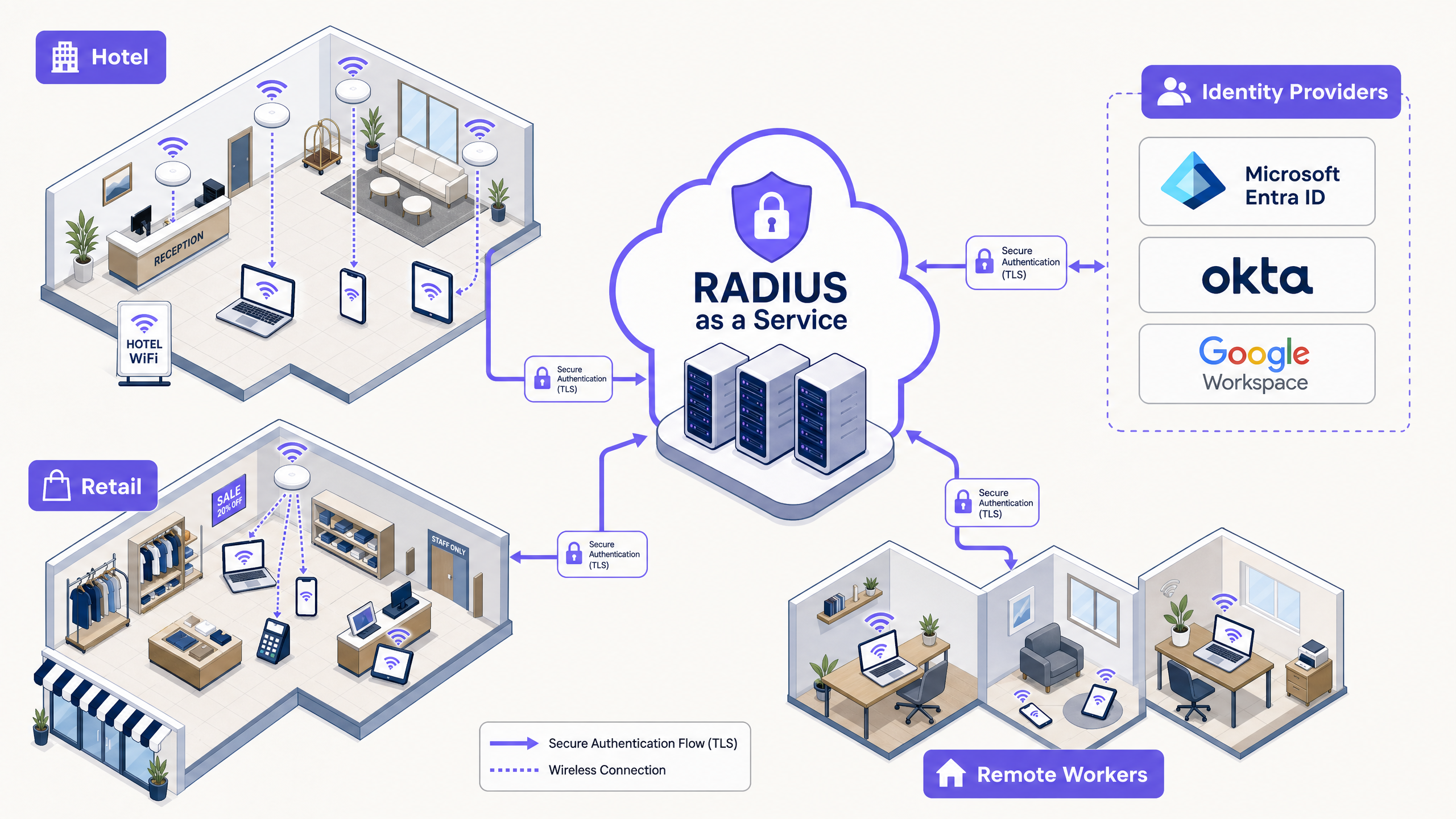
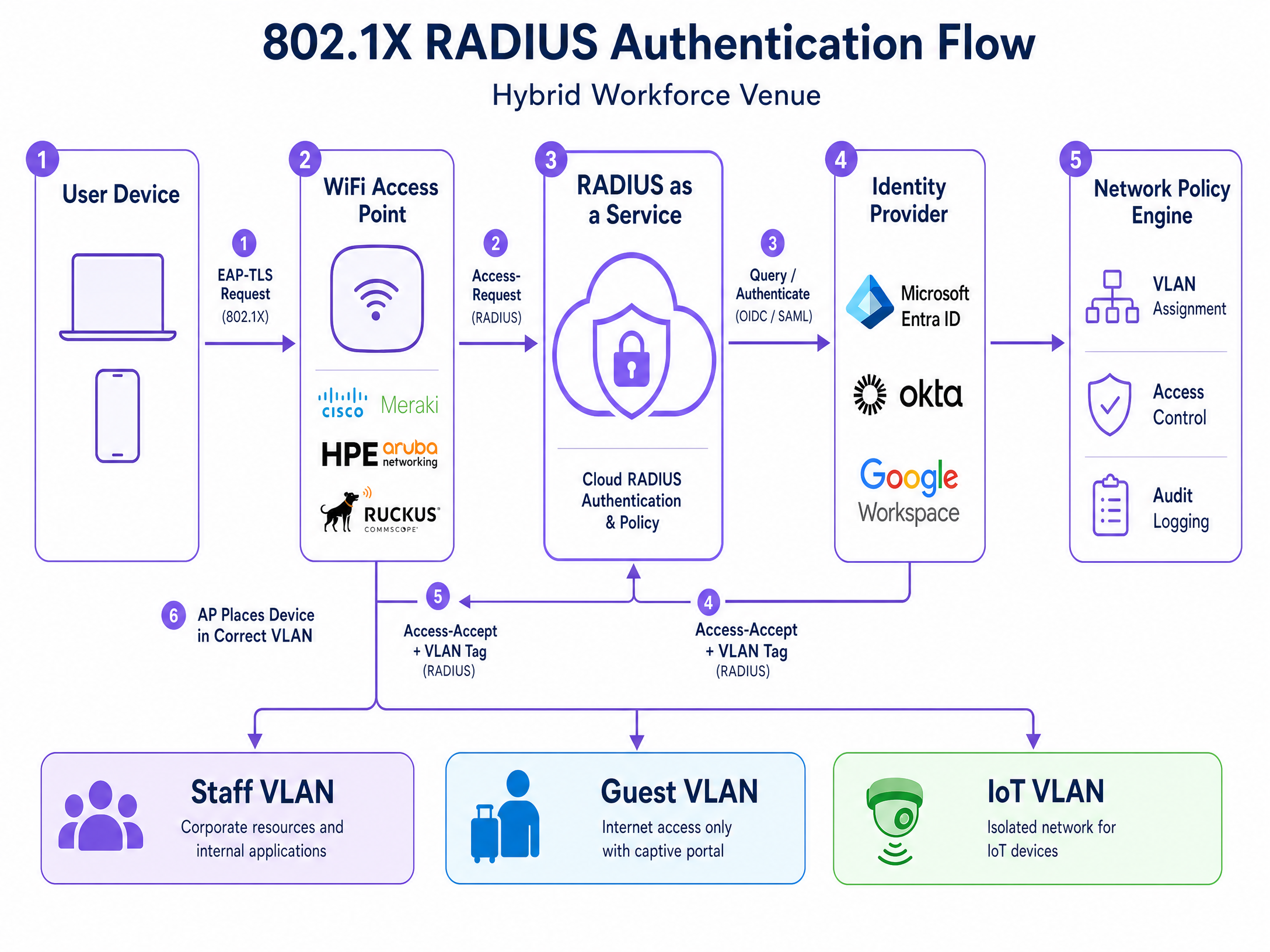
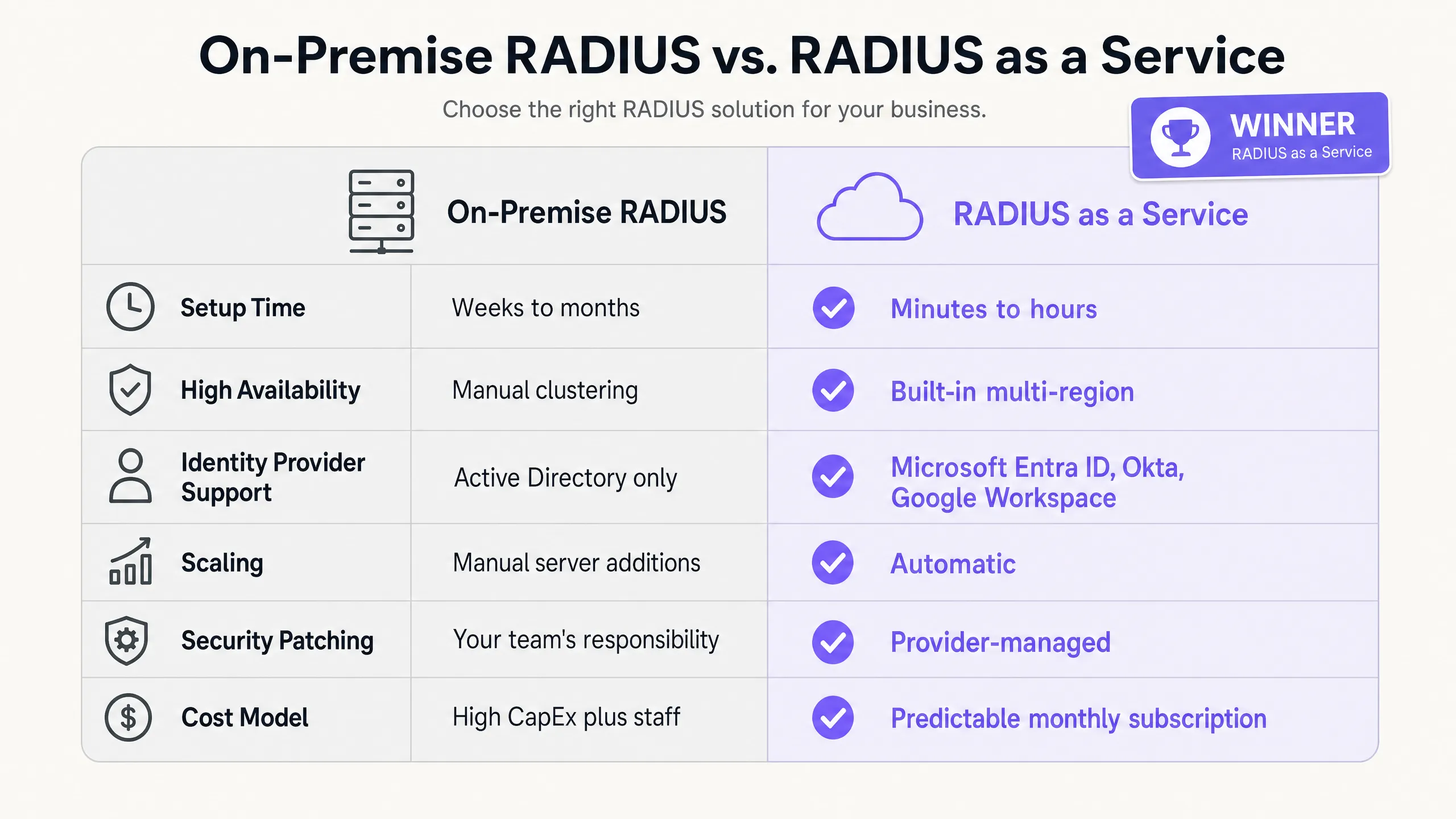
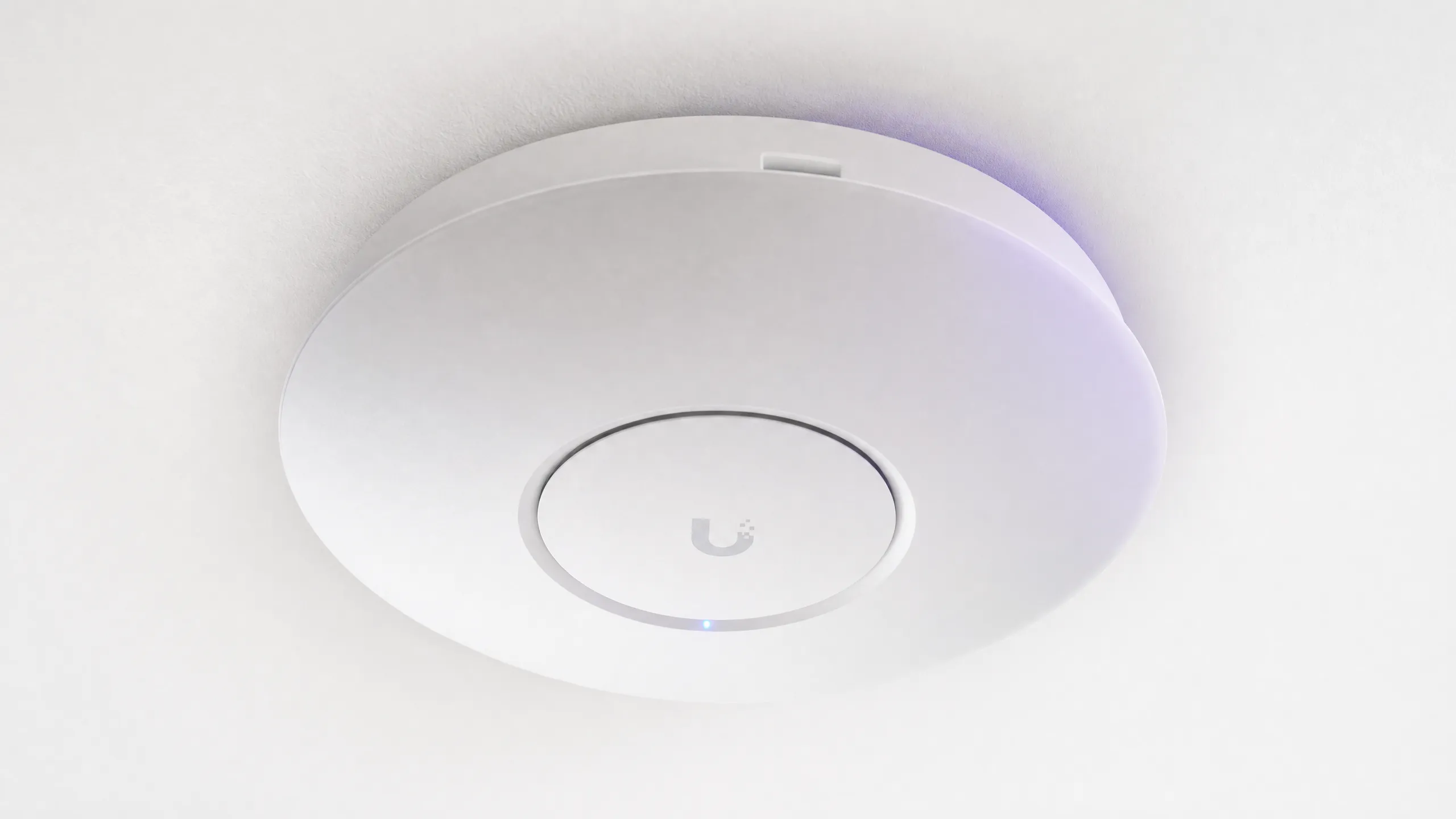
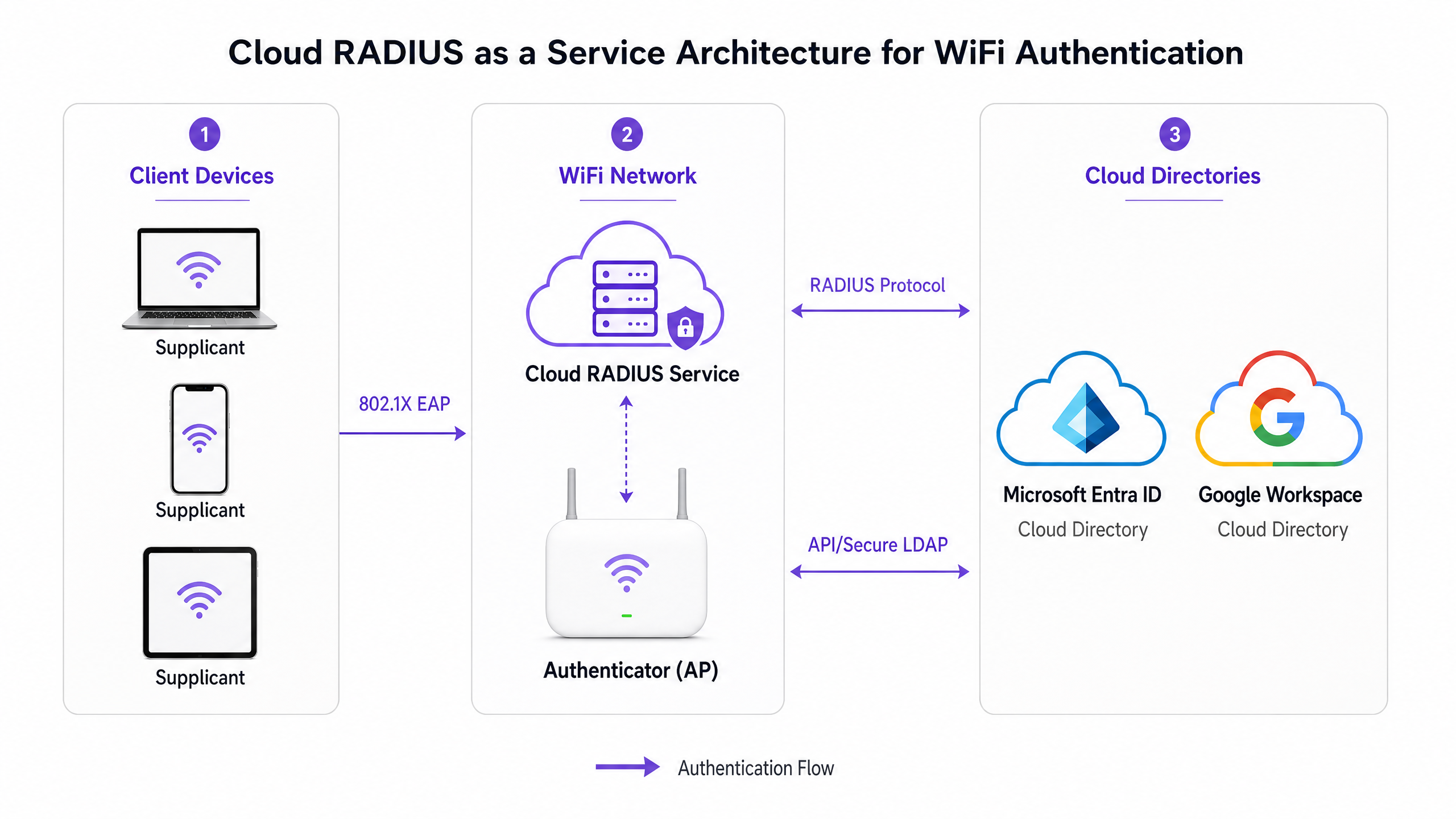
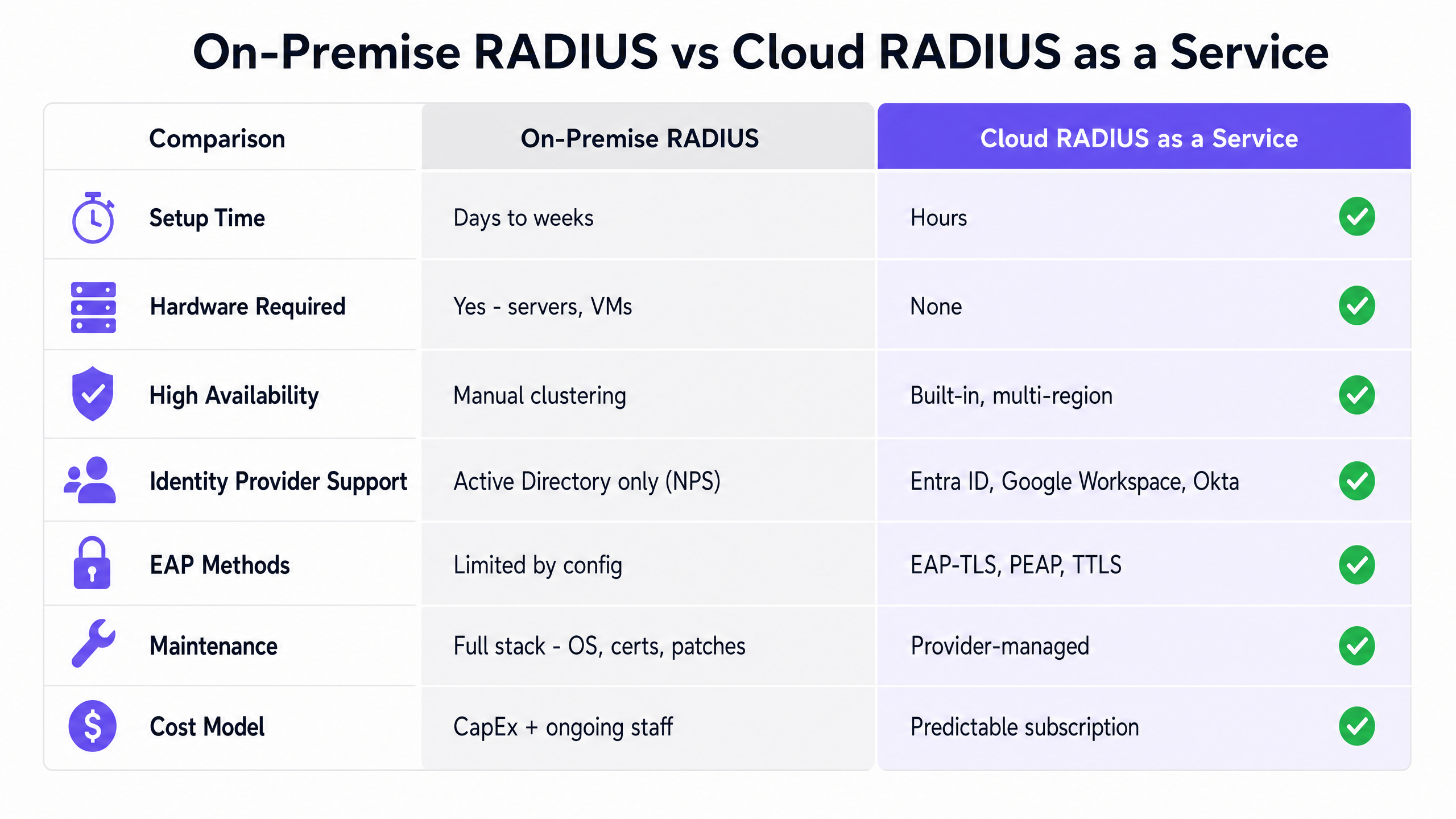
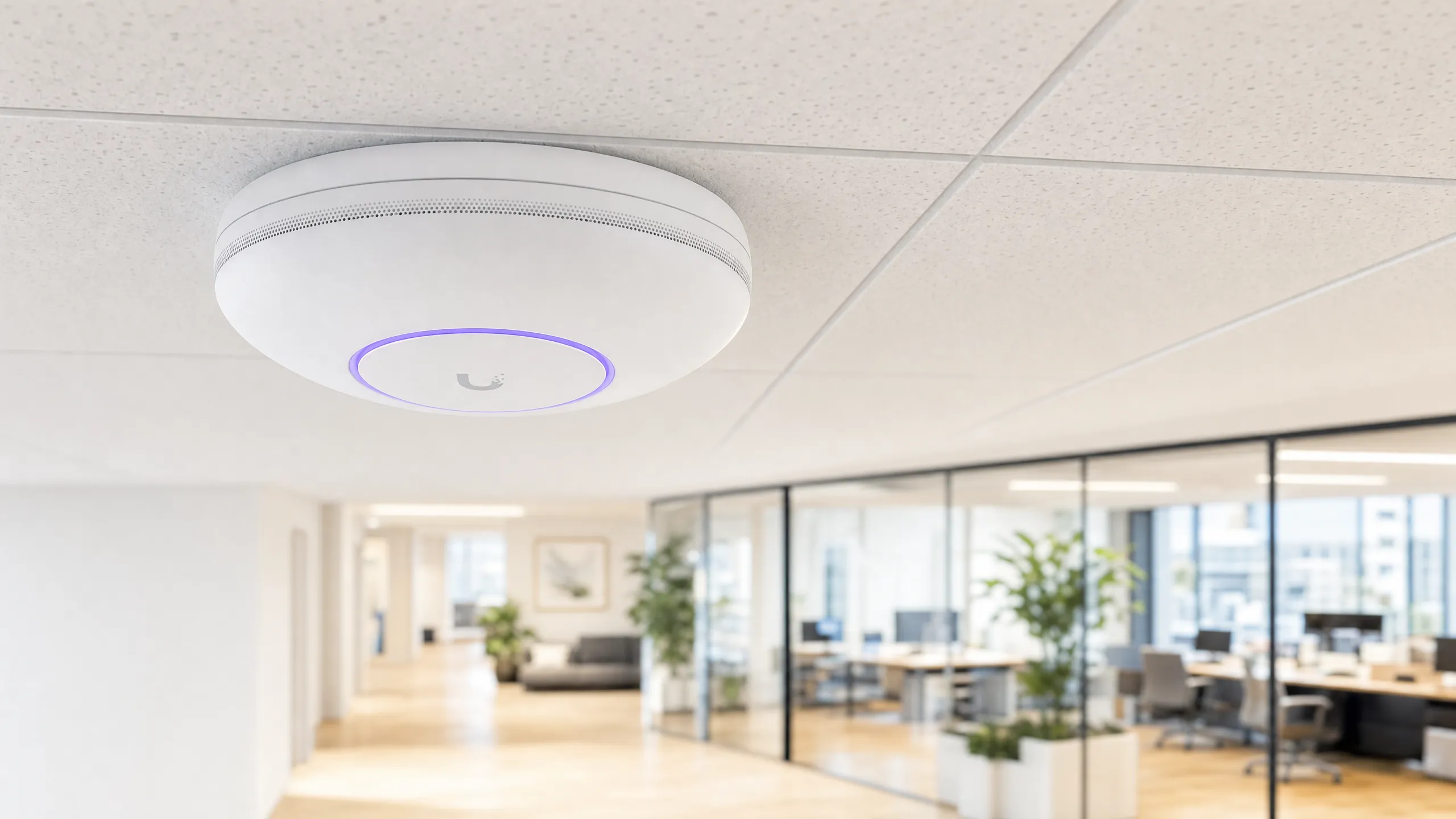
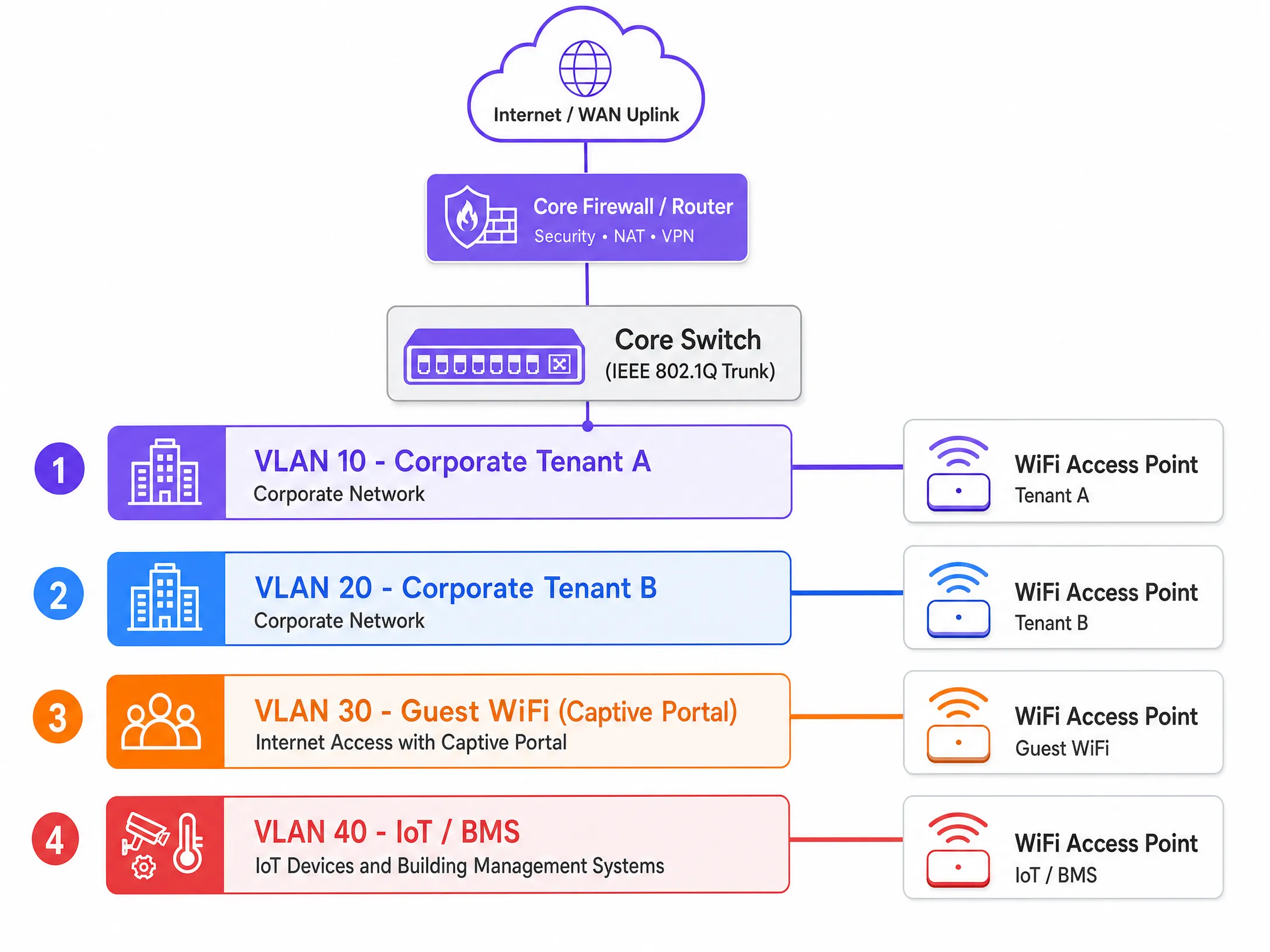
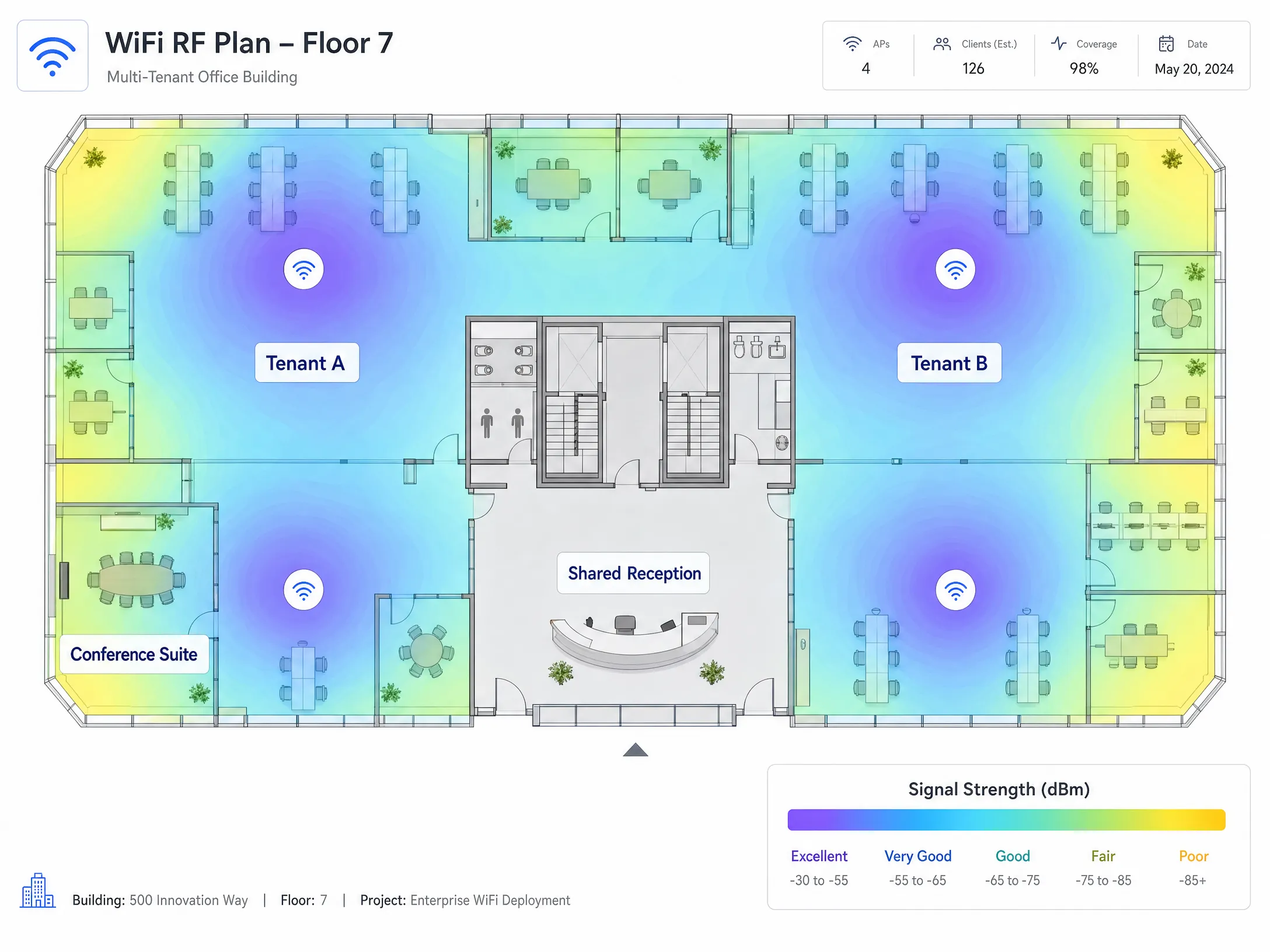
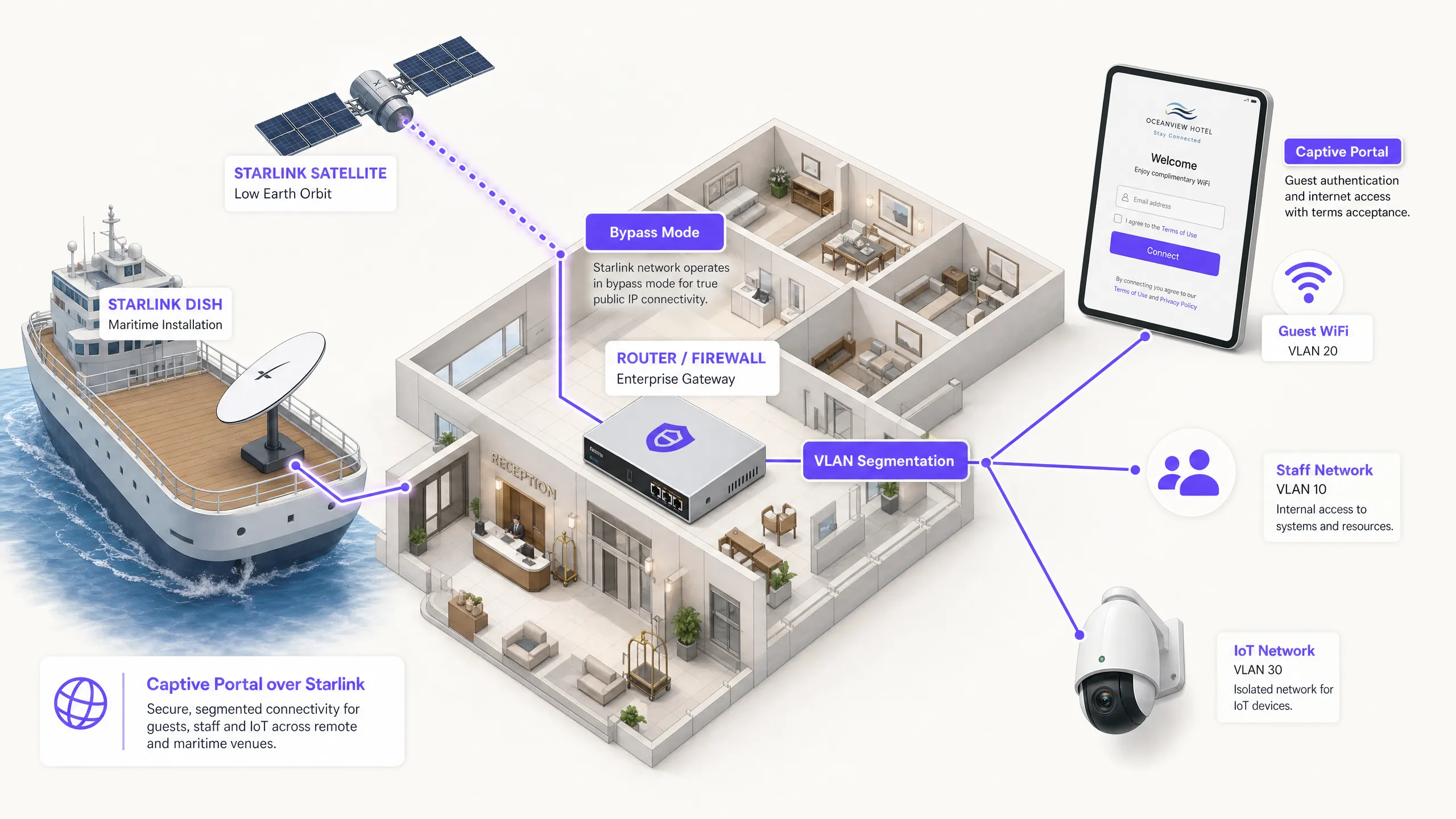
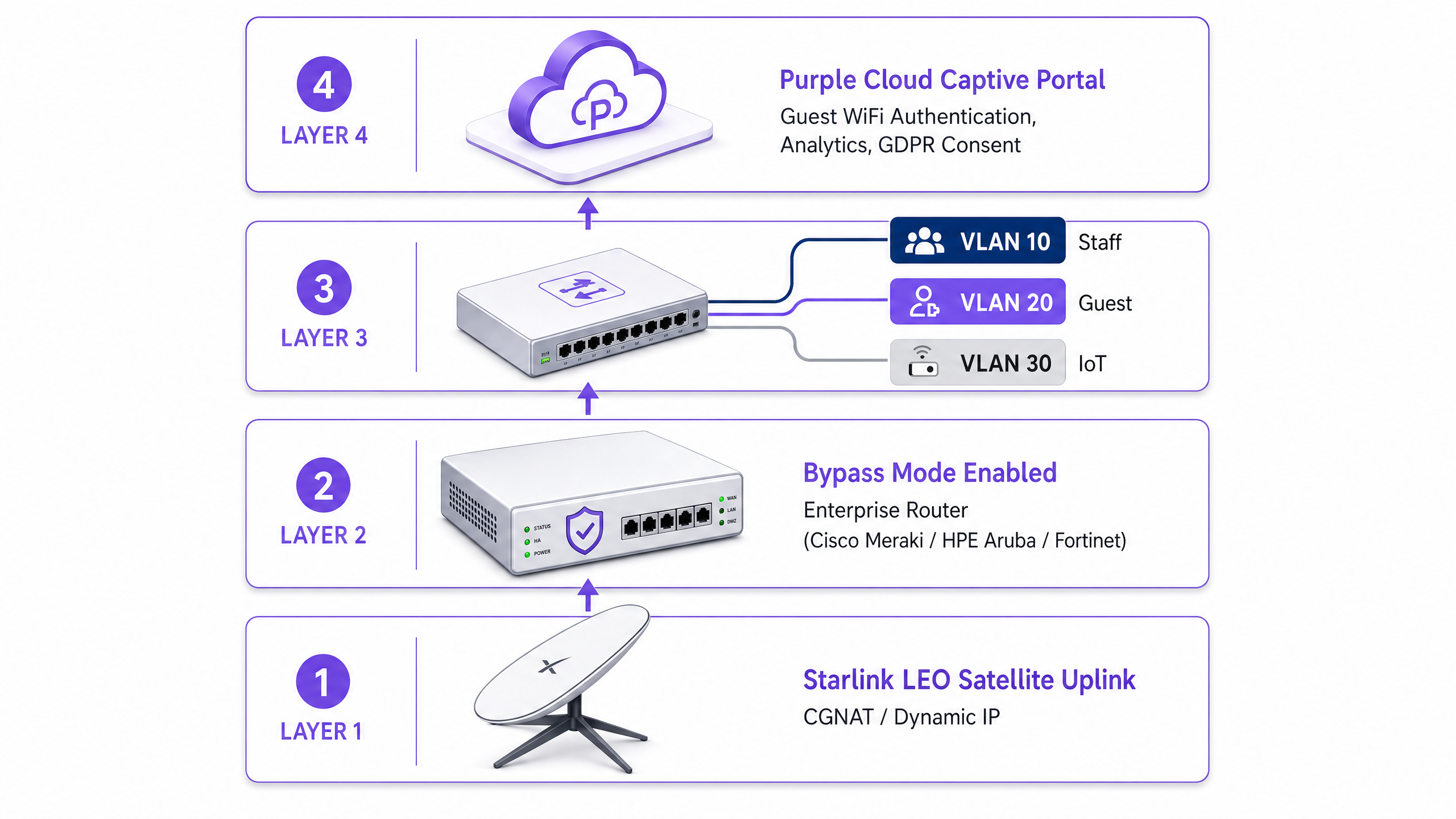
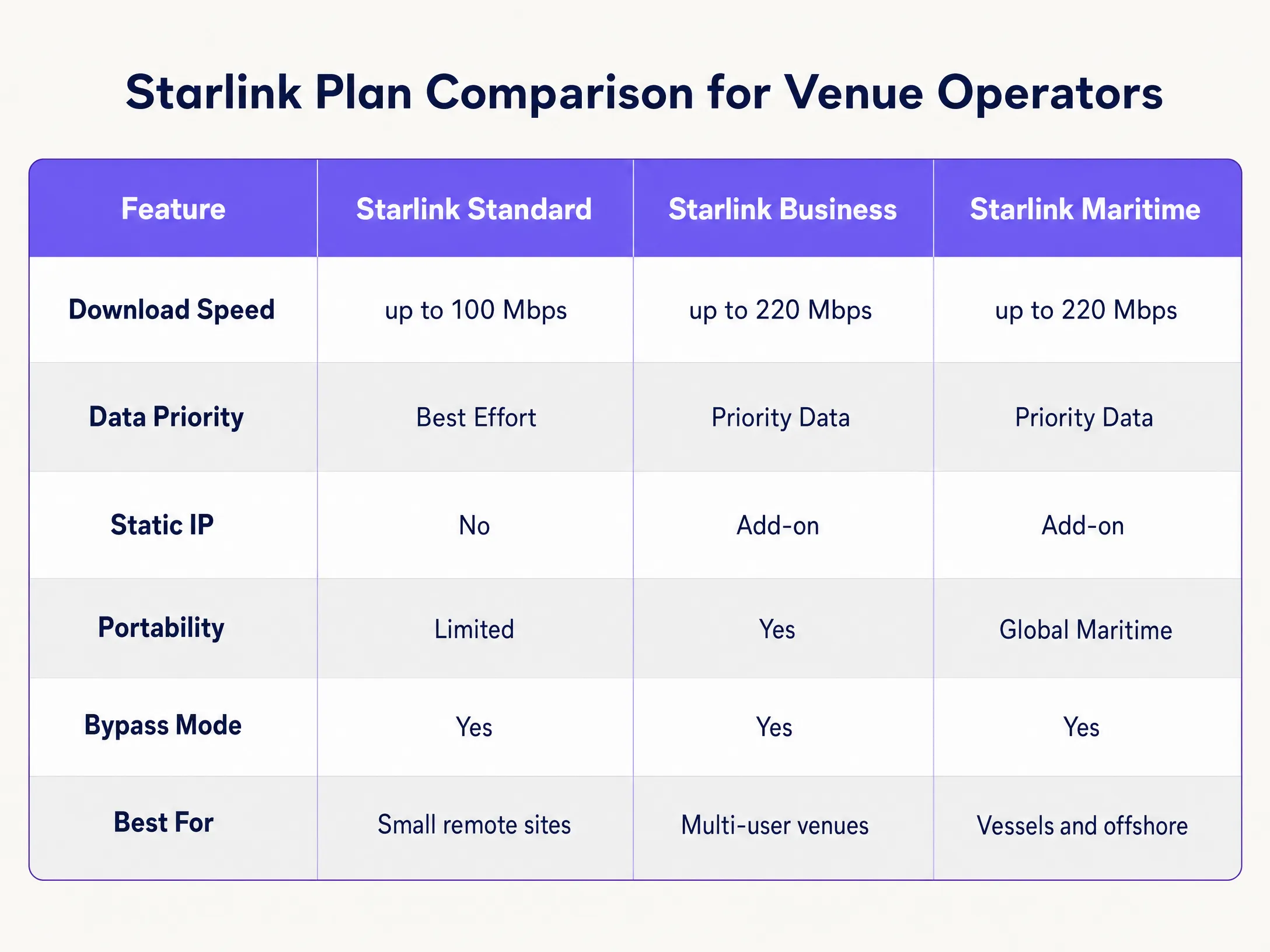
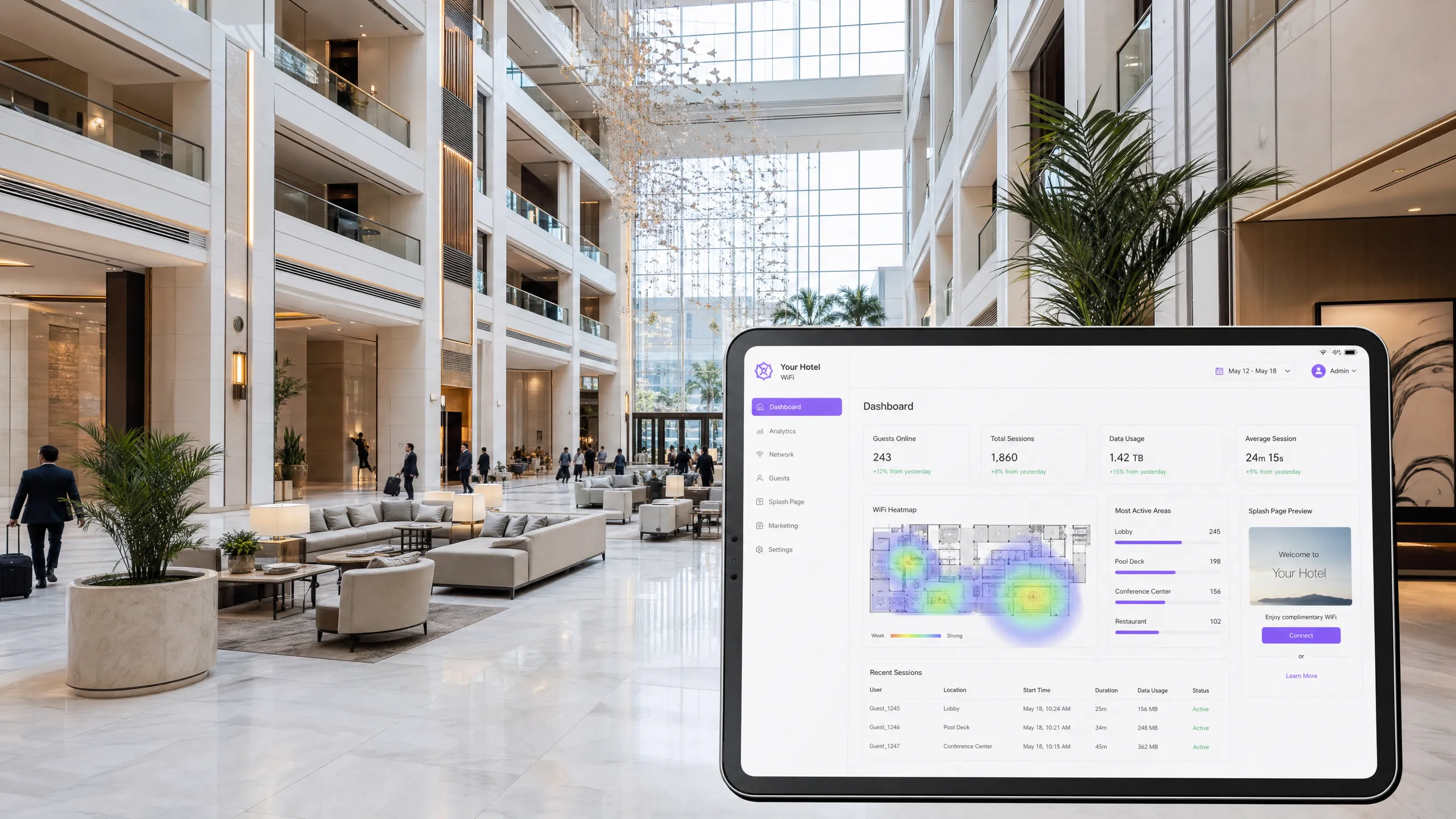
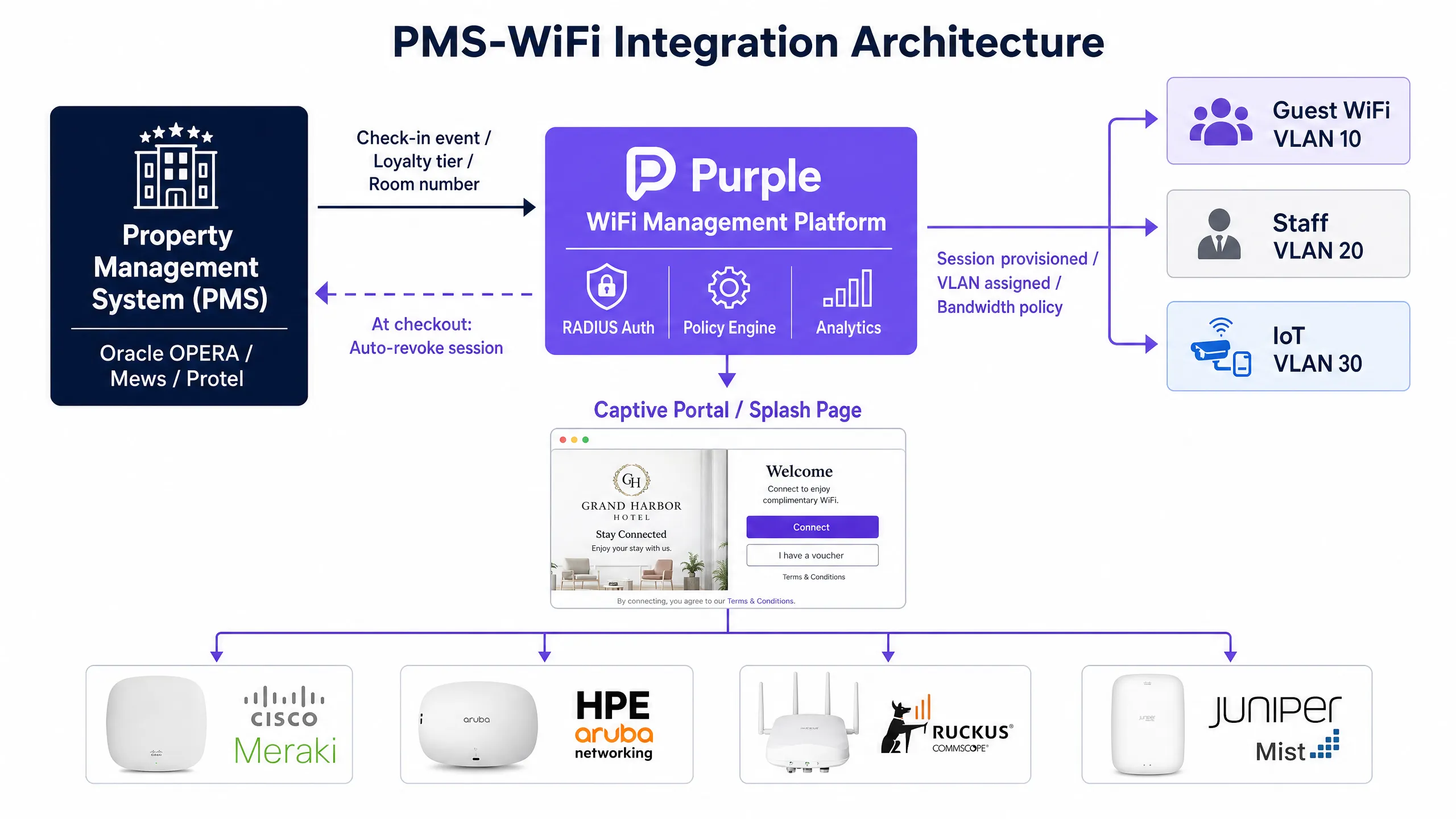
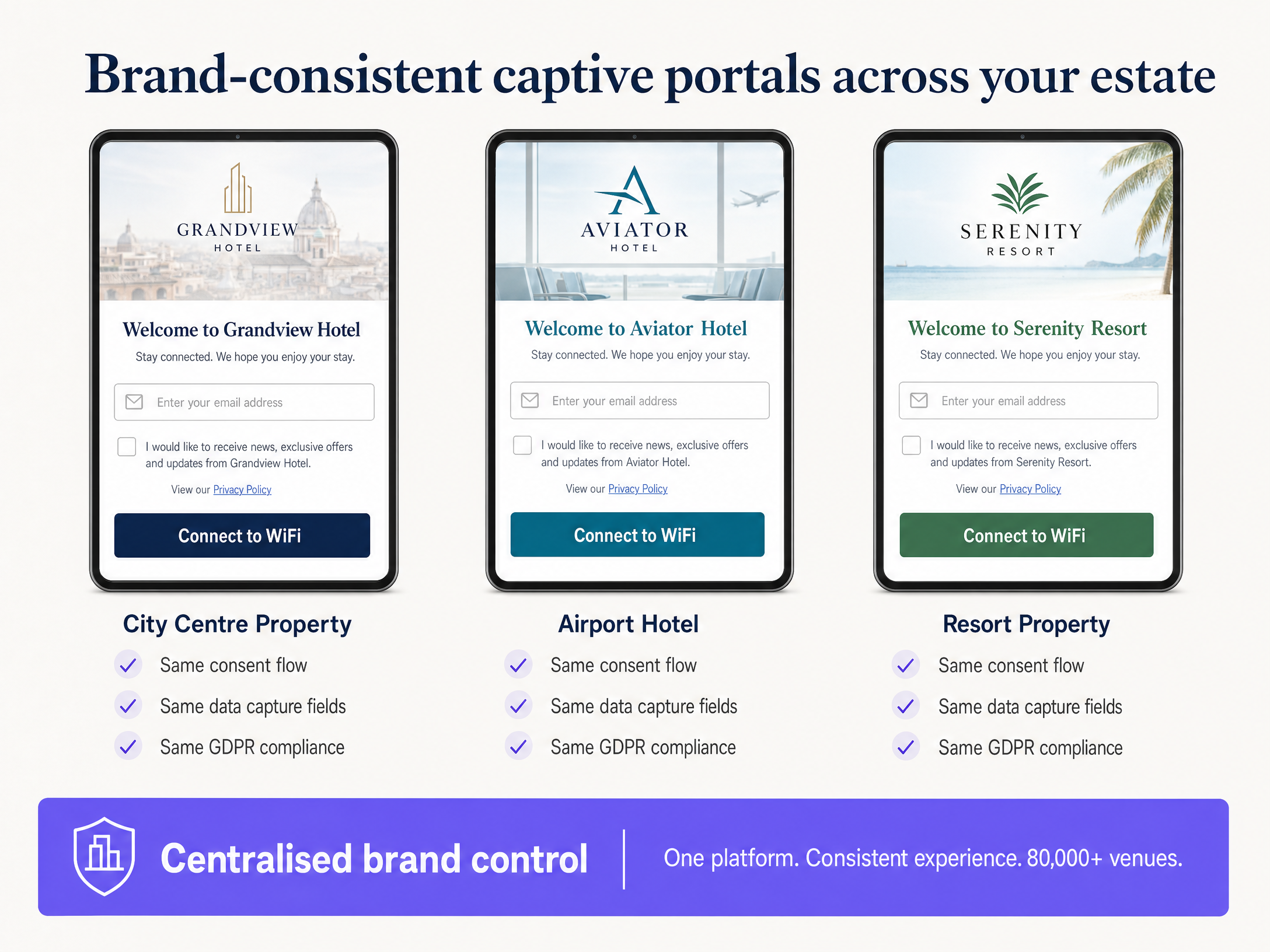

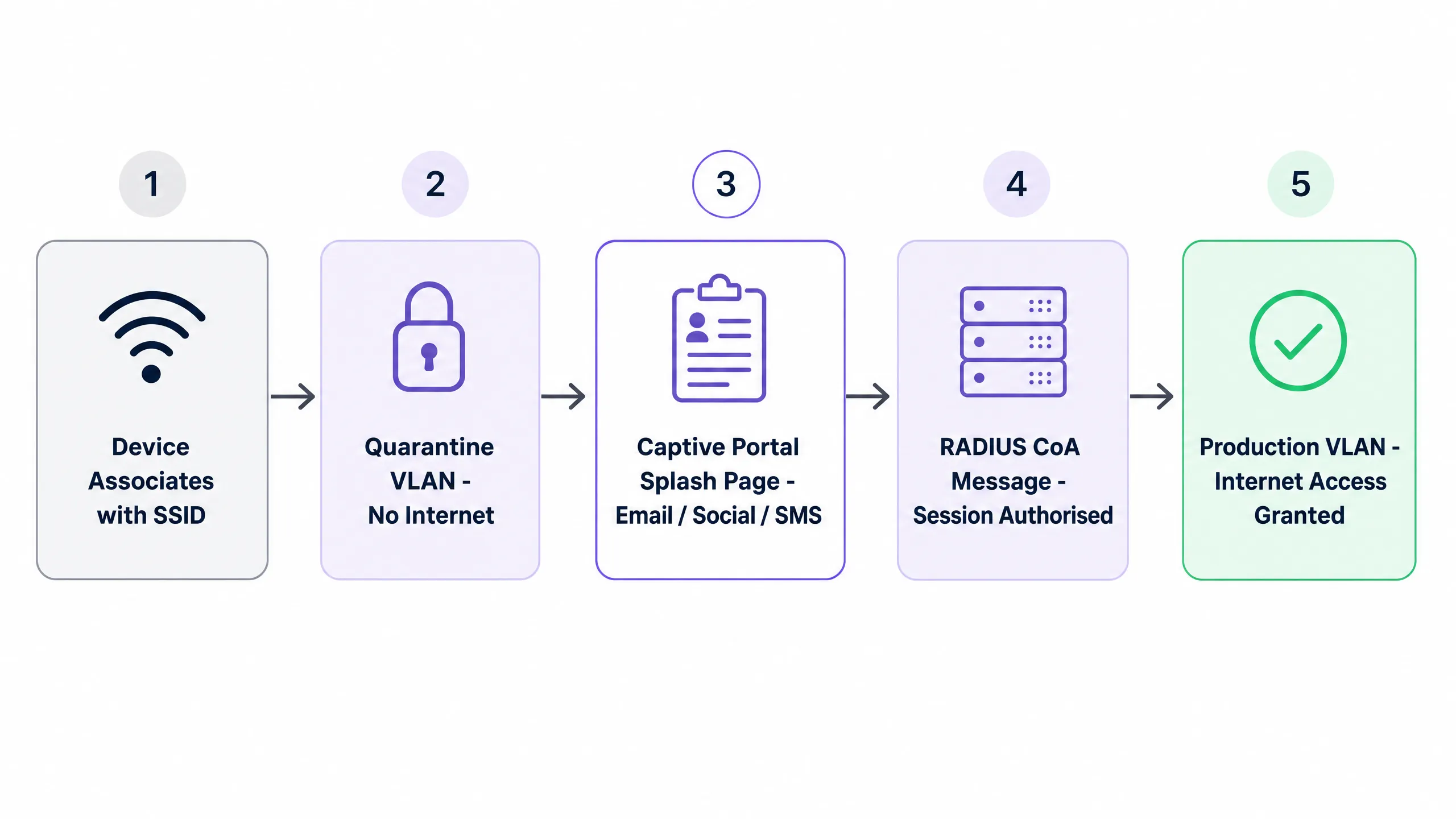
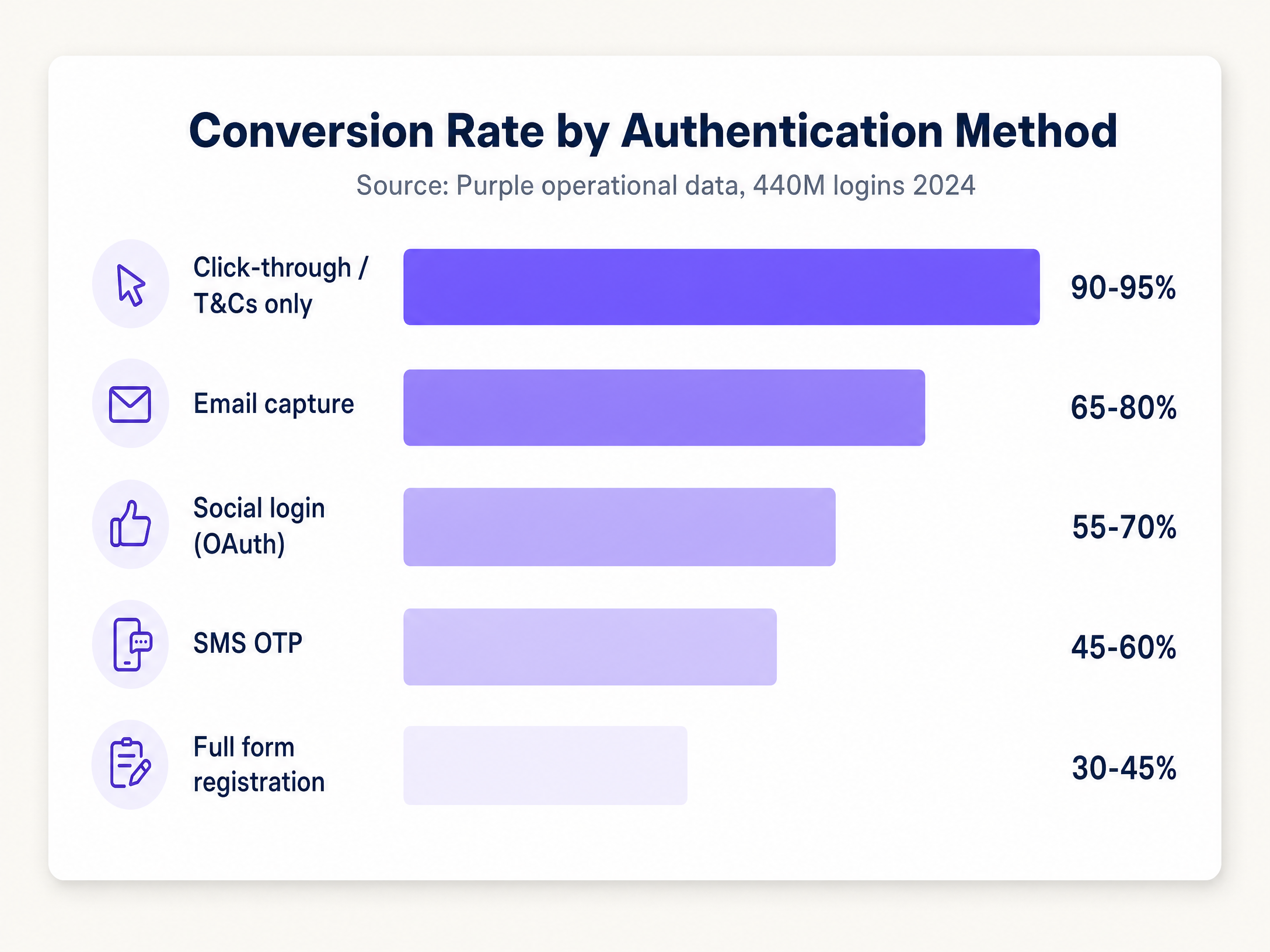
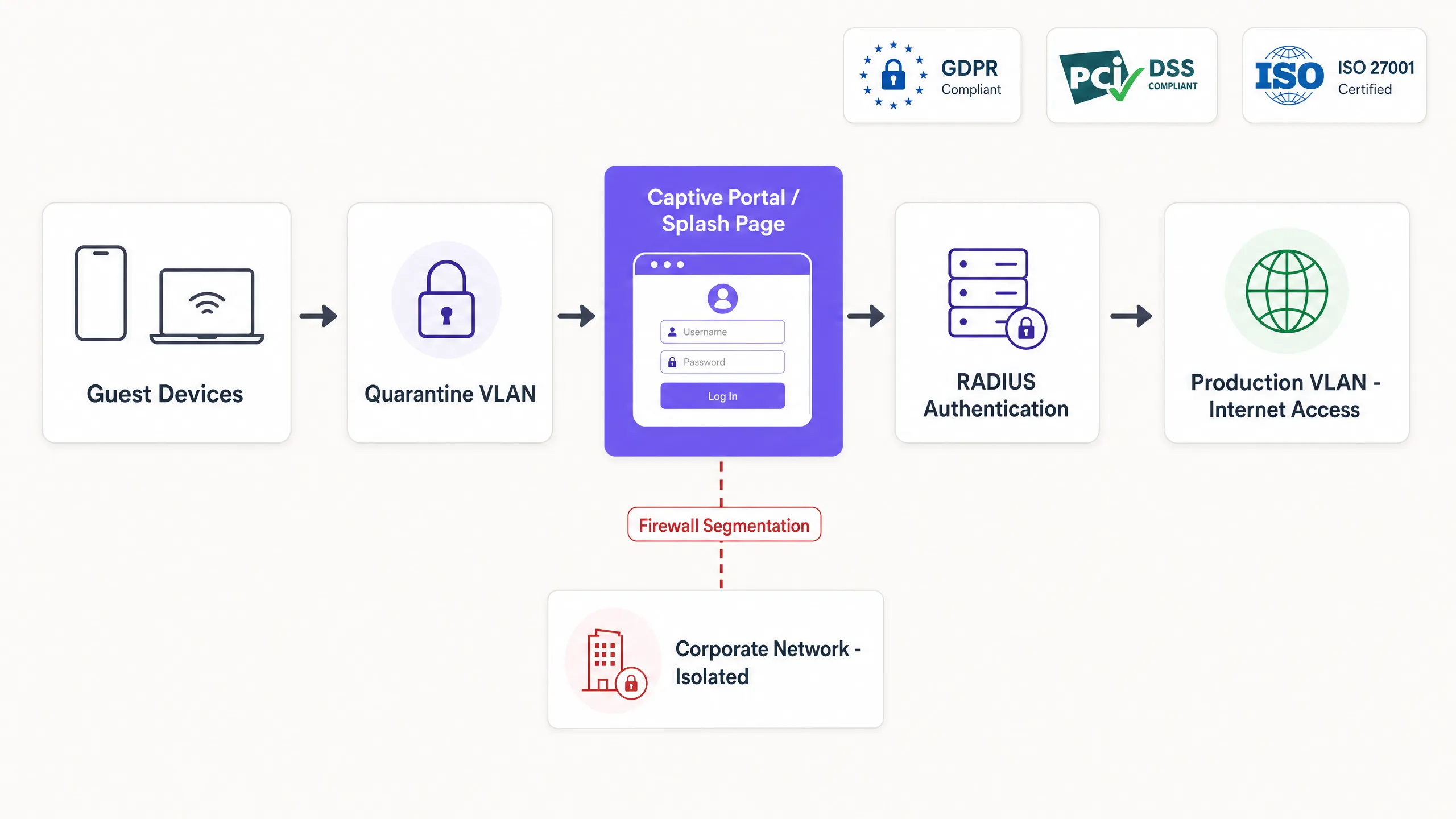
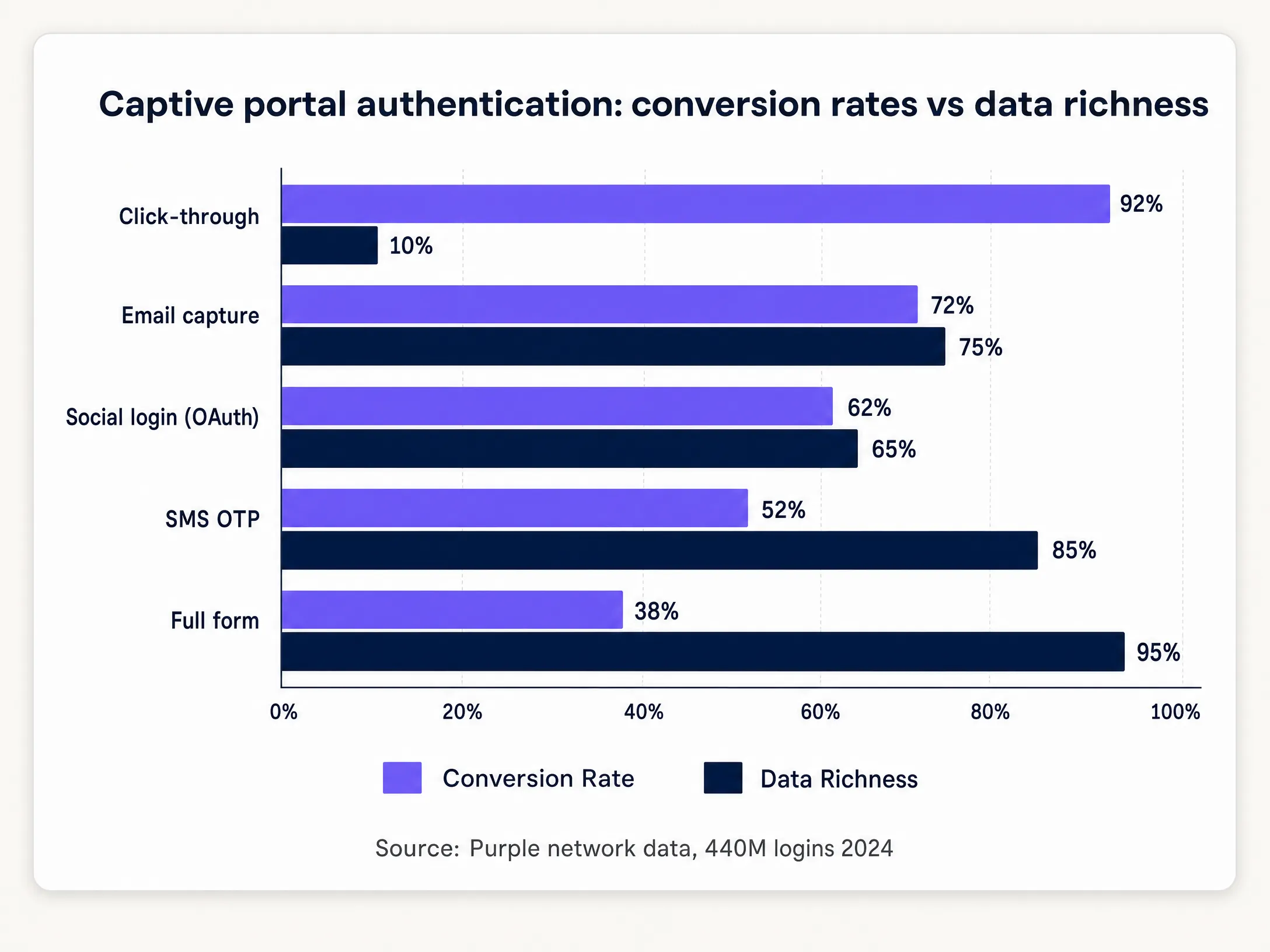
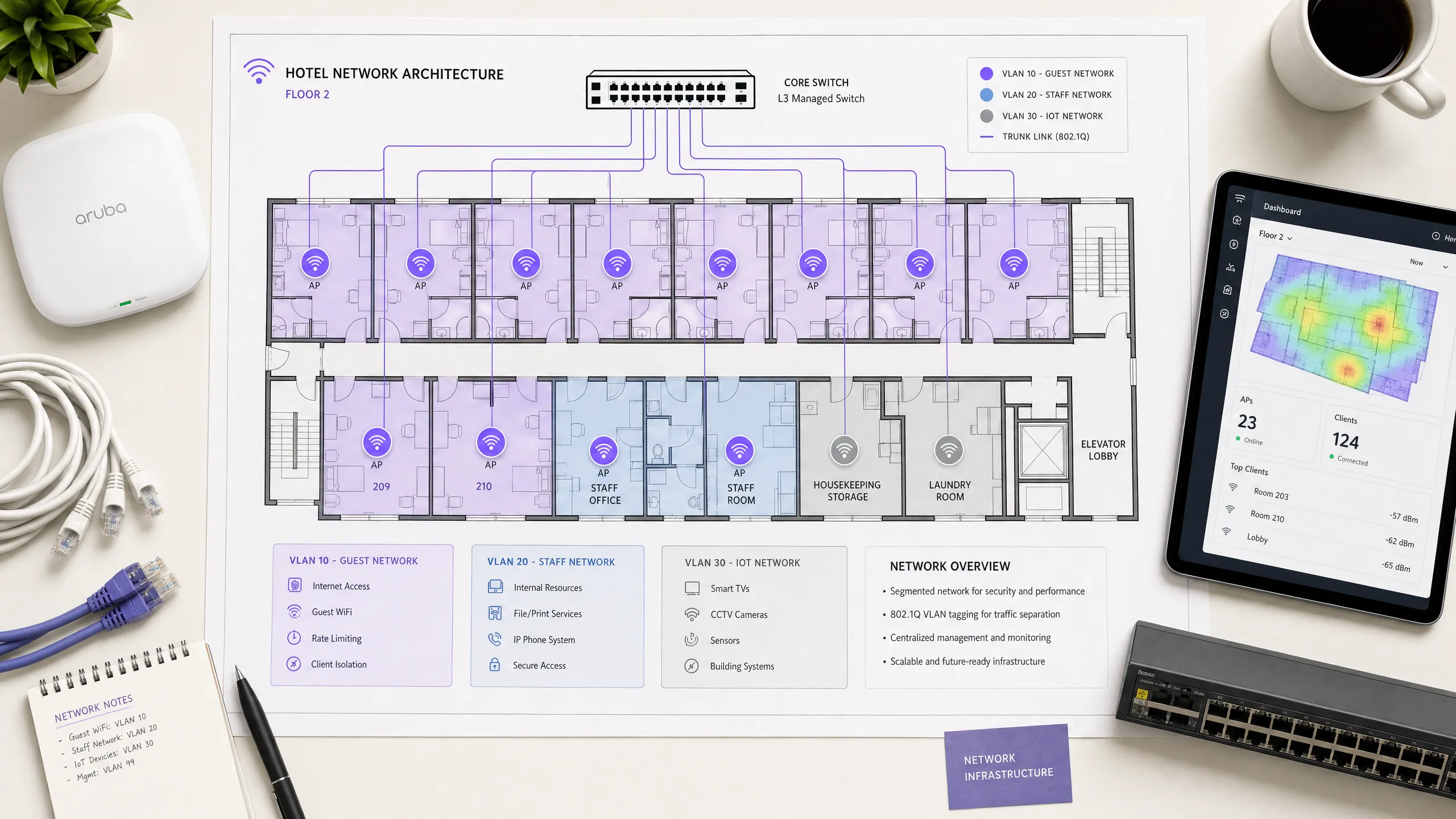
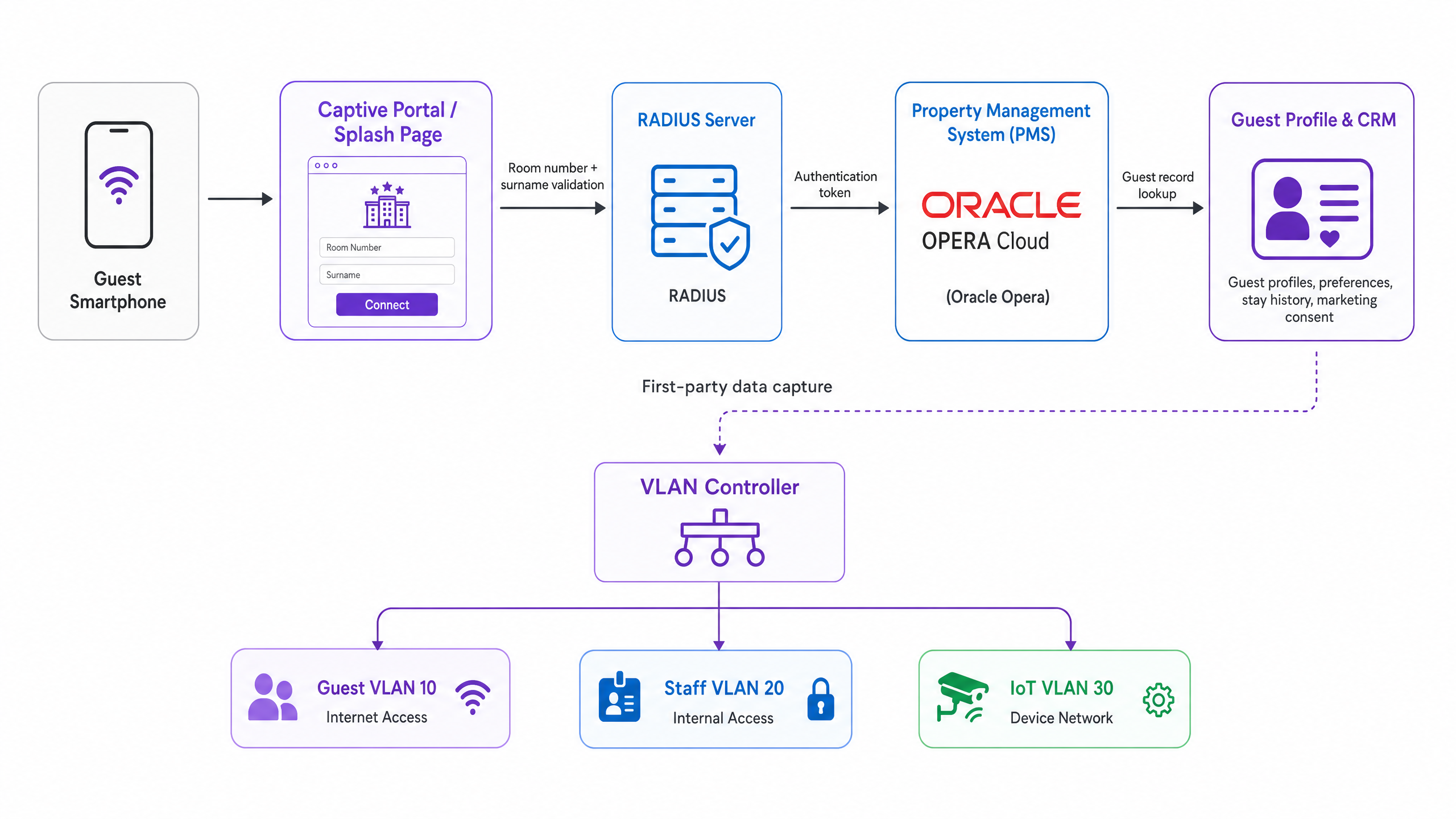
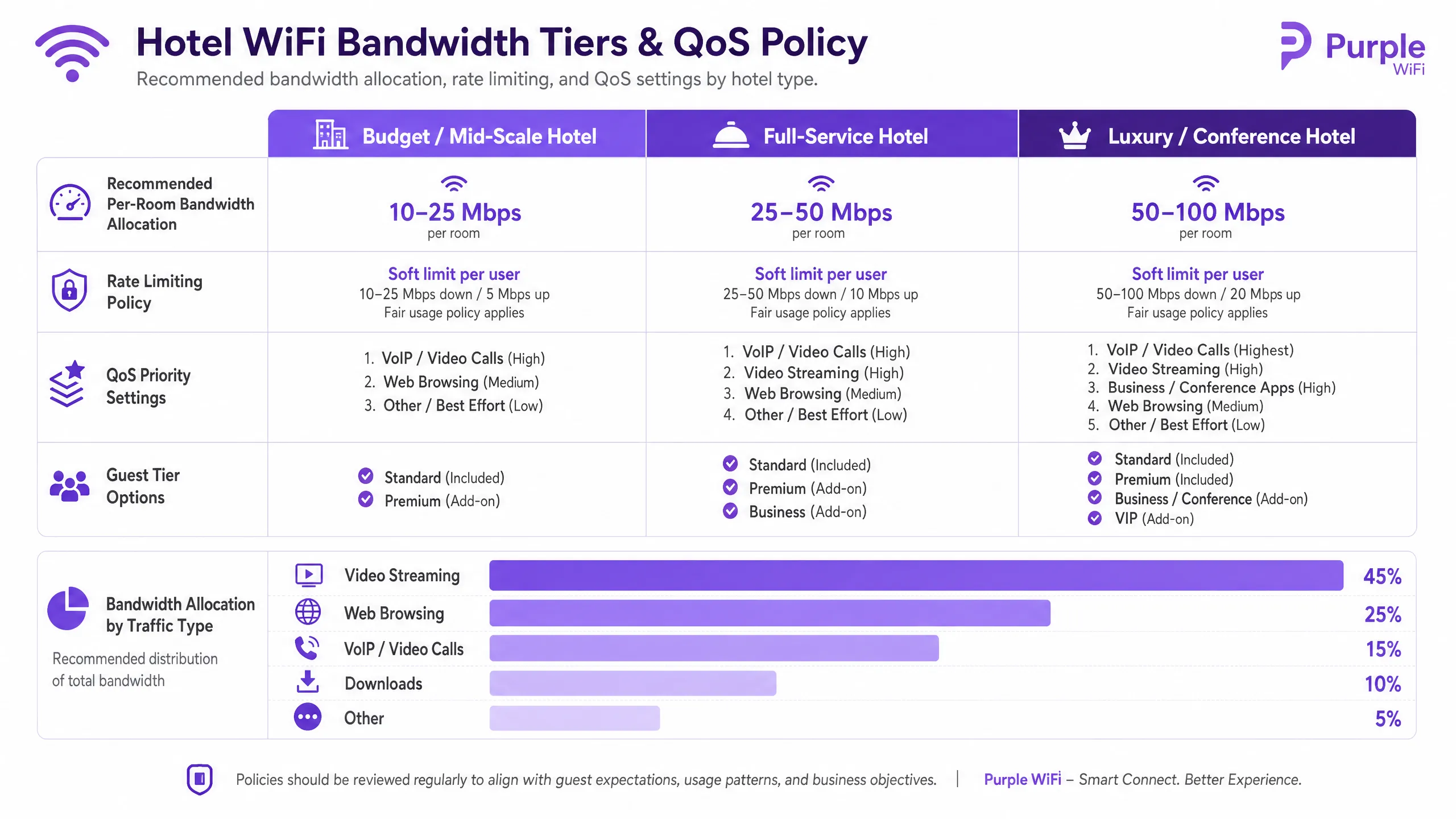
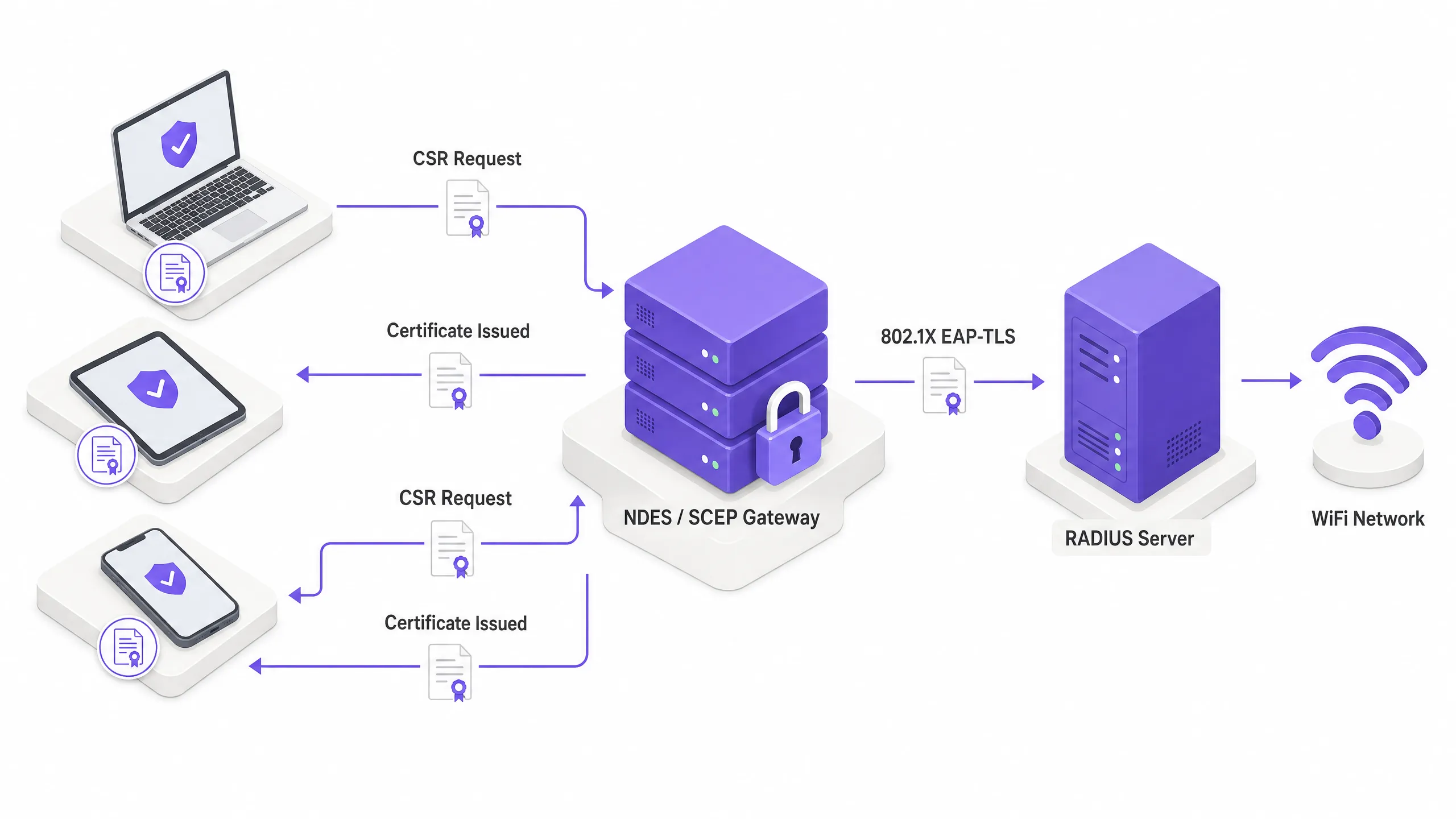
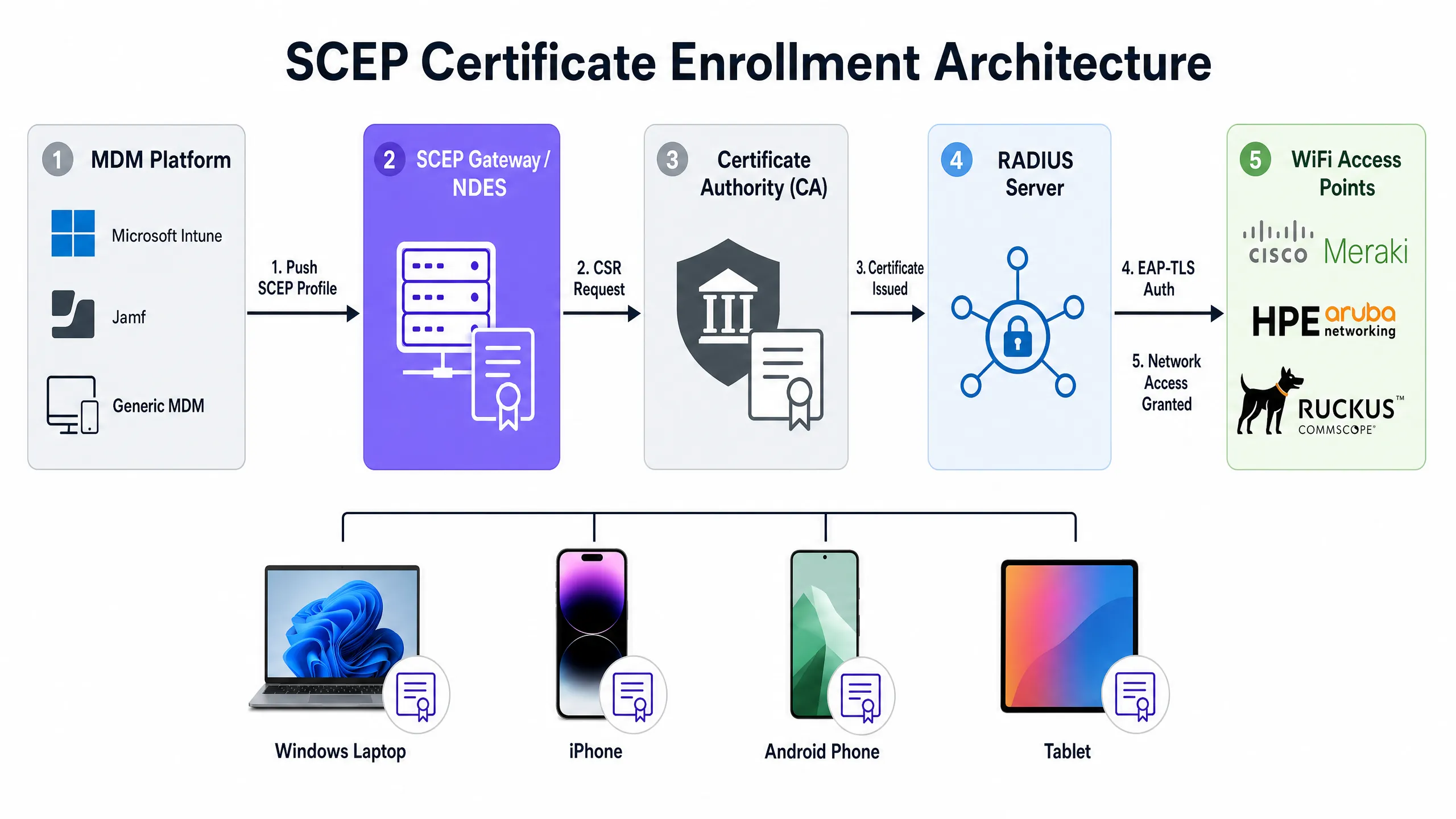
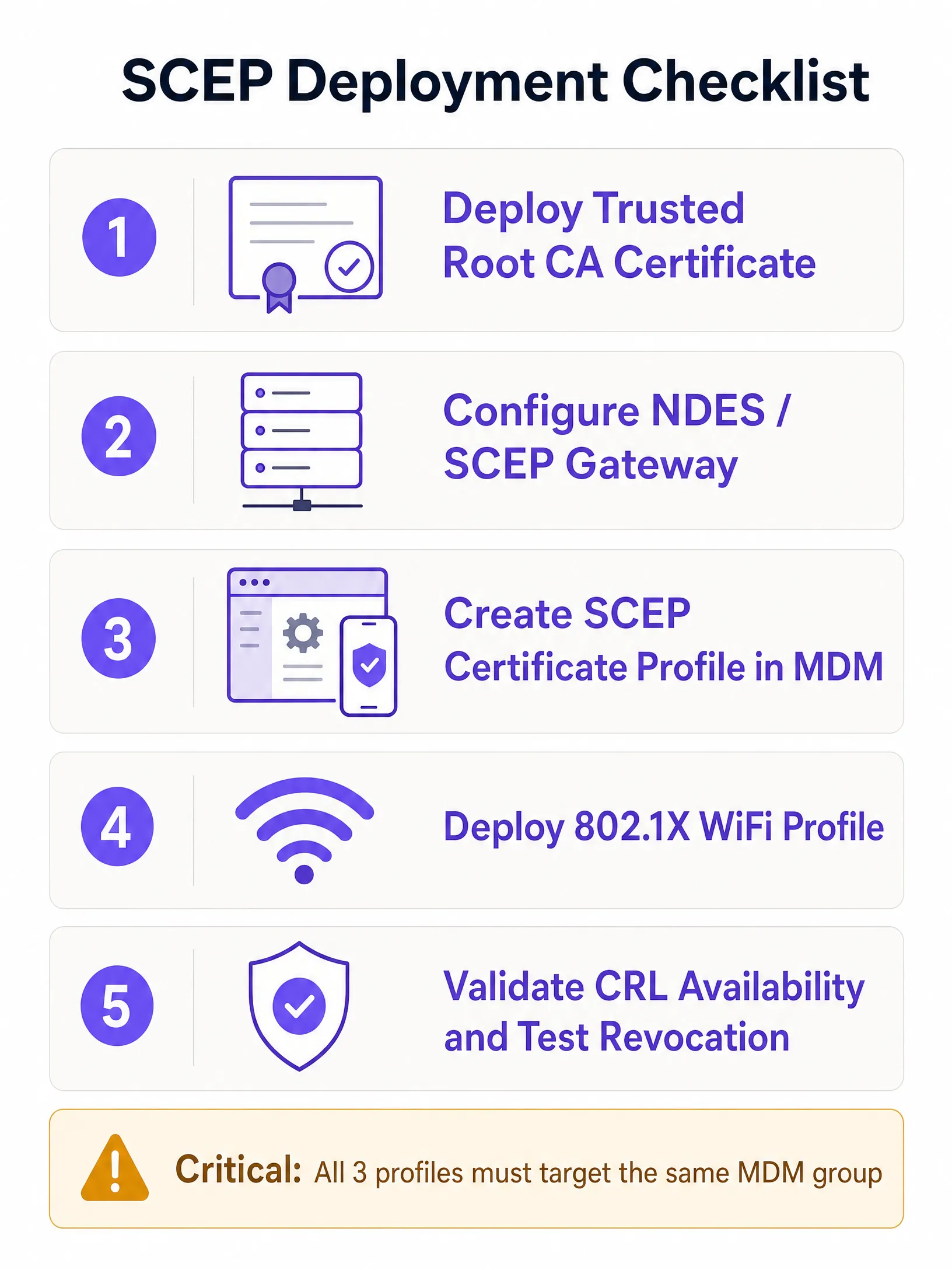
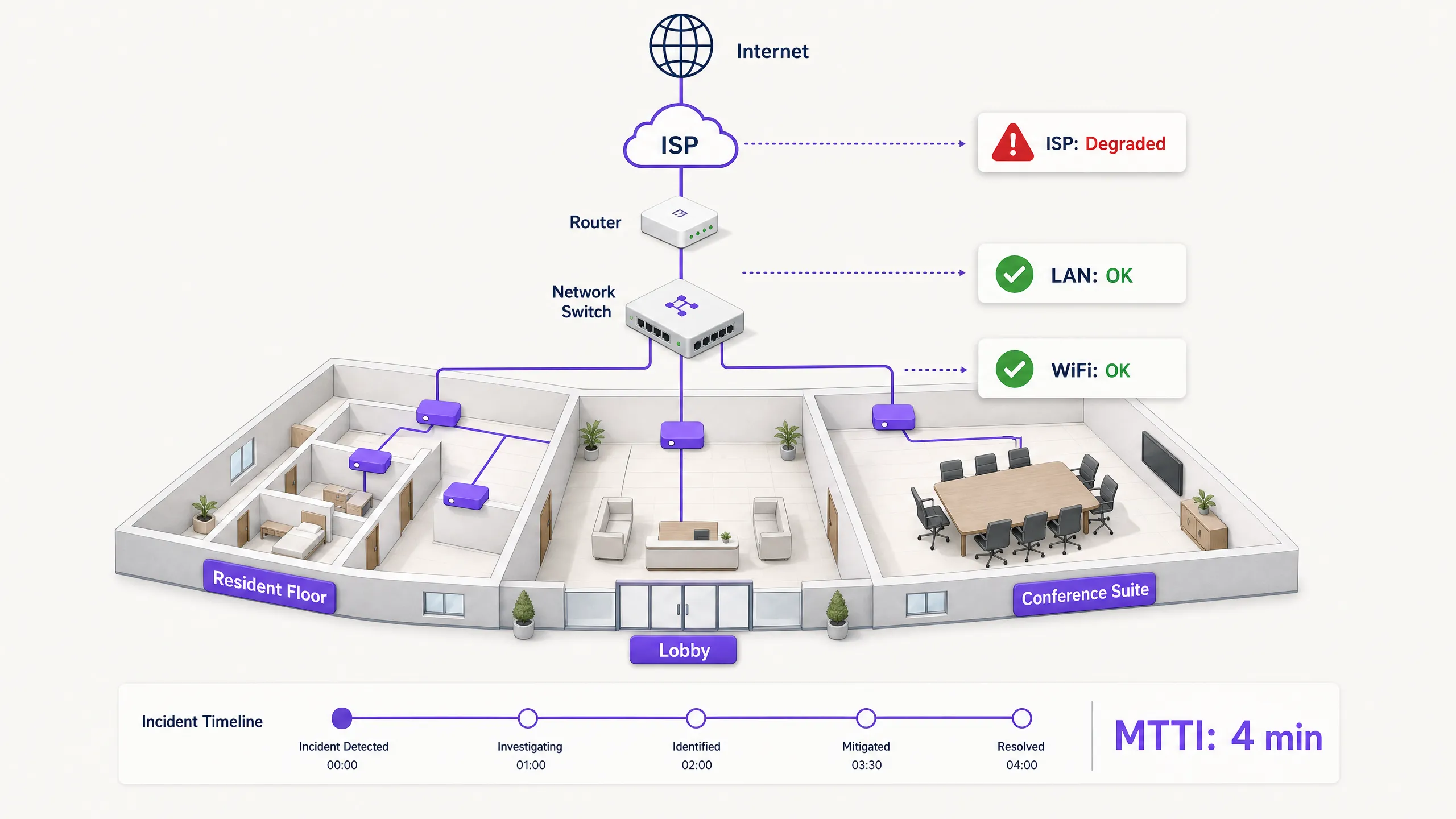
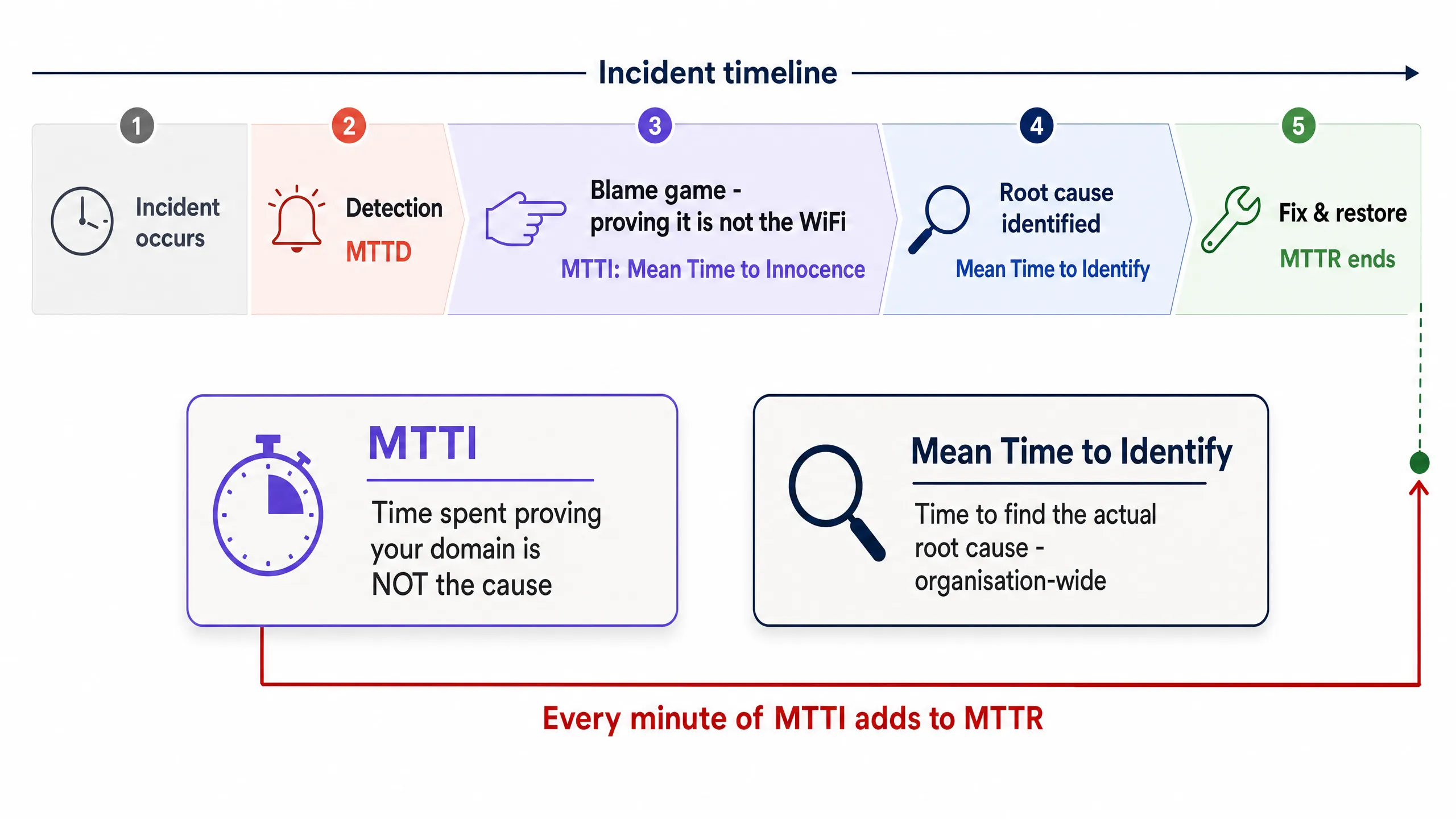
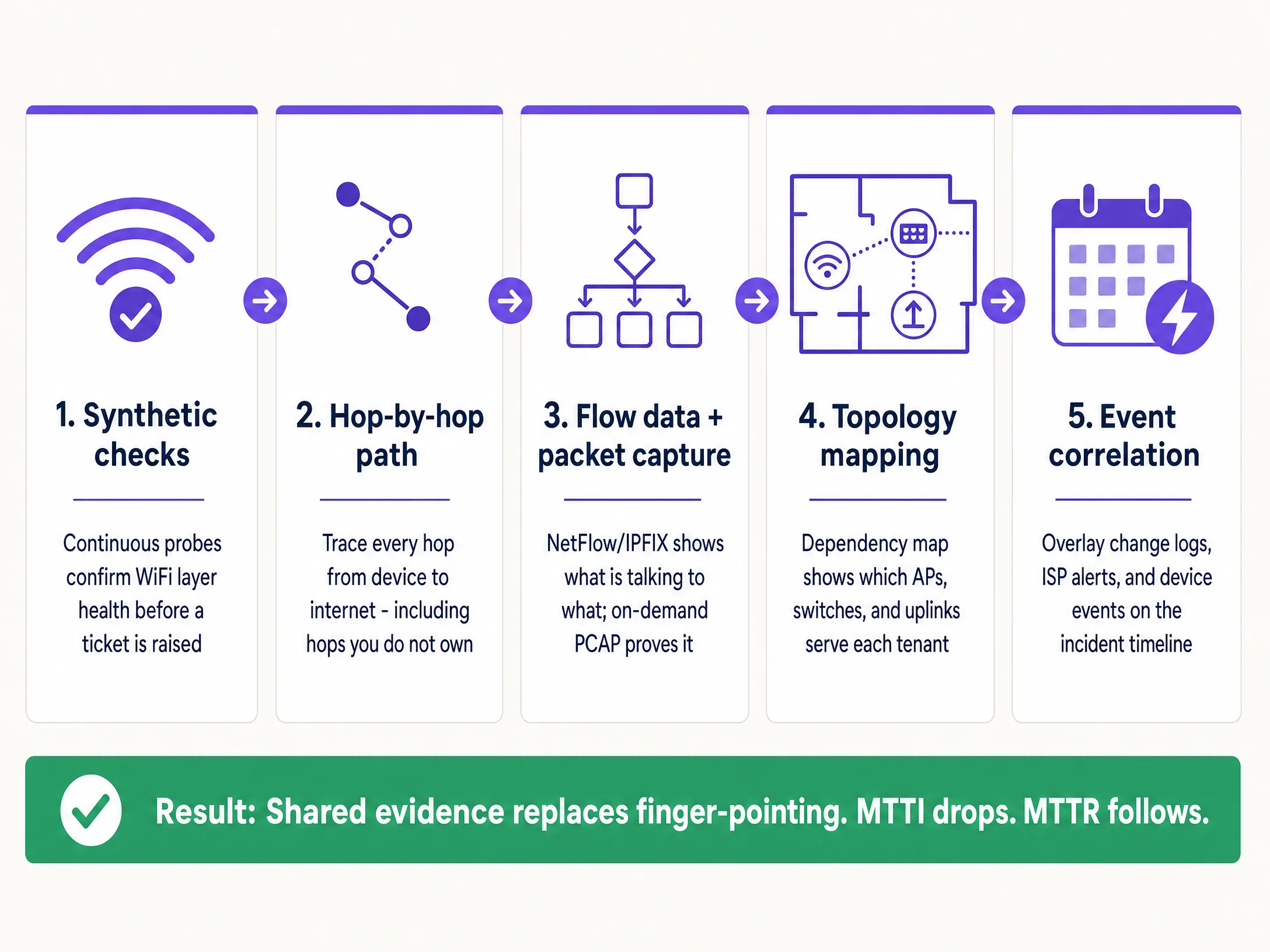
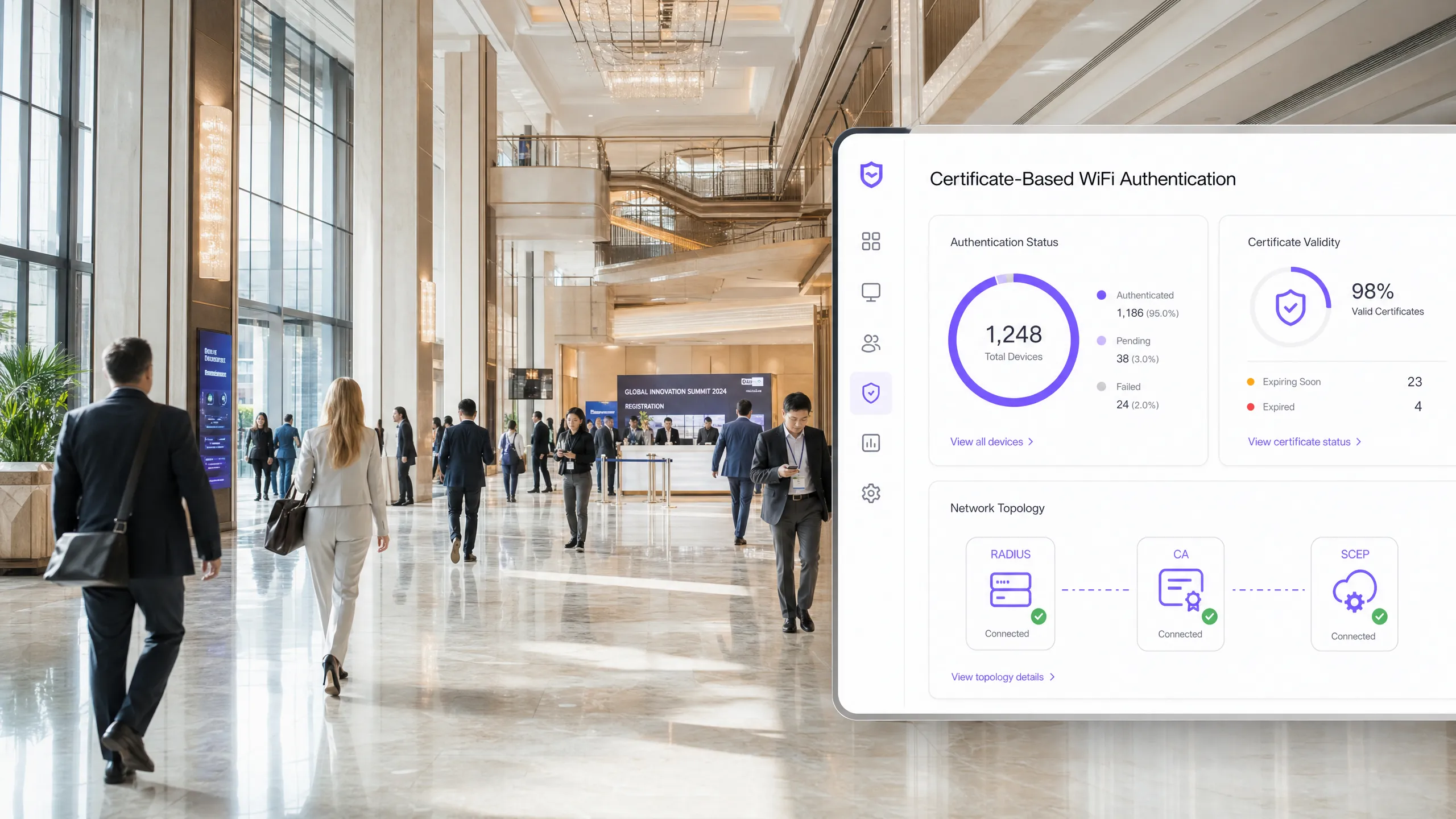
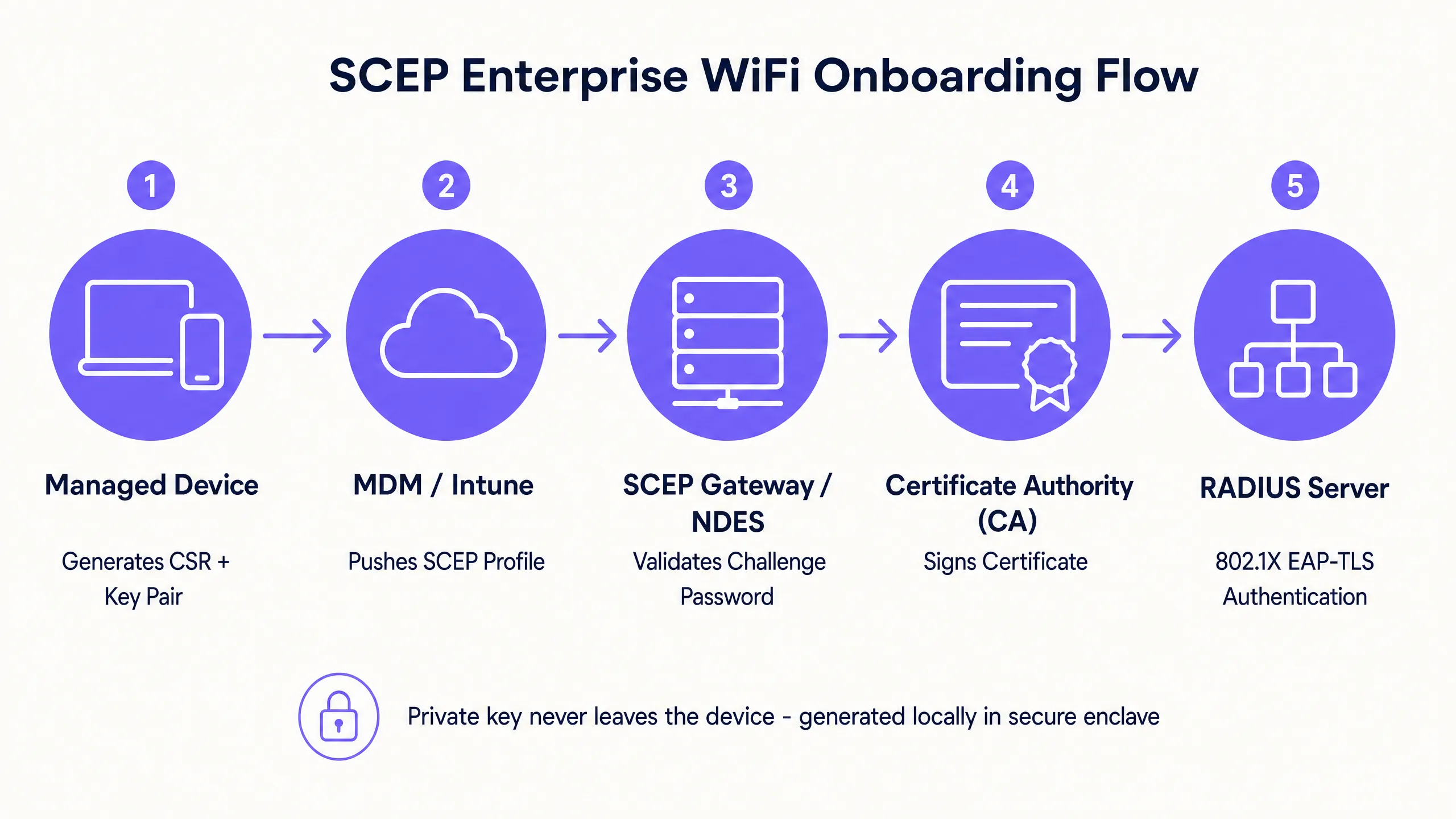
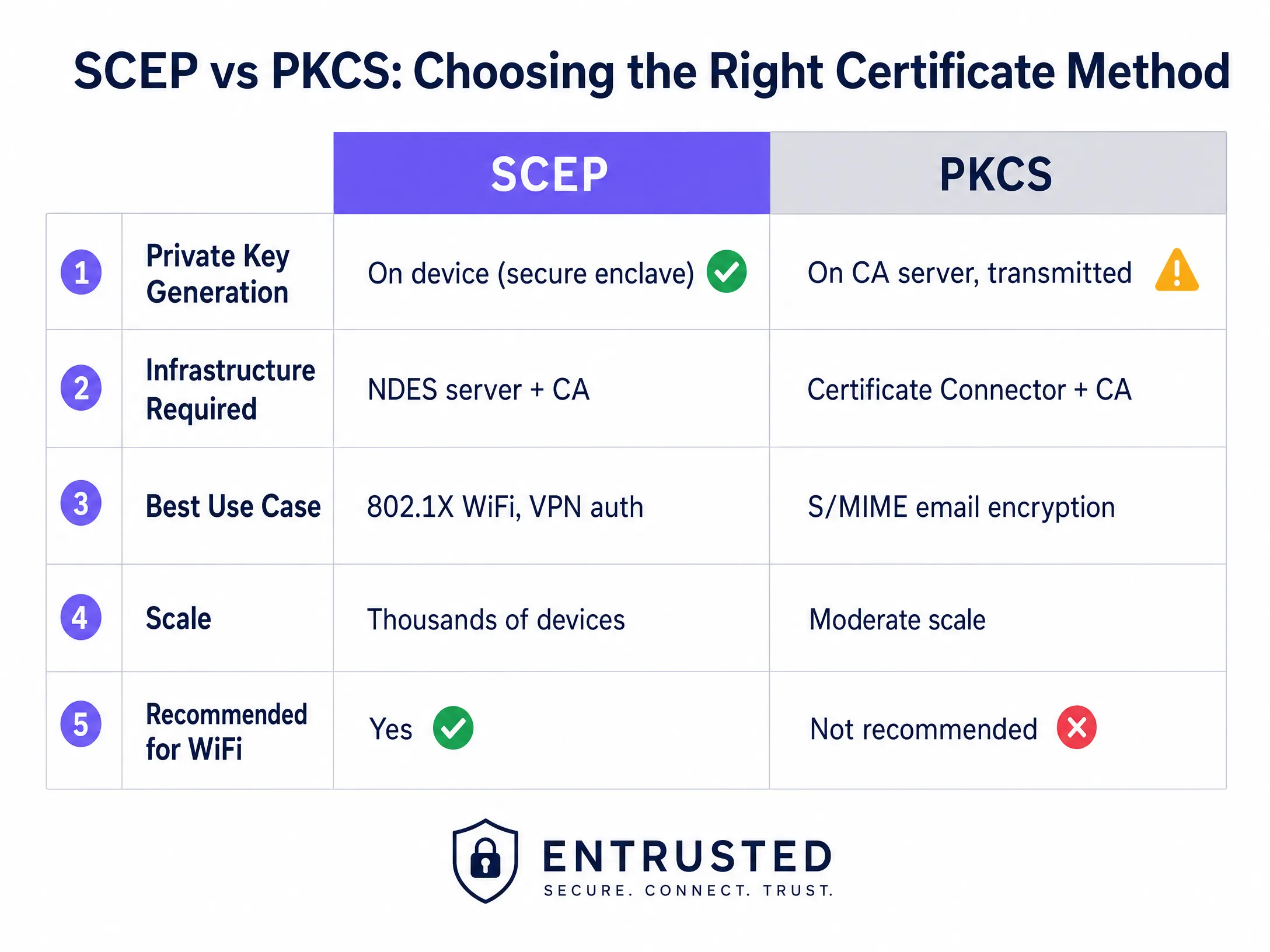
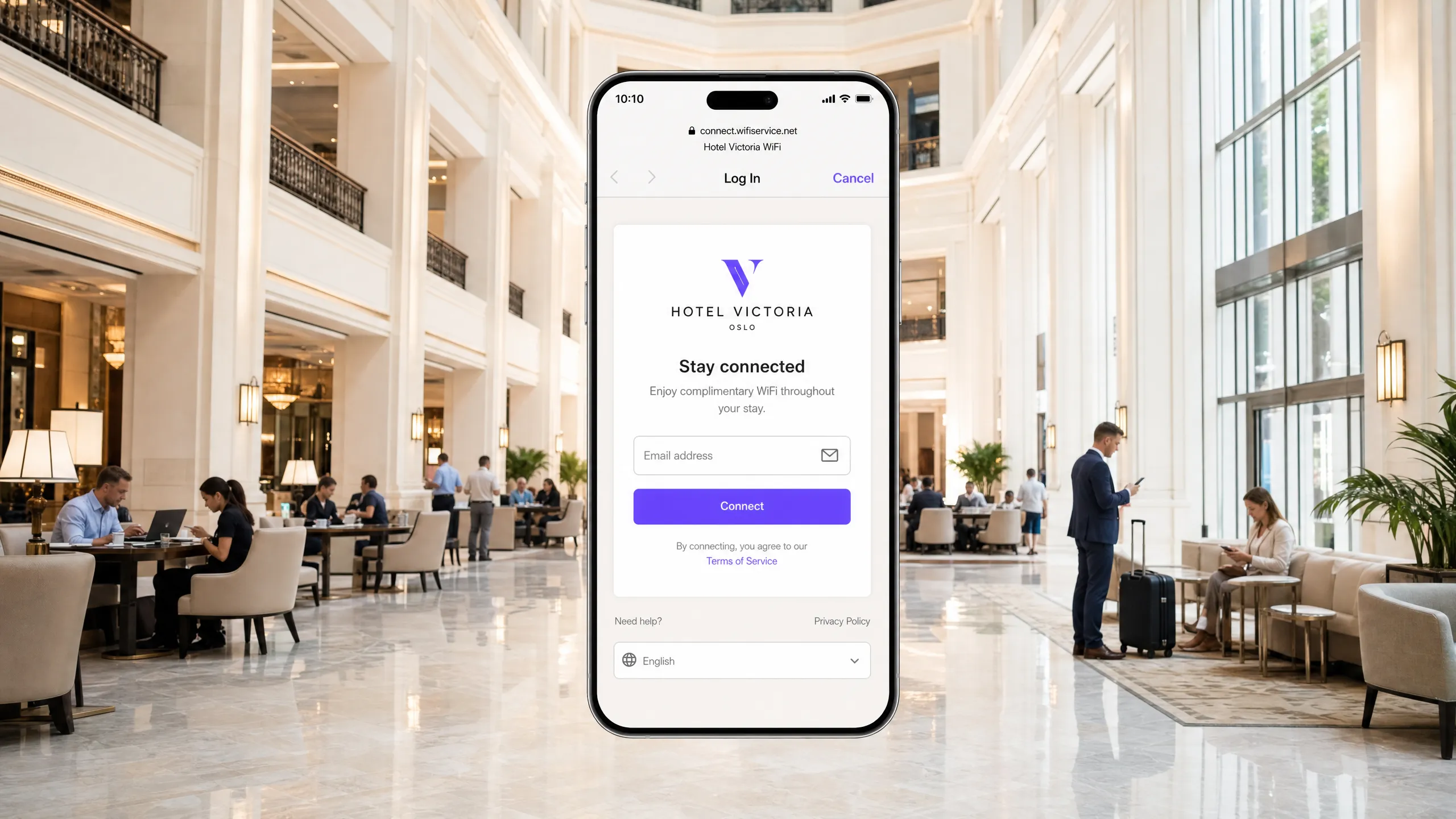
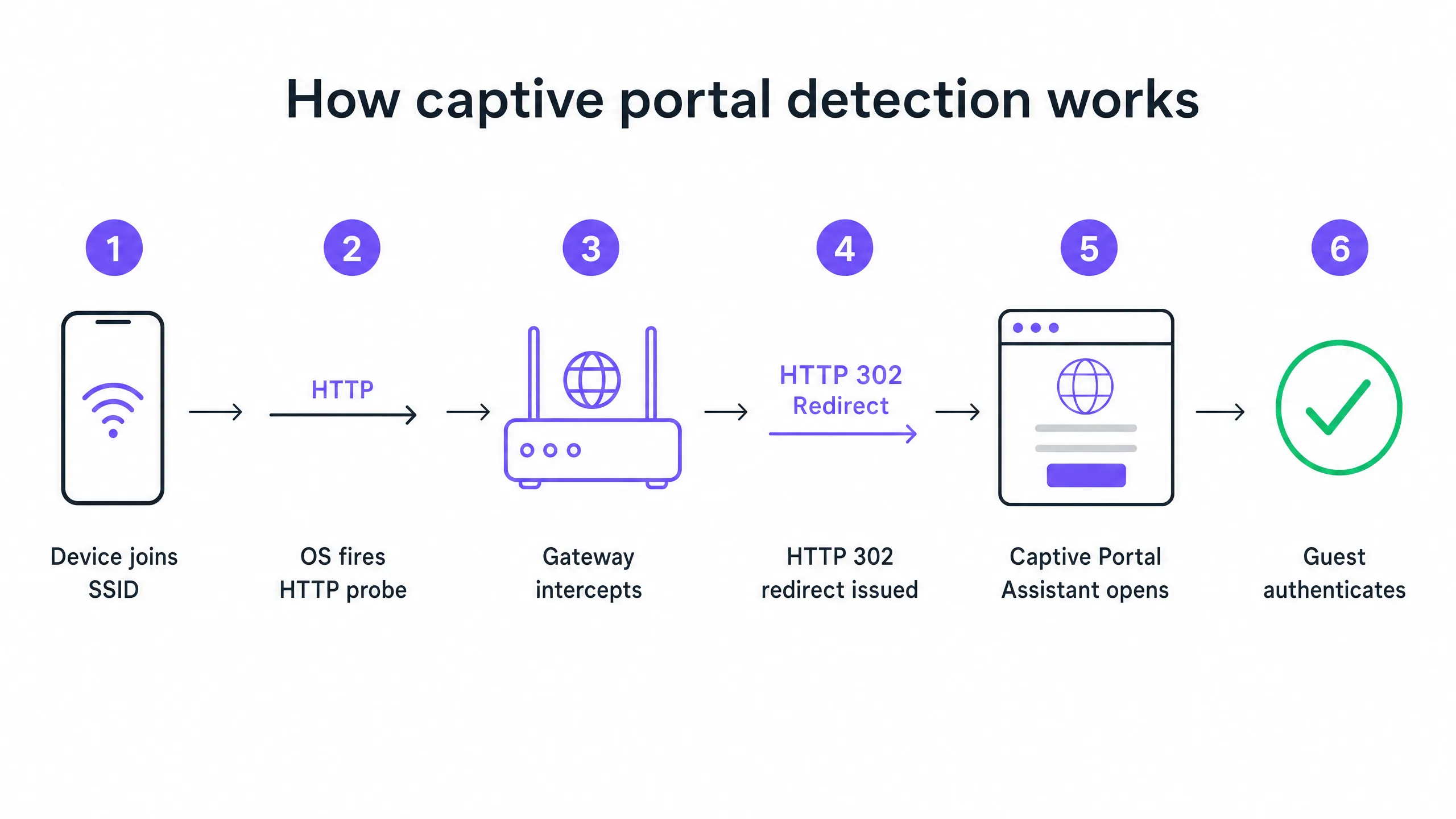
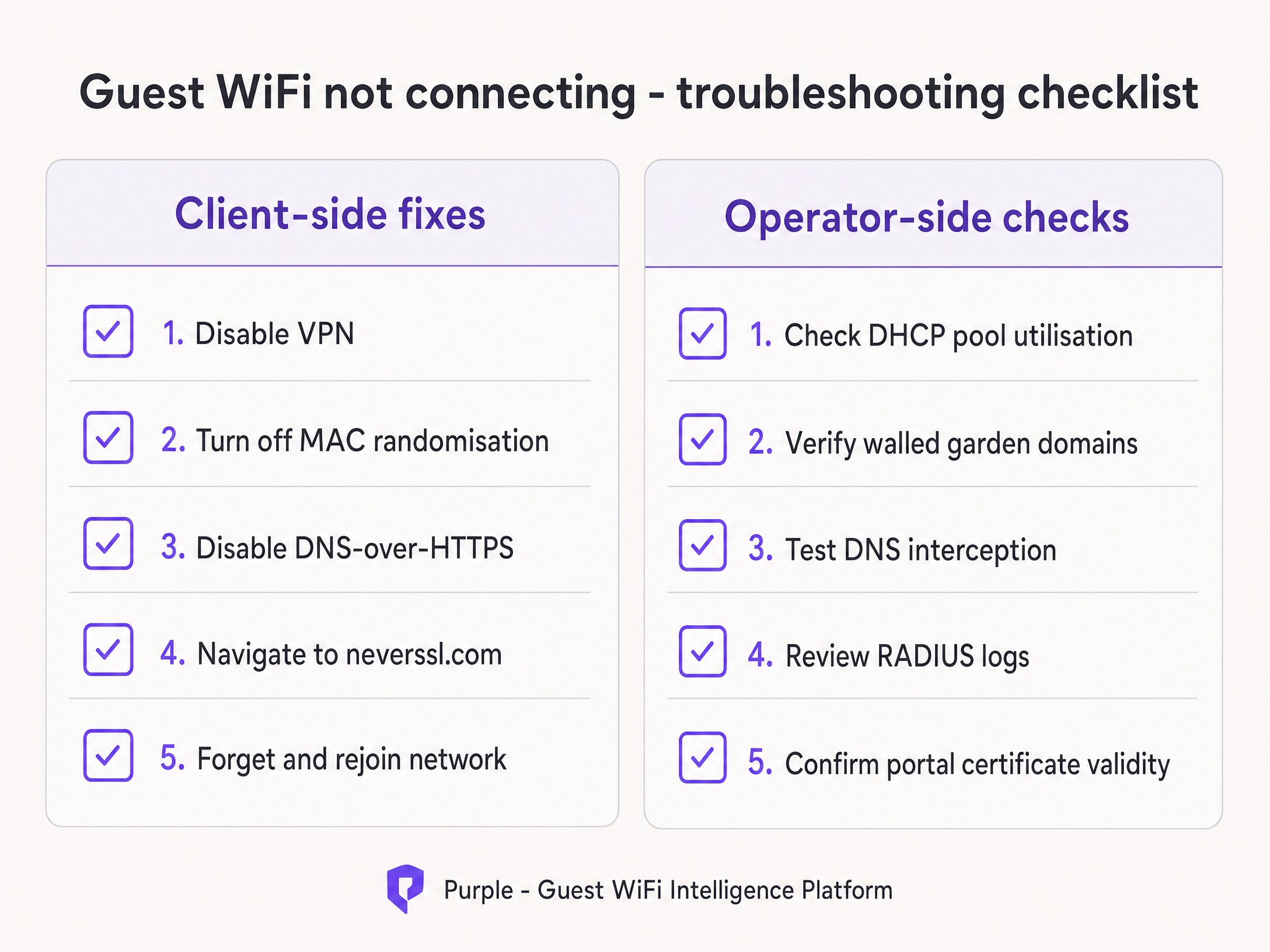
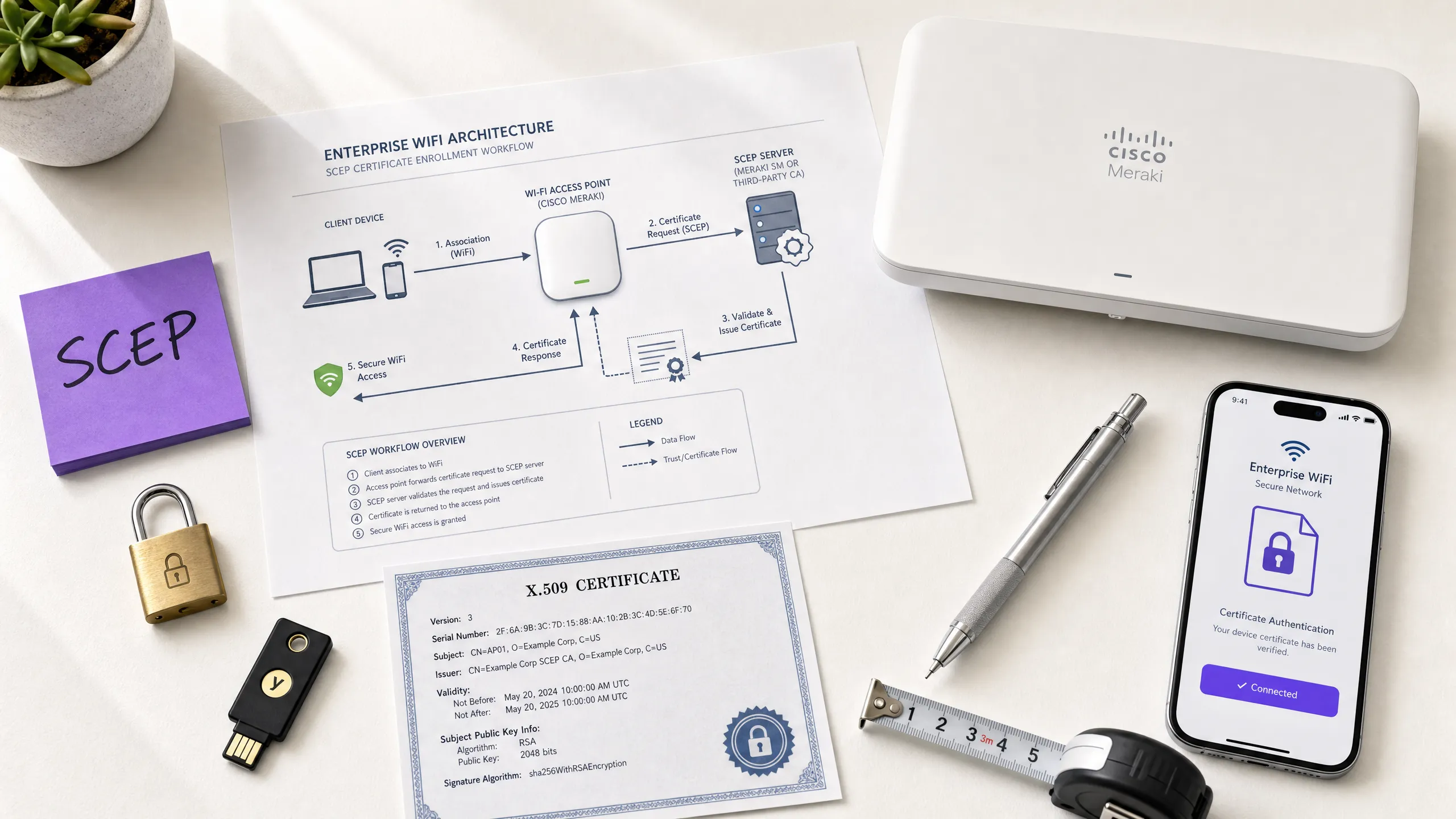
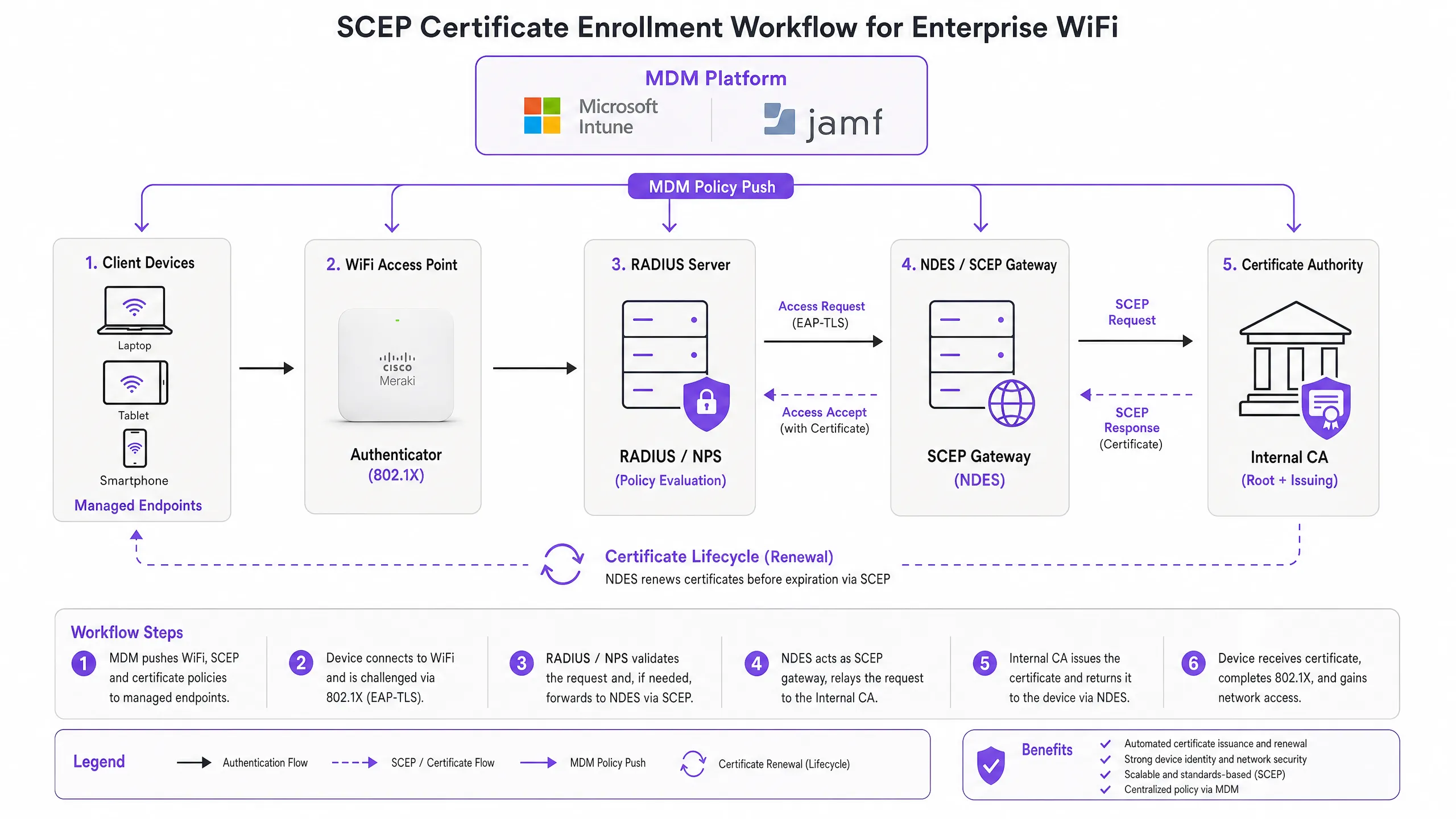
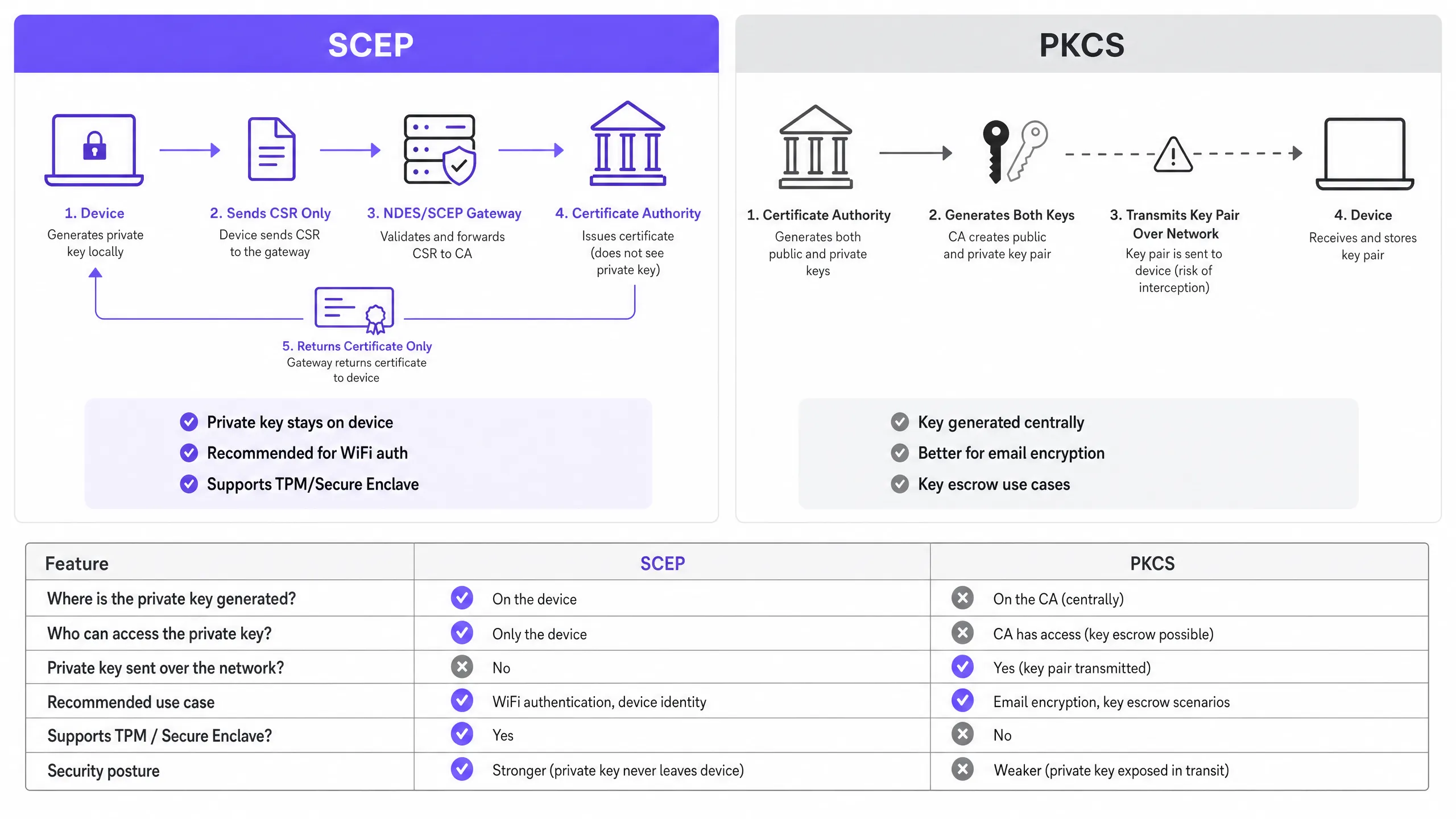
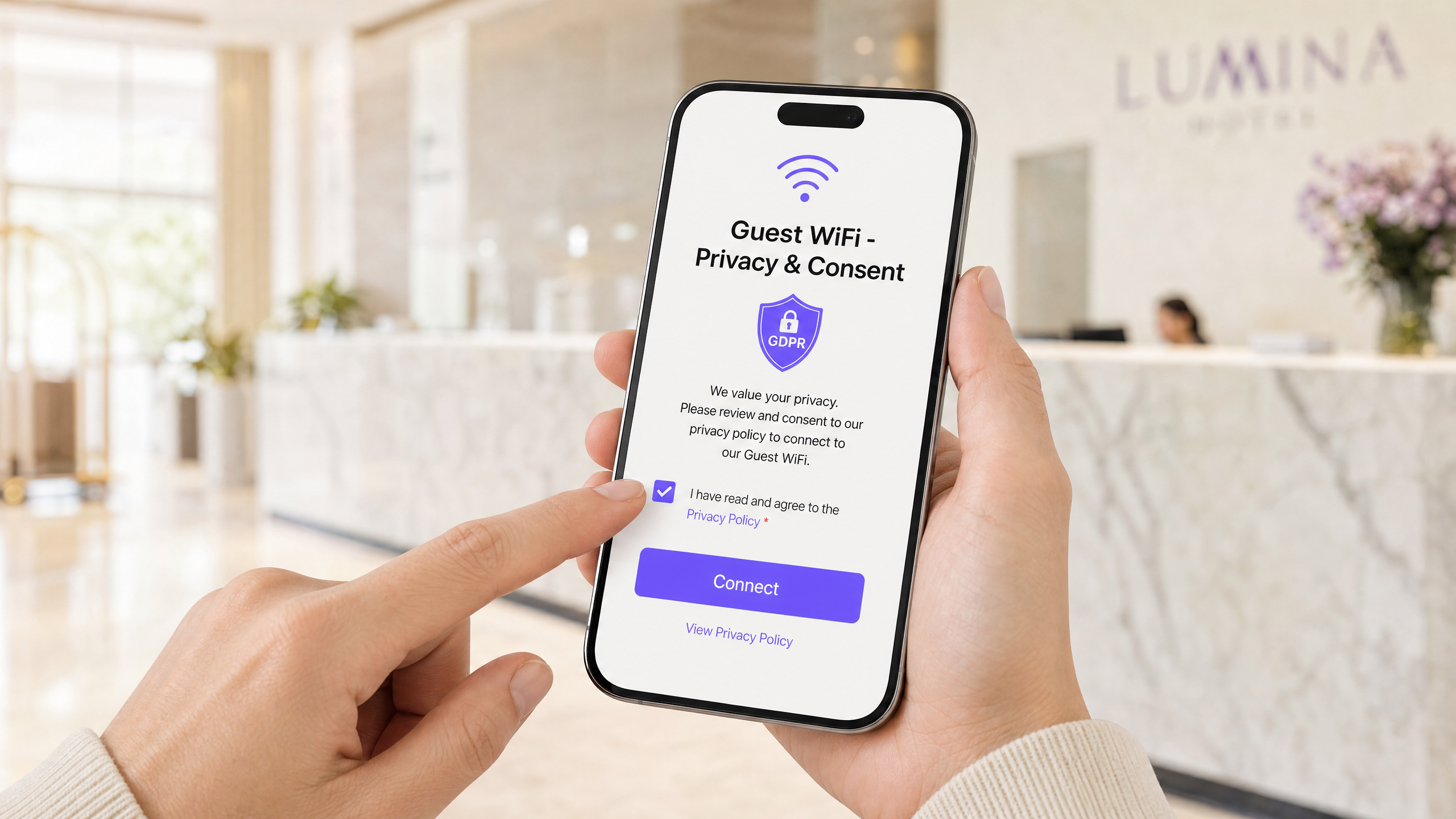
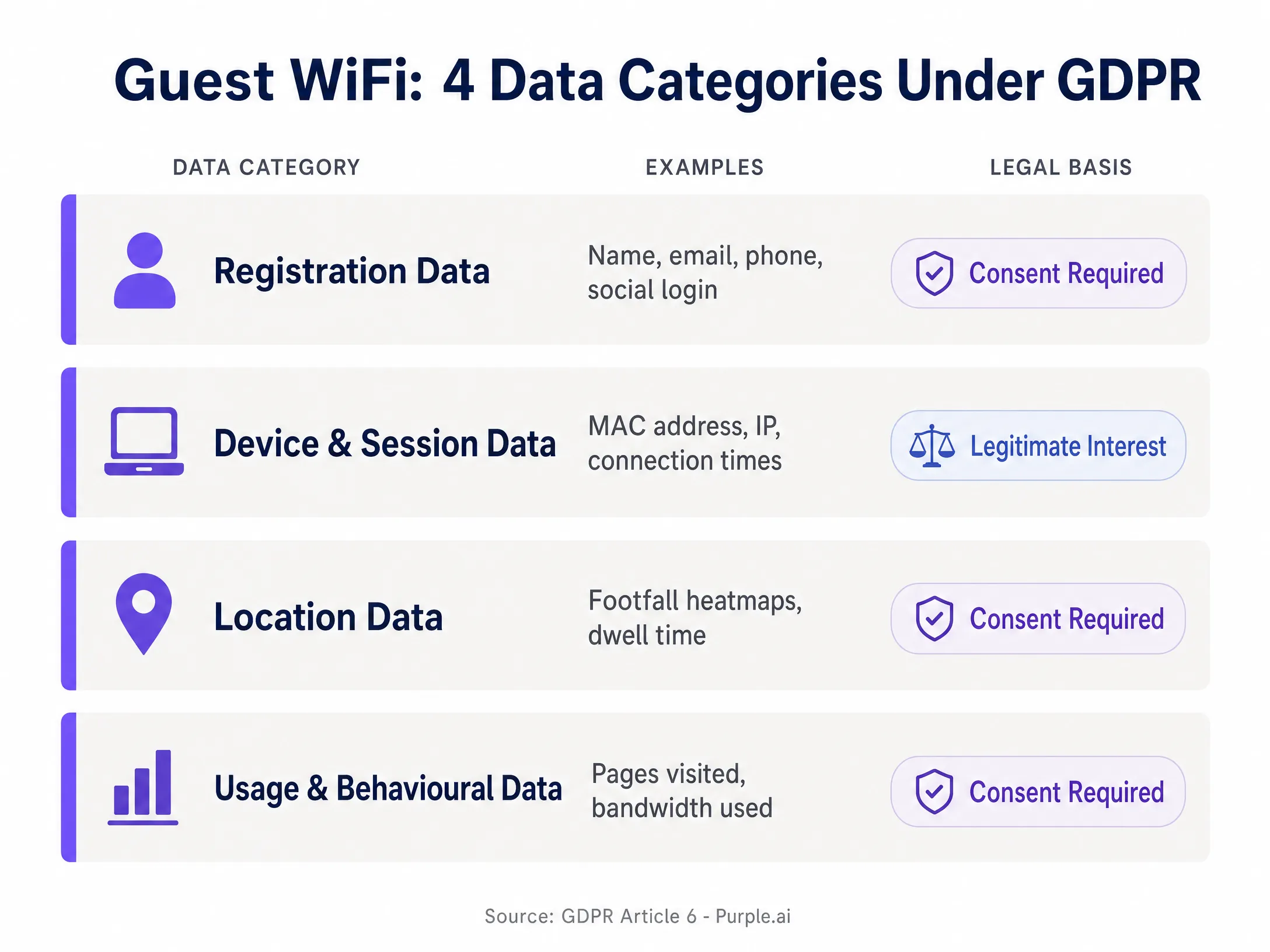
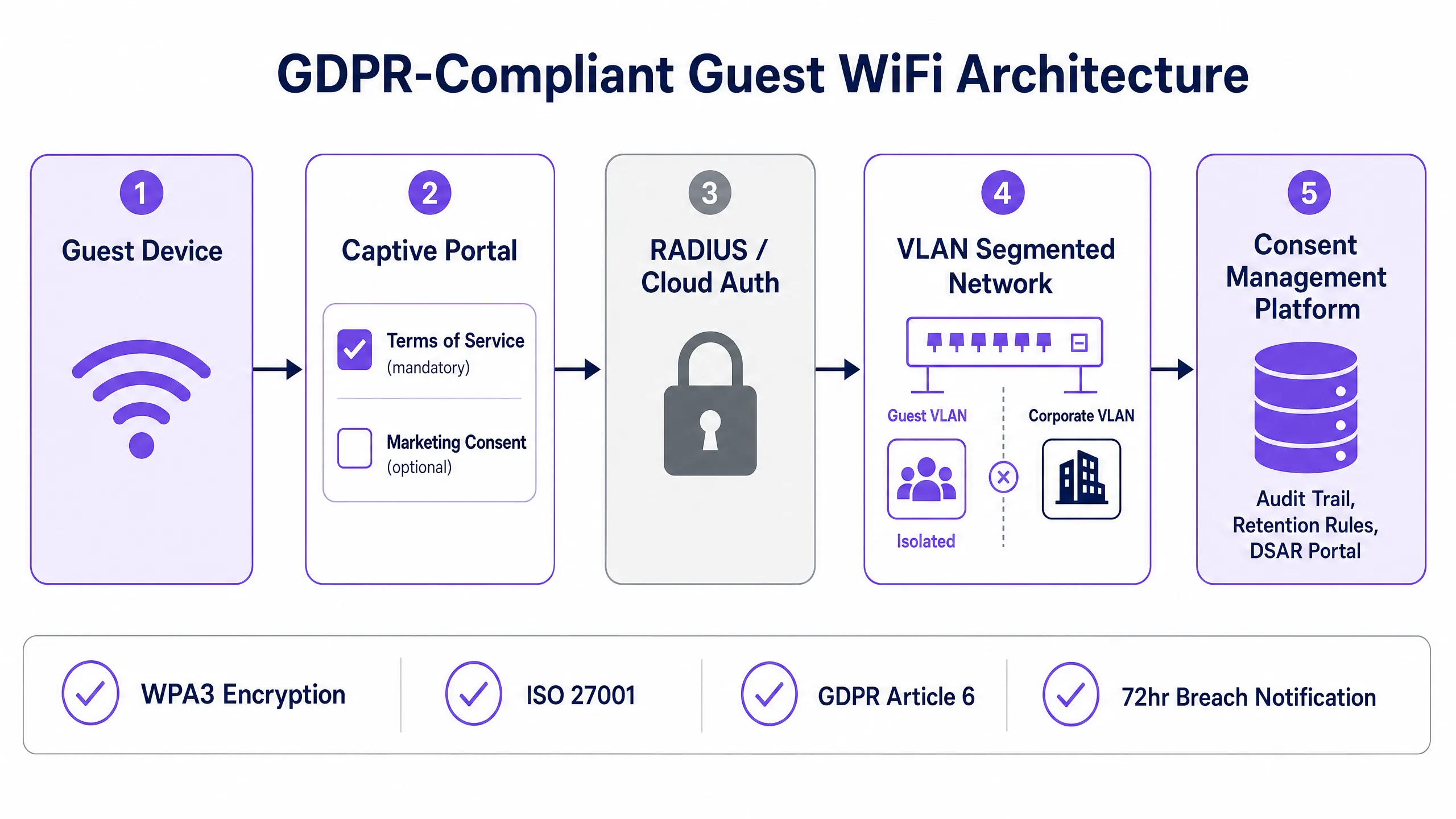
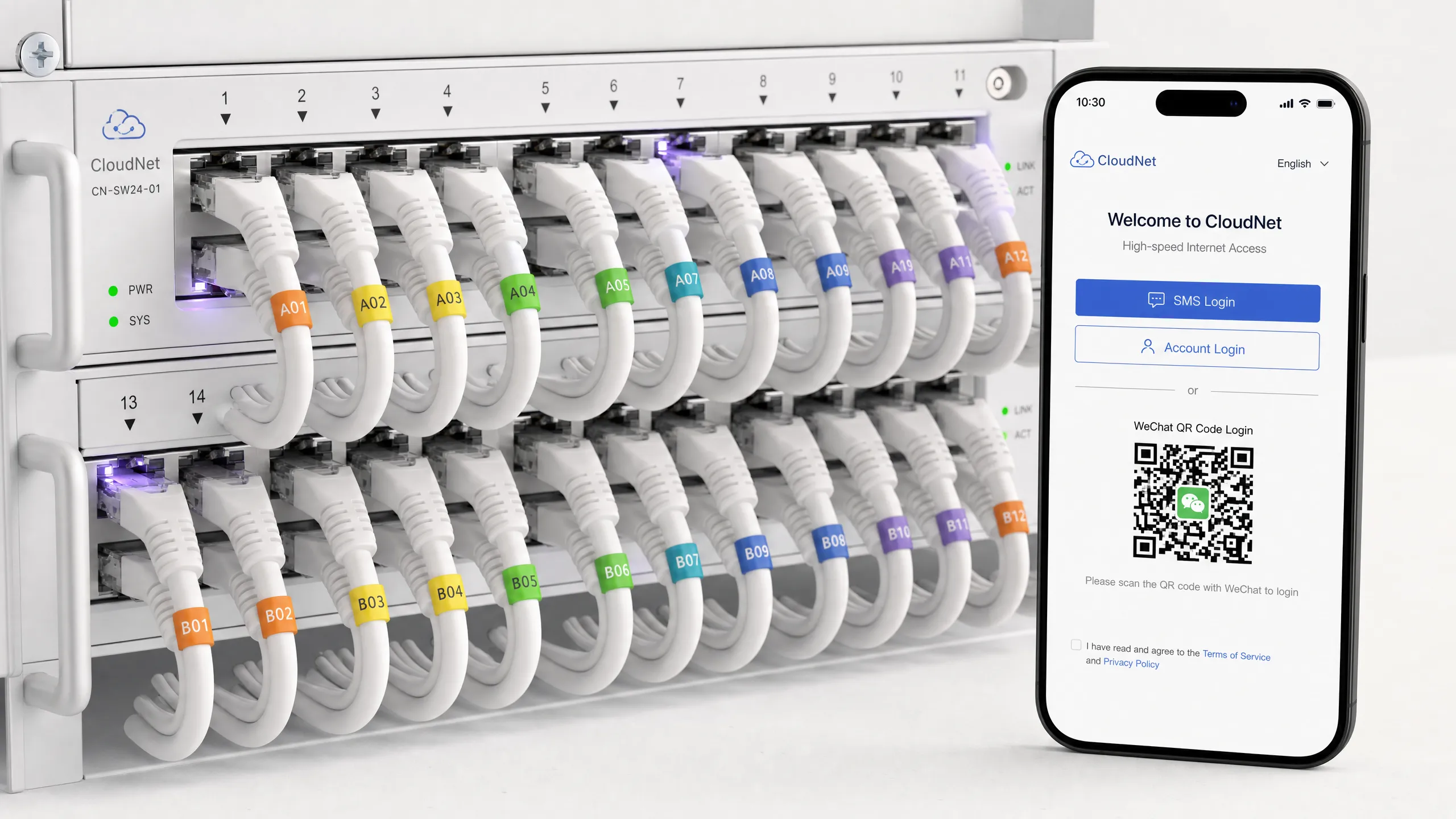
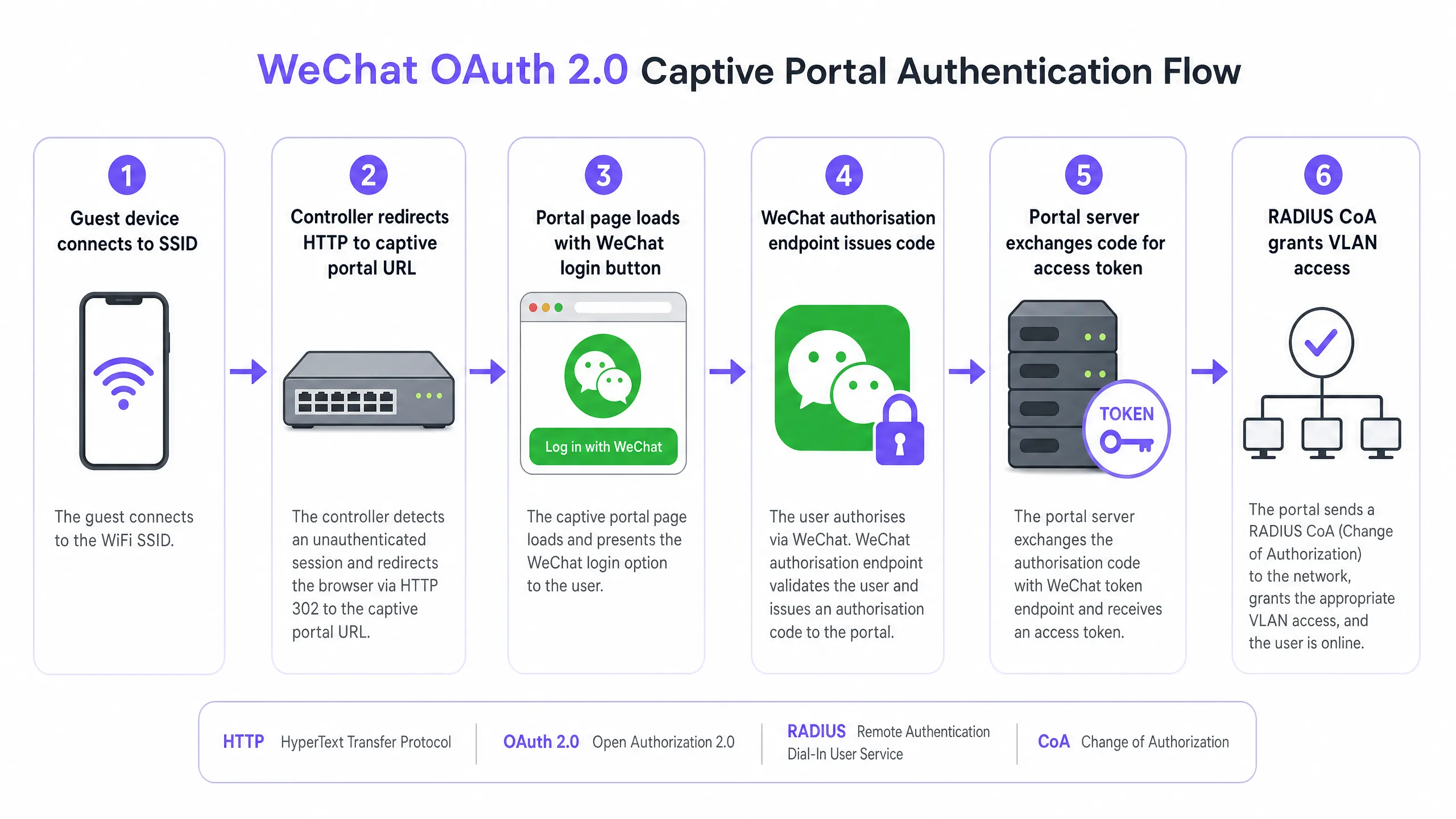
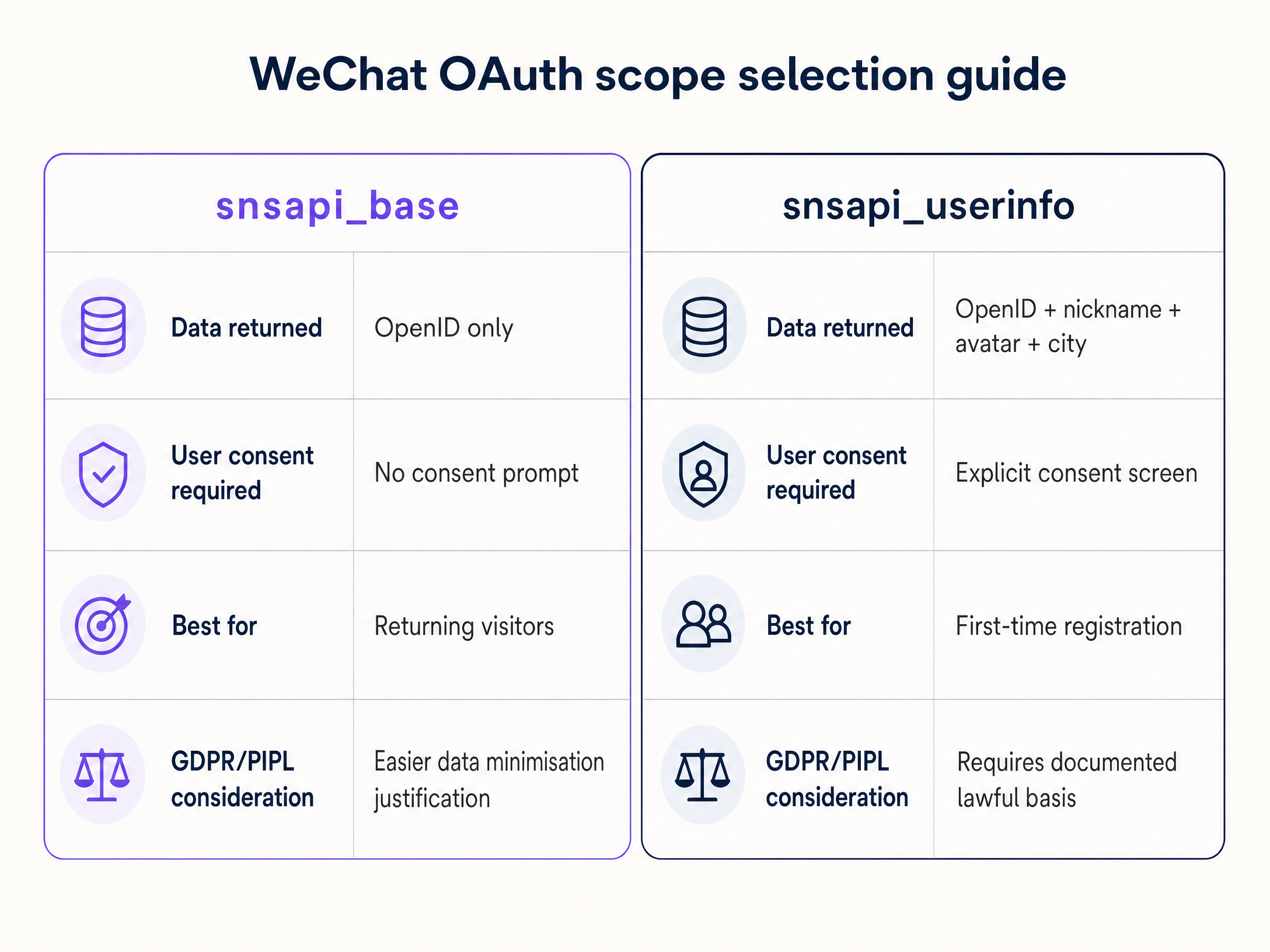
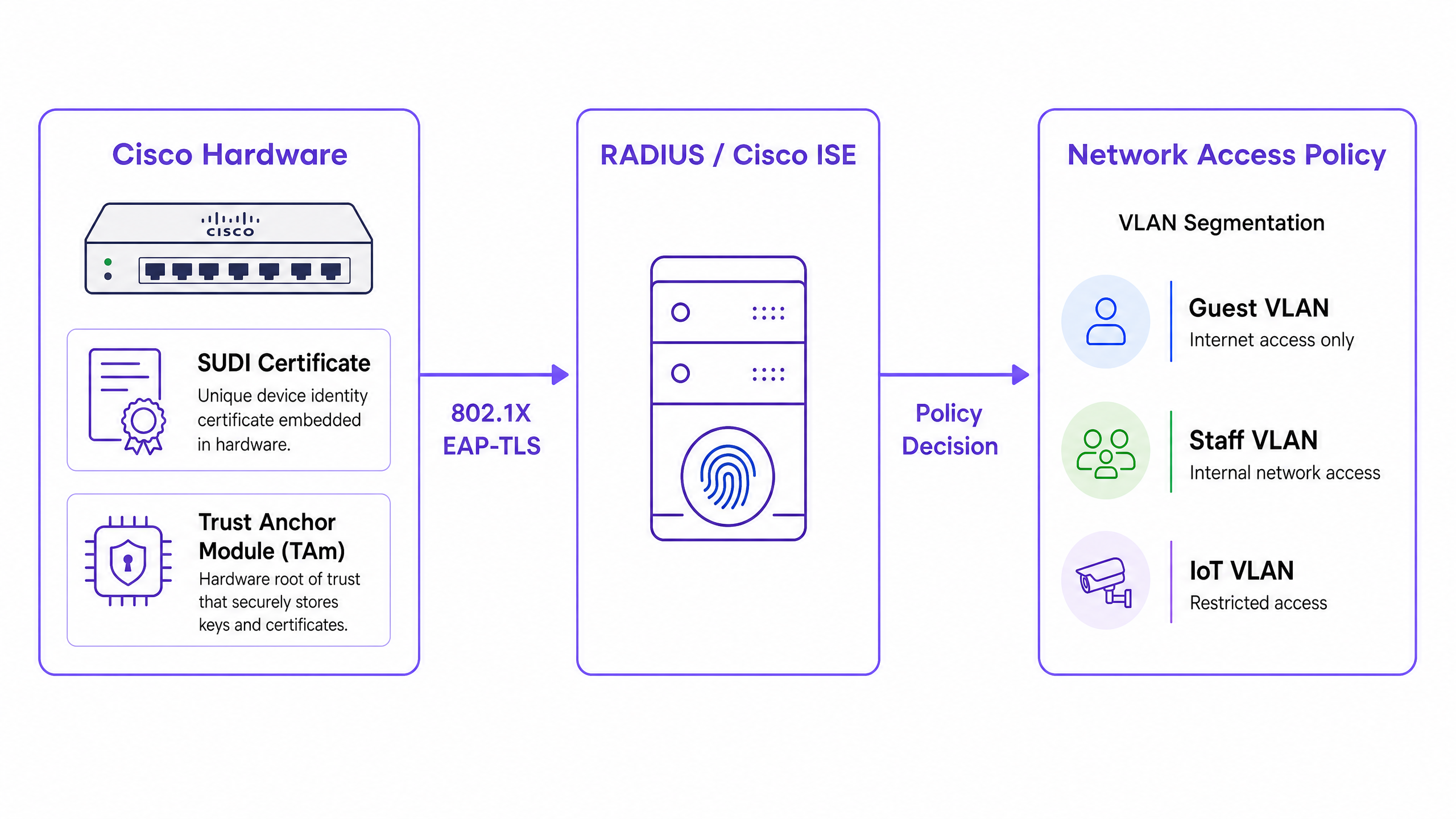
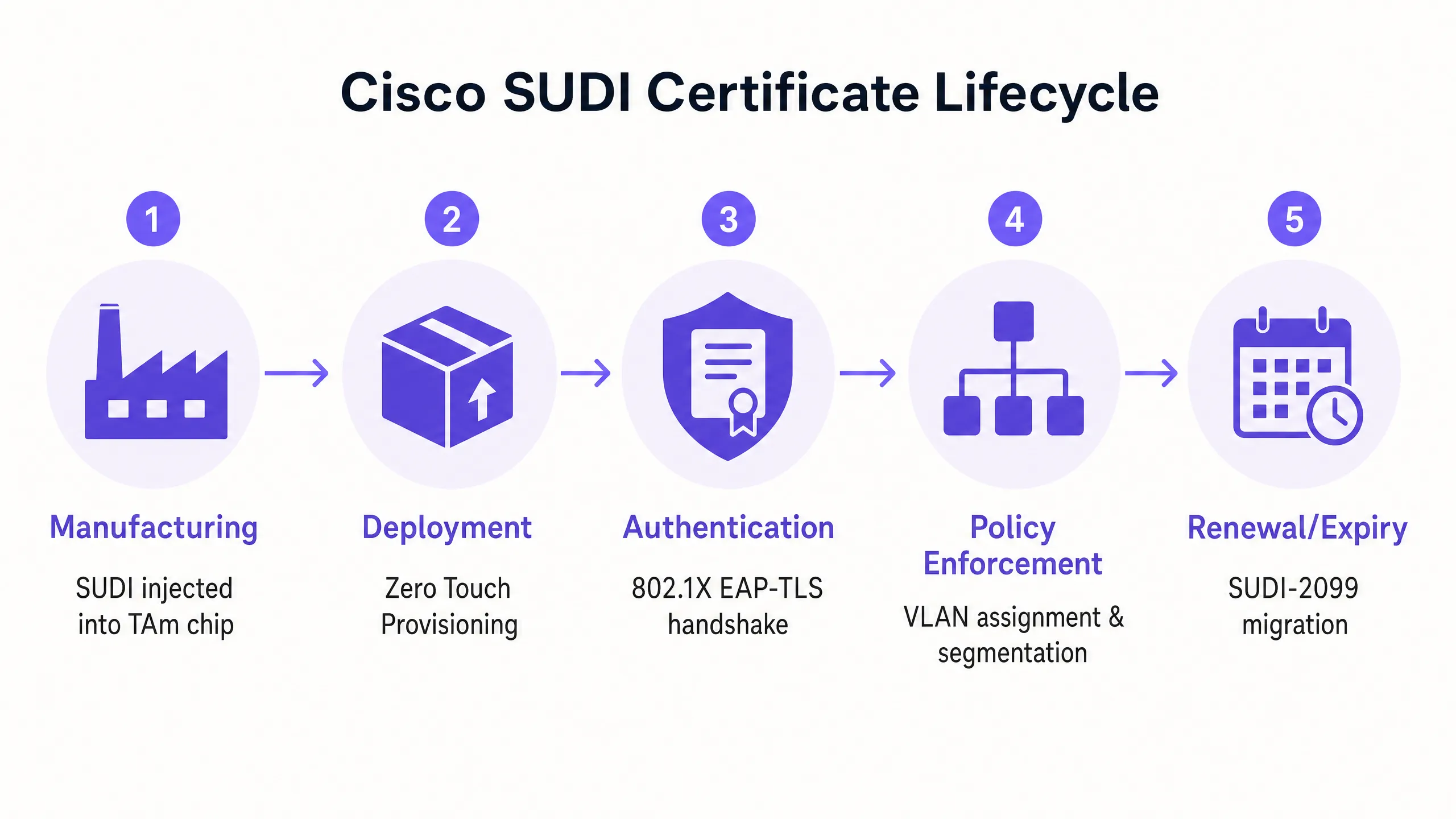
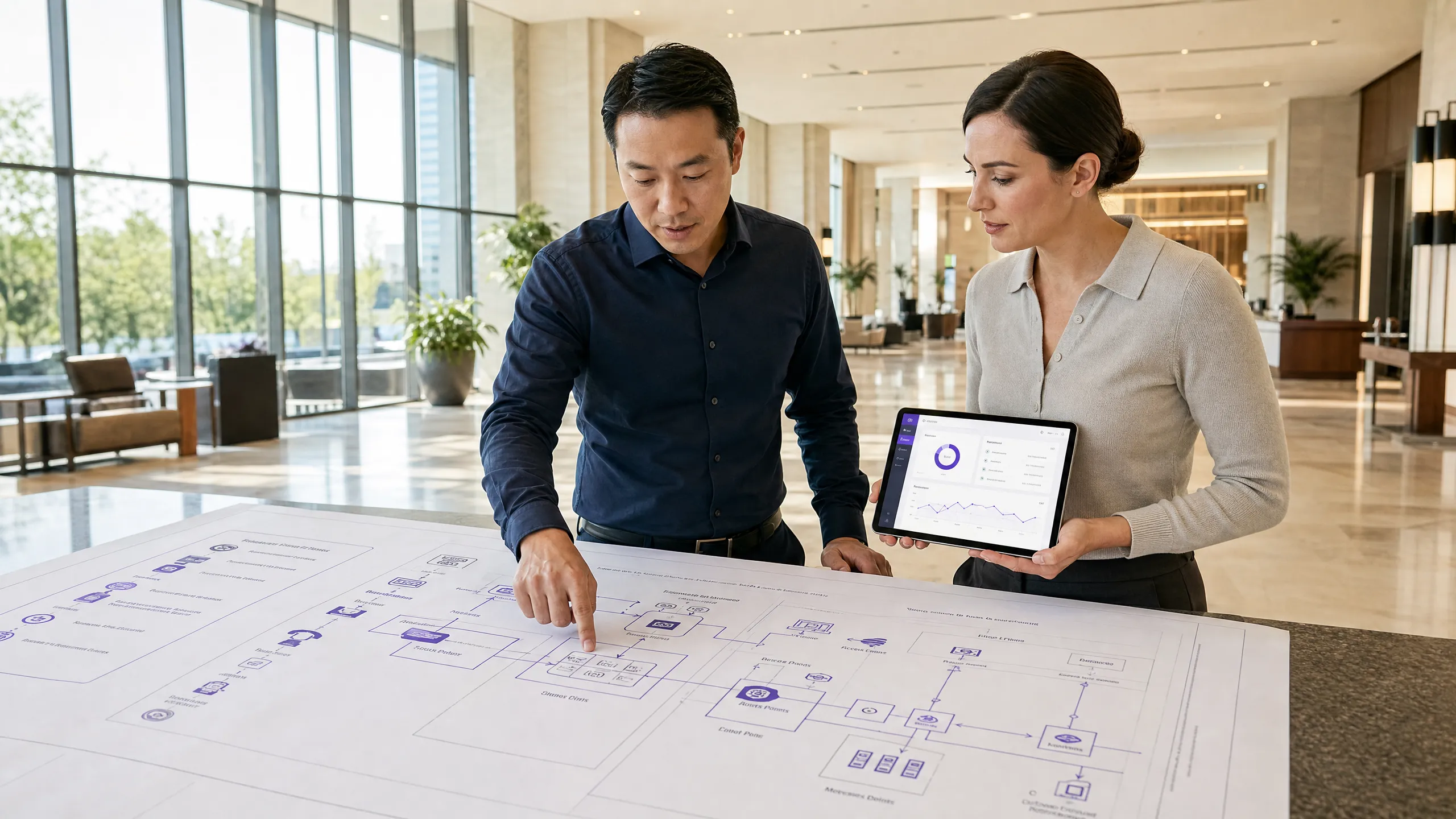
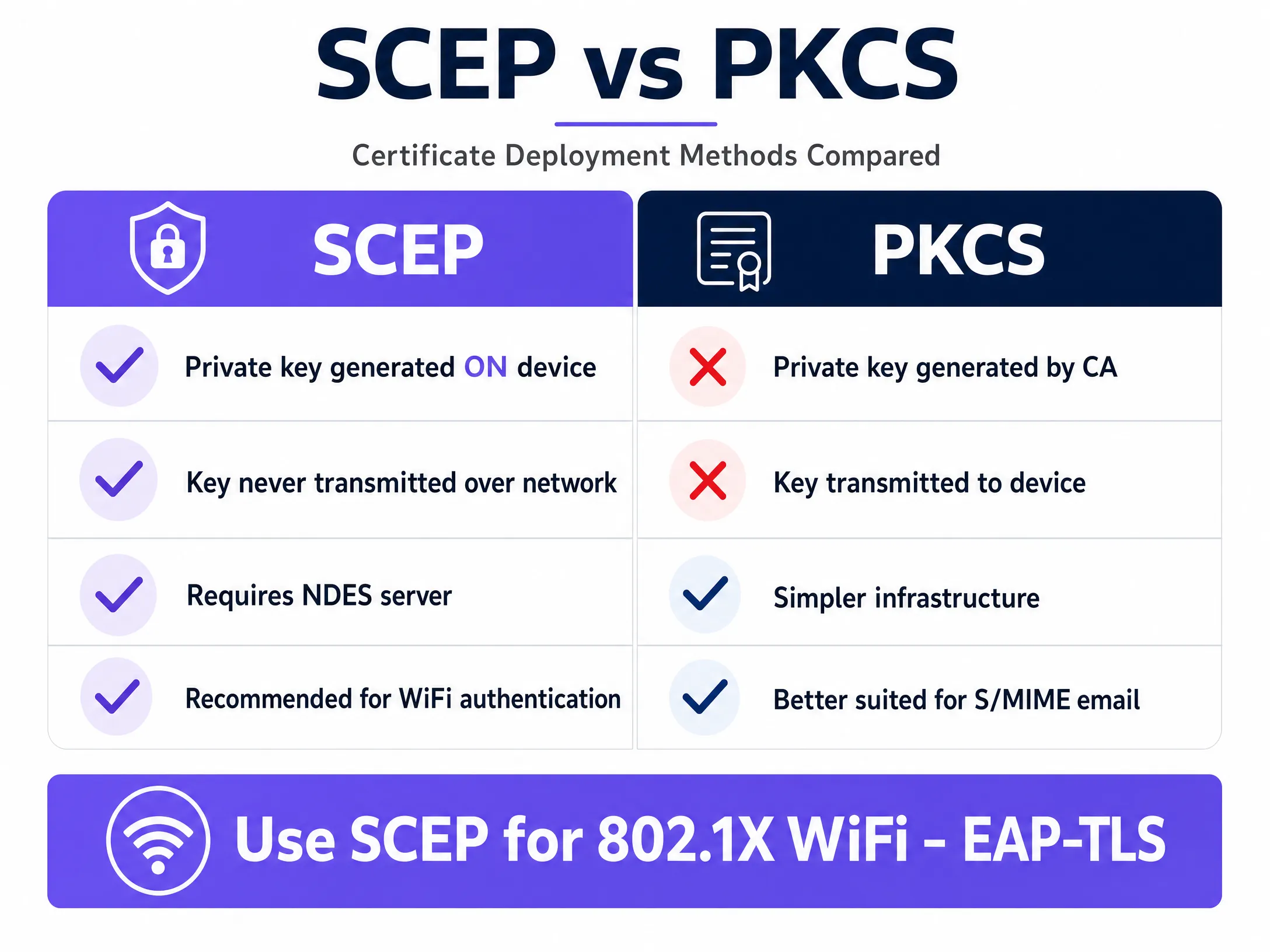
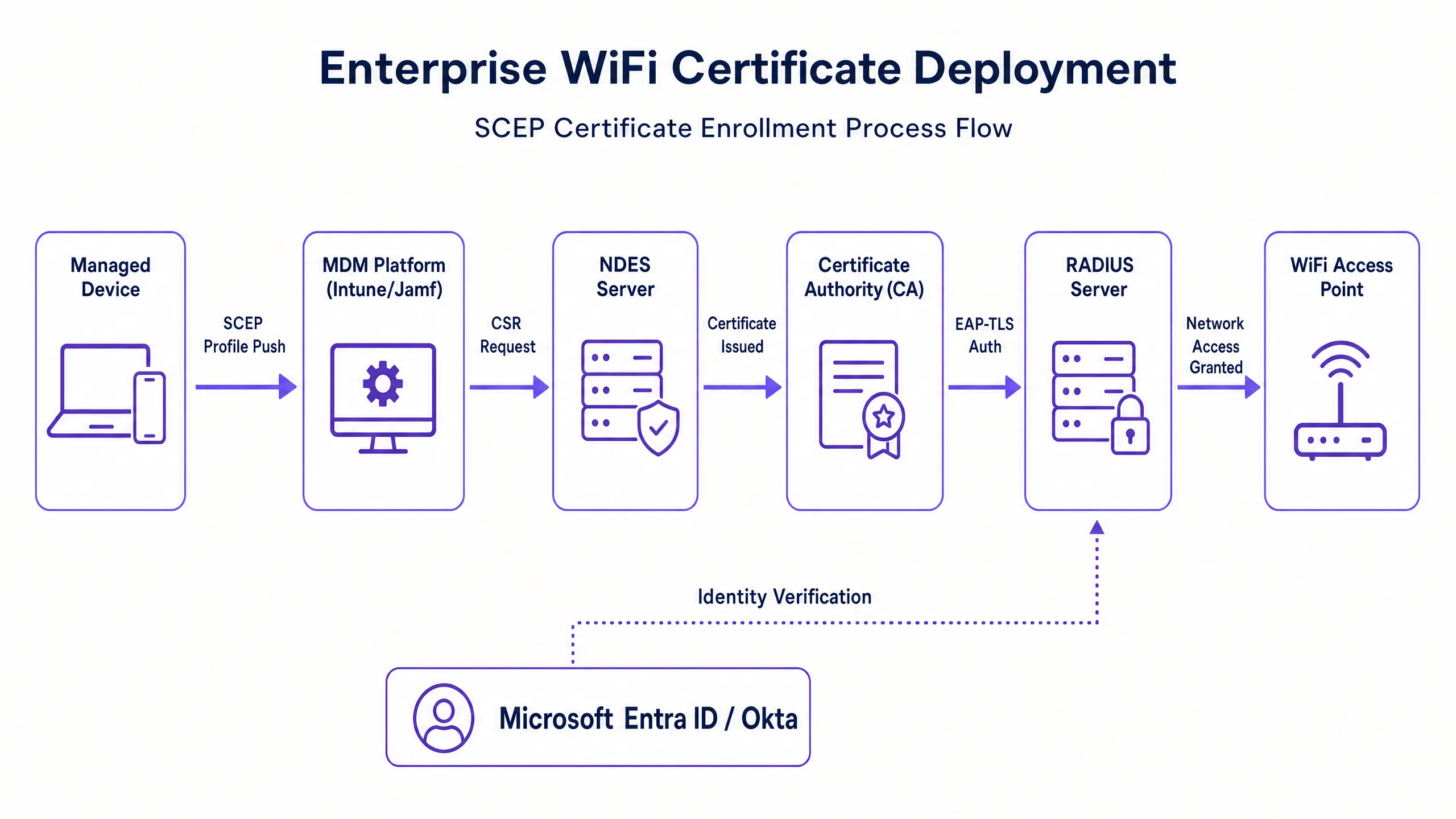
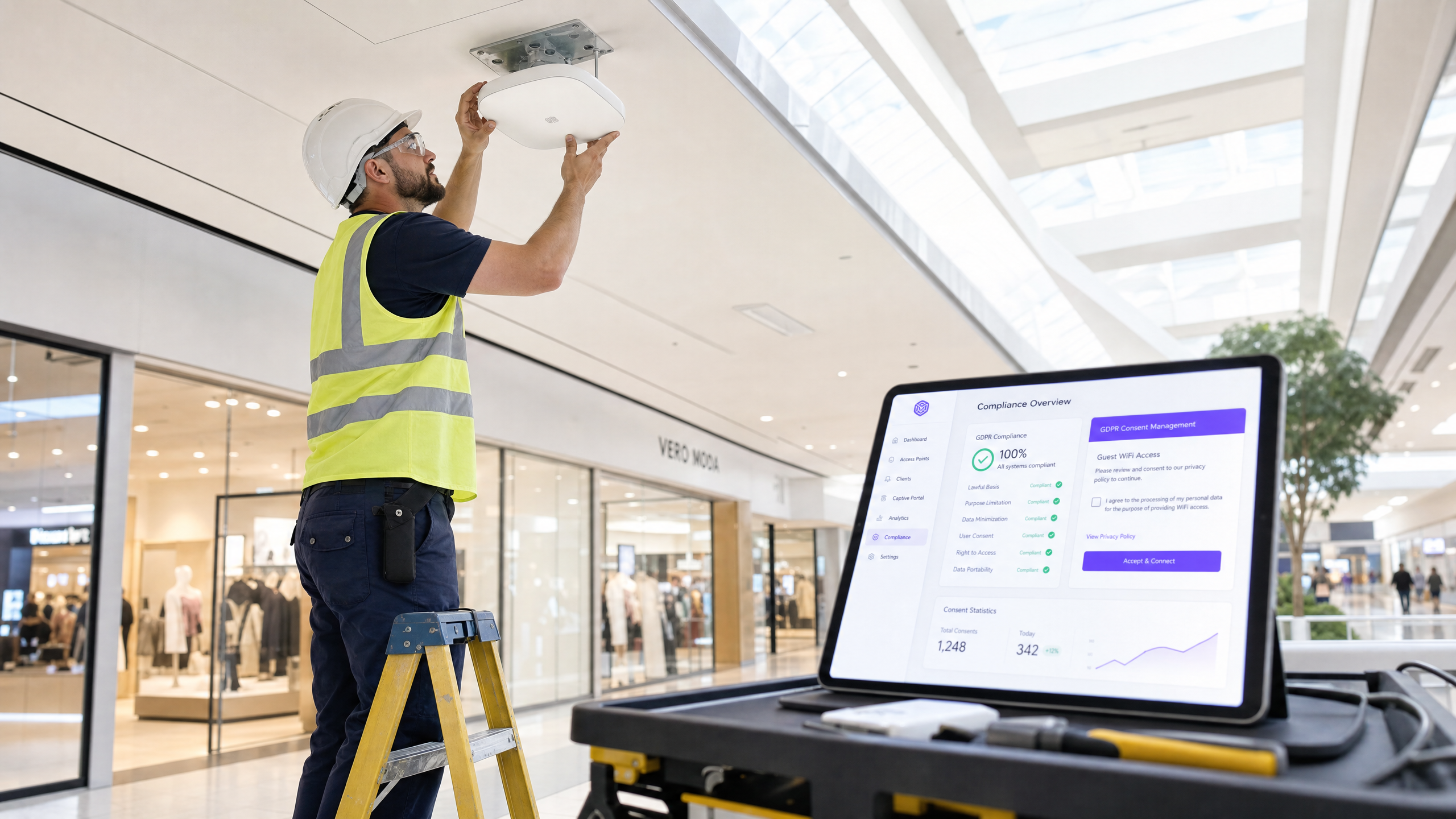
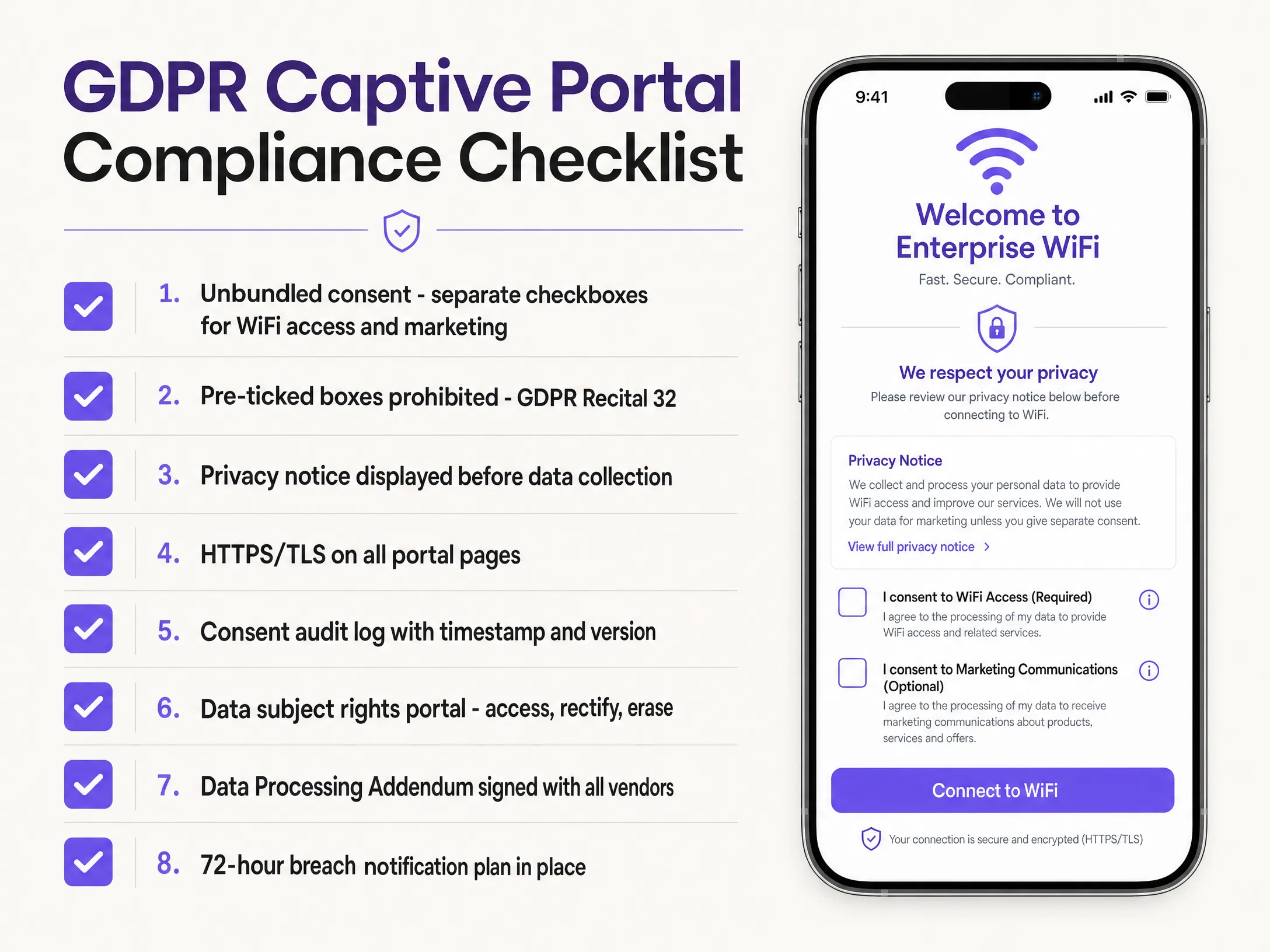
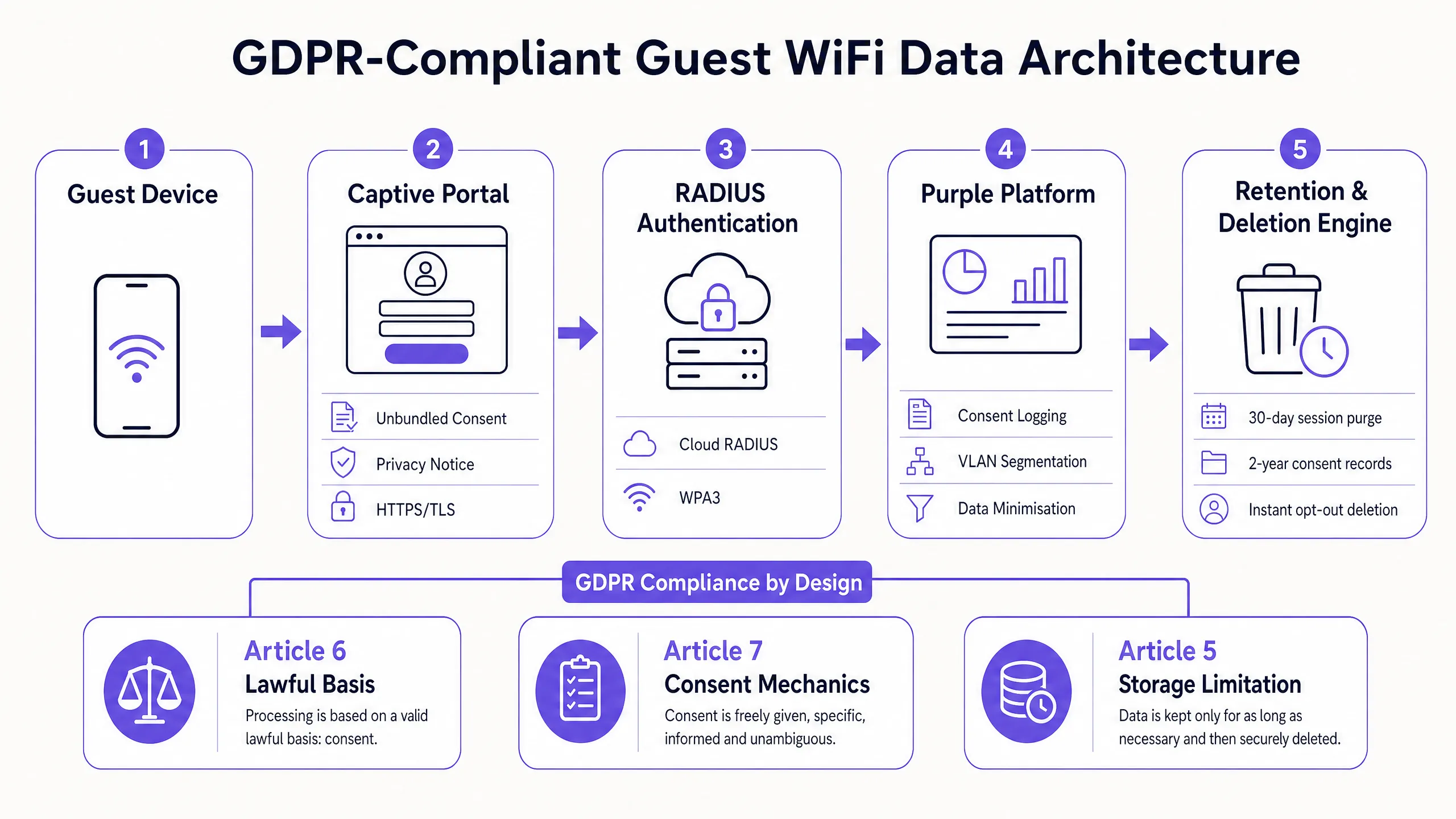
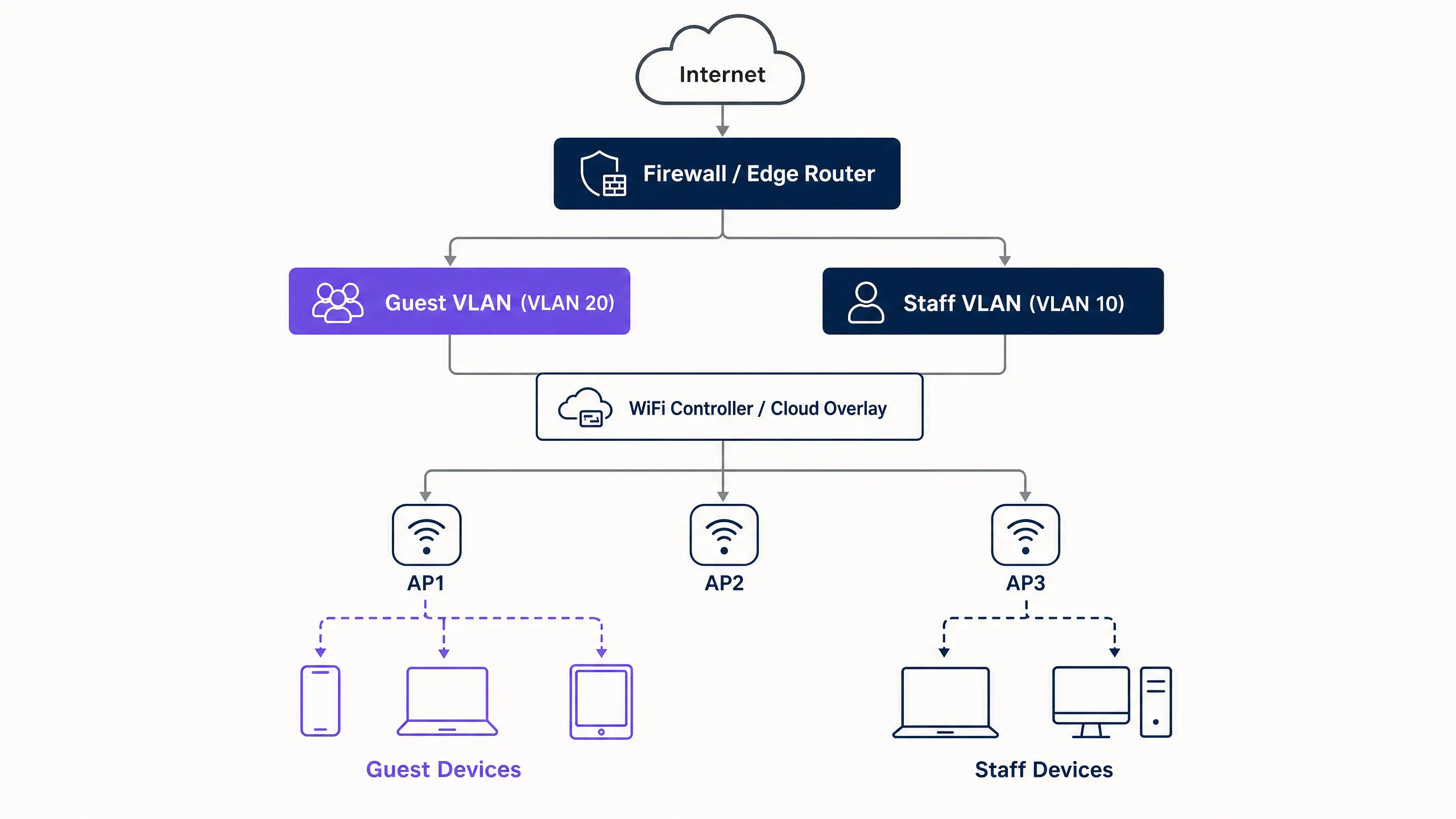
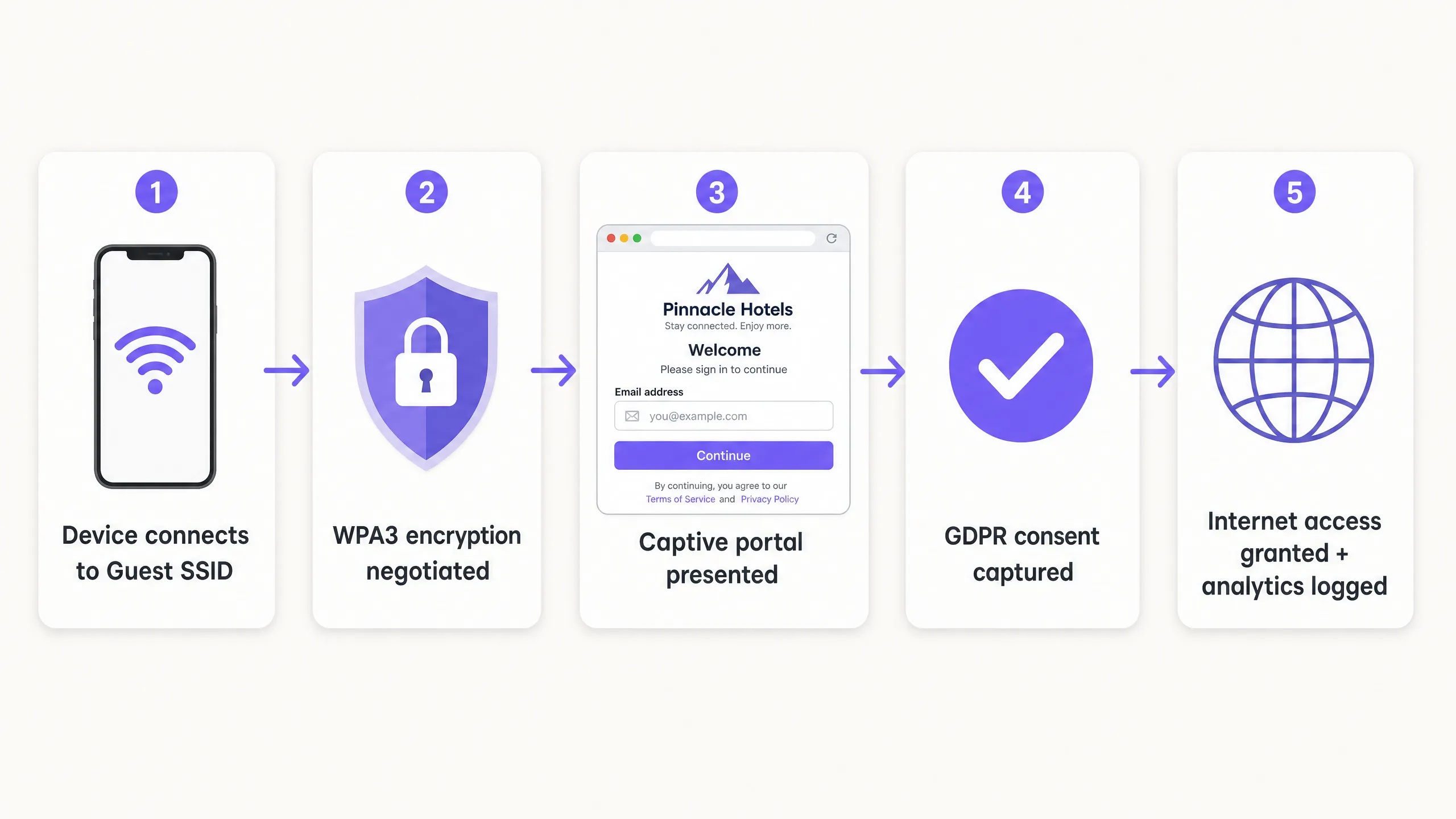
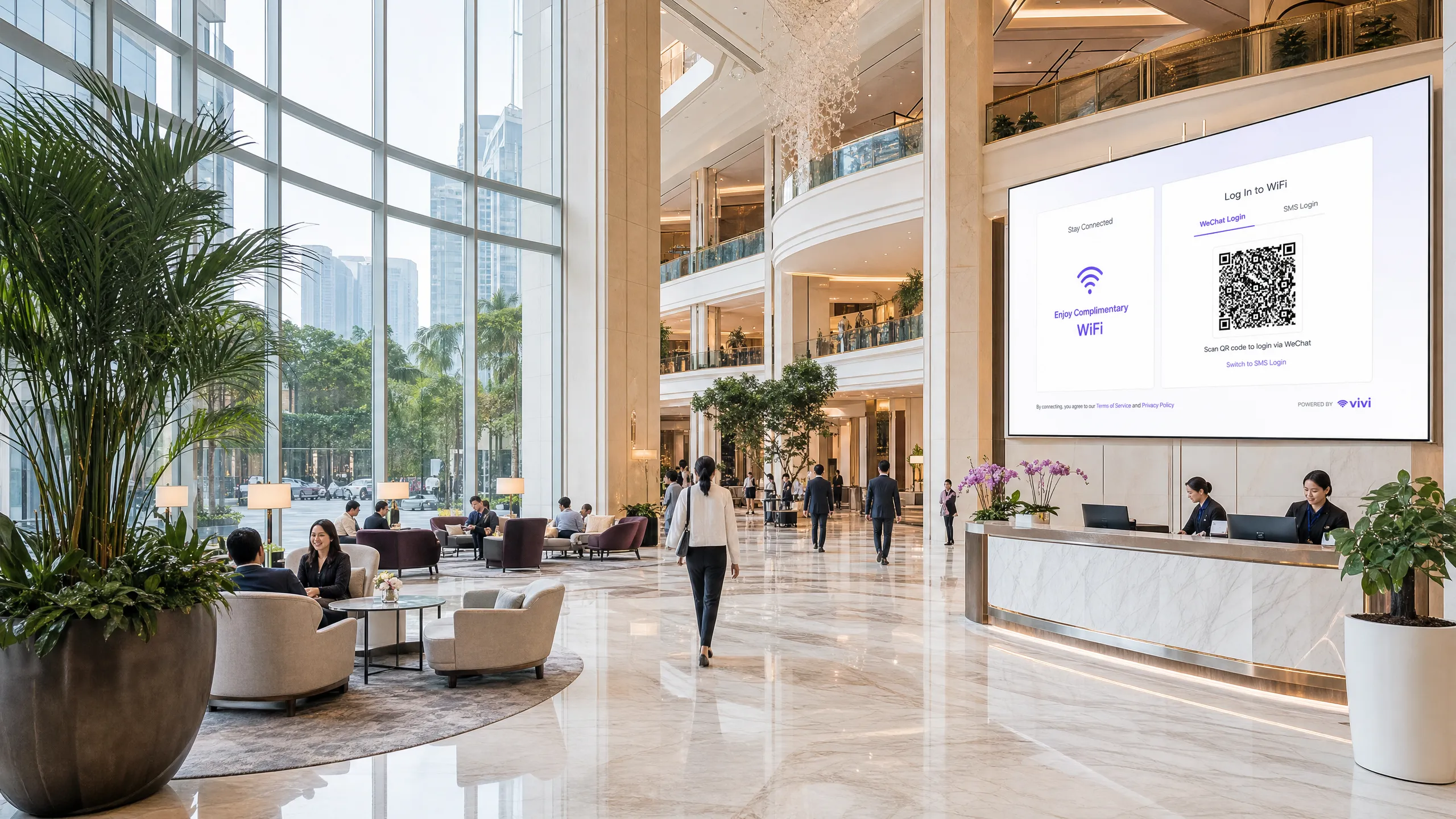
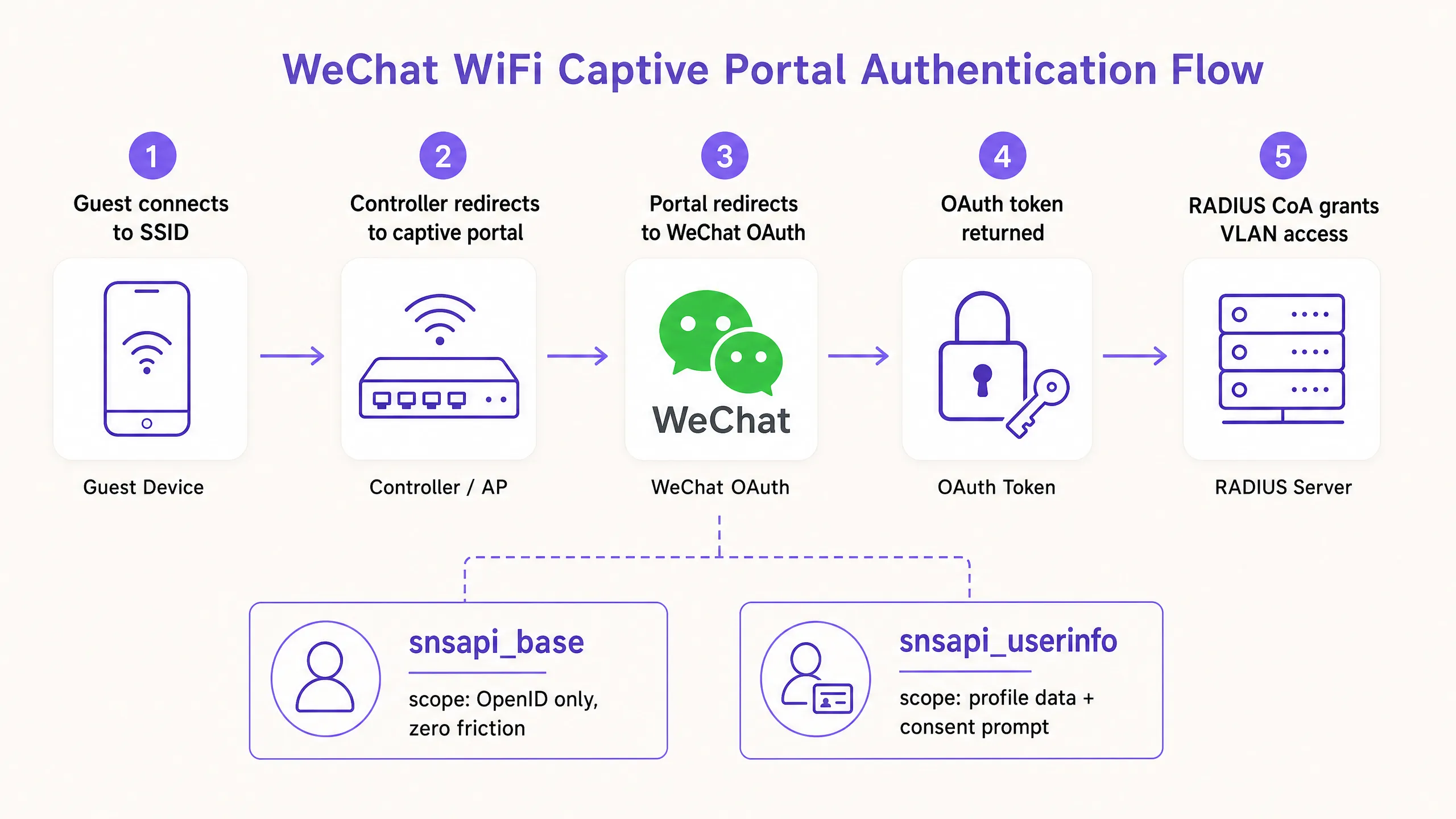
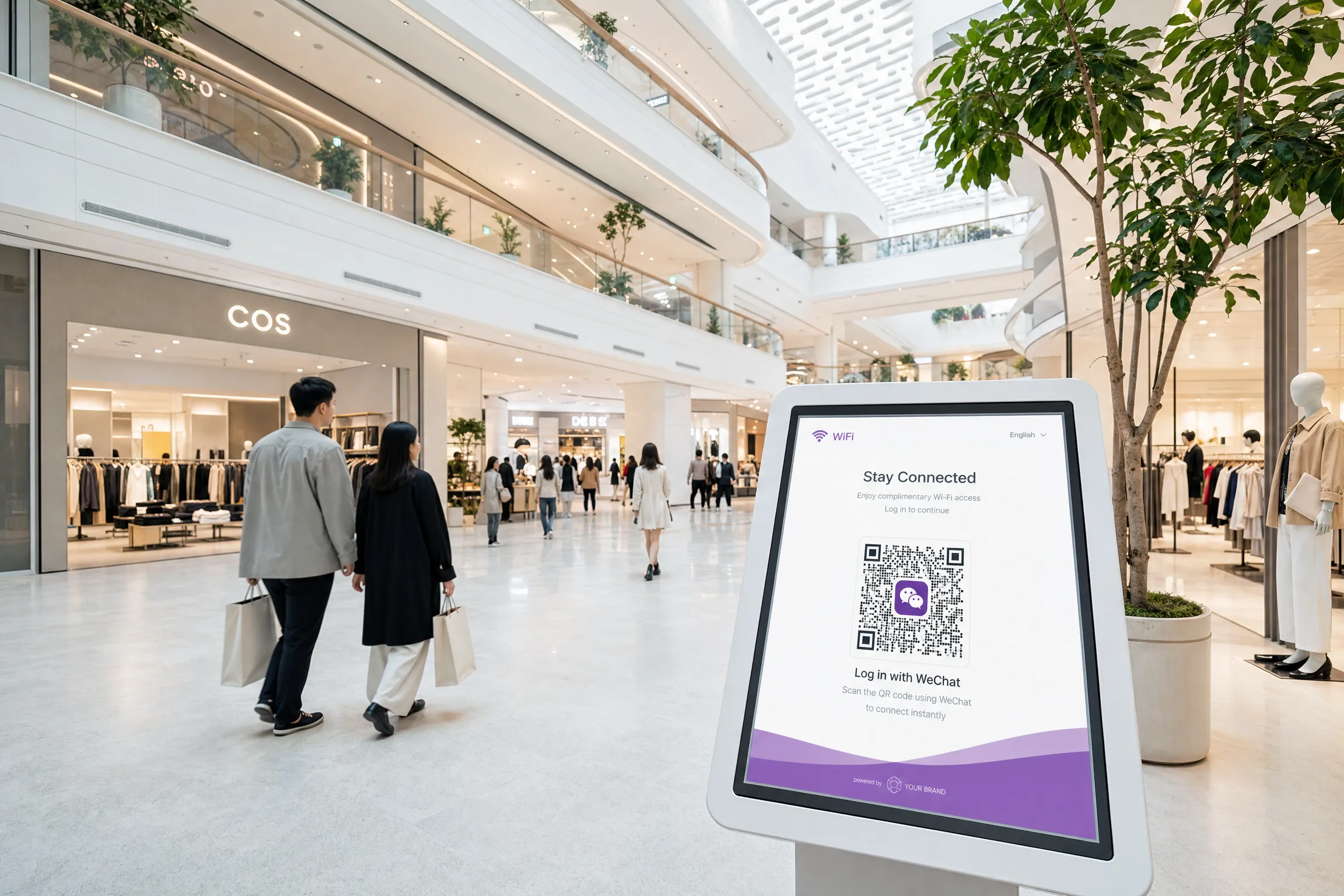
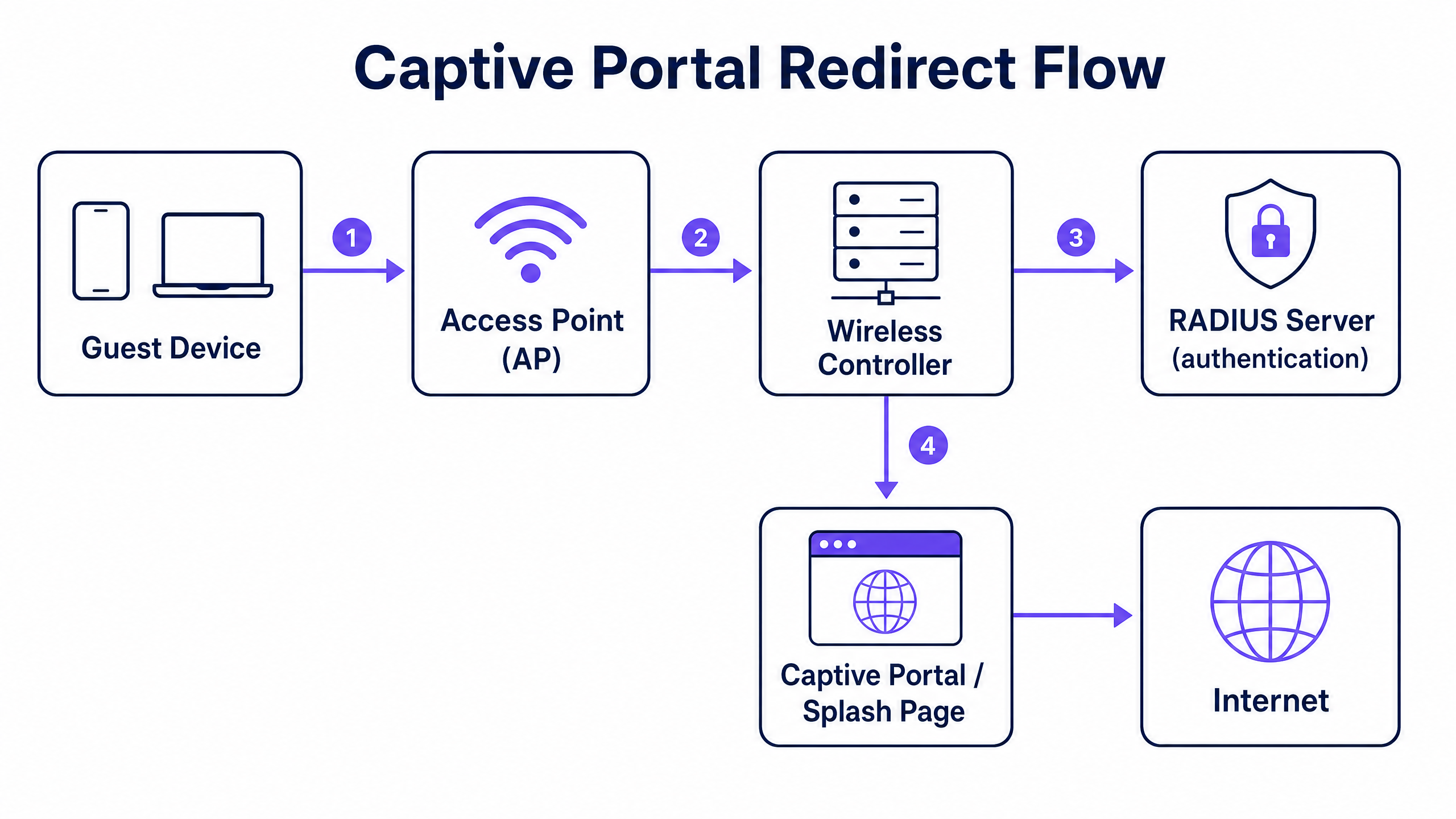
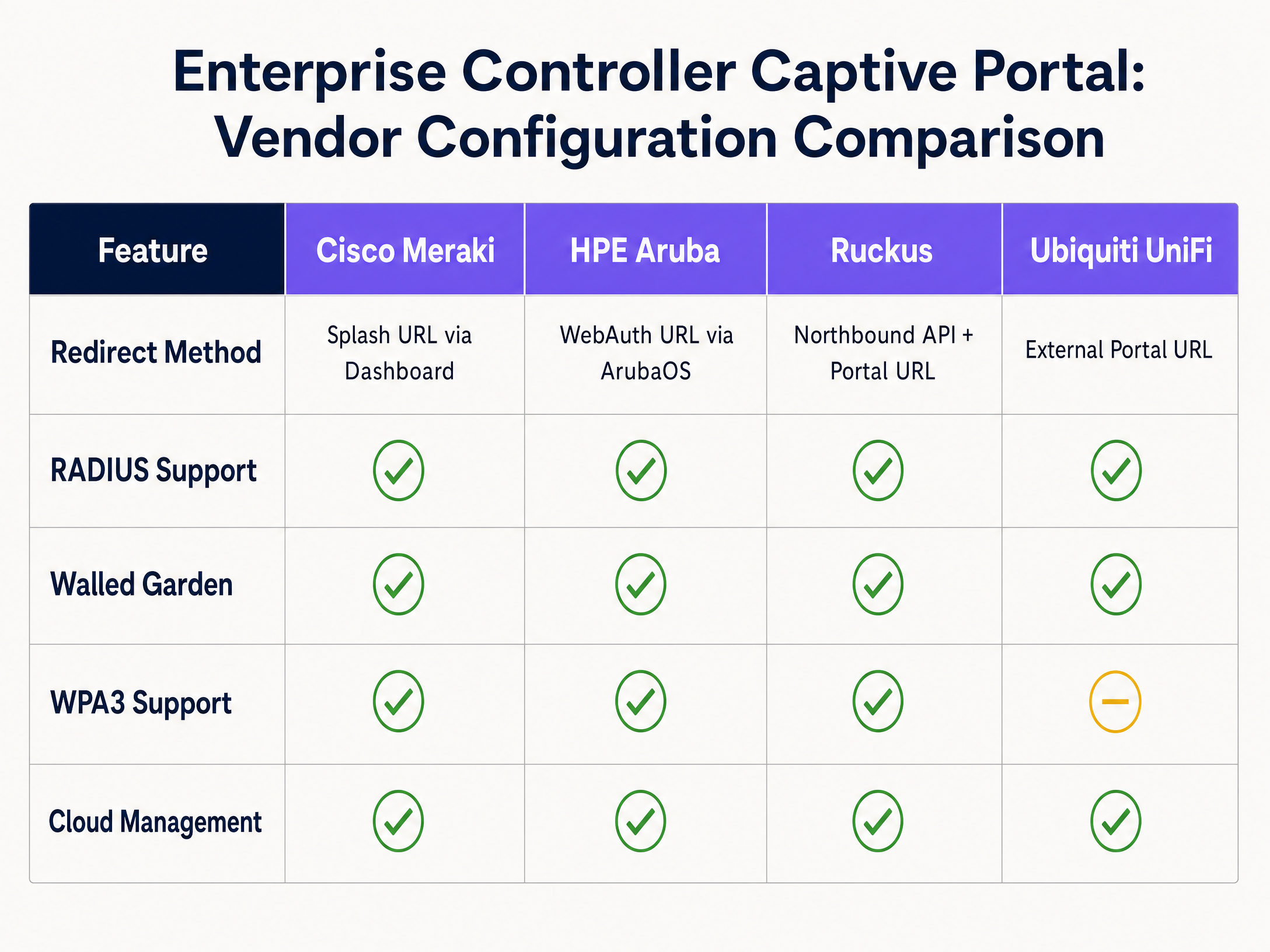
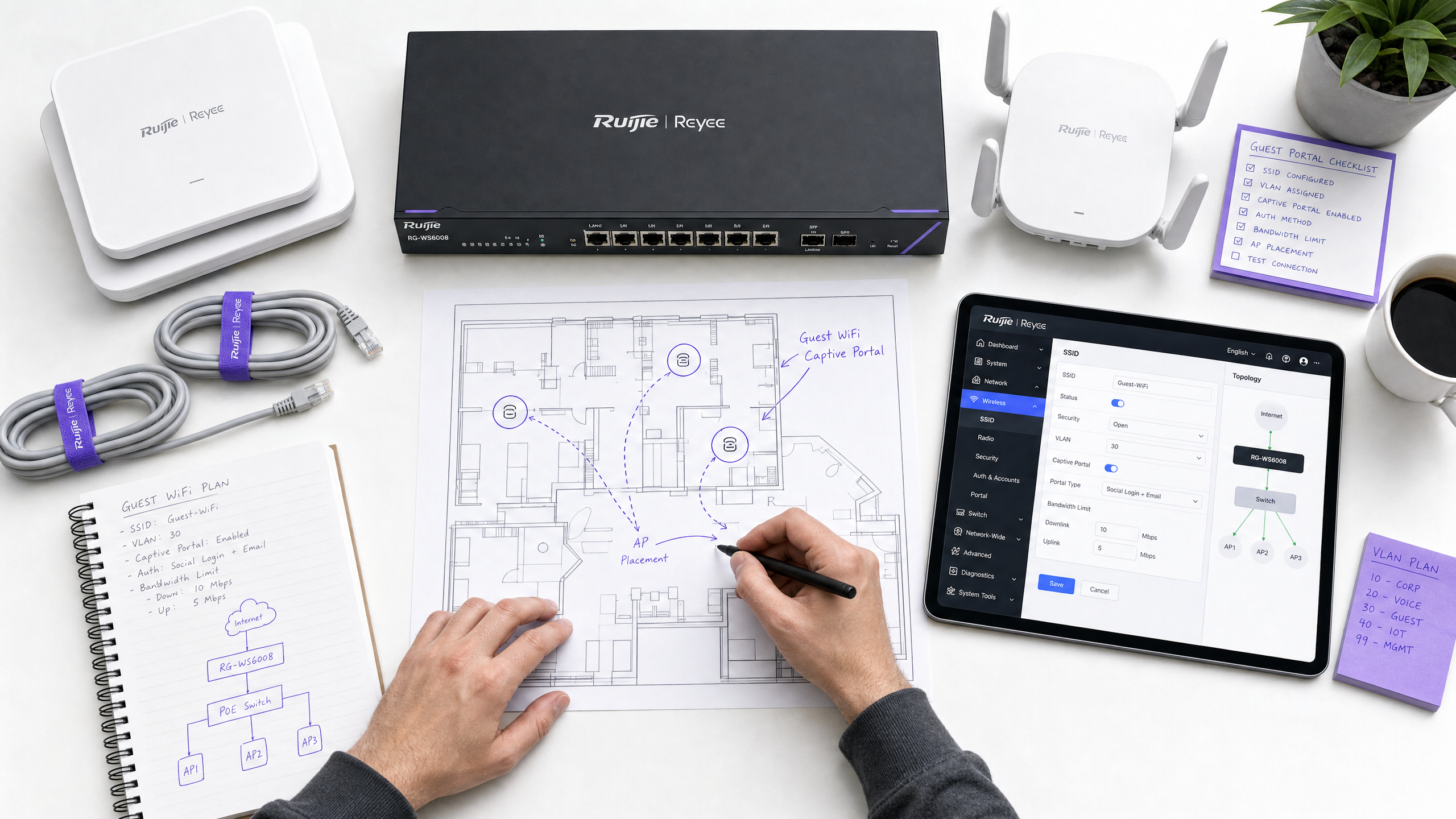
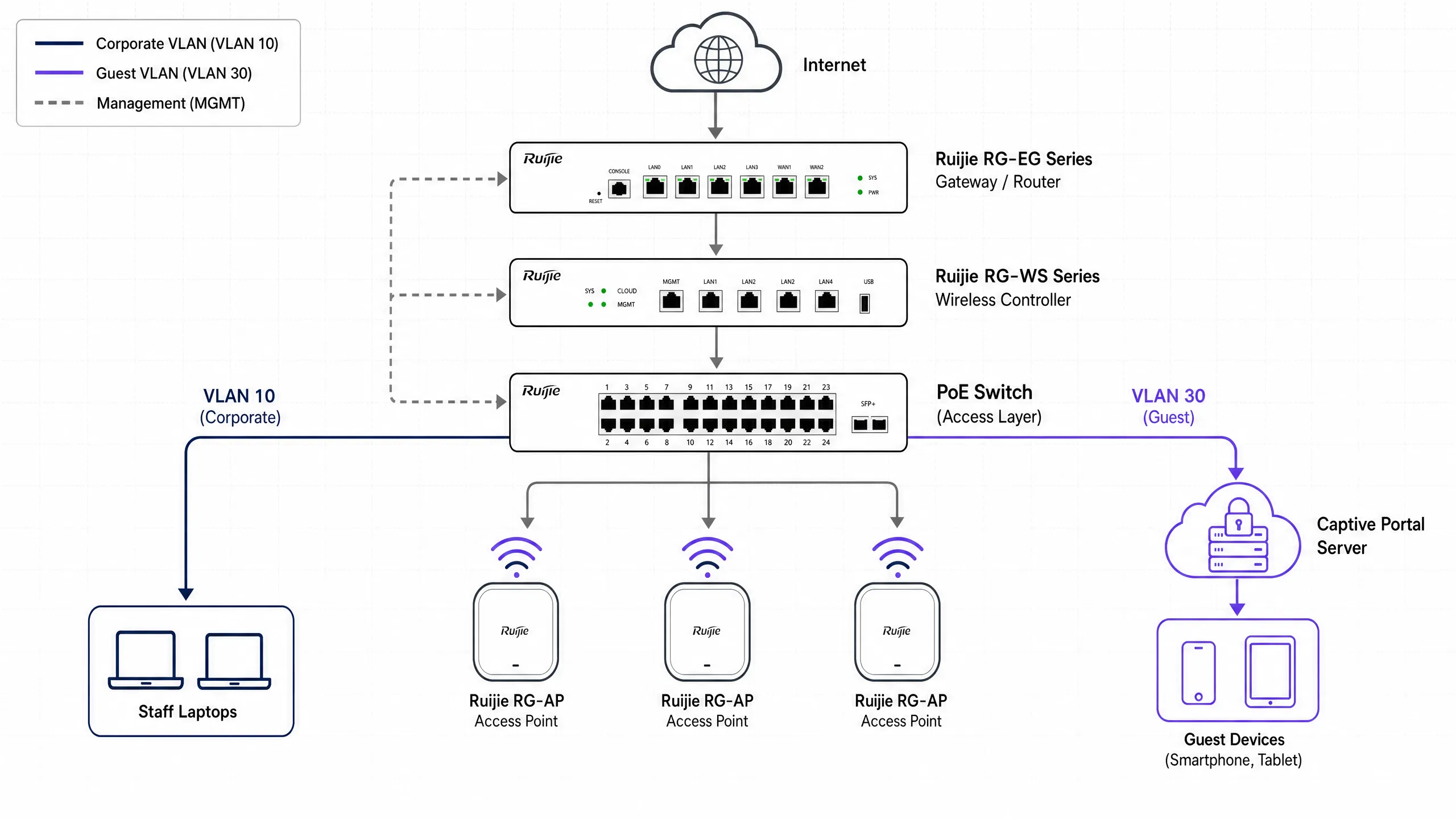
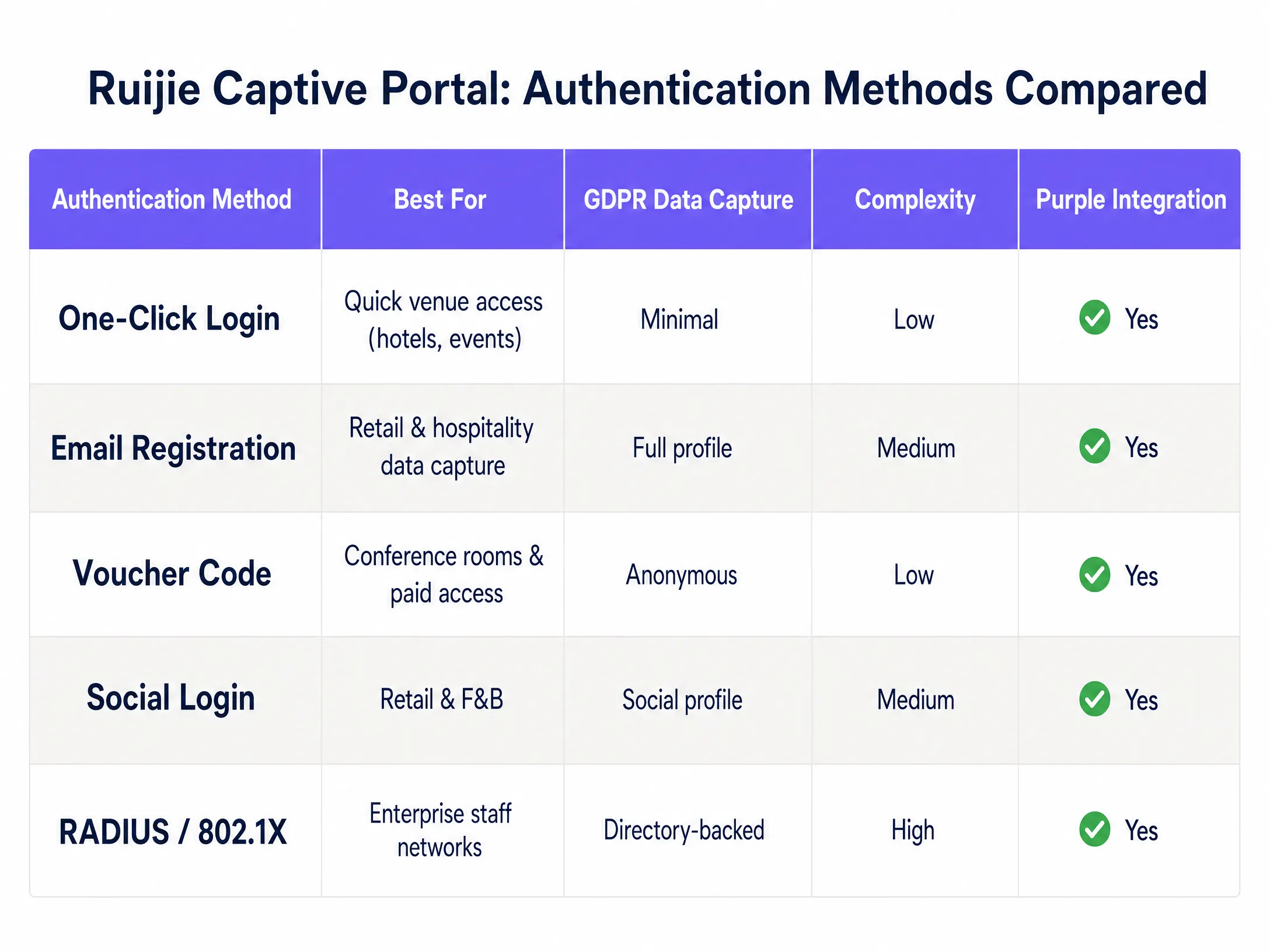
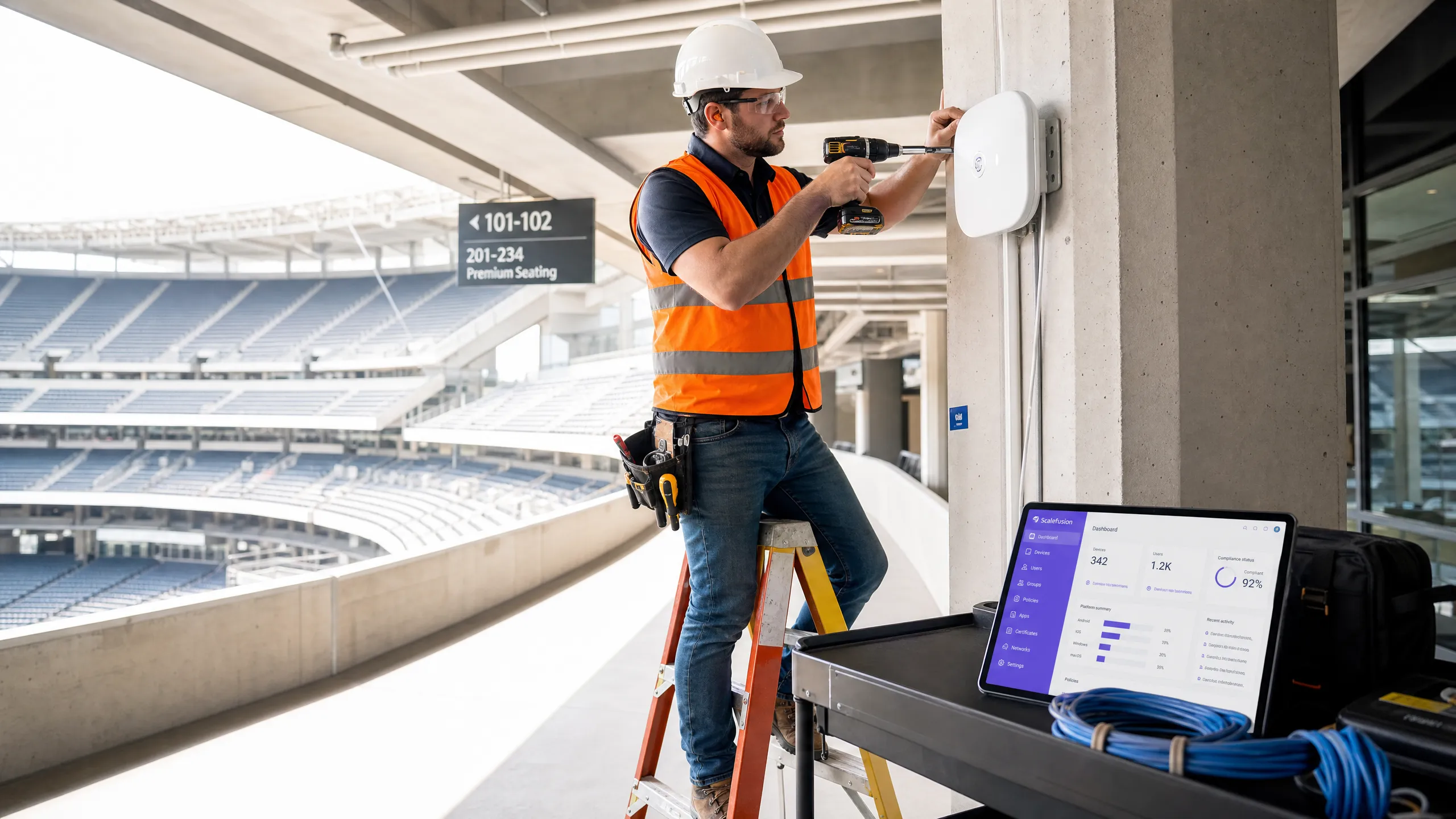
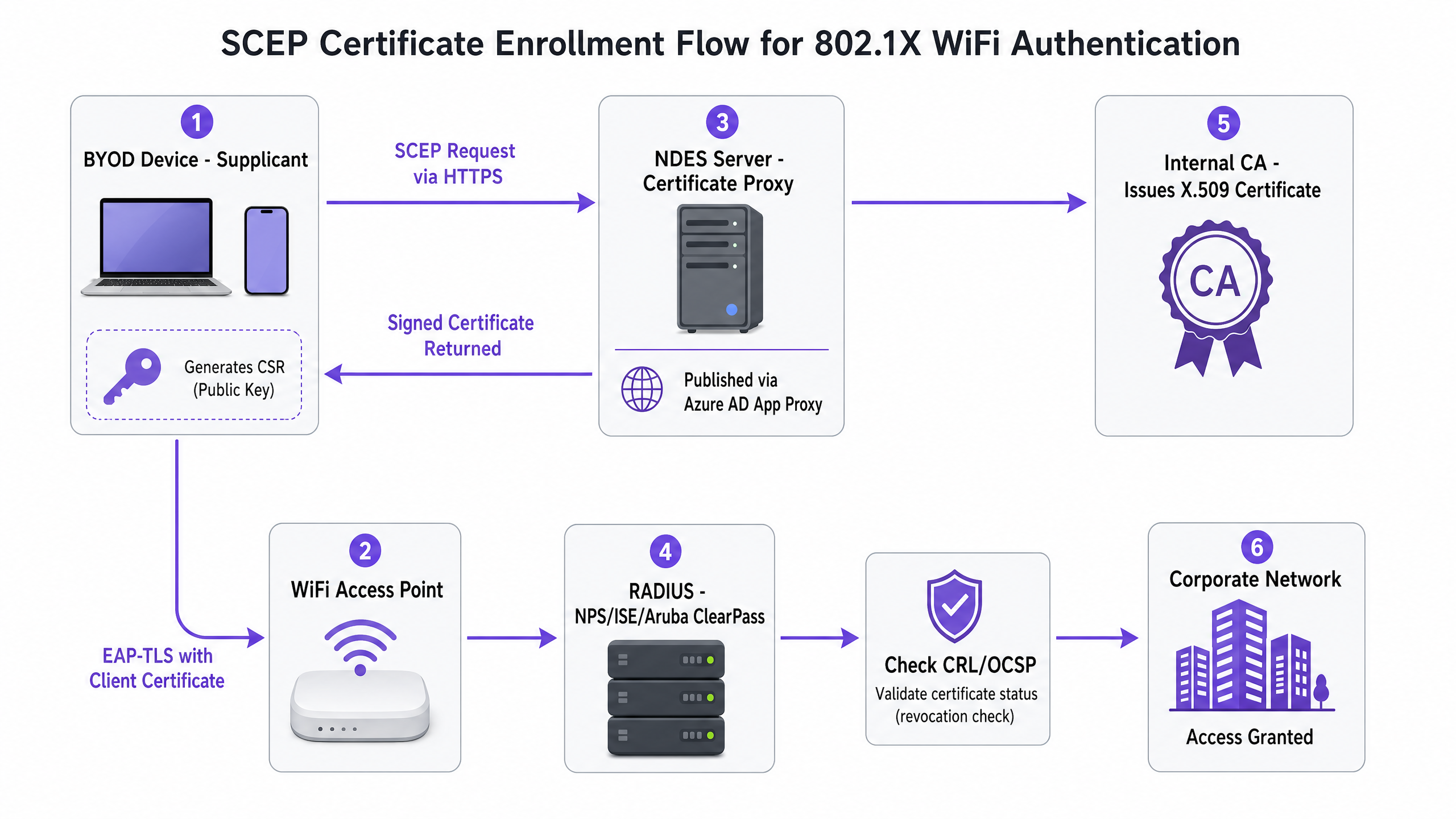
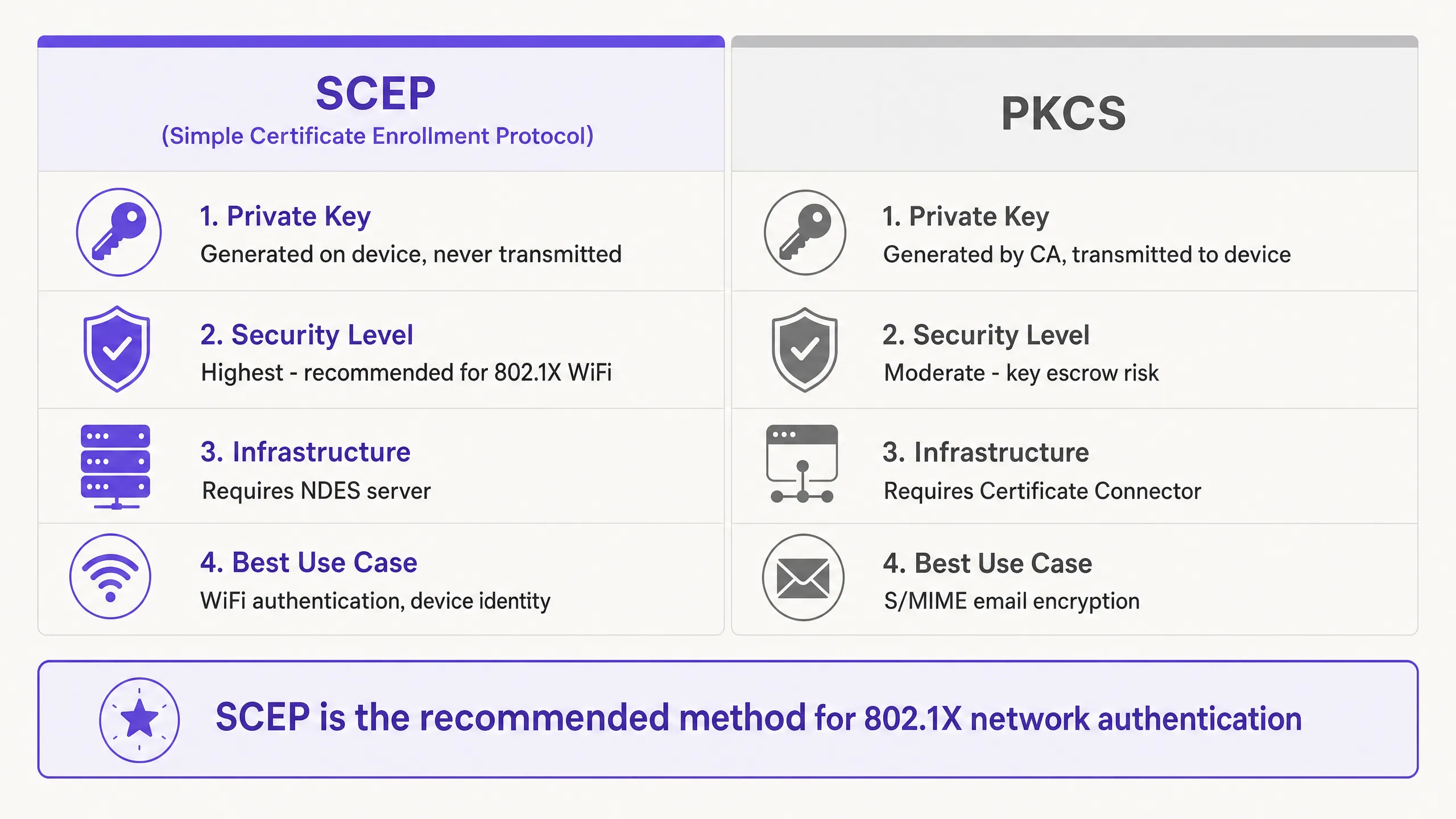
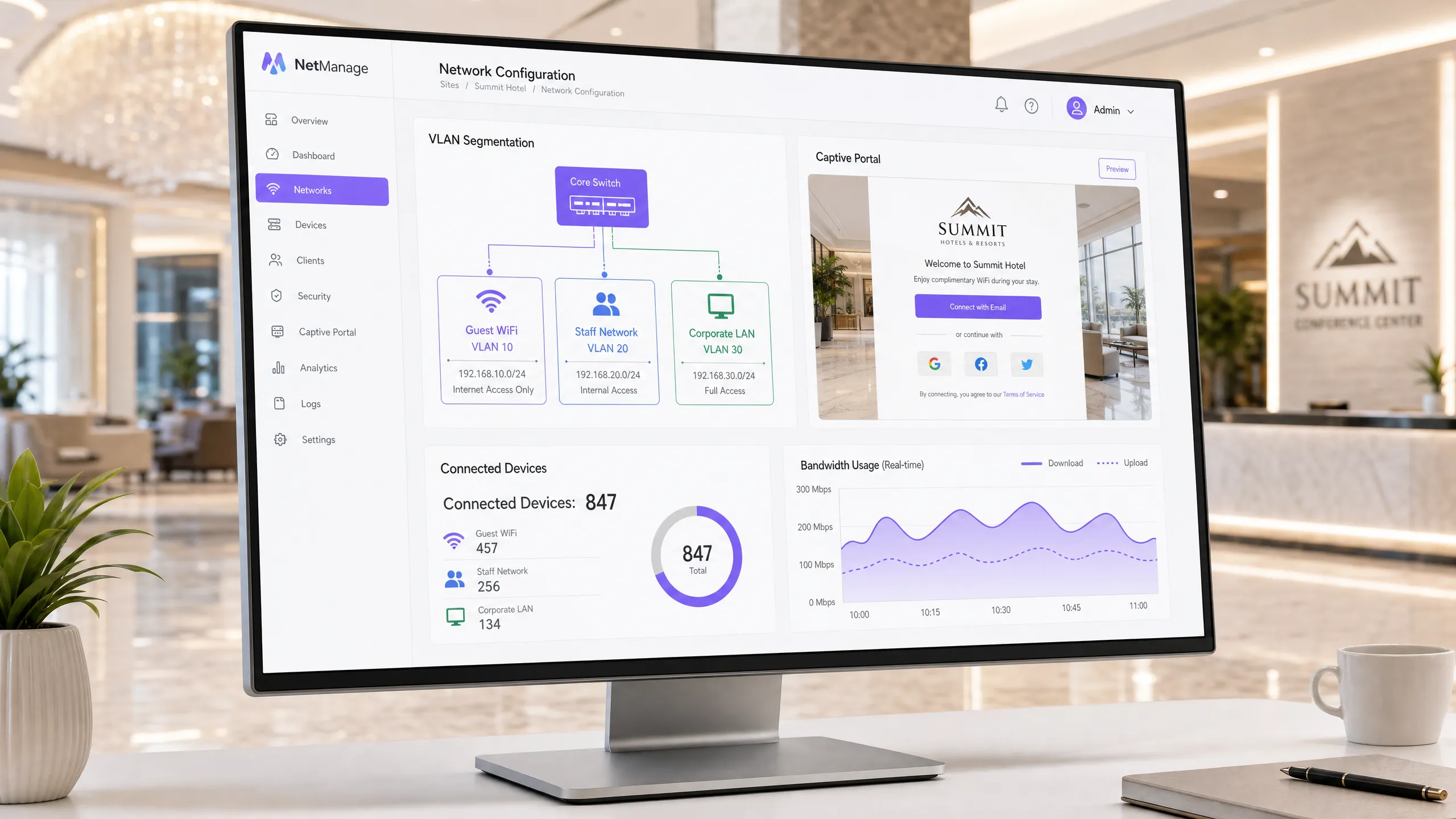
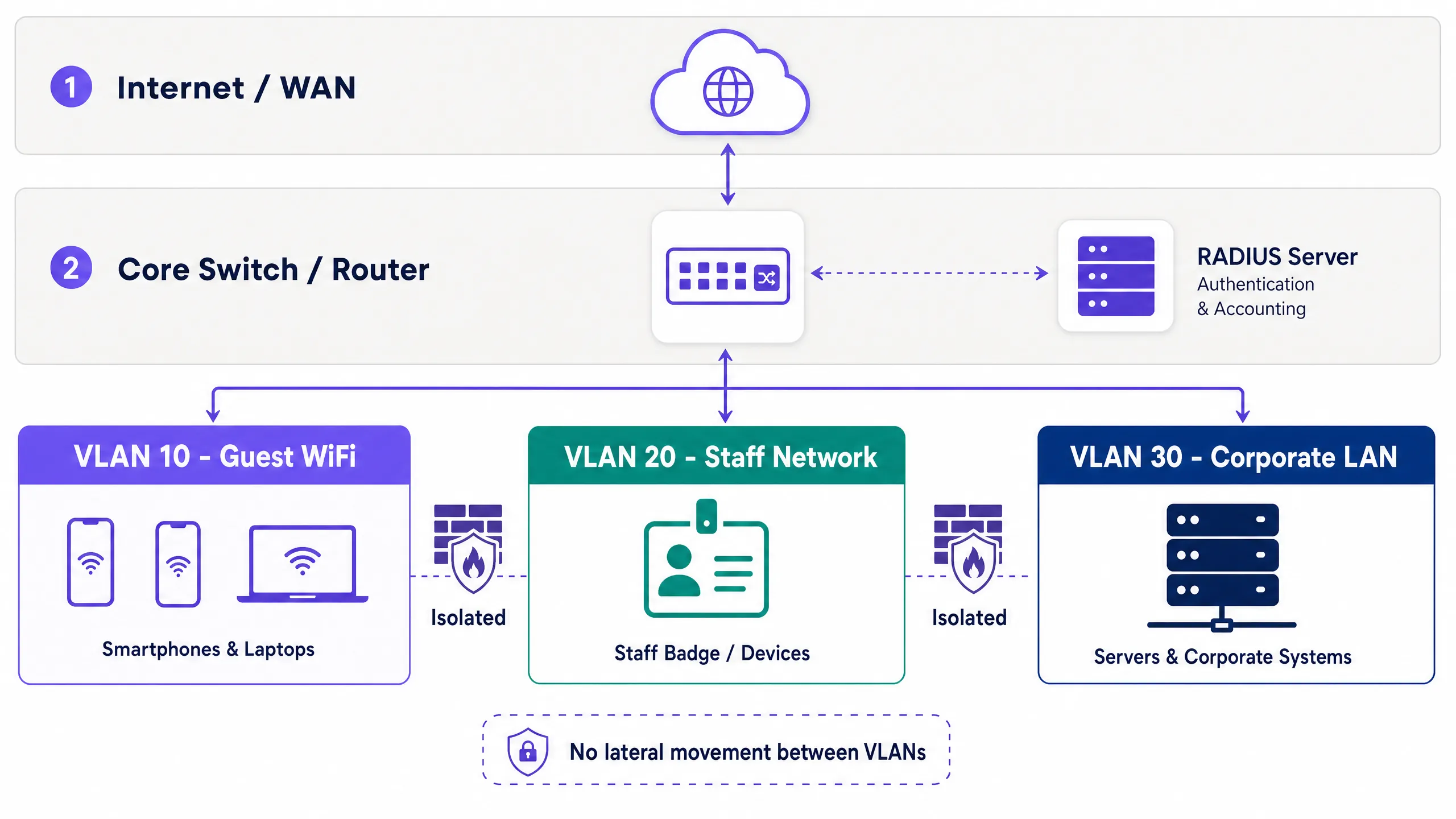
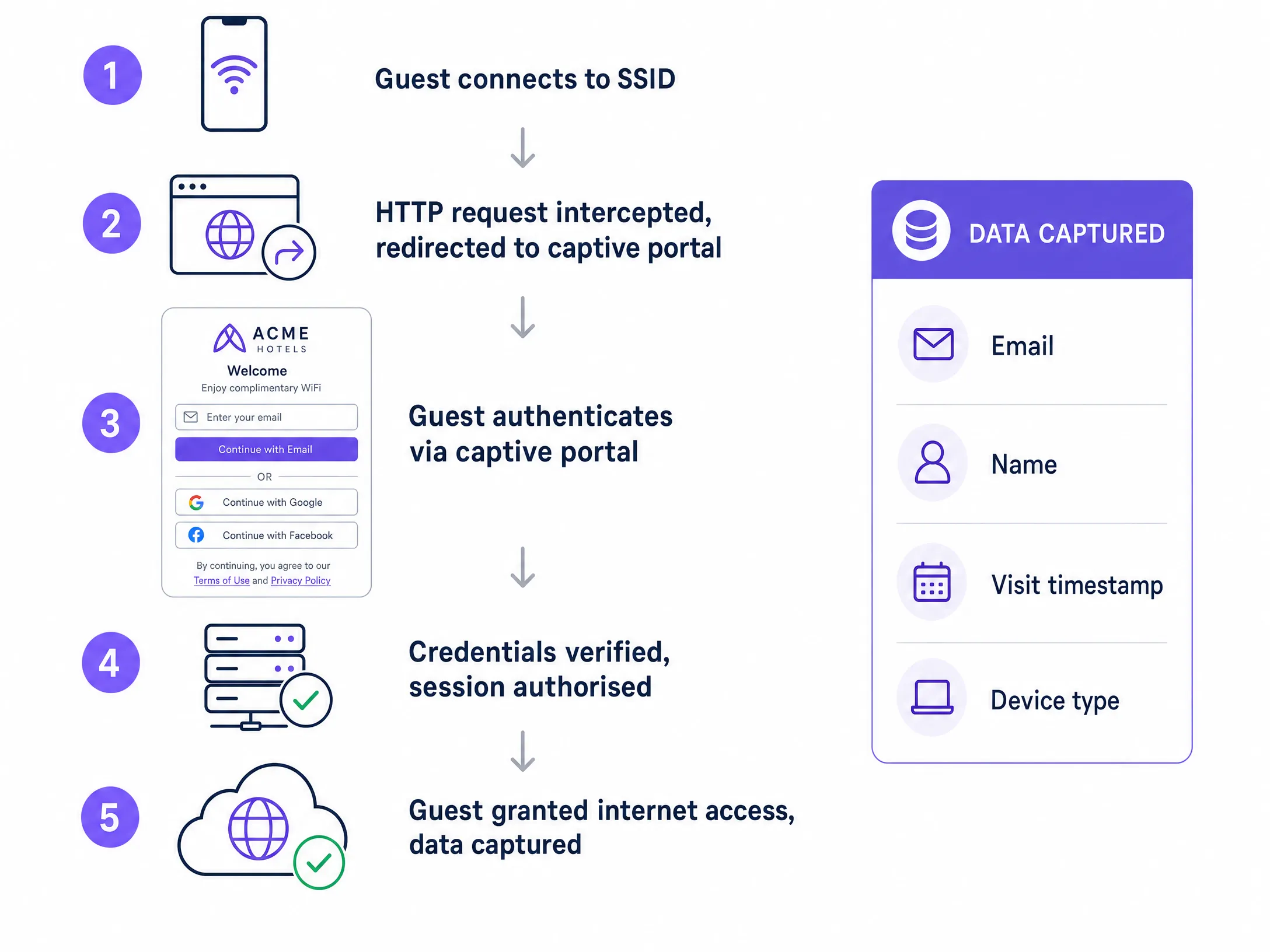
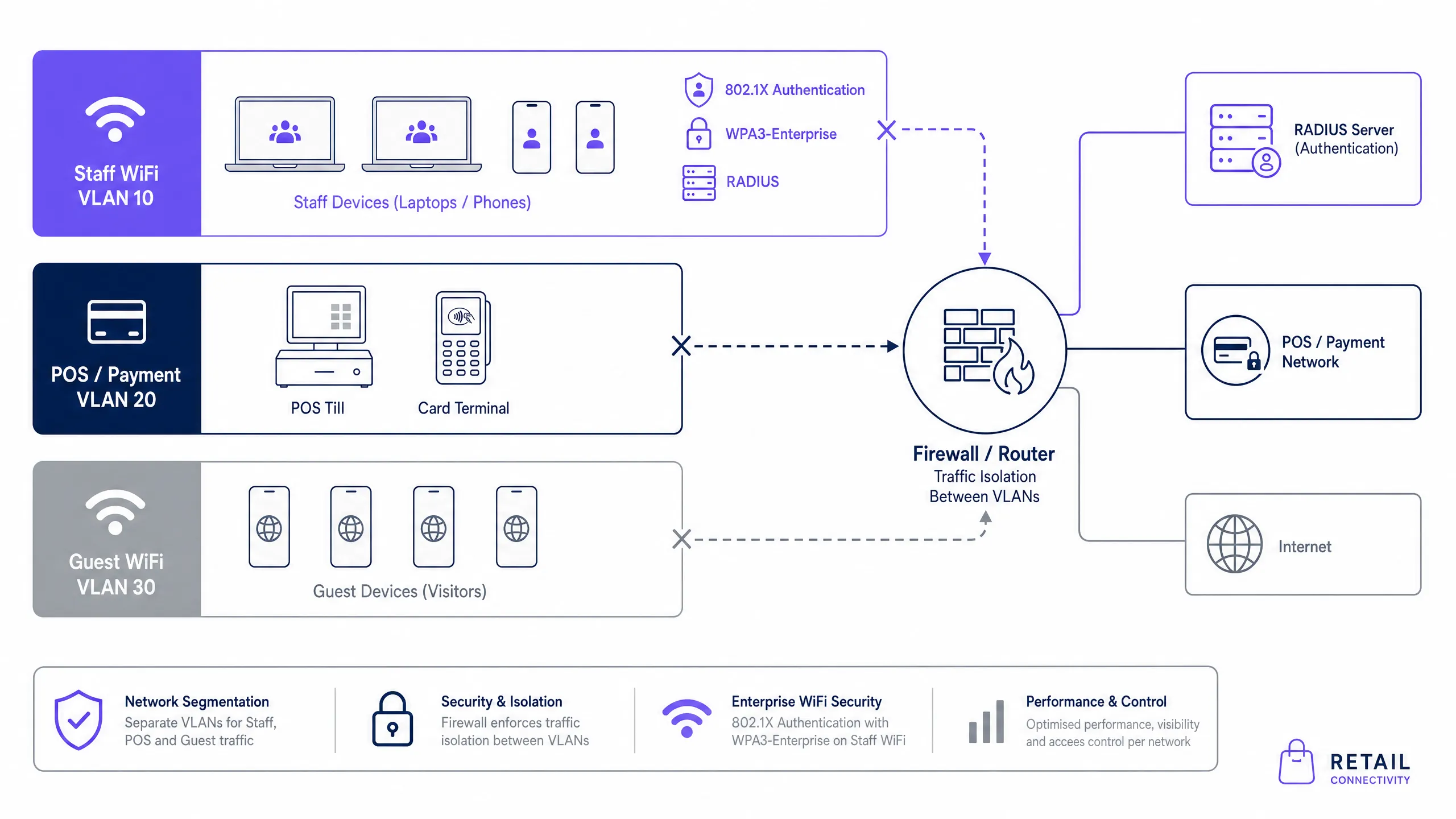
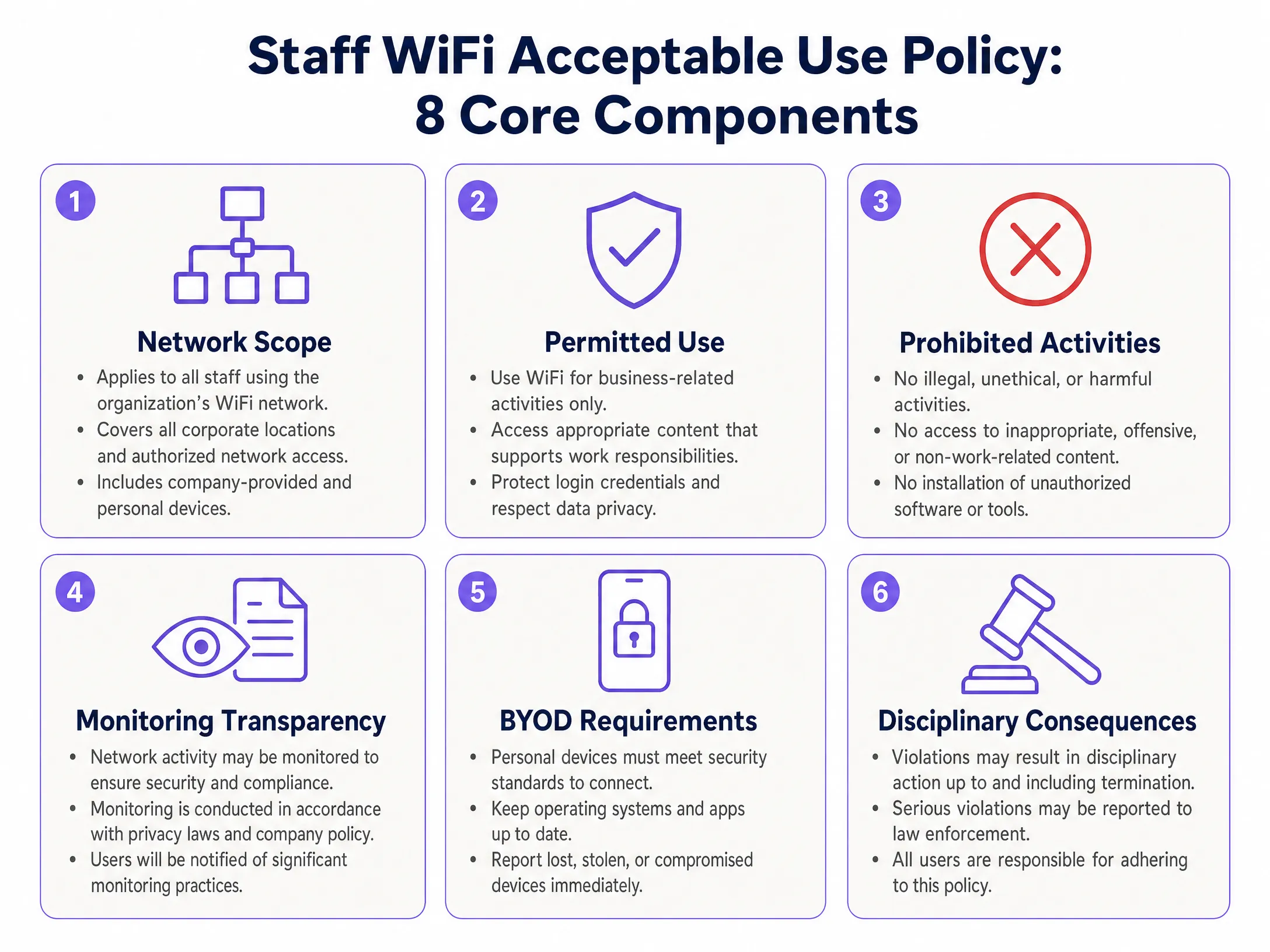
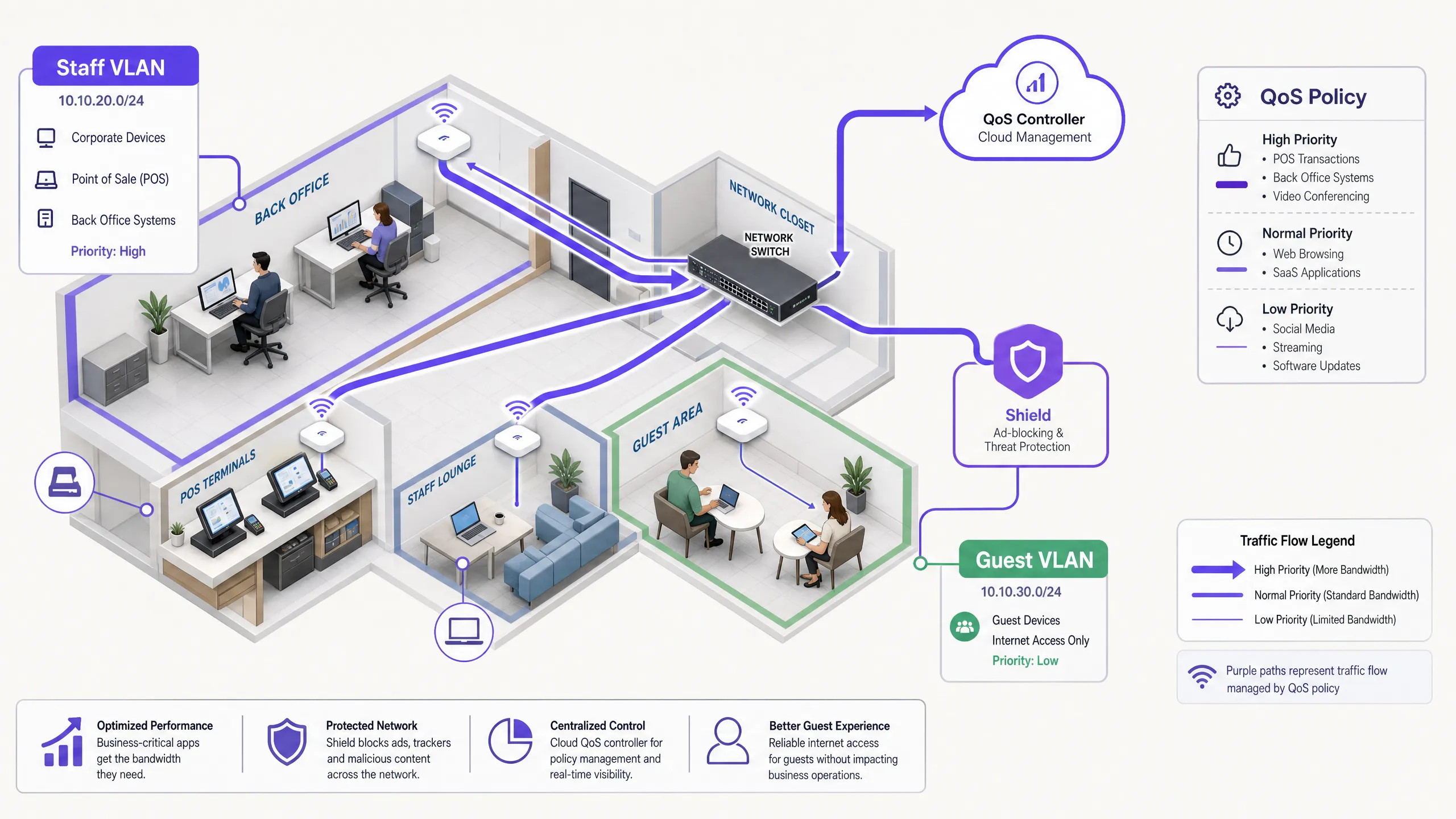
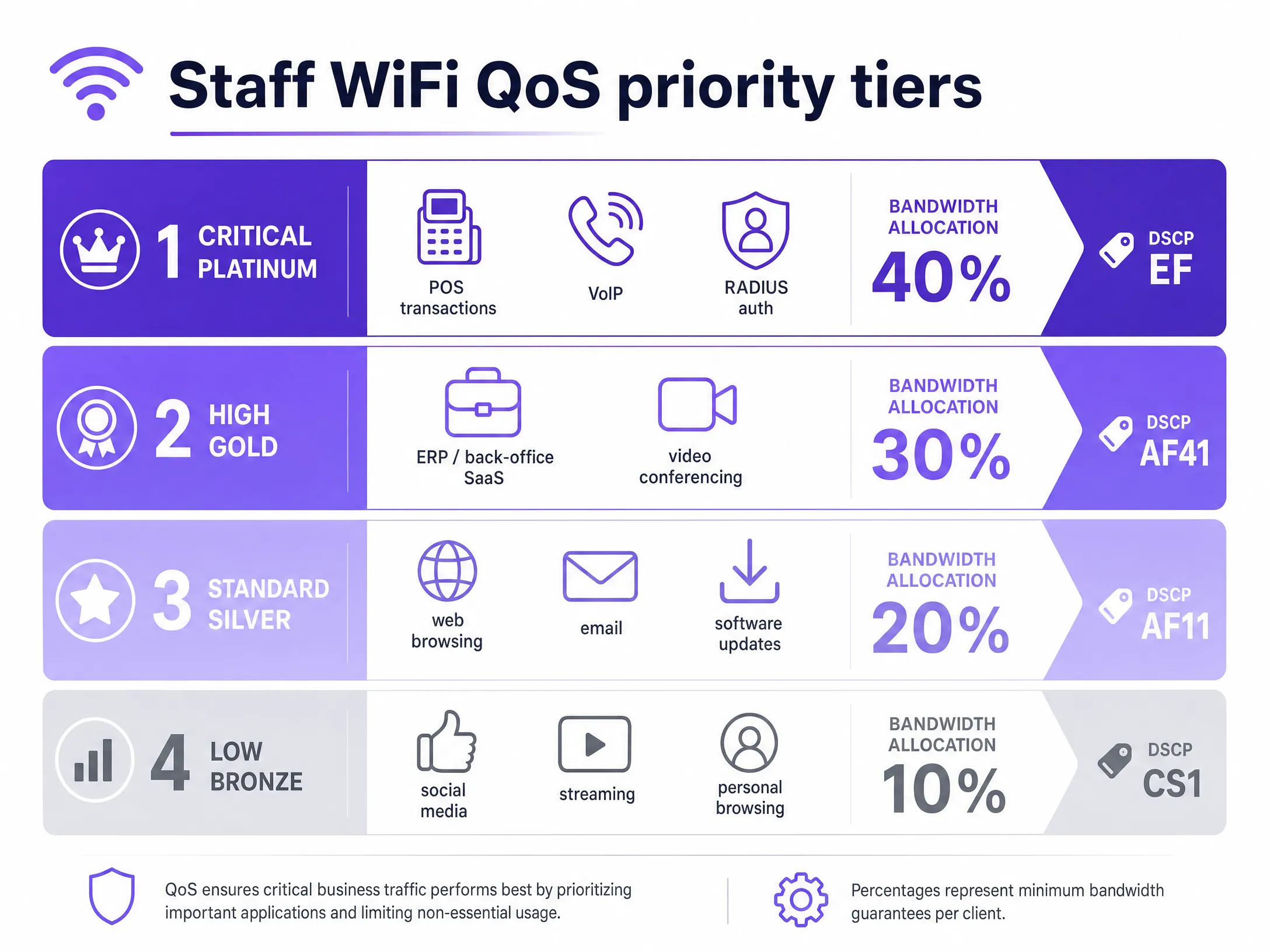
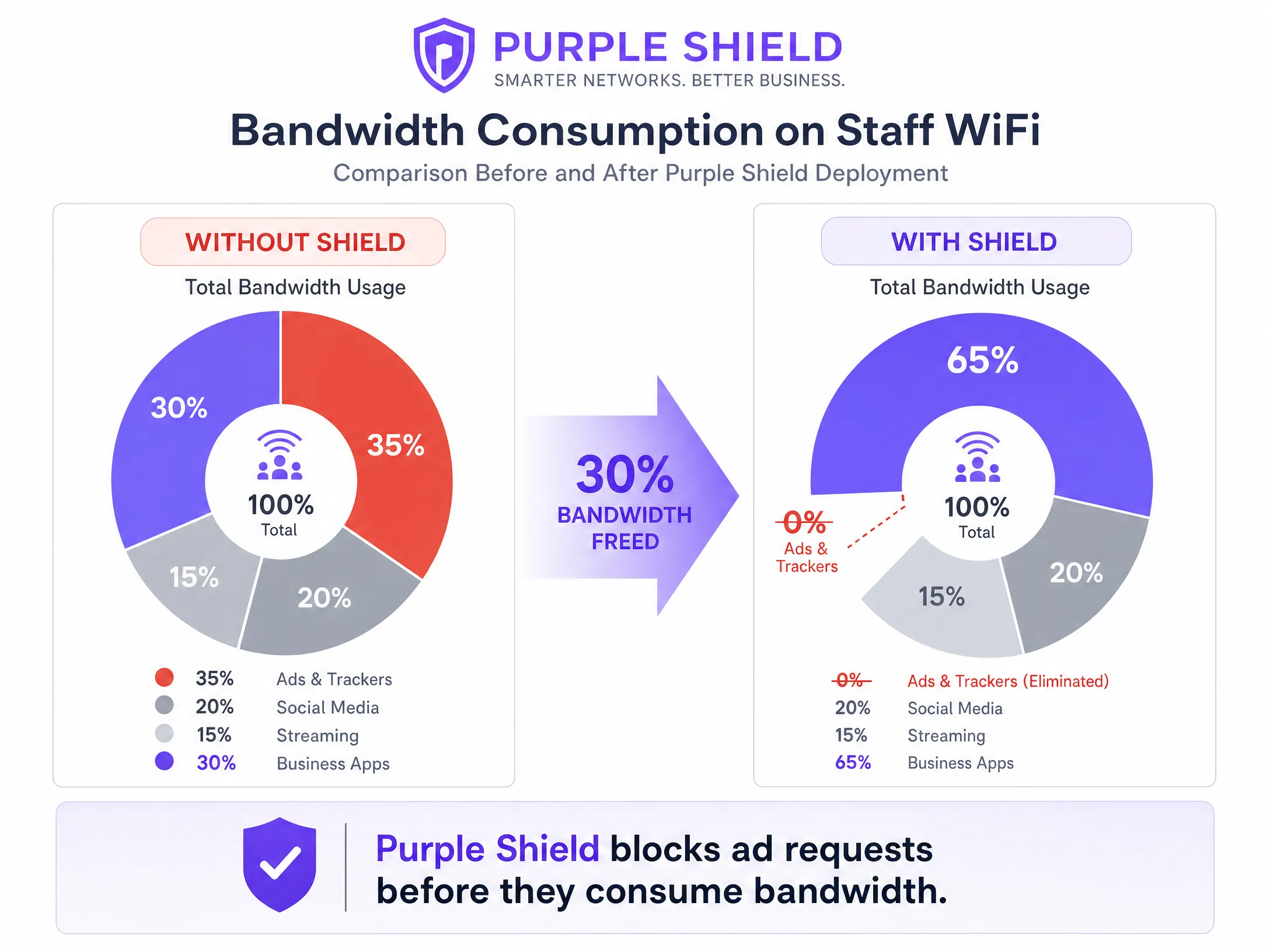
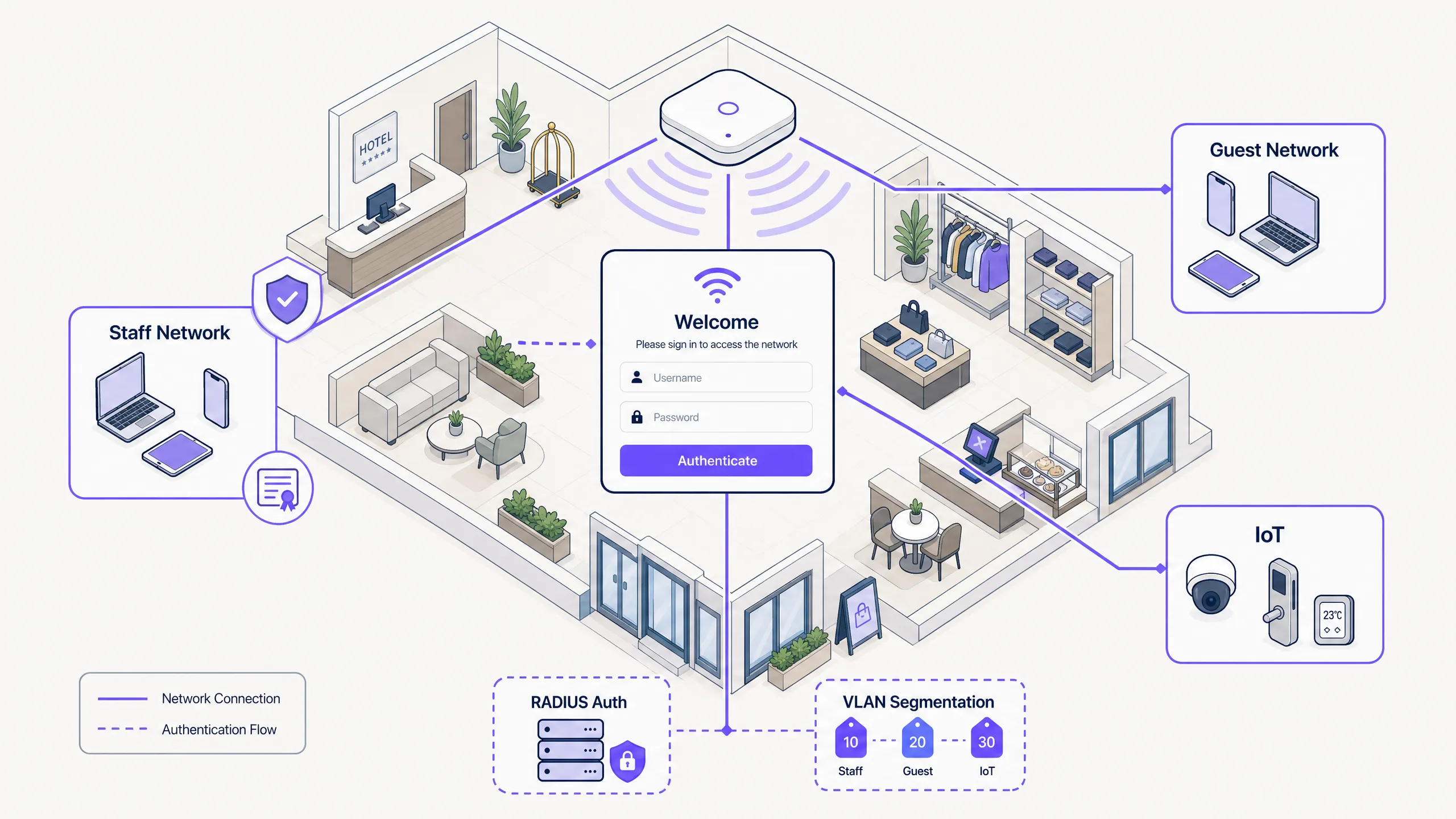
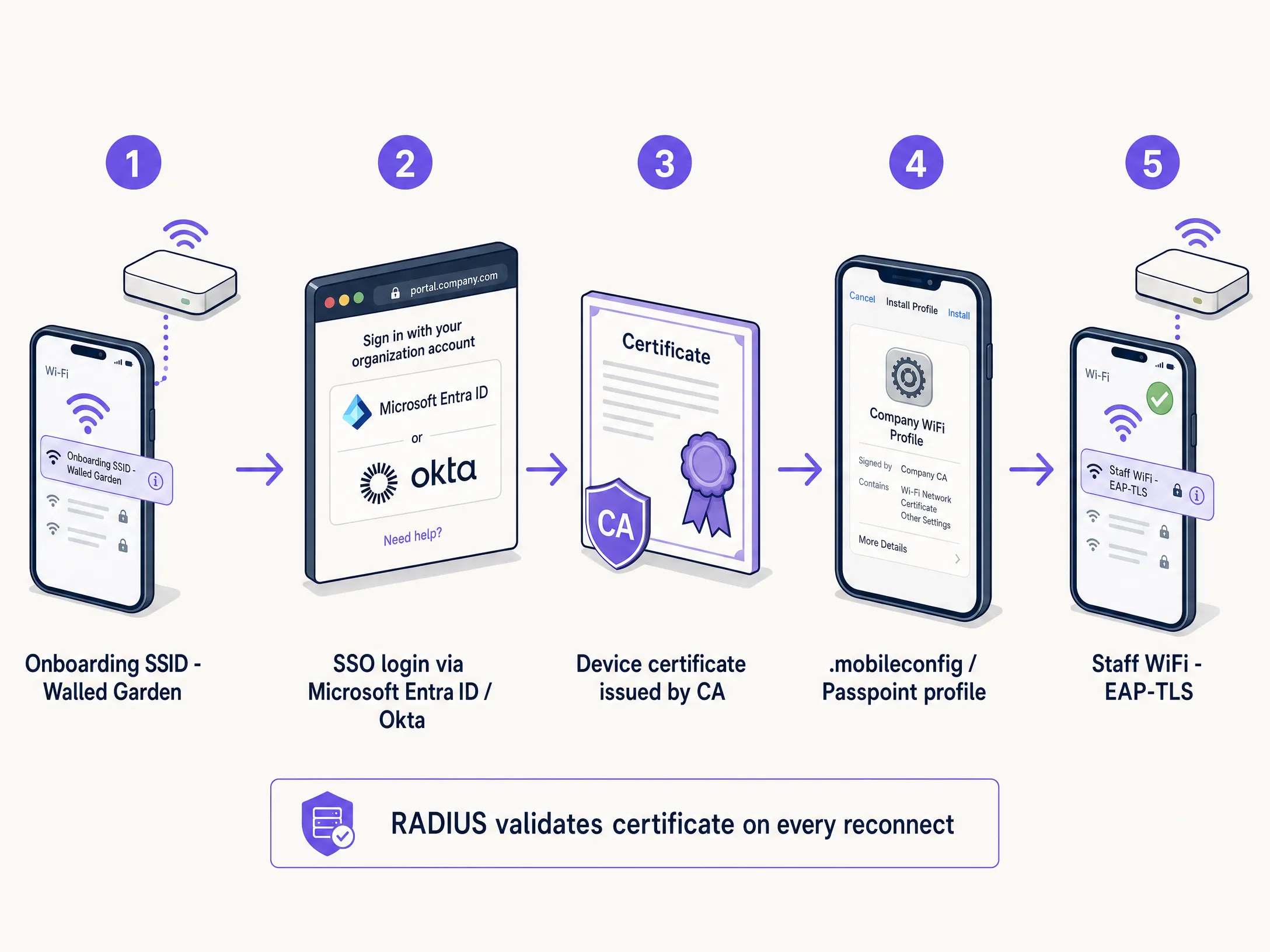
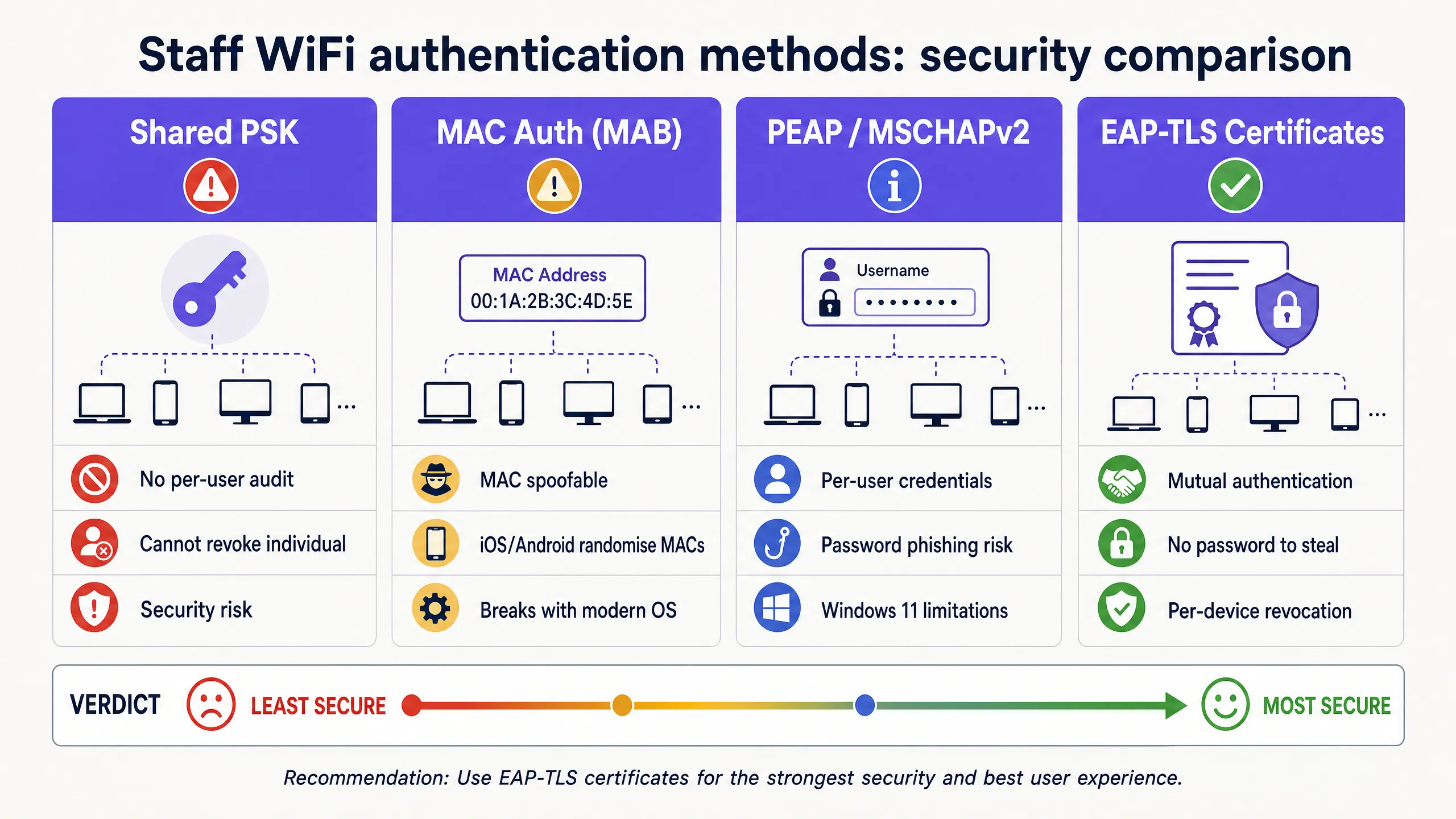

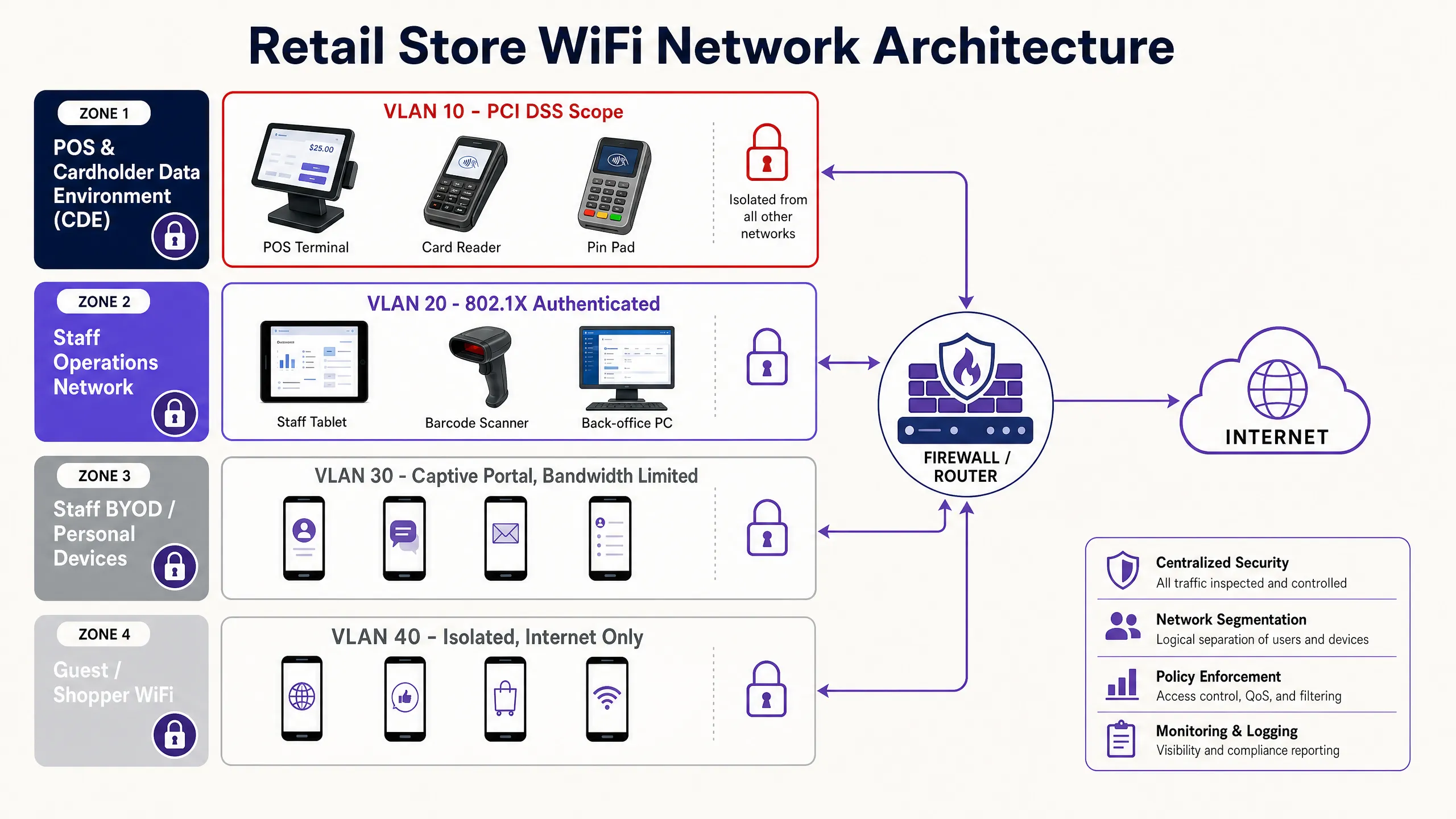
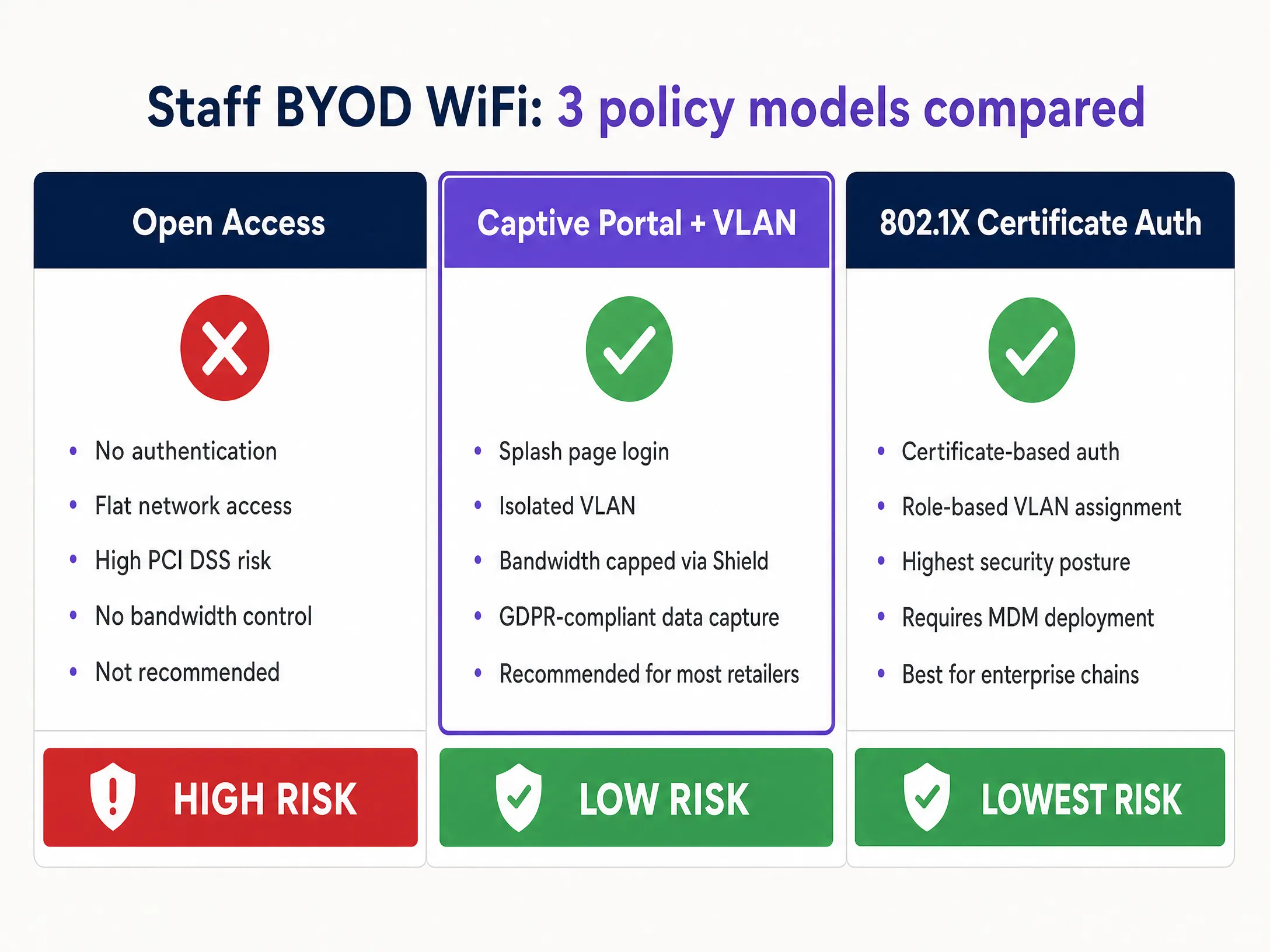
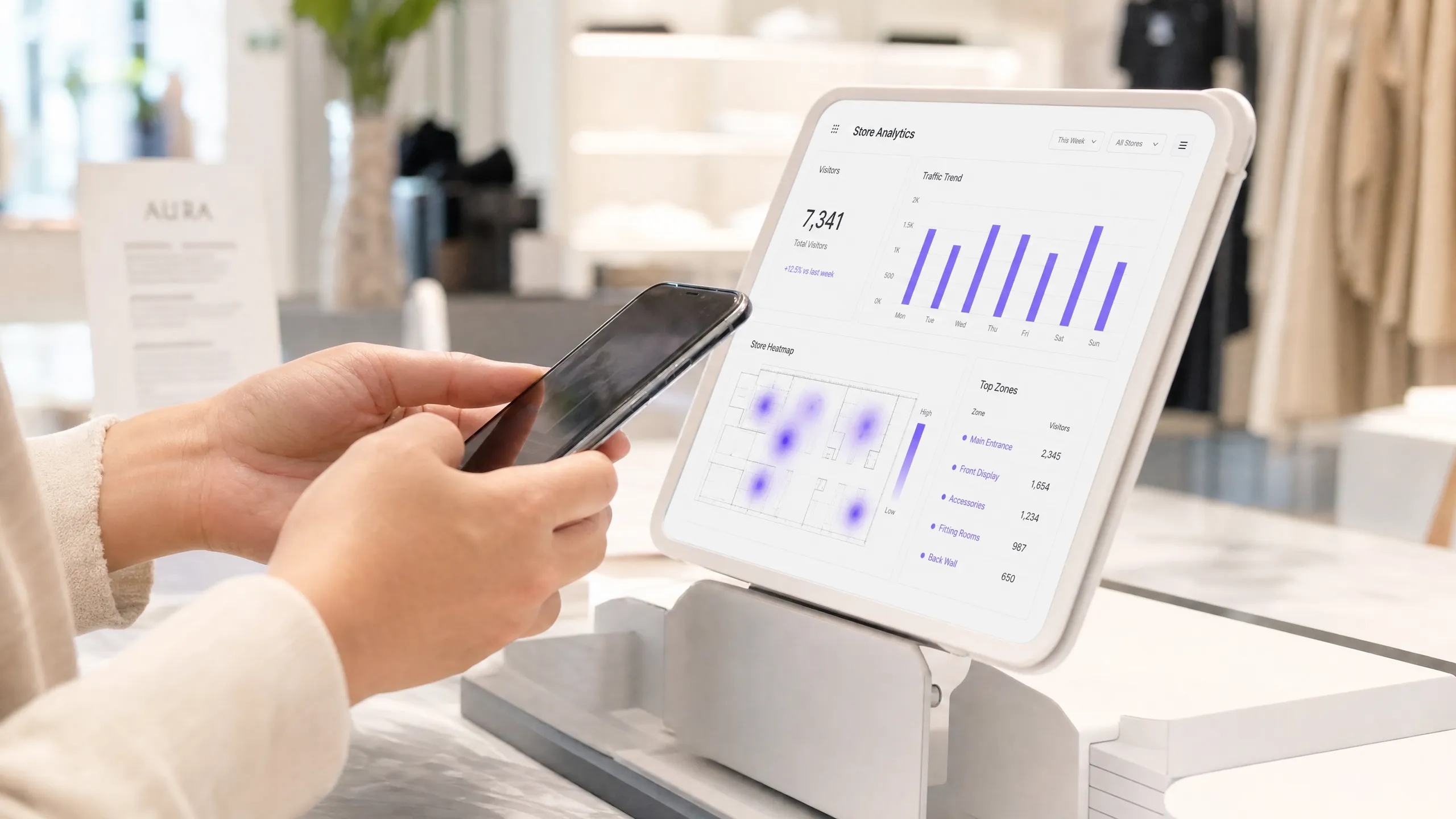
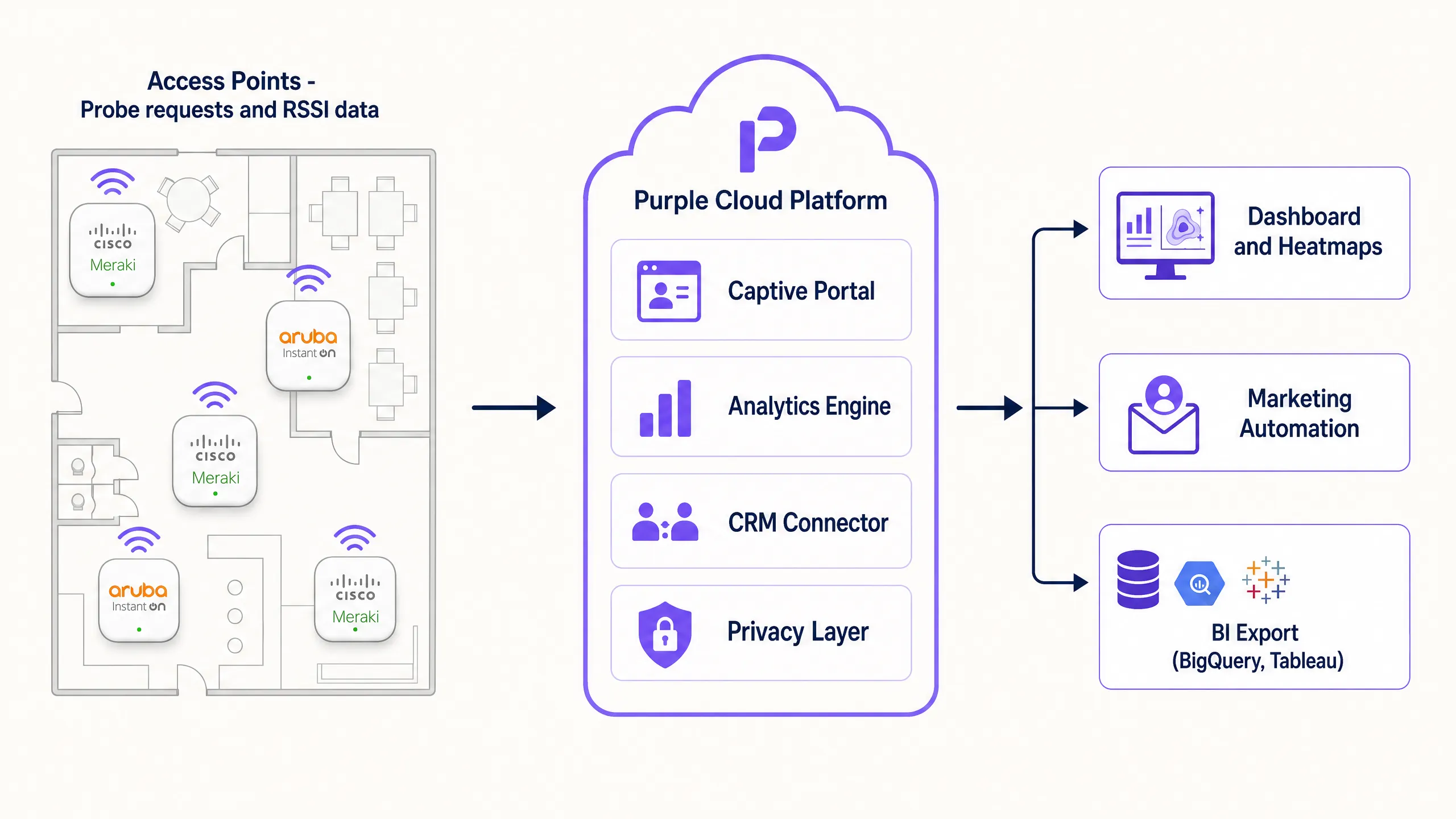
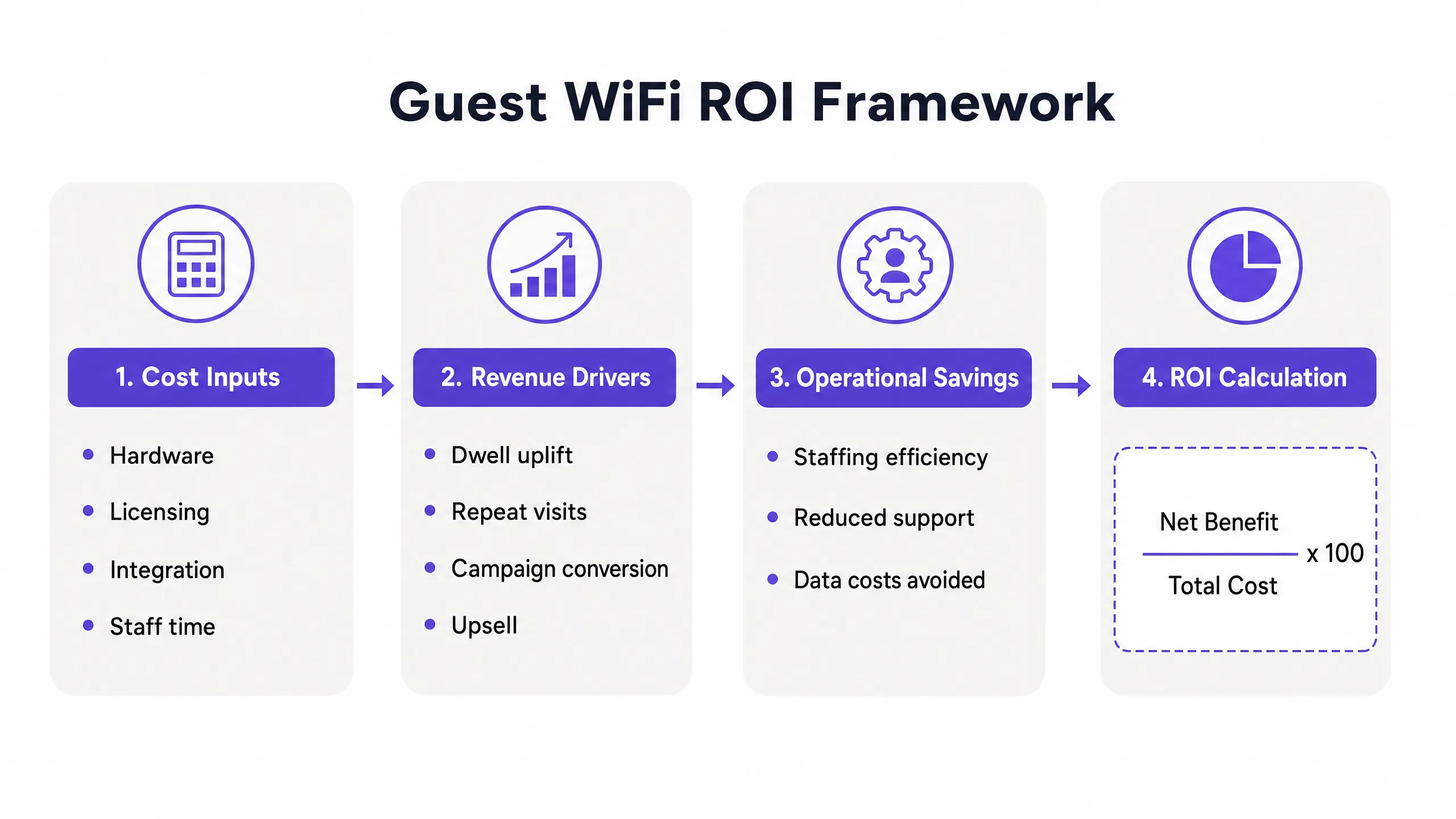
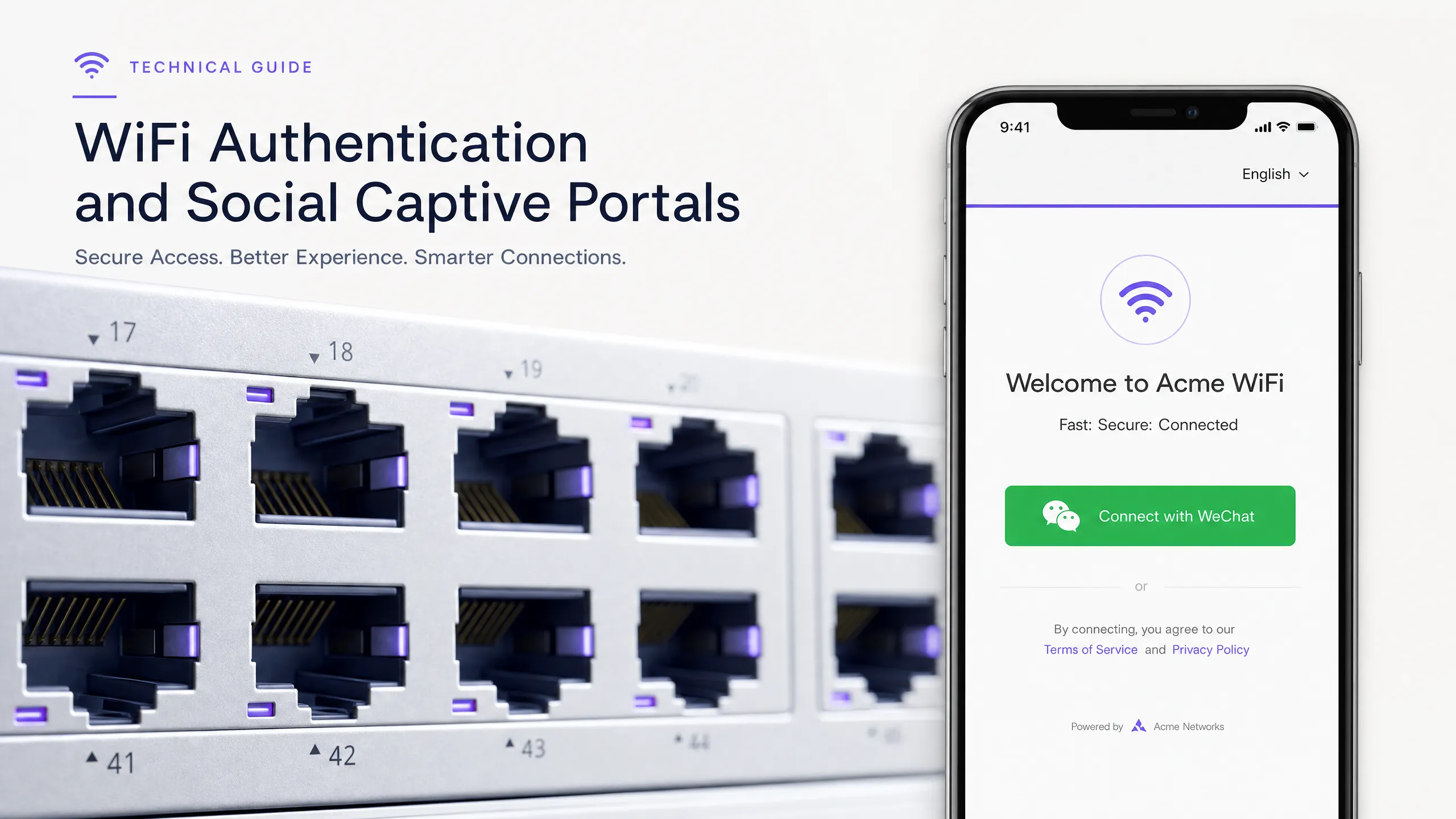
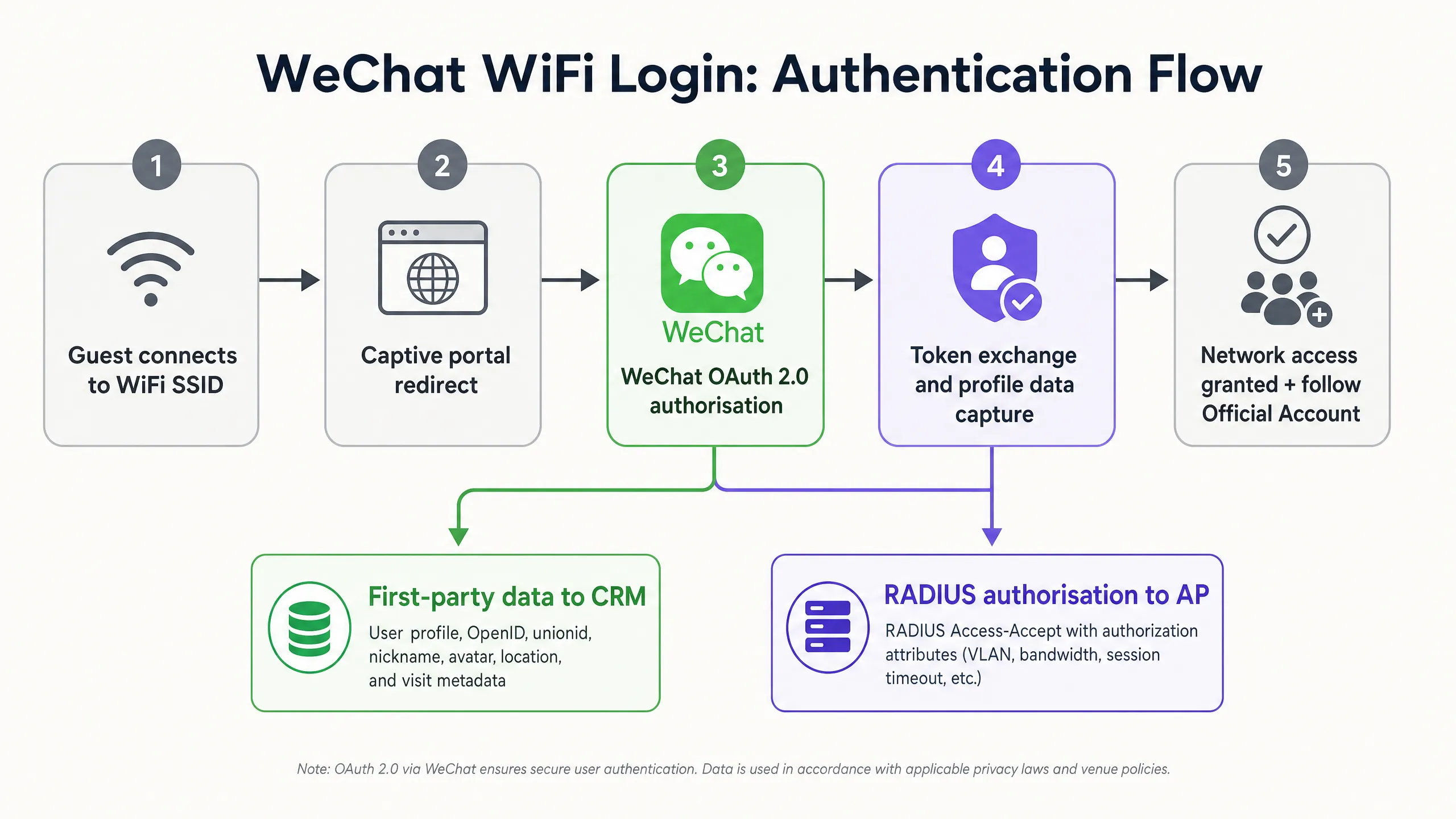
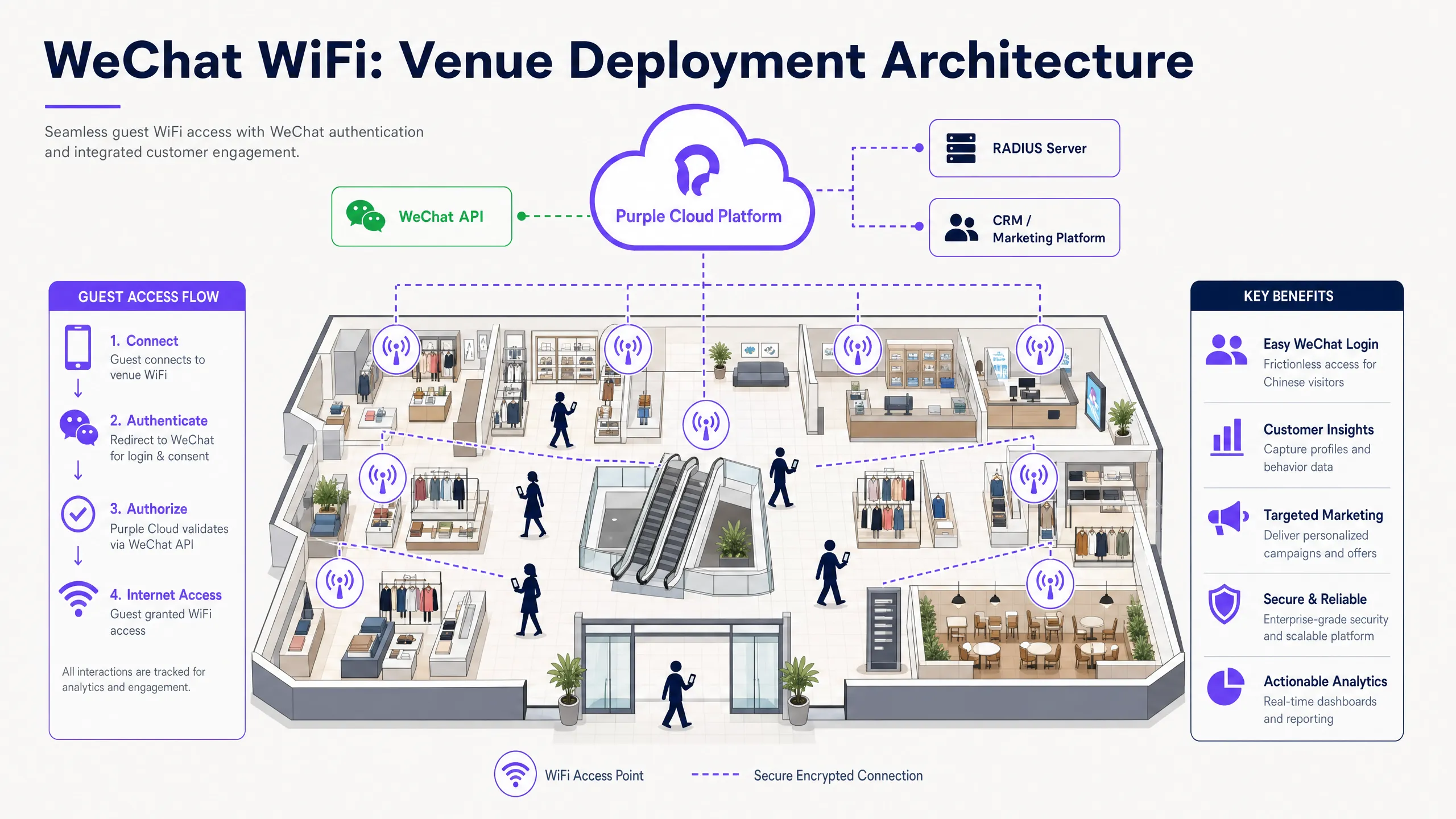
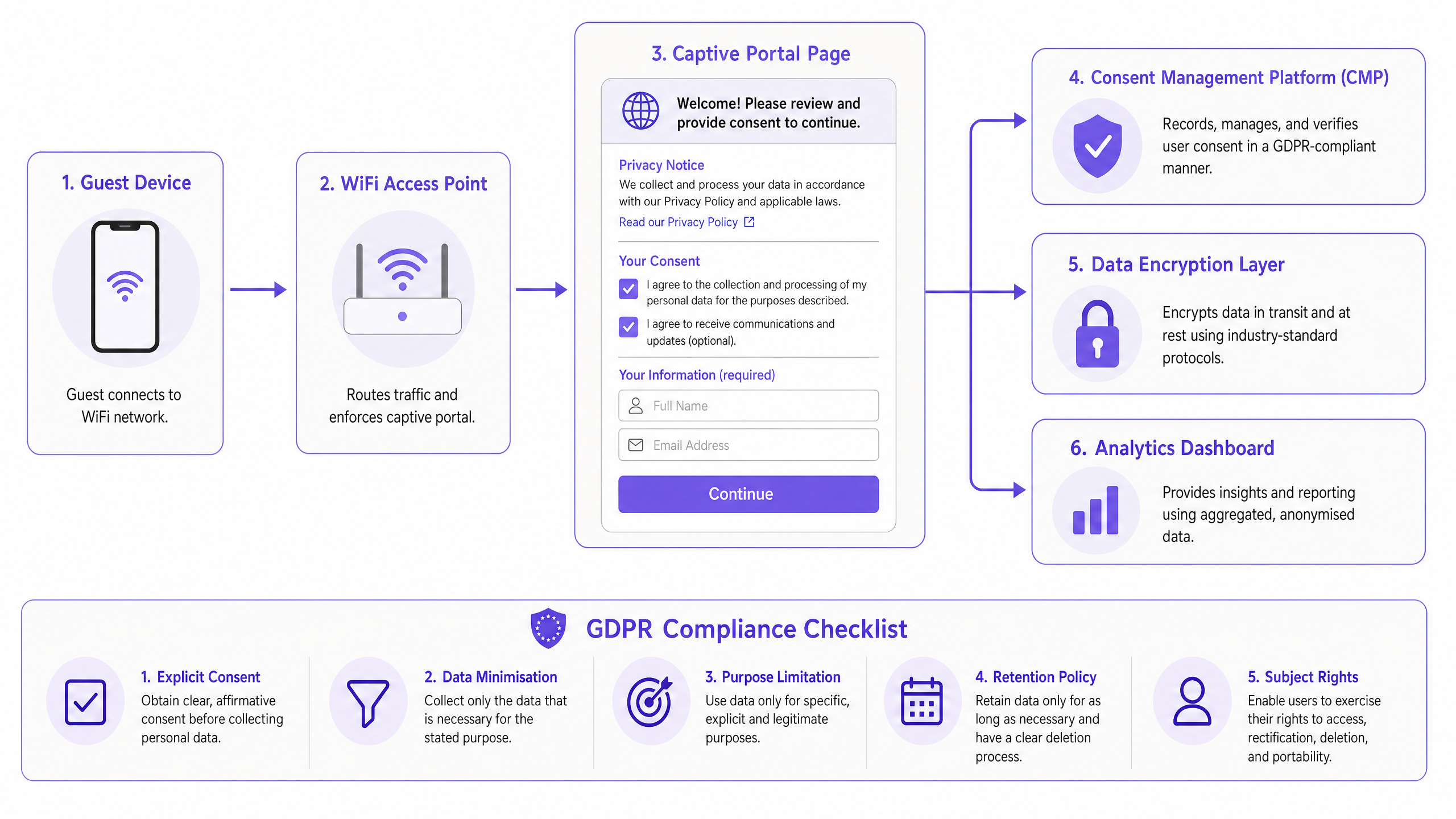
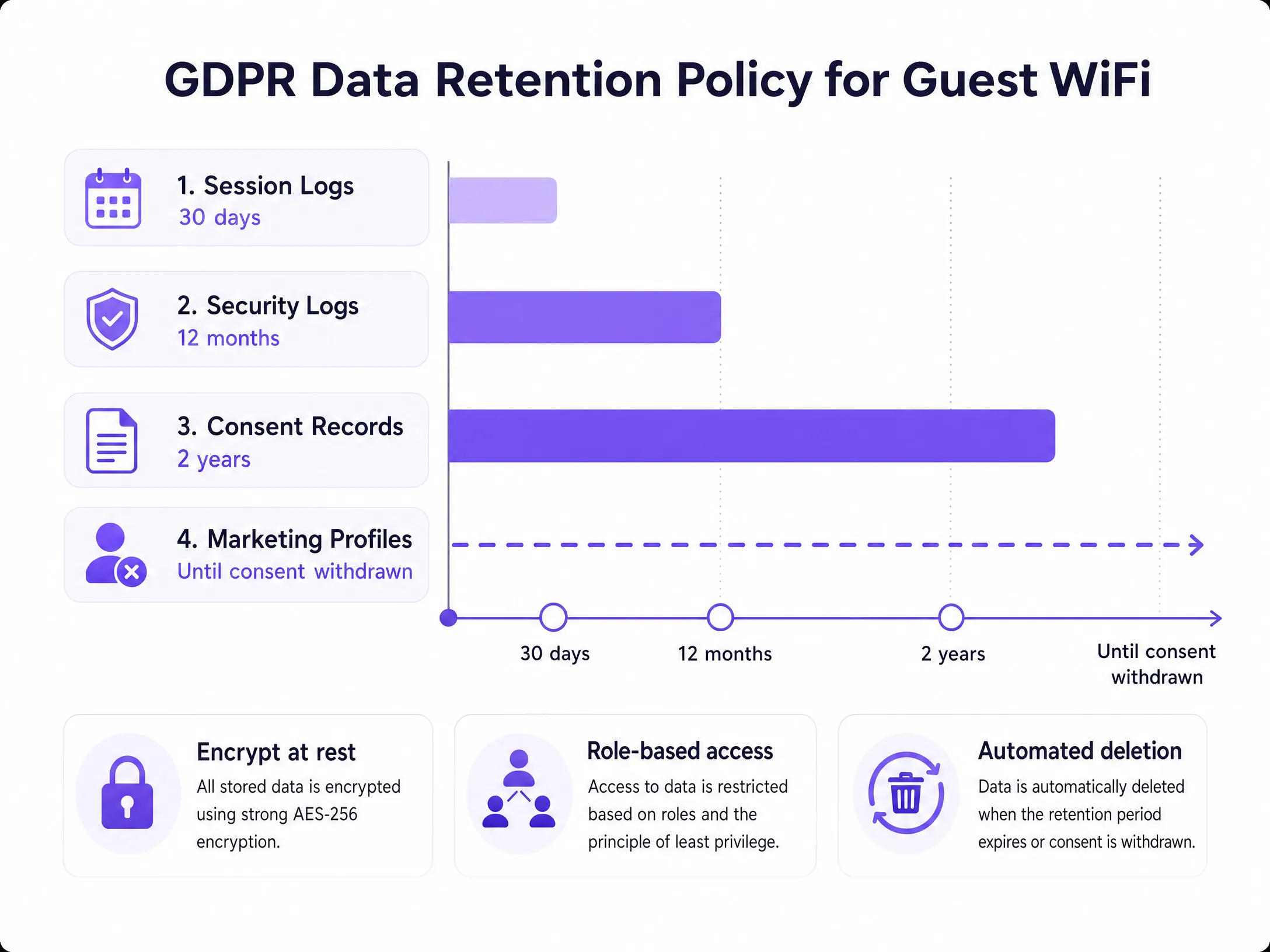
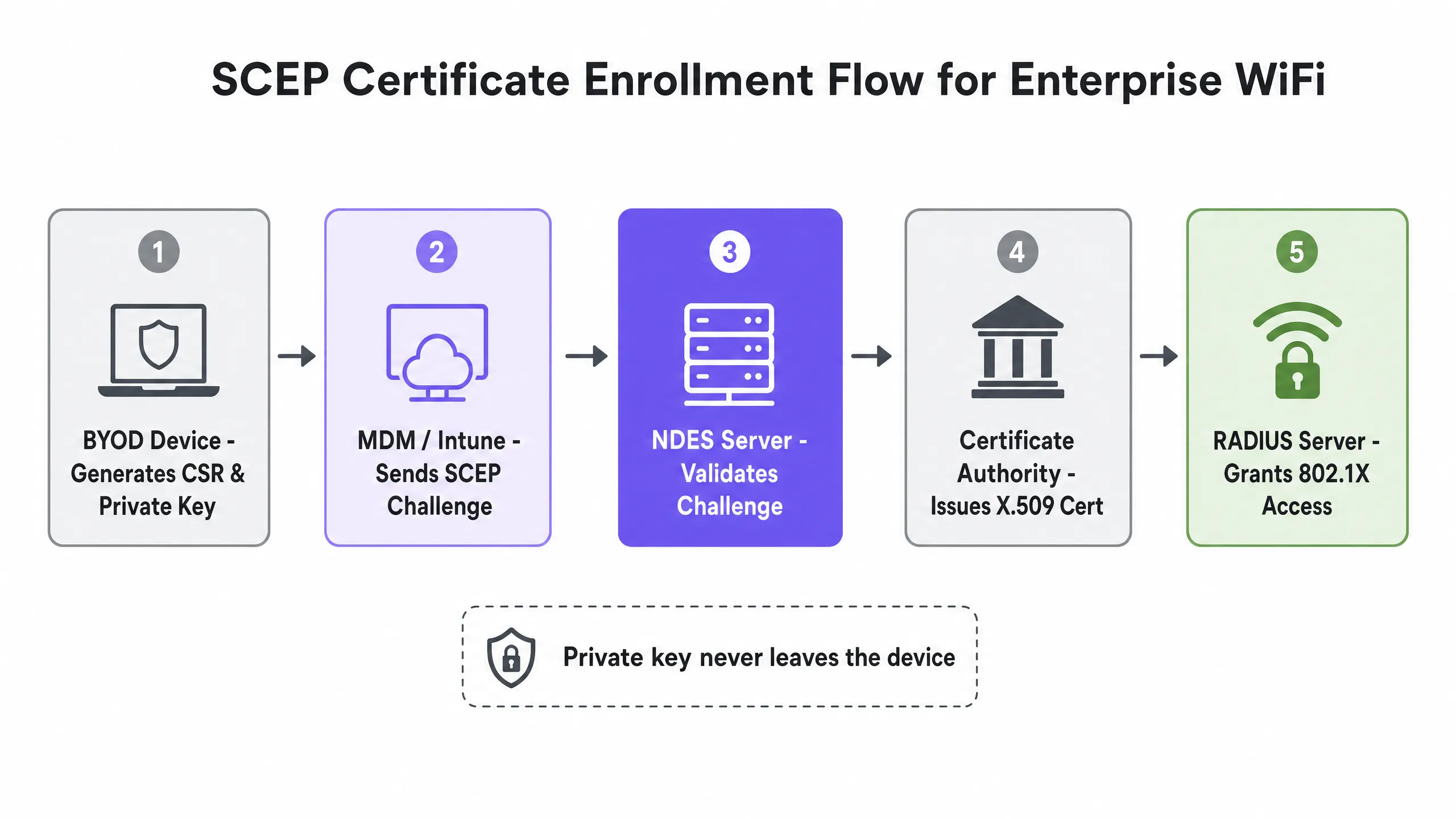
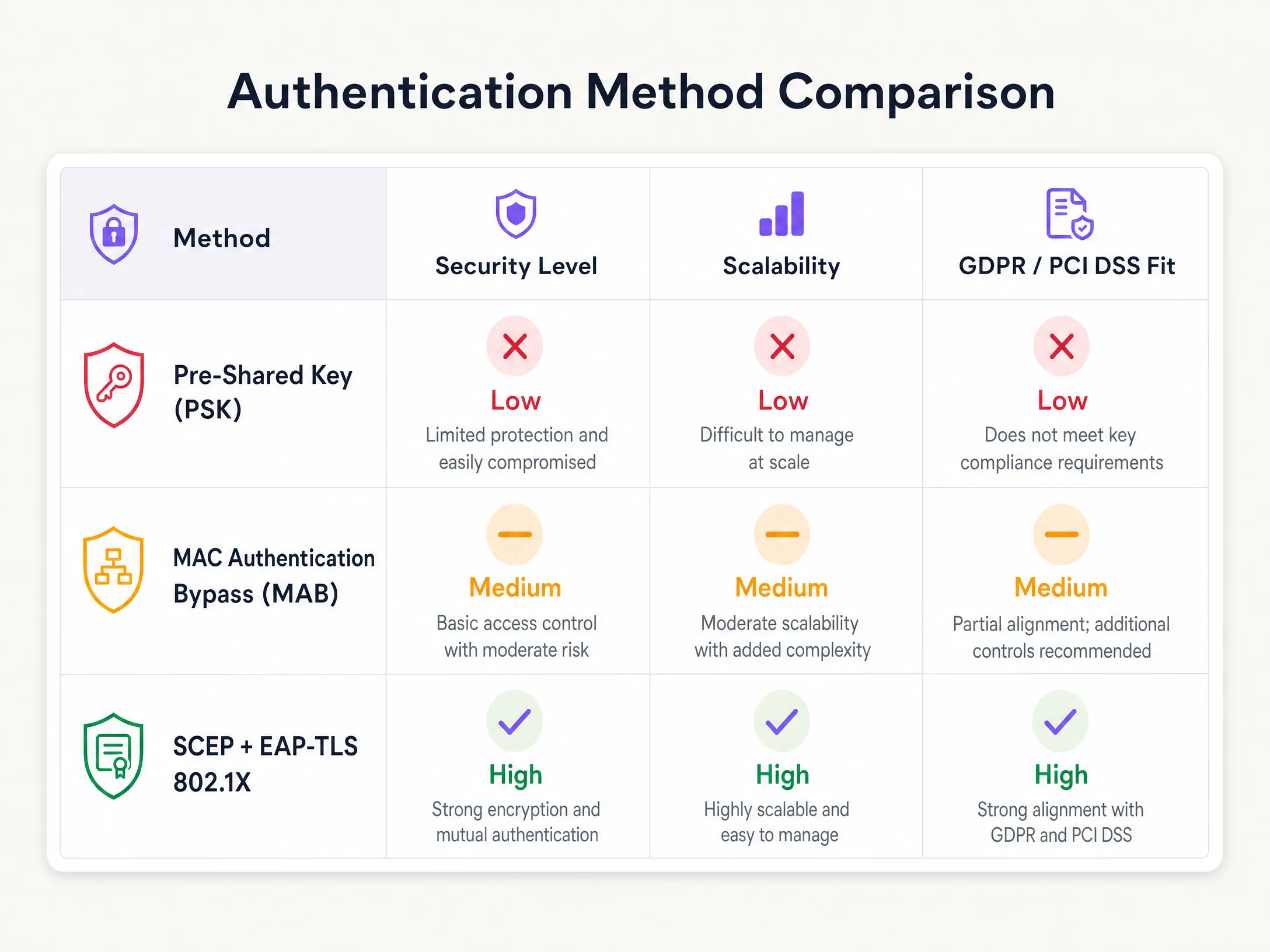
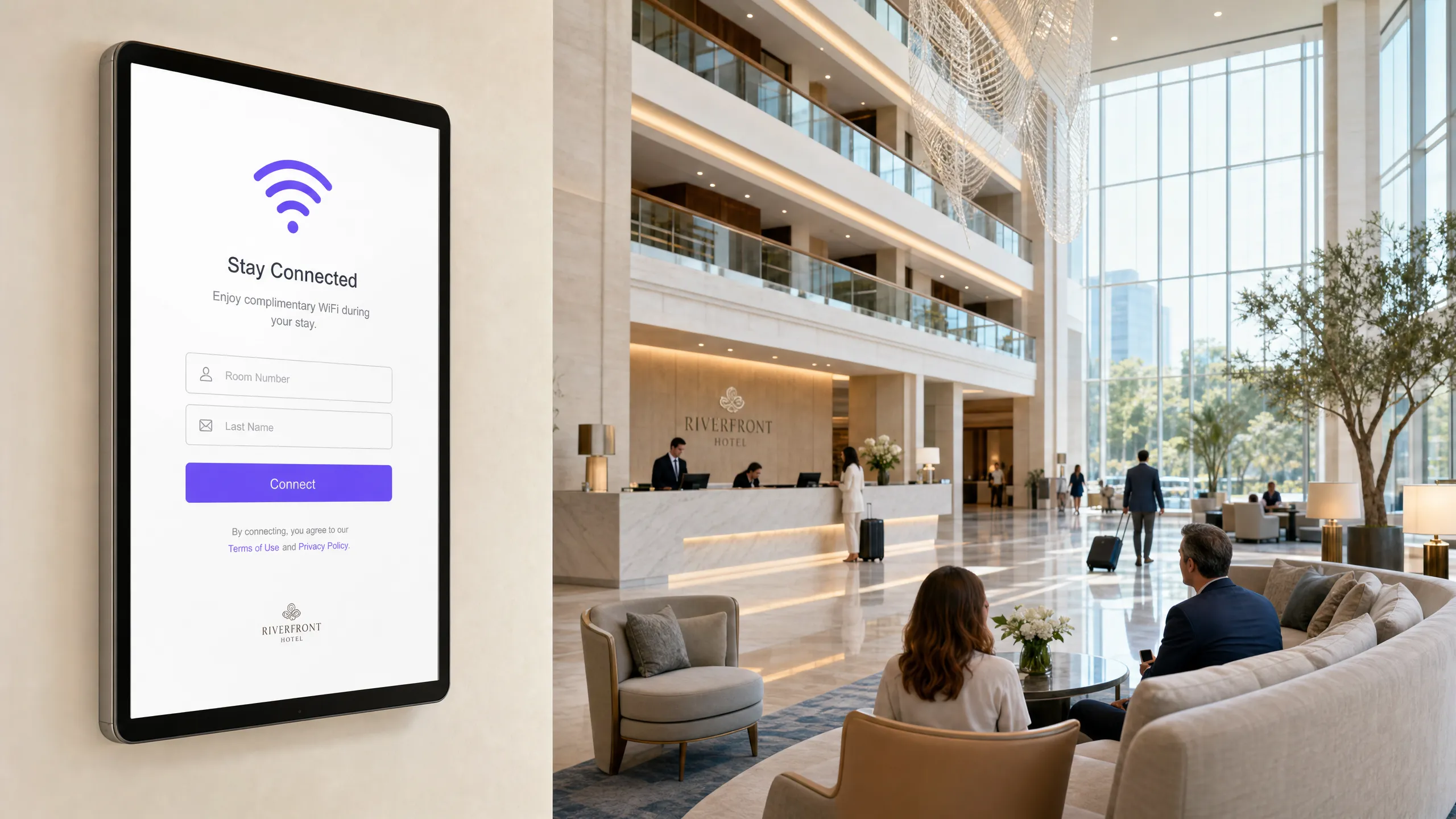
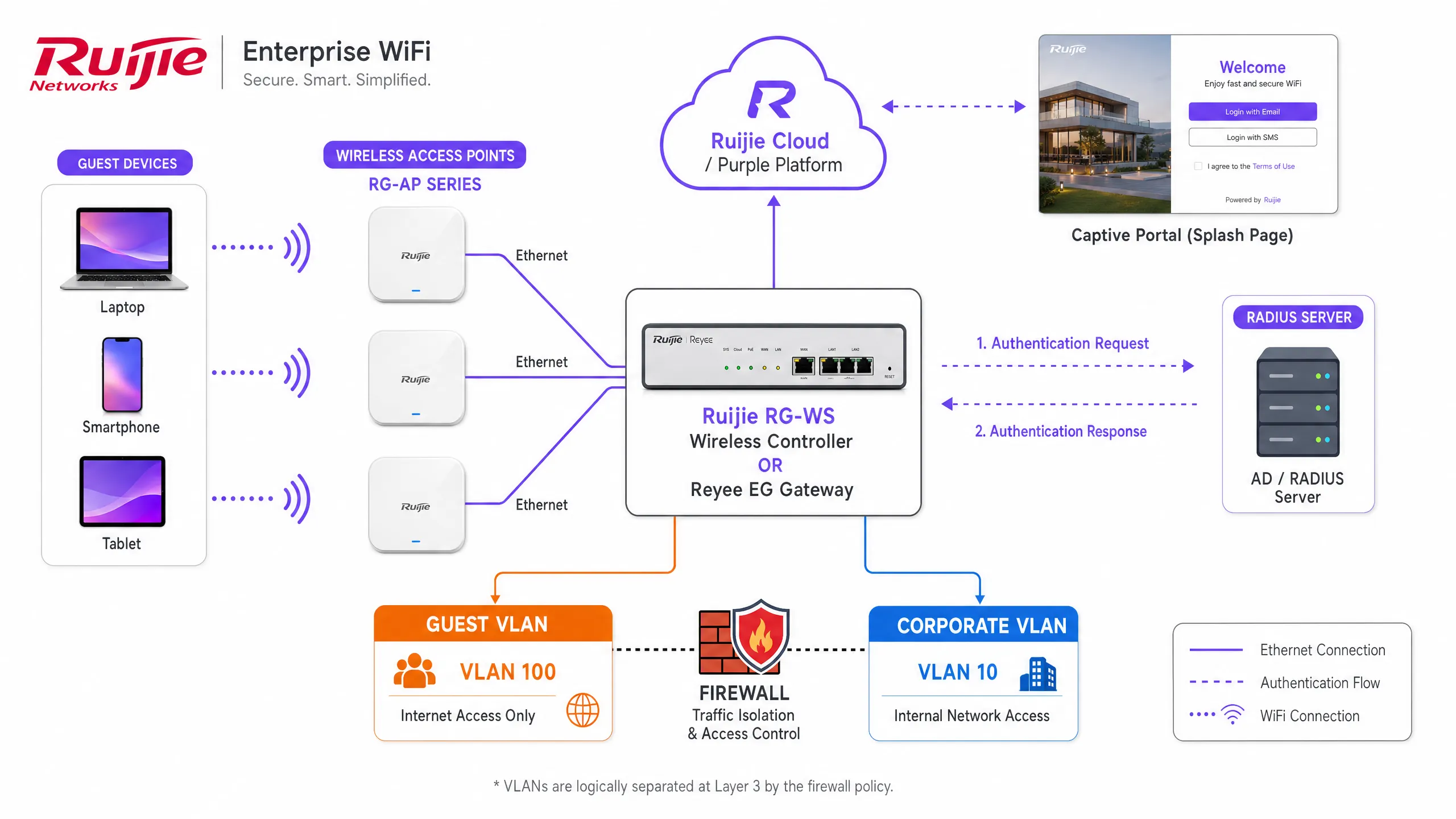
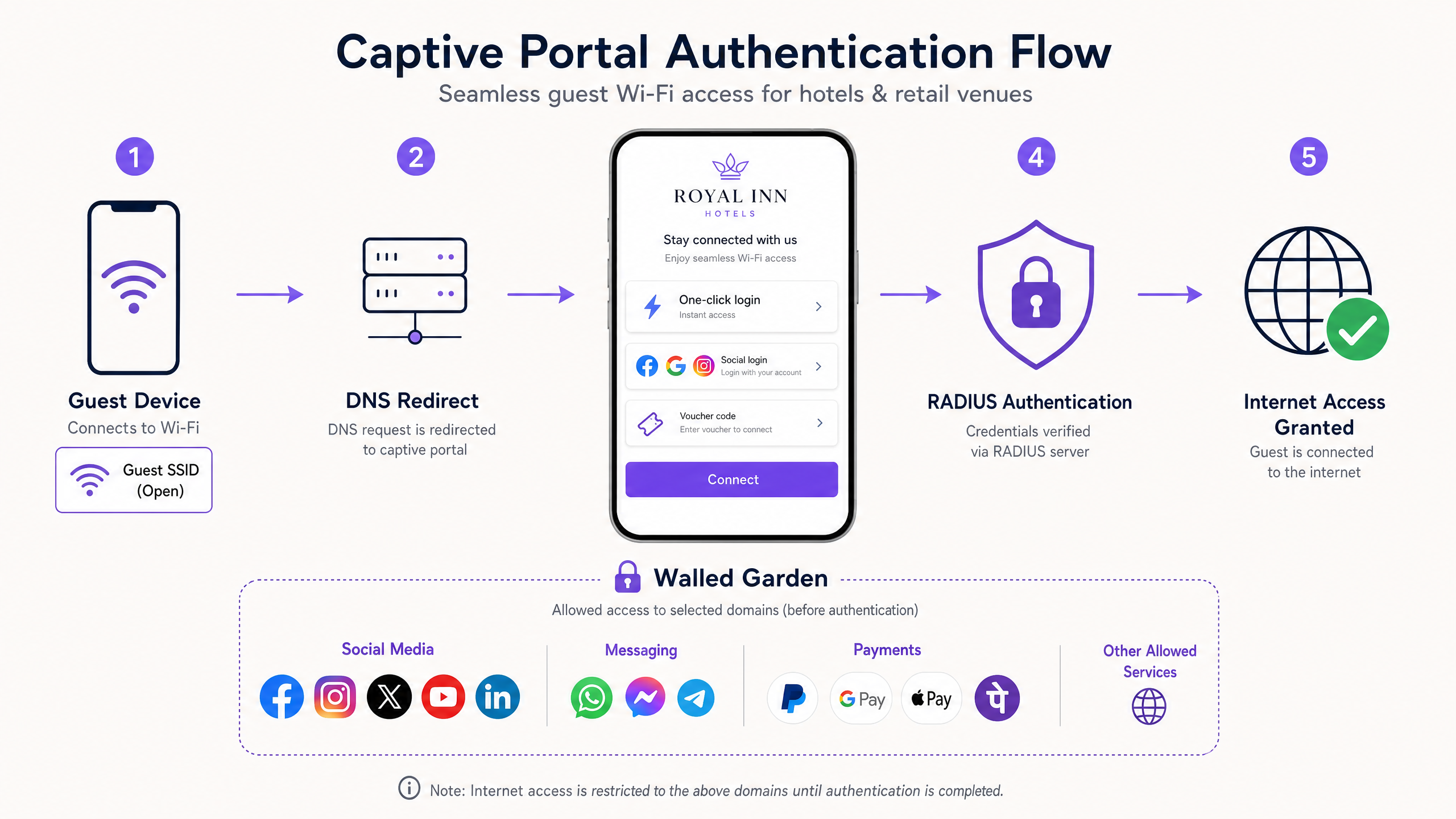
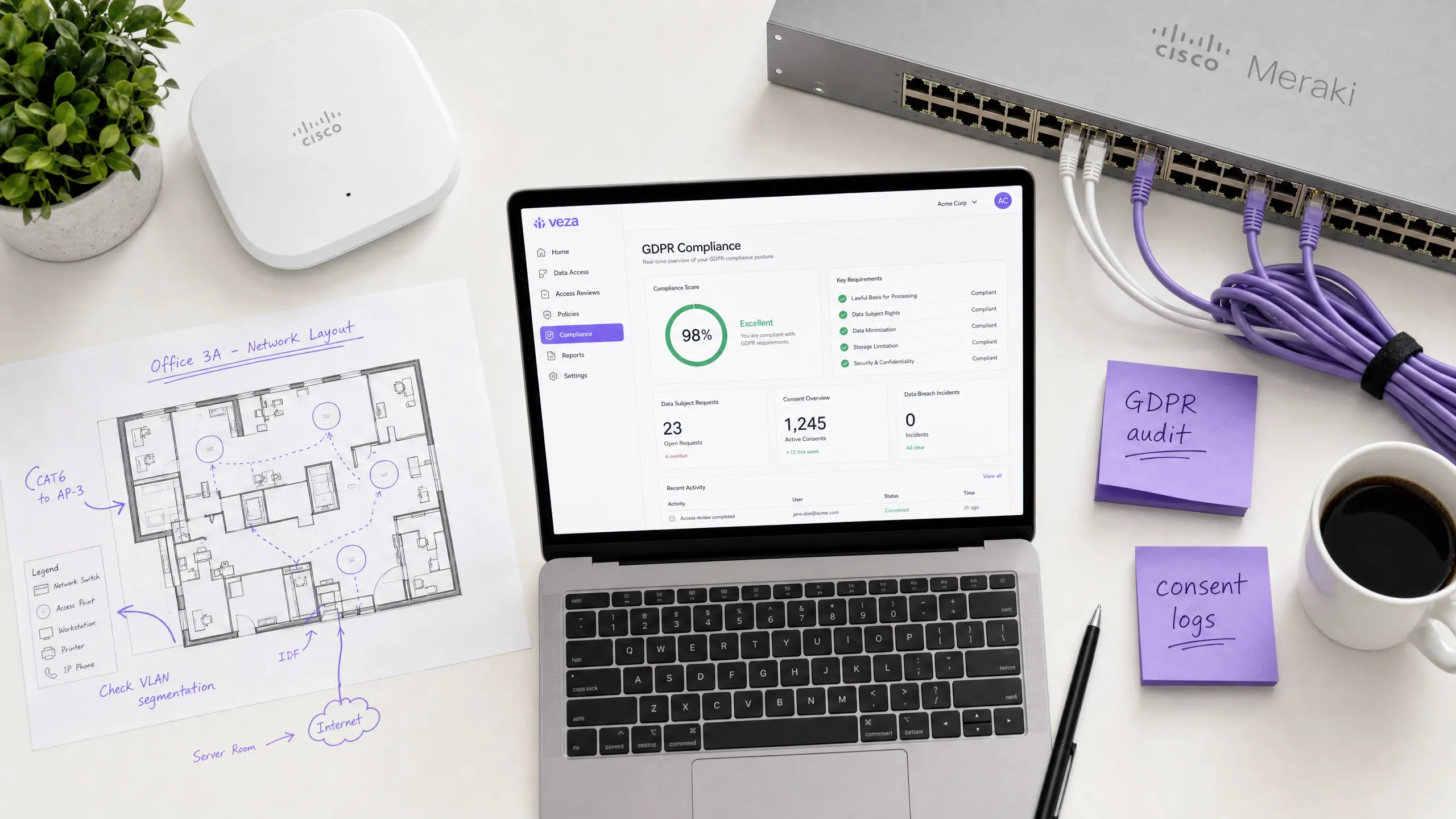
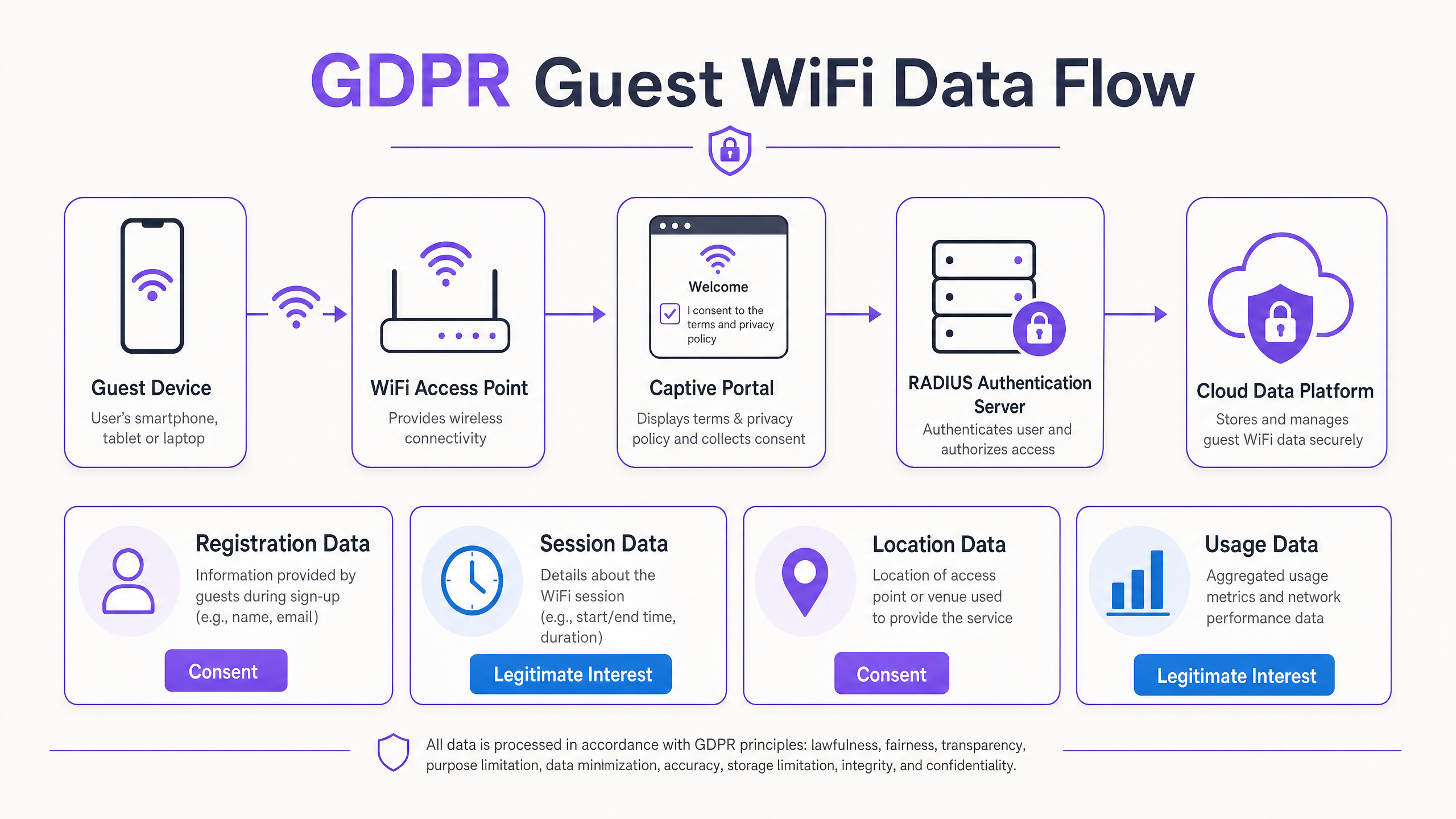
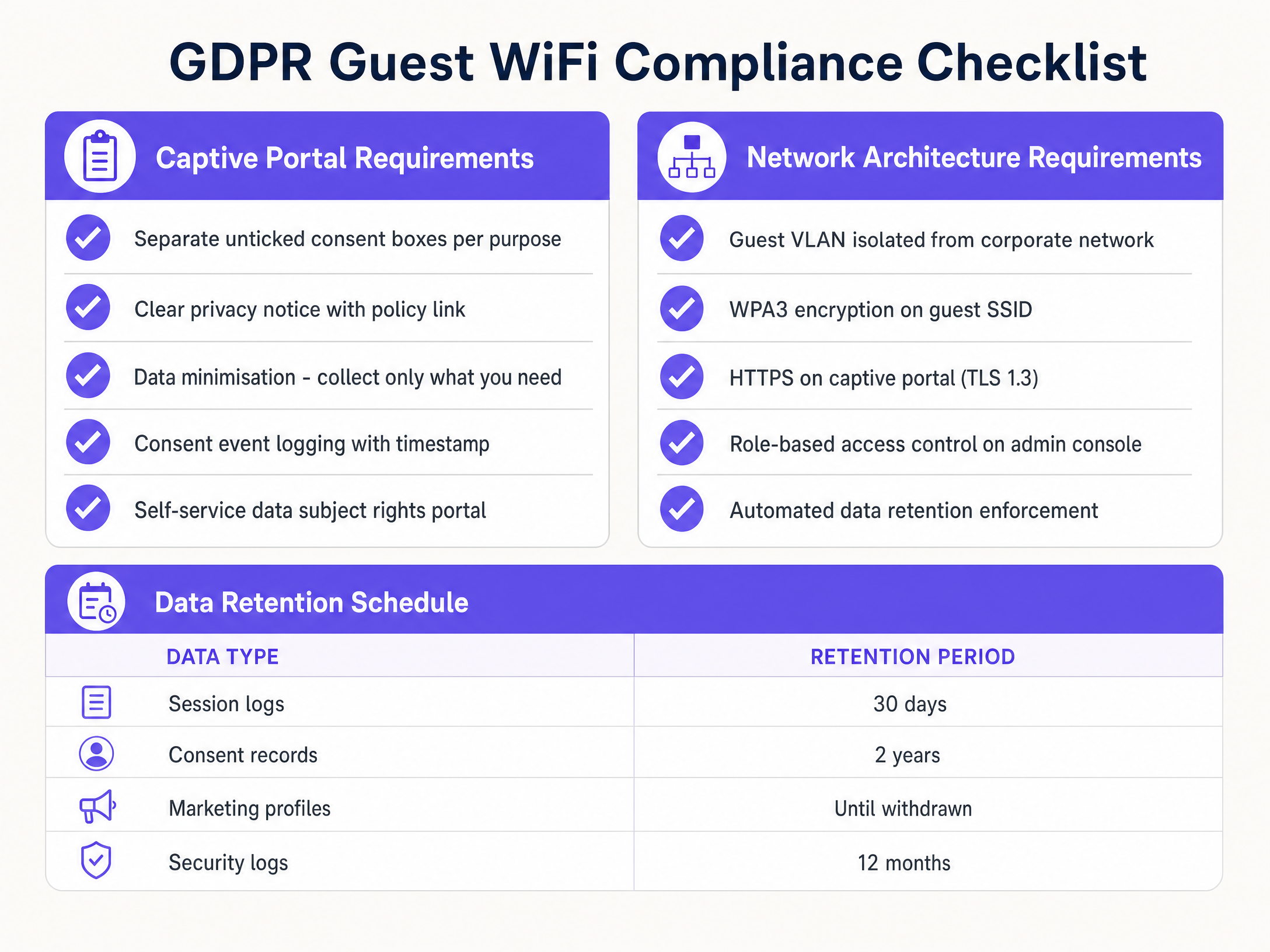
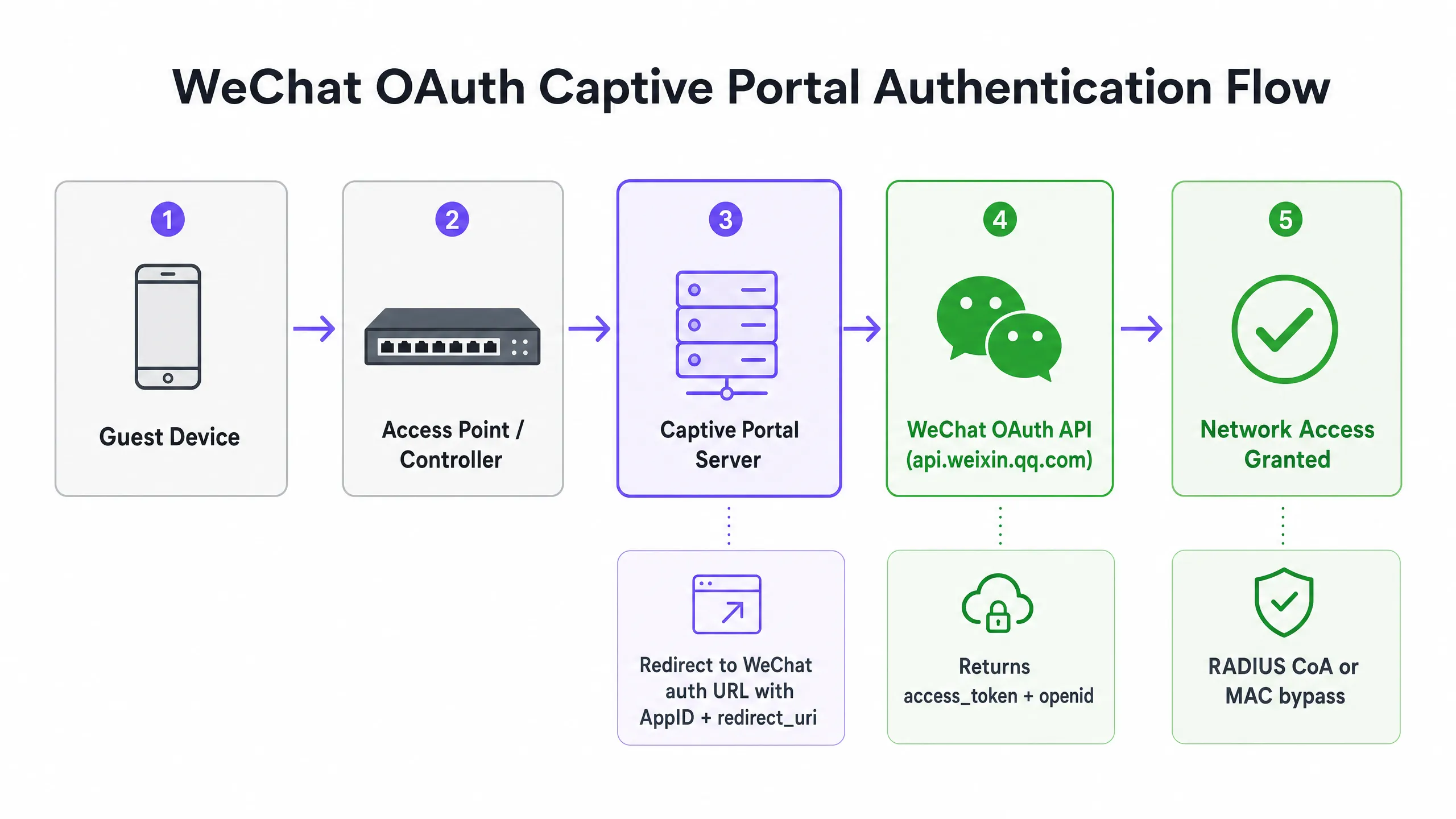
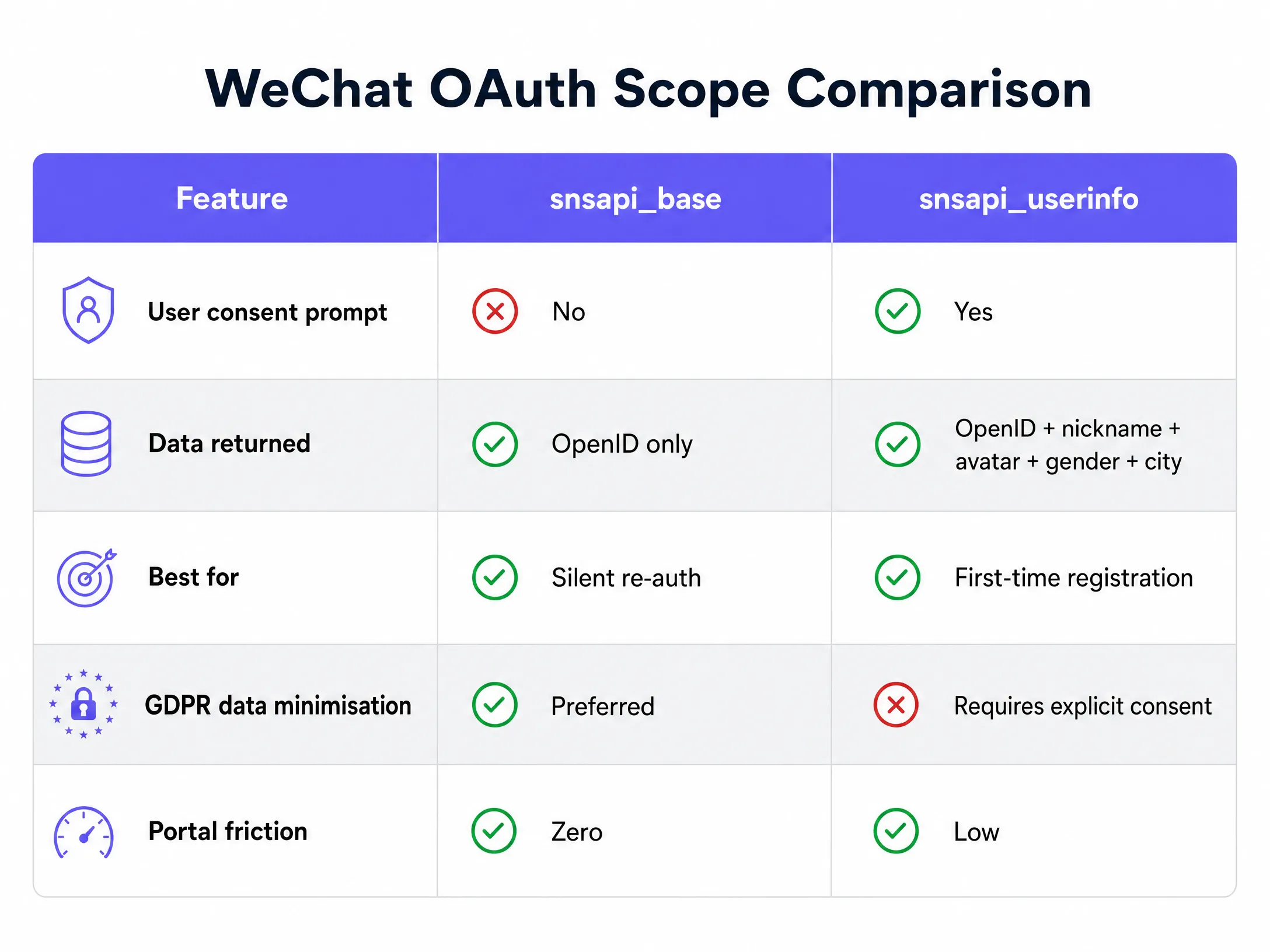
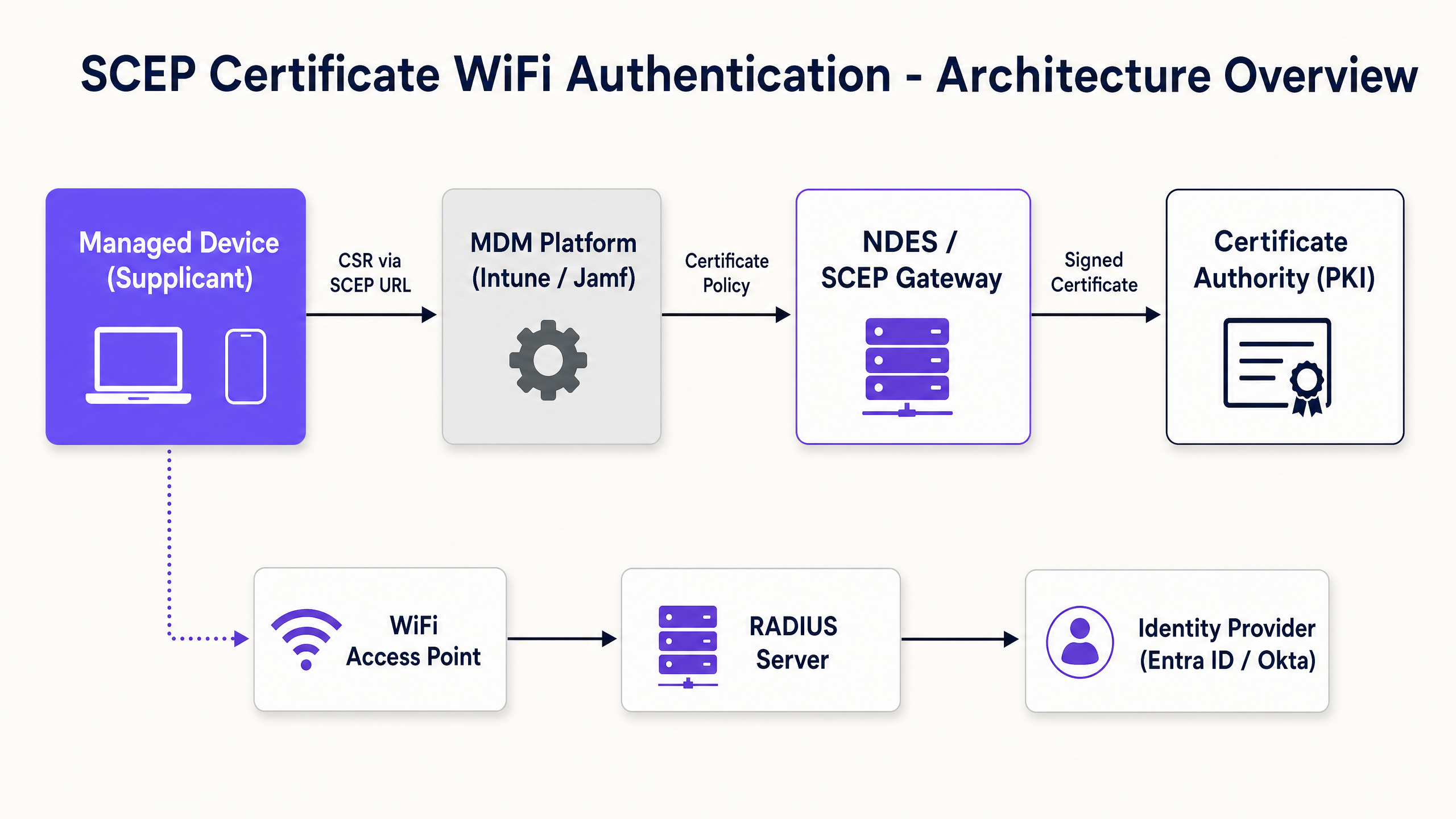
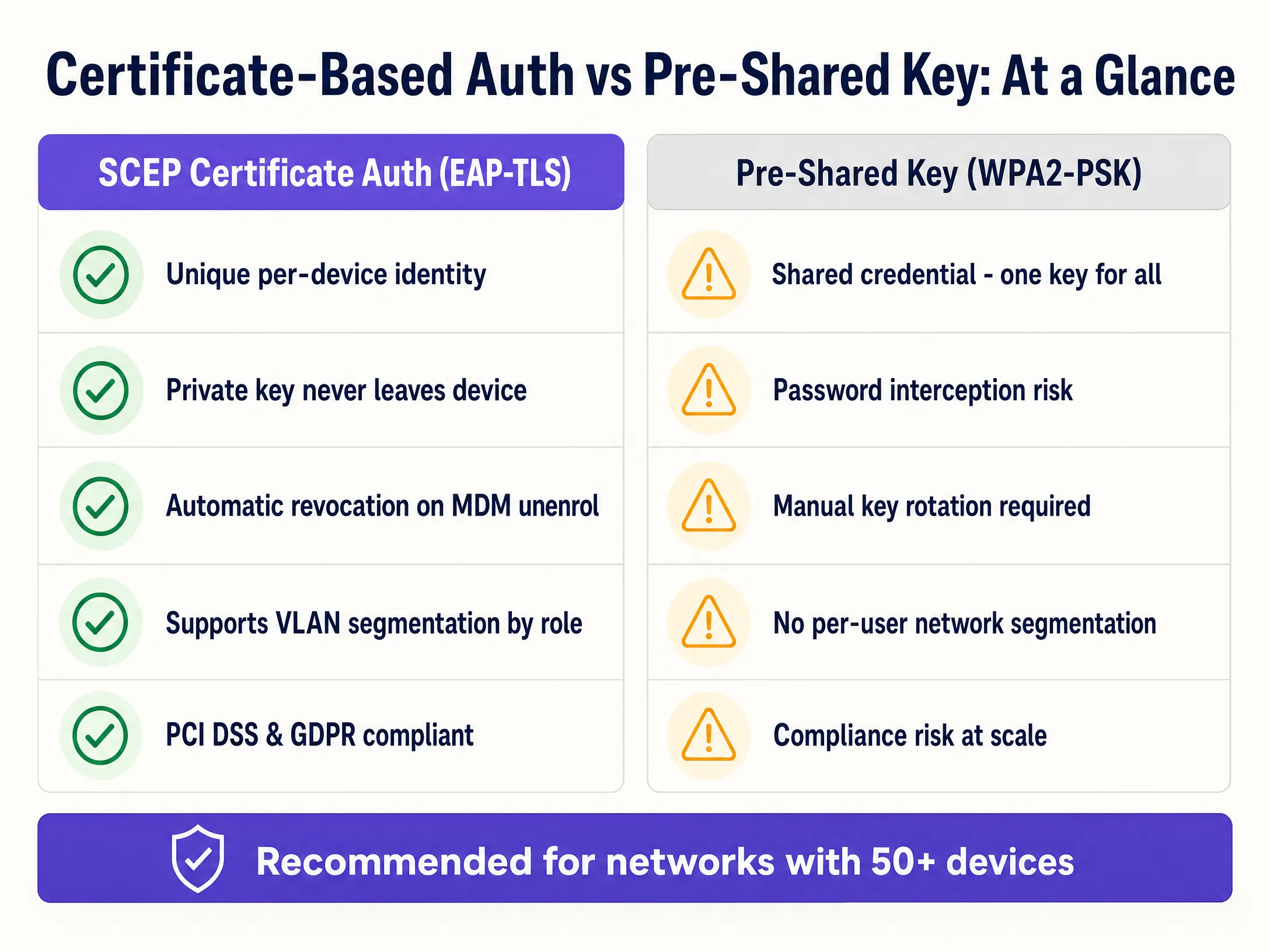
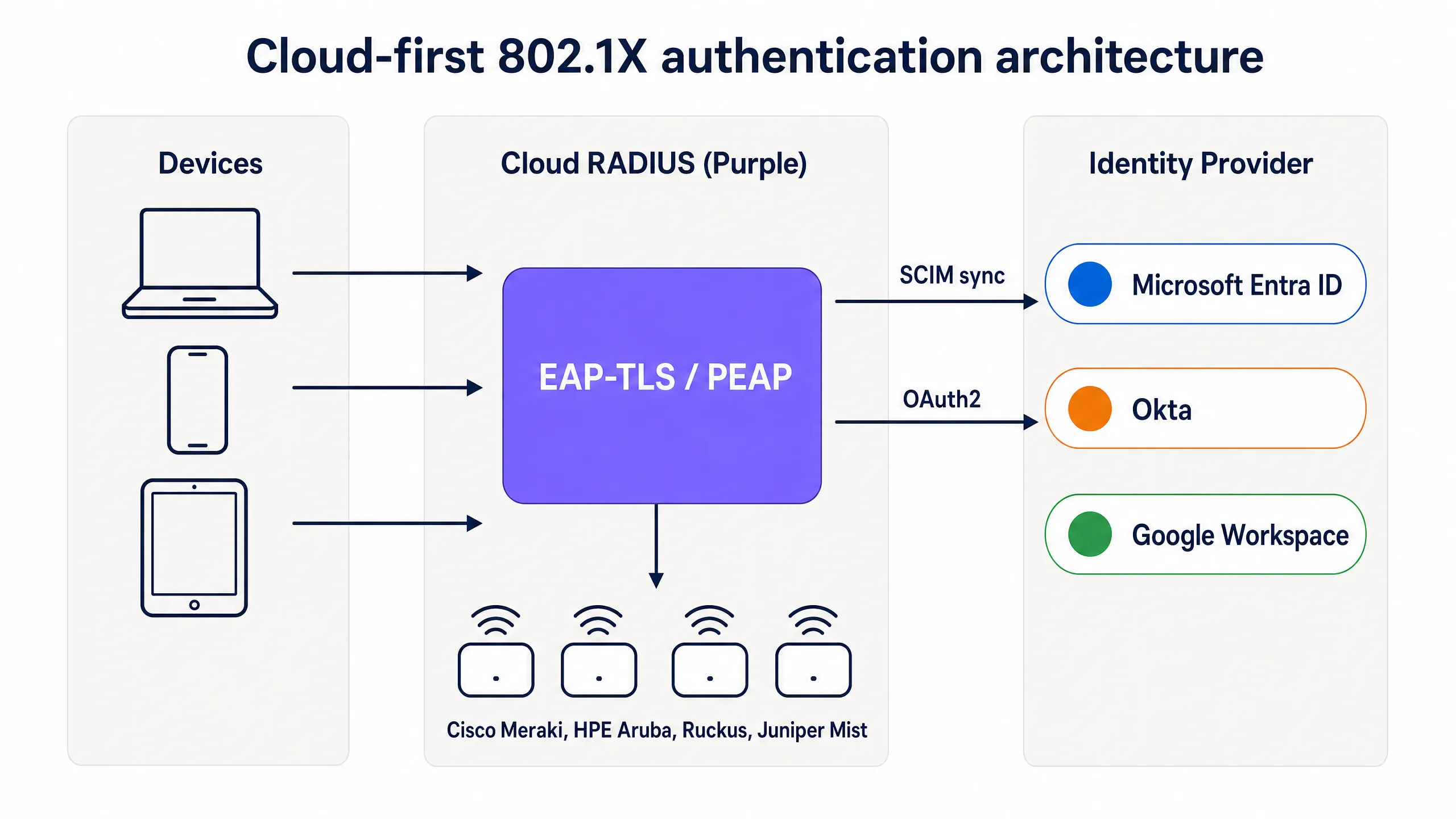
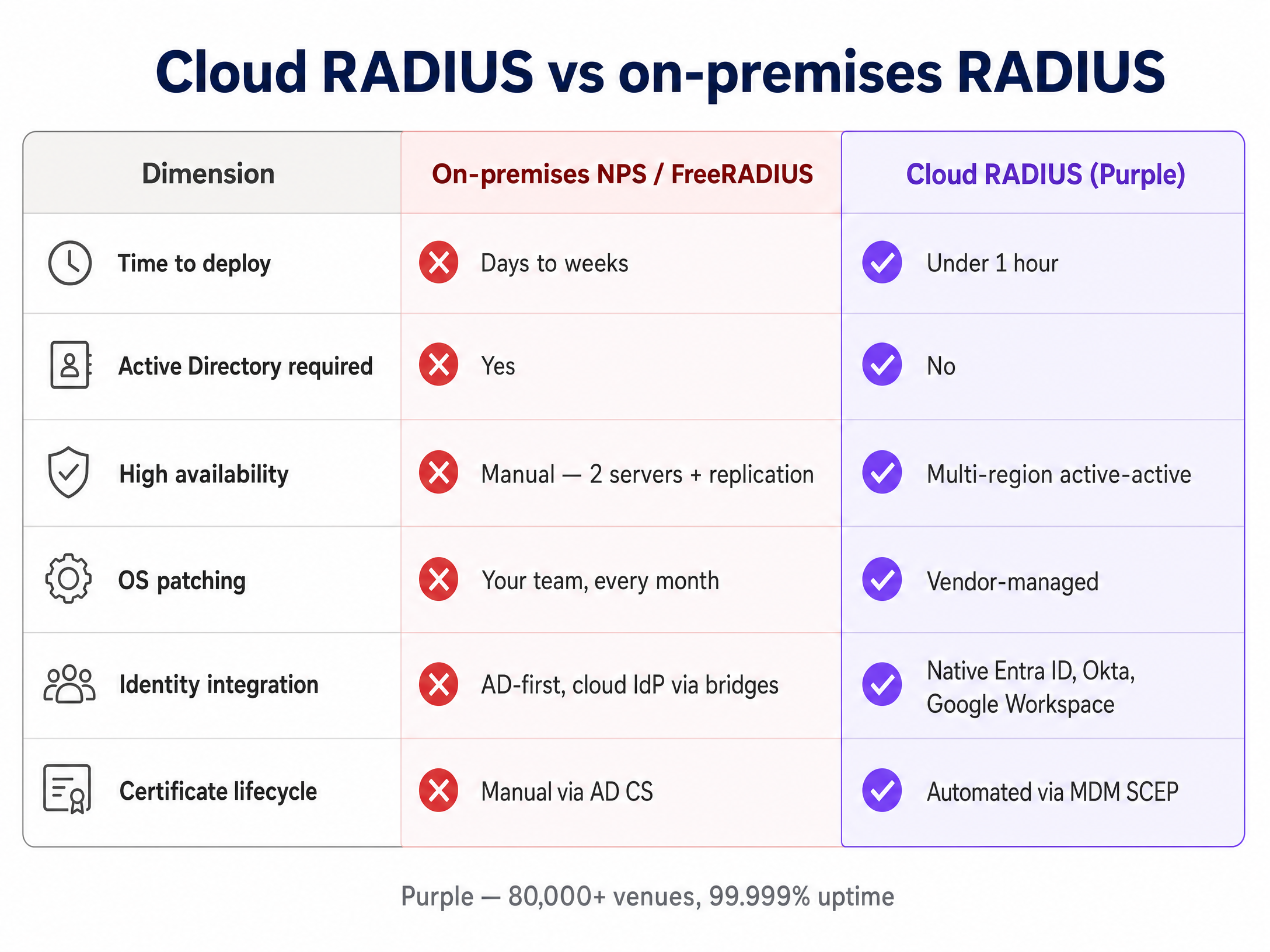
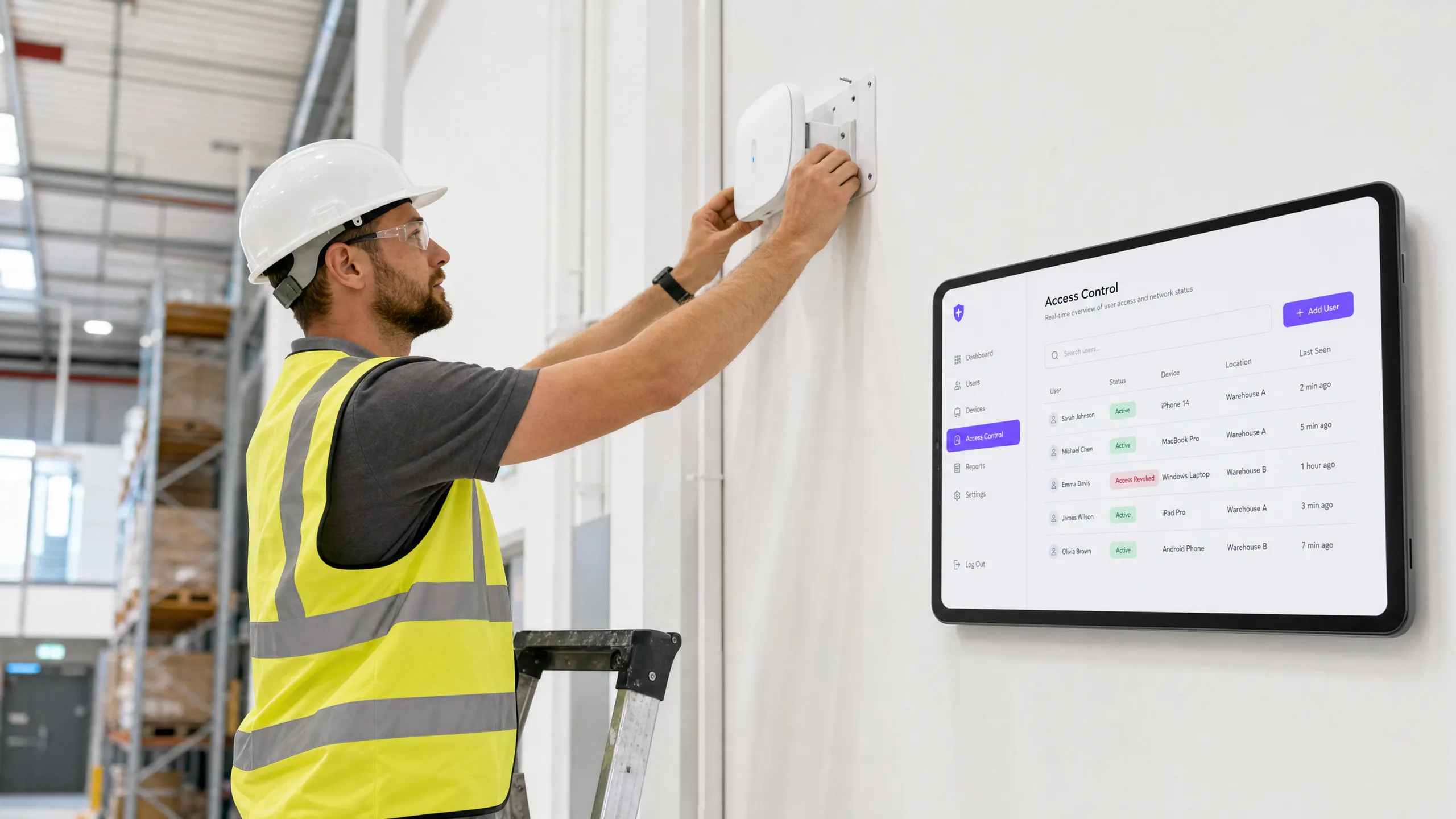
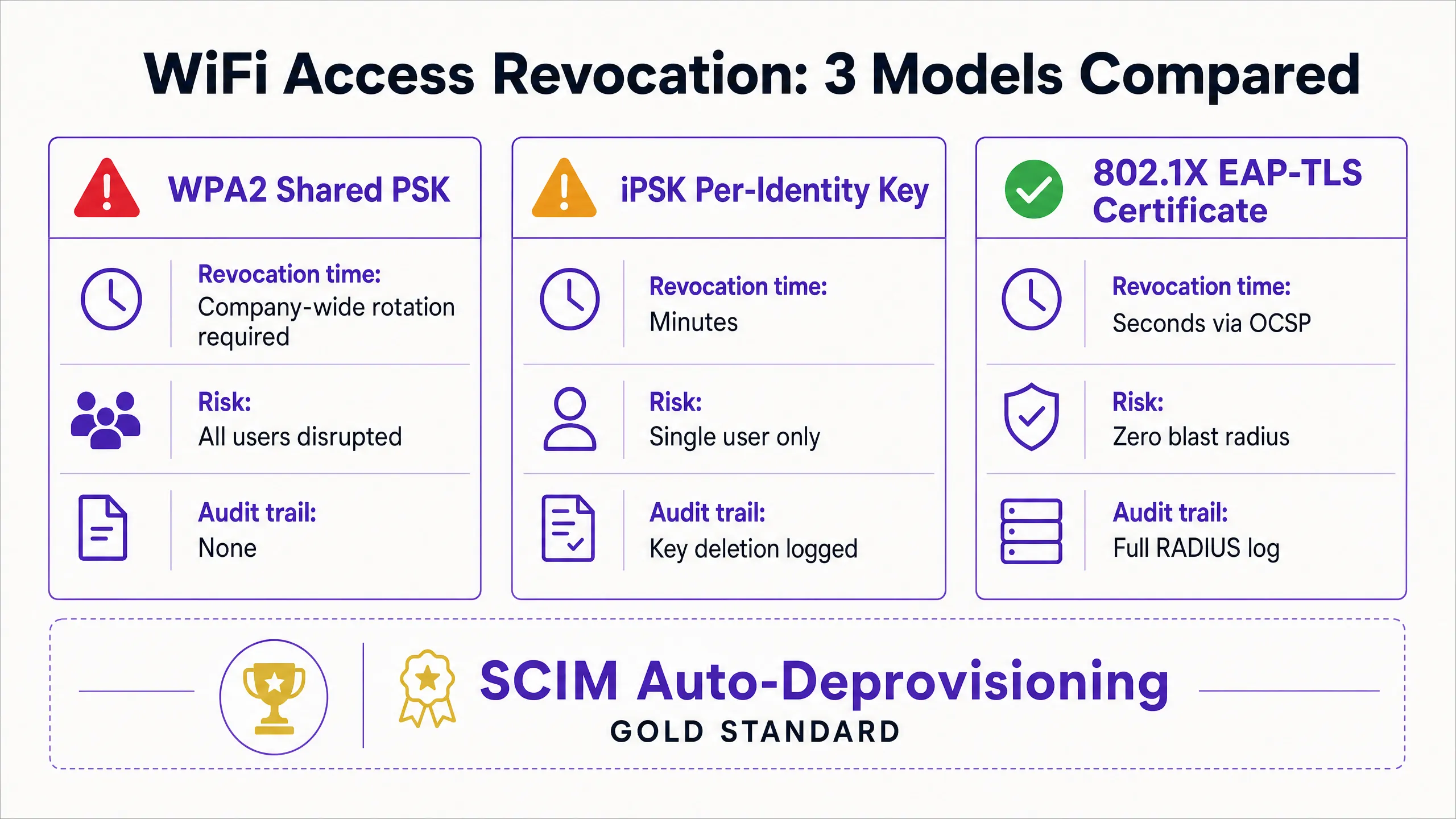
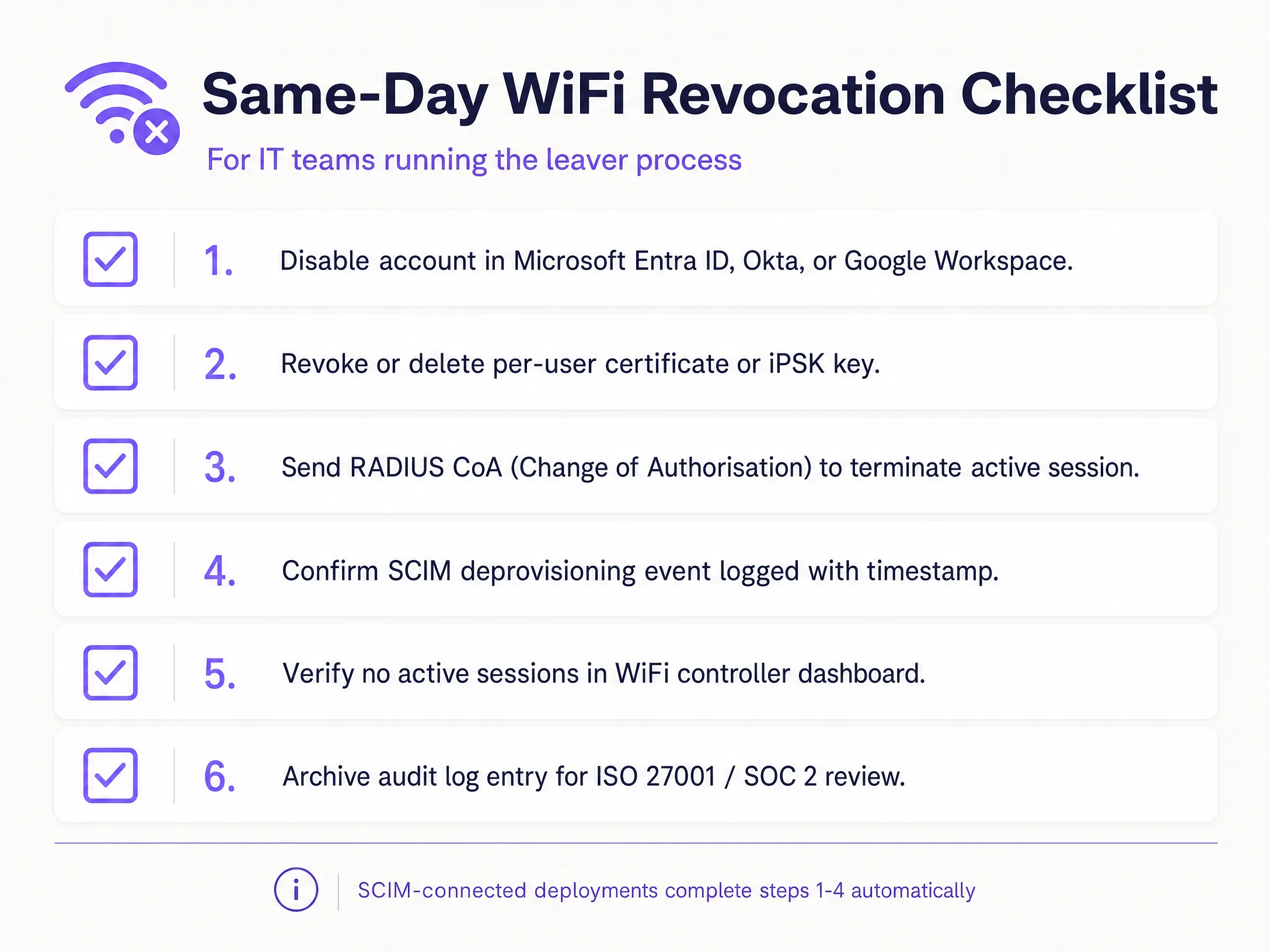
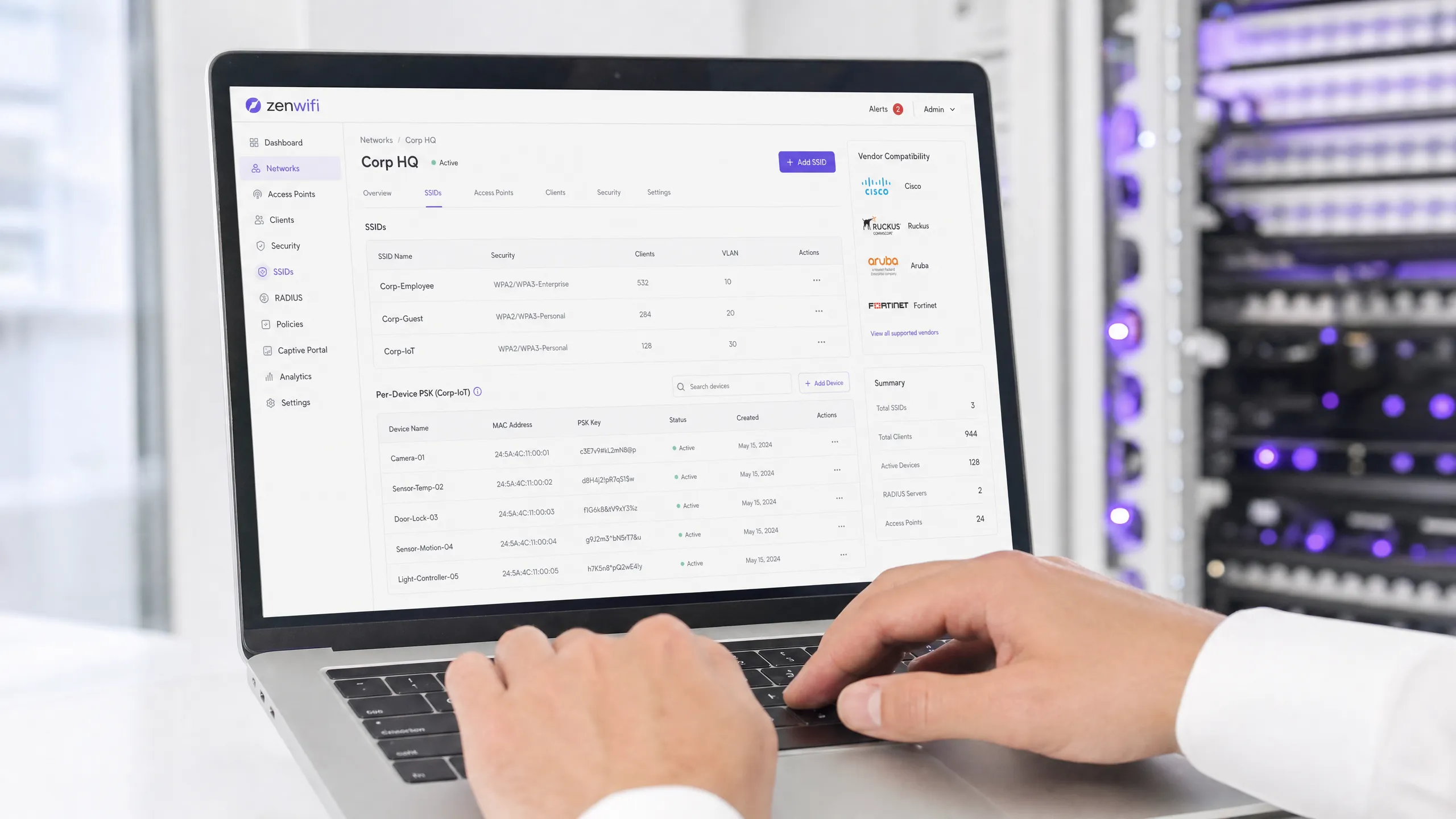
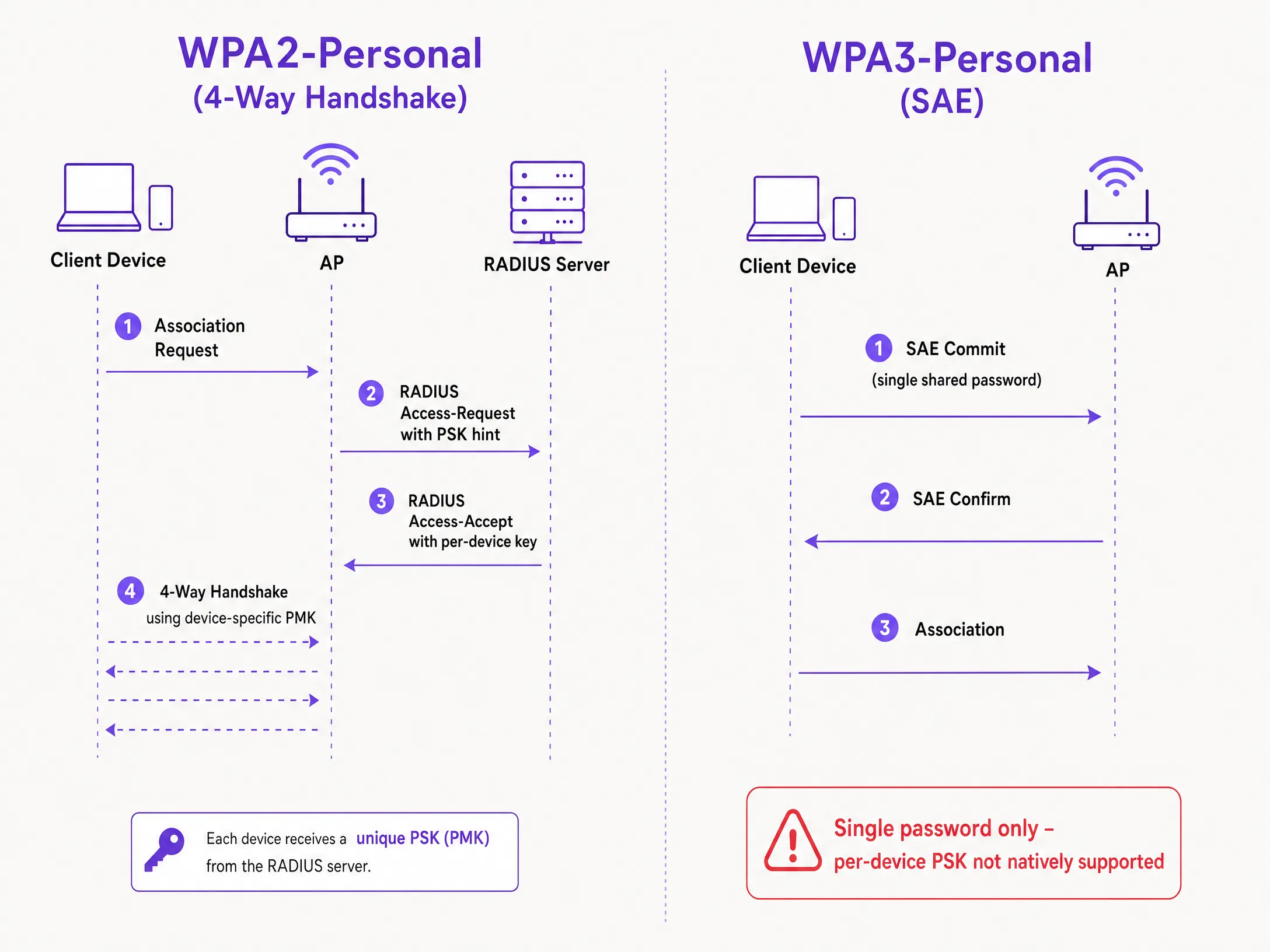
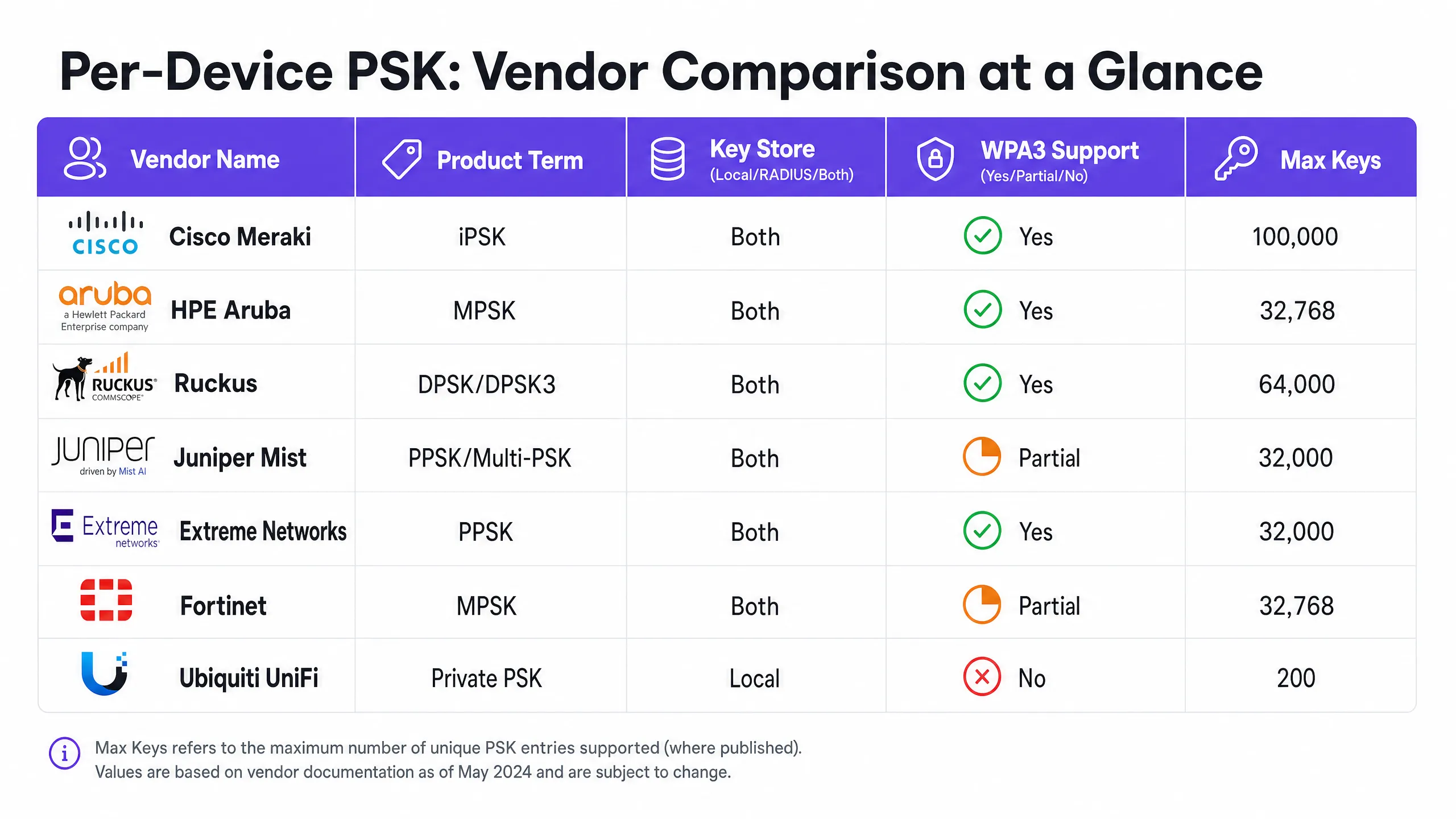

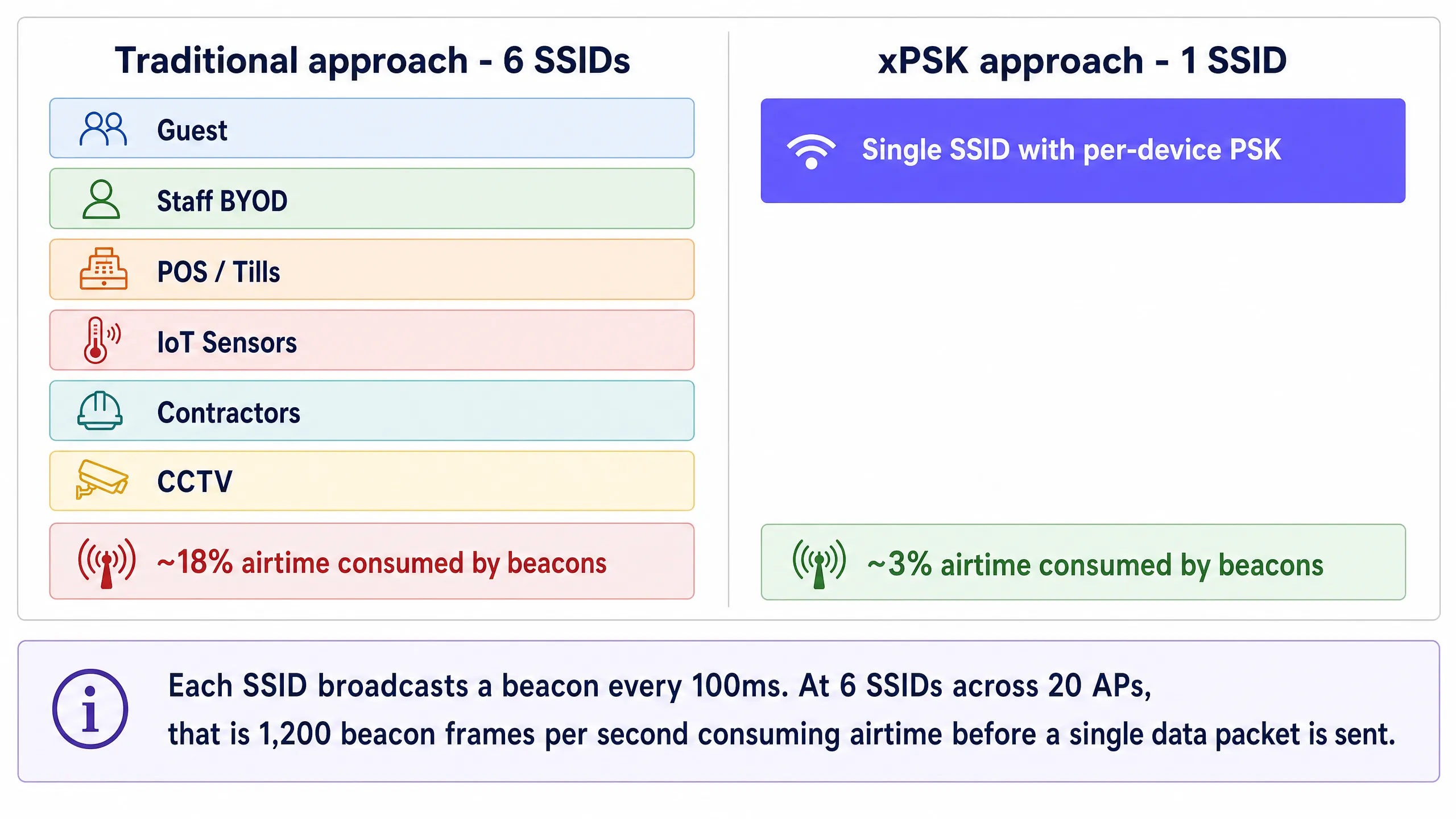
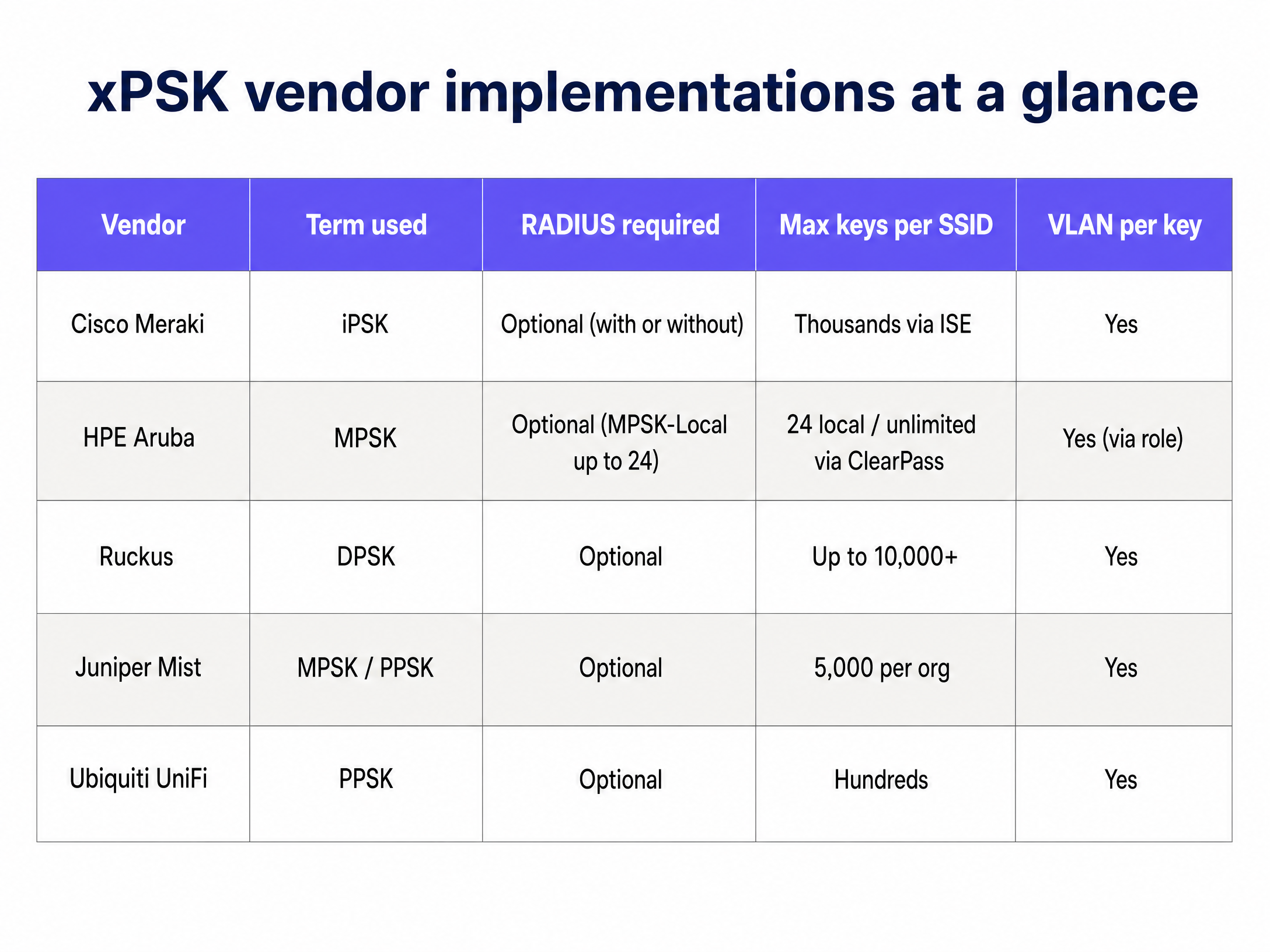
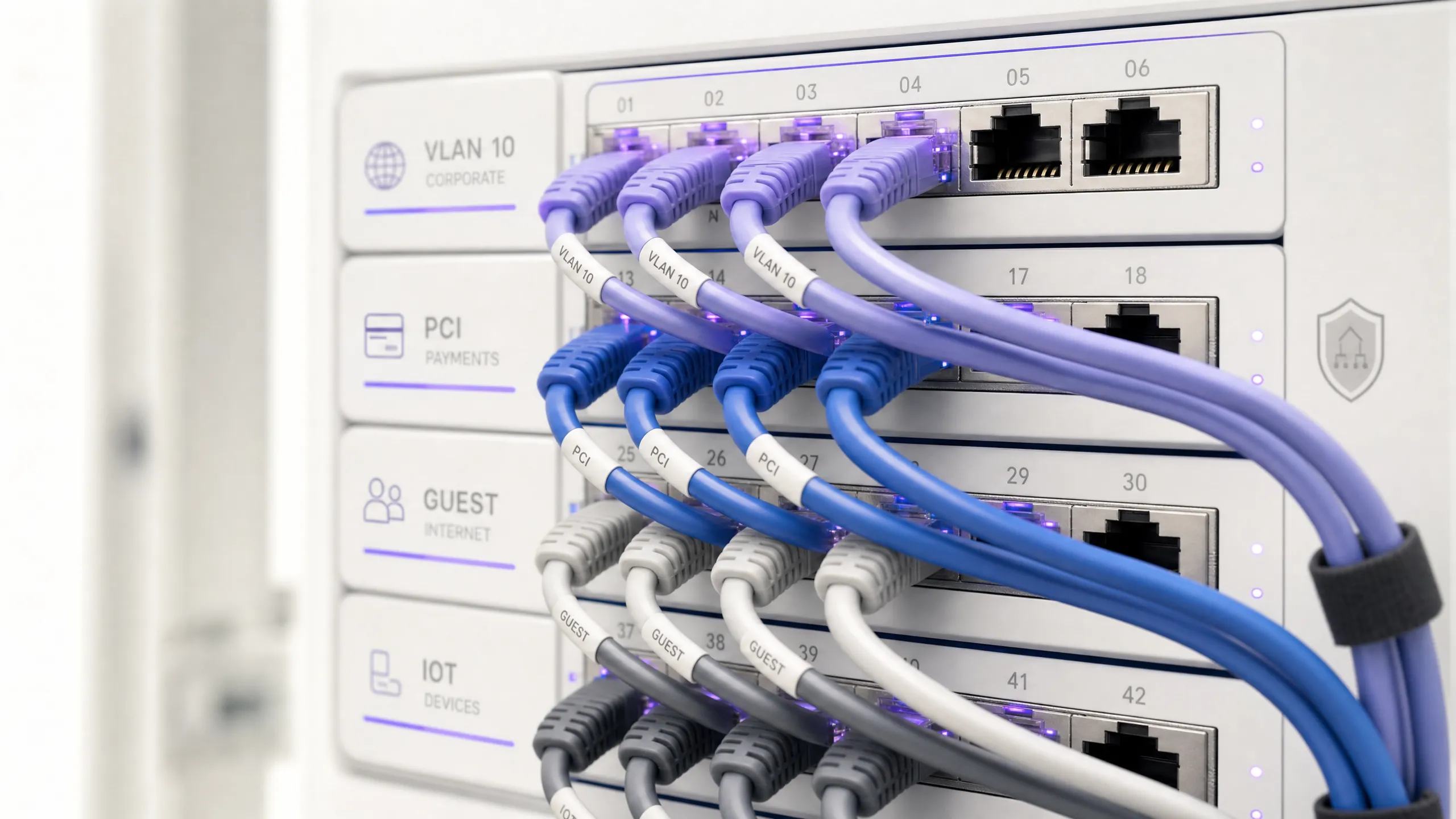
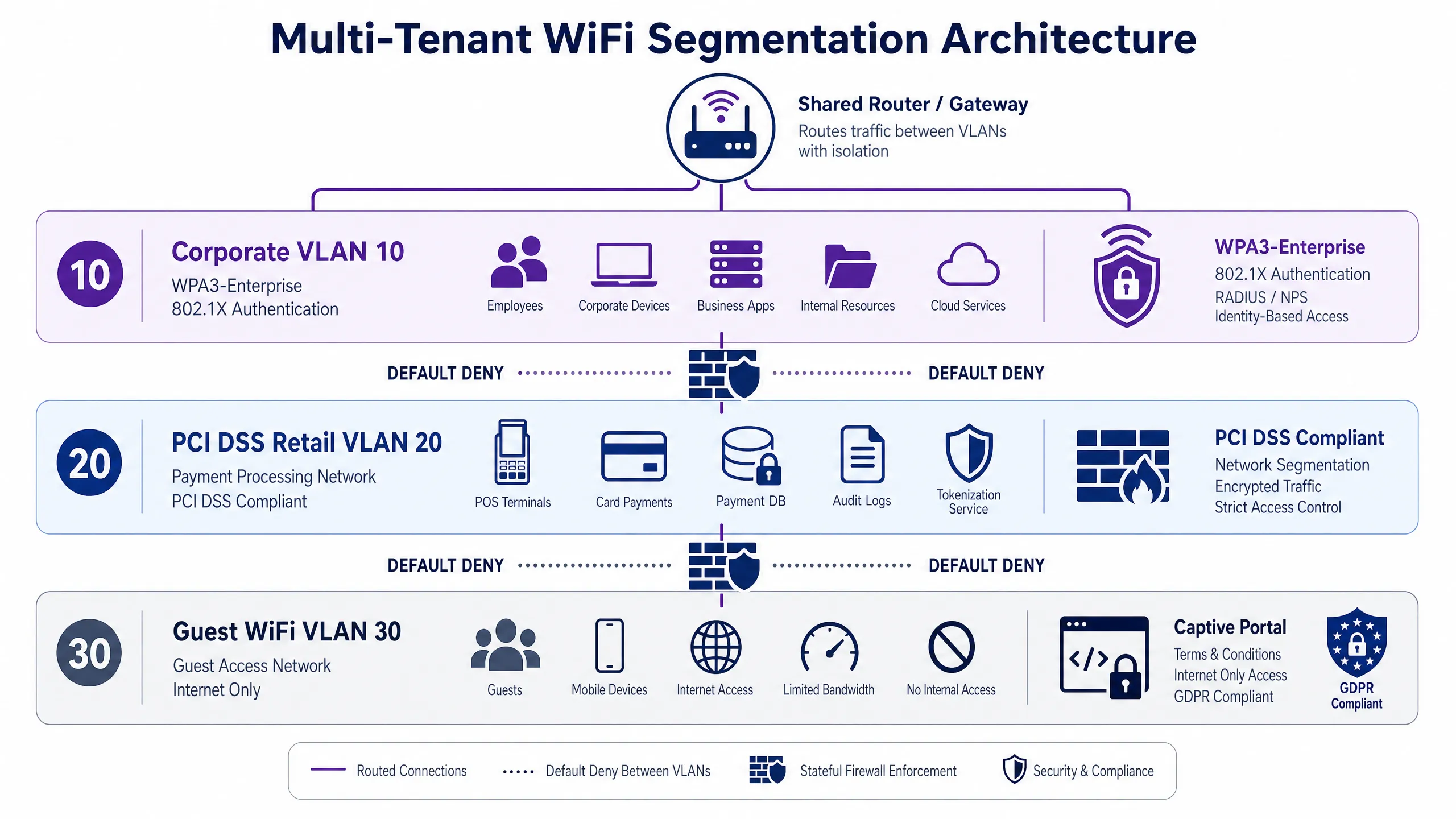
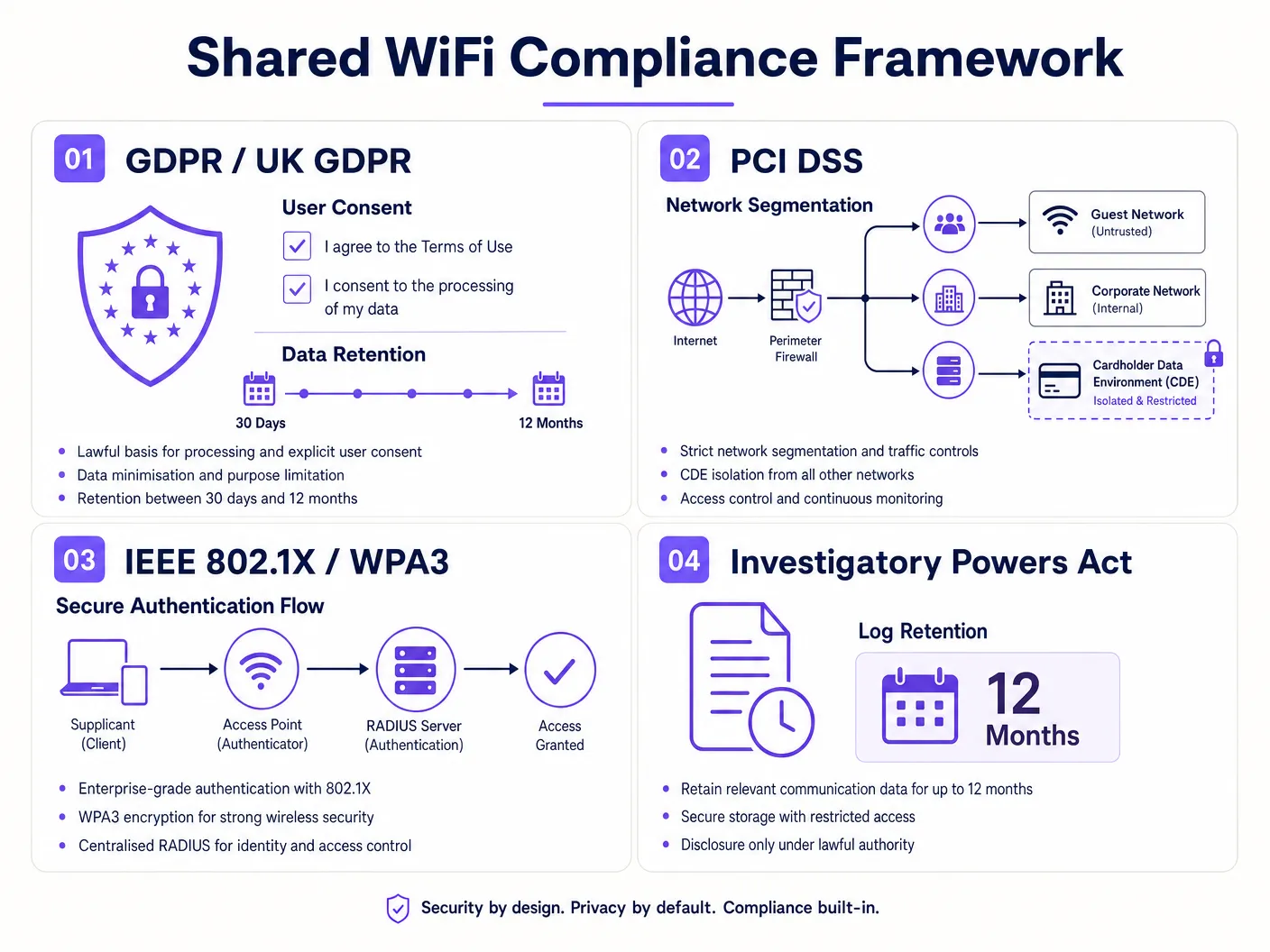
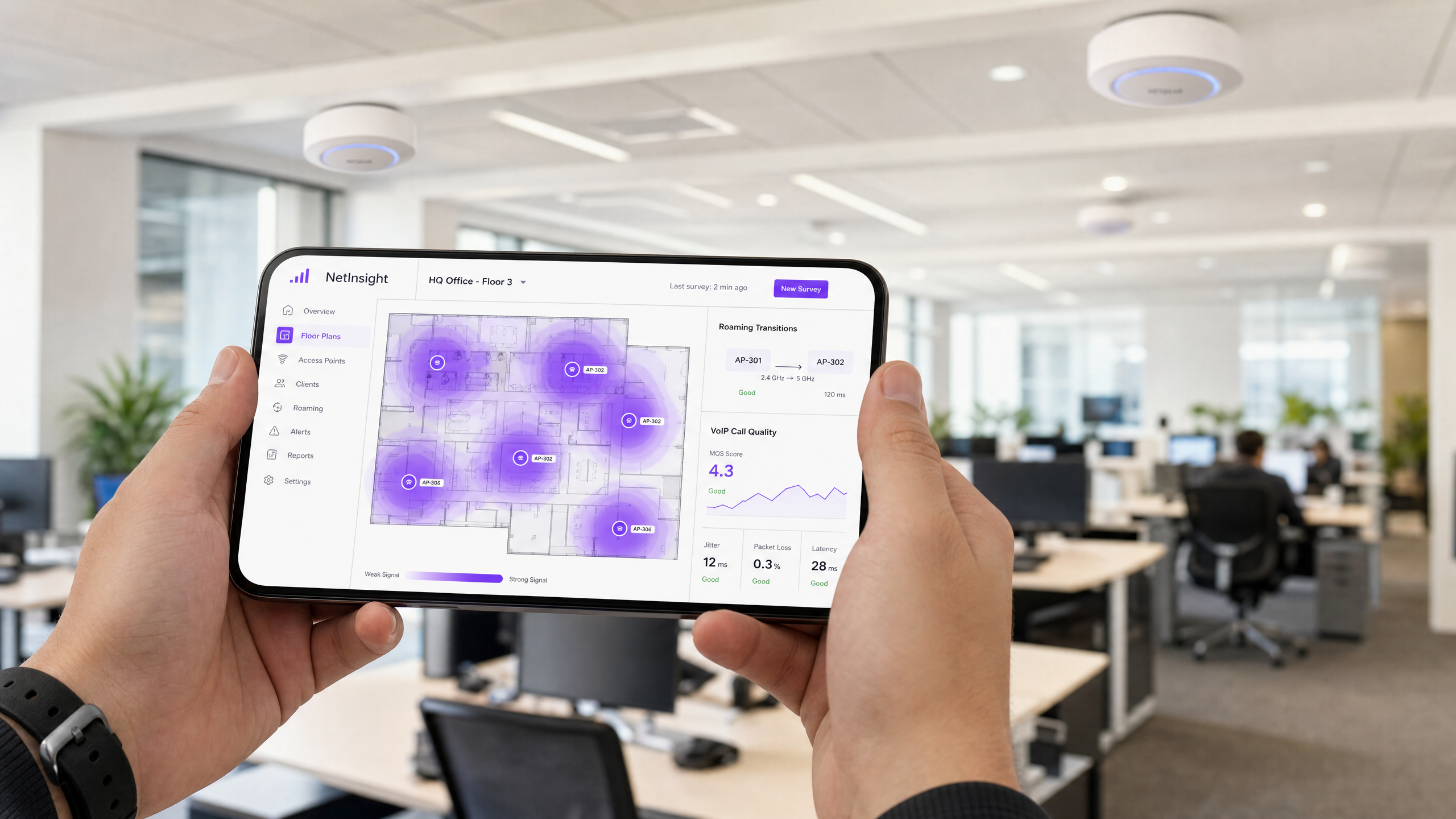
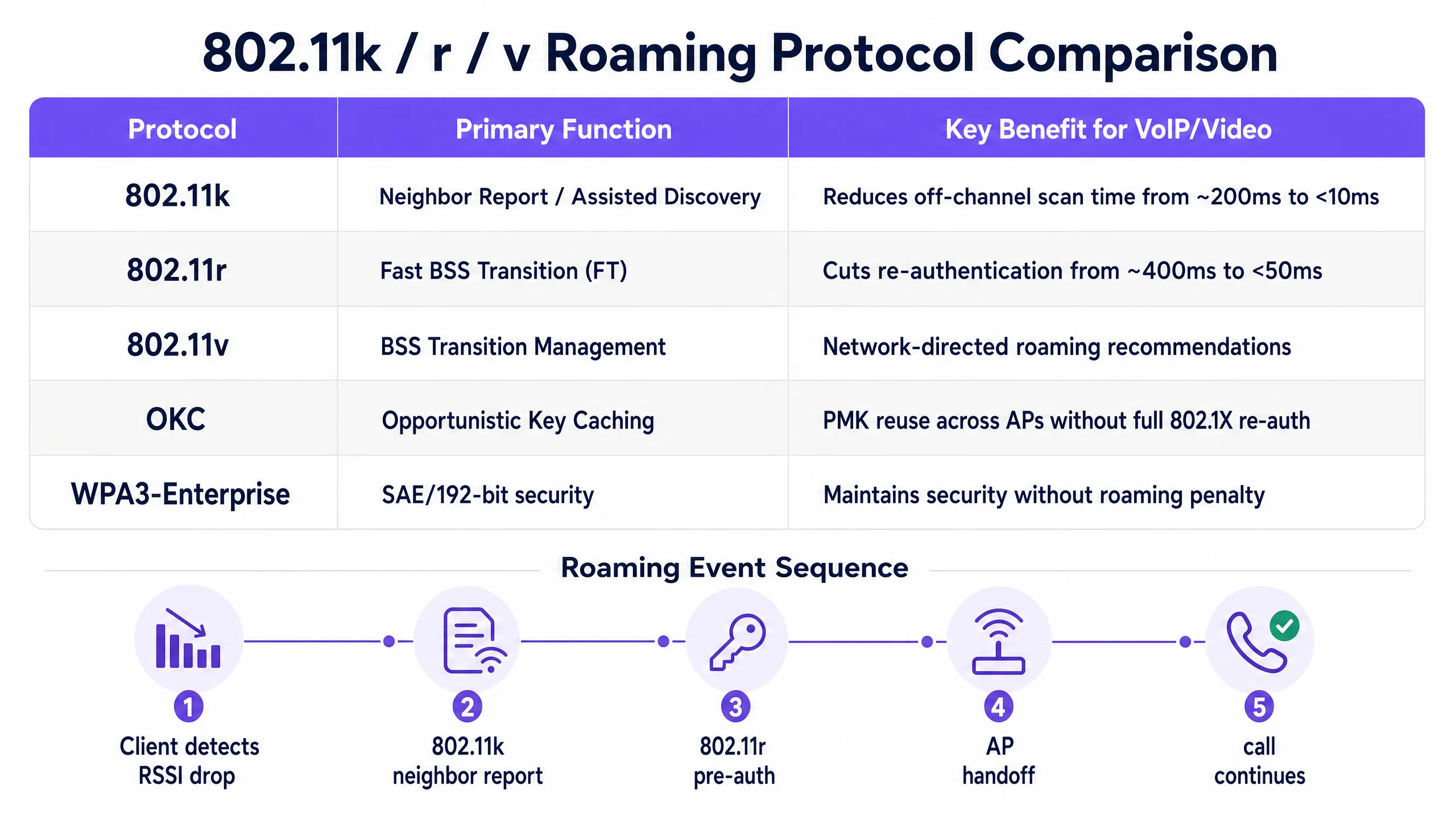
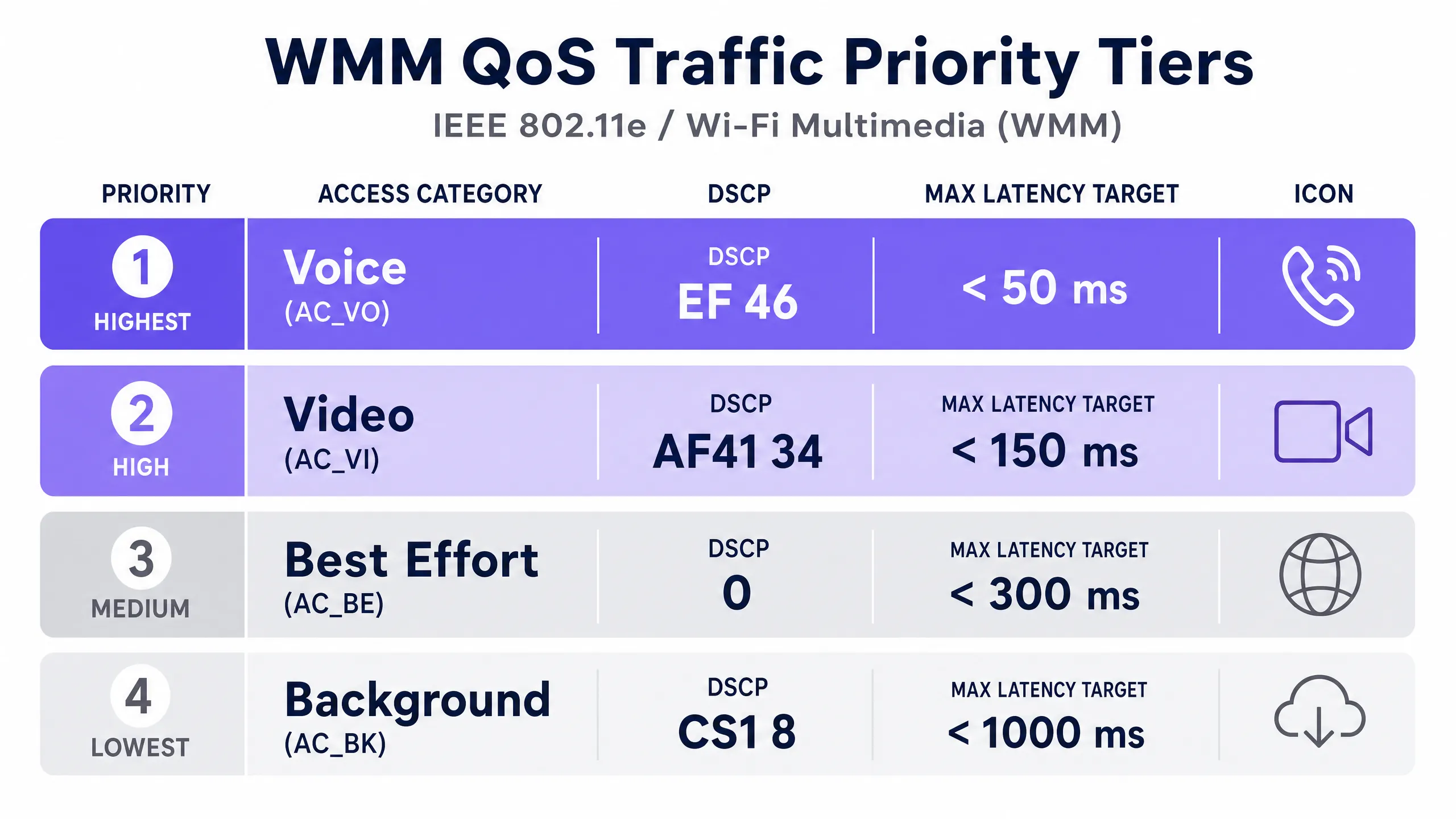
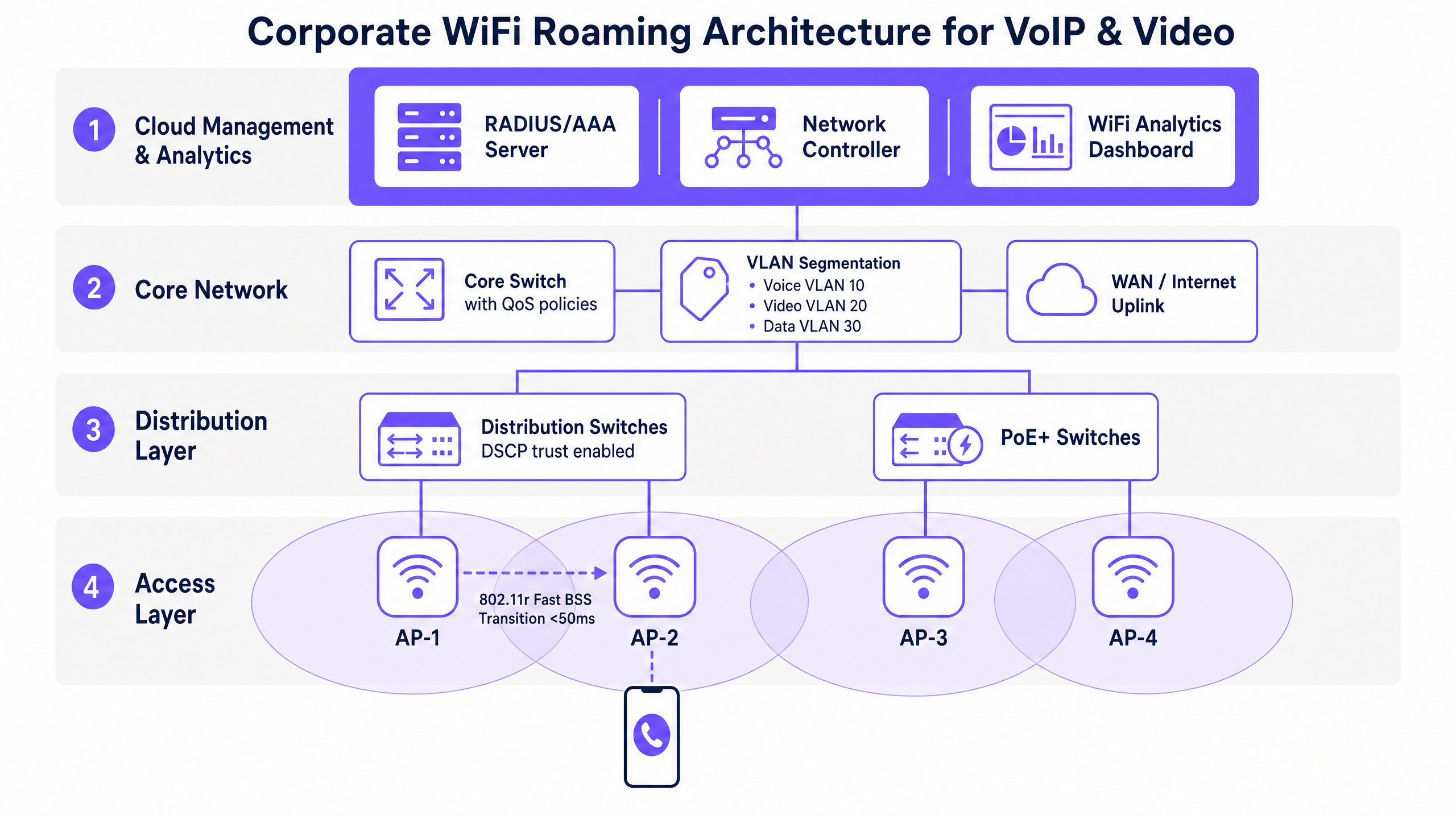
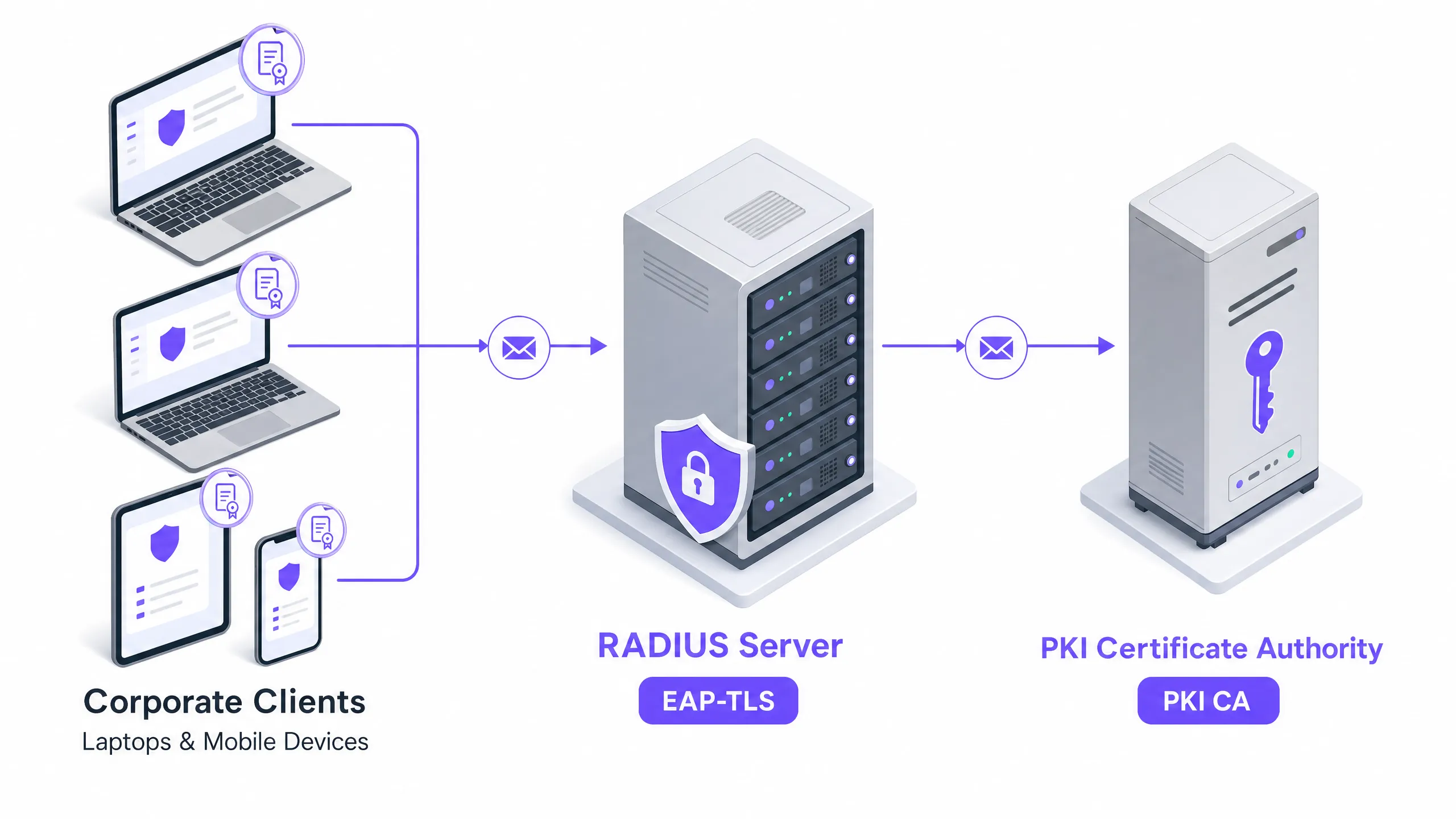
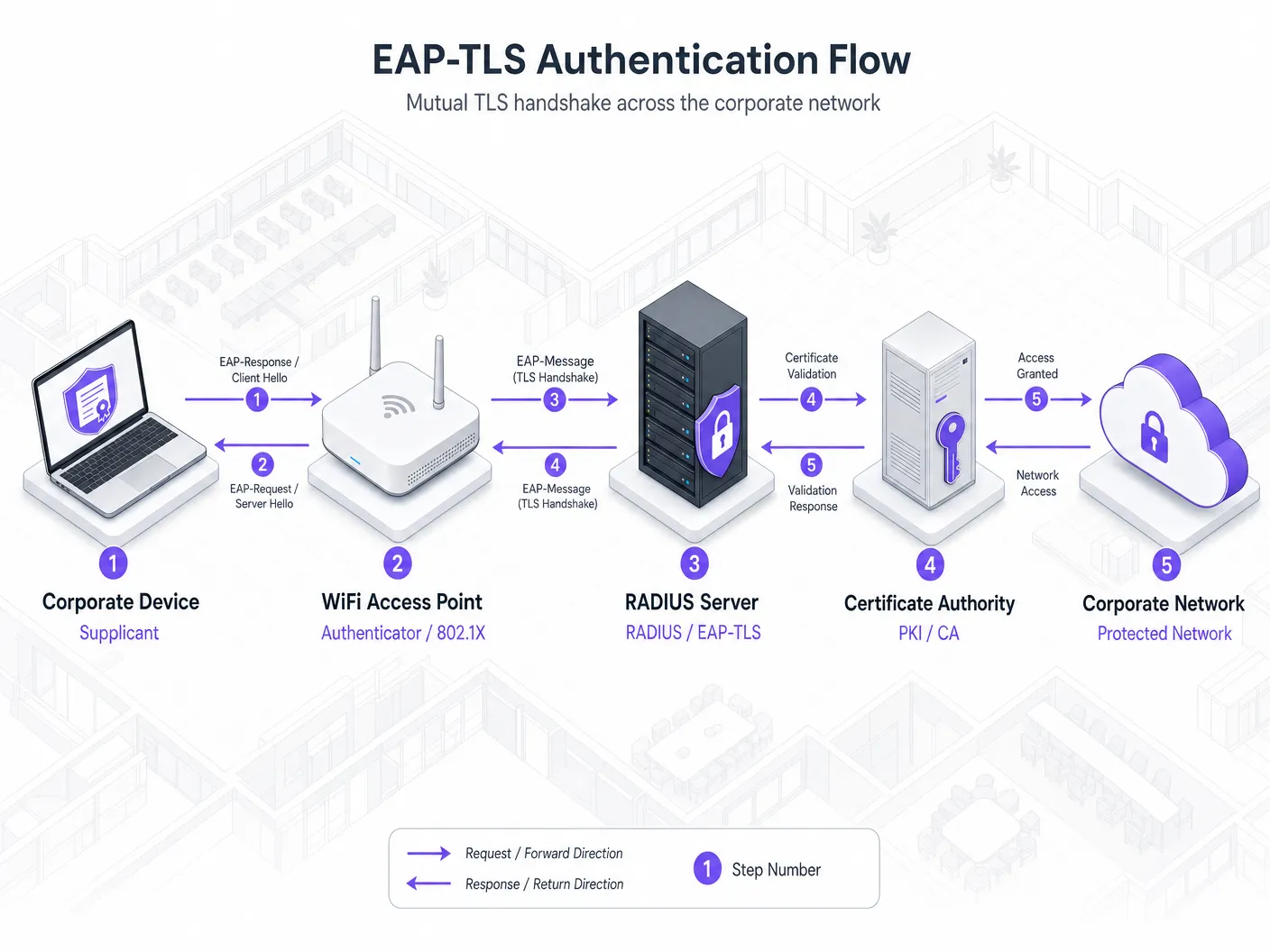
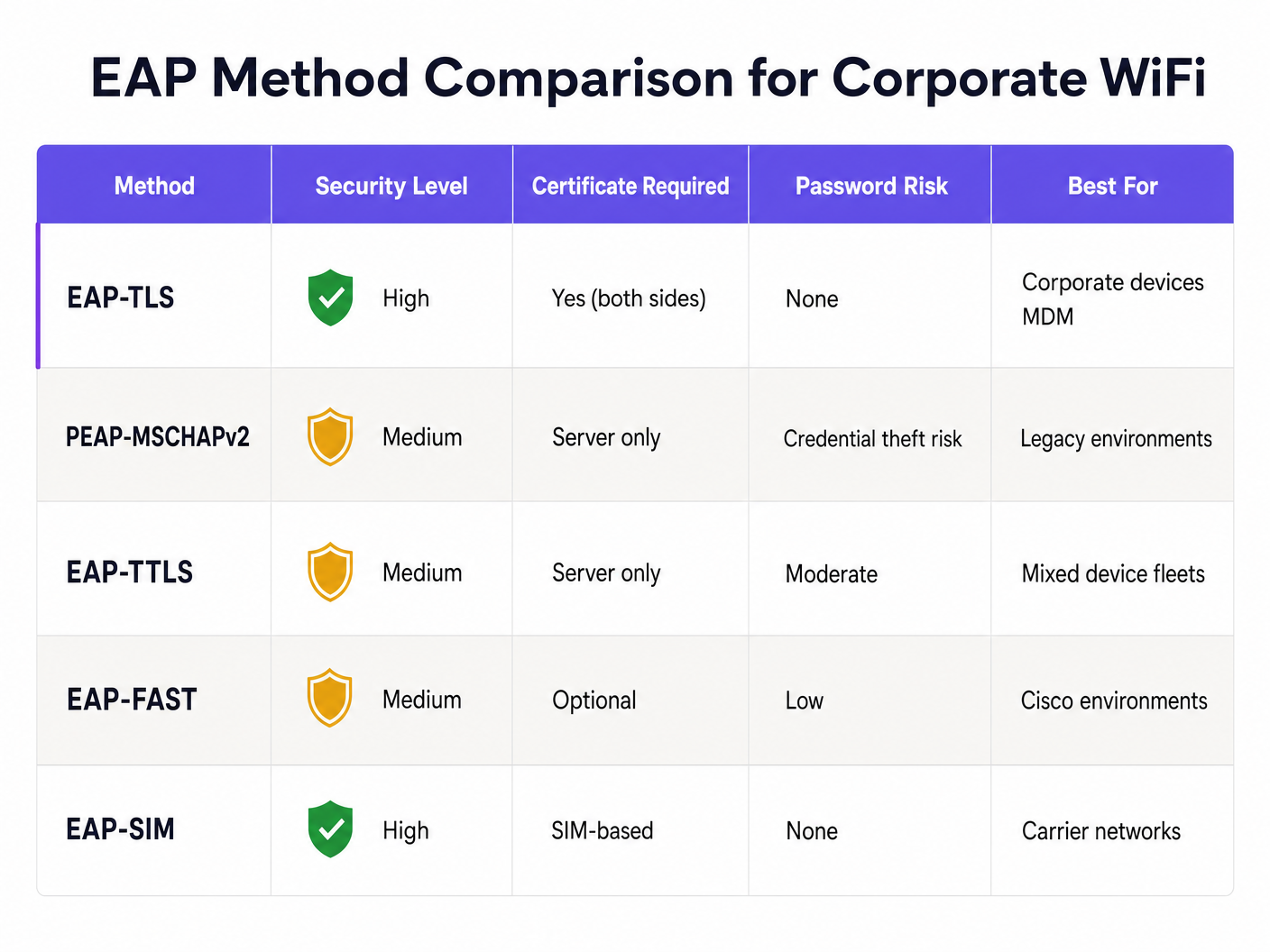
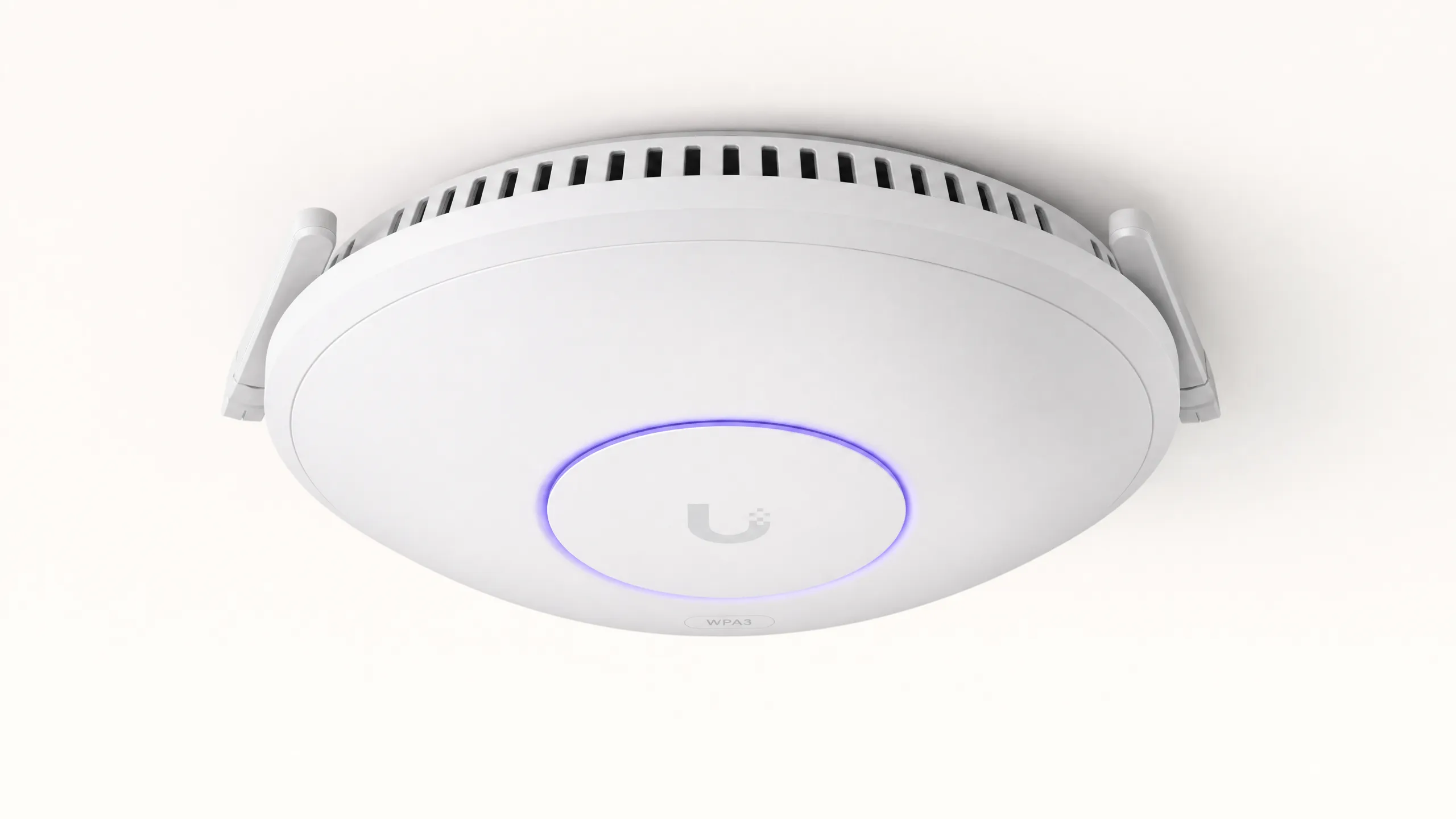
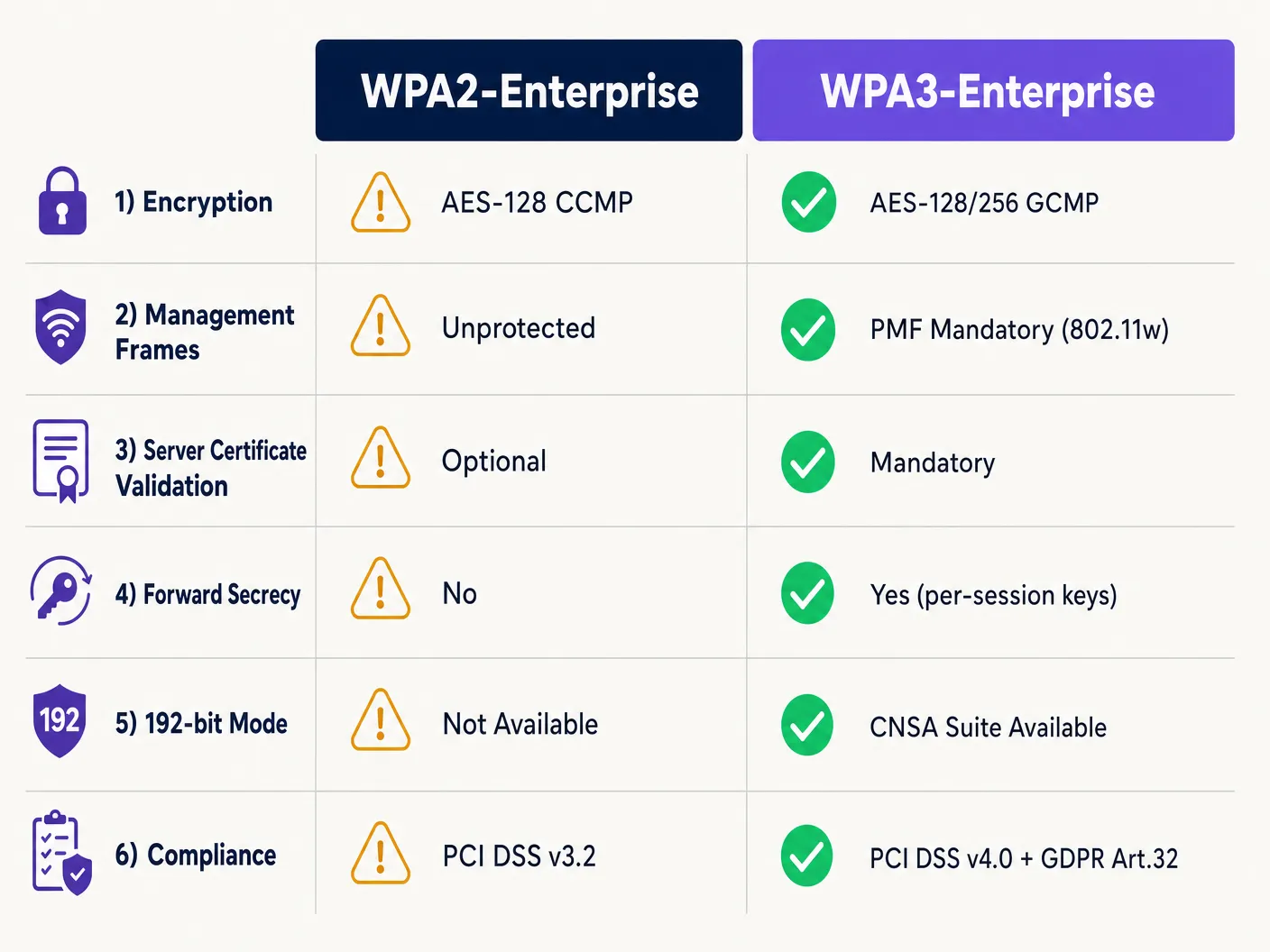
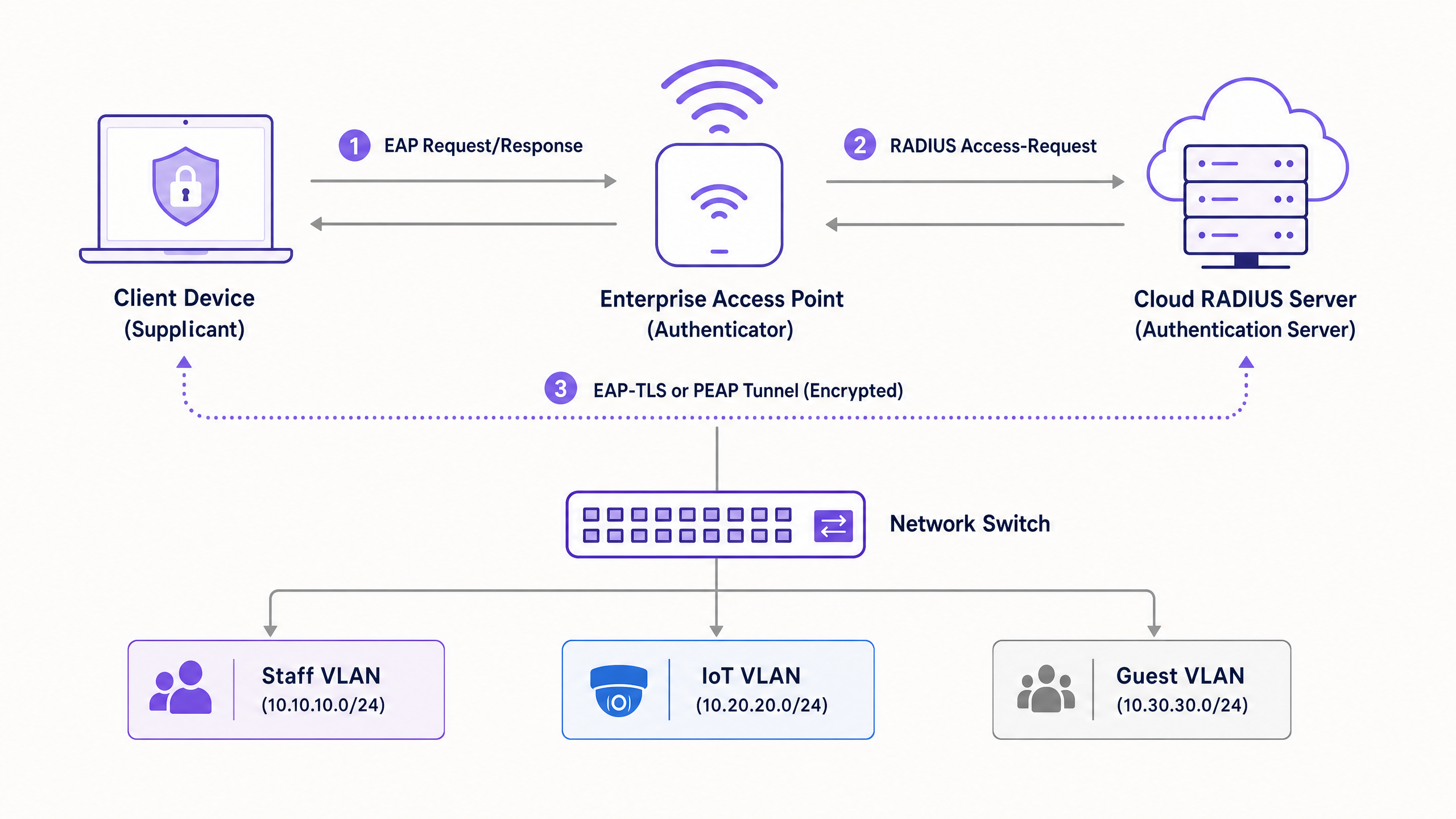
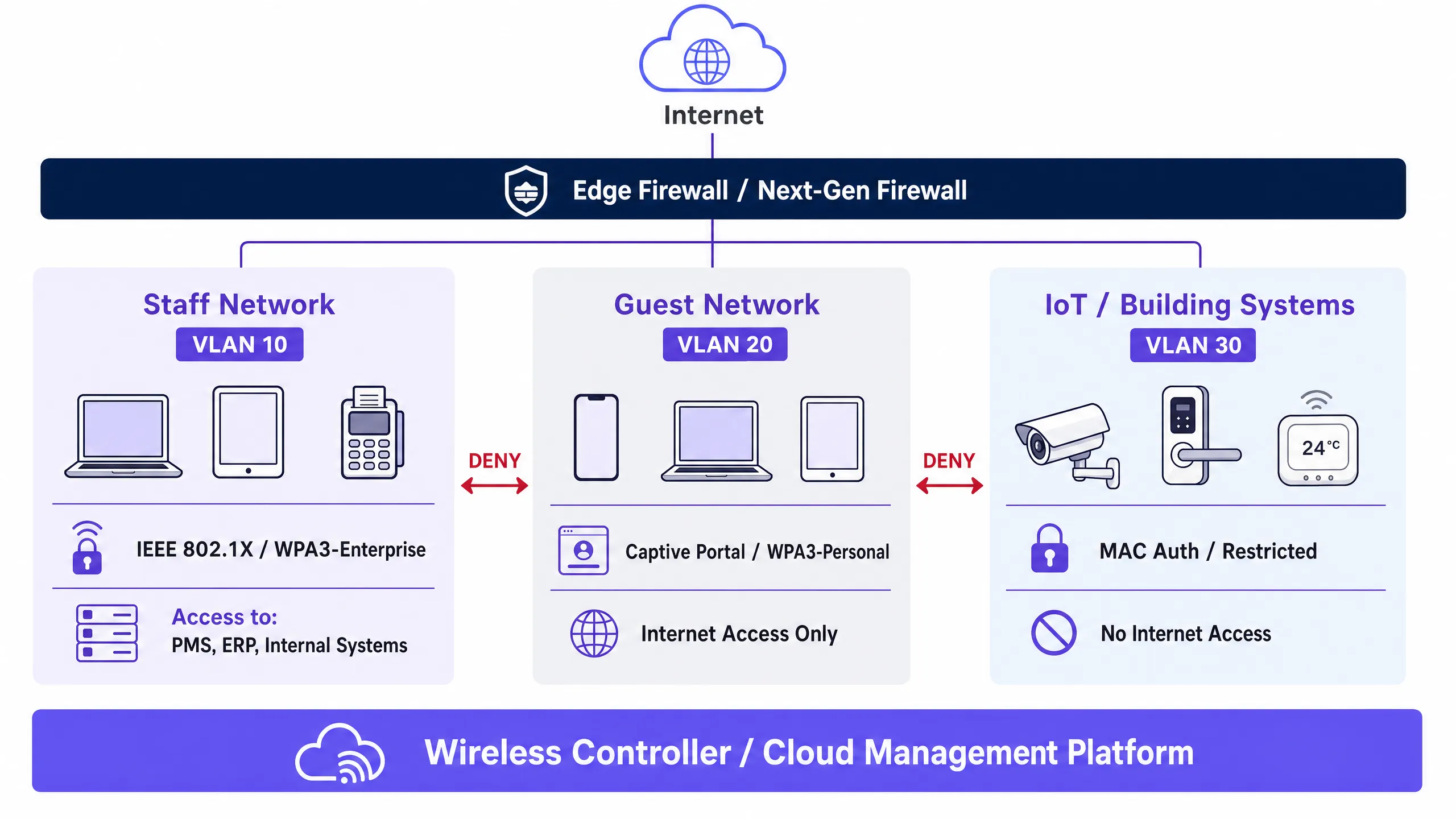
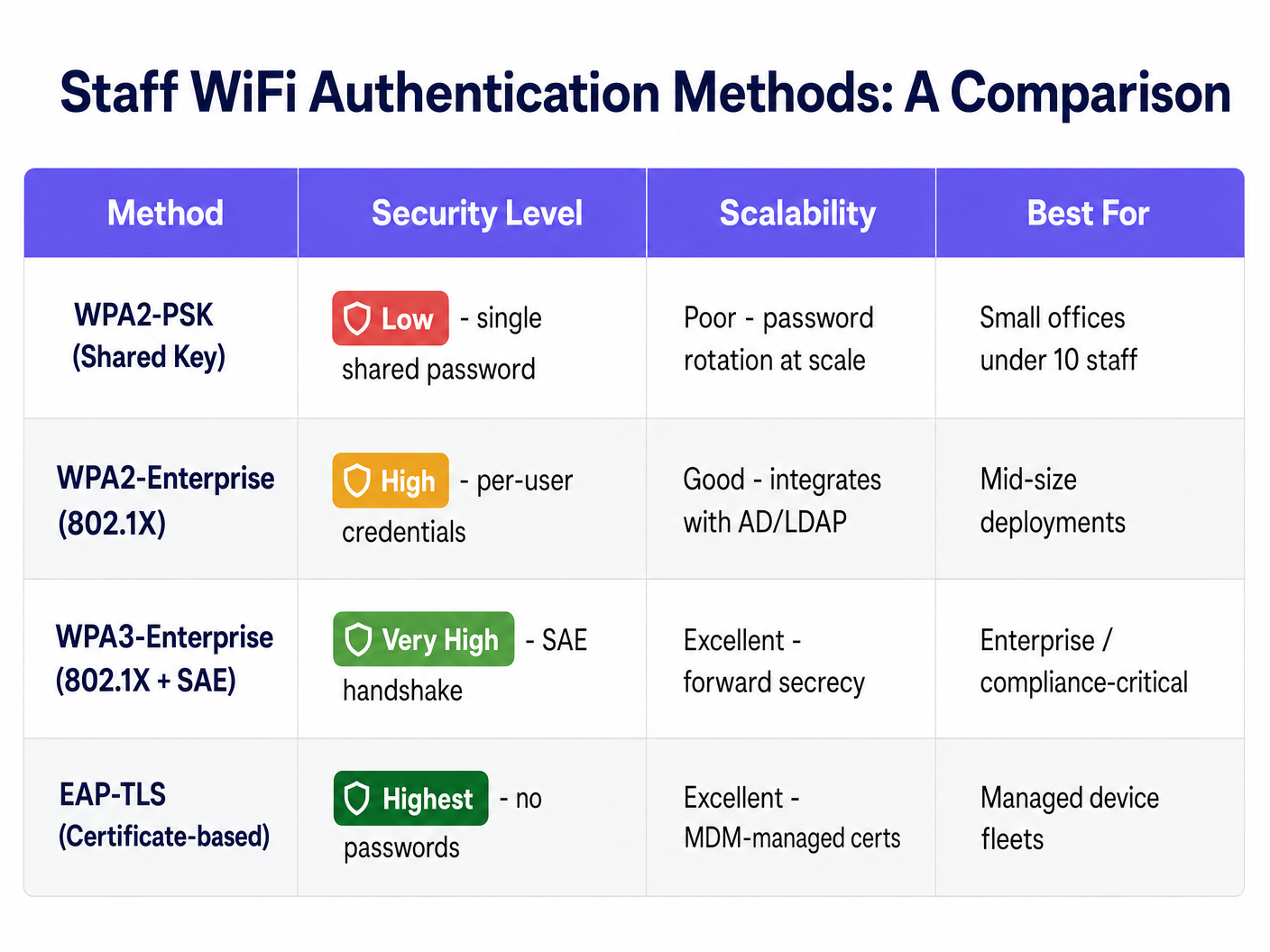
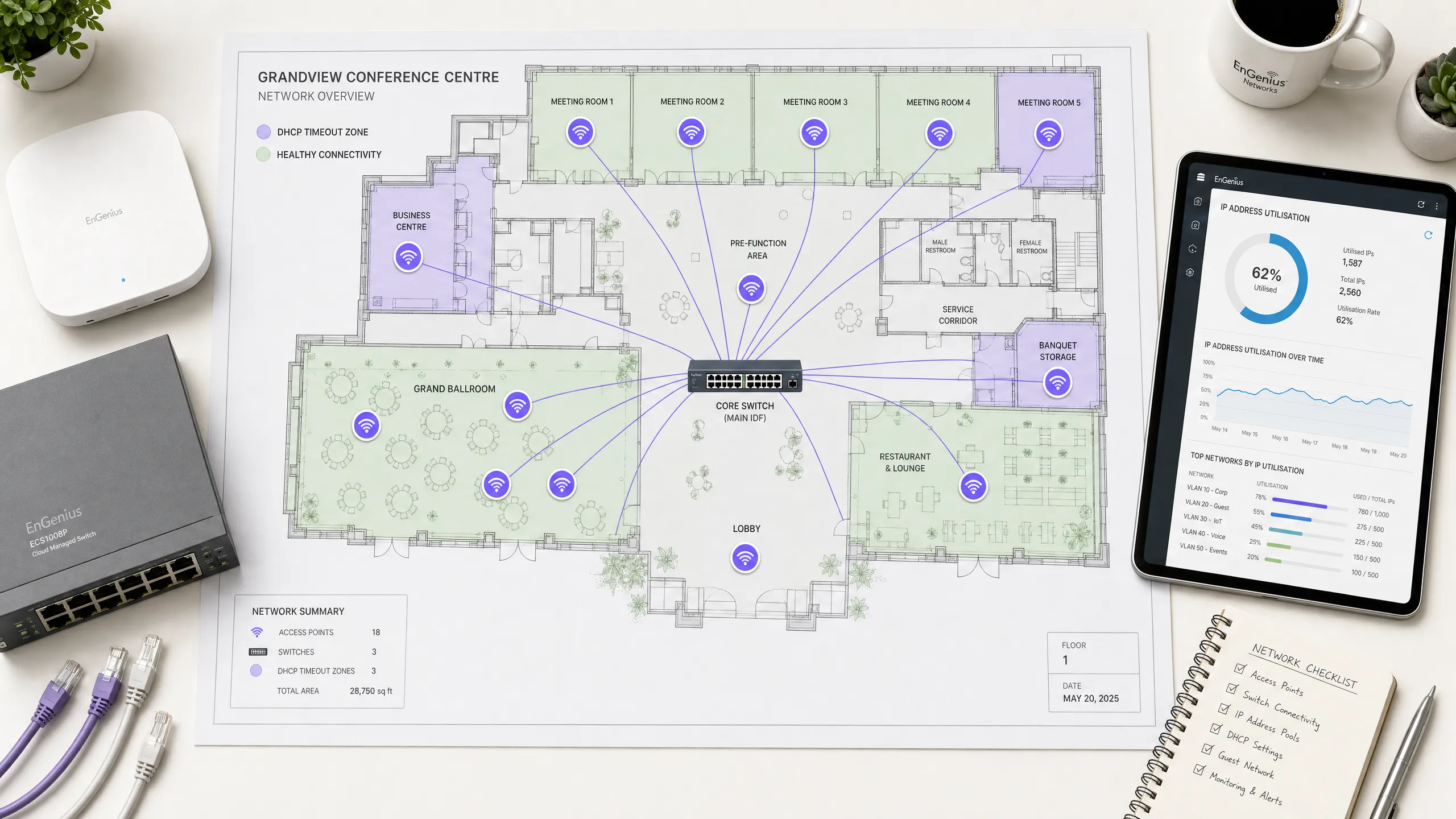
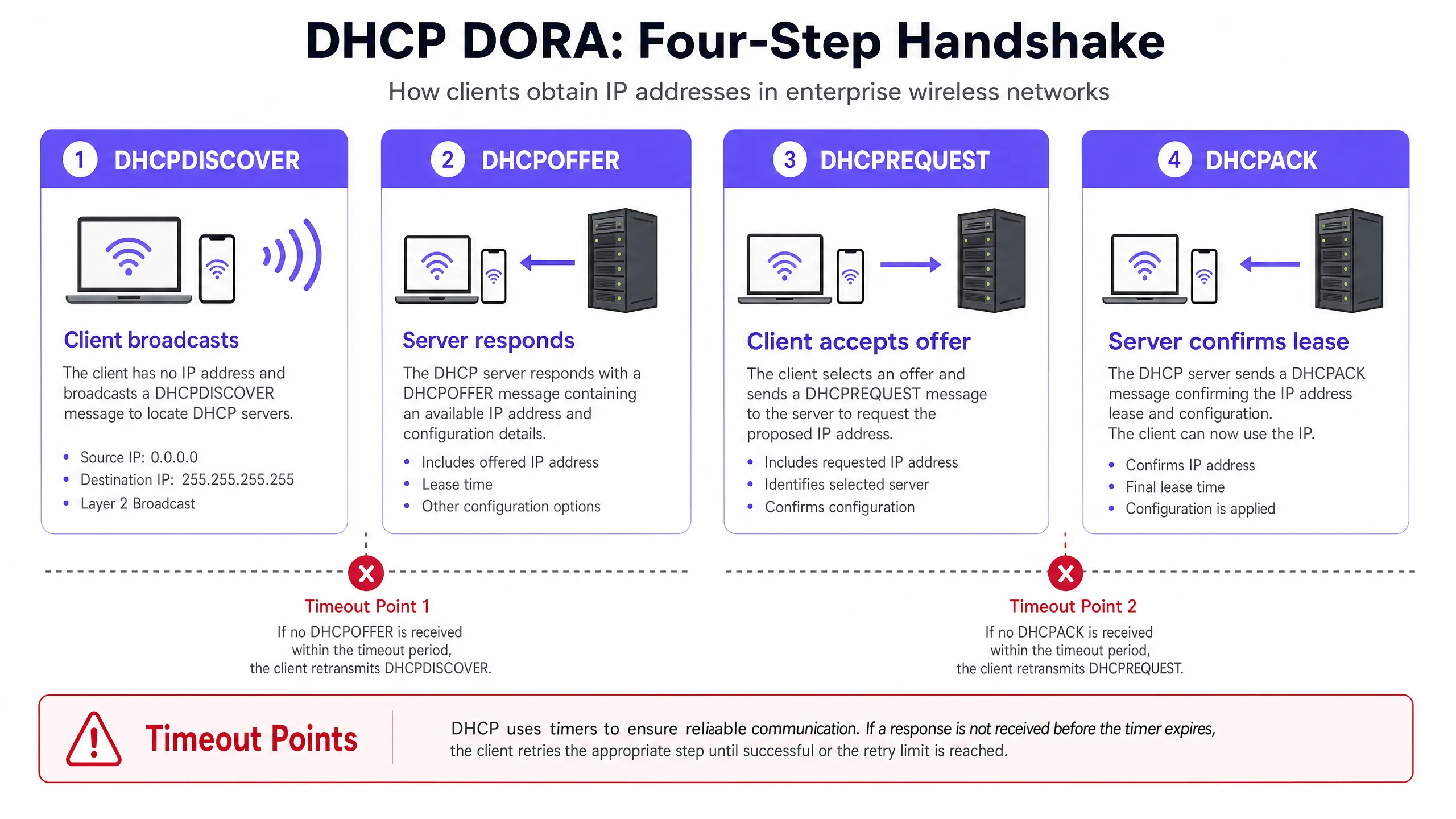
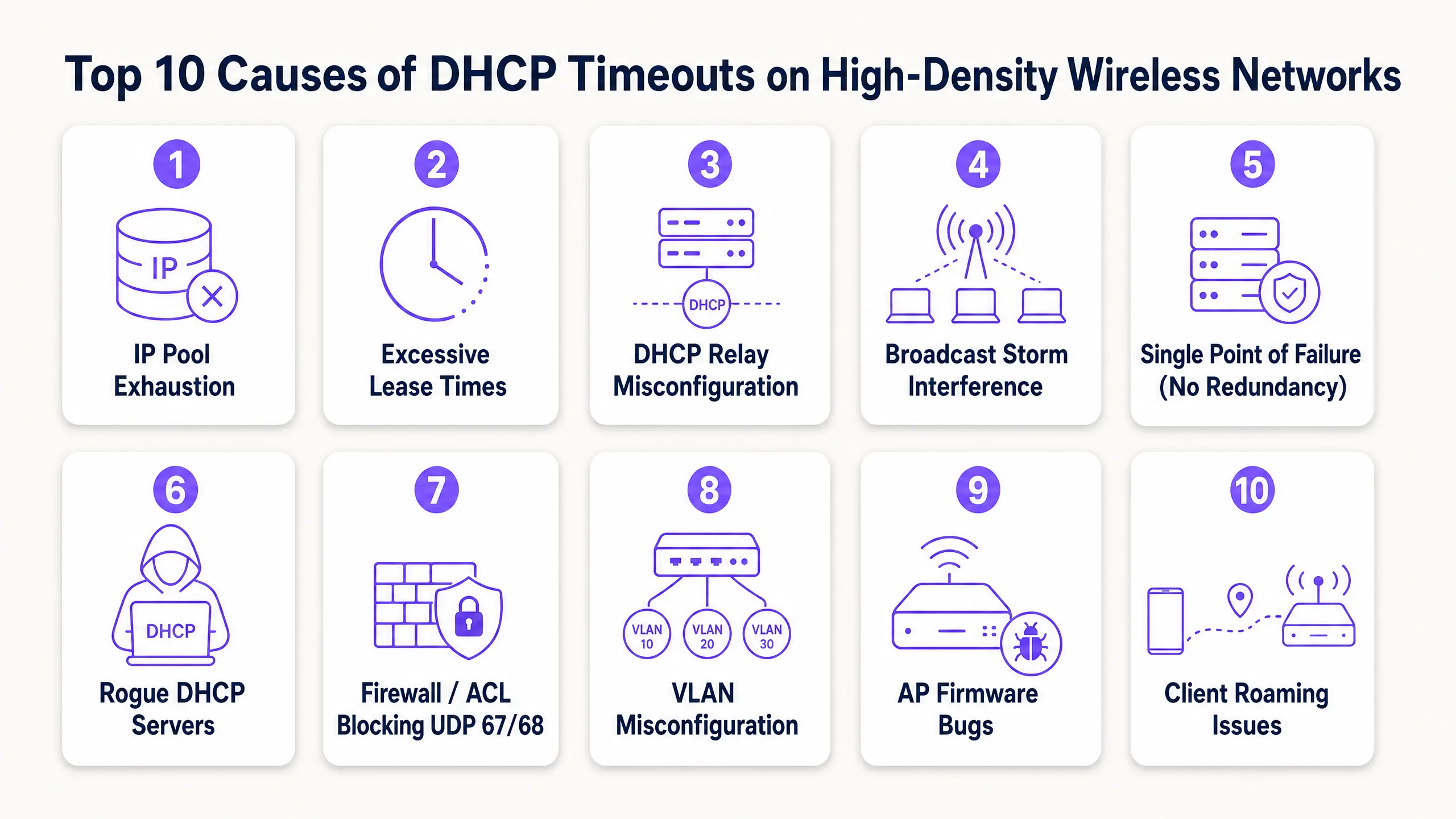
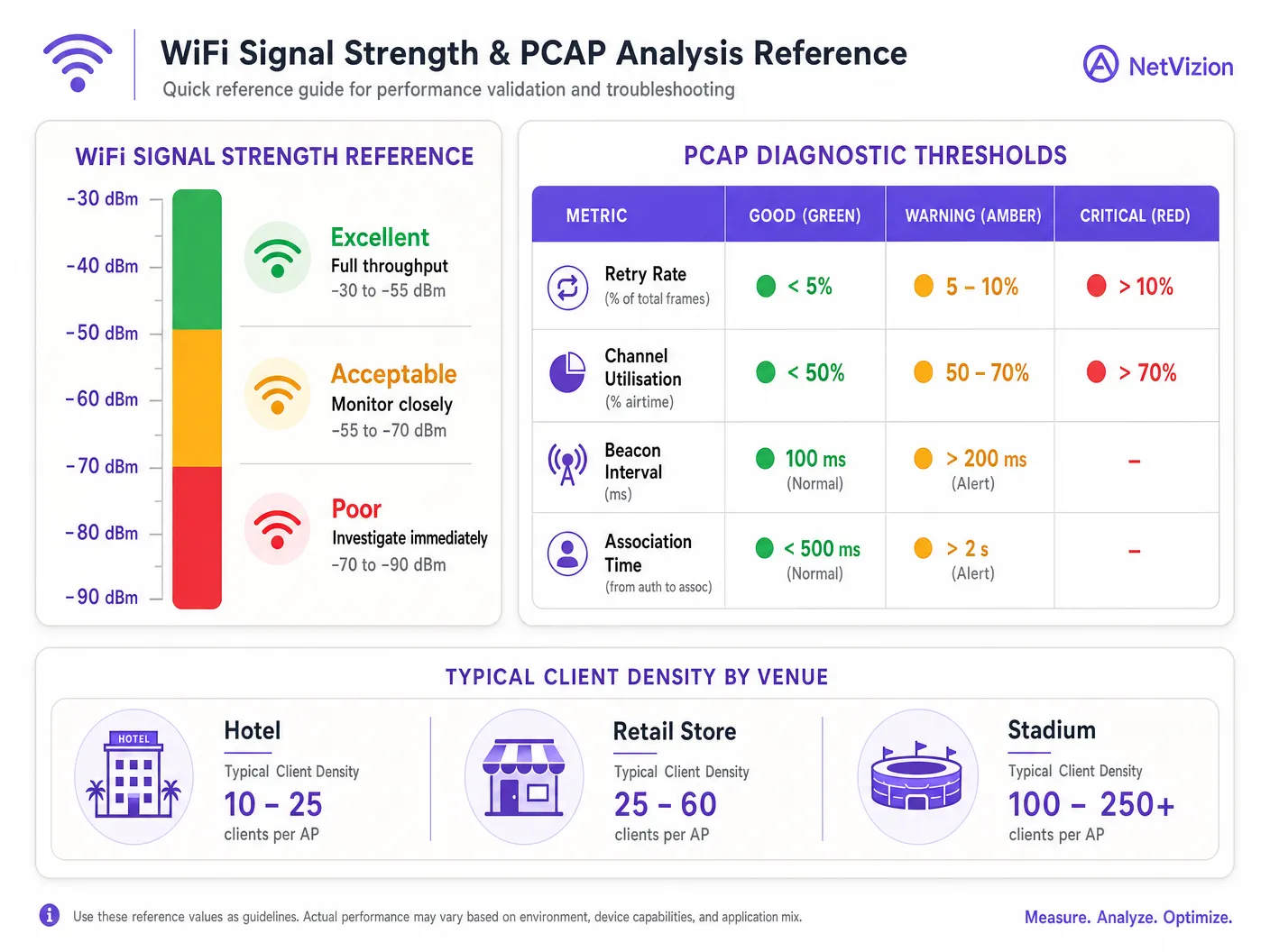
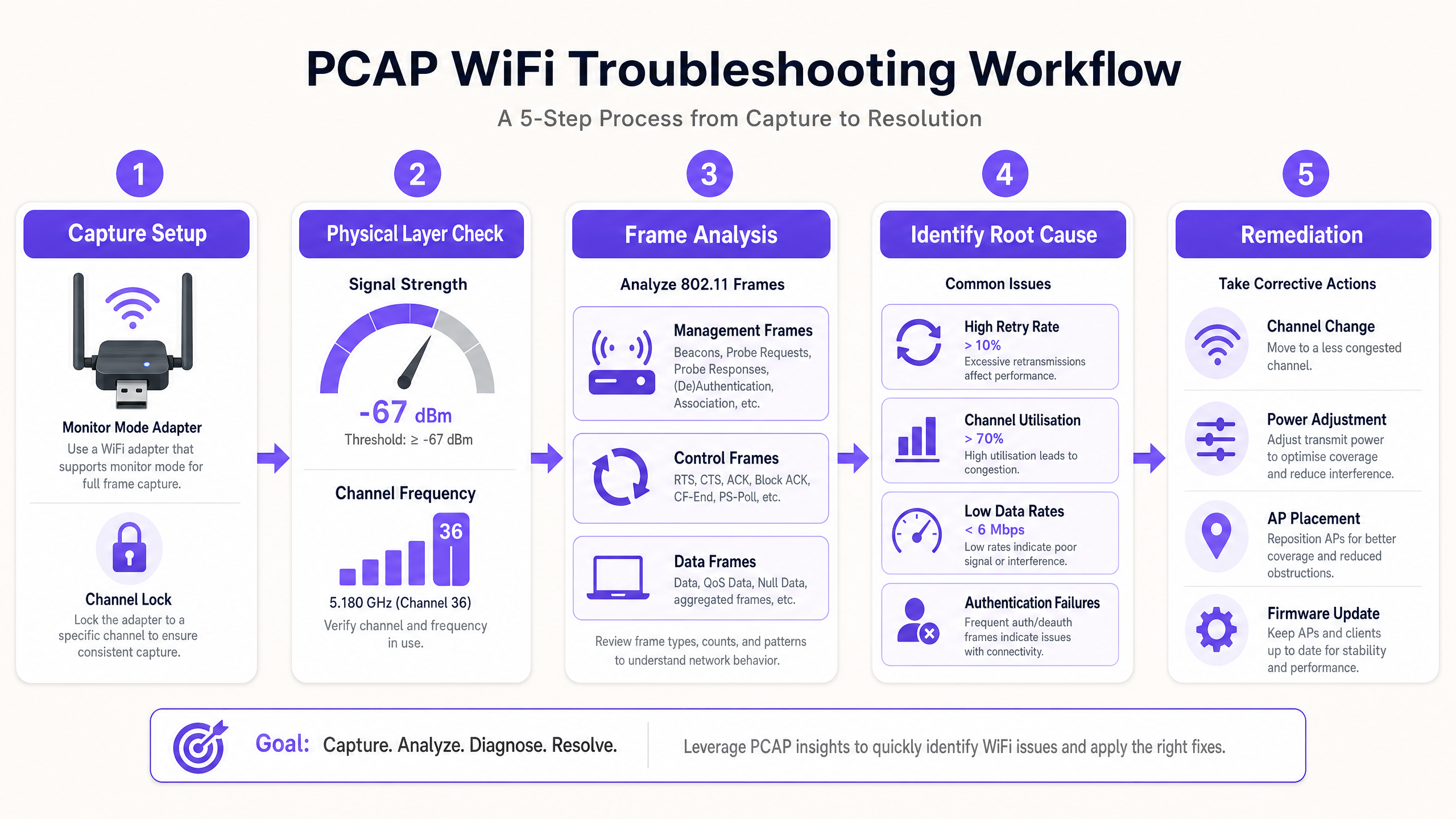
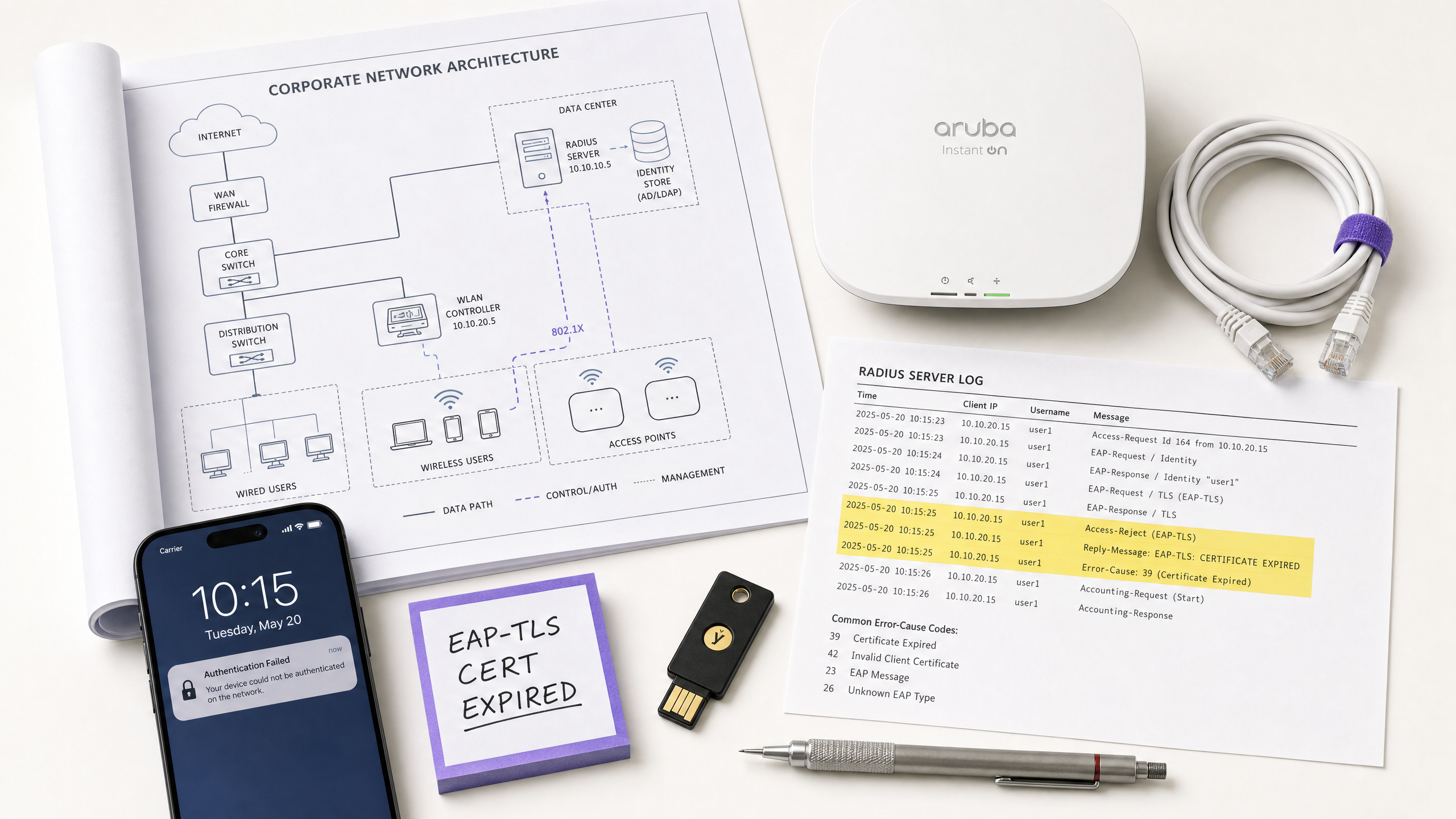
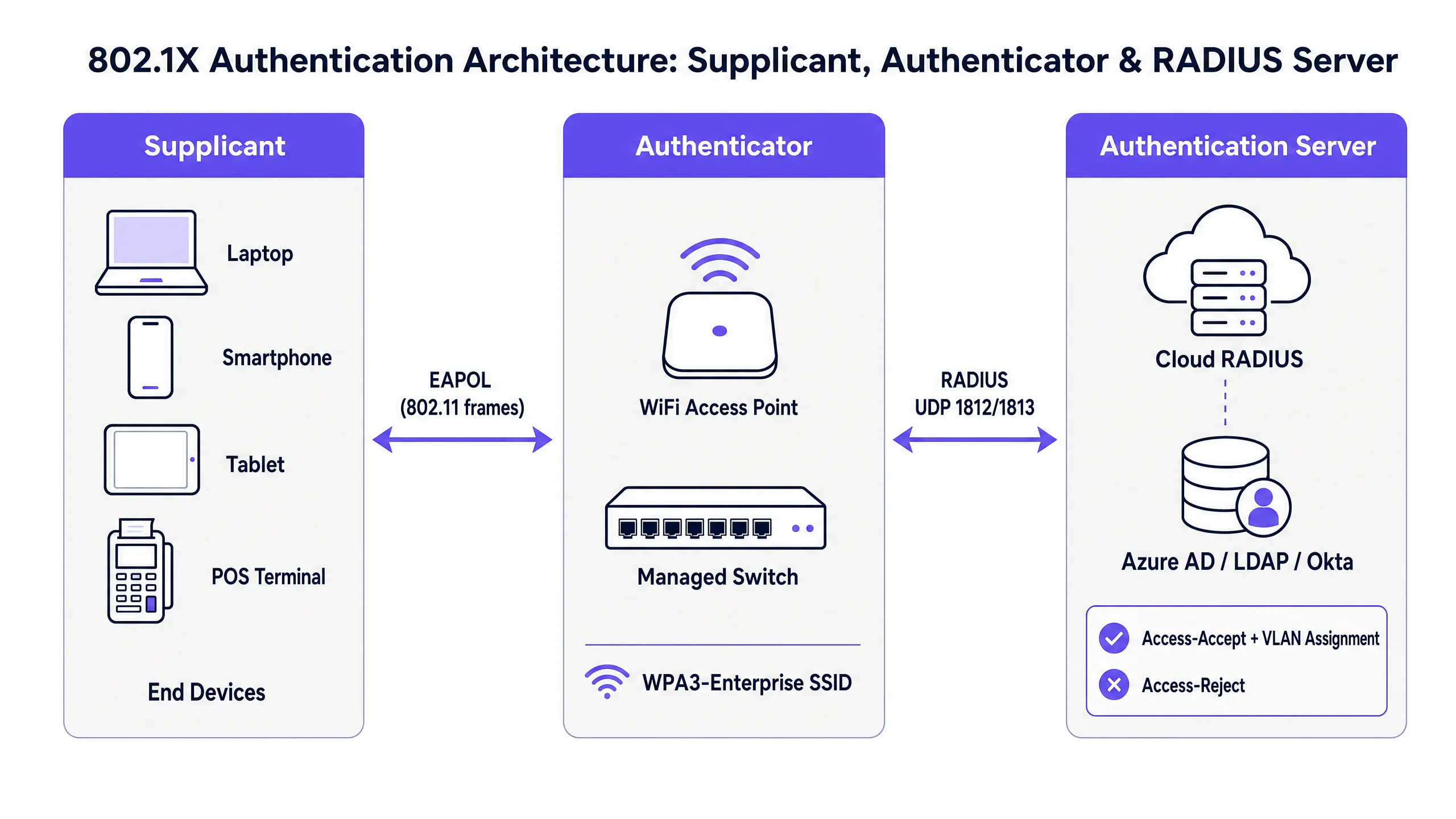
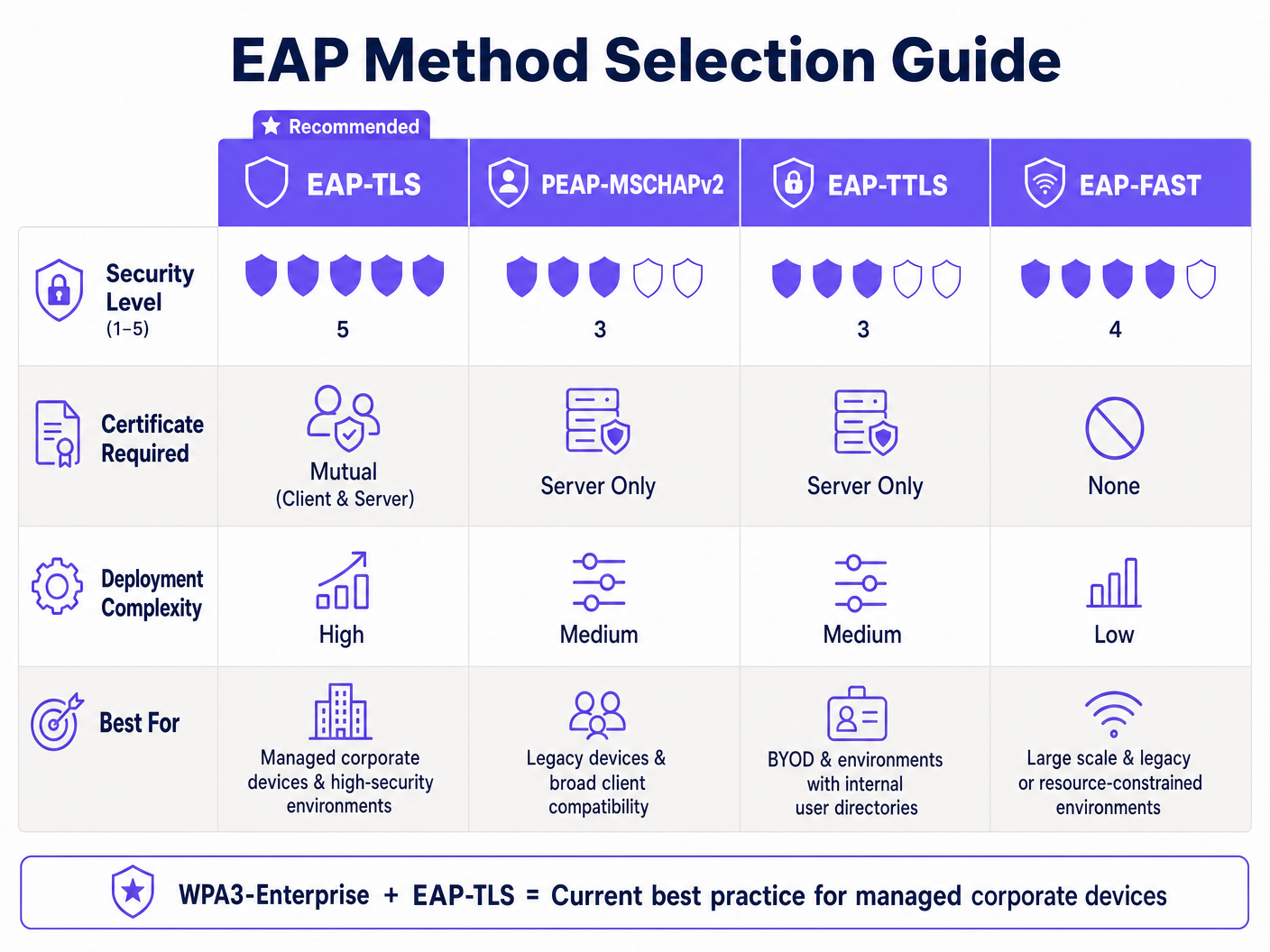
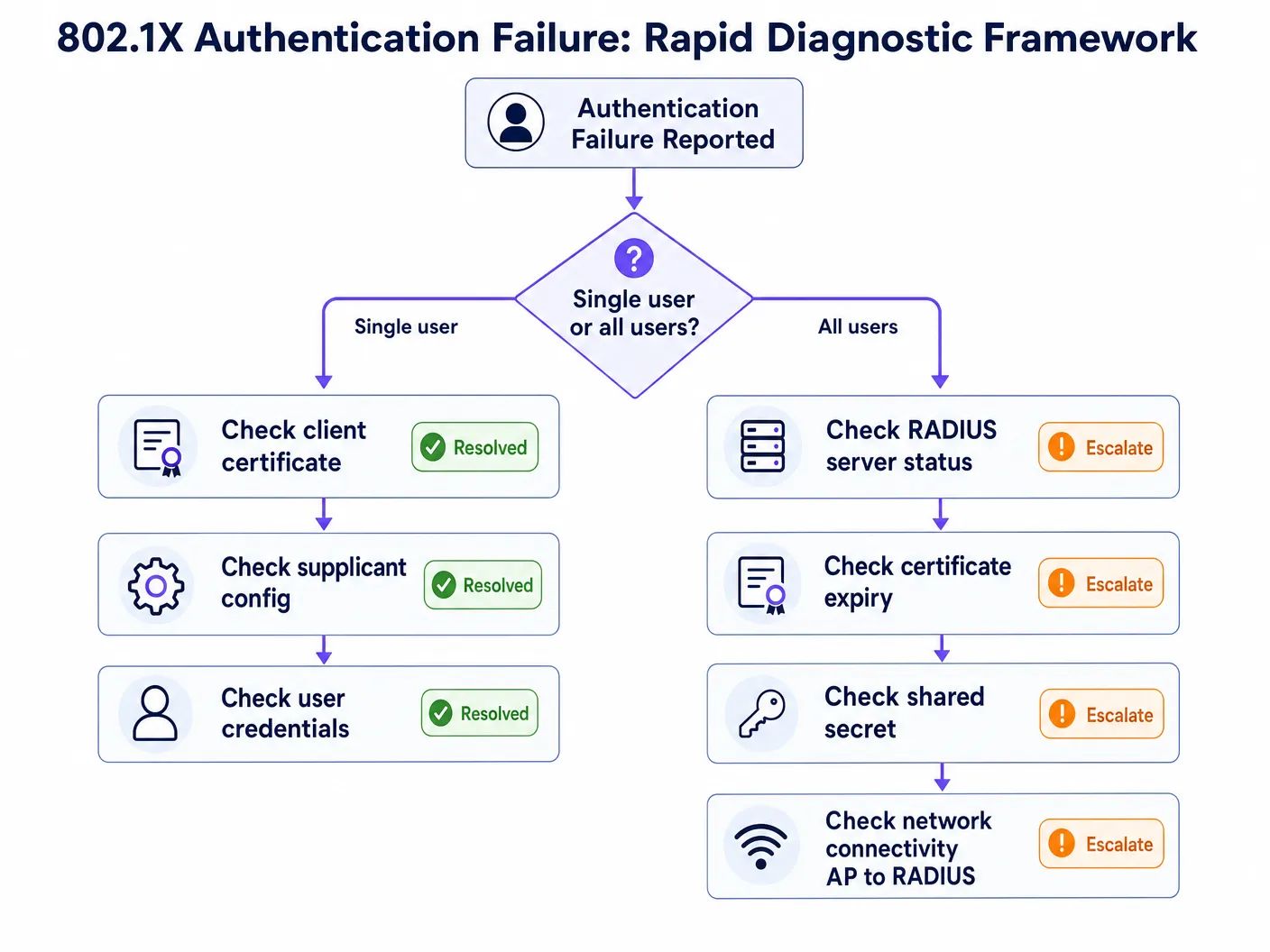
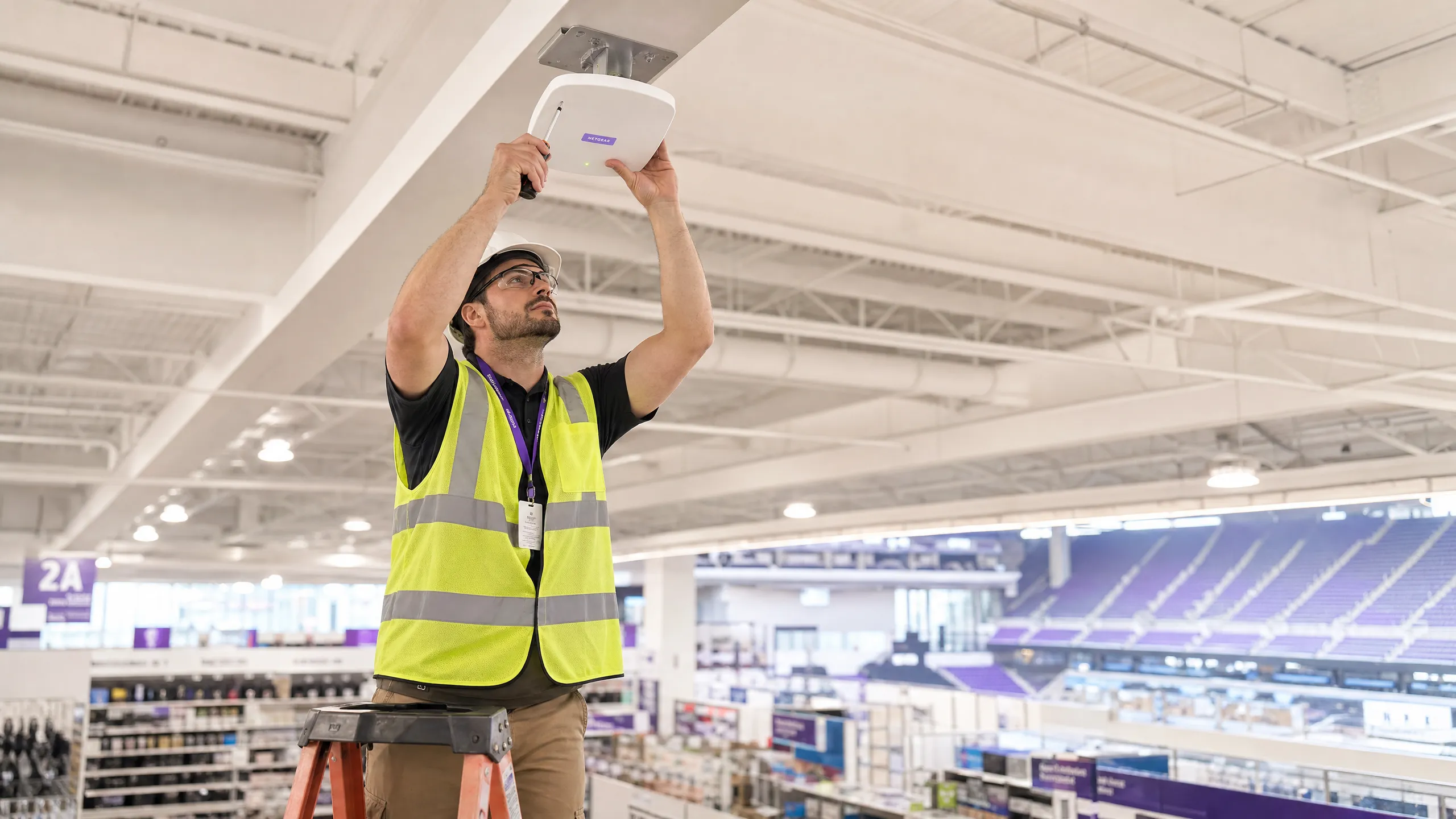
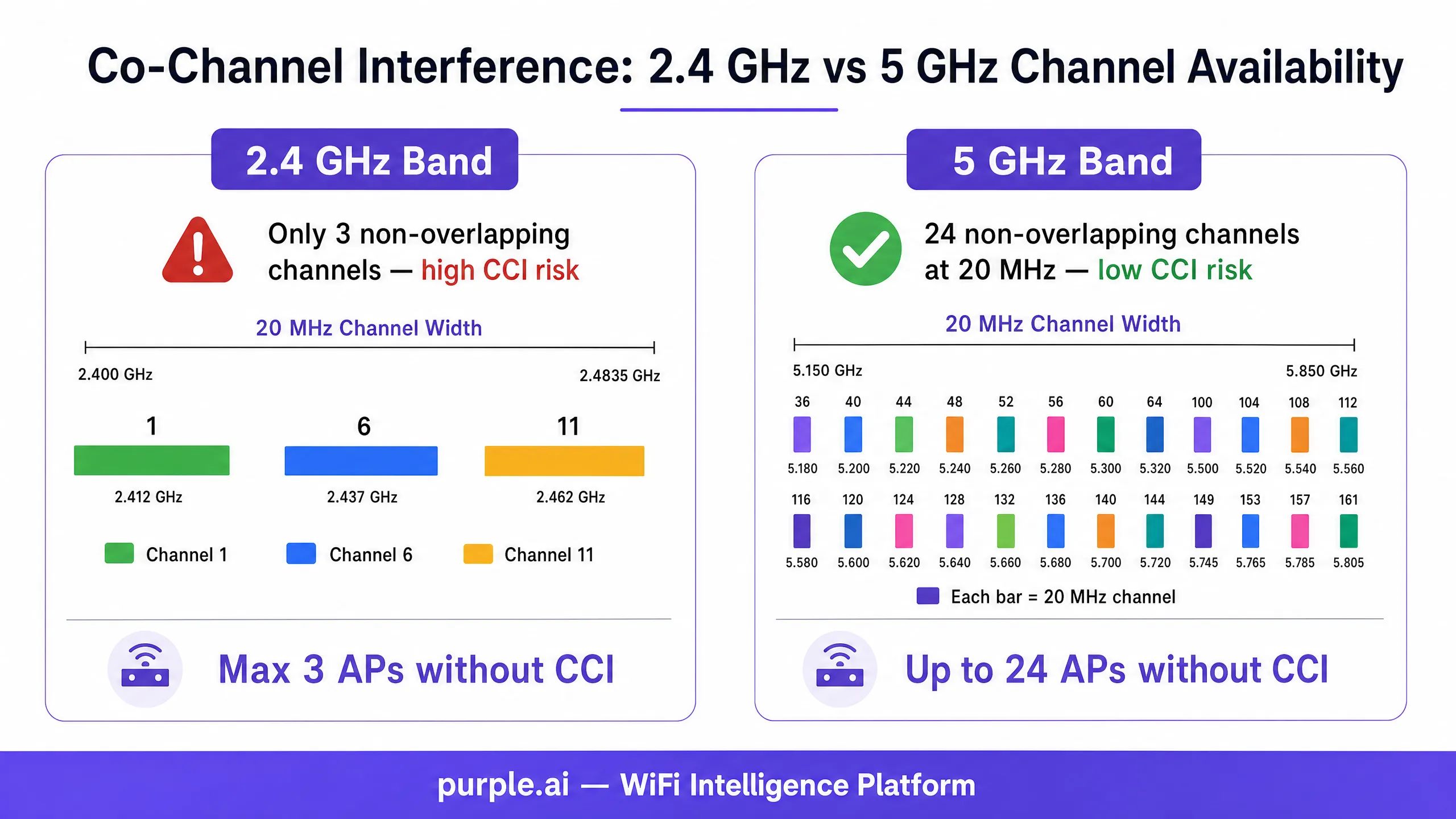
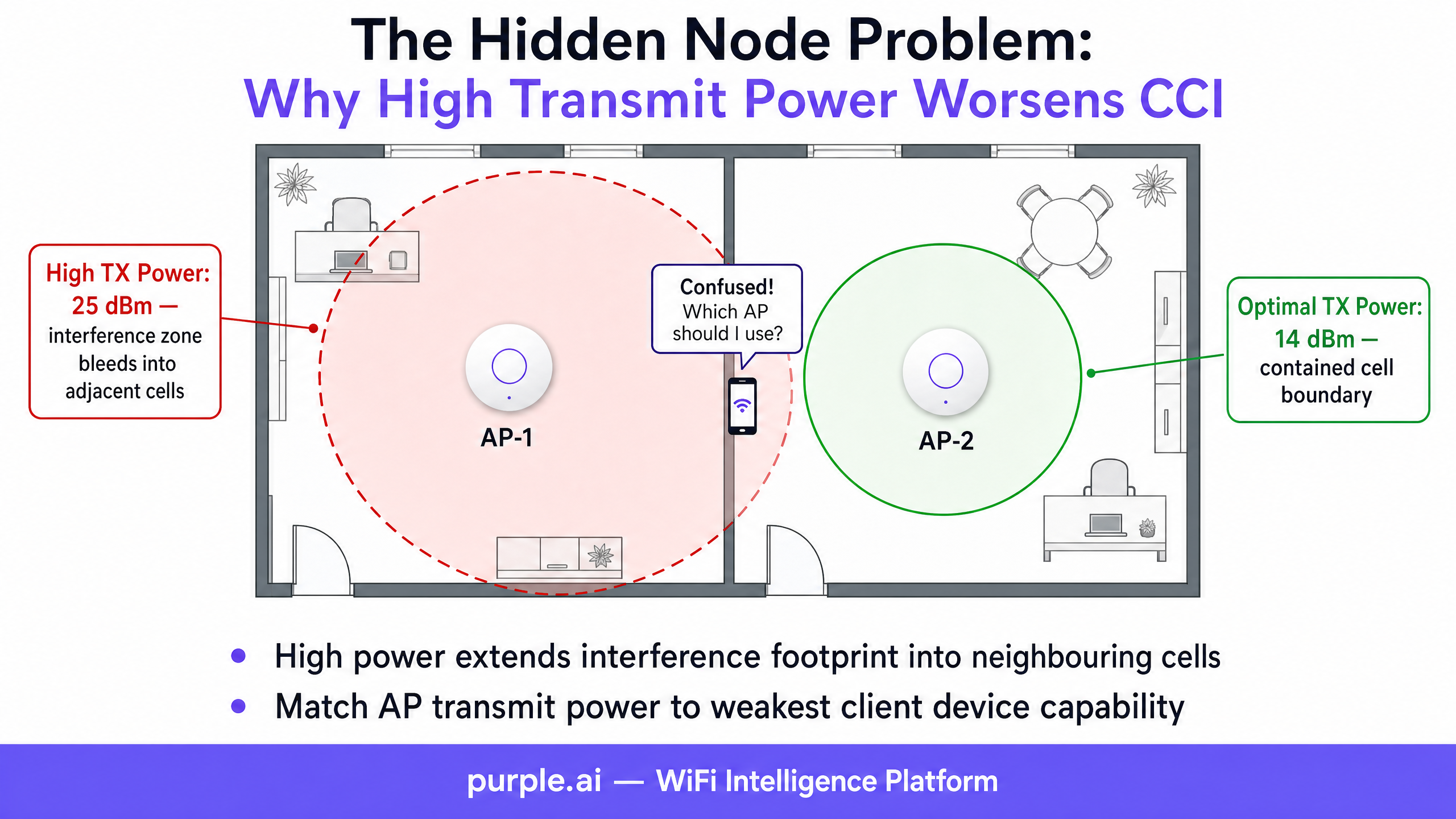
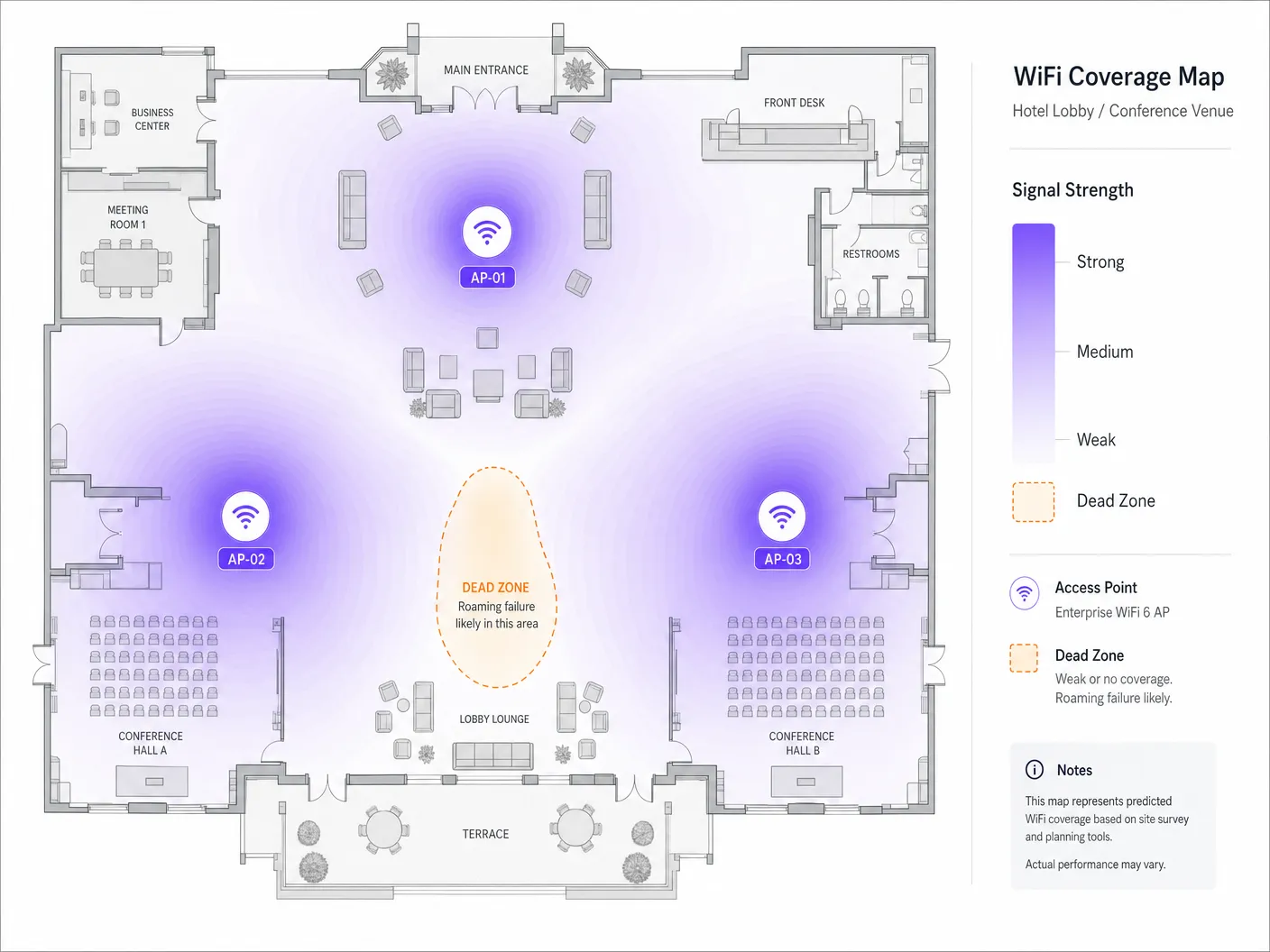
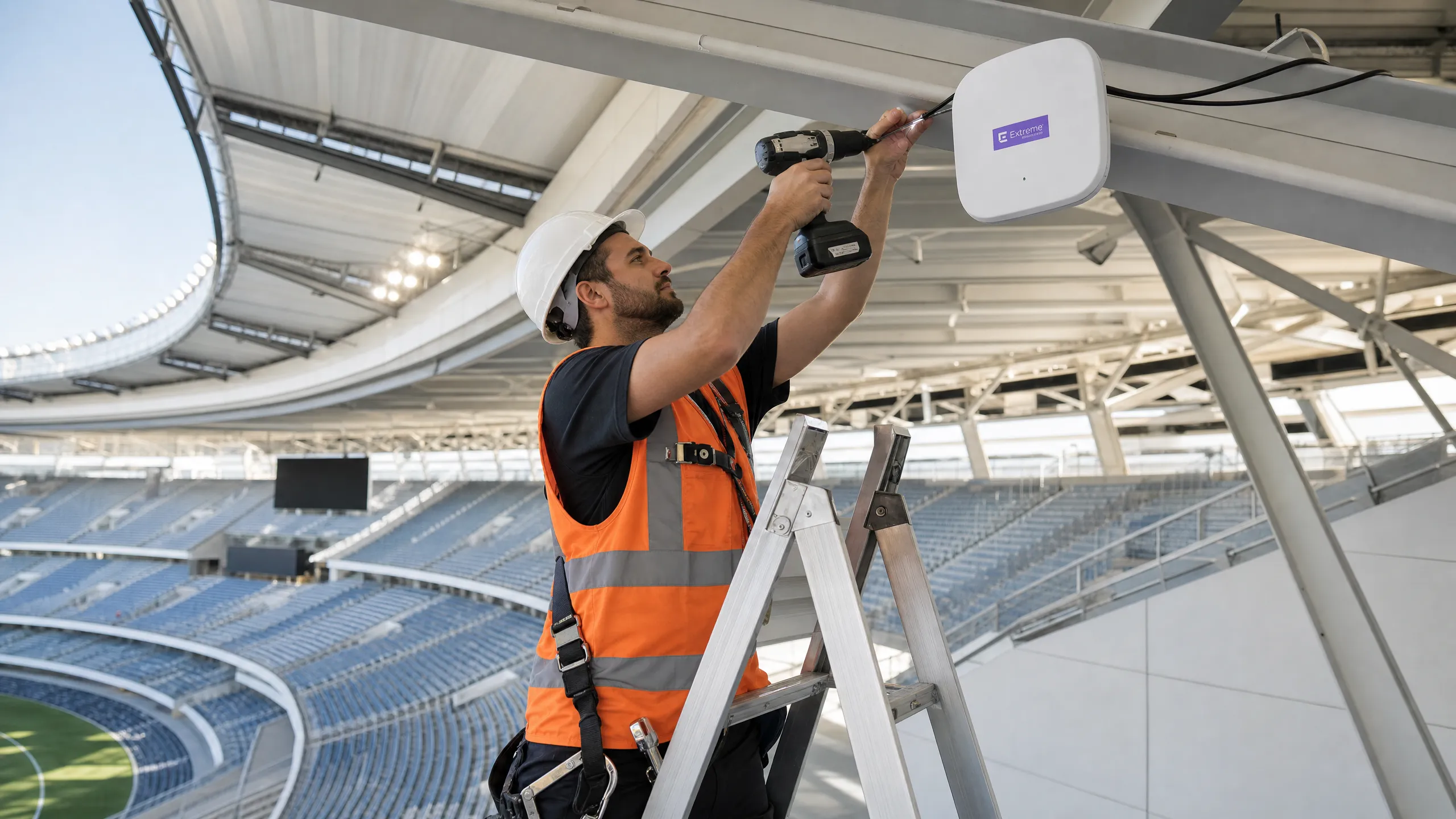
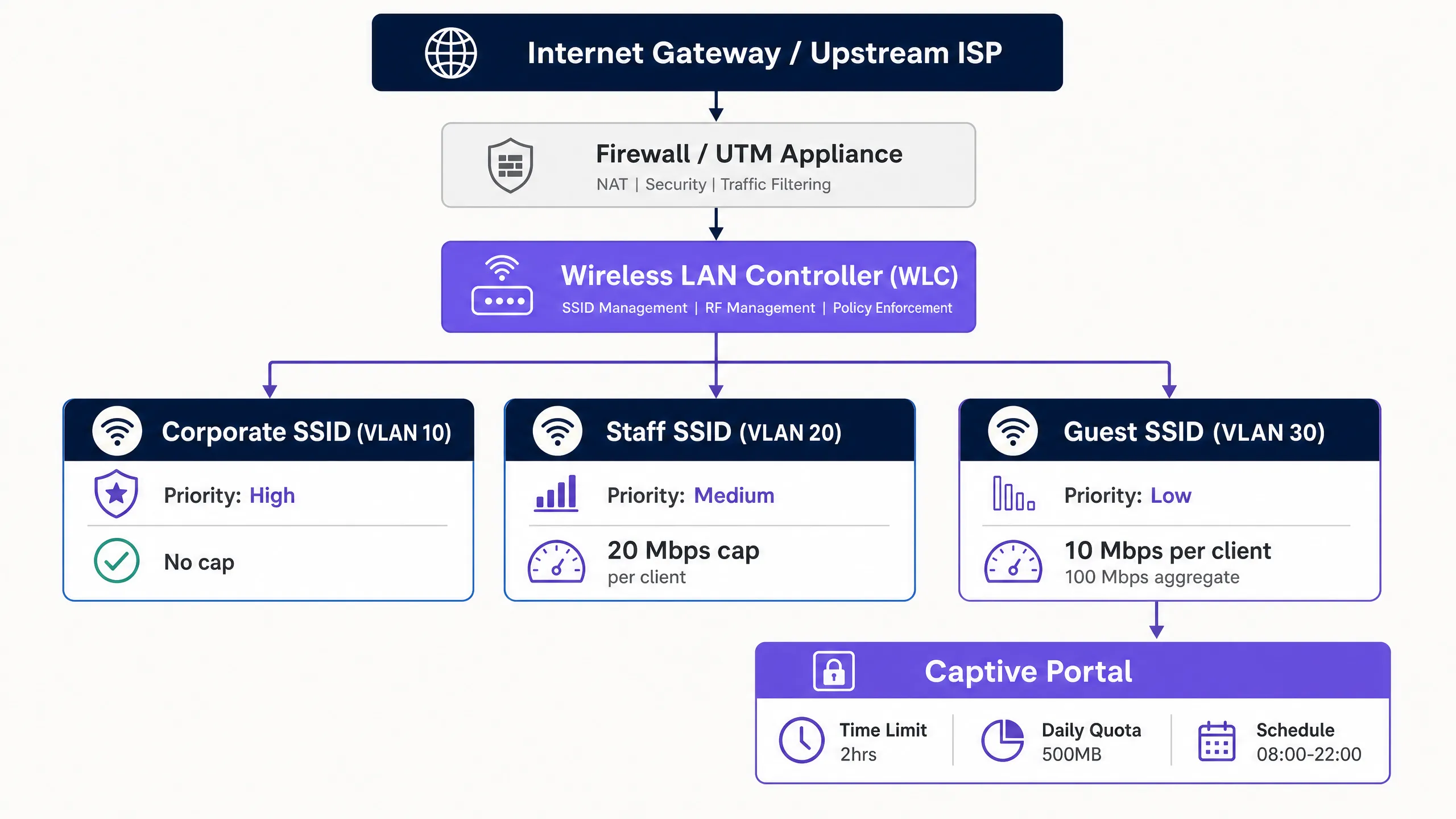
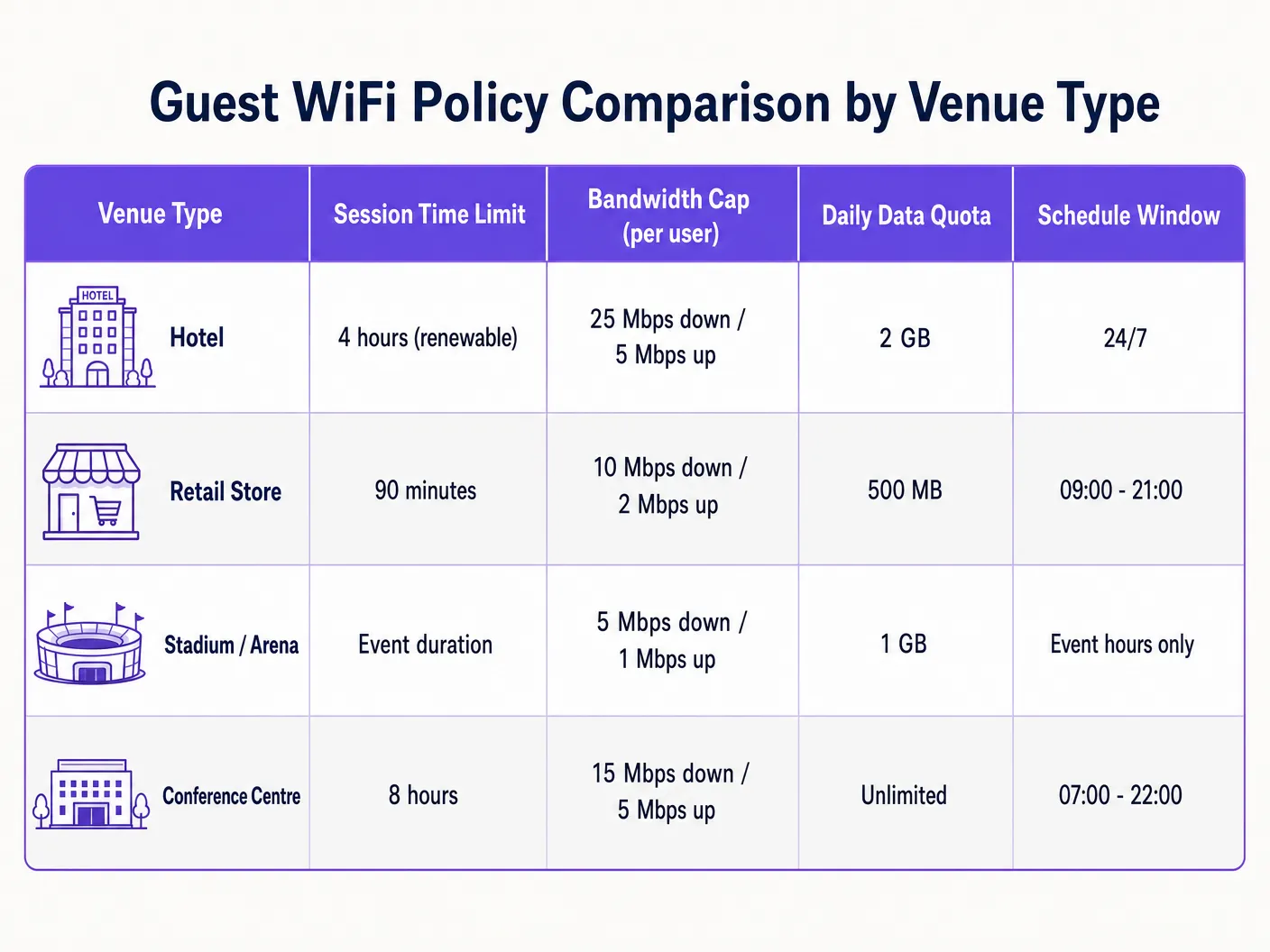
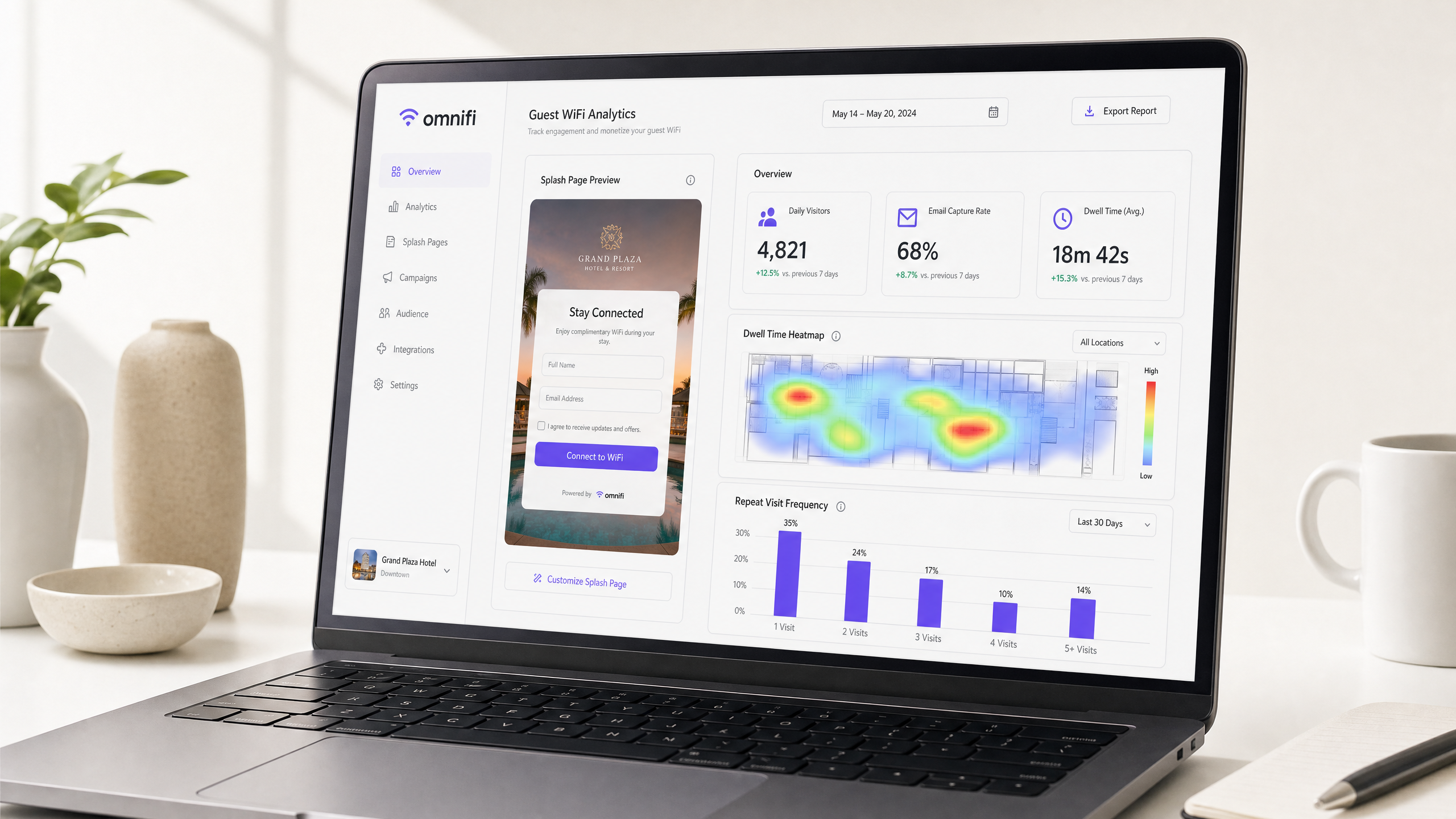
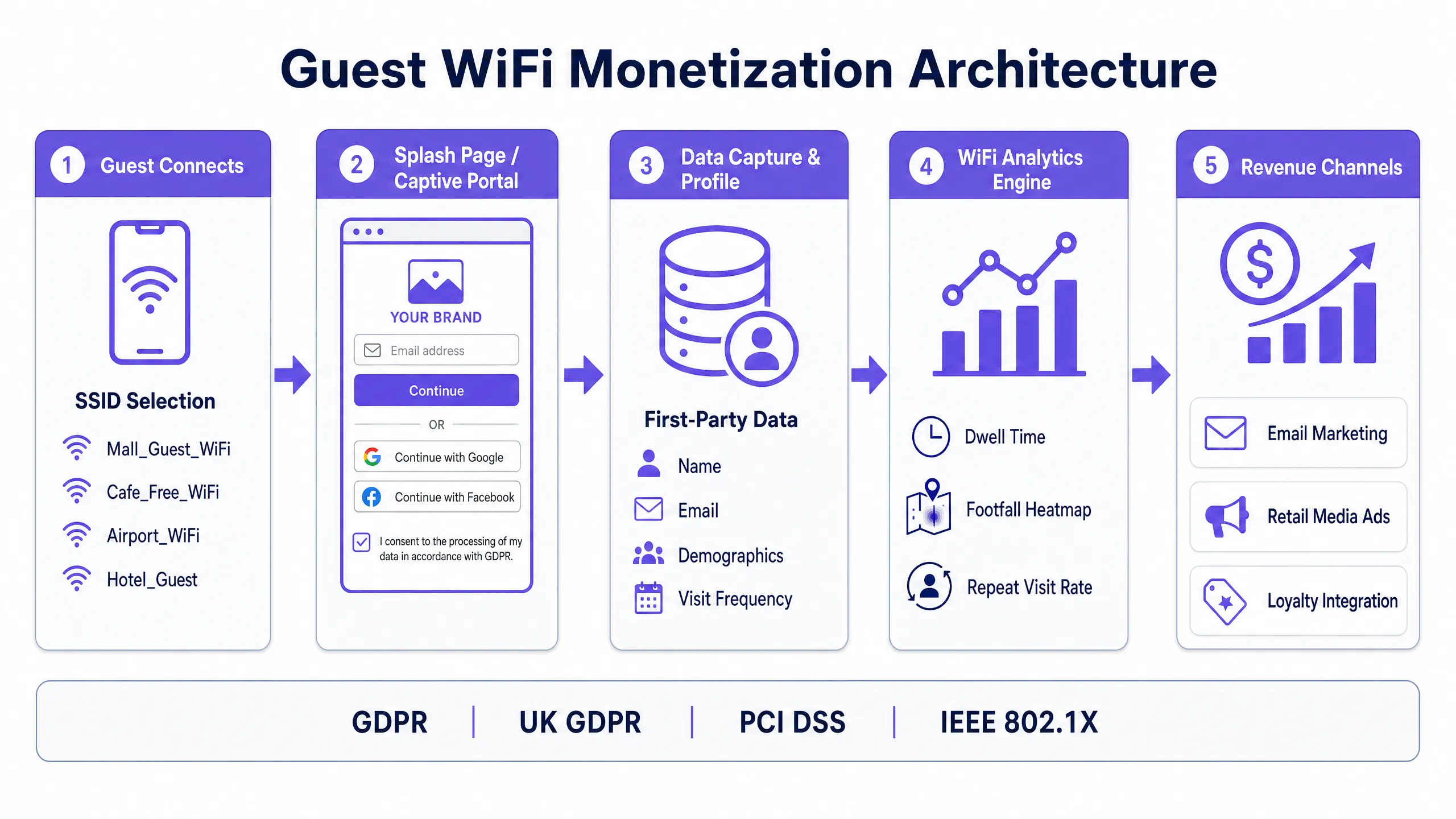
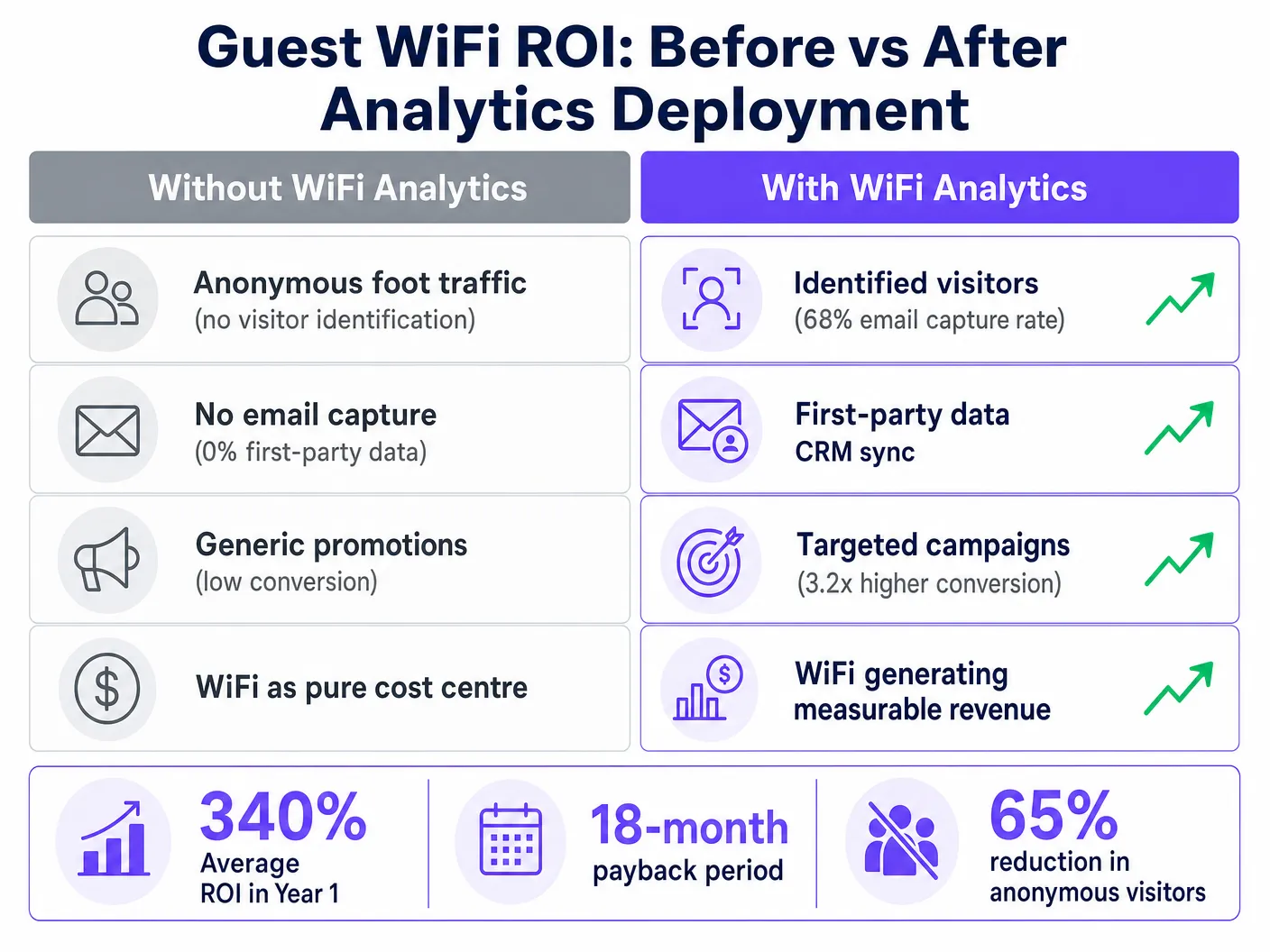
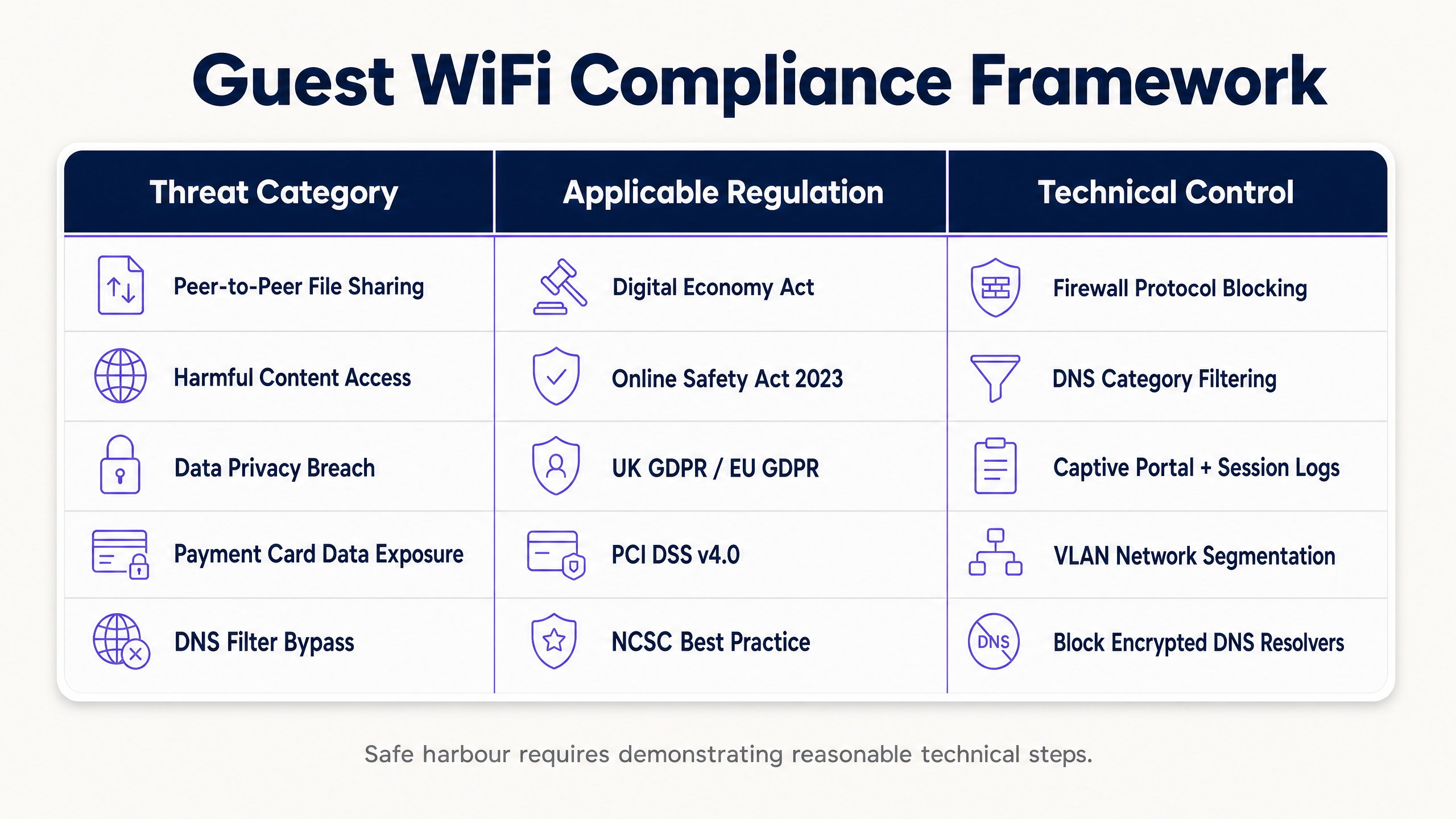
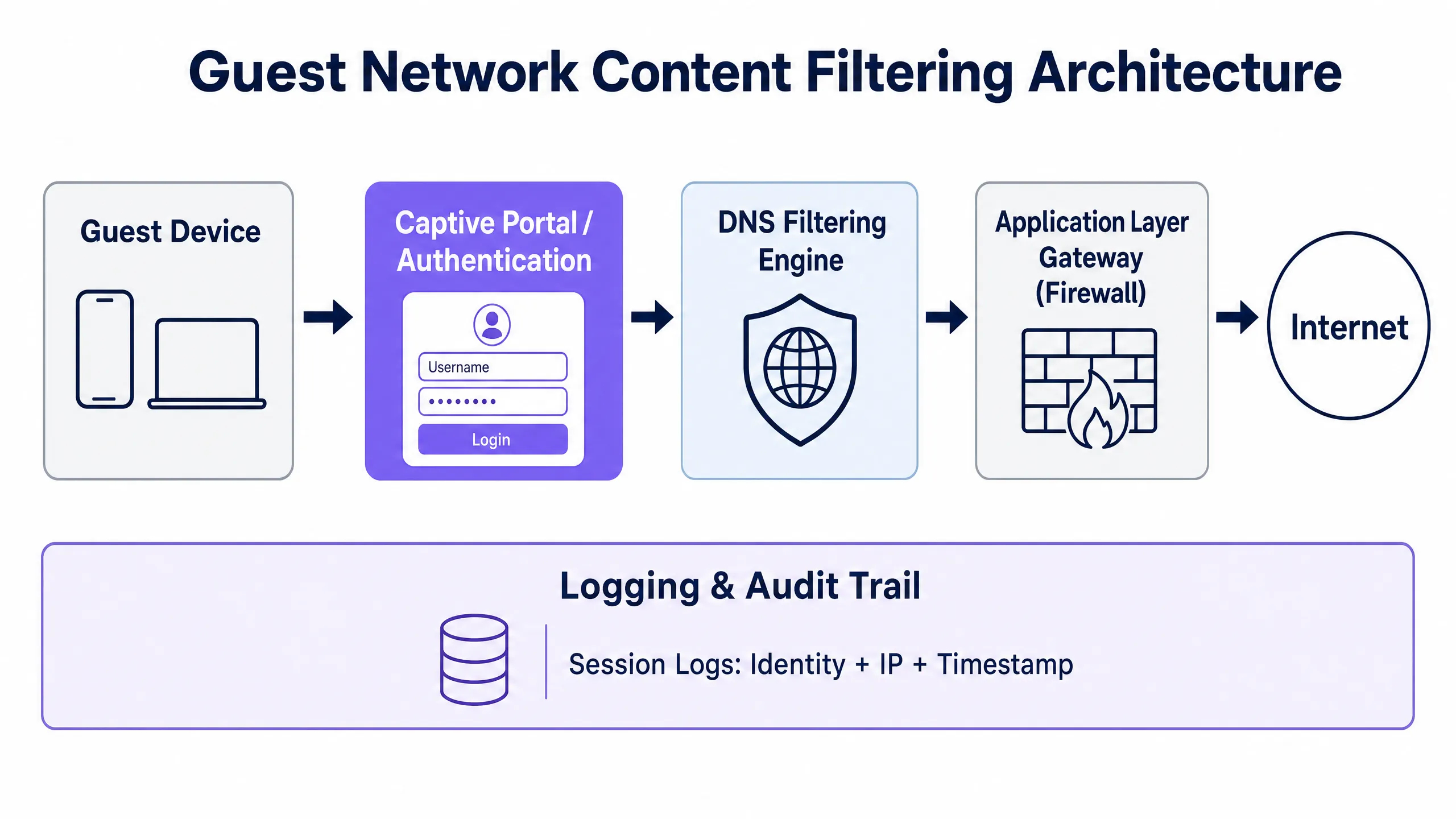
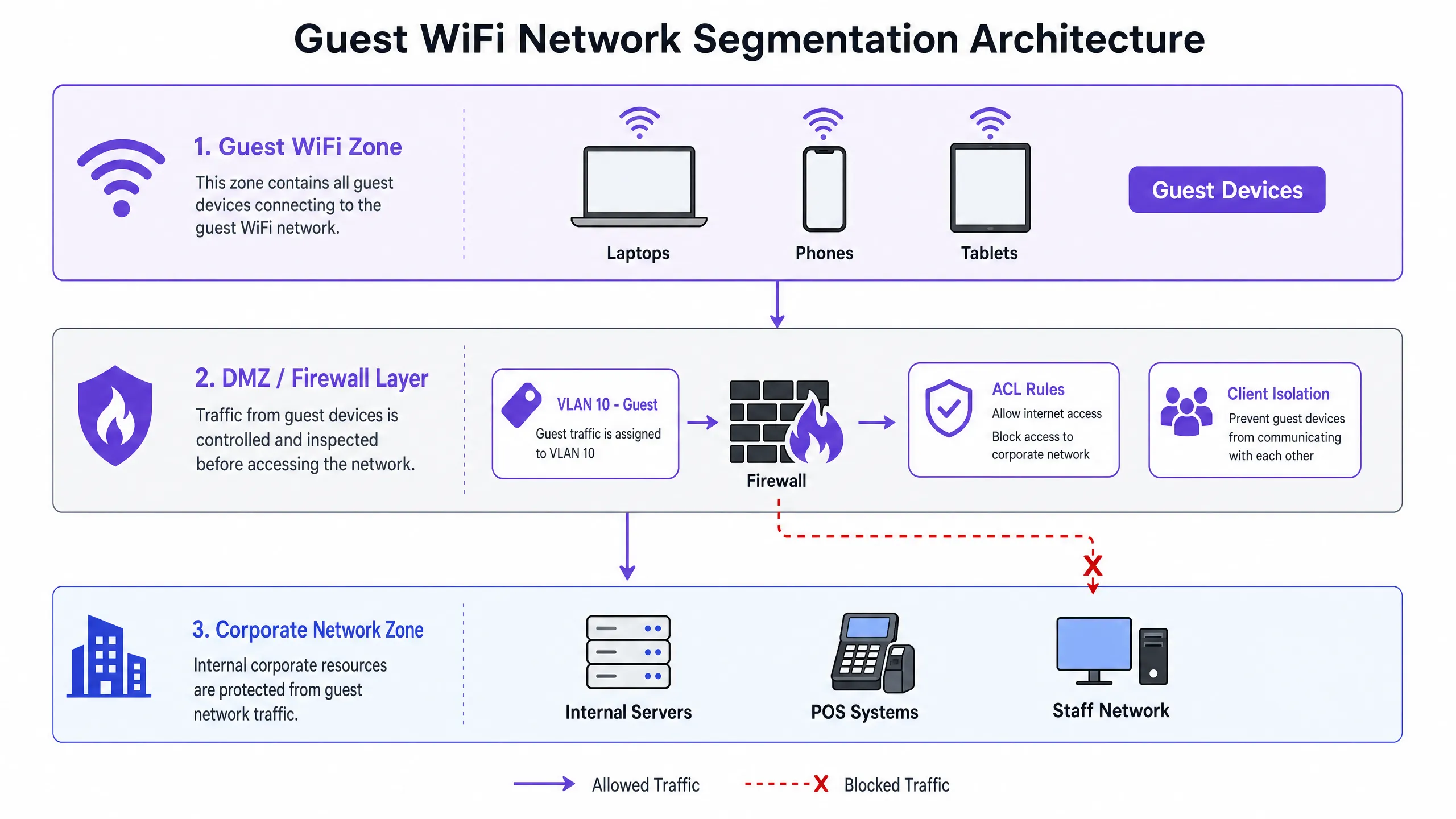
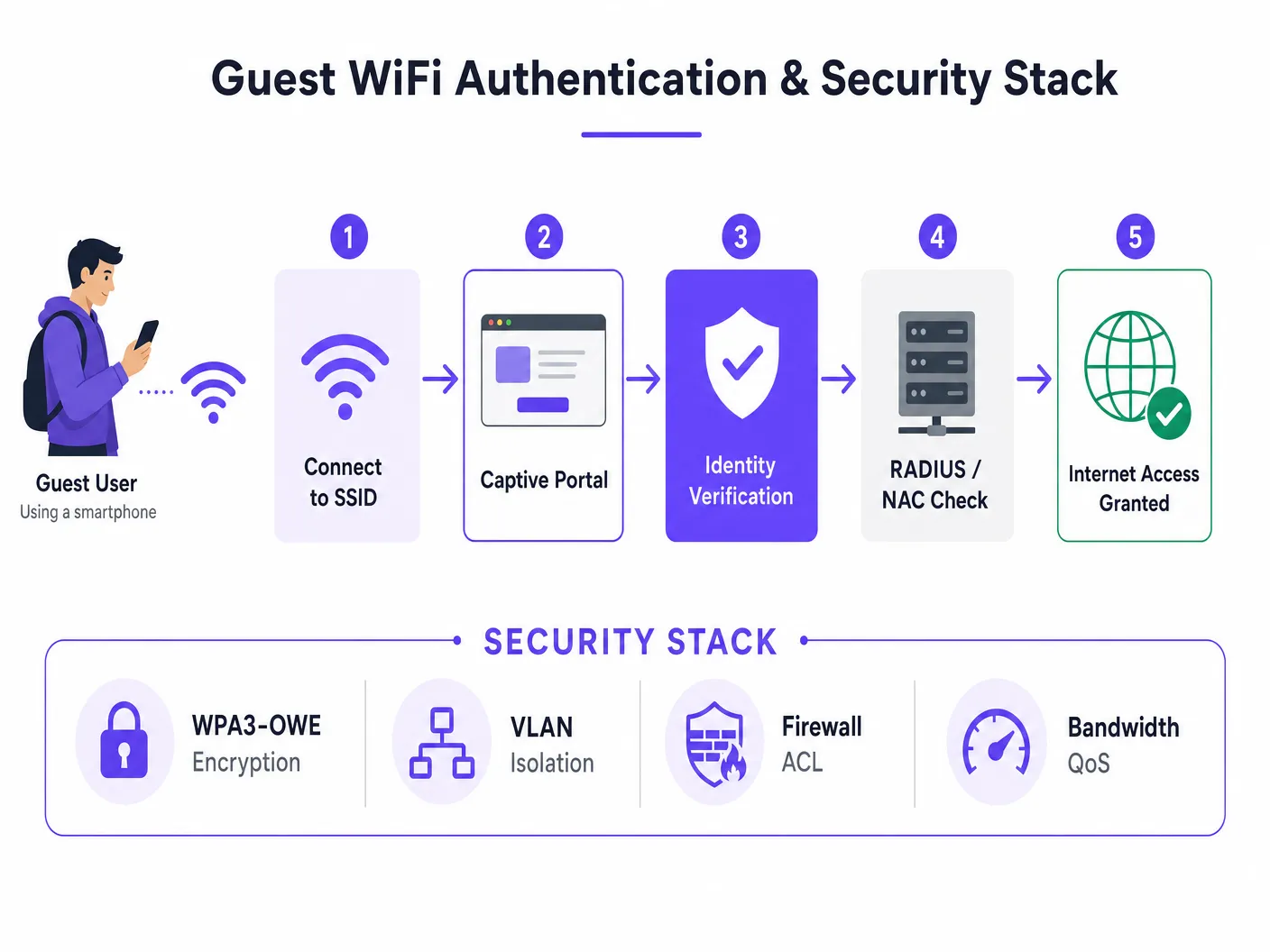
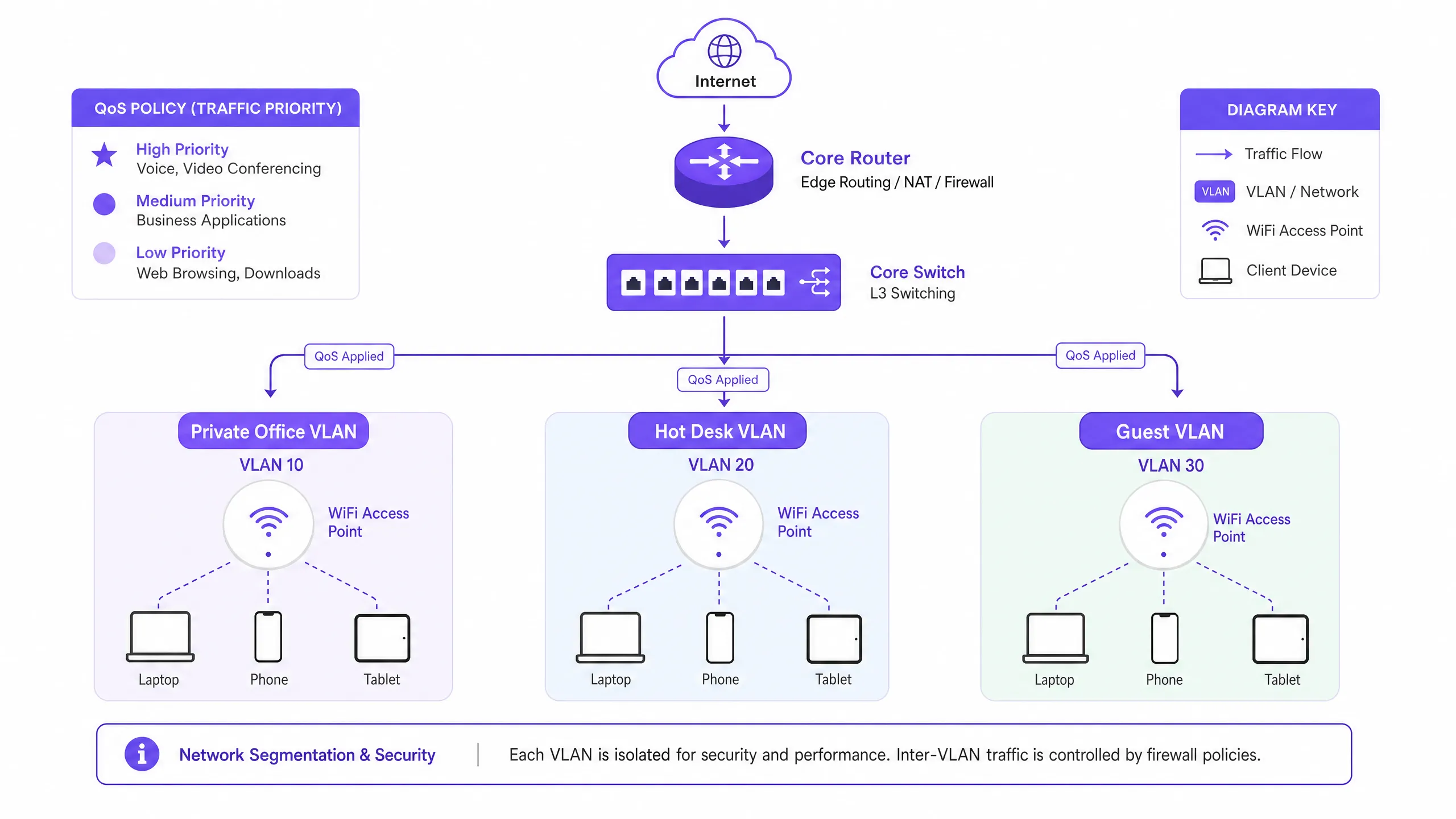
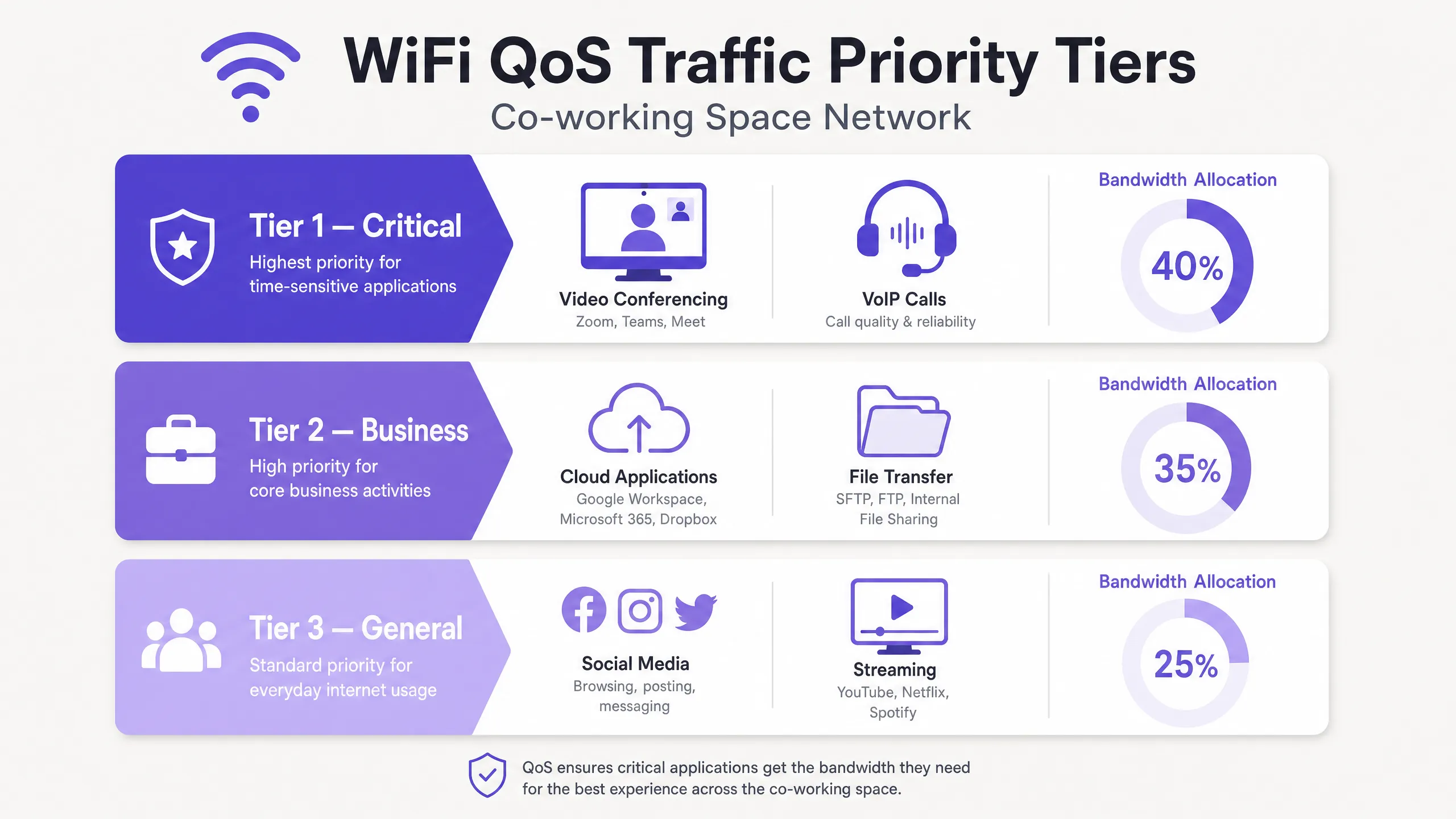
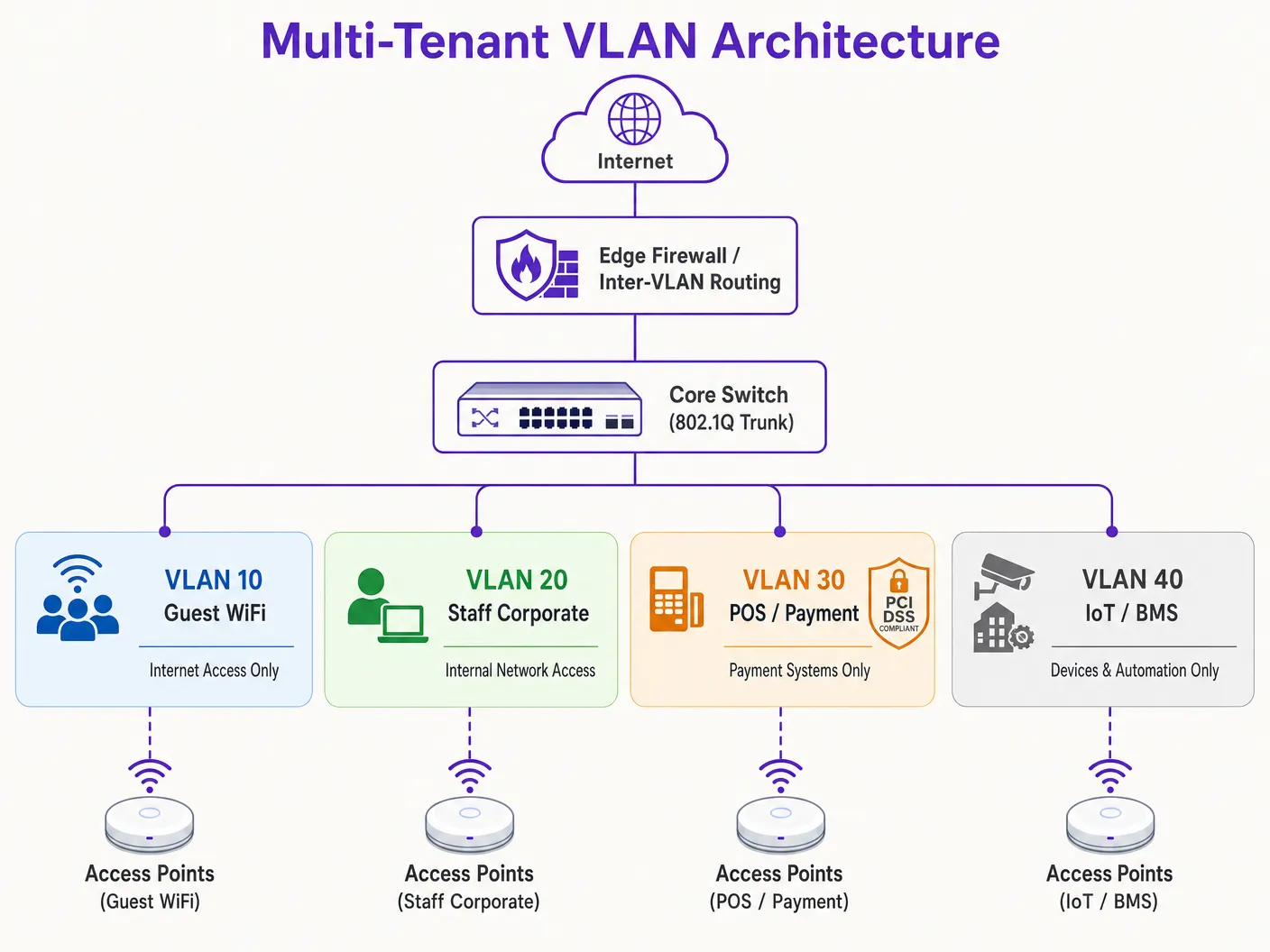
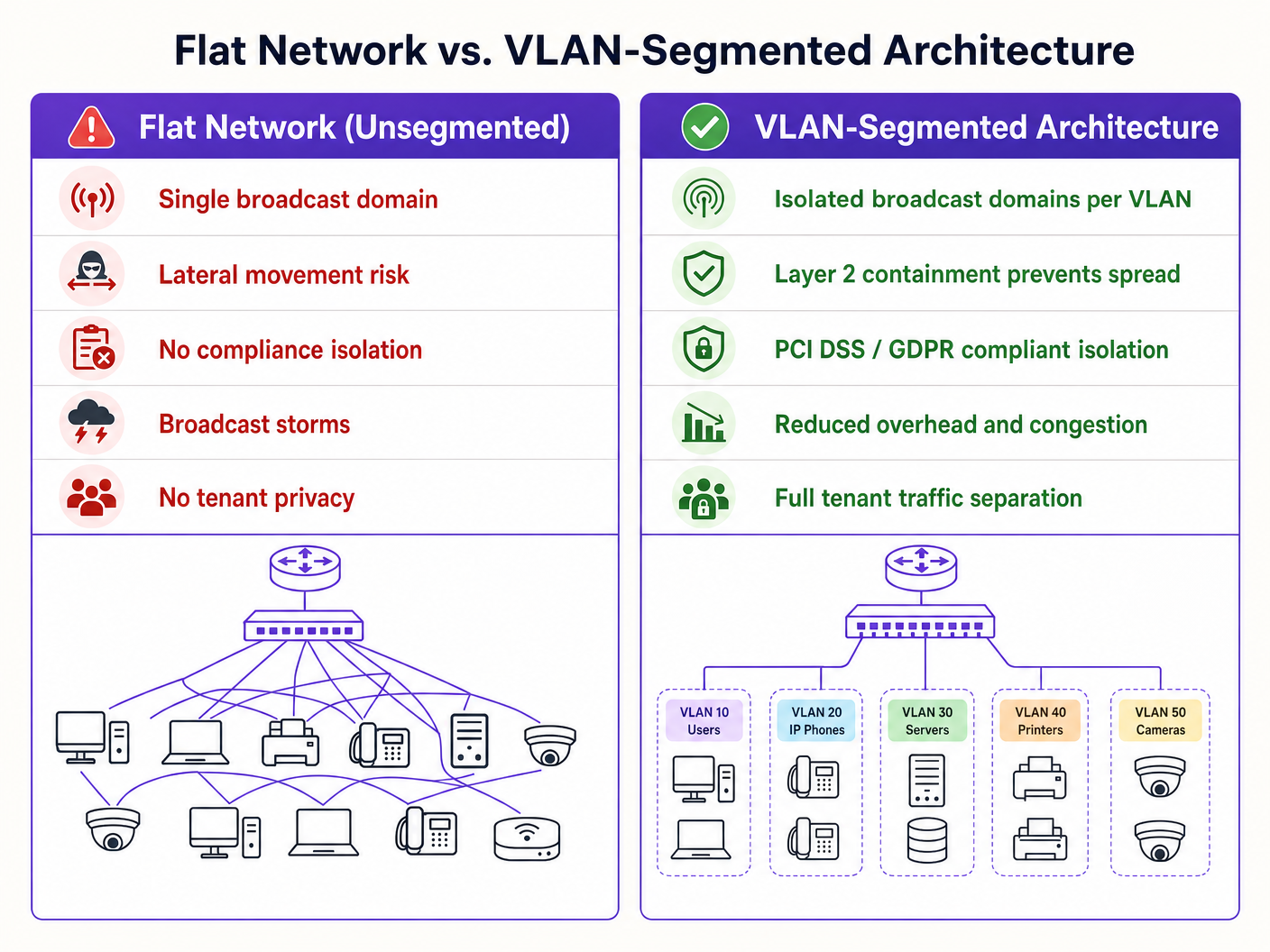
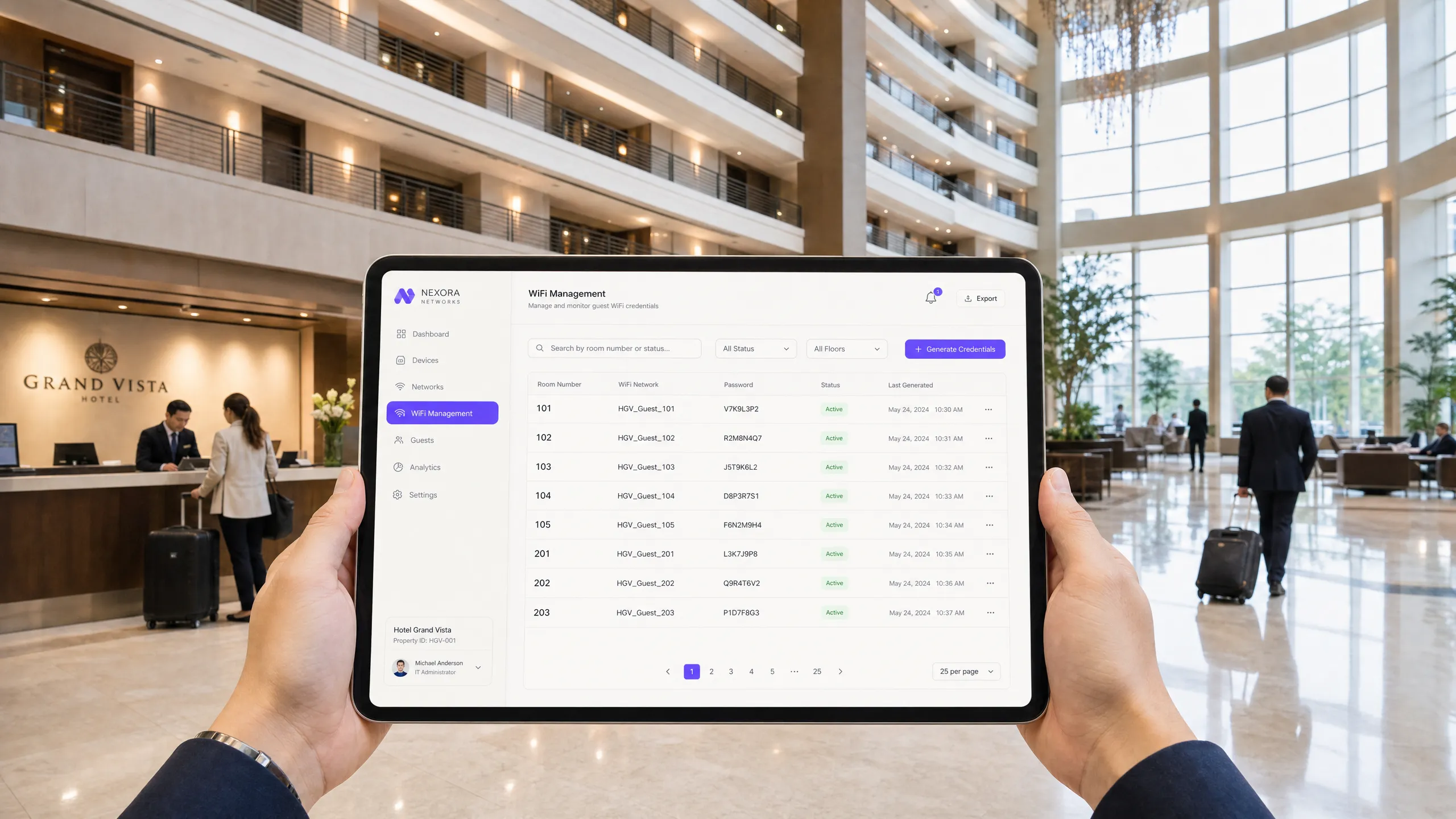
`Cisco-AVPair = "psk=your_key_here"` | SSID প্রতি ৫০,০০০ কী পর্যন্ত (প্ল্যাটফর্ম-নির্ভর) | এন্টারপ্রাইজ অফিস, মিশ্র-ডিভাইস কর্পোরেট ফ্লিট, [Retail](/industries/retail) পরিবেশ। | | **Aruba / HPE** | Multi-Pre-Shared Key (MPSK) | `Aruba-MPSK-Passphrase = "your_key_here"` | Aruba ClearPass পলিসি ইঞ্জিনের মাধ্যমে স্কেল করা হয় | উচ্চ-নিরাপত্তা এন্টারপ্রাইজ, বিশ্ববিদ্যালয়ের ডরমিটরি, [Healthcare](/industries/healthcare) সুবিধা। | | **Ruckus / CommScope** | Dynamic PSK (DPSK / DPSK3) | `Ruckus-DPSK = "your_key_here"` | কন্ট্রোলার প্রতি ১,০০,০০০ কী পর্যন্ত | [Hospitality](/industries/hospitality), উচ্চ-ঘনত্বের MDU, শিক্ষার্থীদের আবাসন। | | **Extreme Networks** | Private PSK (PPSK) | `Extreme-PPSK = "your_key_here"` | ExtremeCloud IQ-এর মাধ্যমে স্কেল করা হয় | [Transport](/industries/transport) হাব, মিউনিসিপ্যাল পাবলিক WiFi, স্কুল। | ### WPA2-DPSK vs. WPA3-DPSK3 WPA3-তে রূপান্তর **Simultaneous Authentication of Equals (SAE)** প্রবর্তন করে, যা দুর্বল WPA2 Pre-Shared Key 4-way হ্যান্ডশেককে প্রতিস্থাপন করে। WPA2-এর অধীনে, কোনো আক্রমণকারী হ্যান্ডশেক এক্সচেঞ্জকে বাধা দিলে অফলাইন ডিকশনারি অ্যাটাক একটি বড় হুমকি হয়ে দাঁড়ায়। WPA3-SAE ফরোয়ার্ড সিক্রেসি প্রদান করে এবং ব্রুট-ফোর্স প্রচেষ্টার বিরুদ্ধে সুরক্ষা দিয়ে এটিকে প্রশমিত করে। ভেন্ডররা DPSK-কে WPA3-এর সাথে খাপ খাইয়ে নিয়েছে **DPSK3** বা **iPSK3**-এর মতো নামে। একটি WPA3-DPSK3 পরিবেশে, অথেন্টিকেশন ফ্লো একই থাকে, তবে ওভার-দ্য-এয়ার ক্রিপ্টোগ্রাফিক এক্সচেঞ্জ SAE ব্যবহার করে। আধুনিক ক্রিপ্টোগ্রাফিক আক্রমণ থেকে রক্ষা করার জন্য নতুন ডেপ্লয়মেন্টের জন্য এটি অত্যন্ত সুপারিশ করা হয়, যদিও ভেন্যুটি যদি লেগ্যাসি IoT বা পুরানো গেস্ট ডিভাইস সমর্থন করে তবে ট্রানজিশন মোড (WPA2/WPA3) অবশ্যই সক্রিয় করতে হবে। ![architecture_overview.png](https://tfstmpunsngbqczbybwb.supabase.co/storage/v1/object/public/guide-assets/guides/dpsk-multi-tenant-security/architecture_overview.webp) ### Private Area Networks (PAN) and User Isolation মাল্টি-টেন্যান্ট পরিবেশে DPSK-এর মাধ্যমে সক্রিয় করা সবচেয়ে শক্তিশালী ফিচারগুলোর একটি হলো একটি **Private Area Network (PAN)** তৈরি করা। একটি প্রথাগত গেস্ট নেটওয়ার্কে, অতিথিরা যাতে একে অপরের ডিভাইসে আক্রমণ করতে না পারে সেজন্য গ্লোবাল স্তরে ক্লায়েন্ট আইসোলেশন সক্রিয় করা থাকে। এটি নিরাপদ হলেও, এটি বৈধ লোকাল যোগাযোগকে বাধা দেয়—যেমন কোনো অতিথি তার স্মার্টফোন থেকে তার রুমের Chromecast-এ Netflix কাস্ট করা, বা কোনো লোকাল ওয়্যারলেস প্রিন্টারে প্রিন্ট করা। DPSK কি-গুলোকে গ্রুপ করার মাধ্যমে এর সমাধান করে। একজন টেন্যান্টকে একটি একক DPSK প্রদান করা হয় যা তারা তাদের সমস্ত ব্যক্তিগত ডিভাইসে (স্মার্টফোন, ল্যাপটপ, ট্যাবলেট, স্মার্ট টিভি) ইনপুট করে। RADIUS সার্ভার এই ডিভাইসগুলোকে একই টেন্যান্ট ID-র সাথে যুক্ত করে। এরপর ওয়্যারলেস নেটওয়ার্ক **Group-Based Policy / Layer 2 Isolation** প্রয়োগ করে: - **গ্রুপের অভ্যন্তরে যোগাযোগের অনুমতি (Intra-Group Communication Allowed)**: একই DPSK শেয়ার করা (অথবা একই টেন্যান্ট ID-র সাথে যুক্ত) ডিভাইসগুলো ওভার-দ্য-এয়ারে একে অপরের সাথে অবাধে যোগাযোগ করতে পারে। স্মার্টফোনটি Chromecast-টিকে খুঁজে পেতে এবং তাতে কাস্ট করতে পারে। - **গ্রুপগুলোর মধ্যে আইসোলেশন প্রয়োগ (Inter-Group Isolation Enforced)**: বিভিন্ন টেন্যান্টের মধ্যকার ট্রাফিক Layer 2-তে কঠোরভাবে ব্লক করা হয়, যদিও তারা একই SSID এবং ফিজিক্যাল অ্যাক্সেস পয়েন্টে অবস্থান করে। রুম ১০১-এর অতিথি রুম ১০২-এর ডিভাইসগুলো দেখতে, অ্যাক্সেস করতে বা কাস্ট করতে পারবেন না। এটি একটি সত্যিকারের "বাড়ির বাইরেও বাড়ির মতো" অভিজ্ঞতা প্রদান করে, যা অতিথিদের হতাশা দূর করার পাশাপাশি টেন্যান্টদের মধ্যে পরম ক্রিপ্টোগ্রাফিক আইসোলেশন বজায় রাখে। --- ## ইমপ্লিমেন্টেশন গাইড বড় পরিসরে DPSK ডেপ্লয় করার জন্য একটি কাঠামোগত, পর্যায়ভিত্তিক পদ্ধতির প্রয়োজন। এই গাইডটি সিনিয়র নেটওয়ার্ক ইঞ্জিনিয়ারদের জন্য ডিজাইন করা একটি ভেন্ডর-নিরপেক্ষ ইমপ্লিমেন্টেশন ফ্রেমওয়ার্কের রূপরেখা প্রদান করে। ### পর্যায় ১: RF এবং SSID পরিকল্পনা DPSK কনফিগার করার আগে, আপনাকে অবশ্যই আপনার RF পরিবেশ অপ্টিমাইজ করতে হবে। একটি সাধারণ ভুল হলো খুব বেশি SSID বজায় রাখা, যা বিকন ওভারহেডের কারণে পারফরম্যান্স কমিয়ে দেয়। > **আর্কিটেকচারাল থাম্ব রুল**: আপনার ওয়্যারলেস পরিবেশকে সর্বোচ্চ তিনটি SSID-এর মধ্যে একত্রিত করুন। একটি মাল্টি-টেন্যান্ট হসপিটালিটি ভেন্যুর জন্য ডেপ্লয় করুন: > ১. `Venue-Guest` (সমস্ত গেস্ট, রেসিডেন্ট এবং IoT ডিভাইসের জন্য DPSK-সক্রিয়)। > ২. `Venue-Secure` (কর্পোরেট ম্যানেজড ডিভাইস, স্টাফ ল্যাপটপ এবং অ্যাডমিনিস্ট্রেটিভ সিস্টেমের জন্য 802.1X EAP-TLS)। > ৩. `Venue-Legacy` (স্ট্যান্ডার্ড WPA2-Personal, লুকানো, লেগ্যাসি অপারেশনাল হার্ডওয়্যারের মধ্যে সীমাবদ্ধ যা DPSK হ্যান্ডশেক সমর্থন করতে পারে না)। গেস্ট, রেসিডেন্ট এবং IoT ডিভাইসগুলোকে একটি একক DPSK SSID-এর মাধ্যমে রাউট করার মাধ্যমে, আপনি একাধিক SSID-এর ওভারহেড দূর করেন, যা মূল্যবান এয়ারটাইম খালি করে এবং সামগ্রিক থ্রুপুট উন্নত করে। ### পর্যায় ২: কোর নেটওয়ার্ক কনফিগারেশন (VLANs এবং সাবনেট) আপনার কোর সুইচ এবং ফায়ারওয়ালে প্রয়োজনীয় VLAN-গুলো কনফিগার করুন। উচ্চ-ঘনত্বের পরিবেশের জন্য DHCP স্কোপগুলো যথাযথভাবে সাইজ করা হয়েছে কিনা তা নিশ্চিত করুন। - **VLAN ১০ (গেস্ট / রেসিডেন্ট)**: টেন্যান্ট সংখ্যার ওপর ভিত্তি করে `/১৬` বা `/২০` সাবনেট। ক্লায়েন্ট আইসোলেশন DPSK PAN গ্রুপিংয়ের মাধ্যমে ডাইনামিকালি পরিচালনা করা হয়, তবে DHCP লিজের সময়কাল কম রাখা উচিত (যেমন, সাময়িক অতিথিদের জন্য ২ থেকে ৪ ঘণ্টা, দীর্ঘমেয়াদী বাসিন্দাদের জন্য ২৪ ঘণ্টা)। - **VLAN ২০ (স্টাফ / অপারেশনস)**: `/২৪` সাবনেট। কঠোরভাবে অভ্যন্তরীণ কর্পোরেট রিসোর্সে রাউট করা হয়। - **VLAN 30 (IoT / বিল্ডিং ম্যানেজমেন্ট)**: `/22` সাবনেট। স্মার্ট থার্মোস্ট্যাট, স্মার্ট লক এবং পরিবেশগত সেন্সরগুলির জন্য ভারী ফায়ারওয়ালযুক্ত, শুধুমাত্র ইন্টারনেট অ্যাক্সেস। - **VLAN 40 (PCI DSS / পেমেন্ট)**: `/24` সাবনেট। কঠোরভাবে বিচ্ছিন্ন; গেস্ট সাবনেটে কোনো রাউটিং নেই, ইন্টারনেট অ্যাক্সেস শুধুমাত্র পেমেন্ট গেটওয়ে এন্ডপয়েন্টেই সীমাবদ্ধ। ### ধাপ ৩: RADIUS এবং WLC কনফিগারেশন ১. **RADIUS সার্ভার কনফিগার করুন**: আপনার WLC/AP থেকে প্রমাণীকরণের অনুরোধগুলি গ্রহণ করতে আপনার RADIUS ইঞ্জিন (যেমন, Cisco ISE, Aruba ClearPass, বা Cloud RADIUS) সেট আপ করুন। ২. **MAC-Authentication Bypass (MAB) নির্ধারণ করুন**: MAC প্রমাণীকরণ ব্যবহার করতে WLC-তে SSID কনফিগার করুন। যখন কোনো ক্লায়েন্ট সংযুক্ত হয়, তখন WLC ক্লায়েন্টের MAC অ্যাড্রেস ব্যবহার করে RADIUS সার্ভারকে জিজ্ঞাসা করে। ৩. **Vendor-Specific Attributes (VSAs) কনফিগার করুন**: আপনার RADIUS পলিসিতে, অথরাইজেশন প্রোফাইলগুলি নির্ধারণ করুন। নিশ্চিত করুন যে প্রতিটি সফল MAC অনুসন্ধানের জন্য, RADIUS সার্ভার ক্লায়েন্টের অনন্য PSK এবং টার্গেট VLAN ধারণকারী সঠিক VSA ফেরত পাঠায়। ৪. **WPA2-Personal (DPSK/MAB সহ) সক্ষম করুন**: WLC-তে, SSID সিকিউরিটি WPA2-Personal (অথবা WPA3-SAE ট্রানজিশন) এ সেট করুন। SSID-তে "MAC ফিল্টারিং" বা "RADIUS প্রমাণীকরণ" অপশনটি সক্ষম করুন, যা PSK হ্যান্ডশেক সম্পন্ন করার আগে WLC-কে RADIUS অনুসন্ধান করতে বাধ্য করে। ### ধাপ ৪: API-চালিত লাইফসাইকেল অটোমেশন ম্যানুয়ালি হাজার হাজার অনন্য কী পরিচালনা করা কার্যক্ষমভাবে অসম্ভব। প্রকৃত ROI অর্জন করতে, আপনাকে অবশ্যই কী প্রভিশনিং, বিতরণ এবং প্রত্যাহার স্বয়ংক্রিয় করতে হবে। API-এর মাধ্যমে আপনার প্রপার্টি ম্যানেজমেন্ট সিস্টেম (PMS) বা ভাড়াটে ডেটাবেসের সাথে আপনার ওয়্যারলেস অবকাঠামোকে একীভূত করা অত্যন্ত গুরুত্বপূর্ণ। **Purple**-এর মতো প্ল্যাটফর্মগুলি অর্কেস্ট্রেশন লেয়ার হিসাবে কাজ করে, এই সম্পূর্ণ লাইফসাইকেলটিকে স্বয়ংক্রিয় করে: ``` +-------------+ +------------------+ +-----------------+ +--------------------+ | Tenant | Check | Property | API | Purple Cloud | API | Wireless LAN | | Arrives | In | Management (PMS) | Trigger| Orchestrator | Update | Controller (WLC) | +-----+-------+ -----> +--------+---------+ -----> +--------+--------+ -----> +---------+----------+ | | | | | | | ১. অনন্য কী তৈরি করুন | | | | ২. RADIUS রেকর্ড তৈরি করুন | | | +----------------------------+ | | | | | ৩. SMS-এর মাধ্যমে কী দিন |<---------------------------+ | |<-------------------------+ | | | | | | | ৪. ডিভাইস অ্যাসোসিয়েশন | | | +----------------------------------------------------------------------------------->+ | | | | | | | | | 5. Check Out Trigger | | | | ----------------------> +--------------------------->+ | | | | 6. Revoke Key / RADIUS | | | | 7. Disconnect Session | | | +--------------------------->+ ``` ১. **Check-In Trigger**: একজন অতিথি হোটেলে চেক-ইন করেন বা একজন ভাড়াটে তাদের লিজ চুক্তিতে স্বাক্ষর করেন। PMS একটি ওয়েবহুক ট্রিগার তৈরি করে। ২. **Key Generation**: Purple অর্কেস্ট্রেশন ইঞ্জিন ট্রিগারটি গ্রহণ করে, স্বয়ংক্রিয়ভাবে একটি ক্রিপ্টোগ্রাফিকভাবে সুরক্ষিত ২০-অক্ষরের র্যান্ডম কী তৈরি করে এবং RADIUS ডেটাবেসে একটি সংশ্লিষ্ট এন্ট্রি তৈরি করে যা ভাড়াটের প্রত্যাশিত MAC অ্যাড্রেস ম্যাপ করে (যদি আগে থেকে নিবন্ধিত থাকে) অথবা প্রথম যে ডিভাইসটি এটি উপস্থাপন করবে তার জন্য কীটি সংরক্ষণ করে। ৩. **Key Distribution**: অনন্য কীটি স্বয়ংক্রিয়ভাবে ভাড়াটের কাছে পৌঁছে দেওয়া হয়। এটি একটি স্বয়ংক্রিয় SMS, একটি সুরক্ষিত ইমেল লিঙ্ক বা ফ্রন্ট ডেস্কে সরাসরি ফিজিক্যাল কী কার্ড ফোল্ডারে প্রিন্ট করে পাঠানো যেতে পারে। ৪. **Onboarding**: ভাড়াটে তাদের ডিভাইসে কীটি প্রবেশ করান। ডিভাইসগুলি গতিশীলভাবে তাদের নিজস্ব প্রাইভেট VLAN সেগমেন্টে গ্রুপ করা হয়। ৫. **Check-Out Revocation**: চেক-আউট বা লিজের মেয়াদ শেষ হওয়ার পরে, PMS একটি চেক-আউট ট্রিগার পাঠায়। Purple ইঞ্জিন তাৎক্ষণিকভাবে RADIUS ডেটাবেস থেকে কীটি মুছে ফেলে এবং WLC-তে একটি Change of Authorization (CoA) ডিসকানেক্ট মেসেজ পাঠায়, যা অবিলম্বে ডিভাইস সেশনগুলি বন্ধ করে দেয়। কীটি নিষ্ক্রিয় করা হয়, যা নেটওয়ার্কের পরিধি সম্পূর্ণ সুরক্ষিত থাকা নিশ্চিত করে। --- ## সর্বোত্তম অনুশীলনসমূহ (Best Practices) উচ্চ কার্যক্ষমতা, নিরাপত্তা এবং কমপ্লায়েন্স নিশ্চিত করতে, নেটওয়ার্ক আর্কিটেক্টদের নিম্নলিখিত ইন্ডাস্ট্রি-স্ট্যান্ডার্ড সর্বোত্তম অনুশীলনগুলি মেনে চলা উচিত। ### ১. কী-এর জটিলতা এবং ক্রিপ্টোগ্রাফিক শক্তি (Key Complexity and Cryptographic Strength) ভাড়াটেদের কখনই তাদের নিজস্ব DPSK কী বেছে নিতে দেবেন না, কারণ তারা অনিবার্যভাবে দুর্বল, সহজেই অনুমান করা যায় এমন পাসওয়ার্ড ব্যবহার করবে। কীগুলি প্রোগ্রাম্যাটিকভাবে তৈরি করতে হবে। - **সর্বনিম্ন দৈর্ঘ্য**: ২০টি অক্ষর। - **অক্ষর সেট**: আলফানিউমেরিক (বড় হাতের অক্ষর, ছোট হাতের অক্ষর এবং সংখ্যা)। বিশেষ অক্ষরগুলি এড়িয়ে চলুন যা স্মার্ট টিভি বা গেমিং কন্ট্রোলারের মতো সীমিত-ইনপুট ডিভাইসে প্রবেশ করানো কঠিন হতে পারে। - **তৈরির পদ্ধতি**: ক্রিপ্টোগ্রাফিকভাবে সুরক্ষিত ছদ্ম-র্যান্ডম নম্বর জেনারেটর (CSPRNG), যা কোনো ধারাবাহিক বা অনুমানযোগ্য প্যাটার্ন না থাকা নিশ্চিত করে। ### ২. "ব্লাস্ট রেডিয়াস" হ্রাস করা (Mitigating the "Blast Radius") স্ট্যান্ডার্ড PSK-এর তুলনায় DPSK-এর প্রধান নিরাপত্তা সুবিধা হলো ক্রেডেনশিয়াল আপোস বা লিক হওয়ার ক্ষেত্রে "ব্লাস্ট রেডিয়াস" হ্রাস করা। যদি কোনো ভাড়াটে তাদের কী লিক করে দেয়, তবে কেবল তাদের নির্দিষ্ট নেটওয়ার্ক সেগমেন্ট (তাদের PAN) আপোস বা ক্ষতিগ্রস্ত হবে। - **ডিভাইসের সীমা প্রয়োগ করুন**: প্রতি DPSK কী-তে সর্বাধিক কতটি ডিভাইস একসাথে সংযুক্ত থাকতে পারবে তার একটি কঠোর সীমা নির্ধারণ করুন (সাধারণত হসপিটালিটি এবং MDU-এর জন্য ৪ থেকে ৬টি ডিভাইস)। এটি কোনো ভাড়াটিয়াকে তার কী পুরো ফ্লোর বা ব্লকের সাথে শেয়ার করা থেকে বিরত রাখে। - **ডায়নামিক ব্যান্ডউইথ চুক্তি**: প্রতি কী-তে ব্যান্ডউইথের সীমা প্রয়োগ করুন (যেমন, প্রতি ভাড়াটিয়ার জন্য ৫০ Mbps ডাউনলোড / ১০ Mbps আপলোড)। এটি নিশ্চিত করে যে উচ্চ-ব্যান্ডউইথের টরেন্ট চালানো বা একাধিক 4K ভিডিও স্ট্রিম করা কোনো একক ভাড়াটিয়া অন্য বাসিন্দাদের জন্য WAN লিঙ্কটি সম্পূর্ণ শেষ করে দিতে পারবে না। ### ৩. স্ট্যান্ডার্ড এবং কমপ্লায়েন্সের সাথে সামঞ্জস্য DPSK মোতায়েন করা কমপ্লায়েন্স অডিটিংকে উল্লেখযোগ্যভাবে সহজ করে তোলে, বিশেষ করে PCI DSS এবং GDPR-এর জন্য: - **PCI DSS প্রয়োজনীয়তা ১.২.১ এবং ২.১**: পেমেন্ট প্রসেসিং সিস্টেম (POS) অবশ্যই গেস্ট এবং সাধারণ অপারেশনাল ট্রাফিক থেকে বিচ্ছিন্ন রাখতে হবে [১]। DPSK একটি শেয়ার্ড SSID-এ POS টার্মিনালগুলোকে ডায়নামিকভাবে একটি ক্রিপ্টোগ্রাফিকভাবে বিচ্ছিন্ন VLAN-এ চালিত করার মাধ্যমে এটি অর্জন করে, যার ফলে একটি পৃথক ফিজিক্যাল নেটওয়ার্ক বা ডেডিকেটেড SSID মোতায়েন করার প্রয়োজনীয়তা দূর হয়। - **GDPR জবাবদিহিতার নীতি**: GDPR-এর অধীনে, অপারেটরদের অবশ্যই নেটওয়ার্ক অ্যাক্সেসের একটি অডিট ট্রেইল বজায় রাখতে হবে [২]। যেহেতু DPSK প্রতিটি সংযোগকে একটি অনন্য কী-এর সাথে—এবং ফলস্বরূপ একটি নির্দিষ্ট গেস্ট চেক-ইন বা ভাড়াটিয়ার রেকর্ডের সাথে ম্যাপ করে—এটি নেটওয়ার্ক অ্যাক্টিভিটি ট্র্যাক করার জন্য প্রয়োজনীয় সুনির্দিষ্ট, আইনগতভাবে গ্রহণযোগ্য অডিট ট্রেইল প্রদান করে, যা সাধারণ শেয়ার্ড PSK-তে সম্পূর্ণ অনুপস্থিত। ![comparison_chart.png](https://tfstmpunsngbqczbybwb.supabase.co/storage/v1/object/public/guide-assets/guides/dpsk-multi-tenant-security/comparison_chart.png) --- ## ট্রাবলশুটিং এবং ঝুঁকি প্রশমন যথাযথ পরিকল্পনা থাকা সত্ত্বেও, বড় আকারের DPSK মোতায়েনের ক্ষেত্রে প্রযুক্তিগত সমস্যার সম্মুখীন হতে হতে পারে। নিচে প্রধান ব্যর্থতার ধরণ এবং কার্যকর প্রশমন কৌশলগুলো দেওয়া হলো। ### ১. MAC অ্যাড্রেস র্যান্ডমাইজেশন পরিচালনা করা ব্যবহারকারীর গোপনীয়তা রক্ষা করতে আধুনিক মোবাইল অপারেটিং সিস্টেমগুলো—যার মধ্যে iOS ১৪+, Android ১০+, এবং Windows ১১ অন্তর্ভুক্ত—ডিফল্টরূপে MAC অ্যাড্রেস র্যান্ডমাইজেশন ব্যবহার করে। যেহেতু DPSK আর্কিটেকচারগুলো কী যাচাই করতে এবং পলিসি অ্যাসাইন করতে RADIUS ডেটাবেসে MAC অ্যাড্রেস অনুসন্ধানের ওপর নির্ভর করে, তাই র্যান্ডমাইজড MAC অ্যাড্রেসগুলো অথেন্টিকেশন ফ্লো ব্যাহত করতে পারে। **লক্ষণসমূহ**: একটি ডিভাইস একবার সফলভাবে অথেন্টিকেট হয়, কিন্তু ভেন্যুতে ফিরে আসার পর, এটি আবার পাসওয়ার্ডের জন্য অনুরোধ করে, অথবা সম্পূর্ণরূপে সংযোগ করতে ব্যর্থ হয় কারণ এর MAC অ্যাড্রেস পরিবর্তিত হয়েছে এবং RADIUS সার্ভার এটিকে একটি অজানা ডিভাইস হিসেবে বিবেচনা করে। **প্রশমন কৌশলসমূহ**: - **SSID-এ র্যান্ডমাইজেশন নিষ্ক্রিয় করুন**: আপনি আপনার ওয়্যারলেস নেটওয়ার্কটিকে এমনভাবে কনফিগার করতে পারেন যাতে এটি একটি 802.11 বীকন এলিমেন্ট পাঠায় যা ক্লায়েন্টদের সেই নির্দিষ্ট SSID-এর জন্য MAC র্যান্ডমাইজেশন নিষ্ক্রিয় করার অনুরোধ বা প্রয়োজনীয়তা জানায়। যদিও এটি ১০০% ডিভাইসে সমর্থিত নয়, তবে আধুনিক iOS এবং Android ডিভাইসগুলো সেই নেটওয়ার্কে সংযোগ করার সময় ব্যবহারকারীকে "Use Device MAC" ব্যবহার করার জন্য অনুরোধ জানাবে। - **Pre-Registration Portal**: একটি ব্যবহারকারী-বান্ধব Captive Portal বা রেজিস্ট্রেশন ওয়েব পেজ ইমপ্লিমেন্ট করুন (যা একটি সাময়িক ওপেন অনবোর্ডিং VLAN-এর মাধ্যমে অ্যাক্সেস করা যায়)। টেন্যান্ট যখন প্রথমবার রেজিস্টার করে, তখন তারা তাদের DPSK ইনপুট করে। পোর্টালটি তাদের সক্রিয় MAC অ্যাড্রেসটি (এমনকি র্যান্ডমাইজড হলেও) এক্সট্র্যাক্ট করে এবং তাদের থাকার মেয়াদের জন্য RADIUS ডেটাবেসে রেজিস্টার করে। - **Key-First Authentication**: আপনার ওয়্যারলেস কন্ট্রোলারটি যাতে "Key-First" অথেন্টিকেশন সাপোর্ট করে তা নিশ্চিত করুন, যেখানে WLC প্রথমে উপস্থাপিত PSK যাচাই করে এবং তারপর কানেক্ট হওয়া MAC অ্যাড্রেসটিকে ডাইনামিকভাবে সেই কী-এর সাথে রেজিস্টার করে, ডেটাবেসে MAC অ্যাড্রেসটি আগে থেকে রেজিস্টার করার প্রয়োজন হয় না। ### 2. RADIUS সার্ভার স্যাচুরেশন এবং লেটেন্সি স্টেডিয়াম বা বড় কনফারেন্স সেন্টারের মতো হাই-ডেনসিটি পরিবেশে, হাজার হাজার ডিভাইস একসাথে কানেক্ট করার চেষ্টা করতে পারে (যেমন, হাফ-টাইম বিরতি বা কোনো কিনোট ট্রানজিশনের সময়)। এটি RADIUS অথেন্টিকেশন রিকোয়েস্টে একটি বিশাল স্পাইক তৈরি করে। যদি আপনার RADIUS সার্ভারের রেসপন্স লেটেন্সি WLC-এর টাইমআউট থ্রেশহোল্ড (সাধারণত ২ থেকে ৫ সেকেন্ড) অতিক্রম করে, তবে WLC-এর কানেকশন ফেইল হবে, যার ফলে ব্যাপকভাবে কানেক্টিভিটি বিপর্যয় ঘটবে। **প্রশমন কৌশল (Mitigation Strategies)**: - **RADIUS ক্লাস্টার স্থাপন করুন**: একাধিক নোডের মধ্যে অথেন্টিকেশন ট্রাফিক ডিস্ট্রিবিউট করতে একটি লোড ব্যালেন্সারের সাথে অ্যাক্টিভ-অ্যাক্টিভ RADIUS ক্লাস্টারিং ব্যবহার করুন। - **ক্যাশ সেটিংস অপ্টিমাইজ করুন**: একটি নির্দিষ্ট সময়ের জন্য (যেমন, ১২ থেকে ২৪ ঘণ্টা) সফল RADIUS অথরাইজেশন স্থানীয়ভাবে ক্যাশ করার জন্য WLC কনফিগার করুন। যদি কোনো ডিভাইস অ্যাক্সেস পয়েন্টগুলোর মধ্যে রোম করে বা সাময়িকভাবে ডিসকানেক্ট হয়ে যায়, তবে WLC আবার RADIUS সার্ভারে কোয়েরি না করেই স্থানীয়ভাবে সেশনটি পুনরায় অথেন্টিকেট করতে পারে। - **টাইমআউট থ্রেশহোল্ড বৃদ্ধি করুন**: WLC-এর RADIUS টাইমআউট ৫ সেকেন্ডে অ্যাডজাস্ট করুন এবং একটি RADIUS সার্ভারকে ডেড হিসেবে চিহ্নিত করার আগে রিট্রান্সমিট প্রচেষ্টা ৩-এ সেট করুন। ### 3. হেডলেস এবং IoT ডিভাইসের হ্যান্ডশেক জটিলতা কিছু লেগ্যাসি বা কম খরচের IoT ডিভাইস (যেমন পুরোনো স্মার্ট প্লাগ, এনভায়রনমেন্টাল সেন্সর বা লেগ্যাসি স্মার্ট টিভি) নন-স্ট্যান্ডার্ড 802.11 প্রোটোকল ইমপ্লিমেন্টেশন সহ সস্তা ওয়্যারলেস চিপসেট ব্যবহার করে। এই ডিভাইসগুলো DPSK-এর জন্য প্রয়োজনীয় দ্রুত MAC-লুকআপ এবং কী-ভ্যালিডেশন সিকোয়েন্সের সাথে মানিয়ে নিতে সমস্যায় পড়তে পারে, যার ফলে হ্যান্ডশেক টাইমআউট হয়। **প্রশমন কৌশল (Mitigation Strategies)**: - **লেগ্যাসি ফলব্যাক SSID**: বিশেষ করে লেগ্যাসি অপারেশনাল ডিভাইসগুলোর জন্য যা DPSK সাপোর্ট করতে পারে না, একটি স্ট্যাটিক কী সহ স্ট্যান্ডার্ড WPA2-Personal ব্যবহার করে একটি হিডেন, অত্যন্ত সীমাবদ্ধ SSID বজায় রাখুন। - **WPA3 ট্রানজিশন মোড নিষ্ক্রিয় করুন**: লেগ্যাসি ডিভাইসগুলো কানেক্ট হতে ব্যর্থ হলে, SSID-তে WPA3 ট্রানজিশন মোড এনাবল করা আছে কিনা তা পরীক্ষা করুন। কিছু পুরোনো চিপসেট বিকন-এ WPA3 সক্ষমতা সনাক্ত করলে অ্যাসোসিয়েট হতে ব্যর্থ হয়, এমনকি তারা WPA2-এর মাধ্যমে কানেক্ট করার চেষ্টা করলেও। সেই নির্দিষ্ট SSID-তে WPA3 নিষ্ক্রিয় করা এবং এটিকে সম্পূর্ণ WPA2-Personal রাখা সমস্যার সমাধান করতে পারে। --- ## ROI এবং ব্যবসায়িক প্রভাব স্ট্যান্ডার্ড শেয়ার্ড PSK বা জটিল 802.1X সিস্টেম থেকে একটি DPSK-এনাবল্ড আর্কিটেকচারে রূপান্তর অপারেশনাল দক্ষতা, ঝুঁকি প্রশমন এবং গেস্ট স্যাটিসফ্যাকশন জুড়ে পরিমাপযোগ্য ব্যবসায়িক মূল্য প্রদান করে। ### অপারেশনাল খরচ হ্রাস একটি ৫০০ শয্যাবিশিষ্ট স্টুডেন্ট অ্যাকোমোডেশন ডেভেলপমেন্টের জন্য, টেন্যান্ট টার্নওভার একটি বিশাল অপারেশনাল ড্রাইভার। - **একটি Shared PSK মডেলের অধীনে**: নিরাপত্তা বজায় রাখতে প্রপার্টি ম্যানেজারদের প্রতি টার্মের শেষে পুরো বিল্ডিং-ব্যাপী পাসওয়ার্ড পরিবর্তন করতে হয়। এর ফলে গড়ে **প্রতি বাসিন্দার জন্য ১.৫টি সাপোর্ট টিকিট** তৈরি হয়, কারণ তারা তাদের বিভিন্ন ডিভাইস (ল্যাপটপ, ফোন, স্মার্ট টিভি, গেমিং কনসোল) পুনরায় কানেক্ট করতে সমস্যায় পড়েন। **প্রতি সাপোর্ট টিকিটে গড়ে £২৫** খরচ ধরে, পাসওয়ার্ড পরিবর্তনের কারণে অপারেটরের সরাসরি আইটি সাপোর্ট বাবদ **বছরে £১৮,৭৫০** খরচ হয়, সেই সাথে টেন্যান্টদেরও চরম অসন্তুষ্টির শিকার হতে হয়। - **একটি DPSK মডেলের অধীনে**: PMS ইন্টিগ্রেশনের মাধ্যমে কি (key) প্রোভিশনিং এবং রিভোকেশন সম্পূর্ণ স্বয়ংক্রিয়ভাবে সম্পন্ন হয়। যখন একজন শিক্ষার্থী চেক-আউট করেন, তখন কোনো ম্যানুয়াল হস্তক্ষেপ ছাড়াই তাৎক্ষণিকভাবে তাদের কি (key) বাতিল হয়ে যায়। পাসওয়ার্ড পরিবর্তন সংক্রান্ত সাপোর্ট টিকিট কমে **শূন্যে** নেমে আসে, যা সরাসরি বিনিয়োগের তাৎক্ষণিক রিটার্ন (ROI) প্রদান করে। ### ঝুঁকি হ্রাস এবং ইন্স্যুরেন্স প্রিমিয়ামের ওপর প্রভাব অসুরক্ষিত গেস্ট নেটওয়ার্ক বা শেয়ার্ড-পাসওয়ার্ড পরিবেশ একটি বড় ধরনের সাইবার সিকিউরিটি লায়াবিলিটি তৈরি করে। - **ডেটা ব্রিচ এক্সপোজার**: কোনো ক্ষতিকারক পক্ষ যদি একটি আনএনক্রিপ্টেড বা শেয়ার্ড-পাসওয়ার্ড নেটওয়ার্কে গেস্ট ডেটা ইন্টারসেপ্ট করে, তবে ভেন্যু অপারেটরকে GDPR-এর অধীনে বিশাল রেগুলেটরি জরিমানার (বিশ্বব্যাপী বার্ষিক টার্নওভারের ৪% পর্যন্ত) এবং মারাত্মক ব্র্যান্ড ড্যামেজের সম্মুখীন হতে হয়। - **সাইবার ইন্স্যুরেন্স সাশ্রয়**: ইন্স্যুরেন্স আন্ডাররাইটাররা সাইবার লায়াবিলিটি পলিসি ইস্যু করার আগে প্রতিষ্ঠানগুলোকে শক্তিশালী নেটওয়ার্ক সেগমেন্টেশন এবং ব্যক্তিগত ব্যবহারকারীর জবাবদিহিতা প্রদর্শনের জন্য ক্রমবর্ধমানভাবে তাগিদ দিচ্ছে। ডাইনামিক VLAN স্টিয়ারিং এবং প্রতি-ব্যবহারকারী এনক্রিপশন সহ DPSK ইমপ্লিমেন্ট করার মাধ্যমে অপারেটররা এই প্রয়োজনীয়তাগুলো পূরণ করতে পারেন, যার ফলে প্রায়শই **বার্ষিক সাইবার ইন্স্যুরেন্স প্রিমিয়ামে ১৫% থেকে ২৫% হ্রাস** ঘটে। ### গেস্ট স্যাটিসফ্যাকশন এবং ব্র্যান্ড লয়্যালটি হসপিটালিটি সেক্টরে, গেস্টদের রিভিউ WiFi কোয়ালিটির ওপর অত্যন্ত সংবেদনশীল। TripAdvisor এবং Booking.com-এর মতো প্ল্যাটফর্মগুলোতে হোটেলের নেতিবাচক রিভিউয়ের অন্যতম প্রধান কারণ হিসেবে প্রতিনিয়ত "খারাপ WiFi"-কে উল্লেখ করা হয়। - **Captive Portal-এর জটিলতা দূর করা**: Captive Portal যা বারবার টাইম আউট হয়ে যায় এবং গেস্টদের পুনরায় লগইন করতে বাধ্য করে, তা গেস্টদের অভিযোগের একটি অন্যতম প্রধান উৎস। DPSK এই জটিলতা সম্পূর্ণভাবে দূর করে। গেস্টরা চেক-ইনের সময় একবার লগইন করেন—ঠিক যেমনটা তারা বাড়িতে করেন—এবং পুরো প্রপার্টি জুড়ে তাদের সমস্ত ডিভাইসে নির্বিঘ্নে কানেক্টেড থাকেন। - **আধুনিক সুযোগ-সুবিধা প্রদান**: Private Area Networks সাপোর্ট করার মাধ্যমে, DPSK হোটেলগুলোকে আধুনিক এবং অত্যন্ত চাহিদাসম্পন্ন সুযোগ-সুবিধা অফার করার সুবিধা দেয়, যেমন নিরাপদ ইন-রুম কাস্টিং (Chromecast/Apple TV) এবং স্মার্ট রুম পার্সোনালাইজেশন, যা সরাসরি উচ্চতর গেস্ট স্যাটিসফ্যাকশন স্কোর, আরও ভালো রিভিউ এবং বর্ধিত ব্র্যান্ড লয়্যালটিতে রূপান্তরিত হয়। --- ## তথ্যসূত্র - [১] PCI Security Standards Council. *PCI DSS Version 4.0.1 Quick Reference Guide*. এখানে উপলব্ধ: [https://www.pcisecuritystandards.org/](https://www.pcisecuritystandards.org/) - [২] European Parliament and Council. *Regulation (EU) 2016/679 (General Data Protection Regulation)*. এখানে উপলব্ধ: [https://gdpr-info.eu/](https://gdpr-info.eu/) - [3] CommScope Ruckus. *Dynamic Pre-Shared Key (DPSK) Technology Brief*। এখানে উপলব্ধ: [https://www.ruckusnetworks.com/](https://www.ruckusnetworks.com/) - [4] Cisco Systems. *Identity PSK (iPSK) Deployment Guide*। এখানে উপলব্ধ: [https://www.cisco.com/](https://www.cisco.com/) - [5] Aruba Networks. *Multi-Pre-Shared Key (MPSK) Architecture and Configuration*। এখানে উপলব্ধ: [https://www.arubanetworks.com/](https://www.arubanetworks.com/) --- ### Why Your Captive Portal Isn't Loading on iPhone **Source:** https://www.purple.ai/en-gb/guides/why-captive-portal-isnt-loading-on-iphone **Summary:** An authoritative technical reference guide explaining why captive portals fail to load on iOS devices. It dives deep into Apple's Captive Network Assistant (CNA) daemon detection logic, identifies key iOS-specific interference factors like iCloud Private Relay and Private MAC addresses, and outlines comprehensive mitigation strategies for network engineers and venue operators. **Estimated read time:** 10 minutes **Word count:** 2,205 ![header_image.png](https://tfstmpunsngbqczbybwb.supabase.co/storage/v1/object/public/guide-assets/guides/why-captive-portal-isnt-loading-on-iphone/header_image.webp) ## Executive Summary For modern enterprise venues - spanning luxury hotels, large retail malls, municipal transport hubs and multi-purpose stadiums - guest wireless connectivity is no longer a luxury; it is a critical touchpoint for customer engagement, digital operations and revenue generation. Yet network administrators around the world face one persistent, high-friction support ticket: "Why won't my iPhone load the guest WiFi login screen?" When an Apple iOS device associates with an open SSID but fails to display the captive portal, the user is left "stranded" - connected to the local wireless network with a valid DHCP IP address, yet completely blocked from internet access. To a non-technical user, this means the network is "broken". For the business, that failure translates directly into elevated customer support costs, damaged brand trust, and missed opportunities to collect valuable first-party data. This technical reference guide provides network architects, CTOs and venue operations directors with an exhaustive, vendor-agnostic analysis of the iOS Captive Network Assistant (CNA) background process. We will take a deep dive into the precise background HTTP probing mechanism Apple devices use to detect captive networks, dissect the modern iOS privacy features that inadvertently block those probes (such as iCloud Private Relay, Private MAC addresses, on-device VPN profiles and custom DNS-over-HTTPS (DoH) configurations), and provide actionable, production-tested mitigation strategies. Finally, we will explain how [Purple's Guest WiFi](/guest-wifi) solution interacts flawlessly with Apple's CNA, ensuring a seamless login experience while maintaining robust network security. --- ## Technical Deep-Dive To solve captive portal loading issues on iOS, you must first understand that the iPhone does not "listen" for a redirect - it actively "hunts" for one. The entire mechanism is governed by a background system daemon called the **Captive Network Assistant (CNA)**, which operates independently of the standard Safari browser [1]. ### Apple's Detection Logic and Probing Mechanism The moment an iOS device completes the 802.11 association phase and obtains a local IP address via DHCP, the CNA helper daemon fires in the background. Before switching the device's primary internet routing interface from cellular data to WiFi, the operating system must verify that the wireless network offers unrestricted internet access [2]. To perform this check, the CNA daemon sends a simple HTTP GET request to a series of dedicated Apple success domains. The primary target URL is: `http://captive.apple.com/hotspot-detect.html` Additional secondary fallback domains include: * `http://www.apple.com/library/test/success.html` * `http://www.appleiphonescell.com/hotspot-detect.html` * `http://www.itools.info/hotspot-detect.html` * `http://www.ibook.info/hotspot-detect.html` The background HTTP probe is initiated with a highly specific system User-Agent string, typically structured as: `CaptiveNetworkSupport-355.200.27 wispr` The CNA daemon evaluates the HTTP response against two possible outcomes: 1. **Unrestricted internet (Success)**: If the DNS query resolves normally and the target web server returns an HTTP status code of **200 OK** with a body containing exactly the word `Success`, the operating system concludes the network is fully open. The device sets WiFi as the default routing interface, and no captive portal is displayed. 2. **Captive network detected (Interception)**: If the network infrastructure intercepts the HTTP request and returns anything other than the expected 200 OK "Success" payload - for example an HTTP status code of **302 Found**, **307 Temporary Redirect**, or an HTTP **200 OK** carrying a customised HTML login page - the operating system recognises that it is sitting behind a captive portal. Once the captive state is identified, iOS immediately launches the native **Websheet app** (the CNA mini-browser). This is a stripped-down, heavily restricted WebKit instance that presents the redirected login page as an interactive slide-up window, preventing the user from accessing other system apps or downloading external files until authentication is complete [1]. ![cna_detection_flow.png](https://tfstmpunsngbqczbybwb.supabase.co/storage/v1/object/public/guide-assets/guides/why-captive-portal-isnt-loading-on-iphone/cna_detection_flow.webp) ### Post-Authentication Probing (The "Done" Button Challenge) A critical architectural nuance of the CNA mini-browser is its reliance on post-authentication probing. As the user interacts with the login page - whether entering credentials, accepting terms or authenticating via social media - the CNA mini-browser does not close automatically. Instead, the WebKit page monitors all navigation activity. To determine whether the user has successfully completed the login flow, the CNA daemon performs a second HTTP probe to `http://captive.apple.com/hotspot-detect.html`, this time using a standard browser User-Agent: `Mozilla/5.0 (iPhone; CPU iPhone OS 18_0 like Mac OS X) AppleWebKit/605.1.15 (KHTML, like Gecko) Mobile/16A366` Only when this secondary probe returns a clean **200 OK "Success"** payload does the CNA mini-browser change the button in the top-right corner from "Cancel" to "Done". If a network engineer redirects the user to a post-authentication landing page without allowing the background probe to reach Apple's success servers, that button remains stuck on "Cancel". Tapping "Cancel" immediately disassociates the iPhone from the WiFi network, frustrating the user and dropping the connection [2]. --- ## iOS-Specific Interference Factors While Apple's CNA mechanism is elegant in theory, modern iOS privacy and security enhancements frequently interfere with the background HTTP probe, preventing the Websheet from ever triggering. ![ios_interference_factors.png](https://tfstmpunsngbqczbybwb.supabase.co/storage/v1/object/public/guide-assets/guides/why-captive-portal-isnt-loading-on-iphone/ios_interference_factors.webp) ### 1. iCloud Private Relay Introduced in iOS 15, **iCloud Private Relay** is a dual-hop proxy architecture designed to encrypt and mask a user's web browsing traffic in Safari [3]. * **The conflict**: When Private Relay is enabled, DNS queries and HTTP traffic are encapsulated and tunnelled through secure egress proxies. Because the local network controller cannot intercept these encrypted packets, it cannot inject an HTTP 302/307 redirect. The iPhone's background probe fails silently, and the device displays a "No Internet Connection" warning beneath the SSID without ever popping the captive portal page. ### 2. Private MAC Addresses and Rotating Identifiers By default, iOS randomises the device's Media Access Control (MAC) address on a per-SSID basis to prevent cross-venue tracking [4]. * **The conflict**: With iOS 18, Apple introduced **rotating private WiFi addresses**, which periodically rotate the MAC address even while connected to the same SSID. If the captive portal's session state table tracks authenticated guests solely by MAC address, a sudden MAC rotation causes the network controller to treat that iPhone as a brand-new, unauthenticated device. The user is silently disconnected and asked to log in again, severely disrupting session continuity. ### 3. Encrypted DNS Profiles (DoH/DoT) Many technically minded professionals install custom profiles (such as **NextDNS**, **AdGuard** or Cloudflare 1.1.1.1) that enforce DNS-over-HTTPS (DoH) or DNS-over-TLS (DoT) at the operating-system level. * **The conflict**: These profiles force the iPhone to bypass the local DNS servers supplied in the DHCP lease, routing all DNS queries to public resolvers over encrypted HTTPS connections. Because the local network gateway cannot intercept or spoof these encrypted DNS queries, it cannot return a redirect IP for `captive.apple.com`. The query fails or times out, blocking the CNA from triggering. ### 4. On-Device VPN Profiles Enterprise MDM profiles and personal VPNs (Virtual Private Networks) commonly employ "On Demand" or "Always On" configurations. * **The conflict**: The instant the WiFi interface obtains an IP address, the VPN client attempts to establish an encrypted tunnel. If the VPN tunnel comes up before the CNA daemon completes its HTTP probe, all traffic is routed securely to the VPN gateway, bypassing local interception entirely. If the VPN client cannot connect because the captive portal's firewall blocks it, it holds back all other network traffic, leaving the device deadlocked - neither the VPN nor the captive portal can load. --- ## Implementation and Mitigation Guide To guarantee a 100% reliable captive portal trigger rate for iOS devices, network engineers must design their wireless LAN controllers (WLCs) and firewalls to accommodate Apple's specific detection logic. ### Walled Garden (Pre-Authentication ACL) Design The most common engineering mistake is a misconfigured **Walled Garden** (the access control list of domains reachable before authentication). * **The rule**: Apple's success domains (such as `captive.apple.com`) must **never** be whitelisted in the walled garden. If you whitelist `captive.apple.com`, the iPhone's pre-authentication HTTP probe will successfully reach Apple's servers and receive a 200 OK "Success" response. The device will conclude it has full internet access, bypass the CNA Websheet entirely, and then fail to load any real website when the user opens Safari. * **The exceptions**: You must, however, whitelist the specific domains required to render the portal page - such as your hosted portal domain, CDN-hosted CSS/JS assets, and external identity providers (for example Google, Facebook or Apple ID login endpoints). ### Step-by-Step WLC Configuration (Cisco Catalyst / Meraki Example) When deploying guest wireless on Cisco Catalyst or Meraki APs [5], follow this architectural framework: | Step | Action | Technical Purpose | | :--- | :--- | :--- | | **1** | Configure an Open SSID with MAC filtering disabled | Allows immediate association and DHCP IP assignment without initial 802.1X blocking. | | **2** | Configure a redirect ACL to intercept Port 80 | Intercepts plain HTTP traffic and redirects it to the Purple portal URL (`https://portal.purple.ai/...`). | | **3** | Set DNS servers to the local gateway | Ensures DNS queries for `captive.apple.com` are resolved by the local controller, enabling the redirect. | | **4** | Exclude Apple success domains from the walled garden | Guarantees the background HTTP probe is intercepted, triggering the iOS CNA Websheet. | | **5** | Enable "CNA Bypass" or "Captive Portal Bypass" | For advanced deployments, the WLC can be configured to spoof a 200 OK response to the initial probe, forcing users to open Safari manually rather than using the restricted Websheet. | --- ## Best Practices and Industry Standards Managing guest wireless at scale requires adherence to modern networking standards and regulatory compliance frameworks. * **Transition to WPA3-Personal (OWE)**: Legacy guest portals run on fully open, unencrypted SSIDs, exposing users to eavesdropping. Enterprise networks should transition to **Opportunistic Wireless Encryption (OWE)** (the IEEE 802.11aq standard) to deliver individualised data encryption without requiring a password [6]. * **PCI DSS and GDPR compliance**: Guest portals must segregate guest traffic from corporate and cardholder data environments (CDE) to maintain PCI DSS compliance. Furthermore, when capturing first-party data, the portal must present clear, GDPR-compliant consent checkboxes - all of which can be managed seamlessly through a [WiFi Analytics](/guest-wifi-marketing-analytics-platform) platform. * **Integrate Passpoint (Hotspot 2.0)**: To eliminate captive portal friction altogether, venues should deploy **Passpoint (Hotspot 2.0)**. Passpoint uses cellular-style roaming technology to authenticate iOS devices securely and automatically via a pre-installed profile, bypassing the CNA entirely while encrypting all over-the-air traffic. --- ## Troubleshooting and Risk Mitigation When end users hit a failure, venue support staff and network administrators can work through the following structured troubleshooting paths: ### End-User Self-Remediation Path 1. **Disable iCloud Private Relay**: Go to `Settings > Wi-Fi`, tap the blue `(i)` icon next to the guest SSID, and switch off **Limit IP Address Tracking** [3]. 2. **Disable Private MAC Address**: In the same WiFi settings menu, switch off **Private Wi-Fi Address** to prevent MAC rotation issues [4]. 3. **Force the trigger via Safari**: Open Safari and enter a non-secure HTTP URL in the address bar. The industry standard is: `neverssl.com` Because this domain never uses HTTPS, the network controller is guaranteed to intercept the port 80 request and successfully redirect the user to the portal. 4. **Temporarily reset DNS**: If a custom DNS profile is installed, go to `Settings > Wi-Fi > [SSID] > Configure DNS`, switch from Manual to **Automatic**, and reconnect. ### Network Engineer Diagnostic Path ``` [ iPhone connects to guest SSID ] | v [ DHCP IP obtained? ] / (No) (Yes) / [ Check DHCP pool range ] v [ Does DNS resolve? ] / (No) (Yes) / [ Check DNS server ACL ] v [ Is captive.apple.com whitelisted? ] / (Yes) (No) / [ REMOVE from Walled Garden ] v [ Intercept Port 80 Redirects? ] / (No) (Yes) / [ Check WLC Redirect Rules ] [ CNA Websheet Triggers ] ``` --- ## ROI and Business Impact Optimising the iOS guest WiFi onboarding experience has a direct, measurable impact on venue operations and business performance. ### Hospitality Case Study: Five-Star Resort Group * **Challenge**: A luxury hotel group with 12 properties suffered a guest WiFi connection failure rate of 35%, driving more than 450 front-desk complaints per week. * **Implementation**: The IT team restructured its walled garden, disabled MAC-based session tracking, and deployed [Purple's Guest WiFi](/guest-wifi) solution with optimised CNA handling. * **Results**: Front-desk WiFi-related complaints fell by **92%** within 30 days. Customer satisfaction (CSAT) scores rose by **18 points**, and the venue captured 40,000 newly verified email addresses in the first quarter. ### Retail Case Study: National Shopping Centre Operator * **Challenge**: A retail operator with 45 shopping centres struggled to drive visitor engagement because iCloud Private Relay prevented the captive portal from loading on 40% of iOS devices. * **Implementation**: Implemented network-level Private Relay blocking (returning NXDOMAIN for Apple's relay domains to force local routing) and deployed [WiFi Analytics](/guest-wifi-marketing-analytics-platform). * **Results**: Portal completion rates jumped from **58% to 94%**. The marketing team monetised the recovered portal inventory with localised retail media campaigns, generating an additional **$120,000 in advertising revenue per quarter**. --- ## References * [1] *Apple Developer Documentation: Captive Network Assistant Framework*, Apple Inc. [https://developer.apple.com/documentation/captivenetwork](https://developer.apple.com/documentation/captivenetwork) * [2] *Wireless Broadband Alliance: Captive Network Portal Standards*, WBA. [https://wballiance.com/captive-network-portal-standards/](https://wballiance.com/captive-network-portal-standards/) * [3] *Apple Support: About iCloud Private Relay*, Apple Inc. [https://support.apple.com/en-us/102022](https://support.apple.com/en-us/102022) * [4] *Apple Support: Use private Wi-Fi addresses on iPhone*, Apple Inc. [https://support.apple.com/en-us/102554](https://support.apple.com/en-us/102554) * [5] *Cisco Wireless APs: 2026 Product and Deployment Guide*, Purple Blog. [/blog/cisco-wireless-ap] * [6] *WiFi in Schools: The 2026 Administrator and IT Guide*, Purple Blog. [/blog/wifi-in-schools] --- ## Related Resources For teams deploying enterprise-grade guest wireless, these related resources provide deeper technical context: - [How to Implement 802.1X Authentication with Cloud RADIUS](/guides/implementing-8021x-with-cloud-radius) — For venues requiring enterprise-grade authentication beyond the captive portal. - [The 10 Best Network Access Control (NAC) Solutions in 2026](/blog/best-network-access-control) — A vendor comparison for access control enforcement. - [Cisco Wireless APs: 2026 Product and Deployment Guide](/blog/cisco-wireless-ap) — A hardware selection guide for enterprise deployments. - [WiFi in Schools: The 2026 Administrator and IT Guide](/blog/wifi-in-schools) — Guidance for public-sector network deployments. Purple's [Guest WiFi](/guest-wifi) platform serves [hospitality](/industries/hospitality), [retail](/industries/retail), [healthcare](/industries/healthcare) and [transport](/industries/transport) venues worldwide, delivering CNA-optimised guest login experiences at scale. --- ### Custom Captive Portal: HTML and CSS Guide **Source:** https://www.purple.ai/en-gb/guides/custom-captive-portal-html-css-guide **Summary:** This authoritative technical reference guide outlines the development standards, CSS architecture, and network-level constraints required to design and code a custom captive portal landing page. It provides frontend developers and network architects with actionable strategies to navigate Apple CNA and Android webview environments, ensuring pixel-perfect, compliant, and highly performant guest WiFi experiences. **Estimated read time:** 11 minutes **Word count:** 3,190 ![header_image.png](https://tfstmpunsngbqczbybwb.supabase.co/storage/v1/object/public/guide-assets/guides/custom-captive-portal-html-css-guide/header_image.webp) ## Executive Summary For enterprise venues—ranging from luxury hotels [Hospitality](/industries/hospitality) and retail chains [Retail](/industries/retail) to transit hubs [Transport](/industries/transport) and modern medical campuses [Healthcare](/industries/healthcare)—the guest WiFi splash page is the digital front door. However, over 90% of guest WiFi logins occur on mobile devices, where rendering is governed not by standard browsers like Safari or Chrome, but by highly restricted Captive Network Assistant (CNA) webviews [1]. These "mini-browsers" enforce severe sandbox limitations: they block external CDNs, disable persistent cookies, ignore external web fonts, and severely restrict JavaScript execution to mitigate security risks and prevent session hijacking [2]. When a developer designs a splash page using traditional web standards, these constraints result in broken layouts, missing brand assets, and non-functional login buttons, directly impacting customer satisfaction and digital engagement. This guide provides solutions to these challenges, presenting defensive coding practices—such as inline CSS, Base64 asset encoding, system font stacks, and explicit navigation-driven authentication handshakes—to ensure seamless cross-platform rendering. Furthermore, we examine how utilising a managed solution like Purple's portal builder allows developers to maintain complete HTML/CSS creative control while offloading RADIUS authentication, database scaling, GDPR/PCI compliance, and multi-vendor AP integrations [3]. ## Technical Deep-Dive To build a resilient custom captive portal, developers must understand the network-level interception and browser virtualisation that occurs when a guest associates with an open Service Set Identifier (SSID). ### The Captive Portal Lifecycle When a client device associates with a captive SSID, the following sequence is triggered: 1. **IP Association**: The device completes a 3-way handshake and requests an IP address via DHCP. 2. **Active Connectivity Probe**: The operating system's background network manager immediately sends an HTTP GET request to a dedicated vendor-neutral canary URL (e.g., Apple's `http://captive.apple.com/hotspot-detect.html` or Google's `http://connectivitycheck.gstatic.com/generate_204`) [1]. 3. **DNS/HTTP Interception**: The local Wireless LAN Controller (WLC) or Access Point (AP) intercepts this port 80 HTTP request. Instead of returning the expected HTTP 200 or 204 status, the gateway redirects the client's traffic to the captive portal's landing page URL via an HTTP 302 redirect [2]. 4. **Webview Spawning**: Detecting the redirect, the OS spawns its native Captive Network Assistant (CNA) mini-browser to display the redirected splash page, bypassing the need for the user to manually open a full browser. 5. **Authentication and State Transition**: The user completes the login form, submitting credentials back to the portal server, which instructs the gateway (often via a RADIUS Access-Accept or external API call) to authorise the MAC address. 6. **CNA Exit Handshake**: The CNA mini-browser performs another HTTP GET to its canary URL. If it receives the expected 200/204 response, it changes its top-right button from "Cancel" to "Done" and establishes the WiFi connection as the primary network interface. ### Platform-Specific Mini-Browser Constraints Each operating system handles this lifecycle within different webview environments, resulting in highly fragmented behaviour. The table below details these critical constraints: | Platform / Webview | Display Method | Persistent Cookies | External Web Fonts | JavaScript Execution | Window Dimensions | Exit Handshake Trigger | | :--- | :--- | :--- | :--- | :--- | :--- | :--- | | **Apple iOS CNA** (Websheet) | Mini-Browser Popup | **Blocked** (Destroyed on close) | **Blocked** (Offline) | **Limited** (No localStorage/sessionStorage) | Responsive (Device-width) | **Full-page HTTP Redirect Only** [1] | | **Apple macOS CNA** (Captive Network Assistant) | Mini-Browser Popup | **Blocked** | **Blocked** | **Limited** (No alert/confirm dialogs) | **Fixed** (900px x 572px) | **Full-page HTTP Redirect Only** | | **Android (Google)** (CaptivePortalLogin) | Push Notification -> Chrome Custom Tab | **Allowed** (Shared with Chrome) | **Allowed** (If whitelisted in walled garden) | **Full** | Responsive | Automatic (Captive Portal API / 204 Check) [2] | | **Samsung Android** (Samsung Internet) | Push Notification -> Mini-Browser | **Allowed** | **Allowed** | **Full** | Responsive | Automatic | | **Windows 10/11** (Default Browser) | Auto-Launch Default Browser | **Allowed** (Full browser context) | **Allowed** | **Full** | Responsive | Manual / Automatic | ![cna_constraints_comparison.png](https://tfstmpunsngbqczbybwb.supabase.co/storage/v1/object/public/guide-assets/guides/custom-captive-portal-html-css-guide/cna_constraints_comparison.webp) ### Coding Around the Apple CNA "Done" Button Trap One of the most frequent failure modes in custom portal development is the **"Done" Button Trap** on iOS devices. When a user authenticates, the iOS Websheet webview must detect that the network is no longer captive. It does this by monitoring the success of its background canary requests. Crucially, **the iOS CNA will only trigger this check upon a full-page HTTP navigation (location redirect)**. If a developer builds a modern Single Page Application (SPA) that submits form data via an asynchronous AJAX call (e.g., `fetch()` or `Axios`) and updates the DOM dynamically without changing the URL, the CNA will *never* re-run its connectivity check. The user will be authenticated at the gateway level, but the CNA button in the top-right corner will remain as "Cancel". If the frustrated user clicks "Cancel", the iOS device will immediately disassociate from the SSID, terminating the WiFi session [1]. To prevent this, the authentication success handler *must* perform a full-page redirect to a physical landing page (e.g., `window.location.href = '/success'`) or submit the login form natively via a standard HTTP POST action. ## Implementation Guide To ensure consistent rendering across all platforms, developers must transition from modern, asset-heavy web design to a highly self-contained, defensive coding style. ### The Golden Rule: Design for Zero Internet Connectivity During the captive state, the client device has **no access to the wider internet**. It can only resolve and access IP addresses and domains explicitly whitelisted in the wireless controller's **Walled Garden** (such as the IP of the captive portal server itself). Therefore, any external asset referenced in your HTML will fail to load, resulting in a broken layout. To design defensively, implement the following **Mobile-First Captive Portal Design Checklist**: ![mobile_first_checklist.png](https://tfstmpunsngbqczbybwb.supabase.co/storage/v1/object/public/guide-assets/guides/custom-captive-portal-html-css-guide/mobile_first_checklist.webp) ### 1. Viewport Configuration To prevent mobile devices from scaling down the viewport to a desktop width (typically 980px), the HTML `` must include a responsive viewport meta tag. Without this, text and input fields will appear microscopic on mobile devices: ```html ``` ### 2. Inlining CSS and Removing External Dependencies Never link to external CSS files or CDNs (e.g., Bootstrap, Tailwind, or Google Fonts). All CSS must be embedded within a `
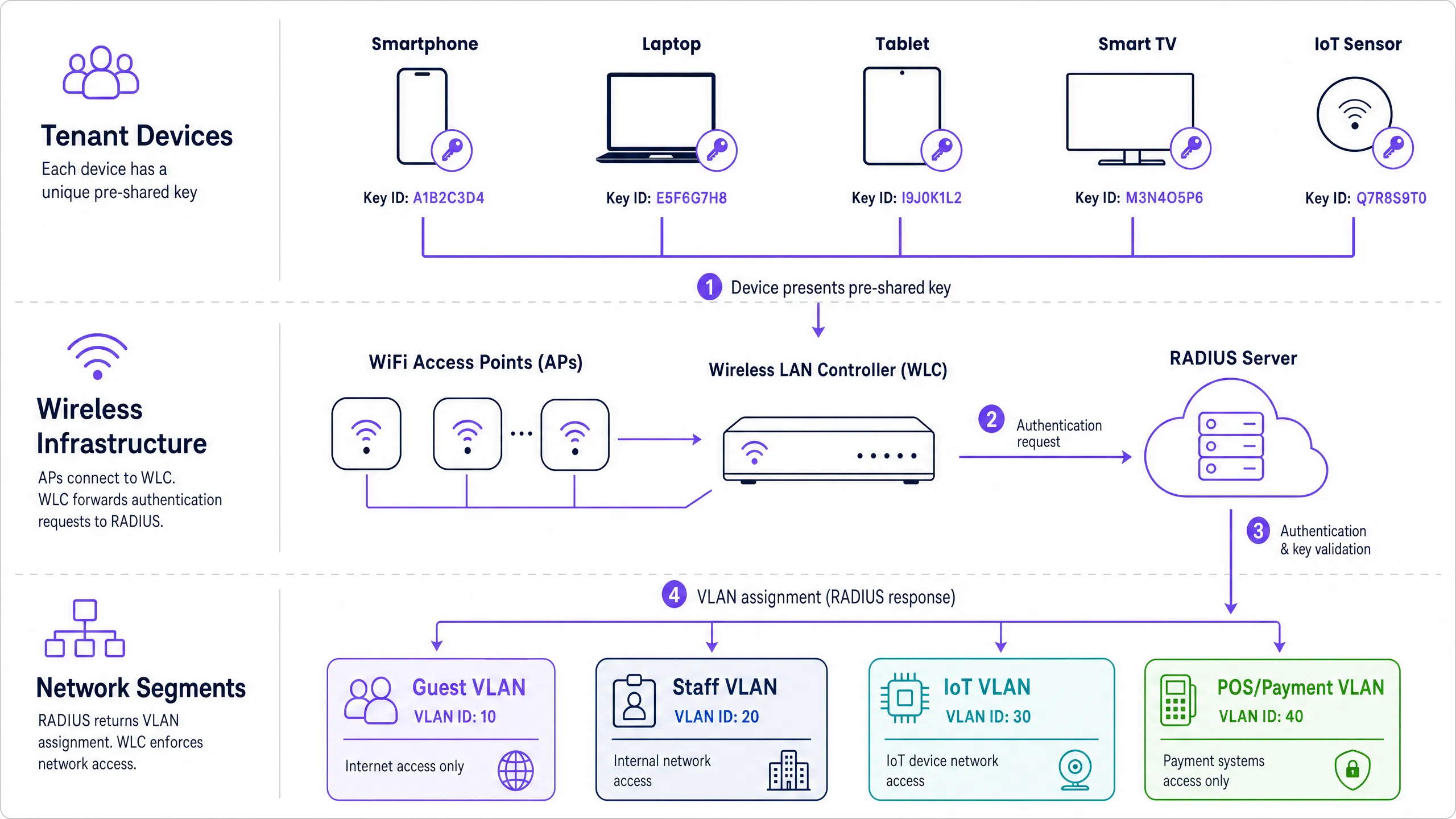
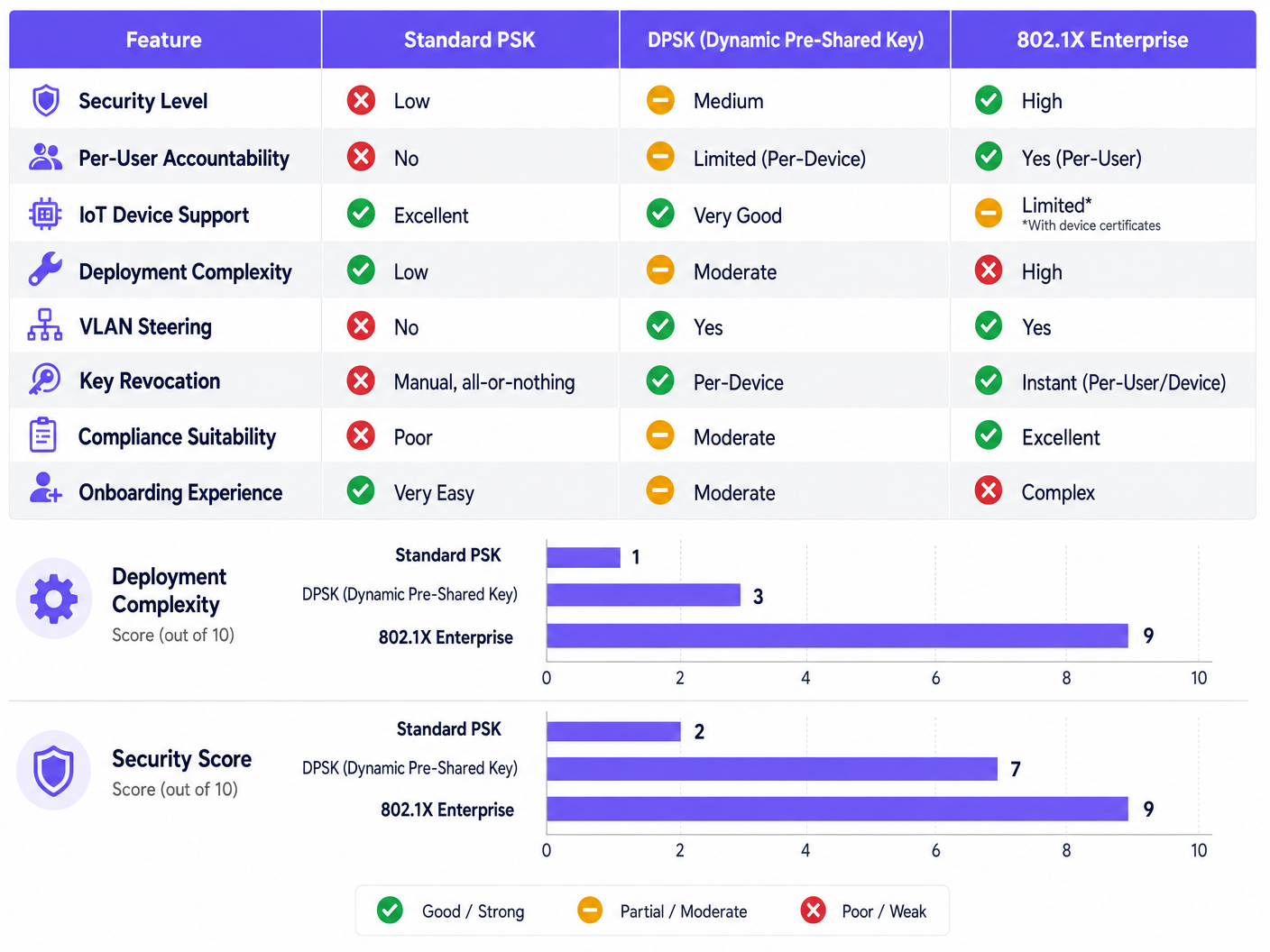
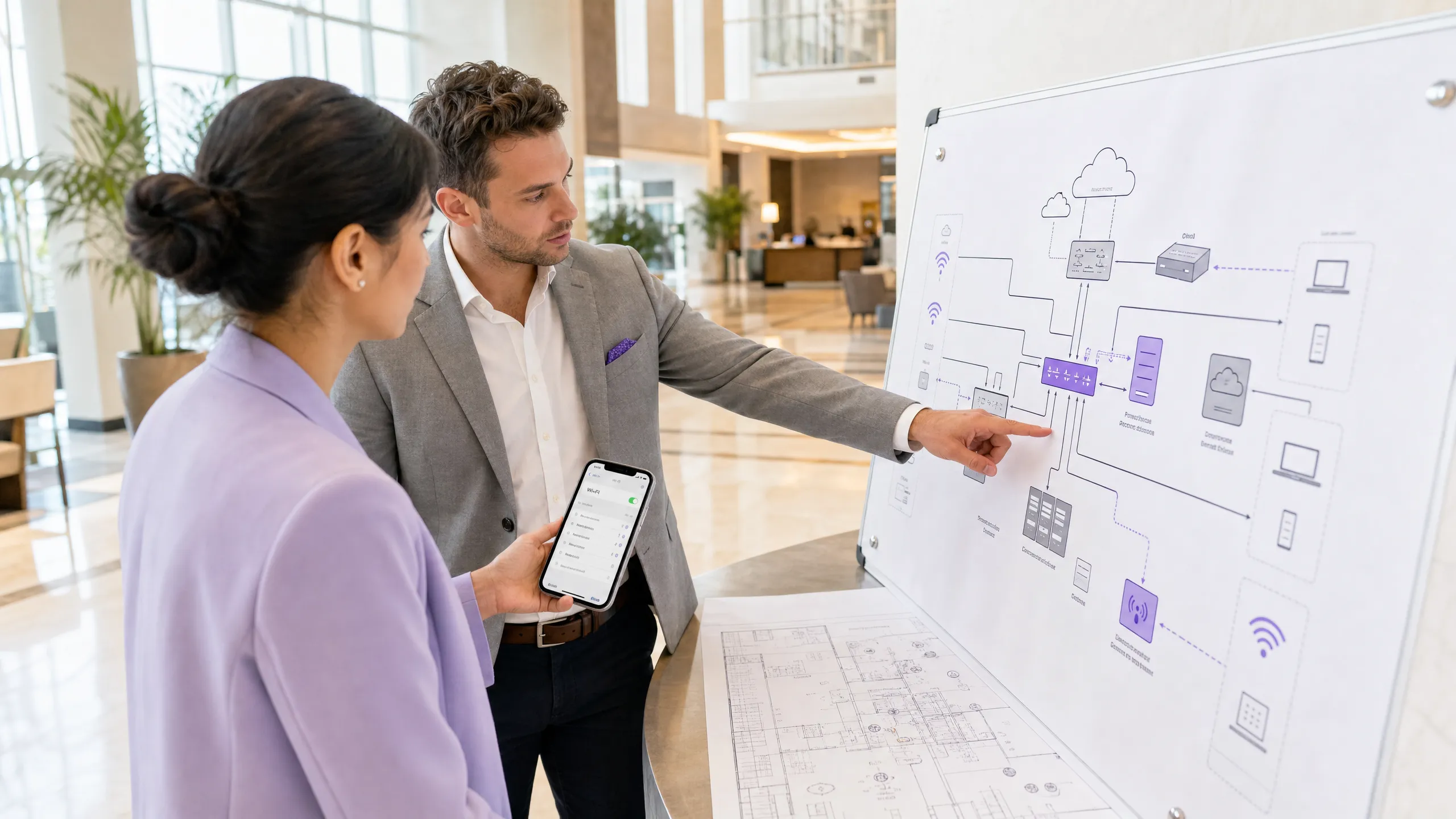
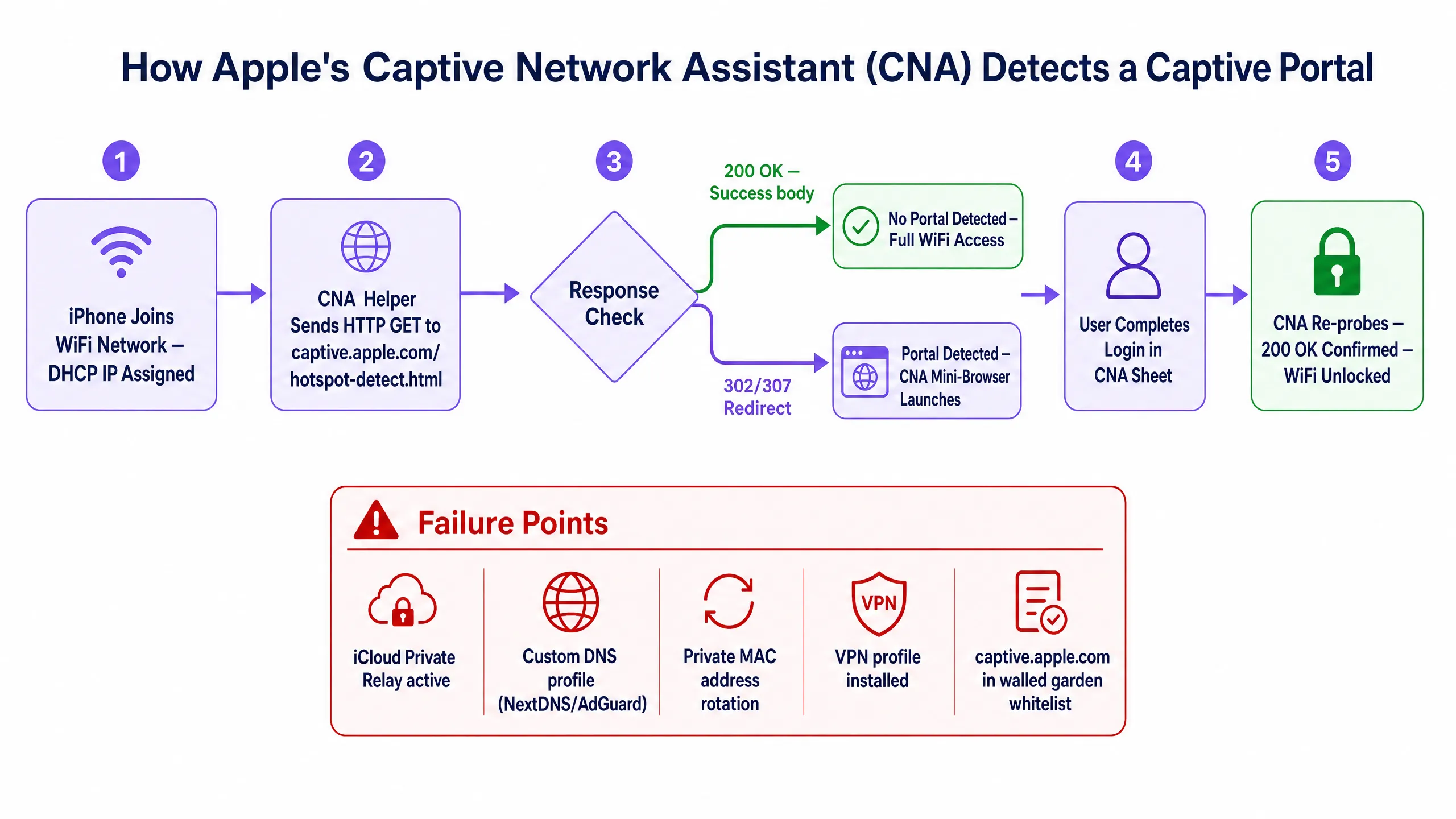
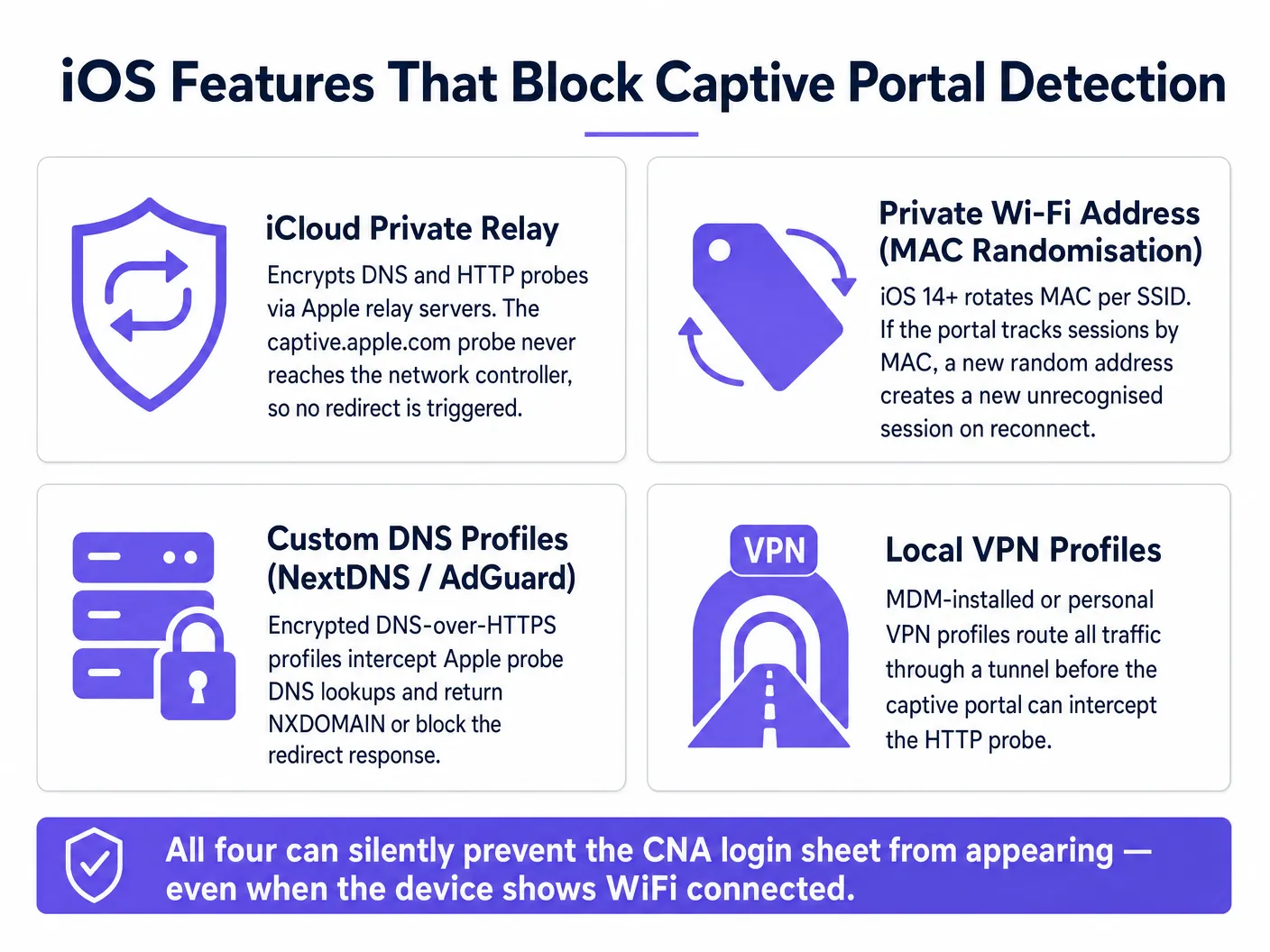
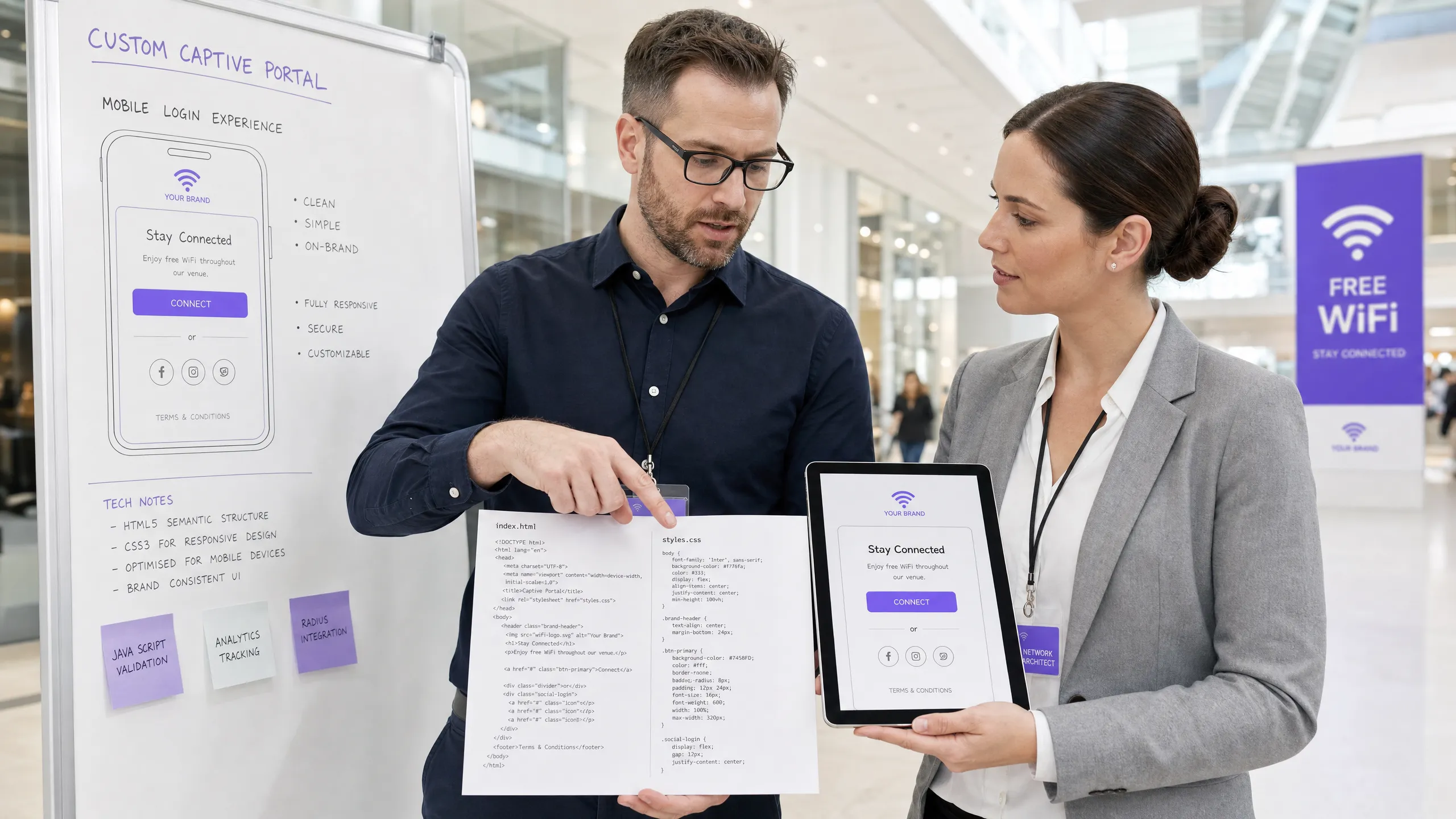
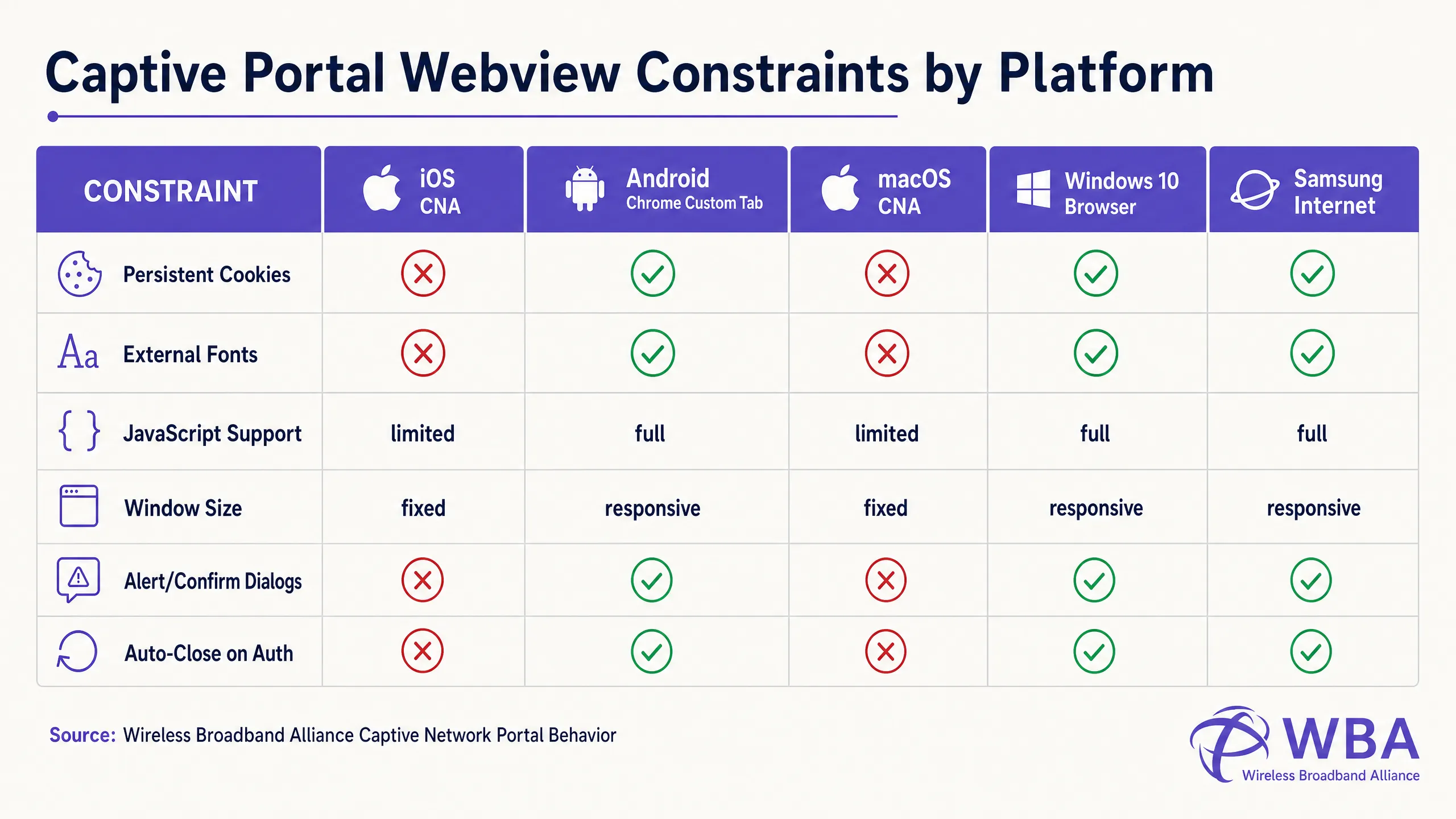
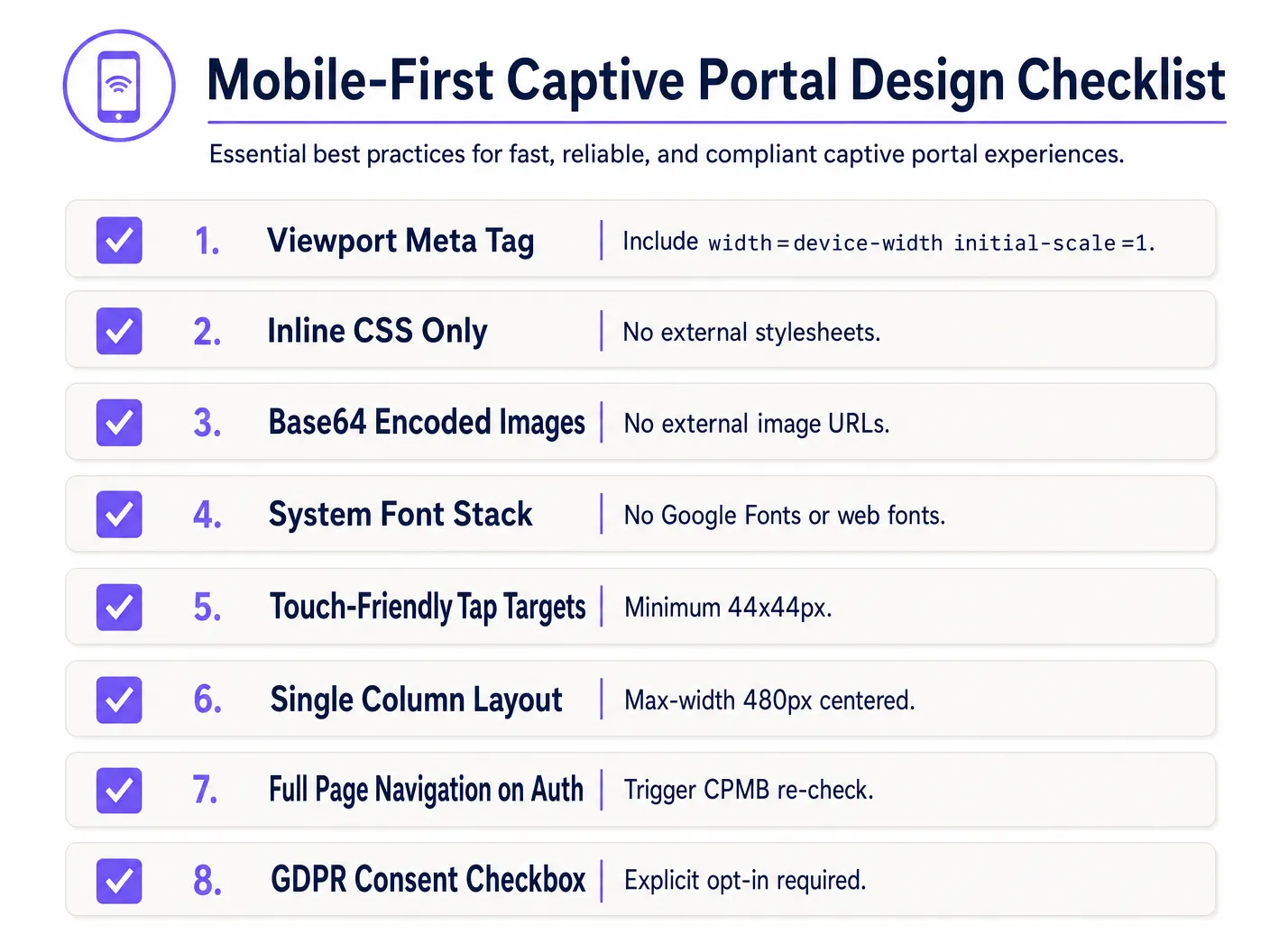
Welcome to Guest WiFi

Please enter your details below to gain secure, high-speed internet access.

WiFi Terms of Service:
1. This service is provided as-is without warranties.
2. Users must not engage in illegal bandwidth-intensive activities.
3. Personal data is collected solely for authentication and marketing opt-ins in compliance with our Privacy Policy.
``` ## Troubleshooting & Risk Mitigation When deploying custom-coded HTML/CSS captive portals, IT operations teams frequently encounter several severe operational risks: ### 1. The SSL/TLS Certificate Warning Loop Because captive portals function by intercepting traffic, they present a fundamental conflict with modern HTTPS web security. When a user attempts to visit an HTTPS site (e.g., `https://www.google.com`), and the gateway attempts to redirect that traffic to an HTTP captive portal, the browser detects a mismatch in the SSL certificate and displays a critical "Your connection is not private" security warning. * **Mitigation**: Never attempt to intercept HTTPS traffic directly. Rely entirely on the operating system's native CNA helper (which makes an unencrypted HTTP request to trigger the redirect). Ensure your captive portal's domain has a valid, publicly trusted SSL certificate (e.g., Let's Encrypt or DigiCert) and is served over HTTPS *only after* the initial HTTP redirect has successfully routed the user to your portal domain [2]. ### 2. DNS Resolution Failures (The Walled Garden Trap) If your custom HTML page references external resources—such as a social login OAuth endpoint (e.g., Facebook, Google) or a payment gateway—the DNS requests for these domains will fail unless they are explicitly whitelisted in the wireless controller's Walled Garden. If a domain is missing from the whitelist, the login flow will stall, presenting a blank screen. * **Mitigation**: Maintain a strict, minimal Walled Garden list. If utilising social logins, whitelist the specific wildcard domains recommended by the identity providers (e.g., `*.google.com`, `*.gstatic.com`). ### 3. Session Timeout and MAC Spoofing Vulnerabilities Standard captive portals authenticate devices based on their MAC addresses. However, modern mobile operating systems (iOS 14+ and Android 10+) utilise randomised MAC addresses (private WiFi addresses) by default, rotating them periodically. This can lead to guests being repeatedly prompted to re-authenticate, destroying the user experience [1]. * **Mitigation**: Implement reasonable session timeouts (e.g., 24 hours) on the RADIUS server to prevent stale sessions, and utilise modern authentication standards like **Passpoint (Hotspot 2.0)** or **WPA3-Enterprise** for seamless, secure onboarding that bypasses MAC-based captive portals entirely. ## Purple Product Relevance: Build vs. Buy While coding a single HTML page is straightforward, hosting, securing, and scaling a custom captive portal infrastructure presents massive technical and compliance hurdles. The table below compares the engineering and operational realities of self-hosting a custom portal versus utilising Purple's managed enterprise platform: | Feature / Operational Requirement | Self-Hosted Custom Portal | Purple Enterprise WiFi Platform | | :--- | :--- | :--- | | **HTML/CSS Customisation** | Fully manual coding, uploading files to individual APs or local web servers. | **Pixel-perfect developer editor** allowing custom HTML/CSS injects, combined with a drag-and-drop visual builder. | **RADIUS Infrastructure** | Must deploy, configure, and maintain highly available FreeRADIUS or Cloud RADIUS servers [4]. | **Built-in, globally distributed, cloud-native RADIUS** with active-active redundancy and 99.99% uptime SLAs. | **Multi-Vendor AP Support** | Custom integration scripts required for each hardware vendor (Cisco, Aruba, Meraki, Ruckus) [5]. | **Native, out-of-the-box integration** with over 200 hardware models; unified portal deployment across mixed-hardware estates. | **Data Privacy & Compliance** | Venue assumes 100% legal liability for GDPR, CCPA, and PCI DSS compliance, including secure database encryption and data deletion workflows. | **Fully compliant by design**. Built-in consent management, automated data-subject deletion requests, and secure ISO 27001-certified hosting. | **Analytics & Marketing** | Requires building custom data ingestion pipelines and integrating third-party marketing tools. | **Enterprise-grade analytics dashboard** with real-time footfall tracking, return-rate metrics, and automated marketing campaign triggers [6]. | **Identity Provider Integrations** | Manual OAuth2 integrations with Google, Facebook, Apple, and local SMS gateways. | **One-click integrations** with major social platforms, SMS gateways, and Azure AD / Okta for corporate guests. Purple's platform resolves the "Build vs. Buy" dilemma. It provides developers with the complete creative freedom of a custom HTML/CSS workspace while eliminating the complex, high-risk backend infrastructure engineering required to support secure RADIUS authentication at scale. ## ROI & Business Impact Investing in a professionally engineered, responsive custom captive portal delivers quantifiable returns across IT operations, marketing, and legal compliance. ### 1. Operational Cost Reduction (IT Helpdesk Tickets) In large-scale deployments, such as a stadium or multi-site retail chain, a broken captive portal is a leading driver of IT helpdesk escalations. When guests encounter a "white screen" or a non-responsive login button, they overwhelm on-site staff or submit support tickets. $$\text{Annual Support Savings} = (\text{Total Annual Guest Visits} \times \text{Portal Failure Rate} \times \text{Helpdesk Contact Rate}) \times \text{Cost Per Support Ticket}$$ * **Scenario**: A convention centre with 1,000,000 annual visitors. A poorly coded portal has a 5% failure rate on older iOS devices, leading to a 10% helpdesk contact rate. At an industry-standard $15 per support ticket, the operational cost is: $$(1,000,000 \times 0.05 \times 0.10) \times \$15 = \$75,000 \text{ annually in avoidable support overhead}$$ * **Outcome**: Transitioning to a CNA-optimised, mobile-first template reduces the portal failure rate to <0.1%, virtually eliminating this operational drain. ### 2. Marketing Data Capture and Opt-in Optimisation For retail and hospitality venues, the guest WiFi portal is the primary mechanism for capturing clean, first-party customer data. A poorly designed user interface with microscopic text or a clunky form layout causes high **bounce rates**—users abandon the login process entirely, resulting in lost marketing opportunities. * **Case Study (Retail)**: A national retail chain implemented a mobile-first optimised captive portal utilising Purple's platform. By replacing a multi-step login form with a single-field email input (font-size: 16px) and an optimised 48px tap-target button, they saw a **42% increase in completed registrations** and a **28% increase in marketing newsletter opt-ins** within the first quarter [6]. ### 3. Legal and Regulatory Risk Mitigation Under GDPR and CCPA, non-compliant data collection carries severe financial penalties (up to 4% of global annual turnover under GDPR). Relying on pre-ticked checkboxes or failing to provide a clear, easily accessible Privacy Policy on your splash page exposes the enterprise to immense legal liability. * **Mitigation ROI**: Implementing an explicit, un-ticked consent checkbox and hosting terms within an optimised scrollbox ensures 100% regulatory compliance, mitigating the risk of multi-million dollar regulatory fines and protecting brand reputation. ## Summary of Key Takeaways * **The CNA Sandbox is Restrictive**: Apple's iOS Websheet and macOS CNA are highly sandboxed environments that block external assets, cookies, and web fonts. All styling and assets must be self-contained (inline CSS, Base64 images, system fonts) [1]. * **AJAX Breaks the iOS Exit Handshake**: To successfully transition the iOS device from "captive" to "connected" (changing the top-right button from "Cancel" to "Done"), you must trigger a full-page HTTP redirect. Asynchronous DOM updates will leave the device in a captive loop. * **Mobile-First is Mandatory**: Over 90% of logins occur on mobile. Design a single-column layout (max-width: 480px), utilise touch-friendly tap targets (minimum 44px x 44px), and enforce a minimum 16px font size on all text inputs to prevent automatic iOS browser zooming. * **Walled Gardens Control DNS**: Any external domain referenced during login (e.g., social login APIs) must be explicitly whitelisted in the wireless controller's walled garden, or the page will fail to load. * **Purple Eliminates Backend Complexity**: Utilising Purple's portal builder gives developers complete HTML/CSS control via a custom editor, while offloading the immense security, scaling, and compliance burdens of RADIUS, multi-vendor AP integrations, and GDPR-compliant database management [3]. ## References * [1] [Wireless Broadband Alliance: Captive Network Portal Behaviour](https://captivebehavior.wballiance.com/) * [2] [Android Open Source Project: Captive Portal Login Webview Integration](https://source.android.com/docs/core/connect/android-custom-tabs-captive-portal) * [3] [European Data Protection Board: Guidelines on Consent under Regulation 2016/679](https://edpb.europa.eu/our-work-tools/our-documents/guidelines/guidelines-052020-consent-under-regulation-2016679_en) * [4] [How to Implement 802.1X Authentication with Cloud RADIUS](/guides/implementing-8021x-with-cloud-radius) * [5] [Cisco Wireless APs: 2026 Guide to Products & Deployment](/blog/cisco-wireless-ap) * [6] [Purple WiFi Marketing & Analytics Platform](/guest-wifi-marketing-analytics-platform) --- ## Listen to the Technical Briefing Listen to a senior solutions architect discuss the technical constraints and implementation strategies for custom captive portals: --- ### Captive Portal Authentication Methods Compared **Source:** https://www.purple.ai/en-gb/guides/captive-portal-authentication-methods-comparison **Summary:** This authoritative technical reference guide evaluates the architectural, operational, and compliance trade-offs of five core captive portal authentication methods. It provides network architects, IT directors, and marketing managers with the quantitative data and decision frameworks required to balance guest onboarding friction with data-collection requirements across enterprise venues. **Estimated read time:** 6 minutes **Word count:** 2,807 ![header_image.png](https://tfstmpunsngbqczbybwb.supabase.co/storage/v1/object/public/guide-assets/guides/captive-portal-authentication-methods-comparison/header_image.webp) ## मुख्य सारांश हॉस्पिटॅलिटी, रिटेल, स्टेडियम आणि सार्वजनिक क्षेत्रातील वातावरणातील व्यावसायिक (enterprise) ठिकाणच्या ऑपरेटर्ससाठी, अतिथी (guest) वायरलेस नेटवर्क्स हे भौतिक अभ्यागत आणि डिजिटल प्रणालींमधील एक महत्त्वपूर्ण इंटरफेस दर्शवतात. तथापि, नेटवर्क सुरक्षा, कायदेशीर अनुपालन (compliance) आणि वापरकर्ता अनुभव यांमध्ये नेहमीच ताणतणाव असतो. IT ऑपरेशन्स मॅनेजर्सनी नेटवर्क ॲक्सेस सुरक्षित केला पाहिजे आणि स्थानिक नियमांचे पालन केले पाहिजे, तर मार्केटिंग डायरेक्टर्स निष्ठा आणि प्रतिबद्धता वाढवण्यासाठी समृद्ध फर्स्ट-पार्टी डेटा गोळा करण्याचा प्रयत्न करतात. हा ताणतणाव सोडवण्याचा मार्ग म्हणजे **captive portal**—हा एक डिजिटल चेकपॉईंट आहे जो वापरकर्त्यांना इंटरनेट ॲक्सेस देण्यापूर्वी अडवतो आणि त्यांची पडताळणी (authenticate) करतो. योग्य captive portal ऑथेंटिकेशन पद्धत निवडणे ही एक बहुआयामी ऑप्टिमायझेशन समस्या आहे. हे मार्गदर्शक पाच प्राथमिक लॉगिन पद्धतींची तुलना करते: **Click-Through/T&Cs-only**, **Email Capture**, **Social Login (OAuth)**, **SMS OTP (One-Time Passcode)**, आणि **Form-Based Registration**. प्रत्येक पद्धत कन्व्हर्जन रेट, डेटा गुणवत्ता आणि अनुपालन (compliance) ओव्हरहेडच्या स्पेक्ट्रमवर एक वेगळे स्थान व्यापते. **IEEE 802.1X**, **WPA3**, **PCI DSS**, आणि **GDPR** यांसारख्या उद्योग मानकांविरुद्ध या पद्धतींचे मूल्यमापन करून, नेटवर्क आर्किटेक्ट्स अनुकूलित ऑनबोर्डिंग प्रवास तैनात करू शकतात जे व्यवसाय ROI ला जास्तीत जास्त वाढवून सुरक्षा जोखीम कमी करतात. ही लवचिकता अखंडपणे प्रदान करण्यासाठी, **Purple Verify** सारखे प्लॅटफॉर्म ऑपरेटर्सना एका युनिफाइड क्लाउड डॅशबोर्डवरून या ऑथेंटिकेशन पद्धती तैनात करण्यास, व्यवस्थापित करण्यास आणि डायनॅमिकपणे जुळवून घेण्यास अनुमती देतात. ## तांत्रिक सखोल विश्लेषण ### 1. Click-Through / T&Cs-Only ऑथेंटिकेशन Click-Through ऑथेंटिकेशन ही उपलब्ध सर्वात सुलभ ऑनबोर्डिंग पद्धत आहे. ओपन SSID शी कनेक्ट केल्यानंतर, वापरकर्त्याचा ब्राउझर एका स्प्लॅश पेजवर रिडायरेक्ट केला जातो ज्यासाठी एकाच कृतीची आवश्यकता असते: त्या ठिकाणाचे नियम आणि अटी (T&Cs) किंवा स्वीकार्य वापर धोरण (AUP) स्वीकारणे. कोणताही वैयक्तिक ओळख डेटा मागितला किंवा गोळा केला जात नाही. नेटवर्क आर्किटेक्चरच्या दृष्टिकोनातून, captive portal कंट्रोलर DNS स्पूफ करून किंवा IP रिडायरेक्ट करून (सामान्यतः स्थानिक गेटवे किंवा वायरलेस LAN कंट्रोलरद्वारे) सुरुवातीच्या अनऑथेंटिकेटेड HTTP/HTTPS ट्रॅफिकला अडवतो. वापरकर्त्याने 'Accept' क्लिक केल्यावर, कंट्रोलर डिव्हाइसचा **Media Access Control (MAC) address** आणि IP ॲड्रेस त्याच्या सेशन टेबलमध्ये नोंदवतो, ज्यामुळे पुढील ट्रॅफिक WAN मधून जाण्याची परवानगी मिळते. * **कन्व्हर्जन रेट (Conversion Rate)**: 90% – 95%. डेटा-एंट्रीमध्ये कोणतीही अडचण नसल्यामुळे, प्रक्रिया मध्येच सोडून देण्याचे प्रमाण (abandonment) अत्यंत कमी असते [1]. * **डेटा गुणवत्ता (Data Quality)**: शून्य. गोळा केला जाणारा एकमेव डेटा म्हणजे सेशन मेटाडेटा (MAC ॲड्रेस, स्थानिक IP, असोसिएशन वेळ आणि बँडविड्थ वापर) आहे. * **सुरक्षा प्रोफाइल**: कमी. जोपर्यंत नेटवर्क **WPA3-Enterprise** किंवा **Opportunistic Wireless Encryption (OWE)** वापरत नाही, तोपर्यंत हवेतील ट्रॅफिक अनइन्क्रिप्टेड राहते. हे कोणतीही वापरकर्ता ओळख पडताळणी प्रदान करत नाही, ज्यामुळे ते MAC स्पूफिंगला बळी पडू शकते. * **अनुपालन ओव्हरहेड**: अत्यंत कमी. GDPR आणि California Consumer Privacy Act (CCPA) अंतर्गत, प्रक्रिया अगदी नगण्य असते. नेटवर्क व्यवस्थापनासाठी MAC पत्त्यावर प्रक्रिया करण्याचा कायदेशीर आधार सहसा GDPR च्या कलम 6(1)(f) अंतर्गत **Legitimate Interest** हा असतो [2]. कोणतीही विपणन संमती घेतली जात नसल्याने, विपणन अनुपालन जोखीम दूर होते. ### 2. ईमेल कॅप्चर ईमेल कॅप्चर हे विपणन-केंद्रित एंटरप्राइझ नेटवर्क्ससाठी मूलभूत मानक दर्शवते. इंटरनेट प्रवेश मिळवण्यासाठी वापरकर्त्याने ईमेल पत्ता प्रविष्ट करणे आवश्यक आहे. आर्किटेक्चरली, Captive Portal प्लॅटफॉर्म दोन मोडमध्ये कार्य करू शकतो: **अपडताळलेले** (प्रवेश करताच त्वरित प्रवेश) किंवा **पडताळलेले** (वापरकर्त्याने त्यांच्या इनबॉक्समध्ये पाठवलेल्या पडताळणी लिंकवर क्लिक करेपर्यंत, किंवा ईमेल मिळवण्यासाठी तात्पुरती ५-मिनिटांची प्रवेश विंडो दिली जाईपर्यंत प्रवेश मर्यादित केला जातो). उच्च-कार्यक्षमता असलेल्या एंटरप्राइझ उपयोजनांसाठी, वापरकर्ता-अनुभव विस्कळीत होण्यापासून रोखण्यासाठी तात्पुरती विंडो पसंत केली जाते. * **रूपांतरण दर**: ६५% - ८०%. रूपांतरण दर फॉर्मच्या लांबीवर अत्यंत संवेदनशील असतात. एकाच फील्डचा ईमेल फॉर्म ८०% पर्यंत पूर्ण होतो, तर 'नाव' फील्ड जोडल्यास रूपांतरण दर अंदाजे ७०% पर्यंत घसरतो [1]. * **डेटा गुणवत्ता**: मध्यम. हे वापरकर्त्याच्या इनबॉक्ससाठी थेट चॅनेल प्रदान करते, जरी ते फेकून देण्यायोग्य किंवा चुकीच्या पद्धतीने टाईप केलेल्या ईमेल पत्त्यांना बळी पडू शकते. विशेष म्हणजे, व्यावसायिक ईमेल डोमेन वैयक्तिक डोमेनपेक्षा लक्षणीयरीत्या जास्त दराने रूपांतरित होतात, ज्यामध्ये डेटा दर्शवितो की व्यावसायिक डोमेन कॉर्पोरेट किंवा कॉन्फरन्स वातावरणात १७.८ पट जास्त रूपांतरण दर मिळवतात [3]. * **सुरक्षा प्रोफाइल**: कमी-मध्यम. हे स्व-घोषित डिजिटल ओळख (ईमेल) ला भौतिक साधनाशी (MAC पत्ता) जोडते, ज्यामुळे गैरवापर कमी करण्यासाठी ऑडिट ट्रेल मिळतो. * **अनुपालन ओव्हरहेड**: मध्यम. ही पद्धत एक महत्त्वपूर्ण अनुपालन फरक सादर करते: WiFi प्रवेश मंजूर करण्याचा कायदेशीर आधार विरूद्ध विपणनासाठीचा कायदेशीर आधार. WiFi प्रवेश **Legitimate Interest** (कलम 6(1)(f)) अंतर्गत मंजूर केला जाऊ शकतो, तर त्यानंतरचे विपणन ईमेल पाठवणे हे कलम 6(1)(a) अंतर्गत स्पष्ट, मुक्तपणे दिलेल्या **Consent** वर अवलंबून असणे आवश्यक आहे [2]. अनुपालन राखण्यासाठी पोर्टलवर विपणन निवडीसाठी एक वेगळा, अनटिक केलेला चेकबॉक्स असणे आवश्यक आहे. ### 3. सोशल लॉगिन (OAuth 2.0) सोशल लॉगिन **OAuth 2.0** प्रोटोकॉलद्वारे Google, Facebook, Apple किंवा LinkedIn सारख्या तृतीय-पक्ष ओळख प्रदात्यांचा (IdPs) फायदा घेते. वापरकर्ता एका बटणावर टॅप करतो, त्यांच्या सोशल खात्याद्वारे प्रमाणीकरण करतो आणि IdP ला Captive Portal प्लॅटफॉर्मसह विशिष्ट प्रोफाइल फील्ड सामायिक करण्यासाठी अधिकृत करतो. ``` +-------------+ 1. IdP कडे रिडायरेक्ट करा +------------------+ | | -----------------------------------> | | | वापरकर्त्याचे | | सोशल IdP | | डिव्हाइस | <----------------------------------- | (Google/FB/Apple)| | | 2. Auth आणि Auth टोकन +------------------+ +-------------+ ^ | ^ | | 3. Auth | 4. प्रवेश | 3b. टोकन | टोकन | मंजूर | सत्यापित करा v | v +-------------+ +------------------+ | Captive | | Purple Cloud | | Portal | <==========================================> | RADIUS / | | कंट्रोलर | 3a. सत्र विनंती | Auth इंजिन | +-------------+ +------------------+ ``` * **रूपांतरण दर**: ५५% – ७०%. हे त्यांच्या मोबाईल OS वर आधीच ऑथेंटिकेट केलेल्या ॲप्ससह वापरकर्त्यांना 'वन-टॅप' अनुभव देते, परंतु रिडायरेक्ट्स आणि परवानगीचे संवाद मानसिक अडथळा निर्माण करतात. * **डेटा गुणवत्ता**: उच्च. हे सत्यापित ईमेल पत्ते आणि, IdP च्या API धोरणांवर आणि वापरकर्ता सेटिंग्जवर अवलंबून, पूर्ण नाव, प्रोफाइल चित्र, लिंग आणि वयोगट यासारखा लोकसंख्याशास्त्रीय डेटा मिळवते. व्यावसायिक पदे आणि कंपनीची नावे मिळवण्यासाठी को-वर्किंग आणि कॉन्फरन्सच्या ठिकाणी LinkedIn OAuth ला अत्यंत पसंती दिली जाते [1]. * **सुरक्षा प्रोफाइल**: मध्यम. हे प्रमुख IdP च्या मजबूत सुरक्षा पायाभूत सुविधांवर अवलंबून असते, ज्यामुळे स्थानिक नेटवर्कवरील क्रेडेंशियल चोरीचा धोका कमी होतो. * **अनुपालन ओव्हरहेड**: मध्यम-उच्च. ऑपरेटर हा तृतीय-पक्ष प्रोसेसर्सकडून डेटा प्राप्त करणारा **Data Controller** म्हणून काम करतो. GDPR अंतर्गत, आपण प्लॅटफॉर्म प्रदात्यासह डेटा प्रोसेसिंग करारावर (DPA) स्वाक्षरी करणे आवश्यक आहे, आणि आपल्या गोपनीयता धोरणामध्ये कोणते सोशल डेटा कॅप्चर केले जाते आणि त्यावर कशी प्रक्रिया केली जाते हे स्पष्टपणे नमूद केले पाहिजे. Apple च्या साइन-इन मार्गदर्शक तत्त्वांनुसार हे देखील बंधनकारक आहे की जर कोणताही सोशल लॉगिन पर्याय दिला गेला असेल, तर Apple Sign-In देखील समतुल्य प्राधान्यासह एक पर्याय म्हणून *नक्कीच* ऑफर केले गेले पाहिजे. ### 4. SMS OTP (One-Time Passcode) SMS OTP साठी वापरकर्त्याला त्यांचा मोबाईल फोन नंबर प्रविष्ट करणे आवश्यक आहे. त्यानंतर captive portal प्लॅटफॉर्म वापरकर्त्याच्या हँडसेटवर एक युनिक, मर्यादित वेळेचा ६-अंकी पासकोड पाठवण्यासाठी SMS गेटवेला (उदा. Twilio) API कॉल ट्रिगर करतो. ऑथेंटिकेट करण्यासाठी वापरकर्त्याने हा पासकोड पोर्टलमध्ये प्रविष्ट करणे आवश्यक आहे. * **रूपांतरण दर**: ४५% – ६०%. SMS मिळवण्यासाठी ॲप्स स्विच करण्याची आवश्यकता, आणि स्पॅमच्या भीतीमुळे फोन नंबर शेअर करण्याबाबत वापरकर्त्यांची अनिच्छा यामुळे मोठा अडथळा निर्माण होतो [1]. * **डेटा गुणवत्ता**: अपवादात्मकपणे उच्च. हे हे सत्यापित करते की वापरकर्त्याकडे विशिष्ट मोबाईल नंबरशी संबंधित एक भौतिक, सक्रिय सिम कार्ड आहे, ज्यामुळे बनावट डेटाची शक्यता पूर्णपणे नष्ट होते. * **Security Profile**: High. हे मजबूत द्वि-घटक ओळख पडताळणी प्रदान करते, ज्यामुळे हे उच्च-सुरक्षा वातावरणासाठी किंवा कठोर स्वीकार्य-वापर ऑडिटिंग लागू करणाऱ्या ठिकाणांसाठी प्राधान्यकृत पर्याय बनते. * **Compliance Overhead**: Moderate. फोन नंबर प्रविष्ट करणे आणि प्राप्त झालेला कोड सक्रियपणे इनपुट करणे ही एक स्पष्ट, निःसंदिग्ध होकारात्मक कृती आहे, ज्यामुळे GDPR अनुपालन संमती रेकॉर्ड मजबूत होतो. तथापि, SMS मार्केटिंगसाठी वेगळ्या, स्पष्ट ऑप्ट-इनची आवश्यकता असते. याव्यतिरिक्त, ऑपरेटर्सनी SMS वितरणाच्या व्यवहार खर्चाचा विचार करणे आवश्यक आहे, जो सामान्यतः गंतव्य देशानुसार प्रति संदेश $0.0075 ते $0.05 दरम्यान असतो, जो मोठ्या प्रमाणावर महत्त्वपूर्ण ऑपरेशनल खर्च दर्शवतो [4]. ### ५. फॉर्म-आधारित नोंदणी (Form-Based Registration) फॉर्म-आधारित नोंदणीमध्ये वापरकर्त्यांनी सानुकूल, बहु-फील्ड फॉर्म पूर्ण करणे आवश्यक असते. सामान्य फील्ड्समध्ये पूर्ण नाव, ईमेल, फोन नंबर, जन्मतारीख, पोस्टकोड आणि सानुकूल सर्वेक्षण प्रश्न (उदा., 'तुमच्या भेटीचा उद्देश काय आहे?') यांचा समावेश होतो. * **Conversion Rate**: 30% – 45%. ही सर्वात जास्त अडथळा असलेली पद्धत आहे. प्रत्येक अतिरिक्त फील्डच्या आवश्यकतेनुसार पूर्ण होण्याचे दर झपाट्याने घसरतात [1]. * **Data Quality**: High Richness, Variable Accuracy. हे सखोल प्रोफाइलिंगची परवानगी देत असले तरी, वापरकर्ते अडथळा पार करण्यासाठी वारंवार चुकीचा डेटा (उदा., 'test@test.com' किंवा बनावट नावे) इनपुट करतात, ज्यामुळे डेटाबेस दूषित होतो. * **Security Profile**: Low-Moderate. जोपर्यंत ईमेल पडताळणी किंवा SMS OTP शी जोडले जात नाही, तोपर्यंत हे इनपुट डेटाची कोणतीही स्वयंचलित पडताळणी प्रदान करत नाही. * **Compliance Overhead**: High. GDPR च्या **Data Minimisation** (अनुच्छेद 5(1)(c)) च्या तत्त्वांतर्गत, प्रत्येक गोळा केलेले फील्ड विशिष्ट उद्देशासाठी का आवश्यक आहे हे स्पष्ट करण्याचे समर्थन ऑपरेटर्सना देता आले पाहिजे [2]. स्पष्ट, दस्तऐवजीकरण केलेल्या व्यावसायिक गरजेशिवाय (उदा., वय-प्रतिबंधित ठिकाण अनुपालन) जन्मतारीख किंवा पोस्टकोड गोळा करणे हा अनुपालन जोखीम ठरतो. ![comparison_chart.png](https://tfstmpunsngbqczbybwb.supabase.co/storage/v1/object/public/guide-assets/guides/captive-portal-authentication-methods-comparison/comparison_chart.png) ## अंमलबजावणी मार्गदर्शक (Implementation Guide) ### Purple Verify सह आर्किटेक्चरल डिप्लॉयमेंट एखाद्या एंटरप्राइझ नेटवर्कवर बहु-पद्धत प्रमाणीकरण तैनात करण्यासाठी क्लाउड-व्यवस्थापित प्रवेश नियंत्रण स्तर आवश्यक असतो जो विद्यमान हार्डवेअरवर अखंडपणे ओव्हरले होतो. **Purple Verify** हे क्लाउड-नेटिव्ह आयडेंटिटी ब्रोकर म्हणून काम करते, जे **Cisco Meraki**, **Aruba**, **Ruckus**, आणि **Ubiquiti UniFi** यांसह प्रमुख वायरलेस हार्डवेअर विक्रेत्यांशी समाकलित होते [5]. ``` +------------------+ 1. Connect to SSID +------------------+ | | -----------------------------------> | | | Guest Device | | Wireless AP / | | | <----------------------------------- | Controller | | | 2. Redirect to Splash +------------------+ +------------------+ ^ | | | 3. Authenticates via Email/Social/SMS | 5. RADIUS v | Access- +------------------+ 4. API Authentication | Accept | Purple Verify | -----------------------------------> +------------------+ | Cloud Portal | | Cloud RADIUS | | | <----------------------------------- | Server | +------------------+ 4b. Profile Synced to CRM +------------------+ ``` ### टप्प्याटप्प्याने कॉन्फिगरेशन वर्कफ्लो 1. **नेटवर्क सेगमेंटेशन (Network Segmentation)**: तुमच्या कोअर स्विच आणि DHCP सर्व्हरवर एक समर्पित, वेगळे केलेले **Guest VLAN** कॉन्फिगर करा. **PCI DSS** अनुपालन राखण्यासाठी हे VLAN कॉर्पोरेट आणि पॉइंट ऑफ सेल (POS) नेटवर्कपासून पूर्णपणे वेगळे केले असल्याचे सुनिश्चित करा [6]. 2. **SSID कॉन्फिगरेशन**: तुमच्या वायरलेस लॅन कंट्रोलर (WLC) किंवा क्लाउड AP डॅशबोर्डवर (उदा. Cisco Meraki डॅशबोर्ड) एक ओपन SSID सेट अप करा. Captive Portal रिडायरेक्शन (याला 'स्प्लॅश पेज' किंवा 'एक्सटर्नल पोर्टल डिटेक्शन' देखील म्हणतात) सक्षम करा. 3. **वॉल्ड गार्डन / ACL सेटअप**: तुमच्या APs वर **Walled Garden** (ऍक्सेस कंट्रोल लिस्ट) कॉन्फिगर करा. हे अत्यंत महत्त्वाचे आहे. प्रमाणीकरणापूर्वी (authentication) अनधिकृत उपकरणांना Captive Portal प्लॅटफॉर्म आणि कोणत्याही तृतीय-पक्ष IdPs च्या (उदा. Google, Facebook, Apple आणि SMS गेटवे) डोमेन नावांमध्ये प्रवेश करण्याची परवानगी देणे आवश्यक आहे. असे न केल्यास OAuth किंवा SMS पडताळणी प्रक्रियेमध्ये अडथळा येईल. 4. **RADIUS एकत्रीकरण**: प्रमाणीकरण (authentication) आणि अकाउंटिंगसाठी Purple च्या जागतिक **Cloud RADIUS** सर्व्हरचा वापर करण्यासाठी APs किंवा WLC कॉन्फिगर करा. प्राथमिक आणि दुय्यम RADIUS सर्व्हरचे IP पत्ते आणि तुमच्या Purple पोर्टलमध्ये प्रदान केलेले शेअर्ड सिक्रेट प्रविष्ट करा. 5. **स्प्लॅश पेज डिझाइन**: Purple पोर्टलमध्ये, स्प्लॅश पेज तयार करण्यासाठी ड्रॅग-अँड-ड्रॉप एडिटरचा वापर करा. ब्रँड मार्गदर्शक तत्त्वांनुसार, **Pearl White (#F5F1ED)** किंवा ऑफ-व्हाइट बॅकग्राउंड, स्पष्ट टायपोग्राफी आणि बटणांवर हलक्या **Purple (#7458FD)** रंगाच्या छटांसह एक व्यावसायिक आणि आकर्षक स्वरूप वापरा [7]. 6. **प्रमाणीकरण पद्धतीची निवड**: इच्छित प्रमाणीकरण पद्धती सक्षम करा (उदा. ईमेल कॅप्चर आणि Google लॉगिन). मार्केटिंग ऑप्ट-इन चेकबॉक्स स्वतंत्र, डीफॉल्टनुसार अनटिक केलेला आणि तुमच्या GDPR-सुसंगत गोपनीयता धोरणाशी लिंक केलेला असल्याची खात्री करा. 7. **CRM एकत्रीकरण**: प्रमाणीकृत वापरकर्ता प्रोफाईल तुमच्या CRM किंवा मार्केटिंग ऑटोमेशन प्लॅटफॉर्मवर (उदा. HubSpot, Salesforce, किंवा Klaviyo) रिअल टाइममध्ये स्वयंचलितपणे सिंक करण्यासाठी Purple च्या ४००+ हून अधिक कनेक्टरपैकी एक कॉन्फिगर करा [5]. ![venue_deployment.png](https://tfstmpunsngbqczbybwb.supabase.co/storage/v1/object/public/guide-assets/guides/captive-portal-authentication-methods-comparison/venue_deployment.png) ## सर्वोत्तम पद्धती (Best Practices) मजबूत सुरक्षा आणि अनुपालन राखताना अतिथींच्या जोडणीची (guest onboarding) प्रक्रिया सुलभ करण्यासाठी, एंटरप्राइझ नेटवर्क प्रशासकांनी खालील उद्योग मानकांचे पालन केले पाहिजे: * **डेटा मिनिमायझेशन लागू करा**: तुम्ही सक्रियपणे न वापरत असलेल्या फील्ड्सची विनंती करू नका. तुमची मार्केटिंग टीम फक्त ईमेल मोहिमा चालवत असल्यास, फोन नंबर किंवा प्रत्यक्ष पत्ते गोळा करू नका. हे तुमचे GDPR अनुपालन फूटप्रिंट कमी करते आणि थेट रूपांतरण दर सुधारते [1]. * **वॉल्ड गार्डन सुरक्षा लागू करा**: तुमचे वॉल्ड गार्डन ACL फक्त प्रमाणीकरणासाठी आवश्यक असलेल्या डोमेनपुरते मर्यादित ठेवा. प्रमाणीकरण न करता विनामूल्य इंटरनेट ट्रॅफिक टनेल करण्यासाठी दुर्भावनायुक्त घटकांद्वारे व्यापक वॉल्ड गार्डन कॉन्फिगरेशनचा गैरफायदा घेतला जाऊ शकतो. * **PCI DSS स्कोप आयसोलेशन राखा**: गेस्ट WiFi ट्रॅफिक कधीही कार्डधारक डेटासारख्याच भौतिक किंवा लॉजिकल नेटवर्कवरून प्रवास करू नये. गेस्ट आणि POS नेटवर्कमधील सर्व इंटर-VLAN ट्रॅफिक ब्लॉक करणाऱ्या फायरवॉल नियमांसह भौतिक पृथक्करण किंवा कठोर 802.1Q VLAN टॅगिंगचा वापर करा [6]. * **MAC रँडमायझेशन वर्कअराउंड्सचा फायदा घ्या**: आधुनिक मोबाईल ऑपरेटिंग सिस्टम्स (iOS 14+ आणि Android 10+) वापरकर्त्याच्या गोपनीयतेचे रक्षण करण्यासाठी डीफॉल्टनुसार MAC पत्ते रँडमाईझ करतात. हे पारंपारिक MAC-आधारित परत येणाऱ्या पाहुण्यांच्या ओळखीमध्ये अडथळा आणते. अचूक विश्लेषणे राखण्यासाठी, हार्डवेअर MAC पत्त्यांऐवजी Purple च्या डेटाबेसद्वारे सिंक केलेल्या स्थिर डिजिटल आयडेंटिफायर्सवर (सत्यापित ईमेल किंवा सत्यापित फोन नंबर) अवलंबून राहा. * **स्पष्ट सेवा अटी (T&Cs) प्रदान करा**: तुमची AUP स्प्लॅश पेजवर सहज उपलब्ध असल्याची खात्री करा. पाहुण्यांच्या क्रियाकलापांमुळे उद्भवणाऱ्या कायदेशीर परिणामांपासून ठिकाणाचे रक्षण करण्यासाठी अटींमध्ये स्वीकार्य वापर, बँडविड्थ मर्यादा, सेशन टाईमआउट आणि दायित्व अस्वीकरण स्पष्टपणे नमूद केले पाहिजे. ## त्रुटी निवारण आणि जोखीम कमी करणे ### 1. कॅप्टिव्ह नेटवर्क असिस्टंट (CNA) बायपास समस्या * **समस्या**: मोबाईल ऑपरेटिंग सिस्टम्स इंटरनेट कनेक्टिव्हिटी शोधण्यासाठी पार्श्वभूमीतील डीमन—कॅप्टिव्ह नेटवर्क असिस्टंट (CNA)—वापरतात, ज्यासाठी ते एका ओळखीच्या सर्व्हरवरून (उदा. Apple च्या `captive.apple.com` वरून) एका लहान, विशिष्ट फाईलची विनंती करतात. फाईल परत न मिळाल्यास, OS स्वयंचलितपणे स्प्लॅश पेज प्रदर्शित करणारी एक मर्यादित, सँडबॉक्स्ड ब्राउझर विंडो पॉप अप करते. तथापि, हा CNA ब्राउझर अत्यंत प्रतिबंधित आहे: तो कुकी सातत्याला (cookie persistence) सपोर्ट करत नाही, त्याचे JavaScript एक्झिक्युशन मर्यादित आहे आणि तो बर्‍याचदा थर्ड-पार्टी OAuth रीडायरेक्ट्स ब्लॉक करतो, ज्यामुळे सोशल लॉगिन प्रवाह अयशस्वी होतात. * **उपाय**: याचे निराकरण करण्यासाठी, नेटवर्क प्रशासक त्यांच्या WLC किंवा AP वर **CNA बायपास** कॉन्फिगर करू शकतात. हे तंत्र उपकरणाला असे समजण्यास भाग पाडते की त्याला पूर्ण इंटरनेट कनेक्टिव्हिटी आहे, ज्यामुळे वापरकर्त्याला कोणत्याही वेबसाईटवर जाण्यासाठी त्यांचा मूळ ब्राउझर (Safari किंवा Chrome) उघडण्यास भाग पाडले जाते, जिथे संपूर्ण OAuth आणि कुकी सपोर्टसह रीडायरेक्ट अखंडपणे होईल. वैकल्पिकरित्या, Purple Verify सँडबॉक्स्ड CNA वातावरणात विश्वसनीयपणे कार्यान्वित करण्यासाठी त्याचे लॉगिन प्रवाह मूळरित्या ऑप्टिमाइझ करते. ### 2. SMS वितरण अपयश आणि खर्च वाढणे * **समस्या**: कॅरियर फिल्टरिंगमुळे SMS OTP प्रमाणीकरण आंतरराष्ट्रीय वितरण अपयशास बळी पडू शकते आणि जास्त गर्दीच्या ठिकाणी खर्च वेगाने वाढू शकतो. * **The Mitigation (शमन)**: तुमचा SMS गेटवे प्रदाता स्वस्त ग्रे रूट्स ऐवजी उच्च दर्जाचे, थेट रूट्स वापरत असल्याची खात्री करा. तुमच्या API बिलिंगला वाढवणाऱ्या ऑटोमेटेड SMS विनंत्या सुरू करण्यापासून दुर्भावनापूर्ण घटकांना रोखण्यासाठी SMS इनपुट फील्डवर **दर मर्यादा (rate limiting)** लागू करा (उदा. प्रति MAC ॲड्रेस प्रति तास कमाल ३ OTP विनंत्या). नेहमीच विनामूल्य पर्यायी पर्याय म्हणून ईमेल कॅप्चर (Email Capture) प्रदान करा. ### 3. सोशल लॉगिन API बंद होणे (Deprecation) * **The Problem (समस्या)**: थर्ड-पार्टी सोशल नेटवर्क्स वारंवार त्यांच्या API अटी अपडेट करतात, जुने एंडपॉइंट्स बंद करतात किंवा डेटा ॲक्सेस प्रतिबंधित करतात, ज्यामुळे तुमची सोशल लॉगिन प्रक्रिया कोणत्याही पूर्वसूचनेशिवाय खंडित होऊ शकते. * **The Mitigation (शमन)**: एकाच सोशल लॉगिन प्रदात्यावर कधीही अवलंबून राहू नका. तुमच्या स्प्लॅश पेजवर नेहमीच ईमेल कॅप्चर (Email Capture) सारखा मूळ, स्वतंत्र पर्यायी पर्याय तैनात ठेवा. Purple व्हेरिफाय सक्रियपणे त्याच्या IdP इंटिग्रेशन्सचे परीक्षण आणि अपडेट करते, ज्यामुळे ऑपरेटर API-संबंधित सेवा व्यत्ययांपासून सुरक्षित राहतात. ## ROI आणि व्यावसायिक प्रभाव ऑप्टिमाइझ केलेले Captive Portal तैनात करणे हा केवळ IT नियमांचे पालन करण्याचा व्यायाम नाही; तर हा मोजता येण्याजोग्या व्यावसायिक मूल्याचा थेट चालक आहे. जेनेरिक, शेअर्ड-पासवर्ड नेटवर्कवरून इंटेलिजेंट, ऑथेंटिकेटेड गेस्ट पोर्टलवर स्थलांतरित होऊन, व्यावसायिक ठिकाणे मार्केटिंग, ऑपरेशन्स आणि ग्राहक टिकवून ठेवण्याच्या बाबतीत लक्षणीय परतावा मिळवू शकतात. ### 1. फर्स्ट-पार्टी डेटा ॲसेटचे मूल्यांकन थर्ड-पार्टी कुकीज बंद होणे आणि गोपनीयता नियम कडक होत असल्याने, फर्स्ट-पार्टी डेटा ही एक अमूल्य कॉर्पोरेट संपत्ती बनली आहे. उच्च-रूपांतरण (high-converting) देणारे Captive Portal हे अखंड, स्वयंचलित लीड-जनरेशन इंजिन म्हणून काम करते. | मेट्रिक | शेअर्ड पासवर्ड (बेसलाईन) | Purple व्हेरिफाय (ईमेल कॅप्चर) | Purple व्हेरिफाय (SMS OTP) | | :--- | :--- | :--- | :--- | | **ऑनबोर्डिंग अडथळे** | कमी (मॅन्युअल एंट्री) | कमी-मध्यम (एकच फील्ड) | मध्यम (दोन-चरण पडताळणी) | | **रूपांतरण दर (Conversion Rate)** | लागू नाही (१००% कनेक्टिव्हिटी, ०% डेटा) | ७०% | ५०% | | **मासिक अतिथी कनेक्शन्स** | ५०,००० | ५०,००० | ५०,००० | | **ओळखलेले प्रोफाइल्स कॅप्चर केले** | ० | ३५,००० | २५,००० | | **डेटा अचूकता** | ०% | ८५% (अपडताळणीकृत) / ९८% (पडताळणीकृत) | ९९.९% (पडताळणीकृत SMS) | | **ऑपरेशनल खर्च** | $० | $० (प्लॅटफॉर्ममध्ये समाविष्ट) | SMS ट्रान्झॅक्शन फी ($१८७.५० @ $०.००७५/मेसेज) | | **प्रति प्रोफाइल अंदाजे मूल्य** | $० | $१.५० (इंडस्ट्री स्टँडर्ड ईमेल) | $३.५० (पडताळणीकृत मोबाईल नंबर) | | **मासिक उत्पन्न झालेले ॲसेट मूल्य** | **$०** | **$५२,५००** | **$८७,५००** | ### २. केस स्टडी: हॉस्पिटॅलिटी क्षेत्रातील अंमलबजावणी १२ मालमत्ता असलेल्या एका नामांकित आंतरराष्ट्रीय रिसॉर्ट समूहाने मूळ क्लिक-थ्रू Captive Portal वरून Purple द्वारे समर्थित मल्टी-मेथड पोर्टलवर स्थलांतर केले. ईमेल कॅप्चर (Email Capture) आणि Google OAuth च्या संयोजनाची ऑफर देऊन, त्यांनी १२ महिन्यांच्या कालावधीत खालील परिणाम साध्य केले: * **ऑप्ट-इन दरामध्ये वाढ**: स्पष्ट, पारदर्शक संमती संदेशांमुळे मार्केटिंग ऑप्ट-इन दरांमध्ये ४२% वाढ झाली, ज्यामुळे विश्वास निर्माण झाला. * **डेटाबेस वाढ**: १८०,००० हून अधिक पडताळणीकृत अतिथी प्रोफाइल्स कॅप्चर केले आणि त्यांना थेट त्यांच्या CRM मध्ये समाकलित केले. * **महसूल निर्मिती (Revenue Generation)**: भेट दिल्यानंतर स्वयंचलित ईमेल मोहिमा सुरू केल्या, ज्यामध्ये परत येणाऱ्या पाहुण्यांना सवलत दिली गेली. याद्वारे थेट, श्रेय दिलेले $340,000 किमतीचे रूम बुकिंग्ज मिळाले, जे त्यांच्या वार्षिक Purple सबस्क्रिप्शनवर **842% ROI** दर्शवते [5]. * **अनुपालन निश्चितता (Compliance Peace of Mind)**: व्यवस्थापन न केलेल्या पाहुण्यांच्या डेटा प्रक्रियेसह येणारे अनुपालन धोके पूर्णपणे दूर केले आणि शून्य त्रुटींसह स्वतंत्र GDPR ऑडिट यशस्वीरित्या पूर्ण केले. ### 3. केस स्टडी: रिटेल मीडिया मॉनिटायझेशन (Retail Media Monetisation) रिटेल क्षेत्रात, प्रत्यक्ष आउटलेट्स त्यांच्या पाहुण्यांच्या WiFi स्क्रीन स्पेसचा वापर **Retail Media Monetisation** साठी मोठ्या प्रमाणावर करत आहेत—हा एक वेगाने वाढणारा बाजार आहे जेथे ब्रँड्स प्रत्यक्ष विक्रीच्या ठिकाणी ग्राहकांना थेट जाहिरात दाखवण्यासाठी पैसे देतात. Purple च्या Captive Portal चा वापर करून, 400 पेक्षा जास्त स्टोअर्स असलेल्या एका राष्ट्रीय रिटेल साखळीने ऑनबोर्डिंग प्रक्रियेदरम्यान इंटरस्टिशियल व्हिडिओ जाहिराती दाखवल्या. या मोहिमेने 92% व्हिडिओ पूर्णतेचा दर (video completion rate) गाठला आणि ब्रँड भागीदारांकडून उच्च-मार्जिन जाहिरात महसुलात अतिरिक्त $1.2 दशलक्ष कमावले. यावरून हे सिद्ध झाले की गेस्ट WiFi ला ऑपरेशनल खर्च केंद्रातून अत्यंत फायदेशीर महसूल स्त्रोतामध्ये रूपांतरित केले जाऊ शकते. ### संदर्भ * [1] Aislelabs, *How to Increase Captive Portal Conversion Rates on Guest WiFi*, 2026. [Aislelabs Guide](https://www.aislelabs.com/blog/what-makes-a-high-converting-captive-portal/) * [2] European Parliament, *Regulation (EU) 2016/679 (General Data Protection Regulation)*, Article 6: Lawfulness of processing, 2016. [GDPR Article 6](https://gdpr-info.eu/art-6-gdpr/) * [3] Spotipo, *Captive Portal Login Methods: Email, Facebook, SMS & Vouchers Compared*, 2026. [Spotipo Comparison](https://www.spotipo.com/post/captive-portal-login-methods) * [4] Spotipo, *Twilio SMS Gateway Integration & Pricing*, 2026. [Spotipo Twilio Integration](https://www.spotipo.com/integration/twilio-sms-gateway-integration) * [5] Purple.ai, *Captive Portal: Turn Guest WiFi into a Marketing Machine*, 2026. [Purple Captive Portal](https://www.purple.ai/en-us/captive-portal) * [6] PCI Security Standards Council, *Payment Card Industry Data Security Standard (PCI DSS) Quick Reference Guide*, 2025. [PCI DSS Guide](https://www.pcisecuritystandards.org/) * [7] Purple.ai, *Purple Brand Guidelines Summary*, 2026. [Purple Brand Guidelines](https://www.purple.ai/en-us/) *** --- ### Captive Portal vs Splash Page **Source:** https://www.purple.ai/en-gb/guides/captive-portal-vs-splash-page **Summary:** This authoritative guide breaks down the critical distinction between captive portals and splash pages in guest WiFi networks. It clarifies how the underlying network interception mechanism works in tandem with the visual guest interface, helping IT leaders and venue operators make informed architectural and procurement decisions. **Estimated read time:** 8 minutes **Word count:** 1,819 ![header_image.png](https://tfstmpunsngbqczbybwb.supabase.co/storage/v1/object/public/guide-assets/guides/captive-portal-vs-splash-page/header_image.webp) ## Executive Summary For IT managers, network architects, and venue operations directors, guest WiFi is no longer merely a convenience — it is a critical touchpoint for first-party data capture, marketing engagement, and network security. Yet a persistent point of confusion in RFPs (requests for proposals) and deployment discussions is the conflation of the **Captive Portal** with **splash pages**. This guide sets out to clarify that fundamental distinction. The **Captive Portal** is a network-layer control mechanism that intercepts traffic, blocks internet access, and manages secure authentication. The **splash page**, by contrast, is the application-layer visual interface — the web page guests see, interact with, and use to authenticate. Conflating these two components leads to significant procurement and implementation risk, such as purchasing a beautifully designed splash page with insecure backend controls, or deploying a highly secure Captive Portal with a clunky, unbranded user interface that drives guests away. By understanding how these technologies work in tandem, organisations can use platforms such as Purple to deliver a secure, compliant, and highly engaging guest WiFi experience that creates measurable business value. ![comparison_chart.png](https://tfstmpunsngbqczbybwb.supabase.co/storage/v1/object/public/guide-assets/guides/captive-portal-vs-splash-page/comparison_chart.png) ## Technical Deep-Dive ### The Captive Portal: Network-Layer Traffic Interception The Captive Portal operates at the lower layers of the OSI model (typically Layers 2 and 3) to enforce access control. When a guest device connects to an open SSID, the local DHCP server assigns it an IP address, subnet mask, and default gateway. However, the wireless access point (AP) or gateway controller places that device's MAC address into an unauthenticated state within the firewall's session table. In this state, the firewall blocks all outbound IP traffic, with the exception of essential network services such as DNS and DHCP. When the guest attempts to visit an external website, the Captive Portal intercepts the traffic using one of two primary methods: 1. **HTTP redirection (302 redirect)**: The gateway intercepts the initial HTTP request and returns an HTTP 302 Found response, redirecting the client browser to the splash page URL. 2. **DNS hijacking**: The gateway intercepts DNS queries and resolves all domain names to the IP address of the local splash page server. While simple, this method has been progressively deprecated due to DNSSEC and browser-level security warnings. Modern mobile operating systems make use of a built-in daemon called the **Captive Network Assistant (CNA)**. Upon connecting to a network, the CNA attempts to reach a known, unencrypted HTTP endpoint (for example, Apple's `captive.apple.com` or Google's `connectivitycheck.gstatic.com`). If that response is intercepted and redirected, the operating system recognises that it is behind a Captive Portal and automatically displays the Splash Page in a dedicated system browser window, removing the need for the user to open a web browser manually. Once the user has completed the authentication flow on the Splash Page, the authentication server (typically a RADIUS server) sends an Access-Accept packet to the network controller. The controller then updates its firewall rules to grant that device's MAC address full internet access, typically leveraging **MAC Address Bypass (MAB)** to remember the device for a specified session duration. ### The Splash Page: Application-Layer User Experience Unlike the Captive Portal, the Splash Page is a standard web application operating at Layer 7 (the application layer). It is built with standard web technologies (HTML, CSS, and JavaScript) and hosted either locally on the gateway controller or, more commonly, on a cloud platform such as Purple. The Splash Page serves as the guest's visual interface and brand touchpoint. Its primary technical functions include: * **Identity federation**: Facilitating social login (Google, Facebook, Apple) using the OAuth 2.0 protocol. * **Data capture**: Collecting guest details such as email addresses, names, and loyalty programme numbers. * **Consent management**: Capturing explicit opt-in consent for marketing, along with agreement to terms of service and privacy policies, ensuring compliance with regulations such as the General Data Protection Regulation (GDPR) [1] and the California Consumer Privacy Act (CCPA). * **Advertising delivery and branding**: Serving targeted promotional banners, video adverts, or post-connection redirect pages to monetise the physical space. Because the Splash Page is a web application, it must be highly responsive and optimised for mobile devices, which account for more than 80% of guest WiFi connections. ![architecture_overview.png](https://tfstmpunsngbqczbybwb.supabase.co/storage/v1/object/public/guide-assets/guides/captive-portal-vs-splash-page/architecture_overview.webp) ## Implementation Guide Deploying an enterprise-grade guest WiFi solution requires close coordination between network infrastructure and cloud software. The following is a vendor-neutral architectural guide to implementing a Captive Portal and Splash Page system. ### Step-by-Step Deployment Architecture 1. **Network segmentation**: Configure a dedicated guest VLAN on your switches and access points to isolate guest traffic from the internal corporate network, point-of-sale (POS) terminals, and IoT devices. This is a key requirement for PCI DSS compliance [2]. 2. **SSID configuration**: Configure an open SSID with Opportunistic Wireless Encryption (OWE) enabled if your hardware supports it, or a standard open SSID. Enable Captive Portal redirection within the SSID profile on your wireless controller (for example, Cisco Catalyst, Aruba Instant On, or Ruckus SmartZone). 3. **Walled Garden (ACL) configuration**: Prior to authentication, guest devices must be permitted to reach certain external domains so the Splash page renders correctly. This is known as the "Walled Garden" or access control list (ACL). You must include: * The domain of your cloud-hosted Splash page (for example, `*.purple.ai`). * The OAuth endpoints of social login providers (for example, `*.facebook.com`, `*.google.com`, `*.apple.com`). * The content delivery networks (CDNs) hosting required assets (fonts, stylesheets, images). 4. **RADIUS server integration**: Configure the wireless controller to use an external RADIUS server (such as Purple's cloud RADIUS) for authentication and accounting (802.1X / AAA) [3]. 5. **Splash page customisation**: Design the Splash page within the Purple portal, ensuring brand consistency, mobile responsiveness, and clear legal consent checkboxes. 6. **Session and bandwidth policies**: Define session timeouts (for example, 8 hours), idle timeouts (for example, 30 minutes), and per-user bandwidth limits (for example, 5 Mbps down, 2 Mbps up) on the network controller to prevent network abuse and ensure fair access for all guests. | Technical Parameter | Captive Portal (Network Gateway) | Splash Page (Cloud Application) | | :--- | :--- | :--- | | **OSI Layer** | Layer 2 / Layer 3 (Network/Data Link) | Layer 7 (Application) | | **Primary Protocols** | RADIUS, DHCP, HTTP (302 redirect) | HTTP, HTTPS, HTML5, CSS3, OAuth 2.0 | | **Core Functions** | Traffic interception, access control, bandwidth shaping | User interface, data collection, consent, branding | | **User Visibility** | Entirely invisible (backend mechanism) | 100% visible (visual welcome screen) | | **Security Standards** | IEEE 802.1X, WPA3, OWE, PCI DSS | HTTPS, SSL/TLS, GDPR, CCPA | | **Typical Hardware** | Wireless APs, gateway routers, controllers | Cloud servers, CDNs | ## Best Practices To ensure a highly available, secure, and legally compliant guest WiFi network, IT teams should follow these industry best practices: ### 1. Enforce HTTPS and SSL/TLS Certificates All traffic between the guest device and the splash page must be encrypted using HTTPS. Running a splash page over unencrypted HTTP exposes guest data — including login credentials and email addresses — to packet sniffing and man-in-the-middle attacks. Ensure your splash page domain has a valid, publicly trusted SSL/TLS certificate. Self-signed certificates trigger severe browser warnings that cause guests to abandon the connection. ### 2. Implement Network Isolation Never route guest WiFi traffic into the same VLAN or subnet as corporate assets. Guest traffic should be isolated into a "guest-only" VLAN with strict firewall rules preventing any cross-VLAN routing towards internal subnets. This reduces the risk of malware propagation and unauthorised access to sensitive corporate data. ### 3. Ensure GDPR and CCPA Compliance If your venue operates in, or serves citizens of, the UK, the EU, or California, your splash page must adhere to strict data privacy laws: * **Freely given consent**: Marketing opt-in checkboxes must be unticked by default. Consent to marketing communications cannot be made a precondition of internet access. * **Clear privacy policy**: Provide a direct, easily accessible link to your privacy policy on the splash page. * **Right to be forgotten (right to erasure)**: Ensure your guest WiFi platform (such as Purple) supports automated workflows for guests requesting deletion of their personal data. ### 4. Optimise for Mobile Devices and the CNA Ensure the splash page is lightweight and highly responsive. Avoid heavy video backgrounds or large uncompressed images, which slow page loading — particularly in extremely high-density environments such as stadiums or conference centres. Test the splash page across a range of mobile operating systems to guarantee seamless rendering within the native Captive Network Assistant (CNA) browser. ## Troubleshooting and Risk Mitigation ### Common Failure Modes and Mitigation Strategies * **CNA popup fails to appear**: If the Captive Portal redirect fails to trigger the device's CNA, guests may remain connected to the SSID with no internet access and no obvious way to log in. * *Mitigation*: Ensure the DNS servers assigned to guests via DHCP are fully functional and able to resolve external domains. If DNS resolution fails, the CNA cannot perform its connectivity check and the redirect is never triggered. * **Walled Garden misconfiguration**: Guests cannot complete social media login because the OAuth login page fails to load or displays a connection error. * *Mitigation*: Double-check the gateway's Walled Garden ACL. Social login providers frequently change their IP ranges and domains. Using a cloud-managed guest WiFi platform such as Purple ensures Walled Garden domains are updated automatically and kept in sync with your hardware.* **CNA browser limitations**: The native CNA browser on mobile devices has limited functionality compared with standard browsers such as Safari or Chrome. It may block cookies, popups, or external redirects. * *Mitigation*: Avoid complex JavaScript or third-party integrations on the splash page that require cookie persistence or browser popups. Keep the authentication flow as simple and direct as possible. ## ROI and Business Impact Understanding the distinction between the Captive Portal and the splash page enables organisations to maximise return on investment (ROI) by optimising both the network performance and the commercial utility of their guest WiFi networks. ### The Business Value of a Dual-Optimised Solution * **Increased guest engagement**: Compared with a generic, unbranded welcome page, a professionally designed splash page — when combined with Purple's core products such as [Guest WiFi](/guest-wifi) and [WiFi Analytics](/guest-wifi-marketing-analytics-platform) [4] [5] — can lift guest login rates by up to 40%. * **Rich first-party data capture**: By offering seamless social media login and structured form fields, venues in sectors such as [Retail](/industries/retail), [Hospitality](/industries/hospitality), [Healthcare](/industries/healthcare), and [Transport](/industries/transport) can capture clean, verified email addresses, demographic data, and visit-frequency data. * **Monetisation opportunities**: Using the splash page for retail media monetisation allows venues to serve targeted advertising to guests at the moment of connection, tapping into the rapidly growing digital advertising market. * **Operational efficiency**: A robust Captive Portal reduces IT support tickets by automating device onboarding, managing session timeouts, and enforcing bandwidth limits to prevent network congestion. By deploying Purple's enterprise-grade solution, venues can ensure their network architecture is secure and compliant while giving their marketing teams full creative freedom to design beautiful, high-converting splash pages that build customer loyalty and drive revenue. ## References * [1] [Regulation (EU) 2016/679 (General Data Protection Regulation)](https://gdpr-info.eu/) * [2] [PCI Security Standards Council - PCI DSS Quick Reference Guide](https://www.pcisecuritystandards.org/) * [3] [IEEE 802.1X Port-Based Network Access Control Standard](https://standards.ieee.org/) * [4] [Cisco Wireless APs: 2026 Guide to Products & Deployment](/blog/cisco-wireless-ap) * [5] [10 Best Network Access Control (NAC) Solutions for 2026](/blog/best-network-access-control) * [6] [WiFi in Schools: The 2026 Administrator & IT Guide](/blog/wifi-in-schools) * [7] [How to Implement 802.1X Authentication with Cloud RADIUS](/guides/implementing-8021x-with-cloud-radius) --- ### Managing BYOD (Bring Your Own Device) Security on Staff Networks **Source:** https://www.purple.ai/en-gb/guides/managing-byod-security-staff-networks **Summary:** An authoritative, technical reference guide for enterprise IT managers and network architects on securing Bring Your Own Device (BYOD) access on staff networks. This guide outlines the exact network architecture, authentication protocols, and MDM integration workflows required to mitigate data leakages and maintain regulatory compliance across high-footfall venues. **Estimated read time:** 9 minutes **Word count:** 1,871 ![header_image.png](https://tfstmpunsngbqczbybwb.supabase.co/storage/v1/object/public/guide-assets/guides/managing-byod-security-staff-networks/header_image.webp) ## Executive Summary As the corporate network perimeter continues to dissolve, managing **Bring Your Own Device (BYOD)** security on staff networks has shifted from an operational convenience to a critical security imperative [1]. For network architects, IT managers, and Chief Technology Officers (CTOs) operating across high-footfall venues—such as hotels, multi-site retail chains, healthcare facilities, and transport hubs—the core challenge is balancing user convenience with robust corporate data protection [2]. This reference guide provides a highly practical, vendor-neutral blueprint for securing BYOD access on staff networks. We bypass theoretical abstractions to detail the precise deployment of **IEEE 802.1X authentication**, client-side certificate distribution via **Mobile Device Management (MDM)**, and strict **network segmentation**. By moving away from insecure pre-shared keys (PSKs) and implementing a zero-trust architecture, organisations can mitigate the risk of lateral threat movement, prevent costly data breaches, and satisfy stringent regulatory compliance frameworks like **PCI DSS 4.0** and **GDPR** [3]. --- ## Listen to the Technical Briefing Podcast Before diving into the detailed architecture, you can listen to our comprehensive 10-minute technical audio briefing. This podcast is styled as a senior systems consultant briefing a client on the exact implementation steps, common deployment pitfalls, and compliance frameworks. --- ## Technical Deep-Dive: Architecture and Standards Securing a BYOD environment requires a complete departure from perimeter-based security models in favour of identity-centric, **Zero Trust Network Access (ZTNA)** [4]. The network must assume that every personal device attempting to connect is potentially compromised. ### The 802.1X Authentication Framework The **IEEE 802.1X** standard is the non-negotiable baseline for securing the enterprise edge. It provides port-based Network Access Control (NAC), ensuring that an endpoint (the supplicant) cannot pass any network layer traffic through the authenticator (the wireless access point or switch) until its identity has been verified by an authentication server (the RADIUS server) [5]. | Phase | Frame Type / Action | Description | | :--- | :--- | :--- | | **Initialization** | `EAPOL-Start` | The client device (supplicant) signals readiness to connect to the network. | | **Identity Request** | `EAP-Request/Identity` | The Access Point (authenticator) requests the identity of the connecting device. | | **Identity Response** | `EAP-Response/Identity` | The client responds with its identity, which is relayed to the RADIUS server. | | **TLS Handshake** | EAP-TLS Negotiation | The client and RADIUS server establish a secure TLS tunnel and mutually validate certificates. | | **Authorization** | `RADIUS Access-Accept` | The RADIUS server approves access, pushing dynamic VLAN and dACL attributes. | The choice of Extensible Authentication Protocol (EAP) method determines the strength of your deployment: - **PEAP (Protected EAP):** Encapsulates password-based authentication (like MS-CHAPv2) within a TLS tunnel. While common, PEAP remains vulnerable to credential harvesting via rogue access points if client supplicants are misconfigured [6]. - **EAP-TLS (Transport Layer Security):** The gold standard for enterprise BYOD. It utilises mutual certificate-based authentication, completely eliminating password dependencies and credential theft vectors. The RADIUS server validates the unique client-side certificate, while the client validates the RADIUS server's certificate [5]. ### Network Segmentation and VLAN Architecture A flat network is a compromised network. If a personal device infected with malware connects to a flat staff network, an attacker can easily perform lateral movement to compromise high-value targets, such as Property Management Systems (PMS) in hospitality, Point-of-Sale (POS) systems in retail, or Electronic Health Record (EHR) databases in healthcare [7]. We mandate a strict **Three-Zone Network Architecture** enforced at the firewall level: ![byod_architecture_overview.png](https://tfstmpunsngbqczbybwb.supabase.co/storage/v1/object/public/guide-assets/guides/managing-byod-security-staff-networks/byod_architecture_overview.webp) 1. **Corporate Zone (VLAN 10):** Reserved exclusively for fully managed, company-owned devices. This zone has routed access to internal corporate databases, active directories, and local business systems. 2. **BYOD Zone (VLAN 20):** Dedicated to employee-owned personal devices. Devices in this zone are granted outbound internet access and tightly restricted, explicitly permitted access to specific internal applications (e.g., email, scheduling portals, HR systems) via an application-layer gateway or reverse proxy. 3. **Guest Zone (VLAN 30):** Designed for visitors and customers. This zone has outbound internet access only. **Client Isolation** must be enabled at the wireless controller level to prevent any peer-to-peer communication between connected devices. To learn more about optimising your guest network infrastructure, see our core products: [Guest WiFi](/guest-wifi) and [WiFi Analytics](/guest-wifi-marketing-analytics-platform). ### Mobile Device Management (MDM) & PKI Integration Enforcing security policies on devices you do not own requires integration with an MDM or Unified Endpoint Management (UEM) platform (e.g., Microsoft Intune, Jamf) [8]. The MDM acts as the gatekeeper, validating device posture before issuing the network certificate. The automated certificate lifecycle relies on the **Simple Certificate Enrollment Protocol (SCEP)**: - **Posture Assessment:** The MDM verifies that the personal device meets baseline security requirements (e.g., minimum OS version, active screen lock, disk encryption, not jailbroken/rooted). - **Certificate Issuance:** Once compliant, the MDM requests a client certificate from your Private Certificate Authority (CA) via SCEP and pushes it, along with the secure 802.1X WiFi profile, directly to the device. - **Continuous Compliance:** If the user disables their passcode or roots the device, the MDM marks the device as non-compliant, revokes the certificate, and the RADIUS server immediately terminates network access. For a deeper dive into these integrations, refer to our guides on [How to Implement 802.1X Authentication with Cloud RADIUS](/guides/implementing-8021x-with-cloud-radius). --- ## Implementation Guide: Step-by-Step Deployment Transitioning from a legacy pre-shared key (PSK) network to an 802.1X EAP-TLS architecture requires careful coordination between your wireless LAN controller (WLC), identity provider (IdP), and MDM platform. ![byod_onboarding_flow.png](https://tfstmpunsngbqczbybwb.supabase.co/storage/v1/object/public/guide-assets/guides/managing-byod-security-staff-networks/byod_onboarding_flow.webp) ### Step 1: Wireless and Switch Infrastructure Configuration Configure the three distinct VLANs across your core switches and edge access points. Ensure that inter-VLAN routing is denied by default at your core firewall. On your wireless controller, configure the secure BYOD SSID with the following settings: - **Security Type:** WPA3-Enterprise (or WPA2/WPA3-Enterprise Transition Mode for legacy device compatibility). - **802.11w Protected Management Frames (PMF):** Set to **Required** (mandatory under WPA3) to block deauthentication attacks [9]. - **RADIUS Servers:** Point to your primary and secondary RADIUS servers. ### Step 2: PKI and SCEP Server Setup Establish a Private Certificate Authority (CA) or integrate with a Cloud PKI service. Configure a SCEP Gateway to handle automated certificate signing requests from your MDM. The CA certificate must be trusted by the client devices, which is handled automatically during the MDM profile installation. ### Step 3: MDM WiFi and Certificate Profile Distribution In your MDM console, create two profiles: 1. **Trusted Certificate Profile:** Pushes the Root and Intermediate CA certificates to the device. 2. **SCEP Certificate Profile:** Defines the SCEP gateway URL, key size (minimum RSA 2048-bit), and Subject Name format (e.g., `CN={{UserPrincipalName}}`). 3. **WiFi Profile:** Configures the device to connect to the BYOD SSID using WPA3-Enterprise, EAP-TLS, and references the SCEP certificate profile for authentication. ### Step 4: Onboarding Flow Orchestration To prevent helpdesk bottlenecks, automate the onboarding experience using a dual-SSID flow: - **Onboarding SSID:** Broadcast an open, rate-limited SSID with a captive portal. - **Portal Redirection:** When an employee connects, redirect them to an onboarding portal. This is where platforms like Purple's [Guest WiFi](/guest-wifi) can serve as the initial touchpoint, authenticating the employee against your identity provider (e.g., Entra ID) and directing them to download the MDM profile. - **Automated Transition:** Once the MDM profile is installed, the device automatically pulls the SCEP certificate, disconnects from the onboarding SSID, and connects securely to the 802.1X BYOD SSID. For multi-site deployments, especially in multi-vendor environments, utilising standardised frameworks like OpenRoaming can dramatically simplify this flow. Under the Connect license, Purple acts as a free identity provider for OpenRoaming, allowing staff to roam seamlessly and securely between locations [10]. --- ## Troubleshooting & Risk Mitigation When deploying enterprise BYOD, IT teams must anticipate and mitigate several common technical and operational failure modes. ### 1. MAC Address Randomisation Modern mobile operating systems (iOS 14+, Android 10+) randomise their hardware MAC addresses by default on every SSID connection to protect user privacy [11]. - **The Issue:** If your network access control, bandwidth limiting, or session timeouts rely on MAC addresses, devices will continuously appear as new endpoints, breaking your policies. - **Mitigation:** Eliminate all MAC-based access control. Rely entirely on the 802.1X certificate Common Name (CN) or user identity attributes returned by the RADIUS server for session tracking and policy enforcement. ### 2. Certificate Expiry and Renewal Failures If client certificates expire, staff will be abruptly locked out of the network, resulting in an influx of helpdesk tickets. - **The Issue:** Manual certificate renewal is unsustainable at scale. - **Mitigation:** Configure your MDM SCEP profile to initiate automatic certificate renewal when 20% of the certificate's lifetime remains (e.g., 30 days prior to expiry for a 1-year certificate). Ensure your RADIUS server is configured to send session-timeout attributes to force re-authentication once the new certificate is provisioned. ### 3. Helpdesk Bottlenecks Complex onboarding flows lead to low adoption and high support costs. - **The Issue:** Users struggle with certificate installation steps. - **Mitigation:** Maintain a self-service onboarding portal with clear, visual, platform-specific guides. Ensure the onboarding SSID is heavily rate-limited and restricted *only* to the MDM and CA URLs to incentivise users to complete the enrolment process. --- ## ROI & Business Impact Implementing a secure, automated BYOD architecture delivers measurable financial and operational returns for enterprise venue operators. ### Cost-Benefit Analysis | Category | Legacy Managed Device Model | Automated BYOD Model | Business Impact | | :--- | :--- | :--- | :--- | | **Hardware Capital Expenditure (CapEx)** | High (£300 - £500 per employee device) | Zero (Employees use personal devices) | Direct capital savings. For a venue with 200 staff, this saves up to **£100,000** in procurement costs [12]. | | **Operational Expenditure (OpEx)** | High (Manual device provisioning, physical repairs) | Low (Automated MDM enrolment and self-service) | Reduces IT overhead and device lifecycle management costs by up to **60%** [12]. | | **Helpdesk Ticket Volume** | Medium (Password resets, connection issues) | Very Low (Self-healing certificate renewals) | Automating certificate lifecycles via SCEP reduces WiFi-related helpdesk tickets by **45%**. | | **Security Risk Profile** | Medium (Vulnerable to credential theft via PSK/PEAP) | Extremely Low (Zero-trust, certificate-based) | Mitigates the risk of a lateral-movement data breach, avoiding potential regulatory fines and reputational damage. | ### Regulatory Compliance and Risk Mitigation Operating a secure BYOD environment is critical for maintaining compliance in highly regulated industries: - **PCI DSS 4.0 Compliance:** Multi-site retail chains and hotels must isolate their Cardholder Data Environment (CDE) from staff personal devices. Implementing the Three-Zone VLAN Architecture ensures that BYOD devices are completely out of scope for PCI audits, reducing audit complexity and compliance costs [13]. For more on retail deployments, see [Retail WiFi Solutions](/industries/retail). - **GDPR and Data Privacy:** Under GDPR, organisations must protect personal data from unauthorised access. By enforcing MDM enrolment, IT teams retain the ability to remotely wipe corporate data containers from lost or stolen personal devices without accessing the employee's personal files, preserving both security and user privacy [14]. For healthcare deployments, see [Healthcare WiFi Solutions](/industries/healthcare). --- ## References 1. Fortinet, *Bring Your Own Device (BYOD): Meaning and Benefits*, Cyber Glossary. [https://www.fortinet.com/resources/cyberglossary/byod](https://www.fortinet.com/resources/cyberglossary/byod) 2. IBM, *What is Bring Your Own Device (BYOD)?*, IBM Think. [https://www.ibm.com/think/topics/byod](https://www.ibm.com/think/topics/byod) 3. Venn, *BYOD Security: Trends, Risks, and Top 10 Best Practices*, Venn Learn. [https://www.venn.com/learn/byod/byod-security-best-practices/](https://www.venn.com/learn/byod/byod-security-best-practices/) 4. Microsoft, *Implementing a Zero Trust security model at Microsoft*, Inside Track. [https://www.microsoft.com/insidetrack/blog/implementing-a-zero-trust-security-model-at-microsoft/](https://www.microsoft.com/insidetrack/blog/implementing-a-zero-trust-security-model-at-microsoft/) 5. Cloudi-Fi, *What is 802.1X protocol: A complete guide to secure network access control*, Cloudi-Fi Blog. [https://www.cloudi-fi.com/blog/802-1x](https://www.cloudi-fi.com/blog/802-1x) 6. Portnox, *802.1X Authentication for Secure Network Access*, Portnox Solutions. [https://www.portnox.com/solutions/8021x-authentication/](https://www.portnox.com/solutions/8021x-authentication/) 7. UK Netcom, *How to Secure & Segment Enterprise Wi-Fi*, UK Netcom Blog. [https://uknetcom.co.uk/how-to-secure-segment-enterprise-wi-fi-in-2025/](https://uknetcom.co.uk/how-to-secure-segment-enterprise-wi-fi-in-2025/) 8. Portnox, *SCEP Certificate Enrolment for Zero Trust Access*, Portnox Solutions. [https://www.portnox.com/solutions/scep/](https://www.portnox.com/solutions/scep/) 9. Cloudi-Fi, *WPA2/3-Enterprise: Secure Wi-Fi with 802.1X authentication*, Cloudi-Fi Blog. [https://www.cloudi-fi.com/blog/wpa2-enterprise-802-1x](https://www.cloudi-fi.com/blog/wpa2-enterprise-802-1x) 10. Purple, *BYOD WiFi Security: How to Safely Let Personal Devices on Your Network*, Purple Guides. [https://www.purple.ai/en-us/guides/byod-wifi-security-how-to-safely-allow-personal-devices-onto-your-network](https://www.purple.ai/en-us/guides/byod-wifi-security-how-to-safely-allow-personal-devices-onto-your-network) 11. Extreme Networks, *Wireless Security in a 6 GHz Wi-Fi World*, Extreme Networks Blog. [https://www.extremenetworks.com/resources/blogs/wireless-security-in-a-6-ghz-wi-fi-6e-world](https://www.extremenetworks.com/resources/blogs/wireless-security-in-a-6-ghz-wi-fi-6e-world) 12. Venn, *BYOD ROI Calculator & Cost Savings*, Venn Resources. [https://www.venn.com/roi-calculator/](https://www.venn.com/roi-calculator/) 13. PCI Security Standards Council, *Guidance for PCI DSS Scoping and Network Segmentation*, PCI SSC Documents. [https://www.pcisecuritystandards.org/documents/Guidance-PCI-DSS-Scoping-and-Segmentation_v1.pdf](https://www.pcisecuritystandards.org/documents/Guidance-PCI-DSS-Scoping-and-Segmentation_v1.pdf) 14. UK Information Commissioner's Office, *A guide to data security under UK GDPR*, ICO Guidance. [https://ico.org.uk/for-organisations/uk-gdpr-guidance-and-resources/security/a-guide-to-data-security/](https://ico.org.uk/for-organisations/uk-gdpr-guidance-and-resources/security/a-guide-to-data-security/) --- ### Captive Portal Login: Troubleshooting and Explainer **Source:** https://www.purple.ai/en-gb/guides/captive-portal-login-troubleshooting-explainer **Summary:** This guide provides a comprehensive technical reference for understanding, deploying, and troubleshooting captive portal login systems in enterprise guest WiFi environments. It explains the exact HTTP redirect and DNS hijacking mechanisms used by modern captive portals, details how HSTS and secure HTTPS browsers can block local redirects, and delivers a clear, actionable troubleshooting checklist covering both client-side fixes (disabling VPNs, turning off MAC randomisation, using NeverSSL) and operator-side resolutions (walled garden configuration, DHCP lease time optimisation, DNS interception verification). Venue operators, IT managers, and network architects will find this guide essential for minimising guest support tickets and maximising the ROI of their wireless infrastructure. **Estimated read time:** 3 minutes **Word count:** 2,842 ![header_image.png](https://tfstmpunsngbqczbybwb.supabase.co/storage/v1/object/public/guide-assets/guides/captive-portal-login-troubleshooting-explainer/header_image.webp) ## Executive Summary For modern enterprise venues, guest wireless networks are no longer a simple amenity; they represent a critical touchpoint for customer engagement, operational intelligence, and brand positioning. However, the business value of these networks depends entirely on the reliability of the initial connection experience. When a guest connects to a network and the **captive portal login** page fails to appear, the venue immediately suffers from increased front-of-house friction, a surge in support tickets, and lost opportunities for data capture. At the core of these failures is a fundamental tension between secure web standards and the network-level interception techniques historically used by captive portals. Modern web browsers and operating systems are designed to detect and block unauthorized traffic redirection to protect users from man-in-the-middle (MitM) attacks. By understanding the precise HTTP and DNS redirection sequences, the impact of secure protocols like HTTP Strict Transport Security (HSTS), and the client-side settings that disrupt these mechanisms, IT organizations can implement robust configurations that ensure seamless onboarding. This guide details how Purple's cloud-managed [Guest WiFi](/guest-wifi) platform addresses these challenges to deliver high-availability redirection across all consumer operating systems, minimizing venue support overhead and maximizing the return on wireless infrastructure investments. Whether you are deploying in [Hospitality](/industries/hospitality), [Retail](/industries/retail), [Healthcare](/industries/healthcare), or [Transport](/industries/transport) environments, the principles and checklists in this guide apply universally. --- ## Technical Deep-Dive To effectively troubleshoot captive portal failures, network administrators must understand the exact sequence of events that occurs when a client device connects to an open or pre-shared key (PSK) guest wireless network. Modern operating systems — including Apple iOS/macOS, Google Android, Microsoft Windows, and Linux distributions — do not wait for a user to open a browser to test for internet connectivity. Instead, they execute an automated active probing mechanism immediately upon completing the association and DHCP phases. ### The Captive Portal Detection Sequence The connection and verification process follows a highly structured sequence: | Step | Action | Technical Description | Expected Success Indicator | | :--- | :--- | :--- | :--- | | **1** | **Association** | Client associates with the Guest SSID at Layer 2. | Successful 802.11 association frame exchange. | | **2** | **IP Provisioning** | DHCP server assigns an IP address, subnet mask, gateway, and local DNS server. | DHCP ACK packet received by the client. | | **3** | **Active Probing** | OS background service sends an unencrypted HTTP GET request to a vendor-specific canary URL. | HTTP 200 OK (Apple/Windows) or HTTP 204 No Content (Google). | | **4** | **Interception & Redirect** | Wireless gateway/controller intercepts the HTTP probe and returns an HTTP 302/303 redirect pointing to the portal. | HTTP 302 Redirect to the captive portal FQDN. | | **5** | **Portal Rendering** | Captive Portal Assistant (CPA) browser engine opens and renders the splash page. | Successful rendering of the login interface. | ``` +--------+ +------------+ +------------+ +-------------------+ | Client | | AP/Gateway | | DNS Server | | Captive Portal IP | +--------+ +------------+ +------------+ +-------------------+ | | | | |--- 1. DHCP Request --->| | | |<-- 2. DHCP Ack --------| | | | (IP & DNS Assigned) | | | |--- 3. DNS Query ------>|------------------------->| | | (canary URL) | | | |<-- 4. DNS Response ----|<-------------------------| | | (Resolved IP) | | | |--- 5. HTTP GET ------->| | | | (canary URL) | | | |<-- 6. HTTP 302 --------| | | | (Redirect to Portal)| | | |--- 7. DNS Query ------>|------------------------->| | | (Portal FQDN) | | | |<-- 8. DNS Response ----|<-------------------------| | | (Portal IP) | | | |--- 9. HTTP/S GET ------>-------------------------------------------------------->| | (Render Splash Page)| | | |<-- 10. Render Page <-------------------------------------------------------------|| ``` ![captive_portal_redirect_flow.png](https://tfstmpunsngbqczbybwb.supabase.co/storage/v1/object/public/guide-assets/guides/captive-portal-login-troubleshooting-explainer/captive_portal_redirect_flow.webp) Each operating system utilizes a distinct set of canary URLs and expected responses to determine network status. **Apple (iOS/macOS)** probes `http://captive.apple.com/hotspot-detect.html` expecting an HTML document containing only the word `Success` in both the title and body. **Google (Android/ChromeOS)** probes `http://connectivitycheck.gstatic.com/generate_204` expecting an HTTP status code `204 No Content` with an empty body. **Microsoft (Windows 10/11)** probes `http://www.msftconnecttest.com/connecttest.txt` expecting a plain text response of `Microsoft Connect Test`. If the device receives the expected response, it concludes that the network has direct, unhindered internet access. If the response is modified — such as receiving an HTTP 302 redirect — the operating system's Captive Portal Assistant (CPA) immediately launches a dedicated, sandboxed browser window to display the redirect target: the captive portal login page. ### The HSTS and HTTPS Redirection Conflict The historical method of captive portal redirection relies on DNS hijacking or HTTP interception. When an unauthenticated user attempts to browse to any website, the gateway intercepts the TCP port 80 (HTTP) or port 443 (HTTPS) traffic and responds on behalf of the destination server, injecting an HTTP 302 redirect. While this worked seamlessly in an era of unencrypted HTTP web browsing, it introduces severe security and operational challenges in modern HTTPS-dominated environments. The primary obstacle is **HTTP Strict Transport Security (HSTS)**, a web security policy mechanism specified in RFC 6797. HSTS forces web browsers to interact with websites using only secure HTTPS connections. When a browser attempts to connect to an HSTS-enabled domain — such as Google, Facebook, or banking portals — it strictly forbids any unencrypted communication and enforces strict SSL/TLS certificate validation. If a captive portal gateway attempts to intercept an HTTPS request to an HSTS domain, it must present its own SSL certificate or a spoofed certificate to the client. Because the gateway's certificate does not match the requested domain name, the client's browser detects a man-in-the-middle attack and displays a non-bypassable security warning (e.g., `NET::ERR_CERT_COMMON_NAME_INVALID` or `Your connection is not private`). The browser blocks the redirect entirely, preventing the **captive portal page** from loading and leaving the user with a broken connection. To mitigate this, modern enterprise wireless networks utilize two advanced mechanisms. First, **exempting OS probes** ensures that the unencrypted HTTP probes sent by operating systems are never subjected to HTTPS interception; the gateway must allow the unencrypted HTTP probe to be redirected using a standard HTTP 302 response to the secure, fully-qualified domain name (FQDN) of the captive portal. Second, **RFC 8910 (Captive Portal API)** defines a mechanism where DHCP options (Option 114) or IPv6 Router Advertisements inform the client device of the exact URL of the captive portal API endpoint. Instead of relying on brute-force DNS hijacking or HTTP redirection, compatible client devices query this API directly to obtain the portal URL and network status, bypassing the HSTS conflict entirely. --- ## Implementation Guide Deploying a reliable captive portal requires careful coordination between the physical wireless infrastructure (Access Points, Controllers, Gateways) and the cloud-based portal platform. This section provides a vendor-neutral, step-by-step implementation guide to ensure robust redirection compatibility across enterprise networks, referencing standard configurations found in controllers from Cisco, Aruba, and Ruckus. For related access control architecture, see the guide on [How to Implement 802.1X Authentication with Cloud RADIUS](/guides/implementing-8021x-with-cloud-radius). ### Step 1: Walled Garden (ACL) Configuration A Walled Garden or Access Control List (ACL) defines the specific external domains, IP addresses, or subnets that an unauthenticated guest device is permitted to access *before* logging in. If the walled garden is configured incorrectly, the client device will be unable to resolve or load the captive portal assets, resulting in a blank screen or a timeout error. To ensure seamless operation with Purple's platform, the walled garden must include the following components. **Portal FQDNs** are the fully-qualified domain names of the splash page hosting servers (e.g., `*.purple.ai` or regional variants). **Identity Providers (IdPs)** must be included if the portal supports social login — the walled garden must include the extensive list of domains used by these providers for OAuth authentication. **Content Delivery Networks (CDNs)** hosting CSS, JavaScript, fonts, or images used on the splash page must also be included. Many modern controllers support wildcard domain names (e.g., `*.purple.ai`) in their walled garden configurations. The controller dynamically snoops DNS queries from unauthenticated clients; when a client queries a domain matching the wildcard, the controller temporarily adds the returned IP address to the client's pre-authentication allowlist. For legacy controllers that only support static IP addresses, administrators must configure a local DNS proxy or regularly update the static IP blocks associated with the cloud portal. ### Step 2: DHCP and DNS Optimization Because captive portal detection relies heavily on the initial network handshake, DHCP and DNS configurations must be optimized for high-density, transient environments. In high-footfall venues such as retail malls, transit hubs, or stadiums, IP address exhaustion is a common cause of captive portal failure. If the DHCP lease time is set too long (e.g., 24 hours), the IP pool will quickly deplete, preventing new guests from obtaining an IP address. For guest networks, the DHCP lease time should be configured between **15 to 30 minutes** (900 to 1800 seconds). Guest clients must be assigned a reliable, fast DNS server capable of resolving both public domains and the local captive portal FQDN. It is highly recommended to use enterprise-grade public DNS resolvers such as Cloudflare `1.1.1.1` or Google `8.8.8.8`, or a local high-performance DNS forwarder. Critically, the wireless gateway must allow unauthenticated clients to perform DNS resolution. If a firewall rule blocks port 53 (UDP/TCP) traffic for pre-authenticated users, the client's OS will be unable to resolve the canary URLs, and the captive portal assistant will never launch. ### Step 3: SSL/TLS Certificate Management When a guest device is redirected to the captive portal, the browser establishes a secure HTTPS connection to the portal's FQDN. To prevent certificate warning screens, the captive portal must be secured with a valid, publicly-trusted SSL/TLS certificate. Self-signed certificates will be immediately blocked by modern mobile operating systems, preventing the captive portal assistant from rendering the page. If the redirection mechanism requires the client to communicate with the local gateway IP (e.g., for local MAC-to-IP binding), the gateway must have a valid certificate matching its local FQDN, and this FQDN must be resolvable by the guest DNS. --- ## Best Practices To maintain a high-performing guest wireless network that minimizes support tickets and maximizes user satisfaction, network operators should adhere to the following industry standards and best practices. ### 1. Optimize Walled Garden Rules for Social Logins When utilizing social login options to capture user profiles, the walled garden must be meticulously maintained. Social media platforms frequently update their authentication subdomains and CDN IP ranges. If a single required domain is missing from the walled garden, the social login popup will fail to load or hang indefinitely. | Provider | Essential Walled Garden Domains | | :--- | :--- | | **Google** | `accounts.google.com`, `ssl.gstatic.com`, `fonts.gstatic.com`, `lh3.googleusercontent.com` | | **Facebook** | `facebook.com`, `*.facebook.com`, `*.fbcdn.net`, `m.facebook.com` | | **Apple** | `appleid.apple.com`, `appleid.cdn-apple.com`, `gsa.apple.com` | ### 2. Transition to Profile-Based Authentication and OpenRoaming While captive portals are excellent for initial data capture and terms of service acceptance, repeating the login process on every visit introduces user friction. Modern enterprise networks are increasingly transitioning to **profile-based authentication** and **Passpoint (Hotspot 2.0)** technologies, such as **OpenRoaming**. Under the [Purple Connect](/guest-wifi) license, Purple acts as a free identity provider for OpenRoaming services. Passpoint allows a guest to install a secure profile on their device during their first visit. Upon subsequent visits to any participating venue worldwide, the device automatically and securely associates with the network at Layer 2 using WPA3-Enterprise and 802.1X authentication, completely bypassing the captive portal. This delivers a seamless, cellular-like roaming experience while maintaining secure, encrypted data transmission. For a detailed implementation guide, see [How to Implement 802.1X Authentication with Cloud RADIUS](/guides/implementing-8021x-with-cloud-radius). ### 3. Ensure Compliance with Regulatory Frameworks Guest WiFi deployments must be designed with strict adherence to global data privacy and security standards. For **GDPR / CCPA Compliance**, the captive portal must present clear, unambiguous terms of service and privacy policies. Consent for marketing communications must be actively opted-in (not pre-checked), and users must have a straightforward mechanism to request data deletion. For **PCI DSS Compliance**, if the guest network co-exists on the same physical infrastructure as the venue's Point of Sale (POS) systems, strict logical segmentation must be enforced. The guest VLAN must be completely isolated from the production and payment card VLANs using firewall rules and ACLs. For wireless security, implement **WPA3-Transition Mode** to allow older devices to connect using WPA2-Personal while newer devices benefit from the enhanced security of WPA3, including Protected Management Frames (PMF). --- ## Troubleshooting & Risk Mitigation When guest wireless issues are reported, venue operations and front-of-house staff require a clear, structured diagnostic sequence to identify and resolve the root cause. Captive portal failures typically fall into two categories: client-side misconfigurations and operator-side infrastructure issues. ![troubleshooting_checklist.png](https://tfstmpunsngbqczbybwb.supabase.co/storage/v1/object/public/guide-assets/guides/captive-portal-login-troubleshooting-explainer/troubleshooting_checklist.webp) ### Client-Side Diagnostic and Resolution Checklist For front-of-house staff assisting guests, work through these steps in order. **1. Disable Active VPNs.** Virtual Private Networks establish an encrypted tunnel from the client device directly to a remote server. Because the VPN client attempts to encrypt and route all traffic immediately upon network connection, it bypasses the local gateway's DNS hijack and HTTP redirection rules. The guest must temporarily disable their VPN to complete the captive portal login, after which the VPN can be safely re-enabled. **2. Turn Off Private/Randomized MAC Addresses.** Modern operating systems (iOS 14+ and Android 10+) enable Private Wi-Fi Address or MAC Randomization by default to prevent tracking. While beneficial for privacy, this feature causes the device to present a different MAC address to the network on subsequent connections or after a short period of inactivity. This breaks MAC-based session persistence, forcing the guest to re-authenticate repeatedly. Instruct the guest to disable Private Address for the venue's SSID in their device's wireless settings. **3. Bypass Secure DNS (DoH/DoT).** If the guest has configured a custom DNS server or uses DNS-over-HTTPS (DoH) or DNS-over-TLS (DoT) in their browser settings, the browser will refuse to accept the local gateway's hijacked DNS responses. The user must temporarily disable secure DNS in their browser settings or clear their device's DNS cache to allow the local redirect to function. **4. Force an Unencrypted HTTP Connection (NeverSSL).** If the captive portal assistant fails to launch automatically, the guest's browser may be stuck trying to load an HTTPS page. Instruct the guest to open a standard browser window and navigate to `http://neverssl.com`. Because this website is explicitly designed to never use SSL/TLS, the gateway can intercept the HTTP request and successfully inject the HTTP 302 redirect to the **guest internet login screen**. **5. Forget and Rejoin the Network.** If a previous authentication session was terminated abnormally, the client device may hold stale DHCP or ARP cache data. Forgetting the network in the wireless settings and reconnecting forces a clean DHCP handshake and restarts the captive portal detection sequence. ### Operator-Side Infrastructure Troubleshooting For network administrators investigating systemic issues where multiple guests report portal failures, the following checks should be performed. **Monitor DHCP Pool Utilization** by inspecting the DHCP scope on the local gateway or router; if the pool is 100% utilized, reduce the lease time to 5-10 minutes to rapidly reclaim IP addresses from departed guests. **Verify DNS Redirection Rules** by performing a packet capture (PCAP) on the gateway interface to confirm that unauthenticated clients are successfully sending DNS queries to port 53 and receiving responses. **Audit Walled Garden Latency** to ensure that the walled garden is optimized and that DNS resolution for walled garden domains is caching correctly on the controller. Finally, **check Certificate Expiration** to ensure that the SSL/TLS certificate installed on the wireless controller or gateway is valid, unexpired, and signed by a trusted Certificate Authority (CA). --- ## ROI & Business Impact Investing in a robust, cloud-managed captive portal platform like Purple yields measurable financial and operational returns for enterprise venues. By systematically resolving captive portal login issues, organizations directly impact both the top and bottom lines. ### Reduction in Support Overhead and Guest Friction For hospitality and retail venues, front-of-house staff frequently spend valuable time troubleshooting guest WiFi connectivity. A high captive portal failure rate leads to increased guest frustration and negative online reviews, a high volume of low-complexity support tickets escalated to the IT team, and operational inefficiencies as front-of-house staff are distracted from their primary duties. By implementing Purple's robust, cross-platform compatible redirection mechanism, venues typically experience a **50% to 70% reduction in WiFi-related support complaints**. ### Maximizing Data Capture and Marketing ROI A captive portal is the primary gateway for capturing valuable first-party customer data, including email addresses, phone numbers, and social profiles. When a captive portal fails to load, the venue loses the opportunity to register that guest. With a functional portal, venues can achieve opt-in rates of over 60% for marketing communications, rapidly growing their customer CRM database. By integrating guest authentication with [WiFi Analytics](/guest-wifi-marketing-analytics-platform), venue operators gain deep insights into visitor behavior, including dwell times, return rates, and footfall patterns across different zones. ### Unlocking Retail Media and Monetization Opportunities For large-scale venues like shopping malls, stadiums, and exhibition centers, the captive portal represents premium digital real estate. By utilizing the splash page and post-login redirect screens, operators can tap into the rapidly growing Retail Media market. Display highly targeted, location-aware advertisements to guests at the exact moment they connect, or sell sponsorship packages to brands, turning a traditional IT cost center into a direct revenue-generating asset. --- ## References [1] Wikipedia Contributors. "Captive Portal." *Wikipedia, The Free Encyclopedia*. https://en.wikipedia.org/wiki/Captive_portal [2] IETF RFC 6797. "HTTP Strict Transport Security (HSTS)." *Internet Engineering Task Force*. https://datatracker.ietf.org/doc/html/rfc6797 [3] IETF RFC 8910. "Captive-Portal Identification in DHCP and Router Advertisements." *Internet Engineering Task Force*. https://datatracker.ietf.org/doc/html/rfc8910 [4] Wireless Broadband Alliance. "OpenRoaming." *WBA*. https://wballiance.com/openroaming/ [5] NeverSSL. "NeverSSL: Helping you get online." *NeverSSL*. http://neverssl.com/ --- ### How to Implement 802.1X Authentication with Cloud RADIUS **Source:** https://www.purple.ai/en-gb/guides/implementing-8021x-with-cloud-radius **Summary:** This technical reference guide provides a comprehensive framework for implementing 802.1X authentication with Cloud RADIUS across distributed enterprise estates. It details the architecture, EAP method selection, deployment sequencing, and risk mitigation strategies required to secure network access while eliminating the operational overhead of on-premises infrastructure. **Estimated read time:** 5 minutes **Word count:** 1,171 ![header_image.png](https://tfstmpunsngbqczbybwb.supabase.co/storage/v1/object/public/guide-assets/guides/implementing-8021x-with-cloud-radius/header_image.webp) ## Executive Summary For IT decision-makers managing distributed network estates across hospitality, retail and the public sector, securing network access has shifted from an operational preference to a strict compliance mandate. Relying on Pre-Shared Keys (PSKs) introduces unacceptable risk, fails modern audit standards such as PCI DSS, and exposes the organisation to lateral movement in the event of credential compromise. Transitioning to IEEE 802.1X port-based network access control mitigates these risks effectively by authenticating devices before IP connectivity is granted. Historically, deploying 802.1X across multi-site estates was hindered by the need for localised RADIUS infrastructure to manage latency and availability. The maturing of Cloud RADIUS architecture has fundamentally changed this picture. By centralising authentication decisions and integrating directly with cloud identity providers (such as Azure AD or Okta), organisations can enforce robust access policies uniformly across all locations without the capital expenditure and maintenance burden of on-premises servers. This guide outlines the technical architecture, deployment methodology and operational best practices for successfully implementing 802.1X authentication with Cloud RADIUS, ensuring both enterprise [Guest WiFi](/guest-wifi) and corporate networks remain secure and scalable. ## Technical Deep-Dive The foundation of modern enterprise wireless security is built on the IEEE 802.1X standard. Unlike application-layer authentication, 802.1X operates at Layer 2 of the OSI model. When a device (the supplicant) attempts to associate with an access point (the authenticator), the port remains in an unauthorised state, permitting only Extensible Authentication Protocol (EAP) traffic. This traffic is encapsulated in RADIUS packets and forwarded to the authentication server - the Cloud RADIUS instance. Only upon receipt of an Access-Accept message does the authenticator transition the port to an authorised state, granting network access. ### Cloud RADIUS Architecture ![architecture_overview.png](https://tfstmpunsngbqczbybwb.supabase.co/storage/v1/object/public/guide-assets/guides/implementing-8021x-with-cloud-radius/architecture_overview.webp) The architectural shift from on-premises to Cloud RADIUS removes the need for distributed FreeRADIUS or Microsoft NPS servers. In the cloud model, access points or wireless LAN controllers communicate directly over the internet with a globally distributed RADIUS service. To secure this transit, implementing RadSec (RADIUS over TLS) is essential, encrypting the authentication payload and protecting it from interception. The Cloud RADIUS service acts as the intermediary, validating credentials against a central Identity Provider (IdP) via LDAP, SAML or native API integrations. This enables dynamic policy enforcement, such as assigning VLANs based on Azure AD group membership, seamlessly integrating network access with the broader corporate identity management strategy. ### EAP Method Selection The choice of EAP method determines the security posture and operational complexity of the deployment. ![eap_comparison_chart.png](https://tfstmpunsngbqczbybwb.supabase.co/storage/v1/object/public/guide-assets/guides/implementing-8021x-with-cloud-radius/eap_comparison_chart.webp) - **EAP-TLS (Transport Layer Security):** The most secure method, requiring both server and client certificates for mutual authentication. Because no passwords are exchanged, it eliminates the risk of credential theft. However, it requires a Public Key Infrastructure (PKI) and Mobile Device Management (MDM) to distribute client certificates. Strongly recommended for corporate devices. - **PEAP-MSCHAPv2 (Protected EAP):** Widely deployed thanks to native support in Windows and its reliance on a server-side certificate only. It tunnels the credential exchange within a TLS session. While easier to deploy, it is vulnerable to credential harvesting attacks if client-side certificate validation is not strictly enforced. - **EAP-TTLS:** Similar to PEAP but offering greater flexibility in the inner authentication protocol, making it suitable for environments with a diverse mix of client operating systems. ## Implementation Guide Deploying 802.1X with Cloud RADIUS requires a phased, systematic approach to minimise disruption to the existing business. 1. **Identity provider integration:** Establish and validate the connection between the Cloud RADIUS service and the corporate IdP. Ensure directory synchronisation is accurate and that the necessary user attributes (such as group membership) are available for policy decisions. 2. **Certificate management:** For PEAP deployments, obtain a server certificate from a trusted public Certificate Authority (CA). Crucially, configure clients via MDM or Group Policy to explicitly trust this CA and validate the server certificate name. For EAP-TLS, deploy internal CA infrastructure and begin issuing client certificates to managed devices. 3. **Network infrastructure configuration:** Configure wireless controllers and access points to point at the Cloud RADIUS endpoints. Implement RadSec where the hardware vendor supports it. Define RADIUS shared secrets using strong cryptographically secure strings, ensuring the secret is unique per site or controller cluster. 4. **Policy definition:** Build the authentication policies within the Cloud RADIUS platform. Define conditions based on user group, device type or location to dynamically assign VLANs or apply Access Control Lists (ACLs) upon successful authentication. 5. **Pilot and phased rollout:** Select a representative subset of users and devices for the initial pilot. Monitor authentication logs closely to identify latency issues, certificate validation failures or incorrect VLAN assignments. Following a successful pilot, execute a phased rollout, prioritising high-risk locations such as executive offices or sites handling sensitive data. ## Best Practices - **Enforce client-side certificate validation:** The most common vulnerability in PEAP deployments is the failure to enforce server certificate validation on the client. If clients are permitted to blindly trust any presented certificate, they are wide open to rogue access point attacks. - **Implement MAC Authentication Bypass (MAB) with caution:** For headless devices that cannot run an 802.1X supplicant (such as printers and IoT sensors), MAB can be used. However, MAC addresses are trivially spoofed. MAB devices must be isolated on heavily restricted VLANs, with strict firewall rules limiting their network access. - **Leverage 802.11r for roaming:** In environments where devices move frequently between access points, the full 802.1X authentication process can introduce unacceptable latency that disrupts real-time applications such as voice. Implementing 802.11r (Fast BSS Transition) streamlines roaming by caching authentication keys. - **Integrate with analytics:** For venues operating both a corporate 802.1X network and a public access network, integrating the authentication infrastructure with [WiFi Analytics](/guest-wifi-marketing-analytics-platform) provides a comprehensive view of network utilisation and device behaviour across the estate. ## Troubleshooting and Risk Mitigation Authentication failures in an 802.1X environment can cause widespread connectivity outages. A robust troubleshooting process is essential. - **Certificate expiry:** An expired server or client certificate will cause immediate authentication failure. Implement automated monitoring and alerting on certificate validity periods, ensuring renewals are handled well before expiry. - **Latency and timeouts:** If the Cloud RADIUS service or IdP experiences high latency, the authenticator may time out and drop the connection. Configure appropriate timeout values on wireless controllers (typically 5-10 seconds) and deploy backup RADIUS servers to provide redundancy. - **RADIUS shared secret mismatch:** A shared secret configured on the authenticator that does not match the one on the RADIUS server will cause packets to be silently discarded. Standardise secret management and avoid manual entry wherever possible. ## ROI and Business Impact Transitioning to 802.1X with Cloud RADIUS delivers measurable business value. By eliminating shared passwords, it dramatically reduces the attack surface, directly supporting compliance with PCI DSS (Requirements 1 and 8) and GDPR data protection mandates. Operationally, it enables centralised access control, allowing IT teams to instantly revoke a user's access across every location worldwide simply by disabling their account in the central directory. Furthermore, by decommissioning legacy on-premises RADIUS servers, organisations cut hardware maintenance costs, software licensing fees, and the administrative burden of patching and managing distributed infrastructure. For estate-wide deployments in sectors such as [Retail](/industries/retail) and [Hospitality](/industries/hospitality), this centralised security posture is a key enabler of secure digital transformation. Listen to our comprehensive briefing on the topic: --- ### What is Cloud RADIUS? A Comprehensive Guide to RADIUS as a Service **Source:** https://www.purple.ai/en-gb/guides/what-is-cloud-radius **Summary:** This comprehensive guide explores Cloud RADIUS (RADIUS as a Service), detailing its architecture, EAP methods, and implementation strategies. It provides IT leaders with actionable insights on migrating from on-premises servers to a scalable, secure, and compliant cloud-based authentication model. **Estimated read time:** 5 minutes **Word count:** 1,074 ![header_image.png](https://tfstmpunsngbqczbybwb.supabase.co/storage/v1/object/public/guide-assets/guides/what-is-cloud-radius/header_image.png) ## Executive Summary For modern enterprise networks, traditional on-premises RADIUS (Remote Authentication Dial-In User Service) architecture constitutes a significant operational bottleneck. Managing physical servers, patching operating systems, handling certificate authorities, and architecting multi-site redundancy consumes valuable IT resources. Cloud RADIUS (or RADIUS as a Service) solves this problem by migrating the IEEE 802.1X authentication layer to managed, highly available cloud infrastructure. This guide provides a comprehensive technical overview of Cloud RADIUS for IT managers, network architects, and CTOs evaluating deployment strategies. By shifting from capex-heavy, manually maintained systems to an elastic, globally distributed model, organisations in the [retail](/industries/retail), [hospitality](/industries/hospitality) and [transport](/industries/transport) sectors can enforce robust access policies, achieve compliance (such as PCI DSS and GDPR), and integrate seamlessly with modern identity providers like Microsoft Entra ID and Google Workspace. ## Technical Deep-Dive ### The Evolution of RADIUS Architecture RADIUS, originally defined in RFC 2865, operates on a client-server model in which a Network Access Server (NAS) — such as a WiFi access point or a VPN concentrator — forwards authentication requests to a central server. Historically, this meant deploying FreeRADIUS or Microsoft Network Policy Server (NPS) on dedicated hardware. While this is workable for single-site deployments, scaling this architecture across distributed environments introduces significant latency and redundancy challenges. Cloud RADIUS abstracts the underlying infrastructure. Authentication requests are routed to globally distributed cloud endpoints, ensuring response times below 100 milliseconds even under peak load. This elasticity is critical for high-density environments such as stadiums or conference centres. ![architecture_overview.png](https://tfstmpunsngbqczbybwb.supabase.co/storage/v1/object/public/guide-assets/guides/what-is-cloud-radius/architecture_overview.webp) ### EAP Methods and Security Posture The choice of Extensible Authentication Protocol (EAP) method fundamentally determines your security posture: * **PEAP (Protected EAP):** Establishes an MSCHAPv2 tunnel within a TLS session. While PEAP is widely supported and easy to integrate with Active Directory, it is vulnerable to credential theft via rogue access points if client devices are not strictly configured to validate the server certificate. * **EAP-TLS:** The enterprise gold standard. It requires mutual certificate authentication — both the server and the client must present valid certificates. This completely eliminates password-based attacks, but demands a robust Public Key Infrastructure (PKI) and Mobile Device Management (MDM) integration for certificate deployment. * **EAP-TTLS and EAP-FAST:** Provide alternatives suited to scenarios requiring broad client compatibility (including legacy or Linux systems), or where Protected Access Credentials (PACs) are needed to bypass certificate validation dependencies. ### WPA3 and OpenRoaming Integration Modern deployments must account for WPA3-Enterprise, which mandates 192-bit security mode for the highest security level, requiring specific cipher suites. Additionally, Cloud RADIUS facilitates participation in federation frameworks such as OpenRoaming. For example, Purple acts as a free identity provider for OpenRoaming under its Connect licence, allowing seamless, secure authentication across participating networks worldwide. ## Implementation Guide Deploying Cloud RADIUS requires a systematic approach to ensure zero downtime during the transition. ### Step 1: Identity Provider (IdP) Integration Your Cloud RADIUS instance must synchronise with your authoritative user directory. Native SAML or SCIM provisioning with Microsoft Entra ID, Google Workspace, or Okta is preferable to manual LDAP proxies or CSV imports. This ensures that when an employee is offboarded in the HR system, their network access is revoked immediately. ### Step 2: Certificate Management Strategy If deploying EAP-TLS, define your certificate lifecycle. Choose a Cloud RADIUS provider that includes an integrated PKI or integrates seamlessly with your existing Certificate Authority (CA). Automate certificate issuance and revocation via your MDM platform (such as Intune or Jamf) to prevent authentication failures caused by expired certificates. ### Step 3: Network Device Configuration Configure your NAS devices (access points, switches) to point to the primary and secondary Cloud RADIUS IP addresses. Ensure shared secrets are cryptographically complex (a minimum of 32 random characters). Adjust failover timeout settings; a timeout of 3 to 5 seconds is optimal, preventing prolonged authentication delays if the primary node becomes unreachable. ### Step 4: Policy Definition Establish policies on a per-SSID basis. For example, enforce EAP-TLS for the corporate network, PEAP for legacy IoT devices, and isolate guest access. Note that RADIUS handles known users; for visitors, deploy a dedicated [Guest WiFi](/guest-wifi) solution with a Captive Portal to capture first-party data, integrated with a [WiFi Analytics](/guest-wifi-marketing-analytics-platform) platform. For more on visitor engagement, refer to [How to Improve Guest Satisfaction: The Ultimate Guide](/blog/how-to-improve-guest-satisfaction). ![comparison_chart.png](https://tfstmpunsngbqczbybwb.supabase.co/storage/v1/object/public/guide-assets/guides/what-is-cloud-radius/comparison_chart.webp) ## Best Practices * **Enforce strict server certificate validation:** For PEAP deployments, push Group Policy or MDM profiles that force clients to validate the RADIUS server certificate and restrict trust to a specific root CA. * **Segment accounting and authentication traffic:** Ensure RADIUS accounting data is actively monitored and retained. This audit trail is essential for compliance reporting (such as PCI DSS and HIPAA). * **Monitor authentication latency:** High latency often indicates suboptimal routing or IdP synchronisation issues. Use monitoring tools to track the time taken from the Access-Request to the Access-Accept packet. * **Optimise signal and channel planning:** Reliable authentication depends on a stable physical layer. Review guides such as [Understanding RSSI and Signal Strength for Optimal Channel Planning](/guides/understanding-rssi-and-signal-strength-for-optimal-channel-planning) to ensure your RF environment supports seamless 802.1X roaming. ## Troubleshooting and Risk Mitigation Even with a managed service, misconfiguration can lead to access failures. Common failure modes include: * **Certificate expiry:** The leading cause of EAP-TLS failures. **Mitigation:** Implement automated alerts 30 days before CA or server certificates expire. * **Shared secret mismatch:** Typically occurs when adding new access points. **Mitigation:** Standardise configuration templates in your network management system. * **NAT and IP allowlisting issues:** Cloud RADIUS providers typically require NAS IP allowlisting. If your branch sites use dynamic IPs or complex NAT configurations, authentication requests may be dropped. **Mitigation:** Use static egress IPs or deploy a local RADIUS proxy where necessary. * **IdP synchronisation failures:** If the cloud directory fails to synchronise with on-premises AD, new users will be unable to authenticate. **Mitigation:** Proactively monitor SCIM/LDAP connector status. ## ROI and Business Impact Transitioning to Cloud RADIUS delivers measurable business value: 1. **Reduced infrastructure capital expenditure (Capex):** No need to purchase, rack, and power physical RADIUS servers at every major site. 2. **Lower operational overhead:** IT teams no longer spend hours patching operating system vulnerabilities or manually managing server failover. Vendor-managed updates ensure continuous compliance. 3. **Enhanced security posture:** Transitioning to EAP-TLS via a cloud PKI reduces the risk of credential theft, directly lowering the potential cost of a data breach. 4. **Agility and scalability:** When opening a new retail branch or hotel, network authentication can be provisioned in minutes rather than weeks. For practical rollout strategies, see [Setting Up WiFi for Business: A 2026 Playbook](/blog/setting-up-wifi-for-business). With centralised access control, organisations not only secure their perimeter but also free up senior engineering talent to focus on strategic, high-impact projects rather than maintaining outdated legacy infrastructure. --- ### Migrating from On-Premises RADIUS (NPS) to RADIUS as a Service **Source:** https://www.purple.ai/en-gb/guides/migrating-from-nps-to-cloud-radius **Summary:** This authoritative guide details the technical architecture, implementation methodology, and business impact of migrating from on-premises Microsoft Network Policy Server (NPS) to a cloud-native RADIUS as a Service model. It provides IT leaders and network architects with practical frameworks to reduce operational overhead, eliminate single points of failure, and secure enterprise authentication across distributed venues. **Estimated read time:** 5 minutes **Word count:** 1,012 ![header_image.png](https://tfstmpunsngbqczbybwb.supabase.co/storage/v1/object/public/guide-assets/guides/migrating-from-nps-to-cloud-radius/header_image.png) ## Executive Summary For nearly two decades, Microsoft's Network Policy Server (NPS) has been the default RADIUS implementation for enterprise networks. However, as venue operators scale across distributed sites - from retail chains to global hospitality groups - the operational burden of managing on-premises authentication infrastructure has become a significant liability. Migrating to RADIUS as a Service transforms authentication from a managed hardware component into a consumed cloud service. This architectural shift eliminates the single points of failure inherent in standalone NPS deployments, removes hardware refresh cycles, and provides the elastic scalability required for high-density environments such as stadiums and conference centres. For IT managers and network architects, this guide provides a vendor-neutral, structured methodology for migrating 802.1X authentication to the cloud without impacting production traffic, ensuring compliance with PCI DSS and GDPR, and reducing authentication infrastructure OpEx by up to 80%. ## Technical Deep-Dive: Architecture and Standards To understand this migration, we must first examine the architectural shift in how IEEE 802.1X port-based access control is delivered. ### The Limitations of On-Premises NPS In a traditional deployment, the access point acts as the Network Access Server (NAS), forwarding authentication requests to an on-premises NPS server. The NPS server evaluates connection request policies, validates credentials against the identity store (typically Active Directory via LDAP), and returns an Access-Accept or Access-Reject message. This model presents three critical limitations for modern networks: 1. **Hardware dependency and maintenance**: NPS requires dedicated physical or virtual machines, demanding continuous patching, capacity planning and lifecycle management. 2. **High-availability complexity**: Achieving redundancy requires deploying NPS in failover pairs, which doubles licensing costs without providing true geographic redundancy. 3. **Throughput bottlenecks**: During peak concurrency (such as stadium ingress or retail peak trading hours), a single NPS instance can become a bottleneck, causing authentication timeouts and a degraded user experience. ### Cloud RADIUS Architecture RADIUS as a Service abstracts the authentication layer. The cloud provider operates distributed, geographically redundant clusters of RADIUS servers. The NAS points to these cloud endpoints, and requests are load-balanced automatically. ![architecture_comparison.png](https://tfstmpunsngbqczbybwb.supabase.co/storage/v1/object/public/guide-assets/guides/migrating-from-nps-to-cloud-radius/architecture_comparison.webp) **Transport security: the role of RadSec** When RADIUS moves to the cloud, authentication traffic traverses the public internet. While legacy RADIUS relies on shared secrets and MD5 hashing, modern deployments must implement RadSec (RADIUS over TLS, RFC 6614). RadSec encapsulates the entire RADIUS conversation in a TLS tunnel (typically TCP port 2083), providing transport-layer encryption equivalent to HTTPS along with mutual authentication between the NAS and the cloud RADIUS endpoint. **Identity integration** Cloud RADIUS does not require you to migrate your user directory. Services typically support LDAPS connections back to on-premises Active Directory, or native API integration with Azure Active Directory (Entra ID) via SAML or SCIM. This ensures your existing user lifecycle management processes remain unchanged. For venues leveraging a [Guest WiFi](/guest-wifi) platform, cloud RADIUS integrates directly, providing a unified control plane for both corporate 802.1X authentication and guest network access, complete with advanced [WiFi Analytics](/guest-wifi-marketing-analytics-platform). ## Implementation Guide: The 5-Phase Methodology Executing the migration without service disruption requires a structured, phased approach. ![migration_checklist.png](https://tfstmpunsngbqczbybwb.supabase.co/storage/v1/object/public/guide-assets/guides/migrating-from-nps-to-cloud-radius/migration_checklist.webp) ### Phase 1: Audit and Inventory Before making any changes, document the current state: - **RADIUS clients**: Identify every NAS (wireless access points, switches, VPN concentrators). - **Policies**: Document existing NPS connection request and network policies, including vendor-specific attributes (VSAs) used for VLAN assignment. - **EAP methods**: Identify which Extensible Authentication Protocol methods are in use (e.g. EAP-TLS, PEAP-MSCHAPv2). ### Phase 2: Pilot Deployment Provision the cloud RADIUS instance and configure a non-production SSID or a single test site. Validate identity directory integration (e.g. Entra ID synchronisation) and confirm that EAP methods function correctly end to end. ### Phase 3: Parallel Running (Risk Mitigation) Configure production NAS devices to use both the cloud RADIUS servers (primary) and the legacy NPS servers (backup) simultaneously. Maintain this configuration for a minimum of two weeks. Monitor authentication success rates, latency metrics and accounting data flows to identify any policy discrepancies before cutover. ### Phase 4: Cutover During a scheduled maintenance window, remove the legacy NPS backup configuration from the NAS devices. Transition fully to the cloud infrastructure. Ensure your rollback procedure is documented and tested. ### Phase 5: Decommissioning After 30 days of stable operation, securely decommission the legacy NPS servers and reclaim the compute resources. ## Best Practices and Compliance Adhere to the following standards when designing your cloud RADIUS architecture: - **Mandate RadSec**: If your NAS hardware supports RadSec (TCP 2083), never send RADIUS traffic over the public internet using standard UDP 1812/1813. - **Certificate trust chain**: Ensure client devices trust the Certificate Authority (CA) that issues the cloud RADIUS server certificates. Push the root CA to managed devices via MDM or Group Policy before the migration. - **Compliance posture**: Choose a cloud RADIUS provider that maintains SOC 2 Type II attestation and ISO 27001 certification. This significantly simplifies your annual PCI DSS assessments, particularly for [retail](/industries/retail) and [hospitality](/industries/hospitality) environments. For broader network design principles, see our guides: [Setting Up WiFi for Business: A 2026 Guide](/blog/setting-up-wifi-for-business) and [Understanding RSSI and Signal Strength for Optimal Channel Planning](/guides/understanding-rssi-and-signal-strength-for-optimal-channel-planning). ## Troubleshooting and Risk Mitigation | Failure mode | Root cause | Mitigation strategy | | :--- | :--- | :--- | | **Authentication timeouts** | Firewall blocking outbound UDP 1812/1813 or TCP 2083. | Verify perimeter firewall rules allow outbound traffic to the cloud RADIUS provider's specific IP ranges. | | **Certificate trust errors** | Root CA missing from the client device's trust store. | Deploy the root CA via MDM/GPO before Phase 3 (parallel running). | | **VLAN assignment failures** | Vendor-specific attributes (VSAs) not mapped correctly in the cloud policy. | During Phase 1, replicate the exact VSA string formats from NPS into the cloud RADIUS policy engine. | | **WAN outage impact** | Loss of internet connectivity prevents access to cloud RADIUS. | Deploy redundant WAN links, or implement a local RADIUS proxy that caches credentials for known devices. | ## ROI and Business Impact Migrating to RADIUS as a Service delivers measurable business outcomes: - **Cost reduction**: Eliminates hardware procurement, Windows Server licensing, and the engineering hours spent on patching and maintenance. Typical OpEx reductions are 60-80%. - **Reliability SLAs**: Cloud providers offer financially backed 99.99% availability SLAs, compared with the 97-98% availability typical of a single-site NPS deployment. - **Agility**: Bring new sites online instantly without provisioning local authentication hardware, shortening deployment timelines for [transport](/industries/transport) hubs and [healthcare](/industries/healthcare) organisations. Listen to our senior consultant team discuss the strategic implications in this 10-minute briefing: --- ### Understanding RSSI and Signal Strength for Optimal Channel Planning **Source:** https://www.purple.ai/en-gb/guides/understanding-rssi-and-signal-strength-for-optimal-channel-planning **Summary:** This guide provides a comprehensive technical deep-dive into RSSI, Signal-to-Noise Ratio (SNR), and RF propagation principles for optimal channel planning. It equips IT managers, network architects, and venue operations directors with actionable strategies to mitigate Co-Channel and Adjacent Channel Interference, optimise AP placement, and leverage analytics for measurable business impact across hospitality, retail, and public-sector environments. **Estimated read time:** 9 minutes **Word count:** 1,955 ![header_image.png](https://tfstmpunsngbqczbybwb.supabase.co/storage/v1/object/public/guide-assets/guides/understanding-rssi-and-signal-strength-for-optimal-channel-planning/header_image.webp) ## Executive Summary For CTOs and network architects managing high-density venues — whether in [hospitality](/industries/hospitality), [retail](/industries/retail) or large public spaces — deploying robust wireless infrastructure is the cornerstone of improving operational efficiency and guest satisfaction. This technical guide takes a deep dive into what RSSI is and how it functions as a critical metric for optimising channel planning. By going beyond basic coverage maps to a deep understanding of RF propagation and the nuances of Co-Channel Interference (CCI) and Adjacent Channel Interference (ACI), IT leaders can design networks that support large-scale, high-throughput, low-latency applications. We will examine how precise RSSI thresholds drive roaming decisions, how channel width affects spectral efficiency, and how advanced [WiFi Analytics](/guest-wifi-marketing-analytics-platform) platforms can be leveraged to reduce risk and deliver measurable return on investment (ROI). This guide covers the IEEE 802.11k/v/r roaming protocols, SNR optimisation, AP placement strategies, and real-world deployment examples from hospitality and retail environments. --- --- ## Technical Deep-Dive ### What is RSSI? Definition and Measurement Received Signal Strength Indicator (RSSI) is a relative measurement of the power level of a radio frequency signal as received by a client device. RSSI is expressed in decibels relative to a milliwatt (dBm) as a negative value — the closer to zero, the stronger the signal. A value of -30 dBm represents an exceptionally strong signal (typically achievable only within a metre of the AP), while -90 dBm sits at the threshold of usability. The table below provides a practical reference for RSSI thresholds and their corresponding application suitability: | RSSI (dBm) | Signal Quality | Suitable Applications | |---|---|---| | -30 to -50 | Excellent | All applications, including 4K streaming and high-density VoWiFi | | -51 to -65 | Good | High-throughput data, VoWiFi, location analytics | | -66 to -70 | Fair | Standard data, web browsing, email | | -71 to -80 | Poor | Basic connectivity only; VoWiFi unstable | | Below -80 | Unusable | Frequent disconnections; unsuitable for enterprise deployments | ### RSSI vs Signal-to-Noise Ratio (SNR) ![snr_vs_rssi_chart.png](https://tfstmpunsngbqczbybwb.supabase.co/storage/v1/object/public/guide-assets/guides/understanding-rssi-and-signal-strength-for-optimal-channel-planning/snr_vs_rssi_chart.webp) RSSI alone is not sufficient to assess network quality. **Signal-to-Noise Ratio (SNR)** compares the received signal strength against the ambient noise floor, providing a more accurate reflection of link quality. An SNR of 25 dB or higher is typically required to support high-throughput modulation schemes such as 256-QAM in 802.11ac/ax. If the noise floor is -90 dBm and the RSSI is -65 dBm, the SNR is 25 dB — the minimum threshold for reliable high-performance operation. In practical terms, this means a network can show excellent RSSI values on a coverage heatmap yet perform terribly because non-Wi-Fi interference sources (microwave ovens, DECT phones, Bluetooth devices or industrial equipment) have raised the noise floor. It is therefore essential to measure both RSSI and SNR during site surveys and ongoing monitoring. ### The Physics of RF Propagation and Attenuation In complex environments such as hospitals ([Healthcare](/industries/healthcare)) or transport hubs ([Transport](/industries/transport)), RF signals attenuate as they pass through physical obstacles. Network architects must account for these material-specific losses when conducting predictive site surveys and defining SNR boundaries: | Material | Typical Attenuation (dB) | |---|---| | Drywall / plasterboard | 3–4 dB | | Glass (standard) | 2–3 dB | | Brick wall | 8–12 dB | | Concrete | 12–15 dB | | Reinforced concrete / steel | 15–25+ dB | | Metal shelving (retail) | 10–20 dB | A deep understanding of the logarithmic nature of the decibel scale is essential: a 3 dB loss halves signal power, while a 10 dB loss reduces signal power tenfold. A signal passing through two brick walls (roughly 20 dB of attenuation) is therefore 100 times weaker than the transmitted signal. ### Channel Planning: Co-Channel Interference (CCI) vs Adjacent Channel Interference (ACI) ![channel_overlap_diagram.png](https://tfstmpunsngbqczbybwb.supabase.co/storage/v1/object/public/guide-assets/guides/understanding-rssi-and-signal-strength-for-optimal-channel-planning/channel_overlap_diagram.webp) Optimal channel planning requires mitigating two distinct types of interference. **Co-Channel Interference (CCI)** occurs when access points operating on the same channel can "hear" one another, causing medium contention and increased latency due to the CSMA/CA (Carrier Sense Multiple Access with Collision Avoidance) protocol. Every device on that channel must wait its turn, and when multiple APs contend simultaneously, channel utilisation soars even under modest client loads. **Adjacent Channel Interference (ACI)** occurs when APs operate on overlapping channels, raising the noise floor and degrading SNR. In the 2.4 GHz band, only channels 1, 6 and 11 are non-overlapping. Any other channel assignment causes ACI to one or both of its neighbouring channels. In the 5 GHz band, leveraging Dynamic Frequency Selection (DFS) channels expands the available spectrum, but radar detection events can force channel changes, causing brief connectivity interruptions. When determining channel width, refer to [20MHz vs 40MHz vs 80MHz: Which Channel Width Should You Use?](/guides/20mhz-vs-40mhz-vs-80mhz-which-channel-width-should-you-use) (or the Italian version: [20MHz vs 40MHz vs 80MHz: Quale larghezza di canale dovresti usare?](/guides/20mhz-vs-40mhz-vs-80mhz-quale-larghezza-di-canale-dovresti-usare)). The core principle: wider channels deliver higher theoretical throughput but reduce the number of non-overlapping channel options, thereby increasing Co-Channel Interference (CCI) in dense deployments. --- ## Implementation Guide ### Step 1: Define Requirements and Identify the LCMI Device Before deploying any hardware, define the Primary Coverage Area (PCA) and Secondary Coverage Area (SCA). Crucially, identify the **Least Capable, Most Important (LCMI) device** — the device with the weakest RF capability that must be guaranteed to operate reliably. This is typically an ageing handheld scanner in a warehouse, a specific model of medical equipment in a hospital, or an older smartphone in a hospitality environment. Design the entire RF architecture to meet that device's minimum RSSI requirement, and every other device's performance will naturally be better. ### Step 2: Conduct an Active Site Survey Conduct an active site survey to measure actual RSSI and SNR — not merely a predictive survey using software. Use spectrum analysis tools to identify non-Wi-Fi interference sources. Ensure primary coverage meets the -65 dBm threshold and secondary coverage (for roaming overlap zones) meets -70 dBm. Record the noise floor in all areas, as this determines the achievable SNR and the maximum supported data rates. ### Step 3: AP Placement and Power Tuning Avoid the "louder is better" fallacy. Setting AP transmit power too high creates asymmetric links, where the client receives the AP's signal clearly but the AP cannot reliably receive the client's weaker transmissions. This is the root cause of the **sticky client** problem — devices remaining connected to a distant AP even when they are physically closer to another one. Tune AP transmit power to 10–14 dBm to match client capabilities, and ensure 15–20% cell overlap to facilitate seamless roaming in line with the IEEE 802.11k/v/r standards. ### Step 4: Enforce Minimum Mandatory Data Rates Disable legacy data rates (1, 2, 5.5 and 11 Mbps in 2.4 GHz; 6 and 9 Mbps in 5 GHz). This raises the minimum RSSI threshold at which clients deem a connection acceptable, forcing devices to make roaming decisions earlier and preventing low-rate clients from consuming excessive airtime. ### Step 5: Integrate Guest WiFi and Analytics Deploying an enterprise-grade [Guest WiFi](/guest-wifi) solution requires seamless authentication without degrading the user experience. Implement 802.1X for corporate devices and a secure Captive Portal for guests, adopting WPA3 where device compatibility allows. Modern approaches (such as [How a wi fi assistant Enables Passwordless Access in 2026](/blog/wi-fi-assistant)) reduce onboarding friction while maintaining PCI DSS and GDPR compliance. The RF architecture described in this guide is a prerequisite for reliable analytics and location services — with poor RF design, the data will be inaccurate. --- ## Best Practices **Design for capacity, not coverage.** In modern high-density environments, the limiting factor is almost never signal coverage — it is channel airtime contention. Deploy more APs at lower transmit power rather than a handful of high-power APs. This reduces Co-Channel Interference (CCI), improves SNR, and increases the number of clients that can be served simultaneously. **Standardise channel width by environment.** Default universally to 20 MHz in the 2.4 GHz band. In the 5 GHz band, use 20 MHz in very high-density environments (stadiums, conference halls) and 40 MHz in medium-density environments (hotels, retail). Reserve 80 MHz for low-density, high-throughput scenarios only. **Implement the roaming protocol stack.** Enable 802.11k (Radio Resource Measurement), 802.11v (BSS Transition Management) and 802.11r (Fast BSS Transition) on all APs. This ensures roaming decisions are driven by RF conditions rather than client inertia, and reduces re-authentication latency from hundreds of milliseconds to under 50 ms. **Manually validate auto-assigned channels.** Most enterprise AP vendors provide automatic Radio Resource Management (RRM). While RRM serves as a baseline, it can make suboptimal decisions in complex environments. Always audit the channel plan post-deployment and override it where necessary. **Monitor continuously, not just at deployment.** The RF environment changes over time — new interference sources appear, occupancy patterns shift, and firmware updates alter radio behaviour. Leverage a [WiFi Analytics](/guest-wifi-marketing-analytics-platform) platform with continuous RF monitoring to detect degradation before it affects users. For broader strategies on turning network infrastructure into business outcomes, see [How To Improve Guest Satisfaction: The Ultimate Playbook](/blog/how-to-improve-guest-satisfaction). --- ## Troubleshooting and Risk Mitigation ### The Sticky Client Problem **Symptom:** Devices remain connected to a distant AP with poor RSSI (-80 dBm) despite being physically closer to another AP with a strong signal. **Root cause:** AP transmit power is set too high, creating an asymmetric link. The client receives the AP's signal well, so it never initiates a roam. Alternatively, the 802.11k/v protocols have been disabled, leaving clients without guidance about better available APs. **Mitigation:** Reduce AP transmit power to 10–12 dBm. Enable 802.11k/v/r. Set minimum mandatory data rates so that clients are forced to roam when RSSI falls below the minimum-rate threshold. ### High Co-Channel Interference **Symptom:** Channel utilisation consistently above 40–50% even under modest client loads, causing increased latency and reduced throughput. **Root cause:** APs on the same channel are deployed too close together, or the channel width is too wide for the deployment density. **Mitigation:** Reduce channel width to 20 MHz. Review the channel plan to maximise physical separation between APs on the same channel. In very high-density deployments, consider disabling the 2.4 GHz radio on every other AP. ### Elevated Noise Floor **Symptom:** RSSI values look acceptable on the heatmap, but throughput is poor and connections are unstable. **Root cause:** Non-Wi-Fi interference sources (microwave ovens, DECT phones, industrial equipment, Bluetooth) have raised the noise floor, pushing SNR below the threshold required for high-order modulation. **Mitigation:** Use a spectrum analyser to identify and characterise the interference sources. Migrate affected clients to 5 GHz where possible, as most non-Wi-Fi interference is concentrated in 2.4 GHz. If the interference source cannot be eliminated, increase AP density to improve RSSI, thereby maintaining sufficient SNR despite the elevated noise floor. As networks expand into municipal and public spaces, strategic planning becomes increasingly critical. For insights into public-sector deployments, read [Purple Appoints Iain Fox as VP of Public Sector Growth to Drive Digital Inclusion and Smart City Innovation](/blog/iain-fox-announcement). --- ## ROI and Business Impact Optimising RSSI and channel planning directly affects enterprise revenue across multiple dimensions. The table below summarises the key business outcomes associated with a well-architected wireless network: | Business Outcome | Mechanism | Typical Impact | |---|---|---| | Reduced IT support costs | Fewer connectivity complaints; fewer site visits | 20–40% reduction in Wi-Fi-related support tickets | | Improved guest satisfaction | Reliable, high-speed connectivity throughout the venue | Significant uplift in NPS (Net Promoter Score) and ratings | | Accurate location analytics | Sufficient AP density and SNR for reliable trilateration | Location accuracy within 3 metres for footfall analytics | | First-party data capture | Reliable Captive Portal performance | Higher completion rates for guest Wi-Fi onboarding | | Operational efficiency | Reliable connectivity for handhelds, POS systems, IoT | Fewer failed transactions and less operational downtime | For venue operators, reliable Wi-Fi is no longer a cost centre — it is a revenue enabler. By ensuring consistent signal strength and high SNR, venues can confidently deploy Captive Portals to capture first-party data, powering personalised marketing campaigns and increasing customer lifetime value. Investing in sound RF design delivers measurable ROI through improved operational efficiency, enhanced digital engagement, and the confidence to deploy advanced analytics and location services. Purple's hardware-agnostic platform integrates seamlessly with existing infrastructure, delivering the analytics layer on top of a well-designed RF foundation — turning signal strength data into actionable business intelligence across [hospitality](/industries/hospitality), [retail](/industries/retail), [healthcare](/industries/healthcare) and [transport](/industries/transport) environments. --- ### Privacy by Design: Anonymising WiFi Data for GDPR Compliance **Source:** https://www.purple.ai/en-gb/guides/privacy-by-design-anonymizing-wifi-data-for-gdpr-compliance **Summary:** This authoritative guide details the technical architecture and implementation strategies for anonymising WiFi data to ensure GDPR compliance. It provides IT leaders and network architects with actionable frameworks for balancing robust venue analytics with strict data privacy requirements. **Estimated read time:** 4 minutes **Word count:** 827 ![header_image.png](https://tfstmpunsngbqczbybwb.supabase.co/storage/v1/object/public/guide-assets/guides/privacy-by-design-anonymizing-wifi-data-for-gdpr-compliance/header_image.webp) ## Executive Summary For enterprise IT directors and network architects managing large-scale venues, the tension between business intelligence and regulatory compliance is a daily reality. Operations teams demand granular [WiFi Analytics](/guest-wifi-marketing-analytics-platform) to understand footfall, dwell time, and conversion rates. Simultaneously, compliance officers require strict adherence to the General Data Protection Regulation (GDPR) and similar privacy frameworks. This guide explores the technical implementation of Privacy by Design within wireless infrastructure. We will dissect the architecture required to anonymise raw probe requests and MAC addresses, ensuring that actionable insights can be extracted without exposing the organisation to regulatory risk. By embedding privacy at the architectural level—rather than treating it as an afterthought—venues can leverage their [Guest WiFi](/guest-wifi) networks to drive ROI while maintaining absolute data integrity. ## Technical Deep-Dive: The Anatomy of WiFi Data To understand the compliance challenge, we must first examine the raw data generated by wireless access points (APs). ### The MAC Address Conundrum When a mobile device has WiFi enabled, it periodically broadcasts "probe requests" to discover nearby networks. These requests contain the device's Media Access Control (MAC) address. Under GDPR (Recital 30), MAC addresses are explicitly classified as personal data because they can be used to single out and track an individual, even if their real-world identity remains unknown. ### The Anonymisation Pipeline To process this data legally for analytics without explicit consent, it must be irreversibly anonymised. Pseudonymisation (replacing the MAC with a static identifier) is insufficient, as the data remains subject to GDPR. True anonymisation requires a multi-stage pipeline: 1. **Cryptographic Hashing**: Raw MAC addresses must be hashed using strong algorithms (e.g., SHA-256) at the edge or immediately upon ingestion by the controller. 2. **Dynamic Salting**: To prevent dictionary attacks or rainbow table lookups, a "salt" (random data) must be added to the hash. Crucially, this salt must be rotated frequently (e.g., daily). Once the salt is discarded, the hashes cannot be linked across days, ensuring temporal anonymisation. 3. **Data Aggregation**: Analytics should rely on aggregated metrics (e.g., "50 devices in Zone A between 10:00 and 10:15") rather than individual device trajectories. ![gdpr_anonymisation_architecture.png](https://tfstmpunsngbqczbybwb.supabase.co/storage/v1/object/public/guide-assets/guides/privacy-by-design-anonymizing-wifi-data-for-gdpr-compliance/gdpr_anonymisation_architecture.webp) ## Implementation Guide: Architecting for Compliance Deploying a compliant analytics solution requires a vendor-neutral approach that integrates seamlessly with existing infrastructure. ### Step 1: Data Minimisation at the Edge Configure your WLAN controllers or APs to drop unnecessary data fields before transmission to the analytics engine. If you only need presence data, do not forward deep packet inspection (DPI) payloads or precise RSSI trilateration logs unless absolutely necessary. ### Step 2: The Consent Gateway When users actively connect to the network via a Captive Portal, you transition from passive analytics to active engagement. Here, explicit consent is paramount. The portal must present clear, unbundled opt-ins for marketing and tracking. Modern solutions, such as those leveraging a [wi fi assistant](/blog/wi-fi-assistant), can streamline this process while maintaining compliance. ### Step 3: Secure Data Transmission Ensure all data transmitted from the APs to the analytics platform is encrypted in transit using TLS 1.2 or higher, aligning with standards like IEEE 802.1X and PCI DSS where applicable. ## Best Practices: The 7 Principles of Privacy by Design Developed by Dr. Ann Cavoukian, the Privacy by Design framework is now foundational to GDPR (Article 25). ![privacy_by_design_principles.png](https://tfstmpunsngbqczbybwb.supabase.co/storage/v1/object/public/guide-assets/guides/privacy-by-design-anonymizing-wifi-data-for-gdpr-compliance/privacy_by_design_principles.png) 1. **Proactive not Reactive**: Anticipate privacy risks before they materialise. Implement anonymisation pipelines before data is stored. 2. **Privacy as Default**: The default setting must always be the most privacy-protective. Users should not have to take action to protect their data. 3. **Privacy Embedded into Design**: Privacy must be a core component of the network architecture, not a bolt-on module. 4. **Full Functionality (Positive-Sum)**: You can have both privacy and analytics. It is not a zero-sum game. 5. **End-to-End Security**: Data must be protected throughout its lifecycle, from collection to destruction. 6. **Visibility and Transparency**: Operations must be verifiable. Users must know what data is collected and why. 7. **Respect for User Privacy**: Keep the user's interests paramount, offering strong defaults and clear notices. ## Troubleshooting & Risk Mitigation ### The MAC Randomisation Challenge Modern operating systems (iOS 14+, Android 10+) employ MAC randomisation to prevent tracking. While this enhances user privacy, it complicates analytics. **Risk**: Overcounting unique visitors due to rotating MAC addresses. **Mitigation**: Rely on authenticated sessions for precise loyalty metrics. For passive analytics, accept a margin of error and focus on relative trends rather than absolute unique device counts. Ensure your channel planning is optimal; poor RF environments exacerbate tracking issues. Reviewing guides like [20MHz vs 40MHz vs 80MHz: Which Channel Width Should You Use?](/guides/20mhz-vs-40mhz-vs-80mhz-which-channel-width-should-you-use) can help stabilise connection quality. ## ROI & Business Impact Implementing robust, compliant analytics drives measurable business value across sectors: * **[Retail](/industries/retail)**: Understanding conversion rates (passers-by vs. entrants) allows for data-driven adjustments to window displays and staffing levels. * **[Hospitality](/industries/hospitality)**: Analysing dwell times in F&B areas helps optimise service speed and table turnover, directly impacting revenue. For more strategies, see [How To Improve Guest Satisfaction: The Ultimate Playbook](/blog/how-to-improve-guest-satisfaction). * **[Transport](/industries/transport)**: Monitoring passenger flow prevents bottlenecks and informs resource allocation during peak times. By ensuring these insights are gathered compliantly, organisations protect their brand reputation and avoid punitive GDPR fines, securing the long-term ROI of their wireless infrastructure. --- ### 20MHz vs 40MHz vs 80MHz: Which Channel Width Should You Use? **Source:** https://www.purple.ai/en-gb/guides/20mhz-vs-40mhz-vs-80mhz-which-channel-width-should-you-use **Summary:** This guide provides a definitive, vendor-neutral technical reference for IT managers, network architects, and venue operations directors on selecting the correct WiFi channel width — 20MHz, 40MHz, or 80MHz — across enterprise deployments in hospitality, retail, events, and public-sector environments. It covers the underlying IEEE 802.11 mechanics, real-world capacity trade-offs, and step-by-step deployment guidance to help teams make the right call this quarter. Understanding channel width selection is one of the highest-leverage decisions in any wireless LAN design, directly impacting throughput, interference, client density support, and the reliability of guest-facing services. **Estimated read time:** 6 minutes **Word count:** 2,773 ![header_image.png](https://tfstmpunsngbqczbybwb.supabase.co/storage/v1/object/public/guide-assets/guides/20mhz-vs-40mhz-vs-80mhz-which-channel-width-should-you-use/header_image.webp) ## Executive Summary Channel width selection is one of the most consequential — and most frequently misconfigured — parameters in enterprise wireless LAN design. The choice between 20MHz, 40MHz, and 80MHz channels directly governs the trade-off between per-client throughput and aggregate network capacity. Wider channels deliver higher theoretical speeds but consume more spectrum, reducing the number of non-overlapping channels available and increasing co-channel interference (CCI) in dense deployments. The practical guidance is straightforward: **20MHz on 2.4GHz is non-negotiable** in any multi-AP deployment. On 5GHz, the decision depends on client density, venue type, and spectrum availability. High-density environments — hotels, retail floors, stadiums, conference centres — should default to 20MHz on 5GHz to maximise channel reuse. Mixed-use enterprise offices and medium-density venues can leverage 40MHz for a balanced throughput-capacity trade-off. 80MHz should be reserved for isolated, low-density, high-bandwidth scenarios where spectrum is genuinely available. For venue operators running [Guest WiFi](/guest-wifi) at scale, this decision directly impacts the reliability of captive portal authentication, the accuracy of [WiFi Analytics](/guest-wifi-marketing-analytics-platform) data, and the overall guest experience that drives repeat engagement and loyalty. --- ## Technical Deep-Dive ### The Physics of Channel Width In IEEE 802.11 wireless networking, a **channel** is a defined slice of radio frequency spectrum. The width of that slice — measured in megahertz — determines how much data can be transmitted simultaneously. This relationship is governed by the Shannon-Hartley theorem: channel capacity scales with bandwidth. Doubling the channel width from 20MHz to 40MHz approximately doubles the theoretical maximum data rate, all else being equal. However, "all else being equal" is the critical qualifier. In a real-world multi-AP deployment, spectrum is a shared, finite resource. Every megahertz you allocate to one channel is a megahertz unavailable to adjacent channels. This creates the central tension in channel width selection: **wider channels increase per-client throughput but reduce the number of non-overlapping channels, increasing the probability of co-channel interference**. ![channel_width_comparison_chart.png](https://tfstmpunsngbqczbybwb.supabase.co/storage/v1/object/public/guide-assets/guides/20mhz-vs-40mhz-vs-80mhz-which-channel-width-should-you-use/channel_width_comparison_chart.webp) ### The 2.4GHz Band: A Closed Case The 2.4GHz ISM band spans 83.5MHz in the UK and most of Europe (2400–2483.5MHz). With 20MHz channels and the standard 5MHz channel spacing, there are only **three non-overlapping channels**: 1, 6, and 11. This is already a severely constrained environment in any multi-AP deployment. Attempting to use 40MHz channels in 2.4GHz is a deployment anti-pattern. A single 40MHz channel in 2.4GHz occupies the equivalent of two 20MHz channels plus their guard bands, meaning it overlaps with at least two of the three non-overlapping channels. In practice, this destroys the channel plan entirely. The IEEE 802.11n specification technically permits 40MHz in 2.4GHz, but the Wi-Fi Alliance's enterprise certification programmes and every credible wireless design methodology advise against it. **Rule: Always use 20MHz in the 2.4GHz band in any enterprise or multi-AP deployment. No exceptions.** ### The 5GHz Band: Where the Real Decision Lives The 5GHz band (5150–5850MHz in the UK, subject to Ofcom regulation) provides significantly more usable spectrum. With 20MHz channels, there are up to 25 non-overlapping channels available, though the exact number depends on regulatory domain and whether Dynamic Frequency Selection (DFS) channels are enabled. DFS channels (U-NII-2A and U-NII-2C sub-bands) require access points to detect and avoid radar signals, introducing a mandatory Channel Availability Check (CAC) period of up to 60 seconds before transmission. In practice, most enterprise-grade APs handle DFS gracefully, and enabling DFS channels is strongly recommended as it nearly doubles the available 5GHz spectrum. | Channel Width | 5GHz Non-Overlapping Channels (with DFS) | Typical Max Throughput (802.11ac/Wi-Fi 5, 2SS) | Noise Floor Increase vs 20MHz | |---|---|---|---| | 20MHz | ~25 | ~300 Mbps | Baseline | | 40MHz | ~12 | ~600 Mbps | +3 dB | | 80MHz | ~6 | ~1300 Mbps | +6 dB | | 160MHz | ~2–3 | ~2600 Mbps | +9 dB | The noise floor increase is critical. Every time you double channel width, the noise floor rises by 3dB. This directly degrades the Signal-to-Noise Ratio (SNR) for all clients, reducing the effective range at which a given Modulation and Coding Scheme (MCS) index can be sustained. An AP configured for 80MHz channels will have a materially shorter effective range than the same AP on 20MHz, which has significant implications for coverage planning in large venues. ### Co-Channel Interference: The Dominant Failure Mode Co-Channel Interference occurs when two or more APs transmit on the same channel within range of each other. Unlike Adjacent Channel Interference (ACI), CCI cannot be mitigated by guard bands — it is an inherent consequence of the CSMA/CA (Carrier Sense Multiple Access with Collision Avoidance) medium access mechanism that 802.11 uses. When an AP detects another transmission on its channel, it must defer its own transmission. In a dense deployment where multiple APs are operating on the same wide channel, this deferral overhead accumulates rapidly, reducing effective throughput and increasing latency. This is why a network with 20 APs all on 80MHz channels will frequently perform worse in aggregate than the same 20 APs on 20MHz channels — despite the theoretical throughput advantage of 80MHz. ### WiFi 6, WiFi 6E, and the 6GHz Opportunity IEEE 802.11ax (Wi-Fi 6) introduces OFDMA (Orthogonal Frequency Division Multiple Access), which partially mitigates the channel width dilemma by allowing a single channel to be subdivided into Resource Units (RUs) serving multiple clients simultaneously. This improves spectral efficiency in dense environments and reduces the penalty of wider channels. Wi-Fi 6E extends 802.11ax into the 6GHz band (5925–6425MHz in the UK), providing up to 500MHz of additional, largely uncongested spectrum. In 6GHz, 80MHz channels become significantly more viable because the interference environment is cleaner and there are more non-overlapping channels available. However, as of 2026, 6GHz client device penetration in typical enterprise environments remains partial, and the 5GHz design principles above remain the dominant operational reality for most deployments. For organisations exploring [passwordless access and modern onboarding](/blog/wi-fi-assistant), the underlying radio layer design remains foundational — no amount of authentication sophistication compensates for a poorly designed RF environment. --- ## Implementation Guide ### Step 1: Conduct a Pre-Deployment Spectrum Analysis Before configuring any channel widths, perform a passive spectrum analysis using a dedicated tool (Ekahau, NetAlly AirCheck, or equivalent). Document existing channel utilisation, noise floor levels, and interfering sources (microwave ovens, DECT phones, Bluetooth devices) across both 2.4GHz and 5GHz. This baseline is essential for validating your channel plan post-deployment. ### Step 2: Define Your Deployment Tier Classify your venue against one of three deployment tiers: **Tier 1 — High Density**: Hotels (>100 rooms), retail flagships (>500 concurrent users), stadiums, conference centres, transport hubs. Default channel width: **20MHz on both 2.4GHz and 5GHz**. **Tier 2 — Medium Density**: Corporate offices (50–500 users), medium retail, public sector buildings, smaller hospitality venues. Default channel width: **20MHz on 2.4GHz, 40MHz on 5GHz**. **Tier 3 — Low Density**: Small offices (<50 users), executive suites, dedicated AV/streaming rooms, single-AP remote sites. Default channel width: **20MHz on 2.4GHz, 80MHz on 5GHz** (only where spectrum analysis confirms availability). ### Step 3: Design Your Channel Plan For Tier 1 deployments, assign 20MHz channels across the three non-overlapping 2.4GHz channels and up to 25 non-overlapping 5GHz channels (with DFS enabled). Aim for a minimum of 19dB co-channel separation between APs on the same channel. For Tier 2, design your 40MHz channel plan using the 12 available non-overlapping 40MHz channels on 5GHz. Ensure adjacent APs use different primary channels. ![deployment_scenario_diagram.png](https://tfstmpunsngbqczbybwb.supabase.co/storage/v1/object/public/guide-assets/guides/20mhz-vs-40mhz-vs-80mhz-which-channel-width-should-you-use/deployment_scenario_diagram.png) ### Step 4: Configure Your Wireless LAN Controller In your WLC or cloud management platform, set channel width policies at the radio profile level rather than per-AP. This ensures consistency and simplifies ongoing management. Key configuration parameters: - **Channel Width**: Set explicitly; do not rely on auto-selection without validation. - **Maximum TX Power**: Reduce transmit power to match your coverage cell design — over-powered APs increase CCI. - **Band Steering**: Enable to push dual-band clients to 5GHz, reducing 2.4GHz congestion. - **RRM (Radio Resource Management)**: If using vendor RRM (Cisco RRM, Aruba ARM, Ruckus SmartZone), set a maximum channel width cap to prevent automatic escalation to 80MHz. For organisations managing complex multi-site deployments, the principles around centralised control are well covered in our guide on [What is a WLC (Wireless LAN Controller) and Do You Still Need One?](/guides/what-is-a-wlc-wireless-lan-controller-and-do-you-still-need-one). ### Step 5: Validate and Iterate Post-deployment, run a predictive validation survey against your as-built configuration. Key metrics to validate: channel utilisation per AP (target <70% at peak), client SNR distribution (target >25dB for >80% of clients), and retry rates (target <10%). Use your [WiFi Analytics](/guest-wifi-marketing-analytics-platform) platform to correlate RF performance metrics with guest experience data — connection duration, session counts, and portal completion rates are leading indicators of RF quality. --- ## Real-World Case Studies ### Case Study 1: 350-Room Hotel — Hilton-Category Property, UK A 350-room full-service hotel was experiencing persistent guest WiFi complaints: slow speeds in corridors, frequent disconnections during check-in peak hours, and poor performance in the conference suite. The existing deployment used 80MHz channels on 5GHz across all 140 APs. Spectrum analysis revealed severe co-channel interference throughout the guest room floors, with channel utilisation exceeding 85% on multiple APs during peak hours. The channel plan had effectively collapsed — APs were deferring constantly, and actual throughput was a fraction of theoretical capacity. The remediation involved reconfiguring all guest room and corridor APs to 20MHz on 5GHz, redesigning the channel plan to use 22 of the 25 available non-overlapping 5GHz channels, and reducing transmit power by 3dB to tighten coverage cells. Conference suite APs were retained at 40MHz given their lower density and higher per-session bandwidth requirements. Post-remediation results: average client throughput increased by 34%, channel utilisation dropped to below 55% at peak, and helpdesk tickets related to WiFi fell by 61% in the following quarter. The [Guest WiFi](/guest-wifi) portal completion rate improved from 67% to 84%, directly increasing the volume of first-party data captured for the property's CRM integration. This aligns with the broader principle that network reliability is a prerequisite for [improving guest satisfaction](/blog/how-to-improve-guest-satisfaction) at scale. ### Case Study 2: 120-Store Retail Chain — UK Fashion Retailer A national fashion retailer with 120 stores was rolling out a unified [Retail](/industries/retail) WiFi platform to support both customer-facing guest access and back-of-house operational systems (EPOS, stock management, digital signage). Store sizes ranged from 2,000 to 15,000 square feet, with AP counts of 4–18 per site. The initial configuration used 80MHz channels on 5GHz across all stores, driven by a vendor recommendation focused on maximising throughput for the digital signage use case. In the 12 largest stores (>8,000 sq ft, >10 APs), this created significant CCI, with EPOS terminals experiencing intermittent connectivity during peak trading hours — a direct operational and PCI DSS compliance risk, as transaction timeouts were triggering manual fallback procedures. The solution was a tiered channel width policy deployed via the central WLC: stores with >8 APs were configured to 20MHz on 5GHz; stores with 5–8 APs to 40MHz; stores with <5 APs retained 80MHz. Digital signage APs in all stores were placed on a dedicated 5GHz radio with 40MHz channels, isolated from the guest and EPOS SSIDs via VLAN segmentation. Post-deployment, EPOS connectivity incidents dropped by 78% across the large-store estate, and the guest WiFi engagement rate (measured via the captive portal analytics) increased by 22% as connection reliability improved. The segmented approach also simplified PCI DSS scope management by ensuring cardholder data environments were on dedicated, non-shared radio resources. --- ## Best Practices The following vendor-neutral best practices represent the consensus of IEEE 802.11 working group guidance, Wi-Fi Alliance certification requirements, and operational experience across enterprise deployments. **Always enable DFS channels.** Regulatory reluctance to use DFS channels is understandable but counterproductive. Modern enterprise APs handle radar detection reliably, and the additional spectrum is essential for any 40MHz or 80MHz channel plan to be viable. Verify your regulatory domain settings are correctly configured for your country of deployment. **Separate guest and corporate traffic at the radio level where possible.** Using dedicated SSIDs on separate VLANs is standard practice, but in high-density environments, consider dedicating specific radios or APs to guest traffic. This prevents guest device behaviour (aggressive roaming, legacy 802.11b/g clients) from degrading corporate network performance. **Implement minimum RSSI thresholds.** Configure your WLC to reject client associations below a minimum Received Signal Strength Indicator (RSSI) threshold (typically -75 to -70 dBm). This prevents "sticky client" behaviour where devices hold onto distant APs at low data rates, consuming airtime inefficiently. **Audit your channel plan quarterly.** The RF environment changes as new APs are deployed in neighbouring premises, building usage patterns shift, and new interference sources are introduced. A channel plan that was optimal at deployment may be suboptimal 12 months later. Quarterly spectrum audits are a low-cost, high-value operational practice. **For [Healthcare](/industries/healthcare) and public-sector deployments**, additional constraints apply. Medical devices often use 2.4GHz exclusively and may be sensitive to channel changes. Coordinate channel plan changes with clinical engineering teams and schedule them during low-activity windows. GDPR and NHS data security requirements also mandate network segmentation that should be reflected in your SSID and VLAN architecture. **For [Transport](/industries/transport) hubs and stadiums**, the combination of extremely high client density and rapid client turnover (passengers boarding/alighting, crowds entering/exiting) creates unique RF challenges. 20MHz channels on 5GHz are essentially mandatory, and directional antenna patterns should be used to tighten coverage cells and reduce inter-AP interference. --- ## Troubleshooting and Risk Mitigation ### Symptom: High Channel Utilisation Despite Low Client Count This typically indicates CCI from neighbouring APs on the same channel. Verify your channel plan using a spectrum analyser — look for APs (yours or neighbouring) on the same channel within range. Remediation: reassign channels to increase separation, or reduce transmit power to shrink coverage cells. ### Symptom: Good RSSI but Poor Throughput High RSSI with low throughput is a classic CCI signature. Clients are receiving a strong signal from their associated AP but are experiencing high retry rates due to medium contention. Check retry rates in your WLC dashboard (target <10%). If retries are high, reduce channel width or redesign the channel plan. ### Symptom: Clients Failing to Roam Between APs This is often caused by mismatched channel widths between APs, or by minimum RSSI thresholds that are too aggressive. Verify that all APs in a roaming domain use consistent channel width configurations, and that 802.11r (Fast BSS Transition) and 802.11k (Neighbour Reports) are enabled to facilitate smooth roaming. ### Symptom: DFS Channel Instability If APs on DFS channels are frequently changing channels (visible in WLC logs as radar detection events), verify that the interference source is genuine radar (airport, weather station, military) rather than a false positive from another AP or device. Some enterprise APs have known false-positive issues with specific DFS channels — consult vendor release notes and consider excluding problematic channels from your DFS pool. ### Risk: Automatic Channel Width Escalation Many enterprise WLC platforms include Radio Resource Management (RRM) algorithms that can automatically increase channel width during low-utilisation periods. This is a known risk: the algorithm may escalate to 80MHz during off-peak hours, and the wider channel plan may persist into peak hours when it causes CCI. **Set a maximum channel width cap in your RRM policy** to prevent this. This is one of the most common misconfiguration patterns seen in enterprise deployments. --- ## ROI and Business Impact The business case for correct channel width configuration is compelling and measurable. The cost of remediation — primarily engineer time for spectrum analysis and WLC reconfiguration — is typically 1–3 days of effort for a medium-sized deployment. The returns are immediate and multi-dimensional. **Reduced helpdesk overhead**: WiFi connectivity complaints are among the highest-volume helpdesk categories in hospitality and retail. A well-configured channel plan typically reduces WiFi-related tickets by 40–70%, freeing IT resource for higher-value activities. **Improved guest data capture**: For venues running [Guest WiFi](/guest-wifi) with captive portal authentication, network reliability directly drives portal completion rates. A 10-percentage-point improvement in completion rate across a 1,000-daily-user venue translates to 36,500 additional data records per year — each representing a marketable, consented customer profile. **Operational continuity**: For retail environments where EPOS, inventory management, and digital signage depend on WiFi, CCI-induced connectivity failures carry direct revenue impact. A single EPOS outage during peak trading can cost a large-format retailer thousands of pounds per hour. **Analytics fidelity**: [WiFi Analytics](/guest-wifi-marketing-analytics-platform) platforms that use probe request data for dwell time analysis and footfall measurement are directly dependent on AP radio performance. CCI increases the noise floor, reducing the effective range at which probe requests are captured and degrading the accuracy of location analytics. Correct channel width configuration is therefore a prerequisite for reliable venue intelligence. For public-sector organisations exploring smart city and digital inclusion initiatives — an area Purple is actively investing in — the same RF design principles apply at infrastructure scale. Reliable, well-designed public WiFi is the foundation on which digital services are delivered, as explored in our [recent announcement around public sector growth](/blog/iain-fox-announcement). --- ## Related Resources - [What is a WLC (Wireless LAN Controller) and Do You Still Need One?](/guides/what-is-a-wlc-wireless-lan-controller-and-do-you-still-need-one) - [O que é um WLC (Wireless LAN Controller) e você ainda precisa de um?](/guides/o-que-e-um-wlc-wireless-lan-controller-e-voce-ainda-precisa-de-um) - [How a WiFi Assistant Enables Passwordless Access in 2026](/blog/wi-fi-assistant) - [How To Improve Guest Satisfaction: The Ultimate Playbook](/blog/how-to-improve-guest-satisfaction) - [Guest WiFi Platform](/guest-wifi) - [WiFi Analytics](/guest-wifi-marketing-analytics-platform) --- ### What is a WLC (Wireless LAN Controller) and Do You Still Need One? **Source:** https://www.purple.ai/en-gb/guides/what-is-a-wlc-wireless-lan-controller-and-do-you-still-need-one **Summary:** This comprehensive guide explores the evolution of Wireless LAN Controllers (WLCs) and provides a technical framework for determining the right architecture in 2026. It covers traditional hardware, cloud-managed, and controller-less models, detailing their impact on compliance, scalability, and guest experience. **Estimated read time:** 7 minutes **Word count:** 1,575 ![header_image.png](https://tfstmpunsngbqczbybwb.supabase.co/storage/v1/object/public/guide-assets/guides/what-is-a-wlc-wireless-lan-controller-and-do-you-still-need-one/header_image.png) ## Executive Summary For IT managers and network architects deploying enterprise wireless networks, the Wireless LAN Controller (WLC) has historically been the central nervous system of the wireless infrastructure. However, the architectural landscape has shifted significantly. With the rise of cloud-managed architectures and distributed data planes, the fundamental question for any new deployment or refresh cycle is no longer simply "which controller should we buy," but rather "do we still need a hardware controller at all?" This guide provides a comprehensive technical breakdown of WLC architectures in 2026. We examine the evolution from traditional centralised hardware to modern cloud-managed and controller-less topologies. By mapping these technical architectures against real-world compliance requirements (such as PCI DSS and GDPR), scalability needs, and guest experience outcomes, this reference empowers technical decision-makers to select the appropriate control plane strategy. Furthermore, we explore how platforms like Purple operate agnostically above this infrastructure layer, transforming raw connectivity into actionable intelligence regardless of the underlying hardware vendor. ## Technical Deep-Dive: Understanding the WLC ### The Evolution of the Control Plane A Wireless LAN Controller (WLC) is a network device responsible for the centralised management, configuration, and security policy enforcement across multiple wireless access points (APs). In early wireless deployments, APs operated autonomously, requiring individual configuration and lacking the ability to coordinate RF environments or roaming handoffs. As wireless transitioned from a convenience network to mission-critical infrastructure, the administrative overhead of autonomous APs became untenable. The WLC resolved this through the introduction of the split-MAC architecture. In this model, the AP (often referred to as a "lightweight" AP) handles the real-time, time-sensitive 802.11 physical layer functions, such as beacon transmission and probe responses. The controller assumes responsibility for non-real-time, MAC-layer functions, including RF management, security policy enforcement, and client authentication. The communication between the lightweight AP and the controller is typically encapsulated within a CAPWAP (Control and Provisioning of Wireless Access Points) tunnel. ### The Role of CAPWAP CAPWAP is fundamental to traditional WLC operations. It establishes a secure tunnel between the AP and the controller, carrying both control traffic (management and configuration) and data traffic (client payloads). In a **centralised data plane** deployment, all client traffic is backhauled to the controller before being routed to the wired network. This allows for centralised policy enforcement, deep packet inspection, and simplified VLAN management. However, it can create a significant bottleneck in high-density environments. To mitigate this, many modern deployments utilise **FlexConnect** (Cisco) or similar local-switching architectures. Here, the control plane remains centralised at the WLC, but the data plane is distributed, allowing client traffic to break out locally at the edge switch. This dramatically reduces the processing load on the WLC and improves throughput, particularly across WAN links. ![wlc_architecture_comparison.png](https://tfstmpunsngbqczbybwb.supabase.co/storage/v1/object/public/guide-assets/guides/what-is-a-wlc-wireless-lan-controller-and-do-you-still-need-one/wlc_architecture_comparison.webp) ### Seamless Roaming and Client Management One of the primary technical drivers for deploying a WLC is seamless client roaming. In a multi-AP environment, a client moving across the coverage area must hand off from one AP to another. Without a controller, the client makes this decision entirely independently, often resulting in "sticky client" syndrome, where the device maintains a weak connection to a distant AP, degrading overall channel capacity. A WLC orchestrates this process. By maintaining a centralised view of the RF environment and the client's authentication state (particularly critical for 802.1X deployments), the controller can pre-stage the roaming event. It facilitates the transfer of the client's PMK (Pairwise Master Key) cache to the target AP, enabling a seamless transition in milliseconds, ensuring VoIP calls and streaming sessions remain uninterrupted. This is vital for maintaining high guest satisfaction in venues like [Hospitality](/industries/hospitality) and [Retail](/industries/retail). ## Implementation Guide: Choosing the Right Architecture In 2026, network architects must evaluate three distinct deployment models. The decision hinges on scale, compliance, latency tolerance, and CAPEX vs. OPEX budget structures. ### 1. Traditional Hardware WLC (On-Premises) The traditional model involves a physical appliance deployed in a local data centre or server room. * **Architecture:** Centralised control and data planes (typically). * **Advantages:** Complete control over data residency, offline resilience (survives WAN outages), and highly granular policy enforcement. * **Disadvantages:** High upfront CAPEX, finite capacity limits requiring hardware replacement for significant scaling, and complex redundancy configurations (N+1 or Active/Standby). * **Best Fit:** Large single-site deployments (e.g., stadiums, major hospitals, university campuses) where local data processing is mandated by compliance or latency constraints. ### 2. Cloud-Managed Controller The cloud-managed model abstracts the control plane to a vendor-hosted SaaS platform, while the data plane remains distributed at the edge. * **Architecture:** Centralised cloud control plane, distributed local data plane. * **Advantages:** Rapid scalability, OPEX subscription model, zero-touch provisioning, and a unified management dashboard across geographically dispersed sites. * **Disadvantages:** Requires reliable WAN connectivity for management (though local data switching survives outages), and potential data residency concerns depending on the vendor's cloud region. * **Best Fit:** Multi-site environments like retail chains, distributed enterprise branches, and franchised operations. ### 3. Controller-Less (Autonomous/Mesh) In this model, access points communicate peer-to-peer, electing a virtual controller amongst themselves to handle basic coordination. * **Architecture:** Distributed control and data planes. * **Advantages:** Lowest cost of entry, simple deployment, no dedicated controller hardware or cloud subscription required. * **Disadvantages:** Limited scalability, basic roaming capabilities, and lack of advanced enterprise security features. * **Best Fit:** Small, single-site deployments (e.g., small retail units, boutique cafes) with low client density and minimal compliance requirements. ![wlc_decision_framework.png](https://tfstmpunsngbqczbybwb.supabase.co/storage/v1/object/public/guide-assets/guides/what-is-a-wlc-wireless-lan-controller-and-do-you-still-need-one/wlc_decision_framework.webp) ## Best Practices for Deployment Regardless of the chosen architecture, adhering to industry-standard best practices is critical for ensuring network stability and performance. 1. **Size for Peak, Not Average:** WLC capacity is strictly licensed and enforced based on concurrent APs and concurrent client sessions. When designing for high-density environments like [Transport](/industries/transport) hubs or stadiums, you must calculate capacity based on peak event load, not average daily usage. Failing to do so will result in the WLC dropping client association requests during critical periods. 2. **Design for Redundancy:** A hardware WLC is a single point of failure. Deployments must incorporate high availability (HA). Modern platforms support Stateful Switchover (SSO), ensuring that client sessions and AP associations seamlessly fail over to a standby controller without requiring re-authentication. 3. **Implement Local Breakout for High Bandwidth:** In centralised WLC architectures, avoid backhauling high-bandwidth guest traffic (e.g., video streaming) across the CAPWAP tunnel to the core network. Utilise local switching at the edge to offload this traffic directly to the internet, preserving WLC processing capacity for control plane functions and secure corporate traffic. 4. **Enforce Strict Security Policies:** Utilise the WLC as the central enforcement point for security. Ensure WPA3 Enterprise is deployed where supported, and enforce robust client isolation on [Guest WiFi](/guest-wifi) networks to prevent peer-to-peer communication between untrusted devices. ## Troubleshooting & Risk Mitigation When WLC deployments fail, the impact is often systemic. Understanding common failure modes is essential for rapid mitigation. ### Asymmetric Routing and CAPWAP Fragmentation **Risk:** When deploying a centralised WLC across a complex WAN, MTU (Maximum Transmission Unit) mismatches can cause CAPWAP packets to fragment. This significantly degrades AP performance and can lead to intermittent AP disconnects. **Mitigation:** Ensure the MTU is consistent across the entire path between the AP and the WLC. If fragmentation is unavoidable, configure the WLC to adjust the TCP MSS (Maximum Segment Size) to prevent packet drops. ### AP Density vs. Channel Interference **Risk:** Adding more APs to a WLC does not linearly increase capacity if channel planning is ignored. The WLC's automated RF management (e.g., Cisco's RRM or Aruba's ARM) can become unstable in overly dense deployments, constantly changing channels and power levels, leading to a degraded client experience. **Mitigation:** Conduct thorough predictive and active site surveys. Manually tune the WLC's RF algorithms, defining strict minimum and maximum transmit power thresholds to prevent co-channel interference. ### Compliance and Data Residency **Risk:** Deploying a cloud-managed controller without verifying the vendor's data centre locations can lead to immediate GDPR or PCI DSS violations, particularly if guest MAC addresses or authentication logs are processed outside of compliant jurisdictions. **Mitigation:** Verify the data residency architecture of the cloud WLC vendor. Ensure Data Processing Agreements (DPAs) are in place and that the vendor supports localized data storage for European deployments. ## ROI & Business Impact The decision to deploy, upgrade, or migrate a WLC architecture must be justified by measurable business outcomes. The ROI is typically evaluated across three vectors: 1. **Operational Efficiency:** Cloud-managed WLCs significantly reduce the operational overhead of managing distributed networks. Zero-touch provisioning allows APs to be shipped directly to remote sites, automatically downloading configuration from the cloud upon connection. This eliminates the need for expensive on-site engineering visits. 2. **Risk Reduction:** A centralised hardware WLC with robust HA provides the offline resilience required for mission-critical operations, such as [Healthcare](/industries/healthcare) environments. The cost of a redundant WLC is often negligible compared to the financial and reputational damage of a systemic network outage. 3. **Enabling Advanced Analytics:** The WLC provides the foundational connectivity, but the true business value is unlocked at the application layer. By integrating a WLC with a platform like Purple's [WiFi Analytics](/guest-wifi-marketing-analytics-platform), raw connection data is transformed into actionable intelligence. Purple acts as a free identity provider (IdP) for services like OpenRoaming, capturing valuable first-party data. This allows venues to measure dwell time, understand footfall patterns, and drive targeted marketing campaigns, directly contributing to revenue generation. As discussed in our recent announcement, [Purple Appoints Iain Fox as VP Growth](/blog/iain-fox-announcement), the focus is increasingly on digital inclusion and smart city innovation. A robust WLC architecture, paired with Purple's analytics, forms the bedrock of these initiatives, enabling seamless, secure, and insightful connectivity across vast public spaces. Furthermore, adopting modern authentication methods, such as those detailed in [How a wi fi assistant Enables Passwordless Access in 2026](/blog/wi-fi-assistant), relies entirely on the secure, centralised policy enforcement provided by the WLC infrastructure. --- ### Power over Ethernet (PoE) for Access Points: An Implementation Guide **Source:** https://www.purple.ai/en-gb/guides/power-over-ethernet-poe-for-access-points-an-implementation-guide **Summary:** This guide provides infrastructure technicians, network architects, and IT decision-makers with a definitive technical reference for deploying Power over Ethernet (PoE) access points across enterprise venues including hotels, retail estates, stadiums, and public-sector facilities. It covers IEEE standards from 802.3af through 802.3bt, power budget calculation, cabling requirements, VLAN segmentation, and security compliance, with concrete implementation scenarios and measurable ROI benchmarks. Understanding PoE architecture is foundational to any [Guest WiFi](/guest-wifi) or [WiFi Analytics](/guest-wifi-marketing-analytics-platform) deployment, as the reliability of the physical layer directly determines the quality of data capture, user experience, and operational uptime. **Estimated read time:** 12 minutes **Word count:** 2,871 ![header_image.png](https://tfstmpunsngbqczbybwb.supabase.co/storage/v1/object/public/guide-assets/guides/power-over-ethernet-poe-for-access-points-an-implementation-guide/header_image.png) ## Executive Summary Power over Ethernet (PoE) is the foundational infrastructure layer underlying every enterprise-grade wireless deployment. As WiFi 6, WiFi 6E, and WiFi 7 access points place ever-greater demands on power budgets — in some cases exceeding 60 watts per device — the consequences of under-specified PoE infrastructure are more severe than ever. Degraded access point performance, captive portal outages, broken analytics pipelines, and unplanned downtime are all direct symptoms of poor PoE planning. This guide gives you the technical framework to make the right decisions: which IEEE standard to specify, how to calculate switch power budgets, what cabling you must use, and how to plan VLAN segmentation for compliance. It also connects these decisions to real business outcomes — from guest satisfaction in [hospitality](/industries/hospitality) environments to dwell-time analytics in [retail](/industries/retail) deployments. Whether you are undertaking a 50-room hotel refurbishment or a 2,000-seat conference centre build, the principles here apply in full. --- ## Technical Deep Dive ### Overview of the IEEE PoE Standards The IEEE 802.3 working group has defined four progressive PoE standards, each raising the maximum power delivered over standard Ethernet cabling. Understanding these differences is not an academic exercise — specifying the wrong standard at procurement locks your infrastructure into a performance bottleneck that constrains your future wireless roadmap. ![poe_standards_comparison.png](https://tfstmpunsngbqczbybwb.supabase.co/storage/v1/object/public/guide-assets/guides/power-over-ethernet-poe-for-access-points-an-implementation-guide/poe_standards_comparison.webp) | Standard | Common Name | Max PSE Output | Max PD Received | Minimum Cabling | Pairs Used | |---|---|---|---|---|---| | IEEE 802.3af (2003) | PoE | 15.4 W | 12.9 W | Cat 5 | 2 pairs | | IEEE 802.3at (2009) | PoE+ | 30 W | 25.5 W | Cat 5e | 2 pairs | | IEEE 802.3bt Type 3 (2018) | PoE++ | 60 W | 51 W | Cat 6 | 4 pairs | | IEEE 802.3bt Type 4 (2018) | PoE++ | 100 W | 71.3 W | Cat 6A | 4 pairs | The difference between PSE (power sourcing equipment — your switch) output and PD (powered device — your access point) is critical. Cable resistance causes power loss in proportion to run length and conductor gauge. A 30-watt PoE+ port at the end of a 100-metre Cat 5e run will deliver approximately 25.5 watts to the device. For high-density deployments where access points operate close to their power ceiling, this loss margin must be factored into every per-port calculation. ### Power Negotiation via LLDP Modern PoE switches and access points use the Link Layer Discovery Protocol (LLDP) — specifically the LLDP-MED extensions — to negotiate power requirements dynamically. The powered device advertises its maximum and current power consumption; the switch allocates accordingly. This prevents over-allocation of the switch budget and protects devices from excessive voltage. Ensure your switch firmware supports LLDP-MED power negotiation, particularly in mixed-vendor environments, as third-party APs may not be able to use proprietary protocols such as Cisco's CDP. ### WiFi 6, 6E and 7 Power Requirements With each successive WiFi generation, the power requirements of modern enterprise-grade access points have increased substantially. A typical WiFi 5 (802.11ac) AP draws 12–18 watts, sitting comfortably within the 802.3af limit. A tri-band WiFi 6 (802.11ax) AP with a 2.5GbE uplink typically consumes 20–30 watts, requiring PoE+. WiFi 6E APs supporting the 6 GHz band generally need 30–40 watts, pushing into 802.3bt Type 3 territory. And emerging WiFi 7 (802.11be) APs with multi-link operation and 320 MHz channel support are already listed in vendor datasheets as requiring 40–60 watts. Specifying 802.3bt-capable switches today is a forward-looking investment, not a luxury. ### Power Budget Calculation The most common and most costly PoE deployment error is failing to calculate the switch's total power budget against actual device consumption. A 48-port PoE+ switch may claim 30 watts per port, but its total power budget — the aggregate wattage its internal power supply can deliver across all PoE ports simultaneously — is typically 370–740 watts depending on the model. Deploying 30 APs each consuming 25 watts requires 750 watts; a switch with a 740-watt budget will begin shedding ports under full load. The correct calculation is: **Required budget = (number of APs × maximum power draw per AP) × 1.25 overhead factor** This 25% overhead accounts for power supply efficiency losses, thermal derating at elevated ambient temperatures, and headroom for future device additions. Always validate this figure against the switch vendor's published PoE budget specification, not the per-port maximum. ![poe_deployment_architecture.png](https://tfstmpunsngbqczbybwb.supabase.co/storage/v1/object/public/guide-assets/guides/power-over-ethernet-poe-for-access-points-an-implementation-guide/poe_deployment_architecture.webp) ### Cabling Architecture for PoE Access Points Cable selection is a thermal and electrical engineering question, not merely a matter of data throughput. The IEEE 802.3bt standard mandates minimum conductor specifications because higher wattages generate proportionally more heat within the cable. For bundled cables running through ceiling voids or conduit, the cumulative thermal load raises ambient temperature, degrading both power delivery efficiency and data integrity. The recommended cabling specifications by PoE standard are as follows. For 802.3af deployments, Cat 5e is the minimum viable option, but Cat 6 is recommended for any installation with a planned upgrade path. For 802.3at (PoE+) deployments, Cat 6 should be treated as the baseline, with Cat 6A strongly recommended where cable runs exceed 60 metres or sit in high-density trays. For 802.3bt deployments at 60 watts or above, Cat 6A is mandatory. The ANSI/TIA-568-B2-1 standard specifies AWG24 conductors as the minimum for PoE applications; the AWG23 conductors in Cat 6A provide significantly lower resistance and better heat dissipation. For venues such as stadiums and large conference centres — where cable runs from IDF cabinets to under-seat or ceiling-mounted APs can approach the 100-metre limit — Cat 6A is the only sensible specification. The incremental material cost per metre is trivial relative to the labour cost of re-pulling cable. ### VLAN Segmentation and Network Architecture Every enterprise-grade PoE access point deployment must implement VLAN-based network segmentation. The minimum viable architecture separates three traffic domains: management (switch and AP management interfaces, accessible only from the NOC VLAN), corporate (authenticated staff devices, connected to the corporate directory via 802.1X), and guest (unauthenticated or captive-portal-authenticated visitor traffic, isolated from all internal resources). Purple's [Guest WiFi](/guest-wifi) platform operates natively within this architecture. The guest SSID maps to a dedicated VLAN, traffic is routed to Purple's cloud infrastructure for captive portal authentication and data capture, and the platform's [WiFi Analytics](/guest-wifi-marketing-analytics-platform) engine processes dwell time, repeat visit rates, and demographic data entirely within the guest traffic domain. This segmentation is not optional — it is a requirement under PCI DSS 4.0 for any venue processing card payments, and it is foundational to demonstrating GDPR compliance for guest data collection. For [healthcare](/industries/healthcare) environments, the segmentation model extends further: IoT medical devices, nurse call systems, and patient WiFi must each occupy separate VLANs with explicit firewall policies between them. PoE switches in healthcare deployments should support 802.1X port-based authentication to prevent unauthorised device connections at the physical layer. --- ## Implementation Guide ### Phase 1: Site Survey and Requirements Gathering Before making any procurement decision, conduct a structured site survey covering four dimensions. First, map every planned AP location to its nearest IDF or MDF, calculating the actual cable routing distance — including runs through conduit and ceiling voids — rather than the straight-line distance. Second, audit the existing cable plant: confirm cable category, installation date, and any known fault history. Third, inventory the existing switch estate: record PoE capabilities, per-port wattage, and total power budget. Fourth, document the AP models under evaluation and extract their maximum power draw under full radio load from vendor datasheets, not the "typical" figures. For [transport](/industries/transport) hubs and large public-sector estates, this survey phase should also include an RF propagation study to determine AP density requirements, which directly drives the total PoE port count and switch specification. ### Phase 2: Switch and Infrastructure Specification With survey data in hand, specify your PoE switches using the budget calculation method above. For multi-floor or multi-building deployments, the standard architecture places a PoE distribution switch in each IDF cabinet, connected to core switches in the MDF via 10GbE or 25GbE fibre uplinks. This keeps PoE cable runs short, reducing power loss and thermal load, while centralising management at the core. For redundancy in critical environments such as hospitals, airports, or large [hospitality](/industries/hospitality) venues, specify switches with dual redundant power supplies. A single PSU failure on a 48-port PoE switch can take down an entire floor of access points simultaneously. ### Phase 3: Cable Installation Install cabling to the ANSI/TIA-568-C.2 standard. Key requirements include maintaining minimum bend radius (four times the cable diameter for Cat 6A), avoiding cable routes adjacent to high-voltage electrical conduit (maintain at least 300mm of separation), and keeping tray fill below 50% capacity to allow adequate airflow and heat dissipation. Test every run against TIA-568-C.2 channel limits with a cable certification tester before switches are installed — finding a fault at this stage costs minutes; finding it after APs are mounted costs hours. ### Phase 4: Switch Configuration Configure the following baseline settings on your PoE switches. Enable LLDP globally and on all access ports. Set PoE priority levels: assign "critical" priority to APs serving primary coverage areas, "high" to secondary coverage APs, and "low" to non-critical devices such as IoT sensors. Set per-port power limits to match each AP's maximum draw plus a 10% safety margin — this prevents a single faulty AP from consuming a disproportionate share of the budget. Enable SNMP traps for PoE power threshold alerts, and configure your NMS to alert when total switch budget utilisation reaches 80%. For 802.1X port security, configure the switch to place unauthenticated devices into a restricted VLAN rather than blocking them entirely — this simplifies troubleshooting while maintaining the security posture. ### Phase 5: Access Point Deployment and Validation Install APs according to the RF survey plan. After physical installation, validate PoE delivery from the switch CLI: confirm the negotiated power class, actual power draw, and LLDP power advertisements for every port. Compare actual draw against the vendor datasheet maximum — a significant discrepancy can indicate a cable fault, a power budget constraint, or a firmware issue causing the AP to operate in a degraded power mode. For platforms such as Purple's [Guest WiFi](/guest-wifi), validate the captive portal journey end-to-end from a guest device: confirm SSID visibility, portal redirect, authentication, and data capture before signing off the installation. A PoE-related power downgrade that disables the 5GHz radio will not be immediately visible on the switch CLI, but it will show up in Purple's analytics as a sharp drop in connected device counts on that AP. --- ## Best Practices The following vendor-agnostic best practices are drawn from the IEEE standards, ANSI/TIA cabling specifications, and practical experience of enterprise deployments. **Always specify Cat 6A for new installations.** Even if your current AP models only require PoE+, the incremental cost per metre of Cat 6A over Cat 6 is typically just 15–20%. The cost of re-pulling cable to support future WiFi 7 APs is orders of magnitude higher. For any installation expected to serve for five years or more, Cat 6A is the correct specification. **Never rely on per-port wattage figures alone.** Always verify the switch's total PoE power budget and calculate aggregate draw. This is the single most common cause of post-installation PoE failures in enterprise deployments. **Implement PoE power monitoring as standard operating procedure.** SNMP-based monitoring of per-port and total PoE utilisation should be part of your standard NMS configuration. Trending this data over time catches gradually degrading power supplies before they cause an outage. **Maintain 20–30% power budget headroom.** This is not wasteful over-provisioning — it accounts for PSU efficiency losses, thermal derating, and future device additions. A switch running at 95% of its PoE budget is a maintenance incident waiting to happen. **Differentiate PoE-powered devices by criticality in your VLAN and QoS strategy.** Access points serving primary guest WiFi should carry a higher PoE priority than IoT sensors or digital signage. When the switch has to shed load, you want it to make the right decision automatically. To explore further how wireless architecture choices interact with venue scale, see our guide [Mesh Networks vs Access Points: Which Is Better for Large Venues?](/guides/mesh-network-vs-access-points-which-is-better-for-large-venues), which details the trade-offs between PoE-wired AP deployments and mesh topologies. --- ## Troubleshooting and Risk Mitigation ### Access Point Operating in Degraded Mode Symptom: the AP is online, but specific features — such as USB ports, secondary radios, or the multi-gigabit uplink — are unavailable. Root cause: insufficient PoE power. The AP is receiving fewer watts than its minimum operating requirement and has disabled non-essential features to stay online. Diagnosis: check the switch CLI to confirm the negotiated power class and actual power draw; compare against the vendor datasheet. Check the run length and certify the cable with a tester. Resolution: verify the switch's remaining power budget, upgrade the cabling if necessary, or move the AP to a switch port supporting a higher PoE standard. ### Switch Ports Shutting Down Under Load Symptom: AP ports intermittently lose power, particularly during peak usage when all radios are under full load. Root cause: the switch's total PoE power budget has been exceeded. Diagnosis: check aggregate PoE utilisation across the switch via SNMP or the CLI; compare against the switch's rated power budget. Resolution: redistribute APs across multiple switches, add a second switch, or replace with a higher-budget switch model. In the interim, reduce per-port power limits on lower-priority devices. ### Intermittent Connectivity on Long Runs Symptom: APs on cable runs approaching 90–100 metres show intermittent connectivity or reduced throughput. Root cause: voltage drop over long runs and heat-induced resistance increases. Elevated ambient temperatures in ceiling voids exacerbate the problem. Diagnosis: run cable certification tests on the affected runs; check ambient temperature at cable trays. Resolution: install PoE extenders or an intermediate switch to segment the run, or re-route the cable to shorten the length. ### LLDP Power Negotiation Failure Symptom: the AP powers on but draws maximum class power rather than negotiated power, over-allocating the power budget. Root cause: LLDP-MED is not enabled on the switch port, or the AP firmware does not support the LLDP-MED power TLV. Resolution: enable LLDP globally and on the individual ports on the switch; update the AP firmware; verify that LLDP frames are being exchanged via a packet capture on the management VLAN. ### Security Risk: Unauthorised Device Connections Risk: an unauthorised device connects to a PoE switch port in a public area and gains network access. Mitigation: enable 802.1X port authentication on all access-layer switch ports. For devices that do not support an 802.1X supplicant, configure MAC Authentication Bypass (MAB) as a fallback and place them in a restricted VLAN. For venues running Purple [Guest WiFi](/guest-wifi), the captive portal layer provides an additional authentication checkpoint above the network layer, ensuring that even a device that obtains an IP address cannot access the internet until it completes the portal journey. --- ## ROI and Commercial Impact ### Quantifying the Cost of Under-Specification The business case for correct PoE specification becomes obvious once you account for the full cost of failure. An access point operating in degraded mode due to insufficient power may disable its 5GHz radio, halving effective throughput and forcing clients onto the congested 2.4GHz band. In a hotel environment, this correlates directly with guest satisfaction scores — WiFi quality consistently ranks in the top three factors in guest reviews. Purple's data from [hospitality](/industries/hospitality) deployments shows that venues with stable, high-performance WiFi achieve measurably higher Net Promoter Scores (NPS) and repeat booking rates. For more on the relationship between WiFi quality and guest experience, see [How to Improve Guest Satisfaction: The Ultimate Guide](/blog/how-to-improve-guest-satisfaction). ### The Dependence of Analytics Revenue on Infrastructure Stability Purple's [WiFi Analytics](/guest-wifi-marketing-analytics-platform) platform captures first-party data from every guest WiFi session: dwell time, visit frequency, demographic data from portal registrations, and movement patterns across the venue. This data carries direct commercial value — it informs marketing segmentation, staffing decisions, and retail floor planning. Every AP that goes offline due to a PoE failure represents a gap in that data chain. Across a 200-site retail estate, even a 2% degradation in AP uptime produces measurable data loss across the entire analytics pipeline. ### The Infrastructure Investment vs Operational Cost Trade-Off At procurement, the incremental cost of specifying 802.3bt-capable switches over 802.3at switches is typically 15–25%. The cost of retrofitting higher-capacity switches into a 100-AP deployment two years later — including labour, downtime, and reconfiguration — routinely exceeds the cost of the original switches. For a CTO, the correct framing is not "do we need this capability today?" but "will we need this capability within the operational lifetime of this infrastructure?". For any deployment expected to support WiFi 6E or WiFi 7 APs, the answer is unambiguously yes. ### Public Sector and Smart City Context For public-sector organisations deploying outdoor or semi-outdoor PoE access points as part of smart city or digital inclusion programmes, environmental factors — temperature extremes, moisture ingress, and the absence of nearby electrical infrastructure — amplify the power budget and cabling considerations. These call for industrial-grade PoE switches with extended temperature ratings and IP-rated enclosures. Purple's growing public-sector practice — reflected in the [appointment of Iain Fox as VP of Public Sector Growth](/blog/iain-fox-announcement) — is directly engaged with these deployment challenges across local council, transport, and education settings. ### Passwordless and Seamless Authentication at Scale As venues move towards passwordless guest access — leveraging technologies such as Passpoint and OpenRoaming — the access point infrastructure must support the associated authentication overhead. WPA3 and 802.1X-based authentication place additional processing demands on APs, which in turn increases power consumption. Ensuring your PoE infrastructure has sufficient headroom to support these authentication protocols is part of future-proofing your deployment. For more on how this authentication model works in practice, see [How WiFi Assistants Enable Passwordless Access in 2026](/blog/wi-fi-assistant). --- ### Mesh Network vs Access Points: Which is Better for Large Venues? **Source:** https://www.purple.ai/en-gb/guides/mesh-network-vs-access-points-which-is-better-for-large-venues **Summary:** This technical guide provides a definitive comparison between mesh networks and traditional wired access points for large-scale venues, covering architecture, performance trade-offs, and deployment strategy. It equips IT managers, network architects, and CTOs with actionable frameworks to design high-performance, compliant WiFi infrastructures for hospitality, retail, events, and public-sector environments. The guide also maps these architectural decisions to Purple's hardware-agnostic guest WiFi and analytics platform, demonstrating how the right infrastructure choice drives measurable business outcomes. **Estimated read time:** 8 minutes **Word count:** 1,690 ![header_image.png](https://tfstmpunsngbqczbybwb.supabase.co/storage/v1/object/public/guide-assets/guides/mesh-network-vs-access-points-which-is-better-for-large-venues/header_image.webp) ## Executive Summary For IT managers and CTOs overseeing large venues — stadiums, [Retail](/industries/retail) chains, [Hospitality](/industries/hospitality) complexes, [Transport](/industries/transport) hubs, and conference centres — choosing the right wireless architecture is a high-stakes capital decision. The debate between deploying a **mesh network versus traditional wired Access Points (APs)** fundamentally impacts CapEx, operational reliability, and the end-user experience. While traditional APs deliver deterministic performance and unmatched throughput via dedicated Ethernet backhauls, mesh networks provide rapid deployment capabilities and flexibility in environments where running structured cabling is cost-prohibitive or physically impossible. This guide breaks down the technical realities of both architectures, offering actionable frameworks to help you align your hardware strategy with your venue's specific density, latency, and compliance requirements. Critically, the right infrastructure choice also determines how effectively you can leverage platforms like [Guest WiFi](/guest-wifi) and [WiFi Analytics](/guest-wifi-marketing-analytics-platform) to capture user data and drive measurable business outcomes. --- ## Technical Deep-Dive ### Traditional Access Point Architecture In a traditional deployment, every access point is hardwired back to an edge or core switch, typically using Cat6 or Cat6a cabling terminated to 8P8C (RJ-45) connectors. This wired backhaul ensures that **100% of the AP's radio frequency (RF) capacity is dedicated to serving client devices**. **Throughput and Latency:** Because backhaul traffic is handled entirely by the physical wire, traditional APs deliver deterministic, multi-gigabit throughput. Modern Wi-Fi 6 (IEEE 802.11ax) APs support up to 9.6 Gbps aggregate throughput across multiple spatial streams, and Wi-Fi 7 (IEEE 802.11be) pushes this further with Multi-Link Operation (MLO). This architecture is essential for high-density environments where sub-10ms latency is critical — point-of-sale (POS) systems, real-time analytics dashboards, and VoWLAN deployments all depend on it. **Power and Infrastructure:** This approach requires robust Power over Ethernet (PoE) infrastructure. Modern Wi-Fi 6 and Wi-Fi 7 APs with full radio chains often require PoE+ (IEEE 802.3at, 30W) or PoE++ (IEEE 802.3bt, up to 90W) to function at full capacity, necessitating careful switch port and power budget planning before any hardware refresh. **Security Posture:** Wired backhauls inherently reduce the physical attack surface. Combined with IEEE 802.1X port-based authentication and WPA3-Enterprise encryption, this architecture provides the strongest baseline for PCI DSS and GDPR compliance. ![comparison_chart.png](https://tfstmpunsngbqczbybwb.supabase.co/storage/v1/object/public/guide-assets/guides/mesh-network-vs-access-points-which-is-better-for-large-venues/comparison_chart.webp) ### Mesh Network Architecture Mesh networks replace the wired backhaul with wireless links. A typical enterprise deployment consists of a **root node** connected to the wired LAN, which wirelessly transmits data to **satellite nodes** distributed throughout the venue. **The Half-Duplex Penalty:** Wi-Fi is inherently half-duplex. In a standard dual-band mesh system, the radio must alternate between serving the client device and relaying traffic to the next node in the chain. Every wireless hop effectively halves the available throughput and adds 1–5ms of additional latency. In a high-density environment with thousands of concurrent users, this latency stacks up rapidly and becomes operationally significant. **Tri-Band Mitigation:** Enterprise-grade mesh systems mitigate this by utilising a dedicated third radio — typically operating in the 5GHz or 6GHz (Wi-Fi 6E) spectrum — exclusively for backhaul traffic. This prevents the backhaul from competing with client-facing radios for airtime. While this significantly improves performance over consumer-grade mesh, it still consumes valuable RF spectrum and cannot match the raw, deterministic capacity of a wired connection in a dense environment. **Self-Healing Topology:** A key resilience advantage of mesh is its self-healing capability. If a satellite node loses its primary backhaul link, it can automatically reroute traffic through an adjacent node. This is particularly valuable in dynamic or temporary venue configurations where physical disruption is likely. ### Side-by-Side Performance Comparison | Attribute | Traditional Wired APs | Enterprise Mesh Network | |---|---|---| | Backhaul Type | Wired (Cat6/Cat6a) | Wireless (dedicated radio) | | Throughput per AP | Up to 9.6 Gbps (Wi-Fi 6) | Reduced by ~50% per hop | | Latency | Sub-5ms (deterministic) | 5–20ms (variable) | | Deployment Speed | Slow (cabling required) | Fast (power only) | | CapEx | High (cabling + switches) | Lower (minimal cabling) | | OpEx | Low (high reliability) | Moderate (RF tuning) | | High-Density Suitability | Excellent | Limited | | Flexibility / Scalability | Low (fixed cable runs) | High (node repositioning) | | PCI DSS / GDPR Compliance | Straightforward | Achievable with configuration | --- ## Implementation Guide ### Step 1: RF Predictive Survey and Density Mapping Before selecting hardware, commission a predictive RF site survey using tools such as Ekahau Pro or iBwave. Map your venue into distinct zones: - **High-Density Zones:** Conference halls, stadium seating bowls, hotel lobbies, retail checkout areas. These require wired APs. - **Medium-Density Zones:** Hotel corridors, retail floor space, office wings. Wired APs preferred; mesh viable. - **Hard-to-Wire / Temporary Zones:** Outdoor patios, historic building wings, temporary event spaces. Mesh is the practical choice. ### Step 2: Architecture Selection and Hybrid Design For most large venues, a **hybrid architecture** is the optimal outcome: wired APs in the high-density core and mesh nodes extending coverage to peripheral or constrained areas. This approach balances capital efficiency with performance. ![deployment_decision_guide.png](https://tfstmpunsngbqczbybwb.supabase.co/storage/v1/object/public/guide-assets/guides/mesh-network-vs-access-points-which-is-better-for-large-venues/deployment_decision_guide.webp) ### Step 3: Backhaul Infrastructure Sizing For wired deployments, ensure your edge switches provide sufficient PoE budget. A 48-port PoE++ switch with a 90W per-port budget and a 2.5GbE or 10GbE uplink to the core is the recommended baseline for a modern Wi-Fi 6/7 deployment. For mesh, ensure root nodes are connected via multi-gigabit uplinks to handle the aggregated traffic from all satellite nodes. ### Step 4: Security and Compliance Configuration Regardless of architecture, configure the following: - **WPA3-Enterprise** on all corporate and operational SSIDs. - **IEEE 802.1X** with a RADIUS server (e.g., FreeRADIUS, Cisco ISE, or a cloud-hosted equivalent) for device authentication. - **VLAN segmentation** to isolate guest traffic from POS and back-office systems. This is a mandatory control for PCI DSS compliance. - **Wireless Intrusion Prevention System (WIPS)** to detect and contain rogue APs. ### Step 5: Platform Integration The hardware layer is the foundation, but the business value is unlocked at the software layer. Ensure your chosen AP vendor's firmware supports the API integrations required by your guest WiFi and analytics platform. Purple's platform is hardware-agnostic, supporting major vendors including Cisco Meraki, Aruba, Ruckus, and Ubiquiti. This enables you to capture guest data, run captive portal journeys, and feed [WiFi Analytics](/guest-wifi-marketing-analytics-platform) dashboards regardless of your underlying hardware choice. For a deeper look at how management architecture affects this, see [Comparing Controller-Based vs. Cloud-Managed Access Points](/guides/comparing-controller-based-vs-cloud-managed-access-points). --- ## Best Practices **Limit Mesh Hops to Three.** Never design a mesh network that requires more than three wireless hops from a satellite node back to the root node. Beyond three hops, latency becomes unacceptable for enterprise applications and throughput degrades to a point where the user experience is materially impacted. **Conduct a PoE Budget Audit Before Any Hardware Refresh.** Upgrading to Wi-Fi 6 or Wi-Fi 7 APs without upgrading the edge switches is a common and costly mistake. New APs often require PoE++ (802.3bt) while existing switches may only support PoE+ (802.3at), causing APs to reboot under load. **Standardise on WPA3 Across All SSIDs.** WPA3's Simultaneous Authentication of Equals (SAE) handshake eliminates the KRACK and dictionary-attack vulnerabilities present in WPA2. For venues handling payment data or sensitive personal data under GDPR, this is a non-negotiable baseline. **Treat Mesh Backhaul Links as Critical Infrastructure.** In a mesh deployment, the wireless link between nodes is as important as a cable. Monitor backhaul link quality (RSSI, SNR, and MCS rate) continuously. A degraded backhaul link will silently throttle the performance of every client connected downstream. **Leverage Hardware Agnosticism for Vendor Negotiation.** By separating the software management layer (Purple's platform) from the hardware layer, you retain the ability to switch hardware vendors at refresh cycles. This competitive leverage typically reduces hardware costs by 15–25% over a 5-year TCO period. --- ## Troubleshooting & Risk Mitigation ### Common Failure Modes **The Hidden Node Problem.** In mesh networks, if two satellite nodes cannot 'hear' each other but are both transmitting to the same root node simultaneously, packet collisions occur, destroying throughput. This is particularly common in venues with complex RF environments. **Mitigation:** Careful RF tuning, adjusting transmit power levels, and using RTS/CTS (Request to Send/Clear to Send) mechanisms. **PoE Budget Exhaustion.** As noted above, deploying new high-power APs on legacy PoE infrastructure causes intermittent reboots under load. **Mitigation:** Conduct a full PoE budget audit prior to deployment. Calculate the total worst-case power draw of all connected devices against the switch's total PoE budget. **Rogue AP Interference.** Unmanaged consumer-grade devices broadcasting in the same airspace — particularly in venues where exhibitors or tenants bring their own equipment — will severely degrade both mesh backhaul and client access. **Mitigation:** Implement continuous WIPS scanning and enforce a clear policy prohibiting unauthorised wireless devices. **Mesh Node Placement in Dead Zones.** A common deployment error is placing a mesh satellite node in the coverage dead zone it is intended to fix. If the node cannot receive a strong backhaul signal, it cannot provide good client coverage. **Mitigation:** Place the satellite node halfway between the root node and the dead zone, where backhaul signal is strong, and rely on the satellite's client-facing radios to reach the dead zone. --- ## ROI & Business Impact When evaluating the ROI of your wireless infrastructure, look beyond the initial CapEx of the hardware. | Cost Category | Traditional Wired APs | Mesh Network | |---|---|---| | Hardware CapEx | Moderate | Lower | | Cabling CapEx | High ($150–$300/drop) | Minimal | | Installation Labour | High | Low | | Ongoing RF Tuning OpEx | Low | Moderate | | Hardware Lifecycle | 5–7 years | 3–5 years | | Downtime Risk | Low | Moderate | For a 500-room hotel deploying 300 APs, the cabling cost alone for a traditional deployment can reach £60,000–£90,000. A mesh deployment in the same venue could reduce this to under £10,000, representing a significant CapEx saving — provided the performance trade-off is acceptable for the use case. Ultimately, the infrastructure is a vehicle for data. A robust, well-designed network — whether wired, mesh, or hybrid — enables venues to capture actionable guest analytics, drive personalised marketing, and improve operational efficiency. Platforms like Purple's [Guest WiFi](/guest-wifi) transform the network from a cost centre into a revenue-generating asset. For practical strategies on leveraging this data, see [How To Improve Guest Satisfaction: The Ultimate Playbook](/blog/how-to-improve-guest-satisfaction). The evolution towards seamless, passwordless authentication further enhances this value, as explored in [How a wi fi assistant Enables Passwordless Access in 2026](/blog/wi-fi-assistant). For public-sector venues and smart city deployments, the network infrastructure also plays a foundational role in digital inclusion initiatives, a strategic priority that Purple is actively driving, as reflected in [Purple Appoints Iain Fox as VP Growth – Public Sector to Drive Digital Inclusion and Smart City Innovation](/blog/iain-fox-announcement). --- ## Audio Briefing Listen to our Senior Solutions Architect discuss the architectural nuances in this 10-minute technical briefing: --- ### The Best Wi-Fi Access Points for Enterprise and Homelabs **Source:** https://www.purple.ai/en-gb/guides/the-best-wi-fi-access-points-for-enterprise-and-homelabs **Summary:** This technical guide evaluates the best enterprise Wi-Fi access points for 2025-2026, covering Wi-Fi 6E and Wi-Fi 7 hardware from Cisco, HPE Aruba, Ruckus, Juniper Mist, and Ubiquiti across high-density hospitality, retail, and public venue deployments. It provides actionable architecture strategies, vendor comparisons, security frameworks, and ROI metrics for IT leaders building next-generation wireless networks. Purple's hardware-agnostic guest WiFi and analytics platform is mapped throughout as the intelligence layer that transforms network infrastructure into a first-party data asset. **Estimated read time:** 7 minutes **Word count:** 2,034 ![header_image.png](https://tfstmpunsngbqczbybwb.supabase.co/storage/v1/object/public/guide-assets/guides/the-best-wi-fi-access-points-for-enterprise-and-homelabs/header_image.webp) ## Executive Summary Per i CTO e i direttori IT che gestiscono ambienti ad alta densità — dai corridoi degli stadi ai vasti campus ospedalieri — la scelta del miglior access point non è più solo una questione di throughput puro. Il passaggio al Wi-Fi 6E e all'emergente standard Wi-Fi 7 (IEEE 802.11be) ha radicalmente modificato il panorama delle reti aziendali. I moderni access points devono gestire una densità estrema di dispositivi, supportare il roaming continuo, integrarsi con sofisticate piattaforme di analisi e mantenere rigidi protocolli di sicurezza, inclusi WPA3-Enterprise e IEEE 802.1X. Questa guida fornisce una rigorosa valutazione tecnica degli access points aziendali di alto livello di Cisco, HPE Aruba Networking, Ruckus, Juniper Mist e Ubiquiti. Esploriamo le considerazioni architetturali, le funzionalità Multi-Link Operation (MLO), il bilancio energetico PoE++ e le strategie pratiche di implementazione per la gestione delle strutture. Esaminiamo inoltre come l'integrazione di queste soluzioni hardware con un overlay intelligente di [Guest WiFi](/guest-wifi) possa trasformare l'infrastruttura di rete da un costo fisso a una risorsa in grado di generare ricavi. ## Approfondimento Tecnico: Architettura Wi-Fi 6E vs. Wi-Fi 7 Il mercato degli access points wireless aziendali si trova attualmente a cavallo tra due standard principali: il maturo e ampiamente diffuso Wi-Fi 6E (IEEE 802.11ax operante nella banda a 6 GHz) e il Wi-Fi 7 (IEEE 802.11be) in rapida accelerazione. Comprendere le distinzioni tecniche è fondamentale per gli architetti di rete che pianificano cicli di aggiornamento hardware con un orizzonte di 3-5 anni. ### Multi-Link Operation (MLO) e Throughput Il Wi-Fi 7 introduce la Multi-Link Operation (MLO), un cambio di paradigma nel modo in cui i dispositivi client interagiscono con gli access points. A differenza degli standard precedenti in cui un client si connette a una singola banda — 2.4 GHz, 5 GHz o 6 GHz — l'MLO consente la trasmissione e la ricezione simultanea su più bande contemporaneamente. Ciò riduce significativamente la latenza e aumenta il throughput aggregato, rendendolo essenziale per ambienti ad alta densità come centri congressi e arene sportive. Inoltre, il Wi-Fi 7 supporta ampiezze di canale di 320 MHz nello spettro a 6 GHz e la modulazione 4K-QAM (Quadrature Amplitude Modulation), offrendo un incremento fino al 20% nelle velocità di picco dei dati rispetto alla modulazione 1024-QAM del Wi-Fi 6. È importante notare che la modulazione 4K-QAM richiede un rapporto segnale-rumore (SNR) molto elevato per funzionare; in ambienti rumorosi e ad alta interferenza, il tasso di modulazione si ridurrà automaticamente. Non basare la pianificazione della capacità sui dati di throughput teorico di picco. ### Panoramica dei Vendor e Specifiche Hardware Quando si confrontano i migliori hardware per access point, gli array di antenne fisiche, l'architettura radio e le capacità di elaborazione determinano le prestazioni reali molto più dei dati di throughput nominali. ![comparison_chart.png](https://tfstmpunsngbqczbybwb.supabase.co/storage/v1/object/public/guide-assets/guides/the-best-wi-fi-access-points-for-enterprise-and-homelabs/comparison_chart.png) **Cisco Catalyst 9136 Series** è un peso massimo nel settore Wi-Fi 6E, con una robusta configurazione MIMO 8x8 sulla banda a 5 GHz, che lo rende eccezionalmente adatto ad aule magne o auditorium ad alta densità. Supporta il funzionamento tri-band (2.4/5/6 GHz) e si integra nativamente con Cisco Catalyst Center (precedentemente DNA Center) per la gestione on-premises o con Cisco Meraki per implementazioni gestite in cloud. Richiede lo standard 802.3bt (PoE++) per far funzionare tutte le radio alla massima capacità. **HPE Aruba Networking AP-735** è un'opzione Wi-Fi 7 all'avanguardia, che offre un sistema tri-radio MIMO 2x2 con doppie porte uplink Ethernet da 5 Gbps. Il filtraggio proprietario Ultra Tri-Band (UTB) di Aruba è estremamente efficace nel ridurre al minimo le interferenze tra le bande a 5 GHz e 6 GHz, un problema comune nelle implementazioni ad alta densità. L'AP-735 si gestisce tramite Aruba Central, una piattaforma cloud-native con AIOps integrata. **Ruckus R760** eccelle negli ambienti con forti interferenze RF. L'R760 (Wi-Fi 6E) sfrutta la tecnologia proprietaria di antenne adattive BeamFlex+ di Ruckus, che orienta dinamicamente i segnali verso i client e attenua l'interferenza co-canale. Questo lo rende spesso il miglior access point per ambienti fisici difficili come magazzini, vecchi hotel con spessi muri in cemento o strutture con significative riflessioni multipath. Supporta un uplink da 10 GbE e si gestisce tramite Ruckus One (cloud) o SmartZone (on-premises). **Juniper Mist AP45** è il modello di punta di Juniper guidato dall'intelligenza artificiale. L'AP45 (Wi-Fi 6E) include una quarta radio dedicata alla scansione di sicurezza e un array Bluetooth Low Energy (BLE) per i servizi di localizzazione indoor, integrandoli perfettamente con la piattaforma di gestione cloud Mist AI. Il motore AIOps fornisce analisi predittive, rilevamento proattivo delle anomalie e analisi automatizzata delle cause alla radice, riducendo significativamente il tempo medio di risoluzione (MTTR). **Ubiquiti UniFi U7 Pro** offre funzionalità Wi-Fi 7 a un prezzo estremamente competitivo, rendendolo il miglior access point per aziende attente ai costi o per homelab sofisticati. Sebbene non offra gli SLA di supporto aziendale di Cisco o Aruba, il suo uplink da 2.5 GbE e il supporto completo ai 6 GHz lo rendono molto interessante per le implementazioni del mercato medio gestite da team IT interni qualificati. Per un'analisi dettagliata dei paradigmi di gestione, consulta la nostra guida su [Confronto tra Access Point basati su Controller e gestiti in Cloud](/guides/comparing-controller-based-vs-cloud-managed-access-points). ## Guida all'implementazione: Implementazione ad Alta Densità L'installazione di access point aziendali richiede una pianificazione meticolosa. Un errore comune e costoso è l'approccio "più è meglio", che porta a un'eccessiva interferenza co-canale e a una rete con prestazioni inferiori rispetto a un'installazione progettata correttamente con meno AP. ### 1. Pianificazione della capacità e calcoli della densità Non progettare esclusivamente per la copertura; progetta per la capacità. In un ambiente [Retail](/industries/retail) ad alta densità, calcola il numero previsto di dispositivi simultanei, ipotizzando 2-3 dispositivi per utente. Come regola pratica: per le installazioni aziendali standard, punta a 30-50 client attivi per radio. Negli ambienti ad alta densità che utilizzano AP Wi-Fi 6E/7 con pianificazione OFDMA avanzata, questo valore può salire a 75-100 client per AP, a condizione che i budget di uplink e PoE siano sufficienti. Convalida sempre queste cifre con un'indagine predittiva del sito RF utilizzando strumenti come Ekahau o Hamina prima di ordinare l'hardware. ### 2. Aggiornamenti dell'infrastruttura di rete L'installazione di access point Wi-Fi 7 su un'infrastruttura di switching legacy crea gravi colli di bottiglia che annullano completamente l'investimento hardware. ![architecture_overview.png](https://tfstmpunsngbqczbybwb.supabase.co/storage/v1/object/public/guide-assets/guides/the-best-wi-fi-access-points-for-enterprise-and-homelabs/architecture_overview.webp) Gli access point come l'Aruba AP-735 o il Cisco 9136 richiedono switch Multi-Gigabit (mGig) che supportino 2.5 Gbps, 5 Gbps o 10 Gbps per porta a livello di accesso. Per quanto riguarda l'alimentazione, i moderni AP tri-band consumano un wattaggio significativo. Assicurati che gli switch di accesso supportino PoE++ (802.3bt, che fornisce fino a 60W Tipo 3 o 90W Tipo 4 per porta). Il funzionamento di questi AP su PoE+ standard (802.3at, massimo 30W) comporterà la disattivazione delle radio, prestazioni della CPU limitate e avvisi di modalità degradata nella dashboard di gestione. ### 3. Gestione delle identità e degli accessi La sicurezza aziendale impone un'autenticazione robusta. WPA3-Enterprise con IEEE 802.1X/RADIUS è lo standard per i dispositivi aziendali, offrendo chiavi di crittografia per utente e l'applicazione centralizzata delle policy. L'accesso degli ospiti richiede un approccio diverso che bilanci la sicurezza con il minimo attrito. L'implementazione di un Captive Portal integrato con una piattaforma di [WiFi Analytics](/guest-wifi-marketing-analytics-platform) consente alle strutture di offrire un accesso sicuro acquisendo al contempo preziosi dati di prima parte per il marketing. Per un'esperienza ancora più fluida, considera l'implementazione di OpenRoaming. Come descritto dettagliatamente in [How a wi fi assistant Enables Passwordless Access in 2026](/blog/wi-fi-assistant), Purple funge da identity provider gratuito per OpenRoaming con la licenza Connect, consentendo ai dispositivi di autenticarsi automaticamente e in modo sicuro senza interazione manuale con il portale. Nei settori del [Transport](/industries/transport) e pubblico, questo modello di autenticazione senza attriti è particolarmente prezioso per gestire l'elevato transito di utenti temporanei. ## Best Practice e standard di settore **RF Site Surveys**: condurre sempre sia un'indagine predittiva prima dell'installazione sia un'indagine di convalida attiva post-installazione. Tenere conto dell'attenuazione causata da pareti, vetri e corpi umani: una folla di persone assorbe significativamente l'energia RF, motivo per cui uno stadio che offre buone prestazioni durante un'indagine sul sito può fallire catastroficamente durante un evento sold-out. **Pianificazione dei canali**: nelle bande a 5 GHz e 6 GHz, utilizzare larghezze di canale di 40 MHz o 80 MHz per le distribuzioni aziendali, in modo da bilanciare il throughput con la disponibilità dei canali. Evitare larghezze di 160 MHz o 320 MHz a meno che non ci si trovi in ambienti isolati, poiché limitano fortemente il numero di canali non sovrapposti e aumentano la probabilità di interferenze co-canale. **Conformità**: assicurarsi che l'architettura di rete sia conforme agli standard pertinenti. Lo standard PCI DSS 4.0 impone la segmentazione della rete per qualsiasi sistema che elabori pagamenti con carta tramite Wi-Fi. Negli ambienti [Healthcare](/industries/healthcare), l'HIPAA richiede controlli rigorosi sulla trasmissione dei dati. Il GDPR si applica a tutti i dati personali acquisiti tramite i portali Wi-Fi per gli ospiti in tutti i settori. **Gestione del firmware**: stabilire una cadenza rigorosa per l'applicazione delle patch del firmware. I fornitori di AP aziendali rilasciano regolarmente patch di sicurezza per correggere le vulnerabilità. Le piattaforme gestite in cloud (Aruba Central, Mist AI, Meraki) possono automatizzare questo processo con finestre di manutenzione configurabili. ## Risoluzione dei problemi e mitigazione dei rischi **Sticky Clients**: un problema comune in cui un dispositivo si rifiuta di effettuare il roaming verso un access point più vicino, trascinando verso il basso le prestazioni complessive della cella. Mitigare il problema implementando gli standard IEEE 802.11k (Radio Resource Measurement) e IEEE 802.11v (BSS Transition Management) per aiutare i client a prendere decisioni di roaming migliori. Impostare velocità di trasmissione dati minime obbligatorie su ciascun SSID per forzare la disconnessione dei client quando il segnale scende al di sotto di una soglia utilizzabile, in genere 12 Mbps su 5 GHz. **Routing asimmetrico**: l'access point può trasmettere a una distanza maggiore rispetto a quella di trasmissione del client mobile, con il risultato che il client mostra la massima potenza del segnale ma sperimenta un throughput quasi nullo. La mitigazione è semplice: non far funzionare gli access point alla massima potenza di trasmissione. Adeguare la potenza Tx dell'AP alla capacità media dei dispositivi mobili, in genere 12-15 dBm. Questo riduce anche l'interferenza co-canale tra AP adiacenti. **Esaurimento del budget PoE**: nelle grandi installazioni, è facile superare il budget di alimentazione PoE totale dello chassis di uno switch, anche se i budget delle singole porte sembrano sufficienti. Calcolare sempre il consumo energetico complessivo di tutti gli AP collegati rispetto al budget di alimentazione PoE totale dello switch, non solo i limiti per singola porta. **Proliferazione degli SSID**: ogni SSID genera un sovraccarico di gestione (beacon frame) che consuma tempo di trasmissione nell'aria. Limitare gli SSID a un massimo di 3-4 per AP. Consolidare gli SSID per IoT, aziendali e ospiti anziché creare reti per singolo reparto. ## ROI e impatto aziendale Il business case per l'aggiornamento ai migliori hardware per access point va ben oltre le metriche di performance IT. Nel settore dell'[Hospitality](/industries/hospitality), un Wi-Fi affidabile è costantemente classificato tra i fattori principali nei punteggi di soddisfazione degli ospiti. Un guasto alla rete durante un evento congressuale importante può influire direttamente sui tassi di riprenotazione e sulla reputazione del brand. Integrando una piattaforma di analytics avanzata sull'hardware, i team IT possono dimostrare un ROI diretto al business. La rete diventa uno strumento per comprendere i modelli di traffico pedonale, i tempi di permanenza, i periodi di picco di utilizzo e i dati demografici dei clienti. Questi dati informano direttamente le decisioni operative, dai livelli di personale al posizionamento del merchandising nei punti vendita. Per una guida pratica su come sfruttare questi dati in un contesto alberghiero, consulta [How To Improve Guest Satisfaction: The Ultimate Playbook](/blog/how-to-improve-guest-satisfaction). Nel settore pubblico, un'infrastruttura wireless robusta e inclusiva è sempre più centrale per le strategie di inclusione digitale, come evidenziato in [Purple Appoints Iain Fox as VP Growth – Public Sector to Drive Digital Inclusion and Smart City Innovation](/blog/iain-fox-announcement). I risultati misurabili di un'implementazione Wi-Fi aziendale ben eseguita con analytics integrati includono tipicamente: una riduzione del 15-25% dei reclami degli ospiti relativi alla connettività, un aumento del 30-40% dei tassi di conversione del Captive Portal quando si utilizza il social login rispetto ai moduli con sola e-mail, e un asset di dati di prima parte dimostrabile che riduce la dipendenza da fornitori di dati di terze parti in un ambiente post-cookie. --- ### Cisco Meraki vs. Aruba: A Technical Comparison for Guest WiFi **Source:** https://www.purple.ai/en-gb/guides/cisco-meraki-vs-aruba-a-technical-comparison-for-guest-wifi **Summary:** An authoritative technical comparison of Cisco Meraki and HPE Aruba for enterprise guest WiFi deployments. This guide provides actionable insights for IT managers and architects on architecture, authentication, network segmentation, and hardware-agnostic analytics integration. **Estimated read time:** 4 minutes **Word count:** 1,034 ![header_image.png](https://tfstmpunsngbqczbybwb.supabase.co/storage/v1/object/public/guide-assets/guides/cisco-meraki-vs-aruba-a-technical-comparison-for-guest-wifi/header_image.webp) ## कार्यकारी सारांश हॉस्पिटैलिटी, रिटेल और सार्वजनिक क्षेत्र के वातावरण में CTOs और नेटवर्क आर्किटेक्ट्स के लिए, सही एंटरप्राइज़ वायरलेस इंफ्रास्ट्रक्चर का चयन करना एक महत्वपूर्ण निर्णय है जो अगले रिफ्रेश साइकल के लिए परिचालन ओवरहेड और गेस्ट अनुभव को निर्धारित करता है। यह तकनीकी गाइड दो मार्केट लीडर्स की तुलना करती है: **Cisco Meraki** और **HPE Aruba**। हालांकि दोनों प्लेटफ़ॉर्म मजबूत WiFi 6/6E परफॉरमेंस प्रदान करते हैं, वे अपने मैनेजमेंट आर्किटेक्चर और नेटवर्क एक्सेस कंट्रोल के दृष्टिकोण में मौलिक रूप से भिन्न हैं। Cisco Meraki क्लाउड-फर्स्ट, ज़ीरो-टच प्रोविज़निंग मॉडल पर निर्भर करता है जो डिस्ट्रीब्यूटेड मल्टी-साइट डिप्लॉयमेंट में उत्कृष्ट है। HPE Aruba हाइब्रिड डिप्लॉयमेंट फ्लेक्सिबिलिटी और ClearPass के माध्यम से परिष्कृत रोल-बेस्ड पॉलिसी एन्फोर्समेंट प्रदान करता है, जो इसे हाई-डेंसिटी, जटिल RF वातावरण के लिए मानक बनाता है। चुने गए अंतर्निहित हार्डवेयर के बावजूद, एंटरप्राइज़ ऑपरेटरों को अपने गेस्ट इंटेलिजेंस लेयर को एब्स्ट्रेक्ट करना चाहिए। [Purple](/guest-wifi) जैसे हार्डवेयर-एग्नोस्टिक प्लेटफ़ॉर्म को इंटीग्रेट करके, संगठन अनुपालन सुनिश्चित करते हैं, अपनी [WiFi Analytics](/guest-wifi-marketing-analytics-platform) निरंतरता बनाए रखते हैं, और किसी भी हार्डवेयर रिफ्रेश साइकल में उन्नत आइडेंटिटी प्रोविज़निंग को सक्षम करते हैं। ## तकनीकी डीप-डाइव: आर्किटेक्चर और ऑथेंटिकेशन ### मैनेजमेंट प्लेन आर्किटेक्चर दोनों वेंडर्स के बीच सबसे महत्वपूर्ण आर्किटेक्चरल अंतर उनके मैनेजमेंट प्लेन में है। **Cisco Meraki** पूरी तरह से क्लाउड-मैनेज्ड आर्किटेक्चर का उपयोग करता है। Meraki Dashboard सभी कॉन्फ़िगरेशन, मॉनिटरिंग और फर्मवेयर मैनेजमेंट के लिए सिंगल पेन ऑफ ग्लास के रूप में कार्य करता है। एक्सेस पॉइंट्स (APs) "हेडलेस" होते हैं और पॉलिसी अपडेट प्राप्त करने के लिए Meraki क्लाउड से कनेक्टिविटी की आवश्यकता होती है। यह मॉडल वास्तविक ज़ीरो-टच प्रोविज़निंग को सक्षम बनाता है: APs को दूरस्थ [Retail](/industries/retail) शाखाओं में भेजा जा सकता है, PoE स्विच में प्लग किया जा सकता है, और वे स्वचालित रूप से अपने कॉन्फ़िगरेशन टेम्प्लेट खींच लेंगे। **HPE Aruba** एक हाइब्रिड दृष्टिकोण प्रदान करता है। जबकि Aruba Central, Meraki के तुलनीय क्लाउड मैनेजमेंट की पेशकश करता है, Aruba ऑन-प्रिमाइसेस कंट्रोलर्स (Mobility Controllers) का भी समर्थन करता है। यह कई [Healthcare](/industries/healthcare) और सार्वजनिक क्षेत्र के डिप्लॉयमेंट के लिए एक अनिवार्य आवश्यकता है जहां डेटा संप्रभुता या सख्त NHS गवर्नेंस पब्लिक क्लाउड के माध्यम से मैनेजमेंट ट्रैफ़िक को रूट करने से रोकती है। ![architecture_overview.png](https://tfstmpunsngbqczbybwb.supabase.co/storage/v1/object/public/guide-assets/guides/cisco-meraki-vs-aruba-a-technical-comparison-for-guest-wifi/architecture_overview.webp) ### गेस्ट ऑथेंटिकेशन और नेटवर्क एक्सेस कंट्रोल गेस्ट ऑनबोर्डिंग वह जगह है जहां नेटवर्क पॉलिसी यूज़र अनुभव से मिलती है। **Meraki** बिल्ट-इन स्प्लैश पेज या बाहरी RADIUS इंटीग्रेशन के माध्यम से गेस्ट एक्सेस को संभालता है। नेटिव Captive Portal कार्यात्मक है लेकिन इसमें आधुनिक GDPR अनुपालन के लिए आवश्यक परिष्कृत डेटा कैप्चर और सहमति प्रबंधन का अभाव है। एंटरप्राइज़ डिप्लॉयमेंट के लिए, मानक आर्किटेक्चर में "Sign-on with" आवश्यकता के साथ Meraki SSID को कॉन्फ़िगर करना, बाहरी Captive Portal URL (जैसे Purple) को पॉइंट करना और RADIUS के माध्यम से ऑथेंटिकेट करना शामिल है। **Aruba** इसे ClearPass Policy Manager, एक समर्पित नेटवर्क एक्सेस कंट्रोल (NAC) एप्लायंस के माध्यम से अप्रोच करता है। ClearPass Guest सेल्फ-रजिस्ट्रेशन, स्पॉन्सर अप्रूवल और ग्रैन्युलर रोल-बेस्ड एक्सेस कंट्रोल (RBAC) के लिए व्यापक क्षमताएं प्रदान करता है। हालांकि, ClearPass एक जटिल, अलग उत्पाद है जिसे प्रभावी ढंग से प्रबंधित करने के लिए विशिष्ट लाइसेंसिंग और विशेषज्ञता की आवश्यकता होती है। ## इम्प्लीमेंटेशन गाइड: एंटरप्राइज़ डिप्लॉयमेंट के लिए सर्वोत्तम अभ्यास ### 1. नेटवर्क सेगमेंटेशन और VLAN डिज़ाइन सुरक्षा और PCI DSS अनुपालन के लिए उचित नेटवर्क सेगमेंटेशन अनिवार्य है। गेस्ट ट्रैफ़िक को कॉर्पोरेट, IoT और पॉइंट-ऑफ़-सेल (PoS) नेटवर्क से अलग किया जाना चाहिए। - **Meraki इम्प्लीमेंटेशन**: एक समर्पित गेस्ट SSID बनाएं और इसे एक विशिष्ट VLAN (उदा., VLAN 100) असाइन करें। स्थानीय LAN सबनेट पर ट्रैफ़िक को स्पष्ट रूप से अस्वीकार करने के लिए Meraki के लेयर 3/7 फ़ायरवॉल नियमों का उपयोग करें, यह सुनिश्चित करते हुए कि मेहमानों के पास केवल इंटरनेट इग्रेस हो। - **Aruba इम्प्लीमेंटेशन**: Aruba के रोल-बेस्ड फ़ायरवॉल का उपयोग करें। SSID को 'Guest' रोल असाइन करें, और ऐसी नीतियां परिभाषित करें जो WAN पर HTTP/HTTPS ट्रैफ़िक की अनुमति देने से पहले RFC 1918 प्राइवेट IP स्पेस के लिए नियत किसी भी ट्रैफ़िक को ड्रॉप कर दें। सेगमेंटेशन रणनीतियों में गहराई से जाने के लिए, [Comparing Controller-Based vs. Cloud-Managed Access Points](/guides/comparing-controller-based-vs-cloud-managed-access-points) पर हमारी गाइड देखें। ### 2. हाई-डेंसिटी RF डिज़ाइन [Hospitality](/industries/hospitality) वातावरण (सम्मेलन केंद्र) या [Transport](/industries/transport) हब में, AP प्लेसमेंट और चैनल प्लानिंग महत्वपूर्ण हैं。 - 5 GHz बैंड में कंजेशन को कम करने के लिए Meraki MR57 या Aruba AP-635 जैसे WiFi 6E (6 GHz) APs डिप्लॉय करें। - लिगेसी IoT डिवाइस के लिए बुनियादी कवरेज प्रदान करने के लिए 2.4 GHz रेडियो को सीमित करें, जबकि गेस्ट डिवाइस को 5 GHz और 6 GHz बैंड पर स्टीयर करें। - Aruba की ClientMatch तकनीक ऐतिहासिक रूप से अत्यधिक सघन वातावरण में उत्कृष्ट क्लाइंट स्टीयरिंग प्रदान करती है, जबकि Meraki का Auto RF डिस्ट्रीब्यूटेड साइटों के लिए डायनामिक चैनल और पावर असाइनमेंट को प्रभावी ढंग से संभालता है। ![comparison_chart.png](https://tfstmpunsngbqczbybwb.supabase.co/storage/v1/object/public/guide-assets/guides/cisco-meraki-vs-aruba-a-technical-comparison-for-guest-wifi/comparison_chart.png) ## ट्रबलशूटिंग और रिस्क मिटिगेशन ### सामान्य विफलता मोड 1. **Captive Portal रीडायरेक्ट विफलताएं**: अक्सर ऑथेंटिकेशन से पहले आक्रामक HTTPS इंटरसेप्शन (HSTS) या DNS रिज़ॉल्यूशन समस्याओं के कारण होता है। सुनिश्चित करें कि आपके Walled Garden में Captive Portal प्लेटफ़ॉर्म, आइडेंटिटी प्रोवाइडर्स (Apple, Google, Facebook) और सर्टिफ़िकेट रिवोकेशन लिस्ट (CRLs) के लिए आवश्यक डोमेन शामिल हैं। 2. **VLAN लीकिंग**: गलत तरीके से कॉन्फ़िगर किए गए स्विच ट्रंक पोर्ट गेस्ट ट्रैफ़िक को कॉर्पोरेट नेटवर्क में ब्रिज करने की अनुमति दे सकते हैं। AP अपलिंक के लिए हमेशा स्पष्ट टैग किए गए VLAN का उपयोग करें और गेस्ट ट्रैफ़िक के लिए नेटिव VLAN का उपयोग करने से बचें。 3. **हाइब्रिड वातावरण में एसिमेट्रिक राउटिंग**: वेंडर्स को माइग्रेट या मिक्स करते समय, सुनिश्चित करें कि गेस्ट सबनेट के लिए डिफ़ॉल्ट गेटवे सुसंगत है और ड्रॉप किए गए स्टेटफुल कनेक्शन से बचने के लिए NAT को सही ढंग से संभालता है। ## ROI और व्यावसायिक प्रभाव एंटरप्राइज़ WiFi डिप्लॉय करना एक महत्वपूर्ण CapEx और OpEx निवेश है। ROI उत्पन्न करने के लिए, नेटवर्क को बुनियादी कनेक्टिविटी प्रदान करने से अधिक कुछ करना चाहिए। Meraki या Aruba के ऊपर Purple के हार्डवेयर-एग्नोस्टिक प्लेटफ़ॉर्म की लेयरिंग करके, वेन्यू एक कॉस्ट सेंटर को रेवेन्यू-जनरेटिंग एसेट में बदल देते हैं। Purple का प्रोफ़ाइल-बेस्ड ऑथेंटिकेशन (440M से अधिक वैश्विक उपयोगकर्ताओं के साथ) फर्स्ट-पार्टी डेटा कैप्चर करते हुए फ्रिक्शन को कम करता है। यह रिटेल मीडिया मोनेटाइज़ेशन, टार्गेटेड मार्केटिंग और डीप फुटफॉल एनालिटिक्स को सक्षम बनाता है। जैसा कि [How To Improve Guest Satisfaction: The Ultimate Playbook](/blog/how-to-improve-guest-satisfaction) पर हमारी हालिया प्लेबुक में उल्लेख किया गया है, निर्बाध कनेक्टिविटी बेसलाइन है; इंटेलिजेंट एंगेजमेंट डिफरेंशिएटर है। --- ### टेक्निकल ब्रीफिंग सुनें इस तुलना में 10 मिनट के डीप डाइव के लिए, हमारे सीनियर आर्किटेक्ट ब्रीफिंग पॉडकास्ट को सुनें: --- ### Comparing Controller-Based vs. Cloud-Managed Access Points **Source:** https://www.purple.ai/en-gb/guides/comparing-controller-based-vs-cloud-managed-access-points **Summary:** This technical reference guide compares controller-based and cloud-managed Access Point architectures for enterprise environments. It provides IT leaders with a vendor-neutral framework for evaluating deployment models, total cost of ownership, and integration capabilities with guest intelligence platforms like Purple. **Estimated read time:** 6 minutes **Word count:** 1,606 ![header_image.png](https://tfstmpunsngbqczbybwb.supabase.co/storage/v1/object/public/guide-assets/guides/comparing-controller-based-vs-cloud-managed-access-points/header_image.webp) ## कार्यकारी सारांश एंटरप्राइज़ वेन्यू ऑपरेटरों के लिए, कंट्रोलर-बेस्ड और क्लाउड-मैनेज्ड एक्सेस पॉइंट्स (APs) के बीच आर्किटेक्चरल निर्णय अगले पांच से सात वर्षों के लिए उनके नेटवर्क की परिचालन चपलता, सुरक्षा स्थिति और कुल स्वामित्व लागत (TCO) को परिभाषित करता है। जैसे-जैसे [Hospitality](/industries/hospitality), [Retail](/industries/retail), और [Transport](/industries/transport) में वेन्यू अपने भौतिक स्थानों को डिजिटल बनाते हैं, WiFi अब केवल एक सुविधा नहीं रह गया है; यह IoT सेंसर, पॉइंट-ऑफ़-सेल (POS) सिस्टम और गेस्ट इंटेलिजेंस प्लेटफ़ॉर्म के लिए महत्वपूर्ण ट्रांसपोर्ट लेयर है。 ऐतिहासिक रूप से, स्टेडियमों और बड़े सम्मेलन केंद्रों की उच्च-घनत्व मांगों ने जटिल RF समन्वय और निर्बाध रोमिंग को संभालने के लिए ऑन-प्रिमाइसेस वायरलेस LAN कंट्रोलर्स (WLCs) को अनिवार्य कर दिया था। हालाँकि, आधुनिक क्लाउड-मैनेज्ड आर्किटेक्चर ने, AI-संचालित रेडियो रिसोर्स मैनेजमेंट (RRM) द्वारा संवर्धित होकर, भौतिक कंट्रोलर उपकरणों के प्रबंधन के परिचालन ओवरहेड को समाप्त करते हुए इस प्रदर्शन अंतर को काफी हद तक कम कर दिया है। यह तकनीकी संदर्भ मार्गदर्शिका नेटवर्क आर्किटेक्ट्स और IT निदेशकों को AP आर्किटेक्चर के मूल्यांकन के लिए एक वेंडर-न्यूट्रल फ्रेमवर्क प्रदान करती है। यह कंट्रोल प्लेन प्रबंधन में तकनीकी अंतरों का विवरण देती है, वास्तविक दुनिया के परिनियोजन परिदृश्यों की जांच करती है, और यह रेखांकित करती है कि ये आर्किटेक्चर मापने योग्य व्यावसायिक परिणाम प्राप्त करने के लिए एंटरप्राइज़ [Guest WiFi](/guest-wifi) और [WiFi Analytics](/guest-wifi-marketing-analytics-platform) प्लेटफ़ॉर्म के साथ कैसे एकीकृत होते हैं。 --- --- ## तकनीकी डीप-डाइव: आर्किटेक्चर और कंट्रोल प्लेन कंट्रोलर-बेस्ड और क्लाउड-मैनेज्ड APs के बीच मूलभूत अंतर इस बात में निहित है कि प्रबंधन और कंट्रोल प्लेन कहाँ स्थित हैं, और APs बाकी नेटवर्क इंफ्रास्ट्रक्चर के साथ कैसे इंटरैक्ट करते हैं。 ### कंट्रोलर-बेस्ड आर्किटेक्चर एक पारंपरिक कंट्रोलर-बेस्ड मॉडल में, "लाइटवेट" APs अपने प्रबंधन और अक्सर अपने डेटा ट्रैफ़िक को एक केंद्रीकृत हार्डवेयर या वर्चुअल उपकरण—वायरलेस LAN कंट्रोलर (WLC) पर समाप्त करते हैं। APs भौतिक लेयर 1 और लेयर 2 रेडियो फ़्रीक्वेंसी (RF) कार्यों को संभालते हैं, लेकिन इंटेलिजेंस केंद्रीकृत होती है。 * **प्रोटोकॉल निर्भरता**: APs कंट्रोल एंड प्रोविज़निंग ऑफ़ वायरलेस एक्सेस पॉइंट्स (CAPWAP) प्रोटोकॉल (RFC 5415) का उपयोग करके WLC के साथ संचार करते हैं। * **केंद्रीकृत प्रोसेसिंग**: रोमिंग निर्णय, प्रमाणीकरण हैंडशेक (जैसे 802.1X/EAP), और डायनामिक RF चैनल असाइनमेंट कंट्रोलर द्वारा प्रोसेस किए जाते हैं。 * **डेटा प्लेन टनलिंग**: कई डिप्लॉयमेंट में, क्लाइंट डेटा ट्रैफ़िक को वायर्ड नेटवर्क पर ब्रेक आउट होने से पहले वापस WLC में टनल किया जाता है। यह एक बड़े कैंपस में केंद्रीकृत नीति प्रवर्तन और सरलीकृत VLAN प्रबंधन की अनुमति देता है, लेकिन यह एक संभावित अड़चन (bottleneck) पैदा करता है。 **उच्च-घनत्व वाले वातावरण के लिए लाभ**: कंट्रोलर-बेस्ड सिस्टम अल्ट्रा-हाई-डेंसिटी वातावरण (जैसे, स्टेडियम, बड़े ऑडिटोरियम) में उत्कृष्ट होते हैं। क्योंकि WLC के पास सैकड़ों APs में RF वातावरण का वास्तविक समय, समग्र दृश्य होता है, यह को-चैनल इंटरफेरेंस शमन का समन्वय कर सकता है और मिलीसेकंड सटीकता के साथ 802.11r फास्ट BSS ट्रांज़िशन (FT) रोमिंग का प्रबंधन कर सकता है。 ### क्लाउड-मैनेज्ड आर्किटेक्चर क्लाउड-मैनेज्ड आर्किटेक्चर कंट्रोल प्लेन को विकेंद्रीकृत करते हैं। स्थानीय RF प्रबंधन और डेटा फ़ॉरवर्डिंग के संदर्भ में APs स्वयं "फैट" या स्वायत्त होते हैं, लेकिन उन्हें क्लाउड-होस्टेड प्रबंधन प्लेटफ़ॉर्म के माध्यम से केंद्रीय रूप से ऑर्केस्ट्रेटेड किया जाता है。 * **आउट-ऑफ़-बैंड मैनेजमेंट**: AP वेंडर के क्लाउड के लिए एक सुरक्षित प्रबंधन टनल (आमतौर पर HTTPS/TLS) स्थापित करता है। कॉन्फ़िगरेशन, टेलीमेट्री और फ़र्मवेयर अपडेट इस कनेक्शन के माध्यम से प्रवाहित होते हैं。 * **लोकल ब्रेकआउट**: क्लाइंट डेटा ट्रैफ़िक को क्लाउड पर टनल नहीं किया जाता है। यह स्थानीय रूप से उस स्विच पोर्ट पर ब्रेक आउट होता है जिससे AP जुड़ा होता है। * **लोकल सर्वाइवेबिलिटी**: यदि क्लाउड से इंटरनेट कनेक्शन कट जाता है, तो AP मौजूदा क्लाइंट्स को सेवा देना, नए क्लाइंट्स को प्रमाणित करना (यदि स्थानीय RADIUS या PSK का उपयोग किया जाता है), और ट्रैफ़िक को रूट करना जारी रखता है। हालाँकि, IT टीम वास्तविक समय की दृश्यता और कनेक्शन बहाल होने तक कॉन्फ़िगरेशन परिवर्तन पुश करने की क्षमता खो देती है。 ![comparison_chart.png](https://tfstmpunsngbqczbybwb.supabase.co/storage/v1/object/public/guide-assets/guides/comparing-controller-based-vs-cloud-managed-access-points/comparison_chart.webp) ### सुरक्षा और अनुपालन निहितार्थ दोनों आर्किटेक्चर WPA3-Enterprise, 802.1X प्रमाणीकरण और दुष्ट (rogue) AP पहचान सहित एंटरप्राइज़-ग्रेड सुरक्षा मानकों का समर्थन करते हैं। हालाँकि, अनुपालन का बोझ अलग-अलग होता है。 क्लाउड-मैनेज्ड सिस्टम के साथ, IT टीमों को यह सुनिश्चित करना चाहिए कि वेंडर का क्लाउड प्लेटफ़ॉर्म प्रासंगिक विनियामक आवश्यकताओं (जैसे, SOC 2 Type II, ISO 27001) को पूरा करता है और डेटा रेजीडेंसी GDPR या स्थानीय गोपनीयता कानूनों के अनुरूप है। अत्यधिक संवेदनशील वातावरण के लिए जिन्हें सख्त एयर-गैपिंग की आवश्यकता होती है—जैसे कि कुछ सरकारी या रक्षा सुविधाएँ—पूरी तरह से स्थानीय LAN के भीतर काम करने वाला कंट्रोलर-बेस्ड सिस्टम मानक बना हुआ है。 भुगतान डेटा को संभालने वाले वातावरण के लिए, दोनों आर्किटेक्चर PCI DSS अनुपालन प्राप्त कर सकते हैं। हालाँकि, नेटवर्क सेगमेंटेशन महत्वपूर्ण है। AP आर्किटेक्चर की परवाह किए बिना, गेस्ट नेटवर्क, कॉर्पोरेट डिवाइस और POS टर्मिनलों को अलग-अलग VLAN पर आइसोलेट किया जाना चाहिए。 --- ## कार्यान्वयन मार्गदर्शिका: डिप्लॉयमेंट और एकीकरण आपके चुने हुए आर्किटेक्चर का परिचालन प्रभाव डिप्लॉयमेंट और चल रहे प्रबंधन के दौरान सबसे अधिक स्पष्ट हो जाता है, विशेष रूप से मल्टी-साइट परिदृश्यों में。 ### ज़ीरो-टच प्रोविज़निंग बनाम स्टेज़्ड डिप्लॉयमेंट **क्लाउड-मैनेज्ड**: क्लाउड-मैनेज्ड APs का प्राथमिक परिचालन लाभ ज़ीरो-टच प्रोविज़निंग (ZTP) है। एक AP को सीधे दूरस्थ रिटेल स्टोर या होटल में भेजा जा सकता है। प्लग इन होने पर, यह DHCP के माध्यम से एक IP पता प्राप्त करता है, क्लाउड तक पहुँचता है, अपनी पूर्व-कॉन्फ़िगर की गई प्रोफ़ाइल डाउनलोड करता है, और प्रसारण शुरू करता है। यह महंगे "ट्रक रोल्स" या दूरस्थ साइटों पर अत्यधिक कुशल नेटवर्क इंजीनियरों को तैनात करने की आवश्यकता को समाप्त करता है。 **कंट्रोलर-बेस्ड**: कंट्रोलर-बेस्ड APs को तैनात करने के लिए आमतौर पर अधिक स्टेजिंग की आवश्यकता होती है। AP को WLC (अक्सर DHCP विकल्प 43 या DNS रिज़ॉल्यूशन के माध्यम से) खोजने में सक्षम होना चाहिए। फ़र्मवेयर को अक्सर WLC और APs के बीच मैन्युअल रूप से संरेखित किया जाना चाहिए। मल्टी-साइट रोलआउट के लिए, इसके लिए अक्सर शिपिंग से पहले हार्डवेयर को केंद्रीय रूप से स्टेज करने, या प्रत्येक साइट पर इंजीनियरों को तैनात करने की आवश्यकता होती है。 ![deployment_decision_framework.png](https://tfstmpunsngbqczbybwb.supabase.co/storage/v1/object/public/guide-assets/guides/comparing-controller-based-vs-cloud-managed-access-points/deployment_decision_framework.webp) ### गेस्ट इंटेलिजेंस और एनालिटिक्स को एकीकृत करना भौतिक APs को तैनात करना केवल आधार है। नेटवर्क से व्यावसायिक मूल्य निकालने के लिए, वेन्यू को अपने हार्डवेयर को Purple जैसे गेस्ट इंटेलिजेंस प्लेटफ़ॉर्म के साथ एकीकृत करना चाहिए。 Purple एक हार्डवेयर-एग्नोस्टिक ओवरले के रूप में कार्य करता है, जो प्रमुख वेंडरों (Cisco, Meraki, Aruba, Ruckus, Extreme) के कंट्रोलर-बेस्ड और क्लाउड-मैनेज्ड दोनों सिस्टम के साथ सहजता से एकीकृत होता है。 * **प्रमाणीकरण और ऑनबोर्डिंग**: Purple Captive Portal प्रस्तुति और प्रमाणीकरण (सोशल लॉगिन, फॉर्म फिल, या [How a wi fi assistant Enables Passwordless Access in 2026](/blog/wi-fi-assistant) के माध्यम से) को संभालता है। AP आर्किटेक्चर को केवल RADIUS प्रमाणीकरण और अकाउंटिंग का समर्थन करने की आवश्यकता है, जो अप्रमाणित उपयोगकर्ताओं को Purple पोर्टल पर रीडायरेक्ट करता है。 * **एनालिटिक्स डेटा**: Purple अपने एनालिटिक्स डैशबोर्ड को पावर देने के लिए APs से उपस्थिति और स्थान डेटा प्राप्त करता है। चाहे डेटा क्लाउड डैशबोर्ड से API के माध्यम से पुश किया गया हो या सीधे स्थानीय WLC से भेजा गया हो, परिणामी अंतर्दृष्टि—ड्वेल टाइम, रिटर्न रेट और फुटफॉल—समान हैं। यह डेटा कैसे उत्पन्न होता है, इसके बारे में गहराई से जानने के लिए, [Heatmapping vs Presence Analytics: Technical Differences](/guides/heatmapping-vs-presence-analytics-technical-differences) पर हमारी मार्गदर्शिका देखें。 ![purple_platform_integration.png](https://tfstmpunsngbqczbybwb.supabase.co/storage/v1/object/public/guide-assets/guides/comparing-controller-based-vs-cloud-managed-access-points/purple_platform_integration.png) --- ## सर्वोत्तम प्रथाएँ और जोखिम न्यूनीकरण चुने गए आर्किटेक्चर की परवाह किए बिना, कुछ मूलभूत सर्वोत्तम प्रथाएँ डिप्लॉयमेंट जोखिमों को कम करती हैं और दीर्घकालिक स्थिरता सुनिश्चित करती हैं。 1. **प्रबंधन ट्रैफ़िक को प्राथमिकता दें**: क्लाउड-मैनेज्ड डिप्लॉयमेंट के लिए, क्लाउड से APs का कनेक्शन महत्वपूर्ण है। सुनिश्चित करें कि WAN सर्किट पर प्रबंधन ट्रैफ़िक QoS-प्राथमिकता प्राप्त है। यदि वेन्यू गेस्ट ट्रैफ़िक और प्रबंधन दोनों के लिए एक इंटरनेट कनेक्शन साझा करता है, तो पीक आवर्स के दौरान एक संतृप्त लिंक APs को क्लाउड डैशबोर्ड पर ऑफ़लाइन दिखाई देने का कारण बन सकता है。 2. **स्टेज़्ड फ़र्मवेयर अपग्रेड**: क्लाउड प्लेटफ़ॉर्म अक्सर फ़र्मवेयर अपडेट स्वचालित रूप से पुश करते हैं। जबकि यह सुनिश्चित करता है कि सुरक्षा पैच तुरंत लागू किए गए हैं, यह अप्रत्याशित बग का जोखिम पेश करता है। अपडेट को स्टेज करने के लिए अपने क्लाउड डैशबोर्ड को कॉन्फ़िगर करें—संपूर्ण एस्टेट में रोल आउट करने से पहले APs के एक छोटे उपसमूह (जैसे, IT कार्यालय) पर नए फ़र्मवेयर का परीक्षण करें。 3. **घनत्व के लिए डिज़ाइन करें, केवल कवरेज के लिए नहीं**: आधुनिक डिप्लॉयमेंट शायद ही कभी सिग्नल की कमी के कारण विफल होते हैं; वे क्षमता की कमी या को-चैनल इंटरफेरेंस के कारण विफल होते हैं। उचित पूर्वानुमानित और सक्रिय RF सर्वेक्षण करें, उचित चैनल ओवरलैप और ट्रांसमिट पावर सेटिंग्स सुनिश्चित करें, विशेष रूप से लॉबी या सम्मेलन कक्ष जैसे उच्च-घनत्व वाले क्षेत्रों में। समग्र अनुभव को बेहतर बनाने के बारे में अंतर्दृष्टि के लिए, [How To Improve Guest Satisfaction: The Ultimate Playbook](/blog/how-to-improve-guest-satisfaction) की समीक्षा करें。 4. **VLAN आर्किटेक्चर का मानकीकरण करें**: सभी साइटों पर एक सुसंगत VLAN स्कीमा लागू करें। प्रबंधन इंटरफेस, कॉर्पोरेट डिवाइस, IoT सेंसर और गेस्ट ट्रैफ़िक को अलग करें。 --- ## ROI और व्यावसायिक प्रभाव कंट्रोलर-बेस्ड और क्लाउड-मैनेज्ड APs के बीच का निर्णय 5-से-7-वर्षीय जीवनचक्र में कुल स्वामित्व लागत (TCO) विश्लेषण द्वारा संचालित होना चाहिए。 * **पूंजीगत व्यय (CapEx)**: WLC उपकरणों की लागत और संबंधित अतिरेक (redundancy) आवश्यकताओं के कारण कंट्रोलर-बेस्ड सिस्टम में अक्सर उच्च प्रारंभिक CapEx होता है। क्लाउड-मैनेज्ड APs में आमतौर पर हार्डवेयर लागत कम होती है लेकिन चल रहे सब्सक्रिप्शन लाइसेंसिंग की आवश्यकता होती है。 * **परिचालन व्यय (OpEx)**: क्लाउड-मैनेज्ड सिस्टम लगातार मल्टी-साइट डिप्लॉयमेंट में कम OpEx प्रदर्शित करते हैं। ज़ीरो-टच प्रोविज़निंग, केंद्रीकृत समस्या निवारण और स्वचालित फ़र्मवेयर प्रबंधन द्वारा उत्पन्न बचत अक्सर आवर्ती लाइसेंसिंग लागतों की भरपाई करती है。 * **व्यावसायिक चपलता**: नई साइटों को तेज़ी से तैनात करने, नेटवर्क-व्यापी नीति परिवर्तनों को तुरंत पुश करने और एनालिटिक्स प्लेटफ़ॉर्म के साथ सहजता से एकीकृत करने की क्षमता एक ठोस व्यावसायिक लाभ प्रदान करती है, विशेष रूप से रिटेल और हॉस्पिटैलिटी जैसे तेज़ी से आगे बढ़ने वाले क्षेत्रों में。 अपनी परिचालन क्षमताओं और साइट टोपोलॉजी के साथ संरेखित आर्किटेक्चर का चयन करके, और शीर्ष पर Purple जैसे हार्डवेयर-एग्नोस्टिक इंटेलिजेंस प्लेटफ़ॉर्म को लेयर करके, एंटरप्राइज़ IT टीमें अपने WiFi नेटवर्क को एक आवश्यक लागत केंद्र से एक रणनीतिक, राजस्व-सक्षम संपत्ति में बदल सकती हैं。 --- ### Access Point vs. Router: A Guide for Commercial Networking **Source:** https://www.purple.ai/en-gb/guides/access-point-vs-router-a-guide-for-commercial-networking **Summary:** This comprehensive guide explores the technical distinctions between access points and routers, providing actionable deployment strategies for commercial environments. It equips IT managers and venue operators with the knowledge required to architect scalable, secure, and high-performance wireless networks. **Estimated read time:** 5 minutes **Word count:** 1,182 ![header_image.png](https://tfstmpunsngbqczbybwb.supabase.co/storage/v1/object/public/guide-assets/guides/access-point-vs-router-a-guide-for-commercial-networking/header_image.webp) ## Executive Summary For CTOs and network architects overseeing commercial venues, the distinction between an access point (AP) and a router is fundamental to scalable infrastructure design. While consumer environments often blur these lines with all-in-one devices, enterprise deployments require strict separation of duties to ensure high availability, security, and performance. A router operates at OSI Layer 3, directing IP traffic and managing network boundaries, whereas an access point functions at Layer 2, serving as a wireless bridge to the wired LAN. Implementing a robust architecture with dedicated APs enables seamless roaming, advanced VLAN segmentation, and integration with enterprise platforms like [Guest WiFi](/guest-wifi) and [WiFi Analytics](/guest-wifi-marketing-analytics-platform). This guide details the technical specifications, deployment methodologies, and risk mitigation strategies necessary for building resilient wireless networks in [Hospitality](/industries/hospitality), [Retail](/industries/retail), and other high-density environments. We will explore how to transition from legacy setups to controller-based AP deployments that support modern standards such as WPA3 and IEEE 802.1X. ## Technical Deep-Dive ### OSI Model Operation and Core Functions The fundamental difference between a router and an access point lies in their operational layer within the OSI model. A router is a Layer 3 (Network Layer) device. Its primary responsibility is to route packets between different IP subnets, typically managing the boundary between the local area network (LAN) and the wide area network (WAN). Routers handle Network Address Translation (NAT), DHCP services, and firewall rules. They maintain routing tables to determine the optimal path for data packets. Conversely, an access point is a Layer 2 (Data Link Layer) device. It acts as a bridge, converting wired Ethernet frames into wireless 802.11 frames. An AP does not route traffic, assign IP addresses, or manage NAT. It relies on an upstream router or core switch to handle these functions. In an enterprise environment, APs are deployed in a mesh or controller-managed architecture to provide continuous coverage across large areas, allowing clients to roam seamlessly between access points without losing their IP address or dropping connections. ![comparison_chart.png](https://tfstmpunsngbqczbybwb.supabase.co/storage/v1/object/public/guide-assets/guides/access-point-vs-router-a-guide-for-commercial-networking/comparison_chart.png) ### Scalability and Client Density Consumer-grade wireless routers are designed for low-density environments, typically supporting 15-30 concurrent devices before experiencing performance degradation due to CPU and memory constraints. In commercial settings such as [Retail](/industries/retail) or [Transport](/industries/transport) hubs, client density can easily exceed hundreds of devices per zone. Enterprise APs are engineered with dedicated radio chipsets and high-gain antennas to support 100-500+ concurrent clients per access point. They utilise advanced features like MU-MIMO (Multi-User, Multiple Input, Multiple Output) and OFDMA (Orthogonal Frequency-Division Multiple Access) to manage high-density traffic efficiently. ### Network Architecture and Segmentation A critical requirement for commercial networks is logical segmentation. A standard architecture involves an edge router handling WAN connectivity, connected to a core Layer 3 switch, which then distributes to PoE (Power over Ethernet) access switches. The APs connect to these PoE switches. This design allows for the implementation of multiple VLANs (Virtual Local Area Networks). For instance, an AP can broadcast multiple SSIDs, mapping a corporate SSID to VLAN 10 (using 802.1X authentication) and a guest SSID to VLAN 20 (using a captive portal). This isolation is crucial for compliance with standards like PCI DSS and GDPR. ![architecture_overview.png](https://tfstmpunsngbqczbybwb.supabase.co/storage/v1/object/public/guide-assets/guides/access-point-vs-router-a-guide-for-commercial-networking/architecture_overview.png) ## Implementation Guide ### 1. Requirements Gathering and Site Survey Before deploying APs, a predictive and physical site survey is mandatory. This involves mapping the venue to identify RF (Radio Frequency) obstacles, attenuation zones, and high-density areas. Tools like Ekahau or AirMagnet are standard for this phase. The goal is to determine the optimal placement of APs to ensure a minimum signal strength (typically -65 dBm) across the coverage area, while minimising co-channel interference. ### 2. Infrastructure Preparation Enterprise APs require Power over Ethernet (PoE) for both data connectivity and power. Ensure the access switches support the required PoE standard (e.g., 802.3at/PoE+ for standard APs, or 802.3bt/PoE++ for high-performance Wi-Fi 6E/7 APs). Cable runs must use Cat6 or Cat6A cabling to support multi-gigabit throughput, adhering to the 100-metre length limitation. ### 3. Controller Configuration and Provisioning Modern enterprise APs are managed via a central controller, which can be hardware-based (on-premises) or cloud-hosted. The controller handles AP provisioning, firmware updates, and Radio Resource Management (RRM). RRM dynamically adjusts AP transmit power and channel assignments to optimise the RF environment. During this phase, configure the necessary SSIDs, VLAN tags, and authentication methods. For guest networks, integrate the controller with a captive portal solution to capture first-party data, as detailed in [How To Improve Guest Satisfaction: The Ultimate Playbook](/blog/how-to-improve-guest-satisfaction). ![ap_deployment_guide.png](https://tfstmpunsngbqczbybwb.supabase.co/storage/v1/object/public/guide-assets/guides/access-point-vs-router-a-guide-for-commercial-networking/ap_deployment_guide.webp) ## Best Practices * **Decouple Routing from Wireless Access**: Never rely on a single device to handle both routing and high-density wireless access in a commercial setting. Use dedicated edge routers/firewalls and separate APs. * **Implement Strict VLAN Segmentation**: Isolate corporate traffic, IoT devices, and guest networks onto separate VLANs. Ensure the guest network has client isolation enabled to prevent peer-to-peer communication. * **Standardise on WPA3 and 802.1X**: For internal networks, mandate WPA3-Enterprise with IEEE 802.1X authentication (RADIUS/EAP). For seamless guest access, consider technologies like OpenRoaming, as Purple acts as a free identity provider for these services. * **Plan for Capacity, Not Just Coverage**: Designing solely for coverage often leads to performance issues in high-density areas. Factor in the expected number of concurrent clients and application throughput requirements when determining AP density. ## Troubleshooting & Risk Mitigation ### Co-Channel Interference (CCI) CCI occurs when multiple APs in close proximity operate on the same channel, causing them to wait for each other before transmitting (CSMA/CA). **Mitigation**: Utilise dynamic channel assignment via the wireless controller. In the 2.4GHz band, strictly use non-overlapping channels (1, 6, 11). Prioritise the 5GHz and 6GHz bands for high-capacity deployments due to the availability of more non-overlapping channels. ### Rogue Access Points Employees or malicious actors may plug unauthorised APs into the corporate network, bypassing security controls. **Mitigation**: Enable Wireless Intrusion Prevention Systems (WIPS) on the enterprise APs to detect and contain rogue devices. Implement port security (802.1X) on all wired switch ports to prevent unauthorised devices from connecting to the LAN. ### Captive Portal Failures Guest users may fail to authenticate or receive the captive portal splash page, leading to poor user experience. **Mitigation**: Ensure DNS and DHCP services are highly available. Whitelist necessary domains (Walled Garden) required for the captive portal to render, especially if utilising social login or external identity providers. For more insights on seamless authentication, see [How a wi fi assistant Enables Passwordless Access in 2026](/blog/wi-fi-assistant). ## ROI & Business Impact Investing in a dedicated AP architecture rather than consumer-grade routers yields significant business returns. Firstly, it mitigates risk. Proper segmentation and enterprise-grade security protocols reduce the likelihood of a data breach, protecting the organisation from severe financial and reputational damage. Compliance with PCI DSS is simplified when POS systems are isolated from guest traffic. Secondly, it enables data monetisation and enhanced customer engagement. A robust AP deployment is the foundation for advanced platforms like Purple's [WiFi Analytics](/guest-wifi-marketing-analytics-platform). By providing reliable, high-performance guest Wi-Fi, venues can capture valuable first-party data, analyse footfall patterns, and deliver targeted marketing campaigns. This transforms the network from a cost centre into a revenue-generating asset, driving loyalty and increasing lifetime customer value. For public sector applications, robust infrastructure supports initiatives discussed in [Purple Appoints Iain Fox as VP Growth – Public Sector to Drive Digital Inclusion and Smart City Innovation](/blog/iain-fox-announcement). --- ### WiFi Repeater vs. Extender: Enterprise Use Cases **Source:** https://www.purple.ai/en-gb/guides/wifi-repeater-vs-extender-enterprise-use-cases **Summary:** This technical reference guide provides a definitive comparison between WiFi repeaters and extenders for enterprise environments. It equips IT managers and network architects with the decision frameworks needed to deploy the right hardware for specific venue requirements, ensuring optimal performance, compliance, and ROI. **Estimated read time:** 4 minutes **Word count:** 795 ![header_image.png](https://tfstmpunsngbqczbybwb.supabase.co/storage/v1/object/public/guide-assets/guides/wifi-repeater-vs-extender-enterprise-use-cases/header_image.png) ## Executive Summary Für Enterprise-Standorte – von hochfrequentierten Stadien bis hin zu weitläufigen Verkaufsflächen – ist die Entscheidung zwischen dem Einsatz eines WiFi-Repeaters und eines WiFi-Extenders (Access Point) eine kritische Infrastrukturentscheidung. Obwohl diese Technologien im Consumer-Markt oft synonym verwendet werden, repräsentieren sie grundlegend unterschiedliche Netzwerkarchitekturen. Ein WiFi-Repeater erfasst und sendet ein bestehendes Signal erneut, was den Durchsatz inhärent halbiert. Im Gegensatz dazu bietet ein WiFi-Extender, der als kabelgebundener Access Point fungiert, eine dedizierte Verbindung zum Kernnetzwerk und gewährleistet so die Bereitstellung der vollen Bandbreite. Dieser Leitfaden bietet einen tiefen technischen Einblick in beide Architekturen und stattet IT-Verantwortliche mit den notwendigen Frameworks aus, um Bereitstellungen zu optimieren, Compliance-Anforderungen (wie PCI DSS und GDPR) einzuhalten und den ROI durch robuste Konnektivität zu maximieren. ## Technischer Deep-Dive: Architektur und Standards Das Verständnis der physischen und logischen Schichten dieser Geräte ist für das Design von Enterprise-Netzwerken unerlässlich. ### Die WiFi-Repeater-Architektur Ein WiFi-Repeater arbeitet vollständig drahtlos. Er enthält zwei Funkeinheiten (oder manchmal nur eine, die im Halbduplex-Modus arbeitet). Er verbindet sich über WiFi mit dem primären Router und sendet gleichzeitig an Client-Geräte. Da er dieselbe Funkeinheit verwenden muss, um sowohl Daten vom Router zu empfangen als auch Daten an den Client zu übertragen, wird die verfügbare Bandbreite effektiv halbiert. Dies wird als **Halbduplex-Nachteil** bezeichnet. In Umgebungen mit hoher Dichte ist dieser Latenz- und Durchsatzverlust inakzeptabel. ### Die WiFi-Extender- (Access Point) Architektur Ein echter Enterprise-WiFi-Extender ist ein Access Point (AP). Er verbindet sich über ein physisches Ethernet-Kabel (Cat6 oder besser) mit dem Kernnetzwerk, wobei häufig Power over Ethernet (PoE) für eine optimierte Bereitstellung genutzt wird. Durch die Verwendung eines kabelgebundenen Backhauls widmet der AP seine gesamte drahtlose Kapazität der Versorgung von Client-Geräten. Diese Architektur unterstützt hohen Durchsatz, nahtloses Roaming (unter Verwendung von Standards wie IEEE 802.11r/k/v) und robuste Sicherheitsprotokolle wie WPA3-Enterprise und 802.1X-Authentifizierung. ![comparison_chart.png](https://tfstmpunsngbqczbybwb.supabase.co/storage/v1/object/public/guide-assets/guides/wifi-repeater-vs-extender-enterprise-use-cases/comparison_chart.webp) ### Die wichtigsten Unterschiede auf einen Blick | Feature | WiFi-Repeater | WiFi-Extender (Access Point) | | :--- | :--- | :--- | | **Backhaul** | Drahtlos | Kabelgebunden (Ethernet) | | **Durchsatz** | Halbiert (Halbduplex) | Volle Kapazität | | **SSID** | Meist identisch mit Primär-SSID | Kann identisch oder separat sein | | **Latenz** | Hoch | Niedrig | | **Enterprise-Eignung**| Nur temporär/geringe Dichte | Permanent/hohe Dichte | ## Implementierungsleitfaden Bei der Planung des Netzwerks für einen gewerblichen Standort bestimmt die physische Umgebung die Hardware-Auswahl. ### Szenario 1: Das High-Density-Stadion In einem Stadion erfordern Tausende von gleichzeitigen Verbindungen maximalen Durchsatz. Der Einsatz von Repeatern würde hier aufgrund von Co-Kanal-Interferenzen und dem Half-Duplex-Nachteil zu einem sofortigen Netzwerkkollaps führen. **Empfehlung:** Setzen Sie kabelgebundene Access Points (Extender) in einer High-Density-Konfiguration ein. Nutzen Sie Richtantennen und sorgen Sie für ein robustes kabelgebundenes Backhaul. Diese Infrastruktur ist entscheidend für die Unterstützung fortschrittlicher [WiFi Analytics](/guest-wifi-marketing-analytics-platform) und standortbasierter Dienste. ### Szenario 2: Das historische Hotel In einem denkmalgeschützten Hotel, in dem das Verlegen neuer Ethernet-Kabel physisch unmöglich oder rechtlich eingeschränkt ist, stellt die traditionelle AP-Bereitstellung eine Herausforderung dar. **Empfehlung:** Ein Wireless-Repeater mag zwar attraktiv erscheinen, ist aber für die Erwartungen der Gäste oft unzureichend. Erwägen Sie fortschrittliche Mesh-Systeme mit dedizierten Wireless-Backhaul-Bändern oder die Nutzung der vorhandenen Koaxial-Infrastruktur (MoCA), um ein kabelgebundenes Backhaul zu lokalen APs bereitzustellen. Wenn Sie Repeater verwenden müssen, stellen Sie sicher, dass diese strategisch am Rand des primären Signalbereichs platziert werden und nicht in Funklöchern. Lesen Sie mehr unter [How To Improve Guest Satisfaction: The Ultimate Playbook](/blog/how-to-improve-guest-satisfaction). ![deployment_decision_tree.png](https://tfstmpunsngbqczbybwb.supabase.co/storage/v1/object/public/guide-assets/guides/wifi-repeater-vs-extender-enterprise-use-cases/deployment_decision_tree.webp) ## Best Practices und Integration Unabhängig von der gewählten Hardware wird der geschäftliche Nutzen erst durch die übergeordnete Management-Plattform realisiert. 1. **Hardware-agnostisches Management:** Stellen Sie sicher, dass Ihre Analytics- und Captive Portal-Lösungen hardware-agnostisch sind. Die Plattform von Purple lässt sich nahtlos in die Systeme führender Anbieter (Cisco, Aruba, Meraki) integrieren. So können Sie APs und Repeater je nach den Anforderungen der physischen Umgebung flexibel kombinieren, ohne die Transparenz zu verlieren. 2. **Nahtlose Authentifizierung:** Implementieren Sie robuste Authentifizierungsmechanismen. Die profilbasierte Authentifizierung wie OpenRoaming (bei der Purple als kostenloser Identity Provider unter der Connect-Lizenz fungiert) bietet Benutzern einen sicheren, reibungslosen Zugang und gewährleistet gleichzeitig Sicherheit auf Enterprise-Niveau. Erfahren Sie mehr darüber, [How a wi fi assistant Enables Passwordless Access in 2026](/blog/wi-fi-assistant). 3. **Datensegregation:** Trennen Sie in Umgebungen für den [Retail](/industries/retail) und die [Hospitality](/industries/hospitality) den [Guest WiFi](/guest-wifi)-Traffic strikt vom betrieblichen Traffic (z. B. Kassensysteme) mittels VLANs, um die PCI-DSS-Compliance zu wahren. ## Fehlerbehebung & Risikominimierung * **Das „Sticky Client“-Problem:** Geräte halten oft an einem schwachen Signal eines entfernten APs fest, anstatt zu einem näher gelegenen zu wechseln. Stellen Sie sicher, dass Ihre Infrastruktur 802.11k/v unterstützt, um das Client-Roaming aktiv zu steuern. * **Co-Kanal-Interferenzen:** Repeater, die auf demselben Kanal wie der primäre Router senden, erhöhen das Rauschen. Eine sorgfältige Kanalplanung ist unerlässlich. * **Sicherheitslücken:** Repeater verfügen oft nicht über Sicherheitsfunktionen der Enterprise-Klasse. Stellen Sie sicher, dass alle Geräte WPA3 unterstützen und in Ihren zentralen RADIUS-Server integriert werden können. ## ROI & geschäftliche Auswirkungen Die Investition in die richtige Infrastruktur wirkt sich direkt auf das Geschäftsergebnis aus. Ein robustes, kabelgebundenes AP-Netzwerk ermöglicht fortschrittliche Standortanalysen. Das Verständnis der [Heatmapping vs Presence Analytics: Technical Differences](/guides/heatmapping-vs-presence-analytics-technical-differences) ermöglicht es Veranstaltungsorten, Raumlayouts und den Personaleinsatz zu optimieren. Darüber hinaus ist eine stabile Verbindung die Grundvoraussetzung für die Monetarisierung des Netzwerks durch Retail Media und zielgerichtete Kundenansprache. --- ### Heatmapping vs Presence Analytics: Technical Differences **Source:** https://www.purple.ai/en-gb/guides/heatmapping-vs-presence-analytics-technical-differences **Summary:** This authoritative technical guide details the critical architectural and operational differences between WiFi heatmapping and presence analytics for enterprise venue operators. It provides IT leaders, network architects, and operations directors with actionable deployment frameworks, real-world implementation scenarios, and vendor-neutral best practices for extracting maximum ROI from their existing wireless infrastructure. **Estimated read time:** 8 minutes **Word count:** 1,772 ![header_image.png](https://tfstmpunsngbqczbybwb.supabase.co/storage/v1/object/public/guide-assets/guides/heatmapping-vs-presence-analytics-technical-differences/header_image.webp) ## Executive summary For enterprise IT teams managing complex physical venues, understanding the distinction between WiFi heatmapping and presence analytics is no longer optional. While the two are frequently conflated in marketing literature, they are fundamentally different technologies serving different operational missions. **WiFi heatmapping** is an infrastructure-centric diagnostic tool designed to measure radio frequency (RF) signal propagation, identify coverage gaps and optimise access point (AP) placement. **Presence analytics** is a business intelligence layer that uses the same network infrastructure to track device movement, calculate dwell time and map visitor behaviour through physical space. This guide provides a rigorous technical comparison of the two approaches. We examine the underlying architectures, data collection methodologies and implementation frameworks required to deploy these systems effectively across retail, hospitality and large public environments. By connecting these capabilities to Purple's [Guest WiFi](/guest-wifi) and [WiFi Analytics](/guest-wifi-marketing-analytics-platform) platforms, we give you a blueprint for extracting maximum ROI from your existing network hardware - without a wholesale replacement of your physical infrastructure. ## Technical deep-dive: architecture and methodology ### WiFi heatmapping: the RF diagnostic layer At its core, **WiFi heatmapping** relies on Received Signal Strength Indicator (RSSI) measurements to build a visual representation of network coverage. This process is essential for network planning, troubleshooting and ongoing performance validation. **Data collection mechanisms** fall into three categories. Active surveys involve a device actively associating with APs to measure throughput, packet loss and latency alongside RSSI - providing a client-side view of network performance. Passive surveys use scanners that listen, without associating, to beacon frames and probe responses across all channels, providing a holistic view of the RF environment including co-channel interference and rogue AP detection. Predictive modelling uses software to simulate coverage from floor plans, wall attenuation values and AP antenna patterns before physical deployment, enabling pre-deployment validation. **Key technical metrics** include Signal-to-Noise Ratio (SNR), which is critical for determining the actual data rates achievable in a given area and is a more reliable indicator of quality than raw RSSI alone. Channel overlap identification reveals areas where adjacent APs operate on overlapping frequencies, a condition that causes destructive interference and degrades throughput even where signal strength appears adequate. ### Presence analytics: the behavioural intelligence layer Presence analytics shifts the focus from the network infrastructure to the devices moving through it. It relies primarily on capturing **probe requests** - the management frames that smartphones and tablets emit while searching for known networks - allowing unassociated devices to be tracked without requiring them to connect. **The data collection architecture** operates in three stages. First, APs or dedicated sensors intercept unassociated probe requests containing the device's MAC address and signal strength. Second, to comply with privacy frameworks including GDPR and CCPA, MAC addresses are hashed immediately at the edge (using SHA-256 or an equivalent algorithm) before transmission to the analytics engine - ensuring no personally identifiable information (PII) crosses the network in raw form. Third, a trilateration engine compares a single device's RSSI across three or more APs to calculate the device's approximate X/Y coordinates. For a deeper look at this mechanism, see our guide: [The Mechanics of WiFi Wayfinding: Trilateration and RSSI Explained](/guides/the-mechanics-of-wifi-wayfinding-trilateration-and-rssi-explained). ![architecture_overview.png](https://tfstmpunsngbqczbybwb.supabase.co/storage/v1/object/public/guide-assets/guides/heatmapping-vs-presence-analytics-technical-differences/architecture_overview.webp) ### The critical distinction: coverage vs context The most common misconception in enterprise deployments is that a network providing adequate coverage is automatically ready for presence analytics. It is not. Coverage only requires that a device can receive a usable signal from *one* AP. Accurate trilateration for presence analytics requires that a device be simultaneously detected by *at least three* APs at a signal strength of -75 dBm or better. This fundamental difference drives entirely different AP density and placement requirements. | Dimension | WiFi heatmapping | Presence analytics | |---|---|---| | **Primary data source** | RSSI from AP beacons | Probe requests from client devices | | **Infrastructure requirement** | Standard coverage density | High density (≥3 APs per zone) | | **Data refresh rate** | Near real-time (5-15 second surveys) | Real-time (10-30 second updates) | | **Privacy compliance** | No PII collected | GDPR/CCPA compliant via MAC hashing | | **Primary use case** | Network planning and optimisation | Visitor behaviour and business intelligence | | **Key output metrics** | Signal strength (dBm), SNR | Dwell time, footfall, zone conversion | ## Implementation guide: strategic deployment Deploying these technologies requires a phased approach that balances technical constraints with business objectives. Attempting to deploy presence analytics on a network that was not designed for it is the single most common cause of project failure. **Phase 1: infrastructure assessment via heatmapping.** Before implementing presence analytics, the underlying network must be validated. Conduct a comprehensive passive heatmapping survey to establish baseline RF performance. Identify signal coverage gaps, co-channel interference zones and areas of high multipath interference (common in retail environments with metal shelving). This survey data directly informs the AP density and placement decisions required for Phase 2. **Phase 2: network redesign for trilateration.** Using the heatmap data, redesign AP placement with presence analytics in mind. Move APs to the perimeter of the venue rather than the centre of corridors - this pulls the trilateration calculations outward and significantly improves spatial accuracy. Ensure every target zone is covered by at least three APs at -72 dBm or better. In high-interference environments (warehouses, stadiums with metal structures), BLE (Bluetooth Low Energy) beacons can be used to supplement WiFi trilateration, improving spatial resolution to 1-2 metres. **Phase 3: platform integration.** Integrate the analytics engine with your existing hardware. Purple's hardware-agnostic platform connects to major vendors including Cisco, Aruba, Ruckus and Meraki via standard APIs - extracting anonymised presence data without proprietary overlay sensors or a full hardware refresh cycle. **Phase 4: zone configuration and calibration.** Define logical zones within the analytics platform that map to physical business areas (for example: "checkout area", "lobby", "womenswear", "entrance funnel"). Align these zones with the physical AP coverage patterns identified during the heatmapping phase. Before going live, run calibration tests to validate that zone boundaries are accurate. ![comparison_chart.png](https://tfstmpunsngbqczbybwb.supabase.co/storage/v1/object/public/guide-assets/guides/heatmapping-vs-presence-analytics-technical-differences/comparison_chart.png) ## Best practices for enterprise environments **Continuous calibration is non-negotiable.** RF environments are dynamic. Retail stock levels, temporary structures at events and even human bodies absorb RF signals. Schedule passive heatmapping surveys quarterly to ensure the presence analytics engine is operating on accurate baseline data. A seasonal merchandising change in a retail environment can invalidate months of calibration data overnight. **Address MAC randomisation proactively.** Modern operating systems (iOS 14+, Android 10+) rotate MAC addresses to prevent passive tracking. Advanced analytics platforms must employ heuristic algorithms (analysing signal patterns and probe timing) to stitch fragmented sessions together, ensuring dwell times remain accurate despite MAC rotation. The most effective mitigation, however, is to encourage device association through a captive portal. As discussed in [How a wi fi assistant Enables Passwordless Access in 2026](/blog/wi-fi-assistant), modern authentication methods seamlessly convert an anonymous MAC address into a known CRM profile at login, providing deterministic rather than probabilistic tracking. **Implement role-based data access.** Presence analytics data, even when anonymised at the device level, can reveal sensitive operational patterns. Implement role-based access control (RBAC) aligned with IEEE 802.1X authentication standards to ensure only authorised personnel can access raw analytics data, while aggregated dashboards are made available to operations teams. **Align zone definitions with business KPIs.** The granularity of your zone configuration should directly reflect your business questions. If you need to measure the conversion impact of a specific end-cap display, define a zone at that level of granularity. If you only need to understand broad footfall between departments, coarser zones reduce computational overhead and simplify reporting. ## Troubleshooting and risk mitigation **Failure mode: inaccurate location data (device jumping)** *Symptom:* In the analytics dashboard, devices appear to teleport between zones, following movement paths that are physically impossible. *Root cause:* Insufficient AP density or multipath interference - signals reflecting off metal surfaces produce phantom signal readings that confuse the trilateration engine. *Mitigation:* Re-run the heatmapping survey with a focus on SNR (Signal-to-Noise Ratio) rather than RSSI alone. A zone can show adequate signal strength yet suffer poor SNR because of reflected signals. Consider deploying BLE beacons in high-interference areas to augment the WiFi location data with a more reliable short-range signal. **Failure mode: abnormally high dwell times at entrances** *Symptom:* The analytics dashboard shows unusually high visitor counts and dwell times near the venue entrance, inflating overall footfall metrics. *Root cause:* APs near the entrance are capturing probe requests from devices on the street or in the car park beyond the venue boundary. *Mitigation:* Adjust the RSSI thresholds in the analytics platform. Exclude data from devices with an RSSI weaker than -80 dBm to filter out external traffic. Additionally, define a dedicated "entrance buffer" zone and exclude it from conversion calculations. **Failure mode: session fragmentation from MAC randomisation** *Symptom:* Unique visitor counts are significantly higher than expected, and average dwell times are abnormally short. *Root cause:* iOS and Android MAC randomisation is fragmenting a single visitor's session into multiple phantom devices. *Mitigation:* Deploy a captive portal to encourage device association. Enable your analytics platform's session-stitching algorithms, which use signal pattern continuity and temporal heuristics to reconstruct fragmented sessions. For [retail](/industries/retail) environments with high customer WiFi adoption, this typically resolves 70-80% of fragmentation. ## ROI and business impact The shift from basic network provision to intelligent operational data collection fundamentally changes the IT department's value positioning within the organisation. **Retail operations** represent the clearest ROI case. By correlating zone dwell times with point-of-sale (POS) data, IT can directly demonstrate how the network infrastructure contributes to store layout optimisation and improved conversion rates. A retailer with 50 stores that improves end-cap dwell time by 5% through presence-data-guided layout changes generates measurable revenue growth directly attributable to the network investment. For industry-specific deployment guidance, see our [Retail](/industries/retail) sector solutions. **Hospitality** deployments deliver a dual ROI. Heatmapping ensures seamless 802.11r fast BSS transitions for Voice-over-WiFi across the property, directly reducing guest complaints. Meanwhile, presence analytics identifies under-utilised amenities (spa, restaurant, business centre), enabling targeted in-venue marketing via the captive portal. For a broader guest experience strategy, see [How To Improve Guest Satisfaction: The Ultimate Playbook](/blog/how-to-improve-guest-satisfaction). **Public sector and smart city** deployments are increasingly using presence analytics for crowd management, transport hub optimisation and resource allocation. As highlighted in our announcement [Purple Appoints Iain Fox as VP Growth – Public Sector to Drive Digital Inclusion and Smart City Innovation](/blog/iain-fox-announcement), robust analytics is a cornerstone of smart city initiatives, providing data-driven decision support for infrastructure investment and service deployment. **Healthcare** environments benefit from presence analytics for optimising patient flow, reducing bottlenecks in emergency departments and outpatient clinics. Combined with Purple's [Healthcare](/industries/healthcare) platform capabilities, de-identified dwell data can directly inform staffing models and triage protocols without handling any patient PII. By treating heatmapping as the foundational diagnostic and presence analytics as the business intelligence layer, IT leaders can transform their wireless network from a cost centre into a strategic asset that directly supports commercial and operational decisions across the organisation. --- ### How to Calculate Dwell Time Using WiFi Location Analytics **Source:** https://www.purple.ai/en-gb/guides/how-to-calculate-dwell-time-using-wifi-location-analytics **Summary:** This guide provides a comprehensive technical reference for calculating wifi dwell time using WiFi location analytics, covering the full architecture from 802.11 probe request capture through RSSI-based trilateration to geofenced zone analysis. It is designed for IT managers, network architects, and venue operations directors who need to deploy accurate, scalable location intelligence across retail, hospitality, healthcare, and public-sector environments. Readers will gain actionable implementation guidance, real-world case studies, and a clear framework for translating raw spatial data into measurable business outcomes. **Estimated read time:** 9 minutes **Word count:** 2,047 ![header_image.png](https://tfstmpunsngbqczbybwb.supabase.co/storage/v1/object/public/guide-assets/guides/how-to-calculate-dwell-time-using-wifi-location-analytics/header_image.webp) ## Executive Summary এন্টারপ্রাইজ ভেন্যুগুলোর জন্য — বিশাল রিটেল ফ্লোর থেকে শুরু করে ছড়িয়ে থাকা স্টেডিয়াম পর্যন্ত — ভিজিটরদের আচরণ বোঝা এখন আর কেবল মার্কেটিংয়ের বিলাসিতা নয়; এটি একটি অত্যন্ত গুরুত্বপূর্ণ অপারেশনাল প্রয়োজনীয়তা। **WiFi dwell time** (একটি ডিভাইস একটি নির্দিষ্ট ফিজিক্যাল জোনের মধ্যে কতক্ষণ অবস্থান করে), স্পেশিয়াল এনগেজমেন্ট পরিমাপের জন্য মৌলিক মেট্রিক হিসেবে কাজ করে। তবে, বিদ্যমান ওয়্যারলেস অবকাঠামো ব্যবহার করে সঠিকভাবে dwell time গণনা করার জন্য জটিল RF পরিবেশ, MAC randomization এবং বিভিন্ন ডিভাইসের প্রোব ফ্রিকোয়েন্সি পরিচালনা করা প্রয়োজন। এই গাইডটি সিনিয়র আইটি প্রফেশনাল, নেটওয়ার্ক আর্কিটেক্ট এবং অপারেশনস ডিরেক্টরদের WiFi location analytics ব্যবহার করে কীভাবে dwell time গণনা করতে হয় সে সম্পর্কে একটি সুনির্দিষ্ট টেকনিক্যাল রেফারেন্স প্রদান করে। আমরা ডিভাইস ডিটেকশনের মেকানিজম, Received Signal Strength Indicator (RSSI) এবং ট্রাইলেটারেশনের ভূমিকা এবং কীভাবে Purple-এর মতো প্ল্যাটফর্মগুলো র প্রোব রিকোয়েস্টকে কার্যকর বিজনেস ইন্টেলিজেন্সে রূপান্তর করে তা অন্বেষণ করব। আপনার বিদ্যমান [Guest WiFi](/guest-wifi) অবকাঠামোকে কাজে লাগিয়ে, প্রতিষ্ঠানগুলো ব্যয়বহুল ওভারলে হার্ডওয়্যার নেটওয়ার্ক ছাড়াই স্কেলযোগ্য অ্যানালিটিক্স স্থাপন করতে পারে। এর ROI অত্যন্ত আকর্ষণীয়: যে ভেন্যুগুলো location analytics প্রয়োগ করে তারা কনভার্সন রেট, অপারেশনাল দক্ষতা এবং গ্রাহক সন্তুষ্টির ক্ষেত্রে ধারাবাহিকভাবে পরিমাপযোগ্য উন্নতির কথা জানায়। --- ## Technical Deep-Dive: The Mechanics of Dwell Time dwell time গণনা করা মূলত স্পেশিয়াল এবং টেম্পোরাল রেজোলিউশনের একটি বিষয়। এর জন্য একটি ডিভাইস শনাক্ত করা, তার অবস্থান অনুমান করা এবং সময়ের সাথে সাথে সেই অবস্থানটি ক্রমাগত ট্র্যাক করা প্রয়োজন। এই তিনটি ধাপের প্রতিটিতেই নিজস্ব টেকনিক্যাল চ্যালেঞ্জ রয়েছে এবং একটি শক্তিশালী সমাধানকে অবশ্যই এই সবকটি চ্যালেঞ্জ মোকাবেলা করতে হবে। ### ১. ডিভাইস ডিটেকশন এবং আইডেন্টিফিকেশন প্রক্রিয়াটি শুরু হয় **802.11 probe requests**-এর প্যাসিভ ডিটেকশনের মাধ্যমে। মোবাইল ডিভাইসগুলো উপলব্ধ ওয়্যারলেস নেটওয়ার্কগুলো খুঁজে পেতে ক্রমাগত এই ম্যানেজমেন্ট ফ্রেমগুলো ব্রডকাস্ট করে। সেন্সর হিসেবে কাজ করা Access Points (APs) এই ফ্রেমগুলো ক্যাপচার করে, যার মধ্যে ডিভাইসের MAC অ্যাড্রেস, একটি টাইমস্ট্যাম্প এবং রিসিভিং AP-তে সিগন্যাল স্ট্রেন্থ (RSSI) থাকে। ঐতিহাসিকভাবে, MAC অ্যাড্রেস একটি স্থায়ী, হার্ডওয়্যার-লেভেল আইডেন্টিফায়ার প্রদান করত। তবে, আধুনিক মোবাইল অপারেটিং সিস্টেমগুলো — iOS 14+, Android 10+ এবং Windows 10+ — ব্যবহারকারীর গোপনীয়তা বাড়াতে **MAC randomization** ব্যবহার করে। যখন একটি ডিভাইস কোনো নেটওয়ার্কের সাথে যুক্ত থাকে না, তখন এটি একটি অস্থায়ী, র্যান্ডমাইজড MAC অ্যাড্রেস ব্যবহার করে যা পর্যায়ক্রমে পরিবর্তিত হয়। এটি সরাসরি প্যাসিভ dwell time গণনার ক্ষেত্রে চ্যালেঞ্জ তৈরি করে, কারণ একটি একক ফিজিক্যাল ডিভাইস একটি সেশনে একাধিক ইউনিক ভিজিটর হিসেবে উপস্থিত হতে পারে। সঠিক dwell time গণনার জন্য সেশনের ধারাবাহিকতা বজায় রাখতে, অ্যানালিটিক্স প্ল্যাটফর্মগুলোকে অবশ্যই দুটি কৌশলের যেকোনো একটি ব্যবহার করতে হবে। প্রথমটি হলো **heuristic fingerprinting**, যার মধ্যে প্রোব রিকোয়েস্ট ফ্রেমের ভেতরের Information Elements (IEs) — যেমন সাপোর্টেড ডেটা রেট, চ্যানেল লিস্ট এবং ভেন্ডর-নির্দিষ্ট ফিল্ডগুলো — বিশ্লেষণ করা জড়িত, যাতে MAC অ্যাড্রেস পরিবর্তিত হলেও একই ডিভাইস থেকে আসা প্রোব রিকোয়েস্টগুলোকে সম্ভাব্যতার ভিত্তিতে লিঙ্ক করা যায়। দ্বিতীয় এবং অনেক বেশি নির্ভরযোগ্য পদ্ধতি হলো **authenticated sessions**-এর ওপর নির্ভর করা। যখন একজন ব্যবহারকারী স্পষ্টভাবে [Guest WiFi](/guest-wifi) নেটওয়ার্কের সাথে সংযুক্ত হন, তখন প্ল্যাটফর্মটি ডিভাইসের আসল হার্ডওয়্যার MAC অ্যাড্রেস পায় এবং এটিকে একটি স্থায়ী ব্যবহারকারী প্রোফাইলের সাথে যুক্ত করতে পারে। এই ডিটারমিনিস্টিক আইডেন্টিফিকেশন হলো সঠিক, দীর্ঘমেয়াদী dwell মেট্রিক্সের জন্য গোল্ড স্ট্যান্ডার্ড। ### ২. স্পেশিয়াল এস্টিমেশন: RSSI এবং ট্রাইলেটারেশন একটি ডিভাইস শনাক্ত হওয়ার পর, সিস্টেমটিকে তার ফিজিক্যাল অবস্থান নির্ধারণ করতে হবে। সবচেয়ে ব্যাপকভাবে ব্যবহৃত পদ্ধতিটি **RSSI-based trilateration** ব্যবহার করে, যা [The Mechanics of WiFi Wayfinding: Trilateration and RSSI Explained](/guides/the-mechanics-of-wifi-wayfinding-trilateration-and-rssi-explained) গাইডে বিস্তারিত ব্যাখ্যা করা হয়েছে। নীতিটি অত্যন্ত সহজ: **Free-Space Path Loss (FSPL)** মডেল অনুযায়ী দূরত্বের সাথে সাথে RSSI অনুমানযোগ্যভাবে হ্রাস পায়। একাধিক AP-তে সিগন্যাল স্ট্রেন্থ পরিমাপ করে, সিস্টেমটি ডিভাইস থেকে প্রতিটি AP-এর দূরত্ব অনুমান করতে পারে। যখন তিনটি বা তার বেশি AP একই প্রোব রিকোয়েস্ট ডিটেক্ট করে, তখন অ্যানালিটিক্স ইঞ্জিন বৃত্তের (অথবা 3D মাল্টি-ফ্লোর পরিবেশে গোলকের) ছেদবিন্দু খুঁজে বের করে ডিভাইসের অবস্থান গণনা করতে পারে, যার ব্যাসার্ধ প্রতিটি AP থেকে আনুমানিক দূরত্বের সাথে মিলে যায়। ![dwell_time_architecture_overview.png](https://tfstmpunsngbqczbybwb.supabase.co/storage/v1/object/public/guide-assets/guides/how-to-calculate-dwell-time-using-wifi-location-analytics/dwell_time_architecture_overview.webp) বাস্তবে, RF পরিবেশগুলো আদর্শ ফ্রি-স্পেস মডেলের মতো হয় না। দেয়াল, ধাতব শেলফ এবং মানুষের শরীর থেকে সিগন্যাল প্রতিফলনের কারণে সৃষ্ট **Multipath fading** উল্লেখযোগ্য RSSI বৈচিত্র্য তৈরি করে। এটি প্রশমিত করতে, প্রোডাকশন-গ্রেড অ্যানালিটিক্স ইঞ্জিনগুলো বেশ কয়েকটি কৌশল প্রয়োগ করে: | কৌশল | উদ্দেশ্য | সাধারণ লাভ | |---|---|---| | Weighted Centroid Algorithm | শক্তিশালী RSSI রিডিং সহ AP-গুলোকে উচ্চতর গুরুত্ব দেয় | অবস্থানের ত্রুটি ১৫-৩০% হ্রাস করে | | Kalman Filtering | ক্ষণস্থায়ী নয়েজ দূর করতে সময়ের সাথে সাথে অবস্থানের অনুমানগুলোকে মসৃণ করে | রিয়েল-টাইম ট্র্যাকিংয়ে জিটার হ্রাস করে | | Fingerprint Mapping | ক্যালিব্রেশনের জন্য পরিচিত অবস্থানগুলোতে RSSI সিগনেচারগুলো আগে থেকে ম্যাপ করে | জটিল RF পরিবেশে নির্ভুলতা উন্নত করে | | Multi-AP Averaging | একাধিক স্যাম্পল ইন্টারভ্যাল জুড়ে RSSI গড় করে | ক্ষণস্থায়ী ইন্টারফেয়ারেন্সের প্রভাব হ্রাস করে | নির্ভরযোগ্য ট্রাইলেটারেশনের জন্য, **Rule of Three** প্রযোজ্য: একটি ডিভাইসকে অবশ্যই অন্তত তিনটি AP দ্বারা একসাথে -75 dBm বা তার চেয়ে ভালো সিগন্যাল স্ট্রেন্থে শুনতে হবে। শুধুমাত্র কভারেজের জন্য ডিজাইন করা নেটওয়ার্কগুলো — যেখানে একটি একক AP একটি বড় এলাকা জুড়ে সিগন্যাল প্রদান করে — তা সঠিকরেট লোকেশন অ্যানালিটিক্স। এটি একটি অত্যন্ত গুরুত্বপূর্ণ আর্কিটেকচারাল পার্থক্য যা স্থাপনের আগে অবশ্যই সমাধান করা উচিত। ### ৩. টেম্পোরাল ক্যালকুলেশন: ডুয়েলের সংজ্ঞা এবং গণনা লোকেশন কোঅর্ডিনেটের একটি স্ট্রিমের সাহায্যে, অ্যানালিটিক্স ইঞ্জিন প্ল্যাটফর্মের মধ্যে সংজ্ঞায়িত **geofenced zones**-এর বিপরীতে ডিভাইসের অবস্থান ম্যাপ করে। একটি জিওফেন্স হলো ফ্লোর প্ল্যানের উপর আঁকা একটি ভার্চুয়াল বহুভুজ, যা একটি অর্থপূর্ণ শারীরিক এলাকা যেমন একটি চেকআউট সারি, একটি প্রচারমূলক ডিসপ্লে বা একটি হোটেল লবিকে প্রতিনিধিত্ব করে। ডুয়েল টাইম কেবল প্রথম এবং শেষ দেখা টাইমস্ট্যাম্পের মধ্যকার পার্থক্য নয়। একটি শক্তিশালী গণনার জন্য ডিভাইসের স্লিপ সাইকেল, সংক্ষিপ্ত জোনের বাইরে চলে যাওয়া এবং লোকেশন অনুমানের অন্তর্নিহিত নয়েজ বিবেচনা করতে হবে। স্ট্যান্ডার্ড গণনা লজিক তিনটি মূল প্যারামিটার সংজ্ঞায়িত করে: **এন্ট্রি ইভেন্ট:** ডিভাইসের আনুমানিক অবস্থান একটি নির্দিষ্ট জিওফেন্সড জোনে প্রবেশ করে এবং পথচারীদের ফিল্টার করার জন্য একটি ন্যূনতম সময় — **Dwell Threshold** — পর্যন্ত সেখানে অবস্থান করে। রিটেইল পরিবেশের জন্য একটি সাধারণ থ্রেশহোল্ড হলো ৩০ সেকেন্ড; স্বাস্থ্যসেবা ওয়েটিং এরিয়ার জন্য ৬০ সেকেন্ড আরও উপযুক্ত হতে পারে। **এক্সিট ইভেন্ট:** ডিভাইসের অবস্থান জোনের সীমানার বাইরে চলে যায়, অথবা একটি নির্দিষ্ট **Timeout Period** (সাধারণত ৩-৫ মিনিট) এর জন্য কোনো AP দ্বারা ডিভাইসটি সনাক্ত করা যায় না। টাইমআউটটি এমন ডিভাইসগুলিকে পরিচালনা করে যা স্লিপ মোডে চলে যায় বা ব্যাগে রাখা হয়, যা অকাল সেশন সমাপ্তি রোধ করে। **ডুয়েল ডিউরেশন:** এন্ট্রি ইভেন্ট টাইমস্ট্যাম্প এবং এক্সিট ইভেন্ট টাইমস্ট্যাম্পের মধ্যকার পার্থক্য, যেকোনো টাইমআউট বাফার বাদ দিয়ে। এটি [WiFi Analytics](/guest-wifi-marketing-analytics-platform) ড্যাশবোর্ডে রিপোর্ট করা মেট্রিক। --- ## ইমপ্লিমেন্টেশন গাইড একটি শক্তিশালী WiFi লোকেশন অ্যানালিটিক্স সলিউশন স্থাপনের জন্য সতর্ক পরিকল্পনা এবং নেটওয়ার্ক আর্কিটেকচার ও ব্যবসায়িক লক্ষ্যগুলির মধ্যে সমন্বয় প্রয়োজন। নিম্নলিখিত পদক্ষেপগুলি যেকোনো এন্টারপ্রাইজ WLAN পরিবেশের জন্য প্রযোজ্য একটি ভেন্ডর-নিরপেক্ষ ডিপ্লয়মেন্ট ফ্রেমওয়ার্ক উপস্থাপন করে। ### ধাপ ১: ইনফ্রাস্ট্রাকচার অ্যাসেসমেন্ট এবং ডেনসিফিকেশন লোকেশন-সার্ভিস প্রয়োজনীয়তার বিপরীতে আপনার বিদ্যমান WLAN স্থাপনা মূল্যায়ন করতে একটি পুঙ্খানুপুঙ্খ RF সাইট সার্ভে পরিচালনা করুন। মূল প্রশ্ন হলো আপনার বর্তমান AP প্লেসমেন্ট সমস্ত টার্গেট জোনে 'রুল অফ থ্রি' সমর্থন করে কিনা। AP কভারেজ মডেল করতে এবং ফাঁকগুলি সনাক্ত করতে Ekahau বা iBwave-এর মতো একটি টুল ব্যবহার করুন। যদি আপনার নেটওয়ার্কটি শুধুমাত্র থ্রুপুট এবং কভারেজের জন্য ডিজাইন করা হয়ে থাকে, তবে আপনাকে অবশ্যই স্থাপনাটিকে আরও ঘন করতে হবে, বিশেষ করে উচ্চ-মূল্যের জোনগুলিতে। প্রকল্পের পরিধির অংশ হিসেবে অতিরিক্ত AP এবং ক্যাবলিংয়ের জন্য বাজেট রাখুন। ### ধাপ ২: জোন ডেফিনিশন এবং জিওফেন্সিং অ্যানালিটিক্স প্ল্যাটফর্মের মধ্যে আপনার শারীরিক স্থানকে লজিক্যাল জোনে ম্যাপ করুন। আপনার ফ্লোর প্ল্যানগুলি ইম্পোর্ট করুন এবং আপনার ব্যবসায়িক প্রশ্নের সাথে সামঞ্জস্যপূর্ণ জিওফেন্সড এরিয়া সংজ্ঞায়িত করুন। একটি [Retail](/industries/retail) পরিবেশে, সাধারণ জোনগুলির মধ্যে রয়েছে প্রবেশদ্বার, নির্দিষ্ট পণ্যের বিভাগ, প্রচারমূলক এলাকা এবং চেকআউট। একটি [Hospitality](/industries/hospitality) সেটিংয়ে, প্রাসঙ্গিক জোনগুলির মধ্যে লবি, রেস্তোরাঁ, বার, কনফারেন্স স্যুট এবং পুল এলাকা অন্তর্ভুক্ত থাকতে পারে। জোনগুলি যথাযথ আকারের কিনা তা নিশ্চিত করুন — WiFi-ভিত্তিক লোকেশন অ্যানালিটিক্সের জন্য ন্যূনতম ২০-৩০ বর্গ মিটার একটি ব্যবহারিক নিম্ন সীমা। ### ধাপ ৩: কন্ট্রোলার ইন্টিগ্রেশন এবং ডেটা পাইপলাইন আপনার ওয়্যারলেস কন্ট্রোলার (Cisco, Aruba, Meraki, Ruckus বা সমতুল্য) অ্যানালিটিক্স প্ল্যাটফর্মের সাথে একীভূত করুন। এর মধ্যে সাধারণত কন্ট্রোলারটিকে RTLS (রিয়েল-টাইম লোকেশন সিস্টেম) ডেটা স্ট্রিম বা লোকেশন API আপডেটগুলি অ্যানালিটিক্স ইঞ্জিনে ফরোয়ার্ড করার জন্য কনফিগার করা জড়িত থাকে। ডেটা পাইপলাইনটি রিয়েল-টাইমের কাছাকাছি ডেলিভারির জন্য কনফিগার করা হয়েছে তা নিশ্চিত করুন — ৩০ সেকেন্ডের বেশি লেটেন্সি লাইভ অপারেশনাল ড্যাশবোর্ডের গুণমানকে হ্রাস করবে। সমস্ত ডেটা ট্রান্সমিশন ট্রানজিটে এনক্রিপ্ট করা আবশ্যক (ন্যূনতম TLS ১.২) এবং GDPR এবং যেকোনো প্রযোজ্য ডেটা সুরক্ষা আইন মেনে চলতে হবে। ### ধাপ ৪: থ্রেশহোল্ড কনফিগারেশন এবং বেসলাইন এস্টাব্লিশমেন্ট সেই এলাকায় প্রত্যাশিত আচরণের উপর ভিত্তি করে প্রতিটি জোনের জন্য Dwell Thresholds এবং Timeout Periods কনফিগার করুন। একটি পরিসংখ্যানগতভাবে শক্তিশালী বেসলাইন স্থাপন করতে কোনো সিদ্ধান্তে পৌঁছানোর আগে কমপক্ষে চার থেকে ছয় সপ্তাহ সিস্টেমটি চালান। অর্থপূর্ণ বিচ্যুতি সনাক্ত করার জন্য এই বেসলাইনটি অপরিহার্য — উদাহরণস্বরূপ, একটি প্রচারমূলক ডিসপ্লেতে ডুয়েল টাইমের আকস্মিক হ্রাস একটি মার্চেন্ডাইজিং সমস্যা বা কর্মীদের ঘাটতি নির্দেশ করতে পারে। ![dwell_time_heatmap_infographic.png](https://tfstmpunsngbqczbybwb.supabase.co/storage/v1/object/public/guide-assets/guides/how-to-calculate-dwell-time-using-wifi-location-analytics/dwell_time_heatmap_infographic.png) --- ## বেস্ট প্র্যাকটিস নিম্নলিখিত সুপারিশগুলি স্কেলে WiFi লোকেশন অ্যানালিটিক্স স্থাপনের জন্য শিল্প-মানক পদ্ধতিগুলিকে প্রতিফলিত করে। **নিয়মিত RF পরিবেশ ক্যালিব্রেট করুন।** একটি ভেন্যুর শারীরিক পরিবেশ ক্রমাগত পরিবর্তিত হয় — নতুন ডিসপ্লে, মৌসুমী ইনভেন্টরি, ভিড়ের ঘনত্ব সবই RF প্রচারকে পরিবর্তন করে। স্থাপনের সময় পরিচালিত একটি সাইট সার্ভে ছয় মাস পরে সঠিক থাকবে না। আপনার অপারেশনাল শিডিউলে একটি ত্রৈমাসিক ক্যালিব্রেশন ক্যাডেন্স তৈরি করুন এবং স্পেসের যেকোনো উল্লেখযোগ্য শারীরিক পরিবর্তনের পরপরই পুনরায় ক্যালিব্রেট করুন। **প্যাসিভ এবং অথেন্টিকেটেড অ্যানালিটিক্স আলাদা করুন।** স্টেকহোল্ডারদের প্যাসিভ অ্যানালিটিক্স (অননুমোদিত ডিভাইস, MAC র্যান্ডমাইজেশনের অধীন) এবং অথেন্টিকেটেড অ্যানালিটিক্স (ব্যবহারকারী যারা Guest WiFi-এ লগ ইন করেছেন) এর মধ্যে পার্থক্য সম্পর্কে শিক্ষিত করুন। প্যাসিভ ডেটা স্কেলে নির্ভরযোগ্য ট্রেন্ড ডেটা সরবরাহ করে; অথেন্টিকেটেড ডেটা ডিটারমিনিস্টিক, ব্যক্তিগত-স্তরের ট্র্যাকিং সরবরাহ করে। ম্যাক্রো-স্তরের ফুটফল এবং জোনের জনপ্রিয়তা বিশ্লেষণের জন্য প্যাসিভ ডেটা এবং কনভার্সন অ্যাট্রিবিউশন এবং ব্যক্তিগতকৃত এনগেজমেন্টের জন্য অথেন্টিকেটেড ডেটা ব্যবহার করুন। **অপারেশনাল ডেটার সাথে সম্পর্কযুক্ত করুন।** ডুয়েল টাইম এককভাবে একটি মেট্রিক মাত্র, কোনো ইনসাইট নয়। এর মূল্য তখনই উন্মোচিত হয় যখন স্থানিক ডেটা পয়েন্ট অফ সেল (PoS) ডেটা, কর্মীদের সময়সূচী বা পরিষেবা সরবরাহের রেকর্ডের সাথে সম্পর্কযুক্ত হয়। উদাহরণস্বরূপ, একটি চেকআউট সারিতে উচ্চ ডুয়েল টাইম কেবল তখনই কার্যকর হয় যখন এটি লেনদেনের পরিমাণ এবং কর্মীদের স্তরের সাথে সম্পর্কযুক্ত হয়। এই পারস্পরিক সম্পর্কই হলো লোকেশন অ্যানালিটিক্স বিনিয়োগের ROI কেসের ভিত্তি। **প্রাইভেসি এবং কমপ্লায়েন্স প্রয়োজনীয়তার সাথে সামঞ্জস্যপূর্ণ করুন।** আপনার স্থাপনাটি GDPR (এ যুক্তরাজ্য এবং ইইউ), এবং আপনার শিল্পের সাথে প্রাসঙ্গিক যেকোনো খাত-নির্দিষ্ট প্রবিধান। [Healthcare](/industries/healthcare) পরিবেশে, রোগীর অবস্থানের ডেটা অতিরিক্ত ডেটা সুরক্ষা প্রয়োজনীয়তার সাপেক্ষে হতে পারে। ডেটা মিনিমাইজেশন নীতিগুলি প্রয়োগ করুন — কেবল যা প্রয়োজন তা সংগ্রহ করুন, যেখানে সম্ভব বেনামী (anonymise) করুন এবং স্পষ্ট ডেটা সংরক্ষণের নীতিগুলি নির্ধারণ করুন। --- ## ট্রাবলশুটিং এবং ঝুঁকি প্রশমন নিচের সারণীটি WiFi ডুয়েল টাইম (dwell time) স্থাপনার সবচেয়ে সাধারণ ব্যর্থতার মোড এবং প্রস্তাবিত প্রতিকারমূলক পদক্ষেপগুলি সংক্ষেপিত করে। | ব্যর্থতার মোড | সম্ভাব্য কারণ | প্রতিকার | |---|---|---| | অতিরিক্ত ভিজিটর সংখ্যা, সংক্ষিপ্ত ডুয়েল টাইম | অপ্রমাণিত ডিভাইসে MAC র্যান্ডমাইজেশন | গেস্ট WiFi প্রমাণীকরণ চালিত করুন; প্যাসিভ ডেটার জন্য হিউরিস্টিক ফিঙ্গারপ্রিন্টিং ব্যবহার করুন | | অনিয়মিত অবস্থানের ডেটা (ডিভাইসগুলি জোনের মধ্যে লাফানো) | অপর্যাপ্ত AP ঘনত্ব বা মাল্টিপাথ ফেডিং | AP-এর ঘনত্ব বাড়ান; স্মুথিং অ্যালগরিদম টিউন করুন; RF মডেল পুনরায় ক্যালিব্রেট করুন | | জোনগুলি পথচারীদের ক্যাপচার করছে | ডুয়েল থ্রেশহোল্ড খুব কম সেট করা হয়েছে | আক্রান্ত জোনের জন্য সর্বনিম্ন ডুয়েল থ্রেশহোল্ড বৃদ্ধি করুন | | চেকআউট জোন প্রবেশদ্বারের ট্রাফিক ক্যাপচার করছে | ওভারল্যাপিং বা অতিরিক্ত আকারের জোনের সংজ্ঞা | জিওফেন্সের সীমানা আরও কঠোর করুন; জোনগুলি যাতে ওভারল্যাপ না করে তা নিশ্চিত করুন | | বাসি বা বিলম্বিত ড্যাশবোর্ড ডেটা | ডেটা পাইপলাইন লেটেন্সি বা API রেট লিমিটিং | কন্ট্রোলার ইন্টিগ্রেশন পর্যালোচনা করুন; API পোলিং ফ্রিকোয়েন্সি বৃদ্ধি করুন | | বহুতল পরিবেশে দুর্বল নির্ভুলতা | 3D স্পেসে 2D ট্রাইলেটারেশন প্রয়োগ করা হয়েছে | AP এলিভেশন ডেটা ব্যবহার করে ফ্লোর-লেভেল বৈষম্য প্রয়োগ করুন | --- ## ROI এবং ব্যবসায়িক প্রভাব WiFi লোকেশন অ্যানালিটিক্স প্রয়োগ করা ভৌত স্থানগুলিকে পরিমাপযোগ্য, অপ্টিমাইজযোগ্য পরিবেশে রূপান্তরিত করে। ব্যবসায়িক কেসটি তিনটি মাত্রায় কাজ করে: রাজস্ব উৎপাদন, কর্মক্ষম দক্ষতা এবং গ্রাহক অভিজ্ঞতা। **রাজস্বের দিকে**, ডুয়েল টাইমের ডেটা প্রমাণ-ভিত্তিক মার্চেন্ডাইজিং সিদ্ধান্ত নিতে সক্ষম করে। এটি জানা যে একটি নির্দিষ্ট এন্ড-ক্যাপ ডিসপ্লে গড়ে ৯.২ মিনিট ডুয়েল টাইম তৈরি করে — যেখানে প্রবেশদ্বারে এটি ১.৬ মিনিট — ক্যাটাগরি ম্যানেজারদের উচ্চ-এনগেজমেন্ট জোনগুলিতে উচ্চ-মার্জিন পণ্যগুলিকে অগ্রাধিকার দেওয়ার অনুমতি দেয়। [Transport](/industries/transport) অপারেটরদের জন্য, খুচরা কনসেশনে ডুয়েল প্যাটার্ন বোঝা সরাসরি ভাড়া আলোচনা এবং রাজস্ব ভাগাভাগি চুক্তিকে প্রভাবিত করে। **কর্মক্ষমতার দিকে**, রিয়েল-টাইম ডুয়েল অ্যানালিটিক্স গতিশীল স্টাফিং সক্ষম করে। একটি কিউ ম্যানেজমেন্ট সিস্টেম যা চেকআউট ডুয়েল টাইম একটি নির্দিষ্ট থ্রেশহোল্ড অতিক্রম করলে কর্মীদের সতর্কবার্তা পাঠায়, তা স্থায়ী অতিরিক্ত স্টাফিংয়ের খরচ ছাড়াই অপেক্ষার সময় কমাতে পারে। এটি সরাসরি উন্নত গ্রাহক সন্তুষ্টিতে অবদান রাখে — একটি বিষয় যা [How To Improve Guest Satisfaction: The Ultimate Playbook](/blog/how-to-improve-guest-satisfaction)-এ বিস্তারিতভাবে অন্বেষণ করা হয়েছে। **অভিজ্ঞতার দিকে**, লোকেশন ইন্টেলিজেন্স প্রাসঙ্গিকভাবে প্রাসঙ্গিক এনগেজমেন্ট সক্ষম করে। Purple-এর [WiFi Analytics](/guest-wifi-marketing-analytics-platform) প্ল্যাটফর্মের সাথে একীভূত হলে, ডুয়েল ডেটা ব্যক্তিগতকৃত বিজ্ঞপ্তিগুলি ট্রিগার করতে পারে — উদাহরণস্বরূপ, জুতার বিভাগে পাঁচ মিনিটের বেশি সময় কাটানো গ্রাহকের কাছে একটি ডিসকাউন্ট অফার পাঠানো। এই ক্ষমতাটি ক্রমবর্ধমানভাবে প্রাসঙ্গিক হয়ে উঠছে কারণ ভেন্যুগুলি [passwordless access models](/blog/wi-fi-assistant) অন্বেষণ করছে যা ডেটার গুণমান বজায় রেখে প্রমাণীকরণের ঘর্ষণ কমায়। পাবলিক-সেক্টর সংস্থা এবং স্মার্ট সিটি উদ্যোগের জন্য, ডুয়েল অ্যানালিটিক্স অবকাঠামো বিনিয়োগের সিদ্ধান্তের জন্য প্রমাণের ভিত্তি প্রদান করে — নাগরিকরা কীভাবে পাবলিক স্পেস, পরিবহন হাব এবং নাগরিক ভবনগুলি ব্যবহার করে তা বোঝা। Purple-এর সম্প্রসারিত পাবলিক-সেক্টর সক্ষমতা, যা [appointment of Iain Fox as VP Growth for Public Sector](/blog/iain-fox-announcement)-এ হাইলাইট করা হয়েছে, সরকারি ও পৌরসভা পরিবেশে এই ধরণের স্থানিক বুদ্ধিমত্তার ক্রমবর্ধমান চাহিদাকে প্রতিফলিত করে। একটি WiFi লোকেশন অ্যানালিটিক্স স্থাপনার জন্য মালিকানার মোট খরচ সাধারণত উৎপন্ন কর্মক্ষম মূল্যের তুলনায় কম হয়, বিশেষ করে যেখানে অ্যানালিটিক্স লেয়ারটি একটি বিদ্যমান WLAN অবকাঠামোর উপর স্থাপন করা হয়। প্রান্তিক খরচ মূলত অ্যানালিটিক্স প্ল্যাটফর্মের লাইসেন্স এবং ইন্টিগ্রেশন ও ক্যালিব্রেশনের জন্য প্রয়োজনীয় ইঞ্জিনিয়ারিং সময় — কোনো নতুন হার্ডওয়্যার বিনিয়োগ নয়। --- ### What is a Probe Request? Understanding How Devices Discover Networks **Source:** https://www.purple.ai/en-gb/guides/what-is-a-probe-request-understanding-how-devices-discover-networks **Summary:** This technical reference guide provides a deep-dive into IEEE 802.11 probe requests, active versus passive scanning, and the impact of MAC randomisation on venue analytics. It delivers actionable implementation strategies for network architects to optimise high-density deployments, mitigate probe storms, and ensure accurate, GDPR-compliant data collection using authenticated identity layers. **Estimated read time:** 6 minutes **Word count:** 1,372 ![header_image.png](https://tfstmpunsngbqczbybwb.supabase.co/storage/v1/object/public/guide-assets/guides/what-is-a-probe-request-understanding-how-devices-discover-networks/header_image.png) ## Executive Summary For enterprise network architects and venue operations directors, probe requests are the fundamental mechanism of wireless device discovery. It is a Layer 2 management frame that determines how unconnected devices identify and connect to access points in [Retail](/industries/retail), [Hospitality](/industries/hospitality), and [Transport](/industries/transport) environments. However, the landscape of probe-based analytics has fundamentally changed. With the ubiquitous implementation of MAC address randomisation in iOS and Android, legacy footfall tracking and dwell time measurements relying solely on unauthenticated probe data are no longer viable or compliant. This guide clarifies the technical mechanisms of the probe request and response cycle, explores the crucial differences between active and passive scanning, and details the operational impact of probe storms in high-density deployments. More importantly, it provides a strategic roadmap for transitioning from hardware-based tracking to authenticated, identity-driven analytics using [Guest WiFi](/guest-wifi) and [WiFi Analytics](/guest-wifi-marketing-analytics-platform) platforms, ensuring robust network performance and actionable business intelligence. ## Technical Deep-Dive: The Mechanism of Discovery ### IEEE 802.11 State Machine Before a device can transmit IP traffic, it must go through the 802.11 connection state machine: discovery, authentication, and association. The probe request operates specifically in the discovery phase. It is classified as a subtype 4 management frame, transmitted by the client device (STA) to detect available Basic Service Sets (BSS). There are two primary methods of discovery: 1. **Passive Scanning**: The client device tunes its radio to a specific channel and listens for Beacon frames broadcast periodically (typically every 100ms) by the Access Point (AP). This method conserves battery life but increases discovery latency. 2. **Active Scanning**: The client device actively transmits Probe Request frames on various channels and waits for Probe Response frames from APs. This accelerates discovery but consumes airtime and power. ### Broadcast vs. Directed Probe Requests Active scanning utilises two distinct types of probe requests: * **Broadcast (Wildcard) Probe Request**: The Service Set Identifier (SSID) field is set to null (zero length). The device broadcasts to any AP within range, effectively asking, "Who is out there?" All APs receiving this frame, provided they are not configured to hide their SSID, will reply with a Probe Response. * **Directed Probe Request**: The SSID field contains a specific network name. The device is querying for a known network from its Preferred Network List (PNL). Only APs hosting that specific SSID will respond. This mechanism is critical for devices attempting to auto-connect to hidden networks. ![probe_request_flow_diagram.png](https://tfstmpunsngbqczbybwb.supabase.co/storage/v1/object/public/guide-assets/guides/what-is-a-probe-request-understanding-how-devices-discover-networks/probe_request_flow_diagram.webp) ### Structure of a Probe Request Frame A standard probe request frame contains crucial Information Elements (IEs) that inform the AP of the client's capabilities. Key fields include: * **MAC Header**: Contains frame control, duration, destination address (typically the broadcast address `ff:ff:ff:ff:ff:ff`), source address (the client's MAC), and BSSID. * **SSID**: The target network name (or null for broadcast). * **Supported Rates**: Defines the basic and operational data rates supported by the client (e.g., 1, 2, 5.5, 11 Mbps for legacy 802.11b, up to modern OFDM rates). * **Extended Supported Rates**: Additional data rates supported by the client. * **HT/VHT/HE Capabilities**: Indicates support for High Throughput (802.11n), Very High Throughput (802.11ac), or High Efficiency (802.11ax/WiFi 6) features, including spatial streams and channel width. Understanding these capabilities is essential for APs to negotiate optimal connection parameters during the subsequent association phase. ## The Impact of MAC Randomisation Historically, the source address in a probe request was the device's globally unique, burnt-in MAC address. This consistency allowed venue operators to track unconnected devices, measure dwell times, and build footfall heatmaps simply by passively listening to probe requests. However, privacy concerns regarding the broadcasting of persistent identifiers led to the implementation of MAC randomisation. Introduced in iOS 14 and Android 10, modern operating systems now generate a randomised, locally administered MAC address when transmitting probe requests. ### The End of Unauthenticated Tracking ![mac_randomisation_impact_chart.png](https://tfstmpunsngbqczbybwb.supabase.co/storage/v1/object/public/guide-assets/guides/what-is-a-probe-request-understanding-how-devices-discover-networks/mac_randomisation_impact_chart.png) The operational impact is profound: * **Inflated Device Counts**: A single device can generate multiple randomised MAC addresses over time, which artificially inflates unique visitor metrics in legacy analytics systems. * **Broken Dwell Time**: It is impossible to track a device's journey within a venue if its identifier changes mid-visit. * **Loss of Repeat Visitor Data**: Without a persistent identifier, it is unviable to distinguish a new visitor from a returning visitor through probe data. ### Identity-Driven Solutions To restore analytical accuracy, the tracking paradigm must shift from Layer 2 hardware identifiers to Layer 7 authenticated identities. By implementing a robust Captive Portal or seamless onboarding flow (such as [how a Wi-Fi Assistant enables passwordless access in 2026](/blog/wi-fi-assistant)), venues capture a persistent, consented identity (e.g., email, social profile, or loyalty ID). Once a user is authenticated, the Purple platform correlates the current MAC address (even if randomised for that specific SSID) with the user's persistent profile. This ensures that subsequent visits and activities are accurately tracked against the authenticated identity, completely bypassing the limitations of MAC randomisation. This approach is fundamental to executing the strategies outlined in [How to Improve Guest Satisfaction: The Ultimate Playbook](/blog/how-to-improve-guest-satisfaction). ## Implementation Guide: Optimisation for High-Density In environments such as stadiums or large retail spaces, the sheer volume of probe requests from thousands of devices can severely degrade network performance. This phenomenon, known as a **Probe Storm**, consumes valuable airtime, leaving less capacity for actual data transmission. ### Mitigating Probe Storms Network architects must implement proactive configuration strategies to manage management frame overhead: 1. **Probe Response Suppression**: Configure APs to ignore broadcast probe requests from devices with a Received Signal Strength Indicator (RSSI) below a specific threshold (e.g., -75 dBm). If a device is too far away to establish a reliable connection, the AP should not waste airtime responding to its probes. 2. **Disable Lower Data Rates**: By disabling legacy data rates (e.g., 1, 2, 5.5, 11 Mbps) and setting the minimum mandatory basic rate to 12 Mbps or 24 Mbps, management frames (which transmit at the lowest basic rate) consume significantly less airtime. 3. **Band Steering**: Actively steer capable clients to the 5 GHz or 6 GHz bands. The 2.4 GHz band has limited non-overlapping channels and is highly susceptible to congestion from probe storms. 4. **Limit SSIDs**: Each SSID broadcast by an AP requires its own set of beacon frames and Probe Responses. Limit the number of SSIDs to a minimum (ideally no more than three per AP) to reduce management overhead. ## Security and Compliance ### Privacy Exposure of Directed Probes Directed probe requests pose a unique security risk. Because they broadcast the names of previously connected networks (PNL), an attacker capturing these frames can build a profile of the user's activities (such as identifying their home network, employer, or frequently visited cafés). Furthermore, this exposes the device to **Evil Twin attacks**. An attacker can deploy a rogue AP broadcasting an SSID from the victim's PNL. The victim's device, recognising the familiar SSID in its directed probe response, may automatically connect to the rogue AP, exposing it to traffic interception. **Mitigation**: Implementing WPA3-Enterprise or WPA3-Enhanced Open (OWE) reduces the risk of post-association interception, but network hygiene (users manually forgetting public networks) remains the primary defence against PNL exposure. ### GDPR and Legitimate Interest Under UK GDPR and EU GDPR, collecting MAC addresses—even if hashed or randomised—can constitute processing personal data if it can be linked to an individual. When deploying probe-based analytics, organisations must: * Establish a clear legal basis (typically legitimate interest for anonymous footfall, or consent for targeted marketing). * Implement prominent signage informing visitors that WiFi scanning is active. * Provide a clear opt-out mechanism. Transitioning to an authenticated [Guest WiFi](/guest-wifi) model simplifies compliance, as explicit consent is obtained during the onboarding process. ## ROI and Business Impact Understanding and managing probe requests is not just a technical exercise; it directly impacts the bottom line. * **Network Performance**: Proper probe storm mitigation ensures higher throughput and lower latency for connected users, directly impacting guest satisfaction and operational efficiency. * **Accurate Analytics**: Transitioning from flawed probe-based tracking to authenticated identity layers ensures that marketing and operations teams make decisions based on reliable data. This is crucial for measuring campaign attribution, optimising staffing levels based on actual footfall, and driving revenue through targeted engagement. * **Risk Mitigation**: Proactive management of management frames and adherence to privacy regulations protects the organisation from compliance fines and reputational damage. By mastering the mechanics of device discovery, IT leaders can design networks that are not only resilient and performant but also serve as foundational assets for enterprise intelligence. For more insights into location-based tracking, review [The Mechanics of WiFi Wayfinding: Trilateration and RSSI Explained](/guides/the-mechanics-of-wifi-wayfinding-trilateration-and-rssi-explained). --- ### The Mechanics of WiFi Wayfinding: Trilateration and RSSI Explained **Source:** https://www.purple.ai/en-gb/guides/the-mechanics-of-wifi-wayfinding-trilateration-and-rssi-explained **Summary:** This authoritative guide details the technical mechanics of WiFi wayfinding, explaining how trilateration and RSSI measurements determine device location. It provides actionable deployment strategies, calibration methodologies, and architectural best practices for IT leaders deploying location services in enterprise venues. **Estimated read time:** 6 minutes **Word count:** 1,305 ![header_image.png](https://tfstmpunsngbqczbybwb.supabase.co/storage/v1/object/public/guide-assets/guides/the-mechanics-of-wifi-wayfinding-trilateration-and-rssi-explained/header_image.webp) ## Executive Summary For enterprise venue operators, deploying effective indoor location services involves far more than simply filling a space with access points. The fundamental mechanics of WiFi wayfinding — trilateration and Received Signal Strength Indicator (RSSI) measurement — dictate the architectural requirements of any successful deployment. This guide takes a deep dive into the technical principles of how your existing wireless infrastructure determines device location, the key environmental variables that affect accuracy, and the deployment standards required to deliver reliable location intelligence. Understanding these mechanics is essential for IT managers and network architects responsible for delivering turn-by-turn navigation, asset tracking, or footfall analytics. We will explore the logarithmic relationship between signal strength and distance, the necessity of rigorous calibration, and how integrating a hardware-agnostic analytics platform such as Purple can extract commercially valuable insights from your radio frequency (RF) environment. Listen to our accompanying podcast briefing: ## Technical Deep-Dive ### The Fundamentals of RSSI and Trilateration At its core, WiFi wayfinding relies on existing wireless infrastructure to determine the physical location of a client device. The primary mechanism is **trilateration**, which is frequently and incorrectly referred to as triangulation. Triangulation calculates position based on angles, whereas trilateration determines position by measuring distances from known reference points. In the context of WiFi, those reference points are your access points (APs). The distance estimate is derived from the **Received Signal Strength Indicator (RSSI)**. RSSI is a measurement of the power present in a received radio signal, expressed in decibels relative to a milliwatt (dBm). ![trilateration_diagram.png](https://tfstmpunsngbqczbybwb.supabase.co/storage/v1/object/public/guide-assets/guides/the-mechanics-of-wifi-wayfinding-trilateration-and-rssi-explained/trilateration_diagram.png) When a client device — such as a smartphone broadcasting probe requests — is detected by an AP, the AP records the RSSI. Because radio frequency (RF) signals attenuate (lose power) as they propagate through space, the RSSI value serves as a proxy for distance. If three or more APs detect the same device and record its RSSI, the positioning engine can calculate an estimated distance from each AP and plot virtual probability circles. The intersection of these circles represents the estimated device location. ### The Path-Loss Model The relationship between RSSI and distance is not linear; it follows a logarithmic path-loss model. The standard formula used by positioning engines is: `RSSI = -10 * n * log10(d) + A` Where: * **d** is the distance from the access point (AP). * **n** is the path-loss exponent, representing how quickly the signal attenuates in a given environment. In a free-space vacuum, *n* is exactly 2.0. In dense indoor environments, *n* can range from 3.0 to 4.5. * **A** is the reference RSSI measured at exactly 1 metre from the AP. This formula highlights why environmental calibration is critical. A deployment in a [Hospitality](/industries/hospitality) environment with concrete walls will have a markedly different path-loss exponent from a wide, open [Retail](/industries/retail) floor. Assuming a standard *n* value across different environments is a primary cause of poor wayfinding accuracy. ### 2.4 GHz vs 5 GHz Positioning While the 2.4 GHz band offers better penetration through physical obstacles, this characteristic actually works against precise positioning. Greater propagation range means larger distance-estimate circles, which in turn produce wider intersection zones and lower positioning resolution. The 5 GHz band attenuates more quickly, providing tighter signal boundaries and more granular distance estimates. For optimal wayfinding accuracy, positioning engines should prioritise 5 GHz RSSI data. This principle also applies to newer standards; while Wi-Fi 6 improves overall network efficiency, the fundamental mechanics of RSSI positioning remain unchanged, although the 6 GHz band introduced in Wi-Fi 6E offers greater channel density and potential resolution advantages. To learn more, see our guide: [Wi-Fi 6 vs Wi-Fi 5: Does it Solve Channel Interference?](/guides/wi-fi-6-vs-wi-fi-5-does-it-solve-channel-interference). ## Implementation Guide ### Access Point Density and Placement The most common failure mode in wayfinding deployments is insufficient AP density. Networks designed purely for connectivity — for example, providing [Guest WiFi](/guest-wifi) access — typically lack the density required for reliable trilateration. For dependable positioning, a client device must be "heard" by at least three APs simultaneously, with an RSSI of -75 dBm or better.![rssi_reference_chart.png](https://tfstmpunsngbqczbybwb.supabase.co/storage/v1/object/public/guide-assets/guides/the-mechanics-of-wifi-wayfinding-trilateration-and-rssi-explained/rssi_reference_chart.webp) To achieve a target accuracy of 3 to 5 metres, the general rule of thumb is one AP per 15 to 20 square metres, depending on the environment. Additionally, APs should be placed around the perimeter of the target area — not merely along corridor centrelines — to ensure the signal circles intersect at a well-defined point rather than along a line. ### Calibration Methodologies Accurate distance estimation requires calibrating the positioning engine to the specific radio frequency (RF) environment. There are two primary approaches: 1. **RF Fingerprinting:** This involves physically walking the venue with survey equipment, recording RSSI values at known coordinates, and building a comprehensive lookup table. The positioning engine then compares real-time RSSI readings against this database. It delivers the highest accuracy but is highly labour-intensive, and the process must be repeated if the physical environment changes (for example, seasonal retail displays). 2. **Model-Based Positioning:** This approach uses the path-loss formula combined with environmental parameters defined in the system (wall types, ceiling heights). It is faster to deploy and maintain, and while slightly less accurate than fingerprinting, it is generally sufficient for zone-level analytics and approximate wayfinding. ## Best Practices ### Mitigating Multipath Interference In environments with highly reflective surfaces — such as glass shopfronts, metal fixtures, or stadium seating — RF signals refract and reach the receiver via multiple paths. This multipath interference distorts RSSI readings, because the receiver measures the sum of the direct and reflected signals rather than a clean line-of-sight distance. Mitigating multipath interference requires a combination of strategic AP placement (avoiding highly reflective corners), rigorous calibration, and intelligent filtering algorithms within the positioning engine to discard anomalous RSSI spikes. ### Privacy and Compliance When collecting location data via MAC addresses — even passively through probe requests — IT teams must ensure compliance with regional privacy frameworks such as GDPR. MAC address randomisation, implemented by modern mobile operating systems, prevents long-term tracking of individual devices without authentication. However, it does not impede aggregate footfall analytics. To deliver personalised turn-by-turn navigation or personalised engagement, venues must obtain explicit consent. This is where Captive Portal integration becomes essential. By requiring users to authenticate (for example, leveraging solutions similar to [How a wi fi assistant Enables Passwordless Access in 2026](/blog/wi-fi-assistant)), venue operators can lawfully associate a device with an individual and offer opt-in location services. Purple's platform acts as a free identity provider under its Connect licence, simplifying this compliance requirement while delivering rich [WiFi Analytics](/guest-wifi-marketing-analytics-platform). ## Troubleshooting and Risk Mitigation When wayfinding accuracy degrades, IT teams should systematically assess the following factors: * **Environmental drift:** Have physical changes occurred within the venue (for example, new walls or dense stock) that have invalidated the original calibration? * **AP power levels:** Are Radio Resource Management (RRM) algorithms dynamically adjusting transmit power? Positioning engines rely on stable reference points; aggressive dynamic power adjustments will skew distance calculations. * **Client device variance:** Different smartphone manufacturers use different antenna designs, meaning a Samsung and an iPhone may report different RSSI values from exactly the same location. Advanced positioning engines use device profiles to normalise these readings. ## ROI and Business Impact The business case for deploying robust WiFi wayfinding extends well beyond showing a blue dot on a map. For a CTO or venue operations director, the return on investment is realised through operational efficiency and data-driven decision-making. In [Transport](/industries/transport) hubs, precise positioning enables dynamic queue management and staff deployment based on real-time passenger density. In healthcare settings, it supports asset tracking of high-value medical equipment, reducing procurement waste. By standardising on a hardware-agnostic platform such as Purple, an enterprise can extract this location intelligence without being locked into a single infrastructure vendor, ensuring long-term flexibility and maximising the return on its existing wireless investment. As highlighted in our recent announcement [Purple Appoints Iain Fox as VP Growth – Public Sector to Drive Digital Inclusion and Smart City Innovation](/blog/iain-fox-announcement), the application of this technology is rapidly expanding into smart city infrastructure, demonstrating its scalable value. --- ### How to Track Unique Devices on Enterprise Wireless Networks **Source:** https://www.purple.ai/en-gb/guides/how-to-track-unique-devices-on-enterprise-wireless-networks **Summary:** This guide provides a comprehensive technical overview of tracking unique devices across enterprise wireless networks. It addresses modern challenges like MAC randomisation and details implementation strategies for venue operators and IT teams to maintain accurate analytics and user identification. **Estimated read time:** 5 minutes **Word count:** 1,091 ![header_image.png](https://tfstmpunsngbqczbybwb.supabase.co/storage/v1/object/public/guide-assets/guides/how-to-track-unique-devices-on-enterprise-wireless-networks/header_image.webp) ## Executive Summary For enterprise IT leaders and venue operators, the ability to accurately track unique devices across a wireless network is foundational to both operational intelligence and marketing ROI. However, the landscape has fundamentally shifted. The widespread adoption of MAC address randomisation by major mobile operating systems (iOS 14+, Android 10+) has deprecated legacy tracking methods, requiring a strategic pivot in how we identify and authenticate users. This technical reference guide outlines the modern architecture required to reliably track devices across enterprise environments—from expansive retail spaces to high-density stadiums. We will explore the technical mechanics of device identification, evaluate the impact of privacy-centric OS updates, and provide actionable deployment strategies. By transitioning from hardware-centric tracking to identity-centric authentication—leveraging captive portals, 802.1X, and persistent session tokens—organisations can maintain robust [WiFi Analytics](/guest-wifi-marketing-analytics-platform) while ensuring compliance with stringent data protection regulations. ## Technical Deep-Dive: The Evolution of Device Tracking ### The Legacy Approach: MAC Address Reliance Historically, enterprise networks relied heavily on the Media Access Control (MAC) address—a unique, hardware-encoded identifier assigned to every network interface controller (NIC). When a device probed for networks or connected to an access point, the network infrastructure logged this MAC address. This provided a persistent identifier that analytics platforms used to calculate dwell time, visit frequency, and cross-venue movement. ### The Paradigm Shift: MAC Randomisation To enhance user privacy and prevent passive tracking, Apple and Google introduced MAC randomisation. When a modern device scans for networks, it broadcasts a randomised, temporary MAC address. More critically, when connecting to a network, the device may use a different randomised MAC address per SSID, and in some configurations, rotate this address periodically (e.g., every 24 hours). This fundamentally breaks analytics models that rely on the MAC address as a primary key. A single returning visitor might appear as multiple unique devices over a week, severely skewing metrics like footfall and loyalty. ![mac_randomisation_explainer.png](https://tfstmpunsngbqczbybwb.supabase.co/storage/v1/object/public/guide-assets/guides/how-to-track-unique-devices-on-enterprise-wireless-networks/mac_randomisation_explainer.webp) ### Modern Architecture: Identity-Centric Tracking To overcome MAC randomisation, the industry has shifted towards identity-centric tracking. This involves moving the primary identifier from the hardware layer (Layer 2) to the application layer (Layer 7). #### 1. Captive Portal Authentication The most prevalent solution in public venues is the [Guest WiFi](/guest-wifi) captive portal. Instead of tracking the device, the network authenticates the user. When a user connects, they are redirected to a portal where they authenticate via email, social login, or SMS. The analytics platform (such as Purple) then associates the current session (and its temporary MAC address) with the authenticated user profile. #### 2. Persistent Session Tokens and Cookies Once a user authenticates through the captive portal, the system drops a persistent cookie or session token on the device's browser. When the user returns to the venue, even if their MAC address has changed, the network can silently re-authenticate them via the token, linking the new MAC address to the existing user profile. #### 3. 802.1X EAP and Passpoint (Hotspot 2.0) For seamless, secure connectivity, technologies like 802.1X and Passpoint (Hotspot 2.0) offer a robust solution. Devices are provisioned with a certificate or profile that automatically authenticates them to the network. The identity is tied to the certificate, completely bypassing the need for MAC address tracking. This is the foundation of modern initiatives like OpenRoaming. ![device_tracking_architecture.png](https://tfstmpunsngbqczbybwb.supabase.co/storage/v1/object/public/guide-assets/guides/how-to-track-unique-devices-on-enterprise-wireless-networks/device_tracking_architecture.webp) ## Implementation Guide: Deployment Strategies Deploying a resilient device tracking architecture requires careful coordination between the network infrastructure and the analytics platform. ### Step 1: Network Infrastructure Configuration Ensure your Wireless LAN Controllers (WLCs) or cloud-managed access points are configured to support advanced authentication methods. - **RADIUS Integration:** Configure the infrastructure to forward RADIUS accounting data to your analytics platform. This data includes session start/stop times, data usage, and the current MAC address. - **Walled Garden Configuration:** Ensure the captive portal domains and necessary authentication servers (e.g., social login APIs) are allowed in the pre-authentication walled garden. ### Step 2: Captive Portal Design and Deployment The captive portal is the critical juncture for identity capture. - **Frictionless Onboarding:** Minimise the steps required to connect. [How a wi fi assistant Enables Passwordless Access in 2026](/blog/wi-fi-assistant) highlights the importance of seamless authentication. - **Progressive Profiling:** Don't ask for all data upfront. Collect basic contact info on the first visit, and request additional details (e.g., demographics, preferences) on subsequent visits. ### Step 3: Analytics Platform Integration Integrate the network data with a robust analytics platform like Purple. - **Identity Resolution Logic:** The platform must be capable of resolving multiple MAC addresses to a single user profile based on authentication events and session tokens. - **Data Lake Synchronisation:** Ensure the analytics data flows seamlessly into your CRM or data lake for broader business intelligence applications. ## Best Practices for Enterprise Environments ### 1. Prioritise User Experience over Data Collection A cumbersome authentication process will deter users, reducing your overall data capture rate. Strive for a balance. As discussed in [How To Improve Guest Satisfaction: The Ultimate Playbook](/blog/how-to-improve-guest-satisfaction), a seamless WiFi experience is a critical component of overall guest satisfaction. ### 2. Leverage Passpoint for High-Density Venues In environments like stadiums or large conference centres, captive portals can cause bottlenecks. Passpoint enables secure, automatic connection, providing a frictionless experience while ensuring reliable user identification. ### 3. Ensure Regulatory Compliance Device tracking inherently involves personal data. - **GDPR / CCPA:** Ensure explicit consent is obtained during the captive portal onboarding process. Provide clear mechanisms for users to opt-out or request data deletion. - **Data Minimisation:** Only collect data that serves a specific business purpose. ## Troubleshooting & Risk Mitigation ### Common Failure Modes 1. **Inflated Unique Visitor Counts:** If your analytics platform is not properly resolving randomised MAC addresses, your unique visitor metrics will be artificially high. * *Mitigation:* Ensure your identity resolution logic is functioning correctly and that session tokens are being successfully deployed and read. 2. **Captive Portal Drop-off:** High drop-off rates at the captive portal indicate friction in the onboarding process. * *Mitigation:* Simplify the login options, optimise the portal for mobile devices, and review the walled garden configuration to ensure necessary resources are loading quickly. 3. **Inconsistent Tracking Across Venues:** If a user visits multiple locations within a chain (e.g., a [Retail](/industries/retail) brand), they should be recognised seamlessly. * *Mitigation:* Implement a centralised authentication database and ensure consistent SSID naming and security configurations across all venues. ## ROI & Business Impact Accurate device tracking is not merely an IT metric; it is a fundamental business driver. - **Marketing Attribution:** By accurately tracking users, marketing teams can attribute physical visits to digital campaigns. If a user receives an email offer and subsequently connects to the venue WiFi, the platform can close the attribution loop. - **Operational Efficiency:** Understanding dwell times and foot traffic patterns allows venue operators to optimise staffing, layout, and resource allocation. This is particularly crucial in [Hospitality](/industries/hospitality) and [Healthcare](/industries/healthcare) environments. - **Enhanced Guest Experience:** Recognising returning visitors allows for personalised engagement, driving loyalty and increasing lifetime value. --- ### Wi-Fi 6 vs Wi-Fi 5: Does it Solve Channel Interference? **Source:** https://www.purple.ai/en-gb/guides/wi-fi-6-vs-wi-fi-5-does-it-solve-channel-interference **Summary:** This guide provides a technical deep-dive into how Wi-Fi 6 (802.11ax) addresses channel interference in high-density enterprise environments through OFDMA and BSS Coloring. It equips IT managers, network architects, and CTOs with actionable deployment strategies, real-world case studies from hospitality and healthcare, and a framework for evaluating the ROI of infrastructure upgrades in venues where wireless performance is business-critical. **Estimated read time:** 7 minutes **Word count:** 1,506 ![header_image.png](https://tfstmpunsngbqczbybwb.supabase.co/storage/v1/object/public/guide-assets/guides/wi-fi-6-vs-wi-fi-5-does-it-solve-channel-interference/header_image.png) ## Executive Summary For IT directors and network architects managing high-density environments — whether in hospitality, retail, or large public venues — co-channel interference remains the primary barrier to wireless performance. The traditional approach of mitigating interference by reducing transmit power or disabling 2.4 GHz radios on alternating access points has reached its logical limit. The transition from Wi-Fi 5 (802.11ac) to Wi-Fi 6 (802.11ax) represents a fundamental architectural shift. Instead of merely increasing theoretical throughput, Wi-Fi 6 was specifically engineered to address capacity and efficiency in congested airspace. Through the introduction of Orthogonal Frequency-Division Multiple Access (OFDMA) and Basic Service Set (BSS) Colouring, Wi-Fi 6 provides deterministic mechanisms to manage interference rather than merely reacting to it. This guide explores the technical realities of Wi-Fi 6 interference mitigation, providing actionable deployment strategies for enterprise IT teams. We examine how these standards perform in mixed-client environments and how integrating intelligence platforms like [Guest WiFi](/guest-wifi) analytics can validate the ROI of your infrastructure refresh. ## Technical Deep-Dive: How Wi-Fi 6 Changes the Rules To understand how Wi-Fi 6 addresses interference, we must first examine the limitations of its predecessor. ### The Wi-Fi 5 Contention Problem Wi-Fi 5 relies on Orthogonal Frequency-Division Multiplexing (OFDM). In this single-user model, an access point (AP) must allocate the entire channel bandwidth — whether 20, 40, or 80 MHz — to a single client for a given transmission, regardless of the payload size. This is highly inefficient for small data packets, such as those generated by IoT devices or real-time telemetry. Furthermore, Wi-Fi 5 utilises a strict Carrier Sense Multiple Access with Collision Avoidance (CSMA/CA) mechanism. If an AP or client detects RF energy above a specific threshold (typically -82 dBm) on its channel, it defers transmission. In dense deployments, overlapping coverage areas result in significant co-channel interference (CCI), where devices spend more time waiting than transmitting. This is the core problem Wi-Fi 6 was designed to solve. ### OFDMA: Granular Spectrum Allocation Wi-Fi 6 introduces OFDMA, which divides the channel into smaller, distinct sub-carriers called Resource Units (RUs). Instead of dedicating an entire 20 MHz channel to a single device, an AP can partition that channel into up to nine separate RUs, transmitting to or receiving from multiple clients simultaneously. This significantly reduces contention overhead and latency. Although OFDMA does not eliminate external interference, it makes the network much more efficient, reducing the overall time the medium is busy and therefore lowering the probability of collisions. ![comparison_chart.png](https://tfstmpunsngbqczbybwb.supabase.co/storage/v1/object/public/guide-assets/guides/wi-fi-6-vs-wi-fi-5-does-it-solve-channel-interference/comparison_chart.webp) ### BSS Colouring: Spatial Reuse in Action The feature targeting co-channel interference most directly is BSS Colouring, formally known as spatial reuse. In a dense deployment, multiple APs often operate on the same channel due to limited spectrum availability. In Wi-Fi 5, a client device cannot differentiate between traffic intended for its own AP (its Basic Service Set) and traffic from a neighbouring AP on the same channel. It treats all traffic as interference and defers transmission, regardless of how weak the interfering signal actually is. Wi-Fi 6 adds a 6-bit identifier — "colour" — to the physical layer (PHY) header. Devices can now differentiate between intra-BSS traffic (same colour) and inter-BSS traffic (different colour). If a device detects a transmission with a different colour, it applies an adaptive Clear Channel Assessment (CCA) threshold. If the interfering signal is relatively weak, the device can ignore it and transmit simultaneously, significantly increasing overall network capacity through spatial reuse. ![bss_coloring_diagram.png](https://tfstmpunsngbqczbybwb.supabase.co/storage/v1/object/public/guide-assets/guides/wi-fi-6-vs-wi-fi-5-does-it-solve-channel-interference/bss_coloring_diagram.webp) ## Implementation Guide: Deployment for High Density Deploying Wi-Fi 6 requires a strategic shift from coverage-centric design to capacity-centric architecture. The following recommendations apply to [Hospitality](/industries/hospitality), [Retail](/industries/retail), and public-sector environments. ### 1. Channel Width Strategy Although Wi-Fi 6 supports 160 MHz channels, deploying them in enterprise environments is rarely recommended. Wider channels mean fewer non-overlapping channels are available, significantly increasing co-channel interference. **Recommendation:** Standardise on 20 MHz or 40 MHz channels in the 5 GHz band for high-density environments like stadiums and conference centres. Rely on OFDMA and higher modulation schemes (1024-QAM) to provide throughput, rather than forcing it with wider channels. When planning your spectrum, keep in mind the guidance in [DFS Channels: What They Are and When to Avoid Them](/guides/dfs-channels-what-they-are-and-when-to-avoid-them). Although Wi-Fi 6 is more efficient, radar detection events will still force channel changes, disrupting client connectivity. For Italian-language teams, the same guidance is available as [Canali DFS: Cosa sono e quando evitarli](/guides/canali-dfs-cosa-sono-e-quando-evitarli). ### 2. Managing the Mixed-Client Reality The primary caveat of Wi-Fi 6 features like OFDMA and BSS colouring is that they require client support. In public-facing environments like [Retail](/industries/retail) or [Hospitality](/industries/hospitality), you do not control the client devices. When legacy Wi-Fi 5 or Wi-Fi 4 devices connect, the network must revert to standard OFDM and legacy contention mechanisms for those specific transmissions. Therefore, the interference mitigation benefits of Wi-Fi 6 scale in proportion to the penetration of Wi-Fi 6 clients in your environment. ### 3. Integrating Network Intelligence To justify the capital expenditure of a Wi-Fi 6 upgrade, IT leaders require visibility into network utilisation and client capabilities. This is where a [WiFi Analytics](/guest-wifi-marketing-analytics-platform) platform becomes essential. By integrating Purple's analytics overlay, network architects can track the adoption rate of Wi-Fi 6 enabled devices entering their venues, correlate network performance metrics with footfall and dwell time data, and identify specific areas where legacy devices are causing disproportionate contention. ## Best Practice and Security Integration ### Seamless Onboarding at Scale As you upgrade infrastructure to handle higher capacity, the onboarding experience must scale accordingly. Wi-Fi 6 mandates support for WPA3, which provides stronger encryption. For public [Guest WiFi](/guest-wifi), the industry is moving towards seamless, secure authentication. Purple acts as a free identity provider for services like OpenRoaming under the Connect licence, allowing users to connect automatically and securely without a Captive Portal while leveraging enterprise-grade 802.1X authentication. This is particularly relevant as we look to the future of connectivity — see our recent insights on [How a wi fi assistant Enables Passwordless Access in 2026](/blog/wi-fi-assistant). ### Optimising the 2.4 GHz Band Unlike Wi-Fi 5, which operated only in the 5 GHz band, Wi-Fi 6 applies to both 2.4 GHz and 5 GHz. This breathes new life into the congested 2.4 GHz spectrum, which is critical for IoT deployments in [Healthcare](/industries/healthcare) and logistics. Given the limited number of non-overlapping channels (1, 6, and 11), BSS colouring is particularly valuable here. Target Wake Time (TWT) also dramatically extends the battery life of IoT sensors and medical telemetry devices operating in this band. ### Compliance Considerations For deployments in regulated industries, security improvements in Wi-Fi 6 are directly relevant to compliance posture. WPA3 with Simultaneous Authentication of Equals (SAE) addresses those vulnerabilities in WPA2-Personal that could be exploited through offline dictionary attacks. For environments subject to PCI DSS (retail payment processing) or GDPR (guest data capture), WPA3 strengthens the encryption layer of the wireless network, thereby reducing the scope of compliance risk. ## Troubleshooting and Risk Mitigation ### Common Failure Modes The most common cause of self-induced interference in Wi-Fi 6 deployments is the over-provisioning of transmit power. IT teams often leave AP transmit power on "Auto", resulting in APs with overlapping coverage cells shouting over one another. The mitigation is to manually tune transmit power limits, ensuring that cell overlap is sufficient for seamless roaming but tight enough to minimise co-channel interference. Another common failure is designing networks assuming all clients support Wi-Fi 6, creating capacity bottlenecks when the reality of legacy device prevalence becomes clear. The mitigation is to use analytics to understand your specific client mix before finalising the RF design. Finally, misconfigured BSS colouring — where APs are not properly assigning or coordinating colour identifiers — means that the benefits of spatial reuse are not being realised. Ensure that your wireless LAN controller or cloud management platform is running the latest firmware and that BSS colouring is explicitly enabled and monitored through the management console. ## ROI and Business Impact The business case for Wi-Fi 6 extends beyond IT metrics. In large venues, network performance directly impacts user experience and operational efficiency. For instance, in stadium environments, enabling seamless connectivity allows for in-seat ordering and real-time engagement. By combining Wi-Fi 6 infrastructure with Purple's platform, venues can leverage location-based services and indoor navigation — Purple has recently launched [Offline Maps Mode for Seamless, Secure Navigation to WiFi Hotspots](/blog/offline-map-mode-launched), which extends this capability even without an active internet connection. Furthermore, Purple's expansion into new sectors — including the recent appointment of [Iain Fox as VP Growth for the Public Sector to Drive Digital Inclusion and Smart City Innovation](/blog/iain-fox-announcement) — highlights the growing need for robust, interference-resistant connectivity in municipal and [Transport](/industries/transport) deployments, where network reliability is a matter of public safety and service delivery. **Measuring success:** On the technical side, track the reduction in channel utilisation percentage during peak hours and lower client retry rates. On the business side, measure the increase in concurrent connected users, higher data capture rates via the guest portal, and improved guest satisfaction scores. Wi-Fi 6 does not break the laws of physics — RF interference is still present. However, it provides IT teams with sophisticated, deterministic tools to manage that interference, transforming wireless from a best-effort medium into a reliable enterprise utility. --- ### How MAC Address Randomisation Affects Guest WiFi Analytics **Source:** https://www.purple.ai/en-gb/guides/how-mac-address-randomization-affects-guest-wifi-analytics **Summary:** This guide provides a technical deep-dive into how MAC address randomisation impacts guest WiFi analytics. It offers practical strategies for IT leaders and network architects to restore visibility, ensure accurate metrics, and maintain compliance across large-scale deployments. Covering the mechanics of per-network and ephemeral randomisation, identity resolution architecture, and real-world deployment scenarios, this is the definitive reference for any organisation relying on WiFi-derived spatial data. **Estimated read time:** 6 minutes **Word count:** 1,782 ![header_image.png](https://tfstmpunsngbqczbybwb.supabase.co/storage/v1/object/public/guide-assets/guides/how-mac-address-randomization-affects-guest-wifi-analytics/header_image.webp) ## कार्यकारी सारांश IT प्रबंधकों, नेटवर्क आर्किटेक्ट्स और वेन्यू ऑपरेशंस निदेशकों के लिए, iOS, Android और Windows में MAC एड्रेस रैंडमाइजेशन को व्यापक रूप से अपनाए जाने से पारंपरिक गेस्ट WiFi एनालिटिक्स पूरी तरह से बाधित हो गया है। जो कभी एक विश्वसनीय, स्थायी हार्डवेयर आइडेंटिफायर हुआ करता था, वह अब एक क्षणभंगुर डेटा पॉइंट बन गया है, जिससे पुराने एनालिटिक्स मॉडल अप्रचलित हो गए हैं। यह तकनीकी संदर्भ मार्गदर्शिका MAC रैंडमाइजेशन की कार्यप्रणाली, यूनिक विजिटर काउंट, ड्वेल टाइम (ठहराव का समय) और रिटर्न विजिट रेट जैसे मेट्रिक्स पर इसके सीधे प्रभाव और डेटा अखंडता को बहाल करने के लिए आवश्यक आर्किटेक्चरल बदलावों की पड़ताल करती है। [रिटेल](/industries/retail), [हॉस्पिटैलिटी](/industries/hospitality), [हेल्थकेयर](/industries/healthcare) और [ट्रांसपोर्ट](/industries/transport) के संगठन हार्डवेयर-केंद्रित ट्रैकिंग से पहचान-आधारित रिज़ॉल्यूशन मॉडल पर स्विच करके, उपयोगकर्ता की गोपनीयता और GDPR और PCI-DSS जैसे नियामक ढांचों का सम्मान करते हुए सटीक एनालिटिक्स बनाए रख सकते हैं। ## तकनीकी गहन विश्लेषण ### MAC रैंडमाइजेशन की कार्यप्रणाली ऐतिहासिक रूप से, मीडिया एक्सेस कंट्रोल (MAC) एड्रेस नेटवर्क इंटरफेस कंट्रोलर (NIC) को असाइन किया गया एक विश्व स्तर पर अद्वितीय, स्थायी आइडेंटिफायर था। रैंडमाइजेशन से पहले के वातावरण में, उपलब्ध नेटवर्क की खोज के लिए प्रोब रिक्वेस्ट ब्रॉडकास्ट करने वाला डिवाइस अपना स्थायी, हार्डवेयर-बर्न MAC एड्रेस ट्रांसमिट करता था। इससे नेटवर्क इन्फ्रास्ट्रक्चर को डिवाइस की उपस्थिति, गतिविधि और रिटर्न विजिट को ट्रैक करने की अनुमति मिलती थी, भले ही उपयोगकर्ता ने नेटवर्क पर कभी ऑथेंटिकेट न किया हो। iOS 14 और Android 10 से शुरू होकर, मोबाइल ऑपरेटिंग सिस्टम ने डिफ़ॉल्ट रूप से MAC एड्रेस रैंडमाइजेशन की शुरुआत की। हार्डवेयर MAC ट्रांसमिट करने के बजाय, डिवाइस एक रैंडमाइज्ड, स्थानीय रूप से प्रशासित MAC एड्रेस जेनरेट करता है। इसका कार्यान्वयन अलग-अलग वेंडर्स के बीच थोड़ा भिन्न होता है लेकिन आम तौर पर दो प्राथमिक मॉडलों का पालन करता है: 1. **प्रति-नेटवर्क रैंडमाइजेशन (Per-Network Randomization):** डिवाइस प्रत्येक अलग SSID जिससे वह कनेक्ट होता है, उसके लिए एक अद्वितीय MAC एड्रेस जेनरेट करता है। यह MAC उस विशिष्ट SSID के लिए सुसंगत रहता है, जिससे डिवाइस बिना किसी बाधा के दोबारा कनेक्ट हो पाता है। 2. **दैनिक या क्षणभंगुर रैंडमाइजेशन (Daily or Ephemeral Randomization):** कुछ कार्यान्वयन रैंडमाइज्ड MAC एड्रेस को समय-समय पर (जैसे, हर 24 घंटे में) या हर कनेक्शन प्रयास पर बदलते हैं, जिससे समय के साथ डिवाइस की पहचान और अधिक अस्पष्ट हो जाती है। ### WiFi एनालिटिक्स पर प्रभाव जब पुराने एनालिटिक्स प्लेटफॉर्म रैंडमाइज्ड MAC एड्रेस का सामना करते हैं, तो डेटा की अखंडता तेजी से बिगड़ने लगती है। एक स्थायी आइडेंटिफायर पर निर्भरता से प्रमुख मेट्रिक्स में महत्वपूर्ण विकृतियां आती हैं: - **यूनिक विजिटर काउंट (Unique Visitor Counts):** चूंकि एक ही फिजिकल डिवाइस समय के साथ (या किसी वेन्यू के भीतर अलग-अलग SSID पर) कई MAC एड्रेस प्रस्तुत कर सकता है, इसलिए पुराने सिस्टम इसे कई अलग-अलग यूनिक विजिटर्स के रूप में गिनेंगे। इससे फुटफॉल मेट्रिक्स कृत्रिम रूप से बढ़ जाते हैं। - **रिटर्न विजिट रेट (Return Visit Rates):** यदि कोई डिवाइस विजिट के बीच अपना MAC एड्रेस बदलता है, तो एनालिटिक्स प्लेटफॉर्म वर्तमान सेशन को पिछले सेशन से नहीं जोड़ सकता है। उपयोगकर्ता को एक नए विजिटर के रूप में माना जाता है, जिससे रिटर्न विजिट रेट काफी गिर जाती है। - **ड्वेल टाइम की सटीकता (Dwell Time Accuracy):** ऐसे वातावरण में जहां एक डिवाइस लंबे सेशन के दौरान अपने MAC को बदल सकता है, एक ही विजिट कई छोटे सेशन्स में विभाजित हो जाती है, जिससे औसत ड्वेल टाइम कम दिखाई देता है। - **कस्टमर जर्नी ट्रैकिंग (Customer Journey Tracking):** किसी बड़े वेन्यू (जैसे, स्टेडियम या कई SSID वाले रिटेल कॉम्प्लेक्स) में उपयोगकर्ता की गतिविधि को ट्रैक करना कठिन हो जाता है। हर बार MAC एड्रेस बदलने पर उनका पाथ टूट जाता है। ![mac_randomization_impact_chart.png](https://tfstmpunsngbqczbybwb.supabase.co/storage/v1/object/public/guide-assets/guides/how-mac-address-randomization-affects-guest-wifi-analytics/mac_randomization_impact_chart.webp) ## कार्यान्वयन गाइड ### विजिबिलिटी बहाल करना: पहचान-केंद्रित आर्किटेक्चर MAC रैंडमाइजेशन द्वारा लगाई गई सीमाओं को दूर करने के लिए, IT टीमों को हार्डवेयर-आधारित ट्रैकिंग से पहचान-केंद्रित आर्किटेक्चर पर स्विच करना होगा। इसमें एक इंटेलिजेंट लेयर को तैनात करना शामिल है जो कई क्षणभंगुर आइडेंटिफायर्स को एक एकल, स्थायी उपयोगकर्ता प्रोफ़ाइल में हल करती है। [गेस्ट WiFi](/guest-wifi) प्लेटफॉर्म को एक व्यापक पहचान रिज़ॉल्यूशन इंजन के रूप में विकसित होना चाहिए। #### चरण 1: ऑथेंटिकेटेड पहचान एंकर स्थापित करें पहचान स्थापित करने का सबसे विश्वसनीय तरीका कैप्टिव पोर्टल या स्प्लैश पेज के माध्यम से है। जब कोई उपयोगकर्ता नेटवर्क पर ऑथेंटिकेट करता है (ईमेल, सोशल लॉगिन या SMS के माध्यम से), तो सिस्टम एक एंकर रिकॉर्ड बनाता है। यह रिकॉर्ड वर्तमान (रैंडमाइज्ड) MAC एड्रेस को एक ज्ञात, स्थायी पहचान (जैसे, एक ईमेल एड्रेस या एक अद्वितीय यूजर ID) से जोड़ता है। इस दृष्टिकोण के लिए एक मजबूत [WiFi एनालिटिक्स](/guest-wifi-marketing-analytics-platform) प्लेटफॉर्म की आवश्यकता होती है जो एक डायनेमिक डिवाइस ग्राफ़ को बनाए रखने में सक्षम हो। जब उपयोगकर्ता वापस आता है और फिर से ऑथेंटिकेट करता है (भले ही एक नए रैंडमाइज्ड MAC के साथ), तो सिस्टम डिवाइस ग्राफ़ को अपडेट करता है, जिससे नया MAC मौजूदा उपयोगकर्ता प्रोफ़ाइल से जुड़ जाता है। #### चरण 2: सिग्नल फ़िंगरप्रिंटिंग लागू करें (जहाँ अनुमति हो) उन परिदृश्यों में जहां ऑथेंटिकेशन की आवश्यकता नहीं है या अभी तक नहीं हुआ है, उन्नत प्लेटफॉर्म सिग्नल फ़िंगरप्रिंटिंग का उपयोग करते हैं। इसमें डिवाइस के रेडियो ट्रांसमिशन की माध्यमिक विशेषताओं का विश्लेषण करना शामिल है, जैसे: - **प्राप्त सिग्नल शक्ति संकेतक (RSSI) पैटर्न:** विश्लेषण करना कि डिवाइस के वेन्यू में घूमने पर सिग्नल की शक्ति कैसे बदलती है। - **प्रोब रिक्वेस्ट टाइमिंग और फ्रीक्वेंसी:** डिवाइस इस बात के विशिष्ट पैटर्न प्रदर्शित करते हैं कि वे कितनी बार और कब प्रोब रिक्वेस्ट भेजते हैं। - **एक्सेस पॉइंट ट्राइएंगुलेशन:** डिवाइस के स्थान को सटीक रूप से निर्धारित करने और उसकी गतिविधि को ट्रैक करने के लिए कई AP का उपयोग करना। इन सिग्नलों को मिलाकर, एनालिटिक्स इंजन खंडित सेशन्स को आपस में जोड़ने के लिए एक संभाव्यता मॉडल बना सकता है, हालांकि यह तरीका स्पष्ट ऑथेंटिकेशन की तुलना में कम सटीक होता है। #### चरण 3: इकोसिस्टम डेटा के साथ एकीकृत करें पहचान ग्राफ़ को और समृद्ध करने के लिए, WiFi प्लेटफॉर्म को अन्य एंटरप्राइज़ सिस्टम के साथ एकीकृत होना चाहिए। उदाहरण के लिए, WiFi ऑथेंटिकेशन डेटा को लॉयल्टी प्रोग्राम डेटाबेस या पॉइंट-ऑफ-सेल (POS) सिस्टम के साथ जोड़ने से कस्टमर जर्नी का एक समग्र दृष्टिकोण मिलता है। Connect लाइसेंस के तहत OpenRoaming जैसी सेवाओं के लिए एक पहचान प्रदाता के रूप में Purple की भूमिका विभिन्न वातावरणों में इस सहज एकीकरण को आसान बनाती है। ![architecture_overview.png](https://tfstmpunsngbqczbybwb.supabase.co/storage/v1/object/public/guide-assets/guides/how-mac-address-randomization-affects-guest-wifi-analytics/architecture_overview.webp) ## सर्वोत्तम प्रथाएं 1. **स्पष्ट ऑथेंटिकेशन को प्राथमिकता दें:** ऐसे कैप्टिव पोर्टल डिज़ाइन करें जो उपयोगकर्ताओं को ऑथेंटिकेट करने के लिए प्रोत्साहित करने के लिए स्पष्ट मूल्य विनिमय (जैसे, मुफ्त हाई-स्पीड एक्सेस, विशेष छूट) प्रदान करते हैं। यह सबसे मजबूत संभव पहचान एंकर स्थापित करता है। 2. **कैप्टिव पोर्टल अनुभव को अनुकूलित करें:** सुनिश्चित करें कि ऑथेंटिकेशन प्रक्रिया सहज हो। घर्षण रहित पहुंच को सक्षम करने वाली तकनीकों को लागू करना, जैसा कि [2026 में एक WiFi असिस्टेंट पासवर्डलेस एक्सेस को कैसे सक्षम बनाता है](/blog/wi-fi-assistant) में चर्चा की गई अवधारणाओं के समान है, ड्रॉप-ऑफ दरों को कम करता है और नेटवर्क पर ज्ञात उपयोगकर्ताओं के प्रतिशत को बढ़ाता है। 3. **प्रोग्रेसिव प्रोफाइलिंग का लाभ उठाएं:** शुरुआत में ही उपयोगकर्ता की सारी जानकारी मांगने के बजाय, कई विजिट के दौरान धीरे-धीरे डेटा एकत्र करें। यह समय के साथ एक व्यापक प्रोफ़ाइल बनाते हुए शुरुआती कनेक्शन के दौरान घर्षण को कम करता है। 4. **नियामक अनुपालन सुनिश्चित करें:** पहचान-केंद्रित ट्रैकिंग में बदलाव के लिए GDPR और CCPA जैसे गोपनीयता नियमों का कड़ाई से पालन करना आवश्यक है। सुनिश्चित करें कि आपका प्लेटफॉर्म डेटा को उचित रूप से अज्ञात या छद्म नाम देता है और उपयोगकर्ताओं के लिए स्पष्ट ऑप्ट-इन/ऑप्ट-आउट विकल्प प्रदान करता है। 5. **नेटवर्क कॉन्फ़िगरेशन की समीक्षा करें:** सुनिश्चित करें कि आपका वायरलेस इन्फ्रास्ट्रक्चर ऑथेंटिकेशन अनुरोधों और डायनेमिक MAC एड्रेस प्रबंधन के बढ़े हुए लोड को संभालने के लिए कॉन्फ़िगर किया गया है। चैनल असाइनमेंट की योजना बनाते समय, नेटवर्क स्थिरता बनाए रखने और एनालिटिक्स डेटा संग्रह के लिए प्रदर्शन को अनुकूलित करने के लिए [DFS चैनल्स: वे क्या हैं और उनसे कब बचना चाहिए](/guides/dfs-channels-what-they-are-and-when-to-avoid-them) (या इतालवी परिनियोजन के लिए, [Canali DFS: वे क्या हैं और उनसे कब बचना चाहिए](/guides/canali-dfs-cosa-sono-e-quando-evitarli)) के बारे में जागरूक रहें। ## समस्या निवारण और जोखिम न्यूनीकरण ### सामान्य विफलता मोड - **बिना ऑथेंटिकेट किए गए डेटा पर अत्यधिक निर्भरता:** रैंडमाइज्ड MAC वातावरण में कच्चे, बिना ऑथेंटिकेट किए गए प्रोब डेटा पर व्यावसायिक निर्णय लेना जारी रखने से त्रुटिपूर्ण निष्कर्ष निकलेंगे और संसाधनों का गलत आवंटन होगा। - **खंडित पहचान साइलो:** यदि WiFi एनालिटिक्स प्लेटफॉर्म अन्य एंटरप्राइज़ सिस्टम (जैसे, CRM, लॉयल्टी ऐप्स) के साथ एकीकृत नहीं होता है, तो संगठन के पास ग्राहक का खंडित दृष्टिकोण रहेगा, जिससे व्यक्तिगत जुड़ाव रणनीतियों की प्रभावशीलता कम हो जाएगी। - **खराब कैप्टिव पोर्टल डिज़ाइन:** एक जटिल ऑथेंटिकेशन प्रक्रिया उपयोगकर्ताओं को कनेक्ट होने से रोकेगी, जिसके परिणामस्वरूप कम अटैच रेट और ऑथेंटिकेटेड उपयोगकर्ताओं का एक छोटा सैंपल साइज होगा, जिससे एनालिटिक्स डेटा का मूल्य कम हो जाता है। ### न्यूनीकरण रणनीतियाँ - **डिवाइस ग्राफ़ लागू करें:** एक ऐसा प्लेटफॉर्म तैनात करें जो खंडित सेशन्स को आपस में जोड़ने और कई MAC एड्रेस पर पहचान को हल करने के लिए उन्नत एल्गोरिदम का उपयोग करता है। - **अटैच रेट की निगरानी करें:** नेटवर्क पर ऑथेंटिकेट करने वाले विजिटर्स के प्रतिशत बनाम पहचाने गए कुल डिवाइसेज की संख्या को बारीकी से ट्रैक करें। कम अटैच रेट कैप्टिव पोर्टल अनुभव या उपयोगकर्ता को दिए जाने वाले मूल्य प्रस्ताव को अनुकूलित करने की आवश्यकता को इंगित करता है। - **डेटा अखंडता का नियमित रूप से ऑडिट करें:** विसंगतियों की पहचान करने और पहचान रिज़ॉल्यूशन इंजन की सटीकता सुनिश्चित करने के लिए समय-समय पर WiFi एनालिटिक्स डेटा की तुलना अन्य डेटा स्रोतों (जैसे, फुटफॉल काउंटर, POS डेटा) से करें। ## ROI और व्यावसायिक प्रभाव पहचान-केंद्रित WiFi एनालिटिक्स मॉडल पर संक्रमण के लिए निवेश की आवश्यकता होती है, लेकिन सटीक स्थानिक डेटा पर भरोसा करने वाले संगठनों के लिए निवेश पर रिटर्न (ROI) महत्वपूर्ण है। - **सटीक संसाधन आवंटन:** विश्वसनीय फुटफॉल और ड्वेल टाइम मेट्रिक्स सटीक स्टाफिंग और संसाधन आवंटन को सक्षम बनाते हैं, जिससे रिटेल स्टोर और ट्रांसपोर्ट हब जैसे वातावरण में परिचालन दक्षता अनुकूलित होती है। - **बेहतर ग्राहक जुड़ाव:** वास्तविक कस्टमर जर्नी और रिटर्न विजिट रेट को समझकर, मार्केटिंग टीमें लक्षित, व्यक्तिगत अभियान वितरित कर सकती हैं जो वफादारी को बढ़ावा देते हैं और राजस्व में वृद्धि करते हैं। - **रणनीतिक निर्णय लेना:** हाई-फिडेलिटी डेटा रणनीतिक पहलों का समर्थन करता है, जैसे कि स्टोर लेआउट को अनुकूलित करना, मार्केटिंग अभियानों की प्रभावशीलता का मूल्यांकन करना और रियल एस्टेट निर्णयों को सूचित करना। डिजिटल समावेशन को बढ़ावा देने के उद्देश्य से की गई पहलें, जैसा कि [Purple ने डिजिटल समावेशन और स्मार्ट सिटी इनोवेशन को बढ़ावा देने के लिए Iain Fox को VP Growth - Public Sector नियुक्त किया](/blog/iain-fox-announcement) में रेखांकित किया गया है, प्रभाव को मापने के लिए सटीक उपयोग डेटा पर बहुत अधिक निर्भर करती हैं। - **नए राजस्व स्रोत:** स्टेडियम और कॉन्फ्रेंस सेंटरों जैसे वातावरण में, सटीक स्थान डेटा स्थान-आधारित सेवाओं को सक्षम बनाता है, जैसे कि लक्षित विज्ञापन और निकटता मार्केटिंग, जिससे मुद्रीकरण के नए अवसर पैदा होते हैं। [Purple ने WiFi हॉटस्पॉट पर सहज, सुरक्षित नेविगेशन के लिए ऑफलाइन मैप्स मोड लॉन्च किया](/blog/offline-map-mode-launched) जैसी सुविधाएं उपयोगकर्ता के लिए मूल्य प्रस्ताव को और बढ़ाती हैं, जिससे अधिक जुड़ाव और डेटा संग्रह को बढ़ावा मिलता है। --- ### How to Change Your Router's Default Channel **Source:** https://www.purple.ai/en-gb/guides/how-to-change-your-router-s-default-channel **Summary:** This authoritative technical reference guide provides IT managers and network architects with actionable strategies for configuring WiFi channels to mitigate interference, maximise throughput, and ensure a stable RF foundation for enterprise applications like Purple Guest WiFi and Analytics. **Estimated read time:** 3 minutes **Word count:** 687 ## Executive Summary ![header_image.png](https://tfstmpunsngbqczbybwb.supabase.co/storage/v1/object/public/guide-assets/guides/how-to-change-your-router-s-default-channel/header_image.webp) For CTOs and network architects managing high-density environments such as retail chains, hospitality venues, and public sector facilities, relying on default router channel settings is a critical vulnerability. Out-of-the-box configurations often default to congested frequency bands, resulting in severe co-channel interference, degraded throughput, and a poor user experience. This technical guide explores the mechanics of 2.4GHz and 5GHz channel allocation, the impact of adjacent-channel interference, and the strategic deployment of non-overlapping channels. By implementing a structured channel plan, IT teams can establish the robust RF foundation that is essential for reliable connectivity, seamless authentication via [Guest WiFi](/guest-wifi), and the collection of precise spatial data through [WiFi Analytics](/guest-wifi-marketing-analytics-platform). ## Technical Deep-Dive ### The 2.4GHz Band: Mitigating Congestion The 2.4GHz spectrum remains essential for legacy devices and IoT sensors, but it is notoriously congested. Although there are 14 channels globally, they are spaced only 5MHz apart. A standard WiFi transmission requires 20MHz of bandwidth, meaning adjacent channels overlap significantly. This overlap causes adjacent-channel interference, which is more destructive than co-channel interference because the carrier-sensing mechanism cannot coordinate transmissions, producing pure RF noise instead. To ensure optimal performance, network administrators must strictly adhere to the non-overlapping channels: **1, 6, and 11**. Using any other channel (for example, channel 3 or 9) will inevitably create interference with multiple neighbouring networks. ![channel_spectrum_diagram.png](https://tfstmpunsngbqczbybwb.supabase.co/storage/v1/object/public/guide-assets/guides/how-to-change-your-router-s-default-channel/channel_spectrum_diagram.webp) ### The 5GHz Band and Channel Width The 5GHz band offers many more non-overlapping channels, making it the preferred choice for high-capacity enterprise networks. However, in high-density deployments, you must resist the temptation to boost peak individual throughput through channel bonding (using 40MHz or 80MHz widths). Channel bonding halves the number of available non-overlapping channels, increasing the likelihood of co-channel interference. In environments such as stadiums or conference centres, standardising on a **20MHz channel width** on the 5GHz band maximises overall network capacity and stability. In addition, administrators must carefully manage Dynamic Frequency Selection (DFS) channels. These frequencies are shared with radar systems, and access points must vacate the channel when a radar signal is detected, causing client disconnections. For a deeper look at this regulatory requirement, see our comprehensive guide: [DFS Channels: What They Are and When to Avoid Them](/guides/dfs-channels-what-they-are-and-when-to-avoid-them). ## Implementation Guide ![channel_decision_flowchart.png](https://tfstmpunsngbqczbybwb.supabase.co/storage/v1/object/public/guide-assets/guides/how-to-change-your-router-s-default-channel/channel_decision_flowchart.webp) 1. **Conduct an active site survey**: Use a spectrum analyser to map the existing RF noise across both bands, identifying interference from neighbouring networks and non-WiFi sources (such as microwave ovens and Bluetooth). 2. **Define an allowed channel list**: Rather than relying on an unrestricted "Auto" setting, explicitly define which channels your Radio Resource Management (RRM) algorithm is permitted to use. On the 2.4GHz band, restrict this strictly to 1, 6, and 11. 3. **Optimise channel width**: Set the 5GHz channel width to 20MHz in high-density areas to maximise the reuse of non-overlapping channels. 4. **Assess DFS usage**: Determine whether your venue's proximity to an airport or weather station prevents the use of DFS channels. If radar events are frequent, exclude DFS channels from the allowed list. ## Best Practices * **Never use overlapping 2.4GHz channels**: Always use 1, 6, and 11. * **Prioritise capacity over peak speed**: Use 20MHz channels on 5GHz in dense deployments. * **Constrain auto-channel algorithms**: Do not give RRM free rein; provide a curated list of clean channels. * **Monitor for radar**: Proactively monitor AP logs for DFS events to prevent unexpected client disconnections. ## Troubleshooting and Risk Mitigation * **Symptom**: High signal strength but poor throughput. * **Diagnosis**: Most likely co-channel or adjacent-channel interference. Confirm that APs are not sharing the same channel or using overlapping 2.4GHz channels. * **Symptom**: Clients randomly disconnecting from the 5GHz network. * **Diagnosis**: Possibly DFS radar detection forcing the AP to change channel. Check the logs and consider disabling DFS channels in the affected areas. ## ROI and Business Impact A well-planned RF environment directly affects the bottom line. For venues in [hospitality](/industries/hospitality) or [retail](/industries/retail), poor connectivity causes customers to abandon the login flow, reducing the volume of first-party data captured through guest WiFi. Furthermore, inconsistent channel performance can skew location analytics, undermining the accuracy of footfall and dwell-time metrics. Investing the time in correct channel configuration ensures the underlying infrastructure can reliably support advanced business intelligence applications and a seamless user experience. Listen to our expert briefing on this topic: {{asset:how_to_change_your_router_s_default_channel_podcast.wav}} --- ### DFS Channels: What They Are and When to Avoid Them **Source:** https://www.purple.ai/en-gb/guides/dfs-channels-what-they-are-and-when-to-avoid-them **Summary:** This authoritative guide breaks down the technical and operational realities of Dynamic Frequency Selection (DFS) channels in the 5 GHz band. Venue operators and IT teams will learn how to assess radar risk, configure Channel Availability Checks (CAC), and deploy robust fallback plans to protect high-density wireless environments from sudden connectivity drops. **Estimated read time:** 5 minutes **Word count:** 1,081 ![header_image.png](https://tfstmpunsngbqczbybwb.supabase.co/storage/v1/object/public/guide-assets/guides/dfs-channels-what-they-are-and-when-to-avoid-them/header_image.png) ## Executive Summary For IT managers and network architects responsible for high-density environments — such as stadiums, conference centres, and large retail deployments — spectrum is the most critical constraint. The 5 GHz band offers significant capacity, but unlocking its full potential requires mastering Dynamic Frequency Selection (DFS). DFS channels (52–144) provide an additional 475 MHz of spectrum, essential for achieving high throughput in dense client environments. However, this spectrum comes with strict regulatory obligations designed to protect primary users, such as weather and military radar systems. When an access point operating on a DFS channel detects radar, regulations (such as those enforced by Ofcom, the FCC, and ETSI) require it to vacate the channel immediately. This forces all connected clients to disconnect and re-associate, directly impacting the user experience. For venues that rely on [Guest WiFi](/guest-wifi) to drive engagement, or [retail](/industries/retail) environments dependent on stable point-of-sale connectivity, these sudden interruptions represent an unacceptable operational risk. This guide provides a vendor-neutral technical framework for deciding when to leverage DFS channels and when to avoid them, ensuring you maximise capacity without compromising reliability. ## Technical Deep-Dive: How DFS Works Dynamic Frequency Selection is defined in the IEEE 802.11h standard. Its primary function is to prevent 5 GHz Wi-Fi networks from interfering with incumbent radar systems. The 5 GHz spectrum is divided into Unlicensed National Information Infrastructure (UNII) bands. UNII-1 (channels 36–48) and UNII-3 (channels 149–165) are generally DFS-free, providing nine non-overlapping 20 MHz channels. By contrast, UNII-2A and UNII-2C (channels 52–144) require DFS. ### The Channel Availability Check (CAC) Before an access point (AP) can transmit on a DFS channel, it must perform a Channel Availability Check (CAC). During this phase, the AP passively listens for radar signals. It cannot send beacons or serve clients. * **Standard CAC:** For most DFS channels, the CAC lasts 60 seconds. * **Extended CAC:** For channels that overlap with weather radar (typically channels 120, 124, and 128), the CAC extends to 600 seconds (10 minutes). If radar is detected during the CAC, or at any point during operation, the AP must execute a channel switch within the mandated timeframe (typically 10 seconds) and must not return to that channel for at least 30 minutes (the non-occupancy period). ![dfs_channel_map.png](https://tfstmpunsngbqczbybwb.supabase.co/storage/v1/object/public/guide-assets/guides/dfs-channels-what-they-are-and-when-to-avoid-them/dfs_channel_map.webp) ### False Positives and EDFS The detection algorithms on APs are highly sensitive. While modern enterprise-grade APs leverage Enhanced DFS (EDFS) to better distinguish genuine radar pulses from background RF noise, false positives remain a significant concern. Sources of false positives include poorly shielded microwave ovens, certain FHSS devices, and industrial equipment. Whether the detection is genuine or a false positive, the regulatory response is identical: immediate channel evacuation. ## Implementation Guide: A Deployment Framework Deploying DFS channels requires a considered approach based on the venue's physical location and its operational tolerance for disruption. ### Step 1: Radar Environment Assessment Before designing a channel plan, you must analyse the RF environment. If your venue is within 30–50 km of an airport, military base, or weather radar installation, DFS channels carry high risk. Use national databases (such as Ofcom's in the UK) to cross-reference local radar installations against your venue coordinates. ### Step 2: Establish a Non-DFS Baseline In high-density environments like [hospitality](/industries/hospitality) or [transport](/industries/transport) hubs, build your foundational cell plan using UNII-1 and UNII-3 channels. Introduce DFS channels only when client density strictly demands more spectrum than the non-DFS bands can provide. ### Step 3: Implement Fallback Mechanisms If DFS channels must be used, ensure every AP is configured with a pre-defined non-DFS fallback channel. This minimises client downtime during a DFS event. Enterprise controllers allow you to define these fallback parameters, ensuring APs switch to a known-good channel rather than randomly scanning the spectrum. ### Step 4: Constrain Channel Width Chasing Wi-Fi 6/6E throughput targets with 80 MHz or 160 MHz channels increases the risk of encountering a DFS trigger. An 80 MHz channel spans four 20 MHz sub-channels; if radar is detected on *any one* of those sub-channels, the entire 80 MHz block must be evacuated. In dense environments, it is often safer to constrain DFS channels to 20 MHz or 40 MHz widths to reduce the radar detection footprint. ![dfs_venue_decision_framework.png](https://tfstmpunsngbqczbybwb.supabase.co/storage/v1/object/public/guide-assets/guides/dfs-channels-what-they-are-and-when-to-avoid-them/dfs_venue_decision_framework.webp) ## Best Practices and Industry Standards * **Regulatory compliance:** Always ensure your APs are configured with the correct regulatory domain (e.g. UK, EU, US). Using a default "World" setting can result in non-compliance with local transmit power limits and DFS enforcement rules. * **Continuous monitoring:** Deploy a robust [WiFi Analytics](/guest-wifi-marketing-analytics-platform) platform to log DFS events. You must be able to correlate AP channel changes with client disconnection metrics to accurately diagnose DFS-related issues. * **Wi-Fi 6E strategy:** The 6 GHz band does not require DFS. For venues facing 5 GHz spectrum exhaustion and high radar interference, accelerating adoption of Wi-Fi 6E is the most effective architectural solution. As recent industry developments highlight — such as [Purple Appoints Iain Fox as VP of Public Sector Growth to Drive Digital Inclusion and Smart City Innovation](/blog/iain-fox-announcement) — modern infrastructure planning increasingly depends on clean spectrum for smart city deployments. ## Troubleshooting and Risk Mitigation When users report sudden connection drops, DFS is a prime suspect. 1. **Check AP uptime versus radio uptime:** If an AP has been online for 30 days but the 5 GHz radio uptime is only 15 minutes, the radio has likely restarted or changed channel due to a DFS event. 2. **Analyse syslog data:** Look for specific log entries indicating "radar detected" or "CAC started". 3. **Review the environment:** If you frequently encounter DFS triggers on channels not typically associated with weather radar (such as channel 52), investigate local sources of RF interference, such as commercial kitchens or ageing wireless systems, which may be triggering false positives. For a deeper look at tools that can help with this, see our guide: [The Best WiFi Analyzer Tools for Troubleshooting Channel Overlap](/guides/the-best-wifi-analyzer-tools-for-troubleshooting-channel-overlap). ## ROI and Business Impact The business impact of a poorly planned DFS deployment is immediate and measurable. In [healthcare](/industries/healthcare) environments, a disconnection can interrupt critical medical telemetry. In retail, it means stalled transactions. By proactively managing DFS risk, IT teams protect the integrity of the network. The ROI is realised through reduced helpdesk tickets, improved user satisfaction scores, and the confidence to deploy high-bandwidth services. Moreover, as venues move towards advanced authentication methods — such as those detailed in [How WiFi Assistant Enables Password-Free Access in 2026](/blog/wi-fi-assistant) — and location-based services such as [Purple Launches Offline Map Mode for Seamless, Secure Navigation to WiFi Hotspots](/blog/offline-map-mode-launched), a stable RF foundation becomes indispensable. --- ### Audio Briefing: DFS Channels Deep-Dive Listen to our senior advisory team break down the operational realities of DFS channels in this ten-minute technical briefing. --- ### How to Fix Slow WiFi Without Upgrading Your Internet Plan **Source:** https://www.purple.ai/en-gb/guides/how-to-fix-slow-wifi-without-upgrading-your-internet-plan **Summary:** A comprehensive technical reference guide for IT managers and network architects on optimising enterprise WiFi performance without increasing ISP bandwidth. Covers RF tuning, client density management, QoS implementation, and how to leverage WiFi analytics to diagnose and resolve bottlenecks. **Estimated read time:** 5 minutes **Word count:** 1,066 ![header_image.png](https://tfstmpunsngbqczbybwb.supabase.co/storage/v1/object/public/guide-assets/guides/how-to-fix-slow-wifi-without-upgrading-your-internet-plan/header_image.png) ## Executive Summary For CTOs and Venue Operations Directors managing high-density environments across the [hospitality](/industries/hospitality), [retail](/industries/retail), and [transport](/industries/transport) sectors, slow WiFi represents a critical risk to guest experience and operational efficiency. Frequently, the immediate reaction is to upgrade the underlying ISP connection. However, in the vast majority of enterprise deployments, internet bandwidth is rarely the bottleneck. The root cause of poor performance typically lies within the local Radio Frequency (RF) environment, sub-optimal Access Point (AP) configuration, or inadequate client density management. This guide provides a vendor-agnostic, technical framework for diagnosing and resolving local network bottlenecks. By implementing proper channel planning, enforcing Quality of Service (QoS) policies, managing roaming behaviour, and leveraging [WiFi analytics](/guest-wifi-marketing-analytics-platform), IT teams can significantly increase throughput and reduce latency without incurring additional monthly ISP costs. This approach not only extends the lifecycle of existing hardware but also ensures compliance with data protection standards when deploying [Guest WiFi](/guest-wifi) solutions. ## Technical Deep Dive ### RF Interference and Channel Overlap The most pervasive cause of slow WiFi is Co-Channel Interference (CCI). The IEEE 802.11 standard dictates a listen-before-talk protocol (CSMA/CA). When multiple APs operate on the same or overlapping channels, they must wait for airtime to be clear before transmitting. This contention drastically reduces aggregate throughput. In the 2.4 GHz band, only channels 1, 6, and 11 are non-overlapping. Relying on default auto-channel assignment algorithms frequently leads to overlapping channel selections, especially in dense deployments. ![channel_overlap_diagram.png](https://tfstmpunsngbqczbybwb.supabase.co/storage/v1/object/public/guide-assets/guides/how-to-fix-slow-wifi-without-upgrading-your-internet-plan/channel_overlap_diagram.webp) Migrating clients to the 5 GHz band is critical. The 5 GHz spectrum offers up to 24 non-overlapping channels (including DFS channels in the UK), significantly reducing CCI. Enterprise controllers should be configured with aggressive band steering to force capable clients onto 5 GHz radios. ### Client Density and Airtime Fairness WiFi is a shared medium. An AP rated for 1.2 Gbps aggregate throughput will struggle if forced to serve 100 concurrent clients. Furthermore, legacy clients operating at low data rates (e.g., 1 Mbps or 2 Mbps) consume a disproportionate amount of airtime to transmit the same volume of data as a modern Wi-Fi 6 client. To address this, administrators must disable legacy data rates. By setting the minimum mandatory data rate to 12 Mbps or 24 Mbps, legacy clients are either forced to associate at higher rates or disconnected entirely, freeing up airtime for faster devices. This principle of airtime fairness is vital in high-density environments such as conference centres and stadiums. ## Implementation Playbook ### 1. Baseline and Audit Before implementing changes, establish a performance baseline. Utilise [the best WiFi analyzer tools for troubleshooting channel overlap](/guides/the-best-wifi-analyzer-tools-for-troubleshooting-channel-overlap) to map the current RF environment. Record channel utilisation, Signal-to-Noise Ratio (SNR), and existing AP placement. ### 2. RF Tuning - **Static Channel Assignment**: Manually assign non-overlapping channels (1, 6, 11) on the 2.4 GHz band based on a site survey. - **Transmit Power Reduction**: In dense deployments, reduce the Transmit (Tx) power of 2.4 GHz radios. This shrinks the coverage cell of each AP, reducing overlap and CCI. 5 GHz radios can typically operate at higher Tx power due to the greater attenuation of 5 GHz signals. - **Disable Legacy Rates**: Remove support for 802.11b rates (1, 2, 5.5, 11 Mbps) to improve overall cell efficiency. ### 3. Traffic Prioritisation (QoS) Implement Quality of Service (QoS) to protect latency-sensitive applications. Without QoS, a single user downloading a large file can disrupt VoIP calls or POS transactions across the entire BSSID. ![qos_architecture_diagram.png](https://tfstmpunsngbqczbybwb.supabase.co/storage/v1/object/public/guide-assets/guides/how-to-fix-slow-wifi-without-upgrading-your-internet-plan/qos_architecture_diagram.webp) Configure DSCP (Differentiated Services Code Point) mapping at the controller level to categorise traffic into three tiers: 1. **High Priority (Guaranteed)**: VoIP, video conferencing, POS systems. 2. **Medium Priority (Assured)**: General web browsing, email, enterprise SaaS applications. 3. **Low Priority (Rate-Limited)**: Peer-to-peer transfers, software updates, large media downloads. ### 4. Roaming Optimisation Sticky clients—devices that cling to a weak AP signal instead of roaming to a closer, stronger AP—degrade performance for the entire cell. Enable the 802.11 RRM suite (802.11r, 802.11k, and 802.11v) on the controller. These standards facilitate fast BSS transition and provide neighbour reports to the client, encouraging proactive roaming. ## Best Practices - **SSID Rationalisation**: Every broadcasted SSID incurs management frame overhead (beacons). Limit the number of broadcasted SSIDs to a maximum of three or four per AP. Use VLAN tagging to dynamically segregate traffic (e.g., via 802.1X RADIUS attributes) instead of creating separate SSIDs for different user groups. - **Security & Compliance**: When deploying public networks, ensure compliance with PCI DSS and GDPR. Transitioning to WPA3-Enterprise or employing profile-based secure onboarding, such as [how Wi-Fi Assistant enables passwordless access in 2026](/blog/wi-fi-assistant), mitigates risk while improving user onboarding. - **Continuous Monitoring**: Deploy a hardware-agnostic analytics layer. Platforms that provide deep visibility into session duration, client density, and spatial analytics empower IT teams to proactively identify bottlenecks. For expansive venues, integrating [Purple launches offline map mode for seamless and secure navigation to WiFi hotspots](/blog/offline-map-mode-launched) can further enhance the guest experience whilst providing valuable location data. ## Troubleshooting & Risk Mitigation - **DFS Radar Detection**: When using 5 GHz DFS channels, the AP must listen for radar signatures. If radar is detected, the AP will immediately channel-switch, temporarily disconnecting clients. In environments near airports or weather stations, it may be necessary to exclude specific DFS channels from the channel plan. - **PoE budget exhaustion**: Modern Wi-Fi 6 and Wi-Fi 6E APs often require PoE+ (802.3at) or PoE++ (802.3bt). If connected to an older 802.3af switch, the AP may boot, but the radios might be disabled or transmit power reduced. Always verify the switch's PoE budget against the AP's requirements. - **Uplink bottlenecks**: Ensure the switch port connecting to the AP negotiates at full Gigabit or multi-Gigabit speeds. A faulty cable causing a port to negotiate down to 100 Mbps will severely throttle a high-capacity AP's performance. ## ROI & Business Impact Optimising the local RF environment delivers immediate, measurable returns. By deferring unnecessary ISP bandwidth upgrades, organisations can redirect operational expenditure toward strategic IT initiatives. Furthermore, a stable, high-performance network is the foundation for revenue-generating services. In retail and hospitality, reliable connectivity supports the deployment of rich-media applications and targeted marketing campaigns. As highlighted in [Purple Appoints Iain Fox as VP of Growth – Public Sector to Drive Digital Inclusion and Smart City Innovation](/blog/iain-fox-announcement), robust infrastructure is a prerequisite for advanced smart city and digital inclusion projects. Success is measured not just in ping times, but in increased guest dwell times, higher captive portal conversions, and reduced IT support tickets. --- ### Listen to the Audio Briefing To dive deeper into these concepts, listen to our Senior Solution Architect outline the diagnostic framework and implementation priorities in this 10-minute technical briefing. --- ### Best WiFi Channels for High-Density Venues **Source:** https://www.purple.ai/en-gb/guides/best-wifi-channels-for-high-density-venues **Summary:** A definitive technical reference for selecting and optimising WiFi channels in high-density environments like stadiums, arenas, and large public venues. It covers RF physics, channel reuse strategies across 5 GHz and 6 GHz bands, and actionable deployment guidance for IT leaders. **Estimated read time:** 6 minutes **Word count:** 1,643 ![header_image.png](https://tfstmpunsngbqczbybwb.supabase.co/storage/v1/object/public/guide-assets/guides/best-wifi-channels-for-high-density-venues/header_image.webp) ## Resumen Ejecutivo Para los CTO y Directores de TI que gestionan entornos de alta densidad (estadios, arenas, grandes complejos comerciales y centros de conferencias), los principios de diseño de WiFi heredados ya no son suficientes. En un despliegue de alta densidad, la capacidad es la principal limitación, no la cobertura. La introducción de 802.11ax (WiFi 6) y los impecables 1200 MHz de espectro en la banda de 6 GHz (WiFi 6E) han cambiado fundamentalmente la forma en que los arquitectos de red abordan la planificación de canales. Esta guía proporciona estrategias prácticas y neutrales respecto al proveedor para optimizar los canales de WiFi en escenarios de densidad extrema. Detalla por qué los canales de 20 MHz siguen siendo el estándar de oro para los despliegues de 5 GHz, cómo aprovechar BSS Coloring y OFDMA para la reutilización espacial, y la implementación estratégica de 6 GHz para aliviar la congestión de las bandas heredadas. Ya sea que esté desplegando una red superpuesta para analíticas de [Retail](/industries/retail) o actualizando un estadio de 60,000 asientos, dominar la reutilización de canales es fundamental para ofrecer una experiencia de [Guest WiFi](/guest-wifi) confiable y capturar datos precisos de [WiFi Analytics](/guest-wifi-marketing-analytics-platform). ## Inmersión Técnica Profunda: La Física de la Alta Densidad En los despliegues empresariales estándar, el objetivo suele ser maximizar el rendimiento por usuario, lo que lleva al uso de canales más anchos (40 MHz u 80 MHz). Sin embargo, en entornos de alta densidad, el paradigma de RF se invierte. ### La Estrategia de 5 GHz: 20 MHz es Obligatorio En las gradas de un estadio o en una sala de conferencias abarrotada, la interferencia de canal adyacente (CCI) es el principal enemigo del rendimiento de la red. * **La Matemática:** La banda de 5 GHz ofrece 24 canales de 20 MHz no superpuestos (asumiendo que los canales DFS estén disponibles y utilizables). Si une canales a 40 MHz, reduce a la mitad sus canales no superpuestos disponibles a 12. * **La Realidad:** En un despliegue denso con cientos de Puntos de Acceso (APs) muy cercanos entre sí, necesita la máxima reutilización de canales. El uso de canales de 20 MHz le permite concentrar más APs en un espacio físico determinado sin que interfieran entre sí. Como se observa en los despliegues de la industria, el mejor rendimiento que obtendrá de un canal de 5 GHz de 20 MHz es de alrededor de 150 Mbps, pero en alta densidad, es más probable que sea de 70-80 Mbps debido a la sobrecarga de gestión y la densidad de clientes. Esto es completamente suficiente para la gran mayoría de las aplicaciones de los recintos, incluyendo la transmisión de repeticiones y la subida de contenido a redes sociales. ![channel_comparison_chart.png](https://tfstmpunsngbqczbybwb.supabase.co/storage/v1/object/public/guide-assets/guides/best-wifi-channels-for-high-density-venues/channel_comparison_chart.webp) ### 802.11ax (WiFi 6) y Reutilización Espacial WiFi 6 introdujo mecanismos diseñados específicamente para entornos de alta densidad, cambiando el enfoque de la velocidad teórica máxima a la eficiencia general de la red. 1. **OFDMA (Orthogonal Frequency-Division Multiple Access):** En lugar de que un solo cliente consuma todo el canal para una transmisión, OFDMA divide el canal en subportadoras más pequeñas (Unidades de Recursos o RU). Esto permite que un solo AP se comunique con múltiples clientes simultáneamente, reduciendo drásticamente la latencia en multitudes densas. 2. **BSS Coloring (Reutilización Espacial):** Históricamente, si un AP escuchaba a otro AP transmitir en el mismo canal (incluso de forma débil), posponía la transmisión (CSMA/CA). BSS Coloring añade un identificador de "color" a la cabecera PHY. Si un AP escucha una transmisión en su canal pero con un color diferente (lo que significa que proviene de un AP vecino, no de su propio BSS), puede evaluar la intensidad de la señal. Si la señal está por debajo de un cierto umbral (OBSS-PD), puede transmitir simultáneamente, aumentando la capacidad agregada. ### La revolución de los 6 GHz (WiFi 6E) La banda de 6 GHz proporciona 1200 MHz de espectro limpio, lo que genera 59 canales de 20 MHz no superpuestos (o 29 canales de 40 MHz no superpuestos). * **Ancho de canal en 6 GHz:** Debido al aumento masivo de espectro disponible, los arquitectos de red pueden implementar de manera segura canales de 40 MHz en 6 GHz, incluso en entornos de alta densidad, duplicando el rendimiento por cliente sin causar CCI. * **Adopción de clientes:** A medida que los dispositivos móviles admiten cada vez más los 6 GHz, dirigir a estos clientes capaces a la banda limpia de 6 GHz libera un valioso tiempo de aire en la banda de 5 GHz para los dispositivos heredados. ## Guía de implementación: Diseño para la zona de gradas La implementación de APs en un estadio requiere ingeniería de precisión. La colocación de APs en el techo rara vez es efectiva para la zona de gradas debido a la distancia de los clientes y la falta de atenuación física entre los APs. ### Estrategia de implementación debajo de los asientos El estándar de la industria para las gradas de los estadios es la colocación de APs debajo de los asientos utilizando antenas direccionales. 1. **La atenuación es su aliada:** El cuerpo humano es un excelente atenuador de RF (compuesto principalmente de agua). Al colocar los APs debajo de los asientos, la propia multitud ayuda a bloquear las señales de RF para que no viajen demasiado lejos, reduciendo de forma natural la CCI. 2. **Diseño de picoceldas:** Cree zonas de microcobertura. Un diseño típico podría tener un AP que atienda a una "cuña" de 50 a 70 asientos. 3. **Antenas direccionales:** Utilice antenas de parche altamente direccionales apuntando hacia la cuña de asientos específica, limitando la dispersión de RF hacia las secciones adyacentes. ![ap_placement_diagram.png](https://tfstmpunsngbqczbybwb.supabase.co/storage/v1/object/public/guide-assets/guides/best-wifi-channels-for-high-density-venues/ap_placement_diagram.webp) ### Lista de verificación para la planificación de canales * **Desactivar 2.4 GHz en las gradas:** La banda de 2.4 GHz tiene solo 3 canales no superpuestos. Es matemáticamente imposible implementar 2.4 GHz en las gradas de un estadio sin una interferencia catastrófica. Déjela desactivada o limítela estrictamente a dispositivos IoT internos o áreas específicas de los pasillos de acceso. * **Aproveche los canales DFS:** En 5 GHz, debe utilizar canales de Selección Dinámica de Frecuencia (DFS) para obtener los 24 canales completos. Asegúrese de realizar un análisis de espectro exhaustivo para identificar cualquier actividad de radar que pueda activar eventos DFS. * **Control estricto de potencia:** La potencia de transmisión del AP debe reducirse significativamente. Si un AP está transmitiendo con demasiada potencia, causa CCI. El objetivo es un susurro que solo los clientes inmediatos puedan escuchar. * **Desactive tasas de datos bajas:** Desactive las tasas de datos heredadas (por ejemplo, 1, 2, 5.5, 11 Mbps, e incluso hasta 12 o 24 Mbps). Esto obliga a los clientes a conectarse a tasas de modulación más altas y eficientes, reduciendo el tiempo de aire requerido para las tramas de gestión. ## Mejores prácticas y estándares de la industria * **Capacidad sobre cobertura:** Diseñe siempre para la capacidad. Si diseña para la capacidad, la cobertura está garantizada. * **Direccionamiento de clientes:** Dirija de manera agresiva a los clientes a las bandas de 5 GHz y 6 GHz. La plataforma de Purple se integra a la perfección con los principales proveedores de infraestructura para garantizar que los flujos de autenticación funcionen sin problemas independientemente de la banda. * **Autenticación y seguridad:** En lugares públicos densos, los Captive Portals tradicionales pueden tener dificultades bajo la carga de 50,000 conexiones simultáneas. Aprovechar la autenticación basada en perfiles, como Passpoint/OpenRoaming, proporciona una conexión segura (WPA3/802.1X) y sin interrupciones. Como se detalla en nuestra actualización reciente, [How a wi fi assistant Enables Passwordless Access in 2026](/blog/wi-fi-assistant), este es el futuro de la conectividad en grandes recintos. * **Herramientas:** Confíe en herramientas de estudio profesionales (por ejemplo, Ekahau) para el modelado predictivo y la validación posterior al despliegue. Consulte nuestra guía sobre [The Best WiFi Analyzer Tools for Troubleshooting Channel Overlap](/guides/the-best-wifi-analyzer-tools-for-troubleshooting-channel-overlap) para obtener recomendaciones específicas. ## Resolución de problemas y mitigación de riesgos ### Modos de falla comunes 1. **Clientes pegajosos (Sticky Clients):** Dispositivos que se mantienen conectados a un AP incluso cuando hay otro mejor más cerca. * *Mitigación:* Implemente umbrales de roaming estrictos (por ejemplo, requisitos mínimos de RSSI) y utilice 802.11k/v/r para ayudar en las decisiones de roaming de los clientes. 2. **Impactos de radar DFS:** Un radar meteorológico o militar cercano obliga a los AP a cambiar de canal, lo que provoca caídas temporales de la red. * *Mitigación:* Monitoreo continuo del espectro. Si canales DFS específicos son propensos a recibir impactos en su área, elimínelos del plan de canales. 3. **Sobrecarga de tramas de gestión:** En entornos densos, las tramas de baliza (beacon frames) y las respuestas de sondeo pueden consumir hasta el 40% del tiempo de aire disponible. * *Mitigación:* Limite el número de SSIDs a un máximo absoluto de 3 (por ejemplo, Invitados, Corporativo, IoT). Cada SSID adicional multiplica la sobrecarga de gestión. ## ROI e impacto comercial Una red WiFi de alto rendimiento ya no es un centro de costos; es una plataforma que genera ingresos. * **Monetización de Retail Media:** En entornos de retail de gran escala o estadios, el Captive Portal y la interacción digital posterior representan un espacio publicitario de primer nivel. Una conectividad confiable garantiza altas tasas de registro, lo que permite a los recintos monetizar a través de publicidad dirigida. * **Eficiencia Operativa:** Una red superpuesta robusta de 6 GHz puede soportar operaciones críticas del recinto (puntos de venta móviles, escáneres de boletos, comunicaciones del personal) de manera completamente independiente de la red de invitados. * **Adquisición de Datos:** Las redes de alta densidad impulsadas por plataformas como Purple capturan datos de primera fuente a escala. Estos datos impulsan integraciones con CRM, programas de lealtad y análisis precisos de afluencia, proporcionando información accionable para los equipos de operaciones y marketing del recinto. Para aplicaciones del sector público, conozca cómo [Purple Appoints Iain Fox as VP Growth – Public Sector to Drive Digital Inclusion and Smart City Innovation](/blog/iain-fox-announcement). * **Wayfinding:** La conectividad confiable es un requisito indispensable para la navegación de punto azul. Para entornos donde la conectividad podría perderse, [Purple Launches Offline Maps Mode for Seamless, Secure Navigation to WiFi Hotspots](/blog/offline-map-mode-launched) garantiza la continuidad del servicio. --- ### The Best WiFi Analyzer Tools for Troubleshooting Channel Overlap **Source:** https://www.purple.ai/en-gb/guides/the-best-wifi-analyzer-tools-for-troubleshooting-channel-overlap **Summary:** This comprehensive guide provides IT managers and network architects with actionable strategies for identifying and resolving WiFi channel overlap in high-density environments. It evaluates the best WiFi analyzer tools and outlines a proven methodology for optimising RF performance to ensure a seamless guest experience and maximise infrastructure ROI. **Estimated read time:** 7 minutes **Word count:** 1,690 ![header_image.png](https://tfstmpunsngbqczbybwb.supabase.co/storage/v1/object/public/guide-assets/guides/the-best-wifi-analyzer-tools-for-troubleshooting-channel-overlap/header_image.webp) ## এক্সিকিউটিভ সামারি উচ্চ-ঘনত্বের পরিবেশ পরিচালনা করা আইটি ম্যানেজার এবং নেটওয়ার্ক আর্কিটেক্টদের জন্য, চ্যানেল ওভারল্যাপ হলো WiFi পারফরম্যান্স কমার অন্যতম প্রধান কারণ। যখন অ্যাক্সেস পয়েন্টগুলো একই স্পেকট্রামের জন্য প্রতিযোগিতা করে, তখন কো-চ্যানেল এবং অ্যাডজাসেন্ট-চ্যানেল ইন্টারফারেন্স সরাসরি থ্রুপুটকে প্রভাবিত করে, রিট্রাই রেট বাড়ায় এবং গেস্ট এক্সপেরিয়েন্স নষ্ট করে। এই গাইডটি ইন্ডাস্ট্রির সেরা WiFi অ্যানালাইজার টুল ব্যবহার করে চ্যানেল ওভারল্যাপ শনাক্ত, ডায়াগনোজ এবং সমাধান করার জন্য একটি চূড়ান্ত টেকনিক্যাল রেফারেন্স প্রদান করে। অন্তর্নিহিত RF মেকানিক্স বুঝে এবং সঠিক ডায়াগনস্টিক সফটওয়্যার ডিপ্লয় করে, টেকনিক্যাল টিমগুলো চ্যানেল অ্যাসাইনমেন্ট অপ্টিমাইজ করতে, ইন্টারফারেন্স কমাতে এবং এন্টারপ্রাইজ ওয়্যারলেস ডিপ্লয়মেন্টের জন্য সর্বোচ্চ রিটার্ন অন ইনভেস্টমেন্ট (ROI) নিশ্চিত করতে পারে। আপনি ২০০-রুমের হোটেল, মাল্টি-সাইট [Retail](/industries/retail) চেইন, বা বিশাল পাবলিক-সেক্টর ভেন্যু পরিচালনা করুন না কেন, এখানে বিস্তারিত মেথডলজিগুলো আপনাকে একটি শক্তিশালী, হাই-পারফরম্যান্স ওয়্যারলেস নেটওয়ার্ক বজায় রাখতে সাহায্য করবে। তাছাড়া, Purple-এর মতো উন্নত [WiFi Analytics](/guest-wifi-marketing-analytics-platform) প্ল্যাটফর্মের সাথে এই প্র্যাকটিসগুলো ইন্টিগ্রেট করলে RF পরিবেশের নিরবচ্ছিন্ন ভিজিবিলিটি এবং প্রোঅ্যাকটিভ ম্যানেজমেন্ট নিশ্চিত হয়। ## টেকনিক্যাল ডিপ-ডাইভ ### চ্যানেল ওভারল্যাপের ফিজিক্স ফিজিক্যাল লেয়ারে, WiFi নেটওয়ার্কগুলো নির্দিষ্ট ফ্রিকোয়েন্সি ব্যান্ডের মধ্যে কাজ করে, প্রধানত 2.4GHz, 5GHz এবং ক্রমবর্ধমানভাবে 6GHz। WiFi ডিপ্লয়মেন্টের মূল চ্যালেঞ্জ হলো ধ্বংসাত্মক ইন্টারফারেন্স সৃষ্টি না করে একাধিক অ্যাক্সেস পয়েন্ট (APs) এবং ক্লায়েন্ট ডিভাইসকে পরিষেবা দেওয়ার জন্য এই ব্যান্ডগুলোর মধ্যে উপলব্ধ সীমিত স্পেকট্রাম পরিচালনা করা। 2.4GHz ব্যান্ডে, উত্তর আমেরিকায় ১১টি এবং ইউরোপে ১৩টি পর্যন্ত চ্যানেল উপলব্ধ। তবে, প্রতিটি চ্যানেল 20MHz স্পেকট্রাম দখল করে, যেখানে চ্যানেলগুলোর মধ্যে মাত্র 5MHz ব্যবধান থাকে। এই বাস্তবতার কারণে শুধুমাত্র ১, ৬ এবং ১১ নম্বর চ্যানেলগুলো সম্পূর্ণ নন-ওভারল্যাপিং। যখন একটি AP ২ নম্বর চ্যানেলে ট্রান্সমিট করে, তখন এর সিগন্যাল ১, ৩ এবং ৪ নম্বর চ্যানেলে ছড়িয়ে পড়ে। এটি অ্যাডজাসেন্ট-চ্যানেল ইন্টারফারেন্স (ACI) নামে পরিচিত। ACI বিশেষভাবে ক্ষতিকর কারণ 802.11 CSMA/CA (ক্যারিয়ার সেন্স মাল্টিপল অ্যাক্সেস উইথ কলিশন অ্যাভয়ডেন্স) প্রোটোকল আংশিক ওভারল্যাপিং ট্রান্সমিশনের মধ্যে কলিশন কার্যকরভাবে পরিচালনা করতে পারে না, যার ফলে ফ্রেম করাপ্ট হয় এবং রিট্রাই রেট বেড়ে যায়। অন্যদিকে, কো-চ্যানেল ইন্টারফারেন্স (CCI) তখন ঘটে যখন একাধিক AP ঠিক একই চ্যানেলে কাজ করে। যদিও CSMA/CA প্রোটোকল ডিভাইসগুলোকে পর্যায়ক্রমে ট্রান্সমিট করতে বাধ্য করে CCI পরিচালনা করতে পারে, এটি কার্যকরভাবে চ্যানেল শেয়ার করা সমস্ত ডিভাইসের জন্য উপলব্ধ এয়ারটাইম এবং থ্রুপুট কমিয়ে দেয়। উচ্চ-ঘনত্বের পরিবেশে, অতিরিক্ত CCI একটি নেটওয়ার্ককে অকেজো করে দিতে পারে। ব্যান্ডের বৈশিষ্ট্য সম্পর্কে আরও গভীরভাবে বুঝতে, আমাদের [Why 5GHz is Faster but 2.4GHz is More Reliable](/guides/why-5ghz-is-faster-but-2-4ghz-is-more-reliable) গাইডটি দেখুন। ### 5GHz এবং 6GHz এর সুবিধা 5GHz ব্যান্ড 2.4GHz এর কনজেশন থেকে উল্লেখযোগ্য স্বস্তি দেয়। এটি ২৫টি পর্যন্ত নন-ওভারল্যাপিং 20MHz চ্যানেল প্রদান করে। স্পেকট্রামের এই প্রাচুর্য নেটওয়ার্ক আর্কিটেক্টদের তাৎক্ষণিকভাবে CCI বা ACI সৃষ্টি না করে থ্রুপুট বাড়ানোর জন্য প্রশস্ত চ্যানেল (40MHz বা 80MHz) ব্যবহার করার সুযোগ দেয়। তবে, বিশেষ করে প্রশস্ত চ্যানেল ব্যবহার করার সময় সতর্ক চ্যানেল প্ল্যানিং প্রয়োজন, কারণ দুটি 20MHz চ্যানেল যুক্ত করলে উপলব্ধ নন-ওভারল্যাপিং চ্যানেলের সংখ্যা অর্ধেক হয়ে যায়। WiFi 6E এবং 6GHz ব্যান্ডের প্রবর্তন আরও বেশি স্পেকট্রাম প্রদান করে—৫৯টি পর্যন্ত নন-ওভারল্যাপিং 20MHz চ্যানেল বা ১৪টি নন-ওভারল্যাপিং 80MHz চ্যানেল। ক্যাপাসিটির এই বিশাল বৃদ্ধি ঘন পরিবেশে সত্যিকারের গিগাবিট ওয়্যারলেস পারফরম্যান্সের সুযোগ দেয়, যদি ক্লায়েন্ট ডিভাইসগুলো নতুন স্ট্যান্ডার্ড সাপোর্ট করে। ![channel_overlap_diagram.png](https://tfstmpunsngbqczbybwb.supabase.co/storage/v1/object/public/guide-assets/guides/the-best-wifi-analyzer-tools-for-troubleshooting-channel-overlap/channel_overlap_diagram.png) ### কোর অ্যানালাইজার ক্যাপাবিলিটিজ চ্যানেল ওভারল্যাপ কার্যকরভাবে ডায়াগনোজ করতে, আইটি টিমগুলোর এমন টুল প্রয়োজন যা RF পরিবেশ ভিজ্যুয়ালাইজ করতে সক্ষম। মূল ক্যাপাবিলিটিগুলোর মধ্যে রয়েছে: ১. **স্পেকট্রাম অ্যানালাইসিস:** স্পেকট্রাম জুড়ে র (raw) RF এনার্জি ভিজ্যুয়ালাইজ করার ক্ষমতা। এটি নন-WiFi ইন্টারফারেন্স সোর্স শনাক্ত করার জন্য অত্যন্ত গুরুত্বপূর্ণ, যেমন মাইক্রোওয়েভ ওভেন, ব্লুটুথ ডিভাইস বা ওয়্যারলেস সিকিউরিটি ক্যামেরা, যা 2.4GHz ব্যান্ডে কাজ করে কিন্তু 802.11 ফ্রেম ট্রান্সমিট করে না। ২. **চ্যানেল ইউটিলাইজেশন মেজারমেন্ট:** একটি চ্যানেলের ক্যাপাসিটির কতটুকু সক্রিয়ভাবে WiFi ট্রাফিকের জন্য ব্যবহৃত হচ্ছে বনাম কতটুকু উপলব্ধ আছে তা পরিমাপ করার ক্ষমতা। উচ্চ ইউটিলাইজেশন কনজেশন এবং চ্যানেল রিঅ্যালোকেশনের প্রয়োজনীয়তা নির্দেশ করে। ৩. **সিগন্যাল-টু-নয়েজ রেশিও (SNR) ম্যাপিং:** SNR হলো সিগন্যাল স্ট্রেন্থ (RSSI) এবং ব্যাকগ্রাউন্ড নয়েজ ফ্লোরের মধ্যে পার্থক্য। উচ্চ ডেটা রেট প্রদানকারী জটিল মডুলেশন স্কিমগুলোর (যেমন 256-QAM বা 1024-QAM) জন্য একটি উচ্চ SNR প্রয়োজন। ৪. **BSSID ট্র্যাকিং:** রোগ (rogue) AP বা ভুল কনফিগার করা ইনফ্রাস্ট্রাকচার শনাক্ত করতে পৃথক বেসিক সার্ভিস সেট আইডেন্টিফায়ার (BSSIDs)—স্বতন্ত্র AP রেডিওর MAC অ্যাড্রেস—ট্র্যাক করার ক্ষমতা। ## ইমপ্লিমেন্টেশন গাইড একটি WiFi অ্যানালাইজার টুল কার্যকরভাবে ডিপ্লয় করার জন্য একটি স্ট্রাকচার্ড মেথডলজি প্রয়োজন। নিচের ধাপগুলো একটি ওয়্যারলেস নেটওয়ার্ক ট্রাবলশুট এবং অপ্টিমাইজ করার জন্য একটি বেস্ট-প্র্যাকটিস অ্যাপ্রোচের রূপরেখা দেয়। ### ধাপ ১: বেসলাইন অ্যাসেসমেন্ট যেকোনো কনফিগারেশন পরিবর্তনের আগে, বর্তমান RF পরিবেশের একটি বেসলাইন তৈরি করুন। প্যাসিভ সাইট সার্ভে পরিচালনা করতে Ekahau বা NetSpot এর মতো টুল ব্যবহার করুন। কভারেজ এরিয়া ঘুরে সিগন্যাল স্ট্রেন্থ, চ্যানেল অ্যাসাইনমেন্ট এবং নয়েজ ফ্লোরের ডেটা ক্যাপচার করুন। এই বেসলাইনটি রিমিডিয়েশন প্রচেষ্টার পরে তুলনার একটি পয়েন্ট হিসেবে কাজ করবে। ### ধাপ ২: ইন্টারফারেন্স জোন শনাক্তকরণ উচ্চ CCI বা ACI যুক্ত এলাকাগুলো শনাক্ত করতে সার্ভে ডেটা বিশ্লেষণ করুন। এমন অবস্থানগুলো খুঁজুন যেখানে একই বা ওভারল্যাপিং চ্যানেলে কাজ করা তিনটি বা তার বেশি AP -70 dBm এর চেয়ে বেশি সিগন্যাল স্ট্রেন্থে রিসিভ হয়। এগুলো আপনার প্রাথমিক ইন্টারফারেন্স জোন। একটি [Hospitality](/industries/hospitality) সেটিংয়ে, এগুলো প্রায়শই করিডোর ইন্টারসেকশন হয়; [Retail](/industries/retail)-এ, এগুলো পয়েন্ট-অফ-সেল টার্মিনালের কাছাকাছি হতে পারে। ### ধাপ ৩: স্পেকট্রাম সুইপস প্রকৃত স্পেকট্রাম অ্যানালাইসিস ক্যাপাবিলিটি যুক্ত টুল (যেমন, Ekahau Sidekick বা একটি ডেডিকেটেড স্পেকট্রাম অ্যানালাইজার) ব্যবহার করে স্পেকট্রাম সুইপ পরিচালনা করুন। একটানা বা বার্স্টি নন-WiFi এনার্জি সিগনেচার খুঁজুন যা নয়েজ ফ্লোর বাড়িয়ে দেয়। যদি নন-WiFi ইন্টারফারেন্স শনাক্ত হয়, তবে চ্যানেল প্ল্যানিং কার্যকর হওয়ার আগে এর সোর্স খুঁজে বের করে তা অপসারণ বা প্রশমিত করতে হবে। ### ধাপ ৪: চ্যানেল রিঅ্যালোকেশন সার্ভে এবং স্পেকট্রাম ডেটার উপর ভিত্তি করে, চ্যানেল প্ল্যানটি রিডিজাইন করুন। * **2.4GHz:** কঠোরভাবে ১-৬-১১ নিয়ম মেনে চলুন। যদি AP ডেনসিটি বেশি হয়, তবে CCI কমাতে পর্যায়ক্রমিক AP-গুলোতে 2.4GHz রেডিও ডিজেবল করার কথা বিবেচনা করুন। * **5GHz:** স্থানীয় নিয়মকানুন অনুমতি দিলে এবং রাডার ইন্টারফারেন্স না থাকলে ডায়নামিক ফ্রিকোয়েন্সি সিলেকশন (DFS) চ্যানেল ব্যবহার করুন। চ্যানেল উইডথ সাবধানে নির্বাচন করুন; যদিও 80MHz চ্যানেলগুলো উচ্চতর পিক থ্রুপুট দেয়, তবে নন-ওভারল্যাপিং চ্যানেলের সংখ্যা সর্বাধিক করতে ঘন ডিপ্লয়মেন্টে 40MHz বা এমনকি 20MHz চ্যানেলগুলো প্রায়শই বেশি উপযুক্ত। ### ধাপ ৫: পাওয়ার লেভেল টিউনিং অতিরিক্ত ট্রান্সমিট পাওয়ারের কারণে চ্যানেল ওভারল্যাপ প্রায়শই আরও খারাপ হয়। যদি কোনো AP-এর সিগন্যাল খুব বেশি দূর পর্যন্ত পৌঁছায়, তবে এটি প্রতিবেশী AP-গুলোর জন্য অপ্রয়োজনীয় CCI সৃষ্টি করে। পর্যাপ্ত কভারেজ প্রদান করতে এবং সেল এজে একটি টার্গেট SNR বজায় রাখতে ট্রান্সমিট পাওয়ারকে প্রয়োজনীয় ন্যূনতম লেভেলে কমিয়ে দিন। এটি কভারেজ সেলকে ছোট করে এবং ইন্টারফারেন্স কমায়। ### ধাপ ৬: পোস্ট-রিমিডিয়েশন ভ্যালিডেশন নতুন চ্যানেল প্ল্যান এবং পাওয়ার সেটিংস প্রয়োগ করার পর, একটি ফলো-আপ সাইট সার্ভে পরিচালনা করুন। CCI এবং ACI কমেছে কিনা এবং কভারেজের প্রয়োজনীয়তাগুলো এখনও পূরণ হচ্ছে কিনা তা যাচাই করতে বেসলাইনের সাথে নতুন ডেটা তুলনা করুন। ![wifi_analyzer_comparison.png](https://tfstmpunsngbqczbybwb.supabase.co/storage/v1/object/public/guide-assets/guides/the-best-wifi-analyzer-tools-for-troubleshooting-channel-overlap/wifi_analyzer_comparison.png) ## বেস্ট প্র্যাকটিস একটি অপ্টিমাইজড RF পরিবেশ বজায় রাখতে, নিচের ইন্ডাস্ট্রি বেস্ট প্র্যাকটিসগুলো মেনে চলুন: * **এন্টারপ্রাইজ টুলে স্ট্যান্ডার্ডাইজ করুন:** যদিও ফ্রি স্মার্টফোন অ্যাপগুলো দ্রুত স্পট চেকের জন্য দরকারী, তবে ব্যাপক ট্রাবলশুটিং এবং প্ল্যানিংয়ের জন্য Ekahau, OmniPeek বা AirMagnet এর মতো এন্টারপ্রাইজ-গ্রেড টুল প্রয়োজন। * **অ্যানালিটিক্সের সাথে ইন্টিগ্রেট করুন:** একটি বিস্তৃত [Guest WiFi](/guest-wifi) এবং অ্যানালিটিক্স প্ল্যাটফর্মের সাথে RF অ্যানালাইসিস একত্রিত করুন। Purple ক্লায়েন্ট অ্যাসোসিয়েশন কোয়ালিটি, সেশন ডিউরেশন এবং সামগ্রিক নেটওয়ার্ক হেলথের নিরবচ্ছিন্ন ভিজিবিলিটি প্রদান করে, যা ব্যবহারকারীরা সমস্যা রিপোর্ট করার আগেই আইটি টিমগুলোকে পারফরম্যান্স ডিগ্রেডেশন শনাক্ত করতে দেয়। * **নিয়মিত অডিট:** RF পরিবেশ ডায়নামিক। নতুন প্রতিবেশী নেটওয়ার্ক, বিল্ডিং লেআউটে পরিবর্তন বা নতুন ইকুইপমেন্টের প্রবর্তন RF ল্যান্ডস্কেপ পরিবর্তন করতে পারে। নেটওয়ার্ক অপ্টিমাইজড আছে কিনা তা নিশ্চিত করতে নিয়মিত সাইট সার্ভে (যেমন, ত্রৈমাসিক) শিডিউল করুন। * **সতর্কতার সাথে Auto-RF ব্যবহার করুন:** বেশিরভাগ আধুনিক এন্টারপ্রাইজ WLAN কন্ট্রোলারে অটোমেটেড রেডিও রিসোর্স ম্যানেজমেন্ট (RRM) বৈশিষ্ট্য রয়েছে। যদিও এই অ্যালগরিদমগুলো অত্যাধুনিক, তবে এগুলো কখনও কখনও অত্যন্ত ডায়নামিক পরিবেশে "চ্যানেল থ্র্যাশিং" সৃষ্টি করতে পারে। RRM-এর আচরণ নিবিড়ভাবে মনিটর করুন এবং প্রয়োজনে ম্যানুয়ালি চ্যানেল অ্যাসাইনমেন্ট লক করার জন্য প্রস্তুত থাকুন। * **স্ট্যান্ডার্ডের সাথে আপ-টু-ডেট থাকুন:** নিশ্চিত করুন যে আপনার ইনফ্রাস্ট্রাকচার এবং ট্রাবলশুটিং মেথডলজিগুলো লেটেস্ট IEEE স্ট্যান্ডার্ড (যেমন, 802.11ax/WiFi 6) এবং সিকিউরিটি প্রোটোকলগুলোর (যেমন, WPA3) সাথে সামঞ্জস্যপূর্ণ। ## ট্রাবলশুটিং এবং রিস্ক মিটিগেশন সতর্ক প্ল্যানিং সত্ত্বেও, WiFi নেটওয়ার্কগুলোতে পারফরম্যান্স সমস্যা দেখা দিতে পারে। সাধারণ ফেইলিওর মোড এবং মিটিগেশন স্ট্র্যাটেজিগুলো বোঝা অপরিহার্য। ### সাধারণ ফেইলিওর মোড ১. **"স্টিকি ক্লায়েন্ট" সমস্যা:** ক্লায়েন্টরা প্রায়শই একটি দূরবর্তী AP-এর সাথে দুর্বল কানেকশন ধরে রাখে, এমনকি যখন একটি কাছাকাছি, শক্তিশালী AP উপলব্ধ থাকে। এটি স্টিকি ক্লায়েন্টের পারফরম্যান্স কমিয়ে দেয় এবং অতিরিক্ত এয়ারটাইম খরচ করে, যা ওই চ্যানেলের অন্যান্য সমস্ত ক্লায়েন্টকে প্রভাবিত করে। **মিটিগেশন:** ক্লায়েন্টদের আরও ভালো AP-তে রোম করতে বাধ্য করার জন্য মিনিমাম বেসিক রেট এবং RSSI থ্রেশহোল্ড প্রয়োগ করুন। ২. **DFS রাডার ইভেন্ট:** 5GHz ব্যান্ডে, DFS চ্যানেলে কাজ করা AP-গুলোকে অবশ্যই রাডার সিগনেচার শুনতে হবে এবং রাডার শনাক্ত হলে সাথে সাথে চ্যানেল খালি করতে হবে। এটি হঠাৎ নেটওয়ার্ক ব্যাঘাত ঘটাতে পারে। **মিটিগেশন:** DFS ইভেন্টগুলোর জন্য কন্ট্রোলার লগ মনিটর করুন। যদি ঘন ঘন রাডার হিট হয়, তবে সেই নির্দিষ্ট স্থানে DFS চ্যানেল ব্যবহার করা এড়িয়ে চলুন। ৩. **হিডেন নোড সমস্যা:** এটি তখন ঘটে যখন দুটি ক্লায়েন্ট একই AP-এর সাথে যোগাযোগ করতে পারে কিন্তু একে অপরের কথা শুনতে পারে না। তারা একই সাথে ট্রান্সমিট করতে পারে, যার ফলে AP-তে কলিশন হয়। **মিটিগেশন:** RTS/CTS (রিকোয়েস্ট টু সেন্ড/ক্লিয়ার টু সেন্ড) মেকানিজম এনাবল করুন, যদিও এটি ওভারহেড যোগ করে এবং সামগ্রিক থ্রুপুট কমিয়ে দেয়। ### রিস্ক মিটিগেশন স্ট্র্যাটেজি * **রোবাস্ট অথেনটিকেশন প্রয়োগ করুন:** কর্পোরেট ডিভাইসের জন্য 802.1X/EAP এবং গেস্ট অ্যাক্সেসের জন্য সুরক্ষিত Captive Portal ব্যবহার করে নেটওয়ার্ক সুরক্ষিত করুন। আধুনিক, সুরক্ষিত অ্যাক্সেসের জন্য, [How a wi fi assistant Enables Passwordless Access in 2026](/blog/wi-fi-assistant)-এর মতো সলিউশনগুলো বিবেচনা করুন। * **নেটওয়ার্ক সেগমেন্টেশন:** সিকিউরিটি উন্নত করতে এবং ব্রডকাস্ট ডোমেইন পরিচালনা করতে বিভিন্ন ধরনের ট্রাফিক (যেমন, গেস্ট, কর্পোরেট, IoT, PoS) আলাদা VLAN এবং SSID-তে আইসোলেট করুন। * **নিরবচ্ছিন্ন মনিটরিং:** নেটওয়ার্ক পারফরম্যান্স মেট্রিক্স এবং ব্যবহারকারীর আচরণ নিরবচ্ছিন্নভাবে মনিটর করতে Purple-এর মতো প্ল্যাটফর্ম ব্যবহার করুন। উদাহরণস্বরূপ, ব্যবহারকারীরা কীভাবে একটি স্পেসে নেভিগেট করে তা বোঝা AP প্লেসমেন্টে সাহায্য করতে পারে, যে কনসেপ্টটি [Purple Launches Offline Maps Mode for Seamless, Secure Navigation to WiFi Hotspots](/blog/offline-map-mode-launched)-এ আরও বিস্তারিত আলোচনা করা হয়েছে। ## ROI এবং বিজনেস ইমপ্যাক্ট কঠোর চ্যানেল প্ল্যানিং এবং অ্যানালাইসিসের মাধ্যমে WiFi নেটওয়ার্ক অপ্টিমাইজ করা বিভিন্ন ডাইমেনশন জুড়ে পরিমাপযোগ্য বিজনেস ভ্যালু প্রদান করে: ১. **উন্নত ইউজার এক্সপেরিয়েন্স:** চ্যানেল ওভারল্যাপ কমানো সরাসরি থ্রুপুট বাড়ায় এবং ল্যাটেন্সি কমায়। একটি [Transport](/industries/transport) হাবে, এর অর্থ হলো যাত্রীরা নির্ভরযোগ্যভাবে বোর্ডিং পাস এবং এন্টারটেইনমেন্ট অ্যাক্সেস করতে পারে; একটি হোটেলে, এটি উচ্চতর গেস্ট স্যাটিসফ্যাকশন স্কোর এবং ফ্রন্ট ডেস্কে কম অভিযোগের অনুবাদ করে। ২. **অপারেশনাল এফিশিয়েন্সি বৃদ্ধি:** একটি স্থিতিশীল, হাই-পারফর্মিং নেটওয়ার্ক আইটি হেল্পডেস্কের উপর বোঝা কমায়। কানেক্টিভিটি টিকিট কম হওয়ার অর্থ হলো আইটি স্টাফরা রিঅ্যাকটিভ ট্রাবলশুটিংয়ের পরিবর্তে স্ট্র্যাটেজিক ইনিশিয়েটিভগুলোতে ফোকাস করতে পারে। ৩. **উন্নত ডেটা কালেকশন:** একটি নির্ভরযোগ্য নেটওয়ার্ক হলো নির্ভুল লোকেশন অ্যানালিটিক্স এবং ইউজার এনগেজমেন্টের ভিত্তি। যখন নেটওয়ার্ক ভালো পারফর্ম করে, তখন Purple-এর মতো প্ল্যাটফর্মগুলো উচ্চ-মানের ডেটা সংগ্রহ করতে পারে, যা আরও কার্যকর মার্কেটিং ক্যাম্পেইন এবং অপারেশনাল ইনসাইট সক্ষম করে। সাম্প্রতিক স্ট্র্যাটেজিক পদক্ষেপগুলোতে যেমন হাইলাইট করা হয়েছে, [Purple Appoints Iain Fox as VP Growth – Public Sector to Drive Digital Inclusion and Smart City Innovation](/blog/iain-fox-announcement), উন্নত ডিজিটাল ইনিশিয়েটিভের জন্য শক্তিশালী ইনফ্রাস্ট্রাকচার অত্যন্ত গুরুত্বপূর্ণ। ৪. **হার্ডওয়্যারের আয়ুষ্কাল বৃদ্ধি:** RF পরিবেশ অপ্টিমাইজ করার মাধ্যমে, বিদ্যমান ইনফ্রাস্ট্রাকচার প্রায়শই তাৎক্ষণিক হার্ডওয়্যার আপগ্রেডের প্রয়োজন ছাড়াই উচ্চতর ক্লায়েন্ট ডেনসিটি সাপোর্ট করতে পারে, যা ক্যাপিটাল এক্সপেন্ডিচারের উপর রিটার্ন সর্বাধিক করে। --- ### Why 5GHz is Faster but 2.4GHz is More Reliable **Source:** https://www.purple.ai/en-gb/guides/why-5ghz-is-faster-but-2-4ghz-is-more-reliable **Summary:** This comprehensive technical guide explores the architectural trade-offs between 2.4GHz and 5GHz wireless frequencies, providing actionable deployment strategies for IT managers and network architects. It covers the physics of frequency propagation, channel planning, band steering, and real-world implementation scenarios across hospitality, retail, and public-sector environments. Venue operators and CTOs will find concrete guidance on optimising coverage, mitigating interference, and measuring ROI from their wireless infrastructure investments. **Estimated read time:** 9 minutes **Word count:** 1,947 ![header_image.png](https://tfstmpunsngbqczbybwb.supabase.co/storage/v1/object/public/guide-assets/guides/why-5ghz-is-faster-but-2-4ghz-is-more-reliable/header_image.png) ## Executive Summary For CTOs and network architects managing enterprise wireless deployments, the decision between 2.4GHz and 5GHz is not a binary choice — it is a foundational architectural strategy. 5GHz delivers the massive throughput required for high-density environments and complex applications, while 2.4GHz provides the critical coverage layer necessary to penetrate physical barriers and support legacy IoT devices. This guide dissects the physics behind these two frequencies, explains why 5GHz delivers exponential speed increases, and why 2.4GHz remains indispensable for baseline reliability. We provide vendor-neutral, actionable recommendations for channel planning, transmit power tuning, and intelligent band steering. By implementing a properly tuned dual-band strategy supported by robust analytics platforms like [Guest WiFi](/guest-wifi), venue operators can mitigate risk, optimise ROI, and deliver a seamless connectivity experience across [Hospitality](/industries/hospitality), [Retail](/industries/retail), [Healthcare](/industries/healthcare), and [Transport](/industries/transport) environments. --- ## Technical Deep-Dive ### The Physics of Frequency: Why Wavelength Determines Everything The fundamental difference between 2.4GHz and 5GHz lies in their wavelength. The 2.4GHz band operates on longer wavelengths (approximately 12.5 cm), which are highly effective at penetrating solid objects such as concrete walls, steel doors, and even human bodies in crowded venues. This physical characteristic is why 2.4GHz provides a wider coverage footprint and is often perceived as more reliable when users are moving through complex environments or situated far from an access point. However, this longer range comes with significant trade-offs. The 2.4GHz spectrum is notoriously narrow, offering only three non-overlapping channels (1, 6, and 11) in most regulatory domains. In dense deployments — a hotel floor, a retail store, a conference centre — this inevitably leads to severe co-channel interference (CCI). Furthermore, the 2.4GHz band is a shared, congested resource: it competes with Bluetooth devices, microwave ovens, baby monitors, and a growing ecosystem of legacy IoT hardware, all of which drag down overall throughput for every device on the network. Conversely, the 5GHz band operates on shorter wavelengths (approximately 6 cm). While this limits its ability to penetrate physical barriers — a signal that easily passes through a wall on 2.4GHz may be entirely blocked on 5GHz — it offers a vastly wider spectrum. With up to 24 non-overlapping channels available (depending on regulatory domain and DFS channel availability), 5GHz allows for wider channel bonding: 40MHz, 80MHz, or even 160MHz under IEEE 802.11ac (Wi-Fi 5) and 802.11ax (Wi-Fi 6/6E). This wider channel is the key to achieving the massive throughput required for high-density environments, HD video streaming, and modern enterprise applications. When a device connects on 5GHz with a clear line of sight, the achievable speeds are exponentially higher than what 2.4GHz can deliver. ![frequency_comparison_chart.png](https://tfstmpunsngbqczbybwb.supabase.co/storage/v1/object/public/guide-assets/guides/why-5ghz-is-faster-but-2-4ghz-is-more-reliable/frequency_comparison_chart.webp) ### Channel Architecture and Interference Models Understanding channel architecture is critical to any enterprise deployment. On 2.4GHz, the IEEE 802.11 standard defines 14 channels (though regulatory domains vary), but only channels 1, 6, and 11 are truly non-overlapping. This means that in any given area, a maximum of three access points can operate simultaneously without causing adjacent-channel interference. In a multi-storey hotel or a dense retail environment, this constraint becomes a hard ceiling on network capacity. On 5GHz, the picture is dramatically different. The UNII-1 (5.15–5.25 GHz), UNII-2 (5.25–5.35 GHz), UNII-2 Extended (5.47–5.725 GHz), and UNII-3 (5.725–5.85 GHz) bands collectively provide up to 24 non-overlapping 20MHz channels. Architects can deploy significantly more access points in the same physical space without creating interference, enabling the high-density designs required for stadiums, conference centres, and large retail environments. Dynamic Frequency Selection (DFS) channels, which fall within the UNII-2 and UNII-2 Extended bands, expand the available spectrum further but require careful consideration. These channels must be shared with radar systems, and an access point detecting a radar signal must vacate the channel within 10 seconds and remain off that channel for 30 minutes. In environments near airports or weather stations, DFS channel instability can disrupt critical services, so architects should plan fallback channels accordingly. --- ## Implementation Guide ### Dual-Band Architecture and Band Steering The industry-standard approach to modern wireless architecture is a dual-band deployment with aggressive band steering. Access points must be configured to actively encourage dual-band capable devices — modern smartphones, laptops, and tablets — onto the 5GHz band. This strategy clears the 2.4GHz airspace for legacy devices, critical IoT sensors, and edge-case coverage areas where 5GHz cannot reach. ![dual_band_deployment_diagram.png](https://tfstmpunsngbqczbybwb.supabase.co/storage/v1/object/public/guide-assets/guides/why-5ghz-is-faster-but-2-4ghz-is-more-reliable/dual_band_deployment_diagram.webp) Band steering operates by suppressing 2.4GHz probe responses for capable clients until they either associate on 5GHz or fail to respond after a defined number of attempts. Most enterprise-grade infrastructure vendors implement this natively, but the aggressiveness of the steering policy must be tuned to the environment. In a venue where many older devices are present — a public-sector building or a healthcare facility, for example — overly aggressive band steering can prevent legitimate 2.4GHz-only devices from connecting at all. ### Designing for Capacity, Not Coverage A common and costly pitfall in [Hospitality](/industries/hospitality) and [Retail](/industries/retail) deployments is increasing the transmit power on 5GHz radios in an attempt to match the coverage footprint of 2.4GHz. This approach creates the "sticky client" problem: devices hold onto a weak 5GHz signal rather than roaming to a stronger access point, resulting in degraded performance for the affected client and consuming airtime that degrades performance for all other clients in the cell. The correct approach is to design for capacity by deploying more access points at lower transmit power settings. Smaller, well-defined coverage cells ensure seamless roaming, optimal channel reuse, and a balanced load across the network. As a practical rule, 5GHz transmit power should typically be set 6–9 dBm higher than 2.4GHz transmit power, creating a natural coverage differential that encourages clients to prefer 5GHz when they are close to an AP and fall back to 2.4GHz at the cell edge. Integrating a hardware-agnostic platform like Purple's [WiFi Analytics](/guest-wifi-marketing-analytics-platform) allows venue operators to capture performance data across both bands, providing the visibility needed to identify sticky clients, high-interference zones, and underperforming access points. This data-driven approach to network optimisation is particularly valuable in dynamic environments such as event venues, where the RF environment changes dramatically between events. ### Step-by-Step Deployment Checklist | Phase | Action | Standard / Reference | |---|---|---| | **1. RF Survey** | Conduct a passive and active site survey to map existing interference sources | IEEE 802.11-2020 | | **2. Channel Plan** | Assign non-overlapping channels; use 1, 6, 11 on 2.4GHz; allocate DFS channels on 5GHz with caution | Wi-Fi Alliance Best Practices | | **3. Power Tuning** | Set 5GHz transmit power 6–9 dBm above 2.4GHz; avoid maximum power settings | Vendor-specific RRM guidelines | | **4. Band Steering** | Enable band steering; tune aggressiveness based on device mix | IEEE 802.11v (BSS Transition) | | **5. Minimum RSSI** | Configure minimum RSSI thresholds to prevent sticky clients | Vendor-specific | | **6. Security** | Implement WPA3-SAE on guest networks; WPA3-Enterprise (IEEE 802.1X) on corporate SSIDs | WPA3 Specification, GDPR | | **7. Analytics** | Deploy [WiFi Analytics](/guest-wifi-marketing-analytics-platform) to monitor band utilisation, client counts, and roaming events | Purple Platform | --- ## Best Practices **Strict Channel Planning** is non-negotiable. Adhere to channels 1, 6, and 11 on the 2.4GHz band to avoid adjacent-channel interference. On 5GHz, utilise DFS channels where the environment permits, but maintain a documented fallback plan for radar-triggered channel changes. **Disable Legacy Data Rates** on both bands. Removing support for 802.11b data rates (1, 2, 5.5, and 11 Mbps) on 2.4GHz significantly reduces management overhead and forces clients with poor signal to roam to a closer access point rather than holding onto a degraded connection. This single configuration change can improve overall network efficiency by 20–30% in dense environments. **Implement 802.11r (Fast BSS Transition)** to enable seamless roaming between access points. In environments where users are mobile — retail floors, hospital wards, transport hubs — 802.11r reduces the roaming handoff time from several hundred milliseconds to under 50ms, which is critical for voice-over-WiFi and real-time applications. **Segment SSIDs by Purpose**. Avoid the temptation to run all traffic on a single SSID. A properly segmented network separates guest traffic (managed via [Guest WiFi](/guest-wifi) with appropriate captive portal and data capture), corporate traffic (secured with IEEE 802.1X and WPA3-Enterprise), and IoT devices (isolated on a dedicated VLAN). This segmentation also supports PCI DSS compliance for retail environments handling card payments. --- ## Troubleshooting & Risk Mitigation ### Co-Channel Interference (CCI) **Risk**: Multiple access points operating on the same channel within hearing distance of each other, causing devices to wait for clear airtime before transmitting. This is the single most common cause of poor WiFi performance in enterprise environments. **Mitigation**: Implement automated Radio Resource Management (RRM) or manually audit channel assignments quarterly. Use spectrum analysis tools to identify rogue access points and non-WiFi interference sources. In multi-tenant buildings, coordinate channel plans with neighbouring tenants where possible. ### Sticky Clients **Risk**: Devices remaining connected to an access point with a weak signal even when a stronger one is available, consuming airtime and degrading cell performance. **Mitigation**: Configure minimum RSSI thresholds (typically –70 to –75 dBm) to gently disassociate clients with poor signal. Combine with 802.11v BSS Transition Management to steer clients to better access points before disassociation becomes necessary. ### DFS Channel Instability **Risk**: Radar detection events forcing access points off DFS channels, causing brief connectivity interruptions for associated clients. **Mitigation**: In environments near airports, military installations, or weather stations, avoid DFS channels entirely. In other environments, ensure access points are configured to move to a pre-defined fallback channel rather than selecting a new channel dynamically, which can cause unpredictable interference. ### IoT Device Compatibility **Risk**: Legacy IoT devices — environmental sensors, payment terminals, access control readers — may only support 2.4GHz and older security protocols, creating a vulnerability if these devices share the same network as guest or corporate traffic. **Mitigation**: Isolate IoT devices on a dedicated SSID and VLAN. Ensure the 2.4GHz radio is not disabled in an attempt to simplify the network, as this will render these devices inoperable. For guidance on managing network address constraints in high-density IoT environments, see our guide on [Managing Public IP Exhaustion in Student Housing](/guides/managing-public-ip-exhaustion-cgnat). --- ## ROI & Business Impact A properly architected dual-band network delivers measurable business outcomes across every vertical. In [Hospitality](/industries/hospitality), reliable high-speed WiFi is consistently ranked among the top factors in guest satisfaction scores, directly influencing review ratings and repeat bookings. A well-tuned 5GHz deployment ensures guests can stream content, conduct video calls, and use cloud applications without interruption, while the 2.4GHz layer ensures connectivity is maintained even in rooms furthest from the access point. In [Retail](/industries/retail) environments, the business case is even more direct. A reliable 5GHz network ensures point-of-sale systems process transactions without latency, while the 2.4GHz network supports inventory scanners deep within the aisles. Downtime caused by a poorly designed RF environment translates directly to lost revenue. By leveraging [WiFi Analytics](/guest-wifi-marketing-analytics-platform), retail operators can also measure dwell time and footfall patterns, converting the network infrastructure into a first-party data asset. For public-sector organisations and transport operators, the ROI calculation includes risk mitigation as well as direct revenue. A network that fails during peak demand — a stadium event, a rush-hour commute — creates reputational damage that is difficult to quantify but easy to avoid with proper architecture. Purple's work in this space, including the appointment of specialist leadership for public-sector digital inclusion as detailed in the [Iain Fox announcement](/blog/iain-fox-announcement), reflects the growing recognition that enterprise WiFi is critical public infrastructure. The emergence of passwordless authentication technologies, as explored in our guide on [How a WiFi Assistant Enables Passwordless Access in 2026](/blog/wi-fi-assistant), further increases the ROI of a well-designed network by reducing support overhead and improving the guest onboarding experience. Offline resilience capabilities, such as those described in [Purple's Offline Maps Mode](/blog/offline-map-mode-launched), ensure that the user experience remains intact even when upstream connectivity is degraded. **Expected Outcomes from a Properly Tuned Dual-Band Deployment:** | Metric | Typical Improvement | |---|---| | Guest WiFi satisfaction scores | +15–25% | | Network-related support tickets | –30–40% | | Peak-hour throughput per client | +40–60% | | Roaming handoff time (with 802.11r) | –80% (from ~300ms to <50ms) | | 2.4GHz airtime utilisation | –20–30% (offloaded to 5GHz) | --- ### Managing Public IP Exhaustion in Student Housing **Source:** https://www.purple.ai/en-gb/guides/managing-public-ip-exhaustion-cgnat **Summary:** This guide provides a definitive technical reference for network architects deploying Carrier-Grade NAT (CGNAT) and Port Address Translation (PAT) to manage IPv4 exhaustion in dense student housing and multi-tenant WiFi environments. It covers NAT444 architecture, RFC 6598 shared address space, Port Block Allocation sizing, GDPR-compliant logging strategies, and a dual-stack IPv6 migration path. The guide is essential for any operator managing hundreds or thousands of concurrent devices on a constrained public IP pool, providing actionable configuration guidance, real-world case studies, and ROI analysis. **Estimated read time:** 10 minutes **Word count:** 2,410 ![header_image.png](https://tfstmpunsngbqczbybwb.supabase.co/storage/v1/object/public/guide-assets/guides/managing-public-ip-exhaustion-cgnat/header_image.webp) ## Executive Summary As IPv4 address exhaustion accelerates, IT managers and network architects in dense multi-tenant environments - such as student accommodation, [hospitality](/industries/hospitality), and large public venues - are facing significant operational challenges. A single student accommodation block with 1,000 residents can generate over 7,000 concurrent IP-connected devices. Standard Port Address Translation (PAT) architectures fail at this scale, resulting in port exhaustion, dropped connections, and a degraded user experience. This technical reference guide outlines the architecture and deployment of Carrier-Grade NAT (CGNAT) using the NAT444 model to manage IP exhaustion. By leveraging RFC 6598 shared address space and implementing strategic Port Block Allocation (PBA), network operators can achieve high subscriber density - up to 128 users per public IP - while maintaining compliance with GDPR and lawful intercept regulations. For venues utilising platforms like [Guest WiFi](/guest-wifi) and [WiFi Analytics](/guest-wifi-marketing-analytics-platform), a robust CGNAT architecture ensures stable connectivity and accurate data collection without the capital expenditure (CapEx) of purchasing additional IPv4 blocks. ## Technical Deep Dive ### The Scale Problem in Student Accommodation Device density in modern student accommodation is unlike almost any other managed network environment. A single resident typically connects a smartphone, a laptop, a smart TV, a gaming console, and at least one smart home device. At five to seven devices per resident, a 1,000-bed campus presents a concurrent session load that dwarfs even a hotel of comparable size. The challenge is compounded by usage patterns: peak evening hours (18:00 - 23:00) see almost simultaneous, high-bandwidth activity across gaming, video streaming, and social media, all maintaining persistent background connections. IPv4 address space is effectively exhausted at the Regional Internet Registry (RIR) level. The RIPE NCC, which manages allocations in Europe and the Middle East, reached its final /8 allocation policy in 2019. The cost of acquiring additional public IPv4 blocks on the open market now sits between $40 and $60 per address - a prohibitive CapEx for any operator managing hundreds of subnets. ### Limitations of Standard PAT In traditional single site deployments, Port Address Translation (PAT) maps an entire private LAN (RFC 1918 space: 10.0.0.0/8, 172.16.0.0/12, 192.168.0.0/16) to a single public IP address. A single IPv4 address has 65,535 available ports across TCP and UDP. Whilst this is sufficient for a small office, in dense student accommodation, the proliferation of background applications - cloud synchronisation, messaging platforms, streaming services - means a single user can easily consume hundreds of simultaneous ports. When the PAT edge router exhausts its available ports, new session requests are silently discarded. This manifests as application timeouts, failed VoIP calls, and an increase in helpdesk tickets. ### CGNAT (NAT444) Architecture To move beyond the limitations of single level NAT, enterprise networks must adopt a Carrier-Grade NAT architecture, specifically the NAT444 model. This name refers to the three layers of IPv4 address space involved in the translation chain. **Level 1 - CPE / Access Point Layer:** Subscriber devices are allocated private IP addresses from the RFC 1918 space (e.g., `192.168.x.x`). The access point or customer premises equipment (CPE) performs the first NAT translation. **Level 2 - CGNAT Gateway:** The CPE translates the private RFC 1918 address into the RFC 6598 shared address space (`100.64.0.0/10`). This intermediate space is specifically reserved for use between service provider infrastructure and the CGNAT gateway. Using RFC 6598 instead of another RFC 1918 range prevents address overlap and routing conflicts in complex multi tenant environments. **Level 3 - Public Internet:** The CGNAT gateway performs the final translation from the RFC 6598 address to a shared public IPv4 address. This is the address that is visible to external services. ![cgnat_pat_architecture_comparison.png](https://tfstmpunsngbqczbybwb.supabase.co/storage/v1/object/public/guide-assets/guides/managing-public-ip-exhaustion-cgnat/cgnat_pat_architecture_comparison.webp) ### Port Block Allocation: Critical Design Decisions The most critical configuration choice in a CGNAT deployment is the port allocation strategy. Two approaches exist: **Dynamic Port Allocation (DPA):** Ports are allocated on a per session basis from a shared pool. This maximises port utilization efficiency but generates a log entry for every single session setup and teardown - creating a massive compliance and infrastructure burden at scale. **Port Block Allocation (PBA):** Each subscriber is allocated a contiguous block of ports upon the initiation of their first session. The block remains allocated until the subscriber's session terminates. This approach only generates logs when a block is allocated and released, reducing log volume by up to 98%. | Configuration Parameter | Recommended Value | Rationale | |---|---|---| | Ports per Subscriber (PBA Block Size) | 500 | Sufficient for modern web application usage without pool exhaustion || Maximum Subscribers per Public IP | 128 | Maintains 500+ ports per user on 64,000 usable ports per IP | | Maximum Concurrent Sessions per Subscriber | 2,000 | Prevents a single infected device from exhausting the pool | | Session Timeout (TCP Established) | 7,440 seconds (RFC 5382) | Aligns with IETF recommendations for NAT behaviour | | Session Timeout (UDP) | 300 seconds | Prevents stale UDP mappings from consuming port space | **Industry Benchmark:** NFWare, an expert CGNAT vendor with deployments in over 100 ISPs, recommends a maximum of 128 subscribers per public IP with 500 ports allocated per subscriber. Going beyond this limit - for example, stretching to 256 subscribers per IP with 250 ports each - significantly increases the risk of session drops during peak loads. ### Dual-Stack IPv6 as the Long-Term Migration Path CGNAT is a mitigation strategy, not a permanent solution. The correct architectural direction is a Dual-Stack deployment: running IPv6 natively alongside IPv4 with CGNAT. Modern devices and major CDNs (Google, Netflix, Meta, Cloudflare) strongly prefer IPv6 when available. In a well-configured dual-stack environment, 60-70% of total traffic can be offloaded to IPv6, dramatically reducing the load on the IPv4 CGNAT pool and extending its effective lifespan. For [healthcare](/industries/healthcare) and [transport](/industries/transport) environments where legacy device support is critical, dual-stack also provides a clear migration path: IPv6-capable devices migrate natively, whilst legacy IPv4-only devices continue to function through CGNAT without any user-facing disruption. ![ip_exhaustion_solution_matrix.png](https://tfstmpunsngbqczbybwb.supabase.co/storage/v1/object/public/guide-assets/guides/managing-public-ip-exhaustion-cgnat/ip_exhaustion_solution_matrix.png) ## Implementation Guide ### Step 1: Audit Your Current IP Allocation and Device Density Before deploying CGNAT, establish a baseline. Gather the following data from your existing network management systems: - Peak concurrent device counts per subnet - Average and peak sessions per device - Current public IP utilisation percentage - Existing NAT timeout configurations This data directly informs your PBA block size and public IP pool requirements. ### Step 2: Design the RFC 6598 Transit Network Allocate the `100.64.0.0/10` block for the carrier-grade transit network. Plan subnetting to match your campus topology - typically a `/24` or `/23` per building or access layer segment. Ensure your routing infrastructure does not leak RFC 6598 prefixes to the public internet or peering partners. ### Step 3: Deploy and Configure the CGNAT Gateways The CGNAT gateway is typically a dedicated hardware appliance or a virtualised network function (VNF) running on commodity server hardware. Key configuration parameters: - **NAT Pool:** Assign your public IPv4 block to the NAT pool. Ensure that the pool size is appropriate for your target subscriber-to-IP ratio. - **PBA Configuration:** Set the block size to 500 ports. Configure the maximum blocks per subscriber to 1 (with an option to extend this to 2 if a subscriber exhausts their initial block, instead of increasing the base block size). - **Logging:** Configure syslog output to your SIEM. With PBA, each log entry records: subscriber internal IP, assigned public IP, assigned port block start, block end, timestamp of allocation, and timestamp of release. - **Session Limits:** Apply a maximum of 2,000 concurrent sessions per subscriber to prevent abuse. ### Step 4: Integrate with the Identity and Authentication Layer In environments utilising the [Guest WiFi](/guest-wifi) platform, Captive Portal authentication must occur at or before the Level 1 NAT boundary. This ensures that the identity provider can accurately map MAC addresses and user credentials to unique internal IP addresses before traffic is aggregated into the CGNAT pool. Purple's platform handles this at the access point level, maintaining a clear user-to-IP binding that persists through the NAT translation chain. For passwordless access deployments - as described in [How a WiFi Assistant Enables Passwordless Access in 2026](/blog/wi-fi-assistant) - the same principle applies: identity binding must be established upstream of the CGNAT gateway to ensure accurate session attribution. ### Step 5: Configure IPv6 Dual-Stack Enable IPv6 on all access points and distribute a `/64` prefix per VLAN via DHCPv6 or SLAAC. Declare IPv6 routes through your upstream provider. Before reducing the size of your IPv4 NAT pool, verify that major CDN traffic (Google, Netflix, YouTube) is resolving to AAAA records and routing via IPv6. ## Best Practices **Implement Deterministic NAT where possible.** Deterministic NAT uses an algorithmic mapping between a subscriber's internal IP address and their assigned public IP and port block. Since the mapping is mathematically calculable, there is no need to maintain or log a session table - the mapping can be reverse-engineered on demand for lawful intercept purposes. This is the gold standard for compliance-conscious deployments. **Distribute CGNAT Gateway Load.** Avoid concentrating all CGNAT traffic through a single appliance. Distribute gateways across the campus or buildings to prevent a single point of failure. Distributed gateways also mitigate IP reputation risk: if a public IP in the pool is flagged by a CDN for suspicious traffic patterns (CAPTCHA issues), only a subset of users are affected. **Actively monitor IP reputation.** Subscribe to IP reputation feeds (e.g., Spamhaus, SURBL) and monitor your public NAT pool IPs. Maintain a reserve pool of clean IPs to rotate to if an active address becomes blacklisted. This is particularly critical in student accommodation, where a small number of users may engage in activities that trigger abuse flags. **Enforce per-subscriber session limits.** A strict limit of 2,000 concurrent sessions per subscriber prevents a single infected device - for example, one participating in a DDoS amplification attack - from exhausting the entire port block allocated to that public IP. For more details on monitoring network performance, see our guide on [how to measure WiFi signal strength and coverage](/guides/measure-wifi-signal-strength). **Align with IEEE 802.1X for access control.** Deploying IEEE 802.1X port-based authentication at the access layer ensures that only authenticated devices receive IP allocations. This mitigates the risk of rogue devices consuming port allocations and provides a clear audit trail for lawful intercept purposes. ## Troubleshooting and Risk Mitigation ### Logging and Compliance Burden In the UK and Europe, under GDPR and the Investigatory Powers Act 2016, network operators must be able to trace a public IP address and port number back to a specific user at a specific timestamp. This is a non-negotiable legal obligation. **Risk:** With dynamic CGNAT, logging every session setup and teardown generates terabytes of syslog data daily. A 1,000-user deployment with dynamic allocation can generate 500 million log entries daily. This overwhelms SIEM infrastructure, inflates storage costs, and makes forensic investigations impractical. **Mitigation:** Port Block Allocation reduces logging volume by up to 98%. With PBA, you only log the block allocation and release events - typically two log entries per user session, instead of hundreds or thousands. Ensure your SIEM retains these logs for a minimum of 12 months to comply with UK data retention requirements. ### CAPTCHA and IP Reputation Issues When 128 users share a single public IP, the aggregated traffic volume can trigger rate-limiting or anti-bot protections on major websites. Google's reCAPTCHA, Cloudflare's bot management, and similar systems use IP-based heuristics that may misclassify a shared CGNAT IP as a bot source. **Mitigation:** Distribute your CGNAT pool across multiple public IPs. Actively monitor reputation scores. Consider deploying DNS-over-HTTPS (DoH) or DNS-over-TLS (DoT) to prevent DNS-based reputation issues. Educate users that occasional CAPTCHA prompts are a known behaviour in shared-IP environments. ### Application Compatibility Issues Some applications - particularly peer-to-peer protocols, certain VoIP implementations, and older gaming platforms - rely on persistent port mapping or inbound connection initiation. These can break under double NAT. **Mitigation:** For VoIP, ensure your CGNAT gateway supports ALG (Application Layer Gateway) for SIP. For gaming, consider implementing a UPnP proxy or a dedicated gaming VLAN with a separate, less-dense NAT pool. For [retail](/industries/retail) environments where point-of-sale systems require inbound connectivity, place those devices on a separate VLAN that bypasses the CGNAT layer entirely. ## ROI and Business Impact ### Capital Expenditure (CapEx) Savings Deploying CGNAT provides immediate and substantial CapEx savings. At a market rate of $50 per IPv4 address, a 5,000-bed university requiring a 1:1 device-to-IP ratio would need to purchase approximately 35,000 IP addresses - costing $1.75 million. By deploying CGNAT with a 128:1 ratio, the same deployment requires fewer than 300 public IPs, reducing IP acquisition costs to approximately $15,000. Even after factoring in the cost of CGNAT gateway hardware or virtualised network functions (typically $20,000–$80,000 for a campus-scale deployment), the net savings are substantial. ### Operational Expenditure (OpEx) Reduction Stable connectivity directly reduces helpdesk overhead. Port exhaustion events - the primary failure mode of large-scale standard PAT - generate an excessive volume of support tickets. A well-configured CGNAT deployment with appropriate session limits and PBA eliminates this failure mode, resulting in an estimated 30-40% reduction in network-related helpdesk volume. ### Competitive Advantage in Student Housing In the competitive student housing market, network quality is a primary selection criterion for prospective tenants. Operators who can demonstrate consistent, high-throughput connectivity - validated through [WiFi Analytics](/guest-wifi-marketing-analytics-platform) dashboards showing uptime, session quality, and device density metrics - command premium rental rates and achieve higher occupancy. This infrastructure stability is also the foundation for deploying advanced location-based services, as highlighted in [Purple launched offline maps mode for seamless, secure navigation for WiFi hotspots](/blog/offline-map-mode-launched). ### Case Study 1: 800-Bed University Residence Hall An 800-bed residence hall operated by a UK university was experiencing chronic connectivity issues during peak evening hours. Investigation revealed that their single-level PAT configuration, which was using a `/29` public subnet (6 usable IPs), was exhausting available ports by 19:30 every evening. The operator deployed a CGNAT solution with PBA (500 ports per subscriber, 128 subscribers per IP), upgraded to a `/27` public subnet (30 usable IPs), and enabled IPv6 dual-stack. Post-deployment metrics showed a 94% reduction in port exhaustion incidents compared to the initial dynamic allocation pilot, a 38% reduction in network-related helpdesk tickets, and a 65% reduction in CGNAT log volume. Within 60 days of deployment, the IPv6 offload rate reached 62%. ### Case Study 2: 1,200-room Purpose-Built Student Accommodation (PBSA) Operator A private PBSA operator managing three sites across two UK cities needed to standardise their network architecture before opening a fourth site. Their existing infrastructure used a mix of single-level NAT and ad-hoc VLAN segmentation with no coherent logging strategy. A CGNAT deployment with deterministic NAT was implemented across all three sites, enabling mathematically calculable subscriber-to-IP mapping without session logging overhead. This approach satisfied the operator's legal team regarding lawful intercept compliance, eliminated SIEM storage costs for session logs, and provided a consistent architecture template for the fourth site. The operator also integrated Purple's [Guest WiFi](/guest-wifi) platform for Captive Portal authentication, establishing identity binding upstream of the CGNAT gateway to ensure accurate user attribution in analytics reports. --- ### Mitigating Rogue Access Points on Enterprise Networks **Source:** https://www.purple.ai/en-gb/guides/mitigating-rogue-access-points-wips-wids **Summary:** This technical reference guide details the architecture, deployment, and operational procedures for mitigating rogue access points on enterprise networks using Wireless Intrusion Prevention Systems (WIPS) and Wireless Intrusion Detection Systems (WIDS). It provides actionable frameworks for IT security administrators to detect, classify, and neutralise unauthorised APs across complex physical environments including hospitality, retail, healthcare, and public-sector venues. The guide covers threat classification, automated containment mechanisms, compliance implications (PCI DSS, GDPR, HIPAA), and measurable business outcomes. **Estimated read time:** 9 minutes **Word count:** 2,251 ![header_image.png](https://tfstmpunsngbqczbybwb.supabase.co/storage/v1/object/public/guide-assets/guides/mitigating-rogue-access-points-wips-wids/header_image.webp) ## Executive Summary For enterprise networks spanning distributed environments — [retail](/industries/retail) footprints, [hospitality](/industries/hospitality) venues, [healthcare](/industries/healthcare) facilities and [transport](/industries/transport) hubs — the rogue access point is one of the most underestimated vectors for data breaches, compliance violations and network disruption. A rogue AP is any wireless access point connected to the corporate network without authorisation, effectively bypassing edge security controls and creating an unmanaged bridge into the internal LAN. Mitigating this threat requires a transition from reactive, periodic scanning to a continuous, automated Wireless Intrusion Prevention System (WIPS). This guide details the technical architecture required to detect, classify and neutralise unauthorised APs, with a focus on integrating WIPS with existing switching infrastructure and [guest WiFi](/guest-wifi) deployments. We cover deployment topologies, automated containment mechanisms — including targeted deauthentication and wired port suppression — and the direct business impact of a mature wireless security posture. ## Technical Deep Dive: WIPS Architecture and Threat Vectors ### Anatomy of the Rogue AP Threat Not all unauthorised wireless devices pose equal risk. IT teams must distinguish benign interference from active threats to prevent alert fatigue and the accidental automated containment of legitimate neighbouring networks — a legal risk in most jurisdictions. ![rogue_ap_threat_vectors.png](https://tfstmpunsngbqczbybwb.supabase.co/storage/v1/object/public/guide-assets/guides/mitigating-rogue-access-points-wips-wids/rogue_ap_threat_vectors.webp) **The true rogue AP (internal bridge):** An unauthorised AP physically connected to the corporate LAN. This is typically an employee seeking better coverage or a way around restrictive proxy settings, inadvertently exposing the internal network to anyone within RF range. The device bridges wireless traffic directly onto the wired LAN, bypassing the firewall entirely. **The Evil Twin (external spoofing):** An attacker sets up an AP outside the physical perimeter but broadcasts the corporate SSID (e.g., "Corp-WiFi") at higher signal strength, forcing client devices to associate with the malicious AP and enabling man-in-the-middle (MitM) attacks. Credentials, session tokens and unencrypted data are all exposed. **The honeypot AP:** Similar to the Evil Twin, but targeting [guest WiFi](/guest-wifi) users by broadcasting a common open SSID such as "Free Public WiFi" or one that mimics the venue's guest network. Particularly prevalent in [hospitality](/industries/hospitality) and retail environments. **The misconfigured corporate AP:** A legitimate corporate AP that has lost its security configuration through a failed configuration push, firmware rollback or unauthorised local configuration change — for example, dropping from WPA3-Enterprise with 802.1X authentication to an open SSID. ### WIPS Sensor Overlay Architecture Effective mitigation depends on continuous spectrum analysis across all operating bands. Modern WIPS deployments use either dedicated sensor APs or existing infrastructure APs operating in a dedicated monitoring mode or a time-sliced (background scanning) mode. ![wips_architecture_diagram.png](https://tfstmpunsngbqczbybwb.supabase.co/storage/v1/object/public/guide-assets/guides/mitigating-rogue-access-points-wips-wids/wips_architecture_diagram.png) **Dedicated sensor mode** deploys APs whose sole purpose is monitoring the RF spectrum across all channels in 2.4 GHz, 5 GHz and 6 GHz. This provides the highest-fidelity detection and continuous containment capability without impacting client data throughput. A dedicated sensor overlay architecture is recommended for high-security environments — PCI-compliant retail, [healthcare](/industries/healthcare) or financial services. **Background scanning (time-sliced)** allows access points to serve client traffic whilst periodically switching channels to scan for threats. Whilst cost-effective for distributed deployments, this approach introduces latency for client traffic during scanning cycles and provides intermittent visibility, potentially missing transient threats that operate between scan windows. | Deployment mode | Detection continuity | Client throughput impact | Best suited to | |---|---|---|---| | Dedicated sensor | Continuous | None | High security, PCI, healthcare | | Background scanning | Periodic | Slight (~5%) | Distributed retail, low-risk venues | | Hybrid (mixed) | Near-continuous | Minimal | Large campuses, mixed-risk environments | ## Implementation Guide: Detection, Classification and Containment ### Phase 1: Baselining and Classification The first phase of any WIPS implementation is establishing a comprehensive RF baseline. The system must learn the MAC addresses (BSSIDs) of all authorised APs and record legitimate neighbouring networks before automated containment is enabled. **Step 1 — Import authorised infrastructure:** Synchronise the WIPS management console with the wireless LAN controller (WLC) to import the MAC addresses, SSIDs and expected operating channels of all managed APs. This forms the authorised whitelist. **Step 2 — Define classification rules:** Configure automated policies that sort discovered APs into risk tiers. A robust classification matrix should include: - *If* the BSSID is not on the authorised list *and* the SSID matches a corporate SSID *and* RSSI > -65 dBm → classify as **Evil Twin** (critical risk) - *If* the BSSID is not on the authorised list *and* WIPS confirms the AP is present on the wired LAN via MAC address correlation → classify as **wired rogue** (critical risk) - *If* the BSSID is not on the authorised list *and* RSSI is between -65 dBm and -75 dBm → classify as **suspected honeypot** (high risk — human investigation) - *If* the BSSID is not on the authorised list *and* RSSI < -75 dBm → classify as **neighbouring network** (low risk — baseline and ignore) **Step 3 — Validate before automation:** Run WIPS in detection-only mode for a minimum of 72 hours before enabling automated containment. This allows the team to review classifications, tune thresholds and confirm no legitimate devices are being incorrectly flagged. ### Phase 2: Automated Containment Once a threat is positively classified, WIPS must neutralise it. The choice of containment method depends on whether the rogue AP is physically connected to the corporate LAN. **Wired port suppression (preferred):** For confirmed "wired rogue" scenarios, WIPS integrates with the core switching infrastructure via SNMP or REST APIs. On detection, WIPS identifies the specific switch port the rogue AP is connected to via MAC address table correlation and administratively disables that port. This is definitive — the device loses network connectivity regardless of its wireless configuration. **Wireless containment (deauthentication):** For Evil Twin and honeypot threats not connected to the corporate LAN, WIPS sensors spoof the rogue AP's MAC address and send targeted IEEE 802.11 deauthentication frames to all associated clients. Simultaneously, they spoof client MAC addresses and send deauthentication frames back to the rogue AP. This continuously disrupts association, forcing clients to seek legitimate APs. > **Important:** Automated wireless containment must be configured with strict RSSI boundaries. Containing a legitimate neighbouring network — even accidentally — constitutes wilful interference and violates telecommunications regulations in most jurisdictions. Only auto-contain threats confirmed to be within your physical premises. ### Phase 3: Physical Remediation WIPS provides the physical location of rogue APs through RF triangulation using signal strength data from multiple sensors. This location data should automatically generate a ticket for IT or facilities staff to physically locate and remove the device. Define clear SLAs for physical response — typically 30 minutes for critical threats and 4 hours for high-risk threats. ## Best Practices for Enterprise Deployment **Prioritise 802.1X at the wired edge:** IEEE 802.1X Network Access Control (NAC) on all wired switch ports is the most effective preventative measure. If an employee plugs a consumer-grade router into a wall socket, the switch port demands authentication, the unmanaged device fails, and the port remains unauthorised. The rogue AP never obtains an IP address and never appears as an RF threat. **Correlate wired and wireless data:** Relying on RF signatures alone is insufficient for accurate threat classification. The most critical WIPS capability is correlating wireless BSSIDs against the wired MAC address tables on your switches to confirm whether a device is physically connected to the corporate LAN. **Integrate with your analytics platform:** Use [WiFi Analytics](/guest-wifi-marketing-analytics-platform) to monitor for unexpected drops in legitimate client associations within specific zones. A sudden decline in client counts on a particular AP cluster can indicate an Evil Twin attack actively drawing clients onto a nearby malicious AP. **Enforce WPA3-Enterprise:** Mandate WPA3-Enterprise with 802.1X authentication on all corporate SSIDs. This eliminates the risk of clients connecting to open or WPA2-PSK rogue APs broadcasting the corporate SSID, because the mutual authentication process will fail on the rogue AP. **Conduct regular physical audits:** Complement WIPS with periodic physical walk-through audits, particularly in areas with high foot traffic or limited CCTV coverage. For guidance on ensuring comprehensive sensor coverage to support WIPS detection accuracy, see our guide on [how to measure WiFi signal strength and coverage](/guides/measure-wifi-signal-strength). **Maintain a rogue AP register:** Document every detected rogue AP — including its MAC address, detection timestamp, physical location, classification and remediation action. This register is essential evidence for PCI DSS and GDPR compliance audits. ## Real-World Implementation Scenarios ### Scenario 1: City-Centre Hotel — Evil Twin Attack Targeting the Guest Network A 400-room corporate hotel in a dense urban environment experienced intermittent guest complaints of slow connectivity and one reported incident of credential theft. The WLC showed no hardware faults. The hotel was surrounded by restaurants and offices. After deploying WIPS in dedicated sensor mode, the system detected an SSID named "Hotel_Guest_Free" at -52 dBm signal strength, triangulated to a fourth-floor corridor. MAC address correlation confirmed the device was not connected to the hotel's wired LAN — it was a mobile hotspot on a cellular connection, acting as a honeypot. Automated wireless containment was enabled. Within 48 hours, guest complaints stopped. The physical location was identified and the device — a mobile hotspot hidden in a housekeeping cupboard — was removed. The hotel subsequently implemented WPA3-Enterprise on its corporate SSIDs and captive portal authentication on its [guest WiFi](/guest-wifi) network, significantly reducing the attack surface. **Outcome:** Zero credential theft incidents in the 12 months following deployment. PCI compliance audit passed with no wireless security findings. ### Scenario 2: Retail Chain — Automating PCI DSS Compliance Across 500 Locations A large retail chain was spending approximately £180,000 per year on manual quarterly wireless security assessments across 500 stores to satisfy PCI DSS Requirement 11.1. Each assessment required a specialist engineer to visit every location with a spectrum analyser. The chain deployed background-scanning WIPS across all locations, centrally managed under a single management console. In parallel, 802.1X was implemented on all wired switch ports in every store. The WIPS management console was configured to automatically generate monthly PCI compliance reports. In the first quarter after deployment, WIPS detected 23 unauthorised APs across the estate — 18 of which were consumer-grade routers connected by employees. All 18 were contained via port suppression within minutes of detection. The remaining 5 were neighbouring retail networks, correctly classified as low-risk neighbours. **Outcome:** Annual compliance assessment costs fell from £180,000 to approximately £22,000 (centralised WIPS licensing and management). Audit preparation time was reduced by 85%. Zero wireless security findings in two consecutive annual audits. As Purple expands its public-sector and enterprise capabilities, this kind of infrastructure intelligence becomes increasingly important — as highlighted in [Purple appoints Iain Fox as VP of Public Sector Growth to drive digital inclusion and smart city innovation](/blog/iain-fox-announcement). ## Troubleshooting and Risk Mitigation ### False Positives in Automated Containment The most significant operational risk in a WIPS deployment is the false-positive containment of a neighbouring business's WiFi network. This is both a legal and a reputational risk. **Mitigation:** Implement strict RSSI thresholds for automated containment — typically -65 dBm or stronger. Conduct a thorough neighbouring-AP survey during the baselining phase and explicitly whitelist all identified neighbouring BSSIDs. Review classification logs weekly for the first month of operation. ### Hidden SSIDs and Null Beacons Attackers frequently configure rogue APs not to broadcast their SSID (null SSID beacons) to evade basic detection tools. **Mitigation:** Modern WIPS does not rely on beacon frames alone. It monitors 802.11 probe requests from client devices and probe responses from APs to identify hidden networks. Ensure your WIPS policy flags any unrecognised BSSID regardless of SSID visibility. ### Protected Management Frames (802.11w) IEEE 802.11w (Protected Management Frames) makes it harder to perform wireless deauthentication attacks against clients that support it, because management frames are encrypted and authenticated. **Mitigation:** Whilst 802.11w reduces the effectiveness of wireless containment against protected clients, it also protects your legitimate clients from attacker deauthentication. WIPS can still disrupt the rogue AP's ability to maintain associations. Enforce 802.11w on all corporate SSIDs — this protects your clients whilst limiting the rogue AP's ability to attract and hold connections. ### Sensor Coverage Blind Spots In large or architecturally complex venues — multi-storey car parks, basement conference facilities, thick-walled heritage buildings — WIPS sensor coverage can have blind spots. **Mitigation:** Conduct a thorough RF survey before finalising sensor placement. Use the WIPS's triangulation confidence data to identify zones with low location accuracy and add sensors accordingly. For a detailed methodology, refer to [how to measure WiFi signal strength and coverage](/guides/measure-wifi-signal-strength). ## ROI and Business Impact Deploying a robust WIPS architecture delivers measurable returns across three dimensions: compliance cost reduction, incident response efficiency and risk mitigation. | Business impact area | Metric | Typical improvement | |---|---|---| | PCI DSS compliance | Audit preparation time | -80 to -85% | | Incident response | Mean time to resolution (MTTR) | Hours → minutes | | Compliance assessment costs | Annual spend on manual scanning | -70 to -90% | | Data breach risk | Probability of credential theft via rogue AP | Near zero with WIPS + 802.1X | **Compliance automation:** Automated WIPS reporting satisfies PCI DSS Requirement 11.1 and supports HIPAA wireless security provisions, dramatically reducing audit preparation time and providing continuous evidence of control effectiveness. **Incident response time:** By pinpointing the physical location of rogue APs on a floor plan, IT teams reduce MTTR from hours of manual spectrum analysis to minutes. This directly shortens the exposure window and limits potential data loss. **Brand and regulatory protection:** Preventing data breaches via Evil Twin attacks protects the organisation from ICO enforcement action under GDPR, PCI penalties and the reputational damage of a public breach. The cost of a single significant breach — regulatory fines, forensic investigation, customer notification — typically exceeds the total cost of a WIPS deployment many times over. As enterprise WiFi evolves towards smarter, more integrated platforms — including passwordless access models such as those explored in [how WiFi assistants are enabling passwordless access in 2026](/blog/wi-fi-assistant), and seamless navigation capabilities like [Purple's offline map mode](/blog/offline-map-mode-launched) — the security of the underlying wireless infrastructure becomes the foundation on which all of these capabilities depend. --- ### DNS Over HTTPS (DoH): Implications for Public WiFi Filtering **Source:** https://www.purple.ai/en-gb/guides/dns-over-https-doh-public-wifi **Summary:** This technical reference guide explains how DNS over HTTPS (DoH) bypasses traditional port 53 content filtering on public WiFi networks. It provides actionable, vendor-neutral mitigation strategies for network architects and IT managers to regain visibility, enforce compliance, and secure guest access in enterprise environments. **Estimated read time:** 6 minutes **Word count:** 1,382 ![header_image.png](https://tfstmpunsngbqczbybwb.supabase.co/storage/v1/object/public/guide-assets/guides/dns-over-https-doh-public-wifi/header_image.webp) ## এক্সিকিউটিভ সামারি প্রায় এক দশক ধরে, পোর্ট 53-এ প্রথাগত DNS ফিল্টারিং পাবলিক WiFi নেটওয়ার্কগুলোতে কন্টেন্ট পলিসি প্রয়োগ এবং ম্যালওয়্যার হুমকি প্রশমিত করার প্রাথমিক মেকানিজম হিসেবে কাজ করেছে। তবে, মূলধারার ব্রাউজার এবং অপারেটিং সিস্টেমগুলোর দ্বারা DNS over HTTPS (DoH)-এর ব্যাপক গ্রহণ এই মডেলটিকে মৌলিকভাবে ব্যাহত করে। পোর্ট 443-এ স্ট্যান্ডার্ড HTTPS ট্রাফিকের মধ্যে DNS কোয়েরিগুলোকে এনক্যাপসুলেট করার মাধ্যমে, DoH এই কোয়েরিগুলোকে প্রথাগত নেটওয়ার্ক ইন্টারসেপশন কৌশলগুলোর কাছে অদৃশ্য করে তোলে। এন্টারপ্রাইজ আইটি ম্যানেজার এবং নেটওয়ার্ক আর্কিটেক্ট যারা [Hospitality](/industries/hospitality), [Retail](/industries/retail), স্টেডিয়াম এবং পাবলিক-সেক্টর ভেন্যুগুলোতে গেস্ট WiFi পরিচালনা করেন, তাদের জন্য এটি একটি উল্লেখযোগ্য কমপ্লায়েন্স এবং সিকিউরিটি গ্যাপ তৈরি করে। যখন গেস্ট ডিভাইসগুলো নীরবে ভেন্যুর নির্ধারিত DNS রিভলভারগুলোকে বাইপাস করে, তখন সতর্কতার সাথে তৈরি করা গ্রহণযোগ্য ব্যবহারের পলিসিগুলো ব্যর্থ হয়, যা নেটওয়ার্কটিকে কমান্ড-অ্যান্ড-কন্ট্রোল (C2) ম্যালওয়্যার ট্রাফিক এবং অনুপযুক্ত কন্টেন্টের সম্মুখীন করে। এই গাইডটি DoH বাইপাস ভেক্টরের মেকানিক্স বিস্তারিতভাবে বর্ণনা করে এবং নেটওয়ার্ক ভিজিবিলিটি পুনরুদ্ধার, রেগুলেটরি কমপ্লায়েন্স নিশ্চিত করতে এবং শক্তিশালী [Guest WiFi](/guest-wifi) সিকিউরিটি বজায় রাখতে একটি স্তরযুক্ত, ডিফেন্স-ইন-ডেপথ আর্কিটেকচার প্রদান করে। ## টেকনিক্যাল ডিপ-ডাইভ: DoH বাইপাস মেকানিজম DoH থ্রেট ভেক্টর বুঝতে হলে, প্রথমে প্রথাগত DNS ফিল্টারিংয়ের বেসলাইন আর্কিটেকচার পরীক্ষা করতে হবে। ঐতিহাসিকভাবে, যখন কোনো গেস্ট ডিভাইস পাবলিক নেটওয়ার্কে কানেক্ট করে কোনো ডোমেইনের জন্য রিকোয়েস্ট করত, তখন কোয়েরিটি প্লেইনটেক্সটে UDP বা TCP পোর্ট 53-এর মাধ্যমে ট্রান্সমিট হতো। নেটওয়ার্ক অ্যাডমিনিস্ট্রেটররা সহজেই ফায়ারওয়াল বা ওয়্যারলেস কন্ট্রোলারে এই ট্রাফিক ইন্টারসেপ্ট করতে পারতেন এবং এটিকে একটি কমপ্লায়েন্ট DNS রিভলভারের দিকে রিডাইরেক্ট করতে পারতেন, যা থ্রেট ইন্টেলিজেন্স ফিড এবং কন্টেন্ট ক্যাটাগরাইজেশন পলিসির বিপরীতে রিকোয়েস্ট করা ডোমেইনটি চেক করত। DNS over HTTPS এই সম্পূর্ণ কন্ট্রোল প্লেনটিকে এড়িয়ে যায়। ডিজাইন অনুযায়ী, DoH DNS কোয়েরিটিকে এনক্রিপ্ট করে এবং পোর্ট 443-এ স্ট্যান্ডার্ড TLS এনক্রিপশন ব্যবহার করে একটি এক্সটার্নাল রিভলভারের (যেমন Cloudflare-এর 1.1.1.1 বা Google-এর 8.8.8.8) কাছে ট্রান্সমিট করে। ভেন্যুর নেটওয়ার্ক ইনফ্রাস্ট্রাকচারের দৃষ্টিকোণ থেকে, একটি DoH কোয়েরি এবং একজন ব্যবহারকারীর সুরক্ষিত ওয়েবসাইট ব্রাউজ করা বা ভিডিও স্ট্রিম করার মধ্যে কোনো পার্থক্য করা যায় না। ### ইমপ্লিমেন্টেশন প্যাটার্ন: অ্যাপ্লিকেশন বনাম OS-লেভেল DoH বিভিন্ন প্ল্যাটফর্মে DoH কীভাবে ইমপ্লিমেন্ট করা হয়, তার কারণে নেটওয়ার্ক অ্যাডমিনিস্ট্রেটরদের জন্য চ্যালেঞ্জ আরও বেড়ে যায়। এর দুটি প্রাথমিক ডিপ্লয়মেন্ট প্যাটার্ন রয়েছে: 1. **অ্যাপ্লিকেশন-লেভেল DoH**: এই মডেলে, অ্যাপ্লিকেশনটি হোস্ট অপারেটিং সিস্টেম থেকে স্বাধীনভাবে তার নিজস্ব DoH কনফিগারেশন বজায় রাখে। Mozilla Firefox এর একটি আদর্শ উদাহরণ; যখন DoH এনাবল করা থাকে, তখন Firefox DHCP-অ্যাসাইন করা DNS সার্ভারগুলোকে উপেক্ষা করে এবং সমস্ত কোয়েরি তার পছন্দের DoH প্রোভাইডারের কাছে রাউট করে। ভেন্যুর পোর্ট 53 ইন্টারসেপশন রুলগুলো সম্পূর্ণভাবে বাইপাস হয়ে যায়। 2. **OS-লেভেল (অপারচুনিস্টিক) DoH**: Windows 11 এবং Android সহ আধুনিক অপারেটিং সিস্টেমগুলো অপারচুনিস্টিক DoH ব্যবহার করে। OS চেক করে যে DHCP-অ্যাসাইন করা DNS রিভলভারের কোনো পরিচিত DoH এন্ডপয়েন্ট আছে কি না। যদি কোনো ম্যাচ পাওয়া যায়, তবে OS স্বয়ংক্রিয়ভাবে কানেকশনটিকে DoH-এ আপগ্রেড করে। যদিও এটি অ্যাডমিনিস্ট্রেটরের রিভলভার পছন্দকে বজায় রাখে, তবুও এটি ট্রাফিকটিকে পোর্ট 443-এ শিফট করে, যা পোর্ট 53-এ ট্রাফিক প্রত্যাশাকারী লিগ্যাসি মনিটরিং টুলগুলোকে বাইপাস করতে পারে। অধিকন্তু, অ্যাডমিনিস্ট্রেটরদের অবশ্যই DNS over TLS (DoT) বিবেচনা করতে হবে, যা পোর্ট 853-এ কাজ করে। ডেডিকেটেড পোর্টের কারণে DoT ব্লক করা সহজ হলেও, এটি Android-এর "Private DNS" ফিচারের ডিফল্ট স্ট্যান্ডার্ড এবং গেস্ট VLAN-এ পোর্ট 853 খোলা থাকলে এটি একই ধরনের বাইপাস ঝুঁকি তৈরি করে। ![doh_vs_traditional_dns_comparison.png](https://tfstmpunsngbqczbybwb.supabase.co/storage/v1/object/public/guide-assets/guides/dns-over-https-doh-public-wifi/doh_vs_traditional_dns_comparison.webp) ## ইমপ্লিমেন্টেশন গাইড: একটি ডিফেন্স-ইন-ডেপথ আর্কিটেকচার DNS রেজোলিউশনের ওপর নিয়ন্ত্রণ ফিরে পেতে একটি মাল্টি-লেয়ারড মিটিগেশন স্ট্র্যাটেজি প্রয়োজন। আধুনিক, এনক্রিপ্টেড প্রোটোকলগুলোর বিরুদ্ধে শুধুমাত্র একটি কন্ট্রোল পয়েন্টের ওপর নির্ভর করা যথেষ্ট নয়। গেস্ট অ্যাক্সেস সুরক্ষিত করতে এবং PCI DSS ও GDPR-এর মতো ফ্রেমওয়ার্কগুলোর সাথে কমপ্লায়েন্স নিশ্চিত করতে নেটওয়ার্ক আর্কিটেক্টদের নিচের আর্কিটেকচারটি ইমপ্লিমেন্ট করা উচিত। ### লেয়ার 1: পরিচিত DoH রিভলভার এন্ডপয়েন্টগুলো ব্লক করুন সবচেয়ে তাৎক্ষণিক এবং কার্যকর মিটিগেশন হলো নেটওয়ার্ক এজে পরিচিত পাবলিক DoH রিভলভারগুলোতে আউটবাউন্ড HTTPS ট্রাফিক ব্লক করা। যদিও DoH ট্রাফিক স্ট্যান্ডার্ড HTTPS-এর সাথে মিশে যায়, তবে প্রধান DoH প্রোভাইডারদের ডেস্টিনেশন IP অ্যাড্রেস এবং ডোমেইনগুলো সুপরিচিত। এই নির্দিষ্ট এন্ডপয়েন্টগুলোতে (যেমন, `dns.google`, `cloudflare-dns.com`) কানেকশন ড্রপ করার জন্য নেক্সট-জেনারেশন ফায়ারওয়াল (NGFW) কনফিগার করার মাধ্যমে, অ্যাডমিনিস্ট্রেটররা ক্লায়েন্ট ডিভাইসের DoH রেজোলিউশন ব্যর্থ হতে বাধ্য করেন। বেশিরভাগ ইমপ্লিমেন্টেশনে, DoH ব্যর্থ হলে, ক্লায়েন্ট স্বাভাবিকভাবেই পোর্ট 53-এ প্রথাগত, আনএনক্রিপ্টেড DNS-এ ফিরে যাবে, যা পরবর্তীতে ইন্টারসেপ্ট এবং ফিল্টার করা যেতে পারে। *ইমপ্লিমেন্টেশন নোট*: এই অ্যাপ্রোচের জন্য একটি আপডেটেড ব্লকলিস্ট বজায় রাখা প্রয়োজন। এন্টারপ্রাইজ ফায়ারওয়াল ভেন্ডররা প্রায়শই ডায়নামিক থ্রেট ফিড সরবরাহ করে যা পরিচিত DoH এন্ডপয়েন্টগুলোকে স্বয়ংক্রিয়ভাবে আপডেট করে, যা অপারেশনাল ওভারহেড উল্লেখযোগ্যভাবে হ্রাস করে。 ### লেয়ার 2: পোর্ট 53 ইন্টারসেপশন এবং রিডাইরেক্ট এনফোর্স করুন DoH ব্লক করা তখনই কার্যকর হয় যদি ফলব্যাক ট্রাফিক সঠিকভাবে ম্যানেজ করা হয়। গেস্ট VLAN থেকে উৎপন্ন পোর্ট 53-এর সমস্ত আউটবাউন্ড UDP এবং TCP ট্রাফিক ইন্টারসেপ্ট করার জন্য নেটওয়ার্কটিকে কনফিগার করতে হবে। এই ট্রাফিকটিকে অবশ্যই (NAT/পোর্ট ফরোয়ার্ডিং রুলগুলোর মাধ্যমে) ভেন্যুর অনুমোদিত, কমপ্লায়েন্ট DNS রিভলভারের দিকে জোরপূর্বক রিডাইরেক্ট করতে হবে। এই ধাপটি অত্যন্ত গুরুত্বপূর্ণ কারণ অনেক ডিভাইস বা ক্ষতিকারক অ্যাপ্লিকেশন তাদের নেটওয়ার্ক স্ট্যাকে পাবলিক DNS সার্ভারগুলোকে (যেমন, 8.8.8.8) হার্ডকোড করে রাখে, যা DHCP-প্রদত্ত সেটিংগুলোকে উপেক্ষা করে। জোরপূর্বক ইন্টারসেপশন ছাড়া, DoH ব্লক করা হলেও এই ডিভাইসগুলো সফলভাবে ভেন্যুর ফিল্টারিং পলিসিগুলোকে বাইপাস করবে। ### লেয়ার 3: পোর্ট 853 (DNS over TLS) ব্লক করুন DoT বাইপাস ভেক্টর মোকাবেলা করতে, অ্যাডমিনিস্ট্রেটরদের অবশ্যই গেস্ট নেটওয়ার্ক থেকে TCP পোর্ট 853-এ আউটবাউন্ড ট্রাফিক স্পষ্টভাবে ব্লক করতে হবে। DoH মিটিগেশনের মতোই, DoT ব্লক করা Android ডিভাইস এবং অন্যান্য DoT-সক্ষম ক্লায়েন্টগুলোকে স্ট্যান্ডার্ড পোর্ট 53 DNS-এ ফিরে যেতে বাধ্য করে। ![doh_mitigation_architecture.png](https://tfstmpunsngbqczbybwb.supabase.co/storage/v1/object/public/guide-assets/guides/dns-over-https-doh-public-wifi/doh_mitigation_architecture.png) ## বেস্ট প্র্যাকটিস এবং কমপ্লায়েন্স বিবেচনা DoH মিটিগেশন ইমপ্লিমেন্ট করা কেবল একটি টেকনিক্যাল কাজ নয়; এটি রেগুলেটরি কমপ্লায়েন্স বজায় রাখা এবং গ্রহণযোগ্য ব্যবহারের পলিসিগুলো প্রয়োগ করার জন্য একটি মৌলিক প্রয়োজনীয়তা। * **পলিসি ডকুমেন্টেশন**: নিশ্চিত করুন যে ভেন্যুর Captive Portal-এর টার্মস অ্যান্ড কন্ডিশনগুলোতে স্পষ্টভাবে উল্লেখ করা আছে যে সিকিউরিটি এবং কমপ্লায়েন্সের উদ্দেশ্যে DNS ফিল্টারিং চালু রয়েছে। এনক্রিপ্টেড DNS প্রোটোকলগুলো ব্লক করার সময় এটি GDPR এবং যুক্তরাজ্যের অনলাইন সেফটি অ্যাক্টের অধীনে আইনি সমর্থন প্রদান করে। * **নেটওয়ার্ক সেগমেন্টেশন**: VLAN এবং ফায়ারওয়াল রুল ব্যবহার করে গেস্ট WiFi-কে কর্পোরেট এবং পেমেন্ট নেটওয়ার্ক থেকে কঠোরভাবে আলাদা করতে হবে। এটি PCI DSS v4.0-এর একটি মূল প্রয়োজনীয়তা, যা নেটওয়ার্ক ট্রাফিকের শক্তিশালী মনিটরিংও বাধ্যতামূলক করে—যদি DoH-কে সিকিউরিটি কন্ট্রোল বাইপাস করার অনুমতি দেওয়া হয় তবে এই মনিটরিং অসম্ভব হয়ে পড়ে। * **কন্টিনিউয়াস মনিটরিং**: কোয়েরি ভলিউম মনিটর করতে এবং অস্বাভাবিক প্যাটার্ন শনাক্ত করতে আপনার এন্টারপ্রাইজ DNS ফিল্টারিং সার্ভিসের রিপোর্টিং সক্ষমতাগুলো কাজে লাগান। কোনো নির্দিষ্ট সাবনেট থেকে পোর্ট 53 ট্রাফিকের হঠাৎ পতন প্রায়শই নির্দেশ করে যে ক্লায়েন্ট ডিভাইসগুলো একটি নতুন, আনব্লক করা DoH রিভলভার ব্যবহার করছে। * **অ্যানালিটিক্সের সাথে ইন্টিগ্রেশন**: সুরক্ষিত গেস্ট অ্যাক্সেস ইমপ্লিমেন্ট করার সময়, অথেনটিকেশন ফ্লো কীভাবে বৃহত্তর ব্যবসায়িক উদ্দেশ্যগুলোর সাথে একীভূত হয় তা বিবেচনা করুন। সুরক্ষিত, প্রোফাইল-ভিত্তিক অথেনটিকেশনের জন্য একটি [wi fi assistant](/blog/wi-fi-assistant) ব্যবহার করা নিশ্চিত করে যে ব্যবহারকারীরা নিরাপদে কানেক্ট করতে পারে, পাশাপাশি ভেন্যুকে [WiFi Analytics](/guest-wifi-marketing-analytics-platform) ব্যবহার করে ফুটফল এবং ডুয়েলের সময় বুঝতে সাহায্য করে, ঠিক যেমনভাবে [Offline Maps Mode](/blog/offline-map-mode-launched) ভিজিটর এক্সপেরিয়েন্সকে উন্নত করে। ## ট্রাবলশুটিং এবং রিস্ক মিটিগেশন DoH মিটিগেশন ডিপ্লয় করার সময়, নেটওয়ার্ক টিমগুলো প্রায়শই নির্দিষ্ট ফেইলিওর মোডের সম্মুখীন হয়। এই সমস্যাগুলো আগে থেকে অনুমান করা ডাউনটাইম এবং গেস্টদের অসুবিধা হ্রাস করে। ### অসম্পূর্ণ ইন্টারসেপশন রুল সবচেয়ে সাধারণ ডিপ্লয়মেন্ট ফেইলিওর হলো অসম্পূর্ণ পোর্ট 53 ইন্টারসেপশন। অ্যাডমিনিস্ট্রেটররা সঠিক DNS IP প্রদান করার জন্য DHCP সার্ভার কনফিগার করতে পারেন কিন্তু হার্ডকোড করা DNS রিকোয়েস্টগুলো ধরার জন্য প্রয়োজনীয় ফায়ারওয়াল NAT রুলগুলো ইমপ্লিমেন্ট করতে ব্যর্থ হতে পারেন। **মিটিগেশন**: একটি স্ট্যাটিক, এক্সটার্নাল DNS সার্ভার (যেমন, 9.9.9.9) দিয়ে একটি ক্লায়েন্ট ডিভাইস কনফিগার করে সর্বদা ডিপ্লয়মেন্ট পরীক্ষা করুন এবং যাচাই করুন যে রিকোয়েস্টগুলো এখনও সফলভাবে ভেন্যুর ফিল্টারিং সার্ভিসে রাউট করা হচ্ছে। ### IPv6 ওভারসাইট যেহেতু নেটওয়ার্কগুলো ডুয়াল-স্ট্যাক কনফিগারেশনে ট্রানজিশন করছে, ফায়ারওয়াল রুলগুলো প্রায়শই একচেটিয়াভাবে IPv4-এর জন্য লেখা হয়। যদি DoH ব্লকলিস্ট এবং পোর্ট 53 ইন্টারসেপশন রুলগুলো IPv6 কভার না করে, তবে আধুনিক ডিভাইসগুলো তাদের IPv6 স্ট্যাক ব্যবহার করে নির্বিঘ্নে IPv4 কন্ট্রোলগুলোকে বাইপাস করবে। **মিটিগেশন**: নিশ্চিত করুন যে সমস্ত DoH ব্লকলিস্ট, পোর্ট 53 রিডাইরেক্ট রুল এবং পোর্ট 853 ড্রপ রুলগুলো IPv4 এবং IPv6 উভয় রাউটিং টেবিলে সমানভাবে প্রয়োগ করা হয়েছে। ### অ্যাপ্লিকেশন ব্রেকএজ অ্যাগ্রেসিভ DoH ব্লকিং মাঝে মাঝে নির্দিষ্ট মোবাইল অ্যাপ্লিকেশনগুলোকে ব্রেক করতে পারে যেগুলো একচেটিয়াভাবে তাদের নিজস্ব DoH ইমপ্লিমেন্টেশনের ওপর নির্ভর করে এবং স্ট্যান্ডার্ড DNS-এ ফিরে যেতে অস্বীকার করে। **মিটিগেশন**: একটি ডকুমেন্টেড এক্সেপশন প্রসেস বজায় রাখুন। যদি কোনো বিজনেস-ক্রিটিক্যাল অ্যাপ্লিকেশন ব্রেক করে, তবে বিশ্বব্যাপী DoH ওপেন করার পরিবর্তে, সেই নির্দিষ্ট অ্যাপ্লিকেশনের রিভলভারের জন্য DoH ট্রাফিককে সিলেক্টিভভাবে অনুমতি দিতে TLS ইন্সপেকশন (যদি NGFW-তে উপলব্ধ থাকে) ব্যবহার করুন। ## ROI এবং বিজনেস ইমপ্যাক্ট শক্তিশালী DoH মিটিগেশনের বিজনেস কেসটি ঝুঁকি এড়ানো এবং কমপ্লায়েন্স নিশ্চিতকরণের ওপর ভিত্তি করে তৈরি। একটি একক ঘটনা—যেমন কোনো গেস্ট অবৈধ কন্টেন্ট অ্যাক্সেস করার ফলে রেগুলেটরি ইনকোয়ারি হওয়া, অথবা কোনো আপোসকৃত IoT ডিভাইস DoH-এর মাধ্যমে C2 কানেকশন স্থাপন করা—এমন খরচ ডেকে আনতে পারে যা সঠিক কন্ট্রোল ইমপ্লিমেন্ট করার জন্য প্রয়োজনীয় ইঞ্জিনিয়ারিং সময়ের চেয়ে অনেক বেশি। একাধিক ভেন্যু জুড়ে পরিচালিত একটি এন্টারপ্রাইজের জন্য, DoH মিটিগেশন আর্কিটেকচারকে স্ট্যান্ডার্ডাইজ করা ধারাবাহিক পলিসি এনফোর্সমেন্ট নিশ্চিত করে। এই স্ট্যান্ডার্ডাইজেশন IT সার্ভিস ডেস্কের ওপর অপারেশনাল বোঝা কমায়, কারণ ISP-গুলোর কাছ থেকে আসা অ্যাবিউজ নোটিশ শূন্যে নেমে আসে এবং উচ্চ-ব্যান্ডউইথের অনুপযুক্ত কন্টেন্ট ব্লক করার মাধ্যমে নেটওয়ার্ক পারফরম্যান্স বজায় থাকে। পরিশেষে, DNS লেয়ার সুরক্ষিত করা নিশ্চিত করে যে [Guest WiFi](/guest-wifi)-এ ভেন্যুর বিনিয়োগ একটি দায়বদ্ধতার পরিবর্তে একটি নিরাপদ, কমপ্লায়েন্ট সম্পদ হিসেবে থাকে। --- ### How to Scan for WiFi Interference and Find the Best Channel **Source:** https://www.purple.ai/en-gb/guides/how-to-scan-for-wifi-interference-and-find-the-best-channel **Summary:** This comprehensive technical guide provides enterprise IT leaders with actionable methodologies for identifying RF interference and selecting the optimal 5GHz channels. It covers spectrum analysis, DFS considerations, and practical deployment strategies to maximise throughput and reduce latency without requiring new hardware investments. **Estimated read time:** 4 minutes **Word count:** 1,090 ![header_image.png](https://tfstmpunsngbqczbybwb.supabase.co/storage/v1/object/public/guide-assets/guides/how-to-scan-for-wifi-interference-and-find-the-best-channel/header_image.webp) ## Executive Summary For enterprise IT directors managing high-density venues, identifying the **best channel for 5GHz** deployments is a critical operational mandate. Poor channel selection drives latency spikes, roaming failures, and degraded throughput, directly impacting user experience and venue operations. This technical reference guide outlines a structured methodology for identifying RF interference, executing spectrum analysis, and selecting optimal channels in the 5GHz band. By shifting from reactive troubleshooting to proactive RF management, IT teams can maximise throughput, mitigate co-channel contention, and support higher device densities without the capital expenditure of purchasing new access points. Whether you are deploying [Guest WiFi](/guest-wifi) across a retail estate or securing back-of-house operational technology, understanding channel utilisation is the foundation of a robust wireless architecture. --- ## Technical Deep-Dive: The 5GHz Spectrum and Interference Vectors ### Understanding the 5GHz Landscape Unlike the constrained 2.4GHz band, which offers only three non-overlapping channels, the 5GHz spectrum provides up to 25 non-overlapping 20MHz channels (depending on regulatory domain). However, not all 5GHz channels are created equal. They are divided into specific Unlicensed National Information Infrastructure (UNII) bands, each with distinct operational rules. ![channel_map_5ghz.png](https://tfstmpunsngbqczbybwb.supabase.co/storage/v1/object/public/guide-assets/guides/how-to-scan-for-wifi-interference-and-find-the-best-channel/channel_map_5ghz.webp) #### UNII-1 and UNII-3: The Safe Harbours Channels in the UNII-1 (36, 40, 44, 48) and UNII-3 (149, 153, 157, 161, 165) bands are generally free from radar interference constraints in most regions. For high-density deployments in [Retail](/industries/retail) or [Hospitality](/industries/hospitality), these channels represent the lowest-risk starting point for your channel plan. Because UNII-3 operates at a slightly higher frequency, it experiences marginally higher attenuation through walls, which can actually be advantageous for limiting co-channel interference between adjacent rooms or floors. #### UNII-2 and DFS (Dynamic Frequency Selection) The UNII-2 bands (channels 52–144) share spectrum with incumbent military and weather radar systems. To use these channels, access points must support DFS. If an AP detects a radar pulse, it must immediately vacate the channel and cannot return for 30 minutes. In environments near airports, ports, or weather stations, DFS events can cause sudden, unexplained client disconnections. If your venue experiences intermittent dropouts, reviewing controller logs for DFS events is a mandatory first step. ### Types of Interference Interference in enterprise wireless networks typically falls into two categories: 1. **Co-Channel Interference (CCI)**: This occurs when multiple APs (yours or a neighbour's) operate on the same channel. Because WiFi is a half-duplex medium governed by Carrier Sense Multiple Access with Collision Avoidance (CSMA/CA), all devices on the same channel must wait their turn to transmit. High CCI leads to increased airtime contention and elevated latency. 2. **Non-WiFi Interference**: Devices emitting RF energy in the 5GHz band without adhering to 802.11 protocols. Common culprits include cordless phones, wireless AV transmitters, and proprietary IoT sensors. Unlike CCI, non-WiFi interference raises the noise floor, corrupting WiFi frames and triggering retransmissions. --- ## Implementation Guide: Scanning and Channel Selection To determine the best channel for 5GHz, you must move beyond default "Auto-RF" settings and implement a structured scanning methodology. ![interference_scan_workflow.png](https://tfstmpunsngbqczbybwb.supabase.co/storage/v1/object/public/guide-assets/guides/how-to-scan-for-wifi-interference-and-find-the-best-channel/interference_scan_workflow.webp) ### Step 1: Baseline the Environment Before making changes, establish a baseline. Utilise your controller's built-in monitoring tools or integrate with a [WiFi Analytics](/guest-wifi-marketing-analytics-platform) platform to capture: * Average and peak channel utilisation percentages. * Client association rates and roaming success metrics. * Baseline throughput during peak operational hours. > **Crucial Rule:** Never perform your initial RF scan in an empty venue. A scan at 2:00 AM on a Sunday will not reveal the interference generated by 5,000 attendees at a conference. ### Step 2: Execute Spectrum Analysis Relying solely on standard AP scanning only detects other 802.11 networks. To identify non-WiFi interference, you require hardware spectrum analysis. * **Tier 1 (Basic)**: Controller-based AP spectrum monitors. Many enterprise APs feature a dedicated scanning radio that can identify non-WiFi signatures. * **Tier 2 (Advanced)**: Dedicated hardware like the Ekahau Sidekick or MetaGeek Chanalyzer. These tools capture raw RF energy across the spectrum, allowing engineers to identify the specific signatures of Bluetooth devices, AV transmitters, or faulty hardware. ### Step 3: Analyse Channel Utilisation Channel utilisation is the most critical metric for performance. It represents the percentage of time the channel is busy (either transmitting data or blocked by interference). * **< 20%**: Excellent. Plenty of capacity for high-throughput applications. * **20% - 50%**: Normal for active enterprise environments. * **> 70%**: Critical threshold. At 70% utilisation, latency spikes exponentially, and client experience degrades rapidly. If an AP reports >70% utilisation on its 5GHz channel, immediate remediation is required. ### Step 4: Select the Optimal Channel When selecting the best channel for 5GHz, follow this decision matrix: 1. **Identify channels with < 20% utilisation** during peak hours. 2. **Prioritise UNII-1 and UNII-3 channels** to avoid DFS-related disconnections, especially in critical zones like hospital emergency departments ([Healthcare](/industries/healthcare)) or high-traffic transit hubs ([Transport](/industries/transport)). 3. **If UNII-1/3 are saturated**, selectively enable DFS channels (UNII-2), but monitor logs aggressively for radar detection events over the next 14 days. 4. **Standardise on 20MHz channel widths** in ultra-high-density environments (like stadiums). Only use 40MHz or 80MHz bonded channels in low-density areas where peak individual throughput is required. --- ## Best Practices & Troubleshooting ### Disable Auto-Channel in High-Density Zones While Radio Resource Management (RRM) and auto-channel algorithms are adequate for standard office environments, they frequently fail in complex venues. Uncontrolled channel changes during a live event can cause mass client disconnections. In stadiums or large conference centres, a static, meticulously planned channel design is mandatory. ### Shrink the Cell Size If all 5GHz channels show high utilisation, changing the channel won't solve the problem. Instead, you must reduce Co-Channel Interference by shrinking the RF footprint of your APs. Reduce the transmit (Tx) power of the APs and increase the minimum mandatory data rate (e.g., disable rates below 12 Mbps or 24 Mbps). This forces clients to roam sooner and prevents distant clients from consuming excessive airtime. ### Related Reading For further strategies on optimising infrastructure, read our guide on [How to Improve WiFi Speed Without Buying New Access Points](/guides/improve-wifi-speed-without-new-hardware) (or the German version: [Wie man die WiFi-Geschwindigkeit verbessert, ohne neue Access Points zu kaufen](/guides/wie-man-die-wifi-geschwindigkeit-verbessert-ohne-neue-access-points-zu-kaufen)). For insights on modern access, see [How a wi fi assistant Enables Passwordless Access in 2026](/blog/wi-fi-assistant) and our recent [Offline Maps Mode launch](/blog/offline-map-mode-launched). Also, read about our strategic direction in the [Iain Fox Announcement](/blog/iain-fox-announcement). --- ## ROI & Business Impact Optimising 5GHz channel allocation delivers measurable business value without CapEx investment: | Metric | Pre-Optimisation (Typical) | Post-Optimisation Target | Business Impact | |--------|----------------------------|--------------------------|-----------------| | Channel Utilisation | > 75% | < 40% | Eliminates latency spikes during peak hours. | | Roaming Failures | 10-15% | < 2% | Seamless voice/video calls for roaming staff. | | Support Tickets | High volume (Dropouts) | Minimal | Reduces IT operational expenditure (OpEx). | | CapEx Avoidance | N/A | High | Delays the need for expensive hardware refreshes. | By treating RF spectrum as a managed asset rather than an invisible utility, IT leaders can ensure their wireless infrastructure supports the growing demands of modern enterprise operations. --- ### How to Improve WiFi Speed Without Buying New Access Points **Source:** https://www.purple.ai/en-gb/guides/improve-wifi-speed-without-new-hardware **Summary:** This guide details how enterprise venues can reclaim 30%+ of their WiFi bandwidth without purchasing new access points. By implementing DNS filtering, band steering, and QoS policies, IT teams can extend hardware lifespans, reduce CapEx, and improve network performance and security. **Estimated read time:** 4 minutes **Word count:** 768 ![header_image.png](https://tfstmpunsngbqczbybwb.supabase.co/storage/v1/object/public/guide-assets/guides/improve-wifi-speed-without-new-hardware/header_image.png) ## कार्यकारी सारांश (Executive Summary) मोठ्या प्रमाणावर व्हेन्यू नेटवर्क्स व्यवस्थापित करणाऱ्या IT डायरेक्टर्स आणि CTOs साठी, बँडविड्थ संपल्यावर सहसा नवीन हार्डवेअर खरेदी करणे हाच खर्चिक पर्याय निवडला जातो. तथापि, गेस्ट नेटवर्क बँडविड्थचा साधारणपणे ४०% पर्यंतचा भाग हा निरुपयोगी बॅकग्राउंड टेलिमेट्री, जाहिरात ट्रॅकर्स आणि मालवेअर ट्रॅफिकद्वारे वापरला जातो. सॉफ्टवेअर-लेअर ऑप्टिमायझेशन लागू करून—विशेषतः DNS फिल्टरिंग, इंटेलिजेंट बँड स्टीयरिंग आणि QoS पॉलिसी अंमलबजावणीद्वारे—व्हेन्यूज एकही नवीन ॲक्सेस पॉईंट न जोडता सध्याच्या बँडविड्थपैकी ३०%+ पेक्षा जास्त बँडविड्थ पुन्हा मिळवू शकतात. हे मार्गदर्शक सध्याच्या हार्डवेअरचे आयुष्य वाढवण्यासाठी, CapEx कमी करण्यासाठी आणि [Hospitality](/industries/hospitality), [Retail](/industries/retail), [Healthcare](/industries/healthcare), आणि [Transport](/industries/transport) वातावरणात वापरकर्त्याचा अनुभव सुधारण्यासाठी हे ऑप्टिमायझेशन कसे लागू करावे याचे सविस्तर वर्णन करते. ## तांत्रिक सखोल विश्लेषण (Technical Deep-Dive) ### बँडविड्थचा अपव्यय: टेलिमेट्री आणि ट्रॅकर्स एका सामान्य [Guest WiFi](/guest-wifi) नेटवर्कच्या ट्रॅफिक प्रोफाइलचे परीक्षण करताना, वापरकर्त्याद्वारे सुरू न केलेल्या ट्रॅफिकचे प्रमाण लक्षणीय असते. जाहिरात नेटवर्क्स आणि थर्ड-पार्टी ट्रॅकर्स हे DNS क्वेरी व्हॉल्यूमच्या २५% ते ४०% भाग व्यापतात. प्रत्येक ॲप सुरू झाल्यावर ॲनालिटिक्स प्लॅटफॉर्म्स आणि ट्रॅकिंग पिक्सेल्ससाठी बॅकग्राउंडमध्ये डझनभर लुकअप्स सुरू होतात, ज्याचा गेस्टला कोणताही फायदा होत नाही परंतु ते अपलिंक क्षमता मात्र वापरतात. याव्यतिरिक्त, नेटवर्कवरील तडजोड केलेली (compromised) डिव्हाइसेस मालवेअर आणि बॉटनेत ट्रॅफिक तयार करतात, जे सतत कमांड-अँड-कंट्रोल सर्व्हरशी संपर्क साधण्याचा प्रयत्न करत असतात. यामुळे बँडविड्थ वाया जाते आणि गंभीर अनुपालन (compliance) आणि सुरक्षा धोके निर्माण होतात. ![dns_bandwidth_breakdown.png](https://tfstmpunsngbqczbybwb.supabase.co/storage/v1/object/public/guide-assets/guides/improve-wifi-speed-without-new-hardware/dns_bandwidth_breakdown.webp) ### DNS फिल्टरिंग सोल्यूशन DNS फिल्टरिंग हे रिझोल्यूशन लेअरवर काम करते. ते DNS क्वेरी अपलिंकपर्यंत पोहोचण्यापूर्वीच अडवते. जर एखादे डोमेन जाहिरात नेटवर्क, ज्ञात मालवेअर होस्ट किंवा पॉलिसी-प्रतिबंधित श्रेणीशी संबंधित असेल, तर ती क्वेरी ब्लॉक केली जाते आणि डिव्हाइसला शून्य (null) प्रतिसाद मिळतो. कोणताही डेटा ट्रान्सफर होत नाही; कोणतीही बँडविड्थ वापरली जात नाही. पॅकेट्स आल्यानंतर त्यांची तपासणी करणाऱ्या फायरवॉल्स किंवा प्रवासाच्या मध्यभागी अडवणाऱ्या प्रॉक्सीजच्या तुलनेत, DNS फिल्टरिंग विनंती (request) सुरू होण्यापासूनच रोखते. हा आर्किटेक्चरल फायदा बँडविड्थ पुन्हा मिळवण्यासाठी अत्यंत कार्यक्षम ठरतो. ### DNS over HTTPS (DoH) चे व्यवस्थापन एक महत्त्वाचा तांत्रिक विचार म्हणजे DNS over HTTPS (DoH) चा वाढता वापर. DoH हे DNS क्वेरी एन्क्रिप्ट करते, ज्यामुळे नेटवर्क-स्तरीय DNS बायपास होतो आणि पारंपारिक फिल्टरिंग नियमांना बगल दिली जाते. फिल्टरिंगची प्रभावीता राखण्यासाठी, नेटवर्क्सनी DoH ट्रॅफिक ओळखून (सहसा ज्ञात रिझॉल्व्हर्सच्या पोर्ट ४४३ वर) आणि ते DoH-सक्षम फिल्टरिंग रिझॉल्व्हरकडे रिडायरेक्ट करून DoH इंटरसेप्शन लागू केले पाहिजे. अधिक तपशीलांसाठी, आमचे [DNS Over HTTPS (DoH): Implications for Public WiFi Filtering](/guides/dns-over-https-doh-public-wifi) (किंवा पोर्तुगीज आवृत्ती: [DNS Over HTTPS (DoH): Implicações para a Filtragem de WiFi Público](/guides/dns-over-https-doh-implicacoes-para-a-filtragem-de-wifi-publico)) हे मार्गदर्शक पहा. ![architecture_overview.png](https://tfstmpunsngbqczbybwb.supabase.co/storage/v1/object/public/guide-assets/guides/improve-wifi-speed-without-new-hardware/architecture_overview.webp) ## अंमलबजावणी मार्गदर्शक (Implementation Guide) सॉफ्टवेअर-लेअर ऑप्टिमायझेशन तैनात करणे सोपे आहे आणि प्रभावाचे निरीक्षण करण्यासाठी [WiFi Analytics](/guest-wifi-marketing-analytics-platform) सारख्या प्लॅटफॉर्मचा वापर करून मल्टि-साइट ऑपरेटर्ससाठी हे मध्यवर्ती पद्धतीने व्यवस्थापित केले जाऊ शकते. 1. **बेसलाइन मोजमाप**: श्रेणीनुसार DNS क्वेरी व्हॉल्यूम आणि प्रति-क्लायंट बँडविड्थ वापर कॅप्चर करण्यासाठी नेटवर्क सज्ज करा. यामुळे ROI च्या गणनेसाठी बेसलाइन तयार होते. 2. **मॉनिटरिंग मोड**: ब्लॉक न करता ट्रॅफिकचे स्वरूप समजून घेण्यासाठी आणि चुकीचे ब्लॉक्स (false positives) टाळण्यासाठी ४८-७२ तास पॅसिव्ह मॉनिटरिंग मोडमध्ये DNS फिल्टरिंग तैनात करा. 3. **टप्प्याटप्प्याने ब्लॉकिंग**: प्रथम उच्च-विश्वास श्रेणींसाठी (उदा. ज्ञात मालवेअर, बॉटनेट्स, जाहिरात नेटवर्क्स) ब्लॉकिंग सक्षम करा. पॉलिसी समायोजित करण्यासाठी दररोज लॉगचे पुनरावलोकन करा. 4. **पूरक ऑप्टिमायझेशन**: * **बँड स्टीयरिंग**: गर्दीच्या २.४GHz बँडवरील भार कमी करण्यासाठी सक्षम डिव्हाइसेसना ५GHz बँडकडे वळवा. * **SSID एकत्रीकरण**: SSIDs एकत्रित करून आणि विभाजनासाठी VLAN टॅगिंग वापरून व्यवस्थापन ओव्हरहेड कमी करा. * **QoS अंमलबजावणी**: व्यवसाय-गंभीर ट्रॅफिकचे (उदा. VoIP, POS) मोठ्या प्रमाणावरील स्ट्रीमिंगपासून संरक्षण करण्यासाठी प्रति-क्लायंट रेट मर्यादा लागू करा. 5. **दस्तऐवजीकरण आणि मोजमाप**: ३० दिवसांनंतर, ROI चे प्रमाण निश्चित करण्यासाठी बेसलाइनशी बँडविड्थ वापराची तुलना करा. ## सर्वोत्तम पद्धती (Best Practices) * **IoT ट्रॅफिकचे विभाजन करा**: IoT डिव्हाइसेस सहसा मोठ्या प्रमाणात टेलिमेट्री तयार करतात. नियम कडक करताना त्यांची कार्यक्षमता खंडित होऊ नये म्हणून त्यांना योग्य फिल्टरिंग पॉलिसीसह स्वतंत्र VLAN वर ठेवा. * **अति-ब्लॉकिंग टाळा**: कायदेशीर व्यावसायिक SaaS ॲप्लिकेशन्समध्ये व्यत्यय येऊ नये म्हणून सावधगिरीच्या ब्लॉकिंग पॉलिसीसह सुरुवात करा आणि लॉग पुनरावलोकनांच्या आधारे हळूहळू विस्तार करा. * **नियमित RF सर्व्हे**: भौतिक वातावरण बदलत असताना को-चॅनेल हस्तक्षेप कमी करण्यासाठी वेळोवेळी चॅनेल असाइनमेंट्स आणि ट्रान्समिट पॉवर पुन्हा ऑप्टिमाइझ करा. ## त्रुटी निवारण आणि जोखीम कमी करणे (Troubleshooting & Risk Mitigation) * **कायदेशीर सेवा ब्लॉक होणे**: वापरकर्त्यांनी ॲप्लिकेशन्स चालत नसल्याचे कळवल्यास, आवश्यक डोमेन्सवर (उदा. क्लाउड स्टोरेज, पेमेंट गेटवे) परिणाम करणाऱ्या व्यापक श्रेणी ब्लॉक्ससाठी DNS लॉग तपासा आणि त्यांना व्हाइटलिस्ट करा. * **फिल्टरिंगची प्रभावीता कमी होणे**: बँडविड्थचा वापर पुन्हा वाढल्यास, DoH बायपास पॉलिसी सक्रियपणे एन्क्रिप्टेड DNS क्वेरी अडवून रिडायरेक्ट करत आहेत की नाही याची पडताळणी करा. * **जुन्या डिव्हाइसेसच्या कनेक्टिव्हिटी समस्या**: बँड स्टीयरिंग सक्षम केल्यानंतर जुन्या डिव्हाइसेसना कनेक्ट होण्यास त्रास होत असल्यास, २.४GHz बँड अजूनही पुरेसा उपलब्ध असल्याची खात्री करा आणि स्टीयरिंगची आक्रमकता समायोजित करण्याचा विचार करा. ## ROI आणि व्यावसायिक प्रभाव (ROI & Business Impact) सॉफ्टवेअर ऑप्टिमायझेशन त्वरित ROI देते. हार्डवेअर अपग्रेडसाठी £५०,०००-£२००,००० खर्च येऊ शकतो आणि महिने लागू शकतात उपयोजित करण्यासाठी, DNS फिल्टरिंग आणि कॉन्फिगरेशन बदलांचा खर्च त्याच्या अगदी अल्प प्रमाणात येतो आणि ते काही तासांत उपयोजित होतात. ठिकाणांना सामान्यतः अपलिंक वापरामध्ये ३०-४०% घट दिसून येते, ज्यामुळे विद्यमान APs चे आयुष्य २-४ वर्षांनी वाढते आणि त्याच वेळी GDPR आणि PCI DSS चे पालन अधिक मजबूत होते. ![roi_comparison_chart.png](https://tfstmpunsngbqczbybwb.supabase.co/storage/v1/object/public/guide-assets/guides/improve-wifi-speed-without-new-hardware/roi_comparison_chart.webp) आमचे संपूर्ण तांत्रिक ब्रीफिंग ऐका: --- ### Reducing Latency on High-Density WiFi Networks **Source:** https://www.purple.ai/en-gb/guides/reducing-latency-high-density-wifi **Summary:** This guide details how eliminating unnecessary DNS lookups for tracking domains drastically lowers latency on high-density WiFi networks. It provides actionable architecture, implementation, and ROI guidance for IT leaders managing congested venue environments. **Estimated read time:** 4 minutes **Word count:** 745 ## Executive Summary ![header_image.png](https://tfstmpunsngbqczbybwb.supabase.co/storage/v1/object/public/guide-assets/guides/reducing-latency-high-density-wifi/header_image.webp) For CTOs and network architects managing high-density environments like [Hospitality](/industries/hospitality) venues, stadiums and [Retail](/industries/retail) estates, latency is often misunderstood as merely an RF or backhaul issue. However, a significant percentage of perceived latency on modern WiFi networks originates from the DNS layer. When a user connects to your [Guest WiFi](/guest-wifi), a single page load can trigger between 20 to 70 DNS queries, primarily for third-party tracking pixels, ad networks and telemetry beacons. In a crowded venue, this creates a 'DNS query storm' that blocks local resolvers and consumes valuable airtime. By implementing aggressive local DNS caching at the edge and filtering tracking domains, venues can return `NXDOMAIN` instantly for unnecessary requests. This approach eliminates public internet round-trips, reducing perceived latency by up to 87%. This guide provides the technical architecture and implementation framework to deploy DNS-optimised WiFi, improving user experience, reducing support tickets and ensuring seamless [WiFi Analytics](/guest-wifi-marketing-analytics-platform) data capture. ## Technical Deep-Dive ### Anatomy of a DNS Query Storm In high-density deployments running 802.11ax (WiFi 6/6E), efficiency mechanisms like OFDMA and BSS colouring are designed to manage co-channel interference and optimise airtime. However, these mechanisms assume the radio medium is transmitting actual user data. When 3,000 guests in a hotel or 10,000 fans in a stadium simultaneously attempt to load web pages, the sheer volume of DNS queries for non-essential domains (e.g., `ad-tracker.com`, `analytics.thirdparty.net`) introduces massive overhead. ![dns_latency_comparison_chart.png](https://tfstmpunsngbqczbybwb.supabase.co/storage/v1/object/public/guide-assets/guides/reducing-latency-high-density-wifi/dns_latency_comparison_chart.webp) Each DNS query sent to an external resolver (such as an ISP's default DNS or Google's 8.8.8.8) incurs an 80-150ms round-trip time over congested networks. If a page requires 15 tracking domain lookups before rendering content, the user experiences over a second of 'invisible' delay. This is not a throughput problem; it is a transactional bottleneck. ### Architecture for Edge Resolution To mitigate this, the architecture must shift resolution to the network edge. Deploying a local DNS resolver with an aggressive TTL cache ensures that valid, frequently requested domains are resolved in under 5ms. ![architecture_overview.png](https://tfstmpunsngbqczbybwb.supabase.co/storage/v1/object/public/guide-assets/guides/reducing-latency-high-density-wifi/architecture_overview.png) Crucially, this resolver should integrate a curated blocklist (e.g., Pi-hole enterprise mode, Cisco Umbrella) to drop queries for known tracking domains. Returning `NXDOMAIN` immediately frees up transmission opportunity (TXOP) over the wireless medium, allowing genuine payload data to flow faster. ## Implementation Guide ### Step 1: Baseline Auditing Before changing the DNS path, establish a baseline. Instrument your existing resolver or deploy passive taps to capture query logs during peak usage windows. Identify the top 50 most queried domains; typically, 30-50% will be tracking or telemetry services. ### Step 2: Local Resolver Deployment Deploy an on-premises or edge-hosted resolver. Configure authoritative zones for internal resources (split DNS) and apply a conservative blocklist. Avoid aggressive lists initially to prevent breaking legitimate applications. ### Step 3: Managing DNS over HTTPS (DoH) Modern operating systems are increasingly bypassing local resolvers using DoH. To maintain control, intercept DoH traffic at the firewall by blocking outbound TCP/UDP 443 to known DoH providers, and redirect them to your managed DoH resolver. For its deeper implications, review our guide on [DNS Over HTTPS (DoH): Implications for Public WiFi Filtering](/guides/dns-over-https-doh-public-wifi). ## Best Practices 1. **Iterative Blocklisting**: Update blocklists weekly via automated feeds, but maintain a quick-response whitelist process for false positives. 2. **Compliance Alignment**: Document DNS filtering in your Captive Portal's terms of service. This aligns with GDPR by actively reducing third-party data collection. 3. **VLAN Segmentation**: Test new blocklists on staging VLANs or specific subsets of APs before rolling out venue-wide. ## Troubleshooting and Risk Mitigation - **Application Breakage**: The most common failure mode is a legitimate app failing because a dependency was blocked. Monitor `NXDOMAIN` spike rates; a sudden increase usually indicates a false positive. - **DoH Bypass Failures**: If latency remains high despite local filtering, check firewall logs for encrypted DNS bypassing your intercept rules. - **Cache Poisoning**: Ensure your local resolver is secured against cache poisoning attacks, particularly in public-facing [Transport](/industries/transport) or [Healthcare](/industries/healthcare) deployments. ## ROI and Business Impact Reducing latency through DNS optimisation directly impacts the bottom line. For a hotel, faster Captive Portal loads and responsive browsing correlate directly with higher TripAdvisor scores. For a retail environment, this ensures seamless integration with tools like location-based services, such as the [Purple Appoints Iain Fox as VP Growth – Public Sector to Drive Digital Inclusion and Smart City Innovation](/blog/iain-fox-announcement) initiative or [Purple Launches Offline Maps Mode for Seamless, Secure Navigation to WiFi Hotspots](/blog/offline-map-mode-launched). By treating DNS as a critical infrastructure layer rather than an afterthought, venues can extract maximum performance from their existing RF hardware investments. ### Expert Briefing Podcast Listen to our senior consultant's analysis of the mechanics and implementation strategies for DNS optimisation in high-density venues. --- ### Why Your Stadium WiFi Grinds to a Halt (And How to Fix It) **Source:** https://www.purple.ai/en-gb/guides/why-stadium-wifi-grinds-to-halt **Summary:** This authoritative technical guide examines the root cause of stadium WiFi congestion — the simultaneous background chatter of 50,000 devices loading programmatic advertisements and telemetry — and provides a detailed architectural blueprint for deploying edge DNS filtering as the primary mitigation strategy. Designed for IT Directors, CTOs, and Network Architects, it delivers actionable implementation guidance, real-world case studies, and measurable ROI frameworks to help venue operators reclaim bandwidth and deliver high-performance connectivity at scale. **Estimated read time:** 9 minutes **Word count:** 2,430 ![header_image.png](https://tfstmpunsngbqczbybwb.supabase.co/storage/v1/object/public/guide-assets/guides/why-stadium-wifi-grinds-to-halt/header_image.webp) ## कार्यकारी सारांश हाई-डेंसिटी वेन्यू का प्रबंधन करने वाले CTO और IT निदेशकों के लिए, **stadium WiFi slow** (स्टेडियम WiFi का धीमा होना) की घटना एक लगातार और महंगा परिचालन जोखिम है। मल्टी-गीगाबिट बैकहॉल, हाई-डेंसिटी एक्सेस पॉइंट्स और सावधानीपूर्वक RF प्लानिंग पर महत्वपूर्ण पूंजीगत व्यय के बावजूद, जब वेन्यू की क्षमता 80% से अधिक हो जाती है, तो नेटवर्क अक्सर ठप हो जाते हैं। इसका मूल कारण शायद ही कभी हार्डवेयर की सीमा होती है। यह बैकग्राउंड ट्रैफ़िक का अदृश्य एवलांच (हिमस्खलन) है। जब 50,000 डिवाइस एक साथ [Guest WiFi](/guest-wifi) नेटवर्क से जुड़ते हैं, तो वे लाखों माइक्रो-ट्रांज़ैक्शन शुरू करते हैं — प्रोग्रैमेटिक विज्ञापन लोड करना, टेलीमेट्री सिंक करना, और बैकग्राउंड SDK कॉल निष्पादित करना। यह "चैटर" किसी एक उपयोगकर्ता के सक्रिय रूप से वेब ब्राउज़ करने से पहले ही उपलब्ध बैंडविड्थ का 60% तक उपभोग कर सकता है, NAT पूल्स को समाप्त कर सकता है और एयरटाइम को सैचुरेट कर सकता है। यह गाइड इस कंजेशन (भीड़) के तकनीकी तंत्र का विवरण देती है, Edge DNS फ़िल्टरिंग को लागू करने के लिए एक वेंडर-न्यूट्रल आर्किटेक्चरल ब्लूप्रिंट प्रदान करती है, और ऐसा करने के ROI को निर्धारित करती है。 --- ## तकनीकी डीप-डाइव: हाई-डेंसिटी कंजेशन की शारीरिक रचना ### बैकग्राउंड ट्रैफ़िक एवलांच जब कोई डिवाइस गेस्ट WiFi नेटवर्क से जुड़ता है, तो यह तुरंत बैकग्राउंड गतिविधि की एक श्रृंखला शुरू कर देता है जिसका उपयोगकर्ता द्वारा सक्रिय रूप से किए जा रहे कार्य से कोई लेना-देना नहीं होता है। आधुनिक मोबाइल एप्लिकेशन कई थर्ड-पार्टी SDK के साथ एम्बेडेड होते हैं — एनालिटिक्स प्लेटफ़ॉर्म, क्रैश रिपोर्टिंग सेवाओं और प्रोग्रैमेटिक विज्ञापन नेटवर्क के लिए। प्रत्येक SDK स्वतंत्र रूप से काम करता है, अपने स्वयं के शेड्यूल पर अपने स्वयं के सर्वर को पोल करता है। स्टेडियम के माहौल में, एक साथ ये कार्य करने वाले 50,000 डिवाइस एक ट्रैफ़िक प्रोफ़ाइल बनाते हैं जो किसी भी अन्य डिप्लॉयमेंट परिदृश्य से मौलिक रूप से भिन्न होता है। इस ट्रैफ़िक की विशेषता **हाई वॉल्यूम, लो-पेलोड रिक्वेस्ट** है: ट्रैकिंग पिक्सल और विज्ञापन क्रिएटिव के लिए छोटे-पैकेट वाले TCP हैंडशेक, DNS क्वेरी और HTTP GET रिक्वेस्ट। हालांकि प्रति डिवाइस स्थानांतरित कुल डेटा अलग से देखने पर नगण्य लग सकता है, लेकिन नेटवर्क की स्पेक्ट्रल एफ़िशिएंसी पर इसका समग्र प्रभाव विनाशकारी होता है। IEEE 802.11 मानक यह निर्धारित करता है कि WiFi एक साझा माध्यम है; किसी भी डिवाइस द्वारा प्रेषित प्रत्येक पैकेट को एयरटाइम के लिए प्रतिस्पर्धा करनी चाहिए। लाखों बैकग्राउंड माइक्रो-ट्रांज़ैक्शन इस साझा माध्यम को सैचुरेट कर देते हैं, जिससे वैध उपयोगकर्ता सत्रों के लिए अपर्याप्त एयरटाइम बचता है। ![congestion_explainer.png](https://tfstmpunsngbqczbybwb.supabase.co/storage/v1/object/public/guide-assets/guides/why-stadium-wifi-grinds-to-halt/congestion_explainer.webp) ### स्केल पर तीन विफलता मोड (Failure Modes) हाई-डेंसिटी कंजेशन आमतौर पर तीन अलग-अलग विफलता मोड के माध्यम से प्रकट होता है, जो अक्सर एक साथ होते हैं: | विफलता मोड (Failure Mode) | तकनीकी कारण | उपयोगकर्ता द्वारा महसूस किया गया लक्षण | |---|---|---| | **स्टेट टेबल एग्जॉर्शन** | फ़ायरवॉल/NAT गेटवे की कनेक्शन ट्रैकिंग मेमोरी खत्म हो जाती है | ड्रॉप किए गए पैकेट, कनेक्शन टाइमआउट, Captive Portal की विफलताएं | | **एयरटाइम सैचुरेशन** | बैकग्राउंड माइक्रो-ट्रांज़ैक्शन के कारण साझा RF माध्यम ओवरलोड हो जाता है | कम AP क्लाइंट काउंट के बावजूद हाई लेटेंसी, खराब थ्रूपुट | | **DNS रिज़ॉल्वर ओवरलोड** | विज्ञापन नेटवर्क और टेलीमेट्री क्वेरी के कारण स्थानीय रिज़ॉल्वर ओवरलोड हो जाते हैं | धीमे पेज लोड, ऐप विफलताएं, ऑथेंटिकेशन में देरी | इनमें से **स्टेट टेबल एग्जॉर्शन** सबसे घातक है। एक सामान्य एंटरप्राइज़ फ़ायरवॉल को 500,000 से 1,000,000 समवर्ती कनेक्शन स्टेट्स को संभालने के लिए आकार दिया जा सकता है। 50,000-डिवाइस वाले स्टेडियम में, जहां प्रत्येक डिवाइस 20 से 30 बैकग्राउंड कनेक्शन बनाए रखता है, किसी भी सक्रिय उपयोगकर्ता ट्रैफ़िक का हिसाब लगाने से पहले ही सैद्धांतिक कनेक्शन स्टेट काउंट दस लाख से अधिक हो जाता है। इसका परिणाम हर जगह ड्रॉप किए गए पैकेट और विफल कनेक्शन होते हैं, जो हर उपयोगकर्ता को प्रभावित करते हैं, चाहे उनका अपना व्यवहार कुछ भी हो। **एयरटाइम सैचुरेशन** 802.11 कंटेंशन मैकेनिज्म (CSMA/CA) द्वारा और बढ़ जाता है। ट्रांसमिट करने से पहले हर डिवाइस को सुनना चाहिए, और डिवाइस के घनत्व के साथ टकराव की संभावना तेजी से बढ़ती है। विज्ञापन नेटवर्क और टेलीमेट्री सेवाओं से आने वाला बैकग्राउंड ट्रैफ़िक वैध उपयोगकर्ता ट्रैफ़िक को कतार में लगने के लिए मजबूर करता है, जिससे लेटेंसी बढ़ती है और प्रभावी थ्रूपुट एक्सेस पॉइंट्स की सैद्धांतिक क्षमता से बहुत कम हो जाता है। **DNS रिज़ॉल्वर ओवरलोड** को अक्सर अनदेखा कर दिया जाता है। एक सामान्य स्टेडियम डिप्लॉयमेंट में, [WiFi Analytics](/guest-wifi-marketing-analytics-platform) से पता चलता है कि विज्ञापन नेटवर्क डोमेन — जैसे कि प्रमुख प्रोग्रैमेटिक विज्ञापन प्लेटफ़ॉर्म द्वारा संचालित — लगातार शीर्ष पांच सबसे अधिक क्वेरी की जाने वाली DNS प्रविष्टियों में दिखाई देते हैं। प्रत्येक क्वेरी, हालांकि व्यक्तिगत रूप से छोटी होती है, स्थानीय रिज़ॉल्वर पर समग्र लोड में योगदान करती है और डाउनस्ट्रीम TCP कनेक्शन प्रयासों को ट्रिगर करती है जो स्टेट टेबल पर और बोझ डालते हैं। --- ## कार्यान्वयन गाइड: Edge DNS फ़िल्टरिंग आर्किटेक्चर इस विफलता पैटर्न की रणनीतिक प्रतिक्रिया अधिक हार्डवेयर का प्रावधान करना नहीं है, बल्कि शोर के स्रोत को खत्म करना है। **Edge DNS फ़िल्टरिंग** प्राथमिक शमन रणनीति है, और जब इसे सही ढंग से तैनात किया जाता है, तो यह 40% तक WAN बैंडविड्थ को पुनः प्राप्त कर सकता है और औसत लेटेंसी को 60ms या उससे अधिक कम कर सकता है। ### आर्किटेक्चरल ब्लूप्रिंट Edge DNS फ़िल्टरिंग नेटवर्क परिधि पर DNS क्वेरी को इंटरसेप्ट करके काम करती है। जब कोई डिवाइस किसी ज्ञात विज्ञापन नेटवर्क, टेलीमेट्री सर्वर, या मैलवेयर डोमेन के IP पते का अनुरोध करता है, तो फ़िल्टर एक नल रूट (null route) के साथ प्रतिक्रिया करता है — या तो `0.0.0.0` या `NXDOMAIN` प्रतिक्रिया लौटाता है। यह डिवाइस को TCP कनेक्शन स्थापित करने से रोकता है, जिससे संबंधित स्टेट-टेबल ओवरहेड, एयरटाइम खपत और WAN बैंडविड्थ उपयोग समाप्त हो जाता है। ![edge_filtering_architecture.png](https://tfstmpunsngbqczbybwb.supabase.co/storage/v1/object/public/guide-assets/guides/why-stadium-wifi-grinds-to-halt/edge_filtering_architecture.png) ### डिप्लॉयमेंट के चरण **चरण 1: स्थानीय DNS रिज़ॉल्वर तैनात करें** वेन्यू के किनारे पर अत्यधिक उपलब्ध स्थानीय DNS रिज़ॉल्वर लागू करें। ये कनेक्टेड डिवाइस आबादी के पूर्ण क्वेरी लोड को संभालने में सक्षम होने चाहिए। केवल अपस्ट्रीम ISP रिज़ॉल्वर पर निर्भर न रहें, क्योंकि यह लेटेंसी पेश करता है और फ़िल्टर करने की आपकी क्षमता को हटा देता है। **चरण 2: थ्रेट इंटेलिजेंस और एड-ब्लॉकिंग फ़ीड्स को एकीकृत करें** एंटरप्राइज़-ग्रेड थ्रेट इंटेलिजेंस फ़ीड्स की सदस्यता लें जिनमें ज्ञात विज्ञापन नेटवर्क डोमेन, टेलीमेट्री सर्वर और मैलवेयर इन्फ्रास्ट्रक्चर शामिल हों। इन फ़ीड्स को गतिशील रूप से अपडेट किया जाना चाहिए — आदर्श रूप से हर कुछ घंटों में — ताकि विज्ञापन नेटवर्क द्वारा ब्लॉकिंग से बचने के लिए उपयोग किए जाने वाले नए पंजीकृत डोमेन को पकड़ा जा सके。 **चरण 3: DHCP नीति कॉन्फ़िगर करें** सभी गेस्ट डिवाइसों को स्थानीय, फ़िल्टर किए गए रिज़ॉल्वर के IP पते वितरित करने के लिए DHCP सर्वर कॉन्फ़िगर करें। यह क्लाइंट DNS ट्रैफ़िक को फ़िल्टर के माध्यम से निर्देशित करने के लिए प्राथमिक प्रवर्तन तंत्र है। **चरण 4: इग्रेस फ़ायरवॉल नियम लागू करें** यह चरण महत्वपूर्ण है और अक्सर छोड़ दिया जाता है। स्वीकृत स्थानीय रिज़ॉल्वर के अलावा किसी भी अन्य गंतव्य के लिए सभी आउटबाउंड DNS ट्रैफ़िक (TCP/UDP पोर्ट 53) को ब्लॉक करने के लिए सख्त इग्रेस फ़ायरवॉल नियम लागू करें। यह हार्डकोडेड DNS सेटिंग्स वाले डिवाइसों को फ़िल्टर को बायपास करने से रोकता है। **चरण 5: DNS over HTTPS (DoH) को संबोधित करें** जैसा कि [DNS Over HTTPS (DoH): Implications for Public WiFi Filtering](/guides/dns-over-https-doh-public-wifi) पर हमारे गाइड में विस्तृत है, आधुनिक ऑपरेटिंग सिस्टम और ब्राउज़र तेजी से DNS क्वेरी को एन्क्रिप्ट करने के लिए DoH का उपयोग करते हैं, उन्हें बाहरी रिज़ॉल्वर पर रूट करते हैं और स्थानीय फ़िल्टरिंग को पूरी तरह से बायपास करते हैं। नेटवर्क प्रशासकों को फ़ायरवॉल स्तर पर ज्ञात DoH प्रदाताओं के IP पतों को स्पष्ट रूप से ब्लॉक करना चाहिए। यह क्लाइंट को मानक, अनएन्क्रिप्टेड DNS पर वापस जाने के लिए मजबूर करता है, जिसे बाद में फ़िल्टर किया जा सकता है। अंतर्राष्ट्रीय डिप्लॉयमेंट के लिए इस मार्गदर्शन का पुर्तगाली-भाषा समकक्ष [DNS Over HTTPS (DoH): Implicações para a Filtragem de WiFi Público](/guides/dns-over-https-doh-implicacoes-para-a-filtragem-de-wifi-publico) पर उपलब्ध है। **चरण 6: आइडेंटिटी और एक्सेस मैनेजमेंट के साथ एकीकृत करें** अधिकतम प्रभावशीलता के लिए, DNS फ़िल्टरिंग नीतियों को उपयोगकर्ता ऑथेंटिकेशन से लिंक करें। [profile-based authentication](/blog/wi-fi-assistant) का लाभ उठाना — जैसा कि पासवर्डलेस एक्सेस पर हमारे 2026 गाइड में खोजा गया है — वेन्यू को उपयोगकर्ता भूमिकाओं के आधार पर विभेदित फ़िल्टरिंग नीतियां लागू करने की अनुमति देता है। सामान्य प्रवेश उपयोगकर्ताओं को आक्रामक फ़िल्टरिंग प्राप्त होती है; प्रेस, कॉर्पोरेट, या VIP उपयोगकर्ताओं को अधिक अनुमेय नीतियां प्राप्त हो सकती हैं जो विशिष्ट व्यावसायिक अनुप्रयोगों की अनुमति देती हैं। --- ## केस स्टडीज़ ### केस स्टडी 1: 60,000-सीटों वाला फ़ुटबॉल स्टेडियम, UK एक प्रीमियर लीग फ़ुटबॉल क्लब हाफ़टाइम के दौरान गंभीर नेटवर्क डिग्रेडेशन का अनुभव कर रहा था, जिसमें Captive Portal टाइम आउट हो रहा था और पीक मोमेंट्स पर सोशल मीडिया शेयरिंग विफल हो रही थी। WAN सर्किट एक 10Gbps समर्पित कनेक्शन था, जो घटना के दौरान केवल 28% उपयोग पर काम कर रहा था। हालाँकि, फ़ायरवॉल स्टेट टेबल 97% क्षमता पर था। [WiFi Analytics](/guest-wifi-marketing-analytics-platform) का उपयोग करके ट्रैफ़िक ऑडिट के बाद, टीम ने पहचाना कि विज्ञापन नेटवर्क डोमेन सभी DNS क्वेरी का 61% हिस्सा थे। शीर्ष पांच डोमेन सभी प्रोग्रैमेटिक विज्ञापन इन्फ्रास्ट्रक्चर थे। 1.2 मिलियन डोमेन की ब्लॉकलिस्ट के साथ Edge DNS फ़िल्टरिंग तैनात की गई थी, साथ ही पोर्ट 53 और DoH प्रदाता IP को ब्लॉक करने वाले सख्त इग्रेस नियम भी थे। परिणाम: पीक क्षमता पर स्टेट टेबल का उपयोग गिरकर 34% हो गया, औसत लेटेंसी 280ms से गिरकर 95ms हो गई, और पीक पर WAN बैंडविड्थ उपयोग 28% से गिरकर 17% हो गया — कनेक्टेड डिवाइसों की संख्या में कोई बदलाव न होने के बावजूद खपत की गई बैंडविड्थ में 39% की कमी। ### केस स्टडी 2: अंतर्राष्ट्रीय सम्मेलन केंद्र, [Hospitality](/industries/hospitality) क्षेत्र 15,000-प्रतिनिधियों वाले प्रौद्योगिकी शिखर सम्मेलन की मेजबानी करने वाला एक प्रमुख सम्मेलन केंद्र हाल ही में अपग्रेड किए गए बुनियादी ढांचे के बावजूद धीमे WiFi के बारे में उपस्थित लोगों की शिकायतों का अनुभव कर रहा था। वेन्यू ने 400 एंटरप्राइज़-ग्रेड एक्सेस पॉइंट और 5Gbps WAN सर्किट तैनात किया था। ट्रैफ़िक विश्लेषण से पता चला कि प्रतिनिधि डिवाइस — मुख्य रूप से कॉर्पोरेट लैपटॉप जिनमें कई एंटरप्राइज़ एप्लिकेशन चल रहे थे — प्रति डिवाइस औसतन 45 बैकग्राउंड कनेक्शन उत्पन्न कर रहे थे। DNS रिज़ॉल्वर प्रति घंटे 2.3 मिलियन क्वेरी प्रोसेस कर रहा था, जिसमें से 68% विज्ञापन नेटवर्क और एनालिटिक्स प्लेटफ़ॉर्म के लिए नियत थे। सम्मेलन पंजीकरण प्रणाली से जुड़ी नीति एकीकरण के साथ Edge DNS फ़िल्टरिंग डिप्लॉयमेंट के बाद, वेन्यू ने DNS क्वेरी वॉल्यूम में 52% की कमी, फ़ायरवॉल स्टेट टेबल उपयोग में 41% की कमी, और औसत TCP कनेक्शन स्थापना समय में 180ms से 62ms तक औसत दर्जे का सुधार देखा। WiFi गुणवत्ता के लिए प्रतिनिधि संतुष्टि स्कोर 5 में से 3.1 से बढ़कर 4.6 हो गया। --- ## सर्वोत्तम प्रथाएँ और मानक (Best Practices & Standards) निम्नलिखित वेंडर-न्यूट्रल सर्वोत्तम प्रथाएँ हाई-डेंसिटी WiFi डिप्लॉयमेंट के लिए वर्तमान उद्योग मानकों को दर्शाती हैं: - **IEEE 802.11ax (Wi-Fi 6/6E):** Wi-Fi 6 या 6E एक्सेस पॉइंट तैनात करें। OFDMA और BSS कलरिंग सुविधाएँ हाई-डेंसिटी वाले वातावरण में एयरटाइम कंटेंशन को काफी कम करती हैं, जो DNS फ़िल्टरिंग द्वारा प्राप्त ट्रैफ़िक में कमी को पूरक करती हैं। - **WPA3-Enterprise:** संवेदनशील डेटा को संभालने वाले किसी भी डिप्लॉयमेंट के लिए IEEE 802.1X ऑथेंटिकेशन के साथ WPA3-Enterprise लागू करें। यह [Retail](/industries/retail) वातावरण में PCI DSS अनुपालन के लिए एक आधारभूत आवश्यकता है और GDPR डेटा न्यूनीकरण सिद्धांतों के साथ संरेखित है। - **GDPR अनुपालन:** Captive Portal सेवा की शर्तों में DNS फ़िल्टरिंग सहित नेटवर्क ऑप्टिमाइज़ेशन टूल के उपयोग को पारदर्शी रूप से संप्रेषित करें। उपयोगकर्ताओं को सूचित किया जाना चाहिए कि नेटवर्क प्रबंधन फ़ंक्शन के हिस्से के रूप में DNS क्वेरी को स्थानीय रूप से प्रोसेस किया जाता है। - **निगरानी और एनालिटिक्स:** [WiFi Analytics](/guest-wifi-marketing-analytics-platform) का उपयोग करके शीर्ष अनुरोधित डोमेन की लगातार निगरानी करें और तदनुसार फ़िल्टरिंग नीतियों को समायोजित करें। विज्ञापन नेटवर्क ब्लॉकिंग से बचने के लिए नियमित रूप से नए डोमेन पंजीकृत करते हैं; स्थिर ब्लॉकलिस्ट कुछ ही दिनों में पुरानी हो जाती हैं। - **सार्वजनिक क्षेत्र के डिप्लॉयमेंट:** सार्वजनिक क्षेत्र और स्मार्ट सिटी WiFi डिप्लॉयमेंट के लिए, जैसा कि [Purple's public sector expansion](/blog/iain-fox-announcement) के संदर्भ में चर्चा की गई है, DNS फ़िल्टरिंग एक सुरक्षा कार्य भी करती है, जो स्थानीय प्राधिकरण की आवश्यकताओं के अनुपालन में हानिकारक सामग्री श्रेणियों तक पहुंच को रोकती है। --- ## समस्या निवारण और जोखिम न्यूनीकरण (Troubleshooting & Risk Mitigation) ### फ़ॉल्स पॉज़िटिव्स **जोखिम:** अत्यधिक आक्रामक फ़िल्टरिंग वैध एप्लिकेशन कार्यक्षमता को ब्लॉक कर सकती है, जैसे टिकटिंग ऐप, वेन्यू नेविगेशन सेवाएं, या कॉर्पोरेट VPN एंडपॉइंट। **शमन (Mitigation):** मॉनिटर-ओनली बेसलाइन चरण के दौरान पहचाने गए मिशन-क्रिटिकल डोमेन के लिए एक सख्त अलाउलिस्ट लागू करें। उत्पादन वातावरण में कभी भी सीधे प्रवर्तन (enforcement) मोड में न जाएं। प्रवर्तन से पहले दो सप्ताह की निगरानी अवधि न्यूनतम अनुशंसित बेसलाइन है। ### बैकग्राउंड ट्रैफ़िक के माध्यम से Captive Portal बायपास **जोखिम:** यदि उपयोगकर्ता द्वारा ब्राउज़र खोलने से पहले बैकग्राउंड ट्रैफ़िक OS के Captive Portal डिटेक्शन मैकेनिज्म (उदा., Apple का captive.apple.com चेक) को संतुष्ट करता है, तो डिवाइस Captive Portal को ट्रिगर करने में विफल हो सकते हैं। **शमन:** Captive Portal डिटेक्शन और ऑथेंटिकेशन के लिए आवश्यक विशिष्ट डोमेन को ही अनुमति देने के लिए वॉल्ड गार्डन को सख्त करें। जब तक उपयोगकर्ता पूरी तरह से ऑथेंटिकेट नहीं हो जाता और उनके सत्र पर फ़िल्टरिंग नीति लागू नहीं हो जाती, तब तक अन्य सभी ट्रैफ़िक को ब्लॉक किया जाना चाहिए। ### DoH बायपास **जोखिम:** DoH का उपयोग करने वाले डिवाइस स्थानीय DNS फ़िल्टरिंग को बायपास कर देंगे, जिससे उन क्लाइंट्स के लिए पूरी रणनीति अप्रभावी हो जाएगी। **शमन:** DoH प्रदाता IP पतों की एक अद्यतित ब्लॉकलिस्ट बनाए रखें और उन्हें फ़ायरवॉल पर ब्लॉक करें। यह एक बार का कॉन्फ़िगरेशन नहीं है; नए DoH प्रदाता नियमित रूप से उभरते हैं और उन्हें ट्रैक किया जाना चाहिए। ### ऑफ़लाइन मैप और नेविगेशन सेवाएँ WiFi के साथ इनडोर नेविगेशन तैनात करने वाले वेन्यू के लिए — जैसे कि [Purple's Offline Maps Mode](/blog/offline-map-mode-launched) का उपयोग करने वाले — सुनिश्चित करें कि मैप टाइल सर्वर और नेविगेशन API स्पष्ट रूप से अलाउलिस्ट किए गए हैं। ये सेवाएँ उपयोगकर्ता अनुभव के लिए महत्वपूर्ण हैं और इन्हें व्यापक विज्ञापन-नेटवर्क फ़िल्टरिंग नियमों में नहीं फंसना चाहिए। --- ## ROI और व्यावसायिक प्रभाव Edge DNS फ़िल्टरिंग के लिए व्यावसायिक मामला कई आयामों में सम्मोहक है: | मेट्रिक | विशिष्ट परिणाम | व्यावसायिक प्रभाव | |---|---|---| | **WAN बैंडविड्थ में कमी** | 30–40% | सर्किट अपग्रेड लागत टल गई; बुनियादी ढांचे का जीवनचक्र बढ़ गया | | **लेटेंसी में कमी** | 40–70ms औसत | वेन्यू ऐप्स और डिजिटल सेवाओं के साथ उच्च उपयोगकर्ता जुड़ाव | | **स्टेट टेबल उपयोग** | पीक पर 50–65% की कमी | फ़ायरवॉल हार्डवेयर रिफ्रेश टल गया; घटना का जोखिम कम हो गया | | **DNS क्वेरी वॉल्यूम** | 40–60% की कमी | रिज़ॉल्वर लोड कम हो गया; ऑथेंटिकेशन गति में सुधार | | **उपयोगकर्ता संतुष्टि** | मापने योग्य NPS सुधार | उच्च ड्वेल टाइम, F&B खर्च में वृद्धि, बेहतर ब्रांड धारणा | WAN कनेक्टिविटी पर प्रति वर्ष £80,000 खर्च करने वाले और £200,000 के हार्डवेयर रिफ्रेश चक्र का सामना करने वाले स्टेडियम के लिए, 35% बैंडविड्थ में कमी का मतलब है वार्षिक WAN बचत में लगभग £28,000 और हार्डवेयर रिफ्रेश चक्र का संभावित 18 महीने का विस्तार — इस पैमाने के वेन्यू के लिए आमतौर पर £15,000 से £30,000 की सीमा में कार्यान्वयन लागत के मुकाबले, संयुक्त तीन साल की बचत £100,000 से अधिक है। --- ## तकनीकी ब्रीफिंग सुनें --- ### How to Measure WiFi Signal Strength and Coverage **Source:** https://www.purple.ai/en-gb/guides/measure-wifi-signal-strength **Summary:** This technical reference guide equips network technicians and IT managers with a practical, vendor-neutral framework for auditing WiFi signal strength and coverage using RSSI, SNR, and heatmapping tools. It covers the physics of RF propagation, step-by-step survey methodology, and real-world remediation scenarios drawn from hospitality and logistics environments. Optimising coverage directly reduces helpdesk overhead, supports compliance requirements, and unlocks the telemetry data needed to drive operational intelligence across enterprise venues. **Estimated read time:** 3 minutes **Word count:** 1,971 ![header_image.png](https://tfstmpunsngbqczbybwb.supabase.co/storage/v1/object/public/guide-assets/guides/measure-wifi-signal-strength/header_image.webp) ## এক্সিকিউটিভ সামারি বৃহৎ আকারের ভেন্যু—তা [হসপিটালিটি](/industries/hospitality), [রিটেইল](/industries/retail), স্টেডিয়াম বা পাবলিক সেক্টর যাই হোক না কেন—পরিচালনাকারী আইটি ম্যানেজার এবং নেটওয়ার্ক আর্কিটেক্টদের জন্য সামঞ্জস্যপূর্ণ, উচ্চ-ক্ষমতাসম্পন্ন WiFi প্রদান করা একটি মৌলিক অপারেশনাল প্রয়োজন, কোনো পার্থক্যকারী বিষয় নয়। দুর্বল সিগন্যাল শক্তি এবং কভারেজের অভাব সরাসরি কর্মীদের উৎপাদনশীলতা, কর্মক্ষম দক্ষতা এবং অতিথিদের অভিজ্ঞতার উপর প্রভাব ফেলে। এই নির্দেশিকাটি WiFi সিগন্যাল শক্তি পরিমাপ, RSSI (Received Signal Strength Indicator) এবং SNR (Signal-to-Noise Ratio)-এর মতো গুরুত্বপূর্ণ মেট্রিকগুলি ব্যাখ্যা এবং ব্যাপক কভারেজ অডিটের জন্য হিটম্যাপ সরঞ্জামগুলি ব্যবহারের জন্য একটি ব্যবহারিক, বিক্রেতা-নিরপেক্ষ ফ্রেমওয়ার্ক প্রদান করে। আপনার দলগুলি কীভাবে ওয়্যারলেস নেটওয়ার্ক পরিমাপ এবং সংশোধন করে তা মানসম্মত করার মাধ্যমে, আপনি ঝুঁকি কমাতে পারেন, PCI DSS এবং IEEE 802.1X-এর মতো মানগুলির সাথে সামঞ্জস্যতা নিশ্চিত করতে পারেন এবং আপনার ওয়্যারলেস পরিকাঠামো বিনিয়োগের রিটার্ন অপ্টিমাইজ করতে পারেন। নির্দেশিকাটি দুর্বল RF ডিজাইনের কারণে উদ্ভূত লুকানো কার্যক্ষমতা খরচগুলিও আলোচনা করে—যা [The Hidden Cost of Telemetry Data on Corporate WLANs](/guides/hidden-cost-telemetry-data-corporate-wlan)-এ গভীরভাবে অন্বেষণ করা হয়েছে। --- ## টেকনিক্যাল ডিপ-ডাইভ: RSSI, SNR এবং কভারেজের ফিজিক্স WiFi কভারেজ পরিমাপ করা একটি ডিভাইসে সিগন্যাল বার চেক করার চেয়ে অনেক বেশি কিছু। এই বারগুলি সিগন্যালের গুণমানের একটি স্বেচ্ছাসেবী, প্রস্তুতকারক-সংজ্ঞায়িত উপস্থাপনা এবং সেগুলিকে কখনই ইঞ্জিনিয়ারিং বেসলাইন হিসাবে ব্যবহার করা উচিত নয়। কার্যকর কভারেজ পরিমাপের জন্য অভিজ্ঞতামূলক RF ডেটা প্রয়োজন, যা পদ্ধতিগতভাবে সংগ্রহ করা হয় এবং সংজ্ঞায়িত কর্মক্ষমতার থ্রেশহোল্ডের বিপরীতে ব্যাখ্যা করা হয়। ### RSSI: কভারেজ বেসলাইন ক্লায়েন্ট ডিভাইস দ্বারা প্রাপ্ত RF সিগন্যালের পাওয়ার লেভেল পরিমাপের জন্য RSSI হল মৌলিক মেট্রিক। এটি মিলিওয়াটের (dBm) সাপেক্ষে ডেসিবেলে প্রকাশ করা হয়। যেহেতু এটি একটি ঋণাত্মক স্কেলে কাজ করে, তাই শূন্যের কাছাকাছি মানগুলি আরও শক্তিশালী সিগন্যাল নির্দেশ করে। স্কেলটি লগারিদমিক: প্রতি ৩ dB পরিবর্তন সিগন্যাল শক্তির দ্বিগুণ বা অর্ধেক হওয়াকে উপস্থাপন করে, যার অর্থ হল -৬৭ dBm এবং -৭৩ dBm-এর মধ্যকার পার্থক্যটি পর্যায়ক্রমিক নয়—এটি প্রাপ্ত ক্ষমতার চারগুণ হ্রাস। নিম্নলিখিত থ্রেশহোল্ডগুলি এন্টারপ্রাইজ স্থাপনার জন্য ব্যবহারিক অপারেটিং রেঞ্জগুলি উপস্থাপন করে: | RSSI পরিসীমা | শ্রেণীবিভাগ | উপযুক্ত অ্যাপ্লিকেশন | |---|---|---| | -৩০ থেকে -৫০ dBm | চমৎকার | VoIP, HD ভিডিও কনফারেন্সিং, উচ্চ-থ্রুপুট ডেটা | | -৫১ থেকে -৬৭ dBm | ভালো | সমস্ত মানক এন্টারপ্রাইজ অ্যাপ্লিকেশন | | -৬৮ থেকে -৭০ dBm | প্রান্তিক | মৌলিক ওয়েব ব্রাউজিং, ইমেল | | -৭১ থেকে -৮০ dBm | দুর্বল | মাঝে মাঝে সংযোগ বিচ্ছিন্ন হওয়া, উচ্চ প্যাকেট লস | | -৮০ dBm এর নিচে | অব্যবহারযোগ্য | সংযোগ বিচ্ছিন্নতা, অব্যবহারযোগ্য কর্মক্ষমতা | **-67 dBm থ্রেশহোল্ড** হল নির্ভরযোগ্য এন্টারপ্রাইজ কানেক্টিভিটির জন্য ইন্ডাস্ট্রি-স্ট্যান্ডার্ড ন্যূনতম মান। সিগন্যাল এই স্তরের নিচে নেমে গেলে বেশিরভাগ এন্টারপ্রাইজ ক্লায়েন্ট ডিভাইস একটি রোমিং স্ক্যান শুরু করার জন্য প্রোগ্রাম করা থাকে, যা এটিকে সেল ওভারল্যাপ প্ল্যানিংয়ের জন্য অত্যন্ত গুরুত্বপূর্ণ ডিজাইন প্যারামিটার করে তোলে। ![rssi_snr_reference_chart.png](https://tfstmpunsngbqczbybwb.supabase.co/storage/v1/object/public/guide-assets/guides/measure-wifi-signal-strength/rssi_snr_reference_chart.webp) ### SNR: কোয়ালিটি মাল্টিপ্লায়ার একটি শক্তিশালী RSSI ভালো নেটওয়ার্ক পারফরম্যান্সের জন্য একটি প্রয়োজনীয় কিন্তু অপর্যাপ্ত শর্ত। SNR প্রাপ্ত সিগন্যাল শক্তি এবং ব্যাকগ্রাউন্ড RF নয়েজ ফ্লোরের মধ্যে পার্থক্য পরিমাপ করে, যা ডেসিবেল (dB) এ প্রকাশ করা হয়। এটি মড্যুলেশন অ্যান্ড কোডিং স্কিম (MCS) নির্ধারণ করে যা ডিভাইসগুলো AP-এর সাথে আলোচনা করতে পারে, যা অর্জনযোগ্য থ্রুপুটকে সরাসরি পরিচালনা করে। Wi-Fi 6 (802.11ax) 1024-QAM পর্যন্ত সমর্থন করে, তবে এর জন্য প্রায় 35 dB বা তার বেশি SNR প্রয়োজন। কম SNR মানের ক্ষেত্রে, ডিভাইসগুলো লোয়ার-অর্ডার মড্যুলেশন স্কিমে ফিরে যায়, যা নাটকীয়ভাবে থ্রুপুট কমিয়ে দেয়। | SNR পরিসীমা | শ্রেণীবিভাগ | থ্রুপুটের উপর প্রভাব | |---|---|---| | > 40 dB | চমৎকার | সর্বোচ্চ ডেটা রেট (1024-QAM অর্জনযোগ্য) | | 25 – 40 dB | ভালো | নির্ভরযোগ্য উচ্চ-থ্রুপুট অপারেশন | | 15 – 25 dB | সীমানাবর্তী | হ্রাসকৃত ডেটা রেট, পুনরায় চেষ্টার সংখ্যা বৃদ্ধি | | < 15 dB | অবনতিশীল | উল্লেখযোগ্য প্যাকেট ক্ষতি, সংযোগের অস্থিরতা | ### কো-চ্যানেল এবং অ্যাডজাসেন্ট চ্যানেল ইন্টারফারেন্স উচ্চ-ঘনত্বের পরিবেশে — একটি বড় ইভেন্টের সময় একটি কনফারেন্স সেন্টার, পিক ট্রেডিংয়ের দিনগুলোতে একটি [retail](/industries/retail) স্টোর — ইন্টারফারেন্স হল নেটওয়ার্ক ক্ষমতার প্রাথমিক সীমাবদ্ধতা। **কো-চ্যানেল ইন্টারফারেন্স (CCI)** ঘটে যখন একাধিক AP একে অপরের সীমার মধ্যে একই চ্যানেলে ট্রান্সমিট করে। 802.11 CSMA/CA প্রোটোকলের অধীনে, ট্রান্সমিট করার আগে ডিভাইসগুলোকে চ্যানেলটি ফাঁকা হওয়ার জন্য অপেক্ষা করতে হয়, যা কনটেনশন তৈরি করে এবং কার্যকর থ্রুপুট হ্রাস করে। **অ্যাডজাসেন্ট চ্যানেল ইন্টারফারেন্স (ACI)** ঘটে যখন AP-গুলো ওভারল্যাপ করা চ্যানেল ব্যবহার করে — যেমন, 2.4 GHz ব্যান্ডে চ্যানেল 1 এবং 2 — যার ফলে স্পেকট্রাল ওভারল্যাপ এবং সিগন্যাল অবনতি ঘটে। 2.4 GHz ব্যান্ডটি মাত্র তিনটি নন-ওভারল্যাপিং চ্যানেল (1, 6 এবং 11) অফার করে, যা এটিকে কাঠামোগতভাবে উচ্চ-ঘনত্বের স্থাপনার জন্য অনুপযুক্ত করে তোলে। 5 GHz ব্যান্ডটি 24টি পর্যন্ত নন-ওভারল্যাপিং 20 MHz চ্যানেল সরবরাহ করে এবং 6 GHz ব্যান্ডটি (Wi-Fi 6E/7) আরও 59টি চ্যানেল যুক্ত করে, যা এন্টারপ্রাইজ ক্যাপাসিটি প্ল্যানিংয়ের জন্য সঠিক লক্ষ্য তৈরি করে। --- ## ইমপ্লিমেন্টেশন গাইড: একটি WiFi কভারেজ অডিট পরিচালনা করা একটি সুগঠিত কভারেজ অডিট হল যেকোনো অপ্টিমাইজেশান প্রোগ্রামের ভিত্তি। নিম্নলিখিত পদ্ধতিটি ভেন্ডর-নিরপেক্ষ এবং এটি 50-রুমের হোটেল থেকে শুরু করে 60,000-সিটের স্টেডিয়াম পর্যন্ত সমস্ত পরিবেশের জন্য প্রযোজ্য। ![heatmap_audit_workflow.png](https://tfstmpunsngbqczbybwb.supabase.co/storage/v1/object/public/guide-assets/guides/measure-wifi-signal-strength/heatmap_audit_workflow.webp) ### ধাপ ১: কভারেজের প্রয়োজনীয়তা এবং পারফরম্যান্স থ্রেশহোল্ড সংজ্ঞায়িত করা কোনো সার্ভে পরিচালনা করার আগে, সেই পরিবেশের জন্য নির্দিষ্ট প্রয়োজনীয়তাগুলো নথিভুক্ত করুন। বারকোড স্ক্যানার চালিত একটি গুদামের প্রয়োজনীয়তা, রোগী পর্যবেক্ষণকারী ডিভাইস সমর্থিত একটি ক্লিনিক্যাল পরিবেশ অথবা উচ্চ-ঘনত্বের ভিডিও কনফারেন্সিং চালিত একটি কনফারেন্স সেন্টারের প্রয়োজনীয়তা থেকে সম্পূর্ণ আলাদা। প্রতিটি অ্যাপ্লিকেশনের ধরণের জন্য সর্বনিম্ন গ্রহণযোগ্য RSSI এবং SNR থ্রেশহোল্ড নির্ধারণ করুন এবং যেকোনো কমপ্লায়েন্স প্রয়োজনীয়তা চিহ্নিত করুন (যেমন, রিটেইল পেমেন্ট সিস্টেমের জন্য PCI DSS, অথবা [healthcare](/industries/healthcare) পরিবেশের জন্য HIPAA-ঘনিষ্ঠ মানদণ্ড)। ### ধাপ ২: ফ্লোর প্ল্যান এবং AP ইনভেন্টরি সংগ্রহ করুন আওতাভুক্ত সমস্ত এলাকার জন্য সঠিক, স্কেল করা ফ্লোর প্ল্যান সংগ্রহ করুন। এগুলো আপনার সার্ভে টুলে ইম্পোর্ট করুন এবং মডেল, ফার্মওয়্যার সংস্করণ, ট্রান্সমিট পাওয়ার সেটিংস এবং চ্যানেল অ্যাসাইনমেন্ট সহ বর্তমান AP ইনভেন্টরি নথিভুক্ত করুন। কনফিগারেশন প্যারামিটারের সাথে সার্ভের ফলাফলগুলো মিলিয়ে দেখার জন্য এই বেসলাইনটি অত্যন্ত প্রয়োজনীয়। ### ধাপ ৩: উপযুক্ত সার্ভে টাইপ নির্বাচন করুন তিনটি ভিন্ন সার্ভে পদ্ধতি আলাদা আলাদা উদ্দেশ্যে ব্যবহৃত হয়: **Predictive Survey:** ফ্লোর প্ল্যান, ওয়ালের উপকরণ এবং AP প্লেসমেন্টের উপর ভিত্তি করে RF পরিবেশকে সিমুলেট করতে সফটওয়্যার মডেলিং ব্যবহার করে। এটি গ্রিনফিল্ড ডেপ্লয়মেন্ট এবং বড় ধরনের রিডিজাইনের জন্য অপরিহার্য। এর নির্ভুলতা ব্যবহৃত বিল্ডিং উপকরণের ডেটাবেসের মানের উপর নির্ভর করে। **Passive Survey:** সার্ভে করার ডিভাইসটি পরিবেশের সমস্ত RF ট্রাফিক নিরীক্ষণ করে, প্রতিটি দৃশ্যমান AP থেকে বিকন ফ্রেম ক্যাপচার করে RSSI, চ্যানেল ইউটিলাইজেশন এবং রোগ (rogue) ডিভাইসের উপস্থিতি ম্যাপ করে। বিদ্যমান কভারেজ অডিট এবং হিটম্যাপ তৈরি করার জন্য এটি একটি স্ট্যান্ডার্ড পদ্ধতি। এর জন্য সার্ভে করার ডিভাইসটিকে নেটওয়ার্কের সাথে যুক্ত হওয়ার প্রয়োজন হয় না। **Active Survey:** সার্ভে করার ডিভাইসটি টার্গেট নেটওয়ার্কের সাথে যুক্ত হয় এবং রিয়েল-ওয়ার্ল্ড থ্রুপুট, লেটেন্সি, জিটার এবং রোমিং পারফরম্যান্স পরিমাপ করতে সক্রিয়ভাবে ডেটা ট্রান্সমিট করে (সাধারণত iPerf বা ICMP-এর মাধ্যমে)। লোডের অধীনে নেটওয়ার্কটি ডিজাইন অনুযায়ী কাজ করছে কিনা তা যাচাই করার জন্য এটি একটি চূড়ান্ত পদ্ধতি। ### ধাপ ৪: ওয়াক সার্ভে সম্পাদন করুন প্যাসিভ এবং অ্যাক্টিভ সার্ভের জন্য, টেকনিশিয়ান সম্পূর্ণ কভারেজ এরিয়া জুড়ে একটি সামঞ্জস্যপূর্ণ গতিতে হাঁটেন, যা সাধারণত প্রতি সেকেন্ডে ০.৫ থেকে ১ মিটার হয়, যাতে সার্ভে টুলটি প্রতি বর্গমিটারে পর্যাপ্ত ডেটা পয়েন্ট ক্যাপচার করতে পারে। পরিচিত অ্যাটেনুয়েশন উৎস রয়েছে এমন জায়গাগুলোতে বিশেষ মনোযোগ দিন: যেমন কংক্রিটের পিলার, মেটাল শেলভিং, লিফটের শ্যাফ্ট এবং উচ্চ জল ধারণকারী এলাকা (যেমন, অ্যাকোয়ারিয়াম, বড় প্ল্যান্টার)। ### ধাপ ৫: হিটম্যাপ তৈরি করুন এবং বিশ্লেষণ করুন সার্ভে করার পরে, ন্যূনতম নিম্নলিখিত হিটম্যাপগুলো তৈরি করুন: - **RSSI হিটম্যাপ:** আপনার নির্ধারিত থ্রেশহোল্ডের বিপরীতে ডেড জোন এবং কভারেজ গ্যাপগুলো চিহ্নিত করে। - **SNR হিটম্যাপ:** সেই সমস্ত এলাকা হাইলাইট করে যেখানে ইন্টারফারেন্সের কারণে সিগন্যালের গুণমান হ্রাস পাচ্ছে। - **চ্যানেল ইন্টারফারেন্স হিটম্যাপ:** CCI এবং ACI হটস্পটগুলো চিহ্নিত করে। - **AP কভারেজ ওভারল্যাপ হিটম্যাপ:** নিরবিচ্ছিন্ন রোমিংয়ের জন্য সেল ওভারল্যাপ পর্যাপ্ত কিনা তা যাচাই করে। হিটম্যাপগুলি পর্যালোচনা করার সময়, নিশ্চিত করুন যে কভারেজ সেল এজগুলি -67 dBm থ্রেশহোল্ডে ১৫-২০% ওভারল্যাপ বজায় রাখে। অপর্যাপ্ত ওভারল্যাপের ফলে রোমিং ব্যর্থতা ঘটে; উচ্চ ট্রান্সমিট পাওয়ারে অতিরিক্ত ওভারল্যাপের ফলে CCI হয়। ### Step 6: Remediate and Re-audit সমস্ত ফলাফল নথিভুক্ত করুন এবং প্রভাব অনুসারে প্রতিকারমূলক পদক্ষেপগুলিকে অগ্রাধিকার দিন। সাধারণ প্রতিকারমূলক পদক্ষেপগুলির মধ্যে রয়েছে AP ট্রান্সমিট পাওয়ার সামঞ্জস্য করা, চ্যানেল অ্যাসাইনমেন্ট সংশোধন করা, অ্যাটেন্যুয়েশন কাটিয়ে উঠতে AP স্থানান্তরিত করা, কভারেজ গ্যাপ পূরণ করতে AP যোগ করা এবং সক্ষম ক্লায়েন্টদের ৫ GHz-এ পাঠাতে ব্যান্ড স্টিয়ারিং প্রয়োগ করা। প্রতিকারের পর, পরিবর্তনগুলি পছন্দসই ফলাফল অর্জন করেছে তা নিশ্চিত করতে একটি যাচাইকরণ সমীক্ষা পরিচালনা করুন। --- ## Best Practices for Enterprise WiFi Optimisation **শুধু কভারেজ নয়, ধারণক্ষমতার জন্য ডিজাইন করুন।** আধুনিক এন্টারপ্রাইজ পরিবেশে, চ্যালেঞ্জটি খুব কমই সংকেত প্রদান করা হয়; এটি ধারাবাহিক পারফরম্যান্স সহ শত শত একযোগে চলা ডিভাইসকে সমর্থন করা। উচ্চ-ঘনত্বের ডিজাইনের জন্য কম ট্রান্সমিট পাওয়ারে এবং আরও কঠোর চ্যানেল পুনঃব্যবহারের প্যাটার্ন সহ অপারেটিং করা আরও বেশি AP-এর প্রয়োজন। এটি বিশেষত [hospitality](/industries/hospitality) ভেন্যু এবং [transport](/industries/transport) হাবগুলিতে প্রাসঙ্গিক যেখানে ডিভাইসের ঘনত্ব অত্যন্ত বেশি হতে পারে। **৫ GHz এবং ৬ GHz-এ মানক করুন।** ২.৪ GHz ব্যান্ডটি কাঠামোগতভাবে জনাকীর্ণ। ব্যান্ড স্টিয়ারিং বা SSID পৃথকীকরণ ব্যবহার করে সমস্ত সক্ষম কর্পোরেট এবং স্টাফ ডিভাইসগুলিকে ৫ GHz বা ৬ GHz ব্যান্ডে নিয়ে যান। উচ্চ ফ্রিকোয়েন্সিতে কাজ করতে পারে না এমন লেগাসি IoT ডিভাইসগুলির জন্য ২.৪ GHz সংরক্ষণ করুন। কর্পোরেট WLAN-এ অনিয়ন্ত্রিত ডিভাইস ট্রাফিকের পারফরম্যান্সের প্রভাবের বিস্তারিত বিশ্লেষণের জন্য, [The Hidden Cost of Telemetry Data on Corporate WLANs](/guides/hidden-cost-telemetry-data-corporate-wlan) দেখুন। **শক্তিশালী প্রমাণীকরণ বাস্তবায়ন করুন।** নিশ্চিত করুন যে কর্পোরেট নেটওয়ার্কগুলি IEEE 802.1X এবং WPA3-Enterprise দ্বারা সুরক্ষিত। গেস্ট এবং ভিজিটর অ্যাক্সেসের জন্য, একটি সুরক্ষিত Captive Portal সহ একটি পরিচালিত [Guest WiFi](/guest-wifi) সমাধান স্থাপন করুন। যেমনটি [How a wi fi assistant Enables Passwordless Access in 2026](/blog/wi-fi-assistant)-এ আলোচনা করা হয়েছে, আধুনিক প্রমাণীকরণ ফ্রেমওয়ার্কগুলি নিরাপত্তা সম্মতি বজায় রেখে পাসওয়ার্ড পরিচালনার ঝামেলা দূর করতে পারে। **ক্রমাগত পর্যবেক্ষণ পদ্ধতি গ্রহণ করুন।** একটি নির্দিষ্ট সময়ের অডিট শুধুমাত্র একটি মুহূর্তের RF পরিবেশকে ধারণ করে। ওয়্যারলেস পরিবেশটি গতিশীল — নতুন হস্তক্ষেপের উৎস দেখা দেয়, ডিভাইসের সংখ্যা পরিবর্তিত হয় এবং শারীরিক পরিবর্তনগুলি তরঙ্গের বিস্তারকে পরিবর্তন করে। নেটওয়ার্কের স্বাস্থ্য, ক্লায়েন্টের পারফরম্যান্স এবং কভারেজ মেট্রিক্স ক্রমাগত পর্যবেক্ষণ করতে একটি [WiFi Analytics](/guest-wifi-marketing-analytics-platform) প্ল্যাটফর্ম বাস্তবায়ন করুন। এটি ফুটফল এবং ডওয়েল টাইম ডেটা সংগ্রহ করতেও সক্ষম করে যা আরও বিস্তৃত অপারেশনাল ইন্টেলিজেন্স উদ্যোগকে সমর্থন করে, যার মধ্যে রয়েছে স্মার্ট সিটি প্রোগ্রামগুলির সাথে সামঞ্জস্যপূর্ণ উদ্যোগ যেমন [Iain Fox at Purple](/blog/iain-fox-announcement)-এর নেতৃত্বে পরিচালিত প্রোগ্রামগুলি। --- ## Troubleshooting and Risk Mitigation যখন কভারেজ বা পারফরম্যান্সের সমস্যা দেখা দেয়, একটি কাঠামোগত ডায়াগনস্টিক পদ্ধতি ভুল রোগ নির্ণয় এবং প্রতিকারের প্রচেষ্টাকে অপচয় করা থেকে প্রতিরোধ করে। **১. পরিধি নির্ধারণ করুন।** সমস্যাটি কি একজন একক ব্যবহারকারীকে, একটি নির্দিষ্ট এলাকাকে, নাকি সম্পূর্ণ ভেন্যুকে প্রভাবিত করছে? একজন একক ব্যবহারকারীর সমস্যা সাধারণত ক্লায়েন্ট ডিভাইসের সমস্যা (ড্রাইভার, হার্ডওয়্যার বা রোমিং কনফিগারেশন) নির্দেশ করে। একটি নির্দিষ্ট এলাকার সমস্যা RF পরিবেশের দিকে নির্দেশ করে। সমগ্র ভেন্যুব্যাপী সমস্যা অবকাঠামোর (কন্ট্রোলার, DHCP, DNS, বা আপস্ট্রিম কানেক্টিভিটি) দিকে নির্দেশ করে। **২. ফিজিক্যাল লেয়ার যাচাই করুন।** নিশ্চিত করুন যে প্রভাবিত AP-গুলি পর্যাপ্ত PoE পাওয়ার পাচ্ছে, ক্যাবলিং অক্ষত আছে এবং শেষ সার্ভের পর থেকে AP-গুলি শারীরিকভাবে বাধাগ্রস্ত বা স্থানান্তরিত হয়নি। পারফরম্যান্স সংক্রান্ত সমস্যার একটি আশ্চর্যজনকভাবে উচ্চ অংশ পরিবেশের শারীরিক পরিবর্তনের কারণে ঘটে। **৩. RF পরিবেশ বিশ্লেষণ করুন।** নন-WiFi হস্তক্ষেপের উৎস সনাক্ত করতে একটি স্পেকট্রাম অ্যানালাইজার ব্যবহার করুন। মাইক্রোওয়েভ ওভেন, ওয়্যারলেস সিসিটিভি ক্যামেরা এবং ২.৪ গিগাহার্জ ব্যান্ডে কাজ করা ব্লুটুথ ডিভাইসগুলি সাধারণ অপরাধী। শিল্প পরিবেশে, ভেরিয়েবল-ফ্রিকোয়েন্সি ড্রাইভ এবং অন্যান্য মোটর কন্ট্রোল সরঞ্জামগুলি উল্লেখযোগ্য ব্রডব্যান্ড RF নয়েজ তৈরি করতে পারে। **৪. AP কনফিগারেশন পর্যালোচনা করুন।** ট্রান্সমিট পাওয়ার লেভেল, চ্যানেল অ্যাসাইনমেন্ট এবং ফার্মওয়্যার সংস্করণ পরীক্ষা করুন। নিশ্চিত করুন যে ডাইনামিক রেডিও ম্যানেজমেন্ট (DRM) নীতিগুলি সঠিকভাবে কাজ করছে এবং কোনো AP ডিফল্ট হাই-পাওয়ার সেটিংসে ফিরে যায়নি। **৫. ক্লায়েন্টের সক্ষমতা পরীক্ষা করুন।** পুরানো ওয়্যারলেস ড্রাইভার সহ পুরানো ক্লায়েন্ট ডিভাইস, বা আগ্রাসী পাওয়ার-সেভিং সেটিংস সহ ডিভাইসগুলি প্রায়শই নেটওয়ার্কের গুণমান নির্বিশেষে কানেক্টিভিটি সমস্যা দেখায়। কর্পোরেট-পরিচালিত ডিভাইসগুলির জন্য অনুমোদিত ক্লায়েন্ট হার্ডওয়্যার এবং ড্রাইভার সংস্করণগুলির একটি রেজিস্টার বজায় রাখুন। --- ## ROI এবং ব্যবসায়িক প্রভাব নিয়মিত WiFi অডিট এবং অপ্টিমাইজেশনে বিনিয়োগ করা একাধিক ডাইমেনশন জুড়ে পরিমাপযোগ্য, পরিমাণগত ব্যবসায়িক মূল্য প্রদান করে। **কর্মীদের উৎপাদনশীলতা।** ডেড জোন এবং হস্তক্ষেপ দূর করা নিশ্চিত করে যে কর্মীরা কোনো বাধা ছাড়াই গুরুত্বপূর্ণ অপারেশনাল অ্যাপ্লিকেশনগুলি অ্যাক্সেস করতে পারেন — তা [খুচরা](/industries/retail) বিক্রয়ের মেঝেতে ইনভেন্টরি ম্যানেজমেন্ট হোক, [স্বাস্থ্যসেবা](/industries/healthcare) সুবিধায় রোগীর রেকর্ড অ্যাক্সেস হোক বা কোনো [পরিবহন](/industries/transport) হাবের অপারেশনাল সমন্বয় হোক। একটি ২০০-ব্যক্তির অপারেশনে কানেক্টিভিটি-সম্পর্কিত বিলম্ব প্রতিদিন মাত্র ৫ মিনিট কমালেও বছরে ১৭০ ঘণ্টারও বেশি পুনরুদ্ধার করা উৎপাদনশীলতার প্রতিনিধিত্ব করে। **হ্রাসকৃত সাপোর্ট ওভারহেড।** একটি স্থিতিশীল, সুপরিকল্পিত নেটওয়ার্ক উল্লেখযোগ্যভাবে কম হেল্পডেস্ক টিকিট তৈরি করে। বড় সংস্থাগুলিতে আইটি সাপোর্ট অনুরোধের শীর্ষ তিনটি বিভাগের মধ্যে WiFi কানেক্টিভিটি সমস্যাগুলি ধারাবাহিকভাবে অন্যতম। বারবার লক্ষণগুলি সমাধান করার পরিবর্তে অন্তর্নিহিত RF সমস্যাগুলি সমাধান করা সাপোর্ট ভলিউম টেকসইভাবে হ্রাস করে। **কমপ্লায়েন্স এবং ঝুঁকি হ্রাস।** PCI DSS (রিটেইল পেমেন্ট এনভায়রনমেন্ট), GDPR (WiFi-এর মাধ্যমে ব্যক্তিগত ডেটা প্রসেসকারী যেকোনো সংস্থা), বা খাত-নির্দিষ্ট মানদণ্ডের আওতাভুক্ত সংস্থাগুলোর জন্য, একটি ডকুমেন্টেড এবং নিয়মিত অডিট করা ওয়্যারলেস নেটওয়ার্ক থাকা একটি কমপ্লায়েন্সের প্রয়োজনীয়তা। প্যাসিভ সার্ভে টুলিং এবং ক্রমাগত পর্যবেক্ষণের মাধ্যমে সক্রিয় করা Rogue AP সনাক্তকরণ একটি সুনির্দিষ্ট PCI DSS প্রয়োজনীয়তা। **অপারেশনাল ইন্টেলিজেন্স।** একটি অপ্টিমাইজড নেটওয়ার্ক সঠিক ও উচ্চ-মানের টেলিমেট্রি ডেটা সরবরাহ করে। এই ডেটা — যার মধ্যে ডিভাইসের সংখ্যা, অবস্থানের সময়কাল এবং চলাচলের ধরণ অন্তর্ভুক্ত — তা ভেন্যু অ্যানালিটিক্সের ভিত্তি। যেমনটি Purple-এর অফলাইন ম্যাপের সক্ষমতা প্রদর্শন করে ([WiFi হটস্পটগুলোতে নির্বিঘ্ন, নিরাপদ নেভিগেশনের জন্য Purple অফলাইন ম্যাপ মোড চালু করেছে](/blog/offline-map-mode-launched)), একটি সুসজ্জিত ওয়্যারলেস নেটওয়ার্ক উন্নত লোকেশন পরিষেবাগুলোকে সক্ষম করে যা অপারেশনাল দক্ষতা এবং দর্শনার্থীদের অভিজ্ঞতা উভয়কেই ত্বরান্বিত করে। --- ### Understanding WiFi Speed Meaning: Throughput vs Bandwidth **Source:** https://www.purple.ai/en-gb/guides/wifi-speed-meaning-throughput-vs-bandwidth **Summary:** This authoritative technical reference guide demystifies WiFi speed metrics for enterprise IT leaders, clearly distinguishing between link speed, bandwidth, and throughput. It provides actionable methodologies for measuring real-world performance, mitigating RF congestion, and optimising WLAN infrastructure across high-density venue deployments. IT managers, network architects, and venue operations directors will leave with concrete frameworks for aligning infrastructure investments with measurable business outcomes. **Estimated read time:** 8 minutes **Word count:** 1,740 ![header_image.png](https://tfstmpunsngbqczbybwb.supabase.co/storage/v1/object/public/guide-assets/guides/wifi-speed-meaning-throughput-vs-bandwidth/header_image.webp) ## Executive Summary For IT managers and network architects deploying enterprise WLANs, the gap between advertised WiFi speed and the actual user experience is a constant operational challenge. The root cause is almost always a misunderstanding of three distinct metrics: link speed (PHY rate), bandwidth, and throughput. While vendors market maximum theoretical link speeds — for example, 1200 Mbps on 802.11ax — the actual throughput delivered to an application is typically 40-60% of that figure due to protocol overhead, half-duplex radio operation, and environmental contention. This technical reference guide provides a definitive framework for understanding the **WiFi speed meaning** in enterprise environments. It equips IT teams in hotels, retail chains, and large venues with the knowledge to accurately measure real-world performance, design for capacity rather than coverage, and align infrastructure investments with measurable business outcomes. By shifting the focus from theoretical maximums to sustained throughput and optimal bandwidth allocation, venue operators can deliver the reliable connectivity that modern [Guest WiFi](/guest-wifi) and [WiFi Analytics](/guest-wifi-marketing-analytics-platform) platforms demand. ## Technical Deep Dive: Decoding WiFi Speed Metrics To engineer a robust WLAN, IT professionals must differentiate between the theoretical capabilities of the RF medium and the practical delivery of data payloads. Three metrics — link speed, bandwidth, and throughput — are frequently conflated in vendor marketing, procurement discussions, and even internal IT reporting. Getting this right is fundamental to every subsequent optimisation decision. ### Link Speed (PHY Rate): The Theoretical Limit Link speed, or physical layer (PHY) rate, represents the maximum theoretical data transfer rate between an Access Point (AP) and a client device at the radio level. This rate is dynamically negotiated at the time of association based on the Modulation and Coding Scheme (MCS), the number of spatial streams, and the Signal-to-Noise Ratio (SNR). Crucially, link speed is practically *never* achievable. It represents the gross bit rate, which includes all 802.11 management frames, control frames (RTS/CTS and ACK), and inter-frame spacing (AIFS/DIFS). In enterprise deployments across [retail](/industries/retail) or [hospitality](/industries/hospitality) environments, a client reporting an 866 Mbps link speed on an 802.11ac network is actually only capable of transferring around 400-500 Mbps of real data under ideal, isolated conditions — and far less in shared, multi-client environments. ### Bandwidth: RF Channel Capacity Bandwidth refers to the width of the radio frequency channel allocated for transmission, typically measured in Megahertz (MHz). In the 5 GHz and 6 GHz bands, channels can be 20, 40, 80, or 160 MHz wide. Wider channels provide higher potential link speeds — doubling the channel width approximately doubles the potential data rate — but they increase the noise floor by 3 dB per doubling and significantly reduce the number of available non-overlapping channels. In high-density environments such as stadiums, conference centres, or hotel corridors, deploying 80 MHz channels often leads to catastrophic co-channel interference (CCI). Therefore, enterprise best practice dictates using 20 MHz or 40 MHz channels to maximise spectral reuse and overall system capacity rather than chasing individual peak speeds. This is a design philosophy that prioritises the total throughput of all users rather than the theoretical maximum for any single user. ![throughput_vs_bandwidth_diagram.png](https://tfstmpunsngbqczbybwb.supabase.co/storage/v1/object/public/guide-assets/guides/wifi-speed-meaning-throughput-vs-bandwidth/throughput_vs_bandwidth_diagram.webp) ### Throughput: The Real-World Measurement Throughput is the actual payload data successfully delivered to the application layer (Layer 7), measured in Megabits per second (Mbps). It is the only metric that truly matters to the end-user, and it is the only metric that should drive network design decisions. Throughput is fundamentally constrained by the half-duplex nature of Wi-Fi — only one device can transmit on a given channel at a time. When multiple devices compete for airtime, throughput drops proportionally. Furthermore, legacy clients transmitting at lower data rates consume a disproportionate amount of airtime, dragging down faster clients sharing the same channel. Understanding the true cost of airtime consumption is critical when evaluating the impact of background data collection on your WLAN, as explored in-depth in [The Hidden Cost of Telemetry Data on Corporate WLANs](/guides/hidden-cost-telemetry-data-corporate-wlan). The table below summarises the practical relationship between these three metrics: | Metric | Definition | Typical Value (802.11ax) | What IT Teams Must Do | |---|---|---|---| | Link Speed (PHY Rate) | Gross theoretical radio rate | Up to 9.6 Gbps | Use only as a baseline indicator; never as a performance target | | Bandwidth (Channel Width) | RF channel width in MHz | 20, 40, 80, or 160 MHz | Default to 40 MHz in the enterprise; 20 MHz in high-density | | Throughput | Real application-layer data rate | 300–500 Mbps per client (ideal) | This is the primary KPI for all WLAN performance assessments | ## Implementation Guide: Measuring and Optimising Performance Transitioning from theory to practice requires rigorous measurement methodology and systematic tuning. The following steps outline vendor-neutral best practices applicable across all major WLAN platforms. ### Step 1: Establish an Accurate Baseline Do not rely on consumer internet speed tests (like fast.com or Speedtest.net) to measure WLAN performance. These tests introduce WAN latency, ISP routing variables, and server-side bottlenecks that are entirely unrelated to your wireless network. Instead, deploy a local iPerf3 server on the same VLAN as the AP management interface to isolate the RF segment. Run UDP throughput tests to assess raw channel capacity, and TCP throughput tests to evaluate application-level performance — TCP is highly sensitive to packet loss and latency, making it an accurate proxy for real application behaviour. ### Step 2: Design for Airtime Efficiency Airtime is the most valuable resource in any WiFi deployment. To maximise throughput across the venue, three configuration changes yield the highest impact: **Disable low basic rates.** Disable 802.11b rates (1, 2, 5.5, 11 Mbps) and mandate a minimum basic rate of 12 Mbps or 24 Mbps. This forces clients to transmit management frames faster, freeing up airtime for data payloads. A single management frame sent at 1 Mbps consumes 54 times more airtime than the same frame sent at 54 Mbps. **Enable Airtime Fairness (ATF).** Where supported by the vendor, enable ATF to allocate equal transmission time to clients rather than equal packet counts. This prevents slow legacy clients from monopolising the channel at the expense of fast, modern devices. **Optimise channel width.** Stick to 20 MHz channels in the 2.4 GHz band (always channels 1, 6, and 11) and 40 MHz in the 5 GHz band by default for high-density enterprise deployments. Reserve 80 MHz channels only for isolated, low-density environments. ![performance_measurement_guide.png](https://tfstmpunsngbqczbybwb.supabase.co/storage/v1/object/public/guide-assets/guides/wifi-speed-meaning-throughput-vs-bandwidth/performance_measurement_guide.webp) ### Step 3: Implement Modern Authentication and Security Security protocols affect throughput via encryption overhead and roaming latency. Implement WPA3 where the client estate supports it, or WPA2-Enterprise (IEEE 802.1X) with Fast BSS Transition (802.11r) to reduce roaming delays to under 50 ms. For guest networks, robust network segmentation is required to comply with GDPR and PCI DSS — guest traffic must be isolated from corporate and payment infrastructure via dedicated VLANs and firewall policies. Modern onboarding solutions that minimise authentication friction while maintaining compliance are discussed in [How a WiFi Assistant Enables Passwordless Access in 2026](/blog/wi-fi-assistant). ## Best Practices and Industry Standards The following principles represent the consensus of IEEE 802.11 working group recommendations and enterprise WLAN deployment experience across [healthcare](/industries/healthcare), [transport](/industries/transport), and large venue environments. **Capacity over coverage.** In modern enterprise environments, APs must be deployed to handle client density, not just to provide a signal. A strong signal (coverage) does not guarantee high throughput (capacity) if the channel is congested. These two are completely different engineering objectives. **Band steering.** Aggressively steer dual-band and tri-band clients to 5 GHz and 6 GHz bands to reduce congestion on the narrow 2.4 GHz spectrum. The 2.4 GHz band offers only three non-overlapping channels (1, 6, 11) and is subject to significant interference from non-WiFi devices. **Minimum SNR threshold.** Configure AP radios to reject client association below a minimum SNR threshold (typically 20 dB). This prevents distant, weak clients from associating and transmitting at low MCS rates, which would consume excessive airtime. **Regular RF audits.** Conduct spectrum analysis and active throughput testing at least quarterly, and immediately following any significant physical environment changes (new partitions, AV equipment, or tenant changes). The RF environment is dynamic; a channel plan that worked at deployment time may be sub-optimal six months later. ## Troubleshooting and risk mitigation When throughput drops, IT teams should systematically diagnose the RF environment rather than immediately upgrading hardware. Most enterprise WLAN performance issues are configuration and design issues, not hardware limitations. **High retransmission rates.** Retransmission rates above 10% typically indicate RF interference, hidden node issues, or poor client SNR. Use spectrum analysis tools to identify non-WiFi interference sources — microwave ovens, AV equipment, and neighbouring networks are common culprits in hospitality and retail environments. **Co-channel interference (CCI).** If multiple APs on the same channel can hear each other at -85 dBm or stronger, they share the same collision domain, significantly reducing throughput for all clients on that channel. Mitigate this by reducing AP transmit power, narrowing channel width, and ensuring dynamic channel assignment (DCA) algorithms are functioning correctly. **Sticky clients.** Clients that fail to roam from a distant AP to a closer AP maintain a low SNR, forcing the AP to use a lower MCS rate and consuming excessive airtime. Mitigate this with minimum RSSI thresholds for association, 802.11v BSS Transition Management, and 802.11r fast roaming. **Client driver issues.** Outdated wireless drivers on end-user devices can cause incorrect MCS negotiation, failure to use MIMO spatial streams, or aggressive power-saving behaviour that disrupts throughput. Maintain a client device management policy that includes wireless driver version standards. ## ROI and Business Impact Optimising WiFi for throughput rather than theoretical link speed directly impacts the bottom line in every vertical. In [transport](/industries/transport) hubs and large venues, reliable connectivity is essential for operational efficiency — from mobile point-of-sale (mPOS) systems to digital signage and access control. For venue operators, high-throughput networks enable advanced location-based services and analytics. Ensuring consistent, reliable connectivity is a prerequisite for features like [Purple launches offline maps mode for seamless, secure navigation of WiFi hotspots](/blog/offline-map-mode-launched), which enhance the guest experience and drive measurable engagement. Purple's public sector expansion, detailed in [Purple appoints Iain Fox as VP Growth - Public Sector to drive digital inclusion and smart city innovation](/blog/iain-fox-announcement), further underlines the importance of reliable, high-throughput public WiFi infrastructure as the foundation for smart city services. The business case for throughput-focused WLAN design is straightforward: a network that consistently delivers 200 Mbps per client during peak hours is more valuable than one delivering 866 Mbps link speed with 85% airtime utilisation and unpredictable real-world performance. By aligning IT metrics — throughput, airtime utilisation, retransmission rates — with business outcomes — guest satisfaction scores, mPOS transaction reliability, operational uptime — IT leaders can justify infrastructure investments and demonstrate clear, measurable ROI. --- ### 2.4GHz vs 5GHz in the Enterprise: When to Use Which **Source:** https://www.purple.ai/en-gb/guides/2-4ghz-vs-5ghz-enterprise **Summary:** A comprehensive technical reference guide for IT directors and network architects on optimising enterprise WLANs. It details the physical characteristics of 2.4GHz and 5GHz bands, best practices for SSID segmentation, and how to configure band steering to maximise throughput while supporting legacy devices. **Estimated read time:** 5 minutes **Word count:** 1,357 ![header_image.png](https://tfstmpunsngbqczbybwb.supabase.co/storage/v1/object/public/guide-assets/guides/2-4ghz-vs-5ghz-enterprise/header_image.png) ## कार्यकारी सारांश (Executive Summary) एंटरप्राइज स्थानों के लिए—उच्च-घनत्व वाले स्टेडियमों से लेकर बड़े रिटेल फ्लोर तक—2.4GHz और 5GHz के बीच चयन अब कोई साधारण विकल्प नहीं रह गया है। यह एक रणनीतिक निर्णय है जो सीधे परिचालन दक्षता, अतिथि अनुभव और मुनाफे को प्रभावित करता है। यह गाइड IT निदेशकों और नेटवर्क आर्किटेक्ट्स को इस बात पर व्यावहारिक जानकारी प्रदान करती है कि कब किस बैंड को तैनात किया जाए, बैंड स्टीयरिंग को प्रभावी ढंग से कैसे कॉन्फ़िगर किया जाए, और इन विकल्पों के वास्तविक दुनिया में क्या प्रभाव होते हैं। बुनियादी भौतिकी अपरिवर्तित रहती है: 2.4GHz चैनल क्षमता और भीड़भाड़ की कीमत पर बेहतर पैठ (penetration) और रेंज प्रदान करता है, जबकि 5GHz भारी थ्रूपुट और चैनल उपलब्धता प्रदान करता है लेकिन तेजी से क्षीणन (attenuation) से ग्रस्त होता है। आधुनिक तैनाती में, सफलता बुद्धिमान सह-अस्तित्व पर निर्भर करती है। उद्देश्य-निर्मित SSIDs और सटीक बैंड स्टीयरिंग के साथ दोनों बैंडों का लाभ उठाकर, संगठन आधुनिक उपभोक्ता हार्डवेयर को गीगाबिट गति प्रदान करते हुए पुराने IoT उपकरणों का समर्थन कर सकते हैं। यह संदर्भ दस्तावेज़ आपके WLAN को कॉर्पोरेट संचालन और [Guest WiFi](/guest-wifi) मुद्रीकरण दोनों के लिए अनुकूलित करने के लिए आवश्यक तकनीकी आर्किटेक्चर, कार्यान्वयन के सर्वोत्तम तरीकों और जोखिम शमन रणनीतियों की रूपरेखा तैयार करता है। --- ## तकनीकी गहन-विश्लेषण: भौतिकी, चैनल और क्षमता एक मजबूत नेटवर्क आर्किटेक्चर डिजाइन करने के लिए दोनों बैंडों के बीच के मुख्य अंतरों को समझना आवश्यक है। ### 2.4GHz बैंड: पैठ बनाने वाला वर्कहॉर्स कम आवृत्ति (frequency) पर काम करते हुए, 2.4GHz बैंड में लंबी तरंगदैर्ध्य (wavelengths) होती हैं जो कंक्रीट की दीवारों, स्टील की अलमारियों और लिफ्ट शाफ्ट जैसी भौतिक बाधाओं को आसानी से पार कर लेती हैं। यह इसे मोटी आंतरिक दीवारों वाले [Hospitality](/industries/hospitality) वातावरण या बड़े गोदाम स्थानों के लिए आदर्श बनाता है। हालांकि, 2.4GHz स्पेक्ट्रम अपनी चैनल आर्किटेक्चर के कारण गंभीर रूप से सीमित है। अधिकांश नियामक क्षेत्रों में, केवल तीन गैर-ओवरलैपिंग 20MHz चैनल (चैनल 1, 6 और 11) होते हैं। इस कमी के कारण महत्वपूर्ण को-चैनल हस्तक्षेप (CCI) और आसन्न-चैनल हस्तक्षेप (ACI) होता है, विशेष रूप से घने वातावरण में जहां पड़ोसी नेटवर्क, ब्लूटूथ डिवाइस और यहां तक कि माइक्रोवेव भी एयरटाइम के लिए प्रतिस्पर्धा करते हैं। ### 5GHz बैंड: उच्च-क्षमता वाला हाईवे इसके विपरीत, 5GHz बैंड उच्च आवृत्ति पर काम करता है, जिसके परिणामस्वरूप तरंगदैर्ध्य छोटी होती हैं। हालांकि यह भौतिक बाधाओं को पार करने की इसकी क्षमता को कम करता है, लेकिन यह उपलब्ध स्पेक्ट्रम का एक विशाल विस्तार प्रदान करता है। नियामक क्षेत्र और डायनेमिक फ्रीक्वेंसी सिलेक्शन (DFS) चैनलों के उपयोग के आधार पर, आप 25 तक गैर-ओवरलैपिंग 20MHz चैनलों तक पहुंच सकते हैं। यह प्रचुरता चैनल बॉन्डिंग (40MHz, 80MHz, या 160MHz चौड़ाई) की अनुमति देती है, जिससे आधुनिक अनुप्रयोगों के लिए आवश्यक उच्च थ्रूपुट सक्षम होता है। IEEE 802.11ac (Wi-Fi 5) और 802.11ax (Wi-Fi 6) के तहत, 5GHz नेटवर्क गीगाबिट गति प्रदान कर सकते हैं, जिससे यह सम्मेलन केंद्रों और [Transport](/industries/transport) हब जैसे उच्च-घनत्व वाले वातावरण के लिए पसंदीदा बैंड बन जाता है। ![band_comparison_chart.png](https://tfstmpunsngbqczbybwb.supabase.co/storage/v1/object/public/guide-assets/guides/2-4ghz-vs-5ghz-enterprise/band_comparison_chart.webp) --- ## कार्यान्वयन गाइड: बुद्धिमान सह-अस्तित्व एक आधुनिक एंटरप्राइज WLAN को तैनात करने के लिए बैंड आवंटन के लिए एक सूक्ष्म दृष्टिकोण की आवश्यकता होती है। इसका लक्ष्य सक्षम उपकरणों को 5GHz बैंड पर स्थानांतरित करना है, जबकि 2.4GHz बैंड को उन उपकरणों के लिए सुरक्षित रखना है जिन्हें वास्तव में इसकी आवश्यकता है। ### 1. SSID विभाजन (SSID Segmentation) मिश्रित उपकरण आबादी के प्रबंधन के लिए सबसे प्रभावी रणनीति SSID विभाजन है। विभिन्न उपयोग के मामलों के लिए समर्पित SSIDs बनाएं: - **परिचालन SSID (केवल 2.4GHz):** पुराने हार्डवेयर, IoT सेंसर, बारकोड स्कैनर और EPOS टर्मिनलों के लिए आरक्षित। यह महत्वपूर्ण परिचालन उपकरणों के लिए स्वच्छ एयरटाइम सुनिश्चित करता है। - **अतिथि/कॉर्पोरेट SSID (डुअल-बैंड या 5GHz प्राथमिक):** आधुनिक स्मार्टफोन, टैबलेट और लैपटॉप के लिए डिज़ाइन किया गया। इस SSID को सक्षम क्लाइंट्स को 5GHz पर धकेलने के लिए बैंड स्टीयरिंग का लाभ उठाना चाहिए। ### 2. बैंड स्टीयरिंग को कॉन्फ़िगर करना बैंड स्टीयरिंग वह तंत्र है जिसके द्वारा वायरलेस इन्फ्रास्ट्रक्चर डुअल-बैंड क्लाइंट्स को 5GHz रेडियो से जुड़ने के लिए प्रोत्साहित करता है। ![band_steering_diagram.png](https://tfstmpunsngbqczbybwb.supabase.co/storage/v1/object/public/guide-assets/guides/2-4ghz-vs-5ghz-enterprise/band_steering_diagram.png) बैंड स्टीयरिंग को कॉन्फ़िगर करते समय, निम्नलिखित मापदंडों पर विचार करें: - **प्रोब रिस्पॉन्स सप्रेशन (Probe Response Suppression):** AP उन क्लाइंट्स से 2.4GHz बैंड पर प्रोब अनुरोधों को अनदेखा करता है जिन्हें वह जानता है कि वे 5GHz-सक्षम हैं, जिससे उन्हें 5GHz पर जुड़ने के लिए मजबूर होना पड़ता है। - **RSSI थ्रेसहोल्ड:** सख्त रिसीव्ड सिग्नल स्ट्रेंथ इंडिकेटर (RSSI) थ्रेसहोल्ड लागू करें। यदि किसी क्लाइंट का 5GHz सिग्नल एक निश्चित स्तर (जैसे, -72 dBm) से नीचे गिर जाता है, तो AP को कनेक्शन टूटने से रोकने के लिए क्लाइंट को सुचारू रूप से 2.4GHz पर वापस जाने की अनुमति देनी चाहिए। ### 3. RF डिज़ाइन को सत्यापित करना बैंड स्टीयरिंग खराब नेटवर्क डिज़ाइन के लिए रामबाण नहीं है। यदि आपके 5GHz कवरेज में अंतराल (gaps) हैं, तो आक्रामक बैंड स्टीयरिंग के परिणामस्वरूप बार-बार कनेक्शन टूटना और खराब उपयोगकर्ता अनुभव होगा। स्टीयरिंग सुविधाओं को सक्षम करने से पहले हमेशा एक व्यापक साइट सर्वेक्षण के साथ अपने RF डिज़ाइन को सत्यापित करें। --- ## सर्वोत्तम अभ्यास और सुरक्षा संबंधी विचार ### चैनल चौड़ाई अनुकूलन (Channel Width Optimization) जबकि 80MHz चैनल प्रभावशाली सैद्धांतिक थ्रूपुट प्रदान करते हैं, वे चार मानक 20MHz चैनलों की खपत करते हैं, जिससे उच्च-घनत्व वाली तैनाती में CCI की संभावना बढ़ जाती है। अधिकांश एंटरप्राइज वातावरणों के लिए, 5GHz बैंड पर **40MHz चैनल चौड़ाई** को मानकीकृत करना थ्रूपुट और चैनल उपलब्धता का इष्टतम संतुलन प्रदान करता है। ### सुरक्षा और अनुपालन 2.4GHz बैंड की भीड़भाड़ वाली प्रकृति इसे कुछ प्रकार के हस्तक्षेप और डी-ऑथेंटिकेशन हमलों के प्रति अधिक संवेदनशील बनाती है। एक मजबूत सुरक्षा स्थिति बनाए रखने के लिए, विशेष रूप से PCI DSS या GDPR के अधीन वातावरण के लिए: - सभी कॉर्पोरेट SSIDs में प्रोटेक्टेड मैनेजमेंट फ्रेम्स (PMF) के साथ **WPA3** लागू करें। - अतिथि ट्रैफ़िक और कॉर्पोरेट/भुगतान नेटवर्क के बीच सख्त VLAN अलगाव सुनिश्चित करें। - अनधिकृत (rogue) APs के लिए अपने वातावरण का नियमित रूप से ऑडिट करें, जो आसानी से सुलभ 2.4GHz बैंड पर अधिक प्रचलित हैं। नेटवर्क डेटा को सुरक्षित रूप से प्रबंधित करने के बारे में अधिक जानकारी के लिए, [The Hidden Cost of Telemetry Data on Corporate WLANs](/guides/hidden-cost-telemetry-data-corporate-wlan) पर हमारी गाइड की समीक्षा करें (फ्रेंच में भी उपलब्ध है: [Le coût caché des données de télémétrie sur les WLAN d'entreprise](/guides/le-cout-cache-des-donnees-de-telemetrie-sur-les-wlan-d-entreprise))। --- ## समस्या निवारण और जोखिम शमन जब समस्याएं उत्पन्न होती हैं, तो वे अक्सर कनेक्टिविटी में गिरावट या खराब प्रदर्शन के रूप में प्रकट होती हैं। यहाँ सामान्य विफलता मोड और उन्हें कम करने के तरीके दिए गए हैं: 1. **स्टिकी क्लाइंट्स (Sticky Clients):** वे उपकरण जो मजबूत 5GHz सिग्नल उपलब्ध होने पर भी कमजोर 2.4GHz सिग्नल से चिपके रहते हैं। *शमन:* अपने RSSI थ्रेसहोल्ड को ट्यून करें और क्लाइंट रोमिंग निर्णयों में सहायता के लिए 802.11k/v/r (फास्ट BSS ट्रांज़िशन) को सक्षम करें। 2. **DFS चैनल हस्तक्षेप:** रडार सिस्टम APs को DFS चैनलों को खाली करने के लिए मजबूर कर सकते हैं, जिससे कनेक्टिविटी बाधित होती है। *शमन:* DFS घटनाओं के लिए नियंत्रक लॉग की निगरानी करें। यदि बार-बार ऐसा होता है, तो प्रभावित चैनलों को अपने डायनेमिक चैनल असाइनमेंट प्लान से बाहर कर दें। 3. **IoT कनेक्टिविटी विफलताएं:** कई स्मार्ट उपकरणों में 5GHz रेडियो की कमी होती है और वे जटिल प्रमाणीकरण के साथ संघर्ष करते हैं। *शमन:* सुनिश्चित करें कि आपका समर्पित IoT SSID पूरी तरह से 2.4GHz पर काम करता है और सख्त नेटवर्क अलगाव बनाए रखते हुए सरल प्रमाणीकरण विधियों (जैसे, WPA2-PSK या MAC प्रमाणीकरण बाईपास) का उपयोग करता है। --- ## ROI और व्यावसायिक प्रभाव अपनी बैंड रणनीति को अनुकूलित करना सीधे आपके संगठन के मुनाफे को प्रभावित करता है। एक अच्छी तरह से ट्यून किया गया नेटवर्क सपोर्ट टिकटों को कम करता है, मोबाइल उपकरणों का उपयोग करने वाले कर्मचारियों के लिए परिचालन दक्षता बढ़ाता है, और अतिथि अनुभव को बेहतर बनाता है। जब [WiFi Analytics](/guest-wifi-marketing-analytics-platform) के साथ एकीकृत किया जाता है, तो एक मजबूत 5GHz तैनाती उन्नत विपणन पहलों के लिए आवश्यक उच्च-सटीकता स्थान डेटा प्रदान करती है। जैसा कि हाल के घटनाक्रमों में देखा गया है, जैसे कि कैसे एक [wi fi assistant Enables Passwordless Access in 2026](/blog/wi-fi-assistant), निर्बाध कनेक्टिविटी डिजिटल समावेशन को बढ़ावा देने और आपके भौतिक स्थान के मूल्य को अधिकतम करने की नींव है। इसके अलावा, [Offline Maps Mode](/blog/offline-map-mode-launched) जैसी सुविधाएं आवश्यक संपत्तियों को डाउनलोड करने के लिए स्थिर प्रारंभिक कनेक्शन पर निर्भर करती हैं, जो एक विश्वसनीय RF वातावरण के महत्व को रेखांकित करती हैं। इन रणनीतियों में गहराई से जाने के लिए नीचे दिए गए हमारे व्यापक पॉडकास्ट ब्रीफिंग को सुनें: --- ### The Hidden Cost of Telemetry Data on Corporate WLANs **Source:** https://www.purple.ai/en-gb/guides/hidden-cost-telemetry-data-corporate-wlan **Summary:** This guide details the hidden bandwidth and compliance costs of unsolicited IoT telemetry on corporate WLANs. It provides actionable architecture strategies, including VLAN segmentation and DNS edge filtering, to mitigate risks and reclaim throughput for critical business services. **Estimated read time:** 5 minutes **Word count:** 1,029 ![header_image.png](https://tfstmpunsngbqczbybwb.supabase.co/storage/v1/object/public/guide-assets/guides/hidden-cost-telemetry-data-corporate-wlan/header_image.webp) ## এক্সিকিউটিভ সামারি হসপিটালিটি, রিটেইল এবং পাবলিক সেক্টর জুড়ে হাই-ডেনসিটি পরিবেশ পরিচালনা করা CTO এবং নেটওয়ার্ক আর্কিটেক্টদের জন্য, IoT ডিভাইসের ব্যাপক বৃদ্ধি কর্পোরেট WLAN-এ একটি লুকানো কর বা হিডেন ট্যাক্স যুক্ত করেছে: অযাচিত টেলিমেট্রি ডেটা। প্রতিটি স্মার্ট টিভি, HVAC কন্ট্রোলার এবং POS টার্মিনাল ক্রমাগত ভেন্ডর এন্ডপয়েন্টগুলোতে ডায়াগনস্টিক ডেটা, ব্যবহারের পরিসংখ্যান এবং ফার্মওয়্যার চেক পাঠাতে থাকে। সামগ্রিকভাবে, এই ট্র্যাফিক আউটবাউন্ড ব্যান্ডউইথের ৪৮% পর্যন্ত ব্যবহার করতে পারে, যা বৈধ [Guest WiFi](/guest-wifi) এবং কর্পোরেট কার্যক্রমে মারাত্মক প্রভাব ফেলে। থ্রুপুট কমার পাশাপাশি, অনিয়ন্ত্রিত টেলিমেট্রি GDPR এবং PCI DSS-এর অধীনে একটি উল্লেখযোগ্য কমপ্লায়েন্স ঝুঁকি তৈরি করে, যা আনঅডিটেড ডেটা এক্সফিলট্রেশন ভেক্টর তৈরি করে। এই গাইডটি এজ-এ টেলিমেট্রি ট্র্যাফিক শনাক্ত, আইসোলেট এবং ফিল্টার করার জন্য একটি টেকনিক্যাল ব্লুপ্রিন্ট প্রদান করে, যা IT টিমগুলোকে গুরুত্বপূর্ণ ডিভাইসের কার্যকারিতা ব্যাহত না করেই ব্যান্ডউইথ পুনরুদ্ধার করতে, সিকিউরিটি পলিসি প্রয়োগ করতে এবং সামগ্রিক নেটওয়ার্ক ROI উন্নত করতে সহায়তা করে। ## টেকনিক্যাল ডিপ-ডাইভ IoT টেলিমেট্রির মূল চ্যালেঞ্জ হলো এটি স্ট্যান্ডার্ড নেটওয়ার্ক পলিসির আওতার বাইরে স্বয়ংক্রিয়ভাবে কাজ করে। ডিভাইসগুলো ভেন্ডর-নিয়ন্ত্রিত এন্ডপয়েন্টগুলোর সাথে যোগাযোগ করার জন্য হার্ডকোড করা থাকে, এবং কানেক্টিভিটি ব্যাহত হলে প্রায়শই অ্যাগ্রেসিভ রিট্রাই লজিক ব্যবহার করে। ### টেলিমেট্রি ট্র্যাফিকের অ্যানাটমি টেলিমেট্রি পেলোড ভেন্ডর অনুযায়ী ভিন্ন হয়, তবে সাধারণত এতে ডিভাইসের হেলথ মেট্রিক্স, এরর লগ এবং ব্যবহারের প্যাটার্ন অন্তর্ভুক্ত থাকে। উদাহরণস্বরূপ, হোটেলের রুমের একটি স্মার্ট টিভি প্রতি কয়েক মিনিটে Samsung বা LG সার্ভারে পিং করতে পারে। যদিও প্রতিটি প্যাকেট ছোট, হাজার হাজার ডিভাইস জুড়ে এর সামগ্রিক ভলিউম যথেষ্ট বড়। আমাদের বিশ্লেষণে দেখা গেছে যে, গড় এন্টারপ্রাইজ IoT ডিভাইস প্রতিদিন প্রায় ৩৪০MB আউটবাউন্ড ট্র্যাফিক তৈরি করে। ![telemetry_traffic_breakdown.png](https://tfstmpunsngbqczbybwb.supabase.co/storage/v1/object/public/guide-assets/guides/hidden-cost-telemetry-data-corporate-wlan/telemetry_traffic_breakdown.webp) ### সিকিউরিটি এবং কমপ্লায়েন্সের প্রভাব আনফিল্টার করা টেলিমেট্রি নেটওয়ার্ক সিকিউরিটিতে একটি ব্লাইন্ড স্পট তৈরি করে। যখন ডিভাইসগুলো বাহ্যিকভাবে যোগাযোগ করার জন্য প্রাতিষ্ঠানিক নিয়ন্ত্রণগুলোকে বাইপাস করে, তখন তারা প্রিন্সিপাল অফ লিস্ট প্রিভিলেজ লঙ্ঘন করে। কঠোর রেগুলেটরি ফ্রেমওয়ার্কের অধীনস্থ পরিবেশগুলোতে এটি বিশেষভাবে সমস্যামূলক। PCI DSS v4.0-এর অধীনে, কার্ডহোল্ডার ডেটা এনভায়রনমেন্ট (CDE)-এর সাথে নেটওয়ার্ক সেগমেন্ট শেয়ার করা যেকোনো ডিভাইস কমপ্লায়েন্সের আওতাভুক্ত। যদি কোনো POS টার্মিনাল আউটবাউন্ড টেলিমেট্রি তৈরি করে, তবে এটিকে কঠোরভাবে আইসোলেট করতে হবে। একইভাবে, GDPR আর্টিকেল ৩২ ডেটা সুরক্ষিত করার জন্য উপযুক্ত প্রযুক্তিগত ব্যবস্থা গ্রহণ করা বাধ্যতামূলক করে। আনঅডিটেড আউটবাউন্ড কানেকশন, এমনকি যদি তা আপাতদৃষ্টিতে ক্ষতিকারক নাও হয়, তবুও এই মান পূরণে ব্যর্থ হয়। যদিও IEEE 802.1X শক্তিশালী পোর্ট-লেভেল অথেনটিকেশন প্রদান করে, এটি অথেনটিকেটেড ডিভাইসগুলোর পেলোড পরিদর্শন বা নিয়ন্ত্রণ করে না। WPA3 ওয়্যারলেস ট্রান্সমিশন সুরক্ষিত করে কিন্তু ডিভাইসটিকে টেলিমেট্রি কানেকশন শুরু করা থেকে বিরত রাখতে কিছুই করে না। ### এজ ফিল্টারিংয়ের প্রয়োজনীয়তা এটি সমাধানের জন্য, প্রতিষ্ঠানগুলোকে অবশ্যই নেটওয়ার্ক এজে ফিল্টারিং প্রয়োগ করতে হবে। এর মধ্যে একটি মাল্টি-লেয়ারড পদ্ধতি জড়িত: পরিচিত টেলিমেট্রি ডোমেইনগুলোর রেজোলিউশন রিকোয়েস্ট ইন্টারসেপ্ট করার জন্য DNS সিঙ্কহোলিং, এবং হার্ডকোড করা IP কমিউনিকেশন ধরার জন্য FQDN ব্লকলিস্টের সাথে ডিপ প্যাকেট ইন্সপেকশন (DPI)। এই আর্কিটেকচার নিশ্চিত করে যে শুধুমাত্র অনুমোদিত বিজনেস ট্র্যাফিক ইন্টারনেট গেটওয়ে অতিক্রম করে, যা আমাদের [Improving WiFi Speeds by Blocking Ad Networks at the Edge](/guides/improving-wifi-speeds-blocking-ad-networks) গাইডে বিস্তারিত আলোচনা করা হয়েছে। ![telemetry_filtering_architecture.png](https://tfstmpunsngbqczbybwb.supabase.co/storage/v1/object/public/guide-assets/guides/hidden-cost-telemetry-data-corporate-wlan/telemetry_filtering_architecture.png) ## ইমপ্লিমেন্টেশন গাইড একটি শক্তিশালী টেলিমেট্রি ফিল্টারিং আর্কিটেকচার ডিপ্লয় করার জন্য একটি নিয়মতান্ত্রিক পদ্ধতি প্রয়োজন, যাতে বৈধ অপারেশনাল ট্র্যাফিক ব্যাহত না হয়। ### ফেজ ১: নেটওয়ার্ক সেগমেন্টেশন প্রাথমিক পদক্ষেপ হলো কঠোর VLAN সেগমেন্টেশন। IoT ডিভাইসগুলো কখনোই কর্পোরেট ব্যবহারকারী, গেস্ট নেটওয়ার্ক বা PCI-স্কোপড সিস্টেমের মতো একই সাবনেটে থাকা উচিত নয়। কঠোর অ্যাক্সেস কন্ট্রোল লিস্ট (ACLs) সহ ডেডিকেটেড IoT VLAN তৈরি করুন যা ডিফল্টভাবে ইন্টার-VLAN রাউটিং ডিনাই করে। ### ফেজ ২: ট্র্যাফিক অডিটিং এবং বেসলাইনিং ব্লক প্রয়োগ করার আগে, একটি ট্র্যাফিক বেসলাইন স্থাপন করুন। আউটবাউন্ড কানেকশনগুলো মনিটর করতে ফ্লো অ্যানালাইসিস টুল (NetFlow/sFlow) ডিপ্লয় করুন অথবা একটি কমপ্রিহেন্সিভ [WiFi Analytics](/guest-wifi-marketing-analytics-platform) প্ল্যাটফর্ম ব্যবহার করুন। টপ টকারদের শনাক্ত করুন এবং তাদের ডেস্টিনেশন এন্ডপয়েন্টগুলো ম্যাপ করুন। এই অডিট টেলিমেট্রি সমস্যার প্রকৃত মাত্রা প্রকাশ করবে। ### ফেজ ৩: DNS সিঙ্কহোলিং একটি ইন্টারনাল, পলিসি-এনফোর্সিং DNS রিভলভার অ্যাসাইন করতে IoT VLAN-এর জন্য DHCP স্কোপ কনফিগার করুন। পরিচিত টেলিমেট্রি এবং ডায়াগনস্টিক এন্ডপয়েন্টগুলোর জন্য ক্যাটাগরি-ভিত্তিক ব্লকিং প্রয়োগ করুন। কমিউনিটি-কিউরেটেড ব্লকলিস্ট বা কমার্শিয়াল থ্রেট ইন্টেলিজেন্স ফিড ব্যবহার করুন। ব্লকগুলো প্রয়োগ করার আগে সম্ভাব্য ফলস পজিটিভ শনাক্ত করতে 'রিপোর্ট-অনলি' মোডে ৭২ ঘণ্টার জন্য লগগুলো মনিটর করুন। ### ফেজ ৪: ইগ্রেস ফিল্টারিং এবং DPI যেসব ডিভাইস হার্ডকোড করা IP অ্যাড্রেস ব্যবহার করে DNS বাইপাস করে, তাদের জন্য পেরিমিটার ফায়ারওয়ালে ইগ্রেস ফিল্টারিং প্রয়োগ করুন। টেলিমেট্রি সিগনেচার শনাক্ত এবং ড্রপ করতে DPI রুল কনফিগার করুন। ভেন্ডর ইনফ্রাস্ট্রাকচারের পরিবর্তনের সাথে তাল মেলাতে এই রুলগুলো নিয়মিত আপডেট করা নিশ্চিত করুন। ## বেস্ট প্র্যাকটিস 1. **IoT-এর জন্য ডিফল্ট-ডিনাই পোসচার গ্রহণ করুন:** ডিফল্টভাবে, IoT VLAN-গুলোর কোনো ইন্টারনেট অ্যাক্সেস থাকা উচিত নয়। শুধুমাত্র ডিভাইসের মূল কার্যকারিতার জন্য প্রয়োজনীয় FQDN এবং পোর্টগুলোকে (যেমন, NTP, নির্দিষ্ট API এন্ডপয়েন্ট) স্পষ্টভাবে হোয়াইটলিস্ট করুন। 2. **রেট লিমিটিং প্রয়োগ করুন:** এমনকি অনুমোদিত ট্র্যাফিকও ব্যান্ডউইথ শেপিংয়ের আওতাভুক্ত হওয়া উচিত। IoT সেগমেন্টগুলোর জন্য উপলব্ধ সর্বোচ্চ থ্রুপুট সীমাবদ্ধ করতে QoS পলিসি প্রয়োগ করুন, যাতে তারা ম্যাস ফার্মওয়্যার আপডেটের সময় আপলিংক স্যাচুরেট করতে না পারে। 3. **নিয়মিত ব্লকলিস্ট মেইনটেন্যান্স:** টেলিমেট্রি এন্ডপয়েন্টগুলো পরিবর্তিত হয়। কার্যকারিতা বজায় রাখতে আপনার এজ ফিল্টারিং ইঞ্জিনে আপডেট করা FQDN ব্লকলিস্টগুলোর ইনজেশন স্বয়ংক্রিয় করুন। 4. **গেস্ট নেটওয়ার্ক মনিটর করুন:** গেস্ট নেটওয়ার্কেও একই ধরনের ফিল্টারিং নীতি প্রয়োগ করুন। যদিও আপনি গেস্ট ডিভাইসগুলো নিয়ন্ত্রণ করতে পারবেন না, তবে আপনি তাদের টেলিমেট্রিকে শেয়ার্ড এক্সপেরিয়েন্সের মান কমানো থেকে আটকাতে পারেন। ## ট্রাবলশুটিং এবং রিস্ক মিটিগেশন টেলিমেট্রি ফিল্টারিংয়ের সবচেয়ে বড় ঝুঁকি হলো ওভার-ব্লকিং, যা ডিভাইসের কার্যকারিতা ব্যাহত করতে পারে। উদাহরণস্বরূপ, কোনো ভেন্ডরের CDN ব্লক করলে তা অজান্তেই গুরুত্বপূর্ণ সিকিউরিটি আপডেট ব্লক করে দিতে পারে। * **লক্ষণ:** ম্যানেজমেন্ট কনসোলে ডিভাইসগুলো অফলাইন স্ট্যাটাস দেখায়। * **প্রতিকার:** প্রভাবিত ডিভাইসের IP থেকে ব্লক করা কোয়েরিগুলোর জন্য DNS লগগুলো পর্যালোচনা করুন। সাময়িকভাবে ব্লক করা ডোমেইনটি হোয়াইটলিস্ট করুন এবং কার্যকারিতা পুনরুদ্ধার হয়েছে কিনা তা যাচাই করুন। প্রায়শই, ভেন্ডররা টেলিমেট্রি এবং ম্যানেজমেন্টের জন্য আলাদা সাবডোমেইন ব্যবহার করে (যেমন, `telemetry.vendor.com` বনাম `api.vendor.com`)। আরেকটি সাধারণ ফেইলিওর মোড হলো অসম্পূর্ণ সেগমেন্টেশন, যেখানে একটি ম্যানেজমেন্ট VLAN অজান্তেই IoT সেগমেন্টকে কর্পোরেট নেটওয়ার্কের সাথে যুক্ত করে। আইসোলেশন যাচাই করার জন্য নিয়মিত পেনিট্রেশন টেস্টিং এবং VLAN অডিট অপরিহার্য। ## ROI এবং বিজনেস ইমপ্যাক্ট টেলিমেট্রি ফিল্টারিং প্রয়োগ করলে তাৎক্ষণিক এবং পরিমাপযোগ্য রিটার্ন পাওয়া যায়। * **ব্যান্ডউইথ রিকভারি:** প্রতিষ্ঠানগুলো সাধারণত আউটবাউন্ড WAN ইউটিলাইজেশনে ১৫-৩০% হ্রাস দেখতে পায়, যা ব্যয়বহুল ব্যান্ডউইথ আপগ্রেডকে বিলম্বিত করে। * **উন্নত ইউজার এক্সপেরিয়েন্স:** পুনরুদ্ধার করা ব্যান্ডউইথ সরাসরি গেস্ট এবং এমপ্লয়িদের জন্য দ্রুত, আরও নির্ভরযোগ্য কানেক্টিভিটি প্রদান করে, যা [Hospitality](/industries/hospitality) এবং [Retail](/industries/retail) পরিবেশে স্যাটিসফ্যাকশন স্কোর উন্নত করে। * **ঝুঁকি হ্রাস:** অননুমোদিত আউটবাউন্ড কানেকশনগুলো দূর করা অ্যাটাক সারফেসকে উল্লেখযোগ্যভাবে হ্রাস করে এবং কমপ্লায়েন্স অডিটকে সহজ করে, যা রেগুলেটরি জরিমানার ঝুঁকি কমায়। পাবলিক সেক্টর ডিপ্লয়মেন্টের ক্ষেত্রে, যেখানে বাজেট সীমিত এবং নজরদারি বেশি, নির্ভরযোগ্য পরিষেবা প্রদানের জন্য এই দক্ষতাগুলো অত্যন্ত গুরুত্বপূর্ণ, যা ডিজিটাল ইনক্লুশন চালানোর উদ্যোগগুলোর সাথে সামঞ্জস্যপূর্ণ, যেমনটি আমাদের সাম্প্রতিক ঘোষণায় আলোচনা করা হয়েছে: [Purple Appoints Iain Fox as VP Growth – Public Sector to Drive Digital Inclusion and Smart City Innovation](/blog/iain-fox-announcement)। --- ### ব্রিফিংটি শুনুন আর্কিটেকচারাল বিষয়গুলো সম্পর্কে আরও গভীরভাবে জানতে, আমাদের ১০ মিনিটের টেকনিক্যাল ব্রিফিংটি শুনুন: --- ### How to Stop Bandwidth Hogging on Public WiFi **Source:** https://www.purple.ai/en-gb/guides/stop-bandwidth-hogging-public-wifi **Summary:** This guide provides a technical blueprint for IT leaders to implement intelligent DNS filtering on public WiFi networks. By blocking ad networks and telemetry at the edge, venues can reclaim up to 40% of wasted bandwidth and improve the guest experience without relying on blunt rate-limiting. **Estimated read time:** 5 minutes **Word count:** 1,099 ![header_image.png](https://tfstmpunsngbqczbybwb.supabase.co/storage/v1/object/public/guide-assets/guides/stop-bandwidth-hogging-public-wifi/header_image.png) ## Executive Summary Public WiFi networks are under unprecedented pressure. As device density increases and applications become more bandwidth-intensive, IT teams often resort to rate-limiting to maintain stability. However, traffic analysis in enterprise deployments reveals that up to 40% of outbound guest bandwidth is consumed by background telemetry, ad network CDNs, and tracking pixels rather than legitimate user activity. This guide explores a more intelligent approach: deploying DNS filtering at the network edge to block high-bandwidth, non-user-facing traffic before a connection is even established. Unlike blunt rate-limiting, this strategy improves the user experience while significantly reducing WAN uplink saturation. We detail the technical architecture, implementation phasing, and business case for transitioning from legacy traffic shaping to intelligent, policy-driven DNS control. For operators in [Hospitality](/industries/hospitality), [Retail](/industries/retail), and [Transport](/industries/transport), this represents a critical optimisation strategy for 2026. ## Technical Deep Dive ### The Limitations of Rate-Limiting Traditional network optimisation relies heavily on traffic shaping and per-client rate limits. Whilst this is effective in preventing a single user from saturating the uplink, rate-limiting fails to address the composition of the traffic. When a client is restricted to 5 Mbps, the network prioritises background telemetry uploads exactly the same as a VoIP call. This results in poor performance for legitimate applications, degrading the user experience score. ### Intelligent DNS Filtering Architecture A more effective approach intercepts traffic at the DNS layer. Before a device can initiate a TCP connection to an ad network or tracking pixel, it must resolve the domain name. By routing all guest DNS queries through an intelligent filtering resolver, IT teams can enforce policies that return a null response (NXDOMAIN or block page IP) for categorised domains. ![dns_filtering_architecture.png](https://tfstmpunsngbqczbybwb.supabase.co/storage/v1/object/public/guide-assets/guides/stop-bandwidth-hogging-public-wifi/dns_filtering_architecture.webp) This architecture offers several distinct advantages: 1. **Zero Payload Transfer**: Since the connection is never established, zero bandwidth is consumed by the blocked service. 2. **Reduced AP Contention**: Fewer connections mean lower airtime utilisation and reduced collision rates in high-density environments. 3. **Better page load times**: Without the overhead of loading dozens of third-party tracking scripts, legitimate web content renders faster on client devices. ### Alignment and Compliance with Standards Implementing DNS filtering aligns strongly with enterprise security and compliance frameworks. From a GDPR perspective, blocking third-party tracking domains on [guest WiFi](/guest-wifi) acts as a proactive data minimisation control. For PCI DSS environments, it strengthens network segmentation by preventing guest devices from accessing known malicious or compromised infrastructure. Furthermore, as networks migrate to WPA3 for advanced encryption, DNS filtering ensures that the control plane remains visible and manageable, even when the underlying payload is encrypted via TLS 1.3. For more information on security compliance, see our guide: [Explain what is audit trail for IT security in 2026](/blog/what-is-audit-trail). ### Mitigating DNS over HTTPS (DoH) Bypass A key technical challenge in modern deployments is the proliferation of DNS over HTTPS (DoH). Modern operating systems and browsers increasingly attempt to bypass local DHCP-assigned resolvers by tunnelling DNS queries over Port 443 to public resolvers (e.g., 8.8.8.8, 1.1.1.1). To maintain policy enforcement, network architects must implement Layer 4 firewall rules that block outbound traffic from guest VLANs to known DoH provider IPs, forcing clients to fall back to the local filtering resolver. ## Implementation Guide Deploying DNS filtering across a distributed enterprise requires a phased, systematic approach to minimise false positives and ensure seamless integration with existing infrastructure. ![implementation_phases.png](https://tfstmpunsngbqczbybwb.supabase.co/storage/v1/object/public/guide-assets/guides/stop-bandwidth-hogging-public-wifi/implementation_phases.webp) ### Phase 1: Audit and Baseline Before implementing any blocking policies, deploy a traffic analysis tool to monitor the existing environment for 14 days. Identify and categorise the domains consuming the most bandwidth. This baseline is essential for measuring deployment ROI and understanding your venue's specific traffic profile. ### Phase 2: Policy Design Based on the audit data, define the blocking categories. Key recommendations include: - Ad networks and CDNs - Tracking and telemetry infrastructure - Known malware and phishing domains Ensure that critical services like Captive Portal authentication domains and payment gateways are explicitly whitelisted. For venues using advanced analytics, ensure platforms like [WiFi analytics](/guest-wifi-marketing-analytics-platform) are allowed. ### Phase 3: Pilot Deployment Choose a representative pilot site—such as a single hotel property or a high-traffic retail location. Apply the policy to the guest SSID and monitor for 14 days. Key metrics to track include: - Reduction in total outbound bandwidth - False positive reports (interruption of legitimate services) - Number of helpdesk tickets related to WiFi performance ### Step 4: Full Rollout and Lifecycle Management Following successful pilot validation, deploy the policy globally. Crucially, establish a quarterly review cycle to update custom whitelists and review category definitions, as the ad-tech landscape evolves rapidly. ## Best Practices - **Communicate the Change**: Whilst guest communication is rarely necessary, ensure venue operations and IT helpdesk teams are aware of the new filtering policies to assist with troubleshooting. - **Start Conservatively**: Begin by blocking only the most bandwidth-consuming elements (e.g., video ad networks). Gradually expand the policy as confidence in the whitelist grows. - **Leverage Vendor Intelligence**: Do not attempt to maintain blocklists manually. Use a DNS filtering provider that offers dynamic, real-time domain classification. - **Monitor the Edge**: For further reading on edge optimisation, see [Improving WiFi Speeds by Blocking Ad Networks at the Edge](/guides/improving-wifi-speeds-blocking-ad-networks). ## Troubleshooting and Risk Mitigation The primary risk associated with DNS filtering is false positives—blocking a domain that is essential for a legitimate application to function. This often occurs with shared CDNs that host both ad assets and core application scripts. **Failure Mode:** A guest complains that a specific airline booking app fails to load on the hotel's WiFi. **Mitigation:** The IT team must have access to real-time DNS query logs to identify the blocked domains associated with the app. Once identified, the domain is added to the global whitelist, and the policy is pushed to all edge resolvers within minutes. **Failure Mode:** Tech-savvy users bypass the filter using DoH or custom DNS settings. **Mitigation:** Enforce strict egress firewall rules on the guest VLAN, allowing outbound DNS (port 53) only to approved filtering resolvers and blocking known DoH endpoints. ## ROI and Business Impact The business case for intelligent DNS filtering is compelling and highly measurable. Venue operators typically see a **25% to 40% reduction** in total outbound bandwidth consumption on guest networks. This reduction translates into several tangible benefits: 1. **Deferred CapEx**: By reclaiming wasted bandwidth, organisations can defer expensive WAN circuit upgrades. 2. **Improved User Experience**: Reduced AP contention and faster page load times directly correlate with higher guest satisfaction scores. 3. **Enhanced security posture**: Proactively blocking malicious domains reduces the risk of malware spreading across the guest network. For public sector organisations looking to optimise their infrastructure, this approach aligns with broader digital inclusion goals, as discussed in our recent announcement: [Purple Appoints Iain Fox as VP Growth - Public Sector to Drive Digital Inclusion and Smart City Innovation](/blog/iain-fox-announcement). Listen to our full briefing on this topic below: {{asset:how_to_stop_bandwidth_hogging_on_public_wifi_podcast.wav}} --- ### The Impact of Video Ads on Guest Network Throughput **Source:** https://www.purple.ai/en-gb/guides/impact-video-ads-guest-network-throughput **Summary:** This guide explores how auto-playing video ads silently consume guest network throughput in high-density environments. It provides actionable, vendor-neutral strategies for IT managers and network architects to reclaim bandwidth using edge DNS filtering. **Estimated read time:** 5 minutes **Word count:** 1,272 ![header_image.png](https://tfstmpunsngbqczbybwb.supabase.co/storage/v1/object/public/guide-assets/guides/impact-video-ads-guest-network-throughput/header_image.webp) ## कार्यकारी सारांश उच्च-घनत्व वाले स्थानों—जैसे कि स्टेडियम, [रिटेल](/industries/retail) केंद्रों, [हॉस्पिटैलिटी](/industries/hospitality) वातावरणों और [परिवहन](/industries/transport) हब—का प्रबंधन करने वाले CTOs और नेटवर्क आर्किटेक्ट्स के लिए, गेस्ट WiFi प्रदर्शन एक महत्वपूर्ण परिचालन मीट्रिक है। हालांकि, मानक नेटवर्क क्षमता योजना अक्सर बैंडविड्थ पर एक मूक, संरचनात्मक दबाव की अनदेखी करती है: ऑटो-प्ले होने वाले वीडियो विज्ञापन। जब गेस्ट नेटवर्क से जुड़ते हैं और मानक वेब संपत्तियों को ब्राउज़ करते हैं, तो उनके डिवाइस विज्ञापन वितरण नेटवर्क से दर्जनों बैकग्राउंड कनेक्शन शुरू करते हैं। ये एडेप्टिव बिटरेट वीडियो स्ट्रीम उपलब्ध थ्रूपुट का 50-70% तक उपभोग कर सकते हैं, जिससे सभी उपयोगकर्ताओं के लिए अनुभव खराब हो जाता है और बैकहॉल लिंक संतृप्त (saturate) हो जाते हैं। यह गाइड इस बैंडविड्थ की कमी के तकनीकी यांत्रिकी का विवरण देती है और DNS फ़िल्टरिंग का उपयोग करके एज (edge) पर इसे कम करने के लिए एक वेंडर-न्यूट्रल ब्लूप्रिंट प्रदान करती है। इन रणनीतियों को लागू करके, स्थान हार्डवेयर रिफ्रेश चक्र की प्रतीक्षा किए बिना [गेस्ट WiFi](/guest-wifi) प्रदर्शन में नाटकीय रूप से सुधार कर सकते हैं, बुनियादी ढांचे की लागत को कम कर सकते हैं और अनुपालन को बढ़ा सकते हैं। इस विषय पर हमारी ब्रीफिंग सुनें: ## तकनीकी गहन विश्लेषण: विज्ञापन-संचालित नेटवर्क संतृप्ति का भौतिकी ### एक वेब अनुरोध की शारीरिक रचना (Anatomy) जब गेस्ट नेटवर्क पर कोई उपयोगकर्ता विज्ञापन-समर्थित वेबसाइट तक पहुंचता है, तो ब्राउज़र का व्यवहार अत्यधिक आक्रामक होता है। एक एकल पेज लोड आमतौर पर 8-40 अलग-अलग तृतीय-पक्ष डोमेन के कनेक्शन को ट्रिगर करता है, जिसमें विज्ञापन एक्सचेंज, डिमांड-साइड प्लेटफॉर्म (DSPs) और कंटेंट डिलीवरी नेटवर्क (CDNs) शामिल हैं। ### वीडियो विज्ञापन बैंडविड्थ पेनल्टी वीडियो विज्ञापन, विशेष रूप से प्रमुख एक्सचेंजों द्वारा परोसे जाने वाले प्री-रोल और मिड-रोल प्रारूप, एडेप्टिव बिटरेट स्ट्रीम के रूप में वितरित किए जाते हैं। CDN उपलब्ध बैंडविड्थ की जांच करता है और सर्वोत्तम संभव गुणवत्ता वाली स्ट्रीम परोसता है। 500 समवर्ती उपयोगकर्ताओं वाले उच्च-घनत्व वाले वातावरण में, यदि 20% उपयोगकर्ता 4-8 Mbps पर 1080p विज्ञापन स्ट्रीम को ट्रिगर करते हैं, तो कुल मांग तुरंत 400-800 Mbps तक बढ़ जाती है। यह अवांछित ट्रैफ़िक मानक क्वालिटी ऑफ़ सर्विस (QoS) शेपिंग को बायपास कर देता है क्योंकि यह वैध HTTPS कनेक्शन से उत्पन्न होता है। ![bandwidth_comparison_chart.png](https://tfstmpunsngbqczbybwb.supabase.co/storage/v1/object/public/guide-assets/guides/impact-video-ads-guest-network-throughput/bandwidth_comparison_chart.webp) ### एयरटाइम की खपत और स्पेक्ट्रल अक्षमता बैकहॉल संतृप्ति के अलावा, वीडियो विज्ञापन मूल्यवान रेडियो एयरटाइम की खपत करते हैं। एक साझा वायरलेस माध्यम में, सक्रिय रूप से उच्च-बिटरेट स्ट्रीम प्राप्त करने वाला प्रत्येक डिवाइस अन्य डिवाइसों के लिए ट्रांसमिशन के अवसरों को कम करता है। हालांकि IEEE 802.11ax (Wi-Fi 6) मानक ने स्पेक्ट्रल दक्षता में सुधार के लिए OFDMA और BSS Colouring की शुरुआत की, लेकिन ये तंत्र विज्ञापन नेटवर्क द्वारा मांगी जाने वाली भारी मात्रा में डेटा की भरपाई नहीं कर सकते। रेडियो परत संकुचित हो जाती है, जिससे उत्पादक ट्रैफ़िक के लिए विलंबता (latency) और पैकेट हानि बढ़ जाती है। ### DNS रिज़ॉल्यूशन विलंबता कैस्केड विज्ञापन वितरण जटिल रीडायरेक्ट श्रृंखलाओं पर निर्भर करता है। वीडियो स्ट्रीम शुरू होने से पहले एक एकल विज्ञापन इंप्रेशन के लिए 6-12 DNS लुकअप की आवश्यकता हो सकती है। एक सघन परिनियोजन में, यह स्थानीय DNS रिज़ॉल्वर पर लोड को तेजी से बढ़ाता है। जब रिज़ॉल्वर एक अड़चन (bottleneck) बन जाता है, तो विलंबता बढ़ जाती है, जिससे नेटवर्क पर प्रत्येक उपयोगकर्ता के लिए पेज लोड होने में स्पष्ट गिरावट आती है। ## कार्यान्वयन गाइड: एज DNS फ़िल्टरिंग आर्किटेक्चर सबसे प्रभावी आर्किटेक्चरल हस्तक्षेप एज DNS फ़िल्टरिंग है। रिज़ॉल्वर स्तर पर विज्ञापन नेटवर्क डोमेन को ब्लॉक करके, नेटवर्क TCP कनेक्शन को कभी भी स्थापित होने से रोकता है। यह दृष्टिकोण स्टेटलेस है, रैखिक रूप से स्केल करता है, और नगण्य विलंबता जोड़ता है। ![edge_blocking_architecture.png](https://tfstmpunsngbqczbybwb.supabase.co/storage/v1/object/public/guide-assets/guides/impact-video-ads-guest-network-throughput/edge_blocking_architecture.webp) ### चरण-दर-चरण परिनियोजन रणनीति 1. **निष्क्रिय इंस्ट्रूमेंटेशन (Passive Instrumentation)**: बेसलाइन ट्रैफ़िक प्रोफ़ाइल स्थापित करने के लिए गेस्ट नेटवर्क पर 48-72 घंटों के लिए निष्क्रिय DNS लॉगिंग तैनात करें। शीर्ष क्वेरी किए गए डोमेन और उनकी मात्रा की पहचान करें। इस डेटा को विज़ुअलाइज़ करने के लिए [WiFi एनालिटिक्स](/guest-wifi-marketing-analytics-platform) जैसे प्लेटफ़ॉर्म का उपयोग करें। 2. **रूढ़िवादी ब्लॉकलिस्ट अनुप्रयोग**: पहले दिन बड़े पैमाने पर सामुदायिक ब्लॉकलिस्ट (जैसे, स्टीवन ब्लैक की सूची) तैनात न करें। शीर्ष 500 ज्ञात वीडियो विज्ञापन वितरण डोमेन के साथ शुरुआत करें। सत्यापित करें कि वैध सामग्री वितरण प्रभावित नहीं हो रहा है। 3. **स्प्लिट-होराइजन DNS कॉन्फ़िगरेशन**: कॉर्पोरेट और गेस्ट DNS बुनियादी ढांचे के बीच सख्त अलगाव सुनिश्चित करें। परिचालन संबंधी व्यवधानों को रोकने के लिए फ़िल्टरिंग नीति को विशेष रूप से गेस्ट VLAN तक सीमित किया जाना चाहिए। 4. **स्वचालित ब्लॉकलिस्ट रखरखाव**: विज्ञापन नेटवर्क गतिशील रूप से डोमेन को घुमाते हैं और डोमेन जनरेशन एल्गोरिदम (DGAs) का उपयोग करते हैं। कम से कम हर 4 घंटे में अपडेट की गई थ्रेट इंटेलिजेंस और ब्लॉकलिस्ट फीड खींचने के लिए रिज़ॉल्वर को कॉन्फ़िगर करें। 5. **DNS over HTTPS (DoH) को संभालना**: आधुनिक ब्राउज़र DoH का उपयोग करके स्थानीय रिज़ॉल्वर को बायपास करने का प्रयास कर सकते हैं। ज्ञात DoH प्रदाता IP श्रेणियों के लिए आउटबाउंड TCP/UDP पोर्ट 443 को ब्लॉक करके इसे कम करें, जिससे नेटवर्क-प्रदान किए गए रिज़ॉल्वर पर फ़ॉलबैक के लिए मजबूर होना पड़े। कॉन्फ़िगरेशन विवरण में गहराई से जाने के लिए, [एज पर विज्ञापन नेटवर्क को ब्लॉक करके WiFi गति में सुधार](/guides/improving-wifi-speeds-blocking-ad-networks) पर हमारी गाइड देखें। ## सर्वोत्तम अभ्यास और अनुपालन ### प्राइवेसी बाय डिज़ाइन (GDPR अनुच्छेद 25) एज DNS फ़िल्टरिंग को लागू करना GDPR प्राइवेसी-बाय-डिजाइन सिद्धांतों के अनुरूप है। तृतीय-पक्ष ट्रैकिंग डोमेन के कनेक्शन को रोककर, नेटवर्क स्वाभाविक रूप से गेस्ट डेटा को अनधिकृत कटाई से बचाता है। यह सक्रिय रुख स्थान के अनुपालन बोझ को कम करता है। ### नेटवर्क सेगमेंटेशन (PCI DSS) भुगतान संसाधित करने वाले रिटेल और हॉस्पिटैलिटी स्थानों के लिए, PCI DSS को सख्त नेटवर्क सेगमेंटेशन की आवश्यकता होती है। DNS फ़िल्टरिंग यह सुनिश्चित करके इस सीमा को सुदृढ़ करती है कि गेस्ट डिवाइस अनजाने में समझौता किए गए विज्ञापन नेटवर्क (malvertising) के माध्यम से वितरित दुर्भावनापूर्ण पेलोड के लिए माध्यम के रूप में कार्य न कर सकें। ### पारदर्शी उपयोगकर्ता अनुभव Captive Portal इंटरस्टिशियल या डीप पैकेट इंस्पेक्शन के विपरीत, DNS फ़िल्टरिंग पारदर्शी है। उपयोगकर्ता तेजी से पेज लोड होने और कम बैटरी खपत का अनुभव करता है। यदि कोई विज्ञापन स्लॉट लोड होने में विफल रहता है, तो यह आमतौर पर ढह जाता है या खाली स्थान प्रदर्शित करता है, जिसे उपयोगकर्ता द्वारा शायद ही कभी नेटवर्क विफलता के रूप में माना जाता है। ## समस्या निवारण और जोखिम शमन | विफलता मोड | मूल कारण | शमन रणनीति | | :--- | :--- | :--- | | **वैध सामग्री का अत्यधिक ब्लॉक होना** | साझा CDNs (जैसे, Akamai, Fastly) का रूट-लेवल ब्लॉकिंग। | सबडोमेन स्तर पर फ़िल्टरिंग लागू करें। महत्वपूर्ण स्थान सेवाओं के लिए एक मजबूत अनुमति सूची (allowlist) बनाए रखें। | | **DoH द्वारा फ़िल्टरिंग को बायपास करना** | हार्डकोडेड DoH रिज़ॉल्वर का उपयोग करने वाले ब्राउज़र। | ज्ञात DoH प्रदाता IPs को नल-रूट (Null-route) करें। यदि मोबाइल डिवाइस प्रबंधन (MDM) का उपयोग कर रहे हैं तो स्प्लिट-टनलिंग नीतियां लागू करें। | | **रिज़ॉल्वर CPU थकावट** | अत्यधिक NXDOMAIN प्रतिक्रियाओं को संभालने वाला कम आकार का DNS बुनियादी ढांचा। | पर्याप्त CPU/RAM के साथ रिज़ॉल्वर का प्रावधान करें। कैशिंग का आक्रामक रूप से उपयोग करें। लोच (elasticity) के लिए क्लाउड-होस्टेड रिकर्सिव रिज़ॉल्वर पर विचार करें। | ## ROI और व्यावसायिक प्रभाव एज DNS फ़िल्टरिंग का व्यावसायिक प्रभाव तत्काल और मापने योग्य है: - **बैंडविड्थ रिकवरी**: स्थान आमतौर पर अपने गेस्ट नेटवर्क बैंडविड्थ का 30-50% पुनर्प्राप्त करते हैं, जिससे महंगे बैकहॉल अपग्रेड में देरी होती है। - **बेहतर गेस्ट संतुष्टि**: तेज़ पेज लोड और विश्वसनीय कनेक्टिविटी सीधे उच्च नेट प्रमोटर स्कोर (NPS) और सकारात्मक स्थान समीक्षाओं से संबंधित हैं। - **परिचालन दक्षता**: "धीमी WiFi" से संबंधित कम हेल्पडेस्क टिकट IT टीमों को रणनीतिक पहलों पर ध्यान केंद्रित करने की अनुमति देते हैं, जैसे कि [ऑफ़लाइन मैप्स मोड](/blog/offline-map-mode-launched) को तैनात करना या स्मार्ट सिटी एकीकरण का विस्तार करना, जैसा कि हमारे नेतृत्व द्वारा समर्थित है (देखें [Purple ने इयान फॉक्स को VP ग्रोथ नियुक्त किया](/blog/iain-fox-announcement))। - **उन्नत सुरक्षा स्थिति**: मैलवर्टाइजिंग (malvertising) और ट्रैकिंग डोमेन को सक्रिय रूप से ब्लॉक करना सुरक्षा ऑडिट और अनुपालन रिपोर्टिंग को सरल बनाता है। एक सुरक्षित स्थिति बनाए रखने के बारे में हमारे लेख में अधिक जानें: [समझाएं कि 2026 में IT सुरक्षा के लिए ऑडिट ट्रेल क्या है](/blog/what-is-audit-trail)। --- ### Improving WiFi Speeds by Blocking Ad Networks at the Edge **Source:** https://www.purple.ai/en-gb/guides/improving-wifi-speeds-blocking-ad-networks **Summary:** This guide provides IT managers, network architects, and CTOs with a practical, architecture-level strategy for deploying edge-level ad blocking on venue WiFi networks. It explains the technical relationship between programmatic advertising, DNS query volume, and perceived network latency, and details how intercepting ad-related DNS requests at the edge gateway can reclaim significant bandwidth and improve guest experience. From hotel deployments to stadium events and distributed retail estates, the guide covers implementation steps, risk mitigation, compliance considerations, and measurable ROI. **Estimated read time:** 2 minutes **Word count:** 1,719 ![header_image.png](https://tfstmpunsngbqczbybwb.supabase.co/storage/v1/object/public/guide-assets/guides/improving-wifi-speeds-blocking-ad-networks/header_image.png) ## এক্সিকিউটিভ সামারি হাই-ডেনসিটি ভেন্যু নেটওয়ার্ক তদারকিকারী আইটি ম্যানেজার এবং সিটিওদের জন্য, ব্যান্ডউইথ খরচ পরিচালনা করা এবং ল্যাটেন্সি কমানো একটি ধ্রুবক অপারেশনাল চ্যালেঞ্জ। যদিও প্রথাগত কোয়ালিটি অফ সার্ভিস (QoS) পলিসি এবং ব্যান্ডউইথ ক্যাপিং কিছু উপসর্গের সমাধান করে, তারা একটি উল্লেখযোগ্য লুকানো সমস্যার সমাধান করতে ব্যর্থ হয়: প্রোগ্রামেটিক অ্যাডভার্টাইজিং। আধুনিক ওয়েব পেজ এবং অ্যাপ্লিকেশনগুলি প্রাথমিক কন্টেন্ট রেন্ডার করার আগে অ্যাড এক্সচেঞ্জ, ট্র্যাকার এবং টেলিমেট্রি পরিষেবাগুলিতে ডজন ডজন ব্যাকগ্রাউন্ড DNS রিকোয়েস্ট এক্সিকিউট করে। হাজার হাজার সমসাময়িক ব্যবহারকারী থাকা একটি ভেন্যুতে, এটি একটি ল্যাটেন্সি মাল্টিপ্লায়ার ইফেক্ট তৈরি করে যা পর্যাপ্ত ব্যান্ডউইথ থাকা সত্ত্বেও অনুভূত WiFi পারফরম্যান্সকে হ্রাস করে。 এই গাইডটিতে বিস্তারিতভাবে বলা হয়েছে কীভাবে এজ-লেভেল DNS ফিল্টারিং প্রয়োগ করে WiFi-এর গতি উন্নত করা যায়, DNS রেজোলিউশনের সময় 86% পর্যন্ত কমানো যায় এবং এন্টারপ্রাইজ ডিপ্লয়মেন্ট জুড়ে ব্যবহৃত ব্যান্ডউইথের 15-30% পুনরুদ্ধার করা যায়। এই পদ্ধতিতে কোনো ক্লায়েন্ট-সাইড সফ্টওয়্যারের প্রয়োজন হয় না, এটি এন্ড-ইউজারদের কাছে স্বচ্ছ এবং পরিচিত ক্ষতিকারক ডোমেনগুলিকে ব্লক করার মাধ্যমে সেকেন্ডারি সিকিউরিটি সুবিধা প্রদান করে। এটি বিশেষ করে [হসপিটালিটি](/industries/hospitality), [রিটেইল](/industries/retail), [ট্রান্সপোর্ট](/industries/transport) এবং পাবলিক-সেক্টর পরিবেশে কার্যকর যেখানে গেস্ট ডেনসিটি বেশি এবং কানেকশনের সময়কাল পরিবর্তিত হয়। --- ## টেকনিক্যাল ডিপ-ডাইভ ### ল্যাটেন্সি মাল্টিপ্লায়ার ইফেক্ট প্রোগামেটিক অ্যাডভার্টাইজিং এবং নেটওয়ার্ক ল্যাটেন্সির মধ্যে প্রযুক্তিগত সম্পর্ক ডোমেন নেম সিস্টেম (DNS) রেজোলিউশন প্রক্রিয়ার মূলে রয়েছে। যখন কোনো গেস্ট ডিভাইস ভেন্যুর [গেস্ট WiFi](/guest-wifi)-এর সাথে কানেক্ট হয় এবং একটি আধুনিক নিউজ সাইট বা অ্যাপ্লিকেশন অ্যাক্সেস করে, তখন প্রাথমিক HTTP রিকোয়েস্টটি সেকেন্ডারি রিকোয়েস্টের একটি ক্যাসকেড ট্রিগার করে। এই সেকেন্ডারি রিকোয়েস্টগুলি অ্যাড এক্সচেঞ্জ, ডিমান্ড-সাইড প্ল্যাটফর্ম (DSPs), ডেটা ম্যানেজমেন্ট প্ল্যাটফর্ম (DMPs), ভিউয়েবিলিটি ট্র্যাকার এবং কনভার্সন পিক্সেলগুলিকে টার্গেট করে — আর এই সবই ঘটে প্রাথমিক কন্টেন্টের একটি বাইট ডেলিভার হওয়ার আগেই। এই প্রোগ্রামেটিক চেইনের প্রতিটি অ্যাড ইউনিটের জন্য প্রয়োজন: - অ্যাড সার্ভার ডোমেনের জন্য একটি DNS লুকআপ - একটি TCP কানেকশন এস্টাবলিশমেন্ট (SYN, SYN-ACK, ACK) - একটি TLS হ্যান্ডশেক নেগোসিয়েশন (সাধারণত 2-3 রাউন্ড ট্রিপ) - HTTP GET রিকোয়েস্ট এবং পেলোড ডেলিভারি স্টেডিয়াম বা কনফারেন্স সেন্টারের মতো ঘনবসতিপূর্ণ পরিবেশে, হাজার হাজার ডিভাইস একই সাথে এই প্রক্রিয়াটি এক্সিকিউট করার ফলে প্রচুর পরিমাণে DNS কোয়েরি ভলিউম তৈরি হয়। আরও গুরুত্বপূর্ণ বিষয় হলো, প্রতিটি TCP কানেকশন এজ রাউটারের **কানেকশন স্টেট টেবিল**-এ একটি এন্ট্রি দখল করে — যা একটি সসীম মেমরি স্ট্রাকচার। যখন এই টেবিলটি তার ধারণক্ষমতায় পৌঁছায়, তখন রাউটার নির্বিচারে কানেকশন ড্রপ করতে শুরু করে। হাই-ডেনসিটি ভেন্যুগুলিতে অনুভূত WiFi অবনতির এটিই প্রাথমিক কারণ, এমনকি যখন WAN লিঙ্কটি তার ধারণক্ষমতার অনেক নিচে কাজ করে। | মেট্রিক | এজ ব্লকিং ছাড়া | এজ ব্লকিং সহ | |---|---|---| | ব্যবহারকারী প্রতি গড় DNS কোয়েরি/মিনিট | 180–240 | 65–90 | | DNS রেজোলিউশন সময় (গড়) | 280–340 ms | 40–55 ms | | গড় পেজ লোড হওয়ার সময় | 4.0–4.5 s | 1.6–2.0 s | | বিজ্ঞাপন/ট্র্যাকার দ্বারা ব্যবহৃত ব্যান্ডউইথ | মোটের 18–32% | মোটের <5% | | রাউটার স্টেট টেবিল ইউটিলাইজেশন (সর্বোচ্চ) | 85–95% | 35–50% | ### এজ DNS ফিল্টারিং আর্কিটেকচার এজ-এ অ্যাড ব্লকিং প্রয়োগ করার ক্ষেত্রে ক্লায়েন্টের DNS কোয়েরিগুলিকে একটি লোকাল বা ক্লাউড-ভিত্তিক DNS রিভলভারের দিকে রিডাইরেক্ট করা জড়িত যা বিস্তৃত ব্লকলিস্টের সাথে কনফিগার করা থাকে। যখন কোনো ক্লায়েন্ট একটি পরিচিত অ্যাড-সার্ভিং ডোমেনের জন্য রেজোলিউশনের রিকোয়েস্ট করে, তখন এজ রিভলভার একটি নাল IP অ্যাড্রেস (`0.0.0.0`) বা একটি `NXDOMAIN` রেসপন্স প্রদান করে। এটি পরবর্তী সমস্ত TCP এবং TLS কানেকশন প্রচেষ্টা প্রতিরোধ করে, যা ব্যান্ডউইথ এবং রাউটার স্টেট টেবিল এন্ট্রি উভয়ই সাশ্রয় করে। ![ad_blocking_architecture_diagram.png](https://tfstmpunsngbqczbybwb.supabase.co/storage/v1/object/public/guide-assets/guides/improving-wifi-speeds-blocking-ad-networks/ad_blocking_architecture_diagram.png) এই আর্কিটেকচারটি এন্ড-ইউজারদের কাছে সম্পূর্ণ স্বচ্ছ এবং গেস্ট ডিভাইসগুলিতে কোনো সফ্টওয়্যার ইনস্টলেশনের প্রয়োজন হয় না। এটি বৈধ Captive Portal ট্র্যাফিক এবং এনগেজমেন্ট মেট্রিক্সগুলি বাধাহীন থাকা নিশ্চিত করার মাধ্যমে বিদ্যমান [WiFi অ্যানালিটিক্স](/guest-wifi-marketing-analytics-platform) প্ল্যাটফর্মগুলির পরিপূরক হিসেবেও কাজ করে। DNS লেয়ারটি যৌক্তিকভাবে গেস্ট VLAN এবং আপস্ট্রিম রিভলভারের মধ্যে অবস্থান করে, যা নেটওয়ার্ক পেরিমিটার ছেড়ে যাওয়ার আগেই সমস্ত DNS কোয়েরি ইন্টারসেপ্ট করে। ### DNS over HTTPS (DoH) এবং বাইপাস সমস্যা আধুনিক ব্রাউজারগুলি — Chrome, Firefox এবং Edge — ক্রমবর্ধমানভাবে ডিফল্টরূপে DNS over HTTPS (DoH) ব্যবহার করে, যা DNS কোয়েরিগুলিকে এনক্রিপ্ট করে এবং সেগুলিকে পোর্ট 443-এর মাধ্যমে রাউট করে। যেহেতু DoH ট্র্যাফিককে স্ট্যান্ডার্ড HTTPS থেকে আলাদা করা যায় না, তাই পোর্ট-ভিত্তিক ইন্টারসেপশন নিয়মগুলি অকার্যকর। বর্তমান ইন্ডাস্ট্রির সেরা অনুশীলন হলো ফায়ারওয়াল লেয়ারে পরিচিত DoH প্রোভাইডার IP অ্যাড্রেস রেঞ্জগুলির একটি ব্লকলিস্ট বজায় রাখা এবং প্রয়োগ করা, যা ব্রাউজারগুলিকে স্ট্যান্ডার্ড আনএনক্রিপ্টেড DNS-এ ফিরে যেতে বাধ্য করে, যাকে পরবর্তীতে ফিল্টার করা যেতে পারে। এই পদ্ধতিটি এন্টারপ্রাইজ নেটওয়ার্ক ম্যানেজমেন্ট স্ট্যান্ডার্ডের সাথে সামঞ্জস্যপূর্ণ এবং ব্যবহারকারীর গোপনীয়তার বাধ্যবাধকতা লঙ্ঘন করে না, কারণ ফিল্টারিংটি বিজ্ঞাপন এবং ক্ষতিকারক ডোমেনগুলিতে প্রয়োগ করা হয়, ব্যক্তিগত ব্রাউজিং কন্টেন্টে নয়। --- ## ইমপ্লিমেন্টেশন গাইড বৈধ পরিষেবাগুলিকে ব্যাহত করা বা Captive Portal প্রমাণীকরণ ওয়ার্কফ্লো ভেঙে যাওয়া এড়াতে এজ অ্যাড ব্লকিং ডিপ্লয় করার জন্য সতর্ক পরিকল্পনার প্রয়োজন। **ধাপ 1 — বর্তমান DNS কোয়েরি ভলিউম অডিট করুন।** ডিপ্লয়মেন্টের আগে, একটি বেসলাইন স্থাপন করুন। বেশিরভাগ এন্টারপ্রাইজ ফায়ারওয়াল এবং DNS সার্ভার কোয়েরি লগ এক্সপোর্ট করতে পারে। সর্বাধিক কোয়েরি করা ডোমেনগুলি চিহ্নিত করুন এবং পরিচিত অ্যাড নেটওয়ার্ক তালিকাগুলির সাথে সেগুলিকে ক্রস-রেফারেন্স করুন। এটি সুযোগটিকে পরিমাপ করে এবং একটি প্রি/পোস্ট তুলনামূলক মেট্রিক প্রদান করে। **ধাপ 2 — রেজোলিউশন আর্কিটেকচার নির্বাচন করুন।** একটি লোকাল অন-প্রিমিসেস রিভলভার নাকি একটি ক্লাউড-ভিত্তিক পরিষেবা উপযুক্ত তা নির্ধারণ করুন। অন-প্রিমিসেস রিভলভারগুলি (যেমন, Pi-hole, AdGuard Home, Infoblox) সর্বনিম্ন ল্যাটেন্সি অফার করে তবে এর জন্য হার্ডওয়্যার রিসোর্স এবং রক্ষণাবেক্ষণের প্রয়োজন হয়। ক্লাউড রিভলভারগুলি (যেমন, Cisco Umbrella, Cloudflare Gateway) ডিস্ট্রিবিউটেড সাইটগুলি জুড়ে ম্যানেজমেন্টকে সহজ করে এবং লোকাল আইটি স্টাফ ছাড়া মাল্টি-ভেন্যু রিটেইল বা হসপিটালিটি চেইনগুলির জন্য দৃঢ়ভাবে সুপারিশ করা হয়। **ধাপ 3 — DHCP এবং DNS ইন্টারসেপশন কনফিগার করুন।** ক্লায়েন্টদের কাছে এজ রিভলভারের IP অ্যাড্রেস ডিস্ট্রিবিউট করতে DHCP স্কোপ আপডেট করুন। সবচেয়ে গুরুত্বপূর্ণভাবে, গেস্ট VLAN থেকে সমস্ত আউটবাউন্ড UDP/TCP পোর্ট 53 ট্র্যাফিক ইন্টারসেপ্ট করতে এবং এটিকে এজ রিভলভারে রিডাইরেক্ট করতে ফায়ারওয়ালে ডেস্টিনেশন NAT (DNAT) নিয়মগুলি প্রয়োগ করুন। এই ধাপটি ছাড়া, হার্ডকোডেড DNS সেটিংস সহ ডিভাইসগুলি ফিল্টারটিকে সম্পূর্ণভাবে বাইপাস করবে। **ধাপ 4 — DoH ফলব্যাক পরিচালনা করুন।** পরিচিত DoH প্রোভাইডার IP অ্যাড্রেস রেঞ্জগুলির একটি ব্লকলিস্ট কম্পাইল করুন এবং বজায় রাখুন। গেস্ট VLAN থেকে এই রেঞ্জগুলির জন্য একটি ফায়ারওয়াল ডিনাই রুল প্রয়োগ করুন। এটি DoH-সক্ষম ব্রাউজারগুলিকে স্ট্যান্ডার্ড DNS-এ ফিরে যেতে বাধ্য করে, যা রিভলভার ফিল্টার করতে পারে। **ধাপ 5 — ব্লকলিস্ট এবং অ্যালাউলিস্টিং কিউরেট করুন।** রক্ষণশীল, সু-পরিচালিত ব্লকলিস্ট দিয়ে শুরু করুন। আপনার Captive Portal, সোশ্যাল লগইন প্রোভাইডার, পেমেন্ট গেটওয়ে এবং যেকোনো ভেন্যু-নির্দিষ্ট অ্যাপ্লিকেশনের জন্য প্রয়োজনীয় সমস্ত ডোমেন অবিলম্বে অ্যালাউলিস্ট করুন। ফলস পজিটিভগুলি অ্যালাউলিস্ট করার জন্য একটি দ্রুত-প্রতিক্রিয়া প্রক্রিয়া স্থাপন করুন — ব্যবসায়িক সময়ের মধ্যে দুই ঘণ্টার কম সময়ের একটি SLA হলো একটি যুক্তিসঙ্গত লক্ষ্য। **ধাপ 6 — মনিটর, লগ এবং ইটারেট করুন।** ব্লক রেট মনিটর করতে এবং অসঙ্গতিগুলি চিহ্নিত করতে রিভলভার কোয়েরি লগগুলি ব্যবহার করুন। একটি একক ডিভাইস থেকে ব্লক করা কোয়েরিগুলিতে হঠাৎ স্পাইক নির্দেশ করতে পারে যে ম্যালওয়্যার কমান্ড-অ্যান্ড-কন্ট্রোল পরিকাঠামোর সাথে যোগাযোগ করার চেষ্টা করছে — যা DNS ফিল্টারিংয়ের একটি সেকেন্ডারি সিকিউরিটি সুবিধা। যেখানে সম্ভব আপনার SIEM বা নেটওয়ার্ক মনিটরিং প্ল্যাটফর্মের সাথে এই লগগুলিকে একীভূত করুন। --- ## সেরা অনুশীলন **গেস্ট নেটওয়ার্কের জন্য ফেইল-ওপেন ডিজাইন।** গেস্ট WiFi-এর ক্ষেত্রে, কানেক্টিভিটি হলো প্রাথমিক বাধ্যবাধকতা। ফলব্যাক হিসেবে একটি সেকেন্ডারি, আনফিল্টারড আপস্ট্রিম রিভলভার কনফিগার করুন। যদি প্রাথমিক এজ রিভলভার ব্যর্থ হয়, তবে কানেক্টিভিটি বজায় রাখার জন্য DNS কোয়েরিগুলিকে ফলব্যাকে রাউট করা উচিত, সম্পূর্ণ আউটেজ ঘটানোর পরিবর্তে অ্যাড ফিল্টারিংয়ের অস্থায়ী ক্ষতি মেনে নেওয়া উচিত। **Captive Portal সামঞ্জস্যতা টেস্টিং।** লাইভ হওয়ার আগে, আপনার Captive Portal সমর্থন করে এমন প্রতিটি প্রমাণীকরণ পদ্ধতি পরীক্ষা করুন — সোশ্যাল লগইন (Facebook, Google, Apple), ইমেল, SMS এবং যেকোনো পেমেন্ট ইন্টিগ্রেশন। স্পষ্টভাবে সমস্ত প্রয়োজনীয় ডোমেন অ্যালাউলিস্ট করুন। প্রয়োজনীয় ডোমেনগুলির একটি সম্পূর্ণ তালিকার জন্য আপনার Captive Portal প্রোভাইডারের ডকুমেন্টেশন দেখুন। **কমপ্লায়েন্স এবং ডেটা গভর্ন্যান্স।** DNS কোয়েরি লগগুলি ব্যবহারকারীর ব্রাউজিং আচরণ প্রকাশ করতে পারে এবং তাই এটি GDPR সহ ডেটা সুরক্ষা প্রবিধানের অধীন। নিশ্চিত করুন যে লগগুলি নিরাপদে সংরক্ষণ করা হয়েছে, শুধুমাত্র অপারেশনাল উদ্দেশ্যে প্রয়োজনীয় ন্যূনতম সময়ের জন্য ধরে রাখা হয়েছে এবং প্রোফাইলিং বা মার্কেটিংয়ের জন্য ব্যবহার করা হয়নি। অডিট ট্রেইল প্রয়োজনীয়তার বিস্তারিত নির্দেশনার জন্য, [Explain what is audit trail for IT Security in 2026](/blog/what-is-audit-trail) দেখুন। **স্টাফ নেটওয়ার্কের জন্য আলাদা পলিসি।** স্টাফ VLAN-গুলিতে আলাদা, সম্ভাব্য আরও অনুমতিমূলক ফিল্টারিং পলিসি প্রয়োগ করুন। বৈধ ব্যবসায়িক উদ্দেশ্যে স্টাফদের অ্যাডভার্টাইজিং প্ল্যাটফর্ম, অ্যানালিটিক্স টুল বা সোশ্যাল মিডিয়াতে অ্যাক্সেসের প্রয়োজন হতে পারে। বৃহত্তর স্টাফ নেটওয়ার্ক সিকিউরিটি নির্দেশনার জন্য, [Secure BYOD Policies for Staff WiFi Networks](/guides/secure-byod-policies-staff-wifi) দেখুন। **ব্লকলিস্ট প্রোভেন্যান্স এবং রক্ষণাবেক্ষণ।** সু-পরিচালিত, কমিউনিটি-ভেটেড ব্লকলিস্টগুলি (যেমন, Steven Black-এর হোস্ট লিস্ট, EasyList, OISD) ব্যবহার করুন এবং অন্তত সাপ্তাহিক স্বয়ংক্রিয় আপডেটের সময়সূচী নির্ধারণ করুন। পুরানো ব্লকলিস্টগুলি নতুন অ্যাড ডোমেনগুলি মিস করে এবং ভুলভাবে শ্রেণীবদ্ধ এন্ট্রিগুলি ধরে রাখতে পারে। --- ## ট্রাবলশুটিং এবং রিস্ক মিটিগেশন **ফলস পজিটিভ — ব্রোকেন ওয়েবসাইট বা অ্যাপ্লিকেশন।** সবচেয়ে সাধারণ ব্যর্থতার মোড হলো এমন একটি ডোমেন ব্লক করা যা বিজ্ঞাপনের পাশাপাশি বৈধ কন্টেন্ট পরিবেশন করে। একটি CDN ডোমেন একটি প্রধান নিউজ সাইটের জন্য অ্যাডভার্টাইজিং স্ক্রিপ্ট এবং CSS স্টাইলশিট উভয়ই হোস্ট করতে পারে। *মিটিগেশন*: রক্ষণশীল ব্লকলিস্ট দিয়ে শুরু করুন, একটি পরিষ্কার অ্যালাউলিস্টিং SLA স্থাপন করুন এবং স্টাফদের ব্রোকেন সাইটগুলির জন্য একটি সহজ রিপোর্টিং মেকানিজম প্রদান করুন। **Captive Portal প্রমাণীকরণ ব্যর্থতা।** ডিপ্লয়মেন্টের পরে যদি সোশ্যাল লগইন বা পেমেন্ট ফ্লো ভেঙে যায়, তবে রিভলভার একটি প্রয়োজনীয় ডোমেন ব্লক করছে। *মিটিগেশন*: ব্যর্থ রিকোয়েস্টটি চিহ্নিত করতে ব্রাউজার ডেভেলপার টুল ব্যবহার করুন এবং ডোমেনটিকে অ্যালাউলিস্টে যোগ করুন। প্রোডাকশন রোলআউটের আগে সর্বদা একটি স্টেজিং পরিবেশে পরীক্ষা করুন। **DoH বাইপাস অবশিষ্ট থাকা।** ডিপ্লয়মেন্ট-পরবর্তী DNS কোয়েরি ভলিউম যদি বেশি থাকে, তবে কিছু ডিভাইস এখনও DoH ব্যবহার করতে পারে। *মিটিগেশন*: সম্পূর্ণতার জন্য আপনার DoH প্রোভাইডার IP ব্লকলিস্ট অডিট করুন। আপনার ফায়ারওয়াল সমর্থন করলে পোর্ট 443-এ DoH ট্র্যাফিক প্যাটার্ন শনাক্ত করতে এবং ব্লক করতে একটি ডিপ প্যাকেট ইন্সপেকশন (DPI) নিয়ম প্রয়োগ করার কথা বিবেচনা করুন। **লোডের অধীনে রিভলভার পারফরম্যান্স।** খুব হাই-ডেনসিটি ডিপ্লয়মেন্টে (5,000+ সমসাময়িক ব্যবহারকারী), একটি একক রিভলভার ইনস্ট্যান্স একটি বটলনেক হয়ে উঠতে পারে। *মিটিগেশন*: লোড ব্যালেন্সিং সহ একটি হাই-অ্যাভেইলেবিলিটি পেয়ারে রিভলভার ইনস্ট্যান্স ডিপ্লয় করুন, অথবা একটি ক্লাউড-ভিত্তিক অ্যানিকাস্ট পরিষেবা ব্যবহার করুন যা স্বয়ংক্রিয়ভাবে স্কেল হয়। --- ## ROI এবং বিজনেস ইমপ্যাক্ট এজ অ্যাড ব্লকিং প্রয়োগ করা একাধিক মাত্রা জুড়ে পরিমাপযোগ্য, পরিমাণযোগ্য ব্যবসায়িক ফলাফল প্রদান করে। ![roi_comparison_chart.png](https://tfstmpunsngbqczbybwb.supabase.co/storage/v1/object/public/guide-assets/guides/improving-wifi-speeds-blocking-ad-networks/roi_comparison_chart.webp) **ব্যান্ডউইথ রিক্লেমেশন।** ভেন্যুগুলি ডিপ্লয়মেন্টের পরে সামগ্রিক ব্যান্ডউইথ খরচে ধারাবাহিকভাবে 15-30% হ্রাসের রিপোর্ট করে। 1Gbps WAN সার্কিটে প্রতি মাসে £3,000 ব্যয় করা একটি ভেন্যুর জন্য, কার্যকর ইউটিলাইজেশনে 20% হ্রাস একটি সার্কিট আপগ্রেডকে 12-18 মাস পিছিয়ে দিতে পারে, যা সেই সময়ের মধ্যে £36,000-£54,000 সাশ্রয়ের প্রতিনিধিত্ব করে। **উন্নত গেস্ট সন্তুষ্টি।** পেজ লোড হওয়ার সময় লক্ষণীয়ভাবে হ্রাস পায় — সাধারণ ডিপ্লয়মেন্টে গড়ে 4+ সেকেন্ড থেকে 2 সেকেন্ডের নিচে। এটি সরাসরি উচ্চতর গেস্ট সন্তুষ্টি স্কোর এবং ফ্রন্ট ডেস্ক বা হেল্পডেস্কে কম WiFi-সম্পর্কিত অভিযোগের সাথে সম্পর্কযুক্ত। হসপিটালিটি পরিবেশে, WiFi-এর গুণমান ধারাবাহিকভাবে গেস্ট রিভিউতে একটি শীর্ষ ফ্যাক্টর হিসেবে উল্লেখ করা হয়। **উন্নত সিকিউরিটি পোসচার।** DNS ব্লকলিস্টগুলি স্বভাবতই পরিচিত ম্যালওয়্যার ডিস্ট্রিবিউশন ডোমেন, ফিশিং সাইট এবং কমান্ড-অ্যান্ড-কন্ট্রোল পরিকাঠামো কভার করে। এটি ভেন্যু নেটওয়ার্কে থাকাকালীন গেস্ট ডিভাইসগুলির আপস হওয়ার ঝুঁকি হ্রাস করে, যা অপারেটরের সুনাম এবং সম্ভাব্য দায়বদ্ধতার ঝুঁকিগুলিকে সীমিত করে। **অপারেশনাল দক্ষতা।** WiFi পারফরম্যান্স সম্পর্কিত হেল্পডেস্ক কল ভলিউম হ্রাস সরাসরি আইটি স্টাফদের সময় সাশ্রয়ে রূপান্তরিত হয়। একটি মাল্টি-প্রপার্টি হোটেল গ্রুপে, এটি এস্টেট জুড়ে প্রতি সপ্তাহে বেশ কয়েক FTE-ঘণ্টার প্রতিনিধিত্ব করতে পারে। বৃহত্তর ডিজিটাল পরিকাঠামো উদ্যোগের সাথে এজ ব্লকিংকে একীভূত করার মাধ্যমে — যেমন [Purple Appoints Iain Fox as VP Growth – Public Sector to Drive Digital Inclusion and Smart City Innovation](/blog/iain-fox-announcement) এবং [Purple Launches Offline Maps Mode for Seamless, Secure Navigation to WiFi Hotspots](/blog/offline-map-mode-launched)-এ আলোচনা করা হয়েছে — সংস্থাগুলি একটি সত্যিকারের প্রিমিয়াম কানেক্টিভিটি অভিজ্ঞতা প্রদান করতে পারে যা অপারেশনাল দক্ষতা এবং গেস্ট এনগেজমেন্ট লক্ষ্য উভয়কেই সমর্থন করে। --- ### 802.1X Authentication Explained for Corporate Networks **Source:** https://www.purple.ai/en-gb/guides/802-1x-authentication-explained-corporate-networks **Summary:** This authoritative guide provides IT leaders and network architects with a deep technical breakdown of 802.1X authentication for corporate networks. It covers architecture, EAP methods, deployment strategies, and risk mitigation to ensure secure, compliant WiFi access across multi-site environments. **Estimated read time:** 6 minutes **Word count:** 1,778 ![header_image.png](https://tfstmpunsngbqczbybwb.supabase.co/storage/v1/object/public/guide-assets/guides/802-1x-authentication-explained-corporate-networks/header_image.webp) ## कार्यकारी सारांश हॉस्पिटैलिटी, रिटेल और सार्वजनिक क्षेत्र के संचालन वाले एंटरप्राइज़ परिवेशों के लिए, सुरक्षा की बाहरी सीमा (perimeter) अब समाप्त हो चुकी है। हाइब्रिड वर्कफोर्स, BYOD नीतियां और कनेक्टेड डिवाइसों की भारी संख्या का मतलब है कि प्री-शेयर्ड कीज़ (PSKs) के माध्यम से कॉर्पोरेट नेटवर्क को सुरक्षित करना अब एक व्यावहारिक रणनीति नहीं रह गई है। आधुनिक अनुपालन ढांचे—जिसमें PCI DSS v4.0 और GDPR शामिल हैं—संवेदनशील डेटा को संभालने वाले किसी भी नेटवर्क के लिए कड़े, पहचान-आधारित एक्सेस नियंत्रण की मांग करते हैं। यह गाइड पोर्ट-आधारित नेटवर्क एक्सेस नियंत्रण के मानक, IEEE 802.1X के आर्किटेक्चर और कार्यान्वयन का विवरण देती है। प्रमाणीकरण को एक साझा पासवर्ड से हटाकर केंद्रीय RADIUS इन्फ्रास्ट्रक्चर द्वारा समर्थित एक सत्यापित पहचान पर स्थानांतरित करके, संगठन डायनेमिक सेगमेंटेशन लागू कर सकते हैं, क्रेडेंशियल चोरी को कम कर सकते हैं, और यह सुनिश्चित कर सकते हैं कि केवल अधिकृत डिवाइस ही कॉर्पोरेट संसाधनों तक पहुंचें। नेटवर्क आर्किटेक्ट्स और IT निदेशकों के लिए डिज़ाइन किया गया यह दस्तावेज़ जटिल, मल्टी-साइट टोपोलॉजी में 802.1X को डिजाइन करने, तैनात करने और समस्याओं को हल करने (troubleshoot) के लिए आवश्यक तकनीकी गहराई प्रदान करता है। ## तकनीकी गहन विश्लेषण ### 802.1X आर्किटेक्चर 802.1X ढांचा नेटवर्क एक्सेस को सुरक्षित करने के लिए मिलकर काम करने वाले तीन अलग-अलग घटकों पर निर्भर करता है: 1. **Supplicant**: एंडपॉइंट डिवाइस (जैसे, लैपटॉप, स्मार्टफोन) जो नेटवर्क तक पहुंच का अनुरोध करता है। 2. **Authenticator**: नेटवर्क डिवाइस (आमतौर पर एक वायरलेस एक्सेस पॉइंट या स्विच) जो नेटवर्क तक भौतिक या तार्किक पहुंच को नियंत्रित करता है। 3. **Authentication Server**: केंद्रीय डेटाबेस (लगभग विशेष रूप से एक RADIUS सर्वर) जो supplicant के क्रेडेंशियल्स को सत्यापित करता है और पहुंच को अधिकृत करता है। जब कोई supplicant 802.1X-सुरक्षित SSID से कनेक्ट करने का प्रयास करता है, तो authenticator कनेक्शन को एक अनधिकृत स्थिति में डाल देता है, जिससे एक्सटेंसिबल ऑथेंटिकेशन प्रोटोकॉल (EAP) फ्रेम को छोड़कर सभी ट्रैफ़िक ब्लॉक हो जाते हैं। authenticator एक पास-थ्रू के रूप में कार्य करता है, जो supplicant से EAP संदेशों को RADIUS पैकेट में एनकैप्सुलेट करता है और उन्हें प्रमाणीकरण सर्वर पर अग्रेषित करता है। ![radius_architecture_overview.png](https://tfstmpunsngbqczbybwb.supabase.co/storage/v1/object/public/guide-assets/guides/802-1x-authentication-explained-corporate-networks/radius_architecture_overview.webp) ### एक्सटेंसिबल ऑथेंटिकेशन प्रोटोकॉल (EAP) विधियां EAP वास्तविक प्रमाणीकरण क्रेडेंशियल्स के लिए ट्रांसपोर्ट तंत्र है। उपयुक्त EAP विधि का चयन करना एक महत्वपूर्ण आर्किटेक्चरल निर्णय है, जो सुरक्षा आवश्यकताओं को परिनियोजन (deployment) की जटिलता के साथ संतुलित करता है। * **EAP-TLS (Transport Layer Security)**: एंटरप्राइज़ सुरक्षा के लिए स्वर्ण मानक (gold standard)। इसके लिए सर्वर प्रमाणपत्र और क्लाइंट प्रमाणपत्र दोनों की आवश्यकता होती है, जो पारस्परिक प्रमाणीकरण (mutual authentication) प्रदान करता है। चूंकि यह पासवर्ड के बजाय प्रमाणपत्रों पर निर्भर करता है, इसलिए यह क्रेडेंशियल फ़िशिंग और ऑफ़लाइन डिक्शनरी हमलों से सुरक्षित है। हालांकि, बड़े पैमाने पर क्लाइंट प्रमाणपत्रों को प्रावधानित (provision) और प्रबंधित करने के लिए एक मजबूत पब्लिक की इन्फ्रास्ट्रक्चर (PKI) और मोबाइल डिवाइस प्रबंधन (MDM) समाधान की आवश्यकता होती है। * **PEAP (Protected EAP)**: सुरक्षा और परिनियोजन में आसानी के संतुलन के कारण सबसे व्यापक रूप से तैनात की जाने वाली विधि। PEAP के लिए केवल RADIUS सर्वर पर एक प्रमाणपत्र की आवश्यकता होती है। यह supplicant और सर्वर के बीच एक सुरक्षित TLS टनल स्थापित करता है, जिसके अंदर उपयोगकर्ता के क्रेडेंशियल्स (यूज़रनेम और पासवर्ड) सुरक्षित रूप से प्रसारित होते हैं। दुष्ट AP (rogue AP) हमलों को रोकने के लिए उचित कॉन्फ़िगरेशन के तहत supplicant को केवल विशिष्ट RADIUS सर्वर प्रमाणपत्र पर भरोसा करने के लिए लॉक करना आवश्यक है। * **EAP-TTLS (Tunneled TLS)**: PEAP के समान, यह सर्वर प्रमाणपत्र का उपयोग करके एक सुरक्षित टनल स्थापित करता है। हालांकि, EAP-TTLS आंतरिक प्रमाणीकरण प्रोटोकॉल की एक विस्तृत श्रृंखला का समर्थन करता है, जो इसे लीगेसी सिस्टम या गैर-Windows एंडपॉइंट वाले वातावरण के लिए उपयुक्त बनाता है जो MSCHAPv2 का समर्थन नहीं करते हैं। * **EAP-FAST (Flexible Authentication via Secure Tunneling)**: सिस्को द्वारा प्रमाणपत्र-आधारित विधियों के तेज़ विकल्प के रूप में विकसित किया गया। यह क्लाइंट और सर्वर के बीच गतिशील रूप से स्थापित प्रोटेक्टेड एक्सेस क्रेडेंशियल्स (PACs) का उपयोग करता है। हालांकि यह कुशल है, लेकिन आधुनिक, वेंडर-न्यूट्रल आर्किटेक्चर में इसे कम ही तैनात किया जाता है। ![eap_methods_comparison.png](https://tfstmpunsngbqczbybwb.supabase.co/storage/v1/object/public/guide-assets/guides/802-1x-authentication-explained-corporate-networks/eap_methods_comparison.webp) ### RADIUS इन्फ्रास्ट्रक्चर और एकीकरण RADIUS सर्वर 802.1X का इंजन है। सामान्य एंटरप्राइज़ समाधानों में Microsoft नेटवर्क पॉलिसी सर्वर (NPS), FreeRADIUS और Cisco ISE या Aruba ClearPass जैसे व्यावसायिक समाधान शामिल हैं। RADIUS सर्वर क्रेडेंशियल्स को सत्यापित करने के लिए संगठन के पहचान प्रदाता (IdP)—जैसे कि Active Directory, Entra ID, या Okta—के साथ एकीकृत होता है। महत्वपूर्ण रूप से, RADIUS सर्वर `Access-Accept` संदेश में विशिष्ट एट्रिब्यूट वापस कर सकता है, जिससे डायनेमिक नेटवर्क कॉन्फ़िगरेशन सक्षम होता है। इनमें से सबसे शक्तिशाली डायनेमिक VLAN असाइनमेंट है। उपयोगकर्ता की समूह सदस्यता या डिवाइस की स्थिति (posture) के आधार पर, RADIUS सर्वर authenticator को कनेक्शन को एक विशिष्ट VLAN में रखने का निर्देश देता है। यह निर्बाध माइक्रो-सेगमेंटेशन की अनुमति देता है: एक स्टाफ सदस्य को कॉर्पोरेट VLAN में रखा जाता है, एक ठेकेदार (contractor) को एक प्रतिबंधित VLAN में, और पोस्चर चेक में विफल रहने वाले डिवाइस को एक क्वारंटाइन VLAN में रखा जाता है। ## कार्यान्वयन गाइड मल्टी-साइट एंटरप्राइज़ में 802.1X को तैनात करने के लिए व्यवधान को कम करने के लिए चरणबद्ध, व्यवस्थित दृष्टिकोण की आवश्यकता होती है। ### चरण 1: नेटवर्क डिस्कवरी और प्रोफाइलिंग किसी भी कॉन्फ़िगरेशन को बदलने से पहले, नेटवर्क से कनेक्ट होने वाले सभी डिवाइसों का व्यापक ऑडिट करें। यह विशेष रूप से [हॉस्पिटैलिटी](/industries/hospitality) और [रिटेल](/industries/retail) जैसे वातावरणों में महत्वपूर्ण है, जहां हेडलेस डिवाइस (प्रिंटर, POS टर्मिनल, IoT सेंसर) प्रचलित हैं। इन डिवाइसों में आमतौर पर 802.1X supplicant की कमी होती है। आपको उनकी पहचान करनी होगी और वैकल्पिक प्रमाणीकरण विधियों, जैसे कि MAC ऑथेंटिकेशन बाईपास (MAB) की योजना बनानी होगी, जिससे यह सुनिश्चित हो सके कि वे प्रतिबंधित VLAN में अलग-थलग (isolated) हैं। ### चरण 2: RADIUS इन्फ्रास्ट्रक्चर परिनियोजन एक अत्यधिक उपलब्ध (highly available) RADIUS आर्केक्चर तैनात करें। एक अकेला RADIUS सर्वर विफलता का एकल बिंदु (single point of failure) होता है जो पूरे कॉर्पोरेट नेटवर्क को ठप कर सकता है। एक प्राथमिक और माध्यमिक सर्वर क्लस्टर लागू करें, जो आदर्श रूप से अलग-अलग डेटा केंद्रों या क्लाउड उपलब्धता क्षेत्रों (availability zones) में वितरित हो। यदि प्राथमिक सर्वर अनुत्तरदायी हो जाता है, तो स्वचालित रूप से फेलओवर करने के लिए authenticators (APs और स्विच) को कॉन्फ़िगर करें। ### चरण 3: नीति कॉन्फ़िगरेशन और सेगमेंटेशन RADIUS सर्वर के भीतर विस्तृत (granular) एक्सेस नीतियां परिभाषित करें। Active Directory समूहों को विशिष्ट VLAN और एक्सेस कंट्रोल लिस्ट (ACLs) से मैप करें। सुनिश्चित करें कि नीतियां न्यूनतम विशेषाधिकार (least privilege) के सिद्धांत को लागू करती हैं। उदाहरण के लिए, एक [हेल्थकेयर](/industries/healthcare) सेटिंग में, नैदानिक कर्मचारियों (clinical staff) के पास रोगी रिकॉर्ड सिस्टम तक पहुंच होनी चाहिए, जबकि प्रशासनिक कर्मचारियों को केवल बिलिंग सिस्टम तक पहुंच के साथ एक अलग VLAN में विभाजित किया जाना चाहिए। ### चरण 4: Supplicant प्रोविज़निंग PEAP परिनियोजन के लिए, प्रबंधित डिवाइसों पर आवश्यक वायरलेस नेटवर्क सेटिंग्स को पुश करने के लिए ग्रुप पॉलिसी ऑब्जेक्ट्स (GPOs) या MDM प्रोफाइल का उपयोग करें। महत्वपूर्ण रूप से, सर्वर प्रमाणपत्र को कड़ाई से सत्यापित करने और भरोसा करने के लिए सटीक RADIUS सर्वर नामों को निर्दिष्ट करने के लिए प्रोफ़ाइल को कॉन्फ़िगर करें। यह उपयोगकर्ताओं को अनजाने में दुष्ट एक्सेस पॉइंट (rogue access points) से कनेक्ट होने से रोकता है। अप्रबंधित डिवाइसों के लिए, कॉर्पोरेट नेटवर्क से समझौता किए बिना व्यक्तिगत डिवाइसों को सुरक्षित रूप से ऑनबोर्ड करने की रणनीतियों के लिए [स्टाफ WiFi नेटवर्क के लिए सुरक्षित BYOD नीतियां](/guides/secure-byod-policies-staff-wifi) पर हमारी गाइड देखें। ### चरण 5: चरणबद्ध रोलआउट और परीक्षण कभी भी एक बार में सब कुछ बदलने वाला ("big bang") परिनियोजन न करें। एक ही स्थान पर एक पायलट समूह के साथ शुरुआत करें। प्रमाणीकरण विफलताओं के लिए RADIUS लॉग की सावधानीपूर्वक निगरानी करें। सर्वर फेलओवर, प्रमाणपत्र की समाप्ति और एक्सेस पॉइंट के बीच रोमिंग सहित एज मामलों का परीक्षण करें। पायलट के स्थिर होने के बाद ही व्यापक रोलआउट के लिए आगे बढ़ें। ## सर्वोत्तम प्रथाएं * **सर्वर प्रमाणपत्र सत्यापन लागू करें**: यह PEAP परिनियोजन के लिए सबसे महत्वपूर्ण सुरक्षा नियंत्रण है। यदि supplicants सर्वर प्रमाणपत्र को सत्यापित नहीं करते हैं, तो नेटवर्क मैन-इन-द-मिडल (MitM) हमलों के प्रति संवेदनशील हो जाता है। * **डायनेमिक VLAN असाइनमेंट लागू करें**: प्रति SSID स्थिर (static) VLAN पर निर्भर न रहें। उपयोगकर्ता की पहचान के आधार पर गतिशील रूप से VLAN असाइन करने के लिए RADIUS एट्रिब्यूट्स का उपयोग करें, जिससे हमले की संभावना (attack surface) काफी कम हो जाती है। * **MAB के साथ हेडलेस डिवाइसों को सुरक्षित करें**: केवल उन डिवाइसों के लिए कड़ाई से MAC ऑथेंटिकेशन बाईपास का उपयोग करें जो 802.1X का समर्थन नहीं कर सकते हैं। सुनिश्चित करें कि इन डिवाइसों को अत्यधिक प्रतिबंधित VLAN में रखा गया है, क्योंकि MAC पतों को आसानी से स्पूफ (spoof) किया जा सकता है। * **अतिथि (Guest) और कॉर्पोरेट ट्रैफ़िक को अलग करें**: 802.1X-सुरक्षित कॉर्पोरेट नेटवर्क और खुले या पोर्टल-आधारित अतिथि नेटवर्क के बीच एक सख्त तार्किक अलगाव बनाए रखें। उन्नत अतिथि एक्सेस प्रबंधन के लिए, Purple के [Guest WiFi](/guest-wifi) प्लेटफ़ॉर्म जैसे समाधानों पर विचार करें। ## समस्या निवारण और जोखिम न्यूनीकरण ### सामान्य विफलता मोड 1. **प्रमाणपत्र की समाप्ति**: एक समाप्त हो चुका RADIUS सर्वर प्रमाणपत्र PEAP और EAP-TLS क्लाइंट्स के लिए व्यापक प्रमाणीकरण विफलताओं का कारण बनेगा। प्रमाणपत्र वैधता अवधि के लिए मजबूत निगरानी और अलर्टिंग लागू करें। 2. **क्लॉक स्क्यू**: 802.1X सटीक समय-निर्धारण पर बहुत अधिक निर्भर करता, विशेष रूप से प्रमाणपत्र सत्यापन के लिए। सुनिश्चित करें कि सभी इन्फ्रास्ट्रक्चर घटक (RADIUS सर्वर, IdPs, APs) एक विश्वसनीय NTP स्रोत से सिंक्रनाइज़ हैं। 3. **RADIUS सर्वर की अप्राप्यता**: authenticator और RADIUS सर्वर के बीच नेटवर्क कनेक्टिविटी समस्याओं के परिणामस्वरूप पहुंच अस्वीकार कर दी जाएगी। निरर्थक (redundant) नेटवर्क पथ लागू करें और कई RADIUS सर्वर IPs के साथ APs को कॉन्फ़िगर करें। 4. **Supplicant गलत कॉन्फ़िगरेशन**: गलत तरीके से कॉन्फ़िगर किए गए supplicants (जैसे, गलत EAP विधि, गायब रूट CA) हेल्पडेस्क टिकटों का एक सामान्य स्रोत हैं। सुसंगत कॉन्फ़िगरेशन लागू करने के लिए MDM का उपयोग करें। ### जोखिम न्यूनीकरण रणनीतियाँ परिनियोजन-प्रेरित डाउनटाइम के जोखिम को कम करने के लिए, RADIUS इन्फ्रास्ट्रक्चर में सभी कॉन्फ़िगरेशन परिवर्तनों के लिए एक मजबूत [ऑडिट ट्रेल](/blog/what-is-audit-trail) स्थापित करें। यह किसी अप्रत्याशित समस्या की स्थिति में तेजी से रोलबैक क्षमताओं को सुनिश्चित करता है। ## ROI और व्यावसायिक प्रभाव 802.1X को लागू करना बुनियादी सुरक्षा अनुपालन से परे महत्वपूर्ण व्यावसायिक मूल्य प्रदान करता है: * **कम परिचालन ओवरहेड**: कर्मचारियों के जाने या चाबियों (keys) के साथ समझौता होने पर प्री-शेयर्ड कीज़ को बदलने (rotate) की आवश्यकता को समाप्त करके, IT टीमें महत्वपूर्ण प्रशासनिक समय बचाती हैं। * **उन्नत अनुपालन**: 802.1X कड़े नियामक ढांचों (PCI DSS, HIPAA, GDPR) को पूरा करने के लिए आवश्यक पहचान-आधारित एक्सेस नियंत्रण प्रदान करता है, जिससे महंगे जुर्माने और प्रतिष्ठा को होने वाले नुकसान से बचा जा सकता है। * **बेहतर खतरा नियंत्रण**: डायनेमिक VLAN असाइनमेंट यह सुनिश्चित करता है कि यदि कोई डिवाइस समझौता (compromise) का शिकार होता है, तो उसका प्रभाव क्षेत्र (blast radius) एक विशिष्ट नेटवर्क सेगमेंट तक सीमित रहता है, जिससे पूरे एंटरप्राइज़ में लेटरल मूवमेंट को रोका जा सकता है। * **डेटा-संचालित अंतर्दृष्टि**: जब Purple के [WiFi Analytics](/guest-wifi-marketing-analytics-platform) जैसे प्लेटफ़ॉर्म के साथ जोड़ा जाता है, तो 802.1X द्वारा प्रदान किया गया पहचान डेटा नेटवर्क उपयोग और क्षमता योजना में गहरी अंतर्दृष्टि प्रदान कर सकता है। --- ### How DNS Filtering Reduces Network Bandwidth Consumption **Source:** https://www.purple.ai/en-gb/guides/how-dns-filtering-reduces-bandwidth-consumption **Summary:** This guide details how implementing DNS filtering on enterprise WiFi networks blocks advertising, tracking, and telemetry traffic before it consumes bandwidth. For IT managers and venue operators, this translates to immediate reductions in ISP costs, improved network performance, and enhanced security posture. **Estimated read time:** 6 minutes **Word count:** 1,422 ![header_image.png](https://tfstmpunsngbqczbybwb.supabase.co/storage/v1/object/public/guide-assets/guides/how-dns-filtering-reduces-bandwidth-consumption/header_image.webp) ## এক্সিকিউটিভ সামারি হাই-ডেনসিটি পরিবেশ—যেমন [হসপিটালিটি](/industries/hospitality), [রিটেইল](/industries/retail), [ট্রান্সপোর্ট](/industries/transport) এবং বড় মাপের ভেন্যু—পরিচালনাকারী এন্টারপ্রাইজ আইটি ম্যানেজার এবং নেটওয়ার্ক আর্কিটেক্টদের জন্য ব্যান্ডউইথ ম্যানেজমেন্ট একটি চলমান অপারেশনাল চ্যালেঞ্জ। আইএসপি (ISP) কানেকশন এবং অ্যাক্সেস পয়েন্ট ডেনসিটিতে ক্রমাগত আপগ্রেড করা সত্ত্বেও, উপলব্ধ থ্রুপুটের একটি উল্লেখযোগ্য অংশ প্রায়শই নন-ইউজার-ইনিশিয়েটেড ট্র্যাফিক দ্বারা ব্যবহৃত হয়। অ্যাডভার্টাইজিং নেটওয়ার্ক, টেলিমেট্রি বীকন, ট্র্যাকিং পিক্সেল এবং ব্যাকগ্রাউন্ড ওএস (OS) আপডেট নীরবে নেটওয়ার্ক পারফরম্যান্স কমিয়ে দেয় এবং কৃত্রিমভাবে ইনফ্রাস্ট্রাকচার খরচ বাড়িয়ে তোলে। এই টেকনিক্যাল রেফারেন্স গাইডটি বিস্তারিতভাবে বর্ণনা করে যে কীভাবে নেটওয়ার্ক এজে DNS ফিল্টারিং প্রয়োগ করলে এই অদক্ষতা সরাসরি দূর হয়। পরিচিত অ্যাডভার্টাইজিং, ট্র্যাকিং এবং ক্ষতিকারক ডোমেইনগুলির রেজোলিউশন রিকোয়েস্ট ইন্টারসেপ্ট এবং ব্লক করার মাধ্যমে, নেটওয়ার্ক অপারেটররা অপ্রয়োজনীয় TCP কানেকশন তৈরি হওয়া প্রতিরোধ করতে পারেন। এই পদ্ধতিটি ঘনবসতিপূর্ণ পরিবেশে নেটওয়ার্ক ব্যান্ডউইথ খরচ ৩৫% পর্যন্ত কমায়, যা সিকিউরিটি ঝুঁকি কমানোর পাশাপাশি এন্ড-ইউজার এক্সপেরিয়েন্স উন্নত করে। আমরা সিনিয়র আইটি প্রফেশনালদের জন্য কার্যকর নির্দেশিকা প্রদান করে DNS ফিল্টারিংয়ের টেকনিক্যাল আর্কিটেকচার, ডিপ্লয়মেন্ট মডেল এবং পরিমাপযোগ্য ROI অন্বেষণ করব। ## টেকনিক্যাল ডিপ-ডাইভ ### DNS রেজোলিউশন এবং ব্যান্ডউইথ অপচয়ের মেকানিক্স ডোমেইন নেম সিস্টেম (DNS) সমস্ত ইন্টারনেট ট্র্যাফিকের জন্য একটি মৌলিক রাউটিং লেয়ার হিসেবে কাজ করে। যখন কোনো ক্লায়েন্ট ডিভাইস একটি [গেস্ট WiFi](/guest-wifi) নেটওয়ার্কে কানেক্ট করে, তখন কোনো HTTP/HTTPS কানেকশন স্থাপন করার আগে এটি প্রথম যে কাজটি করে তা হলো একটি হোস্টনেমকে IP অ্যাড্রেসে রূপান্তর করার জন্য একটি DNS কোয়েরি। আধুনিক ওয়েব এবং মোবাইল অ্যাপ্লিকেশনে, একটি একক ইউজার অ্যাকশন (যেমন, একটি নিউজ ওয়েবসাইট লোড করা বা একটি সোশ্যাল মিডিয়া অ্যাপ খোলা) সেকেন্ডারি এবং টারশিয়ারি DNS কোয়েরির একটি ক্যাসকেড ট্রিগার করে। এই কোয়েরিগুলি অ্যাড সার্ভার, অ্যানালিটিক্স প্ল্যাটফর্ম এবং টেলিমেট্রি এন্ডপয়েন্টগুলির দিকে পরিচালিত হয়। ![dns_bandwidth_breakdown.png](https://tfstmpunsngbqczbybwb.supabase.co/storage/v1/object/public/guide-assets/guides/how-dns-filtering-reduces-bandwidth-consumption/dns_bandwidth_breakdown.png) যখন এই কোয়েরিগুলি সফলভাবে রিজলভ হয়, তখন ডিভাইসটি একটি কানেকশন স্থাপন করে এবং পেলোড ডাউনলোড করে—যা প্রায়শই বিজ্ঞাপনের জন্য ভারী মিডিয়া ফাইল বা টেলিমেট্রির জন্য অবিচ্ছিন্ন ডেটা স্ট্রিম হয়ে থাকে। এই ট্র্যাফিক মূল্যবান ব্যান্ডউইথ, অ্যাক্সেস পয়েন্টে (AP) রেডিও এয়ারটাইম এবং গেটওয়ে রাউটারে কনকারেন্ট কানেকশন লিমিট খরচ করে। ### কীভাবে DNS ফিল্টারিং ব্যান্ডউইথ পুনরুদ্ধার করে DNS ফিল্টারিং রেজোলিউশন পর্যায়ে এই প্রক্রিয়াটিকে ইন্টারসেপ্ট করে। যখন কোনো ডিভাইস একটি ডোমেইনে কোয়েরি করে, তখন DNS রিভলভার একটি মেইনটেইন করা ব্লকলিস্ট (বা থ্রেট ইন্টেলিজেন্স ফিড) এর বিপরীতে হোস্টনেমটি চেক করে। যদি ডোমেইনটিকে অ্যাড নেটওয়ার্ক, ট্র্যাকার বা পরিচিত ক্ষতিকারক সত্তা হিসেবে ফ্ল্যাগ করা হয়, তবে রিভলভার প্রকৃত IP অ্যাড্রেসের পরিবর্তে একটি নাল রেসপন্স (যেমন, `0.0.0.0` বা `NXDOMAIN`) রিটার্ন করে। ![dns_architecture_overview.png](https://tfstmpunsngbqczbybwb.supabase.co/storage/v1/object/public/guide-assets/guides/how-dns-filtering-reduces-bandwidth-consumption/dns_architecture_overview.webp) এখানে সবচেয়ে গুরুত্বপূর্ণ দক্ষতার লাভ হলো যে, একটি TCP হ্যান্ডশেক হওয়ার আগেই ট্রানজ্যাকশনটি টার্মিনেট হয়ে যায়। কোনো TLS নেগোসিয়েশন হয় না এবং কোনো পেলোড ডাউনলোড হয় না। বিজ্ঞাপন বা ট্র্যাকিং স্ক্রিপ্ট দ্বারা যে ব্যান্ডউইথ খরচ হতো তা সম্পূর্ণভাবে সংরক্ষিত হয়। ### ডিপ্লয়মেন্ট আর্কিটেকচার এন্টারপ্রাইজ পরিবেশে DNS ফিল্টারিং ডিপ্লয় করার জন্য তিনটি প্রাথমিক আর্কিটেকচারাল মডেল রয়েছে: ১. **ক্লাউড-বেসড রিভলভার**: লোকাল DHCP সার্ভারকে ক্লায়েন্ট ডিভাইসে ক্লাউড-বেসড DNS ফিল্টারিং সার্ভিসের (যেমন, Cisco Umbrella, Cloudflare Gateway) IP অ্যাড্রেস অ্যাসাইন করার জন্য কনফিগার করা হয়। এটি হলো সবচেয়ে কম-ঘর্ষণের ডিপ্লয়মেন্ট, যার জন্য কোনো অন-প্রিমিসেস হার্ডওয়্যার পরিবর্তনের প্রয়োজন হয় না। তবে, এটি সম্পূর্ণভাবে ক্লাউড প্রোভাইডারের ল্যাটেন্সির ওপর নির্ভর করে। ২. **অন-প্রিমিসেস অ্যাপ্লায়েন্স**: লোকাল নেটওয়ার্ক ইনফ্রাস্ট্রাকচারের মধ্যে একটি ডেডিকেটেড DNS রিভলভার (ফিজিক্যাল বা ভার্চুয়াল অ্যাপ্লায়েন্স) ডিপ্লয় করা হয়। এটি DNS রেজোলিউশনের জন্য সর্বনিম্ন ল্যাটেন্সি প্রদান করে এবং নিশ্চিত করে যে সমস্ত DNS কোয়েরি লগ অন-সাইট থাকে, যা ডেটা সার্বভৌমত্ব বিধিমালার সাথে কমপ্লায়েন্স সহজ করতে পারে। ৩. **ইন্টিগ্রেটেড WiFi ম্যানেজমেন্ট প্ল্যাটফর্ম**: মাল্টি-ভেন্যু অপারেটরদের জন্য সবচেয়ে কার্যকর মডেল হলো নেটওয়ার্ক ম্যানেজমেন্ট বা Captive Portal লেয়ারে সরাসরি DNS ফিল্টারিং ইন্টিগ্রেট করা। যেসব প্ল্যাটফর্ম ব্যাপক [WiFi অ্যানালিটিক্স](/guest-wifi-marketing-analytics-platform) অফার করে, সেগুলোতে প্রায়শই পলিসি-বেসড DNS ফিল্টারিং অন্তর্ভুক্ত থাকে যা প্রতি-SSID, প্রতি-ভেন্যু বা প্রতি-ইউজার গ্রুপে প্রয়োগ করা যেতে পারে। ## ইমপ্লিমেন্টেশন গাইড বৈধ ইউজার ট্র্যাফিক ব্যাহত হওয়া বা প্রয়োজনীয় পরিষেবাগুলি ভেঙে যাওয়া এড়াতে DNS ফিল্টারিং ডিপ্লয় করার জন্য একটি কাঠামোগত পদ্ধতি প্রয়োজন। ### ধাপ ১: একটি বেসলাইন স্থাপন করুন যেকোনো ব্লকিং রুলস প্রয়োগ করার আগে, সমস্ত কোয়েরি লগ করার জন্য আপনার বর্তমান DNS রিভলভারগুলি কনফিগার করুন। সমস্ত ভেন্যু জুড়ে ট্র্যাফিকের একটি প্রতিনিধিত্বমূলক নমুনা ক্যাপচার করতে কমপক্ষে ১৪ দিনের জন্য এটি একটি অডিট মোডে চালান। শীর্ষ কোয়েরি করা ডোমেইনগুলি শনাক্ত করতে এই লগগুলি বিশ্লেষণ করুন এবং পরিচিত অ্যাড নেটওয়ার্ক ও ট্র্যাকারগুলির দিকে পরিচালিত কোয়েরিগুলির শতাংশ গণনা করুন। ডিপ্লয়মেন্ট-পরবর্তী ROI পরিমাপ করার জন্য এই বেসলাইনটি অপরিহার্য। ### ধাপ ২: নেটওয়ার্ক সেগমেন্ট অনুযায়ী ফিল্টারিং পলিসি সংজ্ঞায়িত করুন একটি এন্টারপ্রাইজ পরিবেশে মনোলিথিক ফিল্টারিং পলিসি খুব কমই কার্যকর হয়। আপনাকে অবশ্যই নেটওয়ার্কের উদ্দেশ্যের ওপর ভিত্তি করে আপনার পলিসিগুলি সেগমেন্ট করতে হবে: * **গেস্ট WiFi**: ব্যান্ডউইথ সাশ্রয় সর্বাধিক করতে এবং ভেন্যুর সুনাম রক্ষা করতে অ্যাড নেটওয়ার্ক, ট্র্যাকার, অ্যাডাল্ট কন্টেন্ট এবং পরিচিত ম্যালওয়্যার ডোমেইনগুলির অ্যাগ্রেসিভ ব্লকিং প্রয়োগ করুন। * **স্টাফ/কর্পোরেট নেটওয়ার্ক**: মাঝারি ফিল্টারিং প্রয়োগ করুন। যদিও ম্যালওয়্যার এবং ফিশিং ডোমেইনগুলি ব্লক করা উচিত, অতিরিক্ত অ্যাগ্রেসিভ অ্যাড ব্লকিং মার্কেটিং টিম বা নির্দিষ্ট SaaS অ্যাপ্লিকেশনগুলিতে হস্তক্ষেপ করতে পারে। সিকিউরিটি এবং অ্যাক্সেসের মধ্যে ভারসাম্য বজায় রাখার নির্দেশিকার জন্য [স্টাফ WiFi নেটওয়ার্কের জন্য সুরক্ষিত BYOD পলিসি](/guides/secure-byod-policies-staff-wifi) পর্যালোচনা করুন। * **IoT/অপারেশনাল নেটওয়ার্ক**: কঠোর অ্যালাও-লিস্টিং (ডিফল্ট ডিনাই) প্রয়োগ করুন। IoT ডিভাইসগুলি (যেমন, স্মার্ট থার্মোস্ট্যাট, পয়েন্ট-অফ-সেল টার্মিনাল) শুধুমাত্র তাদের অপারেশনের জন্য প্রয়োজনীয় নির্দিষ্ট ডোমেইনগুলি রিজলভ করতে সক্ষম হওয়া উচিত। ### ধাপ ৩: ব্লকলিস্ট নির্বাচন এবং পরীক্ষা করুন আপনার DNS ফিল্টারিংয়ের কার্যকারিতা সম্পূর্ণভাবে আপনার ব্লকলিস্টের মানের ওপর নির্ভরশীল। একটি একক সোর্সের ওপর নির্ভর করা ঝুঁকিপূর্ণ। স্বনামধন্য কমিউনিটি-মেইনটেইনড লিস্টের (যেমন, OISD) সাথে কমার্শিয়াল থ্রেট ইন্টেলিজেন্স ফিডগুলি একত্রিত করুন। সবচেয়ে গুরুত্বপূর্ণভাবে, নির্বাচিত ব্লকলিস্টগুলি প্রথমে একটি 'ড্রাই-রান' বা মনিটরিং মোডে চালান। কোনো ফলস পজিটিভ—বৈধ ডোমেইন যা ব্লক করা হতে পারে—শনাক্ত করতে লগগুলি বিশ্লেষণ করুন। উদাহরণস্বরূপ, একটি বড় CDN ব্লক করলে তা অসাবধানতাবশত গুরুত্বপূর্ণ বিজনেস অ্যাপ্লিকেশনগুলির রেন্ডারিং ভেঙে দিতে পারে। ### ধাপ ৪: DNS over HTTPS (DoH) অ্যাড্রেস করুন আধুনিক ব্রাউজারগুলি (Chrome, Firefox, Edge) ক্রমবর্ধমানভাবে DNS over HTTPS (DoH)-এ ডিফল্ট হয়, যা DNS কোয়েরিগুলিকে এনক্রিপ্ট করে এবং আপনার লোকাল নেটওয়ার্কের DHCP-অ্যাসাইন করা DNS সার্ভারগুলিকে বাইপাস করে সরাসরি ক্লাউড রিভলভারগুলিতে (যেমন Google বা Cloudflare) পাঠায়। যদি DoH সক্রিয় থাকে, তবে আপনার DNS ফিল্টারিং বাইপাস হয়ে যায়। এটি প্রশমিত করতে, আপনাকে অবশ্যই পোর্ট 443-এ পরিচিত DoH প্রোভাইডারদের আউটবাউন্ড ট্র্যাফিক ব্লক করার জন্য আপনার এজ ফায়ারওয়ালগুলি কনফিগার করতে হবে, যা ব্রাউজারগুলিকে লোকাল, আনএনক্রিপ্টেড DNS রিভলভারে ফিরে যেতে বাধ্য করে যেখানে আপনার ফিল্টারিং পলিসিগুলি প্রয়োগ করা হয়। ## বেস্ট প্র্যাকটিস * **ব্লকলিস্ট আপডেট অটোমেট করুন**: থ্রেট ল্যান্ডস্কেপ এবং অ্যাড-সার্ভিং ডোমেইনগুলি প্রতিদিন পরিবর্তিত হয়। নিশ্চিত করুন যে আপনার DNS ফিল্টারিং সলিউশন স্বয়ংক্রিয়ভাবে কমপক্ষে প্রতি ২৪ ঘণ্টায় আপনার নির্বাচিত থ্রেট ইন্টেলিজেন্স ফিডগুলি থেকে আপডেটগুলি টেনে নেয়। * **একটি লোকাল ক্যাশ ইমপ্লিমেন্ট করুন**: ল্যাটেন্সি কমানোর জন্য, নিশ্চিত করুন যে আপনার লোকাল DNS রিভলভার ঘন ঘন কোয়েরিগুলি ক্যাশ করে। এমনকি আপনি যদি ক্লাউড-বেসড ফিল্টারিং সার্ভিস ব্যবহার করেন, তবুও একটি লোকাল ক্যাশিং ফরোয়ার্ডার সাধারণ রিকোয়েস্টগুলির জন্য রাউন্ড-ট্রিপ টাইম কমিয়ে দেয়। * **একটি অ্যাক্সেসযোগ্য অ্যালাও-লিস্ট বজায় রাখুন**: ফলস পজিটিভ ঘটবে। যখন কোনো বৈধ পরিষেবা অসাবধানতাবশত ব্লক হয়ে যায়, তখন আইটি সাপোর্ট টিমের জন্য একটি অ্যালাও-লিস্টে নির্দিষ্ট ডোমেইন যোগ করার একটি পরিষ্কার, দ্রুত প্রক্রিয়া স্থাপন করুন। * **কমপ্লায়েন্স নিশ্চিত করুন**: DNS কোয়েরি লগে ইউজার ব্রাউজিং আচরণ সম্পর্কে তথ্য থাকে, যা GDPR বা CCPA-এর মতো বিধিমালার অধীন হতে পারে। নিশ্চিত করুন যে আপনার লগিং প্র্যাকটিস আপনার প্রতিষ্ঠানের প্রাইভেসি পলিসির সাথে সামঞ্জস্যপূর্ণ। সুরক্ষিত রেকর্ড বজায় রাখার বিষয়ে আরও জানতে, [২০২৬ সালে আইটি সিকিউরিটির জন্য অডিট ট্রেইল কী তা ব্যাখ্যা করুন](/blog/what-is-audit-trail) দেখুন। ## ট্রাবলশুটিং এবং রিস্ক মিটিগেশন ### সাধারণ ফেইলিওর মোড ১. **Captive Portal ব্রেকএজ**: অ্যাগ্রেসিভ DNS ফিল্টারিং কখনও কখনও ডিভাইস ওএস (OS) Captive Portal ডিটেকশনের জন্য প্রয়োজনীয় ডোমেইনগুলি (যেমন, `captive.apple.com`) ব্লক করতে পারে। নিশ্চিত করুন যে এই প্রয়োজনীয় ডোমেইনগুলি স্পষ্টভাবে অ্যালাও-লিস্ট করা হয়েছে। ২. **অ্যাপ্লিকেশন ম্যালফাংশন**: কিছু মোবাইল অ্যাপ্লিকেশন লোড হতে ব্যর্থ হবে বা ক্র্যাশ করবে যদি তাদের টেলিমেট্রি বা অ্যাড-সার্ভিং ডোমেইনগুলি আনরিচেবল হয়। যদি আপনার স্টাফ বা গেস্টদের দ্বারা ব্যবহৃত কোনো গুরুত্বপূর্ণ অ্যাপ ব্যর্থ হয়, তবে সেই ডিভাইসগুলি থেকে উদ্ভূত ব্লক করা কোয়েরিগুলির জন্য DNS লগগুলি পর্যালোচনা করুন এবং সেই অনুযায়ী অ্যালাও-লিস্ট অ্যাডজাস্ট করুন। ৩. **পারফরম্যান্স বটলনেক**: যদি কোনো অন-প্রিমিসেস অ্যাপ্লায়েন্স ডিপ্লয় করা হয়, তবে নিশ্চিত করুন যে এটি আপনার নেটওয়ার্কের পিক কোয়েরি-পার-সেকেন্ড (QPS) হ্যান্ডেল করার জন্য পর্যাপ্তভাবে প্রোভিশন করা হয়েছে। একটি আন্ডার-রিসোর্সড DNS রিভলভার উল্লেখযোগ্য ল্যাটেন্সি প্রবর্তন করবে, যা বিজ্ঞাপনের চেয়ে অনেক বেশি ইউজার এক্সপেরিয়েন্সকে খারাপ করবে। ## ROI এবং বিজনেস ইমপ্যাক্ট DNS ফিল্টারিং প্রয়োগ করা তিনটি মূল ক্ষেত্র জুড়ে পরিমাপযোগ্য রিটার্ন প্রদান করে: ১. **ব্যান্ডউইথ খরচ কমানো**: ১৫% থেকে ৩৫% অ-প্রয়োজনীয় ট্র্যাফিক দূর করার মাধ্যমে, প্রতিষ্ঠানগুলি প্রায়শই ব্যয়বহুল ISP সার্কিট আপগ্রেড বিলম্বিত করতে পারে। মিটারড কানেকশন বা স্যাটেলাইট ব্যাকহল সহ পরিবেশে, খরচ সাশ্রয় তাৎক্ষণিক এবং উল্লেখযোগ্য। ২. **উন্নত নেটওয়ার্ক পারফরম্যান্স**: ব্যাকগ্রাউন্ড ট্র্যাফিক দ্বারা ব্যবহৃত কনকারেন্ট কানেকশন এবং রেডিও এয়ারটাইমের পরিমাণ কমানো সরাসরি বৈধ ইউজার অ্যাক্টিভিটির জন্য থ্রুপুট এবং ল্যাটেন্সি উন্নত করে। এটি 'স্লো WiFi' সম্পর্কিত কম হেল্পডেস্ক টিকিট এবং উচ্চতর ইউজার স্যাটিসফ্যাকশন স্কোরে রূপান্তরিত হয়। ৩. **উন্নত সিকিউরিটি পোসচার**: DNS লেয়ারে ম্যালওয়্যার কমান্ড-অ্যান্ড-কন্ট্রোল (C2) ডোমেইন এবং ফিশিং সাইটগুলি ব্লক করা গেস্ট বা স্টাফ নেটওয়ার্কে কোনো আপস করা ডিভাইস থেকে উদ্ভূত সফল ব্রিচের ঝুঁকি উল্লেখযোগ্যভাবে হ্রাস করে। যেহেতু পাবলিক সেক্টর এবং স্মার্ট সিটি উদ্যোগগুলি প্রসারিত হচ্ছে—যেমনটি আমাদের সাম্প্রতিক ঘোষণায় চ্যাম্পিয়ন করা হয়েছে, [ডিজিটাল ইনক্লুশন এবং স্মার্ট সিটি ইনোভেশন ড্রাইভ করতে Purple ইয়ান ফক্সকে ভিপি গ্রোথ – পাবলিক সেক্টর হিসেবে নিয়োগ করেছে](/blog/iain-fox-announcement)—স্কেলে ন্যায়সঙ্গত, হাই-পারফরম্যান্স কানেক্টিভিটি প্রদানের জন্য দক্ষ ব্যান্ডউইথ ব্যবহার গুরুত্বপূর্ণ হয়ে ওঠে। উপরন্তু, [WiFi হটস্পটগুলিতে নিরবচ্ছিন্ন, সুরক্ষিত নেভিগেশনের জন্য Purple অফলাইন ম্যাপস মোড চালু করেছে](/blog/offline-map-mode-launched)-এর মতো বৈশিষ্ট্যগুলি প্রদর্শন করে যে কীভাবে নেটওয়ার্ক রিসোর্স অপ্টিমাইজ করা সামগ্রিক ইউজার জার্নিকে উন্নত করতে পারে। --- ### Secure BYOD Policies for Staff WiFi Networks **Source:** https://www.purple.ai/en-gb/guides/secure-byod-policies-staff-wifi **Summary:** This authoritative guide provides IT leaders with a vendor-neutral framework for securely onboarding staff personal devices. It details the critical architecture decisions—including network segmentation, EAP-TLS authentication, and MDM integration—required to support BYOD without compromising core corporate infrastructure. **Estimated read time:** 6 minutes **Word count:** 1,559 ![header_image.png](https://tfstmpunsngbqczbybwb.supabase.co/storage/v1/object/public/guide-assets/guides/secure-byod-policies-staff-wifi/header_image.png) ## कार्यकारी सारांश आधुनिक उद्यम वातावरण लचीलेपन की मांग करता है, और Bring Your Own Device (BYOD) एक्सेस के लिए कर्मचारियों की अपेक्षा अब समझौता योग्य नहीं है। हालांकि, कॉर्पोरेट वायरलेस नेटवर्क में अप्रबंधित व्यक्तिगत उपकरणों को एकीकृत करने से महत्वपूर्ण सुरक्षा और अनुपालन जोखिम पैदा होते हैं। यह तकनीकी संदर्भ मार्गदर्शिका नेटवर्क आर्किटेक्ट्स और IT निदेशकों को कर्मचारी WiFi नेटवर्क के लिए सुरक्षित BYOD नीतियों को लागू करने के लिए एक मजबूत ढांचा प्रदान करती है। हम नेटवर्क सेगमेंटेशन, IEEE 802.1X प्रमाणीकरण और मोबाइल डिवाइस प्रबंधन (MDM) एकीकरण पर ध्यान केंद्रित करते हुए महत्वपूर्ण आर्किटेक्चर निर्णयों की रूपरेखा तैयार करते हैं। साझा पासफ़्रेज़ और MAC-आधारित प्रमाणीकरण से हटकर प्रमाणपत्र-आधारित पहचान (EAP-TLS) और WPA3-Enterprise एन्क्रिप्शन की ओर बढ़कर, संगठन अपने मुख्य बुनियादी ढांचे से समझौता किए बिना निर्बाध कनेक्टिविटी प्रदान कर सकते हैं। चाहे आप [रिटेल](/industries/retail), [स्वास्थ्य सेवा](/industries/healthcare), [आतिथ्य](/industries/hospitality), या [परिवहन](/industries/transport) में काम कर रहे हों, यह मार्गदर्शिका कर्मचारियों की उत्पादकता का समर्थन करते हुए आपके नेटवर्क एज को सुरक्षित करने के लिए आवश्यक वेंडर-न्यूट्रल सर्वोत्तम प्रथाएं प्रदान करती है। इन अवधारणाओं पर कार्यकारी जानकारी के लिए हमारे साथी पॉडकास्ट को सुनें: ## तकनीकी गहन विश्लेषण ### नेटवर्क आर्किटेक्चर और सेगमेंटेशन किसी भी सुरक्षित BYOD परिनियोजन का मूलभूत सिद्धांत कठोर नेटवर्क सेगमेंटेशन है। व्यक्तिगत उपकरण कभी भी कॉर्पोरेट बुनियादी ढांचे, पॉइंट-ऑफ-सेल (POS) सिस्टम या संवेदनशील डेटाबेस के समान वर्चुअल लोकल एरिया नेटवर्क (VLAN) पर नहीं होने चाहिए। एक समर्पित BYOD VLAN एक सुरक्षित मध्य स्तर के रूप में कार्य करता है, जो कॉर्पोरेट कोर और [Guest WiFi](/guest-wifi) नेटवर्क दोनों से तार्किक रूप से अलग होता है। ![byod_network_architecture.png](https://tfstmpunsngbqczbybwb.supabase.co/storage/v1/object/public/guide-assets/guides/secure-byod-policies-staff-wifi/byod_network_architecture.webp) यह सेगमेंटेशन सुनिश्चित करता है कि भले ही किसी कर्मचारी का व्यक्तिगत उपकरण प्रभावित हो जाए, खतरा सीमित रहता है। BYOD VLAN से आंतरिक कॉर्पोरेट संसाधनों तक पहुंच सख्त फ़ायरवॉल एक्सेस कंट्रोल लिस्ट (ACL) द्वारा नियंत्रित होनी चाहिए, जो केवल आवश्यक सेवाओं (जैसे, इंट्रानेट पोर्टल या विशिष्ट क्लाउड एप्लिकेशन) के लिए स्पष्ट अनुमति के साथ डिफ़ॉल्ट-अस्वीकार (default-deny) सिद्धांत पर काम करती है। ### प्रमाणीकरण: IEEE 802.1X मानक BYOD परिधि को सुरक्षित करने के लिए मजबूत प्रमाणीकरण की आवश्यकता होती है। IEEE 802.1X मानक पोर्ट-आधारित नेटवर्क एक्सेस नियंत्रण प्रदान करता है, यह सुनिश्चित करता है कि नेटवर्क लेयर एक्सेस प्राप्त करने से पहले उपकरणों को प्रमाणित किया जाए। 802.1X ढांचे के भीतर, Extensible Authentication Protocol with Transport Layer Security (EAP-TLS) BYOD वातावरण के लिए स्वर्ण मानक है। EAP-TLS प्रमाणपत्र-आधारित पारस्परिक प्रमाणीकरण पर निर्भर करता है। कमजोर पासवर्ड के बजाय, डिवाइस संगठन के पब्लिक की इन्फ्रास्ट्रक्चर (PKI) द्वारा जारी डिजिटल प्रमाणपत्र प्रस्तुत करता है। RADIUS सर्वर इस प्रमाणपत्र को मान्य करता है, जिससे यह सुनिश्चित होता है कि डिवाइस और उपयोगकर्ता पहचान दोनों सत्यापित हैं। यह दृष्टिकोण क्रेडेंशियल चोरी, फ़िशिंग और पासवर्ड रीसेट के परिचालन ओवरहेड से जुड़े जोखिमों को कम करता है। ### एन्क्रिप्शन और अनुपालन पारगमन में डेटा को इंटरसेप्शन से सुरक्षित किया जाना चाहिए। WPA3-Enterprise वायरलेस ट्रैफ़िक को सुरक्षित करने का वर्तमान मानक है, जो KRACK हमले जैसी कमजोरियों को समाप्त करके WPA2 का स्थान लेता है। WPA3-Enterprise अत्यधिक संवेदनशील वातावरण के लिए 192-बिट सुरक्षा मोड को अनिवार्य करता है और Simultaneous Authentication of Equals (SAE) के माध्यम से फॉरवर्ड सीक्रेसी प्रदान करता है। WPA3-Enterprise को लागू करना तेजी से अनुपालन ढांचों के लिए एक अनिवार्य आवश्यकता बनता जा रहा है, जिसमें PCI DSS 4.0 और विभिन्न स्वास्थ्य सेवा डेटा सुरक्षा मानक शामिल हैं। इसके अलावा, अनुपालन के लिए व्यापक दृश्यता की आवश्यकता होती है। BYOD नेटवर्क पर प्रत्येक कनेक्शन इवेंट को लॉग किया जाना चाहिए, जिसमें डिवाइस की पहचान, उपयोगकर्ता की पहचान, टाइमस्टैम्प और VLAN असाइनमेंट शामिल होना चाहिए। यह ऑडिट ट्रेल GDPR Article 32 जैसे नियमों के अनुपालन को प्रदर्शित करने के लिए महत्वपूर्ण है। लॉगिंग आवश्यकताओं पर अधिक संदर्भ के लिए, [2026 में IT सुरक्षा के लिए ऑडिट ट्रेल क्या है, समझाएं](/blog/what-is-audit-trail) पर हमारी मार्गदर्शिका देखें। ## कार्यान्वयन मार्गदर्शिका एक सुरक्षित BYOD नेटवर्क को तैनात करने के लिए नीति, पहचान प्रबंधन और नेटवर्क बुनियादी ढांचे में समन्वय की आवश्यकता होती है। ![byod_onboarding_checklist.png](https://tfstmpunsngbqczbybwb.supabase.co/storage/v1/object/public/guide-assets/guides/secure-byod-policies-staff-wifi/byod_onboarding_checklist.png) ### चरण-दर-चरण परिनियोजन 1. **नीति परिभाषा**: बुनियादी ढांचे में बदलाव करने से पहले, BYOD नीति को परिभाषित करें। पात्र उपयोगकर्ता समूहों, स्वीकृत डिवाइस प्रकारों और BYOD VLAN से सुलभ विशिष्ट कॉर्पोरेट संसाधनों का निर्धारण करें। कानूनी, HR और सुरक्षा नेतृत्व से मंजूरी प्राप्त करें। 2. **MDM एकीकरण और प्रमाणपत्र प्रावधान**: कर्मचारियों के उपकरणों में EAP-TLS प्रमाणपत्रों का प्रावधान करने के लिए अपने मोबाइल डिवाइस प्रबंधन (MDM) प्लेटफॉर्म (जैसे, Intune, Jamf) का लाभ उठाएं। इस वितरण को स्वचालित करने के लिए Simple Certificate Enrollment Protocol (SCEP) का उपयोग करें। MDM नेटवर्क एक्सेस दिए जाने से पहले डिवाइस पोस्चर चेक (जैसे, OS पैच स्तर और एन्क्रिप्शन स्थिति की पुष्टि करना) के लिए प्रवर्तन इंजन के रूप में भी कार्य करता है। 3. **RADIUS कॉन्फ़िगरेशन**: BYOD उपकरणों के लिए विशिष्ट नीतियों के साथ RADIUS सर्वर को कॉन्फ़िगर करें। जब कोई BYOD डिवाइस अपने प्रमाणपत्र के माध्यम से सफलतापूर्वक प्रमाणित हो जाता है, तो RADIUS सर्वर को डिवाइस को अलग किए गए BYOD VLAN पर रखने के लिए एक डायनेमिक VLAN असाइनमेंट विशेषता (जैसे, `Tunnel-Private-Group-ID`) वापस करनी होगी। 4. **वायरलेस इन्फ्रास्ट्रक्चर सेटअप**: अपने मौजूदा कॉर्पोरेट Service Set Identifier (SSID) पर डायनेमिक VLAN असाइनमेंट लागू करें। यह एक सहज उपयोगकर्ता अनुभव प्रदान करता है—कर्मचारी एक नेटवर्क से जुड़ते हैं, और बुनियादी ढांचा उनकी प्रमाणित पहचान के आधार पर उन्हें उचित VLAN पर रूट करता है। 5. **फ़ायरवॉल और एक्सेस कंट्रोल**: BYOD VLAN और कॉर्पोरेट कोर के बीच की सीमा पर कड़े ACL लागू करें। प्रत्येक अनुमति नियम का दस्तावेजीकरण करें और स्कोप क्रीप को रोकने के लिए एक त्रैमासिक समीक्षा प्रक्रिया स्थापित करें। 6. **निगरानी और विश्लेषण**: अपने सुरक्षा सूचना और इवेंट प्रबंधन (SIEM) सिस्टम के साथ BYOD कनेक्शन लॉग को एकीकृत करें। नेटवर्क प्रदर्शन, डिवाइस वितरण और संभावित विसंगतियों की निगरानी के लिए [WiFi Analytics](/guest-wifi-marketing-analytics-platform) जैसे प्लेटफॉर्म का उपयोग करें। ## सर्वोत्तम प्रथाएं * **MAC-आधारित प्रमाणीकरण को छोड़ें**: आधुनिक मोबाइल ऑपरेटिंग सिस्टम (iOS, Android) उपयोगकर्ता की गोपनीयता की रक्षा के लिए MAC पते को रैंडमाइज़ करते हैं। यह पारंपरिक MAC-आधारित प्रमाणीकरण और ट्रैकिंग को बाधित करता है। पूरी तरह से उपयोगकर्ता से जुड़ी प्रमाणपत्र-आधारित पहचान (EAP-TLS) पर भरोसा करें, न कि हार्डवेयर पते पर। * **पोस्चर मूल्यांकन लागू करें**: पोस्चर चेक के बिना BYOD नीति अधूरी है। सुनिश्चित करें कि आपका नेटवर्क एक्सेस कंट्रोल (NAC) समाधान एक्सेस देने से पहले यह सत्यापित करने के लिए MDM से पूछताछ करता है कि डिवाइस न्यूनतम सुरक्षा आधार रेखाओं (जैसे, जेलब्रोकन नहीं होना, स्क्रीन लॉक सक्षम होना) को पूरा करते हैं। गैर-अनुपालन वाले उपकरणों को एक रेमेडिएशन VLAN पर रूट किया जाना चाहिए। * **प्रमाणपत्र जीवनचक्र प्रबंधन को स्वचालित करें**: प्रमाणपत्र समाप्त हो जाते हैं। बड़े पैमाने पर कनेक्टिविटी विफलताओं को रोकने के लिए समाप्ति से काफी पहले (जैसे, 30 दिन पहले) प्रमाणपत्रों को स्वचालित रूप से नवीनीकृत करने के लिए अपने MDM को कॉन्फ़िगर करें। इसके अलावा, जब कोई कर्मचारी नौकरी छोड़ता है तो तुरंत पहुंच समाप्त करने के लिए अपने HR ऑफबोर्डिंग प्रक्रिया के साथ प्रमाणपत्र निरसन को एकीकृत करें। * **सख्त अलगाव बनाए रखें**: BYOD VLAN और अतिथि नेटवर्क के बीच पूर्ण अलगाव सुनिश्चित करें। अतिथि नेटवर्क पर एक प्रभावित डिवाइस का कर्मचारी उपकरणों तक कोई पार्श्व संचलन (lateral movement) पथ नहीं होना चाहिए। अतिथि एक्सेस समस्याओं के निवारण के लिए, [अतिथि WiFi पर कनेक्टेड लेकिन नो इंटरनेट त्रुटि को हल करना](/guides/solving-connected-no-internet-guest-wifi) देखें। ## समस्या निवारण और जोखिम शमन * **फ़ायरवॉल नियम स्कोप क्रीप**: BYOD परिनियोजन में सबसे आम विफलता मोड नेटवर्क सेगमेंटेशन का क्रमिक क्षरण है। अस्थायी एक्सेस नियम स्थायी हो जाते हैं, जिससे BYOD और कॉर्पोरेट नेटवर्क प्रभावी रूप से आपस में मिल जाते हैं। **शमन**: BYOD फ़ायरवॉल नियमों के लिए एक कठोर परिवर्तन प्रबंधन प्रक्रिया लागू करें और अनिवार्य त्रैमासिक समीक्षा करें। * **प्रमाणपत्र समाप्ति आउटेज**: प्रमाणपत्र जीवनचक्र का प्रबंधन करने में विफलता से कर्मचारियों के बड़े समूहों के लिए कनेक्टिविटी में अचानक गिरावट आती है। **शमन**: SCEP/MDM के माध्यम से स्वचालित नवीनीकरण लागू करें और आसन्न समाप्ति के लिए सक्रिय अलर्टिंग कॉन्फ़िगर करें। * **अधूरा ऑफबोर्डिंग**: पूर्व कर्मचारियों के लिए लंबे समय तक बनी रहने वाली पहुंच एक महत्वपूर्ण सुरक्षा भेद्यता है। **शमन**: जैसे ही HR सिस्टम में उपयोगकर्ता की स्थिति बदलती है, PKI में उनके प्रमाणपत्र के निरसन को स्वचालित करें। ## ROI और व्यावसायिक प्रभाव एक सुरक्षित BYOD आर्किटेक्चर को लागू करने के लिए NAC, MDM और RADIUS बुनियादी ढांचे में अग्रिम निवेश की आवश्यकता होती है। हालांकि, निवेश पर प्रतिफल (ROI) पर्याप्त है: * **जोखिम शमन**: अप्रबंधित उपकरणों को अलग करके, संगठन रैनसमवेयर और पार्श्व संचलन (lateral movement) के लिए हमले की सतह को काफी कम कर देता है, जिससे महत्वपूर्ण संपत्तियों की रक्षा होती है और महंगे डेटा उल्लंघनों से बचा जा सकता है। * **परिचालन दक्षता**: प्रमाणपत्र-आधारित प्रमाणीकरण पासवर्ड रीसेट और साझा क्रेडेंशियल प्रबंधन से जुड़े IT हेल्पडेस्क ओवरहेड को समाप्त करता है। * **कर्मचारी उत्पादकता**: व्यक्तिगत उपकरणों पर आवश्यक संसाधनों तक सुरक्षित, निर्बाध पहुंच प्रदान करने से कर्मचारियों की संतुष्टि और उत्पादकता में सुधार होता है, विशेष रूप से रिटेल फ्लोर या अस्पताल के वार्ड जैसे गतिशील वातावरण में। * **अनुपालन आश्वासन**: व्यापक ऑडिट लॉगिंग और मजबूत एन्क्रिप्शन सुनिश्चित करते हैं कि संगठन नियामक आवश्यकताओं को पूरा करता है, जिससे संभावित जुर्माने और प्रतिष्ठा के नुकसान से बचा जा सकता है। जैसे-जैसे संगठन अपने डिजिटल पदचिह्न का विस्तार करते हैं, सुरक्षित कनेक्टिविटी सर्वोपरि बनी रहती है। उद्योग के नेताओं द्वारा समर्थित स्मार्ट सिटी एकीकरण जैसी पहल (देखें [Purple ने डिजिटल समावेशन और स्मार्ट सिटी नवाचार को बढ़ावा देने के लिए इयान फॉक्स को वीपी ग्रोथ - पब्लिक सेक्टर नियुक्त किया](/blog/iain-fox-announcement)), मजबूत मूलभूत सुरक्षा आर्किटेक्चर पर निर्भर करती हैं। इसके अलावा, बड़े स्थानों के भीतर निर्बाध नेविगेशन सुनिश्चित करना, जो [Purple ने WiFi हॉटस्पॉट के लिए निर्बाध, सुरक्षित नेविगेशन के लिए ऑफलाइन मैप्स मोड लॉन्च किया](/blog/offline-map-mode-launched) जैसी सुविधाओं द्वारा समर्थित है, एक विश्वसनीय और सुरक्षित अंतर्निहित नेटवर्क बुनियादी ढांचे पर निर्भर करता है। --- ### Public WiFi Liability: Why Content Filtering is Mandatory **Source:** https://www.purple.ai/en-gb/guides/public-wifi-liability-content-filtering **Summary:** This technical reference guide outlines the legal and operational risks of providing unfiltered public WiFi, detailing why content filtering is a mandatory deployment requirement for venue operators. It provides actionable architecture strategies, implementation steps, and risk mitigation tactics to protect networks from illegal activity, copyright infringement, and regulatory non-compliance. Venue operators and CTOs will find concrete case studies, decision frameworks, and configuration guidance to implement a defensible, compliant Guest WiFi environment. **Estimated read time:** 7 minutes **Word count:** 1,531 ![header_image.png](https://tfstmpunsngbqczbybwb.supabase.co/storage/v1/object/public/guide-assets/guides/public-wifi-liability-content-filtering/header_image.webp) ## Executive Summary For IT managers, network architects, and CTOs overseeing public venues, deploying [Guest WiFi](/guest-wifi) is a baseline operational requirement. However, providing an open pipe to the internet without robust content filtering exposes the venue to severe legal, financial, and reputational risks. When you provide public internet access, your organisation assumes the role of an Internet Service Provider (ISP). If malicious or illegal traffic — such as copyright infringement, peer-to-peer (P2P) piracy, or Child Sexual Abuse Material (CSAM) — originates from your public IP addresses, the liability often falls on the venue operator. This guide provides a definitive technical framework for implementing mandatory content filtering. We explore the architecture required to maintain safe harbour protections, ensure regulatory compliance (including GDPR and PCI DSS), and maintain network performance. By integrating robust filtering with [WiFi Analytics](/guest-wifi-marketing-analytics-platform), venues in [Retail](/industries/retail), [Hospitality](/industries/hospitality), [Healthcare](/industries/healthcare), and [Transport](/industries/transport) sectors can mitigate risk while maintaining a seamless guest experience. --- ## Technical Deep-Dive ### The Legal Landscape and Safe Harbour The primary driver for content filtering is **public WiFi legal liability**. In most jurisdictions, ISPs and public WiFi providers are protected by "safe harbour" provisions — for example, the Digital Millennium Copyright Act (DMCA) in the US, or the E-Commerce Directive and its successor frameworks in the EU. However, these protections are explicitly conditional. To qualify, providers must demonstrate they have taken **reasonable technical steps** to prevent illegal activity and can assist law enforcement when required. Without an audit trail and active filtering, a venue cannot prove it took reasonable steps, which nullifies safe harbour protections entirely. This is particularly critical for public sector deployments, where accountability requirements are even more stringent. For context on how public sector digital infrastructure is evolving, see [Purple Appoints Iain Fox as VP Growth – Public Sector to Drive Digital Inclusion and Smart City Innovation](/blog/iain-fox-announcement). The three primary legal risk vectors for unfiltered networks are: | Risk Vector | Legal Exposure | Example Consequence | |---|---|---| | Copyright Infringement (P2P) | Civil liability, cease and desist orders | Rights holder sues the venue for facilitating infringement | | CSAM Distribution | Criminal prosecution | Police investigation, licence revocation | | GDPR Non-Compliance | Regulatory fines up to 4% of global turnover | ICO enforcement action for inadequate logging | ### Architecture of a Filtered Network Effective content filtering requires a **multi-layered architecture**. No single control is sufficient. The following layers must work in concert: **Layer 1 — Authentication (Captive Portal):** Before network access is granted, users must authenticate. This ties a device (MAC address) and an IP lease to a verified identity via SMS, email, or social login. This is the foundation of your audit trail. For more on why this record-keeping is critical, see [Explain what is audit trail for IT Security in 2026](/blog/what-is-audit-trail). **Layer 2 — DNS Filtering Engine:** The most scalable approach for high-throughput environments is cloud-based DNS filtering. When a user requests a domain, the DNS resolver checks the request against a real-time threat intelligence database. If the domain is categorized as malicious or illegal — malware, adult content, piracy trackers — the resolution is blocked and the user is redirected to a policy-compliant block page. **Layer 3 — Application Layer Gateway (Firewall):** DNS filtering alone is insufficient. Users can bypass DNS filters using direct IP connections or encrypted DNS (DNS over HTTPS — DoH). The network gateway must block known DoH resolvers and restrict specific protocols, particularly P2P protocols like BitTorrent, which are the primary vector for copyright infringement on public networks. ![content_filtering_architecture.png](https://tfstmpunsngbqczbybwb.supabase.co/storage/v1/object/public/guide-assets/guides/public-wifi-liability-content-filtering/content_filtering_architecture.webp) **Layer 4 — Logging and Audit Trail:** All session data — authenticated identity, MAC address, assigned IP, timestamps, and session duration — must be logged securely and retained for the legally mandated period. This data must be accessible to law enforcement on request without compromising other users' data under GDPR principles. ### Addressing the DoH Problem DNS over HTTPS (DoH) is the single biggest technical challenge for content filtering in 2025 and beyond. Modern browsers — including Chrome, Firefox, and Edge — can be configured to use DoH by default, routing DNS queries over HTTPS to resolvers like Cloudflare (1.1.1.1) or Google (8.8.8.8). This completely bypasses your managed DNS filtering layer. The mitigation strategy has two components: 1. **Blocklist known DoH resolver IPs** at the firewall level. Maintain an updated list of known DoH endpoints and block outbound HTTPS traffic to those specific IPs. 2. **Intercept and redirect all port 53 traffic** to your managed DNS resolver using firewall NAT rules, preventing manual DNS override by guests. --- ## Implementation Guide Deploying a robust filtering solution requires careful planning to balance security with user experience. The following steps apply to venues of all scales, from a single-site hotel to a multi-location [Retail](/industries/retail) chain. ### Step 1: Define the Acceptable Use Policy Establish a clear Acceptable Use Policy (AUP) that guests must accept at the captive portal. The technical filtering policy must mirror the AUP. At a minimum, block: known malware and phishing domains; CSAM (integrate with databases such as the Internet Watch Foundation blocklist); P2P file-sharing protocols; and adult content for family-appropriate venues. ### Step 2: Configure the Captive Portal and Authentication Ensure the captive portal mandates authentication. Anonymous access is the enemy of the audit trail. Implement session limits and ensure DHCP lease times are optimised for high-turnover environments. For [Hospitality](/industries/hospitality) deployments, integrate with the Property Management System (PMS) to authenticate guests against their booking reference. ### Step 3: Deploy DNS Filtering and Gateway Rules Integrate a cloud DNS filtering service. Configure the network gateway to intercept all outbound DNS requests on port 53 and force them through the approved filtering service. Implement firewall rules to block known DoH endpoints. Configure application-layer rules to drop P2P protocol traffic. ### Step 4: Whitelist Critical Services Ensure critical venue services are whitelisted before go-live. If your venue uses location services or navigation tools — for example, [Purple Launches Offline Maps Mode for Seamless, Secure Navigation to WiFi Hotspots](/blog/offline-map-mode-launched) — ensure the relevant endpoints are accessible. Also prepare support teams for common post-deployment issues; filtering can occasionally cause connectivity anomalies, as discussed in [Solving the Connected but No Internet Error on Guest WiFi](/guides/solving-connected-no-internet-guest-wifi). ### Step 5: Test and Validate Before going live, conduct a structured test: attempt to access known blocked categories from a guest device, verify the block page is displayed, verify the audit log captures the session, and confirm legitimate traffic is unaffected. --- ## Best Practices ![liability_comparison_chart.png](https://tfstmpunsngbqczbybwb.supabase.co/storage/v1/object/public/guide-assets/guides/public-wifi-liability-content-filtering/liability_comparison_chart.png) **Dynamic Threat Intelligence:** Static blocklists are obsolete within hours of publication. Ensure your filtering engine uses real-time, continuously updated threat intelligence to categorize new domains as they emerge. Threat actors register new domains daily specifically to evade static lists. **Granular Policy Control:** Avoid blanket bans that disrupt legitimate business. Blocking all video streaming may be appropriate for a corporate office network but would be entirely inappropriate for a hotel. Define policies per SSID, per venue type, or per time of day where the platform supports it. **Encrypted Traffic Management:** As TLS 1.3 and DoH become standard, relying solely on DNS is insufficient. Evaluate hardware capable of Server Name Indication (SNI) inspection as a middle ground between full DPI and DNS-only filtering. SNI inspection reads the unencrypted server name in the TLS handshake without decrypting the payload, offering category-level blocking with minimal throughput impact. **Compliance Logging:** Maintain connection logs — MAC address, assigned IP, timestamp, authenticated identity — in compliance with local data retention laws. Under GDPR, do not log full browsing history; log only connection metadata. Ensure logs are encrypted at rest and access-controlled. --- ## Troubleshooting & Risk Mitigation ### Common Failure Modes **The DoH Bypass:** Guests using modern browsers configured to use DNS over HTTPS will bypass standard DNS filters. **Mitigation:** Maintain an updated blocklist of DoH provider IPs at the firewall level and redirect all port 53 traffic via NAT. **MAC Randomization:** Modern iOS and Android devices randomize MAC addresses per SSID, breaking traditional device tracking. **Mitigation:** Rely on session-based authentication tied to the captive portal login, rather than persistent MAC tracking. The session ID, not the MAC, becomes the audit key. **Over-Filtering and False Positives:** Aggressive filtering blocks legitimate traffic, generating helpdesk tickets and degrading the guest experience. **Mitigation:** Implement a rapid whitelist review process. Monitor blocked domain logs weekly and whitelist confirmed false positives within 24 hours. **Policy Drift Across Sites:** In multi-site deployments, manually managed policies diverge over time. Site A may have an outdated blocklist while Site B is current. **Mitigation:** Enforce centralised, cloud-managed policy distribution with version control. All sites must pull from the same policy baseline. --- ## ROI & Business Impact The Return on Investment (ROI) for content filtering is primarily measured in **risk avoidance**. A single copyright infringement lawsuit or ICO enforcement action can cost tens of thousands of pounds — far exceeding the annual cost of a filtering solution. The table below illustrates the cost differential: | Cost Item | Unfiltered Network | Filtered Network | |---|---|---| | Annual filtering solution cost | £0 | £2,000–£15,000 (scale-dependent) | | Copyright infringement settlement | £10,000–£100,000+ | £0 (mitigated) | | GDPR fine (inadequate logging) | Up to 4% global turnover | £0 (compliant) | | Reputational damage / brand impact | Significant | Minimal | | Network performance (P2P removed) | Degraded | Improved | Furthermore, filtering improves overall network performance. By blocking bandwidth-heavy P2P traffic and malware botnets, you preserve throughput for legitimate guests, improving the user experience and reducing infrastructure strain. When combined with a robust [WiFi Analytics](/guest-wifi-marketing-analytics-platform) platform, the network transforms from an unmanaged liability into a secure, data-generating asset that drives measurable business outcomes. --- ### Managing Bandwidth in Student Accommodation Networks **Source:** https://www.purple.ai/en-gb/guides/managing-bandwidth-student-accommodation **Summary:** This guide provides IT managers, network architects, and property operations directors with a vendor-neutral technical reference for managing WiFi bandwidth in high-density student accommodation environments. It covers VLAN segmentation, Quality of Service (QoS) policy design, identity-based traffic shaping, and application-layer visibility — the four pillars of a scalable, fair-access network. With real-world deployment scenarios, measurable outcomes, and decision frameworks, this is the operational playbook for any team responsible for residential network infrastructure at scale. **Estimated read time:** 8 minutes **Word count:** 1,887 ![header_image.png](https://tfstmpunsngbqczbybwb.supabase.co/storage/v1/object/public/guide-assets/guides/managing-bandwidth-student-accommodation/header_image.png) ## Executive Summary Managing Wi-Fi bandwidth in student accommodation is one of the most technically challenging tasks in the residential property sector. A single 400-bed block can generate over 2,800 concurrent device connections during peak hours, with traffic profiles spanning latency-sensitive video conferencing, high-throughput streaming, online gaming, and background IoT telemetry — all competing for the same uplink capacity. The failure mode is predictable: flat network architectures with per-device throttling degrade during peak hours, generate excessive support overhead, and expose operators to compliance risks. The solution is equally clear: VLAN segmentation, identity-based QoS policy enforcement, dynamic traffic shaping, and application-layer analytics. This guide provides the technical architecture, implementation sequence, and operational decision frameworks required to deploy a bandwidth management strategy that scales. Whether you are retrofitting a legacy flat network or designing a greenfield deployment, the principles outlined here apply across all vendor stacks and property sizes. For operators already utilising [Guest WiFi](/guest-wifi) infrastructure, these policies integrate directly with existing Captive Portal and authentication workflows. --- ## Technical Deep Dive ### The Contention Problem The core challenge in student accommodation is not raw bandwidth — most operators have access to gigabit uplinks at competitive prices. The challenge is **contention management**: ensuring that available capacity is fairly and intelligently distributed among hundreds of concurrent users with wildly differing traffic profiles. A flat network architecture — a single SSID, a single IP subnet, a global per-device limit — fails for three critical reasons. First, per-device limits can be easily bypassed: a student with seven devices effectively gets seven times the allocation. Second, without traffic classification, a single user running a large torrent download can saturate the uplink queue and increase latency for every other user on the segment. Third, without application-layer visibility, the operator has no data to make policy decisions or identify persistent violators. ### VLAN Segmentation Architecture The first architectural requirement is logical network separation using IEEE 802.1Q VLANs. At a minimum, a student accommodation deployment must operate three distinct VLANs: | VLAN | Purpose | Bandwidth Policy | Security Status | |------|---------|-----------------|------------------| | VLAN 10 — Student | Resident Internet Access | Per-user limit, dynamic burst | Isolated, Internet-only | | VLAN 20 — Staff/Admin | Property Management System | Dedicated allocation | Restricted access | | VLAN 30 — IoT/BMS | Building Management, CCTV, Access Control | Strict rate limit | Air-gapped from Student VLAN | This segmentation is non-negotiable from both performance and security standpoints. Under IEEE 802.1Q, each VLAN functions as a distinct broadcast domain, eliminating cross-segment broadcast storms and preventing lateral movement between user categories. If VLANs are correctly configured with inter-VLAN routing policies at the firewall layer, a compromised student device cannot access building management infrastructure. ![qos_architecture_diagram.png](https://tfstmpunsngbqczbybwb.supabase.co/storage/v1/object/public/guide-assets/guides/managing-bandwidth-student-accommodation/qos_architecture_diagram.webp) ### Quality of Service (QoS) Policy Design Once traffic is segmented, QoS policies must be implemented to prioritise latency-sensitive applications over bulk transfers. The industry standard mechanism is **Differentiated Services Code Point (DSCP)** marking, as defined in RFC 2474. Packets are classified and marked at the access point — the ingress point — before reaching the core switching fabric. The recommended DSCP marking scheme for student accommodation is as follows: | Traffic Category | Application Example | DSCP Value | Per-Hop Behaviour | |--------------|---------------------|------------|-------------------| | Voice | VoIP, video calls | EF (46) | Expedited Forwarding | | Interactive Video | Video conferencing, remote desktop | AF41 (34) | Assured Forwarding | | Streaming Video | Netflix, YouTube, iPlayer | AF21 (18) | Assured Forwarding | | Web / Email | HTTP/S, SMTP, DNS | CS0 (0) | Best Effort | | Bulk / P2P | Torrents, large file transfers | CS1 (8) | Background / Scavenger | Crucially, DSCP marking must occur at the **access point layer**, and not at the core router. If classification is deferred to the core, packets have already traversed the wireless medium and distribution switching fabric without any prioritisation, rendering the benefit void. ### Identity-Based Policy Enforcement The most impactful architectural decision in a student accommodation deployment is moving from **per-device** to **per-user** bandwidth policy enforcement. An average student brings seven connected devices to their accommodation. Per-device limits are therefore both ineffective and unfair: a student with a single laptop gets only one-seventh of the effective allocation of a student with a full device suite. The correct approach is IEEE 802.1X authentication, ideally with WPA3-Enterprise for cryptographic security benefits. Under this model: 1. The student authenticates once using their institution or property credentials via a RADIUS server. 2. All subsequent device registrations via MAC Authentication Bypass (MAB) for headless devices are tied to that user identity. 3. The bandwidth policy — say, 25 Mbps aggregate — is applied to the sum of all sessions associated with that user identity. 4. When the aggregate allocation is exceeded, the shaping policy is applied proportionally across all active sessions. This model is fundamentally more scalable and equitable than per-MAC throttling, and it provides the identity layer required for compliance logging under the Investigatory Powers Act 2016. ### Application-Layer Visibility Deep Packet Inspection (DPI) at the gateway provides the application-layer telemetry necessary for intelligent, data-driven policy decisions. Without DPI, bandwidth management is essentially blind: you can see that your uplink is saturated, but you cannot determine which applications or users are responsible. With DPI-enabled analytics — such as those provided by [WiFi Analytics](/guest-wifi-marketing-analytics-platform) — operators gain visibility into application distribution, peak usage patterns, top consumers, and traffic trends over time. This data directly informs policy decisions: if 55% of peak-hour traffic is driven by four streaming platforms, you can enforce application-specific rate limits during defined times without impacting video conferencing or academic platforms. --- ## Implementation Guide ### Step 1: Baseline Assessment (Weeks 1-2) Before enforcing any new policy, establish a 14-day baseline of current network behaviour. Deploy a network management platform with DPI capabilities and capture: peak concurrent device counts, application distribution by traffic volume, per-floor and per-AP usage, and uplink saturation frequency. This data is the foundation of all subsequent policy decisions and provides the before/after comparison required to demonstrate ROI. ### Step 2: VLAN Segmentation Deployment (Weeks 3-4) Deploy the three-VLAN architecture described above. This requires configuration changes on the core router/firewall (inter-VLAN routing and ACL policies), distribution switches (trunk port configuration and VLAN tagging), and access points (SSID-to-VLAN mapping). For existing deployments, this can typically be accomplished in a maintenance window without requiring new hardware, provided the existing switching infrastructure supports 802.1Q trunking. ### Step 3: QoS Policy Activation (Week 5) Activate DSCP marking at the access point layer and configure per-hop behaviour on the core router. Verify that end-to-end DSCP marking is being respected using packet capture tools. Common failure modes in this phase include upstream ISP routers remarking or stripping DSCP values — verify with your ISP whether DSCP is respected over your transit links. ### Step 4: Identity-Based Bandwidth Policies (Weeks 6-7) Migrate authentication from PSK or MAC-based access to 802.1X. Deploy a RADIUS server (FreeRADIUS or cloud-hosted equivalent) and configure per-user bandwidth attributes using standard RADIUS attributes: `WISPr-Bandwidth-Max-Up` and `WISPr-Bandwidth-Max-Down`. Implement a MAB self-registration portal for headless devices. Test with a pilot floor prior to full rollout. ### Step 5: Dynamic Shaping Rules (Week 8) Configure time-of-day shaping rules on the core router or bandwidth management appliance. A recommended policy structure: - **Off-Peak (00:00–08:00):** Bursts up to 2x baseline allocation, P2P unrestricted. - **Standard (08:00–18:00):** Baseline allocation, P2P throttled to 5 Mbps. - **Peak (18:00–23:00):** Baseline allocation, P2P throttled to 1 Mbps, streaming capped at 8 Mbps, video conferencing prioritised. ![bandwidth_policy_comparison.png](https://tfstmpunsngbqczbybwb.supabase.co/storage/v1/object/public/guide-assets/guides/managing-bandwidth-student-accommodation/bandwidth_policy_comparison.png) --- ## Best Practices **Publish your bandwidth policy.** Transparency reduces resident complaints and sets expectations. Include bandwidth allocations and fair-use policies in tenancy agreements and welcome packs. This is also a risk mitigation measure: documented policies reduce liability in the event of a resident dispute. **Right-size your uplink.** A practical baseline is 1 Mbps per bed, with burst capacity up to 3 Mbps per bed. For a 400-bed property, this means a minimum 400 Mbps uplink with a 1.2 Gbps burst circuit. Under-provisioning the uplink makes all downstream QoS policies less effective. **Do not block P2P traffic entirely.** Absolute bans drive users towards commercial VPN services, which blinds your DPI analytics and makes traffic management significantly harder. Throttle P2P to a scavenger-class allocation (1-2 Mbps) and deprioritise it. You maintain visibility, mitigate the bandwidth impact, and avoid a VPN adoption arms race. **Plan for IoT growth.** Building management systems, smart meters, CCTV, and access control are increasingly IP-connected. Ensure these devices are on isolated VLANs with strict firewall egress policies. Review your IoT VLAN policy annually as device counts grow. **Maintain an audit trail.** Under the Investigatory Powers Act 2016, UK operators are required to maintain connection records. Ensure that your logging infrastructure captures the data required for compliance, and your audit trail is tamper-evident. For a detailed breakdown of audit trail requirements, see [Explain what is audit trail for IT Security in 2026](/blog/what-is-audit-trail). --- ## Troubleshooting and Risk Mitigation ### Common Failure Mode 1: DSCP Remarking by ISP Many ISPs remark or strip DSCP values at the transit boundary, rendering your QoS policies ineffective for traffic traversing the internet. Mitigation: Verify DSCP behaviour with your ISP before relying on it for end-to-end QoS. For internal traffic (e.g., local caching servers), DSCP will always be respected. For internet-bound traffic, rely on queue management and shaping at your own gateway rather than expecting DSCP to be respected upstream. ### Common Failure Mode 2: DHCP Pool Exhaustion With up to seven devices per student and hundreds of residents, DHCP pool exhaustion is a real operational risk. Ensure that your student VLAN subnet is sized with adequate headroom: a /21 (2,046 usable addresses) is a reasonable minimum for a 200-bed property. Implement short DHCP lease times (4-8 hours) to reclaim addresses quickly from inactive devices. ### Common Failure Mode 3: VPN Bypass Students using commercial VPN services will encrypt their traffic, bypassing application-layer classification. Mitigation: Apply flow-based shaping at the IP level — even without payload inspection, VPN traffic can still be rate-limited based on flow volume and duration. Additionally, ensure that your P2P throttling policy applies to encrypted flows, not just identifiable P2P protocols. ### Common Failure Mode 4: Connectivity Issues Post-Segmentation Following VLAN segmentation, residents may experience connectivity issues if their devices are incorrectly placed into the wrong VLAN or if inter-VLAN routing is misconfigured. For a structured troubleshooting approach to connectivity issues, see [Solving the Connected but No Internet Error on Guest WiFi](/guides/solving-connected-no-internet-guest-wifi). --- ## ROI and Business Impact The business case for a properly architected bandwidth management strategy is straightforward. The primary cost drivers are support overhead and resident satisfaction, both of which are directly impacted by network performance. In a 400-bed deployment running a flat network, support ticket volumes of 30-50 per week are common during term time. Post-remediation deployments consistently report a 60-80% reduction in tickets, representing a significant reduction in IT staff time and third-party support costs. Resident satisfaction scores — which are rapidly becoming a competitive differentiator in the purpose-built student accommodation (PBSA) market — are directly linked to network performance. Properties with well-managed networks report higher renewal rates and robust occupancy. From a compliance perspective, the cost of non-compliance with the Investigatory Powers Act 2016 or GDPR data handling requirements far exceeds the cost of implementing a compliant logging infrastructure. The identity-based architecture detailed in this guide provides the necessary audit trail for compliance as a by-product of the bandwidth management implementation. For operators in the [hospitality](/industries/hospitality) sector managing mixed-use properties — student accommodation with ground-floor retail or food and beverage outlets — the same VLAN segmentation principles apply, with the added layer of PCI DSS compliance requirements for any payment-processing network segments. The [WiFi Analytics](/guest-wifi-marketing-analytics-platform) layer adds another dimension of ROI: application-layer traffic data can inform infrastructure investment decisions, identify capacity upgrade triggers, and provide the evidence base to renegotiate ISP contracts based on actual usage patterns rather than projections. --- ### Solving the Connected but No Internet Error on Guest WiFi **Source:** https://www.purple.ai/en-gb/guides/solving-connected-no-internet-guest-wifi **Summary:** This authoritative technical reference guide explains how DNS timeouts caused by congested networks trigger the 'Connected, No Internet' error on guest WiFi. It provides network architects and IT managers with actionable implementation steps for deploying enterprise DNS filters to resolve these bottlenecks and improve guest onboarding. **Estimated read time:** 5 minutes **Word count:** 1,064 ![header_image.png](https://tfstmpunsngbqczbybwb.supabase.co/storage/v1/object/public/guide-assets/guides/solving-connected-no-internet-guest-wifi/header_image.webp) ## Executive Summary For CTOs and network architects overseeing high-density venues—such as those in [Retail](/industries/retail), [Hospitality](/industries/hospitality), [Healthcare](/industries/healthcare), and [Transport](/industries/transport)—the "Connected, No Internet" error on [Guest WiFi](/guest-wifi) networks is a persistent operational headache. While often misdiagnosed as an AP hardware fault or insufficient upstream bandwidth, the root cause in enterprise environments is typically **DNS timeout caused by network congestion**. When hundreds of devices concurrently probe for captive portal detection (e.g., `captive.apple.com`), the default UDP port 53 queries can overwhelm standard upstream resolvers. If the DNS response exceeds the OS-level timeout window (typically 1-5 seconds), the device assumes no internet connectivity exists, failing to trigger the captive portal. This guide details the technical architecture of this failure mode and demonstrates how deploying an enterprise DNS filter resolves the bottleneck, reducing query latency from thousands of milliseconds to sub-200ms, ensuring compliance with standards like IEEE 802.1X and GDPR, and dramatically improving the guest onboarding experience. ## Technical Deep-Dive ### The Captive Portal Detection Mechanism When a client device associates with an access point and receives a DHCP lease, it must verify internet reachability before fully transitioning to a connected state. This is achieved via captive portal detection probes: - **iOS/macOS**: HTTP GET to `captive.apple.com` - **Android**: HTTP GET to `connectivitycheck.gstatic.com` - **Windows**: HTTP GET to `msftconnecttest.com` Before the HTTP GET can be issued, the device must resolve the hostname via DNS. This initial DNS query is the critical failure point in high-density environments. ![dns_flow_diagram.png](https://tfstmpunsngbqczbybwb.supabase.co/storage/v1/object/public/guide-assets/guides/solving-connected-no-internet-guest-wifi/dns_flow_diagram.webp) ### Why Congestion Triggers DNS Timeouts DNS queries typically use UDP, a connectionless protocol without transport-layer retransmission. In a congested network—such as a stadium during half-time or a hotel during morning peak hours—UDP packets are easily dropped or delayed. If the venue relies on a standard ISP resolver or a public DNS service (like 8.8.8.8), the round-trip time (RTT) plus the processing time at the resolver can exceed the OS's hardcoded timeout limit. When the timeout expires, the device flags the connection as "Connected, No Internet" and halts the captive portal redirection process. Furthermore, short Time-To-Live (TTL) values on these probe domains exacerbate the issue. As devices constantly associate and disassociate, cached entries expire rapidly, triggering a flood of simultaneous DNS queries precisely when the network is under maximum load. ### The Role of the Enterprise DNS Filter An enterprise DNS filter, such as the one integrated into Purple's [WiFi Analytics](/guest-wifi-marketing-analytics-platform) platform, acts as a high-performance, local or edge-proximate resolver. By intercepting DNS queries before they traverse the congested WAN link, the filter: 1. **Caches High-Frequency Domains**: Serves probe domains locally, reducing RTT to sub-millisecond levels. 2. **Policy Enforcement**: Drops queries for malicious or blocked domains immediately, conserving WAN bandwidth. 3. **Audit Logging**: Provides an [audit trail for IT Security](/blog/what-is-audit-trail), aiding in GDPR compliance and incident response. ![venue_comparison_chart.png](https://tfstmpunsngbqczbybwb.supabase.co/storage/v1/object/public/guide-assets/guides/solving-connected-no-internet-guest-wifi/venue_comparison_chart.webp) ## Implementation Guide Deploying an enterprise DNS filter requires careful architectural planning to avoid introducing new points of failure. ### 1. Resolver Placement and Latency Optimization Deploy the DNS filter as close to the network edge as possible. For distributed retail chains, a cloud-delivered edge node is appropriate; for large single-site venues like stadiums, a localized appliance or virtual machine on the core switch is preferred. The goal is to minimize the number of routing hops between the guest VLAN and the resolver. ### 2. Captive Portal Whitelisting (Passthrough) The most critical configuration step is ensuring your captive portal domain is explicitly whitelisted. If the DNS filter delays or blocks the resolution of the authentication portal itself, you will induce the exact error you are attempting to solve. ### 3. TTL Tuning and Cache Management Configure the local resolver to aggressively cache captive portal probe domains. While respecting upstream TTLs is standard practice, overriding TTLs for `captive.apple.com` and similar domains to a minimum of 60 seconds locally can drastically reduce upstream query volume during peak association events. ### 4. Integration with Existing Infrastructure Ensure the DNS filter deployment aligns with your existing network segmentation. Guest DNS traffic must remain isolated from corporate DNS infrastructure to maintain PCI DSS compliance. This isolation is crucial whether you are [optimising hotel WiFi for business travelers](/guides/optimising-hotel-wifi-business-travelers) or securing a public sector deployment. Listen to our technical briefing podcast for more context on these implementation steps: ## Best Practices - **Avoid Public Resolvers for Guest Networks**: Relying on 8.8.8.8 or 1.1.1.1 as the primary DHCP-assigned DNS for high-density guest networks introduces unacceptable latency variability. - **Implement DNS over HTTPS (DoH) Carefully**: While DoH improves privacy, it bypasses traditional port 53 filtering. Ensure your enterprise DNS solution can inspect or manage DoH traffic if required by venue policy. - **Monitor UDP Port 53 Drops**: Configure your firewall or core switch to alert on excessive UDP port 53 packet drops, which is a leading indicator of impending DNS timeouts. - **Regularly Review Blocklists**: Over-aggressive filtering can break legitimate applications. Review DNS query logs weekly to identify false positives. For public sector deployments, ensuring robust connectivity is part of broader digital inclusion initiatives, as recently highlighted when [Purple Appoints Iain Fox as VP Growth – Public Sector](/blog/iain-fox-announcement). ## Troubleshooting & Risk Mitigation When the "Connected, No Internet" error occurs, IT teams should follow a structured diagnostic path rather than immediately assuming bandwidth exhaustion. 1. **Packet Capture (PCAP)**: Run a packet capture on the guest VLAN filtering for `udp port 53`. Look for queries without corresponding responses within a 2-second window. 2. **Simulate the Probe**: Use `curl` or `wget` from a test device on the guest VLAN to manually hit `http://captive.apple.com/hotspot-detect.html`. Measure the DNS resolution time versus the HTTP response time. 3. **Check Firewall Rules**: Verify that no rate-limiting or QoS policies are inadvertently throttling UDP port 53 traffic from the guest subnet. 4. **Verify Offline Capabilities**: In environments with intermittent WAN connectivity, consider features like [Purple's Offline Maps Mode](/blog/offline-map-mode-launched) to maintain some level of user engagement even when upstream internet is degraded. ## ROI & Business Impact Resolving DNS timeouts directly impacts the bottom line for venue operators. - **Reduced Support Overhead**: The "Connected, No Internet" error is a primary driver of Level 1 support tickets in hospitality and retail. Eliminating it reduces IT operational expenditure. - **Increased Data Capture**: A failed captive portal load means a lost opportunity for data capture and user authentication. By ensuring rapid portal rendering, venues maximize the ROI of their [WiFi Analytics](/guest-wifi-marketing-analytics-platform) platforms. - **Enhanced Guest Satisfaction**: Seamless connectivity is a baseline expectation. Minimizing onboarding friction directly correlates with improved Net Promoter Scores (NPS) and positive venue reviews. By shifting the perspective from "we need more bandwidth" to "we need optimized DNS resolution," network architects can deliver enterprise-grade guest WiFi that scales gracefully under pressure. --- ### Optimising Hotel WiFi for Business Travellers **Source:** https://www.purple.ai/en-gb/guides/optimising-hotel-wifi-business-travelers **Summary:** This guide provides actionable, vendor-neutral strategies for hospitality IT leaders to optimise hotel WiFi for business travellers by combining DNS-level ad blocking with end-to-end Quality of Service (QoS) policies. It covers the technical architecture, VLAN segmentation, security compliance, and real-world case studies demonstrating how eliminating background noise can reclaim up to 35% of wasted bandwidth. Venue operations directors and network architects will find concrete implementation steps, decision frameworks, and measurable ROI benchmarks to justify and execute the deployment this quarter. **Estimated read time:** 8 minutes **Word count:** 1,724 ![header_image.png](https://tfstmpunsngbqczbybwb.supabase.co/storage/v1/object/public/guide-assets/guides/optimising-hotel-wifi-business-travelers/header_image.png) ## Executive Summary For IT managers and venue operations directors in the [hospitality](/industries/hospitality) sector, delivering reliable WiFi is no longer a differentiator — it is a baseline operational requirement. Business travellers demand high-performance connectivity for corporate VPNs, video conferencing, and cloud-hosted applications. Yet most hotel networks are silently leaking bandwidth to invisible background traffic: ad trackers, telemetry beacons, and automatic app updates that can consume up to 35% of total available bandwidth before a single business application has initialised. This guide details a proven, vendor-neutral architecture for reclaiming that wasted bandwidth. By deploying DNS-level ad blocking at the network gateway and implementing end-to-end Quality of Service (QoS) policies mapped through Deep Packet Inspection (DPI), network architects can ensure that latency-sensitive applications — Zoom, Microsoft Teams, IPsec VPNs, and SSL tunnels — receive guaranteed priority throughput. In most cases, this approach can be implemented on existing infrastructure, delivering measurable ROI through deferred ISP link upgrades and improved corporate guest satisfaction scores. --- ## Technical Deep Dive The core challenge facing the modern hotel WiFi environment is the proliferation of unsolicited background traffic. When any modern device — a business laptop, smartphone, or tablet — connects to a network, it immediately initiates dozens of background connections. These include ad SDK polling from installed applications, operating system telemetry, cloud sync services, and automatic update checks. On an unmanaged, flat network with 200 concurrently connected guests, this background chatter is not merely an inconvenience — it is a structural bandwidth problem. Research into the traffic profiles of corporate guest networks consistently shows that ad networks and third-party trackers account for 25% to 40% of DNS query volume on unmanaged hotel networks. Every successfully resolved query can initiate a data transfer, and while each individual payload is small, the cumulative effect across hundreds of concurrent connections is substantial. That is bandwidth which should be serving the CFO's Zoom board meeting, or the consultant's VPN session back to their corporate data centre. ### Layer 1: DNS-Based Ad and Tracker Blocking The most effective point of intervention is DNS resolution. By directing all guest DNS queries through a filtering resolver — whether an on-premises appliance or a cloud DNS security service — the network can silently drop requests to known ad servers, tracker domains, and telemetry endpoints before any payload data ever traverses the WAN link. The efficiency gain here is structural: a blocked DNS query consumes negligible resources compared to the full HTTP/S connection it would otherwise have initiated. For practical hotel deployments, managed DNS filtering services offer regularly updated blocklists backed by enterprise-grade SLAs, which makes them preferable to self-managed open-source solutions in environments where availability is critical. The key configuration requirement is ensuring that the Walled Garden — the set of domains accessible before Captive Portal authentication — is explicitly whitelisted and exempt from the general filtering policy. Failure to do this is the most common cause of post-deployment guest complaints. ![bandwidth_priority_chart.png](https://tfstmpunsngbqczbybwb.supabase.co/storage/v1/object/public/guide-assets/guides/optimising-hotel-wifi-business-travelers/bandwidth_priority_chart.webp) ### Layer 2: Deep Packet Inspection and QoS Marking Once background noise has been reduced at the DNS layer, the remaining traffic must be actively managed by priority. Deep Packet Inspection (DPI) on the edge firewall or Unified Threat Management (UTM) appliance identifies specific application protocols. Modern DPI engines can reliably classify Zoom, Microsoft Teams, Cisco Webex, RTP/SIP voice traffic, and IPsec and SSL VPN sessions based on packet signatures and port patterns, even when non-standard ports are in use. Traffic identified as business-critical is marked with a Differentiated Services Code Point (DSCP) value in the IP header. The DSCP field offers 64 possible per-hop behaviours, but in practice most hotel deployments use a simplified three-tier model: Expedited Forwarding (EF, DSCP 46) for voice and video conferencing; Assured Forwarding class 4 (AF41, DSCP 34) for VPN and corporate application data; and Best Effort (BE, DSCP 0) for general web browsing and media streaming. ### Layer 3: Wireless QoS via WMM Wired QoS configuration is only effective if the wireless access points correctly map DSCP markings to the appropriate Wi-Fi Multimedia (WMM) access categories. WMM defines four access categories: Voice (AC_VO), Video (AC_VI), Best Effort (AC_BE), and Background (AC_BK). The DSCP-to-WMM mapping must be explicitly configured on the APs, as default behaviour varies by vendor. Verify this setting in your AP management console; it is a common gap that causes otherwise well-designed QoS policies to fail at the last mile. ![qos_architecture_diagram.png](https://tfstmpunsngbqczbybwb.supabase.co/storage/v1/object/public/guide-assets/guides/optimising-hotel-wifi-business-travelers/qos_architecture_diagram.webp) ### VLAN Segmentation and Security Architecture A properly optimised hotel network should operate across at least three logical segments. The **Guest SSID (VLAN 10)** serves leisure travellers and conference attendees with standard internet access, subject to DNS filtering and rate limiting. The **Business SSID (VLAN 20)** carries the highest QoS priority and authenticates via WPA3-Enterprise with IEEE 802.1X, integrating with a RADIUS server to provide per-user credentials. The **IoT and Management VLAN (VLAN 30)** isolates smart room devices, HVAC sensors, electronic door locks, and IP cameras from all guest traffic. This segmentation is not just a performance optimisation — it is a compliance requirement. Under PCI DSS, any network segment touching payment card data must be isolated from general networks through documented firewall rules and access controls. Under GDPR, personal data collected through [Guest WiFi](/guest-wifi) authentication must be handled with appropriate technical safeguards, and network segmentation is a foundational control for demonstrating due diligence. Maintaining complete records for the 2026 [IT security audit trail](/blog/what-is-audit-trail) across all VLANs is essential for proving compliance during assessments. --- ## Implementation Guide Deploying this architecture requires a systematic approach to avoid disrupting live guest services. A phased rollout following the steps below is recommended. **Phase 1 — Traffic profiling (Week 1).** Before making any changes, deploy a traffic analysis tool on a SPAN port of the core switch to capture 72 hours of baseline data. Identify the top 20 bandwidth-consuming domains and application categories. This data justifies the investment and provides the baseline against which post-deployment improvements are measured. Many operators use [WiFi Analytics](/guest-wifi-marketing-analytics-platform) capabilities to understand device types, dwell patterns, and application usage across their venues. **Phase 2 — Pilot DNS filtering (Week 2).** Implement DNS filtering on a single isolated VLAN — ideally a staff or back-office segment — using a conservative blocklist. Monitor for 48 hours to confirm there are no false positives before extending to guest segments. Document every domain added to the Walled Garden whitelist. **Phase 3 — QoS policy deployment (Week 3).** Configure DPI rules and DSCP marking on the edge firewall. Verify that DSCP markings survive every switch hop by capturing packets at the distribution layer. Enable WMM on all access points and confirm that the DSCP-to-WMM mapping is correctly applied. For guidance on frequency planning and channel management at this stage, see [WiFi Frequencies: A Guide to Wi-Fi Frequencies in 2026](/blog/wi-fi-frequencies). **Phase 4 — VLAN restructuring (Week 4).** Migrate IoT devices to the dedicated management VLAN. Roll out the Business SSID with WPA3-Enterprise authentication. Notify corporate clients and conference organisers of the new SSID. **Phase 5 — Monitoring and optimisation (ongoing).** Establish KPIs: average Zoom call quality score, VPN connection success rate, peak-hour throughput utilisation, and guest WiFi satisfaction scores. Review and update DNS blocklists monthly. --- ## Best Practices The following vendor-neutral recommendations reflect current industry standards and apply across the major hardware platforms, including Cisco Meraki, Ubiquiti UniFi, Aruba Networks, and Ruckus. | Practice | Standard / Reference | Priority | |---|---|---| | Enable WPA3-Enterprise on the Business SSID | IEEE 802.11i / WPA3 | Critical | | 802.1X RADIUS authentication | IEEE 802.1X | Critical | | End-to-end DSCP preservation | RFC 2474 | High | | Enable WMM on all APs | Wi-Fi Alliance WMM | High | | Enable airtime fairness | Vendor-specific | Medium | | DNS filtering with managed blocklists | NIST SP 800-81 | High | | VLAN segmentation (Guest/Business/IoT) | IEEE 802.1Q | Critical | | PCI DSS network isolation | PCI DSS v4.0 Req. 1 | Critical (where applicable) | For venues operating a [retail](/industries/retail) environment alongside their hospitality space — such as hotel lobby shops or mixed conference-retail areas — the same VLAN and QoS principles apply, with an additional dedicated high-priority queue for POS traffic. The principles discussed in [Office Wi-Fi: Optimising Your Modern Office Wi-Fi Network](/blog/office-wi-fi) transfer directly to hotel business centre and meeting room deployments. --- ## Troubleshooting and Risk Mitigation The most common failure modes in hotel WiFi optimisation deployments fall into three categories. **Captive Portal breakage.** Symptom: guests cannot reach the login page after DNS filtering is enabled. Root cause: the filtering policy is blocking domains required for the Captive Portal redirect or the Walled Garden. Mitigation: audit every domain required by the authentication flow and add them to the pre-authentication whitelist before enabling general filters. If you are diagnosing broader congestion issues, the guide [Why Is Our Guest WiFi So Slow? Diagnosing Network Congestion](/guides/diagnosing-guest-wifi-network-congestion) provides a structured diagnostic framework. For Spanish-speaking operators, an equivalent resource is available at [¿Por qué nuestro WiFi para invitados es tan lento? Diagnóstico de la congestión de la red](/guides/por-que-nuestro-wifi-para-invitados-es-tan-lento-diagnostico-de-la-congestion-de-la-red). **DSCP marking stripped.** Symptom: QoS is configured on the firewall and APs, but corporate application performance does not improve under load. Root cause: an intermediate switch is stripping or re-marking DSCP tags. Mitigation: capture packets at multiple points along the network path using Wireshark or an equivalent tool. Verify that each switch's QoS trust policy is set to trust DSCP from upstream devices. **IoT device instability after enabling airtime fairness.** Symptom: smart room devices (thermostats, door locks) drop offline intermittently after airtime fairness is enabled. Root cause: legacy 802.11b/g IoT devices transmit slowly and are starved of airtime under fairness policies. Mitigation: migrate IoT devices to a dedicated 2.4GHz SSID on VLAN 30 with airtime fairness disabled. Apply airtime fairness only to the 5GHz guest and business SSIDs. --- ## ROI and Business Impact The financial case for this investment is straightforward. By reclaiming 20-35% of wasted bandwidth through DNS filtering alone, most hotel operators can defer an ISP circuit upgrade by 12 to 18 months. At typical business broadband pricing for a 1Gbps dedicated fibre circuit, that represents a deferred capital expenditure of £15,000 to £40,000, depending on market and contract terms. Beyond infrastructure savings, the impact on corporate guest satisfaction is measurable. Hotels that can credibly market reliable, business-grade WiFi command a premium in the corporate travel market. Sustained improvements in WiFi satisfaction scores — typically measured through post-stay surveys — correlate directly with repeat booking rates among corporate clients, the highest-margin segment for most full-service hotels. For [healthcare](/industries/healthcare) and [transport](/industries/transport) venues operating visitor or patient WiFi, the compliance benefits are equally significant. Demonstrating a documented, auditable approach to network security and data handling reduces regulatory risk and simplifies compliance assessments. --- ### Why is Our Guest WiFi So Slow? Diagnosing Network Congestion **Source:** https://www.purple.ai/en-gb/guides/diagnosing-guest-wifi-network-congestion **Summary:** This guide diagnoses the hidden drivers of guest WiFi congestion — background telemetry, programmatic ad networks, and automated OS updates — which collectively consume up to 40% of public WiFi bandwidth before a guest even opens a browser. It provides a phased, vendor-neutral implementation framework for DNS filtering and QoS policies that reclaim that bandwidth, improve guest experience, and deliver measurable ROI. Targeted at IT Directors and Operations Managers in hospitality, retail, events, and public-sector environments. **Estimated read time:** 8 minutes **Word count:** 1,782 ![header_image.png](https://tfstmpunsngbqczbybwb.supabase.co/storage/v1/object/public/guide-assets/guides/diagnosing-guest-wifi-network-congestion/header_image.webp) ## Executive Summary For IT Directors and Operations Managers overseeing high-density venues, ensuring a reliable [Guest WiFi](/guest-wifi) experience is a constant battle against network congestion. While legacy approaches focus on increasing overall bandwidth or deploying additional access points, the root cause of slow throughput often lies not in legitimate user traffic, but in the hidden layer of background data. In modern environments — from sprawling [Hospitality](/industries/hospitality) complexes to high-footfall [Retail](/industries/retail) spaces — up to 40% of public WiFi bandwidth is consumed by device telemetry, programmatic ad networks, and automated OS updates before a guest even opens a browser. This technical reference guide provides a definitive methodology for diagnosing this congestion and implementing strategic mitigation. By deploying network-level DNS filtering and Response Policy Zones (RPZ), enterprise network architects can reclaim significant bandwidth, reduce latency, and dramatically improve the end-user experience without incurring the capital expenditure of infrastructure upgrades. We will explore the technical architecture of these solutions, real-world implementation case studies, and the measurable ROI of reclaiming your network. --- ## Technical Deep-Dive ### The Anatomy of Background Congestion When a guest device authenticates to a public network, it immediately initiates a barrage of background connections. These connections are primarily driven by three categories of traffic that, in aggregate, constitute what network engineers call the **phantom load** — bandwidth consumed by the network before any deliberate guest activity occurs. **1. Device Telemetry and Analytics** Modern operating systems (iOS, Android, Windows) and installed applications constantly transmit usage data, location metrics, crash reports, and behavioural analytics to remote servers. In a dense environment such as a [Transport](/industries/transport) hub or conference centre, thousands of devices simultaneously transmitting small but frequent telemetry payloads can exhaust available wireless airtime and overwhelm NAT tables. A single iOS device can generate upwards of 200 distinct background DNS queries within the first 60 seconds of connecting to an unmetered network. **2. Programmatic Ad Networks** Many free applications rely on programmatic advertising ecosystems. The moment a device detects an unmetered WiFi connection, these apps begin pre-fetching video ads, high-resolution display banners, and tracking scripts from ad exchange platforms. This traffic is both high-bandwidth and latency-sensitive, and it will aggressively compete for airtime with legitimate guest browsing. Analysis of public venue networks consistently shows that programmatic ad traffic accounts for 15–22% of total WAN utilisation during peak hours. **3. Automated OS and Application Updates** Without proper traffic shaping, devices will attempt to download large OS patches and application updates as soon as they detect an unmetered WiFi connection. A single iOS major update can be 3–5 GB. In a 500-device environment, a simultaneous update trigger — common when a new OS version is released — can saturate even a 1 Gbps WAN link within minutes. ![bandwidth_breakdown_infographic.png](https://tfstmpunsngbqczbybwb.supabase.co/storage/v1/object/public/guide-assets/guides/diagnosing-guest-wifi-network-congestion/bandwidth_breakdown_infographic.webp) ### Why Traditional Approaches Fall Short The conventional response to guest WiFi congestion is to increase WAN bandwidth or deploy additional access points. While both measures have their place, neither addresses the phantom load. Adding more bandwidth simply provides more capacity for background traffic to consume. Deep Packet Inspection (DPI), the other traditional tool, is increasingly ineffective: the widespread adoption of TLS 1.3 and end-to-end encryption means that the majority of traffic payloads are opaque to inspection engines. You cannot throttle what you cannot classify. For a broader discussion of how wireless frequencies interact with high-density deployments, see our guide on [Wi-Fi Frequencies: A Guide to Wi-Fi Frequencies in 2026](/blog/wi-fi-frequencies). ### DNS Filtering: The Efficient Countermeasure The modern, scalable solution is DNS filtering at the network edge. Rather than inspecting traffic payloads, DNS filtering operates at the resolution layer — preventing connections from being established in the first place. When a device requests access to a known ad network or telemetry domain, the DNS resolver checks the request against a **Response Policy Zone (RPZ)**. If the domain appears in the blocklist, the resolver returns an `NXDOMAIN` (Non-Existent Domain) response, or sinkholes the traffic to a local null IP address. The connection is terminated before the TCP handshake occurs, preserving both wireless airtime and WAN bandwidth. This approach is computationally inexpensive, scales linearly with resolver capacity, and is unaffected by payload encryption. ![dns_filtering_architecture.png](https://tfstmpunsngbqczbybwb.supabase.co/storage/v1/object/public/guide-assets/guides/diagnosing-guest-wifi-network-congestion/dns_filtering_architecture.png) ### The Security Dimension DNS filtering delivers a significant secondary benefit: security. By blocking known malware Command and Control (C2) domains, phishing infrastructure, and exploit kit delivery networks at the DNS layer, the guest network becomes substantially more defensible. This is directly relevant to compliance obligations under frameworks such as **PCI DSS** (which requires network segmentation and monitoring for cardholder data environments) and **GDPR** (which mandates appropriate technical measures to protect personal data). For a detailed treatment of audit trail requirements in this context, see [Explain what is audit trail for IT Security in 2026](/blog/what-is-audit-trail). For organisations managing educational environments where ad blocking also serves a safeguarding function, the principles covered in [Minimising Student Distractions with Network-Level Ad Blocking](/guides/minimising-student-distractions-network-ad-blocking) are directly applicable. --- ## Implementation Guide Deploying a robust DNS filtering architecture requires careful planning to avoid disrupting legitimate guest services. The implementation should follow a phased approach. ### Phase 1: Baseline Assessment and Visibility Before implementing any blocks, establish a baseline of current traffic patterns. Utilise [WiFi Analytics](/guest-wifi-marketing-analytics-platform) to identify the top bandwidth-consuming domains and categories over a representative 7–14 day period. This audit phase is critical for understanding the specific traffic profile of your venue and for building the business case for the investment. Key metrics to capture include: | Metric | Target Baseline | Notes | |---|---|---| | Top 20 DNS domains by query volume | Full list | Identify telemetry and ad domains | | WAN utilisation by category | % split | Quantify the phantom load | | Peak concurrent device count | Number | Size resolver infrastructure | | DNS query failure rate | < 0.1% | Establish pre-deployment benchmark | ### Phase 2: Staged RPZ Deployment Begin by deploying the RPZ in **log-only mode**. This allows you to verify the accuracy of your blocklists without impacting the user experience. Focus on high-confidence categories first: - **Known Malware and C2 Domains:** Immediate security benefit with near-zero risk of false positives. Use threat intelligence feeds from reputable providers. - **High-Bandwidth Programmatic Ad Networks:** Target the major video ad exchange platforms. These are well-documented and unlikely to host legitimate content. - **Aggressive Telemetry Endpoints:** Block non-essential tracking domains. Maintain a careful allow-list for domains required for captive portal authentication flows. Once log-only mode confirms acceptable false positive rates (target < 0.5% of queries), move to enforcement mode. ### Phase 3: Traffic Shaping and QoS Integration For traffic that cannot be outright blocked (e.g., OS updates from Apple, Microsoft, and Google), implement **Quality of Service (QoS)** policies. Rate-limit update servers to a defined ceiling — typically 10–15% of total WAN capacity — ensuring that interactive guest traffic (web browsing, VoIP, video conferencing) receives priority queuing. This is particularly important for [Healthcare](/industries/healthcare) environments where clinical staff may share a network segment with guests. For guidance on optimising broader network environments, including office and mixed-use deployments, see [Office Wi-Fi: Optimize Your Modern Office Wi-Fi Network](/blog/office-wi-fi). --- ## Best Practices **Maintain Explicit Allow-lists for Critical Services.** Ensure that domains essential for captive portal authentication, payment gateways (PCI DSS compliance), and core venue operations are explicitly permitted. A misconfigured blocklist that breaks the login flow will generate immediate and significant support load. **Communicate the Policy Transparently.** Your Terms of Service should state that network traffic is managed to ensure a high-quality experience for all users. This is both a legal best practice under GDPR and a reasonable expectation-setting measure for guests. **Automate Blocklist Updates.** The landscape of ad networks and telemetry domains shifts constantly. Threat intelligence feeds and RPZ lists must be updated dynamically — ideally on a sub-24-hour cycle — to remain effective. **Address DNS Evasion Proactively.** Implement firewall rules to intercept and redirect all outbound port 53 (UDP and TCP) traffic to the local resolver. This prevents clients from bypassing filtering by hardcoding external DNS servers. **Plan for DNS over HTTPS (DoH).** As DoH adoption increases, clients may route DNS queries over HTTPS to bypass local resolvers entirely. Evaluate whether to block known DoH providers (e.g., `dns.google`, `cloudflare-dns.com`) or to deploy a transparent DoH proxy that enforces local policy. **Align with IEEE 802.1X and WPA3.** Ensure that your DNS filtering architecture is compatible with your authentication framework. In environments using **IEEE 802.1X** with RADIUS-based authentication, DNS filtering policies can be applied per VLAN or per user group, enabling granular control. --- ## Troubleshooting & Risk Mitigation ### Common Failure Modes | Failure Mode | Symptom | Mitigation | |---|---|---| | Over-blocking (CDN collision) | Broken webpages, missing images | Granular blocklists; rapid allow-listing process | | DNS evasion (hardcoded resolvers) | Filtering bypassed by specific apps | Firewall redirect rules for port 53 | | DoH bypass | Filtering bypassed by modern browsers | Block known DoH providers or deploy DoH proxy | | Resolver performance bottleneck | Increased DNS latency across all clients | Scale resolver infrastructure; implement anycast | | Captive portal breakage | Guests cannot authenticate | Explicit allow-list for portal domains and OS detection endpoints | | Stale blocklists | New ad domains not blocked | Automate feed updates; monitor query logs for new high-volume domains | ### Security Incident Response If a guest device is identified as communicating with a known malware C2 domain (visible in DNS query logs), the RPZ will automatically block further communication. Ensure your incident response process includes a workflow for reviewing these events, as they may indicate a compromised device that requires isolation from the guest VLAN. --- ## ROI & Business Impact Implementing network-level DNS filtering delivers measurable, quantifiable business outcomes across multiple dimensions. **Bandwidth Reclamation and CapEx Deferral.** Venues typically reclaim 20–40% of their total WAN bandwidth. This directly translates to cost savings by deferring the need for expensive circuit upgrades. For a venue currently paying for a 500 Mbps leased line, reclaiming 30% of capacity is equivalent to gaining 150 Mbps of effective throughput at zero additional cost. **Improved Guest Satisfaction and NPS.** By eliminating background congestion, the perceived speed and reliability of the Guest WiFi improves dramatically. Reduced latency and consistent throughput lead to higher Net Promoter Scores and fewer operational support escalations. **Enhanced Security and Compliance Posture.** Blocking malware and phishing domains at the DNS layer significantly reduces the risk of a security breach originating from the guest network. This directly supports compliance with PCI DSS network segmentation requirements and GDPR's obligation to implement appropriate technical security measures. **Operational Efficiency.** Automated DNS filtering reduces the manual workload on network operations teams. Rather than reactively responding to congestion events, the network proactively manages its own traffic profile. | Outcome | Typical Range | Measurement Method | |---|---|---| | Bandwidth reclaimed | 20–40% of WAN capacity | Before/after WAN utilisation monitoring | | DNS query block rate | 15–35% of all queries | Resolver query logs | | Guest satisfaction improvement | +8–15 NPS points | Post-stay/post-visit surveys | | CapEx deferral | 1–3 years on circuit upgrade | Cost modelling | | Security incident reduction | 40–60% fewer C2 detections | SIEM correlation | By treating the network not just as a pipe, but as an intelligent, filtered gateway, IT leaders can deliver a superior, secure, and cost-effective connectivity experience — one that scales with venue growth without proportional infrastructure investment. --- ### Boosting Staff Productivity by Filtering Intrusive Ads and Trackers **Source:** https://www.purple.ai/en-gb/guides/boosting-staff-productivity-filtering-ads **Summary:** This technical reference guide provides actionable strategies for IT managers and network architects to deploy DNS-level filtering on corporate networks. It explores how blocking intrusive ads and trackers mitigates security risks like malvertising while significantly reclaiming bandwidth and boosting staff productivity. **Estimated read time:** 5 minutes **Word count:** 1,077 ![header_image.png](https://tfstmpunsngbqczbybwb.supabase.co/storage/v1/object/public/guide-assets/guides/boosting-staff-productivity-filtering-ads/header_image.png) ## Executive Summary Unfiltered corporate networks expose organisations to significant security vulnerabilities and hidden productivity losses. When staff devices connect to the internet, as many as 40% of DNS queries can originate from advertising networks, third-party trackers, and telemetry endpoints. This background traffic not only consumes valuable bandwidth but also introduces malvertising attack vectors directly into the corporate environment. For IT managers and network architects operating in [hospitality](/industries/hospitality), [retail](/industries/retail), [healthcare](/industries/healthcare), and [transport](/industries/transport), deploying network-level ad and tracker filtering is a high-ROI intervention. By intercepting requests at the DNS layer, organisations can prevent malicious payloads from executing, ensure compliance with data privacy regulations such as GDPR, and reclaim lost productivity. This guide details the technical architecture of DNS filtering, vendor-neutral deployment strategies, and the measurable business impact for the modern enterprise network. ## Technical Deep-Dive The foundation of effective ad and tracker mitigation is DNS-level filtering. Unlike browser-based extensions, which operate at the application layer and require individual endpoint management, DNS filtering provides infrastructure-wide enforcement. When a device — whether corporate-managed or bring-your-own-device (BYOD) — attempts to resolve a domain, the DNS resolver checks the query against curated threat intelligence blocklists. ### Architecture and Flow The filtering engine sits between the access points and the internet gateway. If a requested domain matches a known advertising network (for example, `doubleclick.net`) or tracker, the resolver returns a null response (`0.0.0.0`) or an NXDOMAIN error. Malicious or distracting content never reaches the endpoint. ![dns_filtering_architecture.png](https://tfstmpunsngbqczbybwb.supabase.co/storage/v1/object/public/guide-assets/guides/boosting-staff-productivity-filtering-ads/dns_filtering_architecture.webp) ### Threat Intelligence and Blocklists A robust filtering architecture relies on dynamic threat intelligence. Static blocklists are insufficient against rapidly rotating malvertising domains. Enterprise deployments typically aggregate multiple sources, including open-source lists (such as EasyList and EasyPrivacy) and commercial threat feeds. These lists must classify domains accurately to prevent false positives from disrupting critical business applications. ### Handling Encrypted DNS (DoH/DoT) Modern operating systems and browsers increasingly default to DNS over HTTPS (DoH) or DNS over TLS (DoT), encrypting queries sent to external resolvers such as Cloudflare (1.1.1.1) or Google (8.8.8.8). This bypasses local DNS filtering. To maintain control, network architects must configure edge firewalls to block outbound TCP/UDP port 853 (DoT) and intercept or block known DoH provider IP addresses, forcing clients to fall back to the provisioned local resolver. ## Implementation Guide Deploying DNS filtering requires a phased approach to avoid disrupting operations. A sudden, aggressive blocklist implementation will inevitably break legitimate SaaS applications and generate help desk tickets. ### Phase 1: Network Segmentation and Authentication Before changing DNS resolution, ensure the staff network is logically separated from [Guest WiFi](/guest-wifi) and IoT environments via VLANs. Use WPA3-Enterprise with IEEE 802.1X authentication. This ensures only authenticated users access the corporate SSID and enables user-based policy enforcement. If you are still relying on pre-shared keys (PSK), upgrading the authentication model is a prerequisite step. For further insight into modernising your infrastructure, see our [Office Wi Fi: Optimize Your Modern Office Wi-Fi Network](/blog/office-wi-fi) guide. ### Phase 2: Resolver Deployment Choose a DNS filtering architecture that matches your operational capacity: 1. **On-premises appliance:** Offers the lowest latency and ensures all query logs remain within your infrastructure, which is critical for strict data sovereignty requirements. 2. **Cloud-based service:** Offloads threat intelligence maintenance to the vendor, ideal for distributed retail or hospitality environments. 3. **Hybrid model:** Uses local forwarders for internal DNS resolution while routing external queries to a filtered cloud service. ### Phase 3: Monitor-Only Mode Deploy the filtering engine in monitor-only mode for 14 to 28 days. Do not block any traffic. Instead, ingest the query logs into a SIEM to establish a baseline. Analyse how the most-blocked domains compare against your business applications. ### Phase 4: Allowlist Configuration and Enforcement Based on the monitoring phase, build an explicit allowlist for third-party domains essential to the CRM, ERP, or payment gateways you use. Once the allowlist has been validated, switch the engine to enforcement mode. Ensure you maintain a clear [audit trail](/blog/what-is-audit-trail) of all configuration changes and block events. ## Best Practices To ensure a successful deployment and maintain network integrity, adhere to these vendor-neutral best practices: * **Communicate before enforcement:** Notify staff before enabling filtering. Position it as a security and performance upgrade, not an HR monitoring measure. Give users a clear, SLA-backed process for requesting a domain unblock. * **Enforce DHCP DNS assignment:** Prevent users from manually configuring alternative DNS servers by mandating the use of DHCP-provided resolvers. * **Review the allowlist regularly:** Business applications evolve. Review the allowlist quarterly, removing deprecated domains and assessing new requirements. * **Integrate with endpoint protection:** DNS filtering is a perimeter defence. It must work alongside a robust endpoint detection and response (EDR) solution to guard against threats introduced via USB or email attachments. ## Troubleshooting and Risk Mitigation The most significant risk during deployment is over-blocking, which directly affects business operations. ### False Positives When a legitimate service fails to load, it often depends on a background tracking domain for authentication or analytics. * **Mitigation:** Equip the help desk with temporary bypass capability or a streamlined allowlisting workflow. Use the query logs to identify the specific blocked domain causing the failure. ### Encrypted DNS Bypass Technically savvy users or sophisticated malware may attempt to bypass the local resolver using DoH/DoT. * **Mitigation:** Implement strict firewall rules blocking outbound traffic to known DoH resolvers. Monitor firewall logs for repeated connection attempts to port 853. ### Guest Network Interference Applying aggressive staff filtering policies to the guest network can degrade the visitor experience. * **Mitigation:** Maintain strict VLAN isolation. Apply a lighter, security-focused filtering profile to the guest network (blocking malware and adult content), managed through a dedicated [WiFi Analytics](/guest-wifi-marketing-analytics-platform) platform. ## ROI and Business Impact The business impact of network-level filtering extends beyond security; it is a measurable productivity driver. ![productivity_impact_infographic.png](https://tfstmpunsngbqczbybwb.supabase.co/storage/v1/object/public/guide-assets/guides/boosting-staff-productivity-filtering-ads/productivity_impact_infographic.png) ### Bandwidth Reclamation By eliminating up to 40% of unnecessary background requests, organisations reclaim substantial bandwidth. This reduces the need for costly WAN circuit upgrades and improves the performance of critical cloud applications. ### Productivity Gains Reducing exposure to intrusive ads and malvertising minimises cognitive interruptions. While the exact figures vary case by case, cutting these distractions can restore hundreds of hours of focused work time to the business each year. For a similar strategy applied to educational environments, see our [Minimising Student Distractions with Network-Level Ad Blocking](/guides/minimising-student-distractions-network-ad-blocking) guide and its Spanish-language version [Minimising Student Distractions with Network-Level Ad Blocking](/guides/minimizar-las-distracciones-de-los-estudiantes-con-el-bloqueo-de-anuncios-a-nivel-de-red). ### Compliance and Risk Reduction Filtering trackers at the network level demonstrates a proactive compliance commitment to data protection frameworks such as GDPR and PCI DSS. By preventing data exfiltration and intercepting malvertising payloads before they reach the endpoint, organisations significantly reduce their risk exposure and potential incident response costs. --- ### Listen to the Briefing For a deeper discussion of deployment strategy, listen to our audio briefing: --- ### How Background App Refresh Kills Public WiFi Performance **Source:** https://www.purple.ai/en-gb/guides/background-app-refresh-kills-public-wifi **Summary:** This technical guide examines the severe impact of background app refresh on public WiFi capacity and performance. It provides actionable, network-level mitigation strategies for IT managers to reclaim air time and improve the guest experience. **Estimated read time:** 3 minutes **Word count:** 532 ![header_image.png](https://tfstmpunsngbqczbybwb.supabase.co/storage/v1/object/public/guide-assets/guides/background-app-refresh-kills-public-wifi/header_image.webp) ## Executive Summary In high-density public wireless environments, up to 40% of access point capacity can be silently consumed by background app refresh traffic—analytics beacons, ad network pings, OS update checks, and push notification polling. This guide provides network architects and IT managers with a vendor-neutral blueprint for identifying, classifying, and mitigating background traffic at the network layer. By implementing targeted block lists and rate-limiting policies, venues can recover significant airtime, defer costly hardware upgrades, and dramatically improve the connectivity experience for legitimate user traffic. ## Technical Deep-Dive ### The Anatomy of Background Traffic Every smartphone connecting to your [Guest WiFi](/guest-wifi) network runs dozens of applications configured to execute background refresh cycles. These processes operate independently of user interaction, initiating connections to telemetry servers, cloud sync endpoints, and ad networks. At the radio layer, the impact is disproportionate to the payload size. In an 802.11 network using CSMA/CA (Carrier Sense Multiple Access with Collision Avoidance), every transaction requires a full association sequence. A 200-byte analytics beacon requires probe requests, authentication, association, and DHCP negotiation. In environments like [Retail](/industries/retail) or [Hospitality](/industries/hospitality), this contention overhead rapidly depletes available airtime. ![background_traffic_breakdown.png](https://tfstmpunsngbqczbybwb.supabase.co/storage/v1/object/public/guide-assets/guides/background-app-refresh-kills-public-wifi/background_traffic_breakdown.webp) ### The Wi-Fi 6 Mitigation Myth While Wi-Fi 6 (802.11ax) introduces OFDMA and BSS Colouring to manage high-density contention more efficiently, it does not solve the fundamental issue of unwanted payload delivery. The access point cannot distinguish between a user streaming a presentation and an app silently syncing diagnostic data. Network-level intervention via Deep Packet Inspection (DPI) remains essential. ## Implementation Guide ### 1. Traffic Classification and Baselining Before implementing policy changes, establish a baseline using your [WiFi Analytics](/guest-wifi-marketing-analytics-platform) platform. Monitor traffic for at least five business days to identify peak background activity periods and top destination domains. ### 2. Developing the Block List Implement DNS or IP-level blocking for known analytics and ad network endpoints. Start with community-validated lists (like OISD) and supplement with your baselining data. **Critical Exception:** Do not block essential push notification services (e.g., Apple Push Notification Service on TCP 5223 or Google Firebase Cloud Messaging). Blocking these will disrupt core device functionality and generate user complaints. ### 3. Policy Enforcement at the Controller Layer Apply classification rules at the WLAN controller rather than individual access points to ensure consistent policy enforcement. ![network_architecture_diagram.png](https://tfstmpunsngbqczbybwb.supabase.co/storage/v1/object/public/guide-assets/guides/background-app-refresh-kills-public-wifi/network_architecture_diagram.webp) ## Best Practices - **Rate-Limit OS Updates:** Rather than blocking OS updates entirely, apply a strict rate limit (e.g., 1 Mbps per device) during peak operational hours. - **Implement QoS Marking:** Use DSCP markings to deprioritise background traffic to the lowest traffic class, allowing it to transmit only when the channel is clear. - **Continuous Monitoring:** Background endpoints evolve. Review and update your block lists quarterly. ## Troubleshooting & Risk Mitigation - **Over-Blocking:** Aggressive blocking without testing can break legitimate app functionality. Always test policies on a single AP group before estate-wide deployment. - **Ignoring the 5GHz/6GHz Split:** Background traffic often clusters on 2.4GHz due to legacy device defaults. Ensure traffic analysis covers all bands. [Wi Fi Frequencies: A Guide to Wi-Fi Frequencies in 2026](/blog/wi-fi-frequencies) provides further context on band management. ## ROI & Business Impact Reclaiming 30-40% of wasted air time is functionally equivalent to increasing your physical AP density by the same margin. For venues facing capacity constraints, network-level traffic management can defer significant capital expenditure on hardware refreshes while immediately improving guest satisfaction scores. Listen to the full technical briefing: --- ### Minimising Student Distractions with Network-Level Ad Blocking **Source:** https://www.purple.ai/en-gb/guides/minimising-student-distractions-network-ad-blocking **Summary:** This authoritative technical reference guide details the architecture, deployment, and business impact of network-level ad blocking in educational environments. It provides IT managers and network architects with actionable strategies to reclaim bandwidth, strengthen compliance, and eliminate malvertising risks. **Estimated read time:** 5 minutes **Word count:** 1,045 ![header_image.png](https://tfstmpunsngbqczbybwb.supabase.co/storage/v1/object/public/guide-assets/guides/minimising-student-distractions-network-ad-blocking/header_image.webp) ## Executive Summary For IT directors and network architects managing educational environments, the proliferation of devices has created a major crisis of bandwidth consumption, security risks, and compliance gaps. With students bringing an average of 2.5 devices to campus, managing endpoint-based filtering is no longer a viable operational strategy. Network-level ad blocking represents a fundamental shift from endpoint management to infrastructure-layer control. By intercepting traffic at the DNS or proxy level before it reaches the client device, IT teams can unilaterally eliminate up to 30% of non-educational bandwidth consumption, mitigate malvertising risks, and enforce compliance with data protection frameworks such as GDPR and COPPA. This technical reference guide outlines the architecture, deployment methodology, and ROI measurement for implementing network-level ad blocking across K-12 and university campuses, based on real-world deployments in high-density environments. Listen to our companion podcast for a strategic overview: ## Technical Deep-Dive Implementing ad blocking at the network layer requires a layered architectural approach to handle the diversity of modern web traffic, particularly the ubiquity of HTTPS and emerging encrypted DNS protocols. ### DNS-Level Filtering Architecture The foundational layer of network ad blocking is DNS filtering. When a client device attempts to resolve domains associated with ad networks, telemetry, or tracking, the network's DNS resolver intercepts the query and checks it against dynamic blocklists. ![dns_filtering_architecture.png](https://tfstmpunsngbqczbybwb.supabase.co/storage/v1/object/public/guide-assets/guides/minimising-student-distractions-network-ad-blocking/dns_filtering_architecture.png) This approach is highly efficient because it prevents the connection from being established in the first place. The ad payload is never downloaded, and tracking scripts are never executed. However, modern deployments must account for DNS-over-HTTPS (DoH) and DNS-over-TLS (DoT). If client devices bypass local resolvers by using encrypted DNS, the filtering layer is bypassed. Network architects must configure perimeter firewalls to block known DoH/DoT endpoints (such as `8.8.8.8` on port 443) to force a fallback to standard DNS (port 53), or deploy a gateway solution that natively inspects DoH traffic. ### Proxy and SSL Inspection While DNS filtering handles most ad traffic, transparent HTTP/HTTPS proxying provides granular control over specific URLs rather than entire domains. Since most web traffic is encrypted, deploying SSL inspection (Man-in-the-Middle decryption) is necessary for deep packet inspection. This requires deploying a trusted root certificate on all managed devices. Despite being standard practice in enterprise environments, SSL inspection in educational settings requires careful scoping to avoid decrypting sensitive traffic (e.g., banking or healthcare portals) and must align with the organisation's acceptable use policy. ### Integration with Network Access Control (NAC) Effective filtering requires identity-aware policies. Integration with IEEE 802.1X allows the network to enforce differentiated filtering policies based on the authenticated user or device profile. A student logging into the network via WPA3-Enterprise receives a restrictive policy, while a staff member receives a different policy, and a visitor on the [Guest WiFi](/guest-wifi) network receives a baseline compliance policy. ## Implementation Guide Deploying network-level ad blocking requires a phased approach to avoid disrupting legitimate educational activities. ### Step 1: Traffic Auditing and Baselining Before enforcing any blocking rules, deploy the filtering solution in passive monitoring (logging-only) mode for 14-21 days. This establishes a baseline of current DNS query volume and categorisation. Use this data to identify the top ad networks and tracking domains currently consuming bandwidth. This baseline is crucial for subsequent ROI calculations and [WiFi Analytics](/guest-wifi-marketing-analytics-platform) reporting. ### Step 2: Pilot Deployment Select a representative network segment—such as a single student VLAN or a specific building—for the pilot phase. Apply initial blocklist policies targeting known ad networks and trackers. **Critical Step:** Establish a quick-response whitelist request process. Teachers will inevitably encounter false positives where legitimate educational content is hosted on domains categorised as advertising or tracking. The IT helpdesk must be prepared to quickly evaluate and whitelist domains to maintain stakeholder trust. ### Step 3: Full Rollout and Policy Tuning Expand deployment across all relevant network segments, enforcing differentiated policies through 802.1X integration. Monitor logs continuously for the first 48 hours to identify any systemic issues. Ensure the deployment aligns with broader security policies, such as maintaining an [Explain what is audit trail for IT Security in 2026](/blog/what-is-audit-trail) to demonstrate compliance with security requirements. ## Best Practices 1. **Layered Defence:** Do not rely solely on DNS filtering. Combine it with endpoint management for school-owned devices and robust firewall rules to block bypass attempts (e.g., VPN protocols, DoH). 2. **Standardised Security:** Ensure all new wireless deployments use WPA3 to protect against credential theft, which is a common vector for students attempting to access staff networks to bypass filtering. 3. **Compliance Alignment:** In the UK, ensure your filtering policies meet the baseline requirements outlined in [IWF Compliance for Public WiFi Networks in the UK](/guides/iwf-compliance-public-wifi-uk) (or [Cumplimiento IWF para redes WiFi públicas en el Reino Unido](/guides/cumplimiento-iwf-para-redes-wifi-publicas-en-el-reino-unido) for Spanish-speaking operations). 4. **Regular Reviews:** Ad networks constantly change domains to evade blocklists. Ensure your filtering solution uses dynamically updated threat intelligence feeds rather than static lists. ## Troubleshooting and Risk Mitigation | Failure Mode | Root Cause | Mitigation Strategy | | :--- | :--- | :--- | | **Bypass via Encrypted DNS** | Students are configuring browsers to use DoH/DoT (e.g., Cloudflare, Google DNS). | Block known DoH provider IP addresses at the firewall; enforce local DNS resolution via DHCP. | | **Bypass via VPN** | Use of commercial VPN clients or browser extensions. | Block common VPN protocols (IPsec, OpenVPN, WireGuard) and known VPN provider domains on the student VLAN. | | **Over-blocking (False Positives)** | Aggressive heuristic filtering is blocking educational content. | Implement a streamlined, SLA-backed whitelist request process for teaching staff; pilot policies thoroughly before full deployment. | | **IPv6 Leakage** | Filtering is only applied to IPv4, allowing bypasses via IPv6 DNS resolution. | Ensure the filtering solution and network infrastructure fully support and implement policies across the IPv6 stack. | ## ROI and Business Impact The business case for network-level ad blocking extends beyond security; it delivers measurable operational efficiency. ![roi_comparison_chart.png](https://tfstmpunsngbqczbybwb.supabase.co/storage/v1/object/public/guide-assets/guides/minimising-student-distractions-network-ad-blocking/roi_comparison_chart.webp) By eliminating ad payloads and tracking scripts at the network edge, venues typically reclaim 15% to 30% of their total bandwidth. This reclaimed capacity defers the need for expensive circuit upgrades and improves the performance of critical cloud applications. Furthermore, blocking malvertising domains at the DNS level significantly reduces the volume of malware incidents, directly lowering IT helpdesk ticket volumes and remediation costs. Whether deploying in schools, optimising [Office Wi Fi: Optimise Your Modern Office Wi-Fi Network](/blog/office-wi-fi), or managing high-density environments in [Retail](/industries/retail), [Healthcare](/industries/healthcare), [Hospitality](/industries/hospitality), or [Transport](/industries/transport), understanding the physical layer, such as [Wi Fi Frequencies: A Guide to Wi-Fi Frequencies in 2026](/blog/wi-fi-frequencies), and securing the logical layer through DNS filtering are essential components of modern network architecture. --- ### Solving WiFi Interference in High-Density MDU Buildings **Source:** https://www.purple.ai/en-gb/guides/wifi-interference-high-density-mdu **Summary:** This technical reference guide provides IT managers and property operators with actionable strategies for eliminating WiFi interference in high-density Multi-Dwelling Unit (MDU) buildings. It covers the root causes of co-channel and adjacent-channel interference, the architectural shift to centrally managed WLAN infrastructure, and secure tenant isolation techniques. Implementing these strategies reduces support overhead, improves tenant satisfaction, and transforms connectivity into a revenue-generating utility. **Estimated read time:** 6 minutes **Word count:** 1,405 ![header_image.png](https://tfstmpunsngbqczbybwb.supabase.co/storage/v1/object/public/guide-assets/guides/wifi-interference-high-density-mdu/header_image.png) ## Executive Summary For IT managers and venue operations directors running high-density Multi-Dwelling Units (MDUs) — such as apartment complexes, student housing, and luxury resorts — unmanaged WiFi is a severe operational liability. When hundreds of tenants install consumer-grade routers in close proximity, the resulting co-channel and adjacent-channel interference degrades performance across the entire property. This guide outlines the technical architecture required to transition from chaotic, tenant-managed networks to a centrally controlled, enterprise-grade WiFi infrastructure. By implementing dynamic RF management, aggressive band steering, and secure micro-segmentation via Private Pre-Shared Keys (PPSK), operators can mitigate interference, reduce support overhead, and transform WiFi from a constant source of complaints into a value-add utility. This approach aligns with broader connectivity strategies in [Hospitality](/industries/hospitality) and [Retail](/industries/retail), where seamless, reliable connectivity is the cornerstone of the guest experience and directly impacts revenue. --- ## Technical Deep-Dive Understanding the intersection of RF propagation physics and 802.11 protocol limitations is the prerequisite for solving the fundamental challenge in high-density MDU environments. ### The 2.4GHz Dilemma: A Congested Spectrum In unmanaged scenarios, tenant routers typically default to maximum transmit power on the 2.4GHz band. With only three non-overlapping channels available — channels 1, 6, and 11 — access points inevitably share spectrum. When multiple APs operate on the same channel within radio range of each other, they create **Co-Channel Interference (CCI)**. Because WiFi uses **CSMA/CA (Carrier Sense Multiple Access with Collision Avoidance)** — a "listen-before-talk" protocol — devices must wait for the channel to be clear before transmitting. In a building where sixty routers are competing for airtime on channel 6, devices spend more time waiting than transmitting. This contention, rather than mere signal noise, is the primary driver of degraded throughput in apartment building WiFi interference scenarios. For a deeper dive into how frequency bands interact, read our guide on [Wi Fi Frequencies: A Guide to Wi-Fi Frequencies in 2026](/blog/wi-fi-frequencies). ![channel_interference_diagram.png](https://tfstmpunsngbqczbybwb.supabase.co/storage/v1/object/public/guide-assets/guides/wifi-interference-high-density-mdu/channel_interference_diagram.webp) ### Why Adding More Access Points Makes It Worse Adding more APs to improve coverage is a common instinct. In high-density MDUs, this often backfires. Every additional AP broadcasting on an already congested channel increases the overall interference floor. The solution is not hardware density; it is **control of the RF environment**. ### Architectural Shift: Unmanaged to Centrally Controlled Correct methodology requires discarding individual tenant routers in favour of a unified, centrally managed WLAN architecture. Deploying enterprise-grade APs — typically one per unit or one every second unit, depending on wall attenuation — allows a central controller to manage the entire RF environment. Key architectural elements of a managed MDU deployment include the following. | Element | Role | Impact | |---|---|---| | Dynamic Radio Management (DRM) | Continuously monitors RF and adjusts channel assignment and transmit power | Eliminates CCI by ensuring adjacent APs never share a channel | | Band Steering | Pushes dual-band clients to 5GHz/6GHz | Reduces congestion on the saturated 2.4GHz band | | 2.4GHz Checkerboard Pruning | Disables 2.4GHz radios on alternating APs | Prevents 2.4GHz CCI while maintaining coverage for IoT devices | | Private Pre-Shared Keys (PPSK) | Assigns unique passphrases for each tenant, mapped to isolated VLANs | Delivers a secure "home network" experience on shared infrastructure | | Minimum Basic Rate Tuning | Increases minimum connection data rate (e.g., to 12 or 24 Mbps) | Forces sticky clients to roam to closer APs, freeing up airtime | ![mdu_architecture_overview.png](https://tfstmpunsngbqczbybwb.supabase.co/storage/v1/object/public/guide-assets/guides/wifi-interference-high-density-mdu/mdu_architecture_overview.webp) ### 5GHz and 6GHz: The Path Forward The 5GHz band offers significantly more non-overlapping channels — up to 25 in the UNII-1, UNII-2 and UNII-3 bands. Wi-Fi 6E and Wi-Fi 7 extend this further into the 6GHz band, providing up to 59 additional 20MHz channels of clean, virtually interference-free spectrum. However, higher frequencies attenuate faster through walls and floors, making a predictive site survey that models the specific building materials of the MDU essential prior to deployment. --- ## Implementation Guide ### Step 1: RF Audit and Predictive Design Before mounting an AP, conduct a full RF audit of the existing airspace using a spectrum analyser. Document every SSID, channel and signal strength. Then, use predictive site survey tools (Ekahau, Hamina) to model AP placement, taking into account specific wall attenuation values for the building's construction. Design for **capacity**, not just coverage. ### Step 2: Tenant Micro-segmentation with PPSK Tenants expect their devices — smart TVs, wireless speakers, IoT gadgets — to communicate locally, just as they would on a home router. Implementing PPSK or Multiple PSK (MPSK) is highly crucial. Each tenant receives a unique passphrase; the controller uses this to dynamically assign all their devices to an isolated VLAN. This delivers a home network experience on shared infrastructure without broadcasting hundreds of individual SSIDs, which would otherwise create significant management overhead. This approach also supports compliance considerations discussed in [Explain what is audit trail for IT Security in 2026](/blog/what-is-audit-trail). ### Step 3: AP Placement and Radio Configuration For buildings with concrete walls, place APs **inside the unit** instead of the hallway. Placing APs where clients reside minimises signal paths through attenuating materials. Configure the following: - **Channel Width:** 20MHz on 2.4GHz; 40MHz on 5GHz in standard density; 20MHz on 5GHz in extreme density to maximise the number of non-overlapping channels. - **Transmit Power:** Set to Auto or Medium. High power increases interference range; lower power encourages proper client roaming. - **802.11k/v/r:** Enable these roaming assistance protocols to ensure clients can transition smoothly between APs without connection drops. ### Step 4: Ongoing Monitoring and Optimisation Establish continuous RF monitoring using the controller's built-in tools or a dedicated platform. Key metrics to track include airtime utilisation per channel (alert threshold: >70%), client SNR distribution, and rogue AP count. Platforms offering [WiFi Analytics](/guest-wifi-marketing-analytics-platform) can highlight these insights alongside guest behaviour data, providing a unified operational view. --- ## Best Practices **Leverage 6GHz for future-proofing.** Where budget permits, deploy WiFi 6E or WiFi 7 APs. The 6GHz band is currently free from legacy device interference, making it ideal for high-bandwidth, latency-sensitive applications. **Audit DFS channels before deployment.** In the 5GHz band, Dynamic Frequency Selection (DFS) channels offer extra capacity but require APs to vacate the channel immediately if radar activity is detected. In urban environments near airports or weather stations, DFS hits can cause frequent client disconnections. Always monitor for radar before enabling DFS channels in production. **Enforce acceptable use policies.** Even with a managed network, tenants may try to plug in their own routers. Use Wireless Intrusion Prevention System (WIPS) capabilities to detect and classify rogue APs. While active de-authentication of tenant devices raises legal considerations, having a data policy provides a basis for enforcement. **Keep in line with compliance standards.** For public sector MDUs or those offering shared guest access, ensure that the network architecture is in line with [IWF Compliance for Public WiFi Networks in the UK](/guides/iwf-compliance-public-wifi-uk) and relevant GDPR data handling obligations. For Spanish-language markets, see [Cumplimiento IWF para redes WiFi públicas en el Reino Unido](/guides/cumplimiento-iwf-para-redes-wifi-publicas-en-el-reino-unido). --- ## Troubleshooting and Risk Mitigation **Sticky client issue.** If clients are not roaming to nearby APs, the primary cause is usually transmit power set too high. A client will remain associated with a distant AP for as long as it can hear it, even at a low data rate. Reduce AP transmit power and verify that 802.11v BSS Transition Management is enabled. **High airtime utilisation with few clients.** If a channel shows 80%+ utilisation with only a few connected clients, the cause is almost certainly CCI from rogue APs or neighbouring managed networks. Use a spectrum analyser to identify sources of interference and adjust channel assignments accordingly. **IoT device connectivity failure.** Many smart home devices only support 2.4GHz and do not support WPA3. Maintain a dedicated 2.4GHz SSID with WPA2 compatibility mode enabled, but ensure this SSID is only broadcast from pruned checkerboard APs to limit its interference footprint. For broader network security architecture considerations, the principles outlined in [Office Wi Fi: Optimise Your Modern Office Wi-Fi Network](/blog/office-wi-fi) apply equally to MDU environments. --- ## ROI and Business Impact Transitioning to a managed MDU WiFi solution turns connectivity from a cost centre into a revenue-generating utility. Its financial foundation is built on three pillars. | Value Driver | Metric | Typical Outcome | |---|---|---| | Reduced Support OpEx | Monthly connectivity complaints | 80-94% reduction post-deployment | | Tenant Retention | Lease renewal rate | WiFi quality is a top-3 retention factor in resident surveys | | Revenue Generation | Tiered bandwidth packages | £5-£15/month premium tier adoption rate 20-35% | | Property Value | Smart building certification | Managed connectivity supports BREEAM and WELL Building Standard credits | For [Healthcare](/industries/healthcare) and [Transport](/industries/transport) operators managing MDU-style environments such as hospital wards or transit hubs, the compliance and operational benefits are equally compelling. A managed network provides the audit trails and access controls required for regulatory compliance, whilst [Guest WiFi](/guest-wifi) platforms add a layer of data capture and engagement capabilities that drive measurable commercial returns. --- ### Blocking Malware and Phishing at the Network Edge **Source:** https://www.purple.ai/en-gb/guides/blocking-malware-phishing-network-edge **Summary:** This technical reference guide outlines the architecture, deployment, and business impact of implementing network-level threat protection to secure unmanaged guest and IoT devices at the network edge. It provides actionable guidance for IT leaders to block malware and phishing proactively. **Estimated read time:** 3 minutes **Word count:** 701 ![header_image.png](https://tfstmpunsngbqczbybwb.supabase.co/storage/v1/object/public/guide-assets/guides/blocking-malware-phishing-network-edge/header_image.webp) ## Executive Summary For CTOs and network architects managing high-footfall venues, securing unmanaged devices is a critical operational challenge. You cannot deploy an endpoint agent on a guest's smartphone, and you cannot rely on users to proactively avoid malicious links. This guide details how implementing network-level threat protection can block malware and phishing at the network edge before they ever reach a guest's device. By enforcing security policy at the gateway through DNS filtering and threat intelligence integration, venues can proactively protect BYOD, IoT, and guest traffic. This approach reduces incident response overhead, ensures compliance with standards such as GDPR and PCI DSS, and maintains a safe environment for [Guest WiFi](/guest-wifi) users across the [Hospitality](/industries/hospitality), [Retail](/industries/retail), and [Transport](/industries/transport) industries. ## Technical Deep-Dive ### Network Edge Protection Architecture Network edge malware protection moves the security enforcement point from the endpoint to the gateway. When a device connects to the venue network and attempts to resolve a domain, the DNS query is intercepted by the edge gateway. Rather than undergoing standard resolution, the query is evaluated against continuously updated threat intelligence feeds. ![architecture_overview.png](https://tfstmpunsngbqczbybwb.supabase.co/storage/v1/object/public/guide-assets/guides/blocking-malware-phishing-network-edge/architecture_overview.webp) If the domain is associated with malware distribution, phishing campaigns, or botnet command-and-control (C2) infrastructure, the DNS request is sinkholed. The connection is dropped before any malicious payload is downloaded. This proactive blocking prevents lateral movement and protects the venue's IP reputation. ### Key Components 1. **DNS filtering engine**: Inspects all outbound DNS requests. Configuring this engine to block known public DoH (DNS over HTTPS) resolvers is essential to prevent users from bypassing the venue's secure DNS. 2. **Threat intelligence integration**: Subscribes to global intelligence feeds that classify domains in real time based on reputation, newly registered domain status, and known malicious activity. 3. **Policy enforcement**: Applies granular rules based on user role (for example, staff versus guest) and content category, ensuring adherence to [IWF Compliance for Public WiFi Networks in the UK](/guides/iwf-compliance-public-wifi-uk). ## Implementation Guide Deploying network edge protection requires a phased approach to achieve maximum security coverage with minimal disruption. ### Step 1: Network Segmentation Ensure your network is properly segmented using VLANs. Guest traffic, corporate staff, IoT devices, and POS systems must sit on isolated segments. This limits the blast radius if a device is compromised before joining the network. ### Step 2: Gateway Configuration Configure your edge router or firewall to forward all DNS traffic to a secure DNS filtering service. Implement firewall rules that block outbound traffic on port 53 (DNS) and port 853 (DoT) to any destination other than the approved secure resolvers. For more on modern network optimisation, see [Office Wi Fi: Optimize Your Modern Office Wi-Fi Network](/blog/office-wi-fi). ### Step 3: Policy Definition Establish baseline policies. Block known malicious categories globally. For content filtering, apply venue-specific policies — for example, enforce stricter filtering in a [Healthcare](/industries/healthcare) environment compared to general retail. ## Best Practices * **Granular policy application**: Avoid blanket blocking that generates support tickets. Use role-based access control (RBAC) integrated with your identity provider (for example, Purple's Connect licence). * **Comprehensive logging**: Maintain a full audit trail of DNS queries and blocked threats. This is essential for incident response and compliance reporting. See [Explain what is audit trail for IT Security in 2026](/blog/what-is-audit-trail) for detailed requirements. * **Continuous monitoring**: Use [WiFi Analytics](/guest-wifi-marketing-analytics-platform) to monitor network performance and security events in real time. ## Troubleshooting and Risk Mitigation ### Handling Encrypted DNS Modern operating systems increasingly use DoH and DoT, which encrypt DNS queries and can bypass traditional edge filtering. To mitigate this, maintain an updated blocklist of known public DoH resolvers (such as 8.8.8.8 and 1.1.1.1) to force devices to fall back to the venue's secure DNS served over standard port 53. ### Over-Blocking Legitimate Traffic Aggressive threat intelligence feeds can sometimes flag legitimate domains, particularly newly registered domains used for marketing campaigns. Establish a rapid allowlisting process and empower the IT operations team to resolve false positives quickly. ![comparison_chart.png](https://tfstmpunsngbqczbybwb.supabase.co/storage/v1/object/public/guide-assets/guides/blocking-malware-phishing-network-edge/comparison_chart.png) ## ROI and Business Impact The business case for network edge malware protection is built on risk reduction and operational efficiency. By blocking threats at the gateway, venues eliminate the per-device licensing costs associated with endpoint security for BYOD and guest devices. It also dramatically reduces the time IT service desk staff spend investigating compromised devices or dealing with blacklisted IP addresses. The resulting secure, reliable connectivity not only improves the guest experience but also protects the venue's brand reputation. --- ### IWF Compliance for Public WiFi Networks in the UK **Source:** https://www.purple.ai/en-gb/guides/iwf-compliance-public-wifi-uk **Summary:** This authoritative guide details the technical requirements, architecture, and deployment strategies for implementing IWF-compliant public WiFi networks across UK venues. It provides IT leaders with actionable frameworks to mitigate legal risks while maintaining high-performance network access. **Estimated read time:** 5 minutes **Word count:** 1,242 ![header_image.png](https://tfstmpunsngbqczbybwb.supabase.co/storage/v1/object/public/guide-assets/guides/iwf-compliance-public-wifi-uk/header_image.webp) ## कार्यकारी सारांश यूके में पब्लिक WiFi का प्रावधान अब केवल अतिथियों की सुविधा न रहकर एक महत्वपूर्ण अनुपालन (compliance) आवश्यकता बन गया है। [Retail](/industries/retail), [Hospitality](/industries/hospitality), और सार्वजनिक क्षेत्र के वातावरण का प्रबंधन करने वाले IT निदेशकों और CTOs के लिए, मजबूत कंटेंट फ़िल्टरिंग के बिना ओपन नेटवर्क तैनात करना संगठन को महत्वपूर्ण कानूनी और प्रतिष्ठा संबंधी जोखिमों में डालता है। इंटरनेट वॉच फाउंडेशन (IWF) बाल यौन शोषण सामग्री (CSAM) के लिए निश्चित ब्लॉकलिस्ट बनाए रखता है। नेटवर्क एज पर इस सूची को एकीकृत करना केवल एक सर्वोत्तम अभ्यास नहीं है; यह जिम्मेदार वेन्यू संचालन के लिए एक बुनियादी आवश्यकता है。 यह मार्गदर्शिका IWF अनुपालन प्राप्त करने के लिए आवश्यक तकनीकी आर्किटेक्चर की रूपरेखा तैयार करती है, जिसमें DNS और HTTP लेयर्स पर परिनियोजन (deployment) रणनीतियों का विवरण दिया गया है। यह नेटवर्क थ्रूपुट या उपयोगकर्ता अनुभव को कम किए बिना प्रमाणित वेब फ़िल्टरिंग लागू करने पर कार्रवाई योग्य, वेंडर-न्यूट्रल सलाह प्रदान करता है। [Guest WiFi](/guest-wifi) को सुरक्षित करने से लेकर IEEE 802.1X और OpenRoaming जैसे आधुनिक प्रमाणीकरण मानकों के साथ एकीकृत करने तक, हम यह पता लगाते हैं कि एक अनुपालक, उच्च-प्रदर्शन वाला नेटवर्क कैसे बनाया जाए। ## तकनीकी डीप-डाइव: IWF अनुपालन आर्किटेक्चर IWF अनुपालन को लागू करने के लिए नेटवर्क सुरक्षा के प्रति बहु-स्तरीय दृष्टिकोण की आवश्यकता होती है। मुख्य आवश्यकता वेन्यू के वेब फ़िल्टरिंग इंजन में IWF URL सूची का डायनामिक एकीकरण है। यह कोई स्थिर, मैन्युअल रूप से अपडेट की गई सूची नहीं हो सकती; इसके लिए IWF डेटाबेस के साथ रीयल-टाइम या नियर-रीयल-टाइम सिंक्रोनाइज़ेशन की आवश्यकता होती है। ### लेयर 1: DNS फ़िल्टरिंग सबसे बुनियादी स्तर पर, DNS फ़िल्टरिंग ज्ञात CSAM डोमेन के अनुरोधों को इंटरसेप्ट करती है और उन्हें ब्लॉक पेज या नल रूट पर रिज़ॉल्व करती है। अत्यधिक कुशल और कम-लेटेंसी वाली होने के बावजूद, केवल DNS फ़िल्टरिंग अपर्याप्त है क्योंकि यह डोमेन स्तर पर काम करती है, जबकि IWF सूची अक्सर सटीक URLs निर्दिष्ट करती है। केवल DNS पर निर्भर रहने से ओवर-ब्लॉकिंग (एक आपत्तिजनक URL के कारण पूरे वैध डोमेन को ब्लॉक करना) या अंडर-ब्लॉकिंग (IP-आधारित एक्सेस को ब्लॉक करने में विफल होना) हो सकता है। ### लेयर 2: HTTP/HTTPS डीप पैकेट इंस्पेक्शन (DPI) IWF URL सूची को सटीक रूप से लागू करने के लिए, फ़िल्टरिंग इंजन को संपूर्ण HTTP अनुरोध पथ का निरीक्षण करना चाहिए। एन्क्रिप्टेड HTTPS ट्रैफ़िक के लिए, यह एक चुनौती प्रस्तुत करता है। आधुनिक दृष्टिकोण में विशिष्ट, उच्च-जोखिम वाली श्रेणियों के लिए लक्षित SSL डिक्रिप्शन के साथ सर्वर नेम इंडिकेशन (SNI) निरीक्षण शामिल है। हालाँकि, सार्वजनिक नेटवर्क पर SSL डिक्रिप्शन तैनात करने से गंभीर गोपनीयता और प्रमाणपत्र विश्वास (certificate trust) संबंधी समस्याएं उत्पन्न होती हैं। इसलिए, सार्वजनिक वेन्यू के लिए मानक परिनियोजन मॉडल उन्नत SNI फ़िल्टरिंग और डायनामिक IP वर्गीकरण पर निर्भर करता है, जिसे IWF URL डेटाबेस के साथ क्रॉस-रेफरेंस किया जाता है। ![iwf_compliance_architecture.png](https://tfstmpunsngbqczbybwb.supabase.co/storage/v1/object/public/guide-assets/guides/iwf-compliance-public-wifi-uk/iwf_compliance_architecture.webp) ### प्रमाणीकरण और एनालिटिक्स के साथ एकीकरण अनुपालन केवल ब्लॉक करने तक सीमित नहीं है; इसके लिए जवाबदेही की आवश्यकता होती है। फ़िल्टरिंग इंजन को Captive Portal के साथ एकीकृत करने से यह सुनिश्चित होता है कि उपयोगकर्ता एक्सेस प्राप्त करने से पहले एक स्वीकार्य उपयोग नीति (AUP) स्वीकार करते हैं। इसके अलावा, नेटवर्क एक्सेस को मजबूत [WiFi Analytics](/guest-wifi-marketing-analytics-platform) से जोड़ने से IT टीमों को ब्लॉक इवेंट्स की निगरानी करने, संभावित सुरक्षा घटनाओं की पहचान करने और ऑडिट के दौरान अनुपालन प्रदर्शित करने की अनुमति मिलती है। [Wi Fi Frequencies: A Guide to Wi-Fi Frequencies in 2026](/blog/wi-fi-frequencies) को समझना भी महत्वपूर्ण है, क्योंकि डीप पैकेट इंस्पेक्शन द्वारा उत्पन्न होने वाली मामूली लेटेंसी को संभालने के लिए विभिन्न बैंड्स को विशिष्ट QoS कॉन्फ़िगरेशन की आवश्यकता होती है। ## कार्यान्वयन मार्गदर्शिका: IWF फ़िल्टरिंग तैनात करना वितरित वातावरणों—जैसे कि एक राष्ट्रीय [Transport](/industries/transport) हब या [Healthcare](/industries/healthcare) सुविधाओं की एक श्रृंखला—में IWF-अनुपालक फ़िल्टरिंग तैनात करने के लिए एक संरचित दृष्टिकोण की आवश्यकता होती है। 1. **प्रमाणित वेंडर चुनें:** सुनिश्चित करें कि आपका वेब फ़िल्टरिंग प्रदाता एक आधिकारिक IWF सदस्य है और उनके डायनामिक फ़ीड का उपयोग करता है। कस्टम (bespoke) एकीकरण बनाने का प्रयास न करें। 2. **नेटवर्क एज कॉन्फ़िगरेशन:** सभी अतिथि DNS ट्रैफ़िक को अनुपालक फ़िल्टरिंग सेवा पर बाध्य करने के लिए वेन्यू राउटर्स या एक्सेस पॉइंट्स को कॉन्फ़िगर करें। उपयोगकर्ताओं को कस्टम DNS सर्वर का उपयोग करके फ़िल्टर को बायपास करने से रोकने के लिए आउटबाउंड पोर्ट 53 और 853 (DoT) को ब्लॉक करें。 3. **Captive Portal अलाइनमेंट:** Captive Portal AUP को अपडेट करें ताकि यह स्पष्ट रूप से बताया जा सके कि कंटेंट फ़िल्टरिंग लागू है और अवैध सामग्री तक पहुंच की निगरानी और उसे ब्लॉक किया जाता है। 4. **परीक्षण और सत्यापन:** परीक्षण के लिए वास्तविक IWF URLs का उपयोग न करें। IWF यह सत्यापित करने के लिए विशिष्ट, सुरक्षित परीक्षण URLs प्रदान करता है कि फ़िल्टरिंग इंजन प्रतिबंधित सामग्री को सही ढंग से इंटरसेप्ट और ब्लॉक कर रहा है। 5. **लॉगिंग और रिटेंशन:** GDPR और स्थानीय कानून प्रवर्तन आवश्यकताओं के अनुरूप, कम से कम 12 महीनों के लिए ब्लॉक किए गए एक्सेस प्रयासों के लॉग बनाए रखने के लिए फ़ायरवॉल या फ़िल्टरिंग सेवा को कॉन्फ़िगर करें। ![iwf_compliance_checklist.png](https://tfstmpunsngbqczbybwb.supabase.co/storage/v1/object/public/guide-assets/guides/iwf-compliance-public-wifi-uk/iwf_compliance_checklist.webp) ## सार्वजनिक वेन्यू के लिए सर्वोत्तम अभ्यास नेटवर्क आर्किटेक्चर डिज़ाइन करते समय, IT लीडर्स को सुरक्षा और उपयोगकर्ता अनुभव के बीच संतुलन बनाना चाहिए। * **ओवर-ब्लॉकिंग से बचें:** सुनिश्चित करें कि फ़िल्टरिंग नीति सख्ती से अवैध सामग्री (CSAM) और अत्यधिक दुर्भावनापूर्ण श्रेणियों (मैलवेयर, फ़िशिंग) पर लक्षित है। अत्यधिक आक्रामक फ़िल्टरिंग (जैसे, वैध सोशल मीडिया या स्ट्रीमिंग को ब्लॉक करना) उपयोगकर्ता की निराशा और सपोर्ट टिकटों में वृद्धि का कारण बनती है। * **एन्क्रिप्टेड DNS को संभालें:** DNS ओवर HTTPS (DoH) के बढ़ने के साथ, उपयोगकर्ताओं के ब्राउज़र स्थानीय DNS फ़िल्टर को बायपास करने का प्रयास कर सकते हैं। फ़ायरवॉल स्तर पर ज्ञात DoH रिज़ॉल्वर (जैसे 8.8.8.8 या 1.1.1.1) को ब्लॉक करने के लिए नेटवर्क नीतियां लागू करें, जिससे वेन्यू के सुरक्षित DNS पर फ़ॉलबैक करने के लिए बाध्य किया जा सके। * **निर्बाध प्रमाणीकरण:** ओपन नेटवर्क से सुरक्षित प्रमाणीकरण फ्रेमवर्क में संक्रमण (transition) पर विचार करें। हालांकि Passpoint/OpenRoaming भविष्य हैं, इन नेटवर्क पर मजबूत फ़िल्टरिंग सुनिश्चित करना सर्वोपरि है। जटिल एंटरप्राइज़ सेटअप के प्रबंधन पर जानकारी के लिए, [Resolving Roaming Issues in Corporate WLANs](/guides/resolving-roaming-issues-corporate-wlan) देखें। ## समस्या निवारण और जोखिम न्यूनीकरण पब्लिक WiFi अनुपालन में सबसे आम विफलता मोड "बायपास" है। उपयोगकर्ता, जानबूझकर या अनजाने में, फ़िल्टरिंग नियंत्रणों को दरकिनार कर देते हैं। * **रोग एक्सेस पॉइंट्स (Rogue APs):** रोग APs के लिए नियमित जांच आवश्यक है। एक अनुपालक वायर्ड नेटवर्क बेकार है यदि कोई कर्मचारी अनमैनेज्ड, अनफ़िल्टर्ड कंज्यूमर राउटर प्लग इन करता है। * **VPN का उपयोग:** हालांकि होटलों जैसे वेन्यू में सभी VPN ट्रैफ़िक को ब्लॉक करना अक्सर अव्यावहारिक होता है जहाँ व्यावसायिक यात्रियों को कॉर्पोरेट एक्सेस की आवश्यकता होती है, IT टीमों को अत्यधिक, निरंतर एन्क्रिप्टेड टनल की निगरानी करनी चाहिए जो दुरुपयोग का संकेत दे सकते हैं। * **लेटेंसी स्पाइक्स:** यदि फ़िल्टरिंग इंजन क्लाउड-आधारित है, तो सुनिश्चित करें कि क्षेत्रीय POPs का उपयोग किया जाता है। लंदन के होटल से यूएस-आधारित फ़िल्टरिंग सर्वर पर ट्रैफ़िक रूट करने से अस्वीकार्य लेटेंसी आएगी। एक निर्बाध अनुभव बनाए रखने के लिए रूटिंग को अनुकूलित करें, ठीक उसी तरह जैसे कोई [Office Wi Fi: Optimize Your Modern Office Wi-Fi Network](/blog/office-wi-fi) के लिए करेगा। ## ROI और व्यावसायिक प्रभाव हालांकि अनुपालन को अक्सर एक लागत केंद्र (cost center) के रूप में देखा जाता है, मजबूत IWF फ़िल्टरिंग ब्रांड की रक्षा करती है। अवैध डाउनलोड या CSAM वितरण से जुड़े होने पर किसी वेन्यू की प्रतिष्ठा को होने वाला नुकसान परिनियोजन लागतों से कहीं अधिक है। इसके अलावा, स्थान-आधारित सेवाओं के लिए [BLE Low Energy Explained for Enterprise](/blog/ble-low-energy) जैसी उन्नत तकनीकों का लाभ उठाने के लिए एक सुरक्षित, अनुपालक नेटवर्क एक शर्त है, क्योंकि ट्रैकिंग और एनालिटिक्स का विकल्प चुनने से पहले उपयोगकर्ताओं को अंतर्निहित बुनियादी ढांचे पर भरोसा होना चाहिए। सफलता को शून्य अनुपालन उल्लंघनों, न्यूनतम फॉल्स-पॉजिटिव सपोर्ट टिकटों और निर्बाध नेटवर्क प्रदर्शन द्वारा मापा जाता है। --- ### WPA2-Enterprise vs Personal for Apartments and Co-Working **Source:** https://www.purple.ai/en-gb/guides/wpa2-enterprise-vs-personal-apartments **Summary:** This authoritative technical reference guide evaluates WPA2-Enterprise against WPA2-Personal for multi-tenant environments like apartments and co-working spaces. It provides network architects and IT managers with actionable insights into 802.1X authentication, dynamic VLAN assignment, and security compliance, demonstrating why shared passwords introduce unacceptable risk in modern shared venues. Venue operators will find concrete implementation guidance, real-world case studies, and ROI analysis to support a migration decision this quarter. **Estimated read time:** 8 minutes **Word count:** 2,181 ![header_image.png](https://tfstmpunsngbqczbybwb.supabase.co/storage/v1/object/public/guide-assets/guides/wpa2-enterprise-vs-personal-apartments/header_image.webp) ## कार्यकारी सारांश मल्टी-टेनेंट वातावरण — जैसे को-वर्किंग स्पेस और हाई-डेंसिटी अपार्टमेंट कॉम्प्लेक्स — का प्रबंधन करने वाले CTOs, नेटवर्क आर्किटेक्ट्स और वेन्यू ऑपरेशंस डायरेक्टर्स के लिए, WPA2-Personal (Pre-Shared Key या PSK) पर निर्भर रहना एक परिचालन और सुरक्षा जोखिम है। हालांकि WPA2-Personal सिंगल-फैमिली घर के लिए पर्याप्त है, लेकिन इसे ऐसे वातावरण में डिप्लॉय करना जहां कई असंबद्ध उपयोगकर्ता एक ही भौतिक एयरस्पेस साझा करते हैं, गंभीर कमजोरियां पैदा करता है। साझा पासवर्ड का मतलब है साझा जोखिम: एक समझौता की गई (compromised) कुंजी पूरे नेटवर्क सेगमेंट को खतरे में डाल देती है, जो PCI DSS और GDPR जैसे बेसलाइन अनुपालन मानकों को पूरा करने में विफल रहती है。 यह गाइड WPA2-Personal और WPA2-Enterprise (802.1X) के बीच एक व्यापक तकनीकी तुलना प्रदान करती है। यह व्यक्तिगत प्रमाणीकरण (individualised authentication) की वास्तुशिल्प आवश्यकता, टेनेंट आइसोलेशन के लिए डायनामिक VLAN असाइनमेंट के तंत्र, और एंटरप्राइज़-ग्रेड सुरक्षा स्थिति में माइग्रेट करने के ठोस व्यावसायिक प्रभाव का विवरण देती है। नेटवर्क एक्सेस के साथ पहचान प्रबंधन (identity management) को एकीकृत करके, IT टीमें ग्रैन्युलर नियंत्रण, तत्काल क्रेडेंशियल निरस्तीकरण (revocation), और पूर्ण ऑडिटेबिलिटी प्राप्त कर सकती हैं — जो अंततः वेन्यू की प्रतिष्ठा और टेनेंट्स के डेटा दोनों की रक्षा करता है। ## तकनीकी डीप-डाइव: WPA2-Personal बनाम WPA2-Enterprise ### Pre-Shared Key (PSK) की भेद्यता (Vulnerability) WPA2-Personal किसी विशिष्ट SSID से कनेक्ट होने वाले सभी उपयोगकर्ताओं को प्रमाणित करने के लिए एक ही Pre-Shared Key (PSK) पर निर्भर करता है। मल्टी-टेनेंट वातावरण में, यह आर्किटेक्चर मौलिक रूप से त्रुटिपूर्ण है। जब कोई को-वर्किंग सदस्य या अपार्टमेंट निवासी कनेक्ट होता है, तो वे उस नेटवर्क के हर दूसरे उपयोगकर्ता के समान क्रिप्टोग्राफ़िक आधार साझा करते हैं। आइसोलेशन की इस कमी का मतलब है कि PSK वाला कोई भी उपयोगकर्ता संभावित रूप से दूसरों के ट्रैफ़िक को डिक्रिप्ट कर सकता है, संवेदनशील डेटा को इंटरसेप्ट कर सकता है, या उसी सबनेट पर मौजूद डिवाइसों के खिलाफ लेटरल हमले शुरू कर सकता है। इसके अलावा, बड़े पैमाने पर PSK प्रबंधन का परिचालन ओवरहेड अस्थिर है। जब कोई टेनेंट जाता है, तो उनके एक्सेस को रद्द करने का एकमात्र तरीका पूरे नेटवर्क के लिए PSK को बदलना है, जिससे सभी शेष टेनेंट्स को फिर से प्रमाणित करने के लिए मजबूर होना पड़ता है। यह घर्षण एक सामान्य, खतरनाक प्रथा की ओर ले जाता है: पासवर्ड कभी नहीं बदला जाता है, जिससे पूर्व टेनेंट्स और अनधिकृत आगंतुकों को स्थायी एक्सेस मिल जाता है। दर्जनों टेनेंट्स का प्रबंधन करने वाले [Retail](/industries/retail) लैंडलॉर्ड्स और [Hospitality](/industries/hospitality) ऑपरेटरों के लिए, यह कोई सैद्धांतिक जोखिम नहीं है — यह एक नियमित परिचालन विफलता मोड है। ![comparison_chart.png](https://tfstmpunsngbqczbybwb.supabase.co/storage/v1/object/public/guide-assets/guides/wpa2-enterprise-vs-personal-apartments/comparison_chart.webp) ### 802.1X आर्किटेक्चर: व्यक्तिगत सुरक्षा IEEE 802.1X मानक पर निर्मित WPA2-Enterprise, सुरक्षा मॉडल को नेटवर्क-स्तरीय प्रमाणीकरण से उपयोगकर्ता-स्तरीय प्रमाणीकरण में मौलिक रूप से बदल देता है। साझा पासवर्ड के बजाय, प्रत्येक उपयोगकर्ता (या डिवाइस) अद्वितीय क्रेडेंशियल्स का उपयोग करके प्रमाणित होता है — आमतौर पर एक उपयोगकर्ता नाम और पासवर्ड, या एक डिजिटल प्रमाणपत्र — जिसे Active Directory, LDAP, या क्लाउड-आधारित RADIUS सेवा जैसे केंद्रीय पहचान स्टोर (identity store) के विरुद्ध मान्य किया जाता है। इस आर्किटेक्चर में तीन प्राथमिक घटक शामिल हैं: **सप्लिकेंट (Supplicant)**: कनेक्ट करने का प्रयास करने वाला क्लाइंट डिवाइस (लैपटॉप, स्मार्टफोन)। **ऑथेंटिकेटर (Authenticator)**: वायरलेस एक्सेस पॉइंट (AP) या नेटवर्क स्विच जो नेटवर्क तक भौतिक पहुंच को नियंत्रित करता है。 **ऑथेंटिकेशन सर्वर (Authentication Server)**: RADIUS सर्वर जो क्रेडेंशियल्स को मान्य करता है और एक्सेस को अधिकृत करता है। जब कोई सप्लिकेंट AP के साथ जुड़ता है, तो AP एक्सटेंसिबल ऑथेंटिकेशन प्रोटोकॉल (EAP) संदेशों को छोड़कर सभी ट्रैफ़िक को ब्लॉक कर देता है। AP उपयोगकर्ता के क्रेडेंशियल्स को RADIUS सर्वर पर अग्रेषित करता है। केवल सफल सत्यापन पर ही RADIUS सर्वर AP को पोर्ट खोलने और नेटवर्क ट्रैफ़िक की अनुमति देने का निर्देश देता है। यह सुनिश्चित करता है कि प्रत्येक सत्र एक अद्वितीय, गतिशील रूप से उत्पन्न कुंजी के साथ एन्क्रिप्ट किया गया है, जो उपयोगकर्ताओं को एक-दूसरे की जासूसी करने से रोकता है। ### डायनामिक VLAN असाइनमेंट और माइक्रो-सेगमेंटेशन मल्टी-टेनेंट सेटिंग में WPA2-Enterprise की सबसे शक्तिशाली क्षमताओं में से एक डायनामिक VLAN असाइनमेंट है। जब RADIUS सर्वर किसी उपयोगकर्ता को प्रमाणित करता है, तो यह AP को विशिष्ट विशेषताएँ (attributes) लौटा सकता है, जिसमें एक VLAN ID शामिल है। यह नेटवर्क इन्फ्रास्ट्रक्चर को उपयोगकर्ता की पहचान, भूमिका या टेनेंट संबद्धता के आधार पर गतिशील रूप से एक विशिष्ट वर्चुअल लोकल एरिया नेटवर्क (VLAN) में रखने की अनुमति देता है, भले ही वे किसी भी भौतिक AP से कनेक्ट हों। ![architecture_overview.png](https://tfstmpunsngbqczbybwb.supabase.co/storage/v1/object/public/guide-assets/guides/wpa2-enterprise-vs-personal-apartments/architecture_overview.webp) उदाहरण के लिए, एक को-वर्किंग स्पेस में, टेनेंट A और टेनेंट B एक ही भौतिक SSID (जैसे, "CoWorking_Secure") से कनेक्ट हो सकते हैं। हालांकि, प्रमाणीकरण पर, RADIUS सर्वर टेनेंट A के डिवाइसों को VLAN 10 और टेनेंट B के डिवाइसों को VLAN 20 असाइन करता है। यह मजबूत लेयर 2 आइसोलेशन प्रदान करता है, यह सुनिश्चित करते हुए कि टेनेंट A, टेनेंट B के सर्वर, प्रिंटर या क्लाइंट डिवाइस तक नहीं पहुंच सकता है। यह माइक्रो-सेगमेंटेशन अनुपालन आवश्यकताओं को पूरा करने और टेनेंट की बौद्धिक संपदा की रक्षा करने के लिए महत्वपूर्ण है। [Healthcare](/industries/healthcare) टेनेंट्स या वित्तीय सेवा फर्मों का प्रबंधन करने वाले वेन्यू के लिए, आइसोलेशन का यह स्तर गैर-परक्राम्य (non-negotiable) है। ## कार्यान्वयन गाइड WPA2-Enterprise को डिप्लॉय करने के लिए वायरलेस इन्फ्रास्ट्रक्चर और पहचान प्रबंधन प्रणाली के बीच सावधानीपूर्वक योजना और एकीकरण की आवश्यकता होती है। निम्नलिखित चरण एक वेंडर-न्यूट्रल डिप्लॉयमेंट रणनीति की रूपरेखा तैयार करते हैं। ### चरण 1: आइडेंटिटी प्रोवाइडर (IdP) स्थापित करें WPA2-Enterprise की नींव एक मजबूत आइडेंटिटी स्टोर है। आधुनिक डिप्लॉयमेंट के लिए, ऑन-प्रिमाइसेस Active Directory की तुलना में क्लाउड-आधारित डायरेक्टरी (जैसे, Microsoft Entra ID, Google Workspace) को उनकी स्केलेबिलिटी और एकीकरण में आसानी के कारण प्राथमिकता दी जाती है। सुनिश्चित करें कि चुना गया IdP RADIUS इन्फ्रास्ट्रक्चर के साथ संचार करने के लिए आवश्यक प्रोटोकॉल (जैसे, SAML, LDAP) का समर्थन करता है। Purple, Connect लाइसेंस के तहत OpenRoaming जैसी सेवाओं के लिए एक मुफ्त आइडेंटिटी प्रोवाइडर के रूप में कार्य कर सकता है, जो जटिल ऑन-प्रिमाइसेस डायरेक्टरी का प्रबंधन किए बिना एक्सेस को सुव्यवस्थित करने वाले वेन्यू के लिए डिप्लॉयमेंट को सरल बनाता है। ### चरण 2: RADIUS इन्फ्रास्ट्रक्चर को डिप्लॉय और कॉन्फ़िगर करें RADIUS सर्वर APs और IdP के बीच एक पुल के रूप में कार्य करता है। क्लाउड RADIUS समाधान ऑन-प्रिमाइसेस हार्डवेयर की आवश्यकता को समाप्त करते हैं और उच्च उपलब्धता प्रदान करते हैं। IdP के साथ सुरक्षित रूप से संचार करने और प्रमाणीकरण नीतियों को परिभाषित करने के लिए RADIUS सर्वर को कॉन्फ़िगर करें। सुरक्षा आवश्यकताओं और क्लाइंट डिवाइस क्षमताओं के आधार पर उपयुक्त EAP विधि का चयन करें। **PEAP-MSCHAPv2** उपयोगकर्ता नाम/पासवर्ड प्रमाणीकरण का उपयोग करने वाले वातावरण के लिए आम है, जो क्रेडेंशियल्स संचारित करने से पहले एक सुरक्षित TLS टनल स्थापित करता है। **EAP-TLS** सबसे सुरक्षित विधि है, जिसके लिए सर्वर और क्लाइंट डिवाइस दोनों पर डिजिटल प्रमाणपत्र की आवश्यकता होती है, जो पासवर्ड को पूरी तरह से समाप्त कर देता है और निर्बाध प्रमाणीकरण प्रदान करता है — हालांकि इसके लिए प्रमाणपत्र वितरण के लिए पब्लिक की इन्फ्रास्ट्रक्चर (PKI) या मोबाइल डिवाइस मैनेजमेंट (MDM) समाधान की आवश्यकता होती है। ### चरण 3: वायरलेस इन्फ्रास्ट्रक्चर को कॉन्फ़िगर करें प्रमाणीकरण के लिए RADIUS सर्वर को पॉइंट करने के लिए WLAN कंट्रोलर या क्लाउड-प्रबंधित APs को कॉन्फ़िगर करें। WPA2-Enterprise SSID को परिभाषित करें और डायनामिक VLAN असाइनमेंट के लिए आवश्यक RADIUS विशेषताओं को कॉन्फ़िगर करें। APs या कंट्रोलर पर RADIUS सर्वर IP पते, पोर्ट (आमतौर पर प्रमाणीकरण के लिए 1812, अकाउंटिंग के लिए 1813), और साझा रहस्य (shared secrets) परिभाषित करें। SSID कॉन्फ़िगरेशन पर डायनामिक VLAN असाइनमेंट (अक्सर "AAA Override" या समान वेंडर-विशिष्ट शब्दावली के रूप में जाना जाता है) सक्षम करें। ### चरण 4: क्लाइंट प्रोविजनिंग और ऑनबोर्डिंग WPA2-Enterprise डिप्लॉयमेंट में सबसे महत्वपूर्ण चुनौती क्लाइंट ऑनबोर्डिंग है। 802.1X नेटवर्क से कनेक्ट होने के लिए उपयोगकर्ताओं को अपने डिवाइस को सही ढंग से कॉन्फ़िगर करना होगा। मैन्युअल कॉन्फ़िगरेशन में त्रुटियों की संभावना होती है और यह हेल्पडेस्क टिकट उत्पन्न करता है। एक स्वचालित ऑनबोर्डिंग समाधान लागू करें — आमतौर पर एक खुले ऑनबोर्डिंग SSID के माध्यम से एक्सेस किया जाने वाला एक सुरक्षित ऑनबोर्डिंग पोर्टल — जो उपयोगकर्ता को उनके डिवाइस पर प्रोफ़ाइल या प्रमाणपत्र स्थापित करने में मार्गदर्शन करता है। एक बार प्रोविज़न होने के बाद, डिवाइस स्वचालित रूप से सुरक्षित WPA2-Enterprise SSID से कनेक्ट हो जाता है। ऑफिस-ग्रेड वायरलेस डिप्लॉयमेंट को अनुकूलित करने के बारे में अधिक मार्गदर्शन के लिए, [Office Wi-Fi: Optimize Your Modern Office Wi-Fi Network](/blog/office-wi-fi) पर हमारी गाइड देखें। ## सर्वोत्तम प्रथाएँ WPA2-Enterprise डिप्लॉयमेंट में प्रमाणपत्र सत्यापन (certificate validation) को अनिवार्य करना सबसे महत्वपूर्ण कॉन्फ़िगरेशन निर्णय है। सुनिश्चित करें कि क्लाइंट डिवाइस RADIUS सर्वर के प्रमाणपत्र को मान्य करने के लिए कॉन्फ़िगर किए गए हैं। ऐसा करने में विफलता उपयोगकर्ताओं को "Evil Twin" हमलों के प्रति संवेदनशील बनाती है, जहां एक दुष्ट (rogue) AP क्रेडेंशियल्स चुराने के लिए वैध नेटवर्क की नकल करता है। हेडलेस डिवाइसों — प्रिंटर, IoT सेंसर, बिल्डिंग मैनेजमेंट सिस्टम — जो 802.1X का समर्थन नहीं कर सकते, की पहचान करने के लिए डिवाइस प्रोफाइलिंग के साथ 802.1X प्रमाणीकरण को मिलाएं। इन डिवाइसों के लिए MAC Authentication Bypass (MAB) का उपयोग करें, लेकिन सख्त फ़ायरवॉल नीतियों के साथ पृथक VLANs तक उनकी पहुंच को प्रतिबंधित करें। उपयोगकर्ता सत्रों का विस्तृत ऑडिट ट्रेल प्रदान करने के लिए सर्वर पर RADIUS अकाउंटिंग संदेश भेजने के लिए APs को कॉन्फ़िगर करें, जिसमें कनेक्शन समय, डेटा उपयोग और समाप्ति के कारण शामिल हैं, जो समस्या निवारण और अनुपालन के लिए महत्वपूर्ण है। आगंतुकों के लिए एक अलग, पृथक [Guest WiFi](/guest-wifi) नेटवर्क बनाए रखें। इस नेटवर्क को सेवा की शर्तों की स्वीकृति और डेटा कैप्चर के लिए एक Captive Portal का उपयोग करना चाहिए, जो वेन्यू इनसाइट्स प्राप्त करने के लिए [WiFi Analytics](/guest-wifi-marketing-analytics-platform) के साथ एकीकृत हो, जबकि अतिथि ट्रैफ़िक को एंटरप्राइज़ नेटवर्क से पूरी तरह अलग रखा जाए। [Transport](/industries/transport) हब और सम्मेलन केंद्रों के लिए, यह अलगाव GDPR के तहत एक विनियामक आवश्यकता है। ## समस्या निवारण और जोखिम न्यूनीकरण ### सामान्य विफलता मोड WPA2-Enterprise वातावरण में अचानक, व्यापक प्रमाणीकरण विफलताओं का सबसे आम कारण प्रमाणपत्र की समाप्ति (Certificate expiry) है। यदि RADIUS सर्वर प्रमाणपत्र समाप्त हो जाता है या किसी अविश्वसनीय प्रमाणपत्र प्राधिकरण (CA) द्वारा जारी किया जाता है, तो क्लाइंट डिवाइस कनेक्ट करने से इंकार कर देंगे। न्यूनतम 60-दिन की अग्रिम चेतावनी के साथ प्रमाणपत्र समाप्ति के लिए सक्रिय निगरानी और अलर्ट लागू करें。 RADIUS सर्वर की अनुपलब्धता दूसरा सबसे महत्वपूर्ण विफलता मोड है। यदि APs RADIUS सर्वर तक नहीं पहुंच सकते हैं, तो कोई भी उपयोगकर्ता प्रमाणित नहीं हो सकता है। उच्च उपलब्धता सुनिश्चित करने के लिए विभिन्न भौगोलिक क्षेत्रों या उपलब्धता क्षेत्रों (availability zones) में रिडंडेंट RADIUS सर्वर डिप्लॉय करें। क्लाइंट मिसकॉन्फ़िगरेशन हेल्पडेस्क टिकटों का सबसे लगातार स्रोत है: अपने डिवाइस को मैन्युअल रूप से कॉन्फ़िगर करने वाले उपयोगकर्ता अक्सर गलत EAP विधि का चयन करते हैं या सर्वर प्रमाणपत्र पर भरोसा करने में विफल रहते हैं। सुसंगत क्लाइंट कॉन्फ़िगरेशन लागू करने के लिए स्वचालित ऑनबोर्डिंग टूल या MDM समाधानों पर भरोसा करें। ### जोखिम न्यूनीकरण: रोमिंग चुनौती बड़े वेन्यू में, उपयोगकर्ता अक्सर APs के बीच रोम (roam) करते हैं। WPA2-Enterprise के साथ, एक पूर्ण 802.1X प्रमाणीकरण चक्र में कई सौ मिलीसेकंड लग सकते हैं, जिससे VoIP या वीडियो कॉन्फ्रेंसिंग जैसे रीयल-टाइम एप्लिकेशन में ध्यान देने योग्य रुकावटें आ सकती हैं। इसे कम करने के लिए, 802.11r (Fast BSS Transition) और Opportunistic Key Caching (OKC) जैसे फास्ट रोमिंग प्रोटोकॉल लागू करें। ये मानक क्लाइंट और नेटवर्क को प्रमाणीकरण कुंजियों को कैश करने की अनुमति देते हैं, जिससे APs के बीच रोम करने के लिए आवश्यक समय काफी कम हो जाता है। एंटरप्राइज़ WLANs में रोमिंग प्रदर्शन को अनुकूलित करने के विस्तृत तकनीकी वॉकथ्रू के लिए, [Resolving Roaming Issues in Corporate WLANs](/guides/resolving-roaming-issues-corporate-wlan) पर हमारी गाइड देखें। अंतर्निहित RF व्यवहार को समझना भी आवश्यक है; [Wi-Fi Frequencies: A Guide to Wi-Fi Frequencies in 2026](/blog/wi-fi-frequencies) पर हमारी गाइड मूलभूत संदर्भ प्रदान करती है। ## ROI और व्यावसायिक प्रभाव WPA2-Personal से WPA2-Enterprise में माइग्रेट करने के लिए RADIUS इन्फ्रास्ट्रक्चर और ऑनबोर्डिंग समाधानों में प्रारंभिक निवेश की आवश्यकता होती है, लेकिन दीर्घकालिक निवेश पर रिटर्न (ROI) पर्याप्त है, विशेष रूप से [Retail](/industries/retail), [Hospitality](/industries/hospitality), और वाणिज्यिक रियल एस्टेट क्षेत्रों में। | ROI ड्राइवर | WPA2-Personal | WPA2-Enterprise | |---|---|---| | क्रेडेंशियल निरस्तीकरण (Revocation) | पूर्ण नेटवर्क व्यवधान | तत्काल, प्रति-उपयोगकर्ता | | हेल्पडेस्क ओवरहेड | उच्च (पासवर्ड रीसेट) | निम्न (स्वचालित ऑनबोर्डिंग) | | अनुपालन स्थिति | PCI DSS / GDPR में विफल | PCI DSS / GDPR को पूरा करता है | | टेनेंट आइसोलेशन | कोई नहीं | पूर्ण VLAN माइक्रो-सेगमेंटेशन | | ऑडिट ट्रेल | कोई नहीं | पूर्ण प्रति-उपयोगकर्ता सत्र लॉगिंग | | स्केलेबिलिटी | खराब (50+ उपयोगकर्ता) | हजारों तक स्केल करता है | टेनेंट्स के जाने पर PSKs को मैन्युअल रूप से अपडेट करने की आवश्यकता को समाप्त करने से हेल्पडेस्क टिकट और प्रशासनिक बोझ काफी कम हो जाता है। स्वचालित ऑनबोर्डिंग प्रोविजनिंग प्रक्रिया को सुव्यवस्थित करती है, जिससे IT कर्मचारी रणनीतिक पहलों पर ध्यान केंद्रित करने के लिए मुक्त हो जाते हैं। व्यक्तिगत जवाबदेही और नेटवर्क सेगमेंटेशन प्रदान करके, WPA2-Enterprise वेन्यू को PCI DSS और GDPR जैसे कड़े अनुपालन जनादेशों को पूरा करने में सक्षम बनाता है, जिससे महंगे डेटा उल्लंघनों और विनियामक जुर्माने के जोखिम को कम किया जा सकता है। एंटरप्राइज़-ग्रेड सुरक्षा की पेशकश को-वर्किंग स्पेस और प्रीमियम अपार्टमेंट के लिए एक प्रतिस्पर्धी विभेदक (differentiator) है। टेनेंट्स अपनी बौद्धिक संपदा की रक्षा के लिए सुरक्षित, विश्वसनीय कनेक्टिविटी की मांग करते हैं। एक मजबूत WPA2-Enterprise डिप्लॉयमेंट वेन्यू के मूल्य प्रस्ताव (value proposition) को बढ़ाता है, जो उच्च टेनेंट प्रतिधारण (retention) और प्रीमियम मूल्य निर्धारण मॉडल का समर्थन करता है। जैसे-जैसे सुरक्षित, लचीले कार्यक्षेत्रों की मांग बढ़ती जा रही है, लीगेसी सुरक्षा मॉडल पर निर्भर रहना अब व्यवहार्य नहीं है। WPA2-Enterprise आधुनिक मल्टी-टेनेंट वातावरण का समर्थन करने के लिए आवश्यक स्केलेबल, सुरक्षित आधार प्रदान करता है। --- ### Fixing High Latency and Jitter on Staff WiFi **Source:** https://www.purple.ai/en-gb/guides/fixing-high-latency-jitter-staff-wifi **Summary:** This authoritative technical reference guide examines the root causes of high latency and jitter on enterprise staff WiFi networks, providing network architects and IT directors with actionable strategies to diagnose and resolve performance degradation affecting real-time applications such as Microsoft Teams and Zoom. It covers RF environment optimisation, end-to-end QoS implementation, roaming mechanics, and client management techniques. Venue operators and IT teams will find concrete implementation guidance, real-world case studies, and measurable benchmarks to ensure their wireless infrastructure supports seamless staff mobility and collaboration. **Estimated read time:** 8 minutes **Word count:** 1,784 ![header_image.png](https://tfstmpunsngbqczbybwb.supabase.co/storage/v1/object/public/guide-assets/guides/fixing-high-latency-jitter-staff-wifi/header_image.webp) ## Executive Summary For enterprise venues — from expansive [retail](/industries/retail) floors to high-density stadiums and [hospitality](/industries/hospitality) properties — staff WiFi performance is a critical operational dependency, not merely an amenity. When one-way latency exceeds 50ms or jitter climbs past 20ms, the performance of real-time communication platforms, including Microsoft Teams and Zoom, visibly degrades: audio becomes robotic, video freezes, and calls drop. This guide provides network architects and IT directors with the technical depth and actionable strategies required to identify, diagnose, and resolve the root causes of **high latency WiFi** on corporate WLANs. By addressing RF interference, implementing end-to-end Quality of Service, and tuning roaming parameters to align with IEEE 802.11r/k/v, organisations can deliver a robust wireless experience that supports seamless staff mobility. This investment is directly measurable: fewer helpdesk tickets, improved operational throughput, and a network infrastructure that scales with the business. --- ## Technical Deep Dive ### Latency and Jitter: The Key Differences Latency is the time required for a data packet to travel from source to destination. Jitter is the variance in that delay between consecutive packets. In the context of 802.11 networks, both metrics are heavily influenced by the half-duplex nature of wireless transmission and the Carrier Sense Multiple Access with Collision Avoidance (CSMA/CA) protocol — the mechanism by which devices compete for airtime. ![latency_jitter_diagram.png](https://tfstmpunsngbqczbybwb.supabase.co/storage/v1/object/public/guide-assets/guides/fixing-high-latency-jitter-staff-wifi/latency_jitter_diagram.png) Voice and video codecs are designed with fixed jitter buffers. When jitter exceeds the buffer depth — typically 20-30ms for enterprise-grade VoIP — packets are discarded, producing the distinctive choppy or robotic audio that signals a degraded call. Conversely, high latency causes conversational overlaps that make real-time collaboration difficult. The ITU-T G.114 recommendation specifies a maximum 150ms one-way delay for acceptable voice quality, with enterprise deployments targetting 50ms. | Metric | Optimal | Acceptable | Degraded | |---|---|---|---| | One-Way Latency | < 20ms | 20–50ms | > 50ms | | Jitter | < 5ms | 5–20ms | > 20ms | | Packet Loss | < 0.1% | 0.1–1% | > 1% | ### Root Cause 1: RF Environment and Co-Channel Interference Co-channel interference (CCI) is the primary RF cause of increased latency in dense enterprise deployments. When multiple access points (APs) operate on the same channel, they share airtime under CSMA/CA. Each AP must defer transmission until it detects that another AP on the same channel has finished transmitting, effectively serialising traffic and increasing queuing delay. In a retail store with 20 APs on three non-overlapping 2.4GHz channels, each channel may be shared by six or seven APs — a configuration that will introduce significant latency under load. The 5GHz band, with its wider channel plan (up to 25 non-overlapping 20MHz channels under 802.11ac/ax in many regulatory domains), offers significantly higher capacity for channel reuse planning. Understanding the full frequency landscape is essential; the guide [Wi Fi Frequencies: A Guide to Wi-Fi Frequencies in 2026](/blog/wi-fi-frequencies) provides a comprehensive reference for frequency planning decisions. Adjacent Channel Interference (ACI) presents a secondary risk. ACI occurs when channels are not sufficiently separated, causing partial overlap that corrupts frames and forces retransmissions — each retransmission directly increasing observed latency. ### Root Cause 2: Legacy Data Rates and Airtime Inefficiency In a standard 802.11 BSS, all associated clients are allocated transmission opportunities. A client transmitting at 1 Mbps occupies the channel for nearly 100 times longer than a client transmitting at 100 Mbps to send the same payload. This unequal airtime consumption — caused by legacy devices or clients at the edge of coverage — increases queuing delay for all other clients on the AP. Disabling data rates below 12 Mbps on the 5GHz band and below 5.5 Mbps on 2.4GHz forces clients to use more efficient modulation, reducing per-frame airtime and improving overall latency. ### Root Cause 3: QoS Misconfiguration Without Quality of Service, a bulk file transfer is treated exactly like a Teams call. Wi-Fi Multimedia (WMM), which is the 802.11e QoS implementation, defines four access categories: Voice (AC_VO), Video (AC_VI), Best Effort (AC_BE), and Background (AC_BK). Each category has different contention window parameters that determine how aggressively it competes for airtime. Voice traffic uses a smaller contention window and shorter Arbitration Inter-Frame Space (AIFS), giving it statistical priority over bulk data. A critical implementation detail that many deployments overlook is the trust boundary on the wired infrastructure. WMM operates at Layer 2 within the wireless domain. To maintain QoS end-to-end, the switch ports connecting APs and wireless LAN controllers must be configured to trust the DSCP markings applied by the wireless infrastructure. Without this, packets are reclassified to Best Effort at the first wired hop, rendering the wireless QoS configuration ineffective beyond the AP. For [healthcare](/industries/healthcare) environments where clinical communication over VoWLAN is safety-critical, this end-to-end QoS chain is non-negotiable. ### Root Cause 4: Roaming Latency and Authentication Overhead In mobile staff environments, the most operationally disruptive cause of call quality degradation is roaming-induced latency. When a client transitions between APs, the process includes: active or passive scanning to discover potential APs, authentication, and re-association. Under WPA3-Enterprise with 802.1X, the authentication phase requires a full RADIUS exchange, which can take 300-800ms depending on RADIUS server response times and network topology. This delay is directly experienced as call dropouts. IEEE 802.11r (Fast BSS Transition) resolves this by allowing the client to pre-negotiate the Pairwise Transient Key with the target AP prior to roaming, utilising cached PMK-R1 keys distributed by the WLC. This reduces the authentication phase to a two-frame exchange, bringing total roaming time down to under 50ms. For environments with significant staff mobility — [transport](/industries/transport) hubs, hospital wards, warehouse floors — 802.11r is not optional; it is a baseline requirement. IEEE 802.11k (Neighbourhood Report) provides clients with a Neighbour Report, eliminating the need to scan every possible channel to discover potential APs. IEEE 802.11v (BSS Transition Management) allows the network to actively suggest better APs to clients, resolving the sticky client issue. For a comprehensive breakdown of roaming architectures, see [Resolving Roaming Issues in Corporate WLANs](/guides/resolving-roaming-issues-corporate-wlan). --- ## Implementation Guide ### Step 1: RF Audit and Channel Planning Begin with a comprehensive wireless site survey utilising a spectrum analyser to identify sources of interference, including non-WiFi sources such as Bluetooth, DECT phones, and microwave ovens. Document AP placement, transmit power levels, and channel assignments. Identify APs with consistent channel utilisation exceeding 50% — these are your primary latency hotspots. Reduce AP transmit power to the minimum level required to maintain adequate coverage (-67 dBm RSSI at cell edge for voice applications). This reduces the CCI footprint of each AP, allowing for denser channel reuse. Enable automatic RF management on the WLC, but configure time restrictions to prevent channel changes during business hours, which can cause brief connectivity disruptions. ### Step 2: Data Rate Optimisation On the 5GHz band, disable all mandatory and supported rates below 12 Mbps. On the 2.4GHz band, disable rates below 5.5 Mbps. This forces clients to associate at higher rates, reducing per-frame airtime consumption. Enable Airtime Fairness to prevent any single client from monopolising the channel. ### Step 3: End-to-End QoS Implementation Enable WMM on all corporate SSIDs. Configure DSCP-to-WMM mapping: DSCP EF (46) to AC_VO, DSCP AF41 (34) to AC_VI. On the wired infrastructure, configure switch ports connecting APs and WLCs with `mls qos trust dscp` (Cisco IOS syntax) or equivalent. Verify the QoS chain using packet captures on the WAN router to confirm that voice traffic is arriving with the correct DSCP markings. Use [Guest WiFi](/guest-wifi) to identify bandwidth-intensive applications consuming disproportionate airtime, and apply rate limiting or traffic shaping policies to protect voice and video traffic. ### Step 4: Roaming Optimisation Enable 802.11r, 802.11k, and 802.11v on the staff SSID. Note that some legacy clients may not support these standards; test thoroughly before deployment. To resolve sticky clients, configure the WLC to disconnect clients with RSSI below -75 dBm. Set the minimum RSSI threshold for association to -80 dBm to prevent clients from connecting to distant APs. ![wifi_optimization_checklist.png](https://tfstmpunsngbqczbybwb.supabase.co/storage/v1/object/public/guide-assets/guides/fixing-high-latency-jitter-staff-wifi/wifi_optimization_checklist.webp) --- ## Best Practices **Security and Performance:** Deploy WPA3-Enterprise with 802.1X for the staff SSID. Although 802.1X introduces initial authentication overhead, 802.11r eliminates this during roaming. Ensure RADIUS servers are deployed with redundancy and sub-100ms response times. Compliance with GDPR and PCI DSS necessitates that staff and [Guest WiFi](/guest-wifi) traffic be logically segregated using VLANs and separate SSIDs. **Network Segmentation:** Maintain strict separation between staff and guest networks. Guest traffic should be isolated on a dedicated SSID with Captive Portal authentication, ensuring guest devices do not impact staff network performance. This is particularly relevant for [Hospitality](/industries/hospitality) properties where guest WiFi density can be extremely high. **Monitoring and Baselining:** Establish baseline latency and jitter measurements during off-peak hours. Configure SNMP traps or streaming telemetry to alert when channel utilisation exceeds 50% or client RSSI drops below -70 dBm. Proactive monitoring prevents reactive troubleshooting. For a comprehensive workplace connectivity strategy, [Office Wi Fi: Optimize Your Modern Office Wi-Fi Network](/blog/office-wi-fi) provides complementary guidance on enterprise WLAN design. --- ## Troubleshooting and Risk Mitigation Follow a structured diagnostic approach to avoid misdiagnosing the root cause: 1. **Isolate the Domain:** Ping the local default gateway from an affected client. If latency is low, the wireless network is performing adequately and the issue lies in the wired or WAN domain. If latency is high, proceed with wireless diagnostics. 2. **Examine Channel Utilisation:** High utilisation (>50%) indicates CCI or capacity constraints. Low utilisation paired with high latency points to QoS or roaming issues. 3. **Review Client Association:** Identify clients associated at low data rates or with weak RSSI. These are likely causing airtime inefficiency or experiencing poor coverage. 4. **Validate End-to-End QoS:** Capture packets at the WAN interface and verify DSCP markings on voice traffic. 5. **Test Roaming:** Use a WiFi diagnostic tool to measure roaming transition times. Anything above 100ms indicates 802.11r is not functioning correctly. **Common Failure Modes:** | Symptom | Potential Cause | Resolution | |---|---|---| | Latency spikes during peak hours | CCI / High channel utilisation | Reduce AP power, migrate to 5GHz | | Audio dropouts while moving | Slow roaming / Lack of 802.11r | Enable 802.11r, tune RSSI thresholds | | Constant high latency, low utilisation | Missing QoS trust boundary | Configure DSCP trust on switch ports | | Intermittent packet loss | ACI / Channel overlap | Rectify channel plan, increase channel separation | --- ## ROI and Business Impact The business case for WiFi latency optimisation is straightforward. In a warehouse or logistics operation, reducing scanner latency from 150ms to under 20ms can increase pick-and-pack throughput by 10-15%, directly impacting operating costs. In a corporate environment, eliminating dropped Teams calls reduces IT helpdesk tickets — which typically cost £25-£50 per ticket to resolve — and improves executive and employee productivity. For [Healthcare](/industries/healthcare) organisations deploying VoWLAN for clinical communication, the value of risk mitigation is even higher: unreliable communication in a clinical setting creates patient safety implications against which the cost of network optimisation is negligible. Measure success based on these KPIs: average one-way latency for voice traffic, jitter measurements, roaming transition times, channel utilisation percentage, and the number of helpdesk tickets related to WiFi performance. Establish pre- and post-optimisation baselines to measure improvement and build the business case for ongoing investment. --- ### Resolving Roaming Issues in Corporate WLANs **Source:** https://www.purple.ai/en-gb/guides/resolving-roaming-issues-corporate-wlan **Summary:** This guide provides network architects and IT managers with a definitive technical reference for diagnosing and resolving WiFi roaming issues in corporate WLANs. It covers the mechanics of IEEE 802.11r Fast BSS Transition, 802.11k Radio Resource Measurement, and 802.11v BSS Transition Management, with vendor-neutral configuration guidance for VoIP and mobile workforce deployments. Real-world implementation scenarios from hospitality, retail, and public-sector environments demonstrate measurable outcomes and the business case for investing in fast roaming infrastructure. **Estimated read time:** 13 minutes **Word count:** 2,971 ![header_image.png](https://tfstmpunsngbqczbybwb.supabase.co/storage/v1/object/public/guide-assets/guides/resolving-roaming-issues-corporate-wlan/header_image.webp) ## Executive Summary WiFi roaming issues are among the most operationally disruptive - and most frequently misdiagnosed - problems in enterprise wireless networks. When a mobile device transitions between access points - whether a hotel guest on a Wi-Fi call, a nurse carrying a tablet between wards, or a warehouse operator on a powered vehicle - the quality of that handoff determines whether the application stays alive or fails. Standard 802.11 roaming, even with WPA2-Enterprise and 802.1X authentication, introduces handoff latency of 500 milliseconds to over 1,000 milliseconds. That is catastrophic for real-time voice and unacceptable for latency-sensitive operational applications. The IEEE 802.11 amendment suite - specifically 802.11r (Fast BSS Transition), 802.11k (Radio Resource Measurement) and 802.11v (BSS Transition Management) - was designed to address this problem directly. Deployed as a coordinated "Triple Stack", these three protocols reduce handoff latency to below 50 milliseconds, accelerate AP discovery, and enable network-directed client steering. This guide walks through the architecture, configuration and operational impact of each protocol, with implementation guidance for hospitality, retail and public-sector environments where [Guest WiFi](/guest-wifi) and mobile workforce connectivity are business-critical. --- ## Technical Deep-Dive ### The Root Causes of WiFi Roaming Problems Before the solutions, it is worth stating the problem precisely. In a standard 802.11 WLAN, the roaming decision is entirely client-driven. The infrastructure has no mechanism to instruct a device to move to a better AP. A client will hold on to its current association until the Received Signal Strength Indicator (RSSI) degrades to the point where the device's internal roaming algorithm decides to look for an alternative. This produces two well-documented failure modes. The first is the **sticky client problem**: a device remains associated with a distant, deteriorating AP instead of transitioning to a closer, stronger one. This is particularly common in older operating systems and enterprise handsets with conservative roaming thresholds. The second is **handoff latency**: even when a client does decide to roam, the re-authentication process in an 802.1X environment requires a full EAP exchange with the RADIUS server, introducing delays that break real-time applications. Understanding [Wi-Fi frequencies](/blog/wi-fi-frequencies) is a prerequisite for roaming design - the 5 GHz and 6 GHz bands offer more non-overlapping channels and less co-channel interference, making them the preferred bands for voice and latency-sensitive traffic, but their shorter propagation range means more APs are required, which in turn increases the frequency of roaming events. ### 802.11r — Fast BSS Transition (FT) Ratified in 2008 and incorporated into the 802.11-2012 consolidated standard, 802.11r solves the re-authentication latency problem by introducing a **key caching hierarchy**. During the initial 802.1X authentication, the RADIUS server generates a Master Session Key (MSK). In a standard deployment, this key is used to derive the Pairwise Master Key (PMK), which is then used in the four-way handshake to derive the Pairwise Transient Key (PTK) for the session. With 802.11r, the PMK is used to derive a **PMK-R0** (root key), held by the WLAN controller or mobility domain anchor. From this, **PMK-R1** keys are pre-distributed to neighbouring APs within the same **Mobility Domain**. When a client roams, it presents its PMK-R1 holder identity to the target AP, which already holds the relevant key material. The four-way handshake is replaced by a two-message fast transition exchange, reducing the cryptographic overhead to near zero. The result is a handoff time of **below 50 milliseconds** - within the ITU-T G.114 recommendation of 150 milliseconds one-way latency for voice quality, and well within the threshold for maintaining an active SIP session with no packet loss. 802.11r supports two transition modes: | Mode | Mechanism | Use Case | |---|---|---| | FT over-the-Air | The client communicates directly with the target AP during the transition | Standard deployments with direct AP-to-AP communication | | FT over-the-DS | The client communicates with the target AP via the current AP and the Distribution System | Deployments where APs cannot communicate directly; more controller-dependent | In controller-based architectures, FT over-the-DS is generally preferred, as it allows the WLAN controller to manage key distribution centrally. ![roaming_protocol_comparison.png](https://tfstmpunsngbqczbybwb.supabase.co/storage/v1/object/public/guide-assets/guides/resolving-roaming-issues-corporate-wlan/roaming_protocol_comparison.png) ### 802.11k — Radio Resource Measurement While 802.11r accelerates the transition itself, 802.11k addresses the **AP discovery** problem. Without 802.11k, a client looking for a new AP must actively or passively scan across all supported channels. In a dense enterprise environment operating across the 2.4 GHz, 5 GHz and potentially 6 GHz bands, this can take 200-400 milliseconds - adding significant latency before an 802.11r transition even begins. 802.11k enables APs to provide clients with **Neighbour Reports**: a structured list of nearby BSSIDs, their operating channels and capability information. When a client requests a Neighbour Report (or receives an unsolicited one), it can target its scanning at only the listed channels and BSSIDs, reducing discovery time by up to 60% in typical enterprise deployments. In addition, 802.11k supports **Beacon Reports**, in which the AP asks the client to measure and report the signal levels of surrounding APs. This gives the WLAN controller a real-time view of the RF environment from the client's perspective - invaluable for RF optimisation and troubleshooting persistent roaming problems. For [Healthcare](/industries/healthcare) environments, where nurses and clinicians carry Wi-Fi-enabled devices between wards, 802.11k's ability to cut scan times is operationally critical. A 400-millisecond scan delay on a clinical alert notification system is unacceptable; a 40-millisecond targeted scan is not. ### 802.11v — BSS Transition Management 802.11v upends the traditional roaming model by giving the **infrastructure a voice in the roaming decision**. The protocol defines a BSS Transition Management (BTM) Request frame that an AP or WLAN controller can send to a client to suggest - or strongly recommend - that it transitions to a specific target AP. This is the mechanism that enables **AP-directed load balancing**. If an AP is approaching its client capacity threshold (typically 25-30 clients per radio for voice-grade deployments), the controller can send BTM Requests to the lowest-RSSI clients on that AP, steering them towards less-loaded neighbours. This prevents the experience degradation that occurs when a single AP becomes a hotspot - common in meeting rooms, hotel lobbies and retail checkout areas. 802.11v also supports **Disassociation Imminent** notifications, in which the AP informs the client that it will be disassociated within a specified time, giving the client the opportunity to transition gracefully rather than experiencing an abrupt cut-off. This is particularly useful during planned maintenance windows or when an AP detects a hardware fault. It is important to note that 802.11v is advisory, not mandatory. The client device makes the final roaming decision. Apple iOS devices (iOS 11 and later) respond reliably to BTM Requests. Android behaviour varies by manufacturer and OS version, and some enterprise handsets require specific firmware configuration to accept BTM Requests consistently. ![voip_roaming_architecture.png](https://tfstmpunsngbqczbybwb.supabase.co/storage/v1/object/public/guide-assets/guides/resolving-roaming-issues-corporate-wlan/voip_roaming_architecture.png) ### The Triple Stack in Practice The three protocols are complementary and should be deployed together for maximum effect. The operational flow is as follows: 802.11k provides the client with a curated list of candidate APs, eliminating the need for full channel scans. 802.11v allows the infrastructure to proactively steer the client to the best candidate AP based on load and signal quality. 802.11r ensures that when the client executes the transition, the cryptographic handshake completes in under 50 milliseconds. Deployed individually, each protocol delivers partial benefits. Deployed together, they provide a roaming experience that is effectively transparent to the application layer - which is the operational goal for voice, real-time collaboration tools and mobile enterprise applications. --- ## Implementation Guide ### Phase 1: RF Design and Coverage Validation No amount of protocol configuration can compensate for inadequate RF design. Before enabling fast roaming protocols, verify that your physical layer meets the following criteria. For voice-grade deployments, design for a minimum received signal strength of **-65 dBm** at the cell edge, with at least **15-20% cell overlap** between adjacent APs. This overlap is the physical window within which roaming events occur; insufficient overlap means clients are already in a degraded signal state before they initiate a transition. Use a professional RF survey tool - not a vendor's planning calculator - to validate actual coverage, particularly in environments with dense building materials such as reinforced concrete, metal shelving or glass partitions, which are common in [Retail](/industries/retail) and [Hospitality](/industries/hospitality) venues. Transmit power management is equally important. APs broadcasting at maximum power create large, overlapping cells that encourage sticky client behaviour. Enable automatic Transmit Power Control (TPC) on your WLAN controller, targeting a cell-edge RSSI of -65 to -67 dBm. This creates appropriately sized cells that encourage timely roaming without creating coverage holes. ### Phase 2: SSID and Mobility Domain Configuration All APs participating in fast roaming must share the same **Mobility Domain Identifier (MDID)** - a two-byte value configured on the WLAN controller that groups APs into a single fast transition domain. A client authenticated within a Mobility Domain can perform fast transitions between any APs in that domain without re-authenticating against the RADIUS server. For environments with multiple SSIDs (for example, a corporate SSID, a [Guest WiFi](/guest-wifi) SSID and an IoT SSID), configure separate Mobility Domains per SSID where appropriate. A guest network should not share a Mobility Domain with the corporate network, both for security isolation and to prevent key material being distributed to APs serving untrusted clients. Enable **Adaptive 802.11r** (also known as Mixed-Mode FT) on any SSID where legacy device compatibility is a consideration. This configuration causes the AP to include both standard RSN and FT Information Elements in its beacon frames, allowing 802.11r-capable clients to use fast transition while legacy clients fall back to standard association. For most enterprise deployments, this is the recommended default. ### Phase 3: Client Steering and Roaming Thresholds Configure minimum RSSI thresholds on your WLAN controller to address the sticky client problem. Most enterprise platforms support a **minimum association RSSI** (preventing clients from associating below a given threshold, typically -80 dBm) and a **minimum operational RSSI** (triggering a BTM Request or disassociation when a client's signal falls below a threshold - typically -75 to -80 dBm for data and -70 dBm for voice). For VoIP-specific SSIDs, configure QoS policies to mark voice traffic with **DSCP EF (Expedited Forwarding, DSCP 46)** and ensure your WLAN controller maps this to WMM AC_VO (Access Category Voice). This guarantees voice packets receive priority queuing at the AP radio level, reducing jitter during the brief load increases that can accompany roaming events. Enable **band steering** to encourage dual-band clients to associate on 5 GHz rather than 2.4 GHz. The shorter range of the 5 GHz band naturally produces smaller cells, which means more frequent but faster roaming events - better for voice quality than the large, interference-prone cells of the 2.4 GHz band. For environments deploying Wi-Fi 6E or Wi-Fi 7 hardware, the 6 GHz band should become the primary band for voice and latency-sensitive applications. ### Phase 4: 802.1X and RADIUS Infrastructure In an 802.1X deployment, ensure your RADIUS infrastructure can sustain the authentication load. Even though 802.11r reduces re-authentication events during roaming, initial authentications and any full re-authentications (for example, after a device reconnects from sleep) must complete quickly. RADIUS response times above 100 milliseconds will noticeably affect the user experience at association time. For large-scale deployments, consider deploying RADIUS servers in an active-active cluster with local caching of session data. PMK caching (OKC - Opportunistic Key Caching) is a complementary mechanism to 802.11r that caches PMKs at the AP level, enabling rapid re-association without a full 802.1X exchange when a client returns to a previously visited AP. OKC and 802.11r are not mutually exclusive and both should be enabled. For environments where network segmentation is a compliance requirement - particularly retail venues subject to PCI DSS for cardholder data environments, or NHS DSPT requirements in healthcare - ensure your Mobility Domain boundaries align with your VLAN and security zone boundaries. For detailed VLAN and segmentation architecture recommendations, see the [Micro-Segmentation Best Practices for Shared WiFi Networks](/guides/micro-segmentation-shared-wifi) guide. --- ## Best Practices The following vendor-neutral recommendations represent the current industry consensus for enterprise fast roaming deployments, aligned with the IEEE 802.11 standards and Wi-Fi Alliance certification requirements. **Deploy the Triple Stack by default for any voice- or mobility-critical SSID.** All major enterprise WLAN vendors have supported 802.11r, 802.11k and 802.11v since 2015, and mainstream client operating systems (iOS, Android, Windows 10+, macOS) have supported them since 2017. There is no legitimate reason to leave these protocols disabled on modern infrastructure. **Use Adaptive 802.11r universally.** The risk of legacy devices being incompatible with strict 802.11r is real, especially in mixed device environments. Adaptive mode removes that risk with no performance penalty for capable clients. **Validate roaming performance with a protocol analyser, not just a speed test.** Tools such as Wireshark with a wireless capture adapter, or vendor-specific tools like the Ekahau Sidekick, allow you to measure actual handoff latency and identify authentication failures invisible to standard connectivity tests. Target sub-50-millisecond handoff times for voice deployments. **Align your roaming thresholds with your application SLAs.** A -70 dBm roaming threshold suits voice. A data-only SSID can tolerate a -75 dBm threshold. IoT devices with low mobility requirements may not need client steering at all. Applying a single threshold across all SSIDs is a common misconfiguration. **Document your Mobility Domain boundaries and review them after any infrastructure change.** Adding a new AP to the wrong Mobility Domain - or failing to add it at all - is a common cause of unexpected roaming failures in expanding deployments. This is particularly important for [Transport](/industries/transport) environments, such as airports and railway stations, where infrastructure changes are frequent. --- ## Troubleshooting and Risk Mitigation ### Common Failure Mode 1: Legacy Devices Fail to Associate After Enabling 802.11r **Symptom**: After enabling 802.11r on an SSID, a subset of devices - typically older Android handsets, legacy VoIP handsets or industrial scanners - can no longer connect. **Root cause**: These devices do not include the FT RSN Information Element in their association requests, indicating that they do not support 802.11r. In strict 802.11r mode, some AP implementations reject associations from non-FT clients. **Solution**: Switch to Adaptive 802.11r. If your vendor does not support adaptive mode, create a parallel SSID without 802.11r for legacy devices, and enforce device-type-based SSID assignment via RADIUS attributes or MAC OUI filtering. ### Common Failure Mode 2: Sticky Clients Persist Despite 802.11v BTM Requests **Symptom**: WLAN controller logs show BTM Requests being sent to clients, but the clients do not roam. Users on these devices report poor performance. **Root cause**: The client operating system is ignoring the BTM Requests. This is common in certain Android OEM firmware builds and some Windows 10 configurations. **Solution**: Enable **Disassociation Imminent** in your BTM Request configuration. This sets a timer after which the AP will forcibly disassociate the client, compelling it to re-associate with a better AP. Use this as a last resort, as forced disassociation briefly interrupts connectivity. For Windows devices, verify that the WLAN AutoConfig service is not configured with a static AP preference. ### Common Failure Mode 3: Roaming Loops **Symptom**: A client roams repeatedly between two adjacent APs in rapid succession, causing recurring brief disconnections. **Root cause**: The RSSI difference between the two APs falls within the hysteresis range, causing the client to oscillate. This is usually the result of excessive cell overlap due to misconfigured transmit power, or a physical obstruction creating an RF dead zone between the two APs. **Solution**: Reduce transmit power on the affected APs to create clearer cell boundaries. Increase the roaming hysteresis threshold on the WLAN controller (a hysteresis range of 5-10 dBm is generally recommended). Conduct an RF survey to identify any physical obstructions or reflective surfaces causing multipath interference. ### Risk Mitigation: Change Management Changes to fast roaming protocols should be tested in a representative lab environment before deployment to production. Create a rollback plan, including the ability to restore SSID configurations within 15 minutes. In environments subject to compliance frameworks such as PCI DSS or ISO 27001, record all WLAN configuration changes in your change management system and obtain sign-off from the information security team before deployment. Changes to Mobility Domain boundaries or RADIUS configuration should be treated as major changes and scheduled with appropriate testing windows. --- ## ROI and Business Impact ### Quantifying the Cost of Poor Roaming The business case for investing in fast roaming infrastructure becomes obvious when the cost of failure is quantified. In a 300-room hotel, if 10% of guests experience a dropped Wi-Fi call during their stay, and 5% of those guests leave a negative review mentioning connectivity problems, the reputational and revenue impact is measurable. In a retail distribution centre, where warehouse operators use Wi-Fi-connected mobile terminals for pick-and-pack operations, every 500-millisecond roaming delay across thousands of daily scan events accumulates into reduced throughput and increased labour cost. For [Hospitality](/industries/hospitality) operators, the Wi-Fi experience is now a primary driver of guest satisfaction scores. Properties that invest in enterprise-grade WLAN infrastructure with correctly configured fast roaming consistently outperform competitors on connectivity-related review metrics. ### Measuring Success Establish baseline metrics before implementing fast roaming optimisations, and compare against them post-deployment. Key performance indicators should include: | KPI | Baseline (Pre-Optimisation) | Target (Post-Optimisation) | |---|---|---| | Average roaming handoff latency | 500-1,200 ms | < 50 ms | | VoIP MOS score (Mean Opinion Score) | 2.5-3.0 | > 4.0 | | Sticky client incidents per day | 15-30 | < 5 | | Help desk tickets: WiFi connectivity | Baseline volume | 40-60% reduction | | Guest/staff WiFi satisfaction score | Baseline NPS | +15-25 points | For organisations using a [WiFi Analytics](/guest-wifi-marketing-analytics-platform) platform, roaming event data and client association metrics can be surfaced in real time, enabling proactive identification of problem areas before support tickets are generated. The ability to correlate roaming failure events with specific AP locations, times of day and device types is a significant operational advantage over reactive troubleshooting. ### Total Cost of Ownership The incremental cost of enabling fast roaming protocols on existing enterprise-grade infrastructure is effectively zero - these are software configuration changes. The investment lies in the RF survey, the protocol analyser validation work, and the engineering time for configuration and testing. For a typical 50-AP enterprise deployment, budget 3-5 days of senior wireless engineer time for a complete fast roaming optimisation exercise. Measured against reduced help desk load and improved operational efficiency, the ROI payback period is typically under six months. --- ### How to Fix WiFi Channel Overlap **Source:** https://www.purple.ai/en-gb/guides/how-to-fix-wifi-channel-overlap **Summary:** This authoritative guide details the mechanics of WiFi channel overlap, including Co-Channel Interference (CCI) and Adjacent Channel Interference (ACI). It provides enterprise IT teams with practical implementation steps to optimise channel planning, transmit power, and RRM configurations for high-density venues. **Estimated read time:** 5 minutes **Word count:** 961 ![header_image.png](https://tfstmpunsngbqczbybwb.supabase.co/storage/v1/object/public/guide-assets/guides/how-to-fix-wifi-channel-overlap/header_image.webp) ## Executive Summary For IT directors and network architects managing high-density environments like [Hospitality](/industries/hospitality) venues, [Retail](/industries/retail) estates, or large public spaces, WiFi channel overlap is the silent killer of network performance. Even when management dashboards show all Access Points (APs) as "green" and online, underlying Co-Channel Interference (CCI) and Adjacent Channel Interference (ACI) can severely degrade throughput, increase latency, and ruin the end-user experience. This guide provides a practical, vendor-neutral framework for identifying, diagnosing, and resolving channel overlap. We will cover the mechanics of RF interference in the 2.4 GHz and 5 GHz bands, how to configure Radio Resource Management (RRM) effectively, and how to implement a disciplined channel plan that protects your [Guest WiFi](/guest-wifi) performance and ensures accurate data collection for your [WiFi Analytics](/guest-wifi-marketing-analytics-platform). --- ## Technical Deep-Dive: Understanding Interference WiFi operates in shared, unlicensed spectrum. To manage this, the 802.11 MAC protocol uses a mechanism called Carrier Sense Multiple Access with Collision Avoidance (CSMA/CA). Before transmitting, a device must "listen" to ensure the channel is clear. If another device is transmitting, it must wait. When channel planning fails, two distinct types of interference occur: ### Co-Channel Interference (CCI) CCI occurs when two or more APs with overlapping coverage cells operate on the exact same channel. Because they can "hear" each other, they defer to one another. Every client in the overlap zone is forced into a single collision domain, effectively sharing the airtime of a single AP. In a dense deployment, CCI acts as a massive bottleneck, crippling throughput. ### Adjacent Channel Interference (ACI) ACI is arguably more destructive. It occurs when APs are placed on overlapping, adjacent channels (e.g., Channel 1 and Channel 3 in the 2.4 GHz band). Because the channels are different, the CSMA/CA mechanism does not recognise the other AP's transmissions as valid 802.11 traffic to defer to. Instead, it sees it as raw RF noise. Both APs transmit simultaneously, causing frame collisions, massive retransmission rates, and severe performance degradation. ![channel_plan_diagram.png](https://tfstmpunsngbqczbybwb.supabase.co/storage/v1/object/public/guide-assets/guides/how-to-fix-wifi-channel-overlap/channel_plan_diagram.webp) ### The 2.4 GHz vs 5 GHz Reality The 2.4 GHz band offers only three non-overlapping 20 MHz channels: **1, 6, and 11**. Any deviation from this plan (e.g., using channels 2, 3, or 4) guarantees ACI. For a deeper look at frequency bands, refer to our guide on [Wi Fi Frequencies: A Guide to Wi-Fi Frequencies in 2026](/blog/wi-fi-frequencies). The 5 GHz band provides significantly more spectrum, offering up to 23 non-overlapping 20 MHz channels (depending on regional regulations like ETSI in Europe or the FCC in the US). This makes 5 GHz the primary capacity band for enterprise deployments. --- ## Implementation Guide: Fixing the RF Environment Resolving channel overlap requires a systematic approach to channel assignment, power management, and ongoing monitoring. ### 1. Enforce a Strict Channel Plan - **2.4 GHz:** Strictly adhere to channels 1, 6, and 11. Never use 40 MHz channel bonding in 2.4 GHz. If you have too many APs for three channels, you must reduce transmit power or disable 2.4 GHz radios on select APs to prevent overlap. - **5 GHz:** Utilize the full spectrum available (e.g., UNII-1, UNII-2, UNII-3). In high-density environments, limit channel width to 20 MHz or 40 MHz to maximize the number of available non-overlapping channels. Avoid 80 MHz or 160 MHz channels unless deploying in ultra-low-density areas. ### 2. Optimize Transmit (Tx) Power Leaving APs at maximum transmit power is the most common deployment error. High Tx power artificially inflates the coverage cell, increasing the overlap zone with neighboring APs and exacerbating CCI. - **Rule of Thumb:** Design for a cell edge of approximately -67 dBm, with no more than 15-20% overlap between adjacent cells. - **Power Asymmetry:** Ensure AP transmit power roughly matches the transmit power of typical mobile clients (around 10-14 dBm). If the AP shouts but the client can only whisper, you create "sticky client" issues. ### 3. Configure Radio Resource Management (RRM) Carefully Modern controllers use RRM (or ARM) to dynamically adjust channels and power. While useful, it must be bounded. - Set minimum and maximum Tx power thresholds to prevent RRM from turning APs up to maximum power during temporary interference events. - Schedule RRM channel changes for off-peak hours to avoid disrupting active client sessions. ![rrm_architecture_diagram.png](https://tfstmpunsngbqczbybwb.supabase.co/storage/v1/object/public/guide-assets/guides/how-to-fix-wifi-channel-overlap/rrm_architecture_diagram.webp) --- ## Best Practices & Network Hygiene - **Band Steering:** Enable band steering to push capable clients to the cleaner 5 GHz band, freeing up airtime on 2.4 GHz for legacy IoT devices. - **Minimum Data Rates:** Disable legacy data rates (e.g., 1, 2, 5.5, 11 Mbps). Forcing clients to use higher basic rates reduces the size of the coverage cell and ensures slow clients do not consume excessive airtime. - **Coexistence:** Be mindful of non-WiFi interference. If deploying beacons, read our guide on [BLE Low Energy Explained for Enterprise](/blog/ble-low-energy). - **Segmentation:** For complex shared environments, implement proper logical separation. See our [Micro-Segmentation Best Practices for Shared WiFi Networks](/guides/micro-segmentation-shared-wifi) (or the Italian version: [Best Practices per la Micro-Segmentazione nelle Reti WiFi Condivise](/guides/best-practices-per-la-micro-segmentazione-nelle-reti-wifi-condivise)). --- ## Troubleshooting & Risk Mitigation When diagnosing performance issues: 1. **Conduct a Spectrum Analysis:** Use a dedicated spectrum analyzer, not just a WiFi scanner, to identify non-802.11 interference (e.g., microwaves, wireless AV equipment). 2. **Audit RRM Logs:** Review how often APs are changing channels. Excessive flapping indicates an unstable RF environment or overly aggressive RRM algorithms. 3. **Check for Rogue APs:** Neighboring networks operating on overlapping channels will cause CCI/ACI. In [Office Wi Fi: Optimize Your Modern Office Wi-Fi Network](/blog/office-wi-fi), we discuss strategies for managing multi-tenant building interference. --- ## ROI & Business Impact Fixing channel overlap is not just an IT exercise; it directly impacts the bottom line. - **Increased Capacity:** By eliminating CCI, the network can support more simultaneous users without degradation, crucial for large events or busy retail periods. - **Better Analytics:** Clean RF environments lead to more reliable client connections, ensuring your [WiFi Analytics](/guest-wifi-marketing-analytics-platform) capture accurate dwell times and footfall data. - **Reduced Support Tickets:** Stable connectivity drastically reduces complaints from guests and staff, lowering the operational burden on the IT service desk. --- ### Best 5GHz Channels for High-Density Corporate Networks **Source:** https://www.purple.ai/en-gb/guides/best-5ghz-channels **Summary:** This guide provides a definitive technical reference for selecting the optimal 5GHz channels in high-density corporate environments, covering UNII band architecture, DFS channel risk management, and spectrum analysis methodology. It is written for network architects and IT decision-makers deploying enterprise WiFi across hotels, retail estates, stadiums, conference centres, and public-sector campuses. Practical implementation guidance, real-world case studies, and ROI frameworks are included to support deployment decisions this quarter. **Estimated read time:** 9 minutes **Word count:** 2,182 ![header_image.png](https://tfstmpunsngbqczbybwb.supabase.co/storage/v1/object/public/guide-assets/guides/best-5ghz-channels/header_image.webp) ## Executive Summary Channel selection in the 5GHz band is not a configuration detail — it is a foundational architectural decision that directly determines throughput, reliability, and client capacity in any high-density deployment. For enterprise environments supporting hundreds of concurrent devices per floor, the difference between a well-planned channel strategy and a default auto-channel configuration can mean the difference between sub-50ms latency and a network that fails under load. The 5GHz spectrum offers up to 25 non-overlapping 20MHz channels across the UNII-1, UNII-2, and UNII-3 bands. However, not all channels are equal. UNII-1 (channels 36–48) and UNII-3 (channels 149–165) are non-DFS and should form the backbone of any enterprise channel plan. UNII-2 channels (52–144) introduce Dynamic Frequency Selection obligations that create operational risk in radar-proximate environments. This guide walks through the technical architecture of the 5GHz spectrum, provides a structured channel planning methodology, and presents real-world case studies from hospitality, healthcare, and large-venue deployments. For teams already operating [Guest WiFi](/guest-wifi) infrastructure at scale, the channel strategy outlined here integrates directly with analytics-driven capacity planning via [WiFi Analytics](/guest-wifi-marketing-analytics-platform). --- ## Technical Deep-Dive ### The 5GHz Spectrum Architecture ![channel_comparison_chart.png](https://tfstmpunsngbqczbybwb.supabase.co/storage/v1/object/public/guide-assets/guides/best-5ghz-channels/channel_comparison_chart.png) The 5GHz band is segmented into Unlicensed National Information Infrastructure (UNII) sub-bands, each with distinct regulatory characteristics. Understanding these distinctions is non-negotiable for enterprise architects. | Band | Channels | Frequency Range | DFS Required | Max EIRP (EU) | Recommended Use | |------|----------|----------------|--------------|---------------|-----------------| | UNII-1 | 36, 40, 44, 48 | 5.180–5.240 GHz | No | 200 mW | Mission-critical SSIDs | | UNII-2A | 52, 56, 60, 64 | 5.260–5.320 GHz | Yes | 200 mW | Supplementary capacity | | UNII-2C | 100–144 | 5.500–5.720 GHz | Yes | 1000 mW | High-power backhaul only | | UNII-3 | 149, 153, 157, 161, 165 | 5.745–5.825 GHz | No (most regions) | 200 mW | Mission-critical SSIDs | > **Note**: UNII-3 DFS requirements vary by jurisdiction. In the UK and EU, channels 149–165 are non-DFS. Verify local OFCOM or national regulator requirements before deployment. ### Why Channel Width Is the Most Misunderstood Variable The instinct to configure 80MHz or 160MHz channel widths to maximise theoretical throughput is understandable but counterproductive in dense deployments. A single 80MHz channel consumes four 20MHz channels' worth of spectrum. In a venue with 40 access points, this dramatically reduces the available channel pool, forcing co-channel interference that degrades aggregate network performance far more than the per-client throughput gain justifies. For high-density environments, 20MHz channels are the correct default. The aggregate throughput across the entire venue is maximised by enabling more simultaneous spatial reuse, not by giving each client a wider pipe. 40MHz channels may be appropriate in medium-density zones such as executive boardrooms or private offices. 80MHz and 160MHz should be reserved for dedicated high-throughput applications such as wireless backhaul or AV distribution in isolated, low-client-count areas. ### DFS: The Operational Risk That Vendors Understate Dynamic Frequency Selection (DFS) is an IEEE 802.11h mechanism that requires access points to monitor for radar signals and vacate any channel on which radar is detected within 60 seconds. The mandatory Channel Availability Check (CAC) period — up to 60 seconds on some channels — means an AP cannot transmit on a DFS channel until it has confirmed the channel is radar-free. In a failover or reboot scenario, this introduces a service gap. The practical implications for enterprise deployments are significant. Airports, ports, military installations, and weather monitoring stations all operate radar systems that can trigger DFS events. Even in urban environments, unexpected DFS events occur. A network that relies heavily on UNII-2 channels without a fallback plan will experience periodic, unpredictable client disconnections that are difficult to diagnose and frustrating for end users. For [hospitality](/industries/hospitality) deployments in particular, where guest satisfaction is directly tied to network reliability, DFS-triggered disruptions during peak check-in periods or conference sessions are commercially damaging. The same principle applies to [retail](/industries/retail) environments where point-of-sale systems and inventory management tools depend on uninterrupted connectivity. For a broader treatment of frequency band characteristics, see [Wi-Fi Frequencies: A Guide to Wi-Fi Frequencies in 2026](/blog/wi-fi-frequencies). ### The Best 5GHz Channels: A Definitive Ranking For enterprise deployments, the recommended channel priority is as follows: **Tier 1 — Always Use (Non-DFS, Universal Compatibility)** - Channels 36, 40, 44, 48 (UNII-1) - Channels 149, 153, 157, 161 (UNII-3) These eight channels form the foundation of any enterprise channel plan. They are non-DFS, universally supported by client devices, and available in all major regulatory domains. For a deployment with up to eight APs per floor, a clean one-channel-per-AP assignment is achievable using only Tier 1 channels. **Tier 2 — Use With Monitoring (DFS, Lower Radar Risk)** - Channels 52, 56, 60, 64 (UNII-2A) These channels carry DFS obligations but are in the lower UNII-2 range, which typically sees less radar interference than UNII-2C. They are appropriate for supplementary capacity in environments where Tier 1 channels are exhausted and radar proximity has been assessed as low. **Tier 3 — Use With Caution (DFS, Higher Radar Risk, High Power)** - Channels 100–144 (UNII-2C) While UNII-2C channels offer higher permitted transmit power in some regions, they carry the highest radar interference risk. Reserve these for dedicated backhaul links or environments where a thorough spectrum survey has confirmed minimal radar activity. ### Transmit Power and Cell Sizing Channel planning cannot be separated from transmit power management. Over-powered access points create large cells that increase co-channel interference. In high-density deployments, the target cell size should be small and consistent. Transmit power should be set to the minimum level that provides adequate coverage for the intended zone, typically between 8–14 dBm for client-serving radios in dense indoor environments. Automatic power control mechanisms such as Cisco's TPC or Aruba's ARM can be effective when constrained to a defined power range. Allowing these systems to operate without bounds often results in high-power configurations that undermine the channel reuse plan. --- ## Implementation Guide ![high_density_deployment_diagram.png](https://tfstmpunsngbqczbybwb.supabase.co/storage/v1/object/public/guide-assets/guides/best-5ghz-channels/high_density_deployment_diagram.webp) ### Step 1: Pre-Deployment Spectrum Survey Before placing a single access point, conduct a passive spectrum survey of the entire venue. The objective is to identify existing RF sources — neighbouring networks, legacy equipment, microwave interference, and any radar activity. Tools such as Ekahau Sidekick, AirMagnet Survey Pro, or the built-in spectrum analysis capabilities of enterprise controllers (Cisco CleanAir, Aruba AirMatch) provide the necessary visibility. Document the survey findings in a channel utilisation map. Identify which channels are already congested from adjacent deployments and which are clean. This data directly informs your channel assignment plan. ### Step 2: Define Your Channel Plan Based on the spectrum survey, assign channels to access points following these principles: - Adjacent APs must not share the same channel. - APs on the same channel should be separated by at least two cell diameters to minimise co-channel interference. - Use the full set of Tier 1 channels before introducing Tier 2 or Tier 3 channels. - For multi-floor deployments, account for vertical co-channel interference. APs directly above or below each other should be on different channels. For a 10,000 sq ft floor with eight APs, a clean assignment using channels 36, 40, 44, 48, 149, 153, 157, 161 is achievable with no channel reuse on the same floor. For larger floors requiring more than eight APs, introduce Tier 2 channels after confirming low radar risk. ### Step 3: Configure Channel Width Set all client-serving radios to 20MHz channel width as the default. If specific high-throughput zones (e.g., a boardroom with video conferencing requirements) justify 40MHz, configure these as exceptions with explicit justification documented in the network design record. ### Step 4: Disable Auto-Channel on Critical Infrastructure For APs serving mission-critical applications — POS systems, VoIP, medical devices — disable automatic channel selection and assign channels statically. Auto-channel algorithms, while useful for general deployments, can make suboptimal decisions in complex RF environments and introduce unexpected channel changes during business hours. ### Step 5: Configure Band Steering and Client Load Balancing Ensure band steering is enabled to push capable clients to 5GHz. In Wi-Fi 6 (802.11ax) deployments, OFDMA and BSS Colouring provide additional mechanisms to reduce co-channel interference, but these are supplements to — not replacements for — a sound channel plan. For guidance on segmenting traffic across multiple SSIDs in shared environments, see [Micro-Segmentation Best Practices for Shared WiFi Networks](/guides/micro-segmentation-shared-wifi). ### Step 6: Post-Deployment Validation After deployment, run an active survey to validate coverage, signal strength, and channel utilisation. Key metrics to confirm: - RSSI at client devices: target -65 dBm or better at the cell edge. - Co-channel interference (CCI): target below -85 dBm from co-channel neighbours. - Channel utilisation: target below 50% on any single channel during peak load. - Roaming performance: validate 802.11r (Fast BSS Transition) and 802.11k (Neighbour Reports) are functioning correctly. --- ## Best Practices The following recommendations represent vendor-neutral best practices aligned with IEEE 802.11 standards and WLAN industry guidance from bodies including the Wi-Fi Alliance and CWNP. **Standardise on 20MHz channels for all high-density deployments.** The aggregate capacity benefit of channel reuse consistently outperforms the per-client throughput gain from wider channels in environments with more than 20 concurrent clients per AP. **Maintain a channel plan document.** Every AP should have a documented channel assignment, power level, and justification. This is essential for troubleshooting and for maintaining consistency across firmware upgrades or hardware replacements. **Implement WPA3-Enterprise with 802.1X authentication** for corporate SSIDs. In environments handling payment card data, PCI DSS 4.0 requires strong authentication and encryption. WPA3 with CNSA-suite cryptography satisfies these requirements and provides forward secrecy that WPA2 cannot guarantee. **Monitor DFS events continuously.** Any AP operating on a DFS channel should have its DFS event log reviewed weekly during the first month of operation. Channels with more than two DFS events per week should be blacklisted from the auto-channel pool. **Align with GDPR requirements for guest networks.** In [hospitality](/industries/hospitality) and [retail](/industries/retail) environments, guest WiFi data collection must comply with GDPR. Purple's [Guest WiFi](/guest-wifi) platform provides built-in consent management and data governance tooling that integrates with the network infrastructure described in this guide. For office-specific WiFi optimisation considerations, see [Office Wi-Fi: Optimise Your Modern Office Wi-Fi Network](/blog/office-wi-fi). --- ## Troubleshooting & Risk Mitigation ### Co-Channel Interference (CCI) CCI is the most common performance degrader in enterprise WiFi deployments. Symptoms include high retry rates, reduced throughput, and poor roaming performance. Diagnosis requires a spectrum analyser or controller-based RF analysis. Resolution involves adjusting channel assignments to increase separation between co-channel APs and reducing transmit power to shrink cell sizes. ### DFS-Triggered Channel Changes If clients are experiencing periodic disconnections lasting 30–60 seconds, DFS events are the likely cause. Check the AP event log for DFS radar detection entries. Resolution: blacklist the affected channel from the auto-channel pool and assign an alternative Tier 1 channel. In environments where DFS events are frequent, consider a full migration to non-DFS channels. ### Hidden Node Problem In large open-plan environments such as warehouses or exhibition halls, the hidden node problem — where two clients cannot hear each other but both attempt to transmit to the same AP — causes collision rates to increase. Mitigation involves enabling RTS/CTS thresholds and ensuring AP placement provides adequate coverage overlap. ### Legacy Client Compatibility Legacy 802.11a devices operate only on UNII-1 channels. If your environment includes legacy devices, ensure UNII-1 channels remain available and that the SSID serving legacy clients has lower mandatory data rates enabled. Avoid mixing legacy clients with modern 802.11ac or Wi-Fi 6 clients on the same SSID, as legacy management frames reduce overall network efficiency. For environments integrating Bluetooth Low Energy alongside WiFi — common in [retail](/industries/retail) and [healthcare](/industries/healthcare) deployments — see [BLE Low Energy Explained for Enterprise](/blog/ble-low-energy) for co-existence guidance. ### Rogue AP Detection In high-density environments, rogue access points operating on the same channels as your infrastructure create unmanaged interference. Implement WIDS/WIPS (Wireless Intrusion Detection/Prevention) to detect and contain rogue APs. Most enterprise controllers include this capability natively. --- ## ROI & Business Impact ### Quantifying the Cost of Poor Channel Planning The business impact of suboptimal channel configuration is measurable. In a 200-room hotel, a network experiencing 15% packet retry rates due to co-channel interference will deliver average throughput of approximately 40–50 Mbps per AP under load, compared to 150+ Mbps achievable with a properly planned channel strategy. For guests relying on the network for video streaming, video conferencing, and cloud-based work, this difference is immediately perceptible and directly affects satisfaction scores. In [retail](/industries/retail) environments, network instability affecting POS systems creates direct revenue impact. A single POS terminal unable to process transactions for 10 minutes during peak trading costs a typical high-street retailer £200–£500 in lost sales, depending on throughput. Across a multi-site estate, the aggregate cost of poor WiFi reliability is significant. ### Measuring Success Key performance indicators for a well-executed channel plan include: | KPI | Baseline (Poor Config) | Target (Optimised) | |-----|----------------------|--------------------| | Average client throughput | 20–40 Mbps | 100–200 Mbps | | Packet retry rate | 15–25% | < 5% | | Roaming latency | 200–500 ms | < 50 ms (with 802.11r) | | DFS events per week | 5–20 | 0 (non-DFS channels) | | Client association failures | 3–8% | < 1% | ### Integration with Analytics-Driven Capacity Planning Channel planning is not a one-time exercise. As device density, usage patterns, and neighbouring RF environments evolve, the channel plan must be reviewed and updated. Purple's [WiFi Analytics](/guest-wifi-marketing-analytics-platform) platform provides real-time visibility into client density, dwell time, and network utilisation by zone — data that directly informs ongoing channel plan optimisation. For [transport](/industries/transport) hubs and [healthcare](/industries/healthcare) campuses where device density fluctuates significantly by time of day, analytics-driven dynamic channel management provides the operational intelligence needed to maintain consistent performance without manual intervention. --- *This guide is maintained by the Purple technical content team. For implementation support or to discuss your specific deployment requirements, contact Purple at [purple.ai](https://purple.ai).* --- ### Micro-Segmentation Best Practices for Shared WiFi Networks **Source:** https://www.purple.ai/en-gb/guides/micro-segmentation-shared-wifi **Summary:** This technical reference guide provides actionable strategies for implementing micro-segmentation on shared WiFi infrastructure. It details how IT managers and network architects can securely isolate guest, IoT, and staff traffic to mitigate risk, ensure compliance, and optimise network performance. **Estimated read time:** 4 minutes **Word count:** 867 ![header_image.png](https://tfstmpunsngbqczbybwb.supabase.co/storage/v1/object/public/guide-assets/guides/micro-segmentation-shared-wifi/header_image.webp) ## Executive Summary Operating shared WLAN infrastructure without granular micro-segmentation is a major security liability for the modern venue. As the perimeter dissolves, the internal network becomes the primary attack surface. This guide details the architectural principles and deployment methodology required to enforce zero-trust isolation between guest traffic, IoT device fleets and corporate endpoints on a unified physical access layer. For CTOs and network architects working in [hospitality](/industries/hospitality), [retail](/industries/retail), [healthcare](/industries/healthcare) and [transport](/industries/transport), the mandate is clear: traditional VLANs alone are no longer enough. By implementing dynamic, policy-driven micro-segmentation using IEEE 802.1X and RADIUS, organisations can drastically reduce their PCI DSS and GDPR compliance scope while mitigating the risk of lateral movement from compromised embedded devices. Listen to the technical briefing podcast for an audio summary: ## Technical Deep-Dive Micro-segmentation on a shared WLAN requires moving beyond static SSID-to-VLAN mappings. It demands dynamic, identity-driven policy enforcement at the edge. ### The Authentication Layer: IEEE 802.1X and WPA3 The foundation of effective segmentation is robust authentication. Relying solely on pre-shared keys (PSKs) across multiple SSIDs creates an illusion of separation. True micro-segmentation leverages IEEE 802.1X to authenticate devices or users against a RADIUS back-end, dynamically assigning clients to the appropriate VLAN and applying specific access control lists (ACLs) based on identity. For modern deployments, WPA3 is indispensable. Guest networks should use WPA3-Personal with Simultaneous Authentication of Equals (SAE) to prevent offline dictionary attacks, while corporate segments must enforce WPA3-Enterprise (in 192-bit mode where hardware allows). ### The Three Core Segments 1. **Guest traffic (untrusted):** Guests are the highest-volume, lowest-trust segment. They typically authenticate via a captive portal ([Guest WiFi](/guest-wifi)) using email, SMS or social login. The critical control here is **client isolation** (Layer 2 isolation) to prevent peer-to-peer communication between guest devices. Traffic must be strictly limited to internet-only, with DNS filtering applied to block malicious domains. For implementation details, see our guide: [What Is DNS Filtering? How to Block Harmful Content on Guest WiFi](/guides/what-is-dns-filtering-block-harmful-content). 2. **IoT devices (semi-trusted, high risk):** IoT devices - from smart TVs to HVAC sensors - are notorious for poor security hygiene. They must sit in an isolated segment with egress-only policies. IoT devices should only be able to communicate with their specific management platforms. Implementing [enterprise-grade BLE Low Energy](/blog/ble-low-energy) tracking or sensor networks requires this strict isolation to prevent lateral movement. 3. **Staff and corporate (trusted):** This segment handles sensitive data, including POS transactions and HR systems. Access must require certificate-based mutual authentication (EAP-TLS). Corporate devices should be enrolled via MDM to ensure seamless, secure connectivity. ![architecture_overview.png](https://tfstmpunsngbqczbybwb.supabase.co/storage/v1/object/public/guide-assets/guides/micro-segmentation-shared-wifi/architecture_overview.webp) ## Implementation Guide Deploying micro-segmentation across a distributed venue environment demands a phased, methodical approach. ### Phase One: Network Discovery and Audit You cannot segment what you cannot see. Begin with a comprehensive audit of all connected devices, mapping them to their required levels of network access. Use traffic monitoring (NetFlow/sFlow) to baseline normal communication patterns. ### Phase Two: Policy Definition Define your segmentation matrix. Map each device class to a specific VLAN and define the inter-VLAN routing rules. The default policy must be **deny-all**, with explicit allow exceptions only where absolutely necessary. ### Phase Three: Infrastructure Configuration Configure your RADIUS server to return the correct vendor-specific attributes (VSAs) for dynamic VLAN assignment. Ensure your access points and upstream switches are correctly configured to tag and trunk these VLANs. ### Phase Four: Phased Rollout Do not attempt a "big bang" migration. Start by isolating the IoT device fleet - this delivers the highest immediate security return with minimal user disruption. Tackle the guest segment next, and finally migrate corporate devices onto the secure 802.1X segment. ![comparison_chart.png](https://tfstmpunsngbqczbybwb.supabase.co/storage/v1/object/public/guide-assets/guides/micro-segmentation-shared-wifi/comparison_chart.webp) ## Best Practices * **Enforce client isolation:** Always enable client isolation on guest SSIDs to prevent lateral attacks between untrusted devices. * **Leverage dynamic VLAN assignment:** Move away from static SSID mappings. Use RADIUS to assign VLANs based on user role or device profiling. * **Implement DNS filtering:** Apply segment-specific DNS filtering policies to block malware communication and enforce acceptable use policies. * **Optimise for your environment:** Tailor your RF design and segmentation strategy to your specific venue type. Read further in [Office Wi-Fi: Optimising Your Modern Office Wi-Fi Network](/blog/office-wi-fi) and understand the implications of [Wi-Fi Frequencies: A 2026 Guide to Wi-Fi Frequencies](/blog/wi-fi-frequencies). * **Leverage analytics:** Use [WiFi Analytics](/guest-wifi-marketing-analytics-platform) to monitor segment utilisation and identify anomalous behaviour. ![retail_segmentation_scene.png](https://tfstmpunsngbqczbybwb.supabase.co/storage/v1/object/public/guide-assets/guides/micro-segmentation-shared-wifi/retail_segmentation_scene.png) ## Troubleshooting and Risk Mitigation The most common failure mode in micro-segmentation deployments is misconfigured inter-VLAN routing. If firewall rules inadvertently permit traffic between the IoT and corporate segments, the segmentation is compromised. **Common pitfalls:** * **Management interface exposure:** Leaving AP or switch management interfaces reachable from the guest or IoT segments. Management traffic must sit on a dedicated, tightly restricted out-of-band VLAN. * **RADIUS failures:** A misconfigured RADIUS server dropping 802.1X authentications will cause widespread connectivity failures for corporate devices. Implement redundant RADIUS infrastructure. * **Asymmetric routing:** Ensure return traffic paths are correctly defined in firewall policies to prevent dropped connections. ## ROI and Business Impact Implementing robust micro-segmentation delivers measurable business value: 1. **Reduced compliance scope:** By cryptographically isolating POS terminals and payment systems, you can dramatically reduce the scope and cost of PCI DSS audits. 2. **Risk mitigation:** Containing a potential breach within a single segment (for example, a compromised digital signage player) prevents catastrophic lateral movement into core corporate systems. 3. **Operational efficiency:** Dynamic VLAN assignment reduces the administrative overhead of manually configuring switch ports and managing multiple static SSIDs. --- ### How to Change WiFi Channels to Prevent Interference **Source:** https://www.purple.ai/en-gb/guides/how-to-change-wifi-channels **Summary:** This comprehensive technical guide provides IT managers, network architects, and venue operations directors with a definitive, step-by-step approach to identifying WiFi interference sources and strategically changing WiFi channels to eliminate them. It covers 2.4 GHz and 5 GHz band planning, spectrum analysis, Radio Resource Management, and DFS considerations, grounded in IEEE 802.11 standards and real-world deployment scenarios. Implementing these strategies delivers measurable improvements in network throughput, client stability, and infrastructure ROI without requiring capital expenditure on new hardware. **Estimated read time:** 7 minutes **Word count:** 1,558 ![header_image.png](https://tfstmpunsngbqczbybwb.supabase.co/storage/v1/object/public/guide-assets/guides/how-to-change-wifi-channels/header_image.webp) ## Overview For enterprise environments—from sprawling [hospitality](/industries/hospitality) venues to dense [retail](/industries/retail) spaces—reliable WiFi is no longer a nice-to-have; it is critical infrastructure. Interference remains the primary driver of dropped connections, high latency, and poor throughput, directly impacting operational efficiency and the [guest WiFi](/guest-wifi) experience. This guide provides network architects and IT managers with a definitive, step-by-step methodology to identify interference sources and strategically change WiFi channels to mitigate them. By implementing vendor-neutral spectrum management best practices, organisations can maximise their infrastructure ROI, ensure seamless client roaming, and support growing IoT and user-device density without compromising security or compliance standards, including PCI DSS and GDPR. The core principle is simple: interference is a spectrum management issue, not a hardware issue. Correctly configuring existing infrastructure resolves performance issues in the majority of cases that organisations mistakenly attribute to insufficient AP density or obsolete hardware. ## Technical Deep Dive Before executing any configuration changes, understanding the physical layer of IEEE 802.11 networks is essential. The Radio Frequency (RF) spectrum is a shared medium governed by CSMA/CA (Carrier Sense Multiple Access with Collision Avoidance) protocols, and interference generally falls into two distinct categories: **Co-Channel Interference (CCI)** and **Adjacent-Channel Interference (ACI)**. **Co-Channel Interference (CCI)** occurs when multiple access points or clients transmit on the same channel. While the 802.11 protocol manages this using CSMA/CA—where devices listen before transmitting—excessive CCI forces devices to wait for clear-to-send times, drastically lowering throughput and increasing latency. This is essentially a congestion issue rather than true RF noise, and the CSMA/CA mechanism handles it gracefully up to a point. **Adjacent-Channel Interference (ACI)** is far more destructive. This occurs when APs operate on overlapping frequencies (for example, Channels 2 and 4 on the 2.4 GHz band). Because the transmissions overlap but cannot be decoded by CSMA/CA, they are treated as pure noise, raising the noise floor and causing packet loss and retransmissions. In busy venues, ACI can degrade effective throughput by 60–70% and is the most common configuration error in enterprise deployments. ### The 2.4 GHz Conundrum The 2.4 GHz band offers better range and wall penetration, but is severely limited by its narrow spectrum—approximately 83.5 MHz in total. While there are 11 to 14 channels available depending on the regulatory domain, only three are truly non-overlapping: **Channels 1, 6, and 11**. Using any other channel in a multi-AP deployment guarantees ACI. Additionally, this band is crowded with non-WiFi interferers, including Bluetooth devices, microwave ovens, and DECT cordless phones operating in the same spectrum. For a detailed analysis of how Bluetooth Low Energy coexists with WiFi infrastructure, see our guide [Enterprise BLE Low Energy Decoded](/blog/ble-low-energy). For a broader treatment of band selection, see [Wi-Fi Frequencies: The 2026 Guide to Wi-Fi Frequencies](/blog/wi-fi-frequencies). ### The 5 GHz Advantage The 5 GHz band offers significantly more spectrum, providing an abundance of non-overlapping 20 MHz channels across UNII-1, UNII-2, UNII-2e, and UNII-3 sub-bands. This band is the correct default choice for enterprise client traffic. However, it introduces two critical complexities: **channel-bonding trade-offs** and **Dynamic Frequency Selection (DFS)**. Channel bonding—combining 20 MHz channels into 40, 80, or 160 MHz widths—increases peak throughput for a single client but reduces the total number of independent channels available. In high-density environments, this causes severe CCI. DFS channels (primarily UNII-2 and UNII-2e) require APs to monitor for radar signals and vacate the channel immediately if detected, causing client disconnections. This is a critical consideration for venues located near airports, weather stations, or military installations. ![channel_allocation_chart.png](https://tfstmpunsngbqczbybwb.supabase.co/storage/v1/object/public/guide-assets/guides/how-to-change-wifi-channels/channel_allocation_chart.webp) ## Implementation Playbook Changing WiFi channels must never be based on guesswork. It requires a systematic, data-driven approach. ### Step 1: Conduct a Spectrum Analysis Before making any configuration changes, establish an empirical baseline. Deploy a spectrum analyser—either dedicated hardware or tools built into enterprise WLAN controllers—to survey the RF environment on both bands. Document the following: rogue or neighbouring APs and their channel allocations, the noise floor per channel, the presence of non-WiFi interferers, and current AP transmit power levels. This baseline is your reference point for measuring the impact of subsequent changes. ### Step 2: Develop a Channel Plan **For the 2.4 GHz Band:** Strictly limit your channel pool to Channels 1, 6, and 11. Set all channel widths to 20 MHz—this is non-negotiable. If AP density is high enough to cause significant CCI even with a 1-6-11 scheme, consider selectively disabling 2.4 GHz radios in a checkerboard pattern, effectively halving the 2.4 GHz AP density while maintaining coverage through remaining APs. **For the 5 GHz Band:** Maximise the use of available non-overlapping channels. In high-density deployments—conference centres, stadiums, [transport](/industries/transport) hubs—enforce 20 MHz channel widths to maximise the number of independent channels. Increase to 40 MHz only in low-density zones where CCI is not a concern. Carefully evaluate the inclusion of DFS channels depending on your specific location and proximity to radar sources. Consult your national regulatory authority's specific regional channel availability list. ### Step 3: Configure the Access Points Access your Wireless LAN Controller (WLC) or cloud management dashboard to apply your channel plan. Most enterprise platforms offer Radio Resource Management (RRM) or Auto-RF features that dynamically allocate channels and power levels. | Methodology | Best For | Risks | |---|---|---| | **Manual Static Planning** | Complex, high-density, or radar-adjacent venues | Requires periodic resurveys as the environment changes | | **Auto-RF / RRM** | Simpler, lower-density deployments | Can cause channel flapping in fluctuating RF environments | | **Hybrid Mode** | Most enterprise deployments | Requires careful constraint configuration | In highly complex environments, manual static channel planning based on predictive surveys often yields better stability than relying solely on Auto-RF. Transmit power must be tuned in parallel—lowering 5 GHz AP transmit power to 10–14 dBm in dense deployments to shrink cell sizes and reduce inter-AP interference. ### Step 4: Verify and Monitor After applying changes, conduct a post-implementation site survey to validate the new channel plan. Monitor Key Performance Indicators (KPIs) through your [WiFi analytics](/guest-wifi-marketing-analytics-platform) platform, focusing on retry rates, airtime utilisation per AP, client association counts, and roaming behaviour. A well-tuned RF environment should display retry rates below 10% and airtime utilisation below 70% during peak periods. ![interference_troubleshooting_flowchart.png](https://tfstmpunsngbqczbybwb.supabase.co/storage/v1/object/public/guide-assets/guides/how-to-change-wifi-channels/interference_troubleshooting_flowchart.png) ## Best Practices **Enforce 20 MHz width in high-density environments.** In environments like conference centres or stadiums, prioritise capacity—more non-overlapping channels—over peak single-client throughput from wider channels. Overall network performance will improve significantly. **Actively implement band steering.** Configure band steering to push 5 GHz-capable clients away from the congested 2.4 GHz band and towards 5 GHz. Most modern enterprise controllers support this natively. Reserve 2.4 GHz for IoT devices and legacy hardware that cannot operate on 5 GHz. **Disable legacy data rates.** Disable 802.11b data rates (1, 2, 5.5, 11 Mbps) on all SSIDs. These legacy rates consume disproportionate airtime and slow down the entire network. Set the minimum data rate to 12 or 24 Mbps, forcing clients to roam earlier and reducing management frame overhead. **Schedule regular RF audits.** RF environments are dynamic. New neighbouring networks, building renovations, and new devices all alter the interference landscape. Schedule quarterly RF audits to keep your channel plan up to date. **Integrate security and network management.** Ensure rogue AP detection and mitigation are enabled to prevent unauthorised devices from causing interference or security vulnerabilities. For broader cybersecurity context, including content filtering on guest networks, consult [What is DNS Filtering? How to Block Harmful Content on Guest WiFi](/guides/what-is-dns-filtering-block-harmful-content). For office-specific optimisation strategies, see [Office Wi-Fi: Optimising Your Modern Office Wi-Fi Network](/blog/office-wi-fi). ## Troubleshooting & Risk Mitigation **Symptom: Strong signal strength, poor throughput.** This is a hallmark of co-channel interference. The noise floor is low, but airtime is saturated. Audit channel assignments and AP transmit power. Lower transmit power and enforce 20 MHz channel widths to free up airtime and improve spatial reuse. **Symptom: Random client disconnections in specific areas.** Check DFS event logs immediately. If APs in that area are on UNII-2 or UNII-2e channels and near a radar source, they are legally required to vacate the channel, causing client disconnections. Exclude those specific DFS channels from the channel plan in the affected area. **Symptom: Channel plan constantly changing automatically.** This is channel flapping caused by an overly sensitive Auto-RF algorithm reacting to transient interference. Restrict RRM sensitivity settings, increase hold timers, or migrate to a static channel plan based on survey data. **Symptom: Good signal but poor performance in specific areas.** Non-WiFi interference from microwave ovens, DECT phones, or industrial equipment may be raising the noise floor. A spectrum analyser will identify these sources. Remediation is to remove the source or migrate affected APs to the 5 GHz or 6 GHz bands, which are immune to most non-WiFi 2.4 GHz interference sources. ## ROI & Business Impact Optimising WiFi channels is a zero-cost infrastructure upgrade that yields immediate, measurable returns. Organisations that implement proper RF channel planning typically report a 30-40% reduction in WiFi-related helpdesk tickets within the first quarter. In [healthcare](/industries/healthcare) environments, a well-tuned RF environment ensures the uninterrupted flow of critical telemetry data and supports compliance with clinical device communication requirements. In [retail](/industries/retail), it guarantees the seamless operation of mobile point-of-sale systems, accurate location analytics, and reliable inventory management applications. From a CapEx perspective, correct channel planning often eliminates the perceived need for additional AP hardware. Many organisations that believe they have an AP density problem actually have a channel planning problem. It is standard practice to address RF configuration issues first—before procurement of additional hardware—during any rigorous network assessment. A well-tuned RF environment also extends the operational lifecycle of existing infrastructure, deferring expensive hardware refresh cycles and delivering an immediate, quantifiable return on existing capital investments. --- ### Family-Friendly WiFi: Best Practices for Shopping Centres **Source:** https://www.purple.ai/en-gb/guides/family-friendly-wifi-shopping-centres **Summary:** This technical reference guide provides actionable methodologies for implementing category-based URL filtering on guest WiFi networks in retail environments. It details network architecture, policy definition, and risk mitigation strategies to ensure compliance and protect brand reputation. **Estimated read time:** 5 minutes **Word count:** 965 ![header_image.png](https://tfstmpunsngbqczbybwb.supabase.co/storage/v1/object/public/guide-assets/guides/family-friendly-wifi-shopping-centres/header_image.webp) ## कार्यकारी सारांश रिटेल वातावरणात सार्वजनिक WiFi प्रदान करताना अखंड कनेक्टिव्हिटी आणि मजबूत जोखीम निवारण यांचा समतोल राखणे आवश्यक आहे. शॉपिंग सेंटर्ससाठी, कुटुंबासाठी अनुकूल WiFi लागू करणे हे केवळ एक वैशिष्ट्य नाही—तर ती ठिकाणाच्या ऑपरेशन्ससाठी एक मूलभूत आवश्यकता आहे. हे मार्गदर्शक अतिथी नेटवर्क्सवरील श्रेणी-आधारित URL फिल्टरिंगसाठी तांत्रिक आर्किटेक्चर, डिप्लॉयमेंट पद्धती आणि सर्वोत्तम ऑपरेशनल पद्धतींचे तपशील देते. DNS-स्तरीय सामग्री नियंत्रणे लागू करून, IT व्यवस्थापक आणि नेटवर्क आर्किटेक्ट्स अनुपालन सुनिश्चित करू शकतात, ब्रँडच्या प्रतिष्ठेचे रक्षण करू शकतात आणि सर्व वयोगटांसाठी सुरक्षित ब्राउझिंग वातावरण प्रदान करू शकतात. शिवाय, योग्यरित्या संरचित केलेले [Guest WiFi](/guest-wifi) डिप्लॉयमेंट कॉस्ट सेंटरचे धोरणात्मक मालमत्तेत रूपांतर करते, जे फर्स्ट-पार्टी डेटा कॅप्चर करते ज्यामुळे निष्ठा आणि महसूल वाढतो, तसेच दुर्भावनापूर्ण ट्रॅफिक आणि अयोग्य सामग्री प्रवेशाचा धोका कमी होतो. ## तांत्रिक सखोल माहिती ### DNS फिल्टरिंग आर्किटेक्चर कुटुंबासाठी अनुकूल नेटवर्कच्या केंद्रस्थानी श्रेणी-आधारित DNS फिल्टरिंग असते. ॲप्लिकेशन-लेयर URL फिल्टरिंग किंवा डीप पॅकेट इन्स्पेक्शन (DPI) च्या विपरीत, ज्यांना लक्षणीय प्रक्रियेची आवश्यकता असते आणि अनेकदा SSL एन्क्रिप्शन खंडित करतात, DNS फिल्टरिंग नेटवर्क लेयरवर कार्य करते. जेव्हा एखादे क्लायंट डिव्हाइस डोमेन रिझॉल्व्ह करण्याचा प्रयत्न करते, तेव्हा क्लाउड-आधारित DNS फिल्टरिंग इंजिनद्वारे क्वेरी रोखली जाते. इंजिन विनंती केलेल्या डोमेनचा वर्गीकृत URL च्या सतत अपडेट होणाऱ्या डेटाबेसशी संदर्भ तपासते. जर डोमेन प्रतिबंधित श्रेणीत (उदा. मालवेअर, प्रौढ सामग्री) येत असेल, तर रिझोल्यूशन ब्लॉक केले जाते आणि वापरकर्त्याला ब्लॉक पेजवर पुनर्निर्देशित केले जाते. हा दृष्टिकोन उच्च थ्रूपुट आणि कमी लेटन्सी देतो, ज्यामुळे तो शॉपिंग सेंटर्ससारख्या दाट वातावरणासाठी अत्यंत स्केलेबल बनतो जिथे हजारो एकाचवेळचे कनेक्शन्स सामान्य असतात. हे योग्यरित्या आर्किटेक्ट करण्यासाठी [What is DNS Filtering? How to Block Harmful Content on Guest WiFi](/guides/what-is-dns-filtering-block-harmful-content) समजून घेणे अत्यंत महत्त्वाचे आहे. ![dns_filtering_architecture.png](https://tfstmpunsngbqczbybwb.supabase.co/storage/v1/object/public/guide-assets/guides/family-friendly-wifi-shopping-centres/dns_filtering_architecture.png) ### नेटवर्क सेगमेंटेशन आणि आयसोलेशन कॉर्पोरेट इन्फ्रास्ट्रक्चरपासून अतिथी नेटवर्कचे संपूर्ण आयसोलेशन ही एक मूलभूत सुरक्षा आवश्यकता आहे. अतिथी SSID ने स्वतंत्र DHCP स्कोपसह समर्पित VLAN वर कार्य केले पाहिजे. इंटरनेटवर जाण्यापूर्वी ट्रॅफिक DNS फिल्टरिंग इंजिनद्वारे राउट केले जाणे आवश्यक आहे. हे सेगमेंटेशन अतिथी डिव्हाइस तडजोड झाल्यास लॅटरल मूव्हमेंट प्रतिबंधित करते आणि अतिथी ट्रॅफिक धोरणांचा बॅक-ऑफिस ऑपरेशन्सवर अनवधानाने परिणाम होणार नाही याची खात्री करते. ### एन्क्रिप्शन मानके आणि प्रमाणीकरण वायरलेस इन्फ्रास्ट्रक्चरसाठी, WPA3 हे मजबूत एन्क्रिप्शनसाठी सध्याचे मानक आहे, जे प्री-शेअर्ड कीजवरील ऑफलाइन डिक्शनरी हल्ल्यांपासून संरक्षण करते. WPA2 अजूनही प्रचलित असले तरी, नवीन डिप्लॉयमेंट्समध्ये WPA3 सपोर्ट अनिवार्य असावा. प्रमाणीकरण सामान्यतः Captive Portal द्वारे हाताळले जाते, जे दुहेरी उद्देश पूर्ण करते: सेवा-शर्तींची स्वीकृती आणि डेटा कॅप्चर. हे [WiFi Analytics](/guest-wifi-marketing-analytics-platform) प्लॅटफॉर्मसह एकत्रित केल्याने ठिकाण ऑपरेटरना GDPR आणि इतर प्रादेशिक गोपनीयता फ्रेमवर्कच्या अनुपालनामध्ये संमती-आधारित फर्स्ट-पार्टी डेटा संकलित करण्याची अनुमती मिळते. ## अंमलबजावणी मार्गदर्शक कायदेशीर ट्रॅफिकमधील व्यत्यय कमी करण्यासाठी श्रेणी-आधारित फिल्टरिंग डिप्लॉय करण्यासाठी टप्प्याटप्प्याने दृष्टिकोन आवश्यक आहे. ### १. ऑडिट आणि बेसलाइन ब्लॉकिंग नियम लागू करण्यापूर्वी, योग्य VLAN आयसोलेशनची पुष्टी करण्यासाठी विद्यमान नेटवर्क आर्किटेक्चरचे ऑडिट करा. DNS फिल्टरिंग इंजिन दोन ते चार आठवड्यांसाठी 'मॉनिटरिंग मोड' मध्ये डिप्लॉय करा. हा बेसलाइन कालावधी अतिथी नेटवर्कवरील वास्तविक ट्रॅफिक पॅटर्नची दृश्यमानता प्रदान करतो, ज्यामुळे IT टीम्सना अनवधानाने चुकीच्या पद्धतीने वर्गीकृत केल्या जाऊ शकणाऱ्या कायदेशीर सेवा ओळखता येतात. ### २. श्रेणी धोरण परिभाषित करा टायर्ड पॉलिसी फ्रेमवर्क स्थापित करा: * **नेहमी ब्लॉक करा:** प्रौढ सामग्री, जुगार, मालवेअर, फिशिंग, पीअर-टू-पीअर (P2P) फाइल शेअरिंग आणि प्रॉक्सी टाळण्याची साधने. * **संदर्भ-अवलंबित:** सोशल मीडिया, स्ट्रीमिंग व्हिडिओ आणि गेमिंग. यासाठी ठिकाणाच्या ऑपरेशनल उद्दिष्टांशी संरेखन आवश्यक आहे (उदा. बँडविड्थ संवर्धन वि. ड्वेल टाइम प्रोत्साहन). * **नेहमी अनुमती द्या:** [Retail](/industries/retail) डोमेन्स, बातम्या, शिक्षण आणि नेव्हिगेशन. ![content_filtering_categories.png](https://tfstmpunsngbqczbybwb.supabase.co/storage/v1/object/public/guide-assets/guides/family-friendly-wifi-shopping-centres/content_filtering_categories.webp) ### ३. DNS ओव्हर HTTPS (DoH) संबोधित करा आधुनिक ब्राउझर्स वाढत्या प्रमाणात DNS ओव्हर HTTPS (DoH) ला डीफॉल्ट करतात, DNS क्वेरीज एन्क्रिप्ट करतात आणि नेटवर्क-स्तरीय फिल्टरिंगला बायपास करतात. फिल्टरिंग धोरण लागू करण्यासाठी, ज्ञात DoH प्रदात्यांना (उदा. Cloudflare चे 1.1.1.1, Google चे 8.8.8.8) आउटबाउंड पोर्ट 443 ट्रॅफिक ब्लॉक करण्यासाठी परिमिती फायरवॉल कॉन्फिगर करणे आवश्यक आहे. हे क्लायंट उपकरणांना नेटवर्क-प्रदान केलेल्या DNS रिझॉल्व्हरवर परत येण्यास भाग पाडते. ### ४. अंमलबजावणी आणि अपवाद हाताळणी मॉनिटरिंगमधून अंमलबजावणी मोडमध्ये संक्रमण करा. एक स्पष्ट, ब्रँडेड ब्लॉक पेज कॉन्फिगर करा जे वापरकर्त्याला सामग्री का प्रतिबंधित केली गेली याची माहिती देते आणि फॉल्स पॉझिटिव्ह रिपोर्ट करण्यासाठी यंत्रणा प्रदान करते. रिटेल भाडेकरू किंवा ठिकाण व्यवस्थापनाने विनंती केलेल्या डोमेन्सचे पुनरावलोकन आणि व्हाइटलिस्टिंग करण्यासाठी दस्तऐवजीकरण केलेला वर्कफ्लो स्थापित करा. ## सर्वोत्तम पद्धती * **सक्रिय संवाद:** त्यांच्या ऑपरेशनल ॲप्लिकेशन्समध्ये व्यत्यय टाळण्यासाठी अंमलबजावणीपूर्वी रिटेल भाडेकरूंना फिल्टरिंग धोरणाची माहिती द्या. * **नियमित धोरण पुनरावलोकने:** धोक्याचे स्वरूप आणि इंटरनेट वापराचे पॅटर्न विकसित होतात. श्रेणी धोरण आणि फिल्टरिंग इंजिनच्या डेटाबेस अचूकतेचे त्रैमासिक पुनरावलोकन शेड्यूल करा. * **Captive Portal चा फायदा घ्या:** Captive Portal चा वापर केवळ ॲक्सेस कंट्रोलसाठीच नाही, तर एक धोरणात्मक टचपॉइंट म्हणून करा. पोर्टल डिझाइन ठिकाणाच्या ब्रँडशी संरेखित असल्याची खात्री करा आणि सामग्री निर्बंधांबाबत वापराच्या अटी स्पष्टपणे सांगा. * **बँडविड्थ वापराचे निरीक्षण करा:** DNS फिल्टरिंग विशिष्ट सामग्रीचा प्रवेश प्रतिबंधित करत असले तरी, बँडविड्थ व्यवस्थापन अद्याप आवश्यक आहे. विशेषतः उच्च-घनतेच्या भागात संसाधनांचे समान वितरण सुनिश्चित करण्यासाठी प्रति क्लायंट रेट लिमिटिंग लागू करा. कार्यप्रदर्शन ऑप्टिमाइझ करण्याबद्दल आमच्या [Office Wi-Fi: Optimize Your Modern Office Wi-Fi Network](/blog/office-wi-fi) वरील मार्गदर्शकामध्ये अधिक वाचा. ## समस्यानिवारण आणि जोखीम निवारण ### ओव्हर-ब्लॉकिंग (फॉल्स पॉझिटिव्ह) सर्वात सामान्य अपयश मोड म्हणजे अतिशय आक्रमक प्रारंभिक धोरण ज्यामुळे कायदेशीर डोमेन्स ब्लॉक होतात. बेसलाइन ट्रॅफिकसाठी प्रारंभिक मॉनिटरिंग टप्प्यावर आणि प्रतिसाद देणाऱ्या व्हाइटलिस्टिंग प्रक्रियेवर निवारण अवलंबून असते. ### DoH बायपास जर वापरकर्ते ब्लॉक केलेल्या सामग्रीमध्ये यशस्वीरित्या प्रवेश करत असतील, तर ज्ञात DoH रिझॉल्व्हर्सना ब्लॉक करणारे फायरवॉल नियम सक्रिय आणि अपडेटेड असल्याची पडताळणी करा. DoH ब्लॉक करण्यात अयशस्वी झाल्यास नेटवर्क-स्तरीय DNS फिल्टरिंग कुचकामी ठरते. ### Captive Portal समस्या जटिल RF वैशिष्ट्ये असलेल्या वातावरणात, Captive Portal प्रमाणीकरण पूर्ण करण्यासाठी पुरेशा वेळेपर्यंत कनेक्शन राखण्यासाठी डिव्हाइसेसना संघर्ष करावा लागू शकतो. पुरेशी AP घनता आणि इष्टतम चॅनेल प्लॅनिंग सुनिश्चित करा. तपशीलवार RF प्लॅनिंग धोरणांसाठी [Wi-Fi Frequencies: A Guide to Wi-Fi Frequencies in 2026](/blog/wi-fi-frequencies) पहा. ## ROI आणि व्यवसाय प्रभाव DNS फिल्टरिंगद्वारे कुटुंबासाठी अनुकूल WiFi लागू केल्याने मोजण्यायोग्य व्यवसाय मूल्य मिळते: * **जोखीम निवारण:** ठिकाणाच्या नेटवर्कवर बेकायदेशीर किंवा अयोग्य सामग्री ॲक्सेस केल्या जाण्याशी संबंधित नियामक दंड आणि प्रतिष्ठेच्या नुकसानीची शक्यता लक्षणीयरीत्या कमी करते. * **बँडविड्थ ऑप्टिमायझेशन:** P2P फाइल शेअरिंग आणि अनधिकृत स्ट्रीमिंग व्हिडिओ ब्लॉक केल्याने कायदेशीर वापरासाठी बँडविड्थ जतन होते, ज्यामुळे महागडे सर्किट अपग्रेड्स पुढे ढकलले जातात. * **वर्धित डेटा कॅप्चर:** एक सुरक्षित, विश्वासार्ह अतिथी नेटवर्क Captive Portal वर उच्च ऑप्ट-इन दरांना प्रोत्साहन देते, लक्ष्यित मार्केटिंग मोहिमांसाठी कृती करण्यायोग्य फर्स्ट-पार्टी डेटासह ठिकाणाचे CRM समृद्ध करते. * **भाडेकरूंचे समाधान:** स्वच्छ, उच्च-कार्यक्षमता नेटवर्क वातावरण प्रदान केल्याने रिटेल भाडेकरूंच्या डिजिटल उपक्रमांना समर्थन मिळते आणि एकूण ग्राहक अनुभव वाढतो. डिप्लॉयमेंट धोरणे आणि सामान्य त्रुटींबद्दल अधिक माहितीसाठी खालील आमचे तांत्रिक ब्रीफिंग पॉडकास्ट ऐका: --- ### What is DNS Filtering? How to Block Harmful Content on Guest WiFi **Source:** https://www.purple.ai/en-gb/guides/what-is-dns-filtering-block-harmful-content **Summary:** This comprehensive technical guide explains how DNS filtering operates at the network layer to secure enterprise guest WiFi, covering deployment architectures, evasion prevention, and captive portal integration. It provides actionable implementation guidance for IT leaders in retail, hospitality, and public-sector venues who need to enforce content policies, protect brand reputation, and demonstrate compliance with PCI DSS and GDPR. Real-world case studies from hotel and retail environments illustrate the practical trade-offs and configuration decisions that determine deployment success. **Estimated read time:** 8 minutes **Word count:** 2,222 ![header_image.png](https://tfstmpunsngbqczbybwb.supabase.co/storage/v1/object/public/guide-assets/guides/what-is-dns-filtering-block-harmful-content/header_image.webp) ## कार्यकारी सारांश बड़े पैमाने पर सार्वजनिक नेटवर्क का प्रबंधन करने वाले एंटरप्राइज़ IT लीडर्स के लिए, एक सुरक्षित, अनुपालन योग्य और बेहतर प्रदर्शन करने वाला ब्राउज़िंग अनुभव सुनिश्चित करना एक महत्वपूर्ण परिचालन अधिदेश है। हॉस्पिटैलिटी, रिटेल और सार्वजनिक स्थानों पर Guest WiFi नेटवर्क दुर्भावनापूर्ण गतिविधियों और नीति उल्लंघनों के प्राथमिक लक्ष्य होते हैं — बॉटनेट कमांड-एंड-कंट्रोल ट्रैफ़िक से लेकर अवैध स्ट्रीमिंग और अनुचित सामग्री तक। यह गाइड **DNS filtering** पर एक निश्चित तकनीकी संदर्भ प्रदान करती है: नेटवर्क एज पर हानिकारक सामग्री को ब्लॉक करने और जोखिम को कम करने के लिए सबसे कुशल तंत्र। संसाधन-गहन Deep Packet Inspection (DPI) या कठोर IP ब्लॉकलिस्ट के विपरीत, DNS filtering प्रारंभिक डोमेन रिज़ॉल्यूशन अनुरोध को बीच में ही रोक देती है। वास्तविक समय के थ्रेट इंटेलिजेंस फ़ीड के विरुद्ध प्रश्नों का मूल्यांकन करके, यह किसी भी पेलोड का आदान-प्रदान होने से पहले दुर्भावनापूर्ण या अनुचित डोमेन से कनेक्शन को रोकती है। यह दृष्टिकोण उच्च थ्रूपुट और न्यूनतम विलंबता सुनिश्चित करता है — जो हजारों समवर्ती उपयोगकर्ताओं का समर्थन करने वाले वातावरण के लिए आवश्यक है। मजबूत DNS filtering लागू करने से न केवल स्थान की प्रतिष्ठा की रक्षा होती है, बल्कि डेटा सुरक्षा नियमों और परिवार के अनुकूल उपयोग नीतियों के अनुपालन में भी मदद मिलती है। [Guest WiFi](/guest-wifi) और [WiFi Analytics](/guest-wifi-marketing-analytics-platform) जैसे समाधानों का लाभ उठाने वाले संगठनों के लिए, DNS-स्तरीय नियंत्रणों को एकीकृत करना एक बुनियादी सुरक्षा आवश्यकता है जो गेस्ट नेटवर्क स्टैक की हर दूसरी परत को रेखांकित करती है। ## तकनीकी गहन विश्लेषण: DNS Filtering कैसे काम करता है DNS filtering नेटवर्क आर्किटेक्चर के भीतर एक सक्रिय सुरक्षा परत के रूप में कार्य करता है। जब कोई क्लाइंट डिवाइस किसी डोमेन तक पहुँचने का प्रयास करता है, तो स्थानीय DNS रिज़ॉल्वर क्वेरी को बीच में ही रोक देता है। तुरंत IP पता वापस करने के बजाय, क्वेरी को एक फ़िल्टरिंग इंजन को अग्रेषित किया जाता है जो इसे हल करने या ब्लॉक करने का निर्णय लेने से पहले नीति और थ्रेट इंटेलिजेंस के विरुद्ध इसका मूल्यांकन करता है। ### रिज़ॉल्यूशन पाइपलाइन DNS filtering रिज़ॉल्यूशन पाइपलाइन चार अलग-अलग चरणों में काम करती है। पहला, **क्वेरी इंटरसेप्शन (query interception)**: गेस्ट डिवाइस नेटवर्क से जुड़ता है और DHCP के माध्यम से IP कॉन्फ़िगरेशन प्राप्त करता है, जो DNS filtering सर्वर को प्राथमिक रिज़ॉल्वर के रूप में निर्दिष्ट करता है। दूसरा, **नीति मूल्यांकन (policy evaluation)**: फ़िल्टरिंग इंजन क्वेरी प्राप्त करता है (जैसे, `malicious-domain.com`) और वास्तविक समय में अपडेट किए गए वर्गीकृत ब्लॉकलिस्ट और गतिशील थ्रेट इंटेलिजेंस फ़ीड के साथ इसका क्रॉस-रेफरेंस करता है। तीसरा, **रिज़ॉल्यूशन या सिंकहोलिंग (resolution or sinkholing)**: यदि डोमेन सुरक्षित है, तो इंजन वास्तविक IP पते को हल करता है और कनेक्शन सामान्य रूप से आगे बढ़ता है। यदि डोमेन नीति का उल्लंघन करता है, तो इंजन एक गैर-रूट करने योग्य IP पता लौटाता है — एक तकनीक जिसे **सिंकहोलिंग (sinkholing)** के रूप में जाना जाता है — या उपयोगकर्ता को एक ब्रांडेड ब्लॉक पेज पर रीडायरेक्ट करता है। चौथा, **लॉगिंग (logging)**: ऑडिट और एनालिटिक्स उद्देश्यों के लिए प्रत्येक क्वेरी को लॉग किया जाता है, चाहे वह हल हो गई हो या ब्लॉक की गई हो। ![architecture_overview.png](https://tfstmpunsngbqczbybwb.supabase.co/storage/v1/object/public/guide-assets/guides/what-is-dns-filtering-block-harmful-content/architecture_overview.webp) ### आर्किटेक्चरल लाभ DNS filtering को तैनात करना वैकल्पिक सामग्री नियंत्रण विधियों की तुलना में स्पष्ट लाभ प्रदान करता है। विलंबता (latency) ओवरहेड नगण्य है — DNS क्वेरीज़ हल्के UDP पैकेट हैं, और उनका मूल्यांकन करने में 2ms से कम का समय लगता है, जो अंतिम-उपयोगकर्ता के लिए अदृश्य है। यह दृष्टिकोण **प्रोटोकॉल-अज्ञेयवादी (protocol-agnostic)** भी है: क्योंकि फ़िल्टरिंग कनेक्शन स्थापित होने से पहले होती है, यह अंतर्निहित एप्लिकेशन प्रोटोकॉल (HTTP, HTTPS, FTP) या पोर्ट नंबर की परवाह किए बिना प्रभावी है। यह URL-आधारित प्रॉक्सी फ़िल्टरिंग की तुलना में एक महत्वपूर्ण लाभ है, जो प्रत्येक एंडपॉइंट पर एक कस्टम रूट सर्टिफिकेट तैनात किए बिना एन्क्रिप्टेड HTTPS ट्रैफ़िक का निरीक्षण नहीं कर सकता है — जो अप्रबंधित गेस्ट डिवाइसों पर असंभव है। स्केलेबिलिटी एक और मुख्य ताकत है। एक एकल मजबूत DNS क्लस्टर प्रति सेकंड लाखों क्वेरीज़ को संभाल सकता है, जो इसे स्टेडियमों, बड़े सम्मेलन केंद्रों या बहु-साइट [Retail](/industries/retail) तैनाती जैसे उच्च-घनत्व वाले वातावरण के लिए आदर्श बनाता है। जटिल मल्टी-टेनेंट टोपोलॉजी के लिए, DNS filtering VLAN-आधारित सेगमेंटेशन रणनीतियों के साथ आसानी से एकीकृत हो जाता है, जैसा कि [MDU के लिए मल्टी-टेनेंट WiFi आर्किटेक्चर डिजाइन करना](/guides/multi-tenant-wifi-architecture-mdu) में विस्तार से बताया गया है। ![comparison_chart.png](https://tfstmpunsngbqczbybwb.supabase.co/storage/v1/object/public/guide-assets/guides/what-is-dns-filtering-block-harmful-content/comparison_chart.png) | विधि | तैनाती की जटिलता | विलंबता प्रभाव | ग्रैन्युलैरिटी | गेस्ट नेटवर्क उपयुक्तता | |---|---|---|---|---| | DNS Filtering | कम | न्यूनतम (<2ms) | डोमेन-स्तर | **अनुशंसित** | | URL/Proxy Filtering | मध्यम | मध्यम (10–50ms) | URL-स्तर | सीमित (HTTPS समस्याएं) | | Deep Packet Inspection | उच्च | उच्च (50–200ms) | पेलोड-स्तर | अनुशंसित नहीं | | IP Blocklists | कम | कोई नहीं | केवल IP-स्तर | केवल पूरक | | Application Firewall | उच्च | मध्यम | ऐप-स्तर | पूरक | ## कार्यान्वयन गाइड DNS filtering को तैनात करने के लिए सावधानीपूर्वक योजना की आवश्यकता होती है ताकि वैध ट्रैफ़िक को बाधित किए बिना व्यापक कवरेज सुनिश्चित की जा सके। निम्नलिखित चरण [Hospitality](/industries/hospitality), [Healthcare](/industries/healthcare), [Transport](/industries/transport), और रिटेल वातावरण में लागू होने वाली एक विक्रेता-तटस्थ तैनाती रणनीति की रूपरेखा तैयार करते हैं। ### चरण 1: नेटवर्क सेगमेंटेशन और DHCP कॉन्फ़िगरेशन सबसे मजबूत तैनाती विधि नेटवर्क गेटवे या DHCP सर्वर को सभी गेस्ट क्लाइंट्स को DNS filtering सर्वर के IP पते सौंपने के लिए कॉन्फ़िगर करना है। यह सुनिश्चित करता है कि नेटवर्क में शामिल होने वाला कोई भी डिवाइस एंडपॉइंट पर किसी भी एजेंट इंस्टॉलेशन की आवश्यकता के बिना स्वचालित रूप से सुरक्षित रिज़ॉल्वर का उपयोग करता है। जटिल टोपोलॉजी वाले वातावरण के लिए — जैसे कि [MDU के लिए मल्टी-टेनेंट WiFi आर्किटेक्चर डिजाइन करना](/guides/multi-tenant-wifi-architecture-mdu) में वर्णित हैं — यह सुनिश्चित करें कि गेस्ट ट्रैफ़िक के लिए समर्पित VLANs को सख्ती से फ़िल्टर किए गए DNS के माध्यम से रूट किया जाए, जबकि परिचालन VLANs (PMS, POS, बिल्डिंग मैनेजमेंट) आंतरिक रिज़ॉल्वर का उपयोग करना जारी रखें। यह VLAN-आधारित अलगाव PCI DSS अनुपालन के लिए एक पूर्व शर्त है, जो कार्डधारक डेटा वातावरण और अविश्वसनीय गेस्ट नेटवर्क के बीच सख्त नेटवर्क सेगमेंटेशन को अनिवार्य करता है। ### चरण 2: बचाव की रोकथाम — पोर्ट 53 को ब्लॉक करें यह वह चरण है जहाँ कई तैनातियाँ विफल हो जाती हैं। केवल DHCP के माध्यम से DNS सर्वर असाइन करना अपर्याप्त है। अपने डिवाइस पर कॉन्फ़िगर की गई कस्टम DNS सेटिंग्स वाला उपयोगकर्ता — जो 8.8.8.8 या 1.1.1.1 की ओर इशारा करता है — फ़िल्टर को पूरी तरह से बायपास कर देगा। इसका समाधान सीधा है: गेटवे पर फ़ायरवॉल नियम लागू करें जो निर्दिष्ट फ़िल्टरिंग सर्वर के अलावा किसी भी IP पते पर **पोर्ट 53 (UDP और TCP)** पर सभी आउटबाउंड ट्रैफ़िक को ब्लॉक करते हैं। यह सभी DNS ट्रैफ़िक को नियंत्रित रिज़ॉल्वर के माध्यम से जाने के लिए मजबूर करता है। इसके अतिरिक्त, DNS over HTTPS (DoH) को ब्लॉक करने पर विचार करें। DoH पोर्ट 443 पर HTTPS ट्रैफ़िक के भीतर DNS क्वेरी को एन्क्रिप्ट करता है, जिससे नेटवर्क स्तर पर सामान्य वेब ट्रैफ़िक से इसे अलग करना असंभव हो जाता है। सबसे प्रभावी उपाय ज्ञात DoH प्रदाता IP पतों (Cloudflare, Google, NextDNS) की एक ब्लॉकलिस्ट बनाए रखना और उन्हें फ़ायरवॉल पर ब्लॉक करना है। ### चरण 3: नीति परिभाषा और श्रेणी प्रबंधन स्थान की आवश्यकताओं और दर्शकों के आधार पर विस्तृत नीतियां स्थापित करें। सार्वजनिक WiFi के लिए एक विशिष्ट आधारभूत नीति में सुरक्षा खतरों (मालवेयर, फ़िशिंग, बॉटनेट C2 सर्वर), वयस्क सामग्री और अवैध गतिविधि (पाइरेसी, अवैध स्ट्रीमिंग) को ब्लॉक करना शामिल है। विशिष्ट क्षेत्रों में, अतिरिक्त श्रेणियां उपयुक्त हो सकती हैं: [Healthcare](/industries/healthcare) सुविधाओं के लिए जुआ और हथियार, या कॉर्पोरेट गेस्ट नेटवर्क के लिए व्यावसायिक घंटों के दौरान सोशल मीडिया। ### चरण 4: Captive Portal एकीकरण — द वॉल्ड गार्डन (The Walled Garden) यह तैनाती का सबसे तकनीकी रूप से सूक्ष्म पहलू है। Captive Portals को पूर्ण इंटरनेट एक्सेस प्राप्त करने से पहले मेहमानों को प्रमाणित करने की आवश्यकता होती है। पूर्व-प्रमाणीकरण चरण के दौरान, गेस्ट डिवाइस एक प्रतिबंधित स्थिति में होता है — यह केवल Captive Portal तक ही पहुँच सकता है। यदि इस चरण के दौरान DNS filtering सक्रिय है, तो यह सोशल लॉगिन (Google OAuth, Facebook Login) या सेवा की शर्तों के स्वीकृति पृष्ठों के लिए आवश्यक बाहरी डोमेन को ब्लॉक कर सकता है। समाधान एक सही ढंग से कॉन्फ़िगर किया गया **walled garden** है: डोमेन का एक सेट जो प्रमाणीकरण पूरा होने से पहले DNS filtering नीति में स्पष्ट रूप से अनुमत है। इस सूची में Captive Portal का अपना डोमेन, कोई भी OAuth पहचान प्रदाता डोमेन और पोर्टल की संपत्तियों को प्रस्तुत करने के लिए आवश्यक कोई भी CDN एंडपॉइंट शामिल होना चाहिए। इसे सही ढंग से कॉन्फ़िगर करने में विफल होना टूटे हुए गेस्ट ऑनबोर्डिंग अनुभवों का सबसे आम कारण है। यह एकीकरण विचार कार्यालय के वातावरण पर भी समान रूप से लागू होता है, जैसा कि [Office Wi Fi: अपने आधुनिक कार्यालय Wi-Fi नेटवर्क को अनुकूलित करें](/blog/office-wi-fi) में चर्चा की गई है। ### चरण 5: ब्लॉक पेज अनुकूलन और उपयोगकर्ता संचार स्पष्ट, ब्रांडेड ब्लॉक पेज प्रदान करें जो बताते हैं कि सामग्री को क्यों प्रतिबंधित किया गया था और यदि ब्लॉक एक गलत सकारात्मक (false positive) है तो समीक्षा का अनुरोध करने का मार्ग प्रदान करते हैं। यह हेल्पडेस्क टिकटों को महत्वपूर्ण रूप से कम करता है और एक सुरक्षित ब्राउज़िंग वातावरण के प्रति स्थान की प्रतिबद्धता को सुदृढ़ करता है। एक अच्छी तरह से डिज़ाइन किया गया ब्लॉक पेज एक प्रतिबंध को ब्रांड टचपॉइंट में बदल देता है। ## सर्वोत्तम प्रथाएं DNS filtering की प्रभावशीलता को अधिकतम करने के लिए, निम्नलिखित उद्योग-मानक सिफारिशों का पालन करें। **उच्च उपलब्धता आर्किटेक्चर**: माध्यमिक और तृतीयक DNS रिज़ॉल्वर कॉन्फ़िगर करें। यदि प्राथमिक फ़िल्टरिंग इंजन अनुपलब्ध हो जाता है, तो ट्रैफ़िक को मूल रूप से एक माध्यमिक रिज़ॉल्वर पर विफल होना चाहिए। ISP के डिफ़ॉल्ट रिज़ॉल्वर को फ़ॉलबैक के रूप में कॉन्फ़िगर करने से बचें, क्योंकि यह आउटेज के दौरान फ़िल्टरिंग को पूरी तरह से बायपास कर देगा। **नियमित नीति ऑडिट**: गलत सकारात्मकताओं और उभरते खतरे के पैटर्न की पहचान करने के लिए लगातार लॉग और एनालिटिक्स की समीक्षा करें। ब्राउज़िंग व्यवहार को नेटवर्क प्रदर्शन मेट्रिक्स के साथ सहसंबंधित करने के लिए अपने [WiFi Analytics](/guest-wifi-marketing-analytics-platform) प्लेटफॉर्म के साथ DNS क्वेरी लॉग को एकीकृत करें। **थ्रेट इंटेलिजेंस फ़ीड गुणवत्ता**: DNS filtering की प्रभावशीलता सीधे थ्रेट इंटेलिजेंस फ़ीड की गुणवत्ता और नवीनता के समानुपाती होती है। फ़ीड अपडेट की आवृत्ति (प्रति घंटा आधारभूत है; वास्तविक समय को प्राथमिकता दी जाती है), श्रेणी कवरेज की चौड़ाई और गलत सकारात्मक दर पर विक्रेताओं का मूल्यांकन करें। **DNSSEC सत्यापन**: जहाँ समर्थित हो, फ़िल्टरिंग रिज़ॉल्वर पर DNSSEC सत्यापन सक्षम करें। यह DNS कैश पॉइज़निंग हमलों को रोकता है, जहाँ एक हमलावर उपयोगकर्ताओं को दुर्भावनापूर्ण साइटों पर रीडायरेक्ट करने के लिए झूठे DNS रिकॉर्ड इंजेक्ट करता है। ## समस्या निवारण और जोखिम शमन एक मजबूत आर्किटेक्चर के साथ भी, परिचालन संबंधी समस्याएं उत्पन्न होती हैं। निम्नलिखित सबसे आम विफलता मोड और उनके समाधान हैं। **गलत सकारात्मक (False Positives)**: वैध डोमेन को दुर्भावनापूर्ण या नीति-उल्लंघन के रूप में गलत वर्गीकृत किया जाना। एक आसानी से सुलभ अनुमति सूची (allowlist) प्रबंधन प्रक्रिया और उपयोगकर्ता रिपोर्टों के लिए एक त्वरित प्रतिक्रिया SLA बनाए रखें। कुल क्वेरीज़ के सापेक्ष ब्लॉक की गई क्वेरीज़ के अनुपात की निगरानी करें; असामान्य रूप से उच्च ब्लॉक दर अत्यधिक आक्रामक नीति सेटिंग्स का एक मजबूत संकेतक है। **Captive Portal विफलता**: जैसा कि ऊपर वर्णित है, यह लापता walled garden प्रविष्टियों के कारण होता है। पूर्व-प्रमाणीकरण चरण के दौरान एक परीक्षण डिवाइस से DNS क्वेरीज़ को कैप्चर करके और यह पहचान कर निदान करें कि कौन सी क्वेरीज़ ब्लॉक की जा रही हैं। उन डोमेन को पूर्व-प्रमाणीकरण अनुमति सूची में जोड़ें। **प्रदर्शन में गिरावट**: अपर्याप्त DNS इन्फ्रास्ट्रक्चर धीमी ब्राउज़िंग का कारण बन सकता है, जो पूरी तरह से विफलताओं के बजाय उच्च पेज लोड समय के रूप में प्रकट होता है। अपस्ट्रीम फ़िल्टरिंग इंजन पर क्वेरी लोड को कम करने के लिए स्थानीय कैशिंग रिज़ॉल्वर तैनात करें। DNS क्वेरी प्रतिक्रिया समय की निगरानी करें; 50ms से ऊपर कुछ भी जांच की मांग करता है। **DoH बायपास**: यदि एनालिटिक्स फ़ायरवॉल नियमों के बावजूद ज्ञात DoH प्रदाताओं को ट्रैफ़िक दिखाते हैं, तो सत्यापित करें कि DoH प्रदाता IP की ब्लॉकलिस्ट वर्तमान है और फ़ायरवॉल नियम सभी गेस्ट VLAN निकास बिंदुओं पर लागू होते हैं। ## ROI और व्यावसायिक प्रभाव DNS filtering के लिए निवेश पर रिटर्न (ROI) साधारण जोखिम शमन से कहीं आगे तक फैला हुआ है। [Hospitality](/industries/hospitality) स्थानों के लिए, परिवार के अनुकूल वातावरण सुनिश्चित करना सीधे ब्रांड की प्रतिष्ठा और नेट प्रमोटर स्कोर (NPS) को प्रभावित करता है। किसी स्थान के नेटवर्क पर अनुचित सामग्री तक पहुँचने वाले किसी अतिथि — विशेष रूप से एक नाबालिग — की एक एकल घटना महत्वपूर्ण प्रतिष्ठित और कानूनी जोखिम पैदा कर सकती है। बैंडविड्थ-गहन अवैध स्ट्रीमिंग को ब्लॉक करके, स्थान नेटवर्क प्रदर्शन को भी अनुकूलित कर सकते हैं, जिससे महंगे बुनियादी ढांचे के उन्नयन में देरी होती है। एक 500-कमरों वाले होटल में जहाँ मेहमानों का एक बड़ा हिस्सा पाइरेसी साइटों से स्ट्रीमिंग कर रहा था, उन डोमेन को ब्लॉक करने के लिए DNS filtering को तैनात करने से पीक बैंडविड्थ उपयोग में 20-35% की कमी आ सकती है, जिससे सीधे सभी मेहमानों के अनुभव में सुधार होता है और अतिरिक्त अपलिंक क्षमता की आवश्यकता टल जाती है। अनुपालन के दृष्टिकोण से, मजबूत नेटवर्क सुरक्षा नियंत्रणों का प्रदर्शन करना अक्सर PCI DSS प्रमाणन के लिए एक पूर्व शर्त होती है और डिज़ाइन द्वारा डेटा सुरक्षा के GDPR सिद्धांत का समर्थन करता है। क्लाउड-आधारित समाधानों के लिए प्रति उपयोगकर्ता प्रति माह एक पैसे के अंश के बराबर DNS filtering तैनाती की लागत, नियामक जुर्माने या ब्रांड को नुकसान पहुँचाने वाली सुरक्षा घटना की संभावित लागत की तुलना में नगण्य है। कई साइटों पर उच्च-आवृत्ति तैनाती का प्रबंधन करने वाली IT टीमों के लिए, परिचालन ओवरहेड न्यूनतम है। क्लाउड-आधारित DNS filtering समाधानों के लिए किसी ऑन-प्रिमाइसेस हार्डवेयर की आवश्यकता नहीं होती है, थ्रेट इंटेलिजेंस को स्वचालित रूप से अपडेट करते हैं, और एक ही डैशबोर्ड से सैकड़ों स्थानों पर केंद्रीकृत नीति प्रबंधन प्रदान करते हैं। --- ### What is IPSK? Identity Pre-Shared Keys Explained **Source:** https://www.purple.ai/en-gb/guides/what-is-ipsk-identity-pre-shared-keys **Summary:** This comprehensive technical guide explains Identity Pre-Shared Keys (IPSK/DPSK), detailing how it provides enterprise-grade security and dynamic VLAN steering for multi-dwelling units (MDUs) and student accommodation without the friction of 802.1X. **Estimated read time:** 5 minutes **Word count:** 1,190 ![header_image.png](https://tfstmpunsngbqczbybwb.supabase.co/storage/v1/object/public/guide-assets/guides/what-is-ipsk-identity-pre-shared-keys/header_image.webp) Listen to this 10-minute briefing from our Senior Solutions Architect for an in-depth analysis of IPSK architecture: ## Executive Summary Managing wireless access is a unique challenge for property managers and IT directors operating Multi-Dwelling Units (MDUs), particularly student accommodation. You must strike a balance between the consumer-grade onboarding experience expected by residents and the enterprise-grade security, accountability, and network segmentation required for compliance. Standard WPA2-Personal (a single shared password) fails to provide user accountability or dynamic network segmentation. Conversely, Enterprise 802.1X (RADIUS) provides excellent security but introduces significant complexity when onboarding headless devices common in residential environments, such as gaming consoles, smart TVs, and IoT hardware. **Identity Pre-Shared Keys (IPSK)**, also known as Dynamic PSK (DPSK), bridges this gap. It provides the seamless onboarding of WPA2-Personal, whilst also ensuring the per-user accountability, dynamic VLAN steering, and granular lifecycle management typically reserved for 802.1X architectures. This guide details the technical mechanics of IPSK, deployment strategies, and why it is the definitive architecture for modern MDU and student accommodation networks. --- ## Technical Deep-Dive: What is IPSK and How Does It Work? At its core, IPSK is an authentication mechanism that allows a single Service Set Identifier (SSID) to support multiple, unique Pre-Shared Keys (PSKs), where each key is linked to a specific identity (a user, a room, or a device group) at the controller level. ### The Architectural Flaws of Shared PSKs In a traditional WPA2-Personal deployment, all clients connecting to the SSID use the same passphrase. This creates several architectural vulnerabilities: 1. **Lack of Identity Context**: The network cannot differentiate between Resident A's traffic and Resident B's traffic at the authentication layer. 2. **Zero Network Segmentation**: All devices reside on the same broadcast domain (VLAN) unless complex MAC-based overrides are implemented. 3. **Flawed Lifecycle Management**: Revoking access for a compromised device or a departing resident requires changing the global PSK, triggering a disruptive network-wide reconnection event for all users. ### The IPSK Solution IPSK shifts the intelligence from the edge device to the wireless controller or cloud management platform. When a device associates with the SSID, it presents its assigned PSK. The access point forwards this request to the controller. The controller queries its internal database (or an external identity provider via API) to validate the key. Upon successful validation, the controller returns the authorisation profile associated with that specific key. This authorisation profile typically dictates: - **VLAN assignment**: Dynamically steering the device to a specific network segment (e.g., VLAN 10 for Room 101, VLAN 20 for Room 102). - **Role-based Access Control (RBAC)**: Applying specific firewall rules or Access Control Lists (ACLs). - **Rate Limiting**: Enforcing bandwidth caps per user or per room. Because the key is unique to the user, you achieve identity-based networking without requiring an 802.1X supplicant on the client device. ![architecture_overview.png](https://tfstmpunsngbqczbybwb.supabase.co/storage/v1/object/public/guide-assets/guides/what-is-ipsk-identity-pre-shared-keys/architecture_overview.webp) ### Comparison: WPA2-Personal vs IPSK vs 802.1X ![comparison_chart.png](https://tfstmpunsngbqczbybwb.supabase.co/storage/v1/object/public/guide-assets/guides/what-is-ipsk-identity-pre-shared-keys/comparison_chart.webp) To understand where IPSK fits, it helps to compare it to its alternatives. While 802.1X remains the gold standard for corporate carpeted office spaces (see our guide on [Office Wi Fi: Optimise Your Modern Office Wi-Fi Network](/blog/office-wi-fi)), it is often unsuitable for MDUs due to device compatibility issues. IPSK bridges the gap, providing the security benefits of 802.1X with the simplicity of WPA2-Personal. --- ## Implementation Guide: Deploying IPSK in MDU Environments Deploying IPSK effectively requires careful planning around key generation, distribution, and lifecycle management. ### 1. Key Generation and Entropy Keys must be cryptographically secure. Avoid using sequential numbers, room numbers, or easily guessable phrases. Generate keys programmatically (minimum 16-20 characters, alphanumeric). If you are using a platform like Purple's [Guest WiFi](/guest-wifi) solution, this generation can be automated and tied to the resident's profile. ### 2. Device Limit Enforcement A critical implementation step is enforcing a maximum device count per IPSK. If a resident is allocated a key, they should be restricted to a reasonable number of concurrent authentications (e.g., 5 to 8 devices). Failure to enforce this means a leaked key can be used by dozens of unauthorised users, degrading network performance and compromising the audit trail. ### 3. Dynamic VLAN Steering Configuration Configure your wireless controller to map specific IPSKs to specific VLANs. In a student accommodation setting, the architecture typically looks like this: - **Resident VLAN**: A unique VLAN per room (micro-segmentation) or a shared resident VLAN with client isolation enabled. - **IoT VLAN**: For building management, smart thermostats, and BLE beacons (read more [BLE Low Energy Explained for Enterprise](/blog/ble-low-energy)). - **Staff/Admin VLAN**: Secure access for property management. This approach is discussed in more detail in our comprehensive guide: [Designing a Multi-Tenant WiFi Architecture for MDU](/guides/multi-tenant-wifi-architecture-mdu). ### 4. Integration with Property Management Systems (PMS) The real ROI of IPSK is realised when key lifecycles are automated. Integrate your wireless controller's API with your PMS or tenancy database. - **Provisioning**: When a lease is signed, an API call automatically generates an IPSK and emails it to the resident. - **Revocation**: When a lease ends, an API call instantly revokes the key, terminating network access without IT intervention. --- ## Best Practices and Industry Standards - **WPA3 Transition**: Ensure your hardware supports WPA3-SAE (Simultaneous Authentication of Equals). WPA3 significantly enhances the security of pre-shared keys by mitigating offline dictionary attacks and providing forward secrecy. Modern IPSK deployments should utilise WPA3 wherever client compatibility allows. - **Client Isolation**: If you place multiple residents on a shared VLAN instead of a per-room VLAN, you must enable client isolation (Layer 2 isolation) at the AP level to prevent lateral movement and peer-to-peer attacks between residents. - **Compliance**: For operators in the [Hospitality](/industries/hospitality) or MDU sectors, IPSK provides the audit logs required to comply with regulations like GDPR, as network flows can be linked directly to specific user credentials. --- ## Troubleshooting and Risk Mitigation ### Common Failure Modes **1. Controller Scale Limits** *Risk*: Older or entry-level wireless controllers have hard limits on the number of unique PSKs they can store (e.g., a maximum of 500 keys per SSID). *Mitigation*: Verify your hardware's maximum supported IPSK scale before deployment. For large MDUs, cloud-managed architectures (such as Cisco Meraki or Aruba Central) or dedicated policy engines are required. **2. Roaming Latency** *Risk*: If the controller database is slow to respond during AP-to-AP roaming events, voice and video calls will drop. *Mitigation*: Ensure that the controller infrastructure is localised or highly available. Enable Fast BSS Transition (802.11r) if supported by your IPSK implementation. **3. Key Hoarding/Stale Keys** *Risk*: Failing to revoke keys when residents move out leads to an inflated database and a major security vulnerability. *Remedy*: Implement automated lifecycle management through API integration with your PMS. Conduct quarterly audits of active keys. --- ## ROI and Business Impact Transitioning to an IPSK architecture delivers measurable business outcomes for property managers and IT directors: 1. **Reduced Support Overhead**: By eliminating 802.1X supplicant configuration issues and the need for MAC Authentication Bypass (MAB) for headless devices, helpdesk tickets during the critical September onboarding window are reduced by up to 60%. 2. **Enhanced Monetisation**: By tying identity to network access, operators can offer tiered bandwidth packages (e.g., basic tier included in rent, premium tier for gamers). 3. **Actionable Analytics**: With identity-aware networking, property managers can leverage [WiFi Analytics](/guest-wifi-marketing-analytics-platform) to understand space utilisation, common area dwell time, and overall building engagement, similar to deployments in [Retail](/industries/retail) and [Transport](/industries/transport). IPSK is not just a security feature; it is a foundational architecture that enables secure, scalable, and manageable multi-tenant networks. --- ### How Dynamic VLAN Assignment Works in Multi-Tenant Buildings **Source:** https://www.purple.ai/en-gb/guides/dynamic-vlan-assignment-multi-tenant **Summary:** This technical reference guide details the architecture and implementation of Dynamic VLAN Assignment using 802.1X and RADIUS in multi-tenant environments. It provides actionable guidance for IT managers and network architects to reduce SSID overhead, enforce Layer 2 isolation, and ensure secure, scalable connectivity across shared buildings. **Estimated read time:** 6 minutes **Word count:** 1,412 ![header_image.png](https://tfstmpunsngbqczbybwb.supabase.co/storage/v1/object/public/guide-assets/guides/dynamic-vlan-assignment-multi-tenant/header_image.webp) ## Executive Summary For IT managers and network architects overseeing multi-tenant buildings—such as commercial offices, retail complexes, or expansive hospitality venues—managing network segmentation is a critical challenge. Historically, isolating tenant traffic meant deploying separate physical infrastructure or broadcasting a unique SSID for every tenant. Both approaches are fundamentally flawed. Physical separation is cost-prohibitive and inflexible, while broadcasting multiple SSIDs severely degrades RF performance due to excessive management frame overhead. Dynamic VLAN Assignment solves this by consolidating the wireless environment into a single, secure SSID. Leveraging IEEE 802.1X authentication and RADIUS, the network dynamically assigns users to their dedicated Virtual Local Area Network (VLAN) based on their identity, not the network they choose. This guide provides a comprehensive technical deep-dive into architecting, deploying, and troubleshooting dynamic VLAN assignment, ensuring secure Layer 2 isolation, compliance with standards like PCI DSS and GDPR, and a robust ROI for venue operators. ## Technical Deep-Dive ### The Problem with Multiple SSIDs In a shared building, it is common to see dozens of SSIDs broadcasted (e.g., "TenantA_Corp", "TenantB_Secure", "Building_Guest"). Every SSID broadcasted by an Access Point (AP) must transmit beacon frames at the lowest mandatory data rate (typically 1 Mbps or 6 Mbps). As the number of SSIDs increases, the proportion of airtime consumed by management overhead grows exponentially, leaving less airtime for actual data transmission. This results in high latency, low throughput, and a poor user experience, regardless of the underlying internet connection speed. ### The 802.1X and RADIUS Architecture Dynamic VLAN Assignment shifts the segmentation logic from the RF layer to the authentication layer. It relies on the IEEE 802.1X standard for port-based network access control, integrated with a RADIUS (Remote Authentication Dial-In User Service) server. The architecture consists of three primary components: 1. **Supplicant:** The client device (laptop, smartphone) requesting network access. 2. **Authenticator:** The network access device, typically the WiFi Access Point or wireless controller, which blocks traffic until authentication is successful. 3. **Authentication Server:** The RADIUS server that validates credentials against an identity store (e.g., Active Directory, LDAP) and dictates network policies. ![vlan_architecture_overview.png](https://tfstmpunsngbqczbybwb.supabase.co/storage/v1/object/public/guide-assets/guides/dynamic-vlan-assignment-multi-tenant/vlan_architecture_overview.webp) ### The Authentication Flow When a supplicant attempts to connect to the unified SSID, the following flow occurs: 1. **EAPOL Initialization:** The supplicant connects to the AP. The AP blocks all traffic except Extensible Authentication Protocol over LAN (EAPOL) packets. 2. **RADIUS Access-Request:** The AP encapsulates the EAP data and forwards it to the RADIUS server as an `Access-Request`. 3. **Credential Validation:** The RADIUS server verifies the user's credentials (via EAP-TLS, PEAP, etc.). 4. **RADIUS Access-Accept:** Upon successful validation, the RADIUS server responds with an `Access-Accept` message. Crucially, this message includes specific IETF standard RADIUS attributes that instruct the AP on which VLAN to assign the user. The critical RADIUS attributes required for dynamic VLAN assignment are: * `Tunnel-Type` (64): Set to `VLAN` (Value 13) * `Tunnel-Medium-Type` (65): Set to `802` (Value 6) * `Tunnel-Private-Group-ID` (81): Set to the specific VLAN ID (e.g., "20" for Tenant A, "30" for Tenant B) ![radius_auth_flow.png](https://tfstmpunsngbqczbybwb.supabase.co/storage/v1/object/public/guide-assets/guides/dynamic-vlan-assignment-multi-tenant/radius_auth_flow.webp) Once the AP receives these attributes, it drops the user's traffic directly into the specified VLAN. The upstream network switches then handle the traffic as if the user were physically plugged into a dedicated port for that tenant, ensuring complete Layer 2 isolation. ## Implementation Guide Deploying dynamic VLAN assignment requires careful coordination between the wireless infrastructure, edge switches, and the identity provider. Follow this vendor-neutral implementation sequence. ### Phase 1: Network Infrastructure Preparation 1. **VLAN Provisioning:** Define and create the necessary VLANs on your core routing infrastructure and DHCP servers. Ensure each tenant VLAN has its own distinct subnet and appropriate routing policies (e.g., routing to the internet, but dropping inter-VLAN traffic). 2. **Switch Trunking:** This is a critical step. The switch ports connecting to your Access Points must be configured as 802.1Q trunk ports. You must tag all potential tenant VLANs that the AP might need to assign. If the RADIUS server assigns VLAN 40, but VLAN 40 is not tagged on the switch port, the client will authenticate but fail to receive an IP address. 3. **AP Configuration:** Configure the APs to broadcast a single 802.1X-enabled SSID (e.g., WPA3-Enterprise). Enable the specific setting on your wireless controller or APs that allows them to accept RADIUS override attributes (often labelled "AAA Override" or "Dynamic VLAN"). ### Phase 2: RADIUS and Identity Integration 1. **Identity Store Integration:** Connect your RADIUS server to the directory service containing user identities and their tenant associations. 2. **Network Policy Creation:** Create policies within the RADIUS server that map user groups to VLAN IDs. For example, a policy stating: *If User belongs to Group 'Retail_Staff', return Tunnel-Private-Group-ID = 10*. 3. **Certificate Management:** If using EAP-TLS (recommended for corporate devices), deploy client certificates. If using PEAP-MSCHAPv2 (common for BYOD), ensure a valid, trusted server certificate is installed on the RADIUS server. ### Phase 3: Testing and Phased Rollout 1. **Pilot Testing:** Test with a small group of devices across different tenants. Verify that upon connection, the device receives an IP address from the correct subnet and cannot ping devices in other tenant VLANs. 2. **IoT and Headless Devices:** For devices that do not support 802.1X (printers, smart TVs), implement MAC Authentication Bypass (MAB). The RADIUS server authenticates the device based on its MAC address and assigns the appropriate VLAN. Note: Place these devices in strictly isolated VLANs as MAC addresses can be spoofed. ## Best Practices * **Consolidate SSIDs:** Aim for an absolute maximum of three SSIDs: one 802.1X SSID for all tenants, one for legacy IoT devices (using PSK or MAB), and one for [Guest WiFi](/guest-wifi) (using a captive portal). * **Enforce Client Isolation:** Within the guest network and untrusted tenant networks, enable Layer 2 client isolation at the AP level to prevent devices from communicating with each other, mitigating lateral movement risks. * **Leverage Advanced Analytics:** Integrate your authentication flow with a robust [WiFi Analytics](/guest-wifi-marketing-analytics-platform) platform to gain visibility into venue utilisation, dwell times, and tenant network performance. * **Standardise on WPA3:** Where client support allows, mandate WPA3-Enterprise for the 802.1X SSID to ensure the highest level of encryption and protection against dictionary attacks. * **Industry Context:** Tailor the deployment to the vertical. In [Retail](/industries/retail) environments, ensure POS systems are on a strictly isolated VLAN to maintain PCI DSS compliance. In [Hospitality](/industries/hospitality), ensure guest VLANs are completely separated from back-of-house operations. ## Troubleshooting & Risk Mitigation ### Common Failure Modes 1. **The "Authenticated but No IP" Scenario:** * **Symptom:** The client connects, authentication succeeds, but the device self-assigns an APIPA address (169.254.x.x). * **Root Cause:** The RADIUS server assigned a VLAN, but that VLAN is either not created on the DHCP server, or more commonly, the VLAN is not tagged on the trunk port connecting the switch to the AP. * **Fix:** Verify 802.1Q trunk configurations on the edge switch. 2. **RADIUS Timeout / Unreachable:** * **Symptom:** Clients are stuck on "Connecting..." or are repeatedly prompted for credentials. * **Root Cause:** The AP cannot reach the RADIUS server, or the RADIUS shared secret is mismatched between the AP and the server. * **Fix:** Verify network connectivity between the AP management IP and the RADIUS server. Double-check the shared secret. 3. **Certificate Expiration:** * **Symptom:** Widespread sudden authentication failures for all users on PEAP or EAP-TLS. * **Root Cause:** The RADIUS server certificate has expired, causing clients to reject the connection. * **Fix:** Implement aggressive monitoring and alerting for RADIUS certificates. Renew certificates at least 30 days before expiration. ### Risk Mitigation Strategies * **Fail-Open vs. Fail-Closed:** Define a clear policy for when the RADIUS server is unreachable. For tenant corporate networks, fail-closed (deny access) is necessary for security. For guest access, you might configure a fail-open policy that drops users into a highly restricted, internet-only "quarantine" VLAN. * **Redundancy:** Always deploy RADIUS servers in a highly available (HA) pair, preferably geographically distributed if supporting multiple sites. ## ROI & Business Impact Implementing dynamic VLAN assignment delivers significant, measurable business outcomes for venue operators: 1. **Reduced OpEx:** Centralised management of a single SSID drastically reduces the IT overhead associated with provisioning, updating, and troubleshooting individual tenant networks. 2. **Optimised RF Spectrum:** Eliminating SSID bloat reclaims valuable airtime. For a guide on managing spectrum, see our article on [Wi Fi Frequencies: A Guide to Wi-Fi Frequencies in 2026](/blog/wi-fi-frequencies). This leads to higher throughput and fewer support tickets regarding "slow WiFi." 3. **Enhanced Security and Compliance:** Strict Layer 2 isolation ensures that a compromise in one tenant's network does not spread to others. This is critical for meeting regulatory requirements like PCI DSS and GDPR. 4. **Scalability:** Onboarding a new tenant requires zero changes to the physical infrastructure or wireless configuration; it is simply a matter of creating a new policy in the RADIUS server. For more comprehensive strategies on designing networks for shared spaces, review our guide on [Designing a Multi-Tenant WiFi Architecture for MDU](/guides/multi-tenant-wifi-architecture-mdu). --- ### Designing a Multi-Tenant WiFi Architecture for MDU **Source:** https://www.purple.ai/en-gb/guides/multi-tenant-wifi-architecture-mdu **Summary:** This authoritative guide provides an architectural blueprint for deploying scalable, secure, and isolated WiFi networks across multiple units in an MDU. It covers critical considerations including VLAN segmentation, RF planning, 802.1X authentication, and how to balance tenant isolation with centralised management for improved ROI. **Estimated read time:** 6 minutes **Word count:** 1,663 ![header_image.png](https://tfstmpunsngbqczbybwb.supabase.co/storage/v1/object/public/guide-assets/guides/multi-tenant-wifi-architecture-mdu/header_image.png) ## कार्यकारी सारांश CTOs और लीड आर्किटेक्ट्स जो मल्टी-ड्वेलिंग यूनिट्स (MDUs) का प्रबंधन कर रहे हैं — चाहे वे विशाल हॉस्पिटैलिटी कॉम्प्लेक्स हों, मिश्रित-उपयोग वाले रिटेल वातावरण हों, या सार्वजनिक क्षेत्र के आवास हों — उनके लिए चुनौती हमेशा एक जैसी होती है: एक साझा भौतिक बुनियादी ढांचे (physical infrastructure) पर स्वतंत्र टेनेंट्स को सुरक्षित, उच्च-प्रदर्शन वाली कनेक्टिविटी प्रदान करना। पारंपरिक सिंगल-टेनेंट नेटवर्क डिज़ाइन MDU आवश्यकताओं के बोझ तले ढह जाते हैं, जिससे सुरक्षा कमजोरियां, ब्रॉडकास्ट डोमेन संतृप्ति (saturation) और असहनीय सपोर्ट ओवरहेड पैदा होते हैं। एक मल्टी-टेनेंट WiFi आर्किटेक्चर को डिजाइन करने के लिए भौतिक अलगाव (physical isolation) से लॉजिकल सेगमेंटेशन (logical segmentation) की ओर बदलाव की आवश्यकता होती है। यह संदर्भ मार्गदर्शिका MDU डिप्लॉयमेंट के लिए निश्चित आर्किटेक्चरल ब्लूप्रिंट की रूपरेखा तैयार करती है। हम सख्त ट्रैफ़िक अलगाव के लिए IEEE 802.1Q VLAN टैगिंग के कार्यान्वयन, एक्सेस कंट्रोल के लिए 802.1X RADIUS ऑथेंटिकेशन की आवश्यकता और परिचालन दृश्यता (operational visibility) बनाए रखने में केंद्रीकृत क्लाउड कंट्रोलर्स की महत्वपूर्ण भूमिका की जांच करेंगे। इन वेंडर-न्यूट्रल सिद्धांतों को अपनाकर, वेन्यू ऑपरेटर्स अनुपालन जोखिमों (जैसे PCI DSS और GDPR) को कम कर सकते हैं, परिचालन व्यय (OpEx) को घटा सकते हैं, और कनेक्टिविटी को एक कॉस्ट सेंटर से एक मुद्रीकरण योग्य (monetisable) सर्विस लेयर में बदल सकते हैं। ## तकनीकी गहन-विश्लेषण ### आधारशिला: VLANs के माध्यम से लॉजिकल सेगमेंटेशन किसी भी मल्टी-टेनेंट आर्किटेक्चर की आधारशिला कठोर नेटवर्क सेगमेंटेशन है। एक साझा भौतिक वातावरण में, प्रत्येक टेनेंट के लिए अलग स्विच और केबल बिछाना व्यावसायिक रूप से व्यावहारिक नहीं है। इसके बजाय, IEEE 802.1Q वर्चुअल लोकल एरिया नेटवर्क (VLANs) का उपयोग करके लेयर 2 पर अलगाव (isolation) प्राप्त किया जाता है। इस मॉडल में, एक सिंगल एक्सेस पॉइंट (AP) विभिन्न टेनेंट प्रोफाइल की सेवा के लिए कई Service Set Identifiers (SSIDs) प्रसारित करता है, या RADIUS के माध्यम से डायनेमिक VLAN असाइनमेंट का उपयोग करता है। जब कोई क्लाइंट नेटवर्क से जुड़ता है, तो उनके ट्रैफ़िक को AP एज पर एक विशिष्ट VLAN ID के साथ टैग किया जाता है। यह टैग तब तक बना रहता है जब तक फ्रेम साझा स्विच फैब्रिक पर ट्रंक लिंक को पार करता है, जिससे यह सुनिश्चित होता है कि टेनेंट A (जैसे, VLAN 10) डेटा लिंक लेयर पर टेनेंट B (जैसे, VLAN 20) से पूरी तरह से अलग रहे। हालांकि, VLANs अलगाव प्रदान करते हैं, अंतर्निहित सुरक्षा नहीं। टेनेंट नेटवर्क के बीच लेटरल मूवमेंट को रोकने के लिए, डिस्ट्रीब्यूशन या कोर लेयर पर फ़ायरवॉल पॉलिसियों के माध्यम से इंटर-VLAN राउटिंग को कड़ाई से नियंत्रित किया जाना चाहिए। एक ज़ीरो ट्रस्ट दृष्टिकोण यह निर्देश देता है कि टेनेंट VLANs के बीच ट्रैफ़िक को तब तक पूरी तरह से अस्वीकार कर दिया जाए जब तक कि विशिष्ट, आवश्यक सेवाओं के लिए स्पष्ट रूप से अनुमति न दी गई हो। ![vlan_segmentation_diagram.png](https://tfstmpunsngbqczbybwb.supabase.co/storage/v1/object/public/guide-assets/guides/multi-tenant-wifi-architecture-mdu/vlan_segmentation_diagram.png) ### ऑथेंटिकेशन और एन्क्रिप्शन मानक एंटरप्राइज-ग्रेड मल्टी-टेनेंट वातावरण के लिए, प्री-शेयर्ड कीज़ (PSKs) अपर्याप्त हैं। इन्हें आसानी से साझा किया जा सकता है, सभी उपयोगकर्ताओं को प्रभावित किए बिना बदलना कठिन है, और ये कोई व्यक्तिगत जवाबदेही प्रदान नहीं करती हैं। आर्किटेक्चरल मानक RADIUS ऑथेंटिकेशन के साथ **IEEE 802.1X** है। 802.1X के तहत, प्रत्येक उपयोगकर्ता या डिवाइस विशिष्ट क्रेडेंशियल या डिजिटल सर्टिफिकेट का उपयोग करके व्यक्तिगत रूप से ऑथेंटिकेट होता है। RADIUS सर्वर न केवल पहचान को सत्यापित करता है बल्कि वेंडर-विशिष्ट एट्रिब्यूट्स (VSAs) को वापस ऑथेंटिकेटर (AP या स्विच) को भी भेज सकता है, जिससे उपयोगकर्ता को उनके निर्दिष्ट VLAN में डायनेमिक रूप से असाइन किया जा सकता है, चाहे वे किसी भी SSID से जुड़े हों। यह SSID के अत्यधिक प्रसार को काफी कम करता है, जो एयरटाइम दक्षता बनाए रखने के लिए महत्वपूर्ण है। एन्क्रिप्शन के लिए, **WPA3-Enterprise** वर्तमान जनादेश है। यह अत्यधिक संवेदनशील वातावरण के लिए मजबूत 192-बिट सुरक्षा सूट प्रदान करता है और ऑफ़लाइन डिक्शनरी हमलों को कम करता है जो WPA2 को प्रभावित करते थे। ### गेस्ट और IoT अलगाव कॉर्पोरेट या टेनेंट ट्रैफ़िक के अलावा, MDU आर्किटेक्चर को दो अलग-अलग ट्रैफ़िक प्रोफाइल का ध्यान रखना चाहिए: गेस्ट और इंटरनेट ऑफ थिंग्स (IoT) डिवाइस। 1. **गेस्ट नेटवर्क:** मेहमानों को बिना किसी बाधा के इंटरनेट एक्सेस की आवश्यकता होती है, लेकिन उन्हें टेनेंट डेटा से पूरी तरह से अलग रखा जाना चाहिए। इसे आमतौर पर एक Captive Portal के माध्यम से संभाला जाता है। इस लेयर को प्रबंधित करने और बिजनेस इंटेलिजेंस के लिए इसका लाभ उठाने के बारे में विस्तृत जानकारी के लिए, [Guest WiFi](/guest-wifi) और संबंधित [WiFi Analytics](/guest-wifi-marketing-analytics-platform) क्षमताओं का हमारा व्यापक अवलोकन देखें। 2. **IoT डिवाइस:** आधुनिक MDUs स्मार्ट थर्मोस्टेट, IP कैमरा और बिल्डिंग मैनेजमेंट सिस्टम से लैस होते हैं। ये डिवाइस अक्सर हेडलेस होते हैं, इन्हें पैच करना कठिन होता है, और ये एक बड़ा अटैक सरफेस पेश करते हैं। इन्हें सख्त इग्रेस फ़िल्टरिंग (egress filtering) के साथ समर्पित IoT VLANs पर अलग किया जाना चाहिए, जिससे केवल विशिष्ट प्रबंधन सर्वरों के साथ संचार की अनुमति मिले। ## कार्यान्वयन मार्गदर्शिका इस आर्किटेक्चर को तैनात करने के लिए एक व्यवस्थित दृष्टिकोण की आवश्यकता होती है, जिसमें लॉजिकल डिज़ाइन से लेकर भौतिक सत्यापन (physical validation) तक कदम बढ़ाए जाते हैं। ### चरण 1: लॉजिकल नेटवर्क डिज़ाइन IP एड्रेसिंग स्कीम और VLAN मैपिंग को परिभाषित करके शुरुआत करें। एक संरचित दृष्टिकोण ओवरलैपिंग सबनेट्स को रोकता है और राउटिंग को सरल बनाता है। * **मैनेजमेंट VLAN (जैसे, VLAN 1):** पूरी तरह से नेटवर्क इंफ्रास्ट्रक्चर (APs, स्विच) के लिए। कोई उपयोगकर्ता एक्सेस नहीं। * **टेनेंट VLANs (जैसे, VLANs 100-199):** व्यक्तिगत टेनेंट्स या व्यावसायिक इकाइयों के लिए समर्पित सबनेट्स। * **गेस्ट VLAN (जैसे, VLAN 200):** केवल-इंटरनेट एक्सेस, अत्यधिक प्रतिबंधित। * **IoT/सुविधाएं VLAN (जैसे, VLAN 300):** बिल्डिंग मैनेजमेंट सिस्टम के लिए। ### चरण 2: RF प्लानिंग और साइट सर्वे [Hospitality](/industries/hospitality) या [Retail](/industries/retail) जैसे उच्च-घनत्व वाले वातावरण में, को-चैनल इंटरफेरेंस (CCI) खराब प्रदर्शन का प्राथमिक कारण है। एक प्रेडिक्टिव सर्वे अपर्याप्त है; दीवार के व्यवधान (wall attenuation) और पड़ोसी हस्तक्षेप को ध्यान में रखने के लिए एक सक्रिय, ऑन-साइट RF सर्वे अनिवार्य है। * **5 GHz / 6 GHz प्राथमिकता:** अधिक नॉन-ओवरलैपिंग चैनलों का लाभ उठाने के लिए क्लाइंट्स को 5 GHz बैंड, या Wi-Fi 6E का उपयोग करने पर 6 GHz बैंड पर धकेलें। स्पेक्ट्रम प्रबंधन की गहरी समझ के लिए, [Wi Fi Frequencies: A Guide to Wi-Fi Frequencies in 2026](/blog/wi-fi-frequencies) पर हमारी मार्गदर्शिका की समीक्षा करें। * **चैनल की चौड़ाई (Channel Widths):** घने MDUs में, चैनल के पुन: उपयोग को अधिकतम करने के लिए 2.4 GHz बैंड पर चैनल की चौड़ाई को 20 MHz और 5 GHz बैंड पर 40 MHz तक सीमित करें। * यदि आप मौजूदा डिप्लॉयमेंट में प्रदर्शन समस्याओं का सामना कर रहे हैं, तो [How to Analyze and Change Your WiFi Channel for Maximum Speed](/guides/how-to-analyze-and-change-your-wifi-channel-for-maximum-speed) (या इतालवी संस्करण: [Come analizzare e modificare il canale WiFi per la massima velocità](/guides/come-analizzare-e-modificare-il-canale-wifi-per-la-massima-velocita)) से परामर्श लें। ### चरण 3: इंफ्रास्ट्रक्चर कॉन्फ़िगरेशन 1. **स्विच फैब्रिक:** ट्रंक पोर्ट्स को सावधानीपूर्वक कॉन्फ़िगर करें। सुनिश्चित करें कि एक्सेस स्विच और कोर के बीच अपलिंक्स पर केवल आवश्यक VLANs की अनुमति हो। 2. **एक्सेस पॉइंट्स:** कई BSSIDs का समर्थन करने और क्लाउड कंट्रोलर के साथ एकीकृत होने में सक्षम APs तैनात करें। एयरटाइम को सुरक्षित रखने के लिए प्रति रेडियो प्रसारित SSIDs की संख्या अधिकतम 3-4 तक सीमित करें। 3. **कंट्रोलर पॉलिसियां:** प्रति टेनेंट या प्रति उपयोगकर्ता बैंडविड्थ सीमाएं परिभाषित करें ताकि किसी एक आक्रामक क्लाइंट को साझा WAN अपलिंक को संतृप्त करने से रोका जा सके। ![architecture_overview.png](https://tfstmpunsngbqczbybwb.supabase.co/storage/v1/object/public/guide-assets/guides/multi-tenant-wifi-architecture-mdu/architecture_overview.webp) ## सर्वोत्तम प्रथाएं * **केंद्रीकृत क्लाउड प्रबंधन:** सिंगल पेन ऑफ ग्लास (single pane of glass) के बिना एक वितरित MDU वातावरण के प्रबंधन का परिचालन ओवरहेड टिकाऊ नहीं है। एक क्लाउड कंट्रोलर ज़ीरो-टच प्रोविज़निंग, फ़र्मवेयर प्रबंधन और केंद्रीकृत नीति प्रवर्तन (policy enforcement) को सक्षम बनाता है। * **डायनेमिक VLAN असाइनमेंट:** "Tenant_A_WiFi", "Tenant_B_WiFi", आदि को प्रसारित करने के बजाय, एक सिंगल "MDU_Secure" SSID प्रसारित करें और ऑथेंटिकेटेड उपयोगकर्ताओं को उनके सही VLAN में डायनेमिक रूप से भेजने के लिए 802.1X/RADIUS का उपयोग करें। यह बीकन ओवरहेड को काफी कम करता है। * **लोकेशन-बेस्ड सर्विसेज:** एसेट ट्रैकिंग या वेफाइंडिंग के लिए आधुनिक APs में एकीकृत BLE (ब्लूटूथ लो एनर्जी) का लाभ उठाएं। इस बारे में अधिक जानने के लिए, [BLE Low Energy Explained for Enterprise](/blog/ble-low-energy) पढ़ें। * **वातावरण के लिए अनुकूलित करें:** एक MDU ऑफिस स्पेस के भौतिक लेआउट के लिए विशिष्ट ट्यूनिंग की आवश्यकता होती है। वातावरण-विशिष्ट बदलावों के लिए [Office Wi Fi: Optimize Your Modern Office Wi-Fi Network](/blog/office-wi-fi) देखें। ## समस्या निवारण और जोखिम न्यूनीकरण ### सामान्य विफलता मोड 1. **ट्रंक पोर्ट गलत कॉन्फ़िगरेशन:** मल्टी-टेनेंट सेटअप में "कनेक्टेड, कोई इंटरनेट नहीं" का सबसे आम कारण। यदि AP और गेटवे के बीच ट्रंक लिंक से कोई VLAN गायब है, तो DHCP अनुरोध विफल हो जाएंगे। * *न्यूनीकरण:* स्वचालित कॉन्फ़िगरेशन ऑडिटिंग लागू करें और स्पैनिंग ट्री टोपोलॉजी को कड़ाई से प्रलेखित करें। 2. **SSID ओवरहेड:** एक सिंगल AP पर 10 SSIDs प्रसारित करने का मतलब है कि रेडियो अपना एक महत्वपूर्ण समय केवल बीकन फ्रेम प्रसारित करने में खर्च करता है, जिससे वास्तविक डेटा ट्रांसमिशन के लिए बहुत कम एयरटाइम बचता है। * *न्यूनीकरण:* SSIDs को समेकित करें और डायनेमिक VLAN असाइनमेंट का उपयोग करें। 3. **मैनेजमेंट प्लेन एक्सपोजर:** यदि कोई टेनेंट किसी AP या स्विच के प्रबंधन इंटरफ़ेस को पिंग या एक्सेस कर सकता है, तो नेटवर्क मौलिक रूप से खतरे में है। * *न्यूनीकरण:* एक समर्पित, आउट-ऑफ-बैंड मैनेजमेंट VLAN का उपयोग करें और टेनेंट सबनेट्स से मैनेजमेंट सबनेट तक सभी RFC 1918 ट्रैफ़िक को ब्लॉक करने वाली सख्त एक्सेस कंट्रोल लिस्ट (ACLs) लागू करें। ## ROI और व्यावसायिक प्रभाव एक मजबूत मल्टी-टेनेंट आर्किटेक्चर में संक्रमण नेटवर्क को एक आवश्यक बुराई से एक रणनीतिक संपत्ति में बदल देता है। * **कम OpEx:** केंद्रीकृत प्रबंधन और लॉजिकल सेगमेंटेशन ऑन-साइट विज़िट (truck rolls) की आवश्यकता को कम करते हैं। सपोर्ट डेस्क दूरस्थ रूप से समस्याओं का निदान कर सकते हैं, यह पहचानते हुए कि खराबी साझा बुनियादी ढांचे में है या टेनेंट के विशिष्ट कॉन्फ़िगरेशन में। * **अनुपालन और जोखिम में कमी:** पेमेंट कार्ड इंडस्ट्री (PCI) डेटा (जैसे, रिटेल इकाइयों में) या संवेदनशील मरीज डेटा (जैसे, मिश्रित-उपयोग वाली इमारतों में स्थित [Healthcare](/industries/healthcare) सुविधाओं में) को अलग करके, अनुपालन ऑडिट का दायरा काफी कम हो जाता है, जिससे महत्वपूर्ण कंसल्टेंसी फीस बचती है। * **मुद्रीकरण (Monetisation):** एक स्थिर, खंडित (segmented) आर्किटेक्चर के साथ, वेन्यू ऑपरेटर्स टेनेंट्स को टियर-आधारित बैंडविड्थ पैकेज की पेशकश कर सकते हैं, जिससे आवर्ती राजस्व (recurring revenue) उत्पन्न होता है। इसके अलावा, डेटा कैप्चर और मार्केटिंग के लिए गेस्ट नेटवर्क का लाभ उठाया जा सकता है, जिससे फुटफॉल को कार्रवाई योग्य इंटेलिजेंस में बदला जा सकता है। इन आर्किटेक्चरल सिद्धांतों पर गहन चर्चा के लिए नीचे दिए गए हमारे तकनीकी ब्रीफिंग पॉडकास्ट को सुनें: --- ### How to Analyse and Change Your WiFi Channel for Maximum Speed **Source:** https://www.purple.ai/en-gb/guides/how-to-analyze-and-change-your-wifi-channel-for-maximum-speed **Summary:** This authoritative technical reference guide equips IT managers and network architects with the methodologies to analyse RF environments and implement optimal WiFi channel plans. It provides actionable frameworks to mitigate co-channel interference, maximise throughput, and ensure robust connectivity across high-density enterprise deployments. **Estimated read time:** 6 minutes **Word count:** 1,416 ![header_image.png](https://tfstmpunsngbqczbybwb.supabase.co/storage/v1/object/public/guide-assets/guides/how-to-analyze-and-change-your-wifi-channel-for-maximum-speed/header_image.webp) ## Executive Summary In high-density enterprise environments—whether a 500-room hotel, a multi-storey retail estate, or a public-sector campus—wireless performance is no longer just an additional amenity; it is critical operational infrastructure. Yet, many deployments suffer from low throughput, high retry rates, and intermittent connectivity issues, all stemming from a single rectifiable root cause: sub-optimal channel planning. Relying on default vendor configurations or simple auto-channel algorithms in complex RF environments inevitably leads to co-channel interference and spectrum congestion. This technical reference guide provides a vendor-neutral, engineering-based methodology to analyse your current RF environment and implement a definitive channel plan. We will examine the operational physics of the 2.4 GHz, 5 GHz, and 6 GHz bands, outline a structured approach to spectrum analysis, and provide practical frameworks for mitigating interference. By treating channel optimisation as an ongoing operational discipline rather than a one-time deployment task, network teams can achieve measurable improvements in throughput, reduce support ticket volumes, and ensure reliable connectivity for both guest devices and critical operational infrastructure. ## Technical Deep Dive: Understanding the RF Spectrum To make informed decisions about channel allocation, network architects must understand the underlying mechanics of 802.11 standards and how different frequency bands behave in the physical environment. ### The 2.4 GHz Band: Managing Scarcity The 2.4 GHz band is the busiest slice of unlicensed spectrum. Whilst it offers superior propagation characteristics—allowing signals to penetrate walls and floors more effectively than higher frequencies—its channel structure is fundamentally limited. In most regulatory domains (including Europe and North America), this band offers channels that are 20 MHz wide but spaced only 5 MHz apart. This mathematics dictates that only three non-overlapping channels are available: 1, 6, and 11. Any deployment utilizing channels outside this trio (e.g., channels 2, 3, or 4) introduces adjacent-channel interference. Unlike co-channel interference, where devices can coordinate airtime using CSMA/CA, adjacent-channel interference corrupts transmissions, resulting in high retry rates and severe throughput degradation. Furthermore, the 2.4 GHz band is shared with numerous non-WiFi interferers, including Bluetooth devices, microwave ovens, and legacy IoT sensors. When optimising this band, the primary objective is interference mitigation rather than maximum throughput. ### The 5 GHz Band: Capacity and Complexity The 5 GHz band offers significantly higher capacity, providing 24 or more non-overlapping 20 MHz channels depending on the regulatory domain. This spectrum is divided into Unlicensed National Information Infrastructure (UNII) sub-bands: * **UNII-1 (Channels 36-48):** These channels do not require Dynamic Frequency Selection (DFS) and are the safest starting point for high-density deployments. * **UNII-2 (Channels 52-144):** These channels require DFS, meaning access points must monitor for radar signatures (such as weather or military radar) and vacate the channel if detected. Although DFS adds operational complexity, using UNII-2 is essential to achieve the necessary channel reuse in dense environments. * **UNII-3 (Channels 149-165):** These channels are typically non-DFS but are subject to varying power restrictions depending on the region. In the 5 GHz band, network architects must balance channel width and channel availability. Although 80 MHz channels (the default for 802.11ac and Wi-Fi 6) offer higher peak throughput for individual clients, they consume four 20 MHz channels, significantly reducing the number of non-overlapping channels available for reuse. In high-density venues, wider channels often cause co-channel interference, reducing overall capacity. ![channel_comparison_chart.png](https://tfstmpunsngbqczbybwb.supabase.co/storage/v1/object/public/guide-assets/guides/how-to-analyze-and-change-your-wifi-channel-for-maximum-speed/channel_comparison_chart.webp) ### The 6 GHz Frontier (Wi-Fi 6E and Wi-Fi 7) The introduction of the 6 GHz band represents the most significant expansion of WiFi spectrum in two decades, adding up to 1200 MHz of greenfield spectrum. It provides 59 additional 20 MHz channels, entirely free from legacy device interference and DFS requirements. For venues upgrading hardware, 6 GHz allows for the practical deployment of 80 MHz or 160 MHz channels in high-density areas. However, its shorter wavelength means shorter range and penetration, requiring more dense access point placement. ## Implementation Guide: Channel Optimisation Workflow Optimising your WiFi channel plan requires a systematic approach that goes from baseline measurement to engineered design and validated deployment. ### Step 1: Baseline RF Audit Before making any configuration changes, you must understand the current state of the RF environment. This requires comprehensive measurement tools, not just a smartphone app. 1. **Passive Spectrum Analysis:** Use a dedicated spectrum analyser (e.g., Ekahau Sidekick, NetAlly AirCheck) to measure the noise floor and identify non-WiFi interference sources. A clean environment typically displays a noise floor of around -95 dBm. 2. **Neighbouring Network Survey:** List all visible Basic Service Set Identifiers (BSSIDs), their operating channels, and Received Signal Strength Indicators (RSSI). In environments like retail parks or multi-tenant office buildings, external networks are a primary source of uncontrollable interference. 3. **Client Performance Metrics:** Analyse Signal-to-Noise Ratio (SNR) instead of just RSSI. An SNR below 20 dB will force clients to use a lower Modulation and Coding Scheme (MCS) index, reducing throughput. Target an SNR of 25 dB or higher for reliable performance. ### Step 2: Channel Plan Design Equipped with baseline data, design a definitive channel plan. 1. **2.4 GHz Strategy:** Strictly enforce the use of channels 1, 6, and 11. If density is extremely high, selectively disable 2.4 GHz radios on certain access points to create a "salt-and-pepper" design, reducing co-channel interference while maintaining coverage for legacy IoT devices. 2. **5 GHz Strategy:** Use the maximum number of non-overlapping channels, including DFS channels if radar activity is low in your area. 3. **Channel Width Selection:** Standardise on 20 MHz channels for high-density areas (e.g., conference rooms, stadiums). Use 40 MHz channels in medium-density areas (e.g., hotel rooms, open-plan offices). Avoid 80 MHz channels unless deploying in very low-density, high-throughput scenarios. 4. **Transmit Power Tuning:** Channel planning and transmit power are inextricably linked. Reduce transmit power to shrink each access point's cell size, thereby minimising overlap (and thus interference) between APs on the same channel. Aim for 15-20 dBm of separation between co-channel APs. ![channel_change_workflow.png](https://tfstmpunsngbqczbybwb.supabase.co/storage/v1/object/public/guide-assets/guides/how-to-analyze-and-change-your-wifi-channel-for-maximum-speed/channel_change_workflow.png) ### Step 3: Phased Rollout and Validation Never apply global channel changes simultaneously across the entire estate or during business hours. 1. **Maintenance Windows:** Schedule changes during the lowest-utilisation periods (typically 02:00 - 05:00) to minimise disruption from radio resets. 2. **Zonal Deployment:** Roll out the new plan in logical zones (e.g., one floor or one wing at a time). 3. **Post-Change Validation:** After applying the new plan, validate the changes using the same tools used in the baseline audit. Ensure co-channel interference has decreased and SNR targets are being met. Listen to our 10-minute technical briefing on channel optimisation strategies: ## Best Practices and Risk Mitigation ### The Pitfalls of Auto-Channel Algorithms Most enterprise WLAN controllers feature automatic Radio Resource Management (RRM) or auto-channel selection. Whilst convenient for smaller deployments, these algorithms are often detrimental in high-density environments. They make decisions based on a local AP perspective rather than a global view of the RF environment, frequently leading to sub-optimal channel assignments and disruptive, cascading channel changes during operational hours. **Best Practice:** In complex venues, disable auto-channel selection. Implement a manually engineered, static channel plan based on rigorous site surveys. Use the controller's RRM features only to alert on significant RF changes, not for automated correction. ### Addressing Co-Channel Interference (CCI) CCI is the primary performance killer in dense deployments. For a deeper understanding of mitigation techniques, see our comprehensive guide on [Resolving Co-Channel Interference in Enterprise Deployments](/guides/resolving-co-channel-interference-in-enterprise-deployments). ### The Importance of Continuous Monitoring A static channel plan will degrade over time as the RF environment evolves—new neighbouring networks appear, structural changes occur, or new IoT devices are deployed. Channel optimisation is not a "set and forget" task. **Best Practice:** Implement continuous monitoring utilising an analytics platform. [Purple's WiFi Analytics](/guest-wifi-marketing-analytics-platform) provides essential visibility into client density, session quality, and venue-wide throughput trends. Set threshold alerts for SNR degradation or increased retry rates to proactively identify when the channel plan requires revision. ## ROI and Business Impact Investing time and tools into optimising your WiFi channel plan requires effort, but the return on investment (ROI) is substantial and measurable. * **Increased Aggregate Throughput:** By minimising co-channel interference and optimising channel width, venues can often achieve a 20-40% increase in aggregate network capacity without deploying new hardware. * **Reduced Support Overhead:** A stable RF environment significantly reduces helpdesk tickets related to "slow WiFi" or intermittent disconnections, lowering operational support costs. * **Enhanced User Experience:** For environments relying on [Guest WiFi](/guest-wifi), such as [Hospitality](/industries/hospitality) or [Retail](/industries/retail), reliable connectivity directly correlates with higher customer satisfaction scores and increased engagement with the Captive Portal. * **Operational Reliability:** From point-of-sale terminals to handheld inventory scanners, critical business systems rely on robust wireless connectivity. A clean channel plan ensures these systems operate without disruption, protecting revenue and operational efficiency. By treating the RF spectrum as a critical, manageable resource, IT leaders can transform their wireless infrastructure from a source of frustration into a reliable foundation for enterprise operations. --- ### What is a Good WiFi Speed for Business vs. Home? **Source:** https://www.purple.ai/en-gb/guides/what-is-a-good-wifi-speed-for-business-vs-home **Summary:** This technical guide provides a definitive comparison between enterprise and home WiFi speed requirements, equipping IT managers and venue operators with the architectural frameworks, capacity planning metrics, and best practices needed to deploy high-density, reliable networks. It covers the full spectrum from RF design and wired infrastructure to security compliance and business ROI, with concrete implementation scenarios from hospitality, retail, and public-sector environments. **Estimated read time:** 9 minutes **Word count:** 1,986 ## Executive Summary ![header_image.png](https://tfstmpunsngbqczbybwb.supabase.co/storage/v1/object/public/guide-assets/guides/what-is-a-good-wifi-speed-for-business-vs-home/header_image.webp) When evaluating what constitutes a good WiFi speed, the answer diverges dramatically between residential and corporate contexts. Home users measure speed by peak throughput on a single device; enterprises measure it by aggregate capacity, airtime efficiency, and stable latency across hundreds of concurrent clients. For CTOs, IT managers, and venue operations directors, deploying a high-performance network is not just an infrastructure upgrade—it is a strategic enablement tool that directly impacts customer satisfaction, operational efficiency, and revenue growth. Whether you are supporting POS systems in [retail](/industries/retail), ensuring seamless guest experiences in [hospitality](/industries/hospitality), securing critical life-safety devices in [healthcare](/industries/healthcare), or supporting high-mobility passenger connectivity in [transport](/industries/transport), the network must be designed around density and reliability, not just coverage. This guide provides the technical framework required to design, deploy, and manage enterprise-grade WiFi networks that meet stringent SLA requirements while delivering measurable business value. --- ## Technical Deep Dive: Architecture and Standards ### The Shift from Coverage to Capacity Paradigm The most fundamental error in enterprise WiFi design is conflating coverage with capacity. In a home environment, the primary goal is coverage—eliminating dead zones so that every device in the property has a signal. In an enterprise environment, especially in high-density venues like conference centres, hotel lobbies, or retail floors, the primary goal is capacity. A venue might have excellent signal strength (RSSI of -55 dBm or better) at every point in the building, yet users will still experience slow speeds and high latency because the channel is saturated. Here is the core distinction: **coverage is about signal; capacity is about throughput under concurrent load.** Modern enterprise access points can theoretically deliver up to 9.6 Gbps of aggregate throughput under WiFi 6 (802.11ax), but that figure is meaningless if the RF environment is poorly designed. In practice, in a high-density environment where a single AP may be serving 50-80 active clients simultaneously, actual per-client throughput will depend on channel utilisation, interference levels, and the efficiency of the MAC layer scheduling. ### WiFi Standards and Their Enterprise Impact The choice of WiFi standard has a direct impact on enterprise performance. WiFi 5 (802.11ac Wave 2) introduced downlink MU-MIMO, allowing APs to serve multiple clients simultaneously across multiple spatial streams. WiFi 6 (802.11ax) built upon this by adding OFDMA, BSS colouring, and Target Wake Time (TWT), addressing the core challenges of high-density deployments. WiFi 6E extends the 802.11ax protocol into the 6 GHz band, offering up to 1200 MHz of additional spectrum—a significant advantage for congested urban deployments. For a comprehensive analysis of frequency bands and their enterprise applications, refer to our guide [Wi Fi Frequencies: The 2026 Guide to Wi-Fi Frequencies](/blog/wi-fi-frequencies). | Standard | Max Theoretical Speed | Key Enterprise Features | Recommended Deployment Scenario | |---|---|---|---| | WiFi 5 (802.11ac) | 3.5 Gbps | Downlink MU-MIMO | Legacy upgrades, low density | | WiFi 6 (802.11ax) | 9.6 Gbps | OFDMA, BSS Colouring | Standard enterprise deployments | | WiFi 6E | 9.6 Gbps + 6 GHz | 6 GHz Spectrum Access | High-density, urban venues | | WiFi 7 (802.11be) | 46 Gbps | Multi-Link Operation | Future-proofing, emerging tech | ### Bandwidth Requirements: Home vs. Enterprise The raw throughput required per device often surprises IT professionals transitioning from consumer-grade to enterprise-grade networks. The table below provides a practical reference for capacity planning. ![comparison_chart.png](https://tfstmpunsngbqczbybwb.supabase.co/storage/v1/object/public/guide-assets/guides/what-is-a-good-wifi-speed-for-business-vs-home/comparison_chart.webp) For enterprise deployments, the key metric is not the isolated single-device figure, but the **aggregate demand calculation**: multiply the Maximum Concurrent Users (MCU) for each area by the per-device allocation, then add a 30-40% headroom buffer for burst traffic and future growth. A meeting room holding 50 attendees concurrently on video calls requires at least 750 Mbps of available capacity delivered by the APs in that zone, even before accounting for overhead. ### Co-Channel Interference: The Number One Performance Killer Co-Channel Interference (CCI) is the most common cause of poor enterprise WiFi performance. CCI occurs when multiple access points transmit on the same frequency channel and can hear each other. Because WiFi uses CSMA/CA (Carrier Sense Multiple Access with Collision Avoidance), all APs on the same channel must wait for the channel to be clear before transmitting. In a dense deployment, if many APs are on the same channel, this causes a dramatic drop in effective throughput for each AP, despite excellent signal strength. The 2.4 GHz band, with only three non-overlapping 20 MHz channels (1, 6, and 11), is highly susceptible to CCI in dense deployments. The 5 GHz band offers up to 25 non-overlapping channels (depending on regulatory domain), while the 6 GHz band offers up to 59 non-overlapping 20 MHz channels, making these bands far more suitable for high-density enterprise use. For detailed guidance on addressing CCI in your deployment, see our guide [Resolving Co-Channel Interference in Enterprise Deployments](/guides/resolving-co-channel-interference-in-enterprise-deployments). --- ## Implementation Guide ![venue_deployment_diagram.png](https://tfstmpunsngbqczbybwb.supabase.co/storage/v1/object/public/guide-assets/guides/what-is-a-good-wifi-speed-for-business-vs-home/venue_deployment_diagram.png) ### Step 1: Capacity Planning and RF Design Before touching any hardware, start with a detailed capacity plan. Identify all zones within the venue, estimate the MCU for each zone during peak periods, and calculate the aggregate throughput required for each area. For hospitality environments, peak load typically occurs during breakfast service, check-in windows, and conferences. For retail, it is usually weekday lunch hours and weekend afternoons. Use professional tools (such as Ekahau or iBwave) to perform an active RF site survey to measure real-world RF propagation, identify sources of interference (neighbouring networks, Bluetooth devices, microwave ovens), and model the impact of building materials on signal attenuation. Do not rely solely on predictive surveys based on floor plans; real-world building materials often differ from architectural drawings. For high-density areas such as auditoriums, exhibition halls, or stadium concourses, consider deploying directional antennas (patch or sector antennas) to create focused microcells. This approach reduces the contention domain of each AP, enabling you to provide consistent throughput to more users. For further guidance on office environments, please refer specifically to [Office Wi-Fi: Optimising Your Modern Office Wi-Fi Network](/blog/office-wi-fi). ### Step 2: Wired Infrastructure Preparation 无线网络的速度仅与其有线回程一样快。这是一个经常被忽视的限制:在1 Gbps交换机端口上部署能够达到多千兆聚合吞吐量的WiFi 6E接入点,将立即形成一个瓶颈。现代企业部署需要多千兆以太网交换基础设施,在高密度区域每个AP需要2.5 Gbps或5 Gbps的上行链路。 以太网供电(PoE)的预算同样至关重要。现代4x4:4 WiFi 6E接入点在所有无线电都开启时,功耗可达25-30W,需要PoE+ (IEEE 802.3at, 30W) 或 PoE++ (IEEE 802.3bt, 60W) 交换机端口。将高端AP部署在标准PoE (802.3af, 15.4W)端口上,会导致AP禁用一个或多个无线电以保持在电力预算内,从而直接降低容量。 ### Step 3: Network Segmentation and Security Enterprise networks must implement strict traffic segmentation. Define and enforce at least the following VLANs: - **Corporate VLAN:** Internal staff devices with full access to business systems. Secured via 802.1X authentication (WPA3-Enterprise). - **Guest WiFi VLAN:** Guest devices, restricted to internet-only access. Isolated from all corporate subnets via firewall rules. Rate-limited per device. - **IoT VLAN:** Sensors, cameras, building management systems. Isolated from both corporate and guest networks. - **POS/Payment VLAN:** Point-of-sale terminals. Strictly isolated and compliant with PCI DSS compliance requirements. For [Guest WiFi](/guest-wifi) deployments, client isolation must be enabled on the AP to prevent direct communication between guest devices, thereby reducing peer-to-peer attack vectors. DHCP lease times for the guest VLAN should be reduced to 30-60 minutes to prevent address pool exhaustion in high-turnover environments. ### Step 4: Authentication and Onboarding The onboarding experience directly impacts the perception of network performance. Users waiting 90 seconds for a Captive Portal to load will report that the WiFi is "slow," regardless of actual throughput. Implementing Purple's [Guest WiFi](/guest-wifi) platform streamlines this process, delivering a branded, fast-loading Captive Portal that captures first-party data for marketing purposes while complying with GDPR and local data privacy regulations. For venues looking to eliminate the Captive Portal entirely for returning visitors, OpenRoaming provides a standards-based solution. Under Purple's Connect licensing, Purple acts as a free identity provider for the OpenRoaming federation, allowing previously authenticated users to reconnect automatically and securely across all participating venues. This is particularly valuable in transport hubs, retail chains, and hospitality groups with multiple properties. --- ## Best Practices The following vendor-agnostic best practices represent current industry consensus for enterprise WiFi deployments. **Disable legacy data rates.** The 802.11 standard requires all clients to be able to communicate at the lowest enabled data rate. If 1 Mbps is enabled, a client at the cell edge transmitting at 1 Mbps will consume 54 times more airtime than a client at 54 Mbps. Disabling rates below 12 Mbps (or 24 Mbps) in high-density environments forces clients to roam to a closer AP, improving their own performance and the overall efficiency of the network. **Implement minimum RSSI thresholds.** Configure APs to reject associations from clients with an RSSI below -75 dBm (or -70 dBm in very dense deployments). This addresses the "sticky client" issue where devices maintain a weak connection to a distant AP instead of roaming to a closer one. **Enable Airtime Fairness.** Without airtime fairness, a legacy 802.11b device connecting at 11 Mbps receives the same number of transmitted frames as a modern 802.11ax device connecting at 1 Gbps, but takes 90 times longer to transmit each frame. Airtime fairness allocates equal transmit time rather than an equal number of frames, protecting fast clients from being dragged down by slow ones. **Leverage Purple's WiFi Analytics.** Deploying [WiFi Analytics](/guest-wifi-marketing-analytics-platform) alongside your network infrastructure provides real-time insights into client density, roaming patterns, and bandwidth utilisation per zone. This data is critical for identifying capacity bottlenecks before the user experience suffers and for optimising AP placement in post-deployment surveys. **Integrate BLE for complementary location services.** For venues requiring precise indoor positioning (beyond the typical 5-10m accuracy of WiFi), integrating Bluetooth Low Energy beacons provides sub-metre accuracy for wayfinding and asset tracking. For a technical overview of BLE in enterprise environments, see [BLE Low Energy Explained for Enterprise](/blog/ble-low-energy). --- ## Troubleshooting and Risk Mitigation ### Common Failure Modes **Sticky Client Issue.** Devices maintain a weak connection to a distant AP, consuming airtime at low data rates and degrading performance for all other clients on that AP. This is usually caused by a lack of minimum RSSI thresholds or disabled 802.11k/v/r roaming assistance. Mitigation: Enable 802.11r (Fast BSS Transition) for seamless roaming, 802.11k (Neighbour Reports) to inform clients of nearby APs, and 802.11v (BSS Transition Management) to proactively steer clients to roam. **DHCP Address Pool Exhaustion.** In high-turnover environments such as transport hubs or retail stores, if lease times are set to the default 24 hours, the DHCP address pool can exhaust within hours. Mitigation: Reduce the DHCP lease time for the guest VLAN to 30-60 minutes and set the pool size to at least 3x the expected peak concurrent users (PCU) to accommodate disconnected devices that have not released their lease. **Captive Portal Redirection Failures.** Users report being unable to access the Captive Portal, perceiving that the network is down. This is usually caused by DNS misconfiguration, HTTPS-only browsing behaviour (HSTS), or over-aggressive firewall rules blocking the redirection. Mitigation: Ensure the DNS addresses provided by the DHCP server resolve the Captive Portal controller, and configure the firewall to allow HTTP traffic to the portal IP before authentication. **Rogue Access Points.** Unauthorised APs connected to the wired network or operating in the RF environment pose both a security risk and a source of interference. Mitigation: Deploy WIPS (Wireless Intrusion Prevention System) and conduct regular RF audits. Enforce 802.1X on all switch ports to prevent unauthorised devices from gaining network access. --- ## ROI and Business Impact A robust enterprise WiFi network is a foundational asset that delivers a measurable return on investment across multiple dimensions. The direct costs of poor WiFi—customer complaints, lost staff productivity, and failed transactions—are quantifiable. A 2023 study by Hospitality Technology found that 67% of hotel guests rate WiFi quality as the most important in-room amenity, ahead of breakfast and parking. In retail, network downtime directly impacts POS transaction throughput, and in environments with digital signage, it impacts advertising revenue. Beyond connectivity, the network is a data collection platform. By integrating Purple's [WiFi Analytics](/guest-wifi-marketing-analytics-platform), venues can capture first-party data at the point of onboarding, understand footfall patterns through presence analytics, and deliver targeted marketing campaigns based on visit frequency and dwell time. For a retail chain with 500 stores, even a modest 2% increase in repeat visits driven by personalised WiFi-triggered campaigns represents a significant revenue impact. Compliance also has financial implications. GDPR violations related to improper data collection via a Captive Portal can result in fines of up to 4% of global annual turnover. Deploying a compliant, auditable onboarding platform from day one is far less costly than remediating a non-compliant deployment after a regulatory inquiry. --- ### Resolving Co-Channel Interference in Enterprise Deployments **Source:** https://www.purple.ai/en-gb/guides/resolving-co-channel-interference-in-enterprise-deployments **Summary:** This technical reference guide equips network architects and IT directors with actionable strategies to identify, mitigate, and resolve co-channel interference in high-density enterprise environments. It covers RF design principles, channel allocation strategies, transmit power optimisation, and how to leverage analytics platforms to maintain optimal wireless performance across complex venues including hotels, retail chains, stadiums, and public-sector facilities. Mastering CCI resolution is a prerequisite for delivering enterprise-grade guest WiFi and operational connectivity at scale. **Estimated read time:** 9 minutes **Word count:** 2,026 ![header_image.png](https://tfstmpunsngbqczbybwb.supabase.co/storage/v1/object/public/guide-assets/guides/resolving-co-channel-interference-in-enterprise-deployments/header_image.png) ## Executive Summary Co-channel interference (CCI) remains one of the most pervasive and misunderstood challenges in high-density wireless deployments. For CTOs and network architects managing infrastructure across [Retail](/industries/retail), [Hospitality](/industries/hospitality), [Healthcare](/industries/healthcare), and [Transport](/industries/transport) environments, CCI manifests not merely as a technical metric, but as degraded user experience, reduced throughput, and ultimately, a negative impact on the business's bottom line. Guest satisfaction scores drop, mobile point-of-sale systems stall, and clinical workflows are disrupted — all tracing back to a channel plan that was never properly engineered. This guide provides a comprehensive technical framework for identifying, mitigating, and resolving co-channel interference. Moving beyond theoretical RF design, we explore practical implementation strategies, vendor-neutral best practices aligned with IEEE 802.11 standards, and the critical role of [WiFi Analytics](/guest-wifi-marketing-analytics-platform) in maintaining optimal network health. Whether you are deploying [Guest WiFi](/guest-wifi) in a 400-room hotel or optimising a corporate campus, mastering CCI resolution is essential for delivering enterprise-grade connectivity. ## Technical Deep-Dive ### Understanding Co-Channel Interference Co-channel interference occurs when two or more access points (APs) operate on the same frequency channel and their coverage areas overlap significantly. Unlike adjacent-channel interference, which is caused by overlapping frequency bands, CCI forces devices to share the same medium. WiFi operates as a half-duplex medium utilising Carrier Sense Multiple Access with Collision Avoidance (CSMA/CA). When multiple APs and their associated clients share a channel, they must wait for the channel to be clear before transmitting data. This contention mechanism — designed to prevent collisions — becomes a bottleneck in dense deployments. Each additional AP on the same channel adds to the contention domain, exponentially reducing effective throughput. The IEEE 802.11 standard does not dictate a maximum number of APs per channel, meaning channel reuse management falls entirely on the network architect. In practice, a 20 MHz channel in the 2.4 GHz band might support perhaps two or three co-located APs before performance degrades noticeably. Beyond that limit, the network is effectively throttled by the CSMA/CA protocol itself. ### 2.4 GHz vs. 5 GHz Challenges ![channel_allocation_diagram.png](https://tfstmpunsngbqczbybwb.supabase.co/storage/v1/object/public/guide-assets/guides/resolving-co-channel-interference-in-enterprise-deployments/channel_allocation_diagram.webp) The 2.4 GHz band is highly susceptible to CCI due to its limited spectrum. In most regulatory domains, there are only three non-overlapping channels (1, 6, and 11) using a 20 MHz channel width. In high-density deployments — such as retail store floors, hotel conference wings, or stadium concourses — reusing these three channels without causing overlap is a mathematical challenge that cannot be solved by AP placement alone. The 5 GHz band offers significant relief, providing up to 24 or more non-overlapping 20 MHz channels, depending on regional Dynamic Frequency Selection (DFS) regulations. However, the temptation to use wider channels — 40 MHz, 80 MHz, or 160 MHz — to achieve higher peak data rates often reintroduces CCI. At an 80 MHz channel width, the number of non-overlapping channels in the 5 GHz band drops from 24 to just six. For enterprise deployments, standardising on 20 MHz channels in 2.4 GHz and 20 MHz or 40 MHz channels in 5 GHz remains a fundamental best practice to maximise channel reuse and minimise interference. To learn more about modern spectrum utilisation, review [Wi-Fi Frequencies: A Guide to Wi-Fi Frequencies in 2026](/blog/wi-fi-frequencies). The 6 GHz band, introduced by Wi-Fi 6E (IEEE 802.11ax) and Wi-Fi 7 (IEEE 802.11be), provides up to an additional 59 non-overlapping 20 MHz channels, offering a transformative opportunity for high-density deployments. However, 6 GHz adoption requires upgrades to both AP and client hardware, making it a medium-term investment rather than an immediate fix for legacy infrastructure. ## Implementation Guide ### Step 1: Conduct a Comprehensive RF Site Survey Before making any configuration changes, establish a baseline. An active and passive RF site survey is critical. Passive surveys capture the existing RF environment — signal strength, noise floor, channel utilisation, and interference sources — without connecting to the network. Active surveys measure actual throughput and roaming behaviour. This is not a one-off task; environments evolve. Temporary structures in hospitality venues, seasonal inventory shifts in retail, or new equipment in healthcare settings can all alter RF propagation significantly. Tools like Ekahau, NetSpot, or vendor-specific survey applications provide the necessary visualisations to identify interference zones, coverage gaps, and channel conflicts. The results of a site survey should directly inform AP placement, channel assignment, and transmit power settings. ### Step 2: Optimise Transmit Power (Tx Power) A common misconception is that increasing AP transmit power improves coverage and resolves connectivity issues. In reality, it exacerbates CCI. If an AP's signal reaches further than necessary, it creates interference in neighbouring cells and creates an asymmetrical RF environment. **Matching Client Capabilities:** Mobile devices (smartphones, tablets) typically transmit at 10–15 dBm. If an AP transmits at 25 dBm, the client hears the AP clearly, but the AP struggles to hear the client — this is the classic hidden node problem. This results in retransmissions, reduced effective throughput, and increased channel utilisation. **Power Tuning Guidelines:** | Band | Recommended Tx Power | Rationale | |------|---------------------|----------| | 2.4 GHz | 10–14 dBm | Match smartphone Tx capabilities; minimise cell size | | 5 GHz | 14–17 dBm | Slightly higher to compensate for path loss at higher frequencies | | 6 GHz | 17–20 dBm | Slightly higher power required for high path loss | To encourage band steering, 2.4 GHz power should typically be 3–6 dB lower than 5 GHz, pushing capable clients to the less congested 5 GHz band. ### Step 3: Implement Dynamic Radio Management Modern enterprise WLAN controllers feature dynamic radio management algorithms — Cisco's Radio Resource Management (RRM), Aruba's Adaptive Radio Management (ARM), and equivalent systems from Juniper Mist, Extreme Networks, and others. These systems continuously monitor the RF environment and dynamically adjust channel assignments and transmit power to mitigate CCI. However, these systems require careful tuning. Relying entirely on default automated settings in high-density environments like stadiums or transport hubs often leads to instability. Key tuning parameters include: - **Channel Change Threshold:** The level of interference required to trigger a channel change. If set too low, the system will continuously change channels in response to transient interference (microwave ovens, Bluetooth devices), causing client disconnections. - **Power Change Interval:** How often the system adjusts transmit power. In stable environments, less frequent adjustments minimise disruption to clients. - **Minimum and Maximum Power Bounds:** Hard limits that prevent the algorithm from setting power levels outside your design parameters. ![rf_heatmap_dashboard.png](https://tfstmpunsngbqczbybwb.supabase.co/storage/v1/object/public/guide-assets/guides/resolving-co-channel-interference-in-enterprise-deployments/rf_heatmap_dashboard.webp) ### Step 4: Disable Legacy Basic Data Rates If your 2.4 GHz radio still has 1, 2, 5.5, and 11 Mbps enabled as basic (mandatory) rates, management frames — beacons, probe responses, and acknowledgements — are transmitted at these lower rates. A single beacon at 1 Mbps consumes 10 times more airtime than the same beacon at 11 Mbps. Across hundreds of APs and thousands of clients, this overhead is significant. Disabling rates below 12 Mbps forces all management and data frames to use more efficient modulation. This effectively shrinks the AP's coverage cell, as only clients close enough to achieve speeds of 12 Mbps or better can associate. This creates a natural mechanism to reduce the CCI footprint of each AP. ### Step 5: Implement 802.11k/v/r for Seamless Roaming Sticky clients — devices that refuse to roam to a closer AP — are a major cause of CCI. A client associated with a distant AP at a low data rate consumes disproportionate airtime, degrading performance for all other clients on that channel. - **802.11k (Radio Resource Measurement):** Provides clients with a neighbour report, informing them of nearby APs and their signal strength. - **802.11v (BSS Transition Management):** Allows the network to send roaming suggestions to clients, effectively requesting them to transition to a better AP. - **802.11r (Fast BSS Transition):** Reduces roaming latency by pre-authenticating clients with target APs, which is critical for voice and video applications. These protocols work together to ensure clients are always associated with the optimal AP, reducing per-client airtime consumption and mitigating CCI. ## Best Practices **Disabling Low Basic Data Rates:** Disabling legacy data rates (1, 2, 5.5, and 11 Mbps) forces clients to use more efficient modulation schemes. This reduces the airtime required for management frames and data transmission, effectively shrinking the AP's coverage cell. This is a fundamental optimisation for any modern enterprise deployment, discussed in detail in [Office Wi Fi: Optimise Your Modern Office Wi-Fi Network](/blog/office-wi-fi). **Utilising DFS Channels:** In the 5 GHz band, use Dynamic Frequency Selection (DFS) channels (52–144 in most regulatory domains) to expand the available non-overlapping spectrum. Ensure your APs and client devices support DFS, and monitor radar events that could force channel changes. In environments where radar events are frequent (near airports or military installations), consider restricting use to non-DFS channels. **Strategic AP Placement:** Avoid placing APs in long hallways where RF signals propagate unobstructed, creating the hallway effect. Instead, position APs within rooms or specific coverage areas where users gather. Use the physical structure of the building — walls, floors, racking — as natural RF attenuators to establish cell boundaries. **BLE Considerations for Location Services:** If deploying location-based services alongside WiFi, understand how Bluetooth Low Energy interacts with your wireless infrastructure. For detailed integration strategies to prevent interference between BLE beacons and WiFi radios, see [BLE Low Energy Explained for Enterprise](/blog/ble-low-energy). **Segmenting Guest and Corporate Traffic:** Ensure [Guest WiFi](/guest-wifi) traffic is properly segmented from corporate infrastructure using VLANs and separate SSIDs. Minimising the number of SSIDs broadcast per AP (ideally no more than three) reduces management frame overhead and improves overall channel efficiency. ## Troubleshooting and Risk Mitigation ### Sticky Client Issues Clients that refuse to roam to a closer AP with a stronger signal contribute significantly to CCI. The further a sticky client drifts, the lower its data rate drops, consuming more airtime to transmit the same amount of data. In addition to enabling 802.11k/v, review your cell overlap percentage. Cells should overlap by approximately 15–20% for seamless roaming. Excessive overlap gives clients little incentive to roam until signal quality degrades severely. ### Rogue Access Points Unauthorised APs brought in by employees or guests — consumer-grade routers plugged into ethernet ports — can destroy a carefully designed channel plan. Implement continuous Wireless Intrusion Prevention Systems (WIPS) to detect and suppress rogue APs. Ensure your Network Access Control (NAC) measures are robust, and consider reviewing resources on modernising your NAC infrastructure: [La lista de verificación para migrar de NAC heredado a NAC nativo de la nube](/guides/la-lista-de-verificacion-para-migrar-de-nac-heredado-a-nac-nativo-de-la-nube) or [A Lista de Verificação para Migrar de NAC Legado para NAC Nativo da Nuvem](/guides/a-lista-de-verificacao-para-migrar-de-nac-legado-para-nac-nativo-da-nuvem). ### Non-WiFi Interference Sources Not all interference comes from other APs. Microwave ovens, Bluetooth devices, baby monitors, and DECT phones all operate in the 2.4 GHz band. Spectrum analysers can pinpoint these non-802.11 interference sources, which RRM algorithms might otherwise misinterpret as WiFi interference and respond to inappropriately. Identifying and removing or relocating these sources is often more effective than shifting channels. ### Common Failure Modes | Failure Mode | Root Cause | Mitigation | |---|---|---| | High Retry Rate (>10%) | CCI or Hidden Node | Reduce Tx Power; Review Channel Plan | | Low Throughput Despite Strong Signal | Excessive Clients per AP; CCI | Add APs; Reduce Channel Width | | Constant Channel Changes | RRM Threshold Too Low | Increase Interference Threshold | | Clients Not Roaming | No 802.11k/v; Excessive Cell Overlap | Enable 802.11k/v; Adjust Tx Power | | Intermittent Drops on 5 GHz | DFS Radar Event | Monitor DFS Events; Consider Non-DFS Channels | ## ROI and Business Impact Resolving CCI provides measurable and quantifiable returns. In retail environments, reliable connectivity enables seamless mobile point-of-sale transactions, real-time inventory lookups, and digital signage updates. A single POS outage during peak trading can cost thousands of pounds due to lost sales and operational disruption. In hospitality, network performance directly influences guest review scores on platforms like TripAdvisor and Google, where connectivity is consistently among the top three factors for guest satisfaction. By using [WiFi Analytics](/guest-wifi-marketing-analytics-platform) to continuously monitor channel utilisation, client counts per AP, retry rates, and interference events, IT teams can transition from reactive troubleshooting to proactive network management. Key performance indicators (KPIs) to track post-remediation include: - **Channel Utilisation:** Aim for under 50% for reliable performance; over 70% indicates capacity issues. - **Retry Rate:** Aim for under 5%; over 10% indicates significant interference or coverage issues. - **Average Client Throughput:** Baseline before and after changes to quantify improvement. - **Support Ticket Volume:** WiFi-related tickets should measurably decrease within 30 days of remediation. An investment in a professional RF site survey and channel plan remediation typically pays back within one to two quarters through reduced IT support overhead and improved operational continuity. --- ### Understanding BSSID and Channel Selection Algorithms **Source:** https://www.purple.ai/en-gb/guides/understanding-bssid-and-channel-selection-algorithms **Summary:** This authoritative technical reference guide demystifies BSSID architecture and dynamic channel selection algorithms for enterprise wireless deployments. It provides actionable implementation strategies for IT architects and venue operations teams to eliminate sticky clients, mitigate co-channel interference, and build a resilient RF foundation. A stable BSSID and channel plan is also a direct prerequisite for accurate location analytics and business intelligence through platforms like Purple. **Estimated read time:** 9 minutes **Word count:** 2,010 ![header_image.png](https://tfstmpunsngbqczbybwb.supabase.co/storage/v1/object/public/guide-assets/guides/understanding-bssid-and-channel-selection-algorithms/header_image.png) ## এক্সিকিউটিভ সামারি জটিল পরিবেশ পরিচালনা করা এন্টারপ্রাইজ আইটি লিডারদের জন্য — হাই-ডেনসিটি স্টেডিয়াম থেকে শুরু করে বিশাল হাসপাতাল ক্যাম্পাস পর্যন্ত — র-ওয়্যারলেস কভারেজ এখন আর প্রধান চ্যালেঞ্জ নয়। আধুনিক ওয়্যারলেস ডিপ্লয়মেন্টের ক্ষেত্রে রোমিং বাউন্ডারিতেই মূলত ব্যর্থতা দেখা যায়, যার প্রধান কারণ হলো দুর্বল BSSID ট্রানজিশন ম্যানেজমেন্ট এবং সাব-অপ্টিমাল চ্যানেল অ্যালোকেশন। এই টেকনিক্যাল রেফারেন্স গাইডটি বেসিক সার্ভিস সেট আইডেন্টিফায়ার (BSSID) এবং ডায়নামিক চ্যানেল সিলেকশন অ্যালগরিদমের মেকানিক্সের উপর একটি ভেন্ডর-নিউট্রাল, ডিপ-ডাইভ অ্যানালাইসিস প্রদান করে। ক্লায়েন্ট ডিভাইসগুলো কীভাবে BSSID-কে ইন্টারপ্রেট করে এবং এন্টারপ্রাইজ কন্ট্রোলারগুলো কীভাবে RF স্পেকট্রাম পরিচালনা করে তা বোঝার মাধ্যমে, আইটি আর্কিটেক্টরা "স্টিকি ক্লায়েন্ট" দূর করতে, কো-চ্যানেল ইন্টারফারেন্স কমাতে এবং যেকোনো ভেন্যু স্কেলে নির্বিঘ্ন রোমিং নিশ্চিত করতে পারেন। উপরন্তু, একটি স্থিতিশীল RF ফাউন্ডেশন হলো [WiFi Analytics](/guest-wifi-marketing-analytics-platform)-এর মাধ্যমে সঠিক লোকেশন ডেটা বের করার একটি প্রত্যক্ষ পূর্বশর্ত, যা সরাসরি বিজনেস ইন্টেলিজেন্স এবং ROI-কে প্রভাবিত করে। আপনি কোনো হোটেল চেইন, রিটেইল এস্টেট বা পাবলিক-সেক্টর ফ্যাসিলিটি পরিচালনা করুন না কেন, এই গাইডের নীতিগুলো সর্বজনীনভাবে প্রযোজ্য। --- ## টেকনিক্যাল ডিপ-ডাইভ ### BSSID বনাম SSID-এর পার্থক্য যখন কোনো ব্যবহারকারী আপনার [Guest WiFi](/guest-wifi) নেটওয়ার্কে কানেক্ট করেন, তখন তারা SSID — সার্ভিস সেট আইডেন্টিফায়ার দেখতে পান। এটি হলো নেটওয়ার্ক দ্বারা ব্রডকাস্ট করা মানুষের পড়ার যোগ্য লেবেল, যেমন "Hotel_Guest" বা "RetailWiFi"। SSID হলো সম্পূর্ণভাবে একটি লজিক্যাল আইডেন্টিফায়ার। প্রকৃত 802.11 অ্যাসোসিয়েশন ফিজিক্যাল লেয়ারে BSSID-এর সাথে ঘটে。 **BSSID (বেসিক সার্ভিস সেট আইডেন্টিফায়ার)** হলো সেই SSID ব্রডকাস্ট করা অ্যাক্সেস পয়েন্টের নির্দিষ্ট রেডিও ইন্টারফেসের MAC অ্যাড্রেস। একটি মাল্টি-AP পরিবেশে, একটি একক SSID ডজন বা শত শত ইউনিক BSSID দ্বারা ব্রডকাস্ট করা হয়। একটি ডুয়াল-রেডিও অ্যাক্সেস পয়েন্ট যা একটি SSID ব্রডকাস্ট করে তা দুটি আলাদা BSSID উপস্থাপন করবে — প্রতি রেডিও ব্যান্ডের জন্য একটি। একটি ট্রাই-রেডিও Wi-Fi 6E অ্যাক্সেস পয়েন্ট তিনটি উপস্থাপন করবে। ![bssid_architecture_overview.png](https://tfstmpunsngbqczbybwb.supabase.co/storage/v1/object/public/guide-assets/guides/understanding-bssid-and-channel-selection-algorithms/bssid_architecture_overview.webp) এই পার্থক্যের উল্লেখযোগ্য অপারেশনাল প্রভাব রয়েছে। যখন আপনি কোনো রোমিং অভিযোগের ট্রাবলশুটিং করছেন, তখন আপনি SSID নিয়ে তদন্ত করছেন না — আপনি BSSID ট্রানজিশন নিয়ে তদন্ত করছেন। লিনাক্সে `wpa_cli` বা ম্যাকওএস ওয়্যারলেস ডায়াগনস্টিকস ইউটিলিটির মতো ক্লায়েন্ট-সাইড ডায়াগনস্টিক টুলগুলো নির্দিষ্ট BSSID (MAC অ্যাড্রেস) প্রকাশ করবে যার সাথে একটি ডিভাইস যুক্ত আছে, সাথে চ্যানেল এবং RSSI-ও দেখাবে। ### রোমিং মেকানিজম: আসলে কার নিয়ন্ত্রণে? এটি এন্টারপ্রাইজ ওয়্যারলেস আর্কিটেকচারের সবচেয়ে ভুল বোঝা দিক। **802.11 স্ট্যান্ডার্ড রোমিংয়ের সিদ্ধান্তটি সম্পূর্ণভাবে ক্লায়েন্ট ডিভাইসের উপর ছেড়ে দেয়।** নেটওয়ার্ক ইনফ্রাস্ট্রাকচার কোনো ক্লায়েন্টকে রোম করতে বাধ্য করতে পারে না। এটি কেবল সেই শর্তগুলোকে প্রভাবিত করতে পারে যা রোমিংয়ের সম্ভাবনা কম বা বেশি করে। একটি ক্লায়েন্ট ডিভাইস তার বর্তমান BSSID-এর রিসিভড সিগন্যাল স্ট্রেংথ ইন্ডিকেটর (RSSI) এবং সিগন্যাল-টু-নয়েজ রেশিও (SNR) পার্শ্ববর্তী BSSID-গুলোর সাথে মূল্যায়ন করে। যখন বর্তমান BSSID একটি ডিভাইস-নির্দিষ্ট থ্রেশহোল্ডের নিচে নেমে যায় — সাধারণত অ্যাপল iOS ডিভাইসের জন্য প্রায় -70 dBm এবং অনেক Android ডিভাইসের জন্য -75 dBm — তখন ক্লায়েন্ট প্রোব রিকোয়েস্ট ব্রডকাস্ট করে একটি ভালো BSSID-এর জন্য স্ক্যান শুরু করে। কাছাকাছি থাকা অ্যাক্সেস পয়েন্টগুলো প্রোব রেসপন্স দিয়ে সাড়া দেয়। ক্লায়েন্ট এই রেসপন্সগুলো মূল্যায়ন করে এবং নির্বাচিত BSSID-তে একটি 802.11 অথেনটিকেশন এবং রি-অ্যাসোসিয়েশন শুরু করে। যদি চ্যানেল প্ল্যানিং দুর্বল হয়, তবে ক্লায়েন্ট অ্যাডজাসেন্ট চ্যানেল ইন্টারফারেন্সের সম্মুখীন হতে পারে, যা পার্শ্ববর্তী BSSID-গুলোর বীকন ফ্রেমগুলোকে করাপ্ট করে। এটি **"স্টিকি ক্লায়েন্ট" ফেনোমেনন**-এর দিকে নিয়ে যায় — একটি ডিভাইস একটি দুর্বল, দূরবর্তী BSSID ধরে রাখে কারণ এটি পরিষ্কারভাবে শক্তিশালী, কাছাকাছি বিকল্পটি শুনতে পায় না। এর ফলাফল হলো থ্রুপুট কমে যাওয়া, ভিওআইপি (VoIP) কল ড্রপ হওয়া এবং অ্যাপ্লিকেশন সেশন ব্যর্থ হওয়া। ### চ্যানেল সিলেকশন: RF আর্কিটেকচার ফাউন্ডেশন #### 2.4 GHz সীমাবদ্ধতা 2.4 GHz ব্যান্ডটি 2.400 GHz থেকে 2.4835 GHz পর্যন্ত 83.5 MHz স্পেকট্রাম জুড়ে বিস্তৃত। প্রতিটি 802.11 চ্যানেল 20 MHz চওড়া। চ্যানেল সেন্টার ফ্রিকোয়েন্সিগুলোর মধ্যে 5 MHz স্পেসিং থাকার কারণে, সংলগ্ন চ্যানেলগুলোর মধ্যে উল্লেখযোগ্য ওভারল্যাপ তৈরি হয়। 2.4 GHz ব্যান্ডে শুধুমাত্র 1, 6 এবং 11 নম্বর চ্যানেলগুলো নন-ওভারল্যাপিং। 2.4 GHz ব্যান্ডে 1, 6 বা 11 ছাড়া অন্য কোনো চ্যানেল ব্যবহার করলে **অ্যাডজাসেন্ট চ্যানেল ইন্টারফারেন্স (ACI)** তৈরি হয়। ACI স্পষ্টভাবে কো-চ্যানেল ইন্টারফারেন্স (CCI)-এর চেয়ে খারাপ কারণ এটি ডেটা প্যাকেটগুলোকে সম্পূর্ণভাবে করাপ্ট করে, যার ফলে রিট্রান্সমিশনের প্রয়োজন হয়। অন্যদিকে, CCI ডিভাইসগুলোকে CSMA/CA-এর মাধ্যমে কো-অপারেটিভভাবে এয়ারটাইম শেয়ার করতে বাধ্য করে, যা থ্রুপুট কমায় কিন্তু প্যাকেট করাপ্ট করে না। নিয়মটি পরম: **2.4 GHz ডিপ্লয়মেন্টে অবশ্যই শুধুমাত্র 1, 6 এবং 11 নম্বর চ্যানেল ব্যবহার করতে হবে।** ![channel_allocation_diagram.png](https://tfstmpunsngbqczbybwb.supabase.co/storage/v1/object/public/guide-assets/guides/understanding-bssid-and-channel-selection-algorithms/channel_allocation_diagram.png) আধুনিক এন্টারপ্রাইজ পরিবেশে ফ্রিকোয়েন্সি ব্যান্ডগুলো কীভাবে ইন্টারঅ্যাক্ট করে সে সম্পর্কে আরও বিস্তৃত ধারণার জন্য, আমাদের [Wi-Fi Frequencies: A Guide to Wi-Fi Frequencies in 2026](/blog/wi-fi-frequencies) গাইডটি দেখুন। #### 5 GHz সুযোগ এবং DFS জটিলতা 5 GHz ব্যান্ড উল্লেখযোগ্যভাবে বেশি স্পেকট্রাম অফার করে। ইউকে এবং ইইউ রেগুলেটরি ডোমেইনে, UNII-1 (5.150–5.250 GHz), UNII-2A (5.250–5.350 GHz), UNII-2C (5.470–5.725 GHz), এবং UNII-3 (5.735–5.835 GHz) জুড়ে 19টি পর্যন্ত নন-ওভারল্যাপিং 20 MHz চ্যানেল উপলব্ধ রয়েছে। যাইহোক, UNII-2A এবং UNII-2C চ্যানেলগুলো DFS (ডায়নামিক ফ্রিকোয়েন্সি সিলেকশন) রেঞ্জের মধ্যে পড়ে। এই চ্যানেলগুলো আবহাওয়া রাডার, মিলিটারি রাডার এবং এয়ার ট্রাফিক কন্ট্রোল সিস্টেমের সাথে শেয়ার করা হয়। যদি কোনো অ্যাক্সেস পয়েন্ট একটি DFS চ্যানেলে রাডার পালস শনাক্ত করে, তবে তাকে অবিলম্বে চ্যানেলটি খালি করতে হবে এবং 30 মিনিটের জন্য সেখানে সাইলেন্ট থাকতে হবে। এটি ইউরোপে ETSI EN 301 893 এবং মার্কিন যুক্তরাষ্ট্রে FCC Part 15-এর অধীনে একটি রেগুলেটরি ম্যান্ডেট। বিমানবন্দর, মিলিটারি স্থাপনা বা আবহাওয়া স্টেশনগুলোর কাছাকাছি ভেন্যুগুলোর জন্য — যা [Hospitality](/industries/hospitality) এবং [Transport](/industries/transport) ডিপ্লয়মেন্টে সাধারণ — DFS ইভেন্টগুলো প্রতিদিন একাধিকবার ঘটতে পারে, যার ফলে অপ্রত্যাশিত AP চ্যানেল পরিবর্তন এবং ক্লায়েন্ট ডিসকানেকশন হতে পারে। #### ডায়নামিক চ্যানেল অ্যাসাইনমেন্ট (DCA) আধুনিক এন্টারপ্রাইজ ওয়্যারলেস ল্যান কন্ট্রোলারগুলো ডায়নামিক চ্যানেল অ্যাসাইনমেন্ট (DCA) অ্যালগরিদমের মাধ্যমে চ্যানেল ম্যানেজমেন্টের সমাধান করে। এই অ্যালগরিদমগুলো ক্রমাগত মূল্যায়ন করে: | মেট্রিক | বিবরণ | প্রভাব | |---|---|---| | চ্যানেল ইউটিলাইজেশন | মাধ্যমটি ব্যস্ত থাকার সময়ের শতাংশ | উচ্চ ইউটিলাইজেশন চ্যানেল পরিবর্তনের বিবেচনাকে ট্রিগার করে | | নয়েজ ফ্লোর | নন-802.11 RF ইন্টারফারেন্স (ব্লুটুথ, মাইক্রোওয়েভ ইত্যাদি) | বর্ধিত নয়েজ ফ্লোর কার্যকর SNR কমিয়ে দেয় | | নেইবার AP RSSI | কো-চ্যানেল এবং অ্যাডজাসেন্ট-চ্যানেল AP-গুলোর সিগন্যাল স্ট্রেংথ | উচ্চ ওভারল্যাপ চ্যানেল রিব্যালেন্সিং ট্রিগার করে | | DFS ইভেন্ট | বর্তমান চ্যানেলে রাডার শনাক্তকরণ | বাধ্যতামূলক তাৎক্ষণিক চ্যানেল পরিবর্তন | যদিও একটি স্বাস্থ্যকর RF পরিবেশ বজায় রাখার জন্য DCA অপরিহার্য, অত্যধিক আক্রমণাত্মক অ্যালগরিদম সেটিংস নেটওয়ার্কের অস্থিরতা সৃষ্টি করে। প্রতিবার যখন কোনো AP চ্যানেল পরিবর্তন করে, তখন সমস্ত সংযুক্ত ক্লায়েন্ট সাময়িকভাবে ডিসকানেক্ট হয়ে যায় এবং তাদের পুনরায় অ্যাসোসিয়েট হতে হয়। একটি কীনোট চলাকালীন কনফারেন্স সেন্টারে, অথবা পিক ট্রেডিং আওয়ারে [Retail](/industries/retail) শপ ফ্লোরে, এটি অপারেশনালভাবে অগ্রহণযোগ্য। **সুপারিশকৃত পদ্ধতি** হলো DCA-কে একটি নির্ধারিত ভিত্তিতে চালানোর জন্য কনফিগার করা — সাধারণত ওভারনাইট মেইনটেন্যান্স উইন্ডোর সময় — আনশিডিউলড পরিবর্তনের জন্য 30% বা তার বেশি ইন্টারফারেন্স থ্রেশহোল্ড ট্রিগার সহ। বাধ্যতামূলক DFS রাডার ইভেশন ইভেন্টগুলোই কেবল এই শিডিউলিং শৃঙ্খলার একমাত্র ব্যতিক্রম। --- ## ইমপ্লিমেন্টেশন গাইড নিম্নলিখিত ভেন্ডর-নিউট্রাল ইমপ্লিমেন্টেশন ধাপগুলো [Hospitality](/industries/hospitality), [Retail](/industries/retail), [Healthcare](/industries/healthcare) এবং পাবলিক-সেক্টর পরিবেশ জুড়ে এন্টারপ্রাইজ ডিপ্লয়মেন্টের ক্ষেত্রে প্রযোজ্য। **ধাপ ১ — লিগ্যাসি ডেটা রেট ডিজেবল করুন।** সমস্ত অ্যাক্সেস পয়েন্ট রেডিও প্রোফাইল থেকে 802.11b ডেটা রেট (1, 2, 5.5 এবং 11 Mbps) সরিয়ে ফেলুন। এই লিগ্যাসি রেটগুলো অসামঞ্জস্যপূর্ণ এয়ারটাইম খরচ করে এবং স্টিকি ক্লায়েন্ট আচরণের প্রধান চালক। ডিজেবল করা হলে, ন্যূনতম কার্যকর কানেকশন রেট বৃদ্ধি পায়, যা ক্লায়েন্টদের সঠিক ফিজিক্যাল লোকেশনে তাদের রোমিং থ্রেশহোল্ডে পৌঁছাতে বাধ্য করে। **ধাপ ২ — AP ট্রান্সমিট পাওয়ার কমান।** সর্বোচ্চ ট্রান্সমিট পাওয়ারে (20 dBm) AP চালানো ওভারসাইজড সেল তৈরি করে এবং সঠিক BSSID রোমিংয়ে বাধা দেয়। 2.4 GHz ট্রান্সমিট পাওয়ার 8–12 dBm এবং 5 GHz ট্রান্সমিট পাওয়ার 12–17 dBm-এ কমিয়ে আনুন, যা আপনার পরিবেশের সবচেয়ে দুর্বল ক্লায়েন্ট ডিভাইসের ট্রান্সমিট পাওয়ারের সাথে মিল রেখে ক্যালিব্রেট করা উচিত। **ধাপ ৩ — চ্যানেল উইডথ সীমাবদ্ধ করুন।** হাই-ডেনসিটি পরিবেশে, 5 GHz চ্যানেলগুলোকে 20 MHz-এ সীমাবদ্ধ করুন। যদিও 40 MHz এবং 80 MHz চ্যানেল বন্ডিং তাত্ত্বিক সিঙ্গেল-ডিভাইস থ্রুপুট বাড়ায়, এটি উপলব্ধ নন-ওভারল্যাপিং চ্যানেলগুলোকে কমিয়ে দেয় এবং নয়েজ ফ্লোর বাড়ায়, যার ফলে ডেন্স ডিপ্লয়মেন্টে মারাত্মক CCI দেখা দেয়। **ধাপ ৪ — DCA মেইনটেন্যান্স উইন্ডো কনফিগার করুন।** ওভারনাইট মেইনটেন্যান্স উইন্ডোর সময় এক্সিকিউট করার জন্য আপনার কন্ট্রোলারের DCA অ্যালগরিদম সেট করুন। আনশিডিউলড ট্রিগারের জন্য 30% ইন্টারফারেন্স থ্রেশহোল্ড কনফিগার করুন। এটি RF হাইজিন বজায় রাখার পাশাপাশি অপারেশনাল আওয়ারে ব্যাঘাতমূলক চ্যানেল পরিবর্তন রোধ করে। **ধাপ ৫ — DFS ফলব্যাক স্ট্র্যাটেজি প্ল্যান করুন।** পরিচিত রাডার প্রক্সিমিটি থাকা ভেন্যুগুলোর জন্য, মিশন-ক্রিটিকাল AP-গুলোর জন্য DCA পুল থেকে DFS চ্যানেলগুলো বাদ দিন। প্রাইমারি চ্যানেল প্ল্যান হিসেবে UNII-1 (36, 40, 44, 48) এবং UNII-3 (149, 153, 157, 161, 165) নন-DFS চ্যানেলগুলোর উপর নির্ভর করুন। বৃহত্তর নেটওয়ার্ক অ্যাক্সেস কন্ট্রোল আধুনিকীকরণের নির্দেশনার জন্য, [La lista de verificación para migrar de NAC heredado a NAC nativo de la nube](/guides/la-lista-de-verificacion-para-migrar-de-nac-heredado-a-nac-nativo-de-la-nube) দেখুন। **ধাপ ৬ — ব্যান্ড স্টিয়ারিং এনাবল করুন।** ডুয়াল-ব্যান্ড সক্ষম ক্লায়েন্টদের 5 GHz ব্যান্ডে পুশ করার জন্য ব্যান্ড স্টিয়ারিং কনফিগার করুন, যা লিগ্যাসি ডিভাইস এবং IoT ইকুইপমেন্টের জন্য 2.4 GHz স্পেকট্রাম মুক্ত করে। এন্টারপ্রাইজ পরিবেশে IoT এবং BLE কো-এক্সিস্টেন্সের প্রসঙ্গের জন্য, [BLE Low Energy Explained for Enterprise](/blog/ble-low-energy) দেখুন। --- ## বেস্ট প্র্যাকটিস নিম্নলিখিত বেস্ট প্র্যাকটিসগুলো IEEE 802.11 স্ট্যান্ডার্ড, Wi-Fi অ্যালায়েন্স সার্টিফিকেশন রিকোয়ারমেন্ট এবং ভেন্ডর-নিউট্রাল এন্টারপ্রাইজ ডিপ্লয়মেন্ট গাইডলাইনের সাথে সামঞ্জস্যপূর্ণ। **মিনিমাম RSSI থ্রেশহোল্ড:** -80 dBm-এর নিচে RSSI থাকা ক্লায়েন্টদের অ্যাসোসিয়েশন প্রত্যাখ্যান করার জন্য অ্যাক্সেস পয়েন্টগুলো কনফিগার করুন। এটি দুর্বল ক্লায়েন্টদের দূরবর্তী AP-এর সাথে যুক্ত হতে এবং কম ডেটা রেটে এয়ারটাইম খরচ করতে বাধা দেয়। বেশিরভাগ এন্টারপ্রাইজ কন্ট্রোলার এটিকে "মিনিমাম RSSI" বা "ক্লায়েন্ট এক্সক্লুশন" থ্রেশহোল্ড হিসেবে প্রকাশ করে। **802.11r ফাস্ট BSS ট্রানজিশন:** ভয়েস বা রিয়েল-টাইম অ্যাপ্লিকেশন সাপোর্ট করে এমন সমস্ত SSID-তে 802.11r (ফাস্ট BSS ট্রানজিশন) এনাবল করুন। এটি রোমিং হ্যান্ডঅফ সময়কে 50–200 ms (স্ট্যান্ডার্ড রি-অ্যাসোসিয়েশন) থেকে 50 ms-এর নিচে কমিয়ে দেয়, যা BSSID ট্রানজিশনের সময় ভিওআইপি (VoIP) কল ড্রপ প্রতিরোধ করে। **802.11k এবং 802.11v নেইবার রিপোর্টিং:** ক্লায়েন্টদের নেইবার AP লিস্ট এবং ট্রানজিশন রিকমেন্ডেশন প্রদান করতে 802.11k (রেডিও রিসোর্স ম্যানেজমেন্ট) এবং 802.11v (BSS ট্রানজিশন ম্যানেজমেন্ট) এনাবল করুন। যদিও ক্লায়েন্ট এখনও চূড়ান্ত রোমিং সিদ্ধান্ত নেয়, এই প্রোটোকলগুলো তাকে দ্রুত, আরও তথ্যভিত্তিক পছন্দ করার জন্য প্রয়োজনীয় তথ্য প্রদান করে। **WPA3 এবং OWE:** গেস্ট নেটওয়ার্কগুলোর জন্য, পাসওয়ার্ডের প্রয়োজন ছাড়াই পার-সেশন এনক্রিপশন প্রদান করতে WPA3-SAE বা অপরচুনিস্টিক ওয়্যারলেস এনক্রিপশন (OWE) ডিপ্লয় করুন। এটি ট্রানজিটে থাকা গেস্ট ডেটার জন্য GDPR ডেটা সুরক্ষা বাধ্যবাধকতার সাথে সামঞ্জস্যপূর্ণ এবং কার্ডহোল্ডার ডেটা স্পর্শ করে এমন যেকোনো নেটওয়ার্ক সেগমেন্টের জন্য এটি একটি PCI DSS রিকোয়ারমেন্ট। **নিয়মিত RF অডিট:** প্রতি 12 মাসে বা ভেন্যুতে কোনো উল্লেখযোগ্য ফিজিক্যাল পরিবর্তনের (নতুন পার্টিশন, ইকুইপমেন্ট ইনস্টলেশন, আসবাবপত্রের পুনর্বিন্যাস) পর একটি প্যাসিভ RF সার্ভে পরিচালনা করুন। ফিজিক্যাল পরিবর্তনগুলো RF প্রোপাগেশন পরিবর্তন করে এবং আপনার চ্যানেল প্ল্যানকে বাতিল করে দিতে পারে। --- ## ট্রাবলশুটিং এবং রিস্ক মিটিগেশন ### DFS ট্র্যাপ বিমানবন্দর বা আবহাওয়া স্টেশনগুলোর কাছাকাছি হসপিটালিটি ডিপ্লয়মেন্টে, DFS ইভেন্টগুলো একটি সাধারণ এবং অবমূল্যায়িত ঝুঁকি। যখন কোনো AP একটি DFS চ্যানেলে রাডার শনাক্ত করে, তখন তাকে অবিলম্বে চ্যানেলটি খালি করতে হবে। যদি ফলব্যাক চ্যানেলটি স্ট্যাটিকভাবে একটি ইতিমধ্যে-কনজেস্টেড ফ্রিকোয়েন্সিতে অ্যাসাইন করা থাকে, তবে AP সংলগ্ন AP-গুলো জুড়ে CCI-এর একটি ক্যাসকেড সৃষ্টি করবে। **মিটিগেশন:** আপনার DCA কনফিগারেশনের মধ্যে নিরাপদ ফলব্যাক চ্যানেলগুলোর একটি ডায়নামিক তালিকা বজায় রাখুন। হোটেল লবি, কনফারেন্স স্টেজ বা রিটেইল পয়েন্ট-অফ-সেল জোনের মতো মিশন-ক্রিটিকাল এলাকাগুলোতে পরিষেবা প্রদানকারী AP-গুলোতে DFS চ্যানেলগুলো সম্পূর্ণভাবে বাদ দেওয়ার কথা বিবেচনা করুন। ### হাই-পাওয়ার ট্র্যাপ কাউন্টার-ইন্টুইটিভভাবে, সর্বোচ্চ ট্রান্সমিট পাওয়ারে AP চালানো দুর্বল ওয়্যারলেস পারফরম্যান্সের অন্যতম সাধারণ কারণ। হাই-পাওয়ার AP-গুলো উল্লেখযোগ্য ওভারল্যাপ সহ বড় সেল তৈরি করে, যা CCI সৃষ্টি করে এবং ক্লায়েন্টদের নিকটতম AP-তে রোম করতে বাধা দেয়। **মিটিগেশন:** ট্রান্সমিট পাওয়ার কন্ট্রোল (TPC) ইমপ্লিমেন্ট করুন এবং -67 dBm কন্ট্যুর লাইনে প্রায় 15–20% ওভারল্যাপ করে এমন সেল তৈরি করতে AP পাওয়ার ক্যালিব্রেট করুন। এটি অতিরিক্ত ইন্টারফারেন্স ছাড়াই নির্বিঘ্ন কভারেজ প্রদান করে। ### ওয়াইড চ্যানেল ট্র্যাপ ডেন্স পরিবেশে, থ্রুপুট বেঞ্চমার্ক সর্বাধিক করার জন্য ভেন্ডরদের দ্বারা প্রায়শই 80 MHz বা 160 MHz চ্যানেল কনফিগারেশনের সুপারিশ করা হয়। বাস্তবে, এগুলো 5 GHz ব্যান্ডে উপলব্ধ নন-ওভারল্যাপিং চ্যানেলের সংখ্যা 2–3-এ কমিয়ে দেয়, যা মুষ্টিমেয় কিছু AP-এর চেয়ে বেশি যেকোনো ডিপ্লয়মেন্টে মারাত্মক CCI নিশ্চিত করে। **মিটিগেশন:** হাই-ডেনসিটি পরিবেশে চ্যানেল উইডথ 20 MHz-এ সীমাবদ্ধ করুন। AP-গুলোর মধ্যে উল্লেখযোগ্য ফিজিক্যাল সেপারেশন থাকা লো-ডেনসিটি এলাকাগুলোর জন্য 40 MHz বা 80 MHz কনফিগারেশন রিজার্ভ করুন। --- ## ROI এবং বিজনেস ইমপ্যাক্ট একটি নিখুঁতভাবে পরিকল্পিত RF পরিবেশের সমস্ত ভেন্যু টাইপ জুড়ে ব্যবসায়িক ফলাফলের উপর প্রত্যক্ষ এবং পরিমাপযোগ্য প্রভাব রয়েছে। **গেস্ট স্যাটিসফ্যাকশন এবং রেভিনিউ:** হসপিটালিটি পরিবেশে, গেস্ট স্যাটিসফ্যাকশন সার্ভেতে WiFi কোয়ালিটি ধারাবাহিকভাবে শীর্ষ তিনটি ফ্যাক্টরের মধ্যে স্থান পায়। নির্বিঘ্ন BSSID রোমিং ড্রপ হওয়া ভিডিও কল, অ্যাপ্লিকেশন টাইমআউট এবং স্ট্রিমিং ইন্টারাপশন প্রতিরোধ করে। হোটেল অপারেটরদের জন্য, এটি সরাসরি রিভিউ স্কোর এবং রিপিট বুকিং রেটকে প্রভাবিত করে। **অ্যানালিটিক্স অ্যাকুরেসি:** Purple-এর [WiFi Analytics](/guest-wifi-marketing-analytics-platform) প্ল্যাটফর্ম সঠিক ফুটফল কাউন্ট, ডুয়েল টাইম মেট্রিক্স এবং জোন-লেভেল হিটম্যাপ তৈরি করতে ধারাবাহিক ক্লায়েন্ট BSSID অ্যাসোসিয়েশনের উপর নির্ভর করে। চ্যানেল ইন্টারফারেন্সের কারণে যদি ক্লায়েন্টরা ক্রমাগত কানেকশন ড্রপ করে, তবে অন্তর্নিহিত অ্যাসোসিয়েশন ডেটা খণ্ডিত এবং অবিশ্বস্ত হয়ে পড়ে। একটি স্থিতিশীল RF পরিবেশ কেবল একটি পারফরম্যান্স রিকোয়ারমেন্ট নয় — এটি একটি ডেটা কোয়ালিটি রিকোয়ারমেন্ট। **অপারেশনাল এফিশিয়েন্সি:** একটি সু-সমন্বিত চ্যানেল প্ল্যান এবং রোমিং কনফিগারেশন "স্লো WiFi" বা "কিপস ডিসকানেক্টিং" সম্পর্কিত হেল্পডেস্ক টিকিটের পরিমাণ উল্লেখযোগ্যভাবে হ্রাস করে। লার্জ ভেন্যু ডিপ্লয়মেন্টে, এটি টায়ার-1 সাপোর্ট খরচের একটি পরিমাপযোগ্য হ্রাস উপস্থাপন করতে পারে। অফিস-স্কেল ডিপ্লয়মেন্ট অপ্টিমাইজ করার নির্দেশনার জন্য, [Office Wi Fi: Optimize Your Modern Office Wi-Fi Network](/blog/office-wi-fi) দেখুন। **কমপ্লায়েন্স পোসচার:** সঠিক চ্যানেল ম্যানেজমেন্ট এবং এনক্রিপশন স্ট্যান্ডার্ড (WPA3, 802.1X) রিটেইল এবং হসপিটালিটি অপারেটরদের জন্য PCI DSS কমপ্লায়েন্স এবং গেস্ট WiFi-এর মাধ্যমে ব্যক্তিগত ডেটা প্রসেস করা যেকোনো সংস্থার জন্য GDPR কমপ্লায়েন্সকে সরাসরি সাপোর্ট করে। একটি ডকুমেন্টেড RF অডিট ট্রেইল ISO 27001 সার্টিফিকেশন রিকোয়ারমেন্টকেও সাপোর্ট করে। --- *BSSID আর্কিটেকচার এবং চ্যানেল সিলেকশন স্ট্র্যাটেজির 10 মিনিটের কনসালট্যান্ট-স্টাইল ওয়াকথ্রুর জন্য উপরের এক্সিকিউটিভ ব্রিফিং পডকাস্টটি শুনুন।* --- ### The Ultimate Guide to WiFi Channels: 2.4GHz vs 5GHz Explained **Source:** https://www.purple.ai/en-gb/guides/the-ultimate-guide-to-wifi-channels-2-4ghz-vs-5ghz-explained **Summary:** This authoritative guide details the critical differences between 2.4GHz and 5GHz WiFi channels for enterprise environments. It provides IT managers and network architects with actionable strategies for channel planning, mitigating interference, and optimising high-density venue deployments to drive ROI. **Estimated read time:** 5 minutes **Word count:** 1,515 ![header_image.png](https://tfstmpunsngbqczbybwb.supabase.co/storage/v1/object/public/guide-assets/guides/the-ultimate-guide-to-wifi-channels-2-4ghz-vs-5ghz-explained/header_image.webp) ## कार्यकारी सारांश हाई-डेंसिटी वायरलेस इंफ्रास्ट्रक्चर तैनात करने वाले IT प्रबंधकों और नेटवर्क आर्किटेक्ट्स के लिए, 2.4GHz और 5GHz के बीच का चुनाव अब केवल रेंज बनाम स्पीड का साधारण विकल्प नहीं रह गया है। आधुनिक एंटरप्राइज़ वातावरण में—500 कमरों वाले होटलों से लेकर फैले हुए रिटेल एस्टेट्स तक—चैनल का चयन एक मूलभूत आर्किटेक्चर निर्णय है जो नेटवर्क थ्रूपुट, क्लाइंट अनुभव और सुरक्षा स्थिति को निर्धारित करता है। यह गाइड 5GHz WiFi के लिए सर्वश्रेष्ठ चैनल, 2.4GHz पर को-चैनल इंटरफेरेंस को कम करने और एक स्केलेबल चैनल प्लान तैयार करने के बारे में एक निश्चित तकनीकी डीप-डाइव प्रदान करती है。 प्राथमिक क्लाइंट एक्सेस के लिए 5GHz को मानकीकृत करके और लिगेसी IoT डिवाइसों के लिए 2.4GHz को सीमित करके, वेन्यू ऑपरेटर कुल नेटवर्क क्षमता को नाटकीय रूप से बढ़ा सकते हैं। जब इसे [Guest WiFi](/guest-wifi) और मजबूत [WiFi Analytics](/guest-wifi-marketing-analytics-platform) के साथ जोड़ा जाता है, तो एक स्पष्ट चैनल प्लान एक लागत केंद्र को डेटा कैप्चर और ग्राहक जुड़ाव के लिए एक विश्वसनीय इंजन में बदल देता है। --- ## तकनीकी डीप-डाइव: फ्रीक्वेंसी बैंड और चैनल्स को समझना एक लचीले नेटवर्क का निर्माण करने के लिए, हमें फ्रीक्वेंसी बैंड और उनके भीतर के चैनल्स के बीच अंतर करना होगा। एक फ्रीक्वेंसी बैंड वायरलेस संचार के लिए आवंटित व्यापक रेडियो स्पेक्ट्रम का प्रतिनिधित्व करता है, जबकि चैनल्स विशिष्ट उपखंड होते हैं जहां एक्सेस पॉइंट (APs) और क्लाइंट डिवाइस कनेक्शन स्थापित करते हैं। ### 2.4GHz बैंड: लिगेसी सीमाएं और इंटरफेरेंस 2.4GHz बैंड (2.400 – 2.4835 GHz) वायरलेस नेटवर्किंग का लिगेसी वर्कहॉर्स है। इसका प्राथमिक लाभ सिग्नल प्रोपेगेशन है; कम फ्रीक्वेंसी वाली तरंगें उच्च फ्रीक्वेंसी की तुलना में दीवारों, दरवाजों और फर्शों को अधिक प्रभावी ढंग से पार करती हैं। हालाँकि, यह रेंज हाई-डेंसिटी डिप्लॉयमेंट में एक गंभीर आर्किटेक्चरल पेनल्टी के साथ आती है। यूके और यूरोप में, 2.4GHz बैंड 13 चैनल्स प्रदान करता है। प्रत्येक चैनल 20MHz चौड़ा है, लेकिन उनके बीच केवल 5MHz की दूरी है। इस संरचनात्मक ओवरलैप का मतलब है कि केवल तीन चैनल्स—1, 6, और 11—वास्तव में नॉन-ओवरलैपिंग हैं। एक सघन वातावरण में, जैसे कि एक [Hospitality](/industries/hospitality) वेन्यू जहां हर दूसरे कमरे में APs तैनात हैं, सैकड़ों डिवाइसों को तीन चैनल्स पर मजबूर करने से अनिवार्य रूप से गंभीर को-चैनल इंटरफेरेंस (CCI) होता है। इसके अलावा, 2.4GHz स्पेक्ट्रम नॉन-WiFi इंटरफेयरर्स द्वारा भारी रूप से प्रदूषित है, जिनमें माइक्रोवेव ओवन, ब्लूटूथ डिवाइस और DECT फोन शामिल हैं। ### 5GHz बैंड: क्षमता और DFS चुनौती 5GHz बैंड (5.150 – 5.850 GHz) मौलिक रूप से क्षमता समीकरण को बदल देता है। यह काफी अधिक उपयोग योग्य स्पेक्ट्रम प्रदान करता है, जिससे व्यापक चैनल्स और उच्च डेटा दरों की अनुमति मिलती है। यूके में, 5GHz बैंड को अनलाइसेंस्ड नेशनल इंफॉर्मेशन इंफ्रास्ट्रक्चर (UNII) सब-बैंड में विभाजित किया गया है, जो 19 नॉन-ओवरलैपिंग 20MHz चैनल्स तक प्रदान करता है। ![comparison_chart.png](https://tfstmpunsngbqczbybwb.supabase.co/storage/v1/object/public/guide-assets/guides/the-ultimate-guide-to-wifi-channels-2-4ghz-vs-5ghz-explained/comparison_chart.png) 5GHz WiFi के लिए सर्वश्रेष्ठ चैनल का निर्धारण करते समय, नेटवर्क आर्किटेक्ट्स को डायनेमिक फ्रीक्वेंसी सिलेक्शन (DFS) को नेविगेट करना होगा। DFS एक विनियामक आवश्यकता है जिसे WiFi नेटवर्क को मौजूदा रडार सिस्टम, जैसे मौसम और सैन्य रडार के साथ हस्तक्षेप करने से रोकने के लिए डिज़ाइन किया गया है। - **UNII-1 (चैनल्स 36, 40, 44, 48):** इन चैनल्स को DFS की आवश्यकता नहीं होती है। ये एंटरप्राइज़ डिप्लॉयमेंट के लिए गोल्ड स्टैंडर्ड हैं क्योंकि रडार का पता चलने पर APs अचानक चैनल्स नहीं बदलेंगे, जिससे स्थिर क्लाइंट कनेक्टिविटी सुनिश्चित होती है। - **UNII-2A और UNII-2C (चैनल्स 52-144):** ये DFS चैनल्स हैं। यदि कोई AP अपने ऑपरेटिंग चैनल पर रडार सिग्नेचर का पता लगाता है, तो उसे तुरंत उस चैनल को खाली करना होगा और दूसरे पर जाना होगा, जिससे संभावित रूप से सक्रिय क्लाइंट सेशन ड्रॉप हो सकते हैं। - **UNII-3 (चैनल्स 149-165):** उपलब्धता क्षेत्र के अनुसार भिन्न होती है, लेकिन जहां अनुमति हो, ये आम तौर पर नॉन-DFS चैनल्स होते हैं। ![channel_planning_diagram.png](https://tfstmpunsngbqczbybwb.supabase.co/storage/v1/object/public/guide-assets/guides/the-ultimate-guide-to-wifi-channels-2-4ghz-vs-5ghz-explained/channel_planning_diagram.webp) --- ## कार्यान्वयन गाइड: चैनल प्लान बनाना एक सफल डिप्लॉयमेंट के लिए चैनल प्लानिंग के प्रति वेंडर-न्यूट्रल, डेटा-संचालित दृष्टिकोण की आवश्यकता होती है। चाहे आप [Retail](/industries/retail) वातावरण में डिप्लॉय कर रहे हों या किसी [Transport](/industries/transport) हब को अपग्रेड कर रहे हों, ये कदम एक उच्च-प्रदर्शन नेटवर्क के लिए आधार रेखा बनाते हैं। ### 1. एक सक्रिय RF साइट सर्वेक्षण आयोजित करें कभी भी केवल प्रेडिक्टिव मॉडलिंग पर निर्भर न रहें। मौजूदा RF वातावरण को मैप करने के लिए स्पेक्ट्रम एनालाइज़र का उपयोग करके एक सक्रिय सर्वेक्षण आयोजित करें। रोग (rogue) APs, नॉन-WiFi इंटरफेरेंस और पड़ोसी नेटवर्क की पहचान करें। मौजूदा कंजेशन से बचने वाले चैनल्स को असाइन करने के लिए यह अनुभवजन्य डेटा आवश्यक है。 ### 2. चैनल की चौड़ाई को रूढ़िवादी रूप से परिभाषित करें चैनल्स को बॉन्ड करके (उदा., 80MHz या 160MHz चौड़ाई का उपयोग करके) थ्रूपुट को अधिकतम करने की प्रवृत्ति सघन वेन्यू में एक सामान्य आर्किटेक्चरल त्रुटि है। - **5GHz पर:** 20MHz या 40MHz चैनल चौड़ाई पर मानकीकृत करें। हालांकि प्रति-क्लाइंट पीक स्पीड 80MHz चैनल्स की तुलना में कम होती है, नेटवर्क का कुल थ्रूपुट बढ़ जाता है क्योंकि आप अधिक नॉन-ओवरलैपिंग चैनल्स को संरक्षित करते हैं, जिससे CCI कम हो जाता है। - **2.4GHz पर:** 20MHz चैनल चौड़ाई को सख्ती से लागू करें। एंटरप्राइज़ सेटिंग में 2.4GHz पर 40MHz का उपयोग गंभीर इंटरफेरेंस की गारंटी देता है। ### 3. बैंड स्टीयरिंग लागू करें आधुनिक एंटरप्राइज़ APs बैंड स्टीयरिंग का समर्थन करते हैं, एक ऐसी सुविधा जो डुअल-बैंड सक्षम क्लाइंट्स को 5GHz बैंड से कनेक्ट करने के लिए प्रोत्साहित करती है। यह लिगेसी डिवाइसों और IoT सेंसर्स के लिए 2.4GHz स्पेक्ट्रम को साफ़ करता है, जैसे कि हमारे [BLE Low Energy Explained for Enterprise](/blog/ble-low-energy) गाइड में चर्चा की गई है। ### 4. ट्रांसमिट पावर को ऑप्टिमाइज़ करें उच्च ट्रांसमिट पावर का मतलब बेहतर प्रदर्शन नहीं है; इसका मतलब एक बड़ा इंटरफेरेंस डोमेन है। हाई-डेंसिटी डिप्लॉयमेंट में, सेल के आकार को कम करने और CCI को सीमित करने के लिए 2.4GHz रेडियो (उदा., 8-11 dBm) पर ट्रांसमिट पावर कम करें। 5GHz रेडियो अपनी कम पेनेट्रेशन क्षमताओं की भरपाई करने के लिए थोड़ी अधिक पावर (उदा., 14-17 dBm) पर काम कर सकते हैं। --- ## सर्वोत्तम प्रथाएं और उद्योग मानक अनुपालन और परिचालन उत्कृष्टता बनाए रखने के लिए, इन उद्योग-मानक अनुशंसाओं का पालन करें: 1. **क्रिटिकल इंफ्रास्ट्रक्चर के लिए UNII-1 पर मानकीकृत करें:** पूर्ण स्थिरता की आवश्यकता वाले क्षेत्रों, जैसे कार्यकारी बोर्डरूम या पॉइंट-ऑफ़-सेल (POS) क्लस्टर्स के लिए चैनल्स 36, 40, 44 और 48 का उपयोग करें। 2. **डायनेमिक ऑप्टिमाइज़ेशन के लिए एनालिटिक्स का लाभ उठाएं:** RF वातावरण की निरंतर निगरानी के लिए Purple जैसे प्लेटफ़ॉर्म का उपयोग करें। यदि कोई पड़ोसी किरायेदार रोग (rogue) AP तैनात करता है, तो आपके एनालिटिक्स को बढ़े हुए चैनल उपयोग का पता लगाना चाहिए और एक स्वचालित या मैन्युअल चैनल समायोजन ट्रिगर करना चाहिए। कार्यालय के वातावरण को अनुकूलित करने की जानकारी के लिए, [Office Wi Fi: Optimize Your Modern Office Wi-Fi Network](/blog/office-wi-fi) देखें। 3. **गो-लाइव से पहले DFS व्यवहार का ऑडिट करें:** यदि UNII-2 चैनल्स का उपयोग कर रहे हैं, तो यह निगरानी करने के लिए कठोर परीक्षण करें कि APs कितनी बार DFS इवेंट्स को ट्रिगर करते हैं। यदि रडार का पता लगाना अक्सर होता है (उदा., हवाई अड्डे के पास), तो उन विशिष्ट चैनल्स को AP की अनुमत चैनल सूची से हटा दें। 4. **Wi-Fi 6E के लिए तैयारी करें:** यदि हार्डवेयर रिफ्रेश कर रहे हैं, तो Wi-Fi 6E (6GHz बैंड में काम करने वाला 802.11ax) का मूल्यांकन करें। 6GHz स्पेक्ट्रम यूके में 500MHz तक अतिरिक्त, इंटरफेरेंस-मुक्त बैंडविड्थ प्रदान करता है, जो हाई-डेंसिटी क्षमता की समस्या को प्रभावी ढंग से हल करता है। [Wi Fi Frequencies: A Guide to Wi-Fi Frequencies in 2026](/blog/wi-fi-frequencies) में और पढ़ें। --- ## समस्या निवारण और जोखिम न्यूनीकरण सावधानीपूर्वक योजना बनाने के बावजूद, RF वातावरण गतिशील होते हैं। सामान्य विफलता मोड में शामिल हैं: - **"स्टिकी क्लाइंट" समस्या:** क्लाइंट्स का किसी नज़दीकी AP पर रोम करने से इनकार करना, एक कमज़ोर कनेक्शन बनाए रखना जो समग्र सेल प्रदर्शन को कम करता है। **न्यूनीकरण:** न्यूनतम RSSI थ्रेशोल्ड लागू करें और निर्बाध रोमिंग की सुविधा के लिए 802.11k/v/r प्रोटोकॉल का उपयोग करें। - **ऑटो-चैनल आपदाएं:** कंट्रोलर-आधारित ऑटो-चैनल एल्गोरिदम अक्सर उन्हीं कुछ चैनल्स पर अभिसरण (converge) करते हैं, जिससे व्यापक CCI होता है। **न्यूनीकरण:** ऑटो-चैनल सुविधाओं का उपयोग केवल प्रारंभिक डिप्लॉयमेंट या निर्धारित रखरखाव विंडो के दौरान करें। निरंतर संचालन के लिए, एनालिटिक्स द्वारा मान्य एक स्थिर, सावधानीपूर्वक नियोजित चैनल मैप पर निर्भर रहें। - **सुरक्षा स्थिति में गिरावट:** खराब चैनल प्लानिंग रोग (rogue) APs या ईविल ट्विन हमलों की उपस्थिति को छिपा सकती है। **न्यूनीकरण:** एक स्वच्छ RF वातावरण विसंगति का पता लगाने को काफी अधिक विश्वसनीय बनाता है। सुनिश्चित करें कि आपका आर्किटेक्चर आधुनिक सुरक्षा फ्रेमवर्क के साथ संरेखित है, जैसा कि [La lista de verificación para migrar de NAC heredado a NAC nativo de la nube](/guides/la-lista-de-verificacion-para-migrar-de-nac-heredado-a-nac-nativo-de-la-nube) और [A Lista de Verificação para Migrar de NAC Legado para NAC Nativo da Nuvem](/guides/a-lista-de-verificacao-para-migrar-de-nac-legado-para-nac-nativo-da-nuvem) में चर्चा की गई है। --- ## ROI और व्यावसायिक प्रभाव सही ढंग से इंजीनियर किए गए वायरलेस नेटवर्क का व्यावसायिक प्रभाव IT हेल्पडेस्क टिकटों में कमी से कहीं आगे तक फैला हुआ है। रिटेल और हॉस्पिटैलिटी में, WiFi नेटवर्क अतिथि जुड़ाव और डेटा अधिग्रहण का प्राथमिक माध्यम है। जब को-चैनल इंटरफेरेंस समाप्त हो जाता है और क्लाइंट्स को सफलतापूर्वक स्वच्छ 5GHz चैनल्स पर निर्देशित किया जाता है, तो नेटवर्क बिना किसी गिरावट के उच्च क्लाइंट डेंसिटी का समर्थन कर सकता है। यह विश्वसनीयता सुनिश्चित करती है कि Captive Portal तुरंत लोड हों, जिससे Guest WiFi लॉगिन की रूपांतरण दर बढ़ जाती है। इसके परिणामस्वरूप प्राप्त फर्स्ट-पार्टी डेटा कैप्चर लक्षित मार्केटिंग अभियानों को संचालित करता है, जो सीधे मुनाफे को प्रभावित करता है। इस विषय पर हमारी पूरी तकनीकी ब्रीफिंग सुनें: --- ### The Checklist for Migrating from Legacy NAC to Cloud-Native NAC **Source:** https://www.purple.ai/en-gb/guides/the-checklist-for-migrating-from-legacy-nac-to-cloud-native-nac **Summary:** This authoritative technical reference guide provides a structured, three-phase checklist for migrating from legacy Network Access Control (NAC) to a cloud-native architecture. It equips IT managers and network architects with actionable strategies to handle identity integration, policy parity, and compliance without disrupting venue operations. **Estimated read time:** 6 minutes **Word count:** 1,577 ![header_image.png](https://tfstmpunsngbqczbybwb.supabase.co/storage/v1/object/public/guide-assets/guides/the-checklist-for-migrating-from-legacy-nac-to-cloud-native-nac/header_image.webp) ## कार्यकारी सारांश लेगेसी नेटवर्क एक्सेस कंट्रोल (NAC) से क्लाउड-नेटिव आर्किटेक्चर में माइग्रेट करना अब कोई ऐच्छिक अपग्रेड नहीं रह गया है; आधुनिक एंटरप्राइज़ परिवेशों में सुरक्षा, स्केलेबिलिटी और अनुपालन बनाए रखने के लिए यह एक महत्वपूर्ण आवश्यकता है। पुराने सिस्टम, जो अक्सर पुराने ऑन-प्रिमाइसेस हार्डवेयर और कठोर डायरेक्टरी संरचनाओं पर निर्भर होते हैं, IoT डिवाइसों की विस्फोटक वृद्धि, गतिशील स्टाफ मोबिलिटी और आधुनिक गेस्ट एक्सेस की सख्त मांगों का समर्थन करने में संघर्ष करते हैं। हॉस्पिटैलिटी, रिटेल और सार्वजनिक क्षेत्रों में वेन्यू ऑपरेशंस डायरेक्टर्स और IT प्रबंधकों के लिए, क्लाउड-नेटिव NAC में ट्रांज़िशन हार्डवेयर विफलता और पॉलिसी विखंडन के जोखिमों को कम करता है, जबकि API-संचालित ऑटोमेशन को सक्षम करता है। यह तकनीकी संदर्भ मार्गदर्शिका इस माइग्रेशन को निष्पादित करने के लिए एक व्यापक चेकलिस्ट प्रदान करती है। यह एक संरचित तीन-चरणीय दृष्टिकोण की रूपरेखा तैयार करती है: प्री-माइग्रेशन असेसमेंट, पैरेलल रन और वैलिडेशन, और फुल कटओवर और ऑप्टिमाइज़ेशन। हार्डवेयर से पॉलिसी एन्फोर्समेंट को अलग करके और आइडेंटिटी स्टोर्स को फ़ेडरेट करके, संगठन ज़ीरो-टच प्रोविज़निंग, मज़बूत IEEE 802.1X एन्फोर्समेंट और इकोसिस्टम टूल्स के साथ सहज एकीकरण प्राप्त कर सकते हैं। महत्वपूर्ण रूप से, यह मार्गदर्शिका विस्तार से बताती है कि गेस्ट आइडेंटिटी और नेटवर्क पॉलिसी को एकीकृत करने के लिए Purple जैसे प्लेटफ़ॉर्म का लाभ कैसे उठाया जाए, यह सुनिश्चित करते हुए कि माइग्रेशन तत्काल परिचालन ROI और उन्नत सुरक्षा स्थिति प्रदान करता है。 ## तकनीकी डीप-डाइव लेगेसी से क्लाउड-नेटिव NAC में जाने में मूलभूत बदलाव कंट्रोल प्लेन को डेटा प्लेन से अलग करना है। लेगेसी आर्किटेक्चर आमतौर पर मोनोलिथिक RADIUS सर्वर और एज पर तैनात या केंद्रीय डेटा सेंटर में एकत्रित भौतिक उपकरणों पर निर्भर करते हैं। यह मॉडल बॉटलनेक बनाता है, वितरित साइटों के लिए लेटेंसी बढ़ाता है, और पॉलिसी स्थिरता बनाए रखने के लिए निरंतर मैन्युअल हस्तक्षेप की मांग करता है। क्लाउड-नेटिव NAC पॉलिसी इंजन और आइडेंटिटी प्रोवाइडर (IdP) को एक स्केलेबल क्लाउड परिवेश में एब्स्ट्रैक्ट करता है। एन्फोर्समेंट को एज पर धकेल दिया जाता है, या तो हल्के सॉफ़्टवेयर एजेंटों के माध्यम से या आधुनिक एक्सेस पॉइंट और स्विच के साथ सीधे API एकीकरण के माध्यम से। यह आर्किटेक्चर मौलिक रूप से बदल देता है कि ऑथेंटिकेशन और ऑथराइज़ेशन को कैसे प्रोसेस किया जाता है। ### आइडेंटिटी फ़ेडरेशन और RADIUS माइग्रेशन के मूल में आइडेंटिटी मैनेजमेंट का ट्रांज़िशन है। लेगेसी NAC अक्सर ऑन-प्रिमाइसेस Active Directory के लिए सीधे LDAP बाइंड पर निर्भर करता है। क्लाउड-नेटिव समाधान Azure AD या Okta जैसे क्लाउड आइडेंटिटी प्रोवाइडर्स के साथ SAML या OIDC एकीकरण का पक्ष लेते हैं। माइग्रेट करते समय, RADIUS इन्फ्रास्ट्रक्चर का आधुनिकीकरण किया जाना चाहिए। क्लाउड RADIUS सेवाएँ विश्व स्तर पर IEEE 802.1X ऑथेंटिकेशन (जैसे, EAP-TLS, PEAP-MSCHAPv2) को संभालती हैं, निकटतम भौगोलिक पॉइंट ऑफ़ प्रेजेंस पर अनुरोधों को रूट करके लेटेंसी को कम करती हैं। वर्तमान में उपयोग में आने वाले प्रत्येक एक्सटेंसिबल ऑथेंटिकेशन प्रोटोकॉल (EAP) विधि का दस्तावेजीकरण करना महत्वपूर्ण है। नए परिवेश में मौजूदा EAP प्रकारों का समर्थन करने में विफलता के परिणामस्वरूप एंडपॉइंट्स के लिए तत्काल ऑथेंटिकेशन विफलताएँ होंगी। इसके अलावा, गेस्ट एक्सेस के लिए, Purple जैसे मज़बूत [Guest WiFi](/guest-wifi) प्लेटफ़ॉर्म को एकीकृत करने से क्लाउड-आधारित पॉलिसी एन्फोर्समेंट की अनुमति मिलती है, जो स्थानीय हार्डवेयर से RADIUS चेंज ऑफ़ ऑथराइज़ेशन (CoA) और VLAN असाइनमेंट की जटिलता को दूर करता है। ### नेटवर्क सेगमेंटेशन और अनुपालन आधुनिक NAC केवल एक्सेस के बारे में नहीं है; यह डायनामिक सेगमेंटेशन के बारे में है। PCI DSS या GDPR के अधीन परिवेशों में, उपयोगकर्ता की भूमिका, डिवाइस की स्थिति और स्थान के आधार पर गतिशील रूप से VLAN असाइन करने या माइक्रो-सेगमेंटेशन नीतियां लागू करने की क्षमता सर्वोपरि है। क्लाउड-नेटिव NAC एक्सेस देने से पहले संदर्भ—कौन, क्या, कहाँ और कब—का मूल्यांकन करता है। माइग्रेशन के दौरान, मौजूदा स्टैटिक VLAN असाइनमेंट को डायनामिक नीतियों में मैप किया जाना चाहिए। उदाहरण के लिए, एक POS टर्मिनल को गेस्ट नेटवर्क और सामान्य स्टाफ नेटवर्क से अलग किया जाना चाहिए। क्लाउड पॉलिसी इंजन डिवाइस के MAC एड्रेस (या आदर्श रूप से, एक डिवाइस सर्टिफ़िकेट) का मूल्यांकन करता है और नेटवर्क इन्फ्रास्ट्रक्चर को इसे सुरक्षित PCI-अनुपालक ज़ोन में रखने का निर्देश देता है। ![architecture_overview.png](https://tfstmpunsngbqczbybwb.supabase.co/storage/v1/object/public/guide-assets/guides/the-checklist-for-migrating-from-legacy-nac-to-cloud-native-nac/architecture_overview.webp) ## कार्यान्वयन मार्गदर्शिका माइग्रेशन को निष्पादित करने के लिए सक्रिय वेन्यू और महत्वपूर्ण व्यावसायिक संचालन में व्यवधान को कम करने के लिए एक अनुशासित, चरणबद्ध दृष्टिकोण की आवश्यकता होती है। ### चरण 1: प्री-माइग्रेशन असेसमेंट किसी भी कॉन्फ़िगरेशन को बदलने से पहले, मौजूदा NAC इकोसिस्टम की पूरी इन्वेंट्री अनिवार्य है। इसमें सभी RADIUS सर्वर, सप्लिकेंट कॉन्फ़िगरेशन, VLAN स्कीमा और थर्ड-पार्टी एकीकरण (जैसे SIEM या ITSM प्लेटफ़ॉर्म) की मैपिंग शामिल है। 1. **Audit Identity Sources**: ऑथेंटिकेशन के लिए उपयोग की जाने वाली सभी डायरेक्टरी और डेटाबेस की पहचान करें। पुराने खातों को साफ़ करें और विशेषाधिकार प्राप्त आइडेंटिटी पर MFA लागू करें। 2. **Map EAP Methods**: वायर्ड और वायरलेस नेटवर्क में उपयोग में आने वाले सभी IEEE 802.1X तरीकों का दस्तावेजीकरण करें। 3. **Analyse Guest Flows**: वर्तमान Captive Portal एकीकरण का दस्तावेजीकरण करें। मूल्यांकन करें कि एक आधुनिक [Guest WiFi](/guest-wifi) समाधान इस प्रक्रिया को कैसे सुव्यवस्थित कर सकता है। 4. **Review IoT Devices**: MAC ऑथेंटिकेशन बायपास (MAB) पर निर्भर डिवाइसों की पहचान करें और जहाँ संभव हो वहाँ सर्टिफ़िकेट-आधारित ऑथेंटिकेशन की योजना बनाएँ。 ### चरण 2: पैरेलल रन और वैलिडेशन सबसे प्रभावी रणनीति लेगेसी सिस्टम के साथ शैडो मोड में क्लाउड-नेटिव NAC को तैनात करना है। यह उत्पादन ट्रैफ़िक को प्रभावित किए बिना पॉलिसी वैलिडेशन की अनुमति देता है। 1. **Deploy Cloud RADIUS**: लेगेसी सिस्टम के समानांतर ऑथेंटिकेशन अनुरोध प्राप्त करने के लिए क्लाउड NAC को कॉन्फ़िगर करें। 2. **Validate Policy Parity**: दोनों सिस्टम द्वारा लिए गए एक्सेस निर्णयों (Role, VLAN, ACL) की तुलना करें। किसी भी भिन्नता की जांच और समाधान किया जाना चाहिए। 3. **Test Latency**: सुनिश्चित करें कि क्लाउड ऑथेंटिकेशन अनुरोध स्वीकार्य थ्रेशोल्ड (आमतौर पर सब-100ms) के भीतर पूरे होते हैं। 4. **Pilot Groups**: एंड-टू-एंड कार्यक्षमता को मान्य करने के लिए उपयोगकर्ताओं के एक छोटे उपसमूह (जैसे, IT कर्मचारी) या एक विशिष्ट गैर-महत्वपूर्ण SSID को नए सिस्टम में माइग्रेट करें। ![migration_phases_diagram.png](https://tfstmpunsngbqczbybwb.supabase.co/storage/v1/object/public/guide-assets/guides/the-checklist-for-migrating-from-legacy-nac-to-cloud-native-nac/migration_phases_diagram.webp) ### चरण 3: फुल कटओवर और ऑप्टिमाइज़ेशन एक बार समानता की पुष्टि हो जाने के बाद, निर्धारित मेंटेनेंस विंडो के दौरान कटओवर निष्पादित करें। 1. **Sequence the Cutover**: सबसे कम जोखिम वाले नेटवर्क से शुरुआत करें। पहले गेस्ट नेटवर्क को माइग्रेट करें, उसके बाद स्टाफ वायरलेस, वायर्ड 802.1X, और अंत में IoT/OT नेटवर्क। 2. **Monitor Telemetry**: ऑथेंटिकेशन सफलता दर की निगरानी करने और असामान्य व्यवहार की पहचान करने के लिए क्लाउड प्लेटफ़ॉर्म की उन्नत दृश्यता का उपयोग करें। 3. **Integrate Analytics**: डिवाइस ड्वेल टाइम, कनेक्शन पैटर्न और स्थानिक उपयोग के बारे में जानकारी प्राप्त करने के लिए टेलीमेट्री को [WiFi Analytics](/guest-wifi-marketing-analytics-platform) प्लेटफ़ॉर्म में फ़ीड करें। 4. **Decommission Legacy Hardware**: एक बार स्थिरता प्राप्त हो जाने के बाद, लेगेसी NAC उपकरणों को सुरक्षित रूप से वाइप करें और डिकमीशन करें। ## सर्वोत्तम प्रथाएँ एक लचीली और स्केलेबल तैनाती सुनिश्चित करने के लिए, निम्नलिखित उद्योग सर्वोत्तम प्रथाओं का पालन करें: - **Embrace WPA3-Enterprise**: जहाँ हार्डवेयर इसका समर्थन करता है, अत्यधिक सुरक्षित नेटवर्क (जैसे, वित्त, HR) के लिए 192-बिट मोड के साथ WPA3-Enterprise अनिवार्य करें। यह नवीनतम Wi-Fi Alliance सुरक्षा मानकों के अनुरूप है। आधुनिक वायरलेस मानकों की गहरी समझ के लिए, [Wi Fi Frequencies: A Guide to Wi-Fi Frequencies in 2026](/blog/wi-fi-frequencies) पर हमारी मार्गदर्शिका देखें। - **Federate Guest Identity**: कॉर्पोरेट डायरेक्टरी में गेस्ट खातों का प्रबंधन न करें। गेस्ट ऑनबोर्डिंग, सहमति प्रबंधन और डेटा रेजीडेंसी को संभालने के लिए Purple जैसे उद्देश्य-निर्मित प्लेटफ़ॉर्म का उपयोग करें, जिससे GDPR अनुपालन सुनिश्चित हो सके। - **Implement Zero Trust Principles**: नेटवर्क स्थान के आधार पर निहित विश्वास से दूर जाएँ। एक्सेस देने से पहले सभी एंडपॉइंट्स के लिए निरंतर पोस्चर असेसमेंट लागू करें。 - **Automate IoT Onboarding**: हेडलेस डिवाइसों के लिए स्वचालित सर्टिफ़िकेट प्रोविज़निंग लागू करके MAB से दूर जाएँ。 नेटवर्क सुरक्षा के विकास के बारे में अधिक जानकारी के लिए, [The Future of Wi-Fi Security: AI-Driven NAC and Threat Detection](/guides/the-future-of-wi-fi-security-ai-driven-nac-and-threat-detection) और इसके स्पेनिश समकक्ष, [El Futuro de la Seguridad Wi-Fi: NAC Impulsado por IA y Detección de Amenazas](/guides/el-futuro-de-la-seguridad-wi-fi-nac-impulsado-por-ia-y-deteccion-de-amenazas) की समीक्षा करें। ## समस्या निवारण और जोखिम न्यूनीकरण माइग्रेशन में स्वाभाविक रूप से जोखिम होता है। सुचारू ट्रांज़िशन के लिए सामान्य विफलता मोड का अनुमान लगाना महत्वपूर्ण है। **विफलता मोड: आइडेंटिटी सिंक्रोनाइज़ेशन समस्याएँ** यदि क्लाउड IdP ऑन-प्रिमाइसेस डायरेक्टरी के साथ सिंक्रोनाइज़ करने में विफल रहता है, तो ऑथेंटिकेशन विफल हो जाएगा। *न्यूनीकरण*: डायरेक्टरी सिंक एजेंटों पर मज़बूत निगरानी लागू करें। विभिन्न भौतिक साइटों पर रिडंडेंट सिंक कनेक्टर्स कॉन्फ़िगर करें। **विफलता मोड: उच्च ऑथेंटिकेशन लेटेंसी** RADIUS ट्रैफ़िक को दूरस्थ क्लाउड क्षेत्र में रूट करने से एंडपॉइंट सप्लिकेंट पर टाइमआउट हो सकता है। *न्यूनीकरण*: वेन्यू के भौगोलिक रूप से करीब एक क्लाउड क्षेत्र का चयन करें। बड़े [Retail](/industries/retail) स्टोर या [Healthcare](/industries/healthcare) सुविधाओं जैसी महत्वपूर्ण साइटों के लिए स्थानीय RADIUS प्रॉक्सी या सर्वाइवेबल ब्रांच एप्लायंसेज लागू करें। **विफलता मोड: IoT कनेक्टिविटी का नुकसान** लेगेसी IoT डिवाइसों में अक्सर हार्डकोडेड नेटवर्क कॉन्फ़िगरेशन होते हैं या आधुनिक EAP तरीकों के लिए समर्थन का अभाव होता है। *न्यूनीकरण*: विशेष रूप से लेगेसी IoT डिवाइसों के लिए MAB फ़ॉलबैक के साथ एक समर्पित, पृथक SSID बनाए रखें जब तक कि उन्हें बदला न जा सके। सुनिश्चित करें कि इस VLAN में लेटरल मूवमेंट को सीमित करने वाले सख्त ACL हैं। ## ROI और व्यावसायिक प्रभाव क्लाउड-नेटिव NAC में ट्रांज़िशन बेहतर सुरक्षा से परे मापने योग्य व्यावसायिक मूल्य प्रदान करता है। - **Operational Efficiency**: ज़ीरो-टच प्रोविज़निंग और केंद्रीकृत पॉलिसी प्रबंधन मूव्स, एड्स और चेंजेस (MACs) के लिए आवश्यक इंजीनियरिंग घंटों को काफी कम कर देते हैं। - **Hardware Savings**: ऑन-प्रिमाइसेस उपकरणों को डिकमीशन करने से संबंधित बिजली, कूलिंग और रखरखाव अनुबंध लागत समाप्त हो जाती है। - **Enhanced Guest Experience**: आधुनिक [Guest WiFi](/guest-wifi) प्लेटफ़ॉर्म के साथ NAC को एकीकृत करने से ऑनबोर्डिंग घर्षण कम होता है, जिससे [Hospitality](/industries/hospitality) और [Transport](/industries/transport) क्षेत्रों में मार्केटिंग टीमों के लिए उच्च ऑप्ट-इन दरें और समृद्ध डेटा संग्रह होता है। - **Risk Reduction**: स्वचालित अनुपालन रिपोर्टिंग और डायनामिक सेगमेंटेशन डेटा ब्रीच की संभावना और संभावित प्रभाव को कम करते हैं, साइबर बीमा प्रीमियम को कम करते हैं और ब्रांड प्रतिष्ठा की रक्षा करते हैं। --- ### How to Implement Post-Admission NAC for Continuous Trust Monitoring **Source:** https://www.purple.ai/en-gb/guides/how-to-implement-post-admission-nac-for-continuous-trust-monitoring **Summary:** This guide provides an authoritative technical blueprint for implementing Post-Admission Network Access Control (NAC) with Continuous Trust Monitoring across enterprise venues including hospitality, retail, healthcare, and public-sector environments. It details the architectural shift from static pre-admission checks to dynamic, session-aware enforcement using RADIUS CoA, behavioural baselining, and telemetry integration. IT architects and network operations teams will find actionable deployment guidance, real-world case studies, compliance alignment notes, and measurable ROI frameworks. **Estimated read time:** 8 minutes **Word count:** 1,793 ![header_image.png](https://tfstmpunsngbqczbybwb.supabase.co/storage/v1/object/public/guide-assets/guides/how-to-implement-post-admission-nac-for-continuous-trust-monitoring/header_image.webp) ## Executive Summary For enterprise networks in high-density environments — hospitality, retail, stadia and public-sector venues — traditional pre-admission Network Access Control is no longer sufficient. Static, point-in-time verification checks cannot address devices that are compromised, or begin exhibiting malicious behaviour, after they have been granted network access. A device may pass a clean 802.1X policy-engine authentication and, minutes later, begin scanning internal subnets or exfiltrating data. Post-Admission NAC shifts the security paradigm from "authenticate and trust" to **Continuous Trust Monitoring**. By continuously evaluating device posture, traffic patterns and session context against established behavioural baselines, IT and network operations teams can dynamically enforce policy mid-session using RADIUS Change of Authorization (CoA). This guide provides a practical, vendor-agnostic blueprint for implementing Post-Admission NAC. It covers architectural considerations, integration with [Guest WiFi](/guest-wifi) and [WiFi Analytics](/guest-wifi-marketing-analytics-platform) platforms, and actionable deployment strategies that reduce risk without compromising the user experience. --- ## Technical Deep Dive ### The Shift from Pre-Admission to Post-Admission Traditional NAC relies on IEEE 802.1X, MAC Authentication Bypass (MAB) or captive portals to verify identity and posture before granting access. Once admitted, a device typically has unimpeded access to its assigned VLAN or micro-segment for the duration of the session. This model has a fundamental flaw: it treats admission as a binary, one-off event. The threat landscape does not operate that way. Post-Admission NAC introduces a dynamic policy engine that continuously monitors active sessions. If a device begins scanning internal subnets, generating anomalous traffic, or attempting to communicate with known command-and-control (C2) servers, the NAC solution dynamically alters that device's network privileges. This is achieved through RADIUS Change of Authorization (CoA) requests (RFC 5176), API integration with wireless LAN controllers (WLCs), or direct integration with SD-WAN architectures — a topic explored in depth in [SD WAN vs MPLS: The 2026 Enterprise Network Guide](/blog/sd-wan-vs-mpls). ![architecture_overview.png](https://tfstmpunsngbqczbybwb.supabase.co/storage/v1/object/public/guide-assets/guides/how-to-implement-post-admission-nac-for-continuous-trust-monitoring/architecture_overview.png) ![comparison_chart.png](https://tfstmpunsngbqczbybwb.supabase.co/storage/v1/object/public/guide-assets/guides/how-to-implement-post-admission-nac-for-continuous-trust-monitoring/comparison_chart.webp) ### Core Components of a Continuous Trust Monitoring Architecture A production-grade Post-Admission NAC deployment requires four integrated components working in concert. **Telemetry Ingestion** is the foundation. The system must ingest real-time data from WLCs, switches, firewalls and endpoint detection and response (EDR) agents. This includes NetFlow/IPFIX data, RADIUS accounting records, DNS request logs and application visibility metrics from deep packet inspection (DPI) engines. Without comprehensive telemetry, the policy engine is operating blind. **The Behavioural Analytics Engine** processes the telemetry streams and compares them against established baselines. Machine learning models are increasingly used to automate baseline construction and anomaly scoring, reducing the burden of manual configuration. For a deeper look at how AI is transforming this space, see [The Future of Wi-Fi Security: AI-Driven NAC and Threat Detection](/guides/the-future-of-wi-fi-security-ai-driven-nac-and-threat-detection) and its Spanish-language counterpart [El Futuro de la Seguridad Wi-Fi: NAC Impulsado por IA y Detección de Amenazas](/guides/el-futuro-de-la-seguridad-wi-fi-nac-impulsado-por-ia-y-deteccion-de-amenazas). **Dynamic Policy Enforcement** is the operational output. The ability to send RADIUS CoA in real time to bounce a port, change a VLAN assignment or apply a restrictive access control list (ACL) is what distinguishes Post-Admission NAC from a passive monitoring system. Without reliable CoA, all you have is an alerting system, not an enforcement system. **The Integration Layer** connects the NAC engine to the broader security ecosystem: SIEM platforms for event correlation, threat intelligence feeds for known-malicious IP enrichment, and identity providers for user context enrichment. In guest-facing environments, a [WiFi Analytics](/guest-wifi-marketing-analytics-platform) platform provides session-level context that significantly enriches policy decisions. ### Standards and Protocol Reference | Standard | Relevance to Post-Admission NAC | |---|---| | IEEE 802.1X | Foundation of port-based authentication; provides the identity binding NAC policies reference | | RFC 5176 (RADIUS CoA) | The protocol mechanism for mid-session policy enforcement | | WPA3-Enterprise | Provides stronger cryptographic protection for the 802.1X authentication exchange | | PCI DSS v4.0 | Requires continuous monitoring of network access with automated response capability | | GDPR Article 32 | Mandates appropriate technical measures to ensure ongoing confidentiality and integrity | | NIST SP 800-207 | The Zero Trust Architecture framework that Post-Admission NAC directly implements | --- ## Implementation Guide Deploying Post-Admission NAC requires a phased approach to avoid large-scale network disruption. Attempting to enable active enforcement immediately is the single most common cause of deployment failure. ### Phase 1: Visibility and Baselining (Weeks 1-4) Deploy the NAC solution in monitor-only mode. No enforcement actions should be configured during this phase. First, ensure all Network Access Devices (NADs) are sending RADIUS accounting data and flow telemetry to the NAC policy engine. Configure NetFlow or IPFIX export on all managed switches and WLCs. Verify that the NAC engine is correctly receiving and parsing records before proceeding. Allow the system to observe traffic patterns across the different device profiles. This is especially critical in [healthcare](/industries/healthcare) environments, where medical IoT devices have highly predictable traffic patterns, and in [retail](/industries/retail) environments, where point-of-sale (POS) terminals have well-defined communication requirements. The baselining period should cover at least one full business cycle (typically four weeks) to capture weekend versus weekday variation. ### Phase 2: Policy Development and Testing (Weeks 5-6) With baselines established, develop risk-based policies. Define explicit quarantine triggers based on business risk rather than purely technical indicators. For a retail environment, a critical trigger might be: any traffic from the Guest VLAN attempting to route to POS VLAN subnets. For hospitality, it might be: any device generating more than 500 SMB connection attempts per minute. For healthcare: any MAB-authenticated device communicating with external IP addresses outside its approved destination list. Test each policy in a lab environment by simulating the trigger conditions. Verify that the NAC engine correctly identifies the anomaly, generates the CoA request, and that the NAD applies the new policy within an acceptable time window (typically under 500 milliseconds for critical triggers). ### Phase 3: Graduated Enforcement Rollout (Weeks 7-10) Enable active enforcement on low-risk network segments first. A staff-only IoT VLAN is often a good starting point, as false positives have limited operational impact compared with guest or clinical networks. Begin with graduated enforcement responses. Rather than immediately disconnecting devices, apply a restrictive ACL that permits basic internet access (HTTP/HTTPS to approved destinations) but blocks all internal routing. This reduces the impact of false positives whilst still containing threats. Monitor the quarantine queue daily and tune thresholds as needed. Progressively extend enforcement to additional segments, validating each before moving on. Ensure RADIUS CoA operates reliably — UDP port 3799 must be open between the NAC engine and all NADs, and shared secrets must be consistent. In [transport](/industries/transport) hub deployments, where network segments may span multiple physical locations, verify CoA response times across WAN links. ### Phase 4: Full Production and Continuous Optimisation Once all segments are under active enforcement, establish a cadence of continuous optimisation. Review quarantine events weekly, identify recurring false positives, and adjust baselines accordingly. Integrate the NAC event stream with your SIEM for cross-correlation with endpoint and perimeter security events. For [Hospitality](/industries/hospitality) deployments, consider seasonal baseline adjustments — a hotel network in peak summer season has materially different traffic patterns to the same network in January. Without updates, static baselines will generate elevated false positives during peak periods. --- ## Best Practices **Standardise on 802.1X wherever possible.** Whilst MAB is necessary for headless IoT devices, 802.1X provides a stronger cryptographic identity binding. Ensure WPA3-Enterprise is used where supported. Understanding the underlying RF environment is essential — see [Wi Fi Frequencies: A Guide to Wi-Fi Frequencies in 2026](/blog/wi-fi-frequencies) to ensure your spectrum design supports the management overhead of continuous monitoring. **Use micro-segmentation as a complementary control.** Combine Post-Admission NAC with network micro-segmentation. If a device is compromised and the CoA response is delayed for any reason, micro-segmentation limits the blast radius to the device's own segment. The two controls are complementary, not redundant. **Align enforcement policy with compliance mandates.** Ensure your continuous monitoring and automated response procedures are documented for auditors. PCI DSS v4.0 Requirement 10 mandates that all access to network resources is logged and monitored. GDPR Article 32 requires ongoing confidentiality and integrity measures. Post-Admission NAC directly satisfies both — but only if audit trails are retained and automated response procedures are formally documented. **Consider BLE for physical-context enrichment.** In environments where physical presence matters — conference centres or retail floors, for example — integrating BLE beacon data can enrich the NAC policy engine's context. A device that is authenticated on the network but physically located in a restricted area is a higher-risk signal than the same device in a public area. See [BLE Low Energy Explained for Enterprise](/blog/ble-low-energy) for implementation guidance. --- ## Troubleshooting and Risk Mitigation ### CoA Failures The most common issue in Post-Admission NAC deployments is NADs failing to process RADIUS CoA requests. Symptoms include: the NAC engine logs a successful CoA transmission, but the client device remains on the network with unchanged access. Diagnose by capturing traffic on UDP port 3799 at the NAD. Common causes include firewall rules blocking the CoA port, mismatched RADIUS shared secrets, or CoA not being explicitly enabled in the NAD's configuration. Always validate CoA in a controlled test before go-live. ### False Positives and Operational Disruption Overly aggressive behavioural baselines will quarantine legitimate devices. This is particularly problematic in hospitality environments, where guest device behaviour is unpredictable — video streaming, VPN use and cloud backup operations can all trip anomaly thresholds if baselines are too narrow. Always use the graduated enforcement approach and maintain a whitelisting process for known-good devices that trigger alerts frequently. ### Scale and Throughput Continuous monitoring generates substantial telemetry volumes. In a stadium or large conference centre with 10,000 concurrent sessions, the NAC policy engine and logging infrastructure must scale to handle the write rates without dropping records. Dropped telemetry creates blind spots. Size the infrastructure for peak concurrent sessions, not averages, and implement telemetry buffering at the collector layer to absorb bursts. ### Vendor Lock-In Some NAC vendors implement proprietary CoA extensions that only work with their own hardware ecosystem. Before finalising the deployment architecture, ensure your NAC policy engine supports standards-based RFC 5176 CoA and that your NADs appear on the vendor's tested compatibility matrix. --- ## ROI and Business Impact Implementing Post-Admission NAC delivers measurable business value that extends well beyond security compliance. **Reduced mean time to respond (MTTR):** Automated quarantine reduces MTTR from hours — or days in environments without a dedicated SOC team — to milliseconds. For a retail chain with 500 stores, this means a compromised device in a branch is contained before it can reach the POS network, whether or not a network engineer is on site. **Operational efficiency:** Network operations teams spend significantly less time manually chasing compromised devices. Automated quarantine with detailed audit logging reduces the investigation burden and accelerates post-incident reporting. **Brand and revenue protection:** In public-facing environments, preventing a guest device from becoming the springboard for a larger breach protects the venue's reputation. A data breach in a hotel or retail environment carries not only GDPR regulatory penalties but material reputational damage that directly affects revenue. **Lower compliance costs:** Automated, continuous monitoring with a complete audit trail reduces the cost and effort of compliance audits. Demonstrating automated, real-time response capability to a PCI QSA is materially easier than submitting documentation of manual processes. --- ### Securing Hybrid Work: Combining NAC with ZTNA for Seamless Access **Source:** https://www.purple.ai/en-gb/guides/securing-hybrid-work-combining-nac-with-ztna-for-seamless-access **Summary:** This authoritative technical guide covers the architectural convergence of Network Access Control (NAC) and Zero Trust Network Access (ZTNA) to secure hybrid work environments across corporate, retail, hospitality, and public-sector venues. It provides a phased deployment blueprint, real-world case studies, and compliance guidance for IT architects and CTOs who need to eliminate the security gaps created by isolated on-premises and cloud access domains. **Estimated read time:** 6 minutes **Word count:** 1,272 ![header_image.png](https://tfstmpunsngbqczbybwb.supabase.co/storage/v1/object/public/guide-assets/guides/securing-hybrid-work-combining-nac-with-ztna-for-seamless-access/header_image.png) ## Executive Summary For enterprise network architects and CTOs managing distributed environments, the network perimeter no longer exists. The traditional model of protecting corporate headquarters with robust Network Access Control (NAC) while relying on legacy VPNs for remote access is no longer viable. Modern enterprises need a unified security posture that seamlessly bridges on-premises infrastructure with cloud-native applications. This guide details the architectural convergence of NAC and Zero Trust Network Access (ZTNA), providing a blueprint for securing hybrid work environments without compromising user experience or network throughput. By combining NAC's device-level posture enforcement with ZTNA's identity-centric micro-segmentation, enterprises can achieve continuous trust verification regardless of where users are located. This convergence is especially critical in industries with high footfall and complex compliance requirements, such as [retail](/industries/retail), [healthcare](/industries/healthcare) and [hospitality](/industries/hospitality). Furthermore, leveraging platforms such as Purple's [Guest WiFi](/guest-wifi) infrastructure allows these zero-trust principles to be extended to guest networks, ensuring robust isolation and data protection in line with GDPR and PCI DSS obligations. ## Technical Deep-Dive: The Converged Architecture ### The Limitations of Isolated Security Domains Historically, NAC and ZTNA have operated as isolated security domains. NAC, leveraging IEEE 802.1X and RADIUS, excels at controlling physical and wireless access within the corporate perimeter. It provides robust device profiling, posture assessment and VLAN assignment. ZTNA, by contrast, emerged to secure remote access to cloud and on-premises applications, operating on the principle of "never trust, always verify" based on user identity and context rather than network location. Friction arises when hybrid workers move between these domains. A user authenticates seamlessly at home via ZTNA on a daily basis, but on entering the corporate office often faces a disjointed experience, because local NAC policies may not align with their ZTNA context. This fragmentation introduces security blind spots and operational overhead, directly affecting IT efficiency and end-user productivity. ### The Unified Identity and Context Broker The architectural solution lies in establishing a unified identity and context brokerage layer that synchronises telemetry between the NAC and ZTNA policy engines. This integration allows for continuous posture assessment that persists across network boundaries. ![nac_ztna_architecture_overview.png](https://tfstmpunsngbqczbybwb.supabase.co/storage/v1/object/public/guide-assets/guides/securing-hybrid-work-combining-nac-with-ztna-for-seamless-access/nac_ztna_architecture_overview.webp) This integration operates through three key mechanisms. First, **continuous posture assessment**: when a device connects to the corporate network, the NAC solution performs a comprehensive posture check covering OS version, antivirus status and certificate validation. This context is immediately shared with the ZTNA broker via API integration. Second, **dynamic policy enforcement**: if a device's security posture degrades (for example, malware is detected), the NAC system quarantines the device on the local network while simultaneously instructing the ZTNA broker to revoke access to critical cloud applications. Third, **seamless transition**: as the user moves from the office to a remote location, the ZTNA client maintains the established trust context, eliminating the need for re-authentication and ensuring uninterrupted access to authorised resources. For a deeper look at the underlying wireless technologies supporting these deployments, see our guide: [Wi-Fi Frequencies: The 2026 Guide to Wi-Fi Bands](/blog/wi-fi-frequencies). ![hybrid_work_security_comparison.png](https://tfstmpunsngbqczbybwb.supabase.co/storage/v1/object/public/guide-assets/guides/securing-hybrid-work-combining-nac-with-ztna-for-seamless-access/hybrid_work_security_comparison.webp) ## Implementation Guide: Phased Deployment Deploying a converged NAC/ZTNA architecture requires a phased approach to minimise disruption and ensure robust policy enforcement. ### Phase 1: Identity and Asset Discovery Before implementing enforcement policies, you must achieve complete visibility of your network environment. Deploy your NAC solution in monitor-only mode — configure it to discover and profile all connected devices, including corporate laptops, BYOD, IoT and guest devices, without blocking access. Consolidate user identity by integrating both the NAC and ZTNA solutions with a central identity provider such as Azure AD or Okta. This ensures consistent authentication policies across both domains. In parallel, use your ZTNA solution to monitor application access patterns, identifying which users need access to specific applications and forming the basis of your micro-segmentation policies. ### Phase 2: Policy Definition and Micro-Segmentation Move from visibility to control by defining granular access policies based on the principle of least privilege. Establish baseline security requirements for corporate devices, including minimum OS versions and an active EDR agent requirement, and configure the NAC solution to enforce these for local access. Define ZTNA policies that restrict application access based on user role and device context, ensuring alignment with the posture requirements defined in the NAC solution. Crucially, configure the API integration between the NAC and ZTNA platforms to enable bidirectional context sharing, ensuring that device posture changes detected by NAC immediately trigger policy updates in the ZTNA broker in real time. ### Phase 3: Enforcement and Optimisation Gradually enable enforcement mode, monitoring for anomalies and fine-tuning policies as needed. Transition the NAC solution from monitor mode to enforcement mode, starting with a pilot user group or location, and monitor for authentication failures. Roll out the ZTNA client to all corporate endpoints, ensuring seamless access to both cloud and on-premises applications. Extend robust guest access policies using platforms such as Purple's [Guest WiFi](/guest-wifi), ensuring guest traffic is strictly isolated from corporate resources. Leverage [WiFi Analytics](/guest-wifi-marketing-analytics-platform) to monitor usage patterns and detect potential anomalies across the guest estate. ## Best Practices for Enterprise Environments Prioritise user experience throughout the deployment. Security should not impede productivity, and the transition between on-premises and remote access must be transparent to users, leveraging single sign-on and continuous authentication mechanisms. For on-premises access, mandate IEEE 802.1X authentication for all corporate devices, as this provides strong cryptographic verification of device identity at the port level. Integrate AI-driven threat detection capabilities into your NAC and ZTNA solutions to identify anomalous behaviour and automatically quarantine compromised devices. For a forward-looking perspective on this capability, see [The Future of Wi-Fi Security: AI-Driven NAC and Threat Detection](/guides/the-future-of-wi-fi-security-ai-driven-nac-and-threat-detection) and its Spanish counterpart [El Futuro de la Seguridad Wi-Fi: NAC Impulsado por IA y Detección de Amenazas](/guides/el-futuro-de-la-seguridad-wi-fi-nac-impulsado-por-ia-y-deteccion-de-amenazas). For distributed enterprises, integrating ZTNA with SD-WAN can optimise application routing and improve performance across multiple sites — see our comparison at [SD WAN vs MPLS: The 2026 Enterprise Network Guide](/blog/sd-wan-vs-mpls). ## Troubleshooting and Risk Mitigation **Context synchronisation latency** represents the most critical failure mode. If the API integration between NAC and ZTNA experiences delays, a compromised device may retain access to cloud applications for longer than is acceptable. The mitigation is to implement webhook-based push notifications rather than relying solely on polling mechanisms, ensuring near-real-time policy updates. **Overly restrictive policies** can cause a sharp spike in help-desk ticket volumes when strict posture checks are implemented without adequate user communication. Use a Captive Portal to notify users of non-compliance and provide self-service remediation instructions before fully blocking access. **IoT device authentication failures** are inevitable in venue environments. Headless IoT devices cannot support 802.1X or ZTNA clients. The solution is to adopt MAC Authentication Bypass (MAB) combined with strict device profiling and rigorous VLAN segmentation to isolate IoT traffic from corporate resources. **API integration health monitoring** is frequently overlooked. If synchronisation between NAC and ZTNA breaks down, a security gap exists that neither system can resolve independently. Implement dedicated monitoring and alerting for integration health, and define fail-safe policies that trigger automatic access restrictions if synchronisation is lost beyond a defined threshold. ## ROI and Business Impact The convergence of NAC and ZTNA delivers measurable business value beyond risk mitigation. Unified policy management reduces the administrative burden on IT teams, allowing them to focus on strategic initiatives rather than managing fragmented security silos. Eliminating legacy VPNs significantly improves the hybrid work experience, reducing downtime and frustration while improving application performance for remote users. The ability to demonstrate continuous posture assessment and identity-based access control simplifies compliance reporting for frameworks such as PCI DSS and GDPR, which is especially important in [Transport](/industries/transport) and retail environments where cardholder data and personal data protection obligations are stringent. Organisations that have deployed a converged architecture consistently report reduced mean time to contain (MTTC) security incidents, as bidirectional policy enforcement enables automatic quarantining without manual intervention. --- ### The Future of Wi-Fi Security: AI-Driven NAC and Threat Detection **Source:** https://www.purple.ai/en-gb/guides/the-future-of-wi-fi-security-ai-driven-nac-and-threat-detection **Summary:** This authoritative guide explores the evolution of enterprise Wi-Fi security from legacy WPA2 to AI-driven Network Access Control (NAC) and threat detection. Designed for IT leaders, it provides actionable deployment strategies for securing high-density environments like retail, hospitality, and stadiums using Purple's identity-based networks. **Estimated read time:** 5 minutes **Word count:** 1,000 ![header_image.png](https://tfstmpunsngbqczbybwb.supabase.co/storage/v1/object/public/guide-assets/guides/the-future-of-wi-fi-security-ai-driven-nac-and-threat-detection/header_image.png) ## Executive Summary For IT managers and network architects managing high-density environments—such as retail chains, stadiums, and hospitality venues—the stakes for wireless security have never been higher. Legacy authentication methods like WPA2 Personal and static Pre-Shared Keys (PSKs) are fundamentally broken, offering zero visibility into device posture and exposing networks to credential sharing and lateral movement attacks. The future of enterprise wireless security is identity-driven and AI-powered. This guide provides a technical deep-dive into deploying AI-driven Network Access Control (NAC) and continuous threat detection. By shifting to 802.1X, dynamic VLAN steering, and machine learning-based anomaly detection, IT teams can achieve zero-trust network access (ZTNA) at the edge. We will explore how platforms like Purple's [Guest WiFi](/guest-wifi) and [WiFi Analytics](/guest-wifi-marketing-analytics-platform) integrate with these advanced security frameworks to deliver seamless, compliant, and highly secure connectivity without increasing IT overhead. ## Technical Deep-Dive: The Shift to AI-Driven NAC ### The Failure of Legacy Wireless Security Traditional enterprise networks often rely on static VLAN assignments and shared credentials. In a sprawling [Hospitality](/industries/hospitality) or [Retail](/industries/retail) environment, this approach fails on three fronts: 1. **Lack of Identity Context**: A device connected via a shared PSK is just a MAC address. There is no cryptographic link to a user identity. 2. **Vulnerability to Lateral Movement**: Once an attacker compromises a shared key, they gain unfettered access to the broadcast domain. 3. **Operational Overhead**: Managing MAC allowlists and rotating keys manually across hundreds of locations is unsustainable. ### AI-Driven NAC Architecture Modern Network Access Control replaces static rules with dynamic, context-aware policies. When integrated with AI and machine learning, the NAC engine doesn't just authenticate the user; it continuously evaluates the device's behaviour. ![ai_nac_architecture_overview.png](https://tfstmpunsngbqczbybwb.supabase.co/storage/v1/object/public/guide-assets/guides/the-future-of-wi-fi-security-ai-driven-nac-and-threat-detection/ai_nac_architecture_overview.png) **Core Components:** * **802.1X / WPA3-Enterprise**: The foundation of secure access. It uses EAP (Extensible Authentication Protocol) to validate credentials against a RADIUS server or Identity Provider (IdP) before granting network access. * **Dynamic VLAN Steering**: Upon successful authentication, the RADIUS server returns specific attributes (e.g., Filter-Id or Tunnel-Private-Group-Id). The access point or switch uses these attributes to dynamically place the device into the correct network segment (e.g., Staff, Guest, IoT). For specific vendor implementations, see our guide on [How to Configure NAC Policies for VLAN Steering in Cisco Meraki](/guides/how-to-configure-nac-policies-for-vlan-steering-in-cisco-meraki). * **Behavioural Baselining**: Machine learning algorithms establish a baseline of normal behaviour for different device types. For instance, a smart thermostat should only communicate with its designated cloud controller. * **Real-Time Threat Detection**: If the thermostat suddenly initiates an SSH connection to a Point of Sale (POS) terminal, the AI engine flags this anomaly in milliseconds and triggers an automated policy response—such as quarantining the device or terminating the session. ![threat_detection_comparison_chart.png](https://tfstmpunsngbqczbybwb.supabase.co/storage/v1/object/public/guide-assets/guides/the-future-of-wi-fi-security-ai-driven-nac-and-threat-detection/threat_detection_comparison_chart.webp) ## Implementation Guide: A Phased Approach Deploying AI-driven NAC across a distributed enterprise requires a structured approach to avoid business disruption. ![deployment_roadmap.png](https://tfstmpunsngbqczbybwb.supabase.co/storage/v1/object/public/guide-assets/guides/the-future-of-wi-fi-security-ai-driven-nac-and-threat-detection/deployment_roadmap.webp) ### Phase 1: Network Audit & Segmentation Before implementing NAC, the underlying network architecture must support granular segmentation. * Map all existing SSIDs and VLANs. * Design a robust VLAN schema isolating Guests, Staff, IoT devices, and PCI-regulated endpoints. * Ensure existing access points and switches support 802.1X and RADIUS Change of Authorization (CoA). ### Phase 2: Identity & Authentication Move away from shared passwords to identity-based access. * Deploy a cloud-native RADIUS infrastructure (like Purple's RADIUS-as-a-Service) to eliminate on-premise hardware. * Integrate with corporate IdPs (e.g., Microsoft Entra ID, Okta) for staff authentication using EAP-TLS (certificate-based) or PEAP-MSCHAPv2. * Implement secure onboarding for visitors using a compliant Captive Portal. ### Phase 3: AI-NAC Policy Engine Configuration Enable the intelligent routing and monitoring features. * Configure RADIUS return attributes to enforce dynamic VLAN steering based on user group or device profiling. * Enable machine learning traffic analysis on the wireless controller or overlay platform. * Define automated quarantine policies for devices exhibiting high-risk behaviour (e.g., port scanning or excessive failed authentications). ### Phase 4: Continuous Monitoring & Compliance Integrate the wireless security posture with broader enterprise security operations. * Forward wireless telemetry and authentication logs to a SIEM (Security Information and Event Management) platform. * Automate compliance reporting for PCI DSS and GDPR. Purple's platform, for instance, ensures that guest data collection adheres strictly to UK GDPR and PECR frameworks. ## Best Practices for Enterprise Wi-Fi Security 1. **Enforce Certificate-Based Authentication (EAP-TLS)**: For staff and corporate devices, EAP-TLS is the gold standard. It eliminates credential theft because the authentication relies on a cryptographic certificate installed on the device via MDM (Mobile Device Management), rather than a password. 2. **Leverage Identity-Based Guest Wi-Fi**: For public access in [Transport](/industries/transport) hubs or retail stores, use a managed captive portal that links the MAC address to a verified identity (email, SMS, or social login). This provides an audit trail and enables powerful marketing analytics. 3. **Implement Micro-Segmentation**: Do not rely on a single 'IoT' VLAN. Segment devices by function (e.g., HVAC, security cameras, digital signage) to limit the blast radius of a compromised endpoint. 4. **Adopt WPA3**: Mandate WPA3 for all new deployments. WPA3-Enterprise introduces mandatory Protected Management Frames (PMF), which defend against deauthentication attacks. ## Troubleshooting & Risk Mitigation Even with automated systems, IT teams must anticipate failure modes: * **RADIUS Timeout/Failure**: If the NAC engine cannot reach the cloud RADIUS server, devices will fail to authenticate. **Mitigation**: Implement a 'fail-open' policy for critical infrastructure on a restricted VLAN, or ensure multi-region RADIUS failover. * **False Positives in Anomaly Detection**: Overly aggressive AI models may quarantine legitimate devices, causing operational downtime. **Mitigation**: Run the AI engine in 'monitor-only' mode for the first 14-30 days to build an accurate baseline before enabling automated enforcement. * **Legacy Device Incompatibility**: Older IoT devices (e.g., legacy barcode scanners) may not support 802.1X. **Mitigation**: Use Identity PSK (iPSK) or MAC Authentication Bypass (MAB) specifically for these devices, assigning them unique passphrases and restricting their access via strict ACLs. ## ROI & Business Impact Transitioning to an AI-driven NAC architecture delivers measurable business value beyond risk reduction: * **Reduced IT OpEx**: Automating device onboarding and VLAN assignment significantly reduces helpdesk tickets related to Wi-Fi connectivity and password resets. * **Simplified Compliance**: Automated reporting and strict segmentation streamline PCI DSS audits, often reducing the scope of the audit and saving thousands in compliance costs. * **Enhanced Customer Insights**: By integrating secure identity validation with platforms like Purple, venues can safely gather demographic data and dwell times, driving targeted marketing campaigns while maintaining GDPR compliance. --- ### Configuring RADIUS Policies for Fine-Grained Network Access Control **Source:** https://www.purple.ai/en-gb/guides/configuring-radius-policies-for-fine-grained-network-access-control **Summary:** This authoritative guide provides IT managers, network architects, and venue operations directors with a complete technical blueprint for configuring RADIUS policies to achieve fine-grained network access control. It covers 802.1X architecture, dynamic VLAN assignment, EAP method selection, and phased deployment strategies. Real-world implementation scenarios from hospitality and retail demonstrate how these techniques deliver measurable compliance, security, and operational ROI. **Estimated read time:** 6 minutes **Word count:** 1,752 ![header_image.png](https://tfstmpunsngbqczbybwb.supabase.co/storage/v1/object/public/guide-assets/guides/configuring-radius-policies-for-fine-grained-network-access-control/header_image.png) ## कार्यकारी सारांश एंटरप्राइज़ वेन्यू के लिए — बड़े रिटेल कॉम्प्लेक्स से लेकर हाई-डेंसिटी स्टेडियम तक — नेटवर्क सिक्योरिटी और यूज़र एक्सपीरियंस एक-दूसरे से गहराई से जुड़े हुए हैं। फाइन-ग्रेन्ड नेटवर्क एक्सेस कंट्रोल के लिए RADIUS पॉलिसी कॉन्फ़िगर करना ट्रैफ़िक को डायनामिक रूप से सेगमेंट करने का मैकेनिज़्म प्रदान करता है, जिससे यह सुनिश्चित होता है कि कॉर्पोरेट एसेट गेस्ट नेटवर्क और कमज़ोर IoT डिवाइस से अलग रहें। यह अब कोई ऐच्छिक अपग्रेड नहीं है; यह PCI DSS और GDPR सहित कंप्लायंस मैंडेट द्वारा संचालित एक बुनियादी आवश्यकता है。 यह गाइड RADIUS-आधारित एक्सेस कंट्रोल को डिप्लॉय करने के लिए एक डीप-डाइव टेक्निकल ब्लूप्रिंट प्रदान करती है। हम IEEE 802.1X ऑथेंटिकेशन के आर्किटेक्चर, वेंडर-स्पेसिफिक एट्रिब्यूट्स (VSAs) के माध्यम से डायनामिक VLAN असाइनमेंट के मैकेनिज़्म, और Active Directory, Entra ID, और Purple के OpenRoaming आइडेंटिटी प्रोवाइडर सहित आइडेंटिटी प्रोवाइडर्स के इंटीग्रेशन का परीक्षण करते हैं। बेसिक प्री-शेयर्ड कीज़ (PSKs) से आगे बढ़कर कॉन्टेक्स्ट-अवेयर पॉलिसी एन्फोर्समेंट की ओर बढ़ने से, IT लीडर्स जोखिम को कम कर सकते हैं, ऑपरेशन्स को सुव्यवस्थित कर सकते हैं, और गेस्ट WiFi को कॉस्ट सेंटर से एक रणनीतिक एसेट में बदलने के लिए Purple जैसे प्लेटफ़ॉर्म का लाभ उठा सकते हैं। इसमें मुख्य रूप से एक्शनेबल, वेंडर-न्यूट्रल रणनीतियों पर ध्यान केंद्रित किया गया है जो मापने योग्य ROI और ऑपरेशनल रेज़िलिएंस प्रदान करती हैं। ## टेक्निकल डीप-डाइव ### कॉन्टेक्स्ट-अवेयर एक्सेस का आर्किटेक्चर मूल रूप से, फाइन-ग्रेन्ड नेटवर्क एक्सेस कंट्रोल के लिए RADIUS पॉलिसी कॉन्फ़िगर करना IEEE 802.1X स्टैंडर्ड पर निर्भर करता है। यह फ्रेमवर्क पोर्ट-आधारित नेटवर्क एक्सेस कंट्रोल की सुविधा देता है, यह सुनिश्चित करते हुए कि केवल ऑथेंटिकेटेड और ऑथराइज़्ड डिवाइस ही विशिष्ट नेटवर्क सेगमेंट में प्रवेश प्राप्त करें। इस आर्किटेक्चर में तीन प्राथमिक घटक होते हैं: **सप्लिकेंट** (क्लाइंट डिवाइस), **ऑथेंटिकेटर** (वायरलेस एक्सेस पॉइंट या स्विच), और **ऑथेंटिकेशन सर्वर** (RADIUS)। ![radius_architecture_overview.png](https://tfstmpunsngbqczbybwb.supabase.co/storage/v1/object/public/guide-assets/guides/configuring-radius-policies-for-fine-grained-network-access-control/radius_architecture_overview.webp) जब कोई डिवाइस कनेक्ट होता है, तो ऑथेंटिकेटर एक्सटेंसिबल ऑथेंटिकेशन प्रोटोकॉल (EAP) मैसेज को एनकैप्सुलेट करता है और उन्हें RADIUS सर्वर पर फॉरवर्ड करता है। RADIUS सर्वर एक आइडेंटिटी स्टोर — जैसे Active Directory, LDAP, या क्लाउड-आधारित आइडेंटिटी प्रोवाइडर के विरुद्ध क्रेडेंशियल्स का मूल्यांकन करता है। महत्वपूर्ण रूप से, आधुनिक RADIUS इम्प्लीमेंटेशन केवल `Access-Accept` या `Access-Reject` मैसेज वापस नहीं करते हैं। वे वेंडर-स्पेसिफिक एट्रिब्यूट्स (VSAs) वापस करते हैं जो यूज़र के नेटवर्क कॉन्टेक्स्ट को निर्धारित करते हैं: VLAN असाइनमेंट, एक्सेस कंट्रोल लिस्ट (ACL) एप्लीकेशन, और बैंडविड्थ थ्रॉटलिंग पैरामीटर। एंटरप्राइज़ डिप्लॉयमेंट के लिए, [Wi-Fi फ़्रीक्वेंसी: 2026 में Wi-Fi फ़्रीक्वेंसी के लिए एक गाइड](/blog/wi-fi-frequencies) को समझना आवश्यक है, क्योंकि फिजिकल लेयर की विशेषताएं हाई-डेंसिटी वाले वातावरण में ऑथेंटिकेशन हैंडशेक की परफॉरमेंस को सीधे प्रभावित करती हैं। ### डायनामिक VLAN असाइनमेंट और माइक्रो-सेगमेंटेशन RADIUS पॉलिसी का सबसे शक्तिशाली एप्लीकेशन डायनामिक VLAN असाइनमेंट है। विभिन्न यूज़र ग्रुप्स के लिए कई SSIDs ब्रॉडकास्ट करने के बजाय — जो बीकन ओवरहेड के कारण RF परफॉरमेंस को कम करता है — एक सिंगल 802.1X-सक्षम SSID सभी कॉर्पोरेट यूज़र्स को सेवा दे सकता है। RADIUS सर्वर यूज़र की ग्रुप मेंबरशिप और कॉन्टेक्चुअल फैक्टर्स के आधार पर उपयुक्त VLAN निर्धारित करता है। उदाहरण के लिए, जब फाइनेंस टीम का कोई सदस्य ऑथेंटिकेट करता है, तो RADIUS सर्वर एक्सेस पॉइंट को उनके ट्रैफ़िक को VLAN 10 पर रखने का निर्देश देता है। जब कोई IoT डिवाइस MAC ऑथेंटिकेशन बायपास (MAB) के माध्यम से ऑथेंटिकेट करता है, तो उसे सख्त ACLs के साथ एक आइसोलेटेड VLAN 40 पर रखा जाता है। यह दृष्टिकोण अटैक सरफेस को काफी कम कर देता है और साथ ही RF वातावरण को सरल बनाता है। विशिष्ट वेंडर इम्प्लीमेंटेशन के लिए, [Cisco Meraki में VLAN स्टीयरिंग के लिए NAC पॉलिसी कैसे कॉन्फ़िगर करें](/guides/how-to-configure-nac-policies-for-vlan-steering-in-cisco-meraki) देखें। ![radius_policy_decision_flow.png](https://tfstmpunsngbqczbybwb.supabase.co/storage/v1/object/public/guide-assets/guides/configuring-radius-policies-for-fine-grained-network-access-control/radius_policy_decision_flow.png) ### EAP मेथड का चयन EAP मेथड के चयन का सिक्योरिटी पोस्चर और ऑपरेशनल जटिलता दोनों पर महत्वपूर्ण प्रभाव पड़ता है। नीचे दी गई टेबल प्रमुख विकल्पों का सारांश देती है: | EAP मेथड | ऑथेंटिकेशन मैकेनिज़्म | अनुशंसित यूज़ केस | सिक्योरिटी लेवल | |---|---|---|---| | EAP-TLS | म्यूचुअल सर्टिफिकेट-आधारित | MDM के साथ कॉर्पोरेट मैनेज्ड डिवाइस | उच्चतम | | PEAP-MSCHAPv2 | सर्वर सर्ट + यूज़रनेम/पासवर्ड | BYOD, स्टाफ डिवाइस | उच्च | | EAP-TTLS | सर्वर सर्ट + इनर क्रेडेंशियल्स | मिक्स्ड वातावरण | उच्च | | MAB | क्रेडेंशियल के रूप में MAC एड्रेस | हेडलेस IoT, लिगेसी डिवाइस | निम्न (सख्त ACLs के साथ उपयोग करें) | LEAP और EAP-MD5 जैसे लिगेसी प्रोटोकॉल से पूरी तरह बचें; वे क्रिप्टोग्राफ़िक रूप से कमज़ोर हैं और किसी भी आधुनिक डिप्लॉयमेंट में दिखाई नहीं देने चाहिए। ## इम्प्लीमेंटेशन गाइड एक मज़बूत RADIUS इंफ्रास्ट्रक्चर को डिप्लॉय करने के लिए सावधानीपूर्वक प्लानिंग और चरणबद्ध निष्पादन की आवश्यकता होती है। निम्नलिखित चरण फाइन-ग्रेन्ड नेटवर्क एक्सेस कंट्रोल के लिए RADIUS पॉलिसी कॉन्फ़िगर करने के लिए एक वेंडर-न्यूट्रल दृष्टिकोण की रूपरेखा तैयार करते हैं। ### चरण 1: आइडेंटिटी सोर्स इंटीग्रेशन किसी भी पॉलिसी की नींव एक क्लीन, अच्छी तरह से स्ट्रक्चर्ड आइडेंटिटी डायरेक्टरी होती है। चाहे ऑन-प्रिमाइसेस Active Directory का उपयोग कर रहे हों या Entra ID या Okta जैसे क्लाउड-नेटिव सॉल्यूशंस का, डायरेक्टरी ग्रुप्स को सीधे आपके इच्छित नेटवर्क सेगमेंट से मैप होना चाहिए। 1. **मौजूदा ग्रुप्स का ऑडिट करें:** सुनिश्चित करें कि यूज़र ग्रुप्स लॉजिकल हैं और जहां संभव हो वहां परस्पर अनन्य (mutually exclusive) हैं। पुराने अकाउंट्स को हटा दें और ओवरलैपिंग ग्रुप्स को समेकित करें। 2. **एक्सेस टियर्स को परिभाषित करें:** स्पष्ट टियर्स स्थापित करें — एग्जीक्यूटिव, स्टाफ, कॉन्ट्रैक्टर, गेस्ट, IoT — जिनमें से प्रत्येक के लिए डॉक्यूमेंटेड एक्सेस अधिकार हों। 3. **Purple को एक आइडेंटिटी प्रोवाइडर के रूप में इंटीग्रेट करें:** पब्लिक-फेसिंग नेटवर्क के लिए, Purple कनेक्ट लाइसेंस के तहत OpenRoaming जैसी सेवाओं के लिए एक मुफ़्त आइडेंटिटी प्रोवाइडर के रूप में कार्य करता है। यह पब्लिक [Guest WiFi](/guest-wifi) एक्सेस और सुरक्षित ऑथेंटिकेशन फ्रेमवर्क के बीच की खाई को सहजता से पाटता है, जिससे लौटने वाले यूज़र्स के लिए पारंपरिक Captive Portal की आवश्यकता समाप्त हो जाती है। ### चरण 2: पॉलिसी कॉन्फ़िगरेशन और एट्रिब्यूट मैपिंग RADIUS सर्वर को केवल क्रेडेंशियल्स के बजाय कई कॉन्टेक्चुअल फैक्टर्स के आधार पर आने वाली रिक्वेस्ट्स का मूल्यांकन करने के लिए कॉन्फ़िगर करें。 - **ऑथेंटिकेशन प्रोटोकॉल:** कॉर्पोरेट डिवाइस के लिए EAP-TLS अनिवार्य करें। BYOD के लिए PEAP-MSCHAPv2 डिप्लॉय करें। कमज़ोर तरीकों का प्रयास करने वाले कनेक्शन्स को रिजेक्ट करते हुए, इन्हें RADIUS पॉलिसी के माध्यम से लागू करें। - **कंडीशन मैचिंग:** ऐसी पॉलिसी बनाएं जो `NAS-IP-Address` (ऑथेंटिकेटर का IP), `Called-Station-Id` (SSID), और दिन के समय का मूल्यांकन करें। 02:00 बजे किसी कॉन्ट्रैक्टर का एक्सेस प्रोफ़ाइल 09:00 बजे उनके प्रोफ़ाइल से भौतिक रूप से भिन्न होना चाहिए। - **एन्फोर्समेंट प्रोफ़ाइल:** वापस किए जाने वाले RADIUS एट्रिब्यूट्स को परिभाषित करें। स्टैंडर्ड VLAN असाइनमेंट एट्रिब्यूट्स हैं: `Tunnel-Type=VLAN`, `Tunnel-Medium-Type=802`, और `Tunnel-Private-Group-Id=[VLAN_ID]`। ### चरण 3: चरणबद्ध रोलआउट और मॉनिटरिंग कभी भी पूरे एंटरप्राइज़ में एक साथ 802.1X एन्फोर्समेंट डिप्लॉय न करें। 1. **मॉनिटर मोड:** पॉलिसी को मॉनिटर या ऑडिट मोड में डिप्लॉय करें जहां ऑथेंटिकेशन विफलताओं को लॉग किया जाता है लेकिन एक्सेस अभी भी प्रदान किया जाता है। यह एन्फोर्समेंट शुरू होने से पहले मिसकॉन्फ़िगर किए गए सप्लिकेंट्स और लिगेसी डिवाइस की पहचान करता है。 2. **लक्षित एन्फोर्समेंट:** स्कोप का विस्तार करने से पहले समस्याओं को हल करते हुए, प्रति-लोकेशन या प्रति-डिपार्टमेंट के आधार पर एन्फोर्समेंट सक्षम करें। 3. **एनालिटिक्स इंटीग्रेशन:** ऑथेंटिकेशन सफलता दर, सेशन अवधि, और रोमिंग व्यवहार की मॉनिटरिंग करने के लिए Purple के [WiFi Analytics](/guest-wifi-marketing-analytics-platform) जैसे प्लेटफ़ॉर्म का लाभ उठाएं। यह डेटा कवरेज गैप और ऑथेंटिकेशन बॉटलनेक की पहचान करने के लिए महत्वपूर्ण है। ## बेस्ट प्रैक्टिस फाइन-ग्रेन्ड नेटवर्क एक्सेस कंट्रोल के लिए RADIUS पॉलिसी कॉन्फ़िगर करते समय, इंडस्ट्री स्टैंडर्ड्स का पालन दीर्घकालिक स्थिरता और सुरक्षा सुनिश्चित करता है। **सर्टिफिकेट-आधारित ऑथेंटिकेशन (EAP-TLS):** जहां भी संभव हो, EAP-TLS डिप्लॉय करें। यह क्रेडेंशियल चोरी और पासवर्ड फटीग से जुड़े जोखिमों को पूरी तरह समाप्त कर देता है। मोबाइल डिवाइस मैनेजमेंट (MDM) प्लेटफ़ॉर्म बड़े पैमाने पर सर्टिफिकेट प्रोविज़निंग को ऑटोमेट कर सकते हैं। **MAC रैंडमाइज़ेशन मिटिगेशन लागू करें:** आधुनिक मोबाइल ऑपरेटिंग सिस्टम यूज़र की प्राइवेसी की सुरक्षा के लिए MAC एड्रेस रैंडमाइज़ेशन का उपयोग करते हैं। [Guest WiFi](/guest-wifi) डिप्लॉयमेंट के लिए, सुनिश्चित करें कि आपका Captive Portal और RADIUS अकाउंटिंग सिस्टम बदलते MAC एड्रेस को सुचारू रूप से हैंडल करते हैं — उदाहरण के लिए, शुरुआती ऑनबोर्डिंग के दौरान जनरेट किए गए सेशन टोकन या पर्सिस्टेंट डिवाइस प्रोफ़ाइल पर निर्भर रहकर। **रिडंडेंसी और फेलओवर:** RADIUS एक महत्वपूर्ण इंफ्रास्ट्रक्चर घटक है। भौगोलिक रूप से विविध लोकेशन्स पर अत्यधिक उपलब्ध क्लस्टर्स में RADIUS सर्वर डिप्लॉय करें। ऑथेंटिकेटर्स को प्राइमरी और सेकेंडरी सर्वर IPs के साथ कॉन्फ़िगर करें, और फेलओवर इवेंट्स के दौरान ऑथेंटिकेशन में देरी को कम करने के लिए एग्रेसिव टाइमआउट और रिट्राई वैल्यूज़ स्थापित करें। **कॉन्टेक्चुअल डेटा का लाभ उठाएं:** पॉलिसी निर्णयों में लोकेशन डेटा को शामिल करें। किसी कॉन्ट्रैक्टर को इंजीनियरिंग ब्लॉक में AP से कनेक्ट होने पर इंटरनल रिसोर्सेज तक एक्सेस दिया जा सकता है, लेकिन कैफेटेरिया में कनेक्ट होने पर केवल इंटरनेट एक्सेस तक सीमित किया जा सकता है। [एंटरप्राइज़ के लिए BLE लो एनर्जी की व्याख्या](/blog/ble-low-energy) में चर्चा की गई तकनीकें इस लोकेशन कॉन्टेक्स्ट को सटीक पोज़िशनिंग डेटा के साथ बढ़ा सकती हैं। ## ट्रबलशूटिंग और रिस्क मिटिगेशन 802.1X डिप्लॉयमेंट की जटिलता विशिष्ट फेलियर मोड्स पेश करती है। अपटाइम बनाए रखने के लिए प्रोएक्टिव रिस्क मिटिगेशन आवश्यक है। ### सामान्य फेलियर मोड्स | फेलियर मोड | मूल कारण | मिटिगेशन | |---|---|---| | मास ऑथेंटिकेशन फेलियर | एक्सपायर हो चुका RADIUS सर्वर या रूट CA सर्टिफिकेट | 90/60/30 दिनों पर ऑटोमेटेड अलर्ट के साथ सर्टिफिकेट लाइफसाइकिल मैनेजमेंट | | व्यक्तिगत डिवाइस फेलियर | सप्लिकेंट मिसकॉन्फ़िगरेशन या मिसिंग रूट CA | सही ट्रस्ट स्टोर के साथ MDM-पुश्ड वायरलेस प्रोफ़ाइल | | EAP टाइमआउट | सेंट्रलाइज़्ड RADIUS के लिए उच्च WAN लेटेंसी | WAN पाथ को ऑप्टिमाइज़ करें; डिस्ट्रीब्यूटेड RADIUS या RADIUS प्रॉक्सी पर विचार करें | | IoT डिवाइस फेलियर | डिवाइस 802.1X को सपोर्ट नहीं करता है | सख्त VLAN आइसोलेशन और ACLs के साथ MAB डिप्लॉय करें | डिस्ट्रीब्यूटेड एंटरप्राइज़ के लिए, [SD WAN बनाम MPLS: 2026 एंटरप्राइज़ नेटवर्क गाइड](/blog/sd-wan-vs-mpls) में चर्चा किया गया आर्किटेक्चर कई साइट्स पर सेंट्रलाइज़्ड AAA सेवाओं के लिए लो-लेटेंसी कनेक्टिविटी सुनिश्चित करने के लिए सीधे तौर पर प्रासंगिक है। ## ROI और बिज़नेस इम्पैक्ट फाइन-ग्रेन्ड नेटवर्क एक्सेस कंट्रोल के लिए RADIUS पॉलिसी कॉन्फ़िगर करने के लिए आवश्यक इंजीनियरिंग प्रयास का निवेश करने से कई आयामों में पर्याप्त, मापने योग्य रिटर्न मिलता है। **कम ऑपरेशनल ओवरहेड:** डायनामिक VLAN असाइनमेंट के साथ कई SSIDs को एक सिंगल 802.1X नेटवर्क में समेकित करने से RF इंटरफेरेंस कम होता है, उपलब्ध एयरटाइम में सुधार होता है, और चल रहे मैनेजमेंट को सरल बनाता है। एक बार स्थिर 802.1X डिप्लॉयमेंट लागू हो जाने के बाद टीमें WiFi कनेक्टिविटी से संबंधित हेल्पडेस्क टिकटों में उल्लेखनीय कमी की रिपोर्ट करती हैं। **बेहतर कंप्लायंस पोस्चर:** [रिटेल](/industries/retail) और [हेल्थकेयर](/industries/healthcare) जैसे सेक्टर्स के लिए, सख्त नेटवर्क सेगमेंटेशन एक रेगुलेटरी आवश्यकता है — क्रमशः PCI DSS और HIPAA। RADIUS पॉलिसी कंप्लायंस ऑडिट पास करने और भारी वित्तीय दंड से बचने के लिए आवश्यक वेरिफ़िएबल, ऑडिबल कंट्रोल प्रदान करती हैं। पब्लिक-सेक्टर के संगठनों के लिए, डेटा सेग्रीगेशन के इर्द-गिर्द GDPR दायित्वों को भी इसी तरह संबोधित किया जाता है। **बेहतर यूज़र एक्सपीरियंस:** निर्बाध, सुरक्षित ऑथेंटिकेशन — विशेष रूप से EAP-TLS या OpenRoaming के माध्यम से — लौटने वाले कॉर्पोरेट यूज़र्स और VIP गेस्ट्स के लिए Captive Portal के घर्षण को समाप्त करता है। [हॉस्पिटैलिटी](/industries/hospitality) और [ट्रांसपोर्ट](/industries/transport) वेन्यू में, यह सीधे तौर पर संतुष्टि मेट्रिक्स और रिपीट एंगेजमेंट को प्रभावित करता है। --- ### NAC for Healthcare: Securing Medical Devices and Patient Data **Source:** https://www.purple.ai/en-gb/guides/nac-for-healthcare-securing-medical-devices-and-patient-data **Summary:** This guide provides a comprehensive technical reference for deploying Network Access Control (NAC) in healthcare environments, covering architecture design, authentication mechanisms, device profiling, and VLAN segmentation for medical IoT, clinical systems, and guest access. It addresses compliance requirements across HIPAA, NHS DSP Toolkit, ISO 27001, and GDPR, with concrete implementation scenarios and vendor-neutral best practices. For IT directors and CTOs in healthcare, this is the operational blueprint for securing medical devices and patient data without disrupting clinical workflows. **Estimated read time:** 8 minutes **Word count:** 1,928 ![header_image.png](https://tfstmpunsngbqczbybwb.supabase.co/storage/v1/object/public/guide-assets/guides/nac-for-healthcare-securing-medical-devices-and-patient-data/header_image.png) ## Executive Summary Securing a modern healthcare network is no longer just about defending the perimeter - it is about managing the explosive growth of connected devices across the estate. From MRI scanners and smart infusion pumps to patient tablets and visitor smartphones, the sheer volume and diversity of endpoints creates an unprecedented attack surface. Network Access Control (NAC) is the critical infrastructure required to identify, authenticate and authorise every device that connects to the network, keeping medical devices and patient data secure. For CTOs and IT directors in healthcare organisations, deploying a robust NAC solution is a necessity for complying with HIPAA, the NHS DSP Toolkit and GDPR, and for meaningful risk reduction. This guide, tailored to healthcare environments, takes a deep look at NAC architecture, implementation strategy and best practices. We will explore how to achieve zero-trust network access, segregate clinical IoT devices from public traffic, and use solutions such as [Guest WiFi](/guest-wifi) to manage visitor access securely without compromising the security of the core clinical network. ## Technical Deep-Dive ### The Healthcare Network Challenge Healthcare networks are uniquely complex. They must simultaneously support clinical systems with strict uptime and data integrity requirements, large fleets of Internet of Medical Things (IoMT) devices running legacy operating systems, staff bring-your-own-device (BYOD), and thousands of unmanaged patient and visitor devices. Traditional perimeter security or static VLAN assignment is wholly inadequate in this environment. A dynamic, identity-driven approach is required, enforcing least-privilege access throughout the network architecture. The scale of the problem is enormous. A typical 500-bed hospital may have more than 10,000 connected devices at any given time. Fewer than 30% of those devices are capable of running a traditional endpoint security agent. The remaining 70% (infusion pumps, patient monitors, imaging equipment, smart beds) must be secured through network-level controls rather than host-based controls. This is precisely the problem NAC is designed to solve. ### Core NAC Architecture A production-grade NAC deployment in a healthcare environment relies on four core components working in concert. The **Supplicant** is the client software or native operating system component on the connecting device that initiates the authentication exchange. For headless IoT devices that lack supplicant capability, MAC Authentication Bypass (MAB) is used as the fallback. The **Authenticator** is the network access device (a switch or wireless access point) that intercepts connection requests and acts as the gatekeeper, forwarding credentials to the authentication server. The **Authentication Server** (typically a RADIUS-based policy engine such as Cisco ISE, Aruba ClearPass or ForeScout) is the central intelligence of the system; it validates identity, evaluates posture, and returns authorisation decisions with dynamic VLAN assignments. Finally, the **Directory Store** (usually Microsoft Active Directory or LDAP) provides the identity records for users and devices against which the RADIUS server validates requests. ### Authentication Mechanisms **IEEE 802.1X** is the gold standard for port-based network access control. It provides a framework for encapsulating EAP (Extensible Authentication Protocol) messages between the supplicant and the authentication server. For corporate-owned devices, EAP-TLS (certificate-based mutual authentication) is strongly recommended over PEAP-MSCHAPv2 (password-based). EAP-TLS eliminates the credential theft vector entirely - if authentication requires a valid machine certificate signed by your internal PKI, a leaked password alone can never grant network access. **MAC Authentication Bypass (MAB)** is the pragmatic solution for devices that cannot support 802.1X, which covers the majority of medical IoT equipment. The authenticator uses the device's MAC address as its identity credential. Because MAC addresses can be spoofed, MAB on its own is weak protection, but combined with deep device profiling and behavioural analysis it becomes a robust control for managing known medical devices. **Captive Portal** authentication is the mechanism for guest and patient access. A well-implemented [Guest WiFi](/guest-wifi) solution handles user registration, terms-of-service acceptance and bandwidth management, ensuring public traffic is fully isolated from the clinical network from the moment a device associates with an access point. ![architecture_overview.png](https://tfstmpunsngbqczbybwb.supabase.co/storage/v1/object/public/guide-assets/guides/nac-for-healthcare-securing-medical-devices-and-patient-data/architecture_overview.webp) ### Device Profiling and Posture Assessment Knowing "who" is connecting is only half the battle; knowing "what" device they are connecting with is equally critical. **Device Profiling** combines passive and active network probing techniques (DHCP fingerprints, HTTP User-Agent strings, SNMP queries, Nmap-based active scanning and traffic pattern analysis) to classify every device on the network. A well-tuned profiling engine can distinguish a Philips IntelliVue patient monitor from a Baxter Sigma Spectrum infusion pump on network behaviour alone, even though both connect via MAB. **Posture Assessment** applies to managed corporate devices. Before granting access to a clinical VLAN, the NAC system interrogates the endpoint for compliance: Is the operating system patched to the required version? Are the antivirus signature databases up to date? Is full-disk encryption enabled? Devices that fail posture checks are dynamically assigned to a remediation VLAN where they can receive updates but cannot reach clinical systems. ## Implementation Guide Deploying NAC in a live hospital environment requires careful planning to avoid disrupting critical care services. A phased approach is not merely recommended - it is mandatory. ### Phase 1: Discovery and Profiling (Monitor Mode) Begin by deploying the NAC solution in Monitor Mode. Configure switches and access points to forward authentication requests to the NAC server, but instruct the server to permit all access while logging every connection. Run this phase for a minimum of four weeks to cover all shift patterns and device usage cycles. The output of this phase is a complete, validated inventory of every device on the network, including shadow IT and legacy equipment that may not appear in the CMDB. Use this data to refine device profiling rules and to identify any devices that will need special handling during enforcement. ### Phase 2: Policy Definition and VLAN Segmentation Based on the discovery data, define granular access policies mapped to specific VLANs. **Clinical VLANs** should be restricted to authorised staff devices authenticated via 802.1X EAP-TLS and known medical IoT devices authenticated via MAB with validated profiling. **IoT VLANs** should be further subdivided by device class (for example, a dedicated VLAN for infusion pumps, a separate one for imaging equipment) with strict ACLs permitting communication only with the specific management servers each device class requires. **Guest VLANs** direct all unauthenticated traffic to a Captive Portal, using a platform with integrated [WiFi Analytics](/guest-wifi-marketing-analytics-platform) to provide operational visibility while remaining fully isolated from internal networks. For vendor-specific configuration guidance, see our detailed tutorial on [how to configure VLAN-steering NAC policies in Cisco Meraki](/guides/how-to-configure-nac-policies-for-vlan-steering-in-cisco-meraki). ### Phase 3: Gradual Enforcement Transition from Monitor Mode to enforcement in stages. Start with **Low-Impact Enforcement**: apply basic ACLs that block known-bad traffic patterns but permit most legitimate traffic. Use this phase to identify and resolve any policy misconfigurations before they can affect clinical operations. Then transition to **Closed Mode** enforcement, rolling out department by department - administrative areas first, clinical support areas next, and critical care units last. At each stage, maintain a rapid rollback procedure and ensure clinical engineering teams are on standby to verify that medical devices function correctly after enforcement. ![compliance_framework.png](https://tfstmpunsngbqczbybwb.supabase.co/storage/v1/object/public/guide-assets/guides/nac-for-healthcare-securing-medical-devices-and-patient-data/compliance_framework.webp) ## Best Practices **Enforce certificate-based authentication.** For all corporate-owned devices, EAP-TLS with machine certificates issued by an internal PKI should be the only accepted authentication method. Passwords are a liability; certificates are not. **Micro-segment medical IoT.** Do not lump all medical devices into a single IoT VLAN. Segment by device class and apply zero-trust ACLs. An infusion pump should be able to reach its specific management server and the EMR system - nothing else. Lateral movement between device classes should be blocked at the network layer. **Implement continuous behavioural monitoring.** NAC is not a set-and-forget control. Integrate your NAC policy engine with a SIEM or Network Detection and Response (NDR) platform. If a profiled IoT device begins exhibiting anomalous behaviour - unexpected port scanning, unusual outbound connections - the NAC system should dynamically quarantine it without waiting for human intervention. **Optimise your wireless infrastructure.** Ensure your access point deployment provides adequate coverage and capacity for the device density in each clinical area. Understanding the implications of the different wireless bands is essential - our guide [Wi Fi Frequencies: A Guide to Wi-Fi Frequencies in 2026](/blog/wi-fi-frequencies) covers the practical trade-offs between 2.4 GHz, 5 GHz and 6 GHz in mixed IoT and clinical environments. **Integrate guest access as a first-class security control.** Guest WiFi is not an optional extra - it is one of the highest-risk traffic types on your network. A dedicated [Guest WiFi](/guest-wifi) platform ensures patient and visitor devices are isolated from the clinical network, authenticated and managed independently. The resulting [WiFi Analytics](/guest-wifi-marketing-analytics-platform) data also supports operational improvements in patient flow and facilities management. ## Troubleshooting and Risk Mitigation ### Common Failure Modes The **Silent IoT Device** is the most common operational issue in healthcare NAC deployments. A medical device that enters a low-power sleep state drops its network connection and fails to re-authenticate correctly on waking. The result is a device that appears offline in the NAC system but is physically present and attempting to function. Mitigations include tuning MAC ageing timers on switches to match the expected sleep cycles of each device class, and configuring the NAC profiling engine to recognise returning devices without requiring a full re-authentication cycle. **Certificate expiry** is a systemic risk that can lock out hundreds of staff devices simultaneously if not proactively managed. Implement automated certificate lifecycle management using the SCEP or EST protocols, and configure alerts for certificates expiring within 60 days. Stagger certificate renewal cycles across device groups to avoid mass simultaneous expiry. **RADIUS server misconfiguration** - incorrect IP addresses, mismatched shared secrets or misconfigured EAP methods on network access devices - causes silent authentication failures that are difficult to diagnose without proper logging. Use centralised network management to push standardised RADIUS configuration to all switches and access points, and implement RADIUS accounting to provide an audit trail of all authentication events. ### The Fail-Open versus Fail-Closed Decision This is the single most important architectural decision in a healthcare NAC deployment. A fail-closed policy (deny network access if the NAC server is unreachable) provides the strongest security but risks isolating life-critical medical devices during a server outage. A fail-open policy (grant limited access if the server fails) maintains clinical continuity but creates a window of reduced security control. The recommended approach is a tiered failure policy: fail-open for critical clinical VLANs, backed by strong network-level ACLs, while administrative and guest VLANs fail closed. Deploy NAC policy engines in high-availability clusters across multiple physical locations or availability zones to minimise how often this decision is ever invoked. ## ROI and Business Impact The business case for deploying NAC in healthcare is compelling across several dimensions. The primary driver is **risk reduction**: the average cost of a single reportable data breach involving Protected Health Information (PHI) exceeds $10 million once regulatory fines, legal costs, remediation expenses and reputational damage are factored in. NAC directly reduces both the probability and the potential blast radius of such an incident by ensuring only authorised, compliant devices can reach systems containing PHI. **Operational efficiency** is a secondary but significant benefit. Automated device profiling and onboarding eliminates the manual switch-port configuration that consumes substantial IT service desk time in environments without NAC. Clinical engineering teams gain a real-time, accurate device inventory to support lifecycle management, maintenance scheduling and procurement planning. **Compliance posture** improves directly. HIPAA's access control standard (45 CFR §164.312(a)(1)), the NHS DSP Toolkit's cyber security requirements, and GDPR Article 32's security-of-processing obligations all require demonstrable controls over which people and devices can access systems containing patient data. A well-documented NAC deployment provides the audit evidence needed to satisfy these obligations. Finally, the **patient experience** benefits from a well-implemented guest access strategy. Reliable, secure [Guest WiFi](/guest-wifi) for patients and visitors improves satisfaction scores, while the underlying [WiFi Analytics](/guest-wifi-marketing-analytics-platform) data supports operational improvements in bed management, visitor flow and facilities utilisation. --- ### How to Configure NAC Policies for VLAN Steering in Cisco Meraki **Source:** https://www.purple.ai/en-gb/guides/how-to-configure-nac-policies-for-vlan-steering-in-cisco-meraki **Summary:** This authoritative guide provides IT leaders, network architects, and venue operations directors with a practical, step-by-step framework for configuring NAC policies and VLAN steering in Cisco Meraki environments. It covers 802.1X implementation, IoT device isolation via MAC Authentication Bypass, and seamless integration with Purple's guest WiFi analytics platform to ensure secure, compliant, and high-performance network segmentation across hospitality, retail, and public-sector deployments. **Estimated read time:** 7 minutes **Word count:** 1,601 ## Executive Summary Enterprise venues — from high-density stadiums to sprawling hospitality complexes — cannot afford to run on a flat network. Broadcasting multiple SSIDs to segment traffic degrades RF performance, wastes valuable airtime, and creates an administrative burden that scales poorly across multi-site deployments. The modern standard is dynamic segmentation: broadcasting a single, secure SSID and relying on Network Access Control (NAC) to automatically profile, authenticate, and steer devices into the correct VLAN. This guide provides senior IT architects and operations directors with a practical blueprint for configuring NAC policies for VLAN steering in Cisco Meraki. We bypass academic theory to focus on deployment realities: enforcing IEEE 802.1X for corporate devices, utilising MAC Authentication Bypass (MAB) for headless IoT systems, and seamlessly integrating with [Guest WiFi](/guest-wifi) platforms like Purple to ensure secure, compliant access in [Retail](/industries/retail), [Hospitality](/industries/hospitality), and other enterprise environments. By mastering these configurations, organisations can mitigate security risks, ensure PCI DSS compliance, and optimise network throughput — all from a single, centrally managed SSID. ![header_image.png](https://tfstmpunsngbqczbybwb.supabase.co/storage/v1/object/public/guide-assets/guides/how-to-configure-nac-policies-for-vlan-steering-in-cisco-meraki/header_image.webp) ## Technical Deep-Dive ### The Architecture of Dynamic VLAN Steering VLAN steering in a Meraki environment relies on the interaction between three core components: the Meraki Access Point (acting as the authenticator), the client device (the supplicant), and the NAC/RADIUS server (the authentication server). This three-party model is defined by the IEEE 802.1X standard and forms the backbone of any enterprise-grade access control deployment. When a device associates with the network, the AP intercepts the traffic and forwards an Access-Request to the RADIUS server. Upon successful authentication, the RADIUS server responds with an Access-Accept message. Crucially, for VLAN steering to occur, this message must contain specific IETF standard RADIUS attributes that instruct the AP which VLAN to apply: | RADIUS Attribute | ID | Value | Purpose | |---|---|---|---| | Tunnel-Type | 64 | 13 (VLAN) | Specifies the tunnelling protocol | | Tunnel-Medium-Type | 65 | 6 (802) | Specifies the transport medium | | Tunnel-Private-Group-ID | 81 | e.g., `20` | Specifies the target VLAN ID | When the Meraki AP receives these attributes, it dynamically tags the client's traffic with the designated VLAN ID before forwarding it over the switchport. This process is transparent to the end user and completes within milliseconds of association. ![vlan_architecture_overview.png](https://tfstmpunsngbqczbybwb.supabase.co/storage/v1/object/public/guide-assets/guides/how-to-configure-nac-policies-for-vlan-steering-in-cisco-meraki/vlan_architecture_overview.webp) ### Authentication Mechanisms Enterprise networks typically require a multi-tier approach to authentication, as the device population in any given location is heterogeneous. There are three primary mechanisms: **IEEE 802.1X (EAP-TLS or PEAP)** is the gold standard for corporate and staff devices. Authentication is based on digital certificates (EAP-TLS) or secure credentials (PEAP-MSCHAPv2), providing strong encryption and identity verification. This is the recommended approach for any device managed by the organisation's MDM platform. **MAC Authentication Bypass (MAB)** is required for headless devices — IP cameras, POS terminals, building management sensors, and smart TVs — that cannot run an 802.1X supplicant. The MAC address is used as the identifier. Whilst this is less secure than certificate-based authentication (as MAC addresses can be spoofed), MAB combined with strict VLAN ACLs provides an acceptable security posture for isolated IoT segments. For a comprehensive overview of this topic, see our guide on [Managing IoT Device Security with NAC and MPSK](/guides/managing-iot-device-security-with-nac-and-mpsk). **Captive Portal Authentication** is used for guest access. The device is held in a restricted pre-authentication state until the user completes the login flow — typically social login, email registration, or a simple click-through — hosted by a platform like Purple. This captures first-party data whilst steering the device into an isolated Guest VLAN. ![nac_policy_decision_flow.png](https://tfstmpunsngbqczbybwb.supabase.co/storage/v1/object/public/guide-assets/guides/how-to-configure-nac-policies-for-vlan-steering-in-cisco-meraki/nac_policy_decision_flow.webp) ## Implementation Guide ### Step 1: Plan Your VLAN Architecture Before touching the Meraki dashboard, define your VLAN segmentation strategy. A typical enterprise venue deployment uses the following structure: | VLAN ID | Name | Purpose | Authentication Method | |---|---|---|---| | 10 | Management | Network Infrastructure | Static | | 20 | Staff | Corporate Devices, Internal Systems | 802.1X (EAP-TLS) | | 30 | Guest | Visitor Internet Access | Captive Portal (Purple) | | 40 | IoT | Cameras, Sensors, Smart Devices | MAB | | 50 | POS | Payment Terminals (PCI Scope) | 802.1X (Certificate) | | 999 | Quarantine | Failed Authentication, Unknown Devices | None | ### Step 2: Configure the Switch Infrastructure Before configuring wireless settings, the wired infrastructure must be prepared. Switch ports connecting to Meraki APs should be configured as trunk ports, allowing all VLANs that the AP may dynamically assign. This is the most common omission in failed deployments. In the Meraki dashboard, navigate to **Switch > Monitor > Switch ports**, select the ports connected to your APs, set **Type** to `Trunk`, configure the **Native VLAN** (typically your management VLAN), and in the **Allowed VLANs** field, explicitly specify all potential client VLANs (e.g., `20,30,40,50,999`). ### Step 3: Configure Meraki SSID for 802.1X Navigate to **Wireless > Configure > Access control** and select the target SSID. Under **Network access**, choose **Enterprise with 802.1X**. Scroll down to the **RADIUS servers** section and add your NAC server details: IP address, port (default 1812 for authentication, 1813 for accounting), and shared secret. For redundancy, add a secondary RADIUS server. ### Step 4: Enable RADIUS Override for VLAN Tagging This is the critical step that enables the Meraki AP to accept VLAN assignments from the NAC server. On the same **Access control** page, scroll to the **Addressing and traffic** section. Set **Client IP assignment** to **Bridge mode** — this ensures clients receive IP addresses from the local DHCP server on their assigned VLAN, not from the AP's NAT. Under **VLAN tagging**, select **Use VLAN tag from RADIUS**. ### Step 5: Configure Guest Access with Purple For the guest network, create a separate SSID configured with open association and Captive Portal integration. Set **Network access** to **Open (no encryption)** and configure the **Splash page** to point to your Purple portal URL. Set **VLAN tagging** to assign all pre-authenticated traffic to a dedicated, isolated guest VLAN (e.g., VLAN 30) and enable **Client isolation** to prevent lateral movement between guest devices. Purple's [WiFi Analytics](/guest-wifi-marketing-analytics-platform) platform will handle the authentication flow and data capture. ## Best Practices **Implement a fail-closed posture with critical authentication VLANs.** If the RADIUS server becomes unreachable, do not fail open and grant full network access. Configure a critical authentication VLAN that provides basic internet connectivity but blocks access to all internal resources until the NAC server is restored. This is particularly vital for retail environments where POS terminals must continue processing payments even during a RADIUS outage. **Enable Fast BSS Transition (802.11r) for seamless roaming.** Dynamic VLAN assignment can introduce latency during roaming because the device has to re-authenticate at each AP. Enabling 802.11r ensures seamless handoffs for voice and video applications across the entire location. This is non-negotiable for hospitality environments where guests are constantly moving around the property. Understanding [Wi Fi Frequencies: A Guide to Wi-Fi Frequencies in 2026](/blog/wi-fi-frequencies) can also help optimize channel planning for dense deployments. **Segment IoT traffic aggressively.** Never mix IoT devices with corporate or guest traffic. Use MAB to identify these devices and steer them into dedicated VLANs with strict Layer 3 firewall rules that only allow specific ports and destinations required for device operation. A compromised IP camera should never be able to access your POS network or corporate file servers. **Enforce WPA3 on corporate SSIDs.** Where device compatibility permits, configure corporate SSIDs to use WPA3-Enterprise. This provides stronger encryption and eliminates vulnerabilities associated with WPA2 PMKID attacks. ## Troubleshooting & Risk Mitigation ### Common Failure Modes **Clients fail to obtain an IP address.** This is almost always a switchport configuration issue. Verify that the switchport connected to the AP is configured as a trunk and that the dynamically assigned VLAN is allowed on that trunk. Also, verify that the DHCP server has an active scope for that VLAN and that the DHCP relay agent (if applicable) is correctly configured. **Authentication timeouts.** If devices are timing out during the 802.1X handshake, check the network latency between the Meraki APs and the RADIUS server. High latency can cause EAP timers to expire. The Meraki dashboard's **Event Log** will show an `8021x_auth_timeout` event if this is occurring. **Incorrect VLAN assignment.** Use the Meraki dashboard's **Event Log** to view the RADIUS Access-Accept message. Verify that the NAC server is sending the correct `Tunnel-Private-Group-ID` attribute. If this is missing or incorrect, the issue lies in the NAC policy configuration, not the Meraki AP. Most NAC platforms (Cisco ISE, ClearPass) provide detailed RADIUS authentication logs that will show exactly which attributes were returned. **MAC randomisation breaking MAB.** Modern iOS and Android devices randomise their MAC addresses by default. For guest networks managed by Purple, this is handled gracefully through the Captive Portal flow — identity is established by the user's login, not the MAC address. For IoT devices using MAB, ensure the real hardware MAC address is registered in the endpoint database, as these devices do not randomise. ## ROI and Business Impact Implementing NAC-driven VLAN steering delivers measurable business value for enterprise venues across multiple dimensions: | Business Outcome | Mechanism | Measurable Impact | |---|---|---| | Reduced Operational Overhead | Fewer SSIDs to manage | 60-70% reduction in SSID count | | Enhanced Security Posture | Automated micro-segmentation | Limited blast radius for breaches | | Compliance Enablement | Identity-based access control | PCI DSS, GDPR, ISO 27001 alignment | | Guest Data Capture | Purple Captive Portal integration | First-party data at scale | | Network Performance | Reduced management frame overhead | Better throughput in high-density areas | For [Healthcare](/industries/healthcare) and [Transport](/industries/transport) operators, the compliance argument alone justifies the investment. The ability to demonstrate that patient records are on a strictly isolated VLAN, or that ticketing systems are segregated from public WiFi, is a critical risk mitigation that satisfies both internal audits and external regulatory requirements. For hospitality and retail operators, integration with Purple's guest WiFi platform transforms the guest network from a cost centre into a revenue-generating asset. Every authenticated guest session becomes a data point, feeding into marketing automation, loyalty programmes, and venue analytics — all whilst the underlying NAC policy ensures that guest traffic never touches internal systems. --- ### Listen to the Briefing To dive deeper into deployment strategies and common pitfalls, listen to our 10-minute technical briefing podcast: --- ### Best Practices for Securing K-12 School Networks with NAC **Source:** https://www.purple.ai/en-gb/guides/best-practices-for-securing-k-12-school-networks-with-nac **Summary:** This technical reference guide provides actionable strategies for IT leaders to architect, deploy, and manage Network Access Control (NAC) in K-12 school environments. It covers essential topics from 802.1X authentication and VLAN segmentation to handling IoT devices with MAB and MPSK, ensuring robust safeguarding and compliance. **Estimated read time:** 6 minutes **Word count:** 1,216 ![header_image.png](https://tfstmpunsngbqczbybwb.supabase.co/storage/v1/object/public/guide-assets/guides/best-practices-for-securing-k-12-school-networks-with-nac/header_image.webp) ## Executive Summary Securing K-12 school networks is fundamentally an exercise in risk mitigation, identity management, and compliance. IT leaders face the complex challenge of providing seamless access for a highly diverse user base — including staff, students, visitors, and contractors — while protecting a growing array of IoT devices such as smartboards and security cameras. Network Access Control (NAC), driven by IEEE 802.1X, provides the architectural foundation for robust network segmentation, ensuring devices are authenticated, authorised, and appropriately isolated before being granted network access. This guide provides a comprehensive technical framework for deploying NAC in educational environments. It details best practices for RADIUS integration, VLAN architecture, endpoint posture checking, and secure guest onboarding. By implementing these strategies, venue operations directors and network architects can significantly reduce the attack surface, protect sensitive safeguarding data, and maintain strict adherence to regulatory standards (such as GDPR and CIPA) without compromising the school's operational efficiency. ## Technical Deep-Dive The core principle of NAC is zero trust at the network edge. When a device (the supplicant) connects to an access switch or wireless access point (the authenticator), the device is placed in a restricted state. The authenticator forwards credentials to an authentication server (typically a RADIUS server) using the 802.1X protocol. Only once authentication succeeds and policy evaluation passes is the device assigned to the appropriate VLAN with specific Access Control Lists (ACLs). ### The 802.1X Protocol and EAP Methods The Extensible Authentication Protocol (EAP) framework provides the transport mechanism for various authentication methods within 802.1X. In K-12 environments, the most common implementations are: * **PEAP-MSCHAPv2:** Typically used for staff and student devices authenticating against Active Directory credentials. While easier to deploy, it is susceptible to credential theft attacks if clients do not strictly validate the server certificate. * **EAP-TLS:** The gold standard for enterprise security. It relies on mutual, certificate-based authentication, eliminating the need for passwords entirely. It is strongly recommended for managed devices (such as school-issued Chromebooks or staff laptops), where a Public Key Infrastructure (PKI) or Mobile Device Management (MDM) solution can automatically provision the necessary certificates. ### Wireless Security Standards: WPA3-Enterprise For wireless networks, WPA3-Enterprise is the current benchmark. It mandates Protected Management Frames (PMF) to prevent deauthentication attacks and offers a 192-bit security mode for highly sensitive environments (such as staff/admin networks). For student networks where WPA3-Enterprise may be too complex due to BYOD scenarios, WPA3-Personal with Simultaneous Authentication of Equals (SAE) provides robust protection against offline dictionary attacks, a significant improvement over the legacy WPA2-PSK standard. ### Network Segmentation Architecture Effective NAC relies on strict network segmentation. A flat network architecture is a critical vulnerability. A standard K-12 deployment should implement, at minimum, the following VLAN structure: 1. **Staff and Admin VLAN:** Full access to internal resources, MIS systems, and the internet. Lateral movement from other VLANs is strictly restricted. 2. **Student VLAN:** Filtered internet access with strict content filtering enforced. No access to staff resources or management interfaces. 3. **IoT and Infrastructure VLAN:** Houses smartboards, IP cameras, and building management systems. This VLAN should have no outbound internet access unless a specific device explicitly requires it, and should be isolated from user VLANs. 4. **Guest VLAN:** Internet-only access, isolated from all internal networks, typically fronted by a Captive Portal for terms acceptance and identity capture. ![nac_architecture_overview.png](https://tfstmpunsngbqczbybwb.supabase.co/storage/v1/object/public/guide-assets/guides/best-practices-for-securing-k-12-school-networks-with-nac/nac_architecture_overview.webp) ## Implementation Guide Deploying NAC requires a phased, methodical approach to avoid disrupting educational operations. ### Phase 1: Discovery and Audit Before implementing any enforcement, conduct a comprehensive network audit. Use tooling to discover all connected devices, identify shadow IT (unauthorised switches or access points), and document the current state of the network. This phase is critical for building an accurate MAC Authentication Bypass (MAB) whitelist for legacy devices. ### Phase 2: RADIUS Infrastructure Deployment Deploy your RADIUS infrastructure. If using on-premises Active Directory, Network Policy Server (NPS) is a common choice. For cloud-centric environments (Azure AD, Google Workspace), cloud RADIUS solutions offer simplified integration. Ensure the RADIUS server is correctly configured to communicate with your directory service and that firewall rules permit LDAP/LDAPS traffic. ### Phase 3: Monitor Mode Enable 802.1X in **monitor mode** (sometimes called open mode) on access switches and wireless controllers. In this state, the authenticator evaluates 802.1X credentials and logs the results, but does *not* block access when authentication fails. This allows the IT team to identify misconfigured devices, missing certificates, or legacy devices requiring MAB without causing network outages. ### Phase 4: Enforcement and Segmentation Once monitor mode logs show a high success rate and all anomalies have been resolved, begin enforcing 802.1X authentication. Roll out in stages — start with a pilot group (for example, the IT department), then extend to staff, and finally to students. Implement dynamic VLAN assignment via RADIUS attributes (Tunnel-Type, Tunnel-Medium-Type, Tunnel-Private-Group-ID) to ensure users are placed into the correct network segment based on their directory group membership. ![nac_deployment_checklist.png](https://tfstmpunsngbqczbybwb.supabase.co/storage/v1/object/public/guide-assets/guides/best-practices-for-securing-k-12-school-networks-with-nac/nac_deployment_checklist.png) ## Best Practices * **Implement MAB and MPSK for IoT:** Legacy devices and headless IoT endpoints often lack an 802.1X supplicant. Use MAC Authentication Bypass (MAB) for legacy equipment, but prefer Multi-PSK (MPSK) for modern IoT devices. MPSK assigns a unique pre-shared key to each device, ensuring that even if one key is compromised, the rest of the network remains secure. For a detailed configuration walkthrough, see the [Managing IoT Device Security with NAC and MPSK](/guides/managing-iot-device-security-with-nac-and-mpsk) guide. * **Enforce endpoint posture checking:** Go beyond simple authentication by integrating posture checks. Before granting access, the NAC solution should verify that endpoints have active antivirus software, are fully patched, and have disk encryption enabled. Non-compliant devices should be placed into a remediation VLAN. * **Integrate guest access with analytics:** The guest network must be isolated and compliant. Integrating a platform like [Guest WiFi](/guest-wifi) ensures visitor access is secure, GDPR-compliant, and provides valuable [WiFi Analytics](/guest-wifi-marketing-analytics-platform) for understanding venue usage and footfall. * **Use certificate-based authentication (EAP-TLS) wherever possible:** For managed devices, EAP-TLS removes the reliance on passwords, dramatically reducing the risk of credential theft and phishing attacks. ## Troubleshooting and Risk Mitigation ### Common Failure Modes 1. **Certificate trust errors:** If BYOD users are prompted to accept an untrusted server certificate during PEAP authentication, they are trained to ignore security warnings, creating a huge phishing vulnerability. **Mitigation:** Always use a certificate signed by a publicly trusted Certificate Authority (CA) for the RADIUS server, or ensure the internal CA root certificate is pushed to all managed devices via MDM. 2. **Directory integration failures:** If the RADIUS server cannot communicate with the directory service (for example, AD domain controllers are unreachable, or a service account password has expired), RADIUS authentication will fail. **Mitigation:** Implement redundant RADIUS servers and continuously monitor directory integration health. 3. **The "printer problem" (legacy device lockout):** Enforcing 802.1X without a complete MAB whitelist will immediately disconnect legacy printers, AV equipment, and older smartboards. **Mitigation:** The monitor mode phase is essential. Do not move to enforcement until every non-authenticating device has been identified and profiled. ## ROI and Business Impact While NAC is primarily a security and compliance investment, it delivers measurable business value: * **Risk mitigation:** The financial and reputational cost of a data breach involving student records is catastrophic. NAC drastically reduces the attack surface and prevents lateral movement, containing potential breaches. * **Operational efficiency:** Dynamic VLAN assignment reduces the administrative overhead of manually configuring switch ports. IT staff spend less time managing VLANs and more time on strategic initiatives. * **Compliance assurance:** A robust NAC deployment provides the audit trails and access controls needed to demonstrate compliance with GDPR, CIPA, and local safeguarding regulations, simplifying audits and reducing legal risk. --- ### The Impact of MAC Randomisation on NAC and How to Overcome It **Source:** https://www.purple.ai/en-gb/guides/the-impact-of-mac-randomization-on-nac-and-how-to-overcome-it **Summary:** This guide provides a deep-dive technical reference on the impact of MAC address randomisation on Network Access Control (NAC) systems and guest WiFi architectures. It explains the mechanics of per-network and periodic MAC rotation across iOS, Android, and Windows, and details the cascading failures this causes — from captive portal fatigue and DHCP exhaustion to policy enforcement breakdown and inaccurate analytics. IT leaders and network architects will find actionable, vendor-neutral strategies for migrating from device-centric to identity-centric authentication using IEEE 802.1X, Passpoint (Hotspot 2.0), and OpenRoaming, with concrete implementation guidance for hospitality, retail, healthcare, and public-sector environments. **Estimated read time:** 8 minutes **Word count:** 2,217 ![header_image.png](https://tfstmpunsngbqczbybwb.supabase.co/storage/v1/object/public/guide-assets/guides/the-impact-of-mac-randomization-on-nac-and-how-to-overcome-it/header_image.webp) ## कार्यकारी सारांश MAC एड्रेस रैंडमाइज़ेशन — जो अब iOS 14+, Android 10+ और Windows 11 पर डिफ़ॉल्ट व्यवहार है — ने उस डिवाइस-केंद्रित प्रमाणीकरण मॉडल को मौलिक रूप से तोड़ दिया है जिस पर एंटरप्राइज़ NAC सिस्टम दो दशकों से निर्भर थे। जब कोई डिवाइस अपना MAC एड्रेस रोटेट करता है, तो नेटवर्क उसे एक बिल्कुल नए क्लाइंट के रूप में मानता है। इसके परिणाम तत्काल और परिचालन संबंधी होते हैं: Captive Portal लौटने वाले मेहमानों को फिर से प्रमाणित करने के लिए मजबूर करते हैं, उच्च-घनत्व वाले वातावरण में DHCP स्कोप समाप्त हो जाते हैं, NAC नीतियां लागू होने में विफल रहती हैं, और एनालिटिक्स प्लेटफ़ॉर्म आगंतुकों की अत्यधिक बढ़ी हुई संख्या की रिपोर्ट करते हैं。 [Hospitality](/industries/hospitality) संपत्तियों, [Retail](/industries/retail) एस्टेट, [Healthcare](/industries/healthcare) परिसरों, या [Transport](/industries/transport) हब का प्रबंधन करने वाले IT लीडर्स के लिए, यह कोई सैद्धांतिक जोखिम नहीं है — यह एक सक्रिय परिचालन समस्या है जो अतिथि संतुष्टि, सुरक्षा स्थिति और मार्केटिंग डेटा गुणवत्ता को प्रभावित कर रही है。 इसका समाधान आर्किटेक्चरल है, कॉस्मेटिक नहीं। नेटवर्क को हार्डवेयर आइडेंटिफ़ायर (MAC एड्रेस) को प्रमाणित करने से हटकर IEEE 802.1X, Passpoint (Hotspot 2.0) और OpenRoaming के माध्यम से सत्यापित उपयोगकर्ता पहचान को प्रमाणित करने की ओर माइग्रेट करना होगा। यह मार्गदर्शिका इस तिमाही में उस बदलाव को करने के लिए तकनीकी गहराई और कार्यान्वयन रोडमैप प्रदान करती है。 --- ## तकनीकी डीप-डाइव: MAC रैंडमाइज़ेशन की कार्यप्रणाली MAC रैंडमाइज़ेशन कोई मोनोलिथिक मानक नहीं है। इसका कार्यान्वयन डिवाइस इकोसिस्टम में काफी भिन्न होता है, जिससे नेटवर्क इंजीनियरों के लिए अप्रत्याशित और स्तरित चुनौतियां पैदा होती हैं。 ### ऑपरेटिंग सिस्टम रैंडमाइज़ेशन को कैसे हैंडल करते हैं आधुनिक ऑपरेटिंग सिस्टम MAC रैंडमाइज़ेशन को दो अलग-अलग मोड में लागू करते हैं, और ये दोनों ही लीगेसी NAC आर्किटेक्चर को बाधित करते हैं: **प्रति-नेटवर्क रैंडमाइज़ेशन (डिफ़ॉल्ट व्यवहार):** डिवाइस जिस भी SSID से कनेक्ट होता है, उसके लिए एक विशिष्ट, स्थानीय रूप से प्रबंधित MAC एड्रेस जनरेट करता है। यह एड्रेस SSID के हैश और डिवाइस-विशिष्ट सीड से प्राप्त होता है, जिसका अर्थ है कि यह उस विशिष्ट नेटवर्क के लिए स्थिर है लेकिन हार्डवेयर MAC से पूरी तरह अलग है। यह iOS 14+, Android 10+ और Windows 11 पर डिफ़ॉल्ट है。 **आवधिक रोटेशन (एन्हांस्ड प्राइवेसी मोड):** Apple का 'Private Wi-Fi Address' (iOS 15+) और एन्हांस्ड ट्रैकिंग प्रोटेक्शन के साथ Android का 'Use randomized MAC' जैसी सुविधाएं किसी दिए गए SSID के लिए रैंडमाइज़्ड MAC एड्रेस को दैनिक या साप्ताहिक शेड्यूल पर, या निष्क्रियता की एक कॉन्फ़िगर करने योग्य अवधि के बाद रोटेट करेंगी। एंटरप्राइज़ वातावरण के लिए यह अधिक विघटनकारी मोड है。 इसके अलावा, डिवाइस **सक्रिय स्कैनिंग (प्रोब रिक्वेस्ट)** के दौरान रैंडमाइज़्ड MAC का उपयोग करते हैं — इससे पहले कि कोई एसोसिएशन हो। इसका मतलब है कि प्रोब रिक्वेस्ट को ट्रैक करने वाले पैसिव एनालिटिक्स इंजन भी विशिष्ट डिवाइसों की विश्वसनीय रूप से गिनती नहीं कर सकते हैं。 ![mac_randomization_flow.png](https://tfstmpunsngbqczbybwb.supabase.co/storage/v1/object/public/guide-assets/guides/the-impact-of-mac-randomization-on-nac-and-how-to-overcome-it/mac_randomization_flow.webp) ### नेटवर्क इंफ्रास्ट्रक्चर पर विफलताओं की श्रृंखला जब कोई डिवाइस अपना MAC एड्रेस रोटेट करता है, तो नेटवर्क उसे एक बिल्कुल नए क्लाइंट के रूप में मानता है। यह एक घटना कई नेटवर्क लेयर्स में आर्किटेक्चरल विफलताओं की एक श्रृंखला को ट्रिगर करती है: | विफलता मोड | तकनीकी कारण | व्यावसायिक प्रभाव | |---|---|---| | **Captive Portal थकान** | MAC पर आधारित NAC सेशन कैश; रोटेशन कैश एंट्री को अमान्य कर देता है | लौटने वाले मेहमानों को फिर से प्रमाणित करने के लिए मजबूर होना; सपोर्ट टिकटों में वृद्धि | | **DHCP स्कोप की समाप्ति** | प्रत्येक नया MAC एक नया IP लीज़ लेता है; TTL समाप्त होने तक पुराने लीज़ जारी नहीं किए जाते | नए डिवाइस IP एड्रेस प्राप्त करने में असमर्थ; मेहमानों के लिए नेटवर्क आउटेज | | **NAC नीति बेमेल** | नीतियां (VLAN, रेट लिमिट, ACL) MAC से बंधी होती हैं; नए MAC की कोई नीति नहीं होती | सुरक्षा नियंत्रण बायपास; मेहमान गलत VLAN पर पहुंच सकते हैं | | **एनालिटिक्स इन्फ्लेशन** | लेयर 2 MAC पर आधारित एनालिटिक्स; एक डिवाइस कई विशिष्ट आगंतुकों के रूप में दिखाई देता है | गलत फुटफॉल डेटा; झूठे मेट्रिक्स पर आधारित मार्केटिंग निर्णय | | **सेशन निरंतरता की हानि** | AP रोमिंग और लोड बैलेंसिंग सेशन हैंडऑफ़ के लिए MAC पर निर्भर करते हैं | रोमिंग अनुभव में गिरावट; मूवमेंट के दौरान सेशन ड्रॉप होना | ### IEEE मानक संदर्भ स्थानीय रूप से प्रबंधित एड्रेस बिट (पहले ऑक्टेट का दूसरा सबसे कम महत्वपूर्ण बिट) रैंडमाइज़्ड MAC में `1` पर सेट होता है, जो उन्हें विश्व स्तर पर विशिष्ट हार्डवेयर एड्रेस से अलग करता है। पहले ऑक्टेट में `02:`, `06:`, `0A:`, या `0E:` से शुरू होने वाला MAC निश्चित रूप से एक स्थानीय रूप से प्रबंधित (संभावित रूप से रैंडमाइज़्ड) एड्रेस है। नेटवर्क इंजीनियर इसका उपयोग RADIUS या DHCP सर्वर स्तर पर रैंडमाइज़्ड क्लाइंट का पता लगाने के लिए कर सकते हैं, हालांकि केवल पता लगाने से प्रमाणीकरण समस्या का समाधान नहीं होता है。 जिस RF वातावरण में ये डिवाइस काम करते हैं, उसके बारे में अधिक संदर्भ के लिए, [Wi-Fi Frequencies: A Guide to Wi-Fi Frequencies in 2026](/blog/wi-fi-frequencies) पर हमारी मार्गदर्शिका देखें。 --- ## कार्यान्वयन मार्गदर्शिका: पहचान-केंद्रित आर्किटेक्चर की ओर माइग्रेट करना MAC रैंडमाइज़ेशन का एकमात्र स्थायी समाधान प्रमाणीकरण और नीति प्रवर्तन को हार्डवेयर आइडेंटिफ़ायर से पूरी तरह अलग करना है। निम्नलिखित तीन-चरणीय कार्यान्वयन रोडमैप पहचान-केंद्रित नेटवर्क के लिए एक वेंडर-न्यूट्रल मार्ग प्रदान करता है。 ### चरण 1: तत्काल शमन (सप्ताह 1–2) पूर्ण आर्किटेक्चरल माइग्रेशन शुरू करने से पहले, वातावरण को स्थिर करने के लिए इन सामरिक शमन उपायों को लागू करें: 1. **DHCP लीज़ का समय कम करें:** गेस्ट VLAN पर, लीज़ की अवधि को सामान्य 24 घंटे से घटाकर 1–4 घंटे करें। यह अस्थायी डिवाइसों से IP एड्रेस को तेज़ी से पुनः प्राप्त करता है और स्कोप को समाप्त होने से रोकता है। उच्च टर्नओवर वाले स्टेडियमों या सम्मेलन केंद्रों में, 30 मिनट तक के छोटे लीज़ पर विचार करें。 2. **DHCP पूल का आकार बढ़ाएं:** रोटेटिंग MAC से बढ़ी हुई मांग को समायोजित करने के लिए शॉर्ट-टर्म बफ़र के रूप में गेस्ट DHCP स्कोप का विस्तार करें。 3. **हेल्पडेस्क स्क्रिप्ट अपडेट करें:** सपोर्ट स्टाफ़ को निर्देश दें कि गेस्ट कनेक्शन समस्या का निवारण करते समय, उन्हें सामान्य डिवाइस सेटिंग्स से हार्डवेयर MAC के बजाय उस विशिष्ट SSID के लिए डिवाइस का *वर्तमान* रैंडमाइज़्ड MAC (जो Wi-Fi नेटवर्क विवरण में पाया जाता है) मांगना चाहिए。 ### चरण 2: ज्ञात उपयोगकर्ताओं के लिए IEEE 802.1X तैनात करें (महीना 1–3) IEEE 802.1X पहचान-केंद्रित नेटवर्क एक्सेस की आधारशिला है। डिवाइस को उसके MAC के माध्यम से प्रमाणित करने के बजाय, नेटवर्क RADIUS सर्वर के साथ EAP (Extensible Authentication Protocol) एक्सचेंज के माध्यम से क्रेडेंशियल्स, प्रमाणपत्रों या टोकनाइज़्ड पहचान के ज़रिए उपयोगकर्ता को प्रमाणित करता है。 **प्रमुख कॉन्फ़िगरेशन चरण:** 1. अपनी पहचान निर्देशिका (Active Directory, LDAP, या क्लाउड IdP) के साथ एकीकृत एक RADIUS सर्वर (उदा., FreeRADIUS, Cisco ISE, Aruba ClearPass) तैनात करें。 2. ज्ञात उपयोगकर्ताओं (स्टाफ़, पंजीकृत मेहमानों, लॉयल्टी सदस्यों) के लिए एक समर्पित WPA3-Enterprise SSID बनाएं。 3. कॉर्पोरेट डिवाइसों के लिए मोबाइल डिवाइस मैनेजमेंट (MDM) समाधान के माध्यम से, या BYOD और पंजीकृत मेहमानों के लिए सेल्फ़-सर्विस ऑनबोर्डिंग पोर्टल के माध्यम से 802.1X क्रेडेंशियल्स का प्रावधान करें。 4. MAC एड्रेस के बजाय RADIUS एट्रिब्यूट्स (उदा., VLAN असाइनमेंट के लिए `Tunnel-Private-Group-ID`) के आधार पर VLAN असाइनमेंट, ACL और रेट लिमिट लागू करने के लिए NAC नीतियों को अपडेट करें。 ### चरण 3: अस्थायी मेहमानों के लिए Passpoint और OpenRoaming लागू करें (महीना 3–6) अस्थायी मेहमानों — होटल के आगंतुकों, रिटेल शॉपर्स, स्टेडियम में आने वालों — के लिए व्यक्तिगत रूप से 802.1X क्रेडेंशियल्स का प्रबंधन करना अव्यावहारिक है। Passpoint (Hotspot 2.0 / IEEE 802.11u) बिना किसी Captive Portal के निर्बाध, स्वचालित और एन्क्रिप्टेड प्रमाणीकरण को सक्षम करके इसका समाधान करता है。 Passpoint एक डिवाइस को स्वचालित रूप से एक संगत नेटवर्क खोजने और एक विश्वसनीय आइडेंटिटी प्रोवाइडर (IdP) द्वारा प्रदान किए गए क्रेडेंशियल्स का उपयोग करके प्रमाणित करने की अनुमति देता है। उपयोगकर्ता को कभी भी लॉगिन पेज दिखाई नहीं देता है。 **आइडेंटिटी प्रोवाइडर के रूप में Purple की भूमिका:** [Purple's Guest WiFi](/guest-wifi) प्लेटफ़ॉर्म कनेक्ट लाइसेंस के तहत OpenRoaming जैसी सेवाओं के लिए एक मुफ़्त आइडेंटिटी प्रोवाइडर के रूप में कार्य करता है। जब कोई मेहमान किसी एक स्थान पर Purple-संचालित Captive Portal या लॉयल्टी ऐप के माध्यम से प्रमाणित होता है, तो Purple उन्हें Passpoint क्रेडेंशियल्स प्रदान करता है। फ़ेडरेशन में किसी भी OpenRoaming-सक्षम स्थान पर बाद की यात्राओं पर, डिवाइस स्वचालित रूप से और सुरक्षित रूप से कनेक्ट हो जाता है — उपयोगकर्ता की पहचान लेयर 7 पर सत्यापित होती है, चाहे उनका MAC एड्रेस कुछ भी हो。 यह आर्किटेक्चर सीधे [WiFi Analytics](/guest-wifi-marketing-analytics-platform) प्लेटफ़ॉर्म में भी फ़ीड करता है, जहां आगंतुकों की संख्या, ड्वेल टाइम और वापसी यात्रा दरों की गणना अल्पकालिक MAC एड्रेस के बजाय सत्यापित पहचान से की जाती है。 ![purple_solution_architecture.png](https://tfstmpunsngbqczbybwb.supabase.co/storage/v1/object/public/guide-assets/guides/the-impact-of-mac-randomization-on-nac-and-how-to-overcome-it/purple_solution_architecture.png) --- ## एंटरप्राइज़ परिनियोजन के लिए सर्वोत्तम अभ्यास निम्नलिखित वेंडर-न्यूट्रल सर्वोत्तम अभ्यास सभी परिनियोजन पैमानों पर लागू होते हैं: **नीति को MAC एड्रेस से अलग करें:** अपने वातावरण में प्रत्येक NAC नीति का ऑडिट करें। कोई भी नीति जो किसी विशिष्ट MAC एड्रेस या MAC-आधारित डिवाइस समूह को संदर्भित करती है, उसे उपयोगकर्ता पहचान एट्रिब्यूट (RADIUS उपयोगकर्ता नाम, Active Directory समूह, प्रमाणपत्र CN) को संदर्भित करने के लिए माइग्रेट किया जाना चाहिए। यह MAC-रैंडमाइज़ेशन-रेज़िलिएंट नेटवर्क के लिए एक गैर-परक्राम्य शर्त है。 **IoT डिवाइसों को अलग से सेगमेंट करें:** अधिकांश एंटरप्राइज़ IoT डिवाइस (एक्सेस कंट्रोल रीडर, HVAC कंट्रोलर, डिजिटल साइनेज) MAC रैंडमाइज़ेशन लागू नहीं करते हैं। हालांकि, उन्हें MAC ऑथेंटिकेशन बायपास (MAB) के बजाय MPSK या प्रमाणपत्र-आधारित प्रमाणीकरण का उपयोग करके एक समर्पित VLAN पर अलग किया जाना चाहिए, जो स्पूफिंग के प्रति संवेदनशील रहता है। इस विषय के विस्तृत विवरण के लिए, [Managing IoT Device Security with NAC and MPSK](/guides/managing-iot-device-security-with-nac-and-mpsk) पर हमारी मार्गदर्शिका देखें (también disponible en español: [Gestión de la seguridad de dispositivos IoT con NAC y MPSK](/guides/gestion-de-la-seguridad-de-dispositivos-iot-con-nac-y-mpsk))。 **WPA3 को बेसलाइन के रूप में अपनाएं:** WPA3-Personal (SAE) और WPA3-Enterprise, WPA2 की तुलना में काफी मजबूत सुरक्षा प्रदान करते हैं और Passpoint R3 परिनियोजन के लिए आवश्यक हैं। चरण 3 शुरू करने से पहले सुनिश्चित करें कि आपका एक्सेस पॉइंट फ़र्मवेयर और क्लाइंट सप्लिकेंट्स WPA3 का समर्थन करते हैं。 **अनुपालन लॉगिंग को मान्य करें:** GDPR और PCI DSS के तहत, आपको नेटवर्क गतिविधि को किसी विशिष्ट उपयोगकर्ता या डिवाइस से जोड़ने में सक्षम होना चाहिए। MAC-आधारित लॉगिंग सिस्टम अब पर्याप्त नहीं है। सुनिश्चित करें कि आपका SIEM और लॉगिंग इंफ्रास्ट्रक्चर केवल DHCP लॉग से MAC एड्रेस के बजाय RADIUS अकाउंटिंग रिकॉर्ड से प्रमाणित उपयोगकर्ता पहचान कैप्चर करता है。 संबंधित एंटरप्राइज़ नेटवर्किंग निर्णयों के संदर्भ के लिए, [SD-WAN vs MPLS: The 2026 Enterprise Network Guide](/blog/sd-wan-vs-mpls) पर हमारी मार्गदर्शिका और [BLE Low Energy Explained for Enterprise](/blog/ble-low-energy) पर हमारा प्राइमर देखें。 --- ## समस्या निवारण और जोखिम शमन ### सामान्य विफलता मोड और समाधान **लक्षण: सामान्य फुटफॉल के बावजूद पीक आवर्स के दौरान DHCP पूल समाप्त हो गया।** निदान: एक ही भौतिक डिवाइस को असाइन किए गए कई लीज़ के लिए DHCP लीज़ लॉग की जांच करें (AP एसोसिएशन लॉग के साथ सहसंबंधित करके पहचाना जा सकता है)। यदि किसी एक डिवाइस ने 24 घंटों में 3+ लीज़ का उपभोग किया है, तो MAC रोटेशन की पुष्टि हो जाती है। समाधान: लीज़ के समय को तुरंत कम करें। उच्च-आवृत्ति वाले उपयोगकर्ताओं की पहचान को स्थिर करने के लिए चरण 2 (802.1X) लागू करें。 **लक्षण: लौटने वाले मेहमानों को बार-बार Captive Portal पर रीडायरेक्ट किया जाता है।** निदान: NAC सेशन कैश MAC पर आधारित है। यह जांच कर पुष्टि करें कि क्या मेहमान का वर्तमान MAC उनके पिछले सेशन के कैश किए गए MAC से मेल खाता है। समाधान: लॉयल्टी ऐप या प्रोफ़ाइल प्रोविज़निंग के माध्यम से लौटने वाले मेहमानों के लिए Passpoint लागू करें। यह एकमात्र स्थायी समाधान है。 **लक्षण: एनालिटिक्स अपेक्षित विशिष्ट आगंतुकों की संख्या से 3 गुना अधिक रिपोर्ट कर रहा है।** निदान: एनालिटिक्स प्लेटफ़ॉर्म विशिष्ट प्रमाणित सेशन के बजाय विशिष्ट MAC एड्रेस की गिनती कर रहा है। समाधान: Captive Portal प्रमाणीकरण लॉग या RADIUS अकाउंटिंग से लेयर 7 पहचान डेटा पर निर्भर रहने के लिए एनालिटिक्स को माइग्रेट करें। MAC-आधारित आगंतुक गिनती को पूरी तरह से छोड़ दें。 **लक्षण: स्पष्ट रूप से फिर से कनेक्ट होने के बाद IoT डिवाइस VLAN असाइनमेंट खो देता है।** निदान: पुष्टि करें कि क्या IoT डिवाइस फ़र्मवेयर MAC रैंडमाइज़ेशन लागू करता है (दुर्लभ लेकिन एंटरप्राइज़ वातावरण में तैनात कुछ उपभोक्ता-ग्रेड IoT डिवाइसों में मौजूद है)। समाधान: IoT प्रमाणीकरण को MPSK या प्रमाणपत्र-आधारित 802.1X में माइग्रेट करें। रैंडमाइज़ेशन लागू करने वाले किसी भी डिवाइस के लिए MAB पर निर्भर न रहें。 --- ## ROI और व्यावसायिक प्रभाव MAC रैंडमाइज़ेशन को संबोधित करना कोई लागत केंद्र नहीं है — यह एक राजस्व और अनुपालन एनेबलर है。 **परिचालन लागत में कमी:** Captive Portal से संबंधित सपोर्ट टिकटों को खत्म करने से तत्काल बचत होती है। 200 संपत्तियों वाली एक बड़ी होटल श्रृंखला के लिए, गेस्ट WiFi सपोर्ट कॉल को 30% तक कम करने से भी वार्षिक हेल्पडेस्क लागत में दसियों हज़ार पाउंड की कमी आ सकती है。 **मार्केटिंग डेटा गुणवत्ता:** सटीक, पहचान-आधारित आगंतुक एनालिटिक्स सीधे मार्केटिंग अभियानों के ROI में सुधार करता है। जब फुटफॉल डेटा रोटेटिंग MAC के बजाय सत्यापित पहचान पर आधारित होता है, तो रूपांतरण दर की गणना, ड्वेल टाइम विश्लेषण और वापसी यात्रा एट्रिब्यूशन व्यावसायिक निर्णयों के लिए विश्वसनीय इनपुट बन जाते हैं。 **अनुपालन आश्वासन:** GDPR की आवश्यकता है कि डेटा प्रोसेसिंग उचित सहमति के साथ पहचाने जाने योग्य व्यक्तियों से जुड़ी हो। एक MAC-आधारित सिस्टम नेटवर्क गतिविधि को किसी विशिष्ट व्यक्ति से विश्वसनीय रूप से नहीं जोड़ सकता है। सत्यापित प्रमाणीकरण के साथ एक पहचान-केंद्रित सिस्टम GDPR अनुपालन और PCI DSS नेटवर्क सेगमेंटेशन लॉगिंग के लिए आवश्यक ऑडिट ट्रेल प्रदान करता है。 **अतिथि अनुभव और राजस्व:** हॉस्पिटैलिटी में, एक घर्षण रहित, स्वचालित Wi-Fi कनेक्शन (Passpoint के माध्यम से) तेजी से एक प्रतिस्पर्धी विभेदक बन रहा है। जो होटल और स्थान लौटने वाले मेहमानों के लिए Captive Portal को खत्म कर देते हैं, वे अतिथि संतुष्टि स्कोर में उल्लेखनीय वृद्धि और ड्वेल टाइम में बढ़ोतरी की रिपोर्ट करते हैं — ये दोनों ही प्रति विज़िट उच्च सहायक राजस्व से संबंधित हैं। --- ### Managing IoT Device Security with NAC and MPSK **Source:** https://www.purple.ai/en-gb/guides/managing-iot-device-security-with-nac-and-mpsk **Summary:** This technical guide details how enterprise venues can secure headless IoT devices using Multiple Pre-Shared Key (MPSK) architecture and Network Access Control (NAC). It provides actionable implementation steps for achieving micro-segmentation, containing security blast radii, and maintaining compliance without sacrificing scalability. **Estimated read time:** 5 minutes **Word count:** 1,399 ![header_image.png](https://tfstmpunsngbqczbybwb.supabase.co/storage/v1/object/public/guide-assets/guides/managing-iot-device-security-with-nac-and-mpsk/header_image.webp) ## कार्यकारी सारांश [Retail](/industries/retail), [Hospitality](/industries/hospitality), और [Transport](/industries/transport) स्थानों के एंटरप्राइज़ नेटवर्क में हेडलेस IoT डिवाइसों—जैसे पर्यावरण सेंसर और स्मार्ट थर्मोस्टेट से लेकर IP कैमरे और पॉइंट-ऑफ़-सेल टर्मिनल तक—का भारी विस्तार हो रहा है। IT प्रबंधकों और नेटवर्क आर्किटेक्ट्स के लिए बुनियादी चुनौती यह है कि इनमें से अधिकांश डिवाइस एंटरप्राइज़-ग्रेड IEEE 802.1X प्रमाणीकरण का समर्थन नहीं करते हैं। ऐतिहासिक रूप से, संगठन अपने संपूर्ण IoT SSID के लिए एकल, ग्लोबल प्री-शेयर्ड की (PSK) पर निर्भर रहे हैं। यह एक अस्वीकार्य सुरक्षा स्थिति पैदा करता है जहाँ एक भी समझौता किया गया डिवाइस या लीक हुआ पासवर्ड पूरे IoT नेटवर्क सेगमेंट में सेंध लगा देता है। यह तकनीकी संदर्भ मार्गदर्शिका विस्तार से बताती है कि एक मजबूत नेटवर्क एक्सेस कंट्रोल (NAC) पॉलिसी इंजन के साथ मल्टीपल प्री-शेयर्ड की (MPSK) आर्किटेक्चर को तैनात करने से यह चुनौती कैसे हल होती है। प्रति डिवाइस अद्वितीय क्रेडेंशियल जारी करके और डायनामिक VLAN असाइनमेंट का लाभ उठाकर, नेटवर्क टीमें हजारों एंडपॉइंट्स के लिए आवश्यक स्केलेबिलिटी से समझौता किए बिना माइक्रो-सेगमेंटेशन प्राप्त कर सकती हैं, ब्लास्ट रेडियस को सीमित कर सकती हैं और सख्त अनुपालन (जैसे PCI DSS) बनाए रख सकती हैं। जब इसे Purple के [Guest WiFi](/guest-wifi) और [WiFi Analytics](/guest-wifi-marketing-analytics-platform) जैसे प्लेटफॉर्म के साथ एकीकृत किया जाता है, तो यह दृष्टिकोण निर्बाध, सुरक्षित और अत्यधिक दृश्यमान नेटवर्क संचालन सुनिश्चित करता है。 ## तकनीकी डीप-डाइव ### पारंपरिक PSK और 802.1X की सीमाएँ एक मानक एंटरप्राइज़ वातावरण में, डिवाइस प्रमाणपत्र (EAP-TLS) या क्रेडेंशियल (PEAP) का उपयोग करके IEEE 802.1X के माध्यम से प्रमाणित होते हैं। हालाँकि, हेडलेस IoT डिवाइसों में आमतौर पर 802.1X के लिए आवश्यक सप्लिकेंट सॉफ़्टवेयर का अभाव होता है। पारंपरिक रूप से इसका विकल्प एकल PSK का उपयोग करके WPA2/WPA3-Personal रहा है। ग्लोबल PSK की परिचालन वास्तविकता गंभीर है: 1. **शून्य सेगमेंटेशन**: PSK पर सभी डिवाइस एक ही ब्रॉडकास्ट डोमेन साझा करते हैं जब तक कि उन्हें MAC पते द्वारा मैन्युअल रूप से मैप न किया जाए, जो परिचालन रूप से अस्थिर है। 2. **उच्च ब्लास्ट रेडियस**: एक समझौता किया गया स्मार्ट बल्ब पूरे VLAN तक लेटरल मूवमेंट एक्सेस प्रदान करता है। 3. **की रोटेशन की समस्या**: एक समझौता किए गए डिवाइस के लिए एक्सेस रद्द करने के लिए ग्लोबल PSK को बदलना और नेटवर्क पर हर दूसरे डिवाइस को मैन्युअल रूप से अपडेट करना आवश्यक होता है। ### MPSK और NAC आर्किटेक्चर MPSK (जिसे वेंडर आइडेंटिटी PSK या iPSK भी कहते हैं) मौलिक रूप से इस प्रतिमान को बदल देता है। यह एक एकल SSID को हजारों अद्वितीय पासवर्ड स्वीकार करने की अनुमति देता है। हालाँकि, इसकी बुद्धिमत्ता NAC या RADIUS सर्वर के साथ एकीकरण में निहित है। जब कोई डिवाइस MPSK SSID से जुड़ता है, तो वायरलेस LAN कंट्रोलर (WLC) प्रमाणीकरण अनुरोध को NAC को अग्रेषित करता है। NAC इंजन उपयोग किए गए विशिष्ट पासवर्ड का मूल्यांकन करता है, इसे डिवाइस की पहचान (MAC पता, प्रोफाइलिंग डेटा) के साथ सहसंबंधित करता है, और विशिष्ट विशेषताओं—विशेष रूप से, VLAN ID और एक्सेस कंट्रोल लिस्ट (ACL) नीतियों—युक्त एक RADIUS एक्सेस-एक्सेप्ट संदेश लौटाता है। ![nac_architecture_overview.png](https://tfstmpunsngbqczbybwb.supabase.co/storage/v1/object/public/guide-assets/guides/managing-iot-device-security-with-nac-and-mpsk/nac_architecture_overview.webp) यह आर्किटेक्चर **डायनामिक VLAN असाइनमेंट** को सक्षम बनाता है। एक स्मार्ट थर्मोस्टेट और एक IP कैमरा अलग-अलग पासवर्ड का उपयोग करके बिल्कुल एक ही SSID से कनेक्ट हो सकते हैं, और नेटवर्क इन्फ्रास्ट्रक्चर थर्मोस्टेट को VLAN 50 (क्लाउड गेटवे एक्सेस तक सीमित) और कैमरे को VLAN 40 (स्थानीय NVR सर्वर तक सीमित) में डाल देगा। ![mpsk_vs_psk_comparison.png](https://tfstmpunsngbqczbybwb.supabase.co/storage/v1/object/public/guide-assets/guides/managing-iot-device-security-with-nac-and-mpsk/mpsk_vs_psk_comparison.png) ### ऑडियो ब्रीफिंग इस आर्किटेक्चर पर हमारे वरिष्ठ सलाहकार की तकनीकी ब्रीफिंग सुनें: ## कार्यान्वयन मार्गदर्शिका NAC के साथ MPSK को तैनात करने के लिए स्केलेबिलिटी और सुरक्षा सुनिश्चित करने हेतु सावधानीपूर्वक योजना बनाने की आवश्यकता होती है। सफल रोलआउट के लिए इन चरणों का पालन करें। ### चरण 1: इन्फ्रास्ट्रक्चर तत्परता मूल्यांकन सुनिश्चित करें कि आपके वायरलेस कंट्रोलर और एक्सेस पॉइंट MPSK/iPSK का समर्थन करते हैं। अधिकांश आधुनिक एंटरप्राइज़ नेटवर्किंग वेंडर (Cisco, Aruba, Meraki, Ruckus) मूल रूप से इसका समर्थन करते हैं, बशर्ते फर्मवेयर अप-टू-डेट हो। सत्यापित करें कि आपका NAC समाधान RADIUS अनुरोधों के अपेक्षित लोड को संभाल सकता है और पासवर्ड मिलान के आधार पर डायनामिक VLAN असाइनमेंट का समर्थन करता है। ### चरण 2: माइक्रो-सेगमेंटेशन नीतियां परिभाषित करें एक भी कुंजी उत्पन्न करने से पहले, अपने VLAN आर्किटेक्चर को परिभाषित करें। IoT डिवाइसों को उनके कार्य और आवश्यक एक्सेस के आधार पर समूहीकृत करें। * **VLAN 40 (सुरक्षा कैमरे):** केवल स्थानीय NVR IP और विशिष्ट NTP सर्वर पर ट्रैफ़िक की अनुमति दें। इंटरनेट एक्सेस को ब्लॉक करें। * **VLAN 50 (पर्यावरण सेंसर):** विशिष्ट वेंडर क्लाउड एंडपॉइंट्स पर आउटबाउंड HTTPS ट्रैफ़िक की अनुमति दें। इंटर-VLAN रूटिंग को ब्लॉक करें। * **VLAN 60 (पॉइंट ऑफ़ सेल):** सख्त PCI DSS अनुपालन। सभी इनबाउंड ट्रैफ़िक को अस्वीकार करें; केवल पेमेंट गेटवे के लिए आउटबाउंड की अनुमति दें। ### चरण 3: डिवाइस प्रोफाइलिंग और की जनरेशन कुंजियों को मैन्युअल रूप से उत्पन्न न करें। प्रति डिवाइस अद्वितीय कुंजियाँ उत्पन्न करने के लिए NAC के API या सेल्फ़-सर्विस पोर्टल का उपयोग करें। प्रत्येक कुंजी को डिवाइस के MAC पते से बाइंड करें। यह सुनिश्चित करता है कि भले ही किसी थर्मोस्टेट से MPSK निकाल लिया जाए, इसका उपयोग नेटवर्क को स्पूफ करने वाले किसी दुष्ट लैपटॉप द्वारा नहीं किया जा सकता है। ### चरण 4: एनालिटिक्स और गेस्ट नेटवर्क के साथ एकीकरण हालाँकि IoT नेटवर्क अलग-थलग होते हैं, लेकिन समग्र प्रबंधन एकीकृत होना चाहिए। सुनिश्चित करें कि आपका NAC परिनियोजन आपकी व्यापक नेटवर्क रणनीति के अनुरूप है, जिसमें [Guest WiFi](/guest-wifi) प्रोविजनिंग शामिल है। जो प्लेटफ़ॉर्म [WiFi Analytics](/guest-wifi-marketing-analytics-platform) प्रदान करते हैं, वे सभी सेगमेंट में डिवाइस घनत्व और नेटवर्क स्वास्थ्य के बारे में मूल्यवान जानकारी दे सकते हैं। नेटवर्क के मूल सिद्धांतों के बारे में अधिक जानने के लिए, [Wi Fi Frequencies: A Guide to Wi-Fi Frequencies in 2026](/blog/wi-fi-frequencies) की समीक्षा करें। ## सर्वोत्तम प्रथाएँ * **MAC बाइंडिंग लागू करें:** हमेशा MPSK को डिवाइस के विशिष्ट MAC पते से बाइंड करें। यदि कोई भिन्न MAC कुंजी का उपयोग करने का प्रयास करता है, तो NAC को प्रमाणीकरण अस्वीकार कर देना चाहिए。 * **DHCP फिंगरप्रिंटिंग लागू करें:** डिवाइस प्रकारों को सत्यापित करने के लिए NAC के भीतर DHCP प्रोफाइलिंग का उपयोग करें। यदि 'स्मार्ट टीवी' को असाइन किया गया MPSK अचानक 'Windows 11' के रूप में फिंगरप्रिंटिंग करने वाले डिवाइस द्वारा उपयोग किया जाता है, तो स्वचालित क्वारंटाइन ट्रिगर करें。 * **जीवनचक्र प्रबंधन को स्वचालित करें:** अपने IT सर्विस मैनेजमेंट (ITSM) प्लेटफ़ॉर्म के साथ MPSK जनरेशन को एकीकृत करें। जब एसेट रजिस्टर में किसी डिवाइस को डिकमीशन किया जाता है, तो संबंधित MPSK को API के माध्यम से स्वचालित रूप से रद्द कर दिया जाना चाहिए。 * **नियमित ऑडिटिंग:** अनाथ कुंजियों की पहचान करने और उन्हें हटाने के लिए अपनी एसेट इन्वेंट्री के विरुद्ध सक्रिय MPSKs का त्रैमासिक ऑडिट करें。 ## समस्या निवारण और जोखिम न्यूनीकरण ### सामान्य विफलता मोड 1. **RADIUS टाइमआउट समस्याएँ:** यदि NAC इंजन पर अत्यधिक भार है या विलंबता अधिक है, तो हेडलेस डिवाइस टाइम आउट हो सकते हैं और कनेक्ट होने में विफल हो सकते हैं। * *बचाव:* यदि बड़ी रिटेल चेन जैसे अत्यधिक वितरित वातावरण से निपट रहे हैं, तो उच्च उपलब्धता और स्थानीयकृत RADIUS प्रॉक्सी सुनिश्चित करें। 2. **MAC स्पूफिंग:** एक हमलावर अधिकृत IoT डिवाइस के MAC पते को क्लोन करता है और उसका MPSK निकाल लेता है। * *बचाव:* डीप पैकेट इंस्पेक्शन और व्यवहार संबंधी प्रोफाइलिंग पर भरोसा करें। यदि "थर्मोस्टेट" अचानक पोर्ट 22 (SSH) पर नेटवर्क को स्कैन करना शुरू कर देता है, तो NAC या IDS को तुरंत पोर्ट को अलग कर देना चाहिए। 3. **रोमिंग डिस्कनेक्ट:** कुछ खराब डिज़ाइन किए गए IoT डिवाइस MPSK का उपयोग करके APs के बीच रोमिंग करते समय कनेक्शन छोड़ देते हैं। * *बचाव:* न्यूनतम बुनियादी दरों को समायोजित करें और उचित RF सेल ओवरलैप सुनिश्चित करें। गहन वायरलेस डिज़ाइन विचारों के लिए, [BLE Low Energy Explained for Enterprise](/blog/ble-low-energy) देखें। ## ROI और व्यावसायिक प्रभाव MPSK/NAC आर्किटेक्चर में परिवर्तन औसत दर्जे का व्यावसायिक मूल्य प्रदान करता है: * **कम परिचालन व्यय (OpEx):** जब कोई एक डिवाइस समझौता किया जाता है या बदला जाता है, तो ग्लोबल PSK को मैन्युअल रूप से अपडेट करने में IT टीमों द्वारा खर्च किए जाने वाले सैकड़ों घंटों को समाप्त करता है। * **अनुपालन आश्वासन:** रिटेल और हॉस्पिटैलिटी स्थानों के लिए, सख्त माइक्रो-सेगमेंटेशन PCI DSS की एक मुख्य आवश्यकता है। MPSK भुगतान टर्मिनलों को अलग करने के लिए एक सिद्ध, ऑडिट योग्य तंत्र प्रदान करता है, जिससे महंगे अनुपालन जुर्माने से बचा जा सकता है। * **जोखिम न्यूनीकरण:** किसी भी समझौता किए गए डिवाइस के ब्लास्ट रेडियस को उसके विशिष्ट माइक्रो-सेगमेंट तक सीमित करके, लेटरल-मूवमेंट रैंसमवेयर हमले के संभावित वित्तीय और प्रतिष्ठित नुकसान को काफी कम कर दिया जाता है। * **भविष्य की तैयारी:** जैसे-जैसे एंटरप्राइज़ नेटवर्क विकसित होते हैं, IoT सुरक्षा को व्यापक WAN रणनीतियों के साथ एकीकृत करना महत्वपूर्ण हो जाता है। व्यापक नेटवर्क आर्किटेक्चर के संदर्भ के लिए, [SD WAN vs MPLS: The 2026 Enterprise Network Guide](/blog/sd-wan-vs-mpls) और [The Role of SCEP and NAC in Modern MDM Infrastructure](/guides/the-role-of-scep-and-nac-in-modern-mdm-infrastructure) देखें। --- ### Automating Certificate Revocation with OCSP and CRL in a NAC Environment **Source:** https://www.purple.ai/en-gb/guides/automating-certificate-revocation-with-ocsp-and-crl-in-a-nac-environment **Summary:** This technical reference guide provides IT managers and network architects with a comprehensive breakdown of automating certificate revocation in a Network Access Control (NAC) environment. It explores the architectural trade-offs between OCSP and CRL, offers vendor-neutral implementation guidance, and outlines the business impact of real-time policy enforcement. **Estimated read time:** 6 minutes **Word count:** 1,394 ![header_image.png](https://tfstmpunsngbqczbybwb.supabase.co/storage/v1/object/public/guide-assets/guides/automating-certificate-revocation-with-ocsp-and-crl-in-a-nac-environment/header_image.png) ## Executive Summary For enterprise IT directors and network architects managing high-density environments—such as [hospitality](/industries/hospitality) venues, [retail](/industries/retail) estates, and public-sector deployments—certificate lifecycle management is a critical security frontier. While IEEE 802.1X provides robust authentication for corporate and BYOD devices, the mechanism to revoke trust is often overlooked until a breach occurs. Automating certificate revocation within a Network Access Control (NAC) environment via Online Certificate Status Protocol (OCSP) and Certificate Revocation Lists (CRL) bridges the gap between endpoint decommissioning and network policy enforcement. This guide explores the architectural mechanisms of automated revocation, comparing the real-time capabilities of OCSP with the offline resilience of CRLs. By integrating Mobile Device Management (MDM) platforms, Certificate Authorities (CAs), and NAC policy engines, organisations can achieve Zero-Trust Network Access where compromised or decommissioned devices are immediately barred. This technical reference provides actionable deployment guidance, risk-mitigation strategies, and explores how this staff-facing security posture complements public-facing infrastructure like Purple's [Guest WiFi](/guest-wifi) and [WiFi Analytics](/guest-wifi-marketing-analytics-platform) platforms. ## Technical Deep-Dive In any enterprise network utilizing IEEE 802.1X with EAP-TLS, devices authenticate using digital certificates rather than shared credentials. This approach is fundamental to modern security architectures, providing device-bound identities and integrating seamlessly with MDM platforms via protocols like SCEP (for further reading, see [The Role of SCEP and NAC in Modern MDM Infrastructure](/guides/the-role-of-scep-and-nac-in-modern-mdm-infrastructure)). However, certificates have a defined lifecycle. When a device is lost, an employee departs, or a private key is compromised, the network infrastructure must be explicitly instructed to no longer trust that certificate. This revocation instruction is delivered through two primary mechanisms: CRLs and OCSP. ### Certificate Revocation List (CRL) Architecture A CRL is a digitally signed file published by the Certificate Authority containing the serial numbers of all certificates that have been revoked but have not yet expired. The NAC policy engine (acting as the RADIUS server) periodically downloads this list from a CRL Distribution Point (CDP) via HTTP or LDAP. During the EAP-TLS handshake, the RADIUS server verifies the incoming client certificate's serial number against its locally cached CRL. If the serial number is present, authentication is rejected. **Architectural Features:** * **Offline Resilience:** Since the RADIUS server caches the CRL, revocation checking continues even if the CA or CDP is unreachable. * **Latency:** The main disadvantage is the latency between revocation and enforcement. If a certificate is revoked at 09:00 AM and the CRL refresh interval is 24 hours, the compromised device maintains network access until the next download. * **Throughput Overhead:** In environments with thousands of certificates, CRL files can grow to several megabytes, placing demand on bandwidth during refresh cycles. ### Online Certificate Status Protocol (OCSP) Architecture OCSP addresses the latency limitations of CRL by enabling real-time revocation checking. Rather than downloading the entire list, the RADIUS server sends a targeted query containing the certificate serial number to an OCSP responder. The responder returns a signed status: `Good`, `Revoked`, or `Unknown`. **Architectural Features:** * **Real-Time Enforcement:** Revocation decisions take effect instantaneously. Once the CA updates the OCSP responder, the next authentication attempt by the compromised device will fail. * **Availability Dependency:** The NAC policy engine relies on the high availability of the OCSP responder. If the responder is unreachable, the network administrator must define a failure policy: "fail open" (authorise access, compromising security) or "fail closed" (deny access, compromising availability). * **OCSP Stapling:** To mitigate load and privacy concerns, OCSP stapling allows the client device to fetch the signed OCSP response and attach it to the TLS handshake, though supplicant support may vary. ![ocsp_crl_architecture_overview.png](https://tfstmpunsngbqczbybwb.supabase.co/storage/v1/object/public/guide-assets/guides/automating-certificate-revocation-with-ocsp-and-crl-in-a-nac-environment/ocsp_crl_architecture_overview.webp) ### Integration with Guest and Analytics Platforms Where OCSP and CRL manage the strict security requirements of staff and corporate devices, public-facing networks require a different architecture. For public venues, integrating a robust staff NAC with a dedicated public platform like Purple ensures comprehensive coverage. Purple's platform handles Captive Portal authentication, terms-of-service acceptance, and data capture for the public segment, while the underlying network infrastructure (often the same physical access points and switches) enforces 802.1X and OCSP for corporate SSIDs. Understanding the radio environment is crucial for both segments; see [Wi Fi Frequencies: A Guide to Wi-Fi Frequencies in 2026](/blog/wi-fi-frequencies) for spectrum planning. ## Implementation Guide Deploying automated certificate revocation requires coordination across PKI, MDM, and NAC domains. Follow these vendor-neutral implementation steps to establish a resilient revocation pipeline. ### Step 1: Define Revocation Triggers Automation begins at the endpoint management layer. Configure your MDM platform (e.g., Microsoft Intune, Jamf Pro) to trigger a revocation API call to your certificate authority when specific conditions are met: * When a device is unenrolled from MDM * When a device is marked as non-compliant * When a user account is disabled in the directory service ### Step 2: Configure Revocation Infrastructure **For CRL Deployment:** 1. Configure the CA to publish the CRL to a highly available CDP (e.g., a load-balanced internal web server). 2. Set the CRL publication interval based on your risk tolerance (e.g., every 4 hours). 3. Configure the RADIUS server to fetch the CRL at intervals slightly shorter than the publication interval to ensure the cache is always fresh. **For OCSP Deployment:** 1. Deploy at least two OCSP responders behind a load balancer to ensure high availability. 2. Configure the CA to push revocation updates to the OCSP responders immediately. 3. Configure the RADIUS server to query the load-balanced OCSP virtual IP during EAP-TLS authentication. ### Step 3: Establish Fallback Policies Do not rely on a single mechanism. Configure your RADIUS server to use OCSP as the primary revocation check, and fall back to a locally cached CRL if the OCSP responder is unreachable. This provides real-time enforcement under normal conditions and offline resilience during infrastructure outages. ### Step 4: Define Failure Behaviour If both OCSP and the cached CRL are unavailable, the RADIUS server must decide how to handle the authentication request. * **High-Security Environments (e.g., [Healthcare](/industries/healthcare)):** Configure "fail closed". Deny access to prevent potentially compromised devices from connecting. * **Standard environments (e.g., [transport](/industries/transport) hubs):** Configure "fail open" with alerting. Permit access to maintain operational continuity, but generate a high-priority alert for the SOC. ![ocsp_vs_crl_comparison_chart.png](https://tfstmpunsngbqczbybwb.supabase.co/storage/v1/object/public/guide-assets/guides/automating-certificate-revocation-with-ocsp-and-crl-in-a-nac-environment/ocsp_vs_crl_comparison_chart.webp) ## Best Practices 1. **Implement Delta CRLs:** If relying on CRLs in a large environment, implement Delta CRLs. These files contain only revocation changes since the last full base CRL was published, which significantly reduces download size and bandwidth consumption. 2. **Monitor OCSP Latency:** OCSP queries occur inline during the EAP-TLS handshake. If the OCSP responder takes 500ms to reply, authentication is delayed by 500ms. Monitor responder latency and scale horizontally if response times degrade. 3. **Short-Lived Certificates:** Consider reducing certificate validity periods (e.g., from 1 year to 7 days) via automated SCEP/EST renewal. Short-lived certificates naturally expire quickly, reducing reliance on robust revocation infrastructure. 4. **Align with Broader Network Strategy:** Ensure your NAC deployment is aligned with your wide-area network architecture. For insights into modern WAN design, see [SD WAN vs MPLS: The 2026 Enterprise Network Guide](/blog/sd-wan-vs-mpls). ## Troubleshooting and Risk Mitigation The most common failure mode of automated revocation is a broken CA-to-NAC pipeline, resulting in a "fail closed" event that locks out legitimate users. **Risk:** OCSP Responder Outage **Mitigation:** Deploy responders in an active-active cluster across multiple fault domains. Implement comprehensive health checks on the load balancer that verify not just TCP port 80 availability, but the responder's ability to query the CA database. **Risk:** Stale CRL Cache **Mitigation:** RADIUS servers may fail to download the latest CRL due to network partitions or CDP outages. Implement monitoring that alerts when the locally cached CRL is older than the defined publication interval. **Risk:** Incomplete MDM Revocation **Mitigation:** If the MDM fails to trigger a revocation call to the CA, the certificate remains valid. Implement a reconciliation script that periodically compares the MDM's active device list against the CA's list of valid certificates and automatically revokes any discrepancies. ## ROI and Business Impact Automating certificate revocation transforms security from a reactive, manual process into a proactive, automated defence mechanism. * **Risk Mitigation:** By eliminating the exposure window between device compromise and network isolation, organisations significantly reduce the risk of lateral movement and data exfiltration. This is crucial for maintaining compliance with frameworks like PCI DSS and GDPR. * **Operational Efficiency:** Automating the revocation pipeline removes the need for helpdesk staff to manually update RADIUS configurations or CA databases when staff members leave, saving hundreds of hours annually in large enterprises. * **Unified Access Strategy:** A robust NAC environment for corporate devices allows IT teams to confidently deploy parallel services, such as Purple's analytics-driven guest WiFi or location-based services (see [BLE Low Energy Explained for Enterprise](/blog/ble-low-energy)), knowing that the core infrastructure remains secure. Listen to our technical briefing on this topic below: --- ### Secure Guest Access: Implementing NAC for Unmanaged Devices **Source:** https://www.purple.ai/en-gb/guides/secure-guest-access-implementing-nac-for-unmanaged-devices **Summary:** This authoritative technical reference guide details the architecture, deployment, and compliance considerations for implementing Network Access Control (NAC) to secure unmanaged guest devices. It provides actionable guidance for IT leaders to achieve secure guest access without compromising corporate infrastructure. **Estimated read time:** 5 minutes **Word count:** 1,421 ![header_image.png](https://tfstmpunsngbqczbybwb.supabase.co/storage/v1/object/public/guide-assets/guides/secure-guest-access-implementing-nac-for-unmanaged-devices/header_image.webp) ## कार्यकारी सारांश एंटरप्राइज़ स्थानों के लिए—चाहे वह हॉस्पिटैलिटी, रिटेल या सार्वजनिक क्षेत्र में हो—अतिथियों और ठेकेदारों को निर्बाध WiFi एक्सेस प्रदान करना एक व्यावसायिक आवश्यकता है। हालाँकि, अनमैनेज्ड डिवाइस एक महत्वपूर्ण अटैक सरफेस (attack surface) प्रस्तुत करते हैं। आपके नेटवर्क से जुड़ने वाला प्रत्येक स्मार्टफोन, टैबलेट और IoT डिवाइस एक अज्ञात इकाई है, जो आपके मोबाइल डिवाइस मैनेजमेंट (MDM) इंफ्रास्ट्रक्चर के नियंत्रण से बाहर काम करता है। IT लीडर्स के लिए चुनौती इस एक्सेस को सुविधाजनक बनाने की है, जबकि इन डिवाइसों को कॉर्पोरेट संपत्तियों से सख्ती से अलग करना और PCI DSS और GDPR जैसे फ्रेमवर्क के साथ अनुपालन सुनिश्चित करना है。 यह गाइड विशेष रूप से अनमैनेज्ड डिवाइसों के लिए नेटवर्क एक्सेस कंट्रोल (NAC) लागू करने की विस्तृत जानकारी प्रदान करती है। हम बुनियादी प्री-शेयर्ड कुंजियों (pre-shared keys) से आगे बढ़कर पहचान-संचालित, नीति-लागू (policy-enforced) नेटवर्क सेगमेंटेशन का पता लगाते हैं। RADIUS-समर्थित पॉलिसी इंजनों के साथ एकीकृत Captive Portal का लाभ उठाकर, संगठन उपयोगकर्ता अनुभव में अस्वीकार्य बाधा डाले बिना कठोर सुरक्षा व्यवस्था लागू कर सकते हैं। हम आर्किटेक्चरल डिज़ाइन, डिप्लॉयमेंट पद्धतियों और बड़े पैमाने पर पहचान और सहमति को प्रबंधित करने के लिए [Guest WiFi](/guest-wifi) जैसे प्लेटफ़ॉर्म के एकीकरण को कवर करेंगे। ## तकनीकी विस्तृत जानकारी: अनमैनेज्ड डिवाइसों के लिए NAC आर्किटेक्चर नेटवर्क एक्सेस कंट्रोल नेटवर्क संसाधनों तक नीति-आधारित एक्सेस को लागू करना है। जबकि EAP-TLS के साथ पारंपरिक 802.1X मैनेज्ड डिवाइसों के लिए स्वर्ण मानक है—जो अक्सर SCEP के माध्यम से प्रमाणपत्र डिप्लॉयमेंट पर निर्भर करता है (देखें [The Role of SCEP and NAC in Modern MDM Infrastructure](/guides/the-role-of-scep-and-nac-in-modern-mdm-infrastructure))—यह दृष्टिकोण अस्थायी अतिथियों के लिए अव्यावहारिक है। अनमैनेज्ड डिवाइसों के लिए एक ऐसे आर्किटेक्चर की आवश्यकता होती है जो कम-घर्षण (low-friction) ऑनबोर्डिंग के साथ मजबूत सुरक्षा को संतुलित करता हो। ### त्रि-स्तरीय आर्किटेक्चर सुरक्षित अतिथि एक्सेस के आर्किटेक्चर में तीन कार्यात्मक परतें शामिल हैं: 1. **प्रमाणीकरण और पहचान कैप्चर:** क्योंकि अनमैनेज्ड डिवाइसों के लिए 802.1X अव्यावहारिक है, प्रमाणीकरण परत Captive Portal पर निर्भर करती है। यह वेब-आधारित इंटरफ़ेस प्रारंभिक HTTP/HTTPS अनुरोध को इंटरसेप्ट करता है, और उपयोगकर्ता को प्रमाणीकरण प्रवाह (authentication flow) पर रीडायरेक्ट करता है। यहाँ, Purple के [Guest WiFi](/guest-wifi) जैसे प्लेटफ़ॉर्म पहचान प्रदाता के रूप में कार्य करते हैं, जो सोशल लॉगिन, ईमेल सत्यापन या SMS के माध्यम से क्रेडेंशियल कैप्चर करते हैं। 2. **पॉलिसी इंजन (RADIUS/NAC):** एक बार पहचान स्थापित हो जाने के बाद, पॉलिसी इंजन परिभाषित एक्सेस नियमों के विरुद्ध अनुरोध का मूल्यांकन करता है। सिस्टम प्रमाणित पहचान, डिवाइस प्रकार या दिन के समय के आधार पर उपयुक्त नेटवर्क सेगमेंट निर्धारित करता है। 3. **नेटवर्क एज एन्फोर्समेंट:** वायरलेस एक्सेस पॉइंट और एज स्विच नीतिगत निर्णय को लागू करते हैं। NAC सिस्टम RADIUS प्रोटोकॉल के माध्यम से संचार करता है। सफल प्रमाणीकरण पर, विशिष्ट VLAN असाइनमेंट विशेषताओं के साथ एक `Access-Accept` संदेश वापस किया जाता है, जो डिवाइस को निर्दिष्ट सेगमेंट पर रखता है। ![nac_architecture_overview.png](https://tfstmpunsngbqczbybwb.supabase.co/storage/v1/object/public/guide-assets/guides/secure-guest-access-implementing-nac-for-unmanaged-devices/nac_architecture_overview.png) ### WPA3 और ऑपर्चुनिस्टिक वायरलेस एन्क्रिप्शन (OWE) आधुनिक वायरलेस सुरक्षा के लिए WPA3 में संक्रमण महत्वपूर्ण है। जबकि WPA3-SAE व्यक्तिगत नेटवर्क के लिए असुरक्षित WPA2-PSK की जगह लेता है, WPA3-OWE (ऑपर्चुनिस्टिक वायरलेस एन्क्रिप्शन) सार्वजनिक अतिथि नेटवर्क के लिए मानक है। OWE बिना पासवर्ड की आवश्यकता के क्लाइंट डिवाइस और एक्सेस पॉइंट के बीच व्यक्तिगत डेटा एन्क्रिप्शन प्रदान करता है। यह पारंपरिक ओपन गेस्ट SSID में निहित क्लियरटेक्स्ट ट्रांसमिशन भेद्यता (vulnerability) को समाप्त करता है, और NAC नीति लागू होने से पहले ही एक सुरक्षित आधार रेखा प्रदान करता है। ### MAC एड्रेस रैंडमाइज़ेशन और आइडेंटिटी बाइंडिंग आधुनिक ऑपरेटिंग सिस्टम (iOS 14+, Android 10+, Windows 10) उपयोगकर्ता की गोपनीयता की रक्षा के लिए MAC एड्रेस रैंडमाइज़ेशन लागू करते हैं। डिवाइस प्रत्येक SSID जिससे वे जुड़ते हैं, उसके लिए एक अद्वितीय, रैंडमाइज़्ड MAC एड्रेस उत्पन्न करते हैं। यह मूल रूप से उन लीगेसी NAC नीतियों को तोड़ता है जो लौटने वाले अतिथियों के लिए स्थायी पहचानकर्ता के रूप में MAC एड्रेस पर निर्भर करती हैं। आर्किटेक्चरल समाधान पहचान मॉडल को डिवाइस से उपयोगकर्ता पर स्थानांतरित करना है। जब कोई अतिथि Captive Portal के माध्यम से प्रमाणित होता है, तो सत्र को अल्पकालिक MAC एड्रेस के बजाय उनकी सत्यापित पहचान (जैसे, ईमेल या फोन नंबर) से बाध्य होना चाहिए। Purple का [WiFi Analytics](/guest-wifi-marketing-analytics-platform) प्लेटफ़ॉर्म इसे मूल रूप से संभालता है, MAC एड्रेस रोटेशन की परवाह किए बिना सत्रों में स्थायी उपयोगकर्ता प्रोफ़ाइल और अनुपालन रिकॉर्ड बनाए रखता है। ## कार्यान्वयन गाइड अनमैनेज्ड डिवाइसों के लिए NAC को डिप्लॉय करने के लिए संचालन को बाधित किए बिना सुरक्षा सुनिश्चित करने हेतु एक व्यवस्थित दृष्टिकोण की आवश्यकता होती है। ### चरण 1: नेटवर्क सेगमेंटेशन और VLAN परिभाषित करें NAC नीतियों को कॉन्फ़िगर करने से पहले, अंतर्निहित नेटवर्क सेगमेंटेशन कठोर होना चाहिए। * **प्री-ऑथेंटिकेशन VLAN (क्वारंटाइन):** प्रारंभिक कनेक्शन पर डिवाइसों को यहाँ रखा जाता है। इस VLAN को केवल DNS रिज़ॉल्यूशन और Captive Portal IP एड्रेस के लिए नियत HTTP/HTTPS ट्रैफ़िक की अनुमति देनी चाहिए। अन्य सभी ट्रैफ़िक को ड्रॉप कर दिया जाना चाहिए। * **गेस्ट VLAN:** प्रमाणीकरण के बाद, डिवाइसों को यहाँ ले जाया जाता है। इस VLAN में सीधा इंटरनेट एक्सेस होना चाहिए लेकिन कॉर्पोरेट सबनेट (RFC 1918 स्पेस) और अन्य अतिथि क्लाइंट (क्लाइंट आइसोलेशन) के लिए सभी रूटिंग को सख्ती से अस्वीकार करना चाहिए। * **कॉन्ट्रैक्टर/वेंडर VLAN:** विशिष्ट आंतरिक संसाधनों तक पहुँच की आवश्यकता वाले ज्ञात तृतीय पक्षों के लिए एक अलग सेगमेंट, जिसे ग्रैन्युलर फ़ायरवॉल ACL द्वारा नियंत्रित किया जाता है। ### चरण 2: RADIUS इंफ्रास्ट्रक्चर डिप्लॉय और कॉन्फ़िगर करें RADIUS सर्वर आपके नेटवर्क एज और पहचान प्रदाता के बीच मध्यस्थ के रूप में कार्य करता है। एंटरप्राइज़ डिप्लॉयमेंट के लिए, आपके Captive Portal प्लेटफ़ॉर्म के साथ क्लाउड-होस्टेड RADIUS सेवा को एकीकृत करने से परिचालन ओवरहेड कम होता है और रिडंडेंसी में सुधार होता है। सुनिश्चित करें कि RADIUS शेयर्ड सीक्रेट्स क्रिप्टोग्राफ़िक रूप से मज़बूत हैं और आपकी सुरक्षा नीति के अनुसार रोटेट किए जाते हैं। ### चरण 3: Captive Portal और आइडेंटिटी फ्लो कॉन्फ़िगर करें प्रमाणीकरण प्रवाह को संभालने के लिए Captive Portal को कॉन्फ़िगर करें। इसमें वॉल्ड गार्डन (प्री-ऑथेंटिकेशन के लिए सुलभ IP एड्रेस और डोमेन की सूची) सेट करना शामिल है ताकि यह सुनिश्चित हो सके कि पोर्टल सही ढंग से लोड हो। महत्वपूर्ण रूप से, DNS को प्री-ऑथेंटिकेशन VLAN के भीतर कार्य करना चाहिए। ![guest_onboarding_flow.png](https://tfstmpunsngbqczbybwb.supabase.co/storage/v1/object/public/guide-assets/guides/secure-guest-access-implementing-nac-for-unmanaged-devices/guest_onboarding_flow.png) ### चरण 4: एंड-टू-एंड टेस्टिंग और वैलिडेशन परीक्षण को उपयोगकर्ता अनुभव और सुरक्षा सीमाओं दोनों को मान्य करना चाहिए। सत्यापित करें कि एक परीक्षण डिवाइस सफलतापूर्वक Captive Portal प्रवाह को पूरा करता है और RADIUS विशेषताओं के माध्यम से सही VLAN असाइनमेंट प्राप्त करता है। सबसे महत्वपूर्ण बात, सेगमेंटेशन को मान्य करें: गेस्ट VLAN से किसी ज्ञात कॉर्पोरेट IP एड्रेस पर पिंग या रूट ट्रैफ़िक का प्रयास करें। यह विफल होना चाहिए। ## सर्वोत्तम प्रथाएँ और अनुपालन * **PCI DSS अनुपालन:** [Retail](/industries/retail) और [Hospitality](/industries/hospitality) के स्थानों के लिए, PCI DSS कार्डधारक डेटा वातावरण (CDE) के सख्त अलगाव को अनिवार्य करता है। गेस्ट WiFi को भौतिक या तार्किक रूप से CDE से अलग किया जाना चाहिए, जिसमें कोई रूटिंग अनुमत न हो। NAC इसे एक्सेस लेयर पर लागू करता है。 * **GDPR और डेटा गोपनीयता:** पोर्टल के माध्यम से अतिथि डेटा कैप्चर करते समय, स्पष्ट सहमति प्राप्त की जानी चाहिए। Captive Portal को उपयोग की स्पष्ट शर्तें और गोपनीयता नीतियां प्रस्तुत करनी चाहिए। अंतर्निहित प्लेटफ़ॉर्म को स्वचालित डेटा प्रतिधारण नीतियों और विषय एक्सेस अनुरोधों (subject access requests) का समर्थन करना चाहिए। * **सत्र प्रबंधन (Session Management):** उपयुक्त सत्र टाइमआउट लागू करें। रिटेल वातावरण के लिए, 2-4 घंटे का टाइमआउट सामान्य है। हॉस्पिटैलिटी के लिए, सत्र की अवधि को अतिथि के ठहरने के साथ संरेखित करें। पुराने सत्रों को साफ़ करने और DHCP लीज़ को मुक्त करने के लिए हमेशा एक आइडल टाइमआउट (उदा., 30 मिनट) कॉन्फ़िगर करें। ## समस्या निवारण और जोखिम न्यूनीकरण * **स्प्लिट-टनल मिसकॉन्फ़िगरेशन:** सबसे गंभीर जोखिम एक गलत कॉन्फ़िगर किया गया फ़ायरवॉल नियम है जो गेस्ट VLAN से कॉर्पोरेट नेटवर्क में ट्रैफ़िक की अनुमति देता है। फ़ायरवॉल ACL का नियमित स्वचालित ऑडिटिंग आवश्यक है। * **DNS रिज़ॉल्यूशन विफलताएँ:** यदि अतिथि शिकायत करते हैं कि "लॉगिन पेज लोड नहीं हो रहा है," तो समस्या लगभग हमेशा DNS की होती है। सुनिश्चित करें कि प्री-ऑथेंटिकेशन VLAN के लिए DHCP स्कोप एक विश्वसनीय DNS सर्वर प्रदान करता है और फ़ायरवॉल उस सर्वर पर DNS ट्रैफ़िक (UDP पोर्ट 53) की अनुमति देता है। * **RADIUS टाइमआउट हैंडलिंग (फेल-क्लोज्ड):** यदि RADIUS सर्वर अगम्य हो जाता है, तो एक्सेस पॉइंट को "फेल-क्लोज्ड" (fail-closed) पर कॉन्फ़िगर करें। "फेल-ओपन" (fail-open) कॉन्फ़िगरेशन आउटेज के दौरान अप्रमाणित एक्सेस प्रदान करते हैं, जो एक अस्वीकार्य सुरक्षा जोखिम का प्रतिनिधित्व करता है। ## ROI और व्यावसायिक प्रभाव NAC के माध्यम से सुरक्षित अतिथि एक्सेस लागू करने से मापने योग्य व्यावसायिक मूल्य प्राप्त होता है: * **जोखिम न्यूनीकरण:** यह सुनिश्चित करके कि अनमैनेज्ड डिवाइस कॉर्पोरेट संपत्तियों की जांच नहीं कर सकते, अटैक सरफेस में मात्रात्मक कमी। * **परिचालन दक्षता:** स्वचालित ऑनबोर्डिंग अतिथि एक्सेस से संबंधित IT हेल्पडेस्क टिकटों को कम करती है। * **डेटा अधिग्रहण:** Purple जैसे प्लेटफ़ॉर्म का उपयोग करके, सुरक्षित ऑनबोर्डिंग प्रक्रिया एक साथ फर्स्ट-पार्टी डेटा कैप्चर करती है, जो मार्केटिंग ROI को बढ़ाने के लिए [WiFi Analytics](/guest-wifi-marketing-analytics-platform) प्लेटफ़ॉर्म में फ़ीड करती है। --- ### The Role of SCEP and NAC in Modern MDM Infrastructure **Source:** https://www.purple.ai/en-gb/guides/the-role-of-scep-and-nac-in-modern-mdm-infrastructure **Summary:** This guide provides a comprehensive technical breakdown of how SCEP and NAC integrate with MDM platforms to deliver secure, zero-touch network access at enterprise scale. It covers the full architecture from certificate issuance through 802.1X enforcement, with real-world implementation scenarios from hospitality and retail. Designed for IT leaders at large venues who need to eliminate password vulnerabilities, automate device provisioning, and satisfy compliance requirements this quarter. **Estimated read time:** 7 minutes **Word count:** 1,627 ![header_image.png](https://tfstmpunsngbqczbybwb.supabase.co/storage/v1/object/public/guide-assets/guides/the-role-of-scep-and-nac-in-modern-mdm-infrastructure/header_image.png) ## Executive Summary For enterprise venues - from 80,000-seat stadiums to multi-site retail chains - securing the network edge has moved decisively beyond pre-shared keys and manual credential management. The proliferation of corporate endpoints, BYOD devices, and IoT infrastructure demands a zero-trust architecture that scales without burdening the IT service desk. This guide details the technical architecture for integrating the Simple Certificate Enrolment Protocol (SCEP) and Network Access Control (NAC) with Mobile Device Management (MDM) infrastructure. By leveraging SCEP to automate the distribution of X.509 certificates, and NAC to enforce IEEE 802.1X EAP-TLS authentication, organisations can achieve zero-touch provisioning, eliminate credential-theft pathways, and enforce dynamic, posture-based network access. While public-facing access is managed through a dedicated [Guest WiFi](/guest-wifi) solution, this architecture secures the critical back-of-house operations that keep the venue running. The result is dramatically lower IT overhead, stronger compliance under PCI DSS and GDPR, and zero-trust principles enforced proactively at the network edge. --- ## Technical Deep Dive ### The Three-Layer Architecture Modern network security relies on cryptographic identity rather than user knowledge. The SCEP-NAC-MDM stack operates across three principal layers: | Layer | Components | Function | |---|---|---| | Device management | MDM / UEM | Central authority for device configuration, compliance, and lifecycle | | Identity and issuance | PKI / SCEP / CA | Generates, issues, and manages digital certificates | | Access enforcement | NAC / RADIUS | Evaluates certificates and device posture before granting network access | These layers are not sequential - they operate in a continuous feedback loop. The MDM informs the NAC of compliance status in real time, while the NAC can trigger MDM remediation workflows when a device fails a posture check. ![architecture_overview.png](https://tfstmpunsngbqczbybwb.supabase.co/storage/v1/object/public/guide-assets/guides/the-role-of-scep-and-nac-in-modern-mdm-infrastructure/architecture_overview.webp) ### How SCEP Automates PKI at Scale Manual certificate deployment is operationally impossible at scale. A 500-device estate would require an IT administrator to generate, sign, and install an individual X.509 certificate on every device - a process taking several minutes per device and introducing significant risk of human error. SCEP eliminates this entirely. When a device enrols in the MDM, the MDM pushes a configuration profile containing a SCEP payload. The payload instructs the device to generate a key pair locally - crucially, the private key never leaves the device - and submit a Certificate Signing Request (CSR) to the SCEP server. The SCEP server (typically Microsoft's Network Device Enrolment Service (NDES) or a cloud-based equivalent) validates the request against the MDM to confirm the device is authorised. It then forwards the CSR to the Certificate Authority (CA), which issues the signed X.509 certificate. The certificate is returned to the device and installed in its secure enclave or system keystore. The entire process happens silently, over the air, with no user interaction. For a 1,000-device deployment, the full certificate estate can be provisioned within hours of MDM enrolment completing. ### NAC and 802.1X EAP-TLS: The Enforcement Layer Once a device holds a valid certificate, it attempts to connect to the corporate SSID or wired port using IEEE 802.1X. The access point or switch acts as the authenticator, forwarding the request to a RADIUS server governed by the NAC policy engine. The most secure EAP method is EAP-TLS, which requires mutual authentication - both the client and the RADIUS server must present valid certificates, preventing man-in-the-middle attacks via fraudulent access points. The NAC performs several critical checks in sequence: 1. **Cryptographic validation:** Is the certificate mathematically valid and signed by a trusted root CA? 2. **Revocation checking:** Is the certificate listed on a Certificate Revocation List (CRL) or flagged via the Online Certificate Status Protocol (OCSP)? 3. **Posture assessment:** Querying the MDM via API, the NAC asks: Is the device compliant? Is the operating system at the required patch level? Is disk encryption enabled? If all checks pass, the NAC sends a RADIUS Access-Accept message, typically carrying vendor-specific attributes (VSAs) that dynamically assign the device to a specific VLAN or apply access control lists (ACLs). Non-compliant devices are placed in a remediation VLAN with limited permissions - typically just enough to trigger MDM-driven remediation workflows. ![scep_nac_workflow.png](https://tfstmpunsngbqczbybwb.supabase.co/storage/v1/object/public/guide-assets/guides/the-role-of-scep-and-nac-in-modern-mdm-infrastructure/scep_nac_workflow.webp) ### Guest Network Segregation In any venue environment, the corporate infrastructure must be strictly segregated from public-facing networks. The [Guest WiFi](/guest-wifi) platform operates entirely on separate SSIDs and VLANs, with no routed path to corporate resources. The SCEP-NAC architecture governs the corporate tier; the guest tier is controlled by captive portal authentication and data capture workflows. For venues deploying [WiFi Analytics](/guest-wifi-marketing-analytics-platform), this segregation is a prerequisite - analytics data flows through the guest network, while operational data flows through the certificate-authenticated corporate network. For further background on the underlying RF architecture supporting both networks, see [Wi-Fi Frequencies: A 2026 Guide to Wi-Fi Frequencies](/blog/wi-fi-frequencies). --- ## Implementation Guide Deploying this architecture requires careful sequencing to avoid locking legitimate users out during the transition. ### Step 1: PKI and SCEP Preparation Establish a robust internal PKI or leverage a cloud-based managed PKI (mPKI) service. Deploy and harden the SCEP server - if using Microsoft NDES, ensure it runs on a dedicated server rather than co-located with the CA. Configure the SCEP server to use dynamic challenge passwords generated per device by the MDM, rather than a static shared secret. This prevents unauthorised certificate requests if the SCEP URL is discovered. ### Step 2: MDM Configuration Create the SCEP payload in your MDM platform. Define the Subject Alternative Name (SAN) fields carefully - the SAN must contain unique identifiers (such as the device serial number or user UPN) that the NAC will use for policy decisions. Push the profile to a pilot group of IT team devices first, and validate the full enrolment flow before any wider rollout. ### Step 3: NAC and RADIUS Setup Configure your NAC to trust the root CA that issued the client certificates. Install a server certificate on the RADIUS server for EAP-TLS mutual authentication. Define access policies based on certificate attributes and MDM compliance status. Implement dynamic VLAN assignment rules: compliant corporate devices to the corporate VLAN, non-compliant devices to the remediation VLAN, and IoT devices to a dedicated, internet-restricted VLAN. ### Step 4: Network Infrastructure Integration Configure switches and wireless access points for 802.1X. For scenarios with legacy point-of-sale hardware in [retail](/industries/retail) environments, or smart room controllers in [hospitality](/industries/hospitality) venues, implement MAC Authentication Bypass (MAB) as a fallback for devices that cannot participate in EAP-TLS. Restrict MAB to specific switch ports and ensure the MAC address database is tightly controlled. For [healthcare](/industries/healthcare) and [transport](/industries/transport) environments, configure posture assessment rules to satisfy sector-specific compliance requirements. ### Step 5: Parallel Rollout and Cutover Never cut over immediately. Broadcast the new 802.1X SSID in parallel with the existing network. Push the new WiFi profile via the MDM. Monitor adoption and resolve enrolment failures. Once more than 95% of devices are authenticating successfully on the new SSID, decommission the legacy network. --- ## Best Practices **Mandate EAP-TLS.** Never accept EAP-PEAP or EAP-TTLS as the primary authentication method for corporate devices. These methods rely on username/password credentials inside a TLS tunnel and remain vulnerable to credential harvesting. EAP-TLS eliminates that attack surface entirely. **Implement real-time revocation.** Scheduled CRL downloads create windows of exposure. Configure the NAC to perform OCSP checks in real time. When a device is reported lost or stolen, revoke the certificate at the CA and the device loses network access at its next authentication attempt - or immediately, if Change of Authorisation (CoA) is implemented. **Set sensible certificate validity periods.** A one-year validity period, with automated SCEP renewal triggered 30 days before expiry, is the industry standard. Longer validity increases the window of exposure if a certificate is compromised; shorter validity increases the risk of renewal failures causing outages. **Aggressively segregate IoT.** IoT devices should never share a VLAN with corporate endpoints. Use the NAC to enforce strict ACLs on the IoT VLAN, permitting only the specific protocols and destinations each device class requires. For venues deploying location services, see [Indoor WiFi Positioning Systems: How They Work and How to Deploy Them](/guides/deploy-indoor-wifi-positioning-systems) for how positioning infrastructure integrates with the broader network architecture. **Align with WPA3.** Where hardware supports it, configure corporate SSIDs to use WPA3-Enterprise, which mandates Protected Management Frames (PMF) and provides stronger cryptographic protection than WPA2. For details on how this fits into the broader enterprise connectivity landscape, see [SD-WAN vs MPLS: A 2026 Guide to Enterprise Networking](/blog/sd-wan-vs-mpls). --- ## Troubleshooting and Risk Mitigation | Failure mode | Root cause | Mitigation | |---|---|---| | Devices fail EAP-TLS after certificate renewal | SCEP renewal failing silently | Monitor SCEP server logs; set alerts for failed CSR submissions | | Certificate validation fails due to clock skew | NTP misconfiguration | Enforce NTP synchronisation across all endpoints and infrastructure | | IoT devices cannot authenticate | No 802.1X supplicant | Implement MAB with strict MAC address controls and an isolated VLAN | | Mass device lockout after CA migration | Legacy root CA not trusted by NAC | Stage CA migrations; add the new root CA to the NAC trust store before revoking the old one | | Revoked devices retain network access | CRL-only revocation with long download intervals | Implement OCSP and CoA for real-time revocation | For specific BLE-based IoT devices, the authentication architecture differs from WiFi-connected endpoints. See [BLE Low Energy Explained for the Enterprise](/blog/ble-low-energy) for the specific security considerations that apply to Bluetooth Low Energy infrastructure. --- ## ROI and Business Impact The business case for SCEP-NAC-MDM integration is straightforward when measured against the cost of the alternatives. | Metric | Before implementation | After implementation | |---|---|---| | IT service desk tickets (network access) | High - password resets, key rotations | Near zero - automated certificate lifecycle | | Mean time to revoke a compromised device | Hours (manual process) | Seconds (OCSP + CoA) | | PCI DSS access control compliance | Manual, audit-intensive | Automated, continuously enforced | | BYOD onboarding time | 15-30 minutes per device | Under 5 minutes with zero IT involvement | For a 500-device estate, eliminating manual certificate management and password-related service desk tickets typically reduces network-related IT support overhead by 25-35%. The risk mitigation value - avoiding a single credential-based breach - routinely exceeds the entire implementation cost. For public-sector and healthcare organisations bound by GDPR, the ability to demonstrate automated, auditable access control is a significant compliance asset. --- ### NAC Posture Assessment: Ensuring Managed Device Compliance Before Network Access **Source:** https://www.purple.ai/en-gb/guides/nac-posture-assessment-ensuring-managed-device-compliance-before-network-access **Summary:** This technical reference guide provides a deep-dive into NAC Posture Assessment, detailing the architecture, standards, and deployment strategies required to enforce managed device compliance. It equips IT managers and network architects with actionable insights to mitigate risks and ensure secure network access across multi-site enterprise environments. **Estimated read time:** 6 minutes **Word count:** 1,338 ![header_image.png](https://tfstmpunsngbqczbybwb.supabase.co/storage/v1/object/public/guide-assets/guides/nac-posture-assessment-ensuring-managed-device-compliance-before-network-access/header_image.webp) ## এক্সিকিউটিভ সামারি জটিল এবং মাল্টি-সাইট এনভায়রনমেন্ট পরিচালনাকারী এন্টারপ্রাইজ আইটি লিডারদের জন্য, নেটওয়ার্ক অ্যাক্সেসের ক্ষেত্রে শুধুমাত্র আইডেন্টিটি বা পরিচয় আর যথেষ্ট মেট্রিক নয়। *কে* কানেক্ট করছে তা জানার চেয়ে তারা যে ডিভাইসটি ব্যবহার করছে তার *সিকিউরিটি স্টেট* বা নিরাপত্তার অবস্থা জানা বেশি জরুরি। Network Access Control (NAC) posture assessment হলো সেই মেকানিজম যা এই শূন্যস্থান পূরণ করে এবং নিশ্চিত করে যে, প্রোডাকশন ট্রাফিকের একটি প্যাকেট ট্রান্সমিট করার আগেই শুধুমাত্র ম্যানেজড এবং কমপ্লায়েন্ট ডিভাইসগুলো কর্পোরেট ইনফ্রাস্ট্রাকচারে অ্যাক্সেস পায়। এই গাইডটি NAC posture assessment ডিজাইন, ডিপ্লয় এবং ম্যানেজ করার বিষয়ে একটি বিস্তৃত টেকনিক্যাল রেফারেন্স প্রদান করে। আমরা 802.1X, RADIUS এবং EAP-TLS সহ এর অন্তর্নিহিত আর্কিটেকচার নিয়ে আলোচনা করেছি, এজেন্ট-বেসড এবং এজেন্টলেস ইন্টারোগেশনের সুবিধা-অসুবিধা মূল্যায়ন করেছি এবং অপারেশনাল ব্যাঘাত কমায় এমন একটি পর্যায়ক্রমিক ডিপ্লয়মেন্ট স্ট্র্যাটেজির রূপরেখা দিয়েছি। আপনি কোনো কর্পোরেট হেডকোয়ার্টার, ডিস্ট্রিবিউটেড রিটেইল এস্টেট, অথবা হসপিটালিটি খাতের ব্যাক-অফিস অপারেশন সুরক্ষিত করুন না কেন, ঝুঁকি কমানো এবং কমপ্লায়েন্স প্রয়োগের ক্ষেত্রে একটি শক্তিশালী posture assessment বাস্তবায়ন করা অত্যন্ত গুরুত্বপূর্ণ পদক্ষেপ। মূল কনসেপ্ট এবং ডিপ্লয়মেন্টের সাধারণ ত্রুটিগুলোর একটি এক্সিকিউটিভ ওভারভিউ পেতে নিচে আমাদের ১০ মিনিটের টেকনিক্যাল ব্রিফিং পডকাস্টটি শুনুন। ## টেকনিক্যাল ডিপ-ডাইভ ### Posture Assessment-এর আর্কিটেকচার Network Access Control ডিভাইসের কানেক্টিভিটি নিয়ন্ত্রণ করে, কিন্তু posture assessment হলো ডিভাইসের সিকিউরিটি হেলথ বা নিরাপত্তার অবস্থার নির্দিষ্ট ইন্টারোগেশন। এর আর্কিটেকচার মূলত একসাথে কাজ করা তিনটি প্রধান উপাদানের ওপর নির্ভর করে: ১. **Policy Enforcement Point (PEP):** এটি হলো ফিজিক্যাল বা লজিক্যাল গেটকিপার—সাধারণত একটি ওয়্যারলেস অ্যাক্সেস পয়েন্ট, সুইচ পোর্ট, অথবা ওয়্যারলেস ল্যান কন্ট্রোলার। পলিসি ইঞ্জিনের নির্দেশনার ওপর ভিত্তি করে PEP ফিজিক্যালি ট্রাফিকের প্রবাহ নিয়ন্ত্রণ করে। ২. **Policy Decision Point (PDP):** প্রায়শই RADIUS বা AAA সার্ভারের সাথে ইন্টিগ্রেটেড থাকা PDP হলো NAC আর্কিটেকচারের মস্তিষ্ক। এটি posture ডেটা গ্রহণ করে, নির্ধারিত কমপ্লায়েন্স পলিসির বিপরীতে তা মূল্যায়ন করে এবং PEP-কে এনফোর্সমেন্ট ডিরেক্টিভ বা নির্দেশিকা প্রদান করে। ৩. **Posture Assessment Engine:** এই উপাদানটি এন্ডপয়েন্ট থেকে প্রকৃত হেলথ ডেটা সংগ্রহ করে। এটি ডিভাইসে লোকালি চলা কোনো এজেন্ট হতে পারে, অথবা নেটওয়ার্ক প্রোটোকল (যেমন, SNMP, WMI) বা Mobile Device Management (MDM) প্ল্যাটফর্মের সাথে API ইন্টিগ্রেশন ব্যবহার করা কোনো এজেন্টলেস মেকানিজম হতে পারে। ![nac_architecture_overview.png](https://tfstmpunsngbqczbybwb.supabase.co/storage/v1/object/public/guide-assets/guides/nac-posture-assessment-ensuring-managed-device-compliance-before-network-access/nac_architecture_overview.png) ### IEEE 802.1X এবং EAP-TLS-এর ভূমিকা এন্টারপ্রাইজ NAC-এর ভিত্তি হলো IEEE 802.1X স্ট্যান্ডার্ড, যা পোর্ট-বেসড নেটওয়ার্ক অ্যাক্সেস কন্ট্রোল সংজ্ঞায়িত করে। এই ফ্রেমওয়ার্কের মধ্যে তিনটি ভূমিকা সংজ্ঞায়িত করা হয়েছে: * **Supplicant:** কানেক্ট করার চেষ্টা করা এন্ডপয়েন্ট ডিভাইস। * **Authenticator:** কানেকশনে সহায়তা করা PEP (সুইচ বা অ্যাক্সেস পয়েন্ট)। * **Authentication Server:** ক্রেডেনশিয়াল যাচাইকারী RADIUS সার্ভার। Supplicant এবং Authentication Server-এর মধ্যে যোগাযোগ Extensible Authentication Protocol (EAP)-এর মাধ্যমে ঘটে, যা Authenticator-এর মধ্য দিয়ে টানেল করা থাকে। ম্যানেজড কর্পোরেট ডিভাইসের জন্য **EAP-TLS** হলো গোল্ড স্ট্যান্ডার্ড। এটি X.509 ডিজিটাল সার্টিফিকেট ব্যবহার করে মিউচুয়াল অথেনটিকেশন বাধ্যতামূলক করে, যা নিশ্চিত করে যে ডিভাইস এবং নেটওয়ার্ক উভয়ই ক্রিপ্টোগ্রাফিকভাবে একে অপরের পরিচয় যাচাই করে। এটি ক্রেডেনশিয়াল চুরি এবং রগ (rogue) অ্যাক্সেস পয়েন্ট অ্যাটাক প্রতিরোধ করে। ### Posture Check ক্যাটাগরি যখন কোনো ডিভাইস কানেক্ট করার চেষ্টা করে, তখন posture assessment ইঞ্জিন বেশ কয়েকটি গুরুত্বপূর্ণ ভেক্টর মূল্যায়ন করে: * **OS ও প্যাচ ম্যানেজমেন্ট:** অপারেটিং সিস্টেমটি সাপোর্টেড কিনা এবং নির্ধারিত SLA-এর মধ্যে ক্রিটিক্যাল প্যাচগুলো অ্যাপ্লাই করা হয়েছে কিনা তা যাচাই করা। * **এন্ডপয়েন্ট সিকিউরিটি (AV/EDR):** অনুমোদিত অ্যান্টি-ভাইরাস বা Endpoint Detection and Response এজেন্ট ইনস্টল করা, সক্রিয় এবং আপডেটেড ডেফিনিশন ধারণ করছে কিনা তা নিশ্চিত করা। * **ফায়ারওয়াল স্ট্যাটাস:** হোস্ট-বেসড ফায়ারওয়াল এনাবল করা আছে এবং এর পলিসিতে কোনো পরিবর্তন করা হয়নি তা নিশ্চিত করা। * **ডিস্ক এনক্রিপশন:** ফুল-ডিস্ক এনক্রিপশন (যেমন, BitLocker, FileVault) সক্রিয় আছে এবং সাসপেন্ডেড অবস্থায় নেই তা যাচাই করা। * **সার্টিফিকেট ভ্যালিডেশন:** প্রয়োজনীয় মেশিন সার্টিফিকেটের উপস্থিতি এবং বৈধতা পরীক্ষা করা। * **কনফিগারেশন কমপ্লায়েন্স:** ডিভাইসের সিকিউরিটি বেসলাইন কর্পোরেট পলিসির সাথে মিলে কিনা তা নিশ্চিত করা (যেমন, স্ক্রিন লক টাইমার, ডিজেবল করা USB মাস স্টোরেজ)। ![posture_compliance_checklist.png](https://tfstmpunsngbqczbybwb.supabase.co/storage/v1/object/public/guide-assets/guides/nac-posture-assessment-ensuring-managed-device-compliance-before-network-access/posture_compliance_checklist.webp) ### WPA3-Enterprise এবং ক্রিপ্টোগ্রাফিক স্ট্রেংথ নেটওয়ার্ক সিকিউরিটির উন্নতির সাথে সাথে এর অন্তর্নিহিত ক্রিপ্টোগ্রাফিক স্ট্যান্ডার্ডগুলোও উন্নত হয়। WPA3-Enterprise, বিশেষ করে যখন এটি 192-বিট মোডে কাজ করে, তখন এটি WPA2-এর তুলনায় উল্লেখযোগ্য উন্নতি প্রদান করে। এটি এনক্রিপশনের জন্য GCMP-256 এবং ইন্টিগ্রিটির জন্য HMAC-SHA-384 ব্যবহার বাধ্যতামূলক করে। সংবেদনশীল ডেটা নিয়ে কাজ করা প্রতিষ্ঠানগুলোর জন্য—যেমন PCI DSS-এর আওতাভুক্ত [রিটেইল](/industries/retail) এনভায়রনমেন্ট বা কঠোর ডেটা গভর্ন্যান্সের অধীনে থাকা [হেলথকেয়ার](/industries/healthcare) সুবিধাগুলো—নেটওয়ার্ক ইনফ্রাস্ট্রাকচারকে ফিউচার-প্রুফ করার জন্য WPA3-Enterprise-এ ট্রানজিশন করা একটি প্রয়োজনীয় পদক্ষেপ। ## ইমপ্লিমেন্টেশন গাইড ব্যাপক নেটওয়ার্ক আউটেজ এড়াতে NAC posture assessment ডিপ্লয় করার জন্য সতর্ক পরিকল্পনার প্রয়োজন। এন্টারপ্রাইজ এনভায়রনমেন্টের জন্য নিচের পর্যায়ক্রমিক পদ্ধতিটি সুপারিশ করা হলো: ### পর্যায় ১: ইনফ্রাস্ট্রাকচার রেডিনেস এবং PKI ডিজাইন Posture check এনাবল করার আগে, আপনার অন্তর্নিহিত ইনফ্রাস্ট্রাকচার এই আর্কিটেকচারকে সাপোর্ট করতে পারে কিনা তা নিশ্চিত করুন। EAP-TLS ডিপ্লয় করলে, একটি শক্তিশালী Public Key Infrastructure (PKI) থাকা অপরিহার্য। আপনার MDM বা গ্রুপ পলিসির মাধ্যমে সার্টিফিকেটগুলো স্বয়ংক্রিয়ভাবে প্রভিশন এবং রিনিউ হতে হবে। ম্যানুয়াল সার্টিফিকেট ম্যানেজমেন্টের ফলে সার্টিফিকেট মেয়াদোত্তীর্ণ হলে অনিবার্যভাবেই কানেক্টিভিটি ফেইলিওর দেখা দেবে। ### পর্যায় ২: মনিটর মোড (ভিসিবিলিটি ফেজ) যেকোনো NAC ডিপ্লয়মেন্টের সবচেয়ে গুরুত্বপূর্ণ পর্যায় হলো মনিটর মোড। এই পর্যায়ে, NAC সিস্টেম ডিভাইসের posture মূল্যায়ন করে এবং ফলাফলগুলো লগ করে, কিন্তু **পলিসি এনফোর্স করে না**। Posture-এর ফলাফল যাই হোক না কেন, PEP সম্পূর্ণ অ্যাক্সেসের অনুমতি দেয়。 কমপক্ষে ২-৪ সপ্তাহের জন্য মনিটর মোড রান করুন। এটি আপনার এস্টেটের প্রকৃত কমপ্লায়েন্স অবস্থা সম্পর্কে ধারণা প্রদান করে। ব্রোকেন এজেন্ট, পেন্ডিং রিবুট বা মিসকনফিগারেশনের কারণে চেক ফেইল করা ডিভাইসগুলোকে আপনি শনাক্ত করতে পারবেন। এস্টেটকে প্রোঅ্যাক্টিভভাবে রিমিডিয়েট বা সংশোধন করতে এই ডেটা ব্যবহার করুন। ### পর্যায় ৩: সেগমেন্টেড এনফোর্সমেন্ট কমপ্লায়েন্স বেসলাইন গ্রহণযোগ্য পর্যায়ে পৌঁছালে, এনফোর্সমেন্ট শুরু করুন। পলিসি মূল্যায়নের ওপর ভিত্তি করে ডিভাইসগুলোকে তিনটি অবস্থায় ভাগ করা হয়: ১. **Compliant:** ডিভাইসটি সমস্ত ক্রিটিক্যাল চেক পাস করে এবং সম্পূর্ণ প্রয়োজনীয় অ্যাক্সেস সহ প্রোডাকশন VLAN-এ অ্যাসাইন করা হয়। ২. **Conditional:** ডিভাইসটি কোনো নন-ক্রিটিক্যাল চেক ফেইল করে (যেমন, একটি মাইনর OS আপডেট পেন্ডিং আছে)। এটিকে রেস্ট্রিক্টেড অ্যাক্সেস (যেমন, শুধুমাত্র ইন্টারনেট) দেওয়া হতে পারে এবং ব্যবহারকারীকে একটি নির্দিষ্ট সময়সীমার মধ্যে তা সংশোধন করার জন্য নোটিফাই করা হয়। ৩. **Non-Compliant:** ডিভাইসটি কোনো ক্রিটিক্যাল চেক ফেইল করে (যেমন, AV ডিজেবল করা)। PEP ডিভাইসটিকে একটি কোয়ারেন্টাইন VLAN-এ অ্যাসাইন করে। ### পর্যায় ৪: রিমিডিয়েশন আর্কিটেকচার কোয়ারেন্টাইন VLAN-কে অবশ্যই কঠোরভাবে আইসোলেটেড রাখতে হবে। এটি শুধুমাত্র রিমিডিয়েশন পোর্টাল, প্রয়োজনীয় আপডেট সার্ভার (যেমন, Windows Update, AV ডেফিনিশন সার্ভার) এবং ইন্টারনাল আইটি সাপোর্ট রিসোর্সে ট্রাফিকের অনুমতি দেবে। যদি কোনো কোয়ারেন্টাইন করা ডিভাইস প্রোডাকশন সাবনেটে ট্রাফিক রাউট করতে পারে, তবে বুঝতে হবে NAC আর্কিটেকচার ব্যর্থ হয়েছে। ## বেস্ট প্র্যাকটিস * **কন্টিনিউয়াস অ্যাসেসমেন্ট:** লিগ্যাসি NAC শুধুমাত্র কানেকশনের সময় posture মূল্যায়ন করে। মডার্ন ডিপ্লয়মেন্টগুলোকে অবশ্যই কন্টিনিউয়াস অ্যাসেসমেন্ট সাপোর্ট করতে হবে, যা নির্দিষ্ট বিরতিতে বা কোনো ইভেন্টের (যেমন, একটি EDR অ্যালার্ট) রেসপন্সে posture পুনরায় মূল্যায়ন করে এবং Change of Authorization (CoA)-এর মাধ্যমে ডায়নামিকভাবে ডিভাইসের অ্যাক্সেস লেভেল আপডেট করে। * **এজেন্ট বনাম এজেন্টলেস:** ম্যানেজড কর্পোরেট ডিভাইসের ক্ষেত্রে, এজেন্ট-বেসড পদ্ধতি সবচেয়ে গভীর ভিসিবিলিটি এবং কন্টিনিউয়াস মনিটরিং সক্ষমতা প্রদান করে। আনম্যানেজড ডিভাইস বা এমন এনভায়রনমেন্টের জন্য এজেন্টলেস ইন্টারোগেশন উপযুক্ত, যেখানে এজেন্ট ডিপ্লয় করা অ্যাডমিনিস্ট্রেটিভভাবে নিষিদ্ধ। * **MAC Authentication Bypass (MAB):** 802.1X-এ অক্ষম ডিভাইসগুলোর (যেমন, লিগ্যাসি প্রিন্টার, IoT সেন্সর) জন্য MAB প্রয়োজন। তবে, MAB স্বভাবতই অনিরাপদ কারণ MAC অ্যাড্রেস স্পুফ করা যায়। MAB ডিভাইসগুলোকে অবশ্যই গভীরভাবে প্রোফাইল করতে হবে এবং কঠোরভাবে নিয়ন্ত্রিত, আইসোলেটেড VLAN-এ রাখতে হবে। * **স্ট্যান্ডার্ডের সাথে সামঞ্জস্য রাখা:** আপনার posture পলিসিগুলোকে CIS বেঞ্চমার্কের মতো প্রতিষ্ঠিত ফ্রেমওয়ার্কের ওপর ভিত্তি করে তৈরি করুন। এটি নিশ্চিত করে যে আপনার কমপ্লায়েন্স চেকগুলো ভেন্ডর-নিউট্রাল এবং ইন্ডাস্ট্রির বেস্ট প্র্যাকটিসের সাথে সামঞ্জস্যপূর্ণ। * **গেস্ট ট্রাফিক আইসোলেট করা:** কর্পোরেট NAC posture assessment-এর সাথে পাবলিক অ্যাক্সেস নেটওয়ার্কের কখনোই ইন্টারসেক্ট করা উচিত নয়। যেসব ভেন্যুতে উভয়ই প্রয়োজন, সেখানে সম্পূর্ণ আলাদা ইনফ্রাস্ট্রাকচারে পাবলিক অ্যাক্সেস ম্যানেজ করার জন্য একটি ডেডিকেটেড [Guest WiFi](/guest-wifi) প্ল্যাটফর্ম ব্যবহার করুন, যেমন Purple-এর [WiFi Analytics](/guest-wifi-marketing-analytics-platform) সলিউশন। ## ট্রাবলশুটিং এবং রিস্ক মিটিগেশন ### সাধারণ ফেইলিওর মোড ১. **'বিগ ব্যাং' এনফোর্সমেন্ট:** ওপেন অ্যাক্সেস থেকে সরাসরি পুরো এস্টেট জুড়ে একসাথে কঠোর এনফোর্সমেন্টে ট্রানজিশন করা অপারেশনাল ব্যাঘাতের একটি নিশ্চিত কারণ। সর্বদা সাইট বা ডিপার্টমেন্ট অনুযায়ী পর্যায়ক্রমিক রোলআউট ব্যবহার করুন। ২. **PKI ফেইলিওর:** মেয়াদোত্তীর্ণ রুট বা ইন্টারমিডিয়েট সার্টিফিকেট, অথবা Certificate Revocation List (CRL) / Online Certificate Status Protocol (OCSP) ইনফ্রাস্ট্রাকচারের ফেইলিওর ব্যাপক অথেনটিকেশন ফেইলিওরের কারণ হবে। আপনার PKI-এর জন্য শক্তিশালী মনিটরিং বাস্তবায়ন করুন। ৩. **রিমিডিয়েশন লুপ:** নিশ্চিত করুন যে কোয়ারেন্টাইন VLAN-এ থাকা ডিভাইসগুলোর কমপ্লায়েন্ট হওয়ার জন্য প্রয়োজনীয় আপডেটগুলো ডাউনলোড করার জন্য পর্যাপ্ত নেটওয়ার্ক অ্যাক্সেস রয়েছে। যদি তারা আপডেট সার্ভারে পৌঁছাতে না পারে, তবে তারা স্থায়ীভাবে কোয়ারেন্টাইনে থেকে যাবে। ## ROI এবং বিজনেস ইমপ্যাক্ট NAC posture assessment বাস্তবায়ন করা সাধারণ সিকিউরিটি মেট্রিক্সের বাইরেও পরিমাপযোগ্য বিজনেস ভ্যালু প্রদান করে: * **রিস্ক মিটিগেশন:** শুধুমাত্র হেলদি ডিভাইসগুলো নেটওয়ার্কে অ্যাক্সেস পাচ্ছে তা নিশ্চিত করার মাধ্যমে, ম্যালওয়্যার এবং র‍্যানসমওয়্যারের ল্যাটারাল স্প্রেড উল্লেখযোগ্যভাবে কমানো যায়, যা ব্যয়বহুল ডেটা ব্রিচের সম্ভাবনা হ্রাস করে। * **কমপ্লায়েন্স ভেরিফিকেশন:** [হসপিটালিটি](/industries/hospitality) এবং [ট্রান্সপোর্ট](/industries/transport)-এর মতো কঠোরভাবে নিয়ন্ত্রিত সেক্টরগুলোর জন্য, অটোমেটেড posture assessment PCI DSS এবং GDPR-এর মতো স্ট্যান্ডার্ডগুলোর সাথে কমপ্লায়েন্সের ধারাবাহিক প্রমাণ প্রদান করে, যা অডিট প্রক্রিয়াকে সহজ করে। * **অপারেশনাল এফিশিয়েন্সি:** কোয়ারেন্টাইন এবং রিমিডিয়েশন প্রক্রিয়া অটোমেট করার ফলে আইটি হেল্পডেস্কের ওপর চাপ কমে, যা ইঞ্জিনিয়ারদের ম্যানুয়ালি ইনফেক্টেড এন্ডপয়েন্ট ক্লিন করার পরিবর্তে স্ট্র্যাটেজিক উদ্যোগগুলোতে ফোকাস করতে দেয়। --- ### Improving Network Visibility with NAC and MDM Integration **Source:** https://www.purple.ai/en-gb/guides/improving-network-visibility-with-nac-and-mdm-integration **Summary:** This technical reference guide details the architecture, integration, and business impact of combining Network Access Control (NAC) with Mobile Device Management (MDM). It provides actionable deployment guidance for IT managers and network architects operating complex multi-use environments like hospitality, retail, and public venues. **Estimated read time:** 6 minutes **Word count:** 1,696 ![header_image.png](https://tfstmpunsngbqczbybwb.supabase.co/storage/v1/object/public/guide-assets/guides/improving-network-visibility-with-nac-and-mdm-integration/header_image.webp) ## कार्यकारी सारांश बड़े भौतिक स्थानों—चाहे वह 500 कमरों वाला होटल हो, कोई बड़ा स्टेडियम हो, या राष्ट्रीय रिटेल चेन हो—का प्रबंधन करने वाली एंटरप्राइज़ IT टीमों के लिए, नेटवर्क परिधि (network perimeter) अब समाप्त हो गई है। आज के भौतिक नेटवर्क इन्फ्रास्ट्रक्चर में कॉर्पोरेट एंडपॉइंट्स, BYOD स्मार्टफ़ोन, अनमैनेज्ड गेस्ट डिवाइस, पेमेंट टर्मिनल और हेडलेस IoT सेंसर के तेज़ी से बढ़ते बेड़े का एक अस्थिर मिश्रण शामिल है। विस्तृत, रीयल-टाइम नेटवर्क विज़िबिलिटी के बिना इन परिवेशों का संचालन करना एक महत्वपूर्ण अनुपालन (compliance) और सुरक्षा जोखिम है。 यह गाइड NAC और MDM इंटीग्रेशन के साथ नेटवर्क विज़िबिलिटी में सुधार करने के लिए एक तकनीकी ब्लूप्रिंट प्रदान करती है। पहचान (identity), डिवाइस पोस्चर और नेटवर्क एक्सेस कंट्रोल के बीच की खाई को पाटकर, IT आर्किटेक्ट स्टैटिक VLAN असाइनमेंट से डायनामिक, पोस्चर-आधारित सेगमेंटेशन में ट्रांज़िशन कर सकते हैं। हम इसे प्राप्त करने के लिए आवश्यक तकनीकी आर्किटेक्चर, [Guest WiFi](/guest-wifi) जैसे गेस्ट ऑथेंटिकेशन प्लेटफ़ॉर्म के साथ इंटीग्रेशन पॉइंट्स, और संचालन को बाधित किए बिना बहु-उपयोग (multi-use) परिवेशों को सुरक्षित करने के लिए आवश्यक व्यावहारिक कार्यान्वयन चरणों का पता लगाएंगे। ## तकनीकी डीप-डाइव: आर्किटेक्चर और मानक नेटवर्क विज़िबिलिटी के लिए मूल रूप से रीयल-टाइम में तीन सवालों के जवाब देने की आवश्यकता होती है: क्या कनेक्ट हो रहा है? इसका मालिक कौन है? क्या यह अनुपालन (compliant) कर रहा है? इन सवालों के जवाब देने के लिए नेटवर्क एज, आइडेंटिटी प्रोवाइडर और डिवाइस मैनेजमेंट प्लेटफ़ॉर्म तक फैले एक एकीकृत आर्किटेक्चर की आवश्यकता होती है। ### एन्फोर्समेंट लेयर: नेटवर्क एक्सेस कंट्रोल (NAC) आर्किटेक्चर के मूल में नेटवर्क एक्सेस कंट्रोल (NAC) सिस्टम है, जो पॉलिसी डिसीजन पॉइंट (PDP) के रूप में कार्य करता है। मजबूत NAC कार्यान्वयन के लिए उद्योग मानक IEEE 802.1X बना हुआ है, जो नेटवर्क एक्सेस देने से पहले सप्लिकेंट्स (supplicants) को प्रमाणित करने के लिए RADIUS सर्वर का उपयोग करता है। जब कोई कॉर्पोरेट एंडपॉइंट किसी एक्सेस पॉइंट से जुड़ने या स्विच पोर्ट पर प्रमाणित होने का प्रयास करता है, तो 802.1X फ्रेमवर्क डिवाइस के क्रेडेंशियल्स (आमतौर पर डिजिटल प्रमाणपत्रों का उपयोग करके EAP-TLS के माध्यम से) को RADIUS सर्वर तक सुरक्षित रूप से पहुंचाता है। RADIUS सर्वर उपयुक्त नेटवर्क सेगमेंट निर्धारित करने के लिए एक परिभाषित पॉलिसी मैट्रिक्स के विरुद्ध इन क्रेडेंशियल्स का मूल्यांकन करता है, और RADIUS एट्रिब्यूट्स के माध्यम से गतिशील रूप से VLAN असाइन करता है। हालाँकि, केवल 802.1X ही पहचान की पुष्टि करता है; यह एंडपॉइंट के सुरक्षा पोस्चर की पुष्टि नहीं करता है। यहीं पर MDM इंटीग्रेशन महत्वपूर्ण हो जाता है। ### विज़िबिलिटी लेयर: MDM इंटीग्रेशन और पोस्चर असेसमेंट मोबाइल डिवाइस मैनेजमेंट (MDM) प्लेटफ़ॉर्म (उदा., Microsoft Intune, Jamf, Workspace ONE) प्रबंधित डिवाइसों की एक निरंतर इन्वेंट्री बनाए रखते हैं, जो OS संस्करणों, पैच स्तरों, इंस्टॉल किए गए एप्लिकेशन और समग्र अनुपालन स्थितियों को ट्रैक करते हैं। NAC और MDM के बीच इंटीग्रेशन आमतौर पर REST API के माध्यम से होता है। जब कोई डिवाइस 802.1X के माध्यम से प्रमाणित होता है, तो NAC सिस्टम ऑथेंटिकेशन अनुरोध को इंटरसेप्ट करता है और डिवाइस के MAC एड्रेस या सर्टिफ़िकेट आइडेंटिटी का उपयोग करके MDM प्लेटफ़ॉर्म को क्वेरी करता है। MDM प्लेटफ़ॉर्म डिवाइस का रीयल-टाइम अनुपालन पोस्चर लौटाता है। यदि MDM डिवाइस को अनुपालक (compliant) के रूप में रिपोर्ट करता है, तो NAC सिस्टम कॉर्पोरेट VLAN तक एक्सेस को अधिकृत करता है। यदि डिवाइस गैर-अनुपालक है (उदा., महत्वपूर्ण OS अपडेट गायब हैं या अनधिकृत सॉफ़्टवेयर चल रहा है), तो NAC सिस्टम गतिशील रूप से डिवाइस को प्रतिबंधित रूटिंग के साथ एक रेमेडिएशन VLAN में असाइन करता है, जिससे डिवाइस को स्वयं-ठीक (self-heal) होने के लिए केवल MDM सर्वर या अपडेट सर्वर तक पहुंचने की अनुमति मिलती है। ![nac_mdm_architecture_overview.png](https://tfstmpunsngbqczbybwb.supabase.co/storage/v1/object/public/guide-assets/guides/improving-network-visibility-with-nac-and-mdm-integration/nac_mdm_architecture_overview.png) ### अनमैनेज्ड का प्रबंधन: गेस्ट और IoT डिवाइस [Hospitality](/industries/hospitality) और [Retail](/industries/retail) परिवेशों जैसे स्थानों में प्राथमिक चुनौती अनमैनेज्ड डिवाइसों की भारी मात्रा है। ये एंडपॉइंट 802.1X ऑथेंटिकेशन या MDM एनरोलमेंट में भाग नहीं ले सकते हैं। **गेस्ट डिवाइस:** अनमैनेज्ड गेस्ट डिवाइसों के लिए, Captive Portal आर्किटेक्चर के माध्यम से विज़िबिलिटी प्राप्त की जाती है। Purple के [WiFi Analytics](/guest-wifi-marketing-analytics-platform) जैसे प्लेटफ़ॉर्म प्रारंभिक HTTP/HTTPS अनुरोध को इंटरसेप्ट करते हैं, और उपयोगकर्ता को ऑथेंटिकेशन पोर्टल पर रीडायरेक्ट करते हैं। यह लेयर उपयोगकर्ता की पहचान कैप्चर करती है, सेवा की शर्तों को लागू करती है, और GDPR के अनुपालन में सहमति का प्रबंधन करती है। फिर गेस्ट को एक आइसोलेटेड गेस्ट VLAN पर रखा जाता है, जो कॉर्पोरेट ट्रैफ़िक से भौतिक या तार्किक रूप से अलग होता है। **IoT एंडपॉइंट्स:** HVAC कंट्रोलर, डिजिटल साइनेज और POS टर्मिनल जैसे हेडलेस डिवाइस आमतौर पर MAC ऑथेंटिकेशन बायपास (MAB) पर निर्भर करते हैं। चूँकि MAC एड्रेस को आसानी से स्पूफ किया जा सकता है, इसलिए MAB को डीप डिवाइस प्रोफ़ाइलिंग के साथ जोड़ा जाना चाहिए। आधुनिक NAC सिस्टम IoT डिवाइसों को सटीक रूप से वर्गीकृत करने और उन्हें अत्यधिक प्रतिबंधित, माइक्रो-सेगमेंटेड IoT VLAN में असाइन करने के लिए DHCP फ़िंगरप्रिंट, HTTP यूज़र एजेंट और ट्रैफ़िक व्यवहार पैटर्न का विश्लेषण करते हैं। ## कार्यान्वयन गाइड एक एकीकृत NAC और MDM आर्किटेक्चर को तैनात करने के लिए व्यापक परिचालन व्यवधान से बचने के लिए एक चरणबद्ध, व्यवस्थित दृष्टिकोण की आवश्यकता होती है। ### चरण 1: डिवाइस डिस्कवरी और टैक्सोनॉमी किसी भी एन्फोर्समेंट पॉलिसी को कॉन्फ़िगर करने से पहले, आपको अपने वर्तमान नेटवर्क स्टेट का एक व्यापक बेसलाइन स्थापित करना होगा। ट्रैफ़िक को निष्क्रिय रूप से देखने और प्रत्येक कनेक्टेड एंडपॉइंट को कैटलॉग करने के लिए NAC सिस्टम को "मॉनिटर मोड" (अक्सर SPAN पोर्ट या NetFlow डेटा का उपयोग करके) में तैनात करें। एक सख्त डिवाइस टैक्सोनॉमी विकसित करें। विशिष्ट श्रेणियां परिभाषित करें: कॉर्पोरेट मैनेज्ड, BYOD, गेस्ट, IoT (फ़ंक्शन द्वारा उप-वर्गीकृत), और कॉन्ट्रैक्टर। प्रत्येक श्रेणी को एक विशिष्ट ऑथेंटिकेशन विधि, पॉलिसी सेट और लक्ष्य VLAN से मैप किया जाना चाहिए। ### चरण 2: रीड-ओनली MDM इंटीग्रेशन NAC सिस्टम को MDM API के साथ इंटीग्रेट करें, लेकिन क्वारंटाइन लागू किए बिना अनुपालन विफलताओं को लॉग करने के लिए पॉलिसियों को कॉन्फ़िगर करें। यह रीड-ओनली चरण महत्वपूर्ण है। एंटरप्राइज़ परिनियोजन में, प्रारंभिक पोस्चर चेक अक्सर विलंबित पैच चक्र या सर्टिफ़िकेट सिंक समस्याओं के कारण गैर-अनुपालक डिवाइसों के उच्च प्रतिशत को प्रकट करता है। इस बेसलाइन को समझे बिना पोस्चर चेक लागू करने से स्व-प्रेरित डिनायल ऑफ़ सर्विस (denial of service) की स्थिति पैदा होगी। मानक IT प्रक्रियाओं के माध्यम से बेसलाइन को सुधारने के लिए इस चरण का उपयोग करें। ### चरण 3: पोस्चर-आधारित एक्सेस लागू करना एक बार अनुपालन बेसलाइन स्थिर हो जाने पर, कॉर्पोरेट पॉलिसियों को मॉनिटर से एन्फोर्समेंट मोड में ट्रांज़िशन करें। व्यापक संगठन में रोल आउट करने से पहले IT उपयोगकर्ताओं के एक पायलट समूह के साथ शुरुआत करें। सुनिश्चित करें कि रेमेडिएशन VLAN को MDM प्लेटफ़ॉर्म और आवश्यक अपडेट सर्वर तक एक्सेस की अनुमति देने के लिए सही ढंग से रूट किया गया है, लेकिन आंतरिक संसाधनों से सख्ती से फ़ायरवॉल किया गया है। ### चरण 4: गेस्ट और IoT सेगमेंटेशन IoT के लिए गेस्ट ऑथेंटिकेशन पोर्टल और MAB प्रोफ़ाइलिंग लागू करें। PCI DSS के अधीन परिवेशों के लिए, सुनिश्चित करें कि POS टर्मिनल VLAN गेस्ट और कॉर्पोरेट सेगमेंट से पूरी तरह से अलग है। यह पुष्टि करने के लिए कि क्रॉस-VLAN रूटिंग स्पष्ट रूप से अस्वीकृत है, स्वचालित पेनेट्रेशन टेस्टिंग टूल का उपयोग करके सेगमेंटेशन को मान्य करें। ![device_segmentation_heatmap.png](https://tfstmpunsngbqczbybwb.supabase.co/storage/v1/object/public/guide-assets/guides/improving-network-visibility-with-nac-and-mdm-integration/device_segmentation_heatmap.webp) ## सर्वोत्तम प्रथाएँ 1. **सर्टिफ़िकेट-आधारित ऑथेंटिकेशन (EAP-TLS) को प्राथमिकता दें:** 802.1X (PEAP-MSCHAPv2) के लिए यूज़रनेम और पासवर्ड पर निर्भर रहना क्रेडेंशियल हार्वेस्टिंग के प्रति तेजी से असुरक्षित हो रहा है। एक मजबूत PKI तैनात करें और प्रबंधित एंडपॉइंट्स पर मशीन और उपयोगकर्ता प्रमाणपत्रों को स्वचालित रूप से प्रोविज़न करने के लिए MDM प्लेटफ़ॉर्म का उपयोग करें। 2. **WPA3-Enterprise लागू करें:** नया वायरलेस इन्फ्रास्ट्रक्चर तैनात करते समय, WPA3-Enterprise को अनिवार्य करें। 192-बिट सुरक्षा मोड क्रिप्टोग्राफ़िक एन्हांसमेंट प्रदान करता है जो ऑथेंटिकेशन एक्सचेंज को ऑफ़लाइन डिक्शनरी हमलों से बचाता है। आधुनिक वायरलेस मानकों पर अधिक संदर्भ के लिए, [Wi Fi Frequencies: A Guide to Wi-Fi Frequencies in 2026](/blog/wi-fi-frequencies) पर हमारी गाइड देखें。 3. **SIEM में विज़िबिलिटी को एकीकृत करें:** नेटवर्क विज़िबिलिटी केवल तभी कार्रवाई योग्य होती है जब वह केंद्रीकृत हो। सभी NAC ऑथेंटिकेशन लॉग, MDM अनुपालन ईवेंट और गेस्ट WiFi एनालिटिक्स को एक केंद्रीय सिक्योरिटी इन्फॉर्मेशन एंड इवेंट मैनेजमेंट (SIEM) प्लेटफ़ॉर्म पर अग्रेषित करें। यह नेटवर्क व्यवहार, डिवाइस पोस्चर और भौतिक स्थान ([Indoor WiFi Positioning Systems: How They Work and How to Deploy Them](/guides/deploy-indoor-wifi-positioning-systems) का लाभ उठाते हुए) के बीच सहसंबंध को सक्षम बनाता है। ## समस्या निवारण और जोखिम न्यूनीकरण * **विफलता मोड: API रेट लिमिटिंग:** उच्च-घनत्व वाले परिवेश (जैसे मैच के दिन स्टेडियम) एक साथ हजारों ऑथेंटिकेशन उत्पन्न कर सकते हैं। यदि NAC सिस्टम प्रत्येक अनुरोध के लिए MDM API को क्वेरी करता है, तो यह रेट लिमिट को ट्रिगर कर सकता है, जिससे ऑथेंटिकेशन विफल (fail open या fail closed) हो सकते हैं। * *न्यूनीकरण:* MDM पोस्चर स्थिति के लिए NAC सिस्टम पर कैशिंग लागू करें, आमतौर पर परिणाम को 15-30 मिनट के लिए कैश करें, या रीयल-टाइम स्टेट परिवर्तनों के लिए MDM से NAC तक वेबहुक-आधारित पुश नोटिफिकेशन का उपयोग करें। * **विफलता मोड: सर्टिफ़िकेट समाप्ति:** एक समाप्त हो चुका रूट या मध्यवर्ती CA सर्टिफ़िकेट तुरंत सभी EAP-TLS ऑथेंटिकेशन को अमान्य कर देगा, जिससे सभी प्रबंधित डिवाइस नेटवर्क से लॉक हो जाएंगे। * *न्यूनीकरण:* PKI इन्फ्रास्ट्रक्चर के लिए आक्रामक मॉनिटरिंग और अलर्टिंग लागू करें। सुनिश्चित करें कि MDM में ऑटो-एनरोलमेंट पॉलिसियां काम कर रही हैं और डिवाइस नियमित रूप से चेक इन कर रहे हैं। * **विफलता मोड: MAB स्पूफिंग:** एक हमलावर आंतरिक VLAN तक पहुंच प्राप्त करने के लिए एक अधिकृत प्रिंटर के MAC एड्रेस को क्लोन करता है। * *न्यूनीकरण:* केवल MAB पर निर्भर न रहें। एंडपॉइंट प्रोफ़ाइलिंग लागू करें जो डिवाइस के व्यवहार की निरंतर निगरानी करती है। यदि कोई "प्रिंटर" अचानक SSH कनेक्शन शुरू करता है या Nmap स्कैन चलाता है, तो NAC सिस्टम को विसंगति का पता लगाना चाहिए और तुरंत पोर्ट को क्वारंटाइन करना चाहिए। ## ROI और व्यावसायिक प्रभाव NAC और MDM को इंटीग्रेट करने का व्यावसायिक मामला सुरक्षा अनुपालन से परे है। निवेश पर प्राथमिक रिटर्न (ROI) जोखिम न्यूनीकरण और परिचालन दक्षता के माध्यम से प्राप्त होता है। डिवाइस ऑनबोर्डिंग और पोस्चर एन्फोर्समेंट को स्वचालित करके, IT हेल्पडेस्क नेटवर्क एक्सेस और अनुपालन सुधार से संबंधित टिकटों में उल्लेखनीय कमी देखते हैं। सुरक्षा के दृष्टिकोण से, डायनामिक सेगमेंटेशन एक समझौता किए गए (compromised) एंडपॉइंट के ब्लास्ट रेडियस को नाटकीय रूप से कम कर देता है, जिससे उल्लंघन की संभावित लागत और परिचालन प्रभाव कम हो जाता है। इसके अलावा, [Transport](/industries/transport) हब या रिटेल केंद्रों जैसे सार्वजनिक-सामना करने वाले स्थानों में, जटिल कॉर्पोरेट और IoT इन्फ्रास्ट्रक्चर को गेस्ट अनुभव से अलग करना यह सुनिश्चित करता है कि गेस्ट सेवाएं अत्यधिक उपलब्ध और प्रदर्शनकारी बनी रहें, जो ग्राहक जुड़ाव और डेटा कैप्चर के व्यापक व्यावसायिक उद्देश्यों का समर्थन करती हैं। --- ### Indoor WiFi Positioning Systems: How They Work and How to Deploy Them **Source:** https://www.purple.ai/en-gb/guides/deploy-indoor-wifi-positioning-systems **Summary:** This comprehensive guide details the technical architecture, deployment strategies, and business value of WiFi-based indoor positioning systems. It provides network architects and IT directors with actionable guidance on AP placement, RF calibration, and overcoming MAC randomisation to deliver precise spatial analytics. **Estimated read time:** 8 minutes **Word count:** 2,217 ![header_image.png](https://tfstmpunsngbqczbybwb.supabase.co/storage/v1/object/public/guide-assets/guides/deploy-indoor-wifi-positioning-systems/header_image.png) ## कार्यकारी सारांश एंटरप्राइज़ वेन्यू ऑपरेटरों के लिए, विज़िटर के मूवमेंट को समझना अब कोई विलासिता नहीं है—यह परिचालन दक्षता और व्यावसायिक अनुकूलन के लिए एक बुनियादी आवश्यकता है। इंडोर WiFi पोज़िशनिंग सिस्टम मौजूदा नेटवर्क इंफ्रास्ट्रक्चर को एक शक्तिशाली स्थानिक एनालिटिक्स (spatial analytics) इंजन में बदल देते हैं। आपके डिप्लॉय किए गए एक्सेस पॉइंट से रिसीव्ड सिग्नल स्ट्रेंथ इंडिकेटर (RSSI) मापन का लाभ उठाकर, ये सिस्टम ब्लूटूथ बीकन या अल्ट्रा-वाइडबैंड सेंसर जैसे अतिरिक्त हार्डवेयर ओवरले की आवश्यकता के बिना फुटफॉल, ड्वेल टाइम (रुकने का समय) और ज़ोन ट्रांज़िशन पर कार्रवाई योग्य जानकारी प्रदान करते हैं。 यह तकनीकी संदर्भ मार्गदर्शिका WiFi-आधारित इंडोर पोज़िशनिंग के आर्किटेक्चर, डिप्लॉयमेंट संबंधी विचारों और व्यावसायिक प्रभाव का विवरण देती है। नेटवर्क आर्किटेक्ट और IT निदेशकों के लिए डिज़ाइन की गई, यह एक्सेस पॉइंट कॉन्फ़िगरेशन, साइट सर्वेक्षण और रेडियो कैलिब्रेशन पर वेंडर-न्यूट्रल मार्गदर्शन प्रदान करती है, साथ ही यह प्रदर्शित करती है कि Purple के [WiFi Analytics](/guest-wifi-marketing-analytics-platform) जैसे प्लेटफ़ॉर्म के साथ एकीकरण कैसे कच्चे टेलीमेट्री डेटा को मापने योग्य ROI में बदल देता है। चाहे आप 200 कमरों वाले होटल, मल्टी-फ़्लोर रिटेल वातावरण, या किसी बड़ी सार्वजनिक क्षेत्र की सुविधा का प्रबंधन कर रहे हों, यह मार्गदर्शिका पोज़िशनिंग एनालिटिक्स को प्रभावी ढंग से और अनुपालन के साथ डिप्लॉय करने के लिए आवश्यक तकनीकी आधार प्रदान करती है। ## तकनीकी डीप-डाइव: आर्किटेक्चर और मानक इंडोर पोज़िशनिंग की मूलभूत चुनौती यह है कि GPS सिग्नल भवन निर्माण सामग्री को मज़बूती से पार नहीं कर सकते हैं। नतीजतन, एंटरप्राइज़ वेन्यू को स्थानीय रेडियो फ़्रीक्वेंसी (RF) इंफ्रास्ट्रक्चर पर निर्भर रहना पड़ता है। कनेक्टिविटी के लिए इसके सर्वव्यापी डिप्लॉयमेंट को देखते हुए, WiFi एक तार्किक विकल्प है। ### RSSI ट्राइलेटरेशन की कार्यप्रणाली WiFi पोज़िशनिंग के लिए मुख्य मीट्रिक रिसीव्ड सिग्नल स्ट्रेंथ इंडिकेटर (RSSI) है। प्रत्येक WiFi-सक्षम डिवाइस लगातार उपलब्ध नेटवर्क को स्कैन करता है, और आस-पास के एक्सेस पॉइंट (APs) की सिग्नल शक्ति को मापता है। RSSI को मिलीवाट (dBm) के सापेक्ष डेसिबल में व्यक्त किया जाता है, जो आमतौर पर -30 dBm (उत्कृष्ट सिग्नल) से -90 dBm (अनुपयोगी सिग्नल) तक होता है। इंडोर पोज़िशनिंग प्लेटफ़ॉर्म डिवाइस के स्थान का अनुमान लगाने के लिए ट्राइलेटरेशन का उपयोग करते हैं। जब किसी डिवाइस के RSSI को ज्ञात भौतिक निर्देशांक वाले तीन या अधिक APs द्वारा मापा जाता है, तो सिस्टम प्रत्येक AP से संभावित दूरी की गणना करता है। इन प्रायिकता त्रिज्याओं (probability radii) का प्रतिच्छेदन (intersection) अनुमानित स्थान निर्धारित करता है। ![architecture_overview.png](https://tfstmpunsngbqczbybwb.supabase.co/storage/v1/object/public/guide-assets/guides/deploy-indoor-wifi-positioning-systems/architecture_overview.webp) हालाँकि ट्राइलेटरेशन गणितीय आधार प्रदान करता है, लेकिन मल्टीपाथ फ़ेडिंग, भौतिक बाधाओं द्वारा अवशोषण और हस्तक्षेप के कारण कच्चा RSSI अत्यधिक अस्थिर होता है। इसलिए, एंटरप्राइज़ सिस्टम RF फ़िंगरप्रिंटिंग का उपयोग करते हैं—एक कैलिब्रेशन प्रक्रिया जहाँ एक संदर्भ डेटाबेस बनाने के लिए ज्ञात स्थानों पर अनुभवजन्य RSSI मापन रिकॉर्ड किए जाते हैं। संचालन के दौरान, सिस्टम सटीकता में उल्लेखनीय सुधार करने के लिए संभाव्य एल्गोरिदम (जैसे k-nearest neighbors या Bayesian inference) का उपयोग करके इस फ़िंगरप्रिंट डेटाबेस के विरुद्ध रीयल-टाइम RSSI रीडिंग की तुलना करता है। ### डिवाइस-साइड बनाम इंफ्रास्ट्रक्चर-साइड पोज़िशनिंग लोकेशन डेटा को प्रोसेस करने के लिए दो प्राथमिक आर्किटेक्चरल मॉडल हैं: 1. **डिवाइस-साइड पोज़िशनिंग**: क्लाइंट डिवाइस (उदा., एक विशिष्ट ऐप चलाने वाला स्मार्टफोन) आस-पास के APs से RSSI मापता है, अपनी स्थिति की गणना करता है, और वैकल्पिक रूप से इसे सर्वर को रिपोर्ट करता है। यह दृष्टिकोण अच्छी तरह से स्केल होता है लेकिन इसके लिए उपयोगकर्ता के प्रयास (ऐप इंस्टॉलेशन) की आवश्यकता होती है और यह OS-स्तर के बैकग्राउंड स्कैनिंग प्रतिबंधों के प्रति संवेदनशील है। 2. **इंफ्रास्ट्रक्चर-साइड पोज़िशनिंग**: नेटवर्क APs क्लाइंट डिवाइस द्वारा उत्सर्जित प्रोब रिक्वेस्ट (probe requests) को सुनते हैं। APs इन RSSI मापन को एक केंद्रीय नियंत्रक या क्लाउड एनालिटिक्स इंजन को अग्रेषित करते हैं, जो स्थिति की गणना करता है। यह पसंदीदा एंटरप्राइज़ मॉडल है, क्योंकि इसके लिए किसी क्लाइंट-साइड सॉफ़्टवेयर की आवश्यकता नहीं होती है और यह सभी ट्रांसमिटिंग डिवाइस के लिए पैसिव एनालिटिक्स प्रदान करता है। Purple का प्लेटफ़ॉर्म इस इंफ्रास्ट्रक्चर-साइड दृष्टिकोण का उपयोग करता है, जो [Guest WiFi](/guest-wifi) Captive Portal के माध्यम से प्रमाणित प्रोफ़ाइल के साथ लोकेशन डेटा को सहसंबंधित करता है। ### प्रासंगिक IEEE मानक पोज़िशनिंग सटीकता को अनुकूलित करने के लिए, नेटवर्क आर्किटेक्ट्स को यह सुनिश्चित करना चाहिए कि उनका इंफ्रास्ट्रक्चर विशिष्ट IEEE 802.11 संशोधनों का समर्थन करता है: * **802.11k (रेडियो रिसोर्स मेज़रमेंट)**: APs और क्लाइंट्स को RF वातावरण के बारे में जानकारी का आदान-प्रदान करने में सक्षम बनाता है, जिससे नेटवर्क को क्लाइंट RSSI में बेहतर दृश्यता मिलती है。 * **802.11v (BSS ट्रांज़िशन मैनेजमेंट)**: नेटवर्क को क्लाइंट्स को इष्टतम APs पर निर्देशित करने की अनुमति देता है, अप्रत्यक्ष रूप से यह सुनिश्चित करके लोकेशन टेलीमेट्री की गुणवत्ता में सुधार करता है कि क्लाइंट सर्वोत्तम सिग्नल विशेषताओं वाले APs से जुड़े हैं。 * **802.11ac (Wave 2) और 802.11ax (WiFi 6)**: हालाँकि मुख्य रूप से थ्रूपुट और क्षमता पर केंद्रित हैं, इन मानकों की उन्नत बीमफॉर्मिंग और MU-MIMO क्षमताएं अधिक स्थिर RF वातावरण प्रदान करती हैं, जो RSSI स्थिरता को लाभ पहुंचाती हैं。 * **802.11az (नेक्स्ट जनरेशन पोज़िशनिंग)**: फ़ाइन-टाइम मेज़रमेंट (FTM) के लिए उभरता हुआ मानक, जो सब-मीटर सटीकता प्राप्त करने के लिए RSSI के बजाय टाइम-ऑफ़-फ़्लाइट का उपयोग करता है। हालाँकि अभी तक सर्वव्यापी नहीं है, यह WiFi पोज़िशनिंग के भविष्य का प्रतिनिधित्व करता है。 ## कार्यान्वयन मार्गदर्शिका: डिप्लॉयमेंट और कॉन्फ़िगरेशन इंडोर पोज़िशनिंग सिस्टम को डिप्लॉय करने के लिए सावधानीपूर्वक योजना बनाने की आवश्यकता होती है। जो नेटवर्क डिज़ाइन उत्कृष्ट डेटा कवरेज प्रदान करता है, वह स्वचालित रूप से उत्कृष्ट लोकेशन सटीकता प्रदान नहीं करता है। ### चरण 1: RF साइट सर्वेक्षण पोज़िशनिंग के लिए एक प्रेडिक्टिव सॉफ़्टवेयर सर्वेक्षण अपर्याप्त है। आपको एक सक्रिय, ऑन-साइट RF सर्वेक्षण करना होगा। इसमें वास्तविक सिग्नल प्रसार को मैप करने, हस्तक्षेप स्रोतों (उदा., HVAC सिस्टम, स्ट्रक्चरल स्टील) की पहचान करने और सिग्नल डेड ज़ोन का पता लगाने के लिए विशेष स्पेक्ट्रम विश्लेषण टूल के साथ वेन्यू में चलना शामिल है। सर्वेक्षण यह निर्धारित करता है कि यह सुनिश्चित करने के लिए APs को कहाँ जोड़ा या पुनर्स्थापित किया जाना चाहिए कि प्रत्येक ट्रैक करने योग्य ज़ोन में कम से कम तीन APs से लाइन-ऑफ़-साइट या मज़बूत पैठ हो। डिप्लॉय होने के बाद इन APs को सुरक्षित करने के विस्तृत मार्गदर्शन के लिए, हमारी [Access Point Security: Your 2026 Enterprise Guide](/blog/access-point-security) देखें। ### चरण 2: एक्सेस पॉइंट प्लेसमेंट रणनीति कनेक्टिविटी के लिए, कवरेज क्षेत्र को अधिकतम करने के लिए APs को अक्सर हॉलवे में रखा जाता है। पोज़िशनिंग के लिए, यह प्रतिकूल है। RF सिग्नल को अंदर की ओर खींचते हुए, APs को उन ज़ोन की परिधि और कोनों पर रखा जाना चाहिए जिन्हें आप ट्रैक करना चाहते हैं। * **घनत्व (Density)**: किसी भी दिए गए बिंदु पर क्लाइंट डिवाइस का पता लगाने वाले कम से कम तीन APs का लक्ष्य रखें (आमतौर पर -75 dBm या बेहतर)। * **ज्यामिति (Geometry)**: APs को सीधी रेखा में रखने से बचें। एक समबाहु त्रिभुज या कंपित ग्रिड (staggered grid) पैटर्न ट्राइलेटरेशन एल्गोरिदम के लिए सर्वोत्तम ज्यामिति प्रदान करता है। * **ऊँचाई (Height)**: APs को एक समान ऊँचाई पर माउंट करें, आमतौर पर 3 और 4 मीटर के बीच। अत्यधिक ऊँचाई सटीक 2D पोज़िशनिंग के लिए आवश्यक क्षैतिज RSSI विभेदन को कम कर देती है। ### चरण 3: रेडियो मैप कैलिब्रेशन (फ़िंगरप्रिंटिंग) एक बार इंफ्रास्ट्रक्चर डिप्लॉय हो जाने के बाद, आपको सिस्टम को कैलिब्रेट करना होगा। इसमें पोज़िशनिंग प्लेटफ़ॉर्म पर एक सटीक, टू-स्केल फ़्लोर प्लान अपलोड करना शामिल है। फिर एक तकनीशियन अनुभवजन्य RSSI नमूनों को रिकॉर्ड करने के लिए परिभाषित ग्रिड बिंदुओं (आमतौर पर हर 2 से 5 मीटर) पर रुकते हुए वेन्यू में चलता है। यह फ़िंगरप्रिंटिंग प्रक्रिया एल्गोरिदम को सिखाती है कि दीवारों, ठंडे बस्ते और अन्य बाधाओं को ध्यान में रखते हुए आपके विशिष्ट भौतिक वातावरण में RF सिग्नल वास्तव में कैसे व्यवहार करते हैं। ### चरण 4: प्लेटफ़ॉर्म एकीकरण और पहचान समाधान व्यावसायिक संदर्भ के बिना कच्चे X/Y निर्देशांक बेकार हैं। पोज़िशनिंग इंजन को एनालिटिक्स डैशबोर्ड में फ़ीड करना चाहिए। इसके अलावा, आधुनिक मोबाइल ऑपरेटिंग सिस्टम अप्रमाणित उपकरणों की पैसिव ट्रैकिंग को रोकने के लिए MAC एड्रेस रैंडमाइज़ेशन का उपयोग करते हैं। इसे दूर करने के लिए, पोज़िशनिंग सिस्टम को नेटवर्क प्रमाणीकरण परत के साथ एकीकृत किया जाना चाहिए। जब कोई उपयोगकर्ता [Guest WiFi](/guest-wifi) (उदा., Captive Portal के माध्यम से) में लॉग इन करता है, तो उनका रैंडमाइज़्ड MAC एड्रेस अस्थायी रूप से उनकी प्रमाणित प्रोफ़ाइल से जुड़ जाता है। यह Purple जैसे प्लेटफ़ॉर्म को गोपनीयता नियमों का पूरी तरह से अनुपालन करते हुए समृद्ध, अनुदैर्ध्य (longitudinal) एनालिटिक्स प्रदान करने की अनुमति देता है। इस बेसलाइन कनेक्टिविटी को लागू करने की चाह रखने वाले छोटे वेन्यू के लिए, [How to Set Up a WiFi Hotspot for Your Business](/guides/setup-wifi-hotspot-business) (या पुर्तगाली संस्करण, [Como Configurar um Hotspot WiFi para o Seu Negócio](/guides/como-configurar-um-hotspot-wifi-para-o-seu-negocio)) देखें। ## एंटरप्राइज़ वातावरण के लिए सर्वोत्तम अभ्यास विभिन्न उद्योग अद्वितीय RF चुनौतियाँ प्रस्तुत करते हैं। एक सफल डिप्लॉयमेंट के लिए भौतिक वातावरण के अनुसार तकनीकी रणनीति को अपनाना आवश्यक है। ### हॉस्पिटैलिटी और हेल्थकेयर [Hospitality](/industries/hospitality) और [Healthcare](/industries/healthcare) वातावरण में, प्राथमिक चुनौती घनी दीवारों, फ़ायर डोर और एलिवेटर शाफ्ट के कारण होने वाला सिग्नल क्षीणन (attenuation) है। * **सर्वोत्तम अभ्यास**: दीवारों को भेदने के लिए हॉलवे APs पर निर्भर रहने के बजाय कमरों के भीतर APs डिप्लॉय करें। यह माइक्रो-सेल आर्किटेक्चर रूम-लेवल सटीकता के लिए आवश्यक विशिष्ट RF सिग्नेचर प्रदान करता है। ### रिटेल और सुपरमार्केट [Retail](/industries/retail) वातावरण बदलते RF डायनामिक्स से संघर्ष करते हैं। मेटल शेल्विंग, इन्वेंट्री घनत्व और बड़ी भीड़ RF सिग्नल को अवशोषित और प्रतिबिंबित करती है, जिसका अर्थ है कि खुलने के समय और पीक समय के बीच RF वातावरण बदल जाता है। * **सर्वोत्तम अभ्यास**: खाली स्टोर में नहीं, बल्कि सामान्य फ़ुट ट्रैफ़िक के साथ परिचालन घंटों के दौरान रेडियो कैलिब्रेशन करें। यदि आपके वेंडर द्वारा समर्थित हो तो डायनामिक कैलिब्रेशन एल्गोरिदम का उपयोग करें। ### ट्रांसपोर्ट और स्टेडियम [Transport](/industries/transport) हब और बड़े इवेंट वेन्यू में, चुनौती विशाल पैमाने और AP घनत्व की है। उच्च AP घनत्व से को-चैनल (co-channel) हस्तक्षेप हो सकता है。 * **सर्वोत्तम अभ्यास**: ट्रांसमिट पावर को सावधानीपूर्वक प्रबंधित करें। सेल के आकार और हस्तक्षेप को कम करने के लिए APs को कम ट्रांसमिट पावर के साथ कॉन्फ़िगर किया जाना चाहिए, जो पोज़िशनिंग के लिए आवश्यक ओवरलैपिंग कवरेज प्रदान करने के लिए APs के उच्च घनत्व पर निर्भर करता है। ![heatmap_dashboard.png](https://tfstmpunsngbqczbybwb.supabase.co/storage/v1/object/public/guide-assets/guides/deploy-indoor-wifi-positioning-systems/heatmap_dashboard.png) ## समस्या निवारण और जोखिम न्यूनीकरण सावधानीपूर्वक योजना बनाने के बावजूद, पोज़िशनिंग सिस्टम में गिरावट का अनुभव हो सकता है। IT टीमों को इन सामान्य विफलता मोड की सक्रिय रूप से निगरानी और शमन करना चाहिए। ### 1. MAC रैंडमाइज़ेशन की चुनौती जैसा कि उल्लेख किया गया है, iOS और Android पैसिव ट्रैकिंग को रोकने के लिए MAC एड्रेस को रैंडमाइज़ करते हैं। यदि आपका सिस्टम पूरी तरह से पैसिव प्रोब रिक्वेस्ट पर निर्भर करता है, तो आपके एनालिटिक्स बड़े पैमाने पर बढ़े हुए विज़िटर काउंट और शून्य रिपीट विज़िटर दिखाएंगे। * **शमन (Mitigation)**: गेस्ट एक्सेस के लिए Captive Portal प्रमाणीकरण अनिवार्य करें। मूल्य विनिमय (संपर्क विवरण के लिए मुफ़्त WiFi) पहचान को हल करने के लिए कानूनी आधार और तकनीकी तंत्र प्रदान करता है। सुनिश्चित करें कि आपका नेटवर्क स्पूफ़िंग से सुरक्षित है; इंफ्रास्ट्रक्चर को मज़बूत करने की रणनीतियों के लिए [Protect Your Network with Strong DNS and Security](/blog/dns-and-security) की समीक्षा करें। ### 2. फ़र्मवेयर विसंगतियाँ AP फ़र्मवेयर संस्करणों के बीच RSSI रिपोर्टिंग व्यवहार नाटकीय रूप से बदल सकता है। एक अपडेट यह बदल सकता है कि कोई AP कितनी बार प्रोब रिक्वेस्ट की रिपोर्ट करता है या वह RSSI मान की गणना कैसे करता है। * **शमन (Mitigation)**: संपूर्ण डिप्लॉयमेंट में फ़र्मवेयर का मानकीकरण करें। वेंडर फ़र्मवेयर अपडेट को रोल आउट करने से पहले, यह सत्यापित करने के लिए इसे स्टेजिंग वातावरण में जांचें कि यह लोकेशन एनालिटिक्स फ़ीड को ख़राब तो नहीं करता है। ### 3. पर्यावरणीय बहाव (Environmental Drift) नए मेटल फ़िक्स्चर के साथ पुनर्निर्मित या स्थानांतरित विभाजन दीवारों वाला वेन्यू मौजूदा RF फ़िंगरप्रिंट मैप को अमान्य कर देगा, जिससे लोकेशन सटीकता में भारी गिरावट आएगी। * **शमन (Mitigation)**: वेन्यू में किसी भी महत्वपूर्ण भौतिक परिवर्तन की IT समीक्षा की आवश्यकता वाली नीति लागू करें। विशेष रूप से रिटेल जैसे गतिशील वातावरण में, रेडियो मैप के आवधिक पुन: अंशांकन (recalibration) को शेड्यूल करें। ## ROI और व्यावसायिक प्रभाव इंडोर पोज़िशनिंग सिस्टम को डिप्लॉय करने का औचित्य कार्रवाई योग्य व्यावसायिक बुद्धिमत्ता (business intelligence) उत्पन्न करने की इसकी क्षमता पर निर्भर करता है। जब Purple के [WiFi Analytics](/guest-wifi-marketing-analytics-platform) जैसे प्लेटफ़ॉर्म के साथ एकीकृत किया जाता है, तो तकनीकी टेलीमेट्री सीधे व्यावसायिक मूल्य में बदल जाती है। ### सफलता मापना सफलता को विशिष्ट परिचालन KPIs के विरुद्ध मापा जाना चाहिए: * **कैप्चर रेट**: कुल फ़ुट ट्रैफ़िक का वह प्रतिशत जो WiFi से जुड़ता है और एक प्रमाणित, ट्रैक करने योग्य प्रोफ़ाइल बन जाता है। * **ज़ोन कन्वर्ज़न**: प्रवेश द्वार से विशिष्ट उच्च-मूल्य वाले ज़ोन (उदा., होटल में रेस्तरां, या रिटेल में एक विशिष्ट विभाग) में जाने वाले विज़िटर्स के फ़नल का विश्लेषण करना। * **ड्वेल टाइम ऑप्टिमाइज़ेशन**: उन क्षेत्रों की पहचान करना जहाँ विज़िटर अत्यधिक समय बिताते हैं (बॉटलनेक का संकेत देते हैं, जैसे चेकआउट कतारें) बनाम वे क्षेत्र जहाँ वे रुकते हैं (जुड़ाव का संकेत देते हैं, जैसे लाउंज या फ़ीचर डिस्प्ले)। ### लागत-लाभ विश्लेषण WiFi पोज़िशनिंग का प्राथमिक लागत लाभ यह है कि यह डूबी हुई लागतों (sunk costs) का लाभ उठाता है। कनेक्टिविटी के लिए APs, स्विचिंग और केबलिंग पहले से ही डिप्लॉय हैं। वृद्धिशील लागत एनालिटिक्स प्लेटफ़ॉर्म के लिए सॉफ़्टवेयर लाइसेंसिंग और साइट सर्वेक्षण और कैलिब्रेशन के लिए श्रम है। लाभ परिचालन क्षमता के माध्यम से प्राप्त होते हैं। उदाहरण के लिए, एक स्टेडियम रीयल-टाइम भीड़ घनत्व हीटमैप के आधार पर सुरक्षा या रियायत कर्मचारियों को गतिशील रूप से डिप्लॉय कर सकता है। एक रिटेल चेन एंड-कैप डिस्प्ले की प्रभावशीलता को मापने के लिए पॉइंट-ऑफ़-सेल डेटा के साथ विशिष्ट गलियारों में ड्वेल टाइम को सहसंबंधित कर सकती है। जैसे-जैसे Purple अपनी एनालिटिक्स क्षमताओं का विस्तार करना जारी रखता है—हाल ही में सेक्टर-विशिष्ट समाधानों को चलाने के लिए [appointment of VP Education Tim Peers](/blog/tim-peers-joining-announcement) जैसे रणनीतिक कदमों द्वारा हाइलाइट किया गया है—मौजूदा नेटवर्क इंफ्रास्ट्रक्चर से गहरी, प्रासंगिक अंतर्दृष्टि प्राप्त करने की क्षमता एंटरप्राइज़ IT लीडर्स के लिए एक सम्मोहक मूल्य प्रस्ताव बनी हुई है। --- ### How to Build a Campus WiFi Network: A University IT Guide **Source:** https://www.purple.ai/en-gb/guides/build-campus-wifi-network-university **Summary:** This technical guide provides a comprehensive blueprint for designing and deploying high-density campus WiFi networks, covering everything from active site surveys and access point placement to controller architecture, seamless roaming, and secure guest onboarding. It is written for IT managers, network architects, and CTOs at universities and large venues who need actionable guidance to plan and execute a wireless deployment this quarter. The guide also maps Purple's Guest WiFi and analytics platform to real integration points within the deployment lifecycle. **Estimated read time:** 7 minutes **Word count:** 1,487 ![header_image.png](https://tfstmpunsngbqczbybwb.supabase.co/storage/v1/object/public/guide-assets/guides/build-campus-wifi-network-university/header_image.webp) ## Executive Summary For university IT teams and venue operators, campus WiFi networks are no longer an ancillary facility — they are critical infrastructure. The modern higher education environment demands high-density, high-throughput wireless networks that support multiple devices per user, bandwidth-hungry applications, and seamless movement across expansive physical spaces. This guide outlines the technical architecture, deployment strategy, and operational best practices needed to build a highly resilient campus wireless network. We focus on practical execution — from RF planning and access point (AP) selection to controller architecture and secure onboarding — ensuring your deployment delivers ROI, compliance, and a smooth user experience. Whether you are deploying across a single building or a multi-site campus, the principles here apply equally to [hospitality](/industries/hospitality), [retail](/industries/retail), [healthcare](/industries/healthcare), and [transport](/industries/transport) environments. --- ## Technical Deep-Dive: Architecture and Standards Building a campus wireless network requires a structured approach to topology and adherence to modern wireless standards. The decisions made at the architecture stage determine the scalability, security, and performance of everything that follows. ### The Three-Tier Architecture Enterprise-grade campus networks use a layered, three-tier architecture to ensure scalability, resilience, and performance. The three tiers are as follows: **Management/Core Tier**: The central nervous system of the network. This includes high-capacity core routing switches and the central WLAN controller (whether deployed on-premises or cloud-managed). The controller handles RF management for all APs, roaming handoffs, global policy enforcement, and firmware management. Cloud-managed controllers have become the dominant choice for new deployments, simplifying multi-site management and reducing on-premises hardware costs. **Distribution Tier**: Aggregates traffic from the access tier, applies routing policy, and provides redundancy before data is passed to the core. In smaller campuses, this tier is often collapsed into the core. **Access Tier**: The edge of the network, comprising Power over Ethernet Plus (PoE+) edge switches and the wireless APs themselves. For new deployments, PoE+ is the minimum standard, as WiFi 6 APs draw significantly more power than their predecessors. ![network_architecture_overview.png](https://tfstmpunsngbqczbybwb.supabase.co/storage/v1/object/public/guide-assets/guides/build-campus-wifi-network-university/network_architecture_overview.webp) ### Wireless Standards and Frequency Bands Modern deployments should standardise on **802.11ax (WiFi 6)** or **WiFi 6E**. WiFi 6 introduces critical high-density capabilities, including Orthogonal Frequency-Division Multiple Access (OFDMA), which allows a single AP to serve multiple clients simultaneously on sub-channels, and Target Wake Time (TWT), which reduces battery drain on IoT devices. WiFi 6E extends these capabilities into the 6GHz band, providing a huge swathe of contiguous spectrum free from legacy-device interference — a significant advantage in high-density environments such as lecture theatres and conference halls. | Standard | Bands | Max Throughput | Key Features | Best Use Case | |---|---|---|---|---| | 802.11n (WiFi 4) | 2.4GHz / 5GHz | 600 Mbps | MIMO | Legacy support only | | 802.11ac (WiFi 5) | 5GHz | 3.5 Gbps | MU-MIMO | Existing deployments | | 802.11ax (WiFi 6) | 2.4GHz / 5GHz | 9.6 Gbps | OFDMA, TWT | New campus deployments | | 802.11ax (WiFi 6E) | 2.4 / 5 / 6GHz | 9.6 Gbps | 6GHz spectrum | High density, future-proofing | ### Security and Authentication Security must be layered. For staff and enrolled students, mandate **802.1X/EAP** authentication tied to the university's identity provider (Active Directory, LDAP, or a cloud identity service). This provides encrypted, credential-based access that satisfies the requirements of standards such as ISO 27001 and Cyber Essentials. For transient users — visiting academics, conference delegates, and members of the public — a secure Captive Portal is required. Integrating a robust [Guest WiFi](/guest-wifi) solution ensures GDPR-compliant onboarding, customisable splash pages, and the ability to gather operationally valuable insight through [WiFi Analytics](/guest-wifi-marketing-analytics-platform). All wireless traffic should be encrypted with WPA3, the current standard, which offers far stronger protection against brute-force attacks than its predecessor, WPA2. For a comprehensive review of your access points' security posture, see our [Access Point Security: Your 2026 Enterprise Guide](/blog/access-point-security). --- ## Implementation Guide: From Survey to Deployment Deploying a campus network is a phased process that demands meticulous planning before a single cable is pulled or an AP is mounted. ### Phase 1: Active Site Survey For complex campus environments, a predictive survey using floor plans is not enough. You must conduct an active, on-site RF survey. The building materials of older universities — thick masonry, metal mesh, reinforced concrete — attenuate signal in unpredictable ways. The survey identifies RF dead zones and helps determine optimal AP placement for both coverage and capacity. The output should be a validated heat map showing signal strength, channel utilisation, and interference levels for every floor. ### Phase 2: Capacity Planning Historically, networks were designed for coverage — making sure the signal reached every corner. Today, design is driven by **capacity**. In a 300-seat lecture theatre, assume three devices per student: a laptop, a smartphone, and a tablet. This calls for high-density APs with directional antennas to zone the room, rather than relying on a single omnidirectional AP, which would quickly become overloaded. The rule of thumb for high-density deployments is one AP per 25-30 concurrent users in lecture theatre environments. ### Phase 3: AP Placement and Channel Planning Careful channel planning is essential to minimise co-channel interference (CCI). Use non-overlapping channels (1, 6, and 11 on 2.4GHz; dynamic assignment on 5GHz and 6GHz). Ensure APs are placed strategically — avoid mounting them above suspended ceilings or behind air conditioning ducts, which degrades performance. For spaces with high ceilings, use APs with downward-facing directional antennas. ![ap_placement_diagram.png](https://tfstmpunsngbqczbybwb.supabase.co/storage/v1/object/public/guide-assets/guides/build-campus-wifi-network-university/ap_placement_diagram.webp) ### Phase 4: Configuring Seamless Roaming As users move between buildings, their connections must hand off seamlessly between APs. Implement the fast roaming trifecta: **802.11k** (neighbour reports), **802.11v** (BSS transition management), and **802.11r** (fast BSS transition). Together, these standards allow client devices to make intelligent roaming decisions and complete authentication handoffs in milliseconds rather than seconds — critical for VoIP and real-time applications. Tuning transmit power is equally important. If Tx power is too high, client devices cling to distant APs ("sticky clients") instead of roaming to a closer one. Reduce transmit power to create overlapping but appropriately sized coverage cells, and disable legacy data rates (1, 2, 5.5 Mbps) to force devices to drop weak connections and roam. ### Phase 5: VLAN Segmentation and Policy Enforcement Create dedicated VLANs for each user class: staff, students, guests, and IoT devices. IoT devices (building management systems, security cameras, digital signage) must never share a network segment with user devices. Apply strict firewall rules between VLANs, permitting only the minimum necessary communication. For DNS-level security and protection against malicious domains, see our guide on how to [protect your network with robust DNS and security](/blog/dns-and-security). --- ## Best Practices for Campus Environments The following vendor-neutral recommendations represent industry-standard practice for large wireless deployments. **Band steering**: Push capable client devices onto the less congested 5GHz or 6GHz bands, reserving 2.4GHz for legacy devices and long-range IoT sensors. Most modern controllers support automatic band steering. **Minimum RSSI thresholds**: Configure the controller to reject connections from clients whose signal strength falls below a defined threshold (typically -75 dBm). This prevents weak-signal clients from degrading the experience for everyone else on the AP. **Wireless Intrusion Prevention (WIPS)**: Enable WIPS on the controller to detect and contain rogue APs (personal routers plugged in by students or staff, which cause interference and introduce security vulnerabilities). **Outdoor coverage**: Extend the network to quadrangles and outdoor seating areas using ruggedised, weatherproof APs with directional antennas. Outdoor APs must withstand temperature extremes, moisture, and tampering. **DHCP lease management**: In high-churn areas (cafeterias, libraries), shorten guest network DHCP lease times to one or two hours to prevent IP address exhaustion. Purple's focus on higher education is growing rapidly — read about [VP of Education Tim Peers joining the team](/blog/tim-peers-joining-announcement) and what it means for campus network strategy. --- ## Troubleshooting and Risk Mitigation Even well-designed networks encounter operational issues. Below are the most common failure modes and their mitigations. | Failure Mode | Symptom | Root Cause | Mitigation | |---|---|---|---| | Sticky clients | Poor performance despite strong signal | Transmit power too high; legacy rates enabled | Reduce transmit power; disable rates below 11 Mbps | | DHCP exhaustion | Users cannot connect | Lease times too long; subnet too small | Shorten lease times; enlarge the subnet | | Co-channel interference | Slow throughput across a whole floor | Poor channel planning | Implement dynamic channel assignment | | Rogue APs | Interference; security alerts | Unauthorised personal routers | Enable WIPS; conduct regular RF audits | | Authentication failures | Users cannot log in | RADIUS server overloaded or misconfigured | Deploy redundant RADIUS; monitor auth logs | --- ## ROI and Business Impact For university leadership and venue operations directors, the ROI of a high-performance network extends far beyond basic connectivity. A robust campus wireless network directly supports modern teaching tools, digital campus initiatives, and operational efficiency programmes. Leveraging [WiFi Analytics](/guest-wifi-marketing-analytics-platform) provides actionable intelligence on footfall, dwell time, and space utilisation. This data can inform estates decisions (identifying under-utilised buildings or peak-demand spaces) and optimise HVAC usage based on real occupancy data, delivering measurable energy savings. These are the same analytics strategies deployed by operators in [retail](/industries/retail) and [hospitality](/industries/hospitality) environments, now increasingly applied to campus settings. For organisations deploying guest WiFi as part of a broader digital engagement strategy, a well-configured [Guest WiFi](/guest-wifi) platform also supports marketing automation, alumni engagement, and visitor experience initiatives. For smaller sites or satellite campuses, our guide on [how to set up a WiFi hotspot for your business](/guides/setup-wifi-hotspot-business) offers a practical starting point. --- ### Listen to the Briefing --- ### How to Set Up a WiFi Hotspot for Your Business **Source:** https://www.purple.ai/en-gb/guides/setup-wifi-hotspot-business **Summary:** This authoritative guide provides IT leaders, network architects, and venue operations directors with a practical, vendor-neutral blueprint for deploying secure, compliant, and business-enhancing guest WiFi hotspots. It covers critical architecture decisions—from VLAN segmentation and captive portal configuration to GDPR compliance and traffic shaping—and demonstrates how to transform network infrastructure from a cost centre into a revenue-driving analytics platform using Purple's Guest WiFi and analytics capabilities. **Estimated read time:** 9 minutes **Word count:** 2,071 ![header_image.png](https://tfstmpunsngbqczbybwb.supabase.co/storage/v1/object/public/guide-assets/guides/setup-wifi-hotspot-business/header_image.webp) ## Executive Summary For business premises - whether retail chains, hotel groups, conference centres or large public institutions - guest WiFi has evolved from an optional convenience into a critical digital touchpoint. Guests and visitors now expect reliable, fast connectivity as a baseline. Yet the operational and legal gap between a consumer-grade router and a properly deployed enterprise hotspot is enormous. A poorly implemented network exposes corporate assets to lateral movement attacks, creates liability under GDPR and the Computer Misuse Act, and squanders the opportunity to capture valuable first-party data. This guide gives IT managers and network architects responsible for deploying or upgrading a public WiFi service a pragmatic, vendor-neutral blueprint. We detail the technical architecture required to deliver a secure, segmented hotspot, with particular focus on VLAN design, the captive portal authentication flow, bandwidth management, and compliance requirements including GDPR, PCI DSS and IEEE 802.1X. We also explore how integrating a managed platform such as [Guest WiFi](/guest-wifi) turns raw connectivity into actionable [WiFi Analytics](/guest-wifi-marketing-analytics-platform), enabling venue operators to understand footfall patterns, measure dwell time and drive measurable marketing ROI. --- ## Technical Deep-Dive: Architecture and Segmentation The foundational principle of any enterprise hotspot deployment is isolation. At every layer of the network stack, guest traffic must be cryptographically and logically separated from corporate data. Failing to enforce this separation is the most common - and most consequential - mistake in public WiFi deployments. ### Network Segmentation via VLANs Deploying a flat network in which guests and point-of-sale (POS) systems share the same subnet is a catastrophic security failure. Enterprise deployments use Virtual Local Area Networks (VLANs) to segment traffic at the managed-switch level, enforcing logical boundaries regardless of the physical topology. A standard multi-tenant deployment typically defines at least two VLANs: | VLAN | Purpose | Typical ID | Routing Policy | |---|---|---|---| | Corporate | Staff devices, POS terminals, back-office servers | VLAN 10 | Full internal access | | Guest | Public internet access only | VLAN 20 | Internet only; no internal routing | | IoT/Building | CCTV, HVAC, door access control | VLAN 30 | Isolated; no internet | Traffic on the guest VLAN is routed directly to the internet through a Unified Threat Management (UTM) firewall, configured with strict access control lists (ACLs) that drop any packets destined for internal subnets. This segmentation is a mandatory control under PCI DSS Requirement 1.3, which stipulates that the cardholder data environment must be isolated from untrusted networks. For [retail](/industries/retail) and [hospitality](/industries/hospitality) operators running payment terminals on the same physical infrastructure, this is non-negotiable. ### The Captive Portal Authentication Flow When a guest device associates with an access point (AP), it obtains an IP address via DHCP. At this stage, the firewall blocks all outbound internet traffic. The complete authentication sequence works as follows: 1. **Association:** The device connects to the open SSID (or to a secure OpenRoaming SSID using 802.1X/EAP). 2. **DHCP assignment:** The guest VLAN's DHCP server assigns an IP address, default gateway and DNS servers. 3. **Interception:** When the device attempts an HTTP request (or the operating system triggers a captive portal probe against a known URL), the network intercepts the request via DNS redirection and routes the user to the captive portal server. 4. **Authentication:** The user is presented with a branded splash page. They authenticate via email, social login (OAuth), an SMS one-time code, or a seamless identity provider such as OpenRoaming. 5. **Consent capture:** The user is shown the Acceptable Use Policy (AUP) and, if data is being collected for marketing purposes, an explicit opt-in consent checkbox. 6. **Authorisation signal:** The portal server communicates with the wireless LAN controller or firewall via RADIUS or a REST API to authorise the device's MAC address or IP for internet access. 7. **Access granted:** The firewall rules update dynamically and the user is redirected to their intended destination. ![architecture_overview.png](https://tfstmpunsngbqczbybwb.supabase.co/storage/v1/object/public/guide-assets/guides/setup-wifi-hotspot-business/architecture_overview.webp) For environments that require enterprise-grade certificate-based authentication for staff devices beyond the guest portal, see our guide [How to Set Up Enterprise WiFi with 802.1X on iOS and macOS](/guides/enterprise-wifi-ios-macos-802-1x) (also available in Portuguese: [Como Configurar WiFi Corporativo em iOS e macOS com 802.1X](/guides/como-configurar-wifi-corporativo-em-ios-e-macos-com-802-1x)). ### Wireless Standards and Frequency Planning Enterprise deployments should standardise on 802.11ax (WiFi 6) or 802.11be (WiFi 7) access points. WiFi 6 introduced OFDMA (Orthogonal Frequency-Division Multiple Access), which dramatically improves performance in high-density environments by allowing a single AP to serve multiple clients simultaneously on sub-channels rather than sequentially. This is especially critical in [healthcare](/industries/healthcare) facilities, conference centres and stadium deployments, where hundreds of devices may connect to a single AP during peak periods. Band allocation should follow these principles. The 2.4 GHz band offers greater range and better penetration through walls, making it suitable for legacy devices and large open areas. However, it has only three non-overlapping channels (1, 6, 11) and is highly susceptible to co-channel interference in dense deployments. The 5 GHz band offers more than 24 non-overlapping channels and significantly higher throughput, but at reduced range. Modern enterprise wireless controllers support band steering, a feature that actively encourages dual-band-capable devices to connect on 5 GHz, freeing up 2.4 GHz spectrum for legacy clients. --- ## Implementation Guide: Hardware, Configuration and Deployment ### Step 1: ISP and Uplink Sizing Before selecting hardware, calculate the required uplink bandwidth. For a general-purpose guest network, a conservative estimate is 1-2 Mbps per concurrent user. For a venue expecting 300 concurrent guests, a minimum 500 Mbps symmetric fibre connection is recommended, with a 1 Gbps connection providing headroom for growth. For [transport](/industries/transport) hubs or large event venues, consider multiple bonded uplinks or SD-WAN failover. ### Step 2: Access Point Selection and Placement Use managed 802.11ax access points from an enterprise vendor. These APs must support PoE+ (Power over Ethernet Plus, IEEE 802.3at), allowing a single Cat6 cable to carry both data and power from the managed switch to the AP. This eliminates the need to install local power outlets at every AP location, substantially reducing installation costs. AP placement must be determined by a professional RF site survey, not guesswork. That survey should account for: - **Attenuation:** Signal loss through concrete walls, metal shelving and glass partitions. - **Coverage overlap:** APs should overlap by roughly 15-20% to ensure seamless roaming with no dead zones. - **Capacity planning:** High-density areas (conference rooms, food courts, lobbies) need more APs at lower transmit power to serve many clients over short distances, rather than a few high-power APs. ### Step 3: Managed Switch and VLAN Configuration Deploy a managed Layer 2/Layer 3 switch with sufficient PoE+ budget to power all APs. Configure 802.1Q VLAN tagging on all uplinks and AP trunk ports. Access ports connecting POS terminals or staff workstations should be assigned to the corporate VLAN as untagged members. AP ports should be configured as trunk ports carrying all required VLANs, with the wireless controller mapping each SSID to its corresponding VLAN. ### Step 4: Firewall and Traffic Shaping The UTM firewall is the enforcement point for all security and bandwidth policies. Key configurations include: - **VLAN routing rules:** Permit the guest VLAN to reach the internet; deny the guest VLAN access to all internal subnets. - **Per-user bandwidth limits:** Implement traffic-shaping policies to cap individual throughput. A standard starting point is 5 Mbps down / 2 Mbps up per user. This prevents a single user streaming 4K video from degrading the experience for every other guest. - **Application control:** Block peer-to-peer file-sharing protocols (BitTorrent, eDonkey) and other high-bandwidth or illegal applications at the firewall level. - **DNS filtering:** Implement DNS-based content filtering to block access to malicious domains, phishing sites and inappropriate content categories. For a detailed guide to this layer, see [Protecting Your Network with Robust DNS and Security](/blog/dns-and-security). ### Step 5: Captive Portal Configuration The captive portal is the most visible component of the deployment and the primary data-capture mechanism. When configuring the portal, ensure that: - The splash page is served over HTTPS with a valid, publicly trusted SSL certificate to prevent browser security warnings. - Authentication options include, at minimum, email/password and social login (Google, Facebook, Apple) to maximise conversion rates. - The AUP is clearly displayed and requires explicit acceptance before access is granted. - GDPR consent for marketing communications is captured via a separate, unticked opt-in checkbox. - Session timeouts and re-authentication intervals are configured to balance user convenience with security. --- ## Best Practices and Compliance ![compliance_checklist.png](https://tfstmpunsngbqczbybwb.supabase.co/storage/v1/object/public/guide-assets/guides/setup-wifi-hotspot-business/compliance_checklist.webp) ### GDPR and Data Privacy If you collect user data for marketing purposes, explicit, informed consent is mandatory under both UK GDPR and EU GDPR. The legal requirements are unambiguous: pre-ticked consent boxes are prohibited; consent must be freely given, specific, informed and unambiguous; and users must be able to withdraw consent as easily as they gave it. Your captive portal must clearly state what data is collected, the legal basis for processing, how the data will be used, and how long it will be retained. ### Session Logging and Legal Compliance In the UK, the Regulation of Investigatory Powers Act (RIPA) and related legislation may require venue operators to retain connection logs - including MAC addresses, timestamps and IP assignments - to assist law enforcement in the event of illegal activity on the network. Consult your legal counsel to determine the specific retention obligations that apply to your organisation and jurisdiction. ### WPA3 and Encryption Standards For any SSID using a pre-shared key (for example, a staff network), mandate WPA3-Personal (SAE) rather than WPA2. WPA3 eliminates the offline dictionary attack vulnerability inherent in WPA2's four-way handshake. For corporate staff networks using 802.1X certificate-based authentication, WPA3-Enterprise in 192-bit mode provides the highest level of assurance. For more on securing the physical and logical layers of your wireless infrastructure, see [Access Point Security: Your 2026 Enterprise Guide](/blog/access-point-security). ### Handling MAC Address Randomisation Modern iOS (since iOS 14) and Android (since Android 10) devices use MAC address randomisation by default, generating a unique random MAC address for each WiFi network. This means MAC addresses can no longer be relied upon to identify returning visitors or build long-term user profiles. The correct architectural response is to enforce identity-based authentication at the captive portal - requiring users to sign in via email or a social account - so that the user profile, rather than a hardware identifier, becomes the persistent tracking entity. --- ## Troubleshooting and Risk Mitigation Even a well-designed network will encounter operational issues. The table below summarises the most common failure modes and their recommended mitigations. | Failure Mode | Root Cause | Mitigation | |---|---|---| | DHCP exhaustion | Subnet too small or lease times too long relative to footfall | Use a /22 or larger subnet; shorten lease times to 30-60 minutes | | Co-channel interference | Multiple APs on the same channel in overlapping coverage areas | Enable dynamic channel assignment on the wireless controller | | Captive portal SSL errors | Invalid or self-signed certificate on the portal server | Deploy a valid public CA certificate; use Let's Encrypt | | Slow roaming | APs not sharing client association data | Enable 802.11r (Fast BSS Transition) on the wireless controller | | Bandwidth saturation | Per-user traffic shaping not configured | Implement per-user QoS policies on the firewall | | Guest-to-corporate lateral movement | Flat network or misconfigured ACLs | Audit VLAN ACLs; penetration-test the guest VLAN | --- ## ROI and Business Impact A properly deployed hotspot transcends its function as IT infrastructure - it becomes a first-party data engine and a direct marketing channel. The business case for investing in a managed guest WiFi platform is compelling in every vertical. In [hospitality](/industries/hospitality), guest WiFi data lets hotels understand which facilities guests use before and after connecting, personalise in-stay communications, and drive repeat bookings through automated post-departure campaigns. A 300-room hotel capturing 200 email opt-ins per day builds a marketing database of 70,000 opted-in contacts per year - a significant CRM asset. In [retail](/industries/retail), WiFi analytics deliver footfall heatmaps, dwell times by zone and repeat-visit rates - data that was previously obtainable only through expensive manual surveys. Retailers can use this data to optimise store layouts, measure the impact of promotional displays, and trigger loyalty campaigns when a known customer enters the store. For public-sector and [transport](/industries/transport) operators, the value proposition lies in operational efficiency: understanding peak congestion periods, optimising staffing levels, and delivering convenient digital services to citizens and passengers. Platforms such as Purple's [Guest WiFi](/guest-wifi) and [WiFi Analytics](/guest-wifi-marketing-analytics-platform) provide the managed infrastructure layer that connects raw networking to these business outcomes. As Purple's strategic expansion demonstrates - including recent moves into new verticals, as highlighted in the announcement of [VP of Education Tim Peers joining the team](/blog/tim-peers-joining-announcement) - the value of intelligent, connected spaces is expanding rapidly across every sector of the economy. The transition from basic internet connectivity to an intelligent, data-driven network is the defining characteristic of a modern business WiFi deployment. The infrastructure costs are largely fixed; the incremental investment in a managed platform layer delivers compounding returns as the marketing database grows and automated workflows mature. --- ### What Is MAC Address Authentication? When to Use It and When to Avoid It **Source:** https://www.purple.ai/en-gb/guides/mac-address-authentication-wifi **Summary:** This authoritative technical reference guide covers MAC address authentication in enterprise WiFi environments — how RADIUS-based MAC authentication works at Layer 2, its inherent security vulnerabilities (including MAC spoofing and the impact of OS-level MAC randomisation), and the precise operational contexts where it remains a valid tool for managing IoT and headless devices. It provides actionable deployment guidance for IT managers and network architects across hospitality, retail, healthcare, and public-sector venues, with real-world worked examples, decision frameworks, and integration context for Purple's guest WiFi and analytics platform. **Estimated read time:** 8 minutes **Word count:** 1,781 ![header_image.png](https://tfstmpunsngbqczbybwb.supabase.co/storage/v1/object/public/guide-assets/guides/mac-address-authentication-wifi/header_image.webp) ## Executive Summary For enterprise IT leaders managing complex venues — from sprawling hotel properties and retail chains to stadiums and public-sector facilities — securing network access for a proliferation of unmanaged devices is a critical operational challenge. While MAC address authentication has fundamental limitations as a standalone security protocol, it remains an indispensable onboarding mechanism for IoT devices, legacy hardware, and headless systems that cannot support 802.1X or captive portals. This guide dissects the architecture of RADIUS-based MAC authentication, evaluating its operational utility against its inherent security vulnerabilities. We detail when to deploy MAC authentication to streamline operations, when to avoid it to reduce risk, and how modern enterprise WiFi platforms integrate these controls to maintain robust security without sacrificing connectivity. The core principle: **MAC authentication is a network access control mechanism, not a security protocol.** Deploy it accordingly. --- ## Technical Deep-Dive ### How MAC Address Authentication Works MAC (Media Access Control) address authentication operates at Layer 2 of the OSI model. Unlike IEEE 802.1X — which requires a supplicant on the client device to negotiate credentials using EAP methods such as PEAP-MSCHAPv2 or EAP-TLS — MAC authentication relies entirely on the device's hardware address serving as both the identifier and the credential. The authentication flow works as follows: when a device attempts to associate with a wireless access point (AP), the AP intercepts the association request and extracts the client's MAC address (the unique 48-bit identifier assigned to the network interface card (NIC) by the manufacturer). The AP, acting as a RADIUS client, forwards an Access-Request message to the RADIUS server. In a typical implementation, the MAC address is submitted as both the username and the password, usually formatted without delimiters (e.g. `A4CF12388E7F`), though vendor implementations vary. The RADIUS server queries its backend — typically an LDAP directory, Active Directory, or a dedicated identity store — to verify whether the MAC address exists on the allowlist. If the match succeeds, an Access-Accept message is returned, the AP grants network access, and a specific VLAN can optionally be assigned. If the match fails, an Access-Reject is returned and the device is either refused association or placed in a restricted quarantine VLAN. ![mac_auth_flow_diagram.png](https://tfstmpunsngbqczbybwb.supabase.co/storage/v1/object/public/guide-assets/guides/mac-address-authentication-wifi/mac_auth_flow_diagram.png) ### Security Limitations and Vulnerabilities The fundamental flaw of MAC authentication is that MAC addresses are transmitted in cleartext within IEEE 802.11 management frames. Any attacker with a basic packet analysis tool — Wireshark, Kismet, or similar — can passively capture legitimate MAC addresses communicating on the network without any active intrusion. Once a legitimate MAC address has been identified, the attacker can use tools such as `macchanger` (Linux) or built-in operating system utilities to spoof their own network card to match the captured address. Because the RADIUS server performs no cryptographic challenge-response — it simply checks whether the string matches a database entry — the spoofed device is granted exactly the same network privileges as the legitimate one. This is not a theoretical attack; it requires no specialist knowledge and takes under two minutes to execute. Furthermore, MAC authentication provides no encryption of the data payload. Unless the SSID is secured with WPA2-PSK, WPA3-SAE, or Opportunistic Wireless Encryption (OWE), all traffic remains vulnerable to interception. MAC authentication must therefore always be understood as a form of network access control (NAC), not a security boundary. A further operational complication has emerged with the widespread adoption of MAC address randomisation. Apple introduced per-network randomised MAC addresses in iOS 14 (2020), with Android following in Android 10. Windows 11 enables randomisation by default. When a consumer device connects to a network, it presents a randomised, ephemeral MAC address rather than its hardware-burned address. This directly breaks any system that relies on the MAC address to identify or authenticate returning users — including MAC caching used to bypass captive portals on [Guest WiFi](/guest-wifi) networks. --- ## Implementation Guide ### When to Use MAC Authentication MAC authentication is appropriate only for device classes that lack the capability to authenticate through stronger methods. The primary use cases are: | Device Class | Examples | Rationale | |---|---|---| | Headless IoT devices | Smart TVs, CCTV cameras, environmental sensors | No browser or supplicant capability | | Operational technology (OT) | HVAC controllers, BMS, door access control panels | Legacy protocols with no 802.1X support | | Legacy POS terminals | Older retail payment terminals | WPA2-PSK only; MAC filtering adds a weak secondary layer | | Managed device fleets | Printers, VoIP phones, barcode scanners | Stable, known MAC addresses; centrally administered | | Temporary event equipment | AV equipment, event tablets | Short-term, controlled deployment |For [retail](/industries/retail) environments, this typically covers the back-of-house operational network: stock management scanners, electronic shelf labels, and building automation systems. For [hospitality](/industries/hospitality), it covers in-room entertainment systems, smart thermostats, and IP telephony handsets. For [healthcare](/industries/healthcare), it covers infusion pumps, patient monitoring equipment, and legacy diagnostic devices. ![mac_auth_use_case_matrix.png](https://tfstmpunsngbqczbybwb.supabase.co/storage/v1/object/public/guide-assets/guides/mac-address-authentication-wifi/mac_auth_use_case_matrix.webp) ### When to Avoid MAC Authentication IT architects must actively avoid MAC authentication in several critical contexts: **Guest WiFi and BYOD networks.** This is the most operationally significant issue facing venue operators today. Modern mobile operating systems randomise MAC addresses by default. If a [Guest WiFi](/guest-wifi) deployment relies on MAC caching to give returning visitors seamless re-authentication, it will fail for the majority of modern devices. The visitor's device presents a new random MAC on each visit, the network treats them as a new user, and they are forced through the captive portal every time. This degrades the user experience and corrupts returning-visitor data in [WiFi Analytics](/guest-wifi-marketing-analytics-platform) platforms. The solution is to use Passpoint (Hotspot 2.0) or a secure captive portal with persistent session tokens. **High-security corporate networks.** Any network segment handling sensitive corporate data must use, at minimum, 802.1X with EAP-TLS (certificate-based) or PEAP-MSCHAPv2. For detailed deployment guidance, see [How to Set Up Enterprise WiFi on iOS and macOS with 802.1X](/guides/enterprise-wifi-ios-macos-802-1x). MAC authentication provides no meaningful protection against insider threats or targeted attacks on corporate infrastructure. **Environments governed by PCI DSS.** PCI DSS v4.0 Requirement 8 mandates strong authentication controls for all systems within the cardholder data environment (CDE). MAC authentication does not meet the definition of strong authentication and cannot serve as the primary access control for any system that touches payment data. VLAN segmentation can isolate MAC-authenticated devices from the CDE, but the payment network itself must use 802.1X or equivalent authentication. **Data environments governed by GDPR.** Storing MAC addresses as personal data identifiers (which they can be, under Article 4 of the GDPR) requires a lawful basis and appropriate security measures. Using MAC addresses as authentication credentials on networks that process personal data creates both security and compliance risk. ### Deployment Best Practices When implementing MAC authentication for the device classes that require it, the following vendor-agnostic practices are non-negotiable: **VLAN Segmentation.** Never place MAC-authenticated devices on the same VLAN as corporate users, servers, or payment systems. Assign them to a dedicated IoT VLAN with strict firewall ACLs limiting access only to the specific services they require. This is the single most important compensating control. For further guidance on network-level security architecture, see [Access Point Security: Your 2026 Enterprise Guide](/blog/access-point-security) and [Protect Your Network with Strong DNS and Security](/blog/dns-and-security). **Combine with WPA2/WPA3 Encryption.** Always configure the SSID with WPA2-PSK or WPA3-SAE to encrypt the wireless payload. MAC authentication controls who can join the network; encryption protects what they transmit. **Device Profiling and Anomaly Detection.** Deploy NAC solutions that incorporate device profiling. If a device authenticates with the MAC address of a registered smart TV but exhibits the traffic patterns of a Windows workstation (DNS queries, SMB traffic, HTTP browsing), the system should dynamically quarantine it pending investigation. **Allowlist Lifecycle Management.** Maintain a strict lifecycle for the MAC allowlist. Decommissioned devices must be removed promptly. Stale entries are a direct attack vector for spoofing. Automate the audit process where possible, flagging MAC entries that have not been seen on the network for more than 90 days. **Separate SSIDs per Device Class.** Avoid mixing IoT devices and user devices on the same SSID. Use dedicated SSIDs for IoT, corporate, and guest traffic, each mapped to its own VLAN with appropriate security policies. --- ## Best Practices The following table summarises the recommended authentication method by device class and compliance context: | Scenario | Recommended Auth Method | MAC Auth Role | |---|---|---| | Corporate laptops and smartphones | 802.1X (EAP-TLS or PEAP) | None | | Guest smartphones and tablets | Captive Portal / Passpoint | None (MAC randomisation makes it unreliable) | | Headless IoT (cameras, sensors) | MAC Auth + WPA2/3-PSK | Primary (only viable option) | | Legacy POS terminals | MAC Auth + WPA2-PSK + VLAN isolation | Secondary (compensating control) | | Medical devices (HIPAA) | 802.1X where possible; MAC Auth + strict VLAN if not | Last resort with maximum segmentation | | Event/temporary devices | MAC Auth with time-limited VLAN access | Appropriate for short-term, controlled deployment | For organisations operating across multiple sectors, including [Transport](/industries/transport) hubs and public-sector facilities, the principle remains consistent: authenticate the device class with the strongest method it supports, and compensate for weaker methods with network-level controls. --- ## Troubleshooting & Risk Mitigation **Symptom: MAC-authenticated devices intermittently fail to connect.** Root cause: The device's NIC firmware may be generating randomised or locally administered MAC addresses. Confirm the device is configured to use its burned-in hardware MAC. Check the RADIUS server logs for Access-Reject messages and cross-reference against the allowlist format (some RADIUS servers expect colon-delimited format `AA:BB:CC:DD:EE:FF`; others expect no delimiters). **Symptom: Returning-visitor metrics are declining despite stable footfall.** Root cause: MAC randomisation on iOS 14+/Android 10+ devices. MAC caching mechanisms are no longer reliable for modern consumer devices. Transition to session-token-based re-authentication or Passpoint to restore accurate [WiFi Analytics](/guest-wifi-marketing-analytics-platform) data. **Symptom: Unexpected devices appearing on the IoT VLAN.** Root cause: MAC spoofing or a recently unaudited allowlist. Implement device profiling to detect mismatches between expected device behaviour and actual traffic patterns. Review RADIUS accounting records for anomalous session durations or data volumes. **Symptom: RADIUS server performance degradation during peak hours.** Root cause: High volumes of Access-Request messages from large IoT fleets. Implement RADIUS proxy caching or a dedicated RADIUS instance for MAC authentication to offload the primary authentication servers handling 802.1X. --- ## ROI & Business Impact Deploying MAC authentication strategically — rather than broadly — has a direct impact on operational efficiency and security posture. For a large hospitality venue managing 2,000+ in-room IoT devices, automated onboarding of smart TVs, thermostats, and IP phones via a pre-provisioned MAC allowlist removes the need for manual per-device configuration, cutting deployment time by an estimated 60-70% compared with manual credential entry. Support tickets related to IoT connectivity typically fall by 35-45% when devices are consistently assigned to the correct VLAN via RADIUS attributes. Conversely, attempting to use MAC authentication for guest networks produces measurably negative outcomes. Venues relying on MAC caching for captive portal bypass report returning-visitor identification rates dropping from 70-80% to below 20% on networks where most users carry modern iOS or Android devices. This directly damages the ROI of a [Guest WiFi Marketing & Analytics Platform](/guest-wifi-marketing-analytics-platform), where returning-visitor data drives personalised marketing campaigns and loyalty engagement. The business case is clear: invest in the correct authentication mechanism for each device class. MAC authentication for IoT devices reduces operational overhead. Secure captive portals and Passpoint for guest devices protect analytics integrity and compliance. The two should never be conflated. --- ### RadSec: How RADIUS over TLS Improves WiFi Authentication Security **Source:** https://www.purple.ai/en-gb/guides/radsec-radius-tls-improve-auth **Summary:** This authoritative technical reference explains how RadSec (RFC 6614) secures enterprise WiFi authentication by wrapping traditional RADIUS traffic in TLS encryption. Designed for IT managers and network architects, it covers architecture, deployment strategies, and practical steps to mitigate the risks of unencrypted UDP RADIUS traffic across corporate and guest networks. **Estimated read time:** 4 minutes **Word count:** 834 ![header_image.png](https://tfstmpunsngbqczbybwb.supabase.co/storage/v1/object/public/guide-assets/guides/radsec-radius-tls-improve-auth/header_image.webp) ## Executive Summary Traditional RADIUS over UDP (ports 1812/1813) was not designed for the modern enterprise threat landscape. Relying solely on a shared secret and MD5 hashing, it leaves authentication credentials and session attributes vulnerable to interception, particularly when traversing public networks or large distributed estates like hospitality and retail chains. RadSec (RADIUS over TLS, RFC 6614) solves this fundamental security gap by encapsulating RADIUS traffic within a TCP-based TLS 1.3 tunnel over port 2083. For CTOs and network architects, deploying RadSec is no longer just a best practice—it is a critical requirement for protecting [corporate wifi](/blog/access-point-security), maintaining PCI DSS 4.0 compliance, and participating in modern federated roaming frameworks like OpenRoaming. This guide details the architecture, implementation patterns, and operational requirements for securing your authentication infrastructure. ## Technical Deep-Dive: RADIUS vs. RadSec ### The Vulnerability in Traditional RADIUS In a standard 802.1X deployment, the access point (authenticator) forwards client credentials to the RADIUS server (authentication server). In traditional RADIUS, this payload is sent over UDP. The only protection is a pre-shared key (PSK) used to obfuscate the password via MD5. This architecture presents three critical risks: 1. **Lack of Transport Encryption:** User attributes, MAC addresses, and session data are transmitted in cleartext. 2. **Cryptographic Weakness:** MD5 is vulnerable to offline dictionary attacks if an attacker captures the traffic. 3. **No Mutual Authentication:** The access point cannot cryptographically verify it is talking to the legitimate RADIUS server, enabling rogue server attacks. ### The RadSec Architecture (RFC 6614) RadSec addresses these flaws by shifting the transport layer from UDP to TCP and wrapping the entire payload in TLS. ![architecture_overview.png](https://tfstmpunsngbqczbybwb.supabase.co/storage/v1/object/public/guide-assets/guides/radsec-radius-tls-improve-auth/architecture_overview.webp) * **Transport:** TCP Port 2083 ensures reliable delivery and stateful connections, improving performance in high-latency environments. * **Encryption:** TLS 1.2 or 1.3 provides robust, end-to-end encryption of all RADIUS attributes. * **Mutual Authentication:** Both the RADIUS client (or proxy) and the server must present valid X.509 certificates issued by a trusted Certificate Authority (CA). The shared secret is retained only for backwards compatibility; TLS provides the actual security. This architecture is essential for distributed environments, such as [Retail](/industries/retail) chains or [Hospitality](/industries/hospitality) venues, where access points backhaul authentication requests over the public internet to a central or cloud-hosted RADIUS server. ## Implementation Guide Deploying RadSec typically follows one of two patterns: Native Support or Proxy-based. ### Pattern 1: Native RadSec If your infrastructure supports it natively (e.g., FreeRADIUS 3.0+, Cisco ISE, Aruba ClearPass), you configure TLS certificates directly on the RADIUS server and the access points/controllers. This provides true end-to-end encryption from the edge to the core. ### Pattern 2: The RadSec Proxy Many legacy RADIUS servers (notably Microsoft NPS) do not natively support RadSec. In these environments, a proxy (such as `radsecproxy`) is deployed. 1. **Local Leg:** The AP sends standard UDP RADIUS to the local proxy. 2. **WAN Leg:** The proxy encapsulates the traffic in TLS and sends it over TCP 2083 to the upstream server. This pattern allows you to secure wide-area traffic without replacing legacy infrastructure. ![deployment_checklist.png](https://tfstmpunsngbqczbybwb.supabase.co/storage/v1/object/public/guide-assets/guides/radsec-radius-tls-improve-auth/deployment_checklist.webp) ### Integration with Purple Purple's [Guest WiFi](/guest-wifi) and [WiFi Analytics](/guest-wifi-marketing-analytics-platform) platforms integrate seamlessly with enterprise RADIUS infrastructure. Under the Connect licence, Purple acts as a free identity provider for OpenRoaming, where RadSec is a mandatory requirement for securing federation traffic between venues and the central hub. ## Best Practices 1. **Certificate Lifecycle Management:** Mutual TLS relies on valid certificates. Implement automated renewal (e.g., via ACME) and strict monitoring. An expired certificate will cause a total authentication outage. 2. **Firewall Configuration:** Ensure TCP port 2083 is explicitly allowed both outbound from the venue and inbound to the RADIUS server. Do not assume existing UDP 1812 rules will apply. 3. **Prioritise High-Risk Traffic:** Begin deployment on links that traverse the public internet or untrusted WANs before moving to local management VLANs. For more on securing the edge, read our guide on [Access Point Security: Your 2026 Enterprise Guide](/blog/access-point-security). ## Troubleshooting & Risk Mitigation When RadSec fails, it is rarely an authentication issue; it is almost always a TLS or TCP issue. * **Symptom:** Access points show as disconnected from the RADIUS server. * **Check:** Firewall rules for TCP 2083. Traditional RADIUS uses UDP; network teams frequently forget to open the TCP port. * **Symptom:** TCP connection establishes, but authentication fails immediately. * **Check:** Certificate validation. Verify that the Common Name (CN) or Subject Alternative Name (SAN) matches, the certificate has not expired, and the client trusts the signing CA. Use `openssl s_client -connect :2083` to debug the handshake. Ensure your network fundamentals are solid. Review our advice on [Protect Your Network with Strong DNS and Security](/blog/dns-and-security). ## ROI & Business Impact Implementing RadSec is a risk mitigation investment. The ROI is measured in the avoidance of data breaches, compliance fines (PCI DSS, GDPR), and reputational damage. Furthermore, it enables participation in modern roaming federations like OpenRoaming, which can significantly enhance the guest experience in [Healthcare](/industries/healthcare) and [Transport](/industries/transport) environments. ### Listen to the Briefing For a deeper dive into the operational realities of deploying RadSec, listen to our 10-minute technical briefing: For specific configuration steps on client devices, refer to [How to Set Up Enterprise WiFi on iOS and macOS with 802.1X](/guides/enterprise-wifi-ios-macos-802-1x) or the Portuguese version [Como Configurar WiFi Corporativo em iOS e macOS com 802.1X](/guides/como-configurar-wifi-corporativo-em-ios-e-macos-com-802-1x). --- ### How to Set Up Enterprise WiFi on iOS and macOS with 802.1X **Source:** https://www.purple.ai/en-gb/guides/enterprise-wifi-ios-macos-802-1x **Summary:** This authoritative guide provides senior IT leaders with actionable steps for deploying 802.1X enterprise WiFi on iOS and macOS devices. It covers certificate-based authentication (EAP-TLS), MDM configuration profiles, and architecture integration to secure corporate networks while supporting BYOD initiatives. **Estimated read time:** 4 minutes **Word count:** 893 ![header_image.png](https://tfstmpunsngbqczbybwb.supabase.co/storage/v1/object/public/guide-assets/guides/enterprise-wifi-ios-macos-802-1x/header_image.webp) ## Executive Summary For CTOs and network architects managing large venues — from [hospitality](/industries/hospitality) and [retail](/industries/retail) to [transport](/industries/transport) hubs — securing the enterprise wireless edge is paramount. Relying on Pre-Shared Keys (PSK) or legacy Captive Portals for staff and corporate device access exposes the network to credential theft and compliance failures. This technical reference details the implementation of 802.1X using EAP-TLS (Extensible Authentication Protocol-Transport Layer Security) for Apple devices (iOS and macOS). By enforcing certificate-based authentication, enterprises can eliminate password-related security vulnerabilities, streamline device onboarding through Mobile Device Management (MDM) platforms such as Jamf and Intune, and ensure robust network segregation. While [Guest WiFi](/guest-wifi) solutions handle public access and data capture, a well-architected 802.1X deployment protects internal resources, ensuring compliance with PCI DSS and GDPR requirements. Listen to the 10-minute technical briefing podcast below for a quick overview of the architecture and common pitfalls. ![how_to_set_up_enterprise_wifi_on_ios_and_macos_with_802_1x_podcast.wav](https://tfstmpunsngbqczbybwb.supabase.co/storage/v1/object/public/guide-assets/guides/enterprise-wifi-ios-macos-802-1x/how_to_set_up_enterprise_wifi_on_ios_and_macos_with_802_1x_podcast.wav) ## Technical Deep-Dive ### The 802.1X Architecture The IEEE 802.1X standard defines Port-Based Network Access Control (PNAC). In a wireless context, it blocks the client (supplicant) from passing traffic through the wireless access point (authenticator) until a RADIUS server (authentication server) has verified its identity. ![architecture_overview.png](https://tfstmpunsngbqczbybwb.supabase.co/storage/v1/object/public/guide-assets/guides/enterprise-wifi-ios-macos-802-1x/architecture_overview.webp) For deployments within the Apple ecosystem, **EAP-TLS** is the industry standard. Unlike PEAP or TTLS, which rely on user credentials that are vulnerable to security threats, EAP-TLS requires both the RADIUS server and the client device to present digital certificates. This mutual authentication process ensures the device is authorised and that the network it is connecting to is legitimate, protecting against rogue AP attacks. ### Apple Configuration Profiles Apple devices do not natively support automated certificate enrolment without external management. To deploy EAP-TLS at scale, IT teams must use Configuration Profiles (`.mobileconfig` files). These XML files contain specific payloads: 1. **WiFi payload**: Defines the SSID, security type (WPA3-Enterprise) and supported EAP types. 2. **Certificate payload**: Delivers the root CA and any intermediate CAs required to trust the RADIUS server. 3. **SCEP/ACME payload**: Configures the protocol used to request a unique client certificate from the Certificate Authority (CA). For a deeper look at securing your AP infrastructure, see our guide: [Access Point Security: Your 2026 Enterprise Guide](/blog/access-point-security). ## Implementation Guide ### Step 1: PKI and RADIUS Preparation Before beginning MDM configuration, your Public Key Infrastructure (PKI) and RADIUS server (such as Cisco ISE, Aruba ClearPass or FreeRADIUS) must be set up to issue and validate certificates. Ensure your RADIUS server certificate is signed by a trusted internal or public CA, and that the Subject Alternative Name (SAN) matches the server's FQDN. ### Step 2: MDM Payload Configuration (Jamf / Intune) For scalable enterprise deployments, MDM-based deployment is mandatory. ![mdm_deployment_comparison.png](https://tfstmpunsngbqczbybwb.supabase.co/storage/v1/object/public/guide-assets/guides/enterprise-wifi-ios-macos-802-1x/mdm_deployment_comparison.webp) **Creating the profile:** * **Trust settings**: This step is critical. In the WiFi payload, you must explicitly select the root CA certificate (deployed as a separate payload within the same profile) as the trust anchor for the RADIUS server. Additionally, specify the exact Common Name (CN) or SAN of the RADIUS server in the "Trusted Server Certificate Names" field. Failure to do this will cause iOS/macOS to prompt the user to trust the certificate manually, breaking the zero-touch deployment model. * **Identity certificate**: Link the WiFi payload to the SCEP or ACME payload so the device knows which certificate to present during the EAP-TLS handshake. ### Step 3: Network Segregation Corporate devices authenticated via 802.1X must be placed on dedicated VLANs, fully isolated from public access networks. For venues using Purple's [WiFi Analytics](/guest-wifi-marketing-analytics-platform), the guest SSID operates in parallel, ensuring corporate traffic and guest analytics data never cross. For environments with mixed device fleets, you may also want to consult [How to Set Up Enterprise WiFi on Android Devices with EAP-TLS](/guides/enterprise-wifi-android-eap-tls). ## Best Practices * **Enforce WPA3-Enterprise**: Mandate WPA3 for all new deployments to leverage 192-bit cryptographic strength. Only ensure legacy device compatibility where absolutely necessary for business operations. * **Automate certificate renewal**: Configure the SCEP payload to renew client certificates automatically at least 14 days before expiry. * **Disable MAC randomisation**: For corporate SSIDs pushed via MDM, disable "Private Wi-Fi Address" (iOS) to ensure consistent tracking and policy enforcement in network management tools. * **Leverage DNS security**: Combine 802.1X with robust DNS filtering to prevent compromised corporate devices from connecting to command-and-control servers. For implementation details, see [Protecting Your Network Through Robust DNS and Security](/blog/dns-and-security). ## Troubleshooting and Risk Mitigation ### The "Silent Failure" Scenario The most common issue in iOS/macOS 802.1X deployments is silent failure, where the device refuses to connect without prompting the user. This almost always points to a trust chain issue. If the RADIUS server's certificate has been renewed and the new root/intermediate Certificate Authority (CA) was not pushed to devices *before* the switchover, Apple devices will abort the EAP handshake to protect against man-in-the-middle attacks. **Mitigation**: Implement a strict change management process for RADIUS certificates. Always deploy the new CA chain via MDM at least one week before updating the RADIUS server. ### SCEP Enrolment Timeouts If devices fail to receive their client certificates, verify the SCEP challenge password and ensure the MDM server can communicate with the NDES/CA server over the required ports. ## ROI and Business Impact Deploying 802.1X with EAP-TLS requires an upfront investment in PKI and MDM architecture, but the ROI is realised through risk mitigation and operational efficiency. By eliminating password resets and automating device onboarding, IT help-desk tickets related to WiFi access typically drop by 60-80%. Furthermore, achieving strict network segmentation is frequently a mandatory requirement for cyber-security insurance policies and PCI DSS compliance, protecting the organisation from catastrophic financial penalties resulting from security breaches. --- ### How to Set Up Enterprise WiFi on Android Devices with EAP-TLS **Source:** https://www.purple.ai/en-gb/guides/enterprise-wifi-android-eap-tls **Summary:** This technical reference guide provides senior IT leaders with a comprehensive blueprint for deploying 802.1X EAP-TLS authentication on Android devices. It covers the architectural mechanics, manual and MDM-driven implementation strategies, and troubleshooting methodologies necessary to secure enterprise wireless networks. **Estimated read time:** 5 minutes **Word count:** 1,098 ![header_image.png](https://tfstmpunsngbqczbybwb.supabase.co/storage/v1/object/public/guide-assets/guides/enterprise-wifi-android-eap-tls/header_image.webp) ## এক্সিকিউটিভ সামারি ক্রেডেনশিয়াল চুরি এবং অননুমোদিত অ্যাক্সেস থেকে এন্টারপ্রাইজ ওয়্যারলেস নেটওয়ার্কগুলিকে সুরক্ষিত করতে শেয়ার্ড পাসওয়ার্ডের বাইরে যাওয়া প্রয়োজন। কর্পোরেট পরিবেশে Android ডিভাইসের বহরের জন্য, 802.1X EAP-TLS (এক্সটেনসিবল অথেনটিকেশন প্রোটোকল উইথ ট্রান্সপোর্ট লেয়ার সিকিউরিটি) হলো চূড়ান্ত সিকিউরিটি স্ট্যান্ডার্ড। মিউচুয়াল সার্টিফিকেট-ভিত্তিক অথেনটিকেশন কাজে লাগিয়ে, EAP-TLS পাসওয়ার্ড ফ্যাটিগ, ফিশিং এবং দুর্বল ক্রেডেনশিয়ালের সাথে যুক্ত ঝুঁকিগুলি দূর করে। এই টেকনিক্যাল রেফারেন্স গাইডটি নেটওয়ার্ক আর্কিটেক্ট, আইটি ম্যানেজার এবং CTO-দের Android ডিভাইসে EAP-TLS ডিপ্লয় করার জন্য কার্যকর কৌশল প্রদান করে। [Retail](/industries/retail)-এ পয়েন্ট-অফ-সেল টার্মিনাল, [Healthcare](/industries/healthcare)-এ ক্লিনিক্যাল ডিভাইস, বা [Hospitality](/industries/hospitality)-এ ব্যাক-অফ-হাউস অপারেশন পরিচালনা করা হোক না কেন, এই ডিপ্লয়মেন্ট আয়ত্ত করা এন্ড-ইউজারদের জন্য একটি নিরবচ্ছিন্ন কানেকশন অভিজ্ঞতা প্রদানের পাশাপাশি শক্তিশালী সিকিউরিটি কমপ্লায়েন্স (PCI DSS, GDPR, ISO 27001) নিশ্চিত করে। আমরা BYOD পরিবেশের জন্য ম্যানুয়াল কনফিগারেশন এবং কর্পোরেট-মালিকানাধীন বহরের জন্য জিরো-টাচ MDM প্রভিশনিং উভয়ই কভার করি। --- ## ব্রিফিংটি শুনুন --- ## টেকনিক্যাল ডিপ-ডাইভ ### 802.1X আর্কিটেকচার এবং EAP-TLS মেকানিক্স মূলত, 802.1X হলো পোর্ট-ভিত্তিক নেটওয়ার্ক অ্যাক্সেস কন্ট্রোলের জন্য একটি IEEE স্ট্যান্ডার্ড। ওয়্যারলেস প্রেক্ষাপটে, অ্যাক্সেস পয়েন্টটি অথেনটিকেটর হিসেবে কাজ করে, যা Android ডিভাইস (সাপ্লিক্যান্ট) এবং RADIUS সার্ভারের (অথেনটিকেশন সার্ভার) মধ্যে যোগাযোগের সুবিধা দেয়। PEAP বা TTLS-এর বিপরীতে যা TLS-এর মধ্যে লিগ্যাসি পাসওয়ার্ড অথেনটিকেশন টানেল করে, EAP-TLS সম্পূর্ণভাবে X.509 সার্টিফিকেটের উপর নির্ভর করে। এটি একটি মিউচুয়াল অথেনটিকেশন প্যারাডাইম তৈরি করে: 1. নেটওয়ার্কটি বৈধ তা প্রমাণ করতে RADIUS সার্ভার Android ডিভাইসের কাছে তার সার্টিফিকেট উপস্থাপন করে। 2. এটি একটি অনুমোদিত এন্ডপয়েন্ট তা প্রমাণ করতে Android ডিভাইস RADIUS সার্ভারের কাছে তার ইউনিক ক্লায়েন্ট সার্টিফিকেট উপস্থাপন করে。 ![eap_tls_architecture_overview.png](https://tfstmpunsngbqczbybwb.supabase.co/storage/v1/object/public/guide-assets/guides/enterprise-wifi-android-eap-tls/eap_tls_architecture_overview.png) ### Android-নির্দিষ্ট সার্টিফিকেট রিকোয়ারমেন্টস Android-এ ডিপ্লয় করার ক্ষেত্রে কিছু নির্দিষ্ট সীমাবদ্ধতা রয়েছে, বিশেষ করে Android 11 থেকে। ম্যান-ইন-দ্য-মিডল (MitM) আক্রমণ প্রশমিত করতে Google সার্ভার সার্টিফিকেটের জন্য "Do not validate" বিকল্পটি বাতিল করেছে। ফলস্বরূপ, Android ডিভাইসে *অবশ্যই* সেই Root CA সার্টিফিকেট থাকতে হবে যা RADIUS সার্ভারের সার্টিফিকেট সাইন করেছে। অধিকন্তু, RADIUS সার্ভার সার্টিফিকেটে অবশ্যই সঠিক এক্সটেন্ডেড কি ইউসেজ (EKU) অ্যাট্রিবিউট থাকতে হবে—বিশেষ করে `Server Authentication` (OID 1.3.6.1.5.5.7.3.1)। এটি ছাড়া, Android সাপ্লিক্যান্ট নীরবে TLS হ্যান্ডশেক ড্রপ করবে। ক্লায়েন্ট সাইডের জন্য, Android-এ প্রাইভেট কি এবং সার্টিফিকেট একসাথে বান্ডেল করা প্রয়োজন, সাধারণত PKCS#12 ফর্ম্যাটে (`.p12` বা `.pfx`)। ### Purple-এর ইকোসিস্টেমের সাথে ইন্টিগ্রেশন যদিও EAP-TLS আপনার কর্পোরেট ডিভাইস এবং অপারেশনাল ইনফ্রাস্ট্রাকচার সুরক্ষিত করে, ভেন্যু অপারেটরদের অবশ্যই ভিজিটর অ্যাক্সেসও পরিচালনা করতে হবে। এখানেই একটি ডুয়াল-SSID কৌশল গুরুত্বপূর্ণ হয়ে ওঠে। আপনার কর্পোরেট SSID 802.1X EAP-TLS ব্যবহার করে, যেখানে আপনার পাবলিক SSID Purple-এর [Guest WiFi](/guest-wifi) প্ল্যাটফর্ম কাজে লাগায়। এই বিভাজন অপারেশনাল সিকিউরিটি নিশ্চিত করে এবং একই সাথে মার্কেটিং টিমকে গেস্ট নেটওয়ার্কে [WiFi Analytics](/guest-wifi-marketing-analytics-platform) ব্যবহার করার সুযোগ দেয়। ফিজিক্যাল ইনফ্রাস্ট্রাকচার সুরক্ষিত করার বিষয়ে আরও বিস্তারিত জানতে, [Access Point Security: Your 2026 Enterprise Guide](/blog/access-point-security) দেখুন। --- ## ইমপ্লিমেন্টেশন গাইড Android-এ EAP-TLS ডিপ্লয়মেন্ট ছোট BYOD সেটআপের জন্য ম্যানুয়ালি বা এন্টারপ্রাইজ স্কেলের জন্য মোবাইল ডিভাইস ম্যানেজমেন্ট (MDM)-এর মাধ্যমে করা যেতে পারে। ![mdm_deployment_comparison.png](https://tfstmpunsngbqczbybwb.supabase.co/storage/v1/object/public/guide-assets/guides/enterprise-wifi-android-eap-tls/mdm_deployment_comparison.webp) ### পদ্ধতি ১: ম্যানুয়াল কনফিগারেশন (BYOD / ছোট স্কেল) এই পদ্ধতিটি সাপোর্ট-নিবিড় এবং শুধুমাত্র সীমিত রোলআউট বা টেস্টিংয়ের জন্য প্রস্তাবিত। 1. **সার্টিফিকেট ডেলিভারি**: `.p12` ক্লায়েন্ট সার্টিফিকেট এবং Root CA `.cer` ফাইলটি নিরাপদে Android ডিভাইসে ডেলিভার করুন (যেমন, সুরক্ষিত পোর্টাল বা এনক্রিপ্ট করা ইমেলের মাধ্যমে)। 2. **ইন্সটলেশন**: - **Settings > Security > Encryption & credentials > Install a certificate**-এ নেভিগেট করুন। - Root CA-কে "Wi-Fi certificate" হিসেবে ইন্সটল করুন। - প্রম্পট করা হলে এক্সট্রাকশন পাসওয়ার্ড প্রদান করে `.p12` ফাইলটি ইন্সটল করুন। 3. **নেটওয়ার্ক কনফিগারেশন**: - **Settings > Network & internet > Wi-Fi**-এ যান এবং "Add network" নির্বাচন করুন। - **SSID** লিখুন। - Security-কে **WPA/WPA2/WPA3-Enterprise**-এ সেট করুন। - EAP method-কে **TLS**-এ সেট করুন। - CA certificate-কে ইন্সটল করা Root CA-তে সেট করুন। - Online Certificate Status-কে **Request certificate status**-এ সেট করুন। - RADIUS সার্ভারের সার্টিফিকেটের সাবজেক্ট অল্টারনেটিভ নেম (SAN)-এর সাথে মেলাতে Domain সেট করুন। - ইন্সটল করা ক্লায়েন্ট সার্টিফিকেট নির্বাচন করুন। - আইডেন্টিটি লিখুন (সাধারণত ইউজারের UPN বা ডিভাইসের MAC)। ### পদ্ধতি ২: MDM-পুশড প্রোফাইল (এন্টারপ্রাইজ স্কেল) বড় এস্টেটের জন্য, যেমন একটি বিশ্ববিদ্যালয় ক্যাম্পাস বা [Transport](/industries/transport)-এর লজিস্টিক হাব, MDM বাধ্যতামূলক। এটি জিরো-টাচ প্রভিশনিং এবং লাইফসাইকেল ম্যানেজমেন্ট প্রদান করে। 1. **PKI ইন্টিগ্রেশন**: SCEP বা NDES ব্যবহার করে আপনার MDM (Intune, Workspace ONE, Jamf)-কে আপনার সার্টিফিকেট অথরিটির সাথে কানেক্ট করুন。 2. **সার্টিফিকেট প্রোফাইল**: ডিভাইসের ট্রাস্ট স্টোরে Root CA পুশ করার জন্য একটি কনফিগারেশন প্রোফাইল তৈরি করুন। স্বয়ংক্রিয়ভাবে ইউনিক ক্লায়েন্ট সার্টিফিকেটের রিকোয়েস্ট এবং ইন্সটল করার জন্য একটি দ্বিতীয় প্রোফাইল (SCEP) তৈরি করুন। 3. **WiFi প্রোফাইল**: ডিপ্লয় করা সার্টিফিকেটগুলিকে লিঙ্ক করে একটি Wi-Fi কনফিগারেশন প্রোফাইল তৈরি করুন। - **Security Type**: WPA2/WPA3 Enterprise - **EAP Type**: EAP-TLS - **Authentication Method**: Certificate - **Server Trust**: Root CA এবং সঠিক সার্ভার ডোমেইন নেম নির্দিষ্ট করুন। মাইক্রোসফ্ট-নির্দিষ্ট বিস্তারিত নির্দেশাবলীর জন্য, আমাদের গাইডটি দেখুন: [How to Use Microsoft Intune to Push WiFi Certificates to Devices](/guides/intune-push-wifi-certificates-devices)। --- ## বেস্ট প্র্যাকটিস 1. **WPA3-Enterprise এনফোর্স করুন**: যেখানে হার্ডওয়্যার সাপোর্ট করে, সেখানে WPA3-Enterprise বাধ্যতামূলক করুন। 192-বিট সিকিউরিটি স্যুটের জন্য স্পষ্টভাবে EAP-TLS প্রয়োজন, যা সর্বোচ্চ ক্রিপ্টোগ্রাফিক স্ট্যান্ডার্ড নিশ্চিত করে। 2. **সার্টিফিকেট লাইফসাইকেল অটোমেট করুন**: ক্লায়েন্ট সার্টিফিকেটের মেয়াদ শেষ হয়। আপনি যদি ম্যানুয়াল রিনিউয়ালের উপর নির্ভর করেন, তবে আপনি ব্যাপক আউটেজের সম্মুখীন হবেন। মেয়াদ শেষ হওয়ার ৩০ দিন আগে স্বয়ংক্রিয়ভাবে সার্টিফিকেট রিনিউ করতে SCEP/NDES ইমপ্লিমেন্ট করুন। 3. **শক্তিশালী DNS ইমপ্লিমেন্ট করুন**: সার্টিফিকেট রিভোকেশন লিস্ট (CRL) চেক এবং OCSP-এর জন্য এজ থেকে নির্ভরযোগ্য DNS রেজোলিউশন প্রয়োজন। [Protect Your Network with Strong DNS and Security](/blog/dns-and-security)-এ আরও পড়ুন। 4. **VLAN সেগমেন্টেশন**: `Tunnel-Private-Group-Id`-এর মতো RADIUS অ্যাট্রিবিউট ব্যবহার করে সার্টিফিকেট অ্যাট্রিবিউটের উপর ভিত্তি করে (যেমন, ম্যানেজার ট্যাবলেট থেকে POS টার্মিনাল আলাদা করা) নির্দিষ্ট VLAN-এ EAP-TLS অথেনটিকেটেড সেশনগুলিকে ম্যাপ করুন। --- ## ট্রাবলশুটিং এবং ঝুঁকি প্রশমন যখন Android ডিভাইসগুলি EAP-TLS-এর মাধ্যমে কানেক্ট হতে ব্যর্থ হয়, তখন সমস্যাটি প্রায় সবসময়ই সার্টিফিকেট চেইন বা RADIUS কনফিগারেশনে থাকে। * **লক্ষণ**: Android 11+ ডিভাইসগুলি অবিলম্বে ডিসকানেক্ট হয়ে যায় বা ইউজারকে প্রম্পট না করেই "Authentication error" দেখায়। * **মূল কারণ**: ডিভাইসটি RADIUS সার্ভার সার্টিফিকেটকে ট্রাস্ট করে না। WiFi প্রোফাইলের "Domain" ফিল্ডটি অবশ্যই সার্ভার সার্টিফিকেটের SAN-এর সাথে হুবহু মিলতে হবে এবং Root CA ইন্সটল করা থাকতে হবে। * **লক্ষণ**: TLS হ্যান্ডশেকের সময় কানেকশন টাইম আউট হয়ে যায়। * **মূল কারণ**: ক্লায়েন্ট সার্টিফিকেটের রিভোকেশন স্ট্যাটাস ভেরিফাই করার জন্য RADIUS সার্ভার CRL ডিস্ট্রিবিউশন পয়েন্টে পৌঁছাতে পারে না। নিশ্চিত করুন যে আপনার RADIUS সার্ভারের আপনার PKI-এর CRL এন্ডপয়েন্টগুলিতে আউটবাউন্ড HTTP অ্যাক্সেস রয়েছে। * **লক্ষণ**: Windows ডিভাইস কানেক্ট হয়, কিন্তু Android ডিভাইস ব্যর্থ হয়。 * **মূল কারণ**: RADIUS সার্টিফিকেটে `Server Authentication` EKU অনুপস্থিত, অথবা Android সাপ্লিক্যান্ট একটি অসমর্থিত সাইফার স্যুট ব্যবহার করার চেষ্টা করছে। TLS নেগোসিয়েশন ব্যর্থতার জন্য RADIUS লগ চেক করুন। --- ## ROI এবং ব্যবসায়িক প্রভাব EAP-TLS-এ ট্রানজিশন করার জন্য PKI এবং MDM ইনফ্রাস্ট্রাকচারে অগ্রিম বিনিয়োগের প্রয়োজন, তবে সিনিয়র আইটি লিডারদের জন্য রিটার্ন অন ইনভেস্টমেন্ট (ROI) যথেষ্ট। * **হেল্পডেস্ক খরচ হ্রাস**: আইটি হেল্পডেস্ক টিকিটের ২০-৩০% হলো পাসওয়ার্ড রিসেট। সার্টিফিকেট-ভিত্তিক অথেনটিকেশন নেটওয়ার্ক অ্যাক্সেসের জন্য পাসওয়ার্ড রোটেশন পলিসি দূর করে, যা সাপোর্ট ওভারহেড ব্যাপকভাবে হ্রাস করে। * **ঝুঁকি প্রশমন**: EAP-TLS ক্রেডেনশিয়াল হার্ভেস্টিং এবং অফলাইন ডিকশনারি অ্যাটাকের বিরুদ্ধে অনাক্রম্যতা প্রদান করে। [Healthcare](/industries/healthcare)-এর মতো নিয়ন্ত্রিত শিল্পে একটি একক ব্রিচের খরচ একটি PKI-এর ডিপ্লয়মেন্ট খরচের চেয়ে অনেক বেশি। * **অপারেশনাল কন্টিনিউটি**: স্বয়ংক্রিয় সার্টিফিকেট প্রভিশনিং নিশ্চিত করে যে ওয়্যারহাউস স্ক্যানার থেকে শুরু করে রিটেইল POS সিস্টেম পর্যন্ত গুরুত্বপূর্ণ অপারেশনাল ডিভাইসগুলি মেয়াদোত্তীর্ণ ক্রেডেনশিয়ালের কারণে কখনই নেটওয়ার্ক থেকে ড্রপ অফ করবে না। যেহেতু Purple তার পরিধি প্রসারিত করে চলেছে, যা [Purple Signals Higher Education Ambitions with Appointment of VP Education Tim Peers](/blog/tim-peers-joining-announcement)-এর মতো সাম্প্রতিক কৌশলগত পদক্ষেপগুলির দ্বারা হাইলাইট করা হয়েছে, শক্তিশালী ফাউন্ডেশনাল কানেক্টিভিটি অ্যাডভান্সড অ্যানালিটিক্স এবং এনগেজমেন্টের জন্য সহায়ক হয়ে ওঠে। --- ### How to Use Microsoft Intune to Push WiFi Certificates to Devices **Source:** https://www.purple.ai/en-gb/guides/intune-push-wifi-certificates-devices **Summary:** A comprehensive technical reference for IT leaders on deploying 802.1X WiFi certificates via Microsoft Intune. Covers SCEP vs PKCS architecture, implementation steps, compliance mapping, and real-world deployment scenarios for enterprise environments. **Estimated read time:** 7 minutes **Word count:** 1,474 ![header_image.png](https://tfstmpunsngbqczbybwb.supabase.co/storage/v1/object/public/guide-assets/guides/intune-push-wifi-certificates-devices/header_image.webp) ## Executive Summary For enterprise IT leaders managing large-scale environments across [Hospitality](/industries/hospitality), [Retail](/industries/retail), or public-sector venues, secure wireless access is a baseline operational requirement. Relying on shared PSKs (Pre-Shared Keys) or username/password authentication (PEAP-MSCHAPv2) exposes the network to credential theft, phishing, and compliance failures. The industry standard for robust enterprise WiFi security is 802.1X with EAP-TLS (Extensible Authentication Protocol with Transport Layer Security), which mandates mutual certificate-based authentication between the device and the network. However, the primary barrier to EAP-TLS adoption has historically been the operational overhead of certificate lifecycle management. Microsoft Intune resolves this by automating the delivery, renewal, and revocation of digital certificates to managed devices at scale. This technical reference details the architecture, deployment methodologies (SCEP vs PKCS), and implementation steps required to push WiFi certificates via Microsoft Intune. It provides actionable guidance for network architects and systems engineers tasked with securing corporate communications while maintaining strict separation from visitor networks, such as those managed by a [Guest WiFi](/guest-wifi) platform. ## Technical Deep-Dive: Architecture and Protocols To implement certificate-based authentication effectively, IT teams must understand the interaction between the Mobile Device Management (MDM) platform, the Public Key Infrastructure (PKI), and the network access control layer. ### The 802.1X Authentication Framework The IEEE 802.1X standard defines port-based network access control. In a wireless context, it prevents a device from passing any traffic (other than EAP authentication frames) until its identity is verified. The architecture consists of three components: 1. **Supplicant**: The client device (laptop, smartphone, tablet) requesting network access. 2. **Authenticator**: The wireless access point or wireless LAN controller that blocks traffic until authentication succeeds. 3. **Authentication Server**: The RADIUS (Remote Authentication Dial-In User Service) server, such as Microsoft Network Policy Server (NPS) or Cisco ISE, which validates the credentials and authorises access. ### EAP-TLS and Mutual Authentication EAP-TLS is the most secure EAP method because it requires mutual authentication. The RADIUS server presents its certificate to the supplicant to prove it is the legitimate corporate network (preventing evil-twin attacks), and the supplicant presents its client certificate to the RADIUS server to prove it is an authorised device or user. ![architecture_overview.png](https://tfstmpunsngbqczbybwb.supabase.co/storage/v1/object/public/guide-assets/guides/intune-push-wifi-certificates-devices/architecture_overview.webp) ### Intune Certificate Deployment Mechanisms: SCEP vs PKCS Microsoft Intune supports two primary protocols for deploying client certificates to devices. Selecting the appropriate mechanism is a critical architectural decision. #### Simple Certificate Enrollment Protocol (SCEP) With SCEP, the private key is generated directly on the client device. The device creates a Certificate Signing Request (CSR) and submits it via Intune to the Network Device Enrollment Service (NDES) server, which acts as a proxy to the Active Directory Certificate Services (ADCS) infrastructure. The CA issues the certificate, which is returned to the device. Because the private key never leaves the device, SCEP is considered highly secure and is the recommended approach for BYOD (Bring Your Own Device) deployments and zero-trust architectures. #### Public Key Cryptography Standards (PKCS) With PKCS, the Intune Certificate Connector requests the certificate from the CA on behalf of the device. The CA generates both the public certificate and the private key, which the connector then securely delivers to the device via Intune. While PKCS simplifies the infrastructure requirements (no NDES server is needed), the private key is transmitted across the network. This model is generally acceptable for corporate-owned, fully managed device fleets where the MDM platform is already a highly trusted component. ![certificate_deployment_comparison.png](https://tfstmpunsngbqczbybwb.supabase.co/storage/v1/object/public/guide-assets/guides/intune-push-wifi-certificates-devices/certificate_deployment_comparison.png) ## Implementation Guide: Step-by-Step Deployment Deploying Wi-Fi certificates via Intune requires precise sequencing. Deploying profiles out of order is the most common cause of implementation failure. ### Step 1: Prepare the Public Key Infrastructure (PKI) Whether utilising on-premises ADCS or a cloud-native solution like Microsoft Cloud PKI, the Certificate Authority must be configured with the appropriate templates. * **Key Usage**: The template must include the `Client Authentication` OID (1.3.6.1.5.5.7.3.2). * **Key Size**: Configure a minimum key size of 2048 bits (RSA) to align with modern cryptographic standards. * **Subject Name**: For user certificates, the Subject Alternative Name (SAN) should be configured to use the User Principal Name (UPN). For device certificates, use the Azure AD Device ID. ### Step 2: Deploy the Trusted Root Certificate Before a device can authenticate, it must trust the CA that issued the RADIUS server's certificate. 1. Export the Root CA certificate (and any intermediate CA certificates) in `.cer` format. 2. In the Intune admin centre, navigate to **Devices > Configuration profiles > Create profile**. 3. Select the platform and choose the **Trusted certificate** profile type. 4. Upload the `.cer` file and assign the profile to the target device or user groups. *Note: This profile must successfully apply to devices before proceeding to the next steps.* ### Step 3: Deploy the Client Certificate Profile Create either a SCEP or PKCS certificate profile to deliver the identity certificate to the supplicant. 1. Navigate to **Devices > Configuration profiles > Create profile**. 2. Select the platform and choose either **SCEP certificate** or **PKCS certificate**. 3. Configure the Subject Name format and SAN according to your identity requirements (User vs. Device). 4. Specify the Key Storage Provider (KSP) — typically the Trusted Platform Module (TPM) for hardware-backed security. 5. Assign the profile to the same groups targeted in Step 2. ### Step 4: Configure the WiFi Profile The final component binds the certificates to the wireless network settings. 1. Navigate to **Devices > Configuration profiles > Create profile**. 2. Select the platform and choose the **Wi-Fi** profile type. 3. Set the Wi-Fi type to **Enterprise** and enter the exact SSID. 4. Set the EAP type to **EAP-TLS**. 5. Under **Server Trust**, specify the exact name of the RADIUS server certificate and select the Trusted Root certificate profile deployed in Step 2. 6. Under **Client Authentication**, select the SCEP or PKCS certificate profile deployed in Step 3. 7. Assign the profile to the target groups. ## Best Practices & Strategic Recommendations ### Device vs. User Certificates Network architects must decide whether to issue certificates to the device (machine authentication) or the user (user authentication). * **Device Certificates**: Allow the machine to connect to the WiFi network before a user logs in. This is critical for initial device provisioning, Group Policy processing, and password resets at the login screen. Recommended for corporate-owned devices. * **User Certificates**: Tie network access to the individual's identity. This provides granular auditing and role-based access control. Recommended for BYOD scenarios. ### Network Segmentation and Guest Access A fundamental security principle is the strict logical separation of the corporate 802.1X network from visitor or public access networks. The Intune-managed infrastructure should be dedicated exclusively to corporate devices and authenticated staff. For visitor access, organisations should deploy a dedicated [Guest WiFi](/guest-wifi) SSID backed by a captive portal. This ensures that unmanaged devices are isolated, while still allowing the business to capture visitor analytics via a [WiFi Analytics](/guest-wifi-marketing-analytics-platform) platform. To learn more about securing DNS infrastructure across both segments, review our guide on how to [Protect Your Network with Strong DNS and Security](/blog/dns-and-security). ### Addressing the NPS Certificate Mapping Requirement For organisations utilising Microsoft Network Policy Server (NPS) with Azure AD-joined devices, a critical configuration change was introduced by Microsoft. NPS now requires strong certificate mapping. When using device certificates, the computer object in the on-premises Active Directory must have its `altSecurityIdentities` attribute populated with the certificate's details (typically the X509IssuerSerialNumber). IT teams must implement a scheduled script or event-driven workflow to update this attribute when Intune issues a new certificate, otherwise authentication will fail. ## Troubleshooting & Risk Mitigation When an 802.1X deployment fails, the issue almost always resides in the certificate chain or the Intune profile sequencing. ### Common Failure Modes 1. **Silent WiFi Profile Failure**: If the Intune WiFi profile is applied to a device before the client certificate has been successfully provisioned, the WiFi profile will often fail to install or will fail silently. Always verify certificate presence in the device's Personal store (`certmgr.msc` on Windows) before troubleshooting the WiFi configuration. 2. **Server Trust Validation Errors**: If the device rejects the RADIUS server, verify that the server name specified in the Intune WiFi profile exactly matches the Subject Name or SAN on the RADIUS server's certificate. Additionally, ensure that the entire certificate chain (Root and Intermediate) is present in the device's Trusted Root Certification Authorities store. 3. **Certificate Revocation List (CRL) Unavailability**: If the RADIUS server cannot reach the CA's CRL distribution point to verify the client certificate's status, authentication will be denied. Ensure the CRL URL is highly available and accessible from the RADIUS server. ## ROI & Business Impact Transitioning to certificate-based WiFi authentication via Intune delivers significant operational and security returns. * **Risk Mitigation**: Eliminates the risk of credential harvesting, pass-the-hash attacks, and unauthorised network access via shared PSKs. * **Operational Efficiency**: Reduces IT helpdesk tickets related to password expirations and WiFi connectivity issues. The automated lifecycle management means certificates are renewed transparently without user intervention. * **Compliance Enablement**: Satisfies stringent regulatory requirements. For retail environments, it directly addresses PCI DSS requirements for robust wireless encryption and authentication. For public sector and healthcare, it aligns with zero-trust network access (ZTNA) principles. By leveraging Microsoft Intune for certificate deployment, IT teams can achieve a frictionless, highly secure wireless experience that operates silently in the background, allowing the business to focus on core operations. --- ### How to Set Up Azure Entra ID (Azure AD) for WiFi Authentication **Source:** https://www.purple.ai/en-gb/guides/azure-entra-id-wifi-auth-setup **Summary:** This authoritative guide details the architecture, implementation steps, and business impact of integrating Azure Entra ID with 802.1X for enterprise WiFi authentication. It provides network architects and IT managers with practical deployment strategies, replacing legacy PSKs with zero-trust, certificate-based network access. **Estimated read time:** 4 minutes **Word count:** 921 ![header_image.png](https://tfstmpunsngbqczbybwb.supabase.co/storage/v1/object/public/guide-assets/guides/azure-entra-id-wifi-auth-setup/header_image.webp) ## Executive Summary For CTOs and network architects managing complex environments — from large [hospitality](/industries/hospitality) venues to dynamic [retail](/industries/retail) spaces — securing the corporate network is no longer simply a matter of strong passwords. Traditional pre-shared keys (PSKs) and basic credential validation are fundamentally incompatible with modern zero-trust architecture. This guide details the transition to **802.1X certificate-based WiFi authentication** integrated directly with **Azure Entra ID** (formerly Azure AD). By moving to EAP-TLS (Extensible Authentication Protocol with Transport Layer Security), enterprises can eliminate the risks associated with credential theft, automate device enrolment via Mobile Device Management (MDM), and ensure that only compliant, managed devices can access sensitive corporate VLANs. We explore the technical architecture, the deployment steps, and how this enterprise security posture operates in parallel with guest network strategies managed by platforms such as Purple. ## Technical Deep Dive ### The Shift from Credentials to Digital Certificates Historically, enterprise WiFi relied on PEAP-MSCHAPv2, which requires users to enter their domain credentials. However, because of its susceptibility to adversary-in-the-middle (AiTM) attacks, Microsoft is actively deprecating credential-based authentication. The current industry standard is **EAP-TLS**, which uses mutual certificate validation. In an EAP-TLS deployment, both the RADIUS server and the client device present digital certificates. If a device lacks a valid certificate issued by your trusted Certificate Authority (CA), the RADIUS server rejects the connection before the device even obtains an IP address. ![architecture_overview.png](https://tfstmpunsngbqczbybwb.supabase.co/storage/v1/object/public/guide-assets/guides/azure-entra-id-wifi-auth-setup/architecture_overview.webp) ### The Architectural Bridge: RADIUS and Entra ID Azure Entra ID is a cloud identity provider (IdP) that uses modern protocols such as SAML and OIDC; it does not natively speak the RADIUS protocol used by wireless access points (WAPs). To bridge this gap, network architects must deploy a RADIUS server capable of communicating with Entra ID. This is typically achieved through: 1. **Cloud RADIUS solutions**: Purpose-built platforms (such as SecureW2, SCEPman or Portnox) that integrate directly with Entra ID and Intune via APIs. 2. **On-premises Network Policy Server (NPS)**: Using the Azure MFA extension, although this is increasingly regarded as a legacy approach compared with cloud-native RADIUS. ![eap_comparison_chart.png](https://tfstmpunsngbqczbybwb.supabase.co/storage/v1/object/public/guide-assets/guides/azure-entra-id-wifi-auth-setup/eap_comparison_chart.webp) ## Implementation Guide Deploying Azure Entra ID for WiFi authentication requires coordination across identity, device management and network infrastructure teams. ### Step 1: Establish the Public Key Infrastructure (PKI) You must establish a CA to issue client and server certificates. In cloud-first environments, this is typically a cloud PKI integrated with Microsoft Intune via the Simple Certificate Enrolment Protocol (SCEP). ### Step 2: Configure the RADIUS Server Deploy your RADIUS infrastructure and bind it to your Entra ID tenant. The RADIUS server needs its own server certificate — trusted by your client devices — to prove its identity during the EAP handshake. ### Step 3: Deploy MDM Profiles via Intune Do not rely on users to configure their WiFi settings manually. Use Intune to push a complete WiFi profile containing: - The trusted root CA certificate. - The SCEP profile used to request the client certificate. - The WiFi configuration itself, explicitly defining the SSID and the exact server names of the RADIUS infrastructure to prevent Evil Twin attacks. ### Step 4: Configure the Wireless LAN Controller (WLC) Configure your access points or WLC to use WPA2/WPA3-Enterprise (802.1X). Point authentication and accounting traffic to your new RADIUS server IP addresses, and set the shared RADIUS secret. > "When configuring 802.1X, ensure the RADIUS timeout values on the WLC are sufficient for the latency of cloud certificate validation, typically increasing from 2 seconds to 5 seconds." [1] ## Best Practices - **Isolate corporate and guest traffic**: Corporate devices should use 802.1X bound to Entra ID. Guest devices should use an open SSID with a captive portal. For robust guest access and analytics, leverage a [Guest WiFi](/guest-wifi) solution. This ensures complete isolation of untrusted traffic. - **Implement MAC Authentication Bypass (MAB) with caution**: IoT devices and legacy hardware — such as older scanners in [transport](/industries/transport) hubs — often cannot support 802.1X. Place these devices on a separate SSID using MAB or a dedicated PSK, and restrict their network access with strict ACLs. - **Prioritise certificate revocation**: Ensure your Certificate Revocation List (CRL) or Online Certificate Status Protocol (OCSP) endpoints are highly available. If the RADIUS server cannot verify revocation status, authentication will fail. ## Troubleshooting and Risk Mitigation When deployments fail, it is rarely the cloud IdP at fault. Common failure modes include: - **Clock skew**: EAP-TLS is extremely time-sensitive. Ensure all infrastructure components — particularly WLCs and RADIUS servers — are synchronised via NTP. - **Intune sync latency**: When enrolling new devices, there can be a delay between the SCEP certificate being issued and the device attempting to connect. Plan for this lag during onboarding. - **RADIUS server name mismatch**: If the server name defined in the Intune WiFi profile does not exactly match the Common Name (CN) or Subject Alternative Name (SAN) on the RADIUS server certificate, clients will silently disconnect to protect against malicious APs. For a deeper analysis of securing your infrastructure, see our guide on [how to protect your network with robust DNS and security](/blog/dns-and-security). ## ROI and Business Impact Moving to Azure Entra ID WiFi authentication delivers significant benefits: 1. **Reduced helpdesk spend**: Eliminating password-based authentication dramatically reduces support tickets related to password lockouts and WiFi credential renewals. 2. **Accelerated compliance**: EAP-TLS provides the cryptographic proof of identity required by frameworks such as PCI DSS and ISO 27001, which is essential in [healthcare](/industries/healthcare) and retail environments. 3. **Automated offboarding**: When an employee leaves, disabling their account in Entra ID instantly revokes their network access across all locations, reducing insider threat. By securing the corporate core network, IT teams can focus on revenue-generating initiatives, such as using [WiFi Analytics](/guest-wifi-marketing-analytics-platform) to understand visitor behaviour and drive engagement. --- ### References [1] Microsoft Learn. (2023). *Secure Wi-Fi access with Intune and EAP-TLS*. --- ### How to Configure WPA2-Enterprise on Common Access Point Platforms (Cisco, Aruba, Ubiquiti) **Source:** https://www.purple.ai/en-gb/guides/configure-wpa2-enterprise-cisco-aruba-ubiquiti **Summary:** This technical reference guide provides senior IT professionals and network architects with a definitive, vendor-specific walkthrough for deploying WPA2-Enterprise on Cisco, Aruba, and Ubiquiti platforms. It details architecture, RADIUS integration, compliance requirements, and real-world deployment scenarios across enterprise and venue environments. **Estimated read time:** 6 minutes **Word count:** 1,293 ## Executive Summary Deploying WPA2-Enterprise is no longer an optional security upgrade - it is the essential baseline for any enterprise-grade wireless network. For IT managers and network architects operating in hospitality, retail and public sector environments, the move away from Pre-Shared Keys towards 802.1X authentication is driven by stringent compliance mandates, including PCI DSS and GDPR. This technical reference guide provides concrete, actionable, platform-specific configuration steps for the three leading access point vendors: Cisco, Aruba and Ubiquiti. By transitioning to WPA2-Enterprise, enterprise organisations can eliminate the risks associated with shared credentials, gain granular per-session audit trails, and enable dynamic network segmentation. When implemented correctly, this architecture not only secures the corporate perimeter but also integrates seamlessly with visitor networks managed through a comprehensive [Guest WiFi](/guest-wifi) platform. The following sections detail the technical architecture, deployment steps and risk mitigation strategies required for a successful rollout. ![header_image.png](https://tfstmpunsngbqczbybwb.supabase.co/storage/v1/object/public/guide-assets/guides/configure-wpa2-enterprise-cisco-aruba-ubiquiti/header_image.webp) ## Technical Deep-Dive WPA2-Enterprise relies on the IEEE 802.1X standard to deliver port-based network access control. Unlike WPA2-Personal, which uses a static Pre-Shared Key (PSK), WPA2-Enterprise requires every supplicant (client device) to authenticate individually against an external authentication server - typically a RADIUS server - before being granted access to the network. The architecture consists of three principal components: 1. **The Supplicant**: The client device attempting to connect to the network. 2. **The Authenticator**: The enterprise-grade access point or wireless LAN controller (for example, a Cisco WLC or Aruba Mobility Controller) that facilitates the authentication process. 3. **The Authentication Server**: The back-end RADIUS server (for example, Cisco ISE, Aruba ClearPass or Windows NPS), which validates credentials against a directory service such as Active Directory or LDAP. ### The EAP Exchange Process The authentication process utilises the Extensible Authentication Protocol over LAN (EAPOL). During the initial phase, the authenticator acts purely as a transparent proxy. Once the RADIUS server has validated the credentials, it returns an `Access-Accept` message to the authenticator, which then derives the encryption keys required to secure the wireless session. The choice of EAP method is critical. **PEAP-MSCHAPv2** is the most widely deployed method because it supports traditional Active Directory password authentication while protecting the exchange within a TLS tunnel established by the server certificate. For maximum security, however, **EAP-TLS** is recommended. EAP-TLS requires mutual certificate authentication (both the server and the client must present valid certificates), which protects against credential theft but demands a robust Public Key Infrastructure (PKI) or Mobile Device Management (MDM) solution for certificate distribution. ![architecture_overview.png](https://tfstmpunsngbqczbybwb.supabase.co/storage/v1/object/public/guide-assets/guides/configure-wpa2-enterprise-cisco-aruba-ubiquiti/architecture_overview.webp) ## Implementation Guide The fundamental principles of configuring WPA2-Enterprise are consistent across vendors, but the execution varies according to the management interface and ecosystem. ![vendor_comparison_chart.png](https://tfstmpunsngbqczbybwb.supabase.co/storage/v1/object/public/guide-assets/guides/configure-wpa2-enterprise-cisco-aruba-ubiquiti/vendor_comparison_chart.png) ### Cisco (Catalyst and Meraki) Cisco environments typically range in scale from campus deployments to distributed enterprise networks. **Cisco Catalyst (WLC/DNA Center):** 1. **Define the RADIUS servers**: Navigate to the "Security" tab, select "AAA", and configure primary and secondary RADIUS authentication and accounting servers. Ensure the shared secret matches the RADIUS server configuration. 2. **Create a WLAN profile**: Under the "WLANs" tab, create a new profile. 3. **Configure the security policy**: Set Layer 2 Security to WPA+WPA2 and enable 802.1X as the Authentication Key Management (AKM) method. 4. **Bind the AAA servers**: Map the previously defined RADIUS servers to the WLAN profile. If dynamic VLAN assignment is required, enable "AAA Override". **Cisco Meraki:** 1. **SSID configuration**: In the Meraki dashboard, navigate to Wireless > SSIDs and select the target network. 2. **Access control**: Set the association requirement to "WPA2-Enterprise with my RADIUS server". 3. **RADIUS settings**: Enter the IP address of your RADIUS infrastructure, the authentication port (typically 1812), the accounting port (1813) and the shared secret. The Meraki dashboard includes a built-in test tool to verify RADIUS connectivity before deployment. ### Aruba Networks Aruba is the dominant platform in [Hospitality](/industries/hospitality) and higher education, making extensive use of its ClearPass Policy Manager for advanced access control. 1. **Define an AAA profile**: In Aruba Central or the Mobility Controller UI, create a new AAA profile. This profile determines how authentication is handled. 2. **Configure a RADIUS server group**: Add your RADIUS servers to a server group, specifying failover rules and timeout values. Attach this group to the AAA profile. 3. **Virtual AP configuration**: Create or modify the Virtual AP (SSID) profile. Set the security type to WPA2-Enterprise. 4. **Bind the profiles**: Bind the AAA profile to the Virtual AP profile. If using ClearPass, ensure the RADIUS CoA (Change of Authorization) port (3799) is permitted through any intermediate firewalls to enable dynamic policy enforcement. ### Ubiquiti (UniFi) Ubiquiti, through the UniFi Network Controller, offers a cost-effective solution for [Retail](/industries/retail) and SMB environments. 1. **Create a RADIUS profile**: Navigate to Settings > Profiles > RADIUS. Create a new profile using the IP address, ports (1812/1813) and shared secret of your external RADIUS server. 2. **SSID configuration**: Go to Settings > WiFi and create a new wireless network. 3. **Security settings**: Select "WPA2 Enterprise" as the security protocol and bind the newly created RADIUS profile. 4. **RADIUS architecture considerations**: Unlike enterprise-grade controllers that may offer local survivable RADIUS, UniFi relies heavily on external servers (for example, FreeRADIUS or Windows NPS). Ensure reliable connectivity between the UniFi APs and the RADIUS back-end. ## Best Practices To ensure the deployment is both resilient and secure, network architects must follow several critical best practices: 1. **Enforce certificate validation**: Client devices must be explicitly configured to validate the RADIUS server's certificate against a trusted Certificate Authority (CA). Failure to do so exposes the network to "Evil Twin" attacks, allowing a rogue access point to harvest user credentials. 2. **Implement RADIUS redundancy**: The RADIUS server sits in the critical path for network access. Always configure primary and secondary RADIUS servers. In distributed environments, consider a cloud-hosted RADIUS solution for high availability. 3. **Leverage dynamic VLAN assignment**: Use RADIUS attributes (such as `Tunnel-Pvt-Group-ID`) to dynamically assign users to specific VLANs based on their Active Directory group membership. This enforces network segmentation without broadcasting multiple SSIDs. 4. **Enable RADIUS Accounting**: Do not configure authentication alone. RADIUS Accounting (port 1813) is mandatory for generating the audit trails required by compliance frameworks. 5. **Secure the network edge**: Read more about protecting your infrastructure in our guide [Protecting Your Network with Robust DNS and Security](/blog/dns-and-security). ## Troubleshooting and Risk Mitigation Even with careful planning, deployments can run into problems. Common failure modes include: * **Shared secret mismatch**: A simple typo in the RADIUS shared secret causes silent authentication failures. Verify the secret on both the authenticator and the RADIUS server. * **Time synchronisation errors**: Certificate validation requires accurate timestamps. Ensure all APs, controllers and RADIUS servers are synchronised via a reliable NTP source. * **Firewalls blocking RADIUS traffic**: Ensure UDP ports 1812 (authentication) and 1813 (accounting) are open between the APs/controllers and the RADIUS servers. If using CoA, ensure UDP 3799 is open. * **Client misconfiguration**: The most common issue is client devices not being configured to trust the CA that issued the RADIUS server's certificate. Use MDM or Group Policy to push the correct wireless profile to corporate devices. For a broader understanding of the authentication protocol, see [How to Configure 802.1X WiFi Authentication: A Step-by-Step Guide](/guides/configure-802-1x-wifi-authentication). ## ROI and Business Impact Beyond the tangible security uplift, transitioning to WPA2-Enterprise delivers significant business value. * **Risk reduction**: Eliminating shared passwords dramatically reduces the attack surface and the risk of a data breach, which can carry severe financial and reputational consequences. * **Operational efficiency**: Integrating WiFi authentication with your existing identity provider (such as Active Directory) enables automated staff onboarding and offboarding. When an employee leaves, disabling their AD account instantly revokes their WiFi access. * **Compliance alignment**: Detailed audit trails and per-user authentication are prerequisites for PCI DSS and ISO 27001 compliance. * **Unified infrastructure**: By using dynamic VLAN assignment, venues can securely run corporate, back-of-house and IoT traffic on the same physical hardware used for guest access. The guest network can then be monetised and analysed using a dedicated [WiFi Analytics](/guest-wifi-marketing-analytics-platform) solution, maximising the return on hardware investment. Ensure you have sufficient bandwidth by understanding [What Is a Leased Line? Dedicated Business Internet](/blog/what-is-a-leased-line). --- ### How to Set Up a RADIUS Server for WiFi Authentication **Source:** https://www.purple.ai/en-gb/guides/setup-radius-server-wifi-authentication **Summary:** This authoritative guide provides IT leaders and network architects with a comprehensive blueprint for deploying a RADIUS server for enterprise WiFi authentication. It covers the architectural trade-offs between on-premise and cloud-hosted deployments, EAP method selection, Active Directory integration, and dynamic VLAN assignment. Venue operators and IT teams will find actionable implementation steps, real-world case studies, and risk mitigation strategies to move from an insecure PSK environment to a robust 802.1X infrastructure this quarter. **Estimated read time:** 8 minutes **Word count:** 1,737 ![header_image.png](https://tfstmpunsngbqczbybwb.supabase.co/storage/v1/object/public/guide-assets/guides/setup-radius-server-wifi-authentication/header_image.webp) ## Executive Summary For enterprise environments — whether a sprawling university campus, a high-density stadium, or a distributed retail chain — relying on a Pre-Shared Key (PSK) for WiFi access is a significant security liability. A single compromised credential exposes the entire network, and revoking access requires changing the password for every device on the estate. Implementing 802.1X authentication via a RADIUS (Remote Authentication Dial-In User Service) server eliminates this problem entirely: each user authenticates individually, access can be revoked instantly, and network segmentation is enforced dynamically. This guide provides a definitive roadmap for IT managers and network architects to deploy RADIUS authentication. We cover the architectural trade-offs between on-premise and cloud-hosted deployments, the configuration of Extensible Authentication Protocol (EAP) methods, and the integration with directory services like Active Directory. We also demonstrate how a robust authentication layer integrates with [Guest WiFi](/guest-wifi) solutions to provide seamless access for visitors, while capturing the [WiFi Analytics](/guest-wifi-marketing-analytics-platform) that turn your network into a business intelligence asset. --- ## Technical Deep-Dive ### The 802.1X Architecture The IEEE 802.1X standard defines port-based Network Access Control (PNAC). In a wireless context, it involves three primary roles working in concert: | Role | Component | Responsibility | |---|---|---| | **Supplicant** | Client device (laptop, smartphone) | Presents credentials to request network access | | **Authenticator** | WiFi Access Point or Controller | Enforces access control; relays EAP messages | | **Authentication Server** | RADIUS Server | Validates credentials; returns accept/reject and policy attributes | When a supplicant associates with an access point, the AP blocks all data traffic except EAP (Extensible Authentication Protocol) messages. The AP encapsulates these EAP messages in RADIUS packets and forwards them to the RADIUS server. The server verifies the credentials against a backend database — typically LDAP or Active Directory — and returns an `Access-Accept` or `Access-Reject` message. If accepted, the AP unblocks the port and the client's traffic flows freely. ![architecture_overview.png](https://tfstmpunsngbqczbybwb.supabase.co/storage/v1/object/public/guide-assets/guides/setup-radius-server-wifi-authentication/architecture_overview.webp) ### Choosing an EAP Method The security of your RADIUS deployment depends heavily on the EAP method selected. The two most prevalent in enterprise deployments are: **EAP-TLS (Transport Layer Security)** is the gold standard. It requires digital certificates on both the RADIUS server and every client device, eliminating passwords entirely. Even if an attacker captures the full authentication exchange, there are no credentials to extract. The trade-off is administrative overhead: deploying and managing client certificates requires a functioning Public Key Infrastructure (PKI) and an MDM solution (e.g., Microsoft Intune, Jamf) to distribute certificates to endpoints. **PEAP-MSCHAPv2 (Protected EAP)** is the most widely deployed method in practice. It uses a server-side certificate to establish an encrypted TLS tunnel, inside which the client authenticates with a username and password. This is significantly easier to deploy than EAP-TLS because only one certificate — the server's — needs to be managed. However, it carries a critical caveat: if client devices are not explicitly configured to validate the RADIUS server's certificate, they are vulnerable to Man-in-the-Middle (MitM) attacks via rogue access points. > **Critical Security Note**: Failing to enforce strict certificate validation on client devices effectively nullifies the security benefits of PEAP-MSCHAPv2. An attacker can deploy a rogue AP, present a fraudulent certificate, and capture user credentials in plaintext. This is not a theoretical risk — it is a well-documented attack vector that has been exploited in real-world environments. --- ## Implementation Guide ### Step 1: Architectural Decision — On-Premise vs. Cloud RADIUS The first decision is where to host the RADIUS infrastructure. This is primarily an operational and cost question, not a security one — both models can be deployed securely. ![comparison_chart.png](https://tfstmpunsngbqczbybwb.supabase.co/storage/v1/object/public/guide-assets/guides/setup-radius-server-wifi-authentication/comparison_chart.webp) **On-Premise RADIUS** (e.g., Microsoft NPS, FreeRADIUS, Cisco ISE) is suited for organisations with dedicated IT staff, existing on-premise directory infrastructure, and stringent data sovereignty or compliance requirements. It does not depend on internet connectivity for authentication, which is a meaningful advantage for environments where internet uptime cannot be guaranteed. **Cloud RADIUS** is increasingly the preferred model for distributed environments — [Retail](/industries/retail) chains, [Hospitality](/industries/hospitality) groups, and [Transport](/industries/transport) hubs where deploying servers at every location is operationally impractical. Cloud RADIUS integrates natively with cloud identity providers (Azure AD, Google Workspace, Okta) and provides built-in high availability and global scalability. ### Step 2: Install and Configure the RADIUS Server For an on-premise deployment using **Microsoft NPS** (the most common choice in Windows-centric environments): 1. Install the Network Policy Server role via Server Manager. 2. Register the NPS server in Active Directory to allow it to read user dial-in properties. 3. Create a **RADIUS Client** entry for each access point or wireless controller, specifying the AP's IP address and a strong, unique Shared Secret. 4. Configure a **Network Policy** defining the conditions (e.g., user group membership) and constraints (e.g., EAP method, session timeout) for access. 5. Configure the **Connection Request Policy** to process requests locally. For **FreeRADIUS** on Linux: 1. Install via package manager: `sudo apt-get install freeradius freeradius-ldap`. 2. Configure `/etc/freeradius/3.0/clients.conf` to define RADIUS clients (APs) and their shared secrets. 3. Configure the LDAP module in `/etc/freeradius/3.0/mods-available/ldap` to point to your Active Directory or LDAP server. 4. Enable the LDAP module: `sudo ln -s /etc/freeradius/3.0/mods-available/ldap /etc/freeradius/3.0/mods-enabled/`. 5. Define EAP methods in `/etc/freeradius/3.0/mods-available/eap`. ### Step 3: Configure Access Points On your wireless controller or individual access points: 1. Define the RADIUS server IP address(es) and authentication port (default: **UDP 1812**). 2. Configure the **Shared Secret** — use a minimum of 22 characters, mixing alphanumeric and special characters. Use a unique secret per location or AP group. 3. Configure the SSID to use **WPA2-Enterprise** or **WPA3-Enterprise** security mode with 802.1X key management. 4. Configure a secondary RADIUS server for failover. ### Step 4: Directory Integration For on-premise AD integration, the RADIUS server must be joined to the domain or have LDAP read access. Ensure service accounts used for LDAP binding have the minimum required permissions. For cloud RADIUS, configure the API-based synchronization or SAML/OIDC integration with your IdP. Define clear **user groups** in your directory, as these will drive authorization policies. Recommended group structure: | Group | VLAN | Access Level | |---|---|---| | `Corp_Staff` | VLAN 10 | Full internal network | | `Corp_Contractors` | VLAN 20 | Internet + specific internal resources | | `Corp_IoT` | VLAN 30 | Isolated, device-specific ports only | | `Corp_Guests` | VLAN 100 | Internet only via captive portal | ### Step 5: Client Configuration and Certificate Validation This is the most operationally critical step. Use Group Policy (GPO) for Windows and MDM profiles for macOS/iOS/Android to push WiFi configurations silently to managed devices. The profile must specify: - The **Root CA** that issued the RADIUS server's certificate. - The **expected server name** (CN or SAN of the server certificate). - The **EAP method** and inner authentication protocol. For unmanaged BYOD devices, provide clear self-service onboarding instructions, ideally via a Network Access Control (NAC) portal. ### Step 6: Implement Dynamic VLAN Assignment Configure the RADIUS server to return VLAN assignment attributes in the `Access-Accept` response: - `Tunnel-Type` = `VLAN` (13) - `Tunnel-Medium-Type` = `IEEE-802` (6) - `Tunnel-Private-Group-Id` = `` The access point reads these attributes and places the authenticated client on the specified VLAN — no manual reconfiguration required as users change roles or locations. --- ## Best Practices **Redundancy is non-negotiable.** Deploy a minimum of two RADIUS servers (primary and secondary) and configure all access points to fail over automatically. For on-premise deployments, consider placing the secondary server in a different physical location or availability zone. A RADIUS outage means nobody can authenticate, which is a complete network outage for 802.1X-protected SSIDs. **Monitor certificate expiry proactively.** A RADIUS server certificate expiry is one of the most common causes of sudden, widespread authentication failures. Implement monitoring to alert administrators at least 30 days before expiry. This applies to both the server certificate and any intermediate CA certificates in the chain. **Treat the Shared Secret as a critical credential.** The shared secret between the AP and the RADIUS server encrypts RADIUS packets. Use unique secrets per location or AP group, store them in a secrets manager, and rotate them periodically. See our guide on [Protect Your Network with Strong DNS and Security](/blog/dns-and-security) for broader network security hygiene recommendations. **Align with compliance frameworks.** For environments subject to PCI DSS (e.g., retail payment networks), 802.1X authentication directly supports requirements for network access control and audit logging. For GDPR compliance, RADIUS accounting logs (port 1813) provide a detailed audit trail of who accessed the network, from where, and when — valuable for incident response. For [Healthcare](/industries/healthcare) environments, network segmentation via dynamic VLAN assignment supports HIPAA requirements for protecting electronic protected health information (ePHI). --- ## Troubleshooting & Risk Mitigation | Failure Mode | Symptom | Resolution | |---|---|---| | **Certificate expiry** | Sudden mass authentication failures | Monitor expiry; renew and redeploy certificate | | **NTP desynchronisation** | Intermittent EAP-TLS failures | Ensure RADIUS server and DCs sync to same NTP source | | **LDAP connectivity loss** | Authentication fails when AD is unreachable | Deploy redundant DCs; configure RADIUS to cache recent authentications | | **Incorrect Shared Secret** | AP logs show `RADIUS timeout` or `Bad authenticator` | Verify secret matches on both AP and RADIUS server | | **Client certificate mismatch** | EAP-TLS failures for specific devices | Verify client cert is issued by trusted CA; check cert validity period | | **VLAN not assigned** | User authenticated but on wrong network segment | Verify RADIUS attributes are correctly returned; check AP VLAN configuration | For a deeper dive into the 802.1X configuration process itself, the [How to Configure 802.1X WiFi Authentication: A Step-by-Step Guide](/guides/configure-802-1x-wifi-authentication) provides granular, vendor-specific configuration walkthroughs. --- ## ROI & Business Impact Transitioning from PSK to RADIUS-backed 802.1X requires an initial investment in configuration, and potentially licensing for cloud solutions or hardware for on-premise deployments. The ROI case is straightforward: **Risk mitigation**: The average cost of a data breach in the UK is in excess of £3 million (IBM Cost of a Data Breach Report). A compromised PSK can expose the entire network. 802.1X limits the blast radius to a single compromised user account, which can be disabled in seconds via the directory. **Operational efficiency**: Dynamic VLAN assignment eliminates manual network reconfiguration as staff change roles. Onboarding a new employee means adding them to the correct AD group — the network access follows automatically. **Compliance posture**: For organisations subject to PCI DSS, ISO 27001, or Cyber Essentials Plus, 802.1X is a direct control that auditors expect to see. Deploying it strengthens your compliance posture and reduces audit remediation costs. **Guest experience and analytics**: For venue operators, integrating RADIUS for staff authentication with Purple's [Guest WiFi](/guest-wifi) platform for visitor access creates a unified, tiered access model. Staff authenticate silently via 802.1X; guests connect via a branded captive portal. Purple's [WiFi Analytics](/guest-wifi-marketing-analytics-platform) platform then provides real-time visibility into visitor dwell times, repeat visit rates, and engagement metrics — data that directly informs marketing spend and venue operations decisions. --- *For further reading, see the [Como Configurar a Autenticação 802.1X WiFi: Um Guia Passo a Passo](/guides/como-configurar-a-autenticacao-802-1x-wifi-um-guia-passo-a-passo) for Portuguese-language implementation guidance, and [What Is a Leased Line? Dedicated Business Internet](/blog/what-is-a-leased-line) for guidance on ensuring the underlying connectivity meets enterprise requirements.* --- ### How to Configure 802.1X WiFi Authentication: A Step-by-Step Guide **Source:** https://www.purple.ai/en-gb/guides/configure-802-1x-wifi-authentication **Summary:** This technical guide provides a step-by-step walkthrough for configuring 802.1X enterprise WiFi authentication. It covers RADIUS server setup, certificate deployment, and practical deployment strategies for IT leaders across high-footfall venues. **Estimated read time:** 5 minutes **Word count:** 1,081 ![header_image.png](https://tfstmpunsngbqczbybwb.supabase.co/storage/v1/object/public/guide-assets/guides/configure-802-1x-wifi-authentication/header_image.webp) ## Executive Summary For enterprise networks, a shared PSK (pre-shared key) is no longer sufficient to protect corporate infrastructure. As organisations face stricter compliance requirements (PCI DSS, GDPR) and an expanding attack surface, transitioning to 802.1X authentication has become a critical security imperative. This guide provides a practical, vendor-agnostic deployment walkthrough for configuring 802.1X on enterprise access points. We cover the core architecture—supplicant, authenticator, and authentication server—as well as certificate management, RADIUS configuration, and common deployment pitfalls. For IT managers and network architects operating in retail, hospitality, or public sector environments, this reference provides the actionable steps required to implement robust, identity-based network access control while keeping corporate and guest traffic strictly separated. Listen to our companion podcast briefing below for a 10-minute overview of the architecture and implementation strategies. ## Deep Dive: 802.1X Architecture The IEEE 802.1X standard defines port-based network access control. In a wireless environment, it prevents client devices from sending or receiving data traffic until they have successfully authenticated against a central directory. ![architecture_overview.png](https://tfstmpunsngbqczbybwb.supabase.co/storage/v1/object/public/guide-assets/guides/configure-802-1x-wifi-authentication/architecture_overview.webp) ### The Three Core Components 1. **Supplicant (Client Device)**: The software on the laptop, smartphone, or IoT device requesting access. It must support the chosen EAP (Extensible Authentication Protocol) method. 2. **Authenticator (Access Point/WLC)**: The network device acting as the gatekeeper. It opens a "controlled port" that only permits EAP traffic until authentication is successful. 3. **Authentication Server (RADIUS)**: The central server (e.g., Microsoft NPS, FreeRADIUS, Cisco ISE) that validates credentials against an identity store (like Active Directory) and returns an Access-Accept or Access-Reject message. ### EAP Methods: Choosing the Right Security Posture The choice of EAP method determines your level of security and deployment complexity. ![eap_comparison_chart.png](https://tfstmpunsngbqczbybwb.supabase.co/storage/v1/object/public/guide-assets/guides/configure-802-1x-wifi-authentication/eap_comparison_chart.webp) - **EAP-TLS (Transport Layer Security)**: The gold standard. Requires certificates on both the server and client. No passwords are transmitted. Critical for high-security environments, but requires a full Public Key Infrastructure (PKI). - **PEAP-MSCHAPv2 (Protected EAP)**: The most common enterprise deployment. Uses a server-side certificate to create a secure TLS tunnel within which the client sends a username and password. Simpler to deploy, but vulnerable to credential harvesting if client devices are not configured to strictly validate the server certificate. - **EAP-SIM/AKA**: Utilises SIM card credentials for authentication. Increasingly relevant in [transport](/industries/transport) hubs and large public venues for seamless onboarding. ## Implementation Guide: Step-by-Step Configuration Deploying 802.1X requires coordinated configuration across your RADIUS server, access points, and client devices. ### Step 1: RADIUS Server Preparation Whether you are using Microsoft Network Policy Server (NPS) or an alternative, the core principles remain the same. 1. **Define RADIUS Clients**: Register each access point (or wireless controller) in the RADIUS server. Assign a strong, randomly generated shared secret (at least 22 characters) to secure the communication between the AP and the RADIUS server. 2. **Install Server Certificate**: For PEAP or EAP-TLS, install an X.509 certificate on the RADIUS server. Using a certificate from a trusted public Certificate Authority (CA) simplifies BYOD deployments, as the root certificate is already trusted by client operating systems. ### Step 2: Policy Configuration Configure network policies to dictate access based on identity. 1. **Connection Request Policies**: Define how the RADIUS server handles incoming requests. Typically, this involves matching the NAS-Port-Type (Wireless - IEEE 802.11) and authenticating requests locally. 2. **Network Policies**: Map Active Directory groups to network access privileges. For example, map the "Domain Computers" group to the corporate VLAN. Use RADIUS attributes (`Tunnel-Type=VLAN`, `Tunnel-Medium-Type=802`, `Tunnel-Private-Group-ID=[VLAN_ID]`) to dynamically assign VLANs upon successful authentication. ### Step 3: Access Point Configuration Configure the SSID on your wireless infrastructure (e.g., Meraki, Aruba, Cisco). 1. Create a new SSID and select **WPA2-Enterprise** or **WPA3-Enterprise** as the security type. 2. Enter the IP addresses of your primary and secondary RADIUS servers. 3. Enter the shared secret defined in Step 1. 4. Enable **Dynamic VLAN Assignment** if your RADIUS server is pushing VLAN attributes. ### Step 4: Client Supplicant Configuration This is the most critical and often overlooked step. Do not rely on users to manually configure their devices. - **Corporate Devices**: Use Group Policy Objects (GPO) or your Mobile Device Management (MDM) platform to push WiFi profiles. Profiles *must* specify the trusted root CA and the exact server names of the RADIUS servers to prevent man-in-the-middle (evil twin) attacks. - **BYOD**: Implement an onboarding portal or MDM solution to push secure profiles to employee-owned devices. ## Best Practices & Industry Standards To ensure a robust deployment, follow these architectural best practices: 1. **Enforce Strict Certificate Validation**: Never allow clients to blindly accept any server certificate. This is the primary vector for PEAP credential harvesting. 2. **Isolate Guest Traffic**: Your 802.1X infrastructure is for corporate access. Guest traffic must remain completely isolated. Deploy a dedicated [Guest WiFi](/guest-wifi) platform, equipped with its own Captive Portal and analytics layer. As discussed in our [Securing Your Network: Robust DNS and Security](/blog/dns-and-security) guide, logical isolation is fundamental to network defence. 3. **Implement Redundancy**: RADIUS is a critical path service. Deploy primary and secondary RADIUS servers. In distributed environments, such as large [retail](/industries/retail) chains, consider local RADIUS proxies to maintain survivability if the WAN link drops. ## Troubleshooting and Risk Mitigation When deployments fail, it usually comes down to a few common configuration errors: - **RADIUS Timeout Errors**: Usually caused by a shared secret mismatch between the AP and the RADIUS server, or firewall rules blocking UDP ports 1812 (authentication) and 1813 (accounting). - **Client Rejections**: Check the RADIUS event logs (e.g., Windows Event Viewer -> Custom Views -> Server Roles -> Network Policy and Access Services). Look for Event ID 6273. Common causes include expired client certificates or the client failing to trust the server's certificate chain. - **VLAN Assignment Failures**: If authentication is successful but the client does not get an IP address, verify that the switch port connected to the AP is configured as a trunk port, allowing dynamically assigned VLANs. ## ROI and Business Impact Implementing 802.1X delivers significant operational and security ROI: - **Risk Mitigation**: Eliminates the risk of a single compromised PSK jeopardising the entire corporate network, directly supporting PCI DSS and GDPR compliance efforts. - **Operational Efficiency**: Centralises access control. When an employee leaves, disabling their Active Directory account immediately revokes their WiFi access. No need to rotate PSKs enterprise-wide. - **Network Visibility**: Provides granular visibility into exactly *who* is on the network and what devices they are using, enabling superior capacity planning and threat hunting. For high-density, complex environments like sports stadiums or the [hospitality](/industries/hospitality) sector, managing corporate security whilst providing guest access is a challenge. By securing corporate assets with 802.1X and leveraging a robust [WiFi analytics](/guest-wifi-marketing-analytics-platform) platform to handle guest traffic, IT leaders can deliver secure, scalable connectivity that serves both the enterprise and its customers. For insights on managing high-density environments, consult our [Zoo and Theme Park WiFi: Connectivity Guide for High-Footfall Venues](/guides/zoo-theme-park-wifi-high-footfall). --- ### How Shopping Centres Use WiFi Analytics to Attract and Retain Retailers **Source:** https://www.purple.ai/en-gb/guides/shopping-centre-wifi-analytics-tenants **Summary:** This authoritative technical reference guide explains how shopping centre IT teams and property managers deploy WiFi analytics to capture footfall data, measure dwell time by zone, and build the empirical evidence base needed to negotiate leases, retain premium retailers, and attract new tenants. It covers the full technical stack from AP deployment and MAC-layer data capture through to GDPR-compliant analytics dashboards, with concrete worked examples and decision frameworks for IT practitioners ready to implement this quarter. **Estimated read time:** 7 minutes **Word count:** 1,521 ![header_image.png](https://tfstmpunsngbqczbybwb.supabase.co/storage/v1/object/public/guide-assets/guides/shopping-centre-wifi-analytics-tenants/header_image.webp) ## Executive Summary For modern shopping centres, a wireless network is no longer just a guest amenity — it is the physical venue's primary telemetry system. By deploying a robust [Guest WiFi](/guest-wifi) infrastructure paired with an enterprise-grade [WiFi Analytics](/guest-wifi-marketing-analytics-platform) platform, venue operators transform passive wireless signals into actionable commercial intelligence. This guide details the technical architecture, deployment strategies, and data utilisation methodologies required to capture highly accurate footfall and dwell metrics. For IT managers, network architects, and CTOs, the mandate is clear: build a resilient, high-density network that not only supports high user throughput but also delivers the spatial data accuracy needed by leasing and commercial teams to prove ROI, justify lease values, and attract tier-one [retail](/industries/retail) tenants. The same principles apply across [hospitality](/industries/hospitality), [transport](/industries/transport), and [healthcare](/industries/healthcare) environments, where spatial intelligence drives operational and commercial decisions. ## Technical Deep-Dive ### How WiFi Data Collection Works The foundation of shopping centre WiFi analytics is the ability to detect and track client devices within the venue. This is achieved through two primary mechanisms operating in parallel. **Presence Analytics (Unauthenticated):** Access points (APs) continuously monitor for IEEE 802.11 probe requests emitted by smartphones searching for familiar networks. By capturing MAC addresses — which are instantly hashed using one-way cryptographic functions to maintain GDPR compliance — and measuring the Received Signal Strength Indicator (RSSI) from multiple APs simultaneously, the system estimates device proximity and movement. This provides a baseline metric for total footfall, including visitors who never explicitly connect to the network. This is the "pedestrian" or passer-by count that property managers use to demonstrate the commercial value of high-traffic corridors. **Authenticated Sessions:** When a user actively connects via the Captive Portal, the venue captures first-party data — demographics, email addresses, and CRM integration hooks — on the basis of explicit consent. This shifts the data model from anonymous device tracking to enriched customer profiling. The integration of OpenRoaming (Hotspot 2.0 / Passpoint), where Purple acts as a free Identity Provider under the connect license, facilitates seamless and secure onboarding without traditional splash pages. This vastly increases the volume of authenticated sessions, providing a richer and more statistically robust dataset for commercial analysis. ### Spatial Triangulation and Zone Accuracy To provide actionable data for specific retail zones — rather than just venue-wide aggregate data — the network must accurately locate devices within a defined area. This requires trilateration: the process of using RSSI readings from at least three access points simultaneously to calculate a device's location on a floor plan. The accuracy of this process is directly proportional to AP density. A standard coverage-model deployment for location analytics (one AP per 1,000-1,500 sq ft) is insufficient. A location-optimised deployment typically requires one AP per 500-700 sq ft in key tracking zones, with careful attention paid to transmit power settings to ensure cell sizes are small enough to provide meaningful spatial resolution. | Deployment Model | AP Density | Primary Use Case | Location Accuracy | |---|---|---|---| | Coverage | 1 per 1,500 sq ft | Basic Connectivity | None | | Capacity | 1 per 800 sq ft | High-throughput Events | Low | | Location Analytics | 1 per 500 sq ft | Footfall and Dwell Tracking | High (±3-5m) | ### Infrastructure Agnosticism and Integration Architecture Modern analytics platforms, including Purple, operate as an overlay on existing enterprise wireless infrastructure. They integrate with existing Cisco, Aruba, Meraki, and Ruckus Wireless LAN Controllers (WLCs) via standard protocols. WLCs forward presence data — typically via syslog, SNMP traps, or vendor-specific APIs — to the cloud analytics engine. This eliminates the need for immediate hardware replacement, allowing venues to leverage their existing capital investments and add an analytics layer progressively. For venues considering upgrading to a [leased line](/blog/what-is-a-leased-line) to support the increased data throughput from high-density analytics deployments, a dedicated symmetric connection is highly recommended to ensure consistent latency for real-time dashboard updates. ![footfall_heatmap_infographic.png](https://tfstmpunsngbqczbybwb.supabase.co/storage/v1/object/public/guide-assets/guides/shopping-centre-wifi-analytics-tenants/footfall_heatmap_infographic.png) ## Implementation Guide Deploying a location-aware wireless network requires meticulous planning across four distinct phases. **Phase 1 — RF Planning and Site Survey:** Before installing any hardware, use predictive survey tools like Ekahau Pro or AirMagnet to model the RF environment. Take attenuation from building materials into account — glass atrium roofs, metal retail fixtures and concrete structural columns all create multipath interference that distorts RSSI-based location calculations. Determine the required location accuracy for each zone and work backwards to establish the AP placement grid. **Phase 2 — Hardware Deployment and Configuration:** Install APs according to the predictive survey, then conduct an active site survey to validate real-world RSSI readings against the model. Configure Radio Resource Management (RRM) but enforce strict transmit power caps — typically 14-17 dBm — to maintain small cell sizes. Ensure that the guest SSID remains isolated from corporate and POS networks via VLAN segmentation, complying with PCI DSS requirements. **Phase 3 — Analytics Platform Integration:** Connect the WLC to the Purple analytics platform. Define geofenced zones within the dashboard that align precisely with individual retail units, common areas, entrance corridors and food court zones. Calibrate floor plans within the platform using known reference points. **Phase 4 — Captive Portal and Consent Configuration:** Design a streamlined onboarding flow. Minimise friction — each additional step in the authentication process reduces the attach rate by approximately 15-20%. Integrate CRM and marketing automation platforms via APIs. Ensure that the consent language is explicit, granular and compliant with GDPR Article 7 requirements. ## Best Practices **Account for MAC Randomisation:** iOS 14+ and Android 10+ devices randomise their MAC addresses by default when probing networks. An analytics platform that does not account for this will report inflated footfall figures — sometimes three to five times the actual visitor count. Ensure your platform uses authenticated session data as the primary metric and applies deduplication algorithms to the probe request dataset. **Prioritise network security:** Implement robust network segmentation. Guest traffic must be kept separate from corporate infrastructure. For a comprehensive guide to DNS filtering and network security best practices applicable to multi-tenant venue environments, see [Protect Your Network with Strong DNS and Security](/blog/dns-and-security). **Enforce data governance:** Strictly comply with GDPR or applicable local data privacy regulations. Use MAC hashing for unauthenticated tracking, require explicit opt-in consent during Captive Portal authentication, and implement a documented data retention policy. Ensure that data processing agreements are in place with all third-party analytics vendors. **Leverage OpenRoaming for scale:** Adopt Passpoint/Hotspot 2.0 to provide seamless, secure connectivity similar to the cellular roaming experience. This removes Captive Portal friction for returning users, increases authenticated data capture rates, and improves the statistical confidence of your analytics. ![wifi_analytics_dashboard.png](https://tfstmpunsngbqczbybwb.supabase.co/storage/v1/object/public/guide-assets/guides/shopping-centre-wifi-analytics-tenants/wifi_analytics_dashboard.png) ## Troubleshooting and Risk Mitigation **Inaccurate location data:** The most common cause of this is insufficient AP density or excessive transmit power creating large cell sizes. A device connected to an AP 80 metres away will be shown in the incorrect zone. Conduct an active site survey, review RSSI heat maps, and reduce Tx power to tighten cell boundaries. Verify that each tracked zone has at least three APs detecting clients. **Low authentication rates (below 30%):** A complex or slow Captive Portal process is the main cause. Audit the onboarding flow on a mobile device over a 4G connection (not the venue WiFi). Minimise the number of form fields, offer social login options, and ensure the portal page loads within two seconds. Consider deploying OpenRoaming to completely bypass the portal for returning visitors. **Data Silos:** Collecting analytics data that the commercial team cannot access or interpret. Resolve this by configuring automated API integrations, which push weekly footfall and dwell reports directly to property management CRM or BI tools. Schedule a monthly data review with the leasing team to ensure that the captured metrics align with the answers they need in tenant negotiations. **GDPR compliance gaps:** Regularly audit consent records stored against authenticated user profiles. Ensure that opt-out requests are processed within the 30-day GDPR window and that data is deleted from all downstream systems, including third-party CRM integrations. ## ROI and Business Impact For commercial teams, the ROI of a correctly deployed WiFi analytics solution is substantial and measurable across three primary value streams. **Lease Negotiations:** Property managers move from subjective arguments to data-driven negotiations. By presenting authenticated visitor counts, dwell time distribution, and demographic breakdowns for specific retail zones, the venue can demonstrate the commercial value of each unit with the same rigour as a digital advertising platform. This data supports both premium pricing for high-traffic units and evidence-based rent reviews. **Tenant Retention:** Retailers receive localised insights — how many people walked past their store versus how many entered, and how long those who entered stayed. This data helps retailers optimise window displays, staffing schedules, and promotional timing. When a retailer sees that footfall past their unit increased by 18% following a marketing campaign, they have a compelling reason to renew their lease and invest further in the venue. **Operational Efficiency:** Flow analytics enables operations teams to optimise cleaning schedules, security patrol routes, and HVAC usage based on real-time and historical occupancy patterns. Through data-driven resource allocation, venues typically report a 10-15% reduction in operational costs within the first year of deployment. Similar data-driven approaches are proving highly effective in other high-footfall venue categories. [Zoo and Theme Park WiFi: High-Footfall Venue Connectivity Guide](/guides/zoo-theme-park-wifi-high-footfall) covers similar spatial analytics challenges in leisure environments, and the same architectural principles apply across all large-scale physical venues. --- ### Shopping Centre WiFi: A Property Manager's Guide **Source:** https://www.purple.ai/en-gb/guides/shopping-centre-wifi-property-manager **Summary:** This guide provides a comprehensive technical and commercial blueprint for deploying estate-wide WiFi across a shopping centre. It covers three-tier network architecture, high-density RF design, GDPR-compliant data capture, and retail media monetisation strategies. Property managers, IT teams, and CTOs will find actionable deployment guidance alongside a clear ROI framework for transforming guest connectivity into a first-party data asset. **Estimated read time:** 6 minutes **Word count:** 1,289 ![header_image.png](https://tfstmpunsngbqczbybwb.supabase.co/storage/v1/object/public/guide-assets/guides/shopping-centre-wifi-property-manager/header_image.png) ## Executive Summary Deploying estate-wide WiFi across a retail property is no longer just an operational cost or a generic guest amenity. For the modern shopping centre, a robust, high-density wireless network forms the foundation of a data-driven business strategy. By implementing a well-architected network, property managers and IT leaders can transform anonymous footfall into actionable first-party data, improving operational efficiency and creating new revenue streams through retail media monetisation. This guide outlines the technical architecture, deployment considerations and commercial case for enterprise-grade [Guest WiFi](/guest-wifi) in retail environments. It bridges the gap between complex network engineering and tangible business outcomes, giving IT managers, network architects and CTOs a blueprint for delivering a resilient, scalable and secure connectivity solution that supports both guest access and operational requirements. The same principles apply across adjacent sectors, including [retail](/industries/retail), [hospitality](/industries/hospitality) and large public venues. --- ## Technical Deep-Dive ### Network Architecture and Topology The architecture of a shopping centre WiFi network must account for massive scale, high client density and a complex radio frequency environment. For any deployment of this size, the standard three-tier hierarchical model is essential. ![network_architecture_overview.png](https://tfstmpunsngbqczbybwb.supabase.co/storage/v1/object/public/guide-assets/guides/shopping-centre-wifi-property-manager/network_architecture_overview.png) The **Core Layer** forms the high-speed backbone, providing redundant routing, firewall services and the internet uplink. This layer must support high throughput to handle peak traffic loads without creating bottlenecks. The **Distribution Layer** aggregates traffic from the access layer, applies QoS (Quality of Service) policies and routes traffic towards the core. It typically houses the RADIUS/AAA servers for authentication and the captive portal servers for guest onboarding. The **Access Layer** is the network edge where clients connect, comprising Power over Ethernet (PoE) switches and high-density WiFi access points distributed across retail areas, food courts and car parks. ### Wireless Standards and Frequencies Modern deployments should standardise on **WiFi 6 (802.11ax)** or **WiFi 6E**, which deliver significant improvements in high-density environments through technologies such as OFDMA (Orthogonal Frequency-Division Multiple Access) and MU-MIMO. These standards allow APs to communicate with multiple devices simultaneously, drastically reducing latency in crowded areas such as food courts. Dual-band (2.4 GHz and 5 GHz) or tri-band (adding 6 GHz) APs are required. While 2.4 GHz penetrates walls better and travels further, it is heavily congested. 5 GHz and 6 GHz offer wider channels and higher throughput but require denser AP placement. A well-designed network will actively steer dual-band-capable clients to the 5 GHz or 6 GHz bands (Band Steering) to optimise overall spectrum utilisation. ### Security and Compliance Security is paramount, particularly when handling guest data and potentially integrating POS systems or operational technology (OT). For **guest access**, implement a secure captive portal for onboarding. Use WPA3-Personal (SAE) where supported, or Open/Enhanced Open (OWE) for frictionless access. Critically, client isolation must be enabled at the AP level to prevent peer-to-peer communication between guest devices. For **data privacy**, data collection mechanisms must comply with GDPR, CCPA or local data protection regulations. A robust [Guest WiFi](/guest-wifi) platform will manage consent explicitly during the onboarding process. For **corporate/OT access**, isolate operational traffic (for example HVAC sensors, security cameras, POS) onto dedicated VLANs and secure it with 802.1X authentication (WPA3-Enterprise). --- ## Implementation Guide ### Step 1: Site Survey and RF Planning Predictive and active site surveys are the critical first step. Retail environments are dynamic; shop layouts change, and seasonal displays can significantly alter RF propagation. A **predictive survey** uses software tools to model the environment based on floor plans and building materials, providing an initial estimate of AP counts and placement. An **active survey (AP-on-a-stick)** physically tests AP coverage and interference on site. This is essential in shopping centres to account for variables such as glass shopfronts, metal fixtures and existing tenant WiFi networks, all of which cause co-channel interference. ### Step 2: Infrastructure Provisioning Ensure the wired infrastructure can support the wireless demands. Run **Cat6A cabling** to all AP locations to support multi-gigabit throughput and higher PoE budgets (PoE+ or PoE++). Select access switches with a sufficient PoE budget to power all APs simultaneously, which is especially critical when deploying power-hungry WiFi 6/6E APs. A stable internet connection is essential; consider a dedicated leased line for guaranteed bandwidth and SLAs. For more information, see our guide: [What is a leased line? Dedicated business internet](/blog/what-is-a-leased-line). ### Step 3: AP Placement and Configuration In **high-density areas** such as food courts or event spaces, use directional-antenna APs to create smaller, focused micro-cells, increasing capacity without adding co-channel interference. In **corridors and walkways**, stagger AP placement to provide continuous coverage for roaming clients. Tune transmit power levels carefully; APs should not broadcast at maximum power, as this creates sticky clients - devices that refuse to roam to a closer AP - and increases interference. ### Step 4: Captive Portal and Analytics Integration Integrate the network with a robust analytics platform. The captive portal is the gateway to data collection. Keep the onboarding process frictionless by offering social login, email registration or seamless authentication such as OpenRoaming. Once connected, the platform should begin aggregating location data, dwell times and return visit frequency. This transforms the network from a cost centre into a marketing asset. Explore the capabilities of a comprehensive [WiFi Analytics](/guest-wifi-marketing-analytics-platform) solution. ![wifi_analytics_dashboard.png](https://tfstmpunsngbqczbybwb.supabase.co/storage/v1/object/public/guide-assets/guides/shopping-centre-wifi-property-manager/wifi_analytics_dashboard.webp) --- ## Best Practices **Segregate guest and corporate traffic**: Always use VLANs to logically separate guest traffic from corporate and operational data. This is a fundamental security requirement, particularly in environments subject to PCI DSS compliance where payment card data may traverse the network. **Implement Band Steering**: Actively steer dual-band-capable clients to the 5 GHz or 6 GHz bands, freeing up the congested 2.4 GHz spectrum for legacy devices and IoT sensors. **Optimise DHCP and DNS**: High-turnover environments like shopping centres exhaust DHCP address pools quickly. Reduce DHCP lease times (for example, 1 or 2 hours) to recycle IP addresses efficiently. Ensure robust DNS infrastructure to handle high query volumes. Learn more about how to [protect your network with robust DNS and security](/blog/dns-and-security). **Monitor continuously**: The RF environment is constantly changing. Use a Wireless Management System (WMS) to provide real-time visibility into client health, AP status and interference levels. --- ## Troubleshooting and Risk Mitigation ### Common Failure Modes **Co-Channel Interference (CCI)** occurs when multiple APs operate on the same channel and can hear one another, forcing devices to wait for clear airtime and drastically reducing throughput. Mitigate this through careful channel planning, dynamic Radio Resource Management (RRM) and reduced AP transmit power. **Sticky clients** are devices that remain connected to an AP even when a closer AP with a stronger signal is available. Implement a minimum RSSI threshold to gently disconnect weak-signal clients, forcing them to roam to an AP with a better signal. **DHCP pool exhaustion** prevents users from connecting because the network has run out of IP addresses. Use larger subnets for guest networks (for example, /22 or /21) and reduce DHCP lease times. **Rogue APs** are unauthorised access points connected to the network, posing a serious security risk. Enable a Wireless Intrusion Prevention System (WIPS) to automatically detect and contain rogue devices. --- ## ROI and Business Impact ### Data Collection and Analytics A properly configured network captures both passive analytics (footfall, dwell time, movement patterns) and active analytics (demographic information and contact details acquired through the captive portal). This data gives venue operators granular insight into shopper behaviour, enabling data-driven decisions on tenant placement, rent valuations and marketing effectiveness. The same data-driven approach detailed in our [Zoo and Theme Park WiFi: A High-Footfall Venue Connectivity Guide](/guides/zoo-theme-park-wifi-high-footfall) is equally effective in high-traffic venues. ### Retail Media Monetisation The captive portal is itself prime digital real estate. Property managers can monetise it by serving targeted advertising or sponsorships from retail tenants or third-party brands during the onboarding process. This turns the WiFi network into a direct revenue-generating channel. ### Enhanced Customer Experience Seamless connectivity enables indoor wayfinding, location-based offers and personalised communications. By integrating WiFi data with an existing CRM or loyalty programme, venues can deliver highly targeted, context-aware experiences that increase engagement and boost spend per visit. --- --- ### Zoo and Theme Park WiFi: High-Footfall Venue Connectivity Guide **Source:** https://www.purple.ai/en-gb/guides/zoo-theme-park-wifi-high-footfall **Summary:** This guide provides IT leaders and network architects with a comprehensive framework for deploying high-performance WiFi across zoos and theme parks. It covers outdoor RF planning, captive portal deployment, family-safe content filtering, and strategies for turning connectivity into actionable operational analytics. **Estimated read time:** 6 minutes **Word count:** 1,258 ![header_image.png](https://tfstmpunsngbqczbybwb.supabase.co/storage/v1/object/public/guide-assets/guides/zoo-theme-park-wifi-high-footfall/header_image.webp) ## Executive Summary For large-scale leisure venues like zoos and theme parks, deploying reliable [Guest WiFi](/guest-wifi) is no longer a luxury—it is a foundational operational requirement. Visitors expect seamless connectivity to access digital maps, book ride times, and share their experiences on social media. Concurrently, venue operators rely on this infrastructure to power point-of-sale systems, mobile ticketing, and real-time crowd management. However, outdoor deployments present unique engineering challenges. Unpredictable crowd densities, complex RF environments involving water and foliage, and the need for robust content filtering require a strategic approach to network design. This guide provides IT managers, network architects, and CTOs with actionable, vendor-neutral recommendations for architecting high-density wireless networks in high-footfall outdoor environments. We will explore access point selection, backhaul strategies, captive portal optimization, and how to leverage [WiFi Analytics](/guest-wifi-marketing-analytics-platform) to drive tangible ROI. ## Technical Deep-Dive ### Outdoor RF Planning and Access Point Selection Deploying wireless infrastructure across expansive outdoor areas requires hardware engineered for harsh conditions. Indoor access points (APs) will fail rapidly when exposed to moisture, temperature fluctuations, and UV radiation. For outdoor zones, IT teams must specify APs with an IP66 or IP67 rating, ensuring complete protection against dust ingress and high-pressure water jets. Furthermore, the hardware must support an operating temperature range suitable for the local climate, typically -20°C to +60°C. In areas accessible to the public, such as queue lines or low-hanging structures, vandal-resistant enclosures are mandatory to protect the investment. From a protocol perspective, IEEE 802.11ax (Wi-Fi 6) is the baseline standard for new deployments. The critical advantage of Wi-Fi 6 in high-footfall environments is Orthogonal Frequency Division Multiple Access (OFDMA). OFDMA allows a single AP channel to be subdivided into smaller resource units, enabling simultaneous transmission to multiple clients. This significantly reduces latency and improves efficiency in dense areas like food courts or animal exhibits, where hundreds of devices may compete for airtime. While Wi-Fi 6E introduces the 6 GHz band, the hardware premium is currently difficult to justify for most outdoor venue deployments, making Wi-Fi 6 the pragmatic choice for balancing performance and budget. ### Backhaul Architecture and Redundancy A robust RF design is irrelevant if the backhaul infrastructure cannot support the aggregated throughput. Zoos and theme parks often span dozens or hundreds of acres, making traditional copper cabling unviable for connecting edge switches back to the core. A hybrid backhaul approach is typically required: 1. **Fibre Optic Rings:** Deploy single-mode fibre rings to connect distribution switches across the site. This provides high bandwidth and resilience; if one path is severed (e.g., during groundworks), traffic can route in the opposite direction. 2. **Point-to-Point Wireless:** In areas where trenching fibre is environmentally sensitive or prohibitively expensive (e.g., across a lake or through a dense woodland exhibit), high-capacity point-to-point or point-to-multipoint wireless bridges provide reliable connectivity. 3. **Power over Ethernet (PoE):** From the distribution switches, run Cat6A cable to provide both data and power to the individual APs, ensuring runs do not exceed the 100-metre standard. For the primary internet uplink, consumer broadband is insufficient. Venues must procure a dedicated leased line, as detailed in our guide [What Is a Leased Line? Dedicated Business Internet](/blog/what-is-a-leased-line), to guarantee symmetric bandwidth and strict Service Level Agreements (SLAs). ![architecture_overview.png](https://tfstmpunsngbqczbybwb.supabase.co/storage/v1/object/public/guide-assets/guides/zoo-theme-park-wifi-high-footfall/architecture_overview.webp) ### Network Segmentation and Security Security is paramount when mixing public guest access with critical venue operations. The network must be logically segmented using Virtual Local Area Networks (VLANs). - **Guest Network:** Configured with WPA3-Personal (or WPA2/WPA3 mixed mode for legacy device support) and strictly isolated from all internal resources. Client isolation should be enabled at the AP level to prevent guest devices from communicating with one another. - **Operational Network:** Dedicated VLANs for point-of-sale (POS) terminals, digital signage, and IoT devices. Access should be secured using IEEE 802.1X with certificate-based authentication to ensure only corporate-owned devices can connect. For further insights on securing venue infrastructure, refer to our article: [Protect Your Network with Strong DNS and Security](/blog/dns-and-security). ## Implementation Guide ### Step 1: Comprehensive Site Survey Never rely solely on predictive modeling for outdoor environments. Conduct an active RF site survey using spectrum analysis tools. Trees, water features, and metal enclosures (like cages or ride structures) absorb and reflect RF signals unpredictably. The survey must map coverage requirements zone by zone, identifying interference sources and optimal AP mounting locations. ### Step 2: Captive Portal and Authentication Flow The captive portal is the gateway to the guest network and the primary mechanism for data capture. A seamless onboarding experience is critical for maximizing connection rates. 1. **Authentication Options:** Offer social login (Facebook, Google, Apple) alongside traditional email registration. Venues offering social login typically observe connection rates 30-40% higher than those relying exclusively on form-fills. 2. **Compliance:** Ensure the portal explicitly captures consent for data processing and marketing communications, adhering strictly to GDPR or local privacy regulations. 3. **Frictionless Re-authentication:** Utilize MAC address caching or platforms like OpenRoaming to automatically reconnect returning visitors without requiring them to complete the captive portal flow again. ![captive_portal_flow.png](https://tfstmpunsngbqczbybwb.supabase.co/storage/v1/object/public/guide-assets/guides/zoo-theme-park-wifi-high-footfall/captive_portal_flow.webp) ### Step 3: Implementing Family-Safe Content Filtering Zoos and theme parks have a duty of care to provide a safe digital environment. DNS-based content filtering is the most efficient method for achieving this at scale. By intercepting DNS requests and blocking resolution for domains categorized as adult content, gambling, or violence, venues can enforce acceptable use policies without the latency introduced by deep packet inspection (DPI). This filtering must be applied by default to the guest SSID. ## Best Practices - **Design for Peak Density, Not Averages:** Venues frequently underestimate device counts during peak periods (e.g., bank holidays). Assume 2-3 devices per visitor (smartphone, smartwatch, tablet) and engineer AP density accordingly. A general rule of thumb is one AP per 500 square metres in high-density zones (food courts, show arenas) and one per 1,000 square metres in lower-density transit areas. - **Prioritize the User Journey:** The captive portal must be mobile-optimized and load rapidly. Any delay in rendering the portal will lead to abandonment. - **Leverage Existing Infrastructure:** When mounting outdoor APs, utilize existing lighting columns, CCTV poles, or building facades to minimize installation costs and visual impact. ## Troubleshooting & Risk Mitigation | Failure Mode | Root Cause | Mitigation Strategy | | :--- | :--- | :--- | | **Network Collapse Under Load** | Insufficient AP density; lack of OFDMA support. | Upgrade to Wi-Fi 6 infrastructure; redesign coverage maps based on peak concurrent user estimates. | | **Captive Portal Fails to Load** | DNS misconfiguration; aggressive mobile OS security settings. | Ensure the walled garden includes all necessary domains for social login APIs and captive portal detection URLs (e.g., `captive.apple.com`). | | **Poor Roaming Performance** | AP transmit power set too high, causing clients to "stick" to distant APs. | Implement dynamic radio management; lower TX power to encourage client devices to roam to closer APs; enable 802.11k/v/r. | ## ROI & Business Impact The business case for deploying high-performance WiFi extends far beyond basic connectivity. When integrated with a robust analytics platform, the network becomes a strategic asset. 1. **Operational Intelligence:** By tracking MAC addresses (even anonymized), venues can generate heatmaps and analyze visitor flow. This data identifies congestion points, measures dwell times at specific exhibits, and informs staffing and security deployments. 2. **Marketing and Revenue Generation:** First-party data captured via the captive portal feeds directly into the venue's CRM. This enables targeted post-visit email campaigns, loyalty program enrollment, and personalized offers, driving repeat visits and increasing lifetime value. 3. **Enhanced Guest Experience:** Reliable connectivity enables the use of venue-specific mobile applications for wayfinding, mobile food ordering, and virtual queuing, directly improving guest satisfaction scores and reducing operational friction. As seen in similar deployments across the [Hospitality](/industries/hospitality) and [Retail](/industries/retail) sectors, the integration of connectivity and analytics transforms IT infrastructure from a cost center into a revenue-enabling platform. For further reading on temporary deployments, see our guide on [Event WiFi: Planning and Deploying Temporary Wireless Networks](/guides/event-wifi-temporary-networks). --- ### eduroam and 802.1X: Secure WiFi Authentication for Higher Education **Source:** https://www.purple.ai/en-gb/guides/eduroam-802-1x-higher-education **Summary:** This authoritative technical reference guide explains the architecture, deployment, and security of eduroam and 802.1X authentication. Designed for IT managers and network architects, it covers practical implementation steps, EAP method selection, and how venue operators can securely support academic roaming. **Estimated read time:** 6 minutes **Word count:** 1,329 ![header_image.png](https://tfstmpunsngbqczbybwb.supabase.co/storage/v1/object/public/guide-assets/guides/eduroam-802-1x-higher-education/header_image.webp) ## Executive Summary For higher education institutions, and for the venues that serve their staff and students, providing secure, seamless wireless connectivity is no longer a luxury—it is an operational requirement. The standard for this connectivity is eduroam, a global roaming service built on the IEEE 802.1X framework. This guide provides IT managers, network architects, and venue operations directors with a comprehensive, vendor-neutral reference for understanding, deploying, and troubleshooting 802.1X and eduroam. We go beyond the basic theoretical models to examine how enterprise-grade campus WiFi actually operates in practice, including certificate management, RADIUS proxy architecture, and integration with a broader guest network strategy. Whether you are upgrading an ageing university network or configuring a conference centre to support academic visitors, implementing 802.1X correctly significantly reduces security risk—particularly credential theft—while dramatically cutting support overhead. For venues outside traditional higher education, understanding these standards is essential for evaluating commercial roaming federations such as OpenRoaming, which share the same underlying architecture. ## Technical Deep Dive: 802.1X and eduroam Architecture At its core, eduroam is an implementation of IEEE 802.1X, the port-based network access control standard. 802.1X was originally designed for wired networks, but it forms the foundation of WPA2-Enterprise and WPA3-Enterprise security. ### The 802.1X Triangle Model The 802.1X framework relies on the interaction of three distinct components to authorise access: 1. **Supplicant:** The client device requesting network access (for example, a student's laptop or smartphone). 2. **Authenticator:** The network access device (for example, a wireless access point or managed switch). It acts as a gatekeeper, blocking all traffic except authentication messages until the device is authorised. 3. **Authentication Server:** The back-end system that validates credentials, almost universally a RADIUS (Remote Authentication Dial-In User Service) server. When a device connects, the authenticator establishes a controlled port. It relays Extensible Authentication Protocol (EAP) messages between the supplicant and the authentication server. If the credentials are valid, the server returns a RADIUS `Access-Accept` message, and the authenticator opens the port to allow standard IP traffic through. ![architecture_overview.png](https://tfstmpunsngbqczbybwb.supabase.co/storage/v1/object/public/guide-assets/guides/eduroam-802-1x-higher-education/architecture_overview.png) ### eduroam's RADIUS Proxy Hierarchy What makes eduroam unique is its federated architecture. It allows users to authenticate at any participating institution using their home credentials, without the host institution ever holding a copy of those credentials. This is achieved through a hierarchical chain of RADIUS proxies. When a user from `username@university.ac.uk` connects to the eduroam SSID at a host venue: 1. The user's device sends an authentication request in the form `username@university.ac.uk`. 2. The host venue's RADIUS server inspects the realm (the part after the `@` symbol). Recognising it as an external domain, it proxies the request to the national top-level RADIUS server (operated by the National Research and Education Network, or NREN). 3. The national server routes the request to the home institution's RADIUS server (`university.ac.uk`). 4. The home institution validates the credentials and returns an `Access-Accept` or `Access-Reject` message back along the chain. The entire process typically completes in under two seconds. Crucially, the user's password is never exposed to the host institution or to the intermediate proxy servers; it is protected inside an encrypted EAP tunnel established directly between the supplicant and the home RADIUS server. ### EAP Methods: The Trade-off Between Security and Deployability The choice of EAP method determines how the encrypted tunnel is formed and how credentials are exchanged. The eduroam policy service definition strictly limits the permissible methods to ensure security. * **PEAP (Protected EAP):** The most common deployment method. It uses a server-side certificate on the RADIUS server to establish a TLS tunnel. The client then authenticates inside that tunnel, typically using MSCHAPv2 (username and password). It is relatively easy to deploy, but it is vulnerable to rogue access point attacks if clients are not configured to strictly validate the server certificate. * **EAP-TLS:** The gold standard for security. It requires mutual authentication, meaning both the RADIUS server and the client device must present valid certificates. While immune to credential phishing, it requires a robust public key infrastructure (PKI) to issue and manage client certificates, making large-scale deployment more complex. ## Implementation Guide Deploying 802.1X and eduroam requires careful coordination between network infrastructure, identity management, and client configuration. ### 1. Infrastructure Preparation Ensure your wireless access points and controllers support WPA2-Enterprise/WPA3-Enterprise and 802.1X. Any modern enterprise-grade hardware (Cisco, Aruba, Juniper, and others) will meet this requirement. You must also deploy a robust RADIUS infrastructure (such as FreeRADIUS, Cisco ISE, or Aruba ClearPass) capable of handling the expected authentication load and proxying requests. ### 2. Certificate Management For PEAP deployments, your RADIUS server needs a TLS certificate issued by a certificate authority (CA) trusted by your clients. Never use self-signed certificates in a production eduroam deployment. Certificates must be renewed regularly to prevent authentication outages. ### 3. Client Configuration (the CAT Tool) The most common point of failure in eduroam deployments is client misconfiguration. When users connect manually, they often fail to configure certificate validation, leaving them exposed to credential-harvesting attacks. To mitigate this risk, institutions must use the **eduroam Configuration Assistant Tool (CAT)** or an MDM solution to distribute pre-configured profiles. These profiles automatically configure the correct EAP method, pin the expected RADIUS server certificate, and set the appropriate inner authentication protocol. ### 4. VLAN Assignment and Segmentation A mature deployment uses RADIUS attributes to assign VLANs dynamically based on user identity. * **Internal users:** Assigned to internal VLANs with appropriate access to campus resources. * **Visiting users:** Assigned to a restricted guest VLAN offering internet access only. This segmentation is critical for security and compliance, ensuring visiting devices cannot reach sensitive internal networks. ![comparison_chart.png](https://tfstmpunsngbqczbybwb.supabase.co/storage/v1/object/public/guide-assets/guides/eduroam-802-1x-higher-education/comparison_chart.webp) ## Best Practices and Vendor-Neutral Recommendations * **Prioritise WPA3:** For new deployments, enable WPA3-Enterprise to gain mandatory 192-bit encryption and better protection against offline dictionary attacks. * **Enforce certificate validation:** Require the use of configuration profiles (via CAT or MDM) to ensure the supplicant strictly validates the RADIUS server certificate before transmitting credentials. * **Use RadSec:** When configuring RADIUS proxy connections to the national federation, use RadSec (RADIUS over TLS) rather than plain UDP. This encrypts proxy traffic and improves reliability over wide-area links. * **Integrate with a guest solution:** eduroam only serves users with academic credentials. You must maintain a separate, secure [Guest WiFi](/guest-wifi) solution for contractors, members of the public, and event attendees. * **Review related infrastructure:** Ensure your underlying network is secure. Read our guide [Securing your network with robust DNS and security](/blog/dns-and-security) for more detail. If deploying temporary infrastructure for university events, see [Event WiFi: Planning and Deploying Temporary Wireless Networks](/guides/event-wifi-temporary-networks) or the Portuguese-language version [Event WiFi: Planeamento e Implementação de Redes Sem Fios Temporárias](/guides/event-wifi-planeamento-e-implementacao-de-redes-sem-fios-temporarias). ## Troubleshooting and Risk Mitigation When authentication fails, systematic troubleshooting is essential. 1. **Isolate the failure domain:** Determine whether the fault is local (affecting users on your own network), remote (affecting your users elsewhere), or inbound (affecting visitors on your network). 2. **Check the RADIUS logs:** The RADIUS server logs are the authoritative source of truth. Look for `Access-Reject` messages (indicating bad credentials or policy violations) or timeouts (indicating proxy connectivity issues). 3. **Verify certificate validity:** Ensure the RADIUS server certificate has not expired and that the full certificate chain is being presented to clients. 4. **Monitor upstream latency:** High latency to the national RADIUS proxy can cause client timeouts, resulting in failed connections even when credentials are correct. ## ROI and Business Impact For higher education institutions, the return on a properly deployed eduroam implementation shows up in dramatically reduced support tickets. By eliminating captive portals and manual password entry, IT helpdesks see a significant drop in connectivity-related calls. (Purple's commitment to this sector is clear; see [Purple appoints Tim Peers as VP of Education, underlining its higher education ambitions](/blog/tim-peers-joining-announcement)). For commercial venues—such as [hospitality](/industries/hospitality), [retail](/industries/retail), [healthcare](/industries/healthcare), or [transport](/industries/transport)—supporting eduroam Visitor Access (eVA) or similar federations such as OpenRoaming provides a frictionless experience for a high-value demographic. It ensures academic visitors connect automatically and securely, improving satisfaction while allowing the venue to maintain strict network segmentation. If your venue needs dedicated bandwidth to support this demand, consider reading [What is a leased line? Internet built for business](/blog/what-is-a-leased-line). When planning network upgrades, integrating 802.1X capability ensures your infrastructure is ready for modern identity-driven networking, laying the foundation for advanced [WiFi Analytics](/guest-wifi-marketing-analytics-platform) and location-based services. --- ### Museum and Gallery WiFi: Creating a Connected Visitor Experience **Source:** https://www.purple.ai/en-gb/guides/museum-gallery-wifi-visitor-experience **Summary:** This guide provides a comprehensive technical blueprint for deploying high-density WiFi in museums and galleries. It covers network architecture, visitor engagement strategies, and how to leverage WiFi analytics to drive ROI and operational efficiency. **Estimated read time:** 4 minutes **Word count:** 916 ![header_image.png](https://tfstmpunsngbqczbybwb.supabase.co/storage/v1/object/public/guide-assets/guides/museum-gallery-wifi-visitor-experience/header_image.webp) ## Executive Summary For the modern museum and gallery, WiFi is no longer a passive utility—it is the foundational infrastructure of the digital visitor journey. As cultural institutions transform from static displays into interactive, multimedia-rich environments, the demands placed on the wireless network are growing exponentially. This guide provides IT managers, network architects, and venue operations directors with a practical blueprint for designing and deploying high-density WiFi networks in complex cultural venues. We will explore the specific RF challenges posed by historic buildings and high footfall, the architectural requirements for seamless connectivity, and how platforms like Purple can transform a cost centre into a strategic asset through [Guest WiFi](/guest-wifi) onboarding and advanced [WiFi Analytics](/guest-wifi-marketing-analytics-platform). By implementing the strategies outlined here, venues can deliver reliable connectivity for digital ticketing, wayfinding, and interactive exhibits, while capturing actionable first-party data to drive membership growth and revenue. ## Technical Deep Dive ### The RF Challenge in Cultural Institutions Museums present a unique RF (radio frequency) environment. Unlike standard office spaces, these venues typically feature thick stone walls, extensive metal framing, and sprawling multi-floor layouts. These physical characteristics cause significant signal attenuation and multipath interference. Furthermore, user density can fluctuate dramatically. A special exhibition can draw thousands of visitors into a confined space, overwhelming a poorly designed network. Mitigating these issues requires a robust, high-density network architecture. ![network_architecture_overview.png](https://tfstmpunsngbqczbybwb.supabase.co/storage/v1/object/public/guide-assets/guides/museum-gallery-wifi-visitor-experience/network_architecture_overview.webp) ### High-Density Network Architecture To support a connected visitor experience, the underlying infrastructure must be resilient and scalable. 1. **WiFi 6/6E standards:** Deploying IEEE 802.11ax (WiFi 6) or WiFi 6E is essential. These standards introduce OFDMA (Orthogonal Frequency-Division Multiple Access) and MU-MIMO (Multi-User, Multiple Input, Multiple Output), dramatically improving network efficiency in high-density environments by allowing access points to communicate with multiple devices simultaneously. 2. **Access point (AP) density and placement:** A predictive site survey is indispensable. APs must be strategically positioned to provide overlapping coverage while avoiding co-channel interference. In historic buildings with cabling constraints, mesh networking or point-to-point wireless bridges may be required, although wired connectivity is always preferred for core infrastructure. 3. **Network segregation:** Visitor traffic must be strictly segregated from the corporate network, point-of-sale (POS) systems, and building management systems (BMS). This is typically achieved through VLANs (Virtual Local Area Networks) and robust firewall policies to ensure security and compliance. ## Implementation Guide Deploying a museum WiFi network requires careful planning to balance performance, aesthetics, and user experience. ### Step 1: The Digital Onboarding Experience The captive portal is the first digital touchpoint. It must be smooth and secure. Integrating a solution such as Purple's [Guest WiFi](/guest-wifi) enables profile-based authentication. Visitors can authenticate via social media, email, or seamless protocols such as OpenRoaming. This reduces friction and encourages network adoption, which is critical for data capture. ### Step 2: Enabling the Visitor Journey Once connected, the network must support the entire visitor journey: * **Digital ticketing and admission:** High availability at entry points is essential for scanning digital tickets without delay. * **Interactive exhibits:** Dedicated bandwidth must be allocated for exhibit-related multimedia streaming and AR/VR experiences. * **Indoor wayfinding:** By using the WiFi network in combination with BLE (Bluetooth Low Energy) beacons, venues can offer precise indoor navigation, guiding visitors through complex gallery layouts. ![visitor_journey_infographic.png](https://tfstmpunsngbqczbybwb.supabase.co/storage/v1/object/public/guide-assets/guides/museum-gallery-wifi-visitor-experience/visitor_journey_infographic.webp) ### Step 3: Data Capture and Analytics The true value of the network lies in the data it generates. Implementing [WiFi Analytics](/guest-wifi-marketing-analytics-platform) allows IT and marketing teams to visualise visitor behaviour. Heatmaps can reveal popular exhibits, dwell times, and flow patterns. This data is invaluable for optimising venue layouts, scheduling staff rotas, and tailoring marketing campaigns. ## Best Practices * **Prioritise security and compliance:** Ensure the network complies with data protection regulations such as GDPR. When capturing visitor data, opt-in mechanisms must be transparent and clearly communicated. Secure the network with WPA3 encryption wherever possible, and enforce strict segregation between visitor and corporate traffic. * **Implement bandwidth management:** Use Quality of Service (QoS) protocols to prioritise critical traffic (such as ticketing scanners) over general visitor browsing. Apply per-user bandwidth limits to prevent a single user from degrading the experience for everyone else. * **Monitor continuously:** Network performance is not static. Use cloud management dashboards to monitor AP health, client connection rates, and overall network throughput in real time. ## Troubleshooting and Risk Mitigation Even the best-designed networks encounter issues. Common failure modes include: * **Co-channel interference (CCI):** In high-density deployments, APs on the same channel can interfere with one another. **Mitigation:** Implement dynamic channel assignment and carefully tune transmit power levels. * **Captive portal failures:** If the captive portal fails to load, visitors cannot connect. **Mitigation:** Ensure the DNS infrastructure is robust, and consider implementing "walled garden" access for essential services prior to full authentication. (See: [Securing your network with robust DNS and security](/blog/dns-and-security)). * **Device incompatibility:** The network must support a huge variety of client devices, including older legacy hardware. **Mitigation:** While optimising for modern devices, maintain support for older standards (such as 802.11ac), ensuring the lowest common denominator does not drag down overall network performance. ## ROI and Business Impact Deploying an enterprise-grade WiFi network is a significant investment. However, its ROI can be measured across multiple dimensions: 1. **Operational efficiency:** Automated data collection reduces the need for manual visitor surveys. Indoor wayfinding reduces the burden on staff providing directions. 2. **Increased revenue:** Targeted marketing campaigns, driven by first-party data collected through [Guest WiFi](/guest-wifi), can boost membership upgrades, special exhibition ticket sales, and retail/café spend. 3. **Improved visitor satisfaction:** A seamless digital experience correlates directly with higher visitor satisfaction scores and positive online reviews, driving future attendance. By treating the WiFi network as a strategic platform for engagement and analytics, rather than simply an IT expense, museums and galleries can significantly enhance their operational and commercial success. --- ### Event WiFi: Planning and Deploying Temporary Wireless Networks **Source:** https://www.purple.ai/en-gb/guides/event-wifi-temporary-networks **Summary:** This guide provides IT managers, network architects, and venue operations directors with a complete technical reference for planning and deploying temporary WiFi networks at events of any scale. It covers capacity planning, hardware selection, VLAN architecture, captive portal integration, GDPR compliance, and post-event analytics — with concrete case studies from hospitality and large-scale conference environments. For event producers and AV companies, it maps the full lifecycle of an event WiFi engagement from initial site survey through to teardown and reporting. **Estimated read time:** 12 minutes **Word count:** 2,829 ![header_image.png](https://tfstmpunsngbqczbybwb.supabase.co/storage/v1/object/public/guide-assets/guides/event-wifi-temporary-networks/header_image.webp) ## Executive Summary Event WiFi is a distinct engineering discipline. Unlike permanent enterprise deployments, temporary wireless networks must absorb extreme client density within compressed timeframes, operate on borrowed or hired infrastructure, and meet compliance obligations — all while delivering a seamless user experience that reflects directly on the event brand. A failed network at a 3,000-person conference is not an inconvenience; it is a reputational and commercial incident. This guide addresses the full deployment lifecycle: capacity modelling, hardware hire, backhaul provisioning, VLAN architecture, captive portal design, and on-site management. It is written for the IT professional who needs to make procurement and architecture decisions this quarter, not a theoretical overview of wireless standards. Where Purple's [Guest WiFi](/guest-wifi) and [WiFi Analytics](/guest-wifi-marketing-analytics-platform) platform adds specific value — particularly around captive portal management, GDPR-compliant data capture, and post-event reporting — those integration points are called out explicitly. --- ## Technical Deep-Dive ### Why Event WiFi Is Different The fundamental challenge of event WiFi is density combined with simultaneity. In a standard office deployment, you might have 100 devices spread across 1,000 square metres, with staggered connection times throughout the working day. At a conference keynote, you may have 2,000 devices attempting to associate within a five-minute window as attendees file into a hall. The RF environment, the DHCP infrastructure, and the authentication backend all need to be engineered for that peak load — not the average. Three variables drive every architectural decision in an event deployment: **client count**, **throughput requirement per user**, and **event duration**. Get these wrong at the planning stage and no amount of on-site troubleshooting will recover the situation. ### Capacity Planning: The Numbers That Matter The industry baseline for high-density WiFi is one access point per 25–50 concurrent users, but this figure requires significant qualification. The ratio depends on the AP's radio capabilities, the expected mix of 2.4 GHz and 5 GHz clients, and whether the event involves heavy media consumption (live streaming, video calls) or lighter browsing and messaging traffic. ![capacity_planning_infographic.png](https://tfstmpunsngbqczbybwb.supabase.co/storage/v1/object/public/guide-assets/guides/event-wifi-temporary-networks/capacity_planning_infographic.webp) For throughput planning, a conservative estimate of 1–2 Mbps per active user is appropriate for general conference or exhibition use. For events with live streaming or broadcast-quality video requirements — such as product launches or press events — budget 5–10 Mbps per active user on the production VLAN. Your uplink must be sized to accommodate the aggregate of all VLANs simultaneously, with at least 20% headroom. | Event Scale | Attendees | Recommended APs | Minimum Uplink | DHCP Scope | |---|---|---|---|---| | Small | Up to 100 | 4–6 | 50 Mbps | /24 | | Medium | 100–500 | 15–25 | 200–500 Mbps | /23 | | Large | 500–2,000 | 50–100 | 1–2 Gbps | /21 | | Enterprise | 2,000+ | 100+ | 5–10 Gbps | /20 or larger | ### Backhaul: The Non-Negotiable Foundation No amount of well-designed wireless infrastructure compensates for an inadequate backhaul. For events above 200 attendees, a dedicated [leased line](/blog/what-is-a-leased-line) is the only appropriate uplink solution. A leased line provides a synchronous, uncontended connection with a guaranteed SLA — typically 99.95% uptime — which is fundamentally different from the shared, asymmetric broadband that most venues have installed for their own operations. Leased line provisioning typically requires a four-to-six-week lead time. This is the single most common planning failure in event WiFi deployments: teams that begin network design two weeks before an event and discover they cannot get a dedicated circuit in time. For events where a leased line is genuinely impractical — outdoor festivals, temporary structures — a bonded 4G/5G solution using multiple SIM cards across different carriers provides a viable alternative, though with lower guaranteed throughput and higher latency. ### Network Architecture and VLAN Design Strict network segmentation is both a performance and a compliance requirement. The recommended minimum architecture for any event deployment uses three VLANs: ![event_wifi_deployment_diagram.png](https://tfstmpunsngbqczbybwb.supabase.co/storage/v1/object/public/guide-assets/guides/event-wifi-temporary-networks/event_wifi_deployment_diagram.png) **VLAN 10 — Guest WiFi**: All public-facing attendee traffic. This VLAN connects to the captive portal for authentication and data capture. Client isolation must be enabled to prevent lateral movement between devices. DNS filtering should be applied to block malicious domains — see Purple's guide on [protecting your network with strong DNS and security](/blog/dns-and-security) for implementation detail. **VLAN 20 — Staff and Point of Sale**: Operational traffic for event staff, ticketing systems, and card payment terminals. If card payments are processed on this VLAN, PCI DSS scope applies and the VLAN must be fully isolated from the guest network with no routing between them. **VLAN 30 — AV and Production**: Dedicated to broadcast equipment, presentation systems, and production crew. This VLAN typically requires the highest guaranteed throughput and lowest latency, and should be provisioned with QoS policies that prioritise it over guest traffic. For larger events, additional VLANs for exhibitors, press, and security systems are common. Each SSID should map to a single VLAN, and inter-VLAN routing should be disabled at the core switch unless explicitly required. ### Radio Frequency Planning In high-density environments, the default behaviour of most enterprise APs — automatic channel selection and maximum transmit power — is actively harmful. Co-channel interference between adjacent APs on the same channel degrades performance far more than a slight reduction in coverage area. The correct approach is to manually assign channels and reduce transmit power. On the 5 GHz band, use the non-overlapping channels available across the UNII-1 (36, 40, 44, 48), UNII-2 (52–64), and UNII-3 (149–165) bands. Reduce AP transmit power to 8–12 dBm in dense deployments. This creates smaller, cleaner cells with less interference, which improves aggregate throughput across the venue. Band steering should be enabled on all APs to push 5 GHz-capable clients — which is the vast majority of modern smartphones and laptops — away from the congested 2.4 GHz spectrum. Reserve 2.4 GHz for legacy IoT devices and accessibility equipment that cannot connect to 5 GHz. For outdoor events, the RF environment is fundamentally different. Without walls and ceilings to contain signal, coverage cells are larger and interference from adjacent deployments or consumer hotspots is harder to control. Directional sector antennas are preferable to omnidirectional APs in outdoor settings, as they allow you to focus coverage on specific zones — the main stage area, the food court, the registration queue — rather than broadcasting indiscriminately. All outdoor hardware must carry at minimum an IP55 ingress protection rating; IP67 is preferable for festival or exposed environments. ### Captive Portal Architecture and GDPR Compliance The captive portal is the user's first interaction with your event network and your primary mechanism for both compliance and data capture. A poorly designed portal that times out, fails to redirect correctly on iOS, or presents an unclear consent workflow will generate a disproportionate volume of support requests and undermine attendee confidence in the network. From a GDPR perspective, any collection of personal data — email addresses, social login tokens, or device identifiers — requires a lawful basis, a clear privacy notice, and explicit consent for any marketing use. The consent must be granular: consent to use the WiFi is not the same as consent to receive marketing communications. Purple's [Guest WiFi](/guest-wifi) platform handles this consent workflow natively, presenting compliant opt-in flows and storing consent records with timestamps and IP addresses as required by Article 7 of GDPR. The technical architecture of the captive portal matters for performance. A cloud-hosted portal that redirects authentication requests to an external server introduces latency into the login flow. At peak load — when hundreds of users are authenticating simultaneously — this latency can cause timeouts and failed logins. Purple's platform is architected for exactly this use case, with auto-scaling infrastructure that handles burst authentication loads without degradation. --- ## Implementation Guide ### Phase 1: Site Survey and Capacity Modelling (8 Weeks Before Event) Begin with a physical site survey. Walk every area where attendees will be present and document ceiling heights, wall materials, structural obstructions, and existing infrastructure (conduit runs, power outlets, data ports). Use a WiFi survey tool — Ekahau Site Survey or iBwave are the industry standards — to model predicted coverage and identify dead zones before hardware is ordered. At the same time, confirm the venue's existing network infrastructure. Identify available data ports, the location of the main distribution frame, and the capacity of any existing switches. Determine whether the venue's existing cabling can support PoE+ (802.3at) for the APs you intend to deploy, or whether you need to bring your own PoE switches and cabling. Finalise your capacity model based on the expected attendee count, the event programme (a keynote session creates a very different load profile to a networking reception), and the throughput requirements of any production systems. ### Phase 2: Hardware Procurement and Backhaul Ordering (6–8 Weeks Before Event) Order your leased line immediately after the site survey. The four-to-six-week provisioning window is the critical path for the entire deployment. If the event venue already has a leased line, negotiate dedicated bandwidth allocation with the venue's IT team — do not assume that existing infrastructure will be made available. For hardware, the choice between purchasing and hiring depends on the frequency of your events. For organisations that deploy event WiFi more than four times per year, ownership of a portable kit — enterprise APs, a managed PoE switch, a rack-mount router, and cabling — is more cost-effective than repeated hire. For one-off events, specialist event WiFi hire companies provide pre-configured hardware with on-site support, which reduces deployment risk significantly. When specifying APs for hire or purchase, prioritise WiFi 6 (802.11ax) hardware for any deployment above 200 users. The OFDMA and BSS Colouring features of WiFi 6 provide meaningful performance improvements in high-density environments compared to WiFi 5 (802.11ac). ### Phase 3: Pre-Event Configuration and Testing (1–2 Weeks Before Event) Configure all network equipment in a staging environment before arriving on site. This includes VLAN configuration on the core switch, SSID-to-VLAN mapping on the wireless controller, DHCP scope configuration, and captive portal integration. Testing in a staging environment is far more efficient than troubleshooting on the day of the event. For captive portal configuration, integrate Purple's platform at this stage. Configure the branded splash page, the authentication method (email, social login, or SMS), the consent workflow, and any post-authentication redirect. Test the full user journey on multiple device types — iOS, Android, Windows, and macOS all handle captive portal detection differently, and each has specific requirements for the redirect mechanism to work correctly. Conduct a load test using a WiFi client simulator to validate that the DHCP scope, the authentication backend, and the uplink can handle the expected peak load. Tools such as Spirent or Ixia can simulate hundreds of concurrent WiFi clients for this purpose. ### Phase 4: On-Site Deployment (Day Before Event) Arrive on site with sufficient time to complete installation and testing before the venue opens to attendees. Mount APs according to the site survey plan — ceiling mounting is preferred for omnidirectional coverage; wall mounting is acceptable where ceiling access is not available. Run and label all cabling, and document the physical location of every AP with a photograph and a floor plan annotation. Once all hardware is installed, conduct a post-installation survey using a laptop or dedicated survey device to validate coverage. Walk the entire attendee area and confirm signal strength of -65 dBm or better throughout. Identify and address any coverage gaps before the event opens. Test the end-to-end user journey: connect a test device to each SSID, complete the captive portal authentication, and verify that internet access is available. Test card payment terminals on the staff VLAN. Confirm that AV equipment on the production VLAN can reach all required destinations. ### Phase 5: On-Site Management and Monitoring During the event, monitor the network in real time using the wireless controller's management dashboard. Key metrics to watch are: AP association counts (flag any AP that exceeds 80% of its recommended client capacity), channel utilisation, DHCP pool utilisation, and uplink throughput. Purple's [WiFi Analytics](/guest-wifi-marketing-analytics-platform) platform provides an additional layer of visibility into user behaviour — dwell time, peak connection periods, and portal conversion rates — which is valuable both for real-time management and for post-event reporting. Have a clear escalation process for network issues. Designate a single point of contact for all network-related support requests from event staff, and ensure that the on-site network engineer has remote access to all equipment via an out-of-band management connection that is independent of the guest network. --- ## Best Practices The following recommendations represent vendor-neutral best practices derived from large-scale event deployments across [hospitality](/industries/hospitality), [retail](/industries/retail), and conference environments. **Disable SSID broadcasting for staff and production networks.** There is no operational reason for these SSIDs to be visible to attendees. Hiding them reduces the attack surface and prevents accidental connections. **Set aggressive DHCP lease times on the guest VLAN.** A lease time of 30–60 minutes ensures that IP addresses from disconnected devices are reclaimed promptly. This is particularly important at multi-day events where the attendee population changes significantly between sessions. **Implement 802.1X authentication on staff and production VLANs.** WPA3-Enterprise with 802.1X provides per-user authentication and eliminates the risk of a shared pre-shared key being compromised. For guest networks, WPA3-Personal or an open network with a captive portal is the standard approach. **Use DNS-over-HTTPS or DNS filtering on the guest VLAN.** Public event networks are a target for DNS hijacking and phishing attacks. Applying DNS filtering — either through your upstream provider or through a dedicated DNS security service — provides a meaningful layer of protection for attendees. Purple's platform integrates with DNS security providers to apply this filtering at the captive portal layer. **Document everything.** Create a network diagram, a cabling schedule, and an AP placement map before you arrive on site. This documentation is invaluable for troubleshooting during the event and for planning future deployments at the same venue. **For airport and transport hub deployments**, additional security considerations apply — Purple's guide on [airport WiFi security](/guides/airport-wifi-security-protect-passengers) covers the specific threat model and mitigation strategies relevant to high-footfall public environments. --- ## Troubleshooting and Risk Mitigation ### DHCP Pool Exhaustion This is the most common failure mode in event WiFi. Symptoms include devices that connect to the WiFi but cannot obtain an IP address, or that receive an APIPA address (169.254.x.x). The fix is to increase the DHCP scope size and reduce the lease time. Prevention is straightforward: size your DHCP scope to at least twice the expected peak client count and set lease times to 30–60 minutes. ### Authentication Server Overload At peak load, a large number of simultaneous authentication requests can overwhelm an on-premises RADIUS server or captive portal backend. This manifests as slow or failed logins. Cloud-hosted platforms like Purple auto-scale to handle burst loads, which is a significant architectural advantage over on-premises deployments for event use cases. ### Co-Channel Interference If multiple APs are operating on the same channel in close proximity, performance degrades significantly. Symptoms include low throughput despite good signal strength, and high retry rates visible in the wireless controller. The fix is to review channel assignments and ensure that adjacent APs are on non-overlapping channels. Reducing transmit power also helps by shrinking the interference radius of each AP. ### Captive Portal Redirect Failures Different operating systems use different mechanisms to detect captive portals. iOS uses a dedicated CNA (Captive Network Assistant) that makes HTTP requests to specific Apple URLs. Android uses a similar mechanism with Google's connectivity check servers. If your captive portal does not respond correctly to these probes, the portal will not open automatically and users will need to manually navigate to the portal URL. Ensure your captive portal is configured to intercept and respond to these specific probe requests. ### Uplink Failure A single point of failure on the uplink is the highest-impact risk in an event deployment. Mitigate this by provisioning a 4G/5G backup connection that activates automatically if the primary leased line fails. Most enterprise routers support dual-WAN failover with sub-second switchover times. Test the failover mechanism during the pre-event setup, not during the event itself. --- ## ROI and Business Impact Event WiFi is increasingly recognised not just as a utility but as a data asset. Every attendee who connects to your event network and authenticates through a captive portal is providing first-party data — email address, demographic information, and behavioural data — that has significant commercial value for event organisers, venue operators, and sponsors. Purple's [WiFi Analytics](/guest-wifi-marketing-analytics-platform) platform quantifies this value directly. Post-event reports provide data on total unique connections, peak concurrent users, average session duration, portal conversion rates, and opt-in rates for marketing communications. For a 2,000-attendee conference with a 70% portal opt-in rate, that represents 1,400 new, consented marketing contacts captured in a single event — a cost per acquisition that is difficult to match through any other channel. For venue operators in the [hospitality](/industries/hospitality) sector, the analytics layer provides additional value through footfall analysis and dwell time mapping. Understanding which areas of a venue attract the most engagement — and for how long — informs layout decisions, F&B placement, and sponsor positioning for future events. The ROI calculation for event WiFi investment should account for three categories of return: **operational** (reduced support costs from a well-designed network versus an ad-hoc one), **commercial** (first-party data capture and marketing opt-ins), and **reputational** (the brand value of a reliable, fast network that enhances the attendee experience). For large-scale events, the commercial return alone typically justifies the infrastructure investment within two or three events. --- ### Stadium WiFi: How to Deliver Connectivity at Scale for Fans **Source:** https://www.purple.ai/en-gb/guides/stadium-wifi-fans-high-density **Summary:** This authoritative technical reference guide provides actionable guidance for IT managers, network architects, and venue operations directors on designing, deploying, and monetising high-density stadium WiFi networks. It covers RF architecture for extreme device density, secure authentication at scale, network segmentation, and risk mitigation — alongside practical case studies and a clear framework for measuring ROI. Venues that deploy correctly can transform their WiFi infrastructure from a cost centre into a strategic platform for fan engagement, retail media, and operational intelligence. **Estimated read time:** 8 minutes **Word count:** 1,749 ![header_image.png](https://tfstmpunsngbqczbybwb.supabase.co/storage/v1/object/public/guide-assets/guides/stadium-wifi-fans-high-density/header_image.webp) ## Executive Summary Delivering reliable WiFi in a stadium environment is one of the most demanding challenges in network engineering. For IT managers, CTOs and venue operations directors, the goal is no longer simply to provide basic connectivity - it is to create a seamless digital fan experience while generating measurable ROI. Stadiums face extreme device density, massive usage spikes during half-time, and the need to support critical operational systems alongside visitor access. This guide outlines the technical architecture, deployment strategies and risk mitigation tactics required to deliver [venue WiFi](/guest-wifi) at scale. By combining robust RF design with platforms such as Purple's [Guest WiFi](/guest-wifi) and [WiFi Analytics](/guest-wifi-marketing-analytics-platform), venues can transform the network from a cost centre into a strategic asset driving retail media monetisation and operational intelligence. The principles set out here apply equally to [Hospitality](/industries/hospitality) venues, [Retail](/industries/retail) environments and [Transport](/industries/transport) hubs - anywhere extreme density and fan engagement intersect. --- ## Technical Deep-Dive ### The RF Challenge: Extreme Density and Co-Channel Interference The fundamental challenge of stadium WiFi is managing extreme client density within a confined physical space. The traditional enterprise deployment model - relying on omnidirectional antennas to cover large areas - fails under stadium conditions due to **Co-Channel Interference (CCI)**. When multiple access points broadcast on the same frequency channel, devices spend most of their time waiting for clear airtime rather than transmitting data. In a seating bowl with 50,000 devices, this is catastrophic. To combat CCI, network architects must design for **micro-cells**. This involves deploying a large number of highly directional, narrow-beam antennas - typically with beamwidths of 30 degrees or less - dividing the seating bowl into small, isolated coverage zones. Each micro-cell serves a limited number of devices, maintaining high throughput and low contention. Mounting options include under-seat enclosures (preferred for lower seating tiers) and handrail-mounted directional APs for upper tiers. ### Wi-Fi 6E and Spectrum Allocation Modern stadium deployments must leverage **Wi-Fi 6E**. The addition of the 6 GHz spectrum band provides up to 1,200 MHz of clean, contiguous spectrum, free from the Dynamic Frequency Selection (DFS) radar constraints that complicate 5 GHz deployments in complex environments. This allows compatible devices to use wider channels (160 MHz, or 320 MHz with Wi-Fi 7), significantly increasing throughput and reducing latency - all of which is critical for bandwidth-intensive applications such as in-seat video replays and social media sharing. ![stadium_wifi_architecture_overview.png](https://tfstmpunsngbqczbybwb.supabase.co/storage/v1/object/public/guide-assets/guides/stadium-wifi-fans-high-density/stadium_wifi_architecture_overview.webp) The table below summarises the key differences between the Wi-Fi standards relevant to stadium deployments: | Standard | Bands | Maximum Channel Width | Key Advantage for Stadiums | |---|---|---|---| | Wi-Fi 5 (802.11ac) | 5 GHz | 80 MHz | Broad support, but limited spectrum | | Wi-Fi 6 (802.11ax) | 2.4 / 5 GHz | 160 MHz | OFDMA and BSS Coloring reduce interference | | Wi-Fi 6E (802.11ax) | 2.4 / 5 / 6 GHz | 160 MHz | Clean 6 GHz spectrum with no DFS constraints | | Wi-Fi 7 (802.11be) | 2.4 / 5 / 6 GHz | 320 MHz | Multi-Link Operation for extreme throughput | ### Authentication and Security at Scale Frictionless onboarding at scale is critical. Captive Portals, while valuable for first-party data capture, can create severe bottlenecks when 50,000 fans attempt to connect in the fifteen minutes before kick-off. The industry is moving towards **profile-based authentication**, and specifically **OpenRoaming** - a federation that allows devices to connect automatically and securely using 802.1X and WPA3-Enterprise. Purple acts as an identity provider within this ecosystem, ensuring secure, seamless access while still associating each device session with a persistent user profile for analytics purposes. For venues that still require Captive Portal onboarding for data capture, the solution is pre-provisioned authentication: allowing devices to associate and obtain an IP address immediately, then presenting the portal asynchronously. This prevents the DHCP and association storms that occur when every device hits the portal simultaneously. For a detailed treatment of public network security principles - directly applicable to stadium environments - see our guide [Airport WiFi Security: How to Protect Passengers on Public Networks](/guides/airport-wifi-security-protect-passengers). The segmentation and DNS security principles covered there apply equally here. In addition, [Protecting Your Network with Robust DNS and Security](/blog/dns-and-security) provides specific guidance on DNS-layer defences for public networks. --- ## Implementation Guide ### Step 1: Site Survey and RF Planning Before a single cable is laid, a detailed predictive RF model of the venue must be established. Use tools such as Ekahau or iBwave to model AP placement, antenna patterns and expected coverage. Validate the model with a physical site survey, paying particular attention to the materials used in the seating bowl (concrete, metal, glass) and any sources of interference (broadcast equipment, temporary structures). ### Step 2: Physical Deployment AP deployment in the seating bowl generally falls into two categories: **Under-seat deployment:** APs are mounted in ruggedised IP67-rated enclosures beneath the seats. This provides excellent line of sight to devices above, and the human bodies in the seats naturally attenuate the RF signal, reducing CCI between adjacent cells. Cabling is more complex, but RF performance is superior. **Overhead/handrail deployment:** Directional APs are mounted on catwalks, handrails or fascia boards, aimed at specific seating sections. This deployment is easier to cable but requires precise antenna aiming and is more susceptible to interference in open-bowl environments. For concourses, standard enterprise ceiling-mounted APs are appropriate, as density is lower and the environment more controlled. ### Step 3: Network Segmentation A stadium network is a multi-tenant environment. Strict traffic segmentation using VLANs and firewall policies is mandatory: | VLAN | Purpose | Key Requirement | |---|---|---| | VLAN 10 | Guest/Fan WiFi | Captive Portal or OpenRoaming onboarding | | VLAN 20 | Point of Sale/Retail | PCI DSS compliance, isolated from guest traffic | | VLAN 30 | Operations/Staff | 802.1X authentication, restricted access | | VLAN 40 | Building Management | Isolated, no internet access | This segmentation principle is consistent across industries - whether deploying in a [Retail](/industries/retail) environment or a [Healthcare](/industries/healthcare) facility, separating operational traffic from guest traffic is a non-negotiable security baseline. ### Step 4: Backhaul and Infrastructure Sizing RF coverage is worthless without sufficient backhaul. Ensure your PoE+ edge switches have at least 10 Gbps uplinks to the aggregation layer, with 40 Gbps for high-density aggregation points serving the seating bowl. The core internet uplink must be sized for peak concurrent usage - a dedicated leased line plus redundant failover is standard for venues of this scale. For more on dedicated connectivity options, see [What Is a Leased Line? Dedicated Business Internet](/blog/what-is-a-leased-line). ### Step 5: Analytics Integration Once the network is operational, integrate it with a platform like Purple to begin capturing and processing data. Purple's [WiFi Analytics](/guest-wifi-marketing-analytics-platform) platform provides real-time dashboards of device counts, signal heatmaps and visitor demographics - transforming the network into an operational intelligence layer. ![wifi_analytics_dashboard.png](https://tfstmpunsngbqczbybwb.supabase.co/storage/v1/object/public/guide-assets/guides/stadium-wifi-fans-high-density/wifi_analytics_dashboard.webp) --- ## Best Practices **Aggressive data rate management:** Disable all legacy 802.11b and 802.11g rates. Set the minimum mandatory basic rate to 12 Mbps or 24 Mbps. This forces sticky clients to roam to a closer AP rather than clinging to a distant one with a weak signal, and prevents slow devices from consuming a disproportionate share of airtime. **Band steering:** Configure APs to steer compatible devices onto the 5 GHz and 6 GHz bands, keeping the 2.4 GHz band available for IoT devices and legacy hardware. **DHCP pool sizing:** Size guest VLAN subnets generously (/16 or /20) with short lease times of 30-60 minutes to reclaim IP addresses from devices that have left the venue. DHCP exhaustion is one of the most common causes of half-time connectivity failures. **Rogue AP detection:** Implement rogue AP detection and containment. Personal hotspots created by fans and broadcasters can cause severe adjacent-channel interference. **DNS security:** Implement DNS filtering on the guest network to block access to malicious domains and reduce the risk of malware propagation. See [Protecting Your Network with Robust DNS and Security](/blog/dns-and-security) for implementation guidance. **WPA3 transition mode:** Enable WPA3-SAE in transition mode to support both WPA2 and WPA3 clients simultaneously, delivering enhanced security to compatible devices without excluding legacy hardware. --- ## Troubleshooting and Risk Mitigation ### Failure Mode 1: The Half-Time Spike **Symptom:** Devices show a strong WiFi signal but cannot load web pages or complete transactions. **Cause:** DHCP pool exhaustion or a core network bottleneck - not an RF problem. **Solution:** Verify DHCP scope utilisation in real time. Increase the subnet size and reduce lease times. Check uplink utilisation from the edge switches to the core routers. This is a Layer 3 failure, not a Layer 1/2 issue - adding more APs will not help and may worsen RF interference. ### Failure Mode 2: Rogue Interference **Symptom:** Sudden performance degradation in a specific seating section during an event. **Cause:** A broadcaster or fan has created a hotspot or portable router on an adjacent channel. **Solution:** Use the wireless controller's spectrum analysis tools to identify the interfering device. Implement a rogue AP containment policy. Consider deploying dedicated spectrum analysers for major events. ### Failure Mode 3: Physical Damage **Symptom:** Individual APs go offline during or after an event. **Cause:** Spillages, physical impact or weather ingress into under-seat enclosures. **Solution:** Specify IP67-rated enclosures for all under-seat APs. Implement real-time AP health monitoring with alerting. Keep a stock of spare APs and ensure a rapid replacement procedure is in place for match-day incidents. ### Failure Mode 4: MAC Address Randomisation Breaking Analytics **Symptom:** Inconsistent visitor count data; returning visitors appear as new users. **Cause:** Modern iOS and Android devices randomise their MAC address for each network, preventing MAC-based tracking. **Solution:** Move from MAC-based tracking to profile-based authentication. When a user authenticates via OpenRoaming or a branded app, identity is tied to a persistent profile rather than a hardware address. Purple's platform handles this natively. --- ## ROI and Business Impact Deploying stadium WiFi is a major capital expenditure. A 50,000-seat stadium may require 500-1,000 access points, substantial cabling infrastructure and ongoing operational costs. To justify the investment, venues must leverage the network for operational intelligence and revenue generation. Using Purple's [WiFi Analytics](/guest-wifi-marketing-analytics-platform) platform, venues can quantify ROI across multiple dimensions: | Revenue/Saving Category | Mechanism | Indicative Impact | |---|---|---| | Retail media monetisation | Delivering targeted sponsor messaging to authenticated fans | New revenue stream from sponsors | | Concessions optimisation | Footfall analytics identify queue bottlenecks and optimise staffing | Reduced queue times, increased per-head spend | | Reduced IT support costs | Profile-based authentication cuts match-day help desk calls | Lower operational overhead | | Safety and compliance | Real-time crowd density monitoring for evacuation planning | Risk mitigation, insurance benefits | | Fan loyalty | Personalised engagement campaigns based on visit history | Improved season ticket renewal rates | The [wifi data collection](/guest-wifi-marketing-analytics-platform) capability of a well-deployed stadium network is a significant commercial asset. First-party data captured at authentication - with full GDPR consent - enables venues to build detailed fan profiles, powering targeted marketing, personalised in-app experiences and sponsor activations. For venues in adjacent industries, the same principles apply: [Hospitality](/industries/hospitality) operators use WiFi analytics to understand guest behaviour across properties, while [Transport](/industries/transport) hubs leverage footfall data for retail placement and capacity planning. --- ### Airport WiFi Security: How to Protect Passengers on Public Networks **Source:** https://www.purple.ai/en-gb/guides/airport-wifi-security-protect-passengers **Summary:** This technical reference guide details the specific threat landscape of airport WiFi, covering Evil Twin access points, rogue hardware, and Man-in-the-Middle attacks. It provides IT managers, network architects, and venue operations directors with actionable architectural strategies — including WPA3 implementation, VLAN segmentation, WIPS deployment, and GDPR-compliant captive portal design — to protect passengers and enterprise infrastructure at scale. Purple's guest WiFi and analytics platform is mapped concretely to each problem domain throughout. **Estimated read time:** 10 minutes **Word count:** 2,263 ![header_image.png](https://tfstmpunsngbqczbybwb.supabase.co/storage/v1/object/public/guide-assets/guides/airport-wifi-security-protect-passengers/header_image.webp) ## এক্সিকিউটিভ সামারি হাই-ডেনসিটি পাবলিক এনভায়রনমেন্ট পরিচালনা করা CTO এবং IT ডিরেক্টরদের জন্য, "এয়ারপোর্ট wifi কি নিরাপদ" প্রশ্নটি কেবল কোনো সাধারণ গ্রাহকের জিজ্ঞাসা নয় — এটি সরাসরি দায়বদ্ধতার প্রভাব সহ একটি কমপ্লায়েন্স এবং ইনফ্রাস্ট্রাকচার চ্যালেঞ্জ। এয়ারপোর্ট নেটওয়ার্কগুলো একটি অনন্য এবং পরিবর্তনশীল অ্যাটাক সারফেস তৈরি করে: প্রতি ঘণ্টায় হাজার হাজার অস্থায়ী কানেকশন, সাধারণ গ্রাহকের মোবাইল থেকে শুরু করে এন্টারপ্রাইজ ল্যাপটপ পর্যন্ত বিভিন্ন ধরনের ডিভাইস এবং গেস্ট, স্টাফ, রিটেইল টেন্যান্ট ও অপারেশনাল টেকনোলজি ট্রাফিকের সংমিশ্রণ এমন একটি ইনফ্রাস্ট্রাকচারে ঘটে যা প্রায়শই বর্তমান সিকিউরিটি স্ট্যান্ডার্ডের চেয়ে কয়েক বছর পিছিয়ে থাকে。 প্রাথমিক হুমকিগুলো — ইভিল টুইন অ্যাক্সেস পয়েন্ট (APs) এবং রগ (rogue) হার্ডওয়্যার ইনস্টলেশন — হলো কম খরচের, উচ্চ-প্রভাবশালী আক্রমণ যা কার্যকর করার জন্য ন্যূনতম প্রযুক্তিগত দক্ষতার প্রয়োজন হয়। এগুলো সমাধান না করা হলে, যাত্রীরা ক্রেডেনশিয়াল চুরি এবং আর্থিক জালিয়াতির সম্মুখীন হতে পারেন এবং এয়ারপোর্ট অপারেটর GDPR এনফোর্সমেন্ট অ্যাকশন এবং সুনামের ক্ষতির সম্মুখীন হতে পারে। অপরচুনিস্টিক ওয়্যারলেস এনক্রিপশনের সাথে WPA3 প্রয়োগ করে, কঠোর VLAN সেগমেন্টেশন কার্যকর করে, ওয়্যারলেস ইনট্রুশন প্রিভেনশন সিস্টেম (WIPS) ডিপ্লয় করে এবং একটি সুরক্ষিত, GDPR-কমপ্লায়েন্ট [গেস্ট WiFi](/guest-wifi) প্ল্যাটফর্ম ইন্টিগ্রেট করার মাধ্যমে, ভেন্যু অপারেটররা নিরবচ্ছিন্ন কানেক্টিভিটি বজায় রেখে যাত্রীদের ডেটা সুরক্ষিত করতে পারে। Purple-এর [WiFi অ্যানালিটিক্স](/guest-wifi-marketing-analytics-platform) লেয়ার এই সিকিউরিটি ফাউন্ডেশনের ওপর অপারেশনাল ইন্টেলিজেন্স যোগ করে, যা সুরক্ষিত অনবোর্ডিংকে পরিমাপযোগ্য কমার্শিয়াল ROI-তে রূপান্তরিত করে। --- ## টেকনিক্যাল ডিপ-ডাইভ: এয়ারপোর্ট WiFi থ্রেট ল্যান্ডস্কেপ ওয়্যারলেস আক্রমণের জন্য এয়ারপোর্ট এনভায়রনমেন্টগুলো সবচেয়ে বেশি টার্গেট করা পাবলিক স্পেসগুলোর মধ্যে অন্যতম। বিপুল সংখ্যক যাত্রী, অস্থায়ী ব্যবহারকারী যারা সাধারণত সমস্যা রিপোর্ট করেন না এবং সংবেদনশীল ডেটা ট্রান্সমিট করা কর্পোরেট ট্রাভেলারদের উপস্থিতি — সব মিলিয়ে ক্ষতিকারক অ্যাক্টরদের জন্য এটি একটি আদর্শ পরিবেশ তৈরি করে। একটি কার্যকর কাউন্টারমেজার আর্কিটেকচার ডিজাইন করার পূর্বশর্ত হলো নির্দিষ্ট থ্রেট ভেক্টরগুলো বোঝা। ![threat_landscape_diagram.png](https://tfstmpunsngbqczbybwb.supabase.co/storage/v1/object/public/guide-assets/guides/airport-wifi-security-protect-passengers/threat_landscape_diagram.webp) ### ইভিল টুইন অ্যাক্সেস পয়েন্ট একটি ইভিল টুইন হলো একটি ক্ষতিকারক AP যা বৈধ এয়ারপোর্ট নেটওয়ার্কের হুবহু সার্ভিস সেট আইডেন্টিফায়ার (SSID) ব্রডকাস্ট করার জন্য কনফিগার করা হয় — উদাহরণস্বরূপ, "Airport Free WiFi" বা "LHR_Passenger_WiFi"। যেহেতু স্ট্যান্ডার্ড ক্লায়েন্ট ডিভাইসগুলো SSID ম্যাচিং এবং সিগন্যালের শক্তির ওপর ভিত্তি করে স্বয়ংক্রিয় নেটওয়ার্ক সিলেকশন প্রয়োগ করে, তাই কোনো যাত্রীর ডিভাইস ইভিল টুইনের সাথে কানেক্ট হতে বেশি পছন্দ করবে যদি এটি বৈধ ইনফ্রাস্ট্রাকচারের চেয়ে শক্তিশালী সিগন্যাল প্রদান করে। এটি খুব সহজেই অর্জনযোগ্য: কাছাকাছি কোনো সিট থেকে সর্বোচ্চ শক্তিতে ব্রডকাস্ট করা একটি পোর্টেবল রাউটার, নিয়ন্ত্রিত পাওয়ার লেভেলে কাজ করা সিলিং-মাউন্টেড এন্টারপ্রাইজ AP-কে সহজেই ছাড়িয়ে যাবে। একবার কোনো ক্লায়েন্ট ইভিল টুইনের সাথে কানেক্ট হলে, অ্যাটাকার বেশ কয়েকটি ক্লাসের আক্রমণ চালাতে পারে। **প্যাসিভ ইন্টারসেপশন** আনএনক্রিপ্টেড HTTP ট্রাফিক, DNS কোয়েরি এবং সেশন কুকিজ ক্যাপচার করে। **SSL স্ট্রিপিং** রিয়েল টাইমে HTTPS কানেকশনগুলোকে HTTP-তে ডাউনগ্রেড করে, যা HTTP স্ট্রিক্ট ট্রান্সপোর্ট সিকিউরিটি (HSTS) প্রয়োগ করে না এমন সাইটগুলোতে ক্রেডেনশিয়াল উন্মুক্ত করে দেয়। **DNS স্পুফিং** ব্যবহারকারীদের ফিশিং পেজগুলোতে রিডাইরেক্ট করে যা ব্যাংকিং পোর্টাল বা এয়ারলাইন বুকিং সিস্টেমের নকল করে। যাত্রী কোনো সতর্কতামূলক ইন্ডিকেটর ছাড়াই একটি স্বাভাবিক কানেকশন দেখতে পান, কারণ ইভিল টুইন তার নিজস্ব আপস্ট্রিম কানেকশনের মাধ্যমে প্রকৃত ইন্টারনেট অ্যাক্সেস প্রদান করে — আক্রমণটি এন্ড ইউজারের কাছে সম্পূর্ণ ট্রান্সপারেন্ট থাকে। একজন অ্যাটাকারের জন্য অপারেশনাল খরচ খুবই সামান্য: একটি কনজিউমার-গ্রেড ট্রাভেল রাউটার, ওপেন-সোর্স টুলস চালানো একটি ল্যাপটপ এবং ডিপার্চার লাউঞ্জে একটি সিট। এই আক্রমণের জন্য এয়ারপোর্টের ইনফ্রাস্ট্রাকচারে কোনো ফিজিক্যাল অ্যাক্সেসের প্রয়োজন হয় না। ### রগ অ্যাক্সেস পয়েন্ট রগ (Rogue) AP-গুলো হলো অননুমোদিত ডিভাইস যা এয়ারপোর্টের ওয়্যারড নেটওয়ার্ক ইনফ্রাস্ট্রাকচারের সাথে ফিজিক্যালি কানেক্টেড থাকে। ইভিল টুইনগুলোর বিপরীতে, যা সম্পূর্ণ ওভার-দ্য-এয়ার কাজ করে, রগ AP-গুলো একটি ইনসাইডার থ্রেট ভেক্টর উপস্থাপন করে — এগুলোর জন্য একটি নেটওয়ার্ক পোর্টে ফিজিক্যাল অ্যাক্সেস প্রয়োজন। তবে, শত শত রিটেইল কনসেশন, সার্ভিস কন্ট্রাক্টর এবং ক্লিনিং স্টাফ থাকা একটি বড় এয়ারপোর্ট এনভায়রনমেন্টে, নেটওয়ার্ক পোর্টে ফিজিক্যাল অ্যাক্সেস পাওয়া কঠিন কিছু নয়। রগ AP-গুলোর সবচেয়ে সাধারণ উৎস কোনো ক্ষতিকারক অ্যাক্টর নয় বরং ভালো উদ্দেশ্য থাকা স্টাফরা। টার্মিনাল 3-এ দুর্বল WiFi কভারেজের সম্মুখীন হওয়া একজন রিটেইল কনসেশনার একটি কনজিউমার-গ্রেড রাউটার কেনেন এবং তাদের কাউন্টারের পিছনের ইথারনেট পোর্টে প্লাগ ইন করেন। রাউটারটি তার নিজস্ব SSID ব্রডকাস্ট করে, এন্টারপ্রাইজ ফায়ারওয়াল, নেটওয়ার্ক অ্যাক্সেস কন্ট্রোল (NAC) পলিসি এবং WPA3 এন্টারপ্রাইজ কনফিগারেশন বাইপাস করে এবং পাবলিক ইন্টারনেট থেকে এয়ারপোর্টের ইন্টারনাল নেটওয়ার্কে একটি সরাসরি, আনম্যানেজড পথ তৈরি করে। সেই পয়েন্ট থেকে, রগ AP-এর সাথে কানেক্টেড যেকোনো ডিভাইস — তা কনসেশনারের POS টার্মিনাল হোক বা কোনো যাত্রী যিনি ঘটনাক্রমে কানেক্ট হয়েছেন — এমন সিস্টেমগুলোতে সম্ভাব্য নেটওয়ার্ক-লেভেল অ্যাক্সেস পেয়ে যায় যা সম্পূর্ণ আইসোলেটেড থাকা উচিত। [ট্রান্সপোর্ট](/industries/transport) অপারেটর এবং এয়ারপোর্ট IT টিমের জন্য, রগ AP সমস্যাটি এনভায়রনমেন্টের বিশালতার কারণে আরও জটিল হয়ে ওঠে। একটি বড় আন্তর্জাতিক এয়ারপোর্টে টার্মিনাল, রিটেইল ইউনিট, লাউঞ্জ এবং ব্যাক-অফিস এরিয়া জুড়ে শত শত নেটওয়ার্ক পোর্ট ডিস্ট্রিবিউটেড থাকতে পারে। অটোমেটেড ডিটেকশন টুলিং ছাড়া ম্যানুয়াল অডিটিং অবাস্তব। ### ম্যান-ইন-দ্য-মিডল অ্যাটাক ইভিল টুইন এবং রগ AP উভয় দৃশ্যপটই ম্যান-ইন-দ্য-মিডল (MitM) অ্যাটাক সক্ষম করে, যেখানে অ্যাটাকার ক্লায়েন্ট ডিভাইস এবং বৈধ নেটওয়ার্কের মাঝখানে অবস্থান নেয়। একটি MitM দৃশ্যপটে, অ্যাটাকার উভয় দিকে ট্রাফিক ইন্টারসেপ্ট, রিড এবং মডিফাই করতে পারে। আধুনিক TLS এনক্রিপশন HTTPS ট্রাফিকের ওপর MitM অ্যাটাকের প্রভাব উল্লেখযোগ্যভাবে হ্রাস করে, তবে অ্যাটাক সারফেস এখনও তাৎপর্যপূর্ণ: আনএনক্রিপ্টেড প্রোটোকল, মিসকনফিগার করা TLS ইমপ্লিমেন্টেশন এবং লিগ্যাসি অ্যাপ্লিকেশনের ব্যবহার যা সার্টিফিকেট ভ্যালিডেশন প্রয়োগ করে না — এগুলো সবই এক্সপ্লয়েট করার মতো গ্যাপ তৈরি করে। কর্পোরেট ট্রাভেলারদের জন্য — যারা এয়ারপোর্ট WiFi ব্যবহারকারীদের একটি উল্লেখযোগ্য অংশ — VPN ক্রেডেনশিয়াল ক্যাপচার বা কর্পোরেট ইমেইল সেশন হাইজ্যাকিং টার্গেট করা MitM অ্যাটাকগুলো একটি হাই-ভ্যালু অ্যাটাক ভেক্টর উপস্থাপন করে যা ব্যক্তিগত যাত্রীর বাইরেও এর ক্ষতিকর প্রভাব বহুগুণ বাড়িয়ে দেয়। --- ## ইমপ্লিমেন্টেশন গাইড: সিকিউর আর্কিটেকচার এয়ারপোর্ট WiFi থ্রেট ল্যান্ডস্কেপ মোকাবেলা করার জন্য একটি লেয়ারড, ডিফেন্স-ইন-ডেপথ আর্কিটেকচার প্রয়োজন। কোনো একক কন্ট্রোলই যথেষ্ট নয়; লক্ষ্য হলো আক্রমণের প্রতিটি পরবর্তী লেয়ারকে ক্রমান্বয়ে আরও কঠিন এবং ডিটেক্টেবল করে তোলা। ![security_architecture_overview.png](https://tfstmpunsngbqczbybwb.supabase.co/storage/v1/object/public/guide-assets/guides/airport-wifi-security-protect-passengers/security_architecture_overview.webp) ### লেয়ার 1: এনক্রিপশন এবং অথেনটিকেশন স্ট্যান্ডার্ড **WPA3**-তে ট্রানজিশন হলো প্রাথমিক প্রয়োজনীয়তা। ওপেন পাবলিক নেটওয়ার্কের জন্য, WPA3 **অপরচুনিস্টিক ওয়্যারলেস এনক্রিপশন (OWE)** নিয়ে এসেছে, যা IEEE 802.11-2020-এ সংজ্ঞায়িত। OWE কোনো শেয়ার্ড পাসওয়ার্ড বা প্রি-শেয়ার্ড কী-এর প্রয়োজন ছাড়াই প্রতিটি ক্লায়েন্ট সেশনের জন্য ইন্ডিভিজ্যুয়ালাইজড এনক্রিপশন প্রদান করে। প্রতিটি ক্লায়েন্ট-AP অ্যাসোসিয়েশন একটি ইউনিক ডিফি-হেলম্যান কী এক্সচেঞ্জ নেগোশিয়েট করে, যার অর্থ হলো যদি কোনো অ্যাটাকার পুরো টার্মিনালের র (raw) রেডিও ফ্রিকোয়েন্সি ট্রাফিক ক্যাপচারও করে, তবুও তারা কোনো নির্দিষ্ট সেশন ডিক্রিপ্ট করতে পারবে না। এটি সরাসরি প্যাসিভ ইভসড্রপিং প্রশমিত করে এবং ওপেন নেটওয়ার্ক ইন্টারসেপশনের প্রাথমিক অ্যাটাক ভেক্টর দূর করে। অথেনটিকেটেড নেটওয়ার্ক সেগমেন্টের জন্য — স্টাফ, অপারেশনস, রিটেইল টেন্যান্ট — RADIUS অথেনটিকেশন সহ **IEEE 802.1X** হলো সঠিক স্ট্যান্ডার্ড। 802.1X নেটওয়ার্ক অ্যাক্সেস দেওয়ার আগে পার-ডিভাইস অথেনটিকেশন প্রয়োগ করে, যেখানে প্রতিটি অথেনটিকেশন ইভেন্ট কমপ্লায়েন্স এবং অডিট উদ্দেশ্যে লগ করা হয়। সার্টিফিকেট-বেসড এক্সটেনসিবল অথেনটিকেশন প্রোটোকল (EAP-TLS)-এর সাথে মিলিত হয়ে, এটি স্টাফ নেটওয়ার্কের বিরুদ্ধে ক্রেডেনশিয়াল-বেসড আক্রমণগুলো সম্পূর্ণভাবে দূর করে। যেসব ভেন্যু নিরবচ্ছিন্ন প্যাসেঞ্জার অনবোর্ডিং এক্সপ্লোর করছে, তাদের জন্য **OpenRoaming** — ওয়্যারলেস ব্রডব্যান্ড অ্যালায়েন্সের ফেডারেটেড আইডেন্টিটি স্ট্যান্ডার্ড — প্রোফাইল-বেসড অথেনটিকেশন প্রদান করে যা ম্যানুয়াল SSID সিলেকশন ছাড়াই যাত্রীদের স্বয়ংক্রিয়ভাবে ভেরিফাইড নেটওয়ার্কের সাথে কানেক্ট করে। Purple তার Connect লাইসেন্সের অধীনে OpenRoaming ইকোসিস্টেমের মধ্যে একটি ফ্রি আইডেন্টিটি প্রোভাইডার হিসেবে কাজ করে, যা এয়ারপোর্টগুলোকে নিরবচ্ছিন্ন, সুরক্ষিত কানেক্টিভিটি অফার করতে সক্ষম করে এবং নেটওয়ার্ক সিলেকশনের হিউম্যান এরর এলিমেন্ট দূর করে। এটি সরাসরি ইভিল টুইন থ্রেটের সাথে প্রাসঙ্গিক: যদি কোনো যাত্রীর ডিভাইস একটি ভেরিফাইড প্রোফাইলের মাধ্যমে স্বয়ংক্রিয়ভাবে কানেক্ট হয়, তবে এটি একই SSID ব্রডকাস্ট করা কোনো ইভিল টুইনের সাথে কানেক্ট হবে না। ### লেয়ার 2: নেটওয়ার্ক সেগমেন্টেশন এবং ক্লায়েন্ট আইসোলেশন AP লেভেলে কঠোর VLAN ট্যাগিং ব্যবহার করে গেস্ট ট্রাফিককে অপারেশনাল টেকনোলজি (OT), স্টাফ নেটওয়ার্ক এবং রিটেইল পয়েন্ট-অফ-সেল (POS) সিস্টেম থেকে সম্পূর্ণ আইসোলেটেড রাখতে হবে। একটি এয়ারপোর্ট এনভায়রনমেন্টের জন্য ন্যূনতম সেগমেন্টেশন মডেলে অন্তর্ভুক্ত থাকা উচিত: একটি পাবলিক গেস্ট VLAN (শুধুমাত্র ইন্টারনেট অ্যাক্সেস, কোনো ইন্টারনাল রাউটিং নেই), একটি স্টাফ VLAN (802.1X এর মাধ্যমে অথেনটিকেটেড, ইন্টারনাল সিস্টেমে অ্যাক্সেস), একটি রিটেইল টেন্যান্ট VLAN (গেস্ট এবং স্টাফ উভয় থেকে আইসোলেটেড, POS সিস্টেমের জন্য ইন্টারনেট অ্যাক্সেস), এবং একটি অপারেশনস VLAN (এয়ার-গ্যাপড বা কঠোরভাবে ফায়ারওয়ালড, ডিজিটাল সাইনেজ, বিল্ডিং ম্যানেজমেন্ট এবং এয়ারসাইড সিস্টেমের জন্য)। **ক্লায়েন্ট আইসোলেশন** — একই VLAN-এ থাকা ডিভাইসগুলোর মধ্যে লেয়ার 2 আইসোলেশন — গেস্ট VLAN-এ অবশ্যই এনাবল করতে হবে। ক্লায়েন্ট আইসোলেশন ছাড়া, একই গেস্ট নেটওয়ার্কে কানেক্টেড দুজন যাত্রী IP লেয়ারে সরাসরি যোগাযোগ করতে পারে, যা ডিভাইস-টু-ডিভাইস অ্যাটাক সক্ষম করে। এটি ওয়্যারলেস কন্ট্রোলারের এমন একটি কনফিগারেশন সেটিং যা লিগ্যাসি ডিপ্লয়মেন্টগুলোতে প্রায়শই উপেক্ষা করা হয়। এয়ারপোর্ট টার্মিনালের মধ্যে পরিচালিত [হসপিটালিটি](/industries/hospitality) এবং [রিটেইল](/industries/retail) এনভায়রনমেন্টের জন্য, একই সেগমেন্টেশন নীতি প্রযোজ্য। এয়ারপোর্ট অপারেটরের সাথে কমার্শিয়াল সম্পর্ক যেমনই হোক না কেন, একটি হোটেল এয়ারসাইড লাউঞ্জ বা রিটেইল কনসেশনকে অবশ্যই একটি আনট্রাস্টেড নেটওয়ার্ক সেগমেন্ট হিসেবে বিবেচনা করতে হবে। ### লেয়ার 3: ওয়্যারলেস ইনট্রুশন ডিটেকশন এবং প্রিভেনশন (WIDS/WIPS) একটি ওয়্যারলেস ইনট্রুশন প্রিভেনশন সিস্টেম হলো ইভিল টুইন এবং রগ AP উভয় থ্রেটের বিরুদ্ধে প্রাথমিক অটোমেটেড ডিফেন্স। অননুমোদিত SSID, MAC অ্যাড্রেস স্পুফিং এবং ডিঅথেনটিকেশন ফ্লাড অ্যাটাকের জন্য সমস্ত চ্যানেল এবং ব্যান্ড (2.4 GHz, 5 GHz, এবং Wi-Fi 6E ডিপ্লয়মেন্টের জন্য 6 GHz) জুড়ে রেডিও ফ্রিকোয়েন্সি এনভায়রনমেন্ট ক্রমাগত স্ক্যান করার জন্য WIPS কনফিগার করা আবশ্যক। একটি ইভিল টুইন ডিটেক্ট করার পর — যা একটি SSID ম্যাচ এবং এমন একটি BSSID দ্বারা চিহ্নিত করা হয় যা ম্যানেজড ইনফ্রাস্ট্রাকচারের কোনো অনুমোদিত AP-এর সাথে মেলে না — WIPS-এর স্বয়ংক্রিয়ভাবে কন্টেইনমেন্ট ডিপ্লয় করা উচিত। কন্টেইনমেন্টের মধ্যে রয়েছে ক্ষতিকারক AP-এর সাথে যুক্ত হওয়ার চেষ্টাকারী ক্লায়েন্টদের টার্গেটেড IEEE 802.11 ডি-অথেনটিকেশন ফ্রেম ট্রান্সমিট করা, যা সফল কানেকশন প্রতিরোধ করে। এটি মেশিন স্পিডে একটি অটোমেটেড রেসপন্স, যা যেকোনো হিউম্যান অপারেটরের হস্তক্ষেপের চেয়ে অনেক দ্রুত। রগ AP ডিটেকশনের জন্য, WIPS ওভার-দ্য-এয়ার অবজারভেশনগুলোকে ওয়্যারড নেটওয়ার্ক টপোলজির সাথে কোরিলেট করে। ওভার-দ্য-এয়ার ব্রডকাস্ট করা কোনো AP যা ওয়্যারড নেটওয়ার্কে কানেক্টেড ডিভাইস হিসেবেও উপস্থিত হয় — কিন্তু অনুমোদিত AP ইনভেন্টরিতে নেই — তাকে রগ হিসেবে ফ্ল্যাগ করা হয়। এরপর সিস্টেমটি ডিভাইসটিকে ফিজিক্যালি ডিসকানেক্ট করার জন্য ম্যানেজড সুইচে অটোমেটেড পোর্ট শাটডাউন ট্রিগার করতে পারে। ### লেয়ার 4: DNS ফিল্টারিং এবং সিকিউর Captive Portal ডিজাইন ডিভাইসের নিজস্ব সিকিউরিটি পোসচার যেমনই হোক না কেন, ব্যবহারকারীদের ক্ষতিকারক ডোমেইন থেকে রক্ষা করার জন্য DNS-লেভেল ফিল্টারিং একটি গুরুত্বপূর্ণ কন্ট্রোল প্রদান করে। একটি ফিল্টারিং রিভলভারের মাধ্যমে সমস্ত DNS কোয়েরি রাউট করার মাধ্যমে, নেটওয়ার্কটি পরিচিত ফিশিং ডোমেইন, কমান্ড-অ্যান্ড-কন্ট্রোল ইনফ্রাস্ট্রাকচার এবং ম্যালওয়্যার ডিস্ট্রিবিউশন সাইটগুলোর রেজোলিউশন ব্লক করতে পারে। এটি এয়ারপোর্টের প্রেক্ষাপটে বিশেষভাবে মূল্যবান যেখানে যাত্রীরা এমন কম্প্রোমাইজড ডিভাইস কানেক্ট করতে পারে যা পৌঁছানোর আগেই ইনফেক্টেড ছিল。 [স্ট্রং DNS এবং সিকিউরিটি দিয়ে আপনার নেটওয়ার্ক সুরক্ষিত করুন](/blog/dns-and-security) বিষয়ক আমাদের গাইডে বিস্তারিতভাবে বলা হয়েছে, রিভলভার কানেকশনের জন্য DNS ওভার HTTPS (DoH) বা DNS ওভার TLS (DoT) ইমপ্লিমেন্ট করা ট্রানজিটের সময় DNS কোয়েরিগুলোকে ইন্টারসেপ্ট বা স্পুফ হওয়া থেকে বাধা দেয় — এটি একটি প্রাসঙ্গিক বিবেচনা যখন WIPS কন্টেইনমেন্ট প্রতিটি ইভিল টুইনকে তাৎক্ষণিকভাবে ধরতে নাও পারে। **Captive Portal** হলো যাত্রীর প্রাথমিক অনবোর্ডিং টাচপয়েন্ট এবং এটিকে অবশ্যই সিকিউরিটিকে ফার্স্ট-অর্ডার রিকোয়ারমেন্ট হিসেবে বিবেচনা করে ডিজাইন করতে হবে, কোনো আফটারথট হিসেবে নয়। পোর্টালটিকে অবশ্যই একটি ট্রাস্টেড সার্টিফিকেট অথরিটি থেকে ভ্যালিড সার্টিফিকেট সহ HTTPS-এর মাধ্যমে সার্ভ করতে হবে। অনবোর্ডিং ফর্মে শুধুমাত্র উল্লেখিত উদ্দেশ্যের জন্য প্রয়োজনীয় ডেটা সংগ্রহ করতে হবে (GDPR আর্টিকেল 5 ডেটা মিনিমাইজেশন প্রিন্সিপল), যেখানে যেকোনো মার্কেটিং ব্যবহারের জন্য সুস্পষ্ট, গ্র্যানুলার কনসেন্ট মেকানিজম থাকতে হবে। Purple-এর Captive Portal প্ল্যাটফর্মটি এই কমপ্লায়েন্স রিকোয়ারমেন্টের জন্য বিশেষভাবে তৈরি, যা GDPR-কমপ্লায়েন্ট ডেটা ক্যাপচার, কনসেন্ট ম্যানেজমেন্ট এবং অ্যানালিটিক্স লেয়ারের সাথে নিরবচ্ছিন্ন ইন্টিগ্রেশন প্রদান করে। মাল্টি-টার্মিনাল এয়ারপোর্ট এনভায়রনমেন্ট জুড়ে এটি কীভাবে স্কেল করে তার প্রেক্ষাপটের জন্য, [এয়ারপোর্ট WiFi: অপারেটররা কীভাবে টার্মিনাল জুড়ে কানেক্টিভিটি প্রদান করে](/guides/airport-wifi-terminals-connectivity) এবং এর ইতালীয় ভাষার সমতুল্য [WiFi Aeroportuale](/guides/wifi-aeroportuale-come-gli-operatori-forniscono-connettivita-tra-i-terminal) দেখুন। ### লেয়ার 5: অ্যানালিটিক্স, মনিটরিং এবং কন্টিনিউয়াস ইমপ্রুভমেন্ট সিকিউরিটি কোনো ওয়ান-টাইম ডিপ্লয়মেন্ট নয়; এর জন্য কন্টিনিউয়াস মনিটরিং এবং ইটারেটিভ ইমপ্রুভমেন্ট প্রয়োজন। Purple-এর [WiFi অ্যানালিটিক্স](/guest-wifi-marketing-analytics-platform) প্ল্যাটফর্ম অপারেশনাল ভিজিবিলিটি লেয়ার প্রদান করে যা র (raw) কানেকশন ডেটাকে অ্যাকশনেবল ইন্টেলিজেন্সে রূপান্তরিত করে। ডিভাইস কানেকশন প্যাটার্ন, ডুয়েল টাইম এবং সেশন অ্যানোমালি মনিটর করার মাধ্যমে, নেটওয়ার্ক অপারেশন টিমগুলো কম্প্রোমাইজের ইন্ডিকেটরগুলো শনাক্ত করতে পারে — অস্বাভাবিক কানেকশন স্পাইক, অপ্রত্যাশিত ফিজিক্যাল লোকেশন থেকে কানেক্ট হওয়া ডিভাইস, বা অথেনটিকেশন ফেইলিওর প্যাটার্ন যা কোনো স্ক্যানিং অ্যাটাকের ইঙ্গিত দেয়। অ্যানালিটিক্স লেয়ার সিকিউরিটি ইনভেস্টমেন্টের জন্য কমার্শিয়াল জাস্টিফিকেশনও প্রদান করে। উচ্চতর প্যাসেঞ্জার অপ্ট-ইন রেট — যা একটি ট্রাস্টেড, সিকিউর অনবোর্ডিং এক্সপেরিয়েন্স দ্বারা চালিত — আরও সমৃদ্ধ ফার্স্ট-পার্টি ডেটা সেট তৈরি করে। এই ডেটা টার্গেটেড মার্কেটিং, রিটেইল ফুটফল অ্যানালিটিক্স এবং টার্মিনাল লেআউট অপ্টিমাইজেশন সক্ষম করে, যা ইনফ্রাস্ট্রাকচার ইনভেস্টমেন্টের ওপর পরিমাপযোগ্য ROI প্রদান করে। এয়ারপোর্ট মেডিকেল ফ্যাসিলিটিগুলোতে WiFi পরিচালনা করা [হেলথকেয়ার](/industries/healthcare) এনভায়রনমেন্টের জন্য, অতিরিক্ত GDPR স্পেশাল ক্যাটাগরি ডেটা কন্ট্রোল সহ একই অ্যানালিটিক্স ফ্রেমওয়ার্ক প্রযোজ্য। --- ## বেস্ট প্র্যাকটিস এবং রিস্ক মিটিগেশন **টেকনিক্যাল লেভেলে রিটেইল টেন্যান্ট নেটওয়ার্ক পলিসি প্রয়োগ করুন।** পলিসি ডকুমেন্ট যথেষ্ট নয়। রিটেইল কনসেশনগুলোকে অবশ্যই ম্যানেজড, সেগমেন্টেড নেটওয়ার্ক অ্যাক্সেস প্রদান করতে হবে — ইন্টারনেট অ্যাক্সেস সহ একটি ডেডিকেটেড VLAN এবং কোনো ইন্টারনাল রাউটিং ছাড়া — এবং তাদের ইউনিটের ফিজিক্যাল নেটওয়ার্ক পোর্টগুলোকে 802.1X পোর্ট অথেনটিকেশন বা MAC অ্যাড্রেস অ্যালাউলিস্টিংয়ের মাধ্যমে অননুমোদিত হার্ডওয়্যার রিজেক্ট করার জন্য কনফিগার করতে হবে। পর্যাপ্ত, ম্যানেজড কানেক্টিভিটি প্রদান করে রগ AP ডিপ্লয়মেন্টের ইনসেনটিভ দূর করুন। **নিয়মিত RF সাইট সার্ভে পরিচালনা করুন।** ত্রৈমাসিক ফিজিক্যাল এবং RF সাইট সার্ভেগুলো এমন অননুমোদিত হার্ডওয়্যার শনাক্ত করে যা সিগন্যাল অ্যাটেন্যুয়েশন, ফিজিক্যাল অবস্ট্রাকশন বা ইচ্ছাকৃত RF শিল্ডিংয়ের কারণে WIPS মিস করে থাকতে পারে। একটি সার্ভেতে সমস্ত টার্মিনাল, লাউঞ্জ, রিটেইল ইউনিট এবং ব্যাক-অফিস এরিয়া কভার করা উচিত। অনুমোদিত AP ইনভেন্টরি ডকুমেন্ট করুন এবং সার্ভের ফলাফলের সাথে তুলনা করুন。 **ক্রিটিক্যাল ইনফ্রাস্ট্রাকচারের জন্য একটি লিজড লাইন বা ডেডিকেটেড বিজনেস ইন্টারনেট কানেকশন ইমপ্লিমেন্ট করুন।** [লিজড লাইন কী? ডেডিকেটেড বিজনেস ইন্টারনেট](/blog/what-is-a-leased-line) বিষয়ক আমাদের গাইডে যেমন আলোচনা করা হয়েছে, ক্রিটিক্যাল অপারেশনাল ট্রাফিককে একটি ডেডিকেটেড, আনকনটেন্ডেড কানেকশনে আলাদা করা নিশ্চিত করে যে গেস্ট নেটওয়ার্কে কোনো DDoS অ্যাটাক বা ব্যান্ডউইথ এক্সহউশন ইভেন্ট এয়ারসাইড অপারেশন সিস্টেমগুলোকে প্রভাবিত করতে পারবে না। **ইন্সিডেন্ট রেসপন্স প্রসিডিউর টেস্ট করুন।** একটি ইভিল টুইন ডিটেকশন ইভেন্ট সিমুলেট করে টেবিলটপ এক্সারসাইজ পরিচালনা করুন। যাচাই করুন যে WIPS কন্টেইনমেন্ট কাজ করছে, NOC টিম এস্কেলেশন প্রসিডিউর জানে এবং এমন একটি দৃশ্যপটের জন্য প্যাসেঞ্জার-ফেসিং কমিউনিকেশন প্রস্তুত রয়েছে যেখানে গেস্ট নেটওয়ার্ক সাময়িকভাবে সাসপেন্ড করতে হতে পারে। --- ## ROI এবং বিজনেস ইমপ্যাক্ট নেটওয়ার্ক সুরক্ষিত করা হলো কমার্শিয়াল ভ্যালুর ভিত্তি, এটি কোনো আইসোলেটেড কস্ট সেন্টার নয়। একটি সুরক্ষিত, নির্ভরযোগ্য এবং ট্রাস্টেড গেস্ট WiFi নেটওয়ার্ক সরাসরি Captive Portal-এ প্যাসেঞ্জার অপ্ট-ইন রেট বাড়ায়। উচ্চতর অপ্ট-ইন রেট বৃহত্তর, উচ্চ-মানের ফার্স্ট-পার্টি ডেটা সেট তৈরি করে। এই ডেটা এয়ারপোর্ট অপারেটরকে পার্সোনালাইজড রিটেইল প্রমোশন প্রদান করতে, রিয়েল ফুটফল ডেটার ওপর ভিত্তি করে টার্মিনাল লেআউট অপ্টিমাইজ করতে এবং লয়্যালটি প্রোগ্রাম তৈরি করতে সক্ষম করে যা রিপিট এনগেজমেন্ট ড্রাইভ করে। একটি সিকিউরিটি ইন্সিডেন্টের খরচ — GDPR এনফোর্সমেন্ট অ্যাকশন, সুনামের ক্ষতি এবং ইন্সিডেন্ট রেসপন্সের অপারেশনাল খরচ — এই গাইডে বর্ণিত সিকিউরিটি কন্ট্রোলগুলো ডিপ্লয় করার খরচের চেয়ে অনেক বেশি। UK ইনফরমেশন কমিশনারস অফিস (ICO) ডেটা প্রোটেকশন ফেইলিউরের জন্য UK GDPR-এর অধীনে 17.5 মিলিয়ন পাউন্ড পর্যন্ত জরিমানা করেছে। বার্ষিক লক্ষ লক্ষ প্যাসেঞ্জার কানেকশন প্রসেস করা একটি বড় আন্তর্জাতিক এয়ারপোর্টের জন্য, রিস্ক এক্সপোজার তাৎপর্যপূর্ণ। Purple-এর প্ল্যাটফর্মটি কমার্শিয়াল আউটকামের সাথে সিকিউরিটি ইনভেস্টমেন্টকে অ্যালাইন করার জন্য ডিজাইন করা হয়েছে। সিকিউর Captive Portal, GDPR-কমপ্লায়েন্ট ডেটা ক্যাপচার এবং অ্যানালিটিক্স লেয়ার হলো একটি সিঙ্গেল ইন্টিগ্রেটেড ডিপ্লয়মেন্ট — তিনটি আলাদা প্রকিউরমেন্ট এক্সারসাইজ নয়। এটি টোটাল কস্ট অফ ওনারশিপ হ্রাস করে এবং একই সাথে IT ও মার্কেটিং টিমের জন্য টাইম-টু-ভ্যালু ত্বরান্বিত করে। --- ### University WiFi: How to Build a Campus-Wide Wireless Network **Source:** https://www.purple.ai/en-gb/guides/university-wifi-campus-wide-network **Summary:** This comprehensive guide provides senior IT professionals with actionable strategies for designing, deploying, and managing a robust campus-wide wireless network. It covers hierarchical network architecture, security standards (IEEE 802.1X, WPA3, GDPR), and how to leverage analytics to drive ROI in higher education environments. Whether you are upgrading legacy infrastructure or building from scratch, this guide maps every decision point from site survey to ongoing optimisation. **Estimated read time:** 7 minutes **Word count:** 1,416 ![header_image.png](https://tfstmpunsngbqczbybwb.supabase.co/storage/v1/object/public/guide-assets/guides/university-wifi-campus-wide-network/header_image.webp) ## Executive Summary For higher education institutions, a reliable campus-wide wireless network is no longer an amenity; it is critical infrastructure equivalent to electricity and water. Modern universities must support high-density environments, seamless roaming across expansive physical footprints, and secure access for diverse user groups, including students, staff, researchers, and visitors. This guide provides an authoritative blueprint for IT managers, network architects, and CTOs to deploy and manage high-performance university WiFi networks. By focusing on a robust, tiered architecture, rigorous security protocols including IEEE 802.1X and WPA3 Enterprise, and strategic analytics integration, institutions can mitigate risk whilst ensuring optimal connectivity and proving measurable ROI. We explore the practical stages of deployment from initial site surveys through to continuous optimisation using platforms like Purple's [Guest WiFi](/guest-wifi) and [WiFi Analytics](/guest-wifi-marketing-analytics-platform). ## Technical Deep Dive ### Network Architecture & Topology Building a campus-wide wireless network requires a scalable, tiered architecture. Standard practice involves three distinct tiers: Core, Aggregation, and Access. ![architecture_overview.png](https://tfstmpunsngbqczbybwb.supabase.co/storage/v1/object/public/guide-assets/guides/university-wifi-campus-wide-network/architecture_overview.webp) **Core Layer** forms the high-speed backbone of the network. It is responsible for routing traffic between different campus zones and out to the wider internet. High availability and redundancy are paramount here – core routers and firewalls must handle immense throughput without introducing latency. Dual-homed uplinks and redundant power supplies are standard practice. **Aggregation Layer** acts as the intermediary, aggregating traffic from Access layer switches and enforcing network policies. Wireless LAN Controllers (WLCs) typically sit here, managing the access point (AP) fleet, handling RF management, and ensuring seamless roaming as users move between buildings. This layer also manages the application of Quality of Service (QoS) policies. **Access Layer** is the network edge, where client devices connect. It consists of PoE (Power over Ethernet) switches and physical APs deployed across lecture theatres, libraries, student accommodation, and outdoor plazas. High-density APs supporting Wi-Fi 6 (802.11ax) or Wi-Fi 6E are critical for areas with high simultaneous device counts. ### Security Standards & Authentication Securing a university network requires balancing robust protection with user accessibility in a complex multi-tenant environment. **WPA3 Enterprise and IEEE 802.1X** are non-negotiable for securing staff and student connections. 802.1X provides port-based Network Access Control (NAC), ensuring only authenticated users and devices can access the network. It integrates with central RADIUS servers (such as FreeRADIUS or Microsoft NPS) linked to the university's Active Directory or LDAP directories. This means student credentials match their university login, dramatically reducing service desk overhead. **Guest Access & Captive Portals** serve visitors, conference attendees, and prospective students. A secure Captive Portal ensures GDPR compliance whilst providing a controlled onboarding experience. Integrating with solutions like Purple allows for seamless guest access whilst capturing valuable first-party data for marketing and operations. For more on securing the foundation of your network, see [Protecting Your Network with Strong DNS and Security](/blog/dns-and-security). **VLAN Segmentation** is vital to isolate traffic types. Student traffic, staff resources, IoT devices (smart building sensors, HVAC controllers), and guest access must reside on separate VLANs. This contains potential security breaches, prevents broadcast storms, and allows granular bandwidth management based on user class. ## Implementation Guide ![deployment_checklist.png](https://tfstmpunsngbqczbybwb.supabase.co/storage/v1/object/public/guide-assets/guides/university-wifi-campus-wide-network/deployment_checklist.webp) ### Phase 1: Site Survey & RF Planning Never guess AP placement. A comprehensive predictive and active site survey is the most important investment in the project. Tools like Ekahau or AirMagnet should be used to map the physical environment, accounting for building materials (concrete, glass, metal), interference sources (legacy Bluetooth, microwaves, neighbouring networks), and expected user density per zone. The goal is to ensure adequate coverage and capacity without causing co-channel interference. Predictive models should be validated with active surveys post-initial AP deployment. ### Phase 2: Infrastructure & Backhaul Upgrades Before deploying new APs, the underlying wired infrastructure must be assessed and upgraded where necessary. Ensure CAT6A cabling is deployed to support the multi-gigabit Ethernet (mGig) required by modern Wi-Fi 6/6E APs. Verify that edge switches provide adequate PoE+ or PoE++ power budgets for the new AP models. The core network must have sufficient bandwidth – consider a dedicated business internet connection for resilience. For context on backhaul options, read [What is a Leased Line? Dedicated Business Internet](/blog/what-is-a-leased-line). ### Phase 3: Network Configuration Configure WLCs and APs according to the designed architecture. Implement QoS policies to prioritise critical traffic (VoIP, video conferencing, research data transfers) over bulk downloads and streaming. Ensure seamless roaming protocols (802.11r for Fast BSS Transition, 802.11k for Neighbor Reports, and 802.11v for BSS Transition Management) are correctly configured so devices transition between APs without dropping connection. ### Phase 4: Security & Compliance Hardening Deploy WPA3 Enterprise on staff and student SSIDs. Configure IEEE 802.1X using EAP-TLS or PEAP-MSCHAPv2 depending on device management capabilities. Implement a GDPR-compliant Captive Portal for the guest SSID. Ensure all management interfaces are secured with strong passwords and certificate-based authentication. Conduct penetration testing prior to sign-off.### Phase 5: Analytical Integration & Ongoing Optimisation Integrate the network with an analytics platform to gain visibility into AP health, client density, roaming patterns, and bandwidth utilisation. Purple's [WiFi Analytics](/guest-wifi-marketing-analytics-platform) platform provides operational dashboards that benefit both IT teams and venue operations. This is not a one-time job—the RF environment changes as buildings are refurbished and device types evolve. ## Best Practices **Design for capacity, not just coverage.** In higher education, coverage is easy; capacity is difficult. A lecture theatre may have strong signal everywhere, but if 300 students connect to a single AP simultaneously, the network will fail. Deploy high-density APs and leverage features like band steering to direct compatible clients to the less congested 5 GHz or 6 GHz bands. Disable legacy data rates (1, 2, 5.5, and 11 Mbps) to force sticky clients to roam to a closer AP. **Implement continuous monitoring.** A network is not a "set and forget" deployment. Utilise analytics platforms to monitor AP health, client density, and roaming patterns in real time. Purple's analytics provide insights into how spaces are used, informing future infrastructure decisions and space utilisation strategies. **Leverage OpenRoaming for seamless onboarding.** For visiting academics and students from partner institutions, implementing OpenRoaming removes the friction of manual network logins. Purple acts as a free identity provider for OpenRoaming under the Connect licence, allowing users from participating institutions to connect automatically and securely—vastly improving the visitor experience. **Segregate comprehensively.** Never allow guest traffic on the same VLAN as internal resources. Use separate SSIDs, VLANs, and firewall rules for each user category. Apply bandwidth caps to guest VLANs to prevent a single user from saturating the uplink during peak hours. ## Troubleshooting & Risk Mitigation **Co-Channel Interference (CCI)** occurs when multiple APs on the same channel can detect each other, causing them to take turns transmitting and severely degrading performance. This is the most common cause of poor WiFi performance in dense deployments. Mitigation includes proper RF planning, utilising Dynamic Channel Allocation (DCA) features on the WLC, and reducing AP transmit power in dense areas. **Sticky Clients** are devices that refuse to roam to a closer AP, maintaining a weak connection to a distant one. This is particularly common with older smartphones and laptops. Mitigation includes adjusting the minimum mandatory data rates—disabling lower rates forces the client driver to seek a better connection. **DHCP Exhaustion** is a surprisingly common failure mode in high-flow areas like outdoor plazas and student unions. When the DHCP pool runs out of IP addresses, new devices cannot connect despite having a strong signal. Mitigation includes implementing shorter DHCP lease times (one to two hours) for guest and student VLANs and ensuring the DHCP range is correctly sized for peak concurrent devices. **Rogue Access Points** pose a major security risk. Staff or students plugging in consumer-grade routers create unsecured entry points. Mitigation includes enabling rogue AP detection on the WLC and conducting regular physical audits. ## ROI & Business Impact A robust campus WiFi network delivers measurable returns beyond basic connectivity. By integrating platforms like Purple, universities can quantify outcomes: | Metric | Measurement Method | Typical Outcome | |---|---|---| | Student Satisfaction | NPS Surveys, IT Helpdesk Ticket Volume | Reduced WiFi-related complaints | | Space Utilisation | Heatmaps, Dwell Time Data | Optimised library and study space allocation | | IT Operational Efficiency | Helpdesk Ticket Volume, Uptime | Reduced manual configuration overhead | | Visitor Data Capture | Captive Portal Registrations | Growth of first-party marketing database | | Network Uptime | SLA Monitoring, Incident Reports | Increased SLA adherence | Analytics and visitor data capabilities on the Purple platform also present revenue opportunities, particularly when hosting large-scale public events on campus where tiered access models can be deployed. Similar ROI frameworks apply to Purple operations in [Retail](/industries/retail), [Hospitality](/industries/hospitality), [Healthcare](/industries/healthcare), and [Transport](/industries/transport) settings. For a broader perspective on large venue WiFi deployments, see [Airport WiFi: How Operators Provide Connectivity Across Terminals](/guides/airport-wifi-terminals-connectivity) and [WiFi Aeroportuale: Come gli Operatori Forniscono Connettività tra i Terminal](/guides/wifi-aeroportuale-come-gli-operatori-forniscono-connettivita-tra-i-terminal). --- ### Student WiFi: What Universities Need to Get Right **Source:** https://www.purple.ai/en-gb/guides/student-wifi-university-expectations **Summary:** This authoritative guide details the critical architecture, security protocols, and analytics required to deliver high-performance student WiFi at scale. It provides IT leaders with actionable strategies for managing BYOD density, implementing robust authentication, and leveraging network intelligence for estate management. **Estimated read time:** 5 minutes **Word count:** 1,145 ## Executive Summary ![header_image.png](https://tfstmpunsngbqczbybwb.supabase.co/storage/v1/object/public/guide-assets/guides/student-wifi-university-expectations/header_image.png) Delivering robust student WiFi is no longer a peripheral IT function; it is a critical operational dependency for modern universities and large-scale educational venues. The explosion of Bring Your Own Device (BYOD) density—now averaging 3 to 5 devices per student—demands a fundamental shift from legacy, flat networks to intelligent, highly segmented architectures. This technical reference guide provides CTOs, Network Architects, and IT Directors with actionable, vendor-neutral strategies to design, deploy, and manage high-performance campus connectivity. We will explore the necessary transition to 802.11ax (Wi-Fi 6) in high-density zones, the implementation of rigorous authentication protocols like 802.1X via eduroam, and the critical role of network analytics in capacity planning and security compliance. Furthermore, we will examine how integrating solutions like [Guest WiFi](/guest-wifi) and [WiFi Analytics](/guest-wifi-marketing-analytics-platform) can transform the network from a cost centre into a strategic asset for estate management and user engagement. ## Technical Deep-Dive: Architecture and Standards ### High-Density Network Topology The foundation of reliable campus WiFi is a resilient, three-tier hierarchical network design. A flat network cannot scale to meet the demands of thousands of concurrent users and devices. ![architecture_overview.png](https://tfstmpunsngbqczbybwb.supabase.co/storage/v1/object/public/guide-assets/guides/student-wifi-university-expectations/architecture_overview.webp) 1. **Core Layer:** The high-speed backbone, demanding redundant routers and firewalls with substantial throughput to handle aggregated traffic from the distribution layer. It must support high-capacity uplinks (e.g., 40Gbps or 100Gbps) to the WAN or internet service provider. Consider dedicated connectivity solutions like a [leased line](/blog/what-is-a-leased-line) to guarantee bandwidth and minimise latency for critical institutional applications. 2. **Distribution Layer:** This layer aggregates access switches, enforces routing policies, and provides critical network services. Here, intelligent VLAN management and access control lists (ACLs) are deployed to segment traffic. For instance, segmenting student BYOD traffic from administrative systems and IoT infrastructure is paramount for security and performance. 3. **Access Layer:** The edge of the network where users connect. In a university context, this involves dense deployments of wireless access points (APs). Upgrading to **802.11ax (Wi-Fi 6)** is essential in high-density areas like lecture theatres, libraries, and student unions. Wi-Fi 6 introduces technologies like Orthogonal Frequency-Division Multiple Access (OFDMA) and Multi-User Multiple Input Multiple Output (MU-MIMO), significantly improving spectral efficiency and performance in crowded environments. ### Authentication and Security Frameworks Securing the campus network requires a multi-layered approach to authentication, balancing rigorous security with user accessibility. * **802.1X and eduroam:** For students and staff, **IEEE 802.1X** is the gold standard, providing port-based Network Access Control (NAC). In higher education, this is almost universally delivered via **eduroam**, allowing users to authenticate securely using their institutional credentials across participating global institutions. This utilises EAP (Extensible Authentication Protocol) to provide encrypted, authenticated access. * **Guest and BYOD Onboarding:** eduroam does not cover all use cases. Guests, contractors, and headless IoT devices (like gaming consoles or smart speakers in halls of residence) require alternative onboarding. This is where a robust captive portal and MAC Authentication Bypass (MAB) are critical. Deploying a dedicated [Guest WiFi](/guest-wifi) solution allows IT teams to securely onboard these devices, enforcing acceptable use policies and maintaining visibility without compromising the secure 802.1X network. [Protect Your Network with Strong DNS and Security](/blog/dns-and-security) is crucial here to prevent malicious traffic originating from unmanaged guest devices. * **OpenRoaming:** Looking forward, OpenRoaming represents the next evolution in seamless connectivity. Purple acts as a free identity provider for OpenRoaming under the Connect licence, allowing users to transition securely and automatically between cellular networks and Wi-Fi without manual captive portal interactions. ## Implementation Guide: Managing the Device Landscape ### The BYOD Challenge ![byod_comparison_chart.png](https://tfstmpunsngbqczbybwb.supabase.co/storage/v1/object/public/guide-assets/guides/student-wifi-university-expectations/byod_comparison_chart.webp) The sheer volume and variety of devices present a significant challenge. IT teams must plan for capacity, not just coverage. 1. **RF Planning and Site Surveys:** Deployment must begin with comprehensive predictive and active site surveys. This involves mapping attenuation across different building materials (e.g., thick stone walls in historic buildings vs. modern glass structures) and planning AP placement to minimise co-channel interference while maximising signal-to-noise ratio (SNR). 2. **Segmenting IoT and Headless Devices:** Halls of residence present unique challenges due to the proliferation of consumer IoT devices. These devices often lack 802.1X support. IT teams must implement self-service portals where students can register device MAC addresses, which are then assigned to specific, isolated VLANs via MAB. This prevents broadcast storms and isolates potential security vulnerabilities. 3. **Dual SSID Strategy:** A standard best practice is broadcasting a minimal number of SSIDs to reduce management overhead. Typically, this involves one secure SSID (eduroam/802.1X) and one open SSID with a captive portal for guests and legacy device onboarding. ## Best Practices and Network Intelligence Deploying the infrastructure is only the first step; continuous monitoring and optimisation are required. ### Leveraging WiFi Analytics Network telemetry provides invaluable insights beyond basic uptime metrics. By utilising [WiFi Analytics](/guest-wifi-marketing-analytics-platform), IT and estate management teams can understand spatial utilisation and user behaviour. * **Capacity Planning:** Heatmaps and location analytics reveal which areas are consistently over capacity, informing targeted infrastructure upgrades rather than blanket deployments. * **Estate Management:** Data on dwell times and footfall can inform decisions on building utilisation, cleaning schedules, and resource allocation across the campus. ### Industry Contexts While this guide focuses on higher education, the principles of high-density WiFi design and secure onboarding apply equally to other sectors. For example, large-scale deployments in [Retail](/industries/retail) environments rely on similar analytics to understand shopper behaviour, while [Hospitality](/industries/hospitality) venues require robust guest onboarding systems to manage conference attendees and hotel guests securely. Similar complex, multi-zone environments can be seen in transport hubs; for insights into these deployments, refer to our guide on [Airport WiFi: How Operators Deliver Connectivity Across Terminals](/guides/airport-wifi-terminals-connectivity) (or the Italian version: [WiFi Aeroportuale: Come gli Operatori Forniscono Connettività tra i Terminal](/guides/wifi-aeroportuale-come-gli-operatori-forniscono-connettivita-tra-i-terminal)). ## Troubleshooting & Risk Mitigation * **Co-Channel Interference (CCI):** In dense deployments, APs transmitting on the same channel can interfere with each other, degrading performance. **Mitigation:** Implement dynamic Radio Resource Management (RRM) to automatically adjust channel assignments and transmit power levels. * **Rogue Access Points:** Students plugging in personal routers in halls of residence can disrupt the managed RF environment and introduce security vulnerabilities. **Mitigation:** Deploy Wireless Intrusion Prevention Systems (WIPS) to detect and automatically suppress unauthorised APs. * **Captive Portal Issues:** A poorly configured captive portal can lead to high abandonment rates and helpdesk tickets. **Mitigation:** Ensure the portal is mobile-responsive, uses valid SSL certificates to avoid browser warnings, and integrates seamlessly with backend RADIUS/Active Directory systems. ## ROI & Business Impact Investing in enterprise-grade student WiFi delivers measurable returns: 1. **Reduced Support Costs:** A robust, self-service onboarding process for BYOD and IoT devices significantly reduces Tier 1 helpdesk tickets. 2. **Optimised Estate Utilisation:** Network analytics provide the data needed to optimise space usage, potentially delaying or avoiding costly new building projects. 3. **Enhanced Student Experience:** Reliable connectivity is a key metric in student satisfaction surveys, directly impacting recruitment and retention. The recent appointment of industry experts highlights the strategic importance of this sector; see [Purple Signals Higher Education Ambitions with Appointment of VP Education Tim Peers](/blog/tim-peers-joining-announcement) for more context. By treating the network as a strategic asset and leveraging intelligent analytics and secure onboarding platforms, universities can deliver the high-performance connectivity that modern education demands. --- ### Airport WiFi: How Operators Deliver Connectivity Across Terminals **Source:** https://www.purple.ai/en-gb/guides/airport-wifi-terminals-connectivity **Summary:** This guide provides IT leaders with actionable strategies for designing, deploying, and managing high-density airport WiFi networks. It covers technical architecture, RF planning, and how to leverage platforms like Purple to turn passenger connectivity into valuable analytics and revenue. **Estimated read time:** 4 minutes **Word count:** 1,164 ## कार्यकारी सारांश IT प्रबंधकों और नेटवर्क आर्किटेक्ट्स के लिए, एक **एयरपोर्ट वायरलेस नेटवर्क** तैनात करना एंटरप्राइज़ IT में सबसे कठिन चुनौतियों में से एक है। आप केवल इंटरनेट एक्सेस प्रदान नहीं कर रहे हैं; आप एक उच्च-घनत्व (high-density), उच्च-हस्तक्षेप (high-interference) वाले RF वातावरण का प्रबंधन कर रहे हैं जो लाखों वर्ग फुट में फैला है और एक साथ हजारों उपयोगकर्ताओं को सेवा प्रदान करता है। यात्री टर्मिनल में प्रवेश करने से लेकर बोर्डिंग के समय तक निर्बाध, हाई-स्पीड कनेक्टिविटी की उम्मीद करते हैं। इसे प्रदान करने में विफल रहने पर यात्री अनुभव स्कोर खराब होता है और व्यावसायिक अवसर खो जाते हैं。 यह तकनीकी संदर्भ मार्गदर्शिका एंटरप्राइज़-ग्रेड **एयरपोर्ट wifi** के आर्किटेक्चर, परिनियोजन (deployment) रणनीतियों और व्यावसायिक प्रभाव का विश्लेषण करती है। हम यह पता लगाएंगे कि लीगेसी डिप्लॉयमेंट से उच्च-क्षमता वाले WiFi 6/6E नेटवर्क में कैसे ट्रांज़िशन किया जाए, सामान्य RF चुनौतियों को कैसे कम किया जाए, और फर्स्ट-पार्टी डेटा कैप्चर करने, लॉयल्टी बढ़ाने और रिटेल मीडिया मुद्रीकरण के माध्यम से नए राजस्व स्ट्रीम अनलॉक करने के लिए Purple के [Guest WiFi](/guest-wifi) जैसे प्लेटफ़ॉर्म का उपयोग कैसे किया जाए। ![header_image.png](https://tfstmpunsngbqczbybwb.supabase.co/storage/v1/object/public/guide-assets/guides/airport-wifi-terminals-connectivity/header_image.webp) ## तकनीकी डीप-डाइव: आर्किटेक्चर और मानक विश्वसनीय **यात्रियों के लिए wifi** प्रदान करने के लिए एक मजबूत, बहु-स्तरीय आर्किटेक्चर की आवश्यकता होती है जिसे केवल कवरेज के लिए नहीं, बल्कि क्षमता (capacity) के लिए डिज़ाइन किया गया हो। ### एक्सेस लेयर: घनत्व (Density) पर विजय प्राप्त करना एक्सेस लेयर वह जगह है जहाँ प्रदर्शन की लड़ाई जीती या हारी जाती है। एयरपोर्ट के वातावरण में, प्राथमिक चुनौती घनत्व है—प्रस्थान लाउंज, फूड कोर्ट और बैगेज क्लेम क्षेत्रों में एक साथ आने वाले हजारों डिवाइस। * **WiFi 6 (802.11ax) और 6E:** WiFi 6 में अपग्रेड करना महत्वपूर्ण है। ऑर्थोगोनल फ़्रीक्वेंसी-डिवीजन मल्टीपल एक्सेस (OFDMA) और मल्टी-यूज़र MIMO (MU-MIMO) जैसी सुविधाएँ एक्सेस पॉइंट्स (APs) को एक साथ कई क्लाइंट डिवाइसों को संभालने की अनुमति देती हैं, जिससे भीड़भाड़ वाले क्षेत्रों में लेटेंसी काफी कम हो जाती है। WiFi 6E 6GHz बैंड पेश करता है, जो भीड़भाड़ वाले 2.4GHz और 5GHz बैंड से दूर बहुत आवश्यक क्लीन स्पेक्ट्रम प्रदान करता है। * **डायनामिक RF प्रबंधन:** एयरपोर्ट का भौतिक वातावरण लगातार बदल रहा है। यात्री मात्रा में उतार-चढ़ाव के साथ को-चैनल हस्तक्षेप को कम करने के लिए एक केंद्रीकृत नियंत्रक को चैनल असाइनमेंट और ट्रांसमिट पावर को स्वचालित रूप से समायोजित करने के लिए डायनामिक RF प्रबंधन का उपयोग करना चाहिए। * **क्लाइंट स्टीयरिंग:** नेटवर्क को सक्षम क्लाइंट्स को 5GHz या 6GHz बैंड की ओर आक्रामक रूप से स्टीयर करना चाहिए, जिससे लीगेसी डिवाइसों और IoT इन्फ्रास्ट्रक्चर के लिए 2.4GHz बैंड सुरक्षित रहे。 ### कोर नेटवर्क और सुरक्षा कोर नेटवर्क को बिना किसी बाधा (bottlenecks) के भारी मात्रा में ट्रैफ़िक को एग्रीगेट करना चाहिए। * **हाई-स्पीड अपलिंक्स:** रिडंडेंट, उच्च-क्षमता वाले इंटरनेट कनेक्शन अनिवार्य हैं। गारंटीकृत बैंडविड्थ और SLAs सुनिश्चित करने के लिए [What Is a Leased Line? Dedicated Business Internet](/blog/what-is-a-leased-line) को समझना महत्वपूर्ण है। * **सुरक्षा और सेगमेंटेशन:** VLANs और फ़ायरवॉल का उपयोग करके गेस्ट ट्रैफ़िक को परिचालन नेटवर्क (जैसे, बैगेज हैंडलिंग, सुरक्षा प्रणाली) से सख्ती से अलग किया जाना चाहिए। [Protect Your Network with Strong DNS and Security](/blog/dns-and-security) के लिए WPA3 (जहाँ समर्थित हो) और मजबूत DNS फ़िल्टरिंग लागू करना आवश्यक है। ![architecture_overview.png](https://tfstmpunsngbqczbybwb.supabase.co/storage/v1/object/public/guide-assets/guides/airport-wifi-terminals-connectivity/architecture_overview.png) ## कार्यान्वयन मार्गदर्शिका: परिनियोजन (Deployment) रणनीतियाँ एक **वायरलेस नेटवर्क एयरपोर्ट** वातावरण को तैनात करने के लिए सावधानीपूर्वक योजना बनाने की आवश्यकता होती है। 1. **व्यापक साइट सर्वेक्षण:** कभी भी केवल प्रेडिक्टिव मॉडलिंग पर निर्भर न रहें। प्रबलित कंक्रीट, स्ट्रक्चरल स्टील और विशेष कांच जैसे वास्तुशिल्प तत्वों के कारण होने वाले एटेन्यूएशन को ध्यान में रखने के लिए सक्रिय और निष्क्रिय RF साइट सर्वेक्षण करें। 2. **क्षमता के लिए डिज़ाइन:** पारंपरिक डिप्लॉयमेंट कवरेज (हर जगह सिग्नल प्राप्त करने) पर केंद्रित थे। आधुनिक डिप्लॉयमेंट को क्षमता (किसी दिए गए ज़ोन में सभी कनेक्टेड डिवाइसों के लिए पर्याप्त थ्रूपुट सुनिश्चित करने) पर ध्यान केंद्रित करना चाहिए। इसका मतलब अक्सर सेल ओवरलैप को कम करने के लिए कम ट्रांसमिट पावर के साथ उच्च AP घनत्व होता है। 3. **निर्बाध रोमिंग:** यह सुनिश्चित करने के लिए कि टर्मिनल से गुजरते समय क्लाइंट डिवाइस APs के बीच सुचारू रूप से ट्रांज़िशन कर सकें, फास्ट रोमिंग प्रोटोकॉल (जैसे 802.11r/k/v) लागू करें, जिससे VoIP कॉल या वीडियो स्ट्रीम के दौरान कनेक्शन ड्रॉप होने से रोका जा सके। 4. **प्रोफ़ाइल-आधारित प्रमाणीकरण:** घर्षण को कम करने के लिए, OpenRoaming जैसे प्रोफ़ाइल-आधारित प्रमाणीकरण तरीके लागू करें। यह संगत डिवाइसों को स्वचालित रूप से और सुरक्षित रूप से कनेक्ट होने की अनुमति देता है, जिससे उपयोगकर्ता अनुभव में काफी सुधार होता है जबकि वेन्यू को नियंत्रण बनाए रखने की अनुमति मिलती है। ## वेन्यू ऑपरेटर्स के लिए सर्वोत्तम अभ्यास भौतिक बुनियादी ढांचे से परे, आप कनेक्शन को कैसे प्रबंधित करते हैं, यह इसके व्यावसायिक मूल्य को निर्धारित करता है। * **Captive Portal का लाभ उठाएं:** Captive Portal एक रणनीतिक टचपॉइंट है। फर्स्ट-पार्टी डेटा (GDPR/CCPA अनुपालन के साथ) कैप्चर करने और लक्षित ऑफ़र प्रस्तुत करने के लिए इसका उपयोग करें। यह नेटवर्क को लागत केंद्र से मार्केटिंग एसेट में बदल देता है। * **WiFi एनालिटिक्स का उपयोग करें:** कार्रवाई योग्य अंतर्दृष्टि प्राप्त करने के लिए Purple के [WiFi Analytics](/guest-wifi-marketing-analytics-platform) जैसे प्लेटफ़ॉर्म तैनात करें। डिवाइस प्रोब रिक्वेस्ट और कनेक्शन डेटा का विश्लेषण करके, ऑपरेटर यात्री प्रवाह की कल्पना कर सकते हैं, रिटेल ज़ोन में ड्वेल टाइम को माप सकते हैं और टर्मिनल लेआउट को अनुकूलित कर सकते हैं। * **क्रॉस-इंडस्ट्री लर्निंग्स:** सिद्ध रणनीतियों के लिए अन्य उच्च-घनत्व वाले वातावरणों को देखें। हवाई अड्डों में आने वाली चुनौतियाँ बड़े रिटेल केंद्रों या प्रमुख परिवहन केंद्रों के समान हैं। उदाहरण के लिए, यह समीक्षा करना कि ऑपरेटर [Retail](/industries/retail) क्षेत्र में कनेक्टिविटी को कैसे संभालते हैं या [Railway WiFi Network: How Operators Are Delivering Connectivity at Speed](/guides/railway-wifi-network-operators) की खोज करना मूल्यवान आर्किटेक्चरल अंतर्दृष्टि प्रदान कर सकता है। ![passenger_analytics_dashboard.png](https://tfstmpunsngbqczbybwb.supabase.co/storage/v1/object/public/guide-assets/guides/airport-wifi-terminals-connectivity/passenger_analytics_dashboard.webp) ## समस्या निवारण (Troubleshooting) और जोखिम न्यूनीकरण यहां तक कि अच्छी तरह से डिज़ाइन किए गए नेटवर्क में भी समस्याएं आती हैं। सामान्य विफलता मोड में शामिल हैं: * **स्टिकी क्लाइंट्स:** वे डिवाइस जो किसी नज़दीकी AP पर रोम करने से इनकार करते हैं, जिससे उनके और दूसरों के लिए प्रदर्शन खराब होता है। **न्यूनीकरण:** क्लाइंट्स को डिस्कनेक्ट करने और बेहतर AP खोजने के लिए मजबूर करने के लिए सख्त न्यूनतम RSSI (Received Signal Strength Indicator) थ्रेशोल्ड लागू करें। * **रॉग APs:** अनधिकृत एक्सेस पॉइंट (जैसे यात्री मोबाइल हॉटस्पॉट) जो हस्तक्षेप का कारण बनते हैं। **न्यूनीकरण:** रॉग APs का स्वचालित रूप से पता लगाने और उन्हें रोकने के लिए वायरलेस इंट्रूज़न प्रिवेंशन सिस्टम (WIPS) का उपयोग करें। * **Captive Portal विफलताएं:** DNS या DHCP के समाप्त होने के कारण उपयोगकर्ता प्रमाणित करने में असमर्थ। **न्यूनीकरण:** सुनिश्चित करें कि DHCP स्कोप पीक क्षमता के लिए उचित आकार के हैं और DNS सर्वर अत्यधिक उपलब्ध हैं। ## ROI और व्यावसायिक प्रभाव एंटरप्राइज़-ग्रेड **एयरपोर्ट वायरलेस नेटवर्क** को तैनात करने के लिए महत्वपूर्ण CapEx की आवश्यकता होती है, लेकिन ROI मापने योग्य है। * **परिचालन दक्षता:** नेटवर्क से प्राप्त एनालिटिक्स अनुकूलित स्टाफिंग की अनुमति देते हैं (जैसे, रीयल-टाइम यात्री घनत्व के आधार पर अधिक सुरक्षा लेन खोलना)। * **रिटेल मीडिया मुद्रीकरण:** WiFi स्क्रीन रियल एस्टेट और Captive Portal का उपयोग करके, हवाई अड्डे लक्षित विज्ञापन प्रदान कर सकते हैं, जिससे नए राजस्व स्ट्रीम उत्पन्न होते हैं जो नेटवर्क बुनियादी ढांचे की लागत की भरपाई कर सकते हैं। * **बेहतर यात्री अनुभव:** विश्वसनीय कनेक्टिविटी सीधे उच्च यात्री संतुष्टि स्कोर से संबंधित है, जो एयरलाइन मार्ग योजना और समग्र हवाई अड्डे की प्रतिस्पर्धात्मकता को प्रभावित करती है। --- ### Railway WiFi Network: How Operators Are Delivering Connectivity at Speed **Source:** https://www.purple.ai/en-gb/guides/railway-wifi-network-operators **Summary:** This technical reference guide provides actionable insights for IT leaders, network architects, and transport operations directors on architecting and deploying reliable railway WiFi networks. It covers the full stack from lineside infrastructure and multi-bearer aggregation to bandwidth management, captive portals, and passenger analytics. The guide demonstrates how operators can move beyond treating onboard WiFi as a cost centre and instead leverage it as a strategic asset that generates first-party data, operational intelligence, and measurable ROI. **Estimated read time:** 7 minutes **Word count:** 1,637 ![header_image.png](https://tfstmpunsngbqczbybwb.supabase.co/storage/v1/object/public/guide-assets/guides/railway-wifi-network-operators/header_image.png) ## Executive summary Delivering reliable WiFi on a moving train is one of the most complex challenges in enterprise networking. For IT managers, network architects and venue operations directors, passenger connectivity is no longer a luxury - it is a baseline expectation that directly affects customer satisfaction and brand perception. This guide outlines the technical architecture required to maintain connectivity at speeds of 125 mph, including handling constant cell tower handoffs, the Faraday cage effect of metal carriages, and fluctuating user density. We explore the shift from simple cellular routers to multi-bearer aggregation gateways and dedicated lineside infrastructure. Crucially, we examine how operators use captive portals and analytics platforms - such as [guest WiFi](/guest-wifi) and [WiFi analytics](/guest-wifi-marketing-analytics-platform) - to manage bandwidth, ensure GDPR compliance, and extract actionable first-party data. By treating the onboard network not merely as a cost centre but as a strategic asset, transport operators can drive significant ROI while meeting the digital demands of the modern passenger. ## Technical deep-dive Building a railway WiFi network requires a fundamental departure from static enterprise LAN design. The network must bridge between a fast-moving local environment and the core internet backhaul, while maintaining session continuity for hundreds of concurrent users. ### Multi-bearer backhaul architecture Relying on a single mobile network operator is insufficient for a moving train. Modern deployments use a multi-SIM aggregation gateway (or multi-bearer router) mounted on the train. This device bonds 4G and 5G connections from multiple mobile network operators (MNOs) simultaneously. As the train passes through different coverage areas, the aggregator dynamically routes traffic across the available connections based on real-time latency, packet loss and signal strength metrics. If one operator loses signal in a tunnel or rural section, the others sustain the session, providing seamless failover with no perceptible interruption for passengers. This is the single most important architectural decision in any railway WiFi deployment. ![architecture_overview.png](https://tfstmpunsngbqczbybwb.supabase.co/storage/v1/object/public/guide-assets/guides/railway-wifi-network-operators/architecture_overview.webp) ### Lineside infrastructure (track-to-train) For high-density commuter routes where the public cellular networks become congested at peak times, operators are investing in dedicated lineside infrastructure. This involves deploying antennas along the track - typically spaced 500 metres to 2 kilometres apart, depending on the technology - using millimetre wave or dedicated 5G spectrum to fire a dedicated signal directly at receivers mounted on the exterior of the train carriages. This approach bypasses public cellular congestion entirely and delivers guaranteed throughput. The trade-off is the substantial capital expenditure of trackside construction, but for high-revenue intercity routes the business case is compelling. A key consideration is the Doppler effect: at speeds above 100 mph, the radio frequency perceived by the receiver differs from the transmitted frequency, requiring specialised radio equipment designed for high-speed mobility scenarios. ### Onboard distribution and hardware standards Once the backhaul is secured, the signal is distributed via an onboard Ethernet backbone to wireless access points (APs) in each carriage. Hardware deployed on trains must comply with strict environmental standards, notably **EN 50155**. This standard specifies the requirements for electronic equipment used on rolling stock, ensuring tolerance of extreme temperature variation (typically -25°C to +70°C), humidity, shock and vibration. APs typically require M12 industrial connectors rather than standard RJ45 ports to prevent disconnection caused by vibration. Wi-Fi 6 (802.11ax) is the current recommended standard for new deployments, delivering improved performance in high-density environments through technologies such as OFDMA and BSS Colouring. The onboard LAN topology is equally important. A daisy-chain approach creates a single point of failure at every inter-carriage connection. The recommended architecture is a **redundant ring topology**, in which a break in any single cable segment is automatically bypassed by routing traffic in the opposite direction around the ring. ## Implementation guide Deploying a railway WiFi service requires careful planning and phased execution. The following steps give IT teams a practical framework. ### Step 1: RF survey and backhaul assessment Before selecting hardware, conduct a comprehensive RF survey of the entire train route. Map signal strength and data throughput for all major MNOs along the track at representative times of day. Identify dead zones - tunnels, deep cuttings, rural stretches - where cellular coverage drops out entirely. This data directly informs the SIM carrier configuration of the aggregation gateway and highlights where investment in lineside infrastructure may be justified. ### Step 2: hardware procurement and installation Select EN 50155-compliant hardware from vendors with proven railway deployments. Install the multi-SIM aggregator in a secure, ventilated comms cabinet, typically in the leading or trailing car. Run resilient cabling between carriages - a dual-redundant Ethernet ring using industrial-grade cable - to the APs. Ensure external antennas have an aerodynamic profile and are sealed to IP67 or higher against wind and weather ingress. ### Step 3: captive portal and bandwidth management configuration This is the critical integration point where infrastructure meets passenger experience. You cannot offer unrestricted bandwidth on a train; the backhaul is a finite, shared resource. Implement a captive portal solution to enforce a fair usage policy (FUP). **Rate limiting** caps individual user speeds - typically 5 Mbps download - to ensure fair access for all connected devices. **Traffic shaping** blocks or throttles high-bandwidth applications such as 4K streaming or large software updates, prioritising web browsing, email and VoIP. **Authentication** through the portal captures passenger data (email address, social login) in full GDPR compliance and feeds it into your analytics platform. ![captive_portal_analytics.png](https://tfstmpunsngbqczbybwb.supabase.co/storage/v1/object/public/guide-assets/guides/railway-wifi-network-operators/captive_portal_analytics.webp) ### Step 4: NOC integration and monitoring Integrate the onboard network with a cloud-based Network Operations Centre (NOC). Configure real-time alerts for AP health, backhaul latency thresholds and SIM failover events. Overlay GPS train position data with network performance metrics to build route-level signal quality maps. This is the foundation of proactive management rather than reactive complaint handling. ## Best practices **Implement client isolation on all APs.** Ensure passenger devices cannot communicate directly with each other on the local network. This reduces the risk of peer-to-peer attacks, man-in-the-middle attacks and malware propagation across the onboard LAN. It is a non-negotiable security baseline for any public network. **Adopt OpenRoaming to reduce portal friction.** To improve the passenger experience for repeat travellers, support Passpoint and OpenRoaming (IEEE 802.11u). This allows compatible devices to authenticate securely and automatically without interacting with the captive portal on every journey. For operators already using the platform, Purple acts as a free identity provider for OpenRoaming services, making it a viable upgrade path. For further background on network security fundamentals, see [Protecting your network with robust DNS and security](/blog/dns-and-security). **Proactive monitoring is non-negotiable.** Do not rely on passenger complaints to identify outages. Integrate the onboard network with a cloud NOC to monitor uptime, backhaul latency and AP health in real time. The goal is to identify and resolve issues before the first passenger notices. **Treat the captive portal as a product, not a utility.** The portal is your primary touchpoint with passengers. Invest in a branded, fast-loading experience that clearly communicates the terms of service and how data will be used. A poorly designed portal creates friction and depresses authentication rates, directly affecting the quality of your first-party data. ## Troubleshooting and risk mitigation ### The station surge effect **Risk:** When a train pulls into a busy station, hundreds of onboard devices may simultaneously attempt to connect to the station's macro cellular network or the station's own public WiFi, causing severe interference, backhaul saturation and a degraded experience for all passengers. **Mitigation:** Configure the onboard APs to dynamically switch backhaul from cellular to a dedicated high-capacity WiFi or fibre link at station platforms. Use geolocation or GPS triggers to automatically adjust bandwidth policies when the train is stationary at major hubs, temporarily lifting per-user limits while backhaul capacity is effectively unlimited. ### Inter-carriage cable failure **Risk:** The physical connections between carriages endure constant mechanical stress, vibration and movement during coupling and uncoupling operations, leading to cable degradation and network segmentation. **Mitigation:** Implement a redundant ring topology for the onboard LAN using EN 50155-compliant switches with Rapid Spanning Tree Protocol (RSTP) or a proprietary ring protocol. If a cable between any two carriages fails, traffic automatically routes the opposite way around the ring, maintaining connectivity to all APs within seconds. ### Backhaul saturation on tunnel exit **Risk:** When a train emerges from a long tunnel, every device simultaneously attempts to resynchronise data (email, app updates, cloud backups), creating a burst of traffic that saturates the backhaul for 30 to 60 seconds. **Mitigation:** Implement aggressive traffic shaping policies that specifically throttle background application traffic. Configure the captive portal to deprioritise OS update traffic and cloud sync services at the application layer, ensuring interactive traffic (web browsing, messaging) always takes precedence. ## ROI and business impact While deploying a railway WiFi network requires substantial capital expenditure - typically £50,000 to £200,000 per train, depending on the complexity of the backhaul solution - it delivers considerable, measurable returns when integrated with a robust analytics platform. | Value driver | Mechanism | Measurable outcome | |---|---|---| | First-party data acquisition | Captive portal authentication | Passenger email database for CRM and marketing | | Operational intelligence | NOC analytics + GPS overlay | Carrier SLA accountability, coverage gap identification | | Retail media revenue | Captive portal advertising | Direct revenue from sponsored content at login | | Passenger satisfaction | Reliable connectivity | Improved NPS scores, higher rail modal share | | Regulatory compliance | GDPR-compliant data capture | Reduced legal exposure, auditable consent records | By requiring authentication through the captive portal, operators build a valuable database of passenger demographics and travel habits. This data can be used for targeted marketing campaigns, loyalty programmes and service personalisation. Analytics dashboards that overlay network performance with train position data allow operators to pinpoint coverage gaps along the track and hold cellular providers accountable to contracted SLAs. The captive portal itself is prime digital real estate. Operators can insert targeted advertising or sponsored messages into the login flow, generating direct revenue to offset infrastructure costs. This model has proven highly successful in other sectors, including [retail](/industries/retail) and [transport](/industries/transport) hubs, and the same principles apply directly to the railway environment. For hospitality operators managing station hotels or lounges, the same platform principles apply - see our guide to [hospitality](/industries/hospitality) WiFi deployments for parallel implementation patterns. --- ### Train WiFi: The Complete Guide for Rail Operators and Passengers **Source:** https://www.purple.ai/en-gb/guides/train-wifi-operators-passengers-guide **Summary:** This authoritative guide breaks down the architecture, deployment challenges, and commercial opportunities of passenger WiFi on trains. Designed for senior IT and operations leaders, it covers backhaul aggregation, network segmentation, and how to turn a compliance liability into actionable passenger analytics. **Estimated read time:** 4 minutes **Word count:** 763 ![header_image.png](https://tfstmpunsngbqczbybwb.supabase.co/storage/v1/object/public/guide-assets/guides/train-wifi-operators-passengers-guide/header_image.webp) ## कार्यकारी सारांश रेल्वे ऑपरेटर्ससाठी, उच्च-गुणवत्तेचे ट्रेन WiFi आता केवळ प्रवाशांसाठीची एक सुविधा राहिलेली नसून ती एक आवश्यक ऑपरेशनल पायाभूत सुविधा बनली आहे. सर्वोत्तम आणि जुन्या डिप्लॉयमेंट्समधील तफावत स्पष्ट आहे: Ookla च्या Q2 2025 च्या डेटानुसार स्वीडनमध्ये 64.58 Mbps चा मीडियन डाउनलोड स्पीड मिळतो, तर यूके 1.09 Mbps वर अडकला आहे [1]. हा 59 पटींचा फरक प्रामुख्याने तंत्रज्ञानाची समस्या नाही; तर हे आर्किटेक्चर आणि गुंतवणूक धोरणाचे अपयश आहे. हे मार्गदर्शक आयटी डायरेक्टर्स, नेटवर्क आर्किटेक्ट्स आणि व्हेन्यू ऑपरेशन्स लीडर्ससाठी एक व्हेंडर-न्यूट्रल ब्ल्यूप्रिंट प्रदान करते. आम्ही लवचिक ऑनबोर्ड कनेक्टिव्हिटीसाठी आवश्यक असलेल्या थ्री-लेयर आर्किटेक्चरचे विश्लेषण करतो, नेटवर्क सेगमेंटेशनच्या महत्त्वपूर्ण सुरक्षा आवश्यकतांचा शोध घेतो आणि [Guest WiFi](/guest-wifi) सारखे प्लॅटफॉर्म्स कच्च्या कनेक्शन डेटाला कृती करण्यायोग्य व्यावसायिक बुद्धिमत्तेत कसे रूपांतरित करतात हे दाखवून देतो. तुम्ही हाय-स्पीड इंटरसिटी मार्गाचे व्यवस्थापन करत असाल किंवा प्रादेशिक कम्युटर सेवेचे, बॅकहॉल ॲग्रीगेशन आणि GDPR-सुसंगत डेटा कॅप्चरची तत्त्वे समानच राहतात. ## तांत्रिक सखोल माहिती: थ्री-लेयर आर्किटेक्चर आधुनिक ट्रेन WiFi डिप्लॉयमेंट हे [Retail](/industries/retail) किंवा [Hospitality](/industries/hospitality) मध्ये आढळणाऱ्या स्टॅटिक व्हेन्यू डिप्लॉयमेंट्सपेक्षा मूलभूतपणे वेगळे असते. 300 किमी/तास वेगाने प्रवास करताना, ट्रॅकसाइड सेल्समध्ये हँडऑफ करताना आणि हेवी इन्सुलेटेड रोलिंग स्टॉकमध्ये प्रवेश करताना नेटवर्कने सेशन पर्सिस्टन्स राखणे आवश्यक आहे. ![architecture_overview.png](https://tfstmpunsngbqczbybwb.supabase.co/storage/v1/object/public/guide-assets/guides/train-wifi-operators-passengers-guide/architecture_overview.webp) ### लेयर 1: WAN बॅकहॉल आणि ॲग्रीगेशन तुमच्या प्रवासी अनुभवाची मर्यादा पूर्णपणे तुमच्या बॅकहॉल क्षमतेवर अवलंबून असते. छतावर बसवलेल्या अँटेनासह सिंगल LTE मॉडेम आता व्यवहार्य राहिलेला नाही. आधुनिक आर्किटेक्चर्स एकाधिक अपलिंक्स एकत्रित करण्यासाठी **WAN गेटवे** वापरतात: * **सेल्युलर बाँडिंग:** सिंगल-नेटवर्क कव्हरेज ब्लॅक स्पॉट्स कमी करण्यासाठी एकाधिक मोबाईल नेटवर्क ऑपरेटर्स (MNOs) कडील 4G/5G कनेक्शन्स एकत्रित करणे. * **ट्रॅकसाइड इन्फ्रास्ट्रक्चर:** रेल्वे कॉरिडॉरच्या बाजूने डिप्लॉय केलेले समर्पित 5 GHz किंवा 60 GHz वायरलेस नेटवर्क्स. * **LEO सॅटेलाइट:** लो-अर्थ-ऑर्बिट कॉन्स्टेलेशन्स (उदा. Starlink) ग्रामीण किंवा क्रॉस-बॉर्डर भागांमध्ये 100-200 Mbps थ्रूपुट प्रदान करतात जिथे टेरेस्ट्रियल सेल्युलर अपयशी ठरते [2]. ### लेयर 2: ऑनबोर्ड नेटवर्क आणि सेगमेंटेशन WAN गेटवे ऑनबोर्ड राउटर आणि रेल सर्व्हरला फीड करतो. हा लेयर **नेटवर्क सेगमेंटेशन** चे महत्त्वपूर्ण कार्य हाताळतो. > "प्रवासी WiFi पूर्णपणे आयसोलेटेड VLAN वर चालले पाहिजे, ज्याचा CCTV फीड्स, पॅसेंजर इन्फॉर्मेशन सिस्टीम्स (PIS), किंवा युरोपियन ट्रेन कंट्रोल सिस्टीम (ETCS) सिग्नलिंग डेटा वाहून नेणाऱ्या ऑपरेशनल नेटवर्कशी कोणताही राउटिंग पाथ नसावा." यूके मधील प्रवासी WiFi नेटवर्कवरील 2024 च्या सायबर हल्ल्याने अपुऱ्या सेगमेंटेशनचे गंभीर धोके दाखवून दिले, जिथे पब्लिक-फेसिंग असुरक्षिततेमुळे व्यापक टर्मिनल इन्फ्रास्ट्रक्चर धोक्यात आले [3]. IEEE 802.1X पोर्ट-आधारित ऑथेंटिकेशन आणि कठोर इंटर-VLAN फायरवॉल नियम लागू करणे ही एक तडजोड न करण्यायोग्य सुरक्षा आवश्यकता आहे. शिवाय, रेल सर्व्हर कंटेनराइज्ड ॲप्लिकेशन होस्टिंग प्रदान करतो, ज्यामुळे बॅकहॉल कनेक्टिव्हिटी खंडित झाल्यावरही लोकल कंटेंट कॅशिंग आणि Captive Portal सेवा कार्य करू शकतात. ### लेयर 3: पॅसेंजर ॲक्सेस आणि केबिन हार्डवेअर अंतिम लेयरमध्ये डब्यांमध्ये वितरित केलेल्या ॲक्सेस पॉइंट्स (APs) चा समावेश असतो. जुने हार्डवेअर कामगिरीत मोठी अडचण निर्माण करते. जर्मनीमध्ये, WiFi 4 (802.11n) वरून WiFi 5 (802.11ac) वर अपग्रेड केल्याने स्पीडमध्ये 241% सुधारणा झाली, तर ट्रॅफिक 2.4 GHz बँडवरून 5 GHz वर हलवल्याने 328% वाढ झाली [1]. तरीही, युरोपियन रेल्वे कनेक्शन्सपैकी जवळपास 40% अजूनही WiFi 4 वर अवलंबून आहेत. ![comparison_chart.png](https://tfstmpunsngbqczbybwb.supabase.co/storage/v1/object/public/guide-assets/guides/train-wifi-operators-passengers-guide/comparison_chart.png) ## अंमलबजावणी मार्गदर्शक: डिप्लॉयमेंट आणि कंप्लायन्स ट्रेन WiFi डिप्लॉय करणे हा एक गुंतागुंतीचा सिस्टीम्स इंटिग्रेशन प्रकल्प आहे. खालील पायऱ्या एका मजबूत डिप्लॉयमेंट धोरणाची रूपरेषा देतात: 1. **बॅकहॉल ऑडिट करा:** केबिन APs निश्चित करण्यापूर्वी, सेल्युलर कव्हरेज गॅप्ससाठी तुमच्या मार्गाचे ऑडिट करा. या ब्लॅक स्पॉट्सच्या आधारे तुमचे अपलिंक ॲग्रीगेशन धोरण डिझाइन करा. 2. **RF-परमिएबल खिडक्या निर्दिष्ट करा:** आधुनिक ट्रेनच्या खिडक्या थर्मल कार्यक्षमतेसाठी मेटॅलिक कोटिंग्ज वापरतात, ज्यामुळे सेल्युलर सिग्नल्स 20-30 dB ने कमी होऊ शकतात. यावर मात करण्यासाठी इंटर्नल APs ला फीड करणारे छतावरील अँटेना अनिवार्य आहेत. 3. **एक मजबूत Captive Portal लागू करा:** Captive Portal हा प्रवासी आणि ऑपरेटर यांच्यातील प्राथमिक इंटरफेस आहे. सेवा अटी सादर करताना त्याने सुरक्षितपणे व्हेरिफाईड क्रेडेंशियल्स (ईमेल किंवा सोशल लॉगिन) कॅप्चर करणे आवश्यक आहे. 4. **GDPR कंप्लायन्स सुनिश्चित करा:** ऑपरेटर्सनी प्रवासी डेटा प्रोसेस करण्यासाठी कायदेशीर आधार स्थापित करणे आवश्यक आहे. संमती मुक्तपणे दिलेली आणि स्पष्टपणे रेकॉर्ड केलेली असावी. [मजबूत DNS आणि सुरक्षेसह तुमच्या नेटवर्कचे संरक्षण करा](/blog/dns-and-security) हा येथे एक महत्त्वाचा विचार आहे. ## ROI आणि व्यावसायिक प्रभाव: डेटाचे इंटेलिजन्समध्ये रूपांतर करणे मोफत WiFi प्रदान करणे हा एक महत्त्वपूर्ण ऑपरेशनल खर्च आहे. ROI जनरेट करण्यासाठी, ऑपरेटर्सनी फर्स्ट-पार्टी डेटा गोळा करण्यासाठी कनेक्शन लेयरचा फायदा घेतला पाहिजे. जेव्हा प्रवासी कंप्लायंट Captive Portal द्वारे ऑथेंटिकेट करतात, तेव्हा ऑपरेटर्स प्रवासाच्या वर्तनाचे समृद्ध प्रोफाइल्स तयार करू शकतात. येथेच [WiFi ॲनालिटिक्स](/guest-wifi-marketing-analytics-platform) ट्रान्सफॉर्मेटिव्ह ठरते. कनेक्शन फ्रिक्वेन्सी, विशिष्ट स्टेशन्सवरील ड्वेल टाइम्स आणि डब्यातील ऑक्युपन्सी पॅटर्नचे विश्लेषण करून, ऑपरेटर्सना ऑपरेशनल इंटेलिजन्स प्राप्त होतो जो [Transport](/industries/transport) हब्स आणि विमानतळांवर गोळा केलेल्या इनसाइट्सच्या तोडीचा असतो. उदाहरणार्थ, व्यावसायिक प्रवाशांचा एक विशिष्ट गट सातत्याने 07:30 च्या सेवेवर कनेक्ट होतो हे समजून घेतल्यास टार्गेटेड, हाय-व्हॅल्यू मार्केटिंग कम्युनिकेशन्स किंवा लॉयल्टी प्रोग्राम इंटिग्रेशन शक्य होते. हा डेटा-ड्रिव्हन दृष्टिकोन WiFi नेटवर्कला कॉस्ट सेंटरमधून रेव्हेन्यू-इनेबलिंग ॲसेटमध्ये बदलतो. ## ब्रीफिंग ऐका आर्किटेक्चर आणि व्यावसायिक धोरणाच्या सखोल माहितीसाठी, आमचे संपूर्ण तांत्रिक ब्रीफिंग ऐका: --- **संदर्भ:** [1] Ookla Speedtest Intelligence, "Fast Trains, Slow Wi-Fi: The Reality of Onboard Connectivity in Europe and Asia", Q2 2025. [2] Industry Trials, LEO Satellite Integration for Mobility, 2024-2025. [3] Railway Technology, "UK passenger wifi network hacked", सप्टेंबर 2024. --- ### Passenger WiFi: How Transport Operators Use WiFi Data to Understand Journeys **Source:** https://www.purple.ai/en-gb/guides/passenger-wifi-data-journey-insights **Summary:** This technical guide explains how transport operators leverage passenger WiFi infrastructure to capture operational analytics. It covers the technical architecture, deployment best practices, and real-world applications for measuring footfall, dwell time, and journey patterns. **Estimated read time:** 5 minutes **Word count:** 1,034 ![header_image.png](https://tfstmpunsngbqczbybwb.supabase.co/storage/v1/object/public/guide-assets/guides/passenger-wifi-data-journey-insights/header_image.webp) ## कार्यकारी सारांश परिवहन ऑपरेटर्ससाठी—मग ते इंटरसिटी रेल्वे नेटवर्क, शहरी बस ताफा किंवा सागरी फेरी सेवा व्यवस्थापित करत असोत—प्रवासी WiFi कडे अनेकदा केवळ एक ऑपरेशनल खर्च किंवा प्रवाशांची सुविधा म्हणून पाहिले जाते. तथापि, जेव्हा एंटरप्राइझ-ग्रेड ॲनालिटिक्स लेयरसह एकत्रित केले जाते, तेव्हा ही विद्यमान पायाभूत सुविधा एका शक्तिशाली ऑपरेशनल इंटेलिजन्स टूलमध्ये रूपांतरित होते. डिव्हाइस कनेक्शन मेटाडेटा कॅप्चर करून, ऑपरेटर केवळ तिकीट डेटावर अवलंबून न राहता प्रवाशांचा फूटफॉल मॅप करू शकतात, स्टेशन झोनमधील ड्वेल टाइम मोजू शकतात आणि प्रवासाच्या पॅटर्नचा मागोवा घेऊ शकतात. हे मार्गदर्शक आयटी मॅनेजर, नेटवर्क आर्किटेक्ट आणि ऑपरेशन्स डायरेक्टर्सना प्रवासी WiFi ॲनालिटिक्स तैनात करण्यासाठी आणि त्याचा लाभ घेण्यासाठी एक व्यावहारिक फ्रेमवर्क प्रदान करते. आम्ही डिव्हाइस सिग्नल्स सुरक्षितपणे कॅप्चर करण्यासाठी आवश्यक असलेले मूलभूत तांत्रिक आर्किटेक्चर, मोजता येण्याजोगा ROI देणारे ऑपरेशनल युज केसेस आणि GDPR आणि डेटा संरक्षण फ्रेमवर्कमध्ये या डेटावर प्रक्रिया करण्यासाठी आवश्यक असलेल्या अनुपालन आवश्यकतांचा शोध घेतो. या विषयावरील आमच्या वरिष्ठ सल्लागारांचे ब्रीफिंग ऐका: ## तांत्रिक सखोल माहिती: आर्किटेक्चर आणि डेटा फ्लो कोणत्याही प्रवासी WiFi ॲनालिटिक्स क्षमतेचा पाया म्हणजे डिव्हाइस मेटाडेटा सुरक्षितपणे कॅप्चर करण्याची आणि त्यावर प्रक्रिया करण्याची नेटवर्कची क्षमता. या आर्किटेक्चरमध्ये साधारणपणे चार मुख्य लेयर्स असतात: 1. **ॲक्सेस पॉइंट लेयर (एज):** स्टेशन्स आणि रोलिंग स्टॉकमध्ये तैनात केलेले फिजिकल हार्डवेअर. IEEE 802.11ax (WiFi 6) चा वापर करणारे आधुनिक डिप्लॉयमेंट्स हाय-डेन्सिटी क्लायंट सपोर्ट प्रदान करतात आणि MAC ॲड्रेस, सिग्नल स्ट्रेंथ (RSSI) आणि कनेक्शन टाइमस्टॅम्पसह आवश्यक मेटाडेटा कॅप्चर करतात. 2. **डेटा कलेक्शन लेयर (कंट्रोलर):** एक केंद्रीकृत क्लाउड-मॅनेज्ड कंट्रोलर ॲक्सेस पॉइंट लेयरमधून रॉ सेशन लॉग आणि रोमिंग हँडऑफ एकत्रित करतो. 3. **ॲनालिटिक्स इंजिन:** Purple च्या [WiFi Analytics](/guest-wifi-marketing-analytics-platform) लेयरसारखे प्लॅटफॉर्म रॉ लॉगवर प्रक्रिया करतात, कर्मचारी डिव्हाइसेस आणि ट्रान्झिएंट सिग्नल्स फिल्टर करण्यासाठी मशीन लर्निंग मॉडेल्स लागू करतात आणि रॉ डेटाचे अर्थपूर्ण मेट्रिक्समध्ये (उदा. ड्वेल टाइम, फूटफॉल) रूपांतर करतात. 4. **ऑपरेशन्स डॅशबोर्ड:** व्हिज्युअलायझेशन लेयर जिथे नेटवर्क प्लॅनर्स आणि स्टेशन मॅनेजर्स रिअल-टाइम डॅशबोर्ड आणि हीटमॅप्सद्वारे इनसाइट्स वापरतात. ![wifi_analytics_architecture.png](https://tfstmpunsngbqczbybwb.supabase.co/storage/v1/object/public/guide-assets/guides/passenger-wifi-data-journey-insights/wifi_analytics_architecture.png) ### MAC रँडमायझेशनवर मात करणे आधुनिक WiFi ॲनालिटिक्समधील एक गंभीर तांत्रिक आव्हान म्हणजे MAC ॲड्रेस रँडमायझेशन. iOS 14 आणि Android 10 पासून, प्रायव्हसी वाढवण्यासाठी डिव्हाइसेस प्रत्येक नेटवर्कनुसार त्यांचे MAC ॲड्रेस रँडमाइझ करतात. याचा एकूण फूटफॉल किंवा ड्वेल टाइम मेट्रिक्सवर परिणाम होत नसला तरी (कारण एकाच भेटीदरम्यान सेशन सुसंगत राहते), यामुळे कालांतराने निनावीपणे परत येणाऱ्या अभ्यागतांचा मागोवा घेण्याची क्षमता मर्यादित होते. यावरील आर्किटेक्चरल उपाय म्हणजे ऑथेंटिकेटेड [Guest WiFi](/guest-wifi). वापरकर्त्यांना ऑथेंटिकेशन (उदा. ईमेल किंवा सोशल लॉगिन) आवश्यक असलेल्या Captive Portal द्वारे राउट करून, सिस्टम एक कायमस्वरूपी, संमतीप्राप्त वापरकर्ता प्रोफाइल तयार करते. हे प्रोफाइल सेशन डेटाला एका ज्ञात वापरकर्त्याशी जोडते, डेटा संरक्षण नियमांचे काटेकोरपणे पालन करताना MAC रँडमायझेशनच्या मर्यादांना बायपास करते. ## अंमलबजावणी मार्गदर्शक: इन्फ्रास्ट्रक्चरपासून इनसाइट्सपर्यंत डेटा अचूकता आणि नेटवर्क सुरक्षा सुनिश्चित करण्यासाठी प्रवासी WiFi ॲनालिटिक्स तैनात करण्यासाठी संरचित दृष्टिकोनाची आवश्यकता असते. 1. **सर्वसमावेशक RF ऑडिट्स आयोजित करा:** ॲनालिटिक्सची अचूकता पूर्णपणे नेटवर्क कव्हरेजवर अवलंबून असते. स्टेशन कॉनकोर्स किंवा प्लॅटफॉर्मवरील डेड झोनमुळे सेशन्स ड्रॉप होतात आणि प्रवासाचा डेटा खंडित होतो. सर्व प्रवासी झोनमध्ये सलग कव्हरेज सुनिश्चित करण्यासाठी सखोल RF साइट सर्वेक्षण करा. 2. **डेटा इंटिग्रेशन प्रमाणित करा:** ट्रान्सपोर्ट नेटवर्क्समध्ये अनेकदा हेटेरोजिनियस हार्डवेअर असते (उदा. स्टेशन्समध्ये Cisco Meraki, रोलिंग स्टॉकवर वेगवेगळे व्हेंडर्स). सेशन लॉग ॲनालिटिक्स इंजिनपर्यंत पोहोचण्यापूर्वी त्यांना नॉर्मलाइझ करण्यासाठी व्हेंडर-अग्नोस्टिक API लेयर लागू करा. 3. **मजबूत सुरक्षा नियंत्रणे लागू करा:** प्रवाशांना सामोरे जाणारे नेटवर्क्स हे हाय-रिस्क अटॅक सरफेस असतात. जिथे क्लायंट कंपॅटिबिलिटी अनुमती देते तिथे WPA3 लागू करा, प्रवासी डिव्हाइसेसमधील लॅटरल मूव्हमेंट रोखण्यासाठी कठोर क्लायंट आयसोलेशन (लेयर 2 आयसोलेशन) लागू करा आणि दुर्भावनायुक्त डोमेन्स ब्लॉक करण्यासाठी DNS फिल्टरिंग तैनात करा. ही वातावरणे सुरक्षित करण्याबद्दल अधिक माहितीसाठी, [Protect Your Network with Strong DNS and Security](/blog/dns-and-security) या आमच्या मार्गदर्शकाचे पुनरावलोकन करा. 4. **झोनल आर्किटेक्चर परिभाषित करा:** तुमच्या भौतिक स्थानांना लॉजिकल झोनमध्ये (उदा. कॉनकोर्स, रिटेल एरिया, प्लॅटफॉर्म) विभागून घ्या. हे ग्रॅन्युलर ड्वेल टाइम ॲनालिसिस सक्षम करते, ज्यामुळे ऑपरेटर्सना रिटेल झोनमध्ये ब्राउझ करत असलेला प्रवासी आणि सेवेला विलंब झाल्यामुळे प्लॅटफॉर्मवर वाट पाहत असलेला प्रवासी यांच्यात फरक करता येतो. ## सर्वोत्तम पद्धती आणि ऑपरेशनल युज केसेस परिवहन ऑपरेटर एकाधिक ऑपरेशनल डोमेन्समध्ये कार्यक्षमता वाढवण्यासाठी WiFi ॲनालिटिक्सचा लाभ घेत आहेत. ज्याप्रमाणे [Retail](/industries/retail) आणि [Hospitality](/industries/hospitality) मधील ठिकाणे स्टाफिंग ऑप्टिमाइझ करण्यासाठी फूटफॉल डेटा वापरतात, त्याचप्रमाणे परिवहन ऑपरेटर पीक डिमांड व्यवस्थापित करण्यासाठी या इनसाइट्सचा वापर करतात. ![passenger_wifi_use_cases.png](https://tfstmpunsngbqczbybwb.supabase.co/storage/v1/object/public/guide-assets/guides/passenger-wifi-data-journey-insights/passenger_wifi_use_cases.webp) ### रिअल-वर्ल्ड केस स्टडी: इंटरसिटी रेल्वे नेटवर्क एका प्रमुख यूके इंटरसिटी रेल्वे ऑपरेटरने प्लॅटफॉर्मवरील गर्दी कमी करण्यासाठी बारा टर्मिनस स्टेशन्सवर WiFi ॲनालिटिक्स तैनात केले. ट्रेन सुटण्याच्या वेळांशी WiFi कनेक्शन स्पाइक्सचा सहसंबंध जोडून, ऑपरेशन्स टीमने ओळखले की सुटण्यापूर्वी 40 मिनिटे विशिष्ट प्लॅटफॉर्मवर धोकादायक गर्दी होत होती. मुख्य कॉनकोर्समधील अस्पष्ट डिजिटल साइनेजमुळे प्रवासी अपेक्षेपेक्षा लवकर येत असल्याचे डेटावरून उघड झाले. डिपार्चर बोर्ड्सवरील प्लॅटफॉर्म घोषणांची वेळ समायोजित करून, ऑपरेटरने प्रवाशांचा प्रवाह सुरळीत केला, पीक प्लॅटफॉर्म डेन्सिटी 22% ने कमी केली आणि एकूण सुरक्षितता सुधारली. ### रिअल-वर्ल्ड केस स्टडी: फेरी टर्मिनल ऑपरेशन्स उन्हाळ्यातील मोठ्या प्रमाणावरील ट्रॅफिकचे व्यवस्थापन करणाऱ्या एका प्रादेशिक फेरी ऑपरेटरने त्यांची टर्मिनल रिटेल स्ट्रॅटेजी ऑप्टिमाइझ करण्यासाठी WiFi ड्वेल टाइम ॲनालिटिक्सचा वापर केला. ॲनालिटिक्स डॅशबोर्डने हायलाइट केले की विलंबित क्रॉसिंगची वाट पाहणाऱ्या प्रवाशांचा टर्मिनलमध्ये सरासरी ड्वेल टाइम 45 मिनिटे होता, परंतु केवळ 12% लोक दुय्यम रिटेल झोनमध्ये प्रवेश करत होते. डिजिटल साइनेजची जागा बदलून आणि विलंबाच्या वेळी कॉफीवर सवलत देणाऱ्या Captive Portal द्वारे स्वयंचलित पुश नोटिफिकेशन्स ट्रिगर करून, ऑपरेटरने व्यत्ययाच्या घटनांदरम्यान रिटेल कन्व्हर्जन 18% ने वाढवले. ## ट्रबलशूटिंग आणि रिस्क मिटिगेशन प्रवासी WiFi ॲनालिटिक्स लागू करताना, आयटी टीम्सनी अनेक सामान्य फेल्युअर मोड्स कमी केले पाहिजेत: * **कर्मचारी डिव्हाइसेसमुळे डेटा डायल्यूशन:** कर्मचारी डिव्हाइसेस (उदा. क्लिनिंग क्रू, रिटेल कर्मचारी) फिल्टर करण्यात अयशस्वी झाल्यास ड्वेल टाइम मेट्रिक्स लक्षणीयरीत्या विस्कळीत होतात. प्रवासी डेटा स्वच्छ राहील याची खात्री करण्यासाठी कर्मचाऱ्यांसाठी कठोर MAC ॲड्रेस फिल्टरिंग किंवा समर्पित SSID लागू करा. * **अनुपालन अपयश:** स्पष्ट संमती किंवा दस्तऐवजीकरण केलेल्या कायदेशीर आधाराशिवाय डिव्हाइस डेटा कॅप्चर करणे GDPR चे उल्लंघन करते. तुमचे Captive Portal डेटा प्रोसेसिंग धोरण स्पष्टपणे मांडते आणि आवश्यक तिथे स्पष्ट संमती कॅप्चर करते याची खात्री करा. * **बॅकहॉल बॉटलनेक्स:** सेल्युलर बॅकहॉलवर (LTE/5G) अवलंबून असलेल्या ऑनबोर्ड सिस्टम्सना अनेकदा बँडविड्थच्या मर्यादांचा सामना करावा लागतो. तुमचे आर्किटेक्चर कनेक्टिव्हिटी ड्रॉप्स दरम्यान ॲनालिटिक्स डेटा स्थानिक पातळीवर बफर करते आणि प्रवाशांच्या ब्राउझिंग स्पीडवर परिणाम न करता डेटा लॉस टाळण्यासाठी असिंक्रोनसपणे सिंक करते याची खात्री करा. ## ROI आणि बिझनेस इम्पॅक्ट प्रवासी WiFi ॲनालिटिक्ससाठी गुंतवणुकीवरील परतावा आयटी विभागाच्या पलीकडे विस्तारतो. नेटवर्कला एक इंटेलिजन्स ॲसेट मानून, ऑपरेटर हे करू शकतात: * **रिसोर्स ॲलोकेशन ऑप्टिमाइझ करा:** स्टेशन स्टाफिंग, क्लिनिंग शेड्यूल्स आणि सिक्युरिटी पेट्रोलिंग स्थिर वेळापत्रकांऐवजी एम्पिरिकल फूटफॉल डेटाशी संरेखित करा. * **रिटेल महसूल वाढवा:** रिटेल भाडेकरूंना अचूक फूटफॉल आणि कन्व्हर्जन मेट्रिक्स प्रदान करा, ज्यामुळे हाय-ट्रॅफिक झोनमध्ये प्रीमियम लीज दरांचे समर्थन करता येईल. * **प्रवासी अनुभव सुधारा:** स्टेशनच्या प्रवासातील फ्रिक्शन पॉइंट्स ओळखा आणि गर्दीचे सक्रियपणे व्यवस्थापन करा, अगदी ज्याप्रमाणे [Healthcare](/industries/healthcare) क्षेत्र रुग्णांचा प्रवाह समजून घेण्यासाठी तत्सम तंत्रज्ञानाचा वापर करते. क्रॉस-इंडस्ट्री ॲप्लिकेशन्सच्या संदर्भासाठी, [How WiFi Can Improve Patient Experience in Hospitals](/guides/wifi-improve-patient-experience-hospitals) पहा. कोअर ऑपरेशनल स्ट्रॅटेजीमध्ये WiFi ॲनालिटिक्स एकत्रित करून, [Transport](/industries/transport) क्षेत्रातील परिवहन ऑपरेटर रिॲक्टिव्ह मॅनेजमेंटकडून प्रोॲक्टिव्ह, डेटा-ड्रिव्हन सर्व्हिस डिलिव्हरीकडे संक्रमण करू शकतात. --- ### How WiFi Can Improve Patient Experience in Hospitals **Source:** https://www.purple.ai/en-gb/guides/wifi-improve-patient-experience-hospitals **Summary:** This authoritative technical guide explains how hospitals can leverage enterprise guest WiFi infrastructure and analytics to measurably improve the inpatient experience. It covers network architecture, compliance requirements (HIPAA, DSPT, GDPR), captive portal design, wayfinding integration, and ROI frameworks — giving IT decision-makers the tools to build a compelling internal business case and execute a successful deployment. **Estimated read time:** 8 minutes **Word count:** 1,793 ![header_image.png](https://tfstmpunsngbqczbybwb.supabase.co/storage/v1/object/public/guide-assets/guides/wifi-improve-patient-experience-hospitals/header_image.webp) ## Executive Summary For modern healthcare facilities, **free WiFi in hospitals** has evolved from a basic amenity into a critical layer of patient experience and operational infrastructure. As hospitals digitise patient records, introduce telemedicine, and rely on connected medical devices, the underlying network architecture must simultaneously support clinical demands and rising patient expectations. This guide is for IT directors, network architects, and operations leaders who need to architect, deploy, and optimise a [Guest WiFi](/guest-wifi) solution that delivers measurable improvements to the inpatient experience — from entertainment and wayfinding to real-time feedback collection. The core argument is straightforward: a well-deployed patient WiFi network, integrated with a [WiFi Analytics](/guest-wifi-marketing-analytics-platform) platform, transforms the network from a passive utility into an active intelligence layer. It reduces missed appointments through indoor navigation, improves HCAHPS satisfaction scores through automated feedback, and gives operations teams the footfall data they need to optimise staffing and resource allocation. This guide covers the architecture, compliance requirements, implementation steps, and ROI framework to make that case internally and execute it successfully. --- ## Technical Deep-Dive ### Network Architecture for Healthcare Environments Deploying enterprise-grade [Guest WiFi](/guest-wifi) in a hospital requires a fundamentally different approach to a standard commercial deployment. The primary constraint is the co-existence of clinical and guest traffic on the same physical infrastructure, which demands strict logical separation. The standard architecture uses **802.1Q VLANs** to segment traffic into at minimum three tiers: clinical systems (EHR, PACS, telemetry), staff administrative networks, and the patient/visitor guest SSID. The guest VLAN must be routed directly to a dedicated internet uplink — ideally a separate [leased line](/blog/what-is-a-leased-line) — with no routing path to clinical VLANs. Firewall ACLs should enforce this at the distribution layer, not just at the perimeter. This is a non-negotiable architectural requirement under both HIPAA and the NHS DSPT framework. For a detailed breakdown of compliance obligations, refer to [Healthcare WiFi: HIPAA, DSPT and WiFi Compliance Explained](/guides/healthcare-wifi-hipaa-dspt-compliance). **Access Point placement** in hospitals presents unique RF challenges. Lead-lined radiology suites, reinforced concrete floors between wards, and high-density patient room clusters all create attenuation profiles that differ significantly from office environments. The design target for patient areas should be a minimum RSSI of **-67 dBm** with at least 20 dB signal-to-noise ratio. Critically, design for **capacity**, not just coverage. A ward with 30 beds may have 60-90 active devices at peak visiting hours — each potentially streaming video. AP selection should target devices supporting **Wi-Fi 6 (802.11ax)** or Wi-Fi 6E to handle that density efficiently. Spectrum management is equally important. The 2.4 GHz band is heavily contested in hospital environments by legacy telemetry equipment, nurse call systems, and Bluetooth devices. **Band steering** should be configured to push capable devices to 5 GHz or 6 GHz bands. Automatic channel selection algorithms should be reviewed manually after deployment — they rarely produce optimal results in high-interference healthcare environments. ### Captive Portal Architecture and Identity Management The captive portal is the patient's first interaction with the hospital's digital services layer. It must be fast, reliable, and accessible across a wide range of devices — from the latest iPhone to a five-year-old Android tablet running a legacy browser. A poorly designed portal that fails to redirect correctly on certain devices will generate immediate complaints and support tickets. Modern deployments move away from pre-shared keys entirely. The recommended approach is a **social login or email-based captive portal** that presents the hospital's terms of service and privacy notice, collects explicit consent for marketing communications (separately from network access consent, per GDPR Article 7), and authenticates the session. This flow, when integrated with a platform like Purple's [Guest WiFi](/guest-wifi) solution, simultaneously onboards the patient into a CRM-compatible data layer, enabling post-discharge communications and feedback surveys. DNS-level security filtering should be applied to all guest traffic at the resolver level. This prevents access to known malicious domains, blocks inappropriate content categories, and provides an audit trail for compliance purposes. See [Protect Your Network with Strong DNS and Security](/blog/dns-and-security) for implementation guidance on DNS filtering in guest network contexts. **WPA3-SAE** (Simultaneous Authentication of Equals) should be the target encryption standard for any new SSID deployment. For legacy device compatibility, a WPA2/WPA3 transition mode is acceptable in the short term, but a migration timeline to WPA3-only should be planned. **Client Isolation** must be enabled on the guest SSID — this prevents device-to-device communication on the same network segment, which is critical for both security and GDPR compliance. ![patient_wifi_journey.png](https://tfstmpunsngbqczbybwb.supabase.co/storage/v1/object/public/guide-assets/guides/wifi-improve-patient-experience-hospitals/patient_wifi_journey.webp) ### WiFi Analytics and Location Intelligence The analytics layer is where patient WiFi transitions from a cost centre to a strategic asset. A properly instrumented network, feeding data into a platform like Purple's [WiFi Analytics](/guest-wifi-marketing-analytics-platform), provides three categories of actionable intelligence. **Network Performance Monitoring** delivers real-time visibility into AP health, channel utilisation, client association rates, and throughput per SSID. This enables proactive fault resolution before patients experience degraded service. Threshold-based alerting on RSSI drops or AP disassociation events is standard practice. **Footfall and Dwell Analytics** work by analysing probe request data and association patterns to generate footfall heatmaps showing patient and visitor movement through the facility. This data is directly applicable to staffing decisions — if analytics show a consistent 45-minute queue build-up in the outpatient waiting area between 10:00 and 11:30, that is an operational insight with a direct staffing solution. **Feedback and Satisfaction Loops** are enabled through automated post-discharge survey triggers, delivered via the email address captured at Captive Portal login, providing real-time HCAHPS-relevant data. Response rates for WiFi-triggered surveys consistently outperform paper-based alternatives because the contact is timely and the channel is already established. ![wifi_analytics_dashboard.png](https://tfstmpunsngbqczbybwb.supabase.co/storage/v1/object/public/guide-assets/guides/wifi-improve-patient-experience-hospitals/wifi_analytics_dashboard.png) --- ## Implementation Guide A phased deployment approach reduces risk and allows for iterative optimisation. **Phase 1 — Discovery and Design (Weeks 1-4)** Commission a professional **predictive RF design** using the hospital's architectural drawings, followed by an **active site survey** of any existing infrastructure. Document all sources of RF interference. Define VLAN architecture, firewall policy, and internet uplink strategy. Engage the Information Governance team early to align the Captive Portal data collection with GDPR and DSPT requirements. **Phase 2 — Infrastructure Deployment (Weeks 5-10)** Deploy and configure switching infrastructure, ensuring PoE++ budget is sufficient for high-density APs. Install APs per the validated RF design. Configure SSIDs, VLAN tagging, and QoS policies. Implement **QoS markings** to prioritise voice (DSCP EF) and video (DSCP AF41) traffic over best-effort bulk data. This ensures telemedicine sessions and video calls remain stable even under network load. **Phase 3 — Captive Portal and Analytics Integration (Weeks 9-12)** Deploy and brand the captive portal. Integrate with the hospital's CRM or patient engagement platform. Configure the analytics platform with custom venue maps. Establish baseline metrics: daily active users, average session duration, peak concurrent connections, and portal completion rate. Set up automated reporting dashboards for the IT and operations teams. **Phase 4 — Wayfinding Integration (Weeks 12-16)** Integrate indoor positioning with the WiFi infrastructure. Publish the hospital's indoor map to the guest portal or a dedicated patient app. Configure points of interest (wards, departments, cafeteria, car parks). Measure wayfinding adoption rates and correlate with missed appointment data. --- ## Best Practices | Practice | Rationale | Standard Reference | |---|---|---| | Strict VLAN segmentation (clinical vs. guest) | Prevents lateral movement from compromised guest devices | HIPAA Security Rule, NHS DSPT | | WPA3-SAE encryption | Protects against offline dictionary attacks on guest credentials | IEEE 802.11-2020 | | Client Isolation on guest SSID | Prevents inter-device communication and data exposure | GDPR Article 25 (Privacy by Design) | | Band Steering to 5/6 GHz | Reduces congestion and interference from legacy 2.4 GHz devices | Wi-Fi Alliance best practices | | QoS for voice and video | Maintains call quality under network load | IEEE 802.11e / WMM | | DNS filtering on guest traffic | Blocks malicious domains and inappropriate content | NCSC network security guidance | | Dedicated internet uplink for guest traffic | Guarantees clinical network performance is unaffected | NHS DSPT, HIPAA | | Automated post-discharge feedback surveys | Provides timely, actionable HCAHPS-relevant data | NHS Friends and Family Test guidance | --- ## Troubleshooting & Risk Mitigation **RF Interference from Medical Equipment:** Conduct regular spectrum analysis using a dedicated spectrum analyser tool. Legacy nurse call systems and patient monitoring equipment operating on 2.4 GHz are common culprits. The solution is typically a combination of channel reassignment and power reduction on affected APs, combined with a migration plan for the interfering equipment. **Captive Portal Redirect Failures:** Modern operating systems use Captive Network Assistant (CNA) probes to detect captive portals. Ensure the portal server responds correctly to HTTP requests to known probe URLs (e.g., `connectivitycheck.gstatic.com`, `captive.apple.com`). HTTPS-only portal configurations frequently break CNA detection — maintain an HTTP redirect path even if the portal itself is served over HTTPS. **Coverage Gaps in Shielded Areas:** Radiology suites, MRI rooms, and some operating theatres use RF shielding that creates complete signal blackouts. The only solution is to deploy APs inside the shielded space, connected via a penetrating cable entry point. Coordinate with the medical physics team before any cabling work in these areas. **GDPR Compliance Risk:** The most common compliance failure is collecting marketing consent as part of the terms of service acceptance, rather than as a separate, explicit opt-in. This is a clear GDPR violation. Audit your captive portal flow to ensure consent for network access and consent for marketing communications are presented as separate, independent choices. **Bandwidth Contention:** Without per-user bandwidth policies, a small number of heavy users can degrade the experience for everyone. Implement a per-device rate limit of 5-10 Mbps on the guest SSID. This is sufficient for HD streaming while preventing any single device from monopolising capacity. --- ## ROI & Business Impact The business case for investing in patient WiFi infrastructure rests on four measurable pillars. **HCAHPS Score Improvement:** Patient satisfaction scores directly influence hospital reimbursement rates under value-based care models. Hospitals that have implemented automated WiFi-triggered feedback surveys report response rate improvements of 3-5x over paper-based methods, providing a statistically significant data set for quality improvement programmes. **Reduced Missed Appointments:** Indoor wayfinding reduces the rate of patients arriving late or missing appointments due to navigation difficulties. A typical 500-bed hospital with 10% of outpatient appointments affected by navigation issues, at an average appointment cost of £150, represents a significant recoverable revenue opportunity. **Operational Efficiency:** Footfall analytics from the WiFi network enable data-driven staffing decisions. Correlating waiting area dwell times with staffing levels allows operations managers to reduce average wait times without increasing headcount — simply by optimising shift patterns against actual demand data. **First-Party Data Asset:** Every patient who connects to the guest WiFi and completes the captive portal flow represents a consented first-party data record. For a 500-bed hospital with an average length of stay of 4 days, this generates thousands of new, compliant data records per month — a valuable asset for patient engagement, health promotion communications, and service improvement research. The [Healthcare](/industries/healthcare) sector is increasingly recognising that the network is not just IT infrastructure — it is a patient experience platform. Organisations that treat it as such are consistently outperforming peers on satisfaction metrics and operational efficiency. --- ### Healthcare WiFi: HIPAA, DSPT and WiFi Compliance Explained **Source:** https://www.purple.ai/en-gb/guides/healthcare-wifi-hipaa-dspt-compliance **Summary:** This guide provides a definitive technical reference for IT managers, network architects, and compliance officers deploying wireless networks in healthcare environments. It maps the specific requirements of HIPAA (US) and the NHS Data Security and Protection Toolkit (DSPT, UK) to concrete network architecture decisions — covering segmentation, identity-based access, encryption standards, and IoMT device handling. Purple's guest WiFi and analytics platform is positioned throughout as a compliant, enterprise-grade solution for managing patient and visitor connectivity within a governed wireless estate. **Estimated read time:** 11 minutes **Word count:** 2,514 ![header_image.png](https://tfstmpunsngbqczbybwb.supabase.co/storage/v1/object/public/guide-assets/guides/healthcare-wifi-hipaa-dspt-compliance/header_image.webp) ## कार्यकारी सारांश हेल्थकेअर WiFi कंप्लायन्स हे केवळ कॉन्फिगरेशन सेटिंग नाही — ती एक आर्किटेक्चरल शिस्त आहे. तुमची संस्था युनायटेड स्टेट्समधील HIPAA अंतर्गत किंवा युनायटेड किंगडममधील NHS डेटा सिक्युरिटी अँड प्रोटेक्शन टूलकिट (DSPT) अंतर्गत कार्यरत असली तरीही, नियामक अपेक्षा समान आहे: तुमच्या वायरलेस इस्टेटवरील प्रत्येक डिव्हाइस, प्रत्येक वापरकर्ता आणि प्रत्येक डेटा फ्लोचा हिशेब, नियंत्रण आणि ऑडिट होणे आवश्यक आहे. यूएस मध्ये हेल्थकेअर डेटा ब्रीचची सरासरी किंमत आता प्रति घटना $10.9 दशलक्ष पेक्षा जास्त आहे, ज्यामुळे सलग तेराव्या वर्षी ब्रीचसाठी हे सर्वात महागडे क्षेत्र बनले आहे. यूके मध्ये, NHS ट्रस्ट जे त्यांचे वार्षिक DSPT सबमिशन पूर्ण करण्यात अपयशी ठरतात त्यांना राष्ट्रीय सिस्टीमचा ॲक्सेस गमावावा लागतो आणि अनिवार्य सुधारणा कार्यक्रमांना सामोरे जावे लागते. वायरलेस नेटवर्क हा सहसा दोन्ही वातावरणातील सर्वात कमकुवत दुवा असतो — तंत्रज्ञान अपुरे असल्यामुळे नाही, तर कंप्लायन्स फ्रेमवर्क लक्षात न ठेवता डिप्लॉयमेंटचे निर्णय घेतल्यामुळे. या मार्गदर्शकामध्ये तांत्रिक आर्किटेक्चर, रेग्युलेटरी मॅपिंग आणि दोन्ही फ्रेमवर्क पूर्ण करणारे [healthcare](/industries/healthcare)-ग्रेड वायरलेस नेटवर्क डिप्लॉय करण्यासाठी आवश्यक असलेल्या अंमलबजावणीच्या टप्प्यांचा समावेश आहे. हे रुग्ण आणि अभ्यागत [guest WiFi](/guest-wifi) च्या विशिष्ट आव्हानाला देखील संबोधित करते — एक सेवा जी एकाच वेळी ॲक्सेसिबल, कंप्लायंट आणि क्लिनिकल सिस्टीमपासून पूर्णपणे वेगळी असणे आवश्यक आहे. ![hipaa_dspt_comparison.png](https://tfstmpunsngbqczbybwb.supabase.co/storage/v1/object/public/guide-assets/guides/healthcare-wifi-hipaa-dspt-compliance/hipaa_dspt_comparison.png) ## तांत्रिक सखोल माहिती (Technical Deep-Dive) ### नियामक परिदृश्य (The Regulatory Landscape) HIPAA चा सिक्युरिटी नियम (45 CFR भाग 164) इलेक्ट्रॉनिक संरक्षित आरोग्य माहिती (ePHI) साठी सुरक्षिततेच्या तीन श्रेणी स्थापित करतो: प्रशासकीय, भौतिक आणि तांत्रिक. वायरलेस नेटवर्कसाठी, §164.312 अंतर्गत तांत्रिक सुरक्षा उपाय सर्वात थेट लागू होतात. हे ॲक्सेस कंट्रोल्स (§164.312(a)(1)), ऑडिट कंट्रोल्स (§164.312(b)), इंटिग्रिटी कंट्रोल्स (§164.312(c)(1)), आणि ट्रान्समिशन सिक्युरिटी (§164.312(e)(1)) अनिवार्य करतात. विशेष म्हणजे, सिक्युरिटी नियम तंत्रज्ञान-तटस्थ आहे — तो विशिष्ट प्रोटोकॉल विहित करत नाही, परंतु संस्थांनी मानकांची पूर्तता करणारी यंत्रणा लागू करणे आवश्यक आहे. NHS DSPT दहा नॅशनल डेटा गार्डियन (NDG) डेटा सिक्युरिटी स्टँडर्ड्सभोवती संरचित आहे. वायरलेस नेटवर्कसाठी, सर्वात संबंधित स्टँडर्ड 1 (वैयक्तिक गोपनीय डेटा केवळ आवश्यक असलेल्या कर्मचाऱ्यांसाठी ॲक्सेसिबल आहे), स्टँडर्ड 6 (सर्व वैयक्तिक डेटा कायदेशीर आणि योग्यरित्या प्रोसेस केला जातो), आणि स्टँडर्ड 9 (असमर्थित सिस्टीम ओळखल्या जातात आणि व्यवस्थापित केल्या जातात) आहेत. DSPT मध्ये सायबर एसेन्शियल्स प्लस आवश्यकता देखील समाविष्ट आहेत, जे नेटवर्क बाउंड्री फायरवॉल, सुरक्षित कॉन्फिगरेशन, ॲक्सेस कंट्रोल, मालवेअर संरक्षण आणि पॅच मॅनेजमेंटसह विशिष्ट तांत्रिक कंट्रोल्स अनिवार्य करतात — या सर्वांचे थेट वायरलेस नेटवर्कवर परिणाम होतात. दोन फ्रेमवर्कमधील मुख्य फरक अंमलबजावणी यंत्रणा आहे. HIPAA ची अंमलबजावणी HHS ऑफिस फॉर सिव्हिल राइट्स (OCR) द्वारे प्रति उल्लंघन श्रेणी प्रति वर्ष $100 ते $50,000 पर्यंतच्या आर्थिक दंडाद्वारे केली जाते. DSPT कंप्लायन्सची अंमलबजावणी NHS इंग्लंडद्वारे केली जाते, ज्यामध्ये नॉन-कंप्लायंट संस्थांना NHS राष्ट्रीय सिस्टीमचा ॲक्सेस गमावण्याची आणि अनिवार्य सुधारणा योजनांना सामोरे जाण्याची शक्यता असते. दोन्ही फ्रेमवर्कसाठी वार्षिक पुनरावलोकन आणि पुरावे सबमिशन आवश्यक आहे. ### नेटवर्क आर्किटेक्चर: चार ट्रस्ट झोन हेल्थकेअर WiFi कंप्लायन्सचे मूलभूत तत्त्व म्हणजे **वेगळ्या ट्रस्ट झोनमध्ये नेटवर्क सेगमेंटेशन**. फ्लॅट नेटवर्क — अगदी एकाधिक SSID असलेले — अंतर्निहित पॉलिसी अंमलबजावणी कमकुवत असल्यास कोणत्याही फ्रेमवर्कच्या ॲक्सेस कंट्रोल आवश्यकता पूर्ण करत नाही. ![network_architecture_overview.png](https://tfstmpunsngbqczbybwb.supabase.co/storage/v1/object/public/guide-assets/guides/healthcare-wifi-hipaa-dspt-compliance/network_architecture_overview.webp) कंप्लायंट हॉस्पिटल वायरलेस इस्टेटसाठी चार भिन्न पॉलिसी डोमेन आवश्यक आहेत: | झोन | वापरकर्ता/डिव्हाइस प्रकार | ऑथेंटिकेशन पद्धत | ॲक्सेस स्कोप | कंप्लायन्स ड्रायव्हर | |---|---|---|---|---| | क्लिनिकल कर्मचारी | क्लिनिशियन, परिचारिका, ॲडमिन | WPA3-Enterprise, 802.1X, RADIUS | EHR/EMR, क्लिनिकल ॲप्स, अंतर्गत सेवा | HIPAA §164.312(a), DSPT स्टँडर्ड 1 | | रुग्ण आणि अभ्यागत | रुग्ण, कुटुंबे, अभ्यागत | Captive Portal (GDPR-कंप्लायंट) | केवळ इंटरनेट, कोणतेही अंतर्गत राउटिंग नाही | HIPAA §164.312(e), GDPR कलम 5 | | IoMT / वैद्यकीय उपकरणे | इन्फ्युजन पंप, मॉनिटर्स, टेलिमेट्री | डिव्हाइस सर्टिफिकेट्स, MAC फिल्टरिंग | प्रति डिव्हाइस प्रकार मायक्रो-सेगमेंट केलेले | HIPAA किमान आवश्यक, DSPT स्टँडर्ड 9 | | ऑपरेशनल / सुविधा | प्रिंटर, CCTV, BMS, इस्टेट्स | समर्पित VLAN, व्यवस्थापित क्रेडेंशियल्स | केवळ ऑपरेशनल सिस्टीम | DSPT स्टँडर्ड 6, HIPAA §164.312(a) | सेगमेंटेशन नेटवर्क लेयरवर लागू केले जाणे आवश्यक आहे — केवळ SSID लेबलवर नाही. प्रत्येक झोनला स्वतःचे VLAN, समर्पित फायरवॉल पॉलिसी आणि इंटर-झोन ॲक्सेस कंट्रोल लिस्ट (ACLs) आवश्यक आहेत जे डीफॉल्टनुसार डिनाय (deny) करतात. क्लिनिकल कर्मचारी झोनचा गेस्ट झोनकडे कोणताही राउटेबल मार्ग नसावा आणि IoMT झोनमध्ये केवळ विशिष्ट सर्व्हर आणि पोर्ट्सपुरते मर्यादित कम्युनिकेशन मार्ग असणे आवश्यक आहे जे प्रत्येक डिव्हाइस प्रकारासाठी आवश्यक आहेत. ### आयडेंटिटी-आधारित ॲक्सेस: शेअर्ड PSKs च्या पलीकडे जाणे शेअर्ड प्री-शेअर्ड की (PSKs) हेल्थकेअर वायरलेस डिप्लॉयमेंटमध्ये सर्वात सामान्य कंप्लायन्स अपयश राहिल्या आहेत. त्या ऑपरेशनलदृष्ट्या सोयीस्कर आहेत परंतु तीन गंभीर समस्या निर्माण करतात: त्या विशिष्ट वापरकर्ता किंवा डिव्हाइसला नियुक्त केल्या जाऊ शकत नाहीत, कर्मचाऱ्यांच्या टर्नओव्हरशी जुळणाऱ्या वेळापत्रकानुसार त्या क्वचितच रोटेट केल्या जातात आणि जेव्हा एखादा कर्मचारी निघून जातो किंवा डिव्हाइस डिकमिशन केले जाते तेव्हा त्वरित रिव्होकेशनसाठी कोणतीही यंत्रणा प्रदान करत नाहीत. EAP-TLS (एक्स्टेंसिबल ऑथेंटिकेशन प्रोटोकॉल — ट्रान्सपोर्ट लेयर सिक्युरिटी) सह IEEE 802.1X हे हेल्थकेअरमधील आयडेंटिटी-आधारित वायरलेस ॲक्सेससाठी सध्याचे मानक आहे. या मॉडेल अंतर्गत, प्रत्येक वापरकर्ता किंवा व्यवस्थापित डिव्हाइस संस्थेच्या PKI (पब्लिक की इन्फ्रास्ट्रक्चर) द्वारे जारी केलेले सर्टिफिकेट सादर करते. RADIUS सर्व्हर ॲक्टिव्ह डिरेक्टरी किंवा LDAP डिरेक्टरी विरुद्ध सर्टिफिकेट प्रमाणित करतो, योग्य VLAN आणि पॉलिसी नियुक्त करतो आणि टाइमस्टॅम्प, डिव्हाइस आयडेंटिफायर आणि वापरकर्ता आयडेंटिटीसह ऑथेंटिकेशन इव्हेंट लॉग करतो. जेव्हा ॲक्टिव्ह डिरेक्टरीमध्ये कर्मचाऱ्याचे खाते अक्षम केले जाते, तेव्हा त्यांचा वायरलेस ॲक्सेस पुढील री-ऑथेंटिकेशन सायकलवर रद्द केला जातो — साधारणपणे काही मिनिटांत. IEEE 802.11ax (Wi-Fi 6) स्पेसिफिकेशनमध्ये सादर केलेले WPA3-Enterprise, संवेदनशील वातावरणासाठी 192-बिट सिक्युरिटी मोड अनिवार्य करून आणि सायमलटेनियस ऑथेंटिकेशन ऑफ इक्वल्स (SAE) हँडशेकद्वारे फॉरवर्ड सिक्रसी प्रदान करून याला अधिक मजबूत करते. नवीन डिप्लॉयमेंटसाठी, WPA3-Enterprise हे सर्व क्लिनिकल आणि ऑपरेशनल झोनसाठी बेसलाइन मानक असावे. ### ट्रान्समिशन सिक्युरिटी आणि एन्क्रिप्शन मानके HIPAA §164.312(e)(2)(ii) नुसार संस्थांनी योग्य वाटेल तेव्हा ट्रान्झिटमध्ये ePHI एन्क्रिप्ट करण्यासाठी यंत्रणा लागू करणे आवश्यक आहे. व्यवहारात, ePHI चे कोणतेही वायरलेस ट्रान्समिशन एन्क्रिप्ट केलेले असणे आवश्यक आहे. ॲप्लिकेशन-लेयर एन्क्रिप्शनसाठी किमान स्वीकार्य मानक TLS 1.2 आहे, नवीन डिप्लॉयमेंटसाठी TLS 1.3 ची जोरदार शिफारस केली जाते. वायरलेस लेयरवर, WPA3 जुन्या TKIP आणि AES-CCMP-128 मानकांना बदलून CCMP-256 (काउंटर मोड सायफर ব্লক चेनिंग मेसेज ऑथेंटिकेशन कोड प्रोटोकॉल) एन्क्रिप्शन प्रदान करते. NHS संस्थांसाठी, HSCN (हेल्थ अँड सोशल केअर नेटवर्क) सेवांकडे ट्रान्झिटमधील डेटा HSCN सुरक्षा आवश्यकतांचे पालन करणे आवश्यक आहे, जे किमान TLS 1.2 अनिवार्य करतात आणि SSL 3.0, TLS 1.0 आणि TLS 1.1 च्या वापरास प्रतिबंधित करतात. HSCN-बाउंड ट्रॅफिक टर्मिनेट करणारा कोणताही वायरलेस ॲक्सेस पॉईंट किंवा कंट्रोलर या सायफर सूट निर्बंधांची अंमलबजावणी करण्यासाठी कॉन्फिगर केलेला असणे आवश्यक आहे. ### IoMT डिव्हाइस मॅनेजमेंट: सर्वात कठीण समस्या इंटरनेट ऑफ मेडिकल थिंग्ज हेल्थकेअर वायरलेस डिप्लॉयमेंटमध्ये सर्वात तांत्रिकदृष्ट्या गुंतागुंतीचे कंप्लायन्स आव्हान उभे करते. लेगसी वैद्यकीय उपकरणे — इन्फ्युजन पंप, पेशंट मॉनिटर्स, टेलिमेट्री सिस्टीम, इमेजिंग उपकरणे — वारंवार एम्बेडेड ऑपरेटिंग सिस्टीम चालवतात जे 802.1X ऑथेंटिकेशन किंवा आधुनिक TLS आवृत्त्यांना समर्थन देऊ शकत नाहीत. व्यवस्थापित एंडपॉइंट्सच्या समान वेळापत्रकानुसार त्यांना पॅच केले जाऊ शकत नाही आणि त्यांचे उत्पादक अनेकदा डिव्हाइस सर्टिफिकेशनवर परिणाम करणारे बदल करण्यास मनाई करतात. कंप्लायंट दृष्टीकोन म्हणजे कठोर कम्युनिकेशन पाथ कंट्रोल्ससह एकत्रित मायक्रो-सेगमेंटेशन. प्रत्येक डिव्हाइस प्रकार किंवा डिव्हाइस फॅमिली एका समर्पित सब-VLAN ला नियुक्त केली जाते. फायरवॉल ACLs केवळ विशिष्ट सोर्स/डेस्टिनेशन IP पेअर्स, प्रोटोकॉल आणि पोर्ट्सना परवानगी देतात जे डिव्हाइसला त्याच्या क्लिनिकल कार्यासाठी आवश्यक असतात. इतर सर्व ट्रॅफिक ब्लॉक आणि लॉग केले जाते. नेटवर्क ॲक्सेस कंट्रोल (NAC) सोल्यूशन्स डिव्हाइस प्रोफाइलिंगची अंमलबजावणी करू शकतात — इन्फ्युजन पंप असल्याचा दावा करणारे डिव्हाइस नियुक्त केलेली पॉलिसी मंजूर होण्यापूर्वी खरोखरच तसे वागते याची खात्री करणे. DSPT स्टँडर्ड 9 विशेषतः असमर्थित सिस्टीमना संबोधित करते: संस्थांनी सध्याच्या सुरक्षा मानकांवर अपडेट न करता येणाऱ्या सर्व सिस्टीमची इन्व्हेंटरी राखली पाहिजे आणि भरपाई देणारे कंट्रोल्स (compensating controls) लागू केले पाहिजेत. IoMT उपकरणांसाठी, भरपाई देणारा कंट्रोल म्हणजे वर्धित मॉनिटरिंगसह एकत्रित नेटवर्क आयसोलेशन. ### रुग्ण आणि अभ्यागत WiFi: घर्षणाशिवाय कंप्लायन्स रुग्ण आणि अभ्यागत [guest WiFi](/guest-wifi) ही क्लिनिकल अनुभवाची आवश्यकता आहे, पर्यायी सुविधा नाही. संशोधन सातत्याने दर्शविते की कनेक्टिव्हिटी ॲक्सेस रुग्णांची चिंता कमी करतो, दीर्घ ॲडमिशन दरम्यान कौटुंबिक संवाद सुधारतो आणि एकूण रुग्ण समाधान स्कोअरमध्ये योगदान देतो. क्लिनिकल नेटवर्कमध्ये रिस्क वेक्टर तयार न करता ही सेवा वितरित करणे हे कंप्लायन्स आव्हान आहे. कंप्लायंट पेशंट WiFi डिप्लॉयमेंटसाठी तीन घटकांची आवश्यकता असते. प्रथम, संपूर्ण नेटवर्क आयसोलेशन: गेस्ट SSID ने अंतर्गत क्लिनिकल सिस्टीम, EHR प्लॅटफॉर्म किंवा प्रशासकीय नेटवर्ककडे कोणताही मार्ग नसलेल्या समर्पित गेटवेद्वारे थेट इंटरनेटवर ट्रॅफिक राउट करणे आवश्यक आहे. दुसरे, GDPR-कंप्लायंट डेटा हँडलिंग: Captive Portal वर कॅप्चर केलेला कोणताही डेटा — ईमेल पत्ते, डिव्हाइस आयडेंटिफायर्स, अटींची स्वीकृती — यूके GDPR (NHS संस्थांसाठी) किंवा HIPAA च्या किमान आवश्यक मानकांनुसार (यूएस हेल्थकेअरसाठी) हाताळला जाणे आवश्यक आहे. तिसरे, बँडविड्थ मॅनेजमेंट: क्वालिटी ऑफ सर्व्हिस (QoS) पॉलिसींनी हे सुनिश्चित केले पाहिजे की अभ्यागत ट्रॅफिक वायरलेस माध्यमाला सॅच्युरेट करू शकत नाही आणि क्लिनिकल ॲप्लिकेशन कार्यप्रदर्शन खराब करू शकत नाही. Purple चा [guest WiFi](/guest-wifi) प्लॅटफॉर्म विशेषतः या युज केससाठी डिझाइन केलेला आहे. तो GDPR-कंप्लायंट संमती प्रवाहांसह कॉन्फिगरेबल Captive Portal, रुग्ण संवादासाठी फर्स्ट-पार्टी डेटा कॅप्चर आणि [WiFi analytics](/guest-wifi-marketing-analytics-platform) प्रदान करतो जे ऑपरेशन्स टीम्सना अभ्यागतांच्या ड्वेल टाइम्स, पीक युसेज पीरियड्स आणि ॲक्सेस पॉईंट लोडची दृश्यमानता देतात — हे सर्व क्लिनिकल नेटवर्कमध्ये कोणताही डेटा मार्ग न बनवता. NHS ट्रस्टसाठी, DSPT पुरावे सबमिशनला समर्थन देण्यासाठी Purple च्या डेटा हँडलिंग पद्धती दस्तऐवजीकरण केल्या आहेत. NHS-विशिष्ट आवश्यकता कव्हर करणाऱ्या तपशीलवार डिप्लॉयमेंट मार्गदर्शकासाठी, [NHS Staff WiFi: How to Deploy Secure Wireless Networks in Healthcare](/guides/nhs-staff-wifi-secure-deployment) पहा. ## अंमलबजावणी मार्गदर्शक ### टप्पा 1: डिस्कव्हरी आणि रिस्क असेसमेंट (आठवडे 1-3) सर्वसमावेशक वायरलेस साइट सर्वेक्षण आणि डिव्हाइस इन्व्हेंटरीसह प्रारंभ करा. सध्या कार्यरत असलेल्या प्रत्येक SSID, नेटवर्कशी कनेक्ट होणारा प्रत्येक डिव्हाइस प्रकार आणि वायरलेस लेयरवरून जाणारा प्रत्येक डेटा फ्लो मॅप करा. लेगसी वैद्यकीय उपकरणांकडे विशेष लक्ष द्या — त्यांच्या ऑपरेटिंग सिस्टीम आवृत्त्या, ऑथेंटिकेशन क्षमता आणि उत्पादक समर्थन स्थिती कॅटलॉग करा. ही इन्व्हेंटरी तुमच्या DSPT एव्हिडन्स पॅक आणि तुमच्या HIPAA रिस्क ॲनालिसिस डॉक्युमेंटेशनचा पाया बनते. तुमच्या टार्गेट कंप्लायन्स फ्रेमवर्कच्या विरुद्ध गॅप ॲनालिसिस करा. HIPAA साठी, तांत्रिक सुरक्षा उपाय चेकलिस्टच्या विरुद्ध वर्तमान कंट्रोल्स मॅप करा. DSPT साठी, NDG 10 मानकांच्या विरुद्ध पूर्व-मूल्यांकन पूर्ण करा. शेअर्ड PSKs वापरात असलेले प्रत्येक उदाहरण ओळखा, जेथे नेटवर्क सेगमेंटेशन अनुपस्थित किंवा अपूर्ण आहे आणि जेथे ऑडिट लॉगिंग पुरेसा तपशील कॅप्चर करत नाही. ### टप्पा 2: आर्किटेक्चर डिझाइन (आठवडे 4-6) वर वर्णन केलेल्या फोर-झोन सेगमेंटेशन मॉडेलची रचना करा. VLAN असाइनमेंट्स, फायरवॉल पॉलिसी नियम आणि इंटर-झोन ACLs परिभाषित करा. RADIUS इन्फ्रास्ट्रक्चर निर्दिष्ट करा — ऑन-प्रिमाइसेस (Microsoft NPS, FreeRADIUS) किंवा क्लाउड-होस्टेड (RADIUS-as-a-Service). सर्टिफिकेट लाइफसायकल मॅनेजमेंट आणि रिव्होकेशन प्रक्रियेसह सर्टिफिकेट-आधारित ऑथेंटिकेशनसाठी PKI स्ट्रक्चर डिझाइन करा. गेस्ट WiFi झोनसाठी, Captive Portal प्लॅटफॉर्म निवडा आणि कॉन्फिगर करा. डेटा कॅप्चर फील्ड्स, संमतीची भाषा आणि डेटा रिटेन्शन पॉलिसी परिभाषित करा. पोर्टलची गोपनीयता नोटीस GDPR कलम 13 आवश्यकता (UK/EU डिप्लॉयमेंटसाठी) किंवा HIPAA च्या नोटीस ऑफ प्रायव्हसी प्रॅक्टिसेस आवश्यकता (US डिप्लॉयमेंटसाठी) पूर्ण करते याची खात्री करा. ### टप्पा 3: डिप्लॉयमेंट आणि मायग्रेशन (आठवडे 7-12) झोन क्रमाने डिप्लॉय करा: ऑपरेशनल आणि IoMT झोन प्रथम (क्लिनिकल ऑपरेशन्ससाठी सर्वात कमी धोका), नंतर कर्मचारी झोन, नंतर गेस्ट. प्रत्येक झोनसाठी, चाचणी उपकरणांमधून क्रॉस-झोन ट्रॅफिकचा प्रयत्न करून सेगमेंटेशन प्रमाणित करा — फायरवॉल ACLs अपेक्षित ट्रॅफिक ब्लॉक करत असल्याची पुष्टी करा. सर्टिफिकेट रिव्होकेशनची चाचणी करून ऑथेंटिकेशन प्रमाणित करा — ॲक्टिव्ह डिरेक्टरीमध्ये चाचणी खाते अक्षम करा आणि अपेक्षित री-ऑथेंटिकेशन विंडोमध्ये वायरलेस ॲक्सेस नाकारला गेल्याची पुष्टी करा. फेज्ड रोलआउट वापरून कर्मचारी उपकरणांना 802.1X ऑथेंटिकेशनवर मायग्रेट करा. तुमच्या MDM (मोबाइल डिव्हाइस मॅनेजमेंट) प्लॅटफॉर्मद्वारे व्यवस्थापित एंडपॉइंट्सवर डिव्हाइस सर्टिफिकेट्स डिप्लॉय करा. BYOD उपकरणांसाठी, एक स्वतंत्र ऑनबोर्डिंग SSID लागू करा जे कर्मचारी झोनमध्ये ॲक्सेस देण्यापूर्वी वापरकर्त्यांना सर्टिफिकेट इन्स्टॉलेशनद्वारे मार्गदर्शन करते. ### टप्पा 4: ऑडिट लॉगिंग आणि मॉनिटरिंग (सुरू असलेले) तुमच्या SIEM (सिक्युरिटी इन्फॉर्मेशन अँड इव्हेंट मॅनेजमेंट) प्लॅटफॉर्मवर ऑथेंटिकेशन लॉग फॉरवर्ड करण्यासाठी तुमचा RADIUS सर्व्हर आणि वायरलेस कंट्रोलर कॉन्फिगर करा. लॉग कॅप्चर करत असल्याची खात्री करा: टाइमस्टॅम्प, वापरकर्ता आयडेंटिटी, डिव्हाइस MAC ॲड्रेस, SSID, VLAN असाइनमेंट, सेशन कालावधी आणि ट्रान्सफर केलेले बाइट्स. HIPAA कंप्लायन्ससाठी, किमान सहा वर्षे लॉग राखून ठेवा. DSPT साठी, लॉगचे नियमितपणे पुनरावलोकन केले जाते आणि पुनरावलोकन प्रक्रियेचे दस्तऐवजीकरण केले जाते याची खात्री करा. विसंगत वर्तनासाठी स्वयंचलित अलर्टिंग लागू करा: व्यावसायिक वेळेबाहेर कनेक्ट होणारी उपकरणे, असामान्य डेटा व्हॉल्यूम, थ्रेशोल्ड ओलांडणारे अयशस्वी ऑथेंटिकेशन प्रयत्न आणि अनपेक्षित VLAN वर दिसणारी उपकरणे. ## सर्वोत्तम पद्धती (Best Practices) **सर्व नवीन ॲक्सेस पॉईंट डिप्लॉयमेंटसाठी बेसलाइन मानक म्हणून WPA3-Enterprise चा अवलंब करा.** WPA3 हे WPA2 च्या तुलनेत लक्षणीयरीत्या मजबूत एन्क्रिप्शन आणि फॉरवर्ड सिक्रसी प्रदान करते आणि Wi-Fi 6 आणि Wi-Fi 6E प्रमाणित उपकरणांसाठी आवश्यक आहे. लेगसी WPA2 डिप्लॉयमेंट्स परिभाषित कालमर्यादेत मायग्रेशनसाठी शेड्यूल केले जावे. **क्लिनिकल किंवा ऑपरेशनल नेटवर्कवर कधीही शेअर्ड PSKs वापरू नका.** लेगसी उपकरणे 802.1X ला समर्थन देऊ शकत नसल्यास, कठोर फायरवॉल मायक्रो-सेगमेंटेशनसह एकत्रित करून, भरपाई देणारा कंट्रोल म्हणून MAC-आधारित ऑथेंटिकेशन लागू करा. तुमच्या रिस्क रजिस्टरमध्ये भरपाई देणाऱ्या कंट्रोलचे दस्तऐवजीकरण करा. **लहान NHS ट्रस्ट आणि GP प्रॅक्टिसेससाठी RADIUS-as-a-Service लागू करा** ज्यांच्याकडे ऑन-प्रिमाइसेस RADIUS सर्व्हर चालवण्यासाठी इन्फ्रास्ट्रक्चरचा अभाव आहे. क्लाउड-होस्टेड RADIUS सिंगल पॉईंट ऑफ फेल्युअर रिस्क दूर करते आणि सर्टिफिकेट लाइफसायकल मॅनेजमेंट सुलभ करते. सेगमेंटेशन बाउंड्रीजला लक्ष्य करून **त्रैमासिक वायरलेस पेनिट्रेशन चाचण्या घ्या**. विशेषतः VLAN हॉपिंग, रोग (rogue) ॲक्सेस पॉईंट डिटेक्शन आणि Captive Portal बायपास भेद्यतेची चाचणी करा. तुमच्या DSPT एव्हिडन्स पॅक किंवा HIPAA रिस्क ॲनालिसिसमध्ये निष्कर्ष आणि उपाययोजनांचे दस्तऐवजीकरण करा. तुमच्या NAC प्लॅटफॉर्मसह एकत्रित **लाइव्ह डिव्हाइस इन्व्हेंटरी राखून ठेवा**. वायरलेस इस्टेटवरील प्रत्येक डिव्हाइसचा ज्ञात मालक, परिभाषित पॉलिसी आणि दस्तऐवजीकरण केलेली पुनरावलोकन तारीख असावी. अज्ञात उपकरणांनी स्वयंचलित अलर्ट ट्रिगर केला पाहिजे आणि तपासणी प्रलंबित असेपर्यंत क्वारंटाइन केले पाहिजे. विविध क्षेत्रांमध्ये लागू होणाऱ्या व्यापक एंटरप्राइझ WiFi सुरक्षा तत्त्वांसाठी, [Wi-Fi in Auto: The Complete 2026 Enterprise Guide](/blog/wi-fi-in-auto) मधील मार्गदर्शन हेल्थकेअर वातावरणासाठी थेट लागू होणाऱ्या अनेक आर्किटेक्चर पॅटर्नला कव्हर करते. ## ट्रबलशूटिंग आणि रिस्क मिटिगेशन ### सामान्य फेल्युअर मोड 1: VLAN लीकेज सर्वात वारंवार होणारे सेगमेंटेशन अपयश म्हणजे ॲक्सेस लेयरवर VLAN मिसकॉन्फिगरेशन. सर्व VLAN पास करण्यासाठी चुकीच्या पद्धतीने कॉन्फिगर केलेला ट्रंक पोर्ट, किंवा अति-परवानगी देणाऱ्या डेस्टिनेशनसह फायरवॉल नियम, शांतपणे क्रॉस-झोन ट्रॅफिकला परवानगी देऊ शकतो. **मिटिगेशन**: प्रत्येक कॉन्फिगरेशन बदलानंतर ॲक्टिव्ह पेनिट्रेशन टेस्टिंगसह सेगमेंटेशन प्रमाणित करा. अनपेक्षित इंटर-VLAN मार्ग शोधण्यासाठी स्वयंचलित नेटवर्क स्कॅनिंग टूल्स वापरा. ### सामान्य फेल्युअर मोड 2: सर्टिफिकेट एक्स्पायरीमुळे क्लिनिकल व्यत्यय जेव्हा डिव्हाइस सर्टिफिकेट्स स्वयंचलित नूतनीकरणाशिवाय कालबाह्य होतात, तेव्हा क्लिनिकल उपकरणे वायरलेस ॲक्सेस गमावतात — संभाव्यतः शिफ्टच्या मध्यभागी. **मिटिगेशन**: किमान 30-दिवसांच्या नूतनीकरण विंडोसह तुमच्या MDM प्लॅटफॉर्मद्वारे स्वयंचलित सर्टिफिकेट नूतनीकरण लागू करा. 60 दिवसांच्या आत कालबाह्य होणाऱ्या सर्टिफिकेट्ससाठी अलर्टिंग कॉन्फिगर करा. कठोर ॲक्सेस लॉगिंगसह, आपत्कालीन क्लिनिकल डिव्हाइस ॲक्सेससाठी ब्रेक-ग्लास PSK राखून ठेवा. ### सामान्य फेल्युअर मोड 3: iOS/Android वर Captive Portal बायपास आधुनिक मोबाइल ऑपरेटिंग सिस्टीम Captive Network Assist (CNA) वापरतात — एक हलका ब्राउझर जो Captive Portal रीडायरेक्ट्स इंटरसेप्ट करतो. iOS किंवा Android CNA वर्तनातील बदल पोर्टल फ्लो खंडित करू शकतात. **मिटिगेशन**: प्रत्येक OS अपडेट सायकल नंतर वर्तमान iOS आणि Android आवृत्त्यांवर Captive Portal फ्लोची चाचणी करा. Purple सारखा प्लॅटफॉर्म वापरा जो OS आवृत्त्यांमध्ये पोर्टल सुसंगतता सक्रियपणे राखतो. ### सामान्य फेल्युअर मोड 4: नेटवर्क बदलानंतर IoMT उपकरणे निकामी होणे लेगसी वैद्यकीय उपकरणे नेटवर्क बदलांसाठी अत्यंत संवेदनशील असतात. VLAN रि-नंबरिंग, फायरवॉल पॉलिसी अपडेट किंवा DHCP स्कोप बदल डिव्हाइस कनेक्टिव्हिटी खंडित करू शकतो. **मिटिगेशन**: क्लिनिकल वेळेत IoMT VLAN साठी चेंज फ्रीझ विंडो राखून ठेवा. प्रोडक्शन डिप्लॉयमेंटपूर्वी प्रातिनिधिक डिव्हाइस प्रकारांच्या विरुद्ध लॅब वातावरणात सर्व बदलांची चाचणी करा. IoMT VLAN वर परिणाम करणाऱ्या कोणत्याही नेटवर्क बदलापूर्वी डिव्हाइस उत्पादकांच्या क्लिनिकल इंजिनिअरिंग टीम्सना सामावून घ्या. ### सामान्य फेल्युअर मोड 5: अपुरे ऑडिट लॉग रिटेन्शन HIPAA ला सहा वर्षांचे लॉग रिटेन्शन आवश्यक आहे. अनेक वायरलेस कंट्रोलर्स 30 किंवा 90-दिवसांच्या लॉग रिटेन्शनवर डीफॉल्ट असतात. **मिटिगेशन**: योग्य रिटेन्शन पॉलिसींसह केंद्रीकृत SIEM वर लॉग फॉरवर्ड करण्यासाठी सर्व वायरलेस इन्फ्रास्ट्रक्चर कॉन्फिगर करा. तुमच्या HIPAA रिस्क ॲनालिसिस किंवा DSPT सेल्फ-असेसमेंटचा भाग म्हणून दरवर्षी रिटेन्शन कॉन्फिगरेशन प्रमाणित करा. ## ROI आणि बिझनेस इम्पॅक्ट नॉन-कंप्लायन्सच्या खर्चाच्या तुलनेत मोजले असता कंप्लायंट हेल्थकेअर WiFi साठी बिझनेस केस सरळ आहे. हेल्थकेअर संस्थेतील एकाच HIPAA ब्रीचची सरासरी एकूण किंमत $10.9 दशलक्ष असते — ज्यामध्ये नियामक दंड, कायदेशीर शुल्क, उपाययोजना आणि प्रतिष्ठेचे नुकसान समाविष्ट आहे. DSPT अपयश ज्यामुळे NHS राष्ट्रीय सिस्टीमचा ॲक्सेस गमावला जातो, ते थेट रुग्णांच्या सुरक्षिततेच्या परिणामांसह, दिवस किंवा आठवड्यांसाठी क्लिनिकल ऑपरेशन्स थांबवू शकते. रिस्क मिटिगेशनच्या पलीकडे, एक सु-आर्किटेक्ट केलेली वायरलेस इस्टेट मोजता येण्याजोगे ऑपरेशनल रिटर्न्स देते. क्लिनिकल कर्मचारी कनेक्टिव्हिटी वर्कअराउंड्सवर कमी वेळ घालवतात — 2023 च्या NHS डिजिटल सर्वेक्षणात असे आढळून आले की 67% क्लिनिकल कर्मचाऱ्यांनी खराब कनेक्टिव्हिटीला उत्पादकतेतील अडथळा म्हणून नमूद केले आहे. MDM द्वारे स्वयंचलित डिव्हाइस ऑनबोर्डिंग वायरलेस ॲक्सेस समस्यांसाठी IT सर्व्हिस डेस्क तिकिटे कमी करते. आणि एक कंप्लायंट, सु-व्यवस्थापित गेस्ट WiFi सेवा — Purple च्या [WiFi Analytics](/guest-wifi-marketing-analytics-platform) सारख्या प्लॅटफॉर्मद्वारे वितरित केलेली — फर्स्ट-पार्टी पेशंट डेटा जनरेट करते जो कम्युनिकेशन्स, सॅटिस्फॅक्शन सर्व्हे आणि ऑपरेशनल प्लॅनिंगला समर्थन देऊ शकतो. NHS ट्रस्टसाठी, यशस्वी DSPT सबमिशन NHS शेअर्ड बिझनेस सर्व्हिसेस फ्रेमवर्क आणि राष्ट्रीय खरेदी मार्गांचा ॲक्सेस देखील अनलॉक करते, ज्यामुळे भविष्यातील तंत्रज्ञान संपादनाची किंमत कमी होते. कंप्लायंट वायरलेस आर्किटेक्चरमधील गुंतवणूक संपूर्ण डिजिटल इस्टेटमध्ये लाभांश देते. --- *तुमच्या हेल्थकेअर वातावरणात अंमलबजावणी समर्थन आणि कंप्लायंट गेस्ट WiFi डिप्लॉयमेंटसाठी, [Purple's Healthcare WiFi solutions](/industries/healthcare) एक्सप्लोर करा किंवा तपशीलवार [NHS Staff WiFi deployment guide](/guides/nhs-staff-wifi-secure-deployment) चे पुनरावलोकन करा.* --- ### NHS Staff WiFi: How to Deploy Secure Wireless Networks in Healthcare **Source:** https://www.purple.ai/en-gb/guides/nhs-staff-wifi-secure-deployment **Summary:** This technical reference guide details the architecture, security protocols, and deployment strategies for NHS Staff WiFi, covering 802.1X authentication, VLAN segmentation, BYOD policies, and DSP Toolkit compliance. It provides actionable guidance for IT leaders on deploying enterprise-grade wireless networks that serve clinical, administrative, and guest users on shared physical infrastructure without compromising security. Whether you are planning a new deployment or hardening an existing estate, this guide delivers the decision frameworks and implementation steps needed to act this quarter. **Estimated read time:** 8 minutes **Word count:** 2,177 ![header_image.png](https://tfstmpunsngbqczbybwb.supabase.co/storage/v1/object/public/guide-assets/guides/nhs-staff-wifi-secure-deployment/header_image.png) ## कार्यकारी सारांश NHS संपत्तियों में सुरक्षित, विश्वसनीय WiFi तैनात करना अब कोई वैकल्पिक सुविधा नहीं है — यह एक महत्वपूर्ण नैदानिक बुनियादी ढांचा (clinical infrastructure) है। मोबाइल-फर्स्ट रोगी देखभाल, इलेक्ट्रॉनिक स्वास्थ्य रिकॉर्ड (EHR), और जुड़े हुए चिकित्सा उपकरणों की ओर बढ़ता झुकाव एक ऐसे वायरलेस आर्किटेक्चर की मांग करता है जो कड़े सुरक्षा नियंत्रणों के साथ निर्बाध रोमिंग को संतुलित करे। IT प्रबंधकों, नेटवर्क आर्किटेक्ट्स और CTOs के लिए, मुख्य चुनौती सुरक्षा से समझौता किए बिना साझा भौतिक बुनियादी ढांचे पर विभिन्न उपयोगकर्ता समूहों — नैदानिक कर्मचारियों, प्रशासनिक कर्मियों, रोगियों और मेहमानों — को समायोजित करना है, जो NHS डेटा सुरक्षा और संरक्षण (DSP) टूलकिट आवश्यकताओं को पूरा करता हो। यह मार्गदर्शिका NHS स्टाफ WiFi के लिए तकनीकी आवश्यकताओं का विवरण देती है, जिसमें IEEE 802.1X जैसे मजबूत प्रमाणीकरण ढांचे, VLANs के माध्यम से तार्किक नेटवर्क विभाजन (logical network segmentation), और Bring Your Own Device (BYOD) एंडपॉइंट्स के सुरक्षित ऑनबोर्डिंग पर ध्यान केंद्रित किया गया है। विरासत (legacy) प्री-शेयर्ड कीज़ (PSK) से दूर जाकर और पहचान-संचालित एक्सेस नीतियों को अपनाकर, स्वास्थ्य सेवा संगठन उल्लंघन के जोखिम को कम कर सकते हैं, परिचालन संबंधी बाधाओं को कम कर सकते हैं, और डिजिटल परिवर्तन कार्यक्रमों के लिए वायरलेस आधार प्रदान कर सकते हैं। इसका व्यावसायिक पक्ष भी उतना ही मजबूत है: हेल्पडेस्क ओवरहेड में कमी, प्रमाणित DSP टूलकिट अनुपालन, और एक ऐसा नेटवर्क जो बिना किसी पूर्ण बुनियादी ढांचे के पुनर्निर्माण के भविष्य के नैदानिक नवाचारों का समर्थन करने में सक्षम हो। ## तकनीकी गहन विश्लेषण ### प्रमाणीकरण और एक्सेस नियंत्रण एक सुरक्षित स्वास्थ्य सेवा वायरलेस नेटवर्क की नींव पहचान-आधारित एक्सेस नियंत्रण है। प्री-शेयर्ड कीज़ का उपयोग करने वाले विरासत WPA2-Personal नेटवर्क नैदानिक वातावरण के लिए मौलिक रूप से अनुपयुक्त हैं। वे कोई व्यक्तिगत जवाबदेही प्रदान नहीं करते हैं, कर्मचारियों के जाने पर ऑनबोर्डिंग हटाने की प्रक्रिया को जटिल बनाते हैं, और क्रेडेंशियल के साथ समझौता होने या इच्छित समूह से बाहर साझा किए जाने पर विफलता का एक एकल बिंदु (single point of failure) पेश करते हैं। आधुनिक NHS तैनाती में **WPA3-Enterprise** (या न्यूनतम संक्रमण स्थिति के रूप में WPA2-Enterprise) को **IEEE 802.1X** प्रमाणीकरण का उपयोग करके अनिवार्य किया जाना चाहिए। इस ढांचे के लिए आवश्यक है कि नेटवर्क एक्सेस दिए जाने से पहले प्रत्येक उपयोगकर्ता या डिवाइस अद्वितीय क्रेडेंशियल प्रस्तुत करे, और उस प्रमाणीकरण का परिणाम यह निर्धारित करता है कि डिवाइस को किस तार्किक नेटवर्क सेगमेंट पर रखा जाए। स्वास्थ्य सेवा तैनाती में दो EAP तरीके हावी हैं: | EAP तरीका | प्रमाणीकरण तंत्र | इसके लिए सबसे उपयुक्त | सुरक्षा स्तर | |---|---|---|---| | **EAP-TLS** | क्लाइंट-साइड डिजिटल प्रमाणपत्र | कॉर्पोरेट-प्रबंधित नैदानिक उपकरण | उच्चतम — फ़िशिंग के लिए कोई पासवर्ड नहीं | | **PEAP-MSCHAPv2** | एन्क्रिप्टेड टनल में उपयोगकर्ता नाम/पासवर्ड | BYOD, व्यवस्थापक कर्मचारी, विरासत उपकरण | उच्च — TLS द्वारा सुरक्षित क्रेडेंशियल | **EAP-TLS** कॉर्पोरेट उपकरणों के लिए स्वर्ण मानक (gold standard) है। प्रमाणपत्रों को मोबाइल डिवाइस मैनेजमेंट (MDM) प्लेटफॉर्म के माध्यम से वितरित किया जाता है, जिससे ज़ीरो-टच प्रमाणीकरण सक्षम होता है — डिवाइस पृष्ठभूमि में चुपचाप प्रमाणित हो जाता है। **PEAP-MSCHAPv2** एक एन्क्रिप्टेड TLS सत्र के भीतर एक्टिव डायरेक्ट्री या एज़्योर AD क्रेडेंशियल को सुरक्षित रूप से टनल करता है, जिससे यह BYOD परिदृश्यों के लिए उपयुक्त हो जाता है जहां प्रमाणपत्र प्रबंधन व्यावहारिक नहीं है। वायरलेस बुनियादी ढांचे को संगठन के केंद्रीय पहचान प्रदाता (IdP) के साथ एकीकृत करना यह सुनिश्चित करता है कि किसी कर्मचारी का AD खाता अक्षम होने पर एक्सेस स्वचालित रूप से रद्द हो जाए, जो सीधे एक्सेस लाइफसाइकल प्रबंधन के लिए DSP टूलकिट आवश्यकताओं को पूरा करता है। ![authentication_flow_diagram.png](https://tfstmpunsngbqczbybwb.supabase.co/storage/v1/object/public/guide-assets/guides/nhs-staff-wifi-secure-deployment/authentication_flow_diagram.webp) ### नेटवर्क विभाजन और ट्रस्ट ज़ोन भौतिक एक्सेस पॉइंट पूरे अस्पताल के फर्श पर प्रसारण करते हैं, लेकिन तार्किक विभाजन यह सुनिश्चित करता है कि न्यूनतम विशेषाधिकार के सिद्धांत के आधार पर ट्रैफ़िक अलग रहे। स्वास्थ्य सेवा सेटिंग में एक फ्लैट नेटवर्क आर्किटेक्चर एक गंभीर सुरक्षा भेद्यता है, जो एक समझौता किए गए अतिथि डिवाइस या कमजोर IoT सेंसर को संभावित रूप से नैदानिक प्रणालियों तक पहुँचने की अनुमति देता है। सर्वोत्तम अभ्यास विशिष्ट SSIDs के लिए मैप किए गए अलग **वर्चुअल लोकल एरिया नेटवर्क (VLANs)** बनाने का निर्देश देता है, जिसमें फ़ायरवॉल नियम उनके बीच ट्रैफ़िक सीमाओं को लागू करते हैं: | ज़ोन | SSID | प्रमाणीकरण | एक्सेस | QoS प्राथमिकता | |---|---|---|---|---| | **नैदानिक** | NHS-Clinical | EAP-TLS (प्रमाणपत्र) | EHR, PACS, नैदानिक संदेश सेवा | उच्चतम | | **प्रशासनिक** | NHS-Staff | PEAP (AD क्रेडेंशियल) | ऑफिस ऐप्स, इंटरनेट | मध्यम | | **मेडिकल IoT** | Hidden/MAB | MAC Authentication Bypass | केवल डिवाइस कंट्रोलर | उच्च | | **अतिथि / रोगी** | NHS-Guest | Captive Portal | केवल इंटरनेट | निम्न | | **BYOD** | NHS-BYOD | PEAP (AD क्रेडेंशियल) | इंटरनेट, सीमित VDI | निम्न | मेडिकल IoT VLAN विशेष ध्यान देने योग्य है। कई जुड़े हुए चिकित्सा उपकरण — इन्फ्यूजन पंप, रोगी मॉनिटर, वायरलेस कॉल सिस्टम — 802.1X का समर्थन नहीं कर सकते हैं। MAC Authentication Bypass (MAB) इसका विकल्प है, लेकिन इसे सख्त फ़ायरवॉल एक्सेस कंट्रोल लिस्ट (ACLs) के साथ जोड़ा जाना चाहिए जो इन उपकरणों को केवल उनके निर्दिष्ट प्रबंधन सर्वर के साथ संचार करने तक सीमित करते हैं। ### BYOD की चुनौती Bring Your Own Device नीतियां प्रशासनिक कर्मचारियों और आने वाले चिकित्सकों के लिए तेजी से आम हो रही हैं। हालांकि, अप्रबंधित व्यक्तिगत उपकरण एक महत्वपूर्ण जोखिम का प्रतिनिधित्व करते हैं यदि उन्हें विश्वसनीय नेटवर्क सेगमेंट पर जाने की अनुमति दी जाती है। एक सुरक्षित BYOD तैनाती में इन उपकरणों को एक समर्पित BYOD VLAN पर ऑनबोर्ड करना शामिल है। यह ज़ोन इंटरनेट एक्सेस प्रदान करता है और शायद एक सुरक्षित गेटवे या वर्चुअल डेस्कटॉप इंफ्रास्ट्रक्चर (VDI) के माध्यम से विशिष्ट, गैर-संवेदनशील आंतरिक संसाधनों तक सीमित पहुंच प्रदान करता है। इसमें नैदानिक प्रणालियों या रोगी डेटा स्टोर के लिए सीधे रूटिंग की अनुमति बिल्कुल नहीं होनी चाहिए। ![byod_compliance_checklist.png](https://tfstmpunsngbqczbybwb.supabase.co/storage/v1/object/public/guide-assets/guides/nhs-staff-wifi-secure-deployment/byod_compliance_checklist.png) ## कार्यान्वयन मार्गदर्शिका एक सुरक्षित NHS स्टाफ WiFi आर्किटेक्चर को तैनात करने के लिए चल रहे नैदानिक संचालन में व्यवधान को कम करने के लिए चरणबद्ध दृष्टिकोण की आवश्यकता होती है। ### चरण 1: मूल्यांकन और डिज़ाइन एक व्यापक वायरलेस साइट सर्वेक्षण के साथ शुरुआत करें। लीड-लाइनेड दीवारों, भारी मशीनरी और घनी आबादी के कारण स्वास्थ्य सेवा वातावरण रेडियो फ्रीक्वेंसी (RF) प्रसार के लिए कुख्यात रूप से कठिन हैं। डिज़ाइन में **केवल कवरेज ही नहीं, बल्कि क्षमता** का भी ध्यान रखा जाना चाहिए, जिससे आपातकालीन विभागों और बाह्य रोगी क्लीनिकों जैसे उच्च-यातायात वाले क्षेत्रों में पर्याप्त एक्सेस पॉइंट घनत्व सुनिश्चित हो सके। आवश्यक SSIDs को परिभाषित करें और उन्हें संबंधित VLANs और सुरक्षा नीतियों से मैप करें। प्रसारण SSIDs की संख्या को न्यूनतम रखें — आदर्श रूप से चार से अधिक नहीं — ताकि प्रबंधन ओवरहेड को कम किया जा सके और बीकन फ्रेम कंजेशन को कम किया जा सके, जो समग्र नेटवर्क प्रदर्शन को कम करता है। ### चरण 2: बुनियादी ढांचा कॉन्फ़िगरेशन परिभाषित VLANs का समर्थन करने के लिए कोर स्विचिंग और रूटिंग बुनियादी ढांचे को कॉन्फ़िगर करें। न्यूनतम विशेषाधिकार लागू करने के लिए सेगमेंट के बीच की सीमाओं पर फ़ायरवॉल नियम लागू करें। RADIUS सर्वर (जैसे, Cisco ISE, Aruba ClearPass, या क्लाउड-आधारित RADIUS-as-a-Service) सेट करें और इसे केंद्रीय पहचान प्रदाता के साथ एकीकृत करें। जिन वातावरणों में Purple का प्लेटफ़ॉर्म तैनात है, वहां इस चरण में [WiFi Analytics](/guest-wifi-marketing-analytics-platform) को एकीकृत करना नेटवर्क उपयोग, रोमिंग पैटर्न और क्षमता हॉटस्पॉट में दृश्यता प्रदान करता है। ### चरण 3: नीति प्रवर्तन और ऑनबोर्डिंग प्रमाणीकरण नीतियां तैनात करें। कॉर्पोरेट उपकरणों के लिए, आवश्यक वायरलेस प्रोफाइल और क्लाइंट प्रमाणपत्र (EAP-TLS के लिए) भेजने के लिए MDM समाधान का उपयोग करें। यह सुनिश्चित करता है कि प्रबंधित उपकरण उपयोगकर्ता के हस्तक्षेप के बिना स्वचालित रूप से और सुरक्षित रूप से कनेक्ट हों। BYOD के लिए, एक स्पष्ट ऑनबोर्डिंग वर्कफ़्लो स्थापित करें — आमतौर पर एक ऑनबोर्डिंग पोर्टल जो उपयोगकर्ता को उनके कॉर्पोरेट क्रेडेंशियल के साथ प्रमाणित करने, स्वीकार्य उपयोग नीति को स्वीकार करने और डिवाइस को सुरक्षित BYOD VLAN पर ले जाने के माध्यम से मार्गदर्शन करता है। Purple के [Guest WiFi](/guest-wifi) प्लेटफ़ॉर्म को रोगी और अतिथि SSID के लिए Captive Portal परत के रूप में तैनात किया जा सकता है, जो बड़े पैमाने पर GDPR-अनुरूप डेटा कैप्चर और शर्तों की स्वीकृति को संभालता है। ### चरण 4: परीक्षण और सत्यापन गो-लाइव से पहले, प्रत्येक प्रमाणीकरण पथ, VLAN असाइनमेंट और फ़ायरवॉल नियम का एंड-टू-एंड परीक्षण करें। विशेष रूप से पुनः प्रमाणीकरण घटनाओं की निगरानी करते हुए एक परीक्षण डिवाइस के साथ नैदानिक फर्श पर चलकर रोमिंग व्यवहार को मान्य करें। पुष्टि करें कि फास्ट रोमिंग प्रोटोकॉल (802.11r और 802.11k) सही ढंग से काम कर रहे हैं और एप्लिकेशन सत्र AP संक्रमणों के बाद भी बने रहते हैं। ## सर्वोत्तम अभ्यास **प्री-शेयर्ड कीज़ को समाप्त करें।** व्यक्तिगत जवाबदेही और केंद्रीकृत एक्सेस नियंत्रण सुनिश्चित करने के लिए सभी कर्मचारियों और नैदानिक नेटवर्क को 802.1X प्रमाणीकरण पर स्थानांतरित करें। यह DSP टूलकिट अनुपालन के लिए एक गैर-परक्राम्य आवश्यकता है। **सख्त विभाजन लागू करें।** अतिथि, BYOD, या IoT ट्रैफ़िक को कभी भी नैदानिक डेटा के समान तार्किक सेगमेंट पर अनुमति न दें। डिफ़ॉल्ट नीति के रूप में स्पष्ट अस्वीकार (deny) नियमों के साथ, इंटर-VLAN रूटिंग को नियंत्रित करने के लिए स्टेटफुल फ़ायरवॉल का उपयोग करें। **नैदानिक ट्रैफ़िक को प्राथमिकता दें।** विशेष रूप से उच्च भीड़ की अवधि के दौरान, अतिथि या प्रशासनिक ट्रैफ़िक की तुलना में नैदानिक अनुप्रयोगों — वॉयस ओवर WLAN, EHR एक्सेस — को प्राथमिकता देने के लिए वायरलेस कंट्रोलर और स्विच पर QoS नीतियां लागू करें। **फास्ट रोमिंग सक्षम करें।** 802.11r (फास्ट BSS ट्रांज़िशन) और 802.11k (रेडियो रिसोर्स मेजरमेंट) को तैनात करें ताकि यह सुनिश्चित हो सके कि नैदानिक कर्मचारी एप्लिकेशन टाइमआउट या टूटे हुए कनेक्शन का अनुभव किए बिना सुविधा के माध्यम से आगे बढ़ सकें। **निरंतर निगरानी।** नेटवर्क स्वास्थ्य की निगरानी करने, अनधिकृत एक्सेस पॉइंट की पहचान करने और उपयोगकर्ता रोमिंग व्यवहार को ट्रैक करने के लिए एनालिटिक्स प्लेटफॉर्म का उपयोग करें। फुटफॉल और उपयोग के पैटर्न को समझना — [Retail](/industries/retail) और [Hospitality](/industries/hospitality) वातावरण में सिद्ध एक तकनीक — क्षमता योजना और समस्या निवारण के लिए अस्पताल की सेटिंग में भी उतनी ही मूल्यवान है। **नियमित ऑडिटिंग।** जहां लागू हो, DSP टूलकिट, साइबर एसेंशियल प्लस और ISO 27001 के साथ निरंतर अनुपालन सुनिश्चित करने के लिए वार्षिक वायरलेस जोखिम मूल्यांकन आयोजित करें। ## समस्या निवारण और जोखिम शमन ### प्रमाणीकरण टाइमआउट उच्च क्लाइंट घनत्व वाले वातावरण में, RADIUS सर्वर अभिभूत हो सकते हैं, जिससे प्रमाणीकरण टाइमआउट और टूटे हुए कनेक्शन हो सकते हैं। सुनिश्चित करें कि RADIUS बुनियादी ढांचा पर्याप्त रूप से स्केल किया गया है और अत्यधिक उपलब्ध है। कई प्रमाणीकरण सर्वरों में लोड बैलेंसिंग लागू करें और एक प्रमुख परिचालन मीट्रिक के रूप में RADIUS प्रतिक्रिया समय की निगरानी करें। ### रोमिंग के मुद्दे वार्डों के बीच तेजी से चलने वाले नैदानिक कर्मचारियों को टूटे हुए कनेक्शन का अनुभव हो सकता है यदि वायरलेस बुनियादी ढांचा फास्ट रोमिंग प्रोटोकॉल का समर्थन नहीं करता है। वायरलेस कंट्रोलर पर 802.11r और 802.11k सक्षम करें और सुनिश्चित करें कि क्लाइंट डिवाइस इन मानकों का समर्थन करते हैं। कवरेज अंतराल या 'स्टिकी क्लाइंट' मुद्दों की पहचान करने और उन्हें हल करने के लिए पोस्ट-डिप्लॉयमेंट रोमिंग सर्वेक्षण आयोजित करें, जहां एक डिवाइस करीब जाने के बजाय दूर के, कमजोर AP से चिपका रहता है। ### विरासत डिवाइस असंगतता पुराने चिकित्सा उपकरण WPA3 या 802.1X जैसे आधुनिक सुरक्षा प्रोटोकॉल का समर्थन नहीं कर सकते हैं। MAB का उपयोग करके इन उपकरणों को एक समर्पित IoT VLAN पर अलग करें। उनके संचार को केवल आवश्यक प्रबंधन सर्वर तक सीमित करने के लिए सख्त फ़ायरवॉल नियम लागू करें। उन महत्वपूर्ण उपकरणों के लिए हार्डवेयर अपग्रेड या वायरलेस ब्रिज पर विचार करें जिन्हें मूल रूप से सुरक्षित नहीं किया जा सकता है। ### प्रमाणपत्र की समाप्ति EAP-TLS तैनाती परिभाषित समाप्ति अवधि वाले प्रमाणपत्रों पर निर्भर करती है। यदि प्रमाणपत्र नवीनीकरण के बिना समाप्त हो जाते हैं, तो डिवाइस प्रमाणित करने में विफल हो जाएंगे, जिससे व्यापक नैदानिक व्यवधान होगा। MDM प्लेटफॉर्म के माध्यम से SCEP (सिंपल सर्टिफिकेट एनरोलमेंट प्रोटोकॉल) के माध्यम से स्वचालित प्रमाणपत्र नवीनीकरण लागू करें, और सक्रिय रूप से प्रमाणपत्र समाप्ति तिथियों की निगरानी करें। ## ROI और व्यावसायिक प्रभाव एक सुरक्षित, एंटरप्राइज़-ग्रेड वायरलेस आर्किटेक्चर में निवेश नैदानिक, परिचालन और IT डोमेन में मापने योग्य रिटर्न प्रदान करता है। **नैदानिक दक्षता।** विश्वसनीय कनेक्टिविटी यह सुनिश्चित करती है कि चिकित्सकों के पास देखभाल के बिंदु पर रोगी के रिकॉर्ड तक तत्काल पहुंच हो, जिससे जानकारी खोजने या टूटे हुए कनेक्शन से निपटने में लगने वाला समय कम हो जाता है। यह सीधे रोगी थ्रूपुट और देखभाल वितरण की गुणवत्ता को प्रभावित करता है। **कम IT ओवरहेड।** साझा पासवर्ड और मैन्युअल ऑनबोर्डिंग से हटकर स्वचालित, प्रमाणपत्र-आधारित प्रमाणीकरण की ओर बढ़ने से पासवर्ड रीसेट और कनेक्टिविटी समस्याओं से संबंधित हेल्पडेस्क टिकटों में काफी कमी आती है। एक NHS ट्रस्ट ने 802.1X पर माइग्रेशन के बाद वायरलेस से संबंधित हेल्पडेस्क कॉल में 40% की कमी दर्ज की। **जोखिम शमन।** सख्त विभाजन और मजबूत प्रमाणीकरण DSP टूलकिट आवश्यकताओं को पूरा करने, डेटा उल्लंघनों या अनुपालन विफलताओं से जुड़े वित्तीय और प्रतिष्ठित जोखिमों को कम करने के लिए मौलिक हैं। डेटा उल्लंघन की लागत उचित रूप से तैयार की गई वायरलेस संपत्ति में निवेश से कहीं अधिक है। **भविष्य के लिए तैयार करना (Future-Proofing)।** एक अच्छी तरह से डिज़ाइन किया गया वायरलेस नेटवर्क भविष्य की डिजिटल स्वास्थ्य पहलों — स्थान-आधारित सेवाएं, रीयल-टाइम एसेट ट्रैकिंग, उन्नत टेलीहेल्थ एप्लिकेशन — के लिए आधार प्रदान करता है, जो [Healthcare](/industries/healthcare) और [Transport](/industries/transport) जैसे संबंधित क्षेत्रों में व्यापक रणनीतिक लक्ष्यों के साथ संरेखित होता है जहां मोबाइल कनेक्टिविटी परिचालन दक्षता को रेखांकित करती है। उन संगठनों के लिए जो यह समझना चाहते हैं कि Purple का प्लेटफ़ॉर्म इस आर्किटेक्चर के अतिथि और रोगी WiFi परत से कैसे मेल खाता है, [Healthcare](/industries/healthcare) उद्योग पृष्ठ NHS-संगत Captive Portal, एनालिटिक्स और GDPR-अनुरूप डेटा हैंडलिंग क्षमताओं का एक विस्तृत अवलोकन प्रदान करता है। वही एनालिटिक्स सिद्धांत जो [Retail](/industries/retail) में ग्राहक जुड़ाव को बढ़ावा देते हैं, सीधे अस्पताल संपदा टीमों के लिए परिचालन खुफिया में अनुवादित होते हैं। --- ### Patient WiFi: A Complete Guide for NHS Trusts and Hospital Operators **Source:** https://www.purple.ai/en-gb/guides/patient-wifi-nhs-hospitals-guide **Summary:** A definitive technical and commercial guide for NHS Trusts and hospital operators on deploying, securing, and monetising patient WiFi. Covers network segmentation, DSPT compliance, content filtering, and leveraging analytics to improve patient outcomes. **Estimated read time:** 4 minutes **Word count:** 834 ![header_image.png](https://tfstmpunsngbqczbybwb.supabase.co/storage/v1/object/public/guide-assets/guides/patient-wifi-nhs-hospitals-guide/header_image.png) ## এক্সিকিউটিভ সামারি NHS ট্রাস্ট এবং বেসরকারি হাসপাতাল অপারেটরদের জন্য শক্তিশালী, সুরক্ষিত এবং কমপ্লায়েন্ট রোগীর WiFi প্রদান করা আর কোনো "থাকলে ভালো" এমন সুবিধা নয়—এটি একটি গুরুত্বপূর্ণ পরিকাঠামোগত প্রয়োজনীয়তা। রোগীরা তাদের হাসপাতালে থাকার সময় নিজেদের জীবন পরিচালনা করতে, পরিবারের সাথে যোগাযোগ করতে এবং ডিজিটাল স্বাস্থ্য পরিষেবাগুলি অ্যাক্সেস করতে কানেক্টিভিটি আশা করেন। তবে, একটি ক্লিনিকাল পরিবেশে এই কানেক্টিভিটি প্রদান করা উল্লেখযোগ্য প্রযুক্তিগত এবং পরিচালনা সংক্রান্ত চ্যালেঞ্জ তৈরি করে। এই গাইডটি আইটি ম্যানেজার, নেটওয়ার্ক আর্কিটেক্ট এবং CTO-দের রোগীর WiFi নেটওয়ার্ক ডিজাইন, স্থাপন এবং পরিচালনা করার জন্য একটি বিস্তৃত ফ্রেমওয়ার্ক প্রদান করে। আমরা কঠোর নেটওয়ার্ক সেগমেন্টেশনের প্রয়োজনীয়তা, ডেটা সিকিউরিটি অ্যান্ড প্রোটেকশন টুলকিট (DSPT) কমপ্লায়েন্সের জটিলতা, কঠোর কন্টেন্ট ফিল্টারিং বাস্তবায়ন এবং এই স্থাপনাগুলিকে টিকিয়ে রাখার বাণিজ্যিক মডেলগুলি অন্বেষণ করি। রোগীর WiFi-কে একটি সাধারণ কনজিউমার ব্রডব্যান্ড ওভারলে হিসেবে না দেখে এন্টারপ্রাইজ-গ্রেড পরিষেবা হিসেবে বিবেচনা করার মাধ্যমে, ট্রাস্টগুলি ঝুঁকি কমাতে, ক্লিনিকাল সিস্টেমের অখণ্ডতা নিশ্চিত করতে এবং [Guest WiFi](/guest-wifi)-এর মতো প্ল্যাটফর্মগুলি ব্যবহার করে কার্যকরী ইনসাইট সংগ্রহ করতে ও রোগীর সন্তুষ্টি বাড়াতে পারে। ## টেকনিক্যাল ডিপ-ডাইভ: আর্কিটেকচার এবং স্ট্যান্ডার্ড যেকোনো হাসপাতালে WiFi স্থাপনের ভিত্তি হলো রোগীর ট্র্যাফিক এবং ক্লিনিকাল সিস্টেমের মধ্যে সম্পূর্ণ বিচ্ছিন্নতা। একটি হাসপাতাল হলো একটি উচ্চ-ঘনত্ব, উচ্চ-হস্তক্ষেপের RF পরিবেশ যেখানে জীবন রক্ষাকারী ডিভাইসগুলি সাধারণ স্মার্টফোনের খুব কাছাকাছি কাজ করে। ### নেটওয়ার্ক সেগমেন্টেশন এবং VLAN ডিজাইন ক্লিনিকাল অখণ্ডতা রক্ষা করতে, রোগীর WiFi অবশ্যই একটি ডেডিকেটেড ভার্চুয়াল লোকাল এরিয়া নেটওয়ার্ক (VLAN)-এ কাজ করবে। স্ট্যান্ডার্ড এন্টারপ্রাইজ আর্কিটেকচার অনুযায়ী কমপক্ষে তিনটি আলাদা সেগমেন্ট থাকা প্রয়োজন: 1. **রোগী/গেস্ট VLAN**: একটি Captive Portal-এর মাধ্যমে রাউট করে, কঠোর কন্টেন্ট ফিল্টারিং প্রয়োগ করে এবং শুধুমাত্র ইন্টারনেট অ্যাক্সেস প্রদান করে। 2. **ক্লিনিকাল VLAN**: স্টাফদের ডিভাইস এবং চিকিৎসা সরঞ্জামের (যেমন, ইনফিউশন পাম্প, মোবাইল ওয়ার্কস্টেশন) জন্য ডেডিকেটেড। Captive Portal বাইপাস করে এবং একটি মনিটর করা, সুরক্ষিত পথের মাধ্যমে রাউট করে। 3. **বিল্ডিং ম্যানেজমেন্ট VLAN**: IoT ডিভাইস, CCTV এবং পরিবেশগত নিয়ন্ত্রণ সমর্থন করে। রোগীর VLAN-এর ট্র্যাফিক অবশ্যই সুইচ লেভেলে আইসোলেট করতে হবে এবং ফায়ারওয়াল নিয়ম দ্বারা সীমাবদ্ধ করতে হবে যা অভ্যন্তরীণ সাবনেটগুলিতে রাউটিং স্পষ্টভাবে অস্বীকার করে। ![network_architecture_diagram.png](https://tfstmpunsngbqczbybwb.supabase.co/storage/v1/object/public/guide-assets/guides/patient-wifi-nhs-hospitals-guide/network_architecture_diagram.webp) ### অ্যাক্সেস পয়েন্ট ডেনসিটি এবং RF প্ল্যানিং হাসপাতালে WiFi স্থাপন করার জন্য উল্লেখযোগ্য শারীরিক বাধা—যেমন সীসা-যুক্ত দেয়াল, ভারী যন্ত্রপাতি এবং ঘন কংক্রিট—অতিক্রম করা প্রয়োজন। "হলওয়ে কভারেজ"-এর ওপর নির্ভর করা একটি সাধারণ ব্যর্থতার কারণ। একটি প্রেডিক্টিভ RF সার্ভে এবং এরপরে একটি সক্রিয় পোস্ট-ইনস্টলেশন ভ্যালিডেশন বাধ্যতামূলক। নতুন স্থাপনার জন্য, **IEEE 802.11ax (Wi-Fi 6)** হলো বেসলাইন স্ট্যান্ডার্ড। আধুনিক হাসপাতালের ওয়ার্ডগুলির সাধারণ উচ্চ ডিভাইস ঘনত্ব পরিচালনা করতে, লেটেন্সি কমাতে এবং 2.4 GHz ব্যান্ডে কাজ করা মেডিকেল টেলিমেট্রি সিস্টেমগুলি থেকে হস্তক্ষেপ কমানোর জন্য এর Orthogonal Frequency-Division Multiple Access (OFDMA) এবং BSS কালারিং বাস্তবায়ন অত্যন্ত গুরুত্বপূর্ণ। ### ব্যাকহল এবং থ্রুপুট প্রয়োজনীয়তা একটি সাধারণ ভুল হলো এন্টারপ্রাইজ-গ্রেড অ্যাক্সেস পয়েন্ট প্রদান করা কিন্তু অপর্যাপ্ত ব্যাকহলের কারণে সেগুলিকে অকার্যকর করে তোলা। একটি ৫০০ শয্যার হাসপাতাল সন্ধ্যার পিক আওয়ারে সহজেই 1 Gbps সমসাময়িক চাহিদা তৈরি করতে পারে। থ্রুপুট নিশ্চিত করতে এবং কোর নেটওয়ার্কে বটলনেক এড়াতে অপারেটরদের শেয়ার্ড ব্রডব্যান্ড সার্কিটের পরিবর্তে ডেডিকেটেড, আনকনটেন্ডেড লিজড লাইন প্রদান করতে হবে। ডেডিকেটেড কানেক্টিভিটি সম্পর্কে আরও জানতে, [What Is a Leased Line? Dedicated Business Internet](/blog/what-is-a-leased-line) দেখুন। ## ইমপ্লিমেন্টেশন গাইড: কমপ্লায়েন্স এবং ফিল্টারিং ভৌত পরিকাঠামো স্থাপন করা চ্যালেঞ্জের মাত্র অর্ধেক; গভর্ন্যান্স এবং কমপ্লায়েন্স ওভারলেও সমানভাবে গুরুত্বপূর্ণ。 ### DSPT কমপ্লায়েন্স NHS ট্রাস্টগুলির জন্য, ডেটা সিকিউরিটি অ্যান্ড প্রোটেকশন টুলকিট (DSPT) মেনে চলা বাধ্যতামূলক। রোগীর WiFi স্থাপনায় অবশ্যই নিম্নলিখিত প্রমাণ থাকতে হবে: * কঠোর নেটওয়ার্ক সেগমেন্টেশন। * শক্তিশালী অ্যাক্সেস কন্ট্রোল এবং অডিট লগিং (কানেকশন লগ কমপক্ষে ১২ মাসের জন্য সংরক্ষণ করতে হবে)। * বার্ষিক থার্ড-পার্টি পেনিট্রেশন টেস্টিং। ![dspt_compliance_checklist.png](https://tfstmpunsngbqczbybwb.supabase.co/storage/v1/object/public/guide-assets/guides/patient-wifi-nhs-hospitals-guide/dspt_compliance_checklist.webp) ### কন্টেন্ট ফিল্টারিং NHS নির্দেশিকা বাধ্যতামূলক করে যে রোগীর WiFi-কে অবশ্যই অনুপযুক্ত বা ক্ষতিকারক কন্টেন্ট, যেমন অ্যাডাল্ট ম্যাটেরিয়াল, চরমপন্থী সাইট এবং জুয়া খেলার প্ল্যাটফর্মগুলিতে অ্যাক্সেস ব্লক করতে হবে। এটি সাধারণত সরাসরি রোগীর VLAN-এ প্রয়োগ করা DNS-ভিত্তিক বা প্রক্সি-ভিত্তিক ফিল্টারিংয়ের মাধ্যমে অর্জন করা হয়। নতুন শনাক্ত হওয়া ক্ষতিকারক ডোমেনগুলিকে ডায়নামিকভাবে ব্লক করতে ফিল্টারিং সলিউশনটিকে অবশ্যই রিয়েল-টাইম থ্রেট ইন্টেলিজেন্স ফিড গ্রহণ করতে হবে। ### Captive Portal এবং GDPR Captive Portal হলো নেটওয়ার্কের গেটওয়ে এবং ব্যবহারকারীর সম্মতি নেওয়ার প্রাথমিক প্রক্রিয়া। GDPR-এর অধীনে, ব্যক্তিগত ডেটা (যেমন MAC অ্যাড্রেস বা ইমেল অ্যাড্রেস) প্রসেস করার আগে ট্রাস্টগুলিকে অবশ্যই স্পষ্ট, অবহিত সম্মতি নিতে হবে। পোর্টালটিকে অবশ্যই একটি স্পষ্ট গোপনীয়তা নীতি এবং সুস্পষ্ট অপ্ট-ইন উপস্থাপন করতে হবে। একটি শক্তিশালী প্ল্যাটফর্ম ব্যবহার করা কমপ্লায়েন্স নিশ্চিত করে এবং মূল্যবান ডেমোগ্রাফিক ডেটা সংগ্রহ করতে সক্ষম করে। ## ROI এবং ব্যবসায়িক প্রভাব: ফ্রি বনাম পেইড মডেল রোগীর WiFi-এর পেছনের বাণিজ্যিক কৌশল এর দীর্ঘমেয়াদী স্থায়িত্ব নির্ধারণ করে। ### ফ্রি WiFi মডেল অধিকাংশ NHS ট্রাস্ট ব্যবহারের স্থানে বিনামূল্যে রোগীর WiFi অফার করে। এই মডেলটি সাধারণত মূলধনী ব্যয় বা অপারেশনাল বাজেটের মাধ্যমে অর্থায়ন করা হয়। ROI মাপা হয় রোগীর সন্তুষ্টি (যা প্রায়শই ফ্রেন্ডস অ্যান্ড ফ্যামিলি টেস্ট স্কোরে প্রতিফলিত হয়) এবং ক্লিনিকাল স্টাফদের প্রশাসনিক বোঝা কমানোর মাধ্যমে, যাদের আর কানেক্টিভিটি সংক্রান্ত অভিযোগগুলি সামলাতে হয় না। ### কনসেশনার মডেল কিছু বড় ট্রাস্ট একটি কনসেশনার মডেল ব্যবহার করে, যেখানে একটি থার্ড-পার্টি ম্যানেজড সার্ভিস প্রোভাইডার (MSP) মনিটাইজেশন অধিকারের বিনিময়ে পরিকাঠামোতে অর্থায়ন করে। এর মধ্যে Captive Portal-এর মাধ্যমে টার্গেটেড বিজ্ঞাপন দেখানো বা একটি টায়ার্ড পরিষেবা (ফ্রি বেসিক ব্রাউজিং, পেইড প্রিমিয়াম স্ট্রিমিং) অফার করা অন্তর্ভুক্ত থাকতে পারে। এই মডেলটি গ্রহণ করলে, ট্রাস্টগুলিকে অবশ্যই নিশ্চিত করতে হবে যে বিজ্ঞাপনের কন্টেন্টটি NHS-এর মূল্যবোধের সাথে সামঞ্জস্যপূর্ণ কিনা তা কঠোরভাবে যাচাই করা হয়েছে এবং ডেটা মনিটাইজেশন অনুশীলনগুলি GDPR মেনে চলে। [WiFi Analytics](/guest-wifi-marketing-analytics-platform) ইন্টিগ্রেট করার মাধ্যমে, ট্রাস্টগুলি নেটওয়ার্ক ব্যবহার নিরীক্ষণ করতে পারে, রোগীর থাকার সময় ট্র্যাক করতে পারে এবং কানেকশনের পরে স্বয়ংক্রিয় ফিডব্যাক সার্ভে ট্রিগার করতে পারে, যা একটি ব্যয় কেন্দ্রকে অপারেশনাল উন্নতির জন্য একটি কৌশলগত সম্পদে পরিণত করে। এই ডেটা-চালিত পদ্ধতিটি অন্যান্য সেক্টরে, যেমন [Healthcare](/industries/healthcare) এবং [Retail](/industries/retail)-এ সফল স্থাপনার প্রতিফলন ঘটায়। --- ### How to Offer Retail Customers a Personalised Experience Using WiFi **Source:** https://www.purple.ai/en-gb/guides/retail-personalised-experience-wifi **Summary:** This technical reference guide outlines how retail IT and operations teams can leverage existing guest WiFi infrastructure to deliver personalised, location-aware customer experiences. It covers architecture, data capture, CRM integration, and compliance, demonstrating how to turn anonymous footfall into actionable first-party data. **Estimated read time:** 5 minutes **Word count:** 1,071 ## कार्यकारी सारांश ![header_image.png](https://tfstmpunsngbqczbybwb.supabase.co/storage/v1/object/public/guide-assets/guides/retail-personalised-experience-wifi/header_image.webp) आयटी (IT) मॅनेजर्स आणि व्हेन्यू ऑपरेशन्स डायरेक्टर्ससाठी, ग्राहकांना वैयक्तिकृत अनुभव देण्याचा आदेश अनेकदा गुंतागुंतीच्या, मल्टी-व्हेंडर इंटिग्रेशन प्रोजेक्ट्समध्ये रूपांतरित होतो. तथापि, इन-स्टोअर वैयक्तिकरणासाठी सर्वात प्रभावी पाया कदाचित तुमच्या छतावरील टाइल्समध्ये आधीपासूनच तैनात केलेला आहे: तुमचे एंटरप्राइझ गेस्ट WiFi नेटवर्क. विद्यमान हार्डवेअरवर (जसे की Cisco Meraki, Aruba, किंवा Ruckus) एक अत्याधुनिक ॲनालिटिक्स आणि ऑथेंटिकेशन प्लॅटफॉर्म लेयर करून, रिटेलर्स एका मूलभूत कनेक्टिव्हिटी सुविधेला फर्स्ट-पार्टी डेटा कॅप्चर करण्यासाठी एका शक्तिशाली इंजिनमध्ये रूपांतरित करू शकतात. हे मार्गदर्शक WiFi-चालित वैयक्तिकरण धोरण कसे तयार करावे, तैनात करावे आणि स्केल कसे करावे याचा तपशील देते. आम्ही Captive Portal द्वारे आयडेंटिटी रिझोल्यूशनचे मेकॅनिक्स, CRM सिस्टीममध्ये ड्वेल टाइम (dwell time) आणि स्पॅशियल ॲनालिटिक्सचे एकत्रीकरण आणि संदर्भानुसार संबंधित ऑफर्सचे स्वयंचलित ट्रिगरिंग एक्सप्लोर करतो—हे सर्व GDPR आणि PCI DSS मानकांचे काटेकोरपणे पालन करून. तुम्ही एखादे सिंगल फ्लॅगशिप स्टोअर व्यवस्थापित करत असाल किंवा विस्तीर्ण रिटेल इस्टेट, उद्दिष्ट तेच राहते: निनावी फूटफॉलला ज्ञात, ॲड्रेसेबल ग्राहकांमध्ये रूपांतरित करणे, ज्यामुळे मार्केटिंग टीम्सना सर्वोच्च हेतूच्या अचूक क्षणी योग्य संदेश देण्यास सक्षम करता येते. ## तांत्रिक सखोल माहिती (Technical Deep-Dive) ### आर्किटेक्चर आणि डेटा फ्लो [WiFi Analytics](/guest-wifi-marketing-analytics-platform) चा पाया एका मजबूत आर्किटेक्चरवर अवलंबून आहे जो ग्राहकांचा डेटा सुरक्षितपणे कॅप्चर करतो आणि त्यावर प्रक्रिया करतो. ठराविक डिप्लॉयमेंट मॉडेलमध्ये क्लाउड किंवा ऑन-प्रिमाइसेस कंट्रोलरला रिपोर्ट करणारे थिन ॲक्सेस पॉइंट्स (APs) समाविष्ट असतात. ॲनालिटिक्स प्लॅटफॉर्म API किंवा Syslog फीड्सद्वारे या कंट्रोलरकडून डेटा घेतो. ![wifi_personalisation_architecture.png](https://tfstmpunsngbqczbybwb.supabase.co/storage/v1/object/public/guide-assets/guides/retail-personalised-experience-wifi/wifi_personalisation_architecture.webp) 1. **प्रोब रिक्वेस्ट्स आणि असोसिएशन:** ऑथेंटिकेशनच्या आधीही, APs मोबाईल उपकरणांकडून प्रोब रिक्वेस्ट्स शोधतात, MAC ॲड्रेस आणि सिग्नल स्ट्रेंथ (RSSI) कॅप्चर करतात. हे बेसलाइन फूटफॉल आणि झोन डेटा प्रदान करते. 2. **ऑथेंटिकेशन (Captive Portal):** जेव्हा एखादा वापरकर्ता [Guest WiFi](/guest-wifi) SSID शी जोडला जातो, तेव्हा त्यांना Captive Portal वर रीडायरेक्ट केले जाते. हा आयडेंटिटी कॅप्चरचा महत्त्वाचा टप्पा आहे. ईमेल, सोशल मीडिया किंवा SMS द्वारे ऑथेंटिकेशन ऑफर करून, सिस्टीम पूर्वीच्या निनावी MAC ॲड्रेसला एका पडताळणी केलेल्या ओळखीशी जोडते. 3. **ॲनालिटिक्स इंजिन:** प्लॅटफॉर्म रिअल-टाइम लोकेशन डेटा (ट्रायलॅटरेशन किंवा RSSI हीटमॅपिंगद्वारे मोजलेला) ऑथेंटिकेट केलेल्या ओळखीशी जोडतो, ड्वेल टाइम, भेट देण्याची वारंवारता आणि झोन प्राधान्यांची सर्वसमावेशक प्रोफाइल तयार करतो. 4. **इंटिग्रेशन लेयर:** वेबहुक्स किंवा REST APIs हा समृद्ध प्रोफाइल डेटा बाह्य सिस्टीममध्ये (CRM, मार्केटिंग ऑटोमेशन, लॉयल्टी प्लॅटफॉर्म) पाठवतात. ### आयडेंटिटी रिझोल्यूशन आणि MAC रँडमायझेशन आधुनिक मोबाईल ऑपरेटिंग सिस्टीम्स (iOS 14+, Android 10+) सतत ट्रॅकिंग टाळण्यासाठी MAC ॲड्रेस रँडमायझेशन लागू करतात. यामुळे दीर्घकालीन ॲनालिटिक्ससाठी केवळ MAC ॲड्रेसवर अवलंबून राहणे कालबाह्य होते. यावर उपाय म्हणजे प्रोफाइल-आधारित ऑथेंटिकेशन. एकदा वापरकर्त्याने Captive Portal द्वारे ऑथेंटिकेट केले की, त्यांचा ईमेल किंवा फोन नंबर कायमस्वरूपी आयडेंटिफायर बनतो. त्यानंतरच्या भेटी, नवीन रँडमाइज्ड MAC ॲड्रेससह असल्या तरीही, पुन्हा ऑथेंटिकेट केल्यावर मूळ प्रोफाइलशी जोडल्या जाऊ शकतात, ज्यामुळे ग्राहक रेकॉर्डमध्ये सातत्य सुनिश्चित होते. ### नेटवर्क सेगमेंटेशन आणि सिक्युरिटी सुरक्षा सर्वोपरि आहे. गेस्ट ट्रॅफिक कॉर्पोरेट नेटवर्कपासून काटेकोरपणे वेगळे केले पाहिजे, विशेषतः समर्पित VLANs द्वारे. हे सार्वजनिक इंटरनेट ॲक्सेस आणि पॉइंट-ऑफ-सेल (POS) डेटा वातावरणातील कोणताही ओव्हरलॅप रोखून PCI DSS चे पालन सुनिश्चित करते. गेस्ट SSID ने ओव्हर-द-एअर ट्रॅफिक एन्क्रिप्ट करण्यासाठी आणि वापरकर्त्याच्या डेटाचे इंटरसेप्शनपासून संरक्षण करण्यासाठी आदर्शपणे WPA3-Personal किंवा WPA3-Enterprise (जिथे समर्थित असेल) वापरले पाहिजे. ## अंमलबजावणी मार्गदर्शक (Implementation Guide) वैयक्तिकरण धोरण तैनात करण्यासाठी IT आणि मार्केटिंग यांच्यात समन्वित प्रयत्नांची आवश्यकता असते. ### टप्पा १: इन्फ्रास्ट्रक्चर असेसमेंट प्रगत ॲनालिटिक्स तैनात करण्यापूर्वी, अंतर्निहित RF वातावरण योग्य असल्याची खात्री करा. कव्हरेज डेन्सिटी पडताळण्यासाठी साइट सर्वेक्षण करा, विशेषतः उच्च-मूल्य असलेल्या झोनमध्ये. ड्वेल टाइम ॲनालिटिक्स सातत्यपूर्ण सिग्नल रिसेप्शनवर अवलंबून असतात; डेड झोन डेटा खराब करतील. ### टप्पा २: Captive Portal कॉन्फिगरेशन GDPR चे पालन सुनिश्चित करताना ऑप्ट-इन दर वाढवण्यासाठी Captive Portal डिझाइन करा. व्हॅल्यू एक्सचेंज स्पष्ट असले पाहिजे. सामान्य लॉगिन ऐवजी, एक प्रोत्साहन द्या: "विशेष इन-स्टोअर ऑफर्ससाठी कनेक्ट करा." महत्त्वाचे म्हणजे, नेटवर्क ॲक्सेससाठीची संमती मार्केटिंग कम्युनिकेशन्सच्या संमतीपासून वेगळी (unbundled) असली पाहिजे. पोर्टलने अटी व शर्ती आणि गोपनीयता धोरणे स्पष्टपणे सादर केली पाहिजेत. ### टप्पा ३: इंटिग्रेशन आणि सेगमेंटेशन WiFi प्लॅटफॉर्मला तुमच्या विद्यमान मार्केटिंग स्टॅकशी कनेक्ट करा. हे तुम्हाला इन-स्टोअर वर्तणुकीशी संबंधित डेटा (उदा., "शू डिपार्टमेंटला २० मिनिटे भेट दिली") ट्रान्झॅक्शनल डेटासह (उदा., "गेल्या महिन्यात ट्रेनर्स खरेदी केले") एकत्र करण्याची अनुमती देते. ॲक्शनेबल सेगमेंट्स तयार करा, जसे की "हाय-व्हॅल्यू चर्न रिस्क" (वारंवार येणारे जुने अभ्यागत जे ६० दिवसांत कनेक्ट झालेले नाहीत). ### टप्पा ४: ऑटोमेटेड ट्रिगर्स ऑटोमेटेड वर्कफ्लो कॉन्फिगर करा. जेव्हा एखाद्या विशिष्ट सेगमेंटमधील ग्राहक ऑथेंटिकेट करतो, तेव्हा API द्वारे एखादी कृती ट्रिगर करा. ही SMS ऑफर, रिटेलरच्या ॲपद्वारे पुश नोटिफिकेशन किंवा ईमेल असू शकते. ऑथेंटिकेशन आणि ट्रिगर एक्झिक्यूशनमधील विलंब (latency) कमीत कमी (३० सेकंदांच्या आत) असावा जेणेकरून ग्राहक अद्याप एंगेज असतानाच संदेश प्राप्त होईल. ही प्रोफाइल्स तयार करण्याच्या अधिक तपशीलवार धोरणांसाठी, आमच्या [WiFi in Retail Stores: Building Customer Profiles From Footfall Data](/guides/wifi-retail-customer-profiles-footfall) या मार्गदर्शकाचा संदर्भ घ्या किंवा फ्रेंच समतुल्य, [Le WiFi dans les magasins de détail : Créer des profils clients à partir des données de fréquentation](/guides/le-wifi-dans-les-magasins-de-detail-creer-des-profils-clients-a-partir-des-donnees-de-frequentation) पहा. ## सर्वोत्तम पद्धती (Best Practices) * **व्हॅल्यू एक्सचेंजला प्राधान्य द्या:** ग्राहकांना फायदा दिसला तरच ते त्यांचा डेटा शेअर करतील. WiFi वेगवान आणि विश्वासार्ह असल्याची खात्री करा आणि ट्रिगर केलेल्या कोणत्याही ऑफर्स खरोखरच मौल्यवान आहेत याची खात्री करा. * **फ्रीक्वेन्सी कॅप्सचा आदर करा:** प्रत्येक वेळी कनेक्ट झाल्यावर ग्राहकांवर नोटिफिकेशन्सचा भडिमार करू नका. कंटाळा आणि ऑप्ट-आउट्स टाळण्यासाठी फ्रीक्वेन्सी कॅपिंग (उदा., आठवड्यातून जास्तीत जास्त एक संदेश) लागू करा. * **विद्यमान गुंतवणुकीचा फायदा घ्या:** रिप-अँड-रिप्लेस (rip-and-replace) परिस्थिती टाळा. आधुनिक ॲनालिटिक्स प्लॅटफॉर्म्स आघाडीच्या हार्डवेअर व्हेंडर्ससोबत अखंडपणे इंटिग्रेट होतात, ज्यामुळे तुम्हाला तुमच्या सध्याच्या इन्फ्रास्ट्रक्चरमधून अधिक मूल्य मिळवता येते. * **क्रॉस-पॉलिनेट डेटा:** इतर स्रोतांसोबत एकत्र केल्यावर WiFi डेटा सर्वात शक्तिशाली असतो. इन-स्टोअर वर्तन एकूण कस्टमर लाइफटाइम व्हॅल्यूशी कसे संबंधित आहे हे समजून घेण्यासाठी तुमच्या लॉयल्टी प्रोग्रामसोबत इंटिग्रेट करा. हा दृष्टिकोन [Retail](/industries/retail), [Hospitality](/industries/hospitality), आणि अगदी [Healthcare](/industries/healthcare) सह विविध क्षेत्रांमध्ये अत्यंत संबंधित आहे. ## ट्रबलशूटिंग आणि रिस्क मिटिगेशन * **कमी ऑप्ट-इन दर:** जर २०% पेक्षा कमी अभ्यागत ऑथेंटिकेट करत असतील, तर Captive Portal डिझाइनचे पुनरावलोकन करा. लॉगिन प्रक्रिया सोपी करा, व्हॅल्यू प्रपोझिशन स्पष्ट करा आणि पोर्टल मोबाईल-रिस्पॉन्सिव्ह असल्याची खात्री करा. * **चुकीचा लोकेशन डेटा:** जर झोन ॲनालिटिक्स चुकीचे वाटत असतील, तर AP प्लेसमेंट तपासा आणि नवीन RF सर्वेक्षण करा. भौतिक अडथळे किंवा शेजारील नेटवर्क्सच्या हस्तक्षेपामुळे RSSI कॅल्क्युलेशन्सवर परिणाम होऊ शकतो. * **इंटिग्रेशन फेल्युअर्स:** CRMs च्या API कनेक्शन्ससाठी मजबूत एरर हँडलिंग अस्तित्वात असल्याची खात्री करा. वेबहुक डिलिव्हरी सक्सेस रेट्सचे निरीक्षण करा आणि अयशस्वी पेलोड्ससाठी रिट्राय मेकॅनिझम लागू करा. * **कम्प्लायन्स रिस्क:** तुमच्या कन्सेंट फ्लोज आणि डेटा रिटेन्शन पॉलिसीजचे नियमितपणे ऑडिट करा. GDPR अंतर्गत डेटा सब्जेक्ट ॲक्सेस रिक्वेस्ट्स (DSARs) हाताळण्यासाठी तुमच्याकडे एक सुव्यवस्थित प्रक्रिया असल्याची खात्री करा. ## ROI आणि बिझनेस इम्पॅक्ट ![retail_wifi_roi_chart.png](https://tfstmpunsngbqczbybwb.supabase.co/storage/v1/object/public/guide-assets/guides/retail-personalised-experience-wifi/retail_wifi_roi_chart.png) WiFi-चालित वैयक्तिकरणासाठी बिझनेस केस आकर्षक आहे. निनावी अभ्यागतांना ओळखून, रिटेलर्स त्यांचा मार्केटेबल डेटाबेस लक्षणीयरीत्या वाढवू शकतात. ट्रॅक करण्यासाठी प्रमुख मेट्रिक्समध्ये हे समाविष्ट आहे: * **डेटाबेस ग्रोथ रेट:** दरमहा कॅप्चर केलेल्या नेट-न्यू व्हेरिफाईड आयडेंटिटीजचे प्रमाण. * **ट्रिगर केलेल्या ऑफर्सचा कन्व्हर्जन रेट:** इन-स्टोअर असताना त्यांना पाठवलेली ऑफर रिडीम करणाऱ्या ग्राहकांची टक्केवारी. * **ड्वेल टाइममधील वाढ:** वैयक्तिकृत एंगेजमेंटमुळे स्टोअर भेटींचा कालावधी वाढतो का हे मोजणे. * **रिपीट व्हिजिट फ्रीक्वेन्सी:** ग्राहकांच्या निष्ठेवर टार्गेटेड री-एंगेजमेंट मोहिमांच्या प्रभावाचा मागोवा घेणे. मूलभूत कनेक्टिव्हिटीच्या पलीकडे जाऊन, IT टीम्स स्वतःला रेव्हेन्यू इनेबलर्स म्हणून स्थापित करू शकतात, जे आधुनिक, डेटा-चालित रिटेल ऑपरेशन्ससाठी आवश्यक इन्फ्रास्ट्रक्चर प्रदान करतात. " type="audio/mpeg"> Your browser does not support the audio element. --- ### WiFi in Retail Stores: Building Customer Profiles From Footfall Data **Source:** https://www.purple.ai/en-gb/guides/wifi-retail-customer-profiles-footfall **Summary:** This authoritative guide details how enterprise retail IT teams can transform existing WiFi infrastructure into a robust first-party data collection engine. It covers technical architecture, compliance standards, and actionable deployment strategies for building customer profiles from footfall analytics. **Estimated read time:** 4 minutes **Word count:** 948 ![header_image.png](https://tfstmpunsngbqczbybwb.supabase.co/storage/v1/object/public/guide-assets/guides/wifi-retail-customer-profiles-footfall/header_image.png) ## कार्यकारी सारांश आधुनिक रिटेल ऑपरेशन्स के लिए, भौतिक स्टोर का वातावरण एक महत्वपूर्ण टचपॉइंट बना हुआ है, फिर भी इसमें अक्सर ई-कॉमर्स जैसी विस्तृत एनालिटिक्स की कमी होती है। यह गाइड मानक वायरलेस इंफ्रास्ट्रक्चर को एंटरप्राइज-ग्रेड एनालिटिक्स इंजन में बदलने के लिए एक व्यापक तकनीकी ढांचा प्रदान करती है। प्रमाणित [गेस्ट WiFi](/guest-wifi) कनेक्शन का लाभ उठाकर, IT लीडर्स और वेन्यू ऑपरेशन्स डायरेक्टर्स निष्क्रिय रूप से उच्च-सटीकता वाला फर्स्ट-पार्टी डेटा एकत्र कर सकते हैं—जिसमें विजिट फ्रीक्वेंसी, ड्वेल टाइम और पाथ एनालिसिस शामिल हैं। [WiFi एनालिटिक्स](/guest-wifi-marketing-analytics-platform) को तैनात करने से नेटवर्क विशुद्ध रूप से एक कॉस्ट सेंटर से एक रणनीतिक व्यावसायिक संपत्ति में बदल जाता है। यह दस्तावेज़ आवश्यक तकनीकी आर्किटेक्चर, निष्क्रिय MAC डिटेक्शन से प्रमाणित सेशन में बदलाव, और [रिटेल](/industries/retail) और [हॉस्पिटैलिटी](/industries/hospitality) वातावरण में सुरक्षित कार्यान्वयन के लिए आवश्यक महत्वपूर्ण अनुपालन मानकों (GDPR, PCI DSS, WPA3) का विवरण देता है। ## तकनीकी गहन विश्लेषण ### डेटा संग्रह की कार्यप्रणाली जब किसी ग्राहक का डिवाइस रिटेल स्पेस में प्रवेश करता है, तो वह मीडिया एक्सेस कंट्रोल (MAC) एड्रेस वाले प्रोब अनुरोधों को प्रसारित करता है। ऐतिहासिक रूप से, इसने निष्क्रिय ट्रैकिंग की अनुमति दी थी। हालांकि, आधुनिक ऑपरेटिंग सिस्टम उपयोगकर्ता की गोपनीयता की रक्षा के लिए MAC एड्रेस रैंडमाइजेशन लागू करते हैं। इस सीमा को पार करने और उच्च डेटा सटीकता सुनिश्चित करने के लिए, एंटरप्राइज डिप्लॉयमेंट को प्रमाणित कनेक्शन पर निर्भर रहना चाहिए। जब कोई उपयोगकर्ता Captive Portal के माध्यम से जुड़ता है, तो सिस्टम एक सत्यापित, सहमति-प्राप्त पहचान कैप्चर करता है। यह पहचान एक स्थायी डिवाइस आइडेंटिफायर से मैप की जाती है, जो मजबूत कस्टमर प्रोफाइलिंग की नींव बनाती है। ### मुख्य डेटा स्ट्रीम 1. **विजिट फ्रीक्वेंसी**: रीकनेक्शन इवेंट्स को ट्रैक करके, सिस्टम कस्टमर लॉयल्टी का एक दीर्घकालिक प्रोफाइल बनाता है। 2. **ड्वेल टाइम**: सक्रिय सेशन की अवधि को मापने से कस्टमर एंगेजमेंट के बारे में जानकारी मिलती है और यह कन्वर्शन की संभावना के साथ दृढ़ता से संबंधित है। 3. **पाथ एनालिसिस**: मल्टीपल एक्सेस पॉइंट्स (APs) पर ट्राइलेटरेशन का उपयोग करके स्टोर के माध्यम से भौतिक कस्टमर जर्नी की मैपिंग सक्षम होती है। 4. **लॉयल्टी सेगमेंटेशन**: फ्रीक्वेंसी और ड्वेल टाइम को एकत्रित करने से स्वचालित सेगमेंटेशन (जैसे, नए विजिटर्स बनाम वफादार समर्थक) की अनुमति मिलती है। ![wifi_data_architecture.png](https://tfstmpunsngbqczbybwb.supabase.co/storage/v1/object/public/guide-assets/guides/wifi-retail-customer-profiles-footfall/wifi_data_architecture.webp) ### एंटरप्राइज आर्किटेक्चर एक मजबूत रिटेल WiFi एनालिटिक्स डिप्लॉयमेंट में चार प्राथमिक परतें शामिल होती हैं: - **रेडियो फ्रीक्वेंसी इंफ्रास्ट्रक्चर**: हाई-डेंसिटी डिप्लॉयमेंट के लिए 802.11ac Wave 2 या 802.11ax (WiFi 6) एक्सेस पॉइंट्स की आवश्यकता होती है। मानक अनुशंसा प्रति 1,500-2,000 वर्ग फुट पर एक AP की है, जिसे हाई-ट्रैफिक ज़ोन के लिए समायोजित किया जाता है। - **कंट्रोलर/क्लाउड मैनेजमेंट प्लेन**: RF लेयर से टेलीमेट्री को एकत्रित करता है और क्लाइंट रोमिंग को प्रबंधित करता है। - **एनालिटिक्स प्लेटफॉर्म**: रॉ नेटवर्क टेलीमेट्री (एसोसिएशन इवेंट्स, सिग्नल स्ट्रेंथ) को ग्रहण करता है और इसे उपयोगी इंटेलिजेंस में बदलता है। - **एंगेजमेंट लेयर**: वास्तविक समय के स्थानिक डेटा के आधार पर स्वचालित मार्केटिंग वर्कफ़्लो को ट्रिगर करने के लिए APIs या वेबहुक के माध्यम से CRM सिस्टम के साथ एकीकृत होता है। इन आर्किटेक्चर को तैनात करने पर हमारी पूरी तकनीकी ब्रीफिंग सुनें: ## कार्यान्वयन गाइड सफल डिप्लॉयमेंट के लिए नेटवर्क इंजीनियरिंग और बिजनेस ऑपरेशन्स के बीच संरेखण की आवश्यकता होती magnetism है। 1. **ऑथेंटिकेशन फ्लो को ऑप्टिमाइज़ करें**: एक बाधारहित Captive Portal लागू करें। ऑप्ट-इन दरों को अधिकतम करने के लिए इनपुट फ़ील्ड को न्यूनतम करें और साथ ही यह सुनिश्चित करें कि स्पष्ट सहमति तंत्र मौजूद हैं। मौजूदा लॉयल्टी प्रोग्राम क्रेडेंशियल्स को एकीकृत करने पर विचार करें। 2. **ट्राइएंगुलेशन के लिए डिज़ाइन करें**: पाथ एनालिसिस के लिए मानक कवरेज डिज़ाइन अपर्याप्त हैं। सटीक ट्राइलेटरेशन को सक्षम करने के लिए सुनिश्चित करें कि कम से कम तीन एक्सेस पॉइंट प्रमुख ट्रैकिंग ज़ोन में ओवरलैपिंग कवरेज प्रदान करते हैं। 3. **प्रमुख प्रदर्शन संकेतक (KPIs) परिभाषित करें**: लॉन्च से पहले बेसलाइन मेट्रिक्स स्थापित करें। सामान्य KPIs में ज़ोन के अनुसार औसत ड्वेल टाइम, नए बनाम लौटने वाले विजिटर्स का अनुपात और पीक फुटफॉल घंटे शामिल हैं। ![customer_loyalty_funnel.png](https://tfstmpunsngbqczbybwb.supabase.co/storage/v1/object/public/guide-assets/guides/wifi-retail-customer-profiles-footfall/customer_loyalty_funnel.webp) ## सर्वोत्तम प्रथाएं - **हार्डवेयर को मानकीकृत करें**: एनालिटिक्स लेयर पर डेटा नॉर्मलाइजेशन को सरल बनाने के लिए, समान सिग्नल टेलीमेट्री बनाए रखने हेतु सभी साइटों पर सुसंगत AP हार्डवेयर सुनिश्चित करें। - **नेटवर्क को अलग करें**: PCI DSS अनुपालन बनाए रखने के लिए समर्पित VLANs और SSIDs का उपयोग करके कॉर्पोरेट और पॉइंट-ऑफ-सेल (POS) नेटवर्क से गेस्ट ट्रैफ़िक को सख्ती से अलग करें। - **डेटा रिटेंशन को स्वचालित करें**: GDPR के तहत अनुपालन जोखिम को कम करने के लिए एक निश्चित अवधि (जैसे, 12 महीने) के बाद रॉ सेशन डेटा को स्वचालित रूप से हटाने के लिए एनालिटिक्स प्लेटफॉर्म को कॉन्फ़िगर करें। विभिन्न क्षेत्रों में व्यापक कार्यान्वयन संदर्भ के लिए, [हॉस्पिटैलिटी WiFi सॉल्यूशंस: प्रोवाइडर में क्या देखना चाहिए](/guides/hospitality-wifi-solutions-providers) और [ऑटो में Wi Fi: संपूर्ण 2026 एंटरप्राइज गाइड](/blog/wi-fi-in-auto) पर हमारे गाइड देखें। ## समस्या निवारण और जोखिम न्यूनीकरण | विफलता का प्रकार | लक्षण | न्यूनीकरण रणनीति | | :--- | :--- | :--- | | **खराब ट्राइएंगुलेशन सटीकता** | लोकेशन डेटा फ्लोर प्लान पर अनियमित रूप से उछलता है। | एक प्रेडिक्टिव RF साइट सर्वे आयोजित करें; महत्वपूर्ण ज़ोन में AP डेंसिटी बढ़ाएं; सुनिश्चित करें कि APs समान ऊंचाई पर माउंट किए गए हैं। | | **कम ऑथेंटिकेशन दरें** | उच्च निष्क्रिय फुटफॉल लेकिन कम पंजीकृत उपयोगकर्ताओं की संख्या। | Captive Portal UI को सरल बनाएं; सोशल लॉगिन विकल्प प्रदान करें; सुनिश्चित करें कि स्प्लैश पेज पूरी तरह से रिस्पॉन्सिव है। | | **डेटा साइलो** | एनालिटिक्स डेटा CRM तक नहीं पहुंच रहा है। | API एंडपॉइंट कनेक्टिविटी सत्यापित करें; वेबहुक डिलीवरी लॉग की जांच करें; सुनिश्चित करें कि डेटा पेलोड प्रारूप CRM स्कीमा आवश्यकताओं से मेल खाते हैं। | ## ROI और व्यावसायिक प्रभाव एनालिटिक्स-संचालित WiFi डिप्लॉयमेंट में संक्रमण से मापने योग्य व्यावसायिक परिणाम मिलते हैं। रिटेलर्स लगातार रिपोर्ट करते हैं: - **बढ़ी हुई कन्वर्शन दरें**: ड्वेल टाइम के आधार पर लक्षित एंगेजमेंट रणनीतियों के साथ सीधे संबंधित। - **ऑप्टिमाइज़्ड स्टोर लेआउट**: पाथ एनालिसिस से प्राप्त प्रोडक्ट प्लेसमेंट पर डेटा-संचालित निर्णय। - **बेहतर कस्टमर रिटेंशन**: छूटे हुए विजिटर थ्रेसहोल्ड द्वारा ट्रिगर किए गए स्वचालित री-एंगेजमेंट अभियान। भौतिक ऑपरेशन्स और डिजिटल इंटेलिजेंस के बीच की खाई को पाटकर, एंटरप्राइज WiFi एनालिटिक्स आधुनिक रिटेल परिदृश्य में एक निश्चित प्रतिस्पर्धी लाभ प्रदान करता है। --- ### How to Improve Customer Experience in Supermarkets Using WiFi **Source:** https://www.purple.ai/en-gb/guides/improve-cx-supermarkets-wifi **Summary:** This technical reference guide details how enterprise WiFi infrastructure can be leveraged to measurably improve the customer experience in supermarkets. It provides actionable implementation strategies for IT leaders covering network architecture, real-time analytics, queue management, in-store navigation, and loyalty integration — with concrete deployment guidance, compliance considerations, and ROI frameworks for grocery retail environments. **Estimated read time:** 8 minutes **Word count:** 2,160 ![header_image.png](https://tfstmpunsngbqczbybwb.supabase.co/storage/v1/object/public/guide-assets/guides/improve-cx-supermarkets-wifi/header_image.webp) ## कार्यकारी सारांश आधुनिक किराना खुदरा विक्रेताओं के लिए, एंटरप्राइज़ WiFi अब केवल एक लागत केंद्र नहीं है — यह एक महत्वपूर्ण सेंसर नेटवर्क है। जैसे-जैसे मार्जिन कम हो रहा है और उपभोक्ताओं की उम्मीदें बढ़ रही हैं, सुपरमार्केट को भौतिक स्टोर संचालन और डिजिटल इंटेलिजेंस के बीच की दूरी को पाटने के लिए अपने वायरलेस बुनियादी ढांचे का लाभ उठाना चाहिए। यह गाइड IT प्रबंधकों, नेटवर्क आर्किटेक्ट्स और CTOs को एक तकनीकी रोडमैप प्रदान करती है ताकि वे उच्च-प्रदर्शन, सुरक्षित WiFi तैनात कर सकें जो सीधे ग्राहक अनुभव को बेहतर बनाता है। मजबूत 802.11ax (Wi-Fi 6) आर्किटेक्चर को लागू करके और इसे [Purple's Guest WiFi](/guest-wifi) और [WiFi Analytics](/guest-wifi-marketing-analytics-platform) जैसे उन्नत एनालिटिक्स प्लेटफॉर्म के साथ एकीकृत करके, ऑपरेटर फुटफॉल, ड्वेल टाइम (ठहराव का समय) और कतार की लंबाई में रीयल-टाइम दृश्यता प्राप्त कर सकते हैं। यह गाइड VLAN सेगमेंटेशन, Captive Portal अनुपालन (GDPR, PCI DSS), और मौजूदा CRM और लॉयल्टी सिस्टम के साथ सहज एकीकरण सहित महत्वपूर्ण तैनाती विचारों को संबोधित करती है। पूरे गाइड में ध्यान उच्च-घनत्व वाले खुदरा वातावरण में मापने योग्य ROI और परिचालन दक्षता पर है। --- ## तकनीकी गहन विश्लेषण ### इन-स्टोर WiFi अब एक रणनीतिक संपत्ति क्यों है सुपरमार्केट में ग्राहक अनुभव को कैसे बेहतर बनाया जाए, यह सवाल काफी विकसित हो चुका है। एक दशक पहले, इसका उत्तर काफी हद तक परिचालन संबंधी था — बेहतर उत्पाद प्लेसमेंट, छोटी कतारें, अधिक अनुकूल कर्मचारी। आज, इसका उत्तर तेजी से डेटा-संचालित होता जा रहा है, और WiFi नेटवर्क एक भौतिक खुदरा विक्रेता के लिए बड़े पैमाने पर उपलब्ध प्राथमिक डेटा संग्रह तंत्र है। जब कोई ग्राहक अपनी जेब में स्मार्टफोन लेकर स्टोर में प्रवेश करता है, तो उसका डिवाइस ज्ञात नेटवर्क की खोज (probing) शुरू कर देता है। यह पैसिव प्रोब ट्रैफ़िक किसी भी एंटरप्राइज़-ग्रेड एक्सेस पॉइंट द्वारा पता लगाने योग्य होता है। [Purple's WiFi Analytics](/guest-wifi-marketing-analytics-platform) जैसे प्लेटफॉर्म के माध्यम से एकत्रित और संसाधित, यह टेलीमेट्री ग्राहक की आवाजाही, ज़ोन अधिभोग (zone occupancy), और ड्वेल टाइम की एक निरंतर, रीयल-टाइम तस्वीर उत्पन्न करती है — बिना ग्राहक को किसी भी चीज़ से सक्रिय रूप से कनेक्ट करने की आवश्यकता के। यह WiFi-सक्षम ग्राहक अनुभव सुधार की नींव है: एक पैसिव सेंसर लेयर के रूप में नेटवर्क, जो सक्रिय डेटा कैप्चर द्वारा तब और बढ़ जाता है जब ग्राहक स्वेच्छा से Captive Portal के माध्यम से प्रमाणित होते हैं। ### नेटवर्क आर्किटेक्चर और मानक एक उच्च-प्रदर्शन सुपरमार्केट WiFi तैनाती के लिए एक अच्छी तरह से इंजीनियर किए गए अंतर्निहित आर्किटेक्चर की आवश्यकता होती है। आधुनिक खुदरा वातावरण की विशिष्ट उच्च डिवाइस घनत्व को संभालने के लिए पुराने मानकों से Wi-Fi 6 (802.11ax) पर संक्रमण आवश्यक है। Wi-Fi 6 OFDMA (Orthogonal Frequency-Division Multiple Access) और Target Wake Time (TWT) पेश करता है, जो कनेक्टेड IoT उपकरणों जैसे कि इलेक्ट्रॉनिक shelf labels (ESLs), हैंडहेल्ड स्कैनर और ग्राहक स्मार्टफोन के लिए थ्रूपुट और बैटरी लाइफ में महत्वपूर्ण सुधार करता है। ![architecture_overview.png](https://tfstmpunsngbqczbybwb.supabase.co/storage/v1/object/public/guide-assets/guides/improve-cx-supermarkets-wifi/architecture_overview.webp) **सुरक्षा और अनुपालन आर्किटेक्चर:** सुरक्षा को शुरू से ही डिजाइन किया जाना चाहिए, बाद में जोड़ा नहीं जाना चाहिए। तैनाती को निम्नलिखित मानकों का पालन करना चाहिए: - **WPA3:** WPA2 के खिलाफ व्यवहार्य रहने वाले ब्रूट-फोर्स डिक्शनरी हमलों से बचाने के लिए सभी नई तैनातियों के लिए WPA3 एन्क्रिप्शन अनिवार्य करें। - **VLAN Segmentation:** VLAN का उपयोग करके कॉर्पोरेट POS (Point of Sale) और इन्वेंट्री प्रबंधन प्रणालियों से गेस्ट ट्रैफ़िक को पूरी तरह से अलग करें। यह PCI DSS अनुपालन के लिए एक अनिवार्य आर्किटेक्चरल आवश्यकता है। गेस्ट डिवाइस कभी भी कार्डधारक डेटा वातावरण (CDE) तक रूट करने में सक्षम नहीं होने चाहिए। - **IEEE 802.1X:** कॉर्पोरेट और IoT SSIDs के लिए, यह सुनिश्चित करने के लिए 802.1X पोर्ट-आधारित नेटवर्क एक्सेस कंट्रोल लागू करें कि केवल अधिकृत डिवाइस ही कॉर्पोरेट सेगमेंट में शामिल हो सकें। - **Captive Portals:** गेस्ट SSID पर एक सुरक्षित, GDPR-अनुपालक Captive Portal लागू करें। यह पोर्टल डेटा कैप्चर और सहमति प्रबंधन के लिए प्राथमिक संपर्क बिंदु के रूप में कार्य करता है, जो सीधे एनालिटिक्स इंजन को फीड करता है। ### ग्राहक अनुभव में WiFi Analytics की भूमिका सुपरमार्केट WiFi का वास्तविक मूल्य इसके द्वारा उत्पन्न डेटा में निहित है। MAC पतों को ट्रैक करके — गोपनीयता अनुपालन के लिए किनारे (edge) पर अनाम और हैश किए गए — या प्रोफ़ाइल-आधारित प्रमाणीकरण का उपयोग करके, नेटवर्क एक रीयल-टाइम लोकेशन सिस्टम (RTLS) के रूप में कार्य करता है। ![dwell_analytics_dashboard.png](https://tfstmpunsngbqczbybwb.supabase.co/storage/v1/object/public/guide-assets/guides/improve-cx-supermarkets-wifi/dwell_analytics_dashboard.png) **ड्वेल टाइम और फुटफॉल एनालिटिक्स:** एक्सेस पॉइंट निष्क्रिय रूप से प्रोबिंग उपकरणों का पता लगाते हैं, जिससे सिस्टम विभिन्न ज़ोन में फुटफॉल और ड्वेल टाइम की गणना कर सकता है। Purple जैसा प्लेटफॉर्म इन ज़ोन को सीधे स्टोर फ्लोर प्लान पर मैप कर सकता है, जिससे ऑपरेशंस प्रबंधकों को ग्राहक घनत्व का लाइव हीटमैप मिलता है। बेकरी या ताज़ा उपज अनुभागों में उच्च ड्वेल टाइम अक्सर उच्च बास्केट मूल्यों के साथ सहसंबद्ध होता है — डेटा जो सीधे मर्चेंडाइजिंग निर्णयों को सूचित करता है। **कतार प्रबंधन:** चेकआउट ज़ोन के पास डिवाइस घनत्व की निगरानी करके, सिस्टम स्टोर प्रबंधकों को स्वचालित अलर्ट ट्रिगर कर सकता है जब कतार प्रतीक्षा समय पूर्वनिर्धारित सीमाओं से अधिक हो जाता है। यह ग्राहकों के निराश होने से पहले गतिशील रूप से कर्मचारियों के पुनर्वितरण को सक्षम बनाता है — कतार प्रबंधन के लिए एक प्रतिक्रियाशील के बजाय सक्रिय दृष्टिकोण। **लॉयल्टी एकीकरण:** जब कोई ग्राहक Captive Portal के माध्यम से प्रमाणित होता है, तो उनके डिवाइस आइडेंटिफायर को उनके CRM प्रोफ़ाइल से लिंक कर दिया जाता है। बाद की यात्राओं को स्वचालित रूप से पहचाना जा सकता है, जिससे व्यक्तिगत ऑफ़र, लॉयल्टी पॉइंट नोटिफिकेशन और विज़िट फ़्रीक्वेंसी ट्रैकिंग सक्षम होती है — बिना ग्राहक को कोई ऐप खोलने की आवश्यकता के। --- ## कार्यान्वयन गाइड ग्राहक अनुभव में सुधार के लिए एंटरप्राइज़-ग्रेड WiFi समाधान तैनात करने के लिए तीन अलग-अलग चरणों में सावधानीपूर्वक योजना बनाने की आवश्यकता होती है। ### चरण 1: साइट सर्वेक्षण और RF योजना एक भी एक्सेस पॉइंट स्थापित करने से पहले, एक व्यापक भविष्य कहनेवाला और सक्रिय साइट सर्वेक्षण करें। सुपरमार्केट अद्वितीय RF चुनौतियाँ पेश करते हैं: धातु की अलमारियाँ, तरल से भरे उत्पाद और प्रशीतन इकाइयाँ सभी महत्वपूर्ण सिग्नल क्षीणन (attenuation) का कारण बनते हैं जो कार्यालय के वातावरण में मौजूद नहीं होते हैं। 1. **पर्यावरण को मैप करें:** स्टोर लेआउट को मॉडल करने के लिए RF प्लानिंग सॉफ़्टवेयर का उपयोग करें, विभिन्न शेल्फ प्रकारों और प्रशीतन इकाइयों के विशिष्ट क्षीणन मूल्यों को इनपुट करें। 2. **क्षमता के लिए डिज़ाइन करें:** चेकआउट जैसे उच्च-घनत्व वाले क्षेत्रों में, को-चैनल हस्तक्षेप को कम करने के लिए दिशात्मक एंटेना के साथ APs तैनात करें ताकि माइक्रो-सेल बनाए जा सकें। लक्ष्य यह सुनिश्चित करना है कि प्रत्येक AP समवर्ती ग्राहकों की एक प्रबंधनीय संख्या की सेवा करे, न कि केवल कवरेज प्राप्त करना। 3. **बुनियादी ढांचे की तैयारी:** Wi-Fi 6 हार्डवेयर के लिए मल्टी-गीगाबिट बैकहॉल और PoE+ (Power over Ethernet Plus) आवश्यकताओं का समर्थन करने के लिए सभी AP स्थानों पर श्रेणी 6A (Category 6A) केबल बिछाना सुनिश्चित करें। ### चरण 2: कॉन्फ़िगरेशन और एकीकरण 1. **SSID रणनीति:** प्रबंधन ओवरहेड और बीकन प्रदूषण को कम करने के लिए SSIDs की संख्या को सीमित करें। आमतौर पर तीन SSIDs पर्याप्त होते हैं: `Store_Guest`, `Store_Corp`, और `Store_IoT`। 2. **Captive Portal सेटअप:** ब्रांड दिशानिर्देशों के अनुरूप गेस्ट पोर्टल को कॉन्फ़िगर करें। उपयोगकर्ता लॉगिन पर सहज डेटा सिंक्रनाइज़ेशन सक्षम करने के लिए API के माध्यम से पोर्टल को CRM के साथ एकीकृत करें। लौटने वाले ग्राहकों के लिए घर्षण को कम करने के लिए सोशल लॉगिन या प्रोफ़ाइल-आधारित प्रमाणीकरण की पेशकश करने पर विचार करें। 3. **एनालिटिक्स एकीकरण:** वायरलेस LAN कंट्रोलर (WLC) या क्लाउड प्रबंधन प्लेटफॉर्म को एनालिटिक्स इंजन से कनेक्ट करें। सुनिश्चित करें कि डेटा फीड ठीक से कॉन्फ़िगर किए गए हैं और क्लाउड एनालिटिक्स प्लेटफॉर्म पर टेलीमेट्री डेटा को सुरक्षित रूप से प्रसारित कर रहे हैं। 4. **ज़ोन कॉन्फ़िगरेशन:** एनालिटिक्स प्लेटफॉर्म के भीतर, तार्किक ज़ोन (logical zones) को परिभाषित करें जो भौतिक स्टोर क्षेत्रों (उत्पाद, बेकरी, चेकआउट, कैफे) को मैप करते हैं। यही ज़ोन-विशिष्ट ड्वेल टाइम और फुटफॉल रिपोर्टिंग को सक्षम बनाता है। ### चरण 3: सत्यापन और अनुकूलन तैनाती के बाद, मूल डिज़ाइन उद्देश्य के विरुद्ध सिस्टम को सत्यापित करें। चैनल असाइनमेंट सही होने और को-चैनल हस्तक्षेप स्वीकार्य सीमाओं के भीतर होने की पुष्टि करने के लिए स्पेक्ट्रम विश्लेषक के साथ स्टोर का चक्कर लगाएं। यह पुष्टि करने के लिए एनालिटिक्स डैशबोर्ड की समीक्षा करें कि ज़ोन की सीमाएं सटीक हैं और फुटफॉल डेटा ज्ञात पीक ट्रेडिंग अवधियों के साथ संरेखित है। --- ## सर्वोत्तम प्रथाएं **सहज ऑनबोर्डिंग को प्राथमिकता दें:** लॉगिन प्रक्रिया यथासंभव घर्षण रहित होनी चाहिए। लौटने वाले ग्राहकों को हर यात्रा पर Captive Portal के साथ बातचीत किए बिना स्वचालित रूप से कनेक्ट होने की अनुमति देने के लिए जहां संभव हो Passpoint (Hotspot 2.0) या प्रोफ़ाइल-आधारित प्रमाणीकरण का उपयोग करें। यह किराना संदर्भ में विशेष रूप से महत्वपूर्ण है जहां ग्राहक प्रति सप्ताह कई बार आ सकते हैं। **स्थान-आधारित सेवाओं का लाभ उठाएं:** ब्लू-डॉट नेविगेशन और स्थान-ट्रिगर पुश नोटिफिकेशन को सक्षम करने के लिए स्टोर के मोबाइल ऐप के साथ WiFi नेटवर्क को एकीकृत करें। अपने स्मार्टफोन के माध्यम से ग्राहक को सही गलियारे (aisle) में निर्देशित करना इन-स्टोर अनुभव में एक सीधा, मापने योग्य सुधार है। **सतत निगरानी:** नेटवर्क को 'सेट-एंड-फॉरगेट' तैनाती के रूप में न मानें। विसंगतियों की पहचान करने और प्रदर्शन को अनुकूलित करने के लिए लगातार RF स्वास्थ्य, क्लाइंट वितरण और एनालिटिक्स डैशबोर्ड की निगरानी करें। एंटरप्राइज़ कनेक्टिविटी विचारों पर व्यापक परिप्रेक्ष्य के लिए, [लीज़्ड लाइन क्या है? समर्पित व्यावसायिक इंटरनेट](/blog/what-is-a-leased-line) पर गाइड समर्पित कनेक्टिविटी विकल्पों पर उपयोगी संदर्भ प्रदान करती है जो एक विश्वसनीय इन-स्टोर नेटवर्क को रेखांकित कर सकते हैं। **क्षेत्र के साथियों के खिलाफ बेंचमार्क:** यहां वर्णित रणनीतियां केवल किराना तक सीमित नहीं हैं। [खुदरा](/industries/retail) वातावरण में लागू वही WiFi एनालिटिक्स सिद्धांत [आतिथ्य](/industries/hospitality) और [परिवहन](/industries/transport) स्थलों में समान रूप से प्रासंगिक हैं। क्रॉस-सेक्टर बेंचमार्किंग उन सर्वोत्तम प्रथाओं को सामने ला सकती है जिन्हें अभी तक किराना में व्यापक रूप से नहीं अपनाया गया है। --- ## समस्या निवारण और जोखिम शमन **को-चैनल हस्तक्षेप (CCI):** घनी तैनातियों में, एक ही चैनल पर APs एक-दूसरे के साथ हस्तक्षेप करेंगे, जिससे सभी क्लाइंट्स के लिए प्रदर्शन खराब हो जाएगा। **शमन:** चैनल असाइनमेंट और ट्रांसमिट पावर को स्वचालित रूप से समायोजित करने के लिए डायनेमिक रेडियो मैनेजमेंट (DRM) लागू करें। चैनल योजना पर उचित ध्यान दिए बिना AP घनत्व को अत्यधिक बढ़ाने से बचें। **Captive Portal विफलताएं:** यदि Captive Portal लोड होने में विफल रहता है, तो मेहमान कनेक्ट नहीं हो सकते हैं, और डेटा कैप्चर पूरी तरह से बंद हो जाता है। **शमन:** निरर्थक (redundant) पोर्टल सर्वर लागू करें और सुनिश्चित करें कि DNS और DHCP सेवाएं अत्यधिक उपलब्ध हैं। आवश्यक डोमेन (Apple के Captive Portal डिटेक्शन URLs, Google के कनेक्टिविटी चेक एंडपॉइंट्स) को श्वेतसूची (whitelist) में डालें ताकि यह सुनिश्चित हो सके कि संकेत सभी प्रकार के उपकरणों पर विश्वसनीय रूप से दिखाई दे। **MAC रैंडमाइजेशन:** आधुनिक iOS और Android डिवाइस नेटवर्क की खोज करते समय रैंडमाइज्ड MAC पते प्रसारित करते हैं, जो फुटफॉल काउंट को विकृत कर सकते हैं। **शमन:** उन्नत एनालिटिक्स प्लेटफॉर्म रैंडमाइज्ड प्रोब डेटा से वास्तविक अद्वितीय विज़िटर काउंट का अनुमान लगाने के लिए सांख्यिकीय एल्गोरिदम का उपयोग करते हैं। एक बार जब कोई उपयोगकर्ता पोर्टल के माध्यम से प्रमाणित हो जाता है, तो उनका सत्र MAC उनके प्रोफ़ाइल से लिंक हो जाता है, जिससे उस यात्रा के लिए सटीक व्यक्तिगत-स्तरीय ट्रैकिंग सक्षम हो जाती है। **डेटा गोपनीयता उल्लंघन:** ग्राहक डेटा को गलत तरीके से संभालने से गंभीर ICO दंड और प्रतिष्ठा को नुकसान हो सकता है। **शमन:** सुनिश्चित करें कि भंडारण से पहले सभी MAC पते अपरिवर्तनीय रूप से हैश किए गए हैं। डेटा प्रतिधारण नीतियों का नियमित रूप से ऑडिट करें। सुनिश्चित करें कि UK GDPR के पूर्ण अनुपालन में, एनालिटिक्स ट्रैकिंग और मार्केटिंग संचार के लिए अलग-अलग ऑप्ट-इन के साथ, Captive Portal के माध्यम से स्पष्ट, विस्तृत सहमति प्राप्त की जाए। --- ## ROI और व्यावसायिक प्रभाव एक उचित रूप से कार्यान्वित WiFi एनालिटिक्स समाधान कई डोमेन में मापने योग्य व्यावसायिक प्रभाव प्रदान करता है। आंतरिक व्यावसायिक मामला बनाने के लिए निम्नलिखित ढांचे का उपयोग किया जा सकता है। | मूल्य चालक | मापन मीट्रिक | विशिष्ट परिणाम | |---|---|---| | कतार प्रबंधन | औसत चेकआउट प्रतीक्षा समय | 20-35% की कमी | | लॉयल्टी अधिग्रहण | प्रति नए लॉयल्टी सदस्य की लागत | पारंपरिक चैनलों की तुलना में 40-60% कम | | मार्केटिंग एट्रिब्यूशन | भौतिक विज़िट-टू-अभियान एट्रिब्यूशन | प्रत्यक्ष CPA गणना सक्षम | | परिचालन दक्षता | कर्मचारी पुनर्वितरण प्रतिक्रिया समय | मैन्युअल अवलोकन बनाम लगभग रीयल-टाइम | | ड्वेल टाइम अनुकूलन | उच्च-मार्जिन वाले ज़ोन में औसत समय | लक्षित हस्तक्षेपों के साथ मापने योग्य वृद्धि | **परिचालन दक्षता:** स्वचालित कतार अलर्ट चेकआउट प्रतीक्षा समय को कम करते हैं, सीधे ग्राहक संतुष्टि स्कोर (NPS) में सुधार करते हैं और खरीद यात्रा के अंतिम चरण में कार्ट परित्याग (cart abandonment) को कम करते हैं। **मार्केटिंग ROI:** CRM के साथ WiFi डेटा को एकीकृत करके, विपणक भौतिक स्टोर विज़िट को डिजिटल अभियानों से जोड़ सकते हैं, जिससे प्रति अधिग्रहण वास्तविक लागत (CPA) की गणना की जा सकती है। यह एट्रिब्यूशन लूप को बंद करता है जो ऐतिहासिक रूप से भौतिक खुदरा विपणन में एक बड़ा अंतर रहा है। **लॉयल्टी अधिग्रहण:** Captive Portal लॉयल्टी कार्यक्रम साइन-अप के लिए एक उच्च-रूपांतरण चैनल के रूप में कार्य करता है। सत्यापित ईमेल पते और स्पष्ट सहमति के बदले मुफ्त, हाई-स्पीड WiFi की पेशकश करने से इन-स्टोर लीफलेट या चेकआउट संकेतों जैसे पारंपरिक चैनलों की तुलना में ग्राहक अधिग्रहण की लागत काफी कम हो जाती है। इन तकनीकों को आस-पास के क्षेत्रों में कैसे लागू किया जाता है, इस बारे में जानकारी के लिए, [आतिथ्य WiFi समाधान: प्रदाता में क्या देखना है](/guides/hospitality-wifi-solutions-providers) गाइड एंटरप्राइज़ WiFi विक्रेताओं के मूल्यांकन के लिए एक उपयोगी तुलनात्मक ढांचा प्रदान करती है। --- ### Retail WiFi: How In-Store WiFi Drives Sales, Loyalty and Footfall **Source:** https://www.purple.ai/en-gb/guides/retail-wifi-drives-sales-footfall **Summary:** This authoritative technical reference guide details how enterprise IT and operations teams can deploy retail WiFi as a strategic commercial asset. It covers the shift from basic connectivity to a revenue-generating infrastructure through first-party data capture, footfall analytics, and secure, high-density network architecture. **Estimated read time:** 7 minutes **Word count:** 1,607 ![header_image.png](https://tfstmpunsngbqczbybwb.supabase.co/storage/v1/object/public/guide-assets/guides/retail-wifi-drives-sales-footfall/header_image.png) ## Executive Summary For modern venue operators and retail enterprises, providing in-store WiFi is no longer merely a utility or a minor customer convenience; it is a critical commercial infrastructure layer. When IT architects and marketing leaders align on deployment, retail store WiFi transforms into a powerful engine for first-party data capture, footfall analytics, and personalised customer engagement. This guide provides senior IT managers, CTOs, and network architects with a strategic framework for deploying high-density WiFi in retail stores. It moves beyond the basic provisioning of internet access to explore how the network access layer, captive portals, and analytics integrations combine to deliver measurable Return on Investment (ROI). We will examine the technical architecture required to support hundreds of simultaneous connections securely, the compliance mandates governing data collection, and the integration of platforms like Purple's [Guest WiFi](/guest-wifi) to drive loyalty and sales. Whether you are upgrading a single flagship location or standardising infrastructure across a global retail chain, this reference outlines the vendor-neutral best practices and architectural decisions necessary to build a network that serves both the user and the business. ## Technical Deep-Dive: Architecture and Standards A robust retail WiFi deployment requires a structured, multi-tiered architecture to ensure reliability, security, and data extraction capabilities. The infrastructure must support high client density while maintaining strict isolation between guest traffic and corporate or Point-of-Sale (POS) systems. ### The Radio Access Layer The foundation of any modern retail deployment is the radio access layer, which must be built on the IEEE 802.11ax standard, commercially known as Wi-Fi 6. For any new deployment in retail stores with WiFi, Wi-Fi 6 is the mandatory baseline. Its primary advantage in retail environments is not merely peak throughput, but its ability to handle high client density efficiently through Orthogonal Frequency-Division Multiple Access (OFDMA) and Basic Service Set (BSS) Colouring. OFDMA allows a single wireless channel to be divided into smaller sub-channels, enabling an access point to communicate with multiple client devices simultaneously. In a busy retail environment, such as a department store during a peak trading period, this prevents the network degradation that plagued older Wi-Fi 5 deployments. BSS Colouring mitigates co-channel interference, which is particularly critical in multi-tenant retail parks where adjacent networks often overlap. ### Network Infrastructure and Switching Access points must connect back to a resilient wired infrastructure. Core and edge switches should provide adequate Power over Ethernet (PoE+) to support modern access points, alongside sufficient uplink capacity. A standard mid-sized retail store requires at least a 1-Gigabit uplink from edge to core, while high-density environments or flagship stores should aggregate at 10-Gigabit speeds. The external internet circuit is frequently a neglected bottleneck. Venue operators should prioritise dedicated, symmetrical connections. As detailed in our guide on [What Is a Leased Line? Dedicated Business Internet](/blog/what-is-a-leased-line), a dedicated circuit provides the Service Level Agreements (SLAs) necessary to guarantee uptime for both guest services and critical retail operations. ![retail_wifi_architecture.png](https://tfstmpunsngbqczbybwb.supabase.co/storage/v1/object/public/guide-assets/guides/retail-wifi-drives-sales-footfall/retail_wifi_architecture.webp) ### Authentication and the Captive Portal The captive portal is the critical interface where technical infrastructure meets commercial strategy. When a user connects to the guest network, they are intercepted and redirected to a branded portal requiring authentication. This is the mechanism for capturing first-party data. Authentication methods typically include email, SMS, or social login, though email remains the most robust for long-term CRM integration. The portal must operate over HTTPS to secure user credentials in transit. Furthermore, the authentication process must integrate seamlessly with a [WiFi Analytics](/guest-wifi-marketing-analytics-platform) backend to correlate the device's MAC address with the authenticated user profile, enabling subsequent behavioural tracking. ### Security and Compliance Security in a retail WiFi environment is twofold: protecting the corporate network and protecting the guest. 1. **Network Segmentation:** Guest traffic must be logically isolated from corporate and POS traffic using Virtual Local Area Networks (VLANs). This is a mandatory requirement for Payment Card Industry Data Security Standard (PCI DSS) compliance. Mixing guest and payment traffic on the same subnet will result in an immediate audit failure. 2. **Encryption Standards:** While open networks with captive portals remain common, the industry is shifting towards WPA3 encryption. WPA3-SAE (Simultaneous Authentication of Equals) provides forward secrecy, protecting past sessions even if a password is compromised. For enterprise devices, 802.1X authentication should be strictly enforced. 3. **Data Privacy (GDPR):** The collection of first-party data via the captive portal must comply with regional privacy regulations, such as the GDPR in Europe. Consent must be explicitly given, specific, and unbundled from general terms and conditions. The WiFi platform provider must act as a compliant data processor. ## Implementation Guide Deploying a commercial-grade WiFi network requires a systematic approach to ensure both technical performance and business alignment. ### Step 1: Requirements Gathering and Stakeholder Alignment IT must not operate in a silo. Before selecting hardware, IT architects must align with marketing and operations directors to define the commercial objectives. Determine the required data capture fields for the captive portal, the integration points with existing CRM systems, and the specific analytics required (e.g., dwell time, zone flow). ### Step 2: RF Site Survey and Predictive Modelling A professional Radio Frequency (RF) site survey is non-negotiable. Relying on floor plans to estimate access point placement often results in coverage gaps in critical areas like fitting rooms or checkout queues. Engineers should use predictive modelling software, followed by an active on-site survey, to account for attenuation caused by shelving, inventory, and architectural features. A general rule of thumb is one access point per 150-200 square metres, but high-density zones require specific capacity planning rather than just coverage planning. ### Step 3: Infrastructure Deployment and Configuration During physical installation, ensure all cabling meets Cat6a standards to support future multi-gigabit access points. Configure the network controllers to enforce client isolation on the guest VLAN, preventing peer-to-peer communication between connected devices. Implement Quality of Service (QoS) policies to throttle guest bandwidth, ensuring that critical retail operations (such as inventory scanners and POS terminals) receive priority. ### Step 4: Captive Portal and CRM Integration Design the captive portal to reflect the brand's identity while minimising friction. Keep data capture fields to a minimum—typically name and email address—to maximise conversion rates. Integrate the portal with the brand's CRM or marketing automation platform via API. This ensures that when a customer authenticates, their profile is immediately updated or created in the central database, triggering automated welcome workflows or loyalty programme integrations. ### Step 5: Analytics Calibration and Review Once the network is live, calibrate the analytics platform to define specific physical zones within the store (e.g., 'Menswear', 'Entrance', 'Checkout'). Establish a monthly review cadence where IT and marketing teams analyse footfall trends, dwell times, and network performance metrics to refine both the network configuration and the store layout. ![wifi_analytics_dashboard.png](https://tfstmpunsngbqczbybwb.supabase.co/storage/v1/object/public/guide-assets/guides/retail-wifi-drives-sales-footfall/wifi_analytics_dashboard.webp) ## Best Practices To maximise the ROI of retail WiFi, adhere to the following industry best practices: * **Prioritise First-Party Data:** With the deprecation of third-party cookies, in-store WiFi is one of the most reliable sources of first-party data. Ensure your captive portal strategy is optimised for consent-driven data capture. * **Implement Profile-Based Authentication:** Moving towards seamless, secure authentication methods, such as Passpoint (Hotspot 2.0), allows users to connect automatically across different venues without repeatedly navigating captive portals, significantly improving the user experience and data continuity. * **Leverage Location Analytics:** Use the presence data generated by connected devices to understand customer flow. As seen in [Retail](/industries/retail) environments, analysing which aisles receive the most traffic can inform merchandising and staffing decisions. * **Ensure Vendor Neutrality:** Choose an analytics and captive portal overlay, like Purple, that is hardware-agnostic. This prevents vendor lock-in at the infrastructure layer and allows for standardised analytics across a mixed-hardware estate. ## Troubleshooting & Risk Mitigation Even well-designed networks encounter issues. Understanding common failure modes is essential for maintaining service continuity. | Failure Mode | Symptom | Root Cause & Mitigation | | :--- | :--- | :--- | | **Captive Portal Failure** | Users connect to the SSID but receive no internet access and no login prompt. | **Cause:** DNS redirection failure or SSL certificate errors on the portal controller.
**Mitigation:** Ensure the Walled Garden configuration allows DNS resolution and access to the portal's IP/hostname before authentication. Verify SSL certificates are valid and trusted. | | **High-Density Degradation** | Slow throughput and frequent disconnects during peak trading hours. | **Cause:** Co-channel interference or insufficient AP capacity (too many clients per radio).
**Mitigation:** Implement dynamic channel assignment. Upgrade to Wi-Fi 6 access points. Reduce transmit power to shrink cell sizes and encourage roaming to less congested APs. | | **Rogue Access Points** | Unauthorised networks appearing with similar SSIDs (Evil Twin attacks). | **Cause:** Malicious actors attempting to intercept guest credentials.
**Mitigation:** Enable Wireless Intrusion Prevention Systems (WIPS) on the network controller to detect and suppress rogue APs automatically. | | **VLAN Leakage** | Guest devices can ping corporate IP addresses. | **Cause:** Misconfigured switch ports or missing Access Control Lists (ACLs) on the core router.
**Mitigation:** Conduct regular penetration testing. Strictly enforce client isolation and verify ACLs block all RFC 1918 private address space from the guest VLAN. | ## ROI & Business Impact The ultimate measure of a retail WiFi deployment is its impact on the bottom line. IT leaders must articulate this value to the wider business. * **Increased Dwell Time:** Reliable WiFi encourages customers to spend more time in-store, which directly correlates with increased basket size. * **Marketing Attribution:** By tracking device MAC addresses, retailers can measure the offline impact of online campaigns. If a customer receives a promotional email and visits the store three days later, the WiFi network provides the attribution data. * **Loyalty Acquisition:** The captive portal is a high-conversion acquisition channel for loyalty programmes. Offering high-speed access in exchange for loyalty registration rapidly scales the programme's user base. * **Operational Efficiency:** Footfall analytics enable dynamic staffing models, ensuring adequate coverage during peak periods and reducing wage costs during quiet times. By treating in-store WiFi as a strategic asset rather than a sunk cost, retail enterprises can build a network that not only connects devices but fundamentally drives sales, loyalty, and operational intelligence. --- ### Hospitality WiFi Solutions: What to Look for in a Provider **Source:** https://www.purple.ai/en-gb/guides/hospitality-wifi-solutions-providers **Summary:** This authoritative guide details the critical technical and commercial considerations for selecting a hospitality WiFi provider. It covers network architecture, security standards, captive portal design, and GDPR-compliant data analytics to help IT leaders deploy solutions that drive revenue and operational efficiency. **Estimated read time:** 4 minutes **Word count:** 1,249 ![header_image.png](https://tfstmpunsngbqczbybwb.supabase.co/storage/v1/object/public/guide-assets/guides/hospitality-wifi-solutions-providers/header_image.png) ## कार्यकारी सारांश आधुनिक वेन्यू ऑपरेटरों के लिए, गेस्ट WiFi अब केवल एक लागत केंद्र (cost centre) नहीं है; यह एक महत्वपूर्ण डेटा एसेट और राजस्व बढ़ाने वाला जरिया है। जैसे-जैसे IT मैनेजर्स, नेटवर्क आर्किटेक्ट्स और CTOs हॉस्पिटैलिटी WiFi सॉल्यूशंस का मूल्यांकन करते हैं, उनका ध्यान बुनियादी कनेक्टिविटी से हटकर एंटरप्राइज-ग्रेड एनालिटिक्स, अनुपालन (compliance) और एकीकरण (integration) पर केंद्रित होना चाहिए। यह गाइड गेस्ट WiFi प्रोवाइडर्स के मूल्यांकन के लिए एक वेंडर-न्यूट्रल ढांचा प्रदान करती है, जिसमें हॉस्पिटैलिटी, रिटेल और सार्वजनिक क्षेत्र के वातावरण में सफल परिनियोजन (deployment) के लिए आवश्यक नेटवर्क आर्किटेक्चर, Captive Portal आवश्यकताओं और डेटा एनालिटिक्स क्षमताओं का विवरण दिया गया है। एक मजबूत [Guest WiFi](/guest-wifi) सॉल्यूशन को डिप्लॉय करने के लिए WPA3 और PCI DSS जैसे कड़े सुरक्षा मानकों के साथ हाई-डेंसिटी परफॉर्मेंस को संतुलित करने की आवश्यकता होती है। इसके अलावा, [WiFi Analytics](/guest-wifi-marketing-analytics-platform) प्लेटफॉर्म के माध्यम से फर्स्ट-पार्टी डेटा कैप्चर करने की क्षमता नेटवर्क को एक मार्केटिंग इंजन में बदल देती है। यह संदर्भ गाइड उन तकनीकी विशिष्टताओं और व्यावसायिक प्रभाव के विचारों को रेखांकित करती है जो एक ऐसे प्रोवाइडर को चुनने के लिए आवश्यक हैं जो सुरक्षित कनेक्टिविटी और एक्शन लेने योग्य इंटेलिजेंस (actionable intelligence) दोनों प्रदान करने में सक्षम हो। ## तकनीकी गहन विश्लेषण ### नेटवर्क आर्किटेक्चर और रेडियो मानक किसी भी एंटरप्राइज WiFi डिप्लॉयमेंट की नींव उसका अंतर्निहित नेटवर्क आर्किटेक्चर होता है। मल्टी-साइट ऑपरेटरों के लिए, क्लाउड-मैनेज्ड आर्किटेक्चर पारंपरिक ऑन-प्रिमाइसेस कंट्रोलर्स की तुलना में कहीं अधिक बेहतर है। क्लाउड मैनेजमेंट स्थानीय IT संसाधनों की आवश्यकता के बिना सैकड़ों स्थानों पर जीरो-टच प्रोविजनिंग, केंद्रीकृत नीति प्रवर्तन (centralised policy enforcement) और निर्बाध फर्मवेयर अपडेट सक्षम बनाता है। एक्सेस पॉइंट (AP) विशिष्टताओं का मूल्यांकन करते समय, Wi-Fi 6 (802.11ax) को बेसलाइन मानक होना चाहिए। Wi-Fi 6 ऑर्थोगोनल फ्रीक्वेंसी डिवीजन मल्टीपल एक्सेस (OFDMA) पेश करता है, जो एक सिंगल AP को विभिन्न सब-चैनलों पर एक साथ कई क्लाइंट्स के साथ संवाद करने की अनुमति देता है। हाई-डेंसिटी वाले वातावरणों में—जैसे कि कॉन्फ्रेंस सेंटर या स्टेडियम के रास्तों में—यह पुराने Wi-Fi 5 (802.11ac) मानक की तुलना में लेटेंसी को नाटकीय रूप से कम करता है और थ्रूपुट में सुधार करता है। अत्यधिक डिवाइस डेंसिटी की उम्मीद करने वाले वेन्यू के लिए, Wi-Fi 6E इन क्षमताओं को कम भीड़भाड़ वाले 6 GHz स्पेक्ट्रम में विस्तारित करता है। ![guest_wifi_architecture_overview.png](https://tfstmpunsngbqczbybwb.supabase.co/storage/v1/object/public/guide-assets/guides/hospitality-wifi-solutions-providers/guest_wifi_architecture_overview.webp) ### सुरक्षा और नेटवर्क सेगमेंटेशन हॉस्पिटैलिटी WiFi में सुरक्षा आर्किटेक्चर को गेस्ट सुरक्षा और कॉर्पोरेट अनुपालन (compliance) दोनों को संबोधित करना चाहिए। नेटवर्क सेगमेंटेशन एक गैर-परक्राम्य (non-negotiable) आवश्यकता है; गेस्ट ट्रैफ़िक को कॉर्पोरेट और पॉइंट-ऑफ-सेल (POS) नेटवर्क से तार्किक रूप से अलग (isolated) किया जाना चाहिए। यह आमतौर पर AP स्तर पर VLAN टैगिंग का उपयोग करके प्राप्त किया जाता है, जिसे गेटवे पर सख्त फ़ायरवॉल नियमों द्वारा लागू किया जाता है। यदि भुगतान टर्मिनल भौतिक नेटवर्क बुनियादी ढांचे को साझा करते हैं, तो यह अलगाव PCI DSS अनुपालन के लिए एक मुख्य आवश्यकता है। प्रमाणीकरण (Authentication) मानक भी उतने ही महत्वपूर्ण हैं। सभी नए गेस्ट नेटवर्क के लिए WPA3 डिफ़ॉल्ट होना चाहिए, जो WPA2 में निहित कमजोरियों (जैसे KRACK हमलों) को कम करता है। उसी हार्डवेयर पर काम करने वाले आंतरिक स्टाफ नेटवर्क के लिए, RADIUS सर्वर द्वारा समर्थित IEEE 802.1X प्रमाणीकरण मजबूत, सर्टिफिकेट-आधारित सुरक्षा प्रदान करता है जो प्री-शेयर्ड कीज़ (pre-shared keys) की सुरक्षा से कहीं अधिक है। ## कार्यान्वयन गाइड ### Captive Portal और डेटा कैप्चर Captive Portal एक्सेस पॉइंट और इंटरनेट के बीच गेटवे के रूप में कार्य करता है, जो गेस्ट इंटरैक्शन और डेटा कैप्चर के लिए प्राथमिक इंटरफ़ेस के रूप में काम करता है। एंटरप्राइज डिप्लॉयमेंट के लिए एक बुनियादी स्थिर (static) HTML पेज अपर्याप्त है। ऑपरेटरों को एक गतिशील (dynamic), पूरी तरह से ब्रांडेड पोर्टल की आवश्यकता होती है जो सोशल लॉगिन (Google, Facebook), ईमेल पंजीकरण और SMS सत्यापन सहित कई प्रमाणीकरण विधियों का समर्थन करता हो। प्रत्येक प्रमाणीकरण विधि अलग-अलग डेटा एसेट प्रदान करती है। सोशल लॉगिन सत्यापित जनसांख्यिकीय (demographic) डेटा प्रदान करता है, जबकि ईमेल पंजीकरण एक मार्केटिंग डेटाबेस बनाने के लिए महत्वपूर्ण है। हालांकि, यह डेटा संग्रह सहमति प्रबंधन (consent management) प्रोटोकॉल द्वारा कड़ाई से शासित होना चाहिए। GDPR के तहत, मार्केटिंग सहमति स्पष्ट, सूचित और स्वतंत्र रूप से दी गई होनी चाहिए। प्रोवाइडर्स को नेटवर्क एक्सेस और मार्केटिंग कम्युनिकेशन्स के लिए अलग-अलग, अन-टिक किए गए चेकबॉक्स का समर्थन करना चाहिए, साथ ही डेटा सब्जेक्ट एक्सेस रिक्वेस्ट (DSARs) के लिए पारदर्शी तंत्र भी प्रदान करना चाहिए। ### एकीकरण और एनालिटिक्स एक आधुनिक हॉस्पिटैलिटी WiFi सॉल्यूशन का वास्तविक मूल्य इसकी एनालिटिक्स क्षमताओं में निहित है। बुनियादी कनेक्शन संख्या अपर्याप्त है; IT और मार्केटिंग टीमों को ड्वेल टाइम (dwell time) विश्लेषण, बार-बार आने वाले आगंतुकों की पहचान और फुटफॉल हीटमैप से प्राप्त एक्शन लेने योग्य अंतर्दृष्टि (actionable insights) की आवश्यकता होती है। ROI को अधिकतम करने के लिए, WiFi प्लेटफॉर्म को वेन्यू के मौजूदा टेक्नोलॉजी स्टैक के साथ निर्बाध रूप से एकीकृत होना चाहिए। ऐसे प्रोवाइडर्स की तलाश करें जो CRM सिस्टम, मार्केटिंग ऑटोमेशन प्लेटफॉर्म और प्रॉपर्टी मैनेजमेंट सिस्टम (PMS) के साथ रीयल-टाइम डेटा सिंक्रोनाइजेशन के लिए मजबूत APIs और वेबहुक सपोर्ट प्रदान करते हों। यह एकीकरण रीयल-टाइम गेस्ट व्यवहार के आधार पर स्वचालित, लक्षित अभियानों (targeted campaigns) को सक्षम बनाता है। ![vendor_evaluation_checklist.png](https://tfstmpunsngbqczbybwb.supabase.co/storage/v1/object/public/guide-assets/guides/hospitality-wifi-solutions-providers/vendor_evaluation_checklist.webp) ## सर्वोत्तम प्रथाएं 1. **कठिन RF साइट सर्वे करें:** केवल फ्लोर प्लान के आधार पर कभी भी AP प्लेसमेंट का अनुमान न लगाएं। दीवारों, संरचनात्मक स्टील और हाई-डेंसिटी वाले उपयोगकर्ता समूहों से होने वाले व्यवधान (attenuation) को ध्यान में रखने के लिए व्यापक RF साइट सर्वे करें। हाई-डेंसिटी वाले क्षेत्रों के लिए एक सामान्य नियम प्रति 25-30 समवर्ती (concurrent) उपयोगकर्ताओं पर एक AP है। 2. **पर्याप्त बैकहॉल सुनिश्चित करें:** यदि इंटरनेट अपलिंक एक बाधा (bottleneck) है, तो सबसे तेज़ Wi-Fi 6 नेटवर्क भी विफल हो जाएगा। 100 से अधिक समवर्ती उपयोगकर्ताओं का समर्थन करने वाले वेन्यू के लिए, बिना किसी रुकावट के बैंडविड्थ की गारंटी के लिए समर्पित लीज्ड लाइनों (leased lines) में निवेश करें। इस बारे में अधिक जानने के लिए, हमारी गाइड देखें: [What Is a Leased Line? Dedicated Business Internet](/blog/what-is-a-leased-line)। 3. **पोर्टल को लगातार ऑप्टिमाइज़ करें:** Captive Portal को एक गतिशील (dynamic) मार्केटिंग चैनल के रूप में मानें। जुड़ाव और डेटा कैप्चर दरों को अधिकतम करने के लिए ब्रांडिंग, प्रमोशन और लॉयल्टी संदेशों को मौसमी रूप से अपडेट करें। ## समस्या निवारण और जोखिम शमन ### सामान्य विफलता के प्रकार * **अपर्याप्त नेटवर्क सेगमेंटेशन:** POS सिस्टम से गेस्ट ट्रैफ़िक को अलग करने में विफल रहने से वेन्यू को महत्वपूर्ण PCI DSS अनुपालन जोखिमों और संभावित डेटा उल्लंघनों का सामना करना पड़ता है। डिप्लॉयमेंट के दौरान हमेशा VLAN कॉन्फ़िगरेशन और फ़ायरवॉल नियमों को सत्यापित करें। * **गैर-अनुपालन डेटा कैप्चर:** सेवा की शर्तों (Terms of Service) की स्वीकृति को मार्केटिंग सहमति के साथ जोड़ना GDPR का उल्लंघन करता है। नियामक प्रवर्तन (regulatory enforcement) और प्रतिष्ठा को नुकसान से बचाने के लिए सुनिश्चित करें कि Captive Portal स्पष्ट, अलग ऑप्ट-इन तंत्र का उपयोग करता है। * **कम-प्रावधानित (Under-provisioned) AP डेंसिटी:** अधिक ट्रैफ़िक वाले क्षेत्रों में बहुत कम एक्सेस पॉइंट डिप्लॉय करने से चैनल विवाद (channel contention), कनेक्शन टूटना और खराब गेस्ट अनुभव होता है। केवल कवरेज के लिए नहीं, बल्कि क्षमता (capacity) के लिए डिज़ाइन करें। ## ROI और व्यावसायिक प्रभाव एक एंटरप्राइज हॉस्पिटैलिटी WiFi सॉल्यूशन के लिए निवेश पर रिटर्न (ROI) बुनियादी कनेक्टिविटी से कहीं आगे तक जाता है। [WiFi Analytics](/guest-wifi-marketing-analytics-platform) प्लेटफॉर्म का लाभ उठाकर, वेन्यू अज्ञात फुट ट्रैफ़िक को ज्ञात ग्राहक प्रोफाइल में बदल सकते हैं। यह फर्स्ट-पार्टी डेटा लक्षित मार्केटिंग अभियानों को संचालित करता है, जिससे बार-बार आने की दर और प्रति गेस्ट औसत खर्च बढ़ता है। इसके अलावा, केंद्रीकृत क्लाउड मैनेजमेंट और स्वचालित CRM एकीकरण के माध्यम से परिचालन क्षमताएं प्राप्त होती हैं, जिससे IT का बोझ कम होता है। अंततः, एक अच्छी तरह से आर्किटेक्ट किया गया WiFi सॉल्यूशन गेस्ट अनुभव को बढ़ाता है और साथ ही संचालन और मार्केटिंग टीमों को मापने योग्य व्यावसायिक इंटेलिजेंस प्रदान करता है, विशेष रूप से [Hospitality](/industries/hospitality) और [Retail](/industries/retail) जैसे मुख्य क्षेत्रों में। --- ### Restaurant WiFi Marketing: How to Turn Free WiFi Into Repeat Customers **Source:** https://www.purple.ai/en-gb/guides/restaurant-wifi-marketing-repeat-customers **Summary:** This authoritative technical reference guide explores the architecture and implementation of restaurant WiFi marketing — the practice of using guest network access as a structured data acquisition and marketing automation channel. It provides IT managers, network architects, and venue operations directors with a tactical blueprint for deploying captive portals, integrating with CRM platforms, and triggering automated campaigns that drive measurable repeat business. From GDPR-compliant data capture to event-driven email workflows, this guide covers the full deployment lifecycle with concrete ROI metrics. **Estimated read time:** 7 minutes **Word count:** 1,985 ![header_image.png](https://tfstmpunsngbqczbybwb.supabase.co/storage/v1/object/public/guide-assets/guides/restaurant-wifi-marketing-repeat-customers/header_image.png) ## कार्यकारी सारांश हॉस्पिटैलिटी, रिटेल और सार्वजनिक क्षेत्र के वातावरण में काम करने वाले IT प्रबंधकों, नेटवर्क आर्किटेक्ट्स और CTOs के लिए, गेस्ट नेटवर्क एक्सेस प्रदान करना एक बुनियादी उपयोगिता से बढ़कर एक महत्वपूर्ण डेटा अधिग्रहण चैनल (data acquisition channel) में बदल गया है। नेटवर्क इंफ्रास्ट्रक्चर निवेश से ROI प्राप्त करने के लिए यह समझना बुनियादी है कि **रेस्टोरेंट WiFi मार्केटिंग क्या है**। यह गाइड उस तकनीकी आर्किटेक्चर, परिनियोजन (deployment) रणनीतियों और जोखिम शमन (risk mitigation) प्रोटोकॉल की रूपरेखा तैयार करती है जो एक लागत-केंद्र (cost-centre) — फ्री गेस्ट WiFi — को दोबारा आने वाले बिजनेस और ग्राहक निष्ठा (customer loyalty) के एक मापने योग्य चालक में बदलने के लिए आवश्यक हैं। एंटरप्राइज-ग्रेड [Guest WiFi](/guest-wifi) समाधान को तैनात करने के लिए केवल एक SSID प्रसारित करने से कहीं अधिक की आवश्यकता होती है। इसके लिए एक मजबूत आर्किटेक्चर की आवश्यकता होती है जो CRM प्लेटफॉर्म, मार्केटिंग ऑटोमेशन टूल और एनालिटिक्स इंजन के साथ सहजता से एकीकृत हो, और साथ ही GDPR और PCI DSS सहित कड़े अनुपालन मानकों का पालन करे। Captive Portals के माध्यम से संरचित डेटा कैप्चर लागू करके, वेन्यू उपयोगकर्ताओं को विभाजित (segment) कर सकते हैं, स्वचालित मार्केटिंग अभियान (यात्रा के बाद के ईमेल, जन्मदिन के ऑफ़र और इवेंट प्रमोशन) ट्रिगर कर सकते हैं और मूल्यवान समीक्षाएं (reviews) उत्पन्न कर सकते हैं। यह गाइड थ्रूपुट को अधिकतम करने, सुरक्षा सुनिश्चित करने और मापने योग्य व्यावसायिक प्रभाव को चलाने के लिए WiFi मार्केटिंग वर्कफ़्लो को कॉन्फ़िगर और अनुकूलित (optimise) करने के लिए एक व्यावहारिक खाका (tactical blueprint) प्रदान करती है। --- ## तकनीकी गहन विश्लेषण: आर्किटेक्चर और मानक प्रभावी **गेस्ट WiFi मार्केटिंग** की नींव एक स्केलेबल और सुरक्षित नेटवर्क आर्किटेक्चर पर टिकी है। इसके मूल में, सिस्टम एक Captive Portal तंत्र पर निर्भर करता है जो अनधिकृत (unauthenticated) उपकरणों से HTTP/HTTPS अनुरोधों को रोकता है, और उन्हें एक होस्ट किए गए प्रमाणीकरण (authentication) पेज पर रीडायरेक्ट करता है। यह प्रक्रिया आमतौर पर केंद्रीकृत प्रमाणीकरण, प्राधिकरण और लेखांकन (AAA) के लिए RADIUS (रिमोट ऑथेंटिकेशन डायल-इन यूजर सर्विस) का उपयोग करती है। ### प्रमाणीकरण वर्कफ़्लो और डेटा कैप्चर जब एक डिवाइस गेस्ट SSID से कनेक्ट होता है, तो वायरलेस LAN कंट्रोलर (WLC) या एक्सेस पॉइंट नेटवर्क एक्सेस को प्रतिबंधित कर देता है, जिससे डिवाइस एक Walled Garden में आ जाता है। उपयोगकर्ता के सामने एक Captive Portal प्रस्तुत किया जाता है, जो प्राथमिक डेटा अधिग्रहण इंटरफ़ेस के रूप में कार्य करता है। रूपांतरण दरों (conversion rates) को अनुकूलित करने के लिए, पोर्टल को कई प्रमाणीकरण विधियों का समर्थन करना चाहिए: | प्रमाणीकरण विधि | घर्षण स्तर (Friction Level) | डेटा गुणवत्ता | कार्यान्वयन जटिलता | |---|---|---|---| | सोशल लॉगिन (OAuth 2.0) | कम | उच्च (जनसांख्यिकीय-समृद्ध) | मध्यम | | फॉर्म-आधारित (ईमेल + ऑप्ट-इन) | मध्यम | नियंत्रित | कम | | SMS सत्यापन | मध्यम-उच्च | उच्च (सत्यापित मोबाइल) | मध्यम | | Passpoint / Hotspot 2.0 | बहुत कम | मध्यम | उच्च | Google या Facebook के साथ **सोशल लॉगिन (OAuth 2.0)** एकीकरण समृद्ध जनसांख्यिकीय डेटा कैप्चर करते हुए कम-घर्षण पहुंच प्रदान करते हैं। यह विधि सुरक्षित टोकन एक्सचेंज पर निर्भर करती है, जिससे उपयोगकर्ताओं को नए क्रेडेंशियल बनाने की आवश्यकता नहीं होती है। **फॉर्म-आधारित प्रमाणीकरण** उपयोगकर्ताओं को अपना नाम, ईमेल पता और वैकल्पिक रूप से जन्म तिथि या फोन नंबर प्रदान करने की अनुमति देता है। इस डेटा को सत्यापित किया जाता है और केंद्रीकृत डेटाबेस में सुरक्षित रूप से प्रेषित किया जाता है। **निर्बाध पुन: प्रमाणीकरण (MAC Caching)** एक कॉन्फ़िगर करने योग्य अवधि (जैसे, 30 दिन) के लिए डिवाइस के MAC एड्रेस को कैश करता है, जिससे बाद की यात्राओं पर घर्षण रहित पहुंच और सटीक आवृत्ति ट्रैकिंग (frequency tracking) सक्षम होती है। ![wifi_marketing_automation_workflow.png](https://tfstmpunsngbqczbybwb.supabase.co/storage/v1/object/public/guide-assets/guides/restaurant-wifi-marketing-repeat-customers/wifi_marketing_automation_workflow.webp) ### सुरक्षा और अनुपालन प्रोटोकॉल मार्केटिंग के लिए **WiFi** तैनात करने के लिए सुरक्षा और गोपनीयता मानकों का कड़ाई से पालन करना आवश्यक है। लेटरल मूवमेंट को रोकने के लिए आर्केटेक्चर को VLAN का उपयोग करके कॉर्पोरेट नेटवर्क से गेस्ट ट्रैफ़िक को अलग करना चाहिए। कार्यान्वयन को निम्नलिखित का अनुपालन करना चाहिए: - **GDPR / CCPA:** Captive Portal में स्पष्ट, असंबद्ध (unbundled) सहमति तंत्र एकीकृत होना चाहिए। उपयोगकर्ताओं को मार्केटिंग संचार के लिए सक्रिय रूप से ऑप्ट-इन करना होगा, और प्लेटफ़ॉर्म को मजबूत डेटा विषय पहुंच अनुरोध (DSAR) क्षमताएं प्रदान करनी होंगी। मार्केटिंग सहमति को नेटवर्क एक्सेस की सेवा शर्तों के साथ बंडल नहीं किया जा सकता है। - **PCI DSS:** यदि वेन्यू उसी भौतिक बुनियादी ढांचे पर भुगतान संसाधित करता है, तो नेटवर्क सेगमेंटेशन और फ़ायरवॉल नियमों को कार्डधारक डेटा पर्यावरण (CDE) को गेस्ट नेटवर्क से अलग करना चाहिए। - **WPA3-Enhanced Open (OWE):** सुरक्षित ऑनबोर्डिंग प्रोटोकॉल पर संक्रमण अनधिकृत ट्रैफ़िक के लिए अवसरवादी एन्क्रिप्शन प्रदान करता है, जिससे उपयोगकर्ता क्रेडेंशियल की आवश्यकता के बिना खुले नेटवर्क पर जासूसी (eavesdropping) के जोखिम कम हो जाते हैं। --- ## कार्यान्वयन गाइड: परिनियोजन रणनीतियाँ सफल परिनियोजन के लिए एक चरणबद्ध दृष्टिकोण की आवश्यकता होती है, जो एकीकरण और स्वचालन (automation) पर केंद्रित हो। इसका लक्ष्य एक्सेस पॉइंट से मार्केटिंग ऑटोमेशन प्लेटफ़ॉर्म तक एक निर्बाध डेटा प्रवाह स्थापित करना है। ### चरण 1: बुनियादी ढांचे का आकलन और साइजिंग Captive Portal तैनात करने से पहले, सुनिश्चित करें कि अंतर्निहित RF बुनियादी ढांचा अनुमानित क्लाइंट घनत्व को संभाल सकता है। कवरेज अंतराल की पहचान करने और AP प्लेसमेंट को अनुकूलित करने के लिए एक भविष्य कहनेवाला (predictive) और सक्रिय साइट सर्वेक्षण करें। चैनल उपयोग, सह-चैनल हस्तक्षेप (co-channel interference) और प्रति डिवाइस आवश्यक थ्रूपुट पर विचार करें। एंटरप्राइज परिनियोजन के लिए, एक समर्पित व्यावसायिक इंटरनेट कनेक्शन — जैसे कि [लीज़्ड लाइन](/blog/what-is-a-leased-line) — का लाभ उठाना गारंटीकृत बैंडविड्थ और सममित (symmetrical) गति सुनिश्चित करता है, जिससे गेस्ट ट्रैफ़िक को महत्वपूर्ण परिचालन प्रणालियों को प्रभावित करने से रोका जा सकता है। ### चरण 2: Captive Portal कॉन्फ़िगरेशन रूपांतरण अनुकूलन (conversion optimisation) पर ध्यान केंद्रित करते हुए Captive Portal को डिज़ाइन करें। UI उत्तरदायी (responsive) होना चाहिए और मोबाइल उपकरणों पर तेज़ी से लोड होना चाहिए, क्योंकि अधिकांश कनेक्शन स्मार्टफोन से उत्पन्न होंगे। **प्रोग्रेसिव प्रोफाइलिंग (progressive profiling)** लागू करें: प्रारंभिक यात्रा के दौरान बुनियादी जानकारी (ईमेल पता, ऑप्ट-इन) का अनुरोध करें, और बाद के कनेक्शन पर पूरक डेटा (जन्मदिन, फोन नंबर) मांगें। यह समय के साथ ग्राहक प्रोफ़ाइल को समृद्ध करते हुए घर्षण को कम करता है। ### चरण 3: CRM और ऑटोमेशन एकीकरण [WiFi Analytics](/guest-wifi-marketing-analytics-platform) प्लेटफ़ॉर्म का वास्तविक मूल्य एकीकरण के माध्यम से महसूस किया जाता है। वेन्यू के CRM (जैसे, Salesforce, HubSpot) और मार्केटिंग ऑटोमेशन टूल के साथ कैप्चर किए गए डेटा को सिंक्रोनाइज़ करने के लिए API वेबहुक या नेटिव कनेक्टर कॉन्फ़िगर करें। यह सुनिश्चित करने के लिए स्पष्ट डेटा मैपिंग नियम स्थापित करें कि `Last Visit Date` और `Total Visits` जैसे फ़ील्ड प्रत्येक प्रमाणीकरण इवेंट पर वास्तविक समय में अपडेट हों। ### चरण 4: अभियान स्वचालन सेटअप विशिष्ट नेटवर्क इवेंट्स द्वारा ट्रिगर किए गए स्वचालित वर्कफ़्लो को कॉन्फ़िगर करें। हर परिनियोजन में शामिल होने वाले तीन मुख्य अभियान हैं: - **वेलकम कैंपेन (The Welcome Campaign):** पहले सफल प्रमाणीकरण पर तुरंत ट्रिगर होता है। एक निश्चित समय सीमा के भीतर दोबारा आने के लिए प्रोत्साहित करने के लिए एक स्वागत संदेश और एक आसान ऑफ़र प्रदान करता है। - **वी मिस यू कैंपेन (The We Miss You Campaign):** तब ट्रिगर होता है जब कोई डिवाइस एक निर्दिष्ट अवधि (जैसे, 45 दिन) के लिए नेटवर्क पर नहीं देखा गया हो। निष्क्रिय ग्राहकों को बिल्कुल सही समय पर फिर से जोड़ने के लिए एक लक्षित छूट प्रदान करता है। - **रिव्यू जनरेशन कैंपेन (The Review Generation Campaign):** उपयोगकर्ता के नेटवर्क से डिस्कनेक्ट होने के 2 घंटे बाद ट्रिगर होता है, जो RADIUS Accounting-Stop इवेंट्स या लोकेशन API वेबहुक का लाभ उठाता है। जब तक अनुभव नया है, तब तक TripAdvisor या Google My Business के माध्यम से प्रतिक्रिया (feedback) मांगता है। ![guest_data_capture_funnel.png](https://tfstmpunsngbqczbybwb.supabase.co/storage/v1/object/public/guide-assets/guides/restaurant-wifi-marketing-repeat-customers/guest_data_capture_funnel.webp) --- ## एंटरप्राइज वेन्यू के लिए सर्वोत्तम अभ्यास WiFi मार्केटिंग के माध्यम से **एक रेस्टोरेंट में ग्राहक अनुभव को कैसे बेहतर बनाया जाए** की प्रभावकारिता को अधिकतम करने के लिए, निम्नलिखित विक्रेता-तटस्थ (vendor-neutral) सर्वोत्तम अभ्यास [हॉस्पिटैलिटी](/industries/hospitality), [रिटेल](/industries/retail), और [परिवहन](/industries/transport) वातावरणों में लागू होते हैं। **ऑप्ट-इन को प्राथमिकता दें।** Captive Portal का प्राथमिक उद्देश्य मार्केटिंग सहमति प्राप्त करना है। सुनिश्चित करें कि मूल्य प्रस्ताव (value proposition) — उदाहरण के लिए, 'विशेष ऑफ़र और जन्मदिन के उपहार के लिए हमारे WiFi से जुड़ें' — प्रमुखता से प्रदर्शित हो। उद्योग के बेंचमार्क बताते हैं कि अनुकूलित पोर्टलों के साथ कुल फुटफॉल से 15-20% ऑप्ट-इन दर प्राप्त की जा सकती है। खराब डिज़ाइन किए गए पोर्टलों वाले वेन्यू में अक्सर दरें 5% से कम देखी जाती हैं। **लोकेशन एनालिटिक्स का लाभ उठाएं।** ड्वेल टाइम (dwell times) और मूवमेंट पैटर्न को समझने के लिए वायरलेस इंफ्रास्ट्रक्चर की लोकेशन सेवाओं (RSSI ट्राइएंगुलेशन) का उपयोग करें। यह डेटा शुद्ध मार्केटिंग अनुप्रयोगों से परे परिचालन निर्णयों — स्टाफिंग स्तर, लेआउट अनुकूलन, पीक-ऑवर प्रबंधन — को सूचित करता है। [WiFi Analytics](/guest-wifi-marketing-analytics-platform) प्लेटफ़ॉर्म इस इंटेलिजेंस के लिए डैशबोर्ड और रिपोर्टिंग लेयर प्रदान करता है। **बैंडविड्थ थ्रॉटलिंग लागू करें।** प्रति-डिवाइस बैंडविड्थ सीमा और सत्र टाइमआउट लागू करके उपयोगकर्ताओं की एक छोटी संख्या को नेटवर्क संसाधनों पर एकाधिकार करने से रोकें। यह सभी मेहमानों के लिए एक सुसंगत अनुभव की गुणवत्ता (QoE) सुनिश्चित करता है और परिचालन प्रणालियों को बैंडविड्थ संतृप्ति (saturation) से बचाता है। **क्रॉस-वर्टिकल अनुप्रयोग।** WiFi मार्केटिंग के सिद्धांत सीधे आस-पास के क्षेत्रों तक फैले हुए हैं। लाइसेंस प्राप्त परिसरों का प्रबंधन करने वाले ऑपरेटरों के लिए, [बार और पब WiFi: एक संपूर्ण सेटअप और मार्केटिंग गाइड](/guides/bar-pub-wifi-setup-marketing) एक समानांतर व्यावहारिक संदर्भ प्रदान करता है। स्वास्थ्य सेवा और सार्वजनिक क्षेत्र के परिनियोजन के लिए, अनुपालन आवश्यकताएं अधिक सख्त हैं लेकिन डेटा कैप्चर आर्किटेक्चर मौलिक रूप से समान रहता है। --- ## समस्या निवारण और जोखिम शमन गेस्ट WiFi को तैनात करने से विशिष्ट जोखिम पैदा होते हैं जिन्हें गो-लाइव से पहले सक्रिय रूप से प्रबंधित किया जाना चाहिए। ### सामान्य विफलता मोड और समाधान | विफलता मोड | मूल कारण | समाधान | |---|---|---| | Captive Portal दिखाई नहीं देता | Walled Garden का गलत कॉन्फ़िगरेशन, SSL प्रमाणपत्र त्रुटि | श्वेतसूची (whitelist) डोमेन का ऑडिट करें; पोर्टल पर वैध SSL प्रमाणपत्र तैनात करें | | सोशल लॉगिन बिना किसी सूचना के विफल हो जाता है | OAuth प्रदाता डोमेन श्वेतसूची में नहीं हैं | Walled Garden में प्रदाता प्रमाणीकरण डोमेन जोड़ें | | लौटने वाले मेहमानों को पुन: प्रमाणित करने के लिए प्रेरित किया जाता है | MAC रैंडमाइजेशन (iOS 14+, Android 10+) | Passpoint प्रोफाइल या वेन्यू ऐप लागू करें | | CRM डेटा सिंक में देरी | API दर सीमा या वेबहुक विफलताएं | घातीय बैकऑफ़ (exponential backoff), डेड-लेटर कतारें लागू करें | | कम ऑप्ट-इन दर | अत्यधिक फ़ॉर्म फ़ील्ड, खराब मूल्य प्रस्ताव | ईमेल + ऑप्ट-इन तक सीमित करें; पोर्टल कॉपी में सुधार करें | **MAC Address Randomization** पर विशेष ध्यान देने की आवश्यकता है। आधुनिक मोबाइल ऑपरेटिंग सिस्टम गोपनीयता बढ़ाने के लिए रैंडमाइज्ड MAC एड्रेस उत्पन्न करते हैं, जो सीधे MAC Caching और आवृत्ति ट्रैकिंग को बाधित करते हैं। लौटने वाले मेहमानों को नए आगंतुकों के रूप में माना जा सकता है, जिससे एनालिटिक्स प्रभावित होता है और गलत अभियान अनुक्रम ट्रिगर होते हैं। दीर्घकालिक शमन Passpoint (Hotspot 2.0) पर संक्रमण करना है, जो MAC एड्रेस से स्वतंत्र लगातार डिवाइस प्रोफाइल का उपयोग करता है। जैसा कि Purple की विस्तारवादी प्लेटफ़ॉर्म रणनीति प्रदर्शित करती है — जिसमें [Purple ने VP एजुकेशन टिम पीयर्स की नियुक्ति के साथ हायर एजुकेशन महत्वाकांक्षाओं का संकेत दिया](/blog/tim-peers-joining-announcement) के संदर्भ में चर्चा की गई प्रगति शामिल है — सभी वर्टिकल में स्थायी डेटा रणनीति के लिए विकसित होते गोपनीयता मानकों के अनुकूल होना महत्वपूर्ण है। --- ## ROI और व्यावसायिक प्रभाव WiFi मार्केटिंग समाधान तैनात करने का अंतिम लक्ष्य निवेश पर मापने योग्य रिटर्न (ROI) उत्पन्न करना है। सफलता को पहले दिन से ट्रैक किए गए KPIs के एक परिभाषित सेट का उपयोग करके मापा जाना चाहिए। | KPI | परिभाषा | उद्योग बेंचमार्क | |---|---|---| | डेटा कैप्चर दर | कुल फुटफॉल का % जो प्रमाणित करता है | 40–65% | | मार्केटिंग ऑप्ट-इन दर | सहमति देने वाले प्रमाणित उपयोगकर्ताओं का % | 15–28% | | अभियान ओपन दर | खोले गए अभियान ईमेल का % | 35–45% | | अभियान रूपांतरण दर | ऑफ़र भुनाने वाले प्राप्तकर्ताओं का % | 8–15% | | दोबारा आने में वृद्धि | नियंत्रण समूह (control group) की तुलना में वापसी यात्राओं में वृद्धि | 12–22% | व्यवस्थित रूप से डेटा कैप्चर करके, दर्शकों को विभाजित करके और लक्षित अभियानों को स्वचालित करके, IT और मार्केटिंग टीमें अपने वायरलेस बुनियादी ढांचे को एक आवश्यक खर्च से एक रणनीतिक संपत्ति में बदल सकती हैं। 2026 में वेन्यू संचालन को प्रभावित करने वाले व्यापक कनेक्टिविटी रुझानों की जानकारी के लिए, जिसमें इन-व्हीकल और वेन्यू WiFi रणनीतियों का अभिसरण (convergence) शामिल है, [Wi Fi in Auto: द कम्प्लीट 2026 एंटरप्राइज गाइड](/blog/wi-fi-in-auto) देखें। *ऑडियो ब्रीफिंग: मार्केटिंग ROI के लिए WiFi को आर्किटेक्ट करने पर 10 मिनट की सलाहकार ब्रीफिंग — जिसमें आर्किटेक्चर, एकीकरण, जोखिम शमन और त्वरित-फायर प्रश्नोत्तर शामिल हैं।* --- ### Bar and Pub WiFi: A Complete Setup and Marketing Guide **Source:** https://www.purple.ai/en-gb/guides/bar-pub-wifi-setup-marketing **Summary:** This comprehensive technical guide details the architecture, deployment, and monetisation of enterprise-grade guest WiFi for bars and pubs. It provides actionable blueprints for IT leaders to implement secure, high-performance networks that drive compliance, capture first-party customer data, and power targeted marketing campaigns to increase ROI. **Estimated read time:** 6 minutes **Word count:** 1,480 ![header_image.png](https://tfstmpunsngbqczbybwb.supabase.co/storage/v1/object/public/guide-assets/guides/bar-pub-wifi-setup-marketing/header_image.webp) ## এক্সিকিউটিভ সামারি শক্তিশালী বার WiFi এবং পাব WiFi স্থাপন করা এখন আর কেবল একটি অপারেশনাল খরচ নয়; এটি ফুটফল (দর্শনার্থী) বাড়ানো, কাস্টমার রিটেনশন বৃদ্ধি এবং নতুন আয়ের উৎস আনলক করার জন্য একটি মৌলিক প্রয়োজনীয়তা। হসপিটালিটি সেক্টর জুড়ে আইটি ম্যানেজার, সিটিও এবং ভেন্যু অপারেশন ডিরেক্টরদের জন্য চ্যালেঞ্জটি হলো লিগ্যাসি, আনম্যানেজড ইন্টারনেট কানেকশন থেকে এন্টারপ্রাইজ-গ্রেড, সুরক্ষিত এবং ডেটা-সমৃদ্ধ নেটওয়ার্কে রূপান্তরিত হওয়া। এই গাইডটি রেস্তোরাঁ, বার এবং পাবগুলির জন্য গেস্ট WiFi আর্কিটেক্ট, ডিপ্লয় এবং মনিটাইজ করার একটি বিস্তৃত ব্লুপ্রিন্ট প্রদান করে。 শক্তিশালী অ্যানালিটিক্সের সাথে একটি অত্যাধুনিক Captive Portal ইন্টিগ্রেট করার মাধ্যমে, ভেন্যুগুলি GDPR এবং PCI DSS স্ট্যান্ডার্ডগুলির সাথে সম্পূর্ণ কমপ্লায়েন্ট থেকে নির্বিঘ্নে ফার্স্ট-পার্টি কাস্টমার ডেটা সংগ্রহ করতে পারে। এই ইনফ্রাস্ট্রাকচারটি কেবল গ্রাহকদের জন্য একটি উচ্চ-পারফরম্যান্স কানেক্টিভিটি অভিজ্ঞতাই নিশ্চিত করে না, বরং টার্গেটেড মার্কেটিং ক্যাম্পেইনগুলিকেও শক্তি জোগায় যা সাধারণ দর্শনার্থীদের অনুগত গ্রাহকে পরিণত করে। আপনি একটি একক প্রিমিয়াম লোকেশন বা একটি বিস্তৃত এস্টেট পরিচালনা করুন না কেন, এই ভেন্ডর-নিউট্রাল বেস্ট প্র্যাকটিসগুলি প্রয়োগ করলে তা আপনার WiFi-কে একটি কস্ট সেন্টার থেকে ROI-এর একটি পরিমাপযোগ্য চালিকাশক্তিতে রূপান্তরিত করবে। ## টেকনিক্যাল ডিপ-ডাইভ ### নেটওয়ার্ক আর্কিটেকচার এবং হার্ডওয়্যার নির্বাচন যেকোনো হাই-পারফর্মিং হসপিটালিটি WiFi ডিপ্লয়মেন্টের ভিত্তি হলো একটি স্থিতিস্থাপক এবং স্কেলেবল নেটওয়ার্ক আর্কিটেকচার। একটি আধুনিক বার বা পাবের ডেনসিটি এবং থ্রুপুট চাহিদার জন্য কনজ্যুমার-গ্রেড রাউটারগুলি একেবারেই অপর্যাপ্ত। এর পরিবর্তে, ভেন্যুগুলির জন্য একটি সেন্ট্রালাইজড ওয়্যারলেস ল্যান কন্ট্রোলার বা ক্লাউড-ভিত্তিক গেটওয়ের মাধ্যমে পরিচালিত এন্টারপ্রাইজ-গ্রেড অ্যাক্সেস পয়েন্ট (AP) প্রয়োজন। এটি পুরো এস্টেট জুড়ে নির্বিঘ্ন রোমিং, ইউনিফায়েড পলিসি এনফোর্সমেন্ট এবং প্রোঅ্যাকটিভ মনিটরিং সক্ষম করে। হার্ডওয়্যার নির্বাচন করার সময়, 802.11ac (Wi-Fi 5) বা বিশেষত 802.11ax (Wi-Fi 6) সমর্থনকারী ডুয়াল-ব্যান্ড AP-গুলি অপরিহার্য। Wi-Fi 6 হাই-ডেনসিটি পরিবেশে উল্লেখযোগ্য সুবিধা প্রদান করে, যা একই সাথে একাধিক কানেকশন দক্ষতার সাথে পরিচালনা করতে Orthogonal Frequency-Division Multiple Access (OFDMA) এবং Multi-User Multiple Input Multiple Output (MU-MIMO) ব্যবহার করে। কভারেজ প্ল্যানিংয়ের জন্য, একটি সাধারণ নিয়ম হলো প্রতি ১,৫০০ থেকে ২,০০০ বর্গফুট ইনডোর স্পেসের জন্য একটি AP, যদিও ইটের দেয়াল, মেটাল ফিক্সচার এবং উচ্চ গ্রাহক ঘনত্বের কারণে অ্যাটেন্যুয়েশন (সংকেত হ্রাস) বিবেচনা করার জন্য একটি প্রফেশনাল প্রেডিক্টিভ এবং অ্যাক্টিভ সাইট সার্ভের মাধ্যমে এটি যাচাই করা আবশ্যক। আউটডোর এলাকা, যেমন বিয়ার গার্ডেন এবং টেরেসের পরিবেশগত প্রভাব সহ্য করার জন্য বিশেষায়িত IP67-রেটেড AP প্রয়োজন। এছাড়া, ব্যাকহল কানেক্টিভিটি অত্যন্ত গুরুত্বপূর্ণ। যদিও একটি ছোট পাবের জন্য একটি স্ট্যান্ডার্ড FTTC কানেকশন যথেষ্ট হতে পারে, তবে বড় ভেন্যু বা ক্লাউড-ভিত্তিক পয়েন্ট অফ সেল (POS) সিস্টেমের উপর ব্যাপকভাবে নির্ভরশীল ভেন্যুগুলির একটি ডেডিকেটেড লিজড লাইনে বিনিয়োগ করা উচিত। আমাদের [What Is a Leased Line? Dedicated Business Internet](/blog/what-is-a-leased-line) গাইডে বিস্তারিতভাবে বলা হয়েছে, এটি একটি সিমেট্রিক্যাল, আনকনটেন্ডেড কানেকশন প্রদান করে, যা নিশ্চিত করে যে গেস্ট ট্রাফিক ক্রিটিক্যাল বিজনেস অপারেশনে কোনো বাধা সৃষ্টি করবে না। ### নেটওয়ার্ক সেগমেন্টেশন এবং সিকিউরিটি সিকিউরিটি এবং কমপ্লায়েন্স সবচেয়ে গুরুত্বপূর্ণ। গেস্ট WiFi নেটওয়ার্কটিকে অবশ্যই কর্পোরেট নেটওয়ার্ক, বিশেষ করে POS এবং পেমেন্ট প্রসেসিং ইনফ্রাস্ট্রাকচার থেকে কঠোরভাবে আলাদা করতে হবে। এটি সাধারণত ভার্চুয়াল লোকাল এরিয়া নেটওয়ার্ক (VLAN) এবং শক্তিশালী ফায়ারওয়াল রুলসের মাধ্যমে অর্জন করা হয়। নেটওয়ার্ক সেগমেন্ট করতে ব্যর্থ হওয়া PCI DSS কমপ্লায়েন্সের একটি মারাত্মক লঙ্ঘন, যা ভেন্যুকে উল্লেখযোগ্য আর্থিক এবং রেপুটেশনাল ঝুঁকির মুখে ফেলে। এছাড়া, একটি Captive Portal বাস্তবায়ন করা কেবল একটি মার্কেটিং টুল নয়; এটি একটি ক্রিটিক্যাল সিকিউরিটি কন্ট্রোল। পোর্টালটি ব্যবহারকারীদের প্রমাণীকরণ করে এবং একটি অ্যাক্সেপ্টেবল ইউজ পলিসি (AUP) গ্রহণ করতে বাধ্য করে, যা নেটওয়ার্কের মাধ্যমে পরিচালিত বেআইনি কার্যকলাপের জন্য ভেন্যুর দায়বদ্ধতা হ্রাস করে। একটি নিরাপদ ব্রাউজিং পরিবেশ নিশ্চিত করতে ক্ষতিকারক ডোমেইন এবং অনুপযুক্ত কন্টেন্ট ব্লক করার জন্য DNS বা ফায়ারওয়াল স্তরে কন্টেন্ট ফিল্টারিংও প্রয়োগ করা উচিত। ![architecture_overview.png](https://tfstmpunsngbqczbybwb.supabase.co/storage/v1/object/public/guide-assets/guides/bar-pub-wifi-setup-marketing/architecture_overview.png) ## ইমপ্লিমেন্টেশন গাইড ### ধাপ ১: সাইট সার্ভে এবং ক্যাপাসিটি প্ল্যানিং হার্ডওয়্যার সংগ্রহের আগে, একটি বিস্তৃত সাইট সার্ভে পরিচালনা করুন। হাই-ডেনসিটি জোন (যেমন, মূল বার, ফাংশন রুম) এবং ইন্টারফারেন্সের সম্ভাব্য উৎসগুলি চিহ্নিত করুন। প্রত্যাশিত কনকারেন্ট ডিভাইস কাউন্ট গণনা করুন, এই বিষয়টি বিবেচনা করে যে বেশিরভাগ গ্রাহক অন্তত একটি এবং প্রায়শই দুটি কানেক্টেড ডিভাইস বহন করে। এই ডেটা প্রয়োজনীয় AP ডেনসিটি, সুইচ PoE বাজেট এবং ইন্টারনেট ব্যাকহল ক্যাপাসিটি নির্ধারণ করবে। ### ধাপ ২: হার্ডওয়্যার সংগ্রহ এবং ইনস্টলেশন স্বনামধন্য ভেন্ডরদের কাছ থেকে এন্টারপ্রাইজ-গ্রেড নেটওয়ার্কিং সরঞ্জাম নির্বাচন করুন। নিশ্চিত করুন যে সুইচগুলি সমস্ত AP চালানোর জন্য পর্যাপ্ত পাওয়ার ওভার ইথারনেট (PoE+) প্রদান করে। AP মাউন্ট করার সময়, বাধাহীন প্রসারণের জন্য সিলিং প্লেসমেন্ট সাধারণত সর্বোত্তম। নিশ্চিত করুন যে ক্যাবলিং রানগুলি সঠিকভাবে সার্টিফায়েড এবং আউটডোর AP-গুলি সঠিকভাবে গ্রাউন্ডেড এবং ওয়েদার-সিল করা হয়েছে। ### ধাপ ৩: নেটওয়ার্ক কনফিগারেশন এবং সেগমেন্টেশন কর্পোরেট ট্রাফিক, POS সিস্টেম, IoT ডিভাইস (যেমন, স্মার্ট লাইটিং, HVAC) এবং গেস্ট WiFi-এর জন্য আইসোলেটেড VLAN স্থাপন করতে কোর রাউটার এবং সুইচগুলি কনফিগার করুন। স্বতন্ত্র ব্যবহারকারীদের কানেকশন একচেটিয়াভাবে ব্যবহার করা থেকে বিরত রাখতে গেস্ট VLAN-এ ব্যান্ডউইথ শেপিং এবং কোয়ালিটি অফ সার্ভিস (QoS) পলিসি প্রয়োগ করুন, যা সমস্ত গ্রাহকের জন্য একটি বেসলাইন স্তরের পরিষেবার গ্যারান্টি দেয়। ব্যান্ডউইথ প্ল্যানিং সম্পর্কে আরও অন্তর্দৃষ্টির জন্য, আমাদের বিস্তৃত গাইডটি দেখুন: [Hotel WiFi Speed: What Guests Expect and How to Deliver It](/guides/hotel-wifi-speed-bandwidth-planning)। (জার্মান ভাষাভাষীরা [Hotel WiFi-Geschwindigkeit: Was Gäste erwarten und wie man es liefert](/guides/hotel-wifi-geschwindigkeit-was-gaste-erwarten-und-wie-man-es-liefert) গাইডটিও দেখতে পারেন)। ### ধাপ ৪: Captive Portal এবং অথেনটিকেশন সেটআপ Purple-এর [Guest WiFi](/guest-wifi) প্ল্যাটফর্মের মতো একটি শক্তিশালী Captive Portal সলিউশন ইন্টিগ্রেট করুন। অথেনটিকেশন প্রক্রিয়াটিকে যতটা সম্ভব বাধাহীন রেখে ভেন্যুর ব্র্যান্ডিংয়ের সাথে সামঞ্জস্য রেখে স্প্ল্যাশ পেজটি ডিজাইন করুন। সাধারণ অথেনটিকেশন পদ্ধতিগুলির মধ্যে রয়েছে ইমেইল রেজিস্ট্রেশন, SMS ভেরিফিকেশন বা সোশ্যাল লগইন। সবচেয়ে গুরুত্বপূর্ণ বিষয় হলো, নিশ্চিত করুন যে ডেটা ক্যাপচার প্রক্রিয়ায় মার্কেটিং কমিউনিকেশনের জন্য স্পষ্ট, গ্রানুলার অপ্ট-ইন চেকবক্স অন্তর্ভুক্ত রয়েছে, সাথে GDPR কমপ্লায়েন্স বজায় রাখার জন্য প্রাইভেসি পলিসির একটি স্পষ্ট লিঙ্ক রয়েছে। ### ধাপ ৫: অ্যানালিটিক্স এবং CRM ইন্টিগ্রেশন আপনার বিদ্যমান CRM বা ইমেইল মার্কেটিং সফটওয়্যারের সাথে WiFi প্ল্যাটফর্মটি কানেক্ট করুন। এটি ক্যাপচার করা প্রোফাইল ডেটা এবং বিহেভিওরাল মেট্রিক্স (যেমন, ভিজিট ফ্রিকোয়েন্সি, ডওয়েল টাইম) নির্বিঘ্নে ট্রান্সফার করার অনুমতি দেয়। অটোমেটেড ওয়ার্কফ্লো কনফিগার করুন, যেমন প্রথমবার আসা দর্শনার্থীদের একটি ওয়েলকাম ইমেইল পাঠানো বা গত ৩০ দিনে ভিজিট করেননি এমন গ্রাহকদের একটি রি-এনগেজমেন্ট অফার পাঠানো। ## বেস্ট প্র্যাকটিস 1. **ফ্রিকশনলেস অনবোর্ডিংকে অগ্রাধিকার দিন**: Captive Portal-টি ইনটুইটিভ এবং মোবাইল-অপ্টিমাইজড হওয়া উচিত। শুরুতেই অতিরিক্ত ব্যক্তিগত তথ্য চাওয়া এড়িয়ে চলুন; প্রাথমিক প্রোফাইলিংয়ের জন্য একটি ইমেইল অ্যাড্রেস বা ফোন নম্বরই যথেষ্ট। 2. **প্রোফাইল-ভিত্তিক অথেনটিকেশন কাজে লাগান**: নির্বিঘ্ন সুরক্ষিত WiFi-এর ভবিষ্যৎ সম্পর্কে আমাদের বিশ্লেষণে যেমন আলোচনা করা হয়েছে, প্রোফাইল-ভিত্তিক অথেনটিকেশন (যেমন OpenRoaming) ফিরে আসা গেস্টদের পুনরায় অথেনটিকেট না করেই স্বয়ংক্রিয়ভাবে কানেক্ট হওয়ার অনুমতি দেয়, যা মূল্যবান অ্যানালিটিক্স ডেটা লগ করা চালিয়ে যাওয়ার পাশাপাশি ব্যবহারকারীর অভিজ্ঞতাকে উল্লেখযোগ্যভাবে উন্নত করে। Purple কানেক্ট লাইসেন্সের অধীনে OpenRoaming-এর মতো পরিষেবাগুলির জন্য একটি ফ্রি আইডেন্টিটি প্রোভাইডার হিসেবে কাজ করে। 3. **ডিজাইন অনুযায়ী GDPR কমপ্লায়েন্স নিশ্চিত করুন**: মার্কেটিং সম্মতির জন্য কখনোই প্রি-টিক করা বক্স ব্যবহার করবেন না। মার্কেটিং অপ্ট-ইন থেকে টার্মস অফ সার্ভিস গ্রহণের বিষয়টি স্পষ্টভাবে আলাদা করুন। 4. **ক্রমাগত মনিটর এবং অপ্টিমাইজ করুন**: কভারেজ ডেড স্পটগুলি চিহ্নিত করতে, পিক ইউজেজ টাইম মনিটর করতে এবং আপনার মার্কেটিং ক্যাম্পেইনগুলির কনভার্সন রেট মূল্যায়ন করতে নিয়মিত [WiFi Analytics](/guest-wifi-marketing-analytics-platform) ড্যাশবোর্ডটি পর্যালোচনা করুন。 ![footfall_analytics_dashboard.png](https://tfstmpunsngbqczbybwb.supabase.co/storage/v1/object/public/guide-assets/guides/bar-pub-wifi-setup-marketing/footfall_analytics_dashboard.png) ## ট্রাবলশুটিং এবং রিস্ক মিটিগেশন এমনকি সবচেয়ে নিখুঁতভাবে ডিজাইন করা নেটওয়ার্কগুলিও সমস্যার সম্মুখীন হয়। এখানে সাধারণ ফেইলিওর মোড এবং মিটিগেশন স্ট্র্যাটেজি দেওয়া হলো: * **ফেইলিওর মোড: DHCP এক্সহশন**। ব্যস্ত পাবের মতো হাই-টার্নওভার পরিবেশে, DHCP সার্ভারের অ্যাসাইন করার মতো IP অ্যাড্রেস শেষ হয়ে যেতে পারে, যা নতুন ডিভাইসগুলিকে কানেক্ট হতে বাধা দেয়। * *মিটিগেশন*: গেস্ট VLAN-এ DHCP লিজ টাইম কমিয়ে ১ বা ২ ঘণ্টা করুন, যাতে গ্রাহকরা চলে যাওয়ার পর IP অ্যাড্রেসগুলি দ্রুত পুলে ফিরে আসে। আরও বেশি কনকারেন্ট ডিভাইস মিটমাট করার জন্য DHCP সাবনেট স্কোপ প্রসারিত করুন (যেমন, একটি /24 থেকে একটি /22 বা /21-এ)। * **ফেইলিওর মোড: কো-চ্যানেল ইন্টারফারেন্স**। যদি একাধিক AP একই ফ্রিকোয়েন্সি চ্যানেলে কাজ করে, তবে তাদের সিগন্যালগুলি ইন্টারফেয়ার করে, যা থ্রুপুটকে মারাত্মকভাবে হ্রাস করে。 * *মিটিগেশন*: ওয়্যারলেস কন্ট্রোলারের মাধ্যমে ডায়নামিক চ্যানেল অ্যাসাইনমেন্ট প্রয়োগ করুন। নিশ্চিত করুন যে 2.4 GHz রেডিওগুলি কেবল নন-ওভারল্যাপিং চ্যানেল (1, 6 এবং 11) ব্যবহার করে এবং ডেন্স ডিপ্লয়মেন্টে ওয়াইড চ্যানেলগুলির (যেমন, 40 MHz বা 80 MHz) ব্যবহার কমান যদি না একচেটিয়াভাবে 5 GHz বা 6 GHz ব্যান্ডে কাজ করে। * **ফেইলিওর মোড: Captive Portal বাইপাস ইস্যু**। আধুনিক মোবাইল অপারেটিং সিস্টেমগুলি MAC র‍্যান্ডমাইজেশন এবং কঠোর সিকিউরিটি চেক ব্যবহার করে যা কখনও কখনও Captive Portal রিডাইরেকশনে হস্তক্ষেপ করতে পারে। * *মিটিগেশন*: নিশ্চিত করুন যে নেটওয়ার্কটি Captive Portal-এর জন্য একটি বিশ্বস্ত SSL সার্টিফিকেট ব্যবহার করে। OS যাতে নির্ভরযোগ্যভাবে লগইন প্রম্পট ট্রিগার করতে পারে তা নিশ্চিত করতে ফায়ারওয়ালের "ওয়াল্ড গার্ডেন" কনফিগারেশনে প্রয়োজনীয় ডোমেইনগুলি (যেমন, Apple এবং Google Captive Portal ডিটেকশন URL) হোয়াইটলিস্ট করুন। ## ROI এবং বিজনেস ইমপ্যাক্ট বার WiFi-এর আসল মূল্য হলো অ্যাকশনেবল বিজনেস ইন্টেলিজেন্স তৈরি করার ক্ষমতার মধ্যে। বেনামী ফুট ট্রাফিককে একটি স্ট্রাকচার্ড কাস্টমার ডেটাবেসে রূপান্তরিত করার মাধ্যমে, ভেন্যুগুলি অত্যন্ত টার্গেটেড মার্কেটিং উদ্যোগগুলি কার্যকর করতে পারে। এমন একটি দৃশ্যপট বিবেচনা করুন যেখানে অ্যানালিটিক্স মঙ্গলবার সন্ধ্যায় ফুটফল উল্লেখযোগ্যভাবে হ্রাস পাওয়ার বিষয়টি প্রকাশ করে। গেস্ট WiFi-এর মাধ্যমে ক্যাপচার করা ডেটা ব্যবহার করে, মার্কেটিং টিম ডেটাবেসটিকে সেগমেন্ট করে এমন গ্রাহকদের চিহ্নিত করতে পারে যারা প্রায়শই উইকেন্ডে ভিজিট করেন কিন্তু সপ্তাহের দিনগুলিতে খুব কমই আসেন। শুধুমাত্র মঙ্গলবারের প্রমোশন অফার করে একটি স্বয়ংক্রিয়, পার্সোনালাইজড ইমেইল ক্যাম্পেইন এই নির্দিষ্ট কোহর্টে পাঠানো যেতে পারে। এই টার্গেটেড পদ্ধতিটি জেনেরিক ব্রডকাস্ট মার্কেটিংয়ের তুলনায় অনেক বেশি কনভার্সন রেট প্রদান করে। ROI কেবল সংগৃহীত ডেটার ভলিউম দিয়ে পরিমাপ করা হয় না, বরং এই টার্গেটেড ক্যাম্পেইনগুলির দ্বারা জেনারেট করা ইনক্রিমেন্টাল রেভিনিউ, কাস্টমার চার্ন হ্রাস এবং পিক ট্রেডিং আওয়ার ও ডওয়েল টাইম সম্পর্কে অন্তর্দৃষ্টির মাধ্যমে অর্জিত উন্নত অপারেশনাল দক্ষতার মাধ্যমে পরিমাপ করা হয়। এই ডেটা-ড্রিভেন পদ্ধতিটি [Hospitality](/industries/hospitality) এবং [Retail](/industries/retail) থেকে শুরু করে [Healthcare](/industries/healthcare) এবং [Transport](/industries/transport) পর্যন্ত সমস্ত সেক্টর জুড়ে ক্রমবর্ধমানভাবে গুরুত্বপূর্ণ হয়ে উঠছে। এছাড়া, শিল্পের বিকাশের সাথে সাথে, লিডাররা কানেক্টেড ইনফ্রাস্ট্রাকচারের বৃহত্তর প্রভাবকে স্বীকৃতি দিচ্ছেন, যা [Purple Signals Higher Education Ambitions with Appointment of VP Education Tim Peers](/blog/tim-peers-joining-announcement)-এর মতো উন্নয়ন এবং মোবাইল পরিবেশে নির্বিঘ্ন কানেক্টিভিটির ক্রমবর্ধমান গুরুত্ব দ্বারা হাইলাইট করা একটি প্রবণতা, যেমনটি [Wi Fi in Auto: The Complete 2026 Enterprise Guide](/blog/wi-fi-in-auto)-এ বিস্তারিতভাবে বলা হয়েছে। --- ### Free vs. Paid Hotel WiFi: What's the Right Model for Your Property? **Source:** https://www.purple.ai/en-gb/guides/free-vs-paid-hotel-wifi-model **Summary:** This guide provides IT leaders and venue operators with a definitive framework for choosing between free, paid, and tiered WiFi models in hospitality environments. It analyses the technical architecture, business impact, and guest satisfaction metrics required to successfully monetise connectivity while maintaining enterprise-grade security and GDPR compliance. Operators who implement the Freemium Tiered model can generate meaningful ancillary revenue while preserving the high CSAT scores that drive repeat bookings. **Estimated read time:** 7 minutes **Word count:** 1,656 ![header_image.png](https://tfstmpunsngbqczbybwb.supabase.co/storage/v1/object/public/guide-assets/guides/free-vs-paid-hotel-wifi-model/header_image.png) ## Executive Summary The debate between free and paid WiFi in hospitality and large-scale venues is no longer a simple choice. With bandwidth demand steadily increasing due to 4K streaming, cloud-based conferencing, and a massive volume of headless IoT devices, the traditional "free for all" model is buckling under pressure. Conversely, strict "pay-to-play" models are damaging Guest Satisfaction (CSAT) scores and driving negative online reviews. For IT managers, network architects, and CTOs, the sweet spot lies in the **Freemium Tiered Model**. This approach provides free, basic connectivity for all guests while offering high-speed, premium tiers for power users. This guide explores the technical architecture required to implement tiered bandwidth, the business case for driving ancillary revenue, and how platforms like [Guest WiFi](/guest-wifi) and [WiFi Analytics](/guest-wifi-marketing-analytics-platform) transform a cost centre into a strategic asset. The analysis below is relevant to any venue operator, whether managing a 50-room boutique hotel, a massive conference centre, or a stadium — anywhere a decision on **paid wifi service** needs to be made with confidence. --- ## The Business Case: Free vs. Paid vs. Tiered When evaluating paid wifi service, venue operators must balance infrastructure costs with modern guest expectations. The industry has largely converged around three primary models, each with distinct financial and operational trade-offs. ### 1. The "Free Only" Model Offering entirely free WiFi is often considered a baseline expectation, especially in budget and mid-scale [hospitality](/industries/hospitality) and [retail](/industries/retail) environments. Over 84% of hotel guests cite free WiFi as a key factor in booking decisions, making it almost an essential amenity. **Pros:** High initial guest satisfaction; frictionless onboarding; positive impact on OTA review scores. **Cons:** No direct ROI to offset rising bandwidth costs; network congestion caused by heavy users degrades the experience for everyone; missed opportunity to capture first-party data if not implemented with a Captive Portal and proper authentication. ### 2. The "Paid Only" Model Charging every guest for access is now highly uncommon and generally restricted to ultra-budget carriers, specific [transport](/industries/transport) hubs, or legacy systems that have not been modernised. **Pros:** Direct revenue generation; naturally caps bandwidth consumption; easy to implement on older hardware. **Drawbacks:** Severe negative impact on CSAT; extreme friction during onboarding; actively discourages bookings in a market where connectivity is seen as a right, not a privilege. ### 3. The "Freemium Tier" Model This is the enterprise standard. A baseline speed (e.g., 5 Mbps per device) is provided for free in exchange for guest data via a splash page, while higher speeds (e.g., 25 Mbps or 100 Mbps) are monetised through a daily or per-stay fee. **Benefits:** Balances guest expectations with revenue generation; enables targeted marketing through first-party data capture; ensures fair bandwidth allocation through QoS; integrates with loyalty programmes. **Drawbacks:** Requires sophisticated network management, a capable WiFi gateway, and seamless integration with the Property Management System (PMS). ![tiered_wifi_model.png](https://tfstmpunsngbqczbybwb.supabase.co/storage/v1/object/public/guide-assets/guides/free-vs-paid-hotel-wifi-model/tiered_wifi_model.png) --- ## Technical Analysis: Architecting Tiered Access Implementing a tiered model requires robust network architecture. It is not simply a matter of throttling a router; it demands enterprise-grade access points, intelligent controllers, and secure authentication frameworks that comply with IEEE 802.1X and WPA3 standards. ### Bandwidth Allocation and Quality of Service (QoS) To successfully deploy a paid WiFi service, the network must dynamically allocate bandwidth. This is achieved through Quality of Service (QoS) policies managed at the controller level — either on-premises or, increasingly, via cloud-managed platforms. | Tier | Throughput Cap | Common Use Case | QoS Priority | |---|---|---|---| | Free Basic | 5 Mbps per device | Email, browsing, social media | Low | | Standard | 25 Mbps per device | HD streaming, standard VPN | Medium | | Premium | 100 Mbps per device | 4K video, conferencing, large uploads | High | As discussed in our [Hotel WiFi Speed: What Guests Expect and How to Deliver It](/guides/hotel-wifi-speed-bandwidth-planning) guide, setting these thresholds correctly is critical to avoiding guest frustration. A poorly calibrated free tier that cannot support even a basic YouTube stream will generate more negative reviews than a paid-only model. ### Secure Authentication and Integration A seamless onboarding experience is paramount. The legacy method of shared passwords (PSK) is a security risk and introduces friction. Modern deployments use a layered authentication approach. **Captive Portals:** For the free tier, guests authenticate via a branded splash page, accepting terms and providing data (e.g., email, marketing consent). This is the foundation of the [WiFi Analytics](/guest-wifi-marketing-analytics-platform) data pipeline and feeds directly into CRM systems. **PMS Integration:** For premium tiers, the WiFi gateway integrates directly with the hotel's PMS (e.g., Oracle Opera, Mews, or Apaleo). Guests authenticate using their room number and surname, and premium charges are automatically posted to their folio — no credit card is required on the portal. **Passpoint / OpenRoaming (IEEE 802.11u):** For returning guests or loyalty members, Passpoint enables seamless, password-less, and individually encrypted (WPA3-Enterprise) connections, completely eliminating the need for a Captive Portal and providing a cellular-like roaming experience. ### Network Segmentation and Security Network segmentation via VLANs is a non-negotiable security requirement, particularly for PCI DSS compliance in [retail](/industries/retail) and hospitality environments. Guest traffic, staff traffic, and IoT/operational traffic must be on completely separate logical networks, even if they share the same physical access points. A compromised guest device on an unsegmented network could access POS systems, smart locks, and internal management interfaces. VLANs prevent this lateral movement entirely. ![revenue_impact_chart.png](https://tfstmpunsngbqczbybwb.supabase.co/storage/v1/object/public/guide-assets/guides/free-vs-paid-hotel-wifi-model/revenue_impact_chart.webp) --- ## Implementation Guide Deploying a tiered WiFi model requires careful planning to ensure compliance, security, and a seamless guest experience. The following steps apply to both greenfield deployments and upgrades of existing infrastructure. **Step 1: Baseline Assessment.** Conduct a comprehensive site survey. Assess current bandwidth usage, identify coverage gaps, and evaluate existing hardware. Ensure the backhaul — typically a dedicated fibre leased line — can support the projected peak load. For more on backhaul requirements, see [What is a Leased Line? Dedicated Business Internet](/blog/what-is-a-leased-line). **Step 2: Define Tiers.** Establish clear, communicable tiers with pricing that reflects the value provided. A common structure is: Basic (Free, 5 Mbps), Business (£5–£10/day, 25 Mbps), and Pro (£15+/day, 100 Mbps uncapped). **Step 3: Design the Captive Portal.** The portal must be branded, mobile-responsive, and legally compliant. Ensure clear, unticked opt-in checkboxes for marketing to adhere to GDPR. The portal must clearly articulate the value proposition of the premium tier and minimise upgrade friction. **Step 4: Implement network segmentation.** Configure VLANs on the controller to separate guest, staff, and operational traffic. Apply QoS policies per VLAN to enforce tier boundaries. **Step 5: Integrate with PMS and CRM.** Connect the WiFi gateway to the PMS for automated folio billing. Feed captured guest data into the CRM for post-stay marketing campaigns. **Step 6: Testing and monitoring.** Perform load testing before go-live. Set up continuous monitoring dashboards to track bandwidth utilisation, tier adoption rates, and revenue per available room (WiFi contribution to RevPAR). --- ## Best Practices The following recommendations reflect vendor-neutral industry standards and operational experience across hospitality, retail, and events environments. **Implement WPA3 on all tiers.** WPA3 provides individual data encryption per device, meaning that even on a shared free tier, one guest cannot intercept another's traffic. This is a significant improvement over WPA2 and is now supported by all modern client devices. **Use client isolation on guest VLANs.** Even within the same VLAN, guest devices should be blocked from communicating directly with one another. This mitigates peer-to-peer attack vectors. **Enforce rate limiting at the AP level, not just the gateway.** Controller-level QoS is more granular and responsive than gateway-level throttling, and prevents any single device from monopolising the radio resources of a shared access point. **Audit GDPR compliance on a quarterly basis.** Ensure that the Captive Portal's consent mechanisms, data retention policies, and third-party data-sharing agreements are regularly reviewed. The average UK GDPR fine for data breaches is significant, and hospitality is a high-risk sector. --- ## ROI and Business Impact Transitioning to a tiered model converts WiFi from a sunk cost into a measurable revenue stream with multiple contributing factors. **Direct revenue:** Premium tier purchases provide direct, high-margin ancillary revenue. At a 200-room property with 70% occupancy, if 10% of guests purchase a £10 premium upgrade, the property generates approximately £5,110 per month in direct WiFi revenue — enough to offset the annual infrastructure cost in many mid-scale properties. **Indirect revenue (data capture):** The free tier acts as a lead generation engine. By capturing verified email and CRM data, venues can drive direct bookings, promote on-site F&B, and boost loyalty program sign-ups — each bypassing OTA commission fees that typically consume 15-25% of room revenue. **Operational Intelligence:** [WiFi Analytics](/guest-wifi-marketing-analytics-platform) platforms like Purple provide footfall heatmaps, dwell time analysis, and repeat visitor tracking. This data informs staffing decisions, promotional timing, and space utilisation — leading to operational savings that compound over time. **Risk Mitigation:** A poorly managed, open network poses significant legal and reputational risks. A properly architected, tiered system with WPA3, client isolation, and VLAN segmentation minimises man-in-the-middle attack threats and demonstrates due diligence under GDPR and PCI DSS. The same principles apply to operators in adjacent sectors. [Wi-Fi in Auto: The Complete 2026 Enterprise Guide](/blog/wi-fi-in-auto) shows how tiered connectivity models are being deployed in automotive retail and service environments, and the [healthcare](/industries/healthcare) sector is rapidly adopting similar frameworks for patient and visitor WiFi. --- ## Troubleshooting and Risk Mitigation **Issue: Premium guests are reporting slow speeds despite paying for the top tier.** *Root Cause:* QoS policies are not applied at the AP level, only at the gateway. A single AP serving 40+ devices can become a radio bottleneck regardless of gateway-level policies. *Resolution:* Enforce per-AP airtime fairness and ensure AP density is sufficient for the expected concurrent device count. A general rule of thumb is one AP per 20-25 concurrent devices in high-density environments. **Issue: Guests are unable to connect smart TVs or gaming consoles.** *Root Cause:* Headless devices cannot navigate Captive Portals. *Resolution:* Deploy iPSK (Individual Pre-Shared Keys) to allow browserless, room-specific device onboarding. Guests generate keys via the hotel app or an in-room QR code. **Issue: GDPR compliance concerns over data capture.** *Root Cause:* Poorly designed consent flows on the Captive Portal. *Resolution:* Ensure the portal uses explicit, unticked opt-in checkboxes for marketing. Implement a clear data retention policy and ensure the privacy notice is linked and accessible. Enterprise platforms handle this automatically. --- ### Café WiFi: How to Set Up, Secure and Monetise Your Guest Network **Source:** https://www.purple.ai/en-gb/guides/cafe-wifi-setup-secure-monetise **Summary:** A comprehensive technical reference for IT managers and venue operators on designing, securing, and monetising café WiFi networks. It covers essential network segmentation, Wi-Fi 6 hardware deployment, GDPR-compliant captive portals, and marketing automation to drive measurable ROI. **Estimated read time:** 6 minutes **Word count:** 1,312 ![header_image.png](https://tfstmpunsngbqczbybwb.supabase.co/storage/v1/object/public/guide-assets/guides/cafe-wifi-setup-secure-monetise/header_image.webp) ## Executive summary For the modern hospitality venue, café WiFi is no longer merely an operational utility - it is a critical first-party data asset, a marketing automation channel, and a strict compliance obligation. This technical reference guide provides IT managers, network architects and venue operations directors with a comprehensive framework for designing, deploying and monetising a guest network. From independent coffee shops to multi-site enterprise chains, the architectural principles remain consistent. You must enforce strict network segmentation to maintain PCI DSS compliance, deploy enterprise-grade 802.11ax (Wi-Fi 6) hardware to handle high-density client environments, and implement a robust captive portal to capture explicit, GDPR-compliant marketing consent. By transitioning from unmanaged consumer-grade routers to an enterprise [guest WiFi](/guest-wifi) platform, venues can turn a cost centre into a measurable revenue driver. This guide outlines the exact hardware specifications, security standards, bandwidth calculations and marketing automation workflows required to build a resilient, profitable guest network. ## Technical deep-dive ### Network architecture and segmentation The foundational principle of any public-facing network is absolute logical separation from operational infrastructure. Deploying a single flat network that carries both your point-of-sale (POS) systems and guest traffic is a serious failure in both security and compliance terms. **VLAN implementation:** Your routing and switching infrastructure must support IEEE 802.1Q VLAN tagging. A standard deployment requires a minimum of two virtual LANs: - **VLAN 10 (Operational):** dedicated to POS terminals, back-office PCs and IoT devices. - **VLAN 20 (Guest):** dedicated to the café WiFi guest network. Traffic between these VLANs must be blocked at the firewall level. Access points (APs) will broadcast distinct Service Set Identifiers (SSIDs) that map directly to their respective VLANs. This isolation is a mandatory requirement for PCI DSS compliance, ensuring the cardholder data environment (CDE) cannot be compromised by a malicious actor connected to the guest network. ### Wireless standards and hardware selection For environments with high device density - such as a busy café where 40-80 clients may be simultaneously streaming, browsing and syncing data - consumer-grade hardware will degrade rapidly. **802.11ax (Wi-Fi 6) requirements:** Modern deployments should use Wi-Fi 6 access points exclusively. The key advantage of Wi-Fi 6 in hospitality environments is Orthogonal Frequency-Division Multiple Access (OFDMA). Unlike older standards that serve clients sequentially, OFDMA allows a single AP to communicate with multiple devices simultaneously by dividing the channel into smaller subcarriers. This dramatically reduces latency and improves throughput in congested environments. **Hardware sizing:** - **Single site (50-150 square metres):** 1-2 ceiling-mounted Wi-Fi 6 APs, a PoE+ managed switch, and a business-grade firewall/router. - **Multi-site deployments:** cloud-managed infrastructure is mandatory for centralised visibility, firmware management and remote troubleshooting across distributed retail outlets. ### Security protocols The era of open, unencrypted public WiFi is drawing to a close. While WPA2-Personal remains common, new deployments should leverage WPA3. For guest networks using a captive portal, the underlying wireless transport should still be encrypted. WPA3-SAE (Simultaneous Authentication of Equals) provides forward secrecy and mitigates offline dictionary attacks. If deploying an open network with a captive portal (often done for maximum compatibility), ensure client isolation is enabled at the AP level so devices cannot communicate with each other on the local subnet. ## Implementation guide Deploying a secure, monetisable café WiFi network requires a structured approach. Follow this vendor-neutral deployment sequence: ### Step one: site survey and bandwidth planning Before purchasing hardware, conduct a physical site survey to identify sources of RF interference (such as microwave ovens and steel structures) and determine optimal AP placement. Calculate your bandwidth requirements. A standard rule of thumb is **2 Mbps** per concurrent user for general browsing, or **5 Mbps** where video streaming is common. For a café expecting 50 concurrent users, a minimum 100 Mbps symmetrical connection is recommended. If your venue hosts business events or requires guaranteed uptime, see our guide on [What is a leased line? Dedicated business internet connectivity](/blog/what-is-a-leased-line) for enterprise connectivity options. For detailed bandwidth calculations, refer to our [Hotel WiFi speed: what guests expect and how to deliver it](/guides/hotel-wifi-speed-bandwidth-planning) guide. ### Step two: infrastructure configuration Install your router, managed switch and access points. Configure your VLANs and firewall rules before connecting the APs. Ensure the DHCP address pool for the guest VLAN is appropriately sized (for example, a /23 subnet providing 510 IP addresses) and set short lease times (for example, 2 hours) to prevent IP address exhaustion during peak footfall. ### Step three: captive portal deployment The captive portal is the critical interface between the network and the marketing database. ![captive_portal_setup.png](https://tfstmpunsngbqczbybwb.supabase.co/storage/v1/object/public/guide-assets/guides/cafe-wifi-setup-secure-monetise/captive_portal_setup.png) Rather than hosting a portal server on site, integrate your APs with a cloud-based [guest WiFi](/guest-wifi) platform such as Purple via RADIUS or API. Configure the welcome page with your venue's branding and set up the authentication methods (for example, email, social login, or profile-based seamless authentication such as OpenRoaming). ### Step four: compliance and consent management Configure the data capture fields. Under GDPR, marketing consent must be explicit, informed and unambiguous. Ensure your captive portal includes an unticked marketing opt-in checkbox. The platform must record the timestamp, IP address, MAC address and the exact consent language shown to the user, providing a verifiable audit trail. ### Step five: marketing automation integration Connect the WiFi platform to your CRM, or use the platform's native [WiFi analytics](/guest-wifi-marketing-analytics-platform) tools to build automated campaigns. Set up triggers for: - **First-time visitors:** send a welcome email containing a loyalty discount. - **Lapsed visitors:** send a re-engagement offer after 30 days of absence. - **Regulars:** send a VIP programme invitation. ## Best practices 1. **Enable client isolation:** always enable Layer 2 client isolation on the guest SSID. This prevents connected devices from seeing or communicating with each other, reducing the risk of lateral malware propagation or packet sniffing. 2. **Implement Quality of Service (QoS):** configure QoS rules on the router to prioritise operational traffic (POS, VoIP) over guest traffic. Implement per-client bandwidth limits (for example, capping guests at 5 Mbps down/up) to prevent a single user from saturating the WAN link. 3. **Shorten DHCP leases:** in high-turnover environments such as cafés, set DHCP lease times to 1-2 hours rather than the standard 24 hours to prevent IP pool exhaustion. 4. **Leverage profile-based authentication:** for multi-site chains or [retail](/industries/retail) environments, implement seamless authentication protocols (such as Passpoint/OpenRoaming) that allow returning customers to connect automatically without re-authenticating at the portal, significantly improving the user experience while maintaining data tracking. ## Troubleshooting and risk mitigation | Failure mode | Root cause | Mitigation strategy | | :--- | :--- | :--- | | **IP address exhaustion** | Customers cannot connect because the DHCP server has run out of available IP addresses. | Widen the subnet mask (for example, from /24 to /23) and shorten DHCP lease times to 1-2 hours. | | **Co-channel interference** | Multiple APs broadcasting on the same channel, causing high latency and packet loss. | Implement dynamic channel assignment on the wireless controller; avoid 2.4GHz channels other than 1, 6 and 11. | | **Captive portal bypass** | Devices connect but the welcome page redirect never fires, leaving users offline. | Ensure the firewall allows DNS and HTTP/HTTPS traffic to the portal's walled-garden IP addresses prior to authentication. | | **Compliance breach** | Emails collected via an open form with no explicit consent record. | Use a certified captive portal platform that natively handles GDPR consent records and data retention policies. | ## ROI and business impact Transitioning from unmanaged WiFi to an enterprise guest network turns IT infrastructure from a sunk cost into a measurable marketing asset. ![wifi_analytics_dashboard.png](https://tfstmpunsngbqczbybwb.supabase.co/storage/v1/object/public/guide-assets/guides/cafe-wifi-setup-secure-monetise/wifi_analytics_dashboard.webp) **Measuring success:** The return on investment for a café WiFi deployment is calculated through three primary metrics: 1. **Data capture rate:** the percentage of connected users who opt in to marketing communications. A well-optimised portal should achieve a 30-40% capture rate. 2. **Campaign conversion:** footfall generated by automated email/SMS campaigns triggered by the WiFi platform. For example, tracking how many users return within 7 days of receiving a "we miss you" offer. 3. **Dwell time optimisation:** using analytics to correlate guest dwell time with average transaction value, enabling operational teams to optimise seating and speed of service. By capturing first-party data and driving repeat visits through targeted marketing, a managed guest WiFi solution typically achieves return on investment within 3-6 months of deployment, particularly in competitive [hospitality](/industries/hospitality) environments. --- ### Hotel WiFi Speed: What Guests Expect and How to Deliver It **Source:** https://www.purple.ai/en-gb/guides/hotel-wifi-speed-bandwidth-planning **Summary:** This authoritative technical reference guide equips IT managers, network architects, and CTOs with actionable strategies for hotel WiFi bandwidth planning, QoS implementation, and tiered pricing models. It details how to right-size network capacity to meet modern guest expectations — from 15 Mbps per room in mid-scale properties to 50+ Mbps in luxury and conference venues — while ensuring secure, compliant, and scalable enterprise deployments. By integrating Purple's Guest WiFi and analytics platform, venue operators can transform their network from a cost centre into a revenue-generating, data-driven asset. **Estimated read time:** 6 minutes **Word count:** 1,346 ![header_image.png](https://tfstmpunsngbqczbybwb.supabase.co/storage/v1/object/public/guide-assets/guides/hotel-wifi-speed-bandwidth-planning/header_image.webp) ## Executive Summary For IT directors and CTOs managing hospitality portfolios, guest WiFi has evolved from a basic amenity to mission-critical utility infrastructure. A poor connection directly impacts guest satisfaction scores, brand reputation, and revenue. This guide details the technical requirements for right-sizing bandwidth, implementing Quality of Service (QoS), and deploying tiered WiFi architectures across properties ranging from mid-scale business hotels to luxury brands. By moving away from legacy flat-rate bandwidth models, venues can optimise network performance, handle peak demand, and monetise premium services. Integrating a robust [Guest WiFi](/guest-wifi) platform like Purple enables secure authentication, traffic shaping, and the capture of valuable first-party data — transforming a traditional cost centre into a strategic asset. This guide is equally relevant to operators across [Hospitality](/industries/hospitality), [Retail](/industries/retail), [Healthcare](/industries/healthcare), and [Transport](/industries/transport) sectors where high-density, high-reliability wireless is a baseline requirement. --- ## Technical Deep-Dive ### Bandwidth Planning and Capacity The fundamental challenge in hospitality network design is capacity planning. The legacy approach of allocating a flat 5–10 Mbps per room is insufficient for modern guest requirements. Today, a single guest room typically houses 3–5 connected devices — smartphones, laptops, tablets, wearables, and smart TVs streaming 4K content. According to the Wi-Fi Alliance, the average number of connected devices per person exceeded 9 globally by 2025, with hospitality environments seeing the highest per-room device density of any sector. For a mid-scale hotel, IT architects must provision for **15–25 Mbps per room**. In luxury or conference-focused venues, this requirement scales to **50+ Mbps per room**. This necessitates high-density access point (AP) deployments — often one AP per room or every other room, depending on construction materials — to ensure adequate signal strength and capacity. Conference spaces require specialised high-density APs capable of handling hundreds of concurrent connections, isolated from guest room traffic via dedicated bandwidth pools and VLANs. ![bandwidth_planning_chart.png](https://tfstmpunsngbqczbybwb.supabase.co/storage/v1/object/public/guide-assets/guides/hotel-wifi-speed-bandwidth-planning/bandwidth_planning_chart.webp) The wired backhaul is equally critical. Every access point requires a Gigabit Ethernet uplink, ideally over PoE+ switches. The core switching layer must handle the aggregate throughput of all APs simultaneously. A 200-room hotel with per-room APs could generate 10 Gbps or more of aggregate traffic during peak hours. The internet uplink — typically a dedicated [leased line](/blog/what-is-a-leased-line) — must be sized accordingly, with a minimum recommendation of 1 Gbps for mid-scale properties and 10 Gbps for large conference venues. ### Wireless Standards and Technology Modern deployments should be running **Wi-Fi 6 (802.11ax)** as a minimum. Wi-Fi 6 introduced OFDMA (Orthogonal Frequency Division Multiple Access), which allows a single AP to serve multiple clients simultaneously, dramatically improving efficiency in dense environments. For newer deployments, **Wi-Fi 6E** extends this capability into the 6 GHz band, reducing co-channel interference (CCI) and providing additional spectrum for high-bandwidth applications. Security must be enforced via **WPA3 Enterprise** with **802.1X** authentication for corporate devices, and WPA3 Personal for guest networks. ### Quality of Service (QoS) and Traffic Management Simply increasing raw bandwidth is rarely the most cost-effective solution. Intelligent traffic management using **802.11e QoS** standards is essential. By prioritising latency-sensitive applications — video conferencing, VoIP — over bulk data transfers, network administrators can ensure a seamless experience for business travellers even during peak utilisation hours (typically 7 PM–10 PM). Deep Packet Inspection (DPI) enables the network to classify traffic by application type and apply appropriate QoS policies dynamically. --- ## Implementation Guide ### Tiered Service Architecture A tiered WiFi model is the industry standard for balancing guest satisfaction with infrastructure costs. This architecture typically involves three distinct service levels: | Tier | Speed | Use Case | Pricing Model | |---|---|---|---| | Complimentary Basic | 5 Mbps | Messaging, light browsing | Free | | Standard Guest | 15 Mbps | Social media, SD streaming | £4.99/day or included for loyalty members | | Premium Business | 50+ Mbps guaranteed | VPN, 4K streaming, video conferencing | £9.99/day | ![qos_tiered_pricing_diagram.png](https://tfstmpunsngbqczbybwb.supabase.co/storage/v1/object/public/guide-assets/guides/hotel-wifi-speed-bandwidth-planning/qos_tiered_pricing_diagram.png) Implementing this architecture requires a robust captive portal, a RADIUS server for authentication, and a policy enforcement engine. Platforms like Purple act as a free identity provider for services like OpenRoaming under the Connect licence, streamlining the onboarding process while enforcing bandwidth caps and capturing user analytics via their [WiFi Analytics](/guest-wifi-marketing-analytics-platform) dashboard. The captive portal itself is the primary touchpoint for first-party data capture — email addresses, social profiles, and demographic information — which feeds directly into CRM and marketing automation workflows. ### Deployment Checklist Before going live, validate the following: 1. **Site Survey:** Conduct a predictive RF survey to identify coverage gaps, interference sources, and optimal AP placement. Account for building materials (concrete, steel, glass) that attenuate signal. 2. **AP Density:** Deploy one AP per room or every other room. For conference spaces, deploy high-density APs with directional antennas to create micro-cells. 3. **VLAN Segmentation:** Isolate guest, corporate, IoT, and payment networks on separate VLANs with strict ACLs enforced at the firewall. 4. **QoS Policy:** Configure 802.11e WMM (Wi-Fi Multimedia) profiles to prioritise voice and video traffic. Apply rate limiting per SSID or per user. 5. **Captive Portal:** Deploy a GDPR-compliant portal with explicit opt-in for marketing communications. Integrate with Purple for analytics and identity management. 6. **Monitoring:** Configure SNMP or a cloud-based network management platform to alert on AP failures, high utilisation, and latency spikes. --- ## Best Practices **Security and Segmentation** are non-negotiable. Guest traffic must be strictly isolated from corporate and payment processing networks using VLANs to maintain PCI DSS compliance. Implementing WPA3 encryption and robust 802.1X authentication is mandatory for enterprise deployments. Client isolation should be enabled on guest SSIDs to prevent lateral movement between guest devices. **Data Privacy and Compliance** require that the captive portal and data collection practices comply with GDPR and other regional privacy regulations. Clear terms of service and un-ticked opt-in mechanisms for marketing communications are legally mandatory in the UK and EU. Purple's platform provides built-in GDPR compliance tooling, including consent management and data retention controls. **Continuous Monitoring** is essential. Relying solely on uptime metrics is insufficient. IT teams must monitor latency, packet loss, and AP utilisation during peak hours to proactively identify and resolve congestion issues. A connection can be technically 'up' but completely unusable for a video call if latency exceeds 150ms or packet loss exceeds 1%. For further reading on comprehensive hotel network strategy, see [Hotel WiFi: The Complete Guide for Hoteliers](/guides/hotel-wifi-complete-guide-hoteliers) and the Spanish-language equivalent [WiFi para Hoteles: La Guía Completa para Hoteleros](/guides/wifi-para-hoteles-la-guia-completa-para-hoteleros). --- ## Troubleshooting & Risk Mitigation **Co-Channel Interference (CCI):** In dense deployments, overlapping channels severely degrade performance. Implement Automated Radio Resource Management (RRM) to dynamically adjust channel assignments and transmit power. Avoid deploying multiple APs on the same channel within range of each other. **Captive Portal Friction:** Complex or poorly designed login processes frustrate guests and reduce data capture rates. Utilise seamless authentication methods — social login, OpenRoaming, or QR code-based access — to reduce friction while maintaining compliance. **Inadequate Backhaul:** The wireless network is only as fast as its wired backhaul. Ensure core switches and the internet connection can support the aggregate throughput of all APs. A single saturated uplink port can degrade performance for an entire floor. **Rogue Access Points:** In large properties, guests occasionally connect personal travel routers or hotspots, creating interference and security risks. Implement Wireless Intrusion Prevention System (WIPS) capabilities to detect and alert on rogue devices. --- ## ROI & Business Impact Investing in enterprise-grade WiFi infrastructure delivers measurable returns across multiple dimensions. A tiered pricing model generates direct revenue from premium tiers — a 200-room hotel with 30% premium tier uptake at £9.99/day can generate over £200,000 annually in WiFi revenue alone, often sufficient to fund the network upgrade within 12–18 months. Beyond direct revenue, integrating a platform like Purple enables venues to capture valuable first-party data, enabling targeted marketing campaigns, increasing loyalty programme sign-ups, and driving repeat bookings. Purple's [WiFi Analytics](/guest-wifi-marketing-analytics-platform) platform provides dwell time analysis, footfall heatmaps, and repeat visitor tracking — insights that inform staffing decisions, F&B placement, and retail layout optimisation. This approach is equally applicable across [Retail](/industries/retail) and [Transport](/industries/transport) sectors. The risk of *not* investing is equally quantifiable. A 2024 J.D. Power Hotel Guest Satisfaction Study found that WiFi performance is the single most cited factor in negative online reviews for business hotels. A one-star drop in TripAdvisor rating correlates with a 5–9% reduction in revenue per available room (RevPAR). --- *Listen to the full technical briefing podcast above — approximately 10 minutes, covering bandwidth planning, QoS architecture, implementation pitfalls, and rapid-fire Q&A.* --- ### How to Improve Customer Experience in Hotels Using WiFi **Source:** https://www.purple.ai/en-gb/guides/improve-cx-hotels-wifi **Summary:** This guide provides IT leaders and venue operators with a technical blueprint for transforming hotel WiFi from a basic amenity into an active engagement channel. It covers the architecture, PMS integrations, and deployment strategies required to deliver personalised guest experiences, drive room upgrades, and increase loyalty programme acquisition. From captive portal design and GDPR compliance to presence analytics and post-stay survey automation, this is the definitive operational reference for hospitality IT teams. **Estimated read time:** 8 minutes **Word count:** 1,803 ![header_image.png](https://tfstmpunsngbqczbybwb.supabase.co/storage/v1/object/public/guide-assets/guides/improve-cx-hotels-wifi/header_image.webp) ## Executive Summary For modern hotel operations, guest WiFi has evolved from a basic amenity into a critical infrastructure layer that drives revenue, loyalty, and operational efficiency. This guide details how to improve the hotel customer experience using WiFi, transforming passive connectivity into an active engagement channel. We explore the technical architecture required to deliver personalised welcomes, targeted room upgrades, seamless loyalty program integration, and automated post-stay surveys. By leveraging an enterprise-grade platform like [Purple](/guest-wifi), IT leaders can move beyond simple bandwidth provision to deliver measurable business value. This reference covers deployment considerations, integration patterns, and the security standards necessary to implement robust [Guest WiFi](/guest-wifi) and [WiFi Analytics](/guest-wifi-marketing-analytics-platform) solutions that meet the demands of today's connected traveller while ensuring compliance with global data protection regulations including GDPR and PCI DSS. ## Technical Deep Dive: Personalisation Architecture To achieve meaningful personalisation, the WiFi infrastructure must integrate seamlessly with the hotel's broader technology stack, specifically the Property Management System (PMS) and Customer Relationship Management (CRM) platforms. This section outlines the core architectural components and how they function in unison. ### The Captive Portal as an Identity Layer The Captive Portal serves as the primary authentication and data capture mechanism. Rather than using generic pre-shared keys (PSKs), modern deployments leverage sophisticated splash pages that support multiple authentication methods, including social sign-in (via OAuth 2.0 for Google, Facebook, or Apple), email registration, and direct loyalty program credential verification. This layer is responsible for identifying the user, obtaining necessary consents under Article 7 of the GDPR, and passing identity context to downstream analytics engines. ![guest_wifi_journey_infographic.png](https://tfstmpunsngbqczbybwb.supabase.co/storage/v1/object/public/guide-assets/guides/improve-cx-hotels-wifi/guest_wifi_journey_infographic.webp) The SSID architecture should be designed with separation of concerns. A guest-facing SSID routes all unauthenticated traffic to the captive portal controller via DNS hijacking. Walled garden configurations must be meticulously maintained to allow access to all necessary external domains - social login providers, CDN-hosted portal assets, and any third-party authentication services - before the guest completes the login flow. Failure to maintain walled gardens is the most common cause of captive portal failure in production deployments. ### Property Management System Integration The true value of a [WiFi Analytics](/guest-wifi-marketing-analytics-platform) platform is unlocked through integration with the PMS. When a guest connects, the system can query the PMS using their authenticated identity (email or loyalty number) to retrieve their current booking status, room number, and loyalty tier in real-time. This data exchange allows the captive portal to dynamically render personalised content: a welcome message greeting the guest by name, their current loyalty points balance, or a targeted upgrade offer relevant to their current stay. Integration is typically achieved by triggering a REST API call from the WiFi analytics platform to the PMS upon successful authentication. The PMS response payload is then used to populate a dynamic templating engine that renders the appropriate splash page variant. The latency of this API call is a critical performance consideration; the call must complete within a few hundred milliseconds to avoid degrading the user experience. ![captive_portal_personalisation_diagram.png](https://tfstmpunsngbqczbybwb.supabase.co/storage/v1/object/public/guide-assets/guides/improve-cx-hotels-wifi/captive_portal_personalisation_diagram.png) ### Presence Analytics and Spatial Intelligence Once authenticated, the analytics engine begins processing presence data. By analysing signal strength (RSSI) from multiple access points, the system can determine dwell times and movement patterns throughout the venue. This spatial intelligence is crucial for understanding how guests utilise hotel amenities - from the lobby to the restaurant to the spa. Purple, functioning as a free Identity Provider for services like OpenRoaming under a Connect licence, further simplifies this by allowing returning guests to log in securely and automatically across different properties without needing to re-authenticate. The diagram below illustrates the authentication and personalisation decision flow: ![auth_flow_diagram.png](https://tfstmpunsngbqczbybwb.supabase.co/storage/v1/object/public/guide-assets/guides/improve-cx-hotels-wifi/auth_flow_diagram.webp) ## Implementation Guide: Step-by-Step Deployment Deploying a comprehensive WiFi engagement solution requires careful planning and coordination between IT, marketing, and operations teams. The following phases provide a structured roadmap for deployment. ### Phase 1: Infrastructure Readiness and Network Architecture Before implementing a captive portal, ensure that the underlying wireless infrastructure is capable of supporting the anticipated device density and throughput requirements. | Consideration | Recommendation | Standard | |---|---|---| | SSID Strategy | Single Guest SSID utilising a captive portal; separate Corporate SSID utilising 802.1X | IEEE 802.11i | | Network Segmentation | Dedicated VLAN for guest traffic, isolated from corporate and POS networks | PCI DSS Requirement 1 | | AP Density | Perform RF site surveys; target minimum RSSI of -65 dBm across venue | IEEE 802.11k/v/r | | Security Protocols | Utilise WPA3-SAE on Guest SSID where device compatibility permits | IEEE 802.11ax | | Throughput Baseline | Minimum 5 Mbps per concurrent device in high-density areas | Vendor-neutral best practice | Ensure guest traffic is strictly isolated from corporate and operational networks via a dedicated VLAN. This is not just a best practice; it is a mandatory control under PCI DSS if any payment systems operate over the same physical infrastructure. ### Phase 2: Captive Portal Configuration and Branding The captive portal is often the first digital touchpoint a guest experiences on-property. Its design and performance directly impact guest perception of the hotel brand. Configure authentication options to balance friction with data acquisition. Email and social login are standard configurations, but integrating direct loyalty programme authentication provides the highest-value identity data. Implement dynamic content rules to display different splash pages based on variables like repeat versus new visitor status, time of day, or specific venue locations. For example, a guest connecting in the spa should see a different welcome experience to a guest connecting in the lobby. All data acquisition must comply with GDPR. Implement clear, granular opt-in checkboxes for marketing communications and ensure consent logs are written to a tamper-proof audit trail. The legal basis for processing should be clearly stated on the splash page. ### Stage Three: PMS and CRM Integration This is the most critical step for delivering personalised welcomes and room upgrades. Establish a secure API connection between the WiFi platform and the PMS and CRM. Define how fields in the captive portal map to customer profiles in the CRM and set up automated triggers. For example, if a guest authenticates and the PMS confirms they are staying in a standard room and suite inventory is available, trigger a captive portal interstitial offering a paid upgrade. This offer should come with a clear call-to-action and a time-limited incentive to drive conversion. ### Stage Four: Post-Stay Survey Automation Configure the analytics platform to monitor guest presence. When a guest's device has not been seen on the network for a specified duration - typically 12-24 hours, indicating check-out - trigger a webhook to the email marketing platform. This webhook triggers a post-stay NPS or CSAT survey email, ensuring it is sent while the experience is still fresh to maximise response rates. ## Best Practices for Hospitality WiFi Deployments These recommendations reflect industry-standard approaches for WiFi deployments in [hospitality](/industries/hospitality) and are applicable across multiple venue types including [retail](/industries/retail), [healthcare](/industries/healthcare), and [transport](/industries/transport). **Prioritise frictionless login for repeat visitors.** Utilise MAC address caching or standards like Passpoint (Hotspot 2.0 / IEEE 802.11u) to automatically authenticate returning guests without them needing to re-enter credentials. A guest staying for three nights should only encounter the captive portal once. **Leverage location-based analytics responsibly.** Presence analytics are powerful but must be handled carefully. Ensure your data retention policies are clearly stated and that guests are informed of presence tracking in the privacy policy linked from the captive portal. **Automate post-stay interaction.** Do not rely on manual PMS exports to trigger survey emails. Use network presence data as the trigger to ensure timeliness and accuracy. **Ensure any payment flows are PCI DSS compliant.** If the captive portal processes payments for premium bandwidth tiers or upgrade purchases, the entire payment flow must comply with PCI DSS. Use tokenised hosted payment pages from a certified payment gateway rather than processing card data on your own infrastructure. **Align WiFi with loyalty strategy.** Allow guests to authenticate to the WiFi using their loyalty credentials. This establishes a direct, persistent link between on-property digital behaviour and loyalty profiles, allowing for richer personalisation during future stays. For additional context on enterprise network evolution, see [Hotel WiFi: The Complete Guide for Hoteliers](/guides/hotel-wifi-complete-guide-hoteliers) and [WiFi para Hoteles: La Guía Completa para Hoteleros](/guides/wifi-para-hoteles-la-guia-completa-para-hoteleros). ## Troubleshooting and Risk Mitigation ### Captive Portal Not Rendering **Symptom:** Guest connects to the SSID but the splash page does not appear, or displays incorrectly. **Root Cause:** The most common causes are misconfigured walled gardens, DNS redirection failures, or device-level security features blocking the HTTP redirect that triggers the portal. **Mitigation:** Audit walled gardens regularly to ensure all required domains are whitelisted. Train front desk staff to guide guests to manually trigger the portal by navigating to a non-HTTPS URL. Monitor portal render success rates through the analytics dashboard and set up alerts for unusual drops. ### Low Marketing Opt-In Rates **Symptom:** High WiFi connection rates, but low acquisition of actionable email addresses or marketing consent. **Root Cause:** The value proposition for opting in is unclear, or forms are too long and cumbersome. **Mitigation:** Implement progressive profiling. Offer a frictionless one-click social login for basic access, then offer a clear value exchange - higher bandwidth, a complimentary drink, or instant loyalty points - in exchange for completing an extended profile. ### Inaccurate Presence Analytics **Symptom:** Heatmaps show erratic or illogical guest movement patterns that do not match physical observations. **Root Cause:** Insufficient AP density, poor AP placement, RF signal bleed between zones, or lack of calibration in the analytics platform. **Mitigation:** Conduct regular RF site surveys. Ensure APs are deployed at a density that supports location analytics as well as coverage needs. Calibrate the analytics platform using accurate floor plans and physical scale measurements. ### MAC Randomisation Impacting Guest Recognition **Symptom:** System fails to recognise returning guests, resulting in known loyalty members getting a generic portal experience. **Root Cause:** Modern iOS and Android devices use per-network randomised MAC addresses that can change between visits. **Mitigation:** Shift recognition strategies from the hardware layer (MAC address) to the identity layer. Require guests to authenticate using a persistent identifier (email or loyalty number) on the captive portal. Store this identity in the CRM and use it as the primary key for all personalisation logic. ## ROI and Business Impact Implementing a sophisticated WiFi analytics platform transforms a cost centre into a revenue-generating asset. Business impact can be measured across multiple dimensions. | Metric | Typical Benchmark | With WiFi Analytics Platform | Lift | |---|---|---|---| | Loyalty Programme Sign-up Rate | 5-8% of guests (front desk) | 20-35% of connected guests | 3-4x lift | | Room Upgrade Conversion Rate | 2-3% (front desk upsell) | 8-15% (targeted portal offer) | 3-5x lift | | Post-stay Survey Response Rate | 8-12% (delayed email) | 25-40% (triggered within hours) | 2-3x lift | | Guest Satisfaction Score (NPS) | Baseline | +10-15 NPS points | Measurable lift | These numbers are indicative and will vary based on property type, guest demographics, and the quality of the personalisation logic implemented. The key driver of ROI is the quality of the PMS and CRM integration; a poorly integrated system that cannot differentiate a repeat guest from a new visitor will yield significantly lower returns. For additional context on enterprise WiFi ROI and deployment considerations, see [What is a Leased Line? Dedicated Business Internet](/blog/what-is-a-leased-line) and [WiFi in Auto: Complete Guide for Enterprise in 2026](/blog/wi-fi-in-auto). --- ### Hotel WiFi Security: How to Protect Your Guests and Your Reputation **Source:** https://www.purple.ai/en-gb/guides/hotel-wifi-security-protect-guests **Summary:** This authoritative guide provides IT managers and venue operations directors with a comprehensive framework for securing hotel WiFi networks. It covers essential technical implementations including network segmentation, robust authentication protocols, and compliance-driven captive portals to protect guest data and safeguard the venue's reputation. **Estimated read time:** 5 minutes **Word count:** 1,177 ## Executive Summary ![header_image.png](https://tfstmpunsngbqczbybwb.supabase.co/storage/v1/object/public/guide-assets/guides/hotel-wifi-security-protect-guests/header_image.webp) For modern hospitality venues, guest WiFi is no longer merely an amenity - it is a critical operational utility. Yet the convenience of ubiquitous connectivity also introduces a significant attack vector. An unsecured guest network is a prime target for threat actors seeking to intercept sensitive data, deploy malware, or use the hotel's infrastructure as a launchpad for broader intrusions. This technical reference guide provides a vendor-neutral, architecturally sound framework for securing hotel WiFi. We examine the mandatory requirements for network segmentation, the transition to robust authentication standards such as WPA3 and 802.1X, and the critical role of compliance-driven captive portals. Whether you manage a boutique hotel or a global chain, implementing these controls is essential for mitigating risk, ensuring compliance (such as PCI DSS and GDPR), and protecting brand reputation. Listen to our 10-minute technical briefing podcast for an executive overview: ![hotel_wifi_security_how_to_protect_your_guests_and_your_reputation_podcast.wav](https://tfstmpunsngbqczbybwb.supabase.co/storage/v1/object/public/guide-assets/guides/hotel-wifi-security-protect-guests/hotel_wifi_security_how_to_protect_your_guests_and_your_reputation_podcast.wav) ## Technical Deep Dive: Network Architecture and Segmentation The foundational principle of hotel WiFi security is strict network segmentation. Implementing a flat network where guest traffic, staff applications, and IoT devices coexist is a critical vulnerability. A compromised guest device must never have a pathway to the Property Management System (PMS) or point-of-sale (POS) terminals. ![network_segmentation_diagram.png](https://tfstmpunsngbqczbybwb.supabase.co/storage/v1/object/public/guide-assets/guides/hotel-wifi-security-protect-guests/network_segmentation_diagram.png) ### VLAN Architecture A robust deployment requires the logical isolation of traffic into distinct virtual LANs (VLANs), with a default-deny stance on inter-VLAN routing enforced by firewall policy. 1. **Guest WiFi VLAN:** This zone must be restricted to internet-only access. **Client isolation** (also known as AP isolation) must be enabled at the wireless controller or access point level. This prevents peer-to-peer communication between guest devices, eliminating lateral movement and man-in-the-middle (MitM) attacks within the guest network. 2. **Staff and PMS VLAN:** Dedicated to internal operations, this VLAN carries the PMS, back-of-house applications, and staff communication tools. Access should require strong authentication, ideally 802.1X. 3. **IoT and Building Systems VLAN:** Modern hotels rely heavily on IoT - smart thermostats, IP cameras, and electronic door locks. These devices typically lack robust native security and have long patch cycles. They must sit in a dedicated VLAN with strictly defined, outbound-only internet access (if required at all) and zero inbound access from other internal zones. 4. **POS and Payment VLAN:** For PCI DSS compliance, payment terminals must be segregated into a dedicated VLAN restricted to communicating only with the payment gateway. ### Authentication and Encryption Standards The era of open, unencrypted guest networks is coming to an end. While open networks maximise ease of use, they expose guests to eavesdropping. * **WPA3-SAE (Simultaneous Authentication of Equals):** For guest networks, a transition to WPA3 is strongly recommended. WPA3-SAE provides individualised data encryption even on networks with a shared passphrase, mitigating offline dictionary attacks. * **802.1X / RADIUS:** For staff networks and corporate devices, 802.1X delivers robust identity-based authentication. This ensures that only authorised personnel and managed devices can access internal networks. * **Passpoint (Hotspot 2.0):** For a seamless yet secure guest experience, Passpoint allows compatible devices to authenticate and connect to the network automatically using enterprise-grade WPA2/WPA3-Enterprise security, without needing to interact with the captive portal on every visit. Purple's platform acts as a free identity provider for services such as OpenRoaming under the Connect licence, facilitating this secure, frictionless access. ## Implementation Guide: Securing the Guest Access Flow The captive portal is your first line of defence and the primary mechanism for enforcing compliance. It is not merely a branding exercise; it is a critical security control. ### Captive Portal Design and Compliance When deploying a captive portal, IT teams must ensure it satisfies several operational and legal requirements: 1. **Terms of Use (ToU) acceptance:** The portal must present clear terms of use that guests must explicitly accept before being granted network access. This limits the venue's liability for malicious user behaviour on the network. 2. **GDPR and privacy compliance:** If the portal collects user data (for example, email addresses for marketing), it must comply with data protection regulations such as GDPR. This requires an explicit, opt-in consent mechanism and a clear privacy policy. Using a comprehensive [Guest WiFi](/guest-wifi) platform ensures these compliance requirements are met automatically. 3. **Walled-garden configuration:** Prior to authentication, users should only be able to reach the captive portal itself and essential services (such as DNS). Ensure the walled garden is strictly defined to prevent unauthorised internet access via DNS tunnelling or other bypass techniques. ### Bandwidth Management and Traffic Shaping Security also encompasses availability. A single compromised or abusive guest device can consume all available bandwidth, causing a denial of service (DoS) for other users and potentially impacting staff operations. * **Per-user rate limiting:** Enforce strict upload and download bandwidth caps per MAC address or authenticated session. * **Application control:** Use Layer 7 firewall rules to block or throttle high-bandwidth, non-essential applications (such as peer-to-peer file sharing) on the guest network. ## Best Practices and Industry Standards ![security_checklist_infographic.png](https://tfstmpunsngbqczbybwb.supabase.co/storage/v1/object/public/guide-assets/guides/hotel-wifi-security-protect-guests/security_checklist_infographic.webp) To maintain a strong security posture, IT teams should adhere to the following vendor-neutral best practices: * **Continuous rogue AP detection:** Implement a wireless intrusion prevention system (WIPS) to continuously monitor the RF environment for unauthorised access points (rogue APs) and "evil twin" networks designed to steal guest credentials. The system should automatically contain these threats. * **Regular firmware updates:** Establish a strict patch management programme for all network infrastructure, including access points, switches, and firewalls. Vulnerabilities in network hardware are frequently exploited. * **DNS filtering:** Implement DNS-based content filtering on the guest network to block access to known malicious domains, command-and-control (C2) servers, and illegal content. This provides a critical layer of protection against malware and phishing. ## Troubleshooting and Risk Mitigation Even with a robust architecture, incidents will still occur. A proactive approach to monitoring and response is essential. ### Common Failure Modes 1. **VLAN leakage:** Misconfigured switch ports or firewall rules can inadvertently allow traffic to route between segregated VLANs. **Mitigation:** Conduct regular configuration audits and penetration tests to validate network segmentation. 2. **Captive portal bypass:** Attackers may attempt to bypass the captive portal using MAC spoofing or DNS tunnelling. **Mitigation:** Implement robust MAC Authentication Bypass (MAB) controls and monitor DNS traffic for anomalies. 3. **IoT device compromise:** An unpatched smart TV or thermostat is breached and used to scan the internal network. **Mitigation:** Strictly isolate the IoT VLAN and deploy network behaviour anomaly detection. ## ROI and Business Impact Investing in robust WiFi security is not merely a cost centre; it is a critical risk mitigation strategy with tangible business benefits. * **Brand protection:** A major data breach originating from a hotel's WiFi network can cause irreparable damage to brand reputation, resulting in lost bookings and diminished customer trust. * **Regulatory compliance:** Failure to comply with PCI DSS or GDPR can result in substantial fines and legal liability. A secure architecture simplifies compliance audits and reduces risk exposure. * **Operational continuity:** Preventing malware infections and DoS attacks ensures that critical hotel operations (such as the PMS and POS systems) remain available and performant. * **Data monetisation:** A secure, compliant captive portal enables the safe collection of first-party guest data. Analysing this data through a powerful [WiFi Analytics](/guest-wifi-marketing-analytics-platform) platform can drive targeted marketing campaigns and improve the overall guest experience, directly impacting revenue. By prioritising security throughout the WiFi deployment lifecycle, IT leaders in [hospitality](/industries/hospitality) and [retail](/industries/retail) can transform a potential vulnerability into a secure, value-generating asset. --- ### Hotel WiFi: The Complete Guide for Hoteliers **Source:** https://www.purple.ai/en-gb/guides/hotel-wifi-complete-guide-hoteliers **Summary:** This comprehensive guide provides senior IT and operations leaders with actionable strategies for designing, deploying, and monetising enterprise-grade hotel WiFi networks. It covers technical architecture, security compliance, and how to leverage guest connectivity as a powerful first-party data asset. **Estimated read time:** 4 minutes **Word count:** 930 ## Executive Summary ![header_image.png](https://tfstmpunsngbqczbybwb.supabase.co/storage/v1/object/public/guide-assets/guides/hotel-wifi-complete-guide-hoteliers/header_image.webp) For modern hoteliers, WiFi is no longer just a utility cost—it is a critical driver of guest satisfaction and a strategic data asset. This guide provides IT managers, network architects, and venue operations directors with a practical, vendor-neutral framework for deploying enterprise-grade wireless networks in hospitality environments. We will explore the technical architecture required to support high-density concurrent connections, the security protocols necessary for PCI DSS and GDPR compliance, and the integration of captive portals to transform network infrastructure into a measurable revenue engine. Whether you are managing a boutique property or a large conference centre, this guide outlines the decisions you need to make this quarter to ensure your network delivers both performance and ROI. Listen to our companion briefing on the core concepts of Hotel WiFi: ## Technical Deep-Dive ### Network Architecture and Segmentation The foundational principle of any enterprise hospitality network is logical segmentation. A hotel environment must serve distinct user populations—guests, staff, and IoT/building systems—on the same physical infrastructure. Failing to segment these populations introduces severe security vulnerabilities and performance bottlenecks. The standard approach is to deploy separate Virtual Local Area Networks (VLANs). Guest traffic must be isolated from property management systems (PMS), point-of-sale (POS) terminals, and staff communications. This isolation is a mandatory requirement for PCI DSS compliance if payment data traverses the physical network. Furthermore, guest networks must implement client isolation, preventing individual guest devices from communicating with one another, thereby mitigating the risk of lateral movement by malicious actors. ![architecture_overview.png](https://tfstmpunsngbqczbybwb.supabase.co/storage/v1/object/public/guide-assets/guides/hotel-wifi-complete-guide-hoteliers/architecture_overview.webp) ### Wireless Standards and Capacity Planning When deploying new infrastructure, Wi-Fi 6 (IEEE 802.11ax) is the baseline standard. For high-density areas such as ballrooms or conference centres, Wi-Fi 6E (which utilizes the 6 GHz band) provides the necessary spectrum to handle hundreds of concurrent clients. The critical advancements in Wi-Fi 6—specifically Orthogonal Frequency Division Multiple Access (OFDMA) and BSS Colouring—allow access points to serve multiple clients simultaneously and reduce co-channel interference in dense deployments. Access point (AP) placement is equally critical. The outdated practice of deploying APs in corridors leads to poor in-room coverage due to signal attenuation through walls and doors. The current best practice is an in-room deployment model: one AP per room, or at minimum, one AP per two rooms. For public spaces, a comprehensive RF site survey using predictive modelling tools is essential before any cable is run. ### Backhaul and Internet Uplink Wireless performance is entirely dependent on the wired backhaul and the internet uplink. Every access point must be hardwired with Cat 6A cabling to a PoE switch. More importantly, the property's internet connection must be sized for peak concurrent usage, not average demand. A common rule of thumb is to provision 5 to 10 Mbps per room to accommodate 4K video streaming. For properties exceeding 100 rooms, a dedicated leased line is strongly recommended over standard broadband, providing symmetrical bandwidth and guaranteed SLAs. For more details on dedicated connectivity, see our guide on [What Is a Leased Line? Dedicated Business Internet](/blog/what-is-a-leased-line). ## Implementation Guide Deploying a robust hotel WiFi network requires a structured, phased approach: 1. **RF Site Survey and Channel Planning**: Conduct a physical site survey to identify interference sources (e.g., microwaves, neighbouring networks) and design a channel plan that minimizes overlap. 2. **VLAN Design and Security Policy**: Document and configure the VLAN architecture (Guest, Staff, IoT, Management) and firewall rules before deploying APs. 3. **Infrastructure Deployment**: Install Cat 6A cabling and mount APs according to the in-room model. Ensure the core switching infrastructure can handle the aggregated PoE budget. 4. **Captive Portal Integration**: Deploy the authentication gateway. This is where the network integrates with the business. The captive portal must be tested across all major operating systems (iOS, Android, Windows) to ensure seamless redirection and authentication. ![captive_portal_dashboard.png](https://tfstmpunsngbqczbybwb.supabase.co/storage/v1/object/public/guide-assets/guides/hotel-wifi-complete-guide-hoteliers/captive_portal_dashboard.webp) ## Best Practices * **Prioritise First-Party Data Capture**: Utilize a robust captive portal to authenticate guests via email or social login. This transforms anonymous traffic into known profiles, building a GDPR-compliant database for marketing. Learn more about our [Guest WiFi](/guest-wifi) solutions. * **Implement Seamless Re-authentication**: Leverage profile-based authentication (such as OpenRoaming) to allow returning guests to connect automatically without re-entering credentials, significantly improving the guest experience. * **Monitor and Optimize Continuously**: WiFi is not a static deployment. Utilize centralized cloud management to monitor AP association counts, client health, and uplink utilization. Regular tuning is required as the RF environment changes. ## Troubleshooting & Risk Mitigation * **The "Slow WiFi" Complaint**: When guests report slow speeds, the issue is rarely the RF environment; it is almost always uplink saturation. Monitor your internet circuit utilization closely. If the uplink is saturated, implement bandwidth shaping per client on the guest VLAN. * **Rogue Access Points**: Implement Wireless Intrusion Prevention Systems (WIPS) to detect and mitigate rogue APs deployed by guests or malicious actors, which can cause severe interference and security risks. * **Captive Portal Failures**: Ensure your captive portal has a valid SSL certificate and that the walled garden configuration allows access to necessary authentication domains (e.g., Facebook or Google login servers) before the guest is fully authenticated. ## ROI & Business Impact The return on investment for enterprise WiFi extends far beyond reducing guest complaints. By integrating the network with a platform like Purple's [WiFi Analytics](/guest-wifi-marketing-analytics-platform), venue operators can: * **Drive Direct Bookings**: Use captured email data to run targeted pre-stay and post-stay campaigns, reducing reliance on OTAs. * **Enhance On-Property Spend**: Trigger automated SMS or email offers based on guest location and dwell time (e.g., a spa discount when a guest connects near the pool). * **Measure Venue Utilization**: Analyze footfall data to optimize staffing levels in restaurants and lobbies based on actual occupancy patterns. For broader strategies on digital engagement, review [How to Connect With Customers: Digital Strategies for Physical Businesses](/guides/connect-with-customers-digital-strategies). --- ### How to Connect With Customers: Digital Strategies for Physical Businesses **Source:** https://www.purple.ai/en-gb/guides/connect-with-customers-digital-strategies **Summary:** This authoritative technical reference guide details how physical-location businesses — hotels, retail chains, stadiums, and public-sector venues — can deploy enterprise WiFi infrastructure as a first-party data capture and customer engagement engine. It covers the full architecture from captive portal design and seamless authentication (IEEE 802.11u/Passpoint) through to CRM integration, GDPR compliance, and measurable ROI. IT leaders and venue operators will find actionable deployment guidance, real-world case studies, and a compliance-first risk mitigation framework. **Estimated read time:** 8 minutes **Word count:** 1,828 ![header_image.png](https://tfstmpunsngbqczbybwb.supabase.co/storage/v1/object/public/guide-assets/guides/connect-with-customers-digital-strategies/header_image.webp) ## Executive Summary For IT leaders managing physical venues — whether a 500-room hotel, a sprawling retail complex, or a high-capacity stadium — the network is no longer just a cost centre delivering internet access. It is the primary vehicle for understanding customer behaviour and driving revenue. Physical businesses face a massive data deficit compared to e-commerce competitors: an online retailer knows every click, every scroll, and every abandoned basket. A physical venue only knows a customer exists if they use a loyalty card at checkout. This guide details how to bridge that gap by transforming passive [Guest WiFi](/guest-wifi) infrastructure into an active, compliance-friendly data capture engine. Deploying an enterprise-grade customer connection strategy requires aligning network architecture with marketing objectives. By leveraging Captive Portals, seamless authentication protocols like Passpoint/OpenRoaming, and robust API integrations with CRM systems, IT teams can deliver measurable ROI. We cover the technical requirements, deployment strategies, and risk mitigation strategies needed to build a secure, scalable digital relationship with your physical visitors — across [Retail](/industries/retail), [Hospitality](/industries/hospitality), [Healthcare](/industries/healthcare), and [Transport](/industries/transport) environments. ## Technical Deep Dive: The Architecture of Connection Connecting with customers digitally within a physical venue relies on a multi-tiered architecture that balances seamless user experience with stringent security and compliance requirements. This architecture can be broken down into three functional layers: the Access Layer, the Intelligence Layer, and the Integration Layer. ### Access Layer: Authentication and Onboarding The traditional Captive Portal remains a foundational element, but its execution must evolve. A modern deployment leverages a responsive, dynamically rendered splash page that authenticates users while capturing first-party data. The portal must be mobile-first — as the vast majority of users will be on smartphones — and must load in under two seconds to prevent drop-offs. **Captive Portal Customisation:** The splash page serves as the initial touchpoint, capturing explicit consent for data processing (GDPR/CCPA compliance) and gathering baseline demographics. Crucially, it must implement progressive profiling — requesting minimal data on the first visit (e.g., email address) and gathering richer profile data on subsequent visits. Venues that demand excessive data upfront consistently see drop-off rates exceeding 60%. **Seamless Authentication (Passpoint/OpenRoaming):** For returning visitors or loyal customers, frictionless onboarding is critical. Implementing IEEE 802.11u (Passpoint/Hotspot 2.0) allows devices to authenticate automatically and securely — using WPA2/WPA3-Enterprise — without any user intervention, mirroring the cellular roaming experience. OpenRoaming extends this to a consortium of participating networks. Purple acts as an identity provider in this ecosystem, facilitating secure, automated connections under its Connect licence. This completely eliminates the Captive Portal for enrolled users, delivering a carrier-grade experience. ![wifi_data_capture_funnel.png](https://tfstmpunsngbqczbybwb.supabase.co/storage/v1/object/public/guide-assets/guides/connect-with-customers-digital-strategies/wifi_data_capture_funnel.webp) ### Intelligence Layer: Data Processing and Analytics Once a device is authenticated, the network infrastructure — access points and controllers — generates an abundance of telemetry data. This is where [WiFi Analytics](/guest-wifi-marketing-analytics-platform) platforms deliver critical value, turning raw network events into actionable business intelligence. **Presence and Location Analytics:** By analysing probe requests and RSSI (Received Signal Strength Indicator) data, the platform calculates dwell times, return rates, and foot traffic patterns across the venue. Advanced deployments utilise trilateration across multiple access points, or BLE beacon overlays for precise indoor positioning within a few metres. **MAC Hashing and Privacy Compliance:** This is a critical compliance threshold. Before a user provides explicit consent via the Captive Portal, the system must not store personally identifiable information (PII). Raw MAC addresses must be immediately anonymised using a one-way cryptographic hash (e.g., HMAC-SHA256). This allows the platform to track aggregate behaviour — dwell time, frequency of return visits — without storing any PII, thereby maintaining compliance with GDPR Article 5 and CCPA. Once the user authenticates and consents, the network data is integrated with their full user profile. ### Integration Layer: Activating the Data Data that merely resides in a networking dashboard provides limited business value. The architecture must support real-time data export into the broader marketing technology stack. **API and Webhook Architecture:** Robust RESTful APIs and webhooks are essential for pushing authenticated user profiles and location events to CRM platforms, marketing automation tools and loyalty applications. Integration must be bidirectional — the WiFi platform must also receive enriched customer data from the CRM to personalise the portal experience for returning visitors. **Trigger-Based Engagement:** Integration enables real-time workflow automation. A webhook triggered by a guest connecting to WiFi can initiate a personalised welcome email or an SMS offer within seconds of connection. A location event triggered by a VIP customer entering a premium zone can send a tailored notification to their mobile app. This is the mechanism that converts a passive network event into a measurable revenue action. As explained in our guide [How Personalisation Increases Customer Loyalty and Sales](/guides/personalisation-increases-loyalty-sales), contextual relevance is the primary driver of conversion. ![customer_engagement_architecture.png](https://tfstmpunsngbqczbybwb.supabase.co/storage/v1/object/public/guide-assets/guides/connect-with-customers-digital-strategies/customer_engagement_architecture.png) ## Implementation Guide: Vendor-Neutral Deployment Strategy A successful deployment requires cross-functional collaboration between IT, marketing and operations. The following sequence applies in hospitality, retail and public sector environments. **Step 1 — Define the Data Strategy:** Before configuring SSIDs, determine exactly what data is required and what business objective it serves. Are you building an email marketing list, driving app downloads, tracking dwell time for operational optimisation, or reducing OTA dependency? The answer dictates the Captive Portal design, the required integrations and the KPIs against which the deployment will be measured. **Step 2 — Network Assessment and Infrastructure Verification:** Ensure that the underlying WLAN infrastructure can support high-density client environments. This includes RF site surveys, capacity planning (targeting a minimum of 25 clients per access point at peak load) and verification of backhaul bandwidth. For high-traffic venues, assess whether a dedicated [Leased Line](/blog/what-is-a-leased-line) is necessary to guarantee throughput and latency SLAs. **Step 3 — Captive Portal Configuration:** Design a mobile-first splash page with a clear value proposition. Implement progressive profiling. Ensure that the walled garden is correctly configured to allow pre-authentication traffic for all required services (social login APIs, app store URLs, payment gateways). Implement clear, unambiguous opt-in mechanisms for marketing communications — separate checkboxes for email, SMS and third-party sharing are best practices under GDPR. **Step 4 — Integration Configuration:** Establish secure API connections between the Wi-Fi platform and the CRM. Map data fields accurately. Implement webhook endpoints with robust error handling, retry logic, and delivery confirmation. Verify that Last Seen timestamps, visit frequency, and location status data correctly populate CRM fields. **Step 5 — Testing and Validation:** Perform rigorous end-to-end testing across all major device types (iOS, Android, Windows, macOS) and browsers. Test each authentication path (email, social login, Passpoint). Verify data flow from the network edge to the CRM using test profiles. Document and resolve all walled garden issues prior to go-live. **Step 6 — Monitoring and Continuous Optimisation:** Post-deployment, set up dashboards tracking portal conversion rates, data capture rates, API error rates, and webhook delivery success. Review these weekly during the first month. A/B test portal designs to optimise conversion. ## Best Practices for Venue Operators **Prioritise Frictionless Access:** Every additional step in the onboarding process reduces conversion. Use social login options (OAuth 2.0) or seamless authentication protocols where applicable. A well-optimised portal should target a connect-time of under 30 seconds. **Clarify the Value Exchange:** Customers expect a tangible benefit in exchange for their data. Clearly articulate the value on the splash page — whether that is high-speed access, an exclusive discount, or enhanced location services. Vague or generic messaging significantly lowers opt-in rates. **Contextual Engagement Drives ROI:** Leverage location data to deliver relevant messages at the right time. A generic weekly newsletter is far less effective than an SMS triggered when a customer enters a specific department within a retail store or a specific zone within a hospitality venue. This is the core principle behind how to build relationships with customers in retail and other physical environments. **Segment and Personalise:** Use visit frequency, dwell time, and demographic data captured through the portal to segment your audience. First-time visitors, repeat loyalists, and lapsed visitors should receive distinct communications. For a detailed framework on personalisation strategy, see our guide [Wie Personalisierung Kundenbindung und Umsatz steigert](/guides/wie-personalisierung-kundenbindung-und-umsatz-steigert). **Continuous Monitoring:** A digital connection strategy is not a set-and-forget deployment. Regularly review connection analytics, portal drop-off rates, integration logs, and campaign performance. OS updates from Apple and Google frequently alter Captive Portal detection behaviour, requiring portal adjustments. ## Troubleshooting and Risk Mitigation | Risk | Root Cause | Mitigation | |---|---|---| | High Portal Drop-off Rate | Incorrectly configured walled garden; excessive data requests; slow portal load times | Audit walled garden whitelist; implement progressive profiling; optimise portal assets | | Social Login Failures | Authentication provider servers not in whitelist | Add all OAuth endpoint IPs/domains to walled garden | | GDPR Non-Compliance | Implicit consent; missing data retention policy | Implement explicit opt-in checkboxes; define and enforce retention periods; conduct regular DPA audits | | CRM Data Sync Failures | API rate limits; schema changes; webhook delivery failures | Implement error alerting; use exponential backoff retry logic; monitor webhook delivery rates | | Poor Location Accuracy | Insufficient AP density; multipath interference | Conduct RF surveys; increase AP density in targeted areas; consider BLE beacon overlay | | PCI-DSS Scope Creep | Guest WiFi network not properly segmented from payment network | Implement strict network segmentation (separate VLANs); ensure guest traffic cannot access POS systems | ## ROI and Business Impact The transition from a cost-centre network to a revenue-enabling platform is measurable. The following KPIs provide a framework for demonstrating business impact to the C-suite. | KPI | Definition | Benchmark | |---|---|---| | Data Capture Rate | Percentage of venue visitors who authenticate and provide contact info | 40-65% (varies by venue type and portal design) | | Email List Growth Rate | New opt-in contacts per month driven by WiFi | Venue-dependent; track month-on-month trend | | Campaign-Attributed Revenue | Revenue from customers acquired via WiFi portal, tracked through CRM | Requires UTM tracking and CRM attribution | | Return Visit Rate | Percentage of WiFi users who return within 30/60/90 days | Baseline varies; track post-campaign lift | | Dwell Time | Average time spent at the venue by connected users | Operational benchmark; use to optimise layout and staffing | | App Download Rate | Percentage of portal users who download the venue app | Target 15-25% with strong incentives | **Case Study: Boutique Hotel Group (200 rooms, 3 properties)** A boutique hotel group deployed Purple's guest WiFi platform across three properties, integrating with their existing PMS and email marketing platform. The Captive Portal was configured to identify guests who had booked via OTAs and offer them a personalised offer for direct booking on their next stay. Within six months, the group reported a 22% increase in direct booking enquiries from repeat guests, a 41% increase in their opt-in email database, and a measurable reduction in OTA commission costs. The deployment fully amortised its costs within the first quarter. **Case Study: Regional Retail Chain (45 stores)** A regional retail chain deployed guest WiFi across 45 stores, integrating the platform with their loyalty CRM. Location analytics identified that a significant proportion of customers visiting the homeware section did not proceed to make a purchase. A triggered SMS campaign — sent to customers who lingered in that section for more than three minutes without making a transaction — offering a 10% discount, recorded a 17% conversion increase on that specific category. The campaign was designed, deployed, and generated results within four weeks of the WiFi platform going live. --- ### How to Improve Customer Experience in Retail Stores **Source:** https://www.purple.ai/en-gb/guides/improve-cx-retail-stores **Summary:** This technical reference guide provides actionable strategies for IT leaders and venue operations directors to leverage enterprise guest WiFi and analytics to enhance the physical retail customer experience. It covers network architecture, first-party data capture, captive portal design, and marketing system integration to drive measurable ROI. From GDPR-compliant data collection to real-time personalisation, this guide maps every stage of the deployment to a concrete business outcome. **Estimated read time:** 8 minutes **Word count:** 1,737 ![header_image.png](https://tfstmpunsngbqczbybwb.supabase.co/storage/v1/object/public/guide-assets/guides/improve-cx-retail-stores/header_image.webp) ## Executive Summary In the modern retail environment, the network is no longer just infrastructure — it is the cornerstone of the physical customer experience. As e-commerce continues to set the standard for data-driven personalisation, physical stores must leverage their physical footprint to capture first-party data and deliver contextual engagement at scale. This guide covers how to improve the customer experience by deploying intelligent [guest WiFi](/guest-wifi) and [WiFi analytics](/guest-wifi-marketing-analytics-platform) platforms in retail stores, turning anonymous footfall into known, addressable customer profiles. By moving beyond basic connectivity, IT and operations leaders can transform their wireless infrastructure into a revenue-generating asset, capturing actionable insights, optimising store layouts, and enabling real-time personalised marketing. Whether you manage a single flagship store or a national chain of 200 locations, the principles in this article apply directly to the deployment decisions you're making this quarter. --- ## Technical Deep-Dive ### The Role of Intelligent WiFi in Retail Understanding how to improve the in-store customer experience starts with understanding the underlying data layer. When a customer enters a store, their mobile device emits **probe requests** — small 802.11 management frames broadcast to detect available wireless networks. Advanced analytics platforms passively capture these signals to generate baseline footfall data, providing a continuous count of devices inside and outside the venue without any action from the user. However, probe-based tracking has a fundamental limitation: **MAC address randomisation**. Since iOS 14 and Android 10, mobile operating systems assign randomised MAC addresses during the scanning phase, making it impossible to reliably track individual devices across visits using passive methods alone. This is precisely why the active connection event — the moment a customer authenticates through the captive portal — becomes the critical data capture opportunity. Once authenticated, the customer's session is tied to a persistent identifier (typically an email address or loyalty ID) rather than an ephemeral hardware address. ### Network Architecture for Retail Analytics ![wifi_cx_flow_diagram.png](https://tfstmpunsngbqczbybwb.supabase.co/storage/v1/object/public/guide-assets/guides/improve-cx-retail-stores/wifi_cx_flow_diagram.png) A production-grade deployment for a mid-to-large retail environment involves four distinct layers: | Layer | Components | Key Considerations | |---|---|---| | **Physical layer** | High-density APs, PoE switches, structured cabling | AP placement for location accuracy, not just coverage | | **Network layer** | VLAN segmentation, firewall ACLs, DHCP scopes | PCI DSS isolation of guest and corporate traffic | | **Application layer** | Captive portal, analytics engine, CRM integration | API connectivity, consent management, data retention | | **Analytics layer** | Heatmaps, dwell time, visit frequency, journey mapping | Correlation with POS data for conversion analysis | **AP placement** deserves particular attention in retail. The goal is not simply to achieve coverage, but to provide sufficient location resolution for analytics. To achieve accurate zone-level positioning (for example, distinguishing which department a customer is in), deploy APs at a density of roughly one AP per 150–200 square metres in open retail areas, with denser placement near high-value zones such as tills, fitting rooms, and promotional displays. ### Standards and Compliance Any enterprise-grade retail deployment must satisfy the following standards: **IEEE 802.11ax (Wi-Fi 6):** The current baseline for high-density retail environments. Supports OFDMA and BSS colouring to improve efficiency in congested RF environments — critical for shopping centres where multiple merchant networks overlap. **WPA3:** Mandatory for new deployments. WPA3-SAE (Simultaneous Authentication of Equals) eliminates the vulnerabilities of WPA2-PSK, which is particularly important for guest networks where passwords are widely shared. **PCI DSS v4.0:** Requirement 1.3 stipulates that network access controls must prevent direct connections between the cardholder data environment and untrusted networks. Guest WiFi is an untrusted network. VLAN segmentation enforced at the firewall is the standard mitigation. **GDPR (UK and EU):** The captive portal is a data processing point. Consent must be freely given, specific, informed, and unambiguous. Pre-ticked boxes are non-compliant. The privacy policy must be accessible at the point of consent, and data retention periods must be defined and enforced. ### The Captive Portal as a Data Capture Engine The captive portal is the commercial heart of a guest WiFi deployment. Its design directly determines your data capture rate. A poorly designed portal — slow to load, demanding too many form fields, or presenting confusing consent language — will suffer abandonment rates of 60% or more. A well-designed portal offering social login (Google, Facebook, Apple) or a single-field email form can achieve connection rates of 40–70% of detected devices in retail environments. The post-authentication redirect is a high-value marketing moment. Redirect customers to a landing page offering loyalty programme sign-up, current promotions, or product recommendations based on their visit history. This is where [retail](/industries/retail) operators begin to close the personalisation capability gap with e-commerce. --- ## Implementation Guide ### Phase 1: Infrastructure Assessment and Design Begin with a predictive RF site survey using tools such as Ekahau or iBwave. Model AP placement against floor plans, accounting for building materials, shelving, and refrigeration units (common in supermarkets, and significant attenuators of both 2.4 GHz and 5 GHz signals). Validate the predictive survey with an active post-deployment survey. Define your SSID architecture. A typical retail deployment uses three SSIDs: - **Corporate:** WPA3-Enterprise with 802.1X authentication for staff devices and back-office systems. - **POS/IoT:** Isolated VLAN, WPA3-PSK or certificate-based, for payment terminals and IoT sensors. - **Guest:** Open SSID with captive portal, isolated VLAN, for customer devices. ### Phase 2: Captive Portal Deployment and Integration Configure the captive portal with your brand identity. Integrate with your identity providers to enable social login. Implement the consent flow in line with GDPR requirements. Connect the portal's authentication events to your CRM via webhooks or REST APIs — this is the trigger for all downstream marketing automation. For supermarket operators, consider integrating with your loyalty card system at this stage. When a customer logs in with an email address that matches a loyalty profile, you can personalise their session immediately — displaying their points balance, relevant offers, or a personalised welcome message on the redirect page. ### Phase 3: Analytics Configuration and Baselining Configure your analytics platform, defining zones that correspond to your store layout (departments, entrances, tills, fitting rooms). Establish a 30-day baseline of dwell time and footfall data before drawing any operational conclusions. This baseline is the control dataset against which the impact of any subsequent store layout or promotional change is measured. ![retail_analytics_dashboard.png](https://tfstmpunsngbqczbybwb.supabase.co/storage/v1/object/public/guide-assets/guides/improve-cx-retail-stores/retail_analytics_dashboard.png) ### Phase 4: Marketing Integration and Activation As first-party data flows into your CRM, activate your marketing workflows. Start with high-impact, low-complexity automations: - **Welcome trigger:** An email or SMS sent within 30 minutes of a first connection. - **Re-engagement trigger:** An email sent to customers who haven't visited in 30 days. - **Loyalty trigger:** A push notification to loyalty app users when they connect in-store. For a deeper look at personalisation strategy, see [How Personalisation Increases Customer Loyalty and Sales](/guides/personalisation-increases-loyalty-sales). --- ## Best Practices **Put first-party data capture first.** With third-party cookies effectively deprecated across major browsers and mobile platforms, the guest WiFi connection is one of the most reliable first-party data collection mechanisms available to physical retailers. Every connected customer is a data asset. **Treat the captive portal as a product, not a configuration.** Assign ownership of the user experience to your marketing team, not just IT. The portal's conversion rate directly determines the quality and volume of your data pipeline. **Correlate WiFi analytics with POS data.** Dwell time and footfall data are interesting at the operational level, but they become commercially powerful when correlated with transaction data. A department with long dwell times but low conversion is a merchandising problem. A department with high conversion but short dwell times is an upsell opportunity. **Implement bandwidth management from day one.** Use traffic shaping to enforce fair-use policies on the guest network. Define per-device bandwidth caps and implement application-layer QoS to deprioritise bandwidth-intensive applications (video streaming) in favour of general browsing. **Test your VLAN segmentation regularly.** PCI DSS compliance requires that your guest network cannot touch your cardholder data environment. Run quarterly penetration tests, or at minimum automated network scans, to verify that VLAN boundaries are intact. The same principles that drive retail customer experience improvement apply to other physical venue types. For context on how these strategies translate to other industries, see our guides for [hospitality](/industries/hospitality) and [transport](/industries/transport) operators. --- ## Troubleshooting and Risk Mitigation ### MAC Address Randomisation **Symptom:** Passive footfall counts appear inconsistent or inflated; repeat-visitor rates are implausibly low. **Root cause:** iOS and Android devices use randomised MACs during the probing phase, generating spurious device counts. **Mitigation:** Shift your analytics strategy towards authenticated sessions. Incentivise connection through the captive portal. Report authenticated session counts, rather than probe-based device counts, in business metrics. ### Low Captive Portal Conversion **Symptom:** High passively detected footfall but low authenticated session counts. **Root cause:** Portal friction — slow loading, complex forms, or an unclear value proposition. **Mitigation:** Implement social login. Reduce form fields to a single required field. A/B test portal designs. Ensure the portal loads within two seconds on a 4G connection. ### Network Congestion During Peak Hours **Symptom:** Customers complain of slow WiFi during weekend peaks; the analytics platform shows degraded location accuracy. **Root cause:** Insufficient AP density or poor channel planning causing co-channel interference. **Mitigation:** Conduct an active site survey during peak hours. Implement band steering to push capable devices onto the 5 GHz or 6 GHz bands. Consider a Wi-Fi 6E deployment for high-density zones. ### GDPR Consent Gaps **Symptom:** Legal or compliance teams flag incomplete consent records or vague consent language. **Root cause:** The captive portal was configured without proper consent management, or consent records are not being retained. **Mitigation:** Implement a consent management platform (CMP) integrated with your captive portal. Retain timestamped consent records for the duration of the data retention period plus a compliance buffer. --- ## ROI and Business Impact Justifying a guest WiFi and analytics deployment to a board or finance committee requires translating technical metrics into business outcomes. | Metric | How to Measure | Expected Outcome | |---|---|---| | **Data capture rate** | Authenticated sessions / detected devices | 40–70% in optimised deployments | | **Email list growth** | New email addresses captured per month | Directly attributable to the portal | | **Dwell time uplift** | Average session duration vs. baseline | 10–20% increase with personalised engagement | | **Repeat visit rate** | Percentage of returning authenticated users | Compare against pre-deployment baseline | | **Campaign conversion** | Revenue from WiFi-triggered campaigns / campaign cost | Triggered email campaigns typically achieve 3–8x ROI | For a retail chain with 50 stores, each capturing 500 authenticated sessions per day, that equates to 25,000 first-party data points per day — roughly 750,000 per month. At a conservative email marketing conversion rate of 2% and an average order value of £45, a single monthly re-engagement campaign generates approximately £675,000 in attributable revenue — with infrastructure costs typically recovered within 12 to 18 months. The business case for how to improve the retail customer experience is not theoretical. The network is already in place. The question is whether you're extracting its full commercial value. --- ### How to Improve Customer Experience in Restaurants **Source:** https://www.purple.ai/en-gb/guides/improve-cx-restaurants **Summary:** This authoritative technical reference guide details how restaurant IT leaders and venue operators can leverage enterprise guest WiFi, analytics, and CRM integration to transform the dining experience. It covers architecture, data capture strategies, and real-world ROI to drive repeat visits and loyalty. **Estimated read time:** 3 minutes **Word count:** 702 ![header_image.png](https://tfstmpunsngbqczbybwb.supabase.co/storage/v1/object/public/guide-assets/guides/improve-cx-restaurants/header_image.webp) ## Executive Summary For the modern hospitality venue, guest WiFi is no longer a cost centre — it is a critical data acquisition channel and a foundational pillar of the customer experience. IT managers, CTOs, and venue operations directors face a dual challenge: delivering secure, high-throughput connectivity while simultaneously capturing actionable first-party data. This guide details how to improve the restaurant customer experience by transforming standard network infrastructure into a revenue-generating analytics engine. By integrating [guest WiFi](/guest-wifi) with CRM systems and loyalty programmes, restaurants can enable personalised engagement, optimise venue operations, and significantly increase repeat bookings. ## Technical Deep-Dive: Architecture and Data Capture To understand how to improve the customer experience in a restaurant environment, we must first examine the underlying technical architecture. A robust deployment requires high-density access points (APs) capable of handling concurrent connections without performance degradation. The transition to Wi-Fi 6 (IEEE 802.11ax) is essential for reducing latency in dense environments like a busy restaurant floor. ### The Captive Portal as a Data Gateway The captive portal is the primary interface for guest interaction. When users connect, they are redirected to a branded login page. This is the core of what restaurant WiFi marketing is. In place of a shared WPA3 password, guests authenticate via email, phone number, or social media. This connectivity-for-data exchange enables venues to build comprehensive guest profiles. ### Seamless Authentication and OpenRoaming To reduce friction, enterprise-grade solutions leverage seamless authentication. Technologies such as Passpoint (Hotspot 2.0) and OpenRoaming allow devices to connect automatically after the initial setup. Purple acts as a free identity provider for OpenRoaming under the Connect licence, ensuring a secure, frictionless experience while still enabling data capture. ![guest_wifi_journey_funnel.png](https://tfstmpunsngbqczbybwb.supabase.co/storage/v1/object/public/guide-assets/guides/improve-cx-restaurants/guest_wifi_journey_funnel.png) ## Implementation Guide: Deployment and Integration Deploying WiFi for marketing requires a strategic approach to RF design and systems integration. ### RF Planning and Heatmapping Before deployment, conduct a thorough site survey. Restaurant environments present unique RF challenges, including interference from kitchen equipment (microwave ovens) and signal attenuation caused by thick walls or metal fixtures. Heatmapping ensures optimal AP placement to eliminate dead zones and guarantee consistent throughput. ### CRM and Analytics Integration The value of restaurant guest WiFi lies in the data. The captive portal must integrate seamlessly via API with existing CRM and marketing automation platforms. When a guest logs in, their MAC address is tied to their profile. This enables presence analytics — tracking dwell time, visit frequency, and cross-venue movement. For a fuller picture of connectivity, see [What is a Leased Line? Dedicated Business Internet](/blog/what-is-a-leased-line) to ensure a reliable backhaul network. ## Hospitality WiFi Best Practices 1. **Brand the portal:** Ensure the captive portal reflects the restaurant's brand identity. Use clean UI elements and avoid overly complex forms. 2. **Prioritise security:** Implement client isolation on the guest SSID to prevent lateral movement between connected devices. Ensure compliance with PCI DSS for payment networks and GDPR for data handling. 3. **Personalise the experience:** Leverage the captured data to deliver targeted offers. If a guest is a regular, trigger an automated email or SMS with a loyalty reward. See [How Personalisation Increases Customer Loyalty and Sales](/guides/personalisation-increases-loyalty-sales) for deeper insights. 4. **Manage bandwidth:** Implement traffic shaping at the gateway to prioritise critical applications (such as point-of-sale systems) over guest video streaming. ## Troubleshooting and Risk Mitigation ### Common Failure Modes - **Co-channel interference:** Poor AP placement or incorrect channel configuration can cause interference and degrade performance. Use dynamic radio management to optimise channel selection. - **Captive portal drop-off:** If the login process is too long or fails to load, guests will abandon the connection. Monitor authentication success rates and optimise the portal for mobile devices. - **MAC randomisation:** Modern operating systems (iOS, Android) use randomised MAC addresses to enhance privacy. While this complicates tracking, devices typically retain the same random MAC for a specific SSID. Encouraging users to install a loyalty app provides a persistent identity, mitigating the issue. ## ROI and Business Impact The ultimate goal of deploying an enterprise-grade [WiFi analytics](/guest-wifi-marketing-analytics-platform) platform is measurable ROI. By analysing presence data and campaign performance, venues can quantify the impact of their WiFi strategy. Key metrics include growth in repeat visits, opt-in rates for marketing communications, and uplift in average revenue per cover. For example, a targeted email campaign aimed at guests who haven't visited in 30 days — triggered by their absence from the network — can significantly drive return footfall. ![roi_metrics_dashboard.png](https://tfstmpunsngbqczbybwb.supabase.co/storage/v1/object/public/guide-assets/guides/improve-cx-restaurants/roi_metrics_dashboard.webp) --- ### How Personalisation Increases Customer Loyalty and Sales **Source:** https://www.purple.ai/en-gb/guides/personalisation-increases-loyalty-sales **Summary:** This technical reference guide details the architectural requirements and business impact of leveraging WiFi analytics for customer personalisation at scale. It provides actionable deployment guidance for IT managers, network architects, and venue operations directors to transform legacy guest access infrastructure into a primary data ingestion layer that drives measurable loyalty and revenue uplift. Covering data schema design, CRM integration, GDPR compliance, and real-world case studies across hospitality, retail, and events, this guide equips technical teams with the frameworks needed to architect a network that actively contributes to the top line. **Estimated read time:** 6 minutes **Word count:** 1,379 ![header_image.png](https://tfstmpunsngbqczbybwb.supabase.co/storage/v1/object/public/guide-assets/guides/personalisation-increases-loyalty-sales/header_image.png) ## कार्यकारी सारांश हॉस्पिटॅलिटी, रिटेल आणि सार्वजनिक क्षेत्रातील ठिकाण चालकांना एका सततच्या आव्हानाचा सामना करावा लागतो: अनामिक पाहुण्यांच्या गर्दीचे मोजता येण्याजोग्या ग्राहक निष्ठेत आणि महसुलात रूपांतर करणे. जुन्या नेटवर्क इन्फ्रास्ट्रक्चरमध्ये अतिथींच्या प्रवेशाला केवळ एक खर्च केंद्र (cost centre) मानले जात असे, परंतु आधुनिक एज प्लॅटफॉर्म्सनी ॲक्सेस पॉईंटला प्राथमिक डेटा इनजेशन लेयरमध्ये रूपांतरित केले आहे. हे तांत्रिक संदर्भ मार्गदर्शक मोठ्या प्रमाणावर पर्सनलायझेशन लागू करण्यासाठी आवश्यक असलेल्या आर्किटेक्चरल बदलांचे परीक्षण करते. Captive Portal ऑथेंटिकेशनला कस्टमर रिलेशनशिप मॅनेजमेंट (CRM) सिस्टीम्स आणि मार्केटिंग ऑटोमेशनसोबत इंटिग्रेट करून, IT आणि मार्केटिंग टीम्स असे संदर्भात्मक अनुभव देऊ शकतात जे सिद्ध व्यावसायिक परिणाम साध्य करतात. उद्योग डेटा दर्शवितो की मजबूत पर्सनलायझेशन धोरणांमुळे महसुलात 10% ते 15% वाढ होते, तर 80% ग्राहक त्यांच्या गरजेनुसार तयार केलेले अनुभव देणाऱ्या ब्रँड्सकडून खरेदी करण्याची अधिक शक्यता नोंदवतात. IT मॅनेजर्स आणि नेटवर्क आर्किटेक्ट्ससाठी, बेसिक कनेक्टिव्हिटीकडून इंटेलिजेंट ॲनालिटिक्स ओव्हरलेकडे जाण्यासाठी डेटा स्कीमा, API इंटिग्रेशन्स आणि कंप्लायन्स फ्रेमवर्क्सचा काळजीपूर्वक विचार करणे आवश्यक आहे. हे मार्गदर्शक कृती करण्यायोग्य डिप्लॉयमेंट पद्धती, आर्किटेक्चरल ब्लूप्रिंट्स आणि वास्तविक जगातील केस स्टडीज प्रदान करते जे महसुलात सक्रियपणे योगदान देणारे नेटवर्क कसे तयार करावे हे दर्शवितात. ## तांत्रिक सखोल माहिती (Technical Deep-Dive) स्केलेबल पर्सनलायझेशनचा पाया आयसोलेटेड नेटवर्क सायलोसमधून इंटिग्रेटेड डेटा इकोसिस्टीममध्ये जाण्यावर अवलंबून असतो. जेव्हा एखादा वापरकर्ता [Guest WiFi](/guest-wifi) द्वारे ऑथेंटिकेट करतो, तेव्हा नेटवर्क हाय-फिडेलिटी टेलिमेट्री कॅप्चर करते — ज्यामध्ये डिव्हाइस MAC ॲड्रेसेस, ड्वेल टाइम्स, झोन ट्रान्झिशन्स आणि ऑथेंटिकेशन पेलोड्सचा समावेश असतो. ### डेटा इनजेशन आणि स्कीमा मॅपिंग या टेलिमेट्रीचा फायदा घेण्यासाठी, ॲनालिटिक्स ओव्हरलेने डेटाला युनिफाईड स्कीमामध्ये नॉर्मलाईज करणे आवश्यक आहे. या प्रक्रियेत डिटरमिनिस्टिक डेटा (उदा. Captive Portal लॉगिन दरम्यान प्रदान केलेले ईमेल ॲड्रेसेस आणि डेमोग्राफिक तपशील) आणि प्रोबॅबिलिस्टिक डेटा (उदा. AP ट्रायँग्युलेशन आणि RSSI व्हॅल्यंवरून काढलेले वर्तणुकीचे नमुने) दोन्ही कॅप्चर करणे समाविष्ट आहे. यातून तयार होणारा डेटा लेक थेट ठिकाणाच्या CRM आणि मार्केटिंग ऑटोमेशन प्लॅटफॉर्म्समध्ये फीड केला जातो. Purple चे [WiFi Analytics](/guest-wifi-marketing-analytics-platform) प्लॅटफॉर्म एक सेंट्रल इनजेशन इंजिन म्हणून कार्य करते, जे कच्च्या RADIUS अकाउंटिंग पॅकेट्स आणि HTTP रिडायरेक्ट पेलोड्सना डाउनस्ट्रीम वापरासाठी योग्य अशा स्ट्रक्चर्ड JSON ऑब्जेक्ट्समध्ये पार्स करते. ![personalisation_data_funnel.png](https://tfstmpunsngbqczbybwb.supabase.co/storage/v1/object/public/guide-assets/guides/personalisation-increases-loyalty-sales/personalisation_data_funnel.webp) ### इंटिग्रेशन आर्किटेक्चर यशस्वी डिप्लॉयमेंट्स बाह्य सिस्टीम्ससोबत नेटवर्क टेलिमेट्री सिंक्रोनाइझ करण्यासाठी मजबूत API आर्किटेक्चर्सवर अवलंबून असतात. RESTful APIs रिअल-टाइम डेटा ट्रान्सफर सुलभ करतात, ज्यामुळे ट्रिगर्ड वर्कफ्लोज सक्षम होतात, जसे की उच्च-मूल्य असलेल्या ग्राहकाने नेटवर्कवर ऑथेंटिकेट केल्याक्षणी वेलकम ईमेल पाठवणे. अशा परिस्थितीचा विचार करा जिथे ग्राहक [Retail](/industries/retail) वातावरणात प्रवेश करतो. नेटवर्क कंट्रोलर डिव्हाइस प्रोब रिक्वेस्ट्स शोधतो आणि MAC ॲड्रेसला ज्ञात ग्राहक प्रोफाईलशी जोडतो. त्यानंतर ॲनालिटिक्स प्लॅटफॉर्म CRM ला वेबहूक ट्रिगर करते, जे ग्राहकाच्या खरेदी इतिहासाचे मूल्यांकन करते आणि Captive Portal किंवा ब्रँडच्या मोबाईल ॲप्लिकेशनवर पर्सनलाईज्ड ऑफर पाठवते. [Hospitality](/industries/hospitality) डिप्लॉयमेंट्समध्ये, हेच आर्किटेक्चर प्रॉपर्टी मॅनेजमेंट सिस्टीम (PMS) इंटिग्रेशन सक्षम करते. जेव्हा एखादा परत येणारा अतिथी चेक-इन करतो आणि हॉटेलच्या WiFi शी कनेक्ट होतो, तेव्हा सिस्टीम त्यांच्या प्रोफाईलचा ऐतिहासिक मुक्कामाच्या डेटाशी क्रॉस-रेफरन्स करते आणि रूम अपग्रेड्स किंवा F&B प्रमोशन्ससाठी टार्गेटेड अपसेलसह Captive Portal वर एक पर्सनलाईज्ड वेलकम मेसेज पाठवते. | डेटा प्रकार (Data Type) | स्रोत (Source) | डाउनस्ट्रीम वापर (Downstream Use) | |---|---|---| | ईमेल ॲड्रेस | Captive Portal लॉगिन | CRM प्रोफाईल निर्मिती, ईमेल मोहिमा | | MAC ॲड्रेस | नेटवर्क असोसिएशन | भेट वारंवारता ट्रॅकिंग, ड्वेल ॲनालिसिस | | झोन ड्वेल टाइम | AP ट्रायँग्युलेशन | संदर्भात्मक ट्रिगर्ड ऑफर्स | | भेट वारंवारता | RADIUS अकाउंटिंग | लॉयल्टी टियर असाइनमेंट | | डेमोग्राफिक्स | प्रोग्रेसिव्ह प्रोफायलिंग | ऑडियन्स सेगमेंटेशन | ## अंमलबजावणी मार्गदर्शक (Implementation Guide) पर्सनलायझेशन-केंद्रित नेटवर्क आर्किटेक्चर डिप्लॉय करण्यासाठी डेटा अचूकता, सिस्टीम इंटरऑपरेबिलिटी आणि नियामक अनुपालन सुनिश्चित करण्यासाठी संरचित दृष्टिकोनाची आवश्यकता असते. ### टप्पा 1: इन्फ्रास्ट्रक्चर असेसमेंट ॲनालिटिक्स ओव्हरले डिप्लॉय करण्यापूर्वी, विद्यमान WLAN इन्फ्रास्ट्रक्चरचे मूल्यांकन करा. वायरलेस कंट्रोलर्स आणि ॲक्सेस पॉईंट्स आवश्यक प्रोटोकॉल्स — RADIUS, SNMP आणि Syslog — ला सपोर्ट करतात आणि सततच्या टेलिमेट्री रिपोर्टिंगशी संबंधित वाढीव प्रोसेसिंग ओव्हरहेड हाताळू शकतात याची खात्री करा. Purple चे प्लॅटफॉर्म हार्डवेअर-अग्नोस्टिक आहे, जे Cisco, Juniper, Ruckus आणि इतर आघाडीच्या व्हेंडर्सच्या विद्यमान इन्फ्रास्ट्रक्चरसोबत इंटिग्रेट होते, ज्यामुळे डिप्लॉयमेंटसाठी आवश्यक असलेला भांडवली खर्च लक्षणीयरीत्या कमी होतो. ### टप्पा 2: Captive Portal कॉन्फिगरेशन युझर फ्रिक्शन आणि डेटा ॲक्विझिशन यांच्यात समतोल राखण्यासाठी Captive Portal डिझाईन करा. प्रोग्रेसिव्ह प्रोफायलिंग तंत्र लागू करा, सुरुवातीच्या लॉगिन दरम्यान कमीतकमी माहितीची विनंती करा आणि त्यानंतरच्या भेटींदरम्यान हळूहळू ग्राहक प्रोफाईल तयार करा. पोर्टल डिझाईन कॉर्पोरेट ब्रँड मार्गदर्शक तत्त्वांशी सुसंगत असल्याची आणि सोशल लॉगिन किंवा OpenRoaming इंटिग्रेशन्स सारख्या अखंड ऑथेंटिकेशन पद्धती ऑफर करत असल्याची खात्री करा. सर्व डेटा संकलन स्पष्ट, GDPR-सुसंगत संमती यंत्रणेवर आधारित असणे आवश्यक आहे. ### टप्पा 3: सिस्टीम इंटिग्रेशन WiFi ॲनालिटिक्स प्लॅटफॉर्म आणि ठिकाणाचे CRM, मार्केटिंग ऑटोमेशन आणि प्रॉपर्टी मॅनेजमेंट सिस्टीम्स यांच्यात द्विदिशात्मक डेटा फ्लो स्थापित करा. डेटा सुसंगतता सुनिश्चित करण्यासाठी मजबूत मिडलवेअर किंवा थेट API इंटिग्रेशन्सचा वापर करा. गुंतागुंतीच्या वातावरणासाठी, सर्व ग्राहक संवादांसाठी मध्यवर्ती भांडार म्हणून काम करण्यासाठी कस्टमर डेटा प्लॅटफॉर्म (CDP) डिप्लॉय करण्याचा विचार करा. हे विशेषतः [Transport](/industries/transport) हब्स आणि मल्टी-साइट रिटेल चेन्ससाठी प्रासंगिक आहे जिथे ग्राहकांचा प्रवास अनेक भौतिक स्थानांवर पसरलेला असतो. ### टप्पा 4: कॅम्पेन लॉजिक आणि ऑटोमेशन डेटा पाईपलाईन स्थापित झाल्यानंतर, नेटवर्क इव्हेंट्सचे ग्राहक क्रियांमध्ये रूपांतर करणारे मार्केटिंग ऑटोमेशन नियम कॉन्फिगर करा. ट्रिगर अटी परिभाषित करा (उदा. पहिली भेट, 5 वी भेट, विशिष्ट झोनमध्ये 30 मिनिटांपेक्षा जास्त ड्वेल टाइम) आणि त्यांना संबंधित कॅम्पेन क्रियांशी मॅप करा. ऑफरची प्रासंगिकता आणि कन्व्हर्जन रेट्स सतत ऑप्टिमाइझ करण्यासाठी A/B टेस्टिंग फ्रेमवर्क्स स्थापित करा. ## सर्वोत्तम पद्धती (Best Practices) पर्सनलायझेशन उपक्रमांचा प्रभाव जास्तीत जास्त वाढवण्यासाठी, IT आणि मार्केटिंग टीम्सनी खालील व्हेंडर-न्यूट्रल सर्वोत्तम पद्धतींचे पालन केले पाहिजे. **डेटा गुणवत्तेला प्राधान्य द्या.** सदोष किंवा चुकीचा डेटा CRM मध्ये जाण्यापासून रोखण्यासाठी एंट्री पॉईंटवर डेटा व्हॅलिडेशन नियम लागू करा. उच्च डेटा फिडेलिटी राखण्यासाठी डेटाबेसचे नियमितपणे ऑडिट करा आणि तो स्वच्छ करा. दहा डुप्लिकेट, अपूर्ण प्रोफाईल्सपेक्षा एकच अधिकृत ग्राहक रेकॉर्ड अधिक मोलाचा असतो. **प्रायव्हसी-फर्स्ट दृष्टिकोन स्वीकारा.** सर्व डेटा संकलन पद्धती GDPR आणि CCPA सारख्या प्रादेशिक नियमांचे पालन करत असल्याची खात्री करा. Captive Portal मध्ये स्पष्ट, पारदर्शक संमती यंत्रणा लागू करा आणि वापरकर्त्यांना त्यांच्या डेटा प्राधान्यांचे व्यवस्थापन करण्यासाठी प्रवेशयोग्य साधने प्रदान करा. नियमांचे पालन न केल्यास महत्त्वपूर्ण आर्थिक आणि प्रतिष्ठेचा धोका निर्माण होतो. **संदर्भात्मक ट्रिगर्स लागू करा.** अत्यंत संबंधित मेसेजिंग वितरीत करण्यासाठी रिअल-टाइम लोकेशन डेटाचा फायदा घ्या. हॉस्पिटॅलिटी सेटिंगमध्ये, जेव्हा एखादा अतिथी वेलनेस सेंटरजवळ असलेल्या AP शी कनेक्ट होतो तेव्हा स्पा प्रमोशन ट्रिगर करा. रिटेलमध्ये, जेव्हा एखादा ग्राहक कपड्यांच्या झोनमध्ये 10 मिनिटांपेक्षा जास्त वेळ घालवतो तेव्हा फिटिंग रूम असिस्टन्स ऑफर ट्रिगर करा. **IT आणि मार्केटिंग उद्दिष्टे संरेखित करा.** IT आणि मार्केटिंग विभागांमध्ये क्रॉस-फंक्शनल सहकार्याला प्रोत्साहन द्या. IT ने हे सुनिश्चित केले पाहिजे की इन्फ्रास्ट्रक्चर आवश्यक टेलिमेट्री विश्वसनीयरित्या वितरीत करू शकते, तर मार्केटिंगने व्यावसायिक नियम आणि कॅम्पेन लॉजिक परिभाषित केले पाहिजे. या टीम्समधील विसंवाद हे अयशस्वी डिप्लॉयमेंट्सचे सर्वात सामान्य कारण आहे. व्यापक ग्राहक अनुभव धोरण तयार करणाऱ्या संस्थांसाठी, [Como Construir uma Estratégia de Experiência do Cliente](/guides/como-construir-uma-estrategia-de-experiencia-do-cliente) आणि [Cómo construir una estrategia de experiencia del cliente](/guides/como-construir-una-estrategia-de-experiencia-del-cliente) हे मार्गदर्शक पूरक फ्रेमवर्क्स प्रदान करतात. ## ट्रबलशूटिंग आणि जोखीम निवारण इंटेलिजेंट नेटवर्क ओव्हरले डिप्लॉय केल्याने नवीन गुंतागुंत आणि संभाव्य फेल्युअर डोमेन्स निर्माण होतात. सेवा उपलब्धता आणि डेटा इंटिग्रिटी राखण्यासाठी प्रोॲक्टिव्ह जोखीम निवारण आवश्यक आहे. **API रेट लिमिटिंग.** ट्रान्सपोर्ट हब्स किंवा स्टेडियम्स सारखी उच्च-घनतेची ठिकाणे मोठ्या प्रमाणात टेलिमेट्री डेटा तयार करू शकतात, ज्यामुळे डाउनस्ट्रीम APIs च्या रेट लिमिट्स ओलांडल्या जाऊ शकतात. डेटा इग्रेस व्यवस्थापित करण्यासाठी इंटेलिजेंट क्यूइंग आणि बॅचिंग यंत्रणा लागू करा. कमी-मूल्य असलेले इव्हेंट्स (उदा. ट्रान्झिएंट रोमिंग) फिल्टर करा आणि केवळ महत्त्वपूर्ण स्टेट बदलांसाठी वेबहूक्स ट्रिगर करा. **MAC रँडमायझेशन.** आधुनिक मोबाईल ऑपरेटिंग सिस्टीम्स वापरकर्त्याच्या गोपनीयतेचे रक्षण करण्यासाठी MAC रँडमायझेशन वापरतात, ज्यामुळे सेशन्स दरम्यान प्रोबॅबिलिस्टिक डिव्हाइस ट्रॅकिंग खंडित होते. अचूक ट्रॅकिंग राखण्यासाठी, वापरकर्त्यांना Captive Portal द्वारे ऑथेंटिकेट करण्यासाठी किंवा ठिकाणाचे मोबाईल ॲप्लिकेशन डाउनलोड करण्यासाठी प्रोत्साहित करा, जे डिटरमिनिस्टिक आयडेंटिफायर्स वापरू शकते. Passpoint किंवा OpenRoaming द्वारे सर्टिफिकेट-आधारित ऑथेंटिकेशन सर्वात मजबूत दीर्घकालीन उपाय प्रदान करते. **नेटवर्क कंजेक्शन.** सततचे टेलिमेट्री रिपोर्टिंग मर्यादित बॅकहॉल लिंक्सवर लक्षणीय बँडविड्थ वापरू शकते. कोअर नेटवर्कवरील भार कमी करण्यासाठी रिपोर्टिंग इंटरव्हल्स ऑप्टिमाइझ करा आणि शक्य तिथे एज प्रोसेसिंगचा फायदा घ्या. हाय-थ्रूपुट आवश्यकता असलेल्या ठिकाणांसाठी, सातत्यपूर्ण बॅकहॉल परफॉर्मन्स सुनिश्चित करण्यासाठी समर्पित [leased line](/blog/what-is-a-leased-line) चा विचार करा. **डेटा सुसंगतता अपयश.** जर एखादी सिस्टीम तात्पुरती अनुपलब्ध असेल तर द्विदिशात्मक API इंटिग्रेशन्समुळे डेटा विसंगतीचा धोका निर्माण होतो. थोड्या काळासाठी आउटेज दरम्यान कोणतेही ग्राहक इव्हेंट्स गमावले जाणार नाहीत याची खात्री करण्यासाठी आयडेम्पोटेंट API कॉल्स आणि मजबूत रिट्राय लॉजिक लागू करा. ## ROI आणि व्यावसायिक प्रभाव पर्सनलायझेशन धोरणाचे अंतिम उद्दिष्ट मोजता येण्याजोगे व्यावसायिक मूल्य निर्माण करणे हे आहे. नेटवर्क ॲनालिटिक्सचा फायदा घेऊन, ठिकाण चालक गुणात्मक गृहितकांवरून परिमाणात्मक परफॉर्मन्स मेट्रिक्सकडे जाऊ शकतात. ![roi_comparison_chart.png](https://tfstmpunsngbqczbybwb.supabase.co/storage/v1/object/public/guide-assets/guides/personalisation-increases-loyalty-sales/roi_comparison_chart.webp) ### यश मोजणे डिप्लॉयमेंटच्या प्रभावाचे मूल्यांकन करण्यासाठी स्पष्ट की परफॉर्मन्स इंडिकेटर्स (KPIs) स्थापित करा. खालील तक्ता उद्योग डिप्लॉयमेंट्सवर आधारित प्राथमिक मेट्रिक्स आणि त्यांचे अपेक्षित बेंचमार्क्स दर्शवितो. | KPI | बेसलाईन (डिप्लॉयमेंट-पूर्व) | लक्ष्य (डिप्लॉयमेंट-नंतर) | मोजमाप पद्धत | |---|---|---|---| | रिपीट व्हिजिट रेट | 23% | 35%+ | WiFi ॲनालिटिक्स / CRM | | सरासरी ट्रान्झॅक्शन व्हॅल्यू | बेसलाईन | +15% ते +25% | POS इंटिग्रेशन | | ईमेल कॅम्पेन ओपन रेट | 12% | 28%+ | मार्केटिंग ऑटोमेशन | | F&B कॅप्चर रेट (स्टेडियम्स) | 18% | 30%+ | POS / WiFi कोरिलेशन | | कस्टमर लाइफटाइम व्हॅल्यू | बेसलाईन | +20% | CRM ॲनालिटिक्स | या मेट्रिक्सचे सतत विश्लेषण करून आणि पर्सनलायझेशन अल्गोरिदम्स रिफाईन करून, संस्था त्यांच्या नेटवर्क इन्फ्रास्ट्रक्चरचा ROI जास्तीत जास्त वाढवू शकतात. Purple चे प्लॅटफॉर्म त्याच्या 80,000+ व्हेन्यू डिप्लॉयमेंट्समध्ये सरासरी 873% ROI नोंदवते, जे नेटवर्कला केवळ एक युटिलिटी मानण्याऐवजी धोरणात्मक व्यावसायिक मालमत्ता मानण्याची परिवर्तनशील व्यावसायिक क्षमता दर्शवते. --- ### How to Build a Customer Experience Strategy **Source:** https://www.purple.ai/en-gb/guides/how-to-build-a-customer-experience-strategy **Summary:** This technical reference guide provides a practical framework for IT leaders, network architects, and venue operations directors on how to build a data-driven customer experience strategy. It covers the full architecture from guest WiFi authentication and captive portal design through to spatial analytics, CRM integration, and measurable ROI — with concrete implementation scenarios drawn from hospitality, retail, and public-sector environments. Purple's guest WiFi and analytics platform is positioned throughout as the enabling infrastructure layer. **Estimated read time:** 6 minutes **Word count:** 1,593 ![header_image.png](https://tfstmpunsngbqczbybwb.supabase.co/storage/v1/object/public/guide-assets/guides/build-customer-experience-strategy/header_image.png) ## Executive Summary For enterprise IT leaders and venue operations directors, building a customer experience (CX) strategy is no longer solely the domain of marketing. As physical venues — from retail chains to large-scale stadiums — become increasingly digitised, the underlying network infrastructure is the primary engine for customer data acquisition. This guide details how to architect a CX strategy that leverages existing wireless infrastructure to capture actionable intelligence, automate engagement, and deliver measurable return on investment. By deploying a robust [Guest WiFi](/guest-wifi) solution, organisations can transform an operational cost centre into a strategic asset. A successful CX strategy relies on seamless data collection, rigorous compliance (including GDPR and PCI DSS), and integration with existing CRM and marketing automation platforms. This document provides a vendor-neutral, technical framework for designing, implementing, and scaling a data-driven customer experience architecture across [Hospitality](/industries/hospitality), [Retail](/industries/retail), [Healthcare](/industries/healthcare), and [Transport](/industries/transport) environments. --- ## Technical Deep-Dive: Architecting the CX Data Foundation The foundation of any modern CX strategy in a physical venue is the ability to reliably identify and track users across their visit lifecycle. This requires a robust network architecture capable of handling high concurrent device counts while seamlessly routing authentication traffic to a captive portal or identity provider. ### Authentication and Data Capture Mechanisms When a user associates with the guest SSID, the access point (AP) or wireless LAN controller (WLC) intercepts the HTTP/HTTPS request and redirects it to a captive portal. This portal serves as the primary data ingestion point — the digital threshold between anonymous visitor and identified customer. Standard deployment models utilise RADIUS (Remote Authentication Dial-In User Service) for authentication, authorisation, and accounting (AAA). When integrating with platforms like Purple's [WiFi Analytics](/guest-wifi-marketing-analytics-platform), the captive portal requests specific user attributes — email address, demographic data, or social login tokens — before granting network access via a RADIUS Access-Accept message. The data is simultaneously written to the analytics platform's customer database and, via API webhook, to the connected CRM. For advanced deployments, technologies like Passpoint (Hotspot 2.0) and OpenRoaming allow for seamless, secure onboarding using IEEE 802.1X and WPA3 Enterprise encryption. Purple acts as a free identity provider for OpenRoaming under the Connect licence, enabling automatic authentication without repetitive captive portal interactions — significantly reducing friction while maintaining secure data attribution for returning visitors. ### Location Analytics and Behavioural Tracking Beyond initial authentication, continuous spatial analytics are critical for understanding the full customer journey within the venue. This is achieved by tracking the Received Signal Strength Indicator (RSSI) of both unassociated probe requests and associated client traffic across multiple APs. By triangulating these signals, the network calculates dwell times, identifies high-traffic zones, and maps typical visitor flow patterns. For more granular accuracy, deployments may integrate Bluetooth Low Energy (BLE) beacons or Ultra-Wideband (UWB) sensors alongside the WiFi layer, as detailed in the [Indoor Positioning System: UWB, BLE, & WiFi Guide](/blog/indoor-positioning-system). This spatial data is then aggregated and visualised through heatmaps and journey flows, providing the empirical evidence required to optimise physical layouts, staffing models, and in-venue marketing placement. ![cx_strategy_pillars.png](https://tfstmpunsngbqczbybwb.supabase.co/storage/v1/object/public/guide-assets/guides/build-customer-experience-strategy/cx_strategy_pillars.png) --- ## Implementation Guide: Deploying the Strategy Implementing a WiFi-driven CX strategy requires cross-functional alignment between IT, marketing, and operations. The deployment should follow a phased approach to ensure infrastructure stability, data integrity, and measurable outcomes at each stage. ### Phase 1: Infrastructure Assessment and RF Design Before deploying analytics overlays, the underlying RF (Radio Frequency) environment must support high-density client loads. Conduct both predictive and active site surveys to guarantee adequate signal coverage — typically -65 dBm or better at the client device — and sufficient AP capacity. For complex or specialised environments such as automotive showrooms, refer to the [Wi Fi in Auto: The Complete 2026 Enterprise Guide](/blog/wi-fi-in-auto) for deployment-specific guidance. Key infrastructure parameters to validate before proceeding: | Parameter | Minimum Threshold | Notes | |---|---|---| | Signal Coverage | -65 dBm | At client device height | | AP-to-Client Ratio | 1:25 (dense) | Adjust for event venues | | Channel Utilisation | <60% | Per AP, 2.4 GHz and 5 GHz | | Captive Portal Latency | <500ms | Redirect response time | | RADIUS Round-Trip | <100ms | Authentication response | ### Phase 2: Captive Portal Configuration and CRM Integration The Captive Portal must balance data acquisition with user experience. Implement progressive profiling — requesting minimal data during the first visit and incrementally gathering additional attributes on subsequent logins. A well-optimised portal should achieve a login conversion rate of 40-60% of total venue visitors. Ensure seamless API integration between the WiFi analytics platform and the corporate CRM (Salesforce, HubSpot, Microsoft Dynamics, or equivalent). This enables real-time data synchronisation and automated marketing triggers based on physical presence — for example, dispatching a personalised welcome message when a loyalty programme member enters a retail environment, or triggering a post-visit satisfaction survey 30 minutes after departure. For retail-specific data collection strategies, the [How to Collect Customer Data In-Store: A Retailer's Guide](/guides/collect-customer-data-in-store-retail) provides a detailed operational framework. ### Phase 3: Analytics Baseline and Audience Segmentation Once data is flowing, establish baseline metrics for visitor capture rates, average dwell times, and repeat visit frequencies over a minimum 30-day period. Use this data to construct segmented audience profiles. In a hospitality context, for example, you might segment users into Business Travellers (short dwell times, high visit frequency, weekday-dominant) and Leisure Guests (extended dwell times, low visit frequency, weekend-dominant), tailoring digital communications and in-venue experiences accordingly. ![cx_data_flywheel.png](https://tfstmpunsngbqczbybwb.supabase.co/storage/v1/object/public/guide-assets/guides/build-customer-experience-strategy/cx_data_flywheel.png) ### Phase 4: Activation and Personalisation With segmented profiles established, activate the data through targeted communications and in-venue personalisation. Triggered email sequences, SMS campaigns, and app push notifications can all be driven by physical presence events detected by the WiFi infrastructure. The IoT integration layer that underpins this activation is covered in depth in the [Internet of Things Architecture: A Complete Guide](/blog/internet-of-things-architecture). --- ## Best Practices for Enterprise Deployments **Prioritise Privacy and Compliance by Design.** All data collection mechanisms must explicitly request user consent in accordance with GDPR, CCPA, and applicable local privacy regulations. Implement MAC address anonymisation for unauthenticated probe requests at the network edge — on the AP or WLC — before any data reaches the analytics platform. Consent records must be stored with timestamps and version references to the specific privacy notice presented. **Optimise for Mobile-First Authentication.** The captive portal and all subsequent digital interactions must be flawlessly responsive across iOS and Android. Latency during the authentication process directly correlates with abandonment rates. Target a portal load time of under two seconds on a 4G connection. **Align IT and Marketing KPIs.** IT is accountable for network uptime, throughput, and authentication latency. Marketing is accountable for data capture rates and campaign performance. A successful CX strategy requires shared objectives — metrics such as WiFi Capture Rate (percentage of venue visitors who authenticate), Cost per Identified Visitor, and Repeat Visit Rate bridge the two functions. **Segment Your Network Architecture Correctly.** The guest WiFi network must be logically isolated from the corporate LAN using VLANs and strict stateful firewall rules. This is a PCI DSS requirement in retail and hospitality environments where payment card data is processed on the same site. Regular penetration testing of the network boundary is essential. --- ## Troubleshooting & Risk Mitigation Deploying a comprehensive CX analytics platform introduces specific failure modes that IT teams must anticipate and mitigate proactively. **Low Capture Rates (below 20%).** If the percentage of visitors authenticating to the WiFi is low, the primary cause is almost always captive portal friction. Audit the portal UX: reduce the number of required fields to one on the first visit, add social login options (Google, Apple, Facebook), and ensure the value exchange — fast, reliable internet access in exchange for an email address — is clearly communicated on the splash page. **Inaccurate Location Data.** RSSI-based location tracking is susceptible to RF attenuation from physical obstacles (concrete walls, metal shelving, glass partitions) and multipath interference in complex indoor environments. Calibrate the RF model regularly and consider supplementing WiFi positioning with BLE beacons in high-value analytics zones such as product displays or service counters. **Integration Pipeline Failures.** API rate limits or schema mismatches between the WiFi analytics platform and the CRM are a common source of data loss. Implement idempotent webhook handling, dead-letter queues for failed events, and automated alerting when the event pipeline falls below expected throughput thresholds. **Security Boundary Breaches.** Misconfigured VLANs or firewall rules can inadvertently expose the corporate network to guest traffic. Conduct quarterly network segmentation audits and ensure all inter-VLAN routing is explicitly denied at the firewall by default, with only required outbound internet access permitted for the guest SSID. --- ## ROI & Business Impact The ultimate measure of a CX strategy is its impact on commercial outcomes. By digitising the physical space, organisations can apply the analytical rigour of e-commerce to brick-and-mortar operations. | Metric | Typical Baseline | Post-Deployment Target | Measurement Method | |---|---|---|---| | WiFi Capture Rate | 10-15% | 40-60% | Analytics platform | | Repeat Visit Rate | Unmeasured | +15-25% uplift | CRM attribution | | Email Open Rate | Industry avg 20% | 35-45% (location-triggered) | Marketing platform | | Ancillary Revenue per Visit | Baseline | +8-12% uplift | POS integration | | Staff Deployment Efficiency | Manual scheduling | Demand-driven (dwell data) | Operations dashboard | **Customer Lifetime Value (CLV) Uplift.** Personalised engagements driven by location and behavioural data increase repeat visit rates and average transaction values. Organisations that deploy triggered, presence-based communications consistently report CLV uplifts of 10-20% within the first year of deployment. **Operational Efficiency Gains.** Heatmaps and dwell time data enable demand-driven staff allocation, reducing labour costs during off-peak periods and improving service quality during peak demand. In a stadium context, this translates directly to reduced queue times and higher per-head concession spend. **Marketing Attribution Accuracy.** By correlating physical visit events with digital campaign exposure, marketing teams can measure the offline impact of online spend with a precision previously only available to pure-play e-commerce operators. This moves the conversation from proxy metrics (impressions, clicks) to concrete commercial outcomes (store visits, transaction uplift). --- ### How to Collect Customer Data In-Store: A Retailer's Guide **Source:** https://www.purple.ai/en-gb/guides/how-to-collect-customer-data-in-store-a-retailer-s-guide **Summary:** This technical reference guide equips IT managers, network architects, and venue operations directors with a practical framework for building first-party customer datasets in physical retail locations. It covers the deployment architecture, compliance obligations, and integration strategies for Guest WiFi, POS systems, loyalty programmes, and survey kiosks. The guide maps each collection method to measurable business outcomes, with concrete implementation scenarios from retail, hospitality, and events environments. **Estimated read time:** 8 minutes **Word count:** 1,861 ![header_image.png](https://tfstmpunsngbqczbybwb.supabase.co/storage/v1/object/public/guide-assets/guides/collect-customer-data-in-store-retail/header_image.png) ## Executive Summary For modern retailers and venue operators, the physical store represents the largest untapped source of first-party customer data. Whilst e-commerce platforms natively capture every click, dwell time, and conversion event, bricks-and-mortar locations frequently operate with critical visibility gaps — knowing what was sold at the till, but not who bought it, how long they stayed, or whether they will return. This guide provides the technical architecture and deployment strategies required to capture, secure, and activate in-store customer data at scale. IT managers and network architects must balance seamless user experiences with stringent compliance requirements under GDPR and PCI DSS, alongside robust network security standards including WPA3 and IEEE 802.1X. By deploying integrated solutions across [Guest WiFi](/guest-wifi), Point of Sale systems, and loyalty programmes, organisations can transform anonymous footfall into actionable intelligence. This reference provides a vendor-neutral framework for deploying these technologies, with specific integration points for Purple's [WiFi Analytics](/guest-wifi-marketing-analytics-platform) platform. ## Technical Deep-Dive ### The In-Store Data Collection Ecosystem Building a comprehensive first-party dataset in a physical location requires a multi-layered approach. No single collection method provides a complete picture; the strongest implementations combine complementary vectors that capture different dimensions of the customer relationship. The ecosystem comprises four primary collection vectors. First, **Guest WiFi Authentication** captures verified user identities — email addresses, phone numbers, and social profiles — along with device identifiers when users connect to the venue network. Second, **Location and Presence Analytics** uses WiFi access points and Bluetooth Low Energy (BLE) beacons to track device movement, dwell times, and footfall heatmaps, even for users who do not authenticate. Third, **POS and Loyalty Integration** links transactional data — basket size, SKU-level purchases, return behaviour — to customer identities via loyalty cards, digital wallets, or e-receipts. Fourth, **Interactive Kiosks and Surveys** capture explicit zero-party data regarding customer satisfaction, preferences, and demographics at the point of experience. For a broader perspective on how these technologies intersect with connected venue infrastructure, see our [Internet of Things Architecture: A Complete Guide](/blog/internet-of-things-architecture). ![data_collection_methods_comparison.png](https://tfstmpunsngbqczbybwb.supabase.co/storage/v1/object/public/guide-assets/guides/collect-customer-data-in-store-retail/data_collection_methods_comparison.png) ### Network Architecture and Security Standards Deploying enterprise-grade data collection requires a robust and well-segmented network architecture. A standard deployment in [Retail](/industries/retail) or [Hospitality](/industries/hospitality) environments mandates strict separation of corporate and guest traffic using distinct VLANs at both the switch and access point level. This is a non-negotiable security baseline — guest devices must never have layer-2 visibility of POS terminals, back-office servers, or payment infrastructure. **Access Point Standards:** Modern deployments should target IEEE 802.11ax (Wi-Fi 6) access points for high client density environments. Wi-Fi 6 introduces OFDMA and BSS Colouring, which significantly improve performance in dense environments such as retail floors, stadium concourses, and conference centres. For venues with outdoor coverage requirements, Wi-Fi 6E extends into the 6 GHz band, reducing interference from legacy devices. **Authentication Protocols:** Captive portal deployments use RADIUS (Remote Authentication Dial-In User Service) to manage guest session authorisation. When a user attempts to connect, the access point redirects HTTP traffic to a captive portal hosted in the cloud. Upon successful authentication via OAuth (Social Login) or standard form submission, the RADIUS server authorises the device's MAC address for a defined session duration and logs the event to the analytics platform. WPA3-SAE should be enforced on the guest SSID where device compatibility permits, with WPA2-PSK as a fallback for legacy devices. **Data Privacy and Compliance:** Collecting customer data introduces significant obligations under GDPR (for UK and EU deployments) and equivalent frameworks. Implementations must include explicit opt-in mechanisms for marketing communications, clearly separated from the network access consent. Data minimisation principles apply — collect only what is necessary for the stated purpose. Retention policies must be automated, with records purged after a defined period of inactivity. For a comprehensive treatment of the compliance architecture, see our guide on [How to Protect Customer Data Collected via WiFi](/guides/protect-customer-data-wifi). ![wifi_data_architecture_overview.png](https://tfstmpunsngbqczbybwb.supabase.co/storage/v1/object/public/guide-assets/guides/collect-customer-data-in-store-retail/wifi_data_architecture_overview.png) ### MAC Address Randomisation: The Critical Technical Challenge Every network architect deploying presence analytics must account for MAC address randomisation. Apple introduced per-network MAC randomisation by default in iOS 14 (2020), with Android following in Android 10. In practice, this means the hardware MAC address of a customer's device changes periodically, making it an unreliable long-term identifier for unauthenticated users. The architectural response is to design the system to prioritise authenticated sessions. For unauthenticated presence analytics, focus on aggregate metrics — total device count, average dwell time, heatmap patterns — rather than individual device tracking. For cross-visit attribution and individual customer journeys, the customer must be incentivised to authenticate. This is why the value exchange is a technical requirement, not merely a marketing consideration. ## Implementation Guide Deploying a comprehensive in-store data collection strategy requires coordinated effort across IT, marketing, and operations teams. The following three-phase framework provides a structured deployment path. ### Phase 1: Infrastructure Assessment and Data Mapping Before deploying any data collection tooling, conduct a thorough audit of the existing network infrastructure. Verify that access points support the required client density and modern security standards. Confirm that VLAN segmentation is correctly configured at the switch level and enforced at the access point. Assess firewall rules to ensure captive portal redirect traffic is permitted whilst guest devices are blocked from internal network segments. Concurrently, complete a data mapping exercise. Document every data element you intend to collect, the legal basis for processing it, where it will be stored, how long it will be retained, and which downstream systems will receive it. This document forms the foundation of your GDPR Record of Processing Activities (RoPA) and is a prerequisite for any compliant deployment. ### Phase 2: Captive Portal Configuration and Optimisation The captive portal — the branded splash page presented to connecting users — is the primary user interface for your data collection strategy. Its design directly determines the volume and quality of data captured. The most common deployment error is requesting too many data fields on the initial login screen. Presenting a form with five or more fields will result in significant abandonment, reducing overall network adoption and data capture rates. The recommended approach is **progressive profiling**: ask for a name and email address (or offer one-click social login) on the first visit. On subsequent visits, the system recognises the returning user and prompts for one additional data point — a date of birth, a postcode, or a product preference. Over multiple visits, a rich customer profile is built whilst keeping the initial friction minimal. Authentication method selection also matters. Social login via Google or Apple ID consistently delivers the highest conversion rates because it eliminates the need to remember a password and pre-populates verified data. Email-based login provides a directly actionable marketing identifier. SMS verification provides a phone number for SMS marketing but introduces additional friction. ### Phase 3: Integration and Workflow Automation Data collected in-store has limited commercial value if it remains in a silo. The WiFi analytics platform must be integrated with the CRM, marketing automation tools, and the central data lake. Purple's platform provides pre-built integrations with Salesforce, HubSpot, Microsoft Dynamics, and Mailchimp, along with a REST API and webhook framework for custom integrations. Configure event-driven workflows to activate data in real time. A first-time visitor should trigger a welcome email within minutes of connecting. A customer who has not visited for 60 days should enter a re-engagement campaign. A customer who connects to the WiFi within 24 hours of receiving a promotional email provides a confirmed store visit attribution event — closing the loop on digital marketing spend. ## Best Practices **Enforce the Value Exchange:** Customers will only provide first-party data if the perceived value of the reward exceeds the perceived privacy cost. High-speed WiFi access, exclusive in-store discounts, and loyalty points are all effective incentives. Make the value proposition explicit on the splash page — do not assume users understand the exchange. **Segment by Venue Type:** Data collection strategies must be calibrated to the venue context. A [Transport](/industries/transport) hub like a train station requires a frictionless, high-throughput authentication flow to handle peak footfall. A hotel or [Hospitality](/industries/hospitality) venue can afford a more detailed onboarding flow because guests have more time and a longer relationship with the property. **Implement Bandwidth Governance:** Per-user bandwidth limits and session time caps must be enforced via RADIUS attributes to prevent network abuse. Guest bandwidth consumption must never be allowed to degrade the performance of POS terminals, payment processing systems, or back-office applications. **Audit Consent Records Regularly:** Consent records must be auditable. For any given customer record, you must be able to demonstrate when consent was obtained, through which channel, and for which specific processing activities. Automated consent expiry and re-consent workflows should be configured for records older than 24 months. ## Troubleshooting and Risk Mitigation **Low Authentication Rates:** If users are connecting to the SSID but abandoning the captive portal, the most likely causes are excessive form fields, slow portal load times, or an unclear value proposition. Audit the splash page load time (target under two seconds on a 3G connection), reduce the required fields to a minimum, and A/B test the headline copy. Social login options should always be presented as the primary call to action. **Data Silos and Fragmented Customer Records:** If in-store WiFi data is not integrated with e-commerce profiles and POS records, the customer view remains fragmented and commercially unusable. Prioritise the implementation of a common customer identifier — typically the email address — that is normalised and deduplicated across all systems. A Customer Data Platform (CDP) can serve as the unifying layer. **Compliance Drift:** GDPR compliance is not a one-time configuration. Conduct quarterly audits of data retention policies, consent records, and data subject access request (DSAR) workflows. Ensure that Right to be Forgotten requests are propagated across all integrated systems — the WiFi platform, the CRM, the marketing automation tool, and the data lake — not just the primary collection point. **Network Performance Degradation:** If guest WiFi traffic is impacting POS system performance, review the VLAN configuration and QoS policies. POS traffic should be assigned the highest priority queue. Guest traffic should be rate-limited at the per-user level via RADIUS attributes. ## ROI and Business Impact Implementing a robust in-store data collection strategy delivers measurable returns across three primary dimensions. **Customer Lifetime Value:** By understanding in-store behaviour and linking it to purchase history, retailers can deliver personalised marketing campaigns that drive repeat visits and higher average order values. Venues operating Purple's platform report average email open rates of 35-40% for WiFi-captured audiences, compared to industry averages of 20-25% for purchased lists, reflecting the higher quality and consent status of first-party data. **Operational Efficiency:** Footfall heatmaps and dwell time analytics allow venue operators to make evidence-based decisions about staff scheduling, store layout, and product placement. A retailer that identifies a high-dwell, low-conversion zone in their store can test layout changes and measure the impact in real time — a capability that was previously only available to e-commerce teams. **Marketing Attribution:** By tracking when a customer receives a promotional email and subsequently connects to the in-store WiFi, retailers can close the attribution loop on digital marketing spend for physical store visits. This is a significant capability gap for most retail organisations today, and one that a well-integrated WiFi analytics deployment can address directly. For organisations operating across multiple venue types, the [Retail](/industries/retail) and [Hospitality](/industries/hospitality) industry pages on Purple's platform provide sector-specific deployment guidance and benchmarking data. --- ### How to Build a Customer Survey Using Your WiFi Platform **Source:** https://www.purple.ai/en-gb/guides/how-to-build-a-customer-survey-using-your-wifi-platform **Summary:** This guide provides IT leaders, network architects, and venue operations directors with actionable steps to deploy post-visit customer surveys through enterprise WiFi networks. It covers the full technical architecture — from captive portal authentication and dwell time thresholds to survey metric selection (NPS vs CSAT) and API-driven CRM integration. Deploying surveys through a WiFi platform transforms existing network infrastructure into a real-time customer intelligence engine, delivering response rates three to five times higher than traditional post-visit email campaigns. **Estimated read time:** 6 minutes **Word count:** 1,413 ![header_image.png](https://tfstmpunsngbqczbybwb.supabase.co/storage/v1/object/public/guide-assets/guides/build-customer-survey-wifi-platform/header_image.png) ## Executive Summary For enterprise venues — from [Retail](/industries/retail) environments to [Hospitality](/industries/hospitality) properties — the guest WiFi network is one of the most underutilised data assets in the technology stack. While traditional feedback mechanisms rely on manual data entry or batch-and-blast email campaigns, integrating customer satisfaction surveys directly into the WiFi experience enables high-conversion, contextual feedback at scale. This guide details how to architect a WiFi-triggered survey system using Purple's [Guest WiFi](/guest-wifi) and [WiFi Analytics](/guest-wifi-marketing-analytics-platform) solutions. We cover the deployment mechanics, timing algorithms for post-visit triggers, the technical differences between NPS and CSAT implementations, and the API integrations required to pipe response data into your CRM or analytics platform. The result is a feedback loop that is automated, compliant, and directly tied to the physical guest journey. ## Technical Deep-Dive Building a robust survey system over a public or enterprise WiFi network requires more than a captive portal. It demands a sophisticated architecture that respects user privacy, adheres to GDPR and CCPA consent frameworks, and ensures high throughput without degrading the primary network experience. ### Architecture and Data Flow When a guest connects to the network, the system logs the session and authenticates the user through a captive portal, often using a frictionless identity provider model such as OpenRoaming. The critical component is the analytics engine that monitors dwell time in real time. Once the dwell time threshold is met and the user disconnects or leaves the geofenced area, a webhook or API call triggers the survey delivery mechanism — typically SMS or email. ![survey_timing_diagram.png](https://tfstmpunsngbqczbybwb.supabase.co/storage/v1/object/public/guide-assets/guides/build-customer-survey-wifi-platform/survey_timing_diagram.png) This architecture requires robust integration between the Access Points (APs), the network controller, and the cloud analytics platform. For more on the underlying infrastructure patterns, refer to our guide on [Internet of Things Architecture: A Complete Guide](/blog/internet-of-things-architecture). The data flow can be summarised as follows: the AP layer captures the session; the analytics layer enriches it with dwell time and zone data; the integration layer fires the webhook; and the CRM layer receives and acts on the survey response. ### Survey Metric Selection: NPS vs CSAT vs CES The choice of survey metric is a strategic decision, not a technical one — but it has direct implications for how you configure the trigger and how you store and analyse the response data. ![nps_vs_csat_chart.png](https://tfstmpunsngbqczbybwb.supabase.co/storage/v1/object/public/guide-assets/guides/build-customer-survey-wifi-platform/nps_vs_csat_chart.png) Net Promoter Score (NPS) asks a single question on a zero-to-ten scale and is best suited for measuring overall brand loyalty. Customer Satisfaction (CSAT) uses a one-to-five or one-to-seven scale and is ideal for measuring satisfaction with a specific interaction or touchpoint. Customer Effort Score (CES) measures how easy it was for the customer to accomplish their goal, which is particularly relevant in [Healthcare](/industries/healthcare) or [Transport](/industries/transport) environments where friction in the service journey is a primary operational concern. ### Security and Compliance Data collection must strictly adhere to GDPR, CCPA, and where applicable, PCI DSS standards. MAC randomisation in modern mobile operating systems — a standard feature in iOS 14 and Android 10 onwards — requires advanced identity resolution techniques. The system must link the session to a verified email or phone number captured during the initial captive portal login rather than relying on the hardware MAC address. For a detailed treatment of data security protocols in this context, see [How to Protect Customer Data Collected via WiFi](/guides/protect-customer-data-wifi). ## Implementation Guide Deploying a WiFi-triggered survey system involves five concrete implementation steps. **Step 1 — Configure the Captive Portal.** Set up the initial splash page to capture the necessary contact information (email or phone number) in exchange for free WiFi access. The terms and conditions must explicitly state that this data may be used for feedback purposes. This is the legal foundation of the entire system. **Step 2 — Define Dwell Time Thresholds.** Not every connection warrants a survey. A user walking past a venue might connect for two minutes. Set a minimum dwell time appropriate to the venue type: 15 minutes for a quick-service restaurant, 30 to 45 minutes for a retail store, 2 hours for a hotel, and 45 minutes for a stadium or conference centre. **Step 3 — Design the Survey.** Keep it to a single primary question. An NPS question followed by an optional open-text field consistently yields the highest completion rates. Avoid multi-page surveys for post-visit WiFi triggers; the context window is short and the user's attention is limited. **Step 4 — Configure the Trigger Mechanism.** Set the analytics platform to fire an event when the user's session ends. This event should trigger an automated email or SMS containing the survey link within one to two hours of departure. Delays beyond two hours result in a measurable drop in response rates. **Step 5 — Integrate with CRM.** Use RESTful APIs to pipe survey responses directly into your CRM (e.g., Salesforce, HubSpot) or analytics platform. Configure automated workflows: if a detractor score (NPS 0 to 6) is received, trigger an immediate alert to the duty manager for real-time service recovery. ## Best Practices Timing is the single most important variable in WiFi survey deployment. Sending the survey within one to two hours of the guest leaving the venue consistently produces response rates between 15 and 30 percent. Waiting 24 hours drops this to below 5 percent in most venue categories. Spatial segmentation is a significant differentiator for venues with complex layouts. If your infrastructure supports it, use Access Point zone mapping — or more granularly, [Indoor Positioning System: UWB, BLE, & WiFi Guide](/blog/indoor-positioning-system) — to tailor the survey to the specific area the guest visited. A hotel guest who spent three hours in the spa should receive a different survey than one who only used the business lounge. Mobile optimisation is non-negotiable. Over 85 percent of these surveys will be completed on a smartphone within minutes of receiving the notification. The survey UI must be fully responsive, load in under two seconds, and require no more than two taps to complete the primary question. For broader enterprise WiFi deployment context, including how survey infrastructure fits into a larger connected venue strategy, see [Wi Fi in Auto: The Complete 2026 Enterprise Guide](/blog/wi-fi-in-auto). ## Troubleshooting & Risk Mitigation **Low Response Rates** are most commonly caused by surveys being sent too late or requiring too many interactions to complete. Diagnose by checking the average time delta between session end and survey delivery. If it exceeds two hours, reconfigure the trigger. Also verify that the first question is embedded directly in the email body rather than requiring the user to click through to a separate page. **MAC Randomisation Issues** manifest as return visitors being treated as new guests, breaking longitudinal analysis. The fix is architectural: ensure your captive portal relies on user-authenticated identifiers (email or phone) as the primary key, not the device MAC address. This is a configuration change in the analytics platform, not a network-level fix. **Spam Filter Failures** will silently kill your response rate. Ensure your sending domain has valid SPF, DKIM, and DMARC records. Use a dedicated subdomain for survey emails (e.g., surveys.yourdomain.com) to isolate the reputation of your transactional sending infrastructure from your primary marketing domain. **Consent and Compliance Gaps** represent the highest-risk failure mode. If the captive portal terms do not explicitly cover the use of contact data for feedback purposes, you are operating outside GDPR Article 6 lawful basis requirements. Conduct a quarterly audit of your captive portal consent language against your data processing register. ## ROI & Business Impact The business case for WiFi-triggered surveys is straightforward. Venues deploying this approach consistently report response rates three to five times higher than traditional post-visit email campaigns, primarily because the survey arrives while the experience is still fresh and emotionally relevant. The more significant ROI driver, however, is real-time service recovery. By integrating survey responses with a CRM via API, a detractor score can trigger an immediate alert to front-of-house staff within seconds of submission. In hospitality environments, this allows the team to intervene before the guest checks out, converting a potential one-star review into a resolved complaint. The cost of that intervention is negligible compared to the lifetime value of a retained guest or the reputational cost of a negative public review. For multi-site operators — retail chains, hotel groups, stadium operators — the aggregated data provides a benchmarking capability that is genuinely difficult to replicate through any other channel. You can compare NPS by location, by day of week, by zone, and by demographic segment, all enriched with the dwell time and footfall data that the WiFi analytics platform already captures. This transforms the survey from a simple feedback tool into a strategic intelligence asset. --- ### What Types of Customer Data Can WiFi Capture? **Source:** https://www.purple.ai/en-gb/guides/what-types-of-customer-data-can-wifi-capture **Summary:** This authoritative guide details the four core categories of customer data captured by enterprise WiFi platforms: identity, behavioural, declared, and device metadata. It provides actionable architecture, compliance, and deployment guidance for IT leaders to transform guest network infrastructure into a secure, first-party data asset. **Estimated read time:** 4 minutes **Word count:** 945 ![header_image.png](https://tfstmpunsngbqczbybwb.supabase.co/storage/v1/object/public/guide-assets/guides/types-of-customer-data-wifi-captures/header_image.png) ## Executive Summary For enterprise venues—from [Retail](/industries/retail) estates to [Hospitality](/industries/hospitality) groups—guest WiFi has evolved from a basic amenity into a critical data acquisition channel. However, many organisations still deploy wireless networks as pure IT infrastructure, missing the opportunity to capture high-signal, first-party customer intelligence. This guide details the exact types of customer data an enterprise [Guest WiFi](/guest-wifi) platform can capture, the technical architecture required to do so securely, and the compliance frameworks necessary to protect it. We explore the four primary data categories: identity, behavioural, declared, and device metadata. For CTOs and network architects, the objective is clear: implement a robust [WiFi Analytics](/guest-wifi-marketing-analytics-platform) layer that delivers measurable ROI through CRM enrichment, while strictly adhering to data minimisation and GDPR principles. ## Technical Deep-Dive: The Four Categories of WiFi Data When a user associates with an enterprise wireless network, the platform can capture data across four distinct categories. Understanding the technical mechanisms and limitations of each is essential for effective deployment. ### 1. Identity Data (Declared Identifiers) Identity data is explicitly provided by the user during the authentication process at the captive portal (splash page). This is the foundation of your first-party data strategy. * **Email Address & Phone Number**: Captured via standard form fields. These serve as the primary persistent identifiers for CRM integration. * **Social Login Profile**: Captured via OAuth integration (e.g., Facebook, Google, Apple). Depending on user consent, this can yield rich profile data including name, age range, and verified email. **Technical Architecture Note**: The capture of identity data must be coupled with an auditable consent log. The platform must record the timestamp, IP address, MAC address, and the specific Terms & Conditions presented to the user. Purple's architecture automates this logging to ensure Article 7 GDPR compliance. ![data_categories_infographic.png](https://tfstmpunsngbqczbybwb.supabase.co/storage/v1/object/public/guide-assets/guides/types-of-customer-data-wifi-captures/data_categories_infographic.png) ### 2. Behavioural Data (Network Analytics) Behavioural data is derived passively from the device's interaction with the network infrastructure. It does not require active user input beyond maintaining a connection. * **Presence & Dwell Time**: The duration a device remains associated with the network. High dwell times in specific zones (e.g., a hotel bar or retail display) correlate strongly with conversion intent. * **Visit Frequency & Recency**: Tracking the delta between visits to distinguish first-time visitors from loyal returners. * **Zone-Level Movement**: By triangulating Received Signal Strength Indicator (RSSI) data across multiple access points, platforms can map user journeys through a physical space. For a deeper dive into the underlying technology, see our guide on [Indoor Positioning System: UWB, BLE, & WiFi Guide](/blog/indoor-positioning-system). ### 3. Declared Data (Progressive Profiling) Declared data goes beyond basic identity, capturing explicit preferences directly from the user. This data has the highest signal quality because it relies on direct input rather than inference. * **Survey Responses**: Post-authentication or post-visit surveys (e.g., Net Promoter Score, facility feedback). * **Preference Capture**: In-session prompts gathering specific interests (e.g., dietary requirements in [Healthcare](/industries/healthcare) or product interests in retail). ### 4. Device & Network Metadata This data is generated by the device hardware and operating system during the 802.11 association process. * **MAC Address**: The hardware identifier. *Crucial constraint: Since iOS 14 and Android 10, per-network MAC randomisation is the default. MAC addresses can no longer be reliably used as persistent cross-visit identifiers without an authenticated user record.* * **Device Type & OS Version**: Extracted from the HTTP User-Agent string during portal rendering or via DHCP fingerprinting. * **Data Usage**: Throughput metrics (upload/download volume), which assist in capacity planning and identifying bandwidth-heavy users. ## Implementation Guide: Architecting for Data Capture Deploying a data-centric WiFi network requires architectural decisions that balance user experience with data yield. ### Overcoming MAC Randomisation The most significant architectural shift in recent years is the deprecation of the MAC address as a persistent identifier. To track repeat visits accurately, the architecture must anchor the user profile to the authenticated credential (email/phone) rather than the device hardware. 1. **Session Initiation**: Device connects with a randomised MAC. 2. **Authentication**: User provides email via the captive portal. 3. **Profile Binding**: The platform binds the current randomised MAC session to the persistent email profile. 4. **Subsequent Visits**: If the device presents a new randomised MAC, the user must re-authenticate (often seamlessly via a returning user flow or profile-based authentication like OpenRoaming) to re-bind the session to their profile. ### Progressive Profiling vs. Friction Do not ask for every data point on the first connection. High-friction captive portals suffer from high abandonment rates. Implement **progressive profiling**: ask for an email address on visit one, a phone number on visit three, and a preference survey on visit five. For specific guidance on securing this data once captured, refer to [How to Protect Customer Data Collected via WiFi](/guides/protect-customer-data-wifi). ## Best Practices & Compliance Treat guest WiFi as a data strategy project, not just an IT deployment. Compliance must be built into the architecture from day one. ![gdpr_compliance_diagram.png](https://tfstmpunsngbqczbybwb.supabase.co/storage/v1/object/public/guide-assets/guides/types-of-customer-data-wifi-captures/gdpr_compliance_diagram.png) 1. **Lawful Basis & Consent**: Ensure the captive portal explicitly separates Terms of Service acceptance from Marketing Consent. Pre-ticked boxes are non-compliant under GDPR. 2. **Data Minimisation**: Only collect data you have a commercial use case for. If you do not have an SMS marketing strategy, do not mandate phone number collection. 3. **Automated Retention**: Configure the platform to automatically purge inactive profiles after a defined period (e.g., 24 months) to comply with storage limitation principles. 4. **Subject Access Requests (SAR)**: Ensure your platform has an automated workflow to export or delete a user's data within the statutory 30-day window upon request. ## ROI & Business Impact The ROI of a WiFi analytics platform is measured by its integration with the broader martech stack. By pushing identity, behavioural, and declared data via API into platforms like Salesforce or HubSpot, venues can trigger automated workflows. For example, a [Transport](/industries/transport) hub can automatically email a lounge discount to a passenger whose dwell time exceeds 45 minutes. The ultimate business impact is the conversion of anonymous foot traffic into a marketable, segmented database. --- ### How to Protect Customer Data Collected via WiFi **Source:** https://www.purple.ai/en-gb/guides/how-to-protect-customer-data-collected-via-wifi **Summary:** This guide provides IT managers, network architects, and venue operations directors with a definitive technical reference for protecting customer data collected through guest WiFi deployments. It covers the full security stack — from WPA3 encryption and IEEE 802.1X access control through to GDPR-compliant consent flows, vendor due diligence, and breach notification obligations. Organisations operating in hospitality, retail, events, and public-sector environments will find actionable deployment guidance, real-world case studies, and measurable risk mitigation frameworks to implement this quarter. **Estimated read time:** 11 minutes **Word count:** 2,621 ![header_image.png](https://tfstmpunsngbqczbybwb.supabase.co/storage/v1/object/public/guide-assets/guides/protect-customer-data-wifi/header_image.png) ## Executive Summary Every guest WiFi connection is a data transaction. When a visitor authenticates at your captive portal — whether in a hotel lobby, a retail flagship, or a conference centre — they are exchanging personal data for network access. That exchange creates legal obligations, technical responsibilities, and reputational risk that must be managed with the same rigour applied to any enterprise data asset. The threat landscape is not abstract. Misconfigured access points, unencrypted data in transit, and inadequate vendor contracts have resulted in multi-million-pound GDPR fines and class-action litigation. The UK Information Commissioner's Office issued £42.5 million in fines in 2023 alone, with data-handling failures at the root of the majority of cases. This guide addresses how to protect customer data across the full guest WiFi lifecycle: from the moment a device probes your network through to long-term data retention and eventual deletion. It maps technical controls to compliance obligations, provides vendor-neutral architecture recommendations, and shows how platforms like Purple's [Guest WiFi](/guest-wifi) solution embed security and consent management directly into the guest experience. Whether you are conducting a security audit, planning a new deployment, or responding to a board-level risk review, this reference gives you the framework to act. --- ## Technical Deep-Dive ### The Data Surface: What Guest WiFi Actually Collects Before designing controls, you need to understand what data is in play. A typical [Guest WiFi](/guest-wifi) deployment captures several categories of information, each carrying different risk profiles and regulatory implications. | Data Category | Examples | Regulatory Classification | |---|---|---| | Identity Data | Email address, name, phone number | Personal Data (GDPR Art. 4) | | Device Identifiers | MAC address, device type, OS version | Personal Data (post-*Breyer* ruling) | | Behavioural Data | Dwell time, visit frequency, zone presence | Personal Data when linked to identity | | Network Metadata | Connection timestamps, bandwidth usage, AP association | Potentially personal when aggregated | | Consent Records | Timestamp, version of T&Cs accepted, marketing opt-in | Mandatory retention for compliance | MAC address randomisation, now default on iOS 14+ and Android 10+, has changed the tracking landscape. Persistent identity now depends on authenticated sessions — email logins, social authentication, or loyalty programme integration — rather than passive device fingerprinting. This reinforces the importance of a well-designed captive portal that incentivises login. ### Layer 1: Encryption Architecture **WPA3** (Wi-Fi Protected Access 3) is the non-negotiable baseline for any new deployment. Ratified by the Wi-Fi Alliance in 2018 and now mandatory for Wi-Fi 6 (802.11ax) certification, WPA3 addresses the fundamental weaknesses of WPA2-Personal: it replaces the four-way handshake with Simultaneous Authentication of Equals (SAE), eliminating offline dictionary attacks against captured handshakes. WPA3-Enterprise adds 192-bit minimum security mode, aligning with CNSA Suite requirements for high-security environments. For venues that cannot immediately replace legacy hardware, WPA2 with AES-CCMP (not TKIP) is the minimum acceptable configuration. TKIP was deprecated in 802.11-2012 and must be disabled. Data in transit beyond the access point must be protected by **TLS 1.3**. This applies to all API calls between the captive portal and the analytics backend, all data synchronisation between on-premises controllers and cloud platforms, and all administrative interfaces. TLS 1.2 is acceptable as a fallback where 1.3 is unsupported, but TLS 1.0 and 1.1 must be disabled — a requirement enforced by PCI DSS 4.0 since March 2024. Data at rest — whether in a cloud analytics platform or an on-premises database — must use **AES-256** encryption. This applies to the full data store, not just sensitive fields. Column-level encryption for high-sensitivity fields (email, phone) provides an additional layer of protection against SQL injection and insider threats. ![data_security_architecture.png](https://tfstmpunsngbqczbybwb.supabase.co/storage/v1/object/public/guide-assets/guides/protect-customer-data-wifi/data_security_architecture.png) ### Layer 2: Access Control and Authorisation **IEEE 802.1X** is the port-based network access control standard that underpins enterprise WiFi authentication. In a guest WiFi context, 802.1X is typically deployed in conjunction with a RADIUS server (Remote Authentication Dial-In User Service) to authenticate users before granting network access. The EAP (Extensible Authentication Protocol) framework within 802.1X supports multiple authentication methods: EAP-TLS (certificate-based, highest security), EAP-TTLS, and PEAP are the most common in enterprise deployments. For guest networks where certificate distribution is impractical, the captive portal model remains standard. However, the captive portal must be treated as a security boundary, not merely a marketing touchpoint. Key requirements include HTTPS enforcement on the splash page (HTTP Strict Transport Security headers), CSRF protection on form submissions, rate limiting on authentication attempts, and session token expiry aligned with the guest's network session. Role-Based Access Control (RBAC) must govern administrative access to the WiFi management platform. Principle of least privilege applies: venue staff should not have access to raw data exports; only designated data controllers should be able to initiate bulk data operations. All administrative actions must be logged with immutable audit trails. ### Layer 3: Network Segmentation Guest traffic must be isolated from internal networks using **VLANs** (Virtual Local Area Networks). This is a foundational control that limits lateral movement in the event of a compromise. A well-designed segmentation architecture for a multi-use venue typically implements four VLANs at minimum: - **VLAN 10 — Guest WiFi**: Internet access only, no internal routing, DNS filtering enabled - **VLAN 20 — Corporate/Staff**: Internal systems access, full security stack - **VLAN 30 — IoT/OT**: Building management, CCTV, access control — isolated from both guest and corporate - **VLAN 40 — Management**: Network infrastructure management, strictly access-controlled Firewall rules must explicitly deny any routing between VLAN 10 and VLANs 20, 30, and 40. Egress filtering on the guest VLAN should block RFC 1918 address ranges to prevent guest devices from probing internal subnets. DNS-over-HTTPS (DoH) or DNS-over-TLS (DoT) on the guest VLAN prevents DNS-based data exfiltration and provides content filtering capabilities. ### Layer 4: Consent and Data Governance The captive portal is where technical architecture meets legal obligation. Under **GDPR Article 7**, consent must be freely given, specific, informed, and unambiguous. Pre-ticked boxes are prohibited. Bundling WiFi access with marketing consent is a grey area that the ICO has scrutinised — the safer position is to separate the two, offering WiFi access as the primary service and marketing communications as an optional, clearly distinct opt-in. Purple's [WiFi Analytics](/guest-wifi-marketing-analytics-platform) platform provides a consent management layer that records the precise timestamp, IP address, and version of the terms and conditions accepted by each user. This consent record is itself a data asset that must be retained for the duration of any potential legal challenge — typically six years under UK limitation periods. Data minimisation (GDPR Article 5(1)(c)) requires that you collect only the data necessary for the stated purpose. If your stated purpose is network access management, you do not need a date of birth. If your stated purpose includes personalised marketing, you need explicit consent for that specific purpose, and the data collected must be proportionate to it. Refer to the [How to Collect First-Party Data Through WiFi](/guides/collect-first-party-data-through-wifi) guide for a detailed breakdown of lawful collection frameworks. --- ## Implementation Guide ### Phase 1: Infrastructure Assessment (Weeks 1–2) Begin with a full audit of your existing access point estate. Document the firmware version, WPA support level, and VLAN capability of every device. Identify any access points running WPA2-TKIP or operating without VLAN support — these are immediate remediation priorities. Simultaneously, review your network topology to confirm that guest and corporate traffic is physically or logically separated at the switching layer, not merely at the controller level. ### Phase 2: Encryption Uplift (Weeks 2–4) Deploy WPA3-Personal (SAE) on all guest SSIDs where hardware supports it. For mixed environments, enable WPA3 Transition Mode to maintain backward compatibility with WPA2 clients during the migration window. Update TLS configurations on all web-facing services to enforce TLS 1.3 as preferred, with TLS 1.2 as fallback. Disable TLS 1.0, 1.1, and all RC4 cipher suites. Validate configurations using tools such as SSL Labs or testssl.sh. ### Phase 3: Access Control Deployment (Weeks 3–6) Deploy or validate your RADIUS infrastructure. For cloud-managed networks, most enterprise controllers (Cisco Meraki, Aruba Central, Juniper Mist) provide built-in RADIUS proxy services. Configure 802.1X on staff and management SSIDs. For the guest SSID, configure the captive portal with HTTPS enforcement, session timeouts, and rate limiting. Integrate the captive portal with your analytics platform — Purple's [Guest WiFi](/guest-wifi) platform provides pre-built integrations with major controller vendors, eliminating custom development overhead. ### Phase 4: VLAN Segmentation Validation (Weeks 4–6) Validate VLAN isolation using penetration testing tools. From a guest VLAN device, confirm that you cannot reach any RFC 1918 address outside the guest subnet. Validate that DNS queries resolve correctly and that DoH or DoT is enforced. Test firewall rules by attempting to initiate connections from VLAN 10 to VLAN 20 — all such attempts should be logged and blocked. ### Phase 5: Consent Flow and Data Governance (Weeks 5–8) Review your captive portal consent flow against the ICO's consent guidance. Ensure that the privacy notice is accessible, plain-language, and version-controlled. Implement data retention policies in your analytics platform — Purple's platform supports configurable retention periods with automated anonymisation at expiry. Appoint or confirm your Data Protection Officer if your organisation meets the GDPR threshold, and register your processing activities in your Record of Processing Activities (ROPA). ### Phase 6: Incident Response Planning (Weeks 7–10) Document your breach response procedure. Assign roles: who detects, who contains, who notifies. Test the procedure with a tabletop exercise. Ensure your DPO has direct access to the analytics platform's audit logs and can export a full data subject access report within the 30-day GDPR deadline. --- ## Best Practices **Encryption Standards**: Deploy WPA3-SAE on all guest SSIDs. Enforce TLS 1.3 for all data in transit. Use AES-256 for all data at rest. These are not aspirational targets — they are the baseline expected by regulators and auditors in 2025. **Zero-Trust Posture on Guest Networks**: Treat every guest device as untrusted, regardless of authentication status. Apply DNS filtering, bandwidth throttling, and egress controls as standard. Do not grant guest devices any implicit trust based on network location. **Vendor Due Diligence**: Any third-party platform processing guest data on your behalf is a Data Processor under GDPR. You must have a Data Processing Agreement (DPA) in place. Verify ISO 27001 certification, conduct annual security questionnaires, and review sub-processor lists. Purple maintains ISO 27001 certification and provides a standard DPA as part of its enterprise contract. **Data Minimisation and Retention**: Collect only what you need. Set automated retention limits — 90 days for raw session logs, 24 months for aggregated analytics, indefinite for consent records. Anonymise rather than delete where analytics value is retained. **Regular Penetration Testing**: Commission annual penetration tests of your guest WiFi environment from a CREST-accredited provider. Include VLAN breakout testing, captive portal bypass attempts, and API security testing of your analytics platform integrations. **Staff Training**: The most sophisticated technical controls can be undermined by a staff member plugging an unmanaged device into a corporate switch port. Annual security awareness training, with specific modules on guest network management, is a PCI DSS requirement and a GDPR best practice. --- ## Worked Examples ### Case Study 1: 450-Room Hotel Group — GDPR Compliance Overhaul A UK hotel group operating 12 properties identified significant gaps during a pre-ICO audit: guest WiFi was running WPA2-TKIP, the captive portal had no version-controlled consent records, and guest and POS VLANs were on the same Layer 2 segment at three properties. The remediation programme, completed over 14 weeks, included access point firmware upgrades to enable WPA3 Transition Mode, deployment of Purple's [Guest WiFi](/guest-wifi) platform to replace a legacy captive portal solution, and a full VLAN re-architecture at all 12 properties. Post-deployment, the group achieved a 94% consent capture rate (versus 61% previously), reduced their data breach risk score by 67% in their cyber insurance assessment, and passed the ICO audit without remediation requirements. The [Hospitality](/industries/hospitality) sector's specific challenge — high guest turnover, diverse device types, and POS integration requirements — makes this a representative deployment model. ### Case Study 2: National Retail Chain — PCI DSS 4.0 Alignment A 200-store retail chain faced PCI DSS 4.0 compliance requirements that mandated TLS 1.2 minimum on all cardholder data environment (CDE) adjacent networks. Their guest WiFi, while technically separate from the CDE, shared physical infrastructure with POS systems at 40 stores. The remediation involved deploying dedicated guest WiFi hardware at the 40 affected stores, implementing strict VLAN isolation with firewall ACLs validated by a QSA, and migrating the captive portal to Purple's platform with PCI DSS-aligned data handling. The [Retail](/industries/retail) deployment reduced their PCI DSS scope at those 40 locations and eliminated a finding that had appeared in three consecutive annual QSA reports. The project delivered a measurable ROI: cyber insurance premium reduction of £180,000 per annum against a project cost of £240,000, achieving payback in 16 months. --- ## Troubleshooting and Risk Mitigation ![breach_response_timeline.png](https://tfstmpunsngbqczbybwb.supabase.co/storage/v1/object/public/guide-assets/guides/protect-customer-data-wifi/breach_response_timeline.png) **VLAN Leakage**: The most common failure mode in guest WiFi deployments is VLAN misconfiguration at the switching layer. Symptoms include guest devices being able to ping internal hosts or access internal web interfaces. Diagnosis: run a network scan from a guest VLAN device and check for RFC 1918 responses outside the guest subnet. Remediation: review trunk port configurations on all switches in the path from access point to firewall, and validate ACLs at the firewall. **Captive Portal Bypass**: Sophisticated users can bypass captive portals using DNS tunnelling or by connecting to a known open DNS resolver before the portal redirect fires. Mitigate by blocking all outbound DNS (port 53 UDP/TCP) from the guest VLAN except to your designated resolver, and by implementing DNS-based captive portal detection (RFC 8910). **MAC Randomisation and Analytics Gaps**: iOS and Android devices now randomise MAC addresses per SSID, breaking session continuity for unauthenticated users. The correct response is not to attempt MAC de-randomisation (which is technically difficult and legally questionable) but to design your captive portal to incentivise authenticated login. Authenticated sessions provide persistent identity that survives MAC changes. **Consent Record Loss**: If your captive portal platform does not maintain immutable consent records, you have no defence against a subject access request or regulatory investigation. Ensure your platform exports consent records in a format that can be retained independently of the platform itself — Purple's platform provides JSON and CSV export of all consent records with cryptographic timestamps. **Vendor Breach Notification**: Your Data Processing Agreement must specify the vendor's obligation to notify you of a breach within 24 hours of discovery — giving you sufficient time to meet your own 72-hour ICO notification deadline. If your current DPA does not contain this clause, it requires immediate renegotiation. --- ## ROI and Business Impact The business case for investing in guest WiFi data security operates on two axes: risk mitigation and revenue enablement. On the risk side, GDPR fines can reach 4% of global annual turnover or £17.5 million, whichever is higher. For a mid-market hotel group with £50 million turnover, that ceiling is £2 million. Cyber insurance premiums for organisations with demonstrable security controls — WPA3, 802.1X, ISO 27001-certified vendors — are typically 20–35% lower than for those without. The average cost of a data breach in the UK in 2024 was £3.4 million when including investigation, remediation, regulatory response, and reputational damage. On the revenue side, a secure and well-designed guest WiFi platform is a first-party data engine. Venues using Purple's [WiFi Analytics](/guest-wifi-marketing-analytics-platform) platform report average consent capture rates of 85–92%, generating opted-in marketing databases that drive measurable revenue through targeted campaigns. A 500-room hotel capturing 300 new opted-in contacts per day builds a database of 100,000 verified contacts in under a year — a marketing asset with a conservative lifetime value of £500,000 to £1 million. The security investment is not a cost centre. It is the foundation that makes the data asset legitimate, defensible, and commercially exploitable. Organisations in [Healthcare](/industries/healthcare), [Transport](/industries/transport), and public-sector environments face additional regulatory scrutiny — the investment case is even stronger where sector-specific regulations (NIS2, DSPT, CAF) layer on top of GDPR obligations. For further context on how guest WiFi integrates with broader IoT and location intelligence architectures, see the [Internet of Things Architecture: A Complete Guide](/blog/internet-of-things-architecture) and the [Indoor Positioning System: UWB, BLE, and WiFi Guide](/blog/indoor-positioning-system). --- ### GDPR and WiFi: A Compliance Guide for Businesses **Source:** https://www.purple.ai/en-gb/guides/gdpr-and-wifi-a-compliance-guide-for-businesses **Summary:** A comprehensive guide for IT leaders and venue operators on managing GDPR compliance within enterprise WiFi networks. It covers data mapping, lawful bases for processing, splash page consent design, and automated retention policies. **Estimated read time:** 4 minutes **Word count:** 855 ![header_image.png](https://tfstmpunsngbqczbybwb.supabase.co/storage/v1/object/public/guide-assets/guides/gdpr-wifi-business-compliance-guide/header_image.png) ## Executive Summary For CTOs, IT managers, and venue operations directors, guest WiFi is a double-edged sword. On one hand, it is a critical utility for guest experience and a powerful engine for [WiFi Analytics](/guest-wifi-marketing-analytics-platform). On the other, it represents a significant surface area for data protection risk. If you operate [Guest WiFi](/guest-wifi) in [Retail](/industries/retail), [Hospitality](/industries/hospitality), or [Transport](/industries/transport), you are processing personal data under the General Data Protection Regulation (GDPR). This guide cuts through the legal jargon to provide a practical, technical framework for compliance. We cover the specific data points captured by network infrastructure, how to design captive portals that meet the threshold for explicit consent, and how to implement automated retention policies that protect your organisation from regulatory enforcement while enabling valuable business insights. Listen to our 10-minute executive briefing: ## Technical Deep-Dive: What Data Are You Actually Collecting? A common misconception among network architects is that MAC addresses and IP addresses are purely technical identifiers. Under GDPR, if a data point can be used—directly or indirectly—to identify a natural person, it constitutes personal data. When a device associates with a WiFi Access Point, the network controller logs the MAC address. When the user passes through the captive portal, they are assigned an IP address. Both are personal data. If your splash page includes a registration form, you are also capturing explicitly identifiable information such as names, email addresses, and potentially demographic data. ### Lawful Basis for Processing Article 6 of the GDPR requires a lawful basis for processing any personal data. For guest WiFi deployments, two bases are primarily relevant: 1. **Legitimate Interests:** Often used for processing underlying network connection data (MAC addresses, session logs) necessary to provide a secure and functional service. This requires a documented Legitimate Interests Assessment (LIA). 2. **Consent:** The mandatory basis for processing data for direct marketing purposes. Consent must be freely given, specific, informed, and unambiguous. ![lawful_basis_comparison_chart.png](https://tfstmpunsngbqczbybwb.supabase.co/storage/v1/object/public/guide-assets/guides/gdpr-wifi-business-compliance-guide/lawful_basis_comparison_chart.png) ### Splash Page Architecture and Consent Design The splash page is the critical interface for GDPR compliance. A compliant architecture must separate the acceptance of terms and conditions from marketing consent. * **No Pre-ticked Boxes:** Marketing opt-ins must require a deliberate action by the user. * **Unbundled Consent:** You cannot make network access conditional upon agreeing to receive marketing communications. * **Granularity:** If you are collecting data for multiple purposes (e.g., email marketing, SMS marketing, third-party sharing), each requires a separate consent mechanism. * **Transparency:** A clear link to your organisation's Privacy Notice must be present before the user connects. ## Implementation Guide: A Step-by-Step Approach Deploying a compliant guest WiFi solution requires moving beyond static policies to technical enforcement. ### Step 1: Data Mapping and ROPA Before configuring any systems, map the data flow. Document exactly what data your access points, controllers, and analytics platforms collect. This forms your Record of Processing Activities (ROPA) under Article 30. ### Step 2: Configure the Captive Portal Implement a splash page that strictly adheres to the consent design principles outlined above. Ensure that the platform captures a verifiable timestamp and IP address alongside any consent given, creating an immutable audit trail. ### Step 3: Implement Automated Data Retention Article 5(1)(e) dictates that data must not be kept longer than necessary. Manual deletion processes are prone to failure. Configure your [Guest WiFi](/guest-wifi) platform to automatically purge network logs (e.g., after 90 days for security purposes) and unengaged marketing contacts according to your defined retention schedule. ![gdpr_wifi_data_flow_diagram.png](https://tfstmpunsngbqczbybwb.supabase.co/storage/v1/object/public/guide-assets/guides/gdpr-wifi-business-compliance-guide/gdpr_wifi_data_flow_diagram.png) ### Step 4: Execute Data Processing Agreements (DPAs) If you utilise a third-party vendor for WiFi analytics or captive portal management, they act as a Data Processor. Article 28 mandates a signed DPA detailing the scope, nature, and purpose of the processing, as well as the security measures the processor must implement. ## Best Practices * **Anonymisation and Aggregation:** When utilising [WiFi Analytics](/guest-wifi-marketing-analytics-platform) for footfall or dwell time analysis, ensure the data is anonymised or aggregated to mitigate privacy risks. * **Regular Audits:** Treat GDPR compliance as an ongoing programme. Conduct annual audits of your splash page configuration, retention settings, and vendor DPAs. * **Data Subject Rights:** Ensure you have a clear process for handling Data Subject Access Requests (DSARs) and requests for erasure (the right to be forgotten) within the statutory one-month timeframe. ## Troubleshooting & Risk Mitigation **Common Failure Mode: "Consent Walls"** Many venues attempt to force marketing consent by hiding the "Connect" button until the marketing box is ticked. This invalidates the consent under GDPR, as it is not "freely given." *Fix:* Offer clear, separate options. Provide an incentive for marketing opt-in (e.g., a discount code), but ensure a path to connect without opting in. **Common Failure Mode: Stale Data** Accumulating years of guest data without a purging mechanism increases your risk profile in the event of a breach. *Fix:* Leverage platforms like Purple that offer automated retention policy engines to enforce your data lifecycle rules programmatically. ## ROI & Business Impact Compliance is often viewed as a cost centre, but a well-architected, GDPR-compliant WiFi deployment actually drives business value. By building trust through transparent data practices, venues see higher quality data capture. When guests explicitly opt-in, the resulting marketing database is highly engaged, driving better conversion rates for retail promotions or hospitality loyalty programmes. For more on maximising this value, see our guide on [How to Collect First-Party Data Through WiFi](/guides/collect-first-party-data-through-wifi). --- ### How to Use First-Party Data in Marketing Campaigns **Source:** https://www.purple.ai/en-gb/guides/how-to-use-first-party-data-in-marketing-campaigns **Summary:** This authoritative guide details how enterprise IT and marketing teams can transform their guest WiFi infrastructure into a powerful first-party data engine. It covers technical architecture for data capture, GDPR-compliant consent management, segmentation strategies, and real-world activation across email, SMS, social advertising, and programmatic display. Venue operators and IT teams will find concrete implementation guidance, worked examples from hospitality and retail, and measurable ROI frameworks. **Estimated read time:** 7 minutes **Word count:** 1,484 ![header_image.png](https://tfstmpunsngbqczbybwb.supabase.co/storage/v1/object/public/guide-assets/guides/use-first-party-data-marketing-campaigns/header_image.png) ## Executive Summary For enterprise venues — hotels, retail chains, stadiums, and conference centres — the guest WiFi network is no longer just a cost centre or a baseline amenity. As third-party cookies deprecate and privacy regulations tighten, physical venues possess a unique and underutilised advantage: the ability to capture highly accurate, consented first-party data directly from visitors at the point of connection. This guide outlines how IT managers and CTOs can architect their wireless infrastructure to serve as a compliant data acquisition engine for marketing teams. By deploying a robust captive portal integrated with CRM and marketing automation platforms, venues can seamlessly collect demographic and behavioural data at scale. We will explore the technical deployment of data capture mechanisms, the integration of [Guest WiFi](/guest-wifi) analytics, and the execution of targeted marketing campaigns across email, SMS, and social advertising, ultimately driving measurable ROI and enhanced customer experiences. Purple's platform currently serves over 80,000 venues and nearly two million daily users, providing the integration layer that connects network infrastructure to marketing activation. ## Technical Deep-Dive: The Data Acquisition Architecture The foundation of first-party data collection in a physical venue relies on the interaction between the user's mobile device, the wireless access point (AP), and the captive portal infrastructure. Understanding this architecture is essential before any marketing activation can take place. ### The Captive Portal and Authentication When a user connects to an open SSID, the network controller redirects their initial HTTP request to a captive portal. This splash page is the critical point of value exchange: the venue provides high-speed internet access, and the user provides their data and consent. To maximise data quality and user experience, the authentication process must be both frictionless and technically robust. Modern deployments leverage three primary authentication methods. **Social OAuth** allows users to authenticate via Facebook, Google, or Apple, providing rich demographic data instantly and reducing form abandonment. **Form-based authentication** requests specific fields such as email address, phone number, and postcode, giving the venue direct control over the data captured. **Seamless Authentication via Passpoint (Hotspot 2.0)**, utilising the IEEE 802.11u standard, allows automatic, secure connections for returning users, bypassing the captive portal entirely after the initial setup — a critical capability for high-throughput environments such as transport hubs and stadiums, as explored in [Wi-Fi in Auto: The Complete 2026 Enterprise Guide](/blog/wi-fi-in-auto). ### Overcoming MAC Randomisation Historically, venues tracked users via their device's Media Access Control (MAC) address. However, modern operating systems — iOS 14 and above, Android 10 and above — implement MAC randomisation, generating a unique, temporary MAC address for each SSID. This fundamentally breaks device-centric tracking and is one of the most common causes of data quality degradation in legacy deployments. To build a persistent user profile, the architecture must rely on the authenticated session rather than the hardware identifier. Once a user authenticates via the captive portal, their session data — including the randomised MAC — is tied to their CRM profile within the [WiFi Analytics](/guest-wifi-marketing-analytics-platform) platform. Subsequent visits using the same authentication method will link back to the unified profile, preserving longitudinal behavioural data. ### Data Flow and Integration Architecture The captured data must flow seamlessly from the network edge to the marketing stack. This is achieved via REST APIs or secure Webhooks, enabling real-time data synchronisation rather than batch exports. ![segmentation_diagram.png](https://tfstmpunsngbqczbybwb.supabase.co/storage/v1/object/public/guide-assets/guides/use-first-party-data-marketing-campaigns/segmentation_diagram.png) The standard data flow follows five stages: **Capture** (data collected at the captive portal), **Normalise** (the analytics platform deduplicates and merges profiles), **Sync** (Webhooks push real-time updates to the CRM), **Segment** (marketing teams define audience cohorts based on behavioural and demographic criteria), and **Activate** (campaigns are triggered across email, SMS, and programmatic channels). ## Implementation Guide: Activating the Data Collecting the data is only the first step. The true commercial value lies in activation. The following section details how to deploy first-party WiFi data across the four primary marketing channels. ![data_activation_workflow.png](https://tfstmpunsngbqczbybwb.supabase.co/storage/v1/object/public/guide-assets/guides/use-first-party-data-marketing-campaigns/data_activation_workflow.png) ### 1. Email Marketing and Drip Campaigns Email remains a highly effective channel for both hospitality and [retail](/industries/retail) environments. **Triggered welcome emails**, configured via Webhook to fire immediately upon a user's first login, are ideal for delivering promised incentives such as discount codes or loyalty points. **Post-visit survey emails**, automated 24 hours after a user disconnects from the network, drive review generation and NPS measurement. **Re-engagement campaigns** targeting users who have not connected in over 90 days are effective for driving repeat visits, particularly in [hospitality](/industries/hospitality) contexts where seasonal promotions are relevant. ### 2. SMS and Location-Based Triggers For immediate, high-intent engagement, SMS is unparalleled. This channel requires capturing explicit opt-in for SMS marketing during the authentication process — a separate, unticked checkbox from the email marketing consent. Using location analytics — such as those described in [Indoor Positioning System: UWB, BLE, & WiFi Guide](/blog/indoor-positioning-system) — the platform can trigger an SMS when a user dwells in a specific zone for a defined period, creating contextually relevant micro-moment marketing. ### 3. Social Advertising and Custom Audiences First-party data is invaluable for programmatic display and social advertising, particularly as third-party tracking diminishes. **Lookalike Audiences** are created by exporting highly engaged WiFi user segments — for example, users who visit the venue more than twice a month — to Facebook Ads Manager or Google Ads as a seed Custom Audience. The platform then identifies new users with similar demographic and behavioural profiles. **Retargeting** serves targeted display ads to users who have recently visited the venue, reinforcing brand awareness across the open web. ### 4. Programmatic Display By syncing first-party audience segments with a Demand-Side Platform (DSP), venues can serve targeted display ads to known visitors across premium publisher inventory. This is particularly effective for [transport](/industries/transport) and [healthcare](/industries/healthcare) venues where visit frequency and intent signals are strong. For foundational data collection strategies, refer to [How to Collect First-Party Data Through WiFi](/guides/collect-first-party-data-through-wifi). ## Best Practices for Compliance and User Experience ### Privacy and Consent (GDPR and CCPA) Compliance is non-negotiable and must be architected into the deployment from day one, not retrofitted. The captive portal must adhere to strict data protection regulations. **Unbundled consent** is mandatory: the checkbox for marketing communications must be entirely separate from the acceptance of the Terms and Conditions. **Granular opt-ins** should offer separate checkboxes for email and SMS marketing. A **clear privacy policy** link must be prominently displayed, detailing exactly how the data will be used, stored, and shared. Data must be encrypted in transit using TLS 1.2 or above, and at rest using AES-256 encryption, complying with PCI DSS where transactions are involved. ### Optimising the Captive Portal for Conversion The splash page must load within three seconds. Any longer, and abandonment rates spike significantly, resulting in lost data acquisition opportunities. The portal must be fully mobile-responsive and designed with a clear, compelling value proposition. **Progressive profiling** is the recommended approach: request only the email address on the first visit, and enrich the profile with additional fields — birthday, postcode, preferences — on subsequent visits. This approach consistently produces opt-in rates of 60 to 80 per cent in well-configured deployments. ## Troubleshooting and Risk Mitigation | Failure Mode | Symptom | Mitigation Strategy | | :--- | :--- | :--- | | **Captive Portal Not Displaying** | Users connect to SSID but are not redirected to the portal. | Verify DNS configuration and Walled Garden settings. Ensure the portal IP and URL are reachable before authentication is complete. | | **Low Opt-In Rates** | High connection volume but low marketing consent capture. | Review the value proposition clarity. Simplify the form. Ensure the marketing opt-in is prominent but not deceptive. Test the portal load time. | | **Data Sync Failures** | Profiles updated in Purple but not reflected in the CRM. | Monitor Webhook delivery logs. Verify API keys and rate limits on the destination platform. Implement retry logic for failed deliveries. | | **MAC Randomisation Degrading Data** | Spike in 'new' visitors; returning visitor metrics collapse. | Shift to identity-centric tracking. Implement Passpoint for seamless re-authentication. Encourage app-based authentication for persistent identity. | | **Walled Garden Misconfiguration** | Social OAuth login fails; users cannot complete authentication. | Whitelist all required authentication endpoints (e.g., accounts.google.com, graph.facebook.com) in the Walled Garden configuration on the wireless LAN controller. | ## ROI and Business Impact Implementing a first-party data strategy via WiFi transforms the network from an IT expense into a measurable marketing asset with quantifiable returns. **Cost Per Acquisition (CPA):** The cost of acquiring a new, consented email subscriber via a captive portal is typically a fraction of the equivalent cost via paid social or search advertising. The infrastructure is already deployed; the incremental cost is the platform licence and portal configuration. **Campaign Attribution:** By tracking when a user receives an email offer and subsequently logs into the venue WiFi, marketing teams can definitively prove offline attribution for digital campaigns — a capability that is increasingly valuable as digital attribution models become less reliable. **Increased Customer Lifetime Value (CLV):** Personalised engagement driven by accurate first-party data directly correlates with increased visit frequency and higher spend per visit. A hotel that can identify a returning corporate guest and proactively offer a relevant upgrade is delivering a materially better experience than one that treats every guest as anonymous. For complex IoT and data architecture considerations, see [Internet of Things Architecture: A Complete Guide](/blog/internet-of-things-architecture). --- ### How to Collect First-Party Data Through WiFi **Source:** https://www.purple.ai/en-gb/guides/how-to-collect-first-party-data-through-wifi **Summary:** This authoritative guide provides IT leaders and venue operators with a technical blueprint for transforming guest WiFi infrastructure into a compliant, high-yield first-party data collection engine. It covers captive portal architecture, splash page optimisation, CRM integration, and strategies for maximising data yield while maintaining GDPR compliance. Designed for IT managers, network architects, and CTOs across hospitality, retail, and public-sector environments. **Estimated read time:** 7 minutes **Word count:** 1,633 ![header_image.png](https://tfstmpunsngbqczbybwb.supabase.co/storage/v1/object/public/guide-assets/guides/collect-first-party-data-through-wifi/header_image.png) ## Executive summary For modern physical venues (ranging from high-street retail and international airports to large hospitality groups), guest WiFi is no longer just a cost centre or a basic amenity. When architected correctly, it is the most efficient engine for first-party data collection available to brick-and-mortar operations. In an era defined by the deprecation of third-party cookies and strict privacy regulations like GDPR and CCPA, acquiring direct and consented customer data is a strategic imperative. This guide provides a comprehensive technical blueprint for IT leaders, network architects, and venue operations directors. It details how to transform existing wireless infrastructure into a secure, compliant, and high-yield data capture platform using [Guest WiFi](/guest-wifi) solutions. We will explore the technical architecture required to capture this data, the deployment of captive portals for seamless authentication, and the integration pathways needed to pipe clean, actionable data directly into your CRM and marketing automation platforms. By implementing the strategies outlined here, organisations can achieve significant ROI through improved customer intelligence, targeted marketing, and operational efficiency while maintaining a strong security and compliance posture. ## Technical deep-dive: architecture and standards The foundation of effective first-party data collection through WiFi lies in a strong, secure, and well-integrated technical architecture. This section analyses the core components and industry standards that govern these deployments. ### Captive portal and authentication flow The primary mechanism for capturing data is the Captive Portal - a web page that intercepts HTTP/HTTPS requests from unauthenticated devices and redirects them to a login or splash page. This interception is typically controlled by a Wireless LAN Controller (WLC) or Access Point (AP), which acts as a walled garden. When a guest device connects to the SSID (Service Set Identifier), it receives an IP address via DHCP. Upon attempting to access the internet, the network infrastructure intercepts the traffic and presents the Captive Portal. This is where the value exchange occurs: internet access in exchange for user data and consent. Authentication is typically managed through RADIUS (Remote Authentication Dial-In User Service). The Captive Portal communicates with a RADIUS server, which authenticates user credentials (such as email address, social media tokens) and authorises access. The RADIUS server then sends an Access-Accept message to the WLC/AP, along with attributes such as session limits or bandwidth restrictions, allowing the device to bypass the walled garden. ![architecture_overview.png](https://tfstmpunsngbqczbybwb.supabase.co/storage/v1/object/public/guide-assets/guides/collect-first-party-data-through-wifi/architecture_overview.png) ### Data collection mechanisms and protocols Modern [WiFi Analytics](/guest-wifi-marketing-analytics-platform) platforms use several methods to collect data: **Explicit data capture:** This is data actively provided by the user through splash page forms. It typically includes personally identifiable information (PII) such as name, email address, phone number, and demographic details. **Implicit data capture (device analytics):** This involves collecting metadata from guest devices, such as MAC address, device type, operating system, and browser information. Although MAC addresses are increasingly subject to randomisation (e.g., iOS 14+ private WiFi addresses), they remain useful for session management within a single visit. **Location and presence analytics:** By analysing Received Signal Strength Indicator (RSSI) data from multiple APs, the system can triangulate device location. This enables the collection of dwell time, footfall patterns, and zone-based analytics, providing rich behavioural data without requiring active user input. For more advanced implementations, consider exploring the [Indoor Positioning System: UWB, BLE, & WiFi Guide](/blog/indoor-positioning-system). ### Security and compliance standards Data collection must adhere to strict security and privacy standards to mitigate risk and ensure compliance. **GDPR and CCPA compliance:** The captive portal must present clear, unambiguous opt-in mechanisms for marketing communications. Consent must be granular, allowing users to accept the terms of service without opting in to marketing. The platform must also support Data Subject Access Requests (DSARs) and the right to be forgotten. **Data encryption:** All data transmitted between guest devices, the captive portal, and backend databases must be encrypted using TLS 1.2 or higher. Data at rest must be encrypted using industry-standard algorithms (e.g., AES-256). **PCI DSS:** If the captive portal processes payments (e.g., for premium tier WiFi), the architecture must comply with the Payment Card Industry Data Security Standard to ensure secure handling of payment card information. ![comparison_chart.png](https://tfstmpunsngbqczbybwb.supabase.co/storage/v1/object/public/guide-assets/guides/collect-first-party-data-through-wifi/comparison_chart.png) ## Implementation guide: From deployment to integration Implementing a first-party data collection strategy requires a systematic approach, ranging from network configuration to seamless integration with enterprise systems. ### Step 1: Network configuration and walled garden setup The first step is to configure the network infrastructure to support the captive portal. This includes defining the guest SSID and configuring the walled garden - a list of IP addresses or domains that unauthorised users can access. This is critical to allow devices to load captive portal resources (such as images, CSS) and access external authentication providers (such as Facebook, Google) before being granted full internet access. **Actionable advice:** Ensure that the walled garden includes the domains required for your chosen authentication methods and any CDN hosting your splash page assets. Failure to do so will result in a poor user experience and a failed authentication flow. ### Step 2: Splash page design and optimisation The splash page is a critical conversion point. Its design directly impacts the data capture rate. **Frictionless onboarding:** Keep form fields to an absolute minimum. Only ask for the data you actually need (such as email address and name). Long forms lead to high abandonment rates. **Progressive profiling:** Instead of asking for all information at once, use progressive profiling. Ask for an email address on the first visit, and prompt for additional details like date of birth or interests on subsequent visits. **Mobile optimisation:** Most guest WiFi connections are initiated from mobile devices. The splash page must be fully responsive and load quickly, even on potentially slow initial connections. ![data_capture_flow.png](https://tfstmpunsngbqczbybwb.supabase.co/storage/v1/object/public/guide-assets/guides/collect-first-party-data-through-wifi/data_capture_flow.png) ### Step 3: CRM and marketing automation integration Collected data is only valuable when it is actionable. It is essential to integrate the guest WiFi platform with your CRM (such as Salesforce, HubSpot) and marketing automation tools. This integration is typically achieved through REST APIs or Webhooks. When a user authenticates, a Webhook can immediately trigger a data transfer to the CRM, creating a new contact record or updating an existing one. **Data mapping:** Carefully map the fields of the captive portal to the corresponding fields in your CRM. Ensure that data types align and consent flags are accurately synchronised. **Segmentation:** Use the collected data (such as visited location, visit frequency, demographic information) to segment your audience within the CRM. This enables highly targeted and relevant marketing campaigns. For specific industry applications, see our guides on [Retail](/industries/retail), [Healthcare](/industries/healthcare), [Hospitality](/industries/hospitality), and [Transport](/industries/transport). ## Best practices for maximising data yield To maximise the quantity and quality of first-party data collected, consider the following best practices. **Offer a clear value exchange:** Guests are more likely to provide their data if they see value in return. This could be high-speed internet access, exclusive discounts, or access to a loyalty programme. **Use social authentication:** Offering social login options (e.g., Google, Facebook, Apple) reduces friction and often results in more accurate data, as users are less likely to enter fake email addresses when authenticating through an existing trusted account. **Implement seamless re-authentication:** Use token-based authentication to recognise returning guests and connect them automatically, improving the user experience while logging their visit data. **Localise the experience:** For multi-national deployments, ensure the Captive Portal automatically detects the user's language and presents the splash page accordingly. This significantly improves conversion rates. For example, you can review our Spanish and German guides: [Cómo utilizar WiFi Analytics para mejorar la experiencia del cliente](/guides/use-wifi-analytics-improve-cx) and [Wie man WiFi Analytics nutzt, um die Kundenerfahrung zu verbessern](/guides/use-wifi-analytics-improve-cx). ## Troubleshooting and risk mitigation Despite careful planning, deployments can encounter issues. Here are the most common failure modes and their mitigation strategies. ### Captive portal is not displaying This is the most common issue. It is often caused by incorrect walled garden configurations or DNS resolution failures. **Mitigation:** Verify the walled garden entries. Ensure that the DNS server assigned via DHCP is reachable and functioning correctly. Check that the AP/WLC can communicate with the captive portal server on the required ports (typically 80 and 443). ### Low data capture rates If the captive portal is displaying but users are not authenticating, the friction is too high. **Mitigation:** Review the splash page design. Are there too many fields? Is the value proposition unclear? A/B test different designs and authentication methods to optimise the conversion rate. ### MAC address randomisation The introduction of MAC randomisation in modern mobile operating systems complicates device tracking across multiple visits. **Mitigation:** Shift focus from device-centric tracking to identity-centric tracking. Encourage users to authenticate via email or social login, and use these persistent identifiers (such as email hashes) to track behaviour across sessions, rather than relying solely on MAC addresses. ## ROI and business impact ### Marketing efficiency and revenue generation By building a strong first-party database, organisations can significantly reduce their reliance on expensive third-party data and advertising networks. Targeted email or SMS campaigns based on verified visit history and demographic data consistently outperform generic broadcast campaigns. For example, a retail chain can trigger a promotional offer to a customer who has lingered in a specific department for more than ten minutes, driving immediate conversion. ### Operational intelligence Beyond marketing, the collected data provides critical operational intelligence. Heatmaps and footfall analytics allow venue operators to optimise staffing levels based on peak traffic times, improve store layouts to reduce bottlenecks, and measure the impact of physical marketing displays. ### Enhancing the customer experience Ultimately, the goal is to use this data to improve the customer experience. Recognising returning loyal customers, understanding their preferences, and providing a seamless, secure connection builds brand affinity and drives repeat visits. As the industry evolves, integrating these capabilities with broader IoT initiatives will become increasingly important. For a broader perspective, review our [Internet of Things Architecture: A Complete Guide](/blog/internet-of-things-architecture) and explore emerging trends like [WiFi in Auto: The Complete 2026 Enterprise Guide](/blog/wi-fi-in-auto). > [!TIP] > Moving away from third-party cookies requires a reliable first-party capture method. Check your database growth potential using our [WiFi Marketing ROI Calculator](/tools/roi-calculator). --- ### What Is First-Party Data and Why Does It Matter for Businesses? **Source:** https://www.purple.ai/en-gb/guides/what-is-first-party-data-and-why-does-it-matter-for-businesses **Summary:** This guide provides a definitive technical reference on first-party data — what it is, how it differs from second- and third-party data, and why the deprecation of third-party cookies and tightening privacy regulation make a first-party data strategy non-negotiable for venue operators. It covers the architecture of guest WiFi as a compliant, high-yield collection mechanism, with implementation guidance for hospitality, retail, events, and public-sector environments, and maps directly to Purple's guest WiFi and analytics platform. **Estimated read time:** 13 minutes **Word count:** 2,987 ![header_image.png](https://tfstmpunsngbqczbybwb.supabase.co/storage/v1/object/public/guide-assets/guides/what-is-first-party-data-wifi/header_image.png) ## Executive summary The third-party data model is structurally broken. Google's deprecation of third-party cookies in Chrome, Apple's App Tracking Transparency framework, and the enforcement direction of GDPR and the UK Data Protection Act 2018 have combined to dismantle the data infrastructure that most marketing and analytics teams relied on over the past decade. Organisations that have not yet built a first-party data strategy are running out of time. First-party data - collected directly from your guests and customers through your own channels, with explicit consent - is more accurate, more sustainable, and more compliant than any alternative. For physical venue operators in [hospitality](/industries/hospitality), [retail](/industries/retail), [transport](/industries/transport), and [healthcare](/industries/healthcare), guest WiFi networks are one of the most efficient first-party data collection mechanisms available. Every authenticated connection is a consented data capture event that builds a persistent, actionable guest profile. This guide covers the technical architecture of first-party data collection through [guest WiFi](/guest-wifi), the compliance frameworks required for GDPR-safe deployment, implementation patterns across different venue types, and the ROI case for investing in [WiFi Analytics](/guest-wifi-marketing-analytics-platform) as the activation layer for your first-party dataset. --- ## Technical deep dive ### Defining first-party data: a precise taxonomy The industry uses the term "first-party data" loosely, but for architecture and compliance purposes, precision matters. The data landscape is divided into three tiers: | Data type | Source | Proof of consent | Compliance risk | Durability | |---|---|---|---|---| | **First-party** | Collected directly by your organisation from individuals with a direct relationship | Complete, auditable, owned by you | Low | High - not subject to third-party policy changes | | **Second-party** | First-party data of another organisation accessed through a direct partnership | Partial - dependent on partner's consent framework | Medium | Medium - subject to partnership terms | | **Third-party** | Aggregated from multiple sources by data brokers | Weak or absent - no direct relationship | High - increasingly indefensible under GDPR | Low - cookie deprecation, platform restrictions | Within first-party data, there are four distinct data classes that a well-architected collection system must capture: **Identity data** includes core identifiers collected at the time of authentication: name, email address, phone number, and demographic attributes voluntarily provided during registration. This is the anchor that connects all subsequent behavioural observations to a known individual. **Behavioral data** is passively generated through network interactions: connection timestamps, session duration, visit frequency, dwell time by zone, device type, and operating system. For venue operators, this is often the most operationally valuable data class because it reveals how guests actually use your location, not just how they describe their preferences. **Transactional data** flows from point-of-sale systems, booking engines, loyalty program interactions, and e-commerce platforms. When integrated with identity and behavioural data derived from WiFi, it enables real attribution - linking physical presence to a business outcome. **Declared preference data** is what guests tell you directly through surveys, preference centres, and registration forms. This is the highest quality signal for personalisation but requires active guest participation to collect. ![comparison_chart.png](https://tfstmpunsngbqczbybwb.supabase.co/storage/v1/object/public/guide-assets/guides/what-is-first-party-data-wifi/comparison_chart.png) ### Why the third-party data model is failing The structural collapse of third-party data is not a single event - it is a confluence of regulatory, technical, and business pressures that has been building over the past several years. On the regulatory side, GDPR's requirement for freely given, specific, informed, and unambiguous consent has made the underlying data collection practices of the third-party ecosystem legally precarious. The UK Information Commissioner's Office has issued heavy fines for consent violations, and enforcement is tightening. The ePrivacy Directive's requirements for cookie consent have further reduced the practical utility of third-party tracking. On the technical side, Apple's Intelligent Tracking Prevention and App Tracking Transparency frameworks have significantly reduced the accuracy of cross-site tracking on iOS devices. Safari's aggressive cookie partitioning means that for some use cases, the effective lifetime of third-party cookies is seven days. Android's Privacy Sandbox initiative is following a similar path. For venue operators, the practical implication is straightforward: the audience data you buy from third-party brokers is becoming less accurate, less complete, and legally riskier with each passing quarter. The organisations that win in the next decade will be those building proprietary first-party datasets now. ### Guest WiFi as a first-party data collection architecture Guest WiFi networks are uniquely positioned as a first-party data collection mechanism for physical venues. Unlike a mobile app - which requires download, installation, and active engagement - WiFi connectivity is a utility that guests actively seek. The connection event is the natural moment to obtain consent. ![architecture_overview.png](https://tfstmpunsngbqczbybwb.supabase.co/storage/v1/object/public/guide-assets/guides/what-is-first-party-data-wifi/architecture_overview.png) The technical architecture of a compliant WiFi first-party data collection system operates across four layers: **Layer 1 - Network access control**: IEEE 802.1X provides port-based network access control, ensuring that devices cannot access network resources until they have completed the authentication process. This is the technical gate that makes authenticated data collection possible. WPA3 encryption with Simultaneous Authentication of Equals (SAE) ensures that session data in transit is secured with forward secrecy, meaning that even if a session key is compromised, historical session data cannot be decrypted. **Layer 2 - Captive portal and consent capture**: The captive portal - or splash page - is the interface through which guests authenticate and provide consent. A properly configured captive portal presents a clear privacy notice, captures explicit consent for specific data uses (marketing communications, analytics, third-party sharing), records the consent timestamp and privacy notice version, and provides guests with a clear mechanism to withdraw consent. Purple's platform handles this consent workflow seamlessly, with consent records stored in an auditable log. **Layer 3 - Identity resolution and MAC address handling**: Modern iOS and Android devices randomise their MAC addresses by default as a privacy protection measure. This means the device identifier visible at the network layer can change between visits, breaking persistent visitor identification if the MAC address is used as the primary key. The correct architectural response is to anchor persistent identity to the authenticated identity - the email address or phone number provided at login - rather than the device identifier. Once a guest is authenticated, their device's randomised MAC is mapped to their persistent profile, and subsequent connections from the same device are identified through authentication credentials rather than the hardware identifier. **Layer 4 - Data ingestion and integration**: Connection events, session data, and location signals from access point triangulation are ingested into the analytics platform and normalised against the guest profile. For multi-venue operators, this layer is where cross-location intelligence is built. A guest identified at your London venue on Monday and your Edinburgh venue on Thursday is a single profile with two behavioural events, not two separate anonymous visitors. For organisations interested in extending location intelligence, the [Indoor Positioning System: UWB, BLE, & WiFi Guide](/blog/indoor-positioning-system) provides a detailed technical reference on combining WiFi with Ultra-Wideband and Bluetooth Low Energy for sub-metre positioning accuracy. --- ## Implementation guide ### Step 1: Infrastructure assessment and consent framework design (weeks 1-4) Before deploying any data collection capabilities, the compliance and legal framework must be in place. Engage your data protection officer or legal counsel to review and approve the privacy notice language for your captive portal. The notice must specify: the categories of data being collected, the legal basis for processing (typically legitimate interest for analytics, explicit consent for marketing), retention periods for each data category, third parties with whom data may be shared, and guest rights under GDPR, including the rights to access, rectification, erasure, and portability. Simultaneously, conduct an infrastructure audit. Document your existing access point estate: vendor, firmware versions, VLAN configurations, and RADIUS server integration status. Identify gaps in coverage that would result in incomplete data capture. For retail environments, ensure that your access point placement provides sufficient density for meaningful dwell time measurement - a general rule of thumb for analytics purposes is one access point per 1,000 to 1,500 square metres, which may be denser than your pure connectivity requirements. ### Step 2: Platform deployment and integration (weeks 5-10) Deploy the captive portal and configure authentication workflows. Purple supports multiple authentication methods - email registration, social login via OAuth (Google, Facebook, Apple), phone number verification via SMS OTP, and loyalty programme integration. The choice of authentication method directly impacts your data capture rate and the richness of the identity data collected. Email registration provides the most durable identifier for CRM integration. Social login offers high conversion rates but may return limited profile data depending on the platform's API permissions. Configure your VLAN segmentation to ensure that guest WiFi traffic remains isolated from corporate and payment card networks. This is a mandatory PCI-DSS requirement and a security best practice regardless of payment card scope. The guest VLAN should be routed through a dedicated internet breakout with appropriate content filtering and bandwidth management policies. Integrate the WiFi analytics platform with your downstream systems: CRM for guest profile synchronisation, email marketing platforms for campaign activation, and loyalty systems for points and rewards integration. Purple provides pre-built connectors for major CRM and marketing automation platforms, significantly reducing integration development time. ### Step 3: Data quality and governance (ongoing) Establish data quality monitoring from day one. Key metrics to track include: authentication rate (the percentage of connected devices that complete the login flow), data completeness (the percentage of profiles with a valid email address), consent rate (the percentage of authenticated guests who consent to marketing communications), and return visitor identification rate (the percentage of return visits where the guest is successfully matched to an existing profile). Implement data retention automation. Configure your platform to automatically delete session logs after your defined retention period and to honour deletion requests within the 30-day window required by GDPR. Maintain an audit log of all data subject access requests and deletion actions. For guidance on activating your first-party dataset to improve the customer experience, the guide [Wie man WiFi Analytics nutzt, um die Kundenerfahrung zu verbessern](/guides/use-wifi-analytics-improve-cx) and its Spanish counterpart [Cómo utilizar WiFi Analytics para mejorar the experiencia del cliente](/guides/use-wifi-analytics-improve-cx) provide detailed operational playbooks. --- ## Best practices **Consent architecture**: Always use a double opt-in mechanism for marketing consent - a checkbox on the splash page followed by a confirmation email. This provides a strong consent record and reduces the risk of invalid email addresses entering your CRM. Store consent records with the IP address, timestamp, and privacy notice version hash. **Data minimisation**: Only collect data for which you have a defined use case. The GDPR's data minimisation principle is not just a compliance requirement - it is good data hygiene practice. Profiles filled with unused attributes are harder to maintain, more expensive to store, and create unnecessary compliance risk surface. **Network segmentation**: Maintain strict VLAN isolation between guest WiFi, corporate networks, and any network segments carrying payment card data. Refer to PCI-DSS requirement 1.3 for detailed network segmentation guidance. For environments with multiple user classes, IEEE 802.1X with dynamic VLAN assignment is the recommended implementation pattern. **MAC randomisation mitigation**: Do not attempt to defeat MAC address randomisation through technical means - this is a privacy protection and bypassing it can be a violation of GDPR. Instead, design your authentication flow to maximise first-connection login rates, as an authenticated identity is a more reliable persistent identifier than any device-level signal. **Cross-venue identity solutions**: For multi-venue operators, implement a master guest identity record with venue-specific behavioural sub-records. This architecture allows you to answer questions like "what is this guest's behaviour across all our venues" while maintaining the ability to personalise at the individual venue level. For comprehensive context on how WiFi integrates with IoT sensor networks and building management systems, [Internet of Things Architecture: A Complete Guide](/blog/internet-of-things-architecture) provides a useful reference architecture. --- ## Troubleshooting and risk mitigation **Low authentication rates**: If fewer than 40% of connected devices are completing the login flow, the most common causes are: splash page load times exceeding three seconds (optimise assets and CDN configurations), form fields requesting too much information (limit to just email address for initial capture), and an unclear value proposition on the splash page (test messaging that emphasises free, fast WiFi). A/B test your splash page design - small changes in copy and layout can increase authentication rates by 10 to 15 percentage points. **MAC randomisation is breaking return visitor identification**: If your return visitor identification rate is below 60%, you likely have a high proportion of iOS 14+ and Android 10+ devices using randomised MACs. Ensure your authentication flow prompts guests to log in on every visit, not just their first visit. Consider implementing "remember me" tokens stored in the device's browser local storage to streamline re-authentication without relying on MAC addresses. **GDPR consent record gaps**: If your consent audit reveals gaps - profiles with marketing consent flags but no corresponding consent timestamp or privacy notice version - you have a compliance risk. Audit your historical data, suppress any profiles without valid consent records from marketing sends, and implement a re-consent campaign to rebuild your opted-in audience on a clean legal foundation. **Data silos are preventing activation**: The most common reason first-party data fails to deliver ROI is that it sits in the WiFi analytics platform without being activated in downstream systems. Prioritise CRM integration in your deployment plan. A guest profile that only exists in your WiFi platform cannot drive email campaigns, loyalty rewards, or personalised offers. Data must flow into systems where it can be acted upon. **PCI-DSS scope creep**: If your guest WiFi network is on the same physical infrastructure as your payment processing network, you may unintentionally bring your WiFi infrastructure into the scope of PCI-DSS. Engage a Qualified Security Assessor (QSA) to review your network segmentation prior to deployment. The cost of a QSA review is significantly lower than the cost of a PCI-DSS remediation project. --- ## ROI and business impact ### Measuring the value of first-party data assets The ROI of a first-party data program is measured across three dimensions: direct revenue impact from data-driven campaigns, operational efficiency gains from actionable intelligence, and risk mitigation value from reduced compliance risk. **Direct revenue impact** is the easiest to measure. Track the incremental revenue attributed to campaigns that used first-party WiFi data for targeting or personalisation, comparing it to a control group that received generic communications. In hospitality environments, personalised email campaigns for WiFi-authenticated guests consistently outperform generic broadcast campaigns by two to three times on open rates and four to six times on conversion rates, based on Purple platform data across the estate. **Operational efficiency** is measured from a venue optimisation perspective. Dwell time data from WiFi analytics enables staffing decisions - if your analytics show that footfall peaks between 12:00 and 14:00 on Thursdays, you can optimise staffing rotas accordingly. Zone-level traffic data informs merchandising decisions in retail environments. Queue time data informs service design in transportation and healthcare settings. **Risk mitigation value** is harder to measure but is critical. The cost of GDPR enforcement action - which can reach up to 4% of global annual turnover under Article 83(5) - dwarfs the cost of a properly implemented first-party data programme. The shift from third-party to first-party data reduces your exposure to enforcement actions arising from unlawful data processing. ### Case study 1: Regional hotel chain - hospitality A regional hotel chain operating twelve properties in the UK deployed Purple's guest WiFi platform across its entire estate. Before the deployment, the chain had no systematic mechanism to capture guest contact data at the property level - loyalty programme enrolment was handled at the front desk and achieved a 15% capture rate. Following the deployment of Purple's captive portal with email registration, the chain achieved a 68% authentication rate across connected devices, with 54% of authenticated guests providing marketing consent. Within six months, the chain built a first-party database of 47,000 opted-in guest profiles, compared to just 8,200 loyalty programme members prior to deployment. The chain used the dataset obtained from WiFi to run a re-engagement campaign targeting guests who had stayed once but had not returned within twelve months. The campaign achieved a 34% open rate and a 6.2% booking conversion rate, generating £180,000 in incremental room revenue from a single campaign send. The ROI on the annual platform licence was achieved within the first campaign cycle. ### Case study 2: Retail estate - multi-site retail A fashion retailer operating 45 stores in the UK and Ireland implemented Purple's WiFi analytics platform to address a specific operational challenge: the marketing team had no visibility into in-store behaviour and could not measure the impact of digital advertising campaigns on physical store visits. The deployment enabled the retailer to build a cross-channel attribution model. Customers who clicked on a paid social campaign and subsequently visited a store within seven days were identified by matching WiFi authentication data against CRM records. This attribution data revealed that paid social drove 23% more in-store visits than previously thought, directly informing the reallocation of £400,000 in annual media spend away from underperforming channels. Dwell time data also revealed a critical insight: customers who spent more than twelve minutes in-store had an average transaction value 3.4 times higher than those who spent less than six minutes. This insight prompted a redesign of store layouts across five pilot locations, where fitting rooms were relocated to increase average dwell time. The pilot stores showed an 18% increase in average transaction value in the following quarter. For more information on how WiFi analytics applies specifically to the [retail](/industries/retail) sector, Purple's industry page provides detailed use cases and deployment patterns. ### Expected outcomes by venue type | Venue type | Typical authentication rate | Time to actionable dataset | Primary ROI driver | |---|---|---|---| | Hotels (200+ rooms) | 55–70% | 4–8 weeks | Re-engagement campaigns, upsell personalisation | | Retail stores (high street) | 35–50% | 6–10 weeks | Cross-channel attribution, dwell time optimisation | | Stadiums / arenas | 60–75% | Per-event | Sponsor activation, F&B upsell, post-event re-engagement | | Convention centres | 70–85% | Per-event | Delegate profiling, exhibitor lead generation | | Public spaces / transit hubs | 40–60% | 8–12 weeks | Footfall planning, service design, accessibility insights | For organisations considering first-party data collection in automotive and transit contexts, [WiFi in Auto: The Complete 2026 Enterprise Guide](/blog/wi-fi-in-auto) provides a useful parallel reference, where similar architectural principles apply in a mobile environment. > [!TIP] > To assess the exact impact of third-party cookie deprecation and first-party database acquisition for your venues, try our free [WiFi Marketing ROI Calculator](/tools/roi-calculator). --- ### How to Use WiFi Analytics to Improve Customer Experience **Source:** https://www.purple.ai/en-gb/guides/how-to-use-wifi-analytics-to-improve-customer-experience **Summary:** This authoritative guide shows IT managers, network architects, and venue operations directors how to transform guest WiFi into a customer experience engine by capturing footfall, dwell time, and behavioural data. It covers the full technical architecture — from probe-request capture and trilateration to captive portal authentication and CRM integration — alongside practical deployment guidance, GDPR compliance requirements, and measurable ROI frameworks. Real-world scenarios from retail and hospitality demonstrate how WiFi analytics data translates directly into layout optimisation, dynamic staffing, and personalised loyalty engagement. **Estimated read time:** 8 minutes **Word count:** 1,781 ![header_image.png](https://tfstmpunsngbqczbybwb.supabase.co/storage/v1/object/public/guide-assets/guides/use-wifi-analytics-improve-cx/header_image.png) ## Executive Summary For IT leaders, network architects, and venue operations directors, the guest WiFi network is no longer simply a cost centre or a basic amenity — it is a critical sensor network for physical spaces. By capturing and analysing data from device connections, organisations can answer the fundamental question of how to improve customer experience with WiFi. This guide provides an authoritative, vendor-neutral framework for deploying [Guest WiFi](/guest-wifi) and leveraging a [WiFi Analytics](/guest-wifi-marketing-analytics-platform) platform to transform footfall, dwell time, and movement data into actionable business intelligence. From dynamic staffing models in transport hubs to optimised floor layouts in retail chains and personalised loyalty recognition in hotels, the use cases are concrete and the ROI is measurable. The guide addresses the full deployment lifecycle: infrastructure assessment, captive portal design, zone mapping, CRM integration, and ongoing compliance with GDPR and IEEE 802.1X standards. Whether you are evaluating a first deployment or looking to extract more value from an existing network, this guide provides the technical depth and practical frameworks to make that decision this quarter. ## Technical Deep-Dive: How WiFi Analytics Works To understand how to measure customer experience through wireless networks, it is necessary to examine the underlying architecture of location-based services (LBS) and WiFi analytics from the ground up. ### Data Capture Mechanisms Every mobile device continuously broadcasts probe requests — signals sent out to discover available networks. Even before a user actively connects, your access points (APs) can detect the device's MAC address and its Received Signal Strength Indicator (RSSI). This passive detection is the foundation of **presence analytics**: knowing how many devices, and therefore how many people, are in your venue at any given moment. When RSSI readings are combined across three or more APs, the analytics engine can calculate a device's approximate physical location through **trilateration** — the same geometric principle used by GPS, applied to your wireless infrastructure. In a properly deployed network, this achieves location accuracy of three to five metres, which is sufficient to determine whether a customer is in your restaurant, your electronics department, or your hotel lobby. **Location analytics** extends this capability to track movement over time: which zones a device visits, in what sequence, and for how long. This produces the dwell time and customer journey data that directly informs CX decisions. ![wifi_analytics_data_flow.png](https://tfstmpunsngbqczbybwb.supabase.co/storage/v1/object/public/guide-assets/guides/use-wifi-analytics-improve-cx/wifi_analytics_data_flow.png) ### The Authentication Layer: From Anonymous to Known Aggregate footfall data is operationally useful, but genuine CX personalisation requires resolving anonymous MAC addresses to verified user profiles. This is achieved through the authentication layer. The **Captive Portal** is the traditional mechanism: a web page presented to users before network access is granted, where they exchange basic demographic data (email address, age, gender, marketing consent) for internet access. When a user completes this login, the anonymous MAC address is permanently tied to a known profile. Every subsequent visit, every zone traversal, and every dwell time measurement is now attributable to a real person. For higher-friction environments where Captive Portals reduce adoption, **Passpoint (Hotspot 2.0)** — standardised under IEEE 802.11u — provides a cellular-like automatic authentication experience. The user's device connects seamlessly using credentials stored on the device, encrypted via WPA3 Enterprise. Platforms like Purple act as identity providers within this framework, enabling persistent, consent-driven identity resolution without requiring manual login at every visit. For a broader view of how connected device architectures underpin this, see our [Internet of Things Architecture: A Complete Guide](/blog/internet-of-things-architecture). ### Data Processing and Integration Raw probe data is inherently noisy. An enterprise-grade analytics engine must handle MAC randomisation filtering, session deduplication, and zone boundary calculations before generating reliable metrics. The processed data is then surfaced via APIs to downstream systems: | Integration Target | Data Consumed | CX Action Enabled | |---|---|---| | CRM Platform | Visit frequency, dwell time, zone history | Profile enrichment, loyalty tier updates | | Marketing Automation | Real-time location, consent flags | Triggered location-based campaigns | | Operational Dashboard | Live footfall, zone density | Dynamic staffing, queue management | | BI / Data Warehouse | Historical trends, cohort analysis | Layout optimisation, capacity planning | ## Implementation Guide: Deploying for CX Impact A successful WiFi analytics deployment requires structured planning across four phases. ### Phase 1: Infrastructure Assessment Before any software configuration, validate that your wireless infrastructure supports location analytics. This is not purely a coverage exercise — AP placement must be optimised for trilateration accuracy. **AP Density and Placement**: For zone-level accuracy (3–5 metres), APs should be deployed with overlapping coverage in a staggered, triangular pattern. Avoid collinear placement along corridors — the "hallway effect" makes trilateration geometrically impossible and produces unreliable zone data. Perimeter APs are critical for defining the venue boundary and distinguishing internal visitors from passersby. **Controller Configuration**: Ensure your WLAN controller supports continuous scanning and reporting of unassociated client data. Many enterprise controllers require specific licensing for location services — validate this before committing to a deployment timeline. ### Phase 2: Captive Portal Design and Consent The Captive Portal is your primary data collection touchpoint and your legal basis for processing personal data under GDPR. Keep the login flow to three steps or fewer. Offer social login options (Google, Apple, Facebook) to reduce drop-off rates — venues typically see 40–60% higher completion rates with social login versus email-only forms. The privacy notice must clearly state what data is collected, the purpose of processing, retention periods, and how users can exercise their rights. Obtain explicit opt-in consent for marketing communications as a separate, unchecked checkbox. ### Phase 3: Zone Definition and Mapping Map your venue into logical analytics zones that correspond to real business decisions. A retail environment might define zones by product category; a hospital by department; a stadium by concourse section. Zone boundaries should reflect the physical layout and the AP coverage map — not arbitrary administrative divisions. For more granular indoor positioning requirements, particularly in complex multi-floor environments, consider supplementing WiFi analytics with BLE beacons or UWB anchors. See our [Indoor Positioning System: UWB, BLE, & WiFi Guide](/blog/indoor-positioning-system) for a detailed comparison of technologies. ### Phase 4: Integration and Activation Connect the analytics platform to your broader technology stack via REST APIs or native connectors. The key integrations are CRM (for profile enrichment), marketing automation (for triggered campaigns), and operational dashboards (for real-time staffing decisions). Define the specific CX use cases each integration will serve before go-live — this prevents the common failure mode of deploying a platform that generates data nobody acts on. ![dwell_time_heatmap_retail.png](https://tfstmpunsngbqczbybwb.supabase.co/storage/v1/object/public/guide-assets/guides/use-wifi-analytics-improve-cx/dwell_time_heatmap_retail.png) ## Best Practices by Vertical The principles of WiFi analytics are consistent, but the CX applications vary significantly by industry. ### Retail: Layout Optimisation and Conversion For [Retail](/industries/retail) environments, the primary use cases are zone traffic analysis, dwell time benchmarking, and repeat visit tracking. Identify "cold zones" — areas with low footfall relative to their floor space — and correlate them with product category performance. Use dwell time data to evaluate whether promotional displays are generating engagement or simply occupying space. Track the repeat visit rate of authenticated users as a proxy for loyalty programme effectiveness. ### Hospitality: VIP Recognition and Personalisation In [Hospitality](/industries/hospitality), recognising returning guests before they reach the front desk is a high-impact CX differentiator. When a loyalty member's device connects to the hotel's perimeter WiFi, an API webhook can trigger an alert on the concierge's operational dashboard — surfacing the guest's profile, preferences, and stay history before any verbal interaction occurs. This transforms a transactional check-in into a personalised arrival experience. ### Healthcare: Patient Flow and Wayfinding In [Healthcare](/industries/healthcare) environments, reducing patient anxiety and wait times directly improves the care experience. WiFi analytics can identify bottlenecks in patient routing — areas where dwell time significantly exceeds the expected service time — enabling operational interventions. Digital wayfinding services, powered by the same location infrastructure, reduce the cognitive load on patients navigating complex facilities. ### Transport: Real-Time Congestion Management For [Transport](/industries/transport) hubs — airports, rail terminals, ferry ports — real-time density monitoring is critical for both safety and service quality. WiFi analytics provides a live view of crowd distribution across security lanes, boarding gates, and retail concourses, enabling dynamic staff deployment to alleviate bottlenecks before they become service failures. For automotive and in-vehicle connectivity contexts, see our [Wi Fi in Auto: The Complete 2026 Enterprise Guide](/blog/wi-fi-in-auto). ## Troubleshooting and Risk Mitigation ### MAC Randomisation Apple introduced per-network MAC randomisation in iOS 14 (2020); Android followed with Android 10. The practical effect is that passive, unauthenticated tracking of repeat visitors is no longer reliable — the same physical device may present dozens of different MAC addresses across multiple visits. **Mitigation**: Shift your measurement strategy to rely on authenticated sessions exclusively for longitudinal tracking. Captive portal logins and Passpoint connections both provide persistent identity resolution that is immune to MAC randomisation. Use unauthenticated probe data only for aggregate, real-time footfall counts where individual identity is not required. ### Poor Location Accuracy Inaccurate zone data produces flawed business decisions. The most common causes are insufficient AP density, collinear AP placement, and RF interference from structural elements. **Mitigation**: Conduct a dedicated RF site survey before finalising AP placement. Use the analytics platform's calibration tools to validate zone boundary accuracy against physical walkthroughs. Revisit the survey annually or after significant structural changes to the venue. ### Data Privacy and Compliance Mishandling personal data collected via guest WiFi carries significant regulatory exposure under GDPR (fines of up to 4% of global annual turnover) and reputational risk. **Mitigation**: Implement a documented data retention policy — most organisations apply a 12-month rolling window for behavioural data. Ensure the captive portal consent flow is reviewed by legal counsel. Maintain a Record of Processing Activities (ROPA) entry for the WiFi analytics programme. For venues processing payment card data, verify that the guest WiFi network is appropriately segmented from PCI DSS-scoped infrastructure. ## ROI and Business Impact To justify the investment in a WiFi analytics platform, focus on three measurable outcome categories. **Operational Efficiency**: Dynamic staffing based on real-time footfall data typically reduces labour costs by 8–15% in high-variability environments (retail, hospitality, transport) by aligning headcount to actual demand rather than historical schedules. **Revenue Uplift**: Targeted, location-triggered promotions delivered via the captive portal or post-visit email campaigns consistently outperform untargeted communications. Venues report 15–25% higher redemption rates on location-contextualised offers versus generic campaigns. **Loyalty and Retention**: Tracking the return visit rate of authenticated users provides a direct measure of loyalty programme effectiveness. Personalised recognition at the point of arrival — enabled by WiFi-triggered CRM alerts — demonstrably increases guest satisfaction scores in hospitality deployments. For a comprehensive framework for measuring and acting on these metrics, refer to our guide on [WiFi Footfall Analytics: How to Measure and Act on Visitor Data](/guides/wifi-footfall-analytics-guide). Spanish-language version also available: [Análisis de afluencia WiFi: Cómo medir y actuar sobre los datos de los visitantes](/guides/wifi-footfall-analytics-guide). | Outcome Category | Typical Metric | Expected Range | |---|---|---| | Operational Efficiency | Labour cost reduction | 8–15% | | Revenue Uplift | Location-triggered offer redemption rate | 15–25% above baseline | | Loyalty | Repeat visit rate (authenticated users) | +10–20% YoY with active personalisation | | CX Score | NPS / CSAT improvement | +5–12 points over 12 months | --- ### WiFi Data Collection: What Data Your Network Captures and How to Use It **Source:** https://www.purple.ai/en-gb/guides/wifi-data-collection-what-data-your-network-captures-and-how-to-use-it **Summary:** This technical reference guide details the four primary categories of data captured by managed enterprise WiFi networks. It provides IT leaders and venue operators with practical deployment architectures, compliance frameworks, and strategies to convert raw network telemetry into measurable business value. **Estimated read time:** 6 minutes **Word count:** 1,356 ![header_image.png](https://tfstmpunsngbqczbybwb.supabase.co/storage/v1/object/public/guide-assets/guides/wifi-data-collection-types-compliance/header_image.png) ## Executive Summary For enterprise IT teams and venue operators, the guest WiFi network is no longer just a connectivity utility—it is a critical data acquisition layer. However, many organisations deploy expensive infrastructure without a clear strategy for what data to collect, how to secure it, or how to extract commercial value from it. This guide provides a definitive technical reference on WiFi data collection. We break down the exact telemetry your network captures, from passive device identifiers to authenticated identity records and spatial movement patterns. More importantly, we outline the compliance frameworks—including GDPR, PCI DSS, and IEEE 802.1X—required to manage this data lawfully. By implementing a structured data pipeline, organisations in [Retail](/industries/retail), [Hospitality](/industries/hospitality), [Healthcare](/industries/healthcare), and [Transport](/industries/transport) can transform their network infrastructure from a cost centre into a revenue-generating asset that drives loyalty, operational efficiency, and measurable ROI. ## Technical Deep-Dive: What Data Your Network Captures To architect a secure and valuable data collection strategy, you must understand the four distinct categories of data generated by a managed WiFi network. Conflating these categories leads to misconfigured consent mechanisms and unrealised business value. ### 1. Device Identifiers Before a user even authenticates, any device with its WiFi radio enabled broadcasts probe requests to discover available networks. These probes contain critical hardware identifiers. * **MAC Address**: The Media Access Control address is the unique hardware identifier burnt into the device's Network Interface Card (NIC). * **Organisationally Unique Identifier (OUI)**: The first three octets of the MAC address identify the hardware manufacturer (e.g., Apple, Samsung, Intel). * **Protocol Capabilities**: The probe request indicates supported standards (e.g., 802.11ac, Wi-Fi 6, Wi-Fi 6E), which is essential for network capacity planning. **The Impact of MAC Randomisation**: Since iOS 14 and Android 10, mobile operating systems implement MAC address randomisation by default to prevent passive tracking. This means relying solely on unauthenticated probe requests for long-term analytics is no longer viable. The solution requires moving users to authenticated sessions. ### 2. Session Data Once a device associates with an SSID and authenticates, the network controller or RADIUS server begins logging session telemetry. This is the foundation of network performance monitoring. * **Connection Metrics**: Timestamp of association, session duration, and total bytes transferred (uplink/downlink). * **Infrastructure Data**: The specific SSID connected to and the BSSID (the MAC address of the specific access point handling the client). * **Signal Metrics**: Received Signal Strength Indicator (RSSI) and Signal-to-Noise Ratio (SNR), which dictate connection quality and enable location triangulation. * **Network Assignment**: The DHCP-assigned IP address and VLAN tag. This data is essential for throughput capacity planning and understanding per-user bandwidth consumption, ensuring your infrastructure can handle peak loads. ![wifi_data_types_infographic.png](https://tfstmpunsngbqczbybwb.supabase.co/storage/v1/object/public/guide-assets/guides/wifi-data-collection-types-compliance/wifi_data_types_infographic.png) ### 3. Login & Identity Data This is where network infrastructure intersects with marketing and CRM. When a user accesses a [Guest WiFi](/guest-wifi) network through a captive portal, they provide first-party identity data in exchange for connectivity. * **Personal Identifiable Information (PII)**: Name, email address, phone number, or date of birth. * **Authentication Method**: Whether the user registered via a custom form, SMS verification, or social OAuth (Google, Facebook, LinkedIn). * **Consent Records**: Explicit opt-ins for marketing communications and acceptance of terms of service. Capturing this data allows venues to build rich customer profiles. Purple's [Guest WiFi](/guest-wifi) platform acts as the identity provider, presenting a branded splash page, recording granular consent, and pushing the identity record directly into your CRM or marketing automation platform via webhooks or native APIs. ### 4. Movement & Presence Data Movement data is derived analytics built upon session and device telemetry. By correlating RSSI readings from a single device across multiple access points, the network can triangulate the device's physical location. * **Dwell Time**: How long a device remains in a specific physical zone. * **Visitor Flow**: The path a user takes through a venue, highlighting bottlenecks or popular routes. * **Return Frequency**: Identifying repeat visitors based on authenticated identity (bypassing MAC randomisation issues). * **Footfall Heatmaps**: Visual representations of venue density over time. For a deep dive into leveraging this data, refer to our [WiFi Footfall Analytics: How to Measure and Act on Visitor Data](/guides/wifi-footfall-analytics-guide) guide. (For our Spanish-speaking operators, see [Análisis de afluencia WiFi: Cómo medir y actuar sobre los datos de los visitantes](/guides/wifi-footfall-analytics-guide)). This intelligence is crucial for [Indoor Positioning System: UWB, BLE, & WiFi Guide](/blog/indoor-positioning-system) deployments. ## Implementation Guide: Building the Data Pipeline Deploying a WiFi data collection architecture requires moving beyond simple connectivity to establish a secure, compliant data pipeline. ### Step 1: Network Segmentation and Architecture Your guest network must be logically separated from corporate and payment environments. Deploy the guest SSID on an isolated VLAN. Ensure firewall rules explicitly deny lateral movement from the guest subnet to any internal resources. This is a fundamental requirement for PCI DSS compliance. ### Step 2: Captive Portal Configuration The captive portal is the primary data acquisition interface. * **Frictionless Onboarding**: Implement social OAuth and seamless authentication (such as Profile-based authentication or OpenRoaming) to reduce drop-off rates. * **Progressive Profiling**: Do not ask for 10 data points on the first visit. Ask for an email address first, then request further details (like date of birth) on subsequent visits. ### Step 3: Integration and Automation Data sitting in a WiFi controller dashboard has limited value. Configure webhooks or native API integrations to push identity and session data in real-time to your CRM (e.g., Salesforce, HubSpot) and marketing automation platforms. This enables automated workflows, such as triggering a welcome email 10 minutes after a user logs in. ## Best Practices & Compliance Framework Data collection carries significant regulatory obligations. A compliant architecture is non-negotiable. ![compliance_framework_diagram.png](https://tfstmpunsngbqczbybwb.supabase.co/storage/v1/object/public/guide-assets/guides/wifi-data-collection-types-compliance/compliance_framework_diagram.png) ### GDPR & UK GDPR Adherence When capturing PII (including email addresses and persistent device identifiers), you must establish a lawful basis for processing. * **Unbundled Consent**: The captive portal must present separate, explicit opt-in checkboxes for Terms of Service, Privacy Policy, and Marketing Communications. Pre-ticked boxes are illegal. * **Data Minimisation**: Only collect data necessary for the defined purpose. * **Right to Erasure**: Implement automated workflows to handle data subject access requests (DSARs) and deletion requests promptly. ### PCI DSS Segmentation If your venue processes credit cards, the guest WiFi network must not share logical infrastructure with the Cardholder Data Environment (CDE). Failure to isolate the guest network violates PCI DSS Requirements 1 and 6 and will result in audit failure. ### Enterprise Security Standards For internal or secure networks, implement IEEE 802.1X with WPA3 Enterprise for certificate-based authentication. For guest networks, transition to WPA3 Personal with Simultaneous Authentication of Equals (SAE) to protect against offline dictionary attacks and provide forward secrecy. ## Troubleshooting & Risk Mitigation ### The "Data Lake" Problem **Issue**: Organisations capture terabytes of session and identity data but extract no business value. **Mitigation**: Define the commercial use cases *before* deployment. If you are collecting email addresses, you must have an active email marketing strategy. If you are tracking footfall, a specific operational team must own the [WiFi Analytics](/guest-wifi-marketing-analytics-platform) dashboard. ### MAC Randomisation Analytics Drop-off **Issue**: Passive footfall analytics show artificially inflated visitor numbers due to devices rotating their MAC addresses. **Mitigation**: Shift the analytics strategy from passive probe tracking to authenticated session tracking. Incentivise users to log into the captive portal to establish a persistent identity record. ### Stale Data Retention **Issue**: Retaining personal data indefinitely violates GDPR storage limitation principles and increases breach impact. **Mitigation**: Implement automated data retention policies. A standard baseline is 12-24 months for marketing data (refreshed upon repeat visits) and 90 days for raw session logs. ## ROI & Business Impact A properly architected WiFi data collection strategy transforms a cost centre into a revenue driver. 1. **Marketing ROI**: By capturing first-party data, venues reduce reliance on expensive third-party advertising. Email capture via WiFi often boasts a lower Cost Per Acquisition (CPA) than digital ads. 2. **Operational Efficiency**: Movement data allows venues to optimise staffing levels based on real-time occupancy, reducing overhead during quiet periods and improving service during peaks. 3. **Tenant & Sponsor Value**: In retail and stadium environments, footfall analytics and demographic data can be monetised by demonstrating value to tenants or selling targeted digital advertising space on the captive portal splash page. As discussed in our [Wi Fi in Auto: The Complete 2026 Enterprise Guide](/blog/wi-fi-in-auto) and [Internet of Things Architecture: A Complete Guide](/blog/internet-of-things-architecture) posts, connected infrastructure is the foundation of modern venue monetisation. By leveraging Purple's comprehensive platform, enterprise operators can ensure their network not only provides seamless connectivity but acts as a secure, compliant, and highly profitable data acquisition engine. --- ### WiFi Survey Software: How to Map and Optimise Your Wireless Network **Source:** https://www.purple.ai/en-gb/guides/wifi-survey-software-how-to-map-and-optimise-your-wireless-network **Summary:** This guide provides IT managers and network architects with actionable strategies for using WiFi survey software to map, optimise, and troubleshoot enterprise wireless networks. It covers essential survey types, critical RF metrics, deployment best practices, and the integration of survey data with business analytics. **Estimated read time:** 4 minutes **Word count:** 847 ![header_image.png](https://tfstmpunsngbqczbybwb.supabase.co/storage/v1/object/public/guide-assets/guides/wifi-survey-software-guide/header_image.png) ## Executive Summary For modern venues, the wireless network is no longer merely an IT utility; it is the critical infrastructure underpinning guest satisfaction, operational efficiency, and digital revenue streams. Whether you are managing a 200-room hotel, a retail estate with 50 branches, or a large-scale stadium, relying on networks that were deployed without rigorous validation is a significant operational risk. **WiFi survey software** is the essential tool for mitigating this risk. It allows network architects to measure, map, and model the radio frequency (RF) environment, translating invisible signal propagation into actionable heatmaps. This guide outlines the core mechanics of WiFi site surveys, details the critical metrics required for high-density environments, and provides a vendor-neutral implementation framework to ensure your wireless infrastructure delivers consistent, high-performance connectivity. ## Technical Deep-Dive WiFi site survey software transforms raw RF data into visual heatmaps, enabling precise network engineering. Understanding the distinct types of surveys and the metrics they capture is fundamental to effective network design. ### Types of WiFi Surveys 1. **Passive Survey**: The survey device listens to the RF environment without associating with an access point (AP). It captures beacon frames, measures Received Signal Strength Indicator (RSSI) across all visible APs, and logs data against floor plan coordinates. This establishes your baseline and identifies rogue APs or external interference. 2. **Active Survey**: The survey device connects to the network to perform real-world throughput tests (UDP and TCP). This measures actual data rates, packet loss, and latency. Active surveys are non-negotiable for venues supporting real-time applications such as video conferencing or IoT sensor networks. 3. **Predictive (Virtual) Survey**: Using the software, engineers import a floor plan, define construction materials (e.g., concrete, glass), and assign attenuation values. The software models RF propagation before any hardware is installed. This is critical for greenfield deployments to prevent over- or under-provisioning. ### Critical RF Metrics To ensure a robust deployment, your survey must evaluate the following metrics: * **RSSI (Received Signal Strength Indicator)**: Measured in dBm. A minimum of -70 dBm is required for general connectivity, while -67 dBm or better is necessary for voice and video applications. * **Signal-to-Noise Ratio (SNR)**: The difference between the signal level and the background noise floor. A minimum of 25 dB SNR is required for reliable operation, scaling to 30 dB+ for high-density environments. * **Channel Utilisation**: Measures how busy a radio channel is. High signal strength with high channel utilisation results in poor throughput due to airtime contention. * **Roaming Behaviour**: Validating clean handoffs between APs using enterprise standards (IEEE 802.11r/k/v). Poor roaming is a primary cause of dropped connections in hospitality and campus environments. * **Co-Channel Interference (CCI)**: Overlapping coverage cells on the same channel. Survey software identifies these conflicts, allowing for channel and transmit power adjustments. ![heatmap_comparison.png](https://tfstmpunsngbqczbybwb.supabase.co/storage/v1/object/public/guide-assets/guides/wifi-survey-software-guide/heatmap_comparison.png) ## Implementation Guide Deploying a wireless network requires a systematic approach. The following methodology ensures optimal AP placement and network performance. 1. **Pre-Deployment Predictive Survey**: Always conduct a predictive survey before procuring hardware. Relying on generic vendor calculators often fails to account for structural RF shadows (e.g., concrete pillars, lift shafts). 2. **Validate with an Active Survey at Load**: An empty venue does not reflect operational reality. Conduct active surveys under simulated or actual client load to measure performance in high-density scenarios. 3. **Iterative Optimisation**: After initial deployment, use active and passive surveys to fine-tune AP placement, channel assignments, and transmit power. 4. **Integration with Analytics**: Connect your RF performance data to business intelligence platforms. Layering [Guest WiFi](/guest-wifi) and [WiFi Analytics](/guest-wifi-marketing-analytics-platform) over a well-surveyed network allows you to correlate signal quality with visitor dwell time and footfall. ![survey_methodology_diagram.png](https://tfstmpunsngbqczbybwb.supabase.co/storage/v1/object/public/guide-assets/guides/wifi-survey-software-guide/survey_methodology_diagram.png) ## Best Practices * **Document Everything**: A survey report is a living document. Any modification to AP locations, channel plans, or transmit power must be documented and re-surveyed to maintain an accurate baseline. * **Account for the 6 GHz Band**: As deployments shift towards WiFi 6E and WiFi 7, survey methodologies must account for the 6 GHz spectrum, which offers lower interference but higher attenuation (shorter range). * **Establish a Survey Cadence**: Treat site surveys as an ongoing operational practice. RF environments change due to new tenants, structural modifications, or seasonal occupancy shifts. High-density venues should adopt a quarterly cadence, while standard offices may require annual surveys. ## Troubleshooting & Risk Mitigation * **Coverage Gaps (Dead Spots)**: Often caused by unforeseen structural attenuation. **Mitigation**: Rely on predictive surveys validated by post-deployment passive surveys. * **High Interference**: Neighbouring networks or non-WiFi devices (e.g., microwaves, Bluetooth) raising the noise floor. **Mitigation**: Utilise spectrum analysis tools within your survey software to identify and avoid congested channels. * **Sticky Clients**: Devices refusing to roam to a closer AP. **Mitigation**: Validate 802.11r/k/v configuration and ensure AP transmit power is not set too high, which can artificially inflate the perceived cell size. ## ROI & Business Impact The return on investment for professional WiFi survey software is measured in risk mitigation and operational efficiency. * **Capital Expenditure (CapEx) Optimisation**: Predictive surveys prevent the costly over-provisioning of APs and switching infrastructure. * **Operational Expenditure (OpEx) Reduction**: A properly surveyed network generates fewer support tickets and requires less time to troubleshoot. * **Revenue Enablement**: In sectors like [Retail](/industries/retail) and [Hospitality](/industries/hospitality), robust WiFi underpins digital engagement strategies, enabling accurate [WiFi Footfall Analytics: How to Measure and Act on Visitor Data](/guides/wifi-footfall-analytics-guide) and targeted marketing campaigns. --- ### WiFi Footfall Analytics: How to Measure and Act on Visitor Data **Source:** https://www.purple.ai/en-gb/guides/wifi-footfall-analytics-how-to-measure-and-act-on-visitor-data **Summary:** This guide provides IT managers, network architects, and venue operations directors with a practical, technical reference for deploying WiFi footfall analytics across hospitality, retail, events, and public-sector environments. It covers the full data pipeline — from 802.11 probe request capture and RSSI-based positioning through to GDPR-compliant data processing and actionable business intelligence dashboards. Readers will leave with a clear implementation framework, real-world case studies, and the decision criteria needed to select, deploy, and optimise a WiFi analytics platform this quarter. **Estimated read time:** 7 minutes **Word count:** 1,640 ![header_image.png](https://tfstmpunsngbqczbybwb.supabase.co/storage/v1/object/public/guide-assets/guides/wifi-footfall-analytics-guide/header_image.png) ## Executive Summary WiFi footfall analytics converts your existing wireless infrastructure into a continuous, venue-wide measurement system. By passively capturing 802.11 probe requests from visitor devices, processing RSSI signals across multiple access points, and applying anonymisation and aggregation at the analytics layer, operators gain accurate counts of unique visitors, dwell time per zone, peak-hour distributions, and repeat-visit rates — all without requiring visitors to actively connect to the network. For a CTO evaluating this capability, the key decision points are: accuracy requirements (standard WiFi delivers 5–10 m precision; BLE or UWB augmentation is needed for sub-metre use cases), privacy compliance posture (GDPR mandates anonymisation at the edge and transparent consent flows), and integration depth (the highest ROI comes from linking anonymous footfall data to authenticated user profiles via a [Guest WiFi](/guest-wifi) platform). Purple's [WiFi Analytics](/guest-wifi-marketing-analytics-platform) platform addresses all three layers out of the box, covering [Retail](/industries/retail), [Hospitality](/industries/hospitality), [Healthcare](/industries/healthcare), and [Transport](/industries/transport) deployments. For a broader introduction to the analytics discipline, see [What Is WiFi Analytics? A Complete Guide](/guides/what-is-wifi-analytics-complete-guide). --- ## Technical Deep-Dive ### How WiFi Footfall Analytics Works The foundation of WiFi footfall analytics is the IEEE 802.11 probe request mechanism. When a device's WiFi radio is active — whether or not the user is connected to a network — the device broadcasts probe requests to discover available SSIDs. These frames contain the device's MAC address, a timestamp, and supported data rates. Access points across your venue passively receive these frames and forward them, along with the measured RSSI value, to a centralised analytics engine. ![architecture_overview.png](https://tfstmpunsngbqczbybwb.supabase.co/storage/v1/object/public/guide-assets/guides/wifi-footfall-analytics-guide/architecture_overview.png) The analytics engine performs four core operations. First, **device detection**: each unique MAC address observed within a configurable time window is counted as a distinct visitor presence. Second, **positioning**: by comparing RSSI values from multiple APs that heard the same probe, the engine applies trilateration or fingerprinting algorithms to estimate the device's location on the floor plan, typically to within 5–10 metres for standard 802.11ac/ax deployments. Third, **dwell time calculation**: the engine tracks the first and last probe observation for each device within a session, computing the duration of presence per zone. Fourth, **anonymisation**: MAC addresses are one-way hashed using SHA-256 or equivalent before leaving the edge, ensuring no personally identifiable information is transmitted to or stored in the cloud analytics layer. ### MAC Randomisation and Its Impact A critical technical challenge for any WiFi analytics deployment is MAC address randomisation. Since iOS 14 (2020) and Android 10 (2019), mobile operating systems randomise the MAC address used in probe requests on a per-network or per-session basis. This means a single physical device may appear as multiple distinct MAC addresses over time, artificially inflating raw footfall counts by 20–40% if not corrected. Mature analytics platforms address this through several mechanisms: **temporal clustering** (grouping probe bursts from the same physical location within a short window), **signal fingerprinting** (matching RSSI profiles across APs to identify likely device continuity), and **authenticated session binding** (when a user connects via a [Guest WiFi](/guest-wifi) captive portal, the authenticated session MAC is linked to the probe history, providing a ground-truth deduplication anchor). For a deeper look at how positioning technologies interact with these challenges, see the [Indoor Positioning System: UWB, BLE, & WiFi Guide](/blog/indoor-positioning-system). ### Data Architecture and Standards Compliance A production-grade WiFi footfall analytics architecture spans three tiers. The **edge tier** consists of the access points themselves, running firmware capable of probe frame capture and local hashing. The **aggregation tier** is a cloud or on-premises analytics engine that ingests hashed probe events, applies deduplication, and computes metrics. The **presentation tier** is the BI dashboard and API layer that surfaces KPIs to operations teams and feeds downstream systems such as CRM, workforce management, and digital signage. From a standards perspective, the deployment must account for: **IEEE 802.1X** for authenticated network access (relevant when linking footfall data to known-user sessions), **WPA3** for over-the-air encryption of authenticated sessions, **GDPR Article 5** (data minimisation and purpose limitation — only collect what you need, for the stated purpose), and **PCI DSS** if the network carries payment card data alongside analytics traffic (network segmentation via VLANs is mandatory in this case). ![comparison_chart.png](https://tfstmpunsngbqczbybwb.supabase.co/storage/v1/object/public/guide-assets/guides/wifi-footfall-analytics-guide/comparison_chart.png) --- ## Implementation Guide ### Step 1: RF Site Survey and AP Placement Accurate footfall analytics begins with a professional RF site survey. The goal is not just coverage — it is **location resolution**. For trilateration to function, each point on the floor plan must be within range of at least three access points with distinct RSSI readings. As a rule of thumb, deploy APs at a density of one per 150–200 square metres in open-plan environments, reducing to one per 80–100 square metres in areas with significant RF interference (kitchens, server rooms, dense shelving). Use predictive RF planning tools to model signal propagation before physical installation. ### Step 2: Firmware and Probe Capture Configuration Enable probe request capture on your AP firmware. Most enterprise-grade vendors (Cisco, Aruba, Ruckus, Meraki) support this natively via their location services APIs. Configure the capture interval — typically 30-second aggregation windows balance granularity against data volume. Ensure that MAC hashing is performed on-device or at the local controller before any data leaves the site boundary. This is a hard requirement for GDPR compliance. ### Step 3: Analytics Engine Deployment Connect your APs or controller to the analytics platform via a secure HTTPS/TLS 1.3 API endpoint. Configure floor plan mapping by uploading your venue's CAD or architectural drawings and calibrating the coordinate system against known AP positions. Define **zones** — logical areas of the floor plan (entrance lobby, food court, Zone A retail, etc.) — that will be used as the unit of analysis for dwell time and footfall reporting. ### Step 4: Guest WiFi Integration Deploy a [Guest WiFi](/guest-wifi) Captive Portal to enable the transition from anonymous probe data to authenticated visitor profiles. The splash page should present a clear, GDPR-compliant consent notice explaining what data is collected and how it will be used. Offer social login, email registration, or OpenRoaming-based authentication. Each authenticated session provides a stable identifier that the analytics engine uses to anchor deduplication and enrich footfall records with demographic and preference data. ### Step 5: Dashboard Configuration and Alerting Configure your [WiFi Analytics](/guest-wifi-marketing-analytics-platform) dashboard with the KPIs relevant to your venue type. Set up automated alerts for threshold breaches — for example, a real-time alert when footfall in a specific zone exceeds 80% of historical peak capacity, triggering a staff deployment response. Schedule weekly and monthly reports for distribution to venue managers and the operations board. --- ## Best Practices The following practices reflect deployment experience across thousands of venues and align with IEEE, GDPR, and PCI DSS guidance. **Privacy by Design**: Anonymise MAC addresses at the edge, not in the cloud. This is both a GDPR requirement and a practical data minimisation measure. Never store raw MAC addresses in your analytics database. **Baseline Before You Optimise**: Run the analytics platform in passive observation mode for a minimum of four weeks before making operational changes. You need a statistically valid baseline — accounting for day-of-week variation, seasonal patterns, and event-driven anomalies — before any metric becomes actionable. **Zone Granularity**: Define zones at the level of operational decision-making, not at the level of technical capability. If your operations team cannot act on sub-zone data, creating 50 micro-zones adds complexity without value. Start with 5–10 meaningful zones and expand as the team's analytical maturity grows. **Multi-Site Normalisation**: When comparing footfall across sites, normalise by venue size (visitors per 100 m²) and operating hours. Raw visitor counts are misleading when comparing a 500 m² convenience store to a 5,000 m² department store. **Integrate with External Data**: WiFi footfall data gains significant analytical power when correlated with external datasets — weather, local events calendars, public transport disruptions, and promotional campaign schedules. This correlation is what separates a counting system from a genuine business intelligence capability. --- ## Troubleshooting and Risk Mitigation | Failure Mode | Root Cause | Mitigation | |---|---|---| | Footfall counts 30–50% higher than manual counts | MAC randomisation not handled | Implement temporal clustering and encourage authenticated WiFi sessions | | Poor location accuracy (>15 m error) | Insufficient AP density or poor placement | Conduct RF site survey; increase AP density in problem zones | | Missing data from specific zones | AP firmware not configured for probe capture | Audit AP firmware versions; enable location services on all APs | | GDPR audit failure | Raw MAC addresses stored in cloud | Enforce edge hashing; conduct quarterly data flow audits | | Dashboard latency >5 minutes | Analytics engine under-provisioned | Scale compute tier; implement edge pre-aggregation | | Low WiFi authentication rate (<20%) | Poor splash page UX or slow captive portal | A/B test splash page designs; optimise portal load time to <2 seconds | --- ## ROI and Business Impact The ROI of WiFi footfall analytics materialises across three categories: **operational efficiency**, **revenue optimisation**, and **capital planning**. On the operational side, peak-hour data enables precise staff scheduling. A regional retail chain that shifts from fixed staffing rotas to demand-driven scheduling based on WiFi footfall data typically achieves a 12–18% reduction in labour cost per visitor served, while simultaneously improving customer satisfaction scores by reducing queue times during peak periods. On the revenue side, dwell time data is a direct proxy for purchase intent. Zones with high footfall but low dwell time indicate a navigation or merchandising problem — visitors are passing through rather than stopping. Correcting this through layout changes or targeted digital signage can increase conversion rates by 8–15% in affected zones. Additionally, the authenticated visitor profiles generated through [Guest WiFi](/guest-wifi) enable retail media monetisation on the Captive Portal splash page, creating a new revenue stream from advertising inventory. On the capital planning side, multi-site footfall benchmarking provides the evidence base for property portfolio decisions. Which locations are underperforming relative to their catchment potential? Which sites justify a refurbishment investment? WiFi analytics provides the continuous, objective measurement that manual footfall counters and periodic surveys cannot. For context on how these principles extend to connected vehicle and transport environments, see [Wi-Fi in Auto: The Complete 2026 Enterprise Guide](/blog/wi-fi-in-auto) and the [Internet of Things Architecture: A Complete Guide](/blog/internet-of-things-architecture). --- ### Indoor WiFi Positioning: How Location Tracking Works on a Guest Network **Source:** https://www.purple.ai/en-gb/guides/indoor-wifi-positioning-how-location-tracking-works-on-a-guest-network **Summary:** This authoritative technical reference guide explains how indoor WiFi positioning works on a guest network, covering RSSI triangulation, access point mapping, heatmap generation, and integration with analytics platforms. It is written for IT managers, network architects, and CTOs at hotels, retail chains, stadiums, and public-sector venues who need to make a deployment decision this quarter. By the end, readers will understand the full data flow from probe request to actionable business intelligence, including the critical compliance and privacy considerations that govern any real-world deployment. **Estimated read time:** 7 minutes **Word count:** 1,572 ![header_image.png](https://tfstmpunsngbqczbybwb.supabase.co/storage/v1/object/public/guide-assets/guides/indoor-wifi-positioning-location-tracking/header_image.png) ## Executive Summary For modern venues — whether a retail flagship, a hotel, or a major stadium — understanding physical visitor flow is as strategically important as tracking digital web traffic. GPS fails indoors, leaving a significant visibility gap that costs operators real revenue. This guide explains how enterprise IT teams can leverage their existing [Guest WiFi](/guest-wifi) infrastructure to deploy a WiFi-based indoor positioning system (IPS). The technology is not new, but the integration of RSSI triangulation, calibrated access point (AP) mapping, and cloud-based [WiFi Analytics](/guest-wifi-marketing-analytics-platform) platforms has matured to the point where deployment is now a practical, quarter-deliverable project rather than a multi-year research initiative. This document provides the technical architecture, implementation steps, common failure modes, and the ROI framework needed to make an informed decision. For a broader introduction to the analytics layer, see our guide on [What Is WiFi Analytics? A Complete Guide](/guides/what-is-wifi-analytics-complete-guide). --- ## Technical Deep-Dive ### The Physics of Indoor WiFi Location The fundamental challenge of indoor positioning is that GPS signals — which operate at around 1575 MHz — attenuate severely when passing through building materials. A concrete ceiling can reduce signal strength by 20–30 dB, rendering GPS unreliable for anything below a few floors of a building. WiFi-based indoor positioning sidesteps this by using the 2.4 GHz and 5 GHz signals already present in any enterprise network deployment. The core mechanism is the **Received Signal Strength Indicator (RSSI)**. When a mobile device has WiFi enabled, it periodically broadcasts 802.11 probe request frames to discover available networks. Every Access Point within range receives these frames and records the MAC address of the transmitting device alongside the RSSI value — a logarithmic measure of signal power, typically expressed in dBm, where -30 dBm represents a very strong signal and -90 dBm represents a very weak one. ### RSSI Triangulation (Trilateration) A single AP can confirm that a device is within its coverage area, but cannot determine direction or precise distance. To localise a device, the system requires readings from at least three APs simultaneously — a process correctly termed **trilateration** (though "triangulation" is the term in common industry usage). ![rssi_triangulation_diagram.png](https://tfstmpunsngbqczbybwb.supabase.co/storage/v1/object/public/guide-assets/guides/indoor-wifi-positioning-location-tracking/rssi_triangulation_diagram.png) The analytics platform applies a **path loss model** — typically the log-distance path loss model — to convert each RSSI value into an estimated distance from that AP. With three distance estimates and the known physical coordinates of each AP, the system solves for the intersection point, which represents the device's estimated location. In practice, due to environmental interference, this intersection is rarely a perfect point; the system instead calculates a probability region and reports the centroid. **Key formula reference:** The log-distance path loss model is expressed as: `PL(d) = PL(d₀) + 10n·log₁₀(d/d₀) + Xσ` Where `n` is the path loss exponent (typically 2–4 for indoor environments), `d` is the distance, and `Xσ` is a zero-mean Gaussian random variable representing shadowing effects. ### Passive Tracking vs. Authenticated Analytics It is essential to distinguish between two operational modes, as they have fundamentally different data quality and compliance implications: | Mode | Trigger | Data Quality | Compliance Consideration | | :--- | :--- | :--- | :--- | | **Passive Presence Detection** | Device has WiFi enabled; not connected | Aggregated footfall, zone density | MAC randomisation limits individual tracking | | **Authenticated Analytics** | User connects via captive portal | Rich first-party profile, dwell time, returning visitor | Requires explicit GDPR consent at login | **MAC randomisation** is the critical variable here. Since iOS 14 and Android 10, mobile operating systems randomise the MAC address used in probe requests. This means a device appears as a different entity on each visit, preventing passive tracking of returning individuals. The practical implication is that passive data is useful for aggregate heatmaps and footfall counts, but authenticated data — captured when a user logs into the guest network via a captive portal — is required for any individual-level analytics. For a broader exploration of complementary positioning technologies including UWB and BLE, see our guide on [Indoor Positioning System: UWB, BLE, & WiFi Guide](/blog/indoor-positioning-system). --- ## Implementation Guide ### Phase 1: Environment Assessment and RF Planning Before a single AP is installed, a thorough RF planning exercise is mandatory. The physical environment dictates signal propagation, and assumptions made at the planning stage that prove incorrect in the field will result in inaccurate location data that is difficult to diagnose post-deployment. **AP Density Requirement:** For accurate trilateration, a device must be heard by a minimum of three APs at a signal strength of **-65 dBm or better** at any point in the coverage area. This is a stricter requirement than basic internet access coverage, which can function at -75 dBm. In practice, this means deploying APs at roughly 15–20 metre intervals in open environments, and significantly closer in areas with high obstruction density (metal racking, concrete columns, glass partitions). **Site Survey:** Conduct a predictive site survey using RF planning software (e.g., Ekahau, iBwave) before physical installation. Follow up with an active site survey post-installation to validate coverage and identify dead zones. ### Phase 2: AP Mapping and Platform Configuration Once APs are physically installed, the analytics platform must be configured with their precise coordinates. 1. Upload a scaled floor plan (in PDF, DWG, or PNG format) to the analytics platform dashboard. 2. Map the exact physical coordinates of every AP onto the digital floor plan. This step is non-negotiable — any error here propagates directly into location inaccuracy. 3. Define **Zones** — named polygonal areas on the floor plan (e.g., "Checkout", "Menswear", "Lobby") — to enable granular dwell time and footfall reporting per area. 4. Configure the wireless LAN controller (WLC) to forward presence data to the analytics platform via the appropriate API or syslog integration. ### Phase 3: Captive Portal and Consent Framework To capture authenticated data and comply with GDPR and similar frameworks, deploy a Captive Portal that presents users with a clear consent notice before granting network access. The portal should capture, at minimum: name, email address, and explicit consent to data processing for analytics purposes. ![wifi_analytics_heatmap.png](https://tfstmpunsngbqczbybwb.supabase.co/storage/v1/object/public/guide-assets/guides/indoor-wifi-positioning-location-tracking/wifi_analytics_heatmap.png) --- ## Best Practices **Standardise on 5 GHz for Analytics:** While 2.4 GHz penetrates walls more effectively, it is heavily congested and subject to interference from Bluetooth, microwave ovens, and neighbouring networks. Steering clients to 5 GHz produces cleaner, more consistent RSSI readings, improving location accuracy. Configure band steering on the WLC to prefer 5 GHz for capable clients. **Schedule Regular Calibration Reviews:** Physical environments are not static. A seasonal retail layout change, a new partition wall, or even a large temporary installation (such as a trade show stand) can significantly alter RF propagation. Schedule a calibration review every quarter, or immediately following any significant physical change to the venue. **Implement Data Minimisation:** Under GDPR Article 5(1)(c), only the minimum data necessary for the stated purpose should be collected. For zone-level analytics, this means storing aggregated counts rather than individual device paths. Consult your Data Protection Officer before expanding the scope of data collection. **Leverage the IoT Architecture:** WiFi positioning is increasingly integrated with broader IoT deployments. For context on how indoor positioning fits within a wider connected venue architecture, see our guide on [Internet of Things Architecture: A Complete Guide](/blog/internet-of-things-architecture). --- ## Troubleshooting & Risk Mitigation | Failure Mode | Symptom | Root Cause | Mitigation | | :--- | :--- | :--- | :--- | | **Insufficient AP Density** | Devices "jump" between distant zones on the heatmap | Fewer than 3 APs hearing the device at -65 dBm | Active site survey; add APs in dead zones | | **Inaccurate AP Mapping** | Heatmap shows high dwell in physically impossible locations | AP coordinates incorrectly entered in the platform | Cross-check every AP coordinate against physical installation records | | **MAC Randomisation** | Near-zero returning visitor metrics despite known repeat footfall | Passive tracking only; no authenticated sessions | Implement captive portal with incentivised login | | **Multipath Interference** | Erratic location estimates in specific zones | Signal reflections from metal racks or glass | Reposition APs; use directional antennas; apply Kalman filtering in the analytics platform | | **Channel Congestion** | Inconsistent RSSI readings on 2.4 GHz | Co-channel interference from neighbouring networks | Migrate analytics clients to 5 GHz; implement automatic channel assignment on the WLC | --- ## ROI & Business Impact The business case for indoor WiFi positioning is strongest when framed as an infrastructure investment that delivers returns across multiple departments simultaneously. **Retail:** A mid-size fashion retailer with 20 stores can use zone-level dwell time data to identify which product displays generate the most engagement. Redeploying underperforming fixtures based on this data has been shown to improve sales conversion rates by 8–15% in comparable deployments. For sector-specific guidance, see our [Retail](/industries/retail) solutions. **Hospitality:** A 300-room hotel can monitor real-time queue lengths at the front desk and F&B outlets, dynamically dispatching staff to prevent service degradation during peak periods. Tracking guest movement through the property also enables housekeeping optimisation, reducing room turnaround time. See our [Hospitality](/industries/hospitality) case studies for deployment examples. **Healthcare:** NHS trusts and private hospitals are using WiFi-based asset tracking (via WiFi-enabled tags on medical equipment) to reduce the average time spent searching for mobile assets from 20 minutes to under 2 minutes per incident. This directly reduces clinical staff time wasted on non-clinical tasks. Explore our [Healthcare](/industries/healthcare) solutions. **Transport:** Airports and rail operators use presence analytics to manage passenger flow through security and boarding gates, reducing congestion and improving on-time departure rates. See our [Transport](/industries/transport) sector page for relevant case studies. **Measuring ROI:** Establish a baseline measurement of the key metric (dwell time, queue length, asset search time) before deployment. Re-measure at 30, 60, and 90 days post-deployment. A well-deployed indoor positioning system typically achieves payback within 12–18 months when the full operational efficiency gains are accounted for. For a comprehensive understanding of the analytics capabilities that sit on top of this positioning infrastructure, refer to our guide: [What Is WiFi Analytics? A Complete Guide](/guides/what-is-wifi-analytics-complete-guide). --- ### WiFi Analytics Use Cases: How Businesses Are Using Location Data **Source:** https://www.purple.ai/en-gb/guides/wifi-analytics-use-cases-how-businesses-are-using-location-data **Summary:** This guide provides IT managers, network architects, CTOs, and venue operations directors with a practical, authoritative reference on WiFi analytics use cases — covering how businesses across retail, healthcare, hospitality, and events are leveraging location data from existing wireless infrastructure to drive operational efficiency and commercial ROI. It examines the technical architecture underpinning spatial intelligence platforms, walks through real-world deployment scenarios, and delivers vendor-neutral implementation guidance alongside compliance and risk mitigation frameworks. For any organisation operating a physical venue with guest WiFi, this guide maps the path from passive connectivity to active business intelligence. **Estimated read time:** 7 minutes **Word count:** 1,466 ![header_image.png](https://tfstmpunsngbqczbybwb.supabase.co/storage/v1/object/public/guide-assets/guides/wifi-analytics-use-cases-location-data/header_image.png) ## Executive Summary For IT leaders and venue operations directors, deploying a robust wireless network is no longer just about providing internet access — it is a strategic investment in spatial intelligence. This guide explores practical **wifi analytics use cases** across enterprise environments, detailing how organisations leverage location data to optimise operations, enhance customer experiences, and drive measurable ROI. By transforming standard access points into a comprehensive [Guest WiFi](/guest-wifi) and [WiFi Analytics](/guest-wifi-marketing-analytics-platform) engine, businesses can extract actionable insights from device probe requests and association data. From retail footfall mapping to queue management in healthcare facilities, we examine the technical architecture, deployment strategies, and risk mitigation protocols required to turn connectivity into commercial advantage. For a foundational overview of the technology, see [What Is WiFi Analytics? A Complete Guide](/guides/what-is-wifi-analytics-complete-guide). ## Technical Deep-Dive Understanding the mechanics of a [WiFi Analytics](/guest-wifi-marketing-analytics-platform) platform requires examining the data flow from the client device to the analytics engine. Modern access points (APs) detect unassociated probe requests broadcast by smartphones seeking known networks. By aggregating Received Signal Strength Indicator (RSSI) values across multiple APs, the system triangulates device locations with accuracy that varies depending on deployment density and environmental RF conditions. When a user actively connects via a captive portal, the analytics engine links the MAC address to an authenticated user profile. This transition from anonymous presence analytics to authenticated demographic data is the foundation of enterprise spatial intelligence. Platforms like Purple's [Guest WiFi](/guest-wifi) solution are specifically architected to facilitate this transition at scale, integrating captive portal management, consent collection, and analytics in a single deployment. ### Data Collection Mechanisms The three primary mechanisms of data collection in a WiFi analytics deployment are presence analytics, location analytics, and authenticated analytics. **Presence analytics** utilises unassociated probe requests to count footfall, measure dwell times, and identify returning visitors based on hashed MAC addresses, providing broad venue traffic visibility without requiring active connections. **Location analytics** employs trilateration algorithms to map device movement across a floor plan; advanced deployments may integrate complementary positioning technologies as detailed in the [Indoor Positioning System: UWB, BLE, & WiFi Guide](/blog/indoor-positioning-system) to enhance precision beyond standard WiFi capabilities. **Authenticated analytics** captures demographic and behavioural data when users authenticate through the captive portal, integrating with CRM systems and loyalty programmes to build comprehensive, longitudinal user profiles. ![wifi_analytics_architecture.png](https://tfstmpunsngbqczbybwb.supabase.co/storage/v1/object/public/guide-assets/guides/wifi-analytics-use-cases-location-data/wifi_analytics_architecture.png) A critical technical consideration is MAC address randomisation. Modern iOS and Android operating systems randomise device MAC addresses to protect user privacy, which means that presence analytics based solely on unassociated probe requests will overcount unique visitors over extended periods. The mitigation strategy is to incentivise active authentication — through compelling captive portal offers, seamless social login, or OpenRoaming integration — so that the analytics engine tracks authenticated sessions rather than ephemeral randomised MACs. This directly links the quality of your portal experience to the quality of your analytics data. ### Architecture and Standards A production-grade WiFi analytics deployment follows a five-layer architecture: the client device layer, the access point and network layer (supporting IEEE 802.11ax / Wi-Fi 6 for high-density environments), the analytics engine performing RSSI triangulation and dwell-time computation, the dashboard and reporting layer, and the business action layer where insights drive operational decisions. For high-density venues — stadiums, conference centres, large retail floors — Wi-Fi 6 is the minimum recommended standard, introducing OFDMA and BSS Colouring to manage concurrent connections without throughput degradation. Compliance with GDPR, CCPA, and PCI DSS (where payment data intersects with network infrastructure) is non-negotiable. MAC address hashing, explicit consent capture at the captive portal, data minimisation, and defined retention policies are baseline requirements for any deployment handling personal data. ![use_cases_overview.png](https://tfstmpunsngbqczbybwb.supabase.co/storage/v1/object/public/guide-assets/guides/wifi-analytics-use-cases-location-data/use_cases_overview.png) ## Implementation Guide Successfully deploying a WiFi analytics solution requires a structured approach to network design, hardware selection, and software configuration. **Phase 1 — Network Assessment and Site Survey.** Conduct a comprehensive RF site survey to evaluate existing coverage, identify interference sources, and determine optimal AP placement. For location analytics accuracy, you need a minimum of three APs detecting any given device simultaneously. In practice, this means AP spacing of approximately 15–20 metres in open-plan environments, with denser placement in high-value zones such as retail checkout areas or hospital waiting rooms. **Phase 2 — Captive Portal Design and Authentication Strategy.** Design a captive portal that minimises friction while maximising data acquisition. Implement progressive profiling — collect a minimal data set at first connection (email address and consent) and enrich the profile over subsequent visits. Support multiple authentication methods: social login (Google, Facebook), email registration, and OpenRoaming for seamless roaming users. Ensure the portal is mobile-optimised and loads within three seconds on a 4G connection. **Phase 3 — Analytics Platform Integration.** Integrate the analytics platform with existing business intelligence tools, CRM systems, and marketing automation platforms. Purple's [WiFi Analytics](/guest-wifi-marketing-analytics-platform) platform provides pre-built integrations with major CRM and marketing platforms, enabling cross-functional teams to act on spatial insights without requiring bespoke development. Define your key performance indicators before deployment — footfall counts, dwell times, return visit rates, zone-level heat maps — and configure dashboards accordingly. **Phase 4 — Compliance and Data Governance.** Implement a Data Protection Impact Assessment (DPIA) before go-live. Ensure privacy notices are accurate, consent mechanisms are explicit and granular, and data retention policies are enforced at the platform level. Appoint a data owner responsible for ongoing compliance monitoring. ## Best Practices To maximise the value of a WiFi analytics investment, adhere to the following industry-standard recommendations. Optimise AP density specifically for location analytics, not just coverage. A network designed for basic internet access will typically have insufficient AP overlap for reliable trilateration. Conduct a separate location-analytics-specific survey and adjust AP placement or add supplementary APs in high-value zones. Implement MAC randomisation mitigation through compelling captive portal design. The connection rate — the proportion of detected devices that authenticate — is the single most important metric for analytics data quality. A well-designed portal with a clear value proposition (free WiFi, loyalty points, exclusive content) consistently achieves connection rates of 40–60% in retail and hospitality environments. Calibrate location algorithms regularly. Environmental changes — new physical structures, seasonal product displays, varying crowd densities — affect RF propagation and can degrade location accuracy over time. Schedule quarterly calibration reviews and recalibrate after any significant physical changes to the venue. Integrate WiFi analytics data with other operational data sources. The insights become significantly more powerful when correlated with point-of-sale data, staffing schedules, and marketing campaign timelines. This cross-functional integration is where the ROI case becomes compelling for senior stakeholders. For organisations deploying across automotive or transport environments, the [Wi-Fi in Auto: The Complete 2026 Enterprise Guide](/blog/wi-fi-in-auto) and [Internet of Things Architecture: A Complete Guide](/blog/internet-of-things-architecture) provide relevant architectural context for extending WiFi analytics beyond traditional venue settings. ## Troubleshooting & Risk Mitigation Enterprise deployments commonly encounter challenges in three areas: data accuracy, user adoption, and compliance. **Inaccurate location data** is typically caused by insufficient AP density, significant RF interference from adjacent networks or physical obstructions, or failure to account for MAC randomisation. Diagnose by comparing expected footfall counts against manual observation counts during a controlled test period. If variance exceeds 20%, conduct a fresh site survey and review AP placement. **Low authentication rates** indicate a captive portal experience that is too complex, too slow, or insufficiently compelling. Audit the portal load time, the number of steps to authentication, and the clarity of the value proposition. A/B test different portal designs and offers to identify the highest-converting configuration. **Data privacy violations** represent the most significant risk, with GDPR fines reaching up to 4% of global annual turnover. Mitigate by implementing a rigorous compliance programme from the outset: explicit consent capture, accurate privacy notices, data minimisation, anonymisation of presence analytics data, and regular compliance audits. Ensure your analytics platform vendor provides a Data Processing Agreement (DPA) and is certified to ISO 27001 or equivalent. ## ROI & Business Impact The business case for WiFi analytics is strongest when framed around specific operational outcomes rather than generic data collection. The following benchmarks are based on typical enterprise deployments across Purple's customer base. | Vertical | Primary Use Case | Typical Outcome | |---|---|---| | [Retail](/industries/retail) | Footfall mapping and zone optimisation | 8–15% uplift in average transaction value | | [Healthcare](/industries/healthcare) | Queue management and patient flow | 20–30% reduction in average wait times | | [Hospitality](/industries/hospitality) | Guest behaviour and space utilisation | 12–18% improvement in F&B revenue per guest | | [Transport](/industries/transport) | Passenger flow and concession optimisation | 10–20% increase in retail concession revenue | Measure success against a defined baseline established during the pre-deployment site survey. Track your key metrics — footfall, dwell time, return visit rate, authenticated connection rate — on a weekly cadence for the first quarter post-deployment, then monthly thereafter. Correlate analytics data with financial performance metrics to build the ROI narrative for senior stakeholders and justify further investment in the platform. The investment payback period for a well-executed WiFi analytics deployment typically ranges from 12 to 18 months, with ongoing annual value delivery through continuous operational optimisation and enriched first-party data for marketing and loyalty programmes. --- ### What Is WiFi Analytics? A Complete Guide **Source:** https://www.purple.ai/en-gb/guides/what-is-wifi-analytics-a-complete-guide **Summary:** This complete technical guide explains how WiFi analytics transforms standard network infrastructure into a business intelligence engine, covering data capture mechanisms (footfall, dwell time, device type, repeat visits), architectural considerations, and measurable ROI. It is designed for IT managers, network architects, and venue operations directors who need to evaluate and deploy WiFi analytics in enterprise environments. **Estimated read time:** 7 minutes **Word count:** 1,447 ![header_image.png](https://tfstmpunsngbqczbybwb.supabase.co/storage/v1/object/public/guide-assets/guides/what-is-wifi-analytics-complete-guide/header_image.png) ## Executive Summary For modern enterprise venues, providing [Guest WiFi](/guest-wifi) is no longer simply a cost centre or an expected utility — it is a critical infrastructure layer for business intelligence. [WiFi Analytics](/guest-wifi-marketing-analytics-platform) is the process of capturing, processing, and visualising data generated by devices connecting to, or probing, a wireless network. For IT managers, network architects, and venue operations directors, deploying a robust analytics solution bridges the gap between IT expenditure and measurable business value. This guide details the technical architecture of WiFi data collection, the specific metrics captured — including footfall, dwell time, device type, and repeat visits — and the integration points necessary to turn raw network telemetry into actionable insights. By leveraging existing infrastructure, whether deploying in [Retail](/industries/retail), [Healthcare](/industries/healthcare), [Hospitality](/industries/hospitality), or [Transport](/industries/transport), organisations can achieve deep visibility into physical spaces without deploying costly overlay sensor networks. --- ## Technical Deep-Dive: How WiFi Analytics Works At its core, WiFi analytics relies on the fundamental behaviour of 802.11 client devices. Even before a user authenticates to a network, their device broadcasts probe requests to discover available access points (APs). These management frames, combined with the data generated during authenticated sessions, form the two primary data streams that a WiFi analytics platform processes. ### The Data Capture Mechanisms **Presence Analytics (Unauthenticated):** When a smartphone has WiFi enabled, it periodically sends probe requests containing its MAC address and signal strength (RSSI). Access points detect these probes. By triangulating the RSSI across multiple APs, the system calculates the device's approximate location within a venue. This provides baseline footfall and conversion metrics — passers-by versus active visitors — without requiring any user interaction. **Authenticated Analytics:** When a user actively connects to the Captive Portal, the analytics engine captures rich first-party data. This typically includes demographic information, contact details, and CRM identifiers, bridging the gap between an anonymous MAC address and a known, persistent customer profile. This is the data layer that enables personalised marketing and loyalty programmes. **Location Services (RTLS):** Advanced deployments utilise techniques such as Time Difference of Arrival (TDOA) or Fine Timing Measurement (802.11mc/802.11az) to provide highly accurate indoor positioning, often augmented by Bluetooth Low Energy (BLE) beacons. For a detailed breakdown of these positioning technologies, see our [Indoor Positioning System: UWB, BLE, & WiFi Guide](/blog/indoor-positioning-system). ![data_capture_overview.png](https://tfstmpunsngbqczbybwb.supabase.co/storage/v1/object/public/guide-assets/guides/what-is-wifi-analytics-complete-guide/data_capture_overview.png) ### Architecture and Integration The architecture typically involves edge hardware — wireless LAN controllers and APs — forwarding telemetry data via API or syslog to a cloud-based analytics engine. The platform ingests this high-velocity data stream, normalises it, and applies spatial mapping algorithms against uploaded floor plans to produce zone-level analytics. Crucially, the system must integrate seamlessly with the existing network vendor stack. Whether you are evaluating [Purple vs Cisco Spaces (DNA Spaces): When to Choose Each](/guides/purple-vs-cisco-spaces-comparison) or deploying on Aruba, Ruckus, or Meraki, the analytics platform acts as an overlay — extracting value without requiring hardware replacement. This is a fundamental distinction from proprietary sensor-based solutions. The data pipeline follows this flow: APs capture probe requests and connection events → the WLAN controller aggregates and forwards telemetry → the analytics engine normalises and maps the data → the dashboard surfaces insights to operations and marketing teams → API webhooks push authenticated user profiles to CRM and marketing automation platforms. ### Standards and Compliance Considerations Deployments must account for several regulatory and technical standards: | Standard | Relevance | |---|---| | **IEEE 802.11ax (Wi-Fi 6/6E)** | Provides the OFDMA and BSS Colouring features that improve AP density and location accuracy | | **IEEE 802.11mc / 802.11az** | Fine Timing Measurement (FTM) enables sub-metre ranging accuracy for RTLS deployments | | **WPA3-Enterprise** | Mandatory for deployments handling sensitive data; provides 192-bit security mode | | **GDPR / UK GDPR** | Requires explicit, auditable consent before capturing personal data via captive portal | | **PCI DSS** | Guest WiFi traffic must be isolated from payment card networks via dedicated VLANs | | **CCPA** | Applies to deployments serving California residents; requires opt-out mechanisms | --- ## Implementation Guide Deploying a WiFi analytics solution requires careful co-ordination between network engineering and business stakeholders. The following steps represent a vendor-neutral deployment framework. **Step 1 — Network Readiness Assessment:** Evaluate current AP density and placement against location analytics requirements. Standard coverage design (APs centred in rooms) is insufficient for accurate triangulation. Perimeter AP placement is essential. Conduct an active site survey using tools such as Ekahau or iBwave to identify RF dead zones and interference sources. **Step 2 — Floor Plan Mapping:** Upload accurate, scaled floor plans to the analytics platform. Define zones that align with business objectives — for example, 'Checkout Area', 'Promotional End-Cap Zone', or 'Lobby'. Inaccurate floor plan scaling is one of the most common causes of poor location data quality. **Step 3 — Captive Portal Configuration:** Design the authentication flow to balance user experience with data acquisition. Implement social login options (Google, Apple ID) to reduce friction. Ensure the portal is fully responsive across device types. Purple can act as an identity provider for OpenRoaming under the Connect licence, enabling seamless onboarding for returning users without repeated portal interactions. **Step 4 — Consent and Privacy Framework:** Implement GDPR-compliant consent capture. Consent must be granular (separate opt-ins for analytics, marketing, and third-party sharing), explicit (no pre-ticked boxes), and auditable (timestamped records stored per user profile). **Step 5 — Data Integration:** Configure webhooks and REST API integrations to push authenticated user data into CRM platforms (Salesforce, HubSpot) and marketing automation tools (Marketo, Klaviyo). This step is where the IT deployment directly enables marketing ROI and is frequently deprioritised — do not let it be. **Step 6 — Alerting and Reporting:** Configure operational alerts (e.g., dwell time thresholds triggering staff notifications) and automated reports for non-technical stakeholders. Data that remains in an IT dashboard generates no business value. --- ## Best Practices **MAC Randomisation Mitigation:** Modern operating systems (iOS 14+, Android 10+) use per-network randomised MAC addresses. Analytics platforms must rely on authenticated sessions and behavioural stitching algorithms rather than persistent hardware addresses for repeat visitor tracking. Prioritise captive portal authentication rates as a KPI. **AP Density for Location Accuracy:** A minimum of three APs with overlapping coverage is required for basic triangulation. For sub-3-metre accuracy, deploy APs at 8–10 metre intervals in high-value zones. For sub-metre RTLS, supplement with BLE beacons or deploy 802.11az-capable hardware. **Network Segmentation:** Isolate Guest WiFi traffic from corporate and payment networks using dedicated VLANs, firewall ACLs, and DNS filtering. This is non-negotiable for PCI DSS compliance and significantly reduces the attack surface. **Data Governance:** Establish a clear data retention policy. Most analytics use cases are well-served by 13 months of data (enabling year-on-year comparison). Longer retention periods increase compliance risk and storage costs without proportional analytical benefit. --- ## Troubleshooting & Risk Mitigation **Inaccurate Location Data:** Most commonly caused by insufficient AP density, incorrect floor plan scaling, or RF interference from adjacent networks. Validate AP placement against the site survey, verify floor plan scale in the analytics platform, and use the spectrum analysis tools in your WLAN controller to identify interference sources. **Low Authentication Rates:** If visitors are not completing the captive portal, audit the user journey. Measure drop-off at each step. Common causes include slow portal load times (optimise for mobile on 3G/4G fallback connections), excessive data fields, and unclear value propositions. A/B test the portal design. **Data Silos:** The most commercially damaging failure mode. Proactively build automated reports for operations and marketing teams. Establish a cross-functional 'WiFi Data' working group with representatives from IT, marketing, and operations to review insights monthly. **Vendor Lock-In:** Avoid analytics platforms that require proprietary hardware. Ensure the platform supports your existing AP vendor via standard APIs and can export data in open formats (CSV, JSON) to prevent dependency on a single vendor's ecosystem. --- ## ROI & Business Impact The ultimate measure of a WiFi analytics deployment is its contribution to business outcomes. The following framework maps analytics capabilities to measurable KPIs. ![use_cases_by_industry.png](https://tfstmpunsngbqczbybwb.supabase.co/storage/v1/object/public/guide-assets/guides/what-is-wifi-analytics-complete-guide/use_cases_by_industry.png) | Analytics Capability | Business KPI | Typical Improvement | |---|---|---| | Footfall counting | Visitor volume tracking | Replaces manual counting; 99%+ accuracy | | Dwell time by zone | Queue management, staff allocation | 15–25% reduction in peak wait times | | Repeat visit rate | Customer loyalty measurement | Baseline for loyalty programme ROI | | Spatial conversion rate | Window-to-door conversion | Informs exterior display investment | | Authenticated profiles | CRM enrichment, campaign targeting | 3–5x improvement in email campaign relevance | | Zone flow analysis | Layout optimisation | Measurable uplift in secondary spend | For [Hospitality](/industries/hospitality) operators, WiFi analytics enables repeat guest recognition, lobby congestion management, and F&B upsell triggers. For [Retail](/industries/retail) chains, it provides heatmap-driven layout optimisation and campaign attribution. For transport hubs and public sector venues, it delivers service utilisation data and crowd flow management. For a detailed look at connected venue applications, see our [Internet of Things Architecture: A Complete Guide](/blog/internet-of-things-architecture). By treating the WiFi network as a strategic data asset rather than a utility, IT leaders transition from cost-centre managers to business enablers — delivering concrete ROI through enhanced operational efficiency, improved customer engagement, and evidence-based decision-making. --- ### How to Improve Marketing ROI Using WiFi Data **Source:** https://www.purple.ai/en-gb/guides/how-to-improve-marketing-roi-using-wifi-data **Summary:** A practical, tactical guide for IT managers and marketers on integrating WiFi analytics into the existing marketing stack. It details how to leverage first-party venue data to reduce CPA, improve ROAS, and drive measurable revenue through closed-loop attribution. **Estimated read time:** 4 minutes **Word count:** 851 ## Executive summary ![header_image.png](https://tfstmpunsngbqczbybwb.supabase.co/storage/v1/object/public/guide-assets/guides/improve-marketing-roi-wifi-data/header_image.png) For enterprise venues - whether in [retail](/industries/retail), [hospitality](/industries/hospitality), [healthcare](/industries/healthcare), or [transportation](/industries/transport) - physical space is the largest untapped data asset. While digital marketing teams optimise campaigns using cookie data and online tracking, they are often unable to see customer behaviour in the real world. This guide details how to bridge this gap by turning your existing network infrastructure into a first-party data engine. By deploying a reliable [WiFi analytics](/guest-wifi-marketing-analytics-platform) solution on your [Guest WiFi](/guest-wifi) network, IT teams can provide marketing with the accurate, consent-compliant data needed to reduce cost per acquisition (CPA), increase return on ad spend (ROAS), and implement real closed-loop attribution. This is not about ripping and replacing infrastructure; it is about activating the data that your access points are already generating. ## Technical deep-dive The architecture required to improve marketing ROI using WiFi data relies on three distinct layers: passive capture, active authentication, and data syndication. ### 1. The capture layer Modern enterprise access points (APs) continuously monitor 802.11 probe requests. This allows the network to passively track device MAC addresses (often randomised by modern OS implementations, but still useful for session-level analytics), signal strength (RSSI), and timestamp data. This passive data provides baseline metrics: total footfall, zone-level dwell time, and physical movement mapping. To dive deeper into spatial tracking, see our [Indoor Positioning Systems: UWB, BLE, and WiFi Guide](/blog/indoor-positioning-system). ### 2. The authentication layer The transition from anonymous footfall to actionable marketing data occurs at the captive portal. When a user authenticates through Guest WiFi, they provide explicit consent (GDPR/CCPA compliance) along with identity data - typically an email address, phone number, or social login profile. At this stage, the platform associates the physical MAC address session with a known user identity. This is where profile-based authentication, such as OpenRoaming, becomes a key advantage, reducing friction for returning visitors. ### 3. The syndication layer Data residing solely within a WiFi platform has limited ROI. The technical requirement for IT is to build seamless API integrations or webhooks from the WiFi platform into the marketing stack (CRM, CDP, ESP). For example, when evaluating platforms like [Purple vs. Cisco Spaces (DNA Spaces): When to choose each](/guides/purple-vs-cisco-spaces-comparison), a core consideration is how easily the platform syndicates clean, structured data into downstream systems like Salesforce or Mailchimp. ![wifi_data_marketing_stack.png](https://tfstmpunsngbqczbybwb.supabase.co/storage/v1/object/public/guide-assets/guides/improve-marketing-roi-wifi-data/wifi_data_marketing_stack.png) ## Implementation guide Deploying a marketing-centric WiFi architecture requires tight alignment between network operations and marketing. Follow these deployment steps: **Phase 1: Network optimization for location accuracy** Ensure your AP density and placement support accurate location analytics. While basic presence analytics require only a few APs, zone-level dwell times require high-density deployments and proper calibration of RSSI thresholds. (See [WiFi in Auto: The complete 2026 enterprise guide](/blog/wi-fi-in-auto) for advanced deployment scenarios). **Phase 2: Captive Portal configuration & compliance** Design the Captive Portal to maximise data capture without impacting the user experience. Implement real-time email validation APIs to prevent bad data from entering the CRM. Ensure the privacy policy explicitly covers data sharing with third-party advertising platforms (Meta, Google) through hashed email matching. **Phase 3: Stack integration** Avoid building point-to-point integrations if they can be prevented. Route WiFi data (identity + behavioural events like `zone_entered` or `dwell_exceeded`) to a central customer data platform (CDP) or data warehouse. The CDP then handles the logic for updating CRM records and triggering email workflows. ## Best practices - **Value exchange:** Provide solid value for authentication. A 10% discount code given immediately upon login provides a significantly higher conversion rate compared to standard free access. - **Real-time triggers:** The value of WiFi data decreases rapidly. Trigger post-visit surveys or personalised offers within 2 hours of the customer leaving the location. - **Hashed audiences:** For paid media, use SHA-256 hashed emails to create custom audiences in Meta and Google. This allows you to retarget physical visitors without exposing raw PII. ## Troubleshooting & risk mitigation **Risk: MAC randomisation** Modern iOS and Android devices randomise MAC addresses to prevent tracking. *Mitigation:* Rely on active authentication (Captive Portal login) instead of passive MAC tracking for long-term customer identification. Once authenticated, the session is linked to the identity, avoiding the MAC randomisation issue. **Risk: CRM data pollution** Users entering fake emails (e.g., `test@test.com`) will degrade your email deliverability score. *Mitigation:* Implement inline email verification on the Captive Portal. Reject invalid domains or syntax errors before allowing the session. ## ROI & business impact The ultimate goal is to shift marketing from probabilistic targeting to deterministic targeting. Using WiFi data, venues can create highly specific audience segments (e.g., "customers who visited the apparel section for >15 minutes but have not returned in 30 days"). ![roi_improvement_funnel.png](https://tfstmpunsngbqczbybwb.supabase.co/storage/v1/object/public/guide-assets/guides/improve-marketing-roi-wifi-data/roi_improvement_funnel.png) When correctly integrated, we typically see: - **CPA reduction:** A 30-40% lower cost per acquisition (CPA) on paid social, driven by higher match rates and intent-based targeting. - **ROAS improvement:** A 2x to 4x higher return on ad spend (ROAS) for retargeting campaigns. - **Closed-loop attribution:** The ability to prove that a specific email campaign resulted in a physical location visit within a 7-day window. Listen to our deep dive on this topic: > [!TIP] > If you want to model the financial impact for your specific venue, enter your numbers into our interactive [WiFi marketing ROI calculator](/tools/roi-calculator) to estimate database growth and direct campaign returns. --- ### Purple vs Cisco Spaces (DNA Spaces): When to Choose Each **Source:** https://www.purple.ai/en-gb/guides/purple-vs-cisco-spaces-dna-spaces-when-to-choose-each **Summary:** This technical reference guide provides a comprehensive comparison of Purple and Cisco Spaces (formerly DNA Spaces) for enterprise captive portal and guest WiFi deployments. It evaluates architectural differences, marketing automation depth, and the critical question of hardware vendor lock-in to help IT leaders make informed infrastructure decisions. **Estimated read time:** 6 minutes **Word count:** 1,390 ![header_image.png](https://tfstmpunsngbqczbybwb.supabase.co/storage/v1/object/public/guide-assets/guides/purple-vs-cisco-spaces-comparison/header_image.png) ## Executive Summary For IT managers and network architects deploying enterprise [Guest WiFi](/guest-wifi) solutions, the choice between Purple and Cisco Spaces (formerly DNA Spaces) represents a fundamental architectural decision. Cisco Spaces provides a robust, natively integrated captive portal and location analytics solution—provided your organisation is committed exclusively to Cisco Catalyst or Meraki hardware. Purple, conversely, operates as a hardware-agnostic intelligence overlay. It integrates with over fifty hardware vendors, providing deeper [WiFi Analytics](/guest-wifi-marketing-analytics-platform) and marketing automation capabilities without dictating your underlying network infrastructure. This guide evaluates both platforms across technical architecture, compliance posture, and integration breadth. It is designed for senior technology leaders in [Retail](/industries/retail), [Hospitality](/industries/hospitality), and public-sector environments who must balance immediate deployment requirements with long-term infrastructure flexibility. The core differentiation lies not just in captive portal features, but in how each platform handles data portability, marketing automation triggers, and multi-vendor environments. ## Technical Deep-Dive ### Architectural Approaches and Hardware Dependency The most significant technical divergence between Purple and Cisco Spaces is their architectural dependency on the underlying access point (AP) and controller hardware. Cisco Spaces is deeply embedded within the Cisco ecosystem. To utilise the Spaces Captive Portal and location analytics features, an organisation must deploy Cisco Catalyst 9800 Wireless LAN Controllers, Cisco Meraki access points, or supported Cisco collaboration devices. The platform relies on a native API integration, and for Catalyst deployments, requires a dedicated Spaces Connector virtual machine to facilitate communication between the WLC and the Spaces cloud. This native integration allows Cisco Spaces to extract granular location data and telemetry directly from the APs. However, it introduces absolute vendor lock-in. If a [Healthcare](/industries/healthcare) provider acquires a clinic using Aruba or Juniper Mist hardware, Cisco Spaces cannot extend its captive portal or analytics to those locations without a complete hardware rip-and-replace. Purple employs an overlay architecture. It does not require proprietary firmware or specific controllers. Instead, Purple integrates via standard external captive portal redirects and RADIUS authentication protocols supported by virtually all enterprise-grade hardware. Whether a venue is running Cisco Meraki, Aruba, Ruckus, or Ubiquiti, the traffic is redirected to Purple's cloud-hosted splash pages. This hardware-agnostic approach is critical for distributed enterprises. A [Transport](/industries/transport) hub, for instance, might use high-density Ruckus APs in the terminal and cost-effective TP-Link hardware in administrative offices; Purple provides a unified captive portal and analytics dashboard across the entire heterogeneous estate. ![architecture_overview.png](https://tfstmpunsngbqczbybwb.supabase.co/storage/v1/object/public/guide-assets/guides/purple-vs-cisco-spaces-comparison/architecture_overview.png) ### Captive Portal and Marketing Automation Capabilities Both platforms offer customisable captive portals, but their target use cases differ. Cisco Spaces provides solid, functional onboarding. The Instant Captive Portals application allows administrators to deploy branded templates, capture basic user information (name, email, phone number), and promote enterprise services or app downloads. It is a capable tool for basic guest access and network security. Purple approaches the captive portal as the ingestion layer for a broader marketing automation engine. The platform natively supports social authentication (Google, Facebook, Apple) and provides a drag-and-drop splash page builder supporting 25 languages. More importantly, Purple is designed to convert raw authentication data into actionable marketing triggers. When a guest connects, Purple's analytics engine tracks footfall patterns, dwell time by zone, and repeat visit frequency. This data can trigger automated workflows—such as sending a loyalty enrolment email to a first-time visitor after they have dwelled in a specific retail zone for 15 minutes. While Cisco Spaces offers basic engagement rules, Purple's recently launched Engage platform provides a comprehensive CRM and email marketing suite natively within the WiFi dashboard. For organisations that require deep integration between network access and customer engagement, Purple offers significantly more sophisticated tools. ### CRM Integration Breadth The value of guest WiFi data is proportional to how easily it can be routed into an organisation's existing technology stack. Cisco Spaces supports API exports and webhooks, but its native CRM connector ecosystem is limited. IT teams often need to build and maintain custom middleware to route Spaces data into platforms like Salesforce or HubSpot. Purple differentiates itself through its extensive Connectors Library. The platform provides native, pre-built integrations with over twenty major CRM, POS, and marketing automation platforms, including Salesforce, HubSpot, Mailchimp, and Microsoft Dynamics. This reduces deployment friction and eliminates the technical debt associated with maintaining custom API integrations. For further reading on integration architectures, see our guide on [Internet of Things Architecture: A Complete Guide](/blog/internet-of-things-architecture). ![comparison_chart.png](https://tfstmpunsngbqczbybwb.supabase.co/storage/v1/object/public/guide-assets/guides/purple-vs-cisco-spaces-comparison/comparison_chart.png) ## Implementation Guide Deploying either solution requires careful planning around network topology and security policies. The following steps outline the recommended approach for evaluating and implementing these platforms. ### Step 1: Infrastructure Audit Before selecting a platform, conduct a comprehensive audit of your current and planned wireless infrastructure. If your organisation has a strict, long-term mandate to use only Cisco hardware, Cisco Spaces is a logical extension of that investment. If your environment is mixed, or if you anticipate acquiring locations with non-Cisco hardware, Purple is the required choice to avoid immediate capital expenditure on hardware replacement. ### Step 2: Licensing Evaluation Evaluate your current licensing entitlements. Cisco Spaces Essentials is included with certain Meraki (MR-E) and Catalyst licences. However, the Captive Portals application requires the Spaces ACT or Advantage licence tier. Calculate the total cost of ownership (TCO) for upgrading your Cisco licences versus deploying Purple as a standalone SaaS overlay. In many cases, Purple provides a lower TCO while delivering superior marketing functionality. ### Step 3: Deployment Topology When deploying Purple with Cisco Meraki, the configuration is straightforward. Within the Meraki dashboard, administrators configure the SSID to use an external captive portal, pointing the 'Walled Garden' ranges to Purple's IP addresses, and configuring the RADIUS servers to Purple's endpoints. This process is detailed in our comparison [Purple vs Cloud4Wi: Captive Portal and WiFi Marketing Compared](/guides/purple-vs-cloud4wi-comparison). For Cisco Spaces Catalyst deployments, IT teams must provision a virtual machine to host the Spaces Connector, configure the WLC to forward telemetry, and establish secure tunnels to the Cisco cloud. This requires deeper network engineering expertise and longer deployment windows. ![decision_framework.png](https://tfstmpunsngbqczbybwb.supabase.co/storage/v1/object/public/guide-assets/guides/purple-vs-cisco-spaces-comparison/decision_framework.png) ## Best Practices When deploying enterprise captive portals, adhere to the following vendor-neutral best practices: 1. **Implement Profile-Based Authentication**: Move away from shared PSKs. Utilise OpenRoaming or profile-based authentication where possible to provide seamless, secure connectivity for returning visitors. 2. **Optimise the Walled Garden**: Ensure that your walled garden entries strictly limit pre-authentication access to necessary domains (e.g., identity providers for social login, CDN domains for splash page assets) to prevent DNS tunnelling and unauthorised internet access. 3. **Align with Privacy Regulations**: Configure data retention policies and consent capture mechanisms to comply strictly with GDPR, CCPA, or local data protection regulations. Ensure that marketing opt-ins are explicit and unbundled from network access terms. ## Troubleshooting & Risk Mitigation **Risk: MAC Randomisation** Modern mobile operating systems employ MAC address randomisation to protect user privacy. This disrupts traditional footfall analytics and returning-visitor recognition. *Mitigation*: Both Purple and Cisco Spaces are adapting to this challenge. The recommended mitigation is to encourage users to install a profile (via OpenRoaming or Passpoint) or download the venue's mobile app, which provides a persistent identifier independent of the MAC address. For a deeper dive into location tracking, refer to [Indoor Positioning System: UWB, BLE, & WiFi Guide](/blog/indoor-positioning-system). **Risk: Captive Portal Detection Failure** Occasionally, client devices fail to trigger the captive portal assistant (CNA), leaving the user confused and disconnected. *Mitigation*: Ensure that the WLC or AP is correctly intercepting HTTP requests (port 80) and returning the appropriate HTTP 302 redirect. Verify that the SSL certificates used for the redirect interface are valid and trusted by major root authorities. Do not attempt to intercept HTTPS traffic without proper configuration, as this will trigger certificate warnings. ## Listen to This Guide ## ROI & Business Impact The return on investment for a captive portal platform is measured across two vectors: operational efficiency and marketing revenue. From an operational perspective, a centralised platform like Purple reduces the IT overhead of managing multiple distinct captive portal configurations across a mixed-hardware estate. It provides a single pane of glass for troubleshooting guest access issues, reducing mean time to resolution (MTTR). From a revenue perspective, the platform must convert anonymous footfall into known digital profiles. By integrating Purple with a CRM, a retail chain can measure the exact correlation between digital marketing campaigns and physical store visits. If a marketing email drives a 5% increase in physical dwell time—which Purple's analytics can verify—the platform shifts from an IT cost centre to a measurable marketing asset. While Cisco Spaces provides excellent location analytics, Purple's native marketing automation tools provide a more direct path to demonstrating financial ROI. --- ### Wi-Fi 7 (802.11be) Explained: What Changes for Enterprise WiFi **Source:** https://www.purple.ai/en-gb/guides/wi-fi-7-802-11be-explained-what-changes-for-enterprise-wifi **Summary:** This guide provides a definitive technical reference on Wi-Fi 7 (IEEE 802.11be) for IT managers, network architects, and CTOs planning infrastructure refreshes in 2026–2027. It covers the four core architectural advances — Multi-Link Operation (MLO), 320 MHz channels, 4K-QAM modulation, and Multi-RU — with a clear-eyed comparison against Wi-Fi 6E, real-world deployment scenarios from hospitality and retail, and a frank assessment of the hardware and switching upgrades required. Purple is hardware-agnostic and supports any Wi-Fi 7 deployment, making this guide a natural entry point for teams evaluating their guest WiFi and analytics stack alongside an AP refresh. **Estimated read time:** 10 minutes **Word count:** 2,219 ![header_image.png](https://tfstmpunsngbqczbybwb.supabase.co/storage/v1/object/public/guide-assets/guides/wifi-7-802-11be-explained-enterprise/header_image.png) ## Executive Summary Wi-Fi 7 (IEEE 802.11be) is not an incremental upgrade. It is the first fundamental redesign of the wireless medium access architecture since OFDMA was introduced in Wi-Fi 6. The four headline changes — **Multi-Link Operation (MLO)**, **320 MHz channel widths**, **4K-QAM modulation**, and **Multi-Resource Unit (Multi-RU) allocation** — combine to deliver a maximum theoretical throughput of 46 Gbps, nearly five times that of Wi-Fi 6E. More importantly for enterprise operators, they deliver deterministic, low-latency connectivity that makes wireless performance comparable to wired Ethernet in high-density environments. For network teams planning a 2026–2027 AP refresh, the core decision is binary: invest in Wi-Fi 6E as a transitional step, or hold and deploy Wi-Fi 7 directly. The evidence strongly favours the latter. Wi-Fi 6E introduced the 6 GHz spectrum but retained the single-link architecture of 802.11ax. Wi-Fi 7's MLO renders that architectural limitation obsolete. Existing Wi-Fi 6E hardware **cannot** be upgraded to Wi-Fi 7 via firmware — new APs are required. Budget planning must also account for higher PoE power budgets (802.3bt/PoE++) and 10 Gigabit Ethernet uplinks at the edge. Purple's platform is fully hardware-agnostic and integrates with any Wi-Fi 7 deployment, ensuring your [Guest WiFi](/guest-wifi) and [WiFi Analytics](/guest-wifi-marketing-analytics-platform) capabilities scale alongside your new infrastructure. ![comparison_chart.png](https://tfstmpunsngbqczbybwb.supabase.co/storage/v1/object/public/guide-assets/guides/wifi-7-802-11be-explained-enterprise/comparison_chart.png) ## Technical Deep-Dive ### The Four Pillars of Wi-Fi 7 **Multi-Link Operation (MLO)** is the defining architectural change in 802.11be. In every previous Wi-Fi generation, a client device maintained a single association to a single band at any given time. Band steering and roaming were reactive, client-driven processes that introduced latency and connection drops. MLO fundamentally changes this model. A Wi-Fi 7 Multi-Link Device (MLD) — both the access point and the client — can establish simultaneous associations across the 2.4 GHz, 5 GHz, and 6 GHz bands. The network stack treats these as a single logical link, enabling real-time traffic steering, load balancing, and failover across bands without any client-visible disruption. MLO operates in several modes. **STR (Simultaneous Transmit and Receive)** is the most capable and most widely implemented mode, allowing concurrent Tx and Rx operations across multiple bands without synchronisation constraints. In a Cisco lab test using STR mode, Wi-Fi 7 delivered 747 Mbps aggregate throughput versus 506 Mbps for Wi-Fi 6 under identical conditions — a 47 per cent improvement. **eMLSR (Enhanced Multi-Link Single Radio)** uses a single radio that switches rapidly between links, offering a cost-effective path for client devices that cannot support full STR hardware. **MLSR (Multi-Link Single Radio)** is the mandatory baseline that all MLDs must support. ![mlo_architecture_diagram.png](https://tfstmpunsngbqczbybwb.supabase.co/storage/v1/object/public/guide-assets/guides/wifi-7-802-11be-explained-enterprise/mlo_architecture_diagram.png) **320 MHz Channel Widths** represent a doubling of the maximum channel width available in Wi-Fi 6E (160 MHz). These wider channels are only available in the 6 GHz band, where sufficient contiguous spectrum exists. In the 5 GHz band, regulatory constraints and existing deployments limit practical channel widths to 80 or 160 MHz. The 6 GHz band in the UK and EU provides 500 MHz of spectrum, enabling up to two non-overlapping 320 MHz channels. For enterprise deployments in dense urban environments, channel planning at 320 MHz requires careful RF survey work to avoid co-channel interference, but the throughput gains in low-interference environments are substantial. **4K-QAM (4096-QAM)** upgrades the modulation density from the 1024-QAM used in Wi-Fi 6 and 6E. QAM modulation encodes data by varying the amplitude and phase of the carrier signal; higher QAM orders pack more bits into each symbol. Moving from 1024-QAM (10 bits per symbol) to 4096-QAM (12 bits per symbol) delivers a 20 per cent increase in peak data rate under ideal signal conditions. The practical caveat is that 4K-QAM requires a strong, clean signal — it is most effective at short to medium range with good SNR. In noisy or congested RF environments, the access point will fall back to lower QAM orders automatically. **Multi-RU (Multiple Resource Units)** addresses one of the most persistent problems in dense enterprise deployments: partial channel interference. In Wi-Fi 6, OFDMA divided the channel into fixed Resource Units (RUs) assigned to individual clients. If a portion of the channel was blocked by interference, the entire affected RU was unusable. Wi-Fi 7's Multi-RU allows a single client to be assigned multiple non-contiguous RUs within the same transmission opportunity (TXOP), and introduces **Preamble Puncturing**, which allows the AP to dynamically mark interfered sub-channels as unavailable and route traffic around them. This is particularly valuable in [retail](/industries/retail) and [hospitality](/industries/hospitality) environments where the 5 GHz band is often congested by neighbouring networks. ### Wi-Fi 7 vs Wi-Fi 6E: The Architectural Case The question of whether to deploy Wi-Fi 6E or wait for Wi-Fi 7 is one the industry has been debating since 2023. The answer, for most enterprise operators planning a refresh in 2026–2027, is clear: skip 6E. Wi-Fi 6E added the 6 GHz band but retained the single-link 802.11ax architecture. It offered more spectrum but no improvement in how that spectrum is managed. Wi-Fi 7's MLO, by contrast, changes the fundamental relationship between the client and the network. The 6 GHz spectrum that Wi-Fi 6E introduced is still fully utilised by Wi-Fi 7 — but now as one of three simultaneous links rather than the only option. | Feature | Wi-Fi 6 (802.11ax) | Wi-Fi 6E (802.11ax) | Wi-Fi 7 (802.11be) | |---|---|---|---| | Max Channel Width | 80 MHz | 160 MHz | 320 MHz | | Modulation | 1024-QAM | 1024-QAM | 4096-QAM | | Max Throughput | 9.6 Gbps | 9.6 Gbps | 46 Gbps | | Frequency Bands | 2.4 + 5 GHz | 2.4 + 5 + 6 GHz | 2.4 + 5 + 6 GHz | | Multi-Link Operation | No | No | Yes | | Preamble Puncturing | No | No | Yes | | Multi-RU | No | No | Yes | | Spatial Streams | Up to 8 | Up to 8 | Up to 16 | For [healthcare](/industries/healthcare) environments where network reliability is safety-critical, or [transport](/industries/transport) hubs where thousands of concurrent sessions must be managed, the reliability benefits of MLO alone justify the Wi-Fi 7 investment over 6E. ## Implementation Guide ### Phase 1: Infrastructure Readiness Assessment Before purchasing a single Wi-Fi 7 AP, conduct a full infrastructure audit. The most common deployment failure is not the wireless layer — it is the wired infrastructure beneath it. Wi-Fi 7 APs operating with MLO across three bands and 320 MHz channels can generate aggregate throughput that will saturate a 1 Gigabit uplink under moderate load. The minimum recommended uplink is **10 Gigabit Ethernet (10GbE)** per AP in high-density zones. Verify that your edge switches support 10GbE ports and that your core switching fabric can handle the aggregate load. PoE budget is the second critical constraint. Wi-Fi 7 APs with tri-band radios and MLO capability typically require 30–60 watts per AP, compared to 15–25 watts for a typical Wi-Fi 6 AP. This requires **IEEE 802.3bt (PoE++)** switches, which deliver up to 90 watts per port. Audit your existing PoE infrastructure and budget for switch upgrades where necessary. ### Phase 2: RF Survey and Channel Planning Conduct a predictive RF survey using your chosen vendor's planning tools before any physical installation. For Wi-Fi 7, the survey must account for all three bands simultaneously, with particular attention to 6 GHz propagation characteristics. The 6 GHz band has shorter range than 5 GHz due to higher free-space path loss, which means AP density may need to increase in large open spaces. For 320 MHz channel deployments, identify the available non-overlapping channels in your regulatory domain and plan for co-channel interference mitigation. In [hospitality](/industries/hospitality) environments such as hotels, the standard recommendation is one AP per two to three guest rooms for Wi-Fi 6. For Wi-Fi 7 with MLO, the same density is appropriate, but the channel plan must be revisited to maximise 6 GHz utilisation in corridors and common areas where device density is highest. ### Phase 3: Security Architecture Wi-Fi 7 mandates **WPA3** as the minimum security standard. For enterprise deployments, implement **WPA3-Enterprise** with **IEEE 802.1X** authentication using EAP-TLS certificates or PEAP-MSCHAPv2. Network segmentation is critical: separate guest traffic, corporate devices, and IoT endpoints into distinct VLANs with appropriate firewall policies between them. For guest WiFi deployments — hotels, retail, conference centres, public sector venues — a compliant captive portal solution is essential. Purple's [Guest WiFi](/guest-wifi) platform handles GDPR-compliant data capture, marketing consent management, and PCI DSS-aligned network segmentation out of the box, integrating with any Wi-Fi 7 AP vendor. This removes the compliance burden from the network team and ensures that the data captured through your new high-performance network is actionable through Purple's [WiFi Analytics](/guest-wifi-marketing-analytics-platform) platform. ### Phase 4: Phased Rollout Do not attempt a full-campus Wi-Fi 7 deployment in a single phase. Begin with **high-density or mission-critical zones** where the ROI is most immediate: conference rooms, lobbies, trading floors, stadium concourses, or retail checkouts. Validate performance, refine channel plans, and build operational familiarity before expanding. A phased approach also allows the client device ecosystem to mature — Wi-Fi 7 client adoption is accelerating rapidly, with most flagship smartphones and laptops shipping with Wi-Fi 7 chipsets from 2024 onwards. ## Best Practices Enterprise Wi-Fi 7 deployments that deliver on their performance promises share several common characteristics. First, they treat the wired infrastructure as a first-class concern, not an afterthought. The wireless layer can only perform as well as the switching and uplink infrastructure beneath it. Second, they enforce WPA3 and IEEE 802.1X from day one, rather than retrofitting security onto a deployed network. Third, they segment traffic aggressively — guest, corporate, and IoT traffic should never share the same VLAN or SSID. For IoT-heavy environments, Wi-Fi 7's MLO provides a natural segmentation mechanism: IoT devices can be pinned to the 2.4 GHz band for range and power efficiency, while corporate devices leverage 5 GHz and 6 GHz bands via MLO. This is directly relevant to the architectural patterns described in Purple's [Internet of Things Architecture guide](/blog/internet-of-things-architecture), where network segmentation and band management are identified as critical design principles. For venues deploying [indoor positioning systems](/blog/indoor-positioning-system), Wi-Fi 7's improved timing and ranging capabilities — enabled by the wider channel widths and more precise OFDMA scheduling — improve the accuracy of Wi-Fi-based location services. This is particularly relevant for large retail environments and transport hubs where wayfinding and asset tracking are operational priorities. ## Troubleshooting & Risk Mitigation The most common failure modes in Wi-Fi 7 deployments are predictable and avoidable. **Backhaul bottlenecks** are the leading cause of underperformance: an AP delivering 2+ Gbps aggregate wireless throughput connected via a 1 Gbps uplink will cap out immediately under load. Verify uplink capacity before deployment. **PoE budget exhaustion** is the second most common issue — a switch with insufficient PoE budget will throttle AP power, causing radios to operate at reduced power or disable entirely. Always calculate total PoE draw across all APs on a switch before deployment. **Client compatibility** is a nuanced risk. MLO requires both the AP and the client to be Wi-Fi 7 MLD-capable. Legacy clients will associate normally but will not benefit from MLO. In mixed-client environments, ensure your AP vendor's implementation handles legacy client association gracefully without degrading Wi-Fi 7 client performance. **Preamble Puncturing** can cause interoperability issues with some legacy clients — test thoroughly in a lab environment before production rollout. For **regulatory compliance**, verify that your 6 GHz deployment complies with local regulatory requirements. In the UK, Ofcom has approved the 6 GHz band for indoor use under the Low Power Indoor (LPI) rules. Outdoor 6 GHz deployments require Standard Power operation with Automated Frequency Coordination (AFC), which adds operational complexity. Consult your AP vendor's documentation for AFC integration guidance. ## ROI & Business Impact The business case for Wi-Fi 7 is strongest in environments where network performance directly impacts revenue or operational efficiency. In [hospitality](/industries/hospitality), a 2024 study found that guest WiFi quality is the third most cited factor in hotel review scores, behind room cleanliness and staff service. A Wi-Fi 7 deployment that eliminates the buffering and dropped connections common in dense hotel environments has a direct, measurable impact on guest satisfaction scores and repeat booking rates. In [retail](/industries/retail), the ROI calculation centres on point-of-sale reliability and customer dwell time. Wi-Fi 7's MLO ensures that payment terminals maintain a reliable connection even during peak trading periods when the RF environment is most congested. For retailers using Purple's [WiFi Analytics](/guest-wifi-marketing-analytics-platform) platform, the improved connection reliability also means more complete session data, higher captive portal completion rates, and more accurate footfall analytics. For stadium and conference centre operators, the capacity gains from 320 MHz channels and Multi-RU are transformative. A 50,000-seat stadium with 40,000 concurrent connected devices is one of the most demanding RF environments in existence. Wi-Fi 7's ability to manage spectrum dynamically, route traffic across multiple bands simultaneously, and puncture interference makes it the first wireless standard genuinely capable of delivering reliable connectivity at that scale without requiring impractical AP densities. The cost model for Wi-Fi 7 must account for the full infrastructure stack: APs, PoE++ switches, 10GbE cabling and uplinks, and management platform licensing. For most enterprise operators, the total cost of a Wi-Fi 7 refresh is 30–50 per cent higher than an equivalent Wi-Fi 6 deployment. However, when amortised over a 5–7 year hardware lifecycle, and when the operational savings from reduced troubleshooting, fewer support calls, and improved application performance are factored in, the TCO case for Wi-Fi 7 over Wi-Fi 6E is compelling. For a detailed comparison of how Purple's platform integrates with enterprise Wi-Fi deployments across vendors, see the [Purple vs Cloud4Wi comparison guide](/guides/purple-vs-cloud4wi-comparison). For automotive and fleet environments considering Wi-Fi 7 for connected vehicle infrastructure, the [Wi-Fi in Auto: The Complete 2026 Enterprise Guide](/blog/wi-fi-in-auto) provides a sector-specific deployment framework. --- ### Wi-Fi 6E vs Wi-Fi 7: Should You Skip 6E and Go Straight to 7? **Source:** https://www.purple.ai/en-gb/guides/wi-fi-6e-vs-wi-fi-7-should-you-skip-6e-and-go-straight-to-7 **Summary:** A comprehensive decision guide for IT directors and network architects evaluating a 2026 wireless hardware refresh. It provides a technical comparison of Wi-Fi 6E and Wi-Fi 7, a current vendor pricing matrix, and actionable deployment recommendations for high-density venues across hospitality, retail, and public sectors — helping teams determine whether the Wi-Fi 7 premium is justified for their specific operational requirements. **Estimated read time:** 8 minutes **Word count:** 1,799 ![header_image.png](https://tfstmpunsngbqczbybwb.supabase.co/storage/v1/object/public/guide-assets/guides/wifi-6e-vs-wifi-7-should-you-skip/header_image.png) ## Executive Summary The transition from Wi-Fi 6E to Wi-Fi 7 (IEEE 802.11be) represents a fundamental shift in how enterprise wireless networks handle density, latency, and throughput. For IT directors and network architects planning a 2026 hardware refresh, the decision is no longer a simple bandwidth calculation — it is a strategic evaluation of capital expenditure against the operational demands of high-density venues. While Wi-Fi 6E introduced the 6 GHz band, Wi-Fi 7 exploits it fully with 320 MHz channels, 4K QAM modulation, and Multi-Link Operation (MLO). This guide provides a vendor-neutral analysis of the current enterprise landscape, evaluating whether the 30–50% price premium for Wi-Fi 7 access points is justified for typical venue workloads across [Hospitality](/industries/hospitality), [Retail](/industries/retail), and public-sector environments. By examining current hardware availability, pricing matrices, and client penetration timelines, IT leaders can make data-driven capex decisions that align infrastructure capabilities with business requirements over the next 3–5 years. --- ## Technical Deep-Dive: Wi-Fi 6E vs Wi-Fi 7 The architectural differences between Wi-Fi 6E and Wi-Fi 7 extend far beyond peak theoretical throughput. While Wi-Fi 6E (IEEE 802.11ax) was an evolutionary step that opened the 6 GHz spectrum, Wi-Fi 7 (IEEE 802.11be) is a revolutionary redesign focused on deterministic latency and extreme high throughput (EHT). | Specification | Wi-Fi 6E (802.11ax) | Wi-Fi 7 (802.11be) | |---|---|---| | Max Theoretical Throughput | 9.6 Gbps | 46 Gbps | | Max Channel Width | 160 MHz | 320 MHz | | Modulation | 1024-QAM | 4096-QAM (4K QAM) | | Multi-Link Operation (MLO) | No | Yes | | Preamble Puncturing | Basic | Enhanced | | Frequency Bands | 2.4 / 5 / 6 GHz | 2.4 / 5 / 6 GHz | | Recommended Backhaul | 2.5 GbE | 10 GbE | | Power Requirement | PoE+ (802.3at) | PoE++ (802.3bt) | ### The Spectrum and Channel Width Paradigm Wi-Fi 6E introduced access to the 6 GHz band, alleviating congestion in the traditional 2.4 GHz and 5 GHz spaces. However, it was limited to a maximum channel width of 160 MHz. Wi-Fi 7 doubles this capacity, supporting 320 MHz channels exclusively in the 6 GHz band. This expansion is critical for venues supporting high-bandwidth applications such as augmented reality or real-time analytics. The wider channels allow for significantly higher data rates, effectively doubling the capacity ceiling for compatible client devices. ### Multi-Link Operation (MLO): The Game Changer The most significant architectural advancement in Wi-Fi 7 is Multi-Link Operation (MLO). In previous generations, including Wi-Fi 6E, a client device could only connect to an access point on a single band at any given time. MLO fundamentally alters this constraint by allowing devices to transmit and receive data simultaneously across multiple bands and channels. This capability delivers two critical advantages for enterprise deployments. First, it drastically improves aggregate throughput by combining the capacity of multiple bands. Second, and more importantly for venue operations, it significantly reduces latency and improves reliability. By load-balancing traffic across available bands, MLO mitigates the impact of transient interference on any single frequency, ensuring deterministic performance for latency-sensitive applications like voice over IP (VoIP) and real-time point-of-sale (POS) transactions. This is the primary reason to consider Wi-Fi 7 for high-density, operationally critical environments. ### Modulation, Puncturing, and Efficiency Wi-Fi 7 upgrades the modulation scheme from 1024-QAM to 4096-QAM (4K QAM), allowing each symbol to carry 12 bits of data instead of 10 — a 20% increase in transmission efficiency. While this requires a high signal-to-noise ratio (SNR) typically found close to the access point, it significantly boosts performance in high-density environments where clients are clustered near the infrastructure, such as conference rooms or stadium seating. Furthermore, Wi-Fi 7 introduces enhanced preamble puncturing. In Wi-Fi 6E, if a portion of a wide channel experienced interference, the entire channel might be downgraded. Wi-Fi 7's advanced puncturing allows the access point to carve out the specific sub-channel affected by interference while continuing to utilise the remaining clean spectrum. This resilience is vital in complex RF environments typical of large public venues. ![decision_framework.png](https://tfstmpunsngbqczbybwb.supabase.co/storage/v1/object/public/guide-assets/guides/wifi-6e-vs-wifi-7-should-you-skip/decision_framework.png) --- ## Implementation Guide: Sizing the 2026 Capex Decision For IT directors evaluating a hardware refresh in 2026, the decision between Wi-Fi 6E and Wi-Fi 7 hinges on balancing immediate capital expenditure against long-term operational requirements. The street price premium for enterprise-grade Wi-Fi 7 access points currently ranges from 30% to 50% over comparable Wi-Fi 6E models, though IDC reports a 38% year-over-year drop in Wi-Fi 7 AP pricing, indicating the market is rapidly maturing. ### Vendor Landscape and Pricing Snapshot As of April 2026, major enterprise vendors have released their flagship Wi-Fi 7 access points. The table below provides a current market snapshot for IT teams conducting vendor evaluations. ![vendor_availability_matrix.png](https://tfstmpunsngbqczbybwb.supabase.co/storage/v1/object/public/guide-assets/guides/wifi-6e-vs-wifi-7-should-you-skip/vendor_availability_matrix.png) | Vendor | Wi-Fi 7 Model | Approx. Street Price (USD) | Key Differentiator | |---|---|---|---| | Cisco | CW9178I | $1,800–$2,200 | MLO + 4K QAM, Catalyst integration | | HPE Aruba | AP-735 | $1,194–$1,895 | AI-driven ops, Central cloud | | Juniper Mist | AP47 | $1,500–$1,800 | AI assurance, Mist AI | | Ruckus | R770 | $1,400–$1,700 | BeamFlex+ adaptive antenna | | Extreme Networks | AP5020 | ~$2,399 | ExtremeCloud IQ | | Ubiquiti | U7 Pro | $299–$399 | Cost-effective, UniFi ecosystem | *Pricing snapshot — April 2026. Street prices vary by region, reseller, and volume. Always validate against current distributor pricing.* When budgeting for a Wi-Fi 7 deployment, organisations must also account for necessary upgrades to the wired infrastructure. The extreme throughput capabilities of Wi-Fi 7 necessitate multi-gigabit backhaul. While Wi-Fi 6E deployments often operate comfortably on 2.5 GbE switch ports, fully realising the potential of a 4x4:4 Wi-Fi 7 access point requires 10 GbE uplinks and PoE++ (802.3bt) power budgets. This wired infrastructure upgrade cost must be factored into the total cost of ownership comparison. ### Client Device Penetration Timeline Infrastructure upgrades must align with client capabilities. In 2026, Wi-Fi 7 client penetration in enterprise environments sits between 15% and 20%, driven by the latest flagship smartphones (Samsung Galaxy S24 Ultra, iPhone 16 series) and high-end laptops. This penetration is forecast to reach 40–50% by 2028. For venues prioritising [Guest WiFi](/guest-wifi) services, the backward compatibility of Wi-Fi 7 ensures that legacy devices will still function, but the full return on investment will materialise progressively as the client mix modernises. --- ## Best Practices for Venue Deployments Deploying next-generation wireless infrastructure requires a nuanced approach tailored to the specific operational demands of the venue. The hardware-agnostic nature of platforms like Purple ensures that organisations can extract maximum value from their network investments regardless of the underlying access point vendor. ### High-Density Environments: Stadiums and Event Spaces For venues exceeding 5,000 concurrent users, the argument for skipping Wi-Fi 6E and moving directly to Wi-Fi 7 is compelling. The combination of 320 MHz channels and 4K QAM provides the necessary capacity to handle dense client concentrations. Furthermore, MLO ensures that critical venue operations — such as mobile ticketing and crowd management applications — maintain low latency even during peak utilisation. When designing for these environments, IT teams should prioritise access points with advanced RF management and directional antenna capabilities. The [Internet of Things Architecture: A Complete Guide](/blog/internet-of-things-architecture) provides additional context on how IoT device density compounds these requirements. ### Hospitality and Conference Centres In the [Hospitality](/industries/hospitality) sector, requirements vary significantly by property type. For a standard 200-room hotel, a well-designed Wi-Fi 6E network will provide sufficient capacity for guest streaming and standard operational tasks well into 2028. However, large convention hotels and dedicated conference centres should evaluate Wi-Fi 7. The deterministic latency provided by MLO is crucial for supporting hundreds of simultaneous video conferences and interactive presentations. For properties where [Guest WiFi](/guest-wifi) is a revenue-generating service, the enhanced capacity of Wi-Fi 7 also supports more sophisticated data capture and personalisation capabilities, as explored in our guide on [AI in Guest WiFi: Personalisation, Engagement, and the GenAI Roadmap](/guides/ai-guest-wifi-personalisation-genai). ### Retail and Public Sector For [Retail](/industries/retail) environments, Wi-Fi 6E often remains the most cost-effective solution for supporting standard POS systems, inventory management, and basic [WiFi Analytics](/guest-wifi-marketing-analytics-platform). However, flagship stores implementing advanced experiential technologies — such as AR product visualisation or real-time spatial analytics — will benefit from the increased throughput and efficiency of Wi-Fi 7. In public-sector deployments, such as municipal buildings or [Transport](/industries/transport) hubs, the extended lifecycle of the investment (often 7–10 years) makes the future-proofing aspect of Wi-Fi 7 highly attractive, despite the initial capex premium. The precision requirements of [Indoor Positioning System: UWB, BLE, & WiFi Guide](/blog/indoor-positioning-system) technologies also benefit from the lower latency floor that Wi-Fi 7 provides. --- ## Troubleshooting & Risk Mitigation Upgrading to a new wireless standard introduces specific risks that must be managed during the deployment phase. ### The 6 GHz Coverage Gap A common pitfall when transitioning to either Wi-Fi 6E or Wi-Fi 7 is underestimating the propagation characteristics of the 6 GHz band. Higher frequencies attenuate more rapidly through physical obstacles. A one-to-one replacement of legacy 5 GHz access points will likely result in 6 GHz coverage gaps. Network architects must conduct comprehensive predictive and active site surveys specifically modelled for the 6 GHz spectrum, often requiring a 15–20% increase in total access point density to achieve ubiquitous coverage. ### Power and Backhaul Bottlenecks Deploying Wi-Fi 7 access points on legacy switching infrastructure can severely bottleneck performance. If 10 GbE PoE++ switches are not within the current budget, organisations must ensure their chosen access points can operate in a degraded mode on standard PoE+ (802.3at) until the wired network is upgraded. This phased approach is viable but must be explicitly planned and communicated to stakeholders to manage performance expectations. ### Security and Compliance Integration Both Wi-Fi 6E and Wi-Fi 7 mandate WPA3 security, but integrating these new standards with existing enterprise authentication systems (IEEE 802.1X) requires careful planning. Organisations utilising profile-based authentication or services like OpenRoaming must ensure their identity providers and RADIUS infrastructure are fully compatible with the new hardware. Purple's role as a hardware-agnostic identity management layer simplifies this integration, providing a consistent authentication and data capture experience independent of the physical access point vendor. This is particularly relevant for PCI DSS 4.0 and GDPR compliance, where the authentication and data handling layer must be demonstrably secure regardless of the underlying wireless standard. --- ## ROI & Business Impact The ultimate measure of a wireless infrastructure upgrade is its impact on business operations and user experience. When evaluating the ROI of Wi-Fi 7 versus Wi-Fi 6E, IT leaders should look beyond raw throughput metrics and consider the operational capabilities each standard enables. Success should be measured by improvements in operational efficiency and the enablement of new revenue-generating services. The reduced latency of Wi-Fi 7 can directly improve the reliability of automated guided vehicles (AGVs) in retail warehouses or enhance the precision of real-time location services. For venue operators, a robust, high-capacity network forms the foundation for advanced guest engagement strategies. Capturing first-party data and delivering personalised experiences at scale requires a network capable of handling complex, real-time data flows without compromising the core connectivity experience. The total cost of ownership calculation should encompass not just the access point hardware, but the full infrastructure stack: switches, cabling, site survey costs, and the ongoing management platform. Organisations that align their hardware refresh cycle with the strategic goals of the business — rather than simply chasing the latest standard — will consistently achieve the strongest ROI from their wireless infrastructure investments. --- ### AI in Guest WiFi: Personalisation, Engagement, and the GenAI Roadmap **Source:** https://www.purple.ai/en-gb/guides/ai-in-guest-wifi-personalisation-engagement-and-the-genai-roadmap **Summary:** This guide provides a technical and strategic reference for IT leaders and venue operators deploying AI and Generative AI within enterprise guest WiFi environments. It covers the full stack from ML-powered predictive segmentation and GenAI campaign automation to conversational captive portal architecture, separating production-ready capabilities from emerging roadmap items. Readers will leave with a clear implementation framework, ROI benchmarks for 2026, and a working understanding of the technical constraints — including MAC randomisation and CNA timeouts — that determine whether these deployments succeed or fail. **Estimated read time:** 9 minutes **Word count:** 2,087 ![header_image.png](https://tfstmpunsngbqczbybwb.supabase.co/storage/v1/object/public/guide-assets/guides/ai-guest-wifi-personalisation-genai/header_image.png) ## Executive Summary For enterprise IT leaders and venue operations directors, the evolution of [Guest WiFi](/guest-wifi) has shifted from providing basic connectivity to orchestrating intelligent, data-driven engagement. Traditional rule-based captive portals and static demographic segmentation are rapidly being replaced by AI-powered systems capable of real-time predictive modelling and generative content creation. This guide explores the technical architecture required to implement AI in guest WiFi, separating practical reality from marketing hype. We detail how machine learning algorithms analyse dwell times, movement patterns, and CRM data to create dynamic behavioural clusters, and how Generative AI (GenAI) is automating campaign copy and powering conversational captive portals. By transitioning to these advanced architectures, venues in [hospitality](/industries/hospitality), [retail](/industries/retail), and public sectors can significantly increase engagement metrics, streamline marketing operations, and deliver measurable ROI without compromising network performance or data privacy compliance. ## Technical Deep-Dive The integration of AI into guest WiFi infrastructure fundamentally changes how data is processed and acted upon at the network edge. This is not merely an application layer update; it requires a robust [WiFi Analytics](/guest-wifi-marketing-analytics-platform) platform capable of ingesting high-velocity data streams from access points (APs) and core network controllers. ### The Shift from Static Rules to Predictive AI Historically, venue operators relied on static rule engines. If a user connected to an AP in the lobby between 8 AM and 10 AM, they received a generic breakfast offer. This deterministic approach, while simple to deploy, fails to capture the nuance of user behaviour and intent. It treats every guest in that time window identically, regardless of whether they are a high-value repeat business traveller, a first-time leisure guest, or a conference delegate with a specific agenda. Modern AI-powered systems employ machine learning (ML) models to analyse historical and real-time data. These models evaluate multidimensional datasets, including device MAC addresses (where randomised MACs are resolved via identity resolution frameworks), session duration, roaming patterns across APs, and historical authentication records. By applying clustering algorithms — such as K-means for well-defined cohorts or DBSCAN for density-based discovery of irregular segments — the system dynamically groups users into behavioural cohorts. Critically, these cohorts are discovered by the model rather than pre-defined by a marketer, which means they reflect actual patterns in your specific venue rather than generic industry assumptions. ![ai_segmentation_architecture.png](https://tfstmpunsngbqczbybwb.supabase.co/storage/v1/object/public/guide-assets/guides/ai-guest-wifi-personalisation-genai/ai_segmentation_architecture.png) ### Generative AI and Conversational Portals The most significant recent advancement is the application of Large Language Models (LLMs) to the captive portal experience. A conversational captive portal replaces the static HTML splash page with an interactive chat interface. When a device triggers the [captive portal detection mechanism](/guides/captive-portal-detection-cna-android-ncsi) — whether Apple CNA, Android Connectivity Check, or Microsoft NCSI — the user is presented with an AI assistant rather than a static form. This assistant is grounded in venue-specific knowledge bases via Retrieval-Augmented Generation (RAG). Rather than relying on the LLM's general training data, RAG dynamically retrieves relevant information from a curated venue knowledge base — menus, event schedules, loyalty programme details, facility maps — and injects it into the model's context window at inference time. This prevents hallucinations and ensures the AI provides factually accurate, venue-specific responses. Furthermore, GenAI is deployed in the backend to automatically generate multiple variants of campaign copy. A marketing team defines the offer and the target segment; the AI generates fifty or more copy variants tuned to different tones, lengths, and contexts. The platform then A/B tests these variants automatically, feeding engagement data back to the model to continuously improve performance. This is the core operational advantage of GenAI in this context: it does not replace marketing strategy, but it removes the human bottleneck from execution. ![genai_vs_traditional_comparison.png](https://tfstmpunsngbqczbybwb.supabase.co/storage/v1/object/public/guide-assets/guides/ai-guest-wifi-personalisation-genai/genai_vs_traditional_comparison.png) ### The MAC Randomisation Problem One of the most significant technical challenges for AI guest WiFi analytics is MAC address randomisation. Introduced as a privacy feature in iOS 14, Android 10, and Windows 10, MAC randomisation means that modern devices generate a new, pseudo-random MAC address for each network they join, and some implementations rotate this address periodically even on the same network. For an AI segmentation engine that relies on MAC addresses to link sessions across visits, this is catastrophic. A guest who visits your hotel every Monday morning will appear as a brand-new, unknown device each time. The AI cannot build a longitudinal profile, cannot identify them as a repeat visitor, and cannot apply the predictive scoring that drives personalisation. The solution is to anchor the user profile to a persistent, verified identifier as early in the authentication flow as possible. Options include email address or phone number captured at the captive portal, integration with a loyalty app that provides a stable user ID, or deployment of Passpoint (Hotspot 2.0) profiles. Passpoint uses certificate-based or SIM-based authentication — similar to 802.1X on enterprise networks — to provide a consistent identity that persists across sessions and venues, entirely bypassing the MAC randomisation problem. ### Captive Portal Detection and the CNA Constraint Understanding how operating systems detect and handle captive portals is non-negotiable for anyone designing an AI-powered portal flow. When a device connects to a new WiFi network, the OS immediately dispatches a probe request to a known endpoint. Apple devices check `captive.apple.com`, Android uses `connectivitycheck.gstatic.com`, and Windows uses the NCSI service at `www.msftconnecttest.com`. If these probes do not receive the expected response within a defined timeout, the OS concludes the network is non-functional. This creates a hard constraint: any AI processing that occurs before the authentication event and the subsequent redirect to a valid internet response will cause the OS to flag the network as broken. For conversational portals, this means the architecture must decouple authentication from engagement. The portal flow should authenticate the user and satisfy the OS probe first — using a lightweight, fast-loading static interface — and only then redirect to the richer, AI-powered conversational experience. Attempting to present a complex GenAI interface as the first interaction will result in high abandonment rates and connection failures, particularly on iOS. ## Implementation Guide Deploying an AI-driven guest WiFi solution requires careful orchestration between network engineering and marketing operations. The following phases outline a standard deployment methodology for enterprise environments. ### Phase 1: Infrastructure Readiness and Data Ingestion (Months 1–2) Before AI models can provide value, the underlying data capture mechanisms must be robust. Ensure that APs are configured to report presence and location analytics accurately. This often involves integrating with an [Indoor Positioning System](/blog/indoor-positioning-system) using BLE or UWB to augment WiFi data with zone-level precision. Verify that data pipelines to the analytics platform are secure and compliant with GDPR or CCPA requirements, particularly regarding consent management during the initial authentication flow. Establish baseline metrics — email open rates, repeat visit frequency, average session duration — against which AI-driven improvements will be measured. ### Phase 2: AI Segmentation Activation (Months 3–4) Once data flows are established, the AI models require a training period to understand baseline venue dynamics. During this phase, the system passively analyses traffic patterns to identify natural clusters. IT teams should integrate existing CRM data via secure APIs to enrich the models, allowing the AI to correlate network behaviour with known customer profiles. Validate the resulting segments against your marketing team's domain knowledge — the AI-discovered cohorts should make intuitive sense for your venue type. ### Phase 3: GenAI Campaigns and Portal Pilot (Months 5–6) Transitioning to active engagement should be phased. Begin by deploying AI-generated campaign copy for email and SMS channels, monitoring engagement rates against the baselines established in Phase 1. Subsequently, pilot the conversational captive portal in a controlled zone — a specific lounge, floor, or venue section — before a full rollout. Monitor network latency and portal load times to ensure GenAI processing does not degrade the user onboarding experience. Track CNA satisfaction rates (i.e., the proportion of connections that successfully pass the OS connectivity check) as a primary technical health metric. ### Phase 4: Optimise and Scale (Month 7+) With validated segmentation and portal performance, deploy predictive scoring across the full guest base. Extend the conversational portal venue-wide. Begin exploring cross-venue intelligence if you operate multiple sites — AI models trained on aggregated, anonymised data across a portfolio of venues are significantly more accurate than single-venue models. Consider integrating with [transport](/industries/transport) or [healthcare](/industries/healthcare) sector-specific data sources if relevant to your operational context. ![roi_roadmap.png](https://tfstmpunsngbqczbybwb.supabase.co/storage/v1/object/public/guide-assets/guides/ai-guest-wifi-personalisation-genai/roi_roadmap.png) ## Best Practices **Prioritise Consent and Privacy by Design.** AI models require substantial data, but compliance is non-negotiable. Implement a robust consent management framework within the portal flow that captures granular, explicit consent for each data processing purpose. Ensure data anonymisation and pseudonymisation techniques are applied before data is fed into training pipelines. GDPR Article 25 (Data Protection by Design and by Default) should be a design constraint, not an afterthought. **Maintain Fallback Mechanisms at Every Layer.** Conversational portals rely on backend API calls to LLM services. Always maintain a static HTML fallback portal to ensure guests can connect even if the AI service experiences latency or downtime. Similarly, ensure that AI-generated campaign copy has a human-reviewed fallback template for scenarios where the model produces output that fails quality checks. **Align with Broader IoT Strategies.** Guest WiFi data is most powerful when combined with other sensor data. Ensure your deployment aligns with your overall [Internet of Things Architecture](/blog/internet-of-things-architecture) to provide the AI with a holistic view of the venue. Dwell-time data from BLE beacons, transaction data from POS systems, and booking data from property management systems all enrich the segmentation models significantly. **Treat AI as an Amplifier, Not a Replacement.** GenAI optimises execution, not strategy. Your marketing team must define offers, success metrics, and brand voice. The AI scales and optimises within those parameters. Organisations that deploy GenAI without clear strategic guardrails typically see initial engagement lifts followed by brand inconsistency and audience fatigue. ## Troubleshooting & Risk Mitigation **Issue: High Portal Abandonment Rates** Cause: GenAI processing latency delaying portal rendering, causing the OS-level captive portal detector to timeout and the device to drop the WiFi connection. Mitigation: Implement edge caching for common queries and ensure the initial portal load is a lightweight static page that handles authentication immediately. Defer all AI processing until after the user has successfully authenticated and the OS CNA check is satisfied. Target a sub-two-second response time for the initial portal load. **Issue: Inaccurate Segmentation and Repeat Visitor Misidentification** Cause: MAC address randomisation fragmenting user profiles and preventing the AI from linking repeat visits to a consistent identity. Mitigation: Implement identity resolution strategies. Encourage users to authenticate via a persistent identifier (email, phone, loyalty ID). For venues with the technical capability, deploy Passpoint profiles to provide certificate-based authentication that bypasses MAC randomisation entirely. **Issue: GenAI Producing Off-Brand or Inaccurate Portal Responses** Cause: The LLM generating responses based on general training data rather than venue-specific information, or the RAG knowledge base being outdated. Mitigation: Implement a rigorous RAG knowledge base maintenance process. Treat the venue knowledge base as a live operational document — menu changes, event updates, and facility modifications must be reflected in the knowledge base within hours, not days. Implement output filtering and confidence scoring to route low-confidence responses to a human agent or a deterministic fallback. **Issue: GDPR Compliance Gaps in AI Data Processing** Cause: AI models processing personal data without a clear lawful basis, or data being retained beyond the consented period. Mitigation: Conduct a Data Protection Impact Assessment (DPIA) before deploying AI analytics. Map every data flow from the WiFi platform to the AI models and ensure each processing activity has a documented lawful basis. Implement automated data retention policies that delete or anonymise personal data at the end of the consented retention period. ## ROI & Business Impact The transition to AI-driven guest WiFi delivers measurable impact across multiple operational areas. The following benchmarks are based on enterprise deployments across hospitality and retail environments. | Metric | Baseline (No AI) | With AI Segmentation | With AI + GenAI Campaigns | |---|---|---|---| | Email Open Rate | 18–22% | 28–32% | 34–40% | | Repeat Visit Rate (90-day) | 12–15% | 18–22% | 22–28% | | Campaign Setup Time | 4–8 hours | 2–3 hours | 30–60 minutes | | Portal Conversion Rate | 8–12% | 14–18% | 18–25% | | Ancillary Revenue per Visit | Baseline | +8–12% | +15–22% | For [hospitality](/industries/hospitality) venues specifically, predictive scoring enables proactive identification of high-value guests. A guest whose behavioural profile matches the 'high-spend leisure' segment can receive a targeted room upgrade offer via the captive portal at check-in, directly impacting ancillary revenue without requiring any manual intervention from front-of-house staff. For [retail](/industries/retail) environments, AI segmentation enables the separation of 'intent shoppers' from 'browse-only' visitors, allowing marketing teams to allocate promotional spend more efficiently. A visitor who has connected three times in the past thirty days and consistently dwells for over forty-five minutes is a fundamentally different prospect from a first-time visitor with a five-minute session — and the AI ensures they receive a fundamentally different experience. --- ### India DPDP Act: Guest WiFi Compliance for Indian Venues **Source:** https://www.purple.ai/en-gb/guides/india-dpdp-act-guest-wifi-compliance-for-indian-venues **Summary:** This authoritative technical reference guide unpacks the Digital Personal Data Protection (DPDP) Act 2023 for Indian venues operating guest WiFi. It provides actionable compliance strategies, architectural considerations for captive portals, and practical frameworks for data retention and cross-border transfers. **Estimated read time:** 5 minutes **Word count:** 1,071 ![header_image.png](https://tfstmpunsngbqczbybwb.supabase.co/storage/v1/object/public/guide-assets/guides/india-dpdp-act-guest-wifi-compliance/header_image.png) ## Executive Summary The Digital Personal Data Protection Act 2023 (DPDP Act) fundamentally alters how Indian venues—from hospitality groups to retail estates—must handle guest WiFi data. For IT managers and network architects, this is not merely a legal update; it requires significant architectural changes to captive portals, consent management databases, and data lifecycle automation. Unlike GDPR, the DPDP Act places all compliance liability squarely on the Data Fiduciary (the venue), meaning you cannot transfer risk to your WiFi platform provider. Furthermore, the Act introduces strict unconditionality for consent and mandates rapid, purpose-driven data erasure. This guide provides a vendor-neutral compliance playbook, detailing the technical implementation of granular consent flows, robust audit trails, and automated retention policies required to mitigate the substantial financial risks associated with non-compliance. ## Technical Deep-Dive: DPDP Act Architecture for Guest WiFi Implementing DPDP compliance for guest WiFi requires a shift from passive data collection to active, verifiable consent management. The technical architecture must support granular consent capture, immutable audit trails, and automated data lifecycle management. ### The Captive Portal Consent Flow The traditional "click to accept terms" captive portal is obsolete under DPDP Section 6. Consent must be "free, specific, informed, unconditional, and unambiguous." The requirement for *unconditional* consent means that venues cannot make marketing communications a prerequisite for network access. When a guest connects to the SSID and the Captive Network Assistant (CNA) triggers the portal, the architectural flow must ensure compliance before granting the RADIUS authentication token. ![captive_portal_consent_flow.png](https://tfstmpunsngbqczbybwb.supabase.co/storage/v1/object/public/guide-assets/guides/india-dpdp-act-guest-wifi-compliance/captive_portal_consent_flow.png) The technical implementation must account for CNA limitations. For instance, [Apple CNA, Android Connectivity Check, Microsoft NCSI: How Captive Portal Detection Actually Works](/guides/captive-portal-detection-cna-android-ncsi) explains that the mini-browser environment often restricts cookies and redirects. Therefore, the consent state must be securely transmitted and stored server-side against the device MAC address or user identifier immediately upon form submission, before the CNA window is dismissed. ### Immutable Consent Audit Trails If the Data Protection Board investigates a complaint, the venue must prove that a specific Data Principal consented to specific processing on a specific date. The WiFi platform's database must maintain an immutable audit trail. Each consent record should include: - A unique session identifier. - The timestamp (in IST). - The client IP address and MAC address. - The specific version of the privacy notice displayed. - The exact purposes consented to (e.g., network access vs. marketing). ### Data Fiduciary vs. Data Processor Liability Under DPDP Section 8, the venue acts as the Data Fiduciary, while the WiFi vendor (e.g., Purple) acts as the Data Processor. Crucially, the Data Fiduciary bears *absolute, non-delegable liability* for compliance. Section 8(2) mandates a valid contract with the Data Processor. IT directors must audit their vendor agreements to ensure they contain specific DPDP data processing addendums, as relying on legacy contracts exposes the venue to severe penalties. ![dpdp_vs_gdpr_comparison.png](https://tfstmpunsngbqczbybwb.supabase.co/storage/v1/object/public/guide-assets/guides/india-dpdp-act-guest-wifi-compliance/dpdp_vs_gdpr_comparison.png) ## Implementation Guide: Deployment Strategies Deploying a DPDP-compliant guest WiFi solution requires coordinating network infrastructure, identity management, and marketing automation systems. ### Step 1: Decoupling Authentication from Marketing The authentication layer (RADIUS/802.1X) must be logically separated from the marketing database. When a user authenticates, the system must check the consent flags. If the user only consented to network access, their identity data must be isolated and prevented from syncing to the CRM or marketing automation platforms. ### Step 2: Implementing the Data Lifecycle DPDP Section 8(7) requires data erasure when the specified purpose is no longer served or consent is withdrawn. For venue operators, defining "purpose cessation" requires automated workflows. For example, in a [Retail](/industries/retail) environment using [WiFi Analytics](/guest-wifi-marketing-analytics-platform), if a customer hasn't connected to the network in 24 months, an automated script should trigger a soft-delete workflow. Rule 8(3) complicates this by requiring processing logs to be retained for a minimum of one year. Therefore, the database architecture must support tiered deletion: removing personally identifiable information (PII) while retaining anonymised connection logs for audit purposes. ### Step 3: Handling Cross-Border Transfers Unlike GDPR's complex adequacy mechanisms, DPDP Section 16 uses a "blacklist" approach. Data transfers outside India are permitted by default unless the Central Government explicitly restricts a specific country. For IT architects deploying cloud-managed WiFi controllers (e.g., Cisco Aruba, Meraki) or analytics platforms hosted in AWS/Azure regions outside India, this currently reduces friction. However, architectures should remain agile enough to migrate data residency if government notifications change. ## Best Practices & Industry Standards When architecting for compliance, rely on established standards rather than bespoke workarounds. 1. **Anonymisation at the Edge**: For footfall counting and [Indoor Positioning Systems](/blog/indoor-positioning-system), implement MAC address hashing at the access point level before data reaches the cloud controller. If the data is genuinely anonymised, it falls outside DPDP scope. 2. **Centralised Consent Management**: Do not rely on the WiFi platform as the sole source of truth if the user interacts with the venue through other channels (e.g., a hotel booking engine). Implement a master consent API that syncs preferences across the stack. 3. **Secure API Integrations**: Ensure all data transfers between the [Guest WiFi](/guest-wifi) platform and downstream systems use TLS 1.3 and require API key rotation, aligning with PCI DSS and ISO 27001 principles. ## Troubleshooting & Risk Mitigation Failure modes in compliance deployments often stem from system integration gaps rather than the core WiFi platform. **Common Failure Mode: Orphaned Data in Downstream Systems** When a user withdraws consent via the captive portal, the WiFi platform updates its database. However, if the API webhook to the CRM fails, the marketing team may continue emailing the user, resulting in a DPDP violation. *Mitigation*: Implement robust webhook retry logic and daily reconciliation scripts between the WiFi database and the CRM. **Common Failure Mode: CNA Dismissal Before Consent Sync** Users eager for internet access may close the Apple CNA window the moment the "Done" button appears, potentially interrupting the API call that logs their granular consent preferences. *Mitigation*: Ensure the captive portal backend processes the consent payload asynchronously and returns the RADIUS success message only after the database commit is confirmed. ## ROI & Business Impact While DPDP compliance requires investment, it drives significant operational benefits. Clean, consent-verified data improves marketing ROI by ensuring campaigns only target engaged users, reducing bounce rates and improving sender reputation. Furthermore, demonstrating robust data protection builds trust. In sectors like [Healthcare](/industries/healthcare) and [Hospitality](/industries/hospitality), where data sensitivity is paramount, a transparent, compliant WiFi onboarding experience becomes a competitive differentiator. The ultimate business impact, however, is risk mitigation. With DPDP penalties reaching up to ₹250 crore for security failures, the cost of architecting a compliant solution is negligible compared to the regulatory exposure. --- ### Listen to the Briefing For a concise overview of these requirements, listen to our technical podcast briefing: --- ### Brazil LGPD and Guest WiFi: A Compliance Guide **Source:** https://www.purple.ai/en-gb/guides/brazil-lgpd-and-guest-wifi-a-compliance-guide **Summary:** This technical reference guide details how Brazil's LGPD applies to enterprise guest WiFi deployments, focusing on captive portal compliance, lawful bases for processing, and the intersection with the Marco Civil da Internet. It provides actionable implementation guidance for IT leaders and network architects to mitigate regulatory risk while maintaining network utility. **Estimated read time:** 5 minutes **Word count:** 966 ![header_image.png](https://tfstmpunsngbqczbybwb.supabase.co/storage/v1/object/public/guide-assets/guides/brazil-lgpd-guest-wifi-compliance/header_image.png) ## Executive Summary For enterprise IT leaders and network architects deploying [Guest WiFi](/guest-wifi) across Brazilian operations, the Lei Geral de Proteção de Dados (LGPD) presents a distinct compliance challenge. While heavily influenced by the European GDPR, Brazil's data protection framework contains critical nuances—such as a mandatory Data Protection Officer (DPO) requirement, tighter response windows for data subject requests, and the compounding obligations of the Marco Civil da Internet. The Autoridade Nacional de Proteção de Dados (ANPD) has steadily escalated its enforcement posture throughout 2024 and 2025, moving from initial warnings to targeted sanctions. This guide provides a definitive technical reference for structuring Captive Portal authentication, managing data retention lifecycles, and ensuring robust compliance without sacrificing the operational intelligence derived from your [WiFi Analytics](/guest-wifi-marketing-analytics-platform). ## Technical Deep-Dive: The LGPD Framework for Network Operators When a user connects to a public or enterprise guest network, the infrastructure inherently processes personal data. Under the LGPD (Law No. 13,709/2018), MAC addresses, IP allocations, session timestamps, and any information collected via the Captive Portal constitute personal data requiring a lawful basis for processing. ### Lawful Bases for Captive Portal Authentication The LGPD establishes ten lawful bases for processing personal data (Article 7). For guest WiFi deployments, architects must carefully map data flows to the appropriate basis: **1. Consent (Article 7, I)** The most common basis for public venues (such as [Retail](/industries/retail) environments). Consent must be free, informed, unambiguous, and specific. The Captive Portal must present an unchecked tickbox linking to a Portuguese-language privacy notice. Crucially, operators cannot bundle network access consent with marketing consent; these must remain distinct actions. **2. Contract Performance (Article 7, V)** Highly relevant for [Hospitality](/industries/hospitality) deployments. When a guest books a hotel room that explicitly includes WiFi access, the processing of their connection data is necessary for the execution of that contract. This provides a robust basis for basic network provisioning without requiring active tickbox consent at the portal. **3. Legitimate Interests (Article 7, IX)** This basis requires a documented balancing test demonstrating that the controller's interests do not override the data subject's fundamental rights. While defensible for basic network security logging and threat mitigation, relying on legitimate interests for behavioural analytics or marketing profiling carries significant regulatory risk. ![lgpd_vs_gdpr_comparison.png](https://tfstmpunsngbqczbybwb.supabase.co/storage/v1/object/public/guide-assets/guides/brazil-lgpd-guest-wifi-compliance/lgpd_vs_gdpr_comparison.png) ### The Marco Civil da Internet Intersection A critical failure point for multinational deployments is treating the LGPD in isolation. Brazil's internet civil rights framework, the Marco Civil da Internet (Law 12,965/2014), operates concurrently. Under Article 13 of the Marco Civil, entities qualifying as internet connection providers are statutorily required to retain connection logs for a minimum of one year. This supersedes standard LGPD data minimisation principles; a policy stating "all connection data is deleted after 30 days" is actively non-compliant with the Marco Civil. ## Implementation Guide: Architecting Compliance Deploying a compliant architecture requires aligning network controllers, identity providers, and analytics platforms. Purple acts as a seamless identity provider, enabling secure, compliant authentication—including support for OpenRoaming under the Connect license—while managing the underlying consent lifecycle. ![lgpd_captive_portal_compliance.png](https://tfstmpunsngbqczbybwb.supabase.co/storage/v1/object/public/guide-assets/guides/brazil-lgpd-guest-wifi-compliance/lgpd_captive_portal_compliance.png) ### 1. Captive Portal Configuration - **Language Localisation**: The privacy notice and consent mechanisms must be presented in Brazilian Portuguese. - **Granular Consent Architecture**: Implement distinct, unchecked checkboxes for (a) Terms of Service/Privacy Policy acceptance required for access, and (b) Optional marketing communications. - **Controller Identification**: The portal must clearly identify the data controller and provide direct contact details for the mandatory Data Protection Officer (DPO). ### 2. Data Retention Lifecycle Management Configure automated data lifecycle policies within your analytics platform: - **Connection Logs**: Set retention to exactly one year to satisfy the Marco Civil obligation, followed by automated deletion. - **Marketing/Profile Data**: Tie retention directly to the stated purpose and ensure immediate deletion upon consent withdrawal. ### 3. Data Subject Access Request (DSAR) Workflow The LGPD mandates a 15-day response window for DSARs—half the time permitted under GDPR. Network operators must implement automated tooling to retrieve, export, correct, or anonymise a specific user's data across the entire WiFi architecture within this constrained timeframe. ## Best Practices & Industry Standards When designing your network architecture, consider these established best practices: - **Adopt Profile-Based Authentication**: Transitioning towards profile-based authentication (such as Passpoint/OpenRoaming) reduces the reliance on repetitive captive portal data collection, enhancing security while streamlining the compliance footprint. This aligns with modern [Internet of Things Architecture: A Complete Guide](/blog/internet-of-things-architecture) principles. - **Mandatory DPO Appointment**: Unlike the GDPR, the LGPD requires all data controllers to appoint a DPO. Ensure this role is filled and publicly documented per ANPD Resolution 18. - **Data Protection Impact Assessments (DPIA)**: Conduct a formal DPIA before deploying advanced analytics, such as an [Indoor Positioning System: UWB, BLE, & WiFi Guide](/blog/indoor-positioning-system), as location tracking involves heightened privacy implications. ## Troubleshooting & Risk Mitigation ### Common Failure Modes 1. **The Translation Trap**: Utilising European Portuguese instead of Brazilian Portuguese for privacy notices, which can invalidate informed consent. 2. **The Deletion Overreach**: Configuring aggressive 30-day data deletion policies that violate the Marco Civil's one-year retention mandate for connection logs. 3. **The Consent Bundle**: Forcing users to accept marketing communications to gain network access. This violates the LGPD requirement that consent be freely given. ### ANPD Enforcement Reality While the ANPD's initial fines have been relatively low compared to the ICO or CNIL, their enforcement trajectory is accelerating. Recent actions have targeted improper data sharing and inadequate security measures. The maximum penalty is 2% of Brazilian annual revenue (capped at R$50 million per violation), making compliance a board-level priority for enterprise operators. ## ROI & Business Impact Investing in a robust, LGPD-compliant WiFi architecture delivers measurable business value beyond risk mitigation. A transparent, secure authentication process builds user trust, increasing portal conversion rates. Furthermore, by utilising a compliant platform like Purple, venues can safely leverage retail media monetisation and operational analytics without exposing the enterprise to regulatory sanctions. The ROI is calculated not just in avoided fines, but in the sustained ability to generate first-party data intelligence in the Brazilian market. ### Podcast Briefing Listen to our comprehensive 10-minute briefing on architecting LGPD compliance for enterprise WiFi networks: --- ### Wi-Fi 7 for High-Density Venues: Stadiums, Conference Halls, and Terminals **Source:** https://www.purple.ai/en-gb/guides/wi-fi-7-for-high-density-venues-stadiums-conference-halls-and-terminals **Summary:** This technical reference guide provides IT leaders and network architects with actionable strategies for deploying Wi-Fi 7 in high-density venues like stadiums and transit terminals. It explores how Multi-Link Operation (MLO), 4K-QAM, and under-seat AP design drastically improve capacity, reduce hardware requirements, and deliver measurable ROI. **Estimated read time:** 5 minutes **Word count:** 1,081 ![header_image.png](https://tfstmpunsngbqczbybwb.supabase.co/storage/v1/object/public/guide-assets/guides/wifi-7-high-density-venues/header_image.png) ## Executive Summary For IT managers and CTOs operating high-density venues—stadiums, transit terminals, and large conference centres—Wi-Fi 7 (IEEE 802.11be) represents a fundamental architectural shift, not merely a speed upgrade. In environments with 1,000+ concurrent clients per sector, legacy Wi-Fi standards collapse under airtime contention and uplink starvation. Wi-Fi 7 solves the "stadium squeeze" through Multi-Link Operation (MLO), 4096-QAM, and Multi-Resource Unit (MRU) puncturing, allowing networks to pack more data into shorter transmissions and dynamically route traffic across 2.4 GHz, 5 GHz, and 6 GHz bands simultaneously. This guide provides a vendor-neutral blueprint for designing and deploying Wi-Fi 7 in ultra-high-density environments. By adopting modern under-seat deployment strategies and leveraging the efficiency gains of the new standard, venue operators can increase client-to-AP ratios by up to 50% compared to Wi-Fi 6E, significantly reducing CAPEX while unlocking new revenue streams through [Guest WiFi](/guest-wifi) monetisation and seamless mobile ticketing. ## Technical Deep-Dive ### The Physics of High-Density Wi-Fi In a standard enterprise deployment, an access point might serve 20-30 clients. In a stadium bowl or airport gate lounge, that number can easily spike to 100+ concurrent associations per AP. The primary failure mode in these environments is not downlink bandwidth, but **uplink airtime starvation** and **Co-Channel Interference (CCI)**. When thousands of fans simultaneously attempt to upload video to social media, the collision domain expands rapidly. Legacy standards forced devices to wait for clear airtime on a single band. Wi-Fi 7 introduces three critical mechanisms to combat this: 1. **Multi-Link Operation (MLO):** MLO enables a Multi-Link Device (MLD) to simultaneously operate across multiple frequency bands (2.4 GHz, 5 GHz, and 6 GHz). In a stadium, this means a client can dynamically shift packets to the cleanest available spectrum with near-zero latency, effectively load-balancing the RF environment at the device level. 2. **4096-QAM (4K-QAM):** By increasing the modulation density from 1024-QAM (Wi-Fi 6/6E) to 4096-QAM, Wi-Fi 7 packs 20% more data into each symbol transmission. In a dense venue where clients are close to the AP (e.g., under-seat deployments), this allows devices to get on and off the network faster, freeing up critical airtime. 3. **Multi-Resource Unit (MRU) Puncturing:** If a portion of a wide channel (e.g., 160 MHz or 320 MHz) is occupied by a legacy device or radar interference, previous standards required the entire channel to drop to a narrower width. MRU puncturing allows the AP to simply carve out the interfered segment and utilise the remaining clean spectrum, maximising throughput in noisy environments. ![wifi7_vs_6e_comparison.png](https://tfstmpunsngbqczbybwb.supabase.co/storage/v1/object/public/guide-assets/guides/wifi-7-high-density-venues/wifi7_vs_6e_comparison.png) ## Implementation Guide ### Architectural Strategy: Under-Seat vs. Overhead For a 50,000-seat stadium, overhead ceiling deployments are catastrophic. An overhead AP covering 1,000 seats creates a massive CCI zone and an unmanageable uplink collision domain. The modern gold standard is **under-seat deployment**. * **The "Meat Shield" Effect:** Human bodies absorb lateral RF signals (attenuating 5 GHz by 5-15 dB). By placing APs under the seats, you utilise the crowd as a natural RF attenuator, creating small, localised micro-cells (often called "soft bubbles"). * **AP Density Maths:** With Wi-Fi 6E, architects typically designed for 1 AP per 50 clients. Due to the efficiency of MLO and 4K-QAM, Wi-Fi 7 allows designs of 1 AP per 75-80 clients. In a 50,000-seat venue (assuming 1.3 devices per person and 75% concurrency), this reduces the required AP count from ~980 to ~650, driving massive CAPEX savings on hardware, cabling, and switch ports. ![ap_density_math.png](https://tfstmpunsngbqczbybwb.supabase.co/storage/v1/object/public/guide-assets/guides/wifi-7-high-density-venues/ap_density_math.png) ### Transit Terminals and Conference Centres Unlike stadiums, transit terminals feature distinct operational zones with varying density profiles. Wi-Fi 7's MLO is particularly valuable here, enabling seamless handoffs as passengers move from a high-density gate lounge to a retail concourse. For example, deploying directional APs in boarding corridors and omnidirectional APs in retail zones ensures that [WiFi Analytics](/guest-wifi-marketing-analytics-platform) platforms can accurately track dwell times and footfall without connection drops. This data is critical for optimising operations in sectors like [Transport](/industries/transport) and [Retail](/industries/retail). ![transit_terminal_wifi7.png](https://tfstmpunsngbqczbybwb.supabase.co/storage/v1/object/public/guide-assets/guides/wifi-7-high-density-venues/transit_terminal_wifi7.png) ## Best Practices 1. **Tune Transmit Power for the Uplink:** Stadium Wi-Fi is uplink-limited. A Wi-Fi 7 AP can transmit at 30 dBm, but a smartphone can only transmit at ~10 dBm. If the AP power is too high, the client sees a strong signal but the AP cannot hear the client's response. **Always set AP EIRP to match the worst-case client uplink (typically 8-12 dBm).** 2. **Aggressive Channel Reuse:** In a 5 GHz/6 GHz deployment, use 20 MHz or 40 MHz channels exclusively. Disable 80 MHz and 160/320 MHz in the bowl to maximise the number of non-overlapping channels. Reuse channels every 2-3 seating sections. 3. **Minimise SSIDs:** Every broadcast SSID consumes management frame airtime. In a 600-AP deployment, broadcasting 5 SSIDs can consume 20% of your total airtime before a single user connects. Limit the network to 1-2 SSIDs (e.g., an Open SSID with OWE for guests, and WPA3-Enterprise for staff/media). 4. **Wired Infrastructure Upgrades:** Wi-Fi 7 APs require PoE++ (up to 60W) and multi-gigabit backhaul. Ensure edge switches support 5 Gbps or 10 Gbps ports to prevent wired bottlenecks. ## Troubleshooting & Risk Mitigation | Failure Mode | Symptom | Root Cause | Mitigation Strategy | | :--- | :--- | :--- | :--- | | **Sticky Clients** | Devices hold onto a distant AP despite being closer to a new one. | Poor roaming configuration; excessive AP transmit power. | Enable 802.11k/v/r. Reduce AP Tx power to 8-12 dBm. Implement BSS colouring. | | **Uplink Starvation** | High download speeds, but social media uploads fail or time out. | Hidden node problem; large cell sizes causing collisions. | Shift to under-seat deployment. Ensure AP Tx power matches client capabilities. | | **Airtime Exhaustion** | High latency and dropped connections even with few active users. | Too many SSIDs; wide channels (80+ MHz) causing excessive CCI. | Reduce to 1-2 SSIDs. Use 20 MHz channels in ultra-dense zones. | ## ROI & Business Impact Deploying Wi-Fi 7 in a high-density venue is a significant capital expenditure, but the ROI is highly defensible when factoring in hardware reduction and new revenue capabilities. 1. **CAPEX Reduction:** By increasing the client-to-AP ratio from 50:1 to 75:1, venues can reduce hardware and installation costs by up to 33%. For a 50,000-seat stadium, this can represent $1.2M to $2.4M in savings. 2. **Monetisation and Analytics:** A robust, high-capacity network is the foundation for capturing first-party data. By utilising a captive portal, venues can build rich customer profiles, driving loyalty programmes and targeted marketing campaigns. This is especially relevant when navigating compliance frameworks like the [EU AI Act and Guest WiFi: What Marketers Need to Know](/guides/eu-ai-act-guest-wifi-marketers). 3. **Operational Efficiency:** Reliable connectivity supports high-volume POS transactions, mobile food ordering, and digital ticketing, directly increasing per-capita spend during events. It also enables advanced location services, as detailed in our [Indoor Positioning System: UWB, BLE, & WiFi Guide](/blog/indoor-positioning-system). Listen to our deep-dive podcast briefing on Wi-Fi 7 stadium architectures: --- ### Aruba Central and Purple WiFi: Cloud-Managed Integration **Source:** https://www.purple.ai/en-gb/guides/aruba-central-and-purple-wifi-cloud-managed-integration **Summary:** A comprehensive technical reference guide for integrating Aruba Central with Purple's cloud-hosted guest WiFi intelligence platform. This guide covers architecture, step-by-step configuration of external captive portals and RADIUS, and multi-site rollout strategies for enterprise IT teams. **Estimated read time:** 7 minutes **Word count:** 1,557 ![header_image.png](https://tfstmpunsngbqczbybwb.supabase.co/storage/v1/object/public/guide-assets/guides/aruba-central-purple-wifi-integration/header_image.png) ## Executive Summary For enterprise IT teams managing distributed wireless networks, migrating from on-premises controllers to cloud-managed platforms like Aruba Central fundamentally changes the deployment model. While the core mechanics of captive portals and RADIUS authentication remain the same, the configuration paradigm shifts from device-centric to group-based policy management. This guide provides a comprehensive technical reference for integrating Aruba Central with Purple's cloud-hosted guest WiFi intelligence platform. We cover the architectural differences between on-premises and cloud-managed deployments, step-by-step configuration for external captive portals and RADIUS-as-a-Service, and strategies for automating multi-site rollouts using the Aruba Central API. Whether you are deploying [Guest WiFi](/guest-wifi) across a dozen regional offices or a global footprint of retail stores, this reference provides the actionable guidance needed to ensure a secure, scalable, and compliant integration. ## Technical Deep-Dive ### Architectural Shift: Controller to Cloud In a traditional Aruba deployment, Mobility Controllers act as the policy enforcement points. Captive portal profiles, walled garden rules, and RADIUS server definitions are configured directly on the controller. When a guest associates with an AP, their traffic is tunnelled back to the controller, which handles the HTTP redirect to the captive portal and proxies the RADIUS authentication to the backend server. Aruba Central operates on a distributed enforcement model. The policy enforcement happens at the Instant Access Point (IAP) edge, while the configuration is pushed down from the cloud. The integration touchpoints shift from local device configuration to group templates, SSID profiles, and external captive portal objects within Central's configuration hierarchy. ![architecture_overview.png](https://tfstmpunsngbqczbybwb.supabase.co/storage/v1/object/public/guide-assets/guides/aruba-central-purple-wifi-integration/architecture_overview.png) Purple sits above this network layer as a cloud-hosted intelligence platform. It provides the captive portal engine, handles the authentication logic (including social login, SMS, and form-based auth), captures first-party data, and feeds analytics back to your marketing and operations teams via the [WiFi Analytics](/guest-wifi-marketing-analytics-platform) dashboard. Purple also provides RADIUS-as-a-Service, eliminating the need for on-premises RADIUS infrastructure like FreeRADIUS or Cisco ISE for guest authentication. ### The Authentication Flow 1. **Association:** A guest device associates with the guest SSID broadcast by an Aruba IAP. 2. **Pre-Authentication Role:** The IAP assigns the guest a pre-authentication role. This role permits only DNS, DHCP, and traffic destined for domains explicitly allowed in the walled garden. 3. **HTTP Intercept:** When the guest opens a browser and attempts to access an HTTP site, the IAP intercepts the request. 4. **Redirect:** The IAP references its External Captive Portal profile and redirects the guest's browser to Purple's splash page URL, appending parameters like the AP MAC address and client MAC address. 5. **Authentication:** The guest authenticates via the Purple splash page. 6. **RADIUS Access-Request:** Purple's backend sends a RADIUS Access-Request to the IAP (or Virtual Controller) on behalf of the guest. 7. **RADIUS Access-Accept:** Upon successful authentication, Purple sends a RADIUS Access-Accept message back to the IAP. 8. **Authenticated Role:** The IAP moves the guest from the pre-authentication role to the authenticated guest role, granting full internet access. 9. **Accounting:** The IAP sends RADIUS Accounting-Start and interim update packets to Purple throughout the session, providing visibility into session duration and data usage. ## Implementation Guide This section outlines the step-by-step configuration required to integrate a single site within Aruba Central. For multi-site deployments, this configuration should be built into a Group Template. ### Step 1: Create the Guest SSID 1. In the Aruba Central WebUI, navigate to the target group context. 2. Under **Manage**, click **Devices > Access Points**, then click the **Config** icon. 3. Select the **WLANs** tab and click **+ Add SSID**. 4. Enter a name for the SSID (e.g., `Venue-Guest`). 5. Under the **Security** tab, set the Security Level to **Visitors**. ### Step 2: Configure the External Captive Portal Profile 1. In the SSID Security settings, select the Splash Page type as **External Captive Portal**. 2. Click the **+** icon to create a new Captive Portal Profile. 3. **Name:** Enter a descriptive name (e.g., `Purple-Portal`). 4. **Authentication Type:** Select **Radius Authentication**. 5. **IP or Hostname:** Enter the Purple captive portal server hostname provided in your Purple portal settings. 6. **URL:** Enter the redirect URL provided by Purple. 7. **Use HTTPS:** Enable this option to enforce secure communication. 8. **Captive Portal Failure:** Select **Deny Internet** to ensure guests cannot bypass authentication if the portal is unreachable. ### Step 3: Configure RADIUS-as-a-Service 1. Still within the SSID Security settings, locate the **Primary Server** field under the External Captive Portal configuration. 2. Click the **+** icon to add a new external authentication server. 3. **IP Address:** Enter the IP address or hostname of Purple's RADIUS server. 4. **Shared Key:** Enter the RADIUS shared secret generated in your Purple portal. *Crucial: This must match exactly.* 5. **Auth Port:** `1812` 6. **Accounting Port:** `1813` 7. Ensure **Accounting** is enabled and set to a reasonable interval (e.g., 5 minutes) to ensure accurate session tracking in the Purple dashboard. ### Step 4: Define the Walled Garden The walled garden is the most critical configuration element. It defines the domains a guest can access before they have authenticated. If the walled garden is incomplete, the splash page will fail to load, or social authentication will break. 1. In the SSID settings, navigate to the **Access** rules. 2. Add rules to allow traffic to Purple's captive portal domains and CDN endpoints. 3. If you are using social login (e.g., Facebook, Google, X), you must add the respective domains for those identity providers. Purple maintains an updated list of required walled garden domains in their support documentation. ### Step 5: VLAN and DHCP Configuration Ensure the guest SSID is mapped to a dedicated VLAN, isolated from your corporate network. 1. Under the **VLANs** tab in the SSID configuration, select **External DHCP server assigned** (if using your own DHCP infrastructure) or **Instant AP assigned** (if the Virtual Controller is handling DHCP and NAT for guests). 2. Specify the correct VLAN ID for the guest network. ## Best Practices for Multi-Site Rollouts When deploying across dozens or hundreds of venues—whether in [Retail](/industries/retail), [Hospitality](/industries/hospitality), or [Healthcare](/industries/healthcare)—manual configuration is prone to error. A disciplined, automated approach is required. ![multisite_rollout.png](https://tfstmpunsngbqczbybwb.supabase.co/storage/v1/object/public/guide-assets/guides/aruba-central-purple-wifi-integration/multisite_rollout.png) ### 1. Group Structure and Hierarchy Align your Aruba Central group structure with your venue hierarchy. A common pattern is to create groups based on venue type or brand (e.g., "Flagship Stores" vs. "Pop-up Locations"). The External Captive Portal profile is applied at the group level, meaning all APs in that group inherit the same Purple integration settings. ### 2. Parameterised Redirects If different sites require different splash page themes, you do not need separate captive portal profiles for each site. Purple allows you to use a single redirect URL that dynamically serves the correct theme based on the AP MAC address or a custom parameter appended to the URL by the Aruba AP. ### 3. API-Driven Provisioning Leverage the Aruba Central REST API to automate site onboarding. The Central API allows you to programmatically create SSIDs, assign captive portal profiles, and update walled garden lists. When combined with the Purple API, you can build a zero-touch provisioning workflow: * **Script triggers:** A new venue is added to your CMDB. * **Purple API:** Creates the venue record in Purple and generates the RADIUS secret. * **Central API:** Creates the site in Aruba Central, assigns the APs, applies the group template, and injects the Purple RADIUS secret. ### 4. SSID Consolidation Avoid the temptation to broadcast multiple guest SSIDs for different user types (e.g., "Guest", "Contractor", "Vendor"). As detailed in our guide on [Indoor Positioning System: UWB, BLE, & WiFi Guide](/blog/indoor-positioning-system), excessive SSIDs degrade RF performance by consuming valuable airtime with beacon frames. Broadcast a single SSID and use Purple's authentication logic to assign different roles or bandwidth limits based on the user's identity. ## Troubleshooting & Risk Mitigation ### Common Failure Modes * **Splash Page Fails to Load:** This is almost always a walled garden issue. The guest device is attempting to load a resource (e.g., a font, an image, or a CSS file) from a domain that is not permitted pre-authentication. Use a browser's developer tools on a test device to identify blocked requests. * **Silent Authentication Failures:** If the splash page loads, the user authenticates, but they are not granted internet access, the issue is typically a RADIUS shared secret mismatch or a firewall blocking UDP ports 1812/1813 between the AP and Purple's RADIUS servers. * **Certificate Errors on Redirect:** Modern operating systems enforce strict HTTPS validation. If your walled garden blocks access to the Certificate Revocation List (CRL) or Online Certificate Status Protocol (OCSP) endpoints used by the client device to validate Purple's TLS certificate, the browser will throw a security warning. Ensure these endpoints are whitelisted. ### Risk Mitigation: Compliance and Privacy When deploying guest WiFi, you are processing personal data. The integration must be designed with privacy regulations in mind. * **GDPR and CCPA:** Ensure your Purple splash page presents clear terms and conditions and explicit consent mechanisms for data capture. For more context on regulatory impacts, refer to our briefing on the [EU AI Act and Guest WiFi: What Marketers Need to Know](/guides/eu-ai-act-guest-wifi-marketers). * **PCI DSS:** Guest traffic must be logically separated from payment processing networks. Verify that the VLAN assigned to the guest SSID in Aruba Central cannot route to your point-of-sale (POS) infrastructure. ## ROI & Business Impact The transition to a cloud-managed integration between Aruba Central and Purple delivers measurable business value: * **Reduced TCO:** Eliminating on-premises controllers and local RADIUS servers reduces hardware costs and maintenance overhead. * **Operational Agility:** Group-based policy management and API-driven provisioning allow IT teams to deploy new sites in minutes rather than days. * **Actionable Intelligence:** By seamlessly connecting the network edge to Purple's analytics platform, venues gain immediate visibility into footfall, dwell times, and customer demographics, transforming a cost centre (guest WiFi) into a revenue-generating asset. Listen to our deep-dive podcast for more insights: --- ### EU AI Act and Guest WiFi: What Marketers Need to Know **Source:** https://www.purple.ai/en-gb/guides/eu-ai-act-and-guest-wifi-what-marketers-need-to-know **Summary:** The EU AI Act (Regulation 2024/1689) introduces a risk-based framework that directly affects how venue operators deploy AI-driven WiFi marketing, captive portals, and guest analytics. This guide maps the Act's four risk tiers against real-world Guest WiFi use cases, identifies prohibited practices including emotion inference and social scoring, and provides actionable compliance steps for IT teams and marketing directors operating across hospitality, retail, events, and public-sector environments. Understanding where your deployment sits on the risk spectrum — and implementing the Article 50 transparency obligations for AI chatbots and conversational portals — is no longer optional: prohibited practice enforcement began in February 2025. **Estimated read time:** 12 minutes **Word count:** 2,798 ![header_image.png](https://tfstmpunsngbqczbybwb.supabase.co/storage/v1/object/public/guide-assets/guides/eu-ai-act-guest-wifi-marketers/header_image.png) ## Executive Summary The EU AI Act (Regulation 2024/1689) is the world's first comprehensive legal framework for artificial intelligence, and it applies directly to how venue operators deploy AI across [Guest WiFi](/guest-wifi) infrastructure. The Act classifies AI systems into four risk tiers — Prohibited, High Risk, Limited Risk, and Minimal Risk — and assigns compliance obligations accordingly. For most [hospitality](/industries/hospitality) and [retail](/industries/retail) operators, the immediate operational impact falls into two areas: first, ensuring that any AI-driven conversational interface on a captive portal carries a clear Article 50 transparency disclosure; and second, auditing existing marketing stacks to confirm they do not use prohibited practices such as emotion inference, social scoring, or biometric categorisation based on sensitive attributes. The prohibited practice provisions under Article 5 became enforceable in February 2025. High-risk system obligations under Annex III apply from August 2026. Fines for prohibited practice violations reach up to €35 million or 7% of global annual turnover. This guide provides a technical reference for IT managers, network architects, and compliance leads who need to assess their current deployments and implement the required changes this quarter. --- ## Technical Deep-Dive ### The Four-Tier Risk Framework The EU AI Act classifies AI systems by the risk they pose to fundamental rights, safety, and democratic values. The classification determines the compliance obligations that apply to both the **provider** (the developer or vendor of the AI system) and the **deployer** (the organisation putting the system into service — typically the venue operator or IT team). ![ai_act_risk_tiers.png](https://tfstmpunsngbqczbybwb.supabase.co/storage/v1/object/public/guide-assets/guides/eu-ai-act-guest-wifi-marketers/ai_act_risk_tiers.png) The four tiers, mapped to Guest WiFi and venue marketing contexts, are as follows: | Risk Tier | AI Act Reference | WiFi Marketing Examples | Compliance Obligation | |---|---|---|---| | **Prohibited** | Article 5 | Emotion inference on portal interactions; social scoring of guests; biometric categorisation by race/religion | Immediate cessation; no deployment permitted | | **High Risk** | Annex III | Biometric verification at captive portal; AI profiling for access to essential services | Conformity assessment, technical documentation, risk management system, EU database registration | | **Limited Risk** | Article 50 | AI chatbots on captive portals; generative AI splash pages; emotion recognition systems (non-prohibited contexts) | Transparency disclosure to end users before/during interaction | | **Minimal Risk** | No specific obligation | Aggregate footfall analytics; dwell-time heatmaps; rules-based personalisation; bandwidth optimisation AI | No AI Act-specific obligations (GDPR still applies) | ### Prohibited Practices Under Article 5 Article 5 of the AI Act defines eight categories of prohibited AI practice. Three are directly relevant to venue WiFi marketing deployments. **Manipulative and Deceptive Techniques.** The Act prohibits AI systems that deploy subliminal, manipulative, or deceptive techniques to distort a person's behaviour and impair their ability to make an informed decision, where this causes or is likely to cause significant harm. In a WiFi marketing context, this targets systems that exploit behavioural signals captured at the captive portal — click hesitation, scroll patterns, time-on-page — to infer psychological vulnerabilities and serve manipulative offers. The key threshold is *significant harm*; regulators will assess this contextually, but the principle is clear: AI-driven nudging that bypasses rational agency is out of scope. **Social Scoring.** The Act prohibits AI systems that evaluate or classify individuals based on their social behaviour or personal characteristics, where this leads to detrimental or unfavourable treatment. A WiFi loyalty system that uses an AI model to score guests on behavioural patterns — visit frequency, dwell time, purchase signals — and then restricts access speed or withholds offers from lower-scoring guests would fall within this prohibition. The distinction between permissible personalisation and prohibited social scoring lies in whether the AI classification produces *detrimental treatment*: serving a premium guest a better offer is personalisation; denying a lower-scoring guest access to services is social scoring. **Biometric Categorisation of Sensitive Attributes.** The Act prohibits AI systems that use biometric data to infer sensitive attributes including race, political opinion, trade union membership, religious or philosophical beliefs, sex life, or sexual orientation. This is particularly relevant for venues using camera-based analytics alongside WiFi data. If an AI system cross-references device MAC address data with visual analytics to infer ethnicity and personalise content accordingly, that is a direct Article 5 violation. The prohibition applies regardless of whether the biometric data is processed in real-time or in batch. **Emotion Inference — Scope Clarification.** The Act prohibits emotion inference in *workplaces and educational institutions*. This prohibition does not automatically extend to retail venues, hotels, or stadiums in relation to *guests*. However, if your venue is also a workplace — a corporate campus, a co-working space, a hospital — and you are using emotion inference on *employees* connected to the guest WiFi, that is prohibited. Venue operators should map their user populations carefully before assuming the emotion inference prohibition does not apply. ### High-Risk Systems Under Annex III Annex III of the Act lists use cases that are classified as high-risk. For Guest WiFi deployments, two categories are directly relevant. First, **biometric systems**: remote biometric identification systems (excluding simple biometric verification that confirms a person is who they claim to be) and biometric categorisation systems inferring sensitive or protected attributes are high-risk. If your captive portal uses facial recognition to authenticate returning guests, that system requires a full conformity assessment, technical documentation, a risk management system throughout the system's lifecycle, and registration in the EU AI Act database. Second, **individual profiling**: any AI system listed under Annex III is *always* considered high-risk if it profiles individuals — defined as automated processing of personal data to assess aspects of a person's life including preferences, interests, behaviour, and location or movement. This is the provision most likely to catch [WiFi Analytics](/guest-wifi-marketing-analytics-platform) platforms that build persistent individual profiles feeding into automated marketing decisions. The key question is whether the AI system makes or substantially influences automated decisions about individual guests based on their profiled characteristics. ### Article 50 Transparency Obligations — The Immediate Priority For the majority of venue operators today, Article 50 is the most operationally relevant provision. It covers three scenarios: **Conversational AI systems** (Article 50(1)): Providers must ensure that AI systems intended to interact with natural persons are designed so that those persons are informed they are interacting with an AI system, unless this is obvious from the context. Deployers must ensure this disclosure is in place. This applies to any AI chatbot deployed on a captive portal — whether for guest services, hotel check-in assistance, venue navigation, or marketing queries. **Emotion recognition and biometric categorisation** (Article 50(3)): Deployers of emotion recognition systems or biometric categorisation systems must inform the natural persons exposed to those systems. This is a separate obligation from the chatbot disclosure and applies even where the system is not prohibited. **Synthetic content** (Article 50(4)): AI systems generating synthetic audio, image, video, or text content must mark that content as AI-generated. If your captive portal uses generative AI to produce personalised welcome messages or promotional copy, that content must be labelled. ![compliance_checklist.png](https://tfstmpunsngbqczbybwb.supabase.co/storage/v1/object/public/guide-assets/guides/eu-ai-act-guest-wifi-marketers/compliance_checklist.png) ### The AI Act and GDPR: A Stacked Compliance Framework The AI Act does not replace GDPR; it operates in parallel. For venue operators, this means compliance obligations from both frameworks apply simultaneously to AI-driven WiFi marketing deployments. Under GDPR, the relevant provisions for AI-driven WiFi marketing include: Article 6 (lawful basis for processing), Article 9 (special category data — relevant if biometric data is processed), Article 13/14 (transparency obligations in privacy notices), Article 22 (restrictions on automated individual decision-making), and Article 35 (Data Protection Impact Assessment for high-risk processing). The AI Act adds: Article 5 (prohibited practice compliance), Article 50 (transparency disclosures at the point of AI interaction), and — for high-risk systems — Articles 8–17 (risk management, technical documentation, conformity assessment, registration). Where GDPR requires a DPIA for high-risk data processing, the AI Act requires a risk management system for high-risk AI systems. These can and should be aligned: a single integrated assessment covering both the data processing risks (GDPR) and the AI system risks (AI Act) is more efficient and demonstrates a mature governance posture to regulators. GDPR Article 22 is particularly relevant for AI-driven captive portals. It restricts solely automated decision-making that produces legal or similarly significant effects on individuals. If your AI system makes automated decisions about WiFi access tiers, promotional eligibility, or service quality without human oversight, you need to assess whether Article 22 applies and whether you must provide guests with the right to request human review. --- ## Implementation Guide ### Step 1: Build Your AI Inventory Before you can assess compliance, you need a complete picture of every AI system in your WiFi marketing stack. This means going beyond your own deployments to include AI components embedded in third-party platforms — marketing automation tools, analytics dashboards, captive portal vendors, and CRM integrations. For each system, document: the system's function; the data it processes; the provider and any sub-processors; the risk tier under the AI Act; and the applicable compliance obligations. This inventory is the foundation of your AI Act compliance posture and will be required if regulators request evidence of due diligence. ### Step 2: Classify Each System Against the Risk Tiers Apply the four-tier framework to each system in your inventory. The classification questions are: - Does the system use any practice listed in Article 5? If yes, it is prohibited — cease deployment. - Is the system used for biometric verification, individual profiling for access to services, or any other Annex III use case? If yes, it is high-risk — begin conformity assessment planning. - Does the system interact with natural persons conversationally, generate synthetic content, or perform emotion recognition? If yes, it is limited-risk — implement Article 50 disclosures. - None of the above? It is minimal-risk — no AI Act-specific obligations, but GDPR compliance remains mandatory. ### Step 3: Implement Article 50 Disclosures For any AI chatbot or conversational interface on your captive portal, implement a clear disclosure before the interaction begins. The disclosure must be explicit — not implied, not buried in terms and conditions. A simple UI element stating "You are chatting with an AI assistant" at the start of the session satisfies the obligation. This is a front-end change, not a system rebuild, and should be deployable within a single sprint. For emotion recognition systems operating in your venue (where not prohibited), add a visible notice in the area of operation informing guests that an emotion recognition system is in use. ### Step 4: Review Vendor Sub-Processor Agreements As the deployer, you share liability for prohibited practices used by your vendors. Review your contracts with WiFi marketing platform providers, analytics vendors, and captive portal suppliers. Request explicit confirmation of their AI Act classification and compliance documentation. Add contractual provisions requiring vendors to notify you of any changes to their AI systems that may affect the risk classification. ### Step 5: Align with GDPR Governance Bring your Data Protection Officer into the AI Act compliance process. Update your Record of Processing Activities to include AI system classifications. Where a DPIA is required under GDPR for high-risk data processing, extend it to cover AI Act risk management requirements. Ensure your privacy notices are updated to reflect AI-driven processing and the Article 50 disclosures. ### Step 6: Plan for High-Risk System Compliance (August 2026 Deadline) If any of your systems are classified as high-risk, begin the conformity assessment process now. The August 2026 deadline for Annex III systems is closer than it appears when you factor in the time required for technical documentation, risk management system implementation, and EU database registration. Engage your vendors early to understand what documentation they can provide and what you need to produce as the deployer. --- ## Best Practices **Adopt a Privacy-by-Design approach to AI deployment.** The AI Act's requirements for high-risk systems — risk management throughout the lifecycle, data governance, technical documentation — are most efficiently met when built into the system architecture from the outset rather than retrofitted. When evaluating new AI-driven marketing tools, include AI Act compliance requirements in your procurement criteria alongside GDPR compliance and security standards such as ISO 27001 and PCI DSS. **Prefer first-party, consent-based data over inferred attributes.** The Act's prohibited practices and high-risk classifications are primarily targeted at AI systems that infer sensitive characteristics or make significant automated decisions about individuals. Systems that use explicitly consented, first-party data — email addresses, declared preferences, loyalty programme membership — to drive personalisation are at significantly lower regulatory risk than systems that infer characteristics from behavioural signals. **Maintain a separation between network operations AI and marketing AI.** AI systems used for network management — bandwidth allocation, interference mitigation, load balancing — are minimal risk under the Act. AI systems used for guest profiling and marketing personalisation carry higher risk. Keeping these architecturally separate simplifies your risk classification and limits the blast radius of any compliance issue in the marketing stack. **Reference IEEE 802.1X and WPA3 for authentication architecture.** Where biometric verification is used at the captive portal, ensure the underlying authentication architecture meets current standards. IEEE 802.1X provides port-based network access control with strong authentication, and WPA3 provides enhanced encryption for the wireless layer. These standards are vendor-neutral and are referenced in both enterprise security frameworks and GDPR guidance on appropriate technical measures. **Document your AI Act compliance decisions.** Even for minimal-risk systems, documenting your classification rationale demonstrates due diligence to regulators. The AI Act requires providers of high-risk systems to document their assessment before placing the system on the market; as a deployer, maintaining equivalent documentation for your own risk assessments is best practice. --- ## Troubleshooting & Risk Mitigation **Risk: Vendor AI practices are opaque.** Many marketing automation and WiFi analytics platforms embed AI capabilities that are not clearly documented. Mitigation: Issue a formal AI Act compliance questionnaire to all vendors. Request their system classification, technical documentation, and evidence of prohibited practice avoidance. Include AI Act compliance as a contractual requirement in new and renewed agreements. **Risk: Captive portal chatbot lacks Article 50 disclosure.** This is the most common compliance gap identified in current deployments. Mitigation: Audit your captive portal UI. If any conversational AI interface lacks a clear pre-interaction disclosure, this is a priority remediation item. The fix is a UI change deployable in days. **Risk: Analytics platform builds individual profiles that trigger high-risk classification.** If your [WiFi Analytics](/guest-wifi-marketing-analytics-platform) platform builds persistent individual profiles feeding into automated marketing decisions, you may be operating a high-risk system without the required conformity assessment. Mitigation: Review the platform's data model. If individual profiles are being built and used for automated decisions, engage your vendor on their AI Act classification and initiate a conformity assessment process. **Risk: GDPR and AI Act compliance treated as separate workstreams.** Organisations that manage GDPR and AI Act compliance in separate teams risk duplication, gaps, and inconsistent documentation. Mitigation: Establish a unified AI governance framework that addresses both regulatory frameworks. A single integrated DPIA/AI risk assessment process is more efficient and more defensible. **Risk: Misclassification of emotion inference scope.** The prohibition on emotion inference applies in workplaces and educational institutions. Venues that are *also* workplaces — corporate campuses, hospitals, co-working spaces — must apply the prohibition to employee-facing systems, not just guest-facing ones. Mitigation: Map your user populations and apply the prohibition to all contexts where employees may be subject to emotion inference. --- ## ROI & Business Impact Compliance with the EU AI Act is not purely a cost centre. Organisations that build AI governance frameworks ahead of the enforcement curve gain measurable competitive advantages. **Reduced regulatory risk.** The fines for prohibited practice violations — up to €35 million or 7% of global annual turnover — represent a material financial risk for any organisation operating at scale across EU member states. A proactive compliance posture eliminates this exposure. **Vendor differentiation.** As AI Act compliance becomes a procurement requirement, platforms that can demonstrate clear risk classification, transparent AI practices, and Article 50-compliant interfaces will be preferred over those that cannot. For [hospitality](/industries/hospitality) and [retail](/industries/retail) operators evaluating WiFi marketing platforms, AI Act compliance documentation is becoming a standard RFP requirement. **Guest trust and first-party data quality.** Transparency obligations under Article 50 — when implemented well — increase guest trust. Guests who understand how AI is being used in their interaction are more likely to engage authentically and provide higher-quality first-party data. This directly improves the accuracy of personalisation models and the ROI of marketing campaigns. **Operational efficiency through unified governance.** Organisations that align their GDPR and AI Act compliance frameworks into a single governance structure reduce duplication of effort across legal, IT, and marketing teams. The investment in building this framework pays dividends as the regulatory landscape continues to evolve — the AI Act will be followed by further AI-specific regulation, and a mature governance posture provides a durable foundation. For [transport](/industries/transport) operators and public-sector organisations, AI Act compliance is particularly important given the heightened scrutiny of AI systems in publicly accessible spaces. Proactive compliance demonstrates accountability to both regulators and the public, supporting broader digital trust objectives. For further reading on related compliance frameworks, see our guide to [PIPEDA Compliance for Guest WiFi in Canada](/guides/pipeda-canada-guest-wifi-compliance), which covers analogous consent and transparency requirements in the Canadian context. --- ## Listen: EU AI Act and Guest WiFi Podcast --- ### Purple vs GlobalReach Technology: Carrier-Grade WiFi Compared **Source:** https://www.purple.ai/en-gb/guides/purple-vs-globalreach-technology-carrier-grade-wifi-compared **Summary:** This guide provides an authoritative technical comparison of Purple and GlobalReach Technology across captive portal capabilities, WBA OpenRoaming readiness, carrier offload architecture, and commercial models. It is written for IT managers, network architects, and CTOs at hotels, retail chains, stadiums, and municipalities who need to make a platform decision this quarter. The core finding is that while GlobalReach leads in deep MNO carrier offload and standards authorship, Purple disrupts the market with a hardware-agnostic overlay and a genuinely free OpenRoaming Identity Provider tier, making carrier-grade WiFi accessible to any venue without upfront software licensing costs. **Estimated read time:** 9 minutes **Word count:** 2,119 ![header_image.png](https://tfstmpunsngbqczbybwb.supabase.co/storage/v1/object/public/guide-assets/guides/purple-vs-globalreach-comparison/header_image.png) ## Executive Summary The era of open, unencrypted guest WiFi networks is over. As user expectations rise and the threat landscape evolves, venue operators and IT managers face a critical transition from legacy captive portals to secure, carrier-grade WiFi architectures like Passpoint (Hotspot 2.0) and WBA OpenRoaming. This guide provides an authoritative technical reference comparing two major players in the carrier-grade WiFi and captive portal space: Purple and GlobalReach Technology. For IT managers, network architects, and CTOs at large public venues, [Retail](/industries/retail) chains, [Hospitality](/industries/hospitality) groups, and municipalities, the choice between these platforms dictates the trajectory of network security, user experience, and commercial ROI. While GlobalReach Technology offers a formidable, bespoke platform deeply integrated into Mobile Network Operator (MNO) infrastructure for cellular offload, Purple disrupts the market with a hardware-agnostic, cloud-native intelligence overlay. Crucially, Purple has democratised access to secure roaming by offering its Connect platform and OpenRoaming Identity Provider (IDP) services completely free of software licence fees, accelerating the adoption of profile-based authentication across enterprise estates. This reference guide unpacks the technical architecture, implementation realities, and business impact of both platforms, providing actionable guidance for deploying secure, compliant, and commercially viable public WiFi this quarter. ## Technical Deep-Dive ### Architecture and Standards Compliance Both Purple and GlobalReach Technology are built upon the foundation of IEEE 802.1X and the Extensible Authentication Protocol (EAP), providing enterprise-grade encryption and mitigating the risks associated with open SSIDs, such as Evil Twin attacks and rogue access points. Both platforms are verified Identity Providers (IDPs) within the Wireless Broadband Alliance (WBA) OpenRoaming federation, supporting Passpoint (Hotspot 2.0) for seamless, automatic onboarding. **GlobalReach Technology: The Carrier-First Approach** GlobalReach's Odyssys platform is engineered for massive scale and complex roaming agreements, primarily serving MNOs, MVNOs, and large municipalities. Their reference deployments include LinkNYC in Manhattan, the London Underground, and carrier offload programmes for AT&T and Virgin Media. Their architecture relies on a proprietary cloud RADIUS and AAA infrastructure designed to handle high-volume carrier offload. GlobalReach excels in scenarios requiring bespoke engineering to integrate WiFi seamlessly into a telco's core network, allowing mobile traffic to offload onto high-performance WiFi to save CapEx and improve service performance. Their captive portal capabilities are robust, supporting sponsored WiFi, video advertising injection, and complex terms-and-conditions reacceptance policies across multi-venue chains. Critically, GlobalReach sits on the WBA Board and their senior team co-authored the Passpoint and Hotspot 2.0 standards — a pedigree that gives them unmatched technical authority in the carrier-grade segment. **Purple: The Hardware-Agnostic Overlay** Purple approaches carrier-grade WiFi as a cloud-native intelligence overlay that integrates with existing infrastructure — be it Cisco, Meraki, Aruba, Ruckus, or Ubiquiti. This infrastructure-agnostic model eliminates the need to rip and replace access points. Purple's SecurePass product leverages EAP-TLS, iPSK, and Passpoint to deliver passwordless, profile-based authentication. By abstracting complex RADIUS infrastructure into RADIUS-as-a-Service, Purple enables venues to deploy enterprise-grade security without managing certificate authorities or on-premises RADIUS servers. Furthermore, Purple's global user base of over 440 million profiles creates a network effect, allowing returning users to connect seamlessly across different venues, effectively countering the challenges posed by MAC randomisation in modern mobile operating systems (iOS 14+). Purple's DNS-level ad and tracker blocking can reclaim up to 38% of network bandwidth, providing a tangible operational benefit alongside security improvements. ### The OpenRoaming Paradigm Shift WBA OpenRoaming is transforming the WiFi experience by enabling devices to automatically and securely connect to participating networks using a federated identity model. More than 3,000 OpenRoaming certificates have been issued, and over 800 end entities are actively using the standard today. > "WBA OpenRoaming is redefining Guest Public WiFi by enabling a seamless, automatic, and secure experience for every user... breaking down financial and technical barriers, we are elevating WiFi into a trusted global utility." — Tiago Rodrigues, President and CEO, Wireless Broadband Alliance. While both vendors support OpenRoaming as verified IDPs, their commercial models differ significantly. GlobalReach typically operates on an enterprise-contract model with bespoke pricing and professional services, appropriate for the MNO and large operator market. In contrast, Purple has disrupted the market by offering its entry-level Connect platform and OpenRoaming enablement completely free of software licence fees. This strategic move removes the financial friction for venues, allowing any hotel, retail store, or municipality to act as an OpenRoaming hotspot and leverage Purple as a free IDP, thereby democratising access to secure, seamless connectivity. ![openroaming_architecture.png](https://tfstmpunsngbqczbybwb.supabase.co/storage/v1/object/public/guide-assets/guides/purple-vs-globalreach-comparison/openroaming_architecture.png) ### Platform Comparison at a Glance | Capability | Purple | GlobalReach | |---|---|---| | WBA OpenRoaming IDP | Yes (free under Connect) | Yes (enterprise contract) | | Free Entry Tier | Yes (Connect) | No | | Hardware Agnostic | Yes (full overlay) | Partial (vendor integrations) | | RADIUS-as-a-Service | Yes (cloud-native) | Yes (public/private cloud) | | Marketing Analytics | Full (heatmaps, dwell time, automation) | Basic (session and presence data) | | Carrier Offload (MNO) | Via partners | Yes (native, proven at scale) | | Standards Authorship | WBA Member | WBA Board Member, Passpoint co-author | | Transparent Pricing | Yes | Custom enterprise contracts | | DNS-Level Filtering | Yes (38% bandwidth reclaim) | Not published | | User Profile Network | 440M+ profiles | Not published | ![comparison_chart.png](https://tfstmpunsngbqczbybwb.supabase.co/storage/v1/object/public/guide-assets/guides/purple-vs-globalreach-comparison/comparison_chart.png) ## Implementation Guide Deploying a carrier-grade WiFi solution requires careful planning and execution. The following phases outline a vendor-neutral approach, highlighting specific integration points for both Purple and GlobalReach. ### Phase 1: Network Assessment and Hardware Compatibility Before selecting a platform, evaluate your existing Wireless LAN Controller (WLC) and access point (AP) infrastructure. Verify that your APs support Passpoint (Hotspot 2.0) and IEEE 802.1X. Most modern enterprise APs from Cisco, Aruba, and Meraki are Passpoint-ready. Purple is strictly hardware-agnostic and operates as an overlay, requiring no hardware changes. GlobalReach is also highly compatible but may require deeper integration for specific carrier offload scenarios. If you are a [Transport](/industries/transport) operator deploying on trains or buses, ensure your mobile routers (e.g., Cradlepoint, Teldat) are supported by your chosen platform. For [Healthcare](/industries/healthcare) environments, verify that your network segmentation design allows for separate guest and clinical SSIDs before enabling OpenRoaming on the guest network. ### Phase 2: RADIUS and AAA Configuration Secure authentication relies on robust RADIUS infrastructure. Configure your WLC to point to the cloud RADIUS servers provided by your chosen vendor. Establish secure tunnels (RadSec) if required by your security policies, particularly for PCI DSS-compliant environments. Both platforms provide cloud-hosted RADIUS. Purple abstracts this into RADIUS-as-a-Service, simplifying deployment for IT teams without dedicated identity management expertise. GlobalReach provides both public and private cloud RADIUS options, supporting VPN and firewall authentication in addition to WiFi, which is relevant for complex enterprise environments. ### Phase 3: Captive Portal and User Journey Design Even with Passpoint, a captive portal is often necessary for initial onboarding, terms acceptance, or fallback access for non-Passpoint devices. Design a clean, branded captive portal journey. Ensure compliance with local data privacy regulations (GDPR, CCPA) during data capture. For specific regional guidance, refer to resources like [PIPEDA Compliance for Guest WiFi in Canada](/guides/pipeda-canada-guest-wifi-compliance). Purple offers a drag-and-drop splash page editor with robust marketing automation integration. GlobalReach provides pre-designed templates and a content manager suitable for sponsored WiFi and video advertising campaigns. ### Phase 4: OpenRoaming Enablement Enable seamless roaming to improve user experience and security. Register as an OpenRoaming participant and configure your network to broadcast the OpenRoaming Organisation Identifier (OI) and route authentication requests to your IDP. With Purple Connect, this phase is significantly streamlined, as Purple acts as the free IDP. Venues can toggle OpenRoaming on without incurring additional software licence fees. For GlobalReach deployments, OpenRoaming enablement is part of the enterprise contract and typically involves professional services engagement. ### Phase 5: Analytics, Monitoring, and Optimisation Post-deployment, establish a baseline for key metrics: concurrent user counts, authentication success rates, session duration, and RADIUS latency. Purple's [WiFi Analytics](/guest-wifi-marketing-analytics-platform) platform provides heatmaps, dwell time analysis, and footfall data that can be fed directly into marketing automation workflows. For [Guest WiFi](/guest-wifi) environments, this data is critical for demonstrating ROI and optimising the user journey. For IoT-heavy deployments, consider how your chosen platform handles device onboarding at scale — a topic covered in depth in our [Internet of Things Architecture: A Complete Guide](/blog/internet-of-things-architecture). ## Best Practices **Prioritise Profile-Based Authentication.** Transition away from open SSIDs and shared passwords (WPA2-PSK). Implement EAP-TLS, iPSK, or Passpoint to ensure each user or device has a unique, cryptographically verifiable identity. This is the single most impactful security improvement available to venue operators today. **Embrace Hardware Agnosticism.** Avoid vendor lock-in by choosing an intelligence overlay that integrates with your existing APs and controllers. This protects your CapEx investment and provides flexibility for future hardware refreshes. Purple's infrastructure-agnostic model is the clearest example of this approach in the market. **Leverage Network Effects.** Choose an identity provider with a large existing user base. With 440 million profiles, Purple increases the likelihood that visitors to your venue will automatically connect via existing profiles, reducing onboarding friction and improving the user experience from day one. **Implement DNS-Level Filtering.** Enhance security and optimise bandwidth by blocking malicious domains, ads, and trackers at the DNS level. This can reclaim significant network capacity and protect users from phishing attacks, particularly relevant in high-density public WiFi environments. **Plan for MAC Randomisation.** iOS 14+ and Android 10+ randomise MAC addresses by default. Any deployment that relies on MAC-based tracking for seamless return visits will fail. The only reliable mitigation is profile-based authentication via Passpoint or EAP-TLS. **Document Your Data Retention Policies.** Both GDPR and CCPA impose strict requirements on how you collect and store user data during WiFi onboarding. Ensure your captive portal data capture is compliant before go-live, and establish clear data retention and deletion workflows. ## Troubleshooting & Risk Mitigation **Risk: MAC Randomisation Breaking Analytics and Seamless Reconnection.** Modern OS features (iOS 14+, Android 10+) randomise MAC addresses, breaking traditional captive portal tracking and requiring users to repeatedly log in. The mitigation is to deploy Passpoint/OpenRoaming. Because authentication is based on a cryptographic profile rather than a MAC address, the user's identity remains consistent even if the device's MAC address changes. **Risk: Rogue Access Points (Evil Twins).** Attackers broadcast an SSID identical to your venue's network to intercept user credentials and traffic. IEEE 802.1X and Passpoint require the client device to verify the network's identity (via server certificates) before establishing a connection, completely neutralising the Evil Twin threat. This is a fundamental security improvement over any open SSID or WPA2-PSK network. **Risk: High Latency in Cloud RADIUS.** Slow authentication responses from cloud RADIUS servers can lead to connection timeouts and poor user experience, particularly in high-density environments like stadiums. Ensure your vendor provides a globally distributed, highly available RADIUS infrastructure. Monitor authentication latency metrics within the platform's dashboard and establish SLA requirements before contract signature. **Risk: Passpoint Compatibility on Legacy Hardware.** If your access points are more than five years old, they may not support Passpoint Release 2 or the Online Sign-Up (OSU) flow. Conduct a full hardware audit before committing to a platform. Both Purple and GlobalReach provide hardware compatibility matrices. **Risk: Compliance Gaps in Data Capture.** Deploying a captive portal without a properly configured GDPR or CCPA consent flow exposes the venue to regulatory risk. Ensure your chosen platform provides compliant consent mechanisms and that your data processing agreements with the vendor are in place before go-live. ## ROI & Business Impact The transition to a carrier-grade WiFi platform delivers measurable business impact across three primary vectors. **Cost Reduction (CapEx and OpEx).** For MNOs, carrier offload via platforms like GlobalReach significantly reduces the CapEx required for macro-cell expansion in dense urban areas. For venue operators, adopting a hardware-agnostic overlay like Purple eliminates the need for expensive hardware upgrades. Purple's free Connect tier removes the software licensing costs associated with OpenRoaming enablement entirely, making the ROI calculation straightforward for venues with existing Passpoint-capable hardware. **Revenue Generation and Marketing.** Moving beyond basic connectivity, platforms like Purple provide robust [Guest WiFi](/guest-wifi) and [WiFi Analytics](/guest-wifi-marketing-analytics-platform) capabilities. Capturing first-party data in a GDPR-compliant manner allows marketing teams to trigger automated campaigns based on dwell time and footfall, driving repeat visits and increased spend in [Retail](/industries/retail) and [Hospitality](/industries/hospitality) environments. For large venue operators, the ability to offer sponsored WiFi and in-portal advertising (a GlobalReach strength) provides an additional direct revenue stream. **Risk Mitigation and Compliance.** Deploying enterprise-grade encryption (WPA3-Enterprise, 802.1X) protects the venue from liability associated with data breaches on open networks. It also ensures compliance with stringent data protection regulations (GDPR, CCPA) and industry standards (PCI DSS). The cost of a single data breach or regulatory fine far exceeds the investment in a compliant, carrier-grade WiFi platform. For indoor positioning and location-based services that extend the value of your WiFi investment, see our guide on [Indoor Positioning System: UWB, BLE, & WiFi](/blog/indoor-positioning-system), and for transport-specific deployments, our guide on [Enterprise In-Car WiFi Solutions](/blog/in-car-wi-fi) provides relevant architecture patterns. --- ## References [1] GlobalReach Technology, "Why Use Passpoint for Wi-Fi Offload," globalreachtech.com. [2] Purple AI, "Passwordless WiFi: EAP-TLS, iPSK & Certificate Auth," purple.ai. [3] Purple AI, "Purple's free initiative to accelerate OpenRoaming™ adoption for businesses," purple.ai, Nov. 21, 2025. [4] GlobalReach Technology, "GlobalReach Passpoint," globalreachtech.com. [5] Wireless Broadband Alliance, "WBA OpenRoaming Profile Signup," wballiance.com. --- ### Multi-Link Operation (MLO) in Wi-Fi 7: How It Works and Why It Matters **Source:** https://www.purple.ai/en-gb/guides/multi-link-operation-mlo-in-wi-fi-7-how-it-works-and-why-it-matters **Summary:** This technical reference guide provides a deep-dive into Multi-Link Operation (MLO) in Wi-Fi 7, explaining how it fundamentally changes wireless connectivity by enabling simultaneous multi-band transmission. It equips IT managers, network architects, and CTOs with practical deployment strategies, exploring STR, NSTR, and EMLSR modes to optimise networks for low-latency workloads in enterprise and public venue environments. **Estimated read time:** 6 minutes **Word count:** 1,295 ![header_image.png](https://tfstmpunsngbqczbybwb.supabase.co/storage/v1/object/public/guide-assets/guides/multi-link-operation-mlo-wifi-7/header_image.png) ## Executive Summary Multi-Link Operation (MLO) is the defining architectural shift in the IEEE 802.11be (Wi-Fi 7) standard. Unlike legacy band steering which reactively forces a client to choose a single frequency band, MLO enables a single logical connection across multiple bands (2.4 GHz, 5 GHz, and 6 GHz) simultaneously. For enterprise network architects, CTOs, and venue operators, this represents a fundamental change in how latency, reliability, and throughput are managed at the MAC layer. This guide provides a technical deep-dive into MLO for IT leaders designing for low-latency workloads. It explores the critical distinctions between Simultaneous Transmit and Receive (STR), Non-Simultaneous Transmit and Receive (NSTR), and Enhanced Multi-Link Single Radio (EMLSR) modes. Crucially, it unpacks where MLO actually delivers sub-5ms latency for XR and real-time voice, and how it mitigates congestion in dense public-sector and hospitality deployments. We will also cover implementation realities, including the necessity of 6 GHz spectrum and the current state of client device support, to help you plan your next infrastructure refresh with confidence. ## Technical Deep-Dive To understand the impact of MLO Wi-Fi 7, we must first contrast it with the historical approach to multi-band environments. ### The Problem with Band Steering Historically, access points used band steering to manage clients. The controller would observe a client on the 2.4 GHz band and attempt to force it onto the 5 GHz band by ignoring its probe requests or sending deauthentication frames. This approach has always been reactive and disruptive. The client device maintains only one active radio link at a time. If the RF environment changes, a steering event must occur, resulting in a brief disconnection. For real-time applications like [Retail](/industries/retail) point-of-sale systems or [Healthcare](/industries/healthcare) telemetry, these micro-outages accumulate into noticeable performance degradation. ### The MLO Architecture Multi-Link Operation replaces this paradigm. In an MLO environment, the AP and the client device establish a Multi-Link Device (MLD) relationship. This allows the MAC layer to aggregate multiple physical links (e.g., a 5 GHz link and a 6 GHz link) into a single logical connection. The link adaptation and traffic distribution happen below the application layer, completely invisible to the user. ![mlo_latency_architecture.png](https://tfstmpunsngbqczbybwb.supabase.co/storage/v1/object/public/guide-assets/guides/multi-link-operation-mlo-wifi-7/mlo_latency_architecture.png) This architecture delivers three primary benefits: 1. **Deterministic Latency**: By having multiple paths available, the scheduler can transmit data on the first available link, bypassing channel contention delays. 2. **Hitless Reliability**: If interference spikes on one band, traffic seamlessly continues on the other without a reconnection event. 3. **Aggregated Throughput**: For large file transfers, data can be striped across multiple links simultaneously. ### The Three Modes of MLO Not all MLO implementations are created equal. The standard defines three operating modes based on the radio isolation capabilities of the client device. ![mlo_modes_comparison.png](https://tfstmpunsngbqczbybwb.supabase.co/storage/v1/object/public/guide-assets/guides/multi-link-operation-mlo-wifi-7/mlo_modes_comparison.png) #### 1. STR (Simultaneous Transmit and Receive) This is the optimal MLO implementation. An STR-capable device has sufficient physical isolation between its radio chains to transmit on one link (e.g., 5 GHz) while simultaneously receiving on another (e.g., 6 GHz) without causing self-interference. This mode delivers true parallel operation and is the key to achieving sub-5ms latency for extended reality (XR) and spatial computing workloads. #### 2. NSTR (Non-Simultaneous Transmit and Receive) Many first-generation Wi-Fi 7 clients, including several smartphones and laptops, lack the antenna isolation required for STR. In NSTR mode, the device maintains multiple links, but the MAC layer must coordinate them so that transmit and receive operations do not overlap. While you lose full parallelism, NSTR still provides significant reliability benefits and load-balancing capabilities over single-link Wi-Fi 6. #### 3. EMLSR (Enhanced Multi-Link Single Radio) Designed for power-constrained devices like IoT sensors and wearables, EMLSR utilises a single radio that can switch between frequency bands in microseconds. The device listens on multiple links in a low-power state and rapidly switches its active radio to the link where an incoming frame is detected. This provides the resilience of MLO without the battery drain of running multiple active radios. ## Implementation Guide Deploying MLO in an enterprise environment requires careful planning. Here is a practical framework for IT managers and network architects. ### 1. Audit the Client Estate The benefits of MLO are entirely dependent on client support. As of early 2025, MLO is supported by premium chipsets like the Qualcomm Snapdragon 8 Gen 3, MediaTek Filogic 380/680, and Intel BE200. However, you must determine whether your critical devices support STR or NSTR. If your environment is dominated by NSTR clients, calibrate your latency expectations accordingly. ### 2. Prioritise 6 GHz Coverage To achieve the headline performance metrics of Wi-Fi 7, pairing a 5 GHz link with a 6 GHz link is essential. The 6 GHz band offers clean spectrum and 320 MHz channels. If you are deploying in a [Hospitality](/industries/hospitality) or [Transport](/industries/transport) venue, ensure your AP density plan accounts for the propagation characteristics of 6 GHz, which attenuates faster through physical obstacles than 5 GHz. ### 3. Verify MLD Configuration MLO is not automatically enabled by simply installing Wi-Fi 7 access points. The AP must be configured to broadcast a Multi-Link Element in its beacon frames, and the BSS must be configured as a Multi-Link BSS. Consult your vendor documentation, as some enterprise APs ship with MLO disabled by default pending further interoperability validation. ### 4. Upgrade the Wired Backhaul An access point delivering multi-gigabit wireless throughput and sub-5ms latency will immediately expose bottlenecks in your wired infrastructure. Ensure your access switches support 2.5GbE or 5GbE (NBASE-T) and that your WAN uplinks are provisioned to handle the aggregated traffic. ## Best Practices When designing for MLO, adhere to these vendor-neutral best practices: * **Security Posture**: MLO operates above the PHY layer, meaning WPA3 remains the standard. Ensure your RADIUS servers and 802.1X infrastructure are fully compatible with WPA3-Enterprise. For public deployments, review compliance requirements such as [PIPEDA Compliance for Guest WiFi in Canada](/guides/pipeda-canada-guest-wifi-compliance). * **Channel Planning**: In dense deployments, NSTR devices can generate additional management frame overhead due to link coordination. Implement strict channel planning to minimise co-channel interference, particularly on the 5 GHz band. * **Integration with Analytics**: Leverage the telemetry generated by MLO. The per-link utilisation and roaming data are invaluable inputs for a robust [WiFi Analytics](/guest-wifi-marketing-analytics-platform) platform, allowing you to optimise the [Guest WiFi](/guest-wifi) experience based on real-time RF conditions. * **IoT Strategy**: For broader context on integrating low-power EMLSR devices, refer to our [Internet of Things Architecture: A Complete Guide](/blog/internet-of-things-architecture). ## Troubleshooting & Risk Mitigation Even with careful planning, MLO deployments can encounter issues. Watch for these common failure modes: * **Asymmetric Link Quality**: If the 5 GHz link has excellent signal strength but the 6 GHz link is weak due to wall attenuation, the MLD scheduler may struggle to balance traffic efficiently. **Mitigation**: Conduct a thorough active site survey using Wi-Fi 7 capable measuring tools to ensure overlapping coverage on both bands. * **Legacy Client Starvation**: In mixed environments, legacy Wi-Fi 5/6 clients may be starved of airtime if the AP prioritises aggregated MLO transmissions. **Mitigation**: Utilise Airtime Fairness features and carefully tune EDCA (Enhanced Distributed Channel Access) parameters to ensure equitable access. * **Switching Latency in EMLSR**: If EMLSR devices experience high latency, the microsecond switching mechanism may be failing due to excessive interference on the monitor links. **Mitigation**: Investigate potential sources of non-Wi-Fi interference using spectrum analysis. For environments utilising location services, ensure compatibility with your [Indoor Positioning System: UWB, BLE, & WiFi Guide](/blog/indoor-positioning-system). ## ROI & Business Impact For CTOs and venue operators, the ROI of an MLO-capable Wi-Fi 7 network extends beyond raw speed. * **Hospitality**: The primary benefit is hitless reliability. A guest walking from the lobby to their room on a video call will not experience the disruptive one-second freeze associated with traditional band steering. This directly impacts guest satisfaction scores. * **Enterprise/Corporate**: By achieving deterministic latency, organisations can confidently deploy wireless XR training applications and high-density video conferencing without requiring wired Ethernet connections, reducing cabling costs. * **Public Sector/Events**: The aggregated throughput and congestion mitigation of MLO allow venues to support a higher density of concurrent users, opening opportunities for high-bandwidth fan engagement applications and location-based services. --- ### PIPEDA Compliance for Guest WiFi in Canada **Source:** https://www.purple.ai/en-gb/guides/pipeda-compliance-for-guest-wifi-in-canada **Summary:** This guide provides a definitive technical and operational reference for Canadian venue operators deploying guest WiFi under PIPEDA. It covers the OPC's meaningful consent framework, the accountability principle, enforcement precedents from the Tim Hortons and Google WiFi investigations, and the architectural changes required to meet the incoming Consumer Privacy Protection Act (CPPA) under Bill C-27. IT managers and compliance leads will find actionable captive portal design specifications, data minimisation requirements, and a clear roadmap for future-proofing against GDPR-scale penalties. **Estimated read time:** 8 minutes **Word count:** 1,970 ![header_image.png](https://tfstmpunsngbqczbybwb.supabase.co/storage/v1/object/public/guide-assets/guides/pipeda-canada-guest-wifi-compliance/header_image.png) ## Executive Summary For Canadian venue operators and IT leaders, offering guest WiFi is no longer just a connectivity play — it is a critical data acquisition channel. However, the regulatory landscape governing how that data is collected and used is tightening. The Personal Information Protection and Electronic Documents Act (PIPEDA) mandates strict requirements for obtaining "meaningful consent" before collecting user data at captive portals. Furthermore, with the incoming Consumer Privacy Protection Act (CPPA) poised to introduce GDPR-style penalties (up to $25M CAD or 5% of global revenue), compliance is now a board-level risk management priority. This guide provides a technical and operational roadmap for architects and IT managers deploying [Guest WiFi](/guest-wifi) solutions in Canada. We break down the Office of the Privacy Commissioner's (OPC) enforcement posture, technical requirements for layered consent, and actionable steps to future-proof your network architecture against upcoming legislative changes. Whether you operate in [Retail](/industries/retail), [Hospitality](/industries/hospitality), or [Transport](/industries/transport), this document translates legal obligations into concrete technical specifications. ## Technical Deep-Dive: PIPEDA and the Captive Portal PIPEDA applies to the collection, use, and disclosure of personal information in the course of commercial activities in Canada. For a WiFi captive portal, "personal information" extends beyond names and email addresses; it includes device MAC addresses, location analytics, and browsing behaviour. The Act is structured around ten Fair Information Principles enshrined in Schedule 1, of which Principle 3 (Consent), Principle 2 (Identifying Purposes), Principle 4 (Limiting Collection), and Principle 1 (Accountability) are most directly relevant to guest WiFi deployments. ### The Meaningful Consent Mandate The OPC's Guidelines for Obtaining Meaningful Consent, issued jointly with the provincial commissioners of Alberta and British Columbia in 2018, fundamentally changed how venues must design their onboarding flows. Burying data collection practices in a 5,000-word Terms and Conditions document is explicitly non-compliant. The guidelines establish seven principles, of which three are architecturally critical for captive portal design. First, **emphasis on key elements**: the splash page must prominently display what data is being collected, with whom it is shared, the purposes of collection, and any meaningful residual risks of harm. Vague language such as "service improvement" is insufficient — purposes must be specific and distinguishable between those integral to service delivery and those that are optional. Second, **granular choice**: users must be able to opt-in or opt-out of secondary uses (marketing, behavioural profiling, analytics) independently of the primary service (WiFi access). Bundling marketing consent as a condition of network access violates PIPEDA Principle 3 directly, as it requires consent beyond what is necessary to provide the service. Third, **dynamic transparency**: consent is not a one-time event. If you update your [WiFi Analytics](/guest-wifi-marketing-analytics-platform) engine to track new metrics or share data with a new third party, you must notify existing users and obtain fresh consent for the new purpose before the change takes effect. ### The Tim Hortons Precedent: A Warning for Location Analytics In 2022, the OPC's joint investigation into the Tim Hortons mobile app (PIPEDA Findings #2022-001) established a landmark precedent for location tracking that every venue IT team must understand. The investigation found that the app collected granular GPS data even when the application was closed — more than 2,700 times in under five months for one user — purportedly for targeted advertising, a purpose it never actually fulfilled. The OPC ruled this collection lacked a "legitimate need" and that the consent obtained was misleading, as users were told data was only collected while the app was open. For venue IT teams deploying an [Indoor Positioning System: UWB, BLE, & WiFi Guide](/blog/indoor-positioning-system), the lesson is clear: you cannot over-collect location data "just in case." If your access points probe for unassociated MAC addresses to generate footfall heatmaps, you must anonymise this data at the edge using rotating cryptographic hashes, or obtain explicit consent before the user even associates with the SSID. The OPC will assess whether your stated purpose matches your actual use, and whether the volume of data collected is proportionate to the benefit gained. ![pipeda_cppa_comparison.png](https://tfstmpunsngbqczbybwb.supabase.co/storage/v1/object/public/guide-assets/guides/pipeda-canada-guest-wifi-compliance/pipeda_cppa_comparison.png) ## Implementation Guide: Building a Compliant Onboarding Flow Deploying a PIPEDA-compliant captive portal requires coordination between network engineering, legal, and marketing. The following blueprint applies to any venue deploying [Guest WiFi](/guest-wifi) in Canada. ### Step 1: Data Minimisation at the Edge Configure your WLAN controllers to drop unnecessary payload data. As established in the 2011 Google Street View investigation (PIPEDA Findings #2011-001), capturing payload data from unencrypted networks violates PIPEDA. Ensure your RADIUS servers and captive portal gateways only log the attributes required for session management and explicitly consented analytics. For MAC address-based presence analytics, implement a rotating hash function at the AP or controller level so that the raw MAC address is never written to persistent storage. ### Step 2: Layered Captive Portal UI Architecture Design the splash page using a three-layer approach aligned with the OPC's layered notice guidance. **Layer 1** (the splash screen) presents a clear, plain-language summary: what data is collected, who processes it, and for what purposes. **Layer 2** presents granular consent checkboxes — unticked by default for all optional purposes — covering marketing communications, behavioural analytics, and any third-party data sharing beyond what is required for service delivery. **Layer 3** provides a hyperlink to the full privacy policy, hosted on a secure, responsive page accessible from any device. If your marketing team needs help writing concise, legally sound summaries, consider using [Generative AI for Captive Portal Copy and Creative](/guides/generative-ai-captive-portal-copy) or, for French-language deployments, [IA générative pour le texte et les créatifs de Captive Portal](/guides/generative-ai-captive-portal-copy). ![consent_layer_diagram.png](https://tfstmpunsngbqczbybwb.supabase.co/storage/v1/object/public/guide-assets/guides/pipeda-canada-guest-wifi-compliance/consent_layer_diagram.png) ### Step 3: API Integration and Data Residency When integrating your captive portal with a CRM or marketing automation platform, ensure data flows via secure, encrypted APIs (TLS 1.2 minimum, TLS 1.3 preferred). For Canadian deployments, prioritise vendors that offer local data residency (e.g., AWS Canada Central, ca-central-1) to mitigate cross-border transfer risks. This is especially critical for venues operating in Quebec under Law 25, which requires a Privacy Impact Assessment (PIA) before transferring personal information outside Quebec and mandates that the receiving jurisdiction offers equivalent protection. ### Step 4: Bilingual Compliance All consent notices, privacy policies, and data subject rights information must be available in both English and French for venues operating in Quebec. This is a requirement under both Law 25 and Quebec's Charter of the French Language. For federal venues (airports, rail stations, federal buildings), bilingual delivery is a baseline expectation under the Official Languages Act. ### Step 5: Privacy Management Programme PIPEDA's Accountability Principle (Principle 1) requires that your organisation designate a Privacy Officer, maintain documented policies and procedures, and be able to demonstrate compliance to the OPC on request. For multi-site operators — such as a national retail chain with 50+ locations each running a captive portal — this means a centralised Privacy Management Programme (PMP) that covers all sites consistently, with audit trails for consent events, data subject requests, and retention schedules. ## Best Practices and Future-Proofing for Bill C-27 (CPPA) While Bill C-27 — the Consumer Privacy Protection Act — stalled due to the prorogation of Parliament in January 2025, its core principles represent the inevitable future of Canadian privacy law. As of early 2026, a new federal privacy bill incorporating many CPPA provisions is expected to be introduced in Parliament. The prudent approach is to treat CPPA-level controls as your implementation target today. The most significant changes to prepare for are as follows. **Penalty escalation** is the most immediate concern: the CPPA would introduce fines of up to $25M CAD or 5% of global annual revenue, a step-change from PIPEDA's current $100K maximum. **Mandatory Privacy Impact Assessments** will be required for high-risk processing activities, including location analytics, behavioural profiling, and any processing involving sensitive personal information. **Explicit data portability and erasure rights** will require automated workflows capable of purging a user's record from all systems — local database, cloud controller, downstream CRMs — within a defined response window. **De-identification standards** will become more prescriptive; ensure your analytics platform hashes MAC addresses using rotating salts and that re-identification is technically infeasible. For healthcare venue operators, the intersection of WiFi analytics and patient data creates additional obligations under PIPEDA and provincial health privacy legislation. See our [Healthcare](/industries/healthcare) industry guidance for sector-specific deployment considerations. ## Troubleshooting and Risk Mitigation **Failure Mode: The All-or-Nothing Portal.** Many legacy captive portal deployments present a single "I Accept" button that bundles WiFi access, marketing consent, and analytics profiling into one click. This is a direct PIPEDA violation and the most common failure mode the OPC encounters in complaints. The mitigation is straightforward: decouple network authentication from marketing opt-ins using separate, clearly labelled checkboxes. Network access should be grantable without any secondary consent. **Failure Mode: Silent MAC Tracking.** Some deployments log the MAC addresses of devices that walk past the venue but never connect to the SSID, using this data to generate footfall analytics. Under PIPEDA, this constitutes collecting personal information without knowledge or consent. The mitigation is to implement MAC randomisation support at the AP level and ensure all presence analytics dashboards aggregate and anonymise data before storage. Raw MAC addresses of unassociated devices must never be written to persistent storage. **Failure Mode: Stale Consent.** A venue deploys a compliant captive portal, then six months later adds a new analytics integration that sends session data to a third-party advertising platform. Existing users who consented to the original terms have not consented to this new disclosure. This violates PIPEDA's requirement to obtain consent before any new purpose. The mitigation is to implement a consent versioning system that triggers a re-consent prompt for existing users when material changes are made to data processing activities. **Failure Mode: Inadequate Third-Party Contracts.** As highlighted in the Tim Hortons investigation, vague contractual language with third-party service providers — permitting them to use data for their own purposes — does not constitute adequate protection. Ensure all data processing agreements with analytics vendors, CRM providers, and marketing platforms include explicit restrictions on secondary use, data retention limits, and sub-processor controls. ## ROI and Business Impact Compliance is not a cost centre — it is a trust multiplier with measurable commercial outcomes. Venues that implement transparent, user-centric consent flows consistently report higher opt-in rates for marketing programmes because users feel in control of their data. A well-designed, PIPEDA-compliant captive portal that clearly explains the value exchange — free WiFi in return for an email address and optional marketing consent — converts at significantly higher rates than a portal that buries consent in legalese. From a risk mitigation standpoint, the financial calculus is straightforward. A single OPC enforcement action, even under PIPEDA's current $100K maximum, generates significant reputational damage and legal costs that far exceed the investment in a compliant deployment. Under the incoming CPPA regime, the financial exposure scales to enterprise-threatening levels. Standardising on an enterprise-grade platform like Purple, which provides centralised consent management, audit trails, and automated data subject request workflows, reduces the operational overhead of managing privacy compliance across a multi-site estate and provides the documented evidence trail the OPC expects to see. For transport operators considering connected vehicle and in-transit WiFi deployments, the same PIPEDA principles apply. See our guide on [Your Guide to Enterprise In Car Wi Fi Solutions](/blog/in-car-wi-fi) for deployment-specific considerations. --- ### References [1] Office of the Privacy Commissioner of Canada. "The Personal Information Protection and Electronic Documents Act (PIPEDA)." priv.gc.ca. [2] Office of the Privacy Commissioner of Canada. "Guidelines for obtaining meaningful consent." priv.gc.ca, May 2018. [3] Office of the Privacy Commissioner of Canada. "PIPEDA Fair Information Principles — Schedule 1." priv.gc.ca. [4] Office of the Privacy Commissioner of Canada. "Joint investigation into location tracking by the Tim Hortons App (PIPEDA Findings #2022-001)." priv.gc.ca, June 2022. [5] Office of the Privacy Commissioner of Canada. "Report of Findings: Google Inc. WiFi Data Collection (PIPEDA Findings #2011-001)." priv.gc.ca, 2011. [6] Commission d'accès à l'information du Québec. "Law 25: Act to modernize legislative provisions as regards the protection of personal information." cai.gouv.qc.ca. [7] IAPP. "What 2026 may bring for Canada's privacy reform efforts." iapp.org, February 2026. --- ### Predictive Footfall and AI: Forecasting Visitor Patterns from WiFi Data **Source:** https://www.purple.ai/en-gb/guides/predictive-footfall-and-ai-forecasting-visitor-patterns-from-wifi-data **Summary:** This authoritative technical reference guide details how enterprise IT teams and venue operators can leverage WiFi-derived data and machine learning to forecast footfall accurately. It covers the data architecture, ML model selection, privacy considerations, and real-world implementation strategies for turning reactive dashboards into predictive intelligence. **Estimated read time:** 5 minutes **Word count:** 1,170 ![header_image.png](https://tfstmpunsngbqczbybwb.supabase.co/storage/v1/object/public/guide-assets/guides/predictive-footfall-ai-wifi-data/header_image.png) ## Executive Summary For enterprise IT teams and venue operations directors, the existing WiFi infrastructure represents an untapped operational asset. While reactive dashboards provide historical context, the true value of spatial data lies in predictive footfall analytics. By applying machine learning models to anonymised WiFi probe requests and association events, organisations can forecast visitor patterns with sufficient accuracy to drive staffing, stock replenishment, and marketing triggers. This guide provides a vendor-neutral, technical blueprint for implementing predictive visitor analytics. It moves beyond academic theory to address the practical realities of MAC randomisation, data pipelines, and model drift. Whether you are managing a 200-room hotel, a large retail estate, or a public-sector facility, this reference outlines the architectural requirements and operational workflows necessary to transition from historical reporting to predictive intelligence. ## Technical Deep-Dive: The Data Pipeline Architecture The foundation of any AI footfall forecasting initiative is the data ingestion and pre-processing pipeline. The accuracy of the downstream machine learning model is entirely dependent on the quality of the spatial data extracted from the WiFi network. ### Data Ingestion and Signal Processing Modern enterprise WiFi networks, such as those deployed in [Retail](/industries/retail) or [Hospitality](/industries/hospitality) environments, continuously collect probe requests from any Wi-Fi enabled device within range. These events carry critical metadata, including a timestamp, a Received Signal Strength Indicator (RSSI), and a device identifier. However, the widespread implementation of MAC address randomisation by major mobile operating systems has fundamentally altered device tracking. Modern predictive analytics pipelines do not rely on persistent device identity. Instead, they utilise session-based counting and aggregated dwell time distributions. Anonymised, aggregated data is fully compliant with GDPR and PCI DSS standards while providing the necessary volume for accurate forecasting. ![wifi_data_pipeline_architecture.png](https://tfstmpunsngbqczbybwb.supabase.co/storage/v1/object/public/guide-assets/guides/predictive-footfall-ai-wifi-data/wifi_data_pipeline_architecture.png) ### Feature Engineering for Machine Learning Raw probe requests are not suitable for direct ingestion into forecasting models. The pre-processing layer must handle deduplication, as a single device may generate numerous requests per minute. Once deduplicated and anonymised, the feature engineering stage extracts the metrics that feed the ML forecasting engine. Key engineered features include: * **Hourly Visitor Counts:** Aggregated per zone based on RSSI triangulation. * **Dwell Time Distributions:** The duration devices remain within specific coverage areas. * **Zone Transitions:** The movement patterns between different areas of a venue. * **External Covariates:** Crucial contextual data such as day of the week, public holidays, local events, and weather conditions. ## Implementation Guide: Selecting the Right ML Model The selection of the appropriate machine learning model is dictated by the volume of historical data available and the specific operational decisions the forecast is intended to support. Defaulting to complex neural networks without sufficient data is a common failure mode in enterprise deployments. ![ml_model_comparison_chart.png](https://tfstmpunsngbqczbybwb.supabase.co/storage/v1/object/public/guide-assets/guides/predictive-footfall-ai-wifi-data/ml_model_comparison_chart.png) ### Statistical Approaches: SARIMA For venues with at least six months of clean hourly data and relatively stable seasonal patterns, the Seasonal AutoRegressive Integrated Moving Average (SARIMA) model provides a robust baseline. SARIMA is highly effective for capturing weekly rhythms in environments like commuter-facing retail or corporate offices. It typically delivers a Mean Absolute Percentage Error (MAPE) in the 8-12% range for a 7-day forecast horizon, which is sufficient for baseline staffing optimisation. ### Handling Irregular Spikes: Prophet When historical data extends to twelve months or more, and the venue experiences irregular spikes due to holidays or promotional events, Facebook's Prophet model is a strong candidate. Prophet natively handles changepoints and holiday effects. Furthermore, its interpretable nature allows operations teams to understand the underlying drivers of a predicted surge, making it highly suitable for [Transport](/industries/transport) hubs and large public venues. ### Feature-Rich Environments: Gradient Boosting (XGBoost) In complex retail environments where the forecast must incorporate promotional calendars, competitor activity, and data from a [Guest WiFi](/guest-wifi) platform, gradient boosting models like XGBoost consistently outperform purely statistical approaches. With twelve months of training data and sophisticated feature engineering, XGBoost can achieve a MAPE of 3-6%. This level of accuracy enables automated triggers for supply chain and stock replenishment systems. ### Deep Learning: LSTM Networks Long Short-Term Memory (LSTM) neural networks are powerful for capturing long-range temporal dependencies. However, they require a minimum of eighteen months of high-quality data to train reliably and are computationally expensive to maintain. LSTM models are best reserved for large-scale deployments, such as multi-site retail chains or stadium operators, where the engineering resources are available to manage the infrastructure. ## Best Practices for Deployment Successful deployment of predictive footfall analytics requires rigorous adherence to industry best practices, moving beyond the algorithm to focus on the underlying infrastructure and operational integration. ### Infrastructure Calibration A critical distinction must be made between a WiFi-connected visitor count and a true footfall count. Capture rates vary significantly depending on the venue type. A quick-service restaurant may see a 30% capture rate, while a hotel lobby offering a seamless [WiFi Analytics](/guest-wifi-marketing-analytics-platform) experience may exceed 80%. To establish absolute accuracy, the WiFi-derived counts must be calibrated against a ground-truth source, such as physical door counters or Point of Sale (POS) transaction volumes. While the relative patterns identified by the WiFi data are reliable immediately, the absolute numerical forecast requires this calibration layer. ### Access Point Density and Positioning For zone-level footfall granularity, access point density is paramount. Access points should be deployed no more than 15 metres apart, ensuring overlapping coverage cells. This density is required not just for throughput (e.g., IEEE 802.11ax performance), but for the triangulation accuracy necessary for the positioning layer. For further technical details on positioning technologies, refer to the [Indoor Positioning System: UWB, BLE, & WiFi Guide](/blog/indoor-positioning-system). ## Troubleshooting & Risk Mitigation The most significant risk to predictive analytics deployments is model drift. Visitor behaviour is not static; it changes in response to macro-economic factors, local infrastructure changes, or venue refurbishments. ### Managing Model Drift Models trained on pre-change data will inevitably degrade in performance. To mitigate this risk, IT teams must implement a structured retraining cadence. For most enterprise venues, a monthly retraining cycle is sufficient. However, in high-volatility environments such as event spaces or transport hubs, weekly retraining may be necessary to maintain accuracy tolerances. ### Privacy and Compliance Risk mitigation also extends to data privacy. When properly anonymised and aggregated, WiFi-derived footfall data does not constitute personal data under GDPR. However, compliance requires that the anonymisation process occurs at the edge or immediately upon ingestion, before the data enters the persistent storage layer used for model training. ## ROI & Business Impact The ultimate measure of success for a predictive footfall deployment is its integration into operational workflows. The forecast must be connected to a specific downstream action. ### Demonstrable Outcomes Organisations that successfully implement these models typically see a return on investment within the first quarter of deployment. Key business impacts include: * **Staffing Efficiency:** Aligning staff rosters with predicted demand peaks, reducing unnecessary labour costs while ensuring adequate coverage during surges. * **Stock Optimisation:** Integrating forecasts with supply chain systems to trigger just-in-time replenishment, reducing waste in perishable goods and preventing stockouts. * **Marketing Triggers:** Timing promotional pushes or digital signage updates to coincide with predicted high-dwell periods. For advanced implementations involving generative AI, see [Generative AI for Captive Portal Copy and Creative](/guides/generative-ai-captive-portal-copy). By treating the WiFi network as a strategic sensor array and applying robust machine learning practices, enterprise IT teams can deliver measurable operational value far beyond basic connectivity. --- ### Extreme Networks and Purple WiFi: ExtremeCloud IQ Integration **Source:** https://www.purple.ai/en-gb/guides/extreme-networks-and-purple-wifi-extremecloud-iq-integration **Summary:** This technical reference guide provides a comprehensive blueprint for integrating Purple WiFi with Extreme Networks' ExtremeCloud IQ platform. It details the architectural flow, configuration steps for captive portal redirection and RADIUS authentication, and best practices for achieving secure, data-rich guest access in enterprise environments. **Estimated read time:** 5 minutes **Word count:** 1,093 ![header_image.png](https://tfstmpunsngbqczbybwb.supabase.co/storage/v1/object/public/guide-assets/guides/extreme-networks-purple-wifi-integration/header_image.png) ## Executive Summary For enterprise venues standardising on Extreme Networks infrastructure, deploying a production-grade guest WiFi solution requires tight integration between the physical network layer and the application intelligence layer. This technical reference guide details the architecture, configuration, and operational deployment of Purple WiFi within an ExtremeCloud IQ environment. By leveraging captive portal redirection and RADIUS authentication, IT teams can transform standard [Guest WiFi](/guest-wifi) into a secure, compliant, and data-rich asset. This integration enables dynamic VLAN assignment, precise session accounting, and comprehensive [WiFi Analytics](/guest-wifi-marketing-analytics-platform) without introducing architectural complexity. This guide provides actionable deployment strategies for senior IT professionals managing high-density environments across [Hospitality](/industries/hospitality), [Retail](/industries/retail), and public-sector estates. Listen to our consultant briefing podcast below for a comprehensive overview of the integration architecture and implementation best practices. ## Technical Deep-Dive ### Architectural Overview The integration between ExtremeCloud IQ and the Purple WiFi platform relies on industry-standard protocols, primarily HTTP/HTTPS redirection and RADIUS (Remote Authentication Dial-In User Service). This architecture ensures that the Extreme Networks access points (APs) manage the RF environment and data plane, while Purple handles identity management, policy enforcement, and data capture. ![extremecloud_iq_architecture.png](https://tfstmpunsngbqczbybwb.supabase.co/storage/v1/object/public/guide-assets/guides/extreme-networks-purple-wifi-integration/extremecloud_iq_architecture.png) In a typical deployment, the ExtremeCloud IQ controller (or the AP operating autonomously under cloud management) is configured with an open or WPA3-SAE SSID. When a guest device associates, the AP places the device in a pre-authentication state. The AP intercepts initial HTTP requests and redirects the client to the Purple captive portal URL. ### The RADIUS Authentication Flow The core of the security and policy enforcement is the RADIUS exchange. ![radius_auth_flow.png](https://tfstmpunsngbqczbybwb.supabase.co/storage/v1/object/public/guide-assets/guides/extreme-networks-purple-wifi-integration/radius_auth_flow.png) 1. **Association**: The guest device associates with the Extreme AP. 2. **Redirection**: The AP redirects the device's browser to the Purple portal. 3. **Authentication**: The user completes the authentication flow (e.g., social login, form submission) on the Purple platform. 4. **RADIUS Access-Request**: Purple's backend communicates with the Extreme AP via RADIUS. 5. **RADIUS Access-Accept**: Purple sends an Access-Accept message, often containing specific attributes such as `Tunnel-Private-Group-ID` for VLAN assignment. 6. **Authorisation**: The AP moves the client to the authenticated state, applying the designated VLAN and QoS policies. This flow is critical for maintaining network security and aligning with standards such as IEEE 802.1X, providing port-based access control adapted for wireless guest environments. ### Hardware Compatibility The integration is fully supported across the Extreme Networks portfolio managed by ExtremeCloud IQ. This includes the cost-effective 302 series (e.g., AP302W) ideal for hotel rooms, the high-density 410 and 460 series suitable for conference centres, and the latest 630 series APs supporting Wi-Fi 6E for maximum spectrum efficiency. Furthermore, venues utilising on-premises ExtremeXOS switches can achieve similar outcomes by configuring the RADIUS server profiles and captive portal redirects via the CLI or legacy management interfaces. ## Implementation Guide Deploying Purple within ExtremeCloud IQ requires precise configuration of network policies and AAA settings. ### Step 1: SSID and Captive Portal Configuration Navigate to the Network Policy in ExtremeCloud IQ and create a new SSID for guest access. Under the captive portal settings, select 'External Captive Portal' and input the specific URL provided by your Purple dashboard. It is crucial to configure the **Walled Garden** correctly. The walled garden allows pre-authenticated devices to access the necessary domains to load the captive portal. You must whitelist all Purple portal domains, associated Content Delivery Networks (CDNs), and any third-party authentication providers (e.g., Facebook, Google) you intend to support. Failure to configure the walled garden accurately will result in the portal failing to load. ### Step 2: AAA and RADIUS Server Setup Within the SSID configuration, navigate to the AAA (Authentication, Authorisation, and Accounting) settings. Add Purple's RADIUS servers as the primary and secondary authentication servers. - **Authentication Port**: UDP 1812 - **Accounting Port**: UDP 1813 Ensure the shared secret matches exactly what is configured in the Purple portal. **Do not neglect RADIUS Accounting**. Accounting packets provide Purple with session data, including connection duration and data transfer volumes, which are fundamental for generating accurate analytics and maintaining compliance records. ### Step 3: Dynamic VLAN Assignment (Optional but Recommended) For enhanced security and network segmentation, configure ExtremeCloud IQ to accept RADIUS attributes for VLAN assignment. When Purple sends the Access-Accept message, it can include the `Tunnel-Private-Group-ID` attribute. ExtremeCloud IQ will read this and place the client device onto the corresponding VLAN. This allows for dynamic segmentation—for example, isolating standard guests from loyalty members or IoT devices, aligning with robust [Internet of Things Architecture: A Complete Guide](/blog/internet-of-things-architecture) principles. ## Best Practices - **Certificate Management**: Ensure that your network does not perform SSL inspection on traffic destined for the Purple captive portal. Modern mobile operating systems (particularly iOS) implement strict certificate validation; intercepted traffic will trigger security warnings and break the captive portal flow. - **Walled Garden Maintenance**: Regularly review and update walled garden entries. Third-party authentication providers frequently update their IP ranges and CDN endpoints. - **Profile-Based Authentication**: Leverage Purple's profile-based authentication to streamline returning visitor access, enhancing the user experience while maintaining security. - **Content Strategy**: When designing the captive portal, consider leveraging modern tools to optimise the messaging. See [Generative AI for Captive Portal Copy and Creative](/guides/generative-ai-captive-portal-copy) for strategies on improving conversion rates. ## Troubleshooting & Risk Mitigation When integrating ExtremeCloud IQ with Purple, the most common failure modes occur during the initial configuration phase. **Symptom: Captive Portal Does Not Load** - **Cause**: Incorrect walled garden configuration or DNS resolution failures in the pre-authentication state. - **Mitigation**: Verify that the client device receives a valid IP address and DNS server via DHCP. Confirm that all required Purple domains and CDN endpoints are explicitly permitted in the walled garden policy. **Symptom: Authentication Fails (Client Remains Unauthenticated)** - **Cause**: RADIUS shared secret mismatch or network reachability issues between the Extreme AP and Purple's RADIUS servers. - **Mitigation**: Verify the shared secret in both ExtremeCloud IQ and the Purple dashboard. Ensure outbound UDP traffic on ports 1812 and 1813 is permitted through corporate firewalls. **Symptom: Analytics Dashboards Show No Session Data** - **Cause**: RADIUS Accounting is not enabled or configured incorrectly. - **Mitigation**: Confirm that the accounting port (UDP 1813) is configured in the AAA profile and that the AP is successfully transmitting accounting-request packets. ## ROI & Business Impact Implementing Purple WiFi over an Extreme Networks infrastructure transforms guest access from a fundamental utility into a strategic business asset. For [Retail](/industries/retail) environments, the integration provides granular insights into footfall, dwell time, and conversion rates, comparable to e-commerce analytics. In [Hospitality](/industries/hospitality), dynamic VLAN assignment ensures secure segmentation while profile-based authentication delivers a frictionless experience for returning guests, directly impacting satisfaction scores. Furthermore, the robust data capture mechanisms ensure compliance with data protection regulations (such as GDPR) by securely logging user consent at the point of access. By standardising on this architecture, organisations can achieve a rapid return on investment through targeted marketing campaigns, operational efficiencies, and mitigated security risks. --- ### TP-Link Omada and Purple WiFi for SMB Deployments **Source:** https://www.purple.ai/en-gb/guides/tp-link-omada-and-purple-wifi-for-smb-deployments **Summary:** This authoritative guide provides IT managers and network architects with a definitive blueprint for integrating TP-Link Omada access points with Purple's cloud RADIUS infrastructure. It covers architectural design, step-by-step captive portal configuration, Walled Garden requirements, and a commercial comparison against UniFi for SMB deployments. **Estimated read time:** 6 minutes **Word count:** 1,414 ![header_image.png](https://tfstmpunsngbqczbybwb.supabase.co/storage/v1/object/public/guide-assets/guides/tp-link-omada-purple-wifi-smb/header_image.png) ## Executive Summary For SMBs in [Hospitality](/industries/hospitality), [Retail](/industries/retail), and public venues, delivering secure, branded [Guest WiFi](/guest-wifi) is no longer a luxury—it is an operational requirement. Historically, IT managers have faced a difficult choice: deploy expensive, enterprise-grade hardware like UniFi, or compromise on security and analytics with consumer-grade access points. TP-Link Omada fundamentally changes this equation. By combining Omada's cost-effective, cloud-managed hardware with Purple's enterprise-grade authentication and [WiFi Analytics](/guest-wifi-marketing-analytics-platform), venue operators can achieve a secure, scalable network architecture at a fraction of the traditional cost. This technical reference guide provides a definitive blueprint for deploying TP-Link Omada access points with Purple's cloud RADIUS infrastructure. We will examine the architectural integration, detail the specific configuration parameters required for a seamless Captive Portal experience, and provide a candid cost-benefit analysis comparing Omada to UniFi for SMB deployments. This is a practical, vendor-neutral implementation guide designed for senior IT professionals and network architects who need actionable guidance to deploy robust guest networks this quarter. ## Technical Deep-Dive The integration between TP-Link Omada and Purple relies on a standard External RADIUS Server architecture combined with an External Web Portal redirect. This decoupling of the radio access network from the identity management plane is a fundamental principle of modern [Internet of Things Architecture: A Complete Guide](/blog/internet-of-things-architecture). ### Architectural Overview In a standard deployment, the Omada Access Point (e.g., EAP670 or EAP650) handles the RF environment, client association, and roaming. However, it does not handle authentication. When a client device connects to the guest SSID, the Omada controller intercepts the connection and redirects the user's browser to Purple's hosted splash page. ![captive_portal_flow.png](https://tfstmpunsngbqczbybwb.supabase.co/storage/v1/object/public/guide-assets/guides/tp-link-omada-purple-wifi-smb/captive_portal_flow.png) Once the user submits their credentials (or accepts the terms of service) on the Purple portal, Purple's cloud infrastructure acts as the RADIUS server. It sends an Access-Accept message back to the Omada controller, which then authorises the MAC address of the client device on the local network. Purple also handles all RADIUS Accounting, tracking session duration and data usage for analytics and compliance purposes. ### Omada Controller Options The Omada Software Defined Networking (SDN) platform requires a controller to manage the access points and handle the Captive Portal redirection. You have three primary deployment models: 1. **Omada Cloud-Based Controller**: Hosted entirely by TP-Link. This is the recommended approach for most SMB deployments as it removes the need for on-site controller hardware and provides high availability. 2. **Hardware Controller (OC200/OC300)**: A physical appliance installed on the local network. Suitable for environments with unreliable WAN links where local management is critical. 3. **Software Controller**: Installed on a local server or VM (Windows or Linux). Crucially, the Omada controller must remain online to process new guest authentications. If the controller goes offline, existing authenticated sessions will remain active, but new clients will be unable to load the Captive Portal. ## Implementation Guide Deploying Purple on an Omada v4+ controller requires configuring three distinct components: the Wireless Network, the Guest Portal, and the Walled Garden. ### Step 1: Wireless Settings Configuration The foundation is a dedicated SSID configured for guest access without local encryption. 1. Navigate to **Wireless Settings** in the Omada controller and click **Add**. 2. Define the **SSID** (e.g., "Guest WiFi"). 3. Enable the **Guest Network** toggle. This is critical as it enables Layer 2 client isolation, preventing guests from communicating with each other or accessing local corporate resources—a mandatory requirement for PCI DSS compliance. 4. Set **Security Mode** to **None**. Authentication will be handled at Layer 7 via the Captive Portal, not Layer 2. 5. Apply the settings across both 2.4GHz and 5GHz bands. ### Step 2: Guest Portal and RADIUS Configuration This step binds the Omada controller to Purple's cloud infrastructure. 1. Navigate to **Wireless Control** > **Portal** and click **Add a New Portal**. 2. Select the SSID created in Step 1. 3. Set **Authentication Type** to **External RADIUS Server**. 4. Configure the Primary RADIUS Server: * **RADIUS Server IP**: Provided in your Purple dashboard. * **RADIUS Port**: `1812` * **RADIUS Password**: Your unique Purple RADIUS secret. * **Authentication Mode**: `PAP` 5. Enable **RADIUS Accounting**: * **Accounting Server IP**: Provided in your Purple dashboard. * **Accounting Server Port**: `1813` * **Accounting Server Password**: Your unique Purple RADIUS secret. 6. Enable **Interim Update** and set the interval to `120` seconds. This ensures accurate session tracking. 7. Under **Portal Customisation**, select **External Web Portal**. 8. Input the **External Web Portal URL** provided by Purple. **Critical Note:** Ensure **HTTPS Redirect** is set to **Disable**. The initial Captive Portal intercept relies on HTTP. Enabling HTTPS redirect at the controller level will break the splash page load process. ### Step 3: Walled Garden (Pre-Authentication Access) The Walled Garden is the most common point of failure in guest WiFi deployments. Before a user authenticates, their device must be able to resolve and reach Purple's servers to load the splash page and process social logins. 1. Navigate to the **Access Control** header within the Portal settings. 2. Enable **Pre-authentication Access**. 3. Add every domain listed in Purple's official Walled Garden whitelist. This includes Purple's core domains, CDN endpoints, and domains required for social login providers (Facebook, Google, X). 4. Failure to configure this correctly will result in the Captive Network Assistant (CNA) on iOS and Android failing to render the page. ## Best Practices To ensure a robust and compliant deployment, adhere to the following industry-standard recommendations: * **VLAN Segmentation**: Always place the guest SSID on a dedicated VLAN, completely isolated from corporate traffic, Point of Sale (POS) systems, and management interfaces. This mitigates risk and simplifies compliance auditing. * **Bandwidth Rate Limiting**: Implement rate limiting on the guest SSID (e.g., 5 Mbps down / 1 Mbps up per client) to prevent a single user from saturating the WAN link and impacting business operations. * **SecurePass Integration**: For venues with high repeat visitor rates, configure Purple's SecurePass (WPA-Enterprise with Hotspot 2.0). This allows returning guests to authenticate automatically via a profile, bypassing the captive portal entirely for a frictionless experience. * **Controller High Availability**: If using an on-premise hardware controller (OC200), ensure it is connected to an Uninterruptible Power Supply (UPS). A controller reboot will halt new authentications. ## Troubleshooting & Risk Mitigation When deploying third-party captive portals, specific failure modes frequently arise. Here is how to address them: ### iOS Captive Network Assistant (CNA) Fails to Load If Apple devices connect to the WiFi but the splash page does not automatically pop up, the issue is almost always an incomplete Walled Garden. The iOS CNA attempts to reach specific Apple endpoints (e.g., `captive.apple.com`) to detect internet access. If these are blocked, or if Purple's CDN domains are missing from the Pre-Authentication Access list, the page will fail to render. Verify the whitelist against Purple's current documentation. ### Sessions Not Appearing in Analytics If users can authenticate and access the internet, but their session data (duration, bandwidth) is missing from the Purple dashboard, verify the RADIUS Accounting configuration. Ensure the Accounting Port is set to `1813`, the secret matches exactly, and the **Interim Update** interval is enabled and set to 120 seconds. ### Authentication Timeouts If the portal loads but users receive a timeout error upon clicking 'Connect', the Omada controller is failing to reach the Purple RADIUS server on port 1812. Verify outbound firewall rules on your edge router to ensure UDP ports 1812 and 1813 are open to Purple's IP addresses. ## ROI & Business Impact For IT directors and CTOs, the decision to deploy Omada hardware with Purple software is fundamentally a commercial one. How does this architecture compare to alternatives, and what is the expected return on investment? ### The Omada vs. UniFi Decision ![omada_vs_unifi_comparison.png](https://tfstmpunsngbqczbybwb.supabase.co/storage/v1/object/public/guide-assets/guides/tp-link-omada-purple-wifi-smb/omada_vs_unifi_comparison.png) Ubiquiti's UniFi platform is the incumbent leader in the SMB space. However, TP-Link Omada offers a compelling financial advantage without sacrificing core functionality. * **Capital Expenditure (CapEx)**: Omada access points (e.g., EAP670) are typically 15-30% less expensive than their UniFi equivalents (e.g., U6 Pro). In a 50-AP deployment, this represents thousands of dollars in hardware savings. * **Operational Expenditure (OpEx)**: TP-Link offers the Omada Cloud controller for free. UniFi's official cloud hosting requires a monthly subscription per site. * **Integration**: Both platforms support External RADIUS and integrate seamlessly with Purple. For a feature-rich, unified ecosystem that includes cameras and door access, UniFi remains superior. However, for a pure-play wireless deployment focused on cost-efficiency and reliable guest access, Omada delivers exceptional value. ### Measuring Success Deploying Purple Connect (the free tier) on Omada hardware provides immediate ROI by reducing the IT support burden associated with managing guest passwords. To understand the broader commercial impact of upgrading to paid tiers for data capture and marketing automation, review our comprehensive analysis: [Why Use WiFi Marketing? The Business Case With Real Data](/guides/why-use-wifi-marketing-business-case). By leveraging Omada's cost-effective hardware, venues can reallocate budget from infrastructure CapEx toward software solutions that actively drive revenue, transforming the network from a cost centre into a marketing asset. --- ### Why Use WiFi Marketing? The Business Case With Real Data **Source:** https://www.purple.ai/en-gb/guides/why-use-wifi-marketing-the-business-case-with-real-data **Summary:** This technical reference guide outlines the evidence-based business case for WiFi marketing. It provides IT leaders and venue operators with actionable data on ROI, dwell time, and repeat visit metrics derived from real-world deployments. **Estimated read time:** 4 minutes **Word count:** 922 ## Executive summary ![header_image.png](https://tfstmpunsngbqczbybwb.supabase.co/storage/v1/object/public/guide-assets/guides/why-use-wifi-marketing-business-case/header_image.png) For IT directors, CTOs, and venue operations managers, the question of **why use WiFi marketing** is no longer theoretical. The necessary infrastructure - access points, controllers, and switching hardware - is likely already deployed across your entire estate. However, without an intelligence layer, this infrastructure serves as a mere cost centre rather than a revenue-generating asset. This guide examines the technical architecture and business case for transforming guest WiFi networks into structured data capture and audience engagement platforms. By using platforms like [guest WiFi](/guest-wifi) and [WiFi analytics](/guest-wifi-marketing-analytics-platform), organisations in [retail](/industries/retail), [hospitality](/industries/hospitality), [healthcare](/industries/healthcare), and [transportation](/industries/transport) can transition from providing a basic amenity to driving measurable ROI through increased dwell time, higher repeat visit rates, and direct WiFi advertising revenue. ## Technical deep dive: architecture and data capture WiFi marketing relies on the authentication layer, specifically the Captive Portal, which serves as a gateway for structured data capture. When a user connects to an 802.11ac or 802.11ax network, the Captive Portal controller intercepts the unauthenticated session and redirects the client to a splash page. This interaction is the critical point where anonymous MAC addresses are mapped to verified identity signals (e.g., email, name, social login tokens). ![wifi_marketing_funnel.png](https://tfstmpunsngbqczbybwb.supabase.co/storage/v1/object/public/guide-assets/guides/why-use-wifi-marketing-business-case/wifi_marketing_funnel.png) ### Data hierarchy 1. **Passive analytics**: Prior to authentication, mature platforms ingest probe request data. This provides a baseline footfall metric, capturing devices that enter the venue but do not connect. 2. **Active authentication**: Upon connection, the Captive Portal captures consented, first-party data. This is critical in a landscape where third-party cookies are being phased out. Consent mechanisms must align with GDPR Article 7 requirements, ensuring that data is freely given and unambiguously recorded. 3. **Behavioral telemetry**: Post-authentication, the network continuously generates telemetry. Metrics such as dwell time and zone flow are calculated by triangulating device signals across multiple access points. For deeper insights into location tracking, see our [Indoor Positioning System: UWB, BLE, & WiFi Guide](/blog/indoor-positioning-system). ## Implementation guide: From infrastructure to intelligence Deploying a WiFi marketing solution requires careful coordination between network engineering and marketing operations. The deployment must bridge the gap between network hardware (e.g., Cisco Meraki, Aruba) and the CRM or marketing automation stack. ### Step-by-step deployment 1. **Network segmentation**: Guest traffic must be isolated on a dedicated VLAN. This is a basic security requirement and a strict compliance mandate under PCI-DSS if point-of-sale systems operate on the same physical infrastructure. 2. **Captive Portal configuration**: Implement progressive profiling on the splash page. Requesting excessive data points (name, email, phone, date of birth) on the initial connection drives abandonment rates above 60%. Instead, capture the email address and consent initially, then enrich the profile during subsequent visits. 3. **Data integration**: Establish API or webhook integration between the WiFi analytics platform and the venue's CRM. A data lake without an outlet provides zero ROI. Captured identity signals should flow seamlessly into platforms like Salesforce or HubSpot to trigger automated re-engagement campaigns. ## Best practices for venue operators To maximise the value of the deployment, follow these industry-standard practices: * **Prioritise first-party data**: Use Captive Portals to build a strong, GDPR-compliant database. This reduces reliance on expensive third-party acquisition channels. * **Use profile-based authentication**: Move toward seamless, secure authentication models. Purple's role as an identity provider for services like OpenRoaming facilitates frictionless connectivity while maintaining data visibility. * **Contextual engagement**: Use data to make operational decisions. If analytics reveal a significant drop in dwell time in a specific retail zone, operations teams can investigate layout or staffing issues. For strategies to capitalise on this engagement, see [Social WiFi: What It Is and How It Drives Customer Engagement](/guides/social-wifi-customer-engagement) (or the French equivalent: [Social WiFi : Ce que c'est et comment il stimule l'engagement client](/guides/social-wifi-customer-engagement)). ## Troubleshooting and risk mitigation Common failure modes in WiFi marketing deployments often stem from misaligned objectives or technical shortcomings. | Failure mode | Root cause | Mitigation strategy | | :--- | :--- | :--- | | **High portal abandonment** | Overly complex data capture forms. | Implement progressive profiling; limit initial requests to email and consent. | | **Data silos** | Failure to integrate WiFi analytics with CRM. | Define data flows prior to deployment; use native API integrations. | | **Inaccurate analytics** | Insufficient access point density for triangulation. | Conduct a thorough site survey; ensure a minimum of 3-4 APs per floor for location analytics. | | **Security/compliance breaches** | Guest traffic on corporate VLAN; poor consent logging. | Implement strict VLAN segmentation; use platforms built to ICO/GDPR standards. | For specialised environments like healthcare, where security is paramount, see our guide on [WiFi in Hospitals: A Guide to Secure Clinical Networks](/blog/wifi-in-hospitals). > [!TIP] > For a detailed financial projection tailored to your physical footprint, see our [WiFi Marketing ROI Calculator](/tools/roi-calculator) to model CAC savings and the value of returning customers. ## ROI and business impact: The evidence The business case for WiFi marketing is validated by empirical data across multiple verticals. When evaluating **is WiFi business profitable**, the metrics demonstrate significant returns. ![roi_benchmarks_chart.png](https://tfstmpunsngbqczbybwb.supabase.co/storage/v1/object/public/guide-assets/guides/why-use-wifi-marketing-business-case/roi_benchmarks_chart.png) * **Hospitality**: Venues using WiFi data for targeted re-engagement see an average 28% increase in repeat visit rates within six months. This directly impacts occupancy and reduces dependence on online travel agencies (OTAs), which typically charge 15-25% commission. * **Retail**: By analysing dwell time and zone flow, retailers optimise store layouts and staffing. Additionally, targeted offers delivered through the captive portal yield 4x higher conversion rates compared to non-targeted broadcast campaigns. * **Transportation and venues**: Large-scale venues generate direct **WiFi advertising revenue** by monetising captive portal real estate. Contextually relevant retail media can fully offset platform costs within 12 to 18 months. For insights on on-the-go connectivity, see [your guide to enterprise in-car WiFi solutions](/blog/in-car-wi-fi). In conclusion, understanding **how WiFi analytics can help businesses** transforms the network from a passive utility into an active driver of revenue and operational intelligence. --- ### Social WiFi: What It Is and How It Drives Customer Engagement **Source:** https://www.purple.ai/en-gb/guides/social-wifi-what-it-is-and-how-it-drives-customer-engagement **Summary:** This authoritative technical reference guide covers the architecture, deployment, and business value of Social WiFi — the practice of authenticating guest network users via OAuth 2.0 social login on a captive portal. It provides IT managers, network architects, and venue operations directors with actionable guidance on technical implementation, GDPR compliance, and leveraging captured first-party data for targeted customer engagement. Venue operators across hospitality, retail, and events sectors will find concrete deployment frameworks and real-world scenarios that demonstrate measurable ROI. **Estimated read time:** 9 minutes **Word count:** 2,025 ![header_image.png](https://tfstmpunsngbqczbybwb.supabase.co/storage/v1/object/public/guide-assets/guides/social-wifi-customer-engagement/header_image.png) ## Executive Summary For modern physical venues — from retail chains and hotels to stadiums and conference centres — providing guest WiFi is no longer a differentiator; it is a baseline expectation. However, traditional deployments using open networks or pre-shared keys (PSKs) represent a significant missed opportunity. They provide connectivity but yield zero actionable intelligence about the users on the network. **Social WiFi** transforms this dynamic. By leveraging OAuth 2.0 via a captive portal, venues can authenticate users through their existing social media identities — Facebook, Google, Apple, or LinkedIn. This approach replaces anonymous MAC addresses with verified user profiles, capturing essential demographic and contact data at the point of access. For IT managers, network architects, and CTOs, deploying social WiFi requires strategic alignment of network infrastructure, security protocols, and data compliance frameworks — principally GDPR. When implemented correctly using an enterprise platform like [Purple's Guest WiFi](/guest-wifi) solution, it shifts the WiFi network from a pure cost centre to a strategic asset that drives measurable ROI through targeted marketing and enhanced customer engagement. This guide covers what social WiFi is, how the technical architecture works, what data you actually get, the compliance implications, and how to use social connections for marketing at scale. --- ## Technical Deep-Dive: Architecture and Standards Understanding what is social WiFi marketing requires a clear view of the underlying technical stack. The implementation relies on a seamless interaction between local network infrastructure, the captive portal, and external identity providers. ### The OAuth 2.0 Authentication Flow The sequence below describes a standard Social WiFi authentication event: 1. **Association:** The client device connects to the open Guest SSID broadcast by the access points. 2. **Interception:** The network controller or gateway intercepts HTTP requests (and HTTPS via DNS interception) and issues a redirect to the captive portal URL. 3. **Captive Portal Presentation:** The user's Captive Network Assistant (CNA) — the lightweight browser built into iOS, Android, Windows, and macOS — displays the branded splash page. 4. **Social Login Initiation:** The user selects a social provider (e.g., Google). The portal constructs an OAuth 2.0 authorisation request and redirects the client to the provider's authentication endpoint. 5. **Consent Grant:** The user authenticates with their social provider and explicitly grants the requested data scopes to the captive portal application. 6. **Token Exchange:** The provider returns an authorisation code to the portal's callback URL. The portal server-side exchanges this for an access token and retrieves the user's profile data via the provider's API. 7. **Network Access Grant:** The captive portal platform signals the network controller — typically via a RADIUS Change of Authorisation (CoA) message or a vendor-specific API call — to authorise the client's MAC address and move it to the authenticated VLAN. 8. **CRM Synchronisation:** The captured profile data is pushed to the venue's CRM or marketing automation platform in real time. ![social_login_flow_diagram.png](https://tfstmpunsngbqczbybwb.supabase.co/storage/v1/object/public/guide-assets/guides/social-wifi-customer-engagement/social_login_flow_diagram.png) ### Walled Garden Configuration A critical and frequently misconfigured element of any social wifi network deployment is the **Walled Garden** — the pre-authentication access control list (ACL) on the network controller that defines which IP addresses and domains a device may reach before it has been granted full internet access. To complete the OAuth flow, the client device must be able to reach the identity providers' authentication servers *before* authentication is complete. This means the Walled Garden must include the relevant endpoints for every social provider offered on the splash page. Because major providers such as Google and Facebook use dynamic IP ranges served from large CDNs, it is best practice to configure Walled Gardens using domain names (FQDNs) where the controller supports DNS-based ACLs, rather than static IP ranges that will inevitably become stale. Failure to maintain an accurate Walled Garden is the single most common cause of Social WiFi deployment failures in production environments. ### MAC Randomisation and Identity Persistence Modern iOS (since iOS 14) and Android (since Android 10) devices generate a randomised MAC address for each network they associate with. This privacy feature directly undermines the traditional approach of using hardware addresses to identify and track returning visitors. Social WiFi directly solves this problem. Because the user authenticates with a persistent social identity — their Google account, for instance — the platform can identify them across sessions regardless of the MAC address their device presents. This makes authenticated profiles substantially more valuable than any hardware-based tracking approach, and it is a key reason why wifi social network solutions are increasingly the default for enterprise venue deployments. ### Network Segmentation and Security The Guest SSID used for Social WiFi is typically an open (unencrypted) network to facilitate the captive portal redirect mechanism. This is architecturally acceptable provided strict network segmentation is enforced. The guest VLAN must be isolated from all internal corporate infrastructure, point-of-sale systems, and any network segment that falls within PCI DSS scope. A flat network where guest traffic can reach internal systems is a critical security failure. For venues operating in regulated environments — such as [Healthcare](/industries/healthcare) facilities — additional controls are required. The guest network must be treated as an untrusted segment, and any integration with clinical systems must be explicitly scoped and approved. For further context on secure clinical deployments, see [WiFi in Hospitals: A Guide to Secure Clinical Networks](/blog/wifi-in-hospitals). --- ## Implementation Guide Deploying a robust Social WiFi solution requires careful planning across network infrastructure, data governance, and marketing integration. The following steps apply to most enterprise venue deployments. ### Step 1: Infrastructure Readiness Assessment Before configuring any captive portal, audit your existing wireless infrastructure. Confirm that your access point controllers support external captive portals and RADIUS CoA. Major enterprise vendors — Cisco Meraki, Aruba Networks, Ruckus, Extreme Networks, and Fortinet — all support this capability, but the specific configuration method varies. Verify that your controller firmware is current, as older versions may have known issues with CNA detection or RADIUS CoA handling. For [Hospitality](/industries/hospitality) deployments, assess access point density against expected peak concurrent client counts. A 200-room hotel with a full-occupancy scenario of 400+ devices requires careful RF planning to avoid association bottlenecks that will manifest as slow portal loads and poor user experience. ### Step 2: Captive Portal Design and UX Optimisation The captive portal is the digital front door to your venue. The majority of authentications will occur on smartphones, so the splash page must be mobile-first, lightweight, and fast-loading. Target a page weight under 200KB and a time-to-interactive under two seconds on a 4G connection. Offer the social login providers most relevant to your demographic. For most consumer venues, Google and Facebook cover the vast majority of users. Apple Sign In is increasingly important for iOS-dominant demographics. Always provide a form-based email login as a fallback for users without social accounts. The splash page must also satisfy GDPR requirements (detailed below), which means it must include clearly separated consent checkboxes and a visible link to your privacy policy — all without making the page feel like a compliance obstacle. ### Step 3: GDPR Compliance Configuration ![gdpr_compliance_checklist.png](https://tfstmpunsngbqczbybwb.supabase.co/storage/v1/object/public/guide-assets/guides/social-wifi-customer-engagement/gdpr_compliance_checklist.png) Operating a data-capturing network in the UK or EU requires strict adherence to GDPR. The lawful basis for processing personal data in a Social WiFi context is typically **Consent**. This has direct implications for splash page design and backend data management. Consent must be freely given, specific, informed, and unambiguous. You must not bundle acceptance of network terms of service with consent to marketing communications — these must be independent, un-pre-ticked checkboxes. Your privacy policy must be clearly accessible before the user logs in. You must practice **data minimisation**: only request the OAuth scopes genuinely necessary for your stated purpose. And you must maintain a mechanism for users to exercise their right to erasure. For a comprehensive overview of how these requirements interact with your marketing strategy, see [How Does WiFi Marketing Work?](/guides/how-wifi-marketing-works). ### Step 4: CRM and Marketing Automation Integration The data captured via Social WiFi is only valuable if it is operationalised. Integrate your WiFi analytics platform with your existing CRM — Salesforce, HubSpot, or a sector-specific system — via API or webhook. Configure automated workflows to trigger on new profile creation: a welcome email, a loyalty programme invitation, or a post-visit survey. For [Retail](/industries/retail) environments, this integration enables immediate personalisation. A customer who has previously purchased in a specific category can be served a relevant offer the moment they authenticate at any store in the estate. For [Transport](/industries/transport) hubs, the data feeds into passenger flow analytics and commercial tenant performance reporting. --- ## Best Practices ### Walled Garden Maintenance Treat your Walled Garden configuration as a living document. Social providers update their CDN and authentication endpoint IP ranges regularly. Assign ownership of Walled Garden maintenance to a named team member and schedule quarterly reviews. Subscribe to the developer changelogs of each social provider you support. ### Consent Record Management Maintain a timestamped record of each user's consent, including which version of your privacy policy was in force at the time of consent. This is essential for demonstrating compliance in the event of a regulatory enquiry. Your WiFi platform should provide this audit trail natively. ### Splash Page A/B Testing Treat your captive portal as a conversion funnel. Test variations of your splash page — different social provider ordering, different value propositions, different imagery — and measure the impact on authentication completion rates. A 10% improvement in completion rate across a high-footfall venue translates directly to thousands of additional profiles per month. ### Network Segmentation Review Conduct an annual review of your guest VLAN segmentation to ensure it remains isolated as your network evolves. Infrastructure changes — new switches, controller upgrades, VLAN reconfigurations — can inadvertently introduce routing paths between guest and corporate segments. --- ## Troubleshooting & Risk Mitigation Even with careful planning, specific failure modes are common in Social WiFi deployments. | Failure Mode | Symptoms | Root Cause | Mitigation | |---|---|---|---| | CNA Not Triggering | Users see no portal; assume WiFi is broken | Controller not responding to OS detection probes | Configure DNS interception for `captive.apple.com`, `connectivitycheck.gstatic.com`, etc. | | OAuth Flow Timeout | Social login page fails to load or hangs | Walled Garden missing provider endpoints | Audit and update Walled Garden; use FQDN-based rules | | Slow Portal Load | High abandonment rate at splash page | Portal hosted on distant server; heavy page assets | Use CDN; optimise page weight; test on mobile connections | | Returning Users Not Recognised | Analytics show inflated new-user counts | MAC randomisation breaking device tracking | Rely on authenticated identity, not MAC; use persistent cookies | | RADIUS CoA Failure | Authentication completes but internet access not granted | RADIUS shared secret mismatch; firewall blocking CoA port (UDP 3799) | Verify RADIUS configuration; open CoA port on controller firewall | For venues with complex multi-site deployments, the [Indoor Positioning System: UWB, BLE, & WiFi Guide](/blog/indoor-positioning-system) provides additional context on how WiFi-based positioning data can complement Social WiFi analytics. --- ## ROI & Business Impact The business case for Social WiFi is well-established across multiple venue categories. The [WiFi Analytics](/guest-wifi-marketing-analytics-platform) platform underpinning a Social WiFi deployment provides the measurement framework to quantify this value. ### Key Performance Indicators | KPI | Measurement Method | Typical Outcome | |---|---|---| | CRM Database Growth Rate | New authenticated profiles per month | 200–400% increase vs. web sign-up alone | | Email Marketing Open Rate | Campaign analytics post-deployment | 25–40% (vs. 15–20% industry average for purchased lists) | | Return Visit Rate | Repeat MAC/identity appearances | Measurable uplift within 90 days | | Campaign Conversion Rate | Attributed transactions from WiFi-triggered campaigns | 3–8x higher than untargeted broadcast | | Data Quality Score | Email deliverability rate on captured addresses | 85–95% (social accounts have verified emails) | ### Hospitality Case Study A 350-room UK hotel group deployed Social WiFi across four properties using the Purple platform. Within 60 days, they had captured over 12,000 verified guest profiles with email opt-ins. Automated post-stay email sequences achieved a 34% open rate and a 6.2% direct booking conversion — measurably reducing OTA commission costs. The IT deployment took less than two working days per property, with the primary effort focused on Walled Garden configuration and CRM API integration. ### Retail Case Study A national fashion retailer with 85 stores standardised on Social WiFi across the estate. By aggregating authentication data with point-of-sale records, the marketing team identified that customers who authenticated to the in-store WiFi had a 23% higher average basket value than those who did not. Targeted push notifications sent to WiFi-authenticated users within 24 hours of a store visit achieved a 12% redemption rate on personalised discount codes — a campaign that would have been impossible without the first-party data infrastructure Social WiFi provided. --- *For implementation support, platform documentation, and industry-specific deployment guides, visit [purple.ai](https://purple.ai).* --- ### How to Use WiFi to Improve Customer Experience **Source:** https://www.purple.ai/en-gb/guides/how-to-use-wifi-to-improve-customer-experience **Summary:** This authoritative guide details how enterprise IT teams can leverage guest WiFi architecture to capture first-party data, drive marketing automation, and measurably improve customer experience (CX). It covers technical deployment strategies, compliance standards, and real-world ROI across retail, hospitality, and large public venues. **Estimated read time:** 6 minutes **Word count:** 1,287 ![header_image.png](https://tfstmpunsngbqczbybwb.supabase.co/storage/v1/object/public/guide-assets/guides/improve-customer-experience-with-wifi/header_image.png) ## Executive Summary For enterprise IT leaders and venue operations directors, guest WiFi is no longer merely a cost centre or a basic utility. It has evolved into a strategic data acquisition channel that directly influences customer satisfaction (CSAT), operational efficiency, and revenue generation. When architects deploy robust wireless infrastructure integrated with an analytics layer, venues can seamlessly transition from providing basic connectivity to delivering highly personalised customer experiences. This guide explores the technical mechanisms behind using WiFi to improve customer experience, detailing how platforms like Purple bridge the gap between network hardware and actionable business intelligence. By implementing secure, scalable authentication methods and capturing explicit user consent, organisations can unlock deep insights into visitor behaviour. This includes tracking dwell times, mapping physical journeys, and triggering automated, context-aware marketing campaigns. For IT teams, the challenge lies in balancing seamless access with stringent security and compliance mandates, such as GDPR and PCI DSS. This reference provides actionable guidance on deploying these solutions effectively, ensuring that network investments yield measurable business outcomes. ## Technical Deep-Dive: Architecture and Data Acquisition The foundation of a customer-centric WiFi deployment relies on a decoupled architecture where the physical access points (APs) and wireless LAN controllers (WLCs) are abstracted from the Captive Portal and analytics engine. This separation allows IT teams to standardise the user experience across heterogeneous hardware environments, which is particularly common following mergers or in franchised operations. ### The Authentication Flow and Data Capture When a user associates with a guest SSID, the network infrastructure redirects their HTTP/HTTPS requests to an external Captive Portal. This redirection is typically handled via RADIUS (Remote Authentication Dial-In User Service) or modern API-based integrations with cloud-managed networking vendors. The Captive Portal serves as the primary data acquisition interface. Instead of relying on static passwords, modern deployments utilise social login (OAuth), SMS verification, or seamless onboarding protocols like OpenRoaming. Purple operates as a free identity provider for services like OpenRoaming under the Connect licence, allowing users to authenticate once and automatically connect at participating venues worldwide. This eliminates the friction of repeated logins, directly improving the customer experience while ensuring secure, encrypted connections (utilising WPA2/WPA3 Enterprise and IEEE 802.1X). During the authentication process, the platform captures explicit consent in compliance with regional privacy frameworks. This opt-in mechanism is critical for transforming anonymous MAC addresses into rich, first-party customer profiles. The resulting dataset typically includes demographic information, contact details, and authentication timestamps, which form the basis for subsequent [WiFi Analytics](/guest-wifi-marketing-analytics-platform). ![wifi_cx_architecture_diagram.png](https://tfstmpunsngbqczbybwb.supabase.co/storage/v1/object/public/guide-assets/guides/improve-customer-experience-with-wifi/wifi_cx_architecture_diagram.png) ### Location Analytics and Behavioural Mapping Beyond initial authentication, the network infrastructure continuously monitors connected and probing devices to generate location analytics. By measuring the Received Signal Strength Indicator (RSSI) across multiple APs, the system can triangulate device positions. This capability enables venue operators to measure footfall, calculate average dwell times, and identify high-traffic zones. For more granular accuracy, IT teams may augment standard WiFi location services with Bluetooth Low Energy (BLE) beacons or Ultra-Wideband (UWB) technologies. Understanding these deployment options is essential for architects designing an [Indoor Positioning System: UWB, BLE, & WiFi Guide](/blog/indoor-positioning-system). The resulting spatial data allows operations teams to optimise staffing levels, improve store layouts, and identify operational bottlenecks that negatively impact the customer experience. ## Implementation Guide: Deployment Strategies Deploying a robust [Guest WiFi](/guest-wifi) solution requires careful planning to ensure both network performance and seamless user onboarding. The following phases outline a standard deployment methodology for enterprise environments. ### Phase 1: Infrastructure Assessment and RF Design Before implementing an analytics overlay, the underlying RF (Radio Frequency) environment must be optimised for high density and seamless roaming. This involves conducting predictive and active site surveys to ensure adequate signal coverage (typically targeting -65 dBm or better in primary coverage areas) and mitigating co-channel interference. IT managers must also ensure that the network infrastructure supports the necessary integration protocols, such as RADIUS, Syslog, or vendor-specific APIs, to communicate with the analytics platform. ### Phase 2: Captive Portal Design and User Journey Mapping The Captive Portal is the digital front door to the venue. Its design must be responsive, loading quickly on all mobile devices, and aligned with the brand's visual identity. IT and marketing teams must collaborate to define the authentication journey. For example, a [Retail](/industries/retail) environment might prioritise email capture for CRM integration, while a stadium might leverage social login to accelerate throughput during peak ingress times. It is crucial to minimise friction during this phase. Implementing progressive profiling—where returning users are asked for different information than first-time visitors—can enrich data profiles over time without overwhelming the user during a single session. ### Phase 3: Integration and Automation The true value of WiFi analytics is realised when the data is integrated with existing business systems. IT teams should leverage APIs and Webhooks to stream authentication events and demographic data into CRM platforms, marketing automation tools, and operational dashboards. This enables real-time triggers, such as sending a welcome email with a discount code when a customer logs in, or alerting staff when a VIP customer enters the premises. Understanding [How Does WiFi Marketing Work?](/guides/how-wifi-marketing-works) is essential for mapping these automated workflows. ![retail_wifi_heatmap.png](https://tfstmpunsngbqczbybwb.supabase.co/storage/v1/object/public/guide-assets/guides/improve-customer-experience-with-wifi/retail_wifi_heatmap.png) ## Best Practices for Enterprise Deployments To maximise the impact of WiFi on customer experience, IT architects should adhere to several industry-standard best practices. Firstly, bandwidth management is critical. Implement per-user bandwidth limits and application-level traffic shaping to prevent a small number of users from degrading the experience for others. Prioritise latency-sensitive applications (like voice or video calls) while throttling peer-to-peer file sharing or large OS updates. Secondly, ensure seamless roaming across the venue. Configure APs to support protocols like 802.11k, 802.11v, and 802.11r, which assist client devices in making faster and more intelligent roaming decisions. This is particularly important in large environments like [Hospitality](/industries/hospitality) venues or hospitals, where users expect uninterrupted connectivity as they move between locations. For clinical environments, specific considerations apply; refer to [WiFi in Hospitals: A Guide to Secure Clinical Networks](/blog/wifi-in-hospitals) for detailed guidance. Finally, maintain strict adherence to data privacy regulations. Ensure that the Captive Portal clearly articulates the terms of service and privacy policy, and that the platform provides robust tools for managing data subject access requests (DSARs) and data deletion in compliance with GDPR or CCPA. ## Troubleshooting & Risk Mitigation Even well-designed networks encounter issues. IT teams must proactively monitor the infrastructure to mitigate risks that could negatively impact the customer experience. ### Common Failure Modes 1. **Captive Portal Non-Display:** This is often caused by aggressive client-side security settings, DNS misconfigurations, or walled garden issues. Ensure that the WLC's walled garden includes all necessary domains for the Captive Portal, identity providers (e.g., Facebook, Google), and any integrated services to function correctly before authentication. 2. **Authentication Timeouts:** High latency between the WLC and the RADIUS server can cause authentication requests to time out, leading to connection failures. Monitor RADIUS response times and consider deploying local authentication proxies if cloud latency is unacceptably high. 3. **Poor Roaming Performance:** Sticky clients—devices that refuse to roam to a stronger AP—can degrade network performance. Ensure that minimum basic rates are configured appropriately to encourage clients to drop weak connections and associate with closer APs. ## ROI & Business Impact Measuring the success of a guest WiFi deployment requires shifting the focus from traditional IT metrics (uptime, throughput) to business outcomes. By leveraging platforms like Purple, venues can quantify the ROI of their wireless infrastructure. Key performance indicators (KPIs) should include the capture rate (the percentage of visitors who authenticate), the growth of the marketable CRM database, and the conversion rate of triggered marketing campaigns. Furthermore, operational efficiencies gained through location analytics—such as optimised staffing based on footfall trends—contribute significantly to the overall ROI. Ultimately, a strategically deployed WiFi network transforms a passive utility into an active engagement channel. By providing fast, secure connectivity and leveraging the resulting data to personalise interactions, venues can directly improve customer satisfaction, foster loyalty, and drive measurable business growth. --- ### What Is WiFi Marketing for Hotels? A Hotelier's Guide **Source:** https://www.purple.ai/en-gb/guides/what-is-wifi-marketing-for-hotels-a-hotelier-s-guide **Summary:** This authoritative guide details how hotel IT and operations teams can leverage guest WiFi infrastructure to capture first-party data, drive direct bookings, and personalise the guest experience at scale. It covers technical architecture from captive portal authentication through to CRM integration, compliance obligations under GDPR and PCI DSS, and practical deployment strategies for properties of any size. Venue operators and IT teams will find concrete implementation steps, worked scenarios, and measurable ROI frameworks to justify and execute a WiFi marketing deployment this quarter. **Estimated read time:** 8 minutes **Word count:** 1,800 ![header_image.png](https://tfstmpunsngbqczbybwb.supabase.co/storage/v1/object/public/guide-assets/guides/wifi-marketing-hotels-hotelier-guide/header_image.png) ## Executive Summary For modern hoteliers and venue operators, guest WiFi is no longer merely a cost centre or an expected utility — it is a critical first-party data acquisition channel. WiFi marketing for hotels transforms standard network access into a powerful CRM and marketing automation tool. By capturing authenticated guest data during the login process, hotels can build detailed guest profiles, understand venue analytics, and deploy highly targeted, automated campaigns that drive direct bookings and increase ancillary revenue. This guide provides a comprehensive technical reference for IT managers, network architects, and operations directors evaluating or deploying a [Guest WiFi](/guest-wifi) solution. We explore the underlying architecture of WiFi marketing platforms, data capture mechanisms, compliance obligations, and the strategic deployment of [WiFi Analytics](/guest-wifi-marketing-analytics-platform) to drive measurable ROI. Whether managing a boutique property or a multi-site resort group, understanding the mechanics of WiFi marketing is essential for modernising the guest experience and maximising direct revenue in an increasingly competitive landscape. ## Technical Deep-Dive: How WiFi Marketing Works At its core, WiFi marketing for hotels relies on a captive portal — a web page that intercepts a user's HTTP or HTTPS request before granting network access. Instead of a simple pre-shared key (PSK) printed on a keycard, guests authenticate via email, social media credentials, or loyalty programme login. This authentication event is the primary data capture trigger. ### Authentication Architecture When a guest's device associates with the hotel SSID, the access point (AP) or wireless LAN controller places the device in a restricted VLAN. All outbound HTTP traffic is intercepted and redirected to the captive portal URL via a DNS hijack or HTTP 302 redirect. The portal itself is served from the WiFi marketing platform's cloud infrastructure — in Purple's case, a globally distributed, highly available environment. The portal communicates with a RADIUS (Remote Authentication Dial-In User Service) server to handle AAA: Authentication, Authorisation, and Accounting. Upon successful submission of credentials, the RADIUS server signals the controller to move the device to the unrestricted VLAN, granting full internet access. Simultaneously, the captured profile data — name, email address, demographic information, and consent flags — is transmitted via a secure REST API call to the hotel's CRM or Property Management System (PMS). Modern deployments support IEEE 802.1X port-based access control for corporate guest segments, while consumer-facing SSIDs use the captive portal flow described above. WPA3 encryption should be enforced on all SSIDs to protect data in transit, replacing the increasingly vulnerable WPA2 standard. ![wifi_marketing_funnel.png](https://tfstmpunsngbqczbybwb.supabase.co/storage/v1/object/public/guide-assets/guides/wifi-marketing-hotels-hotelier-guide/wifi_marketing_funnel.png) ### Presence Analytics and MAC Address Tracking Data capture begins before a guest ever opens a browser. As a device powers on and scans for available networks, it broadcasts probe requests containing its MAC address. The hotel's AP infrastructure captures these probe requests and forwards them to the analytics platform. This enables **presence analytics** — the ability to calculate dwell times, count unique visitors versus repeat visitors, and map movement patterns across the property without requiring active authentication. This data is particularly valuable for [Hospitality](/industries/hospitality) operators seeking to understand guest flow between the lobby, restaurant, spa, and conference facilities. It is the WiFi equivalent of footfall counting in [Retail](/industries/retail) environments, providing a continuous, passive data stream that informs staffing decisions and venue layout optimisation. For a deeper look at location intelligence methodologies, see our [Indoor Positioning System: UWB, BLE, & WiFi Guide](/blog/indoor-positioning-system). > **Note on MAC Randomisation:** iOS 14+ and Android 10+ devices use randomised MAC addresses for probe requests, which limits the accuracy of pre-authentication presence analytics. Authenticated sessions, however, use the device's true MAC address, preserving the integrity of post-login tracking and return-visit recognition. ### Network Architecture and Vendor Compatibility Enterprise WiFi marketing platforms are designed as vendor-agnostic overlays, integrating with existing infrastructure via cloud controller APIs. Purple supports integrations with Cisco Meraki, Aruba Central, Ruckus SmartZone, Ubiquiti UniFi, and others. The integration model typically involves: | Integration Method | Description | Use Case | |---|---|---| | Cloud Controller API | Platform polls or receives webhooks from the controller | Real-time session data, policy enforcement | | RADIUS Proxy | Platform acts as intermediary RADIUS server | Authentication for enterprise SSIDs | | Splash Page URL | Controller redirects to externally hosted captive portal | Consumer-facing guest WiFi | | SNMP / Syslog | Passive monitoring of network events | Presence analytics, anomaly detection | Bandwidth management policies can be applied per user segment: basic throughput for unauthenticated users, standard for authenticated guests, and premium for loyalty members or conference delegates — all enforced at the controller level via RADIUS attributes. ## Implementation Guide: Deploying WiFi Marketing in a Hotel A structured deployment approach reduces risk and accelerates time-to-value. The following phases apply to properties of any scale. ### Phase 1: Infrastructure Assessment Before any platform configuration, conduct a thorough site survey. Verify AP coverage density in all guest-facing areas — lobbies, restaurants, meeting rooms, pool areas, and corridors. Assess the controller's compatibility with external captive portal redirect and RADIUS proxy configurations. Document existing VLAN architecture and firewall rules, as the captive portal requires specific DNS and HTTP traffic to be permitted through the walled garden. ### Phase 2: Captive Portal Design and Configuration The captive portal is the primary brand touchpoint in the WiFi marketing flow. It must be responsive across all device form factors and load within two seconds on a 3G connection to minimise abandonment. Key configuration decisions include: **Authentication Methods:** Offer a minimum of two options — email registration and social login (Google, Facebook). For business hotels, LinkedIn authentication is highly effective for capturing professional demographic data. For loyalty-heavy brands, direct PMS integration allows returning members to authenticate with their loyalty number, enriching the existing profile rather than creating a duplicate. **Progressive Profiling:** Collect data incrementally across multiple visits. On the first connection, require only an email address and explicit consent to marketing communications. On the second visit, recognised via MAC address, prompt for an additional data point — reason for travel, preferred room type, or F&B preferences — in exchange for a bandwidth upgrade or a complimentary amenity voucher. **Consent and Compliance:** The portal must present a clear, plain-language privacy notice and a separate, unticked checkbox for marketing consent, in compliance with GDPR Article 7. Do not bundle WiFi access consent with marketing consent — these must be distinct, granular opt-ins. Retain consent records with timestamps for audit purposes. ### Phase 3: CRM and Marketing Automation Integration The WiFi platform's value is realised through its integrations. Connect the platform to the hotel's CRM (e.g., Salesforce, HubSpot) and PMS (e.g., Opera, Mews) via REST API or native connector. Configure the following automated campaign triggers as a baseline: | Trigger Event | Campaign | Channel | Timing | |---|---|---|---| | First WiFi login | Welcome message + F&B offer | Email | Within 15 minutes | | Check-out detected | Review request | Email | 2 hours post-departure | | OTA booking detected | Direct booking incentive | Email | 24 hours post-stay | | Return visit (MAC match) | Loyalty programme invitation | Email / SMS | On connection | | Dwell in restaurant zone | Dining promotion | Push / SMS | During meal hours | ![hotel_wifi_analytics_dashboard.png](https://tfstmpunsngbqczbybwb.supabase.co/storage/v1/object/public/guide-assets/guides/wifi-marketing-hotels-hotelier-guide/hotel_wifi_analytics_dashboard.png) ## Best Practices for Hotel WiFi Marketing Deployments that consistently deliver strong ROI share several characteristics. The following best practices are drawn from enterprise deployments across the [Hospitality](/industries/hospitality) sector. **Treat the Captive Portal as a Conversion Page.** Apply the same conversion rate optimisation (CRO) principles used for booking engine landing pages. A/B test the headline copy, the incentive offer, and the number of form fields. A reduction from five fields to two at initial login typically increases completion rates by 30–50%. **Enforce Network Segmentation.** Guest WiFi must be isolated from the hotel's operational network (PMS terminals, door lock systems, payment infrastructure) using dedicated VLANs and firewall rules. This is a PCI DSS requirement for any property processing card payments over the network and a fundamental security baseline regardless. **Leverage Analytics for Operational Decisions.** The presence analytics dashboard is not just a marketing tool. Peak connection hour data informs front desk staffing schedules. Heatmaps of dwell time identify underutilised revenue spaces. Visitor frequency data distinguishes transient guests from repeat visitors, enabling targeted loyalty acquisition campaigns. **Integrate with the Broader Martech Stack.** WiFi data is most powerful when combined with PMS booking data, email engagement metrics, and loyalty programme activity. A guest who connects to WiFi, opens a post-stay email, and then books directly within 30 days represents a fully attributable, WiFi-influenced direct booking — a metric that directly quantifies the channel's ROI. For a broader view of how WiFi marketing operates across the full guest journey, see [How Does WiFi Marketing Work?](/guides/how-wifi-marketing-works). ## Troubleshooting & Risk Mitigation The following failure modes are the most commonly encountered in hotel WiFi marketing deployments. **Captive Portal Non-Appearance.** The most frequent support ticket. Root causes include: DNS not resolving the portal URL (check walled garden configuration), HTTPS-only browser behaviour blocking the HTTP redirect (ensure the portal URL is HTTP for the initial redirect), or device-level captive portal detection failing (common on iOS with aggressive firewall rules). Resolution: whitelist Apple's captive portal detection endpoints (`captive.apple.com`, `www.apple.com/library/test/success.html`) in the walled garden. **Low Opt-In Rates.** If fewer than 60% of connected devices are completing the portal login, the value exchange is failing. Audit the portal for: excessive form fields, unclear incentive, slow load time, or a missing social login option. A/B test a simplified two-field version. **Data Duplication in CRM.** When guests connect on multiple devices or return after a device change, duplicate profiles can be created. Implement email-based deduplication logic in the CRM integration layer. Purple's platform supports profile merging based on email address as the primary key. **Integration Failures.** API changes in the CRM or PMS can silently break the data sync. Implement webhook monitoring and alerting. Set up a daily reconciliation job that compares the count of WiFi sessions to the count of CRM records created, flagging discrepancies above a defined threshold. ## ROI & Business Impact The business case for WiFi marketing in hotels is well-established across the [Hospitality](/industries/hospitality) sector. The primary ROI drivers are: **First-Party Database Growth.** A mid-scale hotel with 150 rooms and 70% occupancy will generate approximately 38,000 guest nights per year. Even at a 65% portal completion rate, this represents over 24,000 net-new, opted-in profiles added to the marketing database annually — at a cost-per-acquisition significantly lower than any paid digital channel. **Direct Booking Uplift.** Automated post-stay campaigns targeting OTA bookers with a direct booking incentive consistently achieve 3–8% conversion rates in hospitality deployments. For a 150-room property with an average daily rate of £120, converting just 5% of OTA bookings to direct saves approximately £18,000–£25,000 per year in OTA commission (at a 15–20% commission rate). **Ancillary Revenue.** Location-triggered F&B promotions delivered via WiFi-connected devices during dwell time near restaurant zones have demonstrated 12–18% uplift in restaurant covers in multi-site hospitality deployments. **Operational Efficiency.** Presence analytics data used to optimise housekeeping schedules and front desk staffing has delivered 5–10% reductions in labour costs in documented deployments. The total cost of ownership for a cloud-managed WiFi marketing platform is typically recovered within 6–12 months at a 150-room property, with ongoing ROI driven by the compounding value of the first-party database and automated campaign performance. --- ### WiFi Advertising: How to Generate Revenue From Your Guest Network **Source:** https://www.purple.ai/en-gb/guides/wifi-advertising-how-to-generate-revenue-from-your-guest-network **Summary:** This technical reference guide details how enterprise IT and operations teams can monetise their guest WiFi infrastructure through advertising. It covers architectural models, deployment strategies, and revenue frameworks for sponsored splash pages, display ads, and premium tiers. **Estimated read time:** 6 minutes **Word count:** 1,209 ## Executive Summary For enterprise venues—hotels, retail chains, stadiums, and transport hubs—providing guest WiFi is no longer a differentiator; it is a baseline operational requirement. However, the infrastructure, bandwidth, and maintenance costs associated with high-density WLAN deployments represent a significant capital and operational expenditure. This guide outlines the technical and commercial frameworks required to transition guest WiFi from a cost centre to a revenue-generating asset through targeted advertising and data monetisation. By leveraging the Captive Portal and authentication flow, IT and marketing teams can serve brand-safe, contextually relevant advertisements to users before granting network access. This document details the primary revenue models, the underlying technical architecture required for delivery, and the integration points with existing network hardware and [Guest WiFi](/guest-wifi) platforms. ![header_image.png](https://tfstmpunsngbqczbybwb.supabase.co/storage/v1/object/public/guide-assets/guides/wifi-advertising-revenue-generation/header_image.png) ## Technical Deep-Dive: Architecture and Delivery The core mechanism for WiFi advertising relies on a robust Captive Portal engine integrated with the wireless LAN controller (WLC) or cloud-managed access points. The architecture must support seamless redirection, secure authentication, and dynamic content delivery without introducing unacceptable latency into the user journey. ### The Authentication Flow 1. **Association:** The guest device associates with the open SSID. 2. **Redirection:** The network infrastructure intercepts the initial HTTP/HTTPS request and redirects the client to the Captive Portal's splash page via RADIUS or API integration. 3. **Content Delivery:** The splash page renderer queries the ad server or campaign manager to retrieve the appropriate creative asset (e.g., a sponsored banner or full-screen video) based on targeting rules (location, time of day, device type). 4. **Authentication:** The user interacts with the ad and authenticates (via email, social login, or SMS). 5. **Authorisation:** The platform authorises the session via RADIUS Access-Accept, granting the device internet access. ![architecture_overview.png](https://tfstmpunsngbqczbybwb.supabase.co/storage/v1/object/public/guide-assets/guides/wifi-advertising-revenue-generation/architecture_overview.png) ### Infrastructure Requirements To support a programmatic or direct-sold advertising model, the underlying network must be robust. Serving high-resolution media or video ads requires sufficient bandwidth at the edge. Furthermore, the Captive Portal must be hosted on a highly available, globally distributed CDN to ensure rapid page load times. Slow splash pages lead to high abandonment rates, directly impacting ad impressions and revenue. Integration with a comprehensive [WiFi Analytics](/guest-wifi-marketing-analytics-platform) platform is critical. The platform must handle the complex logic of frequency capping, impression tracking, and compliance (GDPR, CCPA), ensuring that the IT team is not burdened with managing individual ad campaigns. ## Implementation Guide: Revenue Models There are four primary models for generating revenue from the guest network. The optimal mix depends on the venue type, footfall, and the demographic profile of the user base. ![revenue_models_comparison.png](https://tfstmpunsngbqczbybwb.supabase.co/storage/v1/object/public/guide-assets/guides/wifi-advertising-revenue-generation/revenue_models_comparison.png) ### 1. Sponsored Splash Pages This is the most straightforward and brand-safe model. A single sponsor "owns" the login experience for a defined period or a set number of impressions. The sponsor's branding is integrated into the splash page design, often requiring the user to view a message or click a link before connecting. * **Pricing Model:** Fixed CPM (Cost Per Mille) or a flat sponsorship fee. * **Best For:** Large events, stadiums, and flagship retail locations where high visibility is guaranteed. ### 2. Display Advertising This model utilises standard IAB banner formats (e.g., 300x250 rectangles or 728x90 leaderboards) embedded within the splash page or the post-authentication success page. Inventory can be sold directly to local businesses or filled programmatically via ad exchanges. * **Pricing Model:** CPC (Cost Per Click) or CPM. * **Best For:** High-traffic public spaces and transport hubs with diverse user demographics. ### 3. Partner Promotions and Revenue Share Particularly effective in [Retail](/industries/retail) and [Hospitality](/industries/hospitality) environments, this model involves partnering with tenants or local businesses to deliver targeted offers. For example, a shopping centre might serve a 20% off voucher for a coffee shop located within the venue. * **Pricing Model:** Revenue share on redeemed vouchers or a flat fee for driving footfall. * **Best For:** Environments with multiple distinct commercial entities under one roof. ### 4. Paid WiFi Tiers (Freemium) Whilst basic access is offered for free (perhaps ad-supported or speed-capped), users can upgrade to a premium tier for a fee. This tier offers higher bandwidth, unrestricted access to streaming services, or longer session durations. * **Pricing Model:** Per-session or time-based fee (e.g., £5 for 24 hours). * **Best For:** [Transport](/industries/transport) (airports, trains) and hospitality (hotels) where users have a high intent to consume bandwidth-intensive media. ## Best Practices for Deployment Successful monetisation requires balancing revenue generation with the user experience. An overly aggressive ad strategy will deter users from connecting, reducing the total addressable audience. 1. **Prioritise Page Load Speed:** Ensure all creative assets are optimised. A splash page that takes longer than 3-5 seconds to load will see significant drop-off. Use lightweight HTML5 and compress images. 2. **Contextual Relevance:** Leverage the data you have. If a user is connecting in a sports stadium, serve ads relevant to the event or local sponsors. Generic, untargeted ads have lower engagement rates. 3. **Clear Value Exchange:** The user must understand that they are receiving a valuable service (free WiFi) in exchange for viewing an ad or providing basic demographic data. Transparency is key to maintaining trust. 4. **A/B Testing:** Continuously test different splash page layouts, ad formats, and calls to action. A minor tweak to the button placement or the size of the ad unit can significantly impact the CTR (Click-Through Rate). 5. **Seamless Integration:** Ensure the advertising platform integrates smoothly with your existing network hardware. For large estates, refer to our guide on [How to Set Up WiFi in a Large Area or Multi-Site Estate](/guides/wifi-large-area-multi-site). ## Troubleshooting & Risk Mitigation Deploying an ad-supported network introduces specific risks that must be mitigated during the design phase. ### Compliance and Data Privacy When capturing user data for targeted advertising, compliance with regulations like GDPR and CCPA is non-negotiable. The Captive Portal must present clear, unambiguous consent mechanisms. Users must actively opt in to marketing communications, and the platform must provide a straightforward way for users to request data deletion. Failure to manage this correctly exposes the organisation to significant legal and financial risk. ### Network Congestion and The "Walled Garden" If the ad server or the CDN hosting the creative assets experiences downtime, users may be unable to authenticate, effectively taking the guest network offline. To mitigate this, configure the walled garden (the list of IP addresses and domains accessible before authentication) carefully. Ensure that the Captive Portal can gracefully degrade—if the ad fails to load within a specified timeout, the user should be passed through to the authentication step regardless. ### Security Considerations Ensure that all traffic between the client device, the Captive Portal, and the ad server is encrypted via HTTPS. This prevents man-in-the-middle attacks and ensures the integrity of the authentication process. For environments requiring higher security, such as healthcare, consider the implications discussed in [WiFi in Hospitals: A Guide to Secure Clinical Networks](/blog/wifi-in-hospitals). ## ROI & Business Impact The ultimate goal of WiFi advertising is to offset the total cost of ownership (TCO) of the network infrastructure. However, the indirect benefits often outweigh the direct ad revenue. By incentivising users to authenticate, the venue builds a valuable first-party data asset. This CRM database can be used for subsequent email marketing, loyalty programmes, and operational analysis. For instance, understanding dwell times and return rates—perhaps augmented by an [Indoor Positioning System: UWB, BLE, & WiFi Guide](/blog/indoor-positioning-system)—provides insights that inform leasing decisions, staffing levels, and overall venue strategy. When calculating ROI, factor in both the direct CPM/CPC revenue and the value of the acquired customer profiles. A well-executed WiFi advertising strategy transforms the network from a passive utility into an active component of the organisation's commercial engine. ## Blog Posts --- ### The WiFi 7 Market in 2026: What the $8.6 Billion Growth Story Means for Retail and Hospitality **Source:** https://www.purple.ai/en-gb/blogs/wifi-7-market-2026-retail-hospitality **Published:** 2026-06-03T12:00:00+00:00 If you needed a single number to justify investment in venue WiFi this year, here it is: analysts now size the global WiFi 7 market at roughly $8.6 billion in 2026, growing at more than 30% annually. Behind that headline is a clear signal for two verticals in particular - retail and hospitality are among the largest deployment categories. The numbers behind the growth story Multiple research firms land in the same territory. The Business Research Company's WiFi 7 market report and Mordor Intelligence's analysis both describe a market expanding at a 30%-plus compound annual rate, with the ~$8.6 billion figure anchoring 2026. When independent analysts converge on the same trajectory, it stops being a forecast and starts being a planning assumption. Why retail and hospitality are leading deployment WiFi 7 is not just faster. Its real-world advantages - higher capacity, lower latency, and far better performance in crowded environments - map directly to the places where lots of people connect at once. That is precisely the profile of a busy store, a hotel, or a restaurant. These venues are not upgrading for bandwidth bragging rights; they are upgrading because dense, reliable connectivity is now part of the customer experience. The investment also reflects a change in how venues think about WiFi. It is no longer a utility bolted on in the back office. It is an engagement layer - the foundation for guest WiFi , on-site personalization, and the first-party data strategies reshaping retail and hospitality marketing. What this means for your 2026 planning A market growing 30% a year is a market where standing still means falling behind. The practical takeaway is not "buy WiFi 7 hardware tomorrow" - it is to make sure your guest WiFi strategy is ready to take advantage of the capacity that is arriving. Faster, denser networks only pay off if you are using them to onboard guests smoothly, capture consented data, and deliver experiences that keep people coming back. The infrastructure tailwind is real. The venues that win will be the ones who treat that capacity as a platform for engagement, not just a pipe. See how Purple helps venues turn WiFi into engagement. ## Case Studies