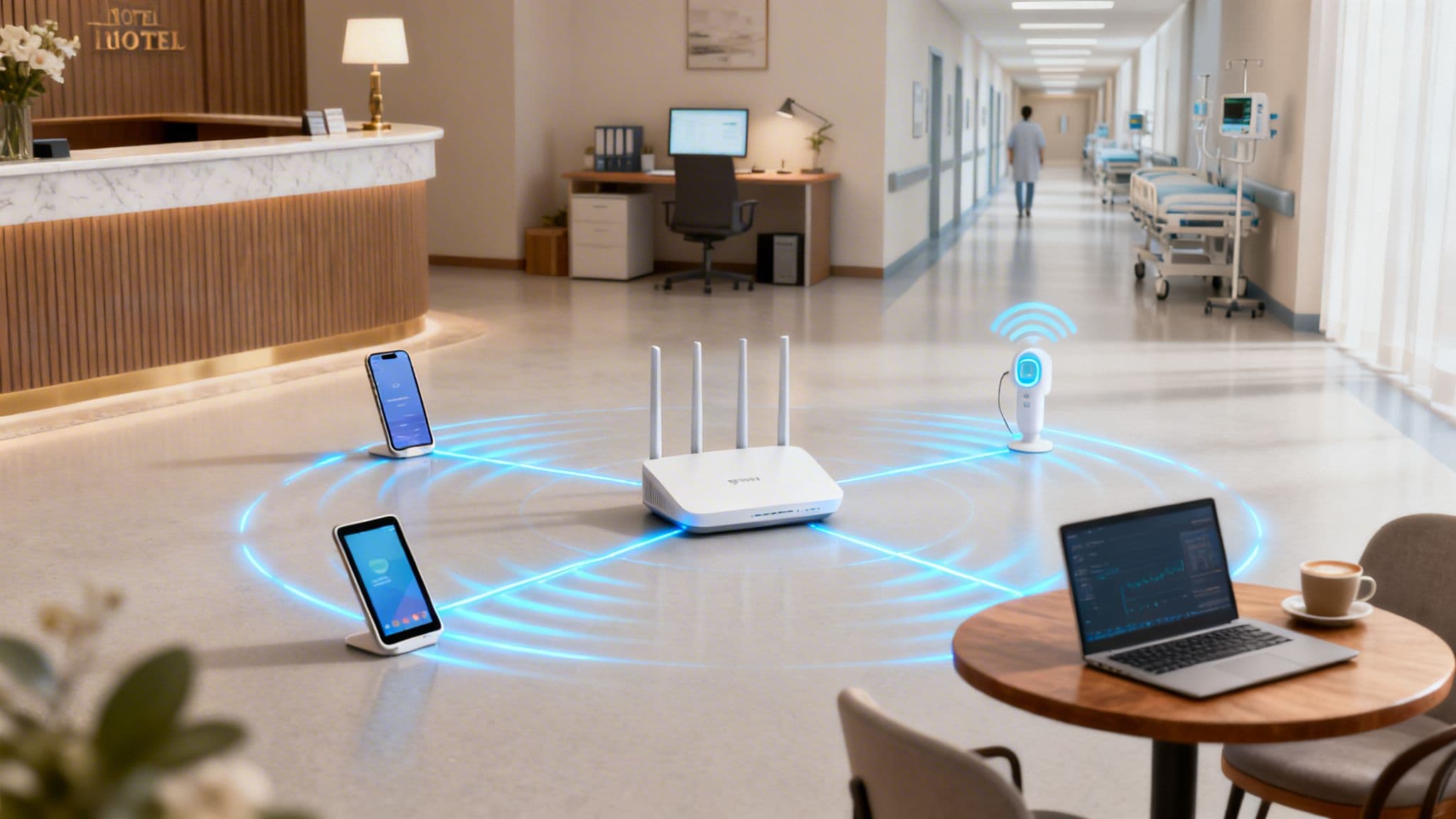
Think about the sheer number of devices with WiFi trying to connect to your network every single day. It’s like managing a busy city intersection, where every person, vehicle, and delivery drone needs its own fast, secure, and unique path to get where it's going. This is the reality of your network today.
The Modern Explosion of WiFi Devices
The days of relying on a simple password for network access are long gone. That approach just can't keep up with the complexity and scale of modern device connectivity. The number of devices connecting to the internet is growing at a phenomenal rate, and getting a handle on this device landscape is the first step towards smarter management.
This is especially true here in the UK, where internet penetration is projected to hit 97.8% by 2026. This means nearly everyone relies on a collection of WiFi-connected gadgets, multiplying the demand on every network.
Categorising Devices in Your Environment
The devices connecting to your WiFi aren't all the same; they vary massively from one sector to another, each bringing its own set of needs and security risks. A one-size-fits-all network simply won’t cut it anymore.
To understand the challenge, it helps to see how the device landscape differs across various business environments. Each sector has a unique mix of guest, customer, and operational devices, all competing for bandwidth and requiring different levels of security.
WiFi Device Landscape Across Key Sectors
This table shows just how diverse the ecosystem can be. A compromised guest smartphone in a hotel shouldn't ever be on the same virtual network as the back-of-house payment system.
The goal has to shift. Instead of just providing a connection, you need to create a secure, segmented, and intelligent network that can handle the load without frustrating users or opening up security holes.
As more and more devices join your network, ensuring they all have a stable connection is crucial. While advanced hardware like a Linksys Velop mesh system can provide more robust coverage, the underlying management and security strategy is what truly makes the difference.
Without proper segmentation, that compromised guest device could potentially find a way to access sensitive corporate data. That's why it's so important to understand not just how many devices are on your network, but what they are and what level of access they truly need. If you're interested in the explosive growth of connected devices, you can learn more about how many devices are connected to the internet in our detailed guide.
Exploring Modern WiFi Authentication Methods
The way we handle access for WiFi-enabled devices has changed a lot over the years. You can think of it like the evolution of security for a building. At first, it was an open-door policy (think insecure, open networks), which then moved to a single master key everyone had to share (a communal password). Now, we’ve arrived at something much more sophisticated, like giving every individual their own unique keycard.
This modern approach moves us well beyond the shared password, which is still a massive weak point for countless businesses. When just one password is used for every device and guest, a single breach can put the entire network at risk. Thankfully, newer methods offer a far more secure and user-friendly alternative.
The following diagram shows just how much today’s networks need to juggle. Whether it's in hospitality, retail, or a corporate office, there's always a diverse mix of devices that need tailored access.
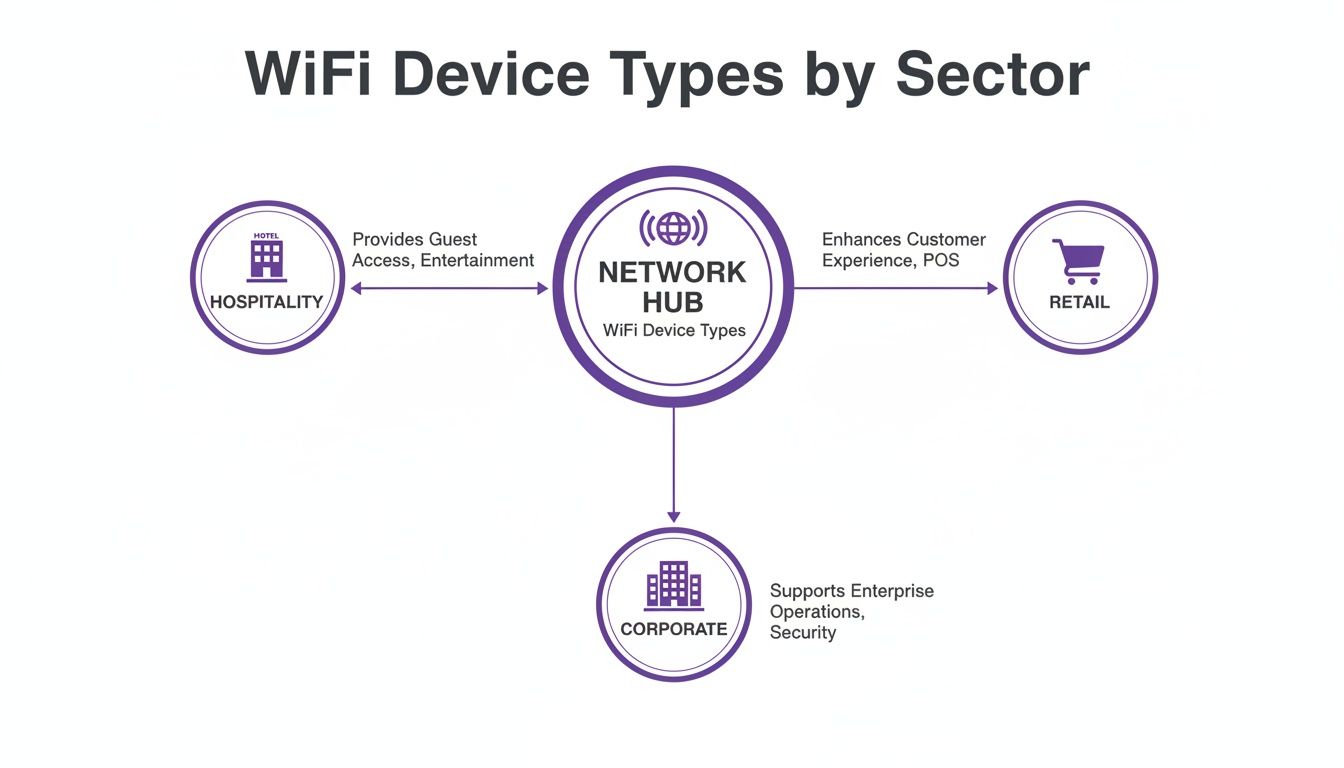
As you can see, it doesn't matter if it's a hotel, shop, or office—the network has to support a blend of public, staff, and operational devices, each with its own security requirements.
The Rise of Passpoint and OpenRoaming
Imagine having a digital passport just for WiFi. That’s the core idea behind Passpoint and OpenRoaming. Instead of having to manually search for a network and type in a password, these technologies let your device connect automatically and securely to any participating WiFi network.
For a customer, this means their smartphone connects seamlessly and safely the moment they step into a new shop, hotel, or airport that's part of the network. No more fiddling with clunky login pages or having to ask for the WiFi code. The connection is encrypted right from the start, offering a much more secure experience than your typical open guest network.
Passpoint is the underlying technology that enables this secure, automatic handshake between a device and the network. OpenRoaming is the federation that stitches all these networks together globally, creating one huge, unified system of trusted WiFi hotspots.
Benefits of Adopting Modern Authentication
Moving to these newer methods brings clear advantages for both the business and the end-user. The improvements go far beyond simple convenience.
Key benefits include:
- Enhanced Security: By getting rid of shared passwords, you eliminate one of the most common ways networks are attacked. Each connection is individually encrypted.
- Improved User Experience: Customers and guests get instant, hassle-free connectivity, which boosts satisfaction and keeps them coming back.
- Operational Efficiency: IT teams are freed from the constant headache of managing password-related support tickets and can focus on more important tasks.
The WiFi device revolution in the UK has reshaped entire sectors. With 98% of the population using the internet by early 2024, the expectation for reliable connectivity in build-to-rent housing and large venues is massive. As gigabit-capable broadband reaches more areas, networks simply have to support these dense device ecosystems without any friction. You can dig into more data on UK internet usage and trends on Statista.com .
Ultimately, these technologies change WiFi from being just a basic utility into a seamless and secure service. They build a foundation where every single device, from a guest’s phone to a staff tablet, connects with the right level of access and security, all automatically.
Solving Network Security and Segmentation Challenges

When you have a diverse mix of devices all connecting to the same Wi-Fi network, you’re creating some serious security risks. It's a bit like running a hotel. You’d never give a guest a master key that unlocks every single room, from the utility closets to the presidential suite. The same logic applies to your network.
This is precisely why network segmentation is so critical. It’s the practice of dividing your network into smaller, completely isolated sections. In our hotel analogy, this is like creating separate, secure floors with different key cards—one for corporate staff, another for public guests, and a third for operational tech like smart thermostats or security cameras.
The benefit is obvious: even if one area is compromised, the breach can't spread to more sensitive parts of the building.
Isolating Guest and Corporate Traffic
The most fundamental step any business must take is to separate guest traffic from its internal corporate resources. A visitor using your public Wi-Fi to check their emails should have absolutely no network path to your company’s financial servers or employee databases.
This isolation is a non-negotiable security measure. Without it, a malicious actor—or even just a guest’s accidentally compromised laptop—could start sniffing around your network, discovering sensitive internal systems, and trying to exploit them. It's a huge, unnecessary risk.
Proper segmentation isn't just a best practice; it's a critical defence. By creating digital walls between different user groups, you dramatically shrink your attack surface and contain potential threats before they can cause widespread damage.
Securing Legacy and IoT Devices with iPSK
But what about all the other devices that need to connect? Think of all the printers, smart TVs, digital signs, or older IoT sensors that can't handle advanced authentication methods like Passpoint or certificates. These devices often rely on a single, shared password, making them a glaring weak spot.
This is where a solution like Individual Private Shared Keys ( iPSK ) comes in. Instead of one password for all your gadgets, iPSK generates a unique, individual password for every single device. It gives you enterprise-grade security but with the simple user experience of a home network password.
Here's how it makes a difference:
- Unique Keys: Every device gets its own unique key, which is managed from a central dashboard.
- Simple Onboarding: The device connects using its unique key, just like it would on a home Wi-Fi network. No complex setup is needed on the device itself.
- Surgical Security: If one device is compromised or needs to be taken offline, you simply revoke its specific key without affecting any other devices on the network.
This approach effectively gives each legacy or IoT device its own private 'front door key'. This means you can securely onboard thousands of different devices with WiFi, ensuring that even your oldest or simplest equipment doesn't become the weak link in your security chain.
Streamlining Secure Device Onboarding
Getting a growing number of Wi-Fi devices connected securely, without turning it into an administrative nightmare, is one of the biggest challenges for any network manager. The old way of doing things—relying on slow, manual processes and shared passwords—was not only a pain to manage but also a massive security risk. Thankfully, modern automated approaches have completely changed the game.
These systems shift the focus from shared secrets to identity-based access. The whole point is to make connecting to the Wi-Fi as smooth and secure as using a keycard to get into your office.
Adopting Certificate-Based Access and SSO
Two of the most effective tools for this are certificate-based access and Single Sign-On (SSO). You can think of SSO as a universal digital keycard. An employee simply uses their existing work login, like their Entra ID or Google Workspace account, and they get instant, secure Wi-Fi access on all their devices. No fuss.
Underpinning this process are digital certificates. Instead of a password, each device gets a unique, encrypted certificate that acts as its digital ID. This is how it proves to the network that it’s a trusted and authorised device.
The real breakthrough is how modern platforms like Purple automate all of this. They can issue secure certificates for every single user and device without needing a complex on-premise RADIUS server, which was a huge hurdle for many organisations in the past.
This automation is a game-changer. When a new team member starts, their corporate account automatically gives them Wi-Fi access. Even better, when an employee leaves and their account is deactivated, their Wi-Fi access is instantly and automatically revoked. This closes a common security hole where ex-employees can keep network access long after they’ve left the building.
Meeting Modern User Expectations
This level of secure, seamless connectivity isn't just a nice-to-have anymore; it's what people expect. Network administrators in UK retail and healthcare are dealing with a flood of Wi-Fi devices, while fixed internet speeds have shot up by over 30% in the last year alone. With superfast broadband now reaching 96.9% of households, users expect fast, secure connections everywhere, from events to transport hubs.
For hospitality operators, this means it’s time to ditch the shared passwords and move to modern solutions that provide encrypted connectivity from the very first packet. You can get a deeper look into these trends in the Digital 2026 UK report .
Comparing Onboarding Approaches
The difference between the old way and the new way of onboarding devices is night and day. Let's break it down:
- Traditional Manual Onboarding: This is where you share a single WPA/WPA2 password with everyone. It's easy to set up initially, but it’s a security minefield and a management headache. Every time you need to change the password, you have to update it on every single device.
- Automated Identity-Based Onboarding: This approach links Wi-Fi access directly to a user's identity. It uses SSO and certificates to give users a frictionless experience while giving IT teams tight control and rock-solid security.
This automated method doesn't just bolster security; it also simplifies how you manage headless and legacy devices. Even gadgets that can't use certificates, like printers or smart TVs, can be handled securely. If you want to dive deeper into securing these types of devices, you can check out our guide on what iPSK is and how it provides identity-based security .
Ultimately, streamlining device onboarding is about making security invisible for the user and effortless for the administrator.
Integrating Advanced WiFi with Your Existing Network
Modernising how you manage the countless devices with WiFi connecting to your network shouldn't mean starting from scratch. Many IT administrators put off crucial security upgrades because they dread the cost and disruption of a complete hardware overhaul. Thankfully, that way of thinking is now a thing of the past.
You can add advanced authentication and a far better user experience directly on top of your existing infrastructure. This is done through platforms designed as a 'plug-and-play' software upgrade, instantly boosting the capabilities of the hardware you already own and trust.
This means you can get enterprise-grade security and a seamless user journey without the long timelines and capital expense of a major IT project. It’s all about working smarter, not just buying newer, more expensive hardware.
Frictionless Integration with Major Vendors
A huge part of this modern approach is broad compatibility. Identity-based networking platforms like Purple are vendor-agnostic, integrating smoothly with the biggest names in the networking industry.
This ensures a rapid and painless deployment, whether your environment is built on:
- Cisco Meraki
- HPE Aruba
- Ruckus
- Juniper Mist
- Ubiquiti UniFi
Because these integrations are API-driven and cloud-based, there's no need for complex on-premise servers or fiddly custom configurations. The entire system can be deployed and go live in a matter of weeks, not months. This allows you to quickly solve authentication challenges, secure your network, and start delivering a better experience for every user and device.
Understanding which authentication method fits which device is key. The following guide breaks down which modern methods work best for the different types of devices connecting to your network, all of which can be managed through a single, integrated platform.
Authentication Method Compatibility Guide
By matching the right authentication to the right device, you can solve specific security and usability challenges without creating a management headache. This tailored approach is the foundation of a truly modern and secure network.
Turning WiFi Connectivity into Business Intelligence
A modern WiFi network offers so much more than just a simple internet connection for the various devices with WiFi in your venue. When you manage it correctly, that network becomes a powerful business asset. It's no longer just a utility; it's a tool that gathers valuable first-party data, fuelling growth and helping you create better customer experiences.

Think of every device that connects as a new touchpoint. Each one gives you a chance to understand behaviour, personalise interactions, and ultimately, drive revenue. This isn't just theory—it's achieved by using built-in analytics, CRM connectors, and marketing automation tools that work hand-in-hand with your existing network infrastructure.
Unlocking Practical Applications
The real power becomes clear when you see how this plays out in different sectors. The insights you gather from WiFi usage can be directly tied to your organisation's bottom line.
Here are just a few practical examples:
- Retail Centres: A shopping centre can analyse footfall patterns to see exactly how visitors move through the space. This data helps optimise store layouts, adjust rental rates based on traffic, and properly measure the impact of marketing campaigns.
- Hospitality Venues: A hotel can instantly identify a returning guest the moment they connect to the WiFi. This opens the door for a personalised welcome-back offer sent straight to their device, building loyalty and encouraging repeat business.
- Healthcare Facilities: A hospital can use the WiFi connection to automatically send a satisfaction survey to a patient's phone shortly after their visit. This creates a constant stream of valuable feedback to improve patient care and operational efficiency.
By capturing first-party data directly from user devices, you build a rich, accurate picture of your audience. This allows you to move beyond generic marketing and create truly personalised customer journeys that increase visits and boost revenue.
This approach connects the technical solution—providing WiFi—directly to measurable business outcomes. For those who want to dig deeper into the subject, you can learn more about why WiFi analytics are important for your business in our dedicated article. It shows how every single connected device can contribute to a smarter, data-driven strategy.
Your WiFi Device Questions, Answered
As network administrators and business operators start exploring modern WiFi authentication, a few key questions always come up. Let's tackle some of the most common ones.
How Does OpenRoaming Actually Make Things More Secure?
The biggest security win with OpenRoaming is that it gets rid of shared passwords entirely. A single, shared password is a massive security hole just waiting to be exploited—once it's leaked or stolen, your whole network is vulnerable.
OpenRoaming swaps that outdated model for unique, encrypted credentials for every single device. This means each connection is secure from the very first data packet, effectively shutting the door on many common network attacks and keeping all your devices with WiFi safe.
Think of it like this: a shared password is the equivalent of leaving the key under the doormat. OpenRoaming gives every authorised user their own unique, digital keycard that can't be copied or shared.
What About Our Older WiFi Devices? Can We Still Support Them?
Absolutely. It would be unrealistic to expect every piece of hardware to support the very latest authentication standards. A proper, comprehensive solution has to account for this, and that's exactly what technologies like Individual PSK (iPSK) are designed for.
With iPSK, you can generate a unique password for each of your legacy devices, such as:
- Printers and scanners
- Smart TVs and digital signage
- IoT sensors and building controls
This brings them into a managed, secure environment without forcing you to scrap older equipment that's still perfectly functional.
Is Switching Away from a Captive Portal a Complicated Project?
Not at all. In fact, the transition is designed to be remarkably smooth. Modern, cloud-based platforms are built to integrate directly with the network hardware you already have from major vendors like Meraki, Aruba, and UniFi.
Because there are no complex on-premise servers to install or maintain, the whole deployment process is incredibly fast. We're talking about getting up and running in a matter of weeks, not the months-long projects you might be used to.
Ready to replace your clunky captive portals and shared passwords with secure, seamless authentication? See how Purple can modernise your network by visiting https://www.purple.ai .