Your Guide to Deploying an Outdoor Access Point

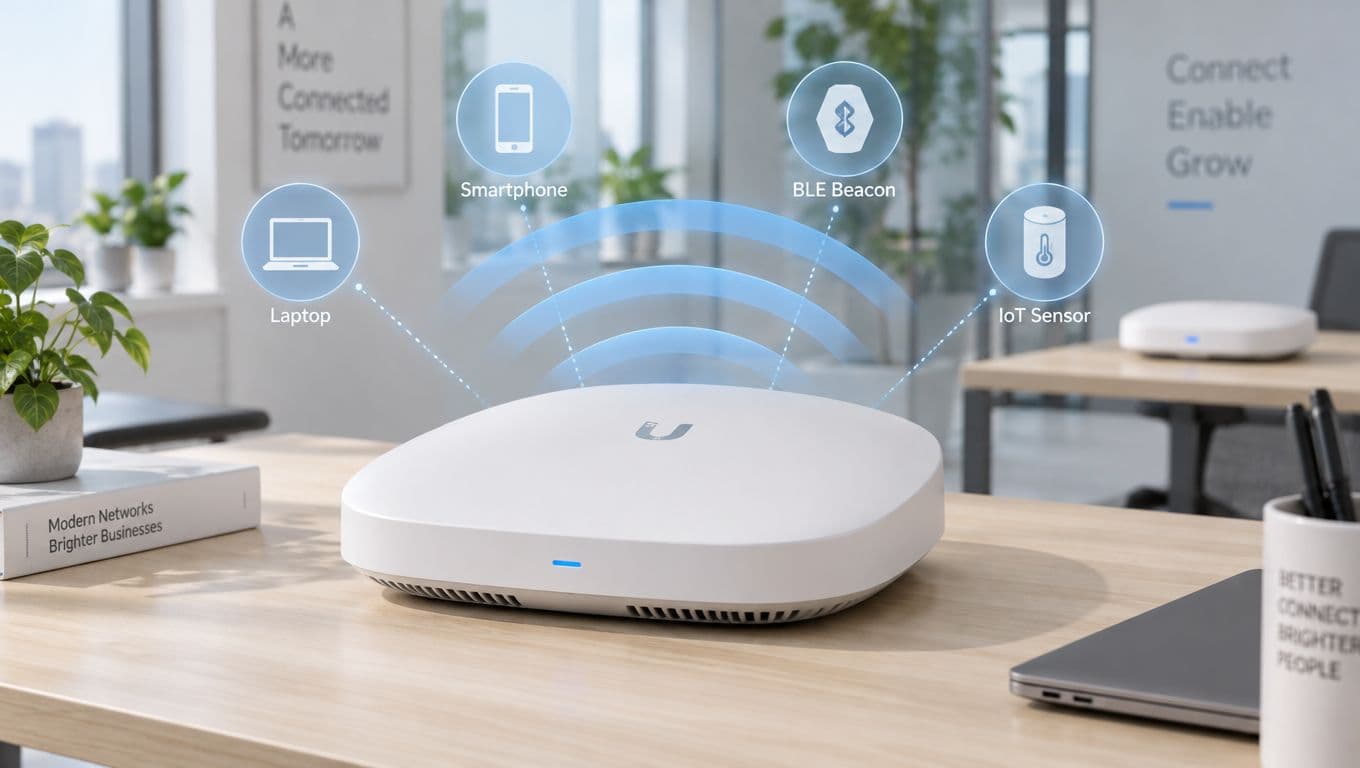
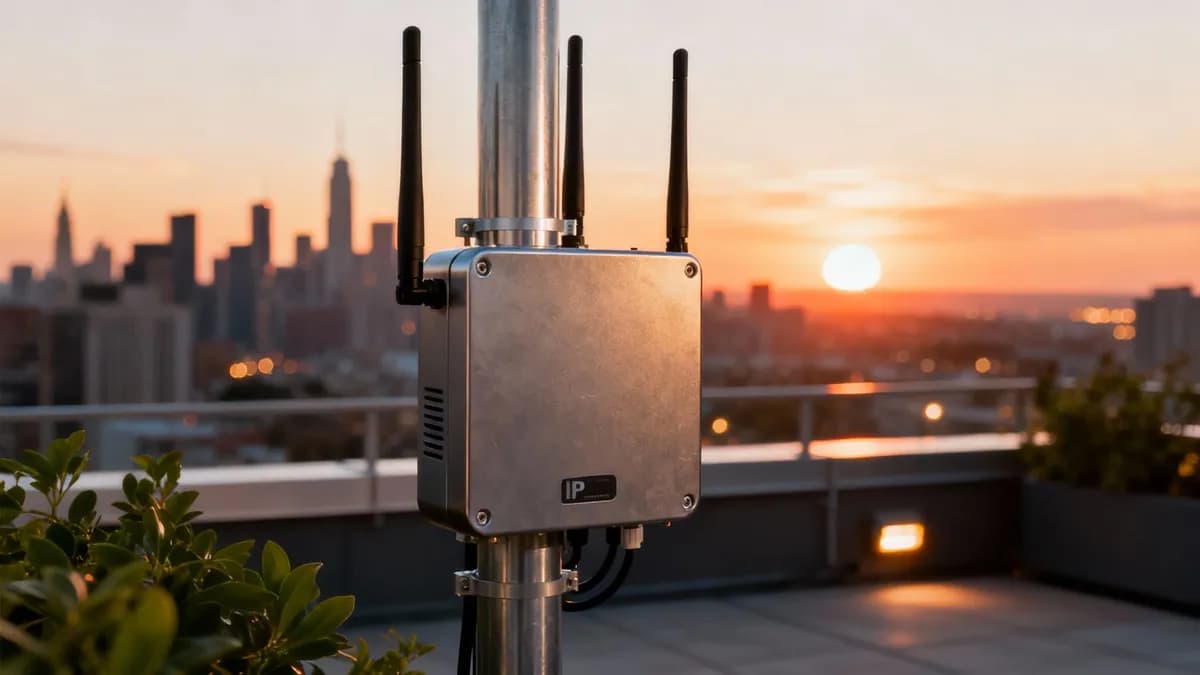
At its core, an outdoor access point is a piece of networking hardware specifically built to deliver Wi-Fi outside. Think of it as the rugged, weatherproof sibling of the indoor AP you might have in your office, engineered to handle everything from pouring rain and dust storms to extreme heat and cold.
It's the essential bit of kit for any business wanting to push its network coverage beyond the four walls of its building.
Why Outdoor Wi-Fi Is a Strategic Asset

Not long ago, outdoor Wi-Fi was just a nice perk—something you might find by the hotel pool or on a café patio. That thinking is now completely outdated. Today, deploying a high-performance outdoor access point isn't just about convenience; it's a strategic move for any modern business that wants to stay competitive.
From hospitality and retail to public transport and healthcare, solid outdoor connectivity has become a seriously powerful tool. It directly improves the customer experience, opens up new ways to work more efficiently, and provides a goldmine of business insights. If you neglect your external network, you're not just leaving customers disconnected—you're leaving money and opportunity on the table.
More Than Just a Signal
A modern outdoor network is about so much more than just providing a basic internet connection. It’s about creating a connected ecosystem that drives real, measurable business results.
Just think about what becomes possible when you extend your digital footprint outside:
- Boost Customer Engagement: A guest at a resort can order drinks right to their sun lounger. A shopper in a retail park can get a location-based offer sent straight to their phone.
- Improve Operational Efficiency: Logistics teams can use rugged tablets to manage inventory in a warehouse yard. Event staff can scan tickets and manage security across a massive open-air venue.
- Unlock Valuable Data: By offering secure guest Wi-Fi, you can start to understand visitor behaviour, measure footfall, and gather first-party data to make your marketing truly personal.
By viewing an outdoor access point as a strategic asset rather than a utility, businesses can transform previously passive spaces into active, data-rich environments that generate a clear return on investment.
Ultimately, a well-planned outdoor Wi-Fi deployment becomes the foundation for a smarter, more connected business. And when you pair this hardware with an advanced platform like Purple, it evolves from a simple cost centre into a secure, identity-based network that fuels business intelligence and builds deeper customer relationships.
Comparing Indoor and Outdoor Access Points
At first glance, an indoor and an outdoor access point might look like they do the same job. They both broadcast a Wi-Fi signal, get users online, and aim to provide solid connectivity. But thinking they're interchangeable is a classic mistake—one that leads to failed projects, fried equipment, and serious security holes. The differences aren't just skin deep; they are engineered from the ground up for wildly different worlds.
Think of an indoor access point like your telly or microwave. It works perfectly in the predictable, climate-controlled comfort of a building. It's safe from rain, extreme heat, and being knocked about.
An outdoor access point, on the other hand, is like professional expedition gear. It’s built to keep working in a blizzard on a mountaintop or during a desert heatwave. Every single component is picked for resilience and the ability to stare down nature’s worst. Taking an indoor AP outside is like wearing slippers to climb Ben Nevis; it’s just not made for the job.
Built to Survive the Elements
The most obvious difference is their physical build. An indoor AP usually has a lightweight plastic case with plenty of vents to keep the electronics cool. This is great for an office, but outside it’s basically an open invitation for water, dust, and insects.
An outdoor access point is a different beast entirely, featuring a rugged, fully sealed enclosure. These are meticulously designed to stop environmental hazards from getting in. We're not just talking about being a bit weatherproof; we're talking about protecting sensitive internal parts from long-term punishment.
The whole design philosophy behind an outdoor access point is environmental resilience. It’s built for the worst-case scenario—driving rain, corrosive salt spray, fine dust, and massive temperature swings—and expected to work reliably through it all.
This tough construction is the first line of defence. Without it, even the most powerful electronics inside would give up the ghost in a matter of days or weeks.
Key Technical Differentiators
Look past the tough exterior, and you'll find a whole host of technical specs that set these two devices apart. These aren't just minor tweaks; they represent a fundamental split in engineering and purpose. Getting your head around these is vital for choosing the right tool for the job.
Here’s what really matters:
Ingress Protection (IP) Rating: This is a standardised way to classify how well a device is sealed against solids (like dust) and liquids (like water). An indoor AP might have no IP rating at all, while an outdoor model will boast something like IP67, which means it's completely dust-tight and can even be dunked in water.
Operating Temperature Range: Indoor APs are designed for comfy room temperatures, usually between 0°C and 40°C. An outdoor access point has to tough it out in far greater extremes, with many certified to work in temperatures from a bone-chilling -40°C all the way up to a blistering 65°C or more.
Antenna Design: Indoor APs typically have internal, omnidirectional antennas designed to cover rooms and work around interior walls. Outdoor units often rely on high-gain external antennas. These can be omnidirectional to provide 360-degree coverage in open spaces, or directional to beam a signal over long distances, sometimes connecting buildings miles apart.
To make things crystal clear, the table below breaks down the essential differences. It highlights precisely why grabbing the right device isn't just a suggestion—it's non-negotiable for a successful network.
Indoor vs Outdoor Access Point Key Differentiators
As you can see, from the casing right down to the power source, these devices are engineered for completely different challenges. Choosing the wrong one isn't just inefficient; it’s a recipe for failure.
How to Decode Technical Specifications
Choosing an outdoor access point can feel like trying to read a foreign language. Datasheets are crammed with acronyms and numbers, but figuring out what they actually mean in the real world is the key to a smart investment. Let's cut through the jargon and break down the specs that truly matter.
Think of these specifications not as boring details, but as the AP's built-in survival kit. They tell you exactly what kind of punishment the device can take and how it will perform when it’s needed most. Get this right, and your network stays online, no matter what the weather throws at it.
Surviving the Great Outdoors: IP Ratings and Temperature
First things first: can the device handle being outside? This comes down to its IP rating and operating temperature range. These aren't just suggestions; they are the absolute deal-breakers for any outdoor deployment.
An IP rating has two digits. The first (0-6) tells you how well it’s sealed against solids like dust, and the second (0-9) tells you how it stands up to water. An indoor AP might not even have a rating, leaving its sensitive electronics completely exposed.
For any serious outdoor access point, you should be looking for a rating of IP65 at a minimum, but ideally higher. Here's what that means in practice:
- IP65: This AP is totally dust-tight and can handle low-pressure water jets from any direction. It’s fine for well-sheltered spots, like under a deep awning.
- IP67: This is the gold standard for most outdoor deployments. It's completely sealed against dust and can even be submerged in up to one metre of water for 30 minutes. Torrential rain, jet washing, or a rogue sprinkler? No problem.
Just as critical is the operating temperature. An outdoor AP has to bake in summer heatwaves and survive freezing winters without skipping a beat. Look for a wide operational range, typically from -40°C to 65°C, to ensure it doesn't shut down when you need it most.
Understanding Antennas and Coverage Patterns
Once you know the AP can survive the elements, you need to know how it sends out its signal. This all comes down to the antennas. Think of them like different types of light bulbs—some flood a whole area with light, while others focus it into a tight beam.
The two main types you’ll encounter are:
- Omnidirectional: These broadcast a signal in a 360-degree circle, like a bare lightbulb hanging in the middle of a room. They’re perfect for covering big, open spaces like a hotel pool area, a town square, or a festival ground.
- Directional: These focus the Wi-Fi signal into a concentrated beam, just like a spotlight. You’d use these for creating a wireless link between two buildings or pushing a signal down a long, narrow area like a high street.
Picking the right antenna is non-negotiable for good performance. Using an omni where a directional is needed just wastes signal and creates interference. Use a directional for wide-area coverage, and you'll create huge dead zones where no one can connect.
Handling Crowds with MIMO Technology
What happens when hundreds of people descend on your outdoor space, all trying to get online at once? This is where MIMO (Multiple Input, Multiple Output) technology becomes your best friend.
MIMO uses multiple antennas to send and receive several streams of data at the same time, massively boosting the network's capacity. It’s like a supermarket opening more checkout tills during a rush—more people get served simultaneously, cutting down the queues and the frustration.
A crucial evolution of this is MU-MIMO (Multi-User MIMO), which allows an access point to talk to multiple devices at the exact same time. This is a game-changer for high-density venues like stadiums or concert arenas, ensuring a smooth connection for everyone, not just the first few people who join the network.
On a spec sheet, you’ll see this written as 2x2 or 4x4. The first number is the transmitting antennas, the second is receiving. A 4x4 AP can handle far more simultaneous users and data than a 2x2 model, making it the clear choice for anywhere you expect a crowd.
Simplifying Installation with Power over Ethernet
Finally, you have to think about how you'll get power to the device. Running a separate electrical cable to every outdoor AP is expensive, messy, and adds another point of potential failure. Thankfully, there’s a much smarter solution: Power over Ethernet (PoE).
PoE allows a single Ethernet cable to deliver both data and electrical power straight to the AP. Installation becomes instantly simpler and cleaner, since you only need to run one wire to each location. For beefy outdoor APs, make sure to check for support for modern standards like PoE+ (802.3at) or PoE++ (802.3bt). These deliver more wattage, which is essential for powering high-performance radios and, in colder climates, internal heaters.
Planning Your Outdoor Wi-Fi Deployment
Getting your outdoor Wi-Fi right is less about the tech you buy and more about the strategy you follow. You can't just bolt the toughest-looking outdoor access point onto a wall and expect great results. The real secret to a resilient, high-performing network is a solid plan built on a deep understanding of your physical environment.
Jumping straight into installation without a plan is like building a house without blueprints – you’re just asking for expensive mistakes and a network that constantly lets you down. The work has to start long before you even unbox the hardware, beginning with a proper look at the space you need to cover. Get this right, and you'll nail it the first time.
Start with a Professional Site Survey
The single most important first step is a professional site survey. This isn't just a casual stroll around your property; it's a detailed analysis of the radio frequency (RF) environment. Think of it as an X-ray for your outdoor space, revealing all the invisible things that can absolutely kill a Wi-Fi signal.
A proper site survey helps you:
- Find RF Interference: It sniffs out other Wi-Fi networks, Bluetooth gadgets, and all sorts of electronic 'noise' that could interfere with your signal.
- Map Out Obstructions: It accounts for solid buildings, dense trees, and even temporary things like event stages that can block or bounce Wi-Fi waves around.
- Plan for Coverage and Capacity: It helps you figure out exactly how many APs you need and where to put them for seamless coverage, avoiding dead zones, especially where crowds gather.
A site survey is your deployment roadmap. Skipping this step is the single biggest cause of poor outdoor Wi-Fi performance. It moves you from guesswork to a data-driven strategy, saving you immense time and money in the long run.
Once the survey is done, you'll have a clear picture of your environment's unique quirks, letting you choose and place your hardware with confidence.
The process below shows how the findings from a site survey directly feed into your hardware choices.

This flow from survey to spec sheet is critical; it ensures your choices on IP ratings, antenna types, and power are based on real-world conditions, not just what's on the box.
Strategic Placement and Secure Cabling
With your survey data in hand, you can start pinpointing the best spots for each outdoor access point. Placement is a bit of an art. Mount an AP too high, and you might get great range but a weak signal down at ground level. Put it too low, and it could be blocked by obstacles or become an easy target for vandals.
You also have to think about the antenna's radiation pattern. An omnidirectional antenna is like a lantern, casting its signal in a wide circle, which is perfect for the centre of a beer garden. A directional antenna, on the other hand, acts like a spotlight, shooting a focused beam of Wi-Fi down a long walkway or across a car park. Getting this wrong means you're either broadcasting to empty sky or creating frustrating dead spots for your users. You can even calculate your access point needs with our handy tool.
Cabling is just as crucial. Every connection needs to use outdoor-rated, UV-resistant Ethernet cable. If you use standard indoor cable, it will quickly degrade and fail when exposed to sunlight and rain. For the best protection, go with shielded cabling and run it through a conduit to guard it from both the weather and any physical damage.
Choosing Your Network Backhaul
Finally, how are your outdoor APs going to talk back to your main network? This connection is called the network backhaul, and it’s the lifeline for your whole outdoor setup. You’ve got two main options here.
- Wired Backhaul: This means running a physical Ethernet cable from each outdoor AP back to a network switch inside. It gives you the most reliable performance and the fastest speeds, hands down.
- Wireless Backhaul (Mesh): With a mesh setup, only one AP needs to be wired in. The others relay the signal wirelessly to each other. It’s way more flexible and easier to install in places where running cables is a nightmare, but it can add latency and slow down the overall network speed.
The drive for better public connectivity is a huge factor in these projects. The UK government's ambitious Wireless Infrastructure Strategy is pushing demand for strong outdoor networks in public areas. This lines up with a European outdoor Wi-Fi market that's projected to explode from €0.997 billion in 2024 to €2.917 billion by 2032, largely thanks to smart city projects. A solid backhaul strategy is the foundation for meeting these growing demands for dependable outdoor internet.
Securing Your Outdoor Wi-Fi Network
Taking your Wi-Fi network outdoors brings a unique set of security challenges. You no longer have the physical protection of four walls; your signal is now broadcast in public spaces where anyone with a laptop could potentially be listening in. This calls for a modern, layered approach to security—one that protects both your network and your users without creating a frustrating mess.
Old-school security methods just don’t cut it anymore. Shared passwords get written on sticky notes and passed around, while complicated login pages are a barrier for guests who just want to get online. The real goal is to make security invisible yet incredibly strong, ensuring every connection is properly authenticated and encrypted from the very first packet.
Modern Encryption and Authentication
The bedrock of any secure wireless network is strong encryption. For any public or semi-public outdoor setup, WPA3 is the non-negotiable standard. It's a massive leap forward from its predecessor, WPA2, closing critical security loopholes and making it much, much harder for attackers to eavesdrop on Wi-Fi traffic.
But encryption is only half the story. You also need a smart way to get people connected. This is where seamless authentication technologies come in, creating a secure yet frictionless experience for everyone. A crucial, and often overlooked, aspect of securing any outdoor Wi-Fi network is knowing how to waterproof electrical connections properly, often using IP-rated connectors, to guarantee the long-term reliability of the physical hardware itself.
The Power of Seamless Guest Access
For your guests, the days of clunky captive portals and shared passwords are thankfully over. Technologies like Passpoint and initiatives like OpenRoaming have completely changed the game. Think of it like how your mobile phone automatically connects to a trusted network when you're roaming abroad; OpenRoaming does the exact same thing for Wi-Fi.
A guest can authenticate once at a participating venue—a coffee shop, an airport, a hotel—and their device will then automatically and securely connect to the Wi-Fi at thousands of other OpenRoaming-enabled locations worldwide. No more login pages, no more passwords.
This approach delivers some serious benefits:
- Enhanced Security: Connections are encrypted right from the start, unlike traditional open guest networks that can transmit initial data in the clear.
- Frictionless User Experience: Automatic connection removes the single biggest point of frustration for users, which encourages more people to actually use the network.
- Valuable Data Insights: By authenticating users securely, venues can gather valuable, consent-based first-party data to better understand visitor behaviour.
The ongoing expansion of rural connectivity makes this even more powerful. In the UK, the Shared Rural Network (SRN) programme has significantly boosted outdoor wireless coverage. Ofcom reports that 92% of the UK landmass already has good 4G signal from at least one operator. This means that seamlessly integrating an outdoor access point with platforms like Purple's OpenRoaming for passwordless guest access is more viable than ever, even in rural hospitality venues. You can read more about this UK wireless infrastructure strategy on GOV.UK.
Zero-Trust Security for Staff
While seamless access is perfect for guests, your staff and corporate devices demand an even higher level of security. This is where a zero-trust model, built on certificate-based authentication, is essential. Instead of relying on vulnerable shared passwords, each employee or company-owned device is issued a unique digital certificate that grants them access.
This certificate is tied directly to their identity in a central directory like Entra ID (formerly Azure AD) or Google Workspace. If an employee leaves the company, their access can be revoked instantly from one central place, and their certificate becomes invalid. This completely eliminates the security nightmare of ex-employees still having the old "staff" Wi-Fi password. It’s a simple, scalable, and far more secure way to manage network access for your team. You can explore a deeper dive into these concepts in our article on comprehensive Wi-Fi security strategies.
Exploring Real-World Use Cases

So far, we've dug into the technical nuts and bolts of what makes an outdoor access point tick. But where does the theory meet reality? An outdoor AP isn't just a rugged box; it's a powerful tool that solves real business problems and unlocks new opportunities across all sorts of industries.
These devices are the unsung heroes behind seamless guest experiences, smarter city services, and more efficient operations. By looking at how different sectors put them to work, we can see their true value come to life, transforming previously disconnected spaces into hubs of activity and insight.
Hospitality Redefined
Picture a sprawling holiday resort. Guests expect flawless connectivity everywhere, from their room balcony to the poolside sun lounger. An outdoor access point network is the key to making this happen, but its job goes way beyond just providing internet access.
It powers an entire ecosystem of guest services. Think about it:
- Mobile Ordering: Guests can order food and drinks directly to their cabana with their smartphone, which is a great way to boost sales and speed up service.
- Event Connectivity: The network can easily support outdoor weddings, conferences, or live music events, providing solid connections for vendors, staff, and attendees.
- Personalised Experiences: When a guest connects to the Wi-Fi, the resort can greet them with a personalised message or offer a discount at the spa. This turns a simple connection into a powerful marketing moment.
In the hospitality sector, outdoor Wi-Fi is no longer a luxury; it's an essential part of the modern guest experience. A well-designed network directly contributes to higher guest satisfaction scores, increased on-site spending, and stronger brand loyalty.
This approach creates a clear return on investment, shifting the network from a cost centre to a genuine revenue driver.
Smarter Retail and Public Venues
For shopping centres, high streets, and large public venues, deploying outdoor access points can completely change how they engage with visitors. The network becomes a digital layer over the physical space, unlocking new efficiencies and ways to connect.
Take a large retail park, for instance. Robust outdoor Wi-Fi can support smart car park systems that guide drivers to empty spaces, cutting down on congestion and starting the customer journey on a positive note. Once they're walking around, the network can power wayfinding apps, helping shoppers navigate the space and discover new stores.
This kind of connectivity is also pivotal for the UK's push towards nationwide high-speed internet, which is backed by significant government investment. The European outdoor Wi-Fi market, with the UK at the forefront, is expected to surge from $0.997 billion in 2024 to $2.917 billion by 2032, driven largely by smart city initiatives. For retail marketers and venue operators, this growth presents a golden opportunity to turn visitor data into real ROI.
Transport Hubs and Logistics
In the fast-paced world of transport and logistics, reliable connectivity is non-negotiable. At an airport, train station, or bus depot, an outdoor access point network makes sure travellers can get real-time departure info, download tickets, and stay connected while they wait.
Beyond the passenger experience, these networks are critical for operations. Ground crews at an airport can use rugged tablets on the tarmac to coordinate baggage handling and aircraft servicing. In a logistics yard, staff can scan inventory and update systems in real time, even when they're far from the main building. This drastically improves accuracy and efficiency, cutting down on delays and costly errors.
Ultimately, these examples show that deploying an outdoor access point is a strategic decision with far-reaching benefits. Whether it's delighting a hotel guest, guiding a shopper, or streamlining airport operations, a well-planned outdoor network is fundamental to success. You can read more about how Purple helps to power these connected experiences in outdoor spaces.
Common Questions About Outdoor Access Points
Even with the best plan in hand, a few practical questions always pop up when you're getting ready to deploy an outdoor network. Let's tackle some of the most common queries to clear up any lingering doubts and help you move forward with confidence.
How Far Can an Outdoor Access Point Broadcast a Signal?
The honest answer? It depends. The range of an outdoor access point can vary wildly based on its antenna type, power output, and the local environment.
A standard omnidirectional model might comfortably cover a radius of 100 metres in a wide-open park. At the other end of the scale, a powerful directional antenna can beam a signal several kilometres for a point-to-point link, provided there's a clear line of sight.
But remember, obstacles are the enemy of Wi-Fi. Things like buildings, thick clusters of trees, and even heavy rain can slash that effective range dramatically. The only way to know for sure what kind of coverage you'll get is to conduct a professional site survey in your specific location.
Can I Use an Indoor Access Point in a Sheltered Area?
We get this question a lot, and the answer is always a firm no. It might be tempting to stick an indoor AP under a covered patio or awning to save a few quid, but it’s a recipe for disaster.
Indoor models simply aren't built to withstand the realities of the outdoors. Even in a sheltered spot, they're exposed to constant temperature swings, condensation forming inside the unit, and fine dust that will eventually cause them to fail.
This approach almost always leads to unreliable performance, premature hardware failure, and will immediately void the manufacturer's warranty. For any external deployment, always invest in a properly IP-rated outdoor access point built for the job.
Do I Need Special Cabling for an Outdoor Access Point?
Yes, using outdoor-rated Ethernet cable is absolutely non-negotiable for a safe and reliable installation. This isn't just a recommendation; it's a critical part of the setup.
This type of cable has a tough, UV-resistant jacket that shields the internal wires from sunlight, moisture, and extreme temperatures. Standard indoor cable would quickly become brittle, crack, and fail when exposed to the elements.
For best results and to protect your hardware, always use shielded cabling with properly grounded connectors. This simple step helps fend off electrical interference and protects your access point from damage caused by electrostatic discharge.
Ready to transform your outdoor spaces with seamless, secure connectivity? Purple provides an identity-based networking platform that works with your existing hardware to deliver a world-class user experience. Learn more about how Purple can elevate your venue.