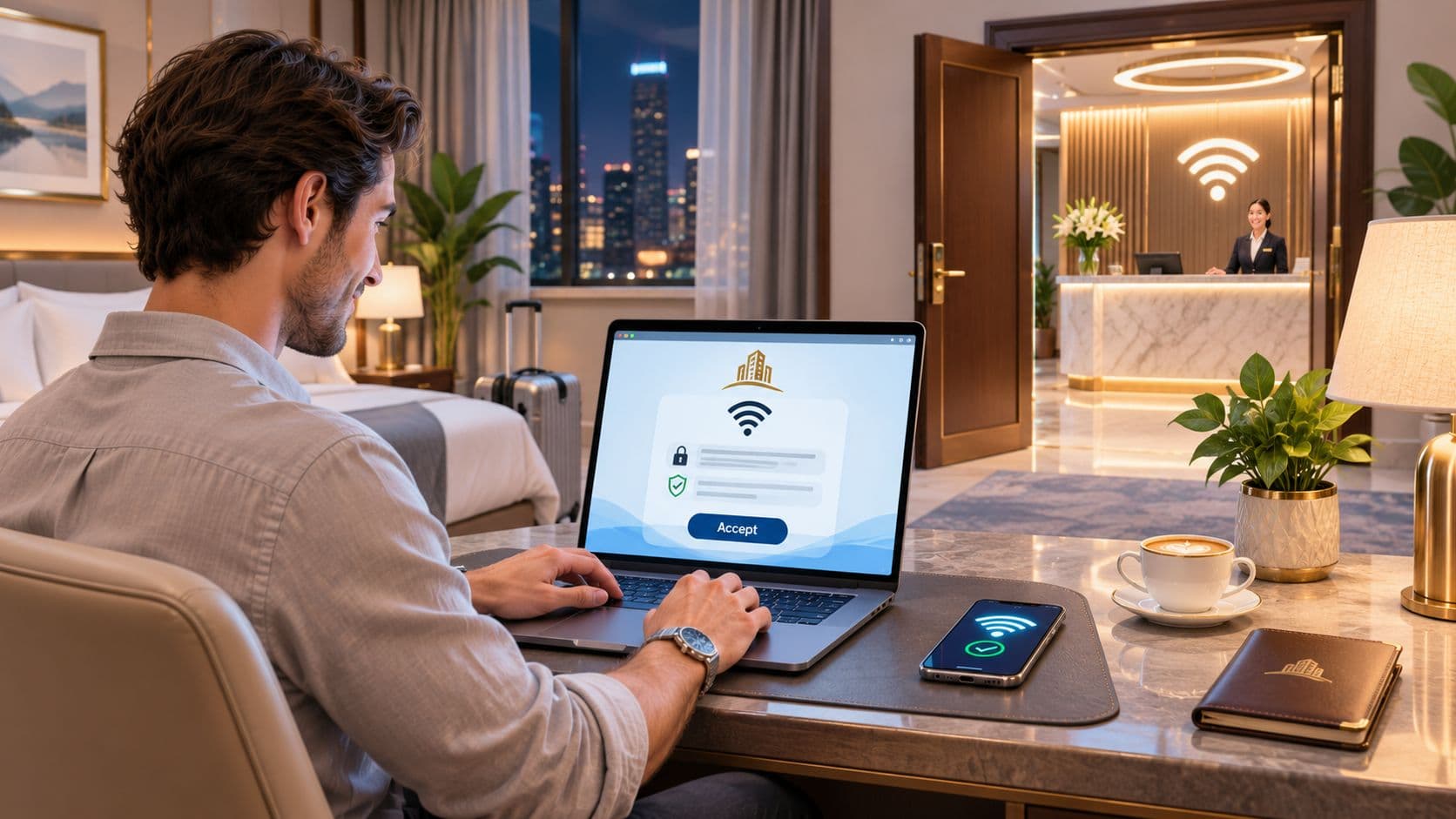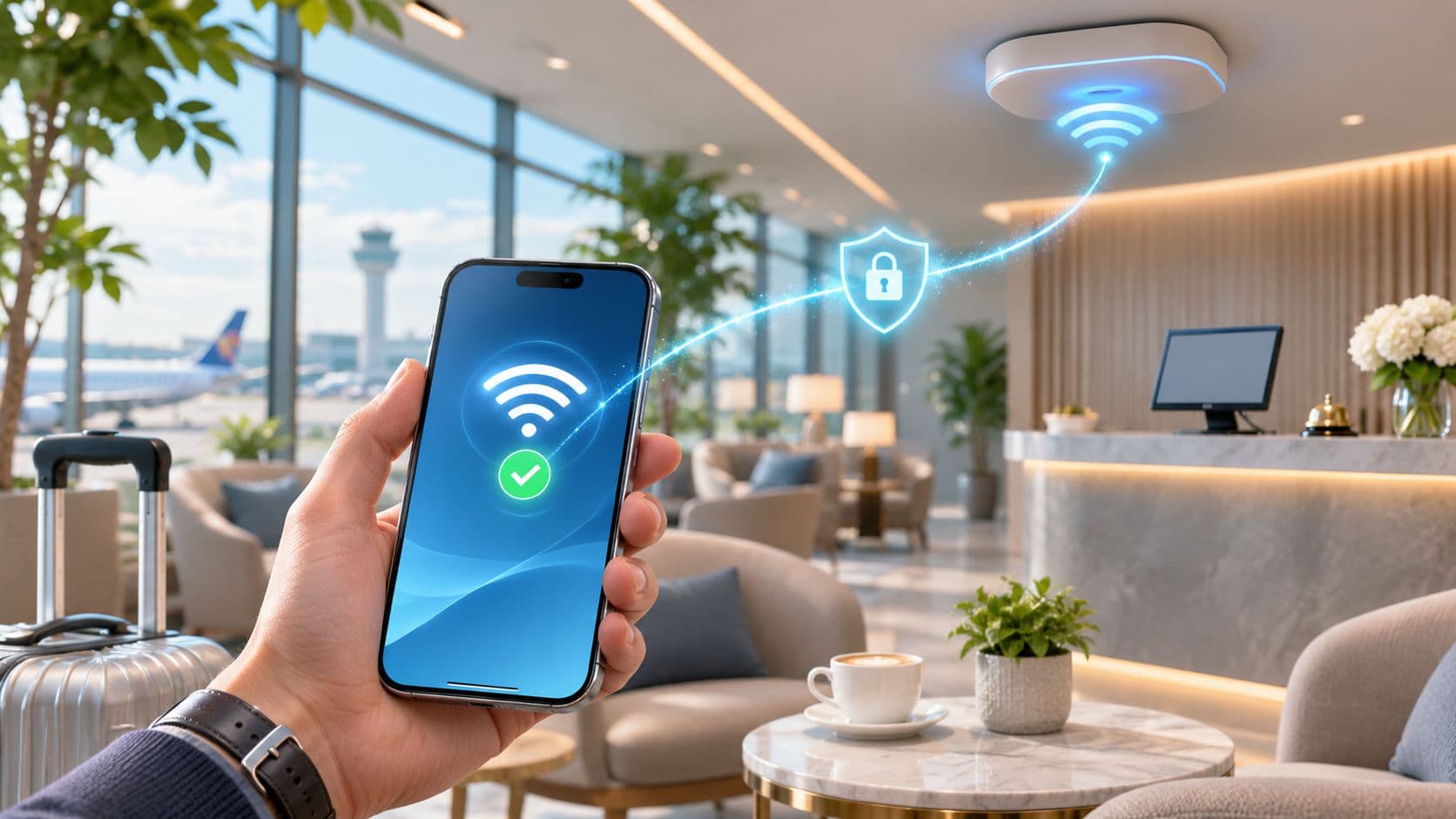
60% of respondents reported WiFi connectivity issues on or off campus in Jisc's 2024/25 Digital Experience Insights survey, which collected responses from 15,398 students across 30 UK higher-education providers. That isn't a measure of campus network failure alone, but it puts connectivity firmly within the student-experience agenda.
Good WiFi for universities starts with a different question from “Does this building have coverage?” Ask whether a student can authenticate, obtain an address, reach a learning platform and stay connected while moving. Identity, radio design and service monitoring must work together.
Who needs campus WiFi and what each group requires
A student submitting coursework, a professor opening a departmental drive and a conference delegate checking email may sit beside each other. They shouldn't receive identical network permissions.
Start with user journeys, not access point specifications. The following table describes a practical service model, rather than a requirement to build separate physical infrastructure for every group.
Access requirements by user group
| User group | Typical access | Sign-in method | Priority requirement |
|---|---|---|---|
| Students | eduroam on personal and managed devices | Home institution credentials | Seamless roaming between halls, libraries and partner sites |
| Staff | eduroam plus a separate staff network on managed devices | Credentials or managed device certificates | Access to internal systems, kept apart from guest traffic |
| Residents in dorms | Dedicated student housing network or private SSID | Account linked to the student record | Steady speed during evening streaming and gaming |
| Visitors and conference delegates | Time-limited guest network with a captive portal | Self-registration or sponsor-issued login | Isolation from internal systems and devices |
Students need straightforward onboarding across different operating systems. Staff need permissions that reflect their role and device management status. Residents also bring consoles, televisions and other devices that can't complete a browser-based login.
Visitors need an obvious route online without contacting the help desk or borrowing someone's university credentials. Their access should expire when their visit ends.
Design for the devices students actually have
The same Jisc survey found that 37% of students lacked access to a suitable device at some point during their studies. A service designed only around current, centrally managed laptops won't meet that reality.
Test onboarding with loan equipment and older supported devices, not just the IT team's standard build. Publish connection instructions that students can download before arriving, and make recovery from changed passwords or expired profiles understandable.
Design principle: One wireless infrastructure can serve several communities. One undifferentiated access policy cannot serve them safely.
Find the row that describes your largest campus population, then check the design against every other row. A student-first service still needs workable arrangements for staff, residents and visitors before procurement begins.
How eduroam and Federated Login Work
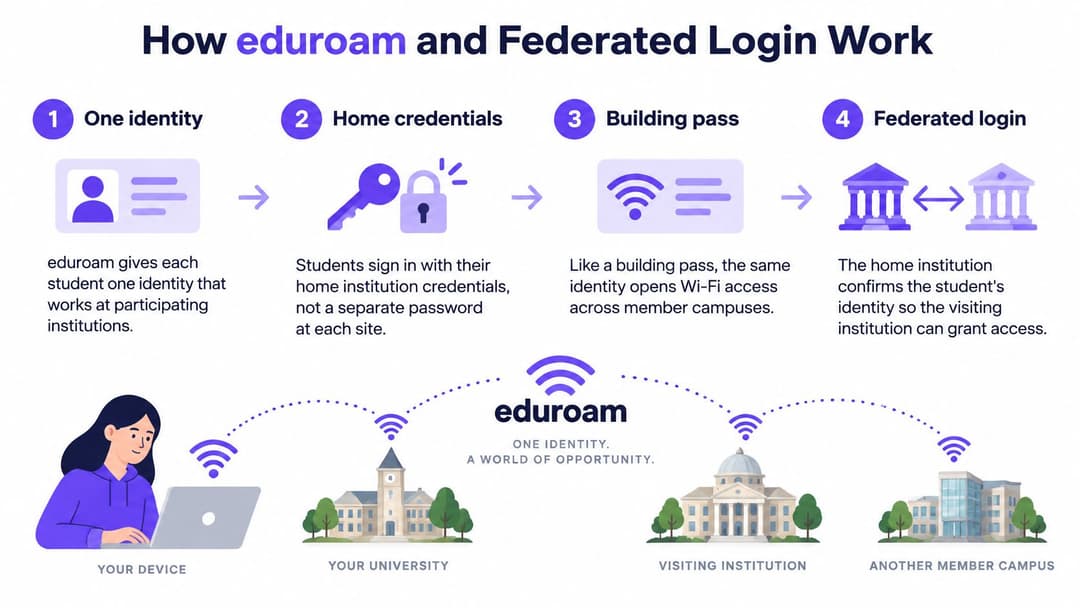
Say a student visits another university's library. With eduroam, they use their home institution's identity rather than requesting a new local account.
Think of a building pass accepted across participating sites. The home institution confirms whose pass it is, but the building being visited decides which doors it opens. Authentication establishes identity; authorization determines access.
Jisc's eduroam service reports that more than 560 UK organisations offer eduroam. That establishes its practical relevance for mobility without implying that every participating campus provides identical permissions or performance.
Follow the authentication handover
- The device discovers the eduroam network and begins its configured authentication exchange.
- The access point forwards that exchange towards a RADIUS server.
- The home institution checks the identity using the configured authentication method.
- The visited institution applies its local access policy and provides addressing from its designated pool.
- The device completes its connection and can use the services that policy permits.
RADIUS carries authentication and policy information; it isn't the route through which ordinary browsing traffic travels. Separating those functions helps teams investigate login failures without assuming that the internet connection itself has failed.
Visitor addressing must work through DHCP, and firewalls must allow the ports and protocols required by the eduroam deployment guidance. Include those dependencies in acceptance testing, particularly where different teams operate identity services, wireless infrastructure and firewalls.
For teams evaluating authentication hosting, a RADIUS-as-a-Service overview provides useful context. Hosting choices still need to satisfy the institution's federation, policy and operational requirements.
The governing rule is simple: authenticate at home, authorize and segment locally. Monitor RADIUS failures through controlled administrative systems rather than exposing directory services directly to wireless clients.
Separating staff, student and guest networks
In 2024, 94% of UK higher-education institutions reported separate WiFi networks for staff and visitors, according to the UK Government's Cyber Security Breaches Survey. Separate network names are a starting point, however, not proof of effective isolation.
An SSID is the name users select. A VLAN is a logical traffic segment. A firewall decides which communications can cross between segments. Confusing these functions can leave a guest network with a reassuring name but excessive access.
Build separation into the traffic path
- Identify staff and student sessions. Use separate SSIDs or identity-based policy assignment so permissions follow the authenticated user and device.
- Put visitors on a guest service with a captive portal or time-limited login.
- Assign controlled network segments. Map each group to an appropriate VLAN or subnet, with deliberate routing between them.
- Enable client isolation for guests and use residence policies that prevent unrelated residents reaching each other's devices.
- Enforce firewall boundaries. Block guest access to internal services, allowing only explicitly approved exceptions.
Residence isolation needs care. A student may legitimately want their phone to control their television or discover their printer. Private device groups can allow that relationship without exposing those devices to the whole building.
Keep the number of broadcast SSIDs small. Each advertised network consumes airtime through management traffic, so creating a new name for every department isn't a sound segmentation strategy. Use identity-based policy where possible, and individual pre-shared keys for approved devices that can't perform enterprise authentication.
Apply the model in a university library
In a library with public seating, an enrolled student joins eduroam and reaches learning services. A librarian's managed laptop receives staff permissions, including authorized access to departmental shared drives. Conference delegates use the visitor service and receive internet access without a route to those drives.
The distinction must survive beyond the wireless controller. Check switching, routing and firewall configuration, including alternative paths that could accidentally bypass the intended boundary.
A separate network name is a signpost. Firewall enforcement is the locked door.
This week, connect a test laptop to the guest network and attempt to reach a staff server and an internal printer. Confirm both attempts fail, unless a documented policy explicitly permits that printer, and preserve the results as evidence of the boundary working.
Securing Access and guest data
Secure onboarding begins before a device receives ordinary network access. With 802.1X, the client must validate the authentication server, the authentication service checks the credential or certificate, and successful negotiation establishes session-specific encryption keys.
The certificate check is important. A device configured to trust an unexpected server can accept an impersonated network instead of the university's legitimate service.
Protect the connection sequence
- Validate the server. Deploy profiles containing the expected trust chain and server identity, rather than teaching users to accept certificate warnings.
- Use enterprise encryption. Treat WPA2-Enterprise as the compatibility baseline and introduce WPA3-Enterprise where the client estate supports it. Keep shared passphrases out of mainstream staff and student access.
- Detect impersonation. Configure wireless intrusion monitoring to alert the security team to suspicious access points advertising eduroam or staff network names.
Certificate-based methods such as EAP-TLS can reduce reliance on passwords, but certificate issuance, renewal and revocation need named owners. An unmanaged certificate lifecycle creates another route to failed onboarding.
Give guest records a defined purpose
Before collecting captive portal records, document why you need them, who can access them and when they'll be deleted. Include sponsor details, device identifiers and authentication records in that decision, and have the university's data protection team assess the arrangement against applicable US duties.
Retain RADIUS authentication and accounting events for an agreed, justified period. Correlate them with address-assignment records and synchronized timestamps so investigators can associate a session with a device and time, without treating an identifier as conclusive proof of who used it.
Test the trust decision first: in an authorized, isolated test environment, confirm that a configured device rejects a spoofed RADIUS server rather than inviting the user to bypass the warning.
Radio design for dense campus buildings
A Jisc sector census recorded an average of 1,213 access points per organization, with a range of 51 to 5,000. At that scale, local radio decisions need coordination across buildings and floors.
Co-channel contention occurs when nearby devices share the same channel and must wait for airtime. Excessive cell overlap can also encourage devices to remain attached to an unsuitable distant access point. Students may see strong signal bars while experiencing slow transfers because signal strength doesn't measure available airtime.
WiFi band choices for campus planning
| Band | Channel widths | Typical planning use | Main constraint |
|---|---|---|---|
| 2.4 GHz | 20 MHz | Wide coverage and older devices | Limited non-overlapping channel choices make dense reuse difficult |
| 5 GHz | 20, 40 and 80 MHz | Main capacity in teaching rooms and halls | Wall attenuation makes placement and access point density important |
| 6 GHz | Select widths supported by the access point, clients and permitted deployment | High-capacity WiFi 6E and newer devices | Building penetration and support limited to compatible clients |
These are configuration choices, not throughput promises. Wider channels can increase an individual connection's capacity while reducing opportunities to reuse spectrum nearby. Dense teaching spaces often benefit from narrower channels and more deliberate reuse rather than the widest setting available.
Validate the radio plan under load
- Walk-test each building during representative occupancy, recording signal quality, channel utilization and application behavior.
- Make 5 GHz the main capacity band for compatible devices.
- Reduce transmit power where neighboring rooms or buildings have excessive overlap, checking that uplink performance remains usable.
- Use directional or appropriately oriented antennas to shape coverage in hallways, seating areas and between floors.
- Review channel reuse vertically, not just along a floor plan.
- Validate the result against lecture schedules and residence occupancy.
Use a survey application with a calibrated adapter, controller telemetry and, where interference is suspected, a spectrum analyzer. A WiFi RF engineering guide can help teams organize the survey and tuning process.
Practical rule: Investigate placement, channel reuse and antenna orientation before turning up access point power.
The nearest access point isn't automatically the best candidate because walls and interference affect the path. At the busiest timetable slot, confirm that clients choose an appropriate local access point, roam when conditions change and complete representative learning tasks. A colorful heat map alone can't establish that.
Measuring reliability from the student side
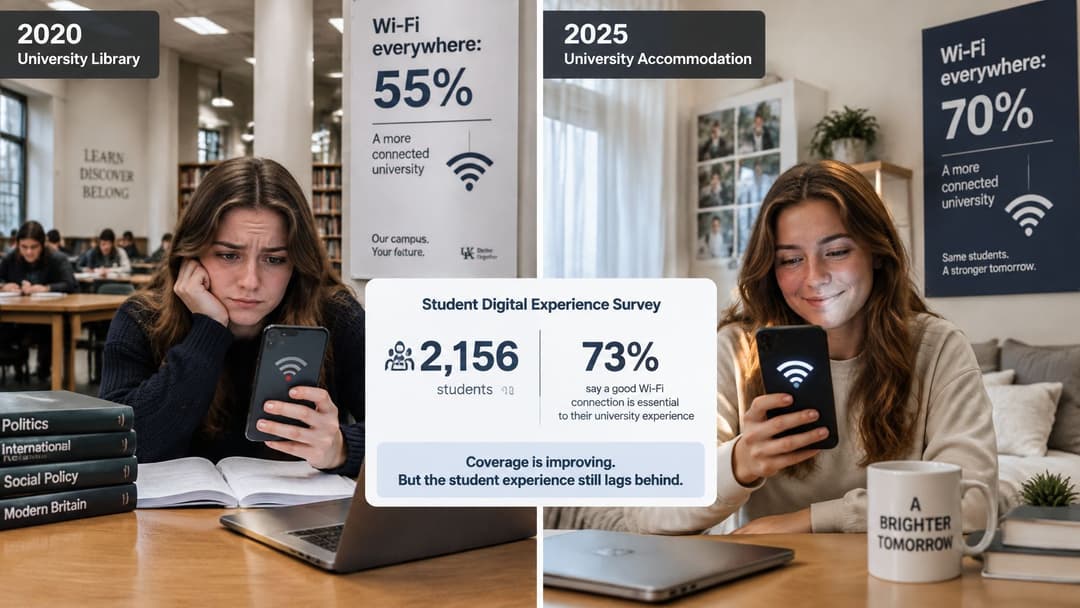
A Wifirst survey of 2,156 students in UK housing reported that the share saying their institution offered WiFi “everywhere” rose from 55% in 2020 to 70% in 2025. That is a perception-of-availability measure, not evidence that every connection succeeded.
Counting covered rooms is like a hospital counting beds without checking whether patients receive treatment. Coverage matters, but students need completed tasks.
Campus WiFi symptoms, likely causes and first checks
| Symptom | Likely cause | First check |
|---|---|---|
| Connects but has no internet | Upstream or DHCP fault | Check the gateway and DHCP lease from the wired side |
| Repeated password or certificate prompts | Authentication failure or expired certificate | Review RADIUS logs and client certificate validity |
| Slow only at the start of lectures | Co-channel contention or an overloaded access point | Compare client counts and channel utilization at that time |
| Drops when moving between floors | Roaming handover failure or overlapping access points | Log a client across the route and review handover events |
| Good in one hall, poor in the next building | Coverage gap or incorrect transmit power | Run a walk survey and compare signal levels by room |
Treat these causes as hypotheses, not diagnoses. A device can associate successfully yet fail at address assignment, name resolution or application access.
Publish measures students would recognize
- Successful connection rate: Track attempts that progress through authentication and addressing to a usable connection.
- Roaming continuity: Record whether representative sessions survive movement along common routes.
- Latency: Measure delay to a defined destination, separating campus and external paths.
- Time to resolution: Report how long affected users wait for restoration, not merely ticket acknowledgment.
- Busy-period throughput: Test useful transfers during real demand, rather than relying on an empty-building speed test.
Set service objectives for each location type and publish incident status in plain language. Keep measurement definitions stable so apparent improvements don't reflect a changed denominator.
For a failed onboarding journey, inspect RADIUS events first, then channel utilization and client counts, followed by DHCP, the wired gateway and upstream services. For broader monitoring design, a WiFi analytics guide can help distinguish operational measures from dashboard decoration.
Make dead-zone reporting short: building, floor, room, time and device type. Match reports to access point logs rather than asking students to diagnose the network themselves.
Run a timed busy-period check in a lecture hall and a dorm. Record connection success and median time to the first successful packet to a defined reachable destination, using the same test procedure in both places.
Campus scenarios and what each costs
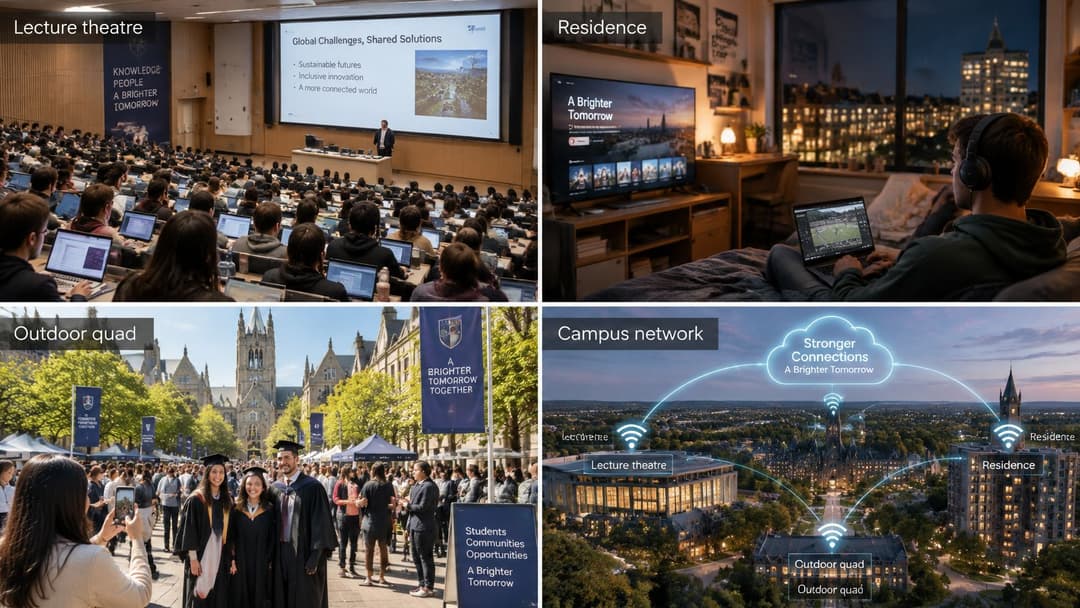
Consider a lecture hall during an online examination. The constraint may be the arrival of many authentication requests together, not sustained download demand. Validate the login path, DHCP capacity and seating-area radio design, then watch connection success during the exam's opening period.
In a residence hall, evening streaming and gaming create sustained demand alongside sensitivity to delay. Survey inside occupied rooms, check the wired uplinks and prevent individual heavy transfers monopolizing shared capacity. Watch usable throughput per active resident alongside latency under load.
Match expenditure to the constraint
An outdoor quad during graduation presents a temporary concentration of visitors, exposed equipment locations and potentially constrained backhaul. Use suitable outdoor access points, planned antenna coverage and a guest addressing pool sized for the event. Monitor successful onboarding and the capacity of the route back into the campus network.
A research building presents a different problem: specialist instruments may need stable connectivity but support limited authentication options. Give them restricted network segments and approved device-specific access, or use wired connections where practical. Monitor instrument reachability and interrupted sessions rather than applying a generic student speed target.
These situations don't justify identical access point counts or support arrangements. An event deployment may need temporary engineering cover; an instrument network may require tightly controlled maintenance windows.
Build an annual cost model
According to Independent Advisor Broadband Deals research based on Freedom of Information requests, reported by The Tab, average annual WiFi investment across UK universities was £86,000 in 2024, equivalent to £4.55 per student. Treat that as context, not a recommended budget or a complete total-cost model.
Build your estimate from the property portfolio:
- Inventory: Count access points by building, condition and support status.
- Annualize replacement: Multiply replacement quantities by installed unit cost, then divide by the planned refresh interval.
- Include dependencies: Add switching, cabling, authentication, licenses, monitoring and resilience.
- Fund operation: Allow for surveys, troubleshooting, security maintenance and out-of-hours support.
Compare your resulting per-student figure with the benchmark only after checking which costs each includes. A low figure is not efficient if it excludes the work needed to keep students connected.
Confirm your campus WiFi model before procurement
Write down students per site, access points per building and the share of users on managed devices. Those measures reveal whether your immediate challenge is population density, property complexity or onboarding control.
Choose a model that supports eduroam for the academic community, controlled staff access and isolated visitor connectivity. Keep local RADIUS where institutional requirements justify it, or evaluate hosted operation against the same policy, resilience and troubleshooting needs.
Require evidence before approving the order
- Federation readiness: Confirm eduroam participation and demonstrate the home-institution authentication path.
- Isolation: Obtain recorded staff and guest boundary-test results, including approved exceptions.
- Radio validation: Require a recent walk survey and a band plan tied to occupied spaces.
- Security acceptance: Test certificate validation, supported enterprise encryption and rogue access point alerts.
- Service reporting: Agree who publishes connection success, restoration times and incident updates.
- Cost ownership: Confirm installed cost per access point, lifecycle costs and the support escalation route.
Assign a named owner to each acceptance test. A procurement document that says “roaming” without a route, device set and application test leaves too much room for disagreement after installation.
Our free guides cover guest WiFi, enterprise WiFi security, WiFi marketing and multi-family WiFi. Use planning resources to sharpen the requirements, but insist that suppliers demonstrate performance on your estate rather than substituting a product specification for acceptance evidence.
Book a walk survey of your busiest building this semester. Compare the observations with the campus band choices, document the failure points and agree the acceptance tests before placing a hardware order.
Purple offers Guest WiFi, Staff WiFi and Multi-Tenant WiFi, alongside free browser-based tools for network engineers that require no sign-up. Visit Purple to assess access options for your campus and use the planning resources to prepare your next survey and procurement review.