
Construction site WiFi providers checklist: contractor access, site cabins and content filtering
Use this checklist to split a construction site into separate worker, office, project device and site systems networks, plus optional visitor access. You can then tie each worker's WiFi pass to their OSHA site safety induction, filter welfare cabins, isolate CCTV and biometrics, and clone the setup to every project. It ends with 10 questions to put to construction site WiFi providers.
By Tom HackettPublished
📖 15 min read3,339 words3 worked examples12 key definitions
Part of our core series: Enterprise WiFi security and authentication: the complete guide →
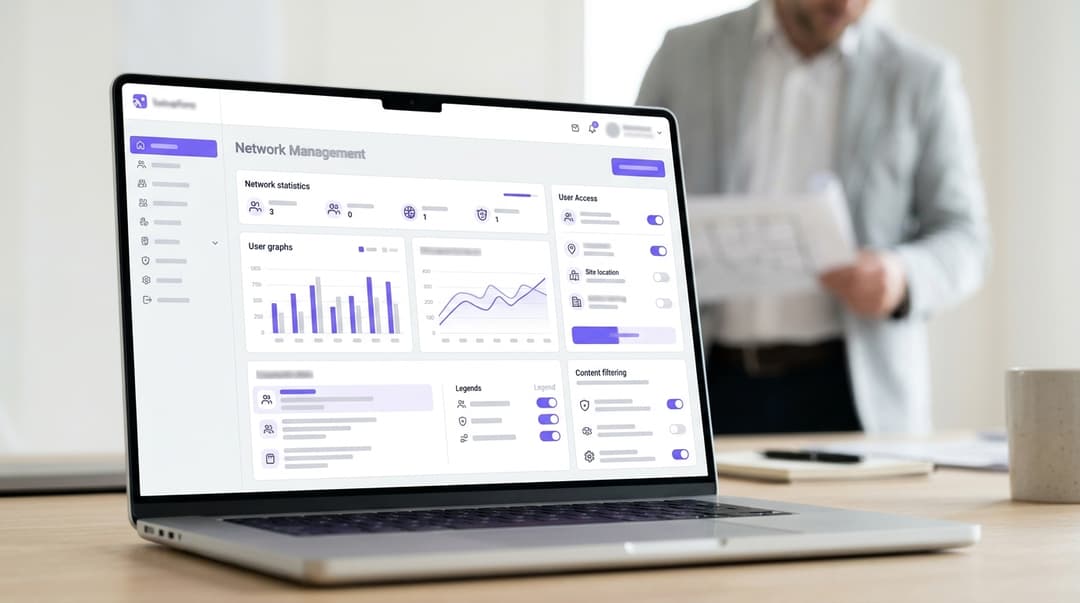
A construction site needs three separate networks. Workers use the welfare cabin network; site staff and BIM devices use the office network. CCTV and access control sit on a closed device network. Ask construction site WiFi providers to issue each worker's pass at orientation and revoke it on exit. Filter the worker network and repeat the setup on every project.
Which networks does a construction site need, and who uses each?
Most site WiFi problems start with one network doing every job. The site office PC, the BIM tablet, the CCTV recorder, and 200 cell phones share one password. That password ends up on the welfare cabin whiteboard. You then cannot remove one person without resetting it for everyone.
Split the site by who connects and what they need. Four networks cover most projects, and visitor access can be a fifth. Four terms recur below:
- VLAN (virtual LAN): a logical segment that keeps traffic apart on shared switches and access points.
- iPSK (identity pre-shared key, also called PPSK): each person or device gets its own WiFi password on the same network name. It connects like a home password, but you can revoke one without touching the rest.
- 802.1X: the IEEE standard for network access control, where each person signs in with their own identity. A RADIUS server is the authentication service that checks that identity before the access point lets the device on.
- Captive portal: the sign-in web page a device sees before it reaches the internet.
| Network | Who uses it | How they connect | Access ends when | Filtering |
|---|---|---|---|---|
| Worker WiFi (welfare cabins, break room, drying room) | Subcontractor operatives, temporary labor, apprentices | Personal iPSK pass issued at orientation | Orientation expires, subcontract ends or site manager revokes | Purple Shield category filtering plus per-device bandwidth limits |
| Site office | General contractor staff, site managers, quantity surveyors | 802.1X with Microsoft Entra ID, Okta or Google Workspace accounts | Terminated employee disabled in the identity provider | Corporate policy, same as head office |
| Project devices | BIM tablets, laser scanners, plotters, drone controllers, total stations | Per-device key on its own VLAN | Device returned, reassigned or off-hired | Allow-list to the common data environment and vendor services |
| Site systems | CCTV cameras, turnstiles, biometric readers, dust and noise monitors | Per-device key, no general internet | Device removed from site | No browsing; outbound to named services only |
| Visitor WiFi (optional) | Client representatives, design team, inspectors | Captive portal sign-in with a time limit | Time limit runs out | Same policy as worker WiFi |
The split does three jobs. A worker's phone can never reach the CCTV recorder. A leaked pass never reaches the office file server. A fault on one network stays on that network. For the wider principles, read Securing a business network: A practical guide for 2026.
If the cafeteria takes card payments, keep the terminals off all five networks. PCI-DSS brings every system connected to the cardholder data environment into scope. A flat site network would pull every worker's phone into your card audit.
What do you need before you set up contractor WiFi access?
Gather seven things before the first cabin lands on site.
- Backhaul for a temporary site. Most sites start on 4G or 5G routers and add fixed fiber once it is installed. Satellite broadband covers remote plots. Size the link for office uploads first; worker streaming comes second.
- The access points you already own. Purple is hardware-agnostic and runs as a cloud overlay on Cisco Meraki, HPE Aruba, Ruckus, Juniper Mist, Ubiquiti UniFi, Cambium, Extreme and Fortinet. Your cabin kit stays as it is. Why your next WiFi upgrade doesn't need new hardware explains the approach.
- Your orientation record. OSHA safety regulations cover site safety orientation. The general contractor must ensure every worker receives a suitable site orientation. That record holds the name, employer and dates WiFi access needs. Make it the single source of truth.
- Your identity provider. Site office staff already exist in Microsoft Entra ID, Okta or Google Workspace. Their WiFi access should follow those accounts.
- A device register. List every BIM tablet, scanner, plotter, camera, turnstile and sensor. Record its owner and the services it must reach.
- A signed-off filtering policy. Agree blocked categories with HR and health and safety before go-live, not after a complaint.
- A data protection basis. Worker names, employers and phone details are personal data under CCPA/CPRA. Set your lawful basis and retention period. Cover WiFi in the orientation privacy notice. Purple is ISO 27001 certified and GDPR compliant, which gives your data privacy team a starting point.
Name one owner per site, usually the site manager, with IT as the escalation route.
How do you set up construction site WiFi, step by step?
This section covers the decision you make at each step, not the screen-by-screen configuration.
Step 1: build the project template once
Create one template holding network names, VLAN numbers, pass expiry rules and the filtering policy. Use the same network names on every project. Your signage, orientation slides and device profiles then never change. Number VLANs the same way on every site, too. A cabin switch patched on one project then works unchanged on the next.
Step 2: issue the worker pass at induction
This is where contractor WiFi access stops being a password problem. Build WiFi into the induction itself:
- The worker completes the site induction and signs the register.
- The induction officer creates the worker's personal pass in Purple Access, against their name and employer.
- You set the expiration to the subcontract end date or the induction expiration, whichever comes first.
- The worker joins the worker network on their own cell phone with that pass. Nothing is installed.
- When the worker leaves, or their employer demobilizes, you revoke the pass. Every other pass keeps working.
Expiration does most of the work. A pass that ends with the work package needs no leaver process to remember it.
Why not 802.1X for subcontractors? Their cell phones are not yours, and 802.1X needs a profile or certificate on each device. A personal pass gives workers an at-home experience with enterprise security behind it.
| Access method | Revoke one worker? | Effort per worker | Works on any cell phone? | Audit trail | Best suited to |
|---|---|---|---|---|---|
| Shared password on the trailer wall | No, everyone gets a new password | None at first, then a site-wide reset each leak | Yes | None | Nowhere you need control |
| Captive portal with printed vouchers | Yes, the voucher lapses | Print and hand out a voucher | Yes, with repeat sign-ins | Voucher number, not a named person | Visitors and day passes |
| Personal iPSK pass issued at induction | Yes, other passes unaffected | Part of the induction step | Yes, joins like a home password | Named worker, employer, issue and expiration dates | Subcontractor operatives |
| 802.1X with corporate identity | Yes, disable the account | None once the account exists | Needs a configured or managed device | Sign-in log against the identity provider | Main contractor staff |
Step 3: keep site office and BIM devices separate
Connect the office network to your identity provider through Purple's cloud RADIUS. Staff sign in over 802.1X with their corporate account. For company laptops, use EAP-TLS, the certificate-based 802.1X method. Your device management tool pushes the certificates. When HR marks someone as a leaver, the identity provider disables the account. Their office WiFi goes with it.
SCIM (System for Cross-domain Identity Management) syncs accounts between systems automatically. With it, joiners, movers, and leavers flow through without manual steps.
BIM (building information modeling) devices need different handling. Tablets open models from the common data environment, the shared repository ISO 19650 defines for project information. Laser scanners push large point clouds. Give each device its own key on the project device VLAN. Allow it out to the common data environment and the vendor services it needs. Block every route from the worker network. Rented survey kit gets a key that expires on the off-hire date.
Step 4: close off CCTV and site systems
Cameras, turnstiles, biometric readers and dust or noise monitors rarely need the open internet. Put them on a closed device network with per-device keys. Allow outbound traffic only to the monitoring center, the access control platform and the sensor dashboard. Block every route from the worker and visitor networks.
Two regulatory reasons sit behind this. CCTV footage of identifiable people is personal data. The FTC and state attorneys general guidance on video surveillance expects you to secure it. Biometric data used to identify workers is special category data under CCPA/CPRA. A worker's phone on the same flat network as either system invites an audit finding.
Per-device keys pay off when equipment goes missing. Revoke the stolen camera's key and the other cameras stay online.
Step 5: filter the welfare cabin network
Purple Shield applies content filtering to the worker network. The filter sits on the network, so you install nothing on personal cell phones. A sensible site cabin WiFi policy has three parts:
- Block adult and illegal content as a minimum. Add gambling, malware and phishing categories if your policy calls for them.
- Allow messaging, video calls, banking and social media. Workers use the cabin network to contact home on their breaks.
- Limit bandwidth per device on the access points, so lunchtime streaming cannot starve the backhaul.
Explicit content on a shared cabin screen is a conduct issue first. Filtering stops it starting on your network. Apprentices under 18 add a safeguarding reason. Leave the office and device networks on their own policies.
Step 6: repeat it on the next project
At mobilization, clone the template to the new site and register the cabin access points. Network names, VLANs, pass rules and filtering arrive unchanged. Induction officers follow the same steps they used last time. Every site sits in one view, a single pane of glass across your portfolio.
At demobilization, run the reverse. Expire every remaining worker pass on the handover date. Export the pass register for the project file. Delete worker personal data when your retention period ends. Purple runs at 80,000+ live venues in over 90 countries (Purple master deck, 2026). The same platform scales from one cabin to a national program.
Got questions about your specific setup?
Our team works with venue operators, IT managers, and network engineers across 80,000 venues. Book a 20-minute call and we will show you how others like you solved it.
How do you check your site cabin WiFi works?
Run six tests before the first induction, and again after every cabin move.
- Leaver test. Issue a test pass, connect a cell phone, then revoke the pass. The cell phone must lose access and fail to rejoin.
- Expiry test. Issue a pass that expires the next day. Confirm it stops working on schedule.
- Segmentation test. From a worker cell phone, try to reach the CCTV recorder and the office printer. Both attempts must fail.
- Filter test. Browse to a site in a blocked category. The block page must appear.
- Office leaver test. Disable a test account in your identity provider. The test laptop must lose office WiFi.
- Register test. Export active worker passes and compare them with the induction register. Every pass must match a current, inducted worker.
Then watch the first busy lunchtime. WiFi Analytics shows connection counts by location. You can see which trailer needs another access point before workers complain.
What goes wrong on temporary site WiFi, and how do you fix it?
| Problem | Likely cause | Fix |
|---|---|---|
| Ex-workers still on the network | Pass issued with no expiration date; register not closed at demobilization | Set expiration date at issue; reconcile passes against the register weekly |
| One pass in use on many cell phones | Workers sharing a pass across their gang | Restate at induction that passes are personal; revoke and reissue misused passes |
| Office uploads stall at lunch | Worker streaming saturates a 4G link | Cap per-device speed on the worker network; prioritize office traffic or give it separate backhaul |
| CCTV offline after a trailer move | Switch port re-patched to the wrong VLAN | Label ports by network; use the template VLAN numbering on every site |
| Scanner or plotter cannot join | Device has no 802.1X support | Give it a per-device key on the project device network |
| Interference on a live hospital or school site | Your access points share channels with the property's network | Agree on channels and network names with the property team before mobilization |
Live properties deserve extra care. On a hospital extension, the trust's network carries clinical systems and patient WiFi. Coordinate early; Purple's Healthcare page shows what sits on the other side. On a school site, the district's filtering follows the ADA and Section 508. The Multi-academy trust WiFi procurement checklist: KCSIE filtering, staff 802.1X and managed devices covers those duties. Keep your site networks entirely separate from both.
What does this look like on a live project?
The three projects below are worked examples. They show the setup and the outcomes you can measure, not named Purple customers.
Hotel renovation while the hotel trades
Situation. A general contractor renovates a 200-room hotel floor by floor over 14 months. The hotel keeps operating, and its Guest WiFi must carry no contractor devices. The schedule brings 35 subcontractors through the site.
What you do. Run your own worker, office, and device networks from trailers in the parking lot. Issue each worker's pass at induction, set to expire with their work package. The hotel's network and the site networks share no access points and no passwords.
What you can measure. Every pass in the register maps to a named, inducted worker. Every pass has expired or been revoked by handover. The hotel network carries zero contractor devices, so its IT team fields no resets caused by the works. More on the operator side sits on our Hotels page.
Shopping center fit-out on a 16-week program
Situation. Six units fit out in 16 weeks, with up to 180 operatives from 22 subcontractors. A single 5G router carries the first month. Store fitters snag from BIM tablets.
What you do. Clone the template from your last project and register the cabin access points. Filter the worker network and cap per-device speeds. Put the snagging tablets on the project device network.
What you can measure. The networks are live the day the cabins arrive, because nothing is designed from scratch. Snagging uploads never compete with worker streaming. At practical completion, no contractor pass is left live. The tenant's own team, often running Retail WiFi, starts clean.
City leisure center with an audit requirement
Situation. A city client asks for SOC 2 Type II and evidence of who could reach site systems.
What you do. Put the office on 802.1X against Microsoft Entra ID. Place CCTV and turnstiles on the closed device network. Export the pass register at handover.
What you can measure. The handover pack holds a pass register that reconciles line by line with the induction register. The city's estate network then takes over the building. The City WiFi procurement checklist: public WiFi, staff 802.1X and filtering across city buildings covers what that network needs.
What does construction WiFi cost, and what do you get back?
Construction WiFi costs fall into five lines. Two of them carry straight over to your next project.
| Cost line | How it is usually paid | Carries to the next project? |
|---|---|---|
| Backhaul (4G, 5G, fiber or satellite) | Monthly contract per site | Routers yes; fiber contracts no |
| Access points and cabin switches | Capital, owned by you or the cabin rental firm | Yes, they move with the cabins |
| Purple Access and Purple Shield | Subscription agreed with Purple | Yes, template and policies carry over |
| Set-up labor | IT time at mobilization | Falls on each project as the template is reused |
| Leaver administration | Site manager time | Mostly removed by pass expiry |
The return comes in four forms:
- No site-wide password resets. One revocation removes one worker, and expiry handles the rest.
- Audit evidence on demand. The pass register supports your OSHA induction records and CCPA/CPRA accountability.
- Hardware reuse. Your existing Cisco Meraki, HPE Aruba, Ruckus or other access points move from project to project.
- Fewer site visits from IT. The template removes design work from every mobilization.
Which questions should you ask construction site WiFi providers?
Take these 10 questions into every shortlist meeting:
- Can each worker get a personal pass at induction, with an expiration date you set?
- Can you revoke one worker without changing anyone else's access?
- Does office WiFi follow Microsoft Entra ID, Okta, or Google Workspace accounts, including departing staff?
- Can cameras, scanners, and other headless devices each get their own key?
- How do you keep CCTV, biometric, and BIM devices unreachable from worker cell phones?
- What content filtering applies to the worker network, and who sets the policy?
- Does it run on the access points we already own?
- Can we clone the full setup to a new project?
- Can we export a pass register for audits and handover?
- Which certifications do you hold, such as ISO 27001 and Cyber Essentials, and where is worker data held?
Frequently asked questions
Do we need new access points to run Purple on a construction site?
No. Purple is hardware-agnostic and runs as a cloud overlay on the access points you already own. That includes Cisco Meraki, HPE Aruba, Ruckus, Juniper Mist, Ubiquiti UniFi, Cambium, Extreme Networks, and Fortinet. Your jobsite trailer equipment, switches, and backhaul routers stay in place. You register the existing access points against each new project. The worker, office, and device networks then arrive from your template.
Can subcontractors use their own cell phones without installing anything?
Yes. Each worker joins the worker network with a personal pass, the same way they join WiFi at home. There is no app, profile, or certificate to install. That matters when the cell phone belongs to the worker or their employer. Purple Shield filters at the network level, so the content policy applies without touching the device. Jobsite trailer office staff on company laptops use 802.1X instead.
How quickly can we remove a worker's WiFi access when they leave the jobsite?
You revoke the pass in one action, and that worker can no longer join the worker network. Nobody else's pass changes, so there is no jobsite-wide password reset. Better still, set each pass to expire when you issue it, on the subcontract end date or induction expiration. Workers then lose access on schedule, even if nobody remembers to remove them.
How does contractor WiFi access fit with CCPA/CPRA regulations?
It fits when you collect only what access needs and tell workers at induction. A worker's name, employer, and pass dates are personal data. Set a lawful basis and a retention period, and cover WiFi in the induction privacy notice. Delete records when retention ends. Purple is ISO 27001 certified and CCPA/CPRA compliant. Keeping CCTV and biometric systems on a closed network supports your privacy duties.
Should we use 802.1X for subcontractors instead of personal passes?
Usually not. 802.1X needs a profile or certificate on each device, and subcontractor cell phones are not yours to configure. A personal iPSK pass gives each worker their own credential, a named audit trail and individual revocation. It needs no device setup. Keep 802.1X for main contractor staff, whose Microsoft Entra ID, Okta or Google Workspace accounts already exist.
What content filtering suits a welfare cabin network?
Block adult and illegal content as a minimum. Add gambling, malware and phishing categories if your policy calls for them. Leave messaging, video calls, banking and social media open, because workers use the cabin network to contact home on breaks. Add per-device bandwidth limits so lunchtime streaming cannot starve the office link. Purple Shield applies the same policy on every project.
Will this work on a site with only 4G or 5G backhaul?
Yes. Purple's access control and filtering run in the cloud, so they work over whatever backhaul the site has. That includes 4G, 5G, satellite and fiber. On a mobile link, bandwidth is the constraint, not the platform. Prioritize the office and device networks and cap per-device speeds on the worker network. Add capacity as the headcount rises.
What happens to the site networks at handover?
You expire every remaining worker pass on the handover date and export the pass register for the project file. You revoke device keys for CCTV and site systems as the gear leaves. The client's own network then takes over the building with no contractor credentials left live. Your template stays ready for the next project, with the same network names, rules and filtering.
Key Definitions
VLAN (virtual LAN)
A logical network segment defined by IEEE 802.1Q, which tags Ethernet frames with a VLAN ID so traffic stays separate on shared switches and access points.
You meet VLANs when patching trailer switches. Using the same VLAN numbering on every site from your template prevents CCTV dropping offline after a trailer move.
iPSK (identity pre-shared key, also PPSK)
A per-person or per-device pre-shared key on a single WPA2 or WPA3 personal network name, where the RADIUS or controller policy maps each key to an identity, VLAN and expiry.
This is the method for subcontractor cell phones. Each worker joins like a home password, and you revoke one pass without resetting anyone else.
IEEE 802.1X
The IEEE standard for port-based network access control. It carries Extensible Authentication Protocol (EAP) exchanges between the device, the access point and an authentication server before network access is granted.
Use it for general contractor staff on managed devices. It is unsuitable for subcontractor cell phones because each device needs a profile or certificate.
RADIUS
Remote Authentication Dial-In User Service, specified in IETF RFC 2865, the protocol access points use to ask an authentication server whether a credential is valid and which policy applies.
Purple's cloud RADIUS connects the site office network to your identity provider, so no RADIUS server needs to sit in a site trailer.
EAP-TLS
The certificate-based EAP method specified in IETF RFC 5216, where client and server authenticate each other with X.509 certificates inside a TLS handshake.
Use it for company laptops in the jobsite trailer. Your device management tool pushes the certificates, so staff never type a WiFi password.
Captive portal
A web page an access point or gateway presents by intercepting HTTP requests from an unauthenticated device, holding it until the user signs in or accepts terms.
Suited to the optional visitor network for client representatives and inspectors, with a time limit that ends access automatically.
SCIM
System for Cross-domain Identity Management, defined in IETF RFC 7643 (schema) and RFC 7644 (protocol), a REST standard for provisioning and deprovisioning user accounts between systems.
With SCIM, joiners, movers and leavers in your identity provider flow into office WiFi access without manual steps.
Common data environment
The shared repository for project information defined by ISO 19650, the international standard for managing information over the life of a built asset using building information modeling.
BIM tablets and laser scanners on the project device VLAN are allowed out to the common data environment and blocked from the worker network.
OSHA Safety Induction Rules
OSHA site safety orientation guidelines require general contractors to ensure every site worker receives proper orientation before entering a jobsite.
The induction record holds the name, employer and dates WiFi access needs, so make it the single source of truth for issuing and expiring passes.
Biometric & Sensitive Data Privacy (CCPA/CPRA)
State privacy regulations like CCPA/CPRA restrict processing of sensitive personal data, including biometric data used to uniquely identify a person.
Biometric readers at turnstiles process this data, which is why they belong on a closed device network unreachable from worker phones.
Cardholder data environment (PCI DSS)
Under the Payment Card Industry Data Security Standard, the systems that store, process or transmit cardholder data, plus any system connected to them, fall into assessment scope.
If the cafeteria takes card payments, keep the terminals off all site networks, or every worker's phone joins your card audit.
CIPA & COPPA
Children's Internet Protection Act (CIPA) and COPPA require schools to enforce internet safety policies and block harmful content on school networks.
On a live school site, the district's filtering follows CIPA and COPPA, so keep your site networks entirely separate from the school's campus network.
Worked Examples
A general contractor renovates a 200-room hotel floor by floor over 14 months while the hotel keeps trading. The program brings 35 subcontractors through the site, and the hotel's Guest WiFi must carry no contractor devices.
Run separate worker, office and device networks from trailers in the parking lot, sharing no access points and no passwords with the hotel. Issue each worker's personal pass at induction, set to expire with their work package. The outcomes are measurable: every pass in the register maps to a named, inducted worker, and every pass has expired or been revoked by handover. The hotel network carries zero contractor devices, so its IT team fields no resets caused by the works.
Six retail units fit out in 16 weeks with up to 180 operatives from 22 subcontractors. A single 5G router carries the first month, and shopfitters punch list from BIM tablets.
Clone the template from the last project and register the trailer access points, so network names, VLANs, pass rules and filtering arrive unchanged. Filter the worker network with Purple Shield and cap per-device speeds to protect the 5G link. Put the punch list tablets on the project device network. The networks go live the day the trailers arrive, because nothing is designed from scratch. Punch list uploads never compete with worker streaming, and no contractor pass is left live at practical completion, so the tenant starts clean.
A municipal client building a community center asks for SOC 2 Type II compliance and evidence of who could reach site systems.
Put the site office on 802.1X against Microsoft Entra ID, so staff access follows corporate accounts and leavers lose WiFi when their account is disabled. Place CCTV and turnstiles on the closed device network with per-device keys and no route from worker or visitor networks. Export the pass register at handover. The handover pack then holds a pass register that reconciles line by line with the induction register, giving the city the access evidence it asked for before its facility network takes over the building.
Frequently asked questions
Do we need new access points to run Purple on a construction site?
No. Purple is hardware-agnostic and runs as a cloud overlay on the access points you already own. That includes Cisco Meraki, HPE Aruba, Ruckus, Juniper Mist, Ubiquiti UniFi, Cambium, Extreme Networks, and Fortinet. Your trailer kit, switches, and backhaul routers stay in place. You register the existing access points against each new project. The worker, office, and device networks then arrive from your template.
Can subcontractors use their own cell phones without installing anything?
Yes. Each worker joins the worker network with a personal pass, the same way they join WiFi at home. There is no app, profile, or certificate to install. That matters when the cell phone belongs to the worker or their employer. Purple Shield filters at the network level, so the content policy applies without touching the device. Site office staff on company laptops use 802.1X instead.
How quickly can we remove a worker's WiFi access when they leave a site?
You revoke the pass in one action, and that worker can no longer join the worker network. Nobody else's pass changes, so there is no site-wide password reset. Better still, set each pass to expire when you issue it, on the subcontract end date or orientation expiry. Workers then lose access on schedule, even if nobody remembers to remove them.
How does contractor WiFi access fit with CCPA/CPRA?
It fits when you collect only what access needs and tell workers at orientation. A worker's name, employer, and pass dates are personal data. Set a lawful basis and a retention period, and cover WiFi in the orientation privacy notice. Delete records when retention ends. Purple is ISO 27001 certified and CCPA/CPRA compliant. Keeping CCTV and biometric systems on a closed network supports your security duties.
Should we use 802.1X for subcontractors instead of personal passes?
Usually not. 802.1X needs a profile or certificate on each device, and subcontractor cell phones are not yours to configure. A personal iPSK pass gives each worker their own credential, a named audit trail, and individual revocation. It needs no device setup. Keep 802.1X for main contractor staff, whose Microsoft Entra ID, Okta, or Google Workspace accounts already exist.
What content filtering suits a breakroom trailer network?
Block adult and illegal content as a minimum. Add gambling, malware, and phishing categories if your policy calls for them. Leave messaging, video calls, banking, and social media open, because workers use the breakroom network to contact home on breaks. Add per-device bandwidth limits so lunchtime streaming cannot starve the office link. Purple Shield applies the same policy on every project.
Will this work on a site with only 4G or 5G backhaul?
Yes. Purple's access control and filtering run in the cloud, so they work over whatever backhaul the site has. That includes 4G, 5G, satellite, and fiber. On a mobile link, bandwidth is the constraint, not the platform. Prioritize the office and device networks and cap per-device speeds on the worker network. Add capacity as the headcount rises.
What happens to the site networks at handover?
You expire every remaining worker pass on the handover date and export the pass register for the project file. You revoke device keys for CCTV and site systems as the equipment leaves. The client's own network then takes over the building with no contractor credentials left live. Your template stays ready for the next project, with the same network names, rules, and filtering.
Sources
- Construction (Design and Management) Regulations 2015
- UK GDPR Article 9: processing of special categories of personal data
- Information Commissioner's Office
- IEEE 802.1X port-based network access control
- IETF RFC 2865: Remote Authentication Dial In User Service (RADIUS)
- PCI Security Standards Council: PCI DSS
- ISO 19650-1: organisation and digitisation of information using BIM
- Department for Education: Keeping Children Safe in Education
Continue reading in this series
Local Government WiFi procurement checklist: public WiFi, staff 802.1X and filtering across municipal buildings
Use this checklist to write a local government WiFi RFP that you can score: four separated networks, staff access tied to your identity provider, certificates on government-owned devices, filtering on every public site and plain-English ward reports. You will also know which evidence to request from bidders and which eight tests to run before go-live.
School district WiFi procurement checklist: CIPA filtering, staff 802.1X and managed devices
Use this checklist to write one WiFi specification that every school in your district can meet. You can decide how staff and district-owned devices authenticate with 802.1X certificates, and how students, visitors and building devices are separated. You can also set filtering and compliance reporting that meet CIPA and E-Rate requirements.
Medical clinic WiFi providers checklist: patient access, clinical networks and HIPAA evidence
Use this checklist to choose a medical clinic WiFi provider that keeps patient WiFi away from clinical systems, gives every salaried doctor, locum and visiting clinician an individual, revocable credential, and runs on your existing access points. You will also know which six tests to run and which records to keep for your annual HIPAA audit.
Got questions about your specific setup?
Our team works with venue operators, IT managers, and network engineers across 80,000 venues. Book a 20-minute call and we will show you how others like you solved it.