
Student Housing WiFi providers: per-room keys, content filtering and resident support
Use this to shortlist and score Student Housing WiFi providers on four tests. You will be able to specify per-room keys issued and revoked from lease records, and set filtering that supports safety policies without blocking study. You can also write support hours and response times into the contract that match how residents actually live.
By Iain JewittPublished
📖 15 min read3,327 words2 worked examples12 key definitions
Part of our core series: Multi-tenant WiFi: the complete guide →
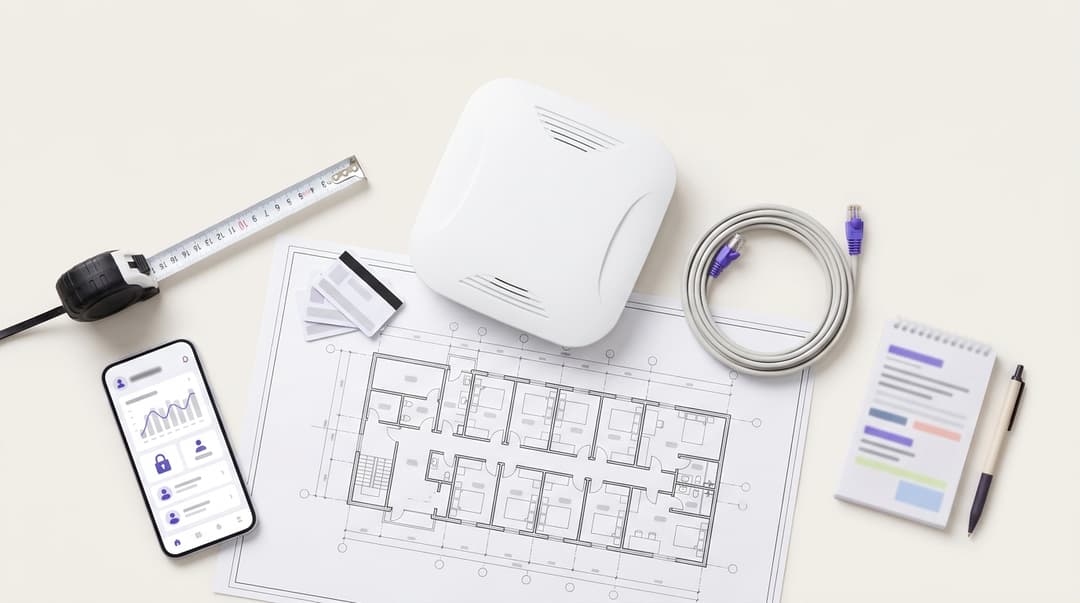
Choosing a Student Housing WiFi provider requires individual keys per bedroom, cloud overlays for platforms like Cisco Meraki, and robust regulatory compliance. Providers should offer 24-hour response times for critical outages, maintain ISO 27001 security, and run eduroam alongside private keys on shared hardware.
Which kind of Student Housing WiFi provider should you choose?
Choose a provider that treats each bedroom as a home, not a hotel stay. Your residents live with you for an academic year or longer. They bring the devices they use at home: a cell phone, a laptop, a gaming console, a smart speaker and often a streaming stick. A hotel-style network was designed for a short stay with a cell phone and a laptop. It struggles with everything else a student brings.
Four questions separate Student Housing WiFi providers:
- Does every room get its own private network?
- Do keys follow the lease from move-in to move-out?
- Does filtering support campus compliance without getting in the way of study?
- Does support run when students are awake?
Why does a student need a private network per room?
A captive portal is the web page that appears when you first join a network and asks you to sign in. Cell phones and laptops can complete it because they have a browser. Smart speakers, streaming sticks and many smart TVs have no browser, so they cannot sign in.
The usual workaround is to register each device's MAC address, its hardware identifier, through a web form. That workaround is failing. Apple introduced private WiFi addresses in iOS 14, and Android 10 made MAC randomization the default. A device can present a different address from the one the resident registered, and it drops off the network.
A shared network creates a second problem. Without client isolation, every device in the building can see every other device, including a neighbor's laptop. With client isolation switched on, a cell phone cannot find the TV or console in the same room. Casting and console discovery rely on local protocols such as multicast DNS (mDNS), which only work when devices share a network segment.
A private network per room fixes both problems. Identity pre-shared key (iPSK), also called private PSK (PPSK), lets one network name (SSID) carry a different password for each room. The key places every device into that room's own segment. On most platforms this is a VLAN, a logically separate network on shared hardware, or a per-key group policy. Devices in the room see each other. Nobody else's devices do. The resident types the key once per device, as they would at home.
Purple calls this a Private Area Network (PAN): an at-home experience with enterprise security. Purple Access issues a private key per room on the building's existing access points, as a cloud overlay. It is hardware-agnostic and runs on Cisco Meraki, HPE Aruba, Ruckus, Juniper Mist, Ubiquiti UniFi, Cambium, Extreme and Fortinet. If your access points are on that list, read Why your next WiFi upgrade doesn't need new hardware before you budget for replacements.
Where per-room keys, captive portals and shared passwords genuinely differ
Most Student Housing WiFi providers offer one of four access models. The table compares them on the points that drive resident complaints and compliance questions.
| Criterion | Per-room key (iPSK / PAN) | Hotel-style captive portal | Shared building password | 802.1X (eduroam) |
|---|---|---|---|---|
| Games consoles and smart speakers | Connect with the room key, no browser needed | Most cannot complete the sign-in page | Connect, but onto a shared network | Most do not support it |
| Casting from phone to own TV | Works inside the room's private network | Fails when client isolation is on | Works, but neighbors can see your TV | Not designed for in-room casting |
| Privacy between rooms | Each room separated from every other | Depends on client isolation | None, every room on one network | Each device authenticates separately |
| Issued at move-in | Generated from the lease record | Resident signs in on first connection | One password printed for the building | University credentials, no action from you |
| Revoked at move-out | Key ends with the lease | Session expiry, not linked to lease | Only by changing it for everyone | Ends when the university closes the account |
| New hardware needed | None on supported access points | None | None | A RADIUS server or cloud RADIUS service |
| Best fit | Primary network for every bedroom | Summer guests and visitors | Not recommended for bedrooms | Students' laptops and cell phones |
802.1X is the IEEE standard for network access control, where each device proves its identity before it joins. It checks credentials through RADIUS, the standard protocol that validates them against a central directory. eduroam is the global roaming service for research and education built on 802.1X. Keep eduroam alongside per-room keys rather than choosing between them. Students use eduroam on laptops and cell phones, and the room key for everything else.
How should keys follow the lease from move-in to move-out?
Treat the WiFi key like the door fob. The same lease events that create, move and cancel the fob should do the same to the key. In IT terms this is joiners, movers and leavers.
Move-in: issue the key before the resident arrives
Generate each key from the lease record and send it with the arrival instructions, by email, in the resident app or on the room welcome card. The resident connects their devices while they unpack, without waiting in line at reception. On a move-in weekend with hundreds of arrivals, that removes the largest single source of front-desk queries.
Ask each provider how keys reach the resident. Ask whether a resident can reset their own key if they have shared it with a friend.
Movers: room changes and mid-year arrivals
When a resident changes rooms, their key should move with them or be reissued for the new room. The old room's key should be retired before the next occupant arrives. Mid-year arrivals and January intakes follow the same process as fall move-in, so nobody handles them manually.
Leavers: revoke on the lease end date
Each key should stop working on the lease end date you hold for that resident. Early leavers and terminated leases should end on the date the record closes. Nobody else's key changes. A shared building password cannot do this: removing one person means changing the password for everyone.
Ask how the provider connects to your property management system: an API, a scheduled file or manual entry. Then ask who fixes it when the feed fails during move-in week.
Shared apartments: key per bedroom or per apartment?
Default to one key per bedroom. Each resident keeps their own devices private, and a departing roommate's key ends without affecting the others. If an apartment shares a TV in the kitchen, add an apartment-level network for that device rather than pooling bedroom keys. Confirm how the provider counts keys and rooms for licensing before you sign.
Summer: switch vacant rooms to guest mode
Many Student Housing operators fill summer weeks with conference delegates, summer schools and short stays. That is where a captive portal belongs. Run Guest WiFi for short-stay visitors, the same model used by Hotels, and keep per-room keys for residents on summer contracts. Guest sign-ins use conscious-choice opt-ins, and you can review summer connection volumes per building in WiFi Analytics.
What does regulatory compliance mean for student housing WiFi filtering?
Who do network regulations apply to?
Universities and higher education bodies are subject to specific compliance standards. In the US, higher education institutions must follow relevant state and federal network security and content standards, while property managers must meet compliance regulations like the CCPA/CPRA, CIPA for certain funded programs, and FCC rules.
What that means for your building depends on who runs it:
- University-owned or university-managed dorms. The university is the governing authority. The dorms network is part of its campus, so filtering sits within its safety compliance and IT policy.
- Private Student Housing. A private operator is not a specified authority in its own right. A university that nominates students into your building may still ask how your filtering supports its policy. Have a written answer ready before the nomination agreement is renewed.
What does the guidance expect of IT?
The Home Office Prevent duty guidance expects higher education bodies to have policies on the use of their IT facilities. It also expects them to consider filtering as a way of restricting access to harmful content. The same guidance expects providers to balance Prevent with their duties on freedom of speech and academic freedom.
Filtering is one control among several, alongside welfare support, staff training and referral routes. A filter on its own does not make a building compliant. A documented policy, applied consistently and reviewed, is what a Prevent lead can evidence.
What should you ask the provider to show you?
- The category list, and how each category maps to the Prevent risk assessment or welfare policy.
- Whether policies can differ per building and per network, for example a stricter policy where under-18 residents live.
- How a blocked site is reported and unblocked, and who approves it.
- What is logged, for how long, and who can see it.
Purple Shield applies filtering policies per building and per network. You can set one baseline across the estate and add documented exceptions where a building or network needs them.
Got questions about your specific setup?
Our team works with venue operators, IT managers, and network engineers across 80,000 venues. Book a 20-minute call and we will show you how others like you solved it.
How do you balance welfare and study in the filtering policy?
Block what is illegal or clearly harmful. Allow everything a student might need to study. Document the gray areas, with a named owner and a review date. Overblocking has a cost: students route around filters with personal VPNs or cell phone data, and then no protection applies at all.
| Content category | Recommended stance | Reason |
|---|---|---|
| Terrorist and extremist content | Block on all networks | Prevent duty and illegal content |
| Child sexual abuse material | Block on all networks, using the Internet Watch Foundation URL list | Illegal content |
| Malware and phishing | Block on all networks | Network security |
| Self-harm and suicide promotion | Block, with support services always reachable | Welfare duty of care |
| Adult content | Block on networks serving under-18 residents | Safeguarding for residents aged 17 |
| Gambling | Allow, reviewed annually with the wellbeing team | Adult residents, welfare-led review |
| News, political and religious content | Allow | Freedom of speech and academic freedom |
| University VPN and remote library access | Allow | Required for study off campus |
| Security-sensitive research material | Allow through a documented exception route | Academic research, governed by university ethics process |
Some first-year residents arrive aged 17, so your student safety policy may need a separate network for that floor or building. Make sure support services such as the 988 Suicide & Crisis Lifeline and your own wellness pages are never caught by a self-harm category block. For postgraduate researchers, academic association guidelines offer direction on the oversight of security-sensitive research material. Route those cases through the university's ethics process, not through a blanket filter exception.
Build the policy with a small panel: residential life, student wellness, IT, the university's compliance lead, and a student government representative. Give students a clear route to request an unblock, with a target response of two business days.
Keep filtering separate from monitoring. Category-based filtering does not require anyone to read a named resident's browsing. State your log retention period in the privacy notice and the data protection impact assessment required under CCPA/CPRA for higher-risk processing.
What support hours and response times should the contract require?
Students are online when office-hours support is closed. Coursework deadlines, gaming, and streaming peak in the evenings and on weekends, and most network complaints follow. The contract should match support hours to resident life, not to the provider's office.
| Severity | Example | Response time | Hours covered |
|---|---|---|---|
| P1 - building down | A block or building offline | 15 minutes, hourly updates | 24 hours, 7 days |
| P2 - service degraded | A floor offline or slow across a building | 1 hour | 24 hours, 7 days |
| P3 - single room | One room or device cannot connect | 4 hours | 8am to midnight, 7 days |
| P4 - request | Key reset, new device help | Same day | 8am to midnight, 7 days |
Add four clauses to the table:
- Move-in surge. Extended hours and extra staffing across August/September arrivals and January intakes, agreed in writing.
- Exam periods. No planned maintenance during published exam weeks.
- Who answers residents. State whether residents contact the provider directly, or your front desk handles first line and escalates.
- Monthly reporting. Tickets by building, severity, and time to resolve, so you can see where the property is failing.
Purple's platform runs at 99.999% uptime (Purple's own data). In-building service also depends on local access points, switching, and the internet circuit. Your contract should cover all three, not only the cloud layer.
Worked scenarios
A 650-bed private Student Housing building moving off a shared password
Situation. A private operator ran a 650-bed building, mostly cluster apartments, on HPE Aruba access points. The building had one shared password, changed every September. Every returning resident's devices dropped off at once, and reception spent move-in weekend reconnecting consoles. Former residents kept access until the annual change. A nominating university asked how filtering supported its Prevent policy, and the operator had no written answer.
What was done. The operator deployed per-room keys on the existing access points, one key per bedroom. Keys were generated from the lease list and sent in the arrival email. Each key was set to end on the lease end date. A building-wide filtering baseline was mapped to the university's IT acceptable use policy, and the category table was shared with the university.
Outcome. One shared password became 650 individual keys, with no annual password change and no building-wide reconnection on move-in weekend. Every key from the previous year ended on its lease end date, so no former resident carried access into the new year. The university received a one-page filtering statement for its Prevent file.
University-owned halls across three sites aligning filtering with Prevent
Situation. A university ran 2,400 beds across three residence halls. Different contractors had configured filtering at each site, so there were three category lists. The Prevent lead could not show consistent treatment across the property. Postgraduate residents had complained that research sites were blocked.
What was done. IT applied a single Shield baseline policy to every building, with one exception policy on the postgraduate network. Support services were kept reachable on every network. Unblock requests went through the IT service desk with a two business-day target. eduroam stayed in place alongside the new per-room keys.
Outcome. Three site-specific filtering policies became one baseline and one documented exception. One document mapped every blocked category to the Prevent risk assessment or the welfare policy. Every unblock request had a named owner and a target time.
What each approach costs to run
Compare total running cost, not only the license line.
- Hardware. Per-room keys need no new access points on supported platforms. Replace access points only where they are end of life or fail to cover the building, which is a separate decision.
- Front-desk labor. A shared password creates a reconnection peak every time it changes. A captive portal creates continuous tickets for devices that cannot sign in, and MAC registration resets as addresses randomize. Per-room keys remove both ticket types.
- Licensing basis. Ask whether pricing is per bed, per room, per key or per building. Cluster apartments with shared-device networks change the count.
- Compliance effort. Time spent writing and reviewing the filtering policy, answering university partners and maintaining the DPIA. One property-wide baseline costs less to defend than a different policy per building.
- Summer revenue. A guest network with consented first-party data supports marketing to the next season's conference and short-stay guests.
How to decide for your property
Put the same questions to every Student Housing WiFi provider on your shortlist, and score the written answers.
- Does every bedroom get its own private network on the access points we already run?
- How are keys created from our lease records, and how quickly do they end at move-out?
- How are room moves, early leavers and apartment suites handled?
- Can filtering policy differ per building and per network?
- Which categories are in the baseline, and how does each map to Prevent and welfare policy?
- What is logged, for how long, and who can see it?
- What are the support hours, severity levels and response times, including move-in surge cover?
- Which certifications do you hold? Purple holds ISO 27001 and Cyber Essentials, operates in line with CCPA/CPRA, and is a certified B Corp.
Purple runs across 80,000+ live venues in more than 90 countries (Purple's own data). Its education footprint includes University of Sheffield, University of Leeds and University of the Arts London. For the wider security controls behind a resident network, read Securing a business network: A practical guide for 2026. The Council WiFi procurement checklist: public WiFi, staff 802.1X and filtering across council buildings covers a similar filtering decision for another public-sector property.
Frequently asked questions
Do we need new access points to give every room its own key?
No, not if your access points are on a supported platform. Purple runs as a cloud overlay on Cisco Meraki, HPE Aruba, Ruckus, Juniper Mist, Ubiquiti UniFi, Cambium, Extreme and Fortinet. Per-room keys are configured on the hardware you already own. You only replace access points that are end of life or cannot cover the building, which is a separate decision from the access model.
Can residents connect gaming consoles and smart speakers without a sign-in page?
Yes. A per-room key works like a home network password, so any device that can join a password-protected network can join the room's network. There is no captive portal to complete, so devices without a browser connect normally. The resident enters the key once per device, and the devices in that room can see and cast to each other.
Is a private Student Housing operator bound by the Prevent duty?
Not directly. Section 26 of the Counter-Terrorism and Security Act 2015 places the duty on specified authorities, which include relevant higher education bodies but not private accommodation companies. Universities that nominate students into your building may still ask how your filtering supports their policy. University-owned dorms fall within the university's own Prevent compliance, so their network should follow its IT policy.
Will filtering block students' coursework and research?
It should not, and a well-built policy will not. Block illegal content, extremist material, malware and phishing, and leave news, political, religious and academic content open. Give students a documented route to request an unblock, with a target response of two business days. Postgraduate researchers on security-sensitive topics should use the university's research ethics process, not a blanket filter exception.
How quickly does a resident lose access when they move out?
On the lease end date, if the provider links keys to your lease records. That is the requirement to write into the contract. Early leavers and room moves should trigger the same change, without touching anyone else's key. A shared building password cannot do this, because removing one person means changing the password for every resident in the building.
Can we run eduroam alongside per-room keys?
Yes. eduroam and per-room keys run as separate network names on the same access points. Students use eduroam on laptops and cell phones with their university credentials, and the per-room key for consoles, speakers and TVs. eduroam access follows the university account, so it ends when the university closes that account, not with your lease.
How is resident data handled under CCPA/CPRA?
Purple holds ISO 27001 certification and operates in line with GDPR and CCPA. Per-room keys need only the lease details required to issue and revoke them. Category-based filtering does not require anyone to read a named resident's browsing. State your log retention period in the privacy notice and the data protection impact assessment. Purple is also Cyber Essentials certified.
Can the same network serve summer conference guests?
Yes. Keep per-room keys for residents on summer contracts and run a separate guest network with a captive portal for conference delegates and short stays. That is the model hotels use for short-stay guests. It collects consented first-party data through conscious-choice opt-ins, which you can use to market the next summer season to returning groups.
Key Definitions
Identity pre-shared key (iPSK) / private PSK (PPSK)
A WPA2/WPA3-Personal configuration in which one SSID carries many distinct pre-shared keys. Each key is bound to an identity, here a room, and the network assigns devices using that key to a specific VLAN or group policy.
This is the mechanism behind per-room keys. It lets consoles and smart speakers join with a password, as at home, while keeping each room's devices separate from every other room.
Private Area Network (PAN)
Purple's term for a per-room private network delivered through iPSK on shared access points. Every device using a room's key lands in that room's own segment, so in-room devices see each other and no other room's devices do.
You meet this when evaluating Purple Access as a cloud overlay on Cisco Meraki, HPE Aruba, Ruckus, Juniper Mist, Ubiquiti UniFi, Cambium, Extreme or Fortinet access points.
Captive portal
A web page that intercepts a device's first HTTP request after it joins an open or guest SSID. It requires sign-in or acceptance of terms before the network grants wider access.
Devices without a browser, such as smart speakers and streaming sticks, cannot complete it. That makes it the right model for summer guests and the wrong one for bedrooms.
MAC address randomization
A device privacy feature that presents a randomized MAC address per network instead of the fixed hardware address. Apple introduced private WiFi addresses in iOS 14, and Android 10 made randomization the default.
It breaks MAC registration workarounds, because a device can present a different address from the one the resident registered and then drops off the network.
Client isolation
An access point setting that blocks Layer 2 traffic between wireless clients on the same SSID or VLAN, so devices cannot discover or reach each other directly.
On a shared network it protects neighbors from each other but stops a phone from casting to the TV in the same room. Per-room segments remove that trade-off.
Multicast DNS (mDNS)
A zero-configuration name resolution protocol specified in IETF RFC 6762. It resolves names by multicast on the local link and only works when devices share a network segment.
Casting and console discovery rely on it, which is why in-room devices must sit in the same segment for streaming and casting to work.
VLAN
A virtual LAN defined by IEEE 802.1Q tagging. It creates a logically separate Layer 2 network on shared switching and wireless hardware.
Most platforms place each room key into its own VLAN or per-key group policy, which is how one SSID delivers hundreds of private networks.
IEEE 802.1X
The IEEE standard for port-based network access control. Each device authenticates via EAP before it joins, with credentials checked by a RADIUS server.
It underpins eduroam. Most consoles and smart speakers do not support it, so it sits alongside per-room keys rather than replacing them.
RADIUS
Remote Authentication Dial-In User Service, specified in IETF RFC 2865. It carries authentication requests from the access point to a server that validates credentials against a central directory.
An 802.1X network needs a RADIUS server or cloud RADIUS service. That is the new infrastructure line in the access model comparison.
eduroam
The global roaming access service for research and education. It is built on IEEE 802.1X, with authentication routed to the user's home institution via a RADIUS hierarchy.
Students use it with university credentials on laptops and phones. Access ends when the university closes the account, not with your lease.
CIPA and Safe Schools compliance
Requirements governing educational networks to protect users from illegal or harmful online content and maintain secure, monitored access.
It shapes the filtering policy. University-owned halls fall within relevant compliance guidelines directly, and nominating universities may ask private Student Housing operators how their filtering supports them.
Data protection impact assessment (DPIA)
An assessment required under CCPA/CPRA guidelines for processing likely to result in high risk to individuals. It records the risks and the measures that mitigate them.
Your log retention period for filtering belongs in the DPIA and the privacy notice, alongside the lease data used to issue and revoke keys.
Worked Examples
A private operator runs a 650-bed Student Housing property, mostly cluster apartments, on HPE Aruba access points with one shared password changed every September. Returning residents drop off at once, former residents keep access until the change, and a partner university wants a written answer on content filtering. What should the operator do?
The operator deployed per-room keys on the existing access points, one key per bedroom, with no hardware replacement. Keys were generated from the lease list, sent in the arrival email and set to end on each lease end date. A building-wide filtering baseline was mapped to the university's IT acceptable use policy, and the category table was shared with the university. One shared password became 650 individual keys. There was no annual password change and no building-wide reconnection on move-in weekend. No former resident carried access into the new year, and the university received a one-page filtering statement for its compliance file.
A university runs 2,400 beds across three residence halls sites. Different contractors configured filtering at each site, leaving three category lists. The compliance lead cannot show consistent treatment, and graduate student residents complain that research sites are blocked. How should IT fix this?
IT applied a single Shield baseline policy to every building, with one exception policy on the graduate student network. Support services stayed reachable on every network, so a self-harm category block never caught them. Unblock requests went through the IT service desk with a two business day target. eduroam stayed in place alongside the new per-room keys. Three site-specific policies became one baseline and one documented exception. One document mapped every blocked category to the risk assessment or the welfare policy. Every unblock request now has a named owner and a target time, which gives the compliance lead evidence of consistent, reviewed treatment across the campus.
Frequently asked questions
Do we need new access points to give every room its own key?
No, not if your access points are on a supported platform. Purple runs as a cloud overlay on Cisco Meraki, HPE Aruba, Ruckus, Juniper Mist, Ubiquiti UniFi, Cambium, Extreme and Fortinet. Per-room keys are configured on the hardware you already own. You only replace access points that are end of life or cannot cover the building, which is a separate decision from the access model.
Can residents connect games consoles and smart speakers without a sign-in page?
Yes. A per-room key works like a home network password, so any device that can join a password-protected network can join the room's network. There is no captive portal to complete, so devices without a browser connect normally. The resident enters the key once per device, and the devices in that room can see and cast to each other.
Is a private Student Housing operator bound by the Prevent duty?
Not directly. Section 26 of the Counter-Terrorism and Security Act 2015 places the duty on specified authorities, which include relevant higher education bodies but not private accommodation companies. Universities that nominate students into your building may still ask how your filtering supports their policy. University-owned halls fall within the university's own Prevent compliance, so their network should follow its IT policy.
Will filtering block students' coursework and research?
It should not, and a well-built policy will not. Block illegal content, extremist material, malware and phishing, and leave news, political, religious and academic content open. Give students a documented route to request an unblock, with a target response of two business days. Postgraduate researchers on security-sensitive topics should use the university's research ethics process, not a blanket filter exception.
How quickly does a resident lose access when they move out?
On the lease end date, if the provider links keys to your lease records. That is the requirement to write into the contract. Early leavers and room moves should trigger the same change, without touching anyone else's key. A shared building password cannot do this, because removing one person means changing the password for every resident in the building.
Can we run eduroam alongside per-room keys?
Yes. eduroam and per-room keys run as separate network names on the same access points. Students use eduroam on laptops and cell phones with their university credentials, and the per-room key for consoles, speakers and TVs. eduroam access follows the university account, so it ends when the university closes that account, not with your lease.
How is resident data handled under CCPA/CPRA?
Purple holds ISO 27001 certification and operates in line with CCPA/CPRA and CCPA. Per-room keys need only the lease details required to issue and revoke them. Category-based filtering does not require anyone to read a named resident's browsing. State your log retention period in the privacy notice and the data protection impact assessment. Purple is also Cyber Essentials certified.
Can the same network serve summer conference guests?
Yes. Keep per-room keys for residents on summer contracts and run a separate guest network with a captive portal for conference delegates and short stays. That is the model hotels use for short-stay guests. It collects consented first-party data through conscious-choice opt-ins, which you can use to market the next summer season to returning groups.
Sources
- Counter-Terrorism and Security Act 2015, section 26
- Home Office Prevent duty guidance
- IEEE 802.1X port-based network access control
- IETF RFC 2865: Remote Authentication Dial In User Service (RADIUS)
- eduroam
- Internet Watch Foundation
- Android Open Source Project: MAC randomisation behaviour
- ICO guidance on data protection impact assessments
Continue reading in this series
Senior living WiFi provider checklist: residents, visitors, staff and safeguarding filters
You will be able to specify, test and contract a senior living WiFi provider that runs four separate networks for residents, visitors, staff and clinical devices on your existing access points. You can also set safeguarding filters per network that protect vulnerable adults under the Mental Capacity Act 2005 without blocking family video calls.
Serviced apartment WiFi providers: short stays, long stays and housekeeping devices
You will be able to decide which network each serviced apartment booking should land on, from a two-night leisure stay to a three-month relocation. You will also be able to specify how a provider runs short-stay sign-in, long-stay apartment keys and a separate housekeeping device network on your existing access points, with keys driven by your PMS.
Why hotel-style guest WiFi fails in residential buildings
You will be able to diagnose why residents in Multi-Family properties, Student Housing, and MDUs keep reporting WiFi faults, and choose the authentication model that fixes them. The answer is a per-household iPSK key on your existing access points, with a separate captive portal network kept for visitors.
Got questions about your specific setup?
Our team works with venue operators, IT managers, and network engineers across 80,000 venues. Book a 20-minute call and we will show you how others like you solved it.