
PCI DSS for restaurant and QSR WiFi: keeping registers, guests and staff apart
Use this guide to decide which restaurant devices sit in PCI DSS v4.0 scope and how to separate card terminals from guest WiFi, staff WiFi and kitchen screens. You will be able to build one five-segment site template, enforce default-deny rules and assemble the per-site evidence your QSA samples.
By Iain JewittPublished
📖 14 min read3,247 words2 worked examples12 key definitions
Part of our core series: Guest WiFi: the complete guide →
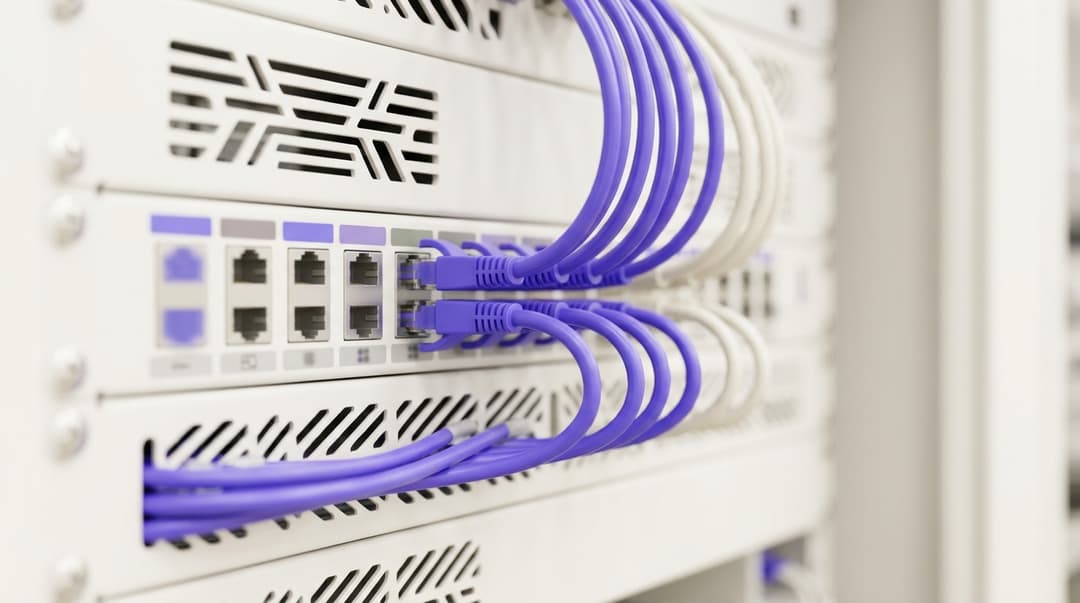
Under PCI DSS v4.0, only devices that store, process or transmit card data, or can affect their security, are in scope. Keep card terminals on their own segment, firewalled from guest WiFi, staff WiFi and kitchen screens with default-deny rules. Then each site needs a current diagram, wireless inventory, quarterly rogue access point checks and an annual segmentation test.
Which restaurant devices are in PCI DSS scope?
PCI DSS applies to the cardholder data environment (CDE). The CDE is the people, processes and systems that store, process or transmit card data. The PCI Security Standards Council's scoping and segmentation guidance sorts every other system into two further groups:
- Connected-to and security-impacting systems can reach the CDE or change its security, so they stay in scope.
- Out-of-scope systems have no route to the CDE and no influence over it.
In most restaurants, every device shares one network, and that is where scope gets out of hand. A typical site runs card terminals, POS registers, a kitchen display system (KDS), handheld order pads, a back-office PC, music, CCTV and guest WiFi. If nothing separates them, your assessor treats all of them as in scope.
| Device | What it does | Typical PCI DSS category | Where it belongs |
|---|---|---|---|
| Countertop card terminal | Reads the card and sends it to the acquirer | CDE | Wired payment segment or cellular, default-deny to every other segment |
| Pay-at-table handheld with card reader | Takes card payment at the table over WiFi | CDE | Dedicated payment SSID with 802.1X, firewalled to the payment gateway only |
| POS register, fully integrated | Receives card data from the reader | CDE | Payment segment, alongside the terminals |
| POS register, semi-integrated with P2PE terminal | Sends the amount to the terminal and receives approval | Connected-to | Register segment, with only documented ports open to the terminal |
| Kitchen display screen | Shows orders routed from the register | Out of scope when it has no route to the payment segment | Register and kitchen segment |
| Order-only handheld pad | Sends orders to the register | Out of scope when it has no route to the payment segment | Register and kitchen segment, on its own SSID |
| Access points and controller carrying a payment SSID | Carry payment traffic over the air | Security-impacting | Hardened, inventoried and change-controlled |
| Staff phones and tablets | Schedules, email, training apps | Out of scope when segmented | Staff WiFi, internet-only |
| Diners' phones and laptops | Browsing and ordering apps | Out of scope when segmented | Guest WiFi, internet-only with client isolation |
| Music, CCTV and sensors | Background services | Out of scope when segmented | Device segment, internet or vendor cloud only |
Treat these categories as starting positions. Your Qualified Security Assessor (QSA) confirms the final categories against your diagrams and test results.
Two rows deserve attention. First, shared access points. If one access point broadcasts both a guest SSID and a payment SSID, that access point and its controller become security-impacting. Their configuration, including the guest SSID settings, becomes assessment evidence. An SSID is the network name a device sees. Second, the register. Whether it sits inside the CDE depends on whether card data ever passes through it.
Why does guest and staff WiFi decide the size of your scope?
PCI DSS v4.0 does not mandate network segmentation. It does state that without adequate segmentation, the entire network is in scope. That makes segmentation the largest lever you have over assessment cost.
Restaurants feel this more than most sectors, for three reasons:
- Unmanaged devices. Guest WiFi carries hundreds of unknown cell phones a day at a busy QSR. None of them belong anywhere near a card terminal.
- Personal staff devices. Staff use their own cell phones for schedules and messaging. You cannot harden or inventory them the way the standard expects for in-scope systems.
- Multiplication. Every control you need at one site, you need at every site. One flat network per site across 300 sites means 300 copies of the problem.
Separating guest and staff WiFi properly turns most of each site into out-of-scope traffic. What remains in scope is small, consistent and testable.
How do you keep registers, kitchen screens and order pads apart from guest WiFi?
Shrink the CDE before you segment it
The smallest CDE is one that never touches your network. A PCI-listed point-to-point encryption (P2PE) product encrypts card data inside the terminal. Only the payment processor can decrypt it. Merchants using a validated P2PE product may qualify for the shorter SAQ P2PE self-assessment questionnaire, subject to their acquirer.
Pair P2PE with semi-integrated registers. The register sends an amount to the terminal and receives an approval, and never sees card data. Cellular terminals go further and bypass the site network altogether. They still belong in your device inventory.
Build separate segments at every site
A VLAN (virtual LAN) splits one physical network into isolated logical networks. Build the same five segments at every site:
- Payment: card terminals and pay-at-table handhelds, plus integrated registers if you still run them.
- Register and kitchen: semi-integrated registers, kitchen screens and order-only pads.
- Staff: staff cell phones and tablets, internet-only.
- Guest: diners' devices, internet-only.
- Device: music, security cameras, sensors and digital menu boards.
Map each wireless segment to its own SSID. Keep payment devices on wired Ethernet wherever the register layout allows. There is no radio to secure on a cable.
Enforce default-deny between segments
Requirement 1.3.3 asks for network security controls between every wireless network and the CDE. This applies whether or not the wireless network is itself part of the CDE. All wireless traffic into the CDE is denied by default. Only traffic with an authorized business purpose is allowed in.
In practice, your site firewall or security appliance allows three flows. Terminals reach the payment gateway. Semi-integrated registers reach terminals on documented ports. Everything else reaches the internet only. Write each permitted flow down with its business reason, because the assessor will ask.
Put guest WiFi on an internet-only path
Guest WiFi needs no route to any internal address range at the site. Turn on client isolation so one diner's device cannot reach another's. Sign-in through a captive portal adds a terms-of-use step and consented sign-ins. A captive portal is the web page a guest sees before getting online. Purple Guest WiFi runs this sign-in on the same template at every site, so no franchise or regional variant drifts.
Give staff an identity, not a shared password
IEEE 802.1X authenticates each person or device before the network admits it. It uses a RADIUS server, which checks credentials against a directory. With 802.1X, staff sign in with their Microsoft Entra ID, Okta or Google Workspace account. Disable a leaver in the directory and they lose WiFi access at every site.
Some devices cannot run 802.1X, such as older order pads and kitchen screens. For these, use identity pre-shared keys (iPSK), which give each device its own key. This matters for Requirement 2.3.2. That requirement asks you to change wireless keys when anyone who knows them leaves. One shared key across 300 sites makes every leaver a system-wide change.
Avoid controls that do not count
Hidden SSIDs and MAC address filtering do not segment anything. Both are visible to anyone with a free scanning app. Do not present either as a security control to your assessor.
What do the PCI DSS v4.0 wireless requirements ask for?
PCI DSS v4.0 spreads its wireless obligations across five requirement families. The PCI Security Standards Council published v4.0.1 in June 2024 as a limited revision with the same requirement numbering. Requirements that were future-dated in v4.0 took effect on March 31, 2025.
| Requirement | What it asks for | Applies to | Evidence per site |
|---|---|---|---|
| 1.2.3 | Accurate network diagram showing every connection between the CDE and other networks, including wireless | Every merchant | Current diagram matching the site template |
| 1.2.7 | Review of network security control configurations at least every six months | Every merchant | Dated review record for the site firewall rules |
| 1.3.3 | Network security controls between all wireless networks and the CDE, default-deny | Every wireless network at the site | Firewall rule set showing deny-by-default and documented exceptions |
| 2.3.1 | Wireless vendor defaults changed or confirmed secure at installation | Wireless connected to the CDE or carrying account data | Configuration export showing changed passwords, keys and SNMP settings |
| 2.3.2 | Wireless keys changed when someone with knowledge of them leaves, or on suspected compromise | Wireless connected to the CDE or carrying account data | Key change log, or proof of per-device authentication |
| 4.2.1.2 | Strong cryptography for authentication and transmission on wireless | Wireless carrying card data or connected to the CDE | SSID security settings showing WPA2 or WPA3 |
| 11.2.1 | Detect and identify authorized and unauthorized access points at least every three months | Every merchant, even with no wireless in the CDE | Quarterly scan reports or automated monitoring alerts |
| 11.2.2 | Inventory of authorized access points with a business justification | Every merchant | Access point inventory per site |
| 11.4.5 | Penetration test of segmentation controls at least every 12 months and after changes | Merchants using segmentation to reduce scope | Segmentation test report covering the site template |
| 12.5.2 | Scope documented and confirmed at least every 12 months and after significant change | Every merchant | Signed scope confirmation listing site types |
Requirement 11.2.1 catches many restaurant groups out. It applies even when your policy bans wireless in the CDE. Someone can still plug a consumer router into a register port behind the counter. Most enterprise access point platforms include wireless intrusion detection that flags rogue access points. Export those reports by site every quarter.
On encryption, WEP fails outright. Use WPA2 or WPA3 with enterprise authentication on any network that touches payments. WPA3 removes the offline password-guessing weakness in WPA2-Personal, which makes it the stronger choice for new payment SSIDs.
Got questions about your specific setup?
Our team works with venue operators, IT managers, and network engineers across 80,000 venues. Book a 20-minute call and we will show you how others like you solved it.
Guaranteed response within 4 business hours - No commitment required
Where does DNS filtering on guest and staff networks fit?
DNS filtering blocks connections to malicious or unwanted domains before a page or download begins. It does not reduce PCI DSS scope; segmentation does that. It does strengthen the security case around your in-scope systems.
On staff networks, the main threat is phishing. A manager who enters credentials into a fake payroll page can expose systems that reach the CDE. Requirement 5.4.1, effective from March 31, 2025, asks for processes and automated mechanisms that protect personnel against phishing. DNS filtering on staff WiFi can form part of that evidence, alongside your email controls.
On guest networks, filtering protects your brand and limits abuse of a free connection. A family restaurant does not want adult content loading on its WiFi in the dining room. Purple Shield applies DNS filtering to guest and staff networks with one policy across every site. Multi-site operators in other regulated settings use the same approach. Our multi-site nursery and childcare WiFi providers checklist covers filtering for safeguarding duties.
For the wider argument on layered controls, read Why is it important to secure a network? a 2026 guide.
What evidence should each site be able to produce for an assessor?
PCI DSS v4.0 allows assessors to sample business facilities when the entity shows that its processes and controls are standardized and centrally managed. That allowance is the reason to run one site template. Ten variations of a site build mean ten sets of testing.
Each site should be able to produce, on request:
- Network and data-flow diagrams matching the standard template, with any site-specific deviation recorded.
- Firewall rule sets with deny-by-default and a business reason for every permitted flow.
- Access point inventory with model, location and business justification.
- Quarterly rogue access point reports or the alert history from automated monitoring.
- Wireless configuration exports showing changed defaults and encryption settings for any payment SSID.
- Key management records for payment wireless, or proof of per-device authentication.
- Segmentation test results for the template, plus any site that differs from it.
Collect this centrally, not through site managers. A busy general manager on a Friday night is not your evidence owner. Cloud-managed access points and firewalls let your IT team export configurations for every site from one console.
Two worked scenarios from restaurant estates
A 220-site QSR group with a flat network per site
Situation. The group ran one ISP router and one flat network per site. Two card terminals, two POS registers, two kitchen screens, three order pads, a manager's PC, music, CCTV and guest WiFi shared a single subnet. Around 20 devices per site sat in scope, which put roughly 4,400 devices across the estate into the assessment. The guest WiFi password was printed on the menu board.
What was done. The group moved to semi-integrated POS registers with P2PE terminals on wired payment ports. Every site received the same five-segment template and a cloud-managed security appliance with default-deny rules. Guest WiFi moved to Purple, with captive portal sign-in and client isolation. Staff WiFi moved to directory sign-in, and Purple Shield filtered both networks.
Outcome. In-scope devices per site fell from about 20 to six: two terminals, two registers, the access switch and the firewall. Across 220 sites, that cut the assessed estate from roughly 4,400 devices to 1,320. Because every site ran the same template, the QSA could test a sample of sites rather than each one.
A 60-site bar and restaurant group with pay-at-table handhelds
Situation. The group's pay-at-table handhelds ran on a WPA2-Personal SSID. The same shared key was used at all 60 sites. Under Requirement 2.3.2, every manager who left with knowledge of that key triggered a key change at all 60 sites. Staff cell phones used the same password.
What was done. The handhelds moved to a dedicated payment SSID using 802.1X with EAP-TLS. EAP-TLS authenticates each device with its own certificate, issued through the group's device management platform. Firewall rules allowed that SSID to reach only the payment gateway. Staff WiFi moved to Microsoft Entra ID sign-in, separate from payments. Guest WiFi moved to Purple on the existing access points.
Outcome. A manager leaving now triggers no key change on the payment network, because no person knows a shared payment key. Revoking a leaver's staff WiFi access became one directory action instead of 60 site changes. Quarterly rogue access point reports now come from the access point platform as one export covering all 60 sites.
Where does Purple sit alongside what you already run?
Purple runs Guest WiFi and Staff WiFi as a cloud overlay on the access points you already own. Purple supports Cisco Meraki, HPE Aruba, Ruckus, Juniper Mist, Ubiquiti UniFi, Cambium, Extreme and Fortinet. You keep your switches, site firewalls and payment architecture. Why your next WiFi upgrade doesn't need new hardware explains the overlay model in more detail.
Purple's role is the guest, staff and non-payment device networks. That is exactly where you want traffic kept out of scope. Purple does not handle card data. Your payment segment, firewall rules and segmentation testing stay as controls you evidence directly.
Purple is hardware-agnostic, certified to ISO 27001 and Cyber Essentials, and CCPA/CPRA compliant. Purple runs at 80,000+ live venues in more than 90 countries (Purple data), including McDonald's, Under Armour, Chase and Sweetgreen. The same separated guest network also feeds WiFi Analytics. Your marketing team gets consented first-party data without any path near the register.
Hotel groups with restaurants and bars apply the same pattern; see Hotels. Food halls and in-store cafes follow it too; see Retail. For multi-site leisure operators with foyer catering, the cinema and theater group WiFi providers checklist covers the guest side.
What are the limits you should know about?
- Your QSA decides scope. Diagrams and design intent are not enough. Segmentation counts only once testing under Requirement 11.4.5 confirms it.
- POS vendors with remote access sit in scope. A register supplier's remote support tool can reach the register segment. Their access falls under the requirements for third-party service providers and remote access authentication.
- Franchise properties split responsibility. The franchisee accepting cards is usually the merchant. Agree in writing which controls the franchisor's standard build provides.
- Template drift erodes sampling. One site with a locally added consumer router breaks the standardization argument. Your rogue access point scans exist to catch it.
- Filtering is not segmentation. DNS filtering reduces risk on guest and staff networks. It never replaces the firewall between those networks and the CDE.
What should you do next?
- Inventory every network-connected device at three representative locations, using the categories in the first table.
- Confirm with your acquirer whether P2PE terminals and semi-integrated registers would change your SAQ eligibility.
- Draft one five-segment location template and the firewall rules that enforce it.
- Move guest and staff WiFi onto separated, centrally managed networks across every location.
- Agree your evidence pack with your QSA before the next assessment, not during it.
For a primer on how wireless encryption and authentication fit together, read WiFi networking explained: How it stays secure.
Frequently asked questions
Does guest WiFi put my restaurants in PCI DSS scope?
No, not when it is properly segmented. Guest WiFi with no route to your payment segment sits outside the cardholder data environment. Default-deny firewall rules under Requirement 1.3.3 enforce that separation. The exception is shared hardware. If the same access points also broadcast a payment SSID, those access points and their controller are security-impacting and stay in scope. Your QSA confirms the boundary through your diagrams and annual segmentation testing.
Can Purple run on the access points already in our locations?
Yes. Purple is hardware-agnostic and runs as a cloud overlay on Cisco Meraki, HPE Aruba, Ruckus, Juniper Mist, Ubiquiti UniFi, Cambium, Extreme and Fortinet. You keep your access points, switches and site firewalls. Purple configures the guest and staff networks on top. One template then applies across every location without a hardware refresh or a separate build per region.
Will Purple make our restaurants PCI DSS compliant?
No product makes a merchant compliant on its own, and Purple does not handle card data. Purple runs the guest, staff and non-payment device networks you want kept out of scope, consistently at every site. That consistency gives you cleaner diagrams, a smaller cardholder data environment and evidence your QSA can sample. Your payment segment, firewall rules and testing remain your controls to evidence.
Should card terminals use Ethernet, WiFi or cellular?
Wired Ethernet on a dedicated payment segment is the easiest to evidence, because there is no radio to secure. Cellular terminals bypass the site network entirely but still belong in your device inventory. WiFi terminals and pay-at-table handhelds are acceptable with a dedicated SSID and strong cryptography under Requirement 4.2.1.2. Firewall rules should allow them to reach only the payment gateway.
How does Purple Shield support our PCI DSS evidence?
Purple Shield applies DNS filtering on guest and staff networks, blocking malicious and inappropriate domains before a connection opens. On staff networks, it can form part of your evidence for Requirement 5.4.1, which asks for automated protection of personnel against phishing. On guest networks, it protects your brand and limits abuse of free WiFi. It does not reduce scope; segmentation does that.
How is guest data handled under CCPA/CPRA?
Purple is CCPA/CPRA compliant and certified to ISO 27001. Guests sign in through conscious-choice opt-ins, so marketing consent is explicit and recorded. The first-party data you collect belongs to you. Purple's guest networks carry no card data, so your marketing data and your payment environment never share a path. That separation keeps your privacy and PCI DSS conversations independent.
How is Purple licensed for a multi-site restaurant group?
Purple is licensed through three plans: Connect, Capture and Engage. SecurePass, Verify and Shield are security add-ons you apply where a site needs them. Pricing is quoted against your estate, so a 300-site QSR group and a 20-site restaurant brand each pay for what they run. Because Purple runs on your existing hardware, your main cost is licensing rather than new access points.
Key Definitions
Cardholder data environment (CDE)
Defined in PCI DSS v4.0 as the people, processes and systems that store, process or transmit cardholder data, plus systems that can affect its security. The PCI SSC scoping and segmentation guidance sorts other systems into connected-to, security-impacting and out-of-scope categories.
Every restaurant device you leave on a flat network with the card terminals joins the CDE assessment. Sizing the CDE is the first decision in this guide.
Network segmentation
Isolation of the CDE from other networks using network security controls. PCI DSS v4.0 does not mandate it, but without adequate segmentation the entire network is in scope. Requirement 11.4.5 requires penetration testing of segmentation controls at least every 12 months and after changes.
Segmentation is your largest lever over assessment cost across a multi-site estate, and it counts only once annual testing confirms it.
Point-to-point encryption (P2PE)
A PCI SSC program that validates products encrypting card data inside the payment terminal so only the payment processor can decrypt it. Merchants using a validated, listed P2PE product may qualify for the shorter SAQ P2PE self-assessment questionnaire, subject to their acquirer.
Pairing P2PE terminals with semi-integrated registers keeps card data off your site network and moves registers from the CDE to connected-to.
Semi-integrated register
A POS configuration in which the register sends only the transaction amount to the payment terminal and receives an approval, never handling card data. Under PCI DSS scoping guidance the register is typically connected-to rather than part of the CDE.
Choosing semi-integrated over fully integrated registers decides whether your registers sit on the payment segment or the register and kitchen segment.
VLAN
A virtual LAN as specified in IEEE 802.1Q, which tags Ethernet frames to split one physical network into isolated logical networks. Traffic between VLANs passes only through a routing or firewall control.
VLANs carry the five-segment site template, and each wireless segment maps to its own SSID on the access points.
IEEE 802.1X
The IEEE standard for port-based network access control. It authenticates each person or device through an Extensible Authentication Protocol (EAP) exchange before the network admits it, with a RADIUS server checking credentials against a directory.
802.1X lets staff sign in with Microsoft Entra ID, Okta or Google Workspace accounts, so disabling a departing employee revokes WiFi access at every site.
RADIUS
Remote Authentication Dial-In User Service, specified in IETF RFC 2865. It carries authentication, authorization and accounting messages between access points and an authentication server that checks credentials against a directory.
RADIUS is the server behind 802.1X on staff and payment SSIDs, linking network access to your identity provider.
EAP-TLS
An EAP method specified in IETF RFC 5216 that uses mutual certificate-based authentication over TLS. Each device presents its own certificate, so no shared password exists.
EAP-TLS suits pay-at-table handhelds because certificates come from your device management platform and no person ever knows a shared payment key.
Identity pre-shared key (iPSK)
A WPA2 or WPA3 pre-shared key approach in which each device receives its own unique key on a shared SSID, rather than one key for every device.
iPSK covers older order pads and kitchen screens that cannot run 802.1X, and helps you meet Requirement 2.3.2 on changing keys when someone who knows them leaves.
WPA3
The current WiFi Alliance security certification, using Simultaneous Authentication of Equals in Personal mode to remove the offline password-guessing weakness of WPA2-Personal. PCI DSS Requirement 4.2.1.2 requires strong cryptography for wireless carrying card data or connected to the CDE; WEP fails outright.
Specify WPA2 or WPA3 with enterprise authentication on any SSID that touches payments, and prefer WPA3 for new payment SSIDs.
Captive portal
The web page a guest sees before getting online, which intercepts the first HTTP request and presents terms of use and sign-in options before granting internet access.
On an internet-only guest network with client isolation, the captive portal adds a terms-of-use step and consented sign-ins without any route to the register.
Rogue access point detection
PCI DSS v4.0 Requirement 11.2.1 requires detecting and identifying authorized and unauthorized wireless access points at least every three months. Requirement 11.2.2 requires an inventory of authorized access points with a business justification.
It applies even when wireless is banned from the CDE, because a consumer router plugged into a register port breaks your segmentation and your sampling argument.
Worked Examples
A 220-site QSR group runs one ISP router and one flat network per site. Terminals, registers, kitchen screens, order pads, a manager's PC, music, CCTV and guest WiFi share one subnet, putting around 20 devices per site in scope. How does it cut its assessed estate?
The group moved to semi-integrated registers with P2PE terminals on wired payment ports, so registers no longer see card data. Every site received the same five-segment template and a cloud-managed security appliance with default-deny rules. Guest WiFi moved to Purple with captive portal sign-in and client isolation. Staff WiFi moved to directory sign-in, and Purple Shield filtered both networks. In-scope devices per site fell from about 20 to six: two terminals, two registers, the access switch and the firewall. Across 220 sites, the assessed estate fell from roughly 4,400 devices to 1,320. Because every site ran the same template, the QSA could test a sample of sites rather than each one.
A 60-site bar and restaurant group runs pay-at-table handhelds on a WPA2-Personal SSID with one shared key across every site, and staff phones use the same password. Under Requirement 2.3.2, each departing manager forces a key change at all 60 sites. What fixes it?
The handhelds moved to a dedicated payment SSID using 802.1X with EAP-TLS, so each device authenticates with its own certificate issued through the group's device management platform. Firewall rules allowed that SSID to reach only the payment gateway. Staff WiFi moved to Microsoft Entra ID sign-in, separate from payments, and guest WiFi moved to Purple on the existing access points. A manager leaving now triggers no key change on the payment network, because no person knows a shared payment key. Revoking a leaver's staff WiFi access became one directory action instead of 60 site changes. Quarterly rogue access point reports now come from the access point platform as one export covering all 60 sites.
Frequently asked questions
Does guest WiFi put my restaurants in PCI DSS scope?
No, not when it is properly segmented. Guest WiFi with no route to your payment segment sits outside the cardholder data environment. Default-deny firewall rules under Requirement 1.3.3 enforce that separation. The exception is shared hardware. If the same access points also broadcast a payment SSID, those access points and their controller are security-impacting and stay in scope. Your QSA confirms the boundary through your diagrams and annual segmentation testing.
Can Purple run on the access points already in our sites?
Yes. Purple is hardware-agnostic and runs as a cloud overlay on Cisco Meraki, HPE Aruba, Ruckus, Juniper Mist, Ubiquiti UniFi, Cambium, Extreme and Fortinet. You keep your access points, switches, and site firewalls. Purple configures the guest and staff networks on top. One template then applies across every site without a hardware refresh or a separate build per region.
Will Purple make our restaurants PCI DSS compliant?
No product makes a merchant compliant on its own, and Purple does not handle card data. Purple runs the guest, staff, and non-payment device networks you want kept out of scope, consistently at every site. That consistency gives you cleaner diagrams, a smaller cardholder data environment, and evidence your QSA can sample. Your payment segment, firewall rules, and testing remain your controls to evidence.
Should card terminals use Ethernet, WiFi, or cellular?
Wired Ethernet on a dedicated payment segment is the easiest to evidence, because there is no radio to secure. Cellular terminals bypass the site network entirely but still belong in your device inventory. WiFi terminals and pay-at-table handhelds are acceptable with a dedicated SSID and strong cryptography under Requirement 4.2.1.2. Firewall rules should allow them to reach only the payment gateway.
How does Purple Shield support our PCI DSS evidence?
Purple Shield applies DNS filtering on guest and staff networks, blocking malicious and inappropriate domains before a connection opens. On staff networks, it can form part of your evidence for Requirement 5.4.1, which asks for automated protection of personnel against phishing. On guest networks, it protects your brand and limits abuse of free WiFi. It does not reduce scope; segmentation does that.
How is guest data handled under CCPA/CPRA?
Purple is CCPA/CPRA and GDPR compliant and certified to ISO 27001. Guests sign in through conscious-choice opt-ins, so marketing consent is explicit and recorded. The first-party data you collect belongs to you. Purple's guest networks carry no card data, so your marketing data and your payment environment never share a path. That separation keeps your privacy and PCI DSS conversations independent.
How is Purple licensed for a multi-site restaurant group?
Purple is licensed through three plans: Connect, Capture, and Engage. SecurePass, Verify, and Shield are security add-ons you apply where a site needs them. Pricing is quoted against your locations, so a 300-site QSR group and a 20-site restaurant brand each pay for what they run. Because Purple runs on your existing hardware, your main cost is licensing rather than new access points.
Continue reading in this series
Franchise network WiFi checklist: one standard for guest, staff and filtering across franchisees
You will be able to write one WiFi standard into your franchise operations manual and roll it out on the access points franchisees already own. It covers branded guest sign-in, POS and staff segmentation, filtering, per-party consent and role-based reporting. You also get a seven-check acceptance test to run at every site before go-live.
RV park and campground WiFi providers checklist: site coverage, family filtering and guest offers
Use this checklist to shortlist RV park and campground WiFi providers on five tests: one sign-in per stay across sites and cabins, private iPSK networks per unit, segmented POS and staff, family-safe filtering and per-device bandwidth caps. You can then build a consented, park-tagged guest list for off-peak offers on your existing access points.
Charity retail and community hub WiFi providers checklist: volunteer access, donor sign-in and safeguarding
You will be able to shortlist charity shop WiFi providers against a seven-question checklist, then deploy three separate networks on the access points you already own. Registers and Gift Aid tablets sit on an isolated payments VLAN, each volunteer gets a revocable sign-in, and filtered public WiFi captures consented supporter opt-ins across every branch from one platform.
Got questions about your specific setup?
Our team works with venue operators, IT managers, and network engineers across 80,000 venues. Book a 20-minute call and we will show you how others like you solved it.
Guaranteed response within 4 business hours - No commitment required