Então, você está em busca do desempenho mais rápido e estável para a sua rede de 5GHz? A melhor opção geralmente é escolher canais que não se sobrepõem, como 36, 40, 44 e 48. Se você quiser realmente acelerar, os canais DFS menos congestionados, como 100, 104, 108 e 112, são ainda melhores.
Mas a questão é a seguinte: o melhor canal não é um número mágico. É sempre aquele com a menor interferência na sua localização específica.
Encontrando o seu melhor canal WiFi de 5GHz agora mesmo
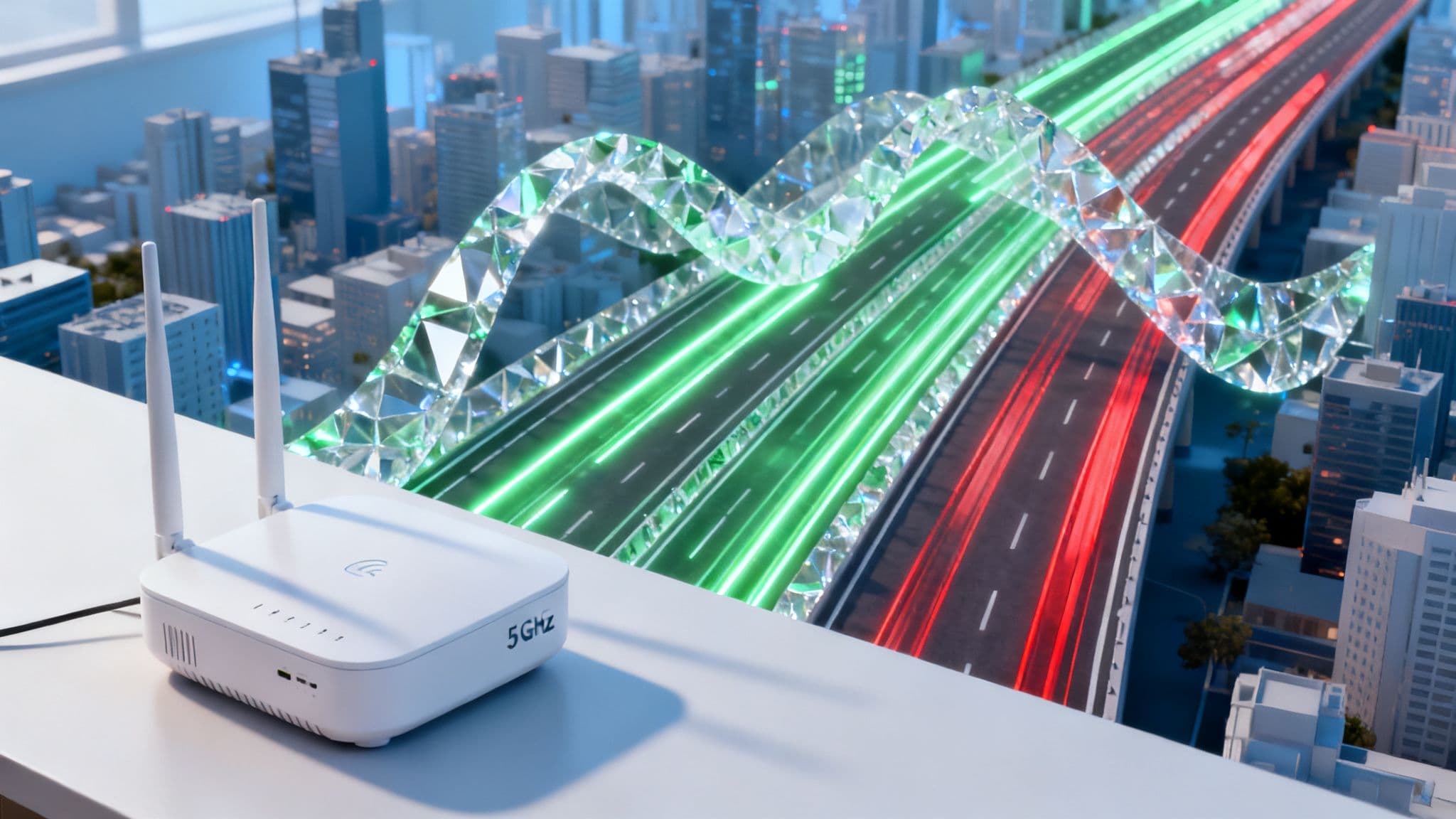
Escolher o canal de 5GHz certo é muito parecido com escolher uma faixa na rodovia. Algumas faixas estão sempre disponíveis, mas costumam estar congestionadas, atrasando todo mundo. Outras estão totalmente livres, mas você precisa seguir algumas regras especiais para usá-las. Entender esse layout é o primeiro passo para desbloquear uma rede sem fio mais rápida e confiável.
Os canais mais comuns que você verá — 36, 40, 44 e 48 — pertencem ao que é conhecido como a banda UNII-1. Como não possuem requisitos complexos, quase todos os dispositivos WiFi os utilizam por padrão. Essa compatibilidade universal é o seu maior ponto forte, mas também a sua maior fraqueza.
Isso é especialmente verdadeiro em ambientes densos, como prédios de apartamentos, hotéis ou escritórios movimentados, onde dezenas de redes competem pela mesma fatia de tempo de transmissão. Essa competição leva à interferência co-canal, onde o seu roteador precisa "esperar a sua vez" para enviar dados, o que pode prejudicar seriamente a sua velocidade e estabilidade.
Indo além dos canais padrão
Para escapar desse congestionamento digital, você pode recorrer aos canais DFS (Dynamic Frequency Selection). São canais como do 100 ao 128, que muitas vezes estão completamente vazios porque compartilham o espectro com sistemas de radar (como radares meteorológicos). Para usá-los, o seu roteador deve ser certificado para detectar sinais de radar e mudar de canal automaticamente se encontrar algum.
Esse requisito costuma assustar as pessoas, mas, na maioria dos lugares, eventos de radar são bastante raros. A vantagem é enorme: você ganha acesso a uma parte muito mais limpa e ampla do espectro, que é exatamente o que você precisa para redes de alto desempenho.
Pense da seguinte forma: os canais padrão são uma via pública que todos usam, enquanto os canais DFS são como uma rodovia com pedágio privada e bem conservada. Há uma pequena condição para entrar, mas, uma vez nela, a viagem é muito mais rápida e tranquila.
Para ajudar você a visualizar as opções, elaboramos um rápido detalhamento dos principais grupos de canais de 5GHz e onde eles se encaixam melhor.
Visão geral dos grupos de canais WiFi de 5GHz
Esta tabela oferece uma comparação rápida dos principais grupos de canais de 5GHz, destacando seus usos comuns e as compensações de desempenho. É um ótimo ponto de partida para descobrir quais canais fazem mais sentido para o seu ambiente.
Em última análise, encontrar o melhor canal WiFi de 5GHz não se trata de memorizar um número, mas de tomar uma decisão informada com base no seu entorno. Se você só precisa de algo que funcione, começar com os canais padrão é uma boa opção. Mas para obter o máximo desempenho em um espaço lotado, os canais DFS são quase sempre a escolha superior.
Como o espectro WiFi de 5GHz realmente funciona
Para realmente definir o melhor canal WiFi de 5GHz, primeiro você precisa entender o cenário em que está atuando. A maneira mais fácil de pensar no espectro de 5GHz é como uma rodovia dedicada de várias faixas para os seus dados. Nessa analogia, os 'canais' WiFi são as faixas individuais, e a 'largura do canal' tem a ver com quantas dessas faixas os seus dados podem usar de uma só vez.
Imagine que você pudesse usar quatro faixas de uma rodovia só para você. É isso que um canal largo, como o de 80MHz, tenta fazer. Ele permite atingir velocidades incríveis, mas também consome uma enorme quantidade de espaço. Isso é excelente se você estiver em uma área rural e tranquila, mas é a receita para um enorme congestionamento em um centro de cidade movimentado, onde todas as outras redes estão lutando pela sua própria fatia de ondas de rádio.
Entendendo as bandas UNII e as regulamentações do Reino Unido
O espectro de 5GHz não é apenas uma grande estrada aberta. Ele é perfeitamente dividido em seções chamadas bandas Unlicensed National Information Infrastructure (UNII). No Reino Unido, o órgão regulador de comunicações Ofcom estabeleceu regras muito claras sobre como essas bandas podem ser usadas, e isso tem um impacto direto sobre quais canais você pode e deve escolher.
Este gráfico realmente ajuda a visualizar a diferença entre os canais padrão, frequentemente congestionados, e os canais DFS menos congestionados que também estão disponíveis.
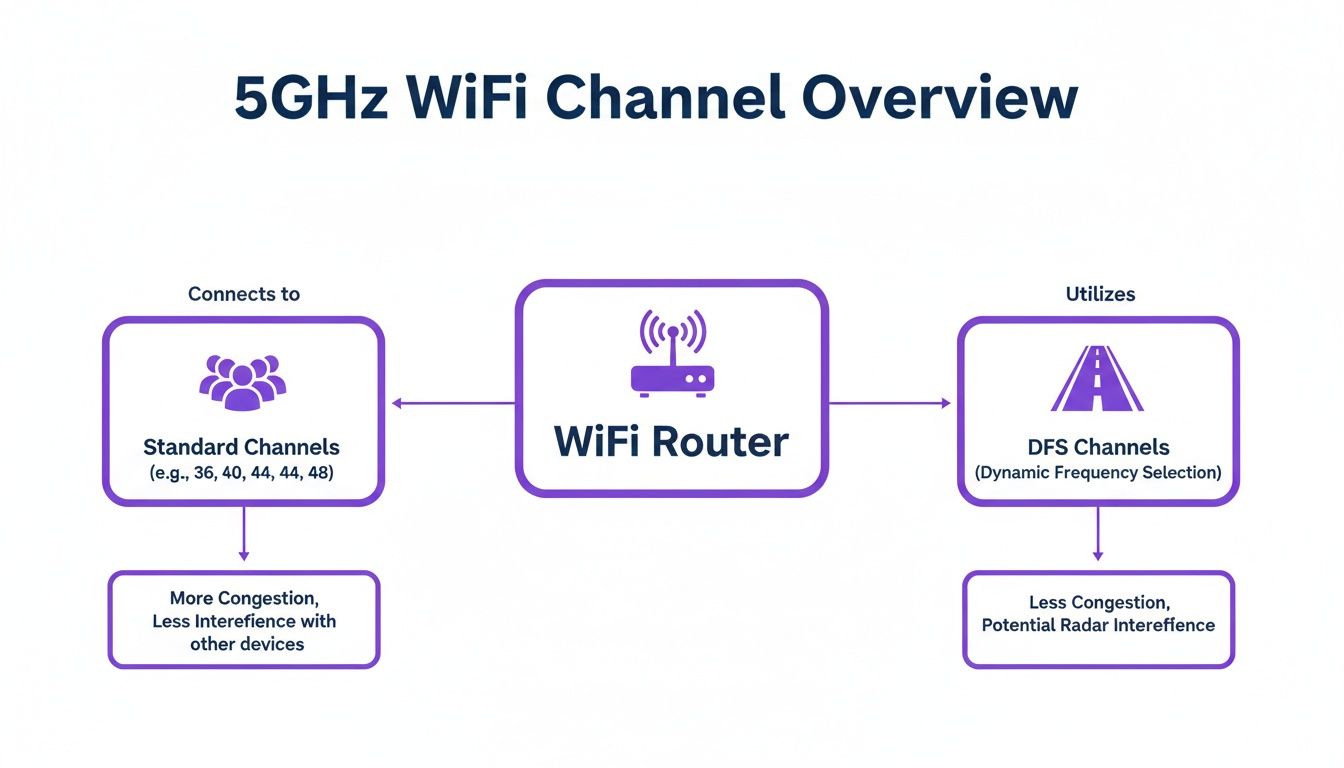
Como você pode ver, manter-se nos canais padrão pode parecer um pouco como estar preso no trânsito da hora do rush. Os canais DFS, por outro lado, costumam oferecer um caminho muito mais livre, o que representa uma escolha estratégica para qualquer administrador de rede.
Especificamente, o Ofcom dividiu o espectro de 5GHz do Reino Unido em duas bandas principais para uso. A Banda A (canais 36-64) é apenas para uso interno e tem um limite de potência menor, enquanto a Banda B (canais 100-140) pode ser usada tanto em ambientes internos quanto externos, e com uma potência maior. Esta é uma peça fundamental do quebra-cabeça, pois determina onde e como você pode posicionar fisicamente os seus pontos de acesso.
Desmistificando o Dynamic Frequency Selection (DFS)
Então, qual é a grande diferença entre essas bandas? Tudo se resume a um sistema inteligente chamado Dynamic Frequency Selection (DFS). Os canais na Banda B compartilham o seu tempo de transmissão com alguns sistemas de radar bastante importantes, como os usados para previsão do tempo e pelos militares. O DFS é um recurso obrigatório que atua como um guarda de trânsito educado, garantindo que o seu WiFi não interfira neles.
Pense no DFS como uma regra de 'dar passagem a veículos de emergência' para o seu WiFi. O seu ponto de acesso está constantemente ouvindo sinais de radar. Se ele ouvir um, desocupa imediatamente o canal para manter a frequência livre — assim como você encostaria o carro para uma ambulância passar.
Isso significa que há um pequeno atraso quando um ponto de acesso é inicializado pela primeira vez em um canal DFS, pois ele precisa ouvir por pelo menos 60 segundos para garantir que a área está livre. Pode parecer um pouco incômodo, mas é um preço muito pequeno a pagar para obter acesso a um trecho enorme e muitas vezes vazio da rodovia WiFi.
Por que a largura do canal é importante
Certo, você escolheu um canal. A próxima decisão é a largura do canal. As opções mais comuns que você verá são 20MHz, 40MHz e 80MHz. Aqui está o detalhamento simples:
- 20MHz: Esta é a sua estrada estreita de pista única. É a opção mais estável e causa a menor quantidade de interferência aos seus vizinhos. Isso a torna perfeita para ambientes incrivelmente densos, como estádios, salas de conferência ou espaços de varejo movimentados, onde você tem muitos pontos de acesso próximos uns dos outros.
- 40MHz: Isso oferece um bom equilíbrio entre velocidade e estabilidade, como uma via de pista dupla. Dobra a velocidade potencial de um canal de 20MHz sem consumir muito espectro. É uma escolha sólida e confiável para muitas redes corporativas e de hospitalidade.
- 80MHz: Esta é a rodovia de quatro faixas de que falamos — oferecendo as maiores velocidades potenciais, mas a um custo real. Um canal de 80MHz é tão largo que ocupa o mesmo espaço que quatro canais separados de 20MHz. Em uma área lotada, essa é a receita para criar uma enorme interferência e pode, na verdade, fazer com que a sua rede tenha um desempenho pior.
Acertar esses fundamentos é a chave absoluta para construir uma rede que seja rápida e confiável. Esse conhecimento é a base de padrões modernos como o WiFi 5 (802.11ac) , que depende muito de fazer escolhas inteligentes na banda de 5GHz. Ele permite que você vá além das configurações "automáticas" padrão e comece a tomar decisões estratégicas que entregam resultados reais.
Mapeando o seu espaço aéreo para encontrar canais livres
Escolher um canal WiFi de 5GHz sem nenhum dado é como dirigir de olhos fechados. Você pode ter sorte e continuar na estrada, mas é muito mais provável que enfrente problemas. Para passar da pura adivinhação para uma estratégia inteligente e baseada em dados, você precisa realizar um site survey de WiFi para ver o que realmente está acontecendo no seu espaço aéreo local.
Essa não é apenas uma tarefa para profissionais de rede experientes. Com as ferramentas certas, qualquer pessoa pode obter uma imagem clara do seu ambiente sem fio, identificando rapidamente quais canais estão saturados de tráfego e quais estão totalmente abertos para uso. Um mapeamento adequado é o passo mais crítico para encontrar os melhores canais WiFi de 5GHz para a sua localização específica.
Escolhendo as suas ferramentas de mapeamento WiFi
Você não precisa de um orçamento enorme para começar a analisar o seu espaço aéreo. Existem excelentes ferramentas disponíveis para todos os níveis, desde aplicativos móveis gratuitos e acessíveis até suítes de software de nível profissional. O objetivo é sempre o mesmo: visualizar o mundo invisível dos sinais WiFi ao seu redor.
Aqui estão algumas opções populares para você começar:
- Scanners acessíveis: Ferramentas como o inSSIDer para desktops ou o WiFi Analyzer para telefones Android são um ponto de entrada fantástico. Eles procuram redes próximas e as exibem em um gráfico fácil de ler, mostrando quais canais ocupam e a força dos seus sinais.
- Suítes profissionais: Para ambientes corporativos, softwares como o Ekahau são o padrão ouro do setor. Essas ferramentas vão muito além da simples varredura, permitindo modelagem preditiva, mapeamento de calor da cobertura do sinal e análise profunda do espectro para detectar todas as fontes de interferência, não apenas outras redes WiFi.
O que procurar durante a sua varredura
Assim que a sua ferramenta estiver funcionando, você verá uma riqueza de informações. O segredo é filtrar o ruído e focar em algumas métricas críticas que dizem mais sobre a saúde do seu ambiente, ajudando você a fazer uma escolha inteligente de canal.
Em primeiro lugar está a interferência co-canal. É o que acontece quando várias redes tentam se comunicar no mesmo canal. A sua ferramenta de mapeamento mostrará isso como um acúmulo em canais específicos — esses são os que você deve evitar a todo custo.
Você também deve prestar muita atenção à força do sinal, que é medida em RSSI (Received Signal Strength Indicator). Esse valor, expresso em decibéis negativos por miliwatt (-dBm), informa o quão "altas" são as outras redes. Um sinal em -45dBm é muito forte, enquanto um em -85dBm é extremamente fraco. Redes vizinhas barulhentas no seu canal escolhido ou perto dele são uma grande fonte de problemas de desempenho.
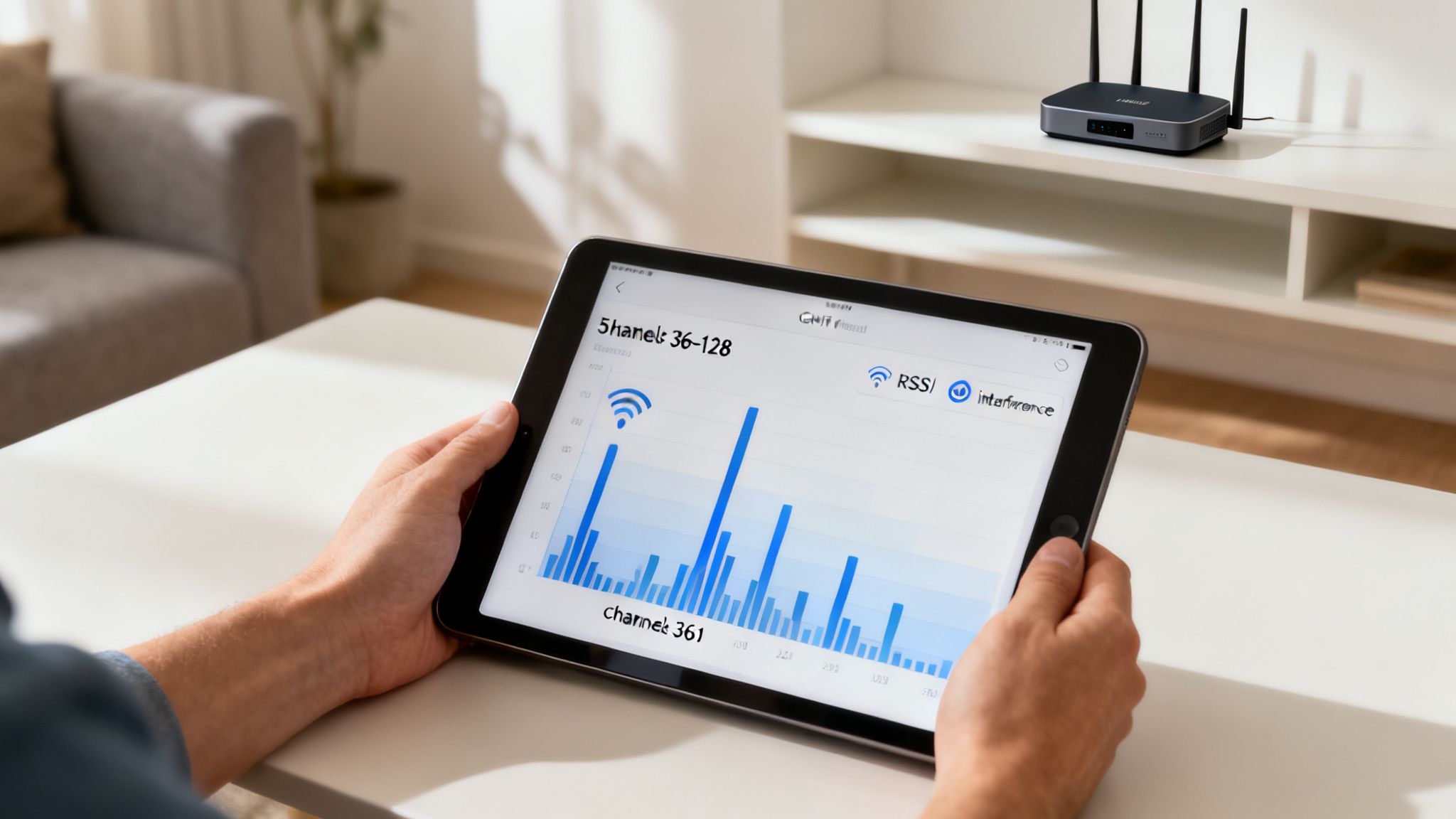
Esta imagem mostra exatamente o que você está procurando — um mapa visual das redes próximas, a força dos seus sinais e os canais que estão usando. O gráfico destaca claramente como certos canais estão fortemente congestionados, enquanto outros têm menos tráfego, tornando-os candidatos muito melhores para a sua própria rede.
Um fluxo de trabalho prático para encontrar o melhor canal
Armado com a ferramenta certa e um pouco de conhecimento, você pode seguir um processo simples para identificar o canal ideal para a sua rede. Essa abordagem baseada em dados é fundamental para implantar um WiFi estável, especialmente ao planejar ambientes WiFi de alta densidade onde cada fatia do espectro é importante.
A regra de ouro dos site surveys é medir durante o pico de uso. Uma varredura realizada em um escritório vazio à meia-noite é inútil. Você precisa ver como é o seu espaço aéreo quando ele está no seu momento de maior movimento para tomar uma decisão informada.
Siga estas etapas para um mapeamento eficaz:
- Faça a varredura durante os horários de pico: Execute o analisador WiFi escolhido durante o horário mais movimentado do dia para a sua localização. Isso fornece uma imagem precisa do congestionamento da rede no mundo real.
- Identifique canais congestionados: Observe o gráfico visual para ver quais canais de 5GHz têm mais redes operando neles. Preste atenção especial aos canais com fortes sinais concorrentes (valores de RSSI mais próximos de zero).
- Identifique canais livres: Encontre os canais com o menor número de redes concorrentes ou aqueles com sinais muito fracos. Você frequentemente descobrirá que os canais DFS (100-144) parecem muito mais livres do que os canais padrão não DFS (36-48).
- Selecione o seu canal e a largura: Escolha um dos canais livres que você identificou. Com base no nível de congestionamento, selecione uma largura de canal apropriada — manter-se em 20MHz ou 40MHz geralmente é a opção mais segura e estável em um ambiente lotado.
Escolhendo os canais certos para o seu ambiente
Conhecer a teoria por trás dos canais de 5GHz é uma coisa, mas colocá-la em prática no mundo real é onde você verá um salto genuíno no desempenho. O "melhor" canal Wi-Fi não é um número mágico; é uma escolha estratégica que depende inteiramente do seu espaço físico, de quantas pessoas o estão usando e do que elas precisam fazer online. Mudar da adivinhação para um plano de canais deliberado é como você entrega uma experiência sem fio na qual as pessoas podem realmente confiar.
Uma estratégia sólida começa combinando o que você precisa com o espectro que você tem. Um escritório tranquilo e de baixa densidade pode funcionar muito bem mantendo-se nos canais padrão, mas o saguão de um hotel lotado quase certamente falhará sem aproveitar o espaço aéreo mais limpo que o DFS oferece.
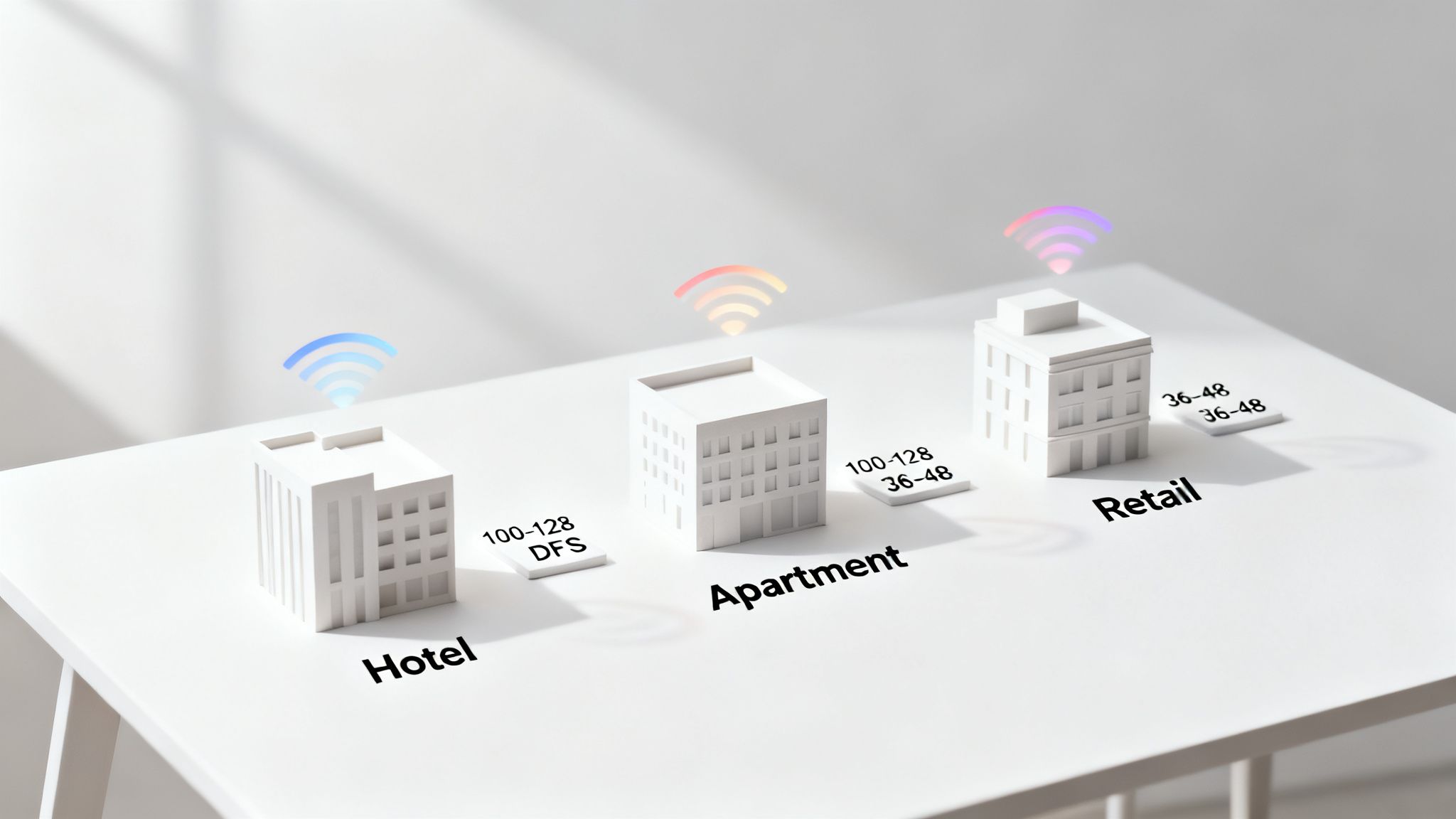
Vamos analisar alguns planos de ação para alguns cenários comuns — e muitas vezes desafiadores.
Ambientes de hospitalidade de alta densidade
Em um hotel movimentado, a satisfação do hóspede depende da qualidade do Wi-Fi. Você tem centenas de dispositivos — smartphones, laptops, smart TVs — todos lutando por largura de banda ao mesmo tempo. Em uma situação como essa, depender dos canais padrão não DFS (36-48) é uma receita para o desastre. Eles ficarão completamente sobrecarregados, não apenas pelos seus próprios pontos de acesso, mas também pelo hotspot pessoal de cada hóspede.
A única solução real é um plano de canais centrado no DFS.
- Seleção de canais: Faça dos canais DFS na Banda B a sua principal prioridade. Pense em 100, 104, 108 e assim por diante. Isso tira instantaneamente a sua rede dos canais inferiores barulhentos e congestionados.
- Largura do canal: Mantenha-se conservador com uma largura de canal de 40MHz. Claro, 80MHz é mais rápido no papel, mas em um espaço lotado, consome muito espectro e aumenta drasticamente as chances de os seus próprios pontos de acesso interferirem uns nos outros.
- Posicionamento do ponto de acesso: Um site survey meticuloso é inegociável. Você precisa garantir uma cobertura sólida sem sobreposição excessiva de sinal, o que permite a reutilização inteligente de canais com o mínimo de interferência.
Essa abordagem oferece canais não sobrepostos suficientes para suportar um alto número de pontos de acesso, proporcionando uma experiência consistente e estável para cada hóspede, estejam eles no saguão ou no quarto.
Prédios de múltiplos inquilinos e apartamentos
A maior dor de cabeça em prédios de múltiplos inquilinos é a interferência dos vizinhos. Cada residente tem o seu próprio roteador, e a maioria estará nos canais padrão, não DFS. Isso cria um ambiente de radiofrequência caótico, onde as redes estão em uma batalha constante por tempo de transmissão.
Um plano de canais coordenado é a chave para trazer ordem ao caos. Para administradores de propriedades que oferecem Wi-Fi gerenciado, esse é um enorme valor agregado.
Um plano de canais bem gerenciado em um prédio de múltiplos inquilinos pode ser a diferença entre um serviço frustrante e não confiável e uma comodidade premium que atrai e retém residentes. Trata-se de criar ordem a partir do caos sem fio.
Aqui está o plano de ação:
- Gerenciamento centralizado: Use um sistema Wi-Fi gerenciado para assumir o controle dos canais de cada ponto de acesso no prédio.
- Plano de canais escalonado: Projete um padrão de reutilização de canais que evite colocar apartamentos adjacentes no mesmo canal. Por exemplo, você pode alternar entre os canais 36, 44, 100 e 108.
- Isolamento de clientes: Este é um passo crítico de segurança. Implemente o isolamento de clientes para impedir que dispositivos em um apartamento "vejam" ou interfiram em dispositivos de outro.
Isso garante que cada residente tenha a sua própria fatia limpa do espectro, o que melhora enormemente o desempenho e a segurança para todos. Embora entender as especificidades dos canais seja vital, você pode obter ainda mais da sua rede aprendendo a melhorar a cobertura Wi-Fi e aplicar estratégias mais amplas.
Grandes centros de varejo
Um grande centro de varejo é uma mistura de ambientes completamente diferentes, todos sob o mesmo teto. Você tem corredores de baixo tráfego, unidades de lojas padrão e, em seguida, zonas de densidade incrivelmente alta, como praças de alimentação ou espaços de eventos. Um plano de canais único simplesmente não será suficiente.
A resposta é uma estratégia combinada ou híbrida. Site surveys no Reino Unido mostram consistentemente que os canais de 5GHz 36-48 (Banda A) estão fortemente congestionados em áreas urbanas, frequentemente atingindo 100% de utilização em hotspots. Enquanto isso, os canais DFS 100-144 podem oferecer um espectro de 3 a 5 vezes mais limpo. Em locais lotados como shoppings, esse congestionamento faz com que os canais inferiores sofram com a sobreposição de sinais, o que pode derrubar as velocidades médias de mais de 500Mbps para menos de 100Mbps.
Veja como adaptar o seu plano zona por zona:
- Áreas de baixo tráfego: Em corredores tranquilos ou lojas individuais, você pode usar com segurança canais padrão não DFS como 36 e 44 com uma largura de 40MHz.
- Zonas de alta densidade: Para a praça de alimentação, lojas âncora ou átrios centrais, implante pontos de acesso operando exclusivamente em canais DFS (100-128). Use uma largura mais estreita de 20MHz aqui para maximizar o número de canais disponíveis e manter a interferência no mínimo.
Ao alinhar a sua estratégia de canais às necessidades específicas de cada área, você pode construir uma rede robusta que lida com as variadas demandas de um ambiente de varejo moderno. Isso garante uma experiência perfeita para os compradores, a equipe e todos os sistemas operacionais de retaguarda.
Otimização avançada e armadilhas comuns a evitar
Passar de uma configuração básica para uma rede de alto desempenho significa aprender a navegar por algumas armadilhas comuns, mas significativas. Para qualquer pessoa que gerencie um ambiente sem fio de missão crítica, esses detalhes importam imensamente. Acertá-los é o que separa uma rede confiável de uma que causa frustração constante.
O erro mais frequente que vejo é as pessoas confiarem no recurso de "canal automático" do seu hardware. Embora pareça útil, essa configuração costuma ser programada para máxima compatibilidade, não para máximo desempenho. Ela quase sempre favorecerá os canais padrão não DFS, como 36 e 48, porque é a aposta mais segura para evitar quaisquer eventos DFS em potencial. O resultado? A sua rede se lança desnecessariamente na parte mais congestionada do espectro de 5GHz, garantindo uma luta contra a interferência.
O problema de usar canais muito largos
Outro erro comum é a tentação de usar as maiores larguras de canal possíveis — 80MHz ou até 160MHz — para buscar as velocidades teóricas mais altas. Em um ambiente de baixa densidade, como uma casa isolada, isso pode funcionar de forma brilhante. No entanto, em qualquer ambiente comercial ou residencial denso, essa estratégia sairá espetacularmente pela culatra.
Usar um canal de 80MHz é como estacionar um caminhão ocupando quatro vagas de estacionamento. Você ocupou uma enorme quantidade do espectro disponível, o que aumenta drasticamente a probabilidade de criar interferência co-canal para a sua própria rede. Isso pode prejudicar o desempenho, levando a uma conexão mais lenta e menos estável do que se você tivesse usado uma largura de canal mais conservadora.
Para a maioria das redes corporativas de alta densidade, uma largura de canal mais estreita de 40MHz oferece um equilíbrio muito melhor entre velocidade e estabilidade. Ela entrega um excelente rendimento sem consumir uma quantidade excessiva de espectro, permitindo que mais pontos de acesso operem de forma limpa no mesmo espaço físico.
Definindo expectativas realistas para o DFS
O Dynamic Frequency Selection (DFS) é uma ferramenta essencial para desbloquear um espaço aéreo mais limpo, mas vem com comportamentos que você deve entender para gerenciar as expectativas. A principal coisa a ter em mente é a breve queda de conectividade que ocorre quando um ponto de acesso detecta um sinal de radar e deve desocupar o canal.
Um evento DFS não é uma falha de rede; é a rede operando exatamente como projetada. É uma pequena correção de curso automatizada para garantir que o seu WiFi não interfira em sistemas de radar críticos, e é um preço minúsculo a pagar pelo acesso a um espectro vasto e não congestionado.
Esses eventos são raros na maioria das áreas geográficas. Quando um acontece, a breve interrupção — que geralmente dura cerca de um minuto enquanto o ponto de acesso faz a varredura e muda para um canal livre — é muito menos prejudicial à experiência do usuário do que a lentidão constante e desgastante causada pelo congestionamento permanente do canal. Para uma empresa, os ganhos de desempenho ao usar canais DFS superam em muito o risco mínimo de um salto de canal ocasional e automático.
Esse tipo de pensamento estratégico vai além da simples seleção de canais. À medida que as redes se tornam mais complexas, fatores como o número de redes sem fio que você transmite também podem impactar o desempenho. Para saber mais, você pode se interessar pelo nosso artigo que explora se SSIDs extras realmente deixam você mais lento .
Recomendações finais para uma rede resiliente
Construir uma infraestrutura sem fio verdadeiramente resiliente e de alto desempenho se resume a fazer escolhas deliberadas e baseadas em dados. Escapar das configurações padrão e entender as compensações do mundo real é a chave.
Aqui estão os pontos cruciais para a otimização avançada:
- Evite o "Canal automático": Sempre realize um site survey e defina manualmente os seus canais com base em dados do mundo real para evitar as frequências mais congestionadas.
- Use larguras apropriadas: Resista à vontade de usar 80MHz ou 160MHz em ambientes densos. Mantenha-se em 20MHz ou 40MHz para uma rede mais estável e confiável.
- Adote o DFS estrategicamente: Entenda que o DFS é uma ferramenta poderosa para escapar da interferência. Trate o seu comportamento como um recurso planejado, não como uma falha.
Ao evitar essas armadilhas comuns e aplicar uma abordagem mais sutil, você pode projetar uma rede que entrega a velocidade e a confiabilidade que os seus usuários esperam, mesmo nos ambientes sem fio mais desafiadores.
O seu caminho para uma rede mais rápida e confiável
Escolher o melhor canal WiFi de 5GHz não é uma tarefa de "configurar e esquecer". É um processo contínuo de monitoramento e ajuste fino. Se há uma coisa a tirar de tudo isso, é que você precisa parar de adivinhar e começar a medir o seu ambiente sem fio real.
Ao dedicar um tempo para mapear o seu espaço aéreo local, você pode ir além dos canais padrão lotados e tomar uma decisão devidamente informada. Entender as compensações entre os canais padrão não DFS e o espectro DFS mais limpo, porém mais complexo, é a chave para construir uma rede que simplesmente funciona.
Adaptando a sua estratégia de rede
Um plano de canais bem-sucedido é sempre adaptado ao local específico. O que funciona para um hotel movimentado será completamente diferente das necessidades de um bloco de apartamentos de múltiplos inquilinos ou de um grande centro de varejo. Cada cenário exige uma abordagem única para a seleção e largura de canais para gerenciar a interferência e manter os usuários satisfeitos.
Uma base WiFi estável e de alto desempenho é o alicerce das operações comerciais modernas. Ela possibilita tudo, desde experiências perfeitas para os hóspedes até acesso seguro e baseado em identidade para a equipe e os inquilinos.
Em última análise, uma rede sólida como uma rocha não é mais um luxo — é um requisito fundamental. Ela sustenta operações críticas, aumenta a satisfação do cliente e fornece a espinha dorsal segura necessária para soluções modernas de rede baseadas em identidade. A sua jornada em direção a uma rede mais rápida e confiável começa agora, fazendo escolhas de canais mais inteligentes e baseadas em dados.
Perguntas frequentes
Quando você começa a se aprofundar nos detalhes do Wi-Fi de 5 GHz, algumas perguntas comuns sempre parecem surgir. Vamos enfrentá-las de frente com algumas respostas diretas para ajudar você a ajustar a sua rede e escolher os melhores canais de 5 GHz para o seu espaço.
Devo usar uma largura de canal de 80 MHz ou 160 MHz?
Embora as embalagens dos roteadores adorem se gabar das velocidades incríveis dos canais de 80 MHz e 160 MHz, eles são realmente práticos apenas em situações muito específicas, como uma casa unifamiliar isolada com poucos vizinhos. Pense nisso como uma rodovia: uma estrada larga e com várias faixas é excelente quando está vazia, mas em um centro de cidade movimentado, ela apenas cria um engarrafamento.
Em ambientes corporativos lotados, como escritórios, hotéis ou blocos de apartamentos, usar canais tão largos é uma receita para o desastre. Isso consome uma fatia enorme do espectro disponível, levando a uma enorme interferência que frequentemente torna a sua rede mais lenta e muito menos estável. Para quase qualquer rede corporativa de alta densidade, manter-se nos canais de 20 MHz ou 40 MHz oferece um equilíbrio muito melhor entre velocidade e confiabilidade, permitindo que mais pontos de acesso operem de forma limpa sem tropeçarem uns nos outros.
Os canais DFS são muito não confiáveis para uso corporativo?
Este é um dos mitos mais comuns e persistentes no Wi-Fi. A resposta curta é não, de forma alguma. Na verdade, os canais Dynamic Frequency Selection (DFS) são absolutamente essenciais para obter alto desempenho da sua rede em áreas lotadas.
O medo vem do requisito de que um ponto de acesso deve mudar de canal se detectar sinais de radar prioritários, o que causa uma breve interrupção. No entanto, esses eventos de radar são, na verdade, bastante raros na maioria dos locais.
O imenso aumento de desempenho que você obtém ao usar esses canais livres e não congestionados supera em muito o pequeno risco de uma mudança de canal ocasional e automática. Para a maioria das empresas, ter uma estratégia DFS inteligente é uma enorme vantagem competitiva.
Por que os canais 36 a 48 estão sempre tão lotados?
Há um motivo simples para esses canais estarem sempre lotados: eles são o caminho de menor resistência. Os canais 36, 40, 44 e 48 são os únicos na banda inferior de 5 GHz que não exigem verificações DFS. Para garantir a máxima compatibilidade e evitar o período de espera obrigatório para detecção de radar, quase todos os roteadores de nível de consumidor e muitos dispositivos corporativos os utilizam por padrão assim que saem da caixa.
Essa facilidade de uso universal os transformou nas frequências mais congestionadas em qualquer ambiente denso, de prédios de apartamentos a parques de escritórios. A batalha constante por tempo de transmissão nesses canais leva a interferências e lentidões significativas, que é exatamente o motivo pelo qual um site survey adequado é tão crucial para encontrar um caminho mais livre para os seus dados.
Uma rede confiável e de alto desempenho é a base de uma empresa moderna. A Purple substitui senhas compartilhadas e portais desajeitados por uma rede segura e baseada em identidade que é simples de implantar e gerenciar. Descubra como as nossas soluções de acesso sem senha para hóspedes, equipe e ambientes de múltiplos inquilinos podem transformar a sua conectividade em https://www.purple.ai .