When you hear the term connector Wi-Fi, it’s easy to picture a physical dongle or some new bit of kit. The reality, however, is that a modern connector Wi-Fi solution is actually a piece of intelligent software. It acts as a universal translator for your network, unlocking powerful new capabilities without needing you to replace your existing equipment.
What Exactly Is a Wi-Fi Connector?
Let's clear up the confusion right away. A Wi-Fi connector isn’t a piece of hardware you plug in. Instead, think of it as a smart, cloud-based engine that sits between your physical network gear and your identity management systems.
Its main job is to translate a user's identity into secure network access rules. This simple but powerful function turns a standard Wi-Fi signal into an intelligent, data-rich service that boosts security and delivers valuable business insights. It’s the bridge connecting who a person is with what they are allowed to do on your network.
From Hardware to Software: A Key Distinction
The term 'connector' can be misleading because it often brings to mind physical adapters, like a USB Wi-Fi dongle or the M.2 modules used for Wi-Fi cards inside laptops. While these are indeed hardware connectors that allow a device to pick up a signal, they are completely different from the software-based connector Wi-Fi platforms we're talking about here.
A software connector is a service that integrates with the hardware you already own from vendors like Cisco Meraki, Aruba, or UniFi. It doesn’t provide the Wi-Fi signal; it controls access to it.
A software Wi-Fi connector is like a digital bouncer for your network. It doesn't build the club, but it checks every ID at the door, making sure only the right people get in and keeping a log of who came and went.
To make this distinction clearer, let's compare the two side-by-side.
Hardware Connectors vs Software Connectors at a Glance
This table breaks down the fundamental differences between traditional hardware-based Wi-Fi connectors and modern software solutions.
As you can see, one is about creating a connection for a single device, while the other is about intelligently managing connections for an entire venue.
The Modern Demand for Smarter Wi-Fi
In today's connected world, just offering a Wi-Fi signal isn't enough anymore. The UK, for instance, is on track to have 97.8% internet penetration and a staggering 99.3 million mobile connections by 2026. This makes reliable guest Wi-Fi an absolute necessity for businesses. You can dig into more UK digital trends in this detailed report from DataReportal.
With user expectations for seamless, secure access at an all-time high, venues are under pressure to offer more than just a connection. They need a solution that is both secure and capable of delivering real business value.
This is where a software connector really shines. It enables the advanced features that meet modern demands:
- Identity-Based Access: Granting network permissions based on a user's role (like staff, guest, or contractor) rather than a single shared password.
- Passwordless Onboarding: Letting users connect automatically and securely without ever needing to type in credentials, using tech like OpenRoaming.
- Actionable Analytics: Capturing anonymised data about visitor footfall, dwell times, and return rates, turning your Wi-Fi into a powerful business intelligence tool.
How Connectors Enable Secure Identity-Based Authentication
A software-based connector Wi-Fi solution completely changes the game for network access. It moves you away from a simple, often insecure, password swap and towards a robust, identity-driven process. Think of it as a smart digital bouncer for your network. Instead of asking for a password that anyone could have, it checks for a verified digital ID, making sure only authorised people get in.
For the end-user, this whole process feels incredibly seamless, but behind the scenes, it's powerfully secure. When a staff member tries to connect to the corporate Wi-Fi on their laptop or phone, their device simply sends a request to the network. The network, working with a software connector, doesn't even ask for a password. Instead, it forwards that request to the connector in the cloud.
This is where the magic happens. The connector talks directly with your organisation’s trusted identity directory, like Microsoft Entra ID (what used to be Azure AD) or Google Workspace. It checks the user's identity against their existing work credentials, confirming they are an active, legitimate employee.
The flow chart below shows how a connector acts as the bridge between devices and secure network access.
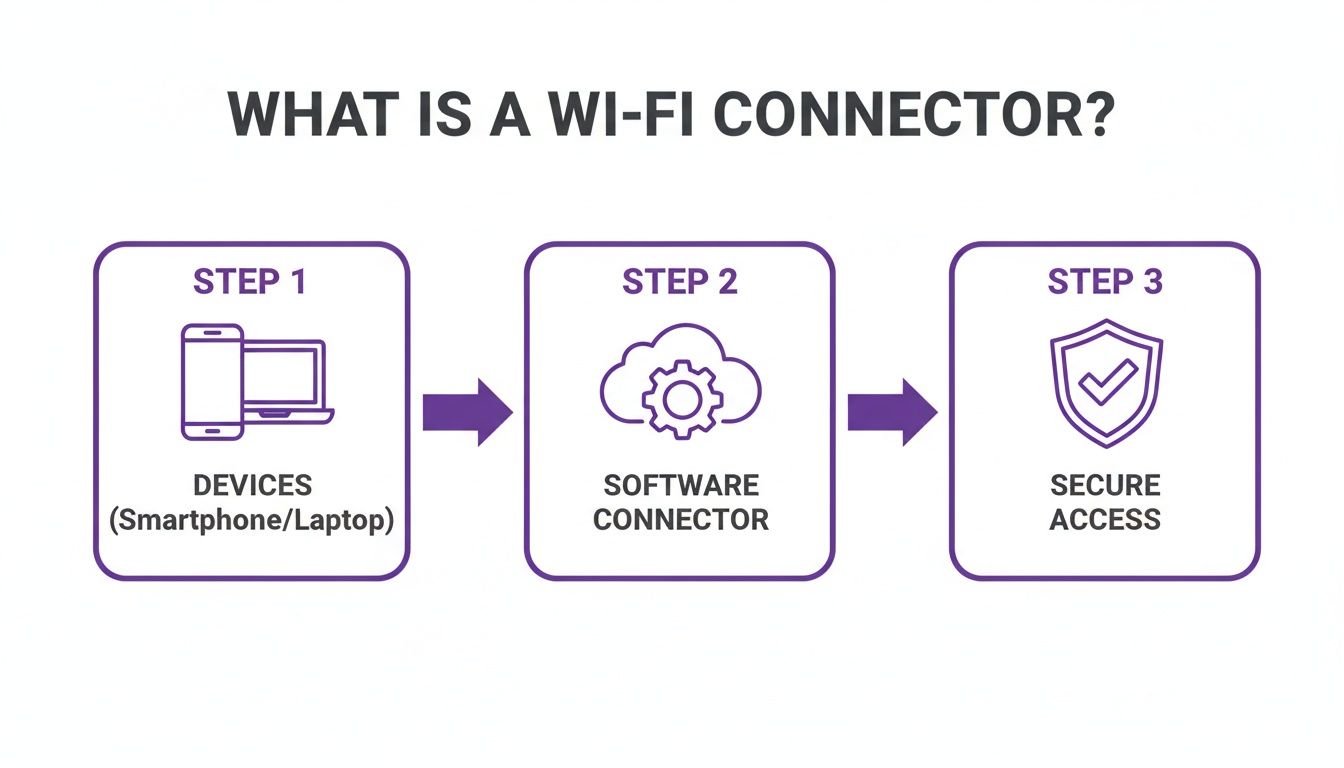
This visualises the core job of a software connector: it's the intelligent go-between that authenticates a device's identity before handing over secure network access.
From Identity to Access Certificate
Once the user's identity is confirmed, the connector gets to work and automatically issues a unique, temporary digital certificate just for their device. This certificate is like a secure, non-transferable passport for your network. The device shows this passport to the Wi-Fi network, which sees it as valid and grants access—all without the user ever having to type a password.
This is the very foundation of a zero-trust security model. Access is never assumed or based on implicit trust; it’s always earned through direct identity verification for every single connection. This approach drastically cuts down the risks that come with stolen passwords or unauthorised access.
By tying network access directly to a verified identity, a software connector makes the network inherently smarter. It’s no longer just about what device is connecting, but who is behind it, what their role is, and what level of access they should have.
The Problem with Outdated Security Methods
This certificate-based approach is a world away from older, less secure methods that are, surprisingly, still quite common. These legacy techniques leave behind huge vulnerabilities that modern connectors are specifically designed to fix.
- Shared Passwords (PSK): Using a single password for all staff is a major security headache. If just one employee leaves on bad terms, you’re faced with changing the password on every single device across the organisation—a logistical nightmare.
- MAC Address Whitelisting: This means manually logging the unique hardware (MAC) address of every device that needs access. Not only is this incredibly time-consuming for IT teams, but MAC addresses can also be easily "spoofed" or copied by attackers, making the security measure useless.
Both of these old-school methods treat all users and devices the same, offering no way to set different rules for different roles. For a deeper look into modern alternatives, you might be interested in our complete guide to identity-based Wi-Fi security.
Creating Granular Access Policies
The real power of a connector Wi-Fi platform is the ability to create granular access policies. Because the connector knows who is trying to connect, administrators can set up specific rules based on the user roles already defined in their identity directory.
For example, you could configure your network so that:
- Corporate Executives get unrestricted access to all internal servers and network resources.
- Marketing Team members can access the company CRM and marketing tools but are blocked from sensitive financial databases.
- Third-Party Contractors are given internet access only, keeping them completely separate from the internal corporate network.
Achieving this level of control is next to impossible with shared passwords. A software connector automates this segmentation, boosting security while making network management far simpler. It ensures users only have access to what they absolutely need, strictly following the principle of least privilege.
Creating a Seamless Guest Experience with OpenRoaming
For any venue in hospitality, retail, or transport, the guest Wi-Fi experience is a massive part of the first impression. A clunky, frustrating login process can sour a customer's perception before they’ve even ordered a coffee. A software-based connector wi-fi solution completely changes the game, enabling secure, frictionless access through powerful technologies like OpenRoaming.
This system does away with annoying captive portals and insecure shared passwords. Instead, think of it as a "digital passport" for Wi-Fi.
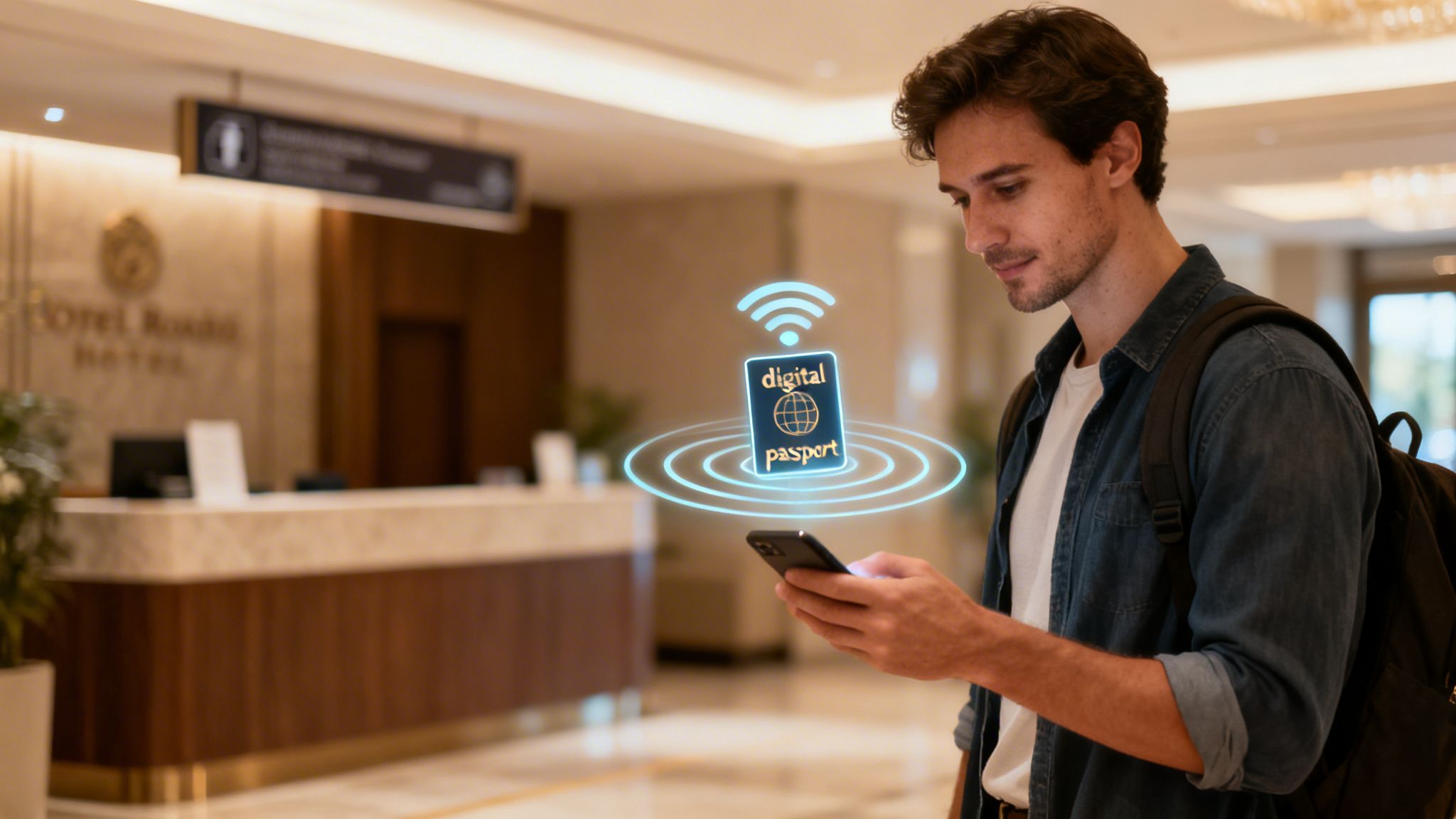
Once a guest authenticates at one participating venue, their device gets a secure, permanent profile. This profile then lets them connect automatically and securely at any of the thousands of other locations in the global OpenRoaming federation.
The Power of Connect Once, Connect Everywhere
Imagine a guest checking into their hotel and connecting to the Wi-Fi just once. The next day, they visit a nearby coffee shop, and their phone connects automatically—no fumbling for passwords. Later that week, they travel through an airport, and again, their device is instantly and securely online. This is the future of public Wi-Fi access, and it’s here now.
This seamless roaming is powered by Passpoint, the underlying technology that OpenRoaming is built on. It allows different Wi-Fi networks to recognise and trust a user's pre-approved credentials. A Wi-Fi connector is the piece that makes this possible, bridging your venue’s network to this global federation.
A connector wi-fi solution using OpenRoaming transforms your venue from an isolated island of connectivity into a part of a global, trusted network. This removes login friction entirely, boosting guest satisfaction and encouraging longer, more frequent visits.
This frictionless model is a world away from the all-too-common experience of setting up new devices at home, where even a new dishwasher might demand a cloud account just to work. With OpenRoaming, the focus is squarely on user convenience, without ever compromising on security.
Security Encrypted from the First Packet
Let's be honest: public Wi-Fi networks have a bad reputation for security, and for good reason. Open networks broadcast unencrypted data, making it easy for bad actors to intercept personal information. This is a huge concern for guests and a potential liability for venues.
OpenRoaming, enabled by a Wi-Fi connector, solves this problem head-on. The security benefits are baked right in:
- WPA2/WPA3 Enterprise Encryption: Unlike open networks, every OpenRoaming connection is encrypted from the very first packet. This robust standard protects all user data as it travels over the air.
- Protection from "Man-in-the-Middle" Attacks: Because authentication is based on a trusted digital certificate, users are protected from fake "evil twin" access points designed to steal their credentials.
- No More Shared Passwords: It completely eliminates the need for a single, easily compromised password for all guests, which is one of the most common weak points in venue Wi-Fi security.
This approach delivers enterprise-grade security for your public-facing network, giving your guests genuine peace of mind while they connect. For those wanting to dive deeper, you can learn more about what OpenRoaming is and how it works in our detailed guide. By implementing this standard, you not only improve the guest experience but also dramatically elevate your venue's security posture.
Getting a Wi‑Fi Connector Hooked Up to Your Network
For any IT administrator, the thought of bringing in a new network solution often brings on a familiar dread: the "rip-and-replace" project. The fear of a costly and disruptive overhaul can stop even the most promising upgrades dead in their tracks. Thankfully, today’s software-based connector Wi-Fi platforms are built to sidestep this exact headache.
These connectors act as a smart software layer that sits ‘over the top’ of your current network hardware. There's no need to throw out your existing access points (APs) and start from scratch.
Compatibility with Major Network Vendors
One of the best things about a cloud-based connector is just how well it plays with others. Whether your organisation has already invested in Cisco Meraki, Aruba, Ruckus, Mist, or Ubiquiti UniFi, the connector is designed to integrate without a fuss. This flexibility is a huge relief for IT teams, as it means your existing hardware investments are safe.
So how does it work? The integration simply redirects authentication requests from your APs to the cloud connector. Instead of your local hardware deciding who gets on the network, that job is handed off to a much smarter, cloud-based engine. This approach means you can get everything up and running in a matter of weeks, not months.
Think of it like giving your network's existing nervous system a new brain, rather than performing a full transplant. The result is a much faster, more secure, and more intelligent network without any of the surgical disruption.
This ability to deploy quickly is becoming more important than ever. The UK's fixed connectivity market, which is the foundation for all Wi-Fi performance, is projected to hit USD 36.57 billion in 2026, driven by a huge expansion of full-fibre networks. For businesses, this means your guest and corporate Wi-Fi can finally deliver gigabit-level speeds. A streamlined connector Wi-Fi solution is the key to tapping into this new potential without delay. To see the full picture, you can explore the full report on the UK’s connectivity market.
The Simplified Deployment Process
So, what does deploying a software connector actually look like? The process is surprisingly straightforward, mostly because it gets rid of the need for clunky on-premise hardware like traditional RADIUS servers. While every network is different, the high-level steps usually follow a clear path.
It’s worth pausing to see just how different this modern approach is from the old way of doing things. Setting up an on-premise authentication server was a major project in itself, filled with hidden costs and complexities.
Traditional RADIUS vs Cloud Connector Deployment
The table makes it clear: cloud connectors don't just add new features; they fundamentally change the economics and effort involved in managing secure network access.
The actual setup process reflects this new simplicity:
- Configure New SSIDs: You'll start by creating new wireless network names (SSIDs) to separate your user groups, like "Staff_Secure" and "Guest_WiFi".
- Point Authentication to the Cloud: Inside your hardware's dashboard (like Meraki or UniFi), you’ll tell these new SSIDs to send all authentication requests to the cloud connector's platform.
- Integrate Your Identity Provider: Next, you connect the platform to your existing identity source, such as Microsoft Entra ID or Google Workspace. This is how the connector knows who your users are and what groups they belong to.
- Define Access Policies: Finally, you set the rules. You can define which user groups can access which SSIDs and what network resources they're allowed to use, all from a simple interface.
This process completely removes the need to manage those complicated on-premise authentication servers, which have long been a source of IT overhead and security headaches. It centralises control in an easy-to-use cloud dashboard.
If you're curious about the specific options, you can browse a full library of available Wi-Fi connectors to see how they fit with different hardware and identity systems. It’s a modern approach that makes network management simpler and gets you to a more secure, intelligent network far quicker.
Turning Wi-Fi Data into Actionable Business Intelligence
So far, we’ve covered how a connector Wi-Fi platform can lock down your network security and make access a breeze. But its real value goes far beyond the IT department. That same software engine is also a powerful data collection tool, transforming your Wi-Fi from a simple utility into a goldmine of business intelligence.
As the connector manages the authentication process for every user, it captures rich, first-party data. It sees who is visiting your physical locations, how often they return, and for how long they stay. This isn’t just abstract data; it's a direct window into customer behaviour inside your physical space.
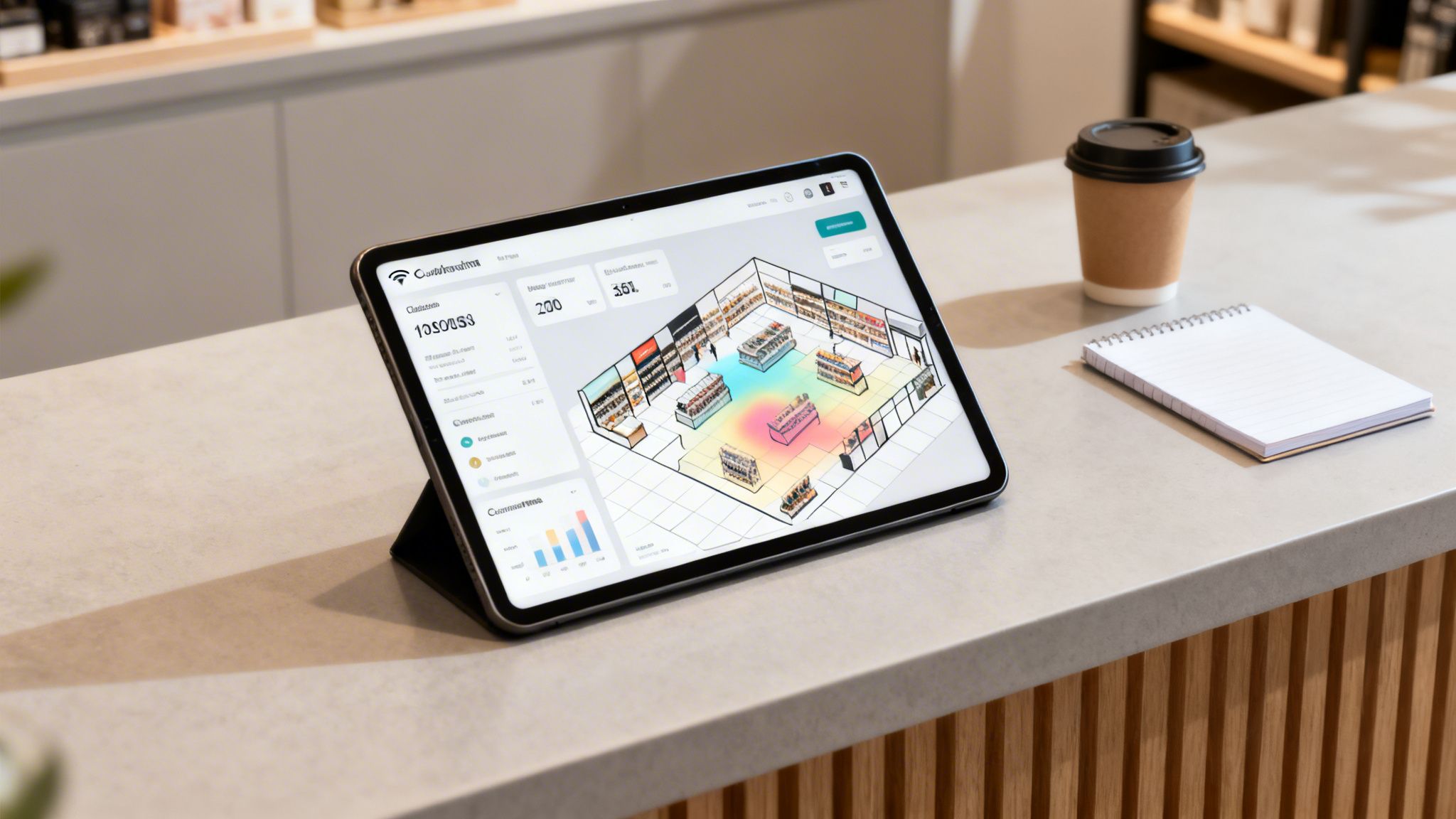
This information can then be fed straight into analytics dashboards, CRMs, and marketing platforms, allowing you to finally connect your digital efforts with real-world results. Suddenly, your Wi-Fi network is no longer just a cost centre—it becomes a revenue-generating asset with a clear return on investment.
From Raw Data to Real-World Insights
The data captured by a Wi-Fi connector helps you answer critical business questions that were previously difficult, if not impossible, to tackle. You can stop guessing and start making data-driven decisions by understanding how people physically move through and interact with your space.
Here are some of the key metrics you can unlock:
- Footfall and Visitor Counts: Accurately measure how many people come through your doors each day, week, or month.
- Dwell Time: See how long visitors are staying on average, helping you gauge engagement and optimise staffing levels.
- Visit Frequency and Loyalty: Easily distinguish your most loyal, returning customers from first-time visitors.
- Conversion Rates: Compare the number of Wi-Fi users to total transactions to understand how digital engagement drives sales.
This is the kind of insight that gives brick-and-mortar venues the same analytical power that e-commerce sites have enjoyed for years. You can finally see who your customers really are and what keeps them coming back.
By unlocking first-party data from your physical space, a Wi-Fi connector bridges the gap between your online and offline worlds. It gives you a unified view of the customer journey, from their first digital interaction to their most recent in-store visit.
Putting Business Intelligence into Practice
Let’s look at how different industries can turn these insights into tangible outcomes. The applications are incredibly diverse, which really shows how versatile this technology is.
1. Retail Chains:
A clothing retailer can identify its top 10% of loyal shoppers based on visit frequency. It can then use an integrated marketing platform to automatically send them a personalised offer for their next visit, driving repeat business and boosting customer lifetime value.
2. Hospitality Venues:
A hotel can recognise a returning guest the moment they connect to the Wi-Fi. This allows front desk staff to offer a personalised welcome, perhaps mentioning a preference from their last stay, creating a memorable, high-touch experience.
3. Healthcare Facilities:
A hospital can analyse patient flow and dwell times in different waiting areas. This data can pinpoint bottlenecks, allowing administrators to reallocate resources or adjust appointment schedules to cut down on wait times and improve the patient experience.
4. Shopping Centres:
A large shopping centre can measure the impact of a digital ad campaign by tracking how many people who saw an online ad later visited the centre. This provides a direct, measurable link between marketing spend and physical footfall, proving a clear ROI.
In every case, the connector Wi-Fi platform is the engine that gathers the raw data and makes it ready for action. To really dig into this Wi-Fi data, organisations often use specialised platforms. For a look at selecting the right tools, you might find this guide to Business Intelligence software helpful. It provides a clear comparison that can help you turn raw visitor analytics into strategic decisions that directly impact your bottom line.
The theory behind connector Wi-Fi is all well and good, but how do these advanced features actually help real businesses? The best way to grasp the impact is to see it in action. These examples show how one software solution can solve very different problems for staff, residents, and guests, all while uncovering valuable business intelligence.
Let's look at a few scenarios where a connector turns a standard network into a real strategic asset.
Smart Living in Multi-Tenant Housing
Picture a modern apartment block or student accommodation. The property manager has two big challenges: giving hundreds of residents private, secure Wi-Fi, and also giving staff and contractors the access they need to do their jobs. A single network with one shared password would be a security nightmare and a constant support headache.
This is exactly where a connector Wi-Fi solution comes into its own. It can carve out multiple, separate network experiences from the same physical hardware.
For Residents: Each flat gets its own private, secure network using a technology like Identity-based Pre-Shared Key (iPSK). This gives every resident their own unique password, creating a secure bubble for all their personal devices. This is vital for connecting "headless" devices like smart TVs, games consoles, and smart speakers that can't handle complex logins.
For Staff: At the same time, building staff—from maintenance to management—can connect to a completely separate, secure staff network. By using Single Sign-On (SSO) tied into the company’s identity provider, they get instant, certificate-based access without ever typing a password.
The connector manages all of this automatically. It keeps resident traffic isolated from staff traffic, gives tenants a true home-from-home experience, and makes access simple for employees, all controlled from a single cloud dashboard.
Elevating the Guest and Staff Experience in Hospitality
Now, let's switch to a large, busy hotel. The priorities here are a seamless guest experience, rock-solid security for operations, and understanding guest behaviour to improve service. A connector Wi-Fi platform tackles all three.
For guests, the connector makes a feature like OpenRoaming possible. A guest authenticates once on their first visit, and after that, their device connects automatically and securely every time they return or visit another venue in the network. This gets rid of the clunky, repetitive captive portal logins that so often frustrate travellers.
By removing the friction of logging in, hotels can significantly boost guest satisfaction scores. The Wi-Fi becomes an invisible, reliable utility that just works, much like the lights or water in their room.
For hotel staff, the connector integrates with a corporate directory like Microsoft Entra ID. This lets employees connect to a secure staff network using passwordless, certificate-based authentication. Access is tied directly to their job role and is instantly revoked the moment they leave the company, which is a massive security improvement.
Finally, the hotel's management team gets to use the built-in analytics. They can see how many guests are using the lobby bar in the evening or how long people linger in the coffee shop. This provides real data to help optimise staffing, run promotions, and even improve the layout.
Proving Marketing ROI in Retail
In a shopping centre, the challenge is different again. The main goal is to draw in shoppers, get them to stay longer, and figure out which marketing campaigns are actually driving footfall. A connector provides the tools to do just that by bridging the gap between digital marketing and what happens in the physical world.
By offering secure public Wi-Fi through an opt-in portal, the shopping centre can build a valuable first-party marketing database. With this data, they can measure the direct impact of their digital campaigns. For instance, they can track how many people who received an email promotion physically visited the centre within the next week.
This gives them hard evidence of marketing ROI—a metric that has always been incredibly difficult for brick-and-mortar venues to capture.
Your Wi-Fi Connector Questions, Answered
When you're looking at identity-based networking, it’s natural for questions to pop up. We get it. Here, we tackle some of the most common queries from IT admins and business owners about what a software-based connector Wi-Fi solution really means for you day-to-day.
Is a Software Wi-Fi Connector Secure for Enterprise Use?
Yes, absolutely. In fact, modern software connectors are built around a zero-trust security model, which makes them much more secure than the old ways of doing things. Instead of passing around a shared password that can be easily compromised, they link up with your existing identity provider, like Microsoft Entra ID or Okta.
Each user gets a unique, device-specific certificate to connect. This means access is tied to a verified identity, not a password that can be shared, stolen, or forgotten. Every connection, even for guests using OpenRoaming, is encrypted right from the start, protecting everyone from common network attacks.
Do I Need to Replace My Existing Wi-Fi Hardware?
No, and that’s one of the biggest benefits. A cloud software connector is designed to be vendor-agnostic, working as an intelligent layer on top of your current network. It doesn't matter if you run on Meraki, Aruba, Ruckus, Mist, or UniFi—the connector integrates with the access points you already have.
The process simply involves reconfiguring your SSIDs to direct authentication requests to the cloud platform. It’s a smart way to upgrade your network's capabilities without the cost and headache of a full hardware replacement project.
The whole point of a modern connector is to enhance, not replace. It unlocks new features from the hardware you’ve already invested in, boosting its value while keeping deployment simple and affordable.
How Does a Connector Handle Devices That Cannot Authenticate?
This is a common puzzle, especially in places like hospitality or residential buildings. Advanced connectors have a clever solution called an Identity-based Pre-Shared Key (iPSK) system. This feature allows an admin, or even an end-user like a tenant, to generate a unique Wi-Fi password for each of their "headless" devices—think smart TVs, printers, or games consoles.
This approach keeps your security tight and your network segmented, as every device has its own key that can be managed or revoked individually. It effectively closes the security gaps that come from using a single, shared password for dozens of different devices on one network.
What Kind of ROI Can I Expect from a Connector Solution?
The return on your investment shows up in a few key areas. On the operational side, you'll save a huge amount of IT time by automating the user onboarding process and eliminating all those password-related helpdesk tickets. From a business perspective, the analytics you get from Wi-Fi authentication give you incredible insights into customer behaviour, visit frequency, and dwell times.
This first-party data is gold. You can use it to personalise marketing, build customer loyalty, and encourage repeat business. It’s a measurable return that changes your Wi-Fi from a cost centre into a real strategic asset.
Ready to move beyond passwords and turn your Wi-Fi into a secure, intelligent platform? See how Purple can work with your existing network to deliver passwordless access and powerful analytics. Explore the Purple platform today.