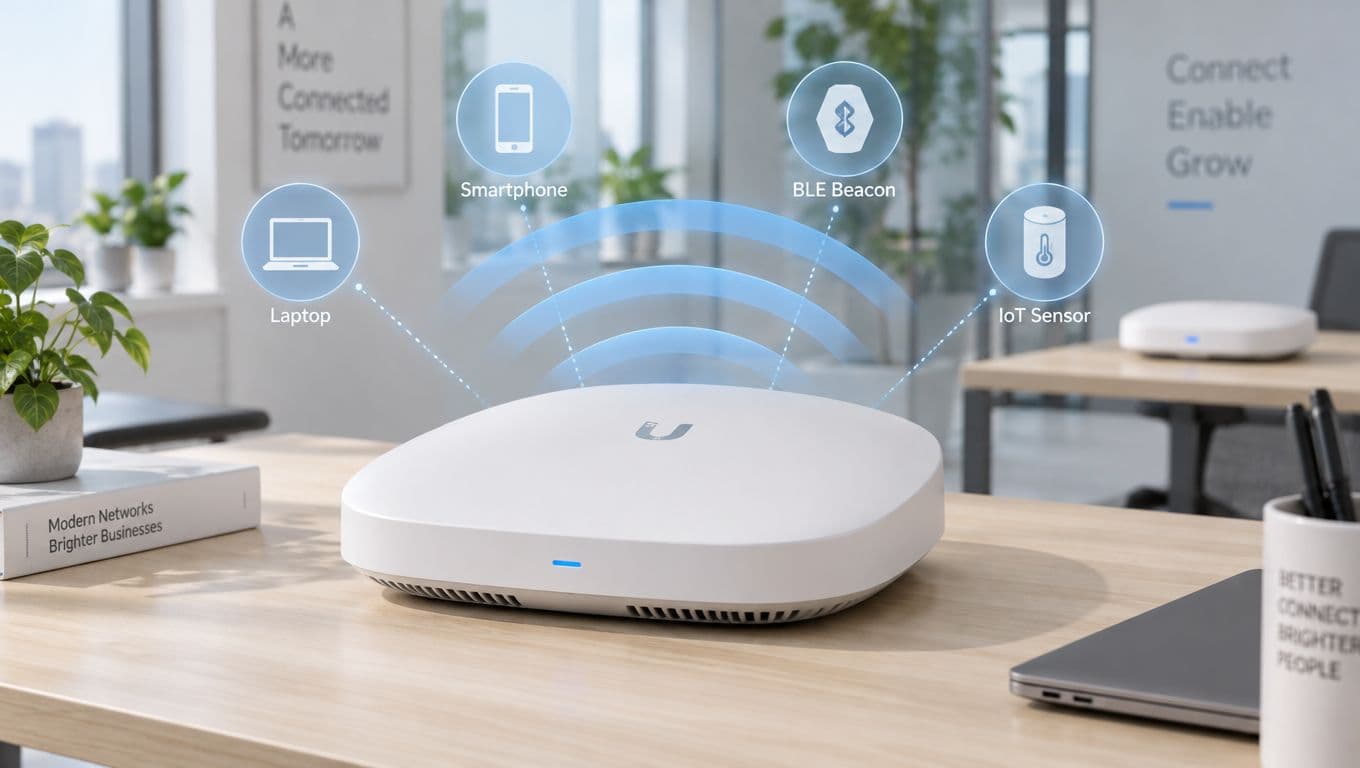

Zero Trust Network Access (ZTNA) is a security model built on one simple, powerful idea: 'never trust, always verify'. It throws out the old way of thinking, where we assumed anything inside our network was safe. Instead, ZTNA treats every single attempt to access your network as if it could be a threat, demanding strict verification every single time.
Ditching the Fortress: Why the Old Security Model Is Broken

For decades, we’ve relied on a “castle-and-moat” approach to security. We built a strong perimeter with firewalls and VPNs, assuming that if we kept the bad guys out, everyone inside could be trusted. Once you were past the gate, you had relatively free reign.
But that model is completely outdated. The way we work has shattered the traditional network perimeter. Think about it:
- Hybrid and Remote Work: Our teams connect from home offices, coffee shops, and hotels. The concept of a secure "inside" of the network has vanished.
- Cloud Applications: Critical business tools and data don't live in a single server room anymore. They’re spread across countless cloud services.
- Diverse Devices: People are logging in from company laptops, but also their personal phones and tablets.
The castle-and-moat approach just doesn’t work when your people and your data are everywhere. Its biggest flaw is assuming that once someone gets past the main gate—maybe with a stolen password—they are trustworthy. In reality, that's when the real damage starts, as they can move freely across the internal network.
A New Philosophy: From Location to Identity
Zero Trust flips this old model on its head. It completely abandons the idea of a trusted network and instead focuses purely on verifying identity and context for every single request. It’s a core component of any modern strategy for effective network protection and security.
Imagine upgrading from the castle’s single drawbridge to a high-security government building. In that building, you need to show your ID at the front door, at the lift, and at the door to every single office you want to enter. It doesn’t matter that you’re already inside; each new area requires fresh, specific permission. That’s the essence of ZTNA.
The table below really drives home the difference between these two philosophies.
Traditional Security vs Zero Trust Network Access
| Security Aspect | Traditional VPN/Firewall Model | Zero Trust Network Access (ZTNA) Model |
|---|---|---|
| Core Philosophy | Trust but verify. Assumes users and devices inside the network are safe. | Never trust, always verify. Assumes all access requests are hostile until proven otherwise. |
| Primary Defence | A strong network perimeter (firewall, VPN). | Identity and device authentication for every single access request. |
| Access Level | Broad network access. Once inside, users can often see and move across the entire network. | "Least privilege" access. Users get access only to the specific application they need, for that session only. |
| Attack Surface | Large. A single compromised credential or device can expose the entire network. | Minimal. An attacker gaining access to one application cannot move laterally to others. |
| Focus | Securing the network perimeter. | Securing individual applications and resources, regardless of location. |
| User Experience | Often clunky, with slow VPN connections and complex login procedures. | Seamless and passwordless. Access is granted invisibly based on verified identity and device health. |
As you can see, ZTNA isn’t just an incremental improvement; it’s a fundamental shift in how we approach security.
This shift is well underway. Recent findings show that ZTNA adoption in the UK is hitting a tipping point, with 81% of organisations planning to roll out Zero Trust strategies within the next 12 months. While an overwhelming 96% of businesses agree with the philosophy, actually putting it into practice remains a challenge. For those who get it right, the payoff is huge, as 76% report improved security and compliance as the main benefit.
Ultimately, ZTNA creates a much more resilient security posture. By granting access on a per-session, per-application basis, it massively shrinks the attack surface and stops potential breaches in their tracks. It's no longer just a buzzword but an essential strategy for any organisation serious about protecting its critical assets.
The Core Principles of Zero Trust Architecture

Before we get into the nuts and bolts, it's vital to understand what zero trust network access really is. It isn't a single product you can just buy and install. It’s a complete shift in security philosophy, built on three core pillars that challenge the old way of doing things.
Think of it as moving from a default state of trust to one of healthy scepticism. Adopting this mindset means treating these principles as a new security culture, not just a set of technical rules. Each one is designed to patch a specific hole in the outdated "castle-and-moat" security model, creating a defence that’s far more robust.
Verify Explicitly
The first and most important principle is to verify explicitly. This means you must authenticate and authorise every single access request, every time, without fail. In a zero-trust world, there are no trusted zones, no trusted users, and no trusted devices. Everything and everyone is a potential threat until proven otherwise.
It's like a bank vault that demands multiple forms of ID for entry. It doesn't matter if you're the branch manager or have been an employee for 20 years. Every time you want access, you have to go through the full security check. No exceptions.
This verification isn't just about a username and password. ZTNA looks at a whole range of signals to make an intelligent decision, including:
- User Identity: Is this person who they claim to be? This is usually confirmed with multi-factor authentication (MFA).
- Device Health: Is the laptop or phone they're using secure? The system checks for up-to-date antivirus, OS patches, and any red flags.
- Location: Is the connection coming from an expected location, or somewhere unusual and potentially risky?
- Service Requested: What specific application or piece of data are they trying to reach?
By gathering and analysing these data points in real time, the system makes a smart, one-time access decision. This relentless, continuous verification is the real engine behind a zero-trust strategy.
Use Least Privilege Access
The second pillar is to use least privilege access. This is the practice of granting users, devices, and applications the absolute bare minimum level of access they need to do their job—and nothing more. The power of this principle is how it dramatically limits the blast radius if an account or device is ever compromised.
Think about giving a painter a keycard that only opens the specific room they're working in, and only between 9 am and 5 pm. They can't roam the building, they can't get into the server room, and they certainly can't access the executive floor. That's least privilege in action. It contains threats by design.
By enforcing least privilege, you ensure that even if an attacker gets a foothold, their ability to move laterally across your network is severely restricted. A compromised marketing account, for example, would be unable to access finance or engineering systems.
Pulling this off requires a granular understanding of your network and what different roles actually need to access. For a deeper dive, you might find our guide on effective network access control solutions helpful. It offers more insight into structuring access policies that effectively contain threats.
Assume Breach
The final principle is to assume breach. This might sound a bit pessimistic, but in practice, it’s an incredibly effective security mindset. It means you design and run your network with the assumption that an attacker is already inside, or that a breach is a matter of "when," not "if."
This mindset completely changes your priorities. Instead of focusing all your energy on building a stronger perimeter, you’re forced to build defences from the inside out. If you operate as though an attacker is already lurking, you naturally focus on minimising their potential impact and detecting them as quickly as possible.
Operating with this assumption leads directly to several crucial security practices:
- Microsegmentation: Carving the network into tiny, isolated zones to stop attackers from moving freely from one part to another.
- End-to-End Encryption: Encrypting all network traffic—even communications happening inside your own walls—to protect data as it moves.
- Continuous Monitoring: Actively hunting for suspicious activity, unusual behaviour, and other indicators of a potential threat across the entire network.
By building a system where a breach is both contained and highly visible, you shift from a reactive to a proactive security posture. These three pillars—verifying explicitly, granting least privilege, and assuming breach—are the unshakeable foundation of any modern, effective Zero Trust architecture.
Moving Beyond VPNs to Superior ZTNA Solutions

For a long time, the Virtual Private Network (VPN) was the go-to tool for remote access. It acted like a digital drawbridge, creating a secure, encrypted tunnel from a user's device straight into the corporate castle. When everyone worked from a central office, this model worked just fine.
But today, that model is looking decidedly old-fashioned. With the massive shift to hybrid work and cloud applications, that old drawbridge is more than just inefficient; it's a glaring security risk. Once a user is connected via a VPN, they are effectively inside the network, often with dangerously broad access.
The Critical Flaws of Traditional VPNs
VPNs are built on an outdated idea of implicit trust. They do a great job of securing the connection from the user to the network edge, but once that connection is made, their work is pretty much done. For modern organisations, this creates some serious headaches.
The biggest problem is the massive attack surface they open up. A VPN connection doesn’t just grant access to the one application a user needs; it gives them access to an entire network segment. If an attacker manages to compromise a user's login details, they can use that VPN access to move laterally across the network, hunting for vulnerable systems and valuable data.
This concept of lateral movement is a key weakness that modern cyberattacks are designed to exploit. A VPN connection is like giving an attacker a master key to an entire floor of an office building, when all they really needed was access to a single filing cabinet.
Beyond the security holes, VPNs are also infamous for creating a poor user experience. They can be painfully slow, forcing all traffic through a central point, which creates frustrating bottlenecks. This often leads to employees trying to bypass the VPN entirely, which only opens up more security gaps.
How ZTNA Provides a Superior Alternative
This is where zero trust network access (ZTNA) completely changes the game. Instead of giving users broad network access, ZTNA operates on the principle of least privilege. It grants access on a per-session, per-application basis, and it makes the underlying network completely invisible to the user.
Think of it this way:
- A VPN gives you a key to the entire building. You can see every single door and try to open each one.
- ZTNA acts as a personal concierge. You tell the concierge you need to visit the marketing department's file server, and they escort you directly to that specific server's door—and nowhere else. You don't even see the doors for the finance or HR departments.
This approach directly tackles the weaknesses of VPNs. Because users are only ever connected to the specific applications they are authorised to use, the risk of lateral movement is virtually eliminated. An attacker who compromises an account can't explore the network, because from their perspective, there is no network to explore.
ZTNA vs VPN A Head-to-Head Comparison
The differences become even starker when you put them side-by-side. While both are trying to provide secure access, their methods and the results they deliver are worlds apart.
| Feature | Traditional VPN | Zero Trust Network Access (ZTNA) |
|---|---|---|
| Access Model | Grants broad access to the entire network. | Grants granular access to specific applications only. |
| Security Principle | Trusts users once they are authenticated and inside the perimeter. | Never trusts, always verifies every single access request. |
| Attack Surface | Large; a single compromised account can expose the whole network. | Minimal; a breach is contained to a single application. |
| User Experience | Often slow and clunky, requiring manual connections. | Seamless and transparent, with faster performance. |
| Visibility | Makes users visible to the entire network once connected. | Makes applications and the network invisible to users. |
For any forward-thinking organisation, the choice is clear. Moving away from the limitations of VPNs and adopting a zero trust network access model isn't just an upgrade; it’s a necessary evolution to protect against modern threats while improving performance and user satisfaction. ZTNA simply provides a smarter, more secure, and more efficient way to connect your distributed workforce to the resources they need.
How Purple Delivers Certificate-Grade Zero Trust WiFi Access
It’s one thing to talk about the theory of Zero Trust, but actually applying it to your enterprise WiFi network can feel like a huge undertaking. The ideas of explicit verification and least privilege access make perfect sense, but how do you translate that to a busy network with hundreds of users and devices?
This is where a practical, identity-first approach comes in. Purple helps you move past insecure shared passwords and clunky captive portals, implementing a true zero trust network access (ZTNA) model for your WiFi. It’s about getting modern, automated security without creating a headache for your users.
Automating Secure Access with Identity
Purple’s approach starts by connecting directly to your organisation’s source of truth: its Identity Provider (IdP). By integrating with platforms like Microsoft Entra ID, Google Workspace, and Okta, we make sure WiFi access is tied directly to a user's verified identity.
This integration is what makes automating Zero Trust possible on your wireless network. When a new employee is added to your IdP, Purple automatically provisions their secure WiFi access. Just as importantly, when they leave and their account is deactivated, their network access is revoked instantly. No manual clean-up, no delays, and no forgotten credentials leaving you exposed.
Certificate-Grade Passwordless Connections
The most noticeable change for your users is the switch to certificate-grade, passwordless access. This completely does away with the need for anyone to type in a WiFi password—a process that’s not just annoying, but also a major security blind spot.
Instead of a shared password that can be leaked or phished, each user and device gets its own unique digital certificate. You can think of it like a non-transferable digital ID card that the network can check in an instant.
For your staff, the process is incredibly simple:
- One-Time Setup: The user logs in once using their familiar company credentials (through your IdP).
- Certificate Issued: Purple securely pushes a unique certificate to their device.
- Automatic Connection: From then on, their device connects automatically and securely whenever it’s in range of the company WiFi. No more password prompts.
This simple workflow ensures every connection is explicitly verified against a trusted identity, hitting a core principle of Zero Trust without adding any extra work for your employees.
What’s powerful here is the simplicity of linking your existing identity directory to build a secure, certificate-based WiFi network. It removes all the usual cost and complexity of managing traditional RADIUS servers.
Securing Every Device and Simplifying Staff Access
While certificates are the gold standard for company-managed devices, not everything on your network fits that mould. You’ll always have legacy systems, IoT hardware, or shared equipment that can’t handle certificate authentication. For these situations, Purple uses Individual Pre-Shared Keys (iPSKs).
An iPSK is simply a unique password assigned to a specific device or user group. It’s a massive security upgrade from having one password for everyone, allowing you to segment access and easily revoke credentials for a single device without affecting anyone else.
By combining certificate-based access for modern devices and iPSKs for legacy ones, you can enforce a consistent Zero Trust policy across your entire WiFi ecosystem. This layered approach ensures that every connection is managed and secured according to its specific context.
On top of this, using Single Sign-On (SSO) makes life easier for your staff. By signing in with the same credentials they already use for email and other apps, employees have a much smoother experience. This boosts adoption and cuts down on helpdesk calls for forgotten passwords. If you're looking to lock down your network even further, our guide on implementing Wi-Fi Secure provides more practical strategies for your wireless environment.
Purple makes enterprise-grade ZTNA for WiFi both achievable and manageable. By handling the difficult parts of authentication and tying into the identity systems you already have, we deliver a secure, seamless, and genuinely modern network access experience without the need for expensive on-premise hardware.
Your Practical Roadmap to Deploying ZTNA
Jumping into a Zero Trust implementation can feel like a huge undertaking, but it doesn’t have to be some complex, multi-year saga. With a clear plan, moving your enterprise WiFi over to a solid zero trust network access (ZTNA) model is actually a very manageable process. The real trick is to break the migration down into logical, bite-sized phases.
It all starts with knowing exactly what you’re trying to protect. A good deployment kicks off with a discovery phase where you map out your entire network. You need a complete inventory of all users, the devices they’re using, and the critical apps and data they need to do their jobs. Getting this first step right is the bedrock of a successful ZTNA strategy.
Laying the Foundation for Secure Access
Once you’ve got a clear picture of your environment, the next job is to hammer out some precise access policies. This is where the principle of least privilege stops being a buzzword and becomes a practical reality. Your goal is to create rules that give each user access only to the resources they absolutely need—and not a single thing more.
For instance, someone on the marketing team should be able to get to the campaign server and social media tools, but they should be completely locked out of the finance department's databases. This level of granular control is the heart and soul of ZTNA, and it dramatically shrinks the potential blast radius of a compromised account. You’re building a security posture that contains threats by design, instead of just reacting after the fact.
This is how an identity-first platform makes the whole Zero Trust WiFi process so much simpler.

As you can see, the user’s identity is the starting point. That identity is then checked by a platform like Purple to grant secure, context-aware access to the WiFi network.
A Step-by-Step Migration Checklist
A massive plus of using a platform-based approach is just how straightforward deployment becomes. With Purple, we handle the technical heavy lifting for you. This is thanks to out-of-the-box compatibility with leading network hardware from vendors like Meraki, Aruba, and Ruckus.
It completely removes the need for complicated and pricey on-premise hardware, like the old-school RADIUS servers you might be used to. If you want to dive deeper, we have a whole article explaining what a RADIUS server is and why modern solutions are a much better fit.
To help guide your move to Zero Trust WiFi, we've put together a practical checklist. Following these steps will ensure a smooth, controlled, and successful migration.
Zero Trust WiFi Migration Checklist
| Phase | Key Action | Considerations and Best Practices |
|---|---|---|
| 1. Foundation | Integrate Your Identity Provider (IdP) | Connect Purple to your existing directory (Entra ID, Okta, Google Workspace). This makes user identity the core of your entire security model. |
| 2. Policy | Define Role-Based Access Policies | Use existing user groups from your IdP to create rules. For example, create separate policies for staff, contractors, and guests. |
| 3. Testing | Deploy to a Pilot Group | Start small. Roll out to a controlled group like your IT department first to test policies and get real-world feedback before going live. |
| 4. Onboarding | Onboard Users and Corporate Devices | Use a simple, one-time process to issue unique digital certificates. This sets you up for secure, passwordless connections from that point on. |
| 5. Legacy | Secure Legacy & IoT Devices | For devices that can't use certificates (e.g., printers, sensors), create and assign Individual Pre-Shared Keys (iPSKs) to manage their access securely. |
| 6. Rollout | Expand Deployment Incrementally | Gradually add more departments and user groups. Check that your policies are working as expected at each stage of the expansion. |
| 7. Optimisation | Monitor, Refine, and Adapt | Keep an eye on access logs and network activity. Use this data to fine-tune policies and respond to any new security needs as they arise. |
By following these managed steps, you can transition your entire enterprise WiFi to a cutting-edge ZTNA model in a matter of weeks, not years. This methodical approach demystifies the whole process and ensures a smooth, secure migration from start to finish.
The need for this transition couldn't be clearer. Recent research shows that UK organisations are falling behind; only 12% feel fully prepared for AI-enhanced cyberattacks, compared to 16% in the US. While sectors like financial services (42% adoption) and healthcare (38% adoption) are ahead of the curve, there’s a significant preparedness gap across the country. You can get more details from the full research on ZTNA adoption.
Common Questions About Zero Trust Network Access
Even when you grasp the ideas behind zero trust network access, moving from a security model you’ve known for years is a big step. It’s natural to have questions about the cost, the complexity, and what it all means for your team day-to-day.
Let’s tackle some of the most common questions we hear when organisations consider making the switch. Getting straight answers will help you build confidence and make a solid case for ZTNA in your business.
Is ZTNA a Single Product or a Strategy?
This is where a lot of the confusion starts. At its core, Zero Trust is a strategy, not a single product you can buy off the shelf. It’s a security philosophy built on one simple rule: 'never trust, always verify'. You can’t just install "a Zero Trust".
What you can buy are the platforms and products that bring that strategy to life. These solutions give you the tools to enforce the main principles of Zero Trust, like explicit verification, least privilege access, and assuming a breach is always possible. A platform that talks to your identity provider to issue device certificates for WiFi access is a perfect example of a product that enables a ZTNA strategy.
Think of it like this: 'eating healthy' is a strategy for feeling better. A meal delivery service that sends you balanced, pre-portioned meals is a product that helps you execute that strategy. ZTNA is the strategy, and platforms like Purple provide the tools to make it a reality.
How Does ZTNA Handle Non-Corporate Devices?
In a world of Bring Your Own Device (BYOD) and guest access, this is a critical question. Any decent ZTNA solution has to account for devices that your IT team doesn’t directly manage. The secret is to apply the same Zero Trust principles, just with different tools.
For these unmanaged devices, you can lock things down through:
- Granular Access Policies: A guest's personal device can be given highly restricted access—for instance, only to the internet and absolutely nothing else on the corporate network.
- Individual Pre-Shared Keys (iPSKs): Instead of one guest password for everyone, you can assign unique keys to specific users or devices. This gives you individual tracking and lets you instantly revoke access for one person without disrupting everyone else.
- Captive Portals with Terms of Use: For short-term guests, a captive portal can require them to accept your terms and conditions before they’re granted limited internet access.
The goal remains the same: verify and contain every single device, whether it's company-owned or not. A flexible ZTNA platform will give you different ways to handle each scenario, ensuring no device gets a free pass onto your network.
What Is the Real Impact on User Experience?
Many IT leaders worry that tightening security will only create headaches for employees. With old-school security, that’s often a fair concern—just think of clunky VPN clients and endless password pop-ups. But a well-implemented ZTNA model actually improves the user experience.
The magic is in the automation and the identity-first design. Once a user’s device is set up with a secure certificate, access becomes completely seamless. They can connect to the WiFi and their approved apps without ever typing a password or launching a VPN.
Because access is granted based on who they are, all the friction of old security models just melts away. Users get faster, more reliable connections, while the system handles all the security checks silently in the background. It's security that gets out of the way.
Is ZTNA Too Complex for a Small Business?
While Zero Trust was pioneered by giants like Google, the tools that enable it are now well within reach for businesses of all sizes. The idea that ZTNA is only for huge enterprises with massive IT budgets is a common myth.
Modern, cloud-based platforms have completely lowered the barrier to entry. You no longer need to buy and manage a rack of complex on-premise hardware or hire a team of security gurus just to get started. These solutions plug into the identity providers you already use (like Google Workspace or Microsoft Entra ID) and are designed to be deployed quickly.
By starting with one specific, high-impact area like securing your WiFi, even a small or medium-sized business can start its Zero Trust journey. The key is to pick a solution that abstracts away the technical complexity, allowing you to roll out a robust ZTNA strategy one manageable step at a time.
Purple provides the tools to make zero trust network access a reality for your organisation. Our identity-based platform replaces insecure passwords with seamless, certificate-grade WiFi access that integrates directly with your existing systems. Learn more at https://www.purple.ai.