
Theater and movie theater group WiFi providers checklist: lobby sign-in, ticket-holder offers and auditorium dwell
Use this checklist to shortlist movie theater and theater WiFi providers against four tests: a one-screen lobby sign-in, VLAN isolation for registers and projection servers, enterprise-wide dwell and repeat-visit reporting, and CCPA/CPRA-compliant opt-ins that feed your CRM. You can then set up, test and cost a deployment that runs on the access points you already own.
By Dean CooksonPublished
📖 15 min read3,402 words2 worked examples12 key definitions
Part of our core series: WiFi analytics and location intelligence: the complete guide →
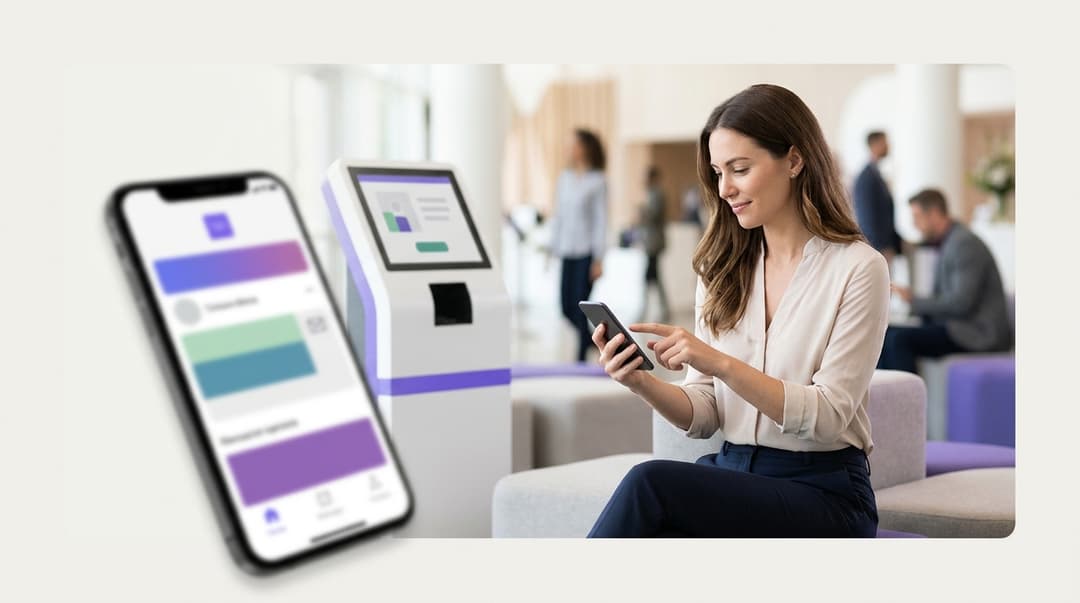
A movie theater or theater group should ask WiFi providers for four things. You need a one-screen lobby sign-in that ticket holders finish before the trailers start. Registers and projection servers must sit on separate VLANs from guest WiFi. You need dwell and repeat-visit reporting across every site. Finally, you need explicit, CCPA/CPRA-compliant opt-ins that feed your CRM and membership lists.
What does a movie theater guest WiFi platform actually do?
A movie theater guest WiFi platform sits on top of your access points. It controls who connects, what they agree to and what you learn from each visit. It does four jobs for a movie theater or theater group.
- Lobby sign-in. A captive portal is the web page a cell phone shows before it reaches the internet. It collects a short set of details and records consent.
- Operational isolation. Guest traffic stays away from box office registers, digital posters and projection servers.
- Dwell and repeat-visit analytics. Connected devices show how long audiences stay in the lobby and how often they return, per site and across the property portfolio.
- Consented marketing. Opt-ins flow to your CRM and membership lists, so you promote upcoming releases only to people who asked to hear about them.
Purple delivers this as a cloud overlay on hardware you already run. Guest WiFi handles sign-in and access. WiFi Analytics reports dwell and repeat visits. The Engage plan handles consented marketing.
Purple is hardware-agnostic. It runs on Cisco Meraki, HPE Aruba, Ruckus, Juniper Mist, Ubiquiti UniFi, Cambium, Extreme and Fortinet. Purple is live in 80,000+ venues across 90 countries and handled 440 million logins in 2024 (Purple data).
The platform does not replace your POS, ticketing or theater management system. It feeds them data and keeps them separate from the network your audience uses.
What do you need before you shortlist movie theater group WiFi providers?
Gather five things before you speak to any provider. Each one shortens the evaluation and exposes weak answers early.
- An access point inventory per site. Record the vendor, model, controller and firmware status. Most groups keep their existing equipment under an overlay model. Why your next WiFi upgrade doesn't need new hardware explains the reasoning.
- A back-of-house device map. List every register, card terminal, self-service kiosk, digital poster, menu board, projection server and theater management system (TMS). Note which connect by cable and which by WiFi.
- Your consent position. Agree with your data protection officer how WiFi opt-ins sit beside booking-site consent. CCPA/CPRA requirements dictate that you must demonstrate consent. The TCPA and CAN-SPAM govern marketing emails and text messages.
- Your CRM data model. Know which field is the master key, usually email address. Know how unsubscribes flow back to every system.
- Showtime and POS exports. Dwell data only explains concession sales when you can line it up against the schedule and register transactions.
Agree ownership at the same time. The Theater Operations Director owns the sign-in experience. The Head of CRM owns consent wording and data flow. The Venue IT Manager owns segmentation and coverage.
How do you set up foyer sign-in, isolation and audience opt-ins?
Design a lobby sign-in that finishes before the trailers
Ticket holders connect in the gap between the box office and the auditorium door. Every extra field costs you completed sign-ins, so keep the portal to one screen.
A workable lobby form asks for first name, email address and one unchecked marketing box. Put the privacy notice link beside the box, not behind a menu. Regulatory guidance states that pre-checked boxes do not constitute consent, so the box must start empty.
Use a separate check for each purpose: one for release news, another for the membership program. This is the conscious-choice opt-in model. Every opt-in becomes first-party data you can defend to a regulator.
Do not lean on implied soft opt-ins. They cover contact details collected during a sale. A WiFi sign-in is not normally a sale, so collect explicit consent instead.
Returning visitors should not re-enter details. Set returning-device rules so a repeat ticket holder reconnects without seeing the form. Members and frequent visitors can go further with Passpoint and OpenRoaming.
Passpoint, also called Hotspot 2.0, is an industry standard that lets cell phones join a network automatically and with encryption. OpenRoaming is a Wireless Broadband Alliance federation built on Passpoint. With either one, a member's cell phone joins at every site without opening a portal.
| Sign-in method | What the ticket holder does | Data you receive | Marketing consent | Best suited to |
|---|---|---|---|---|
| Email form | Enters first name and email, chooses whether to check the opt-in | Name, email, opt-in status with timestamp | Explicit, recorded per purpose | Multiplex lobbies feeding a central CRM |
| Social login | Taps a social account and approves sharing | Name and email as the platform permits | Needs a separate unchecked opt-in | Younger audiences arriving close to showtime |
| SMS one-time passcode | Enters a cell phone number, types the code | Verified cell phone number | Explicit check for SMS marketing | Theaters sending intermission and curtain-up reminders |
| Passpoint or OpenRoaming profile | Installs a profile once, then nothing | Persistent identity for repeat-visit reporting | Captured when the profile is issued | Members and high-frequency moviegoers |
| Terms acceptance only | Accepts terms and connects | Connection and dwell data only | None | Studio theaters testing demand before a CRM rollout |
Separate box office registers, digital posters and projection kit
Segment by function using VLANs. A VLAN (virtual LAN) splits one physical network into isolated logical networks. Each one carries its own access rules.
| Network | Devices | Authentication | Internet access | Why it is separate |
|---|---|---|---|---|
| Guest WiFi | Audience phones and tablets | Captive portal, client isolation on | Yes, rate-limited per device | Keeps audience traffic away from every operational system |
| Staff WiFi | Staff phones, tablets, laptops | IEEE 802.1X against Microsoft Entra ID, Okta or Google Workspace | Yes | Access ends when a departure is removed from the directory |
| POS and box office | Registers, card terminals, ticket kiosks | Wired, or 802.1X with WPA3-Enterprise | Payment processor and POS vendor only | Shrinks PCI DSS scope to payment devices |
| Digital signage | Digital posters, menu boards, line screens | iPSK, a unique key per device or device group | Signage content server only | Stops a compromised screen reaching registers |
| Projection and TMS | Projection servers, media blocks, TMS | Wired only, no WiFi | Content delivery and named vendor support endpoints only | Protects encrypted content and playback |
IEEE 802.1X is the port-based access control standard that authenticates each person or device before admission. iPSK (identity pre-shared key) gives each device or group its own password on a shared network name.
PCI DSS v4.0 does not mandate segmentation. Effective segmentation does keep guest WiFi out of your cardholder data environment, which shrinks the scope of your assessment. That matters for movie theater POS WiFi, where registers and terminals often share the same lobby access points as the audience.
Projection kit deserves the strictest rules. Digital Cinema Initiatives (DCI) compliant servers unlock encrypted features with Key Delivery Messages (KDMs). Keep these servers wired, on their own VLAN, and allow only the TMS, content delivery and vendor support connections.
On the guest network, turn on client isolation so audience devices cannot see each other. Where your hardware supports it, use WPA3. For open networks, use Opportunistic Wireless Encryption (OWE), defined in IETF RFC 8110. For the wider case, read Why is it important to secure a network? a 2026 guide and WiFi networking explained: How it stays secure.
Decide what happens in the auditorium
Keep auditorium coverage open, rate-limit it and stop all push messaging during screenings. Switching it off removes staff connectivity, emergency communication and any accessibility service delivered to personal devices. Signal jammers are not an option either. They are illegal under FCC regulations, and the FCC enforces the ban.
| Situation | Recommendation | Reason |
|---|---|---|
| Standard multiplex screen | Guest WiFi on, per-device rate limit | Sign-ins started in the lobby complete in the seat; demand drops after lights down |
| Premium screen with seat service | Guest WiFi rate-limited, Staff WiFi at full speed | Ordering tablets run on Staff WiFi, not the guest network |
| Theater during a performance | Guest WiFi on, rate-limited, no messaging until the intermission | Captioning and audio description may reach personal devices |
| Live event cinema broadcast | Guest WiFi on, normal limits during intermissions | Audiences share and check in at breaks |
| Any auditorium, any time | Staff WiFi always on | Duty managers and projection staff need radios and devices to work |
You set per-device rate limits on your controller. Cisco Meraki, HPE Aruba and the other supported vendors all offer per-client bandwidth limits. Purple decides who is on the network. Your controller decides how much bandwidth each device receives.
Connect sign-ins to your CRM and membership lists
Purple integrates with CRM and marketing platforms through native connectors, exports and an API. Before you switch the feed on, settle four design points.
- Match key. Match WiFi profiles to CRM records on email address, the field your booking system already holds.
- Consent record. Send the consent timestamp, the site, the wording version and each purpose checked. Without these you cannot demonstrate consent.
- Unsubscribe sync. An unsubscribe in any system must reach every other system. Test it in both directions before launch.
- Membership flags. Mark WiFi profiles that match existing members. Then target frequent non-members with the membership offer instead of release news they already receive.
The Engage plan sends messages to opted-in visitors based on their visits. A typical sequence follows a visit with upcoming releases at that site, then a membership offer after a third visit within 90 days.
Got questions about your specific setup?
Our team works with venue operators, IT managers, and network engineers across 80,000 venues. Book a 20-minute call and we will show you how others like you solved it.
Guaranteed response within 4 business hours - No commitment required
How do you check the deployment works?
Test the sign-in under lobby conditions
Test on current iOS and Android cell phones, not only staff laptops. Time a full sign-in from network selection to internet access. Repeat the test in the 15 minutes before a busy showtime, when lobby device density peaks.
If you offer social login, check that the walled garden allows the identity provider's domains. A walled garden is the list of sites a device may reach before sign-in.
Test the isolation
From a device on guest WiFi, try to reach the register subnet, the signage server and the projection VLAN. Every attempt should fail. Record the results.
PCI DSS v4.0 Requirement 11.4.5 requires penetration testing of segmentation controls at least once every 12 months. It also applies after any change to segmentation. Fold your guest WiFi tests into that cycle.
Which dwell and repeat-visit metrics show pre-show concessions are working?
Foyer dwell time analytics only matter when you join them to showtimes and register data. Watch these six measures.
- Median pre-show dwell. How long connected visitors spend in the foyer before their auditorium opens.
- Early-arrival share. The proportion of connected visits starting 20 minutes or more before showtime.
- Concession attach rate by dwell band. POS transactions per connected visit, split by dwell length. If longer dwell does not lift attach rate, the counter layout or line is the problem.
- Repeat-visit rate. The share of connected visitors returning within 30 and 90 days.
- Cross-site visits. How many visitors use more than one venue in the group. This is a direct input to membership pricing.
- Opt-in rate. Opted-in sign-ins as a share of all sign-ins, per site and per form version.
Remember that WiFi measures connected devices, not every visitor. Treat these figures as a consistent sample and compare trends, not absolute headcounts.
What does this look like across a movie theater chain?
The two worked scenarios below use illustrative figures to show the arithmetic. Replace them with your own baseline.
Scenario 1: a 10-site multiplex group
Situation. A 10-site multiplex group ran guest WiFi on Cisco Meraki access points. The sign-in form had seven fields. Registers and digital posters shared the guest network at several sites. Few audience members completed sign-in before the trailers, and the CRM team could not prove consent for the records it did receive.
What was done. The group deployed Purple as a cloud overlay on the existing Meraki estate. It cut the form to first name, email and two unchecked purpose boxes. IT moved registers and terminals to a wired POS VLAN and put digital posters on a signage VLAN with iPSK. Projection servers stayed wired on an isolated VLAN. Opt-ins fed the CRM with timestamp, site and wording version.
Outcome. Across 60,000 weekly admissions, sign-ins rose from 3% to 9% of admissions in this example. That adds 3,600 connected visits a week. The PCI DSS segment shrank from the whole foyer network to the 120 registers and terminals actually handling cards. The group measured attach rate by dwell band and moved two concession counters closer to auditorium entrances at sites where long dwell was not producing sales.
Scenario 2: a city-owned regional theater
Situation. A city-owned theater with a 900-seat main house and a 150-seat studio ran HPE Aruba access points. The intermission bar queue limited sales. The membership program relied on paper forms. Managers debated switching off auditorium WiFi to stop phone use during performances.
What was done. The theater kept auditorium coverage on, rate-limited guest devices and held all messaging until the intermission. It moved to SMS passcode sign-in with an unchecked SMS opt-in for intermission reminders. Repeat visitors who had not joined received a membership offer after their third visit. Teams running similar community programs can borrow consent patterns from the Charity retail and community hub WiFi providers checklist: volunteer access, donor sign-in and safeguarding.
Outcome. In this example, 400 opted-in members of the audience received a pre-order reminder before each intermission. Bar pre-orders spread demand across the first act. Across 40 performances, 160 frequent non-members received the membership offer, and the theater measured conversions from that list alone.
What goes wrong, and how do you fix it?
The sign-in page does not appear
Cell phones detect captive portals by testing a known address. Aggressive DNS filtering or a misconfigured redirect breaks that test. Allow the operating system checks through, and confirm the walled garden includes every domain your sign-in methods need.
New-visitor counts look too high
Current iOS and Android devices use private MAC addresses by default. A device can therefore appear as new when it is not. Report repeat visits from signed-in profiles rather than raw devices. Issue Passpoint or OpenRoaming profiles to members for persistent identity.
Opt-in rates drop after a form change
Someone usually added a field, moved the privacy link or bundled two purposes into one check box. Compare opt-in rate by form version, then roll back the change that caused the drop.
Registers lose connection at peak
Wireless registers compete with hundreds of audience devices at curtain-up. Wire fixed registers. Put mobile terminals on a dedicated network with priority over guest traffic.
A projection vendor asks for guest network access
Refuse it. Give the vendor a site-to-site VPN into the projection VLAN, limited to named devices. A VPN (virtual private network) creates an encrypted tunnel into one specific segment.
Coverage fails inside auditoriums
Acoustic walls and steel structure block signal. Survey each screen with the room in show configuration. Add an access point where sign-ins started in the lobby fail to complete at the seat.
What does it cost, and what do you get back?
Purple quotes against your plan and real estate size. The plans run from Connect through Capture to Engage. They step up from sign-in and access, to first-party data capture, to consented marketing. Hardware cost is usually limited to coverage gaps. The overlay runs on the access points you already own from the eight supported vendors.
The other costs are internal time. Expect work on consent wording, CRM mapping and VLAN changes at each location. Segmentation work also reduces your PCI DSS effort every year afterwards.
The return comes from three places.
- Marketable audience. Every explicit opt-in is a contact you can reach about the next release without paying for media. Multiply weekly opt-ins by your email conversion rate and average ticket value to set a target.
- Concession yield. Dwell bands joined to POS data show which locations convert lobby time into sales. You can then fix the locations that do not.
- Compliance scope. Isolating registers shrinks the PCI DSS cardholder data environment. That cuts assessment effort and limits the damage a guest network compromise can cause.
Purple holds ISO 27001, Cyber Essentials and B Corp certification. It is CCPA/CPRA compliant and runs at 99.999% uptime. The same model runs across Hotels and Retail. Multi-site leisure operators will find a close parallel in the RV park and campground WiFi providers checklist: site coverage, family filtering and guest offers.
What should your checklist for movie theater chain WiFi providers include?
Put these 10 questions to every movie theater chain WiFi provider and theater WiFi provider on your list.
- Does the platform run on our current access points, by named vendor?
- Can a ticket holder complete sign-in on one screen with no more than three inputs?
- Are marketing boxes unchecked by default, with a separate check for each purpose?
- Does each consent record carry a timestamp, location and wording version?
- How do returning devices reconnect without the form, and is Passpoint or OpenRoaming supported?
- How does the design keep registers, signage and projection servers off guest WiFi?
- Can Staff WiFi authenticate against Microsoft Entra ID, Okta or Google Workspace with IEEE 802.1X?
- Which dwell, repeat-visit and cross-site reports come as standard, and can we export them to join with POS data?
- How do opt-ins and unsubscribes sync with our CRM and membership lists?
- Which certifications does the provider hold, and where is audience data hosted?
Frequently asked questions
Does Purple work with the access points we already have in our movie theaters?
Yes, Purple runs as a cloud overlay on Cisco Meraki, HPE Aruba, Ruckus, Juniper Mist, Ubiquiti UniFi, Cambium, Extreme and Fortinet access points. Most movie theater groups keep their existing hardware and add access points only where coverage surveys show gaps, typically inside auditoriums with heavy acoustic walls. Your controller continues to manage radio settings and rate limits. Purple handles sign-in, consent, analytics and marketing across every site from one place.
How is Purple priced for a movie theater or theater group?
Purple quotes by plan and property size, so a 10-site group and a single theater receive different quotes. The Connect, Capture and Engage plans step up from guest sign-in and access, to first-party data and analytics, to consented marketing. Because Purple runs on supported hardware you already own, most groups avoid a hardware refresh. Ask for a quote that lists every site and the plan each one needs.
Is collecting email addresses through guest WiFi CCPA/CPRA compliant?
Yes, provided consent is explicit, specific and recorded. Marketing boxes must start unchecked, as regulations state that pre-checked boxes do not count as consent. Use a separate checkbox for each purpose and link the privacy notice beside the box. Keep the timestamp, site and wording version so you can demonstrate consent. Under the TCPA and CAN-SPAM, do not rely on implicit consent for WiFi sign-ins.
Will guest WiFi bring our box office registers into PCI DSS scope?
No, provided registers sit on a separate, properly enforced network segment. PCI DSS v4.0 does not mandate segmentation, but effective segmentation keeps guest WiFi outside your cardholder data environment. Wire fixed registers where possible and put card terminals on a dedicated VLAN that only reaches your payment processor. Test the segmentation at least every 12 months and after any change, as Requirement 11.4.5 requires.
Can guest WiFi sign-ins feed our loyalty or membership program?
Yes, Purple integrates with CRM and marketing platforms, so opted-in profiles flow into your existing lists. Match records on email address and pass the consent record with each profile. Flag profiles that already belong to members, then target frequent non-members with membership offers. Make sure unsubscribes sync in both directions so nobody receives messages after they opt out.
Should we turn off WiFi in auditoriums during screenings?
No, keep auditorium coverage on and apply per-device rate limits instead. Turning it off cuts staff devices, emergency communication and any captioning or audio description delivered to personal devices. Hold all marketing messages until the intermission or the end of the screening. Signal jammers are not an alternative, because they are illegal under FCC regulations.
Can we move from our current guest WiFi provider without replacing hardware?
Yes, switching to Purple is a configuration change on your controller, not a hardware project. You point each site's captive portal and authentication settings at Purple, then cut over during quiet hours between screenings. Export your existing opt-in records with their consent evidence first, and import only those you can prove. Run old and new reporting side by side for a month to set a fresh baseline.
Key Definitions
Captive portal
The web page a cell phone shows before it reaches the internet, used to collect a short set of details and record consent. Cell phones detect it by testing a known address before granting access.
Your lobby sign-in is a captive portal. Aggressive DNS filtering or a misconfigured redirect breaks detection, so the page never appears and sign-ins fall.
VLAN (virtual LAN)
A logical network defined under IEEE 802.1Q that splits one physical network into isolated segments, each carrying its own access rules.
You segment guest WiFi, Staff WiFi, POS, signage and projection equipment into separate VLANs so a compromised audience device cannot reach registers or playback servers.
IEEE 802.1X
The IEEE port-based network access control standard that authenticates each person or device before admission, typically against a RADIUS server and a directory.
Staff WiFi authenticates through 802.1X against Microsoft Entra ID, Okta or Google Workspace, so access ends when a leaver is removed from the directory.
iPSK (identity pre-shared key)
A method that gives each device or device group its own pre-shared key on a shared network name, so keys can be revoked individually.
Digital posters, menu boards and line screens use iPSK on a signage VLAN, which stops a compromised screen reaching the registers.
Passpoint (Hotspot 2.0)
An industry standard that lets cell phones discover and join a network automatically and with encryption, without opening a captive portal.
Issuing Passpoint profiles to members gives persistent identity for repeat-visit reporting, which private MAC addresses otherwise distort.
OpenRoaming
A Wireless Broadband Alliance federation built on Passpoint that lets a device join participating networks automatically using a trusted identity.
With OpenRoaming, a member's cell phone joins at every site in your estate without a portal, which suits high-frequency moviegoers.
Opportunistic Wireless Encryption (OWE)
Encryption for open networks defined in IETF RFC 8110, which encrypts traffic between each client and the access point without a shared password.
Where your hardware supports it, OWE protects audience traffic on an open guest network alongside client isolation and WPA3.
PCI DSS v4.0 Requirement 11.4.5
The Payment Card Industry Data Security Standard requirement to penetration test segmentation controls at least once every 12 months and after any change to segmentation.
PCI DSS v4.0 does not mandate segmentation, but isolating registers shrinks your cardholder data environment. You fold guest WiFi isolation tests into this annual cycle.
CCPA/CPRA Consumer Rights
Privacy regulations require clear opt-out and opt-in mechanisms. Pre-checked boxes do not constitute valid affirmative consent, and businesses must be able to demonstrate compliance.
Every lobby opt-in box starts unchecked, and each consent record carries the timestamp, site and wording version so you can prove it.
TCPA and CAN-SPAM Direct Marketing Compliance
Federal regulations governing marketing emails and text messages, requiring prior express written consent for commercial automated messages.
A WiFi sign-in is not normally a sale, so you collect explicit opt-in consent rather than relying on existing commercial relationships.
Key Delivery Message (KDM)
The message Digital Cinema Initiatives (DCI) compliant servers use to unlock encrypted content and features for playback.
Projection servers that rely on KDMs stay wired on an isolated VLAN, reachable only by the TMS, content delivery and named vendor support endpoints.
Walled garden
The list of domains a device may reach before completing captive portal sign-in.
If you offer social login, the walled garden must allow the identity provider's domains or sign-in fails in the lobby.
Worked Examples
A 10-site multiplex group runs guest WiFi on Cisco Meraki access points. The sign-in form has seven fields, registers and digital posters share the guest network at several sites, and the CRM team cannot prove consent for the records it receives. What should the group change?
The group deployed Purple as a cloud overlay on the existing Meraki estate, so no hardware refresh was needed. It cut the form to first name, email and two unchecked purpose boxes. IT moved registers and terminals to a wired POS VLAN, put digital posters on a signage VLAN with iPSK and kept projection servers wired on an isolated VLAN. Opt-ins fed the CRM with timestamp, site and wording version. In this illustrative example, sign-ins rose from 3% to 9% of 60,000 weekly admissions, adding 3,600 connected visits a week. The PCI DSS segment shrank to the 120 registers and terminals handling cards. Attach rate by dwell band led the group to move two concession stands closer to auditorium entrances.
A city-owned theater with a 900-seat main house and a 150-seat studio runs HPE Aruba access points. The intermission bar line limits sales, membership relies on paper forms, and managers want to turn off auditorium WiFi to stop phone use. What should it do?
The theater kept auditorium coverage on, rate-limited guest devices and held all messaging until the intermission. Turning coverage off would have cut staff devices, emergency communication and captioning delivered to personal devices, and jammers are illegal under FCC regulations. It moved to SMS passcode sign-in with an unchecked SMS opt-in for intermission reminders. Repeat visitors who had not joined received a membership offer after their third visit. In this illustrative example, 400 opted-in audience members received a pre-order reminder before each intermission, spreading bar demand across the first act. Across 40 performances, 160 frequent non-members received the membership offer, and the theater measured conversions from that list alone.
Frequently asked questions
Does Purple work with the access points we already have in our movie theaters?
Yes, Purple runs as a cloud overlay on Cisco Meraki, HPE Aruba, Ruckus, Juniper Mist, Ubiquiti UniFi, Cambium, Extreme and Fortinet access points. Most theater chains keep their existing hardware and add access points only where coverage surveys show gaps, typically inside auditoriums with heavy acoustic walls. Your controller continues to manage radio settings and rate limits. Purple handles sign-in, consent, analytics and marketing across every site from one place.
How is Purple priced for a movie theater or theater group?
Purple quotes by plan and estate size, so a 10-site group and a single theater receive different quotes. The Connect, Capture, and Engage plans step up from guest sign-in and access, to first-party data and analytics, to consented marketing. Because Purple runs on supported hardware you already own, most groups avoid a hardware refresh. Ask for a quote that lists every site and the plan each one needs.
Is collecting email addresses through guest WiFi CCPA/CPRA compliant?
Yes, provided consent is explicit, specific, and recorded. Marketing boxes must start unchecked, as opt-in rules state that pre-checked boxes do not count as consent. Use a separate checkbox for each purpose and link the privacy notice beside the box. Keep the timestamp, site, and wording version so you can demonstrate consent. Under the TCPA and CAN-SPAM, do not rely on pre-checked opt-ins for WiFi sign-ins.
Will guest WiFi bring our box office registers into PCI DSS scope?
No, provided registers sit on a separate, properly enforced network segment. PCI DSS v4.0 does not mandate segmentation, but effective segmentation keeps guest WiFi outside your cardholder data environment. Wire fixed registers where possible and put card terminals on a dedicated VLAN that only reaches your payment processor. Test the segmentation at least every 12 months and after any change, as Requirement 11.4.5 requires.
Can guest WiFi sign-ins feed our loyalty or membership program?
Yes, Purple integrates with CRM and marketing platforms, so opted-in profiles flow into your existing lists. Match records on email address and pass the consent record with each profile. Flag profiles that already belong to members, then target frequent non-members with membership offers. Make sure unsubscribes sync in both directions so nobody receives messages after they opt out.
Should we switch off WiFi in auditoriums during screenings?
No, keep auditorium coverage on and apply per-device rate limits instead. Switching it off cuts staff devices, emergency communication, and any captioning or audio description delivered to personal devices. Hold all marketing messages until the intermission or the end of the screening. Signal jammers are not an alternative, because they are illegal under FCC regulations.
Can we move from our current guest WiFi provider without replacing hardware?
Yes, switching to Purple is a configuration change on your controller, not a hardware project. You point each site's captive portal and authentication settings at Purple, then cut over during quiet hours between screenings. Export your existing opt-in records with their consent evidence first, and import only those you can prove. Run old and new reporting side by side for a month to set a fresh baseline.
Sources
- Regulation (EU) 2016/679 (GDPR), Recital 32 and Article 7
- Privacy and Electronic Communications Regulations 2003, Regulation 22
- Wireless Telegraphy Act 2006
- IETF RFC 8110: Opportunistic Wireless Encryption
- PCI Security Standards Council document library (PCI DSS v4.0)
- IEEE 802.1X port-based network access control
- Digital Cinema Initiatives (DCI)
- Wireless Broadband Alliance OpenRoaming
Continue reading in this series
Golf club WiFi platforms: clubhouse sign-in, member networks and visitor reports
Decide which golf club WiFi platform fits your club or group, and how to split clubhouse sign-in, Staff WiFi, registers and course devices across separate networks. You will be able to plan member and visitor sign-in, read visit reports with their limits in mind, and collect conscious-choice consent for society, event and membership messages under the TCPA and CAN-SPAM.
Conference and exhibition center WiFi providers checklist: exhibitor networks, attendee sign-in and zone footfall
You will be able to shortlist conference center WiFi providers against four tests: surge-ready attendee sign-in, isolated per-booth exhibitor networks, per-network protective DNS and hall-by-hall footfall reporting. You also get a build order, a pre-show test list and the questions that separate a technical answer from a sales pitch.
Museum and gallery WiFi platforms: visitor sign-in, membership and gallery foot traffic reports
You will be able to shortlist a museum WiFi platform that runs on your existing access points and records marketing consent separately from terms. It should also report foot traffic and dwell by gallery. You will know which sign-in fields to ask for and which reports to build for curators, membership teams and funders. You will also know how to compare exhibitions fairly.
Got questions about your specific setup?
Our team works with venue operators, IT managers, and network engineers across 80,000 venues. Book a 20-minute call and we will show you how others like you solved it.
Guaranteed response within 4 business hours - No commitment required