
Golf club WiFi platforms: clubhouse sign-in, member networks and visitor reports
Decide which golf club WiFi platform fits your club or group, and how to split clubhouse sign-in, Staff WiFi, registers and course devices across separate networks. You will be able to plan member and visitor sign-in, read visit reports with their limits in mind, and collect conscious-choice consent for society, event and membership messages under the TCPA and CAN-SPAM.
By Tom HackettPublished
📖 14 min read3,115 words2 worked examples12 key definitions
Video overview
Part of our core series: WiFi analytics and location intelligence: the complete guide →
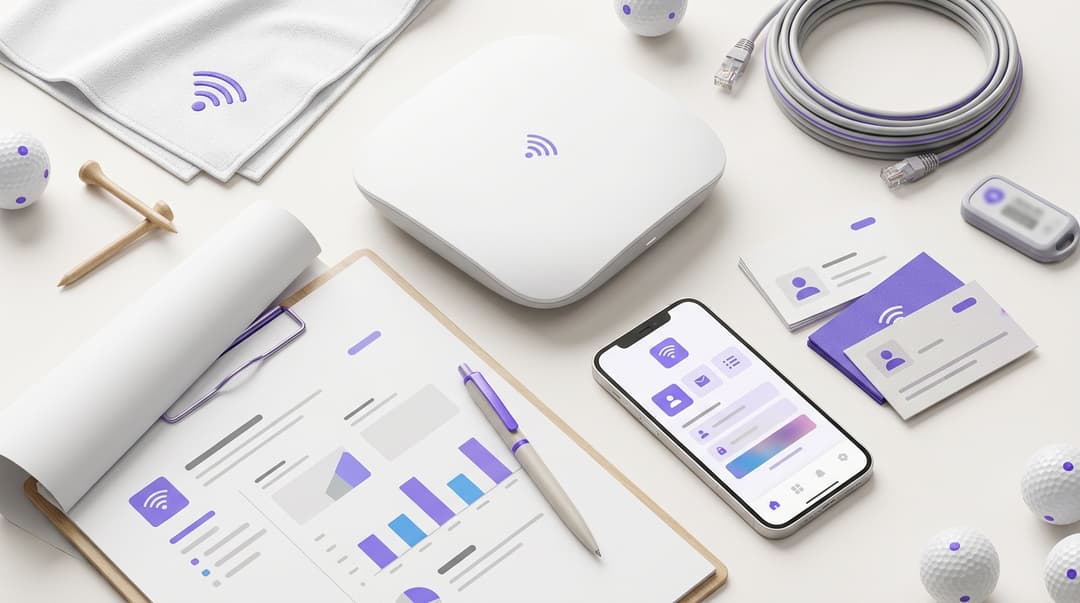
A golf club WiFi setup needs at least three separated networks: a sign-in network for members and visiting golfers, a staff network, and an isolated segment for POS systems and course devices. Choose a platform that runs on your existing access points, reports member and visitor visits separately, and records conscious-choice consent for outing, event and membership messages.
Which golf club WiFi platform should you choose?
Choose the platform that separates your three audiences on the hardware you already own. Members and visiting golfers need a quick sign-in in the clubhouse, bar and pro shop. Staff need their own network for cell phones, office PCs and tee-sheet tablets. POS systems, card terminals and course devices need a segment that no guest device can reach.
Most clubs compare three approaches:
- A single shared password across the clubhouse, set on the router or access points.
- The splash page built into your access point vendor's dashboard.
- A cloud WiFi platform such as Purple, which runs as a cloud overlay on your existing access points.
The shared password is the cheapest to set up and the hardest to defend. It gives you no visit reports and no consent record. It also gives you no way to remove one former member or employee without changing the password for everyone.
A vendor splash page adds a sign-in step. Its reporting and sign-in data stay inside that vendor's dashboard, and only on that vendor's hardware.
Purple adds member and visitor sign-in routes, visit reports and a consented contact list. It runs on Cisco Meraki, HPE Aruba, Ruckus, Juniper Mist, Ubiquiti UniFi, Cambium, Extreme and Fortinet. Purple runs at 80,000+ live venues in more than 90 countries. It holds ISO 27001 certification and is B Corp certified.
Where golf club WiFi platforms genuinely differ
The platforms differ in five places that matter to a club manager. These are network design, sign-in, device separation, reporting and consent.
Which networks does a golf club need across clubhouse, pro shop and course buildings?
Plan your networks by audience, not by building. A golf club has many spaces: lounge and bar, dining and function rooms, locker rooms, the pro shop, the office, a halfway house, a starter's hut, the driving range and the maintenance shop. Each space does not need its own network name.
Each network name you broadcast is an SSID (service set identifier). Every extra SSID adds management traffic to the air. Access point vendors such as Cisco Meraki advise keeping the number of SSIDs low for that reason. Behind the SSIDs, you separate traffic with VLANs (virtual local area networks). A VLAN keeps groups of devices apart on the same physical cabling and access points.
A typical golf clubhouse WiFi plan looks like this:
| Network | Who uses it | Where it is needed | How people join | What it can reach |
|---|---|---|---|---|
| Clubhouse guest network | Members, visiting golfers, function guests | Clubhouse, bar, dining, function rooms, pro shop, range | Captive portal sign-in | Internet only, devices isolated from each other |
| Staff WiFi | Staff phones, office PCs, tee-sheet tablets | Office, pro shop counter, kitchen, greenkeeping compound | 802.1X with Microsoft Entra ID or Google Workspace credentials, or a personal key | Club systems and internet |
| Payment segment | POS registers and card terminals | Bar, pro shop, halfway house | Wired where possible, otherwise a dedicated device key | Payment processor only |
| Course and operations devices | Golf cart fleet GPS, irrigation controllers, weather stations, CCTV, range ball dispensers | Course buildings, compound, range | Per-device key (iPSK) | Each device maker's cloud service only |
You rarely need coverage across the whole course. Golfers mostly connect where they stop: the clubhouse, the halfway house, the range and the starter's hut. Outbuildings usually connect back to the clubhouse over a point-to-point wireless link or a cable run. The same principle applies at other large outdoor sites. Our guide to racecourse and outdoor venue WiFi platforms covers it in more depth.
How should members and visiting golfers sign in?
Members and visitors should share one guest network and sign in through a captive portal. A captive portal is the web page a device sees before it reaches the internet. On it, the person enters a few details and chooses which messages they want.
Keep the form short. For golf club guest WiFi, three things matter:
- An email address or social sign-in, so you can recognize a returning visitor.
- A member or visitor question, so your reports can separate the two groups.
- Separate, unselected consent boxes for each type of message you plan to send.
Visiting golfers arrive in peaks. Outing days, open competitions and corporate events bring dozens of people through the door in an hour. A short form keeps the bar line moving while they sign in.
Recognizing returning devices saves members from filling in the form on every visit. Apple and Android phones now use a private hardware address for each network. This can make a returning phone look new. Ask any platform you compare how it handles returning devices under these privacy features.
For golf club member WiFi, you can go further with Identity-Based Networks. Each member gets their own credential and connects automatically on every visit. When a membership lapses, you revoke that single credential. Nobody else has to reconnect. Purple's Guest WiFi covers the sign-in side. The member credential follows the same joiners, movers and leavers model you use for staff.
How are POS registers, tee-time systems and course devices kept off the guest network?
Put them on their own VLANs and give each device or person its own credential. Never let them share a password with the guest network.
POS terminals and card readers matter most. The PCI Security Standards Council treats any system connected to cardholder data as in scope for PCI DSS. Segmentation is not mandatory under PCI DSS. Isolating payment devices does reduce the number of systems your assessment has to cover. Wire POS systems where you can. Where you cannot, put them on a dedicated segment that reaches only your payment processor.
Tee-time and booking systems are usually web-based and run on staff devices. Keep those devices on Staff WiFi. Use 802.1X, the IEEE standard for network access control, which checks each person's identity before they join. A RADIUS server (Remote Authentication Dial-In User Service) carries out that check. Purple provides cloud RADIUS, so you do not need a server in the clubhouse. Encrypt the staff network with WPA3 where your access points and devices support it.
Course devices rarely support 802.1X. For these, use iPSK (identity pre-shared key, also called PPSK, private pre-shared key). Each device or group gets its own key on a single SSID. Each key places the device on the right VLAN. One irrigation controller's key cannot open the security camera segment.
Two settings on the guest network close the gaps that remain. Client isolation stops guest devices reaching each other. Firewall rules stop the guest VLAN reaching any internal address. For the background, read Why is it important to secure a network? a 2026 guide and WiFi networking explained: How it stays secure.
Which visit reports help a club understand members and visitors?
The useful reports answer operational questions, not vanity ones. WiFi Analytics turns sign-ins and connected devices into visit data for each venue:
- Visits by day and hour. These help you staff the bar and kitchen for tournament days and outings.
- New and returning visitors. These show whether green-fee golfers come back, and how often.
- Dwell time in the clubhouse. This shows whether visitors stay for food and drink after their round.
- Member and visitor split. The form answer lets you compare how each group uses the clubhouse across the week.
- Opt-in rates. These show how many people chose to hear about outings, events or membership.
Know the limits. WiFi reports count connected devices, not every person on site. Some golfers never connect, and some carry two devices. Read the figures as trends and comparisons over time, not as an exact headcount.
How can sign-ins support outings, events and membership with consent?
Sign-ins build a first-party contact list, but only the consent you collect makes it usable. Under the CCPA/CPRA, consent must be freely given, specific, informed and unambiguous. Requirements mandate that you show that each person consented, ruling out pre-checked boxes.
For email and text marketing, the TCPA and CAN-SPAM also apply. The FTC and state attorneys general publish guidance on both. In practice, that means conscious-choice opt-ins. Give each purpose its own unchecked box, for example:
- Society and event news
- Membership offers
- Clubhouse dining and functions
Purple records each choice against the sign-in, so you can show when and how someone opted in. The Engage plan adds the consented member and visitor list. You can build segments such as "visitors who played three or more times this season and opted in to membership offers". You can then pass them to your CRM or email platform through Purple's integrations.
Got questions about your specific setup?
Our team works with venue operators, IT managers, and network engineers across 80,000 venues. Book a 20-minute call and we will show you how others like you solved it.
Guaranteed response within 4 business hours - No commitment required
Where each option fits
The table below compares the three approaches on the axes a golf club usually weighs.
| Shared password | Access point vendor's splash page | Purple on your existing access points | |
|---|---|---|---|
| Hardware needed | Existing router or access points | That vendor's access points only | Existing Cisco Meraki, HPE Aruba, Ruckus, Juniper Mist, Ubiquiti UniFi, Cambium, Extreme or Fortinet |
| Member and visitor sign-in | None, one password for everyone | One sign-in page per network | Branded captive portal with a member and visitor question |
| Staff, register and device separation | Configured separately on the router | VLANs set on the vendor's controller | VLANs plus per-person and per-device credentials through Identity-Based Networks |
| Removing one leaver | Change the password on every device | Change the shared key or remove the account in the vendor dashboard | Revoke that one credential |
| Visit reports | None | Device counts in the hardware dashboard | Visits, repeat visits, dwell time and member and visitor split by venue |
| Consent for marketing | None collected | Sign-in data held in the hardware dashboard | Conscious-choice opt-ins with consent records |
| View across several courses | None | One view per vendor estate | One dashboard across mixed hardware |
| Best suited to | A halfway hut with no registers | Basic sign-in locked to a single hardware vendor | Clubs and golf groups that want reports and a consented list |
Worked scenario 1: a members' club that hosts society days
Figures in this scenario are illustrative assumptions, chosen to show the arithmetic.
Situation. An 18-hole members' club hosts 40 society days a year, with around 30 golfers each. That is 1,200 visiting golfers. Some of them live locally and could become members. The clubhouse ran one shared password, so the membership secretary had no way to reach these golfers after their day.
What was done. The club kept its existing access points and added a captive portal to the guest network. The form asked for an email address and whether the person was a member. It included two unchecked boxes, one for society and event news and one for membership offers. POS terminals moved to a wired payment segment. The tee-sheet tablet moved to Staff WiFi.
Measurable outcome. Suppose one in four society golfers signs in, and one in three of those checks the membership box. That gives the club 100 consented prospects in a season, each with a recorded opt-in. The visit reports also show how long society groups stay in the clubhouse. That figure feeds catering numbers for the next booking.
Worked scenario 2: a golf group with a hotel and pro shops
Figures in this scenario are illustrative assumptions, chosen to show the arithmetic.
Situation. A golf group runs three courses. One has a 60-room hotel and each has a pro shop. Each site used a different access point vendor and its own shared staff password. Around 25 seasonal staff leave each fall. A shared password means changing the key on every staff device at all three sites after each departure.
What was done. The group deployed Purple across all three sites without replacing hardware. Staff moved to Staff WiFi with individual credentials from Microsoft Entra ID. POS terminals and card terminals at the pro shops and hotel bar moved to isolated payment segments. Hotel guests and golfers shared one branded sign-in, with a question that separated hotel guests, members and visiting golfers. The Hotels and Retail pages cover the patterns the group borrowed for the hotel and pro shops.
Measurable outcome. The fall exit becomes 25 single revocations. Before, the group changed passwords three times, once at each site. Remaining staff are not disconnected. The group sees visits from all three courses in one dashboard. It can compare which venues turn green-fee golfers into returning visitors.
What each one costs to run
Compare the full running cost, not the license alone. Four lines decide it.
Hardware. A shared password costs nothing extra. A vendor splash page ties you to that vendor's access points at every site. Purple is hardware-agnostic, so most clubs keep the access points they already own. Read Why your next WiFi upgrade doesn't need new hardware for the reasoning.
Staff time. Shared passwords cost time every time someone leaves. Someone has to change the key and reconnect every remaining device. Per-person credentials replace that work with one revocation.
Compliance scope. POS terminals that share a network with guests widen your PCI DSS assessment. Isolating them reduces the systems your assessor has to examine.
Return. A consented list has a value you can measure. Count the society rebookings, event tickets and membership inquiries that trace back to an opt-in. Purple quotes by plan (Connect, Capture or Engage) and by the number of venues. Ask for a quote that matches your sites.
How to decide for your club or golf group
Work through these steps with your membership secretary and whoever looks after your network.
- Audit every device. List the registers, card terminals, tablets, CCTV cameras, irrigation controllers, weather stations and golf cart systems. Note which network each one uses today.
- Map where people connect. Mark the clubhouse, pro shop, halfway house, driving range and starter's hut. Add the outbuildings that need a link back to the clubhouse.
- Check your hardware. Confirm your access points appear on the supported list. Purple's support documentation gives the steps for each vendor.
- Agree on the sign-in form. Keep it to an email address, a member or visitor question and one unchecked box per message type.
- Agree on the consent wording. Write it so a visiting golfer understands exactly what they will receive.
- Pilot on a busy weekend. Run it during a tournament or society day, then read the visit reports after a month.
Use this matrix to match your situation to a starting point:
| Your situation | Start with |
|---|---|
| Single clubhouse, no marketing plans, registers already wired | Guest sign-in and Staff WiFi on the Connect plan |
| Single club that wants member and visitor visit reports | Guest WiFi with WiFi Analytics on the Capture plan |
| Club that wants a consented list for societies, events and membership | The Engage plan with conscious-choice opt-ins |
| Golf group with several courses on mixed hardware | One Purple dashboard across all venues, with Staff WiFi from Microsoft Entra ID, Okta or Google Workspace |
| High seasonal staff turnover | Identity-Based Networks, so each leaver is one revocation |
| Course devices that cannot use 802.1X | iPSK, one key per device or device group |
Frequently asked questions
Does Purple work with the access points our golf club already has?
Yes. Purple is hardware-agnostic and runs as a cloud overlay on Cisco Meraki, HPE Aruba, Ruckus, Juniper Mist, Ubiquiti UniFi, Cambium, Extreme and Fortinet. Most clubs keep their existing access points and change configuration on the controller or cloud dashboard. A golf group with different vendors at different courses can manage every site from one Purple dashboard. Purple's support documentation gives the setup steps for each vendor.
How is golf club WiFi from Purple priced?
Purple quotes by plan and by the number of venues you run. The Connect plan covers sign-in, Capture adds visit reporting and Engage adds the consented contact list. Hardware is a separate cost. Because Purple works with the access points you already own, many clubs add no new hardware. Ask for a quote covering every course, clubhouse and outbuilding you want to include.
Can members connect automatically without signing in on every visit?
Yes. You can recognize returning members on the guest network, or give each member their own credential through Identity-Based Networks. With a personal credential, a member's phone connects automatically on each visit. When a membership lapses, you revoke that one credential and nobody else is affected. Phone privacy features that change a device's hardware address can affect return recognition. Personal credentials avoid that problem.
Is collecting visitor details through golf club guest WiFi CCPA/CPRA compliant?
Yes, when consent is freely given, specific and recorded. Use conscious-choice opt-ins, with a separate unchecked box for each purpose, such as society news or membership offers. Purple records each choice against the sign-in, so you can show consent as Article 7 of the GDPR requires. Purple is GDPR compliant and ISO 27001 certified. Email and text marketing in the US must also follow the TCPA and CAN-SPAM.
Do our registers really need a separate network?
Yes, in practice. PCI DSS brings every system connected to cardholder data into scope for your assessment. If registers share a network with guest phones, that whole network is in scope. Wire registers where you can. Otherwise, place them on a dedicated VLAN that reaches only your payment processor. Segmentation reduces the number of systems your assessor has to examine.
Can we move from our current WiFi provider without replacing hardware?
Yes. Purple sits on top of your existing access points, so switching providers is mainly configuration, not installation. You point the guest network's sign-in at Purple and set up Staff WiFi and device keys on your controller. Before you move, check that any contacts from your old provider carry valid consent records. Only bring across people who opted in to the messages you plan to send.
How much work does a golf course WiFi deployment involve?
Most of the work is planning, not engineering. The platform side is configuration on your existing controller, documented in Purple's support articles for each vendor. The longer tasks are auditing which registers and course devices sit on which network. You also need to agree on the sign-in form and consent wording with your membership secretary. Pilot on a busy competition weekend before rolling out across the club.
Can a golf group see visit reports across all its courses?
Yes. Purple shows visits, repeat visits, dwell time and the member and visitor split for every venue in one dashboard. This works even when each course uses a different access point vendor. You can compare clubhouses side by side and see which sites turn green-fee golfers into returning visitors. You can also see which events produce the most outing and membership opt-ins.
Key Definitions
SSID (service set identifier)
The network name an access point broadcasts in its beacon frames, defined in IEEE 802.11. Each SSID adds its own beacons and management traffic to the airtime of every access point that broadcasts it.
You meet it when planning clubhouse networks. Vendors such as Cisco Meraki advise keeping SSIDs few, so a golf club separates audiences with VLANs rather than one network name per room.
VLAN (virtual local area network)
A logical network segment defined by IEEE 802.1Q, which tags Ethernet frames so groups of devices stay apart on the same cabling, switches and access points.
VLANs keep the guest network, Staff WiFi, payment devices and course devices separate on hardware the club already owns.
Captive portal
A web page served to a device after it associates with a network and before it is allowed onward internet access, used to collect sign-in details and consent choices.
Members and visiting golfers meet it on the clubhouse guest network. Its form design decides whether reports can split members from visitors and whether opt-ins are valid.
IEEE 802.1X
The IEEE standard for port-based network access control. It carries EAP (Extensible Authentication Protocol) between the device, the access point and an authentication server, so each person proves their identity before joining.
Used on Staff WiFi for cell phones, office PCs and tee-sheet tablets, so each staff member has an individual credential that can be revoked alone.
RADIUS (Remote Authentication Dial-In User Service)
The authentication, authorization and accounting protocol specified in IETF RFC 2865. In 802.1X deployments the RADIUS server checks the credential and can return the VLAN a device should join.
Purple provides cloud RADIUS, so a club does not need an authentication server in the clubhouse to run 802.1X Staff WiFi.
iPSK (identity pre-shared key), also PPSK
A vendor feature that issues a different pre-shared key per device or device group on a single SSID, with each key mapped to its own VLAN and policy.
For irrigation controllers, weather stations, CCTV and cart GPS that cannot use 802.1X. One device's key cannot open another device's segment.
WPA3
The WiFi security certification that succeeds WPA2, using Simultaneous Authentication of Equals (SAE) for personal networks and stronger cipher requirements for enterprise networks.
Encrypt Staff WiFi with WPA3 where your access points and staff devices support it.
PCI DSS
The Payment Card Industry Data Security Standard from the PCI Security Standards Council. Any system that stores, processes or transmits cardholder data, or connects to systems that do, falls within assessment scope. Segmentation is not mandatory but reduces scope.
POS terminals and card readers in the bar, pro shop and halfway house. If they share a network with guest phones, that whole network enters your assessment.
CCPA/CPRA consent requirements
Consent must be freely given, specific, informed and unambiguous. Requirements mandate clear opt-in choices and rule out pre-checked boxes and inactivity as valid consent.
Shapes the sign-in form: one unchecked box per purpose, with each choice recorded against the sign-in so the club can prove when and how someone opted in.
the TCPA and CAN-SPAM
US federal regulations governing electronic marketing such as email and text messages, enforced alongside state privacy laws by the FTC and state attorneys general.
Applies when the club emails or texts club news, membership offers or dining promotions to contacts gathered through guest WiFi.
Client isolation
An access point setting that blocks traffic between wireless clients on the same SSID, so devices can reach the gateway but not each other.
Set on the clubhouse guest network, together with firewall rules that stop the guest VLAN reaching any internal address.
Identity-Based Networks
Purple's model of issuing each person or device its own credential, through 802.1X or per-device keys, tied to a joiners, movers and leavers process.
Lets a club revoke one lapsed member or departed seasonal employee without changing a shared password for everyone else.
Worked Examples
An 18-hole members' club hosts 40 society days a year, with around 30 golfers each. It runs one shared clubhouse password, so the membership secretary cannot reach any of the 1,200 visiting golfers after their day. How should the club change its WiFi? (Figures are illustrative.)
The club kept its existing access points and added a captive portal to the guest network. The form asked for an email address and whether the person was a member. It carried two unchecked boxes, one for society and event news and one for membership offers. Registers moved to a wired payment segment and the tee-sheet tablet moved to Staff WiFi. If one in four society golfers signs in and one in three of those checks the membership box, the club gains 100 consented prospects in a season, each with a recorded opt-in. Visit reports also show how long society groups stay, which feeds catering numbers for the next booking.
A golf group runs three courses, one with a 60-room hotel and each with a pro shop. Each site uses a different access point vendor and its own shared staff password. Around 25 seasonal staff leave each fall. How can the group cut the work of removing leavers? (Figures are illustrative.)
The group deployed Purple across all three sites without replacing hardware. Staff moved to Staff WiFi with individual credentials from Microsoft Entra ID. Registers and card terminals at the pro shops and hotel bar moved to isolated payment segments. Hotel guests and golfers shared one branded sign-in, with a question that separated hotel guests, members and visiting golfers. The fall exit becomes 25 single revocations instead of password changes at every site, and remaining staff stay connected. The group sees visits from all three courses in one dashboard and can compare which venues turn green-fee golfers into returning visitors.
Frequently asked questions
Does Purple work with the access points our golf club already has?
Yes. Purple is hardware-agnostic and runs as a cloud overlay on Cisco Meraki, HPE Aruba, Ruckus, Juniper Mist, Ubiquiti UniFi, Cambium, Extreme and Fortinet. Most clubs keep their existing access points and change configuration on the controller or cloud dashboard. A golf group with different vendors at different courses can manage every site from one Purple dashboard. Purple's support documentation gives the setup steps for each vendor.
How is golf club WiFi from Purple priced?
Purple quotes by plan and by the number of venues you run. The Connect plan covers sign-in, Capture adds visit reporting and Engage adds the consented contact list. Hardware is a separate cost. Because Purple works with the access points you already own, many clubs add no new hardware. Ask for a quote covering every course, clubhouse and outbuilding you want to include.
Can members connect automatically without signing in on every visit?
Yes. You can recognize returning members on the guest network, or give each member their own credential through Identity-Based Networks. With a personal credential, a member's phone connects automatically on each visit. When a membership lapses, you revoke that one credential and nobody else is affected. Phone privacy features that change a device's hardware address can affect return recognition. Personal credentials avoid that problem.
Is collecting visitor details through golf club guest WiFi CCPA compliant?
Yes, when consent is freely given, specific and recorded. Use conscious-choice opt-ins, with a separate unchecked box for each purpose, such as society news or membership offers. Purple records each choice against the sign-in, so you can show consent as privacy regulations require. Purple is CCPA/CPRA compliant and ISO 27001 certified. Email and text marketing in the US must also follow the TCPA and CAN-SPAM.
Do our registers really need a separate network?
Yes, in practice. PCI DSS brings every system connected to cardholder data into scope for your assessment. If registers share a network with guest phones, that whole network is in scope. Wire registers where you can. Otherwise, place them on a dedicated VLAN that reaches only your payment processor. Segmentation reduces the number of systems your assessor has to examine.
Can we move from our current WiFi provider without replacing hardware?
Yes. Purple sits on top of your existing access points, so switching providers is mainly configuration, not installation. You point the guest network's sign-in at Purple and set up Staff WiFi and device keys on your controller. Before you move, check that any contacts from your old provider carry valid consent records. Only bring across people who opted in to the messages you plan to send.
How much work does a golf course WiFi deployment involve?
Most of the work is planning, not engineering. The platform side is configuration on your existing controller, documented in Purple's support articles for each vendor. The longer tasks are auditing which registers and course devices sit on which network. You also need to agree the sign-in form and consent wording with your membership secretary. Pilot on a busy competition weekend before rolling out across the club.
Can a golf group see visit reports across all its courses?
Yes. Purple shows visits, repeat visits, dwell time and the member and visitor split for every venue in one dashboard. This works even when each course uses a different access point vendor. You can compare clubhouses side by side and see which sites turn green-fee golfers into returning visitors. You can also see which events produce the most society and membership opt-ins.
Sources
Continue reading in this series
Conference and exhibition center WiFi providers checklist: exhibitor networks, attendee sign-in and zone footfall
You will be able to shortlist conference center WiFi providers against four tests: surge-ready attendee sign-in, isolated per-booth exhibitor networks, per-network protective DNS and hall-by-hall footfall reporting. You also get a build order, a pre-show test list and the questions that separate a technical answer from a sales pitch.
Museum and gallery WiFi platforms: visitor sign-in, membership and gallery foot traffic reports
You will be able to shortlist a museum WiFi platform that runs on your existing access points and records marketing consent separately from terms. It should also report foot traffic and dwell by gallery. You will know which sign-in fields to ask for and which reports to build for curators, membership teams and funders. You will also know how to compare exhibitions fairly.
Shopping center WiFi platforms: shopper sign-in, tenant networks and footfall by mall
You will be able to choose one hardware-agnostic platform that signs shoppers in, separates tenant and management networks, and reports footfall, dwell and repeat visits by zone. You will also know how to scope zones, sign-in fields, tenant keys and reports, and how to test WiFi counts against door counters before rolling out across your portfolio.
Got questions about your specific setup?
Our team works with venue operators, IT managers, and network engineers across 80,000 venues. Book a 20-minute call and we will show you how others like you solved it.
Guaranteed response within 4 business hours - No commitment required