
Charity retail and community hub WiFi providers checklist: volunteer access, donor sign-in and safeguarding
You will be able to shortlist charity shop WiFi providers against a seven-question checklist, then deploy three separate networks on the access points you already own. Registers and Gift Aid tablets sit on an isolated payments VLAN, each volunteer gets a revocable sign-in, and filtered public WiFi captures consented supporter opt-ins across every branch from one platform.
By Tom HackettPublished
📖 14 min read3,265 words3 worked examples12 key definitions
Part of our core series: Guest WiFi: the complete guide →
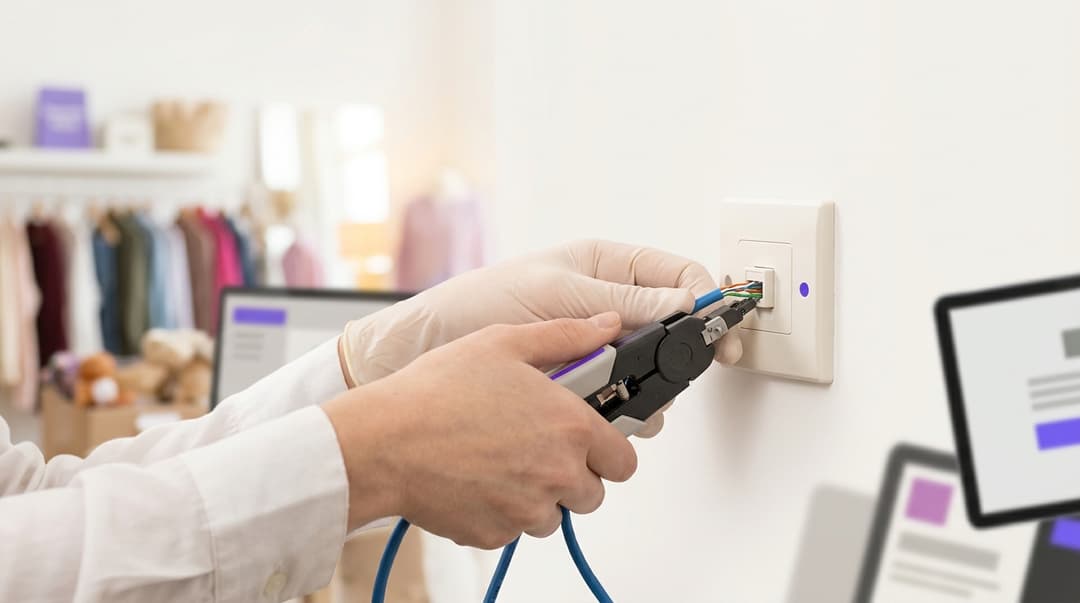
A thrift store or nonprofit retail WiFi provider should give you three separate networks on the supported access points you already own. Registers, card readers and donation tablets sit on an isolated payments network. Each volunteer gets an individual sign-in. The filtered public network captures consented supporter opt-ins. Every location runs from one central platform.
What does thrift store and community hub WiFi need to do?
A nonprofit retail store, café or community hub runs three kinds of device on one internet connection. Each kind needs different treatment.
- Payment and back-office devices. These are registers, card readers, donation tablets and the back-office PC. They handle cardholder data or donor personal data, so they belong on an isolated network that the public can never reach.
- Volunteer and sessional staff devices. These are cell phones and laptops used for schedules, inventory apps and email. They need internal access, and each person needs a credential you can revoke the day they leave.
- Public devices. These belong to shoppers, café visitors, families and youth groups. They need filtered access and a sign-in page with a clear, optional supporter opt-in.
The provider's job is to keep those three groups apart on the same hardware. It should also let one central team run every location. Purple does this as a hardware-agnostic cloud overlay on Cisco Meraki, HPE Aruba, Ruckus, Juniper Mist, Ubiquiti UniFi, Cambium, Extreme and Fortinet access points. No rip and replace is required. Why your next WiFi upgrade doesn't need new hardware explains the reasoning.
Five terms you will meet
- SSID: the network name a cell phone or laptop sees when it searches for WiFi.
- VLAN (virtual local area network): a logical segment that keeps one group's traffic apart from another's on the same cables and access points.
- Captive portal: the sign-in page a visitor sees before the internet opens up.
- iPSK (identity pre-shared key): a WiFi password unique to one person or device. Some vendors call it PPSK (private pre-shared key).
- 802.1X and RADIUS: 802.1X is the IEEE standard for network access control. It asks a RADIUS (Remote Authentication Dial-In User Service) server to check credentials against a directory before a device connects.
What should you ask nonprofit WiFi providers before you start?
Get your own house in order first. A provider can only segment what you have listed.
Have these ready
- A location inventory. List each store, café and hub, its broadband line, and the make and model of its access points.
- A device list per location. Record every register, card reader, donation tablet, printer and back-office PC. Note whether each card reader uses WiFi, Ethernet or its own cellular SIM.
- A volunteer register. Note who has a charity email account in Microsoft Entra ID, Okta or Google Workspace, and who does not.
- Your safeguarding policy. Identify which branches host under-18s, and when.
- Your privacy notice and consent wording. Your data protection lead should approve these before any sign-in page goes live.
The providers checklist
Ask every shortlisted provider these questions. The right-hand column shows what a good answer contains.
| Question to ask | What a good answer includes |
|---|---|
| Does it run on the access points we already own? | A named list of supported vendors, such as Cisco Meraki, HPE Aruba, Ruckus, Juniper Mist, Ubiquiti UniFi, Cambium, Extreme and Fortinet |
| How are registers and Gift Aid tablets kept off the public network? | A separate SSID or wired port on its own VLAN, with no route to the public network |
| How do volunteers sign in without a shared password? | Individual credentials, through iPSK or 802.1X, issued and revoked centrally |
| How does filtering work for youth sessions? | Policies set per network, aligned to appropriate web filtering definitions |
| How is supporter consent recorded? | Unchecked, optional opt-ins with a timestamped consent record under the TCPA and CAN-SPAM |
| Can head office manage 50 branches from one screen? | A single pane of glass with templates, so a new branch copies an approved setup |
| What security certifications do you hold? | Named certifications, such as ISO 27001 and Cyber Essentials |
Purple holds ISO 27001, Cyber Essentials and B Corp certification. It complies with CCPA/CPRA. For a charity with an ethical procurement policy, B Corp status is often a scored criterion.
How do you set up charity retail WiFi across your branches?
The steps below describe the design. Purple's support documentation covers the vendor-specific configuration for each access point make. Follow it rather than copying settings from another site.
Step 1: keep registers, card readers and Gift Aid tablets off the public network
Start with the devices that carry the most risk. Put registers, WiFi card readers, Gift Aid tablets and the back-office PC on their own SSID or wired ports. Assign them a dedicated VLAN. Block all routing between that VLAN and the public and volunteer networks.
This matters for two standards.
- PCI DSS. PCI DSS v4.0.1 does not demand segmentation, but the PCI Security Standards Council states that it can reduce the scope of your assessment. If card data never touches the public network, the public network falls outside your cardholder data environment. That makes your annual compliance work smaller.
- CCPA/CPRA. A Gift Aid declaration holds a donor's name and home address. Tax authorities require you to keep those records, and CCPA/CPRA requires you to protect them. A tablet on the public network sits one misconfiguration away from strangers' cell phones.
Check each card reader first. Many modern terminals use their own cell phone SIM and never join your WiFi. These are already separate, and you can leave them out of the payments VLAN. Hide the payments SSID and protect it with WPA3 where your devices support it, falling back to WPA2 only where they do not.
Step 2: give every volunteer their own sign-in
Shared passwords fail in non-profit retail for a simple reason. Volunteers rotate. A store with a dozen volunteers on weekly shifts may see several leavers a quarter, and nobody visits each branch to change the password.
Replace the shared password with individual credentials. Purple's Identity-Based Networks give each person their own access, tied to who they are rather than to the store.
- Volunteers with a non-profit account authenticate through 802.1X against Microsoft Entra ID, Okta or Google Workspace. When you disable their account, their WiFi access ends with it. This is the joiners, movers and leavers process your IT team already runs.
- Volunteers without an account receive an individual iPSK. You issue it centrally and revoke it in one action when they leave. No other volunteer's access changes.
- Sessional staff, such as a visiting youth worker or debt adviser, follow the same pattern. They hold a personal credential, not the store password.
SecurePass, Purple's secure access add-on, delivers the at-home experience with enterprise security. Volunteers connect once, and their devices reconnect automatically at their next shift. The Coworking space WiFi providers checklist applies the same individual-key model to rotating members. The logic transfers directly to volunteers.
Step 3: filter the public network for mixed-age hubs
A non-profit sales floor serves adults and families. A community hub may host a toddler group in the morning and a youth club after school. Your filtering has to fit the most vulnerable person likely to be connected.
Use appropriate filtering definitions as your baseline. They cover illegal content, including child abuse image lists, along with pornography, extremism, self-harm, gambling and malware. Public WiFi certification ensures blocking of pornography and child sexual abuse content. Many families recognize these safety standards.
Shield, Purple's filtering add-on, applies a policy to each network. Set the policy by space and audience:
| Network | Who connects | Filtering policy to apply |
|---|---|---|
| Store floor public | Adult shoppers and families | Baseline: illegal content, pornography, malware and phishing blocked |
| Café public | Mixed ages | Baseline, aligned to public safety requirements |
| Youth and family sessions | Under-18s with youth workers | Baseline plus gambling, self-harm, extremism and proxy bypass sites blocked |
| Volunteer and staff | Vetted adults | Malware and phishing blocked; illegal content blocked |
| Payments and Gift Aid | Devices only | Allow-list to payment, Gift Aid and back-office services only |
If you run a youth session in a shared hall, broadcast a dedicated youth SSID during session hours using your access points' own scheduling. Alternatively, apply the stricter policy to the whole public network all day. The second option is simpler and easier to defend to a trustee board.
Step 4: capture consented supporter opt-ins at sign-in
Guest sign-in is the one moment a shopper or café visitor chooses to tell you who they are. Treat it as a conscious-choice opt-in, not a hidden condition of access.
- Keep WiFi access and marketing consent separate. A visitor must get online without agreeing to marketing. CCPA/CPRA requires consent to be freely given. The TCPA and CAN-SPAM require consent for most email and text marketing to individuals.
- Use unchecked boxes, one per channel. Email and text are separate choices.
- Name the charity, not the WiFi provider, as the party sending updates. Link your privacy notice.
- Store a timestamped consent record with the branch and wording shown, so you can prove consent if challenged.
Engage, Purple's plan for consented opt-ins and supporter communications, collects first-party data through the Guest WiFi sign-in. It integrates with CRM and marketing platforms. Check new opt-ins against the National Do Not Call Registry as part of your existing fundraising compliance.
Step 5: run every branch from one central platform
Small branches have no IT staff. Build one approved template at head office covering the three networks, filtering policies and sign-in page. Then apply it to each branch.
Roll out in waves. Start with three or four branches that have different layouts: a main street shop, a shop with a café and a community hub. Fix what you learn, update the template, then roll out the rest. WiFi Analytics shows sign-ins, visit frequency and dwell time per branch from the same screen. Your retail operations lead can compare shops without asking each manager for figures.
Which network design fits your branches?
| Design | What runs where | Hardware needed | PCI DSS scope | Volunteer leaver process | Suits |
|---|---|---|---|---|---|
| One shared network, one password | Register systems, tablets, volunteers and public on one SSID | Existing ISP router | Entire shop network | Change password at the branch | No charity branch |
| Separate SSIDs with shared passwords | Public, staff and payments on separate VLANs | Business-grade access points | Payments VLAN only | Change staff password at each branch | A single hub with a handful of fixed staff |
| Identity-Based Networks with Purple | Public via captive portal, volunteers on individual keys, payments on an isolated VLAN | Supported access points from the eight named vendors | Payments VLAN only | Revoke one credential centrally | Multi-branch non-profit retail and community hubs |
Got questions about your specific setup?
Our team works with venue operators, IT managers, and network engineers across 80,000 venues. Book a 20-minute call and we will show you how others like you solved it.
Guaranteed response within 4 business hours - No commitment required
What does this look like across a real branch network?
Worked scenario 1: a 45-store non-profit retail chain
Situation. Consider a non-profit with 45 stores across two regions. Each store runs an ISP router broadcasting one network. The register PC, the donation tablet and the volunteers' cell phones all join it. Staff give the same password to shoppers who ask. When volunteers leave, the password stays the same, because changing it means a trip to every store.
What was done. The non-profit already ran Ubiquiti UniFi access points in its larger stores and standardized the rest on the same make. Purple overlaid three networks from one template. Registers and donation tablets moved to an isolated payments VLAN. Card readers with their own SIMs stayed off WiFi entirely. About 300 volunteers each received an individual iPSK. The 40 paid staff authenticate through Microsoft Entra ID.
Outcome. The public network now sits outside the cardholder data environment, which narrows the PCI DSS assessment to one segment per store. A leaver is revoked in one action instead of 45 password changes. Corporate office compares sign-ins across all 45 stores from one screen.
Worked scenario 2: a city-partnered community hub
Situation. Consider a community center run by a non-profit in a municipal building. It hosts a café, a food bank, adult education classes and a youth club on two evenings a week. Visitors sign a paper sheet. Youth workers share one WiFi password with café volunteers. The city funder asks for quarterly attendance figures.
What was done. The hub applied the baseline filtering policy to its public network all day. It added the stricter youth policy to a dedicated SSID that broadcasts only during club hours. Youth workers and volunteers received individual credentials. The captive portal offered an optional, unchecked opt-in for the non-profit's newsletter.
Outcome. The paper sheet is gone. Attendance per session comes from WiFi Analytics for the funder report. The safeguarding lead can show which filtering policy applied to which network on which evening. No youth worker now shares a credential with anyone else.
Purple runs this model at scale. More than 80,000 venues in over 90 countries run on Purple, recording 500 million users and logins a year. Multi-site operators such as Sweetgreen and Under Armour run every site from one platform. The Golf club WiFi platforms guide covers a similar small-venue pattern of visitor sign-in and member networks.
How do you check each branch works?
Test every branch before you announce it. Run through this list with a cell phone and a laptop:
- Isolation. Join the public network and try to reach the register PC's address. The attempt must fail. Repeat the test from the volunteer network.
- Payments path. Process a test card payment and submit a test tax deduction declaration on the payments network.
- Volunteer sign-in. Connect a volunteer device, then revoke its credential centrally. Confirm it drops off at the next reconnection.
- Filtering. Visit the test resources, or a known blocked category, from the public and youth networks. Confirm the block page appears.
- Consent. Sign in as a visitor without checking any box. Confirm you get online and that no marketing consent is recorded.
- Reporting. Check the branch appears in WiFi Analytics with today's test sign-ins.
Record the results against each branch. Your auditor and your trustees will ask for them.
What goes wrong, and how do you fix it?
A card reader stops working after segmentation
Older WiFi card readers sometimes support WPA2 only. If the payments SSID is set to WPA3 only, they cannot join. Enable WPA2/WPA3 transition mode on the payments SSID, or connect the reader by Ethernet. Plan to replace WPA2-only terminals at their next contract renewal.
Volunteers forget which network to join
Three networks confuse a new volunteer on their first shift. Name SSIDs plainly, for example "Charity Free WiFi" for the public and a neutral name for volunteers. Hide the payments SSID so nobody sees it. Put a one-page card in the back room explaining which network to use.
Filtering blocks something legitimate
A strict youth policy may block a sexual health charity's site or a mental health service. Keep an allow-list process. The branch manager reports the site, and the safeguarding lead approves it centrally. Do not let branches switch filtering off locally.
Opt-in rates are low
Low rates usually mean the sign-in asks for too much. Ask for an email address and one optional opt-in, nothing more. Say plainly what supporters will receive and how often. Never pre-check the box to raise the number. A pre-checked box is not valid consent under the CCPA/CPRA.
A branch has no supported access points
Some small stores run only an ISP router. Add one supported access point from your standard vendor rather than reworking the store. Why is it important to secure a network? a 2026 guide sets out the risks of leaving such sites as they are. WiFi networking explained: How it stays secure covers the encryption basics.
What does non-profit retail WiFi cost, and what do you get back?
Your cost has three parts:
- Purple subscription. Plans step up from Connect to Capture to Engage. SecurePass, Verify and Shield are security add-ons. Ask Purple for a quote built on your branch count and the plan each branch needs.
- Hardware. You pay only for gaps. Branches already running Cisco Meraki, HPE Aruba, Ruckus, Juniper Mist, Ubiquiti UniFi, Cambium, Extreme or Fortinet access points need no new hardware.
- Staff time. One template built once, then applied branch by branch.
What you get back is concrete:
- A smaller PCI DSS scope, because the public and volunteer networks sit outside the cardholder data environment.
- No shared passwords to rotate. Each leaver is revoked in one action, wherever they volunteered.
- Evidence for safeguarding audits, showing the filtering policy applied per network.
- A growing list of consented supporters from people already visiting your stores and hubs, held as first-party data with a consent record.
- Attendance figures for funders, taken from sign-ins rather than paper sheets.
Purple's platform runs at 99.999% uptime. For more on running WiFi across retail locations, see Purple's page on Retail. If a hub hosts healthcare clinics or health drop-ins, the Healthcare page covers patient and visitor networks.
Frequently asked questions
Does Purple work with the access points our stores already have?
Yes, if they come from a supported vendor. Purple runs as a cloud overlay on Cisco Meraki, HPE Aruba, Ruckus, Juniper Mist, Ubiquiti UniFi, Cambium, Extreme and Fortinet access points. There is no rip and replace. Branches with only an ISP router need one supported access point added. You do not need to replace your broadband or cabling.
Will separating our card terminals make us PCI DSS compliant?
No, segmentation alone does not make you compliant, but it reduces how much of your network is in scope. PCI DSS v4.0.1 treats segmentation as a way to shrink the cardholder data environment. Isolating registers and WiFi card readers on their own VLAN keeps public and volunteer networks out of the assessment. Card readers using their own cellular SIM never touch your WiFi at all.
How do volunteers without a charity email account sign in?
They receive an individual iPSK, a WiFi password unique to them. You issue it centrally and revoke it in one action when they leave, without affecting anyone else. Volunteers and staff who hold accounts in Microsoft Entra ID, Okta or Google Workspace authenticate through 802.1X instead. Their WiFi access ends automatically when you disable their account.
Is supporter data collected through guest WiFi CCPA/CPRA compliant?
Yes, when consent is collected correctly. Purple is CCPA/CPRA compliant and ISO 27001 certified. Visitors get online without agreeing to marketing. Each channel has its own un-checked opt-in, and every consent carries a timestamped record of the wording shown. You remain the controller of supporter data. Your privacy notice should name your non-profit as the party sending updates.
Can we filter for youth sessions without restricting adult visitors all day?
Yes. Shield applies a filtering policy to each network, so a dedicated youth SSID can carry a stricter policy than the cafe network. Use your access points' own scheduling to broadcast it only during session hours. Many hubs apply the stricter policy all day instead, because it is simpler to explain to trustees and auditors.
How is Purple priced for a nonprofit with many small branches?
Purple prices by plan and add-on. The plans are Connect, Capture and Engage, and SecurePass, Verify and Shield are optional add-ons. Ask for a quote based on your branch count and the plan each site needs. A small shop may need only the core plan, while a hub with a cafe may need Engage. Existing supported access points mean no hardware spend at most sites.
How do we move from our current WiFi provider?
You move branch by branch, not in one cutover. Build your template in Purple, then configure the existing access points at three or four pilot branches. Run the isolation, filtering and consent tests on each pilot before rolling out further. Export consented supporter records from your old provider only where you hold a valid consent record for each one.
Key Definitions
SSID (service set identifier)
The network name broadcast by an access point under IEEE 802.11, used by a device to identify and join a wireless network. One access point can broadcast several SSIDs, each mapped to a different VLAN and security policy.
You meet it when naming the public, volunteer and payments networks. Plain names reduce volunteer confusion, and hiding the payments SSID keeps it out of sight of shoppers.
VLAN (virtual local area network)
A logical network segment defined by IEEE 802.1Q, which tags Ethernet frames with a VLAN ID so traffic from different groups stays separate on shared cables, switches and access points.
VLANs are how a provider keeps registers, volunteers and the public apart on one internet connection. A dedicated payments VLAN with no routing to other segments underpins the reduced PCI DSS scope.
Captive portal
A web page that intercepts a visitor's first connection and holds network access until they complete a sign-in step. The IETF describes captive portal architecture in RFC 8952.
This is where shoppers and cafe visitors sign in to Guest WiFi. It is also where you present unchecked, optional supporter opt-ins and link your privacy notice.
iPSK (identity pre-shared key)
A WPA2 or WPA3 personal-mode passphrase issued to one person or device rather than shared, with the network mapping each key to an identity and policy. Some vendors call it PPSK (private pre-shared key).
iPSK gives volunteers without a charity email account their own credential. You revoke it centrally in one action when they leave, and no other volunteer's access changes.
IEEE 802.1X
The IEEE standard for port-based network access control. It uses the Extensible Authentication Protocol (EAP) to pass a device's credentials through the access point to an authentication server before granting network access.
Volunteers and staff with accounts in Microsoft Entra ID, Okta or Google Workspace authenticate through 802.1X, so disabling their directory account ends their WiFi access automatically.
RADIUS (Remote Authentication Dial-In User Service)
The authentication, authorization and accounting protocol specified in IETF RFC 2865. In 802.1X deployments the access point forwards EAP exchanges to a RADIUS server, which checks credentials against a directory.
RADIUS is the server side of individual volunteer sign-in. It is what lets your existing joiners, movers and leavers process control WiFi access across every branch.
WPA3
The WiFi Alliance security certification that replaces WPA2, using Simultaneous Authentication of Equals (SAE) in personal mode. WPA2/WPA3 transition mode lets both generations join the same SSID.
Protect the payments SSID with WPA3 where devices support it. Older card readers may be WPA2 only, so use transition mode or Ethernet until they are replaced at contract renewal.
PCI DSS v4.0.1 and the cardholder data environment
The Payment Card Industry Data Security Standard published by the PCI Security Standards Council. It does not require network segmentation, but states that segmentation can reduce the scope of the cardholder data environment that must be assessed.
Isolating registers and WiFi card readers on their own VLAN keeps the public and volunteer networks outside the assessment. Card readers on their own mobile SIM sit outside your WiFi entirely.
CCPA/CPRA consent
Under CCPA/CPRA, consent must be freely given, specific, informed and unambiguous, and the controller must be able to demonstrate it. Pre-checked boxes do not qualify.
WiFi access must not depend on agreeing to marketing. Unchecked opt-ins and a timestamped record of the wording shown let your charity prove consent if challenged.
The TCPA and CAN-SPAM
US federal regulations enforced by the FTC and state attorneys general that require prior consent or clear opt-out mechanisms for electronic marketing by email and text to individuals.
The TCPA and CAN-SPAM are why email and text need separate, unchecked opt-ins on the sign-in page, and why the charity, not the WiFi provider, is named as the sender.
Appropriate filtering definitions
The standard baseline for content filtering, covering illegal content including child abuse images, plus pornography, extremism, self-harm, gambling and malware.
Use them as the baseline for public networks and add stricter categories for youth sessions. Records of which policy applied to which network give your safeguarding lead audit evidence.
Do Not Call Registry and National Preference Lists
Services that let individuals stop direct marketing from organizations, operating alongside applicable telemarketing and donor compliance standards.
Check new WiFi opt-ins against it as part of your existing fundraising compliance before you contact supporters.
Worked Examples
A charity runs 45 shops across two regions. Each shop has an ISP router broadcasting one network shared by the register PC, the Gift Aid tablet, volunteers' cell phones and shoppers. The password never changes when volunteers leave, because that means visiting every shop.
The charity already ran Ubiquiti UniFi access points in its larger shops and standardized the rest on the same make. Purple overlaid three networks from one template. Registers and Gift Aid tablets moved to an isolated payments VLAN, and card readers with their own SIMs stayed off WiFi. About 300 volunteers each received an individual iPSK, and the 40 paid staff authenticate through Microsoft Entra ID. The public network now sits outside the cardholder data environment, narrowing the PCI DSS assessment to one segment per shop. A leaver is revoked in one action instead of 45 password changes, and head office compares sign-ins across all 45 shops from one screen.
A charity-run community center in a local government building hosts a cafe, a food bank, adult learning and a youth club on two evenings a week. Visitors sign a paper sheet, youth workers share one WiFi password with cafe volunteers, and the municipal funder wants quarterly attendance figures.
The hub applied the baseline filtering policy to its public network all day. It added a stricter youth policy to a dedicated SSID that broadcasts only during club hours, using the access points' own scheduling. Youth workers and volunteers received individual credentials, and the captive portal offered an optional, unchecked newsletter opt-in. The paper sheet is gone, and attendance per session comes from WiFi Analytics for the funder report. The safeguarding lead can show which filtering policy applied to which network on which evening. No youth worker now shares a credential with anyone else.
After a branch moves its registers and card readers onto a payments SSID set to WPA3 only, an older WiFi card reader can no longer connect and the shop cannot take card payments.
Older WiFi card readers sometimes support WPA2 only, so they cannot join a WPA3-only network. The fix is to enable WPA2/WPA3 transition mode on the payments SSID, which lets both generations join while newer devices still use WPA3. Alternatively, connect the reader by Ethernet on the payments VLAN. Either way the reader stays isolated from the public and volunteer networks, so the reduced PCI DSS scope holds. The charity then plans to replace WPA2-only terminals at their next contract renewal, and checks whether newer terminals use their own cellular SIM and can leave the WiFi entirely.
Frequently asked questions
Does Purple work with the access points our stores already have?
Yes, if they come from a supported vendor. Purple runs as a cloud overlay on Cisco Meraki, HPE Aruba, Ruckus, Juniper Mist, Ubiquiti UniFi, Cambium, Extreme and Fortinet access points. There is no rip and replace. Locations with only an ISP router need one supported access point added. You do not need to replace your broadband or cabling.
Will separating our card terminals make us PCI DSS compliant?
No, segmentation alone does not make you compliant, but it reduces how much of your network is in scope. PCI DSS v4.0.1 treats segmentation as a way to shrink the cardholder data environment. Isolating registers and WiFi card readers on their own VLAN keeps public and volunteer networks out of the assessment. Card readers using their own mobile SIM never touch your WiFi at all.
How do volunteers without an organization email account sign in?
They receive an individual iPSK, a WiFi password unique to them. You issue it centrally and revoke it in one action when they leave, without affecting anyone else. Volunteers and staff who hold accounts in Microsoft Entra ID, Okta or Google Workspace authenticate through 802.1X instead. Their WiFi access ends automatically when you disable their account.
Is supporter data collected through guest WiFi CCPA/CPRA compliant?
Yes, when consent is collected correctly. Purple is CCPA/CPRA compliant and ISO 27001 certified. Visitors get online without agreeing to marketing. Each channel has its own un-checked opt-in, and every consent carries a timestamped record of the wording shown. You remain the controller of supporter data. Your privacy notice should name your organization as the party sending updates.
Can we filter for youth sessions without restricting adult visitors all day?
Yes. Shield applies a filtering policy to each network, so a dedicated youth SSID can carry a stricter policy than the cafe network. Use your access points' own scheduling to broadcast it only during session hours. Many hubs apply the stricter policy all day instead, because it is simpler to explain to trustees and auditors.
How is Purple priced for a non-profit with many small locations?
Purple prices by plan and add-on. The plans are Connect, Capture and Engage, and SecurePass, Verify and Shield are optional add-ons. Ask for a quote based on your location count and the plan each site needs. A small store may need only the core plan, while a hub with a cafe may need Engage. Existing supported access points mean no hardware spend at most sites.
How do we move from our current WiFi provider?
You move location by location, not in one switch-over. Build your template in Purple, then configure the existing access points at three or four pilot locations. Run the isolation, filtering, and consent tests on each pilot before rolling out further. Export consented supporter records from your old provider only where you hold a valid consent record for each one.
Sources
- PCI Security Standards Council: PCI DSS v4.0.1 document library
- IETF RFC 2865: Remote Authentication Dial In User Service (RADIUS)
- WiFi Alliance: WPA3 and WiFi security
- Information Commissioner's Office: UK GDPR and PECR guidance
- UK Safer Internet Centre: appropriate filtering
- Friendly WiFi certification scheme
- Fundraising Regulator: Code of Fundraising Practice and Fundraising Preference Service
Continue reading in this series
RV park and campground WiFi providers checklist: site coverage, family filtering and guest offers
Use this checklist to shortlist RV park and campground WiFi providers on five tests: one sign-in per stay across sites and cabins, private iPSK networks per unit, segmented POS and staff, family-safe filtering and per-device bandwidth caps. You can then build a consented, park-tagged guest list for off-peak offers on your existing access points.
Hospital visitor and patient WiFi procurement: Healthcare trust RFP checklist
Use this checklist to write a hospital patient and visitor WiFi RFP you can score and test. You will be able to specify minimal-data sign-in, four-layer separation from clinical systems and hospital networks, zone-based filtering, per-device bandwidth caps and HIPAA evidence. You can also write acceptance tests that bidders must price before contract award.
Bus station and transit hub WiFi providers checklist: passenger sign-in, filtering and retail dwell
Use this checklist to shortlist bus station WiFi providers and write a tender they must answer. You will be able to set a 10-second sign-in target, separate displays, ticket machines and staff from the public SSID, specify concourse filtering a city council will sign off, and define the five acceptance tests that close the project.
Got questions about your specific setup?
Our team works with venue operators, IT managers, and network engineers across 80,000 venues. Book a 20-minute call and we will show you how others like you solved it.
Guaranteed response within 4 business hours - No commitment required