
Bus station and transit hub WiFi providers checklist: passenger sign-in, filtering and retail dwell
Use this checklist to shortlist bus station WiFi providers and write a tender they must answer. You will be able to set a 10-second sign-in target, separate displays, ticket machines and staff from the public SSID, specify concourse filtering a city council will sign off, and define the five acceptance tests that close the project.
By Tom HackettPublished
📖 14 min read3,250 words2 worked examples12 key definitions
Part of our core series: Guest WiFi: the complete guide →
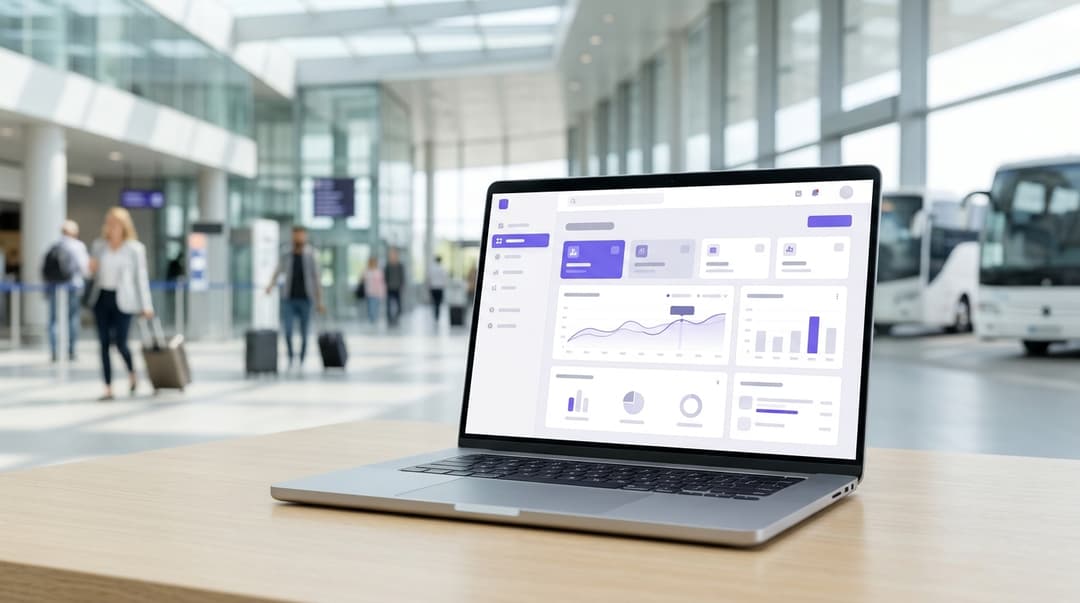
Ask bus station WiFi providers to prove four things. Passengers sign in through a captive portal in under 10 seconds. Departure boards, ticket machines and staff devices sit on separate VLANs, away from the public SSID. DNS filtering suits a city concourse. Dwell and repeat-visit reports stay aggregate, so you can share them with concession tenants.
What should transport interchange WiFi do for passengers and operators?
A bus or motorcoach interchange has a different WiFi problem from a hotel or an airport. Passengers often arrive minutes before a service, so sign-in must finish before the bus pulls in. The same building runs departure displays, ticket machines, turnstiles and staff devices. None of them should depend on the public network. Concourses are public space, often owned by a city or transport authority, so filtering is expected. Concession kiosks want evidence that passengers stay long enough to buy.
Three terms come up throughout this guide:
- Captive portal: the web page a device shows before it reaches the internet, where the passenger accepts terms or signs in.
- SSID: the network name a device sees in its WiFi list.
- VLAN: a virtual LAN, defined in IEEE 802.1Q, which splits one physical network into separate logical networks.
Good bus station WiFi does four jobs at once:
- It connects a passenger in under 10 seconds, with consent captured on the same screen.
- It isolates operational systems from the public SSID.
- It filters the public network to a standard the landlord or authority will sign off.
- It turns connections into aggregate dwell and repeat-visit reports for your tenants.
Purple delivers these jobs as a cloud overlay on access points you already own. Guest WiFi handles sign-in and consent. WiFi Analytics reports dwell and repeat visits. Shield adds DNS filtering. Staff WiFi with SecurePass gives your team identity-based access.
Purple runs passenger WiFi for transport operators including AGS Airports, Manchester Airports Group, c2c Rail and Avanti West Coast. You can read more on our Trains page. Founded in 2012, Purple runs across 80,000+ live venues in more than 90 countries, with 500 million users and logins a year.
What do you need before you talk to bus station WiFi providers?
Collect seven things before the first provider call. Each one changes the design, and a provider who does not ask for them is guessing.
- A connected-device inventory. List every display, ticket machine, barrier controller, CCTV camera, staff handset and tenant register. Note whether each is wired or wireless, which band it uses, and which security it supports.
- Your access point estate. Record the make, model and controller. Purple is hardware-agnostic and works with Cisco Meraki, HPE Aruba, Ruckus, Juniper Mist, Ubiquiti UniFi, Cambium, Extreme and Fortinet.
- Your staff identity provider. This will usually be Microsoft Entra ID, Okta or Google Workspace.
- Timetable and dwell assumptions. Record peak arrivals, typical waits between services, and event-day or holiday surges.
- The landlord's filtering and acceptable use policy. City council and authority concourses often have written requirements.
- Your data controller position. Decide who controls passenger data, and what concession tenants may receive.
- Backhaul capacity. Note the internet line speed and whether operational systems share it with passengers.
The inventory matters most. Interchanges often run departure boards on the same network as passengers, behind a shared password. Separating those devices is the largest single task in most projects.
How do you set up passenger sign-in, segmentation and filtering?
Build a sign-in flow that fits a 10-minute wait
The sign-in method sets how fast a passenger gets online and what you learn about them. Choose it against the shortest realistic wait at your site, not the average.
| Sign-in method | What the passenger does | Data you capture | Consent capture | Best fit at an interchange |
|---|---|---|---|---|
| Click-through terms | One tap to accept terms | Session and device data only | None | Event-day exits and short surges |
| Single email field | Types an email, then one tap | Email address | Unchecked opt-in boxes on the same screen | Default for daily commuters |
| Social login | Picks a platform, then approves its permission screen | Profile fields the passenger chooses to share | Opt-in boxes plus the platform's own screen | Bus terminals with longer waits |
| SMS one-time code | Enters a cell phone number, waits for a text, types the code | Verified cell phone number | Opt-in boxes | Sites where the authority requires a verified contact |
| Passpoint or OpenRoaming | Nothing after a one-time profile install | Profile identifier | Captured at profile install | Regular passengers and multi-site operators |
Passpoint, also called Hotspot 2.0, is an industry standard that lets a device join a network automatically using a stored profile. OpenRoaming builds on Passpoint so one profile works across many venues. Purple supports OpenRoaming, which suits operators who want commuters to connect without seeing the portal again.
For most bus stations, a single email field on one screen meets the 10-second target. Keep the terms link visible, leave opt-in boxes unchecked, and remove every optional field. Social login adds a third-party permission screen. That screen can stall inside the mini-browser that phones open for captive portals.
Returning-device recognition shortens repeat visits, but treat it with care. iOS and Android can present a private, randomized hardware address per network. Recognition is therefore less reliable than it was a few years ago. Passpoint and OpenRoaming avoid the problem because they rely on a profile, not an address.
After sign-in, send passengers to your live departures page rather than a marketing page. The first thing a passenger wants is their bay number.
Keep departure boards, ticket machines and staff devices off the public SSID
Every device class gets its own network segment, its own authentication method, and only the internet access it needs. Use the matrix below as your design brief.
| Device class | Network segment | Authentication | Internet access | Why |
|---|---|---|---|---|
| Departure and arrival displays | Operational VLAN, wired where cabling exists | iPSK if wireless | Content management system only | Peak passenger load cannot freeze the boards |
| Ticket vending machines | Payment VLAN, wired or WPA3-Enterprise | 802.1X with EAP-TLS certificates | Payment processor and back office only | Segmentation reduces PCI DSS scope |
| Barrier controllers and sensors | IoT VLAN | iPSK, one key per device class | Management platform only | Many IoT devices cannot run 802.1X |
| Staff handsets and laptops | Staff VLAN | 802.1X via Cloud RADIUS against Entra ID, Okta or Google Workspace | Full access under staff policy | Access ends when a leaver leaves the directory |
| Concession tenant registers | One VLAN per tenant | iPSK per tenant | The tenant's own services only | Tenants cannot see each other or your systems |
| Passenger devices | Public VLAN with client isolation | Captive portal | Filtered by Shield | Passengers cannot reach each other or operations |
The matrix uses four more terms:
- 802.1X: the IEEE standard for port-based access control. Each device authenticates to a RADIUS server before it joins.
- RADIUS: the protocol that checks credentials and tells the access point which VLAN to assign. Our guide to Cloud RADIUS covers how this runs without on-site servers.
- EAP-TLS: the 802.1X method that uses certificates instead of passwords.
- iPSK: individual pre-shared key. Each device or group gets its own password on one SSID, and each password maps to a VLAN.
iPSK suits displays and barrier controllers, which often support only a password. Our comparison of WPA2 vs. 802.1X explains when each method fits.
Ticket machines need particular care. PCI DSS does not require network segmentation. The PCI Security Standards Council does recognize it as a way to reduce the systems in scope for assessment. Keeping card-taking machines off the passenger network makes your assessment smaller and your exposure lower.
For staff, Purple's Identity-Based Networks tie WiFi access to the directory you already run. When a staff member leaves and IT removes them from Microsoft Entra ID, Okta or Google Workspace, their WiFi access goes with them. For the wider case for segmentation, see why it is important to secure a network.
Apply public-safe filtering across the concourse
DNS filtering blocks the domain lookup before a page loads. That makes it fast and light on the network. Shield applies DNS filtering to the public VLAN, while staff and operational segments keep their own policies.
On a city council or transit-authority concourse, expect to block four categories:
- child sexual abuse content on the Internet Watch Foundation URL list
- pornography and adult content
- malware and phishing domains
- any extra categories the landlord names in its acceptable use policy
When evaluating providers, public venues must ensure strict compliance with content safety guidelines. Ask every provider four questions. Which categories are blocked by default? How do you request an override? How long are filtering logs kept? What does the block page say?
Turn dwell data into concession tenant reports
WiFi Analytics reports visits, dwell time and repeat visits by zone. A zone is a group of access points. Map each zone to a physical area: the main concourse, the cafe seating, the bus gates, the kiosk row.
Concession tenants want three numbers. They want to know how many passengers passed their unit, how long passengers stayed in that zone, and how many came back within a week or a month. Share these as aggregate reports. Tenants should never receive individual records or contact details.
Aggregate reports serve three practical decisions. Tenants can set operating hours against real dwell peaks. They can plan staffing for event days. You can use them in rent and lease reviews. The same reporting runs across Purple's Retail estates, where shopper dwell feeds store decisions.
Use consented opt-ins for service updates
Put two separate opt-in boxes on the sign-in screen. One covers service updates such as service disruption notices. The other covers marketing from you or your tenants. Purple calls these conscious-choice opt-ins: unchecked, specific and recorded with a timestamp.
The split matters legally. Under the TCPA and CAN-SPAM, explicit consent is critical for electronic communications, while CCPA/CPRA requires a lawful basis for every use of passenger data. A passenger may want delay alerts without receiving coffee offers.
The Engage plan sends consented campaigns. You might email opted-in passengers when a route is diverted, or send tenant offers only to marketing opt-ins.
Got questions about your specific setup?
Our team works with venue operators, IT managers, and network engineers across 80,000 venues. Book a 20-minute call and we will show you how others like you solved it.
Guaranteed response within 4 business hours - No commitment required
Which questions should you ask bus station WiFi providers?
Use this table in your request for proposal or on the first demo call. Each row is a question with the answer you should expect.
| Question | What a good answer includes |
|---|---|
| Can you show sign-in completing in under 10 seconds? | A live demo on iOS and Android, timed from joining the SSID to reaching the internet |
| Which access points do you support? | Named vendors and controller versions, with no hardware swap for the platform |
| How do you separate displays, ticket machines, and staff? | Named methods per device class: VLANs, iPSK, 802.1X with Cloud RADIUS |
| What filtering do you apply on the public network? | A category list, an override process, a log retention period, and block-page wording |
| How do you handle browsers that use encrypted DNS? | A stated approach, tested against current Chrome, Safari, and Firefox defaults |
| What will concession tenants see? | Aggregate dwell and repeat-visit reports by zone, with no personal data |
| How is consent captured and stored? | Separate unchecked opt-ins, timestamped records, and an unsubscribe route |
| Which certifications do you hold? | Current certificates you can verify, for example ISO 27001 and Cyber Essentials |
Purple holds ISO 27001 and Cyber Essentials certification. It is CCPA/CPRA and CCPA compliant and B Corp certified.
How do you check transport interchange WiFi works?
Run five acceptance tests before you sign off the project. Write the pass mark into the contract.
- Sign-in speed. Time 20 connections across iOS and Android, from joining the SSID to loading a web page. Report the median and the slowest. The median should sit under 10 seconds.
- Segmentation. From a passenger phone, try to reach the display and ticket machine address ranges. Every attempt should fail. Connect two phones to the public SSID and confirm they cannot see each other.
- Filtering. Run the landlord's test list in every zone. Each blocked category should return the block page.
- Peak load. Test during the busiest timetabled hour, not mid-afternoon. Watch display uptime, sign-in time, and the DHCP pool together.
- Reporting and consent. Walk a known route through two zones and confirm the visit appears. Sign up with a test address, check the consent record, then unsubscribe and confirm it takes effect.
What goes wrong at bus interchanges, and how do you fix it?
The sign-in page never appears
Phones detect a captive portal by probing a known address. If the walled garden is incomplete, the page hangs or never opens. The walled garden is the list of domains a device may reach before sign-in. Add every domain your sign-in page loads, including social login domains if you use them. Retest on both mobile platforms.
Departure boards drop at peak
Boards on a shared SSID compete with hundreds of passenger devices. Move them to wired ports where cabling allows. Where it does not, put them on the operational VLAN with iPSK. Give the operational SSID priority over the public one in your controller's traffic policy.
The address pool runs out
High turnover leaves addresses held by devices that have already left on a bus. Shorten the DHCP lease on the public VLAN and size the subnet for peak concurrent devices. Do not size it for the average.
Filtering is bypassed
Some browsers can send DNS lookups over HTTPS, around the network's resolver. Ask your provider how they handle this. Then retest filtering after every major browser release.
Dwell figures look inflated
Staff cell phones and resident devices sit in the same zones all day. Exclude the staff and resident VLANs from passenger reporting. Report medians rather than averages, so a few long stays do not distort the picture.
Opt-in rates are low
Vague wording gets ignored. "Send me disruption alerts for this station" outperforms "Keep me updated". Put the service-update box first, because it offers passengers something they want.
Two interchanges, two approaches
The scenarios below are composites built from common interchange layouts. They are not named Purple deployments.
A city-owned bus station
Situation. A city-owned bus station runs 24 stands, a cafe and four kiosks. The departure displays shared one SSID and password with passengers. Boards froze during the morning peak. An internal audit flagged two issues: the public network had no filtering, and the ticket machines sat on the same network as passengers.
What was done. The operator kept its existing access points and added Purple as a cloud overlay. Displays moved to an operational VLAN using iPSK. Ticket machines moved to a wired payment VLAN. Staff moved to 802.1X against Microsoft Entra ID. Passengers got a single email field, two unchecked opt-ins and Shield filtering on the public VLAN.
Measurable outcome. At acceptance, the median sign-in across 20 test connections came in under 10 seconds. A scan from a passenger phone found no operational devices. The city's filtering test list was blocked in every zone. The four kiosks now receive a monthly aggregate report of dwell by zone and repeat visits.
An event-day bus interchange
Situation. A bus interchange sits next to a 30,000-capacity arena. After a concert, around 80 buses load within 90 minutes. Fans wait in short, dense bursts. Two food concessions could not tell whether event nights justified later opening.
What was done. The operator used a single email field with a service-update opt-in for departure notices. OpenRoaming let returning fans connect without the portal. A per-device bandwidth cap stopped video uploads crowding out sign-ins. WiFi Analytics split event and non-event days into separate reports.
Measurable outcome. Peak-hour testing showed sign-in held under 10 seconds during the exit window. The concessions received hour-by-hour dwell for event nights against a weekday baseline. They set their late opening hours from those reports.
What does bus station WiFi cost, and what do you get back?
Cost has five lines. Ask each provider to price them separately.
- Platform license. Purple's plans are Connect, Capture and Engage. Capture covers sign-in, consent and reporting. Engage adds consented passenger campaigns.
- Security add-ons. These include Shield for DNS filtering and SecurePass for staff access.
- Hardware. Usually nothing new for the platform, because Purple runs on your existing access points. Read why your next WiFi upgrade doesn't need new hardware.
- Network changes. This covers VLAN design, switch configuration and any cabling for displays. These costs usually exceed the WiFi platform itself.
- Backhaul. Your internet line, sized for peak passengers plus operational traffic.
What you get back is measurable. Operational systems stop failing when passenger numbers peak. A filtered public network gives you evidence the landlord can audit. Segmented ticket machines shrink your PCI DSS assessment. Concession tenants get aggregate dwell data they can act on. You build a first-party list of passengers who chose to hear from you. For the mechanics behind a secure public network, see WiFi networking explained.
Frequently asked questions
Does Purple work with the access points we already have at our bus station?
Yes, Purple runs as a cloud overlay on your existing access points. It works with Cisco Meraki, HPE Aruba, Ruckus, Juniper Mist, Ubiquiti UniFi, Cambium, Extreme and Fortinet. You point your controller's captive portal and RADIUS settings at Purple. You do not replace hardware to adopt the platform. Any new hardware is driven by coverage gaps or end-of-life equipment, not by Purple.
How is bus station WiFi priced?
Pricing is set by the plan you choose, the add-ons you need and the size of your property portfolio. Purple's plans are Connect, Capture and Engage. Shield and SecurePass are optional security add-ons. Purple quotes after scoping your sites and device count. Budget separately for VLAN design and any cabling for displays, because network changes often cost more than the platform license.
Can we share passenger WiFi data with concession tenants under CCPA/CPRA?
Yes, provided you share aggregate reports rather than personal data. Dwell by zone, visit counts and repeat-visit rates do not identify individual passengers. Tenants should never receive email addresses or individual records unless a passenger has specifically consented to hear from that tenant. Confirm your controller role in your privacy notice before the first report goes out.
Do we need content filtering on a city-owned concourse?
In practice, yes. US law does not mandate a single filtering standard for public WiFi. Local municipalities and transit authorities usually require filtering through their acceptable use policies and contracts, and Friendly WiFi is the recognized accreditation. Shield applies DNS filtering to the public network only, so staff and operational systems keep their own policies.
How do we move from our current captive portal provider?
You can migrate one SSID at a time and test before switching passengers over. Purple sits on top of your existing controller, so the change is a configuration update rather than a hardware swap. Run Purple on a test SSID, complete the acceptance tests, then repoint the public SSID. Export existing consent records first, so opted-in passengers stay contactable.
How much effort does a single interchange deployment take?
Most of the effort sits in network segmentation, not the WiFi platform. Setting up sign-in, consent and reporting on Purple is configuration work on your existing controller. The longer tasks are auditing connected devices, designing VLANs for displays, ticket machines and tenants, and running cabling where boards need wired ports. Complete the device inventory first, because it sets the timeline.
How does Purple compare with the splash page built into our access points?
Purple adds the consent, filtering and reporting layers an interchange needs on one platform. You get conscious-choice opt-ins with timestamped records and DNS filtering through Shield. You also get dwell and repeat-visit reports by zone, and consented campaigns on the Engage plan. Multi-site operators see every station in one view, whatever access point brand each site runs.
Key Definitions
Captive portal
The web page a device shows before it reaches the internet, where the passenger accepts terms or signs in. Cell phones detect it by probing a known address, and the access point redirects traffic to the portal until the session is authorized.
Your controller's captive portal setting is pointed at Purple. Its speed decides whether a passenger is online before the bus pulls in, so time it on iOS and Android during the demo.
VLAN
A virtual LAN defined in IEEE 802.1Q, which tags Ethernet frames so one physical network carries separate logical networks with their own traffic boundaries.
The design brief gives displays, ticket machines, turnstiles, staff, each tenant and passengers their own VLAN, so peak passenger load cannot freeze departure boards or expose payment devices.
IEEE 802.1X
The IEEE standard for port-based network access control. A device (supplicant) authenticates through the access point (authenticator) to a RADIUS server using an EAP method before it joins the network.
Use it for staff handsets and ticket machines. Tie staff 802.1X to Microsoft Entra ID, Okta or Google Workspace so access ends when a departing employee is removed from the directory.
RADIUS
Remote Authentication Dial-In User Service, specified in IETF RFC 2865. It checks credentials and returns attributes that tell the access point which VLAN to assign.
Cloud RADIUS runs this without on-site servers. Providers should name it as their method for separating staff and operational devices from passengers.
EAP-TLS
The Extensible Authentication Protocol method that uses mutual TLS certificate authentication, specified in IETF RFC 5216, so devices authenticate with certificates instead of passwords.
Recommended for ticket vending machines on the payment VLAN, where password sharing would undermine the segmentation that narrows PCI-DSS scope.
iPSK
Individual pre-shared key: each device or group gets its own WPA passphrase on one SSID, and each passphrase maps to a specific VLAN through the RADIUS response.
Suits departure displays, barrier controllers and tenant registers that support only a password and cannot run 802.1X, while still keeping them off the public network.
Passpoint (Hotspot 2.0)
A WiFi Alliance certification program built on IEEE 802.11u that lets a device discover and join a network automatically using a stored profile, with no captive portal after install.
Removes the portal for regular passengers and avoids the recognition problems caused by randomized hardware addresses on iOS and Android.
OpenRoaming
A Wireless Broadband Alliance federation built on Passpoint, so one installed profile authenticates a device across many participating venues and operators.
Purple supports OpenRoaming. It suits multi-site operators and event-day interchanges where returning fans need to connect without seeing the portal again.
DNS filtering
Blocking at the domain name lookup stage, before a page loads, by having the network resolver refuse or redirect queries for categorized domains such as those on the Internet Watch Foundation URL list.
Shield applies it to the public VLAN. Browsers that send DNS over HTTPS can route around the resolver, so ask providers for their stated approach and retest after browser releases.
Walled garden
The list of domains a device may reach before captive portal sign-in completes, configured on the controller or access point as pre-authentication allowances.
An incomplete walled garden is the usual cause of a sign-in page that hangs or never appears. Include every domain the page loads, including social login domains.
PCI DSS segmentation
The PCI Security Standards Council's Data Security Standard does not require network segmentation, but recognizes it as a way to reduce the systems in scope for assessment by isolating the cardholder data environment.
Moving card-taking ticket machines to a wired or WPA3-Enterprise payment VLAN makes your assessment smaller and your exposure lower.
Conscious-choice opt-ins
Purple's term for unchecked, specific consent boxes recorded with a timestamp, supporting consent for electronic marketing under the TCPA and CAN-SPAM and a lawful basis under CCPA/CPRA.
Use two separate boxes, one for service updates such as disruption notices and one for marketing, so a passenger can take delay alerts without coffee offers.
Worked Examples
A city council-owned bus station with 24 stands, a café and four kiosks shared one SSID and password between departure displays and passengers. Boards froze in the morning peak, and an audit found no public filtering and ticket machines on the passenger network. What should the operator do?
The operator kept its existing access points and added Purple as a cloud overlay. Displays moved to an operational VLAN using iPSK, and ticket machines moved to a wired payment VLAN. Staff moved to 802.1X against Microsoft Entra ID. Passengers got a single email field, two unchecked opt-ins and Purple Shield filtering on the public VLAN. At acceptance, the median sign-in across 20 test connections was under 10 seconds. A scan from a passenger phone found no operational devices, and the city's filtering test list was blocked in every zone. The four kiosks now receive a monthly aggregate report of dwell by zone and repeat visits.
A bus transit hub beside a 30,000-capacity arena loads around 80 buses within 90 minutes after a concert. Fans wait in short, dense bursts, and two food concessions cannot tell whether event nights justify later opening. How should the WiFi be set up?
The operator used a single email field with a service-update opt-in for departure notices, keeping sign-in to one screen. OpenRoaming let returning fans connect without the portal at all. A per-device bandwidth cap stopped video uploads crowding out sign-ins during the exit window. WiFi Analytics split event and non-event days into separate reports. Peak-hour testing showed sign-in held under 10 seconds as fans left. The concessions received hour-by-hour dwell for event nights against a weekday baseline. They set their late opening hours from those aggregate reports, with no personal data shared.
Frequently asked questions
Does Purple work with the access points we already have at our bus station?
Yes, Purple runs as a cloud overlay on your existing access points. It works with Cisco Meraki, HPE Aruba, Ruckus, Juniper Mist, Ubiquiti UniFi, Cambium, Extreme and Fortinet. You point your controller's captive portal and RADIUS settings at Purple. You do not replace hardware to adopt the platform. Any new hardware is driven by coverage gaps or end-of-life equipment, not by Purple.
How is bus station WiFi priced?
Pricing is set by the plan you choose, the add-ons you need and the size of your estate. Purple's plans are Connect, Capture and Engage. Shield and SecurePass are optional security add-ons. Purple quotes after scoping your sites and device count. Budget separately for VLAN design and any cabling for displays, because network changes often cost more than the platform license.
Can we share passenger WiFi data with concession tenants under CCPA/CPRA?
Yes, provided you share aggregate reports rather than personal data. Dwell by zone, visit counts and repeat-visit rates do not identify individual passengers. Tenants should never receive email addresses or individual records unless a passenger has specifically consented to hear from that tenant. Confirm your controller role in your privacy notice before the first report goes out.
Do we need content filtering on a municipality-owned concourse?
In practice, yes. US law does not mandate a single filtering standard for public WiFi. Municipalities and transit authorities usually require filtering through their acceptable use policies and contracts. Shield applies DNS filtering to the public network only, so staff and operational systems keep their own policies.
How do we move from our current captive portal provider?
You can migrate one SSID at a time and test before switching passengers over. Purple sits on top of your existing controller, so the change is a configuration update rather than a hardware swap. Run Purple on a test SSID, complete the acceptance tests, then repoint the public SSID. Export existing consent records first, so opted-in passengers stay contactable.
How much effort does a single interchange deployment take?
Most of the effort sits in network segmentation, not the WiFi platform. Setting up sign-in, consent and reporting on Purple is configuration work on your existing controller. The longer tasks are auditing connected devices, designing VLANs for displays, ticket machines and tenants, and running cabling where boards need wired ports. Complete the device inventory first, because it sets the timeline.
How does Purple compare with the splash page built into our access points?
Purple adds the consent, filtering and reporting layers an interchange needs on one platform. You get conscious-choice opt-ins with timestamped records and DNS filtering through Shield. You also get dwell and repeat-visit reports by zone, and consented campaigns on the Engage plan. Multi-site operators see every station in one view, whatever access point brand each site runs.
Sources
- IEEE 802.1 Working Group (802.1Q and 802.1X)
- IETF RFC 2865: RADIUS
- IETF RFC 5216: EAP-TLS authentication protocol
- PCI Security Standards Council
- Privacy and Electronic Communications (EC Directive) Regulations 2003
- Wireless Broadband Alliance: OpenRoaming
- Internet Watch Foundation
- Friendly WiFi accreditation
Continue reading in this series
Bar and restaurant group WiFi providers checklist: guest sign-in, family-safe filtering and registers kept apart
Use this checklist to brief and compare bar and restaurant group WiFi providers. You will be able to separate guest, staff, payments and venue-device networks in every location, and build a short consented sign-in. You can also set one family-safe filter at group level, keep POS terminals out of PCI DSS scope, and share one guest list across corporate and franchise locations.
Multi-site WiFi rollout plan: moving guest, staff and filtering to one platform across an estate
You will be able to plan and run a multi-site WiFi rollout in four phases: pilot, site template, cutover waves and sign-off. You can decide which sites to pilot, the order in which guest, staff and filtering move, how to size waves, and how to keep estate reporting comparable while legacy and Purple sites run side by side.
Fitness center and gym WiFi providers: members, swim-school parents and staff on one platform
Use this guide to shortlist fitness center WiFi providers and specify three networks on your existing access points: filtered guest WiFi for members and swim-school parents, 802.1X Staff WiFi tied to work accounts, and an isolated device network for turnstiles and POS registers. You can then test each provider against 10 questions on filtering, PCI DSS scope and consented marketing.
Got questions about your specific setup?
Our team works with venue operators, IT managers, and network engineers across 80,000 venues. Book a 20-minute call and we will show you how others like you solved it.
Guaranteed response within 4 business hours - No commitment required