
Ferry and port terminal WiFi providers checklist: passenger sign-in, terminal filtering and operational VLANs
You will be able to shortlist port terminal WiFi providers against five tests: multilingual passenger sign-in, operational VLANs for border, gate and baggage systems, protective DNS, surge capacity and audit-ready logs. You also get a segment map, a pre-launch test plan and seven questions to put to every provider in writing.
By Iain JewittPublished
📖 15 min read3,385 words3 worked examples11 key definitions
Part of our core series: Guest WiFi: the complete guide →
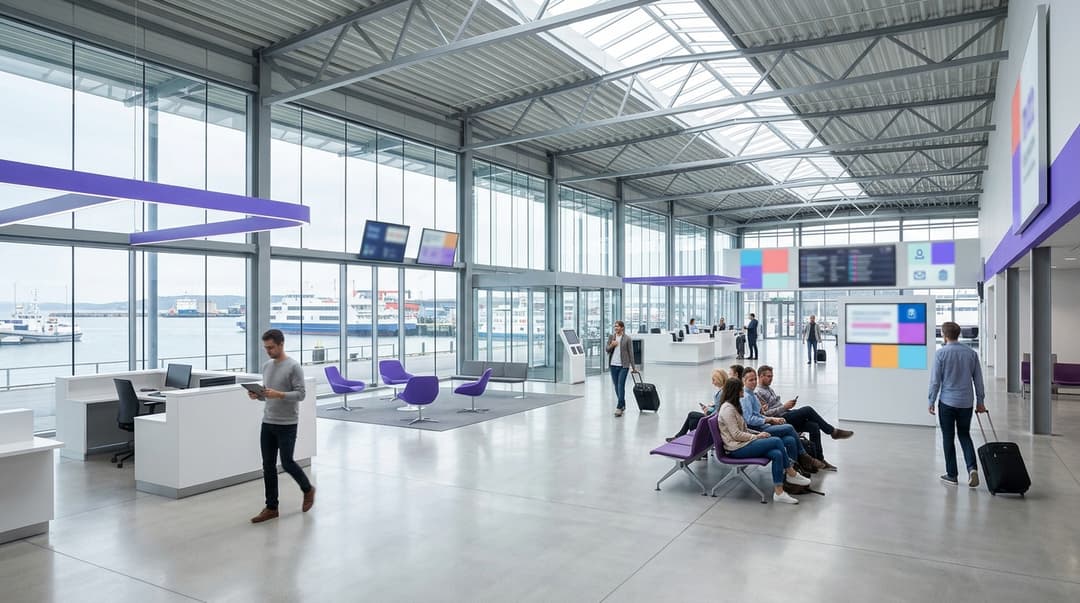
A port terminal WiFi provider should deliver five things. First, a captive portal that signs passengers in their own language. Second, operational VLANs isolating customs, border, gate and baggage systems from passenger traffic. Third, protective DNS that blocks malicious domains without endpoint software. Fourth, per-device rate limits for boarding surges. Fifth, sign-in and DNS logs fit for a security audit.
What does a port terminal WiFi provider need to deliver?
A ferry or cruise terminal is a security-regulated site with a departure lounge attached. The International Maritime Organization (IMO) adopted the International Ship and Port Facility Security (ISPS) Code under SOLAS chapter XI-2. Every port facility serving international voyages works to an approved Port Facility Security Plan (PFSP). Your WiFi sits inside that plan, whether your provider knows it or not.
The IMO's guidelines on maritime cyber risk management (MSC-FAL.1/Circ.3) set the same expectation. They ask operators to identify, protect, detect, respond to and recover from cyber risk across both IT and operational technology. A passenger network that can reach a gate scanner is a finding waiting to happen.
Three groups share one set of access points
Most terminals run three distinct populations over the same physical infrastructure:
- Passengers. International, on unmanaged cell phones and laptops, reading in many languages. They arrive in waves tied to departure times.
- Terminal operations. Staff devices, ticket and gate scanners, baggage tag printers, check-in kiosks and digital signage.
- Border and customs agencies. Passport readers, e-gates and agency terminals, governed by the agency's own security rules.
Two terms recur throughout this guide. A captive portal is the web page a device sees before it reaches the internet, where the passenger signs in and accepts terms. A VLAN (virtual LAN) is a logically separate network on shared switches and access points, defined by IEEE 802.1Q.
The provider's job is to give passengers fast, multilingual access while keeping the other two groups unreachable. Everything below follows from that.
What do you need before you start?
Collect six things before you speak to any provider. Each one shapes a design decision later.
- A hardware inventory. List your access points, controllers and switches by vendor. Purple is hardware-agnostic and runs as a cloud overlay on Cisco Meraki, HPE Aruba, Ruckus, Juniper Mist, Ubiquiti UniFi, Cambium, Extreme and Fortinet.
- 802.1Q-capable switching and an internal firewall. VLANs only isolate traffic if a firewall controls what crosses between them.
- A device register. Record every operational device by MAC address, owner, location and the VLAN it should live on.
- A language list. Pull it from route and booking data, not assumption. A North Sea ferry route and a Mediterranean cruise call need different languages.
- The sailing schedule. Note passenger counts per departure and arrival, because these set your capacity peaks.
- Governance sign-off. Your Port Facility Security Officer (PFSO) should approve network changes. CCPA/CPRA also requires a data protection impact assessment (DPIA) where processing is likely to be high risk.
Two authentication terms appear in the segment map below. EAP-TLS is an 802.1X method in which each device proves its identity with a certificate. IEEE 802.1X is the standard for port-based network access control. iPSK (identity pre-shared key) gives each device or device class its own WiFi password on a shared SSID. It suits scanners and kiosks that cannot handle certificates.
A segment map for a typical terminal
Use this matrix as your starting design. It maps each device class to a segment, an authentication method and a firewall stance.
| Segment | Example devices | Authentication | Internet access | DNS policy | Route to other VLANs |
|---|---|---|---|---|---|
| Passenger WiFi | Cell phones, laptops, tablets | Captive portal; OpenRoaming for repeat passengers | Yes, rate-limited per device | Shield threat blocking and category filtering | None; client isolation on |
| Staff WiFi | Staff laptops, handheld terminals | 802.1X with Microsoft Entra ID, Okta or Google Workspace | Yes | Shield or corporate resolver | Named internal applications only |
| Border and customs | Passport readers, e-gates, agency PCs | Agency-owned circuit or EAP-TLS on a tagged VLAN | Agency-controlled | Agency resolver | None |
| Gate and access control | Ticket scanners, ANPR cameras, turnstiles | 802.1X on wired ports, iPSK on wireless | Vendor cloud endpoints only | Allow-list | None |
| Baggage and cargo | Tag printers, belt controllers, handheld scanners | 802.1X on wired ports, iPSK on wireless | Vendor endpoints only | Allow-list | None |
| Kiosks and signage | Check-in kiosks, departure screens | iPSK | Named content servers | Shield | None |
| Concessions | Card terminals, registers | 802.1X or iPSK; in PCI DSS scope | Payment processor only | Allow-list | None |
The concessions row matters if cafes or shops trade in your lounges. Keeping card terminals on their own segment narrows PCI DSS scope. Our guide to PCI DSS for restaurant and QSR WiFi: keeping registers, guests and staff apart covers that design in detail.
How do you set up passenger sign-in, filtering and operational VLANs?
Purple's support documentation covers the controller-specific steps for each vendor. This section covers the decisions you make before you touch a controller.
Step 1: build the multilingual passenger portal
International passengers abandon a sign-in page they cannot read. Build the portal so language is never a barrier.
- Detect language automatically. Browsers send an Accept-Language header, defined in HTTP Semantics (RFC 9110). The portal should read it and load the matching language first.
- Offer a manual switcher. Show each language in its own script: Deutsch, Français, Polski. A passenger on a borrowed cell phone may have the wrong default.
- Translate everything. Terms, privacy notice and consent wording need translating, not just the welcome banner. Consent a passenger cannot read is not informed consent under CCPA/CPRA.
- Use conscious-choice opt-ins. Marketing boxes start unchecked. The passenger chooses, and you hold first-party data you can defend.
- Meet the ADA and Section 508. Test contrast, text size and screen reader behavior on small screens.
- Advertise the portal properly. RFC 8910 lets DHCP announce the portal address, and RFC 8908 defines a Captive Portal API. Together they let modern devices find the sign-in page without guesswork.
Open passenger SSIDs send traffic unencrypted over the air. Where your hardware supports it, enable WPA3 Enhanced Open, also called Opportunistic Wireless Encryption (RFC 8110). It encrypts each session without a password.
Repeat passengers and crew can skip the portal through OpenRoaming. OpenRoaming is a Wireless Broadband Alliance federation built on Passpoint, also known as Hotspot 2.0. It lets a device join automatically using a trusted identity profile. Purple's Guest WiFi runs the portal and OpenRoaming on the same access points.
Step 2: isolate border, gate and baggage systems on operational VLANs
Segmentation is enforced by your switches, controller and firewall. Purple's role is to keep passenger sign-in on its own SSID and VLAN, and to authenticate staff onto theirs.
- Map each SSID to one VLAN. Keep broadcast SSIDs to three or four. Every SSID adds beacon traffic, which eats airtime in crowded halls.
- Turn on client isolation for passengers. One passenger device should never reach another.
- Default-deny between VLANs. Write explicit allow rules for named flows only, such as gate scanners to the ticketing service. Everything else drops and logs.
- Assign staff VLANs dynamically. RADIUS (Remote Authentication Dial-In User Service) is the protocol that checks credentials and returns access decisions. It can also return a VLAN, as RFC 3580 describes. Purple's Identity-Based Networks use this to place staff by role, from Microsoft Entra ID, Okta or Google Workspace.
- Protect wired ports with 802.1X. A cable moved during maintenance should not drop a laptop onto the baggage VLAN.
- Respect agency boundaries. Many border agencies supply their own circuit and equipment. If yours shares infrastructure, carry it as a tagged VLAN the agency approves, with the agency owning its firewall policy.
For background on how encryption and segmentation work together, read WiFi networking explained: How it stays secure.
Step 3: point passenger and kiosk DNS at a protective resolver
You cannot install software on a passenger's cell phone. Many kiosks are too locked down to run an agent. DNS is the control point you do own, because your DHCP server tells every device which resolver to use.
Shield, Purple's protective DNS add-on, blocks malicious domains at the resolver. When a device looks up a known phishing, malware, or command-and-control domain, Shield refuses the answer. The connection never starts. Shield also applies category filtering, so a family lounge can block adult content.
Close the bypass routes, or protective DNS becomes optional:
- Block outbound DNS on port 53 to any resolver except your protective one.
- Block DNS over TLS on port 853.
- Answer Mozilla's canary domain, use-application-dns.net, so Firefox disables its default DNS over HTTPS.
- Block known public DNS over HTTPS endpoints at the firewall.
US public-sector ports will recognize the principle. Federal guidelines advocate protective DNS services for public entities on the same model. Our 2026 guide, Why is it important to secure a network? a 2026 guide, sets out the wider threat picture.
Step 4: engineer for boarding and disembarkation surges
Terminal demand is a square wave, not a curve. Hundreds of devices arrive in minutes when a vessel docks, then leave together at boarding. Design for the peak:
- Rate-limit per device. Set a per-client cap on the controller so no single device can saturate the backhaul.
- Enable airtime fairness. Slow, distant devices should not starve fast ones of airtime.
- Raise minimum data rates. Disabling the lowest legacy rates cuts the airtime wasted on slow transmissions.
- Size DHCP for the peak. Base the subnet on peak devices, not average passengers.
- Shorten leases. Short leases return addresses from departed passengers to the pool quickly.
- Prioritize operations. Use WMM (WiFi Multimedia) and firewall traffic shaping so gate and baggage VLANs keep guaranteed bandwidth during a surge.
- Match session length to dwell time. A passenger on a two-hour ferry crossing wait should not have to sign in twice.
Step 5: capture logs a security audit can use
Auditors want proof that segmentation held and threats were stopped. Collect five log streams:
- Portal sign-ins. Time, device identifier, language, and consent record.
- RADIUS accounting. Session start, stop, and duration, as defined in RFC 2866.
- DHCP leases. The mapping of IP address to device at any moment.
- DNS queries and blocks. Which device asked for which blocked domain, and when.
- Firewall deny hits. Every attempt to cross from passenger to operational VLANs.
Synchronize every device to the same NTP source, or you cannot correlate the streams. Set retention to satisfy both your PFSP and CCPA/CPRA's storage limitation rules. Ask whether the provider exports logs in a format your SIEM ingests.
Got questions about your specific setup?
Our team works with venue operators, IT managers, and network engineers across 80,000 venues. Book a 20-minute call and we will show you how others like you solved it.
Guaranteed response within 4 business hours - No commitment required
How do you check the terminal network works?
Run these tests before launch, then each quarter and after any network change.
- Segmentation scan. From a laptop on the passenger SSID, scan every operational subnet. The pass mark is zero hosts responding.
- Client isolation test. Two passenger devices should not see each other.
- Language test. Set test phones to your top five languages. Confirm each portal loads in the right language, with translated terms.
- DNS block test. Request a domain from your provider's published test list. Confirm the block, then confirm it appears in the logs.
- Bypass test. Try an external resolver on port 53 and port 853. Both should fail.
- Surge test. Watch DHCP pool usage, per-device throughput and operational VLAN latency during a real arrival.
- Log drill. Ask your PFSO for a mock audit request, such as one device's activity over one hour. Time how long retrieval takes.
What goes wrong at ferry and cruise terminals, and how do you fix it?
Most failures trace back to six causes. The table maps each symptom to its fix.
| Symptom | Likely cause | Fix |
|---|---|---|
| Portal never appears on some cell phones | Operating system detection URLs blocked, or HTTPS intercepted | Allow detection URLs in the walled garden, advertise the portal via RFC 8910, never intercept HTTPS |
| Passengers sign in again between check-in hall and lounge | Different SSID names per zone, or session timeout shorter than dwell | One passenger SSID terminal-wide, session length matched to dwell time |
| Devices connect but get no IP address at boarding | DHCP pool exhausted by long leases | Larger subnet and shorter lease time |
| Malicious domains still resolve | Device uses hard-coded DNS or DNS over HTTPS | Block ports 53 and 853 to other resolvers, answer the Firefox canary domain, block DoH endpoints |
| Gate scanner drops offline after switch work | Port reset to the default VLAN | 802.1X on wired ports, port profiles, change-control check by the PFSO |
| Passengers abandon sign-in | Terms in one language only, or portal fails accessibility checks | Translate all text, test against the ADA and Section 508 |
Device privacy features add a further wrinkle. Apple introduced private WiFi addresses in iOS 14, and Android randomizes MAC addresses by default from Android 10. Treat MAC addresses as session identifiers, not permanent identities. Build reporting on sign-in records instead.
What does this look like in a working terminal?
The two worked scenarios below use planning figures to show the design method. They are not customer case studies.
Worked scenario 1: a cruise terminal on turnaround day
Situation. A cruise terminal turns around a 3,000-passenger ship in one day. Disembarkation runs through the morning and embarkation through the afternoon. At peak, 2,500 passengers fill the hall with two devices each. The planning assumption is that 70% join WiFi, giving 3,500 devices. The original design used a /23 passenger subnet, which leaves 509 usable client addresses, with 24-hour leases. Morning devices held their addresses all day.
What was done. The passenger VLAN moved to a /20 subnet, which provides 4,093 client addresses. Lease time dropped to 30 minutes. A 5 Mbps per-device cap went on the controller. The firewall reserved 100 Mbps of the 1 Gbps backhaul for gate and baggage VLANs.
Outcome. Address capacity rose eightfold, from 509 to 4,093, covering the 3,500-device peak with headroom. Addresses from disembarking passengers return to the pool within 30 minutes instead of 24 hours. Gate scanners keep a guaranteed 100 Mbps however busy the lounge becomes.
Worked scenario 2: a city-run ferry port preparing for its ISPS audit
Situation. A local government runs a ferry terminal with a freight gate, 12 check-in kiosks and a border control area. Passenger WiFi, kiosks and gate ALPR cameras shared one flat subnet. A laptop on passenger WiFi could reach 46 operational devices.
What was done. The team built a device register and a five-segment VLAN map from the table above. They applied a default-deny firewall policy between segments and enabled 802.1X on wired ports. Passenger and kiosk VLANs moved to Shield, with ports 53 and 853 blocked to other resolvers.
Outcome. A repeat scan from the passenger SSID reached zero of the 46 operational devices. Firewall deny logs now give the PFSO dated evidence that segmentation held. DNS logs record every blocked lookup by time and device, which the city's auditors can sample on request.
The same method applies to any public venue that mixes visitors with operational systems. Operators running several terminals can apply one standard across every site. Our Franchise network WiFi checklist: one standard for guest, staff and filtering across franchisees shows how to hold that standard across many sites.
Which questions should you put to port terminal WiFi providers?
Send these seven questions to every provider on your shortlist. Ask for written answers.
| Question | What a good answer looks like | Red flag |
|---|---|---|
| Which access points do you run on? | Names your installed vendor and runs as a cloud overlay | Requires replacing access points |
| How does the portal choose a language? | Reads Accept-Language, offers a manual switcher, translates terms and consent | Translated banner over English-only terms |
| How are operational systems kept off passenger WiFi? | SSID-to-VLAN mapping, client isolation, default-deny firewall rules | SSID separation on one flat subnet |
| What protects devices that cannot run an agent? | Protective DNS at the resolver, with bypass routes blocked | Endpoint software, or nothing |
| How does the network handle a vessel's arrival? | Per-device limits, short leases, peak-sized pools, operational priority | "Bandwidth is unlimited" |
| What logs do we get, and for how long? | Sign-in, RADIUS, DHCP and DNS logs, exportable, retention you set | Logs on request only, fixed retention |
| Which certifications back your data handling? | ISO 27001 and Cyber Essentials, CCPA/CPRA compliant | Self-declared compliance only |
What does it cost, and what do you get back?
Purple prices on three plans: Connect, Capture and Engage. Shield, SecurePass and Verify are available as security add-ons. Your quote reflects the plan, the number of terminals and the add-ons you choose.
The largest cost a terminal avoids is hardware. Because Purple runs on Cisco Meraki, HPE Aruba, Ruckus, Juniper Mist, Ubiquiti UniFi, Cambium, Extreme and Fortinet, there is no rip and replace. Why your next WiFi upgrade doesn't need new hardware explains the economics.
What you get back falls into three areas:
- Audit evidence. Segmentation tests, deny logs and DNS block logs give your PFSO material for every ISPS review.
- First-party data. Conscious-choice opt-ins in the passenger's own language build a marketing audience you can defend under CCPA/CPRA. WiFi Analytics adds anonymized visit and dwell data for lounge and concession planning, including terminal Retail units.
- Fewer moving parts. One platform runs passenger sign-in, staff identity and protective DNS across every terminal.
Purple runs at 80,000+ live venues in more than 90 countries and handles 500 million users and logins a year. In transport, AGS Airports, Manchester Airports Group (MAG), c2c Rail and Avanti West Coast run passenger WiFi on Purple. See how the same approach works on Trains.
Frequently asked questions
Does Purple work with the access points already installed in our terminal?
Yes. Purple is hardware-agnostic and runs as a cloud overlay on Cisco Meraki, HPE Aruba, Ruckus, Juniper Mist, Ubiquiti UniFi, Cambium, Extreme and Fortinet. You keep your access points, controllers and switches. The work is configuration: pointing the passenger SSID at Purple's captive portal, setting the walled garden and changing the DHCP DNS setting for Shield. Your operational VLANs stay on the hardware that already enforces them.
Can passengers sign in without downloading an app?
Yes. Passengers sign in through a captive portal in the device browser, so nothing installs. The portal reads the browser's language setting and offers a manual switcher, with terms and consent text translated as well as the welcome. Repeat passengers and crew can also join through OpenRoaming where your hardware supports it, connecting automatically without a portal. The Purple app is optional, not required.
How do you stop passenger WiFi reaching customs, gate and baggage systems?
You enforce VLAN segmentation on your switches, controller and firewall. Passenger traffic sits on its own IEEE 802.1Q VLAN with client isolation on. A default-deny firewall policy blocks any route to operational VLANs. Border agency systems usually run on the agency's own circuit or a tagged VLAN it approves. Scan operational subnets from a passenger device each quarter and confirm zero hosts respond.
Do passengers or kiosks need software installed for Shield to work?
No. Shield works at the DNS resolver, so it protects any device that receives its DNS settings from your DHCP server. That covers unmanaged passenger phones and locked-down kiosks that cannot run an agent. When a device looks up a known malicious domain, the resolver refuses the answer and logs the attempt. Block outbound DNS to other resolvers, including port 853, to stop bypass.
Is passenger WiFi data handled in line with CCPA/CPRA?
Yes. Purple is certified to ISO 27001 and Cyber Essentials, and is GDPR and CCPA compliant. Marketing consent uses conscious-choice opt-ins, so the box is never pre-checked and the passenger decides. You set retention periods to match CCPA/CPRA's storage limitation principle and your Port Facility Security Plan. Complete a data protection impact assessment before launch, because terminals process data from many nationalities.
How is Purple priced for a multi-terminal port?
Purple prices on three plans, Connect, Capture and Engage, with Shield, SecurePass and Verify available as security add-ons. Your quote reflects the plan, the number of terminals and the add-ons you choose. Because Purple runs on your existing access points, the quote does not include new hardware. Operators with several terminals can standardize on one plan, so every site runs the same portal, VLAN map and DNS policy.
How much work is it to move from our current guest WiFi provider?
Migration is a configuration change, not a hardware project. You redirect the passenger SSID to Purple's captive portal, rebuild the walled garden, load translated portal content and change DNS settings for Shield. Your VLAN map and firewall rules stay as they are, though migration is a good moment to audit them. Plan the cutover between sailings and test with devices set to your top languages.
Key Definitions
ISPS Code
The International Ship and Port Facility Security Code, adopted by the International Maritime Organization under SOLAS chapter XI-2. It requires every port facility serving international voyages to work to an approved Port Facility Security Plan (PFSP).
Your terminal WiFi sits inside the PFSP, so your Port Facility Security Officer should approve network changes and receive segmentation evidence for each ISPS review.
Captive portal
The web page a device sees before it reaches the internet. RFC 8910 lets DHCP announce the portal address and RFC 8908 defines a Captive Portal API, so devices find the sign-in page without guesswork.
Passengers sign in here in their own language. If operating system detection URLs are blocked or HTTPS is intercepted, the portal never appears on some cell phones.
VLAN (IEEE 802.1Q)
A virtual LAN is a logically separate network on shared switches and access points. IEEE 802.1Q specifies the frame tagging that carries several VLANs over one physical link.
VLANs keep customs, gate, baggage and kiosk devices apart from passengers, but they only isolate traffic if a firewall controls what crosses between them.
IEEE 802.1X
The IEEE standard for port-based network access control. A device must authenticate, typically through an EAP method to a RADIUS server, before the wired or wireless port passes its traffic.
Use it for staff WiFi and on wired ports, so a cable moved during maintenance cannot drop a laptop onto the baggage VLAN.
EAP-TLS
An Extensible Authentication Protocol method used within 802.1X, specified in RFC 5216, in which each device proves its identity with a certificate rather than a password.
Suits border agency PCs and managed devices on tagged VLANs where certificates can be issued and revoked centrally.
iPSK (identity pre-shared key)
A scheme that gives each device or device class its own WiFi password on a shared SSID, with the RADIUS response mapping that key to a VLAN and policy.
Use it for ticket scanners, baggage handhelds, kiosks and signage that cannot handle certificates, without adding SSIDs that eat airtime.
RADIUS
Remote Authentication Dial-In User Service, the protocol that checks credentials and returns access decisions. RFC 3580 describes returning a VLAN assignment, and RFC 2866 defines accounting records for session start, stop and duration.
Purple's Identity-Based Networks use RADIUS to place staff on VLANs by role from Microsoft Entra ID, Okta or Google Workspace, and RADIUS accounting is one of the five log streams auditors need.
WPA3 Enhanced Open (OWE)
Opportunistic Wireless Encryption, specified in RFC 8110, which encrypts each client session on an open SSID without a password.
Enable it on the passenger SSID where your hardware supports it, because open networks otherwise send passenger traffic unencrypted over the air.
OpenRoaming (Passpoint, Hotspot 2.0)
A Wireless Broadband Alliance federation built on Passpoint, also known as Hotspot 2.0, that lets a device join automatically using a trusted identity profile instead of a captive portal.
Repeat passengers and crew connect without signing in again, and Purple runs OpenRoaming alongside the portal on the same access points.
Protective DNS
A resolver that refuses to answer lookups for known phishing, malware or command-and-control domains and applies category filtering. Bypass routes include port 53, DNS over TLS on port 853 and DNS over HTTPS.
Shield protects unmanaged passenger cell phones and locked-down kiosks with no agent, but only if you block other resolvers and answer the Firefox canary domain.
Data privacy impact assessment (DPIA)
An assessment required under CCPA/CPRA where processing is likely to be high risk, documenting the processing, its necessity and the measures that reduce risk to individuals.
Complete one before launch, because a terminal processes sign-in data from many nationalities, and align log retention with storage limitation requirements under CCPA/CPRA.
Worked Examples
A cruise terminal turns around a 3,000-passenger ship in one day. At peak, 3,500 devices join WiFi, but the passenger VLAN is a /23 with 509 usable addresses and 24-hour leases, so morning devices hold addresses all day. How should the network be redesigned?
The passenger VLAN moved to a /20 subnet, which provides 4,093 client addresses, an eightfold increase that covers the 3,500-device peak with headroom. Lease time dropped from 24 hours to 30 minutes, so addresses from disembarking passengers return to the pool within half an hour. A 5 Mbps per-device cap on the controller stops any single device saturating the backhaul. The firewall reserves 100 Mbps of the 1 Gbps backhaul for gate and baggage VLANs, so scanners keep guaranteed bandwidth however busy the lounge becomes. These are planning figures that show the method, not a customer case study.
A city-run ferry terminal with a freight gate, 12 check-in kiosks and a border control area runs passenger WiFi, kiosks and license plate reader cameras on one flat subnet. A laptop on passenger WiFi can reach 46 operational devices ahead of an ISPS audit. What fixes it?
The team built a device register and a five-segment VLAN map from the segment table. They applied a default-deny firewall policy between segments, allowing only named flows, and enabled 802.1X on wired ports so maintenance work cannot move a device onto the wrong VLAN. Passenger and kiosk VLANs moved to Purple Shield, with ports 53 and 853 blocked to other resolvers. A repeat scan from the passenger SSID reached zero of the 46 operational devices. Firewall deny logs now give the PFSO dated evidence that segmentation held, and DNS logs record every blocked lookup by time and device for auditors to sample.
After switching passenger DNS to a protective resolver, a terminal finds some malicious domains still resolve on passenger devices. Why, and what closes the gap?
The devices use hard-coded DNS or DNS over HTTPS, so their lookups never reach the protective resolver. Protective DNS only works when it is the sole path. Block outbound DNS on port 53 to any resolver except Purple Shield, and block DNS over TLS on port 853. Answer Mozilla's canary domain, use-application-dns.net, so Firefox disables its default DNS over HTTPS. Block known public DNS over HTTPS endpoints at the firewall. Then run the bypass test: try an external resolver on ports 53 and 853 from a passenger device, confirm both fail, and confirm blocked lookups appear in the DNS logs.
Frequently asked questions
Does Purple work with the access points already installed in our terminal?
Yes. Purple is hardware-agnostic and runs as a cloud overlay on Cisco Meraki, HPE Aruba, Ruckus, Juniper Mist, Ubiquiti UniFi, Cambium, Extreme and Fortinet. You keep your access points, controllers and switches. The work is configuration: pointing the passenger SSID at Purple's captive portal, setting the walled garden and changing the DHCP DNS setting for Shield. Your operational VLANs stay on the hardware that already enforces them.
Can passengers sign in without downloading an app?
Yes. Passengers sign in through a captive portal in the device browser, so nothing installs. The portal reads the browser's language setting and offers a manual switcher, with terms and consent text translated as well as the welcome. Repeat passengers and crew can also join through OpenRoaming where your hardware supports it, connecting automatically without a portal. The Purple app is optional, not required.
How do you stop passenger WiFi reaching customs, gate and baggage systems?
You enforce VLAN segmentation on your switches, controller and firewall. Passenger traffic sits on its own IEEE 802.1Q VLAN with client isolation on. A default-deny firewall policy blocks any route to operational VLANs. Border agency systems usually run on the agency's own circuit or a tagged VLAN it approves. Scan operational subnets from a passenger device each quarter and confirm zero hosts respond.
Do passengers or kiosks need software installed for Shield to work?
No. Shield works at the DNS resolver, so it protects any device that receives its DNS settings from your DHCP server. That covers unmanaged passenger phones and locked-down kiosks that cannot run an agent. When a device looks up a known malicious domain, the resolver refuses the answer and logs the attempt. Block outbound DNS to other resolvers, including port 853, to stop bypass.
Is passenger WiFi data handled in line with CCPA/CPRA?
Yes. Purple is certified to ISO 27001 and Cyber Essentials, and is CCPA/CPRA and CCPA compliant. Marketing consent uses conscious-choice opt-ins, so the box is never pre-checked and the passenger decides. You set retention periods to match CCPA/CPRA's storage limitation principle and your Port Facility Security Plan. Complete a data protection impact assessment before launch, because terminals process data from many nationalities.
How is Purple priced for a multi-terminal port?
Purple prices on three plans, Connect, Capture and Engage, with Shield, SecurePass and Verify available as security add-ons. Your quote reflects the plan, the number of terminals and the add-ons you choose. Because Purple runs on your existing access points, the quote does not include new hardware. Operators with several terminals can standardize on one plan, so every site runs the same portal, VLAN map and DNS policy.
How much work is it to move from our current guest WiFi provider?
Migration is a configuration change, not a hardware project. You redirect the passenger SSID to Purple's captive portal, rebuild the walled garden, load translated portal content and change DNS settings for Shield. Your VLAN map and firewall rules stay as they are, though migration is a good moment to audit them. Plan the cutover between sailings and test with devices set to your top languages.
Sources
- RFC 8910: Captive-Portal identification in DHCP and router advertisements
- RFC 8908: Captive Portal API
- RFC 8110: Opportunistic Wireless Encryption
- RFC 3580: IEEE 802.1X RADIUS usage guidelines
- RFC 2866: RADIUS accounting
- RFC 9110: HTTP Semantics
- W3C Web Content Accessibility Guidelines (WCAG) 2.2
- UK GDPR (Regulation (EU) 2016/679 as retained), legislation.gov.uk
Continue reading in this series
Franchise network WiFi checklist: one standard for guest, staff and filtering across franchisees
You will be able to write one WiFi standard into your franchise operations manual and roll it out on the access points franchisees already own. It covers branded guest sign-in, POS and staff segmentation, filtering, per-party consent and role-based reporting. You also get a seven-check acceptance test to run at every site before go-live.
PCI DSS for restaurant and QSR WiFi: keeping registers, guests and staff apart
Use this guide to decide which restaurant devices sit in PCI DSS v4.0 scope and how to separate card terminals from guest WiFi, staff WiFi and kitchen screens. You will be able to build one five-segment site template, enforce default-deny rules and assemble the per-site evidence your QSA samples.
RV park and campground WiFi providers checklist: site coverage, family filtering and guest offers
Use this checklist to shortlist RV park and campground WiFi providers on five tests: one sign-in per stay across sites and cabins, private iPSK networks per unit, segmented POS and staff, family-safe filtering and per-device bandwidth caps. You can then build a consented, park-tagged guest list for off-peak offers on your existing access points.
Got questions about your specific setup?
Our team works with venue operators, IT managers, and network engineers across 80,000 venues. Book a 20-minute call and we will show you how others like you solved it.
Guaranteed response within 4 business hours - No commitment required