
Affordable housing WiFi providers checklist: resident keys, community rooms and staff access
Use this checklist to compare affordable housing WiFi providers on six requirements: private keys per home, lease-linked revocation, one-tap community room sign-in, 802.1X and time-limited staff and caregiver access, communal filtering and aggregated funder reports. You can then specify, test and budget a scheme network on your existing access points.
By Tom HackettPublished
📖 14 min read3,183 words3 worked examples10 key definitions
Part of our core series: Multi-tenant WiFi: the complete guide →
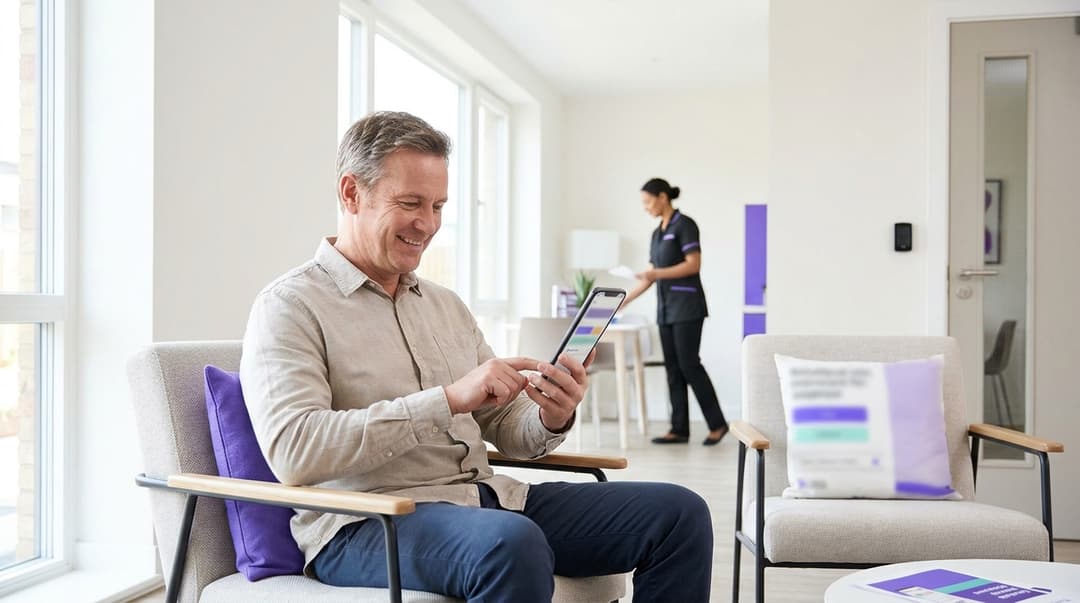
Ask affordable housing WiFi providers for six things: a private key per home so residents' devices connect automatically and stay isolated from neighbors; keys issued and revoked from lease dates; one-tap sign-in for community rooms; 802.1X or time-limited access for staff and caregivers; filtering on communal networks; and aggregated usage reports you can give funders.
What should an affordable housing WiFi provider actually deliver?
A typical property needs four kinds of access from one set of access points:
- Residents need a connection in their own home.
- Community rooms and sheltered lounges need a sign-in anyone can manage.
- Staff need secure access to housing systems.
- Visiting caregivers and contractors need something in between.
The common mistake is to run all four on one network with one password or one web sign-in. That model fails residents, exposes staff systems and gives you nothing to report.
Purple Access separates the four on the access points you already run, as a cloud overlay. It is hardware-agnostic and works with Cisco Meraki, HPE Aruba, Ruckus, Juniper Mist, Ubiquiti UniFi, Cambium, Extreme and Fortinet. Before you budget for new hardware, read Why your next WiFi upgrade doesn't need new hardware.
Why does each home need a private key rather than a shared sign-in?
A captive portal is the web page that appears when a device joins an open network and asks the person to sign in. It works for a phone in a lounge, but it fails in a home. Smart TVs, gaming consoles, printers and smart speakers cannot open a web page to sign in. As a result, they never connect. Sessions also expire, so residents sign in again and again.
A shared network also puts every home on the same segment. Without client isolation, a resident's printer or camera is visible to the whole building. With client isolation switched on, the resident cannot cast from their own phone to their own TV.
A private key per home fixes both problems. Cisco calls the method identity pre-shared key (iPSK), and other vendors call it private pre-shared key (PPSK). Every home joins the same network name with its own passphrase.
A RADIUS server checks the passphrase and matches it to the home. RADIUS is the protocol access points use to ask "who is this?" The server then places that home's devices in their own private network bubble, which Purple calls a Private Area Network (PAN).
Devices inside the bubble see each other, so casting and printing work. Devices in the apartment next door do not. Residents get the at-home experience with enterprise security.
Vendor support for per-home keys on WPA3 varies by model and firmware. Check WPA3 and per-device keys: what each vendor supports before you specify WPA3-only.
What do you need before you start?
Gather these before a provider demo, so the conversation is about your properties rather than a generic pitch.
- A property list. Use unit references that match your property management system. The home reference anchors every key.
- An access point inventory. Record make, model, management platform and firmware per property. Your provider should confirm in writing which models support per-key RADIUS lookup.
- Backhaul per building. Note the broadband or dedicated fiber line feeding each building, and who holds the contract.
- A lease data route. Find out how start and end dates leave your property management system, who owns that export and how often it runs.
- A data privacy impact assessment. CCPA/CPRA requirements make assessing privacy risks essential where processing is likely to result in high risk. Connection data about residents, some of them vulnerable, makes a privacy impact assessment the safe default.
- A staff identity provider. This will be Microsoft Entra ID, Okta or Google Workspace, with a named owner for the integration.
- A filtering policy for common area networks, signed off by your compliance lead.
- Reporting requirements from your board and investors, agreed before go-live. You then collect what those reports need and nothing more.
How do you set up resident keys, common areas and staff access?
Work in this order. Purple's support documentation covers the vendor-specific configuration for each access point platform. The steps below are the decisions you make along the way.
Step 1: create the networks and segments
Most multi-family properties run three network names: residents, common areas and staff. Each maps to its own VLAN (virtual LAN), a logical segment that keeps traffic apart on shared cabling. Every extra network name adds broadcast overhead on the air. For that reason, ask whether caregivers can use the common area network under a different policy rather than a fourth name.
Step 2: issue and revoke keys with the lease
The key lifecycle should follow the lease lifecycle. This is the residential version of joiners, movers and leavers.
- Lease start. A key is generated for the unit and printed in the welcome pack. It comes with a QR code that iOS and Android cameras can read to join. No app is needed.
- Lease end. Revoke the key on the end date, and new connections with that key fail at once. Connected devices drop at their next re-authentication. Where the access point supports a RADIUS change of authorization message (IETF RFC 5176), they drop immediately.
- Mid-lease rotation. A resident may need a new key, for example after a relationship ends or where domestic abuse is a factor. You rotate that one home's key without touching any other home. With a shared password, the same change forces every home in the building to reconnect every device.
- Vacancy periods. A home between leases has no active key, so the next resident starts clean.
Ask each provider how keys are created and revoked: in a dashboard, by CSV upload or by API from your property management system. Automation closes the gap between a lease ending and access ending.
Step 3: set up community rooms and senior living lounges
Community rooms need the opposite of a private key: anyone in the room should be online in seconds. Use a captive portal with one tap or a single field, no app download and clear, large text. Guest WiFi handles this sign-in. Collect only what your reporting needs, and use conscious-choice opt-ins if you ever ask for contact details.
In senior housing, residents use the lounge for digital skills sessions and video calls with family. Two design choices help:
- Sign-in duration. Make the lounge sign-in last a sensible period, so residents do not repeat it every visit.
- Home keys in communal areas. The resident network name is broadcast across the building. Ask whether a resident's home key also works in communal areas, with their devices still in their own bubble. Residents then connect in the lounge automatically, and the community sign-in serves visitors.
Step 4: connect staff and visiting caregivers
Staff should authenticate with IEEE 802.1X, the standard for port-based network access control. Staff sign in with the identity they already have. EAP-TLS uses a certificate on a managed device. PEAP uses a username and password inside an encrypted tunnel.
Purple's cloud RADIUS checks staff against Microsoft Entra ID, Okta or Google Workspace. When someone leaves and their account is disabled, their network access ends with it.
Visiting caregivers are harder. Home care aides usually work for an agency, so they are not in your directory. Give them time-limited access sponsored by the property manager, or a daily code. Never ask a resident to share their home key with an agency, and never put caregivers on the staff network.
Where caregivers record visits on a mobile app, coverage in hallways and apartments matters as much as the credential. See our Healthcare page for care-setting connectivity.
Keep medical alert and telecare alarms on the connection their manufacturer certifies. Do not move life-safety devices onto resident or community WiFi without the manufacturer's written support.
Step 5: apply filtering to community networks
Community networks are shared, open to children and run in your name, so filter them. Purple Shield applies content filtering to the networks you choose. Community and visitor traffic is filtered, while staff and resident networks follow their own policy.
Ask every provider:
- Does the filter block the Internet Watch Foundation's URL list of child sexual abuse content?
- Can it enforce safe search on major search engines?
- Which categories can be blocked, and how does a property manager request an unblock?
- What does the filter log, and for how long?
The US Safer Internet Coalition publishes definitions of appropriate filtering for schools. Community rooms are not schools, but the definitions give your safeguarding lead a benchmark. Our Independent school WiFi procurement checklist: boarding house keys, CIPA filtering and staff 802.1X shows how such definitions become a network specification.
Treat resident homes as a separate decision. A resident's private network is their home broadband, so filtering it is a board policy, not a technical default. In supportive housing, ask whether filtering can be turned on for one home where a support plan calls for it.
Which usage reports evidence digital inclusion to funders and boards?
Funders and boards ask three questions:
- How many homes are connected?
- Are they using the connection?
- Did community sessions reach people?
The National Telecommunications and Information Administration published a Digital Inclusion Action Plan in February 2025. If you bid for related funding, connection data becomes your outcome evidence.
Ask providers for the reports below. Check that each one works without per-resident browsing data.
| Report | What it shows | Who uses it |
|---|---|---|
| Keys issued against keys in use | Homes with at least one connected device this month | Board, funders |
| Active homes by month | Connection trend by property | Digital inclusion lead |
| Data volume per home, banded | Light, moderate and heavy use, with no content detail | Funders, capacity planning |
| Community room sign-ins by session | Unique devices during a scheduled class or drop-in | Community team, funders |
| Time spent in community rooms | How long visitors stayed per session | Property managers |
| Network availability per property | Uptime and outages by building | Head of IT, board |
| Aggregated filter activity | Blocked categories on community networks | Safeguarding lead |
Aggregate by property, not by named resident, so you evidence outcomes without exposing individuals. WiFi Analytics reports community room visits and session times from the same platform.
Got questions about your specific setup?
Our team works with venue operators, IT managers, and network engineers across 80,000 venues. Book a 20-minute call and we will show you how others like you solved it.
Guaranteed response within 4 business hours - No commitment required
How do you check it works?
Run these acceptance tests at each property before handover:
- Connect a cell phone and a smart TV with a test home key, then cast from the cell phone to the TV.
- Join a second device with a different test key. Confirm it cannot see the first home's devices.
- Revoke the first key. Confirm new connections fail and existing sessions drop.
- Rotate a key. Confirm the old key fails, the new one works and other homes are unaffected.
- Sign in to the community network on an iOS phone and an Android phone without help.
- Visit a blocked category on the community network, and confirm safe search is enforced.
- Sign in to staff WiFi with an active account, then with a disabled one. The second should fail.
- Issue caregiver access and confirm it expires at the end of its window.
- Confirm the test activity appears in the reports.
What goes wrong, and how do you fix it?
| Problem | Likely cause | Fix |
|---|---|---|
| Device rejects the home key | Mistyped key or an old key stored on the device | Forget the network and rejoin with the QR code |
| Phone loses access after a software update | Key tied to the device's hardware address, and the phone now uses a private, randomized address | Ask the provider to match on the key, not the device address |
| Resident sees a neighbor's printer | Printer joined the community network instead of the home key | Rejoin the printer with the home key |
| Sign-in page never appears in the community room | Pre-sign-in allowed domains misconfigured | Check the allowed domain list against Purple's support documentation |
| Neighbors using one home's key | Resident shared the key | Rotate that home's key only |
| Caregiver cut off mid-visit | Access window shorter than the visit schedule | Align the window to the agency schedule |
| Legitimate site blocked in community room | Filter category too broad | Use the unblock request route and refine the category |
| Slow evenings across the building | Backhaul line saturated | Upgrade the backhaul; access point changes will not fix it |
Two worked scenarios from affordable housing
These are illustrative designs built on the steps above, not named deployments.
A 120-home general needs building
Situation. A local government housing department runs one open network with a web sign-in across a 120-home building. Residents' TVs and consoles cannot connect. Staff in the ground-floor office share the same network.
What is done. Per-home keys go live on the existing access points, and keys are issued from lease dates. The ground-floor room gets a community sign-in with Shield filtering. Staff move to 802.1X against Microsoft Entra ID.
Measurable outcome. Each lease end now affects one home, not 120. Take 10 lease ends in a year. Under a shared password changed at each move-out, that means 1,200 forced home reconnections. Under per-home keys, it means 10 revocations and no disruption to anyone else. Staff systems are no longer reachable from resident devices.
A 40-apartment senior living facility
Situation. A 40-apartment senior living community has a lounge with a weekly digital skills session, a community manager, and visits from three home care agencies. One password, written on the bulletin board, serves everyone.
What is done. Residents receive home keys that also work in the lounge. Visitors use a one-tap community sign-in with Shield filtering. Caregivers get time-limited access sponsored by the community manager, who moves to 802.1X.
Measurable outcome. Shared passwords on site drop from one, known to everyone, to zero. Caregiver access expires automatically when a shift window closes. The funding report shows homes with an active key each month and unique devices at each weekly session.
What does it cost, and what do you get back?
Your cost lines are as follows:
- Backhaul to each building.
- Access points, usually reused.
- A Purple plan: Connect, Capture or Engage.
- The Shield add-on for filtering.
- Configuration, and staff time for key delivery and resident support.
The comparison below sets the per-home key model against the two common alternatives.
| Router and line per home | Shared network with web sign-in | Shared network with a private key per home | |
|---|---|---|---|
| Hardware | A router and broadband line in every home | Access points across the building, shared backhaul | The same access points and backhaul as a shared network |
| Smart TVs, consoles, printers | Connect | Cannot complete a web sign-in | Connect with the home key |
| Isolation from neighbors | Full, through separate lines | None, or client isolation that breaks casting | A private network bubble per home |
| At lease end | Line cancellation or a router collection visit | A shared password change affects every home | Revoke one key in the dashboard |
| Staff and caregiver separation | Requires a separate office network | None unless built separately | Separate staff and visitor networks on the same access points |
| Usage reporting | Held by each ISP, not by you | Sign-in counts only | Home and community room reports |
| Best fit | Single-family homes with low density | Community rooms only | Multi-Family, senior, and supportive housing communities |
The return comes in four forms:
- No site visits to change access at lease changes.
- No shared passwords on any community.
- Separation between staff systems and residents.
- Evidence for funding bids that you own.
Purple runs at 80,000+ venues in 90 countries and serves 500 million users and logins a year. Purple is ISO 27001, Cyber Essentials and B Corp certified. For the security case behind segmentation, read Why is it important to secure a network? a 2026 guide and WiFi networking explained: How it stays secure.
Frequently asked questions
Do we need to replace our access points to give each home a private key?
No, in most cases. Purple is a hardware-agnostic cloud overlay that runs on Cisco Meraki, HPE Aruba, Ruckus, Juniper Mist, Ubiquiti UniFi, Cambium, Extreme and Fortinet. Per-home keys need firmware that supports per-key RADIUS lookup. Some older models may need a firmware update, and support for WPA3 with per-home keys varies by model. Ask your provider for a written compatibility check against your inventory before you sign.
Can residents keep their own broadband alongside a community-wide network?
Yes. A private key per home does not stop a resident buying their own broadband line, and some will use both. A resident's own router adds radio interference, so ask your provider to plan for it in the design. The community network gives every home a baseline connection from the first day of the lease. That baseline is what digital inclusion funding sets out to achieve.
How quickly does a resident lose access when a lease ends?
New connections fail as soon as you revoke the key. Devices already connected drop at their next re-authentication. Where your access points support RADIUS change of authorization messages, they drop immediately. If keys are revoked from your property management system by API or scheduled import, access ends on the end date without a property visit. The next resident receives a new key, so nothing carries over between leases.
Is per-home WiFi compliant with CCPA/CPRA?
Yes, when you design it around minimal data. A per-home key identifies a home, not browsing behavior, and usage reports can be aggregated by property. You remain the controller for resident data, so complete a privacy risk assessment and agree retention periods with your provider. Purple is ISO 27001 and Cyber Essentials certified and CCPA/CPRA compliant, which supports your own due diligence.
Can we move from a shared captive portal without disrupting residents?
Yes, if you run both networks side by side during the changeover. Launch the resident network name and deliver keys by letter with a QR code. Leave the old sign-in network running while homes move across. Watch the keys-in-use report and follow up with homes that have not connected. Then restrict the old network to community and visitor use, and offer a drop-in session for residents who need help.
Should content filtering apply to residents' home networks?
Not by default. A resident's private network is their home broadband, and filtering it is a policy decision for your board. Filter community rooms and visitor networks with Purple Shield, because those are shared spaces run in your name and open to children. In supported housing, consider filtering an individual home where a support plan calls for it. Confirm with your provider that per-home filtering is available.
How do visiting caregivers connect without IT creating accounts for them?
They use time-limited visitor access, sponsored by the property manager, or a daily code. Home care agency workers are not in your directory, so 802.1X does not fit them. Sponsored access lets a property manager approve a caregiver for a visit or schedule period, and it expires automatically. Keep caregivers off the staff network and off residents' home keys. A change of agency then never means a password change.
Which usage reports support a digital inclusion funding bid?
Start with three reports: keys issued against keys in use, active homes by month and unique devices at community sessions. Add network availability per community to show the service is reliable. Aggregate every report by property, so you evidence outcomes without exposing individual residents. Agree report definitions with the funder before launch, so the data you collect matches exactly what you must evidence.
Key Definitions
Captive portal
A web page served to a device that joins an open network, intercepting HTTP traffic until the person signs in. It relies on the device having a browser, so headless devices cannot complete it.
You meet it in community rooms and lounges, where it fits. It fails in homes, because smart TVs, consoles and printers cannot open a sign-in page and sessions expire.
iPSK / PPSK
Identity pre-shared key (Cisco's term) or private pre-shared key: many unique WPA2 passphrases on one network name, each matched by a RADIUS lookup to a home and its policy.
This is the core requirement for resident access. Ask each provider to confirm in writing which access point models and firmware support per-key RADIUS lookup, and check WPA3 support by model.
RADIUS
Remote Authentication Dial-In User Service, defined in IETF RFC 2865: the protocol access points use to ask a server who a device or person is and which policy applies.
Purple's cloud RADIUS matches each home key to its home and checks staff against your identity provider, so it sits at the center of every access decision in this checklist.
RADIUS change of authorisation (CoA)
A message defined in IETF RFC 5176 that lets a RADIUS server tell an access point to end or change an active session without waiting for re-authentication.
It decides how fast a former resident loses access. Without CoA, connected devices drop at their next re-authentication; with it, they drop immediately.
Private Area Network (PAN)
Purple's term for the private segment a RADIUS policy assigns to one home's devices, so they see each other but not devices in other homes on the same network name.
It removes the trade-off of client isolation. Residents can cast and print inside their own home while neighbors' devices stay invisible.
Client isolation
An access point setting that blocks direct traffic between wireless clients on the same network, applied to every device regardless of household.
On a shared network it hides a resident's printer from the property, but it also stops a resident casting from their own phone to their own TV.
VLAN
Virtual LAN, specified in IEEE 802.1Q: a tag on Ethernet frames that keeps logical segments separate on shared cabling and switches.
Most projects map residents, community and staff networks to separate VLANs. Each extra network name adds broadcast overhead, so ask whether caregivers can share the community network under a different policy.
IEEE 802.1X
The IEEE standard for port-based network access control, carrying Extensible Authentication Protocol (EAP) exchanges between the device, the access point and a RADIUS server.
Staff should authenticate with 802.1X using their existing identity. When an account is disabled in Microsoft Entra ID, Okta or Google Workspace, network access ends with it.
EAP-TLS and PEAP
Two EAP methods used with 802.1X. EAP-TLS (IETF RFC 5216) uses a certificate on a managed device; PEAP carries a username and password inside an encrypted TLS tunnel.
Choose EAP-TLS where staff use managed devices and PEAP where they sign in with credentials. Neither fits agency caregivers, who are not in your directory.
Data protection impact assessment (DPIA)
An assessment required by CCPA/CPRA where processing is likely to result in high risk to individuals' rights and freedoms, describing the processing, its necessity and the risk controls.
Connection data about residents, some of them vulnerable, makes a DPIA the safe default. You remain the controller, so complete it and agree retention periods with your provider.
Worked Examples
A local authority housing department runs one open network with a web sign-in across a 120-home block. Residents' TVs and consoles cannot connect, and staff in the ground-floor office share the same network. What should change?
Per-home keys go live on the existing access points, issued from lease dates, so headless devices connect with the home passphrase. The ground-floor room gets a community sign-in with Shield filtering, and staff move to 802.1X against Microsoft Entra ID. Each lease end now affects one home, not 120. Over 10 lease ends in a year, a shared password changed at each move-out means 1,200 forced home reconnections. Per-home keys mean 10 revocations and no disruption to anyone else. Staff systems are no longer reachable from resident devices. This is an illustrative design from the body, not a named deployment.
A 40-unit senior living scheme has a lounge with a weekly digital skills session, a scheme manager and visits from three home care agencies. One password, written on the bulletin board, serves everyone. How do you separate access?
Residents receive home keys that also work in the lounge, with their devices still in their own private bubble. Visitors use a one-tap community sign-in with Shield filtering. Caregivers get time-limited access sponsored by the scheme manager, who moves to 802.1X. Shared passwords on site drop from one, known to everyone, to zero. Caregiver access expires automatically when a shift window closes, so a change of agency never forces a password change. The funding report shows homes with an active key each month and unique devices at each weekly session. This is an illustrative design from the body, not a named deployment.
You run a shared captive portal today and want to move residents to per-home keys without cutting anyone off. How do you manage the changeover?
Run both networks side by side. Launch the resident network name and deliver keys by letter with a QR code, which iOS and Android cameras can read to join without an app. Leave the old sign-in network running while homes move across. Watch the keys-in-use report and follow up with homes that have not connected. Then restrict the old network to community and visitor use, and offer a drop-in session for residents who need help. This sequence keeps every home online throughout, and the report gives you evidence of adoption before you retire the old access.
Frequently asked questions
Do we need to replace our access points to give each home a private key?
No, in most cases. Purple is a hardware-agnostic cloud overlay that runs on Cisco Meraki, HPE Aruba, Ruckus, Juniper Mist, Ubiquiti UniFi, Cambium, Extreme and Fortinet. Per-home keys need firmware that supports per-key RADIUS lookup. Some older models may need a firmware update, and support for WPA3 with per-home keys varies by model. Ask your provider for a written compatibility check against your inventory before you sign.
Can residents keep their own broadband alongside a property-wide network?
Yes. A private key per home does not stop a resident buying their own broadband line, and some will use both. A resident's own router adds radio interference, so ask your provider to plan for it in the design. The community network gives every home a baseline connection from the first day of the lease. That baseline is what digital inclusion funding sets out to achieve.
How quickly does a resident lose access when a lease ends?
New connections fail as soon as you revoke the key. Devices already connected drop at their next re-authentication. Where your access points support RADIUS change of authorization messages, they drop immediately. If keys are revoked from your property management system by API or scheduled import, access ends on the end date without a property visit. The next resident receives a new key, so nothing carries over between leases.
Is per-home WiFi compliant with CCPA/CPRA?
Yes, when you design it around minimal data. A per-home key identifies a home, not browsing behavior, and usage reports can be aggregated by property. You remain the controller for resident data, so complete an assessment and agree on retention periods with your provider. Purple is ISO 27001 and Cyber Essentials certified and CCPA/CPRA compliant, which supports your own due diligence.
Can we move from a shared captive portal without disrupting residents?
Yes, if you run both networks side by side during the changeover. Launch the resident network name and deliver keys by letter with a QR code. Leave the old sign-in network running while homes move across. Watch the keys-in-use report and follow up with homes that have not connected. Then restrict the old network to common area and visitor use, and offer a drop-in session for residents who need help.
Should content filtering apply to residents' home networks?
Not by default. A resident's private network is their home broadband, and filtering it is a policy decision for your board. Filter common areas and visitor networks with Purple Shield, because those are shared spaces run in your name and open to children. In supportive housing, consider filtering an individual home where a support plan calls for it. Confirm with your provider that per-home filtering is available.
How do visiting caregivers connect without IT creating accounts for them?
They use time-limited visitor access, sponsored by the property manager, or a daily code. In-home care workers are not in your directory, so 802.1X does not fit them. Sponsored access lets a property manager approve a caregiver for a visit or shift period, and it expires automatically. Keep caregivers off the staff network and off residents' home keys. A change of agency then never means a password change.
Which usage reports support a digital inclusion funding bid?
Start with three reports: keys issued against keys in use, active homes by month and unique devices at common area sessions. Add network availability per property to show the service is reliable. Aggregate every report by property, so you evidence outcomes without exposing individual residents. Agree report definitions with the funder before go-live, so the data you collect matches exactly what you must evidence.
Sources
- UK GDPR Article 35: data protection impact assessment
- ICO guidance on data protection impact assessments
- IETF RFC 5176: Dynamic Authorization Extensions to RADIUS
- IEEE 802.1X-2020: port-based network access control
- Internet Watch Foundation URL list
- UK Safer Internet Centre: appropriate filtering and monitoring
- DSIT Digital Inclusion Action Plan: first steps
Continue reading in this series
Coworking space WiFi providers checklist: member keys, day passes and meeting room guests
Use this checklist to shortlist coworking space WiFi providers and plan your rollout. You will be able to give each member company a private network on one network name, issue and revoke keys with the membership, and put day-pass and meeting room guests on a quick sign-in. You will also be able to report utilization by floor and room.
Student Housing WiFi providers: per-room keys, content filtering and resident support
Use this to shortlist and score Student Housing WiFi providers on four tests. You will be able to specify per-room keys issued and revoked from lease records, and set filtering that supports safety policies without blocking study. You can also write support hours and response times into the contract that match how residents actually live.
Senior living WiFi provider checklist: residents, visitors, staff and safeguarding filters
You will be able to specify, test and contract a senior living WiFi provider that runs four separate networks for residents, visitors, staff and clinical devices on your existing access points. You can also set safeguarding filters per network that protect vulnerable adults under the Mental Capacity Act 2005 without blocking family video calls.
Got questions about your specific setup?
Our team works with venue operators, IT managers, and network engineers across 80,000 venues. Book a 20-minute call and we will show you how others like you solved it.
Guaranteed response within 4 business hours - No commitment required