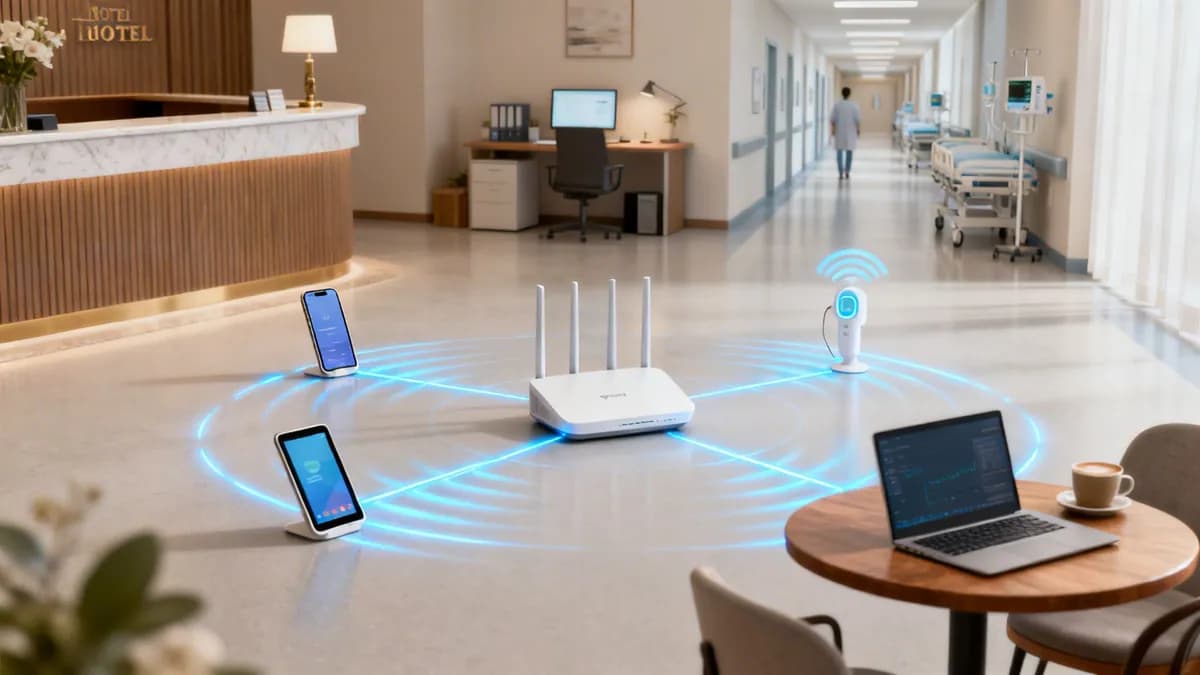

A Practical Guide to IP SIP Phone Systems

Think of your office phone system working just like your email—it's flexible, affordable, and runs over the same internet connection you already use. That's the core idea behind an IP SIP phone, the modern replacement for those clunky, copper-wire landlines.
The New Standard for Business Communication
At its heart, an IP SIP phone is a device that makes calls using Voice over Internet Protocol (VoIP) technology. To really get what that means, let's break down the name.
The 'IP' part stands for Internet Protocol. This is the unique address every phone gets on the network, just like a street address for a house. It makes sure your call goes to the right person. The 'SIP' stands for Session Initiation Protocol. Think of SIP as the postman who handles the entire conversation—it starts the call, keeps it connected, and hangs it up when you're done.
Why Businesses Are Ditching Their Old Phones
Companies are moving away from traditional phone systems for some very good reasons. The old systems, known as the Public Switched Telephone Network (PSTN), are rigid, expensive to look after, and physically tied to your office building. IP SIP phone systems, on the other hand, offer incredible flexibility and real financial savings.
This isn't just a small trend; it's a massive shift in how businesses communicate. UK businesses are switching to SIP phones in droves, with the market expected to grow by £5.3 billion by 2029. This boom is being driven by the need for better-unified communications in sectors like IT, healthcare, and retail. You can find more details on this market shift over at intelmarketresearch.com.
An IP SIP phone system cuts the cord, freeing your business communications from physical lines. It gives you the freedom to grow, move, and weave voice calls into your digital workflow without the old-school limitations.
To help visualise the leap forward, let's compare the old with the new.
Traditional Phone Lines vs Modern IP SIP Phone Systems
The move to an IP SIP system is less of an upgrade and more of a fundamental change in how a business can operate and grow.
Key Advantages of IP SIP Phones
For IT managers and business owners, the benefits are clear and directly impact both the budget and how smoothly the company runs. Moving to a modern voice network is more than just getting clearer calls; it's a strategic move.
- Cost Reduction: Businesses often see major savings by getting rid of separate phone lines and slashing long-distance call charges.
- Scalability: Need to add a new team member? Just plug in a new phone. You can scale your system up or down in minutes without calling in an engineer to run new wires.
- Flexibility and Mobility: Staff can use their work extension from anywhere with an internet connection—be it another office, at home, or while travelling.
- Advanced Features: IP phone systems come packed with features like video conferencing, instant messaging, and voicemail-to-email that are typically expensive extras on traditional systems.
To get a feel for the options out there, many companies start by exploring the Best VoIP Phone Systems for Small Business. It's a great first step towards building a reliable, secure, and future-ready voice network that truly supports your organisation.
Understanding the Mechanics of a Perfect Call
Ever wondered what's really going on behind the scenes during a crystal-clear VoIP call? An IP SIP phone doesn't just blast your voice across the internet; it masterfully conducts a complex, elegant process to make sure every single word lands perfectly. Getting your head around this process is the key to understanding why the technology is so reliable.
At its heart, every SIP call is split into two distinct, cooperative parts: signalling and media. This clever separation is the secret sauce behind its efficiency and quality.
Signalling: The Call Setup
Think of SIP signalling as the stage manager for a play, organising everything perfectly before the curtain even goes up. The stage manager doesn't deliver the lines, but they make damn sure the actors are in the right place, the lights are on, and the stage is set.
The moment you dial a number, the SIP signalling protocol springs into action. It sends out a digital "invitation" to find the person you're trying to reach. It checks their status—are they available, busy, or offline? It even negotiates all the technical details for the call, like figuring out which audio codecs both phones can use so they can actually understand each other.
This entire setup happens in the blink of an eye. It's the unsung hero that establishes, manages, and eventually tears down the connection. Without this crucial first step, your call would never even start.
Media: The Actual Conversation
Once signalling has set the stage and the connection is made, the media takes over. The media is, quite simply, the content of your conversation—the sound of your voice.
This audio gets sent using a completely different protocol, usually the Real-time Transport Protocol (RTP). Your voice is chopped up into tiny digital packets of data and fired across the network. RTP's one and only job is to ferry these packets from your phone to the other end as quickly and efficiently as humanly possible.
By separating signalling (the setup) from media (the conversation), the network can handle each job in the most effective way. SIP handles the complicated logistics, while RTP gets a laser focus on the speedy delivery of your voice.
This visual shows the simple flow of how your IP SIP phone gets a call up and running.
As you can see, the process starts by identifying the device's IP address, uses the SIP protocol to manage the connection, and results in a successful call.
Checking In: SIP Registration
Before an IP SIP phone can even think about making or receiving a call, it has to announce its presence to the phone system, often called a SIP server or IP PBX. This process is known as SIP registration.
Think of it like checking into a hotel. Your phone sends a quick message to the server saying, "Hi, I'm here at this IP address, and I'm ready for calls." The server then adds the phone to its directory of available devices. This registration isn't a one-and-done deal; it has to be refreshed periodically to let the server know the phone is still online and active.
SIP registration is the simple handshake that keeps your phone connected to the wider communication network. It’s a continuous "I'm still here!" message that ensures you never miss an incoming call.
Prioritising Your Voice with QoS
Let's face it, your office network is a busy place. You've got emails flying around, massive files being downloaded, and video streams all fighting for a slice of the bandwidth. In this digital traffic jam, voice calls are incredibly sensitive to delays. Even a tiny hiccup can lead to jittery, robotic-sounding audio or, worse, a dropped connection.
This is where Quality of Service (QoS) becomes absolutely essential.
QoS is a network management superpower that creates a VIP express lane for your voice data. It tells your network's routers and switches to give priority to the RTP packets carrying your conversation, letting them jump the queue ahead of less time-sensitive data.
- Identifies Voice Traffic: First, QoS policies are set up to recognise the data packets that belong to a voice call.
- Assigns Priority: These packets are then stamped as high-priority cargo.
- Provides Express Passage: When the network gets congested, these priority packets get to skip the line, making sure they arrive on time and in the right order.
Putting QoS in place is arguably the single most important thing you can do to guarantee high-quality calls on a busy network. For a deeper dive into taming your network resources, you might find these bandwidth management tips useful. By creating this express lane, you ensure your IP SIP phone conversations stay smooth and professional, no matter what else is happening on your network.
Building a Secure Voice Network You Can Trust
In a world where data breaches feel like a daily headline, your voice network is a surprisingly valuable target. An unsecured IP SIP phone system can be an open door for criminals, leading to costly toll fraud, eavesdropping on sensitive conversations, and crippling service disruptions. It's time to move beyond basic passwords.
Adopting an identity-driven, zero-trust mindset isn't just an option anymore; it's essential for building a network you can truly rely on. This modern approach completely changes how devices connect. Instead of asking "what is the password?", an identity-based system asks "who are you, and should I trust you?". This shift is critical, especially in sectors like finance and healthcare where confidentiality is everything.

This security-first strategy is becoming more important as the UK's VoIP market, which underpins every IP SIP phone, is set for explosive growth. Projections show it will expand by USD 5.3 billion between 2024 and 2029, growing at a strong CAGR of 9.3%. As businesses abandon old PSTN lines, they are adopting scalable SIP systems that can cut international call costs by 50-70% and improve reliability.
However, this growth also brings risks, with toll fraud affecting around 20% of VoIP setups, making GDPR-compliant security a top priority. You can read the full research on the UK VoIP market to explore this market shift and its security implications.
The Digital Passport: Certificate-Based Authentication
The gold standard for securing a modern voice network is certificate-based authentication. Think of a digital certificate as a unique, unforgeable passport issued to each and every IP SIP phone. This passport is digitally signed by a trusted authority within your organisation, guaranteeing the device's identity beyond any doubt.
When a phone with a certificate tries to connect, the network acts like a border control agent. It inspects the digital passport, verifies its authenticity with the issuing authority, and only grants access if everything checks out. This process completely eliminates the need for shared passwords, which are notoriously weak and a nightmare to manage.
- How It Works: A central system issues a unique digital certificate to each authorised phone.
- Connection Process: The phone presents this certificate when connecting to the WiFi network.
- Verification: The network validates the certificate against its list of trusted devices.
- Result: Only phones with a valid, unrevoked certificate are allowed on, creating an incredibly secure environment.
Securing Legacy Devices with iPSK
That’s great for new kit, but what about older devices or specialised equipment that don’t support modern certificates? Most organisations have a mix of old and new hardware, and you can't just leave the older gear unsecured. This is where Individual Pre-Shared Keys (iPSK) come in as a powerful, practical solution.
Instead of using one WiFi password for every device—a huge security risk—iPSK assigns a unique password to each individual phone or user. It’s like giving every person their own key to the building instead of a single master key that everyone shares.
With iPSK, if one device's key is compromised, you simply revoke that single key. The rest of your network remains completely secure, containing the threat instantly without disrupting operations for everyone else.
This approach dramatically improves security over a standard shared password. It lets you segment your network and apply specific access rules for different devices, ensuring even your legacy equipment adheres to modern security standards.
Automating Access with Single Sign-On
The final piece of the security puzzle is tying everything back to your central user directory, like Microsoft Entra ID (formerly Azure AD) or Google Workspace. Integrating your IP SIP phone system with Single Sign-On (SSO) automates access control based on user identity.
When a new employee joins the company and is added to the directory, their access rights are automatically provisioned. They can sign in and start using their phone system without any manual IT intervention. More importantly, when an employee leaves, revoking their credentials in the central directory instantly and automatically cuts off their access to the voice network.
This automation gets rid of the risk of human error and ensures access policies are enforced consistently and immediately across your entire organisation. By bringing these strategies together, you build a secure, resilient, and manageable voice network that truly protects your communications. To see how identity and security work hand-in-hand, you can learn more about Purple's data and security overview.
Achieving Flawless Voice Quality Over WiFi
Putting your IP SIP phone system on a wireless network gives your teams incredible freedom, untethering them from desks and cables. But let's be honest, WiFi also brings its own unique set of headaches. Getting that crystal-clear, reliable voice quality isn't about crossing your fingers; it’s about smart network design and knowing what to prioritise.
This is your practical blueprint for building a wireless network that can handle flawless voice communication. It’s a make-or-break capability for fast-paced environments like hospitals, warehouses, and sprawling corporate campuses. Success always starts with a solid foundation.

Designing for Coverage and Capacity
Before anyone can even think about making a call, your WiFi network has to deliver two things, no exceptions: complete signal coverage and enough capacity. Think of it like building a dedicated motorway system just for your voice traffic.
First off, you have to hunt down and eliminate every single dead zone. A dropped signal means a dropped call, and that's just not acceptable in a professional setting. Proper planning means doing a site survey to map out exactly where your access points need to go, ensuring a strong, consistent signal in every corner a user might wander into. You can even use our access point calculator to get a better sense of your requirements.
Next, you absolutely must plan for capacity. A network that handles email and web browsing like a champ might completely fall over when faced with dozens of simultaneous voice calls. Each IP SIP phone call is a constant stream of data, and your network needs the bandwidth and raw processing power to handle peak call times without even breaking a sweat.
Prioritising Voice with WiFi QoS
On a busy wireless network, your voice packets are in a constant battle with everything else—emails, video streams, massive file downloads, you name it. To stop calls from sounding robotic or dropping out entirely, you have to give your voice traffic the VIP treatment.
This is where a technology called Wi-Fi Multimedia (WMM) comes in. It's basically the wireless version of Quality of Service (QoS).
WMM acts as a traffic controller for your WiFi network. It identifies voice packets and puts them in a dedicated express lane, ensuring they get to their destination first, ahead of less time-sensitive data.
Without WMM, every data packet is treated the same, which is a recipe for unpredictable performance. By switching it on, you create a stable and reliable experience for every single IP SIP phone on your network.
Enabling Seamless Roaming
In places like hospitals or warehouses, your staff are always on the move. That makes seamless roaming an absolute must-have for any wireless voice deployment. It’s what allows a user to walk through the entire building, moving from one access point's coverage area to another, without the call ever dropping or even glitching.
Making this happen requires your network’s access points to work together intelligently. They have to manage the "handoff" of a phone's connection from one point to the next so quickly and smoothly that the user has no idea it's even happening.
- Fast Handoffs: The network has to anticipate a user's movement and get the next access point ready to take over the connection instantly.
- Signal Strength Management: The system must be smart enough to guide the phone to connect to the strongest available signal at all times.
- Session Persistence: The call's data session has to be maintained without any interruption as the phone transitions between access points.
The Power of Passpoint for Automatic Security
Modern platforms take this roaming experience to a whole new level with technologies like Passpoint. Passpoint allows a SIP device to connect to the strongest, most trusted network automatically and securely, without the user having to do a thing.
Picture a doctor in a hospital. With Passpoint, their IP SIP phone connects to the secure WiFi network the moment they switch it on, using a trusted digital certificate for authentication. As they move between floors or even between different buildings on campus, the device automatically and securely roams to the best access point.
This creates a reliable and encrypted connection right from the very first packet, making sure communications are always private and never interrupted. It's a foundational piece of tech for building a truly mobile, secure, and rock-solid voice network.
How IP SIP Phone Systems Work in the Real World
Understanding the theory behind an IP SIP phone is one thing, but seeing how this technology actually solves business problems is where it all clicks. These systems aren't just about making calls; they're powerful tools that weave into an organisation's core operations, boosting efficiency and security across different sectors.
Let’s look at some tangible examples of how these systems perform in demanding, real-world environments.
Streamlining Corporate IT Operations
For any corporate IT department, managing user accounts is a constant, time-consuming treadmill. Every new hire needs a phone extension, and every leaver's access must be shut down immediately to close security gaps. Integrating a SIP phone system with an identity provider like Microsoft Entra ID automates this entire cycle.
When a new employee's profile is created in Entra ID, the system can automatically set up their phone extension, assign a number, and configure their voicemail. The moment they connect their IP SIP phone to the secure WiFi network for the first time, their identity is verified, and they are good to go. On the flip side, when an employee leaves and their Entra ID account is deactivated, their phone access is instantly and automatically revoked.
This slick integration saves countless admin hours and slashes the risk of human error, ensuring the voice network is always perfectly in sync with the company's user directory.
Enhancing the Guest Experience in Hospitality
Now, picture a modern hotel. The communication needs are a complex web, connecting guest rooms, the front desk, back-of-house staff, and management. An IP SIP phone system, rolled out over a secure and segmented WiFi network, can bring all these moving parts together.
- Guest Room Phones: Provide guests with modern handsets for room service, concierge, and external calls, all running over the hotel's data network.
- Front Desk Consoles: Arm reception staff with advanced consoles that display guest information on incoming calls and link directly with the property management system (PMS).
- Staff Mobility: Housekeeping and maintenance staff can use rugged, mobile SIP handsets to get work orders and communicate instantly, no matter where they are on the property.
Crucially, the network can be segmented to keep guest traffic completely separate from sensitive staff communications, guaranteeing both security and performance. This unified approach creates a more responsive and efficient environment, which directly improves the guest experience. To get the full picture of how these devices work in practice, a comprehensive guide to the best small business phone system can offer deeper insights into real-world applications.
Ensuring Critical Communications in Healthcare
In a hospital, communication isn’t just about convenience—it can be a matter of life and death. Clinicians need to be reachable at all times, and their communications must be secure, reliable, and compliant with strict privacy regulations. This is where a robust IP SIP phone system truly shines.
In healthcare, an IP SIP phone becomes a critical lifeline. It must support flawless roaming for mobile clinicians, offer end-to-end encryption to protect patient data, and guarantee that urgent calls always get through, regardless of network congestion.
Clinicians can carry secure SIP handsets that roam seamlessly across the entire hospital campus, moving from one WiFi access point to another without ever dropping a call. These calls are encrypted to protect sensitive patient information, helping the organisation meet its compliance obligations. The network's QoS features ensure these critical voice communications are always given priority over less important data traffic.
The UK market shows this growing reliance on modern voice technology. In fact, the UK is expected to command a 13.05% share of Europe's IP phones market by 2025. This sector has seen explosive growth, ballooning from £8.49 billion in 2021 to a projected £12.74 billion by 2025. In hospitality, SIP adoption jumped 25% after the pandemic as high-speed broadband became widely available. Meanwhile, healthcare administrators cite SIP's critical role in maintaining compliant workflows and avoiding data privacy pitfalls. Discover more insights about the IP phone market growth. These examples show that an IP SIP phone is far more than just a telephone; it’s a vital component of a modern, unified data and voice strategy.
Frequently Asked Questions About IP SIP Phones
As you start planning a new voice system or an upgrade to your existing one, a few practical questions always pop up. This section cuts through the jargon to give you clear, straightforward answers about the ip sip phone, helping you understand the essentials and make the right calls for your business.
What Is the Main Difference Between an IP Phone and a SIP Phone?
This is easily one of the most common points of confusion, but a simple analogy clears it right up. Think of 'IP Phone' as a massive, general category, like the word 'vehicle'. It just means any phone that sends calls over the internet using Internet Protocol.
Now, think of 'SIP Phone' as a specific type of vehicle, like a 'car'. It’s an IP phone that specifically uses the Session Initiation Protocol (SIP) to make its calls happen. While other protocols exist (many of them proprietary), SIP has won out to become the universal open standard for voice.
That's why choosing a device marketed as an ip sip phone is such a smart move. It guarantees it will work with almost any VoIP provider or phone system out there. You avoid getting locked into one vendor's closed-off ecosystem and keep your options open for the future.
Can I Use a SIP Phone on Any WiFi Network?
Technically, yes, you can. But for any kind of professional use, the results will range from frustrating to completely unusable. Trying to run an ip sip phone on the free WiFi at your local coffee shop is not just a huge security risk; it’s a recipe for choppy, unreliable calls.
For a professional setup, a business-grade WiFi network isn't just a recommendation—it's a requirement. This network needs to be designed with two things in mind:
- Quality of Service (QoS): The network must be configured to prioritise voice traffic above everything else. Think of it as an express lane for your call data, ensuring it never gets stuck behind less urgent traffic like emails or web browsing. This is what prevents jitter and dropped calls.
- Complete Coverage: You need a strong, steady signal everywhere people are likely to make or take calls. This allows them to move around freely without the call breaking up.
Even more critical is security. A modern, identity-based network is the gold standard here. Instead of relying on weak, shared passwords that anyone can get their hands on, it uses strong authentication methods like digital certificates. This doesn't just secure the connection; it protects the conversation itself from being snooped on.
How Does a Modern WiFi Platform Improve My SIP Phone System?
A modern WiFi platform does so much more than just connect your phones to the internet. It transforms your ip sip phone system into a secure, intelligent, and simple-to-manage part of your IT infrastructure, moving far beyond the clumsy, manual approach of traditional networks.
One of its biggest wins is automating security by tying device access directly to your company's user directory, like Entra ID or Google Workspace. When a new employee starts, their access is provisioned automatically. The moment they leave, it's instantly revoked. This completely gets rid of the security nightmare that is shared passwords.
A modern WiFi platform elevates a simple collection of phones into a cohesive, secure communication system. It ties device access to user identity, ensuring that only trusted users on trusted devices can connect, all managed through a single, automated process.
It also massively boosts reliability, with features that let devices connect securely and roam seamlessly between access points or even different office locations. For buildings with multiple businesses, it can create totally separate, private networks for each tenant's SIP devices. This blend of automated security and simplified management is something a standard WiFi setup just can't touch.
What Are the First Steps to Troubleshooting Poor Call Quality?
When you run into bad call quality—think robotic voices, long delays, or calls that just drop—it's almost always a network issue, not a problem with the ip sip phone itself. Rebooting the phone is the go-to move for many, but it rarely helps. A methodical, network-first approach will solve the problem 9 times out of 10.
Start with these fundamental troubleshooting steps:
- Check for Network Congestion: Is your internet connection getting hammered? Look for other things hogging the bandwidth, like someone downloading massive files or streaming video. These can starve your voice calls of the resources they need.
- Verify Quality of Service (QoS) Settings: Double-check that QoS is properly configured on your routers, switches, and access points. Your voice traffic needs to be correctly identified and given top priority over all other data.
- Analyse the Wireless Environment: If the problems are on WiFi, check for weak signal strength where the calls are failing. You also need to hunt for potential interference from other nearby wireless networks, microwaves, or even Bluetooth devices, which can mess with the connection.
By methodically working through the network's health and setup, you can quickly find and fix the root cause of almost any voice quality headache.
Ready to build a secure, intelligent, and seamless voice and data network for your organisation? Purple provides an identity-based networking platform that replaces insecure shared passwords with automated, certificate-grade access for all your devices, including your IP SIP phone system. Learn more at purple.ai.
.png)
.png)