Guest WiFi bandwidth allocation & QoS sizing advisor
Calculate your recommended WAN internet uplink, determine per-user rate limits, configure mission-critical QoS queue reservations, and evaluate captive portal monetisation for your venue.
High evening streaming demand; guests expect consistent video calling and entertainment.
Suits web browsing, messaging, and email. Stops a few 4K streams saturating the circuit.
Architectural deployment checklist
- Set per-user rate limit policing to 2 Mbps download and 1 Mbps upload.
- Reserve 30% (90 Mbps) of your WAN circuit for mission-critical POS, corporate, and operational systems.
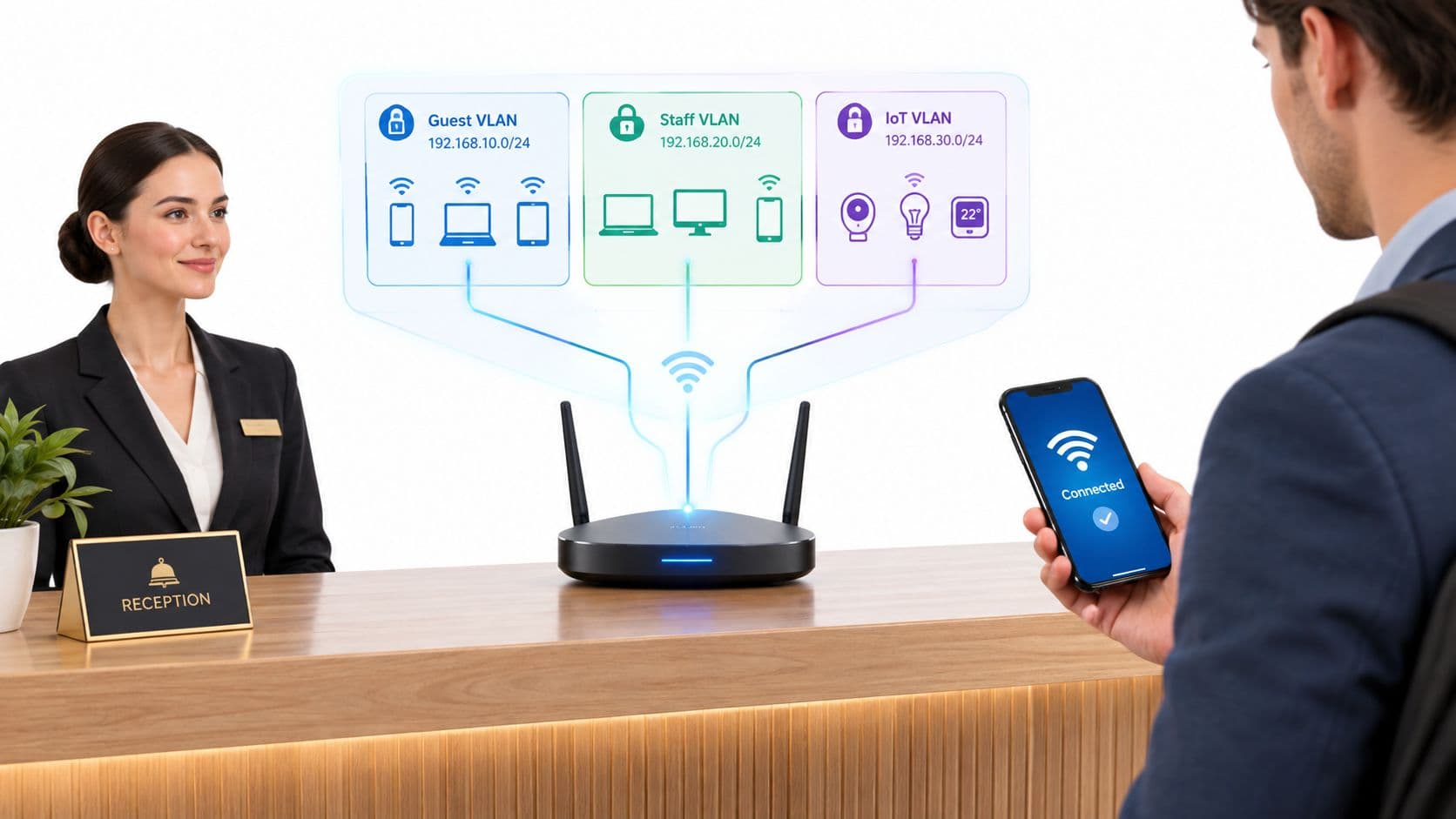
- Enable client isolation (private VLAN) on guest SSIDs so guests cannot reach each other’s devices, and rate-limit broadcast and multicast.
- Implement DiffServ / 802.11e WMM traffic shaping to prioritise transactional traffic over background downloads.
Purple integrates with Cisco Meraki, HPE Aruba, Ruckus, Juniper Mist, Ubiquiti UniFi, Cambium, Extreme and Fortinet to automate bandwidth caps and captive portal billing.
Guest WiFi networks experience heavy traffic across retail stores, hotel lobbies, hospital waiting rooms, and stadium concourses. Visitors stream high-definition video, upload social media content, and download large files simultaneously. During peak operating hours, unmanaged guest usage quickly strains available ISP backhaul. Speeds drop, connections time out, and overall user satisfaction falls. Understanding how to manage bandwidth on your guest WiFi ensures your primary business operations stay fast while visitors enjoy reliable connectivity.
Key takeaways: Guest WiFi bandwidth management
- Per-user rate limiting: Cap download and upload speeds per client device (e.g. 5-10 Mbps) to prevent individual heavy users from exhausting total venue capacity.
- QoS & traffic shaping: Prioritise mission-critical business systems like point-of-sale terminals and staff devices over guest media streaming using Layer 3 DSCP and WMM queueing.
- Network segmentation: Isolate public guest traffic on separate Virtual Local Area Networks (VLANs) to shield core operational systems and simplify traffic monitoring.
- Tiered bandwidth options: Offer basic complimentary internet for general browsing while providing premium high-speed access for HD streaming or large file downloads to monetise venue WiFi.
- Hardware overlay compatibility: Deploy dynamic cloud bandwidth policies seamlessly across existing Cisco Meraki, HPE Aruba, Ruckus, and Juniper Mist access points with Purple.
Understanding guest network bandwidth consumption
Public wireless networks face an unpredictable mix of user devices, background application updates, and data-intensive media streams. Without active bandwidth controls, a small fraction of connected devices can consume over 80% of total available capacity.
For network engineers and IT managers, evaluating network health requires measuring both overall throughput and individual client utilization. You can evaluate network performance metrics using our interactive network diagnostic multi-tool.
How network congestion damages guest experience
When user demand exceeds available backhaul capacity, wireless access points drop packets and introduce significant latency. Network congestion leads directly to three business issues:
- Slow page loading and media buffering: Visitors experience delays when attempting to browse websites, view digital menus, or process mobile payments.
- Splash page and authentication failures: High latency causes initial captive portal redirects to time out, preventing guests from completing registration.
- Negative brand perception and lost footfall: Customers associate slow or unresponsive WiFi with poor venue service, increasing bounce rates and reducing dwell time.
For a detailed breakdown of guest network security and infrastructure best practices, consult our master enterprise WiFi security guide.
Key strategies to optimise guest WiFi bandwidth
1. Dynamic rate limiting and per-user throttling
Rate limiting caps the maximum upload and download speed allocated to each connected client MAC address. By setting per-user thresholds (such as 5 Mbps download and 2 Mbps upload), IT administrators guarantee that no single user can exhaust total circuit bandwidth. Rate throttling ensures equitable distribution across hundreds of concurrent guests.
2. Quality of Service (QoS) and traffic shaping
Quality of Service rules prioritize latency-sensitive operational traffic over guest media streams. Network hardware applies Wireless Multimedia (WMM) queues and Layer 3 Differentiated Services Code Point (DSCP) markers. Critical applications like POS credit card processing, VoIP staff handsets, and security camera feeds maintain top priority during peak traffic spikes.
3. Application filtering with Deep Packet Inspection (DPI)
Deep Packet Inspection enables next-generation firewalls and wireless controllers to identify traffic by application protocol rather than port number. Network administrators can restrict or completely block peer-to-peer file sharing, torrenting, and automated cloud backup services while keeping general web browsing fast.
4. Network segmentation with Virtual Local Area Networks (VLANs)
Isolating guest wireless traffic onto a dedicated VLAN prevents guest broadcast traffic from saturating internal corporate subnets. VLAN tagging enforces strict firewall policies between public visitors and internal administrative servers, enhancing overall security while streamlining bandwidth monitoring.
Implementing usage policies and session controls
Clear usage policies manage visitor expectations and mitigate bandwidth abuse. Implementing session timeouts (e.g. 60 or 120 minutes) automatically disconnects inactive devices, freeing up DHCP pool IP addresses and wireless spectrum in high-turnover environments.
Displaying clear Terms of Service on custom splash pages ensures guests accept fair usage conditions before accessing the network. Learn how branded onboarding drives visitor compliance and engagement in our WiFi marketing guide.
Tiered bandwidth models: Balancing guest satisfaction and revenue
Tiered bandwidth management divides wireless access into distinct service levels. Venues offer a complimentary basic tier adequate for email and messaging, alongside a paid premium tier delivering high-speed bandwidth for HD video streaming and large file transfers.
Implementing tiered paid WiFi allows venues to monetize heavy data usage while providing free basic access to casual visitors. To estimate potential revenue generation from tiered bandwidth plans, use our paid WiFi ROI calculator.
Bandwidth allocation strategies compared
Review the comparison table below to determine the optimal bandwidth management approach for your venue infrastructure:
| Strategy | Implementation Method | Primary Benefit | Operational Impact | Recommended Venue |
|---|---|---|---|---|
| Per-User Throttling | MAC address rate caps (e.g. 5 Mbps) | Prevents bandwidth hogging | Low administrative overhead | Retail, cafes, public spaces |
| QoS Traffic Shaping | Layer 3 DSCP & WMM queuing | Protects POS & operational data | Requires network controller config | Hotels, restaurants, enterprise |
| Deep Packet Inspection | Application-layer traffic filtering | Blocks P2P & heavy streaming | Requires DPI-capable firewall/AP | High-density venues, stadiums |
| Tiered Paid Bandwidth | Captive portal payment gateway | Monetisation premium traffic | Generates recurring revenue stream | Hotels, conference centres, transport hubs |
Bandwidth management best practices by venue type
Different physical environments demand tailored bandwidth configurations to balance performance and user expectations:
- Hotels & Hospitality: Provide basic free tier for messaging and web browsing. Offer premium paid high-speed packages for business travellers requiring VPNs and video conferencing.
- Healthcare & Hospitals: Enforce strict QoS prioritizing clinical medical systems, telemetry, and staff communications over patient guest network streaming.
- Retail & Shopping Malls: Set moderate per-user caps to support mobile app usage and product lookup while collecting visitor insights via WiFi analytics.
- Stadiums & Event Arenas: Utilize burst rate limits during event entry to process ticketing and splash page onboarding efficiently across thousands of simultaneous devices.
Frequently asked questions about guest WiFi bandwidth
How much bandwidth should I allocate per guest user?
For standard guest WiFi browsing and social media access, allocating 3 Mbps to 5 Mbps download per client device provides a smooth experience. For venues supporting HD video streaming or remote work, 10 Mbps to 15 Mbps per client is recommended for premium tiers.
What is the difference between rate limiting and QoS traffic shaping?
Rate limiting enforces a hard maximum speed cap on individual client devices regardless of overall network utilization. QoS traffic shaping dynamically categorizes data packets, giving operational traffic (like POS terminals or staff VoIP) priority over non-critical guest traffic during peak congestion.
Can I monetise high-bandwidth guest WiFi in my venue?
Yes. By offering a complimentary basic tier for light browsing and charging a fee for premium high-speed access, venues can offset internet circuit costs and generate additional revenue from power users and business guests.
How does Purple help manage guest WiFi bandwidth?
Purple integrates directly with leading wireless controllers to enforce cloud-based bandwidth limits, manage splash page session timeouts, segment guest traffic on dedicated VLANs, and deliver detailed presence analytics without replacing existing AP infrastructure.
Optimise your venue wireless network with Purple
Control network congestion, deliver branded captive portal onboarding, and launch tiered guest WiFi across all your locations in a unified cloud platform.