Somewhere in a hotel right now, a guest is holding a phone up to the window because the login page has loaded four times and still won't take the room number. Downstairs, the duty manager is hearing a familiar sentence for the third time this week. The WiFi isn't working.
Neither of them is wrong, and neither of them is looking at the actual fault. The guest sees a page that won't cooperate. The hotel sees a network it paid for. The thing in between, the captive portal, is where most of these evenings go wrong.
This is a guide to that page from both sides of the desk. Guests get an order of operations that gets them online in under a minute. Hoteliers and IT teams get the checks that stop the same complaint walking up to reception every night.
What a hotel WiFi login page really does
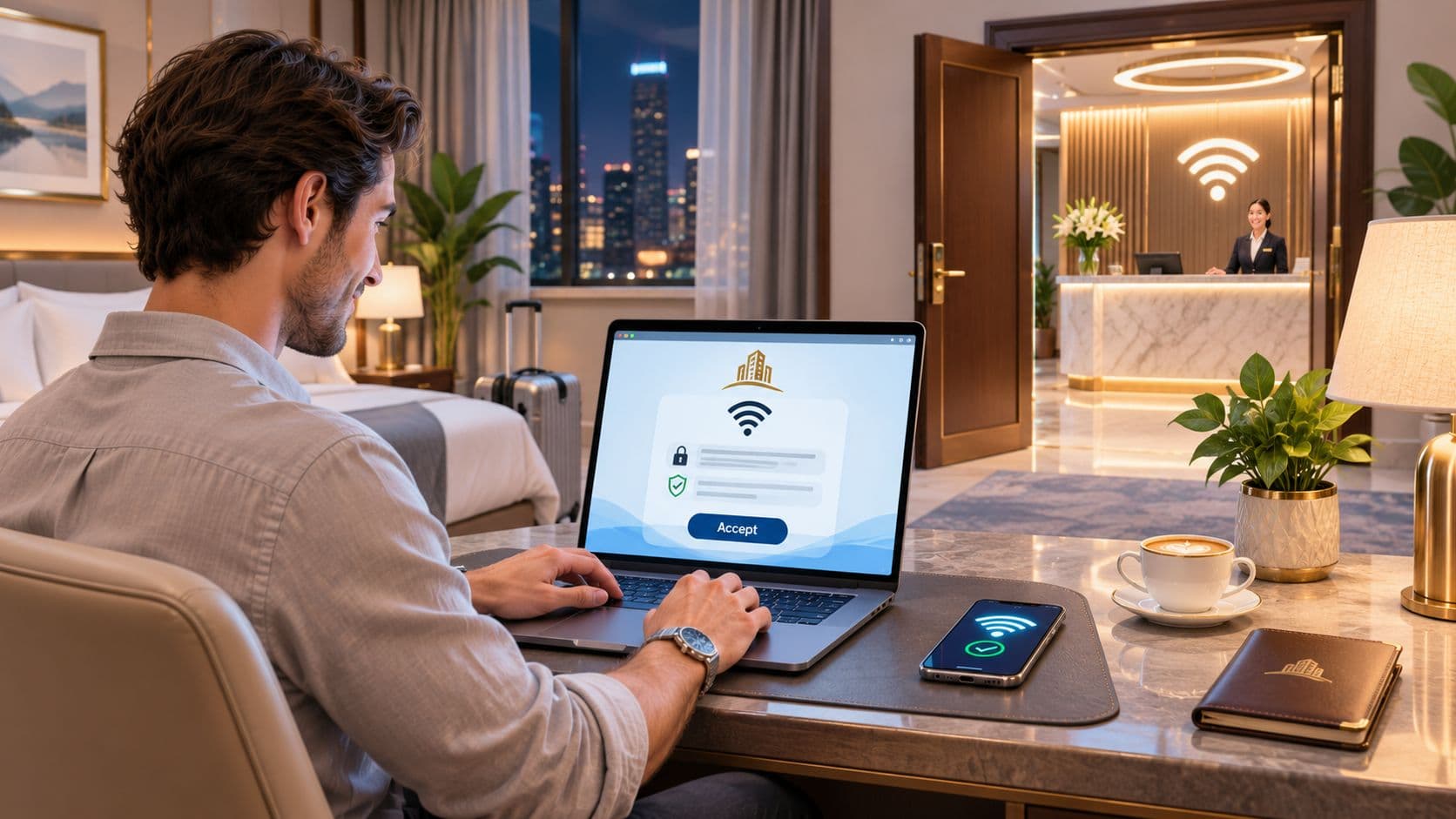
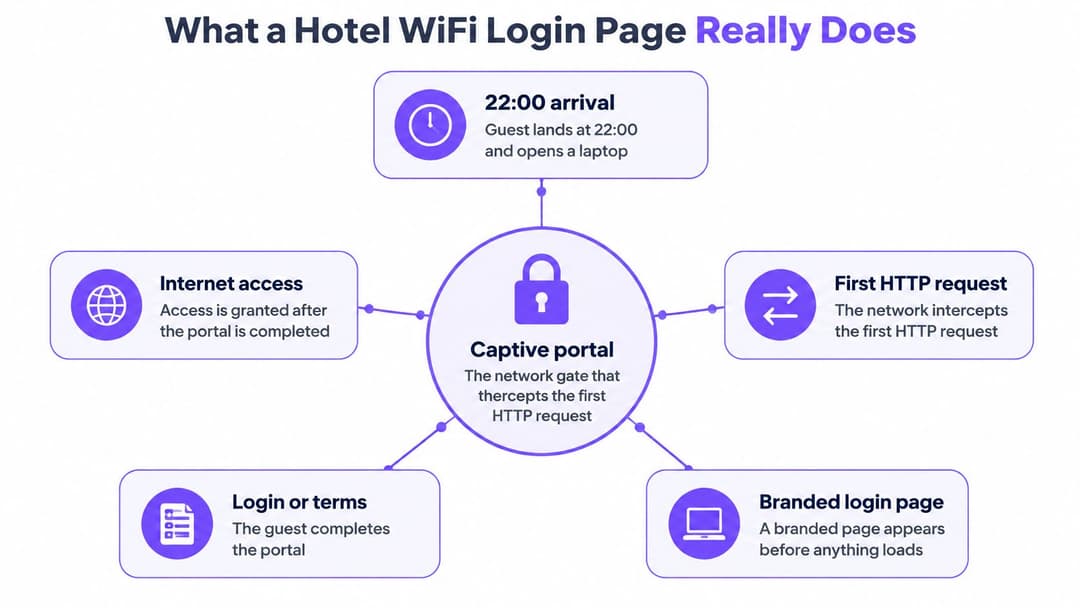
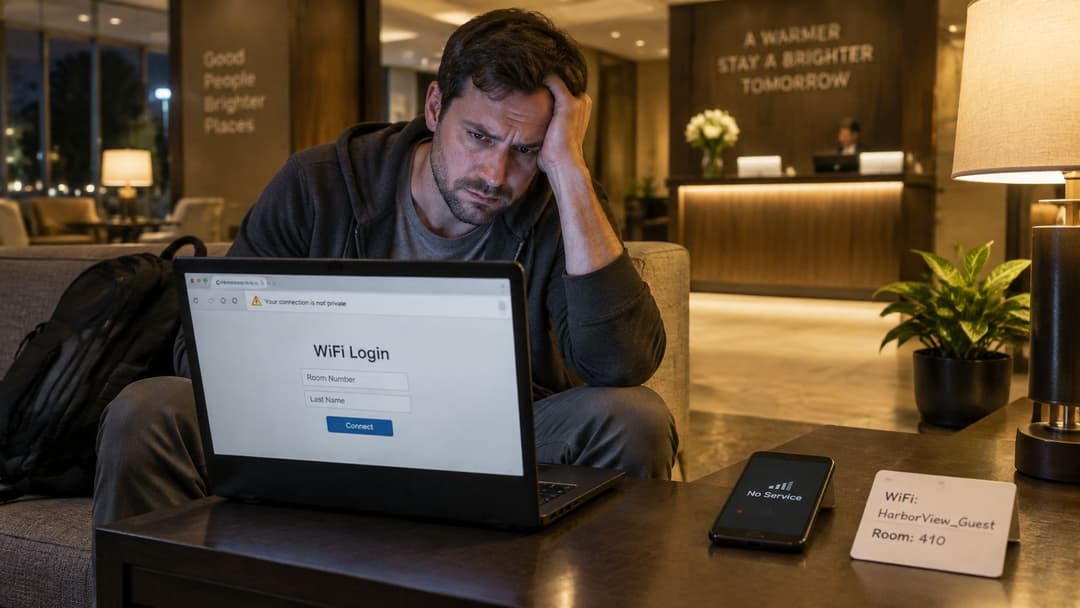
It's 22:00. A guest drops the bag, opens the laptop and waits for a booking confirmation to load. Instead, a page with the property's logo appears, asking for a room number and a surname. Nothing else works until that page is dealt with.
That page is a captive portal. When the device joins the network, the gateway intercepts its first plain HTTP request and answers with the portal rather than the site the guest asked for. The device stays in a walled garden until the portal releases it. Full signal bars and no internet at the same time is exactly what that state looks like.
Think of it as the reception desk. You can see the lobby, but you can't get to your room until someone checks you in.
What the page is doing
Three jobs sit behind that single screen, and they fail independently:
- Authenticating the session. Something has to decide that this device is allowed online, whether that's a room number, a code, an email address or a click on a button.
- Capturing consent and data. If the page collects an email address, a device identifier, an IP address or session information, it has become a data-collection point, not just a login form.
- Routing the guest onto the right segment. The portal tells the network which SSID or VLAN the session belongs to, and therefore what the guest can reach afterwards.
The commercial weight of that screen is easy to underestimate. In 2024, 65% of UK hotel guests said WiFi significantly influenced their decision to stay at a hotel, according to Friendly WiFi. The page gates the service that helped drive the booking in the first place.
Usage patterns show why the gate matters more than it looks. In a 2012 survey of UK hotel guests, 48% of respondents primarily used hotel WiFi to send or download email, and business guests typically spent between 30 minutes and two hours online per 24-hour stay, with one in five staying longer, as reported by ISPreview. The portal sits in front of all of it.
The page is not the network
A branded login screen tells a guest nothing about how the network behind it is built. It can look immaculate and still sit on a flat network where every guest device can see every other one. Design the page for clarity, but judge the service on segmentation, isolation and session control. Purple's guest WiFi guide covers the wider picture if you're rebuilding from scratch.
Login screens guests meet and what each one needs
Six variants cover almost everything a guest will meet. Identify which one you're looking at before you start troubleshooting, because the fix differs.
| Page type | What guests see | Most likely to fail on | First action to try |
|---|---|---|---|
| Click-through terms | Branded page with an Accept button and a privacy notice link | Anything with a pop-up blocker or an old browser | Open a non-HTTPS address such as example.com and accept the redirect |
| Room number plus surname | Two fields and a submit button | Group bookings and early arrivals not yet in the property-management system | Ask reception for a temporary code or to add the device manually |
| Email capture with opt-in | Email field and a separate, unticked marketing checkbox | Guests who decline marketing and fear being locked out | Confirm the marketing box can stay unticked and access still proceeds |
| Voucher or access code | Single code field, often printed | Conference rooms and annexes where the code has expired | Request a fresh code with a stated validity window |
| Device pairing for TV or streaming | QR code or short code on the TV screen | Smart TVs and streaming sticks with no usable browser | Use the venue app or ask staff to register the device MAC address |
| Password-only page | A shared WiFi key and no captive portal at all | Guests expecting encryption or per-user revocation | Treat it as an open network and use HTTPS or a VPN for sensitive work |
The three that cause most of the trouble
The click-through terms page is the easiest of the lot when it loads, because there's nothing to remember and nothing to type. It fails when a pop-up blocker or an HTTPS-only browser setting swallows the redirect. Opening a plain HTTP address in a second browser usually resolves it within seconds.
Room number plus surname is the strongest option for the hotel and the most brittle for the guest. It ties access to the property-management system, which means it fails precisely when the guest hasn't been checked in yet, or when one person in a group booking tries to register four devices against a single reservation. Reception needs a manual override for this, not a shrug.
The one to get right: email capture is the variant that creates legal obligations, because the moment the portal stores an address it's processing personal data. Keep the marketing checkbox separate, unticked and optional.
Device pairing breaks hardest. A smart TV or a streaming stick has no usable browser, so a portal that assumes one leaves the guest with a remote control and no way forward. Registering the device by MAC address at the desk, or pushing the pairing through a venue app, is the fallback that works.
How to get through the hotel WiFi login page
The sequence below is the order that resolves the problem fastest, and the order matters more than most guides admit.
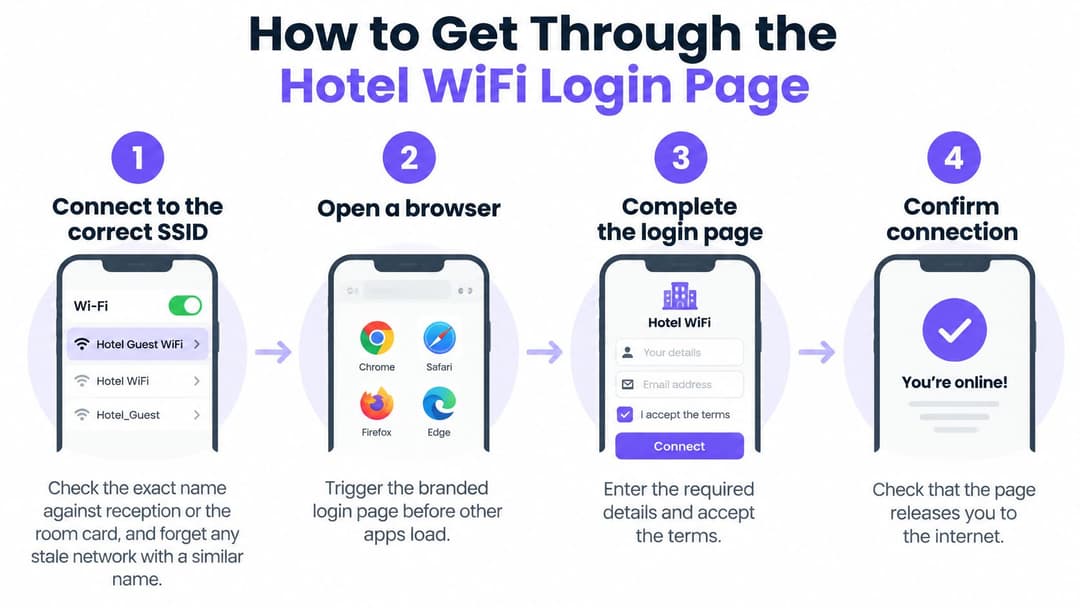
- Join the network whose name matches exactly. Check the SSID against the room card, the TV welcome screen or reception. A look-alike name is a common reason the portal never appears, and a stale saved network with a similar name will keep winning the association.
- Open a plain HTTP address in a browser. Type something like
example.comwith http, not https. A captive portal cannot cleanly redirect an encrypted first request, so an HTTPS homepage will hang or throw a certificate warning while an HTTP one gets intercepted straight away. - If nothing appears, force a fresh association. Toggle WiFi off and on, or flip airplane mode for a few seconds. That clears a half-finished session and issues a new address from the hotel's DHCP server.
- Turn off the things that route around the network. A VPN, private DNS or a content blocker can send traffic somewhere the portal can't intercept it. Disable them for the sign-in, then switch them back on.
- Complete the form and read the consent boxes. Enter what's asked, check that any marketing tick box is separate from the access terms, and submit. If declining marketing locks you out, that's a design fault worth reporting.
- For a device with no browser, skip the web page. TVs, consoles and streaming sticks need a QR code, a venue app or a staff-assisted registration instead of a portal.
Why step two comes before everything else
Guests who jump straight to switching browsers, rebooting the laptop or ringing reception usually loop back to the same blank page. The redirect test costs five seconds and tells you whether the fault is your device or the network. If a second device on the same floor shows the same blank page, stop troubleshooting your own hardware and tell the front desk which network, which floor and what time.
Shortcut worth knowing: if the sign-in window keeps reappearing, the portal is probably identifying your device by a rotating private WiFi address. Setting that address to fixed for the hotel network stops the repeat logins.
When the login page fails the guest
Most guidance on the hotel WiFi login page assumes a modern phone with a working browser and a guest who can see the screen clearly. That assumption excludes a surprising number of people, and the gap in practical accessibility guidance for guest WiFi is worth naming plainly: the page is usually treated as a connection problem when it's really a continuity problem.
Take the guest using a screen reader. The Accept button is rendered as an unlabelled image, so the page announces nothing and the guest cannot progress. A printed code on the key card that opens the portal directly, with a text label beside it, solves this in one step and costs nothing to produce.
Then there's language. A portal that offers English only is unusable for a guest who doesn't read it, and the fallback is a staff member at the desk walking through the fields. A language selector on the page is the better answer, and a printed translation card is the acceptable one.
Low vision is the third case. Tiny grey terms text and a four-digit code field set in 8-point type make the page a barrier rather than a gate. Larger type, high contrast and a code field that accepts a paste all help.
The contrarian point: a shorter form isn't automatically a better experience. Strip out authentication entirely and you get a faster first connection, but you also lose any way to give a guest a recoverable, device-independent sign-in when they move between a phone, a tablet, a laptop and a TV.
Privacy-focused browsers add another failure. Some refuse the interception outright, and the guest sees a certificate error rather than a portal. SMS or email recovery keeps the session portable across devices, so a guest who signs in on a phone can carry that access to a laptop without re-entering details.
Finally, devices with no browser at all. Smart TVs and streaming sticks need a separate registration route, either through a venue app or a staff-assisted device add. And when the portal itself errors, reception needs authority to issue temporary access rather than telling the guest to try again later.
A portal that works on one phone model and fails on the rest is a visible service failure in a market where guests expect connectivity to behave like it does at home.
Security and consent behind the login page
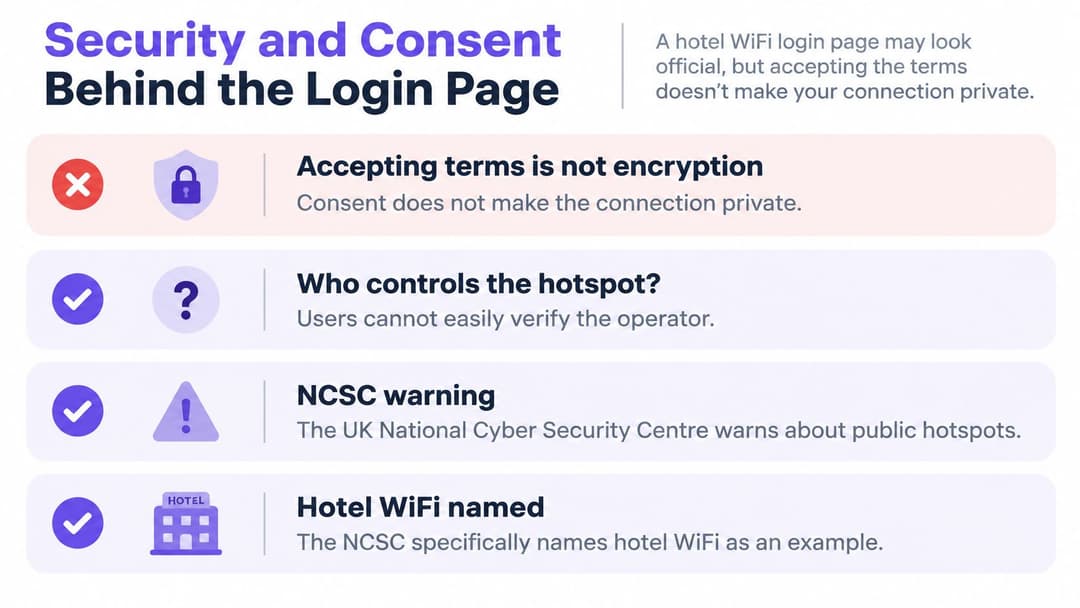
Accepting terms is not encryption. That single sentence resolves most of the confusion around hotel WiFi security, and it's worth stating before anything else.
The UK National Cyber Security Centre warns that users cannot easily verify who controls a public hotspot and may expose their activity to someone else on the network, and it names hotel WiFi as a public-hotspot example in its small business security guide. The same guidance is clear that a WPA2-protected private network is more secure than public WiFi.
Isolation comes first, the page comes second
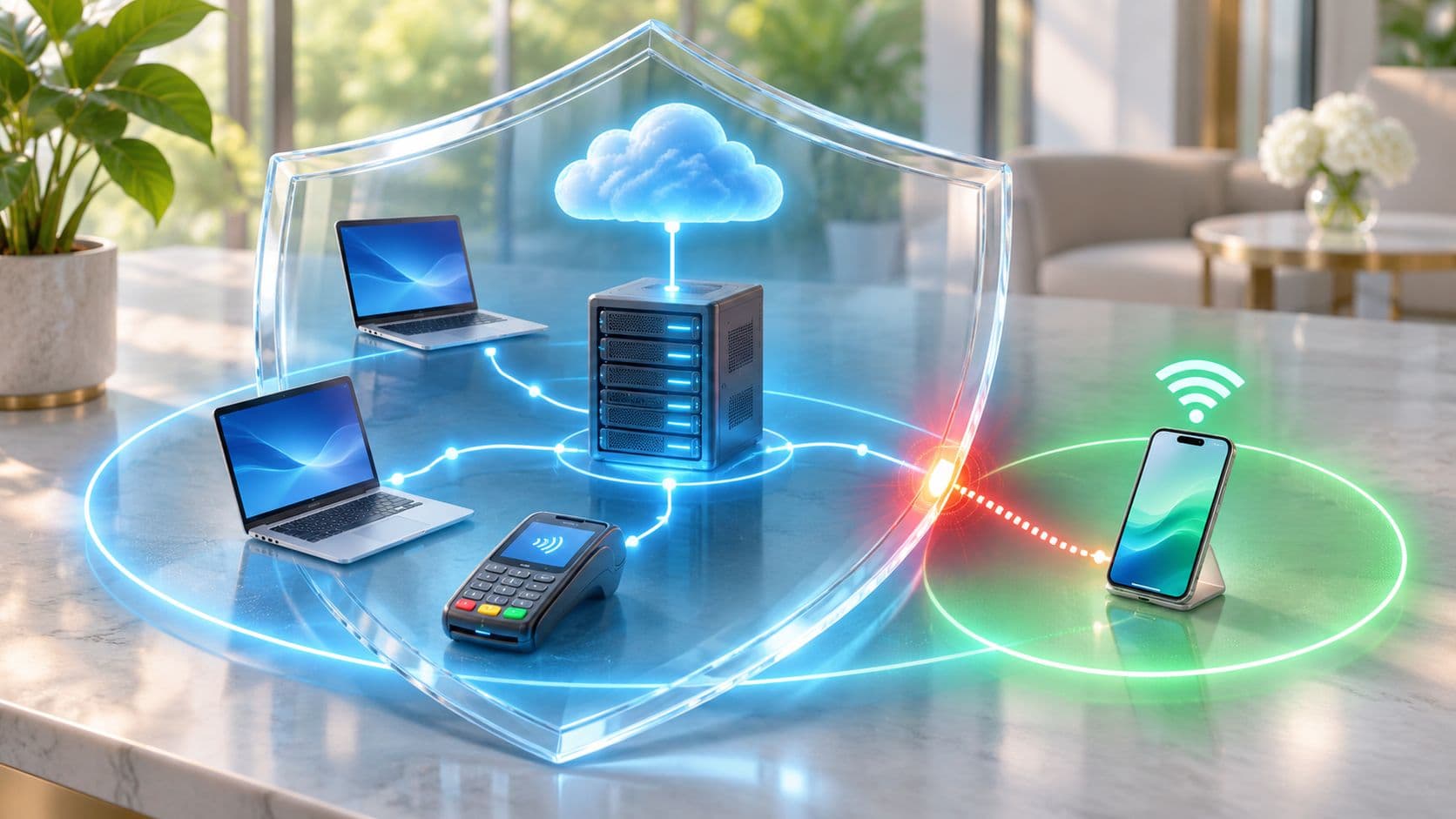
A portal identifies or authorises a session. Segmentation and link-layer protection limit what an attacker can reach or observe once they're associated. Those are different jobs, and one does not do the other.
- Dedicated guest VLAN. Guests sit on their own segment, separate from staff, payment and property-management systems.
- Client isolation on. Guest devices cannot talk to each other, which stops lateral movement between rooms.
- Restricted management interfaces. The controller admin page is not reachable from the guest network.
- HTTPS on the portal and the admin plane, with secure DNS and firewall egress rules.
Consent that survives scrutiny
The moment the page collects an email address, device identifier, IP address or session information, UK GDPR applies. A UK guest WiFi deployment guide sets out the pattern clearly: show the privacy information before submission, identify the controller, state each processing purpose, and offer a straightforward opt-out where it applies.
Practically, that means separating network access from marketing consent. Access stays available when a guest declines marketing, and the marketing box is separate and unticked by default. Keep an auditable record of notice version, timestamp, purpose selected and consent state, and don't collect fields the portal doesn't need for access or the declared analytics.
The same discipline applies to booking data a property already holds. A hostel group's backpacker booking details and privacy notice shows how much a short, plain notice can say about what's collected, why and for how long, which is the standard a portal notice should reach rather than hiding behind a link nobody opens. Purple's own data privacy approach to guest WiFi follows the same separation of access and marketing.
The gap in the UK numbers
The government's 2025/26 Cyber Security Breaches Survey found that only 38% of surveyed businesses had separate WiFi networks for staff and visitors, and for large businesses the figure fell from 93% in 2024/25 to 85% in 2025/26, as published by GOV.UK. A polished branded page on an unsegmented network creates a false sense of security.
One more warning for guests. A copied network name can impersonate the hotel entirely. Check the SSID against reception or the key card before typing anything, and treat an unexpected portal asking for card or banking details as suspicious and leave it.
How hotels can deliver a smoother login
Turn the failures into a short, ordered list of work. The order matters because the cheapest fixes come first.
- Audit the page on five devices. iOS, Android, Windows, a smart TV and a privacy-focused browser. One successful phone login proves nothing about the rest.
- Split the consent. Marketing opt-in separate and unticked, access available without it, and a record of what each guest chose.
- Publish the SSID everywhere. Key card, TV welcome screen, room folder, plus a QR code that opens the portal directly instead of relying on the redirect.
- Give reception a real override. A temporary code, a manual device add and a documented route for group bookings and early arrivals.
- Shorten sessions and expire them automatically. Lost and checked-out devices should drop off without anyone remembering to remove them.
- Separate staff and guest networks and block client-to-client traffic. This is the item that most often gets skipped, and it's the one that matters most.
The case for doing it is straightforward. In a 2016 survey of more than 1,000 UK consumers and 100 hoteliers, hoteliers named WiFi speed as the largest guest complaint at 37%, with connection dropouts next at 26%, according to TripReporter. Guests experience all of that through the access journey, so a slow page or a failed authentication step turns an infrastructure limit into a visible service failure.
If a property would rather not maintain a hand-built portal, a managed platform can carry the branded sign-in, the consent record and the analytics on the access points already installed. Purple's Connect plan includes a secure captive portal, branded splash pages, 25 supported languages and network analytics, and it runs on hardware from Cisco Meraki, HPE Aruba, Ruckus, Juniper Mist and Ubiquiti UniFi. Passwordless return visits are the other half of the fix, so a guest who has signed in once isn't asked again on the next stay, which is exactly what Purple's passwordless WiFi is built for.
Run the five-device audit this week. Fix whichever failure shows up on the most devices first, and the rest of the list gets easier.
Purple replaces the shared password and the hand-built splash page with a branded captive portal, passwordless return visits and consent records you can audit, running on the access points a property already owns. The same platform covers guest, staff and multi-tenant WiFi, so the screen that greets a guest can sit alongside certificate-based access for the team behind the desk. If this week's audit turned up failures you'd rather not patch by hand, visit Purple to see how the platform fits.