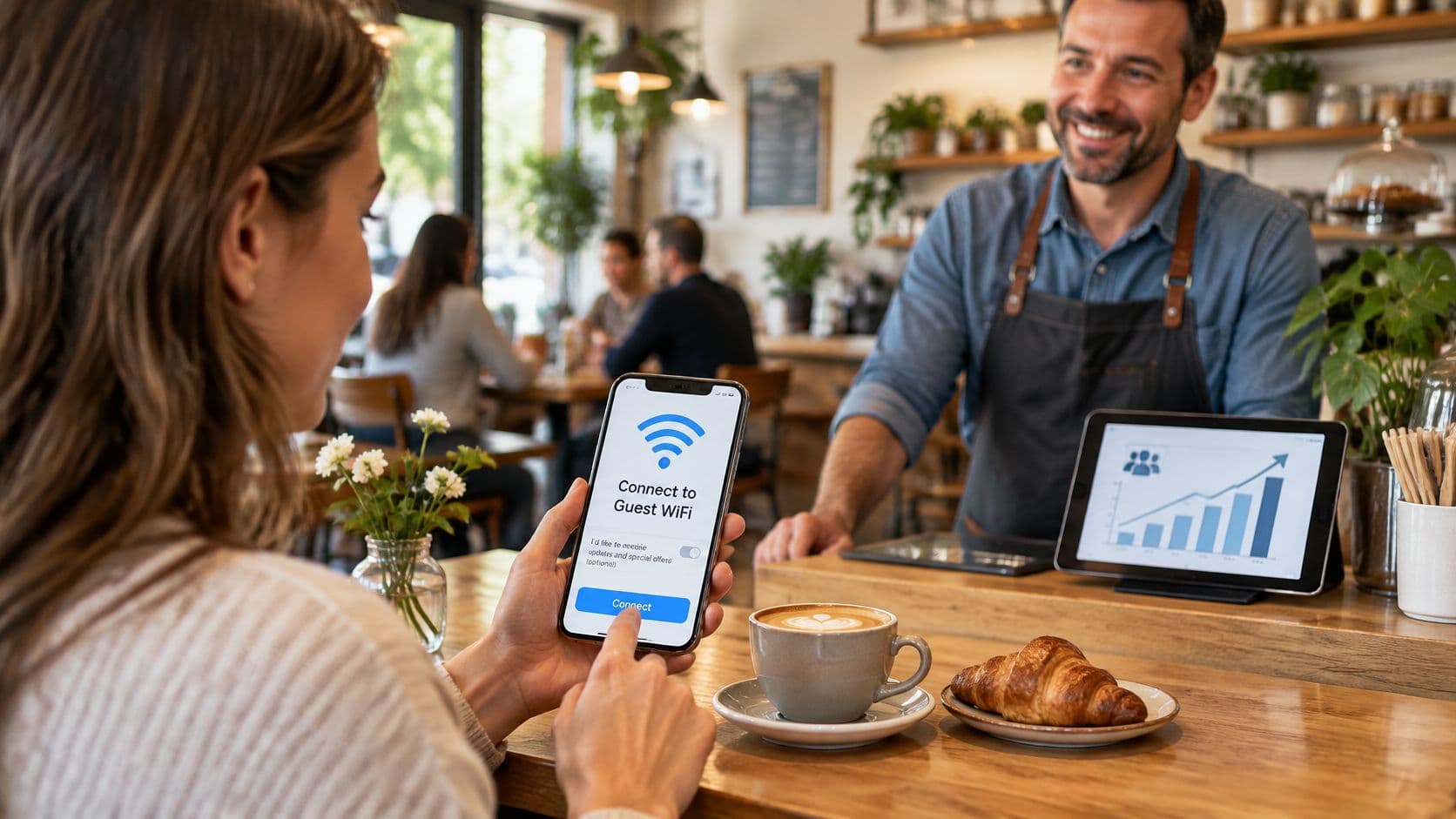
If every guest must tick a marketing box to get online, how many of those sign-ups can your venue use? A crowded contact database can look like success while hiding reluctant subscribers, weak consent records and messages that don't bring anyone back.
WiFi marketing works best as a consent-first measurement channel, not a toll booth for internet access. The practical challenge is connecting a useful service to reliable visit information, then giving guests a genuine choice about what happens next.
What WiFi marketing means for a venue
WiFi marketing means using guest internet access as a permission-based way to recognise visitors, understand their visits and reach them with relevant messages. Say a café offers connectivity to someone working between appointments. The customer joins, receives internet access and can separately choose whether they'd like updates about the café's evening events.
Think of a coat check. A guest hands over enough information to retrieve something useful, and the attendant uses that information for a clear purpose. The ticket isn't permission to search the guest's pockets. Similarly, joining a network shouldn't become blanket permission for unrelated marketing.
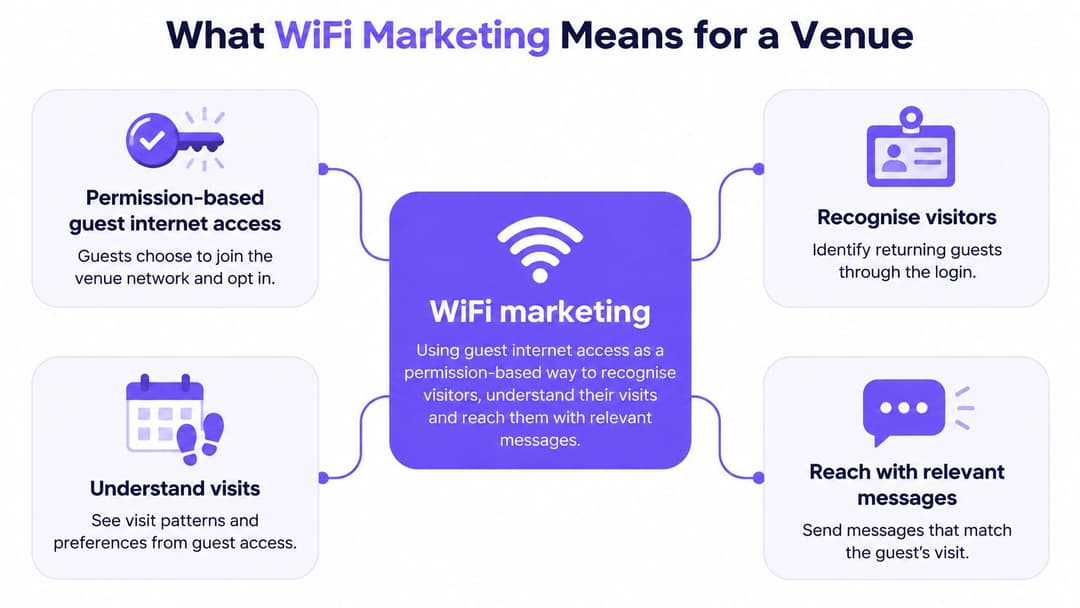
Separate the service from the relationship
Venue teams often blur distinct activities:
- Connectivity: The network supplies internet access.
- Identification: Authentication recognises a device or account, which isn't necessarily the same as identifying a person.
- Marketing: The venue uses appropriately permissioned information to send messages or personalise an offer.
A customer can receive the service without becoming a subscriber. Equally, recognising a returning device doesn't automatically authorise a promotional email.
The connection routes you'll encounter include captive portals, Passpoint and app-based login. Whichever route you choose, picture connectivity at the centre of a map, with identity, analytics, campaigns and loyalty around it. Consent and purpose limitations run through those connections, rather than appearing as a checkbox added at the end.
Start by asking what your current network does. Who does it identify? What does it ask guests to provide? What does it record? Those answers reveal whether you've built a service, a measurement system, a marketing channel or an unclear mixture.
Why guest WiFi shapes Repeat visits
In a 2014 survey covering 150 UK small and medium-sized hospitality and leisure venues and 2,042 adults, 33% of leisure travellers said they wouldn't return if WiFi was inadequate, rising to 67% among business guests, according to ISPreview's coverage of the hospitality survey.
That's historical evidence, not a current performance benchmark. It predates today's passwordless guest networks, but it illustrates an operational mistake that remains worth testing: treating connectivity as peripheral when guests need it to complete the purpose of their visit.
Reliability comes before a return offer
Say a business traveller is choosing between neighbouring hotel bars on a Tuesday evening. They need to send a presentation before ordering dinner. A comfortable chair and appealing menu won't solve the problem if their connection repeatedly drops.
A working network removes a reason to leave. An unreliable one gives the guest a problem staff must resolve, potentially before the venue has earned any food or drink revenue. Sending that guest a discount later doesn't repair the original service failure.
Practical rule: Fix the experience you're asking people to return to before automating invitations to return.
The marketing opportunity begins after that basic requirement is met. An authenticated visit can provide a measurable touchpoint, while a guest who chooses promotional communications gives the venue a route for relevant follow-up.
Keep the distinction clear: recognising a return isn't proof that a campaign caused it. A hotel guest might return because they're staying upstairs, because a colleague arranged a meeting or because the bar is convenient.
For a useful operational check:
- Review complaints: Search recent feedback and reviews for connection failures, confusing passwords and login problems.
- Separate visit purposes: Compare business and leisure guests where that information is collected appropriately.
- Check recognition quality: Establish whether your reporting counts returning devices, returning accounts or identifiable customers.
Use the historical finding as a reason to investigate your own venue, not as a number to copy into a revenue forecast.
How a guest login becomes customer data
A login creates a useful measurement point because it happens during the visit. In a UK consumer study reported by Virgin Media O2, 58% of people connected online while shopping, and more than one in five used connectivity to compare prices and check whether they were receiving the best deal.
That makes the connection a potential moment of consideration, not evidence that the venue can inspect everything someone does online. Design around declared information and proportionate session records, rather than assuming access means permission to monitor browsing.
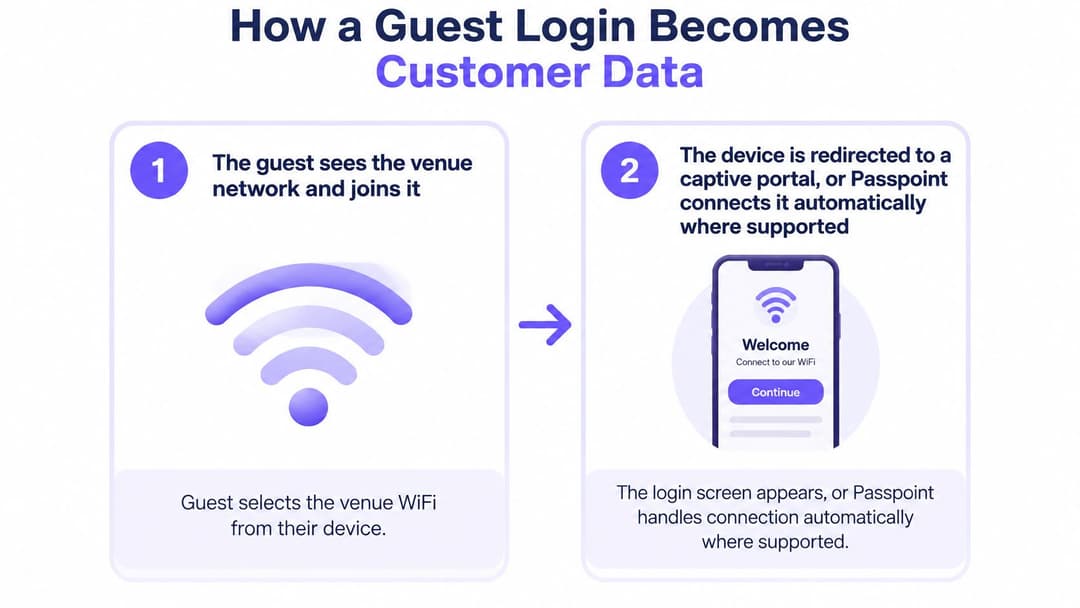
Follow the information through the system
The guest selects the venue network. Use a recognisable network name and consistent signage so guests know which service belongs to you. An ambiguous name creates confusion before authentication even starts.
The connection method takes over. A captive portal displays a web-based access screen; Passpoint can connect an enrolled device automatically where supported. Automatic reconnection still needs an initial enrolment process, so don't describe it as identification without any setup.
The guest completes the necessary sign-in. Depending on the implementation, this might involve email, a supported social identity or an app. Keep required fields to the minimum, since asking for a birthday, postcode and phone number without a clear purpose adds unnecessary work.
The system records choices separately. Distinguish acceptance of access terms from optional, unticked marketing or profiling choices. Store the choice and the wording displayed, because a contact record without its permission context is difficult to use responsibly.
Permitted session information reaches analytics. Records may include a device identifier, connection time, access point and session length, subject to your configuration and privacy arrangements. An access point gives an approximate network location, not a precise account of where someone stood.
The CRM applies matching and campaign rules. A customer relationship management system can associate an authenticated identity with previous interactions and, where permitted, trigger an offer. Don't match records solely because names look similar, and make suppression rules override campaign triggers.
Make the hand-off auditable
Treat first-party WiFi data as information with a documented origin, purpose and permission state, not a list of email addresses alone. Verification can establish control of an address; it doesn't establish permission for every future use.
A workable flow leaves operations with a short login, marketing with a clear consent record and analysts with a feed they can check regularly. Assign an owner to failed CRM synchronisations so withdrawn permissions don't remain active in a disconnected campaign tool.
Consent-First versus forced capture compared
The forced-capture habit is simple: require an email address and marketing acceptance before granting access. It can produce an impressive-looking list, but list size isn't the same as a usable audience.
The comparison below describes design trade-offs, not measured performance forecasts.
Forced capture versus two-stage consent
| Approach | Marketing consent | Sign-up volume | Legal and audience quality |
|---|---|---|---|
| Forced capture: email and marketing opt-in required for access | Bundled into connection, so not freely given | Can inflate apparent sign-ups by counting required submissions | Invalid consent in the ICO café example; engagement isn't established |
| Two-stage model: connect first, then ask | Optional, purpose-specific, given by clear positive action | Counts guests who actively choose marketing | Supports defensible consent and a measurable audience, without guaranteeing engagement |
| Connect-only route with no marketing ask | No marketing consent sought | No marketing database growth from the connection | Lower marketing-consent risk; use aggregate reporting rather than marketing profiles |
Why a compulsory tick isn't permission
The Information Commissioner's Office consent guidance gives a directly relevant café example: requiring contact details and marketing acceptance as a condition of WiFi access makes consent invalid because it isn't freely given; consent also requires a clear positive action, not silence, inactivity or pre-ticked boxes.
Electronic marketing generally requires consent, subject to applicable exceptions and channel-specific rules. Don't assume that collecting an address during authentication satisfies the requirements for sending promotions.
A bigger list can leave you with a smaller usable audience if you can't demonstrate why its members may lawfully receive your messages.
The practical test is straightforward: can someone get online without accepting marketing? If the answer is no, don't treat the required tick as freely given consent.
Make each purpose understandable
Offer access first, then present optional choices with clear explanations. Separate email and SMS permissions, and distinguish promotional messages from profiling or partner sharing. Record the date, source, wording and choice so the CRM receives more than a yes-or-no field without context.
For a separate SMS invitation, Express Text's guide to text to subscribe keyword sign-ups offers a useful mechanism to consider. Keep that invitation optional and check the proposed wording against your UK obligations rather than treating the mechanism itself as proof of compliance.
Build guest WiFi data privacy into the operating process. Collect only fields needed for the stated purpose, document retention periods and give guests a preference centre where they can change or withdraw choices.
Audit the journey for compulsory marketing, bundled purposes and missing withdrawal routes. Then check what happens downstream: an optional box achieves little if a CRM import later marks every connected guest as subscribed.
Security and inclusion limits that shape design
According to Ofcom's household connectivity findings, 3% of people aged 16 and over don't use the internet at home, 3% rely only on mobile data, and 1% use the internet only outside the home, including through public WiFi or at work. A guest network may therefore be more than a convenience for someone visiting your venue.
How can you personalise a visit without penalising the people who need connectivity most? Start by treating access as a service with an inclusive route, not a reward reserved for customers with the right device and a willingness to share information.
Test the route people actually use
A prominent connect-only option is useful only if guests can complete it. Test the whole journey, including error messages, terms screens and the confirmation page.
- Without a smartphone: Can someone connect a laptop without installing a mobile app or receiving a code on another device?
- With assistive technology: Can a guest use a keyboard or screen reader, identify labelled fields and understand validation errors?
- With limited security knowledge: Does the access screen explain the legitimate network name and give plain-language guidance about sensitive activity on an open network?
Don't present a branded splash page as evidence that the wireless connection is encrypted. Authentication, encryption and permission for marketing are different controls, and your wording should reflect what the network provides.
Protect access without expanding surveillance
Keep guest traffic separate from payment systems, clinical systems and staff resources. Use appropriate authentication for operational access rather than letting employees share the guest route for sensitive work. Security guidance should complement those controls, not shift responsibility entirely onto the visitor.
For open networks, advise guests to avoid sensitive transactions where possible and use a trusted alternative. Don't imply that every public connection has the same security properties or that a login page makes online banking safe.
There's also a measurement trap. If reporting includes only people who accept profiling or install an app, the team may mistake that selected group for the whole audience. Customers who decline can still spend, return and recommend the venue.
Report connection success by device type, and use accessibility testing and voluntary feedback to identify barriers. Avoid collecting disability information just to fill a dashboard. Pair campaign results with service outcomes so the team notices people who couldn't get online, not only those who joined the mailing list.
Metrics that prove WiFi marketing pays
WiFi marketing measures and how to read them
| Measure | What it shows | Reading rule |
|---|---|---|
| Authentication rate | Share of login attempts that complete successfully | A falling rate warrants checking portal friction and technical faults |
| Opt-in rate | Share of completed logins giving purpose-specific marketing consent | Judge genuine optional choices, not raw contact submissions |
| Repeat authentication | Share of recognised devices that authenticate again within a defined reporting window | A rise indicates more observed returns, not proof that WiFi caused them |
| Session duration | Average time connected per visit | Read alongside footfall and dwell time, never alone |
| Offer conversion | Share of eligible consenting visitors who redeem an offer | Compare with revenue per consenting visitor and discount cost |
| Unsubscribe and complaint rate | Share of delivered messages producing opt-out or complaint events | A sustained rise warrants reviewing consent, relevance and frequency |
Database size is an inventory count, not a return on investment. Pair sign-up totals with permission quality and observed return behaviour, using consistent definitions in your WiFi analytics reporting.
Read the measures together
A low authentication rate can indicate a long form, broken redirect or verification problem. Use login attempts as the denominator if that's what you can observe; don't label the result a share of all visitors unless you have a reliable visitor count.
For opt-in rate, examine the wording and guest journey as well as the result. A rise accompanied by more complaints may indicate confusion or pressure rather than stronger interest.
Repeat authentication measures recognised devices or accounts. Device changes, privacy settings and guests who don't reconnect can affect the count, so don't equate it automatically with total customer retention.
Longer sessions aren't automatically better. A phone may remain connected while its owner is elsewhere, and a guest may finish a valuable purchase during a short visit.
Offer conversion needs a financial counterpart. Calculate revenue per consenting visitor using a documented attribution rule, then consider discounts, delivery costs and campaign costs. Redemptions alone won't tell you whether the promotion improved commercial results.
Unsubscribes and complaints need diagnosis, not concealment. Review message content, audience selection and frequency, and confirm that withdrawal requests reach every connected sending system.
Measurement safeguard: A return after a message is an attributed event. Establishing an additional return caused by that message requires a credible comparison.
Build a fair comparison
Record a baseline across representative trading periods before making changes. Compare the same venue across matched periods, accounting for events, opening hours and seasonal differences.
If the existing flow relies on invalid consent, correct it rather than continuing it as an experiment. Where lawful and practical, compare campaign outcomes with a consenting holdout group that doesn't receive the offer.
Segment by connect-only and marketing-consent status, and by business or leisure purpose where appropriately known. Review complaints and opt-outs monthly; assess return behaviour and revenue over a longer review cycle that suits the venue's buying pattern.
Choose a Consent-First Guest WiFi Setup
Choose a two-stage guest WiFi setup with a clear connect-only route. Make operational necessity, rather than contact collection, the test for every required field.
Our Guest WiFi connection methods are Captive Portal, Passpoint and The Purple app. A captive portal provides a browser-based entry point; Passpoint supports automatic connections for enrolled, compatible devices; app-based access gives existing users another route. Select the method around guest needs and device support, rather than choosing whichever displays the most questions.
Confirm hardware compatibility before changing the journey. We support Cisco Meraki, HPE Aruba, Ruckus, Juniper Mist, Ubiquiti UniFi, Cambium, Extreme and Fortinet.
Put the decision into practice
Map the current journey. Walk from network selection to working internet on both a phone and a laptop. Remove fields that lack a documented connection or service purpose, and record where guests can get stuck.
Test the choices and their consequences. Check the optional permissions, the connect-only path and the withdrawal process. Follow a test record into the CRM to confirm that declining a purpose prevents the corresponding use.
Start the baseline before switching flows. Agree metric definitions, reporting ownership and matched comparison periods. Make sure operations can distinguish connection faults from marketing results.
Your acceptance test should be observable: a guest can connect without promotional consent, permissions remain accurate downstream, and the venue can report return behaviour by consent status where lawfully measurable. Passing that test gives you a sound basis for improvement, not a promise that every campaign will pay.
Purple offers guest WiFi authentication, analytics and CRM connections to help venues turn permissioned visits into measurable customer relationships. Visit Purple to explore a setup that fits your existing network, then use your login journey and reporting requirements to guide the conversation.