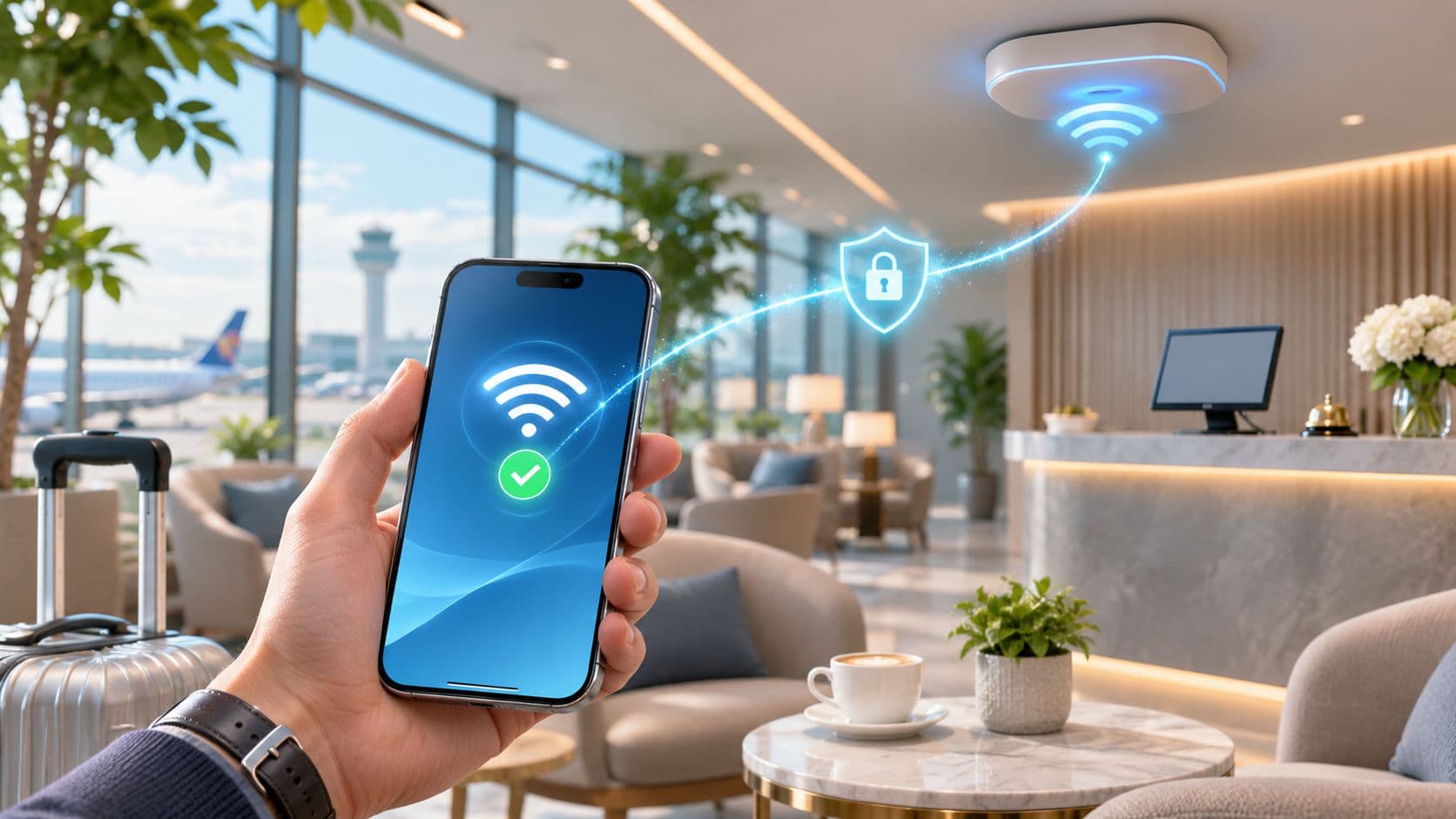
You're at reception with a regular guest in front of you, and they're asking for the WiFi password again. They stayed last month. They gave an email address then, and the splash page has forgotten them since. Meanwhile your own staff laptop joined the corporate network the moment it woke up, with no prompt at all. That gap between the two experiences is what WiFi Passpoint is designed to close.
Passpoint gets talked about as though it's one thing. It isn't. There's a standards-based capability you can switch on at your own site, and there's a roaming federation that only works when other operators and identity providers sign up too. Confusing the two is how projects end up promising guests easy access across the country and delivering a working SSID in one building.
Passpoint explained in plain terms
A hotel key card doesn't ask your name at the room door. Reception checked you in once, encoded a credential onto the card, and the lock recognises it every visit after that. Passpoint applies the same logic to a phone: the device carries a credential, the network reads it, and the connection opens without anyone typing anything.
Three names get used interchangeably in vendor literature, and they shouldn't be. Keep them apart and most of the confusion disappears.
- Hotspot 2.0 is the underlying capability built on IEEE 802.11u, which lets a device ask an access point who operates it and which identities it accepts before joining. The phone makes its decision from those advertisements, not from a web page.
- Passpoint is the Wi-Fi Alliance certification that confirms devices and access points implement that capability in a way that interoperates. It's what makes the label on a product box mean something rather than nothing.
- OpenRoaming is a federation layered on top, maintained by the Wireless Broadband Alliance and its participating providers, where identity providers and access network operators agree to recognise each other's users.
What you control and what you don't
The first two are procurement and configuration decisions. You buy certified hardware, you configure it, you issue credentials, and automatic access works at your venue. The third is a commercial relationship. No amount of correct configuration on your side makes a stranger's network accept your users.
Rule of thumb: a Passpoint-capable access point gives automatic access at your own venue from day one. Seamless roaming onto other operators' networks depends on those operators joining as well.
That distinction shapes everything downstream, from the device mix you support to the fallback you keep running for guests whose phones hold no profile at all.
Passpoint versus traditional guest WiFi
The flow your guests already know runs like this: pick the open SSID, wait for a splash page, accept terms or type an email address, then get online. Every step is a place where someone gives up and switches back to mobile data. The network is also usually open, so traffic before authentication travels without WiFi-layer encryption.
Three ways to let someone online
| Feature | Passpoint | Captive-portal guest WiFi | Shared passphrase |
|---|---|---|---|
| Sign-in step | Automatic once the profile is installed | Splash page with terms or email entry | Type the password once per device |
| Encryption | WPA2/3-Enterprise with EAP authentication | Usually an open network with no WiFi-layer encryption | WPA2-Personal with one key for everyone |
| Returning visitors | Reconnects without a form | Often repeats the splash page | Reconnects automatically until the password changes |
| Multiple sites | Works across participating networks | Separate portal at each site | Separate password at each site |
| Private MAC addresses | Authenticates the identity rather than the device address | Recognition can break when the address rotates | Not affected by address rotation, but one shared key is easy to pass on |
Two rows deserve a second look. Returning visitors are where the operational saving lands: a device holding a valid profile reconnects with no form, so your busiest hour stops being a queue of people re-entering details they gave last time. Encryption is where the security argument lands, because each user or device authenticates with its own credential instead of a password that half the town knows.
Private MAC addresses trip people up more than any other row. Modern handsets rotate their address for privacy, so any recognition scheme keyed to the hardware address will periodically forget a loyal guest. Identity-based authentication sidesteps that entirely, because the credential, not the address, is what the network checks.
Being fair about the trade-offs
A shared passphrase is the simplest thing to deploy, and for a small site with few returning users it may be enough. A captive portal also does something Passpoint doesn't: it collects marketing consent at the point of connection. If your team relies on that first-party data, you'll need to handle consent separately rather than assume it survives the move. Good captive portal software and Passpoint can run side by side on the same estate, serving different device populations.
Quick test for your own venue: if a guest must see a web page before they get online, you're still running a portal, whatever the SSID is called.
How automatic authentication works step by step
The exchange happens before the guest looks at their screen. Think of it as a door that checks the visitor's pass before anyone reaches reception. The order matters because each step gives the next one permission to happen. When a device sits doing nothing, the fault is often earlier than it looks.
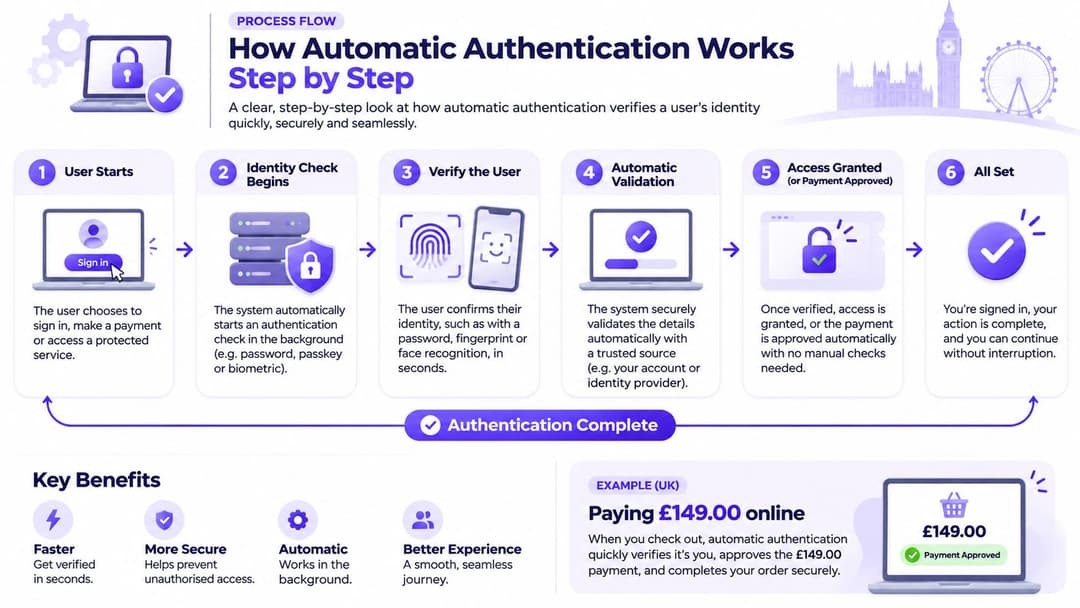
The access point advertises itself. It signals Hotspot 2.0 support and publishes its roaming identifiers using 802.11u, so a nearby phone can read who runs the network before associating. If the advertisement is wrong or missing, the later steps never start.
The phone compares that advertisement with the profile it holds. This is a silent match. If the profile identifier does not line up with what is advertised, the phone ignores the network. The guest sees no error, and the controller may show nothing obvious.
On a match, the device joins without a prompt and begins an EAP exchange. The user sees no dialog because there is nothing to ask them. The credential is already on the device.
The access point forwards those EAP messages to the authentication server, which validates the credential, often a certificate. A missing intermediate certificate can make every attempt fail while looking like a wrong password. A hosted RADIUS as a service platform removes the need for an on-prem server, but the chain and EAP method still have to be right.
Success produces session keys, and the traffic runs encrypted under WPA2-Enterprise or WPA3-Enterprise. Encryption starts with the association, so there is no unprotected pause while someone opens a browser page.
The session is recorded against that identity. On the next visit, the device repeats the match, the exchange and the key derivation with no input from the guest. That is the part venue teams notice first, because the connection happens before the queue forms.
What success looks like
Check two things together. The phone shows connected with no prompt and no browser opening, and the authentication log shows an accepted EAP method for that specific device. If the phone is online but the log shows a portal redirect instead, the device fell back to guest access rather than authenticating.
Work backwards through the sequence when something breaks. Start with the advertisement over the air, then the profile, then certificate trust, then the server decision. Server policy often gets rewritten while the underlying problem sits at step one, where the access point never described the network properly in the first place.
How devices get a Passpoint profile
Before any of that can happen, the device needs a profile: a small configuration holding the provider's roaming identifier, the EAP method and the trust anchor that tells the device which server certificate to accept. No profile, no automatic connection. There are three practical routes to get one installed.
- Device management pushes it. MDM tooling such as Intune or Jamf delivers the profile to managed corporate laptops and phones. This suits staff and contractors, because you control enrolment, rotation and revocation centrally.
- The carrier or SIM supplies it. Some phones already carry a carrier profile that authenticates against the SIM rather than a password, which is how mobile offload works without the subscriber configuring anything.
- The guest installs it once. An onboarding app or the OpenRoaming profile installer writes the profile during a single setup step, after which return visits are automatic.
The contrast is worth holding in mind. A staff laptop enrolled through device management connects at the first gate with no prompt. A visitor whose phone has no profile sees your normal guest portal.
A guest landing on the portal isn't a fault. It's the expected result for a device you haven't provisioned.
The failure that does need chasing is the silent one: a profile whose identifier doesn't match the advertised network gets ignored, and the device behaves as though there's no network there at all. Before you go live, write down which device types will hold a profile on day one, and be explicit that everyone else should expect the portal. Don't promise coverage for visitor handsets you haven't tested.
Where Passpoint helps most in venues and healthcare
Four settings show the value quickly, and they're all places where people move around while connected.
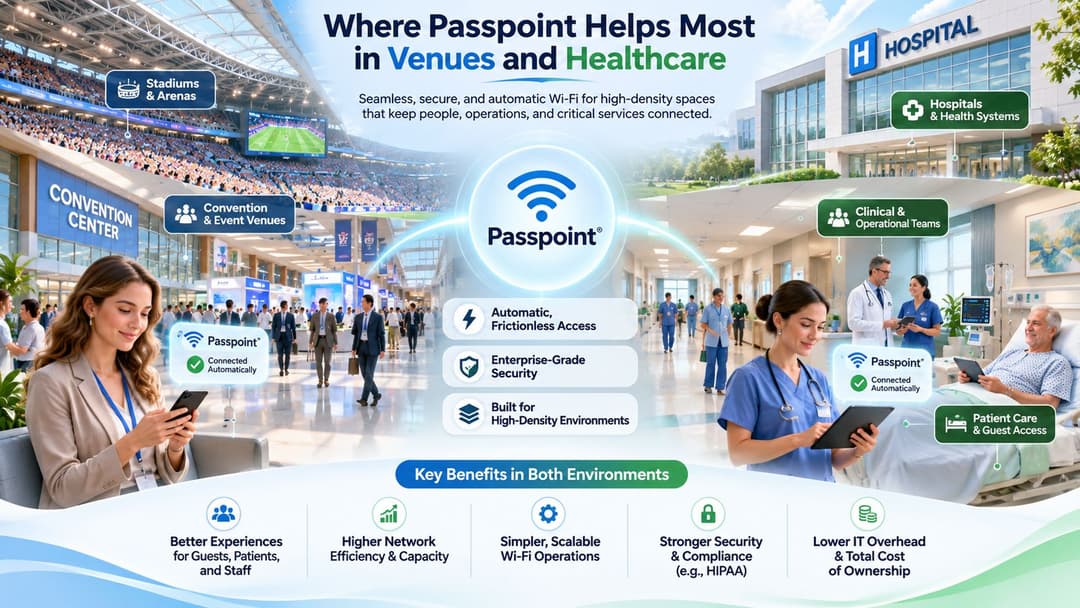
A stadium concourse. Phones drift between cellular and WiFi as fans move through gates and stairwells. Nobody wants a splash page at every turn, and a dense crowd all loading a login page at once is exactly when that page fails. The gain is fewer abandoned sign-ins and less pressure on cellular capacity where it's thinnest.
An airport or transit hub. Travellers pass between operators and expect the connection to keep working. Repeated logins are the friction; continuity is the gain.
A hotel, bar or retail chain. Repeat guests skip the form they filled in last time. Faster reconnection and fewer drop-offs at the splash page are the measurable wins, and they compound across a portfolio.
A campus or hospital estate. Staff, contractors and clinicians move between buildings and sites, and shared passwords are a poor fit for clinical devices. NHS England's future connectivity guidance records that Passpoint, also known as Hotspot 2.0, was released in 2012 and is now widely supported, and places it in the roadmap for NHS trusts and Integrated Care Boards alongside WiFi 6, WiFi 6E, WiFi 7 and OpenRoaming. The same guidance defines WiFi roaming as internet access for users or IoT devices outside their usual corporate network, connected through another publicly funded NHS or partner network.
For hospital IT teams planning that shift, our healthcare WiFi whitepaper covers the identity and segmentation decisions that sit underneath it.
Apply a simple filter to your own setting: many returning users, a mix of staff and guests, or movement between sites. Tick two or more and you're a strong candidate.
Where Passpoint still falls short in the UK
Automatic roaming across the country isn't a service you can buy today and switch on. The capability is mature; the federation around it is not, and pretending otherwise sets expectations you can't meet at the venue boundary.
NHS England's guidance on future WiFi standards and roaming technologies recorded that, as of March 2023, the UK had only a small OpenRoaming deployment footprint, and places these technologies within a two-to-five-year NHS connectivity roadmap. Reviewed in 2025, that assessment is a planning horizon, not a coverage map.
Two different things people call "roaming"
- Credential provisioning means your network recognises your own users' profiles. You can deliver this yourself, on your own hardware, with your own identity provider.
- Federation coverage means other networks recognise those users too. That depends on access network providers and identity providers both taking part, not on installing compatible access points.
The edge case follows from that. When a device walks out of a participating network, it falls back to your normal captive portal or an open SSID. Plan that fallback deliberately rather than discovering it during a live event.
Practical check: walk a test device across the boundary of your footprint and record what it does. That single test tells you more than any vendor coverage claim.
There's genuine momentum behind the federation. The Wireless Broadband Alliance's 2025 annual industry report, announced in London on 11 December 2024, found that 81% of WiFi industry executives planned to deploy OpenRoaming during 2025 or 2026, with 25% already rolling it out. Those are global survey responses describing intent, not evidence that UK venues have deployed it.
So run three checks before you commit: ask which federations your provider joins, test a device at the boundary, and record which devices fall back and what they see.
Requirements and testing before you roll it out
Jisc's OpenRoaming requirements checklist gives UK operators a usable infrastructure baseline, and it's worth treating as the minimum rather than the ambition.
| Requirement | Why it matters | How to check |
|---|---|---|
| Passpoint or Hotspot 2.0 support | Lets the client discover and evaluate the network before joining | Confirm the access point advertises 802.11u features |
| ANQP through 802.11u | Carries roaming identifiers and operator details | Inspect advertisements in a packet capture |
| RCOI and operator name settings | Lets the client recognise the provider | Match them to the profile on test devices |
| WPA3-Enterprise where available | Stronger protection; WPA2-Enterprise remains compatible | Enable WPA3 and fall back to WPA2 only where devices need it |
| Passpoint Release 1, 2 or 3 | Release 3 keeps the features of earlier releases | Test one device from each release you expect |
| EAP method and certificates | The backend must complete the chosen method | Run eapol_test with test credentials |
The test routine, in order
- Capture the access point advertisements and confirm the service is described correctly. A wrong advertisement stops clients before they ever join, so no server-side fix will help.
- Run eapol_test with test credentials. Jisc recommends this because it gives you a repeatable way to prove the backend completes the chosen EAP method, independent of handset behaviour.
- Check the certificate chain, RCOI and EAP method for mismatches. One gap in any of the three fails every attempt, and the symptoms look identical from the guest's side.
- Test one device from each Passpoint release you expect to see. Release 3 retains earlier capabilities on paper, but real handsets still vary in how they handle profiles and roaming hints.
- Confirm a failed attempt lands on secure guest access, not an open network. Failure is inevitable for some devices; insecure failure is a choice.
Repeat the routine after any firmware upgrade or certificate change. Those two events cause most of the regressions that appear months after a clean rollout.
Confirm Passpoint fits your venue before you commit
Deploy now if three things are true: your access points support Passpoint, a meaningful share of your guests or staff return regularly, and your provider can name its federation partners in writing. Stage the rollout if most visitors arrive from outside your footprint, your device mix leans on older hardware, or nobody will put the partner list on paper.
That third condition deserves a moment, because it captures the split running through this whole article. The technology side, profile provisioning, automatic authentication, encrypted access on your own access points, is entirely within your control and works on day one. The federation side, your users roaming onto other networks and their users roaming onto yours, depends on agreements and identity providers you do not control. A written partner list is the only evidence that the second half exists at all.
The next fortnight has a clear shape. Audit your access points and the devices your visitors use, request the written federation list, and walk a device across your venue boundary to see what fallback looks like. Keep the existing guest WiFi running throughout, and run the full test routine at one pilot site before touching anything wider.
Physical signage matters more than engineers expect here, because guests without a profile still need to find the portal. A clear instruction at the entrance, in plain words at reading distance, does more for onboarding than any configuration change. If your frontage signage is due a refresh anyway, the Jenks Main Street facade and signage tips cover how to make wording legible from the pavement, and the same principles apply to a "connect to our WiFi here" notice.
On our side, Engage includes Passpoint and profile authentication with fully managed service options, and Staff WiFi works with Entra ID, Google and Okta. Managed delivery removes the setup work. It does not remove your need to check coverage at the edges of your estate.
Start with the written federation list. Everything else in the plan depends on knowing which networks will accept your users, and no amount of correct configuration substitutes for that answer.
Purple delivers guest WiFi, staff 802.1X security and multi-tenant access on one cloud platform, with Passpoint and profile authentication handling the automatic reconnections this article has walked through. If you want to test that against your own access points, device mix and fallback requirements before committing to a wider rollout, visit Purple and scope a single pilot site with our team.