
Food hall and market WiFi providers checklist: trader card terminals, diner sign-in and repeat-visit emails
Use this checklist to shortlist food hall WiFi providers and set up a multi-trader network. You will be able to isolate each trader's card terminals with their own key and keep QR ordering fast behind a one-screen diner sign-in. You can also filter DNS for diners only and report repeat visits by day part for consented email campaigns.
By Tom HackettPublished
📖 14 min read3,185 words3 worked examples11 key definitions
Part of our core series: WiFi marketing and first-party data: the complete guide →
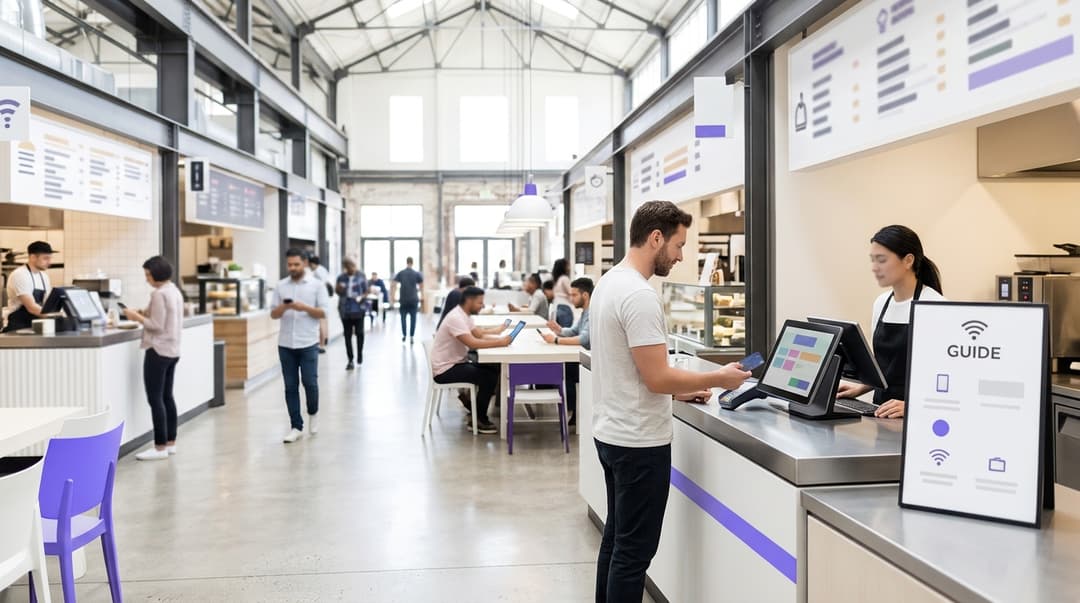
Ask food hall WiFi providers for four things: a separate network key per trader, so card terminals and kitchen display screens never touch the diner SSID; a one-step diner sign-in that lets QR ordering load first; DNS filtering on the guest network only; and consented sign-in data that reports weekday and weekend repeat visits for email campaigns.
What does a food hall WiFi network need to do?
A food hall is a group of independent businesses sharing one roof and one network. Each trader runs card terminals and receipt printers. Most also run a KDS (kitchen display system, the screen that replaces paper tickets) and a tablet for delivery orders. At the same time, hundreds of diners arrive at once, and many order through a QR code on the table.
Your network has to serve both groups without either one affecting the other. That breaks down into four jobs:
- Trader networks. Every trader gets a private, isolated segment for payment and kitchen devices. No trader can see another trader's devices, and none of them share the diner network.
- Diner sign-in. A short captive portal (the web page a public network shows before it grants internet access) that does not stall QR table ordering.
- Protective DNS. Filtering on the diner network that blocks malicious and inappropriate sites without blocking payment or ordering services.
- Consented first-party data. Sign-ins that show who comes back, when and how often. They also give you permission to tell diners about new traders and off-peak nights.
Purple delivers all four as a cloud overlay on the access points you already own:
- Guest WiFi runs the diner portal and consent capture.
- Identity-Based Networks with iPSK give each trader their own key.
- Shield adds DNS filtering.
- The Engage plan sends the email campaigns.
Purple runs at 80,000+ live venues in more than 90 countries and handles 500 million users and logins a year.
What do you need before you set up food hall WiFi?
A device inventory for every stall
For each trader, list every device that needs a connection: card terminals, KDS screens, printers, tablets and any staff devices. Note which connect by WiFi, which by Ethernet and which by their own SIM. Many portable terminals carry a 4G fallback, so record whether it is switched on.
This inventory decides two things. It sets how many trader keys you issue. It also sets which VLAN each key maps to. A VLAN (virtual LAN) is a logically separate network running on shared cabling and access points.
Access points Purple supports
Purple is hardware-agnostic. It works with Cisco Meraki, HPE Aruba, Ruckus, Juniper Mist, Ubiquiti UniFi, Cambium, Extreme and Fortinet. If your access points are on that list, you can layer Purple on top of them. Why your next WiFi upgrade doesn't need new hardware explains the overlay model.
Before you plan the rollout, check that your model and firmware support per-key VLAN assignment. Purple's support documentation lists this by vendor.
A written PCI DSS split
PCI DSS (Payment Card Industry Data Security Standard) applies wherever cardholder data is stored, processed or transmitted. In a food hall, agree in writing who owns compliance for each terminal: the operator, the trader or the payment provider.
Segmentation that isolates payment devices from the guest network can reduce what falls in scope. The PCI Security Standards Council covers this in its guidance on scoping and network segmentation. Our guide to PCI DSS for restaurant and QSR WiFi: keeping tills, guests and staff apart covers the detail for hospitality.
Ordering and payment domains
Ask your QR ordering platform and each trader's payment provider for the domains their service depends on. You need this list twice: once for the captive portal allow-list and once for the DNS policy.
Consent wording
Draft your marketing consent text before go-live. Under UK GDPR and the Privacy and Electronic Communications Regulations (PECR), marketing emails to individuals need consent. That consent must be specific, informed and given by a clear positive action. The ICO's guidance also says consent should not be a precondition of a service. In practice, WiFi access cannot depend on ticking the marketing box.
How do you set up a multi-trader food hall network?
Step 1: give every trader their own network key
iPSK (identity pre-shared key) lets one SSID accept many passwords. Each password maps a device to its own VLAN. Vendors name the feature differently: Cisco Meraki calls it identity PSK, HPE Aruba calls it MPSK and Ruckus calls it DPSK. The principle is the same across all of them.
With Purple, you issue one key per trader from a single console. The trader's terminals, KDS and printers join the trader SSID with that key and land in that trader's VLAN. Firewall rules then deny traffic between trader VLANs and between any trader VLAN and the guest network. WiFi networking explained: How it stays secure covers how this separation works on the air.
A single trader SSID also protects airtime. Every SSID an access point broadcasts adds beacon traffic, so vendors advise keeping the number of SSIDs per radio low. A 20-stall hall with one SSID per trader would spend airtime on beacons that card terminals need at peak.
| Option | SSIDs broadcast | Trader-to-trader isolation | Onboarding a new trader | When a trader leaves | Who it suits |
|---|---|---|---|---|---|
| One shared staff password | 1 | None, all traders share one network | Hand over the existing password | Change the password for every trader | Not suitable where card terminals use WiFi |
| One SSID per trader | One per trader | Full, one network per SSID | Configure a new SSID on every access point | Delete the SSID on every access point | Halls with three or four fixed traders |
| iPSK key per trader (Purple) | 1 | Full, one VLAN per key | Issue one new key | Revoke one key | Halls with five or more traders and regular stall turnover |
| Trader's own 4G router | 0 on the venue network | Full, traffic never touches your network | Trader buys and installs a router | Trader removes the router | Pop-up stalls and single-day markets with good indoor signal |
Keep two more networks apart from the traders. The first is an operations network for CCTV, digital signage and music. The second is the diner network, with client isolation on so diners' devices cannot see each other.
Step 2: build a diner sign-in that keeps table ordering fast
The friction point is the captive portal. When a phone joins an open network, iOS and Android open a small sign-in window before granting full access. If a diner scans the table QR code at that moment, the ordering page can stall behind the portal.
Three settings prevent that:
- Allow-list the ordering platform. Add the ordering and payment domains to the walled garden (the pre-authentication allow-list). The menu then loads before the diner signs in.
- Keep the form to one screen. Ask for one identity field, such as email or a social login. Add one unticked marketing consent box and one connect button. Every extra field costs sign-ins at a busy lunch.
- Recognise returning diners. Set the session length to match how your diners visit, so a regular returning within the window is not asked again. For automatic reconnection, Purple supports OpenRoaming. It builds on Passpoint (also called Hotspot 2.0), a standard that lets a phone join a known network without a portal.
Keep the table QR code and the WiFi prompt separate. The table code should go straight to ordering. A separate WiFi sign or join prompt brings diners onto the network.
Step 3: apply protective DNS to diners without blocking payments
Protective DNS checks each domain lookup against threat and content categories, then refuses the risky ones. The NCSC runs the same approach as its Protective DNS service for UK public sector bodies.
Apply Purple Shield to the diner network with category-based rules: malware, phishing and adult content blocked. Give trader VLANs a separate policy with their payment provider's domains always permitted. Never apply a content policy to payment traffic.
On the diner side, add your ordering platform and payment gateway domains to the allow-list before opening. Wallet checkouts and card payment pages should then resolve normally.
One limit is worth planning for. Browsers using DNS over HTTPS can send lookups around your resolver, so DNS filtering is one layer of protection, not the only one. Why is it important to secure a network? a 2026 guide covers the other layers.
Step 4: report weekday lunch and weekend visits separately
Food halls run two different businesses: a weekday lunch trade and a weekend leisure trade. WiFi Analytics reports visits, new and returning diners, and dwell time by hour and day. Define your own day parts, such as weekday lunch, weekday evening and weekend all-day. Then compare repeat rates across them.
Rely on signed-in identity, not device counts, for repeat visits. iOS and Android now use private MAC addresses by default. Apple and Google both document this behaviour. A phone can therefore look like a new device, which inflates first-visit numbers. A diner who signs in with the same email is counted once, however their phone presents itself.
Step 5: use consented sign-ins to promote new traders and quiet nights
With the Engage plan, you can turn consented sign-ins into segments and automated emails:
- New stall launches to diners who visited recently and opted in.
- Off-peak event invitations to weekend-only diners, offering a reason to try a Wednesday evening.
- Win-back emails to lapsed regulars who have not returned for a set period.
Purple uses conscious-choice opt-ins, so only diners who ticked the box receive marketing. Measure every campaign the same way: returning visits in the target day part, plus redemptions at the trader's till.
Got questions about your specific setup?
Our team works with venue operators, IT managers, and network engineers across 80,000 venues. Book a 20-minute call and we will show you how others like you solved it.
Guaranteed response within 4 business hours - No commitment required
What does this look like in a real food hall?
Scenario 1: a 20-stall city-centre food hall replacing a shared password
Situation. All 20 traders shared one staff password. Card terminals dropped on Friday nights, and departing traders kept working credentials. Two stalls changed hands every quarter, and each change meant resetting the password for everyone.
What was done. The operator moved to one trader SSID with an iPSK key per stall, each mapped to its own VLAN. Guest traffic moved to an isolated diner network with Shield filtering. Terminals that supported 5 GHz moved off the crowded 2.4 GHz band.
Measurable outcome. Replacing a trader became two actions: revoke one key and issue one key. That meant no engineer visit and no reset for the other 19 traders. The operator's annual segmentation test found no route between trader VLANs, or from the diner network to any trader. The test result went straight into each trader's PCI DSS evidence pack.
Scenario 2: a council market hall filling quiet midweek evenings
Situation. A council-owned market hall with street food traders was busy at weekends and quiet from Tuesday to Thursday evenings. It had no way to reach weekend visitors after they left.
What was done. The hall launched a one-screen diner portal with an unticked marketing consent box. WiFi Analytics split weekend visitors from weekday regulars. An Engage campaign invited consented weekend-only diners to a Wednesday evening event, including a launch offer from a new trader.
Measurable outcome. The council set two measures before sending. The first was returning signed-in visits on Wednesday evenings, compared with the four weeks before. The second was the number of offer codes redeemed at the new trader's till. Both came from systems the hall already ran, with no survey or manual count.
How do you check the network works?
Run these checks before opening, and repeat them after any trader change:
- Isolation. Connect a laptop with Trader A's key and try to reach a Trader B terminal. Then try from the diner network. Both attempts must fail. Keep the record, because PCI DSS v4.0 requirement 11.4.5 asks merchants using segmentation to test those controls at least once every 12 months.
- Payments at peak. Run a test transaction on every terminal during your busiest service, not on a quiet morning.
- Portal timing. Time sign-in from join to internet on an iPhone and an Android phone. Scan the table QR code before signing in and confirm the menu loads.
- DNS policy. Load a known test domain from the diner network and confirm the block page appears. Then confirm every ordering and payment domain resolves.
- Data. Sign in with a test address and check the visit appears in WiFi Analytics. Confirm the consent choice is recorded.
- Revocation. Revoke a test key and confirm the device loses access straight away.
What goes wrong in a food hall network, and how do you fix it?
Card terminals drop at peak
The usual causes are congestion on 2.4 GHz and access points placed for the seating area, not the counters. Survey coverage at the trader counters during service. Move terminals that support 5 GHz onto that band, and keep 4G fallback switched on as a second path.
A trader shares their key beyond their own devices
A key on a staff phone or a friend's laptop puts unknown devices in that trader's VLAN. Revoke the key, issue a new one and give staff phones their own key on a separate VLAN.
Diners get stuck on the sign-in page
The ordering domain is missing from the walled garden, or the form has too many fields. Add the domain, cut the form to one screen and retest on both mobile platforms.
The ordering page or a payment step is blocked
A category rule has caught a domain the ordering platform depends on. Add it to the Shield allow-list for the diner network, and ask the platform for its full domain list so it does not happen again.
Repeat-visit numbers look too low
Private MAC addresses make returning devices look new. Report repeat visits on signed-in identity, and encourage regulars onto OpenRoaming so they reconnect automatically.
Traders ask for the diner list
The operator usually acts as data controller for diner sign-ins. Sharing a list with a trader needs its own consent, so run trader promotions centrally through Engage.
What does it cost, and what do you get back?
Purple sells three plans: Connect, Capture and Engage. Engage runs the consented email campaigns, and Shield adds DNS filtering. If your access points are on the supported list, there is no hardware bill. The main internal cost is the time to build the trader device inventory and agree the PCI DSS split.
What you get back:
- Fewer engineer visits. Trader turnover becomes a key change, not a network change.
- A cleaner PCI DSS boundary. Isolated trader VLANs and test evidence support each trader's compliance.
- Safer public access. Diners get a filtered network without slowing payments.
- An owned marketing channel. Consented first-party data reaches diners directly, so promoting a new stall or quiet night does not depend on paid media alone.
Purple holds ISO 27001 certification, is GDPR compliant and is a certified B Corp. If you run several sites, apply one standard across them. Our Franchise network WiFi checklist: one standard for guest, staff and filtering across franchisees sets out how. Food halls inside shopping centres face similar questions to our Retail venues.
What should you ask a food hall WiFi provider?
Use these questions when you build your shortlist:
- Can you give every trader a separate key on one SSID, mapped to its own VLAN?
- How long does it take to revoke a departing trader and onboard a new one?
- Does your service run on our existing access points, and which vendors do you support?
- Can the diner portal allow-list our ordering platform before sign-in?
- Can we apply different DNS policies to diner and trader networks?
- Do you report repeat visits on signed-in identity, by day part?
- How do you collect and record marketing consent under UK GDPR and PECR?
- Which certifications do you hold, and who audits them?
Frequently asked questions
Do we need new access points to run a multi-trader food hall network?
No. Purple runs as a cloud overlay on the access points you already own, including Cisco Meraki, HPE Aruba, Ruckus, Juniper Mist, Ubiquiti UniFi, Cambium, Extreme and Fortinet. Trader keys, the diner portal and DNS filtering sit on top of that infrastructure, so there is no rip and replace. Before you plan the trader rollout, check that your model and firmware support per-key VLAN assignment in Purple's support documentation.
Can trader card terminals share the diner WiFi network?
No, and they should not. Card terminals and KDS screens belong on a trader network that diners cannot reach. Purple issues each trader a separate key that places their devices in their own VLAN. That VLAN is isolated from the guest SSID and from every other trader. This separation supports PCI DSS segmentation, and PCI DSS v4.0 expects merchants to test segmentation controls at least once every 12 months.
Will a WiFi sign-in page slow down QR table ordering?
Not if you build the sign-in around ordering. Add your ordering platform's domains to the pre-authentication allow-list, so the menu loads before a diner signs in. Keep the form to one identity field, one unticked marketing consent box and one button. For returning diners, OpenRoaming lets phones reconnect automatically, so regulars skip the sign-in page entirely.
Does DNS filtering block payment apps or ordering platforms?
No, provided you set the policy per network. Purple Shield filters by category on the diner network, blocking malware, phishing and adult content. Payment and ordering services resolve normally. Trader networks run a separate policy with their payment provider's domains always permitted. Test every ordering and payment domain from the guest network before opening. Add any blocked domain to the allow-list.
Who owns the diner data, the operator or the traders?
Usually the operator. The food hall operator runs the WiFi and collects the sign-ins, so it normally acts as data controller under UK GDPR. Traders benefit through campaigns the operator sends on their behalf, such as a new stall launch. Sharing a diner list with a trader needs its own consent, named in the privacy notice. For that reason, most operators keep the list and run promotions centrally.
Are WiFi sign-ups compliant for marketing emails under GDPR and PECR?
Yes, when you collect consent properly. PECR requires consent for marketing emails to individuals. UK GDPR requires that consent to be specific, informed and given by a clear positive action. Purple uses conscious-choice opt-ins: an unticked box, separate from WiFi access, with each diner's choice recorded. Purple is ISO 27001 certified and GDPR compliant.
How is food hall WiFi from Purple priced?
Purple prices by plan and add-on, quoted for your venue. There are three plans, Connect, Capture and Engage, and Engage runs consented email campaigns. Shield adds DNS filtering for the diner network. Purple runs on supported existing access points, so most food halls avoid a hardware bill. Ask for a quote that lists trader keys, the diner portal, Shield and Engage separately.
Can we move traders off a shared password without disrupting service?
Yes. Run the new trader SSID alongside the old shared network, then move one stall at a time outside service hours. Issue the trader's key, reconnect their terminals and KDS, and run a test transaction before moving on. A trader who misses the window keeps working on the old network until you reach them. Once every trader has moved, switch off the shared password.
Key Definitions
iPSK (identity pre-shared key)
A WPA2-Personal or WPA3-Personal extension where one SSID accepts many pre-shared keys, each mapping a device to its own VLAN. Cisco Meraki calls it identity PSK, HPE Aruba calls it MPSK and Ruckus calls it DPSK.
IT teams meet it when replacing a shared staff password. One key per trader gives full isolation on a single SSID and turns trader turnover into revoking one key and issuing another.
VLAN (virtual LAN)
A logically separate network on shared cabling and access points, defined by IEEE 802.1Q frame tagging. Firewall rules control which VLANs can reach each other.
Each trader key maps to its own VLAN. Firewall rules deny traffic between trader VLANs and the diner network, which forms the segmentation boundary for card terminals.
PCI DSS
The Payment Card Industry Data Security Standard, maintained by the PCI Security Standards Council. It applies wherever cardholder data is stored, processed or transmitted. Version 4.0 requirement 11.4.5 asks merchants using segmentation to test those controls at least once every 12 months.
Isolating trader payment devices from the guest network can reduce what falls in scope. The annual segmentation test result feeds each trader's compliance evidence pack.
Captive portal and walled garden
A captive portal is the web page a public network shows before granting internet access. The walled garden is the pre-authentication allow-list of domains a device can reach before sign-in.
iOS and Android open a sign-in window on joining an open network. Allow-listing ordering and payment domains stops table QR ordering stalling behind the portal.
KDS (kitchen display system)
The screen in a trader's kitchen that replaces paper order tickets, connected to the ordering and till systems over the venue network.
KDS screens sit alongside card terminals and printers on each trader's isolated VLAN. They belong in the stall device inventory and must never touch the diner SSID.
Protective DNS
A resolver that checks each domain lookup against threat and content categories and refuses risky ones. The NCSC runs this approach as its Protective DNS service for UK public sector bodies.
Purple Shield applies category rules to the diner network, blocking malware, phishing and adult content. Trader VLANs get a separate policy so payment traffic is never content-filtered.
DNS over HTTPS
DNS queries carried inside HTTPS, specified in IETF RFC 8484, which lets a browser send lookups to a resolver of its choice rather than the network's.
Browsers using it can route lookups around your resolver. Plan DNS filtering as one layer of protection, not the only one.
Passpoint (Hotspot 2.0) and OpenRoaming
Passpoint is the WiFi Alliance certification built on IEEE 802.11u that lets a phone join a known network without a portal. OpenRoaming, from the Wireless Broadband Alliance, builds on Passpoint for automatic reconnection across participating networks.
Purple supports OpenRoaming so regular diners reconnect automatically and skip the sign-in page. It also helps keep repeat-visit reporting tied to identity.
Private MAC address
A randomised hardware address that iOS and Android now use by default per network, documented by Apple and Google, instead of the device's fixed MAC address.
A returning phone can look like a new device and inflate first-visit numbers. Report repeat visits on signed-in identity, such as the same email, instead of device counts.
UK GDPR and PECR consent
PECR requires consent for marketing emails to individuals. UK GDPR requires that consent to be specific, informed and given by a clear positive action. ICO guidance says consent should not be a precondition of a service.
WiFi access cannot depend on ticking the marketing box. Purple's conscious-choice opt-ins use an unticked box and record each diner's choice.
Client isolation
An access point setting that blocks direct traffic between wireless clients on the same SSID, so devices can reach the internet but not each other.
Switch it on for the diner network so diners' phones cannot see each other. It sits alongside separate trader and operations networks.
Worked Examples
A 20-stall city-centre food hall has every trader on one shared staff password. Card terminals drop on Friday nights, departing traders keep working credentials, and two stalls change hands every quarter. What should the operator change?
The operator moved to one trader SSID with an iPSK key per stall, each mapped to its own VLAN. Guest traffic moved to an isolated diner network with Shield filtering. Terminals that supported 5 GHz moved off the crowded 2.4 GHz band. Replacing a trader became two actions: revoke one key and issue one key. That removed the engineer visit and the reset for the other 19 traders. The annual segmentation test found no route between trader VLANs, or from the diner network to any trader. That result went straight into each trader's PCI DSS evidence pack.
A council-owned market hall with street food traders is busy at weekends but quiet from Tuesday to Thursday evenings. It has no way to reach weekend visitors after they leave. How can WiFi help fill midweek evenings?
The hall launched a one-screen diner portal with an unticked marketing consent box, so only diners who opted in could receive marketing. WiFi Analytics split weekend visitors from weekday regulars. An Engage campaign then invited consented weekend-only diners to a Wednesday evening event, with a launch offer from a new trader. The council set two measures before sending. The first was returning signed-in visits on Wednesday evenings against the previous four weeks. The second was offer codes redeemed at the new trader's till. Both came from systems the hall already ran, with no survey or manual count.
An operator wants to move traders off a shared password onto individual keys without interrupting service. How should the migration run?
Run the new trader SSID alongside the old shared network. Move one stall at a time outside service hours. For each stall, issue the trader's key, reconnect their terminals and KDS, then run a test transaction before moving on. A trader who misses the window keeps working on the old network until you reach them, so no stall loses payments. Once every trader has moved, switch off the shared password. Then run the isolation check: connect with one trader's key and confirm you cannot reach another trader's terminal or reach any trader from the diner network.
Frequently asked questions
Do we need new access points to run a multi-trader food hall network?
No. Purple runs as a cloud overlay on the access points you already own, including Cisco Meraki, HPE Aruba, Ruckus, Juniper Mist, Ubiquiti UniFi, Cambium, Extreme and Fortinet. Trader keys, the diner portal and DNS filtering sit on top of that infrastructure, so there is no rip and replace. Before you plan the trader rollout, check that your model and firmware support per-key VLAN assignment in Purple's support documentation.
Can trader card terminals share the diner WiFi network?
No, and they should not. Card terminals and KDS screens belong on a trader network that diners cannot reach. Purple issues each trader a separate key that places their devices in their own VLAN. That VLAN is isolated from the guest SSID and from every other trader. This separation supports PCI DSS segmentation, and PCI DSS v4.0 expects merchants to test segmentation controls at least once every 12 months.
Will a WiFi sign-in page slow down QR table ordering?
Not if you build the sign-in around ordering. Add your ordering platform's domains to the pre-authentication allow-list, so the menu loads before a diner signs in. Keep the form to one identity field, one unticked marketing consent box and one button. For returning diners, OpenRoaming lets phones reconnect automatically, so regulars skip the sign-in page entirely.
Does DNS filtering block payment apps or ordering platforms?
No, provided you set the policy per network. Purple Shield filters by category on the diner network, blocking malware, phishing and adult content. Payment and ordering services resolve normally. Trader networks run a separate policy with their payment provider's domains always permitted. Test every ordering and payment domain from the guest network before opening. Add any blocked domain to the allow-list.
Who owns the diner data, the operator or the traders?
Usually the operator. The food hall operator runs the WiFi and collects the sign-ins, so it normally acts as data controller under UK GDPR. Traders benefit through campaigns the operator sends on their behalf, such as a new stall launch. Sharing a diner list with a trader needs its own consent, named in the privacy notice. For that reason, most operators keep the list and run promotions centrally.
Are WiFi sign-ups compliant for marketing emails under GDPR and PECR?
Yes, when you collect consent properly. PECR requires consent for marketing emails to individuals. UK GDPR requires that consent to be specific, informed and given by a clear positive action. Purple uses conscious-choice opt-ins: an unticked box, separate from WiFi access, with each diner's choice recorded. Purple is ISO 27001 certified and GDPR compliant.
How is food hall WiFi from Purple priced?
Purple prices by plan and add-on, quoted for your venue. There are three plans, Connect, Capture and Engage, and Engage runs consented email campaigns. Shield adds DNS filtering for the diner network. Purple runs on supported existing access points, so most food halls avoid a hardware bill. Ask for a quote that lists trader keys, the diner portal, Shield and Engage separately.
Can we move traders off a shared password without disrupting service?
Yes. Run the new trader SSID alongside the old shared network, then move one stall at a time outside service hours. Issue the trader's key, reconnect their terminals and KDS, and run a test transaction before moving on. A trader who misses the window keeps working on the old network until you reach them. Once every trader has moved, switch off the shared password.
Continue reading in this series
Racecourse and outdoor venue WiFi platforms: raceday sign-in, hospitality boxes and sponsor data
You will be able to choose a racecourse WiFi platform setup and test a shortlist against your fixture calendar. The guide compares three setups, shows how to segment tills, scanners and broadcast kit, and sets out consent wording for marketing by fixture. It also covers sponsor data sharing and return-visit reporting that proves which meetings convert first-time racegoers.
Passpoint and guest marketing: keeping first-party data when guests auto-connect
Decide how to keep consented first-party data when guests auto-connect through Passpoint or OpenRoaming. You will be able to move consent from the splash page to enrolment, bind unique credentials to consented profiles, and choose a captive portal, venue-issued Passpoint or OpenRoaming model for your venue. You will also learn to separate marketable audiences from anonymous visits in reporting.
Guest WiFi ROI: calculation methodology and venue benchmarks
You will be able to build a guest WiFi ROI model your finance director will sign, using gross margin and holdout groups rather than revenue and attribution. Calculate four value streams, stress-test them by halving lift assumptions, and replace every year-one estimate with your own 90-day baseline before you request year-two budget.
Got questions about your specific setup?
Our team works with venue operators, IT managers, and network engineers across 80,000 venues. Book a 20-minute call and we will show you how others like you solved it.
Guaranteed response within 4 business hours - No commitment required