
Warehouse WiFi providers checklist: scanner roaming, 802.1X and managed handhelds
You will be able to shortlist a warehouse WiFi provider against three tests: fast roaming proven on your own scanners and vehicle terminals, per-device 802.1X in place of a shared key, and remote enrolment of handhelds. You also get a six-step cutover sequence, walk-test pass criteria, a fault table and the questions to put to every provider.
By Iain JewittPublished
📖 16 min read3,512 words2 worked examples12 key definitions
Part of our core series: WiFi RF Engineering Guide →
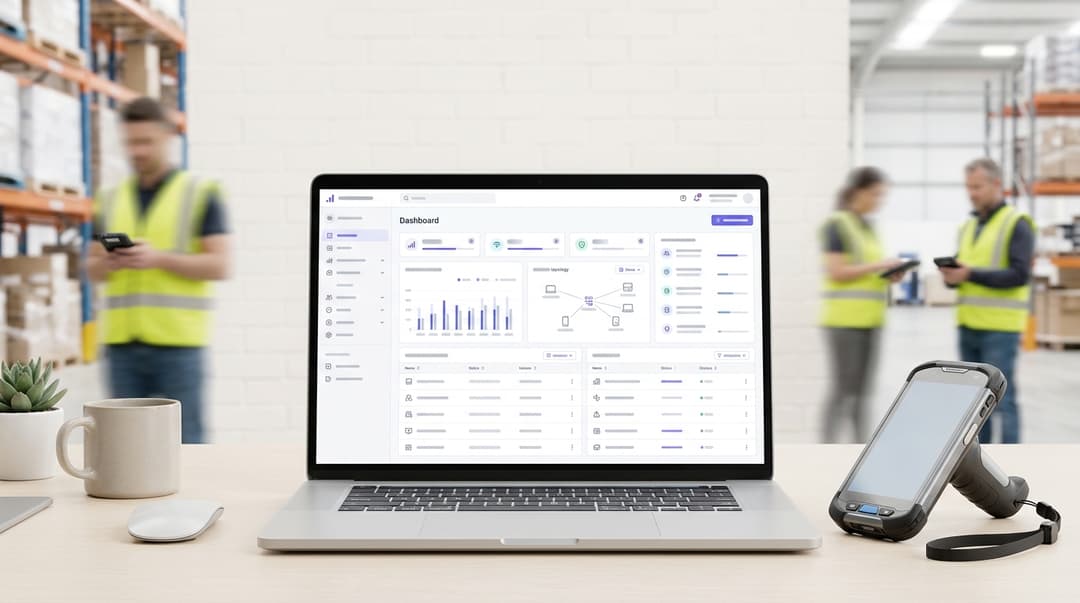
Require three things from a warehouse WiFi provider. First, fast roaming (802.11r, 802.11k and 802.11v), tested on your own scanners and vehicle terminals, with every aisle in one VLAN. Second, per-device 802.1X authentication with certificates instead of a shared key. Third, device management that enrols and replaces handhelds remotely. Purple Access and Purple MDM deliver the last two on your existing access points.
What should warehouse WiFi providers actually deliver?
Warehouse WiFi exists to keep transactions moving. A missed scan at the pick face is a missed pick. A dropped session on a reach truck stops the put-away.
Three device classes carry that work:
- Handheld scanners.
- Vehicle-mounted terminals on forklifts and reach trucks.
- Fixed devices such as label printers.
Each needs coverage where it works. Each needs a roam that the warehouse management system (WMS) never notices. Each needs an identity of its own.
Why do handheld scanners drop between aisles?
Three causes account for most drops, and each has a different fix.
The device decides when to roam. The IEEE 802.11 standard leaves the roaming decision to the device, not the access point. A scanner often clings to the access point it first joined until the signal is almost gone. Engineers call this a sticky client. Full racking makes it worse. Stock absorbs and reflects signal, so the loss at an aisle end is sudden rather than gradual.
Every roam repeats the full login. 802.1X is the IEEE standard for port-based network access control. RADIUS is the server protocol that answers each 802.1X request. Without fast roaming, the device runs a complete authentication exchange with the RADIUS server at every new access point. That exchange takes several round trips. A session-sensitive application can time out before it completes.
The IP address changes mid-aisle. Many warehouses still run terminal emulation, a text session from the scanner to the WMS host over Telnet or SSH. Two access points may sit in different subnets, without the network tunnelling the device between them. If so, the scanner takes a new address when it roams. The TCP session to the WMS breaks, and the operative logs in again.
Why does a shared key fail a warehouse?
A WPA2-Personal network uses one pre-shared key for every device. That causes four problems:
- A lost scanner locks out nobody. The only fix is to change the key on every device in the building.
- Leavers keep the key. Agency staff learn it in their first week and still know it after they leave.
- The logs prove nothing. No entry ties a connection to a specific device or person.
- Revocation is all or nothing. You cannot shut out one device without disrupting the rest.
802.1X replaces that single secret with a credential per device. You revoke one device and leave the rest of the fleet untouched.
What do you need in place before you change warehouse WiFi?
Gather these before you talk to providers. Each one changes the design.
A device inventory by model. List every scanner, vehicle terminal and printer with:
- operating system version
- supported bands
- supported EAP methods
- support for 802.11r, 802.11k, 802.11v and opportunistic key caching
Zebra and Honeywell publish these capabilities per model. Check the exact model and firmware, not the product family.
Your access point estate. Record the vendor, the controller or cloud dashboard and the firmware version. Record how VLANs map across the building. A VLAN (virtual LAN) is a logical network segment that keeps traffic classes apart on shared cabling.
An identity source. Decide whether device and staff identities come from Microsoft Entra ID, Okta or Google Workspace.
Application behaviour. Find out whether the WMS client is terminal emulation, a browser or a native app. Find out how long it tolerates a lost connection before closing the session.
Building drawings with racking. Mark racking heights, ceiling height, cold-store doors and dock doors. Note the stock profile in each zone.
A change window tied to shifts. Plan cutover zone by zone between shifts, never during the peak.
How do you set up roaming and 802.1X for scanners and vehicle terminals?
The sequence below moves a live site from a shared key to per-device authentication without stopping picking. For the Purple platform steps, start with How to Set Up Purple WiFi for the First Time: A Technical Overview.
Step 1: survey with the racking full
Ask for an on-site validation survey with stock in the racking. A predictive model of an empty shell will miss the shadows that full racking creates. Measure at scanner height and at vehicle terminal antenna height, using the device models you actually run.
Cisco's voice WLAN design guidance uses -67 dBm as the minimum signal at the cell edge for latency-sensitive traffic. That is a sound target for vehicle terminals carrying voice or video.
Resurvey when a zone changes its stock profile, for example when a section switches from flat-pack goods to liquids.
Step 2: design cells along the aisles
Overhead omnidirectional antennas on a high ceiling often leave aisle floors in shadow. Directional antennas at aisle ends push signal down the aisle. They can hold a scanner on one access point for the whole run.
Use 5 GHz for every scanner that supports it. The band offers more non-overlapping channels than 2.4 GHz, which cuts co-channel interference in a dense hall. Keep 2.4 GHz at reduced power for older devices that need it.
Place the scanner SSID in a single VLAN across the building, or enable your controller's Layer 3 roaming. Either way, the IP address never changes mid-aisle.
Step 3: switch on fast roaming, model by model
Three amendments to IEEE 802.11 and one vendor technique decide how quickly a device moves between access points.
| Feature | What it does | What to check before enabling |
|---|---|---|
| 802.11r (Fast BSS Transition) | Derives keys with the next access point in advance, so the roam skips the full 802.1X exchange | Some older drivers refuse to join an SSID that advertises it. Test each model and use the vendor's mixed or adaptive mode where needed |
| 802.11k (neighbour reports) | Gives the device a list of nearby access points, so it scans fewer channels | Confirm the handheld requests the report and acts on it |
| 802.11v (BSS transition management) | Lets the network suggest a better access point to a device | The device can ignore the suggestion, so set roaming thresholds on the device as well |
| Opportunistic key caching (OKC) | Reuses cached keys across access points under the same controller | Not an IEEE standard. Confirm that both the access point vendor and the device model support it |
Then configure the device side. Set roam thresholds through device management, so scanners look for a better access point before the signal collapses. Enable 802.11r on a test SSID first, run the checks described later in this guide, then roll forward zone by zone.
Step 4: move every device to 802.1X
Choose a method per device class, not one method for the whole site.
| Method | Credential on the device | Revoking one device | Fast roaming | Suits |
|---|---|---|---|---|
| WPA2-Personal shared key | One key shared by every device | Not possible: rekey the whole fleet | Fast by design, with no 802.1X exchange | No warehouse device class |
| iPSK (also called PPSK) | A unique key per device | Delete that device's key | Fast by design, with no 802.1X exchange | Label printers and legacy scanners without 802.1X |
| PEAP-MSCHAPv2 | Username and password | Disable the account | Yes, with 802.11r or OKC | Interim step for devices without certificate support |
| EAP-TLS | A client certificate | Revoke the certificate | Yes, with 802.11r or OKC | Managed handhelds and vehicle terminals |
What each method is:
- EAP-TLS (RFC 5216) authenticates both device and server with certificates. There is no password to phish, share or write on a cradle.
- PEAP wraps a username and password inside a TLS tunnel. It is only as strong as the server certificate validation configured on each device.
- iPSK (identity pre-shared key) gives each device its own key on a standard WPA2-Personal SSID. PPSK (private pre-shared key) is the same idea, and vendor names vary.
Where devices allow, require WPA3-Enterprise. WPA3 mandates Protected Management Frames (IEEE 802.11w), which block forged deauthentication frames. Run transition mode for older scanners until they reach refresh.
Shared scanners need two identities. Use a device certificate for the network and a personal login in the WMS app. The network then knows which device connected, and the WMS knows which operative scanned. Never issue a personal certificate to a device that 10 people use in a day.
Where Purple fits. Purple Access provides cloud RADIUS for 802.1X on the access points you already run:
- Cisco Meraki
- HPE Aruba
- Ruckus
- Juniper Mist
- Ubiquiti UniFi
- Cambium
- Extreme
- Fortinet
It manages iPSK alongside 802.1X, so printers leave the shared key in the same programme. When a scanner goes missing, Purple revokes that device and no other.
Step 5: enrol, update and replace handhelds through device management
Nobody should type a password on a scanner. Certificates, WiFi profiles, roaming settings and the WMS app should arrive on the device automatically. Purple MDM enrols and manages the handheld fleet, so a new device joins the 802.1X SSID without an engineer on site.
Replacement then becomes a shift task, not an IT ticket:
- The shift lead takes a spare from the cage.
- Purple MDM enrols it.
- You revoke the failed unit's credential from the console.
Run operating system and app updates in rings. Start with a pilot group on one shift, then the whole site, then the estate. A bad update then stops a dozen devices, not a peak-night operation.
Connect device management to staff identity, so access follows employment. SCIM (System for Cross-domain Identity Management, RFC 7644) syncs accounts from your directory into connected apps. Disable an agency worker in Microsoft Entra ID, and their access ends without a separate request. What is user provisioning? a plain-english guide for 2026 covers the joiners, movers and leavers model in more detail.
Step 6: segment the operational network
Use dynamic VLAN assignment (RFC 3580). The RADIUS server returns a VLAN per device group, so you keep these traffic classes apart:
- scanners
- vehicle terminals
- printers
- staff laptops
Visiting hauliers in the drivers' lounge belong on Guest WiFi, on their own SSID and VLAN, never on the scanner network.
If a trade counter on site takes card payments, keep it separate as well. PCI DSS treats segmentation as the way to keep other systems out of assessment scope.
Got questions about your specific setup?
Our team works with venue operators, IT managers, and network engineers across 80,000 venues. Book a 20-minute call and we will show you how others like you solved it.
How do you check scanners roam without dropping a session?
Test with real work, not a laptop and a ping.
- Script routes. Pick 10 or more walking routes that cross aisle ends, mezzanine stairs, dock doors and cold-store thresholds.
- Run live transactions. Each route carries a real WMS transaction from start to finish on the scanner.
- Drive the vehicles. Run reach trucks and forklifts at operating speed. Vehicle terminals roam more often than handhelds and expose weak handovers first.
- Read the logs. Pull roam events from the controller and authentication records from the RADIUS server. Intra-building roams should appear as fast transitions, not full 802.1X exchanges.
- Set pass criteria in advance. Use zero WMS session reconnects, signal at or above your design threshold on every route, and no IP address change mid-route.
- Test the controls too. Revoke a test scanner and confirm it loses access within your agreed time. Enrol a boxed spare and confirm it reaches the 802.1X SSID without IT involvement.
Repeat the walk tests at peak stock. A site that passes in a quiet February can fail in a full November.
What goes wrong, and how do you fix it?
| Symptom | Likely cause | Fix |
|---|---|---|
| Older scanners will not join after you enable 802.11r | Driver does not handle Fast BSS Transition | Use the vendor's mixed or adaptive 802.11r mode, or a separate SSID for that model until refresh |
| Scanners drop at aisle ends, then reconnect | Sticky device holding a weak access point | Lower the device roam threshold through device management. Add aisle-end directional antennas |
| Every roam takes a full login | 802.11r or OKC not negotiated, or not supported on that model | Confirm support per model and firmware. Check fast roaming is enabled on the SSID the device actually joins |
| WMS session breaks at a building boundary | Access points in different subnets, so the IP address changes | Extend the scanner VLAN or enable Layer 3 roaming on the controller |
| Whole fleet fails authentication on one morning | Device certificates issued together, expiring together | Stagger certificate validity and renew automatically through device management before expiry |
| Vehicle terminals drop near dock doors | Antenna inside the cab cage, or coverage gap at the threshold | Mount external antennas clear of the cage. Survey the doorway at antenna height |
What should you ask a warehouse WiFi provider about surveys and multi-site support?
Distribution networks grow by acquisition. Your estate may run two or three access point brands across sites. Ask every shortlisted provider these questions and judge the answers against the right-hand columns.
| Question | Answer to accept | Answer to reject |
|---|---|---|
| Is the survey run on site with stock in the racking, using our devices? | Yes: a validation survey at operating height with your models | A predictive model from drawings only |
| Which fast roaming features have you tested on our device models? | Named results per model for 802.11r, 802.11k, 802.11v and OKC | "All modern devices support it" |
| How do we lock out one lost scanner? | Revoke one device from a central console | Change the shared key |
| Does it run on the access points at every site we own? | Named vendors that match your estate | New hardware at each site |
| How is a replacement handheld enrolled? | Shipped to site and enrolled without an IT visit | IT images it and drives it to site |
| Who answers a fault on night shift? | A named escalation path with hours that cover your shift pattern | Business hours only |
| Which certifications cover the platform? | ISO 27001 and evidenced GDPR compliance | None stated |
Purple is hardware-agnostic. You apply one 802.1X and iPSK policy across every site from a single pane of glass, whichever vendor's access points each building runs. Purple runs in 80,000+ live venues in over 90 countries (Purple master deck) and is ISO 27001 certified.
For a vendor-by-vendor view of mixed estates, read Cisco Spaces alternatives for mixed-vendor estates: Aruba, Ruckus, Mist and Meraki compared. The same checklist applies to a hotel group's central linen and supplies warehouse as to a dedicated logistics operator.
How has this worked in retail and public-sector warehouses?
The two scenarios below are illustrative. They show the method and the outcome you can measure, not a named deployment.
Illustrative scenario 1: a retail distribution centre
Situation. A retail distribution centre supplies 200 stores. It runs 300 Android handhelds and 25 reach-truck terminals on one WPA2-Personal key. Pickers lose their terminal emulation session at aisle ends. Staff from three agencies have learned the key over two peak seasons.
What was done:
- A validation survey at peak stock, followed by aisle-end directional antennas in the high-bay zone.
- The scanner SSID collapsed into one VLAN.
- 802.11r enabled after both current handheld models passed testing. The older terminal model stayed on mixed mode.
- Devices moved to EAP-TLS through Purple Access on the existing HPE Aruba access points.
- The fleet enrolled through Purple MDM.
Measurable outcome. Devices to reconfigure when a scanner goes missing fell from 325 to one. Leavers no longer hold a working network credential. Handheld replacement now needs no IT visit.
The cutover was signed off against two measures. The first was zero session reconnects across 20 scripted aisle routes. The second was intra-building roams logged as fast transitions rather than full 802.1X exchanges.
Illustrative scenario 2: a public-sector supplies depot
Situation. A hospital trust's central stores supply four healthcare sites. Its 120 handhelds are shared across three shifts and authenticate with PEAP using a single service account. The password is printed on the charging cradles. Fifteen label printers cannot run 802.1X.
What was done:
- Purple MDM placed a device certificate on every handheld, and Purple Access authenticated each one with EAP-TLS.
- Operatives signed in to the WMS with personal accounts synced from Microsoft Entra ID.
- Each printer received its own iPSK key on a separate VLAN.
Measurable outcome. Passwords printed on cradles fell from 120 to zero. The shared service account was retired. Each of the 15 printer keys can now be revoked on its own. When an agency worker leaves, disabling the Entra ID account ends their WMS access, and no network credential changes.
What does it cost, and what do you get back?
Expect four cost lines:
- the validation survey
- antenna changes where the survey shows shadow
- Purple Access and Purple MDM licences
- staff time to test each device model
Access point replacement is usually not one of them. Purple runs as a cloud overlay on the hardware you own, as Why your next WiFi upgrade doesn't need new hardware explains.
| Cost or effort line | Shared key with manual setup | 802.1X with Purple Access and Purple MDM |
|---|---|---|
| New access points | None | None: runs on your existing access points |
| Response to a lost scanner | Change the key on every device | Revoke one device |
| Response to a leaver | Change the key on every device | Disable the directory account |
| Replacing a failed handheld | IT configures it by hand | Spare enrolled on site through Purple MDM |
| Evidence for an incident review | No device identity in logs | Per-device authentication record |
| Antenna changes | Only where the survey shows aisle shadow | Only where the survey shows aisle shadow |
To size the return, pull figures from your last 12 months:
- lost or stolen scanners
- leavers who knew the key
- IT site visits to swap or configure handhelds
- WMS session reconnects logged during shifts
Multiply each by the hours it cost and the shift time it stopped. That figure, set against licence cost, is the business case your finance team will test.
Frequently asked questions
Do we need new access points to move warehouse scanners to 802.1X?
No. Purple Access runs as a cloud overlay on the access points you already own, including Cisco Meraki, HPE Aruba, Ruckus, Juniper Mist, Ubiquiti UniFi, Cambium, Extreme and Fortinet. Your access points send authentication requests to Purple's cloud RADIUS, and Purple returns the decision and the VLAN for each device. You may still need antenna changes where a survey shows weak signal in full racking, but that is a coverage fix, not a platform change.
Can older scanners and label printers without 802.1X support stay on the network?
Yes. Devices that cannot run 802.1X join with iPSK, an identity pre-shared key unique to each device. Each printer or legacy scanner gets its own key, so you can revoke one without touching the others. Purple Access manages iPSK alongside 802.1X, so the whole estate leaves the shared key in one programme. Plan to replace iPSK devices with 802.1X-capable models at their normal refresh point.
Will 802.1X make scanners slower to roam between aisles?
No, provided fast roaming is switched on. With 802.11r or opportunistic key caching, a scanner moving to a new access point reuses keys derived during its first login. The full 802.1X exchange with the RADIUS server happens once, not at every aisle. Test each device model before enabling 802.11r, because some older drivers refuse to join an SSID that advertises it. Vendors offer a mixed mode for those models.
How do shared scanners used across three shifts authenticate?
Give the device a certificate and the person a login. The certificate authenticates the scanner to the network with EAP-TLS, so the network knows which device connected. The operative then signs in to the WMS with a personal account, so the application knows who scanned. This keeps one person's credentials off a device that several people use in a day, and it preserves an audit trail for both device and person.
How much effort does a move from a shared key to 802.1X take?
Most of the effort sits in device testing, not network change. You confirm that each handheld and terminal model supports EAP-TLS and fast roaming. You then enrol the fleet through Purple MDM and cut over one zone at a time between shifts. The access points stay in place. Sites with a single device model and one VLAN move fastest. Sites with several generations of scanner need a mixed-mode SSID during transition.
Does warehouse device authentication data fall under GDPR?
Yes, once a device or login links to a named member of staff. Authentication logs then show where and when a person worked, which is personal data under GDPR. Set a retention period, restrict log access to named roles and tell staff what is recorded. Purple is ISO 27001 certified and GDPR compliant, so the platform side of that obligation sits within an audited information security management system.
How does Purple compare with each access point vendor's own authentication tools?
Purple gives you one policy across every site, whatever the access point vendor. Warehouse estates grow through acquisition, so a network of distribution centres often runs two or three hardware brands. Purple Access applies the same 802.1X and iPSK rules to all of them, and Purple MDM manages the handhelds across the same estate. You avoid running a separate authentication stack per vendor, and you revoke a lost scanner from one place.
Key Definitions
IEEE 802.1X
The IEEE standard for port-based network access control. A device must authenticate through an EAP exchange, answered by a RADIUS server, before the access point admits its traffic.
You meet it when replacing a shared key on the scanner SSID. It gives each device its own credential, so you revoke one lost scanner without touching the rest of the fleet.
RADIUS
The server protocol that answers each 802.1X request, returning an accept or reject decision and, with dynamic VLAN assignment, the VLAN for the device.
Purple Access provides cloud RADIUS on your existing access points. Without fast roaming, every roam repeats a full exchange with this server, which can time out session-sensitive WMS clients.
802.11r (Fast BSS Transition)
An amendment to IEEE 802.11 that derives keys with the next access point in advance, so a roam skips the full 802.1X exchange.
The main fix for slow roams on an 802.1X network. Some older scanner drivers refuse to join an SSID that advertises it, so test each model and firmware before enabling.
802.11k (neighbour reports)
An amendment to IEEE 802.11 under which the network gives a device a list of nearby access points, so it scans fewer channels before roaming.
Confirm during provider testing that each handheld model requests the report and acts on it, rather than accepting a claim that all modern devices support it.
802.11v (BSS transition management)
An amendment to IEEE 802.11 that lets the network suggest a better access point to a device. The device remains free to ignore the suggestion.
Helps with sticky clients at aisle ends, but you still set roam thresholds on the device itself through device management.
Opportunistic key caching (OKC)
A vendor technique, not an IEEE standard, that reuses cached keys across access points under the same controller to avoid a full 802.1X exchange on each roam.
An alternative fast roaming path for devices that cannot use 802.11r. Confirm that both the access point vendor and the exact device model support it.
EAP-TLS
The EAP method defined in RFC 5216, which authenticates both device and server with certificates, leaving no password to phish, share or print on a cradle.
The recommended method for managed handhelds and vehicle terminals. Purple MDM places the certificate and Purple Access authenticates it, so revocation means revoking one certificate.
PEAP-MSCHAPv2
An EAP method that wraps a username and password inside a TLS tunnel. Its strength depends on server certificate validation configured on each device.
An interim step for devices without certificate support. A single shared PEAP service account, as in the depot scenario, gives no per-device control.
iPSK (identity pre-shared key, also PPSK)
A unique key per device on a standard WPA2-Personal SSID. PPSK (private pre-shared key) is the same idea under a different vendor name.
Brings label printers and legacy scanners without 802.1X off the shared key. Purple Access manages iPSK alongside 802.1X, so you revoke one printer by deleting its key.
WPA3-Enterprise and IEEE 802.11w
WPA3 mandates Protected Management Frames, specified in IEEE 802.11w, which block forged deauthentication frames on the network.
Require it where devices allow, and run transition mode for older scanners until they reach refresh.
SCIM
System for Cross-domain Identity Management, defined in RFC 7644, which syncs accounts from a directory into connected apps.
Links device management and WMS access to Microsoft Entra ID, Okta or Google Workspace, so disabling an agency worker ends their access without a separate request.
Dynamic VLAN assignment
Described in RFC 3580: the RADIUS server returns a VLAN per device group as part of the 802.1X authentication result.
Keeps scanners, vehicle terminals, printers and staff laptops on separate segments, with visiting hauliers on Guest WiFi and any card-taking trade counter kept out of PCI DSS scope.
Worked Examples
A retail distribution centre supplying 200 stores runs 300 Android handhelds and 25 reach-truck terminals on one WPA2-Personal key. Pickers lose their terminal emulation session at aisle ends, and staff from three agencies know the key. What should change?
A validation survey at peak stock led to aisle-end directional antennas in the high-bay zone. The scanner SSID collapsed into one VLAN, so IP addresses stopped changing mid-aisle. 802.11r went live after both current handheld models passed testing, with the older terminal model kept on mixed mode. Devices moved to EAP-TLS through Purple Access on the existing HPE Aruba access points, and the fleet enrolled through Purple MDM. Devices to reconfigure when a scanner goes missing fell from 325 to one. Leavers no longer hold a working credential, and handheld replacement needs no IT visit. Sign-off required zero session reconnects across 20 scripted aisle routes and intra-building roams logged as fast transitions.
A hospital trust's central stores supply four healthcare sites. Its 120 handhelds are shared across three shifts and use PEAP with a single service account whose password is printed on the charging cradles. Fifteen label printers cannot run 802.1X. How do you fix authentication?
Purple MDM placed a device certificate on every handheld, and Purple Access authenticated each one with EAP-TLS. Operatives signed in to the WMS with personal accounts synced from Microsoft Entra ID, so the network knows the device and the WMS knows the person. Each printer received its own iPSK key on a separate VLAN. Passwords printed on cradles fell from 120 to zero, and the shared service account was retired. Each of the 15 printer keys can be revoked on its own. When an agency worker leaves, disabling the Entra ID account ends their WMS access and no network credential changes.
Frequently asked questions
Do we need new access points to move warehouse scanners to 802.1X?
No. Purple Access runs as a cloud overlay on the access points you already own, including Cisco Meraki, HPE Aruba, Ruckus, Juniper Mist, Ubiquiti UniFi, Cambium, Extreme and Fortinet. Your access points send authentication requests to Purple's cloud RADIUS, and Purple returns the decision and the VLAN for each device. You may still need antenna changes where a survey shows weak signal in full racking, but that is a coverage fix, not a platform change.
Can older scanners and label printers without 802.1X support stay on the network?
Yes. Devices that cannot run 802.1X join with iPSK, an identity pre-shared key unique to each device. Each printer or legacy scanner gets its own key, so you can revoke one without touching the others. Purple Access manages iPSK alongside 802.1X, so the whole estate leaves the shared key in one programme. Plan to replace iPSK devices with 802.1X-capable models at their normal refresh point.
Will 802.1X make scanners slower to roam between aisles?
No, provided fast roaming is switched on. With 802.11r or opportunistic key caching, a scanner moving to a new access point reuses keys derived during its first login. The full 802.1X exchange with the RADIUS server happens once, not at every aisle. Test each device model before enabling 802.11r, because some older drivers refuse to join an SSID that advertises it. Vendors offer a mixed mode for those models.
How do shared scanners used across three shifts authenticate?
Give the device a certificate and the person a login. The certificate authenticates the scanner to the network with EAP-TLS, so the network knows which device connected. The operative then signs in to the WMS with a personal account, so the application knows who scanned. This keeps one person's credentials off a device that several people use in a day, and it preserves an audit trail for both device and person.
How much effort does a move from a shared key to 802.1X take?
Most of the effort sits in device testing, not network change. You confirm that each handheld and terminal model supports EAP-TLS and fast roaming. You then enrol the fleet through Purple MDM and cut over one zone at a time between shifts. The access points stay in place. Sites with a single device model and one VLAN move fastest. Sites with several generations of scanner need a mixed-mode SSID during transition.
Does warehouse device authentication data fall under GDPR?
Yes, once a device or login links to a named member of staff. Authentication logs then show where and when a person worked, which is personal data under GDPR. Set a retention period, restrict log access to named roles and tell staff what is recorded. Purple is ISO 27001 certified and GDPR compliant, so the platform side of that obligation sits within an audited information security management system.
How does Purple compare with each access point vendor's own authentication tools?
Purple gives you one policy across every site, whatever the access point vendor. Warehouse estates grow through acquisition, so a network of distribution centres often runs two or three hardware brands. Purple Access applies the same 802.1X and iPSK rules to all of them, and Purple MDM manages the handhelds across the same estate. You avoid running a separate authentication stack per vendor, and you revoke a lost scanner from one place.
Continue reading in this series
WiFi Survey Software: How to Map and Optimise Your Wireless Network
This guide provides IT managers and network architects with actionable strategies for using WiFi survey software to map, optimise, and troubleshoot enterprise wireless networks. It covers essential survey types, critical RF metrics, deployment best practices, and the integration of survey data with business analytics.
The Ultimate Guide to WiFi Channel Selection: Optimising Performance and Avoiding Interference
This guide provides a comprehensive, step-by-step explanation of how to change WiFi channels on different routers and operating systems. It covers the reasons for changing channels (interference, congestion), how to identify the least congested channels using WiFi analyser tools (with specific recommendations and screenshots), and the potential impact on network performance. It differentiates itself by offering practical advice for both home and business users, including advanced configurations and troubleshooting tips for common issues.
Band Steering and Load Balancing for High-Density WiFi
This authoritative technical reference equips IT managers, network architects, and venue operations directors with the knowledge to design, configure, and optimise high-density WiFi networks using band steering and load balancing. It covers the architectural principles behind 2.4 GHz vs. 5 GHz band selection, AP load distribution strategies, and vendor-neutral configuration best practices for demanding environments such as stadiums, hotels, and conference centres. By applying these strategies, organisations can measurably improve wireless throughput, reduce user complaints, and transform their network infrastructure into a strategic business asset.
Got questions about your specific setup?
Our team works with venue operators, IT managers, and network engineers across 80,000 venues. Book a 20-minute call and we will show you how others like you solved it.