
Later-living and retirement village WiFi providers checklist: resident keys, telecare isolation and visitor access
Use this checklist to judge retirement village WiFi providers against five tests: per-apartment keys, isolated telecare, one-screen visitor sign-in, DNS scam filtering, and single-step key issue and revocation. You can then map every device group to its own segment, run a go-live test plan and fix the common faults before residents notice them.
By Tom HackettPublished
📖 15 min read3,412 words3 worked examples12 key definitions
Part of our core series: Multi-tenant WiFi: the complete guide →
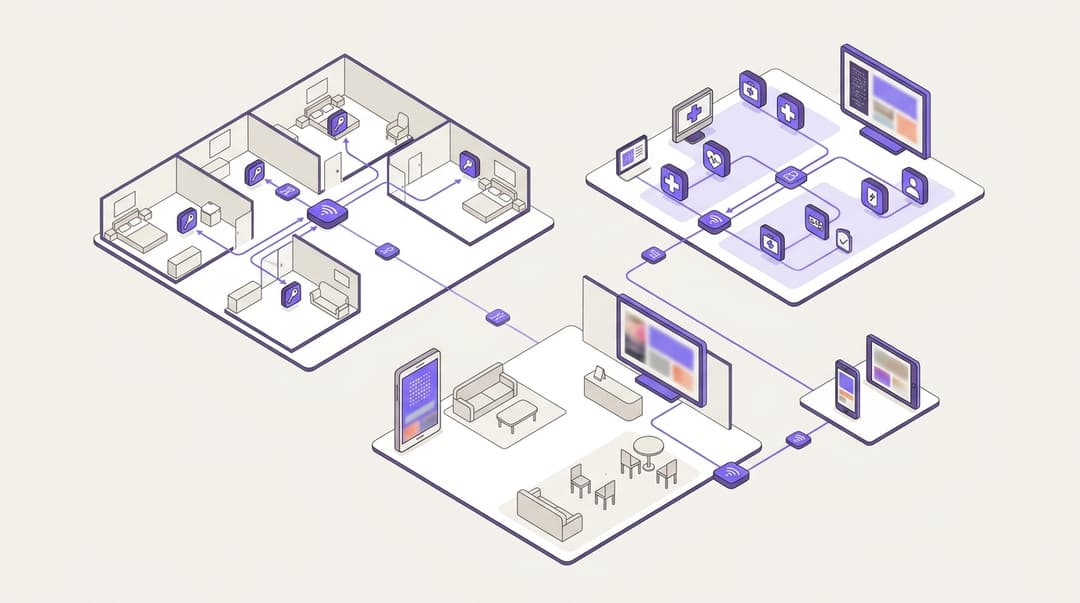
Ask retirement village WiFi providers for five things. First, a personal key per apartment, so smart TVs and voice assistants connect once and stay connected site-wide. Then telecare and nurse-call kit on an isolated segment, one-step family visitor sign-in, and DNS filtering against phishing and scam domains. Finally, single-step key issue and revocation at move-in and move-out.
What should retirement village WiFi providers actually deliver?
A later living site carries three distinct kinds of traffic on one set of access points. Residents stream television, video-call family and talk to voice assistants. Care teams depend on telecare: alarm pendants, fall detectors and sensors that send an alert to a carer or an alarm receiving centre (ARC). Families who visit at weekends want to get online without hunting for a member of staff.
A provider that runs all three as one flat network creates support calls, privacy gaps and clinical risk. The right design gives each group its own lane. The network enforces that separation, not a password pinned to a noticeboard.
Why do captive portals cause support calls for older residents and smart TVs?
A captive portal is the web sign-in page a device must complete before it reaches the internet. It works in a café, where a visitor connects once for an hour. It fails in someone's home, for three reasons:
- Many devices cannot show the page. Smart TVs, streaming sticks, voice assistants and many telecare units have no browser. They cannot sign in without workarounds, such as staff registering hardware (MAC) addresses by hand.
- Sessions expire. When a 24-hour session lapses, the tablet a resident uses for video calls stops working until someone signs in again.
- Phones now hide their hardware address. Apple iOS 14 and Android 10 onwards use private, randomised addresses by default. The network sees a returning phone as a new device and prompts again.
Each unexpected prompt becomes a call to the village manager. It also teaches residents to type personal details into pop-up pages, which is exactly the habit phishing relies on.
How does a per-apartment key keep resident devices private yet connected?
An identity pre-shared key (iPSK) gives each apartment its own WiFi password on one shared network name. Vendors label it differently: Cisco Meraki calls it identity PSK, HPE Aruba uses MPSK and Ruckus uses DPSK. The principle is the same.
When a device joins, a RADIUS server checks which key it used. RADIUS is the standard protocol networks use to authenticate a device and return its access policy. The server places the device in that apartment's own segment, usually a VLAN. A VLAN is a virtual network that keeps traffic separate on shared cabling and access points. Purple calls the result a private network bubble.
For the resident, a retirement community iPSK design means:
- Each device connects once, with the key typed once, and reconnects automatically.
- The same key works in the apartment, the communal lounge, the restaurant and the garden, because every access point broadcasts the same network name.
- Devices in the same apartment can see each other, so a phone can cast to the TV. Neighbours' devices cannot.
For the encryption that protects each connection, see WiFi networking explained: How it stays secure.
Which resident access method suits a later living community?
IEEE 802.1X, listed below, authenticates each person with individual credentials rather than a shared password.
| Method | Sign-ins per device | Smart TVs and voice assistants | Privacy between apartments | Move-out effort | Best suited to |
|---|---|---|---|---|---|
| Captive portal | Repeated each time a session expires | Fail without manual MAC registration | No per-apartment grouping | No credential to revoke | Visitors and day guests |
| One shared password per building | Once | Connect | None: one flat network | Change the password, reconnect every apartment | Not recommended for residents |
| Per-apartment iPSK | Once | Connect on WPA2-Personal | Each apartment in its own segment | Revoke one key, neighbours unaffected | Resident apartments |
| 802.1X with personal accounts | Once, with work credentials | Most cannot use it | Per-person policy | Disable one account | Care staff devices |
Per-apartment keys are the default for resident homes. Use 802.1X for staff and a captive portal for visitors, as the setup below shows.
What do you need in place before you deploy later living WiFi?
- An access point inventory. Purple Access runs as a cloud overlay on Cisco Meraki, HPE Aruba, Ruckus, Juniper Mist, Ubiquiti UniFi, Cambium, Extreme and Fortinet. Per-apartment keys depend on your controller supporting identity-based PSK. List each model and firmware version, then check them against Purple's support documentation.
- Coverage in every apartment. Survey signal where residents sit, sleep and mount telecare units, not just in corridors.
- A care device register. For every telecare and nurse-call device, record the supplier's network requirements: frequency band, security mode and the destinations it must reach. Many older units only support 2.4 GHz.
- An identity provider for staff. Microsoft Entra ID, Okta or Google Workspace, so care staff sign in with the accounts they already hold.
- An apartment list and a named owner for move-ins and move-outs, usually the village manager or lettings team.
- A data protection impact assessment (DPIA). Telecare data concerns health, which is special category data under UK GDPR Article 9. Article 35 requires a DPIA where processing is likely to be high risk.
Questions to ask retirement village WiFi providers
| Question | A strong answer |
|---|---|
| Can each apartment have its own key on one network name? | Yes, using iPSK on your current access points, with each key mapped to its own segment |
| Do smart TVs and voice assistants connect without a sign-in page? | Yes, they join once with the apartment key and reconnect automatically |
| How are telecare and nurse-call devices separated? | A dedicated segment that reaches only the ARC and nurse-call server |
| How do staff issue and revoke keys? | From one dashboard, in a single step, without changing anyone else's key |
| What do family visitors see? | One sign-in screen and marketing consent as an unticked, optional box |
| How are residents protected from phishing and scam sites? | DNS-level filtering on resident and visitor networks, with no app to install |
| Do we need new hardware? | No, if your controllers support iPSK, and the provider names supported vendors |
| Which certifications cover our data? | ISO 27001 and Cyber Essentials, with GDPR compliance |
How do you set up resident keys, telecare isolation and visitor access?
Six steps take a village from one shared network to separated, managed access. Purple's support documentation holds the controller-specific configuration for each vendor. This section covers the decisions behind it.
Step 1: map every device group to its own segment
| Group | Devices | How they connect | What they can reach | Filtering |
|---|---|---|---|---|
| Residents | Phones, tablets, smart TVs, voice assistants | Per-apartment iPSK | Internet and devices in their own apartment | Shield DNS protection |
| Telecare and nurse-call | Alarm units, fall sensors, nurse-call panels | Dedicated network or care-only keys | ARC and nurse-call server only | Allowlist of supplier destinations |
| Care staff | Tablets, laptops, phones | 802.1X via your identity provider | Care-planning apps and internal systems | Your business policy |
| Visitors | Family phones and laptops | Guest WiFi sign-in | Internet only | Shield DNS protection |
| Building systems | Door entry, CCTV | Separate estates segment | Vendor management services only | Allowlist of vendor destinations |
Write this map down before anyone touches a controller. It becomes the reference your estates team, care supplier and WiFi provider all work from.
Step 2: issue a key per apartment
Generate one key per apartment in Purple and record it against the apartment number, not the resident's name. At move-in, print the key and network name on a welcome card. Choose word-based passphrases over random strings, and avoid characters residents confuse, such as 0 and O.
Connect the smart TV and any voice assistant during the move-in visit. Once those devices hold the key, residents rarely need it again.
For respite stays and short lets, set an expiry date on the key. Access then ends without anyone remembering to revoke it.
At move-out, revoke the key. Every device on that key loses access at once, and no neighbour is affected. Issue a new key to the next resident and never reuse one. Internal moves follow the same joiners, movers and leavers logic: revoke the old apartment key, then issue the new one.
Handle bereavement with care. Families often clear an apartment over several weeks. Set an expiry date that matches the agreed handover rather than revoking on the day.
Step 3: isolate telecare and nurse-call equipment
Telecare WiFi security starts with separation. Put telecare alarms and nurse-call devices on their own segment, using either a dedicated network name or care-only keys mapped to a care VLAN. Then restrict that segment so it reaches only the destinations your telecare supplier specifies, such as the ARC and the nurse-call server.
Four further controls matter:
- No inbound access. Resident, visitor and staff devices cannot reach the care segment.
- No sign-in page and no session timeout. An alarm must never wait for a captive portal.
- Priority for care traffic. A resident streaming in the next room must not delay an alert.
- Offline alerts and test calls. Estates staff hear when a care device drops off, and scheduled test calls prove the path end to end.
This matters more each year. As the UK's analogue telephone network is retired, telecare alarms are moving to digital connections, and many now run over the building's network. Keeping clinical devices apart from public traffic is the same principle that keeps card terminals away from guests. PCI DSS for restaurant and QSR WiFi: keeping tills, guests and staff apart applies it to payments. For wider care context, see Healthcare.
Step 4: connect care staff through your identity provider
Care staff tablets and laptops should use 802.1X, so each person signs in with their own credentials. Connect Purple to Microsoft Entra ID, Okta or Google Workspace, and staff use the work accounts they already have. When HR disables a leaver's account, their WiFi access ends with it. Give agency staff time-limited accounts in your identity provider that expire with the placement.
This is what assisted living managed WiFi should look like for staff: no shared care password written inside a cupboard door.
Step 5: give families a simple visitor sign-in
Visitors are the one group where a captive portal fits. A visit is short, and the visitor's phone has a browser. Keep the sign-in to one screen, and set the session length to cover a typical visit. Present marketing consent as a conscious-choice opt-in that is unticked by default. Under GDPR, pre-ticked boxes do not count as valid consent.
Families staying in guest suites are better served by a key that expires on their departure date. They connect once for the whole stay. Never hand visitors a resident's apartment key, because it puts their devices inside the resident's private segment.
Step 6: switch on DNS protection with Shield
Every web address starts with a DNS lookup, the step that turns a domain name into a server address. Purple Shield filters at that step on resident and visitor networks. When a device requests a domain known for phishing or scams, Shield blocks the lookup and the page never loads.
The filtering happens on the network, so it covers every device in the apartment. That includes smart TVs and tablets that run no security software. Residents install nothing.
Be clear about the limits. DNS filtering does not protect a phone on mobile data, and it does not stop scam calls or texts. Some browsers can send encrypted DNS straight to an outside resolver, which bypasses network filtering. Ask your provider how it handles this. Pair Shield with resident talks on spotting scams. Why is it important to secure a network? a 2026 guide covers the wider threat picture.
Got questions about your specific setup?
Our team works with venue operators, IT managers, and network engineers across 80,000 venues. Book a 20-minute call and we will show you how others like you solved it.
Guaranteed response within 4 business hours - No commitment required
How do you check the network works for residents and care teams?
Run this test plan at go-live, before the first resident moves onto the new network.
| Test | How to run it | Pass result |
|---|---|---|
| Resident privacy | Join with apartment A's key and scan for devices | Only apartment A's devices are visible |
| Casting at home | Cast from a phone to the TV in the same apartment | Video plays on the TV |
| Site-wide coverage | Walk from the apartment to the lounge, restaurant and garden | Device stays connected with no prompt |
| Telecare path | Trigger a test alarm from each unit | ARC confirms receipt of every test |
| Care isolation | From a resident device, try to reach the nurse-call server | Connection refused |
| Key revocation | Revoke a test key while a device is connected | Device loses access, neighbouring keys unaffected |
| Visitor sign-in | Ask a family member to connect on their own phone | Online from one screen, no staff help |
| Scam protection | Visit the test domain your provider supplies for block checks | Block page shown |
Repeat the telecare and revocation tests monthly. Log WiFi support calls for a month before and after go-live, so you have a baseline to compare against.
What goes wrong, and how do you fix it?
A smart TV will not join the resident network
Older TVs often lack WPA3 support. Most platforms run iPSK on WPA2-Personal, so confirm the resident network uses a security mode every device in the apartment supports.
Casting from a phone to the TV fails
Casting relies on devices discovering each other. If isolation applies between every device rather than between apartments, discovery breaks. Ask the provider to isolate by key, so devices sharing a key can see one another.
A key ends up on dozens of devices
Residents sometimes share their key with grandchildren. Review device counts per key in the dashboard and rotate any key that has spread. Point family to the visitor sign-in instead.
Telecare units drop off intermittently
Band steering can push a unit towards 5 GHz, which it may handle poorly. Keep the care network on the band your supplier specifies and disable band steering for it.
Shield blocks a site a resident needs
Filtering occasionally catches a legitimate domain. Add it to the allowlist for that site and report it for review.
Your controller does not support iPSK
Some older controllers or firmware versions lack identity-based PSK. Check whether a firmware upgrade adds it. If not, replace only the controllers or access points that fall short.
How does this work in practice?
The three scenarios below are illustrative. Numbers follow from the stated assumptions rather than from a named deployment.
Public sector: a 90-apartment extra-care scheme
Situation. A housing association runs an extra-care scheme with 90 apartments on a captive portal with 24-hour sessions. Staff register smart TVs by MAC address on request. Residents average three connected devices each.
What was done. The association deploys Purple Access on its existing access points. Staff hand each apartment its key at a scheduled visit and connect the TV and voice assistant there and then. Visitors move to a separate Guest WiFi sign-in.
Outcome. Daily re-authentication prompts fall from up to 270 (90 apartments times three devices) to none, by design. Manual MAC registrations stop entirely. The scheme manager compares WiFi-related calls for 90 days before and after go-live to confirm the effect.
Hospitality: a village with a restaurant and guest suites
Situation. A later-living village has 160 apartments, a restaurant open to the public and two guest suites run like a small hotel. Staff share the resident password with visitors. When it leaks, changing it means reconnecting all 160 apartments.
What was done. Each apartment receives its own key. Restaurant diners and day visitors use Guest WiFi. Guest suite keys expire at checkout. The design mirrors how operators in Hotels separate guest, staff and back-office traffic.
Outcome. Withdrawing a leaked credential now affects one apartment instead of 160. Guest suite access ends automatically at checkout, removing a manual task from every stay.
Public sector: sheltered housing telecare moving to digital
Situation. A council-run sheltered housing scheme moves 60 alarm units from analogue lines onto the building network, which residents also use.
What was done. The council places the units on a care segment that reaches only the ARC and the supplier's destinations. The segment has no captive portal, care traffic gets priority, and offline alerts go to estates staff.
Outcome. All 60 units run a weekly test call, and any failure is flagged the same day rather than discovered during an emergency. Each test cycle also confirms that a resident device cannot reach the care segment.
What does later living WiFi cost, and what do you get back?
Costs fall into four lines:
- Purple Access licensing for each site.
- The Shield add-on for DNS protection.
- Staff time to issue keys and connect devices at move-in visits.
- Any firmware upgrades your controllers need for iPSK.
A hardware refresh is not on the list. Purple layers on the access points you already run, as Why your next WiFi upgrade doesn't need new hardware explains.
The returns are measurable:
- Fewer support calls. Compare your pre-launch baseline with the months after go-live.
- Faster move-outs. One revocation replaces a site-wide password change.
- Lower clinical risk. Telecare runs on an isolated, monitored segment with weekly proof that alarms get through.
- Scam protection on every device, including TVs and tablets without security software.
- Visit patterns. Guest WiFi sign-ins in WiFi Analytics show when families visit, which helps you staff reception and the restaurant.
- One standard across villages. Operators with several sites can apply the approach in Franchise network WiFi checklist: one standard for guest, staff and filtering across franchisees.
Purple runs at 80,000+ live venues in 90 countries and sees 500 million users and logins a year. Purple holds ISO 27001, Cyber Essentials and B Corp certification and is GDPR and CCPA compliant. Ask Purple for a quote scoped to your number of villages and apartments.
Frequently asked questions
Do we need new access points to give each apartment its own key?
No, in most cases you keep your current hardware. Purple Access runs as a cloud overlay on Cisco Meraki, HPE Aruba, Ruckus, Juniper Mist, Ubiquiti UniFi, Cambium, Extreme and Fortinet. Per-apartment keys need a controller that supports identity-based PSK, so check each model and firmware version against Purple's support documentation. Where a gap exists, a firmware upgrade or a targeted replacement closes it without a full refresh.
Can telecare alarms share the same access points as residents?
Yes, provided they sit on a separate, restricted segment. Telecare and nurse-call devices join their own network or care-only keys. These map to a care VLAN that reaches only the alarm receiving centre and nurse-call server. Residents and visitors cannot reach it, no sign-in page can block an alarm, and care traffic gets priority. Confirm band and security requirements with your telecare supplier first.
How do we move from a captive portal without disrupting residents?
Run both networks in parallel and move apartments in batches. Keep the existing network live while staff visit each apartment, hand over the new key on a welcome card and reconnect the TV, tablet and voice assistant. Once every apartment has moved, switch the captive portal to visitors only. Residents never lose service, and the visit doubles as a chance to explain scam protection.
How is resident and telecare data protected under UK GDPR?
Purple is ISO 27001 and Cyber Essentials certified and GDPR compliant. Telecare data concerns health, which is special category data under UK GDPR Article 9. Complete a data protection impact assessment before go-live. Keep care devices on their own segment, and collect only the details visitor sign-in needs. Any marketing consent should be a conscious-choice opt-in, never a pre-ticked box.
What happens to a resident's devices when they move out?
They lose access the moment staff revoke the apartment key. Revocation takes a single step in the Purple dashboard and affects only that apartment, so no neighbour needs a new key. Issue a fresh key to the next resident rather than reusing one. Where a family needs time to clear an apartment, set an expiry date that matches the agreed handover instead.
Will DNS filtering block websites residents rely on?
No, Shield targets domains known for phishing, malware and scams, not mainstream sites such as banks, news or video-calling services. If a legitimate site is ever caught, staff add it to the allowlist for that village. Shield does not cover phones using mobile data or scam phone calls. Pair it with resident awareness sessions on spotting suspicious messages.
Is a per-apartment key better than one shared password per building?
Yes. A shared password puts every resident on one flat network, where neighbours' devices can see each other. Changing it after a leak means reconnecting every apartment. A per-apartment key keeps each home in its own private segment and works across the whole site. Setup effort is similar, and a move-out becomes one revocation instead of a site-wide password change.
Key Definitions
Captive portal
A web sign-in page that intercepts a device's first HTTP request and holds it until the person completes the page. It depends on the device having a browser and on a session timer, after which the page appears again.
You meet it on visitor networks. It suits family visitors with phones, but it fails smart TVs, voice assistants and telecare units with no browser, and it generates support calls when sessions expire.
Identity pre-shared key (iPSK)
A WPA2-Personal design where many passphrases share one network name and a RADIUS server maps each passphrase to its own policy and VLAN. Cisco Meraki calls it identity PSK, HPE Aruba uses MPSK and Ruckus uses DPSK.
This is the default for resident apartments. Check that every controller model and firmware version supports identity-based PSK before you commit to a provider.
RADIUS
Remote Authentication Dial-In User Service, defined in IETF RFC 2865. It authenticates a device or person and returns attributes, such as the VLAN assignment, that set the access policy.
The RADIUS server checks which apartment key a device used and places it in that apartment's segment. It also carries 802.1X sign-ins for care staff.
VLAN
A virtual LAN, tagged under IEEE 802.1Q, that keeps traffic from different groups separate on shared cabling and access points.
Each apartment, the care network, staff, visitors and building systems each map to their own segment, usually a VLAN, so one access point serves all of them without mixing traffic.
IEEE 802.1X
The IEEE standard for port-based network access control. It authenticates each person with individual credentials through an EAP method and a RADIUS server, rather than a shared password.
Use it for care staff tablets and laptops linked to your identity provider. Most smart TVs and voice assistants cannot use it, so it does not suit resident apartments.
WPA2-Personal and WPA3
Wireless security modes for passphrase-based networks. Most platforms run iPSK on WPA2-Personal, and many older TVs lack WPA3 support.
If a smart TV will not join the resident network, confirm the network uses a security mode every device in the apartment supports.
MAC address randomisation
The use of private, randomised hardware addresses per network, on by default from Apple iOS 14 and Android 10 onwards.
On a captive portal a returning phone looks like a new device and is prompted again. Per-apartment keys identify the device by key, not hardware address, so the prompt disappears.
Alarm receiving centre (ARC)
The monitoring centre that receives alerts from telecare alarm pendants, fall detectors and sensors and passes them to a carer.
The care segment should reach only the ARC and the nurse-call server. A test alarm from every unit, confirmed by the ARC, is a core go-live pass criterion.
Special category data
Personal data that UK GDPR Article 9 gives extra protection, including data concerning health.
Telecare data concerns health, so it falls into this category. That shapes how you isolate care devices and how much visitor data you collect.
Data protection impact assessment (DPIA)
The assessment UK GDPR Article 35 requires where processing is likely to be high risk to individuals.
Complete a DPIA before go-live, because the network carries health-related telecare traffic alongside resident and visitor data.
DNS filtering
Blocking at the Domain Name System lookup, the step that turns a domain name into a server address, so a page on a known phishing or scam domain never loads.
Purple Shield applies it on resident and visitor networks with nothing to install. It does not cover phones on mobile data, scam calls or browsers sending encrypted DNS to an outside resolver.
Band steering
An access point feature that pushes capable devices from the 2.4 GHz band towards 5 GHz.
Many older telecare units only support 2.4 GHz. Disable band steering on the care network and keep it on the band your supplier specifies, or units may drop off intermittently.
Worked Examples
A housing association runs a 90-apartment extra-care scheme on a captive portal with 24-hour sessions. Staff register smart TVs by MAC address on request, and residents average three connected devices each. How do you stop the daily prompts?
The association deploys Purple Access on its existing access points, so no hardware refresh is needed. Staff hand each apartment its own iPSK key at a scheduled visit and connect the TV and voice assistant there and then. Visitors move to a separate Guest WiFi sign-in. Because devices hold the apartment key and reconnect automatically, daily re-authentication prompts fall from up to 270 (90 apartments times three devices) to none, by design. Manual MAC registrations stop entirely. The scheme manager compares WiFi-related calls for 90 days before and after go-live to confirm the effect.
A later-living village has 160 apartments, a restaurant open to the public and two guest suites. Staff share the resident password with visitors, and a leak means reconnecting all 160 apartments. What changes?
Each apartment receives its own key, so residents sit in private segments rather than one flat network. Restaurant diners and day visitors use Guest WiFi, which keeps them out of resident segments. Guest suite keys expire at checkout, so access ends without anyone remembering to revoke it. The design mirrors how hotel operators separate guest, staff and back-office traffic. Withdrawing a leaked credential now affects one apartment instead of 160, and guest suite access ends automatically at checkout, removing a manual task from every stay.
A council-run sheltered housing scheme is moving 60 alarm units from analogue lines onto the building network that residents also use. How do you keep alarms reliable and isolated?
The council places the units on a care segment that reaches only the ARC and the supplier's destinations. Resident, visitor and staff devices cannot reach it. The segment has no captive portal and no session timeout, so an alarm never waits for a sign-in. Care traffic gets priority over resident streaming, and offline alerts go to estates staff. All 60 units run a weekly test call, so any failure is flagged the same day rather than discovered during an emergency. Each test cycle also confirms that a resident device cannot reach the care segment.
Frequently asked questions
Do we need new access points to give each apartment its own key?
No, in most cases you keep your current hardware. Purple Access runs as a cloud overlay on Cisco Meraki, HPE Aruba, Ruckus, Juniper Mist, Ubiquiti UniFi, Cambium, Extreme and Fortinet. Per-apartment keys need a controller that supports identity-based PSK, so check each model and firmware version against Purple's support documentation. Where a gap exists, a firmware upgrade or a targeted replacement closes it without a full refresh.
Can telecare alarms share the same access points as residents?
Yes, provided they sit on a separate, restricted segment. Telecare and nurse-call devices join their own network or care-only keys. These map to a care VLAN that reaches only the alarm receiving centre and nurse-call server. Residents and visitors cannot reach it, no sign-in page can block an alarm, and care traffic gets priority. Confirm band and security requirements with your telecare supplier first.
How do we move from a captive portal without disrupting residents?
Run both networks in parallel and move apartments in batches. Keep the existing network live while staff visit each apartment, hand over the new key on a welcome card and reconnect the TV, tablet and voice assistant. Once every apartment has moved, switch the captive portal to visitors only. Residents never lose service, and the visit doubles as a chance to explain scam protection.
How is resident and telecare data protected under UK GDPR?
Purple is ISO 27001 and Cyber Essentials certified and GDPR compliant. Telecare data concerns health, which is special category data under UK GDPR Article 9. Complete a data protection impact assessment before go-live. Keep care devices on their own segment, and collect only the details visitor sign-in needs. Any marketing consent should be a conscious-choice opt-in, never a pre-ticked box.
What happens to a resident's devices when they move out?
They lose access the moment staff revoke the apartment key. Revocation takes a single step in the Purple dashboard and affects only that apartment, so no neighbour needs a new key. Issue a fresh key to the next resident rather than reusing one. Where a family needs time to clear an apartment, set an expiry date that matches the agreed handover instead.
Will DNS filtering block websites residents rely on?
No, Shield targets domains known for phishing, malware and scams, not mainstream sites such as banks, news or video-calling services. If a legitimate site is ever caught, staff add it to the allowlist for that village. Shield does not cover phones using mobile data or scam phone calls. Pair it with resident awareness sessions on spotting suspicious messages.
Is a per-apartment key better than one shared password per building?
Yes. A shared password puts every resident on one flat network, where neighbours' devices can see each other. Changing it after a leak means reconnecting every apartment. A per-apartment key keeps each home in its own private segment and works across the whole site. Setup effort is similar, and a move-out becomes one revocation instead of a site-wide password change.
Sources
- IETF RFC 2865: Remote Authentication Dial In User Service (RADIUS)
- IEEE 802.1X: port-based network access control
- UK GDPR Article 9: processing of special categories of personal data
- UK GDPR Article 35: data protection impact assessment
- Android Open Source Project: MAC randomisation behaviour
- Purple Guest WiFi
Continue reading in this series
Housing association WiFi providers checklist: resident keys, community rooms and staff access
Use this checklist to compare housing association WiFi providers on six requirements: private keys per home, tenancy-linked revocation, one-tap community room sign-in, 802.1X and time-limited staff and carer access, communal filtering and aggregated funder reports. You can then specify, test and budget a scheme network on your existing access points.
Coworking space WiFi providers checklist: member keys, day passes and meeting room guests
Use this checklist to shortlist coworking space WiFi providers and plan your rollout. You will be able to give each member company a private network on one network name, issue and revoke keys with the membership, and put day-pass and meeting room guests on a quick sign-in. You will also be able to report utilisation by floor and room.
Student accommodation WiFi providers: per-room keys, Prevent duty filtering and resident support
Use this to shortlist and score student accommodation WiFi providers on four tests. You will be able to specify per-room keys issued and revoked from tenancy records, and set filtering that supports the Prevent duty without blocking study. You can also write support hours and response times into the contract that match how residents actually live.
Got questions about your specific setup?
Our team works with venue operators, IT managers, and network engineers across 80,000 venues. Book a 20-minute call and we will show you how others like you solved it.
Guaranteed response within 4 business hours - No commitment required