
Franchise network WiFi checklist: one standard for guest, staff and filtering across franchisees
You will be able to write one WiFi standard into your franchise operations manual and roll it out on the access points franchisees already own. It covers branded guest sign-in, till and staff segmentation, filtering, per-party consent and role-based reporting. You also get a seven-check acceptance test to run at every site before go-live.
By Tom HackettPublished
📖 14 min read3,235 words2 worked examples12 key definitions
Part of our core series: Guest WiFi: the complete guide →
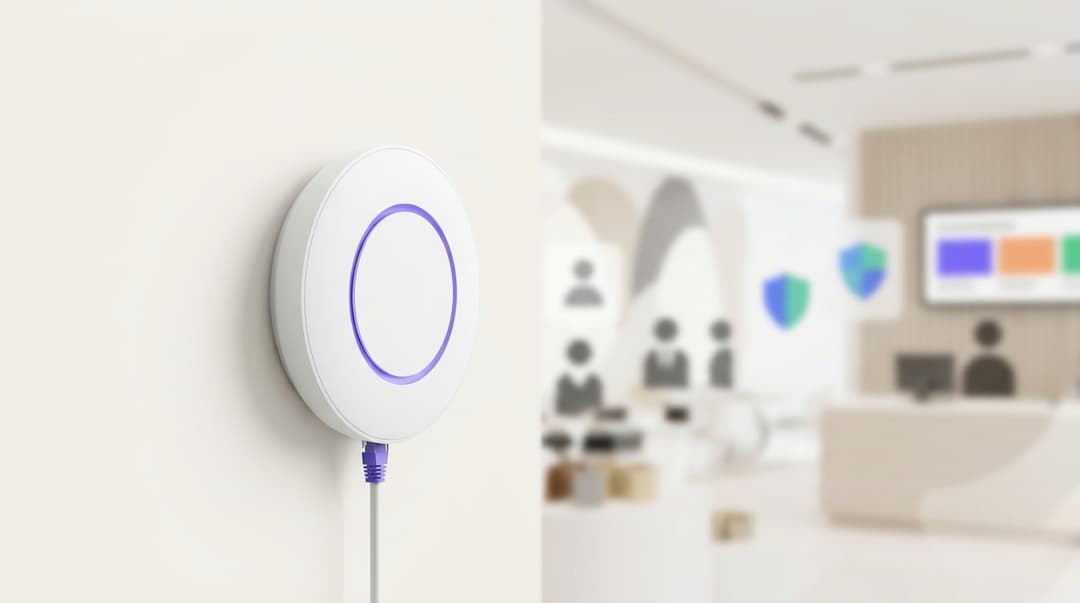
Every franchisee should meet five WiFi requirements: a branded guest sign-in, tills and staff devices kept off the guest network, filtering on guest and staff WiFi, guest data captured with consent recorded per party, and reporting both brand and franchisee can see. Purple delivers that standard as a cloud overlay on the access points franchisees already own.
What does a franchise WiFi standard actually do?
A franchise WiFi standard makes WiFi a brand requirement, like signage or food safety, rather than a site-by-site choice. It tells every franchisee what their network must do. It does not tell them which box to buy.
That distinction matters. Franchisees own their sites and sign their own broadband contracts. Many also inherit access points from a previous fit-out.
Without a standard, a brand with 100 sites can end up with 100 different guest networks. Some show a branded sign-in. Some show the router maker's default page, and some have no sign-in at all. At some sites, tills share a flat network with guest phones. Any guest data that is collected sits in spreadsheets the brand never sees.
A workable franchisee WiFi standard covers five things:
- Branded guest sign-in. Every guest sees the same brand, terms and privacy notice, whichever site they visit.
- Separated networks. Tills, payment terminals and staff devices sit on networks guests cannot reach.
- Filtering. Guest and staff networks block illegal and unsuitable content to a minimum the brand sets.
- Data with consent. Guest data belongs to a named party, and each party's consent is recorded separately.
- Shared reporting. The brand sees the whole estate, and each franchisee sees only its own sites.
Purple runs this as Guest WiFi and Staff WiFi on a cloud overlay. The standard lives in Purple's platform, and the access points stay where they are.
Three ways to run franchise brand WiFi
| Franchisee's choice | Brand-mandated hardware | Hardware-agnostic overlay (Purple) | |
|---|---|---|---|
| New hardware at sign-up | None | Full replacement at non-compliant sites | None on the eight supported vendors |
| Guest sign-in | Different at every franchisee | Same, but only on the mandated vendor | One branded template on every site |
| Till and staff separation | Unverified | Set in the vendor template | Written into the standard, tested at go-live |
| Filtering | Franchisee decides, often none | Configured site by site | One baseline applied by Purple Shield |
| Guest data ownership | Each franchisee, with varying consent wording | Undefined unless the agreement covers it | Two named opt-ins, a consent record per party |
| Reporting | No estate view | Network health only | Estate view for the brand, site view for each franchisee |
| Franchisee buy-in | High at first, low consistency later | Low, because of capital cost | High, because existing access points stay |
| Suits | Brands with no data or compliance goals | Company-owned estates on one vendor | Franchised estates on mixed hardware |
What do you need before you set a franchise WiFi standard?
Decisions the brand makes once
Minimum versus optional. Separate what every franchisee must do from what they may add. The minimum covers sign-in, segmentation, filtering, consent and reporting. Local offers and extra filtering categories are optional.
The data model. Decide who controls guest data before any franchisee goes live. Under UK GDPR Article 4(7), whoever decides why and how personal data is processed is a controller. If the brand and franchisee decide together, they are joint controllers. Article 26 then requires an arrangement setting out each party's responsibilities. Write the model into the franchise agreement, and have your data protection lead sign it off.
The filtering baseline. Agree the categories every guest and staff network must block. Family-facing formats may need a stricter baseline. The multi-site nursery and childcare WiFi providers checklist shows how that works for a regulated estate.
Reporting access. Decide which reports the brand sees across the estate and which each franchisee sees for its own sites.
What you need from each franchisee
- A site list with broadband supplier and line type
- Access point make, model and the controller or dashboard that manages them
- Till and payment terminal count, and whether each one is wired or wireless
- Any guest data they already hold, and the consent wording used to collect it
- A named contact who can make network changes at each site
The hardware check
Purple is hardware-agnostic. It works with Cisco Meraki, HPE Aruba, Ruckus, Juniper Mist, Ubiquiti UniFi, Cambium, Extreme and Fortinet. Sites on one of these keep their access points. A site on a consumer router outside this list needs a supported access point, so budget for it at that site only. Why your next WiFi upgrade doesn't need new hardware covers the reasoning.
How do you set up one WiFi standard across franchisees?
Step 1: publish the standard as a checklist
Put the standard in the franchise operations manual, next to every other brand requirement. Each line needs a minimum and a test the franchisee can pass or fail.
| Requirement | Minimum standard | How you verify it |
|---|---|---|
| Guest sign-in | Brand template on the guest network, local fields only in set slots | A test phone sees the branded sign-in |
| Guest isolation | Client isolation on, guest VLAN routes to the internet only | A guest device cannot reach another guest or a till |
| Till network | Tills and card terminals on their own VLAN, wired where possible | A guest device cannot reach a till IP address |
| Staff network | 802.1X or iPSK, never a shared password on a sticker | A staff device joins with its own credential |
| Filtering | Brand baseline on guest and staff networks | A blocked test category fails on both networks |
| Consent | Separate, unticked opt-ins for brand and franchisee | A test sign-in with one box ticked records one party |
| Reporting | Site visible in the estate view and the franchisee's own view | Each login sees only the sites it should |
Step 2: build one guest sign-in template
A captive portal is the web page a guest sees before the network lets them online. In a franchise, the brand owns that page. It controls the logo, terms of use, privacy notice and opt-in wording. Franchisees fill set slots, such as the site name and a local offer. They cannot edit consent wording.
Encrypt the guest network where you can. Opportunistic Wireless Encryption (OWE, defined in IETF RFC 8110) encrypts open networks without a password. It is part of the WPA3 family, so it needs WPA3-capable access points and devices. The cinema and theatre group WiFi providers checklist shows the same one-template approach across a multi-site group.
Step 3: keep tills and staff devices off the guest network
A VLAN (virtual local area network) splits one physical network into separate logical networks. The standard should require three at every site:
- Guest VLAN. Internet access only, with client isolation so guest devices cannot see each other.
- Staff VLAN. Rotas, email and the back-office apps staff need.
- Till VLAN. Point-of-sale and card terminals only, wired wherever the site allows.
Block all traffic from the guest VLAN to the staff and till VLANs at the firewall.
Staff authenticate in one of two ways. IEEE 802.1X is the standard for port-based network access control. It checks each device against a RADIUS server, the service that confirms credentials before granting access. Head-office staff can authenticate with Microsoft Entra ID, Okta or Google Workspace accounts.
Franchisee staff often have no corporate account. For them, use iPSK (identity pre-shared key). iPSK gives each person or device group its own key on one network, so you revoke one key without changing the rest. When someone leaves, their key goes with them. That is the joiners, movers and leavers process applied to a franchise site.
PCI DSS does not require segmentation. It does treat every system that can connect to the cardholder data environment as in scope. Putting tills on their own VLAN shrinks that scope. If you use segmentation to reduce scope, PCI DSS v4.0 requirement 11.4.5 requires penetration testing of those controls. Testing must happen at least once every 12 months and after any change. Why is it important to secure a network? a 2026 guide covers the wider case.
Step 4: apply filtering on guest and staff networks
Purple Shield applies the brand's filtering policy to guest and staff networks at every site. Set a baseline that blocks illegal content, adult content, malware and phishing. Franchisees can add categories on their own staff network, but they cannot remove the baseline. Applying one policy centrally removes the risk of a franchisee forgetting to configure filtering at a new site.
Step 5: set the data model and record consent
Purple uses conscious-choice opt-ins: the guest actively ticks a box, and nothing is pre-ticked. GDPR Recital 32 is explicit that pre-ticked boxes do not count as consent. In a franchise, show two separate, unticked opt-ins, one for brand marketing and one for franchisee marketing. ICO consent guidance says you must name any third-party controller that will rely on the consent.
GDPR Article 7(1) requires a controller to demonstrate that consent was given. For every opt-in, record:
- Which party the guest consented to
- The date and time
- The site where the guest signed in
- The version of the wording they saw
Marketing by email or text also falls under regulation 22 of the Privacy and Electronic Communications Regulations (PECR). PECR is why each party needs its own clear opt-in.
The Purple Engage plan holds the consented first-party data and makes it available to each party according to its opt-ins. Purple integrates with CRM and marketing platforms, so the brand and franchisee can each send data to their own systems.
Step 6: scope reporting by role
Give the brand an estate view and each franchisee a view of its own sites. Use WiFi Analytics for both.
| Report | Brand sees | Franchisee sees |
|---|---|---|
| Visits and returning guests | Every site, ranked and compared | Own sites only |
| Opt-in rate per party | Brand and franchisee opt-ins, by site | Own opt-ins at own sites |
| Dwell time by hour | Estate averages and outliers | Own sites, by day and hour |
| Standard compliance | Filtering, segmentation test date, sign-in status per site | Own sites' status |
| Marketing audience | Guests who opted in to the brand | Guests who opted in to that franchisee |
How do franchisees on different access points meet one standard?
The standard defines outcomes, not hardware. Each franchisee's access points keep running on their own controller or dashboard. The guest and staff networks point at Purple for sign-in and authentication.
A Cisco Meraki site and a Ruckus site end up with the same sign-in, the same consent capture and the same reporting. Only the setup screens differ. Purple's support documentation has the vendor-by-vendor steps for each of the eight supported platforms. WiFi networking explained: How it stays secure covers the underlying mechanics.
Got questions about your specific setup?
Our team works with venue operators, IT managers, and network engineers across 80,000 venues. Book a 20-minute call and we will show you how others like you solved it.
Guaranteed response within 4 business hours - No commitment required
How do you check each franchisee meets the standard?
Run the same acceptance test at every site before go-live. Use one test phone and one staff device:
- Join the guest network and confirm the branded sign-in appears.
- From the guest network, try to reach another guest device and a till IP address. Both should fail.
- Join the staff network with a personal credential and confirm it lands on the staff VLAN.
- Request a site in a blocked category on guest and on staff. Both should be blocked.
- Sign in with only the franchisee opt-in ticked. The consent record should show that party alone.
- Log in as the brand and confirm the site appears in the estate view.
- Log in as the franchisee and confirm only their own sites appear.
Repeat the test after any network change, a franchisee change or a till refit. Book the annual PCI DSS segmentation test alongside it.
What goes wrong across a franchise estate, and how do you fix it?
A franchisee runs a consumer router
Consumer routers rarely support separate VLANs or external sign-in. Replace that site's router with a supported access point. Ubiquiti UniFi and Cambium suit small sites.
The till supplier installed tills on the guest network
This happens when an installer joins tills to whatever network has the strongest signal. Move the tills to the till VLAN, wired where possible. Add a till-network check to the till supplier's installation sign-off.
The sign-in page does not load
Phones detect a captive portal by testing a known web address. If the sign-in domains are not allowed before login, the page never appears. Check the pre-login allow list for that vendor against Purple's support documentation.
A franchisee edits the consent wording
Locally edited wording breaks your consent records. Lock the opt-in fields in the template, and give franchisees an offer slot instead.
Filtering blocks a booking or ordering system
Add the system's domains to an allow list on the affected network. Do not switch filtering off for the whole site.
A franchisee sells or leaves
Follow the data clause in the franchise agreement. Guests who consented to the brand stay with the brand. Data consented to the outgoing franchisee is handled as that clause and the consent wording permit. Revoke the outgoing franchisee's reporting access, and remove their staff keys before the new operator starts.
Two franchise WiFi rollouts, worked through
These scenarios are composites of common franchise estates, not named deployments.
Scenario 1: a 120-site quick service restaurant franchise
Situation. A quick service brand had 120 restaurants run by 30 franchisees. Sites ran Cisco Meraki, Ubiquiti UniFi and Ruckus access points, plus consumer routers at six older sites. Every franchisee had a different guest sign-in. At several sites, tills and guest phones shared one flat network.
What was done. The brand wrote the five-point standard into its operations manual. Purple deployed one branded sign-in template across the 114 sites on supported hardware. The six router sites received Ubiquiti UniFi access points. Every site moved tills to a wired till VLAN, staff to iPSK, and guests to an isolated guest network. Purple Shield applied one filtering baseline on guest and staff networks.
Outcome. All 120 sites passed the same seven-check acceptance test before going live. 114 sites kept their existing access points. Segmentation testing narrowed to the till VLAN at each site. The brand saw an estate-wide opt-in report for the first time.
Scenario 2: a 45-hotel franchise with a guest data dispute
Situation. A hotel brand had 45 franchised properties on HPE Aruba, Extreme and Fortinet hardware. Franchisees kept their own email lists from guest WiFi. The brand's loyalty team wanted that data, but the consent wording never named the brand. The brand could not lawfully email those guests.
What was done. Legal teams agreed that the brand and each franchisee were separate controllers for their own marketing. The sign-in showed two unticked opt-ins, one per party. Purple Engage recorded every opt-in against party, site, time and wording version. Reporting gave the brand an estate view and each franchisee its own property. See Hotels for the wider hotel picture.
Outcome. All 45 properties ran one consent template. Every contact in both parties' CRMs carried a record naming the party, site and wording version. Neither party sent marketing to a guest without a recorded opt-in for that party. The same model applies to franchised Retail estates.
What does a franchise WiFi standard cost, and what do you get back?
What you pay for
- Purple subscription. Choose a plan, Connect, Capture or Engage, plus add-ons such as Shield for filtering.
- Hardware at non-compliant sites only. Sites on the eight supported vendors need no new access points.
- Acceptance testing. Allow time per site for the seven checks above.
- Segmentation testing. PCI DSS already requires it wherever segmentation reduces scope. A defined till VLAN gives the tester less to cover.
Decide the funding model early. The brand can buy centrally and recharge, or include WiFi in the franchise technology fee. Both work. What fails is leaving each franchisee to buy separately against a standard they did not price.
What you get back
- No rip and replace. Franchisees keep the access points they already paid for, which removes the main objection at sign-up.
- Smaller PCI DSS scope. Tills on their own VLAN keep guest devices out of the cardholder data environment.
- First-party data you can use. Each party holds consented contacts with a provable record.
- One brand experience. Every guest sees the same sign-in at every site.
- Estate reporting. The brand compares sites on one scale, and each franchisee sees its own performance.
Purple runs at 80,000+ live venues in more than 90 countries, with 500 million users and logins a year. Multi-site brands including Pizza Express and Stonegate Pubs use Purple. Purple holds ISO 27001 certification.
Frequently asked questions
Do franchisees need to replace their access points to meet a franchise WiFi standard?
No, franchisees on supported hardware keep their access points. Purple works as a cloud overlay on Cisco Meraki, HPE Aruba, Ruckus, Juniper Mist, Ubiquiti UniFi, Cambium, Extreme and Fortinet. Each site's access points keep running on their own controller, and the guest and staff networks point at Purple for sign-in and authentication. Only sites on consumer routers or unsupported hardware need a new access point.
Who owns guest WiFi data in a franchise, the brand or the franchisee?
The party the guest consents to controls that data, so decide this in the franchise agreement before go-live. Most brands show two separate, unticked opt-ins, one for brand marketing and one for franchisee marketing. Purple records each opt-in against the party, site, time and wording version. That gives each controller the proof of consent GDPR Article 7(1) requires. Have your data protection lead approve the model.
How is Purple priced for a franchise estate?
Purple prices by plan and add-ons, quoted for your estate. You choose Connect, Capture or Engage, then add security options such as Shield for filtering on guest and staff networks. Hardware costs apply only at sites outside the supported vendor list. Brands either buy centrally and recharge franchisees, or include WiFi in the franchise technology fee. Ask Purple for a quote based on your site count and plan.
Does separating tills from guest WiFi make a franchisee PCI DSS compliant?
No, segmentation reduces PCI DSS scope but does not make a site compliant on its own. Putting tills and card terminals on their own VLAN keeps guest devices out of the cardholder data environment. Where segmentation reduces scope, PCI DSS v4.0 requirement 11.4.5 requires penetration testing of those controls at least every 12 months and after changes. The franchisee still meets every other PCI DSS requirement.
Can franchisees add their own branding or offers to the guest sign-in?
Yes, within slots the brand defines. The brand controls the logo, terms of use, privacy notice and consent wording, and franchisees cannot edit those. Franchisees can add the site name, a local offer or an event in set fields. This keeps the sign-in consistent across the estate while giving each franchisee a reason to promote the network to guests.
How do you onboard a new franchisee to the WiFi standard?
Onboarding is a configuration task, not a hardware project, on supported access points. Collect the site details, add the site to Purple and point its guest and staff networks at Purple. Then set up the till VLAN and run the seven-check acceptance test. The new site inherits the brand's sign-in template, Shield filtering baseline and reporting scope automatically.
What happens to guest data and access when a franchisee leaves the brand?
The franchise agreement decides, so write the exit clause before go-live. Guests who opted in to the brand stay with the brand. Data consented to the outgoing franchisee is handled as that clause and the original consent wording permit. Revoke the franchisee's reporting access and staff iPSK keys before the new operator starts. The new operator's staff then receive fresh credentials.
Key Definitions
Captive portal
The web page a device is shown before the network grants internet access. Phones detect it by requesting a known web address, so the sign-in domains must be on the pre-login allow list.
In a franchise the brand owns this page, controlling logo, terms, privacy notice and consent wording, while franchisees fill set slots such as site name and a local offer.
VLAN (virtual local area network)
A logical network carved out of one physical network, defined for Ethernet by IEEE 802.1Q tagging, so traffic in one VLAN is kept apart from another unless a router or firewall allows it.
The standard requires a guest, staff and till VLAN at every site, with guest traffic to staff and till VLANs blocked at the firewall.
Client isolation
An access point setting that stops wireless devices on the same network from communicating directly with each other.
Turned on for the guest VLAN so one guest device cannot reach another guest or a till, verified in the acceptance test.
IEEE 802.1X
The IEEE standard for port-based network access control, which checks each device's credentials against a RADIUS server before granting network access.
Used for head-office staff, who can authenticate with Microsoft Entra ID, Okta or Google Workspace accounts instead of a shared password.
RADIUS
The authentication service that IEEE 802.1X relies on to confirm a device's credentials before the access point lets it onto the network.
Purple provides authentication for the staff network, so each site's access points point at Purple rather than a local server.
iPSK (identity pre-shared key)
A method that gives each person or device group its own key on one network, so a single key can be revoked without changing any other.
The practical staff option for franchisee employees with no corporate account, and the way to apply joiners, movers and leavers at a site.
Opportunistic Wireless Encryption (OWE)
Defined in IETF RFC 8110, OWE encrypts traffic on open networks without a password. It sits in the WPA3 family, so it needs WPA3-capable access points and devices.
Lets you encrypt the guest network where hardware allows, without adding a password that undermines the branded sign-in.
Joint controllers
Under UK GDPR Article 4(7) a controller decides why and how personal data is processed; where two parties decide together they are joint controllers, and Article 26 requires an arrangement setting out each party's responsibilities.
The brand must settle whether it and each franchisee are joint or separate controllers and write the model into the franchise agreement before go-live.
Conscious-choice opt-ins
Opt-ins the guest actively ticks, with nothing pre-ticked. GDPR Recital 32 states pre-ticked boxes are not consent, and Article 7(1) requires the controller to demonstrate consent was given.
The sign-in shows two unticked opt-ins, one per party, with each record holding party, date, time, site and wording version.
PECR regulation 22
The regulation in the UK Privacy and Electronic Communications Regulations that governs marketing by email or text to individuals.
It is why the brand and the franchisee each need their own clear opt-in before sending marketing.
PCI DSS v4.0 requirement 11.4.5
Where segmentation is used to reduce cardholder data environment scope, the controls must be penetration tested at least once every 12 months and after any change.
Putting tills on their own VLAN shrinks PCI DSS scope but does not make a site compliant, so book this test alongside the acceptance test.
Cloud overlay
An architecture where the access points keep running on their own controller or dashboard while the guest and staff networks point at a cloud platform for sign-in and authentication.
It is how one franchise standard runs on mixed hardware without a rip and replace at sites on the eight supported vendors.
Worked Examples
A quick service brand has 120 restaurants run by 30 franchisees on Cisco Meraki, Ubiquiti UniFi and Ruckus, plus consumer routers at six older sites. Every franchisee has a different guest sign-in, and at several sites tills share a flat network with guest phones. How do you bring them to one standard?
The brand wrote the five-point standard into its operations manual. Purple deployed one branded sign-in template across the 114 sites on supported hardware, and the six router sites received Ubiquiti UniFi access points, because consumer routers rarely support separate VLANs or external sign-in. Every site moved tills to a wired till VLAN, staff to iPSK and guests to an isolated guest network. Purple Shield applied one filtering baseline on guest and staff networks. All 120 sites passed the same seven-check acceptance test before going live, 114 kept their existing access points, segmentation testing narrowed to the till VLAN, and the brand saw an estate-wide opt-in report for the first time.
A hotel brand has 45 franchised properties on HPE Aruba, Extreme and Fortinet hardware. Franchisees keep their own email lists from guest WiFi, but the consent wording never named the brand, so the brand's loyalty team cannot lawfully email those guests. How do you resolve the data dispute?
Legal teams agreed that the brand and each franchisee were separate controllers for their own marketing. The sign-in showed two unticked opt-ins, one per party, because GDPR Recital 32 rules out pre-ticked boxes and PECR requires a clear opt-in for each sender. Purple Engage recorded every opt-in against party, site, time and wording version, meeting the Article 7(1) duty to demonstrate consent. Reporting gave the brand an estate view and each franchisee its own property. All 45 properties ran one consent template, every CRM contact carried a record naming party, site and wording version, and neither party marketed to a guest without a recorded opt-in for that party.
Frequently asked questions
Do franchisees need to replace their access points to meet a franchise WiFi standard?
No, franchisees on supported hardware keep their access points. Purple works as a cloud overlay on Cisco Meraki, HPE Aruba, Ruckus, Juniper Mist, Ubiquiti UniFi, Cambium, Extreme and Fortinet. Each site's access points keep running on their own controller, and the guest and staff networks point at Purple for sign-in and authentication. Only sites on consumer routers or unsupported hardware need a new access point.
Who owns guest WiFi data in a franchise, the brand or the franchisee?
The party the guest consents to controls that data, so decide this in the franchise agreement before go-live. Most brands show two separate, unticked opt-ins, one for brand marketing and one for franchisee marketing. Purple records each opt-in against the party, site, time and wording version. That gives each controller the proof of consent GDPR Article 7(1) requires. Have your data protection lead approve the model.
How is Purple priced for a franchise estate?
Purple prices by plan and add-ons, quoted for your estate. You choose Connect, Capture or Engage, then add security options such as Shield for filtering on guest and staff networks. Hardware costs apply only at sites outside the supported vendor list. Brands either buy centrally and recharge franchisees, or include WiFi in the franchise technology fee. Ask Purple for a quote based on your site count and plan.
Does separating tills from guest WiFi make a franchisee PCI DSS compliant?
No, segmentation reduces PCI DSS scope but does not make a site compliant on its own. Putting tills and card terminals on their own VLAN keeps guest devices out of the cardholder data environment. Where segmentation reduces scope, PCI DSS v4.0 requirement 11.4.5 requires penetration testing of those controls at least every 12 months and after changes. The franchisee still meets every other PCI DSS requirement.
Can franchisees add their own branding or offers to the guest sign-in?
Yes, within slots the brand defines. The brand controls the logo, terms of use, privacy notice and consent wording, and franchisees cannot edit those. Franchisees can add the site name, a local offer or an event in set fields. This keeps the sign-in consistent across the estate while giving each franchisee a reason to promote the network to guests.
How do you onboard a new franchisee to the WiFi standard?
Onboarding is a configuration task, not a hardware project, on supported access points. Collect the site details, add the site to Purple and point its guest and staff networks at Purple. Then set up the till VLAN and run the seven-check acceptance test. The new site inherits the brand's sign-in template, Shield filtering baseline and reporting scope automatically.
What happens to guest data and access when a franchisee leaves the brand?
The franchise agreement decides, so write the exit clause before go-live. Guests who opted in to the brand stay with the brand. Data consented to the outgoing franchisee is handled as that clause and the original consent wording permit. Revoke the franchisee's reporting access and staff iPSK keys before the new operator starts. The new operator's staff then receive fresh credentials.
Continue reading in this series
PCI DSS for restaurant and QSR WiFi: keeping tills, guests and staff apart
Use this guide to decide which restaurant devices sit in PCI DSS v4.0 scope and how to separate card terminals from guest WiFi, staff WiFi and kitchen screens. You will be able to build one five-segment site template, enforce default-deny rules and assemble the per-site evidence your QSA samples.
Holiday park and campsite WiFi providers checklist: pitch coverage, family filtering and guest offers
Use this checklist to shortlist holiday park and campsite WiFi providers on five tests: one sign-in per stay across pitches and lodges, private iPSK networks per unit, segmented tills and staff, family-safe filtering and per-device bandwidth caps. You can then build a consented, park-tagged guest list for off-peak offers on your existing access points.
Charity retail and community hub WiFi providers checklist: volunteer access, donor sign-in and safeguarding
You will be able to shortlist charity shop WiFi providers against a seven-question checklist, then deploy three separate networks on the access points you already own. Tills and Gift Aid tablets sit on an isolated payments VLAN, each volunteer gets a revocable sign-in, and filtered public WiFi captures consented supporter opt-ins across every branch from one platform.
Got questions about your specific setup?
Our team works with venue operators, IT managers, and network engineers across 80,000 venues. Book a 20-minute call and we will show you how others like you solved it.
Guaranteed response within 4 business hours - No commitment required