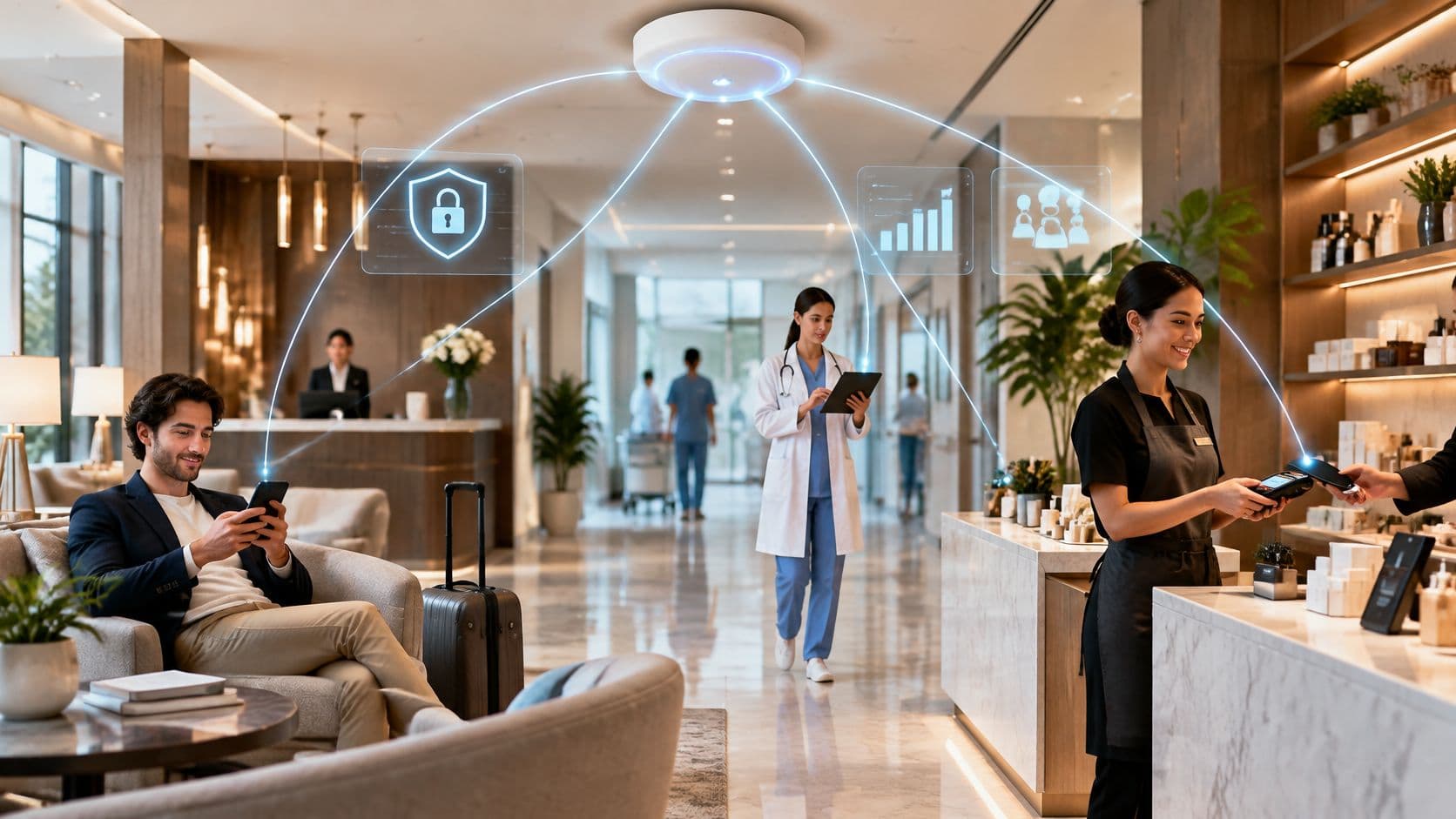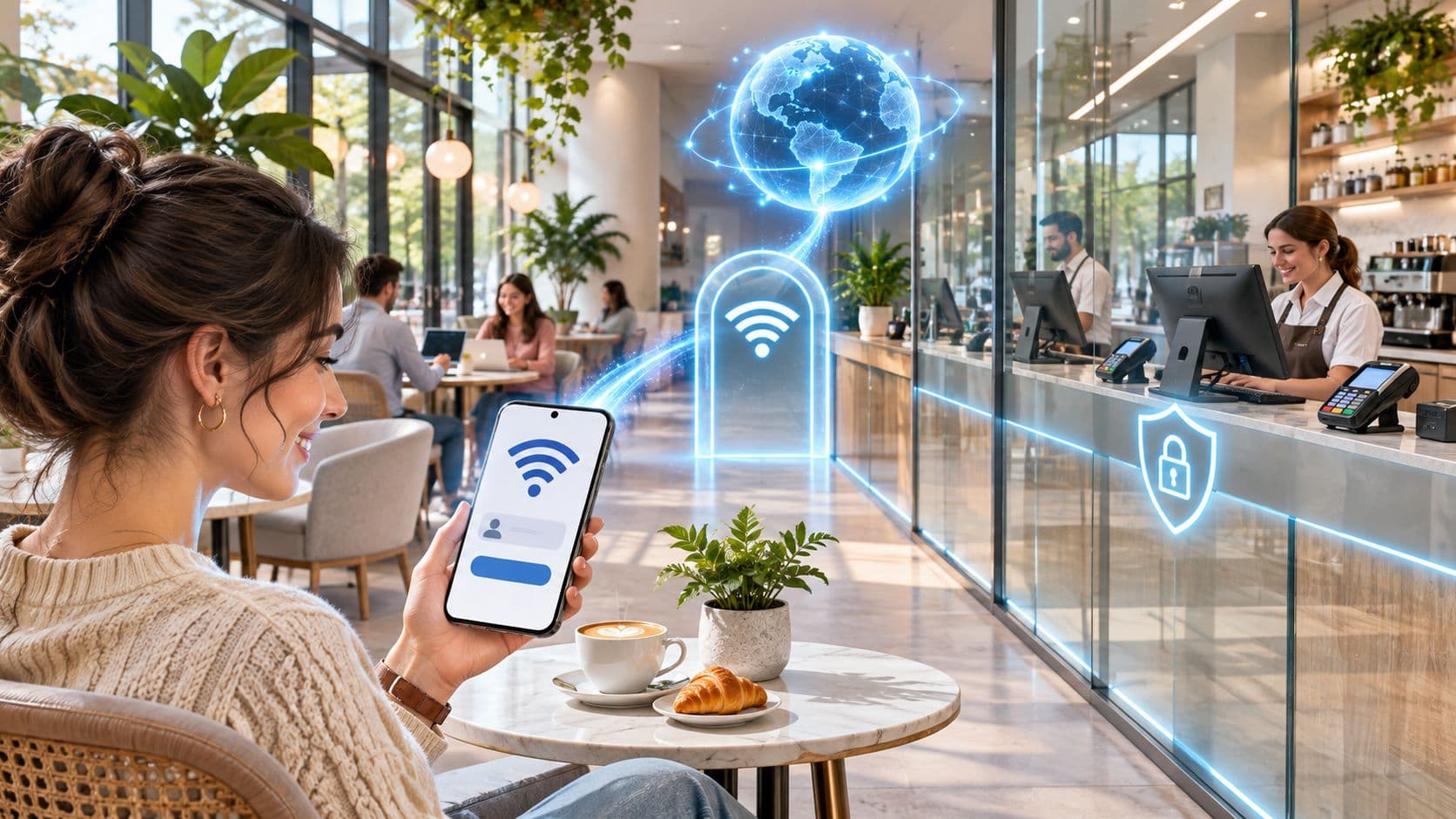
The most popular advice about guest WiFi is incomplete: create a guest network, add a branded login page, and call it secure. A WiFi guest access portal can make admission easier and record acceptance of your terms, but the page itself doesn't encrypt wireless traffic or keep a visitor away from your registers. Those protections come from separate network controls, and you need to test them before and after login.
What a WiFi guest Access portal does
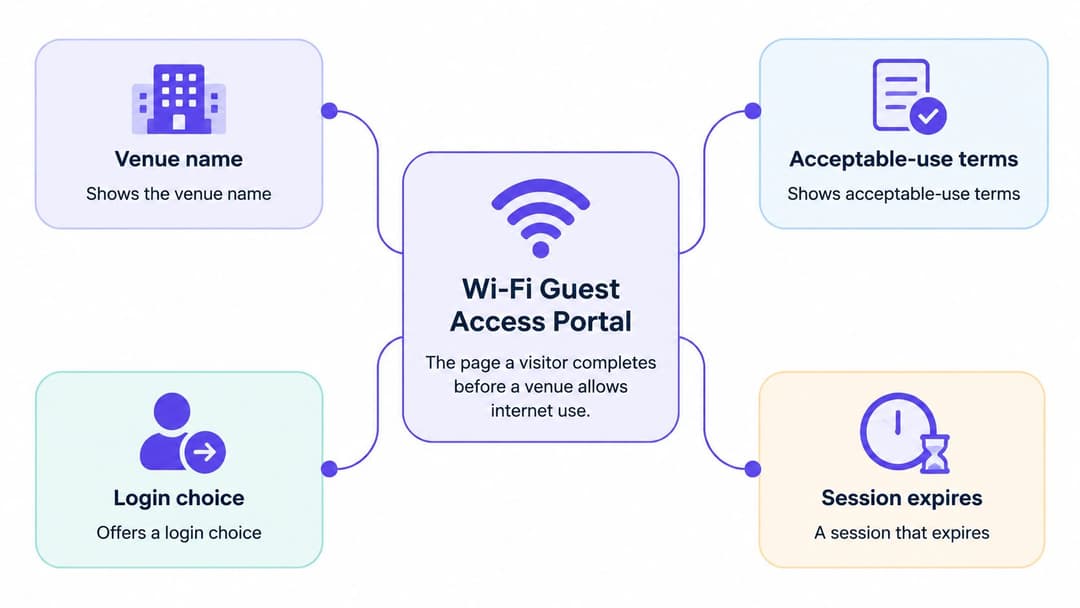
A WiFi guest access portal is the page a visitor completes before a venue allows internet use. It usually identifies the venue, presents acceptable-use terms, offers a login choice and starts a session that eventually expires.
Think of it as a reception desk. The desk records an arrival and explains the house rules, while the locks and corridors determine where that person can go. A portal handles the digital arrival, but your wireless controller and firewall must enforce the boundaries.
Say a visitor enters a hotel lobby and selects the guest network on their cell phone. The phone connects to an access point, receives network settings and opens a small sign-in window. The visitor enters a reservation code, accepts the terms and gains internet access, without receiving access to the hotel's operational systems.
Why the login page became familiar
Public hotspots established the expectation that visitors could get online away from home. Office for National Statistics figures in its 2011 analysis, reported in Ofcom's telecommunications networks report, put UK hotspot users, including those connecting in hotels, cafes and airports, at 4.9 million, compared with 0.7 million in 2007.
Registration gave operators a practical point at which to present conditions and decide whether to allow access. For a venue, the visible interaction was a login page; for the network team, it was a change from restricted connectivity to an authorized session.
That distinction remains useful. A visitor sees the venue name and login button, but the operator needs working services behind them:
- Address assignment: DHCP supplies the settings the device needs to communicate.
- Authorization: DNS helps the cell phone find permitted portal services.
- Authorization: The network records that the device has completed the required admission process.
- Policy enforcement: The controller or gateway applies the guest access rules and session expiration.
A successful portal therefore combines a straightforward visitor interaction with an enforceable network decision. It shouldn't require guests to understand networking, and it shouldn't require IT staff to assume that a welcome screen proves the guest network is safe.
How a guest login becomes an internet session
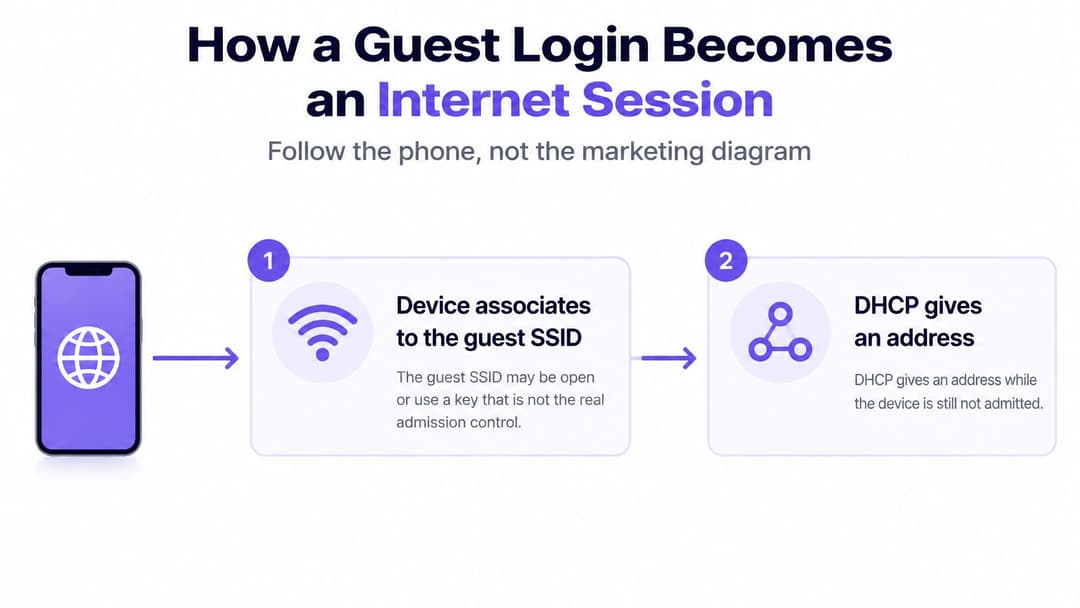
Follow the phone rather than the marketing diagram. The screen is only part of a sequence involving the device, access point, gateway and authentication service.
From association to authorization
The device joins the guest SSID. The SSID is the network name shown in WiFi settings. It might be open or require a wireless key, but joining it doesn't necessarily grant internet access.
DHCP supplies an address. The phone can now communicate on the local network, while the gateway still blocks general internet access. The pre-login policy should permit only essential address assignment, name resolution and portal dependencies.
The operating system detects the portal. It tests connectivity and, when the response indicates restricted access, opens its built-in captive-portal assistant. The NCSC's virtual private network guidance identifies the exposure created when a device must reach a portal before establishing its VPN, and recommends the platform's dedicated portal assistant where available. Keep this interaction narrow rather than encouraging general browsing outside the tunnel.
The visitor completes admission. They accept terms and, if required, present an email address, voucher, booking reference or one-time code. These methods offer different levels of assurance: typing an email isn't the same as proving control of that mailbox.
The controller receives an authorization decision. The portal or authentication service tells the network that the session may proceed. Loading a confirmation page without this policy change leaves the guest looking connected but unable to use the internet.
The guest policy permits outbound access. The controller or gateway applies the session's access rules, time limit and bandwidth policy. A managed device should establish its full-device VPN immediately after admission, rather than remaining in an onboarding exception.
The session ends. On expiration or sign-out, the network withdraws authorization and returns the device to the restricted pre-login state. Test that transition too, especially when guests can renew access.
When the phone behaves differently
Private MAC addressing can cause a returning phone to appear as a new device when its network identifier changes. The portal may then request another login even though the visitor remembers signing in previously. Don't treat a device identifier as a permanent personal identity.
An active VPN can also prevent portal detection or hide the splash page. On managed devices, use the approved captive-portal workflow rather than telling users to disable security software indiscriminately; any permitted pause should end as soon as onboarding finishes.
Acceptance test: The phone can use the internet, its intended security controls have resumed, and it can't reach protected internal systems. A loaded welcome screen isn't enough.
Protections before and after the login
What is protected before the visitor taps accept, and what is protected afterwards? Ask that before choosing colors or login fields.
What a guest portal does and does not secure
| Layer | Risk it addresses | Portal alone | What actually provides it |
|---|---|---|---|
| Admission and terms | Unrecorded use of the guest SSID | Yes, if login is required | Splash page, terms and session start |
| Over-the-air encryption | Eavesdropping of wireless frames | No | WPA3 or WPA2-Enterprise from association |
| Guest VLAN and ACLs | Paths into staff, payment, clinical or building networks | No | Separate VLAN and deny rules for internal ranges |
| Client isolation | Guests attacking one another | No | WLAN client-to-client isolation |
| Outbound firewall | Scanning and unwanted outbound access after login | No | Firewall policy applied when the session is authorized |
A portal primarily manages admission, terms and consent, not every protection associated with public WiFi. Use Amvia's public WiFi setup guide as deployment context, but make each control in the table a separate acceptance item.
A polished page can't repair missing boundaries
Start with wireless encryption. Use a supported encrypted wireless mode, such as an appropriate WPA3 configuration, or WPA2-Enterprise where the devices and identity workflow support it. An open SSID with a polished splash page still lacks link-layer confidentiality, although HTTPS can separately protect application content.
Next, check segmentation. A guest VLAN creates a separate network segment, but a VLAN name isn't a firewall rule. Access control lists must deny paths into staff, payment, clinical, tenant and management networks, including any alternate routes that your deployment supports.
Then check client isolation. Guests should not be able to initiate connections to neighboring guest devices. Confirm the scope of the controller setting, including whether it covers clients on different access points, rather than assuming an isolation checkbox protects the entire estate.
Finally, review outbound policy. Authorization shouldn't remove every restriction. Apply the destinations and services your venue intends to permit, while keeping access to network administration interfaces blocked.
Test the boundaries from a guest device
From a guest phone or test laptop, try reaching an authorized test target on the staff printer or register network. Use an agreed test service rather than probing live payment or clinical equipment. Confirm both the failed connection and the firewall decision.
Connect separate guest devices and test communication between them. Ping is a useful starting point, but a failed ping alone isn't proof of isolation because the receiving device might block it locally; use a known listening test service and inspect controller or firewall records.
Also confirm when encryption begins. A later VPN doesn't retrospectively protect the earlier portal interaction, which matters particularly for privileged staff laptops using visitor access.
If a guest can reach another guest or a protected subnet, changing the login page won't fix the failure.
Use an enterprise WiFi security checklist to turn these checks into deployment sign-off items. A login record supports accountability, but it can't substitute for the technical boundaries.
Shared keys, logs and guest accountability
A password printed beside the register identifies a credential, not a person. If someone reports abuse, the operator may know which shared password was in use but have no reliable way to distinguish the guests who knew it.
Revocation is awkward too. Changing that password affects everyone using it, while leaving it unchanged preserves access for people who no longer need it.
Replace shared knowledge with attributable sessions
The UK government guidance on sharing workplace wireless networks advises against a shared public pre-shared key for guest access and sets out controls for authentication logging, failed attempts, acceptable-use conditions and attributable configuration changes.
Where a pre-shared key is unavoidable, use AES, a long randomly generated key and regular rotation. Keep it away from privileged LAN access and retain device isolation. Those precautions reduce exposure, but they don't make a widely distributed password an individual identity.
A more useful operational model maps each session to a unique temporary credential. A voucher can distinguish visits without collecting a name, while a verified contact method can offer stronger attribution when the use case justifies it. A room reference may support hotel admission, but its assurance depends on how it is issued and checked.
The aim isn't to claim that every login proves a person's legal identity. It's to understand exactly what the credential proves and preserve enough context to investigate its use.
Make the record useful to operations
Send structured authentication events to your monitoring platform or security information and event management system, commonly called a SIEM. A useful record includes:
- Credential or identity: The temporary code or account associated with admission.
- Time information: Consistent timestamps for the relevant authentication and session events.
- Device context: The identifier observed during that session, without assuming it remains permanent.
- Access point: The network location through which the device connected.
- Result: Whether admission succeeded, failed or was revoked.
Keep system clocks consistent so investigators can relate portal events to controller and firewall records. Monitor failed attempts for actionable patterns, and require named administrator accounts so configuration changes don't disappear behind a shared admin login.
Document who can access these records and retain them under a written CCPA/CPRA and retention policy. Security logs aren't automatically a marketing contact list.
For an operational test, retrieve a recent session and identify its credential, access point and time. If that requires asking staff which password was on the counter, accountability is still too weak.
How much guest data a US portal should keep
A longer form doesn't automatically create better visitor insight. Every additional field needs a purpose, someone responsible for it and a route for deletion when it is no longer needed.
The Wifirst captive-portal compliance guide emphasizes lawful basis, clear privacy information, purpose limitation, minimization and retention controls, alongside separating marketing consent from acceptance of service terms. Accepting WiFi terms isn't blanket permission for marketing.
Guest data designs and US governance load
| Design | Data collected | Consent and basis | Retention posture | Fits |
|---|---|---|---|---|
| Terms only | Acceptance plus limited security logs | Document the service and security basis; no marketing check mark | Short documented security retention | Clinics, offices, housing corridors |
| Email or voucher | Email or code and session length | Marketing box separate and optional | Security logs apart from contacts; action deletion requests under the applicable basis | Cafes and retail |
| Full CRM journey | Name, email, demographics, visit history | Unchecked marketing consent; assess DPIA requirements for systematic location analytics | Role-based access and a deletion workflow | Hotels and malls that can justify each field |
Choose the lightest useful design
For a clinic or office waiting area, terms acceptance with limited security records may be sufficient. Don't add email capture because the portal designer offers the field.
A café might use a voucher for access and separately invite the customer to subscribe to offers. If it collects an email for authentication, explain that purpose independently of any marketing choice. Leave the marketing box unchecked and make refusal compatible with the stated service journey.
A richer customer relationship management, or CRM, journey needs stronger justification. A hotel or shopping center should be able to explain why it needs demographics or visit history, which team uses them and what decision they support. Home addresses, precise movement histories and indefinitely retained device identifiers increase exposure without necessarily improving the service.
Separate retention, access and deletion
Write a retention schedule by purpose rather than applying the longest available setting to everything. Security logs may need a documented abuse-investigation window; marketing records need their own retention and consent-management process. Don't keep them as the same unrestricted database with different labels.
Assign role-based access so reception staff, marketing users and security investigators see only what their work requires. Test a deletion request through exports, integrations and downstream contact systems, and explain any justified retention exceptions instead of promising unconditional erasure.
Assess whether systematic location or visit analytics require a data protection impact assessment, or DPIA, before enabling them. This is a design decision, not a document to complete after collection has begun.
Use a guest WiFi data privacy review to inspect actual fields and analytics settings. Delete any field nobody uses for access, safety or a consented message.
Portals in hotels, stores, Clinics and housing
The same login mechanism can support different visits. Choose the access journey around what the visitor needs to do, then identify the failure the venue cannot tolerate.
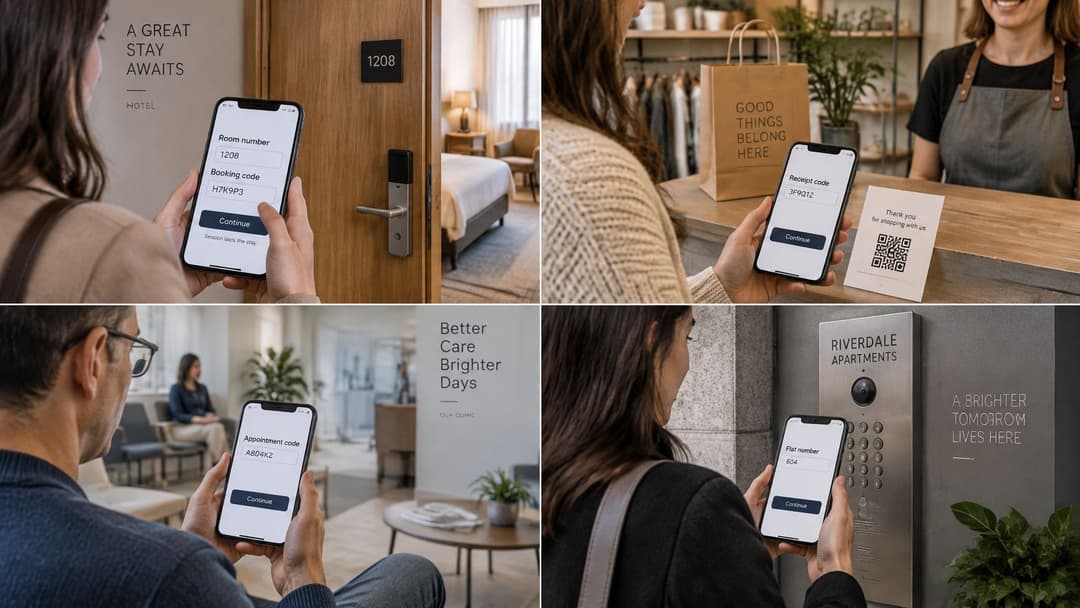
Hotel arrivals and retail visits
In a hotel, a guest opens the lobby network and enters a reservation code. Front desk can explain the method without collecting unnecessary details, and the session can align with the stay. If the cell phone presents a changed private device identifier, a fresh sign-in should be an understandable recovery step rather than a reason to weaken admission.
The hotel must also decide how companions and additional devices receive access. Avoid turning a booking reference into an uncontrolled credential that staff pass around indefinitely. The critical failure is guest reachability into property-management or payment systems.
In a store or shopping center, a customer wants to message someone or check a product, not complete a demographic survey. Offer straightforward terms acceptance, with optional email marketing kept separate, and choose an expiration appropriate to a shopping visit.
Test the customer experience away from the office, on the actual sales-floor access points. The critical failure is customer-to-customer connectivity, including unintended access towards registers.
Care settings and shared homes
In a clinic or hospital, a visitor needs maps, messages or entertainment while waiting. Start with the terms-only design and make the privacy explanation readable on a cell phone. A WiFi form shouldn't ask for symptoms, appointment details or other health information just to provide connectivity.
Give reception a simple support instruction that doesn't involve handling a patient's personal accounts. Clinical connectivity must remain operationally distinct. The critical failure is over-collecting sensitive information during a routine access request.
In student housing or multi-family accommodation, a contractor or visiting friend can use a temporary guest session. Residents need their own longer-lived individual access arrangement, with a separate path for their personal devices. A visitor portal isn't a substitute for a resident network that supports everyday home use.
Property staff should have a staff access method rather than borrowing guest vouchers from a back-office drawer. The critical failure is a visitor discovering or reaching resident devices.
Match the credential to the relationship: visitor, resident and employee aren't interchangeable access categories.
Choose Easy Access that stays off the staff network
Choose the connection method by how often the same person returns and what access relationship they have with the venue. Don't solve every onboarding problem by adding another field to the portal.
Match admission to the visitor
- Occasional visitors: Use a captive portal with clear terms and the lightest credential that supports your operational needs. A temporary voucher or booking code may be more appropriate than mandatory personal details.
- Returning devices: Consider Passpoint-style onboarding, which stores a connection profile rather than repeatedly asking the visitor to complete a splash page.
- People working on site: Use directory-backed individual access on a separate staff network, with revocation tied to the employment or contractor relationship.
Set expiration around the visit rather than an arbitrary default. A hotel stay, a shopping trip and a maintenance appointment need different session policies, while residential access needs a distinct long-term design. For shared properties, plan the resident and visitor boundaries through a multi-family WiFi approach.
Sign off live outcomes
Before launch, demonstrate that the guest can use the internet, cannot reach staff, payment, clinical or resident networks, and leaves a retrievable session record identifying the credential, time and access point. Assign an owner to each failed test, rather than accepting the portal's appearance as completion.
Purple's guest connection methods are Captive Portal, Passpoint and The Purple app. Match that choice to occasional admission, repeat access or an app-led journey only when the required network protections already exist or are explicitly included in the change plan.
A shared staff password or a stack of guest vouchers behind reception defeats the intended distinction. Easy guest access works best when staff never need to use it as their everyday network.
Purple offers guest WiFi with a captive portal that can use your venue's logo, colors and login options, and Connect is our free Guest WiFi plan. Visit Purple to explore the right visitor connection method, bringing your isolation tests, session requirements and data-retention decisions into the discussion.