
RV park and resort WiFi providers: what to look for across guests, owners and staff
You will be able to shortlist RV park WiFi providers against the questions that separate them: owner networks, family-safe filtering, staff access tied to your identity provider and hardware reuse. You can also set consent capture for rebooking and write seasonal peak, uptime and data ownership terms into the contract.
By Tom HackettPublished
📖 14 min read3,119 words2 worked examples12 key definitions
Part of our core series: Guest WiFi: the complete guide →
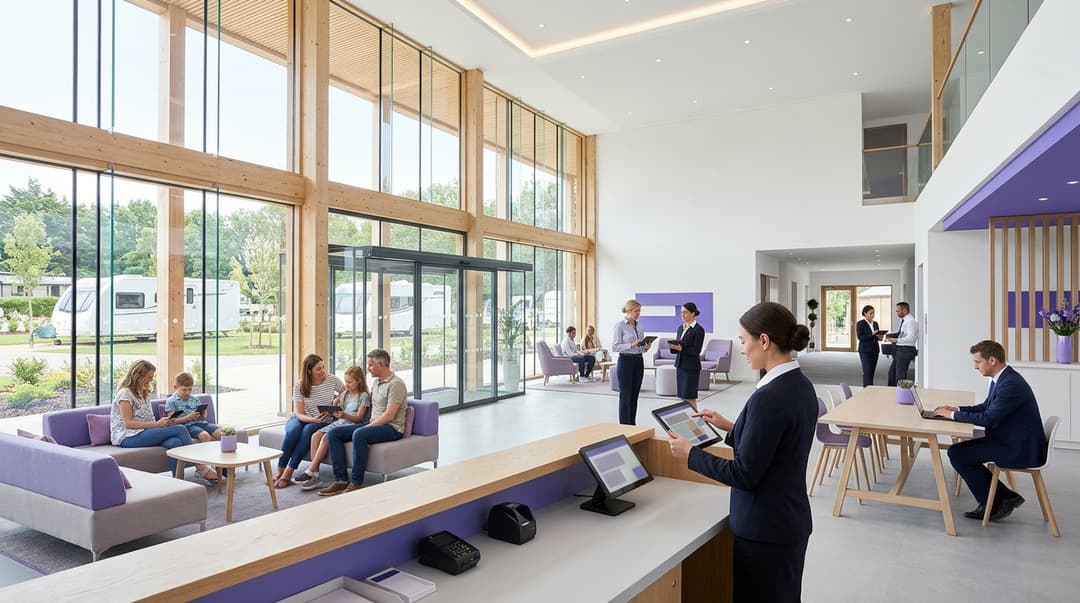
A RV park needs three separate networks on the same access points. Guests need a quick, family-filtered sign-in. Cabin and RV owners need a private home network that lasts all season. Staff need a secured network for registers and handhelds. Choose one provider that runs all three, collects consented emails for rebooking and prices fairly for seasonal peaks.
Which WiFi networks does an RV park need, and who uses each?
Many parks still run one network name (SSID) with one shared password, or a guest page bolted onto an owner network. That design fails all three groups at once.
- Vacation guests face a sign-in built for someone else.
- Owners can see their neighbors' devices, and they lose their smart TV pairing every time the password changes.
- Staff registers share a network with every guest phone in the park.
The fix is to separate traffic by who is connecting, not by where they stand. Purple calls this an Identity-Based Network. Each person or device is identified at sign-in and placed on the right network, with the right policy. All of this runs on the same access points.
Each network is kept apart with a VLAN (virtual local area network). A VLAN is a logical segment that keeps traffic separate even when it shares physical hardware. The table sets out the four networks a well-run park operates.
| Network | Who connects | How they sign in | Isolation | Filtering | What the park gets | Purple product |
|---|---|---|---|---|---|---|
| Guest | Vacation guests, day visitors, event attendees | Captive portal: email or social sign-in, one tap | Guests cannot see one another's devices | Family-safe filtering on by default | Consented first-party data for rebooking | Guest WiFi with Shield; Engage for email |
| Owner | Cabin and RV owners and their families | iPSK: one personal key per owner, valid all season | Private Area Network per owner | Malware and phishing blocking; adult filtering at owner's choice | A home-grade amenity you can include in site fees | Multi-Tenant WiFi |
| Staff | Front desk, bar, shop, housekeeping and maintenance teams, seasonal workers | IEEE 802.1X against Microsoft Entra ID, Okta or Google Workspace | Separate VLAN, no route to guest or owner networks | Malware and phishing blocking | Access that ends when the staff account is disabled | Staff WiFi |
| Operational devices | Card terminals, registers, barrier cameras, EV chargers | Unique key or certificate per device | Locked VLAN, scoped for PCI-DSS | Allow-list of required destinations only | Smaller PCI-DSS assessment scope | Staff WiFi |
A captive portal is the web page a device sees before it reaches the internet, where the visitor signs in or accepts terms.
Where RV park WiFi providers genuinely differ
Almost every provider can put up a captive portal. The real differences show up in four places. These are the owner network, the filtering, the link between staff access and your identity provider, and whether you must buy new hardware.
Guest sign-in that takes seconds
Guests often arrive tired, in a car full of children, at a rural site with weak cell signal. RV park guest WiFi should ask for the minimum: a name, an email address and an unchecked marketing opt-in. Every extra mandatory field costs you sign-ins.
Ask each provider these questions:
- How many fields are mandatory, and can you change them per park?
- Can a returning guest reconnect automatically for the rest of their stay?
- Can each park in your group carry its own branding, site map and offers, all managed from one console?
- Can you cap bandwidth per guest, so 300 campers streaming on a wet evening do not starve the shop's card terminals?
- Does the portal support OpenRoaming?
OpenRoaming is a federation run by the Wireless Broadband Alliance. It lets cell phones join participating WiFi networks automatically using an identity they already hold. It is built on Passpoint, also called Hotspot 2.0, the standard for automatic, encrypted sign-in to public WiFi.
The sign-in model is the same one Hotels use for their guests. Purple runs Guest WiFi for hospitality brands including Premier Inn and Stonegate Pubs.
A private home network for cabin and RV owners
Owners treat the cabin as a second home. They bring smart TVs, streaming sticks, printers, video doorbells and smart thermostats. Many of these devices cannot complete a captive portal. They need a standard WPA2 or WPA3 password, and they need to find each other on the network.
Cabin owner WiFi works best with iPSK (identity pre-shared key), also sold as PPSK (private pre-shared key). Every owner gets a unique password on the same network name. The password identifies the owner and places their devices in a private segment.
Purple calls this a Private Area Network. It is a private network bubble that follows the owner around the park. Their cell phone can cast to their own TV, but never to the neighbor's. This is the same pattern Purple's Multi-Tenant WiFi delivers in multi-family and student housing, where residents expect a home-grade network in a shared building.
Ask each provider these questions:
- Can an owner keep one key for the whole season, and carry it into next year?
- Can you revoke one owner's key the day a cabin is sold, and issue a new one to the buyer, without touching anyone else?
- Can you give owners a bandwidth tier above guests?
- Does the owner's private network work in the clubhouse and pool area as well as at the cabin?
- Is the joiners, movers and leavers process (JML) handled in the console, or by a support ticket?
Family-safe filtering on the guest network
Your guest network will carry children's devices every school vacation. Filtering should be on by default. Block adult content, gambling, malware and phishing, and enforce SafeSearch on the major search engines.
Most providers filter at the DNS layer. DNS (Domain Name System) translates a website name into an address. A DNS filter refuses to resolve names in blocked categories, so the page never loads. This works on any device without installing software.
DNS filtering has a known limit. A visitor using a VPN or encrypted DNS (DNS over HTTPS) can route around it. Ask each provider how they handle those bypass routes. Some RV parks and resorts also look for Friendly WiFi accreditation standards for filtered public WiFi. If you want to display it, ask whether the provider's filtering meets its criteria.
Filter each network to suit the people on it:
- Guest network: family-safe categories, enforced.
- Owner network: malware and phishing blocking, with adult filtering left to the owner. Owners are adults in their own home.
- Staff network: malware and phishing blocking, plus any business policy you set.
Purple Shield applies family-safe filtering to the guest network from the same console that runs sign-in. You do not need a separate filtering vendor. The case for combining these services is set out in Replacing separate guest WiFi, RADIUS and DNS filtering vendors: the consolidation case for multi-site estates.
Staff access that starts and ends with the staff account
Parks hire heavily for the season. A shared staff password handed out in March is still valid in November, long after most of the team has left. Replace it with IEEE 802.1X.
IEEE 802.1X is the standard for port-based network access control. A device must authenticate before it gets on the network. The check runs through a RADIUS server (Remote Authentication Dial-In User Service), which verifies credentials against your identity provider. EAP-TLS authenticates with a device certificate. PEAP authenticates with a username and password inside an encrypted tunnel.
Connect RADIUS to Microsoft Entra ID, Okta or Google Workspace. When HR disables a seasonal worker's account, their WiFi access ends at the same moment. SCIM (System for Cross-domain Identity Management) keeps those account changes in sync automatically.
Card terminals and POS registers need their own locked segment. PCI DSS treats network segmentation as a way to reduce the systems in scope for assessment. Keeping payment devices away from guest traffic shrinks what your assessor has to examine. Use WPA3 wherever the device supports it.
Running on the access points you already own
Purple is hardware-agnostic. It runs as a cloud overlay on Cisco Meraki, HPE Aruba, Ruckus, Juniper Mist, Ubiquiti UniFi, Cambium, Extreme and Fortinet. A park with sound outdoor coverage does not need a rip and replace to add owner and staff networks. Why your next WiFi upgrade doesn't need new hardware explains the approach.
Two caveats apply. First, coverage is a radio design question. No software platform fixes a dead spot between two rows of lodges, so commission a survey before you sign. Second, peak density in the clubhouse and entertainment hall may justify newer access points. WiFi 6 (802.11ax) explained covers the capacity gains.
Got questions about your specific setup?
Our team works with venue operators, IT managers, and network engineers across 80,000 venues. Book a 20-minute call and we will show you how others like you solved it.
How does the guest login become a rebooking list you may email?
The guest sign-in is the only point where a park can collect first-party contact data from every adult in a party, not only the lead booker. Collect it properly and it becomes next season's rebooking list. Collect it carelessly and you cannot lawfully email it.
Capture consent the regulator recognizes
Use a conscious-choice opt-in. The marketing box is un-checked and kept separate from acceptance of the terms of use. The TCPA and CAN-SPAM require explicit permission, which means pre-checked boxes do not give valid consent. The regulations require you to demonstrate consent, so the provider must store the following:
- the wording shown at the time;
- the date and time of opt-in;
- the park where the guest signed in.
In the US, the TCPA and CAN-SPAM govern marketing email to individuals. WiFi opt-ins must be explicit consent - send marketing only to guests who checked the box.
Children need extra care. Under the CCPA/CPRA, minors require explicit opt-in for data collection. Design the portal so that adults sign in, and keep marketing opt-ins for adults only.
Turn sign-ins into segments
Each sign-in records which park the guest visited, when, and how often they return. WiFi Analytics adds where they spent time, such as the pool, restaurant or entertainment hall. These details let you build segments, for example:
- families who stayed during school vacations;
- couples who visited in the shoulder season;
- guests who used the restaurant every night.
Send the right offer at the right time
Purple Engage sends automated emails from those segments:
- a thank-you after checkout;
- an early-booking offer timed to the anniversary of the stay;
- a promotion for a sister park in the group.
Unsubscribes apply immediately. Purple integrates with CRM and marketing platforms, so consented contacts can also flow into the booking system your marketing team already uses.
Purple is certified to ISO 27001 and Cyber Essentials, and is CCPA/CPRA and CCPA compliant. It sees 500 million users and logins a year across 80,000+ venues.
What should the contract say about seasonal peaks and per-site pricing?
Occupancy on an RV park or resort can swing from a handful of owners in February to thousands of devices in August. The pricing model decides whether your bill swings with it.
| Pricing model | How the bill is calculated | Effect in August | Effect in the off-season | Risk for a park | What to ask for |
|---|---|---|---|---|---|
| Per site | Flat annual fee per park | No change | No change | Paying the full fee during winter closure | All networks included in each site fee |
| Per access point | Fee for each managed access point | Rises only if you add access points | No change | Better outdoor coverage raises the bill | Tiers that do not penalize coverage |
| Per connected device or login | Fee for each device or session | Rises with occupancy | Falls with occupancy | Budget moves with weather and school holidays | A monthly cap on charges |
| Per network or module | Separate fees for guest, owner and staff networks | No change | No change | Three line items for one estate | One license covering every network |
Whichever model you choose, write these terms into the contract:
- Peak capacity. The platform accepts every login on your busiest day without throttling or queuing.
- Uptime and service credits. Get a stated availability figure with credits if it is missed. Purple's platform availability is 99.999%.
- Support hours. Cover weekends and federal holidays, because that is when your parks are full.
- Site changes. Add or remove a park mid-term at a pro-rata price, for acquisitions and sales.
- Owner continuity. Owner keys survive renewals and platform updates, so owners never re-pair their devices.
- Data ownership. You own the guest data, with a full export of contacts and consent records on exit.
- Backhaul. State who supplies and supports the internet line into each park. A WiFi platform cannot add bandwidth the line does not carry.
Two worked scenarios
These scenarios show how the checklist applies on real park types. The figures are planning assumptions, not benchmarks. Replace them with your own numbers.
Scenario 1: a coastal park separates guests, owners and staff
Situation. A 400-site coastal park has 150 owner cabins and 250 vacation rentals and RV sites. It ran one WPA2 password for everyone, changed each March. It also hosts a three-day music weekend every July.
What was done. The park kept its existing Ruckus outdoor access points and added a cloud overlay with four networks:
- Owners received individual iPSK keys.
- Staff moved to 802.1X against Microsoft Entra ID.
- Credit card terminals moved to a locked VLAN.
- Shield filtering went live on the guest network.
For the music weekend, attendees got their own branded portal page, the same approach covered in Event venue WiFi providers: per-event captive portals, exhibitor access and attendee reporting.
Measurable outcome.
- When a lodge sells, the team revokes one key instead of reissuing a password to 150 owners.
- The number of shared staff passwords falls from one to zero. Leavers lose access when HR disables their account.
- The PCI DSS segmentation boundary now sits around the terminal VLAN rather than the whole park network.
Scenario 2: a four-park group builds a rebooking list
Situation. A group of four parks emailed only its booking database. That database held the lead booker for each party and nobody else.
What was done. The group added RV park guest WiFi sign-in at all four parks, with an unchecked opt-in. Engage campaigns were timed to the anniversary of each stay. Because the parks were licensed per site, the August peak did not change the bill.
Measurable outcome, using planning assumptions. Assume each park welcomes 1,500 parties a week across a 20-week peak. That gives 120,000 party stays (4 x 1,500 x 20). If 40% of parties sign in and 30% of those opt in, the group gains 14,400 consented contacts in one season. Each contact is tagged with the park, stay dates and visit history. The group's on-site shops can use the same data, much as Retail operators do.
How to decide for your park estate
Score every shortlisted provider against the same questions. A provider that gives a weak answer on two or more questions will cost you time every season.
| Question | Strong answer | Weak answer |
|---|---|---|
| Does it run on the access points we own? | Named support for our vendor, such as Ubiquiti UniFi or Cambium | Requires its own hardware |
| How do owners connect? | Personal iPSK key and a private network per owner, valid all season | Shared owner password |
| How do staff connect? | 802.1X against Microsoft Entra ID, Okta or Google Workspace | Shared staff password |
| How is the guest network filtered? | Family-safe categories on by default, from the same console | A separate filtering vendor and contract |
| How is marketing consent captured? | Unchecked opt-in with a stored consent record | Opt-in bundled with terms of use |
| What happens to the bill in August? | No change under a per-site license | Rises with every device |
| Who owns the guest data on exit? | You do, with a full export | Retained by the provider |
If your estate includes RV park WiFi and campground WiFi alongside lodges, run the scoring per park. A touring-only campground may need just guest and staff networks. A lodge park needs all four.
Frequently asked questions
Will Purple work with the access points already installed on our park?
Yes, Purple runs as a cloud overlay on Cisco Meraki, HPE Aruba, Ruckus, Juniper Mist, Ubiquiti UniFi, Cambium, Extreme and Fortinet access points. You keep your existing hardware and add guest, owner and staff networks on top. New access points only make sense where a survey shows a coverage gap, or where peak density in the clubhouse needs more capacity than older hardware provides.
How should RV park and resort WiFi be priced across several locations?
Per-site pricing suits most resort groups, because the bill stays flat between the August peak and the off-season. Per-device or per-login pricing rises with occupancy, so your costs follow the weather and the school breaks. Ask for one license per location that covers guest, owner and staff networks. Your contract should also allow you to add or remove locations mid-term at a pro-rata price.
Can cabin owners keep the same WiFi password from one season to the next?
Yes, with iPSK each owner holds a personal key that can stay valid across seasons. Their smart TVs, printers and doorbells stay connected without re-pairing. When a cabin is sold, you revoke that one owner's key and issue a new one to the buyer. No other owner is affected, and nobody has to reset a shared password.
Can we email guests who sign in to the resort WiFi?
Yes, provided they checked an unchecked marketing opt-in at sign-in. Under the TCPA and CAN-SPAM, explicit consent is required for automated outreach. CCPA/CPRA regulations require you to prove that consent, so choose a provider that stores the wording shown, the timestamp and the resort location for every opt-in.
Is the guest network safe for children to use?
Yes, if family-safe filtering is on by default. Purple Shield applies DNS-level filtering to the guest network, blocking categories such as adult content, gambling, malware and phishing. DNS filtering works on every device without installing software. It can be bypassed by a VPN or encrypted DNS, so ask how bypass routes are handled. Owner and staff networks carry separate policies suited to adults.
Do card terminals and POS systems need a separate network for PCI DSS?
Yes, keep payment devices on their own locked segment. PCI DSS treats network segmentation as a way to reduce the systems in scope for assessment. With segmentation, your assessor examines the terminal network rather than every guest phone on the property. Give each terminal a unique key or certificate, and allow it to reach only the destinations it needs.
How much work is it to move from our current guest WiFi provider?
Moving is mainly configuration work, because Purple runs on your existing access points rather than replacing them. You configure the new networks on your controller and design the portal for each park. You then connect staff access to your identity provider and issue owner keys. Plan the owner key rollout for the off season, so owners re-pair their devices once before they arrive for the new season.
Key Definitions
VLAN
A virtual local area network defined by IEEE 802.1Q, which tags Ethernet frames so traffic on shared physical switches and access points stays in separate logical segments.
You meet it when configuring guest, owner, staff and payment networks on one controller. It is what keeps guest phones away from registers.
Captive portal
The web page a device is redirected to before it reaches the internet, where the visitor signs in, gives contact details or accepts terms of use.
It is the guest sign-in and your only chance to collect consented first-party data from every adult in a party. Fewer mandatory fields means more sign-ins.
iPSK (PPSK)
Identity pre-shared key, also sold as private pre-shared key: many unique WPA2 or WPA3 passphrases on one SSID, each mapped to an individual and their policy or segment.
Owners' smart TVs, printers and doorbells cannot complete a captive portal. A personal key lets one owner's key be revoked without resetting anyone else.
Private Area Network
Purple's term for a private network segment tied to one owner's iPSK key, so their devices can discover each other but not a neighbor's, wherever they connect on the park.
It decides whether owners can cast to their own TV at the cabin, clubhouse and pool without seeing other owners' devices.
IEEE 802.1X
The IEEE standard for port-based network access control: a device must authenticate through the Extensible Authentication Protocol (EAP) before the network admits its traffic.
It replaces the shared staff password handed out in March that still works in November, after seasonal staff have left.
RADIUS
Remote Authentication Dial-In User Service, specified in IETF RFC 2865, the protocol an access point uses to send 802.1X credentials to a server that verifies them against an identity provider.
Connecting RADIUS to Microsoft Entra ID, Okta or Google Workspace is what makes WiFi access end when HR disables a staff account.
EAP-TLS and PEAP
Two EAP methods used with 802.1X: EAP-TLS authenticates with a device certificate, while PEAP carries a username and password inside an encrypted TLS tunnel.
You choose between them per device type, certificates for managed handhelds and registers, credentials for staff cell phones.
SCIM
System for Cross-domain Identity Management, specified in IETF RFC 7643 and RFC 7644, a REST protocol for provisioning and deprovisioning user accounts between systems.
It keeps account changes from your identity provider in sync automatically, which matters with heavy seasonal hiring and departures.
OpenRoaming and Passpoint
OpenRoaming is a federation run by the Wireless Broadband Alliance that lets cell phones join participating networks with an identity they already hold. It is built on Passpoint (Hotspot 2.0), the standard for automatic, encrypted public WiFi sign-in.
Ask whether the guest portal supports it, so returning guests connect without a sign-in page at a rural site with weak cell service.
DNS filtering
Filtering at the Domain Name System layer: the resolver refuses to translate names in blocked categories into addresses, so the page never loads, on any device without installed software.
It underpins family-safe guest filtering such as Purple Shield. VPNs and DNS over HTTPS can bypass it, so ask providers how they handle that.
CAN-SPAM consent rules
Requirements under the TCPA and CAN-SPAM regulations alongside CCPA/CPRA obligations requiring explicit consent for marketing communications and stored proof of opt-in.
A WiFi login is not a sale, so WiFi contacts need explicit consent through an unchecked opt-in with a stored consent record.
PCI DSS segmentation
The Payment Card Industry Data Security Standard recognizes network segmentation as a way to isolate the cardholder data environment and reduce the systems in scope for assessment.
Putting card terminals and registers on a locked VLAN means your assessor examines the terminal network, not every guest cell phone on the property.
Worked Examples
A 400-site coastal park with 150 owner cabins and 250 vacation trailers and RV sites runs one WPA2 password for everyone, changed each March. It also hosts a three-day music weekend every July. How should it separate guests, owners and staff?
The park kept its existing Ruckus outdoor access points and added a cloud overlay with four networks. Owners received individual iPSK keys, staff moved to 802.1X against Microsoft Entra ID, and card terminals moved to a locked VLAN. Shield filtering went live on the guest network. Music weekend attendees got their own branded portal page. Now, when a cabin sells, the team revokes one key instead of reissuing a password to 150 owners. Shared staff passwords fall from one to zero, and leavers lose access when HR disables their account. The PCI DSS segmentation boundary sits around the terminal VLAN rather than the whole park network.
A group of four parks emails only its booking database, which holds the lead booker for each party and nobody else. How can it build a larger rebooking list without the August peak raising its WiFi bill?
The group added guest WiFi sign-in at all four parks with an unchecked marketing opt-in, and timed Engage campaigns to the anniversary of each stay. Licensing per site kept the bill flat through August. Using planning assumptions of 1,500 parties a week per park across a 20-week peak, the group sees 120,000 party stays. If 40% of parties sign in and 30% of those opt in, it gains 14,400 consented contacts in one season. Each contact is tagged with park, stay dates and visit history, and the on-site stores can use the same data.
Frequently asked questions
Will Purple work with the access points already installed on our property?
Yes, Purple runs as a cloud overlay on Cisco Meraki, HPE Aruba, Ruckus, Juniper Mist, Ubiquiti UniFi, Cambium, Extreme, and Fortinet access points. You keep your existing hardware and add guest, owner, and staff networks on top. New access points only make sense where a survey shows a coverage gap, or where peak density in the clubhouse needs more capacity than older hardware provides.
How should resort and RV park WiFi be priced across several locations?
Per-site pricing suits most resort groups, because the bill stays flat between the August peak and the off-season. Per-device or per-login pricing rises with occupancy, so your costs follow the weather and vacation schedules. Ask for one license per location that covers guest, owner, and staff networks. Your contract should also allow you to add or remove properties mid-term at a pro-rated price.
Can cabin owners keep the same WiFi password from one season to the next?
Yes, with iPSK each owner holds a personal key that can stay valid across seasons. Their smart TVs, printers and doorbells stay connected without re-pairing. When a cabin is sold, you revoke that one owner's key and issue a new one to the buyer. No other owner is affected, and nobody has to reset a shared password.
Can we email guests who sign in to the park WiFi?
Yes, provided they checked an unchecked marketing opt-in at sign-in. Under the TCPA and CAN-SPAM, opt-in consent covers marketing messages. CCPA/CPRA requires you to prove that consent, so choose a provider that stores the wording shown, the timestamp and the park for every opt-in.
Is the guest network safe for children to use?
Yes, if family-safe filtering is on by default. Purple Shield applies DNS-level filtering to the guest network, blocking categories such as adult content, gambling, malware and phishing. DNS filtering works on every device without installing software. It can be bypassed by a VPN or encrypted DNS, so ask how bypass routes are handled. Owner and staff networks carry separate policies suited to adults.
Do card terminals and registers need a separate network for PCI DSS?
Yes, keep payment devices on their own locked segment. PCI DSS treats network segmentation as a way to reduce the systems in scope for assessment. With segmentation, your assessor examines the terminal network rather than every guest phone on the park. Give each terminal a unique key or certificate, and allow it to reach only the destinations it needs.
How much work is it to move from our current guest WiFi provider?
Moving is mainly configuration work, because Purple runs on your existing access points rather than replacing them. You configure the new networks on your controller and design the portal for each park. You then connect staff access to your identity provider and issue owner keys. Plan the owner key rollout for the off-season, so owners re-pair their devices once before they arrive for the new season.
Sources
- IEEE 802.1X port-based network access control
- IETF RFC 2865: Remote Authentication Dial In User Service (RADIUS)
- IETF RFC 7644: System for Cross-domain Identity Management protocol
- Regulation (EU) 2016/679 (GDPR), Recital 32 and Articles 7 and 8
- ICO guidance on direct marketing and PECR
- PCI Security Standards Council document library (PCI DSS)
- Wireless Broadband Alliance OpenRoaming
- Friendly WiFi accreditation scheme
Continue reading in this series
Marina WiFi providers: slip holders, visiting boats and seasonal capacity
You will be able to shortlist marina WiFi providers against five tests: network separation, dock coverage, summer capacity, slip-level key control and consented visitor data. You will also know what to write into the contract, from a signed concurrent device figure to event uplift, and which 10 questions to send every provider.
Multi-site guest WiFi platforms compared: hardware-neutral overlays vs controller portals
You will be able to decide whether your property portfolio can stay on built-in controller portals or needs a hardware-agnostic cloud overlay. You can test your sites against six triggers, compare the two models on 10 axes and work out your own per-AP against per-venue licensing break-even over a three-year rollout.
Guest WiFi RFP requirements: what to specify across onboarding, security and analytics
Use this guide to write a guest WiFi RFP that bidders can pass or fail, not simply agree with. You can set must and should requirements for onboarding, RADIUS, Passpoint, hardware, CCPA/CPRA, PCI DSS, protective DNS and analytics. You can then score responses on evidence and confirm delivery with a 30-day pilot across two hardware platforms.
Got questions about your specific setup?
Our team works with venue operators, IT managers, and network engineers across 80,000 venues. Book a 20-minute call and we will show you how others like you solved it.