
Mixed-use development WiFi: residents, retail tenants and public spaces on one platform
You will be able to decide how to run residents, retail and office tenants, and public plazas on one WiFi platform using shared access points. You can then plan the SSID count, VLAN and firewall design, resident key lifecycle, tenant lease clauses, public filtering policy and consent capture before you pilot a single building.
By Iain JewittPublished
📖 13 min read2,944 words2 worked examples12 key definitions
Part of our core series: Multi-tenant WiFi: the complete guide →
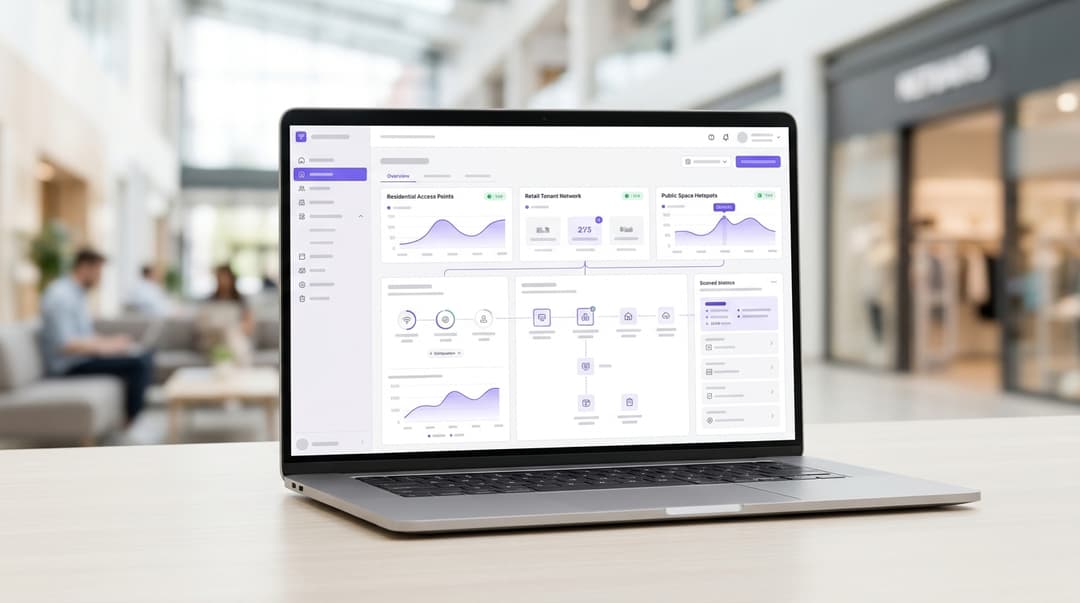
Mixed-use development WiFi works when one platform runs three separate networks on shared access points. Residents get personal keys that create a private network across the property. Retail and office tenants get their own segmented networks. Plazas and amenity spaces get a branded, filtered captive portal whose consented visitor data supports events and retail marketing.
What is mixed-use development WiFi?
Mixed-use development WiFi is a single wireless platform that serves every audience on a property. That includes residents in the apartments, staff in the retail and office units, and visitors crossing the plaza. Each audience needs a different network, with its own security, data handling and experience. The access points, cabling and cloud management can still be shared.
The term covers projects that combine multi-family housing, student housing or affordable housing with ground-floor retail, office floors, a hotel and public realm. Public realm means plazas, podium gardens, food halls and event spaces. You own the infrastructure as developer or asset manager. Tenants and residents each expect it to feel like their own.
Purple runs this as a cloud overlay on the access points you already own or specify. Purple operates across 80,000+ live venues in over 90 countries and handles 500 million users and logins a year. Purple is ISO 27001 certified, Cyber Essentials certified and a certified B Corp. It processes data in line with CCPA/CPRA and CCPA.
Why does a single guest network fail residents, tenants and the public?
Many projects default to one open guest network because it is quick to set up. It fails each audience in a different way.
Residents need a home connection, not a hotspot
Residents move in with smart TVs, gaming consoles, printers and speakers. Most of these devices cannot complete a captive portal, the web page an open network shows before it grants access. On a shared network, a resident's casting device is either visible to neighbors or hidden by client isolation. Neither works as a home connection. Residents expect the at-home experience with enterprise security.
Tenants need separation they can defend to an auditor
A retailer's back-office devices and an office tenant's laptops should not share a broadcast domain with the public. Retailers that take card payments answer to PCI DSS, which recognizes network segmentation as a way to reduce assessment scope. Office tenants answer to their own security policies, often aligned to ISO 27001. A flat guest network gives neither tenant a defensible answer.
The public needs speed, safety and a reason to log in
Visitors to the plaza want to connect in seconds. You need the connection filtered and lawful in a space where children gather. Your marketing team wants consented contact details to promote events and retail. A network tuned for none of these goals delivers none of them.
How the three common approaches compare
| Approach | Access points | Resident devices | Tenant separation | Public filtering | Visitor data | Who manages it |
|---|---|---|---|---|---|---|
| Single open guest network | One shared set | Smart TVs and consoles fail at the captive portal | None - one broadcast domain for everyone | One policy across residents, tenants and public | Resident, staff and visitor logins mixed together | Property IT |
| Separate network bought by each tenant | Duplicated per tenant, competing for the same channels | Each provider's own method | Physical, at the cost of duplicated hardware and co-channel interference | Each provider sets its own | Fragmented across providers | Each tenant plus property IT |
| One estate-wide WiFi platform (Purple) | One shared set from any of the eight vendors listed below | Personal key per resident, private network bubble | VLAN per tenant on shared access points | Shield on the public network only | Consented, first-party and estate-wide | Property IT from a single pane of glass |
How does an estate-wide WiFi platform work?
The model is simple to describe. You run one set of access points and a small number of network names (SSIDs). Identity decides which network a device actually lands on. Purple calls this approach Identity-Based Networks.
The SSID tells a device where to connect. The key or login behind it decides the VLAN, the policy and how the data is handled. This keeps the airwaves clean. Most vendors advise limiting broadcast SSIDs per radio, because every SSID sends its own beacons and consumes airtime.
| Audience | How they connect | Where they land | Filtering | Data use | Purple product |
|---|---|---|---|---|---|
| Residents | Personal key issued at move-in | Own VLAN or private network bubble | None by default - it is their home connection | Operational only, never marketing | Purple Access |
| Retail tenant staff | Per-tenant key on a shared tenant SSID | Tenant VLAN | Set by the tenant | Excluded from estate marketing | Purple Access |
| Office tenant staff | IEEE 802.1X against Microsoft Entra ID, Okta or Google Workspace | Tenant VLAN | Set by the tenant | Excluded from estate marketing | Purple Access |
| Shoppers and visitors | Branded captive portal or Passpoint | Public VLAN with client isolation | Shield | Consented first-party data | Purple Access, Purple Engage, Shield |
| Event attendees | Event-branded captive portal | Public VLAN with client isolation | Shield | Consented and tagged to the event | Purple Access, Purple Engage, Shield |
Residents: a personal key that works across the estate
A pre-shared key (PSK) is a WiFi password. Identity PSK, which vendors call iPSK, PPSK, DPSK or MPSK, gives each household its own key on the same resident SSID. When a device joins, the access point checks the key with a RADIUS server. RADIUS is the authentication service that approves a connection and tells the network where to place it. Purple runs this as cloud RADIUS.
The key maps to that resident's VLAN or private area network. Their phone, laptop and smart TV see each other, as they would at home. They cannot see a neighbor's devices. The same key works on every access point broadcasting the resident SSID. That covers the apartment, the gym, the residents' lounge, the coworking floor and the roof terrace, with no second login.
The key follows the lease lifecycle. You issue it at move-in and revoke it at move-out. A departure removes one household's access. You never rotate a building-wide password and disrupt everyone else. Joiners, movers and leavers become a routine task rather than a support queue.
Check encryption support before you specify hardware. Per-device keys under WPA3-Personal differ by vendor, and many smart home devices still only support WPA2. Our guide to WPA3 and per-device keys: what each vendor supports sets out the position for each vendor.
Retail and office tenants: separate networks on shared infrastructure
A VLAN (virtual LAN, defined in IEEE 802.1Q) logically separates traffic on shared switches and access points. Each tenant gets its own VLAN. A firewall between VLANs stops one tenant reaching another. Each tenant VLAN can route to its own internet breakout or to the tenant's own firewall.
You can place tenants on their VLAN in two ways:
- Per-tenant keys. Retail units share one tenant SSID. Each unit's key tells RADIUS which VLAN to assign. This suits smaller tenants with few devices and no identity provider.
- IEEE 802.1X. This standard makes each device authenticate with credentials or a certificate before it joins. With EAP-TLS, the certificate-based method, there is no shared password to leak. Office tenants authenticate against their own Microsoft Entra ID, Okta or Google Workspace. When their IT team disables an account, WiFi access ends with it.
Treat card payments separately. Keep payment terminals on wired connections or a dedicated segment. Ask each retailer to confirm scope with their Qualified Security Assessor under PCI DSS. Segmentation reduces exposure. It does not make the retailer compliant on your behalf.
When a lease ends, you remove the tenant group and release the VLAN. A new tenant receives a fresh one on the same access points.
Public realm WiFi: a branded portal with filtering
The public SSID carries a branded captive portal for the estate, built on Purple Guest WiFi. Visitors connect with an email address, a short form or a social login. Marketing consent is a separate, unchecked conscious-choice opt-in. That satisfies CCPA/CPRA and, for email and text marketing in the US, the TCPA and CAN-SPAM.
Three controls belong on every public network:
- Client isolation stops visitors' devices seeing each other.
- Content filtering through Shield blocks categories you should not serve in public, such as adult content, malware and phishing. Write the policy down, and make it stricter for spaces where children gather.
- Per-device bandwidth limits stop a handful of video streams consuming the plaza's capacity during an event.
Returning visitors can skip the portal altogether. Passpoint, also known as Hotspot 2.0, lets a device with a stored profile join automatically and securely. OpenRoaming, run by the Wireless Broadband Alliance, extends this across federated networks. See our Passpoint and OpenRoaming: Complete Guide and WiFi Passpoint explained: How automatic Access works.
If the scheme includes a hotel, give it its own SSID and portal under the hotel's brand. Our Hotels page and Hotel WiFi login page: What guests see and fixes cover what guests expect from that portal.
Visitor data: consented, first-party and estate-wide
Purple Engage turns public WiFi logins into first-party data you can act on. Each record holds the contact details and consents the visitor chose to give. Purple WiFi Analytics adds visit frequency, dwell time and the zones visited, based on which access points a device connected through.
That data supports four jobs on a mixed-use estate:
- Event promotion. Invite past attendees of the summer market to the next one, using only the contacts that opted in.
- Retail marketing. Send estate-wide offers to shoppers who visit the food hall weekly.
- Leasing evidence. Report dwell time and repeat visits by zone to prospective Retail tenants.
- Event impact. Compare visits on event days with ordinary weekends.
Keep a hard line around this data. Resident and tenant staff connections never enter the marketing database. Write the data controller roles for landlord and tenants into each lease.
Got questions about your specific setup?
Our team works with venue operators, IT managers, and network engineers across 80,000 venues. Book a 20-minute call and we will show you how others like you solved it.
Guaranteed response within 4 business hours - No commitment required
Where does it sit alongside what you already run?
Purple is hardware-agnostic. It runs as a layer on top of existing infrastructure from Cisco Meraki, HPE Aruba, Ruckus, Juniper Mist, Ubiquiti UniFi, Cambium, Extreme and Fortinet. There is no rip and replace, as we explain in Why your next WiFi upgrade doesn't need new hardware.
Your connectivity contracts stay in place. The platform decides who joins which VLAN, and your switching and firewalls route each VLAN as you design. Purple integrates with CRM and marketing platforms, so consented visitor data reaches the systems your marketing team already uses. Follow Purple's support documentation for your access point vendor for configuration steps.
Plan for tenant fit-out as well. Tenants with their own IT teams may want to install their own access points. Uncoordinated access points on the same channels degrade everyone's service. Put a clause in the lease that offers a dedicated, segmented tenant network instead and requires consent for any additional radios.
What does this look like on a real scheme?
These two worked examples use typical scheme sizes. The outcomes follow from the design itself rather than from a named deployment.
Waterfront scheme with Multi-Family, retail, a hotel and an events square
Situation. The scheme combines 380 Multi-Family homes, 14 retail and food units, two office floors, a 120-room hotel and a public square with a summer events program. The original design gave each building and tenant its own SSID. Access points around the podium broadcast 11 network names. Residents shared one password per block, and the square had an unfiltered open network.
What was done. The estate consolidated to four SSIDs on the existing access points: resident, tenant, hotel and public. Residents received personal keys valid across the estate. Retail units used per-tenant keys, and the office tenants used 802.1X against their own identity providers. The square moved to a branded portal with Shield filtering and conscious-choice opt-ins. Purple Engage segmented attendees by event.
Outcome. Broadcast SSIDs fell from 11 to four, which recovered airtime on every podium radio. A move-out now revokes one household's key. Previously it meant reissuing a block password to roughly 95 households. Marketing now works from one consented database rather than 14 separate tenant and venue lists.
City-led town center regeneration
Situation. A local government's regeneration scheme combines city offices, a library, a market hall, 220 affordable homes and a public square. City staff used the corporate network. Market traders ran card readers on personal cell phone hotspots. The square had no public WiFi, and three separate procurements were under discussion.
What was done. The city council ran one platform on one set of access points. City staff authenticated with 802.1X against Microsoft Entra ID. Each market trader received a key on a trader VLAN, set to expire with their pitch license. Residents received personal keys. The library and square shared a branded public portal, with a Shield policy suited to spaces used by families. Consent capture fed the events program.
Outcome. One platform contract replaced three planned procurements. Every trader's access expires on the date their license ends, with no manual follow-up. The filtering policy for public spaces sits in one documented, auditable place.
What are the limits you should know about?
- WPA3 and per-device keys. Vendor support differs, and many smart home devices are WPA2-only. Confirm before you fix the specification.
- Open networks are unencrypted over the air. A captive portal controls access but does not encrypt traffic. Enable Enhanced Open (OWE) where your hardware and visitors' devices support it, and offer Passpoint for returning visitors.
- Consent cannot be backdated. Build conscious-choice opt-ins into the portal on day one. Data captured without them cannot be used for marketing later.
- PCI DSS scope stays with the retailer. Segmentation reduces exposure, but each retailer still validates its own compliance.
- Events concentrate demand. Thousands of attendees in one plaza need access point density, backhaul capacity and per-device limits designed for peak, not average, load.
- Data roles must be contractual. Landlord and tenant responsibilities for personal data belong in the lease, not in an email thread.
What should you do next?
- Map audiences to spaces. List every zone and who uses it: residents, retail staff, office staff, shoppers, attendees and hotel guests.
- Fix the SSID count. Aim for four or fewer broadcast networks and let identity do the separation.
- Draw the VLAN and firewall plan. Assign one VLAN per tenant, one per resident group or private network bubble, and one public VLAN.
- Tie resident keys to the lease lifecycle. Issue keys at move-in and revoke them at move-out.
- Write tenant WiFi into the lease. Cover the network offered, rules on additional access points and data controller roles.
- Set the public filtering policy. Define Shield categories per zone, with stricter rules where children are present.
- Design consent before launch. Agree opt-in wording, retention periods and which teams can use the data.
- Pilot one building. Prove resident keys and tenant segmentation on one building, then extend across the property.
Frequently asked questions
Does Purple work with the access points already installed on our development?
Yes, Purple runs on the access points you already own. It is hardware-agnostic and works as a cloud overlay on Cisco Meraki, HPE Aruba, Ruckus, Juniper Mist, Ubiquiti UniFi, Cambium, Extreme and Fortinet. You keep your cabling, switching and access points. You change how devices authenticate and which VLAN they land on. Check per-device key and WPA3 support for your vendor, as capabilities differ between models and firmware.
How is a property-wide WiFi platform licensed?
You license Purple by plan and add-on, matched to what each audience needs, rather than paying one blanket fee. Resident keys, tenant segmentation and the public captive portal sit with Purple Access. Consented visitor data and property marketing sit with Purple Engage. Shield adds content filtering on public WiFi. Purple scopes and quotes each property after mapping its buildings, audiences and access points.
Can we migrate from our current guest network without disrupting tenants?
Yes, you can migrate one audience at a time. Run the new resident, tenant and public SSIDs alongside the existing network. Move one building or tenant group, confirm devices land on the correct VLAN, then move the next. Retire the old SSID once traffic on it falls away. A phased cutover avoids any change for tenants until their own network is tested and ready.
Who is the data controller for visitor data captured on public WiFi?
The property owner is normally the data controller for data its public portal collects, and Purple processes that data on its behalf. Agree this in writing before launch. Where a tenant, such as a hotel, runs its own portal, that tenant controls its own data. Resident and tenant staff connections should never feed the marketing database. Record each party's role in the lease.
Do retail tenants need their own internet connection?
No, retail tenants can share the property's connection with full logical separation. Each tenant gets its own VLAN, isolated by firewall rules and routed to a dedicated breakout if required. Some retailers still prefer a separate line for payment terminals to simplify their PCI DSS scope. Support both options in your tenant pack and let the retailer's assessor decide.
How does one platform compare with letting each tenant install their own WiFi?
One platform delivers better coverage and lower running cost than tenant-by-tenant installations. Separate networks duplicate hardware, compete for the same radio channels and cause co-channel interference across the property. They also fragment visitor data across providers. A shared platform gives each tenant a segmented network on common access points. Property IT manages everything from a single pane of glass.
Can returning visitors connect without logging in again?
Yes, returning visitors can connect automatically through Passpoint, also called Hotspot 2.0. Once a device holds a profile, it joins the public network securely without the captive portal. OpenRoaming, run by the Wireless Broadband Alliance, extends automatic joining across federated networks. First-time visitors still use the branded portal, which is where conscious-choice marketing opt-ins are captured.
Key Definitions
Identity PSK (iPSK, PPSK, DPSK, MPSK)
A per-user or per-household pre-shared key on a single SSID using WPA2-Personal or WPA3-Personal (IEEE 802.11 RSN). The access point validates the key against a RADIUS server, which returns the matching VLAN or policy. Vendors implement and name it differently, and WPA3 support varies.
You meet it when specifying resident access in Multi-Family, student or affordable housing. It gives each household a private network bubble across the estate and ties access to move-in and move-out dates.
RADIUS
Remote Authentication Dial In User Service, specified in IETF RFC 2865. It carries authentication requests from the access point to a server and returns accept or reject, plus attributes such as the VLAN to assign (Tunnel-Private-Group-ID, per RFC 3580).
Purple runs cloud RADIUS so the key or login behind a shared SSID decides where each resident, tenant or visitor device lands.
IEEE 802.1X
The IEEE standard for port-based network access control. It defines the supplicant (device), authenticator (access point or switch) and authentication server (RADIUS), with EAP carried between them before any network access is granted.
Office tenants use it to authenticate against their own Microsoft Entra ID, Okta or Google Workspace, so disabling an account also ends WiFi access.
EAP-TLS
The certificate-based Extensible Authentication Protocol method defined in IETF RFC 5216, with TLS 1.3 use covered in RFC 9190. Client and server authenticate each other with X.509 certificates, so there is no shared password.
Specify it for office tenants with managed devices to remove shared passwords that could leak between tenants or to the public.
VLAN (IEEE 802.1Q)
A virtual LAN defined in IEEE 802.1Q, which adds a tag to Ethernet frames so shared switches and access points keep separate broadcast domains. Firewall rules control routing between VLANs.
Each tenant, resident group and the public network gets its own VLAN on common access points, giving segmentation you can defend to an auditor.
Captive portal
A web page an open or guest network presents before granting access, using HTTP redirection. It controls access and records login and consent, but it does not encrypt traffic over the air.
The branded property portal is where visitors log in and make conscious-choice marketing opt-ins. Many smart TVs and consoles cannot complete one, which is why residents need personal keys.
Passpoint (Hotspot 2.0)
An industry certification program built on IEEE 802.11u that lets a device with a stored profile discover and join a network automatically, using 802.1X and WPA2 or WPA3-Enterprise encryption.
Offer it on the public network so returning shoppers and attendees connect securely without seeing the captive portal again.
OpenRoaming
A federation run by the Wireless Broadband Alliance that uses Passpoint profiles and a common trust framework so one identity joins many participating networks automatically.
It extends automatic, secure joining beyond your property, helping visitors connect on arrival in plazas and event spaces.
Enhanced Open (OWE)
Opportunistic Wireless Encryption, specified in IETF RFC 8110. It encrypts traffic on open networks with an unauthenticated Diffie-Hellman exchange, without a password.
Enable it on the public SSID where your hardware and visitors' devices support it, as captive portals alone leave open traffic unencrypted.
PCI DSS
The Payment Card Industry Data Security Standard from the PCI Security Standards Council. It recognizes network segmentation as a way to reduce cardholder data environment scope, validated by a Qualified Security Assessor.
Retail tenants taking card payments answer to it. Segmentation reduces exposure, but each retailer still validates its own compliance.
TCPA and CAN-SPAM
The Telephone Consumer Protection Act and CAN-SPAM Act, along with state privacy frameworks such as the CCPA/CPRA, requiring explicit opt-in consent for promotional messaging and clear rules for commercial email and SMS communications.
It is why marketing consent on the public portal must be a separate, unchecked opt-in before visitor data feeds event and retail campaigns.
Client isolation
An access point setting that blocks Layer 2 traffic between wireless clients on the same SSID or VLAN, so devices cannot discover or reach each other.
Turn it on for the public network so visitors cannot see each other's devices. Keep it off inside a resident's private network bubble so casting works.
Worked Examples
A waterfront scheme has 380 Multi-Family homes, 14 retail and food units, two office floors, a 120-room hotel and an events square. Podium access points broadcast 11 network names, residents share one password per block, and the square runs an unfiltered open network.
The estate consolidated to four SSIDs on the existing access points: resident, tenant, hotel and public. Residents received personal keys valid across the estate. Retail units used per-tenant keys, and office tenants used 802.1X against their own identity providers. The square moved to a branded portal with Shield filtering and conscious-choice opt-ins, and Purple Engage segmented attendees by event. Broadcast SSIDs fell from 11 to four, recovering airtime on every podium radio. A move-out now revokes one household's key instead of reissuing a block password to roughly 95 households. Marketing works from one consented database rather than 14 separate lists.
A city council revitalization scheme combines city offices, a library, a market hall, 220 affordable homes and a public square. Vendors run card readers on personal cell phone hotspots, the square has no WiFi, and three separate procurements are under discussion.
The city ran one platform on one set of access points. City staff authenticated with 802.1X against Microsoft Entra ID. Each market vendor received a key on a vendor VLAN, set to expire with their permit. Residents received personal keys. The library and square shared a branded public portal with a Shield policy suited to family spaces, and consent capture fed the events program. One platform contract replaced three planned procurements. Every vendor's access now expires on the date their permit ends with no manual follow-up, and the public filtering policy sits in one documented, auditable place.
Frequently asked questions
Does Purple work with the access points already installed on our scheme?
Yes, Purple runs on the access points you already own. It is hardware-agnostic and works as a cloud overlay on Cisco Meraki, HPE Aruba, Ruckus, Juniper Mist, Ubiquiti UniFi, Cambium, Extreme and Fortinet. You keep your cabling, switching and access points. You change how devices authenticate and which VLAN they land on. Check per-device key and WPA3 support for your vendor, as capabilities differ between models and firmware.
How is a property-wide WiFi platform licensed?
You license Purple by plan and add-on, matched to what each audience needs, rather than paying one blanket fee. Resident keys, tenant segmentation and the public captive portal sit with Purple Access. Consented visitor data and property marketing sit with Purple Engage. Shield adds content filtering on public WiFi. Purple scopes and quotes each property after mapping its buildings, audiences and access points.
Can we migrate from our current guest network without disrupting tenants?
Yes, you can migrate one audience at a time. Run the new resident, tenant and public SSIDs alongside the existing network. Move one building or tenant group, confirm devices land on the correct VLAN, then move the next. Retire the old SSID once traffic on it falls away. A phased cutover avoids any change for tenants until their own network is tested and ready.
Who is the data controller for visitor data captured on public WiFi?
The property owner is normally the data controller for data its public portal collects, and Purple processes that data on its behalf. Agree to this in writing before launch. Where a tenant, such as a hotel, runs its own portal, that tenant controls its own data. Resident and tenant staff connections should never feed the marketing database. Record each party's role in the lease.
Do retail tenants need their own internet connection?
No, retail tenants can share the property's connection with full logical separation. Each tenant gets its own VLAN, isolated by firewall rules and routed to a dedicated breakout if required. Some retailers still prefer a separate line for payment terminals to simplify their PCI DSS scope. Support both options in your tenant pack and let the retailer's assessor decide.
How does one platform compare with letting each tenant install their own WiFi?
One platform delivers better coverage and lower running costs than tenant-by-tenant installations. Separate networks duplicate hardware, compete for the same radio channels and cause co-channel interference across the property. They also fragment visitor data across providers. A shared platform gives each tenant a segmented network on common access points. Property IT manages everything from a single pane of glass.
Can returning visitors connect without logging in again?
Yes, returning visitors can connect automatically through Passpoint, also called Hotspot 2.0. Once a device holds a profile, it joins the public network securely without the captive portal. OpenRoaming, run by the Wireless Broadband Alliance, extends automatic joining across federated networks. First-time visitors still use the branded portal, which is where conscious-choice marketing opt-ins are captured.
Sources
- IEEE 802.1X port-based network access control
- IETF RFC 2865: RADIUS
- IETF RFC 5216: EAP-TLS authentication protocol
- IETF RFC 8110: Opportunistic Wireless Encryption
- PCI Security Standards Council: PCI DSS
- Regulation (EU) 2016/679 (GDPR)
- Privacy and Electronic Communications (EC Directive) Regulations 2003
- Wireless Broadband Alliance: OpenRoaming
Continue reading in this series
Commercial landlord WiFi tender template: tenant networks, shared amenity floors and visitor sign-in
Use this template to issue a WiFi tender for a multi-tenant office that makes bidders prove tenant isolation on shared access points, one sign-in model for tenants, members and visitors, consented amenity reporting and recoverable costs. You can then apply pass or fail gates and a weighted scoring sheet to compare bids on price, support and onboarding speed.
Senior living and retirement community WiFi providers checklist: resident keys, telecare isolation and visitor access
Use this checklist to judge retirement community WiFi providers against five tests: per-apartment keys, isolated telecare, one-screen visitor sign-in, DNS scam filtering, and single-step key issue and revocation. You can then map every device group to its own segment, run a go-live test plan and fix the common faults before residents notice them.
Affordable housing WiFi providers checklist: resident keys, community rooms and staff access
Use this checklist to compare affordable housing WiFi providers on six requirements: private keys per home, lease-linked revocation, one-tap community room sign-in, 802.1X and time-limited staff and caregiver access, communal filtering and aggregated funder reports. You can then specify, test and budget a scheme network on your existing access points.
Got questions about your specific setup?
Our team works with venue operators, IT managers, and network engineers across 80,000 venues. Book a 20-minute call and we will show you how others like you solved it.
Guaranteed response within 4 business hours - No commitment required