
So, what exactly is a wireless access point? In simple terms, a WAP is a piece of hardware that creates a wireless local area network (WLAN) by broadcasting a Wi-Fi signal. It acts as a bridge, taking an internet connection from a wired source—like an Ethernet cable plugged into your main network—and converting it into radio waves for all your wireless devices to connect to.
What Is a Wireless Access Point Anyway?
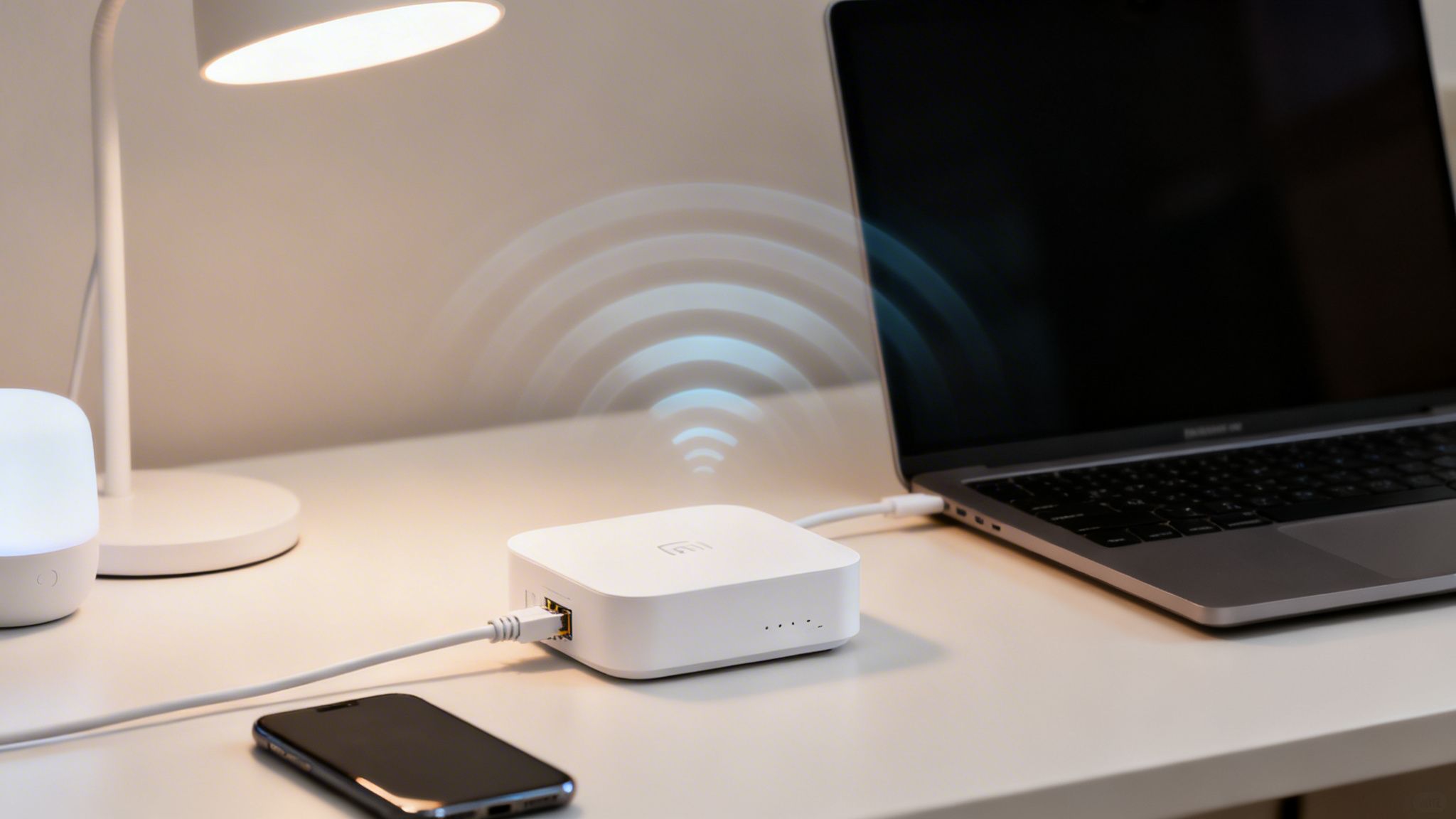
Let's be honest, network jargon can get pretty confusing. The easiest way to think of a WAP is as a specialist translator for your internet connection. It takes the 'wired language' coming through an Ethernet cable and translates it into the 'wireless language' (Wi-Fi) that your laptop, smartphone, and tablets all understand.
This single-minded focus is what separates a dedicated WAP from the all-in-one box you probably have at home. While your home router is a jack-of-all-trades—juggling routing, network switching, and Wi-Fi broadcasting—a true WAP is an expert at just one thing: creating a strong, stable, and expansive wireless network. You can learn more about what a WLAN network is and see just how central WAPs are to making it all work.
A wireless access point is essentially a radio transceiver. It's a device that establishes a wireless local area network (WLAN) within a specific area. By connecting to a wired router, switch, or hub via an Ethernet cable, a WAP projects a Wi-Fi signal to cover a designated zone.
This technology isn't just for homes; it's a critical piece of national infrastructure. The UK government’s Wireless Infrastructure Strategy, for instance, leans heavily on WAPs to achieve its connectivity goals. Project Gigabit, a £5 billion investment, aims to bring gigabit-capable broadband to 85% of UK premises, relying on WAPs to deliver that final wireless connection in venues from high street shops to hotel chains.
Wireless Access Point vs Router At a Glance
To clear things up, it helps to see a direct comparison. While they might look similar, a WAP and a typical home router are built for very different jobs.
| Feature | Wireless Access Point (WAP) | Home Router |
|---|---|---|
| Primary Job | Creates a wireless network from an existing wired connection. | Manages the network, assigns IP addresses, and provides Wi-Fi. |
| Best Use Case | Expanding wireless coverage in large areas like offices or hotels. | Providing all-in-one network connectivity for a typical home. |
| Device Capacity | Designed to handle dozens or hundreds of simultaneous connections. | Typically handles 10-20 devices before performance degrades. |
| Management | Often managed centrally in a group for seamless coverage. | Managed individually as a standalone device. |
Ultimately, think of it this way: a router is the brain of your network, managing traffic and security, while WAPs are the voice, broadcasting the Wi-Fi signal far and wide so everyone can connect.
So, how does a WAP actually turn a wired internet connection into the WiFi signal we all know and use?
Think of a wireless access point as a highly skilled translator. Its one job is to bridge the gap between two completely different worlds: the physical, structured language of data travelling through an Ethernet cable, and the invisible, airborne language of radio waves.
The whole process kicks off when digital information, broken down into tiny pieces called packets, flows into the WAP from its wired connection. The WAP takes each of these packets and gets to work, converting the digital ones and zeros into an analogue radio signal.
But it doesn’t just blast this signal out randomly. The WAP is designed to transmit on very specific radio frequencies.
From Cable to Radio Frequencies
These frequencies are the agreed-upon channels for all WiFi communication, operating in a few key bands. You’ve definitely seen these before when connecting a device:
- 2.4 GHz: This is the older, more crowded frequency. It gives you great range, but it's also more likely to be slowed down by interference from other devices like microwaves or even your neighbour’s WiFi.
- 5 GHz: A much faster and less congested band with plenty of channels to go around. The main trade-off here is a shorter signal range compared to its 2.4 GHz counterpart.
- 6 GHz: The newest kid on the block, opened up by Wi-Fi 6E. It offers a massive, clear highway for data with incredible speeds and almost no interference, but you'll need the latest compatible devices to use it.
While the WAP is sending out these radio waves, it’s also doing something else absolutely vital: broadcasting the network's name. This is called the SSID (Service Set Identifier). Just think of the SSID as the public name for the wireless network, like "The George Pub_GuestWiFi" or "HeadOffice-Secure". It's how your phone or laptop knows what to display in the list of available networks.
In short, a WAP takes data from the wired network, converts it into radio signals on a specific frequency, and shouts out its name (the SSID) for devices to find. It then does this entire process in reverse, listening for signals from your device and translating them back into data for the wired network.
This two-way conversation happens millions of times a second, creating the smooth, seamless wireless experience we now completely depend on.
Choosing the Right Type of Wireless Access Point
Picking the right wireless access point isn't a one-size-fits-all decision. The truth is, not all APs are built the same, and matching the hardware to your specific space is crucial for delivering reliable WiFi. Get this wrong, and you're setting yourself up for dead zones, dropped connections, and a lot of frustration.
The first big question is always about the physical environment. For indoor spaces like offices, hotel rooms, or high-street shops, Indoor APs are your go-to solution. They're designed to spread a WiFi signal effectively within buildings and are often made to blend in with the ceiling or walls.
But take that same AP and stick it on an outdoor patio or in a stadium, and it won't last a season. For any area exposed to the elements, you need a dedicated Outdoor AP. These are built tough, with weatherproof casings that can handle rain, dust, and extreme temperatures, all while pushing a strong signal over much larger distances.
This simple diagram shows exactly where a WAP sits in the network chain—acting as the translator between the wired internet connection and the wireless signal your devices use.
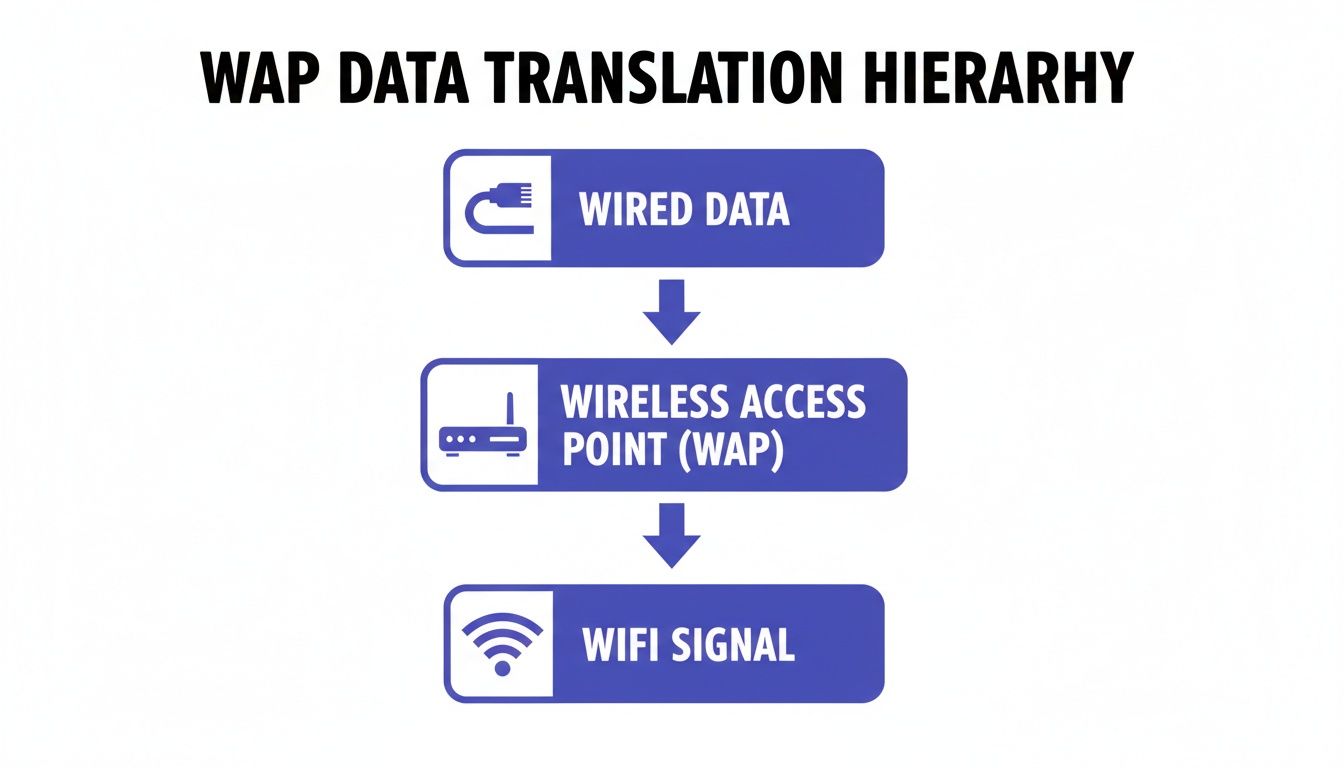
Think of it as the vital bridge connecting the wired network backbone to the wireless world we all live and work in.
Management and Deployment Models
Beyond where you'll put them, you need to think about how you'll manage them. This is where you'll face a key choice between controller-based and controller-less systems.
Controller-based APs are the standard for most business and enterprise environments. All the APs are managed from a single point, either a physical box on-site or, more commonly now, a cloud dashboard. This lets an IT team configure, monitor, and update hundreds or even thousands of APs at once, keeping policies consistent and making sure people can roam seamlessly across a large area.
Controller-less APs, often called standalone APs, are configured one by one. This approach is much simpler and more cost-effective for a very small business or home with just a couple of access points. If you don't need centralised control, there's no point paying for it.
Finally, there's a third option for those tricky venues where running ethernet cables everywhere is a non-starter. Mesh APs solve this by talking to each other wirelessly. They work together to form a single, unified network, wrapping an entire area in WiFi without needing a physical cable running back to each and every device.
Enterprise WiFi Security and Deployment Strategies
Setting up wireless access points in a business environment isn't as simple as just plugging them in and hoping for the best. A successful enterprise WiFi network is built on careful planning, and that always starts with a professional wireless site survey. This step is non-negotiable for mapping out where to place your APs, avoiding performance-killing signal interference, and guaranteeing solid coverage across your entire premises.
A site survey also gets you thinking about the physical infrastructure, like using Power over Ethernet (PoE). This clever bit of tech lets a single Ethernet cable provide both data and power to each WAP, which dramatically simplifies installation. It completely removes the headache of needing a power socket near every single access point, making for a much cleaner and more strategic setup.
Moving Beyond Passwords to Zero Trust
Once your physical layout is sorted, it’s time to tackle the most critical piece of the puzzle: security. The days of scribbling a single, shared "Guest-WiFi" password on a whiteboard are long gone. Modern network security requires a far more robust approach built on identity and verification to protect both your business and your users.
This is where a Zero Trust security model comes into play. Instead of automatically trusting anyone who happens to be on your network, a Zero Trust approach verifies every single connection attempt. The goal is to ditch insecure shared passwords for good and move towards identity-based access control, a core part of what defines modern wireless access points for business.
For staff, this usually means linking network access to their corporate identity through services like Entra ID or Google Workspace. For visitors, it means using secure, automated ways to get them online. To see how these concepts work in the real world, you can read also our guide to building a secure wireless networking strategy.
The core principle of Zero Trust is simple: never trust, always verify. It treats every access attempt as a potential threat until the user and device are proven to be legitimate, creating a far more secure environment.
This shift isn't just a technical detail; it directly impacts how people perceive your WiFi. Security worries, for instance, put off 49% of potential users from even connecting to public WiFi. By implementing certificate-grade access, you not only solve these fears but also unlock powerful insights. For example, property managers using a solution like Purple can sidestep the hassle of managing on-premise RADIUS servers on their UniFi or Ruckus WAPs. Instead, they can use SSO and automated provisioning that instantly revokes access the moment a user's status changes in the central directory, ensuring true, enterprise-grade network isolation.
Real-World Examples of WAPs in Action
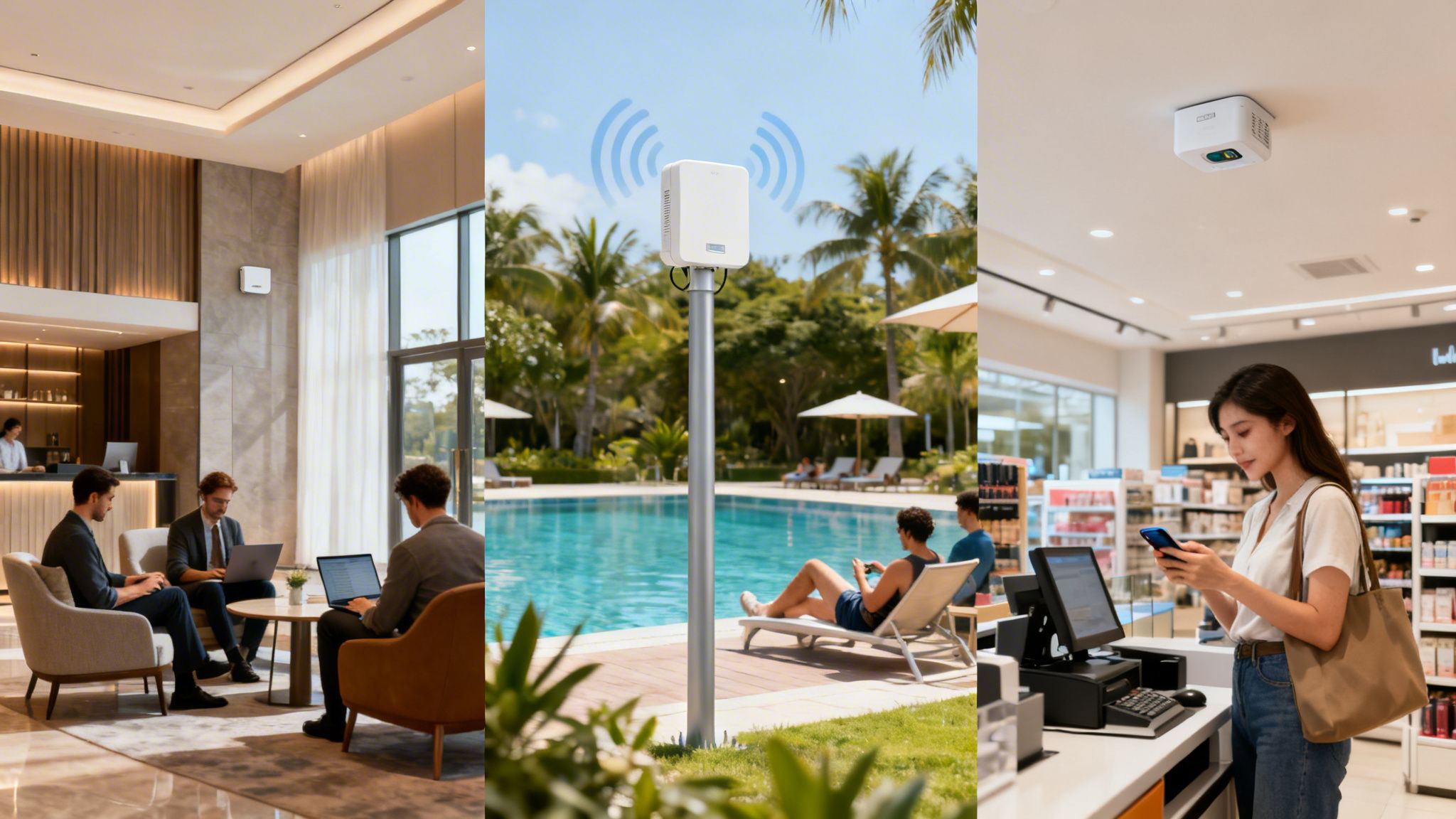
The theory behind wireless access points is one thing, but their real value shines when you see them solving actual business problems. Let’s move past the technical specifications and look at how WAPs act as strategic tools across different industries, creating better experiences and tangible results.
Take the modern hotel, for example. Today, guest satisfaction is practically synonymous with flawless connectivity, from the front desk to the penthouse suite. A well-planned mix of WAPs makes this a reality.
You'll find high-density indoor APs ensuring every guest room has a strong, reliable signal for streaming films or joining video calls. At the same time, rugged outdoor APs deliver seamless Wi-Fi to the poolside bar and other open-air amenities. This isn't just about offering internet; it's about crafting a premium experience where guests feel connected and looked after, wherever they are on the property.
Enterprise and Retail Environments
In a corporate office, WAPs are the very backbone of productivity and security. A centrally managed system lets IT teams carve out distinct, secure networks from the same physical hardware, a fundamental part of the modern enterprise.
- Employee Network: This provides secure, high-speed access to internal servers, printers, and other company resources.
- Guest Network: Offers visitors simple, isolated internet access that doesn't expose sensitive corporate data.
- IoT Network: Connects and secures everything from smart lighting to security cameras on a separate, dedicated channel, keeping them away from critical systems.
This segmentation is crucial. It keeps the network organised and prevents a security issue on one network—like the guest Wi-Fi—from affecting critical business operations.
In retail, WAPs often pull double duty. A shopping centre, for instance, uses its network not just for free guest Wi-Fi but also to gather anonymous footfall analytics. This data reveals customer flow patterns and dwell times, giving managers invaluable insights to optimise store layouts and marketing promotions.
These examples show that a wireless access point is far more than just a piece of kit. When deployed thoughtfully, it becomes a powerful tool for enhancing customer experience, strengthening security, and unlocking the business intelligence needed to drive growth.
How Purple Supercharges Your WAP Infrastructure
Think of your powerful WAPs from brands like Meraki, Aruba, or UniFi as high-performance vehicles. They've got the engine and the hardware, but to get the most out of them, you need an intelligent navigation and control system. That’s where Purple’s software slots in, adding a smart identity and access layer that works directly with your existing infrastructure.
We move your network beyond the limitations of insecure shared passwords and clunky captive portals, introducing seamless, passwordless authentication. For your guests, this unlocks automated and encrypted connections using modern standards like OpenRoaming and Passpoint.
By adding a software-defined identity layer, you can transform a standard WAP network into a secure, data-rich platform for creating highly personalised user experiences and strengthening security.
For your staff, Purple connects with directory services like Entra ID or Okta. This enables genuine Zero-Trust, certificate-based access and gets rid of the headache of managing RADIUS servers. Better yet, access is instantly revoked the moment a user's status changes in your central directory. If you want to see how this works for specific hardware, you can read about the benefits on a Meraki wireless access point.
This approach turns a simple collection of wireless access points into a strategic asset. You end up with a platform that not only secures your network but also delivers the rich data needed to create personalised journeys and prove the real value of your WiFi investment.
Your WAP Questions, Answered
Even after getting to grips with the basics, a few common questions always seem to surface. Let's tackle them head-on to clear up any lingering confusion about wireless access points.
Can I Use a Wireless Access Point to Replace My Router?
In short, no. It’s a common point of confusion, but a WAP is a specialist, not a generalist. Its one and only job is to take a wired internet connection and broadcast it as a wireless signal.
A router, on the other hand, is the brain of your network. It handles the crucial tasks of talking to your internet provider, assigning unique IP addresses to every device, and managing traffic. Think of the router as the mission controller and the WAP as a powerful signal booster extending its reach. You need both for a complete, functioning network.
How Many Access Points Do I Need for My Business?
There’s no magic number here, as the ideal quantity depends entirely on your specific space and needs. The main factors are the physical size of your venue, what the walls are made of (concrete and brick are notorious Wi-Fi killers), and how many people you expect to connect at once.
While rough estimates can get you started, the only way to know for sure is with a professional wireless site survey. This process maps out your space to find the perfect number and placement for APs, guaranteeing you get solid coverage everywhere, with no frustrating dead zones.
Purple adds a powerful identity and access management layer on top of your existing WAP infrastructure, transforming it into a secure, data-rich platform. Learn how to supercharge your network with Purple.