Here's the simple truth: an unsecured WiFi network is like leaving your business's front door wide open. A proper secure wireless networking strategy goes far beyond basic passwords. It’s about creating a protected environment that verifies every single user and device, stopping unauthorised access and shielding your sensitive data.
Why Secure Wireless Networking Is No Longer Optional
Think for a moment about the real-world risks of a security oversight. For a hotel, it could be a data breach that leaks guest payment details. In a shop, it might mean compromised customer loyalty information, shattering the trust you’ve worked so hard to build and doing lasting damage to your brand.
These aren't far-fetched hypotheticals; they are practical, everyday dangers for any business offering wireless access.
The days of scribbling a single, shared WiFi password on a chalkboard or tent card are well and truly over. This outdated method creates a massive security hole. Anyone with that password - from former employees and past customers to someone just sitting in the car park - can get onto your network. It gives you zero visibility, zero control, and no way to trace malicious activity back to its source.
The Shift to Identity-Based Security
This is why the critical shift is away from these anonymous, shared systems and towards modern, identity-driven security. This approach essentially treats network access like a digital ID card, where every connection is tied to a specific, verified user or device.
But this isn't just about playing defence; it's about building a smarter, more efficient way to operate your business. Just consider the benefits:
- Enhanced Protection: By verifying each user, you stop unauthorised access cold. You can also get incredibly precise about who can connect to which parts of your network.
- Simplified Operations: Imagine automating network access for staff using their existing work credentials. This completely removes the headache of manual password management for your IT teams.
- Improved User Experience: Guests and employees get a seamless and secure connection without fumbling with clunky login pages or trying to remember shared keys.
This strategic move is clearly reflected in market trends. In the UK alone, the wireless network security market generated USD 1,436.9 million in 2023 and is on track to hit USD 2,921.6 million by 2030. This explosive growth shows just how urgently businesses are moving to fortify their wireless infrastructure against a rising tide of threats.
A secure wireless network is foundational to modern business operations. It’s the invisible framework that supports secure transactions, protects customer data, and enables staff productivity. Ignoring it is not an option in a connected economy.
Ultimately, implementing robust security turns a necessary precaution into a genuine strategic advantage. To get a feel for the broader context of digital protection, you can explore the various Cyber Security Solutions that help safeguard your entire business. The following sections will be your guide to putting a framework in place that not only protects your assets but also enhances the experience for everyone who connects.
Understanding the Modern WiFi Threat Landscape
To build a truly secure wireless network, you first need a clear picture of what you’re up against. Cyber threats aren't just abstract buzzwords; they are real-world risks with very real consequences for your business, your data, and your reputation. The first step to neutralising them is to think about them in simple, relatable terms.
Imagine your business WiFi is like a public square where private conversations are taking place. Without the right security, it’s frighteningly easy for someone to sit on a nearby bench and listen in on every word. That’s the essence of many wireless attacks - they exploit the open, broadcast nature of radio waves.
Common Threats Explained with Simple Analogies
Let's break down some of the most common threats your network faces every day. These aren't just reserved for massive corporations; they are actively used against businesses of all sizes, from local coffee shops to large hotel chains.
Man-in-the-Middle (MitM) Attacks: Think of this as a postal worker opening your mail, reading it, and then resealing the envelope before it gets to you. The attacker secretly wedges themselves between two parties - like a guest and your WiFi network - intercepting, reading, and maybe even changing the communication without either side knowing.
Evil Twin Attacks: Picture two identical-looking coffee shops right next to each other. One is legitimate, but the other is a fake, set up by a criminal to lure in unsuspecting customers. An "evil twin" is a fraudulent WiFi access point that mimics a legitimate one, tricking users into connecting. Once they're on, the attacker can steal passwords, financial details, and other sensitive data.
Rogue Access Points: This happens when someone - either a well-intentioned but misguided employee or a malicious insider - plugs an unauthorised router into your business network. This unsanctioned device punches a hole in your defences, creating a backdoor that bypasses all your security measures and leaves your internal systems exposed.
Packet Sniffing: This is like using a high-tech listening device to capture all the data flying through the air. On an unencrypted or poorly secured network, "packet sniffers" can easily hoover up usernames, passwords, and other information sent in plain text by unsuspecting users.
These dangers are only magnified when using insecure captive portals and shared passwords. A single compromised password can give an attacker the keys to the entire kingdom, making it impossible to trace who is doing what on your network.
Common WiFi Threats and Their Business Impact
To really grasp the stakes, it helps to see how these digital threats translate into tangible business problems. For a hotel, retailer, or any public venue, the consequences can be severe.
As you can see, what starts as a technical vulnerability can quickly spiral into a financial and reputational crisis.
The Real-World Impact on Your Business
Understanding these threats is so important because their impact is direct and damaging. A successful attack can lead to financial loss, severe reputational damage, and even regulatory fines.
An insecure WiFi network isn't just a technical problem; it's a business liability. Each intercepted password or stolen piece of customer data directly erodes trust and exposes the organisation to significant risk.
Fortunately, there's good news. Growing awareness and proactive security measures are starting to turn the tide. Recent data shows a positive trend in the UK, with a decline in identified cyber breach incidents. For example, 74% of large businesses identified an attack, a slight drop from 75% the previous year, while small businesses saw a more significant fall from 49% to 42%.
This improvement is directly linked to a growing emphasis on cyber hygiene. Today, 72% of businesses now prioritise cybersecurity at the board level and are actively modernising their network defences - a critical step for secure wireless networking. You can explore more insights on these UK cybersecurity trends and what they mean for the market. The solutions we’ll discuss next are central to continuing this downward trend and building a truly resilient defence.
The Core Technologies of Secure Wireless Networking
Now that we’ve looked at the threats, we can turn to the technologies that form the backbone of a modern, secure wireless network. Moving beyond a flimsy shared password requires a layered defence. These core components work together to ensure every connection is not just encrypted, but also properly authenticated and authorised.
Think of it like upgrading your building’s security from a single, easily copied key to a sophisticated access control system with a front-desk guard who checks everyone’s ID. This is precisely what modern WiFi security protocols do for your network.
The New Standard in Encryption: WPA3
For years, WPA2 was the gold standard for securing WiFi. But as attackers grew more sophisticated, its weaknesses started to show. This led to the development of WPA3, which is now the mandatory security certification for all new WiFi devices. It brings several crucial upgrades that directly counter common attacks.
One of its biggest wins is protection against offline dictionary attacks. With older protocols, an attacker could capture a snippet of your network traffic and then use powerful computers to guess your password over and over again, completely offline. WPA3’s advanced handshake protocol makes this technique practically impossible, meaning attackers can’t just "brute force" their way onto your network.
WPA3 strengthens the very foundation of wireless encryption. It moves the industry forward by closing critical security gaps, making it much harder for casual and determined attackers alike to compromise your network.
Strong encryption is only half the battle, though. You still need a way to verify who is connecting. That’s where the next layer of security comes in.
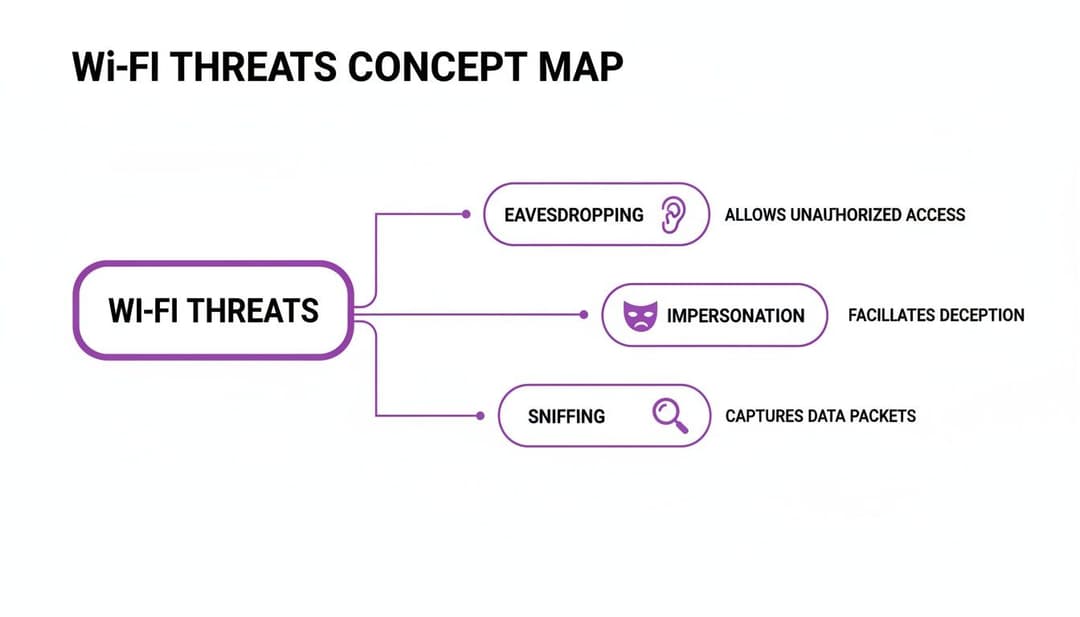
This concept map outlines some of the most common threats that modern security technologies are designed to prevent.
Introducing 802.1X: Your Digital Bouncer
If WPA3 is the reinforced, unbreakable lock on your door, then 802.1X is the digital bouncer standing guard. Instead of relying on a single password shared among all users, 802.1X is a framework that forces every device to present its own unique credentials before it’s allowed onto the network.
Here's a simple breakdown of how it works:
- A user tries to connect to the WiFi network.
- The access point (the "bouncer") stops them and asks for credentials.
- These credentials aren’t checked by the access point itself but are passed to a central authentication server.
- This server, often using a protocol called RADIUS, checks the credentials against a trusted directory (like a list of approved employees).
- Only after the server gives the green light is the user granted access.
This approach offers a massive security advantage. Since every user has a unique login, you can grant or revoke access for individuals without affecting anyone else. If an employee leaves the company, you simply disable their account, and their network access is instantly cut off. For more on how modern platforms handle security, you can read our complete data and security overview.
Certificates and SSO for Seamless Security
While username and password logins with 802.1X are secure, they can still be a bit clunky for users. A more advanced and user-friendly method involves using digital certificates. Think of a certificate as a non-forgeable digital ID card installed on an employee's laptop or smartphone.
When the device connects, it automatically presents this certificate to the network. The authentication server verifies that the certificate is valid and was issued by a trusted authority, then grants access - all without the user needing to type anything. It just works.
This process is often combined with Single Sign-On (SSO). Employees use their primary company login (like their Microsoft 365 or Google Workspace account) to get their device configured with a certificate. From that point on, their WiFi access is completely automatic and secure. This slashes IT support tickets and creates a frictionless experience for staff, all while dramatically elevating your secure wireless networking posture.
Implementing a Zero Trust Architecture for Your WiFi
While technologies like WPA3 and 802.1X create a solid technical defence, truly modern secure wireless networking demands a fundamental shift in how we think about trust. This is the very essence of a Zero Trust architecture. It’s not a single piece of hardware or software you can buy, but a strategic philosophy guided by one simple rule: never trust, always verify.
This approach flips the old security model completely on its head. For years, we relied on the "castle-and-moat" method, which assumed that once someone was inside the network perimeter, they could be trusted. Zero Trust works on the more realistic assumption that threats can exist both outside and inside the network at all times.
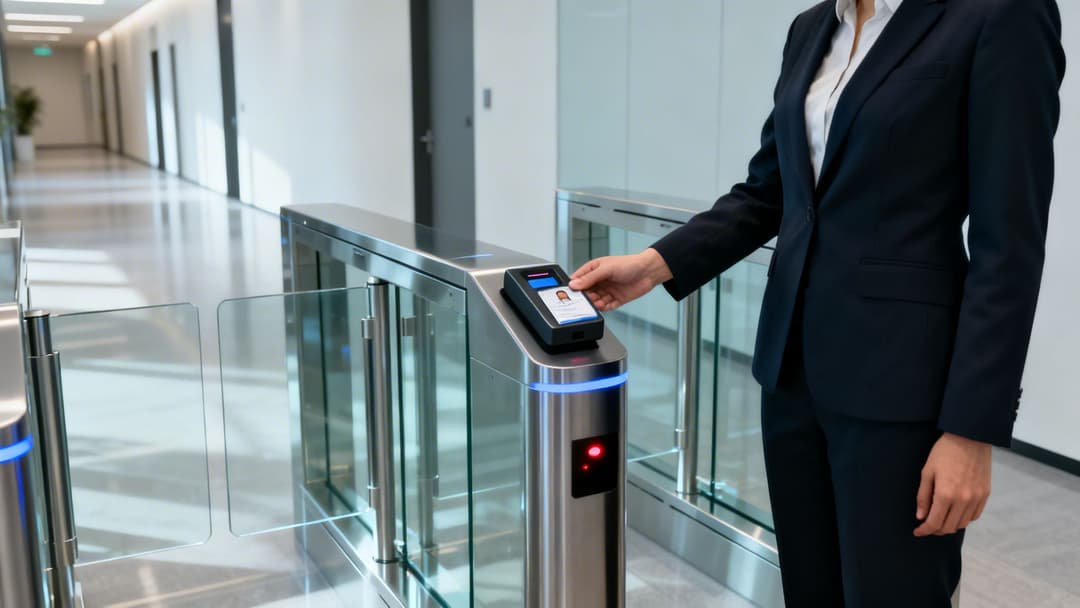
Think of it like a high-security government building. An employee can't just swipe their badge once at the front door and then roam freely. They must present their credentials at every checkpoint - to enter their specific department, to access a secure records room, and maybe even to use certain equipment. This is precisely how Zero Trust should operate on your WiFi network.
The Core Principles of Zero Trust WiFi
Applying this philosophy means every single connection request is treated as though it’s coming from an untrusted source, even if the user is already connected to the network. This continuous verification is built on three pillars that work in tandem to create a dynamic and highly secure environment.
- Verify Explicitly: Always authenticate and authorise based on all available data points. This isn't just about a password; it includes user identity, device health, location, and the specific service being accessed.
- Use Least-Privilege Access: Grant users only the minimum level of access they need to perform their jobs. Someone from the marketing team shouldn't be able to access the same network resources as the finance department.
- Assume Breach: Acknowledge that attackers may already be inside your network. This forces you to minimise the "blast radius" by segmenting the network, encrypting all traffic, and continuously monitoring for suspicious activity.
By embracing this model, you shift away from a static, perimeter-based defence to one that is dynamic and built around identity. This is absolutely critical for protecting data in today's world of distributed work and countless connected devices.
Zero Trust isn't about building impenetrable walls; it's about eliminating blind trust from the equation entirely. By continuously verifying every user and device at every step, you ensure that even if a threat gets inside, its ability to move and cause damage is severely restricted.
Putting Zero Trust into Practice
So, how do you translate these principles into a practical wireless security strategy? It starts with a few concrete actions, and one of the most important is network segmentation. This is the practice of dividing your network into smaller, isolated zones.
For instance, you should always create separate virtual networks for different user groups:
- Guest Traffic: Keeps public users completely isolated from your internal business operations.
- Staff Traffic: Provides secure, identity-based access for employees.
- IoT and Headless Devices: Contains things like printers, smart thermostats, and security cameras in their own sandboxed environment.
This segmentation ensures that a breach in one area - like a compromised smart lightbulb on the IoT network - cannot spread laterally to infect your critical point-of-sale systems or employee laptops.
The next step is to automate access control by integrating with your identity provider. Platforms like Microsoft Entra ID (formerly Azure AD) or Google Workspace act as the single source of truth for all your user identities. When you connect your WiFi system to these directories, you unlock powerful automation.
For example, when a new employee joins the company and is added to Entra ID, they can be automatically provisioned with the credentials to access the staff WiFi. More importantly, when that employee leaves and their account is deactivated, their WiFi access is instantly and automatically revoked. This closes a common and dangerous security gap without any manual work from the IT team, making your network more secure and your operations far more efficient.
Securing WiFi in Public Venues and Multi-Tenant Spaces

The security principles we've covered are universal, but public venues like hotels, airports, and multi-tenant buildings face a very specific set of headaches. How do you deliver a secure, almost home-like experience when thousands of untrusted users and devices are coming and going every day?
Sticking a single, shared password on the wall for an entire building is a security nightmare. It offers zero user isolation, which means one guest’s device can easily snoop on another’s. This is simply unacceptable for modern secure wireless networking and creates massive privacy risks, especially where people expect privacy, like in a hotel or residential complex.
Recreating the Home Network Experience with iPSK
The ideal solution is to give every user, or every family, their own private slice of the network - just like they have at home. This is where Individual Pre-Shared Key (iPSK) technology proves its worth. Instead of one password for everyone, iPSK lets you generate a unique key for each tenant, guest, or even for each individual device.
When a user connects with their unique iPSK, they're instantly placed into a secure network bubble. All their traffic is completely isolated from everyone else in the building. It’s the perfect blend of high-level security and effortless simplicity.
A property manager can issue a unique iPSK to a new resident that's valid only for the length of their lease, giving them a personal network for their smart TV, laptops, and phones. When they move out, the key is simply deactivated. It’s enterprise-grade isolation with home-like simplicity.
The Problem with Public WiFi Authentication
For more transient guests in places like coffee shops, stadiums, or retail centres, the sheer friction of logging in is a huge hurdle. We’ve all been there - fumbling with clunky, slow captive portals that can be easily spoofed by attackers running "evil twin" scams. They create a poor user experience and a major security risk.
This authentication barrier is a common pain point for venues and visitors alike. Customers get frustrated with confusing login forms, and businesses lose the chance to connect with them because the whole process is too cumbersome.
The best security is invisible. In a public venue, the goal is to get guests online quickly and safely, without forcing them to navigate confusing login pages or question the legitimacy of the network.
This challenge pushed the industry to develop a global standard that makes public WiFi access both seamless and highly secure.
OpenRoaming as a Global WiFi Passport
Enter OpenRoaming and Passpoint, two technologies that work in harmony to solve this problem for good. Think of OpenRoaming as a global WiFi passport for your phone. A user authenticates their device just once with a trusted identity provider (like Purple).
From that point on, their smartphone will automatically and securely connect to any OpenRoaming-enabled network, anywhere in the world. No more captive portals. No more typing in passwords. And no more second-guessing if "Free_Venue_WiFi" is the real network or a trap. The connection is encrypted from the very first packet.
- For Guests: It provides a "just works" experience. They walk into your venue, and they’re instantly online.
- For Venues: You provide a premium, secure connection that improves the guest experience while completely eliminating the security risks of open networks.
This automatic, encrypted handshake turns a massive security challenge into a seamless user benefit. It allows property managers and hotel operators to offer a level of secure connectivity that was previously out of reach in large-scale public environments.
Managing a property with diverse connectivity needs? You can learn more about delivering a superior digital experience with dedicated solutions for multi-tenant WiFi. Platforms that combine iPSK for residents and OpenRoaming for visitors offer a complete, modern solution.
The Future Is Passwordless and Identity-Based
As we've journeyed through modern WiFi security, from foundational encryption to Zero Trust architecture, every signpost points towards a single, powerful conclusion. The future of secure wireless networking isn't about inventing ever-more-complex passwords; it's about getting rid of them completely. It’s about building a system around identity.
This is a fundamental shift in thinking. We're moving away from anonymous, shared access towards a model where every single connection is tied to a verified user or device. It's a change that turns WiFi from a simple utility into a powerful strategic asset, creating an environment that is both profoundly secure and remarkably simple to manage.
The engine that drives this entire strategy is a centralised identity platform. It acts as the brain of the operation, seamlessly coordinating the right authentication method for every person and every device that needs to connect to your network. This is how you achieve both top-tier security and operational excellence.
A Unified Approach for Every Connection
Imagine a single platform that intelligently handles access for everyone and everything. This isn't a far-off concept; it's a practical reality today.
- For Guests and Visitors: OpenRoaming delivers instant, encrypted access with zero friction. Their devices connect automatically and securely, much like a mobile network, providing a genuinely premium experience.
- For Staff and Employees: By integrating with directory services like Entra ID or Google Workspace, you can enable secure, certificate-based access via SSO. This means automatic onboarding and, just as importantly, instant offboarding - completely closing the security gap left by lingering credentials.
- For Legacy and IoT Devices: Individual Pre-Shared Keys (iPSKs) come into play for securing devices that can't handle modern authentication, like printers, smart TVs, or building sensors. Each device gets its own unique password and is effectively isolated in its own secure bubble. To get a deeper understanding of this crucial technology, explore our complete guide on what iPSK is and how it powers identity-based WiFi security.
This unified approach takes what were once separate, complex security headaches and consolidates them into a single, manageable system.
The ultimate goal is to make secure access invisible. For the end-user, the connection "just works." For the IT administrator, security is automated, identity-driven, and centrally controlled.
This model fundamentally transforms your WiFi from a cost centre into a valuable business tool. By securing every connection through identity, you not only shield your organisation from threats but also unlock rich, first-party data. You gain insights into who is using your network, how often they visit, and how they move through your space - all while respecting user privacy.
The time has come to take a hard look at your current WiFi strategy. Are you still stuck managing outdated shared passwords and clunky login portals? Or are you ready to embrace a future that is passwordless, identity-based, and effortlessly secure? Making this shift is the definitive step towards turning your network into an engine for security, simplicity, and business intelligence.
Frequently Asked Questions About Secure Wireless Networking
When you're planning a wireless deployment for your venue, it’s natural for specific questions to pop up. Here are some straightforward answers to the queries we often hear from IT managers, marketers, and operators.
Is WPA3 Enough to Secure My Business WiFi?
While WPA3 is a massive leap forward from WPA2, giving you much stronger encryption and protection against certain attacks, you should think of it as a foundational layer, not the whole security system. It’s like having an incredibly strong, unpickable lock on your front door. That lock is vital, but you still need a way to control who gets a key.
For any business, especially in hospitality or retail, WPA3 should always be paired with an identity-based authentication method like 802.1X. This ensures every connection is tied to a verified user or device, not just an anonymous password shared among many. It's this layered approach that delivers truly secure wireless networking.
What Is the Difference Between a Captive Portal and OpenRoaming?
A captive portal is that web page you’re forced to deal with when connecting to public WiFi. It's the one that asks for an email address or for you to tick a box agreeing to terms. The whole process can be slow, frustrating for users, and is notoriously vulnerable to "evil twin" attacks where criminals spoof the login page to steal data.
In contrast, OpenRoaming offers a fundamentally different and better experience. It allows a user to authenticate just once with a trusted provider.
With OpenRoaming, a guest's device connects automatically and securely to any participating network worldwide, much like your mobile phone connects to a partner network when you're abroad. There are no forms to fill out and no passwords to enter; the connection is seamless and encrypted from the very first packet.
How Can I Secure Legacy Devices That Do Not Support 802.1X?
This is a very real challenge for IT teams. You’ve got devices like printers, payment terminals, or smart TVs that need to be online but lack modern authentication capabilities. The best practice here is to use a technology called Individual Pre-Shared Key (iPSK).
Instead of using a single, risky password for all these "headless" devices, iPSK lets you generate a unique key for each one. This key grants the device access only to a specific, segmented part of your network, completely isolating it from critical systems. If one key is ever compromised, you just revoke it, and the rest of your devices and your main network remain secure. It effectively eliminates the massive danger posed by a single shared password.
Ready to replace outdated passwords with a secure, identity-based networking platform? Purple makes it easy to deploy passwordless access for guests, staff, and devices. Learn how Purple can transform your venue’s WiFi.