What is a wlan network: Quick Guide to Wireless LANs

Ever wondered how you get internet in a bustling cafe or your office without being tangled in a web of cables? The answer is a Wireless Local Area Network, or WLAN.
In simple terms, a WLAN is a network that connects devices like your laptop and smartphone using radio waves, most commonly through what we all know as Wi-Fi. It’s like a cordless phone system, but for all your data, freeing you from being physically plugged into the wall.
What is a WLAN Network?

At its heart, a WLAN is just a type of Local Area Network (LAN) that doesn’t need physical wires to connect devices to the network. Where a traditional wired LAN uses ethernet cables to link computers to a network switch, a WLAN accomplishes the same goal completely through the air.
This wireless freedom is precisely what makes it such a critical piece of technology in almost every modern setting.
For anyone from a hotel manager providing seamless guest Wi-Fi to an IT administrator securing a corporate office, understanding the fundamentals of a WLAN is essential. It’s the invisible backbone that supports our mobile-first world. To dive deeper, check out our complete guide to wireless networks.
WLAN vs LAN at a Glance
To really get to grips with what a WLAN is, it helps to put it side-by-side with its wired predecessor, the LAN. While both are designed to connect devices within a local area, their methods and ideal use cases are quite different.
The table below breaks down these key distinctions, which are crucial when planning a network that needs to balance mobility with rock-solid stability.
WLAN vs LAN at a Glance
| Feature | WLAN (Wireless) | LAN (Wired) |
|---|---|---|
| Connectivity | Uses radio waves (Wi-Fi) | Uses physical ethernet cables |
| Mobility | High; users can move around freely | Low; devices are tethered to a port |
| Installation | Easier and less disruptive | Can be complex, disruptive, and costly |
| Best For | Mobile devices, guest access, IoT | Desktops, servers, critical systems |
The standout advantage of a WLAN is its incredible flexibility. Deploying a network in a historic building with thick walls or a dynamic open-plan office is far simpler when you don’t have to run metres of cabling through walls and ceilings.
In the real world, most organisations don't choose one over the other. Instead, they use a hybrid model. They rely on wired LAN connections for stationary hardware that demands maximum speed and reliability—like servers and desktop PCs—while the WLAN provides the essential mobility and convenience for laptops, smartphones, and guest devices.
The Core Components of a High-Performing WLAN
A Wireless Local Area Network is built from a few key pieces of hardware working in concert. To really get what a WLAN is, you first need to know the essential components. Think of them as the team of specialists that make seamless wireless connectivity happen.
At the very heart of any WLAN is the Access Point (AP). The easiest way to picture an AP is as a wireless megaphone for your internet connection. It takes the wired signal from your router or network switch and broadcasts it through the air using radio waves, letting your devices connect without a physical cable.
These devices are the visible part of the network, often seen mounted on ceilings or walls in offices, hotels, and cafes. Where you put them is critical for ensuring you get strong, consistent signal coverage across your entire space.
Naming and Managing the Network
The signal an AP broadcasts needs a name so your devices can find it. This is where the Service Set Identifier (SSID) comes in. An SSID is simply the public name of a Wi-Fi network—the name you pick from the list on your phone or laptop, like "Airport_Free_WiFi" or "HotelGuest".
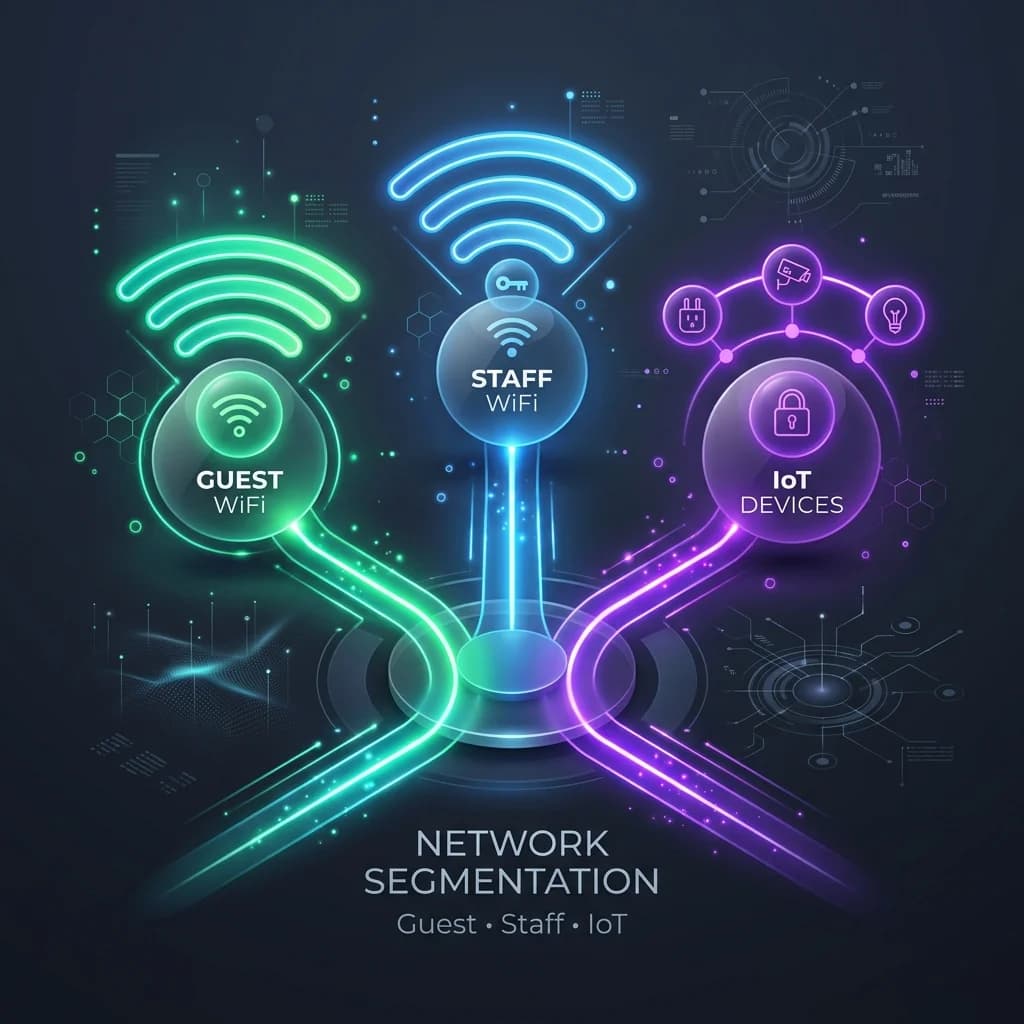
While APs create the signal, the SSID gives it an identity. A single physical location might have multiple SSIDs broadcast from the same set of APs to serve different groups, such as separating guest traffic from secure staff access.
As your business grows, so does the complexity of your network. A single AP might work for a small shop, but a large office or hotel campus requires a more coordinated approach to avoid dead zones and ensure a smooth user experience.
For larger spaces, managing dozens or even hundreds of individual APs would be a logistical nightmare. This is where a WLAN Controller steps in. Think of it as the air traffic controller for your entire wireless network.
A controller is a centralised brain that configures, manages, and monitors all the APs on your network. It handles critical tasks like:
- Seamless Roaming: Making sure your device can move between APs without dropping the connection, like when you walk down a long hotel corridor.
- Load Balancing: Intelligently distributing users across different APs to prevent any single one from getting overloaded and slow.
- Policy Enforcement: Applying security rules and access permissions uniformly across the whole network.
By centralising management, controllers make large-scale WLANs efficient, reliable, and much easier to secure. Getting the right number of APs is a key step, and you can learn more about how to plan your deployment with our access point calculator.
How WLANs Turn Radio Waves Into Seamless Connectivity
At its heart, a Wireless Local Area Network works a lot like an old FM radio. Think about tuning your car stereo to a specific station—it picks up a signal broadcast on a particular frequency. A WLAN network does the same thing, but instead of music, it's sending and receiving your data using radio waves.
Your devices simply "tune in" to the right frequency to join the network. Your data gets converted into radio signals, broadcast through the air by Access Points (APs). These APs operate on specific radio frequency bands, most commonly 2.4 GHz and 5 GHz. The newer 6 GHz band is also now entering the scene, offering a massive boost in capacity.
This is how the core components fit together to create that seamless wireless connection we all rely on.

As you can see, a central controller can manage numerous APs. Each of those APs then broadcasts a network name (the SSID) that your devices can find and connect to.
Understanding Channels and Interference
Each of those frequency bands is divided into smaller "channels". You can think of these as individual radio stations. When you connect to a WLAN, your device and the AP agree to talk on one specific channel. This is where things can get a bit messy in crowded places.
If too many nearby networks are all trying to use the same or overlapping channels, it creates radio frequency (RF) interference. It’s like several people trying to talk at once in a small room—it just becomes noise. For your WiFi, this "noise" results in dropped connections and frustratingly slow speeds, a problem anyone who’s tried to work from a busy cafe knows all too well.
The SSID you see on your device's list of available networks is more than just a name; it’s a public beacon. Your phone or laptop is constantly scanning the airwaves for these beacons, which announce the network's existence and how to connect, kicking off the whole process.
This is precisely why modern WLANs are so clever. They can automatically hop between channels to find a quieter one, avoiding that interference. The newer 5 GHz and 6 GHz bands are a huge help here, as they offer many more non-overlapping channels than the congested 2.4 GHz band. They're the spacious, multi-lane motorways compared to a single-lane country road at rush hour.
The Growing Demand on UK Networks
The need for this kind of smart channel management is becoming more critical every day as the number of connected devices explodes. In the UK, the average household now has over 25 devices connected to its WiFi network. That’s a huge jump from just seven a few years ago.
This surge puts immense pressure on older WLAN setups, pushing businesses and homes towards newer standards just to handle the load. You can dig deeper into the data on European broadband trends and their impact on UK connectivity.
Ultimately, a WLAN works by choreographing an invisible dance of radio waves. It intelligently picks the best frequencies and channels, manages all the devices connecting via SSIDs, and constantly works to minimise interference. It’s all done to create the stable, fast, and reliable wireless experience we now depend on for almost everything.
Securing Your WLAN in the Modern Era

As your WLAN becomes the main way people get online, the old method of using a single, shared password just doesn't cut it anymore. When your network has to support everything from company laptops to guest smartphones, you need a much smarter approach to protect sensitive data and keep the network running smoothly.
This is where modern security protocols come in. They go far beyond basic password protection, creating layers of defence that are not only stronger but also much easier for people to use.
The New Gold Standard in Encryption
The first line of defence for any modern WLAN is WPA3 (Wi-Fi Protected Access 3). As the latest security certification from the Wi-Fi Alliance, it's a huge leap forward from its predecessors, WPA and WPA2.
WPA3 uses much stronger encryption methods, making it incredibly difficult for an attacker to crack your password, even if they manage to capture some of your network traffic. It also shuts the door on "dictionary attacks," where hackers bombard your network with common words and phrases hoping to guess the password.
For any organisation, WPA3 should be considered the baseline for wireless security. It closes critical vulnerabilities found in older standards and provides individualised data encryption, meaning that even on a public network, each user's traffic is shielded from others.
Even with the best encryption, the real challenge for businesses is managing who can access the network and what they can do. This is where identity-based networking completely changes the game. You can get more details in our guide on how to build a truly secure wireless networking environment.
Moving Beyond Passwords to Identity
Relying on one shared password for everyone is both inefficient and a massive security risk. A much better way is to grant access based on a user’s verified identity. This is done using a suite of powerful technologies built for enterprise-grade security.
Three key technologies are driving this shift:
- 802.1X: Think of this as a bouncer for your network. Instead of a shared password, it forces users to prove who they are with unique credentials. This is often the same login they use for work, like a Microsoft Entra ID or Google Workspace account.
- Passpoint (Hotspot 2.0): This technology lets mobile devices automatically find and connect to Wi-Fi networks without anyone having to lift a finger. Once a device is set up, it can securely roam between any Passpoint-enabled hotspot, just like your phone roams between mobile towers.
- OpenRoaming: As an evolution of Passpoint, OpenRoaming creates a global federation of Wi-Fi networks. A user authenticates once with a trusted provider (like Purple), and their device can then automatically and securely connect to any participating network in the world—from airports to cafes.
Together, these technologies make the clunky, insecure captive portal a thing of the past. For your staff, access is tied to their secure corporate identity. For guests, a one-time sign-up can enable a seamless and automatic connection on every future visit, creating a far superior experience without compromising on security.
Putting Your WLAN to Work for Your Business
So, you've got a solid, secure WLAN in place. What now? It’s tempting to see it as just another utility, like the lights or the heating, but that’s selling it short. A modern wireless network is a powerful business tool, and once you understand the basics, you can start making it work much harder for you.
Think about the immediate impact on customer experience. In a hotel using a technology like OpenRoaming, a guest’s phone connects automatically and securely the moment they walk through the door. There are no clunky login portals or passwords to fumble with. That first seamless interaction sets a premium tone for their entire stay, quietly boosting satisfaction and loyalty from the get-go.
From Connectivity to Business Intelligence
Beyond creating a slick user experience, the real magic happens when your WLAN starts providing business intelligence. The data it can gather is a goldmine for understanding how people interact with your physical space.
Take a retail shopping centre, for example. By using WiFi analytics, the management team can see exactly how shoppers move around. They can analyse footfall patterns, see how long people linger in certain areas, and track how often they return. This isn't just abstract data; it's a direct feed of first-party information that marketing teams can use to fine-tune store layouts and target promotions with pinpoint accuracy.
Suddenly, your WiFi network flips from being a cost centre to a direct contributor to your bottom line.
This shift is happening right now, especially in places with a strong digital backbone. In the UK, for example, the infrastructure is more than ready. With 98% of premises now having access to superfast broadband, the foundation for high-performance WLANs is rock solid. In fact, 87% of UK premises are already covered by gigabit-capable services.
This powerful connectivity is exactly what allows platforms like Purple to transform a simple WLAN into an intelligent business asset, whether it's powering passwordless access in a hotel or delivering rich analytics in a retail park. You can read more about the current state of UK broadband and its impact.
Best Practices for a Successful Deployment
Unlocking these benefits isn’t about just plugging in a few access points and hoping for the best. Rushing a deployment without proper planning is a guaranteed recipe for poor performance, frustrated users, and missed opportunities.
To get it right, follow these essential best practices:
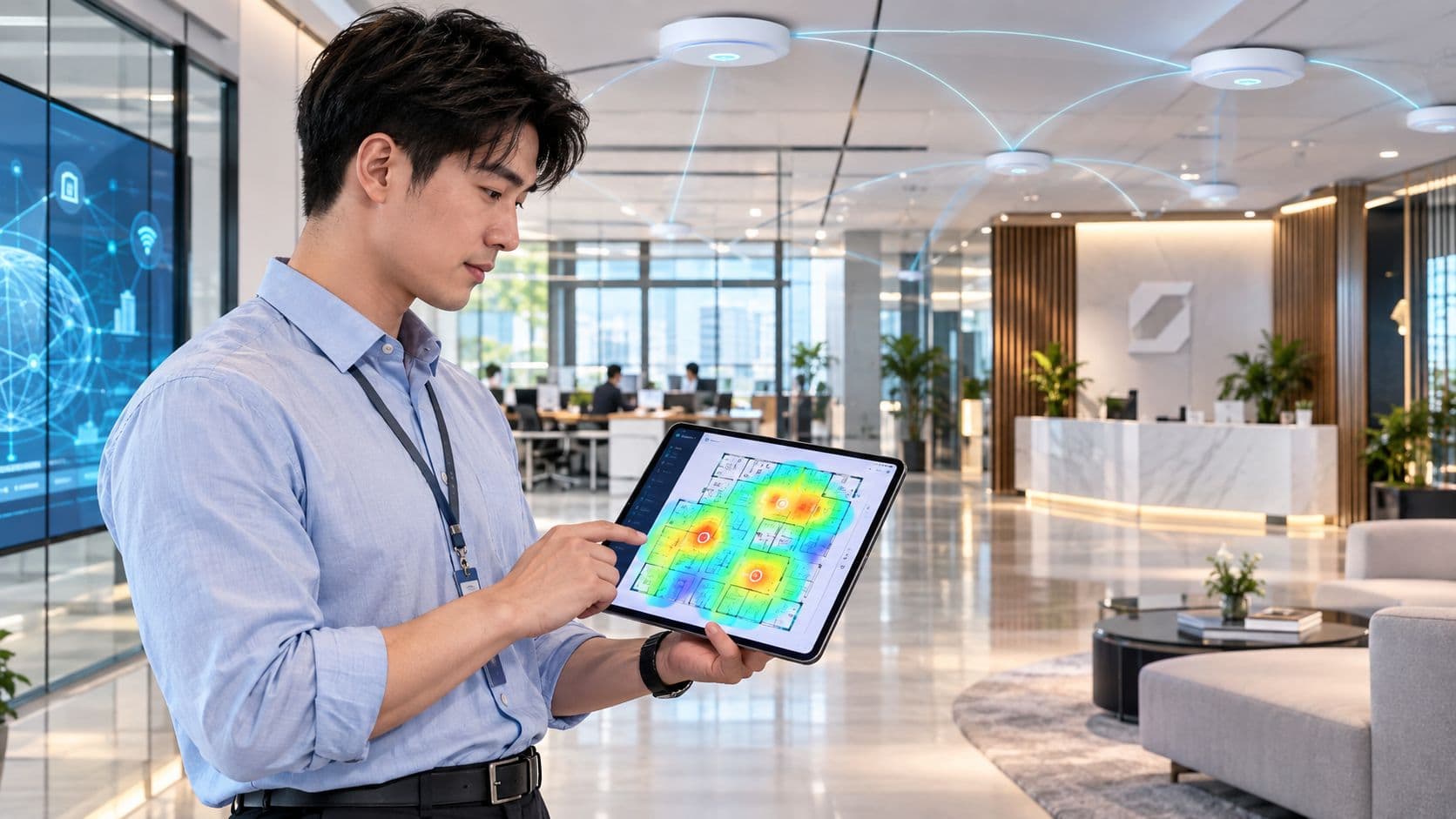
Conduct a Site Survey: Before you buy a single piece of hardware, get a professional wireless site survey done. This is non-negotiable. The survey maps your entire physical space, identifying potential sources of interference (like lift shafts or thick walls) and pinpointing the perfect spots for Access Points to ensure you have consistent, reliable coverage everywhere.
Plan for Capacity, Not Just Coverage: It's easy to just think about covering an area with a signal, but you have to plan for how many people and devices will actually be using it. A stadium or a conference centre needs a much denser network than a small office to handle thousands of simultaneous connections without grinding to a halt. Always design for your peak demand.
Integrate with an Identity Platform: This is the key that unlocks the true potential of your hardware. By layering an identity-based networking platform over your WLAN, you gain the power to manage who gets access, dramatically enhance security, and, crucially, gather the valuable analytics that drive smarter business decisions and a better customer experience.
The Future of WLAN Is Identity-Driven
We've covered a lot of ground on what a WLAN network is, moving from simple wireless access to a platform for security and user engagement. But the real shift, the one that’s changing the game for businesses, is moving away from anonymous, shared-password networks towards a modern, identity-driven approach.
The days of clunky captive portals and easily shared pre-shared keys are numbered. The future isn’t about how a device gets onto your network, but who is using it. When you layer an intelligent identity platform over your existing WLAN hardware, you finally unlock its true potential, turning it from a simple utility into a strategic asset.
The key takeaway is this: the future of wireless networking isn't about the hardware, but about the identity of the user connected to it. This shift is what enables automated security, seamless access, and powerful business insights.
Unlocking Your Network’s Potential
This new model solves some of the most persistent challenges that organisations face. Think about a world where:
- Guest access is effortless. Visitors connect automatically and securely, without ever seeing a login page. It creates a premium experience from the moment they walk in.
- Security is automated. Staff access is tied directly to their corporate identity. Permissions are granted and revoked instantly without any IT intervention needed.
- Your physical space yields data. The network provides first-party analytics on footfall and behaviour, giving you the intelligence to improve operations and build customer loyalty.
By shifting your focus from shared keys to user identity, your WLAN becomes the engine for a smarter, more secure, and more engaging environment for everyone.
Your WLAN Questions, Answered
As you start working with wireless networks, a few questions tend to come up again and again. Let's tackle them head-on to clear up any confusion and build on what you've learned.
WiFi vs WLAN
What’s the Difference Between WiFi and WLAN?
This is probably the most common point of confusion, but the distinction is actually quite simple. A Wireless Local Area Network (WLAN) is the entire network system—the access points, connected devices, and the controllers that manage it all.
WiFi, on the other hand, is the specific technology used to make that network function. It’s a brand name for the IEEE 802.11 standards that devices use to communicate wirelessly.
A good analogy is to think of the WLAN as the road system, while WiFi is the type of car you drive on it. While most people use the terms interchangeably in casual conversation, they aren't technically the same thing. WiFi is the tool you use to build a WLAN.
Network Functionality and Security
Can a WLAN Work Without an Internet Connection?
Yes, absolutely. A WLAN's main job is to connect local devices to each other. As long as the access points have power, devices on the network can still communicate, share files, and connect to local servers without any connection to the wider internet.
Think about a warehouse where staff use handheld scanners to update a local inventory database. Even if the building’s main internet line goes down, the WLAN keeps working, and so does the business. The internet only becomes necessary when a device needs to access something outside the local network.
How Can I Make My WLAN More Secure?
Real WLAN security is about much more than just a strong password. Using the latest WPA3 encryption is a crucial baseline, but true security comes from controlling exactly who can access your network in the first place. This is where identity-based access control methods like 802.1X come in, ensuring every user has to authenticate with their own unique credentials.
By far the most effective security move is to completely segregate your guest traffic from your core business network. This creates a virtual wall, preventing a visitor's potentially compromised device from ever seeing or interacting with your sensitive company data.
The Problem with Captive Portals
What Is a Captive Portal and Why Is It Becoming Obsolete?
You know that web page that pops up when you try to join a public WiFi network, forcing you to enter a password, give up your email, or agree to terms? That’s a captive portal. For a long time, they were the standard for public access, but now they're widely seen as frustrating for users and a weak link in security.
They are quickly being replaced by modern technologies like OpenRoaming and Passpoint. These standards are making the old captive portal obsolete by allowing users to authenticate just once. After that, their device can automatically and securely connect to trusted WiFi networks anywhere in the world, without ever seeing another login screen. It delivers a seamless, secure, and vastly better experience for everyone.
Ready to move beyond outdated captive portals and shared passwords? Purple provides a modern, identity-based networking platform that simplifies secure access for guests and staff. Learn how to transform your WLAN into a strategic asset.