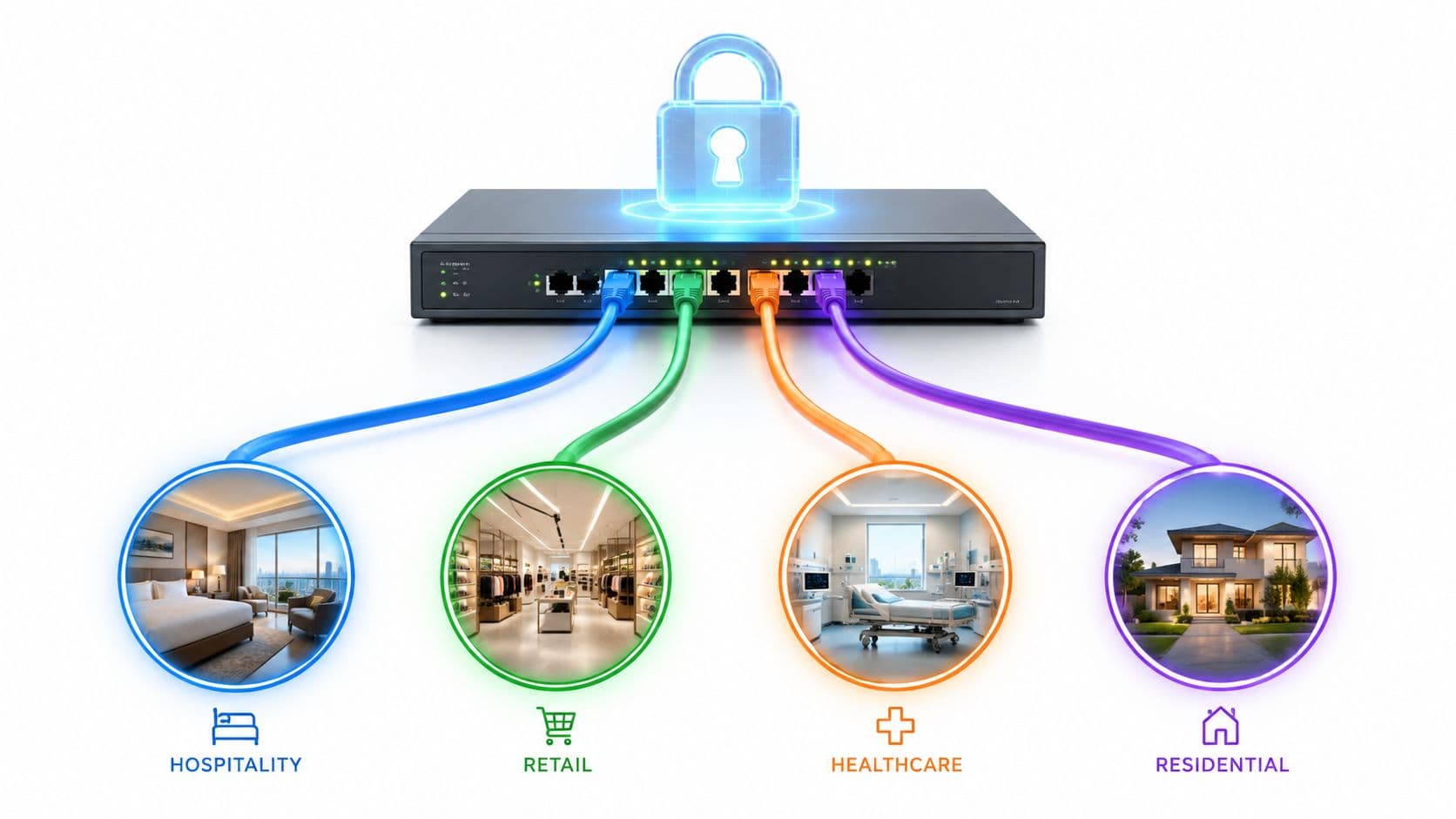
A lot of teams realise their wireless network is under-designed only when users start complaining. The hotel lobby fills up and check-in tablets stall. The retail POS estate works, but guest Wi-Fi becomes erratic at peak times. A ward adds more connected devices and roaming gets patchy between corridors and treatment spaces.
That’s usually when “Wi-Fi” stops being a convenience and becomes an operational issue.
A wireless lan wlan is not just the radio signal users see on their phones. In an enterprise setting, it’s a managed system of access points, controllers, switching, policy, authentication, segmentation, and monitoring. When that system is designed properly, it improves security, reduces support overhead, and gives staff and guests a network that feels invisible in the best way. When it isn’t, every dropped session and every shared password becomes a business problem.
What a Wireless LAN Is and Why It Matters Now
A Wireless LAN, or WLAN, is the local network that lets devices connect over radio rather than cabling. Many users call it Wi-Fi, but that shorthand hides the parts that matter to IT leaders: identity, coverage, roaming, segmentation, and policy enforcement.
In a small office, a basic setup might be enough. In a hotel, shopping centre, hospital, or multi-tenant property, it usually isn’t.
WLAN is infrastructure, not a utility
If the network serves guests, staff, operational devices, and third-party tenants on the same estate, then the WLAN sits directly in the path of customer experience and business risk. A bad deployment doesn’t just slow browsing. It can disrupt payment flows, frustrate visitors, expose internal systems, and create avoidable support calls.
That’s why I treat WLAN as infrastructure with business consequences, not as an accessory bolted onto broadband.
For readers who want a quick primer on how Wi-Fi, Ethernet, and broadband fit together at a practical level, Broadband Communications Ethernet Wifi is a useful companion read. For a more direct definition of enterprise WLAN architecture, Purple’s overview of what a WLAN network is gives the business and technical framing in one place.
What good WLAN changes
A well-run WLAN should do three things at once:
- Keep users connected: Roaming should feel unnoticeable as people move through the site.
- Apply the right access controls: Staff, guests, and unmanaged devices should not land on the same trust model.
- Support operations efficiently: IT teams should spend less time resetting passwords and chasing coverage complaints.
A reliable WLAN is one of the few parts of IT that users only notice when it fails.
That’s why WLAN decisions now reach beyond the network team. Hospitality operators care because connectivity shapes guest reviews. Retail teams care because the same network affects customer access and in-store systems. Healthcare leaders care because wireless reliability and access control can affect clinical workflows.
From 802.11b to Wi-Fi 6E The WLAN Standards Story
Modern enterprise Wi-Fi didn’t begin with today’s high-density designs. It began when the standards became commercially usable.
In the UK, WLAN adoption accelerated after IEEE 802.11b was ratified on 30 September 1999, marking the commercial birth of modern Wi-Fi with speeds up to 11 Mbit/s in the 2.4 GHz ISM band. That mattered because it delivered a 5.5x throughput increase over the original 802.11 standard’s 2 Mbit/s and helped push WLAN from specialist use into the mainstream, as noted by CableFree’s history of Wi-Fi technology .

Why each standard changed deployment choices
The standards story matters because each jump changed what architects could reasonably support.
802.11b (1999) made Wi-Fi commercially practical. It was not elegant by current standards, but it was good enough and affordable enough to spread.
802.11a (1999) brought higher speeds on 5 GHz. In practice, it helped open the path to cleaner spectrum use, though device compatibility and cost limited early mass adoption.
802.11g (2003) brought 54 Mbit/s into 2.4 GHz, which made upgrades easier for organisations that still depended on broad client compatibility.
802.11n (Wi-Fi 4, 2009) was a significant turning point for enterprise design. It introduced MIMO and delivered up to 600 Mbit/s, which changed expectations around capacity, not just basic coverage.
802.11ac (Wi-Fi 5, 2013) pushed peak throughput further, reaching 6.8 Gbit/s in 5 GHz. For venues with dense client populations, this standard made better use of wider channels and modern radio design.
802.11ax (Wi-Fi 6) changed the conversation again. It wasn’t only about maximum speed. It improved efficiency in crowded environments through technologies such as OFDMA, MU-MIMO, and 1024-QAM.
Wi-Fi 6E extended those capabilities into 6 GHz, giving enterprise teams access to cleaner spectrum where regulation allows it. In busy venues, that’s often more valuable than a headline speed figure.
The business meaning of standards evolution
An IT leader shouldn’t read a standards table as a history lesson. The practical question is simpler: what problem did each generation solve?
- Earlier standards made wireless possible.
- Mid-generation standards made it usable at business scale.
- Current standards make it viable in crowded, multi-role environments where guests, staff, and operational devices all compete for airtime.
That’s why older estates often feel “fine” until density rises. A network designed around coverage alone can appear healthy in a survey and still fail at lunchtime, during check-in peaks, or across a hospital shift change.
The jump from legacy WLAN to modern WLAN is usually less about top speed and more about how gracefully the network behaves when everyone connects at once.
Evolution of key IEEE 802.11 WLAN standards
| Standard (Wi-Fi Name) | Max Speed | Frequency Band(s) | Key Feature |
|---|---|---|---|
| 802.11b | 11 Mbit/s | 2.4 GHz | First mainstream commercial Wi-Fi |
| 802.11a | 54 Mbit/s | 5 GHz | Higher speed on less congested spectrum |
| 802.11g | 54 Mbit/s | 2.4 GHz | Faster 2.4 GHz operation with broad compatibility |
| 802.11n (Wi-Fi 4) | 600 Mbit/s | 2.4 GHz and 5 GHz | MIMO and dual-band operation |
| 802.11ac (Wi-Fi 5) | 6.8 Gbit/s | 5 GHz | Gigabit-class throughput and wider channels |
| 802.11ax (Wi-Fi 6) | 9.6 Gbit/s | 2.4 GHz and 5 GHz | Better efficiency and capacity in dense deployments |
| Wi-Fi 6E | 9.6 Gbit/s | 2.4 GHz, 5 GHz, 6 GHz | Extension into 6 GHz for cleaner spectrum use |
For a broader historical view that places these standards in context, this definitive timeline of WiFi from ALOHAnet to WiFi 7 and beyond is a useful reference.
What to upgrade for
If you’re planning refresh cycles, don’t ask only whether users need more speed. Ask:
- Do you have a density problem or a coverage problem?
- Are your pain points roaming, interference, or authentication?
- Do you need cleaner spectrum for a venue with lots of simultaneous users?
- Will your security model benefit from newer client and infrastructure capabilities?
That’s how standards become strategy instead of procurement shorthand.
The Anatomy of a High-Performance Wireless LAN
A high-performance WLAN works like an orchestra. The access points play the instruments, the switches move traffic where it needs to go, and the controller keeps timing, policy, and coordination under control.
If one part is weak, users don’t hear a partial failure. They just experience bad Wi-Fi.

What each component does
Access points (APs) are the visible edge of the WLAN. They convert wired network traffic into wireless signals and handle client associations, radio transmissions, and local packet handling. They’re not just signal broadcasters. Each AP is an active processing node with to make decisions about client service and radio behaviour.
Switches provide the wired foundation. They deliver connectivity and often power the APs. If switching is poorly designed, the wireless layer inherits those weaknesses.
Routers and upstream services connect the WLAN to wider networks, internet access, cloud applications, and policy domains.
Wireless LAN Controllers (WLCs) coordinate AP behaviour across the site. In practical enterprise deployments, multiple access points coordinate through a centralised WLC so users experience uninterrupted service as they move between coverage zones. The handoff is transparent to the end user, which is why this architecture is so important in environments like hotels and hospitals, as described by Made By WiFi’s technical perspective on wireless access points .
Coverage and capacity are not the same
One of the most common design mistakes is to place APs only for signal reach. That gives you coverage, but not necessarily usable performance.
A venue can show “full bars” on a handset and still perform badly because too many clients are sharing airtime on the same radios. In practice, enterprise WLAN design has to balance:
- Coverage: Can users get a stable signal where they need one?
- Capacity: Can the AP estate handle the number of active devices?
- Roaming behaviour: Can users move without session drops?
- Physical constraints: Walls, building materials, and room layout all matter.
How users stay connected while moving
A user walking through a hotel corridor or hospital wing shouldn’t have to think about which AP they are attached to. The WLAN should move them to the right AP at the right time.
That only happens when the architecture is coordinated. AP placement, controller logic, radio settings, and authentication policy all shape whether roaming feels smooth or frustrating.
Mounting more APs isn’t automatically the answer. Poor placement and poor tuning can make a dense network less stable, not more.
A practical mental model
If you want a simple way to explain a WLAN to non-network stakeholders, use this flow:
- The device joins an SSID
- The AP handles the wireless side of that connection
- The switch carries traffic into the wired network
- The controller applies coordination and mobility logic across APs
- The router or core network sends traffic onward to applications or the internet
That model helps when troubleshooting too. If users can see the SSID but can’t stay connected, the issue may not be “Wi-Fi” in the broad sense. It may sit in roaming policy, switching, upstream access control, or the way the controller estate is configured.
Securing Your WLAN From Passwords to Zero Trust
Most WLAN security problems start with a compromise that organisations made years ago and never revisited. Shared passwords were easy to deploy, easy to explain, and easy to distribute. They were also easy to leak, hard to rotate cleanly, and poor at telling the network who was connecting.
That trade-off no longer holds up in large venues.

Why shared credentials create operational risk
A single pre-shared key looks tidy on paper. In practice, it creates several problems at once:
- No user-level identity: The network knows the password was correct, not who used it.
- Weak offboarding: If a contractor leaves or a tenant changes, password rotation becomes disruptive.
- Lateral risk: Shared access models often sit alongside weak segmentation.
- Support drag: Password resets and distribution become routine admin work.
Many estates get stuck at this point. They treat wireless access as a convenience layer when it should be tied to the same identity principles used elsewhere in enterprise IT.
What enterprise authentication fixes
802.1X changes the model. Instead of proving knowledge of a shared secret, each user or device authenticates individually. That lets the network apply policy based on identity, role, or device posture.
For staff networks, that’s the difference between “anyone who knows the password” and “only authorised users and approved devices”.
For guests, modern onboarding methods can remove the usual pain of captive portals and repeat sign-ins. That matters because secure access only works at scale if people can use it without friction.
Roaming and security need to work together
Security controls often get blamed for poor user experience, but the underlying issue is usually poor integration between mobility and authentication.
Enterprise WLANs use advanced MAC layer features such as 802.11k, 802.11v, and 802.11r to improve device mobility. Combined with certificate-grade security, these features allow users to move between coverage zones while maintaining encrypted connectivity from the first packet without re-authentication, as described in the Candela Technologies enterprise Wi-Fi material .
That combination matters more than people think. If roaming is fast but authentication is clumsy, users still feel interruption. If authentication is strong but every move triggers friction, support desks hear about it immediately.
Good WLAN security isn’t just stricter. It’s quieter for the user and more precise for the administrator.
From captive portals to identity-based access
For guest access, the industry is moving away from clunky splash pages toward identity-based models such as Passpoint and OpenRoaming. These approaches let supported devices join securely and automatically once trust is established.
That changes the shape of the network:
- Guests get simpler access with less repeated sign-in.
- Staff authenticate against recognised identity systems.
- Devices can receive policy based on who or what they are.
- Operators reduce their dependence on shared secrets and ad hoc exceptions.
A useful overview of this shift appears in Purple’s article on secure wireless networking .
What zero trust looks like on WLAN
Zero trust on wireless doesn’t mean distrusting everything blindly. It means the network stops granting broad access based on location or a password alone.
In practice, that usually means:
- Verify identity through a trusted directory or certificate-based method.
- Limit access according to role, device type, or tenant context.
- Segment traffic so guest, staff, IoT, and partner access don’t overlap unnecessarily.
- Revoke quickly when status changes.
This is one area where tools matter. Platforms such as Cisco, Aruba, Mist, Ruckus, and Meraki provide the infrastructure side. On the authentication layer, Purple is one option for replacing captive portals and shared credentials with passwordless access tied to identity systems such as Entra ID, Google Workspace, and Okta.
Where organisations usually go wrong
The weakest WLAN security plans usually share the same habits:
| Old approach | Why it fails | Better direction |
|---|---|---|
| Shared staff password | Easy to share, hard to revoke | Per-user or per-device authentication |
| Guest captive portal only | Friction-heavy and inconsistent | Smooth identity-based onboarding |
| Flat wireless network | Poor isolation between user groups | Role-based segmentation |
| Security handled separately from roaming | Users feel repeated interruption | Integrated mobility and authentication design |
The strategic point is simple. A modern wireless lan wlan should identify, segment, and protect users without making them fight the network to get online.
Best Practices for Enterprise WLAN Deployment
The strongest WLANs usually look unremarkable from the outside. Users connect quickly, roaming works, and support tickets stay manageable. That doesn’t happen by luck. It comes from disciplined design choices before the first AP is mounted.
Start with an RF survey, not a floor plan alone
A floor plan is useful. It is not a radio design.
Building materials, ceiling heights, service corridors, lift shafts, kitchen equipment, shelving, and medical machinery all affect propagation. A professional RF survey helps you place APs for the actual environment, not the architect’s drawing.
Practical rule: If you only design for where signal reaches, you’ll miss where performance collapses.
Design for capacity first in busy venues
Hotels, retail estates, and healthcare environments often fail because the team designed for blanket coverage but underestimated concurrent use. A lobby, bar, waiting room, or event area can create localised demand that changes by time of day.
A sensible deployment plan should ask:
- Which spaces gather the highest device density?
- Which applications are business-critical?
- Which users need priority, persistence, or stronger access control?
Those questions matter more than a simple “how many square metres does one AP cover?”
Tune the network after installation
Deployment isn’t finished when the APs come online. WLANs need tuning in the live environment.
That usually includes:
- Channel planning: Reduce avoidable co-channel contention.
- Power adjustments: Avoid making APs shout over one another.
- Roaming validation: Walk the site with real devices, not assumptions.
- Policy checks: Confirm the right users land on the right segments.
What works in a quiet test window can break once the venue is busy. Live validation matters.
Treat WLAN operations as ongoing maintenance
A stable wireless estate needs routine care. Firmware, hardware health, authentication workflows, and configuration drift all affect outcomes over time.
That’s why teams often benefit from borrowing ideas from a structured preventive IT maintenance program . The principle applies well to WLAN operations: inspect regularly, fix small issues early, and avoid waiting for user complaints to reveal design weaknesses.
A short deployment checklist
- Survey the actual RF environment
- Place APs for density as well as coverage
- Validate roaming with live devices
- Separate guest, staff, and operational access
- Review performance after occupancy begins
The main trade-off is straightforward. Fast rollouts save time at the start. Careful rollouts save trouble for much longer.
WLAN in Action for Hospitality and Retail
The hospitality and retail sectors expose WLAN quality faster than almost any other environment. Guests judge it instantly. Staff depend on it all day. Marketing teams want usable data from it. Operations need it to stay out of the way.
That mix is why old guest Wi-Fi models now feel so dated.

The old model in a venue setting
A typical legacy setup looks familiar. The venue offers a captive portal. Guests must find the right SSID, enter details, wait for a splash page, accept terms, and hope the session persists if they move around the building.
Staff often use a separate SSID with a shared password that gets passed around too widely.
That arrangement creates friction for users and blind spots for operators. It also wastes the chance to make the WLAN part of a better customer journey.
The identity-based model
A modern hospitality or retail WLAN works differently. A guest who has already onboarded once should be able to reconnect with minimal effort on return visits. Staff should use their recognised identity, not a generic password. Operational traffic should stay isolated from both.
This is not just a technical improvement. It changes what the venue can do with the network.
A 2025 Hospitality UK report notes that 78% of hotels seek passwordless OpenRoaming to cut 25% authentication friction, and that Entra ID integration can reduce breach risks by 35% in multi-tenant pubs and bars, according to the cited source at 7SIGNAL’s article . The underlying direction is clear even beyond those figures: operators want to move away from captive portals and toward identity-based access.
What that means for operators
For a hotel group, this can mean:
- Less check-in friction: Guests get online without front desk intervention.
- Cleaner separation: Staff access and guest access follow different policies.
- More useful first-party data: Authentication events can support CRM and return-visit analysis.
For a shopping centre or retail chain, it can mean:
- A smoother arrival experience: Connectivity works more like a service and less like a hurdle.
- Better operational discipline: Tenants, guests, and internal teams don’t share the same trust model.
- More consistent engagement: The WLAN becomes part of loyalty and marketing workflows, not just internet access.
In retail and hospitality, bad Wi-Fi feels like poor service. Good Wi-Fi feels effortless, which is exactly why it supports loyalty.
The practical trade-off
There is still a trade-off to manage. Identity-based onboarding takes more planning than putting up an open guest network or a simple captive portal. It touches directory integration, policy design, user journeys, and privacy handling.
But once deployed properly, it usually reduces repeated sign-in pain and lowers the operational mess created by password sharing and ad hoc guest access.
That’s the important business shift. The WLAN stops being a necessary cost and starts functioning as a usable service layer for experience, security, and insight.
Advanced WLAN Applications in Healthcare and Housing
Healthcare and multi-tenant housing both depend on WLAN, but for different reasons. In healthcare, the stakes are clinical continuity and data protection. In housing, the problem is how to deliver a home-like experience on shared infrastructure without turning the network into a communal risk.
Healthcare needs precise trust, not broad access
Hospitals and clinics don’t just support staff laptops and patient phones. They often run a mix of clinical devices, admin workflows, guest access, and specialist systems across the same physical estate.
That’s difficult to manage securely if the wireless model still depends on shared credentials or weak segmentation.
A 2024 NHS England report indicated 1,437 ransomware attacks on healthcare providers in 2023-24, up 23% from the prior year, with 92% involving network vulnerabilities such as unsecured WLANs, according to the cited source at Extreme Networks’ healthcare WLAN brief. The practical lesson is straightforward: healthcare WLAN design has to assume persistent security pressure.
What works in healthcare estates
The better model is role-based and certificate-led. Staff access should map to verified identity. Patient and visitor access should stay isolated. Medical and operational devices should be segmented according to function and risk.
That approach supports several outcomes at once:
- Clinical continuity: Staff can move through the site without losing access.
- Faster revocation: Access changes when directory status changes.
- Cleaner boundaries: Guest traffic doesn’t sit next to sensitive workflows.
In healthcare, wireless design is inseparable from access control. Coverage alone is not enough.
Housing and shared living need private experiences on shared infrastructure
In student accommodation, build-to-rent, and other multi-tenant housing, residents expect Wi-Fi to behave like home broadband. They don’t want to think about VLANs, shared infrastructure, or property-wide policy.
But operators still need those controls.
The challenge is to deliver:
- Resident simplicity, so onboarding feels easy
- Tenant isolation, so devices in one unit can’t casually see another
- Support for awkward legacy devices, which often can’t use modern enterprise onboarding methods
Techniques such as identity-based policy and per-device or per-tenant keying become useful here. The goal is not to expose tenants to enterprise complexity. It’s to hide that complexity behind a stable, private experience.
One design principle across both sectors
Healthcare and housing look very different operationally, but the WLAN principle is the same. Don’t grant broad trust because a device happens to be on-site. Grant appropriate access because the network can identify the user or device, place it into the right policy, and isolate it from what it should not reach.
That’s the difference between wireless access that merely connects and wireless access that can be governed safely at scale.
Conclusion Your WLAN as a Strategic Asset
A modern wireless lan wlan is no longer just a way to avoid cables. It’s a control point for identity, mobility, segmentation, and user experience.
The standards have evolved from basic connectivity to high-efficiency wireless built for dense, multi-role environments. The architecture has moved beyond standalone APs to coordinated systems that support roaming and policy at scale. Security has shifted from shared passwords to identity-based access that can protect staff, guests, devices, and tenants without adding friction.
For IT leaders, that changes the investment case. WLAN isn’t just a line item for internet access. It shapes customer satisfaction, staff productivity, support demand, and risk exposure.
When the design is right, users barely notice it. That’s the point. The network does its job unobtrusively, while the business gains stronger security, smoother operations, and better data from every authenticated interaction.
If your organisation is rethinking guest Wi-Fi, staff access, or multi-tenant wireless policy, Purple is worth evaluating. It focuses on identity-based networking, passwordless access, and WiFi authentication workflows for venues that need stronger security without the usual captive portal friction.