
Care home WiFi provider checklist: residents, visitors, staff and safeguarding filters
You will be able to specify, test and contract a care home WiFi provider that runs four separate networks for residents, visitors, staff and clinical devices on your existing access points. You can also set safeguarding filters per network that protect vulnerable adults under the Mental Capacity Act 2005 without blocking family video calls.
By Iain JewittPublished
📖 14 min read3,164 words2 worked examples12 key definitions
Part of our core series: Multi-tenant WiFi: the complete guide →
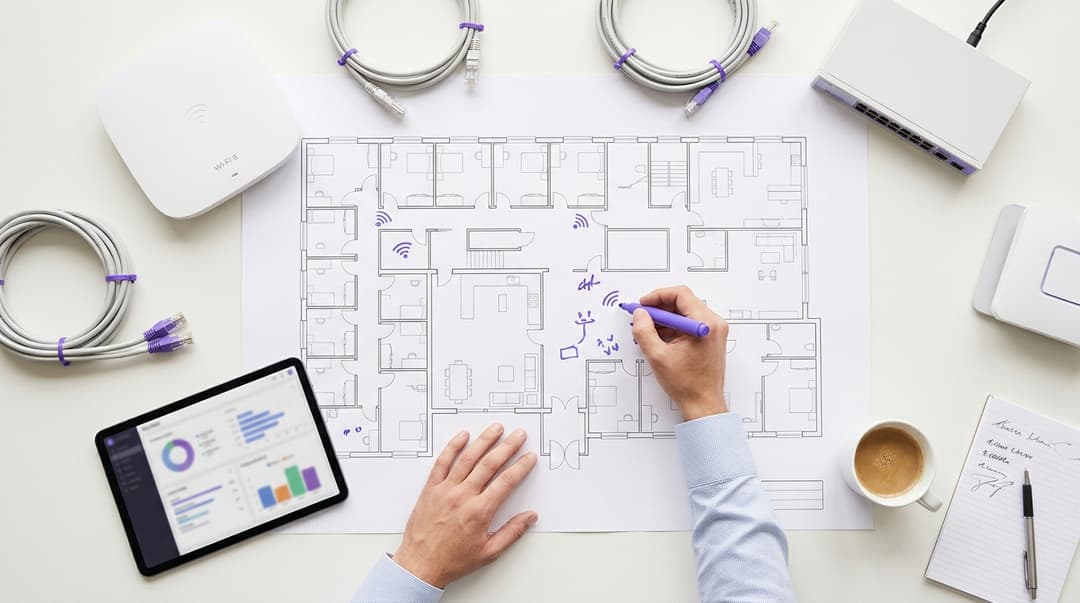
A care home WiFi provider should deliver four things: a private network for each resident's devices, a simple visitor sign-in at the front door, an identity-based network for care staff and clinical devices, and filtering set per network that protects vulnerable adults without blocking family video calls. Purple runs all four on your existing access points.
What does a care home WiFi provider actually need to deliver?
A care home is three places under one roof. It is a home for residents, a workplace for care staff and a clinical setting with its own devices. One shared password cannot serve all three safely. A good care home WiFi provider separates them and gives each the right access, security and filtering.
The test is simple to state. A resident's tablet should reach their daughter on WhatsApp at 8pm on a Sunday. A visitor should get online in under a minute at reception. A night nurse should open the digital care record without typing a password. None of these groups should see each other's devices or traffic.
The 4 networks and who uses each
| Network | Who uses it | How they connect | Filtering policy | Isolation |
|---|---|---|---|---|
| Resident | Residents and the devices families bring: tablets, smartphones, smart speakers, smart TVs | Individual key per resident (iPSK), no captive portal | Light: illegal content, malware and phishing blocked; calling and streaming allowed | Each resident's devices on their own private network |
| Visitor | Family, friends, visiting professionals, contractors | Captive portal sign-in via QR code at reception | Public-space policy: adult content, illegal content and malware blocked | Separate VLAN, no access to resident or staff devices |
| Staff | Permanent and agency care staff, managers, admin teams | IEEE 802.1X login with their work identity | Workplace policy set by your care group | Separate VLAN, access removed when the person leaves |
| Clinical and building devices | Digital care record tablets, nurse call units, acoustic monitors, falls sensors | Device-specific key (iPSK) where 802.1X is unsupported | Allow-list: only the services each device needs | Own VLAN, isolated from every other network |
A VLAN (virtual local area network) splits one physical network into separate logical networks. Traffic on one cannot reach another without a rule allowing it.
Purple delivers this through Identity-Based Networks. Every connection belongs to a named person or device, not a shared password. Multi-Tenant WiFi covers residents, Guest WiFi covers visitors, Staff WiFi covers your teams, and Shield applies filtering per network. For wider context, see how Purple approaches Healthcare settings.
What do you need before you start?
Gather six things before you speak to any provider. They decide your timeline more than any feature list.
- An access point inventory for every home. Record the make and model at each site. Purple runs as a hardware-agnostic cloud overlay on Cisco Meraki, HPE Aruba, Ruckus, Juniper Mist, Ubiquiti UniFi, Cambium, Extreme and Fortinet. Most care groups can keep the hardware they own. Read why your next WiFi upgrade doesn't need new hardware before you approve a replacement budget.
- A coverage picture of resident rooms. Fire doors, thick internal walls and long corridors weaken the signal in bedrooms. Many homes patched this with plug-in extenders, which cause problems with modern authentication. Compare the options in WiFi extender vs access point: which one do you need?.
- Your staff identity provider. Staff WiFi authenticates against Microsoft Entra ID, Okta or Google Workspace. Confirm who manages accounts and how agency staff get one.
- A device list by network. List the resident devices families bring, plus every clinical and building device. Note which clinical devices support 802.1X and which only accept a password.
- Your data protection paperwork. Visitor sign-in collects personal data, and residents are often vulnerable adults. Complete a data protection impact assessment (DPIA) under UK GDPR Article 35. If you submit the NHS Data Security and Protection Toolkit (DSPT), list the evidence you will need from the provider.
- A named filtering owner. Your safeguarding lead and home manager should sign off each filtering policy together. That decision sits with the people who know your residents, not the IT supplier.
How do you set up resident, visitor and staff networks?
The order below suits most care groups. Residents come first because their devices are the hardest to move and the most visible when they fail.
Step 1: Give each resident a private network without a shared password
Use iPSK, short for identity pre-shared key. Some vendors call it PPSK (private pre-shared key). Each resident receives their own WiFi key, and every device using that key joins the resident's own private network. Purple calls this a Private Area Network, or PAN: a private network bubble around one person's devices.
iPSK suits care homes for three reasons:
- It works with devices that cannot use a captive portal. Smart speakers, smart TVs and simplified tablets cannot complete a web sign-in page. They all accept a standard WiFi password.
- Residents never share a password. One resident's key cannot connect to another resident's devices. A neighbour's tablet cannot see a resident's smart speaker.
- Admission and departure are a single action. Issue the key when a resident moves in. Revoke it when they leave or pass away, without touching anyone else's devices.
Print each resident's key on a card for the family. When a daughter brings a new tablet, she types the same key once and it joins her mother's private network.
Step 2: Put visitors through a simple sign-in at the front door
A captive portal is the web page a visitor sees before they get online. Put a QR code at reception and in the lounge or café. The code opens the sign-in page directly, so visitors never hunt for a network name.
Keep the form short: name, email and acceptance of your terms. Use conscious-choice opt-ins for any newsletter or event updates, unticked by default, to meet UK GDPR consent rules. Set the session length to match your visiting hours, so a family visiting each afternoon is not asked to sign in mid-visit.
Purple's Guest WiFi handles this sign-in, the same way it does for visitors in Hotels. Cap bandwidth per visitor session so a busy Sunday never slows a resident's video call.
Step 3: Put care staff and clinical devices on a secure network
IEEE 802.1X is the standard that makes each device prove who it is before it joins. A RADIUS server checks those credentials against your identity provider. Purple provides cloud RADIUS, so you run no server at each home.
Staff log in once with their work identity from Microsoft Entra ID, Okta or Google Workspace. This settles joiners, movers and leavers (JML). A new starter gets access when their account is created. A leaver loses it when their account is disabled. Nobody changes a password on the wall of the staff room.
Agency staff need the same treatment. Create time-limited accounts for agency staff in your identity provider. Their access ends with the account, not when someone remembers to change a password.
Clinical devices often cannot use 802.1X. Give each device type its own iPSK key on its own VLAN. A compromised smart TV on the resident network then has no route to a nurse call unit.
Step 4: Set safeguarding filters per network
Filtering for vulnerable adults is not the same as filtering for children. The Mental Capacity Act 2005 starts from a presumption that adults have capacity. It also requires the least restrictive option. A blanket block on a resident's network can breach those principles and cut residents off from family.
Shield applies a different policy to each network. Use this matrix as your starting point, then let your safeguarding lead adjust it.
| Content category | Resident network | Visitor network | Staff network | Clinical devices |
|---|---|---|---|---|
| Illegal content | Block | Block | Block | Block |
| Malware and phishing sites | Block | Block | Block | Block |
| Adult content | Allow (residents' own rooms) | Block | Block | Block |
| Gambling | Allow | Block | Block | Block |
| Video calling (WhatsApp, FaceTime, Zoom, Microsoft Teams) | Allow | Allow | Allow | Block |
| Streaming (BBC iPlayer, YouTube) | Allow | Allow | Allow | Block |
| Care record and nurse call services | Not applicable | Not applicable | Allow | Allow-list only |
Where one resident needs extra protection, such as a recorded risk of financial abuse, record a best-interests decision in their care plan. Apply the restriction on that resident's own device with the family's agreement. A whole-network rule should not penalise every other resident for one person's risk.
Ask any provider whether its filtering blocks the Internet Watch Foundation's list of child sexual abuse URLs. Make it a written answer in your tender.
Got questions about your specific setup?
Our team works with venue operators, IT managers, and network engineers across 80,000 venues. Book a 20-minute call and we will show you how others like you solved it.
Worked scenarios
Both scenarios below are planning examples. The outcomes come from the design itself, so you can measure the same results in your own homes.
Worked scenario 1: a council-run supported living scheme
Situation. A local authority runs a supported living scheme with 24 flats and a shared lounge. Residents, staff and visitors all use one password. When a support worker left, the scheme changed the password. Every resident's tablet and smart speaker dropped off, and three residents missed calls with family that evening.
What was done. The scheme moved residents to Multi-Tenant WiFi with an iPSK key per flat. Staff moved to 802.1X against Microsoft Entra ID. Visitors moved to a QR-code captive portal at the entrance. Shield applied the resident, visitor and staff policies above.
Measurable outcome. Shared passwords fell from one, known to everyone, to zero. The next staff leaver lost access the moment their account was disabled. No resident device needed re-keying. The scheme's supported living WiFi now gives each tenant the separation they would expect in their own flat.
Worked scenario 2: a nursing home with a family café and a summer fete
Situation. A 70-bed nursing home runs a café open to families and hosts a summer fete with about 150 attendees. Visitors had been given the staff password at reception. On fete day, the network slowed and care staff struggled to update digital care records.
What was done. The home split visitors onto Guest WiFi, with QR codes at reception, in the café and on fete signage. It capped bandwidth per visitor session and applied Shield's public-space policy. Staff and clinical devices moved onto their own VLANs with 802.1X and device-specific keys.
Measurable outcome. The staff password stopped circulating among visitors. Fete traffic stayed on the visitor network and away from clinical devices. The home manager now reads monthly visitor sign-ins in WiFi Analytics and uses them to plan staffing for busy visiting days.
How do you check it works?
Run an acceptance test at the pilot home before anyone signs off. Do it in the evening, when residents make most of their family calls.
- Resident connection. Connect a tablet and a smart speaker with one resident's key in their room. Walk the tablet to the lounge and back. It should stay on the same private network throughout.
- Resident isolation. From a second resident's key, try to discover the first resident's smart speaker. It should not appear.
- Visitor sign-in. Scan the reception QR code on an iPhone and an Android phone. Time it. Visitors should be online in under a minute.
- Staff joiner and leaver. Create a test account, connect, then disable it. The device should lose access without anyone touching the access points.
- Clinical isolation. From the visitor and resident networks, try to reach a nurse call unit. Both attempts should fail.
- Filtering. On each network, test one blocked category and one allowed category. Make a WhatsApp video call and a FaceTime call from the resident network.
- Coverage. Measure signal in the five rooms furthest from an access point, with fire doors closed.
What goes wrong, and how do you fix it?
Resident devices drop off after a hardware change
Older devices sometimes fail when a network moves to WPA3 or to 5 GHz only. Keep the resident network on settings those devices support. Plan WPA3 for staff and clinical networks first.
Smart speakers cannot get past the sign-in page
Someone put resident devices on the visitor captive portal. Move them to the resident's iPSK key. Captive portals are for people with a browser, not for speakers or TVs.
A filter blocks a family video call
An over-broad category, such as "social networking", caught a calling app. Allow named calling services explicitly on the resident and visitor networks. Re-test after every filtering change.
Plug-in extenders cause dropouts in bedrooms
Extenders rebroadcast the signal and often handle per-device keys and 802.1X poorly. Replace them with properly placed access points. If you are refreshing hardware anyway, WiFi 6 (802.11ax) explained covers the capacity gains in busy lounges.
Families install their own router in a resident's room
A second router creates interference and a security gap. Show the family that the resident's private network already gives them their own secure connection. Then agree removal with them.
Agency staff cannot log in on their first shift
Their account was not created in time. Make agency account creation part of your booking process, with a named owner at each home.
What should the contract say about support hours and site-by-site rollout?
Care runs around the clock, so your contract must too. Use this table as your clause checklist.
| Clause | What to ask for | Why it matters in a care home |
|---|---|---|
| Support hours | 24/7 support for loss of service on resident, staff or clinical networks | Residents call family in the evening; night staff need care records at 3am |
| Severity levels | Written response and resolution targets in hours for each severity level | Turns "we'll look into it" into a commitment you can enforce |
| Platform availability | A stated uptime percentage in the schedule; Purple's is 99.999% | Every hour of downtime is a missed call or a delayed care note |
| Rollout plan | One pilot home, then waves with a named go-live date per site | Lets you prove the design before it reaches every home |
| Supported hardware | A named list of supported access point models for every site | Avoids a surprise hardware bill halfway through rollout |
| Data protection | Data processing agreement under UK GDPR Article 28 and a named data location | Required when a provider processes visitor and resident data for you |
| Certifications | In-date ISO 27001 and Cyber Essentials certificates | Evidence for your DPIA and DSPT submission |
| Filtering changes | A set turnaround for safeguarding-led policy changes | A safeguarding decision should not wait in a general ticket queue |
| Exit | Export of configuration and visitor data in a standard format | Keeps you free to change provider later |
Roll out site by site. Start with a home that has a cooperative manager and a typical building. Fix what the pilot teaches you, then move in waves of three or four homes. If you are replacing an existing care home WiFi provider, follow switching guest WiFi providers: a migration checklist for multi-site venues.
What does it cost, and what do you get back?
Four things drive cost: the number of homes, the plan, the add-ons and any hardware gaps. Purple offers three plans, Connect, Capture and Engage. Shield is an add-on for filtering. Because Purple layers on top of your existing access points, most of the work is configuration rather than installation.
Your hardware survey decides the rest. A home with good access point coverage needs no capital spend. A home relying on extenders needs access points in the weakest rooms.
The return shows up in three places:
- Staff time. Shared-password changes stop. Picture a home with 40 resident devices and a password change after each leaver. Re-keying every device takes hours of carer time that iPSK and 802.1X remove.
- Safeguarding evidence. You can show an inspector a written filtering policy per network, signed by your safeguarding lead. You can also show who accessed the staff network, and when.
- Resident and family wellbeing. Reliable residential care WiFi keeps residents in touch with family. Visitor sign-in data in WiFi Analytics shows which homes families visit most, and when.
Purple runs on more than 80,000 live venues in over 90 countries and handles 500 million users and logins a year, according to Purple's own data. The platform is ISO 27001, GDPR, CCPA, Cyber Essentials and B Corp certified.
Frequently asked questions
Can Purple run on the access points we already have in our care homes?
Yes, Purple runs as a cloud overlay on your existing access points. Supported vendors include Cisco Meraki, HPE Aruba, Ruckus, Juniper Mist, Ubiquiti UniFi, Cambium, Extreme and Fortinet. You keep your hardware and add resident, visitor and staff networks on top. A survey may still show weak coverage in some bedrooms. In that case, you add access points to those rooms rather than replacing the whole network.
How do residents keep their devices connected without sharing a password?
Each resident gets their own WiFi key using iPSK, which places all their devices on a private network. Families enter the key once on any tablet, smart speaker or TV. No resident ever shares a password with another, and no neighbour can see their devices. When a resident leaves, you revoke that one key. Every other resident's devices stay connected without any change.
Will safeguarding filters block residents' video calls with family?
No, not when filtering is set per network. Shield applies a light policy to the resident network. It blocks illegal content, malware and phishing while allowing WhatsApp, FaceTime, Zoom and Microsoft Teams. Visitor and staff networks get stricter policies. Where one resident needs extra protection, record a best-interests decision under the Mental Capacity Act 2005. Then apply the restriction on their own device.
How is visitor and resident data handled under UK GDPR?
Purple is GDPR compliant and holds ISO 27001 and Cyber Essentials certification. Visitors give consent through conscious-choice opt-ins that are unticked by default. Your contract should include a data processing agreement under UK GDPR Article 28. You should also complete a DPIA, because residents are vulnerable adults. If you submit the NHS DSPT, ask Purple for the certification evidence you need.
Can agency staff use the staff network without a shared password?
Yes, agency staff log in with their own time-limited account from Microsoft Entra ID, Okta or Google Workspace. Staff WiFi authenticates them through IEEE 802.1X and Purple's cloud RADIUS. Their access ends when the account expires or is disabled. Nobody needs to change a password or reconnect other devices. Build account creation into your agency booking process, so access is ready before the first shift.
How long does a rollout take across a care group?
Rollout length depends mostly on configuration and your hardware survey, not on installation. Purple layers onto existing access points, so homes with good coverage need no new equipment. Start with one pilot home and run the full acceptance test, including evening video calls. Then roll out in waves of three or four homes. Put a named go-live date for each site in your contract.
How do we switch from our current care home WiFi provider?
You switch site by site, running the old and new networks side by side during each cutover. Start with an inventory of access points, network names and resident devices at every home. Issue resident keys before cutover, so families can reconnect devices in one visit. Move staff to 802.1X, then retire the shared passwords. Purple's multi-site migration checklist sets out each stage in order.
Key Definitions
iPSK (identity pre-shared key)
A per-identity variant of the WPA2/WPA3-Personal pre-shared key defined in IEEE 802.11, where each resident or device type receives its own passphrase. Some vendors call it PPSK (private pre-shared key). The key maps the connecting device to a specific private network or VLAN.
You meet it when connecting resident smart speakers, TVs and tablets that cannot complete a web sign-in. It lets you revoke one resident's key at departure without re-keying anyone else's devices.
Private Area Network (PAN)
Purple's term for the private network bubble created around one resident's devices by their iPSK key. Devices sharing the key can see each other; devices on other residents' keys cannot.
It is the isolation test in your acceptance checklist: a second resident's key should never discover the first resident's smart speaker.
VLAN (virtual local area network)
A logical network segment defined by IEEE 802.1Q, which tags frames so one physical network carries several separate networks. Traffic cannot cross between VLANs without a rule allowing it.
You place visitors, staff and clinical devices on separate VLANs, so a compromised smart TV has no route to a nurse call unit.
Captive portal
A web page that intercepts a new connection's HTTP traffic and requires sign-in or terms acceptance before granting internet access. It needs a device with a browser.
You use it for visitors via a QR code at reception, and you keep resident speakers and TVs off it because they cannot complete the page.
IEEE 802.1X
The IEEE standard for port-based network access control. It carries Extensible Authentication Protocol (EAP) exchanges between the device, the access point and an authentication server, so each device proves its identity before it joins.
You deploy it on the staff network so care and agency staff log in with their work identity, and you check which clinical devices support it before choosing iPSK instead.
RADIUS
Remote Authentication Dial-In User Service, specified in IETF RFC 2865. It is the protocol the access point uses to send 802.1X credentials to an authentication server, which checks them against the identity provider.
Purple provides cloud RADIUS, so you run no authentication server at each home.
Joiners, movers and leavers (JML)
The account lifecycle process in an identity provider such as Microsoft Entra ID, Okta or Google Workspace. Network access follows the account: created for joiners, changed for movers, disabled for leavers.
It replaces the shared staff password, so a leaver loses WiFi access the moment their account is disabled and nobody re-keys devices.
Data protection impact assessment (DPIA)
An assessment required by UK GDPR Article 35 where processing is likely to result in a high risk to individuals' rights and freedoms. It describes the processing, assesses necessity and risk, and records mitigating measures.
You complete one because visitor sign-in collects personal data and residents are often vulnerable adults; provider certifications such as ISO 27001 form part of the evidence.
Data processing agreement (UK GDPR Article 28)
The contract UK GDPR Article 28 requires between a controller and a processor. It sets out the subject matter, duration, nature and purpose of processing, and the processor's security and sub-processor obligations.
Your contract with a care home WiFi provider needs one, with a named data location, because the provider processes visitor and resident data for you.
Mental Capacity Act 2005
The England and Wales statute that presumes adults have capacity unless shown otherwise and requires decisions made for a person lacking capacity to be in their best interests and the least restrictive option.
It is why you avoid blanket blocks on the resident network and apply individual restrictions on one resident's own device, recorded as a best-interests decision.
NHS Data Security and Protection Toolkit (DSPT)
The NHS online self-assessment that organisations with access to NHS patient data and systems complete annually to demonstrate they meet the National Data Guardian's data security standards.
If you submit it, list the evidence you need from your WiFi provider, such as in-date ISO 27001 and Cyber Essentials certificates.
Internet Watch Foundation (IWF) URL list
A list of web addresses hosting child sexual abuse imagery, maintained by the Internet Watch Foundation and supplied to filtering providers for blocking.
You ask every provider in writing, as part of your tender, whether its filtering blocks this list.
Worked Examples
A council-run supported living scheme with 24 flats and a shared lounge used one password for residents, staff and visitors. When a support worker left, the scheme changed the password, every resident's tablet and smart speaker dropped off, and three residents missed family calls that evening. How should it be redesigned?
The scheme moved residents to Multi-Tenant WiFi with an iPSK key per flat, so each tenant's devices sit on their own private network. Staff moved to IEEE 802.1X against Microsoft Entra ID, tying access to their work account. Visitors moved to a QR-code captive portal at the entrance. Shield applied separate resident, visitor and staff filtering policies. Shared passwords fell from one, known to everyone, to zero. The next staff leaver lost access the moment their account was disabled, and no resident device needed re-keying. Each tenant now gets the separation they would expect in their own flat.
A 70-bed nursing home runs a family café and a summer fete with about 150 attendees. Visitors had been given the staff password at reception, and on fete day the network slowed while care staff struggled to update digital care records. What should the home change?
The home split visitors onto Guest WiFi, with QR codes at reception, in the café and on fete signage. It capped bandwidth per visitor session and applied Shield's public-space policy. Staff moved to their own VLAN with 802.1X, and clinical devices moved to their own VLAN with device-specific iPSK keys. The staff password stopped circulating among visitors. Fete traffic stayed on the visitor network and away from clinical devices, so care record updates were no longer competing with guests. The home manager now reads monthly visitor sign-ins in WiFi Analytics and uses them to plan staffing for busy visiting days.
Frequently asked questions
Can Purple run on the access points we already have in our care homes?
Yes, Purple runs as a cloud overlay on your existing access points. Supported vendors include Cisco Meraki, HPE Aruba, Ruckus, Juniper Mist, Ubiquiti UniFi, Cambium, Extreme and Fortinet. You keep your hardware and add resident, visitor and staff networks on top. A survey may still show weak coverage in some bedrooms. In that case, you add access points to those rooms rather than replacing the whole network.
How do residents keep their devices connected without sharing a password?
Each resident gets their own WiFi key using iPSK, which places all their devices on a private network. Families enter the key once on any tablet, smart speaker or TV. No resident ever shares a password with another, and no neighbour can see their devices. When a resident leaves, you revoke that one key. Every other resident's devices stay connected without any change.
Will safeguarding filters block residents' video calls with family?
No, not when filtering is set per network. Shield applies a light policy to the resident network. It blocks illegal content, malware and phishing while allowing WhatsApp, FaceTime, Zoom and Microsoft Teams. Visitor and staff networks get stricter policies. Where one resident needs extra protection, record a best-interests decision under the Mental Capacity Act 2005. Then apply the restriction on their own device.
How is visitor and resident data handled under UK GDPR?
Purple is GDPR compliant and holds ISO 27001 and Cyber Essentials certification. Visitors give consent through conscious-choice opt-ins that are unticked by default. Your contract should include a data processing agreement under UK GDPR Article 28. You should also complete a DPIA, because residents are vulnerable adults. If you submit the NHS DSPT, ask Purple for the certification evidence you need.
Can agency staff use the staff network without a shared password?
Yes, agency staff log in with their own time-limited account from Microsoft Entra ID, Okta or Google Workspace. Staff WiFi authenticates them through IEEE 802.1X and Purple's cloud RADIUS. Their access ends when the account expires or is disabled. Nobody needs to change a password or reconnect other devices. Build account creation into your agency booking process, so access is ready before the first shift.
How long does a rollout take across a care group?
Rollout length depends mostly on configuration and your hardware survey, not on installation. Purple layers onto existing access points, so homes with good coverage need no new equipment. Start with one pilot home and run the full acceptance test, including evening video calls. Then roll out in waves of three or four homes. Put a named go-live date for each site in your contract.
How do we switch from our current care home WiFi provider?
You switch site by site, running the old and new networks side by side during each cutover. Start with an inventory of access points, network names and resident devices at every home. Issue resident keys before cutover, so families can reconnect devices in one visit. Move staff to 802.1X, then retire the shared passwords. Purple's multi-site migration checklist sets out each stage in order.
Continue reading in this series
Serviced apartment WiFi providers: short stays, long stays and housekeeping devices
You will be able to decide which network each serviced apartment booking should land on, from a two-night leisure stay to a three-month relocation. You will also be able to specify how a provider runs short-stay sign-in, long-stay apartment keys and a separate housekeeping device network on your existing access points, with keys driven by your PMS.
Why hotel-style guest WiFi fails in residential buildings
You will be able to diagnose why residents in BTR blocks, student halls and MDUs keep reporting WiFi faults, and choose the authentication model that fixes them. The answer is a per-household iPSK key on your existing access points, with a separate captive portal network kept for visitors.
Designing WiFi Networks for Multi-Tenant Office Buildings
This guide provides IT managers, network architects, and CTOs with a vendor-neutral blueprint for designing scalable, secure, and isolated WiFi networks across multi-tenant office buildings. It covers VLAN segmentation under IEEE 802.1Q, Dynamic VLAN Assignment via 802.1X and RADIUS, RF planning for high-density environments, and compliance considerations under GDPR and PCI DSS. Venue operators and building managers will find actionable architecture guidance, real-world case studies, and configuration pitfalls to avoid before deployment.
Got questions about your specific setup?
Our team works with venue operators, IT managers, and network engineers across 80,000 venues. Book a 20-minute call and we will show you how others like you solved it.