
Leisure centre and gym WiFi providers: members, swim-school parents and staff on one platform
Use this guide to shortlist leisure centre WiFi providers and specify three networks on your existing access points: filtered guest WiFi for members and swim-school parents, 802.1X Staff WiFi tied to work accounts, and an isolated device network for turnstiles and tills. You can then test each provider against 10 questions on filtering, PCI DSS scope and consented marketing.
By Iain JewittPublished
📖 15 min read3,358 words3 worked examples12 key definitions
Part of our core series: Guest WiFi: the complete guide →
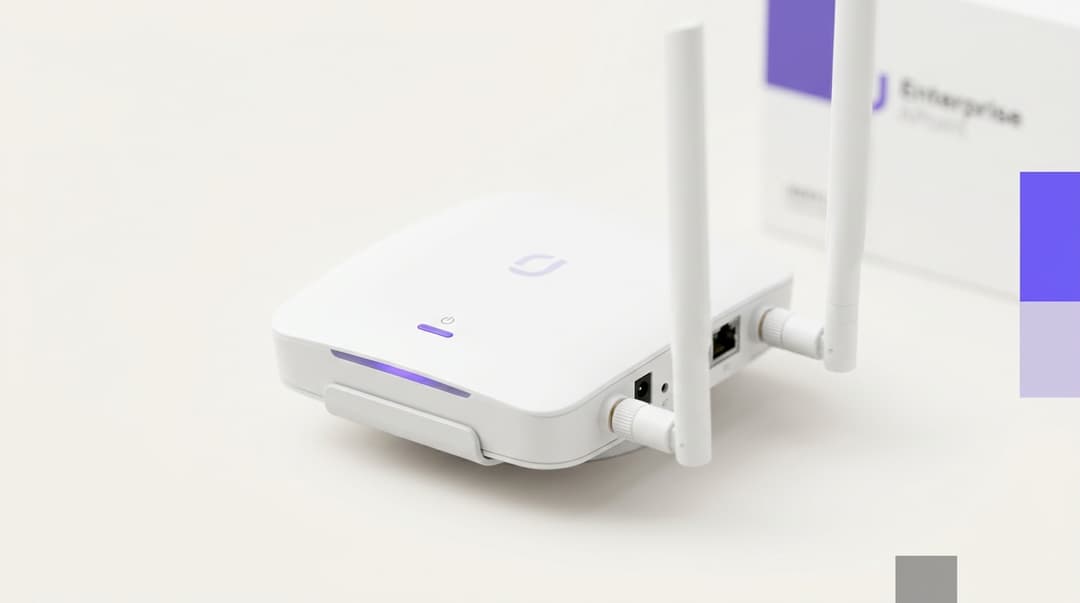
A leisure centre or gym needs three separate networks on one set of access points. Members, swim-school parents and casual visitors get filtered guest WiFi. Staff sign in with their own work accounts. Turnstiles, tills and booking tablets sit on a locked-down device network. Choose a provider that runs all three, plus consented email capture, from one platform.
Which WiFi setup should a leisure centre choose?
A leisure centre is three audiences sharing one building. Members want music on the treadmill and the booking app in the changing room. Parents wait on the pool gallery through a swim lesson, often with a younger child beside them. Staff run tills, turnstiles and class-booking tablets that must keep working whatever the guest network is doing.
The setup that serves all three is three networks, broadcast from the same access points and managed in one place.
| Network | Who uses it | Typical devices | How they sign in | Filtering | What you get back |
|---|---|---|---|---|---|
| Guest WiFi | Members, swim-school parents, casual visitors | Personal phones, tablets, smartwatches | Captive portal with email or membership details | Family-safe DNS filtering on every device | Consented contact data, visit frequency, dwell time |
| Staff WiFi | Reception, duty managers, instructors, café staff | Work laptops, staff phones | 802.1X with the person's Microsoft Entra ID, Okta or Google Workspace account | Staff policy set by your IT team | Named access that ends when the account is disabled |
| Device network | Turnstiles, tills, class-booking tablets, door controllers | Fixed and kiosk devices | Unique iPSK per device, or EAP-TLS certificate for managed tablets | Allow-list limited to the services each device needs | Payment and access-control traffic isolated from guests |
The table uses a few terms you will see in every provider's proposal:
- Captive portal: the sign-in page a phone shows before it reaches the internet.
- 802.1X: the IEEE standard for network access control. Each person signs in with their own credentials, checked by a RADIUS server.
- RADIUS: the authentication service that says yes or no to each connection.
- iPSK (identity pre-shared key): every device gets its own WiFi password on the same network name. Revoking one device leaves the rest untouched.
- EAP-TLS: an 802.1X method that uses a device certificate instead of a password.
- VLAN (virtual LAN): a logical network segment that keeps one group of devices apart from another on the same cabling.
Keep the number of network names low. Each SSID broadcasts its own beacons and uses airtime. Access point vendors, including Cisco Meraki and HPE Aruba, advise keeping SSIDs per radio to a small number. Three is the ceiling for most centres, and two if your turnstiles and tills are wired.
Purple runs this model on the access points you already own. It works as a cloud overlay on Cisco Meraki, HPE Aruba, Ruckus, Juniper Mist, Ubiquiti UniFi, Cambium, Extreme and Fortinet hardware. Purple Access covers the member, visitor and staff networks. Shield adds family-safe filtering, and the Engage plan handles consented email. Our blog on why your next WiFi upgrade doesn't need new hardware covers the overlay approach in more depth.
Where leisure centre WiFi providers genuinely differ
Most leisure centre WiFi providers can put up a sign-in page. The differences show up in staff access, device isolation, filtering and consent. This table compares the three approaches you are likely to see on a shortlist.
| Axis | Shared password network | Basic captive portal | Identity-based platform (Purple) |
|---|---|---|---|
| Hardware needed | Existing router or access points | Existing access points plus the provider's portal | Existing Cisco Meraki, HPE Aruba, Ruckus, Juniper Mist, Ubiquiti UniFi, Cambium, Extreme or Fortinet access points |
| Staff access | One password for everyone, changed by hand when someone leaves | Not covered: staff stay on a shared password | 802.1X with each person's work account; access ends when the account is disabled |
| Turnstiles and tills | Same network as guests unless IT builds VLANs separately | Not covered | Own VLAN, with a unique iPSK or certificate per device |
| Guest sign-in | Password on a reception sign | Form on every visit | Form on first visit; returning devices reconnect |
| Filtering | Whatever the broadband router offers | Sold separately, if at all | Shield DNS filtering on the guest network |
| Marketing consent | None captured | Ask to see the form: one bundled box fails UK GDPR | Separate, unticked conscious-choice opt-ins with timestamped records |
| Data you can use | None | An email list of uncertain legal standing | Consented first-party data, visit patterns and CRM sync |
How should members and casual visitors sign in?
Members and casual visitors need different sign-in experiences, but they can share one guest network. A member visits three or four times a week and should not see the captive portal every time. A parent bringing a child to Saturday lessons visits once a week. A casual swimmer may come once.
Design the sign-in like this:
- First visit: a short form asking for name and email, or a membership number if your membership system can confirm it. Keep it to the fields you will actually use.
- Return visits: the device reconnects automatically, so members go straight to their playlist.
- Casual visitors: the same form, with a session time limit that suits the length of a visit.
- Children: under UK GDPR, as set out in the Data Protection Act 2018, 13 is the minimum age for consenting to online services. Write the form for adults. Ask visitors to confirm they are 13 or over before collecting anything. Never offer a marketing opt-in to a child.
Sign-in wording matters as much as the form fields. Tell the parent on the gallery what you collect, why, and how long you keep it, in two sentences. Long privacy notices get skipped, and skipped notices weaken your consent record.
Coverage needs planning too. Pool halls are humid, and chemical-treated air is hard on electronics. Check the vendor's environmental rating for any access point mounted in the pool hall. Plan coverage for the spectator gallery, where parents sit, rather than the water.
What filtering suits a building full of children and families?
Filter the whole guest network to a family-safe standard, because you cannot tell a parent's phone from a teenager's. Shield applies DNS-based filtering to every device on the guest network. It blocks adult content, malware and phishing domains before a page loads.
Two external benchmarks are useful when you write your filtering policy:
- Friendly WiFi, the UK accreditation scheme for public WiFi, checks that a venue filters pornography and child sexual abuse content.
- The Internet Watch Foundation (IWF) maintains the list of known child sexual abuse URLs that filtering providers block.
Many leisure trusts also host school swimming lessons. Statutory guidance such as Keeping Children Safe in Education (KCSIE) applies to schools and colleges, not leisure centres. Even so, your safeguarding lead will expect a comparable standard while pupils are in the building. Our guide to further education college WiFi procurement shows how filtering is specified where KCSIE does apply.
Be clear about the limits. DNS filtering can be bypassed by a determined teenager with a VPN or encrypted DNS. Ask any provider how they handle both. Filtering supports supervision on the gallery and poolside; it does not replace it.
Staff WiFi needs a different policy. Instructors may need video platforms for class content, and duty managers need supplier portals. Set the staff policy separately so family-safe rules do not block legitimate work.
How do you keep turnstiles, tills and booking tablets off the guest network?
Put every fixed and operational device on its own VLAN, with client isolation on the guest network. Client isolation stops guest devices from seeing each other. The VLAN stops a parent's phone from reaching a turnstile controller or a till.
Tills deserve the most care. Under PCI DSS, any system that can connect to the cardholder data environment comes into scope for assessment. Segmentation that isolates the payment environment reduces that scope, and with it your audit effort. Wire tills where you can. Where a till must be wireless, give it a dedicated segment that reaches only the payment provider.
For the device network, match the sign-in method to the device:
- Turnstiles, door controllers and payment terminals rarely support 802.1X. Give each one its own iPSK. If a device is stolen or replaced, you revoke that key alone.
- Class-booking tablets managed through your mobile device management platform can take a certificate and use EAP-TLS. Nothing to type, nothing to share.
- Staff laptops and phones sign in through 802.1X with Microsoft Entra ID, Okta or Google Workspace. When HR disables a leaver's account, their WiFi access ends with it.
That last point removes the shared staff password that ends up on a sticky note behind reception. Our blog What is user provisioning? a plain-english guide for 2026 explains how joiners, movers and leavers flow from your identity provider. The warehouse WiFi providers checklist covers the same 802.1X approach for managed handhelds, which maps closely to booking tablets.
How can member sign-ins support renewals and class promotions with consent?
Member sign-ins become a renewal channel only when the member has agreed to hear from you. Electronic marketing in the UK falls under the Privacy and Electronic Communications Regulations (PECR) as well as UK GDPR. Regulation 22 of PECR requires consent for marketing emails to individuals. A narrow "soft opt-in" exception covers some existing members; ask your data protection officer whether it applies to your trust. Do not treat a WiFi sign-in on its own as grounds for it.
The Information Commissioner's Office (ICO) direct marketing guidance treats a message that promotes renewal as marketing, even when it looks administrative. Plan your renewal emails as marketing and capture consent accordingly.
Purple uses conscious-choice opt-ins: separate, unticked boxes for each purpose, with a timestamp stored for each one. A member can agree to class news but not partner offers. Engage then builds segments from that consented first-party data, for example:
- Members whose membership ends within 60 days and who still visit weekly.
- Swim-school parents who are not members themselves, for a parent membership offer.
- Visitors who came for a single class, for a follow-up on the next timetable.
WiFi Analytics adds visit frequency and dwell time, so you can see which members are drifting before they lapse. Purple integrates with CRM and marketing platforms, so consented contacts reach the systems your membership team already uses. Our post on 8 smart integration ideas to connect guest WiFi and CRM lists practical patterns.
Got questions about your specific setup?
Our team works with venue operators, IT managers, and network engineers across 80,000 venues. Book a 20-minute call and we will show you how others like you solved it.
Where each setup fits across your estate
The three-network model scales down to a single gym and up to a trust running dozens of sites. What changes is who runs it and how much you automate.
| Your estate | Networks to run | Staff sign-in | Device network | Marketing focus |
|---|---|---|---|---|
| Single independent gym | Guest and staff; tills wired | 802.1X with Google Workspace or Microsoft Entra ID | Not needed if tills and turnstiles are wired | Class promotions to opted-in members |
| Multi-site leisure trust | Guest, staff and device at every site | 802.1X with Microsoft Entra ID or Okta, one policy for all sites | iPSK per turnstile and till, managed centrally | Renewals and swim-school-to-membership conversion |
| Hotel with a leisure club | Guest (hotel guests and club members), staff, device | 802.1X with the hotel group's identity provider | Shared with hotel operations VLANs | Club renewals kept separate from hotel stay marketing |
| Event or gala weekend at a centre | Existing guest network with per-device bandwidth caps | Unchanged | Unchanged, protected from guest load | Consented contacts from visiting families and clubs |
Worked scenario: a public-sector leisure trust with eight centres
Situation. A trust runs eight council-owned centres. Each site had one WPA2 password shared by staff, tills and turnstiles, printed on a reception noticeboard. Guest WiFi ran on the same network with no filtering. The trust held a few thousand email addresses but no record of how anyone had consented.
What was done. The trust kept its existing access points and added Purple as a cloud overlay. Each site now broadcasts three SSIDs. Staff sign in through 802.1X with Microsoft Entra ID. Turnstiles and tills moved to a dedicated VLAN, each with its own iPSK. Shield filters the guest network, and the captive portal carries separate, unticked opt-ins.
Measurable outcome. The shared staff password went from one key across eight sites to none. Leavers now lose WiFi access the moment their Entra ID account is disabled, not at the next password change. Tills no longer share a network with guest devices, which reduces the trust's PCI DSS scope. Every email contact now carries a timestamped consent record, against zero before.
Worked scenario: a 200-room hotel with a members' leisure club
Situation. A 200-room hotel runs a pool and gym open to around 1,500 local club members. Hotel guests and club members shared one guest network and one sign-in. The club manager could not tell members apart from hotel guests, so renewal emails relied on the membership system alone.
What was done. The hotel kept one guest network but split the captive portal into two sign-in routes: one for hotel guests, one for club members. Club members opt in to club news separately from hotel offers. Engage builds a renewal segment from members who are both opted in and still visiting. More on the hotel side is on our Hotels page.
Measurable outcome. The club now sees how many members visit each week, by member, through WiFi Analytics. The renewal list holds only members with a recorded opt-in, so every renewal email has a consent record behind it. Hotel stay marketing no longer reaches club members who never agreed to it.
Worked scenario: a regional swimming gala at a leisure centre
Situation. A centre hosts a two-day swimming gala, with visiting clubs and hundreds of parents on the gallery. On a single shared network, heavy streaming had slowed card payments at the café during an earlier gala.
What was done. The centre kept the guest, staff and device networks separate and set a per-device bandwidth cap on guest WiFi for the weekend. The café tills sat on the device VLAN, unaffected by gallery traffic.
Measurable outcome. Card payments ran on their own segment for both days, with no guest traffic competing for the till VLAN. Visiting families who opted in became a new, consented contact list for the centre's own swim-school programme.
What each approach costs to run
The licence is rarely the largest cost. Staff time, hardware replacement and compliance exposure usually outweigh it. Compare providers on these lines:
- Hardware. A provider that requires its own access points means a rip and replace across every site. Purple runs on the access points you already own, so the spend goes on capability, not kit.
- Staff time on passwords. A shared password must be changed and redistributed whenever someone leaves. With 802.1X tied to Microsoft Entra ID, Okta or Google Workspace, that work disappears.
- PCI DSS scope. Tills on a flat network bring every connected device into scope for assessment. Segmentation reduces the devices you must assess.
- Filtering. A separate filtering contract adds a second supplier and a second console. Shield runs as an add-on in the same platform.
- Marketing value. A list without consent records cannot be used safely. A consented list can feed renewals and class promotions from day one.
Purple is sold as plans: Connect, Capture and Engage. SecurePass, Verify and Shield are add-ons, so each site pays for the capability it uses. Purple is ISO 27001 certified, GDPR compliant and a certified B Corp. Founded in 2012, Purple runs across 80,000+ live venues in over 90 countries and sees 500 million users and logins a year. See Guest WiFi for what each plan includes.
How to decide for your estate
Take these questions into every provider meeting. A provider that cannot answer one plainly has told you something.
- Will you run on our existing access points, and which vendors do you support by name?
- Can you run guest, staff and device networks from one platform, managed across every site?
- How do staff sign in, and which identity providers do you integrate with?
- What happens to a leaver's WiFi access when HR disables their account?
- How do turnstiles and tills that cannot run 802.1X connect, and can we revoke one device without touching the rest?
- How does your design reduce our PCI DSS scope for wireless tills?
- What does your guest filtering block, and how do you handle VPNs and encrypted DNS?
- Show us the sign-in form. Are marketing opt-ins separate, unticked and timestamped?
- How do consented contacts reach our CRM or membership system?
- Who holds the data, where is it stored, and which certifications cover it?
Weight the answers to your priorities. For a trust where safeguarding leads the agenda, questions 7 and 8 carry the most weight. For a gym chain chasing renewals, questions 8 and 9 do. For an IT manager with tills on a flat network, questions 5 and 6 come first.
Frequently asked questions
Does Purple work with the access points we already have?
Yes. Purple runs as a cloud overlay on Cisco Meraki, HPE Aruba, Ruckus, Juniper Mist, Ubiquiti UniFi, Cambium, Extreme and Fortinet access points. You keep your existing hardware and point its captive portal and RADIUS settings at Purple. That means no rip and replace across your sites. Most leisure trusts add Purple to their current access points, then move each site to the three-network design during a quiet period.
Can we move from our current guest WiFi provider without new hardware?
Yes, provided your access points come from one of the vendors Purple supports. Migration means changing the captive portal and authentication settings on your controller or cloud dashboard. Most operators migrate site by site, starting with one centre to test sign-in, filtering and staff access. Plan for the move of existing contacts: only bring across records where you can show how and when each person consented.
How is Purple licensed for a multi-site leisure trust?
Purple is sold as plans, Connect, Capture and Engage, with SecurePass, Verify and Shield as add-ons. A trust can run Capture at smaller sites and Engage where membership marketing matters most, then add Shield wherever children use the guest network. Ask Purple for a quote based on your site count and plan mix. Because you reuse your access points, hardware does not appear in the cost.
Can children use the guest WiFi safely?
Yes, with filtering on the whole guest network and a sign-in written for adults. Shield applies family-safe DNS filtering to every device, blocking adult content, malware and phishing domains. Under UK GDPR, 13 is the minimum age for consenting to online services. Ask visitors to confirm they are 13 or over before signing in, and never offer marketing opt-ins to children.
Can we email renewal offers to everyone who signs in to the WiFi?
No. Under PECR regulation 22, marketing emails to individuals generally need consent, and the ICO treats renewal promotions as marketing. Email only members who ticked a separate, unticked opt-in at sign-in. Purple's conscious-choice opt-ins store a timestamp for each consent. Your renewal list then holds only people you can show agreed to hear from you.
Do turnstiles and tills need their own network?
Yes. Turnstiles, tills and booking tablets should sit on a dedicated VLAN, kept apart from guest devices. Under PCI DSS, systems that can reach the cardholder data environment come into scope, so isolating tills reduces your assessment effort. Wire tills where you can. Where devices must be wireless, give each one its own iPSK, or an EAP-TLS certificate for managed tablets.
Is member data held by Purple GDPR compliant?
Yes. Purple is ISO 27001 certified, GDPR compliant and holds Cyber Essentials certification. Your leisure trust remains the data controller, deciding what to collect and how to use it. Purple records each consent with a timestamp, so you can show when and how a member opted in. Set retention periods that match your privacy notice, and keep sign-in forms to fields you will use.
How does this compare with the free WiFi from our broadband supplier?
A broadband router's WiFi gives you a shared password and, at best, basic filtering. It does not give staff individual sign-ins, isolate turnstiles and tills, or capture consented contacts. Purple adds 802.1X staff access, per-device keys, Shield filtering and conscious-choice opt-ins on your existing access points. The broadband connection stays; Purple manages who joins which network and what you learn from it.
Key Definitions
Captive portal
A web sign-in page that a WiFi network presents before granting internet access, typically by redirecting the first HTTP request from an unauthenticated device to a hosted form.
Members, swim-school parents and casual visitors meet it on first connection; its design decides whether you capture consented contact data and whether returning members reconnect without seeing it again.
IEEE 802.1X
The IEEE standard for port-based network access control. It carries the Extensible Authentication Protocol (EAP) between the device and the access point, which relays it to a RADIUS server for an accept or reject decision.
Used for Staff WiFi so each person signs in with their own Microsoft Entra ID, Okta or Google Workspace account, replacing the shared staff password on a reception noticeboard.
RADIUS
Remote Authentication Dial-In User Service, specified in IETF RFC 2865. It is the authentication server that returns accept or reject for each connection request and can assign attributes such as a VLAN.
When you move to Purple, you point your access points' RADIUS settings at Purple, which is how staff and device sign-ins are checked across every site.
iPSK (identity pre-shared key)
A per-device WPA2 or WPA3 personal passphrase on a shared SSID, where the RADIUS server maps each key to a device and policy. Vendors also call it PPSK (private pre-shared key).
Turnstiles, door controllers and payment terminals rarely support 802.1X, so each one gets its own key and you can revoke a stolen or replaced device without touching the rest.
EAP-TLS
An EAP method defined in IETF RFC 5216 that authenticates a device with an X.509 certificate through a mutual TLS handshake, instead of a password.
Suits class-booking tablets managed through your mobile device management platform: nothing to type, nothing to share, and the certificate can be withdrawn centrally.
VLAN (virtual LAN)
A logical network segment defined by IEEE 802.1Q tagging, which keeps groups of devices apart on the same cabling and access points.
Places tills, turnstiles and booking tablets on a segment that a parent's phone on the guest network cannot reach, and keeps café payments unaffected by gallery traffic during a gala.
Client isolation
An access point setting that blocks direct layer 2 traffic between wireless clients on the same SSID, so devices can reach the gateway but not each other.
Turn it on for guest WiFi so visitors' phones cannot see each other; combine it with the device VLAN to protect operational systems.
DNS filtering
Filtering that blocks requests at the Domain Name System lookup stage, refusing to resolve domains in blocked categories such as adult content, malware and phishing before a page loads.
Shield applies it to every device on the guest network; it can be bypassed with a VPN or encrypted DNS, so ask each provider how they handle both.
PCI DSS scope
Under the Payment Card Industry Data Security Standard, any system that stores, processes or transmits cardholder data, or can connect to the cardholder data environment, falls within scope for assessment. Network segmentation can reduce that scope.
Tills on a flat network bring every connected device into scope; a dedicated segment that reaches only the payment provider cuts your audit effort.
PECR regulation 22
Regulation 22 of the Privacy and Electronic Communications (EC Directive) Regulations 2003 requires consent before sending marketing emails to individuals, with a narrow soft opt-in exception for existing customers.
The ICO treats renewal promotions as marketing, so a WiFi sign-in alone does not justify a renewal email; you need a separate, recorded opt-in.
Age of digital consent (UK)
Article 8 of UK GDPR, as set by section 9 of the Data Protection Act 2018, fixes 13 as the minimum age at which a child can consent to information society services.
Shapes the guest sign-in form: write it for adults, ask visitors to confirm they are 13 or over, and never present a marketing opt-in to a child.
Conscious-choice opt-ins
Purple's consent design: separate, unticked boxes for each marketing purpose, each stored with a timestamp, meeting the UK GDPR requirement that consent is specific, informed and given by a clear affirmative action.
Lets a member agree to class news but not partner offers, and gives you a consent record behind every renewal email Engage sends.
Worked Examples
A public-sector leisure trust runs eight council-owned centres. Each site shares one WPA2 password across staff, tills and turnstiles, guest WiFi has no filtering, and a few thousand email addresses carry no consent record. How should it fix this without new hardware?
The trust kept its existing access points and added Purple as a cloud overlay, with three SSIDs at each site. Staff now sign in through 802.1X with Microsoft Entra ID, so leavers lose WiFi access the moment their account is disabled rather than at the next password change. Turnstiles and tills moved to a dedicated VLAN, each with its own iPSK, which takes them off the guest network and reduces PCI DSS scope. Shield filters the guest network, and the captive portal carries separate, unticked opt-ins. Shared staff passwords went from one across eight sites to none, and every new email contact carries a timestamped consent record, against zero before.
A 200-room hotel runs a pool and gym for around 1,500 local club members. Hotel guests and club members share one guest network and one sign-in, so the club manager cannot tell them apart and renewals rely on the membership system alone. What changes?
The hotel kept one guest network but split the captive portal into two sign-in routes, one for hotel guests and one for club members. Club members opt in to club news separately from hotel offers, so each consent maps to one purpose. Engage builds a renewal segment from members who are both opted in and still visiting. WiFi Analytics now shows weekly visits by member, so the club can spot drift before a membership lapses. Every renewal email has a consent record behind it, and hotel stay marketing no longer reaches club members who never agreed to it.
A centre hosts a two-day regional swimming gala with visiting clubs and hundreds of parents on the gallery. At an earlier gala, heavy streaming on a single shared network slowed card payments at the café. How should the centre prepare?
The centre kept its guest, staff and device networks separate rather than running everything on one network. It set a per-device bandwidth cap on guest WiFi for the weekend, so no single phone could dominate airtime. The café tills sat on the device VLAN, isolated from gallery traffic, so card payments ran on their own segment for both days with no guest load competing for it. The guest sign-in still offered separate, unticked opt-ins, and visiting families who opted in became a new consented contact list for the centre's own swim-school programme.
Frequently asked questions
Does Purple work with the access points we already have?
Yes. Purple runs as a cloud overlay on Cisco Meraki, HPE Aruba, Ruckus, Juniper Mist, Ubiquiti UniFi, Cambium, Extreme and Fortinet access points. You keep your existing hardware and point its captive portal and RADIUS settings at Purple. That means no rip and replace across your sites. Most leisure trusts add Purple to their current access points, then move each site to the three-network design during a quiet period.
Can we move from our current guest WiFi provider without new hardware?
Yes, provided your access points come from one of the vendors Purple supports. Migration means changing the captive portal and authentication settings on your controller or cloud dashboard. Most operators migrate site by site, starting with one centre to test sign-in, filtering and staff access. Plan for the move of existing contacts: only bring across records where you can show how and when each person consented.
How is Purple licensed for a multi-site leisure trust?
Purple is sold as plans, Connect, Capture and Engage, with SecurePass, Verify and Shield as add-ons. A trust can run Capture at smaller sites and Engage where membership marketing matters most, then add Shield wherever children use the guest network. Ask Purple for a quote based on your site count and plan mix. Because you reuse your access points, hardware does not appear in the cost.
Can children use the guest WiFi safely?
Yes, with filtering on the whole guest network and a sign-in written for adults. Shield applies family-safe DNS filtering to every device, blocking adult content, malware and phishing domains. Under UK GDPR, 13 is the minimum age for consenting to online services. Ask visitors to confirm they are 13 or over before signing in, and never offer marketing opt-ins to children.
Can we email renewal offers to everyone who signs in to the WiFi?
No. Under PECR regulation 22, marketing emails to individuals generally need consent, and the ICO treats renewal promotions as marketing. Email only members who ticked a separate, unticked opt-in at sign-in. Purple's conscious-choice opt-ins store a timestamp for each consent. Your renewal list then holds only people you can show agreed to hear from you.
Do turnstiles and tills need their own network?
Yes. Turnstiles, tills and booking tablets should sit on a dedicated VLAN, kept apart from guest devices. Under PCI DSS, systems that can reach the cardholder data environment come into scope, so isolating tills reduces your assessment effort. Wire tills where you can. Where devices must be wireless, give each one its own iPSK, or an EAP-TLS certificate for managed tablets.
Is member data held by Purple GDPR compliant?
Yes. Purple is ISO 27001 certified, GDPR compliant and holds Cyber Essentials certification. Your leisure trust remains the data controller, deciding what to collect and how to use it. Purple records each consent with a timestamp, so you can show when and how a member opted in. Set retention periods that match your privacy notice, and keep sign-in forms to fields you will use.
How does this compare with the free WiFi from our broadband supplier?
A broadband router's WiFi gives you a shared password and, at best, basic filtering. It does not give staff individual sign-ins, isolate turnstiles and tills, or capture consented contacts. Purple adds 802.1X staff access, per-device keys, Shield filtering and conscious-choice opt-ins on your existing access points. The broadband connection stays; Purple manages who joins which network and what you learn from it.
Sources
- IEEE 802.1X port-based network access control
- IETF RFC 5216: The EAP-TLS authentication protocol
- PCI Security Standards Council: PCI DSS
- Privacy and Electronic Communications Regulations 2003, regulation 22
- Data Protection Act 2018, section 9
- ICO guidance on direct marketing and PECR
- Friendly WiFi accreditation scheme
- Internet Watch Foundation
Continue reading in this series
Guest WiFi and DNS filtering platforms for MSPs: a multi-site checklist for multi-tenant management and white label
You will be able to shortlist a guest WiFi platform for your MSP practice and run multi-tenant management across every client from one console. You can template white-label sign-in pages, layer DNS filtering by client, site and network, and close bypass routes. You will also be able to pick a billing model that matches the contracts you sell.
Guest WiFi total cost of ownership: licensing, RADIUS infrastructure and support costs compared
You will be able to cost guest WiFi on nine lines, not just the licence, and compare an in-house build, a controller splash page and Purple's cloud platform. You can also test how per-AP, per-venue and session-based pricing scale from 10 to 1,000 venues. Finally, you can calculate how many extra visits first-party data must generate to cover the subscription.
Switching guest WiFi providers: a migration checklist for multi-site venues
You will be able to plan a multi-site guest WiFi provider switch in the right order, from contract dates and consent-backed data export to pilot, wave cutover and report sign-off. You will also know which access point settings fail most often and what to budget, so no site goes dark and no marketing list is lost.
Got questions about your specific setup?
Our team works with venue operators, IT managers, and network engineers across 80,000 venues. Book a 20-minute call and we will show you how others like you solved it.