
Guest WiFi and DNS filtering platforms for MSPs: a multi-site checklist for multi-tenant management and white label
You will be able to shortlist a guest WiFi platform for your MSP practice and run multi-tenant management across every client from one console. You can template white-label sign-in pages, layer DNS filtering by client, site and network, and close bypass routes. You will also be able to pick a billing model that matches the contracts you sell.
By Tom HackettPublished
📖 14 min read3,173 words3 worked examples12 key definitions
Part of our core series: Guest WiFi: the complete guide →
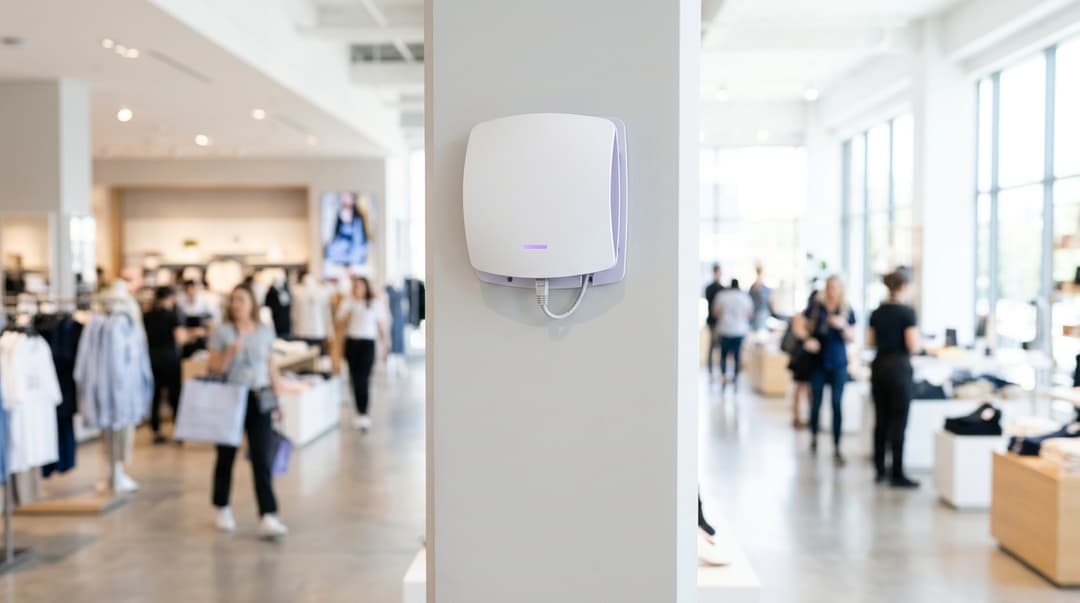
A guest WiFi platform for MSPs should run every client from one console and brand sign-in pages per client. It should set DNS filtering per client, site and network, and bill monthly. It must also work on the access points you already install: Cisco Meraki, HPE Aruba, Ruckus, Juniper Mist, Ubiquiti UniFi, Cambium, Extreme and Fortinet.
What does a guest WiFi platform for MSPs actually do?
A guest WiFi platform sits between the access points you install and the services your clients pay for. It authenticates guests through a captive portal, the sign-in page a device sees before it gets internet access. It applies DNS filtering, so requests for blocked categories never resolve. It also stores consent records and visit data for each venue.
A single-venue product stops there. A managed service provider WiFi platform adds a hierarchy above it. That hierarchy lets one team run hundreds of client sites without switching between separate accounts.
The four layers a multi-tenant console must separate
- MSP. You. Global defaults, billing, every client and every site.
- Client. A hotel group, retail chain, council or stadium operator. It has its own branding, data, admins and filtering baseline.
- Site. One venue, with its own WAN connection, access points and local overrides.
- Network. Each SSID or VLAN at a site, such as guest, staff, events or a children's zone. A VLAN (virtual LAN) separates traffic on shared switches and access points.
Settings should flow down these layers, and each layer should be able to override the one above. With that structure, one engineer can change a filtering category across 200 sites without touching anything else. The same engineer can unblock one domain at one hotel bar.
Where Purple fits
Purple is a hardware-agnostic cloud overlay. It runs Guest WiFi, Staff WiFi and Multi-Tenant WiFi on the access points your clients already own, with no rip and replace. The Shield add-on applies DNS filtering per client. For clients that want consented guest marketing, the Engage plan adds conscious-choice opt-ins and first-party data.
Purple was founded in 2012. By Purple's own figures, it is live in 80,000+ venues across 90 countries and handles 500 million users and logins a year. McDonald's, Premier Inn and Avanti West Coast all run on Purple.
What should an MSP have in place before choosing a platform?
A site and hardware inventory for every client
Build one sheet per client before you trial anything. Record:
- Site count, venue type and peak concurrent visitors.
- Access point vendor, controller type (cloud or on-premises) and firmware version.
- WAN type, and whether each site's public IP address is static or dynamic.
- The current captive portal, DNS resolver and any content filter in place.
Check every vendor against the platform's support list. Purple supports Cisco Meraki, HPE Aruba, Ruckus, Juniper Mist, Ubiquiti UniFi, Cambium, Extreme and Fortinet. A client on any of those keeps its hardware. Why your next WiFi upgrade doesn't need new hardware sets out that case. The static or dynamic IP column matters later, because it decides how DNS filtering identifies each site.
A GDPR processing chain
Under GDPR, your client is usually the controller of guest data. You act as its processor. In a resale model, the platform is usually your sub-processor. GDPR Article 28 requires a written contract at each link. It also requires the controller's authorisation before a processor appoints a sub-processor. Settle this paperwork per client before the first sign-in page goes live.
Check the platform's own credentials too. Purple holds ISO 27001, Cyber Essentials and B Corp certification, and is GDPR and CCPA compliant.
A filtering requirement for each vertical
Filtering needs differ by sector, so write them down per client:
- Hotels and hospitality. Block malware, phishing and adult content. Leave streaming and booking sites open, because guests expect them.
- Retail. Block malware and phishing for shoppers. Keep the guest VLAN apart from tills. Without that segmentation, PCI DSS treats the guest network as in scope for cardholder data controls.
- Public sector and libraries. Block illegal content using the Internet Watch Foundation list. Block adult content where children are present. In the UK, many councils ask for Friendly WiFi, an accreditation scheme for filtered public WiFi.
- Education. Colleges must meet Keeping Children Safe in Education (KCSIE) filtering expectations. See Further education college WiFi procurement: student BYOD, staff 802.1X and KCSIE filtering.
- Healthcare. Patient and visitor networks need malware and adult content blocking. Clinical systems stay on separate VLANs.
Branding assets, admin roles and staff identity
Collect logos, colours, terms of use, privacy notices and languages per client. Decide which client staff may edit branding, view reports or change filtering.
For staff networks, find out which identity provider each client runs: Microsoft Entra ID, Okta or Google Workspace. Staff WiFi ties network access to those accounts. As a result, access follows joiners, movers and leavers as HR updates their records. What is user provisioning? a plain-english guide for 2026 explains that flow.
How do you set up multi-tenant management, white label and filtering?
Order matters more than screens. Build the hierarchy first, then branding, then filtering, then connect the hardware. For platform steps, follow How to Set Up Purple WiFi for the First Time: A Technical Overview. For each access point vendor, use Purple's support articles.
Step 1: build the tenant hierarchy
Create each client as its own tenant, then group sites beneath it. Mirror how the client is organised: a hotel group by brand, a retailer by region. Set admin roles at client level, so a client's IT lead sees their sites and nobody else's.
For your own engineers, check that sign-in runs through your identity provider using SAML, a single sign-on standard. Enforce multi-factor authentication on every MSP admin account.
Step 2: template white-label sign-in pages
Build one template per client, not per site. Each template carries the client's logo, colours, terms and privacy notice. Sites inherit it and override only local details: language, venue name or an event offer.
Four details decide whether white-label guest WiFi looks professional:
- Domain and certificate. If a client wants the page on its own domain, the TLS certificate must match it. Otherwise browsers show a warning on the first screen guests see.
- Walled garden. This is the list of domains guests can reach before signing in. Social login and payment pages fail without the right entries.
- Consent wording. Write conscious-choice opt-ins per client. GDPR consent must name the controller, so one client's wording cannot be reused for another.
- Captive portal detection. Test on iOS, Android, Windows and macOS. Each operating system probes for a sign-in page differently.
Step 3: set filtering per client, site and network
MSP DNS filtering works best when it is layered the same way as branding:
- MSP baseline. Malware, phishing, botnet command servers and illegal content, blocked for every client.
- Client policy. The content categories that client wants blocked, such as adult content or gambling.
- Site and network overrides. A stricter policy on a children's zone, or an allowed domain for one venue's booking system.
Then close the bypass routes at each site firewall:
- Block outbound DNS on port 53 to any resolver except the filter.
- Block DNS over TLS (RFC 7858) on port 853.
- Answer Mozilla's canary domain, use-application-dns.net, with no records. Firefox then switches off its default DNS over HTTPS (RFC 8484).
- Return no answer for mask.icloud.com and mask-h2.icloud.com. Apple documents this as the network signal for iCloud Private Relay.
Step 4: connect the access points
Point each site's controller at the platform's captive portal and RADIUS servers. RADIUS, defined in RFC 2865, is the protocol an access point uses to ask whether a device may connect. Take the values from Purple's support article for that vendor, not from a previous deployment. Make sure guest DHCP hands out only the filtering resolver.
Step 5: add staff and resident networks
Run staff on a separate network with stronger authentication. IEEE 802.1X authenticates each person or device before it gets network access. WPA3-Enterprise encrypts the session. Where devices cannot do 802.1X, iPSK (individual pre-shared key) gives each person or device its own password on one network name. Purple's Identity-Based Networks and SecurePass add-on cover staff networks. They also cover resident networks in build-to-rent and student housing.
The multi-tenant console checklist
| Requirement | What good looks like | How to test it in a trial | Red flag |
|---|---|---|---|
| Tenant hierarchy | MSP, client, site and network levels with inheritance | Change a client policy and confirm every site picks it up | Flat list of sites sorted by tags |
| Tenant isolation | Client admins see only their own sites and data | Sign in as a test client admin and search for another client's site | Reports shared across clients |
| Role-based access | Separate rights for branding, reporting and filtering | Give a client marketer branding rights, then try to edit filtering | One admin role for everything |
| Templates | Client-level sign-in and policy templates with site overrides | Change a template logo and check three sites | Every site edited by hand |
| Hardware support | Named support for each vendor in your estate | Connect one site per vendor during the trial | "Most enterprise hardware" with no vendor list |
| Audit log | Every change logged with admin, time and previous value | Make a change and find it in the log | No log, or log only on request |
| Data separation | Consent and visit data held per client | Export one client's data and check for other clients' records | One shared guest database |
Worked scenario: a hotel portfolio on three access point vendors
Situation. An MSP managed guest WiFi for 14 hotel clients across 31 sites. Larger hotels ran Cisco Meraki and Ruckus, and smaller ones ran Ubiquiti UniFi. Engineers worked across three vendor consoles plus a separate DNS filter. Every change meant four logins, and each hotel's sign-in page lived on its own controller.
What was done. The MSP moved all 14 clients onto one platform as a cloud overlay. It built one sign-in template per hotel group, and each site inherited it. It set a malware and phishing baseline for every client. It then added a stricter policy on the children's club networks at two family hotels.
Outcome. Four consoles became one. No access point was replaced across the 31 sites. A brand refresh at one five-site hotel group became one template change instead of five page rebuilds.
Got questions about your specific setup?
Our team works with venue operators, IT managers, and network engineers across 80,000 venues. Book a 20-minute call and we will show you how others like you solved it.
How do you check it works across every client?
Run the same acceptance tests at every new site, then repeat them monthly. Put the results in the client's service report, so the evidence sits next to the invoice.
- Sign-in. Connect a phone, a laptop and a tablet. Confirm the right client's branding appears and the session starts.
- Captive portal detection. Confirm iOS, Android, Windows and macOS each open the sign-in page automatically. RFC 8910 and RFC 8908 define a newer, standard way to announce a captive portal. Check whether your access points support it.
- Filtering. Visit a domain in a blocked category from each network. Confirm it is blocked, then confirm an allowed domain still resolves.
- Bypass. Query a public resolver directly from a test laptop; the query should time out. Then open Firefox with default settings and confirm blocked domains stay blocked.
- Tenant isolation. Sign in as a test admin for one client. Search for another client's site name. Nothing should return.
- Audit and billing. Confirm the change log shows your test edits. Reconcile billable sites against your contract schedule.
Measure availability against the platform's stated commitment. Purple's own figure is 99.999% uptime.
What goes wrong in multi-site rollouts, and how do you fix it?
Filtering stops after a broadband change
The filter identifies the site by its public IP, and the ISP changed that IP. Move filtered sites to static IPs, or use a dynamic IP updater where the filter provides one. Add the IP column from your inventory to your change process.
Guests get round the filter with encrypted DNS
Devices use hard-coded resolvers, DNS over TLS or DNS over HTTPS. Apply the firewall rules and canary answers from Step 3. Add VPN and proxy categories to the client baseline. DNS filtering cannot stop every VPN, so say so in the service description.
The sign-in page shows a certificate warning
The usual cause is a custom domain without a matching certificate. Issue a certificate for the client's domain and renew it before expiry. Do not decrypt guest HTTPS traffic to redirect it.
Social login or payment loops back to the sign-in page
The walled garden is missing entries. Add the identity and payment provider domains listed in the platform's documentation. Then retest on each operating system.
A template change breaks one site
A site-level override conflicts with the new template. Review overrides before publishing, and publish to one pilot site first. Use the audit log to find the previous value and restore it.
The guest network reaches tills or back-office systems
Guest traffic shares a VLAN with payment or staff devices. Separate the VLANs and turn on client isolation on the guest SSID. Proper segmentation is what lets a Qualified Security Assessor treat the guest network as outside PCI DSS scope.
Worked scenario: council libraries on dynamic broadband
Situation. An MSP ran public WiFi for a county council across 22 libraries and four leisure centres. Because children use the libraries, the council required illegal and adult content blocked. A monthly audit found seven sites unfiltered. Each sat on consumer broadband, and the ISP had changed its public IP.
What was done. The MSP moved the seven sites to static IPs. It blocked outbound DNS and port 853 at every firewall. It answered Firefox's canary domain and Apple's Private Relay domains with no records. It also added a bypass test to the monthly service report.
Outcome. All 26 sites passed the next monthly filtering and bypass test, up from 19. The council now receives a pass or fail record for every site each month.
What does guest WiFi and DNS filtering cost an MSP, and what do you get back?
Pick a billing unit that matches the contract you sell. Most managed services bill monthly. If the platform bills annually up front, you carry the cash gap for 11 months. Match the unit to your client mix as well.
| Billing model | How it charges | Suits | Watch for |
|---|---|---|---|
| Per site, monthly | Flat fee for each venue each month | Chains of similar venues: QSR, pubs, high street retail | A stadium costs the same as a café |
| Per access point, monthly | Fee for each access point each month | Stadiums, campuses, conference centres, mixed estates | Cost rises when the client adds coverage |
| Per active device or login | Metered on connections each month | Seasonal venues and one-off events | Invoices swing month to month and resist flat-fee resale |
| Annual licence, paid up front | 12 to 36 months prepaid per site or access point | Clients with capital budgets | Cash tied up against a monthly contract |
| Feature tiers on top | Purple's Connect, Capture and Engage plans | Upselling towards consented marketing on Engage | Clients paying for a tier they do not use |
Worked example: one price list, two client types
A 40-site QSR franchisee with three access points per site runs 120 access points. A stadium client runs 900 access points at one site. Priced per site, the stadium pays one-fortieth of the franchisee's bill while carrying 7.5 times the access points. Priced per access point, the stadium pays 7.5 times more. To fix this, quote per site for chains and per access point for large single venues. Then check the platform will bill both models under one partner agreement.
What you get back
MSP guest WiFi earns recurring revenue per site, and one console cuts the engineering time behind it. The bigger return is the upsell path:
- Analytics. WiFi Analytics gives clients visit frequency and dwell time per venue. You can bring those figures to quarterly service reviews.
- Consented marketing. Engage adds conscious-choice opt-ins and first-party data. 8 smart integration ideas to connect guest WiFi and CRM shows where that data goes next.
- New verticals. The same platform serves passenger WiFi on Trains, where c2c Rail and Avanti West Coast run on Purple.
Frequently asked questions
Can we resell Purple on the access points our clients already own?
Yes. Purple is a hardware-agnostic cloud overlay, so it runs on the access points your clients already have. It supports Cisco Meraki, HPE Aruba, Ruckus, Juniper Mist, Ubiquiti UniFi, Cambium, Extreme and Fortinet. You connect each site's controller to Purple's captive portal and RADIUS services using the vendor's support article. Nothing is ripped out, so a client can switch without a capital hardware project.
How should an MSP price guest WiFi and DNS filtering?
Price per site per month for chains of similar venues, and per access point per month for large single venues. Per-site pricing keeps invoices predictable for QSR, pub and retail chains. Per-access-point pricing stops a 900-access-point stadium costing the same as a café. Avoid annual upfront licences when you sell monthly contracts, because you carry the cash gap. List filtering and marketing as separate line items.
Can each client have its own white-label sign-in page?
Yes. Each client should get its own sign-in template with its logo, colours, terms, privacy notice and consent wording. Sites inherit the template and override local details such as language or an event offer. If a client wants the page on its own domain, it needs a matching TLS certificate. Consent wording must name that client as controller, so never copy it between clients.
Who is the data controller for guest WiFi data when an MSP resells the platform?
Your client is usually the controller, because it decides why guest data is collected. You act as processor, and the platform usually acts as your sub-processor. GDPR Article 28 requires a written contract at each link and the controller's authorisation for sub-processors. Purple is ISO 27001 and Cyber Essentials certified and GDPR and CCPA compliant. That gives client security reviews a documented starting point.
Can guests bypass DNS filtering on guest WiFi?
Yes, if the network allows it. Devices can use hard-coded public resolvers, DNS over TLS or DNS over HTTPS. Block outbound DNS on port 53 to anything except the filter, and block port 853. Answer Firefox's canary domain and Apple's Private Relay domains with no records. Block VPN and proxy categories too. State in your service description that DNS filtering cannot stop every VPN.
How hard is it to migrate a client from another guest WiFi platform?
Migration is a configuration change per site, not a hardware project. You repoint each controller's captive portal and RADIUS settings, rebuild branding as a client template and recreate filtering policies. Run one pilot site in parallel first. Before switching, export existing marketing opt-ins with their consent evidence. Under GDPR, consent records without proof of when and how they were given are hard to defend.
Do we need separate platforms for guest WiFi and staff WiFi?
No. Purple runs Guest WiFi, Staff WiFi and Multi-Tenant WiFi from one platform. Staff networks use IEEE 802.1X or iPSK and connect to Microsoft Entra ID, Okta or Google Workspace. As a result, access follows joiners, movers and leavers. Guest networks keep captive portal sign-in and DNS filtering. One platform means one set of tenants, admins and audit logs for every client.
Key Definitions
Captive portal
The sign-in page a device sees before it gets internet access. RFC 8910 defines how DHCP and IPv6 Router Advertisements announce a captive portal, and RFC 8908 defines the Captive Portal API a device queries for portal status.
Every white-label sign-in page is a captive portal. You need to test detection on iOS, Android, Windows and macOS, and check whether your access points support the RFC 8910 announcement method.
RADIUS
Remote Authentication Dial In User Service, specified in RFC 2865. It defines the Access-Request, Access-Accept and Access-Reject exchange an access point uses to ask a server whether a device may connect.
Step 4 points each site's controller at the platform's captive portal and RADIUS servers. Take the values from the vendor support article, not a previous deployment.
DNS filtering
Policy applied at the resolver so that queries for domains in blocked categories never resolve. It acts on standard DNS (RFC 1035) lookups, which is why encrypted DNS routes must be closed for it to hold.
Purple's Shield add-on applies DNS filtering per client. Many filters identify each site by its public IP, so a broadband change can silently switch filtering off.
DNS over TLS
Encrypted DNS transport specified in RFC 7858, carrying DNS queries over a TLS session on TCP port 853.
Guests can use it to bypass the guest network's resolver. Blocking port 853 at each site firewall is one of the bypass controls in Step 3.
DNS over HTTPS
Encrypted DNS transport specified in RFC 8484, sending DNS queries inside HTTPS requests. Firefox turns its default DNS over HTTPS off when the canary domain use-application-dns.net returns no records.
Answering Mozilla's canary domain with no records at the site resolver keeps Firefox users on the filtered resolver, which the monthly bypass test checks.
IEEE 802.1X
The IEEE standard for port-based network access control. It authenticates each person or device through an authentication server, usually RADIUS, before network access is granted.
Staff networks run on 802.1X with WPA3-Enterprise encryption, linked to Microsoft Entra ID, Okta or Google Workspace so access follows joiners, movers and leavers.
iPSK (individual pre-shared key)
A method that gives each person or device its own pre-shared key on one SSID, with the key looked up through RADIUS rather than shared across every user of the network name.
Used where devices cannot do 802.1X. Purple's Identity-Based Networks and SecurePass add-on cover staff and resident networks this way.
VLAN
A virtual LAN, defined by IEEE 802.1Q tagging, that separates traffic logically on shared switches and access points.
Each guest, staff, events or children's zone network maps to its own VLAN. Keeping the guest VLAN apart from tills and clinical systems is the basis of segmentation.
GDPR Article 28
The Article of the EU General Data Protection Regulation (Regulation 2016/679) governing processors. It requires a written contract between controller and processor and the controller's authorisation before a processor appoints a sub-processor.
In a resale model your client is usually controller, you are processor and the platform is your sub-processor. The paperwork must be settled per client before go-live.
PCI DSS scope
The set of systems the Payment Card Industry Data Security Standard applies to: those that store, process or transmit cardholder data, plus any connected system without adequate segmentation.
Without VLAN segmentation and client isolation, a retail guest network sits inside PCI DSS scope. Proper separation lets a Qualified Security Assessor treat it as out of scope.
Walled garden
The list of domains a device can reach before completing captive portal sign-in, enforced by the access point or controller.
Social login and payment pages loop back to the sign-in page when walled garden entries are missing. Add the provider domains from the platform's documentation and retest on each operating system.
SAML
Security Assertion Markup Language 2.0, an OASIS standard for exchanging authentication assertions between an identity provider and a service, used for single sign-on.
MSP engineers should sign in to the multi-tenant console through your identity provider using SAML, with multi-factor authentication enforced on every admin account.
Worked Examples
An MSP managed guest WiFi for 14 hotel clients across 31 sites on Cisco Meraki, Ruckus and Ubiquiti UniFi. Engineers worked across three vendor consoles plus a separate DNS filter, so every change meant four logins, and each hotel's sign-in page lived on its own controller. How did the MSP consolidate?
The MSP moved all 14 clients onto one platform as a cloud overlay, so no access point was replaced across the 31 sites. It built one sign-in template per hotel group and let each site inherit it. It set a malware and phishing baseline for every client, then added a stricter policy on the children's club networks at two family hotels. Four consoles became one. A brand refresh at one five-site hotel group became one template change instead of five page rebuilds, because the hierarchy pushed the change down to every site.
An MSP ran public WiFi for a county council across 22 libraries and four leisure centres, with illegal and adult content blocking required because children use the libraries. A monthly audit found seven sites unfiltered. Each sat on consumer broadband, and the ISP had changed its public IP. What fixed it?
The filter identified each site by public IP, so the IP change broke filtering. The MSP moved the seven sites to static IPs. It blocked outbound DNS and port 853 at every firewall, closing DNS over TLS and hard-coded resolvers. It answered Firefox's canary domain and Apple's iCloud Private Relay domains with no records. It also added a bypass test to the monthly service report. All 26 sites passed the next monthly filtering and bypass test, up from 19, and the council now receives a pass or fail record for every site each month.
An MSP serves a 40-site QSR franchisee with three access points per site, 120 in total, and a stadium client with 900 access points at one site. Which billing model should it quote each client?
Priced per site, the stadium pays one-fortieth of the franchisee's bill while carrying 7.5 times the access points, so the MSP undercharges for the heavier estate. Priced per access point, the stadium pays 7.5 times more, which reflects the work. The fix is to quote per site per month for the chain, keeping its invoices predictable, and per access point per month for the large single venue. The MSP should then check the platform will bill both models under one partner agreement, and avoid annual upfront licences that leave it carrying an 11-month cash gap.
Frequently asked questions
Can we resell Purple on the access points our clients already own?
Yes. Purple is a hardware-agnostic cloud overlay, so it runs on the access points your clients already have. It supports Cisco Meraki, HPE Aruba, Ruckus, Juniper Mist, Ubiquiti UniFi, Cambium, Extreme and Fortinet. You connect each site's controller to Purple's captive portal and RADIUS services using the vendor's support article. Nothing is ripped out, so a client can switch without a capital hardware project.
How should an MSP price guest WiFi and DNS filtering?
Price per site per month for chains of similar venues, and per access point per month for large single venues. Per-site pricing keeps invoices predictable for QSR, pub and retail chains. Per-access-point pricing stops a 900-access-point stadium costing the same as a café. Avoid annual upfront licences when you sell monthly contracts, because you carry the cash gap. List filtering and marketing as separate line items.
Can each client have its own white-label sign-in page?
Yes. Each client should get its own sign-in template with its logo, colours, terms, privacy notice and consent wording. Sites inherit the template and override local details such as language or an event offer. If a client wants the page on its own domain, it needs a matching TLS certificate. Consent wording must name that client as controller, so never copy it between clients.
Who is the data controller for guest WiFi data when an MSP resells the platform?
Your client is usually the controller, because it decides why guest data is collected. You act as processor, and the platform usually acts as your sub-processor. GDPR Article 28 requires a written contract at each link and the controller's authorisation for sub-processors. Purple is ISO 27001 and Cyber Essentials certified and GDPR and CCPA compliant. That gives client security reviews a documented starting point.
Can guests bypass DNS filtering on guest WiFi?
Yes, if the network allows it. Devices can use hard-coded public resolvers, DNS over TLS or DNS over HTTPS. Block outbound DNS on port 53 to anything except the filter, and block port 853. Answer Firefox's canary domain and Apple's Private Relay domains with no records. Block VPN and proxy categories too. State in your service description that DNS filtering cannot stop every VPN.
How hard is it to migrate a client from another guest WiFi platform?
Migration is a configuration change per site, not a hardware project. You repoint each controller's captive portal and RADIUS settings, rebuild branding as a client template and recreate filtering policies. Run one pilot site in parallel first. Before switching, export existing marketing opt-ins with their consent evidence. Under GDPR, consent records without proof of when and how they were given are hard to defend.
Do we need separate platforms for guest WiFi and staff WiFi?
No. Purple runs Guest WiFi, Staff WiFi and Multi-Tenant WiFi from one platform. Staff networks use IEEE 802.1X or iPSK and connect to Microsoft Entra ID, Okta or Google Workspace. As a result, access follows joiners, movers and leavers. Guest networks keep captive portal sign-in and DNS filtering. One platform means one set of tenants, admins and audit logs for every client.
Sources
- RFC 2865: Remote Authentication Dial In User Service (RADIUS)
- RFC 7858: Specification for DNS over Transport Layer Security (TLS)
- RFC 8484: DNS Queries over HTTPS (DoH)
- RFC 8910: Captive-Portal Identification in DHCP and Router Advertisements
- Regulation (EU) 2016/679 (GDPR), EUR-Lex
- Mozilla Support: Canary domain use-application-dns.net
- Apple Developer: Prepare your network or web server for iCloud Private Relay
- PCI Security Standards Council: PCI DSS
Continue reading in this series
Leisure centre and gym WiFi providers: members, swim-school parents and staff on one platform
Use this guide to shortlist leisure centre WiFi providers and specify three networks on your existing access points: filtered guest WiFi for members and swim-school parents, 802.1X Staff WiFi tied to work accounts, and an isolated device network for turnstiles and tills. You can then test each provider against 10 questions on filtering, PCI DSS scope and consented marketing.
Guest WiFi total cost of ownership: licensing, RADIUS infrastructure and support costs compared
You will be able to cost guest WiFi on nine lines, not just the licence, and compare an in-house build, a controller splash page and Purple's cloud platform. You can also test how per-AP, per-venue and session-based pricing scale from 10 to 1,000 venues. Finally, you can calculate how many extra visits first-party data must generate to cover the subscription.
Switching guest WiFi providers: a migration checklist for multi-site venues
You will be able to plan a multi-site guest WiFi provider switch in the right order, from contract dates and consent-backed data export to pilot, wave cutover and report sign-off. You will also know which access point settings fail most often and what to budget, so no site goes dark and no marketing list is lost.
Got questions about your specific setup?
Our team works with venue operators, IT managers, and network engineers across 80,000 venues. Book a 20-minute call and we will show you how others like you solved it.