
Event venue WiFi providers: per-event captive portals, exhibitor access and attendee reporting
You will be able to choose between temporary contractors, vendor splash pages, organizer-supplied networks and a cloud overlay for your event venue. You will also be able to specify per-event captive portals, expiring exhibitor keys and sponsor-ready attendance reports. Finally, you can settle who controls attendee data under the CCPA/CPRA before the first portal goes live.
By Tom HackettPublished
📖 14 min read3,106 words3 worked examples12 key definitions
Part of our core series: Captive Portal: the complete guide →
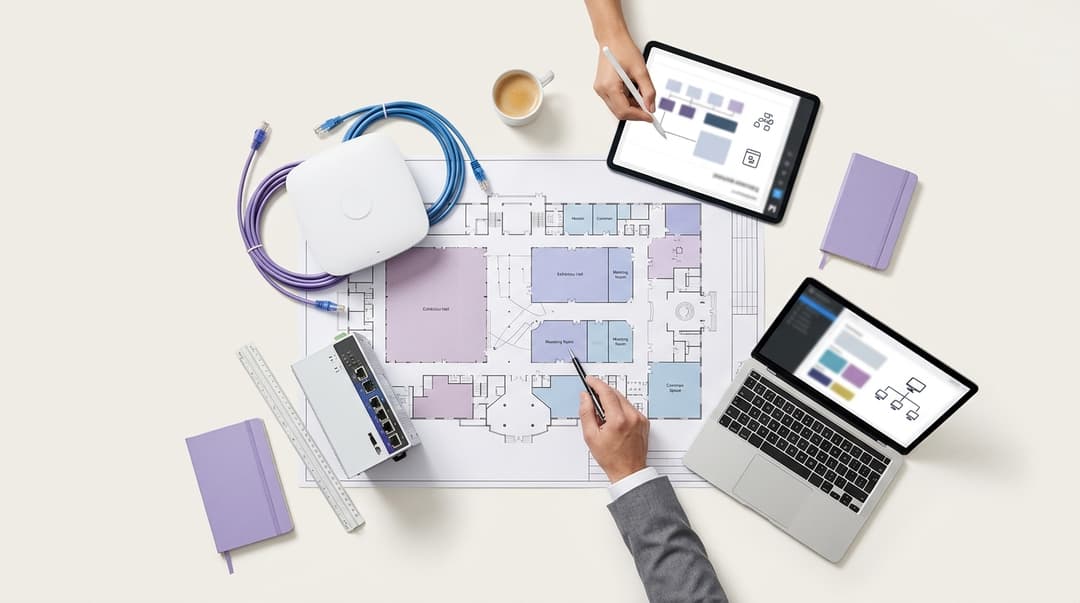
The right event venue WiFi provider gives every event its own branded captive portal. It issues each exhibitor a private booth key that expires when the show closes. It hands organizers attendance and dwell reports they can show sponsors. Insist it runs on your existing access points and records each attendee's consent under the TCPA and CAN-SPAM.
Which kind of event venue WiFi provider should you choose?
Event venue WiFi providers fall into four groups, and each solves a different problem. Decide which group you need before you compare names on a shortlist.
- Temporary event WiFi contractors bring their own access points, cabling and portal for each show. They remove everything at tear-down.
- Your access point vendor's built-in splash page runs a basic sign-in screen on hardware you already own.
- Organizer-supplied networks arrive with the organizer's own provider and sit over or alongside your infrastructure.
- A cloud overlay such as Purple sits on top of your permanent network. It runs portals, exhibitor keys and reports from one dashboard.
For a venue that hosts events every week, the overlay is the model that scales. Each new event becomes a configuration change, not an installation. Purple is hardware-agnostic and runs on Cisco Meraki, HPE Aruba, Ruckus, Juniper Mist, Ubiquiti UniFi, Cambium, Extreme and Fortinet. Purple runs in 80,000+ live venues across more than 90 countries and handled 440 million logins in 2024 (Purple's own data).
| Temporary contractor | Vendor built-in splash page | Organizer-supplied network | Cloud overlay (Purple) | |
|---|---|---|---|---|
| Hardware | Contractor's kit, installed per show | Your existing access points | Organizer's kit, or your network on loan | Your existing access points, no rip and replace |
| Branded portal per event | Rebuilt by the contractor for each show | One splash page per SSID, edited by your network team | Built for that organizer's events only | A new portal per event, published from one dashboard |
| Exhibitor booth access | Sold per booth by the contractor | Shared password or a manual VLAN per request | Issued by the organizer's provider, with no venue view | A personal key per booth with a set expiration |
| Crew and venue staff | Separate network or shared password | Shared password or vendor RADIUS | Not covered | IEEE 802.1X through Cloud RADIUS, using Microsoft Entra ID, Okta or Google Workspace |
| Attendance and dwell reports | Contractor's own format, delivered after the show | Device counts in the vendor dashboard | Delivered to the organizer, not the venue | Per-event attendance, dwell and opt-in reporting |
| Consent records | Held by the contractor | Click-through terms, no consent ledger | Held by the organizer | Conscious-choice opt-ins recorded per attendee, under ISO 27001 and CCPA/CPRA |
| Lead time for a new event | Physical install before doors, tear-down after | A change window with your network team | Set by the organizer's contract | A dashboard change before doors open |
| Best fit | Greenfield or outdoor sites with no network | A single room with no reporting needs | Touring shows with fixed provider contracts | Venues running recurring events on a permanent network |
Where event WiFi providers genuinely differ
Every provider will say they "do events". The difference shows up in five areas. Test each one in your RFP.
How do you run a different sign-in page for each event?
A captive portal is the web page a visitor sees before the network lets them online. For a per-event captive portal, three things change from show to show:
- Brand. The organizer's logo, colors and any headline sponsor.
- Data and consent. The fields you collect and the opt-in wording, naming the organizer who will contact attendees.
- Destination. Where the attendee lands after sign-in, such as the event app or the agenda.
Ask four questions of any event WiFi provider. Can your events team publish a portal without a network engineer? Can two events run in different halls on the same day, each with its own portal? Can a portal go live at a set time and retire when the event ends? Is the consent wording stored per event, so you can later prove what each attendee saw?
Purple Access delivers per-event captive portals from the cloud, on the access points you already run. The network itself stays untouched; only the sign-in experience changes.
One practical decision is SSID naming. Renaming the network every event leaves returning visitors with stale saved networks on their cell phones. Most venues keep a stable venue SSID and swap the portal behind it. They add an event-named SSID only when a sponsor pays for the name.
Which authentication method suits delegates, exhibitors and crew?
No single method suits everyone in the building. Delegates need speed and a consent step. Exhibitors need privacy for their booth devices. Crew and venue staff need access that follows their employment record.
| Audience | Method | Why it fits | How access ends |
|---|---|---|---|
| Delegates and attendees | Captive portal with email or social sign-in and opt-ins | Records attendance and consent in one step | Session timeout set per event |
| Returning attendees | OpenRoaming or Passpoint profile | Automatic, encrypted connection with no portal | Profile removed from the device |
| Exhibitors | iPSK key per booth | Own key and own VLAN, no ticket to IT | Key expires at the end of tear-down |
| Build and tear-down contractors | Time-limited iPSK key per contractor company | Covers build days without a shared password | Key expires when the build window closes |
| Press and VIP areas | Dedicated key on a higher bandwidth policy | Keeps upload capacity for live broadcasting | Key expires with the event |
| Venue staff | IEEE 802.1X with EAP through Cloud RADIUS | Access follows joiners, movers, and leavers | Revoked when the identity provider account is disabled |
A few definitions. iPSK (identity pre-shared key) gives each stand its own passphrase on a shared SSID. Each key maps to its own policy and VLAN. A VLAN (virtual local area network) separates traffic logically on the same physical network. IEEE 802.1X is the port-based access control standard. It authenticates each device through EAP (Extensible Authentication Protocol) against a RADIUS (Remote Authentication Dial-In User Service) server. Passpoint, also called Hotspot 2.0, lets a device join a network automatically using a stored profile. OpenRoaming is the Wireless Broadband Alliance federation built on Passpoint.
For staff, Purple's Cloud RADIUS checks identities against Microsoft Entra ID, Okta, or Google Workspace. When HR disables an account, network access ends with it. The device side is covered in How to Set Up Enterprise WiFi on iOS and macOS with 802.1X.
Check how your access points handle per-stand keys under WPA3-Personal, because vendor support differs. WPA2 vs WPA3: What's the Difference and Should You Upgrade? covers the trade-offs.
How are exhibitor stand networks issued and switched off?
Exhibition WiFi fails when stand access depends on a help desk queue. The model to ask for has four steps.
- Issue from the exhibitor list. Generate one key per stand before build-up begins. Tag each key with the stand number and company name.
- Deliver without IT. Send keys in the exhibitor manual or the organizer's welcome email. The exhibitor connects on arrival.
- Isolate each stand. Map every key to a policy that blocks stand-to-stand and stand-to-attendee traffic.
- Expire automatically. Set each key to end when breakdown closes, with immediate manual revocation for a lost or shared key.
Purple Access issues exhibitor keys with this lifecycle. After the show, your audit check is simple: the count of exhibitor keys still live should be zero.
Card payments raise the stakes. Stands that take payments over WiFi bring PCI-DSS (Payment Card Industry Data Security Standard) into view. PCI-DSS treats network segmentation as the way to reduce the scope of the cardholder data environment. A per-stand VLAN gives the exhibitor's payment terminal its own segment.
Exhibitor WiFi can also earn revenue. Many venues sell a standard key in the stand package and a higher bandwidth key as an upgrade. Ask whether your access points can apply bandwidth limits per key. Most enterprise platforms in the list above support per-policy rate limits.
What attendance and dwell reports do organizers and sponsors expect?
Organizers need evidence for the sponsor debrief, ideally before the next sales cycle opens. The reports they ask for most:
- Unique attendees per day and across the event, counted from sign-ins.
- New and returning visitors, for multi-day and annual events.
- Peak concurrency by hall or zone, which also informs capacity planning.
- Dwell time by zone, showing how long attendees stayed in sponsored areas.
- Opt-in counts per party: organizer, venue and any named sponsor.
- Sign-in form insights, such as job role or company size, only where attendees chose to share them.
Base attendee counts on sign-ins rather than raw device counts. Apple iOS and Google Android both use a private, randomized MAC address per network by default. A device-only count can therefore over- or under-state real attendance.
Purple Access includes attendance reporting, and WiFi Analytics adds visit and dwell reporting across zones. Agree on the report template with the organizer at contract stage. Sponsors then know what they are buying before the event, not after it.
Who owns the attendee data, and how is consent recorded?
Settle ownership in writing before the first portal goes live. Under CCPA/CPRA, the controller decides why and how personal data is processed. The processor acts on the controller's instructions.
Three patterns cover most events:
- The organizer collects data for its own marketing. The organizer is controller. The venue and Purple act as processors under a contract.
- The venue collects data for its own marketing. The venue is controller for that list.
- Both decide the purposes together. They are joint controllers and must set out their responsibilities in an arrangement.
Regulations require the controller to demonstrate consent. Your consent record should hold the timestamp, the exact wording shown, the event, and the choice the attendee made. Keep separate opt-ins for each party. A single "share my details with partners" box does not meet the standard. The FTC and state attorneys general guidance says consent must name any third-party controllers who will rely on it, so each sponsor must be named.
Email marketing also falls under the TCPA and CAN-SPAM. That rule requires consent unless the narrow soft opt-in applies. Set retention per event too, because regulations limit storage to what the purpose needs.
Purple uses conscious-choice opt-ins and treats the result as the controller's first-party data. Purple Engage holds the consented attendee list for the organizer or the venue, whichever party is controller. Purple is ISO 27001 certified, GDPR and CCPA compliant, and Cyber Essentials certified.
Got questions about your specific setup?
Our team works with venue operators, IT managers, and network engineers across 80,000 venues. Book a 20-minute call and we will show you how others like you solved it.
Where each option fits
The figures in these scenarios are worked examples to show the arithmetic. They are not results from a named customer.
Worked scenario: a three-hall exhibition center
Situation. A three-hall exhibition center hosts 12 trade shows a year, averaging 180 booths each. Exhibitors requested WiFi by raising a ticket. The network team created a VLAN and password for each request, and passwords were reused across shows. Nobody knew how many booth networks stayed open after breakdown.
What was done. The venue moved booth access to a cloud overlay on its existing access points. Before each show, the events team generated one key per booth from the organizer's exhibitor list. Each key carried a booth-specific VLAN policy and expired at the close of breakdown. Payment-taking booths received a separate key on its own segment.
Measurable outcome. Per show, 180 exhibitor tickets left the IT queue. The network team now handles only booths that need wired connections. Exhibitor keys live after breakdown fell from an unknown number to zero, verified by a post-show audit.
Worked scenario: a conference hotel
Situation. A 250-room hotel with a conference wing runs three events a week. It showed one generic splash page to everyone. Organizers asked for attendee numbers after each event and received nothing.
What was done. The hotel published a per-event portal for every booking, carrying the organizer's logo and agenda link. The portal showed two separate opt-ins: one naming the organizer, one naming the hotel. After each event, the organizer received a report of sign-ins, peak concurrency and dwell per meeting room.
Measurable outcome. Take a 400-attendee conference where 260 attendees sign in. The organizer gets a 65% sign-in rate and a dwell figure for each breakout room. The hotel only adds attendees who checked the hotel opt-in to its own list. Each report becomes evidence in the hotel's conference sales pitch. More on the hospitality side is on our Hotels page.
Worked scenario: a city-run civic hall
Situation. A city-run civic hall hosts job fairs and public consultations. Its funding body asked for attendance evidence, and staff were counting heads with hand clickers.
What was done. The city, as controller, ran a portal with no marketing opt-in by default. It collected only the data needed to count attendance, with a short retention period. City staff connected through IEEE 802.1X against the city's identity provider.
Measurable outcome. Attendance reporting moved from a clicker estimate to a count of unique sign-ins per event. The city now submits that count to the funding body after each fair.
Retail venues face the same split when shopping malls host pop-up events. Shopping center WiFi: Design, security and measurement covers that setting.
What each event WiFi model costs to run
Compare running costs across a full year of events, not a single show.
- Temporary contractor. You pay for gear, installation and de-rig every show. The work repeats at every event and leaves no permanent asset or data behind.
- Vendor built-in splash page. The license cost is low, but staff time sits with your network team. Every new event and every exhibitor request becomes a change for them.
- Organizer-supplied network. It costs the venue nothing directly. You lose the attendee data, the exhibitor revenue and control over traffic on your building's network.
- Cloud overlay. A subscription runs on access points you already own, so capital spend stays flat. Event changes move to the events team. See Why your next WiFi upgrade doesn't need new hardware.
The hidden cost is manual exhibitor setup. Assume 20 minutes per booth network. At 180 booths, that is 60 hours of network team time per show. Across 12 shows, it reaches 720 hours a year spent on work that automated keys remove.
Count the revenue side too. Per-booth exhibitor WiFi packages and bandwidth upgrades become a line in the exhibitor manual. Sponsor placements on a per-event portal become inventory the commercial team can sell. Purple Engage turns consented attendees into a first-party list the controller can market to again.
How to decide for your estate
Put these questions to every event venue WiFi provider on your shortlist. Ask for a live demonstration, not a slide.
- Show us how our events team publishes a new branded portal without a network engineer.
- Can two events in different halls run separate portals on the same day?
- Which access points do you support? We run a named platform today and will not replace it.
- How are exhibitor keys issued from an exhibitor list, and how do they expire?
- How is each booth isolated, and how do you support PCI DSS segmentation for payment terminals?
- Can venue staff authenticate through IEEE 802.1X against Microsoft Entra ID, Okta or Google Workspace?
- How do you count attendees when devices randomize their MAC addresses?
- Show us a sample sponsor report with attendance, dwell and opt-in counts.
- How is consent recorded per attendee, per event and per named party?
- Who is controller and who is processor under your standard contract?
If you run recurring events on a permanent network, choose a cloud overlay. It reuses your hardware and gives you per-event portals, exhibitor keys and attendee reporting. Keep temporary contractors for sites with no network at all. Treat organizer-supplied networks as an exception you allow, not the default. Purple's Guest WiFi is the starting point for that evaluation.
Frequently asked questions
Can we run a different branded sign-in page for every event without new hardware?
Yes. A cloud overlay such as Purple publishes a new captive portal per event on the access points you already run. Supported platforms are Cisco Meraki, HPE Aruba, Ruckus, Juniper Mist, Ubiquiti UniFi, Cambium, Extreme and Fortinet. Each portal carries the organizer's branding, consent wording and post-sign-in destination. Your events team makes the change in the dashboard before doors open, so no network engineer and no new equipment are needed.
Is a permanent overlay cheaper than hiring temporary event WiFi for each show?
For venues hosting regular events, a permanent overlay removes the biggest repeating cost: installing and de-rigging kit every show. A subscription runs on hardware you already own. Exhibitor keys and per-event portals move routine work from your network team to your events team. Temporary hire still suits one-off outdoor or greenfield sites with no network. Model both across a full year of events, not a single show.
Who owns the attendee data, the venue or the organizer?
The party that decides why the data is collected owns it as controller under CCPA/CPRA. If the organizer collects data for its own marketing, the organizer is controller. The venue and Purple then act as processors under a contract. If both parties decide the purposes together, they are joint controllers. Agree this in writing before the first portal goes live.
Can exhibitors take card payments over the event WiFi?
Yes, provided each payment terminal sits on its own isolated segment. PCI-DSS treats network segmentation as the way to reduce the scope of the cardholder data environment. Issue payment-taking stands a dedicated iPSK key mapped to its own VLAN. That keeps the terminal away from attendee traffic and from other stands. The exhibitor remains responsible for its own PCI-DSS compliance.
How quickly can exhibitor WiFi be switched off after an event?
Immediately, and automatically if you set it up correctly. Each exhibitor key carries an expiry tied to the close of breakdown, so access ends without anyone raising a ticket. A lost or shared key can be revoked manually at any time. Run a post-show audit of live exhibitor keys after every event. The number you want to see is zero.
Can attendees connect automatically without seeing a sign-in page?
Yes. Passpoint, also called Hotspot 2.0, and OpenRoaming let a device join the network automatically using a stored profile, with an encrypted connection. This suits returning attendees at annual events and frequent visitors. Keep a captive portal for first-time attendees, because the portal is where you record consent and attendance. Most venues run both, so each attendee gets the method that fits.
How do we move from our current event WiFi provider mid-season?
Run the new provider alongside the old one before you switch. A cloud overlay layers on top of your existing network, so you can launch the new portal on a separate SSID for one event. Compare sign-ins, reports and exhibitor feedback, then move the main venue SSID across. Export any consented attendee lists you control first, with their consent records intact.
Key Definitions
Captive portal
A web page the network presents before granting internet access, typically by redirecting the first HTTP request until the visitor signs in or accepts terms. It is where per-event branding, data fields and consent wording are shown.
Your events team meets this when an organizer asks for their own branded sign-in page. The deciding test is whether a new portal can be published per event without a network engineer.
iPSK (identity pre-shared key)
A method that gives each user or group its own WPA2-Personal or WPA3-Personal passphrase on a shared SSID. Each key maps to its own policy and VLAN, with vendor support varying under WPA3-Personal.
This is the mechanism for exhibitor booth access. Check how your access points handle per-booth keys under WPA3-Personal before you commit to a provider.
VLAN (virtual local area network)
Logical separation of traffic on a shared physical network, defined by IEEE 802.1Q tagging. Each VLAN forms its own broadcast domain, so devices on different VLANs cannot talk without routing.
Mapping each stand key to its own VLAN blocks stand-to-stand and stand-to-attendee traffic. It also gives payment terminals their own segment.
IEEE 802.1X
The IEEE standard for port-based network access control. It authenticates each device through EAP, passed from the access point to a RADIUS authentication server before network access is granted.
Use it for venue staff and crew, so access follows joiners, movers and leavers in Microsoft Entra ID, Okta or Google Workspace rather than a shared password.
EAP (Extensible Authentication Protocol)
An authentication framework specified in IETF RFC 3748 that carries methods such as EAP-TLS and PEAP. IEEE 802.1X transports EAP between the device and the authentication server.
The EAP method decides whether staff authenticate with certificates or credentials. It also shapes how devices are configured on iOS and macOS.
RADIUS (Remote Authentication Dial-In User Service)
An authentication, authorization and accounting protocol specified in IETF RFC 2865. It is the server side of IEEE 802.1X, returning accept or reject plus policy such as VLAN assignment.
Purple's Cloud RADIUS checks staff identities against your identity provider. When HR disables an account, network access ends with it.
Passpoint (Hotspot 2.0)
A certification program built on IEEE 802.11u network discovery. It lets a device find and join a network automatically with a stored profile, using an encrypted, 802.1X-authenticated connection.
It suits returning attendees at annual events. Keep a captive portal alongside it for first-time attendees, because the portal records consent and attendance.
OpenRoaming
A roaming federation run by the Wireless Broadband Alliance and built on Passpoint. It lets devices with a federated identity join participating networks automatically without a sign-in page.
It removes the portal step for frequent visitors. You still need a portal for attendees whose consent and attendance you must record.
PCI DSS segmentation
The Payment Card Industry Data Security Standard, published by the PCI Security Standards Council, treats network segmentation as the way to reduce the scope of the cardholder data environment.
This applies when exhibitors take card payments over WiFi. A dedicated stand key on its own VLAN keeps the terminal away from attendee and other stand traffic.
Controller and processor
Under CCPA/CPRA, the business or controller decides why and how personal data is processed, while the service provider or processor acts on its instructions under a written contract.
Settle this in writing before the first portal goes live. It decides who owns the attendee list and who must demonstrate consent under CCPA/CPRA.
TCPA and CAN-SPAM compliance
The TCPA and CAN-SPAM regulations govern commercial messages, requiring explicit consent for commercial communications and strict adherence to opt-out mechanisms.
It sits alongside CCPA/CPRA when an organizer, venue or sponsor emails attendees collected through event WiFi. Each opt-in must be separate and name the party.
Randomized MAC address
A private, per-network hardware address that Apple iOS and Google Android assign by default instead of the device's fixed MAC address.
It means a device-only count can over- or under-state attendance. Base sponsor reports on unique sign-ins instead.
Worked Examples
A three-hall exhibition center hosts 12 trade shows a year, averaging 180 booths each. Exhibitors raise a ticket for WiFi, the network team builds a VLAN and password per request, and passwords are reused across shows. Nobody knows how many booth networks stay open after breakdown. How should booth access change?
The venue moved booth access to a cloud overlay on its existing access points. Before each show, the events team generated one key per booth from the organizer's exhibitor list. Each key carried a booth-specific VLAN policy and expired at the close of breakdown. Payment-taking booths received a separate key on its own segment for PCI-DSS scope reduction. In this illustrative scenario, 180 exhibitor tickets per show left the IT queue. The network team now handles only booths that need wired connections. At an assumed 20 minutes per booth network, that removes 60 hours per show and 720 hours a year. Exhibitor keys live after breakdown fell from an unknown number to zero, verified by a post-show audit.
A 250-room hotel with a conference wing runs three events a week behind one generic splash page. Organizers ask for attendee numbers after each event and receive nothing. How can the hotel give organizers usable evidence and grow its own list lawfully?
The hotel published a per-event portal for every booking, carrying the organizer's logo and agenda link. The portal showed two separate opt-ins, one naming the organizer and one naming the hotel, so consent met the FTC and state attorneys general expectation that each controller is named. After each event, the organizer received sign-ins, peak concurrency and dwell per meeting room. In an illustrative 400-delegate conference where 260 delegates sign in, the organizer gets a 65% sign-in rate and a dwell figure for each breakout room. The hotel adds only delegates who checked the hotel opt-in to its own list. Each report then becomes evidence in the hotel's conference sales pitch.
A city-run civic hall hosts job fairs and public consultations. Its funding body wants attendance evidence, and staff are counting heads with hand clickers. How should the city collect that evidence without over-collecting personal data?
The city acted as controller and ran a portal with no marketing opt-in by default. It collected only the data needed to count attendance and set a short retention period, in line with the storage limitation in the CCPA/CPRA. City staff connected separately through IEEE 802.1X against the city's identity provider, keeping staff access tied to employment records. Attendance reporting moved from a clicker estimate to a count of unique sign-ins per event. Counting sign-ins rather than devices avoids the distortion caused by randomized MAC addresses. The city now submits that count to the funding body after each fair.
Frequently asked questions
Can we run a different branded sign-in page for every event without new hardware?
Yes. A cloud overlay such as Purple publishes a new captive portal per event on the access points you already run. Supported platforms are Cisco Meraki, HPE Aruba, Ruckus, Juniper Mist, Ubiquiti UniFi, Cambium, Extreme and Fortinet. Each portal carries the organizer's branding, consent wording and post-sign-in destination. Your events team makes the change in the dashboard before doors open, so no network engineer and no new equipment are needed.
Is a permanent overlay cheaper than renting temporary event WiFi for each show?
For venues hosting regular events, a permanent overlay removes the biggest repeating cost: installing and tearing down gear every show. A subscription runs on hardware you already own. Exhibitor keys and per-event portals move routine work from your network team to your events team. Temporary rental still suits one-off outdoor or greenfield sites with no network. Model both across a full year of events, not a single show.
Who owns the attendee data, the venue or the organizer?
The party that decides why the data is collected owns it as controller under CCPA/CPRA regulations. If the organizer collects data for its own marketing, the organizer is controller. The venue and Purple then act as processors under contract. If both parties decide the purposes together, they are joint controllers. Agree this in writing before the first portal goes live.
Can exhibitors take card payments over the event WiFi?
Yes, provided each payment terminal sits on its own isolated segment. PCI DSS treats network segmentation as the way to reduce the scope of the cardholder data environment. Issue payment-taking booths a dedicated iPSK key mapped to its own VLAN. That keeps the terminal away from attendee traffic and from other booths. The exhibitor remains responsible for its own PCI DSS compliance.
How quickly can exhibitor WiFi be switched off after an event?
Immediately, and automatically if you set it up correctly. Each exhibitor key carries an expiry tied to the close of breakdown, so access ends without anyone submitting a ticket. A lost or shared key can be revoked manually at any time. Run a post-show audit of live exhibitor keys after every event. The number you want to see is zero.
Can attendees connect automatically without seeing a sign-in page?
Yes. Passpoint, also called Hotspot 2.0, and OpenRoaming let a device join the network automatically using a stored profile, with an encrypted connection. This suits returning attendees at annual events and frequent visitors. Keep a captive portal for first-time attendees, because the portal is where you record consent and attendance. Most venues run both, so each attendee gets the method that fits.
How do we move from our current event WiFi provider mid-season?
Run the new provider alongside the old one before you switch. A cloud overlay layers on top of your existing network, so you can launch the new portal on a separate SSID for one event. Compare sign-ins, reports and exhibitor feedback, then move the main venue SSID across. Export any consented attendee lists you control first, with their consent records intact.
Sources
- IEEE 802.1X: Port-based network access control
- IETF RFC 2865: Remote Authentication Dial In User Service (RADIUS)
- Wireless Broadband Alliance: OpenRoaming
- PCI Security Standards Council: document library (PCI DSS)
- UK GDPR (Regulation (EU) 2016/679 as retained in UK law)
- Privacy and Electronic Communications Regulations 2003, regulation 22
- ICO: UK GDPR guidance and resources
Continue reading in this series
Ruckus SmartZone and RUCKUS One guest WiFi vs external captive portal platforms
Decide whether native Ruckus SmartZone or RUCKUS One guest access covers your estate, or whether an external captive portal such as Purple is worth its subscription. You can map your sites, vendors and data ownership to a clear recommendation. You will also understand the WISPr, Northbound Interface and RADIUS integration, and the cost of each option.
Aruba Central guest WiFi vs dedicated captive portal platforms: CRM, Passpoint and reporting compared
Use this comparison to choose between Aruba Central's native Cloud Guest, ClearPass Guest and a dedicated cloud platform such as Purple for your HPE Aruba estate. You can match each option to who owns guest WiFi, where guest data must land, how you record CCPA/CPRA consent, whether returning guests need Passpoint and what each option costs over three years.
Juniper Mist guest WiFi portals vs external captive portal overlays: multi-site comparison
You will be able to decide, venue by venue, whether the native Juniper Mist guest portal is enough or an external captive portal overlay earns its license. You will also know how to forward a Mist WLAN to an overlay, configure RADIUS accounting and keep one guest record through a phased migration from legacy controllers.
Got questions about your specific setup?
Our team works with venue operators, IT managers, and network engineers across 80,000 venues. Book a 20-minute call and we will show you how others like you solved it.