
Conference and exhibition centre WiFi providers checklist: exhibitor networks, attendee sign-in and zone footfall
You will be able to shortlist conference centre WiFi providers against four tests: surge-ready attendee sign-in, isolated per-stand exhibitor networks, per-network protective DNS and hall-by-hall footfall reporting. You also get a build order, a pre-show test list and the questions that separate a technical answer from a sales pitch.
By Tom HackettPublished
📖 13 min read3,005 words3 worked examples12 key definitions
Part of our core series: WiFi analytics and location intelligence: the complete guide →
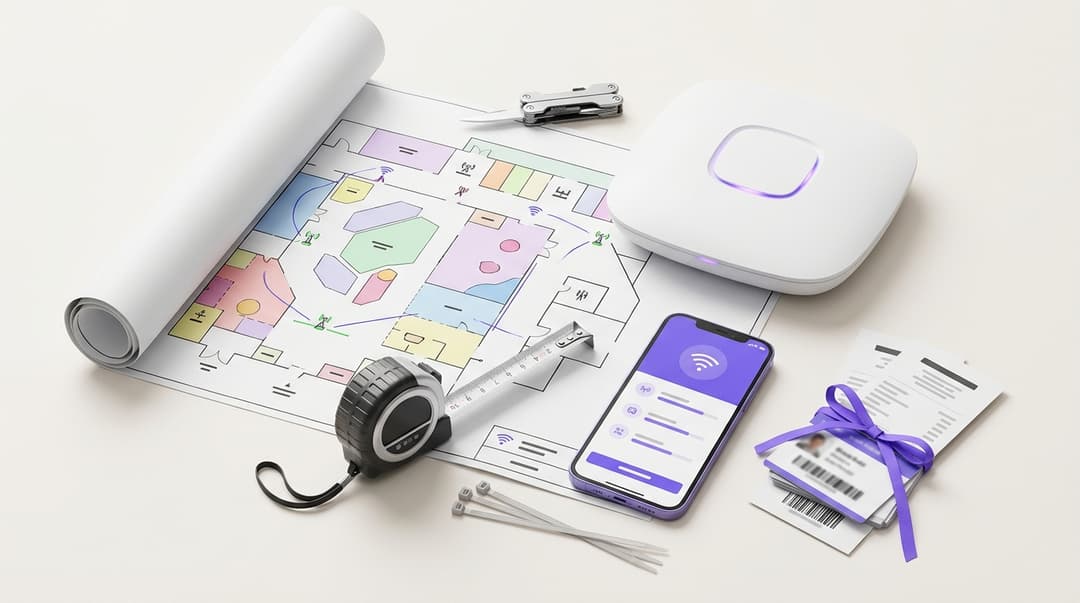
Ask conference centre WiFi providers for four things. You need sign-in that copes when thousands of attendees arrive at once, and isolated exhibitor and production networks issued per stand. You also need protective DNS that blocks threats without blocking business tools, and hall-by-hall footfall and dwell reports you can sell to sponsors. Purple delivers these as a cloud overlay on your existing access points.
What should a conference centre WiFi provider actually do?
An exhibition hall runs three networks that share one building. Attendees want access in seconds at the door. Exhibitors want a private, dependable link for demos and card terminals. Production crews need clean bandwidth for streaming, badge printing and stage AV.
A good provider keeps these groups apart. It also turns the attendee network into evidence your commercial team can use. Weigh conference centre WiFi providers on the four jobs below.
Separate networks by who joins them
Segmentation starts with a VLAN (virtual local area network), which splits one physical network into isolated logical networks. Attendees, exhibitors, production and venue staff each belong in their own VLAN. Card terminals belong in a fifth, kept inside your PCI DSS scope.
You do not need one SSID (network name) per group. Each extra SSID broadcasts its own beacons and consumes airtime in a crowded hall. A better design puts exhibitors on one SSID and lets RADIUS assign each stand its own VLAN. RADIUS (Remote Authentication Dial-In User Service) is the protocol access points use to check credentials against a central server. RFC 3580 defines the attributes that carry the VLAN assignment.
Sign-in built for the opening surge
The heaviest load arrives in the 30 minutes before the first keynote. Every field on a sign-in page slows that queue. The provider should offer short forms, social login, pre-registration links and Passpoint for zero-touch access.
Protective DNS across every hall
Protective DNS checks each domain lookup against threat intelligence and refuses to resolve known malware, phishing and command-and-control domains. The UK National Cyber Security Centre runs the same model for public-sector bodies through its Protective DNS service. Purple Shield applies threat blocking across your event networks. You decide which content categories, if any, sit on top.
Hall-by-hall footfall and dwell
Organisers and sponsors buy attention, measured in visitors and minutes. Your provider should map access points to halls and zones. It should then report unique visitors, dwell time, peak occupancy and movement between halls for each event day.
Purple has run Guest WiFi since 2012 across 80,000+ live venues in more than 90 countries. It handles 500 million users and logins a year. Purple holds ISO 27001 and Cyber Essentials certification, is a certified B Corp, and runs at 99.999% uptime.
What do you need before you choose a provider?
Gather six things before you speak to any event venue WiFi provider. They turn a sales demo into a technical evaluation.
- A zoned floor plan. Mark every access point against the hall, foyer, seminar theatre or catering zone it serves.
- Your hardware inventory. Note the access point vendor, controller or cloud dashboard, and firmware support status.
- An IP addressing plan. Record your upstream bandwidth, DHCP (automatic address assignment) scopes and current lease times.
- Your exhibitor package catalogue. List what you sell or issue today: shared password, wired port, dedicated bandwidth.
- A payment terminal list. Identify every wireless card reader exhibitors and caterers bring, because PCI DSS applies to all of them.
- Agreed data-protection roles. Decide with each organiser who acts as controller of attendee sign-in data under GDPR.
Purple is hardware-agnostic and runs as a cloud overlay on Cisco Meraki, HPE Aruba, Ruckus, Juniper Mist, Ubiquiti UniFi, Cambium, Extreme and Fortinet. For most venues the hardware audit confirms you keep what you have. Our blog explains why your next WiFi upgrade doesn't need new hardware.
Provider checklist: questions to ask and answers to expect
| Question to ask | What a good answer looks like | Red flag |
|---|---|---|
| Does it run on our access points? | Named support for your vendor and controller | "Compatible with most hardware" |
| How are exhibitor networks isolated? | Per-stand credentials with RADIUS VLAN assignment | One shared exhibitor password |
| What sign-in options cut queue time? | Single-field form, social login, Passpoint | Mandatory multi-field form for everyone |
| How does DNS protection avoid blocking demos? | Threat-only policy for exhibitors, allowlist per stand | One content filter across all networks |
| How are halls reported? | Access points mapped to named zones, daily dwell and visitor reports | Building-wide totals only |
| How is consent recorded? | Separate, unticked marketing opt-in with timestamped records | Consent bundled into terms of use |
| What certifications does it hold? | ISO 27001, GDPR compliance, Cyber Essentials | No independent certification |
How do you set up attendee, exhibitor and production WiFi?
The six steps below follow the order a venue IT lead works in. For controller-specific steps, follow the Purple support documentation for your hardware vendor.
Step 1: map halls and zones to access points
Name every zone in the way your commercial team sells it: "Hall A", "Seminar theatre 2", "Catering court". Assign each access point to one zone. Reports later inherit these names, so sponsors see the zones they paid for.
Step 2: build the network layout
Use the table below as your baseline. It keeps SSIDs to a minimum and puts segmentation in VLANs.
| Network | Who joins | Authentication | Segmentation | DNS policy |
|---|---|---|---|---|
| Attendee | Attendees and day visitors | Captive portal sign-in or Passpoint | Shared attendee VLAN, client isolation on | Threat blocking plus agreed content categories |
| Exhibitor | Stand staff and stand devices | iPSK per stand or 802.1X | One VLAN per stand, assigned by RADIUS | Threat blocking only, allowlist per stand |
| Production | AV, broadcast, registration desks | 802.1X with certificates or wired ports | Dedicated VLAN, wired where possible | Threat blocking only |
| Venue operations | Venue staff and back office | 802.1X against Microsoft Entra ID, Okta or Google Workspace | Corporate VLAN, never shared with events | Corporate policy |
| Payment | Card terminals | Wired port or dedicated key per terminal | Isolated VLAN inside PCI DSS scope | Payment provider domains allowlisted |
A captive portal is the sign-in page a device shows before it reaches the internet. IEEE 802.1X is the standard for authenticating each device or person against a central directory before network access. Our guide to WPA2 vs. 802.1X covers when each fits. Use WPA3 where your access points and production devices support it.
Turn on client isolation for attendees, so one attendee's laptop cannot reach another's. PCI DSS treats any network that can reach card data as in scope. Isolating terminals therefore shrinks what your assessor must review.
Step 3: issue exhibitor credentials per stand
iPSK (identity pre-shared key) gives each stand its own WiFi password on a shared SSID. RADIUS maps each key to that stand's VLAN. Set every key to expire when the show closes, and the network revokes access with no manual change on the day.
Cloud RADIUS removes the need for an on-site authentication server. Our guide What is Cloud RADIUS? explains the model.
Worked scenario: a hotel conference wing. This is a modelled example, not a measured customer result. A hotel with a 1,000-capacity conference wing hosts a 40-stand industry exhibition. Previously, every stand shared one exhibitor password, and card terminals sat beside demo laptops.
The IT lead issued 40 iPSK credentials on one exhibitor SSID, each mapped to its own VLAN. Card terminals moved to a separate payment VLAN. Every key carried an expiry set to show close.
The outcome: 40 isolated stand networks ran on one SSID instead of 40. The pre-show isolation test found no stand device reachable from the attendee network. At close, every key expired on schedule with no controller change. The same pattern suits any Hotels property selling meeting and event space.
Step 4: design the attendee sign-in
Pick sign-in methods by speed at the door and by the data the organiser needs.
| Sign-in method | Attendee steps | Data captured | Best for | Hardware needed |
|---|---|---|---|---|
| Single-field email form | Enter email, accept terms | Email plus optional consent | High-volume trade shows | Existing access points |
| Social login | One tap on a social account | Profile fields the attendee approves | Consumer shows and fan events | Existing access points |
| Pre-registration link | Tap a link in the confirmation email | Registration record matched to device | Ticketed conferences | Existing access points |
| Passpoint or OpenRoaming | None after first profile install | Identity from the profile provider | Multi-day events and repeat visitors | Hotspot 2.0-capable access points |
| Shared password on badge | Type the password | None | Not recommended | Existing access points |
Passpoint (also called Hotspot 2.0) lets a device join a known network automatically and securely, without a captive portal. OpenRoaming, run by the Wireless Broadband Alliance, extends Passpoint across a federation of participating networks.
Set session length to cover the full event day. Day-two arrivals then reconnect without signing in again.
Worked scenario: a 6,000-registrant trade show. These figures are a planning model, not measured results. A two-hall exhibition centre hosts 6,000 registrants. Doors open at 08:30 and the keynote starts at 09:30. The team assumed 60% connect in the first hour, carrying 1.5 devices each.
That model gives 5,400 devices and about one sign-in per second at peak. The old /22 attendee scope offered only 1,022 addresses. The team moved attendees to a /19 scope with 8,190 usable addresses and a short lease time. They cut the sign-in form to one email field and sent the sign-in link in the registration confirmation email.
The outcome in the model: 2,790 spare addresses at peak instead of an exhausted scope by 08:50. Each attendee completed one field instead of a multi-field form.
Step 5: apply protective DNS policies
Protective DNS fails when it blocks the tools exhibitors came to show. Apply policy per network, not per building.
- Attendee network: block malware, phishing and command-and-control domains. Add content categories only if the organiser asks.
- Exhibitor network: block threats only. Collect each stand's demo domains at booking and allowlist them before build-up day.
- Production and payment: block threats only, and allowlist streaming platforms and payment providers.
Browsers using DNS over HTTPS (DoH) can bypass venue DNS. Firefox checks the canary domain use-application-dns.net and disables its default DoH when the network signals it to. Exhibitors on corporate VPNs use their own DNS, which is acceptable on an isolated stand VLAN. Our post on why it is important to secure a network covers the wider threat picture.
Step 6: set consent and follow-up
Under GDPR Article 7, marketing consent must be freely given, specific and distinguishable from other terms. Withdrawing it must be as easy as giving it. In the UK, regulation 22 of PECR adds consent rules for email marketing. The ICO guidance on consent rules out pre-ticked boxes.
Purple uses conscious-choice opt-ins: an unticked box, worded plainly, separate from network terms. Name the organiser on the sign-in page if they will receive the data. Put an Article 26 joint controller arrangement in place before the event. With the Engage plan, consented attendees receive follow-up for the next edition, and Purple integrates with CRM and marketing platforms.
Got questions about your specific setup?
Our team works with venue operators, IT managers, and network engineers across 80,000 venues. Book a 20-minute call and we will show you how others like you solved it.
Guaranteed response within 4 business hours - No commitment required
How do you check the event network works before doors open?
Run these checks on build-up day, with the halls dressed and stand walls in place.
- Walk test every zone. Confirm signal and sign-in from a phone and a laptop in each hall, theatre and catering area.
- Prove isolation. From an attendee device, try to reach an exhibitor VLAN and a payment terminal. Both attempts must fail.
- Test one stand end to end. Connect with a stand's iPSK and confirm the right VLAN, then open its allowlisted demo.
- Test DNS policy. Load a domain from a blocked category and confirm the block page appears. Load an allowlisted business domain and confirm it resolves.
- Check DHCP headroom. Compare scope size against your modelled peak, with at least 30% spare as a working margin.
- Confirm social login. Every social provider needs its domains in the walled garden, the pre-authentication allowlist.
- Verify consent records. Sign in with a test address, tick and untick the opt-in, and confirm both states record correctly.
- Check reporting. Confirm test sessions appear against the correct zone names in WiFi Analytics.
What goes wrong at events, and how do you fix it?
The captive portal does not appear
Phones open the sign-in page through a captive network assistant. If it fails, the walled garden usually lacks a domain the page needs. Add the missing domains and retest on iOS and Android.
Addresses run out at peak
DHCP exhaustion looks like WiFi failure to attendees. Size scopes to your modelled peak and shorten lease times. Exclude production and payment devices from the attendee scope.
Exhibitors bring their own routers
Personal routers and mobile hotspots add co-channel interference in a full hall. Write a clause into the exhibitor manual that rules them out. Then make your per-stand package the easier option.
A demo is blocked
Keep a named contact on the IT desk who can add an allowlist entry within the event day. Log every exception and fold it into the next edition's pre-show allowlist.
Footfall looks inflated
Venue staff devices and stand laptops left on overnight inflate attendee counts. Report from the attendee network only. Modern iOS and Android devices use randomised MAC addresses by default, so passive probe counts are unreliable. Base sponsor reports on signed-in sessions instead.
The organiser cannot use the data
Consent captured in the venue's name does not transfer to an organiser automatically. Name the organiser at sign-in and agree controller roles before doors open. Our explainer on how WiFi networking stays secure covers the technical side of protecting that data.
What does exhibition centre WiFi cost, and what do you get back?
Where the cost sits
Purple prices by plan: Connect, Capture or Engage. Security add-ons such as Shield sit on top. Because Purple runs on Cisco Meraki, HPE Aruba, Ruckus, Juniper Mist, Ubiquiti UniFi, Cambium, Extreme and Fortinet, most venues buy no new access points. Your internal cost is configuration time and a full pre-event test cycle.
Where the return comes from
- Exhibitor connectivity revenue. Per-stand networks with isolation and expiry give you a package to sell, not a password to hand out.
- Sponsor and stand pricing. Measured dwell per hall supports differentiated stand rates and sponsor zones.
- Lower help-desk load. One-field sign-in and Passpoint remove the most common question at the door.
- Next-edition marketing. Consented attendee records feed the organiser's re-registration campaign.
Worked scenario: repricing a seminar theatre sponsorship. This is an illustrative example. A three-hall exhibition centre reviewed conference WiFi analytics after its annual show. Median dwell was 47 minutes in Hall C, which held the seminar theatre and catering. Hall A, the entrance hall, showed 19 minutes.
Across the show, 68% of signed-in attendees visited Hall C at least once. The commercial director used these figures to create a sponsored theatre package at a premium rate. Stands near the Hall C entrance moved into a higher rate band.
The outcome: the next edition's rate card carried a measured visitor count and dwell figure per hall. Sponsors bought on evidence rather than on floor-plan position. The same zone reporting Purple applies across Retail estates works hall by hall at events.
Purple runs at scale for venues with heavy, peaky crowds, including Harrods, Premier Inn and Manchester Airports Group. If you are shortlisting conference centre WiFi providers, ask each one to walk through the checklist table above against your floor plan.
Frequently asked questions
Does Purple work with the access points our venue already owns?
Yes, Purple runs as a cloud overlay on your existing network. It supports Cisco Meraki, HPE Aruba, Ruckus, Juniper Mist, Ubiquiti UniFi, Cambium, Extreme and Fortinet. You configure your controller to point sign-in and authentication at Purple, so most venues need no rip and replace. Passpoint needs Hotspot 2.0-capable access points, which many current enterprise models include.
How is Purple priced for a conference or exhibition centre?
Purple prices by plan, with security add-ons on top. Connect covers secure access, Capture adds attendee data capture, and Engage adds consented follow-up. Shield adds threat blocking at the DNS layer. Because Purple uses your existing access points, hardware is rarely a line item. Ask Purple for a quote based on your venue size and the plan you need.
Can we switch from our current event WiFi provider between shows without downtime?
Yes, you can run Purple alongside your current setup and switch over between events. Build the attendee and exhibitor networks on a test SSID, run the build-up day checks, then move production traffic. Your access points and cabling stay in place. Plan the cutover in a gap between events, so the first live show runs on a fully tested configuration.
Is attendee sign-in data GDPR compliant, and who controls it?
Yes, Purple is GDPR compliant and records consent separately from network terms. Marketing opt-ins are unticked and plainly worded, in line with GDPR Article 7 and ICO guidance. You decide who controls the data. Where an organiser will receive it, name them on the sign-in page and agree an Article 26 joint controller arrangement before the event.
Will protective DNS break exhibitor demos or card terminals?
No, not when you apply policy per network. Exhibitor, production and payment networks need threat blocking only, with no content categories. Collect each stand's demo domains at booking and allowlist them before build-up day. Allowlist payment provider domains on the payment VLAN. Keep someone on the IT desk who can add an exception during the event day.
How does Purple compare with the free sign-in page in our hardware dashboard?
Purple adds consent management, zone reporting and CRM integration that a basic splash page lacks. Vendor dashboards usually show a sign-in page and device counts for one hardware brand. Purple works the same way across mixed estates and maps access points to named halls. It also records conscious-choice opt-ins and supports Engage follow-up for the next edition.
How do exhibitor networks get set up and removed for each show?
Purple issues each stand its own iPSK credential on one exhibitor SSID. RADIUS places each stand in its own VLAN, so stands cannot see each other or attendees. Set each credential to expire at show close and access ends automatically. Card terminals go on a separate payment VLAN, which keeps your PCI DSS scope small.
Key Definitions
VLAN
A virtual local area network, defined by IEEE 802.1Q, which tags Ethernet frames so one physical network carries several isolated logical networks.
You meet it when separating attendees, exhibitors, production, venue staff and card terminals. It is the mechanism that keeps stands apart and shrinks PCI DSS scope.
RADIUS
Remote Authentication Dial-In User Service, specified in RFC 2865, which access points use to check credentials against a central server. RFC 3580 defines the tunnel attributes that return a VLAN assignment with an accepted login.
RADIUS lets one exhibitor SSID place each stand in its own VLAN. Cloud RADIUS removes the need for an on-site authentication server.
iPSK (identity pre-shared key)
A per-device or per-group WPA2 or WPA3 personal passphrase on a shared SSID, where RADIUS maps each key to its own policy and VLAN.
You issue one key per stand, each with an expiry at show close. It replaces a single shared exhibitor password.
IEEE 802.1X
The IEEE port-based network access control standard. It carries EAP (RFC 3748) methods such as EAP-TLS between device, access point and RADIUS server before granting access.
Use it for production crews with certificates and for venue staff authenticating against Microsoft Entra ID, Okta or Google Workspace.
Captive portal
An HTTP sign-in page shown before a device reaches the internet, detected by the operating system's captive network assistant.
It is the attendee sign-in at the door. Every field on it slows the queue in the 30 minutes before the first keynote.
Passpoint (Hotspot 2.0)
A certification programme built on IEEE 802.11u network discovery and WPA2 or WPA3 Enterprise authentication, letting devices join a known network automatically without a captive portal.
It suits multi-day events and repeat visitors, but needs Hotspot 2.0-capable access points.
OpenRoaming
A Wireless Broadband Alliance federation that extends Passpoint so a single installed profile works across participating networks.
It gives attendees zero-touch access with identity supplied by the profile provider.
Protective DNS
A resolver that checks each domain lookup against threat intelligence and refuses to resolve known malware, phishing and command-and-control domains, the model the NCSC runs for UK public-sector bodies.
Purple Shield applies it across event networks. Apply policy per network so exhibitor demos are not blocked.
DNS over HTTPS (DoH)
Encrypted DNS resolution over HTTPS, specified in RFC 8484. Firefox disables its default DoH when the network answers the canary domain use-application-dns.net.
Browsers using DoH can bypass venue DNS, so you need to plan for it when testing DNS policy.
Walled garden
The pre-authentication allowlist of domains a device can reach before completing captive portal sign-in.
Social login and the sign-in page fail if a required domain is missing, the most common cause of a portal not appearing.
PCI DSS scope
Under the PCI Data Security Standard, every system and network that can reach cardholder data falls in scope for assessment.
Placing card terminals on an isolated payment VLAN reduces what your assessor must review.
Joint controller (GDPR Article 26)
Under GDPR Article 26, two or more controllers jointly determining the purposes of processing must set out their responsibilities in an arrangement. Article 7 sets the conditions for valid consent.
Agree it with each organiser before the event, so attendee consent can be used for next-edition marketing.
Worked Examples
A hotel with a 1,000-capacity conference wing hosts a 40-stand exhibition. Every stand shares one exhibitor password, and card terminals sit beside demo laptops. How should IT restructure the exhibitor network? (Modelled example.)
The IT lead issued 40 iPSK credentials on one exhibitor SSID, each mapped by RADIUS to its own VLAN. Card terminals moved to a separate payment VLAN, keeping them inside a smaller PCI DSS scope. Every key carried an expiry set to show close. The result: 40 isolated stand networks ran on one SSID instead of 40, saving airtime in a crowded hall. The pre-show isolation test found no stand device reachable from the attendee network. At close, every key expired on schedule with no controller change.
A two-hall exhibition centre expects 6,000 registrants, with doors at 08:30 and the keynote at 09:30. The attendee network uses a /22 scope and a multi-field sign-in form. Will it cope? (Planning model, not measured results.)
The team assumed 60% of registrants connect in the first hour, carrying 1.5 devices each. That gives 5,400 devices and about one sign-in per second at peak. The /22 scope offered only 1,022 addresses and would be exhausted by 08:50. The team moved attendees to a /19 scope with 8,190 usable addresses and a short lease time. They cut sign-in to one email field and sent the link in the registration confirmation. The model shows 2,790 spare addresses at peak.
A three-hall exhibition centre wants to price sponsorships on evidence rather than floor-plan position. What can its WiFi analytics show? (Illustrative example.)
After its annual show, the centre reviewed zone reports built from access points mapped to named halls. Median dwell was 47 minutes in Hall C, home to the seminar theatre and catering, against 19 minutes in entrance Hall A. Across the show, 68% of signed-in attendees visited Hall C at least once. The commercial director created a sponsored theatre package at a premium rate and moved stands near Hall C into a higher band. The next rate card carried a measured visitor count and dwell figure per hall.
Frequently asked questions
Does Purple work with the access points our venue already owns?
Yes, Purple runs as a cloud overlay on your existing network. It supports Cisco Meraki, HPE Aruba, Ruckus, Juniper Mist, Ubiquiti UniFi, Cambium, Extreme and Fortinet. You configure your controller to point sign-in and authentication at Purple, so most venues need no rip and replace. Passpoint needs Hotspot 2.0-capable access points, which many current enterprise models include.
How is Purple priced for a conference or exhibition centre?
Purple prices by plan, with security add-ons on top. Connect covers secure access, Capture adds attendee data capture, and Engage adds consented follow-up. Shield adds threat blocking at the DNS layer. Because Purple uses your existing access points, hardware is rarely a line item. Ask Purple for a quote based on your venue size and the plan you need.
Can we switch from our current event WiFi provider between shows without downtime?
Yes, you can run Purple alongside your current setup and switch over between events. Build the attendee and exhibitor networks on a test SSID, run the build-up day checks, then move production traffic. Your access points and cabling stay in place. Plan the cutover in a gap between events, so the first live show runs on a fully tested configuration.
Is attendee sign-in data GDPR compliant, and who controls it?
Yes, Purple is GDPR compliant and records consent separately from network terms. Marketing opt-ins are unticked and plainly worded, in line with GDPR Article 7 and ICO guidance. You decide who controls the data. Where an organiser will receive it, name them on the sign-in page and agree an Article 26 joint controller arrangement before the event.
Will protective DNS break exhibitor demos or card terminals?
No, not when you apply policy per network. Exhibitor, production and payment networks need threat blocking only, with no content categories. Collect each stand's demo domains at booking and allowlist them before build-up day. Allowlist payment provider domains on the payment VLAN. Keep someone on the IT desk who can add an exception during the event day.
How does Purple compare with the free sign-in page in our hardware dashboard?
Purple adds consent management, zone reporting and CRM integration that a basic splash page lacks. Vendor dashboards usually show a sign-in page and device counts for one hardware brand. Purple works the same way across mixed estates and maps access points to named halls. It also records conscious-choice opt-ins and supports Engage follow-up for the next edition.
How do exhibitor networks get set up and removed for each show?
Purple issues each stand its own iPSK credential on one exhibitor SSID. RADIUS places each stand in its own VLAN, so stands cannot see each other or attendees. Set each credential to expire at show close and access ends automatically. Card terminals go on a separate payment VLAN, which keeps your PCI DSS scope small.
Sources
- RFC 3580: IEEE 802.1X RADIUS usage guidelines
- NCSC Protective DNS
- Regulation (EU) 2016/679 (GDPR), Articles 7 and 26
- Privacy and Electronic Communications Regulations 2003, regulation 22
- PCI Security Standards Council: PCI DSS
- Mozilla: canary domain use-application-dns.net
- Wireless Broadband Alliance: OpenRoaming
Continue reading in this series
Museum and gallery WiFi platforms: visitor sign-in, membership and gallery footfall reports
You will be able to shortlist a museum WiFi platform that runs on your existing access points and records marketing consent separately from terms. It should also report footfall and dwell by gallery. You will know which sign-in fields to ask for and which reports to build for curators, membership teams and funders. You will also know how to compare exhibitions fairly.
Shopping centre WiFi platforms: shopper sign-in, tenant networks and footfall by mall
You will be able to choose one hardware-agnostic platform that signs shoppers in, separates tenant and management networks, and reports footfall, dwell and repeat visits by zone. You will also know how to scope zones, sign-in fields, tenant keys and reports, and how to test WiFi counts against door counters before rolling out across your portfolio.
Garden centre WiFi platforms: visitor sign-in, cafe footfall and repeat-visit reports
You will be able to shortlist a garden centre WiFi platform on four tests: mixed hardware support, outdoor count accuracy, season-based reporting and clean consent. You can then plan coverage zone by zone, calibrate visit counts against door data and build a lawful visitor list for Christmas, events and cafe offers.
Got questions about your specific setup?
Our team works with venue operators, IT managers, and network engineers across 80,000 venues. Book a 20-minute call and we will show you how others like you solved it.
Guaranteed response within 4 business hours - No commitment required