
Golf club WiFi platforms: members, visitors and clubhouse events on one network
Use this guide to pick one golf club WiFi platform that runs member, visitor, and staff networks on the access points you already own. You will be able to assign each group its route in, take registers off the guest network, size a tournament day, and build a consented email list from visitor sign-ins.
By Iain JewittPublished
📖 14 min read3,183 words3 worked examples12 key definitions
Part of our core series: Guest WiFi: the complete guide →
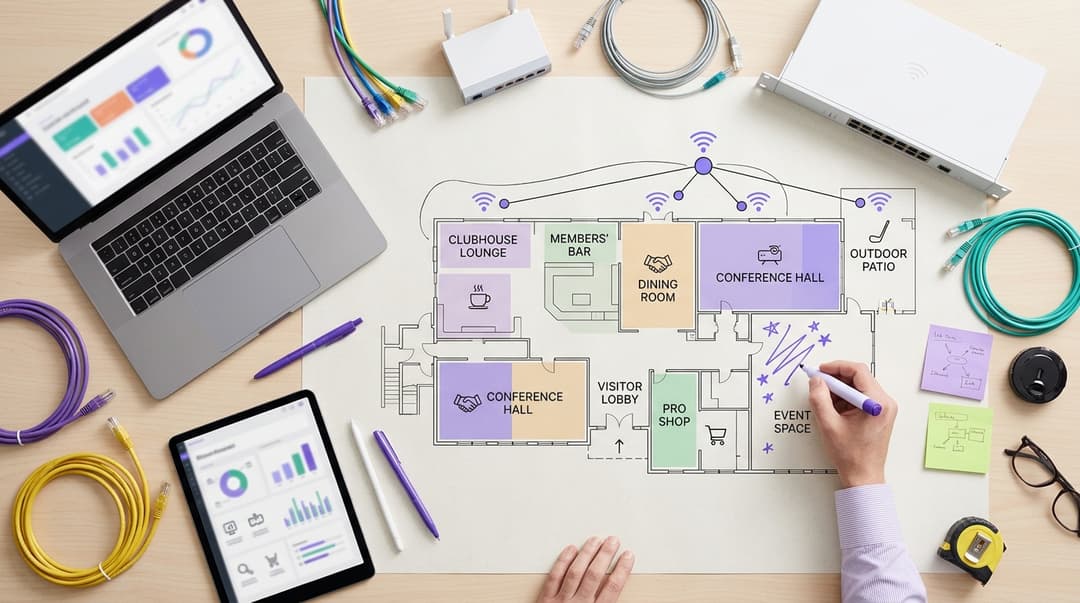
A golf club should run one platform with three separate networks on existing access points. Members get a personal credential and connect automatically. Green-fee, society, and event visitors sign in through a branded page. Staff, registers, and pro-shop devices sit on an encrypted, segmented network. Visitors who check an optional consent box join a list the club may email.
Which golf club WiFi platform should you choose?
Choose one cloud platform that runs every network from a single dashboard. Three tools bolted together cost more to run and leave more gaps. Your clubhouse serves four groups with different needs, often on the same afternoon.
- Members visit every week and expect to connect without thinking about it.
- Green-fee and society visitors arrive once or twice a season and need a quick, branded sign-in.
- Event guests fill the clubhouse for weddings, wakes, and corporate dinners.
- Staff run registers, card terminals, the tee sheet, and back-office PCs.
One shared password cannot serve all four safely. Every visitor who has played your course may still hold it. Your card terminals share a network with every phone in the bar. You also collect no contacts you are allowed to email.
A golf club WiFi platform fixes this by separating people by identity, not by password. Purple runs as a cloud overlay on the access points you already own. It is hardware-agnostic and works with Cisco Meraki, HPE Aruba, Ruckus, Juniper Mist, Ubiquiti UniFi, Cambium, Extreme, and Fortinet. Purple runs at 80,000+ live venues in over 90 countries. It handles 500 million users and logins a year.
Should members and visitors sign in the same way?
No. They should use the same platform but take different routes in.
You already know your members. You hold their names and email addresses under the membership agreement. Making them complete a sign-in page every Saturday adds friction and duplicates data you already hold. Give each member a personal credential instead.
An identity pre-shared key gives each person their own WiFi password on a shared network name. Cisco calls it iPSK; other vendors call it PPSK, a private pre-shared key. When a membership lapses, you revoke that one key. No other member has to change anything.
Clubs that want members connected with no taps at all can use Passpoint. Passpoint, also called Hotspot 2.0, lets a cell phone join automatically and securely from a stored profile. OpenRoaming is a federation built on Passpoint and run by the Wireless Broadband Alliance.
Visitors are different. You do not know them yet, and they have not agreed to hear from you. They should meet a branded Captive Portal: a web page that appears before a device reaches the internet. That page names your club, asks a few questions, and records any consent they give.
Do not rely on device hardware addresses to recognize people. Since iOS 14 and Android 10, cell phones use a private address per network by default. Some newer versions can rotate that address over time. A personal credential recognizes the member, whatever their phone reports.
Where golf club WiFi options genuinely differ
Most clubs end up choosing between four setups. The table compares them on the points that matter to a club manager and an IT lead.
| Option | How members connect | How visitors connect | Staff, POS and pro-shop separation | Email list you can use | Hardware needed | Who it suits |
|---|---|---|---|---|---|---|
| Shared password | Same password as everyone else | Password printed on a card at the bar | None: one flat network | None | Existing router | A temporary stopgap only |
| Hotspot page built into the router or controller | Same click-through page as visitors, every visit | Basic click-through page | VLANs possible, configured by hand | Basic export, consent wording written by you | Existing controller | Unsuited to clubs needing marketing opt-ins or automated networks |
| Separate tools per group | Member network set up by local IT | Third-party captive portal | Separate, but managed in two or three consoles | Held apart from member records | Existing access points plus extra licenses | Unsuited to clubs seeking unified management and simple administration |
| One identity-based platform (Purple) | Personal iPSK or Passpoint profile, connects automatically | Branded captive portal with conscious-choice opt-ins | Staff on 802.1X, POS terminals and devices on their own segments | Consented and segmented by visit type | Existing access points from the supported vendor list | A club with corporate outings, green-fee trade and events |
Sign-in and recognition
The first three options treat a member of 30 years like a first-time visitor. Either everyone shares one password, or everyone sees the same page. Only an identity-based approach gives members a personal route and visitors a branded one. Purple calls this Identity-Based Networks: access follows the person, not a password on a card.
Staff and payment separation
A flat network puts credit card terminals, CCTV and guest phones in one place. A VLAN, or virtual LAN, is a logically separate network over the same cables and access points. Router hotspot pages can add VLANs, but someone must configure and maintain each one by hand. With one platform, you assign each person or device to its segment from one dashboard. Your access points then enforce it.
Consent you can prove
An email field is not a marketing list. Under CCPA/CPRA, consent must be freely given, specific, informed and unambiguous. Recital 32 makes clear that pre-ticked boxes do not count. In the US, the TCPA and CAN-SPAM add their own consent rules for marketing email. CCPA/CPRA Article 7(1) also requires you to show who consented, when and to what. Purple uses conscious-choice opt-ins: separate, unticked boxes the visitor actively chooses.
Where each option fits your clubhouse
Which devices belong on a separate staff network?
Anything that holds club data or takes payments stays off the guest network. Split it into two groups: people with work accounts, and devices without them.
People go on Staff WiFi using IEEE 802.1X. This standard makes each person sign in with their own credentials. A RADIUS server, the service that checks those credentials, approves or refuses each connection. Purple provides cloud RADIUS linked to Microsoft Entra ID, Okta or Google Workspace. When a seasonal bar worker leaves, you disable their account once. Their WiFi access ends at the same moment. Use WPA3-Enterprise encryption wherever your devices support it.
Devices that cannot run 802.1X each get their own iPSK on a dedicated segment.
| Device | Network | Why |
|---|---|---|
| Office PCs and manager laptops | Staff WiFi with 802.1X | Each person signs in with their own work account |
| Pro-shop and tee-sheet PCs | Staff WiFi with 802.1X | Booking and inventory data stays with named staff |
| Bar and restaurant POS registers | Payment segment | Keeps PCI DSS scope to one segment |
| Card terminals in the bar and pro shop | Payment segment, or wired as the vendor advises | Cardholder data never shares a network with cell phones |
| CCTV, door entry and irrigation controllers | Device segment with one iPSK per device | Cannot run 802.1X, so isolate and key each one |
| Golf simulators and bar screens | Device segment with one iPSK per device | Vendor-managed gear stays away from club systems |
| Members' and visitors' cell phones | Member or guest network with client isolation | Devices cannot see each other or club systems |
PCI DSS does not require segmentation, but it states that segmentation reduces the systems in scope. Ask your card terminal vendor whether their terminals should use WiFi at all. The pro shop is a small retail operation, so the same payment rules apply as on any Retail floor. The staff 802.1X pattern is set out in more detail in our guide to School WiFi procurement: staff 802.1X, pupil devices, visitors and filtering in one specification.
What should a branded sign-in page ask for?
Ask only for what you will use. CCPA/CPRA Article 5(1)(c) requires personal data to be limited to what is necessary. Every extra field also lowers the number of visitors who finish signing in.
| Field | Ask for it? | Why |
|---|---|---|
| First name | Yes | Lets you address follow-up emails properly |
| Email address | Yes | The contact you will use, with consent |
| Reason for visit: green fee, society, function or other | Yes, as one tap | Splits your list for different follow-ups |
| Club news and offers consent | Yes, unchecked | Your lawful basis for marketing email |
| Function and events consent | Yes, unchecked and separate | Lets wedding guests hear about functions only |
| Terms of use acceptance | Yes | Sets the rules for using your network |
| Home club | Optional | Useful only if you run membership offers |
| Date of birth or phone number | No | You will rarely use them, so do not collect them |
Brand the page with your crest, colors and today's events. Change it for a society day to show the society's name, or for a wedding to welcome the couple's guests. Purple's Guest WiFi gives you the branded page, visit-type questions and opt-ins in one place.
How do society days and functions change the load?
An ordinary weekday puts a few dozen members in the bar, spread across the day. A society day concentrates people into short, sharp peaks. Golfers register, eat breakfast and check the draw on their cell phones at the same time. The clubhouse then empties for four or five hours. Everyone returns together for the meal and prize-giving.
Functions add a different load. Wedding guests upload photos and video from one room. Corporate days need a stable link for presentations. Families may stream speeches to relatives who could not attend.
Worked example: a 144-player society day. A full shotgun start puts four golfers on each of the 18 holes' two tee groups, which means 144 players. Add 16 staff and organizers, and 160 people share the clubhouse at the peaks. The club plans for 1.5 devices per person to cover cell phones, tablets and organizer laptops. That gives about 240 devices, mostly in the main lounge at 8am and again at 6pm.
What the club does with that figure:
- Checks the concurrent client rating for each access point model in the vendor's own documentation.
- Places enough access points in the lounge and function room, not only in the bar.
- Sets a per-device bandwidth limit on the guest network so uploads cannot slow the POS systems.
- Switches the sign-in page to the society's branding for the day.
After the event, the club records three numbers: sign-ins, opt-ins by visit type and peak devices per access point. Those figures size the next society day, rather than guesswork.
Worked scenario: a golf resort hotel
Situation. A 90-room resort hotel runs an 18-hole course, a spa and a function suite. Hotel guests, green-fee visitors and wedding guests shared one network. Staff used three shared passwords, and the bar POS systems sat on the same network as guest cell phones.
What was done. The hotel moved to one platform with separate routes for each group. Resident guests and green-fee visitors used a branded page that asked for visit type. Staff moved to 802.1X against the hotel's Microsoft Entra ID tenant. Registers and card terminals moved to a payment segment, and CCTV moved to a device segment.
Outcome. Shared staff passwords fell from three to zero. PCI DSS scope shrank from the whole network to the payment segment. As an illustration of list growth, take 4,000 visitor sign-ins in a season. If one in five checks the club news box, the hotel gains 800 contacts it may email. The same pattern suits most Hotels with leisure facilities on site.
Worked scenario: a municipality-run pay-and-play course
Situation. A municipality owns a public course with a café and a small clubhouse. It has no traditional members, but it sells season passes. Seasonal café staff changed often, and someone reset the café password by hand each time one left. City IT required named sign-in for every corporate device.
What was done. Season-pass holders received a personal iPSK, revoked when the pass expired. Casual players signed in through a city-branded page with an unchecked consent box. City staff connected over 802.1X against the city's existing identity provider. The café registers moved to their own segment.
Outcome. Manual password resets fell to zero, because access ends when a city account is disabled. City IT manages the course from one dashboard rather than a router in the café. Casual players who opt in now receive notice of junior coaching and season-pass renewals.
Got questions about your specific setup?
Our team works with venue operators, IT managers, and network engineers across 80,000 venues. Book a 20-minute call and we will show you how others like you solved it.
What each option costs to run
The license is only one line of the bill. Staff time, compliance scope and lost contacts cost more over a season.
| Cost driver | Shared password | Router hotspot page | Separate tools | One platform (Purple) |
|---|---|---|---|---|
| Licenses | None | Included with the hardware | Two or more subscriptions | One subscription on the Connect, Capture or Engage plan |
| New hardware | None | None | Extra licenses per access point or gateway | None where access points are on the supported vendor list |
| Staff time on passwords | Reset after every leaver | Reset after every leaver | Reset on each network separately | None: disable the person's account once |
| PCI DSS scope | Whole flat network | Whole network until VLANs are added | Payment segment only | Payment segment only |
| Usable email contacts | None | Unsegmented list, consent wording written by you | Held apart from member records | Consented and segmented by visit type |
| Places to manage | One router | One controller | Two or three consoles | One dashboard |
What you get back is a list you may use and a network you can defend to an auditor. Because Purple runs on your current access points, the upgrade rarely starts with a hardware order. Our blog explains Why your next WiFi upgrade doesn't need new hardware.
How visitor sign-ins feed membership and function inquiries
Clubhouse WiFi becomes a source of membership and function inquiries once each sign-in carries a visit type and a consent choice. Work from those two fields.
Repeat green-fee visitors are membership prospects. WiFi Analytics shows how often a signed-in visitor returns. A visitor who has played four times this season already likes your course. Send those who opted in a trial membership or a midweek offer.
Society golfers know other golfers. A thank-you email after the day can invite the organizer to rebook next season. It can also offer individual players a return green fee.
Function guests are future function bookers. Someone at a wedding in your clubhouse may be planning their own event. Only email them about functions if they checked the function box.
The Engage plan sends these emails automatically, triggered by visit type and consent. Purple integrates with CRM and marketing platforms, so the list can sit alongside your existing member and inquiry records. Members keep receiving club communications through your normal channels. Every marketing email must carry an easy way to unsubscribe, as the TCPA and CAN-SPAM require.
How to decide for your club
Match your situation to the setup below, then test any supplier against the questions that follow.
| Your situation | What to deploy |
|---|---|
| Members' club, registers wired, few visitors | Member iPSK, staff 802.1X and a short branded page for occasional visitors |
| Busy green-fee and society trade | Branded page with a visit-type question and Engage for post-visit follow-up |
| Function suite hosting weddings and corporate days | Extra access points in the function room, event-branded sign-in pages and a separate function opt-in |
| Hotel or resort with a course | Separate routes for resident guests, green-fee visitors and staff, managed in one dashboard |
| Municipality-run or pay-and-play course | Season-ticket holders on iPSK, staff on 802.1X against the city's identity provider |
If your estate also includes lodges or vacation homes, the mixed-audience model is similar. Our guide to Holiday and caravan park WiFi providers: what to look for across guests, owners and staff covers that case.
Ask every supplier these five questions:
- Does it run on the access points we already own, from a named vendor list?
- Can members connect with a personal credential that we revoke when membership lapses?
- Can staff sign in with their Microsoft Entra ID, Okta or Google Workspace account over 802.1X?
- Are visitor opt-ins unchecked, separate, and recorded with the date and wording shown?
- Can we change the sign-in page for a society day or a wedding without calling support?
Frequently asked questions
Does Purple work with the access points our club already has?
Yes, if they come from a supported vendor. Purple is hardware-agnostic and runs as a cloud overlay on Cisco Meraki, HPE Aruba, Ruckus, Juniper Mist, Ubiquiti UniFi, Cambium, Extreme and Fortinet. You keep your access points and cabling. Purple adds the branded sign-in, member and staff authentication, and the consented visitor list on top. New hardware is only worth buying where coverage is poor, such as a function room with no access point.
How is a golf club WiFi platform priced?
Purple prices by plan: Connect, Capture or Engage, with security add-ons such as SecurePass, Verify and Shield on top. A club that wants consented email to visitors and members needs the Engage plan. Because Purple runs on your existing access points, most of the cost is the subscription rather than hardware. Ask Purple for a quote based on your clubhouse, the networks you need and the add-ons you choose.
Can we move away from a shared password without disrupting members?
Yes. Run the new networks alongside the old one, then switch off the shared password on a set date. Issue members their personal credentials first, through the club newsletter or at the bar. Move registers and card terminals to the payment segment in a quiet week, with your POS supplier available. Visitors only notice the new branded page. Announce the cut-over date at least two weeks ahead.
Is a visitor email list from WiFi sign-ins CCPA/CPRA compliant?
Yes, if each visitor actively opts in. CCPA/CPRA requires clear consent choices, and pre-checked boxes do not qualify. In the US, the TCPA and CAN-SPAM add rules for marketing messages. Use separate, unchecked boxes for club news and function offers, and keep a record of each choice. Purple uses conscious-choice opt-ins and holds ISO 27001 certification. Every email should carry an unsubscribe link.
Do registers and card terminals have to come off the guest WiFi for PCI DSS?
Yes, in practice. PCI DSS does not mandate network segmentation, but without it your whole network falls into scope for assessment. Putting registers and card terminals on their own segment limits scope to that segment. Guest phones then cannot reach a payment device at all. Ask your card terminal supplier whether their terminals should use WiFi, a wired connection or cellular data, and follow that advice.
How is this different from the hotspot page built into our router?
A router hotspot page gives visitors a click-through screen, but it does not run your whole estate. It treats members like strangers and leaves staff on shared passwords. Consent wording and records are left to you. Purple runs member, visitor and staff networks from one dashboard. It adds 802.1X for staff, personal keys for members and devices, and conscious-choice opt-ins for visitors.
How much work does deployment take for a small club?
Most of the work is configuration, not installation. It splits into three parts: designing the branded sign-in page, connecting staff accounts from Microsoft Entra ID, Okta or Google Workspace, and moving registers and devices to their own segments. Your IT lead or managed service provider changes the controller settings. Purple's support articles cover the steps for each access point vendor, so nobody has to guess menu paths.
Key Definitions
iPSK and PPSK
Identity pre-shared key (Cisco's term) or private pre-shared key (other vendors): a WPA2 or WPA3-Personal configuration in which each person or device holds a unique passphrase on one shared SSID, with the RADIUS server or controller mapping each key to a user, VLAN, and policy.
You meet it when giving members a personal credential or keying CCTV, irrigation controllers, and simulators that cannot run 802.1X. Revoking one key ends one person's or device's access without touching anyone else.
IEEE 802.1X
The IEEE standard for port-based network access control. It carries Extensible Authentication Protocol (EAP) exchanges between the device, the access point, and an authentication server so each person signs in with their own credentials.
This is the method for Staff WiFi on office PCs, manager laptops, and pro-shop or tee-sheet PCs. It removes shared staff passwords, as in the resort hotel that went from three to zero.
RADIUS
Remote Authentication Dial In User Service, defined in IETF RFC 2865: the protocol an access point uses to ask a central server whether to accept or reject a connection, and which policy to apply.
Purple provides cloud RADIUS linked to Microsoft Entra ID, Okta, or Google Workspace, so the club does not run its own server and leaver access ends when the account is disabled.
Passpoint (Hotspot 2.0)
A WiFi Alliance certification program based on IEEE 802.11u that lets a device discover and join a network automatically and securely using a stored profile, with enterprise-grade authentication rather than a captive portal.
Clubs that want members connected with no taps at all can issue a Passpoint profile instead of an iPSK.
OpenRoaming
A roaming federation built on Passpoint and run by the Wireless Broadband Alliance, in which participating identity providers and networks trust each other so users join automatically across member venues.
Relevant if the club wants members or visitors to connect automatically using credentials they already hold, without a club-issued key.
Captive portal
A web page the network presents before a device reaches the internet, typically by intercepting HTTP traffic until the user completes sign-in, accepts terms or gives consent.
This is the branded sign-in page for green-fee, society and function visitors. It carries the crest, visit-type question and un-checked opt-ins, and can change for a society day or wedding.
VLAN
Virtual LAN as specified in IEEE 802.1Q: frames are tagged with a VLAN ID so several logically separate networks share the same cables, switches and access points.
VLANs create the payment, device, staff and guest segments. With one platform you assign each person or device to a segment from one dashboard rather than configuring each by hand on a router.
WPA3-Enterprise
The WiFi Alliance WPA3 security certification in its Enterprise mode, which pairs 802.1X authentication with protected management frames and an optional 192-bit security suite.
Use it on Staff WiFi wherever your devices support it, so staff traffic is encrypted per session as well as authenticated per person.
PCI DSS segmentation
Under the PCI Data Security Standard, network segmentation is not a requirement, but isolating the cardholder data environment from other networks reduces the systems in scope for assessment.
Putting bar registers and card terminals on their own segment shrinks scope from the whole clubhouse network to that segment and stops guest cell phones reaching a payment device.
CCPA/CPRA consent
Under privacy frameworks like CCPA/CPRA, consent and opt-out mechanisms must be clear, explicit, and informed. Requiring active opt-in rules out pre-checked boxes and limits data collection to what is necessary.
It decides which visitor sign-ins you may email and which fields your sign-in page should ask for. Purple's conscious-choice opt-ins use separate, un-checked boxes and record each choice.
TCPA and CAN-SPAM regulations
Federal privacy and commercial messaging rules, including CAN-SPAM and the TCPA, which restrict unsolicited commercial messages and require a clear, simple means to unsubscribe or opt out in every communication.
They apply to every club news or function email and text sent to visitors in the US, which is why each message carries a simple opt-out option.
MAC address randomization
The default behavior since iOS 14 and Android 10 whereby a cell phone presents a private hardware address per network, with some newer versions rotating it over time.
It means you cannot recognize members by device address. A personal credential identifies the member whatever their cell phone reports.
Worked Examples
A club hosts a 144-player tournament day with a shotgun start, plus 16 staff and organizers. How should it prepare the clubhouse WiFi for the morning and evening peaks?
The club counted 160 people at the peaks and planned for 1.5 devices each, covering cell phones, tablets, and organizer laptops. That gave about 240 devices, mostly in the main lounge at 8am and 6pm. It checked each access point model's concurrent client rating in the vendor's own documentation. It placed enough access points in the lounge and function room, not only the bar. It set a per-device bandwidth limit on the guest network so uploads could not slow the registers. It switched the sign-in page to the tournament's branding. Afterwards it recorded sign-ins, opt-ins by visit type, and peak devices per access point to size the next tournament day.
A 90-room resort hotel with an 18-hole course, spa, and function suite ran hotel guests, green-fee visitors, and wedding guests on one network. Staff used three shared passwords and bar registers sat alongside guest cell phones. What changed?
The hotel moved to one platform with a separate route for each group. Resident guests and green-fee visitors used a branded page that asked for visit type. Staff moved to 802.1X against the hotel's Microsoft Entra ID tenant. Registers and card terminals moved to a payment segment, and CCTV moved to a device segment. Shared staff passwords fell from three to zero, and PCI-DSS scope shrank from the whole network to the payment segment. As an illustration, 4,000 visitor sign-ins in a season with one in five checking the club news box would give 800 contacts the hotel may email.
A city-run pay-and-play course with a café sells season tickets but has no members. Café staff change often, passwords are reset manually, and city IT requires named sign-in on corporate devices. What setup fits?
Season-ticket holders received a personal iPSK, revoked when the ticket expired. Casual players signed in through a city-branded page with an unchecked consent box. City staff connected over 802.1X against the city's existing identity provider, and the café registers moved to their own segment. Manual password resets fell to zero, because access ends when a city account is disabled. City IT now manages the course from one dashboard rather than a router in the café. Casual players who opt in receive notice of junior coaching and season-ticket renewals.
Frequently asked questions
Does Purple work with the access points our club already has?
Yes, if they come from a supported vendor. Purple is hardware-agnostic and runs as a cloud overlay on Cisco Meraki, HPE Aruba, Ruckus, Juniper Mist, Ubiquiti UniFi, Cambium, Extreme and Fortinet. You keep your access points and cabling. Purple adds the branded sign-in, member and staff authentication, and the consented visitor list on top. New hardware is only worth buying where coverage is poor, such as an event room with no access point.
How is a golf club WiFi platform priced?
Purple prices by plan: Connect, Capture or Engage, with security add-ons such as SecurePass, Verify and Shield on top. A club that wants consented email to visitors and members needs the Engage plan. Because Purple runs on your existing access points, most of the cost is the subscription rather than hardware. Ask Purple for a quote based on your clubhouse, the networks you need and the add-ons you choose.
Can we move away from a shared password without disrupting members?
Yes. Run the new networks alongside the old one, then switch off the shared password on a set date. Issue members their personal credentials first, through the club newsletter or at the bar. Move registers and card terminals to the payment segment in a quiet week, with your POS vendor available. Visitors only notice the new branded page. Announce the cut-over date at least two weeks ahead.
Is a visitor email list from WiFi sign-ins CCPA/CPRA compliant?
Yes, if each visitor actively opts in. CCPA/CPRA requires clear options and transparency, and pre-checked boxes do not qualify. In the US, the TCPA and CAN-SPAM add rules for marketing text messages and email. Use separate, unchecked boxes for club news and event offers, and keep a record of each choice. Purple uses conscious-choice opt-ins and holds ISO 27001 certification. Every email should carry an unsubscribe link.
Do registers and card terminals have to come off the guest WiFi for PCI DSS?
Yes, in practice. PCI DSS does not mandate network segmentation, but without it your whole network falls into scope for assessment. Putting registers and card terminals on their own segment limits scope to that segment. Guest phones then cannot reach a payment device at all. Ask your card terminal vendor whether their terminals should use WiFi, a wired connection or cellular data, and follow that advice.
How is this different from the hotspot page built into our router?
A router hotspot page gives visitors a click-through screen, but it does not run your whole estate. It treats members like strangers and leaves staff on shared passwords. Consent wording and records are left to you. Purple runs member, visitor and staff networks from one dashboard. It adds 802.1X for staff, personal keys for members and devices, and conscious-choice opt-ins for visitors.
How much work does deployment take for a small club?
Most of the work is configuration, not installation. It splits into three parts: designing the branded sign-in page, connecting staff accounts from Microsoft Entra ID, Okta or Google Workspace, and moving registers and devices to their own segments. Your IT lead or managed service provider changes the controller settings. Purple's support articles cover the steps for each access point vendor, so nobody has to guess menu paths.
Continue reading in this series
Marina WiFi providers: slip holders, visiting boats and seasonal capacity
You will be able to shortlist marina WiFi providers against five tests: network separation, dock coverage, summer capacity, slip-level key control and consented visitor data. You will also know what to write into the contract, from a signed concurrent device figure to event uplift, and which 10 questions to send every provider.
RV park and resort WiFi providers: what to look for across guests, owners and staff
You will be able to shortlist RV park WiFi providers against the questions that separate them: owner networks, family-safe filtering, staff access tied to your identity provider and hardware reuse. You can also set consent capture for rebooking and write seasonal peak, uptime and data ownership terms into the contract.
Multi-site guest WiFi platforms compared: hardware-neutral overlays vs controller portals
You will be able to decide whether your property portfolio can stay on built-in controller portals or needs a hardware-agnostic cloud overlay. You can test your sites against six triggers, compare the two models on 10 axes and work out your own per-AP against per-venue licensing break-even over a three-year rollout.
Got questions about your specific setup?
Our team works with venue operators, IT managers, and network engineers across 80,000 venues. Book a 20-minute call and we will show you how others like you solved it.