
सुरक्षित अतिथी प्रवेश: व्यवस्थापित नसलेल्या उपकरणांसाठी NAC लागू करणे
हा अधिकृत तांत्रिक संदर्भ मार्गदर्शक अनमॅनेज्ड गेस्ट डिव्हाइसेस सुरक्षित ठेवण्यासाठी Network Access Control (NAC) लागू करण्याच्या आर्किटेक्चर, डिप्लोयमेंट आणि कंप्लायन्स संदर्भातील तपशील देतो. हा IT लीडर्सना कॉर्पोरेट इन्फ्रास्ट्रक्चरशी तडजोड न करता सुरक्षित गेस्ट ॲक्सेस मिळवण्यासाठी कृतीयोग्य मार्गदर्शन प्रदान करतो.
Video overview
हे मार्गदर्शक ऐका
पॉडकास्ट ट्रान्सक्रिप्ट पहा
आमच्या मुख्य मालिकेचा भाग: Guest WiFi Guide →
कार्यकारी सारांश
एंटरप्राइज ठिकाणांसाठी - मग ते हॉस्पिटॅलिटी असो, रिटेल असो, किंवा सार्वजनिक क्षेत्र असो - अतिथी आणि कंत्राटदारांना अखंड WiFi प्रवेश प्रदान करणे ही व्यवसायिक गरज आहे. तथापि, अनमॅनेज्ड डिव्हाइसेस एक मोठे सुरक्षिततेचे आव्हान (attack surface) सादर करतात. तुमच्या नेटवर्कशी कनेक्ट होणारा प्रत्येक स्मार्टफोन, टॅबलेट आणि IoT डिव्हाइस ही एक अज्ञात घटक असतो, जो तुमच्या Mobile Device Management (MDM) इन्फ्रास्ट्रक्चरच्या नियंत्रणाबाहेर काम करतो. आयटी लीडर्स समोरील आव्हान हे आहे की कॉर्पोरेट मालमत्तेपासून या डिव्हाइसेसना पूर्णपणे वेगळे ठेवून आणि PCI-DSS व GDPR सारख्या नियमांचे पालन सुनिश्चित करून हा प्रवेश सुलभ करणे.
हे मार्गदर्शक विशेषतः अनमॅनेज्ड डिव्हाइसेससाठी Network Access Control (NAC) लागू करण्याबाबत सविस्तर माहिती प्रदान करते. आम्ही नेटवर्कचे विभाजन करण्यासाठी मूलभूत प्री-शेअर्ड की च्या पलीकडे जाऊन ओळख-आधारित (identity-driven) आणि पॉलिसी-लागू (policy-enforced) पद्धतींचा शोध घेतो. RADIUS-समर्थित पॉलिसी इंजिनसह समाकलित केलेल्या Captive Portal चा वापर करून, संस्था वापरकर्त्याच्या अनुभवात कोणताही अडथळा न आणता कठोर सुरक्षा धोरणे लागू करू शकतात. यामध्ये आम्ही आर्किटेक्चरल डिझाइन, उपयोजन पद्धती आणि मोठ्या प्रमाणावर ओळख व संमती व्यवस्थापित करण्यासाठी Guest WiFi सारख्या प्लॅटफॉर्मच्या एकत्रीकरणाचा समावेश करू.
तांत्रिक सखोल विश्लेषण: अनमॅनेज्ड डिव्हाइसेससाठी NAC आर्किटेक्चर
Network Access Control म्हणजे नेटवर्क संसाधनांवर पॉलिसी-आधारित प्रवेश लागू करणे. मॅनेज्ड डिव्हाइसेससाठी EAP-TLS सह पारंपारिक 802.1X हे सुवर्ण मानक असले तरी - जे बऱ्याचदा SCEP द्वारे प्रमाणपत्र वितरणावर अवलंबून असते (पहा The Role of SCEP and NAC in Modern MDM Infrastructure) - ही पद्धत तात्पुरत्या अतिथींसाठी अव्यवहार्य आहे. अनमॅनेज्ड डिव्हाइसेसना अशा आर्किटेक्चरची आवश्यकता असते जे कमीत कमी अडचणीसह ऑनबोर्डिंग आणि मजबूत सुरक्षा यांच्यात संतुलन राखेल.
त्रि-स्तरीय आर्किटेक्चर (Three-Tier Architecture)
सुरक्षित अतिथी प्रवेशासाठीच्या आर्किटेक्चरमध्ये तीन कार्यात्मक स्तर असतात:
- प्रमाणीकरण आणि ओळख कॅप्चर (Authentication and Identity Capture): अनमॅनेज्ड डिव्हाइसेससाठी 802.1X अव्यवहार्य असल्याने, प्रमाणीकरण स्तर Captive Portal वर अवलंबून असतो. हा वेब-आधारित इंटरफेस सुरुवातीच्या HTTP/HTTPS विनंतीला अडवतो आणि वापरकर्त्याला प्रमाणीकरण प्रक्रियेकडे पुनर्निर्देशित करतो. येथे, Purple चे Guest WiFi सारखे प्लॅटफॉर्म ओळख प्रदाता (identity provider) म्हणून काम करतात, जे सोशल लॉगिन, ईमेल पडताळणी किंवा SMS द्वारे क्रेडेन्शियल्स कॅप्चर करतात.
- पॉलिसी इंजिन (RADIUS/NAC): एकदा ओळख स्थापित झाल्यानंतर, पॉलिसी इंजिन परिभाषित प्रवेश नियमांच्या आधारे विनंतीचे मूल्यांकन करते. सिस्टीम प्रमाणित ओळख, डिव्हाइस प्रकार किंवा दिवसाच्या वेळेच्या आधारावर योग्य नेटवर्क सेगमेंट निश्चित करते.
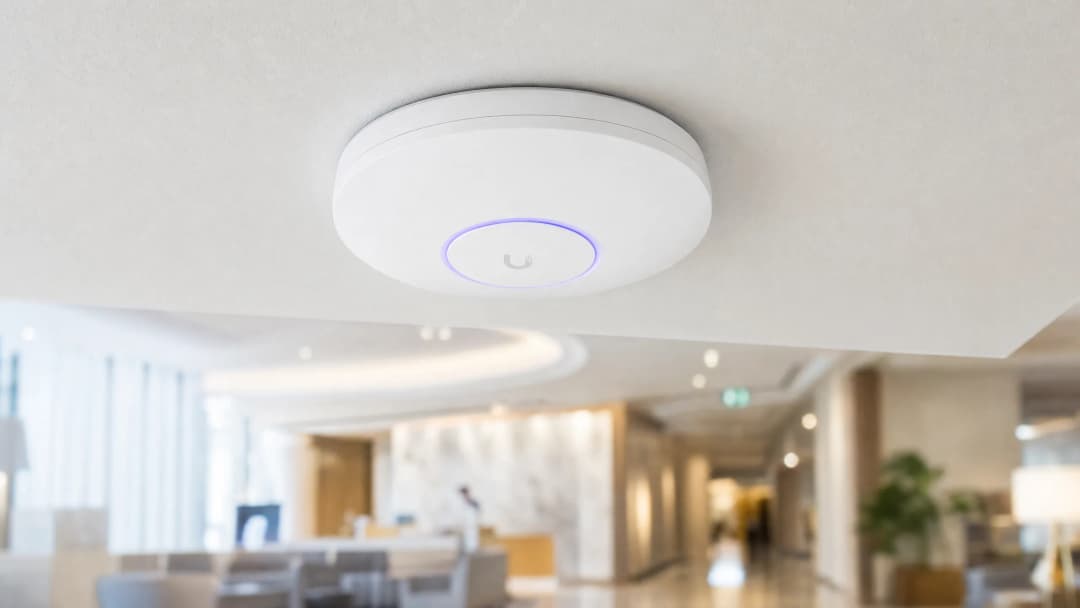
- Network Edge Enforcement: वायरलेस ॲक्सेस पॉइंट्स आणि एज स्विचेस पॉलिसीच्या निर्णयाची अंमलबजावणी करतात. NAC सिस्टम RADIUS प्रोटोकॉलद्वारे संवाद साधते. यशस्वी प्रमाणीकरणानंतर, विशिष्ट VLAN असाइनमेंट वैशिष्ट्यांसह एक
Access-Acceptसंदेश परत पाठवला जातो, ज्यामुळे डिव्हाइस नियुक्त केलेल्या सेगमेंटवर ठेवले जाते.

WPA3 आणि Opportunistic Wireless Encryption (OWE)
आधुनिक वायरलेस सुरक्षेसाठी WPA3 कडे संक्रमण होणे अत्यंत महत्त्वाचे आहे. WPA3-SAE हे खाजगी नेटवर्कसाठी असुरक्षित WPA2-PSK ची जागा घेत असताना, सार्वजनिक अतिथी नेटवर्कसाठी WPA3-OWE (Opportunistic Wireless Encryption) हे मानक आहे. OWE पासवर्डची आवश्यकता नसताना क्लायंट डिव्हाइस आणि ॲक्सेस पॉइंट दरम्यान स्वतंत्र डेटा एन्क्रिप्शन प्रदान करते. हे पारंपारिक खुल्या अतिथी SSID मध्ये असलेली क्लिअरटेक्स्ट ट्रान्समिशनची असुरक्षितता दूर करते आणि NAC पॉलिसी लागू होण्यापूर्वीच एक सुरक्षित बेसलाइन प्रदान करते.
MAC पत्ता रँडमायझेशन आणि ओळख बाइंडिंग
आधुनिक ऑपरेटिंग सिस्टम (iOS 14+, Android 10+, Windows 10) वापरकर्त्याच्या गोपनीयतेचे रक्षण करण्यासाठी MAC पत्ता रँडमायझेशन लागू करतात. डिव्हाइसेस ते कनेक्ट होत असलेल्या प्रत्येक SSID साठी एक अनन्य, रँडमाइज्ड MAC पत्ता तयार करतात. हे मूळतः जुन्या NAC पॉलिसींना निष्प्रभ करते ज्या परत येणाऱ्या अतिथींसाठी कायमस्वरूपी आयडेंटिफायर म्हणून MAC पत्त्यांवर अवलंबून असतात.
यावरील आर्किटेक्चरल उपाय म्हणजे ओळखीचे मॉडेल डिव्हाइसवरून वापरकर्त्याकडे हस्तांतरित करणे. जेव्हा एखादा अतिथी Captive Portal द्वारे प्रमाणीकरण करतो, तेव्हा त्याचे सेशन तात्पुरत्या MAC पत्त्याऐवजी त्याच्या सत्यापित ओळखीशी (उदा. ईमेल किंवा फोन नंबर) बाइंड केलेले असणे आवश्यक आहे. Purple चे WiFi Analytics प्लॅटफॉर्म हे मूळ स्वरूपात हाताळते, ज्यामुळे MAC पत्ता बदलला तरीही सर्व सेशन्समध्ये कायमस्वरूपी वापरकर्ता प्रोफाइल आणि अनुपालन रेकॉर्ड राखले जातात.
तुमच्या विशिष्ट सेटअपबद्दल काही प्रश्न आहेत का?
आमची टीम ८०,००० हून अधिक वेन्यूजमधील वेन्यू ऑपरेटर्स, IT मॅनेजर्स आणि नेटवर्क इंजिनिअर्ससोबत काम करते. २० मिनिटांचा कॉल बुक करा आणि तुमच्यासारख्या इतरांनी ही समस्या कशी सोडवली हे आम्ही तुम्हाला दाखवू.
अंमलबजावणी मार्गदर्शिका
अनमॅनेज्ड डिव्हाइसेससाठी NAC तैनात करण्यासाठी ऑपरेशन्समध्ये अडथळा न आणता सुरक्षा सुनिश्चित करण्यासाठी पद्धतशीर दृष्टिकोन आवश्यक आहे.
पायरी 1: नेटवर्क सेगमेंटेशन आणि VLANs परिभाषित करा
NAC पॉलिसी कॉन्फिगर करण्यापूर्वी, मूळ नेटवर्क सेगमेंटेशन मजबूत असणे आवश्यक आहे.
- प्री-ऑथेंटिकेशन VLAN (क्वारंटाईन): सुरुवातीच्या कनेक्शनवर डिव्हाइसेस येथे ठेवले जातात. या VLAN ने केवळ DNS रिझोल्यूशन आणि Captive Portal IP पत्त्यांसाठी निर्देशित केलेल्या HTTP/HTTPS ट्रॅफिकला अनुमती दिली पाहिजे. इतर सर्व ट्रॅफिक ड्रॉप केले जाणे आवश्यक आहे.
- अतिथी VLAN: प्रमाणीकरणानंतर, डिव्हाइसेस येथे हस्तांतरित केले जातात. या VLAN कडे थेट इंटरनेट प्रवेश असणे आवश्यक आहे परंतु कॉर्पोरेट सबनेट (RFC 1918 स्पेस) आणि इतर अतिथी क्लायंट्स (क्लायंट आयसोलेशन) वरील सर्व राउटिंग काटेकोरपणे नाकारले पाहिजे.
- कंत्राटदार/विक्रेता VLAN: विशिष्ट अंतर्गत संसाधनांमध्ये प्रवेश आवश्यक असलेल्या ज्ञात तृतीय पक्षांसाठी एक स्वतंत्र सेगमेंट, जे बारीक फायरवॉल ACLs द्वारे नियंत्रित केले जाते.
पायरी 2: RADIUS इन्फ्रास्ट्रक्चर तैनात आणि कॉन्फिगर करा
तुमच्या नेटवर्क एज आणि आयडेंटिटी प्रोव्हाइडर दरम्यान RADIUS सर्व्हर मध्यस्थ म्हणून काम करतो. एंटरप्राइझ डिप्लॉयमेंटसाठी, तुमच्या Captive Portal प्लॅटफॉर्मसह क्लाउड-होस्ट केलेल्या RADIUS सेवेचे एकत्रीकरण केल्याने ऑपरेशनल ओव्हरहेड कमी होतो आणि रिडंडन्सी सुधारते. RADIUS शेअर्ड सिक्रेट्स हे क्रिप्टोग्राफिकदृष्ट्या मजबूत आहेत आणि तुमच्या सुरक्षा धोरणानुसार बदलले जातात याची खात्री करा.
पायरी ३: Captive Portal आणि आयडेंटिटी फ्लो कॉन्फिगर करा
ऑथेंटिकेशन फ्लो हाताळण्यासाठी Captive Portal कॉन्फिगर करा. यामध्ये पोर्टल योग्यरित्या लोड होईल याची खात्री करण्यासाठी वॉल्ड गार्डन (प्री-ऑथेंटिकेशनपूर्वी ॲक्सेस करण्यायोग्य IP ॲड्रेस आणि डोमेनची सूची) सेट करणे समाविष्ट आहे. महत्त्वाचे म्हणजे, प्री-ऑथेंटिकेशन VLAN अंतर्गत DNS कार्य केले पाहिजे.

पायरी ४: एंड-टू-एंड टेस्टिंग आणि व्हॅलिडेशन
चाचणीद्वारे युझर एक्सपिरियन्स आणि सुरक्षा सीमा दोन्हीचे व्हॅलिडेशन केले पाहिजे. चाचणी डिव्हाइस यशस्वीरित्या Captive Portal फ्लो पूर्ण करत असल्याची आणि RADIUS ॲट्रिब्युट्सद्वारे योग्य VLAN असाइनमेंट प्राप्त करत असल्याची पडताळणी करा. सर्वात महत्त्वाचे म्हणजे, सेगमेंटेशनचे व्हॅलिडेशन करा: गेस्ट VLAN कडून एखाद्या ज्ञात कॉर्पोरेट IP ॲड्रेसवर ट्रॅफिक पाठवण्याचा किंवा पिंग करण्याचा प्रयत्न करा. हे अपयशी ठरलेच पाहिजे.
सर्वोत्तम पद्धती आणि अनुपालन
- PCI-DSS अनुपालन: Retail आणि Hospitality ठिकाणांसाठी, PCI-DSS कार्डधारक डेटा एन्व्हायर्नमेंट (CDE) च्या कडक विलीनीकरणाचा आदेश देते. गेस्ट WiFi हे CDE पासून प्रत्यक्ष किंवा तार्किकदृष्ट्या वेगळे असले पाहिजे, ज्यामध्ये कोणत्याही राउटिंगला परवानगी नाही. NAC ॲक्सेस लेयरवर हे लागू करते.
- GDPR आणि डेटा गोपनीयता: पोर्टलद्वारे पाहुण्यांचा डेटा गोळा करताना, स्पष्ट संमती घेतली पाहिजे. Captive Portal ने वापराच्या स्पष्ट अटी आणि गोपनीयता धोरणे सादर केली पाहिजेत. मूळ प्लॅटफॉर्मने ऑटोमेटेड डेटा रिटेंशन पॉलिसी आणि सब्जेक्ट ॲक्सेस विनंत्यांना सपोर्ट केला पाहिजे.
- सेशन व्यवस्थापन: योग्य सेशन टाईमआऊट लागू करा. रिटेल वातावरणासाठी, २ - ४ तासांचा टाईमआऊट सामान्य आहे. हॉस्पिटॅलिटीसाठी, सेशनचा कालावधी पाहुण्यांच्या मुक्कामाशी सुसंगत ठेवा. जुने सेशन्स साफ करण्यासाठी आणि DHCP लीज मोकळे करण्यासाठी नेहमी निष्क्रिय टाईमआऊट (उदा. ३० मिनिटे) कॉन्फिगर करा.
ट्रबलशूटिंग आणि जोखीम कमी करणे
- स्प्लिट-टनेल चुकीचे कॉन्फिगरेशन: सर्वात गंभीर जोखीम म्हणजे फायरवॉलचा चुकीचा कॉन्फिगर केलेला नियम जो गेस्ट VLAN कडील ट्रॅफिकला कॉर्पोरेट नेटवर्कमध्ये परवानगी देतो. फायरवॉल ACL चे नियमित ऑटोमेटेड ऑडिटिंग आवश्यक आहे.
- DNS रिझोल्यूशन अपयश: पाहुण्यांनी "लॉगिन पेज लोड होत नाही" अशी तक्रार केल्यास, ही समस्या प्रामुख्याने DNS ची असते. प्री-ऑथेंटिकेशन VLAN साठी DHCP स्कोप एक विश्वासार्ह DNS सर्व्हर प्रदान करतो आणि फायरवॉल त्या सर्व्हरवर DNS ट्रॅफिकला (UDP पोर्ट ५३) परवानगी देतो याची खात्री करा.
- RADIUS टाइमआउट हाताळणी (फेल-क्लोज्ड): RADIUS सर्व्हर पोहोचण्याबाहेर गेल्यास, ॲक्सेस पॉईंट्स "fail-closed" वर कॉन्फिगर करा. "Fail-open" कॉन्फिगरेशन आउटेज दरम्यान अनधिकृत ॲक्सेस प्रदान करतात, जे सुरक्षेच्या दृष्टीने अस्वीकार्य जोखीम आहे.
ROI आणि व्यावसायिक प्रभाव
NAC द्वारे सुरक्षित अतिथी ॲक्सेस लागू केल्याने मोजण्यायोग्य व्यावसायिक मूल्य मिळते:
- जोखीम कमी करणे: अनमॅनेज्ड डिव्हाइसेस कॉर्पोरेट मालमत्तांची तपासणी करू शकत नाहीत याची खात्री करून अटॅकच्या व्याप्तीमध्ये मोजण्यायोग्य घट होते.
- ऑपरेशनल कार्यक्षमता: स्वयंचलित ऑनबोर्डिंगमुळे अतिथी ॲक्सेसशी संबंधित IT हेल्पडेस्क तिकिटे कमी होतात.
- डेटा संपादन: Purple सारख्या प्लॅटफॉर्मचा वापर करून, सुरक्षित ऑनबोर्डिंग प्रक्रिया एकाच वेळी फर्स्ट-पार्टी डेटा कॅप्चर करते, जो मार्केटिंग ROI वाढवण्यासाठी WiFi Analytics प्लॅटफॉर्ममध्ये पाठवला जातो.
महत्वाच्या व्याख्या
Network Access Control (NAC)
एक सिक्युरिटी फ्रेमवर्क जे नेटवर्क रिसोर्सेसना पॉलिसी-आधारित ॲक्सेस लागू करते, ॲक्सेस देण्यापूर्वी ओळख आणि स्थितीचे मूल्यमापन करते.
नेटवर्कमध्ये प्रवेश करण्यापूर्वी अनमॅनेज्ड गेस्ट डिव्हाइसेस योग्यरित्या सेगमेंट आणि ऑथेंटिकेट केले आहेत याची खात्री करण्यासाठी वापरले जाते.
Captive Portal
एक वेब पेज जे पब्लिक-ॲक्सेस नेटवर्कच्या युझरला ॲक्सेस मिळण्यापूर्वी पाहणे आणि त्यावर संवाद साधणे बंधनकारक असते.
802.1X प्रमाणपत्रे वापरू न शकणाऱ्या अनमॅनेज्ड डिव्हाइसेससाठी प्राथमिक ऑथेंटिकेशन मेकॅनिझम.
RADIUS
Remote Authentication Dial-In User Service; एक नेटवर्किंग प्रोटोकॉल जो सेंट्रलाइज्ड ऑथेंटिकेशन, ऑथरायझेशन आणि अकाउंटिंग (AAA) मॅनेजमेंट प्रदान करतो.
वायरलेस ॲक्सेस पॉइंट्सना VLAN असाइनमेंट कम्युनिकेट करण्यासाठी NAC पॉलिसी इंजिनद्वारे वापरला जाणारा प्रोटोकॉल.
Dynamic VLAN Assignment
फिजिकल पोर्ट किंवा SSID ऐवजी ऑथेंटिकेशन क्रेडेंशियल्सच्या आधारे नेटवर्क डिव्हाइसला विशिष्ट व्हर्च्युअल लोकल एरिया नेटवर्कवर असाइन करण्याची प्रक्रिया.
विविध प्रकारच्या युझर्सना (गेस्ट, कंत्राटदार) वेगवेगळ्या नेटवर्क सेगमेंटवर ठेवून एकाच गेस्ट SSID ला सुरक्षितपणे सेवा देण्याची परवानगी देते.
WPA3-OWE
Opportunistic Wireless Encryption; एक WiFi मानकीकरण जे पासवर्डची आवश्यकता नसलेल्या ओपन नेटवर्क्ससाठी वैयक्तिकृत डेटा एन्क्रिप्शन प्रदान करते.
गेस्ट नेटवर्कसाठी वायरलेस ट्रान्समिशन सुरक्षित करते, पब्लिक SSIDs वर पॅसिव्ह इव्हस्ड्रॉपिंगला प्रतिबंध करते.
MAC Address Randomisation
आधुनिक ऑपरेटिंग सिस्टीम्समधील एक प्रायव्हसी फीचर जिथे डिव्हाइस प्रत्येक वायरलेस नेटवर्कशी कनेक्ट होताना त्यासाठी एक तात्पुरता MAC पत्ता तयार करते.
परत येणाऱ्या पाहुण्यांचा मागोवा घेण्यासाठी MAC ॲड्रेस वापरणाऱ्या जुन्या सिस्टम्सला निकामी करते, ज्यामुळे आयडेंटिटी-आधारित ऑथेंटिकेशन आवश्यक बनते.
Walled Garden
एक मर्यादित एनव्हायर्नमेंट जे वापरकर्त्याच्या पूर्ण ऑथेंटिकेशनपूर्वी वेब कंटेंट आणि सर्व्हिसेसवरील प्रवेश नियंत्रित करते.
लॉगिन प्रक्रियेदरम्यान अनअथेंटिकेटेड डिव्हाइसेसना captive portal आणि आवश्यक आयडेंटिटी प्रोव्हाइडर्स (जसे की Facebook किंवा Google) मध्ये प्रवेश मिळवून देण्यासाठी आवश्यक आहे.
Client Isolation
एक वायरलेस नेटवर्क सिक्युरिटी फीचर जे एकाच ॲक्सेस पॉइंटशी कनेक्ट केलेल्या डिव्हाइसेसना एकमेकांशी थेट संवाद साधण्यापासून रोखते.
संक्रमित गेस्ट डिव्हाइसेसकडून इतर गेस्ट्सना मालवेअर पसरवण्यापासून रोखण्यासाठी गेस्ट नेटवर्कसाठी अत्यंत आवश्यक आहे.
सोडवलेली उदाहरणे
एक मोठी रिटेल साखळी ५०० स्टोअर्समध्ये गेस्ट WiFi सुरू करत आहे. त्यांना त्यांच्या Point of Sale (POS) सिस्टमसाठी PCI कंप्लायन्स सुनिश्चित करायचा आहे आणि त्याच वेळी पाहुण्यांना captive portal द्वारे कनेक्ट आणि ऑथेंटिकेट करण्याची परवानगी द्यायची आहे. नेटवर्कचे विभाजन आणि ऑथेंटिकेशन कसे केले पाहिजे?
या अंमलबजावणीसाठी VLANs आणि फायरवॉल ACLs चा वापर करून कडक लॉजिकल पृथक्करण आवश्यक आहे. १. POS सिस्टम्स एका समर्पित, अत्यंत प्रतिबंधित कॉर्पोरेट VLAN (उदा. VLAN 10) वर ठेवल्या जातात. २. ऑथेंटिकेशन न झालेल्या गेस्टसाठी एक Pre-Authentication VLAN (VLAN 20) तयार केला जातो, जो captive portal डोमेनवर केवळ DNS आणि HTTPS ट्रॅफिकला परवानगी देतो. ३. ऑथेंटिकेट झालेल्या गेस्टसाठी एक Guest VLAN (VLAN 30) तयार केला जातो, जो आउटबाउंड इंटरनेट ॲक्सेसला परवानगी देतो परंतु सर्व RFC 1918 (अंतर्गत) IP ॲड्रेस स्पष्टपणे नाकारतो. NAC सिस्टम यशस्वी पोर्टल ऑथेंटिकेशननंतर डिव्हाइसेसना VLAN 20 वरून VLAN 30 वर नेण्यासाठी RADIUS चा वापर करते.
एक हॉस्पिटल रुग्ण आणि अभ्यागतांसाठी WiFi प्रदान करते परंतु तिथे अशा समस्या येत आहेत जिथे परत येणाऱ्या रुग्णांना दररोज पुन्हा ऑथेंटिकेट करावे लागते कारण त्यांचे स्मार्टफोन त्यांचा MAC ॲड्रेस रँडमाइज करतात. सुरक्षिततेशी तडजोड न करता IT टीम अखंड अनुभव कसा देऊ शकते?
IT टीमने ऑथेंटिकेशन बाइंडिंग हे MAC ॲड्रेसवरून युझर आयडेंटिटीवर हलवले पाहिजे. ते Purple Guest WiFi सारख्या प्लॅटफॉर्मसह इंटिग्रेट केलेले captive portal लागू करतात. जेव्हा रुग्ण पहिल्यांदा कनेक्ट होतो, तेव्हा ते SMS किंवा ईमेलद्वारे ऑथेंटिकेट करतात. प्लॅटफॉर्म एक स्थायी युझर प्रोफाइल तयार करतो. नंतरच्या भेटींमध्ये जेव्हा डिव्हाइस नवीन MAC ॲड्रेस जनरेट करते, तेव्हाही प्लॅटफॉर्म पुन्हा ऑथेंटिकेशन करताना युझरला ओळखतो आणि संपूर्ण पुन्हा-नोंदणीची आवश्यकता न ठेवता योग्य NAC पॉलिसी अखंडपणे लागू करतो.
सराव प्रश्न
Q1. एक हॉटेल IT व्यवस्थापक नवीन captive portal डिप्लॉयमेंटसाठी प्री-ऑथेंटिकेशन VLAN कॉन्फिगर करत आहे. अतिथी तक्रार करत आहेत की त्यांचे डिव्हाइसेस WiFi शी कनेक्ट होत आहेत, परंतु लॉगिन पेज कधीच दिसत नाही. सर्वात संभाव्य कॉन्फिगरेशन त्रुटी कोणती आहे?
टीप: डिव्हाइस डोमेन नेमद्वारे वेब पेज लोड करण्यापूर्वी त्याला कोणत्या नेटवर्क सर्व्हिसेसची आवश्यकता असते याचा विचार करा.
नमुना उत्तर पहा
सर्वात संभाव्य त्रुटी म्हणजे प्री-ऑथेंटिकेशन VLAN मधील DNS रिझोल्यूशन अपयश आहे. डिव्हाइसने captive portal लोड करण्यापूर्वी, त्याने पोर्टलचे डोमेन नेम रिझोल्व्ह केले पाहिजे. प्री-ऑथेंटिकेशन VLAN साठी DHCP स्कोपमध्ये वैध DNS सर्व्हर प्रदान करणे आवश्यक आहे, आणि फायरवॉलने ऑथेंटिकेशनपूर्वी त्या सर्व्हरला UDP पोर्ट 53 ट्रॅफिकसाठी परवानगी देणे आवश्यक आहे.
Q2. तुम्ही एका स्टेडियमसाठी नेटवर्क पॉलिसी डिझाइन करत आहात. स्टेडियमच्या तिकीट स्कॅनर्सना (जे त्याच फिजिकल ॲक्सेस पॉइंट्सशी कनेक्ट होतात) अंतर्गत सर्व्हरचा ॲक्सेस मिळेल याची खात्री करत चाहत्यांना इंटरनेट ॲक्सेस प्रदान करणे आवश्यक आहे. तुम्ही हे सुरक्षितपणे कसे साध्य कराल?
टीप: एकच फिजिकल इन्फ्रास्ट्रक्चर ओळखीच्या आधारावर वेगवेगळ्या लॉजिकल नेटवर्क्सना कशा प्रकारे सपोर्ट करू शकते?
नमुना उत्तर पहा
तिकीट स्कॅनर्ससाठी 802.1X आणि चाहत्यांसाठी captive portal वापरून डायनॅमिक VLAN असाइनमेंट लागू करा. तिकीट स्कॅनर्स सर्टिफिकेट्स (802.1X) द्वारे ऑथेंटिकेट होतात आणि RADIUS सर्व्हरद्वारे सुरक्षित Operations VLAN वर नियुक्त केले जातात. चाहते एका ओपन (किंवा OWE) SSID शी कनेक्ट होतात, captive portal द्वारे ऑथेंटिकेट होतात, आणि RADIUS द्वारे केवळ-इंटरनेट प्रवेश असलेल्या एका आयसोलेटेड Guest VLAN वर नियुक्त केले जातात.
Q3. सिक्युरिटी ऑडिट दरम्यान, असे आढळून आले की Guest WiFi वरील डिव्हाइसेस नेटवर्क स्विचेसच्या मॅनेजमेंट IP ॲड्रेसला पिंग करू शकतात. कोणते विशिष्ट कॉन्फिगरेशन गहाळ आहे किंवा चुकीचे कॉन्फिगर केले आहे?
टीप: वेगवेगळ्या नेटवर्क सेगमेंट्स दरम्यान ट्रॅफिक कशा प्रकारे नियंत्रित केले जाते याचा विचार करा.
नमुना उत्तर पहा
फायरवॉल किंवा लेयर 3 स्विचमध्ये Guest VLAN मधून राउटिंग प्रतिबंधित करण्यासाठी आवश्यक ॲक्सेस कंट्रोल लिस्ट्स (ACLs) गहाळ आहेत. एक नियम लागू करणे आवश्यक आहे जो Guest VLAN सबनेटमधून सुरू होणारा आणि कोणत्याही अंतर्गत सबनेटसाठी (RFC 1918 स्पेस) निर्देशित असलेला ट्रॅफिक स्पष्टपणे नाकारतो, आणि त्यानंतर इंटरनेटवर (0.0.0.0/0) ट्रॅफिकला परवानगी देणारा नियम असावा.
या मालिकेमध्ये पुढे वाचा
Guest WiFi सेट अप करण्यासाठी एंटरप्राइझ मार्गदर्शक: सुरक्षितता, विभागणी (Segmentation) आणि गती
हे एंटरप्राइझ तांत्रिक मार्गदर्शक IT व्यवस्थापक आणि नेटवर्क आर्किटेक्ट्सना सुरक्षित, विभागणी केलेले guest WiFi उपयोजित करण्यासाठी कृतीयोग्य सूचना प्रदान करते. यामध्ये VLAN आर्किटेक्चर, WPA3 एन्क्रिप्शन, 802.1X ऑथेंटिकेशन, PCI DSS आणि GDPR अनुपालन, आणि Purple च्या हार्डवेअर-अज्ञेयवादी (hardware-agnostic) Captive Portal लेयरचे एकत्रीकरण समाविष्ट आहे.
Guest WiFi कसा सेट करावा: द एंटरप्राइझ नेटवर्क सेगमेंटेशन गाइड
हे मार्गदर्शक सुरक्षित, सेगमेंटेड एंटरप्राइझ WiFi नेटवर्क तयार करण्यासाठी आवश्यक असणारे तांत्रिक आर्किटेक्चर, ऑथेंटिकेशन मानके आणि डिप्लॉयमेंट पद्धती याबद्दल सविस्तर माहिती देते. आपण थ्री-SSID मॉडेल कसे लागू करावे, कर्मचाऱ्यांच्या ऑथेंटिकेशनसाठी 802.1X कसे वापरावे, GDPR-सुसंगत गेस्ट ऍक्सेससाठी captive portals कसे कॉन्फिगर करावे आणि आपला PCI DSS स्कोप कसा कमी करावा हे शिकाल.
Guest WiFi वर वेळ आणि बँडविड्थ मर्यादा कशा लागू कराव्या
एंटरप्राइज guest WiFi नेटवर्कवर वेळ आणि बँडविड्थ मर्यादा लागू करण्याबद्दलचे एक अधिकृत तांत्रिक संदर्भ मार्गदर्शक. हे मार्गदर्शक IT लीडर्सना नेटवर्क कार्यक्षमता, सुरक्षा अनुपालन आणि अभ्यागतांचा अनुभव यांचा समतोल राखण्यास मदत करण्यासाठी कृतीयोग्य आर्किटेक्चरल ब्ल्यूप्रिंट्स, वेंडर - न्यूट्रल कॉन्फिगरेशन आणि वास्तविक जगातील केस स्टडीज प्रदान करते.
तुमच्या विशिष्ट सेटअपबद्दल काही प्रश्न आहेत का?
आमची टीम ८०,००० हून अधिक वेन्यूजमधील वेन्यू ऑपरेटर्स, IT मॅनेजर्स आणि नेटवर्क इंजिनिअर्ससोबत काम करते. २० मिनिटांचा कॉल बुक करा आणि तुमच्यासारख्या इतरांनी ही समस्या कशी सोडवली हे आम्ही तुम्हाला दाखवू.