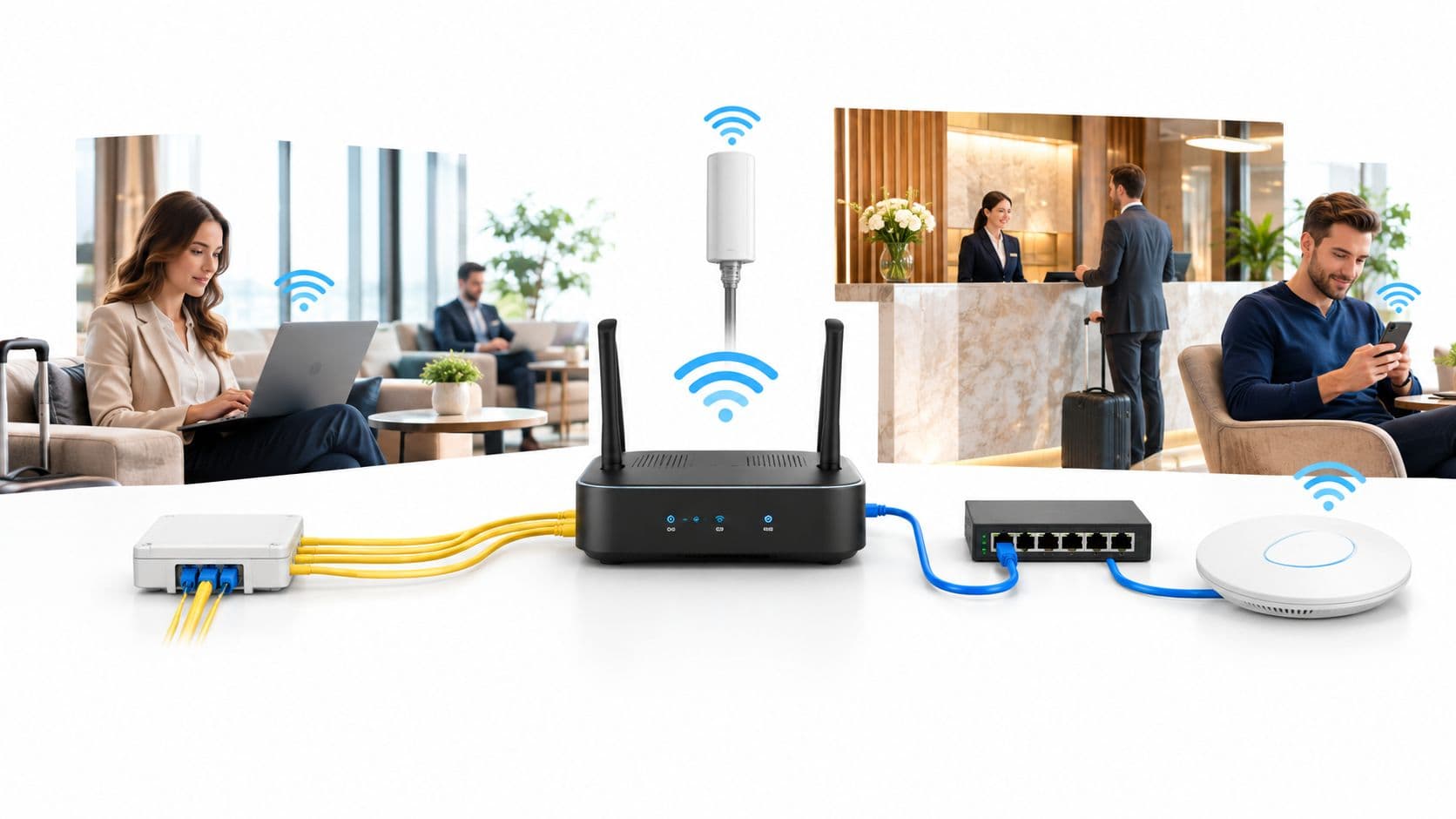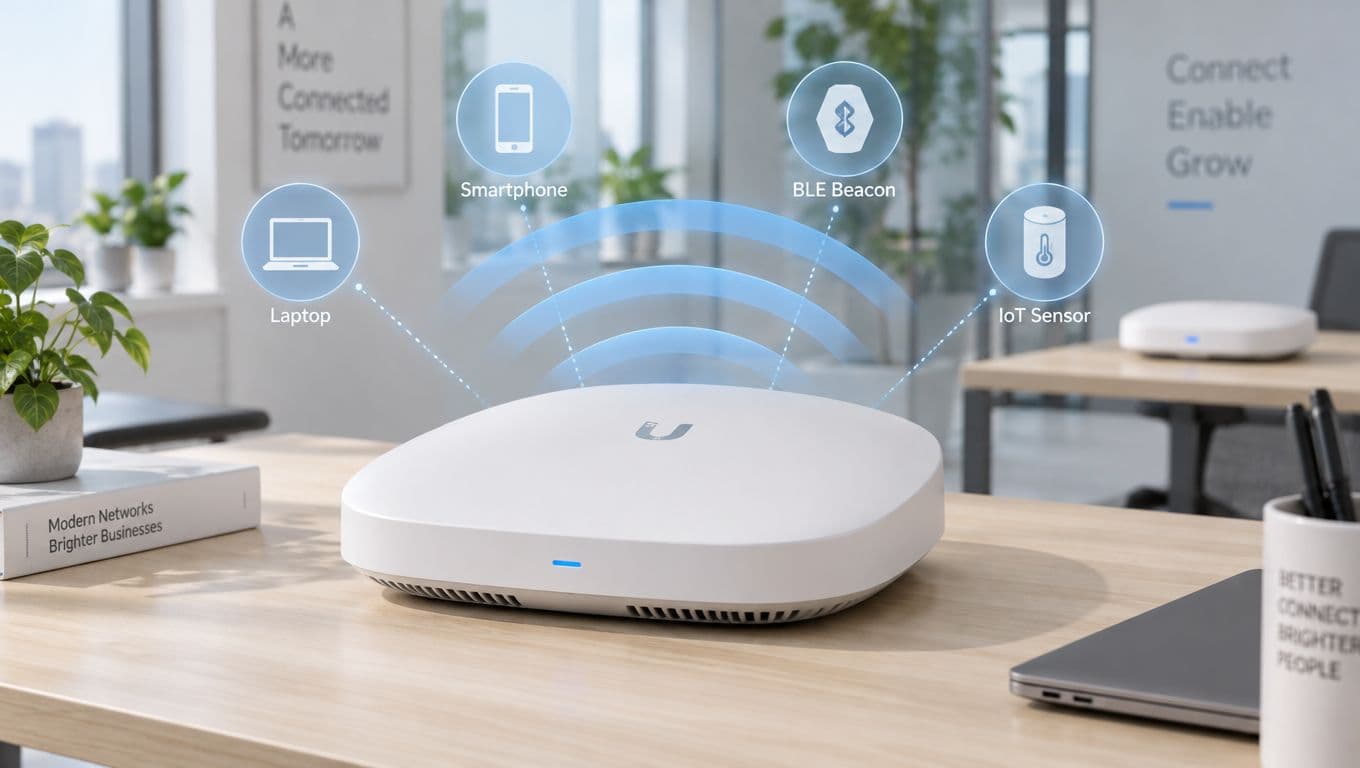
Muchas organizaciones ya cuentan con "WiFi" y, aun así, enfrentan fricciones cotidianas. Los huéspedes piden la contraseña en recepción. El personal se aleja un par de pasos de más y una terminal de pago se desconecta. Los equipos de TI vigilan de reojo los tickets de soporte porque una contraseña compartida se ha copiado, reutilizado y distribuido durante meses. La red existe, pero el valor empresarial no se aprovecha por completo.
Esa brecha es importante. Los beneficios de una infraestructura de red inalámbrica no provienen únicamente de eliminar cables. Vienen de entregar el acceso correcto, a la persona o dispositivo correcto, en el momento correcto, con el nivel de control adecuado. Cuando el WiFi se gestiona bien, respalda operaciones más fluidas, una seguridad más sólida, una mejor experiencia de usuario y un camino más claro hacia el ROI.
Más allá de los cables - El valor estratégico de la conectividad moderna
Una red inalámbrica moderna es en parte un servicio básico y en parte una plataforma de negocios. Mantiene conectado al personal, respalda el recorrido del cliente y permite a las empresas adaptar sus espacios sin necesidad de abrir paredes ni volver a cablear cada movimiento, adición y cambio. Es por eso que la conversación ha pasado de "¿Necesitamos WiFi?" a "¿Qué tan bien respalda nuestra red inalámbrica al negocio?".
En el Reino Unido, las redes inalámbricas aportaron £47.6 mil millones de libras al PIB nacional en 2022, y las empresas del Reino Unido informaron de un incremento del 15 al 20% en la productividad después de la adopción de redes inalámbricas, de acuerdo con los datos de impacto económico inalámbrico citados por la WIA. Esas cifras importan porque demuestran que el WiFi no es una capa de conveniencia que se añade al negocio. Es parte del modelo operativo.
Por qué debería importarles a los líderes comerciales
Para un operador hotelero, la red inalámbrica influye en el check-in, la satisfacción del huésped, las comunicaciones del personal y las actividades de fidelización.
Para un minorista, influye en la resiliencia del punto de venta, la movilidad del personal, la visibilidad del inventario y el compromiso del cliente en la tienda.
Para un hospital o clínica, influye en la conectividad de los dispositivos, el acceso de los médicos y los flujos de trabajo en los que el tiempo es crítico.
Estas no son conversaciones tecnológicas aisladas. Todas apuntan a la misma pregunta: ¿puede su red mantener a las personas y a los dispositivos en movimiento sin generar cuellos de botella?
El WiFi se vuelve estratégico cuando el liderazgo deja de tratarlo como infraestructura de fondo y comienza a tratarlo como una capa de servicio para toda la organización.
El cambio invisible del acceso a la identidad
Los diseños de WiFi antiguos se centraban en la cobertura. ¿Llegaba la señal al lobby, a la sala de hospital, a la oficina, al almacén? Eso sigue siendo importante, pero ya no es suficiente. Dos redes pueden tener una cobertura similar y ofrecer resultados de negocio completamente diferentes.
La diferencia a menudo se reduce a la gestión de accesos.
Una contraseña compartida trata a todos prácticamente de la misma manera. Una red moderna basada en la identidad distingue entre empleados, invitados, contratistas, residentes, terminales de punto de venta, impresoras, cámaras y dispositivos IoT. Esa distinción es donde radica gran parte del valor. Reduce el riesgo, disminuye la fricción y brinda a los operadores un mejor control sobre quién accede a qué.
Lo que las partes interesadas suelen pasar por alto
Muchos equipos asumen que los beneficios de invertir en una red inalámbrica son principalmente técnicos. Mejor señal. Mayor velocidad. Menos cables.
Esos son beneficios reales, pero el valor comercial también se manifiesta en otros aspectos:
- Flexibilidad operativa: los equipos pueden reconfigurar los espacios sin grandes trabajos de infraestructura
- Experiencia del cliente: las personas se conectan rápidamente y se mantienen comprometidas
- Postura de seguridad: el acceso se controla a nivel de usuario y de dispositivo
- Rendimiento financiero: la red respalda la actividad de ingresos, no solo la conectividad
Una sólida infraestructura WiFi no solo mueve datos a través del edificio. Ayuda a que el edificio funcione mejor.
Liberando el rendimiento y la movilidad sin límites
Cuando la gente escucha "rendimiento inalámbrico", suele pensar en velocidad. La velocidad importa, pero es solo una parte de la historia. Una red empresarial también debe gestionar la capacidad y la latencia.
Piense en la red como un sistema de carreteras.
- El rendimiento es la cantidad de vehículos que la carretera puede mover.
- La latencia es el tiempo que cada vehículo espera en los semáforos y cruces.
- La capacidad es qué tan bien responde el sistema en la hora pico, cuando todos aparecen al mismo tiempo.
Una oficina con un puñado de laptops puede sobrevivir con un WiFi mediocre. Un recinto, hospital, hotel o entorno de retail no pueden. Esos espacios tienen un tráfico denso. Los dispositivos del personal, los teléfonos de los invitados, las terminales de mano, las tablets, los sensores, las smart TVs y los dispositivos de pago compiten por el tiempo de transmisión.

La movilidad solo importa si el rendimiento acompaña al usuario
El trabajo sin límites suena sencillo. En la práctica, significa que un médico puede moverse entre salas sin perder el acceso, el supervisor de un hotel puede actualizar el estado de una habitación desde cualquier lugar y un operario de almacén puede escanear mercancías sin esperar a que se reconecte una terminal.
Un WiFi deficiente convierte la movilidad en frustración. Un buen WiFi hace que el trabajo se sienta continuo.
Esa continuidad afecta la forma en que operan los equipos:
- El personal de primera línea se mantiene en el flujo de trabajo: no tienen que regresar a un escritorio para completar tareas básicas
- Los gerentes toman decisiones más rápido: los dashboards en vivo y la mensajería siguen disponibles en movimiento
- Los espacios compartidos se vuelven utilizables: las salas de juntas, los vestíbulos, los espacios de tratamiento y las áreas de retail temporales admiten el trabajo sin una configuración especial
Por qué Wi-Fi 6 cambió la conversación
Los estándares modernos son importantes porque están diseñados para entornos concurridos, no solo para la velocidad máxima bruta. En las instalaciones de salud del Reino Unido, las redes inalámbricas que utilizan Wi-Fi 6 (802.11ax) ofrecen un rendimiento hasta 4 veces mayor y una capacidad un 75% mejorada, con latencias inferiores a 10 ms y una reducción del 30% en los retrasos de monitoreo, según las cifras de referencia de NHS Digital mencionadas por PBE Axell.
Esto suena técnico, así que traduzcámoslo a términos comerciales. Un mayor rendimiento y capacidad significan que más dispositivos pueden funcionar de manera confiable en el mismo espacio. Una menor latencia significa que la información crítica llega a donde debe ir sin demoras. En el sector salud, esto admite el monitoreo en tiempo real. En el sector retail, admite transacciones más rápidas y flujos de trabajo portátiles. En el sector de la hospitalidad, ayuda a que las herramientas del personal funcionen de manera constante en toda la propiedad.
Regla práctica: si las personas y los dispositivos se agrupan en ciertos momentos o en ciertas zonas, evalúe la red inalámbrica por cómo se comporta bajo presión, no por cómo se comporta en una sala vacía.
Qué es lo que más confunde a los compradores
Muchos de los involucrados asumen que "cobertura" significa "calidad". No es así.
Puede tener una señal fuerte y aun así tener una experiencia deficiente porque demasiados dispositivos están compitiendo, el roaming está mal ajustado o los puntos de acceso no están diseñados para el entorno. Un piso de conferencias, una sala de hospital o un restaurante concurrido necesitan un enfoque diferente al de una oficina administrativa tranquila.
Una mejor manera de evaluar el rendimiento es preguntar:
- ¿Pueden los usuarios mantenerse conectados mientras se mueven?
- ¿Puede la red soportar la densidad máxima sin caerse?
- ¿Siguen funcionando las herramientas en tiempo real cuando el sitio está concurrido?
- ¿Puede el diseño separar el tráfico de invitados del tráfico operativo?
Dónde crea valor comercial la movilidad
Los beneficios del rendimiento de la red inalámbrica se vuelven más claros cuando se observa el trabajo diario:
| Entorno | Qué permite la movilidad | Efecto comercial |
|---|---|---|
| Hotel | El personal actualiza las tareas de habitaciones, mantenimiento y huéspedes desde cualquier lugar | Tiempos de respuesta más rápidos y mejor consistencia en el servicio |
| Retail | Los asociados utilizan tablets y terminales punto de venta móviles en el piso de venta | Filas más cortas y más ventas asistidas |
| Salud | Los médicos acceden a los expedientes y a los datos de los dispositivos en el punto de atención | Respuesta más rápida y flujos de trabajo clínicos más fluidos |
| Oficina | Los empleados se mueven entre escritorios, salas y espacios de colaboración | Uso más flexible del espacio y menos tiempo de inactividad |
Una red inalámbrica debería sentirse invisible. Las personas no deberían tener que pensar en ella. Cuando piensan en ella, generalmente es porque falló.
Construyendo una fortaleza con seguridad inalámbrica zero-trust
La seguridad es el aspecto donde muchos proyectos inalámbricos se estancan. A los líderes empresariales les preocupa que eliminar los cables signifique abrir las puertas. En realidad, un WiFi obsoleto a menudo crea más riesgos que un diseño moderno basado en la identidad.
Una contraseña compartida es como darle a cada empleado, visitante, contratista y dispositivo la misma llave del edificio. Una vez que esa llave se difunde, el control desaparece. Si alguien se va, o bien se acepta el riesgo, o se cambia la contraseña e interrumpe a todos.
Un modelo zero-trust funciona de manera diferente. Cada usuario y dispositivo demuestra quién es. El acceso se concede en función de la identidad, el rol y la política, no solo por poseer una contraseña. Esto se adapta mejor a los entornos modernos donde el personal, los invitados, los contratistas, los inquilinos y los dispositivos no gestionados se conectan en el mismo entorno.
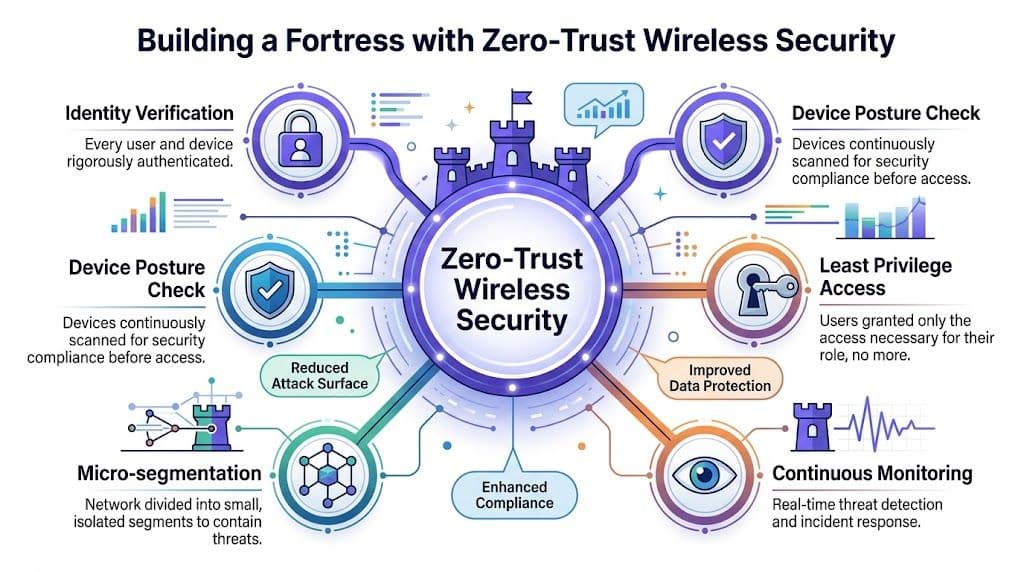
WiFi tradicional frente al acceso basado en identidad
Esta es la diferencia práctica.
| Atributo | WiFi tradicional (Contraseñas compartidas / Portal) | WiFi basado en identidad (Zero Trust / Passpoint) |
|---|---|---|
| Autenticación de usuarios | Secreto compartido o inicio de sesión básico en portal | Identidad individual o autenticación basada en dispositivos |
| Control de acceso | Amplio y difícil de personalizar | Basado en políticas y específico para cada rol |
| Salida de usuarios (Offboarding) | Cambios manuales de contraseña o limpieza de cuentas | El acceso se puede revocar por usuario o dispositivo |
| Experiencia de invitados | A menudo compleja, repetitiva y sin cifrar al primer contacto | Fluida y diseñada para una incorporación segura |
| Aislamiento de dispositivos | A menudo limitado o inconsistente | Más fácil de separar a los usuarios, inquilinos y clases de dispositivos |
| Auditabilidad | Más difícil de rastrear quién usó qué | Mayor visibilidad por identidad |
Por qué zero trust se adapta tan bien a la tecnología inalámbrica
La tecnología inalámbrica es dinámica. Las personas se mueven. Los dispositivos aparecen y desaparecen. Los contratistas llegan. Los invitados se conectan brevemente. Los residentes traen dispositivos inteligentes. Un modelo de seguridad estático tiene dificultades en ese entorno.
El acceso basado en identidad ofrece a los administradores un control más detallado:
- El personal recibe acceso adecuado a su rol: un usuario de finanzas no necesita la misma ruta de acceso que un contratista de recepción
- Los invitados se conectan sin tocar los recursos internos: el acceso a internet se separa de los sistemas operativos
- Los dispositivos heredados se pueden contener: las impresoras, televisores, sensores y equipos especializados se pueden aislar en lugar de otorgarles una confianza generalizada
- Las personas que dejan la empresa no permanecen en la red: el acceso se puede revocar a nivel de identidad
Para las organizaciones que evalúan opciones, esta guía de redes inalámbricas seguras ofrece una perspectiva útil de los principios de diseño que respaldan un control de acceso más sólido.
Las contraseñas son convenientes hasta que dejan de serlo
Las credenciales compartidas parecen sencillas porque reducen los pasos de configuración. Esa simplicidad es engañosa.
Una vez que una contraseña se imprime, se envía por mensaje de texto, se dice en voz alta en un escritorio o se reutiliza en múltiples SSID, deja de ser un control y se convierte en una vulnerabilidad. Los equipos de TI tienen que compensar esto con soluciones provisionales: redes de invitados separadas, cambios frecuentes de contraseña, listas manuales de dispositivos aprobados o excepciones locales para terminales complejos.
Cada solución provisional agrega esfuerzo y, por lo general, también inconsistencia.
La seguridad mejora cuando la red deja de preguntar "¿Te sabes la contraseña?" y comienza a preguntar "¿Quién eres y qué deberías tener permitido hacer?".
El caso de negocio para puntos de control más inteligentes
Los líderes comerciales suelen escuchar "zero trust" y asumir que habrá más fricción. Por lo general, ocurre lo contrario cuando se diseña de manera adecuada. El personal ya no tiene que buscar contraseñas, los invitados no tienen dificultades con portales confusos y los administradores dedican menos tiempo a gestionar excepciones.
Esto es importante porque una red segura debe apoyar al negocio, no ralentizarlo.
Un buen diseño de seguridad logra tres cosas a la vez:
- Reduce el riesgo al limitar el movimiento lateral y la confianza generalizada.
- Mejora la experiencia al eliminar obstáculos repetitivos de inicio de sesión.
- Simplifica las operaciones al reemplazar la gestión de acceso manual con políticas claras.
Es por eso que los beneficios de la modernización de la red WiFi están estrechamente vinculados a la arquitectura de acceso. La cobertura y la velocidad son importantes, pero el diseño de la confianza a menudo determina si la red se percibe como segura, escalable y utilizable.
Lograr nuevas eficiencias operativas y financieras
La tecnología inalámbrica a menudo se aprueba por motivos técnicos, pero luego demuestra su valor en términos operativos y financieros. Ahí es donde muchos proyectos obtienen el respaldo de los líderes de finanzas, instalaciones y operaciones que no pasan el día pensando en el diseño de RF.
El ahorro más evidente está en la infraestructura física. En el Reino Unido, las redes inalámbricas pueden eliminar hasta un 40% de los gastos de cableado en comparación con las instalaciones cableadas, y el personal puede ver ganancias de eficiencia de hasta un 30% en los flujos de trabajo colaborativos, según el análisis de redes inalámbricas en el Reino Unido resumido por Quest Systems.
Esas cifras son especialmente relevantes en remodelaciones, despliegues en múltiples sitios y edificios que cambian de uso con frecuencia. Cada tendido de cable adicional tiene un costo. Cada movimiento de escritorio, conversión de sala o cambio de diseño agrega más.

Dónde aparecen primero los ahorros reales
Una mentalidad centrada en el cableado asume permanencia. Funciona bien cuando las personas, los dispositivos y los espacios se mantienen fijos. La mayoría de los entornos comerciales ya no se comportan así.
El WiFi ayuda a reducir la presión de costos de varias maneras:
- Menos cambios físicos durante la rotación: las oficinas, los espacios de hospitalidad y los desarrollos residenciales se pueden reconfigurar sin necesidad de un recableado importante
- Despliegue más rápido en entornos activos: los equipos pueden habilitar áreas con menos interrupciones para los huéspedes, el personal o los residentes
- Menor sobrecarga de soporte para cambios de acceso: la incorporación y los movimientos se vuelven más orientados a políticas que a procesos manuales
- Mejor uso del espacio compartido: las organizaciones no necesitan que cada área de trabajo esté diseñada en torno a puertos fijos
El ROI indirecto sigue siendo un ROI real
Quienes toman las decisiones a veces descartan las mejoras en el flujo de trabajo porque no aparecen como un ahorro directo en el presupuesto desde el primer día. Eso es un error.
Cuando el personal se mantiene conectado de manera confiable, pierde menos tiempo reconectándose, buscando una terminal que funcione o pidiendo ayuda de soporte técnico a TI. Los gerentes también ganan flexibilidad. Pueden desplegar equipos en el espacio donde la demanda es mayor en lugar de donde el acceso a la red es más fácil.
Considere la diferencia entre estos dos escenarios:
| Modelo operativo | Realidad diaria | Resultado probable |
|---|---|---|
| Fijo, centrado en cableado | El trabajo se realiza donde los puertos y las terminales están disponibles | El uso del espacio se vuelve rígido y más lento de adaptar |
| Móvil, guiado por WiFi | El trabajo se realiza donde existe la necesidad del cliente u operativa | Los equipos responden más rápido y el espacio se aprovecha mejor |
Por qué la gestión de accesos cambia el perfil de costos
El costo oculto en muchas redes no es el hardware. Es la administración.
Cada restablecimiento de contraseña compartida, cada solución temporal de acceso de invitados, cada solicitud de incorporación manual y cada excepción para un dispositivo heredado consume tiempo. El acceso basado en identidad reduce gran parte de esa carga porque las políticas pueden seguir el tipo de usuario y el tipo de dispositivo en lugar de reconstruirse una y otra vez.
Perspectiva comercial: Los mejores proyectos inalámbricos no solo ahorran dinero en la instalación. Ahorran tiempo de gestión, reducen el esfuerzo de soporte y abaratan los cambios futuros.
Preguntas que vale la pena hacer antes de la aprobación
Si está evaluando una actualización o una nueva implementación, no pregunte únicamente cuánto cuesta instalar la red. Pregunte:
- ¿Con qué frecuencia cambia el diseño o el uso del sitio?
- ¿Cuántas tareas de soporte relacionadas con el acceso siguen siendo manuales?
- ¿Cuánto tiempo del personal se pierde debido a una mala movilidad o a la fricción al iniciar sesión?
- ¿Puede la configuración actual escalar sin agregar complejidad operativa?
Los beneficios de la inversión en una red inalámbrica se vuelven mucho más claros cuando se mira más allá del ancho de banda. En muchas organizaciones, el mayor retorno proviene de la reducción de la fricción en la forma en que las personas trabajan y en cómo se gestiona el entorno.
Transformando la experiencia del invitado y liberando el valor de marketing
El WiFi para invitados solía tratarse como una cortesía. Ofrecer acceso a Internet, mostrar una página de bienvenida y esperar que nadie se quejara. Ese enfoque es demasiado limitado hoy en día.
Para muchos establecimientos, la experiencia inalámbrica es parte de la experiencia de marca. El primer intento de conexión suele ocurrir antes de que un invitado ordene, se registre o se acomode en el espacio. Si es lento, repetitivo o confuso, el establecimiento genera fricción antes de generar valor.

La diferencia entre acceso y bienvenida
Considere dos trayectos comunes de invitados.
En el primero, un cliente se une a la red de un establecimiento, espera a que aparezca un portal, introduce sus datos, confirma los términos, vuelve a introducir un correo electrónico y repite el proceso en una visita posterior.
En el segundo, el dispositivo reconoce la red y se conecta automáticamente con acceso seguro desde el principio.
Ambos proporcionan Internet. Solo uno se siente moderno.
En los establecimientos comerciales y de hospitalidad del Reino Unido, las redes inalámbricas que admiten OpenRoaming se asocian con un tiempo de permanencia del cliente de un 25 a un 35% mayor, un incremento del 18% en las ventas y un 22% más de visitas repetidas en centros comerciales y hoteles de múltiples inquilinos, según las cifras de conectividad de comercios y hospitalidad resumidas por Spectra.
Ese vínculo entre un acceso más fácil y un mejor rendimiento comercial tiene sentido. Cuanto menos esfuerzo dediquen los huéspedes a conectarse, más rápido pasarán a navegar, comprar, ordenar, trabajar o quedarse más tiempo.
Por qué esto es importante en espacios reales
Un centro comercial quiere que los visitantes se muevan con fluidez entre las tiendas, pasen más tiempo en el sitio y regresen.
Un hotel quiere que sus huéspedes se sientan atendidos desde su llegada, no que tengan que realizar una pequeña tarea administrativa solo para conectarse.
Un bar o restaurante quiere que la comodidad digital apoye el proceso de orden, la lealtad y las visitas recurrentes, no que los obstaculice.
Esta perspectiva de retail también se conecta con una estrategia más amplia de creación de espacios. Si está analizando cómo los destinos físicos aumentan su atractivo y valor, How Malls Attract Shoppers and Lift NOI ofrece una perspectiva complementaria muy útil sobre qué impulsa el flujo de personas y el tiempo de permanencia.
El WiFi para invitados puede convertirse en un activo de datos
La conversación ahora va más allá de la conectividad.
Cuando el acceso está diseñado de manera adecuada, el WiFi para invitados puede ayudar a los establecimientos a recopilar datos de primera mano (first-party data). No mediante vigilancia. No mediante suposiciones. Sino a través de una comprensión útil y basada en el consentimiento sobre el comportamiento y la interacción de los visitantes. Esto puede impulsar el crecimiento del CRM, la segmentación de audiencias, las actividades de lealtad y un seguimiento más relevante.
Una red de invitados se vuelve más valiosa cuando puede responder a preguntas prácticas:
- ¿Quién es un visitante nuevo y quién regresa?
- ¿Qué ubicaciones o zonas están más concurridas?
- ¿Cuándo se quedan más tiempo los visitantes?
- ¿Cómo puede la interacción digital fomentar las visitas recurrentes?
Para los operadores que comparan diferentes enfoques, estas guest WiFi solutions muestran cómo la autenticación y la información sobre los visitantes pueden integrarse.
Una red de invitados debe, en primer lugar, reducir la fricción. El valor de los datos viene después de eso, no en su lugar.
Por qué la conexión sin contraseña es comercialmente importante
Los portales cautivos (Captive Portal) tenían sentido cuando el WiFi para invitados era un servicio complementario. En entornos comerciales concurridos, a menudo se sienten como una fila de espera en la puerta.
Los enfoques sin contraseña y compatibles con el roaming mejoran la experiencia porque reducen los pasos repetitivos. Esto es especialmente valioso en propiedades multi-sitio y destinos multi-inquilino donde las personas se mueven entre marcas, locales o edificios.
Los beneficios de la inversión en redes inalámbricas se aprecian mejor aquí porque el impacto es visible. Las personas se conectan más rápido. Se quedan más tiempo. Regresan con más frecuencia. La red deja de ser un servicio oculto y comienza a respaldar directamente la generación de ingresos.
Medición del éxito, cumplimiento y ROI tangible
Una inversión en red inalámbrica es más fácil de defender cuando se mide como un programa de negocio y no solo como una actualización de TI. Eso significa vincular los cambios técnicos con resultados que los equipos de operaciones, finanzas, marketing y cumplimiento puedan reconocer.
Un modelo de ROI sencillo comienza con tres categorías: costos eliminados, tiempo ahorrado y valor creado.
Qué medir en la práctica
Los diferentes sectores ponderarán estos elementos de manera distinta, pero el marco de trabajo es básicamente el mismo.
Medidas operativas
- Reducción de tickets de soporte relacionados con el acceso
- Incorporación más rápida para el personal y los dispositivos
- Menos quejas sobre problemas de conexión de invitados
- Menor interrupción cuando se reconfiguran los espacios
Medidas comerciales
- Crecimiento de perfiles de clientes conocidos a partir de los registros de WiFi
- Cambios en el comportamiento de visitas recurrentes
- Correlación entre visitantes conectados y el gasto en el sitio
- Mejor segmentación de campañas a partir de datos de audiencia de primera mano
Medidas técnicas
- Tasas de éxito de conexión
- Tiempo de conexión
- Consistencia de roaming en todo el sitio
- Separación del tráfico de invitados, personal y dispositivos
No ignores los datos de referencia
Muchos equipos se apresuran con la implementación y solo piensan en la medición más tarde. Eso dificulta la obtención de pruebas.
Antes de que comience un proyecto, define una línea de referencia. ¿Cuántos tickets de soporte se relacionan con el WiFi? ¿Cuántas quejas mencionan el acceso de invitados? ¿Con qué frecuencia el personal informa sobre zonas sin señal o roaming lento? ¿Cuánto tiempo pasa el departamento de TI gestionando excepciones de acceso?
Después del lanzamiento, compara situaciones similares. Así es como se transforma un "la red se siente mejor" en un caso de negocio en el que el liderazgo puede confiar.
Hábito de medición: si una mejora inalámbrica no se puede vincular a un flujo de trabajo, a un comportamiento del cliente o a una carga de soporte, será más difícil de defender al momento de presupuestar.
El cumplimiento es parte del ROI
El cumplimiento normativo no suele entusiasmar a las partes interesadas, pero el incumplimiento es costoso en términos de tiempo, confianza y esfuerzo de gobernanza. El acceso inalámbrico moderno puede ayudar en este aspecto al hacer que el consentimiento, la autenticación y la separación de usuarios sean más estructurados.
Para entornos orientados al cliente, el manejo de datos debe ser transparente y proporcionado. Para el personal y el tráfico operativo, el acceso debe alinearse con el rol y la política. Para propiedades mixtas, la segmentación es importante porque no todos los dispositivos merecen el mismo nivel de confianza.
El análisis de ubicación también requiere un manejo cuidadoso. Si se utiliza de manera adecuada, ayuda a los operadores a comprender los patrones de movimiento y mejorar los diseños de espacio. Si deseas un ejemplo práctico de cómo los establecimientos visualizan el movimiento, los mapas de calor del sitio para ubicaciones conectadas muestran cómo los datos derivados de la red pueden respaldar las decisiones operativas.
A simple stakeholder scorecard
A useful reporting view often looks like this:
| Stakeholder | What they want to know | Example success signal |
|---|---|---|
| Finance | Is the investment paying back? | Lower support burden and clearer commercial use of data |
| Operations | Is the site easier to run? | Fewer access bottlenecks and better staff mobility |
| Marketing | Can we engage visitors better? | Growth in known audiences and stronger repeat engagement |
| IT | Is the network easier to control? | Cleaner policy management and fewer manual exceptions |
| Compliance | Is data being handled responsibly? | Better visibility over consent, access, and segmentation |
The benefits of wireless network modernisation become easier to sustain when reporting matches each stakeholder’s priorities. One dashboard rarely tells the whole story.
Your Path to a Modern Wireless Network
Most organisations don’t need a dramatic rip-and-replace project to modernise wireless. They need a clear migration path, realistic priorities, and a design that fits the environment they run.
That’s good news for teams with existing infrastructure from vendors such as Meraki, Aruba, Ruckus, Mist, or UniFi. In many cases, the fastest path is to improve access architecture and policy control while preserving sound hardware investments where they still make sense.
Start with the business problem, not the access point
A wireless project goes off course when the first conversation is purely about equipment. Better questions come first:
- Who needs access?
- Where do they move?
- Which devices are managed, unmanaged, shared, or legacy?
- Which journeys matter most, staff or guest or both?
- Where does friction hurt the business today?
That framing helps avoid a common mistake. Teams buy better coverage when the actual problem is poor authentication, weak segmentation, or inconsistent roaming.
A practical rollout sequence
A modern deployment usually follows a pattern.
Discovery and policy design
Map users and devices into meaningful groups. Staff, guests, residents, contractors, POS, printers, displays, cameras, clinical devices, and IoT endpoints don’t all belong on the same trust model.
Clarify what each group needs to reach and what it should never reach.
Infrastructure review
Check whether the current wireless estate can support the desired experience. Some sites need denser access point placement, cleaner RF design, or better switching and backhaul. Others mainly need a better access layer.
Pilote en un entorno de alto valor
Elija un sitio o zona donde la fricción sea evidente. El lobby de un hotel, una tienda insignia, una sala de hospital, una residencia estudiantil o un área común de uso mixto suelen exponer los problemas rápidamente y ofrecen a las partes interesadas algo concreto que evaluar.
Comience donde el problema sea obvio. Ahí es donde la adopción tiende a consolidarse más rápido.
Despliegue controlado
Expándase por fases, no con caos. Transfiera al personal, a los invitados y las categorías de dispositivos con responsabilidades claras. Mantenga a los equipos de soporte cerca de las primeras implementaciones para que los pequeños problemas se solucionen antes de que se extiendan por todo el complejo.
Cómo se ve el éxito al principio
Sabrá que un despliegue va por buen camino cuando ocurran algunas cosas rápidamente. El personal deja de pedir contraseñas. Los invitados se conectan con menos esfuerzo. TI recibe menos excepciones de acceso. Los administradores del sitio dejan de tratar al WiFi como un tema recurrente de quejas.
Ese es el punto en el que la red inalámbrica deja de parecer un proyecto y comienza a comportarse como una infraestructura central.
El cambio más importante no es técnico. Es organizacional. Los equipos comienzan a confiar en la red como una plataforma para el trabajo, el servicio y el engagement.
Preguntas frecuentes sobre redes inalámbricas empresariales
¿Es la red inalámbrica realmente lo suficientemente confiable para operaciones comerciales críticas?
Sí, siempre que esté diseñada para el entorno en lugar de tratarse como una comodidad de consumo. La confiabilidad depende de la planificación de la capacidad, el diseño de roaming, la segmentación y el control de acceso. Una red inalámbrica empresarial bien estructurada puede soportar flujos de trabajo operativos en oficinas, recintos, entornos de atención médica y complejos comerciales.
¿Cuál es la diferencia entre el WiFi de invitados estándar y el acceso de tipo Passpoint?
El WiFi de invitados estándar a menudo depende de portales cautivos, inicios de sesión repetidos y una fricción evidente. El acceso de tipo Passpoint está diseñado para una experiencia de conexión más fluida y una seguridad más sólida desde el principio. Para los usuarios, eso generalmente significa menos esfuerzo y más consistencia en las visitas de regreso.
¿Pueden los dispositivos heredados seguir funcionando en una red moderna y segura?
Sí. Esa es una preocupación común. Muchos complejos aún dependen de impresoras, pantallas, televisiones inteligentes, escáneres y dispositivos especializados que no admiten los métodos modernos de inicio de sesión basados en el usuario. La respuesta no es debilitar toda la red. Consiste en colocar esos dispositivos en segmentos estrechamente controlados con políticas adaptadas a sus limitaciones.
¿Moverse a una red inalámbrica basada en la identidad genera más trabajo administrativo?
Normalmente es lo contrario. A menudo reduce las tareas de acceso repetitivas porque los administradores gestionan la política por tipo de usuario o dispositivo en lugar de manejar contraseñas compartidas y excepciones únicas una y otra vez. La configuración requiere planificación, pero las operaciones continuas suelen ser más limpias.
¿Necesitamos reemplazar todo nuestro hardware existente?
No siempre. Muchas organizaciones pueden modernizar el acceso y las políticas sin reemplazar cada punto de acceso o controlador de inmediato. El enfoque correcto depende de la antigüedad de la infraestructura, los requisitos de densidad y si la infraestructura actual puede soportar la experiencia que desea ofrecer.
¿Qué deben preguntar las partes interesadas comerciales antes de aprobar un proyecto?
Pregunte tres cosas. ¿Reducirá esto la fricción para el personal o los invitados? ¿Mejorará el control y reducirá la carga de soporte? ¿Podemos medir el valor comercial después de la implementación? Si la respuesta es afirmativa a las tres preguntas, está hablando de algo más que de la cobertura WiFi. Está hablando de una plataforma operativa.
Si su organización desea ir más allá de las contraseñas compartidas y los portales de invitados obsoletos, Purple ofrece redes basadas en identidad para invitados, personal y entornos multiinquilino. Está diseñado para ayudar a los equipos a ofrecer un acceso seguro y sin contraseñas, una segmentación más sólida y resultados comerciales medibles en los sectores de hotelería, retail, salud, transporte, eventos y residenciales.