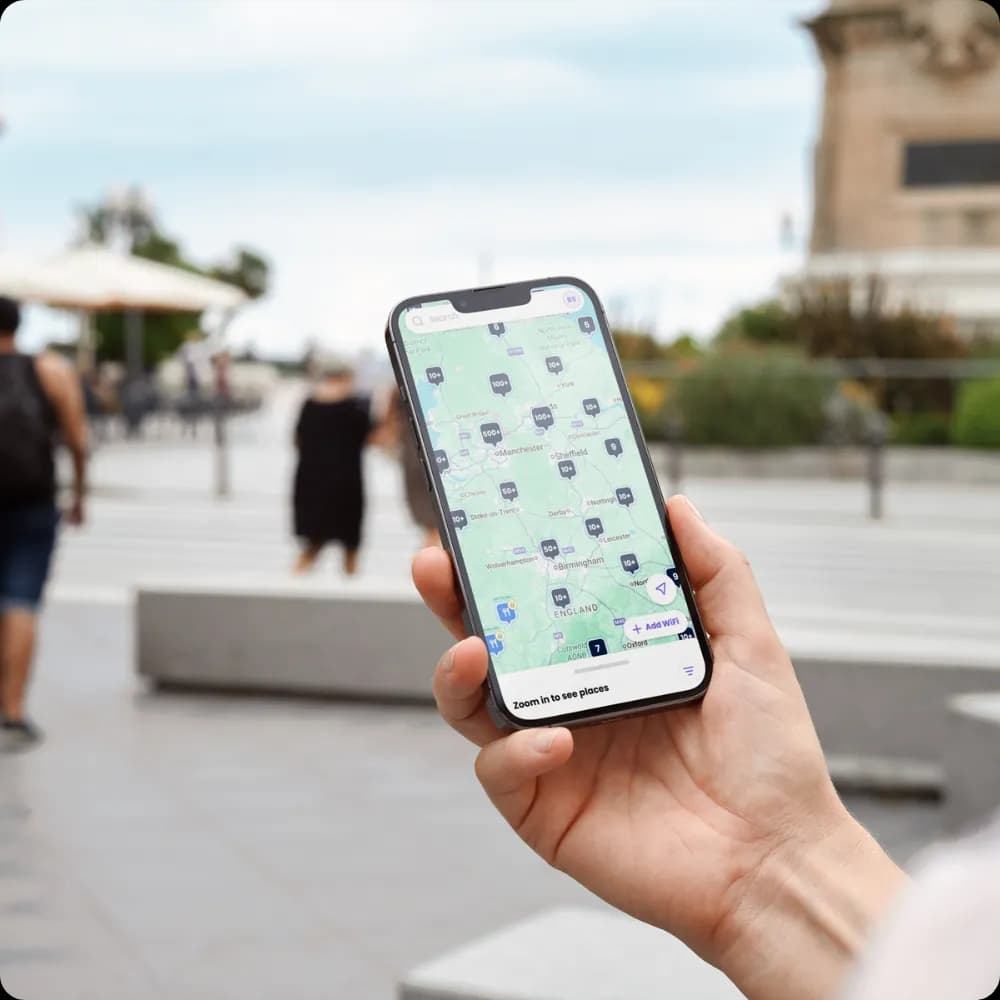
If you're evaluating an indoor positioning system, you're probably dealing with a familiar problem. Guests get lost between reception and their room. Shoppers use your WiFi, but you still can't see how they move through the centre. Clinical staff waste time finding equipment. Your network already covers the building, yet location data still sits in a separate project plan, disconnected from identity, analytics, and operations.
That's where most IPS conversations go wrong. Teams spend weeks comparing beacons, anchors, and radio methods, then realise the hard part isn't just locating a device indoors. It's turning that location signal into something the business can use, securely, repeatedly, and without creating another isolated platform to manage.
An indoor positioning system works best when it's treated as part of the wider network and identity stack. The radio layer matters. The integration layer matters more.
What Is an Indoor Positioning System
Outdoor navigation feels simple because GPS handles the heavy lifting. Your phone listens to satellites, works out where it is, and shows a blue dot on a map. Indoors, that model breaks down because walls, ceilings, lifts, plant rooms, and dense building materials interfere with those weak satellite signals.
An indoor positioning system fills that gap. It gives you a way to estimate where a person, phone, or tagged asset is inside a building where GPS can't do the job reliably.

More than a map with a blue dot
A lot of buyers first picture IPS as indoor sat nav. That's part of it, but it's only the visible layer.
In practice, an indoor positioning system is a combination of:
- Signal sources such as WiFi access points, BLE beacons, or UWB anchors
- Software logic that interprets those signals and estimates position
- Maps and floor plans that turn coordinates into usable locations
- Applications and integrations that use the location data for navigation, analytics, safety, or automation
Think of it as the indoor equivalent of a logistics tracking system. The radios tell you where something probably is. The software translates that into "near lift lobby", "outside meeting room", or "on level three near cardiology". The business systems decide what to do with that information.
The problem it actually solves
Most venues don't need location data for its own sake. They need it to remove friction.
A hotel wants guests to find the right lift bank, bar, spa, or conference room without asking staff. A shopping centre wants to understand movement patterns, not just footfall at entrances. A hospital wants clinicians to locate equipment and find their way to departments with less delay.
Indoor positioning only becomes valuable when the location estimate connects to a real workflow. Navigation, staffing, support, marketing, or operations.
Why IPS is a system, not a single product
This is the part many first deployments underestimate. You can't buy "an IPS box" and expect it to solve indoor wayfinding across a complex property.
Every deployment depends on trade-offs:
| IPS element | What it does | Why it matters |
|---|---|---|
| Signal layer | Detects devices or tags indoors | Determines coverage and raw accuracy |
| Location engine | Converts radio measurements into positions | Affects reliability in real buildings |
| Mapping layer | Aligns positions to floors and spaces | Makes the output usable for people |
| Integration layer | Connects data to apps and workflows | Creates business value |
If the map is poor, navigation fails. If the integration is weak, analytics stay siloed. If the identity layer is missing, you can see movement but not connect it responsibly to guest journeys or service events.
Comparing Core IPS Technologies
A hotel group planning indoor wayfinding across twenty properties rarely starts with a blank sheet. The key question is not which radio technology sounds most advanced. It is which one fits the network you already run, the accuracy your use case requires, and the identity platform you want to connect it to.

Buy on accuracy alone and many IPS projects become expensive pilots. Buy on integration fit, and the same location data can feed guest apps, service workflows, venue analytics, and identity-linked reporting in platforms such as Purple.
WiFi positioning
WiFi is often the practical first option because the access layer already exists. Instead of deploying a separate sensor estate, the system estimates location from signal measurements across your wireless network.
Earlier in this guide, we noted that WiFi positioning commonly lands in the few-metre range rather than pinpoint precision. In practice, that is usually enough for zone-based wayfinding, journey analysis, heatmaps, and triggers such as "guest has reached the conference floor" or "visitor is near reception."
WiFi also fits enterprise operations better than many teams expect. Your network team already manages the AP estate. Cabling, power, change control, and monitoring are familiar. That lowers deployment friction, especially across multi-site portfolios.
Where WiFi works well
- Existing enterprise WLAN environments
- Guest and visitor wayfinding
- Zone-level analytics and dwell analysis
- Rollouts where standardisation matters across many sites
Where WiFi struggles
- Sub-room asset location
- Clinical or industrial workflows that depend on exact coordinates
- Buildings with inconsistent AP density or difficult RF behaviour
The trade-off is clear. WiFi usually wins on coverage economics and operational fit. It loses when the business case depends on knowing which side of a room an item is on.
BLE beacons
BLE sits in the middle ground. It is cheaper to deploy than high-precision systems and usually gives better proximity control than WiFi alone, especially for mobile experiences.
That makes BLE common in customer-facing environments. A venue can place beacons near lifts, meeting rooms, retail units, or amenities and use them to trigger app content, improve turn-by-turn guidance, or measure presence in defined zones. The catch is operational overhead. Beacon estates look lightweight at procurement stage, then create battery replacement cycles, placement audits, and calibration work for the team that inherits them.
Mobile behaviour also matters more than buyers often assume. Scanning rules differ by handset and operating system. Background detection can be inconsistent. If your IPS strategy depends on guests installing an app and granting the right permissions, plan for lower participation than the architecture diagram suggests.
BLE's real trade-off
- Low hardware cost per point
- Better proximity logic than basic WiFi
- Ongoing battery and maintenance burden
- More variability from phone settings and app permissions
BLE is a good fit when proximity is the product. It is a weaker fit when the business wants low-touch operations across hundreds or thousands of endpoints.
UWB
UWB is the precision option. Earlier in the article, we referenced accuracy figures down to around 30 cm. That level of performance changes what the system can do.
In hospitals, industrial sites, and logistics environments, UWB supports workflows where "in this area" is not good enough. Teams need to know which bed bay holds a tagged device, which trolley left a controlled area, or which item is closest to a technician. That is why UWB often appears alongside asset tracking software rather than guest navigation platforms.
The trade-off is infrastructure. UWB needs dedicated anchors, careful site design, and a deployment model that older buildings do not always welcome. For a luxury hotel or mixed-use venue, that usually means a harder retrofit case and a longer path to payback.
IPS technology comparison
| Technology | Typical accuracy | Typical cost profile | Infrastructure requirement | Best fit |
|---|---|---|---|---|
| WiFi | Room or zone level in many deployments | Lower if WLAN is already in place | Existing APs, survey work, location engine | Wayfinding, heatmaps, movement analysis |
| BLE | Better proximity control than WiFi alone, depends on beacon density and calibration | Moderate | Beacon placement, battery management, mapping | App-led navigation, zone triggers, local engagement |
| UWB | High precision, often suitable for item-level tracking | Higher | Dedicated anchors, tags, specialist design | Critical asset tracking, industrial and clinical workflows |
A useful buying test is simple. Ask what system of record should receive the location event.
If the answer is your guest WiFi, CRM, loyalty, or identity stack, WiFi and BLE usually deserve the first look because they connect more naturally to existing digital journeys. If the answer is operational telemetry for tagged equipment, UWB often justifies the added cost. The strongest IPS deployments are not the ones with the most impressive radio spec. They are the ones that fit the network, identity, and reporting environment you already have, then produce location data the business can use.
Key Enterprise Use Cases for IPS
At 6:45 p.m., a guest checks into a large hotel after a delayed flight, heads to the wrong lift bank, misses the restaurant booking, and asks staff for directions twice in ten minutes. In the same building, an events team is trying to redirect delegates around a queue outside a ballroom, while operations wants to know why the spa stays quiet on peak weekends. An indoor positioning system can help with all three problems, but only if it feeds the systems your team already uses, not just a map on a screen.

Wayfinding for guests and visitors
Wayfinding is usually the first use case executives can picture, because the pain is obvious. Guests, patients, visitors, and delegates lose time when buildings are large, multi-level, or poorly zoned. Staff lose time too, because every direction request interrupts front desk, concierge, security, or clinical teams.
A well-designed IPS turns a static site map into live guidance based on where the user is standing. In a hotel, that might mean guiding someone from reception to a room, bar, meeting suite, or parking area. In a hospital, it can reduce late arrivals and missed appointments by getting people to the right department on the first attempt.
The business case improves when wayfinding ties into identity and session data. If a guest has authenticated on WiFi or through an app, the journey can start from their booking context rather than from a generic map. That is where platforms connected to your network and identity layer, including environments built around systems like Purple, start to matter. The location event becomes part of the customer journey, not a standalone convenience feature.
People flow and space analytics
This use case matters because floorplans rarely reflect real behaviour.
IPS shows how people move through lobbies, corridors, retail units, concourses, and event spaces. That gives operations and commercial teams something they can act on. They can test whether signage is working, whether a queue is caused by staffing or layout, whether guests skip a venue because the route is unclear, or whether a high-value area gets traffic but not dwell time.
For a shopping centre operator, that can support tenant reporting and leasing decisions. For a hotel group, it can show whether conference guests ever pass the bar, whether breakfast congestion starts at the entrance or the service point, and whether certain amenities stay hidden despite strong marketing. The useful output is not a heatmap by itself. It is a decision about staffing, signage, layout, or promotion.
In practice, the strongest projects connect movement data to known audiences. Anonymous flow data is useful for estate planning. Identified or consented session data is where the commercial value often rises, because the business can compare location patterns with spend, loyalty status, campaign exposure, or service usage.
Asset tracking in operational environments
Asset tracking is often where IPS earns its budget fastest.
Hospitals, warehouses, campuses, and large venues waste hours every week searching for mobile equipment. Beds, wheelchairs, pumps, scanners, cleaning carts, and service tools move constantly. Without reliable visibility, teams create manual workarounds such as calling other departments, checking cupboards, or keeping excess stock on hand just in case.
Accuracy matters here, but workflow matters more. A location dot on a screen does not save much time unless it links to dispatch, maintenance, housekeeping, or inventory processes. Teams looking at warehouse or mobile equipment visibility often pair IPS with purpose-built tools such as asset tracking software so location events feed operational tasks instead of sitting in a dashboard that nobody opens during a busy shift.
I usually advise teams to ask one blunt question: who acts on the alert? If nobody owns the next step, tracking remains interesting rather than useful.
Proximity-triggered experiences and alerts
Location can also trigger action in real time. That may mean sending a service prompt when a guest enters a leisure area, alerting security when someone enters a restricted zone, or routing a staff task to the nearest available team member.
It is a common pitfall for many pilots to lose discipline. The technical demo looks impressive, but too many messages quickly become noise. A guest does not want three notifications on the way to breakfast. A nurse does not need another alert that duplicates an existing workflow. Good proximity design uses location as one input alongside identity, consent, time of day, booking status, and business rules.
That is also why integration matters more than the trigger itself. If IPS can see that a device is near the spa but your CRM cannot distinguish a first-time guest from a loyalty member, the message will be generic. If IPS connects to authenticated sessions and customer profiles, the action can be more relevant and easier to measure.
The pattern behind the strongest deployments
The strongest IPS use cases usually share three design traits:
- A defined actor: guest, shopper, clinician, porter, engineer
- A defined action: find, route, alert, analyse, dispatch
- A defined system owner: operations, estates, marketing, service delivery
Add one more requirement. The location event needs a destination system that can do something with it.
That is the shift from hardware project to business system. Once IPS data feeds your network, identity, CRM, service workflows, and reporting stack, it starts producing measurable operational and commercial value.
Designing Your IPS Architecture and Integration
A guest walks from reception to the lift lobby. The network can see the device. The IPS can estimate location. The question that matters is what happens next.
If that event cannot be tied to an authenticated session, a consent state, a customer profile, or an operational workflow, the business gets a dot on a map and little else. In practice, the architecture decides whether IPS becomes an analytics tool, a service trigger, or another isolated feed that no team owns.

The core architecture in practice
A usable enterprise design usually has four working layers. Each one carries a different failure mode.
| Layer | Role in the stack | Common design question |
|---|---|---|
| Radio and sensing | Collects signal data from WiFi, BLE, UWB, or device sensors | What coverage and precision do we need? |
| Positioning engine | Calculates estimated location | How stable is location under real venue conditions? |
| Identity and policy | Connects users or devices to authenticated sessions and permissions | Who is this user or endpoint, and what are they allowed to do? |
| Business systems | Uses location events in CRM, analytics, marketing, or operations | What action should this location trigger? |
Radio coverage is only the first step. I usually see more trouble in the layers above it. A technically sound IPS still underperforms if device IDs cannot be matched to real users, if floor maps do not match the building, or if location events have nowhere useful to go.
Identity is the control point. Without it, location data is mostly anonymous movement analysis. That can still support planning and occupancy reporting, but it does not get you far with personalised guest journeys, staff workflows, or policy-based actions. Once location is linked to authenticated sessions and consent rules, the same event can be filtered, enriched, and routed to the right system.
Why hybrid inputs matter
Buildings interfere with positioning. Signals reflect off plant equipment, lifts, glazing, service shafts, and dense crowds. Accuracy also shifts by time of day as occupancy changes.
That is why mature IPS designs often combine multiple inputs instead of relying on one radio source. A PMC review of indoor positioning methods describes advanced systems using sensor fusion, including IMU, camera SLAM, and Wi-Fi SLAM, to improve location accuracy. In practical terms, that means fewer jumps on the map and more stable movement history.
The trade-off is complexity. Hybrid systems can improve accuracy, but they also increase calibration work, device dependency, power consumption, and integration effort. For a hotel group, that only makes sense if the downstream systems can use the added precision. If the business action is zone-level marketing attribution, sub-metre performance may have no commercial benefit. If the action is dispatching staff or locating equipment in clinically sensitive areas, the case is different.
Using existing network infrastructure intelligently
For many hotels, retail estates, student accommodation blocks, and healthcare properties, the sensible starting point is the network already in place. Existing WiFi access points, authentication flows, and session logs often provide the operational backbone for IPS, even when another technology handles the final layer of precision.
That changes the design conversation. The wireless network is not just carrying traffic. It is also part of the sensing and identity stack.
Purple often sits in that identity layer. It handles guest and staff authentication, ties sessions to known users or policy groups, and passes first-party data into analytics, CRM, and marketing systems. In a guest-heavy venue, that matters because location without identity is hard to action, and identity without network context misses the moment when a service or message should be triggered.
A good design starts with the receiving system, not the map.
If no platform is ready to consume the event, act on it, and measure the result, the IPS project will struggle to move beyond a pilot.
Integration points that deserve attention
Integration work usually decides whether IPS becomes part of day-to-day operations or remains a dashboard that only the project team checks.
- Maps and floor hierarchy: Floor plans, room labels, entrances, and routing paths need version control. One refit or room renumbering can damage trust quickly.
- Identity resolution: Devices, users, guests, and staff accounts need a reliable matching model. Shared devices and privacy rules complicate this more than many teams expect.
- CRM and marketing connectors: These matter when location events are used for segmentation, campaign suppression, dwell analysis, or journey reporting.
- Service and operations platforms: Alerts, dispatch, housekeeping, maintenance, and asset workflows need system actions, not manual monitoring.
- Access and security controls: Multi-site and multi-tenant environments need policy separation, role-based permissions, and auditability.
- Data retention and consent: Guest analytics, staff tracking, and operational telemetry do not all follow the same rules. Retention policy should be designed early, not patched in later.
The strongest architectures stay disciplined. Start with a clean identity model, a maintained spatial model, and one or two integrations that solve a real business problem. That is how IPS shifts from hardware and coordinates to business intelligence that IT, operations, and commercial teams can all use.
Practical Deployment and Best Practices
A hotel group approves indoor positioning for guest wayfinding, staff workflows, and space analytics. Six months later, the hardware is installed, the map looks right in a demo, and operations still are not using it. In practice, deployments break down on calibration, policy, and integration with the systems your teams already trust.
Start with the operational decision, then set the accuracy target
Accuracy is a business requirement before it is a technical one.
If the goal is to trigger a welcome message near reception or understand footfall between the bar and conference rooms, zone-level location may be enough. If the goal is to find a wheelchair, track a cleaning cart, or distinguish between adjacent treatment bays, the tolerance is far tighter. Those are different projects, with different costs, testing methods, and support models.
That trade-off shows up quickly in older properties. According to Blueiot's discussion of GPS versus indoor positioning , 68% of hospitality sites in the UK face retrofit costs above £50,000 for UWB gateways because of listed building regulations, while hybrid WiFi-RSSI systems using existing access points can achieve 1 to 2 metre accuracy and reduce costs by 75% versus UWB. For estate teams working across heritage hotels or mixed-use venues, that can decide whether the project gets funded.
The practical question is simple. What action will someone take from the location event, and how wrong can the system be before that action loses value?
Validate the building you have, not the one on the drawing
Floor plans rarely match live conditions for long. Access points move. Furniture changes. Partitions appear for events. A service corridor that looked irrelevant on paper turns out to be where tagged assets disappear for most of the day.
Site surveys need to test the building under realistic load. That means checking signal behaviour during trading hours, not only in an empty venue.
Focus on four areas:
- RF interference and attenuation: metalwork, risers, back-of-house plant, mirrors, thick walls, and dense shelving
- Vertical ambiguity: stair cores, atriums, mezzanines, and split-level floors that confuse floor detection
- Human and operational movement: guest peaks, housekeeping rounds, carts, trolleys, and temporary event structures
- Network truth: actual access point placement, channel settings, power levels, and dead zones
I have seen technically sound designs fail because the survey assumed static conditions in a building that changes every day. IPS is less like fitting a sensor and more like tuning coverage for a WiFi network that people will judge by outcome, not by signal charts.
Build calibration and map maintenance into the operating model
The system will drift if nobody owns it.
A refurbished lobby, a renamed meeting room, or an AP refresh can undermine confidence faster than a headline accuracy figure suggests. Users do not report that the coordinate model degraded by 1.5 metres. They report that directions are wrong, alerts fire in the wrong place, or a dashboard no longer matches reality.
Good deployments assign ownership for:
- Floor plan updates: room labels, entrances, blocked routes, and public versus staff-only areas
- Calibration reviews: testing after refurbishments, AP moves, or layout changes
- Device policy: which devices are eligible for location, how shared devices are handled, and how dormant tags are retired
- Exception handling: what operations teams should do when location confidence drops below the threshold for a workflow
Platforms tied into identity and network data prove their worth. If your IPS is connected to guest WiFi, staff access controls, and identity records in a platform such as Purple, location events become easier to trust and easier to act on. Without that link, teams spend too much time reconciling devices, users, and places by hand.
Treat privacy and security as part of the design
Location data becomes sensitive quickly because it sits close to identity, behaviour, and access history. Guest analytics, staff tracking, and asset monitoring should not all follow the same rule set.
A workable deployment plan covers:
- Consent and notice: what users agree to, what is collected, and which services depend on location
- Identity handling: where data is pseudonymised, tokenised, or kept separate from personally identifiable information
- Retention windows: different rules for operational telemetry, guest journey analysis, and staff records
- Role-based access: granular permissions for operations, marketing, security, and third-party contractors
- Revocation and audit: fast removal of access when roles change, plus logs that show who viewed what
Teams often discover too late that a technically accurate system can still fail legal review or internal governance. It is cheaper to set policy boundaries early than to rebuild data flows after launch.
Pilot one workflow that matters
A strong pilot is narrow and measurable. It should prove that the location data is reliable enough for a real operational decision, not just that dots move on a screen.
For a hotel, that might mean reducing guest interruptions at reception by improving wayfinding to meeting spaces. For a hospital, it might mean cutting the time staff spend locating mobile equipment. For a retail venue, it could be measuring queue build-up and redeploying staff faster.
Keep the scope tight. One building, one floor, one user group, one outcome. Then document what affected performance: tag placement, AP density, calibration effort, identity matching, and workflow design. That is the material you need for a repeatable rollout across the estate.
Measuring the ROI of Your IPS Investment
Indoor positioning doesn't justify itself through technical elegance. It justifies itself when a venue can connect location data to revenue, efficiency, or service improvement.
Match metrics to the use case
The KPI should reflect the operational outcome you care about.
For customer-facing deployments, useful measures often include:
- Dwell behaviour: Are people spending longer in priority zones?
- Journey completion: Are guests or visitors reaching destinations with less friction?
- Campaign response: Do location-aware prompts correlate with visits or engagement?
- Space performance: Are some areas overused, ignored, or poorly signposted?
For operational deployments, the lens changes:
| Use case | Useful ROI signal | What it tells you |
|---|---|---|
| Guest wayfinding | Fewer support interruptions, smoother arrivals | Whether navigation is reducing staff dependency |
| Asset visibility | Faster retrieval and less manual searching | Whether teams are recovering productive time |
| Space analytics | Better layout and staffing decisions | Whether movement data improves operations |
| Contextual engagement | More relevant on-site experiences | Whether location adds value beyond generic messaging |
Use location as evidence, not just output
A common mistake is reporting IPS performance only through technical stats such as signal quality or map accuracy. Those matter to the project team, but finance and operations leaders want proof of changed outcomes.
That means tying location events to business systems. If a guest connected to WiFi, went to a venue amenity, and then completed a booking or purchase, that's a stronger story than saying the system mapped their route successfully. If a nurse found equipment faster because the workflow surfaced its location in the right application, that's stronger than showing a dashboard full of moving dots.
Build the case incrementally
The strongest business cases usually stack several moderate wins rather than relying on one dramatic promise.
You might show that the system helps teams:
- reduce wayfinding friction
- improve the usefulness of first-party visitor data
- optimise layouts and signage
- support better staffing decisions
- increase confidence in service and marketing attribution
When location, identity, and analytics work together, IPS stops being a line item for infrastructure and becomes a source of operational evidence.
Frequently Asked Questions About Indoor Positioning
Does an indoor positioning system always require an app
No. Some experiences work through network-side data, web interfaces, or identity-linked services. App-based deployments can still make sense for richer navigation or repeated user journeys, but they aren't the only model.
How does IPS handle multiple floors
It depends on the positioning method, mapping quality, and calibration. Multi-floor buildings need careful floor separation in the map and testing around stairs, lifts, atriums, and open voids where signals can bleed between levels.
What usually creates the most maintenance overhead
Not the dashboard. The ongoing work usually sits in beacon battery replacement, map updates, venue reconfiguration, calibration drift, and integration upkeep when other systems change.
Can IPS respect user privacy
Yes, but only if privacy is designed in from the start. Consent, anonymisation, role-based access, and retention policies need to be explicit. If you're connecting location to identity, governance needs to be as mature as the technical design.
Is the most accurate system always the best choice
No. The best choice is the one that fits the workflow, building constraints, integration model, and budget. Many teams overbuy precision and underinvest in the systems that would make the data useful.
If you're looking at how indoor positioning fits with guest WiFi, secure authentication, and first-party analytics, Purple is worth evaluating as part of the wider architecture. It can help connect identity, access, and engagement data so location services support real operational and commercial outcomes rather than sitting in a separate stack.