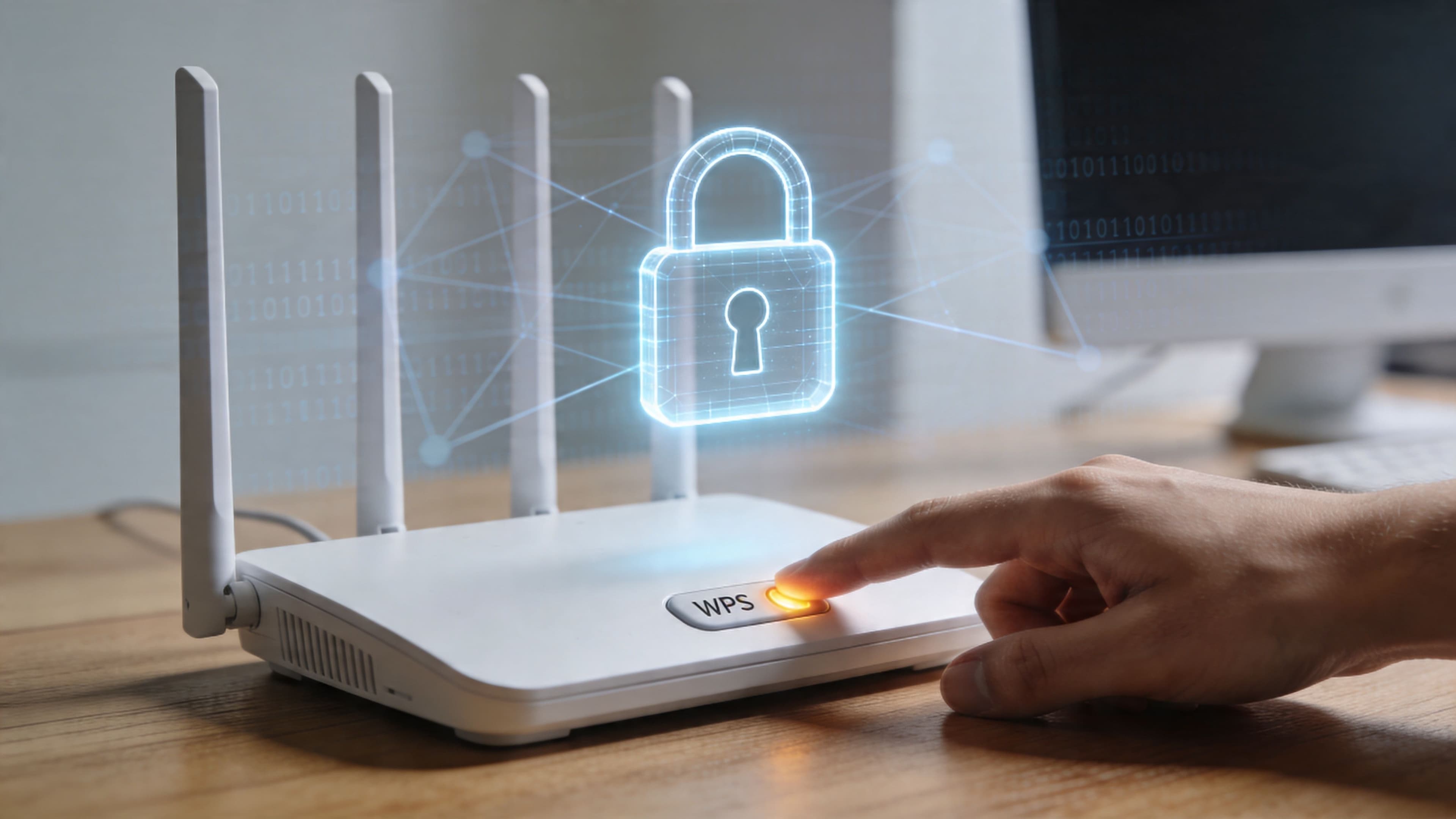
A lot of IT managers are still dealing with the same awkward moment. A printer arrives. A smart display needs joining to guest WiFi. A facilities team member points at the router and asks, “Can’t we just press that button?”
That button is usually wi fi protected setup, better known as WPS. It was built to remove friction from WiFi onboarding. For years, it looked like a practical shortcut for homes, hotels, clinics, retail sites, and residential properties that needed devices online quickly.
The problem is that the shortcut became a liability. If WPS is still enabled anywhere in your estate, you’re not just carrying legacy configuration. You’re keeping an avoidable weakness in a part of the network that people often stop checking once the site is live.
Why the 'Easy Button' for WiFi is a Security Trap
The appeal of WPS is obvious. When a device has a clumsy keyboard, no screen, or a setup flow that nobody wants to wrestle with, pressing one button feels sensible. In small offices and branch sites, that convenience often turns into habit.

That habit is exactly why WPS remains dangerous. It sits in the background, often enabled by default on older hardware, and many teams assume their strong WPA2 password means the network is protected. With WPS, that assumption breaks down.
Convenience that bypasses your real controls
WPS was designed to simplify joining devices to a protected network. In practice, it created an alternate path into the network that can undermine the protections you thought were doing the heavy lifting.
For businesses, the risk isn’t abstract. A hotel might use it to connect a legacy printer. A healthcare site might leave it on because of old medical peripherals. A residential operator might inherit it from a previous installer and never revisit the setting. In each case, a convenience feature becomes part of the attack surface.
Practical rule: If a feature exists mainly to avoid entering a password, assume it needs extra scrutiny, not blind trust.
Why this matters to operations, not just security
WPS isn’t just a technical checkbox. It affects how you think about onboarding, device trust, guest access, and accountability. Shared credentials become normal. Temporary exceptions become permanent. Nobody owns the cleanup.
That’s why the right response isn’t only “turn it off.” You should disable it immediately, but you also need a replacement for the business problem WPS was trying to solve. Otherwise, teams fall back to weak workarounds such as shared SSIDs, passwords on laminated cards, or ad hoc guest access that creates a different set of problems.
The question isn’t whether WPS is convenient. It’s whether that convenience is worth preserving when better options now exist.
What is Wi-Fi Protected Setup and Why Was It Created
A hotel maintenance team swaps in a replacement printer before check-in. A clinic keeps an older imaging device on the network because recertifying a new one takes months. A property manager inherits wireless gear from the last vendor and leaves the default settings alone. In each case, WPS exists for the same reason. It was built to get awkward devices online fast.
Wi-Fi Protected Setup was introduced by the Wi-Fi Alliance in 2006 to make joining a protected wireless network easier, especially on devices with poor keyboards, tiny screens, or limited setup menus. The goal was simple. Reduce support calls and avoid making users type long WPA or WPA2 passwords into printers, TVs, scanners, and other hard-to-configure equipment, as described in this Wi-Fi Protected Access background summary .
That design goal made sense at the time. Consumer and small business WiFi had become more secure, but setup had become more annoying. Vendors responded with an easier onboarding shortcut.
The two ways WPS works
WPS was commonly deployed in two forms.
PIN method
The access point or client uses an 8-digit PIN. An admin enters that code on the device or in the wireless settings, and the network checks it before allowing the device to join. Operationally, this appealed to teams supporting peripherals that did not handle normal WiFi setup well.
Push-Button Configuration
An administrator presses the WPS button on the router or access point, then starts WPS on the client device within a short pairing window. The device connects without anyone entering the actual wireless password. For busy sites, that felt faster and cleaner than passing around a shared key.
On older routers, both options were often presented as standard setup features. That is one reason WPS spread so widely. Anyone reviewing a router with WPS enabled by default can see how easily it became part of normal deployment, especially in smaller environments without formal wireless standards.
Why businesses kept using it
WPS solved a real operational problem. It let teams connect stubborn devices quickly, and quick fixes tend to survive long after the original rollout. That pattern still shows up in hospitality, healthcare, and property management, where device lifecycles are long and replacement projects compete with revenue, compliance, and tenant service demands.
The problem is that WPS belongs to an older access model. It assumes the main challenge is getting a device onto WiFi with minimal friction. Modern enterprise networks have different priorities. Identity, segmentation, auditability, and controlled onboarding matter more than shaving a minute off setup.
WPS was created for easier attachment to a wireless network. It was not designed for certificate-based access, role-based policy, or managed guest onboarding across distributed sites.
That history matters because many organizations still treat wireless access as a password distribution problem. It is not. For a hotel group, healthcare provider, or multifamily operator, the better replacement is a managed access strategy that separates guests from staff, ties access to identity or device trust, and reduces dependence on shared secrets. In practice, that points toward options such as Passpoint for guest connectivity and certificate-based authentication for staff and managed devices.
The Unfixable Security Flaws of WPS
A hotel engineer is trying to reconnect a lobby printer before check-in. A clinic receptionist needs a replacement device online before patients arrive. A property manager wants a smart display back on the resident network before a tour. In each case, WPS looks like the fast option. It is also the option that creates a security exception your team cannot govern well.

If you want a quick consumer-level explainer, Purple has a useful article on routers with WPS . In business environments, the problem is wider. One weak onboarding path can expose guest traffic, staff devices, and operational systems across multiple sites.
WPS fails in two different ways. The PIN method has a protocol weakness that attackers can abuse. Push-Button Configuration creates a short trust window that is hard to control in shared physical spaces. Those are not tuning problems. They are design problems.
The PIN method is broken by design
The PIN option sounds safer than it is. The issue is not whether your main WiFi password is long or complex. The issue is that WPS gives attackers a separate path to get onto the network.
In practice, the WPS PIN exchange reveals too much during the validation process. An attacker within wireless range can focus on the pairing workflow instead of attacking WPA or WPA2 directly. Once the PIN is recovered, the attacker can often obtain the network’s pre-shared key through the WPS process.
That changes the risk calculation for any site with public or semi-public coverage. A branch office tucked behind badge-controlled doors is one thing. A hotel, clinic, senior living property, student housing site, or mixed-use building is another. In those settings, “near the building” is often close enough.
What this means operationally
Security teams usually evaluate wireless controls by asking whether the SSID is encrypted and whether the password is strong. WPS breaks that model because it introduces an alternate enrollment path with weaker assurances.
| Assumption | What actually happens |
|---|---|
| A strong WiFi password is the main control | WPS can provide another route onto the network |
| PIN-based pairing is controlled | The pairing logic makes repeated guessing far more practical than it should be |
| The attack requires insider access | The attack only requires wireless proximity |
For IT managers, the important point is simple. If WPS is enabled, your real exposure is not defined by your password policy alone.
Push-button is different, but still risky
Some teams disable the PIN and keep push-button pairing for edge cases. That reduces one problem and keeps another.
Push-button pairing creates a temporary window during which a device can join. In a tightly controlled environment with one administrator, one access point, and no public foot traffic, that may sound manageable. Enterprise estates rarely work that way. Hotels have contractors and guests moving through coverage areas. Healthcare sites have vendors, temporary staff, patients, and shared waiting spaces. Property teams have leasing offices, maintenance staff, and third-party installers connecting devices under time pressure.
The control depends on the right person initiating pairing at the right moment, from the right place, with no rogue device attempting to join during that same window. That is weak operational security.
A wireless onboarding method that relies on proximity and timing is a poor fit for environments with public access, shared space, or distributed operations.
Public-facing sectors carry more risk
WPS is especially problematic in hospitality, healthcare, and property management because these organizations combine broad coverage, long device lifecycles, and inconsistent local processes.
A hotel may keep older TVs, printers, signage, and building systems in service long after the original network standard changed. A healthcare provider may still support specialty devices that are difficult to replace and easy for local teams to work around. A multifamily operator may rely on regional vendors and on-site staff who solve connectivity issues quickly, then move on without documenting the exception.
That is how WPS survives. Not because anyone chose it as a strategic control, but because it became the fastest way to connect awkward devices.
Why patches do not solve the core problem
Firmware updates still matter. Apply them. Standardize them. Audit them.
They do not turn WPS into an enterprise-grade access method.
The PIN weakness comes from how the protocol handles validation. Push-button pairing still creates temporary trust based on timing and physical proximity rather than verified identity, device posture, or certificate trust. A vendor can reduce exposure in its implementation, but it cannot convert WPS into a model that supports auditability, revocation, role-based access, and consistent policy across a distributed estate.
That is the core business issue. WPS is not just insecure. It is also misaligned with how modern organizations should grant network access.
The business takeaway
If WPS is present anywhere in your environment, assume three things are true until you prove otherwise:
- Exposure is uneven across sites. Legacy templates, small-office gear, and inherited branch equipment often keep WPS alive long after corporate standards changed.
- Local teams may be using it outside formal process. The feature tends to survive where printers, displays, kiosks, cameras, and other hard-to-onboard devices create support pressure.
- You are carrying technical and operational debt. WPS keeps the organization tied to shared-secret onboarding instead of moving toward identity-based access.
For hospitality, healthcare, and property management leaders, that last point matters most. Retiring WPS should be treated as part of a broader upgrade. Guest access should move toward Passpoint and managed onboarding that reduces help-desk load and improves the user experience. Staff and managed devices should move toward certificate-based authentication, where access can be issued, monitored, and revoked with clear accountability.
That shift reduces risk, but it also improves operations. Your teams spend less time handing out passwords, less time fixing one-off device joins, and less time guessing which sites still have a hidden enrollment shortcut enabled.
How to Find and Disable WPS on Your Network
If you suspect WPS is still present, treat it as an audit task, not a one-off click in a router menu. In larger estates, the issue usually isn’t one rogue access point. It’s inconsistent templates across sites, inherited branch hardware, and edge devices that were never brought into central policy.
Start with what you can verify quickly.
What to check first
Use a simple checklist across each network segment and site type:
- Physical hardware check. Look for a labelled WPS button on routers, branch gateways, or small-office access points. Its presence doesn’t always mean the feature is enabled, but it tells you the hardware supports it.
- Admin interface review. Log into the management console and inspect wireless security or access settings. WPS may sit under wireless setup, onboarding, client pairing, or advanced security options.
- Template comparison. Check whether older site templates differ from current standards. That’s a common reason legacy features survive unnoticed.
- Field validation. Ask local support teams how they connect awkward devices such as printers, smart TVs, kiosks, and signage. If someone says “we just press the button”, you’ve found a process problem as well as a config problem.
Vendor-specific pointers
Most enterprise platforms let you disable WPS, but the wording varies.
- Meraki MR. Review wireless access settings and confirm WPS is off.
- UniFi. Check WiFi configuration in the controller and disable WPS if the option exists on the deployed hardware or firmware.
- Aruba and Ruckus. Inspect SSID security profiles and any simplified onboarding settings attached to branch or SMB-oriented gear.
- Consumer-grade kit in business sites. Pay special attention here. Pop-up clinics, temporary hospitality venues, and building management offices often run hardware that was never designed for enterprise policy control.
A simple audit table helps:
| Area to review | What you’re looking for | Why it matters |
|---|---|---|
| AP and router inventory | Models that support WPS | Identifies likely exposure points |
| Wireless templates | Legacy SSID or setup defaults | Finds inherited insecure settings |
| Onboarding process | Informal button-press workflows | Reveals hidden operational dependency |
| IoT and peripherals | Devices that still rely on easy pairing | Helps define replacement path |
Disable it, then test what breaks
Turn WPS off in the management interface, save the change, and document the site. Then test the device classes that local teams are most likely to complain about: printers, displays, handheld scanners, cameras, and smart building gear.
Disabling WPS can expose a process gap. If a site has been relying on it to connect unsupported devices, you need an alternative before teams invent their own.
Don’t stop at “WPS disabled”. Record which devices depended on it, who manages them, and what onboarding method will replace it.
The immediate goal is straightforward. Remove the feature everywhere you can, identify where it was being used, and stop staff from re-enabling it during the next urgent install.
Beyond Disabling A Modern Strategy for Guest and Staff WiFi
Disabling WPS closes one hole. It doesn’t solve the larger access problem.
Most organisations that remove WPS fall back on one of two patterns. They either keep using a shared password, or they push users through a captive portal that creates friction and only partial security. Both approaches are familiar. Neither is a strong long-term answer for mixed environments with guests, staff, contractors, residents, and unmanaged devices.
For teams thinking through that next step, Purple’s guide to secure WiFi for guests is a useful reference point because it frames access as an identity and user experience problem, not just a wireless settings problem.
Why shared passwords keep causing trouble
Shared PSKs are simple to distribute and hard to govern. Once a password appears on a reception card, staff handout, whiteboard, or maintenance ticket, control is gone.
The operational problems are predictable:
- Rotation becomes painful. Change the password and you disrupt legitimate users and devices.
- Attribution disappears. Everyone authenticates as the same secret, so accountability is weak.
- Segmentation gets messy. You end up using one SSID for too many purposes because changing the design feels disruptive.
That may be tolerable in a tiny office. It doesn’t hold up across hotels, clinics, retail estates, or multi-tenant properties.
Why captive portals are only a partial fix
Captive portals are better for guest onboarding than a shared password taped to a desk, but they still come with trade-offs. They can frustrate users, break roaming expectations, create support calls, and often leave staff and operational devices on completely separate, improvised methods.
They also don’t solve the trust problem for devices that should have persistent, policy-based access. A guest can tolerate a splash page. A clinical workstation, staff handset, or managed tablet shouldn’t need one.
The right question isn’t “How do we replace WPS?” It’s “How do we give each user and device the right access model without shared secrets and workarounds?”
Security and experience have to move together
Many projects encounter a common bottleneck. Security wants stronger authentication. Operations wants fewer support tickets. Marketing wants smooth guest access. Facilities wants old equipment to keep working.
A modern WiFi strategy has to satisfy all four. If it improves security but makes joining painful, local teams will route around it. If it makes joining easy but weakens policy control, you’ve recreated the WPS problem in a different form.
The better approach is to split access by use case. Guests need easy and secure onboarding. Staff need directory-linked access with fast revocation. Legacy and IoT devices need a controlled exception path that doesn’t drag everyone else back to shared secrets.
Secure Alternatives for Enterprise Grade Network Access
A hotel guest arrives after midnight, scans the room QR code, and expects WiFi to work in seconds. A nurse wheels a managed tablet between wards and cannot afford a failed reconnect. A property manager needs to onboard building systems without giving every contractor the same password. Those are three different access problems, and none of them should be solved with WPS.

The replacement strategy should match the user or device, the business risk, and the operating model at each site. In practice, enterprises usually need three access methods. One for guests or residents, one for staff and managed devices, and one controlled fallback for equipment that cannot support modern authentication.
Passpoint and OpenRoaming for guests and residents
Passpoint and OpenRoaming are the right fit for public-facing access where the business wants security and a smooth join experience at the same time. They remove the need for shared passwords and reduce the friction of repeated sign-ins across locations.
That matters most in hospitality, healthcare waiting areas, student housing, and multi-tenant residential properties. The network feels easier to use for the visitor, but the primary benefit is operational. Fewer front-desk resets, fewer complaints about splash pages, and better control over how guest traffic is separated from everything else.
For property teams, this is more than a security fix. It is a service upgrade. Residents and repeat visitors get a connection experience that feels consistent across buildings, while the business gets a cleaner way to govern access without relying on old onboarding shortcuts.
Certificate-based access for staff and managed devices
Staff access should be tied to identity and device trust. In most enterprise environments, that means WPA2-Enterprise or WPA3-Enterprise with 802.1X and certificate-based authentication.
This approach gives security and operations teams what they need day to day:
- Access tied to a person and a device. Offboarding stops access without changing a shared password.
- Policy by role. Clinicians, reception staff, finance users, and contractors can land on different network segments with different controls.
- Stronger audit trails. Investigations can trace activity to a known identity and managed endpoint.
- Less password fatigue. Users are not prompted to remember or re-enter wireless credentials across sites.
In Microsoft estates, this often aligns with Entra ID, Intune, and certificate deployment. In mixed environments, the same model works with other identity providers and MDM platforms. The principle stays the same. Wireless access should follow the same identity, compliance, and revocation standards used for the rest of the business.
iPSK for legacy and IoT devices
Some equipment still cannot handle 802.1X. Printers, HVAC controllers, scanners, displays, cameras, and specialist medical or building devices often fall into that category. iPSK, also called PPSK in some platforms, is the practical containment option.
Each device or device group gets its own key and policy instead of sharing one password across an entire site. That limits the blast radius if a key is exposed and makes replacement easier when a vendor, tenant, or contractor changes. It is not as strong as certificate-based access, but it is far better than a single PSK reused across operational systems.
| Access method | Best for | Main benefit |
|---|---|---|
| Passpoint or OpenRoaming | Guests, visitors, residents | Secure onboarding with low user friction |
| Certificate-based access | Staff and managed devices | Identity-linked control and clean revocation |
| iPSK | Legacy and IoT endpoints | Per-device isolation without one shared password |
What works in live environments
The strongest enterprise designs treat wireless as an access control system, not just a radio service. That means authentication, segmentation, device profiling, and policy enforcement have to work together.
A practical rollout usually looks like this:
- Move guest and resident access onto Passpoint or OpenRoaming where the user experience matters and repeat access is common.
- Standardise staff WiFi on 802.1X with certificates so access follows identity, device management, and role.
- Contain legacy and IoT devices with iPSK and strict segmentation so weak clients do not weaken the whole estate.
- Use NAC policy to enforce who and what can connect based on identity, device type, and security state.
Purple’s guide to network access control solutions is useful here because it connects wireless authentication to enforcement and segmentation. That is where many projects either become maintainable or turn into permanent exception handling.
Teams that need help aligning wireless changes with endpoint policy, segmentation, and incident response often bring in partners that provide practical cyber security solutions so the WiFi redesign supports broader security controls instead of sitting off to the side.
Why this is a business upgrade
In hospitality, modern guest access reduces check-in friction and cuts avoidable support calls. In healthcare, certificate-based access supports cleaner separation between clinical, guest, and connected-device traffic. In property management, per-device or per-tenant access reduces the mess created by shared credentials across units, contractors, and common spaces.
The business case is straightforward. WPS was built for convenience on small networks. Enterprise access has different requirements: identity, revocation, segmentation, auditability, and a join experience people will accept. Passpoint, certificate-based access, and iPSK give you a practical way to meet those requirements without dragging old wireless risk into a modern environment.
Migrating From WPS A Roadmap for Your Business
Most migrations away from WPS stall because teams treat them as a small security tweak. They aren’t. They’re access redesign projects, even when the first step is just disabling an old feature.
The good news is that the roadmap is usually straightforward if you separate immediate risk reduction from long-term architecture.

A practical order of operations
Start with the basics, then move into replacement.
- Audit every site. Find routers, gateways, and access points that still support or expose WPS.
- Disable WPS everywhere possible. Don’t leave exceptions undocumented.
- List dependent devices. Printers, displays, scanners, cameras, and specialist equipment usually surface here.
- Split access by audience. Guests, staff, contractors, and IoT shouldn’t share the same onboarding logic.
- Replace shared secrets. Use identity-based access where possible, and controlled device-specific methods where it isn’t.
How this plays out by sector
A hotel group cares about fast, reliable guest onboarding without front desk friction. A hospital cares about staff authentication, device trust, and separation between clinical and public traffic. A retailer cares about keeping customer WiFi easy while protecting operational systems in the same building. A property manager needs residents, contractors, and smart-building devices to coexist without one compromised password affecting everyone.
Those are different environments, but the pattern is the same. Remove legacy convenience features, then replace them with access methods that fit the actual users and devices on the network.
WPS retirement works best when it’s owned jointly by networking, security, and the operational teams who connect devices day to day.
The end state you want
The target isn’t merely “WPS disabled”. The target is a network where:
- guests connect securely with minimal friction
- staff access follows identity and policy
- old devices get controlled exceptions, not blanket trust
- revocation is fast
- support teams don’t need to hand out passwords to keep the site running
That’s a stronger security posture, but it’s also a cleaner operational model. Fewer workarounds. Better accountability. Less dependence on whoever happens to know the current password.
If wi fi protected setup is still present in your environment, treat it as a signal. Not just that a risky feature remains, but that your onboarding model may be overdue for a full upgrade.
If you’re reassessing guest, staff, or multi-tenant WiFi after disabling WPS, Purple is built for that next step. It helps organisations replace shared passwords and clunky captive portals with secure, passwordless access across hospitality, retail, healthcare, transport, events, and residential environments, using modern approaches such as Passpoint, OpenRoaming, certificate-based access, and controlled options for legacy devices.