
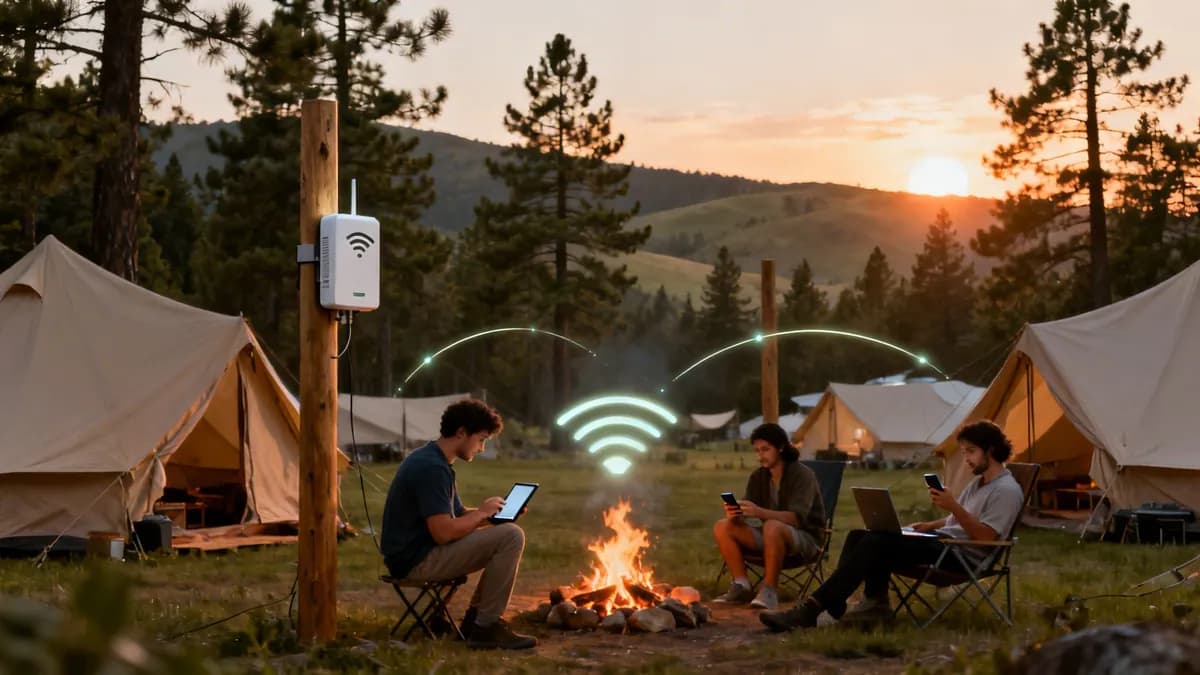
সত্যি বলতে - আধুনিক ক্যাম্পারদের জন্য, একটি সমতল পিচ এবং পরিষ্কার ওয়াশরুমের মতোই নির্ভরযোগ্য WiFi দ্রুত অপরিহার্য হয়ে উঠছে। সেই প্রত্যাশাটি এখন পুরোপুরি বদলে গেছে, যা আপনার অতিথিদের একটি বিশাল অংশের জন্য, বিশেষ করে পরিবার, ডিজিটাল নোম্যাড থেকে শুরু করে তরুণ প্রজন্মের কাছে camping with wifi-কে একটি আপোষহীন বিষয়ে পরিণত করেছে। এটি কেবল ইন্টারনেট দেওয়ার বিষয় নয়; এটি মূলত আপনার বিজনেস মডেলকে আপগ্রেড করার বিষয়।
কেন WiFi সহ ক্যাম্পিং একটি আবশ্যক সুবিধা
গেস্ট WiFi-কে একটি ব্যয়বহুল এবং ঐচ্ছিক অতিরিক্ত সুবিধা হিসেবে দেখার দিন অনেক আগেই শেষ হয়ে গেছে। ক্রমবর্ধমান সংখ্যক ক্যাম্পারদের কাছে একটি শক্তিশালী এবং স্থিতিশীল সংযোগ এখন অভিজ্ঞতার একটি মৌলিক অংশ।
এটি তাদের সোশ্যাল মিডিয়ায় তাদের অ্যাডভেঞ্চার শেয়ার করতে, বৃষ্টির বিকেলে সিনেমা স্ট্রিম করতে, বা এমনকি তাদের ক্যাম্পিং পিচ থেকে রিমোটলি কাজ করে তাদের থাকার সময়কাল বাড়িয়ে নিতে সাহায্য করে। এটি এখন আর কোনো বিশেষ চাহিদা নয়; এটি একটি সাধারণ প্রত্যাশা।
আপনি যে বিভিন্ন ধরণের গেস্টদের হোস্ট করেন তাদের কথা চিন্তা করলে, এটি কেন তা বোঝা সহজ:
- পরিবার: বিশেষ করে অবসরের সময়ে বা সাধারণ ব্রিটিশ বৃষ্টির সময় ট্যাবলেট এবং স্ট্রিমিং পরিষেবা দিয়ে বাচ্চাদের বিনোদন দেওয়ার জন্য তাদের ইন্টারনেটের প্রয়োজন হয়।
- ডিজিটাল নোম্যাড: এই অতিথিরা কাজ করার জন্য স্থিতিশীল ইন্টারনেটের উপর নির্ভর করেন। উচ্চ মানের WiFi একটি একক কারণ হতে পারে যা একটি সপ্তাহান্তের ট্রিপকে এক সপ্তাহব্যাপী অবস্থানে রূপান্তর করে।
- তরুণ অতিথি (মিলেনিয়াল এবং জেনারেশন জেড): তারা অনলাইনে বাস করে। তাদের অভিজ্ঞতা তাৎক্ষণিকভাবে শেয়ার করতে এবং যোগাযোগে থাকার জন্য তারা সর্বদা সংযুক্ত থাকার প্রত্যাশা করে।
অনেকের জন্য, ক্যাম্পিংয়ের আকর্ষণ আসলে এই আধুনিক সুযোগ-সুবিধাগুলোর মাধ্যমে আরও বৃদ্ধি পায়। এটি বিশেষ করে সেই ক্রমবর্ধমান সম্প্রদায়ের জন্য সত্য যারা মোবাইল লাইফস্টাইল গ্রহণ করছেন, এমন একটি দল যাদের এই সিদ্ধান্ত নেওয়ার আগে RV Living Full Time Pros and Cons ভালো-মন্দ দিকগুলো বিবেচনা করতে হবে। একটি নির্ভরযোগ্য সংযোগ তাদের জন্য সুবিধার তালিকায় একটি বড় ইতিবাচক বিষয়।
খরচ থেকে রাজস্বের উৎসে রূপান্তর
WiFi -কে কেবল আরেকটি খরচ হিসেবে ভাবা একটি পুরোনো মানসিকতা। এটিকে যেভাবে দেখা উচিত সেভাবে দেখার সময় এসেছে - এটি রেভিনিউ এবং গেস্টদের সন্তুষ্টি অর্জনের একটি প্রধান চালিকাশক্তি। ডেটা ধারাবাহিকভাবে দেখায় যে আপনার WiFi -এর কোয়ালিটির সাথে আপনার ব্যবসার মূল মেট্রিকসগুলোর সরাসরি সংযোগ রয়েছে।
একটি ২০২৬ সালের ইন্ডাস্ট্রি রিপোর্টে প্রকাশ পেয়েছে যে হাই-স্পিড WiFi সহ UK-এর ক্যাম্পসাইটগুলোতে পিক সিজনে বুকিংয়ের হার ৩৭% বৃদ্ধি পেয়েছে। তাছাড়া, ৭১% তরুণ ক্যাম্পার নির্ভরযোগ্য অ্যাক্সেসের জন্য প্রতি রাতে £৩ - £৫ প্রিমিয়াম দিতে ইচ্ছুক।
এই ডেটা একটি অত্যন্ত স্পষ্ট সুযোগ উপস্থাপন করে। একটি সুপরিকল্পিত WiFi সিস্টেম কেবল একটি অপারেশনাল খরচ হিসেবে না থেকে একটি লাভজনক সম্পদে রূপান্তরিত হয়।
এটি আপনাকে অনেক বড় শ্রোতাদের আকর্ষণ করতে, দীর্ঘ সময় ধরে থাকার জন্য উৎসাহিত করতে এবং টিয়ার্ড অ্যাক্সেস প্ল্যানের মাধ্যমে নতুন আয়ের উৎস তৈরি করতে সাহায্য করে। আর সরাসরি মুনাফার বাইরেও, আপনার WiFi নেটওয়ার্ক থেকে সংগৃহীত ডেটা আপনাকে গেস্টদের আচরণ সম্পর্কে অমূল্য অন্তর্দৃষ্টি দেয়, যা আপনার মার্কেটিংকে আরও সূক্ষ্ম করতে এবং সম্পূর্ণ ভিজিটর অভিজ্ঞতাকে নিখুঁত করতে সাহায্য করে। এই গাইডটি সেই সাধারণ সংযোগটিকে আপনার সাইটের জন্য একটি নিরাপদ, নিরবচ্ছিন্ন এবং লাভজনক সুযোগে রূপান্তর করার জন্য তৈরি করা হয়েছে।
আপনার ক্যাম্পগ্রাউন্ড WiFi নেটওয়ার্কের পরিকল্পনা এবং ডিজাইন করা
দারুণ WiFi এমনি এমনি হয়ে যায় না, বিশেষ করে যখন আপনি খোলা আকাশের নিচে কাজ করছেন। একটি ক্যাবল টানা বা অ্যাক্সেস পয়েন্ট মাউন্ট করার আগে, আপনার একটি সুনির্দিষ্ট পরিকল্পনা প্রয়োজন। এই ধাপটি সঠিকভাবে সম্পন্ন করার ওপরই নির্ভর করছে অতিথিরা তাদের ক্যারাভানে বসে আনন্দে ফিল্ম স্ট্রিম করবেন, নাকি ক্রমাগত কানেকশন বিচ্ছিন্ন হওয়ার অভিযোগের বন্যা বয়ে যাবে। এটি একটি কার্যকর নেটওয়ার্ক ডিজাইন করার জন্য আপনার ব্লুপ্রিন্ট।
একেবারে প্রথম ধাপ - এবং সবচেয়ে গুরুত্বপূর্ণ - হলো একটি সঠিক সাইট সার্ভে। এটি কেবল মাঠের চারপাশে একটি দ্রুত হেঁটে বেড়ানো নয়। একটি আসল সার্ভে হলো আপনার সাইটের অনন্য ভূগোল এবং অবকাঠামোর একটি গভীর বিশ্লেষণ, যা প্রতিটি সম্ভাব্য বাধা খুঁজে বের করে। আপনাকে প্রতিটি পথ ধরে হাঁটতে হবে, প্রতিটি পিচ পরিদর্শন করতে হবে এবং রেডিও তরঙ্গ এবং অতিথি উভয়ের চোখ দিয়ে সাইটটিকে দেখতে হবে।
একটি পুঙ্খানুপুঙ্খ সাইট সার্ভে পরিচালনা করা
আপনার সার্ভেতে এমন সমস্ত শারীরিক বৈশিষ্ট্য চিহ্নিত করা প্রয়োজন যা একটি WiFi সিগন্যালে বাধা সৃষ্টি করবে। রেডিও তরঙ্গ, বিশেষ করে দ্রুত গতির জন্য ব্যবহৃত 5 GHz ফ্রিকোয়েন্সি, কঠিন বস্তু দ্বারা সহজেই অবরুদ্ধ হয়ে যায়।
একটি সাধারণ ক্যাম্পসাইটে সাধারণত যে সমস্যাগুলো দেখা যায় তা হলো:
- ঘন গাছের আচ্ছাদন: পাতা এবং আর্দ্রতা WiFi সিগন্যাল শোষণ করার জন্য কুখ্যাত। আপনাকে ঘন বনাঞ্চলগুলো চিহ্নিত করতে হবে যার জন্য আরও বেশি অ্যাক্সেস পয়েন্ট বা সম্পূর্ণ ভিন্ন একটি স্থাপনের কৌশলের প্রয়োজন হবে।
- পাহাড়ি ভূখণ্ড এবং ওঠানামা: প্রতিটি পাহাড় এবং ঢাল একটি "সিগন্যাল শ্যাডো" তৈরি করে যেখানে কভারেজ হঠাৎ কমে যেতে পারে। আপনার অ্যাক্সেস পয়েন্টগুলোর যাতে কভার করার প্রয়োজনীয় জায়গাগুলোর সাথে একটি পরিষ্কার লাইন-অফ-সাইট থাকে তা নিশ্চিত করার জন্য এগুলো ম্যাপ করা অত্যন্ত গুরুত্বপূর্ণ।
- কারাভান এবং ভবন: ধাতব পাত দিয়ে তৈরি ট্যুরার এবং স্থায়ী হলিডে হোমগুলো মূলত ফ্যারাডে খাঁচার মতো কাজ করে, যা ভেতরে সিগন্যাল প্রবেশ করতে বাধা দেয়। আপনার ডিজাইনটি কেবল পিচের "কাছাকাছি" নয়, বরং সরাসরি পিচে একটি শক্তিশালী সিগন্যাল পৌঁছে দেওয়ার দিকে মনোনিবেশ করতে হবে।
- দীর্ঘ দূরত্ব: একটি হোটেলের বিপরীতে, একটি ক্যাম্পসাইট বিশাল এলাকা জুড়ে থাকে। আপনার ব্যাকহল এবং কতগুলো APs প্রয়োজন হবে তা পরিকল্পনা করার জন্য আপনাকে পিচগুলোর ক্লাস্টার এবং আপনার প্রধান ভবনগুলোর মধ্যকার দূরত্ব পরিমাপ করতে হবে।
আপনার সাইটের লেআউটের প্রভাবকে অবমূল্যায়ন করবেন না। একটি পেশাদার RF (রেডিও ফ্রিকোয়েন্সি) সার্ভে, যা সাধারণত বিশেষায়িত সফটওয়্যার এবং হার্ডওয়্যারের সাহায্যে করা হয়, আপনার প্রোপার্টির একটি 'হিট ম্যাপ' তৈরি করতে পারে। এটি যন্ত্রপাতির পেছনে এক পয়সা খরচ করার আগেই সিগন্যালের শক্তি কেমন হবে তা অনুমান করে, এবং এটি একটি ছোট প্রাথমিক খরচ যা পরবর্তীতে খুব ব্যয়বহুল কিছু ভুল প্রতিরোধ করে।
দৃঢ় কানেক্টিভিটির চাহিদা এখন আর কোনো প্রশ্ন নয়। এখানে যুক্তরাজ্যে, WiFi কার্যকরভাবে অনেক ক্যাম্পারদের জন্য 'চতুর্থ পরিষেবা' হয়ে উঠেছে। একটি সাম্প্রতিক প্রতিবেদনে দেখা গেছে যে ৬২% ক্যাম্পার এখন এটিকে একটি অপরিহার্য পরিষেবা হিসাবে দেখেন, যা পানি এবং বিদ্যুতের মতোই গুরুত্বপূর্ণ। তাছাড়া, যুক্তরাজ্যের ন্যাশনাল ক্যারাভান কাউন্সিল থেকে প্রাপ্ত তথ্যে দেখা গেছে যে উচ্চ গতির WiFi অফার করা সাইটগুলিতে দখলদারিত্বে ৩৭% বৃদ্ধি দেখা গেছে, যেখানে বিশাল ৭১% তরুণ ক্যাম্পার এর জন্য রাতের প্রিমিয়াম দিতে খুশি।
কভারেজ ম্যাপ করা এবং অ্যাক্সেস পয়েন্ট স্থাপন করা
আপনার সার্ভে সম্পন্ন হলে, আপনি আপনার outdoor access points (APs) কোথায় স্থাপন করবেন তা পরিকল্পনা করতে শুরু করতে পারেন। লক্ষ্য হলো যেকোনো ডেড স্পট দূর করার জন্য ওভারল্যাপ করা কভারেজ জোন তৈরি করা।
সবচেয়ে ভালো সিগন্যাল পাওয়ার জন্য আপনি খুঁটি বা বিদ্যমান বিল্ডিংয়ে সাধারণত প্রায় ৪ - ৬ মিটার উচ্চতায় APগুলো স্থাপন করতে চাইবেন। রিসেপশন, অন-সাইট বার বা ক্যাফে, খেলার জায়গা এবং লন্ড্রি সুবিধার মতো অতিরিক্ত ভিড় থাকা জায়গাগুলোতে শক্তিশালী সিগন্যাল দেওয়ার দিকে মনোযোগ দিন।
পিচিং এরিয়াগুলোর ক্ষেত্রে, একটি সাধারণ পদ্ধতি হলো একগুচ্ছ পিচকে কভার করার জন্য কেন্দ্রীয়ভাবে একটি AP স্থাপন করা। তবে সবসময় মনে রাখবেন, সেই সিগন্যালটিকে ক্যারাভানের ভেতরে পৌঁছাতে হবে। এর অর্থ হলো আপনার প্রথম অনুমানের চেয়েও বেশি AP-র প্রয়োজন হতে পারে। আপনি আউটডোর অ্যাক্সেস পয়েন্ট নির্বাচন ও স্থাপনের নির্দেশিকা পড়ে চমৎকার কিছু ধারণা পেতে পারেন।
নিচের ফ্লোচার্টটি দেখায় যে কীভাবে একটি WiFi বিনিয়োগ কেবল একটি খরচের চেয়ে বেশি কিছু - এটি রাজস্ব তৈরি করার এবং অবিশ্বাস্য কাস্টমার ইনসাইট অর্জন করার একটি সরাসরি পথ।
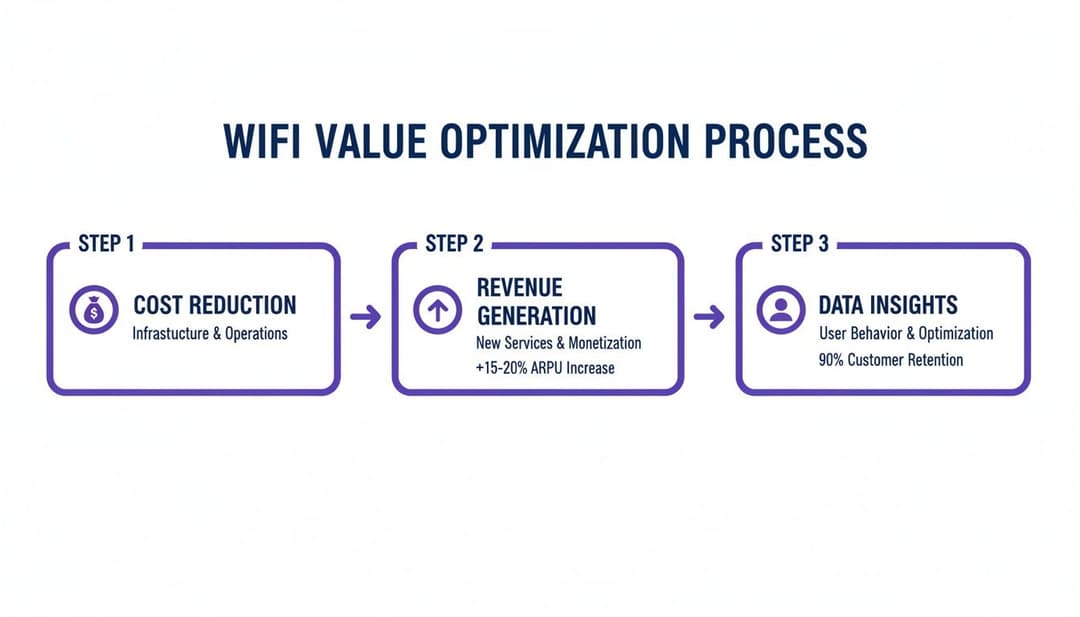
যেমনটি আপনি দেখতে পাচ্ছেন, আপনার নেটওয়ার্কের জন্য প্রাথমিক ব্যয় কেবল একটি শুরু মাত্র। এটি দ্রুত নতুন আয়ের উৎস তৈরি করার এবং আপনার অতিথিদের সম্পূর্ণ নতুন স্তরে বোঝার জন্য একটি শক্তিশালী টুলে পরিণত হয়।
আপনার ব্যাকহল প্রযুক্তি নির্বাচন করা
'ব্যাকহল' হলো আপনার সম্পূর্ণ নেটওয়ার্কের মেরুদণ্ড; এটি আপনার AP গুলিকে আপনার প্রধান ইন্টারনেট লাইনের সাথে সংযুক্ত করে। অনেক গ্রামীণ এবং প্রত্যন্ত অঞ্চলের ক্যাম্পসাইটের জন্য, এটি সম্পূর্ণ প্রকল্পের সবচেয়ে বড় প্রযুক্তিগত চ্যালেঞ্জ হতে পারে।
আপনাকে সিদ্ধান্ত নিতে সাহায্য করার জন্য, আমরা ক্যাম্পসাইট WiFi নেটওয়ার্কগুলির জন্য ব্যবহৃত সবচেয়ে সাধারণ প্রযুক্তিগুলির একটি দ্রুত তুলনা একসাথে রেখেছি।
আউটডোর WiFi নেটওয়ার্ক প্রযুক্তির তুলনা
| প্রযুক্তি | যার জন্য সেরা | সুবিধাসমূহ | অসুবিধাসমূহ |
|---|---|---|---|
| ফাইবার অপটিক কেবল | পারফরম্যান্স এবং ভবিষ্যৎ সুরক্ষার ক্ষেত্রে সেরা। | অতুলনীয় গতি এবং নির্ভরযোগ্যতা; আবহাওয়া বা লাইন-অফ-সাইট সমস্যা দ্বারা প্রভাবিত হয় না। | খুব উচ্চ ইনস্টলেশন খরচ, যার মধ্যে বড় ধরনের ড্রেন খনন এবং সিভিল কাজ অন্তর্ভুক্ত। |
| ওয়্যারলেস মেশ | যেখানে ক্যাবলিং ব্যবহারিক নয় সেখানে নমনীয়ভাবে স্থাপনের জন্য। | স্থাপন করা তুলনামূলকভাবে সহজ; প্রতিটি অ্যাক্সেস পয়েন্টে ক্যাবল ছাড়াই APs ওয়্যারলেসভাবে সিগন্যাল প্রসারিত করে। | তারযুক্ত AP থেকে প্রতিবার সিগন্যাল পারাপারের (hop) সাথে সাথে গতি হ্রাস পায়; খারাপ আবহাওয়ায় কম নির্ভরযোগ্য হতে পারে। |
| পয়েন্ট-টু-পয়েন্ট (PtP) | দীর্ঘ দূরত্বে দূরবর্তী এলাকা বা ভবনগুলো সংযুক্ত করার জন্য। | ড্রেন খননের সাশ্রয়ী বিকল্প; একটি উচ্চ-গতির ওয়্যারলেস "সেতু" তৈরি করে। | দুটি অ্যান্টেনার মধ্যে একটি পরিষ্কার, বাধাহীন লাইন-অফ-সাইট প্রয়োজন। |
গতিবেগের ক্ষেত্রে ফাইবার নিঃসন্দেহে সেরা হলেও, এর খরচ অনেক বেশি হতে পারে। ঠিক এখানেই মেশ এবং পয়েন্ট-টু-পয়েন্টের মতো ওয়্যারলেস প্রযুক্তিগুলো চমৎকার কাজ করে, যা আপনার পুরো সাইট খনন না করেই যেখানে সবচেয়ে বেশি প্রয়োজন সেখানে সংযোগ পাওয়ার ব্যবহারিক এবং বাজেট-বান্ধব উপায় অফার করে। সঠিক পছন্দের ক্ষেত্রে প্রায়শই একটি হাইব্রিড পদ্ধতি জড়িত থাকে, যেখানে আপনার ক্যাম্পগ্রাউন্ডের প্রতিটি নির্দিষ্ট অংশের জন্য সেরা টুলটি ব্যবহার করা হয়।
ঠিক আছে, আপনার হার্ডওয়্যার পরিকল্পনা সাজানো হয়ে গেছে। এখন সেই অংশটির পালা যা আসলে আপনার অতিথিদের অভিজ্ঞতাকে রূপ দেয়: তাদের কানেক্ট করা। সত্যি বলতে, কাজ করার পুরোনো পদ্ধতিটি - রিসেপশনের একটি হোয়াইটবোর্ডে শেয়ার করা পাসওয়ার্ড লিখে রাখা - এখন আর চলে না। এটি কেবল একটি নিরাপত্তা সংক্রান্ত দুঃস্বপ্নই নয়, বরং অতিথিদের জন্য ক্রমাগত হতাশার কারণ এবং কানেকশন সমস্যা সমাধান করতে গিয়ে আপনার কর্মীদের সময় নষ্ট হওয়ার অন্যতম উৎস।
এখানে লক্ষ্য হলো এমন WiFi প্রদান করা যা যুক্ত হওয়ার জন্য অত্যন্ত সহজ এবং একই সাথে সম্পূর্ণ সুরক্ষিত। সঠিক পদ্ধতির মাধ্যমে, আপনার ক্যাম্পসাইটের নেটওয়ার্কে কানেক্ট করা একজন গেস্টের গাড়ি থেকে নামার মতোই সহজ হতে পারে, যা প্রথম ইম্প্রেশন নষ্ট করতে পারে এমন সমস্ত ঝামেলা দূর করে।
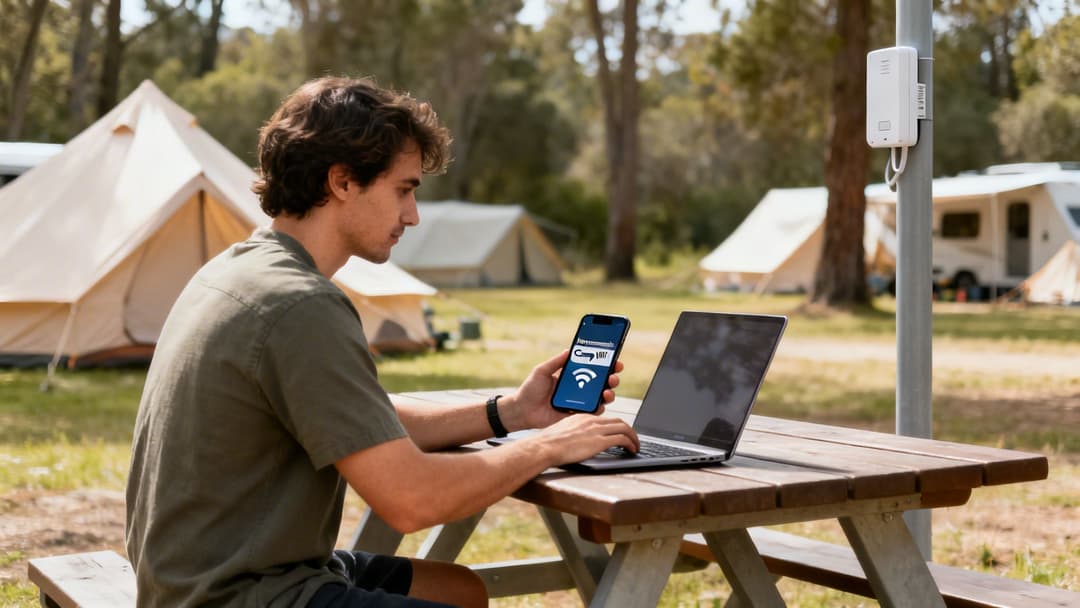
একটি মসৃণ লগইনে স্থানান্তরিত হওয়া কেবল একটি বাড়তি সুবিধা নয়; এটি আধুনিক ভ্রমণকারীদের প্রত্যাশা পূরণ করার বিষয় যারা পেশাদার এবং প্রযুক্তি-বান্ধব আতিথেয়তায় অভ্যস্ত।
স্বয়ংক্রিয় এবং পাসওয়ার্ড-মুক্ত সংযোগের জাদু
ভাবুন তো: একজন গেস্ট তাদের পিচে পৌঁছালেন এবং তাদের ফোন তাৎক্ষণিকভাবে আপনার WiFi-এর সাথে সংযুক্ত হয়ে গেল। কোনো নেটওয়ার্কের নাম খোঁজার ঝামেলা নেই, পাসওয়ার্ড নিয়ে হাতড়াতে হবে না এবং কোনো জটিল লগইন পেজের সাথে লড়াই তো একেবারেই নেই। এটি কোনো কল্পবিজ্ঞান নয়; এটি ঠিক সেই জিনিস যা OpenRoaming এবং Passpoint-এর মতো প্রযুক্তিগুলো সম্ভব করে তোলে।
এই দুটি প্রযুক্তি একসাথে কাজ করে একটি বিশ্বব্যাপী, আন্তঃসংযুক্ত WiFi নেটওয়ার্ক তৈরি করে। একজন গেস্ট পৃথিবীর যেকোনো OpenRoaming-সক্ষম নেটওয়ার্কে একবার প্রমাণীকরণ করলেই তাদের ডিভাইস প্রস্তুত হয়ে যায়। এরপর যখনই এটি অন্য কোনো অংশগ্রহণকারী নেটওয়ার্কের - যেমন আপনার ক্যাম্পসাইটের নাগালের মধ্যে আসবে, তখনই এটি স্বয়ংক্রিয়ভাবে এবং নিরাপদে সংযুক্ত হয়ে যাবে।
এই প্রযুক্তি গেস্ট অ্যাক্সেসের বিষয়টি সম্পূর্ণ বদলে দেয়। এটি আমাদের ক্লান্তিকর, একক ব্যবহারের পাসওয়ার্ড মডেল থেকে একটি আইডেন্টিটি-ভিত্তিক সিস্টেমে নিয়ে যায়। গেস্টরা একবার অথেন্টিকেট করেন এবং তারা পৌঁছানো মাত্রই এবং প্রতিবার ফিরে আসার সাথে সাথে সুরক্ষিত, এনক্রিপ্ট করা কানেক্টিভিটি পেয়ে যান।
এই নির্বিঘ্ন অভিজ্ঞতা ফ্রন্ট ডেস্কে "আমি কানেক্ট করতে পারছি না" এই ধরনের প্রশ্নের সংখ্যা নাটকীয়ভাবে কমিয়ে দেয়, যার ফলে আপনার টিম তাদের সেরা কাজে মনোযোগ দেওয়ার অবসর পায়। এর অর্থ এইও যে প্রতিটি একক কানেকশন শুরু থেকেই এনক্রিপ্ট করা থাকে, যা এমন একটি সিকিউরিটির স্তর প্রদান করে যা একটি শেয়ার করা পাসওয়ার্ড কখনোই দিতে পারে না।
iPSK এর মাধ্যমে জটিল লেগাসি ডিভাইসগুলোর সমাধান করা
যদিও আধুনিক ফোন এবং ল্যাপটপের জন্য পাসওয়ার্ড-মুক্ত সমাধানগুলি চমৎকার, তবুও আমরা সবাই জানি যে ক্যাম্পসাইটগুলিতে বিভিন্ন ধরণের প্রযুক্তির ডিভাইস দেখা যায়। অতিথিরা এমন সব ধরণের ডিভাইস নিয়ে আসেন যা জটিল লগইনের জন্য তৈরি করা হয়নি, যা সত্যিই একটি বড় সমস্যার কারণ হতে পারে।
আমি এই সমস্ত "headless" বা লেগাসি ডিভাইসগুলোর কথা বলছি:
- Smart TV
- স্ট্রিমিং স্টিক (যেমন Amazon Fire TV বা Roku)
- গেমস কনসোল (Xbox, PlayStation, Nintendo Switch)
- ওয়্যারলেস স্পিকার
এই গ্যাজেটগুলোতে সাধারণত কোনো ওয়েব ব্রাউজার থাকে না, যার ফলে এগুলোর পক্ষে একটি স্ট্যান্ডার্ড Captive Portal অতিক্রম করা অসম্ভব হয়ে পড়ে। সাধারণ সমাধানটি - একটি আলাদা, সম্পূর্ণ উন্মুক্ত নেটওয়ার্ক সেট আপ করা - একটি বিশাল সিকিউরিটি ঝুঁকি। এর চেয়ে অনেক অনেক ভালো সমাধান হলো Individual Pre-Shared Keys (iPSK)।
iPSK-এর মাধ্যমে, আপনি প্রতিটি অতিথির জন্য, অথবা এমনকি তাদের প্রতিটি ডিভাইসের জন্য একটি ইউনিক পাসওয়ার্ড তৈরি করেন। এই কি বা পাসওয়ার্ডটি তাদের নিজস্ব নিরাপদ, ব্যক্তিগত নেটওয়ার্ক অংশে অ্যাক্সেস দেয়, যা তাদের পিচের জন্য একটি ব্যক্তিগত কানেক্টিভিটি বাবল তৈরি করে। এটি তাদের একটি সাধারণ WPA2 পাসওয়ার্ডের মতো ঘরের মতো সহজ অভিজ্ঞতা দেয়, তবে একটি এন্টারপ্রাইজ নেটওয়ার্কের শক্তিশালী, ব্যক্তিগত নিরাপত্তার সাথে। এটি একই সাথে অতিথি এবং কর্মীদের একটি বড় সমস্যার সমাধান করে।
আপনার কর্মীদের জন্য সহজ এবং সুরক্ষিত অ্যাক্সেস
কেবল গেস্ট WiFi নেটওয়ার্কের দিকে মনোযোগ দিলেই হবে না; আপনার নিজস্ব টিম এবং অপারেশনাল টেকনোলজির জন্য নিরাপদ অ্যাক্সেস নিশ্চিত করাও সমান গুরুত্বপূর্ণ। আপনার পয়েন্ট-অব-সেল সিস্টেম, অফিসের পিসি এবং স্টাফদের ফোনের জন্য একই শেয়ার্ড পাসওয়ার্ড ব্যবহার করা বিপত্তি ডেকে আনার মতোই কাজ।
আধুনিক WiFi প্ল্যাটফর্মগুলি সরাসরি ক্লাউড আইডেন্টিটি প্রোভাইডারদের সাথে যুক্ত হয়ে আপনাকে একটি Zero Trust সিকিউরিটি মডেল গ্রহণ করতে সাহায্য করে। এর অর্থ হলো আপনি আপনার WiFi সিস্টেমটিকে এমন সব সার্ভিসের সাথে লিঙ্ক করতে পারেন যা আপনার ব্যবসা ইতিমধ্যেই ব্যবহার করছে, যেমন:
- Microsoft Entra ID (যা আগে Azure AD নামে পরিচিত ছিল)
- Google Workspace
- Okta
এই ইন্টিগ্রেশন কর্মীদের তাদের সাধারণ কাজের লগইন ব্যবহার করে একটি সুরক্ষিত, অভ্যন্তরীণ WiFi নেটওয়ার্কের সাথে সংযোগ করতে দেয়। পরিচালনা করার, ভুলে যাওয়ার বা ভুলবশত শেয়ার করার মতো কোনো আলাদা WiFi পাসওয়ার্ড নেই। আরও ভালো বিষয় হলো, যখন কোনো টিম মেম্বার চলে যান, আপনি কেবল তাদের মূল অ্যাকাউন্টটি নিষ্ক্রিয় করে দেন এবং তাদের নেটওয়ার্ক অ্যাক্সেস তাত্ক্ষণিকভাবে এবং স্বয়ংক্রিয়ভাবে বাতিল হয়ে যায়। এটি নিরাপত্তা জোরদার করার এবং প্রশাসনিক খরচ কমানোর একটি পরিচ্ছন্ন, স্বয়ংক্রিয় উপায়।
কীভাবে আপনার WiFi থেকে আয় করবেন এবং আপনার গেস্টদের বুঝবেন
উন্নত মানের WiFi অফার করা এখন আর কেবল একটি অতিরিক্ত সুবিধা নয়; এটি একজন ক্যাম্পসাইট অপারেটরের নেওয়া অন্যতম স্মার্ট ব্যবসায়িক পদক্ষেপ। WiFi-কে নিখাদ খরচ হিসেবে দেখার মানসিকতা বন্ধ করে এটিকে একটি শক্তিশালী ব্যবসায়িক হাতিয়ার হিসেবে দেখার সময় এসেছে। সঠিক প্ল্যাটফর্মের মাধ্যমে, অতিথিদের আপনার নেটওয়ার্কে কানেক্ট করার সাধারণ কাজটি ডেটার এক বিশাল ভান্ডার উন্মোচন করে, যা আপনাকে তাদের আরও ভালভাবে বুঝতে, তাদের থাকাকালীন অভিজ্ঞতাকে ব্যক্তিগতকৃত করতে এবং আয়ের নতুন পথ তৈরি করতে সাহায্য করে।
একটি মাত্র গেস্ট লগইন থেকে আপনি যে তথ্য পেতে পারেন তা বিবেচনা করুন: তাদের বয়স, লিঙ্গ, তারা কোথা থেকে এসেছেন এবং কত ঘন ঘন তারা আসেন। এই ডেটা মার্কেটিংয়ের জন্য অত্যন্ত মূল্যবান। এটি আপনাকে সাধারণ, সবার জন্য একই ধরণের যোগাযোগের ঊর্ধ্বে উঠে আপনার ভিজিটরদের সাথে প্রকৃত সম্পর্ক তৈরি করতে সাহায্য করে, যা এককালীন থাকাকে বছরের পর বছর অনুগত, পুনরাবৃত্ত গ্রাহকে পরিণত করে।
ডেটাকে কার্যকর ইনসাইটে রূপান্তরিত করা
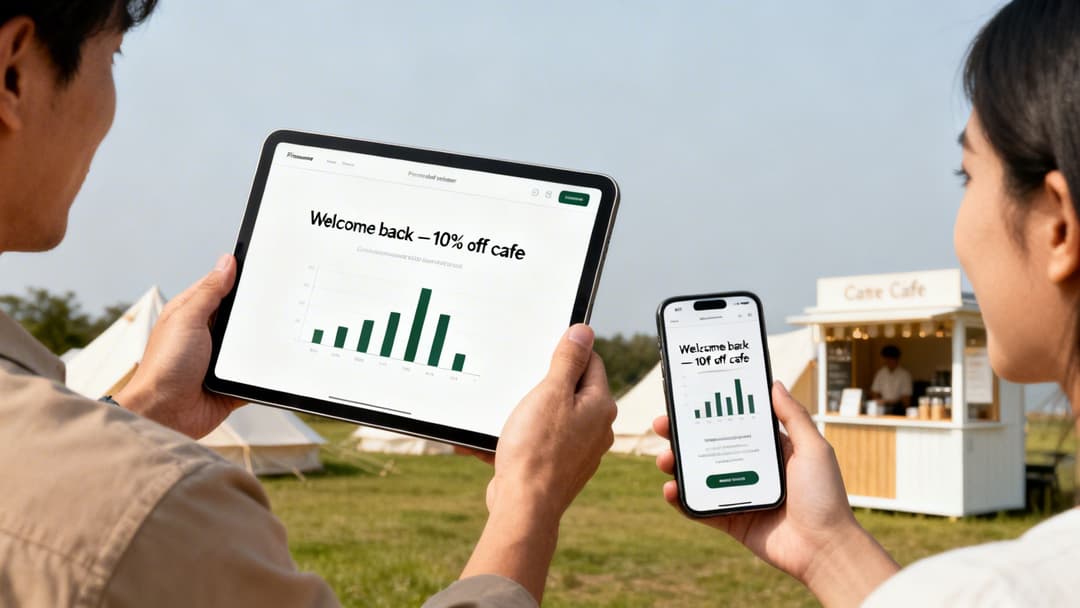
একবার আপনি এই তথ্য সংগ্রহ করা শুরু করলে, আসল জাদু শুরু হয়। একটি সঠিক অ্যানালিটিক্স ড্যাশবোর্ড অতিথিদের আচরণ এমনভাবে ভিজ্যুয়ালাইজ করতে পারে যা আপনি আগে কখনও দেখেননি। আপনি আপনার সবচেয়ে মূল্যবান অতিথিদের চিহ্নিত করতে পারেন, পিক ব্যবহারের সময়গুলো বুঝতে পারেন এবং আপনার পার্কের কোন এলাকাগুলো সবচেয়ে জনপ্রিয় তা দেখতে পারেন।
কল্পনা করুন যে পরিবারটি এই বছর আপনার সাইটটি তিনবার পরিদর্শন করেছে তাকে স্বয়ংক্রিয়ভাবে সনাক্ত করতে পারছেন। এই ইনসাইটের সাহায্যে, আপনি তাদের একটি ব্যক্তিগতকৃত "আবার স্বাগতম" ইমেল পাঠাতে মার্কেটিং অটোমেশন ব্যবহার করতে পারেন, সম্ভবত তাদের পরবর্তী বুকিংয়ের জন্য একটি বিশেষ ডিসকাউন্ট সহ। এই স্তরের টার্গেটেড এনগেজমেন্টই আপনার পার্ককে প্রতিযোগিতা থেকে সত্যিই আলাদা করে তোলে।
আপনার ক্যাম্পসাইটের জন্য ব্যবহারিক মনিটাইজেশন কৌশল
আপনার camping with WiFi নেটওয়ার্ককে মনিটাইজ করার বিভিন্ন উপায় থাকতে পারে, যা একে একটি খরচের খাত থেকে সরাসরি একটি লাভজনক উৎসে পরিণত করবে। মূল চাবিকাঠি হলো এমন একটি ভ্যালু অফার করা যার জন্য গেস্টরা সানন্দে অর্থ প্রদান করবে, তাও আবার বেসিক কানেকশনটিকে খুব বেশি সীমাবদ্ধ না রেখেই।
একটি জনপ্রিয় এবং অত্যন্ত কার্যকর পদ্ধতি হলো টায়ার্ড অ্যাক্সেস অফার করা। এই মডেলটি বিভিন্ন গেস্টের প্রয়োজন এবং বাজেটের সাথে সামঞ্জস্যপূর্ণ:
- ফ্রি টিয়ার: একটি মৌলিক গতির কানেকশন প্রদান করুন যা ইমেল চেক করার জন্য এবং হালকা ব্রাউজিংয়ের জন্য উপযুক্ত। একটি সাধারণ সোশ্যাল মিডিয়া বা ফর্ম-ভিত্তিক লগইনের বিনিময়ে অ্যাক্সেস দেওয়া হয়, যা আপনাকে মূল্যবান মার্কেটিং ডেটা ক্যাপচার করার সুযোগ দেয়।
- প্রিমিয়াম টিয়ার: একটি দৈনিক বা সাপ্তাহিক ফি এর বিনিময়ে একটি উচ্চ-গতির, উচ্চ-কার্যক্ষমতাসম্পন্ন কানেকশন অফার করুন। এটি সেইসব অতিথিদের জন্য আদর্শ যাদের সিনেমা স্ট্রিম করতে হবে, দূরবর্তী কাজের জন্য ভিডিও কলে যোগ দিতে হবে বা একসাথে একাধিক ডিভাইস সংযুক্ত করতে হবে।
একটি স্তরভিত্তিক পদ্ধতি অফার করার মাধ্যমে, আপনি সবার চাহিদা পূরণ করতে পারেন। সাধারণ ব্যবহারকারী একটি ফ্রি, কার্যকরী পরিষেবা পান, যেখানে পাওয়ার ব্যবহারকারী প্রিমিয়াম অভিজ্ঞতা পান যা তাদের প্রয়োজন এবং যার জন্য তারা অর্থ প্রদান করতে প্রস্তুত। এটি আপনার নেটওয়ার্ক বিনিয়োগ থেকে একটি সরাসরি এবং তাৎক্ষণিক রিটার্ন তৈরি করে।
আপনি আপনার WiFi ল্যান্ডিং পেজ নিয়েও সৃজনশীল হতে পারেন - যা সংযুক্ত হওয়ার পর গেস্টরা প্রথম দেখতে পান। শুধুমাত্র একটি খালি লগইন বক্সের পরিবর্তে, এটি আপনার ডিজিটাল বিলবোর্ড। ক্যাম্প বারে "হ্যাপি আওয়ার" বিজ্ঞাপন বা সাইকেল ভাড়ায় ছাড় দেওয়ার মতো আপনার অন-সাইট সুযোগ-সুবিধাগুলো প্রচার করতে এটি ব্যবহার করুন। আপনি যদি আরও ধারণা খুঁজছেন, তবে পেইড WiFi থেকে আয়ের বিষয়ে আমাদের গাইড অন মনেটাইজিং উইথ পেইড WiFi দেখতে পারেন।
আধুনিক ক্যাম্পারদের বোঝা
একটি শক্তিশালী WiFi নেটওয়ার্কে বিনিয়োগ করার আর্থিক যুক্তি দিন দিন আরও জোরালো হচ্ছে। গ্ল্যাম্পিং -এর জনপ্রিয়তা বৃদ্ধির ফলে ২০২১ সাল থেকে ইউকে সাইটগুলোতে হাই-এন্ড ফিচার অফার করার ক্ষেত্রে ৫৯% প্রবৃদ্ধি দেখা গেছে, এবং নির্ভরযোগ্য ইন্টারনেট এই তালিকার একদম শীর্ষে রয়েছে।
অপারেটরদের জন্য এখানে একটি গুরুত্বপূর্ণ অন্তর্দৃষ্টি রয়েছে: শক্তিশালী WiFi সহ ক্যাম্পসাইটগুলিতে গড়ে ২৫% দীর্ঘ সময় থাকার প্রবণতা দেখা যায়, যার বড় কারণ হলো এখন ৬৮% ইউকে ক্যাম্পার একটি ভালো কানেকশনকে অগ্রাধিকার দেন। একটি ২০২৫ সালের ভিজিটব্রিটেন সমীক্ষায় দেখা গেছে যে মিলেনিয়াল এবং জেনারেশন জেড ক্যাম্পারদের মধ্যে ৭৩% নিশ্চিত WiFi ছাড়া বুকিং বাতিল করবে, যা আপনার আয়ের উপর সরাসরি প্রভাব দেখায়। এবং মহামারীর পরে, WiFi সমৃদ্ধ ক্যাম্পসাইটগুলি ২০২৫ সালে কানেকশনবিহীন সাইটগুলির তুলনায় পুনরায় আসার হার ৪১% বৃদ্ধি রেকর্ড করেছে।
এই ট্রেন্ডগুলো আরও বিস্তারিতভাবে জানতে, আপনি 2025 KOA ক্যাম্পিং এবং আউটডোর হসপিটালিটি রিপোর্ট থেকে সম্পূর্ণ গবেষণাটি পড়তে পারেন।
এই ডেটা নিশ্চিত করে যে একটি নির্ভরযোগ্য কানেকশন কোনো বিলাসিতা নয়; এটি বুকিং, লয়্যালটি এবং রেভিনিউ বৃদ্ধির মূল চালিকাশক্তি। আপনার WiFi নেটওয়ার্ক থেকে ডেটা ব্যবহার করে, আপনি ঠিক সেই সমস্ত গেস্টদের টার্গেট করতে পারেন যারা আপনি যা অফার করছেন ঠিক সেটিই খুঁজছেন।
সিকিউরিটি কমপ্লায়েন্স এবং গেস্টদের গোপনীয়তা নিশ্চিত করা
আপনার ক্যাম্পসাইটে পাবলিক WiFi অফার করার সাথে গুরুতর দায়িত্ব আসে। এটি কেবল ইন্টারনেট সংযোগের জন্য একটি সুইচ অন করার বিষয় নয়; আপনার অতিথিদের ডেটা এবং সমানভাবে গুরুত্বপূর্ণ, আপনার নিজস্ব ব্যবসায়িক কার্যক্রম সুরক্ষিত রাখার জন্য আপনার দায়িত্ব রয়েছে। একটি সুরক্ষিত নেটওয়ার্ক হলো একটি পেশাদার নেটওয়ার্ক, এবং এটি সঠিকভাবে করা এমন বিশ্বাস তৈরি করে যা সবাইকে মানসিক শান্তি দেয়।
আপনি নিতে পারেন এমন একমাত্র সবচেয়ে গুরুত্বপূর্ণ নিরাপত্তা ব্যবস্থা হলো নেটওয়ার্ক সেগমেন্টেশন। সহজ কথায়, এর অর্থ হলো আপনার গেস্ট WiFi এবং আপনার অভ্যন্তরীণ ব্যবসায়িক নেটওয়ার্কের মধ্যে একটি ভার্চুয়াল প্রাচীর তৈরি করা। আপনার বুকিং সিস্টেম, কর্মীদের কম্পিউটার এবং পেমেন্ট টার্মিনালগুলো কখনই আপনার অতিথিদের ফোন এবং ল্যাপটপের মতো একই নেটওয়ার্ক শেয়ার করা উচিত নয়।
এই আইসোলেশন বা পৃথকীকরণ অত্যন্ত বাধ্যতামূলক। এটি কোনো আপোসকৃত গেস্ট ডিভাইসকে আপনার প্রয়োজনীয় ব্যবসায়িক সিস্টেমের জন্য হুমকি হয়ে ওঠা থেকে সম্পূর্ণভাবে প্রতিরোধ করে।
ডেটা গোপনীয়তা এবং কমপ্লায়েন্স নেভিগেট করা
আপনি যখনই WiFi অফার করেন, বিশেষ করে যদি আপনি কোনো ইমেল অ্যাড্রেস বা সোশ্যাল মিডিয়া লগইন চান, তখন আপনি একজন ডেটা কন্ট্রোলার হয়ে ওঠেন। তার মানে আইনগতভাবে আপনার ডেটা সুরক্ষা আইন মেনে চলা আবশ্যক, যার মধ্যে সবচেয়ে উল্লেখযোগ্য হলো UK GDPR।
কমপ্লায়েন্স মানে শুধু টিক বক্স পূরণ করা নয়; এটি হলো আপনি যে ব্যক্তিগত তথ্য ব্যবহার করছেন তার প্রতি স্বচ্ছ এবং দায়িত্বশীল হওয়া। সৌভাগ্যবশত, আধুনিক গেস্ট WiFi প্ল্যাটফর্মগুলো এগুলো আপনার জন্য পরিচালনা করার মতোই তৈরি করা হয়েছে, যা আপনার আইনি বাধ্যবাধকতা নিশ্চিত করে:
- সুস্পষ্ট সম্মতি নেওয়া: আপনি কী ডেটা সংগ্রহ করছেন এবং কেন করছেন তা স্পষ্টভাবে ব্যাখ্যা করা এবং গেস্টরা সংযুক্ত হওয়ার আগে তাদের সক্রিয়ভাবে সম্মত হতে বাধ্য করা।
- স্পষ্ট গোপনীয়তা নীতি প্রদান করা: আপনার গোপনীয়তা নীতি সরাসরি Captive Portal লগইন পেজ থেকেই তাৎক্ষণিকভাবে অ্যাক্সেসযোগ্য করে তোলা।
- নিরাপদে ডেটা পরিচালনা করা: একটি এনক্রিপ্টেড এবং কমপ্লায়েন্ট উপায়ে গেস্টের তথ্য সংরক্ষণ করা এবং ব্যবহারকারীদের নিজস্ব ডেটা পরিচালনা করার সরঞ্জাম দেওয়া।
যখন WiFi সহ ক্যাম্পিংয়ের বিষয় আসে, তখন বিশ্বাস তৈরি করা সবচেয়ে গুরুত্বপূর্ণ। গেস্টদের আত্মবিশ্বাসী হওয়া প্রয়োজন যে তাদের সংযোগটি নিরাপদ এবং তাদের ব্যক্তিগত তথ্য পেশাদারভাবে পরিচালনা করা হচ্ছে। ডেটা গোপনীয়তার প্রতি একটি স্বচ্ছ দৃষ্টিভঙ্গি দেখায় যে আপনি আপনার ভিজিটরদের সম্মান করেন এবং আপনার আইনি দায়িত্বগুলোকে গুরুত্ব সহকারে নেন।
গেস্ট ডেটা সঠিকভাবে পরিচালনা করা একটি জটিল কিন্তু অত্যন্ত গুরুত্বপূর্ণ কাজ। আপনার দায়িত্বগুলো সম্পর্কে আরও গভীর ধারণার জন্য, আপনি সম্পূর্ণ সুরক্ষিত আছেন কিনা তা নিশ্চিত করতে কীভাবে গেস্ট WiFi প্ল্যাটফর্মগুলো ডেটা গোপনীয়তা এবং কমপ্লায়েন্সে সাহায্য করে সে সম্পর্কে আরও বিস্তারিত পড়া উচিত।
একটি পরিবার-বান্ধব অনলাইন পরিবেশ তৈরি করা
আপনার দর্শকদের একটি বিশাল অংশ হলো শিশুসহ পরিবার। একটি নিরাপদ, পারিবারিক-অনুকূল ব্রাউজিং অভিজ্ঞতা প্রদান করা কেবল একটি অতিরিক্ত সুবিধা নয়; এটি আপনার ব্র্যান্ডের একটি অপরিহার্য অংশ এবং আপনার অতিথিরা আপনার কাছ থেকে এটিই আশা করেন।
এখানেই content filtering কাজে আসে। একটি ভালো WiFi ম্যানেজমেন্ট সিস্টেম আপনাকে সহজেই অনুপযুক্ত বা ক্ষতিকারক ওয়েবসাইটগুলোতে অ্যাক্সেস ব্লক করতে দেয়। আপনি সাধারণত আগে থেকে নির্ধারিত ক্যাটাগরি - যেমন প্রাপ্তবয়স্কদের কন্টেন্ট, জুয়া বা পরিচিত ম্যালওয়্যার সাইটগুলো থেকে বেছে নিতে পারেন - যাতে তাৎক্ষণিকভাবে সবার জন্য, বিশেষ করে কম বয়সী ক্যাম্পারদের জন্য একটি নিরাপদ অনলাইন স্পেস তৈরি করা যায়।
এটি একটি সহজ প্রযুক্তিগত পদক্ষেপ যা গেস্টদের কল্যাণের প্রতি সত্যিকারের প্রতিশ্রুতি প্রদর্শন করে এবং এটি এমন একটি বিষয় যা পরিবারগুলো সত্যিই প্রশংসা করে। এটি অনুপযুক্ত উপাদানের আকস্মিক প্রদর্শন প্রতিরোধ করে এবং সুরক্ষার আরেকটি স্তর যুক্ত করে, যা আপনার ক্যাম্পসাইটকে সব বয়সের মানুষের জন্য একটি নিরাপদ ও স্বাগত জানানোর মতো স্থান হিসেবে শক্তিশালী করে। এটি গেস্টদের অভিজ্ঞতায় বড় প্রভাব ফেলা একটি ছোট বৈশিষ্ট্য।
আপনার অপারেটর রেডি WiFi ডেপ্লয়মেন্ট চেকলিস্ট
ঠিক আছে, এবার সবকিছুকে একসাথে আনা যাক। তত্ত্বটি আপনি জেনে গেছেন, এবার অ্যাকশনের পালা। এটি আপনার রোডম্যাপ, একটি ব্যবহারিক চেকলিস্ট যা চমৎকার camping with WiFi প্রদানের সম্পূর্ণ প্রক্রিয়াটিকে কয়েকটি পরিচালনাযোগ্য ধাপে ভাগ করে দেয়।
এটিকে আপনার প্রকল্প পরিকল্পনা হিসেবে বিবেচনা করুন। এটি প্রিন্ট করুন, দেয়ালে ঝুলিয়ে রাখুন এবং প্রাথমিক ধারণা থেকে শুরু করে সফলভাবে চালু করা পর্যন্ত আপনার টিমকে গাইড করতে এটি ব্যবহার করুন।
ধাপ ১: পরিকল্পনা এবং সমীক্ষা
যেকোনো দুর্দান্ত নেটওয়ার্কের ভিত্তি হলো নিখুঁত পরিকল্পনা। আমি অনেক প্রকল্পকে ব্যর্থ হতে দেখেছি কারণ এই ধাপটিতে তাড়াহুড়ো করা হয়েছিল। শুরু থেকেই এটি সঠিকভাবে করার জন্য সময় দিলে তা পরবর্তীতে অনেক জটিলতা এবং ব্যয়বহুল সংশোধন থেকে বাঁচায়।
- স্থানটি ঘুরে দেখুন: একটি সম্পূর্ণ, শারীরিক সাইট সার্ভে পরিচালনা করুন। WiFi সিগন্যালকে বাধা দিতে পারে এমন প্রতিটি বাধা - যেমন ঘন গাছের আবরণ, পাহাড়, ধাতব দেয়াল বিশিষ্ট বড় ভবন - চিহ্নিত করতে আপনাকে পুরো এলাকাটি হেঁটে দেখতে হবে।
- আপনার হটস্পটগুলি ম্যাপ করুন: অতিথিরা যেখানে বেশি সমবেত হন সেই মূল এলাকাগুলি চিহ্নিত করুন এবং সেগুলোকে অগ্রাধিকার দিন। রিসেপশন, অন-সাইট বার বা ক্যাফে, সুইমিং পুল এবং যেকোনো খেলার জায়গার কথা ভাবুন। এগুলি আপনার অফেরতযোগ্য কভারেজ জোন।
- আপনার ব্যাকহল নির্ধারণ করুন: আপনার অ্যাক্সেস পয়েন্টগুলিতে আপনি কীভাবে ইন্টারনেট পৌঁছাবেন? আপনার বিকল্পগুলি মূল্যায়ন করুন। একটি সরাসরি ফাইবার সংযোগ কি সম্ভব? নাকি ব্যবধানগুলি মেটাতে আপনার একটি ওয়্যারলেস মেশ বা ডেডিকেটেড পয়েন্ট-টু-পয়েন্ট লিঙ্কের প্রয়োজন হবে?
ধাপ ২: হার্ডওয়্যার এবং ইনস্টলেশন
হাতে একটি সুনির্দিষ্ট পরিকল্পনা থাকলে, আপনি ফিজিক্যাল ডেপ্লয়মেন্ট শুরু করতে পারেন। মনে রাখবেন, সঠিক কিট বেছে নেওয়া লড়াইয়ের অর্ধেক মাত্র; এটি সঠিকভাবে ইনস্টল করাই নির্ভরযোগ্যতা নিশ্চিত করে এবং আপনাকে সেই সম্পূর্ণ কভারেজ দেয় যা আপনি পাওয়ার লক্ষ্য রাখছেন।
- আপনার সরঞ্জাম বুদ্ধিমত্তার সাথে বেছে নিন: আউটডোর ব্যবহারের উপযোগী রেটিংযুক্ত অ্যাক্সেস পয়েন্ট (APs) নির্বাচন করুন যা যেকোনো প্রতিকূল আবহাওয়া সহ্য করার জন্য তৈরি করা হয়েছে। এমন হার্ডওয়্যার খুঁজুন যা বিশেষভাবে বৃষ্টি, বাতাস এবং যেকোনো ঋতুর তাপমাত্রা মোকাবেলা করার জন্য ডিজাইন করা হয়েছে।
- এগুলোকে উঁচুতে স্থাপন করুন: সেরা সিগন্যাল ছড়ানোর জন্য, আপনার APs খুঁটিতে বা ভবনের পাশে মাউন্ট করুন। সর্বোত্তম সিগন্যাল বিতরণের জন্য সাধারণত ৪ - ৬ মিটার উচ্চতা সবচেয়ে উপযুক্ত।
- আপনার তারগুলো সুরক্ষিত রাখুন: যেকোনো নতুন ইথারনেট বা ফাইবার ক্যাবল সঠিকভাবে ড্রেন খনন করে বা প্রতিরক্ষামূলক পাইপের (conduit) মধ্যে রাখতে হবে। আবহাওয়া, বন্যপ্রাণী বা কোনো পথভ্রষ্ট যানবাহনের কারণে আপনার সমস্ত কঠোর পরিশ্রম যাতে পণ্ড না হয় তা নিশ্চিত করুন।
একটি সফল ডিপ্লয়মেন্ট হলো ম্যারাথনের মতো, স্প্রিন্ট নয়। প্রতিটি ধাপ আগের ধাপের ওপর ভিত্তি করে তৈরি হয়, তাই পরবর্তী ধাপে যাওয়ার আগে প্রতিটি ফেজ সম্পূর্ণ ও অনুমোদিত হয়েছে কিনা তা নিশ্চিত করুন। এই পদ্ধতিগত প্রক্রিয়াটিই ভবিষ্যতের সমস্যাগুলোর বিরুদ্ধে আপনার সেরা সুরক্ষা।
আপনার ক্যাম্পসাইট WiFi সংক্রান্ত প্রশ্ন এবং উত্তর
গেস্ট WiFi নিয়ে কাজ শুরু করার সময় কিছু প্রশ্ন ওঠা স্বাভাবিক। এটি সম্পূর্ণ সাধারণ বিষয়। ক্যাম্পগ্রাউন্ড অপারেটরদের কাছ থেকে আমরা সবচেয়ে বেশি যে প্রশ্নগুলো পাই, সেগুলোর সহজ ও স্পষ্ট উত্তর নিচে দেওয়া হলো যাতে আপনার মধ্যে স্বচ্ছতা এবং আত্মবিশ্বাস তৈরি হয়।
একটি ক্যাম্পসাইটে WiFi ইনস্টল করতে কত খরচ হয়?
এটি একটি বড় প্রশ্ন, এবং সৎ উত্তর হলো: এটি নির্ভর করে। একটি ছোট, সমতল পার্কের জন্য খরচ কয়েক হাজার পাউন্ড থেকে শুরু করে জটিল ভূখণ্ড সহ একটি বিস্তীর্ণ, জঙ্গলঘেরা জায়গার জন্য অনেক বড় বিনিয়োগ পর্যন্ত হতে পারে।
আপনার প্রধান খরচগুলো হবে মূলত:
- আউটডোর-রেটেড অ্যাক্সেস পয়েন্ট (APs)
- নেটওয়ার্ক সুইচ এবং ক্যাবলিং (ফাইবার বা ইথারনেট)
- একটি ক্লাউড-ভিত্তিক ম্যানেজমেন্ট প্ল্যাটফর্মের সাবস্ক্রিপশন
এটিকে খরচ হিসেবে না ভেবে বিনিয়োগ হিসেবে দেখাই সবচেয়ে ভালো উপায়। আরও বেশি গেস্ট আকর্ষণ করার ক্ষমতা, তাদের দীর্ঘ সময় থাকার জন্য উৎসাহিত করা এবং প্রিমিয়াম WiFi থেকে সরাসরি রেভিনিউ জেনারেট করার অর্থ হলো এই সিস্টেমটি প্রায়শই এক বা দুই সিজনের মধ্যেই নিজের খরচ নিজে তুলে নিতে পারে।
একটি পরামর্শের কথা: খুব কম অ্যাক্সেস পয়েন্ট দিয়ে নেটওয়ার্কের কম ব্যবস্থা করে বাজেট বাঁচানোর চেষ্টা করবেন না। এটি একটি ভুল সাশ্রয় যা প্রায় সবসময়ই অতিথিদের একটি খারাপ অভিজ্ঞতার দিকে নিয়ে যায় এবং অভিযোগের সংখ্যা বাড়িয়ে দেয়, যা আপনার বিনিয়োগের উদ্দেশ্যকে সম্পূর্ণরূপে ব্যর্থ করে। প্রথম দিন থেকেই সম্পূর্ণ কভারেজের জন্য পরিকল্পনা করা সবসময়ই ভালো।
আমি কি ফ্রি এবং পেইড উভয় ধরনের WiFi টায়ার অফার করতে পারি?
আপনি কেবল পারবেনই না, বরং আপনার অবশ্যই এটি করা উচিত। একটি টায়ার্ড মডেল আধুনিক camping with wifi এর সাথে মানানসই। এটি আপনাকে একটি নতুন আয়ের উৎস তৈরি করার সাথে সাথে সবার প্রয়োজন মেটাতে সাহায্য করে।
এখানে একটি প্রমাণিত পদ্ধতি দেওয়া হলো: একটি ফ্রি, বেসিক গতির পরিষেবা অফার করুন যা ইমেল চেক করা বা হালকা ব্রাউজিংয়ের জন্য উপযুক্ত। আপনি আপনার মার্কেটিং তালিকা তৈরি করতে গেস্টের ইমেল ঠিকানার মতো মূল্যবান কিছুর বিনিময়ে অ্যাক্সেস দিতে পারেন। এর পাশাপাশি, আপনি দৈনিক বা সাপ্তাহিক ফি-র বিনিময়ে একটি প্রিমিয়াম, হাই-স্পিড টিয়ার অফার করতে পারেন। এটি সেই সমস্ত গেস্টদের জন্য আদর্শ যাদের সিনেমা স্ট্রিম করতে হবে বা কাজের জন্য ভিডিও কলে যোগ দিতে হবে। একটি ভালো ম্যানেজমেন্ট প্ল্যাটফর্ম এই টিয়ারগুলো সেট আপ এবং স্বয়ংক্রিয় করা অবিশ্বাস্যভাবে সহজ করে তোলে।
গেস্ট WiFi সাপোর্ট পরিচালনা করার সর্বোত্তম উপায় কী?
সত্যি বলতে, সাপোর্ট কলের বন্যা ঠেকাতে আপনার প্রথম প্রতিরক্ষামূলক ব্যবস্থা হলো একটি সুপরিকল্পিত এবং নির্ভরযোগ্য নেটওয়ার্ক। যখন সমস্যা দেখা দেয়, তখন প্রোঅ্যাক্টিভ রিমোট মনিটরিং আপনার সেরা বন্ধু হতে পারে। বেশিরভাগ গেস্ট সমস্যা বোঝার আগেই নেটওয়ার্ক-ব্যাপী সমস্যাগুলো চিহ্নিত করতে এবং সমাধান করতে আপনার আইটি টিম বা সরবরাহকারীর উচিত তাদের সরঞ্জামগুলো ব্যবহার করা। আধুনিক ম্যানেজমেন্ট ড্যাশবোর্ডগুলো এখানে অত্যন্ত কার্যকরী, যা অন-সাইট কর্মীদের নেটওয়ার্ক ইঞ্জিনিয়ারিংয়ে ডিগ্রি থাকা ছাড়াই সমস্যাগুলো সুনির্দিষ্টভাবে সনাক্ত করতে সহায়তা করে।
আরও সাধারণ ব্যবহারকারীজনিত সমস্যার জন্য, চেক-ইনের সময় এবং একটি সহজ FAQ পেজে (যা লগইন পোর্টালের মাধ্যমে অ্যাক্সেস করা যায়) স্পষ্ট, সহজ কানেকশন নির্দেশাবলী প্রদান করা অত্যন্ত গুরুত্বপূর্ণ। এটি গেস্টদের ছোটখাটো সমস্যাগুলো নিজেরাই সমাধান করতে সাহায্য করে, যার ফলে আপনার ফ্রন্ট-ডেস্ক কর্মীরা IT সাপোর্টের পরিবর্তে আতিথেয়তার দিকে মনোযোগ দেওয়ার সুযোগ পান।
একটি নিরাপদ, পাসওয়ার্ডহীন WiFi সমাধানের মাধ্যমে আপনার অতিথিদের অভিজ্ঞতাকে রূপান্তর করতে এবং নতুন আয়ের পথ উন্মুক্ত করতে প্রস্তুত? জানুন কীভাবে Purple এটি সম্ভব করতে পারে। আজই আপনার ডেমো পান।