একজন অতিথি আপনার হোটেলে প্রবেশ করেন, লবিতে WiFi-এ যুক্ত হন, ইমেল খোলেন এবং একটি জাল অ্যাক্সেস পয়েন্ট দ্বারা অলক্ষ্যে বাধা পান যা তাদের বিশ্বাস অর্জনের জন্য যথেষ্ট বৈধ বলে মনে হয়। রিসেপশনের কেউ এটি দেখতে পায় না। আপনার হেল্প ডেস্ক এটি সম্পর্কে পরে জানতে পারে, যখন অতিথি জিজ্ঞাসা করেন যে অন-সাইটে কানেক্ট করার পরে কেন তাদের অ্যাকাউন্ট দখল করা হয়েছিল।
সেজন্যই ওয়্যারলেস কানেকশন সিকিউরিটি মানে কেবল একটি অ্যাক্সেস পয়েন্টের ড্রপ-ডাউন মেনু থেকে নতুন সংক্ষিপ্ত রূপ বেছে নেওয়া নয়। এটি একটি অপারেশনাল সমস্যা। নেটওয়ার্ককে সঠিক ব্যবহারকারী বা ডিভাইস সনাক্ত করতে হবে, সঠিক স্তরের অ্যাক্সেস প্রয়োগ করতে হবে, ট্রানজিটে ট্রাফিক সুরক্ষিত করতে হবে এবং স্টাফদের কাজ এড়িয়ে যাওয়া এবং অতিথিদের এটি ব্যবহার করা ছেড়ে দেওয়ার মতো অতিরিক্ত ঝামেলা তৈরি না করে তা করতে হবে।
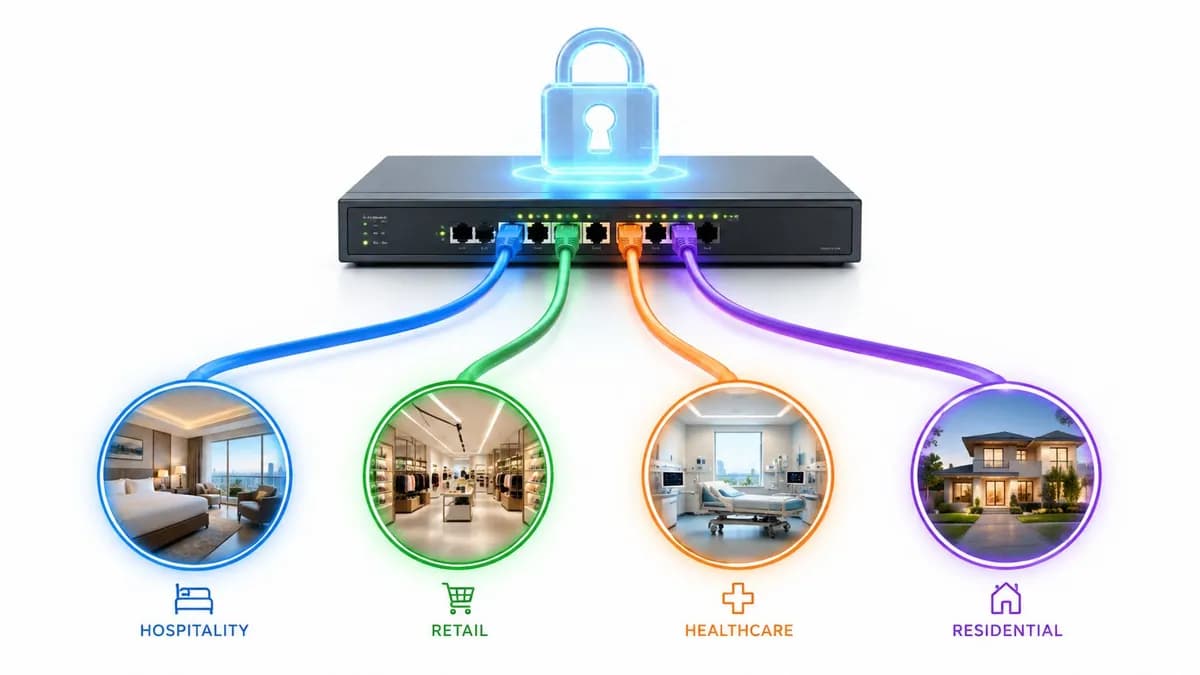
বাস্তব ভেন্যুগুলিতে এটি আরও কঠিন হয়ে ওঠে। একটি হাসপাতাল বেডসাইড ডিভাইসগুলিকে ক্যাফের গ্রাহকদের মতো বিবেচনা করতে পারে না। একটি শপিং সেন্টারকে একই সাথে গেস্ট অ্যাক্সেস, টেন্যান্ট সিস্টেম এবং ব্যাক-অফিস অপারেশন সমর্থন করতে হয়। একটি হোটেলকে স্টাফ, অ্যাডমিন সিস্টেম এবং স্মার্ট ডিভাইসগুলিকে আলাদা রেখে অতিথিদের জন্য অনবোর্ডিং সহজ করতে হয়।
সুসংবাদটি হলো যে মৌলিক বিষয়গুলি বোধগম্য। একবার আপনি ওয়্যারলেস আক্রমণগুলি কীভাবে কাজ করে, কেন পুরানো মানগুলি ব্যর্থ হয় এবং যেখানে আধুনিক আইডেন্টিটি-ভিত্তিক অ্যাক্সেস খাপ খায় তা বুঝতে পারলে পথটি অনেক পরিষ্কার হয়ে যায়। আপনি যদি কোনো ভেন্যু, একটি ক্যাম্পাস বা একটি মাল্টি-টেন্যান্ট প্রোপার্টির জন্য দায়ী হন, তবে লক্ষ্যটি সহজ। বৈধ ব্যবহারকারীদের জন্য নিরাপদ অ্যাক্সেস সহজ করুন এবং অন্য সবার জন্য এটি কঠিন করুন।
পাবলিক এবং গেস্ট WiFi-এর অদৃশ্য ঝুঁকি
পাবলিক এবং গেস্ট WiFi ব্যবহারকারীর দৃষ্টিকোণ থেকে সহজ মনে হয়। SSID ট্যাপ করুন, একটি পৃষ্ঠা গ্রহণ করুন, অনলাইন হন। অপারেটরের দৃষ্টিকোণ থেকে, এটি প্রায়শই একটি ইউটিলিটি বলে মনে হয়। এটি উপলব্ধ রাখুন, যথেষ্ট দ্রুত রাখুন এবং এটি ভেঙে যেতে দেবেন না।
সেই মানসিক মডেলটি খুবই সংকীর্ণ। গেস্ট অ্যাক্সেস একটি শেয়ার্ড রেডিও পরিবেশ তৈরি করে যেখানে অপরিচিতদের ডিভাইসগুলি কাছাকাছি থাকে, ট্রাফিক একটি খোলা মাধ্যমের মধ্য দিয়ে চলে এবং আক্রমণকারীরা সামান্য চেষ্টাতেই বিশ্বস্ত নেটওয়ার্কের নাম অনুকরণ করতে পারে। ব্যবসায়িক সমস্যা কেবল ডেটা চুরি নয়। এটি হারিয়ে যাওয়া বিশ্বাস, সাপোর্টের বোঝা এবং এড়ানো সম্ভব এমন ঘটনার পরে কমপ্লায়েন্স টিমের কঠিন প্রশ্নও বটে।
হসপিটালিটি, রিটেইল এবং হেলথকেয়ারের মতো ক্ষেত্রে ঝুঁকিগুলি ভিন্ন কিন্তু সমানভাবে ব্যবহারিক:
- হসপিটালিটি টিমগুলোর এমন অনবোর্ডিং প্রয়োজন যা সেকেন্ডের মধ্যে কাজ করে, কারণ চেক-ইন ডেস্ক এবং বার স্টাফরা WiFi সাপোর্ট হয়ে উঠতে পারে না।
- রিটেইল অপারেটরদের আনুগত্য, অ্যানালিটিক্স এবং মোবাইল এনগেজমেন্টের জন্য গ্রাহকদের সংযুক্ত করা প্রয়োজন, কিন্তু গেস্ট নেটওয়ার্ক যাতে অভ্যন্তরীণ সিস্টেমে প্রবেশের পথ না হয়ে ওঠে সেই ঝুঁকি নেওয়া যাবে না।
- হেলথকেয়ার সংস্থাগুলোর এমন ওয়্যারলেস অ্যাক্সেস প্রয়োজন যা গোপনীয়তাকে সম্মান করে, কর্মীদের গতিশীলতাকে সমর্থন করে এবং রোগী বা দর্শনার্থীদের শেয়ার্ড নেটওয়ার্কে অরক্ষিত রাখে না।
বিভ্রান্তির একটি সাধারণ বিষয় হলো: মানুষ মনে করে "ফ্রি WiFi" মানে মূল ঝুঁকি হলো ব্যান্ডউইথ অপব্যবহার। বাস্তবে, বড় সমস্যাটি হলো পরিচয়। কে সংযোগ করছে? সেই ব্যবহারকারী বা ডিভাইসটিকে কী অ্যাক্সেস করতে দেওয়া উচিত? পরিস্থিতি পরিবর্তন হলে কত দ্রুত অ্যাক্সেস পরিবর্তন বা বাতিল করা যেতে পারে?
পাবলিক WiFi নিরাপদ হয়ে ওঠে না শুধুমাত্র লগইন পেজটি ব্র্যান্ডেড দেখায় বলে। নিরাপত্তা নির্ভর করে নেপথ্যে নেটওয়ার্কটি কীভাবে প্রতিটি সংযোগকে অথেন্টিকেট, এনক্রিপ্ট এবং আইসোলেট করে তার ওপর।
এই কারণেই পুরনো গেস্ট অ্যাক্সেস প্যাটার্নগুলো তাদের কার্যকারিতা হারাচ্ছে। শেয়ার করা পাসওয়ার্ড খুব সহজেই ছড়িয়ে পড়ে। ফ্ল্যাট নেটওয়ার্ক ডিজাইন ল্যাটারাল মুভমেন্টের জন্য অতিরিক্ত সুযোগ তৈরি করে। পোর্টাল-নির্ভর অভিজ্ঞতা ব্যবহারকারীদের না ভেবেই প্রম্পটগুলোতে ক্লিক করতে শেখায়। আপনি যদি এখনও গেস্ট WiFi-কে আপনার সিকিউরিটি আর্কিটেকচারের অংশ হিসেবে না দেখে একটি পার্শ্ব পরিষেবা হিসেবে বিবেচনা করেন, তবে আপনি প্রয়োজনের চেয়ে বেশি ঝুঁকি বহন করছেন।
গেস্ট সমস্যার ব্যবহারিক দিকটি দেখতে, গেস্টদের জন্য নিরাপদ WiFi-এর ক্ষেত্রে Purple-এর নির্দেশিকা secure WiFi for guests দরকারী, কারণ এটি গেস্ট অ্যাক্সেসকে নিরাপত্তা এবং অভিজ্ঞতা উভয় দৃষ্টিকোণ থেকেই উপস্থাপন করে।
ওয়্যারলেস হুমকির গঠন বোঝা
ওয়্যারলেস আক্রমণগুলো সবচেয়ে সহজে বোঝা যায় যখন আপনি সেগুলোকে একজন আক্রমণকারী করার চেষ্টা করতে পারে এমন চারটি কাজে ভাগ করেন: শোনা, ছদ্মবেশ ধারণ করা, ব্যাহত করা বা অনুমান করা। এটি এন্টারপ্রাইজ গেস্ট এনভায়রনমেন্টে গুরুত্বপূর্ণ কারণ প্রতিটি কাজ একটি ভিন্ন অপারেশনাল দুর্বলতাকে কাজে লাগায়। একটি দুর্বলভাবে আইসোলেট করা গেস্ট SSID এক ধরনের এক্সপোজার তৈরি করে। পুনরায় ব্যবহৃত শেয়ার্ড পাসওয়ার্ড অন্য একটি তৈরি করে। একটি ডিভাইস যা যাচাই করতে পারে না যে এটি অনুমোদিত নেটওয়ার্কে যুক্ত হচ্ছে কিনা, তা তৃতীয় একটি ঝুঁকি তৈরি করে।
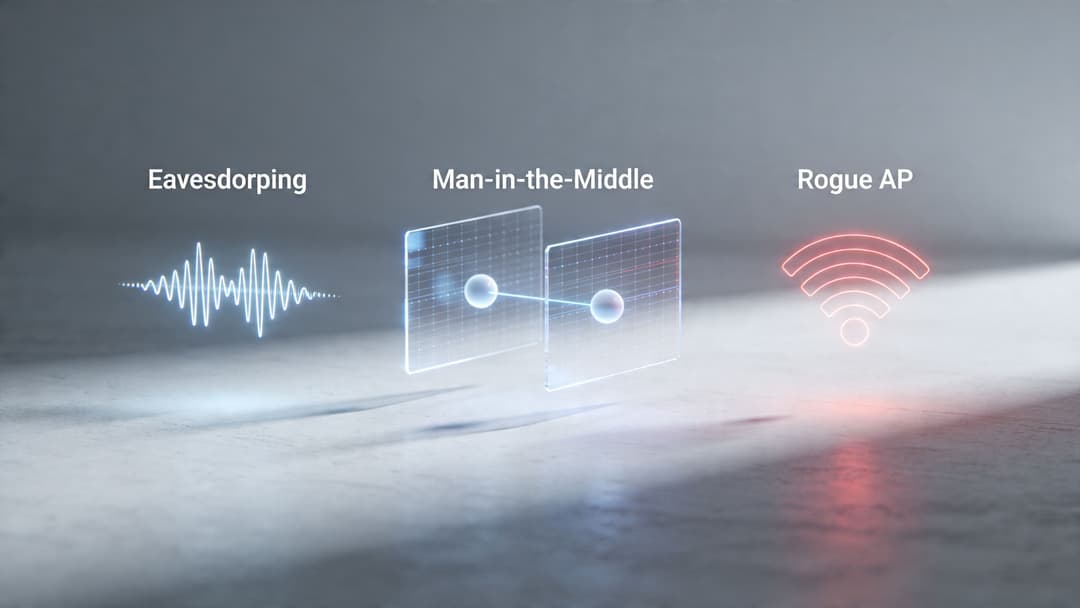
হসপিটালিটি, রিটেইল এবং হেলথকেয়ারের ক্ষেত্রে, এই দুর্বলতাগুলো কদাচিৎ বিচ্ছিন্ন প্রযুক্তিগত ভুল হয়। এগুলো সাধারণত এমন টুল দিয়ে বড় পরিসরে অ্যাক্সেস সহজ করার চেষ্টা থেকে আসে যা কখনই উচ্চ টার্নওভার, আনম্যানেজড ডিভাইস বা মিশ্র ব্যবহারকারী গ্রুপের জন্য ডিজাইন করা হয়নি। একটি শেয়ার্ড গেস্ট পাসওয়ার্ড বিতরণ করা সহজ। এটি উদ্দিষ্ট দর্শকদের বাইরে শেয়ার করাও সহজ। একটি Captive Portal পরিচিত। এটি ব্যবহারকারীদের যুক্ত হওয়ার পরে যে স্ক্রিনই আসুক না কেন তা বিশ্বাস করতেও অভ্যস্ত করে তোলে।
ইভসড্রপিং এবং ম্যান ইন দ্য মিডল আক্রমণ
ইভসড্রপিং হলো মৌলিক ঝুঁকি। যদি ওয়্যারলেস ট্রাফিক দুর্বলভাবে সুরক্ষিত থাকে, অথবা ব্যবহারকারীরা এমন একটি নেটওয়ার্কের সাথে সংযোগ স্থাপন করে যা এটি যা দাবি করে তা নয়, তবে আশেপাশের আক্রমণকারীরা এমন ডেটা দেখতে সক্ষম হতে পারে যা ব্যক্তিগত থাকা উচিত। একটি পাবলিক ভেন্যুতে, এর মধ্যে সেশন টোকেন, ব্রাউজিং অ্যাক্টিভিটি, লগইন প্রচেষ্টা বা অন্যান্য মেটাডেটা অন্তর্ভুক্ত থাকতে পারে যা একটি বড় আক্রমণ তৈরি করতে সহায়তা করে।
একটি man in the middle আক্রমণ সক্রিয় নিয়ন্ত্রণ যোগ করে। আক্রমণকারী ব্যবহারকারী এবং গন্তব্যের মধ্যে একটি সিস্টেম সন্নিবেশ করায়, তারপর ট্র্যাফিক রিলে করে যাতে উভয় পক্ষ স্বাভাবিকভাবে যোগাযোগ করছে বলে মনে হয়। ব্যবহারিক সমস্যাটি হলো বিশ্বাস। এনক্রিপশন কেবল তখনই সাহায্য করে যদি ডিভাইসটি সঠিক নেটওয়ার্ক প্রমাণীকরণ করে এবং পাথটি অলক্ষ্যে রিডাইরেক্ট না হয়।
এটি এমন একটি পয়েন্ট যা অনেক অ-বিশেষজ্ঞরা মিস করেন। WiFi নিরাপত্তা কেবল প্যাকেট স্ক্র্যাম্বল করার বিষয়ে নয়। এটি সংযোগের মুহূর্তে পরিচয় প্রমাণ করার এবং তারপরে একটি সংযুক্ত ডিভাইস কী করতে পারে তা সীমিত করার বিষয়েও। যে দলগুলি সেই ডিজাইন সমস্যাটি নিয়ে কাজ করছে, তাদের জন্য network access control solutions প্রতি সফল সংযোগের সাথে একই আচরণ করার পরিবর্তে ব্যবহারকারী, ডিভাইস এবং প্রসঙ্গের উপর ভিত্তি করে নীতি প্রয়োগ করতে সহায়তা করে।
Evil Twins এবং জাল বিশ্বাস
একটি Evil Twin অ্যাক্সেস পয়েন্ট হলো একটি প্রতারণামূলক নেটওয়ার্ক যা একটি বৈধ নেটওয়ার্কের নাম অনুলিপি করে। লক্ষ্যটি সহজ। বৈধ পরিকাঠামোর পরিবর্তে আক্রমণকারীর রেডিওর সাথে ডিভাইসটিকে সংযুক্ত করা। একটি হোটেলের লবি বা ব্যস্ত ক্লিনিকের অপেক্ষার জায়গায়, এর জন্য খুব বেশি পরিশীলিততার প্রয়োজন হয় না। ব্যবহারকারীরা প্রায়শই একটি পরিচিত SSID-এর উপর ভিত্তি করে চয়ন করেন এবং অনেক ডিভাইস স্বয়ংক্রিয়ভাবে মনে রাখা নামের সাথে পুনরায় সংযোগ স্থাপন করে।
একবার এটি ঘটলে, আক্রমণকারী একটি জাল পোর্টাল উপস্থাপন করতে পারে, ক্রেডেনশিয়াল সংগ্রহ করতে পারে, সার্টিফিকেট সতর্কতায় ব্যবহারকারীর বিশ্বাস হ্রাস করতে পারে, অথবা সংযোগটিকে স্বাভাবিক দেখানোর জন্য প্রক্সি ট্র্যাফিক ব্যবহার করতে পারে। আক্রমণটি সফল হয় কারণ ব্যবহারকারী একটি পরিচিত লেবেল দেখেন, যেখানে নিরাপত্তা সিদ্ধান্তটি এমন বিশদ বিবরণের উপর নির্ভর করে যা ব্যবহারকারীরা সাধারণত পরীক্ষা করেন না।
সাধারণ সতর্কতা লক্ষণগুলির মধ্যে রয়েছে:
- ডুপ্লিকেট SSIDs যা অনুষ্ঠানস্থলের প্রত্যাশিত নেটওয়ার্ক নামের সাথে মেলে
- ডিভাইসটি ইতিমধ্যে চেনে এমন একটি নেটওয়ার্কের জন্য অপ্রত্যাশিত পুনর্সংযোগের অনুরোধ
- একটি রুটিন জয়েন প্রক্রিয়া চলাকালীন প্রদর্শিত সার্টিফিকেট বা বিশ্বাসের সতর্কতা
- পোর্টাল পৃষ্ঠা যা ভুল সময়ে আসে বা শব্দ চয়ন এবং লেআউটে সামান্য অসঙ্গতিপূর্ণ দেখায়
Deauthentication এবং জোরপূর্বক পুনর্সংযোগ
কিছু ওয়্যারলেস আক্রমণ সরাসরি ডেটা চুরির পরিবর্তে সংযোগের নিয়ন্ত্রণের উপর ফোকাস করে। Deauthentication অপব্যবহার একটি ডিভাইসকে WiFi থেকে জোরপূর্বক সরিয়ে দেয় যাতে এটিকে আবার সংযুক্ত হতে হয়। সেই পুনর্সংযোগের মুহূর্তটি আক্রমণকারীর জন্য দরকারী কারণ এটি বিভ্রান্তি তৈরি করে, ব্যবহারকারীর সন্দেহজনক প্রম্পট গ্রহণ করার সম্ভাবনা বাড়িয়ে তোলে এবং ডিভাইসগুলিকে একটি ক্ষতিকারক অ্যাক্সেস পয়েন্টের দিকে পরিচালিত করতে পারে যা আরও শক্তিশালী বা আরও সহজলভ্য দেখায়।
পরিচালনগত দিক থেকে, এই কারণেই বারবার "এলোমেলো" সংযোগ বিচ্ছিন্ন হওয়ার বিষয়টি তদন্তের দাবি রাখে, বিশেষ করে ঘনবসতিপূর্ণ পাবলিক স্পেসগুলিতে। একটি ভেন্যু ধরে নিতে পারে যে সমস্যাটি কনজেশন বা হস্তক্ষেপের কারণে হচ্ছে, যখন আসল সমস্যাটি হলো ক্লায়েন্টদের অস্থির রাখতে ম্যানেজমেন্ট ট্র্যাফিকের অপব্যবহার করা হচ্ছে।
এর থেকে আরও বড় ও ব্যবহারিক শিক্ষা পাওয়া যায়। প্রতিবার জোরপূর্বক পুনঃসংযোগ স্থাপন ব্যবহারকারীর অভিজ্ঞতার উপর চাপ সৃষ্টি করে, এবং চাপের মধ্যে থাকা ব্যবহারকারীরা বিশ্বাসের ক্ষেত্রে দুর্বল সিদ্ধান্ত নিয়ে থাকেন। শক্তিশালী ম্যানেজমেন্ট ফ্রেম প্রটেকশন এবং আরও ভালো ক্লায়েন্ট অনবোর্ডিং সুযোগের সেই সুযোগটি কমিয়ে দেয়।
দুর্বল শেয়ার্ড পাসওয়ার্ড এবং ব্রুট ফোর্স আক্রমণ
দুর্বল প্রি-শেয়ার্ড কী-এর বিরুদ্ধে ব্রুট-ফোর্স আক্রমণগুলি একটি ভিন্ন দুর্বলতাকে লক্ষ্য করে। আক্রমণকারী নেটওয়ার্ক হওয়ার ভান করে না। তারা সেই শেয়ার্ড সিক্রেটটি পুনরুদ্ধার করার চেষ্টা করে যা এটিকে সুরক্ষিত রাখে। পাসওয়ার্ড যদি ছোট, পুনরায় ব্যবহৃত, অনুমানযোগ্য বা অনানুষ্ঠানিকভাবে হাতবদল করা হয়, তবে পুরো নেটওয়ার্ক সেই দুর্বলতার উত্তরাধিকারী হয়।
শেয়ার্ড পাসওয়ার্ড একই সাথে একটি নিরাপত্তা সমস্যা এবং একটি অপারেশনাল সমস্যা তৈরি করে। একবার কী ছড়িয়ে পড়লে, অ্যাক্সেস প্রত্যাহার করার অর্থ হল প্রত্যেকের জন্য এটি পরিবর্তন করা। এটি একটি হোটেলে অস্বস্তিকর, রিটেলে বিঘ্ন সৃষ্টিকারী এবং স্বাস্থ্যসেবা পরিবেশে ঝুঁকিপূর্ণ যেখানে কর্মীদের গতিশীলতা অত্যন্ত গুরুত্বপূর্ণ। এটি একটি অন্যতম কারণ যার জন্য আধুনিক এন্টারপ্রাইজ ওয়্যারলেস ডিজাইন স্বতন্ত্র, সার্টিফিকেট-ভিত্তিক পরিচয় এবং স্বয়ংক্রিয় অনবোর্ডিংয়ের দিকে এগিয়ে যাচ্ছে। সেই মডেলগুলি আক্রমণের সুযোগ কমিয়ে দেয় এবং লিগ্যাসি গেস্ট ও কর্মীদের অ্যাক্সেস পদ্ধতিগুলির কারণে তৈরি হওয়া বেশিরভাগ ম্যানুয়াল ক্লিনআপের প্রয়োজনীয়তা দূর করে।
Wireless Security Protocols-এর বিবর্তন
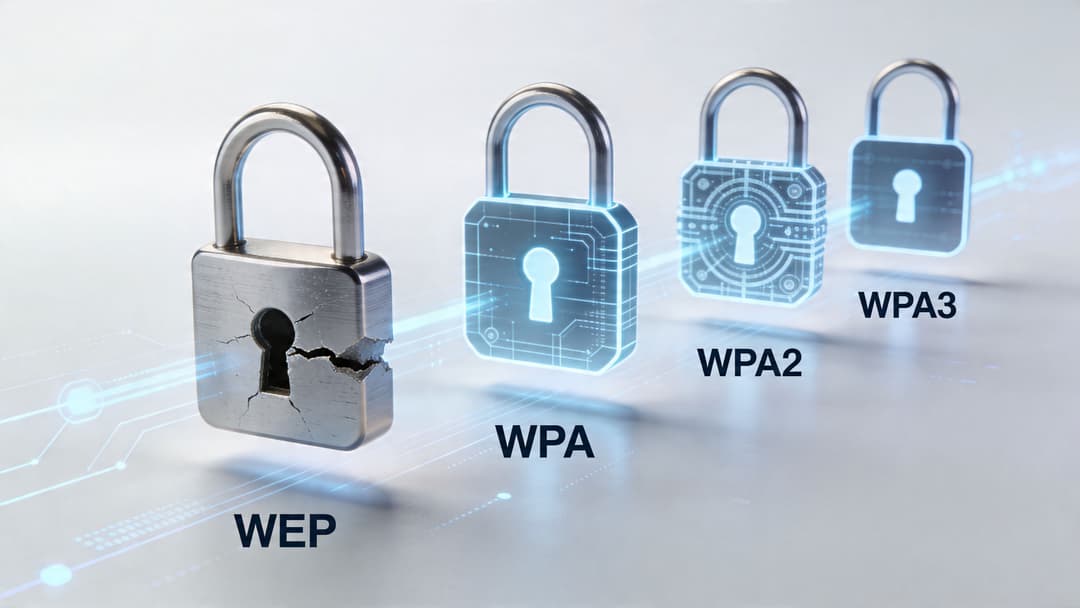
একটি হোটেল, স্টোর চেইন বা হাসপাতালের নেটওয়ার্ক টিম খুব কমই একদম নতুন করে শুরু করার সুযোগ পায়। তারা উত্তরাধিকার সূত্রে পায় পুরনো হ্যান্ডহেল্ড টার্মিনাল, ভুলে যাওয়া SSID, এমন ডিভাইস যা কেবল পুরনো স্ট্যান্ডার্ড সমর্থন করে এবং বছরের পর বছর ধরে গড়ে ওঠা ব্যবহারকারীদের প্রত্যাশা যে "আমাকে কেবল WiFi পাসওয়ার্ডটি দিন।" এই কারণেই ওয়্যারলেস সিকিউরিটি প্রোটোকলগুলিকে কেবল সংক্ষিপ্ত রূপের তালিকা হিসেবে না দেখে একটি অপারেশনাল টাইমলাইন হিসেবে বোঝা সবচেয়ে ভালো।
WEP ছিল প্রথম লক, যা মোটেও ভালো ছিল না
গোপনীয়তা রক্ষার জন্য WiFi-এর প্রথম ব্যাপকভাবে ব্যবহৃত প্রচেষ্টা ছিল WEP। এটি খোলা বাতাসে প্লেইন টেক্সট হিসেবে ডেটা পাঠানোর প্রাথমিক সমস্যার সমাধান করেছিল, কিন্তু এটি এমন কিছু দুর্বলতার সাথে করেছিল যা আক্রমণকারীরা কাজে লাগাতে শিখে গিয়েছিল। আধুনিক অর্থে, WEP কোনো নিরাপত্তা নিয়ন্ত্রণ নয় বরং একটি লক্ষণ যে একটি নেটওয়ার্ক পিছিয়ে পড়েছে।
এর ব্যর্থতা দুটি কারণে গুরুত্বপূর্ণ ছিল। ক্রিপ্টোগ্রাফি এতটাই দুর্বল ছিল যে এটি ব্যবহারিক ক্ষেত্রে ভেঙে ফেলা যেত এবং এই ভাঙনটি পুনরাবৃত্তিযোগ্য ছিল। একবার টুলস ব্যবহার করে এটি সহজ হয়ে যাওয়ার পর, WEP আর কোনো বাধা হয়ে রইল না।
স্ট্যান্ডার্ডটি চলে যাওয়ার পরেও লিগ্যাসি সমস্যাটি দূর হয়নি। পুরনো বারকোড স্ক্যানার, প্রিন্টার, বিশেষজ্ঞ চিকিৎসা সরঞ্জাম এবং অস্থায়ী নেটওয়ার্কগুলি প্রায়শই তাদের চারপাশের নিরাপত্তা দলগুলির প্রত্যাশার চেয়ে অনেক বেশি সময় ধরে সচল থেকে যায়। এন্টারপ্রাইজ পরিবেশে, WEP থেকে এটিই সাধারণত প্রধান শিক্ষা। দুর্বল প্রোটোকল পছন্দগুলি অবহেলিত ডিভাইস এবং ভুলে যাওয়া অপারেশনাল ব্যতিক্রমগুলির মাধ্যমে টিকে থাকার প্রবণতা রাখে।
WPA এবং WPA2 এনক্রিপশনকে শক্তিশালী করেছে, কিন্তু অনেক ডেপ্লয়মেন্ট পরিচালনা করা কঠিন রয়ে গেছে
WPA ছিল একটি অন্তর্বর্তীকালীন সমাধান। এটি আরও দীর্ঘস্থায়ী স্ট্যান্ডার্ড চূড়ান্ত হওয়ার সময় ইন্ডাস্ট্রিকে একটি নিরাপদ বিকল্প প্রদান করেছিল। পরবর্তীতে WPA2 এন্টারপ্রাইজ WiFi-এর জন্য দীর্ঘমেয়াদী ডিফল্ট হয়ে ওঠে কারণ এটি অনেক বেশি শক্তিশালী সুরক্ষা এবং ব্যাপক ভেন্ডর সাপোর্ট নিয়ে এসেছিল।
এটি প্রোটোকলের সমস্যার সমাধান করেছিল। কিন্তু এটি ম্যানেজমেন্টের সমস্যার সমাধান করতে পারেনি।
অনেক WPA2 ডেপ্লয়মেন্ট তখনও একটি শেয়ার্ড পাসওয়ার্ডের উপর নির্ভরশীল ছিল কারণ এটি ব্যাখ্যা করা সহজ এবং দ্রুত রোল আউট করা যেত। এই সিদ্ধান্তটি পুরো ভবনের জন্য একটিমাত্র ফিজিক্যাল চাবি দেওয়ার মতো কাজ করে। এটি প্রথম দিনে সহজ মনে হয়। কিন্তু ঠিকাদার পরিবর্তন হলে, অতিথিরা চলে গেলে বা কোনো ডিভাইস হারিয়ে যাওয়ার সাথে সাথে এটি ব্যয়বহুল এবং ঝুঁকিপূর্ণ হয়ে ওঠে।
বাস্তবসম্মত সমস্যাগুলো ইন্ডাস্ট্রি ভেদে ভিন্নভাবে দেখা দেয়:
| এনভায়রনমেন্ট | শেয়ার্ড কি কেন জটিলতা তৈরি করে | সাধারণত কোনটি প্রথমে ব্যর্থ হয় |
|---|---|---|
| Hospitality | প্রচুর সংখ্যক স্বল্পমেয়াদী ব্যবহারকারী এবং ঘন ঘন স্টাফ পরিবর্তন | পাসওয়ার্ড কন্ট্রোল এবং পুনরায় বিতরণ |
| খুচরা বিক্রেতা (Retail) | অস্থায়ী কর্মী, থার্ড পার্টি এবং মাল্টি-সাইট অপারেশন | অ্যাক্সেস সঠিকভাবে বাতিল করা |
| Healthcare | চিকিৎসক, দর্শনার্থী এবং কানেক্টেড ডিভাইসের মিশ্র জনসংখ্যা | ট্রাস্ট লেভেল আলাদা রাখা |
তাই WPA2 একটি বড় উন্নতি হলেও, অনেক প্রতিষ্ঠান এখনও এটিকে এমন একটি অ্যাক্সেস মডেল দিয়ে চালাচ্ছিল যা ছিল অত্যন্ত বিস্তৃত, অতিরিক্ত ম্যানুয়াল এবং খুব সহজেই অপব্যবহারযোগ্য। এর চারপাশের অপারেটিং মডেলের চেয়ে প্রোটোকলটি নিজেই বেশি শক্তিশালী ছিল।
WPA3 শুধুমাত্র সাইফার সুইটের চেয়েও বেশি কিছু উন্নত করেছে
WPA3 গুরুত্বপূর্ণ কারণ এটি কেবল ল্যাব তুলনাই নয়, বরং বাস্তব ডেপ্লয়মেন্টে দেখা যাওয়া দুর্বলতাগুলোর সমাধান করে।
পার্সোনাল মোডের জন্য, WPA3 পুরনো পাসওয়ার্ড এক্সচেঞ্জকে SAE দিয়ে প্রতিস্থাপন করে। এই পরিবর্তনটি অফলাইনে পাসওয়ার্ড অনুমান করার চেষ্টা করা আক্রমণকারীর কাছে ক্যাপচার করা অথেনটিকেশন ট্রাফিকের কার্যকারিতা অনেক কমিয়ে দেয়। নেটওয়ার্ক টিমের জন্য, এর বাস্তব ফলাফল অত্যন্ত সহজ। একটি দুর্বল অনবোর্ডিং অভ্যাসের কারণে আক্রমণকারীরা আর আগের মতো সহজে রিপ্লে এবং অনুমানের সুযোগ পায় না, যা পুরনো শেয়ার্ড-কি মডেলে পাওয়া যেত।
WPA3 সুরক্ষিত ম্যানেজমেন্ট ফ্রেম (Protected Management Frames) এর মাধ্যমে ম্যানেজমেন্ট ট্রাফিকের হ্যান্ডলিংও শক্তিশালী করে। এটি গুরুত্বপূর্ণ কারণ ওয়্যারলেস আক্রমণগুলো ডিক্রিপশনের চেয়ে প্রায়ই বিঘ্ন ঘটানোর জন্য বেশি করা হয়। আক্রমণকারী যদি বারবার রিকানেক্ট করতে বাধ্য করে বা কন্ট্রোল ট্রাফিকের স্পুফিং করতে পারে, তবে ব্যবহারকারীদের ভুল পথে পরিচালিত করা সহজ হয় এবং অপারেশনের নির্ভরযোগ্যতা কমে যায়।
WPA3-এর এন্টারপ্রাইজ সংস্করণটি বড় এনভায়রনমেন্টের জন্য আরও বেশি প্রাসঙ্গিক। এটি আরও শক্তিশালী ক্রিপ্টোগ্রাফিক বিকল্প এবং আরও ভালো আইডেন্টিটি-ভিত্তিক অ্যাক্সেস মডেল সমর্থন করে, তবে এর মূল সুবিধাটি আর্কিটেকচারাল। এটি প্রতিষ্ঠানগুলোকে "সবাই পাসওয়ার্ড জানে" এমন ধারণা থেকে সরিয়ে ব্যবহারকারী-ভিত্তিক বা ডিভাইস-ভিত্তিক ট্রাস্টের দিকে নিয়ে যায়। এই পরিবর্তনটি শুধুমাত্র একটি সাধারণ প্রোটোকল আপগ্রেডের চেয়ে কোনো হাসপাতাল, রিটেইলার বা হোটেল গ্রুপের জন্য অনেক বেশি কার্যকর।
প্রোটোকলের ইতিহাস কেন এখনও গুরুত্বপূর্ণ
WEP, WPA, WPA2 এবং WPA3-কে খারাপ থেকে ভালোর দিকে একটি মসৃণ অগ্রগতি হিসাবে পড়া সহজ। কিন্তু বাস্তব পরিবেশ অনেক বেশি বিশৃঙ্খল। একটি ব্যবসা মূল স্টাফ SSID-এ WPA3, পুরানো অপারেশনাল ডিভাইসগুলিতে WPA2 এবং সম্পূর্ণ ভিন্ন অনবোর্ডিং নিয়ম সহ একটি বিচ্ছিন্ন গেস্ট নেটওয়ার্ক চালাতে পারে।
এই মিশ্র পরিকাঠামোই হলো কারণ যার জন্য ওয়্যারলেস সিকিউরিটি সংক্রান্ত সিদ্ধান্তগুলো খুব কমই কেবল প্রযুক্তিগত হয়। এগুলো ডিভাইসের লাইফসাইকেল, গেস্ট এক্সপেরিয়েন্স, ওভারহেড সাপোর্ট এবং কত দ্রুত অ্যাক্সেস দেওয়া বা বাতিল করা যেতে পারে তার সাথে যুক্ত। অন্য কথায়, প্রোটোকল নির্বাচন কন্ট্রোল প্লেনের একটি অংশ মাত্র।
যে দলগুলো এন্টারপ্রাইজ WiFi ভালোভাবে পরিচালনা করে তারা সাধারণত "আমরা কোন স্ট্যান্ডার্ডে আছি?" এর চেয়ে একটি ভিন্ন প্রশ্ন জিজ্ঞাসা করে। তারা জিজ্ঞাসা করে যে সিকিউরিটি মডেলটি স্কেলে কার্যকর কিনা। আইডেন্টিটিগুলো কি স্বয়ংক্রিয়ভাবে ইস্যু করা যেতে পারে? অন্য সবকিছুকে দুর্বল না করে কি পুরানো ডিভাইসগুলোকে আটকে রাখা যেতে পারে? কোনো হেল্প ডেস্ক কিউ বা শেয়ার্ড-সিক্রেট সমস্যা তৈরি না করেই কি গেস্টরা কানেক্ট করতে পারে?
ঠিক এই জায়গাতেই সার্টিফিকেট-ভিত্তিক অ্যাক্সেস এবং স্বয়ংক্রিয় অনবোর্ডিংয়ের মতো আধুনিক পদ্ধতিগুলো গুরুত্বপূর্ণ হয়ে ওঠে। এগুলো লিগ্যাসি ওয়্যারলেস সিকিউরিটির রেখে যাওয়া অপারেশনাল ফাঁকগুলো পূরণ করে।
আধুনিক অথেন্টিকেশন এবং এনক্রিপশন পদ্ধতির তুলনা
একটি হোটেল চেইন WPA3 রোল আউট করে এবং আশা করে যে সিকিউরিটি সমস্যা সমাধান হয়ে যাবে। এক মাস পরে, আইটি টিম এখনও চ্যাট থ্রেডে শেয়ার্ড স্টাফ পাসওয়ার্ড ট্র্যাক করছে, ফ্রন্ট-ডেস্ক ঠিকাদাররা স্থায়ী কর্মচারীদের মতো একই ক্রেডেনশিয়াল ব্যবহার করছে এবং বাতিল করা অ্যাক্সেস পুরানো ডিভাইসগুলোতে থেকে যাচ্ছে। এনক্রিপশনের উন্নতি হয়েছে। কিন্তু অপারেটিং মডেলের হয়নি।
এই কারণেই প্রায়শই একসাথে গুলিয়ে ফেলা দুটি কাজকে আলাদা করা দরকার। একটি ডিভাইস কানেক্ট হওয়ার পর এনক্রিপশন ডেটা সুরক্ষিত করে। আর অথেন্টিকেশন সিদ্ধান্ত নেয় যে সেই ডিভাইস বা ব্যবহারকারীকে আদৌ নেটওয়ার্কে প্রবেশ করতে দেওয়া উচিত কিনা। একটি কথোপকথন রক্ষা করে। অন্যটি দরজার মধ্য দিয়ে কে প্রবেশ করবে তা পরীক্ষা করে।
এন্টারপ্রাইজ পরিবেশে তিনটি সাধারণ বিকল্প
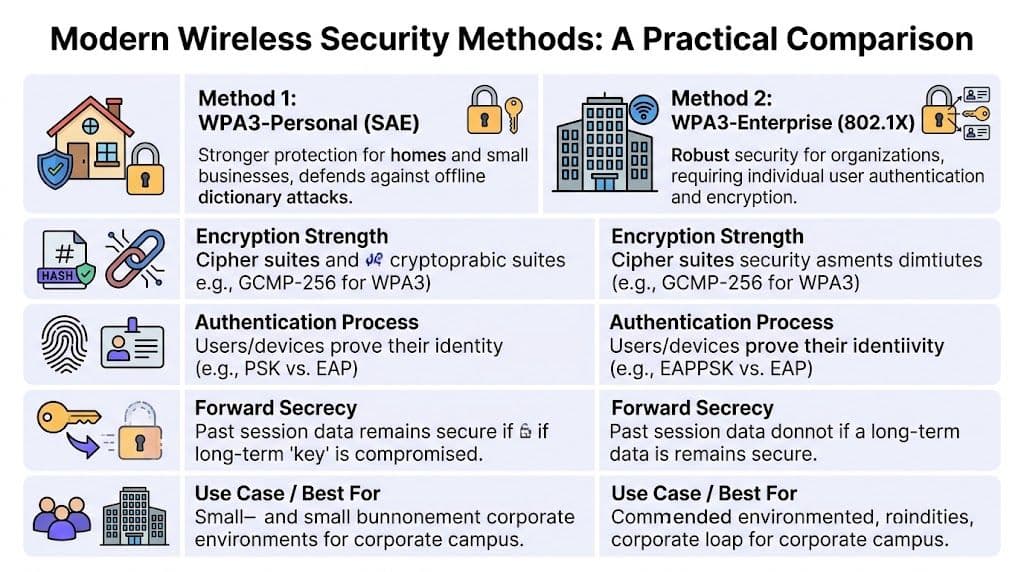
বাস্তবে, এন্টারপ্রাইজ টিমগুলো সাধারণত তিনটি মডেলের তুলনা করে: WPA3-Personal, WPA3-Enterprise, এবং EAP-TLS সহ সার্টিফিকেট-ভিত্তিক অ্যাক্সেস।
এগুলো শুনতে প্রোটোকল পছন্দের মতো মনে হতে পারে। তবে একটি হাসপাতাল, রিটেইলার বা হোটেল গ্রুপে এগুলো স্টাফিং পছন্দ, অনবোর্ডিং পছন্দ এবং সাপোর্ট পছন্দও বটে।
| পদ্ধতি | ব্যবহারকারী বা ডিভাইসগুলো যেভাবে অথেন্টিকেট করে | সিকিউরিটি পোস্টার | ব্যবহারকারীর অভিজ্ঞতা | আইটি ওভারহেড | সবচেয়ে উপযুক্ত |
|---|---|---|---|---|---|
| WPA3-Personal | SAE ব্যবহার করে শেয়ার্ড পাসওয়ার্ড | পুরানো PSK মডেলগুলোর চেয়ে শক্তিশালী, তবে এখনও একটি সাধারণ সিক্রেটের উপর ভিত্তি করে তৈরি | প্রথমে সহজ, তবে পাসওয়ার্ড পরিবর্তন করার সময় ঝামেলার | মাঝারি, কারণ বিতরণ এবং পরিবর্তন ম্যানুয়াল | ছোট পরিবেশ বা অস্থায়ী ব্যবহার |
| WPA3-Enterprise | 802.1X এর মাধ্যমে প্রতি-ব্যবহারকারী বা প্রতি-ডিভাইস প্রমাণীকরণ | উচ্চ, বিশেষ করে পরিচালিত প্রতিষ্ঠানের জন্য | কনফিগার করার পর শেয়ার্ড পাসওয়ার্ডের চেয়ে ভালো | RADIUS, আইডেন্টিটি এবং লাইফসাইকেল ম্যানুয়ালি পরিচালনা করা হলে আরও বেশি | কর্মী এবং নিয়ন্ত্রিত এন্টারপ্রাইজ অ্যাক্সেস |
| Certificate-based EAP-TLS | ডিভাইস বা ব্যবহারকারীর সার্টিফিকেট পরিচয় প্রমাণ করে | খুব উচ্চ, চুরি বা পুনরায় ব্যবহার করার জন্য কোনও শেয়ার্ড পাসওয়ার্ড নেই | স্বয়ংক্রিয় হলে চমৎকার। প্রায়শই ব্যবহারকারীর কাছে অদৃশ্য থাকে | ব্যবহারকারীদের জন্য কম, অ্যাডমিনদের জন্য সম্ভাব্যভাবে বেশি যদি না স্বয়ংক্রিয় হয় | এন্টারপ্রাইজ কর্মী, পরিচালিত ডিভাইস, উচ্চ-আস্থার পরিবেশ |
WPA3-Personal একটি পরিচিত দুর্বল ভিত্তির উপর আরও ভালো নিরাপত্তা প্রদান করে
WPA3-Personal পুরোনো প্রি-শেয়ার্ড কী মডেলটিকে উন্নত করে। SAE পাসওয়ার্ড অ্যাটাককে কঠিন করে তোলে, তাই এটি একটি সাধারণ শেয়ার্ড পাসওয়ার্ড দ্বারা সুরক্ষিত লেগ্যাসি WiFi থেকে একটি অর্থপূর্ণ উন্নতি।
সমস্যাটি হলো অপারেশনাল। প্রত্যেকে এখনও একই সিক্রেটের উপর নির্ভর করে।
এটি মাল্টি-সাইট পরিবেশে অনুমানযোগ্য সমস্যা তৈরি করে:
- বিতরণের ঝুঁকি কারণ পাসওয়ার্ডগুলি মেসেজ, প্রিন্টেড গাইড এবং শিফট হ্যান্ডওভার নোটে কপি হয়ে যায়
- পরিবর্তনের ঝামেলা কারণ একটি পাসওয়ার্ড পরিবর্তন করার অর্থ হতে পারে অনেক ডিভাইস পুনরায় কনফিগার করা
- দুর্বল অ্যাট্রিবিউশন কারণ নেটওয়ার্ক দেখতে পায় যে পাসওয়ার্ডটি ব্যবহার করা হয়েছে, কিন্তু কোন ব্যক্তি এটি ব্যবহার করেছেন তা দেখতে পায় না
- দুর্বল অফবোর্ডিং কারণ একজন ব্যবহারকারীকে অপসারণ করার অর্থ প্রায়শই সবার জন্য অ্যাক্সেস পরিবর্তন করা
একটি ছোট অফিসের জন্য এটি সহনীয় হতে পারে। কিন্তু মৌসুমি কর্মী থাকা কোনো রিটেইলার, ক্লিনিক্যাল ও নন-ক্লিনিক্যাল ভূমিকা থাকা কোনো হাসপাতাল, অথবা ঘন ঘন কর্মী পরিবর্তন হওয়া কোনো হসপিটালিটি গ্রুপের জন্য এটি সাপোর্ট ওয়ার্ক এবং পলিসি বিচ্যুতির একটি পুনরাবৃত্ত উৎস হয়ে ওঠে।
WPA3-Enterprise নেটওয়ার্ককে পরিচয়-ভিত্তিক সিদ্ধান্ত নেওয়ার সুযোগ দেয়
WPA3-Enterprise অ্যাডমিশন মডেলটি পরিবর্তন করে। "আপনি কি পাসওয়ার্ডটি জানেন?" জিজ্ঞাসা করার পরিবর্তে, নেটওয়ার্ক 802.1X এবং RADIUS এর মতো একটি আইডেন্টিটি সিস্টেমের মাধ্যমে জিজ্ঞাসা করতে পারে, "আপনি কে?" বা "এটি কোন ডিভাইস?"।
এই পরিবর্তনটি গুরুত্বপূর্ণ কারণ এটি বড় প্রতিষ্ঠানগুলি ইতিমধ্যে অন্যান্য জায়গায় যেভাবে অ্যাক্সেস পরিচালনা করে তা সমর্থন করে। কর্মীদের অ্যাকাউন্ট ডিরেক্টরি পলিসির সাথে সংযুক্ত করা যেতে পারে। ডিভাইসগুলিকে বিভিন্ন ভূমিকায় রাখা যেতে পারে। সম্পূর্ণ বিল্ডিং-জুড়ে পাসওয়ার্ড রিসেট করতে বাধ্য না করেই একটি আপোসকৃত ক্রেডেনশিয়াল নিষ্ক্রিয় করা যেতে পারে।
ক্রিপ্টোগ্রাফিও আরও শক্তিশালী, বিশেষ করে নিয়ন্ত্রিত সংস্থাগুলির দ্বারা ব্যবহৃত উচ্চ-নিশ্চয়তা মোডগুলিতে। তবে সবচেয়ে বড় সুবিধা হলো নিয়ন্ত্রণ। একজন ব্যক্তির অ্যাকাউন্ট আর একটি সম্পূর্ণ SSID এর জন্য মাস্টার কী-এর মতো কাজ করে না।
যেখানে দলগুলো আটকে যায় তা হলো ডেপ্লয়মেন্টের প্রচেষ্টা। ঐতিহ্যবাহী এন্টারপ্রাইজ WiFi প্রায়শই একসাথে বেশ কয়েকটি চলমান অংশ দাবি করে: RADIUS, সার্টিফিকেট সার্ভিস, ডিরেক্টরি ইন্টিগ্রেশন, সাপ্লিক্যান্ট কনফিগারেশন এবং সঠিকভাবে কাজ না করা ডিভাইসগুলোর জন্য সাপোর্ট প্রক্রিয়া। যদি সেই ধাপগুলো ম্যানুয়ালি পরিচালনা করা হয়, তবে সিকিউরিটি মডেলটি সঠিক হলেও দৈনন্দিন কাজগুলো বেশ ভারী হয়ে উঠতে পারে।
সার্টিফিকেট-ভিত্তিক EAP-TLS সাধারণত সবচেয়ে পরিচ্ছন্ন ট্রাস্ট মডেল
EAP-TLS একটি নির্দিষ্ট ব্যক্তি বা ডিভাইসের নামে ইস্যু করা একটি অ্যাক্সেস ব্যাজের মতো কাজ করে। নেটওয়ার্ক কোনো মুখস্থ সিক্রেট জিজ্ঞাসা করে না। এটি পরীক্ষা করে দেখে যে উপস্থাপিত সার্টিফিকেটটি কোনো বিশ্বস্ত ইস্যুকারীর কাছ থেকে এসেছে কি না এবং এটি এখনও কার্যকর আছে কি না।
এটি পাসওয়ার্ডের চেয়ে বেশি প্রযুক্তিগত মনে হতে পারে কারণ এটি আসলেই তাই। তবুও ব্যবহারকারীদের জন্য, এটি প্রায়শই সহজতর। একবার একটি ল্যাপটপ, স্ক্যানার, হ্যান্ডসেট বা ট্যাবলেট নথিভুক্ত হয়ে গেলে, সংযোগটি স্বয়ংক্রিয়ভাবে ঘটতে পারে। নার্সিং স্টেশন, চেকআউট কাউন্টার বা হোটেলের রিসেপশন ডেস্কে কাউকে WiFi পাসওয়ার্ড টাইপ করতে হয় না।
সেরা এন্টারপ্রাইজ WiFi অভিজ্ঞতা হলো শান্ত। ব্যবহারকারী ল্যাপটপ খোলেন বা ফোন আনলক করেন, এবং নেটওয়ার্ক ইতিমধ্যেই জানে যে সেই ডিভাইসটি সেখানে থাকার যোগ্য কি না।
সার্টিফিকেট-ভিত্তিক অ্যাক্সেস লাইফসাইকেল নিয়ন্ত্রণকেও অনেক বেশি পরিচ্ছন্ন করে তোলে। শংসাপত্রগুলো প্রতি ডিভাইসে ইস্যু করা যেতে পারে, আইডেন্টিটি রেকর্ডের সাথে ম্যাপ করা যেতে পারে এবং অন্য সবাইকে প্রভাবিত না করে তা বাতিল করা যেতে পারে। এটি একটি ব্যবহারিক সুবিধা, কেবল একটি সিকিউরিটি সুবিধা নয়। হারিয়ে যাওয়া ডিভাইস, চলে যাওয়া কর্মী, ঠিকাদার এবং অস্থায়ী ইউনিটগুলোকে ঢালাও পাসওয়ার্ড পরিবর্তন না করে সুনির্দিষ্টভাবে পরিচালনা করা যেতে পারে।
সিদ্ধান্তটি শেষ পর্যন্ত প্রশাসনিক, কেবল ক্রিপ্টোগ্রাফিক নয়
দলগুলো প্রায়শই জিজ্ঞাসা করে যে কোন পদ্ধতিটি কাগজে-কলমে সবচেয়ে শক্তিশালী। একটি ভালো প্রশ্ন হলো, সংস্থাটি কোন শক্তিশালী পদ্ধতিটি স্কেলে ইস্যু, রিনিউ, বাতিল এবং সাপোর্ট করতে পারে।
একটি সহজ সিদ্ধান্ত গ্রহণের কাঠামো সাহায্য করে:
- যদি ব্যবহারকারীরা আনম্যানেজড এবং স্বল্পমেয়াদী হন, তবে এমন একটি মডেল এড়িয়ে চলুন যা ব্যক্তি থেকে ব্যক্তিতে শেয়ার করা সিক্রেটের ওপর নির্ভর করে।
- যদি ডিভাইসগুলো ম্যানেজড হয় এবং আইডেন্টিটি গুরুত্বপূর্ণ হয়, তবে PSK-এর পরিবর্তে এন্টারপ্রাইজ অথেন্টিকেশন ব্যবহার করুন।
- যদি অ্যাক্সেস দ্রুত বাতিল করার প্রয়োজন হয়, তবে সার্টিফিকেট-ভিত্তিক পদ্ধতিগুলো সাধারণত আরও পরিচ্ছন্ন নিয়ন্ত্রণ প্রদান করে।
- যদি পুরানো ডিভাইসগুলোকে অবশ্যই অনলাইনে রাখতে হয়, তবে মূল নেটওয়ার্ককে দুর্বল না করে সেগুলোকে একটি আলাদা পাথে রাখুন।
এখানেই ওয়্যারলেস সিকিউরিটি আরও ব্যাপক zero trust network access architecture-এর সাথে ওভারল্যাপ করতে শুরু করে। নেটওয়ার্কের উচিত যাচাইকৃত আইডেন্টিটি এবং ডিভাইসের অবস্থার ওপর ভিত্তি করে ট্রাস্ট ইস্যু করা, কেবল একটি SSID এবং পাসওয়ার্ড থাকার ওপর ভিত্তি করে নয়।
Automation খরচের মডেল পরিবর্তন করে। প্ল্যাটফর্মগুলি আইডেন্টিটি ইন্টিগ্রেশন, সার্টিফিকেট-স্টাইল অনবোর্ডিং, Passpoint প্রোভিশনিং এবং ডিভাইস-ভিত্তিক পলিসি প্রয়োগের ম্যানুয়াল কাজগুলি হ্রাস করতে পারে। এই বিভাগে, Purple হল সেইসব টিমের জন্য একটি বিকল্প যারা শেয়ার্ড পাসওয়ার্ডের চারপাশে সবকিছু পুনরায় তৈরি না করেই ডিরেক্টরি-ইন্টিগ্রেটেড স্টাফ অ্যাক্সেস, পাসওয়ার্ডহীন গেস্ট অথেন্টিকেশন এবং লেগ্যাসি ডিভাইসের জন্য iPSK সাপোর্ট চায়।
প্রতিষ্ঠানগুলির প্রথমে কী বাদ দেওয়া উচিত
বেশ কয়েকটি প্যাটার্ন এখনও দেখা যায় কারণ সেগুলি পরিচিত, চাপের মধ্যে সেগুলি ভালভাবে কাজ করে বলে নয়:
- সব স্টাফদের জন্য একটি WiFi পাসওয়ার্ড
- ইউজারদের মধ্যে দুর্বল সেপারেশন সহ একটি গেস্ট SSID
- প্রতিটি ঠিকাদার, অস্থায়ী কর্মী বা ভিজিটিং পার্টনারের জন্য ম্যানুয়াল অনবোর্ডিং
- পাসওয়ার্ড রোটেশন প্রজেক্ট যা প্রতিবার ঘটার সময় অপারেশন ব্যাহত করে
অ্যাক্সেস যখন ব্যবসার বাকি অংশের মতো কাজ করতে শুরু করে, তখন ওয়্যারলেস সিকিউরিটি উন্নত হয়। ক্লাউড অ্যাপগুলি একটি শেয়ার্ড কোম্পানি পাসওয়ার্ড দিয়ে সুরক্ষিত থাকে না। বিল্ডিংয়ে প্রবেশ প্রতিটি কর্মচারীর জন্য কপি করা একটি ব্যাজের উপর নির্ভর করে না। WiFi-এরও একই লজিক অনুসরণ করা উচিত। আইডেন্টিটি নির্দিষ্ট হওয়া উচিত, রেভোকশন লক্ষ্যযুক্ত হওয়া উচিত, এবং অ্যাক্সেস পরিচালনা করা বাস্তব পরিবেশে সহজ হওয়া উচিত, কেবল প্রোটোকল চার্টে বর্ণনা করা সহজ হলেই হবে না।
একটি সিকিউর জিরো-ট্রাস্ট ওয়্যারলেস আর্কিটেকচার ডিজাইন করা
একজন গেস্ট একটি হোটেলে চেক-ইন করেন, একজন নার্স ওয়ার্ডের মধ্যে একটি কানেক্টেড মনিটর নিয়ে যান এবং একটি স্টোরের অ্যাসোসিয়েট দরজা খোলার আগে একটি হ্যান্ডহেল্ড স্ক্যানারে সাইন-ইন করেন। এই তিনজনই একই ওয়্যারলেস এস্টেটের উপর নির্ভর করেন। এই তিনজনের সাথেই আলাদাভাবে আচরণ করা উচিত।
এটিই সেই ডিজাইন সমস্যা যা WiFi-এ জিরো ট্রাস্ট সমাধান করে।
জিরো ট্রাস্টকে প্রায়শই সংক্ষেপে কখনও বিশ্বাস করবেন না, সর্বদা যাচাই করুন বলা হয়। একটি ওয়্যারলেস নেটওয়ার্কে, এর অর্থ হল একটি ডিভাইস SSID জানে, বিল্ডিংয়ের ভিতরে আছে বা গত সপ্তাহে সফলভাবে কানেক্ট হয়েছিল বলেই অ্যাক্সেস দেওয়া উচিত নয়। রেডিও সিগন্যাল দেওয়ালে বাধা পায় না এবং আক্রমণকারীদের সীমার মধ্যে আসার জন্য অফিসে খালি ডেস্কের প্রয়োজন হয় না।
ওয়্যারলেস অ্যাক্সেস নিয়ন্ত্রিত বিল্ডিং অ্যাক্সেসের মতো কাজ করা উচিত
একটি সুপরিচালিত বিল্ডিং প্রতিটি দরজার জন্য একটি চাবি ব্যবহার করে না। ভিজিটররা রিসেপশনে পৌঁছান। স্টাফরা কাজের জায়গায় পৌঁছান। ফার্মেসি টিম ওষুধের স্টোরেজে পৌঁছায়। খুব কম লোকই সার্ভার রুমে পৌঁছান।
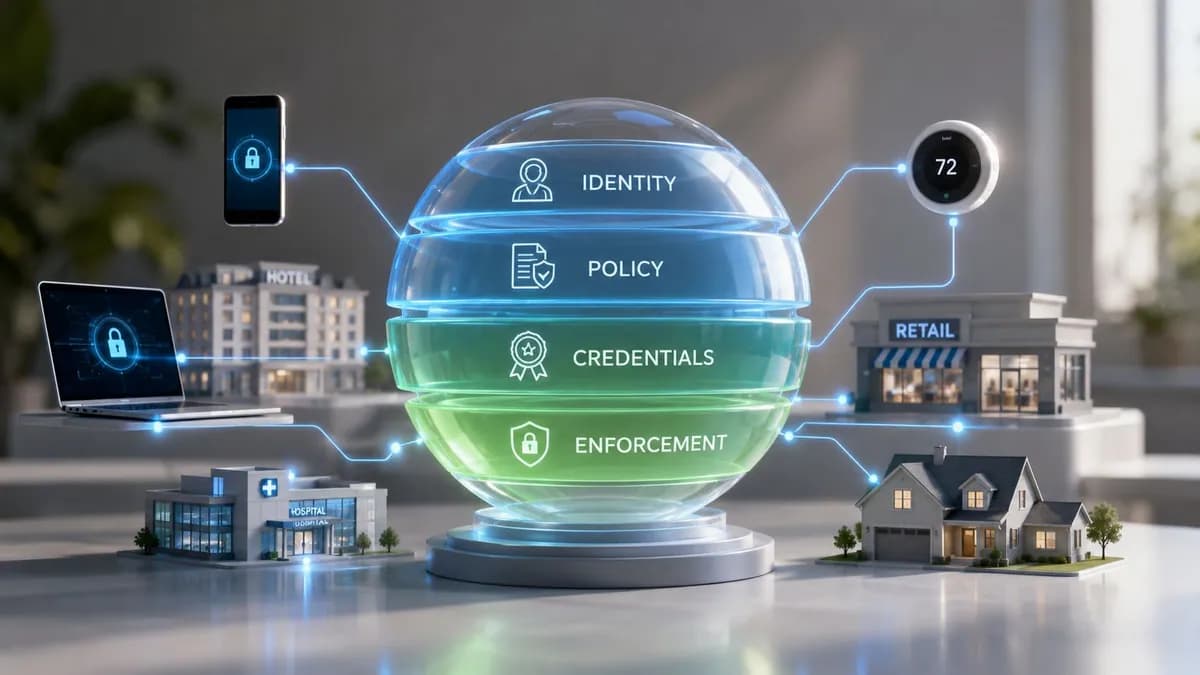
WiFi-এরও একই লজিক অনুসরণ করা উচিত। SSID কেবল সদর দরজা। আসল নিয়ন্ত্রণ আসে অথেন্টিকেশনের পর কী ঘটে তা থেকে, যখন নেটওয়ার্ক সিদ্ধান্ত নেয় যে এই ইউজার বা ডিভাইসটিকে কোথায় পৌঁছানোর অনুমতি দেওয়া হয়েছে।
একটি ব্যবহারিক জিরো ট্রাস্ট ডিজাইন সাধারণত অন্তত চারটি গ্রুপকে আলাদা করে:
- অতিথি (Guests) যাদের শুধুমাত্র ইন্টারনেট অ্যাক্সেস প্রয়োজন
- কর্মী (Staff) যাদের ব্যবসায়িক সিস্টেম এবং অভ্যন্তরীণ অ্যাপ্লিকেশন প্রয়োজন
- IoT এবং অপারেশনাল ডিভাইস যেমন সেন্সর, স্ক্যানার, ডিসপ্লে, টিভি, প্রিন্টার এবং টার্মিনাল
- প্রশাসনিক বা অত্যন্ত সংবেদনশীল সিস্টেম যার সবচেয়ে সংকীর্ণ অ্যাক্সেস পাথ থাকা উচিত
এটি পরিচিত শোনাচ্ছে কারণ অনেক টিম ইতিমধ্যেই আলাদা SSID বা VLAN ব্যবহার করে। সমস্যা হলো, হোটেল, রিটেল সাইট বা স্বাস্থ্যসেবা ক্যাম্পাসের মতো বাস্তব পরিবেশের জন্য শুধুমাত্র ব্যাপক সেগমেন্টেশন পর্যাপ্ত নির্ভুলতার সাথে ট্রাস্টকে সংজ্ঞায়িত করে না। একজন নার্সকে দেওয়া ট্যাবলেট, একজন রোগীর ফোন, একটি স্মার্ট টিভি এবং একটি পেমেন্ট টার্মিনাল একই ফ্লোরে থাকার কারণেই একই পলিসি পাওয়া উচিত নয়।
সেগমেন্টেশন এবং আইসোলেশন বিভিন্ন সমস্যার সমাধান করে
প্রায়শই, ওয়্যারলেস ডিজাইনগুলো ডায়াগ্রামে সঠিক দেখায় কিন্তু বাস্তবে ব্যর্থ হয়।
একটি পৃথক গেস্ট VLAN গেস্ট ট্রাফিককে অভ্যন্তরীণ সিস্টেম থেকে দূরে রাখতে পারে। কিন্তু এটি স্বয়ংক্রিয়ভাবে একটি গেস্ট ডিভাইসকে একই সেগমেন্টে থাকা অন্য গেস্ট ডিভাইসকে অনুসন্ধান করা, আবিষ্কার করা বা আক্রমণ করা থেকে বিরত করে না। ব্যস্ত শেয়ারড পরিবেশে, এই পার্থক্যটি গুরুত্বপূর্ণ। ক্লায়েন্ট আইসোলেশন কাছাকাছি ডিভাইসগুলোর মধ্যে পার্শ্ববর্তী এক্সপোজার নিয়ন্ত্রণ করে। এটি ছাড়া, একটি নেটওয়ার্ক সেগমেন্টেড দেখাবে ঠিকই, তবে স্থানীয় হস্তক্ষেপ বা সুবিধাবাদী আক্রমণকে অনুমতি দেবে।
এটি বোঝার একটি দরকারী উপায় খুব সহজ:
সেগমেন্টেশন সিদ্ধান্ত নেয় আপনি নেটওয়ার্কের কোন অংশে প্রবেশ করবেন। ক্লায়েন্ট আইসোলেশন সিদ্ধান্ত নেয় আপনি আপনার পাশে থাকা অন্যান্য ডিভাইসের সাথে যোগাযোগ করতে পারবেন কিনা।
আপনার উভয়েরই প্রয়োজন, বিশেষ করে মাল্টি-টেন্যান্ট সেটিংসে যেখানে অনেক সম্পর্কহীন ব্যবহারকারী একই শারীরিক স্থান ব্যবহার করেন।
পরিচয় অ্যাক্সেস নির্ধারণ করবে, নেটওয়ার্কের নাম নয়
একবার আপনি Zero Trust-এর জন্য ডিজাইন করলে, SSID প্রধান নিরাপত্তা সীমানার পরিবর্তে একটি ট্রান্সপোর্ট চয়েস হয়ে ওঠে। পরিচয়ই সীমানা হয়ে ওঠে।
এটি বাস্তবসম্মত উপায়ে আর্কিটেকচার পরিবর্তন করে:
- একটি শেয়ারড পাসওয়ার্ডের উপর নির্ভর করার পরিবর্তে প্রতিটি ব্যবহারকারী বা ডিভাইসকে আলাদাভাবে প্রমাণীকরণ (Authenticate) করুন
- ভূমিকা, ডিভাইসের ধরন, অবস্থান, ভাড়াটে বা ঝুঁকির ভিত্তিতে গতিশীলভাবে পলিসি প্রয়োগ করুন
- পূর্ব-পশ্চিম দৃশ্যমানতা সীমাবদ্ধ করুন যাতে প্রতিবেশী ডিভাইসগুলো একে অপরকে সহজে আবিষ্কার করতে না পারে
- অ্যাক্সেস পরিবর্তনগুলোকে লাইফসাইকেল ইভেন্টের সাথে সংযুক্ত করুন যাতে অফবোর্ডিং, ডিভাইস হারিয়ে যাওয়া বা ঠিকাদারের চুক্তির মেয়াদ শেষ হওয়ার সাথে সাথে অ্যাক্সেস বাতিল হয়
- লেগেসি ব্যতিক্রমগুলো সীমিত করুন যাতে পুরোনো হার্ডওয়্যার মূলধারার অ্যাক্সেসকে দুর্বল না করে
এই কারণেই এন্টারপ্রাইজ WiFi-এ সার্টিফিকেট-ভিত্তিক অ্যাক্সেস অত্যন্ত গুরুত্বপূর্ণ। একটি সার্টিফিকেট পুনরায় ব্যবহারযোগ্য পাসওয়ার্ডের চেয়ে একটি পরিচালিত আইডি ব্যাজের মতো কাজ করে। নেটওয়ার্ক চেক করতে পারে এটি কে ইস্যু করেছে, এটি এখনও বৈধ কিনা এবং এর থেকে কী পলিসি অনুসরণ করা উচিত। যদি একজন স্টাফ মেম্বার চলে যান বা একটি ডিভাইস আপোস করা হয়, আপনি কয়েক ডজন বা শত শত এন্ডপয়েন্টে শেয়ার করা পাসওয়ার্ড পরিবর্তন করার পরিবর্তে কেবল সেই একটি শংসাপত্র বাতিল করতে পারেন।
যেসব প্রতিষ্ঠান ওয়্যারলেস কন্ট্রোলকে আরও ব্যাপক Zero Trust network access architecture-এর সাথে সামঞ্জস্যপূর্ণ করতে চায়, তাদের জন্য এই আইডেন্টিটি-ফার্স্ট মডেলটিই হলো মূল পরিবর্তন। অ্যাক্সেস তখন ব্যক্তি, ডিভাইস এবং কনটেক্সটের সাথে সম্পর্কিত একটি পলিসিগত সিদ্ধান্ত হয়ে ওঠে, কেউ সঠিক পাসফ্রেজ জানে কিনা তা যাচাই করার একটি এককালীন পরীক্ষা মাত্র নয়।
এন্টারপ্রাইজ অপারেশন হলো এমন জায়গা যেখানে ভালো ডিজাইনগুলো সফল বা ব্যর্থ হয়
সবচেয়ে কঠিন অংশটি কিন্তু কোনো প্রোটোকলের সংক্ষিপ্ত রূপ বা অ্যাক্রোনিম বেছে নেওয়া নয়। এটি হলো দিনের পর দিন সেই ডিজাইনটি পরিচালনা করা।
একটি হোটেলে স্বল্পমেয়াদী অতিথি, দীর্ঘমেয়াদী বাসিন্দা, ঠিকাদার, ফ্রন্ট-ডেস্ক কর্মী, IPTV ইউনিট, লক এবং ব্যাক-অফিস সিস্টেম একই প্রোপার্টিতে থাকতে পারে। একজন রিটেলারের স্টোর ট্যাবলেট, POS টার্মিনাল, স্টক স্ক্যানার, ডিজিটাল সাইনেজ এবং পরিদর্শনে আসা ভেন্ডর ডিভাইস থাকতে পারে। একটি হাসপাতালে ক্লিনিকাল ওয়ার্কস্টেশন, বায়োমেডিকেল ডিভাইস, রোগীর অ্যাক্সেস এবং অস্থায়ী কর্মীরা ক্রমাগত এক জায়গা থেকে অন্য জায়গায় চলাচল করতে পারেন। শেয়ার করা পাসওয়ার্ড এবং ম্যানুয়াল অনবোর্ডিং এই পরিস্থিতিতে খুব একটা কার্যকর হয় না কারণ এগুলো ঝুঁকি এবং অ্যাডমিন ওভারহেড দুটোই বাড়িয়ে দেয়।
এই কারণেই আধুনিক ওয়্যারলেস সুরক্ষাকে একসাথে দুটি কাজ করতে হয়। একে ঝুঁকি বা এক্সপোজার কমাতে হয়, এবং এটি পরিচালনা করা টিমের জন্য সহজ হতে হয়।
বাস্তবে, এর অর্থ হলো সাধারণত নিম্নলিখিত বিষয়গুলোর সমন্বয় করা:
- সার্টিফিকেট বা আইডেন্টিটি-ভিত্তিক এন্টারপ্রাইজ পদ্ধতির মাধ্যমে শক্তিশালী স্টাফ অথেন্টিকেশন
- প্রতি-ডিভাইস বা প্রতি-রোল পলিসি অ্যাসাইনমেন্ট
- অবিশ্বস্ত এবং গেস্ট পপুলেশনের জন্য ক্লায়েন্ট আইসোলেশন
- স্বয়ংক্রিয় অনবোর্ডিং এবং রেভোকেশন বা বাতিলকরণ
- লেগেসি এন্ডপয়েন্ট যা আধুনিক অথেন্টিকেশন সাপোর্ট করতে পারে না সেগুলোর জন্য iPSK-এর মতো নিয়ন্ত্রিত ফলব্যাক অপশন
আপনি যদি শুধুমাত্র ফিচার চার্টে প্রোটোকলগুলোর তুলনা করেন, তবে অপারেশনাল সুবিধাগুলো এড়িয়ে যাওয়া সহজ। ভালো ওয়্যারলেস নিরাপত্তা মানে শুধু শক্তিশালী ক্রিপ্টোগ্রাফি নয়। এটি এমন একটি ডিজাইন যা IT টিমকে দ্রুত অ্যাক্সেস পরিবর্তন করতে দেয়, একটি একক ডিভাইস সুরক্ষিতভাবে সরিয়ে নিতে সাহায্য করে, সার্ভিস-ডেস্কের ঝামেলা ছাড়াই ব্যবহারকারীদের অনবোর্ড করতে দেয় এবং প্রতিবার ব্যবসা পরিবর্তনের সাথে সাথে নতুন করে পলিসি তৈরি করার প্রয়োজনীয়তা দূর করে।
Passpoint এবং OpenRoaming-এর সাহায্যে নিরবচ্ছিন্ন নিরাপত্তা অর্জন করা
ঐতিহ্যবাহী Captive Portal-গুলো একটি পুরনো সমস্যার সমাধান করেছিল। এগুলো ভেন্যুগুলোকে নিয়মাবলী উপস্থাপন করার, কিছু বিবরণ সংগ্রহ করার এবং ডেস্কে পাসওয়ার্ড না দিয়েই মানুষকে অনলাইনে নিয়ে আসার একটি উপায় প্রদান করেছিল। দীর্ঘ সময় ধরে এটি বেশ কার্যকর ছিল।
তবে এটি এখন আর খুব একটা শক্তিশালী মডেল নয়।
Captive Portal-গুলো ঝামেলার সৃষ্টি করে, বিশেষ করে এমন জায়গায় যেখানে ব্যবহারকারী কেবল দ্রুত এবং নির্ভরযোগ্য অ্যাক্সেস চান। এগুলো খারাপ অভ্যাসকেও উৎসাহিত করে। ব্যবহারকারীরা প্রম্পটগুলো ক্লিক করে পেরিয়ে যেতে, রিডাইরেক্ট গ্রহণ করতে এবং নেটওয়ার্ক ট্রাস্টকে সুরক্ষার সিদ্ধান্ত হিসেবে না দেখে ব্র্যান্ডিং অনুশীলন হিসেবে বিবেচনা করতে অভ্যস্ত হয়ে ওঠেন। কিছু ডিভাইস এবং অ্যাপে এই অভিজ্ঞতা এতটাই অসঙ্গতিপূর্ণ যে এর ফলে সাপোর্ট কল এবং ব্যবহারকারী চলে যাওয়ার মতো ঘটনা ঘটে।
কেন Passpoint-কে মোবাইল রোমিংয়ের মতো মনে হয়
Passpoint WiFi-কে মোবাইল নেটওয়ার্কের মতো আচরণ করতে দিয়ে এই অভিজ্ঞতা বদলে দেয়। ডিভাইসটি একটি বিশ্বস্ত প্রদানকারীকে সনাক্ত করে, স্বয়ংক্রিয়ভাবে প্রমাণীকরণ করে এবং প্রথম থেকেই এনক্রিপ্ট করা সংযোগ স্থাপন করে। প্রকৃত অ্যাক্সেস শুরু হওয়ার আগে ব্যবহারকারীকে ব্রাউজার খুলতে এবং লগইন পেজ অতিক্রম করতে হয় না।
এটি একটি উল্লেখযোগ্য নিরাপত্তা উন্নতি কারণ সবচেয়ে নিরাপদ সংযোগটি সাধারণত সেটিই যা বিভ্রান্তির সুযোগ দূর করে। নকল করার মতো কোনো পোর্টাল পেজ থাকে না। আড়ি পেতে পাসওয়ার্ড শোনার সুযোগ থাকে না। অ্যাসোসিয়েশন এবং নিরাপদ ব্যবহারের মধ্যে কোনো অপ্রীতিকর বাধা থাকে না।
অপারেটরদের জন্য, এর আকর্ষণ ঠিক ততটাই বাস্তবসম্মত:
- অতিথি এবং দর্শনার্থীদের জন্য কয়েকটি মাত্র সংযোগের ধাপ
- ফ্রন্ট ডেস্ক এবং সার্ভিস কাউন্টারে কম সাপোর্ট ওভারহেড
- পুনরায় পরিদর্শনের আরও ধারাবাহিক অভিজ্ঞতা
- আইডেন্টিটি-ভিত্তিক অ্যাক্সেস মডেলের সাথে শক্তিশালী সামঞ্জস্য
OpenRoaming ট্রাস্ট মডেলকে প্রসারিত করে
OpenRoaming একই ধারণার ওপর ভিত্তি করে তৈরি এবং এটিকে একটি ফেডারেশন মডেলে প্রসারিত করে। একজন ব্যবহারকারী একটি স্বীকৃত আইডেন্টিটি প্রদানকারীর মাধ্যমে প্রমাণীকরণ করেন, তারপর প্রতিবার সম্পূর্ণ অনবোর্ডিং প্রক্রিয়া পুনরাবৃত্তি না করেই অংশগ্রহণকারী ভেন্যুগুলোতে নিরাপদে সংযোগ স্থাপন করেন।
আপনি যদি একটি হাসপাতাল গ্রুপ, একটি রিটেল এস্টেট, একটি ইভেন্ট পোর্টফোলিও বা একটি হসপিটালিটি ব্র্যান্ড পরিচালনা করেন, তবে এটি গুরুত্বপূর্ণ কারণ এই বিশ্বাস ব্যবহারকারীকে বিভিন্ন লোকেশন জুড়ে অনুসরণ করতে পারে। প্রতিবার কেউ নতুন কোনো প্রপার্টিতে প্রবেশ করলেই নেটওয়ার্কটিকে একটি সাধারণ পোর্টালে ফিরে যাওয়ার প্রয়োজন হয় না।
পাসওয়ার্ডহীন অ্যাক্সেস কেবল একটি সুবিধার বৈশিষ্ট্য নয়। এটি গেস্ট WiFi অপারেশনের সবচেয়ে ত্রুটি-প্রবণ অংশগুলোর একটিকে দূর করে, যা হলো শেয়ার্ড ক্রেডেনশিয়ালের বিতরণ, পুনর্ব্যবহার এবং সাপোর্ট দেওয়ার ঝামেলা।
কেন এটি বাস্তব অপারেশনে গুরুত্বপূর্ণ
শক্তিশালী ওয়্যারলেস নিয়ন্ত্রণের বাস্তবসম্মত আপত্তি সবসময়ই ছিল ব্যবহারকারীর সমস্যা বা ঘর্ষণ। "এটি নিরাপদ মনে হলেও, অতিথিরা এটি সহ্য করবে না।" Passpoint এবং OpenRoaming সেই আপত্তিকে দুর্বল করে কারণ তারা অভিজ্ঞতাকে জটিল করার পরিবর্তে সহজ করার মাধ্যমে নিরাপত্তা উন্নত করে।
এটি একটি বিরল এবং মূল্যবান সমন্বয়।
এন্টারপ্রাইজ এবং পাবলিক পরিবেশে, একটি আধুনিক গেস্ট মডেলের লক্ষ্য একই সাথে তিনটি জিনিস হওয়া উচিত:
| প্রয়োজনীয়তা | পুরানো পোর্টাল মডেল | Passpoint এবং OpenRoaming মডেল |
|---|---|---|
| ব্যবহারকারীর প্রচেষ্টা | ম্যানুয়াল এবং অসঙ্গতিপূর্ণ | একবার বিশ্বস্ত হলে স্বয়ংক্রিয় |
| নিরাপত্তা ব্যবস্থা | নকল করা এবং বাধা দেওয়া সহজ | প্রথম থেকেই আইডেন্টিটি-ভিত্তিক এবং এনক্রিপ্ট করা |
| অপারেশনাল লোড | স্টাফ সাপোর্ট এবং বারবার অনবোর্ডিং | সেটআপের পর কম স্পর্শের প্রয়োজন |
এখানেই ভেন্যু অপারেটররা লয়ালটি এবং পরিষেবার মানের সাথে নেটওয়ার্কিং সংযুক্ত করতে শুরু করেন। একজন ফিরে আসা অতিথি যিনি তাৎক্ষণিকভাবে পুনরায় সংযোগ স্থাপন করেন তিনি নেটওয়ার্কটিকে নির্ভরযোগ্য এবং অদৃশ্য হিসেবে অনুভব করেন। একটি শেষ ব্যবহারকারীর কাছে ভাল ওয়্যারলেস সংযোগ নিরাপত্তা ঠিক এমনটাই মনে হওয়া উচিত।
ওয়্যারলেসের ভবিষ্যত নিরাপদ এবং সহজ
যাত্রার দিকটি পরিষ্কার। ওয়্যারলেস সিকিউরিটি shared secrets থেকে দূরে সরে গিয়ে identity-based access-এর দিকে এগিয়ে যাচ্ছে। এই পরিবর্তনটি গুরুত্বপূর্ণ কারণ শেয়ার করা পাসওয়ার্ডগুলি সর্বদাই একটি আপস ছিল। এগুলি ব্যাখ্যা করা সহজ, তবে স্কেলে ভালভাবে নিয়ন্ত্রণ করা কঠিন।
আধুনিক ওয়্যারলেস সংযোগ নিরাপত্তা তখন আরও ভাল কাজ করে যখন নেটওয়ার্কটি জানে কে বা কী সংযুক্ত হচ্ছে, স্বয়ংক্রিয়ভাবে সঠিক নীতি প্রয়োগ করে এবং মানুষ ও ডিভাইস পরিবর্তনের সাথে সাথে সেই সিদ্ধান্তটি আপডেট রাখে। এই কারণেই সার্টিফিকেট-ভিত্তিক অ্যাক্সেস, এন্টারপ্রাইজ প্রমাণীকরণ এবং পাসওয়ার্ডহীন অনবোর্ডিং ভাল ডিজাইনের ব্যবহারিক কেন্দ্রবিন্দু হয়ে উঠছে।
নিরাপত্তা এবং ব্যবহারের সহজতার মধ্যে পুরানো আপস এখন আগের চেয়ে দুর্বল। আপনাকে আর একটি ভঙ্গুর এন্টারপ্রাইজ সেটআপ এবং একটি সুবিধাজনক কিন্তু ঝুঁকিপূর্ণ গেস্ট মডেলের মধ্যে একটি বেছে নিতে হবে না। সঠিক আর্কিটেকচারের সাহায্যে, কর্মীরা পরিচালিত আইডেন্টিটির মাধ্যমে প্রমাণীকরণ করতে পারেন, লেগ্যাসি ডিভাইসগুলিকে প্রতি-ডিভাইস নিয়ন্ত্রণের মাধ্যমে সীমাবদ্ধ করা যেতে পারে এবং অতিথিরা Passpoint এবং OpenRoaming-এর মতো অনায়াস মেকানিজমের মাধ্যমে সংযোগ করতে পারেন।
ব্যাপক শিক্ষাটি সহজ। ব্যবহারকারীরা অনলাইন হতে পারছেন কিনা তা দিয়ে একটি ওয়্যারলেস নেটওয়ার্ক বিচার করবেন না। অ্যাক্সেস যাচাই করা হয়েছে কিনা, ট্রাফিক সুরক্ষিত কিনা, প্রতিবেশী ডিভাইসগুলি বিচ্ছিন্ন কিনা এবং বিশৃঙ্খলা ছাড়াই শংসাপত্রগুলি পরিবর্তন করা যেতে পারে কিনা তা দিয়ে এটি বিচার করুন।
যদি আপনার বর্তমান ডিজাইন এখনও শেয়ার্ড কী, ম্যানুয়াল অনবোর্ডিং এবং পোর্টাল-ভারী ওয়ার্কফ্লোগুলির উপর নির্ভর করে, তবে এটি পুনরায় মূল্যায়ন করা মূল্যবান। সবচেয়ে শক্তিশালী নেটওয়ার্কগুলি এখন বৈধ ব্যবহারকারীদের কাছে নিরাপত্তাকে প্রায় অদৃশ্য করে তোলে এবং নিয়ন্ত্রণ দৃঢ়ভাবে অপারেটরদের হাতে রাখে।
আপনি যদি গেস্ট, স্টাফ এবং মাল্টি-টেন্যান্ট অ্যাক্সেস কীভাবে আধুনিকীকরণ করবেন তা পর্যালোচনা করছেন, তবে Purple একটি প্ল্যাটফর্ম হিসাবে মূল্যায়ন করার মতো যা পাসওয়ার্ডহীন গেস্ট কানেক্টিভিটি, আইডেন্টিটি-ভিত্তিক স্টাফ প্রমাণীকরণ এবং এক এনভায়রনমেন্টে Passpoint, OpenRoaming এবং প্রতি-ডিভাইস অ্যাক্সেস মডেলের মতো অপারেশনাল কন্ট্রোলকে একত্রিত করে।