
एक नए फ्लैट में जाना, दुकान खोलना, होटल के फ्लोर को तैयार करना, या छात्र आवास (student accommodation) की जिम्मेदारी संभालना, ये सभी एक ही महत्वपूर्ण सवाल खड़े करते हैं। मुझे इंटरनेट कैसे मिलेगा, और मैं इसे कितनी जल्दी विश्वसनीय बना सकता हूँ?
ज़्यादातर सलाह घर के सेटअप तक ही सीमित रहती हैं। वे आपको प्रदाताओं की तुलना करने, एक राउटर चुनने और एक्टिवेशन का इंतज़ार करने के लिए कहती हैं। यदि आपको एक घर के लिए ब्रॉडबैंड चाहिए, तो यह ठीक है। लेकिन यदि आपकी बिल्डिंग में साझा दीवारें हैं, भारी डिवाइस डेंसिटी है, अतिथि एक्सेस की आवश्यकता है, या ऐसा स्टाफ है जिसे सुरक्षित कनेक्टिविटी की ज़रूरत है जो किसी साझा पासवर्ड पर निर्भर न हो, तो यह पर्याप्त नहीं है।
2026 में ऑनलाइन होने के शुरुआती कदम
लोग पहली गलती यह मानकर करते हैं कि इंटरनेट एक्सेस एक ही समाधान वाली एक ही समस्या है। ऐसा नहीं है। एक बेडरूम वाले फ्लैट को रिटेल यूनिट, होटल लॉबी या छात्र आवास ब्लॉक से बहुत अलग डिज़ाइन की आवश्यकता होती है।
यूके में यह अंतर मायने रखता है। Ofcom डेटा से पता चलता है कि 2025 में 28% यूके घरों ने विज्ञापित स्तरों से कम ब्रॉडबैंड स्पीड का अनुभव किया, और बहु-आवासीय भवनों में उच्च डिवाइस डेंसिटी के कारण समस्याओं की रिपोर्ट करने की संभावना 40% अधिक थी, जिसमें प्रति घर औसतन 15+ डिवाइस शामिल थे, जैसा कि इस internet access equity discussion में बताया गया है। यदि आप किसी घनी आबादी वाली बिल्डिंग में रहते हैं या काम करते हैं, तो सामान्य "बस ब्रॉडबैंड ऑर्डर करें" वाली सलाह अक्सर काम नहीं करती।
वास्तविक उपयोग के मामले से शुरुआत करें
प्रदाताओं को देखने से पहले एक बुनियादी सवाल पूछें।
- एकल घरेलू उपयोग: स्ट्रीमिंग, ब्राउज़िंग, गेमिंग, वीडियो कॉल और कुछ स्मार्ट डिवाइस।
- होम ऑफिस उपयोग: स्थिर अपलोड स्पीड, कम लेटेंसी, और विश्वसनीय WiFi कवरेज मुख्य डाउनलोड आंकड़े से अधिक मायने रखते हैं।
- साझा संपत्ति उपयोग: किरायेदारों का आना-जाना, डिवाइस अलगाव (device segregation), और सहायता केवल तकनीकी नहीं, बल्कि परिचालन संबंधी मुद्दे बन जाते हैं।
- सार्वजनिक या ग्राहक-उन्मुख उपयोग: सुरक्षा, ऑनबोर्डिंग, दोबारा एक्सेस, और एनालिटिक्स सभी इंटरनेट सेवा का हिस्सा बन जाते हैं।
यदि आप अभी भी बुनियादी बातों को समझने के चरण में हैं, तो यह स्पष्ट करना मददगार होगा कि what a wireless connection actually is। खरीदारी की कई गलतियाँ इसलिए होती हैं क्योंकि लोग संपत्ति में आने वाली इंटरनेट सेवा को उसके अंदर मिलने वाले WiFi अनुभव के साथ भ्रमित कर देते हैं।
व्यावहारिक नियम: अपने वातावरण के लिए खरीदें, न कि विज्ञापन के लिए। कागज़ पर सबसे तेज़ दिखने वाला पैकेज खराब इन-बिल्डिंग कवरेज, गलत राउटर प्लेसमेंट, या एक साझा नेटवर्क मॉडल को ठीक नहीं करेगा जो शुरुआत से ही गलत था।
जानें कि घरेलू सलाह कहाँ काम करना बंद कर देती है
आवासीय खरीदारी गाइडों में शायद ही कभी iPSK, पहचान-आधारित एक्सेस, VLAN आइसोलेशन, या पासवर्ड रहित ऑनबोर्डिंग को शामिल किया जाता है। एक सामान्य घर के लिए यह स्वाभाविक है। लेकिन यह मकान मालिकों, हॉस्पिटैलिटी ऑपरेटरों और आईटी टीमों के लिए एक वास्तविक कमज़ोरी है।
बेहतर तरीका यह है कि इंटरनेट एक्सेस को दो परतों के रूप में देखा जाए। पहला, बिल्डिंग में सही कनेक्शन प्राप्त करें। दूसरा, उस नेटवर्क को डिज़ाइन करें जिसका लोग उपयोग करेंगे। यही "connected" और "working properly" के बीच का अंतर है।
आपके इंटरनेट कनेक्शन विकल्पों की तुलना
सही कनेक्शन का प्रकार इस बात पर निर्भर करता है कि आप कहाँ हैं, आपको कितने समय तक सेवा की आवश्यकता है, और आप किस प्रकार की विफलता को सहन कर सकते हैं। एक परिवार के लिए, इसका मतलब आमतौर पर गति और कीमत को संतुलित करना होता है। एक वेन्यू के लिए, इसका मतलब इंस्टॉल होने में लगने वाला समय, लचीलापन, और यह भी देखना है कि क्या एक्सेस का तरीका अस्थायी या मोबाइल संचालन के अनुकूल है या नहीं।
निश्चित परिसरों के लिए वायर्ड विकल्प
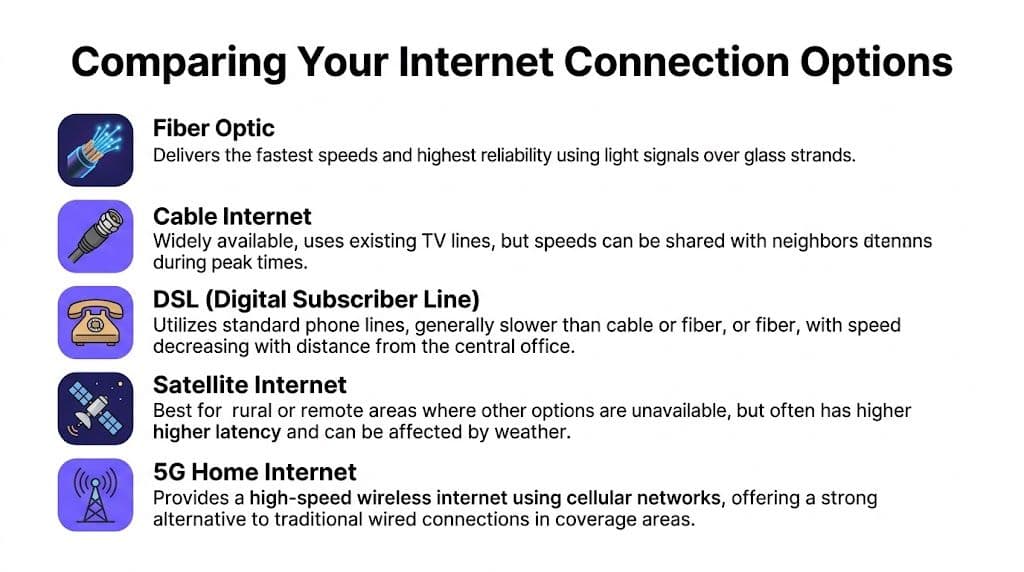
संक्षेप में यहाँ बताया गया है। यदि आप फुल फाइबर प्राप्त कर सकते हैं, तो वहीं से शुरू करें। यदि आप नहीं कर सकते हैं, तो आप समझौते और वैकल्पिक मार्ग के बीच चयन कर रहे हैं।
| कनेक्शन का प्रकार | यह किसमें बेहतर है | इसे कहाँ संघर्ष करना पड़ता है | सबसे उपयुक्त |
|---|---|---|---|
| फुल फाइबर | तेज गति, कम लेटेंसी, स्थिर प्रदर्शन | हर जगह उपलब्ध नहीं है | घर, ऑफिस, व्यस्त साइटें |
| केबल | जहाँ उपलब्ध हो वहाँ अच्छा मुख्यधारा का विकल्प | पीक समय पर प्रदर्शन में उतार-चढ़ाव हो सकता है | परिवार, छोटे व्यवसाय |
| VDSL | पुरानी कॉपर लाइनों पर व्यापक उपलब्धता | लाइन की सीमाओं के साथ गति कम हो जाती है | बुनियादी घरेलू उपयोग, अल्पकालिक विकल्प |
| सैटेलाइट | पहुंचने में कठिन स्थानों में कवरेज | अधिक लेटेंसी, मौसम के प्रति संवेदनशीलता | ग्रामीण क्षेत्रों के लिए वैकल्पिक व्यवस्था |
| 4G या 5G फिक्स्ड वायरलेस | परिनियोजित करने में तेज, कोई ट्रेंचिंग नहीं | सिग्नल की गुणवत्ता और सेल लोड में भिन्नता होती है | अस्थायी, बैकअप, कठिन इंस्टॉलेशन |
यूके के बहुत से उपभोक्ताओं को "फाइबर" बेचा जाता है जो केवल आंशिक-फाइबर होता है। यह पूरी तरह से उपयोगी हो सकता है, लेकिन यह न मान लें कि प्रोडक्ट का लेबल आपको यह बताता है कि लोड होने पर लाइन कैसा व्यवहार करती है। यह पूछें कि परिसर तक क्या पहुँचता है, न कि केवल सड़क के किनारे के कैबिनेट तक।
तेजी से परिनियोजन के लिए वायरलेस विकल्प
4G और 5G घरेलू या व्यावसायिक ब्रॉडबैंड तब उपयोगी होते हैं जब वायर्ड इंस्टॉलेशन में बहुत अधिक समय लग रहा हो या जब साइट अस्थायी हो। पॉप-अप रिटेल, शॉर्ट-लेट स्पेस, शो होम और इवेंट कंपाउंड अक्सर इस मार्ग को चुनते हैं क्योंकि यह त्वरित है और सिविल कार्यों से बचाता है।
समझौता निरंतरता का है। सेलुलर सेवाएं कवरेज, कंजेशन, निर्माण सामग्री और एंटीना प्लेसमेंट पर निर्भर करती हैं। रेडियो वातावरण बदलने पर वे एक दिन उत्कृष्ट और अगले दिन अनिश्चित महसूस हो सकती हैं।
यदि आप व्यावसायिक परिवेश के लिए फिक्स्ड-लाइन बनाम वायरलेस पर विचार कर रहे हैं, तो यह NBN vs 5G Business Internet comparison ऑस्ट्रेलियाई संदर्भ में है लेकिन फिक्स्ड एक्सेस और सेलुलर विकल्पों के बीच परिचालन संबंधी समझौता को समझने के लिए अभी भी उपयोगी है।
अस्थायी कनेक्टिविटी अक्सर इसलिए विफल हो जाती है क्योंकि खरीदार इसे घरेलू ब्रॉडबैंड स्वैप की तरह समझते हैं। यह ऐसा नहीं है। रेडियो स्थितियां, कन्टेंशन और भौतिक लेआउट कहीं अधिक मायने रखते हैं।
अस्थायी साइटें और इवेंट इंटरनेट
सामान्य सलाह सबसे कमजोर होती है, क्योंकि यूके सरकार की रिपोर्टिंग बताती है कि 22% ग्रामीण और अर्ध-शहरी इवेंट स्थल अभी भी 100/20 Mbps से कम पर कम सेवा प्राप्त कर रहे हैं, जिसमें £1.5B Shared Rural Network निवेश के बावजूद 2025 में 5G FWA अपनाना 12% पर स्थिर है, इस analysis of underserved event connectivity के अनुसार।
इवेंट और मोबाइल साइटों के लिए, एक सिंगल उपभोक्ता 5G राउटर अक्सर एक जुआ है। बेहतर विकल्पों में शामिल हो सकते हैं:
- सेलुलर बॉन्डिंग: एकल कैरियर कनेक्शन की तुलना में बेहतर लचीलेपन के लिए कई मोबाइल लिंक का संयोजन।
- प्री-सर्वेक्षित एंटीना प्लेसमेंट: बाहरी एंटीना और सावधानीपूर्वक पोजीशनिंग स्थिर सेवा और बार-बार ड्रॉपआउट के बीच अंतर पैदा कर सकती है।
- डुअल-WAN फेलओवर: एक प्राथमिक लाइन, एक बैकअप पाथ। यदि एक विफल हो जाता है, तो ट्रैफ़िक शिफ्ट हो जाता है।
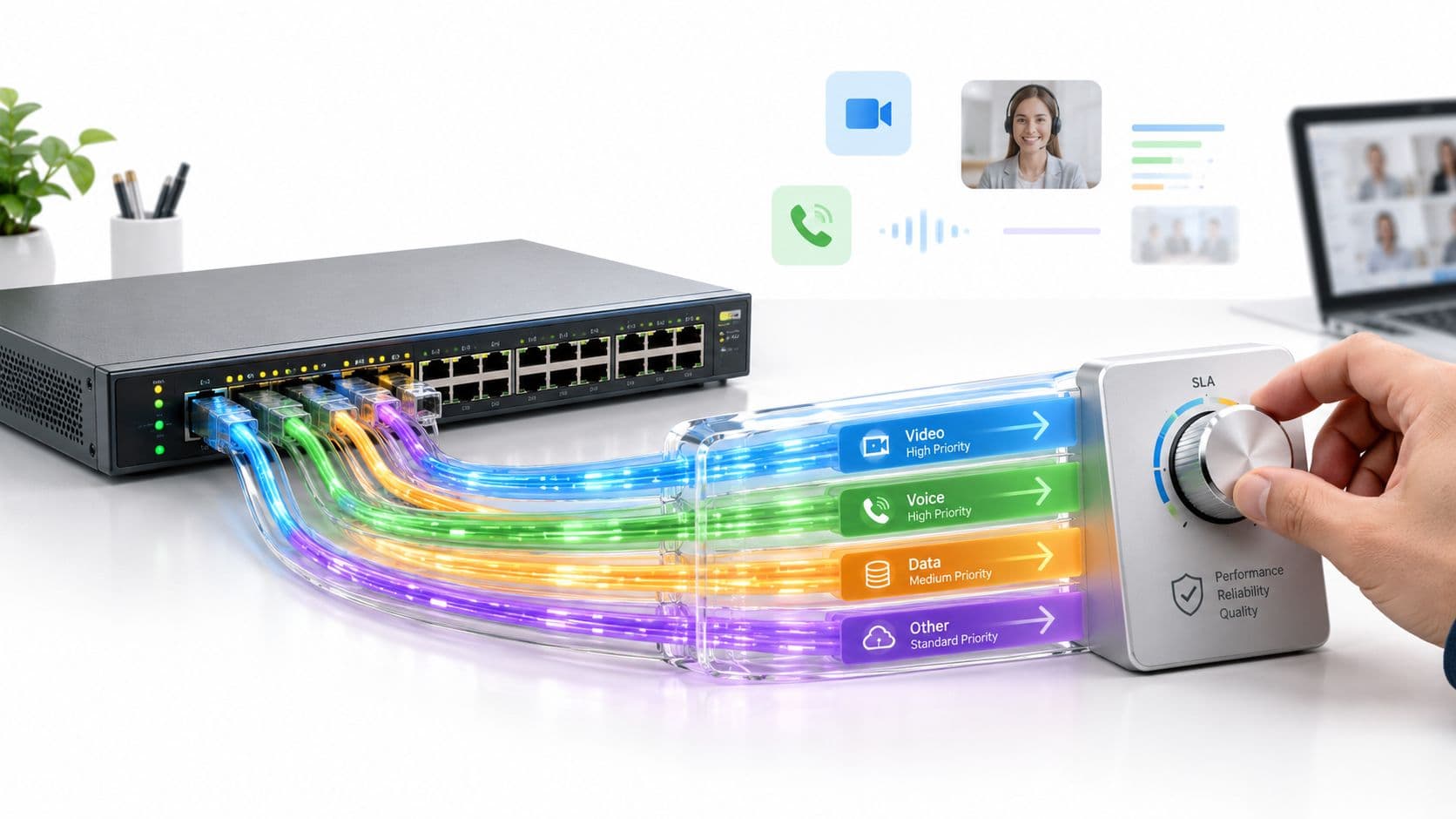
- ट्रैफ़िक शेपिंग: गेस्ट ट्रैफ़िक को सब कुछ उपभोग करने देने के बजाय टिकटिंग, भुगतान टर्मिनल, स्टाफ ऐप्स, या स्ट्रीमिंग गियर को प्राथमिकता दें।
प्रोटोकॉल सपोर्ट को नजरअंदाज न करें
अधिकांश खरीदार एड्रेसिंग या नेटवर्क अनुकूलता को तब तक नहीं देखते जब तक कि कुछ टूट न जाए। यदि आप आधुनिक परिनियोजन की योजना बना रहे हैं, विशेष रूप से नए उपकरणों या मिश्रित वातावरणों में, तो difference between IPv6 and IPv4 को समझना उचित है। आपको प्रोटोकॉल विशेषज्ञ बनने की आवश्यकता नहीं है, लेकिन आपको यह जानने की आवश्यकता है कि क्या आपका प्रदाता और हार्डवेयर उन सेवाओं के लिए पर्याप्त रूप से वर्तमान हैं जिन पर आप भरोसा करते हैं।
एक व्यावहारिक चयन नियम
इस क्रम का उपयोग करें।
- यदि पूर्ण फ़ाइबर उपलब्ध और किफायती है, तो इसे लें।
- यदि फ़ाइबर उपलब्ध नहीं है और सेवा स्तर स्वीकार्य हैं, तो केबल का उपयोग करें।
- VDSL का उपयोग केवल तभी करें जब बेहतर एक्सेस उपलब्ध न हो या संपत्ति अस्थायी हो।
- 4G या 5G का उपयोग तब करें जब इंस्टॉल करने की गति पूर्ण स्थिरता से अधिक मायने रखती हो।
- सैटेलाइट का उपयोग केवल तभी करें जब भूगोल कोई व्यावहारिक वायर्ड या सेलुलर विकल्प न छोड़े।
यदि साइट कनेक्टिविटी के माध्यम से पैसा कमाती है, तो केवल मासिक मूल्य के आधार पर चयन न करें। इस आधार पर चुनें कि गलत सेवा से कितना व्यवधान उत्पन्न होगा।
इंटरनेट प्रदाता और प्लान का चयन कैसे करें
ISP चुनना सबसे सस्ता पैकेज खोजने के बारे में नहीं है, बल्कि गलत अनुबंध से बचने के बारे में है। एक गलत प्लान आमतौर पर तुलना करने वाली साइट पर अच्छा दिखता है। समस्याएं इंस्टॉलेशन के बाद दिखाई देती हैं, जब लाइन पर लोड होता है, सहायता कतार धीमी होती है, या अनुबंध आपको बदलाव करने की अनुमति नहीं देता है।
विज्ञापनों से नहीं, उपलब्धता से शुरू करें
पहला फ़िल्टर आपका पिनकोड है। तब तक डील्स की तुलना न करें जब तक आप यह न जान लें कि आपके सटीक पते पर कौन सी सेवा उपलब्ध है।
जांचें कि क्या प्रदाता निम्नलिखित प्रदान करता है:
- वास्तविक लाइन प्रकार जो आप चाहते हैं: फुल फाइबर, केबल, कॉपर-आधारित सेवा, या वायरलेस।
- एक व्यावहारिक इंस्टॉलेशन प्रक्रिया: स्व-इंस्टॉल (Self-install), इंजीनियर विज़िट, मकान मालिक की सहमति, वेलीव (wayleave), या बिल्डिंग एक्सेस की आवश्यकताएं।
- आवश्यकता पड़ने पर व्यावसायिक-ग्रेड सहायता: कैफे या सैलून के लिए घरेलू प्लान लेना तब बहुत कष्टदायक हो सकता है जब खराबी के कारण व्यावसायिक घंटे प्रभावित होते हैं।
फ्लैटों और प्रबंधित इमारतों के ब्लॉकों में, पुष्टि करें कि क्या मकान मालिक, प्रबंध एजेंट, या मौजूदा बिल्डिंग नेटवर्क आपके विकल्पों को सीमित करता है। एक निवासी के पास रीटेल विकल्प हो सकते हैं। सर्विस्ड ऑफिस में एक किरायेदार के पास शायद वे न हों।
प्लान को अपने उपयोग के तरीके से मिलाएं
बेसिक स्ट्रीमिंग वाले अकेले व्यक्ति को कई गेमर्स, रिमोट वर्कर्स और स्मार्ट होम डिवाइसेज वाले परिवार की तुलना में अलग प्लान की आवश्यकता होती है। छोटे कार्यालय इनके बीच में आते हैं, लेकिन आउटेज के प्रति उनकी सहनशीलता आमतौर पर एक परिवार की तुलना में बहुत कम होती है।
इस सामान्य निर्णय रूपरेखा का उपयोग करें:
| आपकी स्थिति | क्या सबसे अधिक मायने रखता है |
|---|---|
| एकल फ्लैट या छोटा परिवार | मूल्य, सरल इंस्टॉलेशन, स्थिर WiFi |
| रिमोट वर्किंग वाला परिवार | अपलोड निरंतरता, लेटेंसी, सहायता गुणवत्ता |
| भारी स्ट्रीमिंग और गेमिंग वाला परिवार | एक साथ उपयोग के दौरान क्षमता, राउटर की गुणवत्ता |
| छोटा कार्यालय या स्टूडियो | सेवा विश्वसनीयता, स्पष्ट खराबी प्रबंधन, बेहतर हार्डवेयर |
मुख्य बात है कॉनकरेंसी (concurrency - एक साथ उपयोग)। एक 4K स्ट्रीम आसान है। कई स्ट्रीम, क्लाउड बैकअप, वीडियो कॉल, कंसोल और IoT डिवाइस जब एक साथ चलते हैं, तब कमज़ोर सेवाएं अपनी सीमाएं दिखाती हैं।
ग्राहकों को दी जाने वाली मेरी अक्सर सलाह: ब्रॉडबैंड अपने सबसे शांत घंटे के लिए न खरीदें। इसे घर या कार्यालय में सबसे व्यस्त घंटे के लिए खरीदें।
मासिक मूल्य से आगे देखें
दिखाया गया मूल्य शायद ही कभी पूरा सौदा होता है। हस्ताक्षर करने से पहले, जांचें:
- अनुबंध की अवधि: एक कम मासिक मूल्य आपको एक लंबी अवधि के लिए बांध सकता है जो किराए की संपत्ति या तेजी से बदलते व्यवसाय के लिए उपयुक्त नहीं है।
- अनुबंध के बीच में मूल्य वृद्धि: कुछ प्रदाता समझौते में वार्षिक वृद्धि को शामिल करते हैं।
- हार्डवेयर शर्तें: पता करें कि क्या राउटर शामिल है, किराए पर है, या कम क्षमता वाला है।
- Support model: बिल में कुछ पैसे बचाने से ज़्यादा मायने अक्सर तेज़ ह्यूमन सपोर्ट रखता है।
- Exit terms: यह तब बहुत महत्वपूर्ण होता है जब आप स्थानांतरित हो रहे हों, विस्तार कर रहे हों, या फाइबर के आने का इंतजार कर रहे हों।
प्रतिबद्ध होने से पहले पूछने योग्य प्रश्न
एक सरल चेकलिस्ट का उपयोग करें।
- मेरे परिसर तक किस प्रकार की लाइन पहुँचती है?
- क्या इंस्टॉलेशन सेल्फ-सर्व है या इंजीनियर के नेतृत्व में?
- यदि अनुबंध समाप्त होने से पहले मैं स्थानांतरित होता हूँ तो क्या होगा?
- क्या मैं अपने खुद के राउटर का उपयोग कर सकता हूँ?
- आउटेज होने पर सहायता के कौन से घंटे लागू होते हैं?
- यदि मैं घर से एक छोटा व्यवसाय चलाता हूँ, तो क्या सेवा इसकी अनुमति देती है?
थोड़ी अधिक मूल्य निर्धारण वाली लेकिन बेहतर सपोर्ट और कम प्रतिबंधात्मक शर्तों वाली प्रदाता कंपनी एक बेहतर निर्णय हो सकती है। यह विशेष रूप से तब सच होता है जब डाउनटाइम मनोरंजन को नहीं, बल्कि आय को प्रभावित करता है।
अपना राउटर सेटअप करना और अपनी सेवा को सक्रिय करना
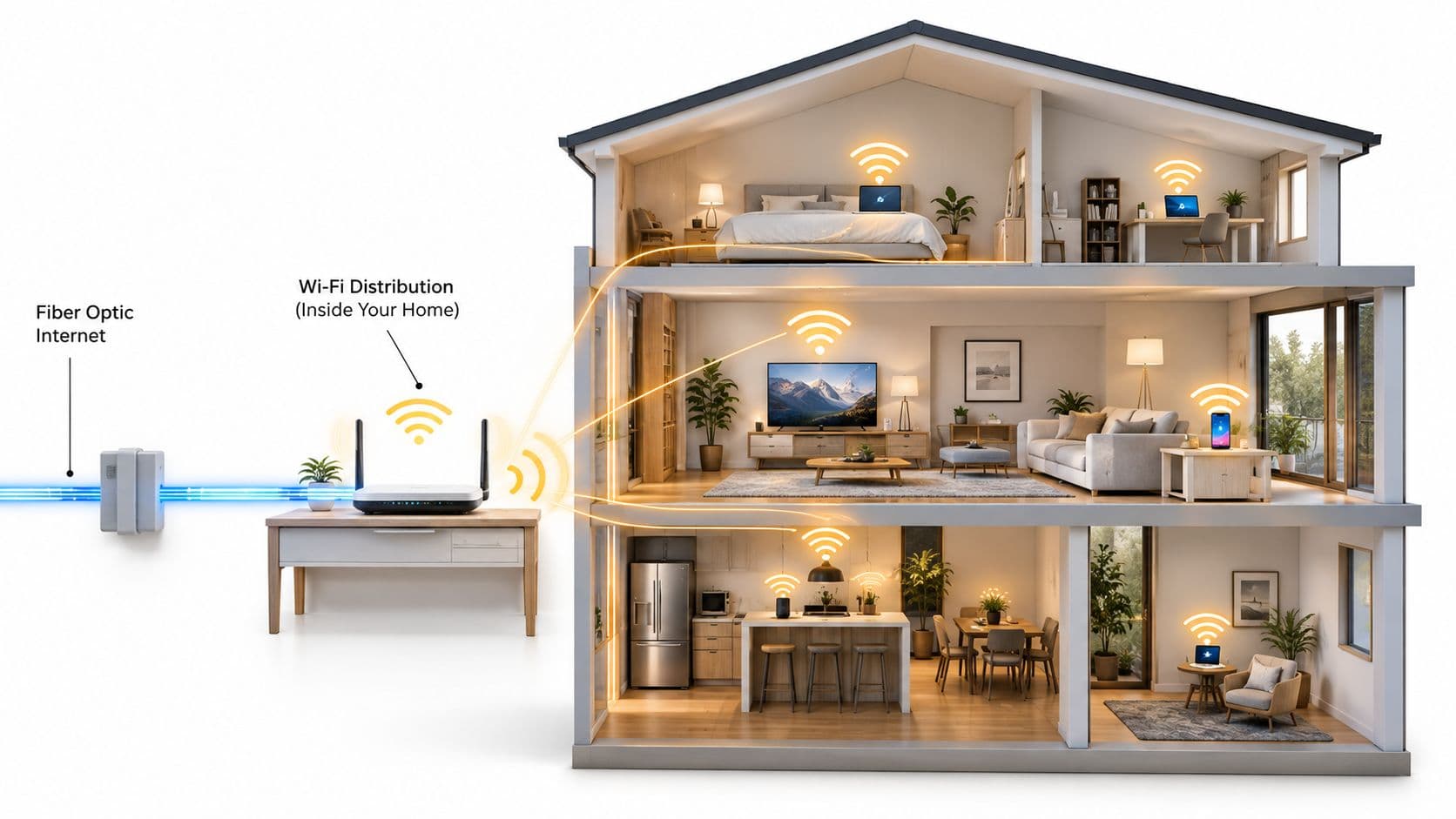
एक बार सेवा लाइव हो जाने के बाद, अगली अड़चन आमतौर पर संपत्ति के भीतर होती है। बहुत से लोग कहते हैं कि "इंटरनेट खराब है" जबकि लाइन बिल्कुल ठीक होती है और WiFi डिज़ाइन खराब होता है।
उस हार्डवेयर को जानें जिससे आप काम कर रहे हैं
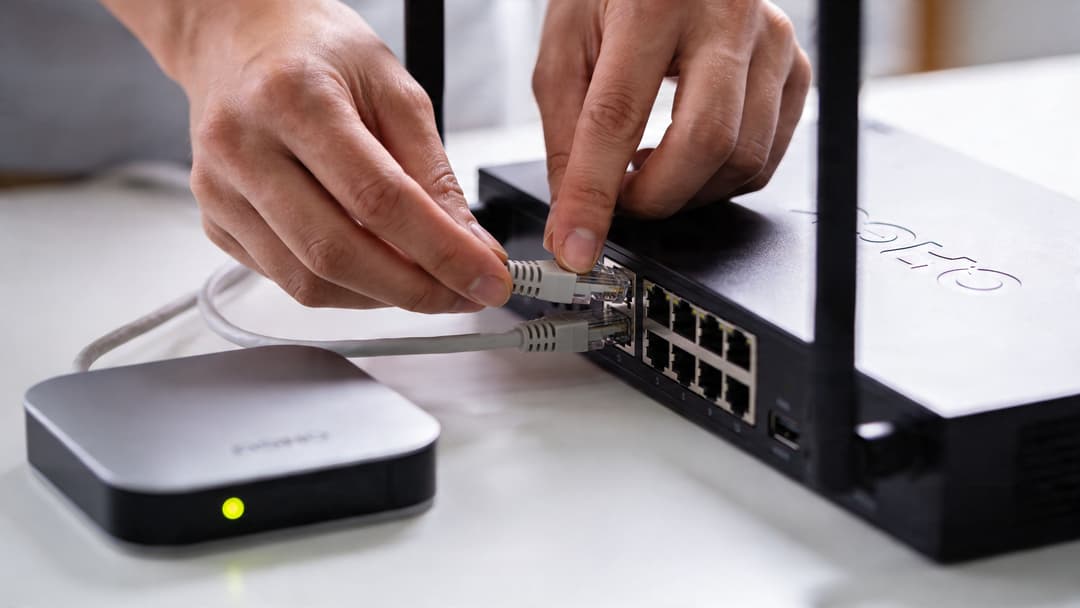
एक मॉडेम आपके प्रदाता से आने वाली सेवा को समाप्त (terminate) करता है। एक राउटर उस सेवा और आपके डिवाइसों के बीच ट्रैफ़िक को प्रबंधित करता है। कई ISP इकाइयाँ दोनों कार्यों को एक ही बॉक्स में जोड़ती हैं।
एक मेष WiFi सिस्टम बड़े या अजीब आकार के घरों में कवरेज फैलाने के लिए कई नोड्स का उपयोग करता है। यह आने वाली लाइन की गति को नहीं बढ़ाता है, लेकिन यह उन कमरों में अनुभव को नाटकीय रूप से बेहतर बना सकता है जहाँ एक सिंगल राउटर संघर्ष करता है।
यदि आपको हार्डवेयर को इधर-उधर ले जाना शुरू करने से पहले एक सरल प्राइमर की आवश्यकता है, तो WiFi सेटअप कैसे करें पर यह मार्गदर्शिका मूल सिद्धांतों को स्पष्ट रूप से कवर करती है।
दो सामान्य इंस्टॉलेशन पथ
अधिकांश होम और स्मॉल-ऑफिस एक्टिवेशन इनमें से किसी एक पैटर्न का पालन करते हैं।
- सेल्फ-इंस्टॉल किट: प्रदाता हार्डवेयर पोस्ट करता है, आप इसे कनेक्ट करते हैं, और एक्टिवेशन रिमोटली या एक निर्धारित तिथि पर होता है।
- इंजीनियर विज़िट: कुछ नई लाइनों, अधिक जटिल परिसरों, या सेवा प्रवेश बिंदु में भौतिक परिवर्तनों के लिए इसकी आवश्यकता होती है।
सेल्फ-इंस्टॉल के लिए, राउटर को हमेशा के लिए चालू करने से पहले उसे सही जगह पर रखें। यदि आप इससे बच सकते हैं, तो इसे किसी अलमारी में, टेलीविज़न के पीछे, या डेस्क के नीचे फर्श पर न छिपाएँ। सेंट्रल प्लेसमेंट आमतौर पर कॉस्मेटिक सफाई से बेहतर परिणाम देता है।
इंजीनियर इंस्टॉलेशन के लिए, मास्टर सॉकेट या सर्विस एंट्री, पावर आउटलेट, और उस कमरे तक पहुंच सुनिश्चित करें जहाँ आप मुख्य उपकरण रखना चाहते हैं। यदि संपत्ति किराए की है, तो पहले से अनुमति की पुष्टि कर लें।
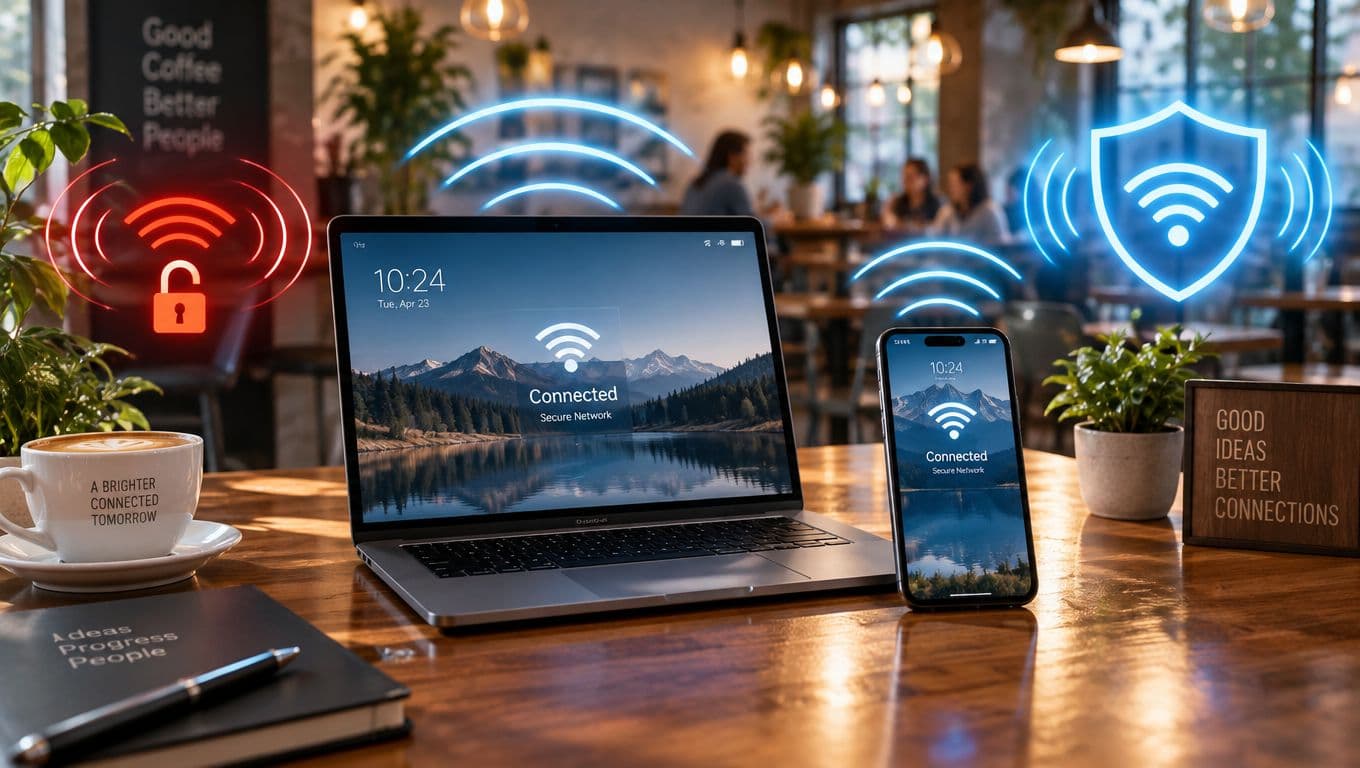
उपयोग शुरू करने से पहले नेटवर्क को सुरक्षित करें
इसे अक्सर छोड़ दिया जाता है। सेवा चालू हो जाती है, सब लोग कनेक्ट हो जाते हैं, और डिफॉल्ट सेटिंग्स सालों तक वैसी ही बनी रहती हैं।
इन्हें तुरंत करें:
- यदि WiFi का नाम प्रदाता या संपत्ति की पहचान उजागर करता है, तो उसे बदलें: इसे अपने लिए पहचानने योग्य रखें, लेकिन आवश्यकता से अधिक विज्ञापन न करें।
- एक मजबूत WiFi पासवर्ड सेट करें: इसे अद्वितीय बनाएं और किसी अन्य खाते से दोबारा उपयोग न करें।
- राउटर पर एडमिन लॉगिन बदलें: यह उतना ही मायने रखता है जितना कि WiFi पासवर्ड।
- यदि राउटर अनुमति देता है तो फर्मवेयर अपडेट करें: इससे स्थिरता और सुरक्षा दोनों को लाभ होता है।
- उन फीचर्स को अक्षम करें जिनकी आपको आवश्यकता नहीं है: गेस्ट एक्सेस, रिमोट एडमिनिस्ट्रेशन, या लीगेसी सेटिंग्स को सोच-समझकर ही चालू रखना चाहिए, डिफ़ॉल्ट रूप से नहीं।
सुरक्षा बेसलाइन: यदि राउटर अभी भी फ़ैक्टरी एडमिन क्रेडेंशियल्स का उपयोग कर रहा है, तो नेटवर्क सेटअप पूरा नहीं हुआ है।
राउटर का सही स्थान केवल उम्मीद करने से बेहतर है
यदि संपत्ति का एक हिस्सा काम करता है और दूसरा नहीं, तो यह न मानें कि आपको तेज़ पैकेज की आवश्यकता है। आपको बस बेहतर प्लेसमेंट या अधिक एक्सेस पॉइंट्स की आवश्यकता हो सकती है।
इन्हें पहले आज़माएं:
- राउटर को फर्श से ऊपर उठाएं
- इसे मोटी दीवारों और बड़ी धातु की वस्तुओं से दूर रखें
- इसे टीवी, माइक्रोवेव या कॉर्डलेस फोन बेस के पास रखने से बचें
- जहाँ संभव हो मेश नोड्स के लिए वायर्ड बैकहॉल का उपयोग करें
बड़े विक्टोरियन घरों, परिवर्तित फ्लैटों और लंबी संकरी संपत्तियों को अक्सर एक से अधिक WiFi पॉइंट की आवश्यकता होती है। यह ओवरइंजीनियरिंग नहीं है। यह बुनियादी रेडियो वास्तविकता है।
जब इंटरनेट काम करना बंद कर दे
ट्रबलशूटिंग उबाऊ और व्यवस्थित होनी चाहिए।
- जांचें कि समस्या WiFi की है या इंटरनेट लाइन की। यदि वायर्ड डिवाइस काम करता है, तो लाइन संभवतः ठीक है।
- सही क्रम में रीस्टार्ट करें। यदि वे अलग हैं तो प्रदाता के उपकरण और फिर राउटर को पावर साइकिल करें।
- ISP के साथ सेवा स्थिति की जांच करें। यदि समस्या अपस्ट्रीम है तो नेटवर्क का दोबारा निर्माण न करें।
- राउटर के करीब एक डिवाइस से परीक्षण करें। यह लाइन की समस्याओं से कवरेज की समस्याओं को अलग करता है।
- यदि आपके पास अतिरिक्त केबल हैं तो उन्हें बदलें। लोग जितना सोचते हैं, भौतिक त्रुटियां उससे अधिक आम हैं।
यदि दिन के समान समय पर बार-बार ड्रॉपआउट होते हैं, तो सपोर्ट को कॉल करने से पहले उस पैटर्न को नोट कर लें। अच्छी फॉल्ट रिपोर्टिंग से समाधान का समय कम हो जाता है।
वेन्यू और व्यवसायों के लिए इंटरनेट प्रदान करना
एक होम ब्रॉडबैंड सेटअप कुछ समय के लिए कार्ड रीडर, टिल, कुछ स्टाफ लैपटॉप और कुछ गेस्ट डिवाइस चला सकता है। लेकिन यह इसे किसी सार्वजनिक स्थल के लिए उपयुक्त नहीं बनाता है। बिज़नेस और वेन्यू नेटवर्क को सेगमेंटेशन, कंट्रोल, ऑडिटेबिलिटी और एक ऐसे यूजर एक्सपीरियंस की आवश्यकता होती है जो भुगतान करने वाले ग्राहकों को परेशान न करे।

साझा पासवर्ड बड़े पैमाने पर क्यों विफल हो जाते हैं
गेस्ट WiFi को लाइव करने का सबसे तेज़ तरीका है कि एक बोर्ड पर एक पासवर्ड लिख दिया जाए और अच्छे की उम्मीद की जाए। यह तब तक काम करता है जब तक कि यह विफल नहीं हो जाता।
हॉस्पिटैलिटी, रिटेल और आवासीय ब्लॉकों में, साझा क्रेडेंशियल ऐसी समस्याएं पैदा करते हैं जिनका अनुमान लगाया जा सकता है:
- गेस्ट जाने के बाद भी लंबे समय तक दूसरों को पासवर्ड शेयर करते रहते हैं।
- स्टाफ के बदलने से पासवर्ड बदलना लगातार चलने वाला एडमिन का काम बन जाता है।
- लेगेसी डिवाइस और यूजर डिवाइस इस तरह आपस में मिल जाते हैं जिन्हें सुरक्षित रखना मुश्किल हो जाता है।
- ट्रबलशूटिंग केवल एक अनुमान बनकर रह जाती है क्योंकि पहचान कमजोर या गायब होती है।
समस्या केवल सुविधा की नहीं है। यह ऑपरेशनल कंट्रोल की है।
मल्टी-टेनेंट वातावरण एक अलग तरह की समस्या हैं
स्टूडेंट हाउसिंग, बिल्ड-टू-रेंट और मिश्रित उपयोग वाली आवासीय संपत्तियां सामान्य घरों की तरह व्यवहार नहीं करती हैं। किराएदार आते-जाते रहते हैं, डिवाइस बढ़ते रहते हैं, और सपोर्ट अनुरोध उन प्रॉपर्टी टीमों के पास आते हैं जिनके पास मूल नेटवर्क का नियंत्रण नहीं हो सकता है।
UK के मल्टी-टेनेंट इंटरनेट सेटअप में सफलता की दरों पर इस आलेख के अनुसार, Ofcom 2025 का डेटा 300 से अधिक UK आवासीय साइटों में पासवर्ड-मुक्त सेटअप के लिए 87% सफलता दर की रिपोर्ट करता है, जबकि साझा-पासवर्ड मॉडल के लिए यह 52% है। यही सत्यापित डेटा यह भी नोट करता है कि जब टीमों के पास आधुनिक पाथ एनालिसिस और मॉनिटरिंग की कमी होती है, तो ट्रबलशूटिंग में होने वाली देरी एक बड़ी समस्या बन जाती है।
यह नेटवर्क टीमों द्वारा व्यावहारिक रूप से देखी जाने वाली स्थिति से मेल खाता है। परेशानी शायद ही कभी किसी एक बड़े आउटेज से आती है। यह रीसेट, एक्सेस संबंधी शिकायतों और धीमी सपोर्ट एस्केलेशन के लगातार बने रहने से आती है।
सार्वजनिक पहुंच को सबसे पहले बिज़नेस की सुरक्षा करनी चाहिए
होटल बार में WiFi से जुड़ने वाले ग्राहक को कभी भी स्टाफ सिस्टम, पेमेंट फ्लो या ऑपरेशनल डिवाइस के पास नहीं पहुंचना चाहिए। एक निवासी को सरल "घर जैसा" अनुभव मिलना चाहिए, लेकिन उस सादगी को एंटरप्राइज आइसोलेशन के ऊपर स्थापित होना चाहिए।
इसीलिए बिज़नेस-ग्रेड डिज़ाइन में आमतौर पर शामिल होते हैं:
- गेस्ट, स्टाफ और ऑपरेशनल डिवाइस के लिए अलग-अलग पॉलिसी डोमेन
- स्टाफ एक्सेस के लिए मजबूत पहचान नियंत्रण
- मल्टी-टेनेंट सेटिंग्स में आइसोलेटेड ट्रैफिक पाथ
- ऐसी मॉनिटरिंग जो दिखाती है कि खराबी कहाँ है
स्थान को सामान्य तौर पर केवल इंटरनेट की आवश्यकता नहीं होती है। उसे एक ऐसे नेटवर्क की आवश्यकता होती है जो एक ही समय में राजस्व गतिविधियों, कर्मचारियों के वर्कफ़्लो और सार्वजनिक पहुंच को संभाल सके।
हॉस्पिटैलिटी और रिटेल को कनेक्टिविटी से कहीं अधिक की आवश्यकता है
होटल, रेस्तरां, शॉपिंग सेंटर और मनोरंजन स्थल भी इस बात पर ध्यान देते हैं कि नेटवर्क क्या सक्षम कर सकता है। एक बार जब WiFi ग्राहक यात्रा का हिस्सा बन जाता है, तो ऑपरेटर अलग-अलग सवाल पूछना शुरू कर देते हैं। क्या विज़िटर वापस आ रहे हैं? क्या वे सुचारू रूप से प्रमाणित हो रहे हैं? क्या वे इसलिए छोड़ रहे हैं क्योंकि ऑनबोर्डिंग बोझिल है?
यही एक कारण है कि वेन्यू प्रोजेक्ट्स में मार्केटिंग और नेटवर्किंग टीमें अक्सर मिलकर काम करती हैं। एक होटल जो बेहतर अतिथि प्रतिधारण चाहता है, उसे online marketing for hotels के व्यापक पहलुओं के साथ-साथ एक्सेस अनुभव पर भी विचार करना चाहिए, क्योंकि नेटवर्क अक्सर केवल एक बैक-ऑफिस यूटिलिटी के बजाय ब्रांड अनुभव का हिस्सा बन जाता है।
क्या बेहतर काम करता है
जो स्थान कनेक्टिविटी को बेहतर ढंग से चलाते हैं, वे आमतौर पर इसे मुफ्त बैकग्राउंड इंफ्रास्ट्रक्चर मानना बंद कर देते हैं। वे उपयोगकर्ता समूहों को परिभाषित करते हैं, ट्रैफ़िक को ठीक से अलग करते हैं, हार्डवेयर को मानकीकृत करते हैं, और ऐसे एक्सेस तरीकों को चुनते हैं जो सहायता के प्रयासों को बढ़ाने के बजाय कम करते हैं।
छोटे व्यवसायों के लिए, इसका मतलब एक उचित फ़ायरवॉल, अलग अतिथि WiFi, और प्रबंधित एक्सेस पॉइंट हो सकता है। बड़ी संपत्तियों के लिए, इसका मतलब पहचान-आधारित नेटवर्किंग, बेहतर ऑनबोर्डिंग, और सभी साइटों पर केंद्रीय दृश्यता है।
सार्वजनिक पहुंच के लिए सुरक्षित पासवर्डलेस WiFi तैनात करना
यदि आप वेन्यू WiFi के लिए ज़िम्मेदार हैं, तो आधुनिक लक्ष्य सरल है। कर्मचारियों को पासवर्ड के झंझट के बिना सुरक्षित रूप से कनेक्ट होना चाहिए। मेहमानों को ऐसे Captive Portal के बिना ऑनलाइन होना चाहिए जो प्रवेश पर टैक्स जैसा महसूस हो। लेगेसी डिवाइसों को अभी भी एक नियंत्रित मार्ग की आवश्यकता है। नेटवर्क टीम को नीति, दृश्यता, और त्वरित निरसन की आवश्यकता होती है।
काम करने वाला परिनियोजन पैटर्न
यूके के एंटरप्राइज आईटी एडमिनिस्ट्रेटर के लिए, एक व्यावहारिक मार्ग एक Passpoint-प्रमाणित डिज़ाइन है जो मौजूदा वायरलेस इंफ्रास्ट्रक्चर के साथ एकीकृत होता है, कर्मचारियों के लिए डायरेक्टरी-आधारित प्रमाणीकरण का उपयोग करता है, और मेहमानों और पुराने डिवाइसों के लिए नियंत्रित पहुंच का समर्थन करता है।
सत्यापित कार्यप्रणाली सीधी है:
- अपने पहले से चल रहे वायरलेस एस्टेट के साथ एकीकृत करें। Cisco Meraki और Aruba को विशेष रूप से संगत विकल्पों के रूप में नामित किया गया है।
- डायरेक्टरी सेवाओं को कनेक्ट करें। Entra ID या Google Workspace कर्मचारियों के सिंगल साइन-ऑन को संभाल सकते हैं, जबकि अतिथि ईमेल प्रमाणीकरण एक आसान ऑनबोर्डिंग मार्ग प्रदान करता है।
- लेगेसी डिवाइसों के लिए iPSK सक्षम करें। यह उन डिवाइसों के लिए जटिल समाधानों को टालता है जो आधुनिक प्रवाह का उपयोग नहीं कर सकते।
- पहले दिन से ही एनालिटिक्स चालू करें। यदि नेटवर्क का उद्देश्य व्यावसायिक परिणामों का समर्थन करना है, तो लॉन्च से ही सही चीजों को मापें।
सुरक्षित गेस्ट WiFi डिप्लॉयमेंट बेंचमार्क के इस सत्यापित सारांश के अनुसार, UK हॉस्पिटैलिटी श्रृंखलाओं ने इस मॉडल के लिए बिना किसी डाउनटाइम के 92% डिप्लॉयमेंट पूर्णता हासिल की, जबकि पारंपरिक RADIUS सेटअप के लिए यह 65% थी, और डिप्लॉयमेंट के बाद वेन्यूज में बार-बार आने वाले विजिटर्स में 15 - 20% की वृद्धि देखी गई।
पासवर्डलेस यूजर एक्सपीरियंस को क्यों बदल देता है
Captive Portals अक्सर छोटे लेकिन नुकसानदेह तरीकों से विफल हो जाते हैं। ब्राउज़र उन्हें ब्लॉक कर देते हैं। यूजर्स उन्हें बहुत जल्दी बंद कर देते हैं। डिवाइस कनेक्ट तो होते हैं लेकिन उन्हें क्लीन एप्लिकेशन एक्सेस नहीं मिलता है। दोबारा आने वाले विजिटर्स को यह पूरी प्रक्रिया फिर से दोहरानी पड़ती है।
पासवर्डलेस और Passpoint-शैली के दृष्टिकोण उस समय घर्षण को कम करके इसे ठीक करते हैं जब लोग सबसे अधिक परवाह करते हैं। वे नेटवर्क से जुड़ना चाहते हैं और अपने प्रवास, अपनी खरीदारी या अपने काम को जारी रखना चाहते हैं।
यह सपोर्ट की मांग को भी बदल देता है:
- कम "WiFi पासवर्ड क्या है?" जैसी बातचीत
- स्टाफ बदलने पर कम मैन्युअल रीसेट कार्य
- साझा सीक्रेट के बजाय पहचान से जुड़ी अधिक स्पष्ट पॉलिसी प्रवर्तन
- दोबारा आने वाले यूजर्स के लिए बेहतर निरंतरता
ऑपरेशनल दृष्टिकोण: सबसे अच्छा पब्लिक WiFi वह है जिस पर यूजर्स का ध्यान ही न जाए क्योंकि एक्सेस ऑटोमैटिक लगता है और सपोर्ट को शायद ही कभी हस्तक्षेप करना पड़ता है।
इसके चारों ओर सही नियंत्रण बनाएं
पासवर्डलेस डिज़ाइन को अभी भी अनुशासन की आवश्यकता होती है। टेक्नोलॉजी घर्षण को दूर करती है, लेकिन पॉलिसी विकल्प अभी भी तय करते हैं कि नेटवर्क सुरक्षित और प्रबंधनीय है या नहीं।
इन नियंत्रणों पर ध्यान केंद्रित करें:
- डायरेक्टरी के माध्यम से स्टाफ ऑथेंटिकेशन: इससे नए जुड़ने वाले, ट्रांसफर होने वाले और नौकरी छोड़ने वाले कर्मचारियों को प्रबंधित करना बहुत आसान हो जाता है।
- iPSK के माध्यम से लेगेसी डिवाइस अपवाद हैंडलिंग: पुराने हार्डवेयर को पूरे नेटवर्क को पीछे धकेलने न दें।
- भूमिका और कार्य के अनुसार सेगमेंटेशन: स्टाफ टैबलेट, EPOS, कैमरे, टेनेंट डिवाइस और गेस्ट को समान ट्रस्ट लेवल साझा नहीं करना चाहिए।
- रिवोकेशन वर्कफ़्लो: जब यूजर या डिवाइस को वहां नहीं होना चाहिए, तो एक्सेस समाप्त हो जाना चाहिए।
- परिणामों से जुड़े एनालिटिक्स: दोबारा आना, ऑनबोर्डिंग पूर्ण होना और ऑपरेशनल हेल्थ वेनिटी कनेक्शन काउंट्स से अधिक मायने रखते हैं।
रोलआउट को व्यावहारिक रखें
सबसे अच्छे डिप्लॉयमेंट एक वेन्यू प्रकार, एक पहचान मॉडल और एक सपोर्ट प्रक्रिया के साथ शुरू होते हैं। हर एक अपवाद मामले से शुरुआत न करें।
एक व्यावहारिक क्रम इस तरह दिखता है:
| चरण | फोकस |
|---|---|
| पायलट | ऑनबोर्डिंग, पहचान प्रवाह और रोमिंग व्यवहार को सत्यापित करें |
| नियंत्रित विस्तार | समान हार्डवेयर मानकों और सपोर्ट मॉडल के साथ और अधिक साइटें जोड़ें |
| लेगेसी अनुकूलन | सख्ती से प्रबंधित अपवादों के माध्यम से पुराने उपकरणों को शामिल करें |
| Optimisation | एनालिटिक्स, ऑटोमेशन और निरसन (revocation) प्रक्रियाओं को बेहतर बनाएं |
यहाँ अनुशासन कोई तकनीकी चमत्कार नहीं है। यह मानकीकरण है। जब एक्सेस मॉडल पूर्वानुमानित होता है, तो नेटवर्क आसानी से प्रबंधित करने योग्य बन जाते हैं।
क्या न करें
इन आम गलतियों से बचें:
- पुराने गेस्ट पोर्टल को "सिर्फ मामले में" चालू रखना और दो भ्रमित करने वाले एक्सेस पाथ बनाना
- कनेक्शन की संख्या को मुख्य सफलता मीट्रिक के रूप में उपयोग करना
- कर्मचारियों और ठेकेदारों के एक्सेस के लिए निरसन (revocation) परीक्षण को छोड़ना
- गेस्ट और स्टाफ ऑनबोर्डिंग को एक ही समस्या के रूप में मानना
- खराब RF डिज़ाइन पर आधुनिक प्रमाणीकरण को तैनात करना
एक खराब वायरलेस लेआउट खराब ही रहेगा, भले ही प्रमाणीकरण बेहतर क्यों न हो। अच्छा एक्सेस कंट्रोल खराब कवरेज को नहीं सुधार सकता।
बेहतर कनेक्टिविटी के लिए आपका रोडमैप
यदि आप यहाँ यह पूछने आए हैं कि how do i get internet, तो इसका उत्तर परिवेश पर निर्भर करता है। घर या छोटे कार्यालय के लिए, सही एक्सेस तकनीक से शुरुआत करें, हेडलाइन मूल्य के बजाय उपयुक्तता के आधार पर प्रदाता चुनें, और सुनिश्चित करें कि आंतरिक WiFi सुरक्षित और सही स्थान पर स्थापित हो।
स्थानों (venues), आवासीय ब्लॉकों, आतिथ्य (hospitality), और खुदरा (retail) के लिए, यह केवल शुरुआती बिंदु है। सार्वजनिक और बहु-किरायेदार (multi-tenant) कनेक्टिविटी को सेगमेंटेशन, पहचान, सुगम ऑनबोर्डिंग और स्पष्ट परिचालन दृश्यता की आवश्यकता होती है। लक्ष्य केवल एक्सेस प्रदान करना नहीं है। ऐसा एक्सेस प्रदान करना है जो सुरक्षित, प्रबंधनीय और व्यवसाय के लिए उपयोगी हो।
इंटरनेट सेवा आपको कनेक्ट करती है। नेटवर्क डिज़ाइन यह तय करता है कि वह कनेक्शन भरोसेमंद, सुरक्षित और भुगतान के लायक है या नहीं।
यदि आप आतिथ्य, खुदरा, स्वास्थ्य सेवा, परिवहन, या आवासीय साइटों पर गेस्ट WiFi, स्टाफ SSO, या बहु-किरायेदार कनेक्टिविटी की योजना बना रहे हैं, तो Purple पर एक नज़र डालना उपयोगी है। यह संगठनों को साझा पासवर्ड और Captive Portal को सुरक्षित, पासवर्ड-रहित एक्सेस से बदलने में मदद करता है, साथ ही ऐसे एनालिटिक्स और पहचान नियंत्रण जोड़ता है जो वेन्यू WiFi को प्रबंधित करने में आसान और व्यवसाय के लिए अधिक मूल्यवान बनाते हैं।