What is a wireless connection? Your 2026 Guide to Wi-Fi & Networks

25 March 2026
What is wireless connection? Your 2026 Guide to Wi-Fi & Networks

Fundamentally, a wireless connection is the technology enabling devices to communicate without physical cables. It uses invisible radio waves to transmit and receive data, acting as a delivery service for your digital information that replaces physical infrastructure with radio frequencies.

Decoding Wireless Connections

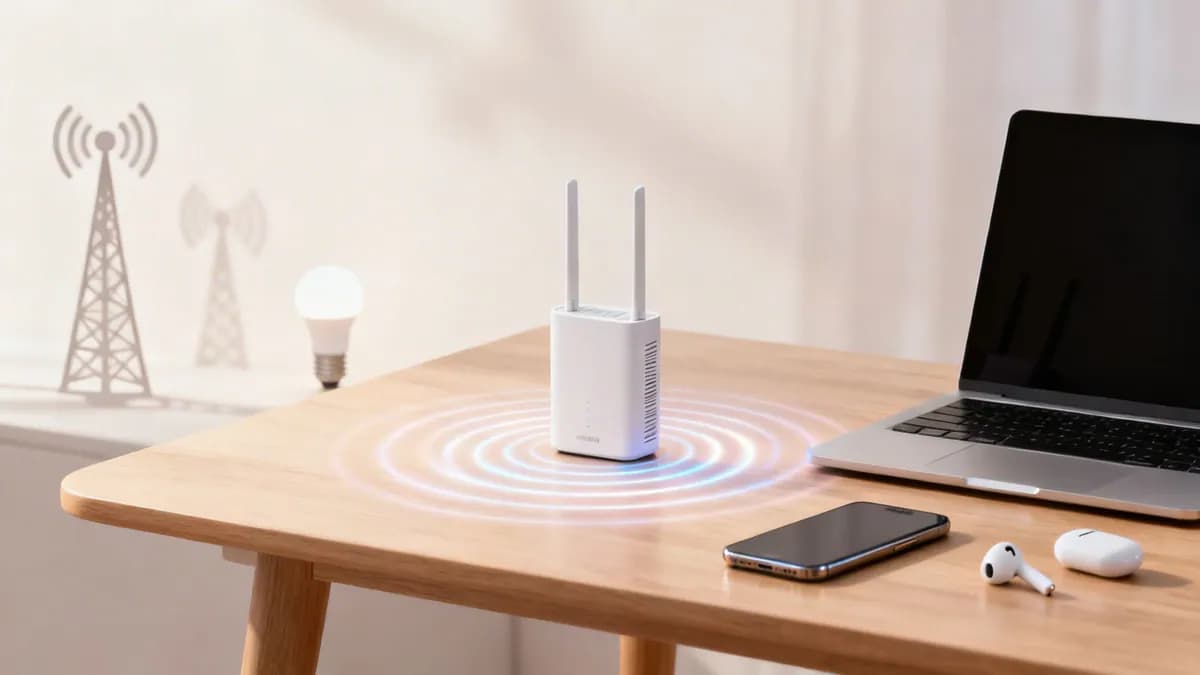
A wireless router on a wooden table sending signals to a smartphone, laptop, and earbuds.

At its core, a wireless connection is an invisible link that transforms complex data transmission into a seamless user experience. It is the underlying technology enabling smartphones to stream video, laptops to connect to remote meetings from a café, and smart speakers to play your favourite playlists via voice command.

However, this technology encompasses a broad family of communication methods, each engineered for a specific purpose.

Consider this data delivery service as having various modes of transport. Wi-Fi acts as the local delivery vehicle, ideal for transmitting large data packets within a defined area such as a home or office. Conversely, Bluetooth functions like a bicycle courier, suited for short, rapid exchanges between nearby devices, such as pairing headphones with a mobile phone.

Furthermore, cellular networks (such as 4G and 5G) serve as a national logistics infrastructure, ensuring data can be transmitted and received from almost anywhere. The demand for this continuous, mobile connectivity is substantial.

In the United Kingdom, for instance, mobile connections have reached 143% of the total population, highlighting the deep integration of wireless access in daily life. Review the complete analysis of UK digital trends at datareportal.com .

Common Types of Wireless Connections

To fully understand this ecosystem, it is helpful to compare these technologies. Each offers distinct advantages regarding range and primary application.

The table below provides a concise overview of the most common wireless technologies.

At-a-Glance Guide to Common Wireless Technologies

TechnologyTypical RangePrimary Use Case
Wi-Fi (WLAN)Up to 100 metresHigh-speed internet access in homes, offices, and public venues.
Bluetooth (WPAN)Up to 10 metresConnecting peripherals such as headphones, keyboards, and speakers.
Cellular (WWAN)Many kilometresMobile phone connectivity and mobile internet access.
NFCLess than 4 cmContactless payments and instant data exchange between devices.
Zigbee / Z-Wave10 to 100 metresLow-power smart home devices such as lighting, sensors, and locks.

Ultimately, understanding what a wireless connection is requires recognising this diverse toolkit. From the high-speed demands of an enterprise network to the simple pairing of a fitness tracker, specific wireless technologies are purpose-built for each task.

As we explore further, you will discover how these connections are established, secured, and managed to power our interconnected world.

How Wireless Communication Works

To understand how a wireless connection functions, consider a traditional radio station. Your wireless router acts as a broadcast tower, whilst your laptop or smartphone functions as the receiver.

Just as a radio tunes into a specific frequency to receive audio, your device connects to a specific wireless network to receive data. The underlying principle is identical, albeit significantly more advanced.

This exchange utilises radio waves, an invisible segment of the electromagnetic spectrum. Your router converts digital information from your internet connection—such as a webpage, video, or email—into radio signals, broadcasting them across the immediate area.

Your device features an internal wireless adapter acting as a receiver, continuously scanning for these signals. Upon locating the desired network, it connects and initiates a two-way exchange, transmitting and receiving data packets over the same radio frequencies.

Key Components of a Wireless Network

This invisible conversation relies on several hardware components working in concert. Each performs a distinct and vital role in establishing the connection.

  • The Router: The central hub of your local network. It manages traffic, assigns each device a unique local address, and serves as the gateway to the wider internet. In most domestic and small office environments, the router and access point are integrated into a single device.
  • The Access Point (AP): An AP’s primary function is to broadcast the wireless signal. Whilst a home router includes a built-in AP, larger venues such as hotels, hospitals, or corporate campuses deploy multiple APs connected to a central router, ensuring robust coverage throughout the premises.
  • The Client Device: Any device connecting to the network, such as a smartphone, tablet, smart TV, or laptop. Each contains a wireless network adapter to transmit and receive radio signals. Learn more about how these components form a Wireless Local Area Network (WLAN) in our comprehensive guide.

Understanding Wireless Protocols

For this communication to remain organised and secure, all devices must adhere to a common set of rules. Network names and protocols ensure data is routed correctly and efficiently.

The name of a Wi-Fi network displayed on your device, such as "Cafe-Guest-WiFi", is technically known as the Service Set Identifier (SSID).

Returning to the radio station analogy, the SSID functions as the station name. It is a human-readable label allowing users to distinguish between networks, much like differentiating between "Radio 1" and "Classic FM."

Once a network is selected, your device and the router must communicate using the same standards. This "language" is defined by wireless protocols, such as the 802.11 standards (e.g., Wi-Fi 6, Wi-Fi 7).

These protocols govern everything from data encoding and transmission to how multiple devices share the same frequency without interference. They ensure orderly and efficient communication, converting invisible radio waves into the seamless wireless connection relied upon daily.

Exploring Key Wireless Technologies

When discussing a "wireless connection", Wi-Fi is often the first technology that comes to mind. However, it is merely one component of a broader ecosystem. The wireless landscape is highly diverse, comprising various technologies tailored for specific applications.

Understanding these distinctions is crucial to comprehending modern digital infrastructure. At its core, the process is straightforward yet powerful.

A diagram illustrating how wireless communication works between a router, radio waves, and a device.

This visual illustrates the fundamental journey of data from a router, transmitted as invisible radio waves, to your device. This core concept underpins all the technologies discussed below.

Wi-Fi for Local Area Networking

Wi-Fi is the most widely recognised wireless technology. As a Wireless Local Area Network (WLAN), it is designed to deliver high-speed internet access across a defined area—such as a home, café, or corporate campus. Its primary function is to transmit large volumes of data, making it ideal for video streaming, online gaming, and general web browsing.

Wi-Fi operates on specific radio frequencies governed by the 802.11 standards. These standards continuously evolve to provide faster speeds and enhanced reliability.

  • Wi-Fi 5 (802.11ac): A robust standard still prevalent in numerous homes and businesses, offering dependable speed and reliability for everyday tasks.
  • Wi-Fi 6/6E (802.11ax): A significant advancement, Wi-Fi 6 is engineered for optimal performance in high-density environments. It delivers increased speeds, reduced latency, and improved battery efficiency for connected devices.
  • Wi-Fi 7 (802.11be): The forthcoming generation, promising substantial increases in speed and ultra-low latency. Wi-Fi 7 is designed to support the demands of augmented reality (AR), virtual reality (VR), and high-performance cloud computing.

Bluetooth for Personal Area Networking

If Wi-Fi serves as the primary data delivery vehicle, Bluetooth functions as the local courier. It is a Wireless Personal Area Network (WPAN), specialising in short-range, low-power communication between personal devices.

Connecting wireless earbuds to a mobile phone, a mouse to a laptop, or a smartwatch for notifications are prime examples of Bluetooth's core functionality.

Bluetooth's primary strength lies in establishing simple, one-to-one connections with minimal battery consumption. This makes it ideal for peripherals where power efficiency is as critical as connectivity. For instance, modern gaming controllers utilise Bluetooth to pair with multiple devices, allowing seamless switching between a console and a PC.

Cellular for Wide Area Networking

Upon leaving a Wi-Fi coverage area, mobile devices seamlessly transition to a Wireless Wide Area Network (WWAN)—commonly known as a cellular network. Technologies such as 4G (LTE) and 5G provide mobile connectivity across extensive geographical areas, ensuring continuous online access whilst travelling.

Unlike Wi-Fi, which relies on a local router, cellular networks depend on extensive mobile phone tower infrastructure. Each tower covers a specific geographical "cell". As you travel, your device is seamlessly handed off between towers, enabling uninterrupted calls, messaging, and web browsing from virtually any location.

Specialised Wireless Technologies

Beyond these primary networks, a diverse ecosystem of specialised wireless technologies exists. These protocols operate efficiently in the background to support specific use cases.

  • NFC (Near Field Communication): An ultra-short-range technology, typically operating within a radius of approximately 4 cm. It is widely used for contactless payments, enabling secure transactions via a mobile phone or credit card.
  • Zigbee / Z-Wave: Low-power, low-data protocols designed specifically for smart building automation. They create a "mesh network" allowing devices such as smart lighting, thermostats, and door locks to communicate efficiently without requiring frequent battery replacements.

Securing Your Wireless Network in a Zero-Trust Environment

The convenience of a wireless connection introduces inherent risks. Because data is transmitted through the air, an inadequately secured network is vulnerable to interception. This threat, known as data eavesdropping, remains a primary challenge in wireless security.

Home network security with a white router, laptop, smartphone, and camera, all protected by a digital shield.

To mitigate these threats, security standards have improved significantly. Wi-Fi Protected Access (WPA) protocols encrypt data transmitted across the network. The latest standard, WPA3, provides substantial security enhancements over its predecessors, making it considerably more difficult for unauthorised users to compromise passwords or intercept traffic.

However, despite robust encryption, a fundamental vulnerability persists in how many businesses and public venues manage their Wi-Fi. They frequently rely on a single, shared password for all users, known as a Pre-Shared Key (PSK).

The Limitations of Shared Passwords

Utilising a single password for all guests, staff, or tenants creates significant security and management challenges. It is akin to providing a universal master key to every individual entering the premises.

  • Lack of Accountability: When users share a password, identifying specific individuals on the network is impossible. In the event of a security breach, tracing the source becomes highly problematic.
  • Complex Revocation: If an employee departs or a guest misuses the connection, revoking their access requires changing the password for all users. This creates a substantial operational burden, necessitating credential updates across every connected device.
  • Increased Risk: Shared passwords are frequently distributed. The wider the knowledge of the password, the greater the probability of unauthorised access, compromising the entire network.

The traditional model of establishing a perimeter defence and implicitly trusting all internal users is no longer sufficient. A more sophisticated approach is required.

Adopting a Zero-Trust Security Model

A modern, highly secure strategy is the Zero Trust model. Its core principle is straightforward yet highly effective: never trust, always verify. Rather than assuming a device is secure simply because it is within the network perimeter, a Zero Trust architecture requires every user and device to authenticate their identity upon every connection attempt.

This represents a critical paradigm shift. A Zero Trust network eliminates the distinction between a trusted internal environment and an untrusted external one. It treats every connection request with equal scrutiny, regardless of whether it originates from a guest in the reception area or an executive in their office.

This approach resolves the vulnerabilities of shared passwords by transitioning to identity-based authentication. Instead of requesting a generic password, the network verifies the specific identity and access privileges of each individual user or device.

The Advantages of Identity-Based Authentication

Identity-based solutions represent a significant advancement in securing wireless connections. Rather than relying on passwords that can be shared, compromised, or forgotten, these methods link network access directly to a unique, verifiable identity.

This is typically implemented in two primary ways:

  1. Certificate-Based Authentication: Each corporate device is issued a unique digital certificate, functioning as an unforgeable credential. Upon connection, the network verifies this certificate to confirm the device's identity before granting access. This provides a frictionless and highly secure authentication method.
  2. Passwordless Logins: For guests or temporary users, passwordless solutions enable authentication via an email address or social login. The system verifies their identity and grants secure access, often retaining their credentials for seamless reconnection during subsequent visits.

By verifying every connection, businesses can establish a wireless environment that is significantly more secure, manageable, and user-friendly. This approach facilitates advanced solutions that protect the network whilst substantially enhancing the overall user experience.

Deploying Modern Identity-Based Wi-Fi Solutions

Man in a suit using a laptop and smartphone to securely connect to Wi-Fi, showing Passpot and SSO icons.

For network administrators in high-footfall venues or corporate offices, reliance on insecure shared passwords and cumbersome Captive Portals is becoming obsolete. Transitioning to a modern, identity-based wireless connection is more than a security upgrade; it is a fundamental redesign of the user experience and a significant simplification of network management.

This approach changes the paradigm. Instead of a single, easily compromised password, the focus shifts to verifying the identity of each user and device. This provides granular control, clear accountability, and the ability to deliver a truly seamless and secure connection experience.

Implementing Passwordless Access

The most impactful step in modernising a wireless network is eliminating traditional passwords. Passwordless access authenticates a user once and retains their credentials, creating a frictionless, automated connection for all subsequent visits.

Instead of encountering a repetitive login screen, a guest can authenticate via email or a social profile during their initial visit. Subsequently, their device is automatically recognised and securely connected. This significantly enhances the user experience whilst drastically reducing the support burden on IT teams, who no longer need to manage password reset requests.

Unifying Connectivity with OpenRoaming and Passpoint

Consider an environment where customers and staff can transition between thousands of locations—from airports to cafés to your own venue—with their devices connecting automatically without manual intervention. This seamless connectivity is facilitated by OpenRoaming and Passpoint technology.

These global standards collaborate to create a unified, secure Wi-Fi network that mirrors the experience of a cellular network. Once authenticated on any Passpoint-enabled network, a user's device can securely roam onto any participating network globally.

By adopting OpenRoaming, organisations join a global federation of secure Wi-Fi hotspots. This elevates the guest experience from a local convenience to a global benefit, integrating your venue into a seamless, worldwide wireless network.

For venue operators, this ensures guests receive an immediate, encrypted connection from the first data packet, entirely mitigating the security risks associated with open public Wi-Fi.

Simplifying Staff Access with SSO and iPSK

Modern identity solutions also transform employee connectivity. By integrating the wireless network with an identity provider such as Entra ID (formerly Azure AD), Google Workspace, or Okta, organisations can enable Single Sign-On (SSO) for their Wi-Fi.

This allows staff to access the network using the same credentials required for their other corporate applications, streamlining the user experience whilst providing IT administrators with robust access control.

  • Automatic Provisioning: Upon onboarding a new employee, network access is automatically provisioned based on their profile within the corporate directory.
  • Instant Revocation: Upon an employee's departure, network access is immediately revoked when their account is disabled in the central directory, effectively closing a critical security vulnerability.

For devices incapable of advanced authentication—such as printers, IoT sensors, or legacy equipment—Identity Pre-Shared Keys (iPSK) provide an effective solution. Rather than utilising a single shared key for all devices, administrators can generate a unique key for each endpoint. Our comprehensive guide explains what iPSK is and how it enhances identity-based WiFi security in greater detail. This ensures a Zero Trust approach is maintained, even for legacy hardware.

By combining these methodologies, organisations can deploy a wireless network that is highly secure, streamlined to manage, and delivers an exceptional user experience.

Troubleshooting Common Wireless Connection Issues

Even the most robust wireless connections can experience performance fluctuations. When Wi-Fi speeds degrade or connections drop entirely, the solution is often straightforward. Before investigating complex network configurations, it is advisable to begin with fundamental troubleshooting.

A significant number of wireless issues can be resolved with a simple restart. Power cycling both the router and the device—powering them down for approximately 30 seconds before restarting—can clear temporary errors and establish a stable connection. This remains the primary troubleshooting step due to its high success rate.

If a restart does not resolve the issue, evaluate the physical environment. Wi-Fi signals are radio waves, which can be obstructed or disrupted by common materials within an office or home.

  • Physical Obstructions: Dense walls, metal filing cabinets, and large volumes of water (such as aquariums) can attenuate or block the signal.
  • Device Interference: Common appliances, including microwave ovens, cordless telephones, and certain Bluetooth devices, operate on similar frequencies and may cause signal interference.

Relocating the router to a central, elevated position, away from dense materials and other electronic devices, can significantly improve signal strength and stability.

Diagnosing Persistent Connection Issues

When basic troubleshooting is insufficient, further investigation into persistently slow speeds or frequent disconnections is required. These symptoms typically indicate network congestion or suboptimal configuration. A systematic approach is the most efficient method for identifying the root cause.

If the connection is sluggish, channel interference may be the cause. Routers broadcast on specific channels; if multiple nearby networks utilise the same channel, it creates congestion. Utilising a diagnostic tool to perform a network scan can identify a less congested channel. Learn more about this process in our guide on how to conduct a simple Wi-Fi scan. Modifying the router's channel settings can frequently restore optimal speeds.

For intermittent signal drops, the issue may stem from outdated device drivers or router firmware. Manufacturers regularly release updates to resolve bugs and enhance performance, making routine checks essential.

Troubleshooting Checklist for Frequent Disconnections:

  1. Check for and install any available firmware updates for the router.
  2. Update the wireless network adapter drivers on your laptop or PC.
  3. Move the device closer to the router to determine if the issue is range-related.
  4. Instruct the device to "Forget" the network, then reconnect by re-entering the credentials.

By methodically executing these steps, administrators can diagnose and resolve the majority of common wireless issues, ensuring the connection remains fast and reliable.

Frequently Asked Questions About Wireless Connections

Having detailed the fundamentals of wireless connectivity, several common questions frequently arise. The following section provides clear answers regarding the nuances of Wi-Fi, network security, and the underlying hardware.

What Is the Difference Between Wi-Fi and the Internet?

This is a common point of confusion. Conceptually, the internet is the expansive, global network of motorways connecting cities and countries, whilst Wi-Fi is the private access road connecting a specific building to that motorway.

Wi-Fi establishes a wireless network within a localised area—such as an office, café, or home. However, for that Wi-Fi network to provide web access, an active internet service from an Internet Service Provider (ISP) is required.

In summary, a functional Wi-Fi network can exist without an internet connection, allowing local devices to communicate (e.g., streaming from a local server to a smart TV). However, external online access strictly requires an active internet connection.

Is Public Wi-Fi Secure?

Security depends entirely on the specific network. Many free public networks, particularly those lacking password protection, pose significant risks. On an unsecured network, malicious actors can easily intercept data transmitted to and from a device.

Fortunately, technology has advanced considerably. Modern solutions utilising OpenRoaming and Passpoint establish a secure, encrypted connection immediately upon joining. This system authenticates the device automatically, eliminating the need for cumbersome login pages or shared passwords. The resulting connection offers enterprise-grade security.

When accessing a public network of unknown security, utilising a Virtual Private Network (VPN) is highly recommended. However, networks advertising OpenRoaming or Passpoint certification are secure by design.

How Can I Improve Wireless Signal Strength?

A weak, unstable signal is a significant source of frustration, but several practical steps can mitigate the issue.

  1. Optimise Router Placement: Router location is critical. Position it in a central, elevated location within the premises, ensuring it is clear of dense walls, metal objects, and large appliances.
  2. Minimise Interference: Common electronics, including microwaves, cordless telephones, and legacy Bluetooth devices, can interfere with the Wi-Fi signal. Ensure the router is positioned away from such equipment.
  3. Maintain Updated Firmware: Manufacturers regularly release firmware updates to enhance performance and patch security vulnerabilities. Routinely check the router's settings and install available updates.
  4. Extend Coverage: For larger environments experiencing signal "dead zones", a mesh network is highly effective. These systems utilise multiple nodes to provide comprehensive, consistent signal coverage across the entire area.

For commercial venues, a professional wireless site survey is essential. It is the most accurate method for determining the optimal number and placement of access points to ensure flawless coverage.

What Is the Difference Between a Router and an Access Point?

Whilst both components are integral to establishing a wireless connection, a router and an access point (AP) perform distinct functions.

A router functions as the core of the network. It acts as a traffic controller, managing data flow between local devices and the wider internet. It also executes critical tasks such as assigning IP addresses and operating as a firewall. Most domestic routers feature an integrated wireless access point.

An Access Point (AP), conversely, has a primary function: broadcasting the Wi-Fi signal. In larger environments such as hotels, hospitals, or corporate offices, a single central router connects to multiple APs. These are strategically distributed throughout the premises to ensure robust and reliable connectivity for all users, regardless of their location.


Ready to transition from insecure shared passwords and deliver a seamless, identity-based wireless connection for your users? Discover how Purple can modernise your network with passwordless access, OpenRoaming, and SSO integration. Learn more at purple.ai .

Ready to get started?

Speak to our team to learn how Purple can help your business.

Book a demo