External WiFi Antenna Sizing & Link Budget Advisor
Calculate antenna gain, coaxial cable attenuation, Effective Isotropic Radiated Power (EIRP) compliance, and eliminate client uplink asymmetry before drilling holes or mounting masts.
Need an accurate predictive RF site survey for your venue?
Purple models 3D attenuation, antenna tilt, and AP placement to guarantee SLA-backed guest and operational coverage.
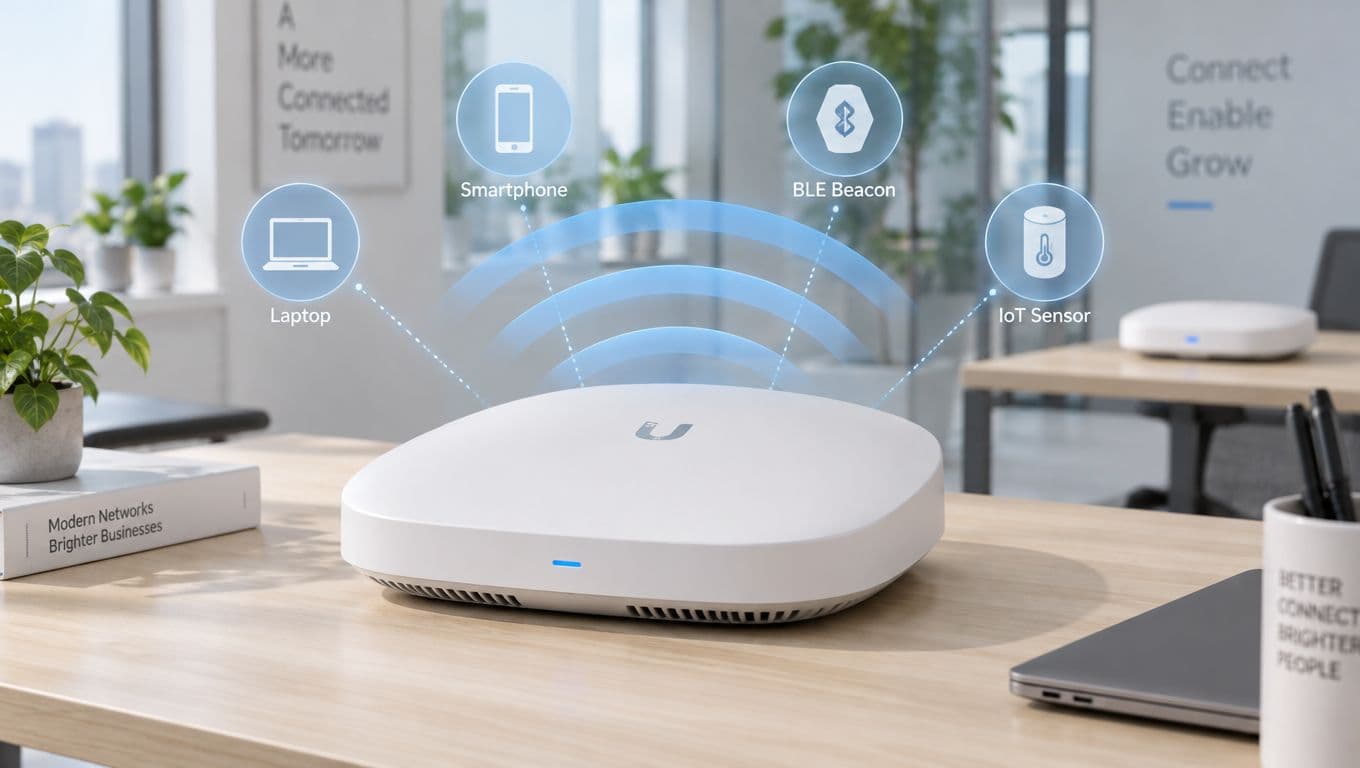
Picture a standard WiFi router. It's a bit like a bare lightbulb, casting light everywhere but getting dimmer the further away you get. An external WiFi antenna acts like a focused spotlight, gathering that signal and pointing it exactly where you need it, cutting through obstacles and distance.
Why External WiFi Antennas Are a Game-Changer
For many businesses, just using the built-in antennas on an access point (AP) is like trying to whisper across a noisy, crowded room. It might work in a small, quiet office, but it quickly falls short in more complex spaces like hotels, large retail centres, or warehouses. This is where a smart external antenna strategy becomes crucial.
Before we dive into the benefits, it's worth remembering the common WiFi challenges that plague so many venues. Physical objects are the biggest culprits. Materials like concrete, metal, and even specially treated glass can absorb or reflect WiFi signals, creating dead zones that kill productivity and frustrate customers.
Overcoming Physical and Distance Barriers
An external antenna gives you the power to place your signal source independent of the access point. Think about a hotel where the AP is stuck inside a concrete service closet. By connecting a cable from that AP to an antenna mounted out in the open hallway, you simply bypass the walls that would have blocked the signal.
This control over where your signal goes solves a host of real-world problems:
- Extending Coverage: Reach those tricky spots, like a hotel swimming pool, a restaurant's outdoor patio, or the far end of a stockroom.
- Penetrating Obstacles: Push a strong, reliable signal into rooms with thick walls or across different floors in an office block.
- Minimising Interference: By directing the signal precisely, you reduce interference from neighbouring WiFi networks, which boosts performance for everyone.
A Historical Perspective on Connectivity
The push for better WiFi range is nothing new. Here in the UK, the real drive for external antennas started around 2009 with the rollout of the IEEE 802.11n standard (Wi-Fi 4). This update was a big deal because it introduced MIMO technology, which uses multiple antennas to send more data at once.
Even so, Ofcom data from 2010 showed that while public hotspot coverage in cities hit 85%, it was a dismal 32% in rural areas. This gap pushed businesses to adopt external antennas, which could extend their range by up to 300% in challenging environments. You can read more about the evolution of WiFi standards and their impact and how we got here.
By focusing your WiFi signal, you move from a "hope for the best" approach to a deliberate, engineered network design. This precision is what turns a simple internet connection into a powerful tool for engagement and analytics.
Ultimately, a well-planned external antenna setup does far more than just fix dead spots. When you pair it with a platform like Purple, it becomes the foundation for collecting valuable first-party data, providing secure guest logins, and delivering the seamless digital experience that today's customers demand.
Choosing the Right Antenna for Your Space
Picking the right external antenna wifi solution isn’t about finding the one "best" model. It's about matching the right tool to the job. A master carpenter wouldn't use a sledgehammer for delicate woodwork, and a network admin needs to choose an antenna designed for a specific environment and coverage goal.
The decision really boils down to two different ways of broadcasting a signal. Do you need to cover a wide, general area, or send a strong, focused signal to a very specific spot? The answer will point you to the perfect antenna for your venue.
Omni-Directional Antennas: For Broad, General Coverage
Think of an omni-directional antenna like a bare light bulb in the middle of a room. It casts light everywhere, providing an even, 360-degree circle of coverage. This makes it the go-to choice for large, open indoor spaces where you need to serve users wherever they happen to be.
These antennas are the workhorses for all-purpose coverage. You'll often find them used in:
- Hotel Lobbies: To give guests a great connection the moment they walk through the door.
- Open-Plan Offices: Delivering consistent WiFi across a bustling, collaborative workspace.
- Retail Floors: Letting shoppers and staff connect from any aisle in the store.
- Conference Rooms: Ensuring every participant has a stable signal for their devices.
But this wide coverage comes with a trade-off. Because the signal is spread out in all directions, its reach in any single direction is limited. It's perfect for blanketing a defined area but isn't the right tool for connecting to a distant location.
Directional Antennas: The Precision Specialists
A directional antenna, on the other hand, acts more like a spotlight or a laser pointer. It takes the same amount of signal power from the access point and concentrates it into a narrow, powerful beam. This focused approach is all about precision and distance, making it the ideal solution for very specific, targeted applications.
There are a few common types of directional antennas, each built for different scenarios:
- Panel Antennas: These are a fantastic middle ground. They create a relatively wide beam (often 30-90 degrees) to cover a specific zone, like the outdoor seating area at a café or a section of a warehouse.
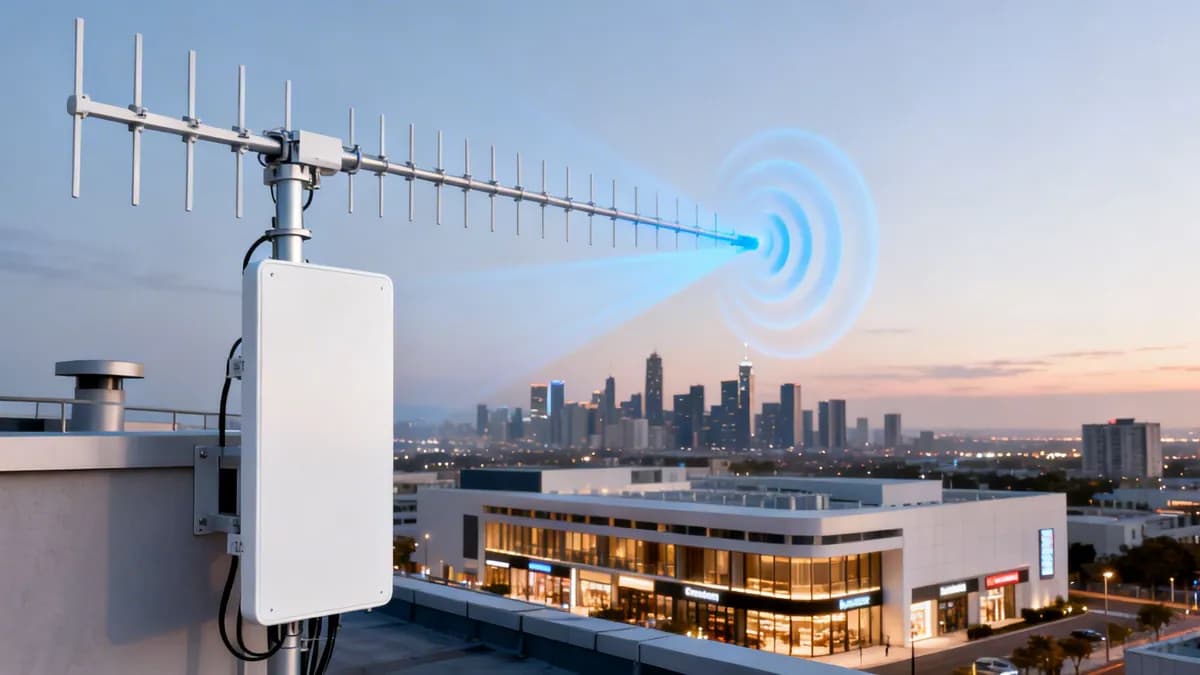
- Yagi Antennas: Known for their distinctive, fishbone-like shape, Yagi antennas produce a very narrow, high-gain beam. They absolutely excel at point-to-point links, like connecting two buildings across a car park.
- Sector Antennas: These are often used in groups of three or four to provide seamless 360-degree coverage over a very large outdoor area, like a music festival or a sprawling university campus where a single omni-directional antenna just wouldn't have the reach.
When you're trying to fix a bad connection, it can be tricky to know if the problem is distance or a physical object blocking the signal. This is a common troubleshooting crossroads.
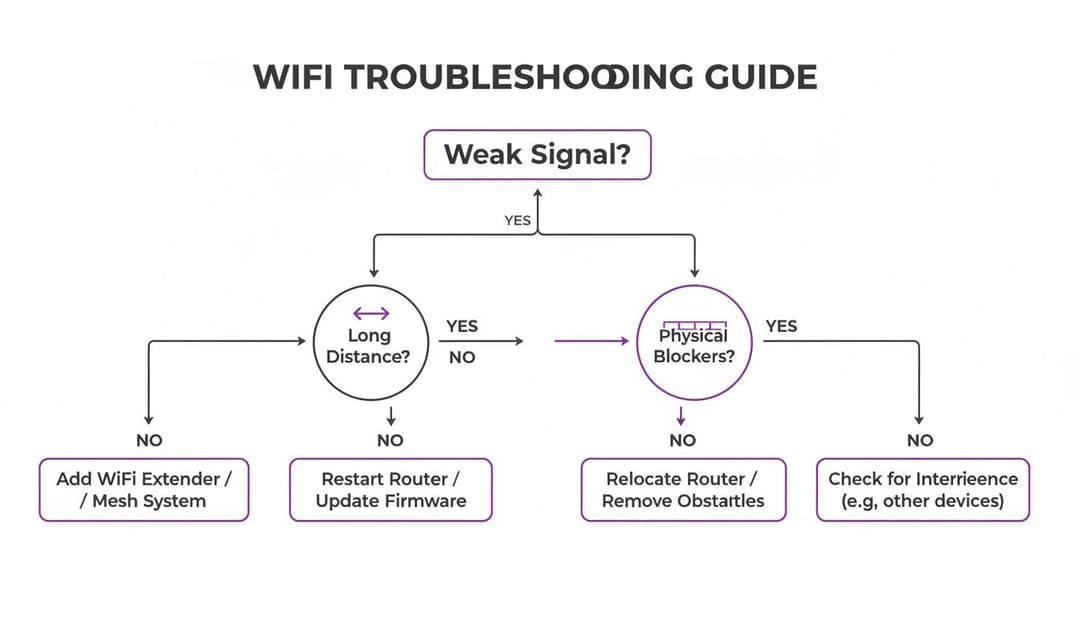
As the flowchart shows, if physical blockers like walls aren't the issue, distance is the next likely culprit. This is precisely where a directional antenna becomes the perfect solution.
Matching the Antenna to Your Business Needs
Understanding the difference between these antenna types is what lets you design a network that truly serves your business. It's not always an either/or choice; a smart deployment often uses a mix of both.
A hotel, for example, might use omni-directional antennas in its lobby and hallways for general access. At the same time, a directional panel antenna on the exterior wall could be aimed directly at the pool area, ensuring guests relaxing outside get the same fantastic connection as those indoors.
This hybrid approach ensures you're spending your money wisely, putting a strong signal exactly where it’s needed without wasting it on empty space.
If you're planning a deployment for an open-air venue, our guide to choosing an outdoor access point has even more tips for building robust outdoor networks.
Comparing External WiFi Antenna Types
To make the choice even clearer, here’s a quick comparison to help you match an antenna to your needs.
| Antenna Type | Best Use Case | Coverage Pattern | Typical Gain Range |
|---|---|---|---|
| Omni-Directional | Indoor open spaces (lobbies, offices) | 360-degree circle (doughnut) | 2-8 dBi |
| Panel | Zone coverage (patios, warehouses) | Wide, directional fan (cone) | 8-15 dBi |
| Yagi | Long-distance point-to-point links | Very narrow, focused beam | 12-20+ dBi |
| Sector | Large outdoor area coverage | Pie-slice segment (60-120°) | 10-17 dBi |
By analysing your venue's layout and figuring out where your customers and staff spend most of their time, you can select the perfect external antenna wifi hardware to build a reliable, high-performance network that just works.
Understanding the Technical Details That Matter
Picking the right type of external antenna is a great first step, but the job isn't done yet. The real difference between a high-performance network and one that causes endless frustration often comes down to the finer details. These are the elements - MIMO, connectors, and cabling - that make or break your design, ensuring the signal is as clean and powerful as possible from the access point all the way to the user.
Getting these details right is non-negotiable. After all, a powerful directional antenna is worthless if the signal fizzles out before it even leaves the cable, or if mismatched parts create a bottleneck. Let’s break down what you need to know to build an external antenna wifi system that performs exactly as you planned.
MIMO The Multi-Lane Superhighway for Your Data
Think of modern WiFi less like a single-lane country road and more like a multi-lane superhighway. Instead of sending data in one long, single-file line, it uses a technology called MIMO (Multiple Input, Multiple Output) to send multiple streams of data at the same time using multiple antennas.
For any enterprise environment, this brings two huge benefits:
- Increased Speed: Just as more lanes allow more cars to travel at once, multiple data streams give your network's total throughput a massive boost. This means faster downloads, smoother video calls, and a much more responsive experience for everyone.
- Greater Capacity: MIMO lets an access point talk to several devices at the same time without grinding to a halt. This is absolutely essential in high-density areas like conference rooms or busy retail floors where dozens of people are trying to get online.
For an external antenna setup, this means you'll often need a dedicated MIMO antenna - a single unit that cleverly houses multiple antennas inside. A 2x2 MIMO antenna has two internal antennas, while a 4x4 MIMO antenna has four. The key is to match your antenna's MIMO capability to your access point's to unlock its true potential.
Connectors The Critical Link in Your Signal Chain
That small metal connector joining your antenna to its cable might seem like an afterthought, but it's one of the most common spots for failure and signal loss. Using the wrong type, or even a poor-quality version of the right one, can seriously weaken your WiFi signal. It’s like trying to connect a garden hose to a fire hydrant with a leaky adapter - you're going to lose most of the pressure.
In the world of enterprise WiFi, you’ll typically run into a few standard types:
- N-Type: This is a larger, tough, and weatherproof connector. It's the go-to standard for high-performance outdoor antennas because it’s so durable and maintains excellent signal integrity.
- SMA (SubMiniature version A): A smaller, threaded connector you'll often find on indoor access points and smaller antennas.
- RP-SMA (Reverse Polarity SMA): This one looks almost identical to SMA, but the inner pin and receptacle are swapped. It's a crucial difference, as an SMA and an RP-SMA connector simply won't work together.
Always double-check the connector type on both your access point and your chosen external antenna. While adapters are available, they just add another potential point of signal loss. A direct, native connection is always the better choice for keeping your signal quality high.
Cabling The Unsung Hero of Signal Strength
Finally, let's talk about the cable that runs between your access point and the external antenna. This is absolutely not the place to cut corners. Every single metre of cable introduces a certain amount of signal loss, a phenomenon known as attenuation.
This loss is shaped by two main factors:
- Cable Length: The longer the cable, the more signal you lose. A 15-metre run of cheap, low-quality cable could easily cut your signal strength in half before it even gets to the antenna.
- Cable Quality: Higher-quality coaxial cables, often labelled as "low-loss" cables (like the LMR-400 series), are made with better shielding and materials specifically to preserve the signal over longer distances.
The rule of thumb here is simple: keep your cable runs as short as you possibly can and use the highest-quality, lowest-loss cable your budget allows. Bad cabling can completely undo all the benefits of a great high-gain antenna. You can learn more about optimising your network in our detailed guide to improving WiFi signal strength.
Installation Best Practices for Peak Performance
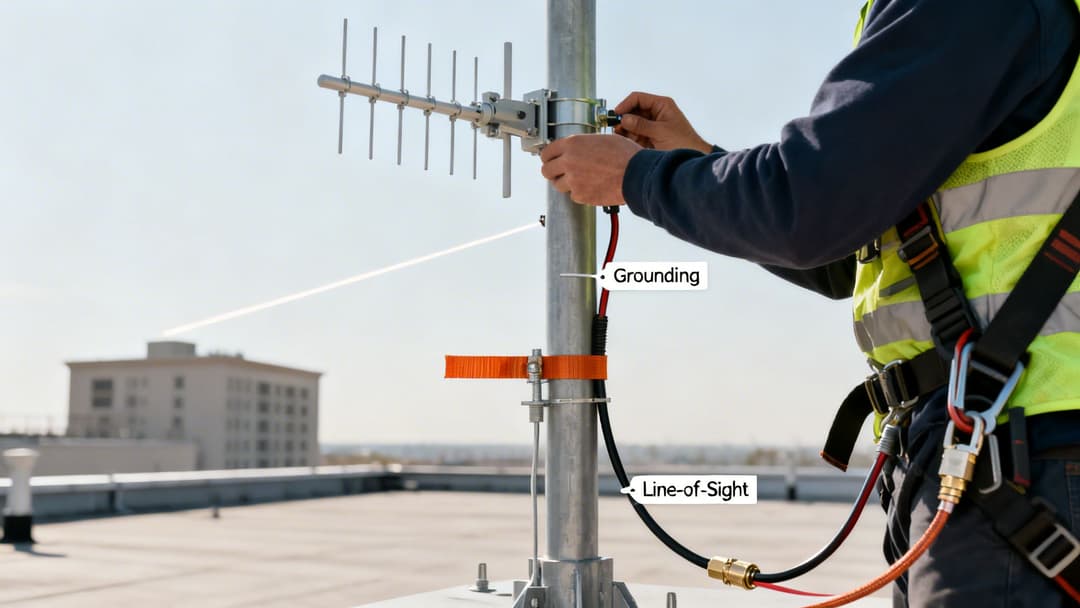
Investing in a premium external antenna is just the beginning. The real magic happens during installation - this is where potential transforms into powerful, real-world performance. A poorly mounted, misaligned, or unsafe antenna is simply a wasted investment, so treat the following steps as your essential guide to a secure, robust, and high-performing setup.
The first rule of antenna placement is all about achieving a clear line-of-sight. WiFi signals, particularly at higher frequencies like 5 GHz and 6 GHz, really struggle when they have to punch through physical objects. Things like trees, buildings, and even heavy rain can seriously degrade your signal quality.
Optimising Physical Mounting
Your main goal here is to get the antenna up and over any nearby obstructions. This usually means mounting it on a rooftop, a dedicated mast, or the highest point of an exterior wall. This simple act of gaining some height can make a dramatic difference in signal reach and reliability.
When you're positioning your external antenna wifi setup, keep these key factors in mind:
- Height: Higher is almost always better. It helps you clear local obstructions and reduces the noisy interference you get at ground level.
- Orientation: For directional antennas like Yagis or panels, precise aiming is everything. Being off by just a few degrees can cause a massive drop in signal strength at the other end.
- Separation: If you’re installing more than one antenna, give them enough space. This prevents them from interfering with each other and helps you get the full benefit of MIMO technology.
For the best results, it's also crucial to make sure your external WiFi antenna has a stable power source. If you're setting up in a mobile or off-grid location, looking at an RV inverter installation diagram can give you some great ideas for managing power systems effectively.
Once you think you've found the perfect spot, it's a smart move to do a quick test before you fasten everything down permanently. Running a wireless site survey or using a signal strength tool can confirm you've hit the sweet spot. To get an even better picture of your new coverage, you can find out more about using a heat map for WiFi and see exactly how your signal is being distributed.
Ensuring Safety and Regulatory Compliance
Properly securing your equipment isn’t just about performance; it’s about safety and staying on the right side of the law. Cutting corners here can lead to damaged hardware, network downtime, or even hefty fines.
First, grounding is non-negotiable, especially for any antenna mounted outdoors or on a roof. A direct lightning strike or even static build-up can send a huge electrical surge down your cable, frying not just the antenna but also your access point and other connected network gear.
Think of a lightning arrester as cheap insurance. Installed in-line with your coaxial cable and connected to a proper earthing rod, it acts as a safety valve. It diverts dangerous electrical currents safely into the ground before they can ever reach your expensive electronics.
Finally, you have to operate within the legal power limits set by the UK's regulatory body, Ofcom. The key metric to watch is Effective Isotropic Radiated Power (EIRP), which is the total power your antenna actually radiates. You calculate it by taking the access point's output power, adding the antenna's gain (in dBi), and then subtracting any signal loss from the cabling.
Pushing past the legal EIRP limits can interfere with other wireless services and may result in significant fines. Always double-check the latest Ofcom guidelines and configure your access point’s transmit power to ensure your entire external antenna wifi system stays fully compliant.
External Antenna WiFi in Action
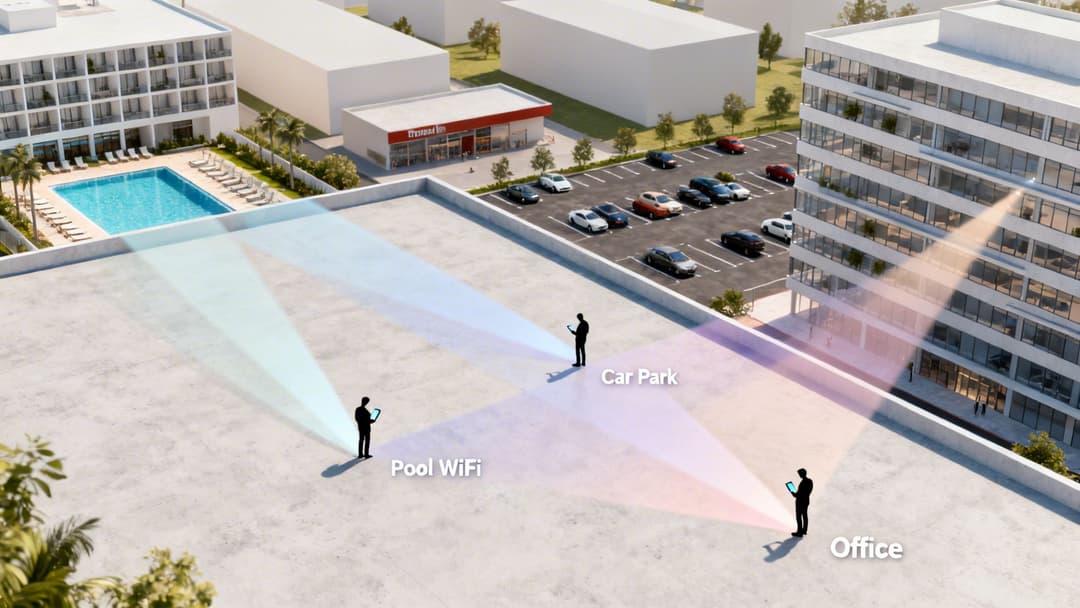
It’s one thing to get your head around the different antenna types and all the technical specs. It’s another thing entirely to see how they deliver real, tangible value to a business. A smart external antenna wifi strategy isn’t just about making a signal bar go up; it’s about shaping that signal to create fantastic user experiences and unlock new ways of operating.
Let's move past the theory and look at how these concepts solve real-world problems in demanding commercial environments. Each of these scenarios shows how the right antenna, put in the right place, delivers a measurable return - whether that's through happier guests, new data insights, or rock-solid security.
Hospitality: A Five-Star Connection
Imagine a large, upmarket hotel. The entire guest experience hinges on flawless service, and these days, that absolutely includes the WiFi. But with a mix of concrete walls, sprawling open areas, and outdoor amenities, getting perfect coverage is a complex puzzle. A one-size-fits-all approach just won't cut it.
A well-designed external antenna wifi deployment uses a blend of tools for the job:
- Lobby and Conference Halls: Here, omni-directional antennas mounted discreetly on ceilings are perfect. They provide broad, even coverage across these high-traffic zones, ensuring guests and event attendees get a solid connection the moment they walk in.
- Poolside and Outdoor Dining: For these key outdoor spots, a directional panel antenna mounted on the building's exterior is the answer. It can be aimed precisely to create a powerful signal bubble, preventing the frustrating drop-offs that so often happen just a few steps outside.
This targeted approach guarantees a premium connection everywhere that matters. When you pair this with Purple's secure authentication, guests get a single, seamless login that remembers them on future visits, elevating their entire stay from good to great.
Retail: Unlocking Car Park Analytics
For a big shopping complex, the customer journey starts the second they pull into the car park. Providing great WiFi coverage across this often-neglected space isn't just a nice-to-have; it's a huge data collection opportunity. The challenge, of course, is bathing a huge, open area in a strong, reliable signal.
This is where sector antennas truly shine. By mounting a cluster of sector antennas on a single tall pole, a retail centre can blanket the entire car park with 360-degree coverage. Each antenna acts like a slice of a pie, covering a specific segment of the area to ensure there are no dead zones.
With this blanket coverage in place, the shopping centre can use Purple's analytics to understand footfall patterns before customers even step inside. You can see which entrances are busiest and at what times, helping to optimise staffing rotas and marketing promotions. Suddenly, a simple car park becomes a rich source of business intelligence.
Multi-Tenant Buildings: Secure and Simple Connectivity
Now, think about a multi-tenant office building or a modern build-to-rent (BTR) apartment complex. Every business or resident needs their own secure, private network, completely walled off from their neighbours. This requires more than just good signal strength; it demands a robust security architecture, and an external antenna strategy is a key piece of the puzzle.
In this scenario, a network administrator can deploy antennas to serve specific floors or zones. Directional antennas can be used to focus signals into particular office suites, minimising the signal bleed and interference that can cause issues between tenants.
This physical signal shaping goes hand-in-hand with Purple’s security features. Using solutions like iPSK, each tenant gets their own private network password, all running securely over the shared infrastructure. Staff can even use their existing company logins (like Entra ID or Google Workspace) for zero-trust access, all managed from one central dashboard. It delivers the simplicity of a home network with the security of an enterprise-grade solution.
Public Transport: Keeping a City Connected
The impact of a well-planned external antenna deployment is perhaps most visible in public transport. A great example is the Transport for London (TfL) project that started back in 2014 to bring reliable WiFi to the Underground. By 2018, the initiative had achieved 92% coverage across 272 stations, serving over a billion passengers a year.
Before the upgrade, rush-hour signal drop rates were hitting 38% due to concrete interference. By installing high-gain external models, they boosted throughput by a massive 250%. These results, covered in these public connectivity insights, show just how vital the right antenna is for large-scale public infrastructure.
Your Common Questions About External WiFi Antennas
Alright, you've got the basics down. You know the difference between a Yagi and an omni-directional antenna, and you understand what gain is supposed to do. But now the real-world questions start popping up - the practical details that can make or break a deployment.
Let's walk through the questions we hear most often from IT managers and network engineers. Getting these right is the final check before you commit, helping you dodge common pitfalls and ensuring your new hardware delivers the performance you're paying for.
Can I Use Any External Antenna With My Access Point?
It's a tempting thought, but assuming any antenna will work with any access point (AP) is a frequent and costly mistake. Compatibility is everything. First and foremost, the antenna and your AP must speak the same language - that is, they need to support the same frequency bands.
If your AP is broadcasting on 2.4 GHz and 5 GHz, your antenna must be rated for both. Connecting a 6 GHz Wi-Fi 6E antenna to an older AP will lead to abysmal performance, or more likely, no connection at all.
Just as critical are the physical connectors. You need a perfect match, whether it's N-Type, SMA, or RP-SMA. While you can find adaptors to join mismatched connectors, think of them as a last resort.
Every adaptor you add to the line introduces another point of signal loss. It's a small but cumulative tax on your signal strength. Always check the spec sheets for both your AP and antenna to ensure direct compatibility from the start.
How Much Signal Boost Will I Actually Get?
The "boost" you're looking for is more accurately called gain, measured in dBi (decibels relative to an isotropic radiator). It's easy to think a higher dBi number is always better, but the reality is more nuanced. The real-world effect comes from matching the antenna's radiation pattern to your coverage needs.
Think of it like this:
- An omni-directional antenna with 5 dBi of gain is like a lantern. It spreads light evenly in all directions but doesn't reach very far, making it perfect for an open, central room.
- A highly directional Yagi antenna with 15 dBi of gain is like a laser beam. It can travel a huge distance, but you have to aim it with precision.
The effective boost isn't just about a bigger number. It's about choosing the right tool for the job to put the signal exactly where your users are, without wasting it on empty space or solid walls.
Does a Longer Cable Reduce My WiFi Signal?
Yes, absolutely. This is one of the most underestimated gremlins in any external antenna installation. Every cable causes signal loss, a process known as attenuation. This loss stacks up with every metre of cable, and the problem is much worse with cheaper, lower-quality products.
For example, a 15-metre run of a low-grade coaxial cable could easily slash your signal power in half before it even gets to the antenna. In that scenario, all the gain you hoped for from your powerful new antenna is wiped out by the wire connecting it.
To combat this, just follow two simple rules:
- Keep the cable run as short as physically possible between the access point and the antenna.
- Invest in high-quality, low-loss coaxial cable, like the LMR-400 series or an equivalent.
This ensures that the maximum power from your AP actually makes it to the antenna, ready for broadcast. Ignoring cable quality is like buying a performance car and fitting it with bicycle tyres; you'll simply never get the performance you paid for.
Ready to transform your venue’s connectivity with a secure, passwordless solution? Purple works with your existing network hardware to deliver seamless authentication for guests and staff, turning your WiFi into a powerful tool for analytics and engagement. Explore how Purple can enhance your network.