

बिना पासवर्ड के सुरक्षित स्टाफ WiFi
स्टाफ अपने मौजूदा कॉर्पोरेट क्रेडेंशियल्स के साथ एक बार लॉग इन करते हैं। उसके बाद उनके डिवाइस स्वचालित रूप से कनेक्ट हो जाते हैं। जब वे कंपनी छोड़ते हैं, तो एक्सेस बंद हो जाता है। Purple के Identity-Based Networks का उपयोग करके सुरक्षित और सरल।


दुनिया भर के वेन्यू द्वारा विश्वसनीय
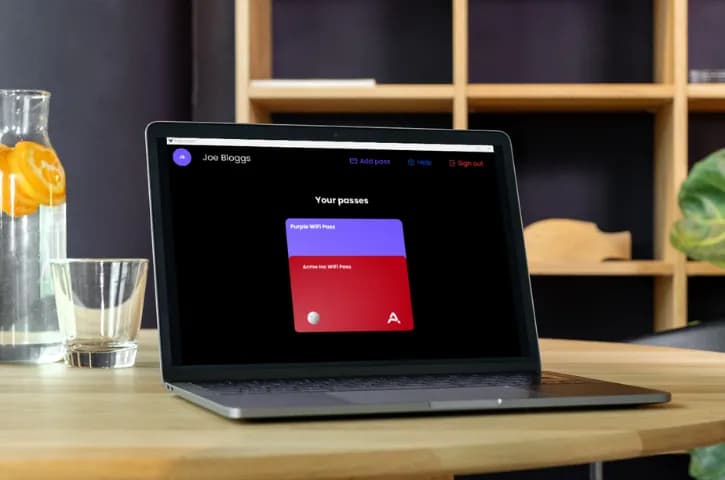
WiFi के लिए ऑथेंटिकेटर ऐप
अधिकांश स्टाफ WiFi नेटवर्क एक साझा पासवर्ड पर चलते हैं। व्हाइटबोर्ड पर लिखे गए, Slack चैनलों में साझा किए गए, और लोगों के जाने पर कभी नहीं बदले गए।
Purple आपको बिना किसी परेशानी के उचित एंटरप्राइज सुरक्षा देता है। स्टाफ अपने मौजूदा Microsoft, Google, या Okta क्रेडेंशियल्स के साथ हमारे Purple ऑथेंटिकेटर ऐप में लॉग इन करते हैं, और स्वचालित रूप से ऑनलाइन हो जाते हैं। बस हो गया।
- WPA2/3-Enterprise एन्क्रिप्शन
- Entra ID, Google Workspace, Okta के साथ काम करता है
- स्टाफ के जाने पर एक्सेस स्वचालित रूप से हटा दिया जाता है
- कोई भी नेटवर्क हार्डवेयर (Cisco, Aruba, Meraki, Ruckus, Ubiquiti)

उचित सुरक्षा, दिखावटी सुरक्षा नहीं🔒
प्रत्येक उपयोगकर्ता को अपनी स्वयं की एन्क्रिप्शन कुंजियाँ मिलती हैं। एक ही एक्सेस पॉइंट पर भी, उपयोगकर्ता एक-दूसरे के ट्रैफ़िक को नहीं देख सकते। जब किसी को आपकी डायरेक्टरी से हटा दिया जाता है, तो उनका WiFi एक्सेस कुछ ही मिनटों में बंद हो जाता है। न कोई टिकट जनरेट करना, न कोई पासवर्ड बदलना।
प्रत्येक कनेक्शन लॉग किया जाता है: किसने कनेक्ट किया, कब, किस डिवाइस से, किस स्थान पर। जब ऑडिटर्स पूछेंगे, तो आपके पास जवाब होंगे।
- प्रति उपयोगकर्ता विशिष्ट सेशन कुंजियाँ
- SCIM के माध्यम से स्वचालित रूप से एक्सेस हटाना
- पूर्ण ऑडिट ट्रेल
- ISO 27001 प्रमाणित
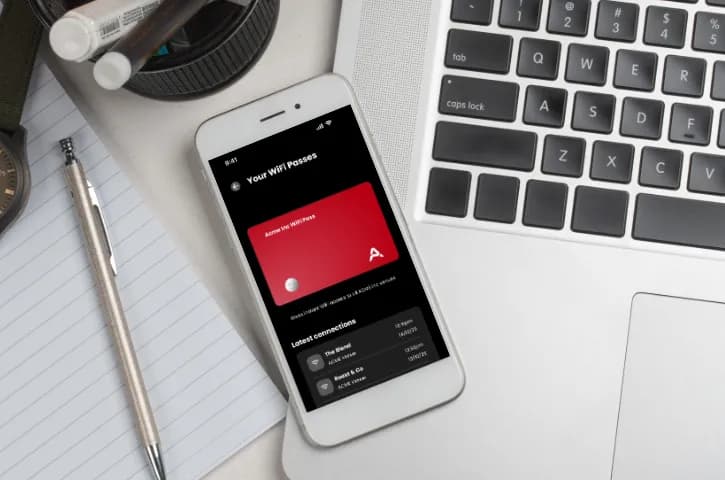
कनेक्ट होने में 60 सेकंड ⏰
स्टाफ Purple ऐप डाउनलोड करते हैं, "Microsoft के साथ साइन इन करें" (या Google, या Okta) पर टैप करते हैं, और अपना WiFi पास इंस्टॉल करने के लिए टैप करते हैं। बस इतना ही। Windows, macOS, Linux, iOS, Android पर काम करता है।
अब फोन पर लोगों को WiFi सेटिंग्स समझाने की जरूरत नहीं। अब कोई पासवर्ड रीसेट नहीं। IT टीमें जो Purple का उपयोग करती हैं, वे आमतौर पर WiFi समस्याओं के लिए सपोर्ट टिकटों में 80% की गिरावट देखती हैं।
- SSO लॉगिन (कोई नया क्रेडेंशियल नहीं)
- एक-टैप प्रोफ़ाइल इंस्टॉलेशन
- स्वचालित कनेक्शन (बार-बार लॉगिन की आवश्यकता नहीं)
- आपके सभी स्थानों पर काम करता है

80,000+ स्थानों पर संचालित। आपका सिस्टम इसे प्रभावित नहीं करेगा।
Purple का ऑथेंटिकेशन इंफ्रास्ट्रक्चर एक दशक से अधिक समय से चल रहा है। एयरपोर्ट, बैंक, रिटेलर्स, विश्वविद्यालय। पिछले साल 440 मिलियन लॉगिन। आपको किसी ऑन-प्रिमाइसेस सर्वर के रखरखाव की आवश्यकता नहीं है। बस अपने एक्सेस पॉइंट्स को हमारे RADIUS पर इंगित करें और काम हो गया।
- 80,000+ स्थान लाइव
- 400M+ लॉगिन
- 99.999% अपटाइम
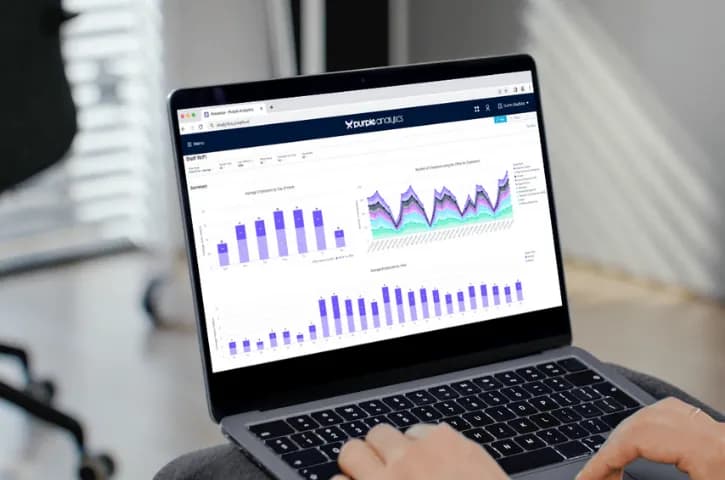
देखें कि वास्तव में ऑफिस में कौन है
देखें कि वास्तव में ऑफिस में कौन है। WiFi डेटा आपको बताता है कि कौन से दिन व्यस्त हैं, कौन सी मंजिलें खाली हैं, और क्या आपकी हाइब्रिड वर्किंग पॉलिसी वास्तव में काम कर रही है। डेटा को अपनी फैसिलिटी टीम को एक्सपोर्ट करें या इसे अपने मौजूदा डैशबोर्ड में प्लग करें।
- दिन/घंटे/विभाग के अनुसार ऑक्यूपेंसी
- हाइब्रिड वर्क पैटर्न विश्लेषण
- बिल्डिंग यूटिलाइजेशन रिपोर्ट
- एक्सपोर्ट करने योग्य डेटा
How Purple Staff WiFi works
One identity. One pass. Every device, every site. Here is the path from sign-in to the moment access stops.
Authenticate
Staff open the Purple app and sign in with the account they already have - Microsoft Entra ID, Okta, or Google Workspace. No new password to set or remember.
Generate a WiFi pass
Purple issues a unique, certificate-based WiFi pass to the device - as simple as adding a card to a mobile wallet.
Get online
The device authenticates over WPA2/3-Enterprise with 802.1X. Each user gets their own encryption keys, so no one on the network can read anyone else’s traffic.
Stay connected
Devices reconnect on their own across every site, on Windows, macOS, Linux, iOS, and Android. No repeated logins, no captive portals to fill in.
Auto-revocation
Disable someone in your directory and Purple drops their WiFi within minutes over SCIM. No estate-wide password to rotate, no ticket to raise.
No on-site RADIUS to run. Purple operates the cloud RADIUS that replaces FreeRADIUS and Windows NPS, with multi-region failover and a 99.999% uptime SLA. Every authentication is logged with user, device, time, and location, so your audit trail writes itself. Read the full architecture in the enterprise WiFi security guide.

मुख्यालय
आपके मुख्य कार्यालय को सबसे कड़ी सुरक्षा की आवश्यकता है। कर्मचारी SSO के माध्यम से ऑथेंटिकेट करते हैं और उनकी भूमिका के आधार पर उन्हें सही VLAN सौंपा जाता है। कॉन्ट्रैक्टर्स को समय-सीमित एक्सेस मिलता है जो स्वचालित रूप से समाप्त हो जाता है।
- भूमिका-आधारित VLAN असाइनमेंट
- कॉन्ट्रैक्टर एक्सेस मैनेजमेंट
- पूर्ण ऑडिट ट्रेल
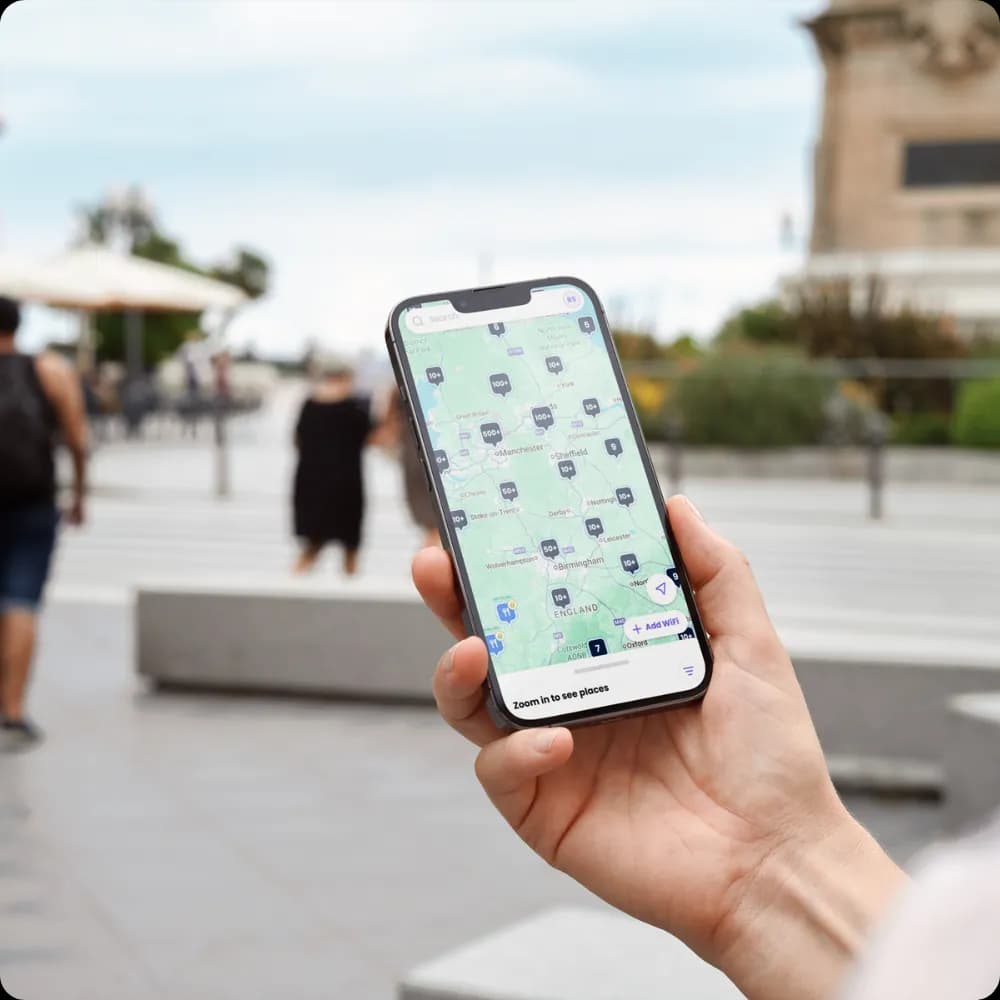
शाखा कार्यालय
बिना हार्डवेयर भेजे हर स्थान पर एक समान सुरक्षा लागू करें। स्टाफ प्रोफाइल हर जगह काम करते हैं। जब कोई दूसरे कार्यालय में जाता है, तो वे स्वचालित रूप से कनेक्ट हो जाते हैं।
- केंद्रीकृत पॉलिसी मैनेजमेंट
- कोई ऑन-साइट RADIUS सर्वर नहीं
- हर जगह एक समान अनुभव

हाइब्रिड वर्कर्स
जब कर्मचारी क्लाइंट साइटों या को-वर्किंग स्पेस से काम करते हैं जो Purple का उपयोग करते हैं, तो उनका डिवाइस स्वचालित रूप से कनेक्ट हो जाता है। पासवर्ड खोजने की कोई ज़रूरत नहीं। Captive Portal फॉर्म भरने की कोई ज़रूरत नहीं।
- OpenRoaming सपोर्ट
- पार्टनर साइटों पर स्वचालित कनेक्शन
- हर जगह एक जैसी सुरक्षा
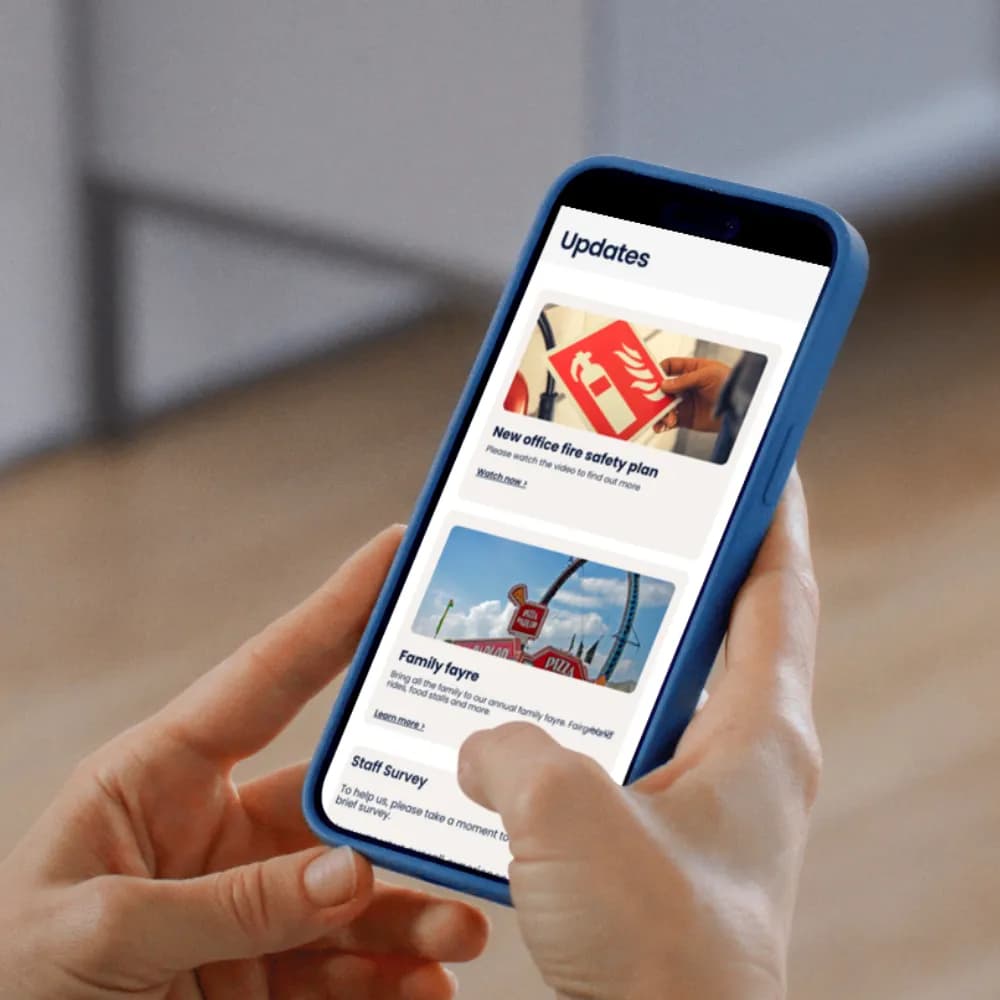
कर्मचारी जुड़ाव
Purple ऐप आपके स्टाफ WiFi नेटवर्क को साधारण कनेक्टिविटी से एक शक्तिशाली टू-वे कम्युनिकेशन प्लेटफॉर्म में बदल देता है। कर्मचारियों के स्थापित कनेक्शन पॉइंट का लाभ उठाकर उनसे सीधे जुड़ें।
- रीयल-टाइम सेंटिमेंट और अनाम प्रतिक्रियाओं के लिए सर्वे का उपयोग करके फीडबैक प्राप्त करें
- भूमिका, स्थान या समय के आधार पर कस्टम कंटेंट डिलीवर करें
- कर्मचारियों को तुरंत विशिष्ट आंतरिक संसाधनों या ट्रेनिंग पोर्टल्स पर निर्देशित करें
Add Shield to cut bandwidth and distractions
Staff WiFi keeps your people connected. Shield keeps the connection clean. It filters at the DNS layer, so there’s no extra hardware to buy and no firewall to change, and it rolls out across your whole estate in minutes.
Reclaim your bandwidth
Shield strips ads, trackers, and bloatware before they load, and can throttle high-bandwidth streaming during busy periods. Pages pull up to 44% less data and fire 62% fewer DNS queries, leaving headroom for the traffic that runs your business.
Remove the distractions
Ad and tracker blocking means staff pages load up to 53% faster and arrive clean. Set policies by site, department, or time of day to keep people focused and keep content you don’t want off a work network.
एंटरप्राइज स्टाफ WiFi के लिए आपकी ज़रूरत की हर चीज़




The Staff WiFi Standard for IT Leaders
A practical benchmark for evaluating, deploying, and managing enterprise staff WiFi - written for IT decision makers.
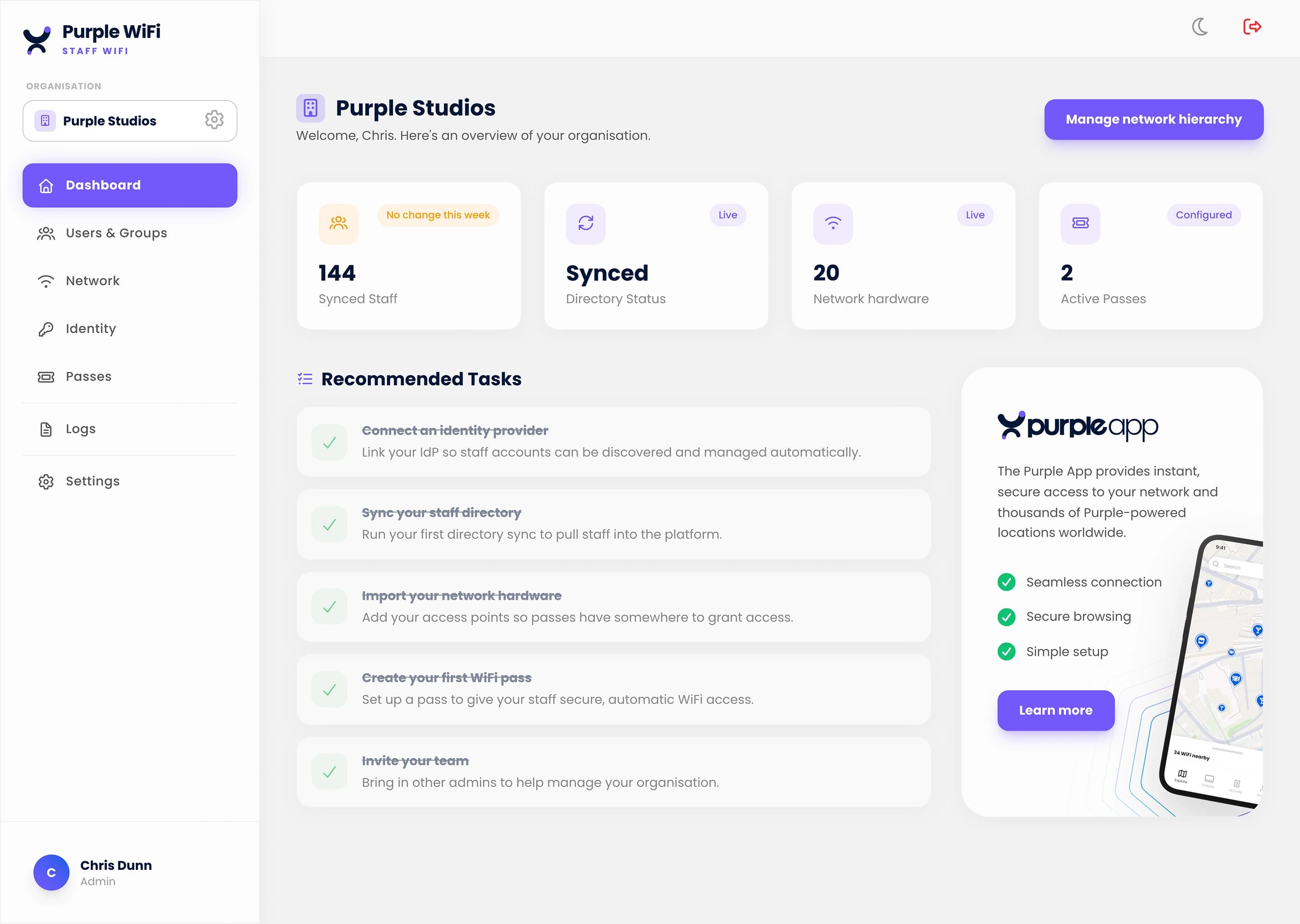
क्या आप इसे काम करते हुए देखना चाहते हैं?
हम आपको दिखाएंगे कि यह आपके आइडेंटिटी प्रोवाइडर से कैसे जुड़ता है, स्टाफ का अनुभव कैसा होता है, और डिप्लॉयमेंट में क्या शामिल है।
Staff WiFi for your industry
See how staff wifi works in venues like yours, and how Purple compares to alternatives.
Explore the authentication stack
RADIUS-as-a-Service
Cloud RADIUS for WPA2/3-Enterprise — EAP-TLS, PEAP, iPSK. No on-prem server, multi-region failover.
WPA2 & WPA3-Enterprise
Secure WiFi with 802.1X on your existing access points. Identity-provider integration, managed certificates.
Passwordless WiFi
EAP-TLS, iPSK, Passpoint, and SAML/SSO. Replace shared passwords with identity-based credentials.
Frequently Asked Questions
What is staff WiFi and how is it different from guest WiFi?
Staff WiFi is an employee-only wireless network authenticated per-user, isolated from the guest and payment networks. Where guest WiFi optimises for low-friction sign-up, staff WiFi optimises for identity — each employee authenticates with their own credential (certificate, password, or iPSK) via 802.1X against a RADIUS server, and their access can be revoked the moment they leave the company without touching anyone else on the network.
What authentication does Purple staff WiFi use?
WPA2-Enterprise or WPA3-Enterprise with 802.1X. The standard options are EAP-TLS (certificate-based, the gold standard for managed laptops), PEAP (username + password for legacy devices), and iPSK (unique per-device pre-shared key for BYOD and IoT). Authentication runs against your identity provider — Microsoft Entra ID, Okta, Google Workspace, or any SAML 2.0 IdP.
Do I need my own RADIUS server?
No. Purple operates the RADIUS server as a cloud service - RADIUS-as-a-Service - with multi-region failover and a 99.999% uptime SLA. Your access points point at Purple, Purple validates credentials against your identity provider, and no one in your team operates RADIUS infrastructure. If you already run FreeRADIUS, NPS, or Cisco ISE, migration is a weekend exercise.
How does Purple staff WiFi integrate with Entra ID, Okta, or Google Workspace?
Directly via SAML and SCIM. When an employee is added to the IdP, their WiFi access is provisioned automatically; when they leave, access is revoked at the same moment their email is revoked. Group membership in the IdP drives VLAN policy — marketing, engineering, and contractors can each land on their own network segment without manual configuration.
Does Purple support employee WiFi for BYOD and IoT devices?
Yes. BYOD onboarding uses certificate enrolment via an MDM (Intune, Jamf, Kandji, Hexnode) for managed devices, or a self-service portal for unmanaged phones and tablets. IoT devices — printers, access controllers, smart lighting — typically use iPSK (Identity PSK) on a dedicated SSID so each device has a unique key you can revoke without affecting others.
Can I revoke one employee's WiFi access without disrupting others?
Yes, instantly. Because staff WiFi is per-user, disabling the employee in your identity provider revokes their WiFi access at the next authentication attempt. Compare this to a shared WiFi password, where one departing employee forces a company-wide password rotation. This is the single biggest operational reason to move from WPA-Personal to WPA-Enterprise.
Does Purple staff WiFi work with my existing access points?
Yes. Purple runs on any enterprise-grade access point that speaks RADIUS — Cisco Meraki, Cisco Catalyst, Aruba, Ruckus, Juniper Mist, Ubiquiti UniFi, Cambium, Extreme, Fortinet FortiAP, and more. You do not replace hardware; you reconfigure SSIDs to authenticate via Purple.
How does staff WiFi handle Conditional Access and Zero Trust?
Purple respects Conditional Access policies from Entra ID — a device that fails compliance checks is not admitted to the network. For broader Zero Trust postures, Purple emits every authentication event to SIEM (Microsoft Sentinel, Splunk, Elastic, Datadog) via webhook or syslog, so network access becomes a signal in your broader security analytics.