


如何防止員工分享 WiFi 密碼?
將共享密碼替換為每位使用者專屬的憑證。Purple 透過 WPA2 或 WPA3-Enterprise 與 802.1X 向每台裝置核發憑證,並透過雲端 RADIUS 進行驗證。身分識別整合自 Microsoft Entra ID、Okta 或 Google Workspace,因此當員工離職時,SCIM 會在停用其電子郵件的同時,一併撤銷其 WiFi 存取權限。無需更換硬體。
觀看 Purple Staff WiFi 實際運作
簡短的流程演示:從員工登入,到他們離開時立即中斷存取權限。
單一身分。單一通行證。適用於所有裝置與所有據點。
從登入到停止存取的完整流程,就如同將通行證加入行動錢包一樣簡單。
驗證
員工開啟 Purple App 並使用現有帳戶(Microsoft Entra ID、Okta 或 Google Workspace)登入。無需設定或記住新密碼。
產生 WiFi 通行證
Purple 會向裝置發行專屬的憑證式 WiFi 通行證,就如同將卡片加入行動錢包一樣簡單。
開始上網
裝置透過 WPA2/3-Enterprise 與 802.1X 進行驗證。每位使用者皆擁有獨立的加密金鑰,因此網路上的任何人都無法讀取他人的流量。
保持連線
裝置會在各個據點自動重新連線,支援 Windows、macOS、Linux、iOS 和 Android。無需重複登入,也無需填寫強制入口。
在單一平台管理所有據點的員工 WiFi
連接您的目錄、即時監控網路使用者並驗證每次連線,完全無需接觸 RADIUS 設備。
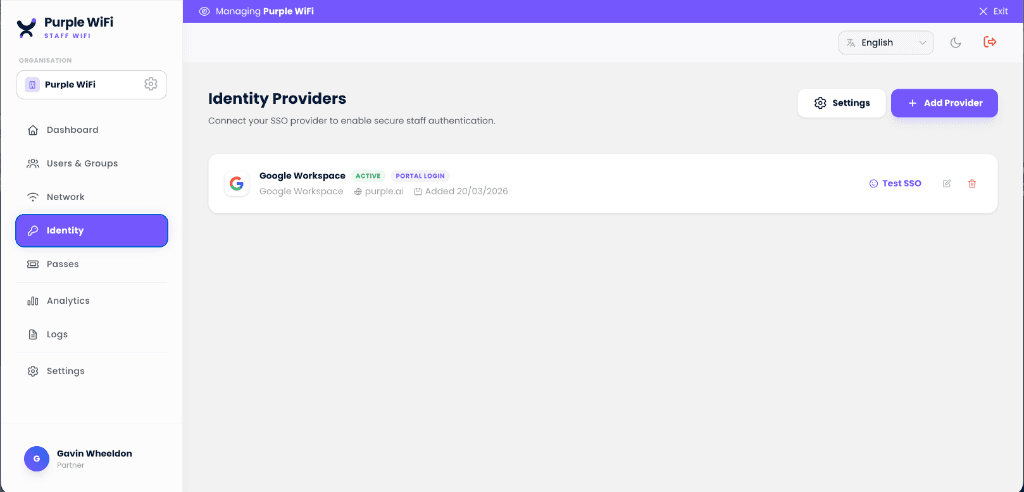
在幾分鐘內連接您的身分識別提供者
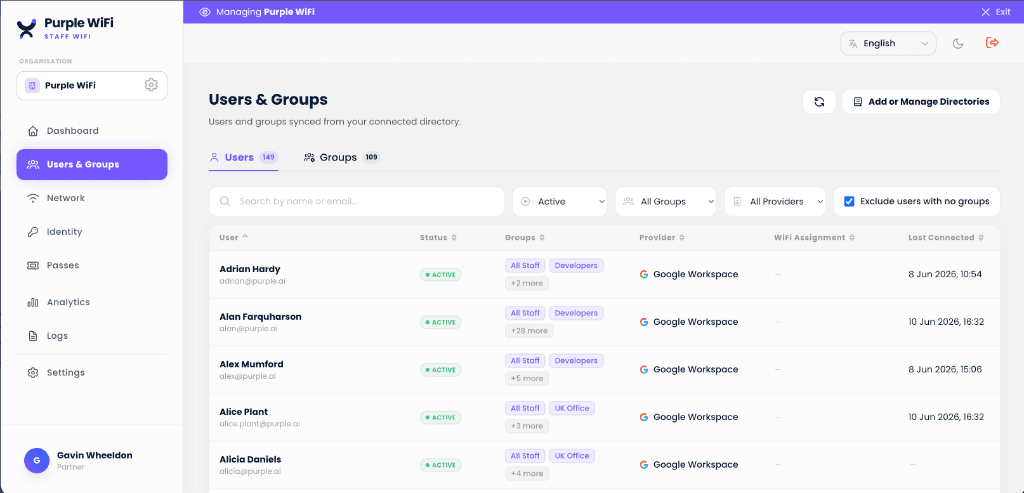
員工使用現有帳戶進行驗證。群組成員身分決定 VLAN 策略,SCIM 則會在人員入職、異動和離職時自動配置和撤銷存取權限。

掌握並驗證每次連線
即時使用者目錄顯示誰可以存取網路以及他們如何進行驗證。每個工作階段都會記錄使用者、裝置、時間和位置以符合合規性,且相同的空間佔用數據有助於收回高達 35% 的未利用辦公空間。
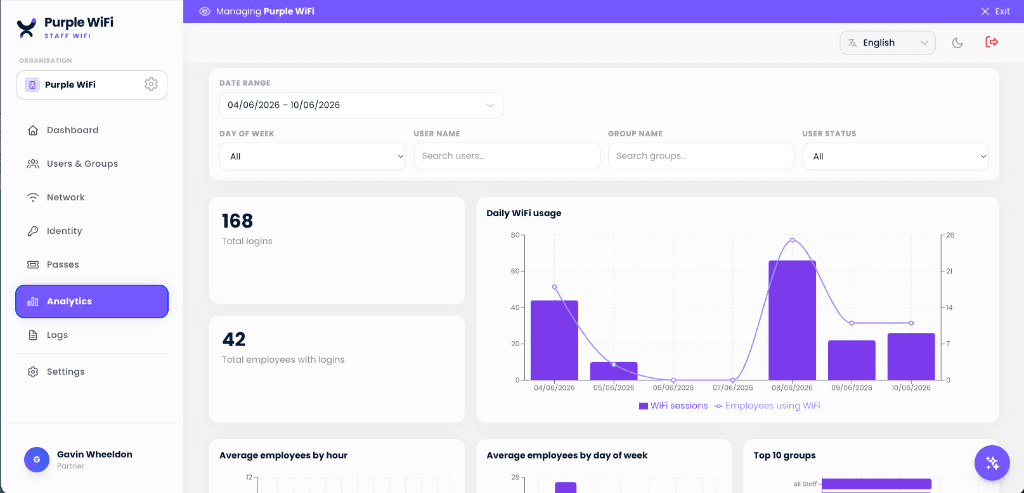
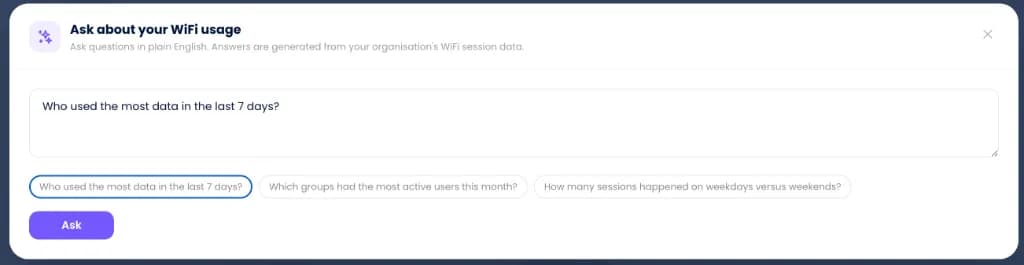
以簡明英文查詢您的 WiFi 數據
使用自然語言查詢作用中的工作階段、頻寬峰值或合規歷史記錄。系統會根據您的網路工作階段數據立即生成解答,讓深度稽核變得像提問一樣簡單。
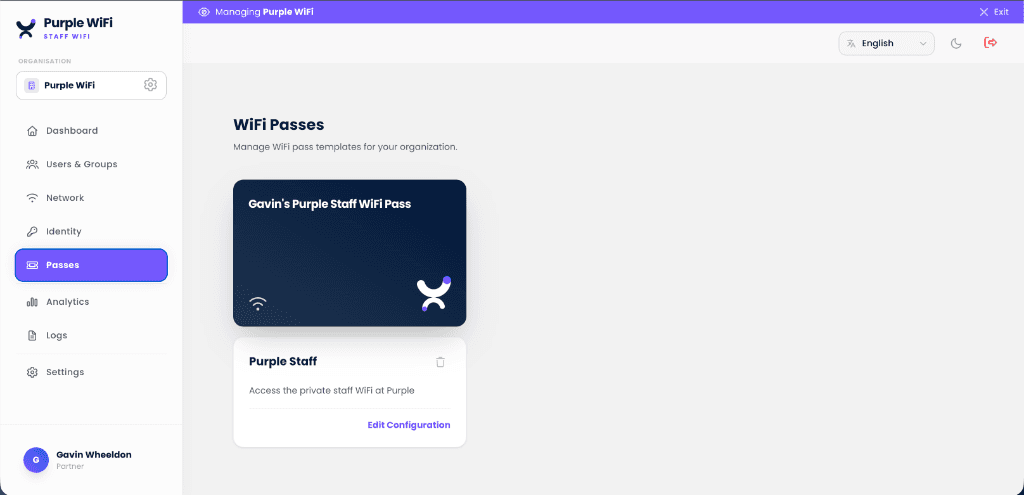
一次設計 WiFi 通行證,隨處發行
為您的組織建立品牌專屬的通行證範本,每位員工即可在裝置上獲得專屬、不可分享且基於憑證的通行證。隨時撤銷任何一張通行證,無需輪替共用密碼。
加入 Shield 以節省頻寬並減少干擾
員工 WiFi 讓您的團隊保持連線。Shield 則能保持連線乾淨安全。它在 DNS 層進行篩選,因此無需購買額外硬體,也無需變更防火牆,並可在數分鐘內部署至您的整個場域。
探索 Shield
透過您現有的 MDM 實現零接觸註冊
Purple 發行憑證,您的 MDM 負責分發。透過 SCEP 或 PKCS 將 802.1X 設定檔和 EAP-TLS 憑證推送到受管裝置,讓員工無需輸入任何內容即可加入網路,且 IT 無需接觸終端裝置。

Microsoft Intune
Windows, macOS, iOS, Android
從您已用於原則管理的控制台,透過 SCEP 或 PKCS 部署基於憑證的 WiFi 設定檔。合規狀態會傳送至條件式存取,因此未通過規則的裝置會在驗證時被拒絕,而非在連線後。

Jamf Pro
macOS, iOS, iPadOS
透過 Jamf 的 SCEP 代理伺服器,將 802.1X 組態設定檔和憑證分發到 Apple 硬體。透過 Automated Device Enrolment 註冊的裝置在進入網路時即已獲得信任,無需使用者提示,也無需流傳共用密碼。

JumpCloud
macOS, Windows, Linux
使用 JumpCloud 進行裝置管理和狀態評估,同時由 Purple 運行 RADIUS 層。憑證由管理該裝置的同一個目錄身分發行,因此原則變更會同時套用到終端裝置及其網路存取。
正在運行 Kandji、Hexnode、Workspace ONE 或其他 UEM?任何能夠傳送 SCEP 或 PKCS 承載資料的平台,都能以相同的方式註冊裝置。
規劃您的 MDM 部署Microsoft and Intune are trademarks of the Microsoft group of companies. Jamf and Jamf Pro are trademarks of JAMF Software, LLC. JumpCloud is a trademark of JumpCloud Inc. All are used with permission; this page is not endorsed by or affiliated with them.
適合每個人與裝置的正確接入方式
SSID 是驗證邊界,而非網路隔離邊界。證明身分的方式只有三種,因此您只需要三個網路,其餘一切交由 VLAN 處理。
1. 適用於未受信任的訪客
帶有強制入口的開放式訪客網路
任何配備瀏覽器的裝置皆可連線,即使是您從未見過的手機也沒問題。登入時會在隔離的 VLAN 上收集符合 GDPR 規範且經使用者同意的數據。這就是 Purple Guest WiFi。
2. 適用於擁有應用程式或設定檔的使用者
結合憑證型 802.1X 的 Passpoint
員工只需在 Purple App 中登入一次,即可獲得憑證型通行證。此後,他們的裝置在進入場所時便會立即連線,並進行空中加密。
3. 適用於個人金鑰 - 裝置與人員
xPSK 個人金鑰
印表機、收銀機、承包商、BYOD,以及比起設定檔更偏好金鑰的員工。在同一個 SSID 上每人配備一把金鑰:可單獨輪替任何金鑰,且每個群組都會自動分配到正確的 VLAN。
諮詢員工 WiFi 專家
請告訴我們您的資產與身份提供者狀況,我們將為您規劃從共用密碼過渡到基於身份存取的方案。從 FreeRADIUS、NPS 或 Cisco ISE 進行遷移通常只需一個週末即可完成。
Staff WiFi for your industry
See how Staff WiFi works in venues like yours, and how Purple compares to alternatives.
Used in these industries
Compare alternatives
One platform, three networks
Explore the complete WiFi guides
企業級 WiFi 安全
員工 WiFi 的核心指南:涵蓋 WPA2/3-Enterprise、802.1X、EAP-TLS、雲端 RADIUS 以及身份提供者整合,並附帶完整的深度探討指南。
RADIUS-as-a-Service
適用於 WPA2/3-Enterprise 的雲端 RADIUS:支援 EAP-TLS、PEAP 與 iPSK。無需本地伺服器,支援多區域容錯移轉。
WPA2 與 WPA3-Enterprise
在您現有的無線基地台上透過 802.1X 實現安全 WiFi。支援身份提供者整合與託管憑證。
無密碼 WiFi
支援 EAP-TLS、iPSK、Passpoint 與 SAML/SSO。以基於身份的憑證取代共用密碼。
基於身分的網路
平台視角:網路上的每個連線都與經過驗證的人員或裝置綁定,並隨該身分一同撤銷。
常見問題
如何防止員工分享 WiFi 密碼?
將共享密碼替換為每位使用者專屬的憑證。Purple 透過 WPA2 或 WPA3-Enterprise 與 802.1X 向每台裝置核發憑證,並透過雲端 RADIUS 進行驗證。身分識別整合自 Microsoft Entra ID、Okta 或 Google Workspace,因此當員工離職時,SCIM 會在停用其電子郵件的同時,一併撤銷其 WiFi 存取權限。無需更換硬體。
什麼是員工 WiFi?它與訪客 WiFi 有何不同?
員工 WiFi 是僅限員工使用的無線網路,採逐一使用者驗證,並與訪客和支付網路隔離。訪客 WiFi 著重於簡化註冊流程,而員工 WiFi 則著重於身份驗證。每位員工都必須透過 802.1X 使用自己的憑證(憑證、密碼或 iPSK)向 RADIUS 伺服器進行驗證。當員工離職時,可立即撤銷其存取權限,且完全不會影響網路上的其他使用者。
Purple 員工 WiFi 使用什麼驗證方式?
採用支援 802.1X 的 WPA2-Enterprise 或 WPA3-Enterprise。標準選項包括 EAP-TLS(基於憑證,託管筆記型電腦的黃金標準)、PEAP(適用於舊型裝置的使用者名稱與密碼)以及 iPSK(適用於 BYOD 和 IoT 的每台裝置專屬預先共用金鑰)。驗證程序會與您的身份提供者(Microsoft Entra ID、Okta、Google Workspace 或任何 SAML 2.0 IdP)進行對接。
我需要自己的 RADIUS 伺服器嗎?
不需要。Purple 將 RADIUS 伺服器作為雲端服務(RADIUS-as-a-Service)營運,提供多區域容錯移轉和 99.999% 的執行時間 SLA。您的存取點會指向 Purple,Purple 會根據您的身分識別提供者驗證憑證,您的團隊中無需任何人維運 RADIUS 基礎架構。如果您已經運行 FreeRADIUS、NPS 或 Cisco ISE,移轉工作只需一個週末即可完成。
Purple 員工 WiFi 如何與 Entra ID、Okta 或 Google Workspace 整合?
直接透過 SAML 和 SCIM 整合。當員工被新增至 IdP 時,系統會自動佈署其 WiFi 存取權限;當員工離職時,其 WiFi 存取權限會與電子郵件同步被撤銷。IdP 中的群組成員資格可驅動 VLAN 策略 - 行銷、工程和承包商可以各自進入專屬的網路區段,無需手動設定。
Purple 是否支援 BYOD 和 IoT 裝置的員工 WiFi?
是的。託管裝置的 BYOD 啟用是透過 MDM(Intune、Jamf、Kandji、Hexnode)進行憑證註冊,而未託管的手機和平板電腦則使用自助服務入口網站。IoT 裝置(例如印表機、門禁控制器、智慧照明)通常在專用 SSID 上使用 iPSK (Identity PSK),因此每台裝置都擁有唯一的金鑰,您可以直接撤銷該金鑰而不影響其他裝置。
我可以在不影響其他人的情況下,撤銷單一員工的 WiFi 存取權限嗎?
可以,且能立即生效。因為員工 WiFi 是針對個別使用者設定的,在您的身分識別提供者中停用該員工,即可在下一次驗證嘗試時撤銷其 WiFi 存取權限。相較於共用的 WiFi 密碼(只要有一名員工離職,就必須強制全公司變更密碼),這是從 WPA-Personal 升級至 WPA-Enterprise 的最大營運優勢。
Purple 員工 WiFi 是否適用於我現有的存取點?
是的。Purple 可在任何支援 RADIUS 的企業級存取點上運行,包括 Cisco Meraki、Cisco Catalyst、Aruba、Ruckus、Juniper Mist、Ubiquiti UniFi、Cambium、Extreme、Fortinet FortiAP 等。您不需要更換硬體,只需重新設定 SSID 以透過 Purple 進行驗證。
員工 WiFi 如何處理條件式存取和 Zero Trust?
Purple 遵循 Entra ID 的條件式存取原則 - 未通過合規性檢查的裝置將無法加入網路。為了實現更廣泛的 Zero Trust 架構,Purple 會透過 webhook 或 syslog 將每個驗證事件傳送至 SIEM(Microsoft Sentinel、Splunk、Elastic、Datadog),使網路存取成為您整體安全性分析中的一項指標。
Purple 員工 WiFi 是否支援跨多個站點和位置運作?
是的,多站點資產正是 Purple 最能發揮優勢的地方。由於雲端 RADIUS 服務和身分識別提供者整合是集中式的,您可以從單一控制面板在每個議會大樓、飯店、商店、校園或分部部署相同的無密碼 802.1X 策略,而無需寄送或維護每個站點的 RADIUS 硬體。這非常適合在多個地點運行員工、訪客和難以管理的 IoT 裝置的組織:英國地方議會和公共部門、餐飲與零售連鎖店,以及多學園信託基金和學校。
什麼是身分識別導向網路?
身分識別導向網路將每個連線與已驗證的身分綁定(透過企業目錄帳戶驗證個人,或透過憑證或唯一金鑰驗證裝置),而不是使用共用密碼。Purple 透過雲端 RADIUS、EAP-TLS 憑證、iPSK 以及針對 Microsoft Entra ID、Okta 或 Google Workspace 的 SCIM 佈建來提供此功能,讓存取權限隨使用者移動:在加入時授予、根據其角色限定範圍,並在離職時自動撤銷。這是無密碼員工 WiFi 背後的模式,也是零信任網路存取的基礎。
最後審閱: