
Tiempos de espera de sesión de WiFi para invitados: Equilibrando la experiencia de usuario (UX) y la seguridad
Esta guía proporciona un marco práctico para configurar los tiempos de espera de sesión de WiFi para invitados, equilibrando una experiencia de usuario fluida con una seguridad robusta. Cubre los tiempos de espera por inactividad, los tiempos de espera absolutos, las estrategias de reautenticación y los escenarios de implementación específicos de la industria para líderes de TI y operaciones de recintos.
Escucha esta guía
Ver transcripción del podcast
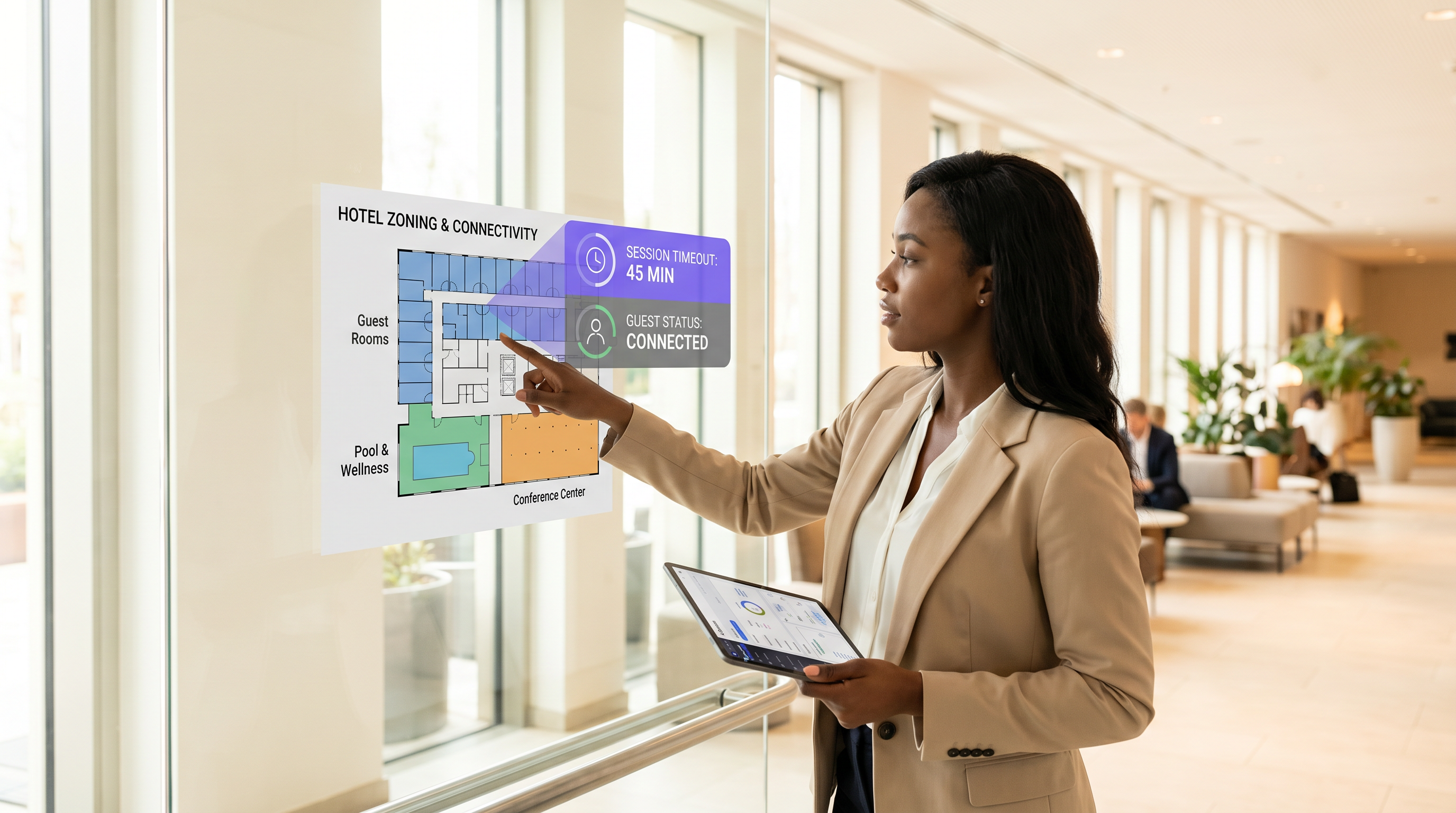
Resumen Ejecutivo
Para los recintos modernos, la red WiFi para invitados es un punto de contacto crítico para la experiencia del cliente y el análisis operativo. Sin embargo, establecer los tiempos de espera de sesión correctos a menudo se convierte en un tira y afloja entre los equipos de seguridad de TI y los gerentes de experiencia del huésped. Si los tiempos de espera son demasiado cortos, los usuarios se enfrentan a inicios de sesión frustrantes y repetitivos en el Captive Portal. Si son demasiado largos, la red sufre de agotamiento del pool de IP, datos de análisis obsoletos y mayores riesgos de seguridad por parte de dispositivos no autenticados.
Esta guía ofrece un marco práctico para configurar los tiempos de espera de sesión de Guest WiFi . Exploramos los roles distintos de los temporizadores de inactividad, los temporizadores absolutos y las políticas de reautenticación, proporcionando recomendaciones prácticas para entornos de Hospitality , Retail y del sector público. Al alinear las estrategias de tiempo de espera con el comportamiento del usuario y los mandatos de seguridad, los arquitectos de red pueden garantizar una conectividad fluida mientras mantienen un cumplimiento robusto y análisis de WiFi precisos ( WiFi Analytics ).
Análisis Técnico Detallado: La Mecánica de los Tiempos de Espera de Sesión
Un "tiempo de espera de sesión" no es una configuración única, sino una combinación de temporizadores distintos que operan en diferentes capas de la pila de red. Comprender esta mecánica es crucial para una implementación efectiva.
1. Tiempo de Espera por Inactividad (Temporizador de Inactividad)
El tiempo de espera por inactividad monitorea la transmisión activa de datos. Si un dispositivo cliente no envía ni recibe datos durante una duración especificada, el controlador de red termina la sesión.
- Propósito: Recupera direcciones IP (arrendamientos DHCP) y memoria de AP asignada a dispositivos que han abandonado el recinto sin desconectarse formalmente.
- Desafío: Los smartphones modernos con frecuencia entran en modo de suspensión para ahorrar batería, deteniendo la transmisión de datos. Los tiempos de espera por inactividad agresivos (por ejemplo, 5 minutos) desconectarán los dispositivos en suspensión, obligando a los usuarios a reautenticarse cuando enciendan sus teléfonos.
- Recomendación: Establezca los tiempos de espera por inactividad entre 30 y 60 minutos para entornos típicos.
2. Tiempo de Espera Absoluto (Temporizador Fijo)
El tiempo de espera absoluto dicta la duración total máxima de una sesión, independientemente de la actividad. Una vez que este temporizador expira, la sesión se termina forzosamente y el usuario debe reautenticarse.
- Propósito: Aplica límites de uso diarios, asegura que los usuarios acepten los Términos y Condiciones actualizados y fuerza una revalidación de seguridad periódica.
- Desafío: Interrumpe sesiones activas, lo que puede interrumpir llamadas VoIP o descargas grandes si no se comunica claramente.
- Recomendación: Alinee el tiempo de espera absoluto con el tiempo de permanencia típico del recinto (por ejemplo, 12 horas para un hospital, 2 horas para una cafetería).
3. Captive Portal y Reautenticación
Cuando una sesión expira, el usuario es redirigido al Captive Portal. Las implementaciones modernas a menudo utilizan MAC authentication bypass (MAB) o seamless roaming para recordar dispositivos durante un período establecido (por ejemplo, 30 días). En estas configuraciones, una sesión expirada podría no requerir un inicio de sesión manual; el sistema reautentica silenciosamente la dirección MAC reconocida, siempre que el dispositivo no la haya aleatorizado.
Para topologías de red avanzadas, la integración con herramientas como Sensors y la garantía de una infraestructura de backend robusta —como una adecuada Alta Disponibilidad de Servidor RADIUS: Activo-Activo vs Activo-Pasivo — es esencial para manejar picos de autenticación sin perder usuarios legítimos.
Guía de Implementación: Estrategias Específicas de la Industria
No existe una configuración de tiempo de espera única para todos. La estrategia debe reflejar los objetivos operativos del recinto y el comportamiento de los invitados.
Escenario A: La Tienda Retail de Alta Rotación
En Retail , el objetivo es capturar análisis precisos de afluencia de público y ofrecer marketing dirigido mientras se evita la permanencia excesiva.
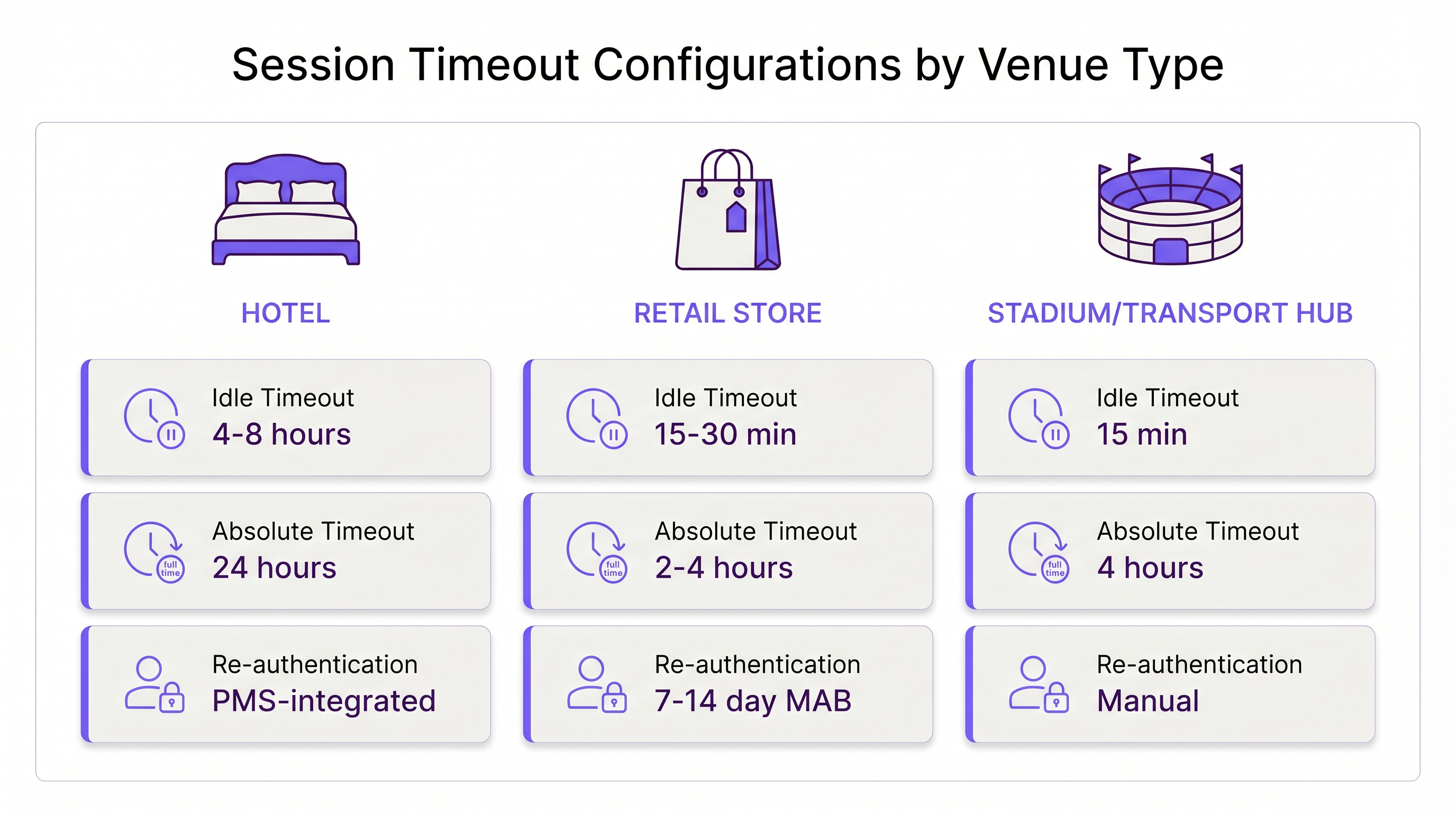
- Tiempo de Espera por Inactividad: 15–30 minutos. Los compradores se mueven rápidamente. Si un dispositivo está inactivo durante 30 minutos, es probable que el usuario haya abandonado la tienda.
- Tiempo de Espera Absoluto: 2–4 horas. Esto cubre el viaje de compras típico más largo.
- Reautenticación: Reautenticación MAC silenciosa durante 7–14 días para rastrear a los clientes que regresan sin fricción.
Escenario B: El Entorno de Hospitality Empresarial
En Hospitality , los huéspedes esperan una experiencia WiFi "como en casa". Forzar un inicio de sesión cada 4 horas es inaceptable y resultará en quejas en la recepción.
- Tiempo de Espera por Inactividad: 4–8 horas. Los huéspedes dejan dispositivos en sus habitaciones mientras están en la piscina; estos dispositivos deben permanecer conectados.
- Tiempo de Espera Absoluto: 24 horas o vinculado a la fecha de salida (por ejemplo, a través de integración PMS).
- Reautenticación: Seamless roaming en toda la propiedad durante la duración de la estancia.
Escenario C: El Centro de Transporte Ajetreado
En centros de Transport como aeropuertos, los tiempos de permanencia son muy variables, y el agotamiento de direcciones IP es un riesgo grave debido al volumen masivo de dispositivos transitorios.
- Tiempo de Espera por Inactividad: 15 minutos. La recuperación agresiva es necesaria para mantener disponible el pool DHCP.
- Tiempo de Espera Absoluto: 4 horas (el tiempo máximo típico de escala antes de un vuelo).
- Reautenticación: Reautenticación manual requerida después del tiempo de espera absoluto para gestionar los acaparadores de ancho de banda.
Mejores Prácticas para Equilibrar la UX y la Seguridad
- Alinee los Arrendamientos DHCP con los Tiempos de Espera de Sesión: Una configuración errónea común es establecer un tiempo de espera de sesión de 2 horas pero un arrendamiento DHCP de 8 horas. Esto agota el pool de IP. Su tiempo de arrendamiento DHCP debe coincidir o exceder ligeramente su tiempo de espera de sesión absoluto.
- Considere la MAC Randomization: iOS y Android utilizan direcciones MAC privadas por defecto. Si su red depende en gran medida de la reautenticación basada en MAC, eduque a los usuarios en la splash page para que desactiven la MAC randomization para el SSID del recinto si desean una experiencia fluida de varios días.
- Aproveche los Análisis: Utilice WiFi Analytics para monitorear la duración de las sesiones. Si el 90% de sus usuarios se van naturalmente en 45 minutos, establecer un tiempo de espera absoluto de 12 horas es un riesgo innecesario.
- Implementar WPA3-Open (OWE): Para una seguridad mejorada en redes de invitados abiertas, implemente el Cifrado Inalámbrico Oportunista (OWE). Proporciona cifrado individualizado para cada sesión, mitigando el riesgo de rastreo pasivo, independientemente de la duración del tiempo de espera.
Solución de Problemas y Mitigación de Riesgos
- Síntoma: Quejas constantes de reautenticación.
- Causa: El tiempo de espera por inactividad es demasiado corto, desconectando smartphones en reposo.
- Solución: Aumente el tiempo de espera por inactividad a al menos 30 minutos.
- Síntoma: Agotamiento del Pool de IP (Los usuarios no pueden conectarse).
- Causa: Las sesiones fantasma están reteniendo IPs porque el tiempo de espera por inactividad está deshabilitado o es demasiado largo.
- Solución: Implemente un tiempo de espera por inactividad estricto de 15-30 minutos y reduzca los tiempos de arrendamiento DHCP.
- Síntoma: Datos de Analytics Obsoletos.
- Causa: Los dispositivos permanecen "conectados" mucho después de que el usuario ha abandonado el lugar debido a temporizadores de inactividad largos.
- Solución: Ajuste el temporizador de inactividad para que coincida con el tiempo de salida física del lugar.
ROI e Impacto Comercial
Optimizar los tiempos de espera de sesión impacta directamente en los resultados finales. Una configuración bien ajustada reduce los tickets de soporte técnico relacionados con problemas de conectividad hasta en un 40%. Además, los datos precisos de la sesión se integran directamente en Wayfinding y plataformas de marketing. Si los tiempos de espera se configuran correctamente, los equipos de marketing reciben métricas precisas de tiempo de permanencia, lo que permite campañas con mayor tasa de conversión.
A medida que las empresas modernizan su infraestructura—quizás dándose cuenta de Los Beneficios Clave de SD WAN para Empresas Modernas —, estandarizar estas políticas de tiempo de espera en todas las sucursales se convierte en un motor clave de la eficiencia operativa y una experiencia de invitado consistente.
Definiciones clave
Idle Timeout
The duration a network connection is maintained while no data is being transmitted by the client device.
Crucial for reclaiming network resources from devices that have physically left the venue without disconnecting.
Absolute Timeout
The hard limit on how long a session can last from the moment of authentication, regardless of activity.
Used to enforce daily usage limits and mandate periodic re-acceptance of Terms & Conditions.
Captive Portal
A web page that a user of a public access network is obliged to view and interact with before access is granted.
The primary interface for guest WiFi authentication, branding, and data capture.
MAC Authentication Bypass (MAB)
A process where the network authenticates a device using its MAC address against a database, bypassing the need for a manual captive portal login.
Essential for creating seamless 'return visitor' experiences in retail and hospitality.
DHCP Lease Time
The amount of time a network device retains an assigned IP address before it must request a renewal.
Must be carefully aligned with session timeouts to prevent IP pool exhaustion in high-density venues.
MAC Randomization
A privacy feature in modern mobile OSs that generates a fake MAC address for each WiFi network the device connects to.
Complicates MAB and analytics, requiring venues to adjust their tracking and re-authentication strategies.
Opportunistic Wireless Encryption (OWE)
A WiFi Alliance standard that provides individualized encryption for devices on open, unpassworded networks.
Improves the security posture of guest WiFi without requiring users to enter a pre-shared key.
Dwell Time
The average amount of time a guest or customer spends physically present within the venue.
The foundational metric used to determine appropriate absolute and idle timeout configurations.
Ejemplos resueltos
A 200-room hotel is experiencing high volumes of helpdesk calls because guests have to log back into the WiFi every time they return from the pool. The current setup has an idle timeout of 30 minutes and an absolute timeout of 8 hours.
- Increase the idle timeout to 8 hours. Devices left in rooms or sleeping in bags by the pool will not be prematurely disconnected.
- Change the absolute timeout to 24 hours, or ideally, integrate the WiFi controller with the Property Management System (PMS) to set the absolute timeout to the exact time of the guest's checkout.
- Enable MAC-based seamless re-authentication for 7 days so returning guests bypass the captive portal entirely.
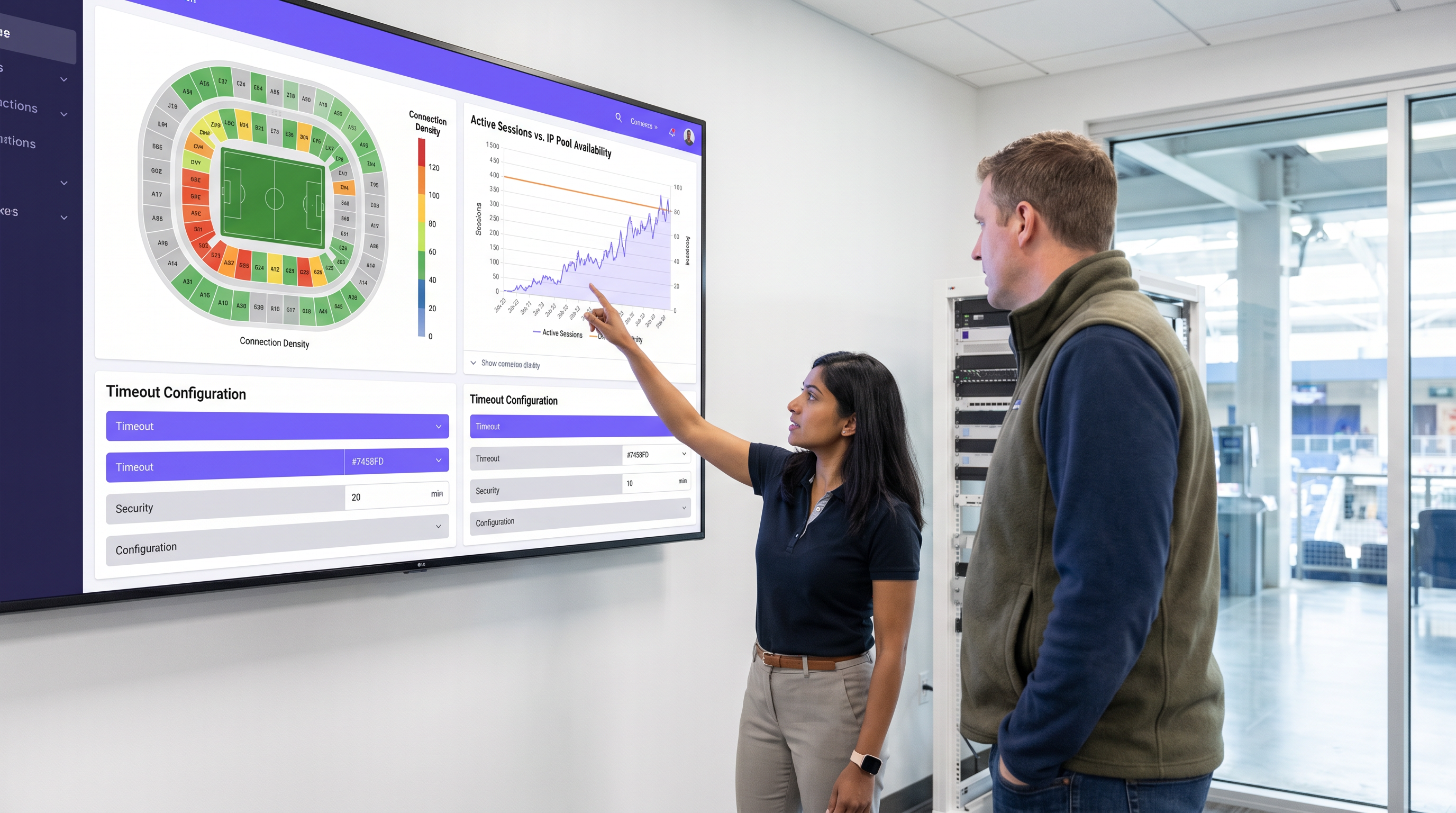
A large sports stadium (capacity 50,000) is running out of IP addresses during the first quarter of games. Users report full WiFi signal but cannot connect to the internet. Current settings: Idle timeout 4 hours, Absolute timeout 12 hours.
- Drastically reduce the idle timeout to 15 minutes. This immediately reclaims IPs from fans who have walked out of range or turned off WiFi.
- Reduce the DHCP lease time to 20 minutes to align with the new idle timeout.
- Reduce the absolute timeout to 5 hours (the maximum duration of a game plus egress time).
Preguntas de práctica
Q1. A hospital IT director wants to ensure that visitors in the waiting room don't have to log in multiple times, but also needs to ensure that devices belonging to discharged patients are removed from the network promptly to free up IPs. The average wait time is 3 hours, and the average patient stay is 2 days.
Sugerencia: Differentiate between the transient waiting room users and the long-term admitted patients. Can you apply one policy to both?
Ver respuesta modelo
The hospital should deploy two separate Guest SSIDs or utilize role-based access control via the captive portal. For the 'Visitor' tier, set an absolute timeout of 4 hours and an idle timeout of 30 minutes. For the 'Patient' tier (perhaps authenticated via an admission code), set an absolute timeout of 48 hours and an idle timeout of 8 hours. This balances the high turnover of the waiting room with the UX needs of admitted patients.
Q2. Your retail client complains that their returning customer analytics are dropping significantly, even though footfall remains steady. They currently have a 30-day MAB re-authentication policy.
Sugerencia: Think about recent changes in mobile operating system privacy features.
Ver respuesta modelo
The drop in analytics is likely due to MAC randomization (Private Wi-Fi Addresses) in iOS and Android. Because devices rotate their MAC addresses, the 30-day MAB policy fails to recognize returning devices, treating them as new visitors. The solution is to update the captive portal splash page to instruct users to disable Private Addresses for the store's network to receive loyalty benefits, or shift analytics reliance toward application-level tracking rather than purely Layer 2 MAC data.
Q3. A conference center hosts events ranging from 1-day seminars to 5-day conventions. The network team currently uses a static 24-hour absolute timeout for all events, leading to complaints during multi-day conventions.
Sugerencia: How can the timeout policy become dynamic rather than static?
Ver respuesta modelo
The network team should integrate the WiFi authentication backend (RADIUS) with the venue's event management system, or utilize dynamic vouchers. Instead of a static 24-hour timeout, the captive portal should issue session lengths based on the specific event code entered by the attendee. A 1-day seminar code grants a 12-hour absolute timeout, while a 5-day convention code grants a 120-hour absolute timeout, eliminating mid-event disconnects.
Continúe leyendo esta serie
El Futuro de la Seguridad Wi-Fi: NAC Impulsado por IA y Detección de Amenazas
Esta guía autorizada explora la evolución de la seguridad Wi-Fi empresarial, desde el WPA2 heredado hasta el Control de Acceso a la Red (NAC) impulsado por IA y la detección de amenazas. Diseñada para líderes de TI, proporciona estrategias de implementación prácticas para asegurar entornos de alta densidad como comercios minoristas, hostelería y estadios utilizando las redes basadas en identidad de Purple.
Gestión de la seguridad de dispositivos IoT con NAC y MPSK
Esta guía técnica detalla cómo las empresas pueden proteger dispositivos IoT sin interfaz de usuario utilizando la arquitectura de Clave Precompartida Múltiple (MPSK) y el Control de Acceso a la Red (NAC). Proporciona pasos de implementación prácticos para lograr la microsegmentación, contener los radios de impacto de seguridad y mantener el cumplimiento sin sacrificar la escalabilidad.
RadSec: Cómo RADIUS sobre TLS mejora la seguridad de la autenticación WiFi
Esta referencia técnica autorizada explica cómo RadSec (RFC 6614) asegura la autenticación WiFi empresarial al encapsular el tráfico RADIUS tradicional en cifrado TLS. Diseñada para gerentes de TI y arquitectos de red, cubre la arquitectura, las estrategias de implementación y los pasos prácticos para mitigar los riesgos del tráfico RADIUS UDP sin cifrar en redes corporativas y de invitados.